#blueprint
402296 messages · Page 839 of 403
 gentle urchin
 marble echo
theyre less cards and more events i guess
but i felt cards was a good way to describe them
i wanted the ability to shuffle and add and remove them like a deck
gentle urchin
ah i see
 lucid nebula
hey guys i got a question, so im making a game like r6s and wondering if theres a way to make AI on certain teams and shoot AI and players not on their own team
 spark steppe
obviously that's possible
lucid nebula
well if i asked about it that means it wasnt obvious to me
 lime cairn
a bit unrealistic, I remember getting popped in the back of my head when playing R6 Rogue Spear
 last abyss
lucid nebula
hey guys i got a question, so im making a game like r6s and wondering if theres ...
last abyss
lucid nebula
hey guys i got a question, so im making a game like r6s and wondering if theres ...
you just have to add a variable to your ai, then when it detects another ai, check that variable and see if its equal to the variable on this ai, if its not the same, then you know they're on other teams
lucid nebula
ty
 gentle galleon
figured out

 steady night
lifespan ?
gentle urchin

 obtuse herald
steady night
target is actor
obtuse herald
steady night
target is actor
 gentle urchin
a bit surprised one cannot set lifetime on a component
obtuse herald
lifetime is an actor thing, yes
gentle urchin
would be handy for those who like to create/destroy them on a whim
 dawn gazelle
Could spawn a niagara actor instead, then you could do a lifetime on the actor spawned.
 obtuse herald
dawn gazelle
Could spawn a niagara actor instead, then you could do a lifetime on the actor s...
obtuse herald
dawn gazelle
Could spawn a niagara actor instead, then you could do a lifetime on the actor s...
you could also spawn an emitter if you use cascade

 obtuse herald
gentle urchin
but emitter dont do lifetime! 😛
obtuse herald
gentle urchin
but emitter dont do lifetime! 😛
the naming may be confusing, but 'spawn emitter' spawns a 'particle system component'
however 'emitter' is an actor with a particle system component as root
gentle urchin
Ah
That was gonna be my next suggestion
wrap it in an actor
toss a component to it
glad to see it already exist, and you're right, the naming is confusing 🙂
 obtuse herald
steady night
hm i suppsoe so
obtuse herald
steady night
hm i suppsoe so
kinda like this
 steady night
aye cool ty, however changing color would solve it better for the next one aswell 😛
im kinda new so still learning
do i have to change the mesh materials colour ?
obtuse herald
 glass stump
how do i make an enemy move forwards in the direction it's currently going?
 odd ember
take its forward vector, multiply by amount of forward, add to location
 formal wren
I guess this has been asked a 1000 times, but how does one make interpolation truly frame rate independant?
odd ember
more consistent than what
obtuse herald
isn't the InterpTo node pretty consistent?
odd ember
everything is consistent
formal wren
If I use vinterp for example to move an actor from A to B it need 1 sek on 30 fps and 10 sek on 120 fps (extreme example)
odd ember
that's where deltatime comes in
obtuse herald
what is your delta-time input?
odd ember
it has to be variable per framerate
formal wren
delta time input is 'GetWorldDeltaSeconds'
odd ember
okay can you see if during debugging it corresponds to 1/framerate for the framerates you listed?
formal wren
 odd ember
something along the lines of 0.008 for 120fps, 0.033 for 30fps
odd ember
formal wren
there's also a concern if interp speed varies between framerates, that should stay consistent
formal wren
Just tried setting a constant value for Delta Time and it seems to work
speeds now seem more consistent on different framerates
obtuse herald
what
formal wren
lol
odd ember
lol
obtuse herald
do you.. change your interp speed variable somewhere between these frames?
formal wren
no
obtuse herald
👁️ 👄 👁️
 torpid hound
How are you changing your framerate to test?
formal wren
t.MaxFPS
This is driving me crazy. I'll create a project just for testing this now 😄
gentle urchin
The two interps handle it differently aswell, InterpTo vs InterpToConst
formal wren
Okay, just build a simple test map where I switch the framerate and stop the time an actor needs for a certain distance. And results are consistent
so I might have something else off in my project

it falls apart at extremely low fps

 main lake
How to bind an event dispatcher to multiple Events please ?
 safe musk
Hello every one, guy i have a doubt, How should i use the "Base pose" in a "Blend Pose By Enum" because my ENUN there are those options:


 dawn gazelle
main lake
How to bind an event dispatcher to multiple Events please ?
dawn gazelle
main lake
How to bind an event dispatcher to multiple Events please ?
Can you clarify? Normally an actor would bind an event to the event dispatcher on the target actor that calls it, so whenever that event dispatcher is called on the target actor, the actors that have bound to the event will fire their bound events.
main lake
dawn gazelle
Can you clarify? Normally an actor would bind an event to the event dispatcher ...
I need to bind my "Hour Changed Dispatcher" to 2 events : Event On Enable and Event On Disable

and the red line (Event) I can only connect it to one of the 2 but not both
do I need to duplicate the Bind Event a second time for the second one ?
formal wren
safe musk
Hello every one, guy i have a doubt, How should i use the "Base pose" in a "Blen...
You mean you don'T have a 'Default' Entry in your Enum? You can just leave it blank. It will never be considered
dawn gazelle
main lake
I need to bind my "Hour Changed Dispatcher" to 2 events : Event On Enable and Ev...
Definitely not. What you're looking for is just for the logic to fire both checks at the same time. You can do the same with one event and a sequence node.
main lake
dawn gazelle
Definitely not. What you're looking for is just for the logic to fire both chec...
how ?
glass stump
odd ember
take its forward vector, multiply by amount of forward, add to location
Like this?
 safe musk
@formal wren is it possible create a "default" in ENUM ? how i can define a "default" in this condition ?
 dawn gazelle
main lake
how ?
dawn gazelle
main lake
how ?
On the event that's bound, put a Sequence node. One the first part of the sequence do your first == branch check. On the second part of the sequence, do your second == branch check.
formal wren
safe musk
<@!471040295837106178> is it possible create a "default" in ENUM ? how i can def...
Show the ENUM definition
safe musk
@formal wren
 main lake
dawn gazelle
On the event that's bound, put a Sequence node. One the first part of the sequen...
main lake
dawn gazelle
On the event that's bound, put a Sequence node. One the first part of the sequen...
Like so ?
 formal wren
 safe musk
i can do this ... if is not those option it is "default" ...
 formal wren
You don't have to have a 'Default' value in your ENUM
odd ember
glass stump
Like this?
of all the combinations you could have picked
but in principle, yes
dawn gazelle
main lake
Like so ?
No. This would mean the bottom check would only ever execute if the top check was false. Based on what you were saying, you wanted both checks done regardless of what the other one was as you wanted both those events bound to when the event dispatcher was fired. There's a node called "Sequence". It lets you run things sequentially without having to put them all in a line like you usually do with blueprints.
glass stump
odd ember
but in principle, yes
hmmm, it didn't work, is there something i need to add?
odd ember
glass stump
hmmm, it didn't work, is there something i need to add?
values? an actual forward vector?
glass stump
odd ember
values? an actual forward vector?
so like 'current rotation'? if that's a thing, lemme check
odd ember
also you're adding an offset
glass stump
get base rotation offset maybe
odd ember
get actor forward vector
main lake
dawn gazelle
No. This would mean the bottom check would only ever execute if the top check wa...
Like so ?

awesome thank you 👍
glass stump
odd ember
get actor forward vector
ah ha, that may work ,i'll try it, thnak you. :)
 zealous fog

You can use them like this, it will fire off 1, then 2. Next time the event hits it will only fire off 2
glass stump
hmmm, nope the enemy still chases after the player.
i just want it to go in the direction of the player and then continue onwards.
odd ember
glass stump
i just want it to go in the direction of the player and then continue onwards.
well you left that part out
glass stump
well, it's kind of complicated and a separate part of what i want it to do.
basically, i just want it to move forward based on whatever direction it's going.
odd ember
glass stump
well, it's kind of complicated and a separate part of what i want it to do.
but that's kind of part of the context
glass stump
true true 😅 good point
odd ember
find look at rotation > forward vector
glass stump
odd ember
find look at rotation > forward vector
Like this?

wait wait nevermind
i see what you meant
odd ember
glass stump
Like this?
sorry look at between the position of your AI and your player character
glass stump
Hmmm, maybe it's because I previously used an AIMoveTo.
odd ember
glass stump
Hmmm, maybe it's because I previously used an AIMoveTo.
yeah if the task isn't done then it won't move
glass stump
odd ember
yeah if the task isn't done then it won't move
is there a way to interrupt the task?
odd ember
glass stump
is there a way to interrupt the task?
also keep in mind 10 units = 10 cm
glass stump
odd ember
also keep in mind 10 units = 10 cm
oh whoa, yeah, i just changed it to 100 and it kind of teleported.
odd ember
glass stump
oh whoa, yeah, i just changed it to 100 and it kind of teleported.
that's what set offset does
if you want it to move, use another AIMoveTo
should override the first
glass stump
odd ember
if you want it to move, use another AIMoveTo
yeah, i was thinking that too, but i just tried it and it caused the AI to move into the center of the map instead. (which is an imrpovement to be fair haha)
odd ember
glass stump
yeah, i was thinking that too, but i just tried it and it caused the AI to move ...
well you didn't add the location
so now it just takes the forward vector from 0,0,0
glass stump
odd ember
well you didn't add the location
Like this?
 odd ember
glass stump
Like this?
odd ember
glass stump
Like this?
add it to the end result
 tulip mason
glass stump
Like this?
tulip mason
glass stump
Like this?
Yeah, that'll literally say go to the position of the forward vector, which is always between 0 and 1, so pretty much 0,0,0. Or add that forward vector multiplier to the actor location so it moves forward from the actor location instead
glass stump
@odd ember @tulip mason This is great stuff, thank you! :) This explained it really well, I get what you mean now, I'm just working out how to implement it.
odd ember
glass stump
<@!224571781862653952> <@!467425044122042369> This is great stuff, thank you! :)...
think of the forward vector, like any unit vector, as a direction
that means it will always have a length of 1
and as such when you multiply it with a value, you get a distance in the direction of the unit vector
glass stump
odd ember
and as such when you multiply it with a value, you get a distance in the directi...
ooooooh! I think I see what you're saying, it seems to almost be doing what i want it to!
odd ember
almost as if math works
glass stump
the problem with it currently is it stops when it gets to where the player was at that time.
whereas i just want it to continue going forward. like a homing missile that's lost it's tracking.
odd ember
add more distance
glass stump
odd ember
add more distance
i've tried a few things but none of it is working, so may i ask what your recommendation on how to add distance is? i tried following the method you used above, but maybe i'm using the wrong nodes perhaps....
obtuse herald
glass stump
i've tried a few things but none of it is working, so may i ask what your recomm...
bump up the value with which you are multiplying the forward vector
odd ember
glass stump
i've tried a few things but none of it is working, so may i ask what your recomm...
what distance are you multiplying with right now?
 obtuse herald
why are you multiplying the forward vector with your location?
glass stump
obtuse herald
why are you multiplying the forward vector with your location?
I'm trying to get the enemy character (this BP) to move in the direction of the player and then keep going.
obtuse herald
glass stump
I'm trying to get the enemy character (this BP) to move in the direction of the ...
that was right

just change the 10 to something way higher
glass stump
hmmm
glass stump
obtuse herald
that was right
for some reason the enemy just stops instead when i set it like this.
obtuse herald
mmh
try setting the int value to 1000
and add the player location instead of self location to it
odd ember
most likely the AIMoveTo cancels out because you're hitting beyond the navmesh
glass stump
obtuse herald
try setting the int value to 1000
OH MY GOSH IT WORKED
I think
I had it at 6000 and it just stopped still, why did 1000 work!?
obtuse herald
6000 is probably out of nav mesh and the ai ain't even trying to get to that point then
glass stump
ahhhh
obtuse herald
but 'Simple move to' might actually
obtuse herald
you're welcome
glass stump
I tried a few months ago to do this and couldn't, so I appreciate this immensely!
obtuse herald
if 'Simple Move to Location' doesn't work there is also a 'Move to Location' node
it has a lot more parameters avaiable
glass stump
obtuse herald
if 'Simple Move to Location' doesn't work there is also a 'Move to Location' nod...
Ah, thank you I'll try that! 'Simple Move to' didn't seem to have any difference.
main lake
dawn gazelle
No. This would mean the bottom check would only ever execute if the top check wa...
I have a small problem (as I think it could be improve). So I'm using my variable "Hours" (replicated variable) on my Binded Event to call the binded event / dispatcher "HourChangedDispatcher" and printed when the Box Collision is enabled when receiving the call from the binded event but instead of printing only when the Hour variable change it prints all the time (it looks like each time my timer update (so almost once per second).
I use the OnRepHours function to call the bind event "HourChangedDispatcher".
I tried to replicate only if the old value isn't the same as the new one to not overload my print system but it doesn't work (See screenshot below)
glass stump
obtuse herald
if 'Simple Move to Location' doesn't work there is also a 'Move to Location' nod...
I played around with a few of the options but that also worked the same way. I suppose I just need to work out how far I can push the integer with the navmesh.
main lake
 glass stump
obtuse herald
I thought 'Allow Partial Path' would do the trick
glass stump
obtuse herald
I thought 'Allow Partial Path' would do the trick
I thought that too, but it just continued to stop still for some reason.
Maybe I need to connect it to something I wonder.
glass stump
obtuse herald
I thought 'Allow Partial Path' would do the trick
YES DID IT!
Thank you so much!
I accidentally increased the acceptance radius instead of decreasing it!
main lake
How to Enable and disable collision on Box Collision please ? Like NoCollision works perfectly for disabling it but Enabling it make it we can't go through anymore and get the overlap event like before and in the "New Type Property" there's no option for "OverlapAllDynamic"

 silk hinge
Hey guys, I'm having a little trouble finding something, Like I literally just want to stop running a behavior Tree, The "Run behavior tree" node set up with no value dosent do anything, any ideas of a node ? I can always run an empty bevior tree to make the AI stop, but I'm pretty sure there is a "Stop running behavior tree" node, right ?
 smoky rivet

how can i access the specific actor of the mesh component
i need to access a variable within it
so the notify knows which shell casing to spawn when the notify is recieved
 fluid dirge
I'm trying to understand how the ThirdPersonCharacter blueprint rotates the camera boom. How does Add Controller Yaw Input "tell" the camera boom to rotate?
main lake
Does anyone know if a replicated variable is only replicated when it changes or it's replicated every frame, because I'm using a Binded Event that I call on the OnRep function of my variable and it's spamming the string with a printString I told it to print, so that's why I'm confused on why it's printing this much even if my variable isn't changing this quick (my variable change like every 20 to 30 sec)
 dark crow
Pretty sure the Server stores the Replicated value and if it's the same it doesn't Replicate it again
 gentle crest
Hey I have a strange issue. I created a blueprint with a light that turns on when a generator is filled with gas. I want it set to stationary and or static because it doesn't move but no matter what it gives me this warning https://media.discordapp.net/attachments/225448446956404738/942989593668620389/unknown.png?width=1003&height=687

has anyone else had this warning before ?
 tight cargo
anyone know how to make the character lock onto the person so I cant look around the character?
main lake
dark crow
Pretty sure the Server stores the Replicated value and if it's the same it doesn...
Then I don't understand why this prints all the time somehow (I'm in the OnRep of my variable)
 dark crow
Well, it's sent over to the server ofc all the time, but it doesn't replicate to clients if it's the same value
dawn gazelle
main lake
Your function is likely constantly setting a different value for the hour. Assuming your timer value is incrementing every second, the timer value / 60 % 24 will likely not result in the exact hour that you're hoping for. Put some print strings around and you can see what your values are looking like.
Part of the problem is likely because you're using floats. When you're dealing with integers it usually just gets rounded out. So 1/60 = 0 rather than 0.01666 or 65/60 = 1 rather than 1.0833


 gentle nebula
How can i read a mesh/widget current material opacity through the actor blueprint?
dawn gazelle
main lake
Zoom
Well if you're truncating after the fact, of course that's what you're going to see. Don't truncate the values before putting the value into the print string. That's changing the number from a fraction to 0.
main lake
yeah my Old Hour variable stay at the same value all the time somehow and even setting it to 6 to be equal to the hour variable at start changes nothing it keeps spamming the print string
main lake
dawn gazelle
Well if you're truncating after the fact, of course that's what you're going to ...
When should I truncate it ?
dawn gazelle
Don't
main lake
so what should I do ?
dawn gazelle
I've told you - put the values into a print string and you can see what their values are. Don't put them into a truncate node - that changes the value from what it really is so you're not seeing the true picture.
 mild ibex
so uh, my blueprint isnt receiving inputs even though i have it set to enable input and i know for a fact that input is enabled due to a print string
but none of the keybinds in that bp are working at all, even if i set a basic keyboard binding like shift or something, its still not working
gentle nebula
gentle nebula
How can i read a mesh/widget current material opacity through the actor blueprin...
Anyone?
main lake
dawn gazelle
I've told you - put the values into a print string and you can see what their va...
the values aren't the same you're right so how do I solve this problem as those 2 variables are floats
 crisp vault
The cube can be attached to player and left laying around, so the safe location can move/change position.
mild ibex
mild ibex
so uh, my blueprint isnt receiving inputs even though i have it set to enable in...
nvm, forgot that after moving to perforce some things were changed, apparently my level BP just cut out the enable input stuff
 sharp rapids
will creating separate Blueprints for every inventory item become performance intensive?
I'm working on an Inventory system and so far I've found two ways to go,
first being simply creating a new blueprint for every item
second is having only a few base classes and using data assets to change their properties.
The second one is obviously more convenient to work with but I find a lot more flexibility in the first one.
I'm using actors to store the inventory items, so an actor for every item in the inventory
My question is, will the first way be more expensive than the second?
 silent berry
sharp rapids
will creating separate Blueprints for every inventory item become performance in...
silent berry
sharp rapids
will creating separate Blueprints for every inventory item become performance in...
Are you talking, purely for example, doing something like having multiple weapons?
sharp rapids
silent berry
Are you talking, purely for example, doing something like having multiple weapon...
Something like Minecraft
silent berry
Well going off the example of weapons, which could be applied to many other similar things, I've just found that making a master blueprint and then making a different child blueprint for each different weapon wasn't super performance heavy
sharp rapids
For e.g. If I have 50 items in the Inventory, either way I'm going to have 50 actors in the level
In the 1st way, I'll have 50 instances of different classes (each inheriting from one base class)
2nd way, I'll have 50 instance of the same class (with different data assets)
Using the first way increases the number of classes in the project, so for 100 or so items that's 100 more classes
So I was wondering If it was more expensive
dawn gazelle
Here's a way to think about it:
Your inventory component likely isn't going to be storing actors, especially if you're doing something like minecraft and you need to store 99 stone blocks in it.
Additionally, you can't really store actors in a save game, so you'd have to break down and reassemble each actor when you save and load them.
silent berry
well more classes doesn't necessarily mean more expensive. I'm not sure how exactly you're building your thing, so the only thing I can really suggest is just trying a sample of each method and seeing which works best for you
silent berry
dawn gazelle
Here's a way to think about it:
Your inventory component likely isn't going to b...
This actually makes a lot of sense
sharp rapids
dawn gazelle
Here's a way to think about it:
Your inventory component likely isn't going to b...
Well right now, I'm simply referencing actors in the inventory items array
I tried doing it with structs, but BP Structs are limited so I went with actors
I can't have functions in structs 😦
sharp rapids
silent berry
well more classes doesn't necessarily mean more expensive. I'm not sure how exac...
I have an actor BP that stores the amount, item texture, etc. things
When I need to spawn an item, I spawn that actor and reference it in an items array
When done, I simply destroy the actor
silent berry
I see
My apologies @sharp rapids , I'm a dipnut and I actually completely misunderstood what you were asking for
dawn gazelle
Either way you're not going to be storing your inventory as actors in the end - that would be super wasteful and require too much additional code to manage.
You're going to end up with a structure somehow. That structure should be minimalistic - just a means of identifying the item in the slot and the quantity of them.
The identity of the item can even be a reference to the actor class (normally the purple colored reference) that would represent that item as an actor. Just make sure you use a decent base actor class that has details like name, description, etc. so you can look it up by using a class default object.
Having different types of actor BPs isn't really the limiting factor and it's fine to build out your items in such a way- but then that makes the limiting factor your management of said actors. Like, if you build a house out of 15000 bricks, each one of those actors will be making draw calls unless you have a manager set up to handle instancing of meshes.
 runic parrot
Hi everybody! i want to remove all text but the numbers from a editable text box, is there an efficient way to do this?
 tight schooner
gentle nebula
How can i read a mesh/widget current material opacity through the actor blueprin...
tight schooner
gentle nebula
How can i read a mesh/widget current material opacity through the actor blueprin...
It's possible to get parameter values from a material instance https://docs.unrealengine.com/4.26/en-US/BlueprintAPI/MaterialEditing/GetMaterialInstanceScalarParamet-/
Get Material Instance Scalar Parameter Value
dawn gazelle
runic parrot
Hi everybody! i want to remove all text but the numbers from a editable text box...
Easiest way I know of is using the Low Entry Extended LIbrary XD
It has a regex replace function that allows you to use a regular expression and remove characters from strings.
runic parrot
i was thinking on creating some method to do exactly that, but if there's a library for it already, even better
do you know how do i have to proced to get the library?
 fathom cobalt
can someone help?

My Forklift thing isn't moving. Even though it's detecting input
dawn gazelle
runic parrot
do you know how do i have to proced to get the library?
It's on the marketplace. https://www.unrealengine.com/marketplace/en-US/product/low-entry-extended-standard-library
 obsidian ridge
I want to make it so when a first person character clicks on a cube it makes it rotate
I use raycast? I'm not sure where to start
So far I have it working with a projectile and overlap, but it's too buggy that way
tulip mason
obsidian ridge
I want to make it so when a first person character clicks on a cube it makes it ...
Well, I'd you click on a cube, you then have a reference to the cube based on how you clicked on it.
You could then have a timer that finterps your current rotation to the find look at rotation based on your location to the cube rotation that you clicked on. Probably using world delta seconds for the timer looping
Or the cube rotate,,?
 obsidian ridge
Another question
How come textures in the blueprint view port look fine, but ones it's in game they turn black?
tulip mason
Well I guess a line cast would work, I can't remember raycast bu it's surely cheaper.
You could then do a fast rinterp of 20-30.
 wicked osprey
Hello guys. Where i should write cutscenes and entire game logic? In game mode, or level blueprint, or another actors?
 crude dew
Hi wonder if someoen can help me im sure it,s easy fix but after 2 hrs i finally thought I would ask for help.
I have a health bar but instead of using 0.01 for damage values from a gun i would like to use integers.

 faint pasture
sharp rapids
will creating separate Blueprints for every inventory item become performance in...
faint pasture
sharp rapids
will creating separate Blueprints for every inventory item become performance in...
Don't save stored items as actors, save them as structs which can be used to spawn an actor when dropping/equipping (holding in hand)
 faint pasture
crude dew
I have a health bar but instead of using 0.01 for damage values from a gun i wou...
faint pasture
crude dew
I have a health bar but instead of using 0.01 for damage values from a gun i wou...
You need to choose whether you want your HP to ALWAYS be a float or int. Float is fine, you can round for display if you're worried about floating point precision, but int is ok as well
either way, you need to architect your HP and Damage systems to work with floats or ints
a health bar is going to expect a float but you can convert from into to float for it.
crude dew
As you see with the image it prints out 40 as 4000 is 40% of 10000
but im sure how to convert that output of 40 to a float to feed the Progres BAr
 native willow
see smth suspicious?
 faint pasture
That's assuming your bar expects a 0-1 range. You can make a bar that takes whatever numbers you like though.
crude dew
is it the x 100 ?
faint pasture
You want to convert those to floats tho before the divide
the outcome of 4000/10000 as an int will NOT be 0.4
 willow yacht
crude dew
As you see with the image it prints out 40 as 4000 is 40% of 10000
willow yacht
crude dew
As you see with the image it prints out 40 as 4000 is 40% of 10000
for the progress bar i use this returns 0.0 to 1.0f value
Percentage = Value * 100.0f / MaxValue / 100.0f
value = health or whatever
max value = max health ...
crude dew
ok i removed the x 100 and it prints out 4000/10000 is apprently 0.0
crude dew
so use a float of 4000 and a float of 10000 ?@
faint pasture
crude dew
so use a float of 4000 and a float of 10000 ?@
You can cast an int to a float. Just make a float divide node and drag the ints into it and you'll see.
That will convert int 1 into float 1.0 so you can do a divide without rounding
 crude dew
Ok this prints out 0.4

but set percent doesnt set the health bar.
so maybe i need to check the cast.
faint pasture
Does set percent expect 0-100 or 0-1?
crude dew
0-1 i think
faint pasture
check it, give it manual numbers
crude dew
just checked the progress bar widget it says in the progress section Percent and can go from 0-1.
 faint condor
he just gave you the formula for progress bar lol
faint condor
willow yacht
for the progress bar i use this returns 0.0 to 1.0f value
`Percentage = Value * ...
here
crude dew
lol sorry maths never been my strong point ;P
faint pasture
crude dew
It's either this or this x 100, if it doesn't work, something else is fucked
crude dew
ye im guessing the cast to the health bar widget isnt working as it prints out 0.4 correctly so it knows 4000 is 40% of 10000
willow yacht
isn't the function GetWidget() that returns the component widget?
also make sure you select a widget class in your component
crude dew
@willow yacht I have the HealthBar widget selected in the class component the text is showing the values but the slider part is not working am getting a float of 0.40000 now man i hate using progress bars lol
willow yacht
lol try to remove the progress bar and add it back again and compile the bp
or restart the editor
 willow yacht
lmao
crude dew
but the target is active when i step through the code. xD
weird i removed it and readded it and it,s all working now
thanks for the help!
 rough cedar
Is there a way to get a character to follow a spline forward direction without using a tick?
gentle urchin
Why would you not use tick?
If it's animation/movement, surely you'd want it as smooth as possible
rough cedar
I'm just trying to see if theres another way. I like to avoid ticks if possible
gentle urchin
Avoid it when it makes sense
in this scenario it doesnt
you could use a timeline, arguably easier to manage
Its still tick based, but the gating is handled internally atleast
rough cedar
Ive never tried that way. How is that done?
gentle urchin
Updating animation/interpolation/movement less than on a per frame basis can easily look very bad (unless fps is way above noticeable animation smoothness, in which you probably have the resources to just do it on tick anyways)
rough cedar
oh ill just use a tick
gentle urchin
You'd lerp towards the next splinepoint
and when you reach it (e.g. timeline completes) you'd check if there are more splinepoints
if so, restart the timeline, with the next splinepoint index as a target
rough cedar
If you think its better to just use a tick I'll do that
gentle urchin
I'd just use tick, but then again I'm used to gating it
rough cedar
ok I'll use a tick for now. If it becomes a problem I'll try this other method. Thanks!
gentle urchin
No worries! Gl 🙂
 primal smelt
I'm playing about with a 2000m inverse sphere (ico sphere with normals flipped inwards) and I'd like to have a light source in the middle that lights everything up and casts shadows. A point light can't seem to reach the required attenuation radius to light the whole thing up. Just curious as to what my options are. Is there anything like in the Source engine skyboxes where you can essentially create a small diorama of a scene, light it and then scale it up with all the baked lighting data? A lot of this would be for background scenery purposes and playable areas could still be lit by a direction light when loaded in.
Any other suggestions would be appreciated too
primal smelt
 timber knoll
<#221799195806400512>
timber knoll
<#221799195806400512>
Right you are, I'll ask there thanks
 ocean bluff
Hello, I'm doing a blueprint where the tether mechanics behaves like a rubber band ( like a Bungee). It works quite well for the first player but when I play as the second player, the cable doesn't follow it in the second video. is it because of the endpoint of the cable settings? in the first video, this is what is supposed to look like

 gentle urchin
I would think the entire component must be attatched to one actor, and end attatched to the other ?
instead of just existing in the world?
If thats whats going on.. cant tell from your screenshots

 gentle urchin
Im seeing the ned being attatched
but not the start
ok nvm
i got it 😄
its the end having isssues
Try adding a socket to the mesh and use that
instead of end location
ocean bluff
gentle urchin
instead of end location
It didn't change unless I missed something

 gentle urchin
You may need to include a component name?
i'd expect this to work tho
opening project now
ocean bluff
gentle urchin
i'd expect this to work tho
This what happens when I put it in component name

oh alright
gentle urchin
the socket in the socket name, and the component (mesh component) in the component name i would think
cant recall if you could get sockets across all components in an actor just like that


This just worked atleast
ocean bluff
gentle urchin
This just worked atleast
where should i put that on my blueprint
 gentle urchin
beginplay
i would say
you can prob just use the existing cable component, and not the "add cable component" node that i used
 ocean bluff
gentle urchin
you can prob just use the existing cable component, and not the "add cable compo...
ocean bluff
gentle urchin
you can prob just use the existing cable component, and not the "add cable compo...
what's the reference for start pole and end pole?
gentle urchin
just two random components i had laying around
It would probably be the capsules or mesh components inside your two reference actors
or just root component or smth
ocean bluff
gentle urchin
or just root component or smth
I've probably done something wrong haha


I tried to use the character reference variable for the parent and component but it doesn't connect
ocean bluff
gentle urchin
so try to get one of the components in the char ref 😄
It looks like this
 gentle urchin
sweet
so now its attatched
next up is attatching it to your desired location
or socket

there's a socket name input
avaliable 😄
I think you need to get the correct component for that to work tho
root component probably (?) doesnt have sockets
Not sure if its able to walk down its tree and find a matching socket... i would think not
ocean bluff
gentle urchin
Not sure if its able to walk down its tree and find a matching socket... i would...
I tried to use this socket i added but it doesn't attach there
 gentle urchin
ocean bluff
I tried to use this socket i added but it doesn't attach there
gentle urchin
ocean bluff
I tried to use this socket i added but it doesn't attach there
use snap to instead of keep relative
for the attachment rule
 gentle urchin
ocean bluff
IT WORKS!
gentle urchin
ocean bluff
IT WORKS!
Well done!
 chrome nymph
if i have a PlayerStart - i should not have a BP_Character, right?
in my level
(assuming i only need one that the player should control)
odd ember
chrome nymph
if i have a PlayerStart - i should not have a BP_Character, right?
PlayerStart will spawn whatever is set to be your default pawn
 tawdry surge
Unless you place one and it's set to auto possess. But generally you pick one or the other
 surreal coyote
I have a blueprint that consists of multiple light components and in another blueprint I'd like to toggle the visibility of all those light components. How do I do that?
Blueprint reference > Set Hidden in Game
doesn't work
 gentle urchin
propagate to children
 gentle urchin
No, the boolean
Check the propagate to children bool on Set Hidden in Game
with the original target
 surreal coyote
Not quite the same effect as pointlights
 surreal coyote
Well
 gentle urchin
😄
If its not a problem, its not a problem i supppose
i love pre-opitimizing
dont follow my example
 thin panther
surreal coyote
Oops blind
thin panther
surreal coyote
Oops blind
is that the assetville pack
surreal coyote
Yeah it is
thin panther
it looks sweet, it's essentially what I model my environments around lol
might have to nick the vehicles tho, never been good at those
 final kiln
Good day I am trying to make a system that checks if the interface is open, but I do not know how I can do pro branch be informed whether it is open or not, how could I do this?
 surreal coyote
I love the style of that pack
thin panther
its my favourite style, all of our projects get made in that style
low poly is underrated
surreal coyote
final kiln
Good day I am trying to make a system that checks if the interface is open, but ...
Why don't you just block input when interface is open?
gentle urchin
Interface -> Widget?
thin panther
final kiln
Good day I am trying to make a system that checks if the interface is open, but ...
yeah you could just disable movement
final kiln
and because the idea is that the user's movement will be deactivated when the interface is opened, because he will use the same movement buttons in the interface
gentle urchin
disable movement sounds like what you want then i think
surreal coyote
Yes
Check if interface is open in the character movements. If yes, block movement
final kiln
and if I use a branch it does this easier, because if the interface is open it already stops working the movement, if it is closed it comes back, but the thing is that I don't know how to pull the information from the interface that is open
surreal coyote
The information from the interface?
final kiln
Let me explain better, wait a bit
gentle urchin
On Interface Open -> disable movement?
What else is there 😄
You need to redirect your inputs to the interface?
Use a branch
IF Visible -> Interface
ELSE -> Add Movement
final kiln
I am trying to make a skill tree interface system where it is possible to move around inside because there will be many skills and with that a normal screen size would not be enough to show everything, so to give the player the freedom to move the screen and see the rest of the skills, but already made everything to work, just missing this issue of the branch, because I have to make it true when the interface is open and false when it is closed, so the screen movement script will only work when the skill interface is open
surreal coyote
Sounds like you need a boolean variable
gentle urchin
"Is Visible"
final kiln
Yes, but I don't know how to pull from one script to the other
gentle urchin
You have a interface reference (widget ref),
you simply provide functions in the widget for widget movement
surreal coyote
Default false, set to true when you open it, back to false when you close it
final kiln
is ?
 gentle urchin
skilltree is an actor...
didnt see that one coming
Or is it?
looks like a widget unless you get errors
dunno if you unticked "Context" ..
chrome nymph
am i misunderstanding how event dispatchers work?

on my other actor - i am calling this actor's OnEvent function

however, it doesn't seem to do anything
 thin panther
chrome nymph
am i misunderstanding how event dispatchers work?
thin panther
chrome nymph
am i misunderstanding how event dispatchers work?
theres a node called bind event to, that you will wanna call on the first image
cause you have the event, but it isnt associated
gentle urchin
final kiln
Yupp. If TRUE , forward the event to the widget
if not, then just act normal and add move input
 gentle urchin
huh
you can invert it if you like sure
then if branch is true, do movement
else do forward the input to the widget
final kiln
 gentle urchin
null ref
final kiln
it doesn't work, the same way as the other way, it just fills up the logs with errors
 final kiln
that's the problem

 rugged wigeon
I'm trying to use a data table to store my skill / ability data. Part of that data needs to be the icon used to indicate the skill in a widget. The desired type is just "Object" which is not compatible with data tables.
Any ideas on how I can store this kind of data in a table?
tawdry surge
Wouldn't the icon be a texture2d
rugged wigeon
ahhh set brush from texture. Yes that would do it
didn't realize there were other options. thanks
 prisma gulch
I dont know why this error is showing


 gentle urchin
you're not checking if its valid
it appears it is not
So you should probably ensure it is valid before trying to access it 🙂
And possibly have some fallback if its ment to be valid, but is not yet updated for some odd reason
prisma gulch
thanks but I solved it by creating the variable of CurrentWeapon which was declared in C++, but I was using the different CurrentWeapon
How Can add CurrentChamberAmmo and TotalAmmo like 25/100 or do I create a new text for TotalAmmo
 chrome nymph
is there a way to make a retriggerable timeline?
rugged wigeon
use the append function of strings to join together the integer values and " / " in between
chrome nymph
like retriggerable delay
chrome nymph
thin panther
theres a node called bind event to, that you will wanna call on the first image
thanks!
gentle urchin
prisma gulch
thanks but I solved it by creating the variable of CurrentWeapon which was decla...
Its still good practice to validate pointers before access. Also I'd suggest doing an event driven design on the UMG updating instead of a binding
prisma gulch
I dont know how to do that I am beginner
faint condor
prisma gulch
How Can add CurrentChamberAmmo and TotalAmmo like 25/100 or do I create a new t...
use format text node and put this text inside {Health}/{MaxHealth}
prisma gulch
@faint condor where do I put the CurrentAmmo/TotalAmmo in the Format text node
faint condor
prisma gulch
<@!654926717911302145> where do I put the CurrentAmmo/TotalAmmo in the Format te...
 prisma gulch
Ok thanks
chrome nymph
chrome nymph
is there a way to make a retriggerable timeline?
boolean i guess
 remote obsidian
I have a problem re: procedural components in editor and persistence
I'm spawning components on a blueprint actor procedurally in the editor, I'm using call in editor functions to spawn these components.
The problem comes when building the app, the procedurally spawned components aren't included, aren't saved with the level.
One solution is to trigger all the functions I'm using in editor on event begin play, but then I'm adding a lot more calculations on app start that I'd rather have baked down in editor, I also can't cherry pick my component setups as they're regenerated on play (eg. random scattering)
Is there any way I can take my "AddComponent" dynamic objects and bake them down to fully static components that can be adjusted in the details panel when the blueprint is selected (eg as if I had added them using the "add component" dropdown in the details panel)?
Thanks!
 fiery knoll
Are you spawning them during play or beforehand (eg in the construction script)?
odd ember
you can use SetArrayElem and SizeToFit, but you'll have to have a nonzero element at the end
remote obsidian
fiery knoll
Are you spawning them during play or beforehand (eg in the construction script)?
Missed this message, i'm spawning them in the editor, not specifically construction script but by calling "Call in editor" functions
chrome nymph
how do i make my game start automatically possess the player spawn?
rugged wigeon
@trim matrix There is no reason to pass an array as an argument to that function and then clear it. Make the array a local variable. It will be instantiated as an empty array whenever the function is called.
That being said, I'm not sure why you would ever need such a function. Seems kind of obscure.
fiery knoll
remote obsidian
Missed this message, i'm spawning them in the editor, not specifically construct...
Not entirely sure, but I would say the approach you're taking isn't meant to work that way: an actor in the build will be made just like the base blueprint, with the properties you set in the editor. So added components would not be created as they're not a part of the 'template'. Why do you need the objects to be spawned as a component? If they're going to be static objects anyway, why not just spawn them as separate objects?
chrome nymph


does anyone know what i'm doing wrong?
sorry the deadline is super urgent >_< i need to compile it asap
its not automatically posessing the pawn
 spark crow
do you have auto possess player enabled on the BP_Character?
chrome nymph
BP_Character isnt in th eworld
does it need to be?
i only have PlayerStart
i just enabled it to player 0 - doesn't work still
 spark crow
that's as far as my knowledge goes unfortunately :p
chrome nymph
anyone?
i will literally paypal you 5 usd if you can help solve this
i need a solution like NOW T_T

this is what i see when i press start
anyone? if you can solve this in the next 5 mins i will paypal you 10 usd
spark crow
what exactly you see when you press play?
 spark crow
on the scene
chrome nymph
thin panther
you are on simulate
omg thank you
pm me your paypal address
i really hope i can package it in time
thin panther
nah i dont need paying
chrome nymph
thin panther
nah i dont need paying
wow thank you
UATHelper: Packaging (Windows (64-bit)): Setting up ProjectParams for C:\Users\shawn\OneDrive\Documents\Unreal Projects\Miniproject3\Miniproject3.uproject
UATHelper: Packaging (Windows (64-bit)): Miniproject3.uproject requires a temporary target.cs to be generated (ControlRig plugin is enabled)
UATHelper: Packaging (Windows (64-bit)): ERROR: C:\Users\shawn\OneDrive\Documents\Unreal Projects\Miniproject3\Miniproject3.uproject does not look like uproject file but no targets have been found!
UATHelper: Packaging (Windows (64-bit)): (see C:\Users\shawn\AppData\Roaming\Unreal Engine\AutomationTool\Logs\C+Program+Files+Epic+Games+UE_4.27\Log.txt for full exception trace)
PackagingResults: Error: C:\Users\shawn\OneDrive\Documents\Unreal Projects\Miniproject3\Miniproject3.uproject does not look like uproject file but no targets have been found!
UATHelper: Packaging (Windows (64-bit)): AutomationTool exiting with ExitCode=1 (Error_Unknown)
UATHelper: Packaging (Windows (64-bit)): BUILD FAILED
PackagingResults: Error: Unknown Error
anyone knows whats up with this? trying to package as a 64 bit windows build but theres no targets.
ah seems to be that i dont have visual studio
 warm ermine
If anyone could help me code this into my game but modify it work similarly to super smash bros (2:27) - I'd be willing to pay them for their work first 😮
I have to go to work soon but DM me if interested
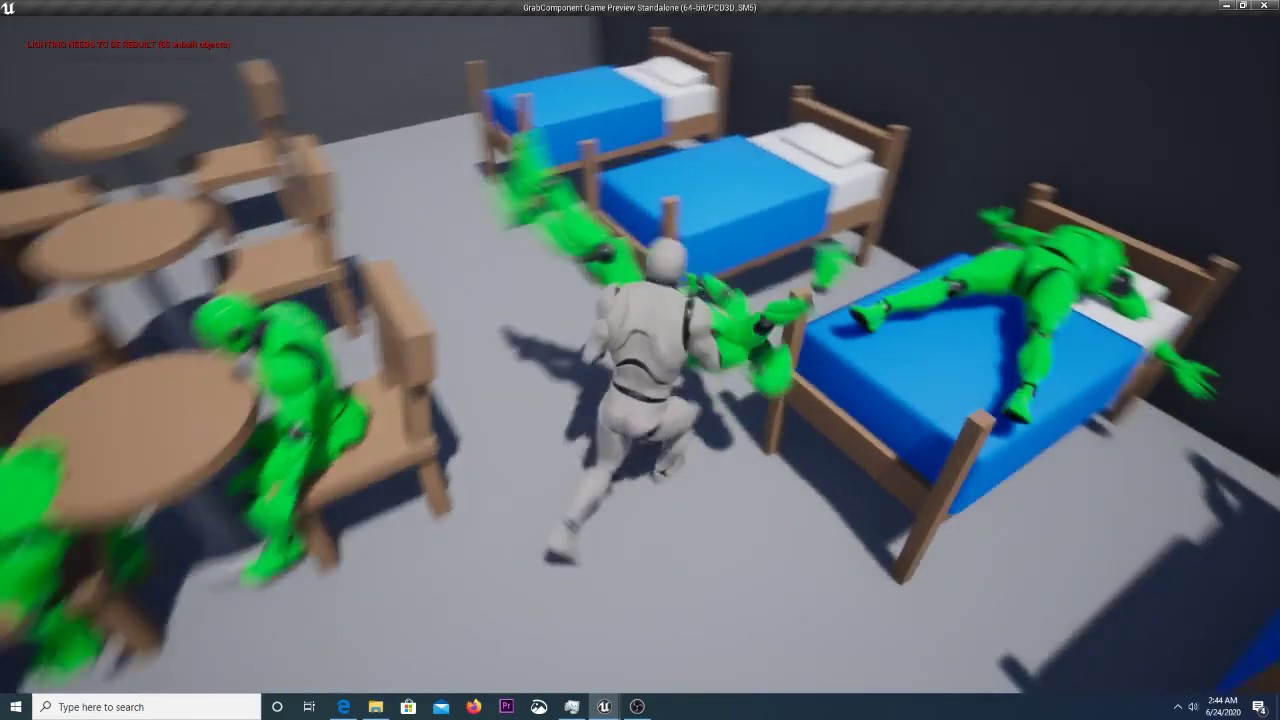
This is one of the components I've been working on. Still a few bugs to iron out before it goes on the Marketplace!
odd ember
warm ermine
If anyone could help me code this into my game but modify it work similarly to s...
#instructions and the job board section is the place for this
odd ember
chrome nymph
anyone knows whats up with this? trying to package as a 64 bit windows build but...
have you tried #packaging ?
it might be that the project settings need to reflect the target platforms that you are building for
but I'm not sure
chrome nymph
odd ember
it might be that the project settings need to reflect the target platforms that ...
was because i didnt have VS installed
anyway yikes, compiling takes quite a while huh 😛
odd ember
I think there's a joke about this between programmers
 maiden wadi
5900x disagrees with your compile times being long.
 limber olive
hey guys how can I use multiple "set timer by evenet" instances at the same time in a for loop? The engine only uses one and resets on each iteration of the loop
 odd ember
you want a new event every time?
limber olive
yes sir
odd ember
remove the loop, tick the Looping box on the SetTimer node
limber olive
I need a new event not a single repeating event
odd ember
at least that would hack it to work that way
limber olive
Each timer has it's own unique delay
odd ember
otherwise you would need to spawn new objects for each item and handle the timer inside of each object
limber olive
So I should make a BP actor that plays a sound after a delay and auto destroys?
odd ember
yep
limber olive
that's really funky lol but guess it'll work
odd ember
or if the actor already exists you can just call an event on that actor to do the same
obtuse herald
You could also try start timer by function name
limber olive
obtuse herald
You could also try start timer by function name
I don't know how to set the parameters though
odd ember
the problem is that the timer isn't unique if it's inside e.g. a manager class
odd ember
obtuse herald
You could also try start timer by function name
in response to this
limber olive
obtuse herald
You could also try start timer by function name
It only gives the option for the name
limber olive
Also I think functions don't allow any delays/timers/timelines
 runic phoenix
Why don't you make multiple custom events, use Start Timer by Function Name, and a Select from int to the name
Mind you I don't know if that would work, just what I thought up
obtuse herald
Just create a new uobject st that point
odd ember
what happens if the amount of objects inside the array increases then? you'd have to create a new event per new object, no?
this is why it's better to let the object itself handle this responsibility
limber olive
yea the array size n is the amount of pawns
odd ember
no extra code needed
limber olive
no upper bound
runic phoenix
Yeah, but what's the goal here, trying to call events each on their own timer?
Just put the function in the object and the timer there too
obtuse herald
Calling the same event multiple times with different delays
limber olive
Yea I'm going the route of spawning an actor at this point
odd ember
Foreach (Pawn) -> CastToPawnType -> CallSoundFunctionWithCustomDelay
runic phoenix
Yeah then you'll need multiple objects firing that event
 gusty shuttle
Anyone have an issue where you try to play/scrub through an anim in UMG and it won't frigging move?
Why is that and how do I fix it
obtuse herald
I would've thought that the set timer node would not override the previous timer but here we are
runic phoenix
Hey I have a question, I want to add an in-game pause, but still allow for my camera to move around smoothly. What would be a good way to do this? Is there a way to have multiple delta-seconds somehow?
odd ember
I believe you can have input keys trigger regardless of pause, so maybe that would work on its own?
obtuse herald
You can make actors not be affected by time dilation/pause
odd ember
sorry, input actions
runic phoenix
Yeah they do, but things like r-interp don't work when the game is paused, so the camera no longer moves gently
runic phoenix
 obtuse herald
Yeah world delta seconds probably doesn't get uodated
Use delta seconds of your tick instead
runic phoenix
Input movement is using Add Actor World Offset
 obtuse herald
And set the actor to not be affected by pause in details panel
runic phoenix
Ok so I was on the right path creating the camera's own delta seconds variable
odd ember
runic phoenix
Input movement is using Add Actor World Offset
you can use AddControlRotation instead perhaps? I forget what the default nodes for camera movement are in the TPS
obtuse herald
Yeah world delta seconds is literally the delta seconds of the world
runic phoenix
Also the focus gets blurry when moving while paused, but only near the original rotation when pause begins
 odd ember
you could also try with 1/GetFrameRate() to get an approximation
of delta seconds, that is
odd ember
runic phoenix
Also the focus gets blurry when moving while paused, but only near the original ...
the blurry thing is a camera function, you can turn that off
I think it's a tickbox somewhere
I can't remember where
runic phoenix
Ok thanks I'll do some digging
 heavy peak
Good morning, I had a quick question if someone could answer at all or provide even slight assistance on. We are having issues with our beam (an FX) going to the center of the crosshair in our third person game. We are able to spawn a line trace to get the point of impact we want it the beam to end up. The issue is the beam that is socketed to the hand is slightly off and when moving the character up and down it deviates even more.
Thanks in advance for any advice 🙂
 feral ice
can i change at what level (z value) objects should get destroyed? Cuz i cant jump down before i get killed
 fierce stump
So I've hade some issues with implementing a proper reload system with the function in the weapon master blueprint. Ideally I'd want to do something like GoldenEye where the weapon you're holding drops down off of the screen for the reload duration.
how do?

 blissful grail
feral ice
can i change at what level (z value) objects should get destroyed? Cuz i cant ju...
blissful grail
feral ice
can i change at what level (z value) objects should get destroyed? Cuz i cant ju...
Yes. It's in the world settings tab
Kill Z is the setting
feral ice
yeah nice
feral ice
fierce stump
So I've hade some issues with implementing a proper reload system with the funct...
I assume this is first person
fierce stump
First-person, yeah
feral ice
Do you have a skeletal or is the gun just floating in the air?
like does you character have arms or is it just like this

@fierce stump
 feral ice
you could just rotate the arm thats holding the gun
hmm im thinking of a way that doesnt require any animations
ill try and see if i come up with any solution
fierce stump
cause ideally I'd want the ammo to replenish after the gun goes back up
feral ice
https://youtu.be/a07CBMlxqWY This is the method im trying to implement @fierce stump

Music: Unrest - ELPHNT
Support The Channel: https://ko-fi.com/garbaj
Discord: https://discord.gg/mpHFmhW
Twitter: https://twitter.com/Garbaj2
 grave relic
Anyone that is able to help me? I spawn NPCs depending on a input int(currently 10) that runs a forloop for spawning. I pick a random pos on the nav mesh within a radius. But I never get them all to spawn, often around 1-3 are missing. I have the print string and it prints out "hello" on is not valid. Ive tested with print string and it runs through 10 times but some NPCs just get deleted.
 obtuse herald
 obtuse herald
grave relic
Anyone that is able to help me? I spawn NPCs depending on a input int(currently ...
obtuse herald
grave relic
Anyone that is able to help me? I spawn NPCs depending on a input int(currently ...
Set that to to adjust but always spawn
grave relic
obtuse herald
Set that to to adjust but always spawn
My saviour! Thx
 lofty ravine
Does anybody know how to do a live-editor in game like landscape editor
 hazy grail
lofty ravine
Does anybody know how to do a live-editor in game like landscape editor
hazy grail
lofty ravine
Does anybody know how to do a live-editor in game like landscape editor
there is a plugin in the marketplace called "Interactive Dynamic Snow + Weather system - under 5 min Setup!" maybe something like that. I've also seen one so dynamic you can make caves and stuff in game, but don't know how to do it
lofty ravine
Yeah trying to mkae like users make there own landscape editing tools but idk how to do that
hazy grail
lofty ravine
Yeah trying to mkae like users make there own landscape editing tools but idk ho...
I think it takes custom C++ coding unless you can find someone that did it already
obtuse herald
lofty ravine
Yeah trying to mkae like users make there own landscape editing tools but idk ho...
landscape isn't really editable in runtime
obtuse herald
lofty ravine
Frickkkk
but you can create a flat landscape and materials to "fake it"
via heightmaps'n stuff
or you create your own mesh in runtime
lofty ravine
Is there a way they can import that stuff through run time
obtuse herald
lofty ravine
Is there a way they can import that stuff through run time
yeah loading external textures in runtime works
lofty ravine
Hmmm ok is there a video on it
obtuse herald
lofty ravine
Hmmm ok is there a video on it
I don't know
your second option is btw to create your own mesh in runtime
but that is a bit more advanced
remote obsidian
How would you take a rotator value, and add rotation to that value relative to itself?
I feel like I'm missing something obvious
Basically I get this rotation from the ImpactNormal of a lineTrace, then use LookAt to get the angle between the hit and the impact normal vector
I tried converting the normal to rotation but couldn't get consistent results
The problem with this current result is that I want the blue axis to be facing outwards from the hit, but if I use combine rotators I end up rotating every new angle by a world value rather than relative to itself
 obtuse herald
lofty ravine
Hmmm ok is there a video on it
obtuse herald
lofty ravine
Hmmm ok is there a video on it
to load an external texture you can use this node
 remote obsidian
How would you take a rotator value, and add rotation to that value relative to i...
remote obsidian
remote obsidian
How would you take a rotator value, and add rotation to that value relative to i...
Problem solved - Make rot from Z was what I should have been using
 hollow sequoia
Hi, I try to replace a make array ( with level references) by a Get all Actors Of class with tags ( target points are flagged ) then store them into and variable array to randomly spawn actors, the thirst way work well but the GetAllActors return an 'access none' did I miss something?
 odd ember
hollow sequoia
Hi, I try to replace a make array ( with level references) by a Get all Actors ...
odd ember
hollow sequoia
Hi, I try to replace a make array ( with level references) by a Get all Actors ...
actually never mind, you're checking for get all actors instead of checking if your array is valid. you should be checking your array that you set
 pliant sail
Is there a way I can have the camera rotate around the character without the character always facing the same way or does it need a complete overhaul?
At the moment the character's facing direction is locked to the camera but I'm trying to have it so the character can face independently from the camera
hazy grail
hollow sequoia
Hi, I try to replace a make array ( with level references) by a Get all Actors ...
maybe there are no "target point" BPs in the level?
or the array could be getting emptied later where we can't see
if you hook print string after targetpoint list hooked to with a do for each loop I'd like to see what it outputs
dawn gazelle
pliant sail
On your Camera Boom click the "Use Control Rotation" option
pliant sail
OK done that and it's rotating around the camera at the other end of the boom 😅
steady night
https://gyazo.com/a9289a0a110abdba618c77dec127e720
Hey guys, how do i check if "hud" is already showing ?

 earnest tangle
Maybe store the widget you spawn into a variable, then you can check if it's valid or not
dawn gazelle
pliant sail
OK done that and it's rotating around the camera at the other end of the boom 😅
Sorry, on the actor itself, turn off "Use Controller Rotation Yaw".
gentle urchin
earnest tangle
Maybe store the widget you spawn into a variable, then you can check if it's val...
Or "Is Visible"
steady night
hm

 maiden wadi
Checking the actual state of things creates less buggy games than storing other variables that make assumptions.
steady night
how do i remove widget from viewport ? or do i destroy the widget or what way is best ?
so boolean is better ?
maiden wadi
The boolean is the assumption.
gentle urchin
 hollow sequoia
odd ember
actually never mind, you're checking for get all actors instead of checking if y...
hollow sequoia
odd ember
actually never mind, you're checking for get all actors instead of checking if y...
thanks I'll check this
hollow sequoia
hazy grail
maybe there are no "target point" BPs in the level?
I'll do that thank you, I was confident because the previous array creation worked
steady night
@gentle urchin hm i cant find the "is visible" condition is widget dosent appear in my list
oh had context sensetive on
got it
maiden wadi
You should see it even with that on if your pointer is correct. Messing with Unreal for over three years and I've turned context sensitive off less than a dozen times.
Do the codez.
You have to be missing a super somewhere then, or have the construction script move variable turned off. Which would still run it when finishing a move.
steady night
@maiden wadi hm ok so how could that be sometihng wrong the n?
maiden wadi
@stone linden Does this class inherit from a BP or C++ class?
steady night
BP
maiden wadi
steady night
<@!143471961723371520> hm ok so how could that be sometihng wrong the n?
Did you do this when you created your pointer? #blueprint message

 maiden wadi
Cause you're backwards.
pliant sail
dawn gazelle
Sorry, on the actor itself, turn off "Use Controller Rotation Yaw".
Lmao OK the camera is now working as intended so thank you....but now the actor doesn't move in the direction the camera is facing 😅
maiden wadi
steady night
https://gyazo.com/1adc2452b0ad9637e35feb28db617b6d
If Visible set to Visible, if not visible then set to collapsed.
surreal coyote
Why does this just straight up fail to cast?
I set self visibility to false if it fails to cast the character on overlap. It's invisible instantly

 maiden wadi
gentle urchin
maiden wadi
gentle urchin
It's kay. You can blame Squize, they did it too. 😄
dawn gazelle
pliant sail
Lmao OK the camera is now working as intended so thank you....but now the actor ...
You'll need to use the control rotation to drive which way the character moves.
 pliant sail
dawn gazelle
You'll need to use the control rotation to drive which way the character moves.
pliant sail
dawn gazelle
You'll need to use the control rotation to drive which way the character moves.
Ah ok thank you :)
dawn gazelle
surreal coyote
Why does this just straight up fail to cast?
I set self visibility to false if i...
Casts fail if the object fed in is not, or does not inherit from, the defined class you're attempting to cast to.
surreal coyote
dawn gazelle
Casts fail if the object fed in is not, or does not inherit from, the defined cl...
Explain 
I placed a collision box around a car and want it to do something when the character moves into it
gentle urchin
Not sure what this means tbh
gentle urchin
maiden wadi
It's kay. You can blame Squize, they did it too. 😄
well damn, i went to fast ! And got caught!
dawn gazelle
surreal coyote
Explain <:Think_Eyes:718281783191273512>
The Other Actor pin returns a basic actor reference which basically everything in your game world is. Let's say you have two different character classes, your BP_CharacterExample, and another BP_CharacterEnemy. Both of these classes inherit from just the base "Character" class.
If your BP_CharacterExample walks into that overlap, then the "Other Actor" pin will be returning a reference to your BP_CharacterExample character, just in a basic "Actor" reference instead. You then use your cast which is converting that Actor reference to a BP_CharacterExample reference, so the cast should succeed.
If the BP_CharacterEnemy walks into that overlap, then the "Other Actor" pin will be returning a reference to a BP_CharacterEnemy character, again, in a basic "Actor" reference instead. When attempting to cast, since this actor is not a BP_CharacterExample, and it does not inherit from BP_CharacterExample, the cast will fail.
gentle urchin
Ah, vaulting. Now it makes sense. My mind read Mantling..
maiden wadi
I took a quick glance through the C++ code. The singular thing I'm seeing that stops BP construction script is some setting called bDoUserConstructionScript. You messed with anything like that in project settings or whatever?
May also be some ini setting.
gentle urchin
I'd linetrace for it
pliant sail
Thank you @dawn gazelle it's working perfectly now! 👍👍👍
surreal coyote
dawn gazelle
The Other Actor pin returns a basic actor reference which basically everything i...
I understand that. I only need to get this to work with the CharacterExample and only try it with that. How does it still fail to cast?
gentle urchin
Whenever you detect that you're going to vault (if ur detecting that already), i'd at the same time check the distance to vault for
dawn gazelle
surreal coyote
I understand that. I only need to get this to work with the CharacterExample and...
As I just explained the cast would only fail if the thing you're feeding into it isn't a BP_CharacterExample object.
gentle urchin
If the question is how to detect vaultable obstacle in the first place then thats another thing ofcourse
dawn gazelle
dawn gazelle
As I just explained the cast would only fail if the thing you're feeding into it...
So there could be other things overlapping that's causing it to fail.
gentle urchin
Linetrace for sure
When trying to vault, do a trace to figure out the depth needed to vault
surreal coyote
dawn gazelle
As I just explained the cast would only fail if the thing you're feeding into it...
So I have to filter what it can overlap with?
 stable abyss
Anybody can suggest a good blueprint tutorial or book. I'm technically a virgin in unreal engine 😫
dawn gazelle
surreal coyote
So I have to filter what it can overlap with?
Well, the cast somewhat does that already. It'll only ever proceed with the valid path if indeed the thing is a BP_CharacterExample.
surreal coyote
It just never does 
But now it also doesn't fail anymore either
Now it's just doing nothing
gentle urchin
Simplest way to check whats going on ^ is to print its display name
the incoming actor
 surreal coyote
Prints nothing
I think my collision box is broken
K, new collision box, cast fails again but prints nothing

Entire mesh turns invisible (failed cast)
Log prints nothing
tawdry surge
You realize print will never fire cuz it's white pint isn't connected to anything
surreal coyote
I'm tired
It overlaps with itself
Why does it overlap with the actor it's attached to
Doesn't make any sense..
maiden wadi
Makes perfect sense. It's a component. So it's going to check if it overlaps any other component. Actors have many different components. If you don't want your logic to run in that case, just check it. If Overlapped Component's Owner != OtherActor, then do code.
surreal coyote
Well it does overlap with the character now but it still doesn't do the logic after that

 gentle urchin
Its not just rotated wrong?
surreal coyote
Nop
 gentle urchin
And it contains text?
surreal coyote
The text is Enter
gentle urchin
Also, i think this would be better as a on screen widget instead
Belonging to the character
Allowing interactable objects to send their location and interaction text
surreal coyote
The cast doesn't fail. I connected it to the mesh invisibility on cast fail and the mesh turns invisible when I overlap with the hitbox
gentle urchin
Mesh turns invisible?
surreal coyote
My "debug"
 gentle urchin
So the cast succeeds
surreal coyote
So with this it does not turn invisible but the text is also not visible
 gentle urchin
Eject from the controller while playing
Check the text component
Both its visibility and text
surreal coyote
Text is "Enter", hidden by default
 gentle urchin
Hidden in game.......
Is not the same as visible
As you can see, they are seperate
Hidden in game overrides visibility
surreal coyote
I swear I shouldn't do this stuff at 2am
My apologies
I literally did it for my emergency lights before..
Thank you 
 broken wadi
What's the fastest way to check if a custom event from a blueprint is used in any other blueprints? I know the reference viewer can help determine if anything from that blueprint is being used by another blueprint but I'm looking for a specific event. So far I just keep opening up blueprints and doing a CTRL + F to search for the event.
hazy grail
I'm trying to figure out how to enable mods in my Unreal game. Anyone know an easy way to enable that?
hazy grail
broken wadi
What's the fastest way to check if a custom event from a blueprint is used in an...
print string
odd ember
hazy grail
I'm trying to figure out how to enable mods in my Unreal game. Anyone know an e...
probably not through blueprints. have you googled it?
hazy grail
odd ember
probably not through blueprints. have you googled it?
I tried. Very little came up. I found this thing called mod.io, but if I could do it easier that would be better. All I want is for them to be able to add their mesh they loaded up with Unreal already.
I was thinking maybe a simple open the game file up and add their uasset might work
, but IDK
 empty bison
any linetrace specialists in here ? my brain is not working anymore, cant calculate, im hanging 😄
odd ember
hazy grail
I tried. Very little came up. I found this thing called mod.io, but if I could...
well I just googled it and there's a bunch
tom looman is reliable too
hazy grail
odd ember
well I just googled it and there's a bunch
Thank you. I'll look into that. Didn't pop up for my google. that search is so custom for each person now a days.
broken wadi
Well I can print something like "this event was called from this blueprint" whenever it fires, but I'm trying to find in my blueprints exactly WHERE that particular custom event was called so I know it can be safely deleted or not.
The reference viewer helps to find if blueprint A is being used inside of blueprint B, but I'm only interested if a particular custom event from blueprint A is being used.
hazy grail
broken wadi
Well I can print something like "this event was called from this blueprint" when...
You can put a print string anywhere you want at any event. It will show exactly if a part is being executed. Further I would not keep print string around all over the place. Use for a test. After tested remove the print string.
broken wadi
That isn't really what I'm after, my use case is more about refactoring code or deleting something.
obtuse herald
empty bison
any linetrace specialists in here ? my brain is not working anymore, cant calcul...
where is the problem?
broken wadi
Can I safely remove this custom event? I forgot if its used elsewhere.
hazy grail
broken wadi
That isn't really what I'm after, my use case is more about refactoring code or ...
You are trying to on the fly remove events?
during runtime?
broken wadi
I know that this custom event isn't ever being called within the blueprint I made it in, but I can't remember if another blueprint is using it or not.
Then its like that problem over and over again lol
obtuse herald
broken wadi
I know that this custom event isn't ever being called within the blueprint I mad...
just check with the reference finder
or whatever it is called
lemme open a project
broken wadi
Yes I have been using the reference viewer, but that only helps determine if blueprint abc has any reference to blueprint xyz, but I'm only looking for a particular custom event. So I have to open each one and do a CTRL + F to search for it.... rather tedious.
Because blueprint abc is being called by say like 20 other blueprints
obtuse herald
broken wadi
Yes I have been using the reference viewer, but that only helps determine if blu...
right click on the node and click on "Find References"
 broken wadi
That's just like pressing CTRL + F to search, it only scans within the current blueprint.
obtuse herald
and then click on the binoscluar on the right-hand side
 obtuse herald
you're welcome
 small halo
this is my ragdoll code as of now
https://gyazo.com/3cd72ca2ea330e79c27ab6935842bb43
At the moment, my ai runs to me and when i send of a blast out of my character to kill the enemy, the ai will die and fly towards me as its simulating physics (ai was initially running towards me) however, i want the same effects as a ragdoll but i want the ai to fly away from me when i use the blast as it makes sense

is there any way of doing this
obtuse herald
small halo
this is my ragdoll code as of now
https://gyazo.com/3cd72ca2ea330e79c27ab6935842...
apply a radial force to your enemys skeletal mesh
obtuse herald
small halo
this is my ragdoll code as of now
https://gyazo.com/3cd72ca2ea330e79c27ab6935842...
it's a node
 small halo
would this be in the ragdoll event?
obtuse herald
small halo
would this be in the ragdoll event?
that's your decision at the end, but I would put it there where you also do the blast
small halo
and the target being my AI's mesh?
also before or after where i call the ragdoll event
 trim marsh
Yo, guys , someone know a way to clean the child box one by one? , i've a horizontal box , this function clear all

 obtuse herald
small halo
also before or after where i call the ragdoll event
obtuse herald
small halo
also before or after where i call the ragdoll event
after
obtuse herald
small halo
and the target being my AI's mesh?
if you want to apply it to every physics object and not only to your enemys sk, you can do it like this:
 obtuse herald
you only need a 'primitive component' (a mesh is a primitive component)
small halo
origin is the players location as thats where i want the blast to come out from right?
obtuse herald
yes
dawn gazelle
trim marsh
Yo, guys , someone know a way to clean the child box one by one? , i've a horizo...
 small halo
thanks it worked @obtuse herald
trim marsh
dawn gazelle
lov'u, thx 💪🏽
wicked osprey
Guys, what should I do if I created a sound cue variable in the parent class, but I don't need this sound in only one child class? Is there any way to close it for this child class?
obtuse herald
wicked osprey
Guys, what should I do if I created a sound cue variable in the parent class, bu...
just don't use it
or split your hierarchy tree into a class with the sound and a class without the sound
surreal coyote
Is there an easy way to always get a location to the left of a movable actor?
wicked osprey
And why blueprint haven't protected variables? (
obtuse herald
wicked osprey
And why blueprint haven't protected variables? (
interestingly functions do have that functionality
obtuse herald
surreal coyote
Is there an easy way to always get a location to the left of a movable actor?
you mean a direction vector?
 keen wedge
Sanity Check Please...
I'm experiencing some weird behaviour in a function, its probably something else, but I just wanted to check...
If I set a local variable in a function, and that function is executed many times, in quick succession (from input event), does each call to that function use a "unique" instance of that local variable for each function call? This is my expected behaviour, and how I thought these things worked in general... but as I say, some odd behaviour as if the local variable has changed by the time its almost at the end of the function - just wondered if a subseqent (or many subsequent) calls to that function could be over writing that value...
surreal coyote
obtuse herald
you mean a direction vector?
When I detach from my vehicle I'd like to always go to the left of it
obtuse herald
keen wedge
Sanity Check Please...
I'm experiencing some weird behaviour in a function, it...
yes, local variable is unique for every function call
keen wedge
obtuse herald
yes, local variable is unique for every function call
Thank you... thats what I thought etc but very odd behaviour... will keep looking for other causes... thx 🙂
obtuse herald
surreal coyote
When I detach from my vehicle I'd like to always go to the left of it
 surreal coyote
I actually just pulled a big brain I think
I have a collision box on the left of the vehicle to check if I can enter it or not
obtuse herald
scene component?
surreal coyote
 obtuse herald
yeah you can also just add an empty scene component
probably easier to manage anyways
surreal coyote
I love it when my brain works
surreal coyote
Well it works when the car is on the road. When it's on a sidewalk and I get out, it launches up in the air like a rocket
obtuse herald
surreal coyote
Well it works when the car is on the road. When it's on a sidewalk and I get out...
yeah probably because it teleports you inside the sidewalk
obtuse herald
wait the car gets launched?
surreal coyote
Yep
obtuse herald
surreal coyote
Yep
well that's another problem and not releated to your set location node
surreal coyote
The car is way too easy to move around anyway. Can push it with my character
Guess I'll have to increase its mass?
obtuse herald
yeah
surreal coyote
Even at mass scale 50 it gets launched 
obtuse herald
surreal coyote
Even at mass scale 50 it gets launched <:saddofroggo:822902610255937586>
why not just set the mass to a realistic value?
odd ember
sounds like a #legacy-physics problem
 restive token
when a user alt-tabs away and comes back, the widget loses focus
is there a simple way to refocus if they come back? is there an event for coming back from alt-tab?
 quick marsh
I'm making a damage system, when the player touches this basic enemy blueprint it should take some of their health. Is there a way I can get it so it only takes the health of the player if it overlays with the players capsule component?

at the moment the player has a collision box in front of them for the sword and I want the enemy to ignore that box
odd ember
restive token
when a user alt-tabs away and comes back, the widget loses focus
is there a simp...
I think there is in CPP, but not sure about BP
tawdry surge
If you select the capsule component it should have an on component overlap begin event at the bottom of the details panel
quick marsh
tawdry surge
If you select the capsule component it should have an on component overlap begin...
but this is in the enemy blueprint
would it just be easier to do it in the player blueprint?
tawdry surge
Oh. Set the box to ignore pawns
quick marsh
alright, that works, is that going to cause any problems if I need that box to interact with enemy characters though?
 charred berry
was baseflattennormalmap texture for BP, changed to T_flat_Normal ? ( think so as former isn't showing up under material expression texture base)
charred berry
I'm using BP's so I thought it was here, ok np
odd ember
are you referring to the material graph?
tawdry surge
Yeah. You're telling it to ignore them..
What is the point of the box?
quick marsh
tawdry surge
Yeah. You're telling it to ignore them..
What is the point of the box?
the area the player will be able to slash their sword
I'm sorry if these are dumb questions, I'm really new to unreal
 sand radish
Hello everyone, I m new to UE4; I have a level with multiple player starts; I have figured out how to travel back and forth from the levels and start at the desired player start. But at the first startup, it will jump randomly to one of the player's starts; how do I set up the default player start on a level with multiple players starts?
tawdry surge
@quick marsh I don't understand. Are you using it for damaging things when you swing the sword?
quick marsh
yes
odd ember
sand radish
Hello everyone, I m new to UE4; I have a level with multiple player starts; I ha...
can you show the pickup code?
sand radish
Lets call the level with the multiple play starts as main, and the other as 2nd, this is code on the level blueprint from my 2nd into main

ugh sorry ue4 crashe
this is my code on my gamemode
 quick marsh
the player has a capsule component that when hit should lower the players heath. I've put a box collision for when the sword animation will be played and damage enemies but the way the code is at the moment its considering the player as a whole so when the enemy overlaps with anything, including the box, the player takes damage

is there a better way to work with weapons then?
I might just ask my teacher next time im in class
 trim matrix
dumb questions but how do you make something "happen" without using event tick?
I'm trying to generate a sine wave but I don't want to use delta seconds lol
I want to have some node "work" every say, x seconds
zealous fog
Timers
odd ember
trim matrix
I'm trying to generate a sine wave but I don't want to use delta seconds lol
a sine wave is a perfect use case for a timeline component
main lake
I'm using the Example Content by Epic Games to learn all the stuff through those explained levels but there are alot of them, does anyone know if it's possible to play the first one and when you're done you go through a teleporter and it will move you to the next level so you don't have to stop the play mode and launch another level each time?
 trim matrix
zealous fog
Timers
trim matrix
zealous fog
Timers
thanks not that, still not sure how to generate a sine wave that sweeps from -180 to 180
odd ember
trim matrix
thanks not that, still not sure how to generate a sine wave that sweeps from -18...
have you tried timelines?
trim matrix
I'm looking at it now for the first time
I'm assuming I want a float track to set my function right?
y = sin(x)
oh nvm I got it that's insanely cool
odd ember
trim matrix
oh nvm I got it that's insanely cool
yeah glad you got it figured out
the float track generally you can use with alpha values to lerp anything between two states fluidly
doors etc. as well
trim matrix
The only thing is that I plotted the points of a sine wave by hand which is easy enough (just 4 points really), but how do you actually input a function in it?
odd ember
hmm I'm not sure you can. perhaps if you supply a curve asset separately you can do that, but I'm not too sure
 amber kindle
Does anyone know how to make a button run an event to choose a random map (level) ? Im very new to this.
odd ember
amber kindle
Does anyone know how to make a button run an event to choose a random map (level...
like a menu button?
amber kindle
Yes
odd ember
that would be a widget, I'm sure if you search for button widget you can find a tutorial. for the actual functionality, I'd have a table or array of level paths that get picked at random into an OpenLevel node
 jolly inlet
Trying to get a blend blueprint going with the megascans. How should i go about that here
 tawdry surge
@quick marsh Why not just have the sword trigger a hit event on the enemy when it hits the enemy?
odd ember
jolly inlet
Trying to get a blend blueprint going with the megascans. How should i go about ...
this is the material graph, not blueprints. #graphics
trim matrix
heyy i've got a question, is there a way to disable triggers? i've been trying to find a way to disable it, but nothing works, is there a special node or something else that i'm missing? and yea i tried to spawn the actor in and it he didn't open the door because it needs to specify which door he should trigger to open
 umbral dirge
"Choose Player Start" executes before "Begin PLay". Is it okay behaviour? Cause im want to give first player first spawn spot and for the second player second spawn spot etc.
odd ember
umbral dirge
"Choose Player Start" executes before "Begin PLay". Is it okay behaviour? Cause ...
you cannot ensure the correct order of beginplay
trim matrix
wrong chat?
trim marsh
guys , how can get a unique random value?
 umbral dirge
trim matrix
wrong chat?
umbral dirge
trim matrix
wrong chat?
Its all in blueprint.
odd ember
trim marsh
guys , how can get a unique random value?
use a foreach loop?
or do you just want 1 thing to have random value?
if so just use the random node
with set visibility
done
trim marsh
this works, the array value need to be called every loop , but the random dont pick unic values, need a method to dissapear the random value from the array , when its called
like this

 magic summit
hello is it possible to have sort of boolean or something that switches true or false upon development or shipping build?
for example I would like to have login bypass in dev build and automatically remove it in shipping build
 untold mist
@magic summit "is packaged for distribution" I think thats what you're looking for
untold mist
trim marsh
this works, the array value need to be called every loop , but the random dont p...
Don't know if this is the "correct" way to do it but this is how do it
 trim marsh
untold mist
Don't know if this is the "correct" way to do it but this is how do it
trim marsh
untold mist
Don't know if this is the "correct" way to do it but this is how do it
thx so much
 hard scarab
How best could I setup a timer to track the time in between a players actions for a minigame?
odd ember
hard scarab
How best could I setup a timer to track the time in between a players actions fo...
get game time when the first action happens, compare it when the next action happens
hard scarab
odd ember
get game time when the first action happens, compare it when the next action hap...
Thanks!
sharp rapids
faint pasture
Don't save stored items as actors, save them as structs which can be used to spa...
gonna have to redo the whole inventory system 😫
a different question, Do empty arrays occupy memory?
 jaunty summit
No
faint pasture
sharp rapids
a different question, Do empty arrays occupy memory?
Even if they did, don't worry about it.
 upbeat inlet


 broken wadi
Visual Studio is not the same as Visual Studio Code, but I also had the same problem. I ended up exiting UE opening up visual studio directly and started making the classes in there manually.
runic parrot
Hi everybody! is there any reason as to why i can't Override OnRepNotify on BP? is this intentional or a bug?
As a workaround i'm creating a new Method and calling that one OnRep, so i can override that other method for my changes, but it's kind of annoying
(I'm posting this one there and on MP because it also involves bp, not spam)
 merry moth
I have a chunk system and i'm trying to have each chunk have it's own random seed do you guys think this is the correct way to approach that?
 merry moth
Oh this doesn't work... Welp if anyone has a suggestion please chime in @_@
trim matrix
I'm creating a footsteps system but for some reason this code is not working, can anyone help me?
 trim marsh
trim matrix
I'm creating a footsteps system but for some reason this code is not working, ca...
trim marsh
trim matrix
I'm creating a footsteps system but for some reason this code is not working, ca...
Idk , but another solution could be set , on the animation the sounds, think is more easy
trim matrix
trim marsh
Idk , but another solution could be set , on the animation the sounds, think is ...
????
 dreamy crest
Hello
trim marsh
trim matrix
????
on animation menu , can set sound notifies , and you call every time that this is played
 trim matrix
trim marsh
on animation menu , can set sound notifies , and you call every time that this i...
trim matrix
trim marsh
on animation menu , can set sound notifies , and you call every time that this i...
my player has no rig
 trim matrix
I'm creating a footsteps system but for some reason this code is not working, ca...
trim matrix
trim matrix
I'm creating a footsteps system but for some reason this code is not working, ca...
Please, can someone help me
obtuse herald
merry moth
Oh this doesn't work... Welp if anyone has a suggestion please chime in @_@
It's not the best way but it should work
merry moth
obtuse herald
It's not the best way but it should work
I'm having the issue of the random stream not really being random...
I think i'm not really under standing how to use it. I'm used to seeded randomness acting different i guess? This just ends up giving alot of the same numbers
obtuse herald
merry moth
I think i'm not really under standing how to use it. I'm used to seeded randomne...
Ahh, yeah random stream is not that good especially at low values
merry moth
Is there a better alternative to seeded randomness in ue4/ue5
obtuse herald
Just change the 10000 to 1000000000 and see if it gives you better results
merry moth
I think the issue stems from my chunk system allowing -1,1 and so on
It will at the end of the day be the same if it's 1,-1
obtuse herald
Should be fine
obtuse herald
merry moth
I think the issue stems from my chunk system allowing -1,1 and so on
How do you call your random functions?
merry moth
Random bool from stream and other functions
obtuse herald
Show a pic
merry moth
 obtuse herald
Ok
trim matrix
trim matrix
Please, can someone help me
the people on this server are very rude, you didn't even try to help me
obtuse herald
So you have a seed variable that you set once yeah?
obtuse herald
trim matrix
the people on this server are very rude, you didn't even try to help me
Never really worked with anim notifys
trim matrix
this is not anim notifys
merry moth
obtuse herald
So you have a seed variable that you set once yeah?
Yeah
obtuse herald
obtuse herald
Never really worked with anim notifys
Because if you always retrieve a new random stream with the same initial seed it will always give you the same value
trim matrix
obtuse herald
Never really worked with anim notifys
You lazybones didn't even read my messages, fuck you, I don't want your help anymore
merry moth
trim matrix
You lazybones didn't even read my messages, fuck you, I don't want your help any...
Bro chill
obtuse herald
trim matrix
You lazybones didn't even read my messages, fuck you, I don't want your help any...
Ok, but don't use equal on float
obtuse herald
merry moth
https://files.catbox.moe/w384w1.png
Also that's a lot of nodes for essentially one random bool xd
merry moth
Yeah it was just a test to get something
obtuse herald
Did you try upping the limit in your 'get seed' function?
obtuse herald
Oh yeah actually that makes sense
merry moth
Is there a good way to generate a seed for two integers?
obtuse herald
You probably want to do some math magic dividing stuff and such to generate your seed value
(X10) * (Y/2.5) + (WorldSeedX/Y)
obtuse herald
obtuse herald
(X*10) * (Y/2.5) + (WorldSeed*X/Y)
Try that formula
wicked osprey
Hello guys, why blueprint haven't protected variables and how to get around it? If I set private variable I can't change it in child class, and if I set public class I'm violating OOP rules(in particular encapsulation)
obtuse herald
wicked osprey
Hello guys, why blueprint haven't protected variables and how to get around it? ...
Use naming convention