#blueprint
402296 messages · Page 818 of 403
 umbral ginkgo
 faint pasture
Or leave it as int, you want int for tile games
"move 3 tiles away" would be best as an int unless there's such a thing as moving half a tile in gameplay
 faint pasture
 crimson saddle
heres where i am
crimson saddle
heres where i am
Why not have all those work on vectors
Does Z ever change for your grid?
crimson saddle
no
faint pasture
Then have them all operate on vectors and have the rounding (which is conversion to hex tile space) convert to int 2vector
crimson saddle
what do i do after i have the int
crimson saddle
faint pasture
Then have them all operate on vectors and have the rounding (which is conversion...
either way I round to nearest int, after that what do I do with grid size?
faint pasture
Multiply back out to convert back to world space.
 gilded venture
how can I disable all post-processing via blueprints?
 faint pasture
@crimson saddle divide by grid before rounding
Eventually you'll want to bake the grid into your conversions
crimson saddle
awesome it works
 primal smelt
Just looking for some help understanding line traces. If I have, say a 20x20x20cm box collision and a line trace that starts bang on the centre and ends Z -1cm (basically just well within the box collision) - why does this hit? I know this is defined by trace channel rather than collision presets, but doesn't the line trace still use the collision information to check the trace channel of the actor?
crimson saddle
thank you so much for the instructions
faint pasture
@crimson saddle eventually you'll want to include grid size in your World to Hex and Hex to World functions, so they can work like
HexToWorld(int 3, int 1, float 100.0) -> 350,86.6,0.0
You wouldn't say the king in chess is at position 300.0, 200.0, 0.0 you'd say he's at 3,2
 faint sand
I bought some animation packs and am trying to retarget, but the skeleton I want to remap to isnt in the list. the animations use the UE skeleton, so its a 1:1 remap, but i cant even find it to select it

both source and target are in the /Content folder.. so i dont know why i cant see it
 austere copper
Hey yall is there anyway to set the mouse cursor as a projectile homing target? It seems to only take a "scene component weak object"
 gentle urchin
primal smelt
Just looking for some help understanding line traces. If I have, say a 20x20x20c...
gentle urchin
primal smelt
Just looking for some help understanding line traces. If I have, say a 20x20x20c...
Does it hit with complex collision checked?
 maiden wadi
austere copper
Hey yall is there anyway to set the mouse cursor as a projectile homing target? ...
maiden wadi
austere copper
Hey yall is there anyway to set the mouse cursor as a projectile homing target? ...
Possibly. Though not directly. What you might be looking to do is have a scene component that is set to the hit location under mouse on tick. Projectile can be set to home to that object.
austere copper
maiden wadi
Possibly. Though not directly. What you might be looking to do is have a scene c...
Okey doke that makes sense. I'll give it a shot, thanks
 flat coral
What's the right variable type to represent an RGB+A color in a BP, so that I can set it in child BPs in a useful way
I tried Vector4 but this isn't as helpful as I hoped
 maiden wadi
I usually use LinearColor. Color can work too though.
flat coral
maiden wadi
I usually use LinearColor. Color can work too though.
Perfect, thank you!
 high yew
how do I use the look at function
 odd ember
two locations
 soft peak
can i "remove" animation certain bones?
 old aspen
is there any good way to filter the Content browser by assets "Native parent class"
 earnest tangle
I recall there might be some filter for it similar to the implementsinterface filter
NativeParentClass=ClassName maybe
flat coral
Two questions:
- Why can't you add a set to a set in UE?
- Why is Set.ToArray an impure function? That scares me it's got some sneaky side effects
 earnest tangle
- Nested arrays, sets, etc. just aren't supported in BP's
- Probably a performance thing. If you connect a pure node's return value to multiple pins, the pure node runs <number of connections> times. Impure nodes only run once
workaround for nested things is to create a struct which contains another set and nest those
flat coral
earnest tangle
1. Nested arrays, sets, etc. just aren't supported in BP's
2. Probably a perform...
I don't mean nesting it, the idea would be to take all items from Set1 and add them to Set2, same as the array is doing in that example
earnest tangle
ahh I see - yeah not sure, did you try looking if the function is instead called merge or something?
flat coral
There IS Union which I guess is what I want. Also an impure function though, so the suspicion continues
earnest tangle
Probably same reason again :)
old aspen
earnest tangle
NativeParentClass=ClassName maybe
Hey, good hunch! NativeParentClass= seems to be what I was looking for
 icy dragon
Are matrices exclusive to C++ realm (FMatrix), and is it impossible to do matrices in BP?
umbral ginkgo
Can you not send interface messages from the third person character blueprint?
earnest tangle
icy dragon
Are matrices exclusive to C++ realm (FMatrix), and is it impossible to do matric...
I think the type might exist in BP's but I think none of the functions that operate on them are exposed
earnest tangle
umbral ginkgo
Can you not send interface messages from the third person character blueprint?
Sure you can
 versed sun
when i need an array of arrays , i make a Struct with an array in it , then make an array of that struct
dunno if you can do that with maps
 brazen merlin
I have a struct of maps
umbral ginkgo
earnest tangle
Sure you can
For some reason it didnt provide the options cause of context sensitive
earnest tangle
Yeah sometimes it's bit iffy. May work better if you drag from an appropriate object first
umbral ginkgo
What node can you use to spawn characters?
earnest tangle
Spawn Actor
umbral ginkgo
It doesnt seem to work
 lusty wave
I have a blueprint with a UStaticMeshComponent in it. The static mesh is configured with a custom material. In packaged games, that material is gone and set back to WorldGridMaterial. I have confirmed the relevant material+textures are in the PAK file. But by the time BeginPlay is called on the BP actor, the material of the static mesh is not correct. What could cause the blueprint saved values to change during packaging?
umbral ginkgo
earnest tangle
Spawn Actor
I thoguht it was a class problem but appaarently not
flat coral
lusty wave
I have a blueprint with a `UStaticMeshComponent` in it. The static mesh is confi...
Might have to ask in #packaging , we're dumbshits over here
flat coral
umbral ginkgo
I thoguht it was a class problem but appaarently not
First thing's first put a breakpoint on SpawnActor and make sure it's getting called. If it still doesn't work, show the code we'll take a look
BTW is there any way to override comparison/equality operators in Blueprints? Like implementing Comparable in Java?
 mild ibex
idk if this is right place to ask, but, im trying to use the oculus quest 2 to control the movement of a camera, ive tried a few things but cant get it to work quite right, ive been able to get it working where it moves in the cardinal directions, but it doesnt move where the camera is looking which is slight problem
So the Forward input is always scene forward, not based on the actual cine camera actor
The Better movement graph isnt working but i believe that is the solution im looking for


 chilly geyser
How do you get a reference to the level blueprint?
 dawn gazelle
chilly geyser
How do you get a reference to the level blueprint?
dawn gazelle
chilly geyser
How do you get a reference to the level blueprint?
You don't.
 foggy escarp
Usually, you would want to avoid needing to do this in the first place
anything in the level blueprint should only be specific to that level and world events.
dawn gazelle
flat coral
BTW is there any way to override comparison/equality operators in Blueprints? Li...
You could create your own comparison functions in a function library and just use those instead of what's available.
chilly geyser
Well I need to count the number of blueprints on a different blueprint. Thought that level blueprint would be the best place to do it.
flat coral
dawn gazelle
You could create your own comparison functions in a function library and just us...
Not if I want them to replace the comparisons used by Set 😉
flat coral
chilly geyser
How do you get a reference to the level blueprint?
Everyone who said don't do it is probably right.
(Or I bet you can make a variable that stores a ref to a level BP in the PlayerController or something, and have the Level BP's BeginPlay node populate that variable with itself)
Note that I haven't TRIED the above myself. I'm crazy, but I'm not that crazy
foggy escarp
There are a lot of use cases where the level blueprint seems like a good "midground" to manage data between other actors in the level. A better method would be to instead create sort of data object that's placed in the world.
This is leading in your direction @flat coral.
chilly geyser
I'm not really using a player controller, but I guess I can just store the blueprints there instead of level blueprint
flat coral
there's also gamestate?
 foggy escarp
chilly geyser
Didnt work on game state
foggy escarp
chilly geyser
Didnt work on game state
What is it your trying to accomplish?
chilly geyser
I need the game to be able to count all the dice that have landed
I was planning on using ++ counter
until it equals total dice of type
but I cant store it in itself
Because its not aware of all the other ones
foggy escarp
And you need something to manage the dice rolling data?
chilly geyser
Yeah basically.
foggy escarp
Could you just create a separate data actor to do it?
chilly geyser
Yeah. But I figured sending it to@the level blueprint would be easier to manage
foggy escarp
If you had a separate actor to manage all the dice, it should be easy to create events and call other events from it.
this would be easy to organize.
Also binding events would be a good choice.
 fervent temple
spawning a fireball projectile
collides with ai fine
problem is that
it doesnt damage the ai

code
i should add the ai is damaged perfectly fine by the sword bp i made
flat coral
chilly geyser
Yeah. But I figured sending it to@the level blueprint would be easier to manage
As a general rule, every time you CAN keep things separate, you should do it. No class ever became unworkable, impossible to debug, or stalled development because it was too small or simple
It is always easy to combine things later, but several of the toughest projects I've ever done were splitting up monoliths
chilly geyser
flat coral
As a general rule, every time you CAN keep things separate, you should do it. No...
Okay, Thanks for the TIP, that makes figuring out how to do this harder though
foggy escarp
chilly geyser
Okay, Thanks for the TIP, that makes figuring out how to do this harder though
If A dice has a event for "Landed", then you can increment a variable on the managing bp.
chilly geyser
Yeah that's was what my solution was going to be.
dawn gazelle
fervent temple
spawning a fireball projectile
collides with ai fine
problem is that
it doesnt d...
Perhaps use the "Other Actor" on the event rather than using the sweep result as your input into the apply damage node?
fervent temple
dawn gazelle
Perhaps use the "Other Actor" on the event rather than using the sweep result as...
still no
faint pasture
@fervent temple does that event fire?
fervent temple
faint pasture
<@690457579985305610> does that event fire?
yeah the string at the end prints
hold on lemme send the updated code
 umbral ginkgo
Why doesn't the ai move to node work on spawned in actors?
fervent temple
faint pasture
Don't run wires all over the place
ik ill clean it up after i fix it
faint pasture
It might work in this example but it's gross and can be undefined. Anyway, debug print all the inputs to your damage interface call to make sure they're what you expect them to be.
fervent temple
faint pasture
It might work in this example but it's gross and can be undefined. Anyway, debug...
oh everything is perfect i think
it spawns fine
and the collision works
my only problem is the damage not triggering
faint pasture
Just keep checking every step in the chain until you find where it's broken.
 normal stream
just a quick sanity check question- I haven't actually started making this yet, just planning.
- I intend for there to be a variable, a value that numerous pawn-spawning actors will refer to.
- So far , my plan is for this variable to be controlled by the player, so it listens for an input event.
- Since this variable is going to be used in every level or instance of the spawners i intend to make, it stands to reason that it should be housed in the Game Mode blueprint.
-- As part of that, i will have to make that variable public, right?
-- And then I'll have to use the Cast to Actor node to send the variable's current value to the various listening actors throughout the Level and Level BP
 tawdry surge
Instead of casting to actor, I'd either use an interface or have the various actors inherit from a common base class that references the gamemode and just retrieve the variable as needed in the actors logic
 lucid lynx
How do you add arguments to the Format Text node? There's no add pin like in other nodes.
 pale blade
lucid lynx
How do you add arguments to the Format Text node? There's no add pin like in oth...
pale blade
lucid lynx
How do you add arguments to the Format Text node? There's no add pin like in oth...
You can take a look at this guy, he has really good tutorials
https://www.youtube.com/watch?v=TmJ3rSXacbE

What is the Format Text Node in Unreal Engine 4
Source Files: https://github.com/MWadstein/wtf-hdi-files
But basically like this: {var}
 lucid lynx
pale blade
You can take a look at this guy, he has really good tutorials
https://www.youtub...
lucid lynx
pale blade
You can take a look at this guy, he has really good tutorials
https://www.youtub...
Thank you. To answer my own question you can't add pins until the Format pin is connected to something.
normal stream

No description provided
am trying to just get something to register inputs, and it's not doing anything. they keys ive assigned to those input events aren't generating the expected results; my WASD movement still works though
 still trellis
how do you guys typically check line of sight? obviously i can do a line trace from camera to actor location but that only succeeds if the center/root of the actor is in line of sight, is there a good way to check if any part of a given actor is in line of sight?
brazen merlin
still trellis
how do you guys typically check line of sight? obviously i can do a line trace f...
you might need to perform an array of line traces at each bone/collider location, and break if one is unobscured
 dusk dust
how can I get the transform/change the location of either the "create grid mesh" or the create mesh section?

I know 2 ways to do this, either move the entire procedural mesh component or to loop through every vertice and apply an offset, both of which I dont want to do
 spark steppe
or do a sphere trace, which is a bit more expensive but gives you a larger area that is checked
brazen merlin
spark steppe
or do a sphere trace, which is a bit more expensive but gives you a larger area ...
but wouldn't that hit anything in its radius? i think the idea is to see if part of a character can be seen behind a corner or cover
spark steppe
yea
maybe use or look at AI sensing
they may have a solution which works as expected
 remote meteor
I use multi sphere trace then individual line trace to each target for that
Slightly more espensive but i think its more straight forward and has more control
still trellis
do you line trace to the actual impact location, or just to the target's center?
remote meteor
Target center then i check for what is blocking
still trellis
my end goal is actually to create basically a "cone trace" and find all the enemies in a cone that are in line of sight, but i'm assuming i need to use sphere and dot product for that
remote meteor
Cone trace you can just calculate
The relative rotation of 2 targets
More like a pie trace actually
still trellis
yeah i know how i'd calculate it, i just don't know how to check for if the given target is actually visible. i dont want to not register somebody because they're halfway behind a wall you know
brazen merlin
to what Ben said, this is essentially what AiPawnSensing does already, it will spot it's target if any part of that target is exposed...
still trellis
yeah i guess i'll look at what the ai code does
remote meteor
Hm yeah if its for sensing
still trellis
any idea where that is in the engine?
still trellis
well i'd be using it for players but i could certainly steal the code
remote meteor
After that you line trace for any walls
brazen merlin
still trellis
yeah i know how i'd calculate it, i just don't know how to check for if the give...
sounds like you do want to detect if someone is halfway behind a wall
spark steppe
you can still use the sense on players
still trellis
brazen merlin
sounds like you do want to detect if someone is halfway behind a wall
if someone is 90% behind a wall but i can see a little piece of them, i want that to count as a hit
still trellis
lol the diagram drawn in comments
gentle urchin
Love those gems lol
spark steppe
i would just use AI Perception honestly
instead of trying to rebuild it
you can chose which senses it uses, and you can disable it when you don't need it
it's highly configurable and you probably wont come up with a better solution
still trellis
thanks for the links ill see what i can do
spark steppe
that code is luckily also pretty well commented
gentle urchin
I've seen it a couple of times already 😛
 sturdy garnet
Rn my gun shoots line traces and they do damage which is cool but how do I get my gun to shoot stuff like destiny 2 for example a solar hc has a orange trail
faint pasture
sturdy garnet
Rn my gun shoots line traces and they do damage which is cool but how do I get m...
Projectile, look at the first person example project
 fiery glen
I think they want an instant linetraced hit with a trail
brazen merlin
beam emitter?
fiery glen
stretched between the hit and the gun, or even a mesh
faint pasture
Why is this codebase so fucking convoluted, I'm trying to track down where vision checking is actaully done and can't find it
This is as close as I got, can't find any implementations so idk...
https://github.com/EpicGames/UnrealEngine/blob/release/Engine/Source/Runtime/AIModule/Classes/Perception/AISightTargetInterface.h
faint pasture
fiery glen
I think they want an instant linetraced hit with a trail
Trace then lerp a trail particle or whatever
 mighty linden
hello guys ! So im a blueprint noob here follwing a long this tutorial , how could i lock this camera from rotating my character in the hang animation. I want to have the over the shoulder look but as you know when i turn the mouse the player moves as well

just trying to figure how to problem solve that
brazen merlin
im heading to bed, but its one of those checkboxes on the character or cmc - orient control rotation or something along those lines which "unhooks" camera from player direction
mighty linden
brazen merlin
im heading to bed, but its one of those checkboxes on the character or cmc - ori...
okay thanks ! I'll look into it 🙂
 proper umbra
Anybody know any good guides for a game where players take a turn one after the other? i.e. a game like hearthstone
mighty linden
got it !!

So I just want to disable that camera yaw once i enter the hang
here is the code for the hang

 zealous fog
Show your blueprint otherwise we can't know what you're doing wrong
gentle urchin
Looks like something you'd need to update frequently
Probably not as often as tick _(depends on criteria) but atleast on a timer of some generic value
 tepid otter
Hey guys, I am currently working on a VR project, but I want to be able to navigate through the scene without a VR headset as well. Therefore I startet with the VR template and copied the movement logic from the first person template into that (just the WASD movement part). That does work in theory (the MoveForward function gets called), however the character is not moving in the scene. I noticed that it is not even falling to the ground even though gravity is enabled. Any idea why that happens?
Also I noticed that while the VRCharacter (from the VR template) spawns a camera itself, there is the default CameraManager that spawns a camera as well that is not used. Can/should I turn that off (somehow)?

 wet grotto
Hello, I want to remove a widget when I touch the screen but could not figure out how I can do that.


When I select remove all widgets it is working but I want to select a specific one.
gentle urchin
No, like a Timer
 fair zealot
wet grotto
Hello, I want to remove a widget when I touch the screen but could not figure ou...
fair zealot
wet grotto
Hello, I want to remove a widget when I touch the screen but could not figure ou...
you have to go in the widget bp and get event on clicked on the button and remove from viewport
 final kiln
Good morning, I'm trying to make a level system where instead of the level being a number, it will be a name that I will choose, can anyone tell me how to do this ?
gentle urchin
do an array of names
use level as index
or a TMap of names
or a datatable of names
 main lake
Is it possible to change the "Time" property on the "Set Timer by Event" node whilte it's running ? If so how ?
Like I need the timer to be 1 sec but later to be 0.5 between each iteration and changing the variable linked to the "Time" property doesn't do anything
gentle urchin
you must call the SetTimerbyEvent again
main lake
gentle urchin
you must call the SetTimerbyEvent again
So I need to clear the other one first right ?
 main lake
like calling it again will clear the old one ?
gentle urchin
I believe so, but i usually clear them for good measure x)
main lake
could you show how would you clear it with a screenshot of the graph please ?
gentle urchin
 main lake
Thank you
 boreal barn
hey yall, question: how do I find what's reacting to this call delegate?

find references doesn't seem to help
gentle urchin
isnt that interface message?
boreal barn
IDK man, that's what the tooltip calls it
 zealous fog
What did you connect to the target
gentle urchin
yeah, the target is who gets it
 zealous fog
I love how you provide 2 screenshot ls but it still doesn't show what you're doing lol
gentle urchin
I assumed he was trying to hide it
boreal barn
zealous fog
I love how you provide 2 screenshot ls but it still doesn't show what you're doi...
well I don't think it's relevant... it's just a newbie question on how to use the interface
zealous fog
It's always relevant what you're trying to do
gentle urchin
context is always relevant indeed
boreal barn
I'm trying to debug stuff and I've come to a node that I have no idea who's listening to
gentle urchin
easy answer is whoever you plug in as target is the reciever of it.
zealous fog
Fair but we can't even see what node it is, where you're placing it etc.
That can all impact how certain things work in ue4
boreal barn
waitasec, I thought that node acted as a broadcast
zealous fog
Calling a message like that in a BT task for example, you won't be able to pass on variables
boreal barn
so the call is only done on the target actor?
gentle urchin
its not a mutlicast delegate afaik
boreal barn
ooooooooooooooooooooooooooooooooooooooooooh
gentle urchin
otherwise target would not be needed
boreal barn
ok, thanks!
boreal barn
yup its here
 boreal barn
zealous fog
It can set off events in multiple actors
boreal barn
zealous fog
It can set off events in multiple actors
AH
how do I find them?
how do I find who binded to this event?
(bound? bounded? sorry, second language)
 feral ice
if i rotate an actor like this will the up vector be straight up or at the side like a normal vector
 feral ice
ok
zealous fog
boreal barn
how do I find who binded to this event?
I dont know because you're not explaining what's happening and what should be happening. Is something being set off by something and you wanna know why or what?
Or do you just generally wanna know how you find the bound actors
 sullen saffron
Is this video outdated?
I ask because i fallowed along with it and i’ve checked, rechecked, and checked my work over and over and over again, but my Health(none of my bars) are filling.
https://m.youtube.com/watch?v=pu56eOqtlQ0&list=PLL0cLF8gjBpqA8DcrhL_O9kD4jsUqhDR6&index=3

Today we take a look at how we can set up the health and mana variables to use later on in the series.
In addition to the above, we also create UI bars for both the health & mana and get them displayed on the screen.
Unreal Engine 4 Beginner Tutorial Series:
https://www.youtube.com/playlist?list=PLL0cLF8gjBpqDdMoeid6Vl5roMl6xJQGC
Blueprints C...
boreal barn
zealous fog
Or do you just generally wanna know how you find the bound actors
this, I just want to find the bound actors
boreal barn
zealous fog
I thibk you need C++ for that
how? I have no problem with working in cpp, but the event is blueprint only afaik
(I mean that specific event I need to follow up on)
you mean that there's no way to track down bindings in blueprints?
zealous fog
I mean if you want yo know at runtime
Otherwise you can just use the search function for the bind nodes
boreal barn
zealous fog
Otherwise you can just use the search function for the bind nodes
AHA! this seems like the droid I'm looking for!
unless you mean this, which only looks in the same actor afaik
 icy dragon
sullen saffron
Is this video outdated?
I ask because i fallowed along with it and i’ve checked...
icy dragon
sullen saffron
Is this video outdated?
I ask because i fallowed along with it and i’ve checked...
Well, DevSquad tutorials aren't that good to begin with, so yeah.
sullen saffron
icy dragon
Well, DevSquad tutorials aren't that good to begin with, so yeah.
Thanks. Who do you suggest i fallow?
boreal barn
WHOHOOO
 boreal barn
zealous fog
Otherwise you can just use the search function for the bind nodes
boreal barn
zealous fog
Otherwise you can just use the search function for the bind nodes
THANK YOUUUU
zealous fog
Ctrl shift f
 white jungle
Hi i'm having issue with the variable, in sidescroller(3d).
So i've created a blueprint, that tracks my mouseXY, that will be used to rotate head of actor.
So everything is working fine, but i can't get my variable to transform(modify) bone of head.
I mean, i can't seem to pull out the info from the variable, from the blueprint to animation
the variable in Blueprint is giving me exact degrees that rotator(variable) has, so i know it works.
i just don't understand how to do it, not that i did it
zealous fog
If you wanna know the shortcut for find in all BPs
boreal barn
IT WORKS
 icy dragon
sullen saffron
Thanks. Who do you suggest i fallow?
icy dragon
sullen saffron
Thanks. Who do you suggest i fallow?
Take the beginner courses in Unreal Online Learning instead.

Unreal Engine
Unreal Online Learning is a free learning platform that offers hands-on video courses and guided learning paths.
zealous fog
white jungle
Hi i'm having issue with the variable, in sidescroller(3d).
So i've created a bl...
You're gonna want to update the variable in the BP anim event graph, so you set it every time the update animation event is called, you can then use it in the animgraph to set the characters head rotation
sullen saffron
icy dragon
Take the beginner courses in Unreal Online Learning instead.
https://www.unreal...
I probably should. It will be a lot of review, but i clearly am missing some kind of basic functional if i cant even get a health bar to work right.
zealous fog
If you want to go for healthbar
Look for the course your first hour with UMG
It will go over healthbar main menu pause menu
@sullen saffron
sullen saffron
zealous fog
<@352079580418408460>
Ok. Thanks. Is that a youtube video or on Unreal’s website?
white jungle
But how do i set Variables Value without getting error, "accessed none"?
odd ember
white jungle
But how do i set Variables Value without getting error, "accessed none"?
show code
zealous fog
sullen saffron
Ok. Thanks. Is that a youtube video or on Unreal’s website?
It's on that learning website
white jungle
 sullen saffron
zealous fog
It's on that learning website
sullen saffron
zealous fog
It's on that learning website
Ok. Thanks. 👍🏻
zealous fog
@white jungle are you debugging?
 winged grail
does anybody know a good weapon tutorial? which isnt to komplex ?
odd ember
white jungle
what's your issue?
zealous fog
If you have the preview character selected as the debug object and you play the game it can cause issues
white jungle
zealous fog
<@908313412604403712> are you debugging?
i'm only checking for values using print
zealous fog
So yes
Try selecting the actor in the level as the debug object
See if that fixes the error
It sometimes goes back to the preview model automatically just so you know
white jungle
Basically how do i place the "Location" and "Lookatheadrotation" variables, to get them working without getting error log

i would need to create new event?
odd ember
white jungle
Basically how do i place the "Location" and "Lookatheadrotation" variables, to g...
your issue is that you're using GetPlayerController
when there is a node specific to the animBP
called TryGetPawnOwner
that does the same
white jungle
so you're saying i can just click the "Return Value" on TryToGetPawnOwner And put it inside GetMousePos and ConvertSccreen?
odd ember
have you tried?
white jungle
Not compatible :<
zealous fog
Did you try my fix from before?
white jungle
zealous fog
Did you try my fix from before?
not yet (i literally started ue4 like yesterday)
zealous fog
🤔
odd ember
white jungle
Not compatible :<
you'll need to cast it
zealous fog
Alright its in the top row, om the right of the play button you( you might need to press on the arrows for more buttons), you can select the debug object, and then select one of the actors in your map, you can then set that one as your debug object. I had this issues a lot the past week and that solved it
white jungle
zealous fog
Alright its in the top row, om the right of the play button you( you might need ...
Ok, the rotation is working, thanks a lot.
white jungle
odd ember
you'll need to cast it
Thank you for the info(it's asking for that what you've just said to me), i'll get to understand how to do it now. Thank you for the patience
zealous fog
white jungle
Ok, the rotation is working, thanks a lot.
No worries
 slim musk
So, guys, i need to do this bp that allow me to pick up and object, drag it around, and on release if it is on a certain position(collide with a box or smth) it snap on it, if not it will return to the starting position.
Now i did the pick up and the drag part(not sure if it's the best way) but i cannot think of a way to snap the object dragged around in the right part, can anyone help me? (Im fairly new to unreal so i dont know that much and sorry for the bad english)
This is the part where i drag the object around

 stable osprey
hey, can anyone help sorta translate this to a 2D platformer https://youtu.be/VYuBIFSv7KM i've tried but i'm kinda stuck
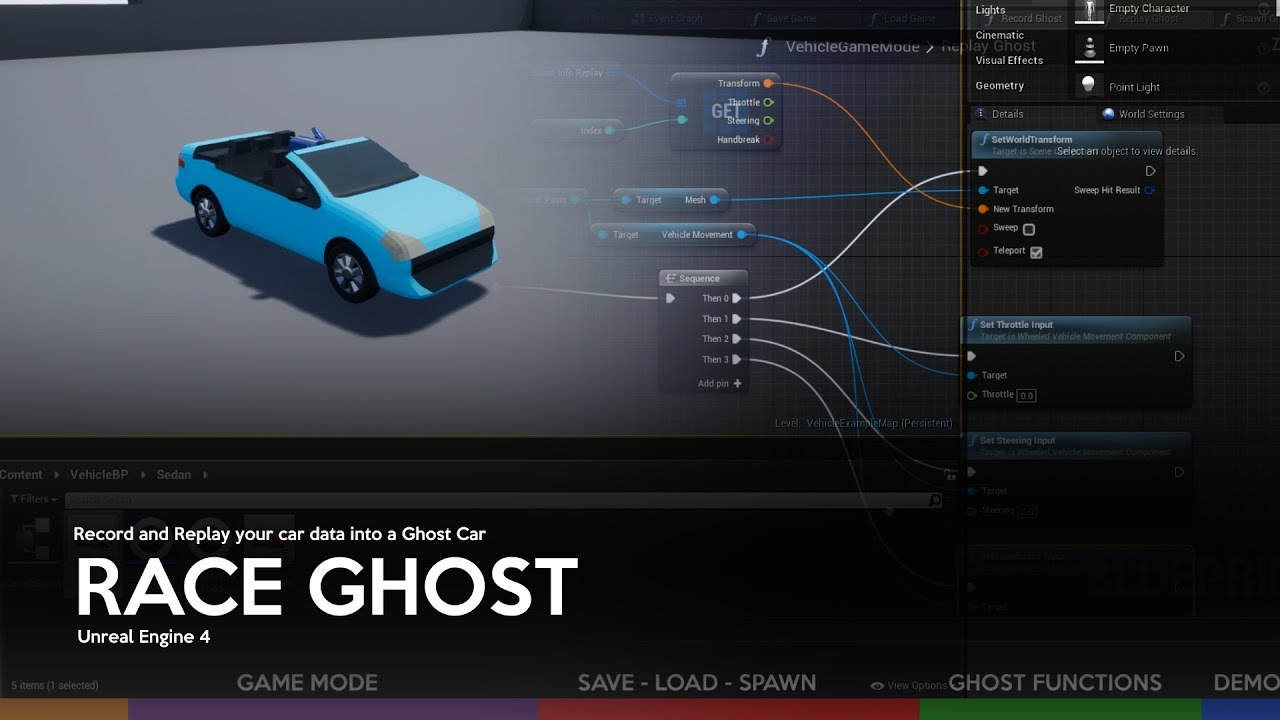
This tutorial addresses one of several possible ways to create a Ghost Car system on Unreal Engine 4.
Software Required:
-Unreal Engine 4 + Vehicle Base Project
Topics:
-Creating required classes
-Configuration of Pawns
-Variables and basic functions
-Functions of Ghost
-Test
Download Project: http://www.mediafire.com/file/8d4s8dlr1medrqb/R...
icy dragon
stable osprey
hey, can anyone help sorta translate this to a 2D platformer https://youtu.be/VY...
Ideally you'd want to either use replication feature or find a way to record input every time interval
chilly geyser
Half of the time my blueprint skips this step, and half the time it works, can anyone tell me why?
 icy dragon
chilly geyser
Half of the time my blueprint skips this step, and half the time it works, can a...
icy dragon
chilly geyser
Half of the time my blueprint skips this step, and half the time it works, can a...
Have you confirmed it's actually out of order with breakpoints?
chilly geyser
What do you mean by out of order and breakpoints?
icy dragon
That question confirms you haven't tested it yet.
Right click on the Branch node and put a breakpoint on it. This will pause the game when the BP hits that node, and useful for sanity check purposes
icy dragon
chilly geyser
didnt know you could do that
Alternatively you can select the node and press F9 to immediately put breakpoint on it
chilly geyser
Yeah still no luck
icy dragon
Did the branch node got executed?
main lake
I'm trying to convert a single value called "Timer" into a timer displaying Minutes + Hours+ Days (Minutes In Game = Seconds IRL, Hours IG = Minutes IRL, Days = 24 Hours IG) but I'm facing a problem with modulo, I'm doing "Timer" % 60 but if I add 1 to the Hours variable when the modulo is equal to 0 as 60%60 = 0 and 0%60 is also equal to 0, I will start at Hours being 1 instead of 0 because of this modulo, how do I solve this please ?
chilly geyser
i put an event tick with a print string, i think i found the problem
Thanks for the breakpoint knowledge! @icy dragon
tawdry surge
@main lake have you tried using the built-in timespan struct
earnest tangle
^Timespan and Datetime are great for representing ingame date and time values as well
main lake
tawdry surge
<@112981085423452160> have you tried using the built-in timespan struct
What does the timespan struct do ?
tawdry surge
Handles converting seconds, mins, hours, days, etc.. so pluging gametime into the seconds input will immediately give you a real-time timer. Increment mins instead and now its game time
gentle urchin
Exactly what you want 😄
main lake
this doesn't work
 earnest tangle
It also makes it trivial to do most kinds of date math, eg. adding/subtracting minutes, days or such
main lake
I don't know why it doesn't work
nevermind it works perfectly
except 1 thing, I want it to show 2 numerical values each time, instead of having 3:00 I want it to be 03:00, how do I do that ?
maiden wadi
GetSeconds, GetMinutes, GetHours, format them as you like using IntegerToText.
main lake
maiden wadi
GetSeconds, GetMinutes, GetHours, format them as you like using IntegerToText.
Like do I have to do if statements to check if the value is < 10 then append a 0 to it before changing the text on the screen or again there's a special node formatting that for me ? 🙂
maiden wadi
I believe IntegerToText will take care of that for you. Just change it from 1 to 2.

If you put 2 as a value there, it'll return "02"
main lake
But I'm using the "Astimespan" node so it's not an integer it returns a TimeSpan Structure
maiden wadi
maiden wadi
GetSeconds, GetMinutes, GetHours, format them as you like using IntegerToText.
Use these.
It'll get ugly in your graph. Welcome to UI programming. 😄
main lake
x)
It's better to have these nodes otherwise it would be uglier with alot of branches and stuff like that x)
It works perfectly 😄 Thank you all of you @maiden wadi @tawdry surge @earnest tangle @gentle urchin @faint pasture Finally my timer is working after 2 weeks of struggle 😄
 real notch
I think I enabled something on my bleuprint, when I start the game it automatically goes in debug mode. There are no break points? I'm sure there's one small option I put on somewhere that did this 😬
real notch
real notch
I think I enabled something on my bleuprint, when I start the game it automatica...
Well well, restarted the editor and it's fine now. I blame gremlins
 neon jolt
@hexed cloak you need to remove all VOIP talkers first add the new one to be able to get attenuation on the last player
gentle urchin
Gremlins indeed !
tawdry surge
Short answer is render target
icy dragon
Which works for prototyping, but holy smokes, do Canvas RT took up a huge chunk of performance
Granted (I think) Source uses forward rendering, thus their render targets cheaper to render.
Unreal Engine 4 had terrible performances when it comes to render targets + scene capture + Canvas
tawdry surge
Shouldn't be too bad if you only have a maximum of two ever in the scene. I wouldn't try to make a house of mirrors that way tho
 hexed cloak
neon jolt
<@!271314077261758481> you need to remove all VOIP talkers first add the new one...
hexed cloak
neon jolt
<@!271314077261758481> you need to remove all VOIP talkers first add the new one...
Every time a player joins you recreate every voip talker for every client?
 vital aspen
I been watching a lot of tutorials on making slots. I see that some add a image to the widget and some don't. It there a reason for adding an image to the widget for the players slots.
 sturdy herald
Hello. How can i make a circular movement with 3 points? First point is the start location (the position of actor in the beginning), 2nd point is a helper point on the circle (to calculate is) and 3rd point is the end location.
icy dragon
vital aspen
I been watching a lot of tutorials on making slots. I see that some add a image ...
Mainly as a filler, so that the widget didn't just fill zero space.
sturdy herald
sturdy herald
Hello. How can i make a circular movement with 3 points? First point is the star...
 vital aspen
so that's why I been getting 0 items and an icon added to the players slots. Thanks
sturdy herald
i dont think its better. I usually dont use space because when calling it There will be automatically a space.
 gentle urchin
Camelcase handles the spacing :)
sturdy herald
i mean matter, not better, mistype. So just use how u want.
sturdy herald
Anyone has ideas to make a circular movement like this?
 normal stream
there's a Rotating Movement Component that might be a good place to start? I don't know about how to execute the calculation you're intending
tawdry surge
What are you moving in a circle?
 charred berry
I'm unable to delete, accidentally pasted data in 3rd person character component section , is this a bug or if not how do I get ue4 to actually delete this content that shouldn't be there ?
vital aspen
@icy dragon Thanks you again. It's doing it again. I added an image to my playerslot and this is what I get in game.

it seems to add 1 extra to the slot and a count of 0.
sturdy herald
normal stream
there's a Rotating Movement Component that might be a good place to start? I don...
i'Ll check, thanks
vital aspen
any ideas from you would help
 sturdy herald
tawdry surge
What are you moving in a circle?
sturdy herald
tawdry surge
What are you moving in a circle?
i want to move a static mesh
tawdry surge
You can just off set the mesh from the default scene root and rotate the root
Or use a spline component and move it along whatever path you need it to
sturdy herald
tawdry surge
You can just off set the mesh from the default scene root and rotate the root
How can i determine the center of circle?
A little more detail:
tawdry surge
If you use the scene root then it is the center
sturdy herald
The start location is the location of mesh in the beginning, but the end location is determined by the player with the axial rotation. These are not same at every movement.
tawdry surge
Got to the viewport tab inside the blueprint for the mesh you want to move.
Add or select the static mesh component and move it away from the scene root.
Over in the event graph you can set the rotation of the scene root and the mesh will follow.
How much it turns is up to you
sturdy herald
tawdry surge
Got to the viewport tab inside the blueprint for the mesh you want to move.
Add ...
thanks, i'll try this out
sturdy herald
tawdry surge
Got to the viewport tab inside the blueprint for the mesh you want to move.
Add ...
for moving away the static mesh component need to know the Radius of the circle, but i dont have that.
tawdry surge
It's how far from the scene root you moved the mesh component. It'll tell you the relative location in the details panel
sturdy herald
tawdry surge
It's how far from the scene root you moved the mesh component. It'll tell you th...
yeah, but this is not a constant value.
tawdry surge
You can get it at runtime using Distance to or get relative location nodes
gentle urchin
You want circular movement ?
Theres a rotate vector around axis if it has not been suggested yet
Does exactly what you need
Not sure what the intended behaviour is for the player with the axial rotation but oh well
Like.. is the mesh supposed to rotate towards the player in sole circular fashion?
tawdry surge
Nah he wants the player to beable to influence how far along a circular movement track a static mesh moves
I was thinking just pass the axis input and add that to the rotation of the default scene root.
gentle urchin
Hmm yeah that'd probably do the trick !
Guess i didnt properly understand it 😅
The desired outcome, that is
tawdry surge
I think your suggestion would work too. I believe you could set up an orbit around a point and use that to set the location as well
 cold cobalt
I'm not sure if this belongs here or somewhere else, but does it make more sense to have a grenade's mesh as a skeletal mesh or a static mesh?
icy dragon
cold cobalt
I'm not sure if this belongs here or somewhere else, but does it make more sense...
Thrown grenade can be a static mesh component in a projectile actor
sturdy herald
Its hard to explain what i want and my english is not the best for that, but here is a video what shows what i want.
Basically i teach to the robot the start point, end point and an aux helper point (idk why i called it axial before this) and the with some calculation the the robot with ik moving at circular path (this path can be anywhere, not only in xy plane or something this basic).
The problem rotate vector around axis is that the Axis is the location vector from the center of circle. But i dont know this circle and i dont know how to get the position of center with 3 points on circle, without knowing the radius.
Same goes for the suggestion of moving the static mesh away from the root: the distance between root and mesh is changed every time i want a circular movement (depending where i determine this 3 points), and this distance is the radius of circle which is not know and i dont know how to calculate it.
I appriciate the advices @tawdry surge and @gentle urchin.
https://www.youtube.com/watch?v=gTov9oHYEwo
 gentle urchin
 buoyant marsh
guys, any ideas where i could start from !, if i want to make my player move and update his location depend on real live location like google maps !
tawdry surge
Look into cesium plugin. They use longitude and latitude for positioning
cold cobalt
Oops realized I'd posted this to the wrong channel.
So when using the PMC, I've enabled Rotation Follows Velocity but the mesh for the projectile is still just sitting straight up the whole time... What else do I need to enable here to get it to actually rotate like a normal projectile would haha?
 brazen merlin
 coral sand
other way around if you want to get into semantics - you've defined it, but that is not a call for it
coral sand
of course it's not a call for it
but the function does nothing
it's not defined. right?
brazen merlin
coral sand
but the function does nothing
you can add inputs, but it is not like a function
coral sand
if i called it from somewhere else, nothing would happen
coral sand
brazen merlin
you can add inputs, but it is not like a function
hmm?
brazen merlin
it passes any inputs and its event trigger when it is called, where it gets called receives the event
you might need to revisit dispatchers and how they work - blueprint communication
coral sand
no I mean for all intents and purposes it's a function
that gets interpreted/executed no?
ok fine, it's defined to do nothing?
brazen merlin
these are all questions about the functionality of how event dispatchers work
if you've never setup them up before, then they are a bit hard to grasp, keep learning
coral sand
...
brazen merlin

Announce Post: https://forums.unrealengine.com/showthread.php?101051
This Training Stream takes a look at Blueprint Communication. We find that Unreal Developers of all levels can sometimes struggle through the concepts behind moving data between objects. So in this video we'll take a look at the different ways to make Blueprints talk to one an...
maiden wadi
@coral sand In BP, there is no such thing as a function being declared and not defined. Every BP function created automatically has a definition. That screen you have up for the dispatcher is misleading as a Dispatcher is not actually a "function" as much as a property. The property itself allows other objects to register to it, which allows it to run those bound functions when the "Call" function of the Dispatcher is ran.
gentle urchin
one could think of it as a list. Whoever is signed onto the list at the time of the broadcast(the call) will be notified.
The "who" in this context is typically functions in other actors and/or objects
high yew
why is my physics constraint freezing when I hold it still and un freezing when I let it go?
 deep geyser
I've been looking around the new Stack o Bot content for UE5 and I have an issue where there is a bunch of BP interfaces that are used all over the place. Is the reference viewer the only way of knowing what uses the BP interface function calls?
gentle urchin
Hard to say without seeing code. @high yew
gentle urchin
Also might me more #legacy-physics
deep geyser
whatever you change in physics when picking up, just undo it when releasing the box
high yew
gentle urchin
Also might me more <#221799426820276226>
do you know stuff about it though??
gentle urchin
Not really
My comment was mostly a general advice
Not seeing code makes anyones help just guesswork..
high yew
do you want to see the code
brazen merlin
gentle urchin
Not seeing code makes anyones help just guesswork..
its in #legacy-physics if you do
brazen merlin
The dispatcher isnt the holder of the function
coral sand
I understand
brazen merlin
Say you have a switch with a dispatcher TurnOn. When the player uses the switch it calls TurnOn and whatever is plugged into the call is the receiver of that event call. The reciever could be a light which has a binding to this dispatcher so it can turn on. The receiver could be a door that has a binding to this dispatcher so it can unlock or open. The reciever could be a train track that has a binding to this dispatcher so it can switch tracks. Whatver the receiver is, thats where the logic to execute the dispatcher happens. The call is just a call to the target.
coral sand
i understand what it is. Why does that graph exist then?
brazen merlin
To show you its setup
You can pass inputs through dispatchers
Such as a float or another actor reference
coral sand
ok how do i add those in that graph
brazen merlin
Top of the details for the ED
coral sand
thanks
dawn gazelle
So you have something that goes from 0 to 1 and you have another thing that goes from 0 to 0.3 and you want the thing that goes from 0 to 0.3 to go from 0 to 0.3 based on the value of the thing that goes from 0 to 1?
 lime fulcrum
Hey!
IS there a way to reference to the Spline used for roads in the landscape mode? Or is it unaccessible?
deep geyser
Isn't the spline a separate object that effects the landscape? At least in the monster truck UE4 demo
lime fulcrum
I don't use the spline as a Spline Mesh Actor. I use the one in the landscape mode
deep geyser
idk then
lime fulcrum
I'm just adding a spline actor and use that 😄
brazen merlin
dawn gazelle
So you have something that goes from 0 to 1 and you have another thing that goes...
lol thats simpler than what i was thinking - i thought there was a padding of 0.3 needed between a 0-1 slider, but i didnt know the distance in world space between the two
sturdy herald
Hello. I have 3 points on a circle, from this 3 points i calculated the origin of circle. Now i want to make a circulare rotation on this circle. I found something on internet and tried to use that, but its not working fine. How should i use the rotatevectoraroundaxis or how can i get the rotation of the circle (so i can rotate an object there and child the mesh which should rotate)?
Here is my nodes and the link where i found this advice.
https://blueprintue.com/blueprint/72x0tjdb/
https://answers.unrealengine.com/questions/875580/view.html?sort=oldest
No description provided
 minor pagoda
Hi, can you give me an advice about whether is better to make a blueprint "Weapon" that reads a table whit all weapons to build itself based on a key, or to build a child blueprint of Weapon for each weapon in the game?
brazen merlin
minor pagoda
Hi, can you give me an advice about whether is better to make a blueprint "Weapo...
either could work
minor pagoda
and which could be pros and cons
 dim robin
if they have all the same propreties, like for example total ammo, damage, etc, i would go with 1 main actor and then childs
minor pagoda
can u tell me why?
brazen merlin
minor pagoda
and which could be pros and cons
generating from a DT means you only need one weapon class, you can manage all settings in one area, testing them requires a DT or valid entry so it can be troublesome to test specific functionality/debug specific values since they come as a row/struct from the DT.
making each yourself, which can still have some DT values plugged in, lets you design each one as specifically as you need. you can visualize things like mesh size, collision area (potentially have more than one collider), and extend from parent class functionality.
also, you cant write to DTs, only read from. It's also harder (but possible) to pull asset references in DTs, but would be less painful if it were done for each child class, plus each child class can keep track of their own variables (in addition to inherited ones) and can therefore be modified - though in either case, storing the stats of a weapon in a struct can also be kept for later read/write needs
minor pagoda
That make sense, thanks
maiden wadi
Personally, I think the only time you really want static data for weapons in a table or DataAsset is when you're creating stuff that scales. Like different levels of weapons, Normal/Superior/Epic/Legendary, etc. It's much easier to make correct logic for weapons in the weapons themselves or at least a parent class. Always be sure to have a parent class that you can cast to. You avoid having to have all of the meshes and stuff loaded up all of the time.
 quaint portal
hello, I'm trying to make it so the camera focuses on whatever the player is looking at, I thought the blueprint should look like this but it's not working at all. just blurs everything that is more than 2 meters away. what am I doing wrong?

 tiny meteor
in bp is there a node which takes 2 booleans and returns 4 events for different states, or do I need to chain branches?
like output events: A, B, A+B, 0
 eager plank
Hey I'm new to unreal engine and need some help, I made a key to unlock a door which it works fine. The only thing I have an issue with is figuring out how to rotate the key(I want to rotate the actor), I want to make the key rotate in place until it deletes itself upon pickup. Anyone know what's wrong?

 trim matrix
(I'm creating an RPG game) I want to make a ranking system for my game, but I searched on youtube and google and there is no one teaching, can anyone help me?
 unborn maple
what would be the main issue the actor bugs out when trying to turn the camera spazzes back and forth and then the actor flys off the stage. i have my code like this. it turn towards cursor but seem to lose control

i am just looking for it to smoothly rotate where ever the mouse is at.
 midnight kiln
eager plank
Hey I'm new to unreal engine and need some help, I made a key to unlock a door w...
midnight kiln
eager plank
Hey I'm new to unreal engine and need some help, I made a key to unlock a door w...
The Blueprint you have is getting the rotation of your key and then setting the rotation to the same value, every tick.
What I would do is look into creating a custom event and a Timeline. Here is an example.
 unborn maple
gotcha i never seen it done that way everyone says to do it onn tick
eager plank
^
unborn maple
appreciate the help cause it drove me crazy
 torpid hound
tiny meteor
in bp is there a node which takes 2 booleans and returns 4 events for different ...
torpid hound
tiny meteor
in bp is there a node which takes 2 booleans and returns 4 events for different ...
Unlikely. It would be pretty simple to create a function for it
midnight kiln
@unborn maple wait, im confused lol, that was in response to @eager plank
 proper briar
Hi, is "Get Project Directory" still working after i package my game?
faint pasture
@unborn maple always or only sometimes for a known duration?
When does it spazz out?
faint pasture
Does turning bring the camera with it?
That is, would turning make the mouse now point at a different spot?
faint pasture
Well that's your first problem. Imagine it, the pawn turns to face the mouse, but in doing so, it turns the mouse more, which means it'll never be able to face the mouse position
Like a dog chasing its tail
unborn maple
so i have to set camera off of the pawn?
faint pasture
No but you need to rethink your approach. Also 2nd problem, why are you setting relative rotation and not world rotation?
What sort of aiming do you want?
unborn maple
im new so im doing most of this for the second time
i am trying to have actor face the mouse cursor, its main attack is a dash towards it facing direction. so i am just trying to have it be responsive in that nature.
faint pasture
unborn maple
i am trying to have actor face the mouse cursor, its main attack is a dash towar...
Do you actually have a cursor? Or just a crosshair in the center of the screen? Is it top down or 3rd person or 1st person?
 tight pollen
hi everyone, how can i ignore all static meshes in LineTraceByChannel? I'd like to ignore all the things that are in the game just for the sake of design
proper briar
@tight pollen aren't there a "actors ignore" option in linetrace?
unborn maple
3rd person as camera attach to pawn itself.
faint pasture
tight pollen
hi everyone, how can i ignore all static meshes in LineTraceByChannel? I'd like ...
I'd just not have them block whatever channel you're tracing in
tight pollen
yep but i don't know how can i do it with it
I want it to block only items that can be picked up
faint pasture
unborn maple
3rd person as camera attach to pawn itself.
Just route input to the camera or spring arms rotation, and then have character do the facing. So the camera is NOT driven by the character orientation. Look at the 3rdnperson example project for an example setup
faint pasture
tight pollen
I want it to block only items that can be picked up
Custom channel
unborn maple
seam3, that would be in your project settings
faint pasture
Add channel Interactable or whatever
unborn maple
ok.
faint pasture
Channels are like collision layers. Things that don't block the channel are invisible to a trace on that channel.
 halcyon talon
does anyone know how to get rid of the orange and white box?
 faint pasture
halcyon talon
does anyone know how to get rid of the orange and white box?
faint pasture
halcyon talon
does anyone know how to get rid of the orange and white box?
That's from moving a window panel around
halcyon talon
how do i fix that
faint pasture
@tight pollen should you be able to pickup a pickup through a wall?
faint pasture
halcyon talon
how do i fix that
Click around or restart editor
halcyon talon
Okay thanks!
faint pasture
It's stuck thinking you're dragging a window panel
halcyon talon
ahh right
I'm just learning how to use Unreal Engine 4. I'm following an Hour of Code tutorial by Dev Addict
zealous fog
Can I get a pin like this on functions I make myself?
 faint pasture
zealous fog
Can I get a pin like this on functions I make myself?
faint pasture
zealous fog
Can I get a pin like this on functions I make myself?
Add input parameter to function
zealous fog
One of these?
 faint pasture
zealous fog
Can I get a pin like this on functions I make myself?
faint pasture
zealous fog
Can I get a pin like this on functions I make myself?
This is either an actor or component reference of some sort
I thought u meant how to add parameters in general.


 fiery swallow
 twilit gull
how do i get this value from default anime motage?
twilit gull
how do i get this value from default anime motage?
can't you just get the length of the montage to play? it's the same thing isn't it
twilit gull
i need the played time value as i though to use it for bow charge
faint pasture
zealous fog
But it looks like this
Name it target. I don't know if it can default to self if you made it in blueprint.
Although depending on what you're doing there may already be a Target note, what exactly are you trying to do here?
vital aspen
Is some one there that can help with finding an item in a array of slots from the player. Here's what I have.

The idea is that it needs to see if any item matching the item the player just pickup that is all ready in the player inventory. If there is, Then it add to to that stack. else is that it adds to a empty slot.
In the lower left, theres a var that's not being set. So I have no idea how that works. Still learning
faint pasture
vital aspen
The idea is that it needs to see if any item matching the item the player just p...
I'll either talk to you about this before or somebody else with the exact same problem. The problem is if your items can stack within a single structure, a stack of one and a stack of two will not be equivalent structures
vital aspen
The var name is index
faint pasture
@vital aspen show your item struct
 faint pasture
What are you considering to be the same item, if their data table handle is the same?
brazen merlin
vital aspen
Is some one there that can help with finding an item in a array of slots from th...
This does look rather strange... why is Item set but then not referenced in the function? Shouldnt it be used to find it in the array? That can be done without the loop. This would also remove the confusing multiple outputs.
zealous fog
faint pasture
Although depending on what you're doing there may already be a Target note, what...
I just wanted to add a cleaner print string node, but still be able to see which blueprint it happened in

But if I have to add a self reference node everytime its not really cleaner lol
vital aspen
Guys I don't know. I'm doing this from scratch. The video tutorials I have watched don't all ways work.
@brazen merlin and @faint pasture do you guys have a better way of doing this. Let me show you this.

that's the result I get.
brazen merlin
vital aspen
Guys I don't know. I'm doing this from scratch. The video tutorials I have watch...
Then i figure you could do the set, get Item and use Find in your PlayerSlots (assuming they are the same data type) and determine from there if it exists then either add or make a new slot
vital aspen
ok, cool, have a sample on this.
faint pasture
zealous fog
I just wanted to add a cleaner print string node, but still be able to see which...
@vital aspen why are you getting the current quantity?
And when is Index set
That seems fucky, just iterate over inventory and return true and index if the data table row names match
vital aspen
well I don't know why. that's why I'm changing it. I wish I could find better videos on this crap. would make it easy.
faint pasture
If that never happens return false and -1 I guess
Videos suck, just struggle through it and you'll figure it out.
maiden wadi
Don't rely on videos so much. Use them for reference only.
faint pasture
I sometimes skim for the AHA moments when you see something you've never even thought of but never for the nuts and bolts. Make sure you can get an good abstract model in your head of what you want to do and the code will just fall out EZ
vital aspen
Yes, that's the only way to learn how to do most of this. It's not like I have a personal Teacher. How about this.
 faint pasture
And then when you go to C++ land you'll end up in the exact situation I always do, knowing way more about what I want to do than the details of how to do it because something uses a different function name in C++ or any of a million other types of obfuscation
zealous fog
faint pasture
<@832601559334256751> why are you getting the current quantity?
i assume you didnt mean to qoute me hehe
faint pasture
vital aspen
Yes, that's the only way to learn how to do most of this. It's not like I have a...
That will fail if you have a stack of 2 and are trying to find the exact same item but it's a stack of 1
faint pasture
zealous fog
i assume you didnt mean to qoute me hehe
Whoops
brazen merlin
vital aspen
Yes, that's the only way to learn how to do most of this. It's not like I have a...
wait, so that returns the index that the Item is at, if it exists
thats not returning quantity
faint pasture
brazen merlin
wait, so that returns the index that the Item is at, if it exists
If he has Apple(2) it won't find Apple(1) as it's not identical.
vital aspen
ok, I'll try this, then, 1 question. How do I get the item in that slots index number. So that I can add it to that slot index
faint pasture
That's why I asked if stack amount is inside the item struct or not.
brazen merlin
faint pasture
If he has Apple(2) it won't find Apple(1) as it's not identical.
Find should return the first index of the queried entry, which should be the only
midnight kiln
quaint portal
hello, I'm trying to make it so the camera focuses on whatever the player is loo...
I just tried out your setup and it seems to work ok for me. Try printing your distance and hit actor, maybe you are hitting something else?
faint pasture
brazen merlin
Find should return the first index of the queried entry, which should be the onl...
It's an array of item structures which include the current stack size.
If he already has a 2 Apples, it will fail because he's looking for 1 Apple
brazen merlin
faint pasture
It's an array of item structures which include the current stack size.
that's not being fetched yet, currently it's just finding if the struct entry exists in the array - the return of the Find needs a get from the Array to then break it and get its quantity
vital aspen
Yes, I know. It just told me from the tool tip. the issue is that how can I get the number of items in that slot. The 1 slot I wanted to add to it when I pick up the same item
faint pasture
brazen merlin
that's not being fetched yet, currently it's just finding if the struct entry ex...
That entry won't exist in the array.
faint pasture
vital aspen
Yes, I know. It just told me from the tool tip. the issue is that how can I get ...
Your original approach almost had it, just do the one comparison. Just get rid of the bit where you are checking if stack size is greater than one or whatever you were doing
vital aspen
no that didn't work, ah crap.
 brazen merlin
faint pasture
That entry won't exist in the array.
brazen merlin
faint pasture
That entry won't exist in the array.
ah i getcha now
need to check if the same type of item is in inventory
not struct
faint pasture
@vital aspen

Assuming RowName is what you check to conclude that they're the same item
midnight kiln
@quaint portal or you may need different maths on your trace


 quaint portal
midnight kiln
<@!269756003879223306> or you may need different maths on your trace
quaint portal
midnight kiln
<@!269756003879223306> or you may need different maths on your trace
it's getting accurate numbers of the objects, i.e an object that is 9 meters away prints 900. so I don't think so
faint pasture
@vital aspen no compare to the incoming Item
You're asking "Do I already have a stack of this item?" Right?
vital aspen
Yes
faint pasture
K then check in the loop vs the item you pass in
vital aspen

this is all I have left
@faint pasture I'm confused at what to do
if I understand you right. I compare the item to what in the array element
faint pasture
For each loop will give you every item one by one
Items then item2 then item3 etc
You check for if one matches.
If you get to the end and there's no matches, then you return a fail/didn't find
 midnight kiln
quaint portal
it's getting accurate numbers of the objects, i.e an object that is 9 meters awa...
midnight kiln
quaint portal
it's getting accurate numbers of the objects, i.e an object that is 9 meters awa...
Oh, I see it now, I bumped up my interact distance and everything faraway is blurred, I don't know much about the post prosses stuff, but ill let you know if I come up with anything. 🙂
vital aspen
@faint pasture Like this
 quaint portal
midnight kiln
Oh, I see it now, I bumped up my interact distance and everything faraway is blu...
quaint portal
midnight kiln
Oh, I see it now, I bumped up my interact distance and everything faraway is blu...
ok, thanks
brazen merlin
vital aspen
<@!127902729677963264> Like this
still need to use the Item var you've stored at the beginning
break the Item as well to compare against the RowName of Slot
vital aspen
You mean like this
 brazen merlin
vital aspen
You mean like this
brazen merlin
vital aspen
You mean like this
yeah, not sure what Index does though
 normal stream
If anyone's not busy, I'm having trouble sanitizing my collision logic so that the player ship and any projectiles it fires don't interact.
vital aspen
@brazen merlin Here's the rest of the code. that adds the item. I really don't know what to do.
 brazen merlin
vital aspen
You mean like this
brazen merlin
vital aspen
You mean like this
after looking at this long enough, i think there is a slight issue 😄 - there is no false return
so i think the function will, if it completes the loop without a success, use the return node which would be true and the index of the last entry
 twilit gull
how do i get real world location of the object?
if i try to detach arrow from the bow it has character location/rotation (that goes from default in unreal)
brazen merlin
vital aspen
I tried something like this
it wont, because the loop executes all the way through, so it could be true on the first entry, but then false on the next, therefore returning false
twilit gull
so i spawn by the bow and it spawns on the laft
 zealous fog
twilit gull
how do i get real world location of the object?
if i try to detach arrow from th...
zealous fog
twilit gull
how do i get real world location of the object?
if i try to detach arrow from th...
get world location?
twilit gull
thats world location
brazen merlin
vital aspen
I tried something like this
I think the loop check is not the last part of this - i think the loop is to check if you can find a match, then on completed, work with those findings
faint pasture
@vital aspen dude use the item struct you're passing into this function
brazen merlin
faint pasture
<@832601559334256751> dude use the item struct you're passing into this function
they are
zealous fog
you asked how to get world location 😅
vital aspen
@brazen merlin I'm just have to see if I can find someone that can connect to me and look over all the code. I don't know what else to do.
faint pasture
brazen merlin
they are
Nah not that I've seen
brazen merlin
faint pasture
Nah not that I've seen
#blueprint message its here, the get is split open
twilit gull
zealous fog
you asked how to get world location 😅
yeah, like real world location 😄
not somehow still relative world location
and thats how it sees charge state
 faint pasture
brazen merlin
https://discord.com/channels/187217643009212416/221798862938046464/9356987857477...
faint pasture
brazen merlin
https://discord.com/channels/187217643009212416/221798862938046464/9356987857477...
Ah ye I thought that was a make
zealous fog
show how you are spawning the arrows please
 brazen merlin
vital aspen
<@!568839944970174501> I'm just have to see if I can find someone that can conne...
brazen merlin
vital aspen
<@!568839944970174501> I'm just have to see if I can find someone that can conne...
i think that makes sense, there is a lot of moving parts (functions) from what i can see - i gotta run though :/ bb in 4 or so hours
faint pasture
@vital aspen Show what you have so far for that function
zealous fog
twilit gull
Get actor transform?
 faint pasture
@vital aspen go back to your early return
twilit gull
haha, thats detach and spawn new

the one on the bottom is actor transform
seems like
zealous fog
But why is the original arrow not in the bow now
faint pasture
If true, return true and current Index
If false do nothing
On loop end, return false and -1 I guess
twilit gull
i detached it
zealous fog
Alright so then you just need to turn it 90 degrees and it should work right? (dont know why you need to lol)
twilit gull
seems like this one is causing the issue, but to fix that i need character fbx to fix its location
 vital aspen
@faint pasture This is what I had when I started
 twilit gull
zealous fog
Alright so then you just need to turn it 90 degrees and it should work right? (d...
twilit gull
zealous fog
Alright so then you just need to turn it 90 degrees and it should work right? (d...
probably yes, but that will need manual adjustment for every bow and gonna broke on 180 degree rotation i assume
faint pasture
@vital aspen
 zealous fog
twilit gull
probably yes, but that will need manual adjustment for every bow and gonna broke...
zealous fog
twilit gull
probably yes, but that will need manual adjustment for every bow and gonna broke...
Just take actor transform and add 90 to it
before the spawn actor
vital aspen
Yes, I did remove that extra 1
zealous fog
break transform break rotator make rotator make transform
faint pasture
@vital aspen also return false after complete
vital aspen
ok
zealous fog
probably better because if you ever do fix it, youll need to change the BP again
(And theres probably another way to fix it but I dont know how sorry)
 wild seal
if i make a bp macro it acts like a function or it will be replaced with the nodes inside runtime?
zealous fog
wild seal
if i make a bp macro it acts like a function or it will be replaced with the nod...
Macro is just the nodes collapsed
But reusable
wild seal
so like inline in cpp right?
vital aspen
@faint pasture This is what's it's doing in game
 zealous fog
wild seal
so like inline in cpp right?
zealous fog
wild seal
so like inline in cpp right?
Dont know only use blueprints
But you can run latent nodes in macros not in functions
vital aspen
This is what my codes looks like now
 wild seal
what im really interested about if whether they result in a function call or not 😄
but from what you said seems not
Macros take the nodes from the macro graph, and actually replace the macro node with a copy of all those nodes. Basically, when the Blueprint is compiled, the macro copies all the graph nodes, and pastes them in where the macro node is.
wiki says this
great
zealous fog
Yup
zealous fog
Well, you are increasing the amount of nodes
With a function you arent
You copy paste a macro 20 times, you have 20 times the nodes
You copy paste a function 20 times, you have the same amount of nodes
wild seal
yeah but thats not affecting performance
just the compile time maybe
maybe the bp as is compiled will be bigger in memory too
minor pagoda
What happens if i spawn a character with a child actor component that has no actor class assigned?
zealous fog
Also you cant call macros in other BPs
Macros should be used in different cases than functions
is what I am trying to say
wild seal
ofc
zealous fog

Tips and tricks to help you make decisions about when to use Blueprints and how best to set them up.
wild seal
haha thats where i read the above from too 🙂
one should avoid function calls if they are often called if they can thats what im thinking :D, ofc inlining everything has problems, like worse to debug, compile time and code size grows, so have to do it reasonably
 viscid barn
Anyone has any idea how to make an RInterpTo stop short of its target without it being sudden?
I want my camera to follow an actor but just enough to keep it within range of the center of the viewport, not actually DEAD in the center, but to no avail so far :/
I tried using map ranges to control the alpha and but it's not working too smoothly 😩
wild seal
set a threshold
zealous fog
wild seal
one should avoid function calls if they are often called if they can thats what ...
Whats wrong with function calls?
wild seal
zealous fog
Whats wrong with function calls?
moving the stack pointer about, need to push arguments, need to pop old ones after return
usually not aproblem
zealous fog
I have no idea what that means lol
wild seal
but if it is used in a tick like 120 times a second in 100 actors it could save some perf 😄
zealous fog
How would a macro perform better than a function then?
Wouldnt you still be calling it on tick
wild seal
don't have to do the things i just said 😄
wild seal
it is not actually a function call as the wiki says
but code duplication
you can think of a function as a part of code that has some place on a list
the stack pointer is where your finger pointing on the list
and when you calla function you have to move your finger to point on it
while writing down the things you wanna pass to it
witha macro you don't move your finger as it will be under your finger the next line
zealous fog
Makes sense thanks
wild seal
basically a call in the computer works like this:
zealous fog
I imagine the performance gain is close to 0, or would I be wrong there
wild seal
jump to the adress of the function: xy address, then push these parameters to the stack the function using
well as i said if you do in in a really frequent place it can be quite an amount 🙂
viscid barn
wild seal
set a threshold
If that was in reply to me, that is indeed what I'm struggling to figure out how to do but how would I go about that?
inclusive one is pretty easy with clamps but I have to admit I'm not seeing how to do an exclusive one 😅
zealous fog
Ugh I am finishing my objectives system now, took me a good 3 days
But pretty happy with the results
wild seal
zealous fog
I imagine the performance gain is close to 0, or would I be wrong there
"premature optimization is the root of all evil." This famous quote by Sir Tony Hoare (popularized by Donald Knuth)
so what i said has to be taken witha grain of salt 😄
i imagine what you can do is
just add something to target i bet
oh wait
viscid barn
I thought of making the target bigger yeah, but it still aims for it's origin point 😅
wild seal
you actually wanna go to center but not fast?
viscid barn
No
I want it to stop short of the center
using distance 2D and map ranges I managed to do it but it's kinda ugly as it updates the alpha, which makes it stop suddenly instead of the smooth deceleration it naturally has when you use it plainly
wild seal
id add target.getnormalized() sign*something to the target rotator
it aims for center but stops short
viscid barn
hmm, lessee
wild seal
hmm seems like there is no get normalized node in bp 🤔
viscid barn
yeah I meant normalize the floats then make back into a rotator
midnight kiln
@quaint portal This seems to be working for me and here is the video that helped me out.
https://www.youtube.com/watch?v=6jnIC4HzniU
Hope is helps and points you in the right direction. 🙂


Here I bring you a very interesting and very simple tutorial, where I show you how to interact zooming with the camera using the first person character and using depth of field to focus on objects in the scene.
This is a technique that will bring more interactivity to your projects and with the camera focus you´ll create a very striking effect....
wild seal
if you know how to sure 😄
viscid barn
alternatively I could normalize the target's vector instead
wild seal
no
viscid barn
😅
wild seal
normalizing rotator does the following what you need
- Create a copy of this rotator and normalize, removes all winding and creates the "shortest route" rotation.
shortest route
traing to figure out if theres a bp function like that
fervent temple
i cannot for the life of me figure out how to get this projectile to do damage
no matter what i do it wont work

it prints all the strings at the end
tells me what it hit, if it hit, and how much damage it applied to it ( it always says 0 instead of 6 )
fervent temple
now this might indicate my damage system is bad but no works fine with sword
viscid barn
Nope, if I try to normalize the individual axises it just locks the rotation as is, so that's a bust 😂
 zealous fog
Is the damage 0.0 or 6.0
fervent temple
it prints 0
and does 0 to my health
it prints the charcter properly tho
lemme screenshot the out put
viscid barn
hard to say if it's a 0 or a 6 😅
fervent temple
zealous fog
What is the damage set as I mean
oh set to 6
changed it to 30 now to make it easier
zealous fog
fervent temple
lemme screenshot the out put
Yes please


 fervent temple
zealous fog
Your on damage event isn't fringe I believe?
fervent temple
zealous fog
Your on damage event isn't fringe I believe?
yeah thats what im thinking as well
wild seal
this is what id do
fervent temple
not sure what to do about it tho
viscid barn
wild seal
this is what id do
I'll give it a shot, thanks 😄
fervent temple
but dmg is set to 30
wild seal
@viscid barn replace the 0 in the multiplication with the threshold you want
viscid barn
The empty B on the delta is intentional?
wild seal
thats not "empty" that is the delta to 0
and you have to do the sign and mult and add nodes for all floats
in the rotator
@viscid barn
i just did it for the first (roll)
@viscid barn tho this might be bad still
 empty needle
Hi, does anyone have suggestions on how to return a single instance of a ISM with mouse over?
viscid barn
hmmm
wild seal
give that to the deltas B
viscid barn
The camera is running away from the target now 😂
zealous fog
fervent temple
but dmg is set to 30
Could it be because its multiplayer
I havrnt done much multiplayer so maybe someone else eknows better
But dont you have to call it on the server
wild seal
viscid barn
The camera is running away from the target now 😂
yeah try cam rot into deltas B node
viscid barn
if I put cam rot in B, it locks the camera 😂
zealous fog
 viscid barn
not moving 😅
 wild seal
viscid barn
not moving 😅
wild seal
viscid barn
not moving 😅
yeah try like this

so in the add use the original target rotator
and in the b put in the camera
viscid barn
Ah wait!
I think I figured what's going on
I tried lowering the * bit by bit to see if it could reach a stable point
fervent temple
@zealous fog

this is what i use for the sword
but it didnt work for the projectile
wild seal
viscid barn
I tried lowering the * bit by bit to see if it could reach a stable point
yeah i imagine u have to use a negative value there
in the multiply
viscid barn
gdi, it works but in the wrong direction, I tried to negate the outcome to set it right but it made it go crazy
Yeah that's what I was trying 😂
faint pasture
@vital aspenjust pm me and show what you have as of right now
viscid barn
AAAY it works now!
wild seal
viscid barn
Yeah that's what I was trying 😂
did it with the camera+original rotation?
yay
trim matrix
my actor not work pls help
vital aspen
@faint pasture I sent a friend request.
viscid barn
wild seal
yay
that said only if the B is left empty on the delta 😂
fervent temple
trim matrix
my actor not work pls help
brazil?
trim matrix
fervent temple
brazil?
yes
wild seal
viscid barn
that said only if the B is left empty on the delta 😂
😄 glad it works in the end XD
trim matrix
fervent temple
brazil?
will you help me?
fervent temple
trim matrix
will you help me?
sure lets dm
viscid barn
it's not perfect but it's progress! Thanks!
Now I just need to figure out how to make it not go on the wrong side when crossing up the target 😂
wild seal
haha yeah
thats one problem it causes
but if you do a delta with target you can clamp the abs of the threshold to it and multiply it again with the sign 😄
viscid barn
I'll have to keep that in mind for tomorrow, it's getting a bit too late for my brain to follow lol
wild seal
with a 0 min and max with the abs
and the threshold has to be abs ed too 😄
in the clamp
a lot of abs 😏
viscid barn
😂
wild seal
@viscid barnon a second thought the funny thing is
the thing im doing is i check facing
and in an if im only doing it till it doesnt face it x%
like you can check this if you vane 2 vectors easily with the dot product
and lets say if the dot product 0-1 is facing the vector on 1 and -1 is facing away
so lets say you call the rinterp to till its 0.8
it can be the abs of the delta of the 2 rotations too
it solves the problem and makes it much easier
viscid barn
I tried using dot product at first but for some reason it'd create an odd offset
as if I was using an over the shoulder camera
wild seal
how come?
viscid barn
no idea though it probably was because I messed up something 😂
wild seal
use camera forward vector
ooh u use a camera boom / spring arm
that complicates things i guess
and make sure to normalise the look vector
yo you have to input some rotation to the arm and some for the camera iirc
chilly geyser
Is get world rotation yaw pitch and roll always the same regardless of which direction the SM if facing?
viscid barn
wild seal
ooh u use a camera boom / spring arm
Nah I use a individual camera actor
wild seal
just one camera? 😮
viscid barn
spring arm is way too restrictive
wild seal
then normalised the target-camera vector?
so what you need is dot((target-camera).normalise(),camera.forward)
i guess
viscid barn
hmm, I'll try first see if I can stabilize this version as it's already done, if not I'll try using that dot method
wild seal
if this is less than lets say 0.9 then turn
give this a try
its super easy this way 😄
viscid barn
right
let's try x)
though first I need to reboot UE, I don't know why but if I use the PIE too much, the fps drops each time until it becomes unplayable
eager plank
I need help really quick, I made a door that open and closes yet I can walk straight through it(when closed). I have all collsions set to block all. Any ideas as to why I can walk through it?
 fast escarp
Is there some way to select multiple variables at once in BP? I'm a bit mystified that I can't seem to select a whole group of even similarly typed vars. Cntrl/shift clicking as you'd expect doesn't work.
various attempts at cntrl/shift click to no avail, very strange I have to assume there's some way to do this
viscid barn
@wild sealmust have messed up something cause it's giving me the distance between the camera and the target 🤣
 dusk ember
https://youtu.be/gsWHj8GbsfM i followed this tutorial on creating wall running in ue4 and didn’t have any errors. but when i tried to go onto a wall, it did nothing. can anyone help with this?

Part 1 of my UE4 parkour series.
Source Code: https://github.com/DavieTi/ParkourProject/tree/WallRunningTutorial
Updated Parkour video for Unreal Engine 5: https://youtu.be/jwPlvJRGbWE
I'm live streaming on YouTube now!
Second channel: https://www.youtube.com/channel/UChvKv1CiVjDkaxLqztIFRkQ?
Join the Discord! https://discord.com/invite/4dRyJm...
eager plank
I made a door that open and closes yet I can walk straight through it(when closed). I have all collisions set to block all. Any ideas as to why I can walk through it?
fast escarp
dusk ember
https://youtu.be/gsWHj8GbsfM i followed this tutorial on creating wall running i...
what's wrong specifically? There's alot of dependent parts in that tutorial
dusk ember
fast escarp
what's wrong specifically? There's alot of dependent parts in that tutorial
i can’t tell, i don’t have any errors but none of it works when i run it
like i jump on a cube that has collision and allows the player to jump on it and it won’t do anything
fast escarp
I'd recommend using print string or breakpoints to narrow down the problem
I've gone through that tutorial so I can at least confirm his version works correctly
dusk ember
fast escarp
I'd recommend using print string or breakpoints to narrow down the problem
i’ll try that
 lost solstice
Im trying to run a small piece of code inside a function after a certain delay. I know i cant use delay nodes inside of functions and I tried to create a seperate function to put that code in but released i need a value from that specific function in order the for it to work properly. How might I go about doing this?
dusk ember
fast escarp
I'd recommend using print string or breakpoints to narrow down the problem
im not even sure what to print tbh
trim matrix
is there anyway i can add subtitles for a video in media framework ?
fast escarp
dusk ember
im not even sure what to print tbh
Hard to give a full overview of debugging, you want to start by ensuring the input is being taken and follow sequentially, following the path of the logic is executing as you'd expect. Maybe take a look at some youtube videos for breakpoints in unreal blueprints if you're not familiar
dawn gazelle
You can use map range node. This is the "clamped" variant that will only allow output of values between the defined "out range".
 dusk ember
fast escarp
Hard to give a full overview of debugging, you want to start by ensuring the inp...
dusk ember
fast escarp
Hard to give a full overview of debugging, you want to start by ensuring the inp...
it seems like the wall run update event is only happening once. is this right?
fast escarp
no it should be on a timer
smth like this my architecture is probably not the same as he revises the setup in that tutorial a few times
 fast escarp
that'll do it lol 👍
dawn gazelle
lost solstice
Im trying to run a small piece of code inside a function after a certain delay. ...
Have the first function provide the variable you need as a return value. Start the entire process as an event.
Event > First Function w/ Return Value > Delay > second Function w/ variable as input
lost solstice
i can try and do that that would probably work. Only problem is that functions running inside of a function so i will have to break out at some point
trim matrix
trim matrix
is there anyway i can add subtitles for a video in media framework ?
cause couldnt able to find resources to look into, so a help would be greatful
wild seal
viscid barn
<@!225688992316784640>must have messed up something cause it's giving me the dis...
that is impossible
viscid barn
Every day is a new day of discovering ways to not make things work the way intended 😂
In all fairness it's quite late so it's highly likely I mixed up something in the process
either way, snooze time for me, have good evening/day/night o/
And thanks for the help! 😁
wild seal
uw
 stray moat
hello how would I highlight a an object once the widget button assigned to it is hovered
empty needle
Sorry guys, does anyone have an idea of how to return a single instanced static mesh under a mouse cursor?

I've tried this, but I'm not sure if I should be returning the component, and then get the instance.
 glass crypt
Is there an easy way to find if a key is consuming input somewhere in a project? Like say if there's some random actor consuming the W key in a level?
tawdry surge
Actors don't take input. You can check the player controller. Where is your input located?
glass crypt
tawdry surge
Actors don't take input. You can check the player controller. Where is your inpu...
Ah yeah that's right, example pawn, not actor.
That's what I'm trying to find. I've got a MoveForward input axis in a player pawn that isn't getting called.
normal stream
Heyo folks, I'm having trouble with a blueprint and function.
https://blueprintue.com/blueprint/uaef5k53/ - I already fixed a goof where I was using the wrong variable
- the problem currently is that right mouse click should fire a secondary weapon (I have a child BP set aside for that)
- But there seems to be no actual response when I right click.
No description provided
https://blueprintue.com/blueprint/1q1cxrux/ here's the function as I currently implement it
No description provided
trim matrix
Helllpp
empty needle
You need to read the data, and stop it @ 100%
add a condition, that says if % <= 1 or something like that.
trim matrix
empty needle
add a condition, that says if % <= 1 or something like that.
thank you very much, it worked
tawdry surge
@glass crypt are the other inputs firing?
stray moat
I'm making a random unit generator , do I make the body parts which are skeletal mesh an array or variable as plan to call it in my units blueprint as a structure
brazen merlin
stray moat
I'm making a random unit generator , do I make the body parts which are skeleta...
variable array
stray moat
brazen merlin
variable array
so in the body parts structure i will make the skeletal mesh an array variable with all the bodyparts included and call it
brazen merlin
stray moat
so in the body parts structure i will make the skeletal mesh an array variable w...
whoa whoa, no ever said anything about struct
oh you did lol
i guess i read that differently
brazen merlin
stray moat
so in the body parts structure i will make the skeletal mesh an array variable w...
yeah, thats sounds right - skeletal mesh array in struct... that might be a lot of meshes no? I was thinking its an array for each body part section
stray moat
brazen merlin
yeah, thats sounds right - skeletal mesh array in struct... that might be a lot ...
i do have a skeletal mesh array for my helmets , with 8 helmets which are skeletal mesh in it
brazen merlin
stray moat
i do have a skeletal mesh array for my helmets , with 8 helmets which are skele...
so you have a lot of meshes yeah? for each body area?
brazen merlin
i guess an array for each area makes sense
data table might be nice to manage, but thats my preference and it can be a bit difficult to get working how you want
stray moat
brazen merlin
i guess an array for each area makes sense
I'm thinking about using a datatables with a csv but I'm too lazy
brazen merlin
stray moat
I'm thinking about using a datatables with a csv but I'm too lazy
you import csv as data tables
stray moat
brazen merlin
you import csv as data tables
worded it wrong
brazen merlin
there is a bit of setup time, yeah, i getcha, maybe see how many assets you potentially will have
stray moat
more questions: would I have all the materials in the same struct as the skeletal meshes or in a different struct
glass crypt
tawdry surge
<@417432034227519499> are the other inputs firing?
Looks like it was actually the wheeled vehicle component not inheriting the wheel setup of the parent. Thanks tho.
brazen merlin
stray moat
more questions: would I have all the materials in the same struct as the skeleta...
so the same skeletal mesh can have different materials applied to it? like 5 different colors for the same fedora?
stray moat
brazen merlin
so the same skeletal mesh can have different materials applied to it? like 5 dif...
yes
brazen merlin
this does sound better and better to have a DT 🙂
each row is the skeletal mesh - columns are material list, body location
i guess that might be a bit tricky come to think of it...
seems like a lot of arrays otherwise though
stray moat
brazen merlin
this does sound better and better to have a DT 🙂
I want will put it all in a struct, create a data table, and set the body parts, abilities , stats, battle animations and gender for each of the classes , like mage and archer etc, then get the game to generate a unit in my unit bp for the player to hire and take on an adventure I'm doing something like the darkest dungeon, I learned how to to do turn-based combat already so now I'm trying to create my unit system.
brazen merlin
maybe each row represents the build of the class
im seeing lots of "s" 's at the ends of those categories - sounds like arrays
stray moat
brazen merlin
maybe each row represents the build of the class
each row will represent the build of a class , I want to do it that way so I can distinguish between genders'easily
brazen merlin
stray moat
each row will represent the build of a class , I want to do it that way so I can...
makes sense
stable osprey
hey so i'm trying to implement this hologram system, where a timer appears, and during that time the movement and actions of the player are recorded, and then played back with a copy of the player,,, i'm really struggling to figure it out
the only thing I had so far was to look at a video about race ghosts but I tried to translate it into a 2D platformer and it just didn't work
gentle urchin
How accurately are you "recording"
thinking some strobe effect (ghost fades in/out) then youi could just track the transform
stable osprey
i'd like to to be pretty accurate,,,
gentle urchin
c++ ?
stable osprey
i kinda really only know blueprints
gentle urchin
theres a replay system there
hmm
I suppose you could still track a few key locations and do some interpolation magic
jump wouldnt be accurate then
Not sure how one would handle it accurately really
stable osprey
hmm,,,,
gentle urchin
Its hard to accurately copy its movement with the "same char" , using physics and all that
stable osprey
what I use like,, the sequencer? is that a possible route
gentle urchin
stable osprey
what I use like,, the sequencer? is that a possible route
Dont think you can generate a new sequence at runtime like that?
stable osprey
gentle urchin
Dont think you can generate a new sequence at runtime like that?
damn,,,, that's annoying
welp,,, i'll keep thinking,,, i'm sure there's a way around this,,, feel free to ping me if you come up with anything
gentle urchin
Perhaps consider simplifying it 😛
stable osprey
gentle urchin
Perhaps consider simplifying it 😛
I would but i'm stubborn 😅
brazen merlin
havent done this before specifically, im guessing that deleting the root, considered a component, deletes it's children components, which is all of it
gentle urchin
stable osprey
I would but i'm stubborn 😅
Imagine how easy it would be to just save the location every half second, and do a "trail" of ghosts 😄
stable osprey
so like,,, save the location every half second,,, and then get a child of the character blueprint to act out those locations after the timer runs out?
brazen merlin
yeah, i just said that
gentle urchin
stable osprey
so like,,, save the location every half second,,, and then get a child of the ch...
Something along those lines yes
brazen merlin
try deleting a different component, it should only delete that one, i dont think its bugged
stable osprey
gentle urchin
Something along those lines yes
thank's i'll try that out
 fickle nebula
help
 brazen merlin
as i said before... you are deleting the ROOT
brazen merlin
fickle nebula
help
hmmm..... yeah, no thanks
fickle nebula
brazen merlin
hmmm..... yeah, no thanks
haha
gentle urchin
stable osprey
thank's i'll try that out
Im no emitter or niagara specialist, so the effect can definetly be like 100 times better
but this is the gist of my suggestion
