#blueprint
402296 messages · Page 817 of 403
 icy dragon
 spark steppe
integer unless it's in a tiger
@trim matrix do you want to know if a number can be divided by another without fraction?
 dawn gazelle
if it's in a tiger, you may as well float?
 formal inlet
Could anyone help me program a enemy melee attack? I've used a sphere and begin overlap to test it with a print string, but so far no result and I can't figure out the error
icy dragon
formal inlet
Could anyone help me program a enemy melee attack? I've used a sphere and begin ...
If it's a punch forward, you can get away with simple hitscan foward.
formal inlet
We still have no animation ready, but should be a simple thing, maybe a curved attack or something the like
formal inlet
icy dragon
If it's a punch forward, you can get away with simple hitscan foward.
How do I do that? Also, my problem so far is that it the code fails at some point
 vague dome
not sure if this is best here or #legacy-physics, but is there a simple way for me to add a "lag" to this force application (on tick)

its a sail ship, and i want the force to ramp up and down based on the sail alignment (float input) as currently its pretty instant
basically giving the ship more momentum and "weight" to its movement
 versed sun
vague dome
not sure if this is best here or <#221799426820276226>, but is there a simple wa...
versed sun
vague dome
not sure if this is best here or <#221799426820276226>, but is there a simple wa...
can you run it on a timeline instead of tick? have a Alpha in the timeline and lerp it between 2 strengths?
 maiden wadi
You just need an interpolated value.
versed sun
I Havnt used Force much
vague dome
@maiden wadi what would be an appropriate current value do you think?
maiden wadi
Actually with the way that physics works, you should be able to add force without it being an impulse. The actor's drag and mass settings should keep it from jumping, and continual force on tick would speed it up.
 bold wasp
@trim matrix do you know if you can use FInterp To with a number of seconds to do the interpolation over
The Interp Speed argument is not really well documented, what does it mean
vague dome
https://i.gyazo.com/2dfad1065a17fe3995a5d75f549decbc.mp4 to show what my problem is, you can see how it instantly starts and stops moving based on the sail position (sail power in the graph)
what i would like to achieve is more of a slow speed increase and then a glide once you lift the sails at speed
maiden wadi
Interpolate the sail power.
vague dome
good point, i'll try that!
 willow cedar
Is there a way to get the math needed to see if the player is looking left or right based off the direction they are running?
 faint pasture
vague dome
its a sail ship, and i want the force to ramp up and down based on the sail alig...
faint pasture
vague dome
its a sail ship, and i want the force to ramp up and down based on the sail alig...
Either interpolate ActualForce towards TargetForce or make the ship heavier
vague dome
ship is 10 ton right now
faint pasture
What's your drag model?
 zinc spoke
How to move an AI in BT/update a target vector so that vector is updated while the AI is moving, while the target is also moving? The Move To Task has a "Track Moving Goal" function, but it only works with Actors, not vectors.
faint pasture
A real ship will have drag increase and propulsion decrease as top speed is attained. If you're relying on drag only to enforce top speed then you'll need higher sail forces which will cause acceleration to feel too high at low speeds
I'd still interpolate over about a 2-3 second window tho, that'll capture the "slop" in a sailing setup.
maiden wadi
willow cedar
Is there a way to get the math needed to see if the player is looking left or ri...
As in if they are pressing A, detect left, D detect Right?
icy dragon
willow cedar
Is there a way to get the math needed to see if the player is looking left or ri...
So, tank controls?
maiden wadi
You can transform velocity into the player's transform. If Y is negative, left, if Y is positive, right.
vague dome
@faint pasture actually, i just started looking into the linear dampening, and playing with those values, it seems it was set way to high
that makes a lot of sense now, i though linear dampening was just preventing sudden velocity changes, not slowing the ship down
but setting it lower gives a much better feel to the handeling
willow cedar
maiden wadi
As in if they are pressing A, detect left, D detect Right?
I'm trying use the direction a player is looking with the mouse, left and right, based off the direction they are moving. I'm trying to use Dot product, but the issue is that left and right both give me the same number as positive. I need one positive, and one negative.
Using the value for Blendspace stuff
maiden wadi
There is an Anim BP function for that, I never remember the name as I do it myself. But it's like Calculate Direction or something.
 vital aspen
does anyone here used grid panels. I keep getting 2 panels and I haven't figure out why in game

I keep getting this white area coming from the grid panel.

can someone tell me what I'm doing wrong. I'm trying to do this as easy as possible.
maiden wadi
Nothing you've shown will do that. What are you adding to that grid?


 maiden wadi
Why didn't you clear children on the Construct event?
 willow cedar
maiden wadi
There is an Anim BP function for that, I never remember the name as I do it myse...
willow cedar
maiden wadi
There is an Anim BP function for that, I never remember the name as I do it myse...
Thanks!
 last abyss
vital aspen
last abyss
vital aspen
that isn't running on construct
faint pasture
vague dome
<@!127902729677963264> actually, i just started looking into the linear dampenin...
I think the linear damping in the physics is pretty bad, it's pretty much proportional. I would use zero linear damping and run your own hydraulic drag
vital aspen
Yes, I know, I did have it setup like that. just didn't make any differance.
faint pasture
It's pretty much Velocity = Velocity x (1-Damping)
vague dome
yea, thats a good idea it seems, not having much luck with it
vital aspen

doesn't matter. same result

Looks like it's giving me too many storage slots. It should only have 10 slots on the left hand side and it's giving me 20. and it shouldn't be do that.
 gentle urchin
Isnt it reading from the players inventory?
vital aspen
no. I made something different.
The 1st 1 is the players inventory and the 2nd 1 is the inventory for storage.

 fair magnet
what's the difference between... "number of slots" and "number of storage slots"
vital aspen
by 10. The player starts with 20 slots. The storage is a chest and it only has 10 slots.

 fair magnet

vital aspen
now to learn drag and drop
fair magnet
Good luck
vital aspen
Yes, I know, what a pain
versed sun
anyone familiar with screen space widgets?
#umg message
 charred grove
hello anyone to make friends, so i can ask special questions on my project?
 subtle valve
Hi, I have data assets that reference blueprint classes. These blueprints have large meshes and textures, and when looking at the size map for the data asset it is huge because of these references. It's at the point now where the editor is crashing with a stack overflow when I try to open it, unless I remove blueprints. Does anyone know how I can maintain these references in the data without the data asset size skyrocketing? I only need the data to reference a blueprint to spawn it.
maiden wadi
SoftObjectRefs
subtle valve
@maiden wadi ok so instead of TSubclassOf<AActor> I'm using TAssetSubclassOf<AActor>, is that correct?
maiden wadi
TSoftClassPtr<AActor>
Or TSoftObjectPtr<AActor> Whether you're pointing to a class or an asset.
subtle valve
ok, i've set it up like that now, but it hasn't changed the size of the data assets
@maiden wadi unless this isn't reflected in the asset sizemap
maiden wadi
@subtle valve I just ran a couple of tests, and you have to be doing something wrong.
 soft peak
i got a "LineTraceByChannel" which travels trough a skeletal mesh (blueprint)...but somewhow it wont count as a "hit"
maiden wadi
@subtle valve I made a simple DataAsset with two properties. a TSoftClassPtr<AActor> which is TestActor and a TSubclassOf<AActor> which is TestActor2. The TSoftClassPtr doesn't affect it at all as espected.


 maiden wadi
soft peak
i got a "LineTraceByChannel" which travels trough a skeletal mesh (blueprint)......
maiden wadi
soft peak
i got a "LineTraceByChannel" which travels trough a skeletal mesh (blueprint)......
What channel are you tracing on?

 umbral ginkgo
What should I use as the object for this cast in a UI class thing?
 maiden wadi
soft peak
maiden wadi
soft peak
Check your Mesh's trace channel settings. If It's set as a Character Mesh for example, the Visibility Channel is ignored.
 subtle valve
@maiden wadi thanks for doing that test, I'll have a dig and see if I can find out why it's not working.
soft peak
maiden wadi
Check your Mesh's trace channel settings. If It's set as a Character Mesh for ex...
oh it is like on your image
oh thanks so much, that was the reason!
dawn gazelle
umbral ginkgo
What should I use as the object for this cast in a UI class thing?
A reference to the object that is the actual "Spawn" you're wanting to manipulate.
umbral ginkgo
dawn gazelle
A reference to the object that is the actual "Spawn" you're wanting to manipulat...
Yes, but what type?
dawn gazelle
umbral ginkgo
Yes, but what type?
A cast node only allows you to get a less specific reference and make it more specific so you can access the functions and variables of the more specific class. The object you input into a cast is the thing you're trying to manipulate. If that object happens to be of the "Spawn" class, or inherits from it, then your cast succeeds.
umbral ginkgo
But how do I get that object reference?
dawn gazelle
Line traces, passing reference from another object, get actor of class... Lots of different ways.
Overlaps..
umbral ginkgo
Yeah I dont know what im doing. Why is this cast failing
 versed sun
what graph is that on ?
subtle valve
@maiden wadi Well I'm stumped. I did the same test as you with a new data asset and got the same result as you. The only difference with my existing asset is that it has a bunch of other stuff in there, and is being used. If I knew what could cause the data to load like that in the editor I might be able to figure it out, but I don't really know where to look.
umbral ginkgo
versed sun
what graph is that on ?
Oh ui
versed sun
Ui as in Widget Blueprint?
versed sun
what is "E" and why is it purple ?
umbral ginkgo
The name of a function for a ui widget
versed sun
ahhh
umbral ginkgo
let me clarify by saying its the cast that doesnt work
versed sun
where does the other actor exist? in the world ?
umbral ginkgo
it does exist in the world and there is only one
i tried get actor of class but unreal got angry at me
dawn gazelle
No real point in casting if the object you're getting is of the appropriate class.
 umbral ginkgo
dawn gazelle
No real point in casting if the object you're getting is of the appropriate clas...
umbral ginkgo
dawn gazelle
No real point in casting if the object you're getting is of the appropriate clas...
But how else would I check the bool?
 white heron
What is the best class to learn unreal engine 4?
faint pasture
umbral ginkgo
But how else would I check the bool?
Just get the bool off the actor reference
versed sun
you are trying to get a ref to an actor that you define later, it will fail
faint pasture
white heron
What is the best class to learn unreal engine 4?
How much programming do you already know? Do you know what a variable, function, interface, class, are?
white heron
Yea
white heron
I need a blueprint class
faint pasture
white heron
I need a blueprint class
Do you mean class as in schooling or class as in programming?
dawn gazelle
umbral ginkgo
WAIT WHAT
If the variable is of the appropriate class, you get can the values and access functions of that class.
versed sun
IF its valid
white heron
I just want a video on YouTube or somewhere else to teach me how to use blueprints and animate stuff for beginners.
faint pasture
white heron
I just want a video on YouTube or somewhere else to teach me how to use blueprin...
Read through this and just open up a template project and mess around.
https://docs.unrealengine.com/4.27/en-US/InteractiveExperiences/Framework/

Core systems, such as game rules, player input and controls, cameras, and user interfaces.
You won't learn shit following videos vs just playing with it
Open a template project, think of somethign you want to change, change it
subtle valve
@maiden wadi Ok so as a last resort I just duplicated one of my data assets, and now it's working. So I really don't know what caused that. Thanks very much for your help!
white heron
faint pasture
Open a template project, think of somethign you want to change, change it
👍
 sturdy herald
versed sun
sturdy herald
versed sun
Instead of get actor of class use get all actors of class, from the return value "get a copy", if there is only one actor with this bp on the map, then the index 0 its fine, is there is more actors one the map, u can use get all actors of class with tag, and add a tag to that actor on map, u want to use. After that from the get u can cast. Btw, if u have more actors and u want to modify something on every one, u can use the get all actors of class and a for each loop and cast to it with array element
versed sun
info on specific nodes https://www.youtube.com/c/MathewWadsteinTutorials

YouTube
This channel is dedicated to exploring Unreal Engine 4 and the Blueprint programming language that it uses. You can think of it as a companion to the API documentation as I try to cover the how and why for what things are used for when using the Blueprint system.
The master project for these tutorials can be found at https://github.com/MWadste...
sturdy herald
faint pasture
Open a template project, think of somethign you want to change, change it
Nah, its good too watch some videos about basics. If he just start to focus on a special thing he will miss a lot of other basics, nodes, how things works and it will backfire. But there are a lot of videos i think with basics.
faint pasture
If you've ever programmed before you can just open it up and start going. It's not that hard. Thats what I did.
sturdy herald
sturdy herald
Instead of get actor of class use get all actors of class, from the return value...
Wanted to write this to @umbral ginkgo
sturdy herald
faint pasture
If you've ever programmed before you can just open it up and start going. It's ...
Did the same, i have learn pascal and c when i started UE, and it helped a lot of at understanding things, but don't i started with a project at university, focused on a special things, and later when Epic maked a free course (when is dc server started) i completed that and recognized i missed a lot of things.
Mb u have right if ur programmer past is in game making, not just learning languages at school and university.
 keen wedge
Hi all, I have a splines question I hope you might be able to help with.
I have a swinging lantern, it used a physics constraint for the "swing" etc... what I want to do is connect the lantern and the point on the ceiling that it swings from with a chain. I've looked at using a skeletal mesh and rigging, it was ok, but not great and caused other problems, such as not being able to move the point light correctly. I've just started playing with splines and they are kinda working, I am able to repeat a chain link between the ceiling and the top of the lantern - but - I need to be able to update the spline points when it moves, presumably at least the very end point - and that's what I'm having problems doing.
Note - I dont want to move anything "along" a spline, I want to effectively move the spline - at least one end of it. What I want to created is effectively what the cable component does - but I want to set my own mesh, which that doesn't allow...
Any thoughts?
versed sun
hmmm
keen wedge
I've found a SetSplinePoints node... and as I'm only using two, I've set the first to the starting point, and the second to where-ever the lantern is - during tick etc... its currently no swinging now and I think that might be a collision issue, so ironically cant see if it works!
faint pasture
keen wedge
Hi all, I have a splines question I hope you might be able to help with.
I have...
cable component
keen wedge
it doesnt do what I want it to do... you cant set it to be anything other than a long cable etc..
I want to be able to change the mesh... in this case, for "chains"
best I can do with the cable component is set a material...
versed sun
yup
keen wedge
but it still looks like a rope/cable etc
that is exactly the behaviour I want though 🙂
the SplineMesh has a start and end point in the properies, but the tutorial I found (Unreal Engine one) suggested using splines instead of splinemesh
faint pasture
I would see if you can get the points from the cable component to use in a spline mesh
the cable component handles collision and gravity etc pretty well
IDK why they didnt just use spline mesh for it, would make a ton of sense
versed sun
keen wedge
but it still looks like a rope/cable etc
you watch this one ?
https://www.youtube.com/watch?v=bPUADMhY2Eo&ab_channel=DeanAshford
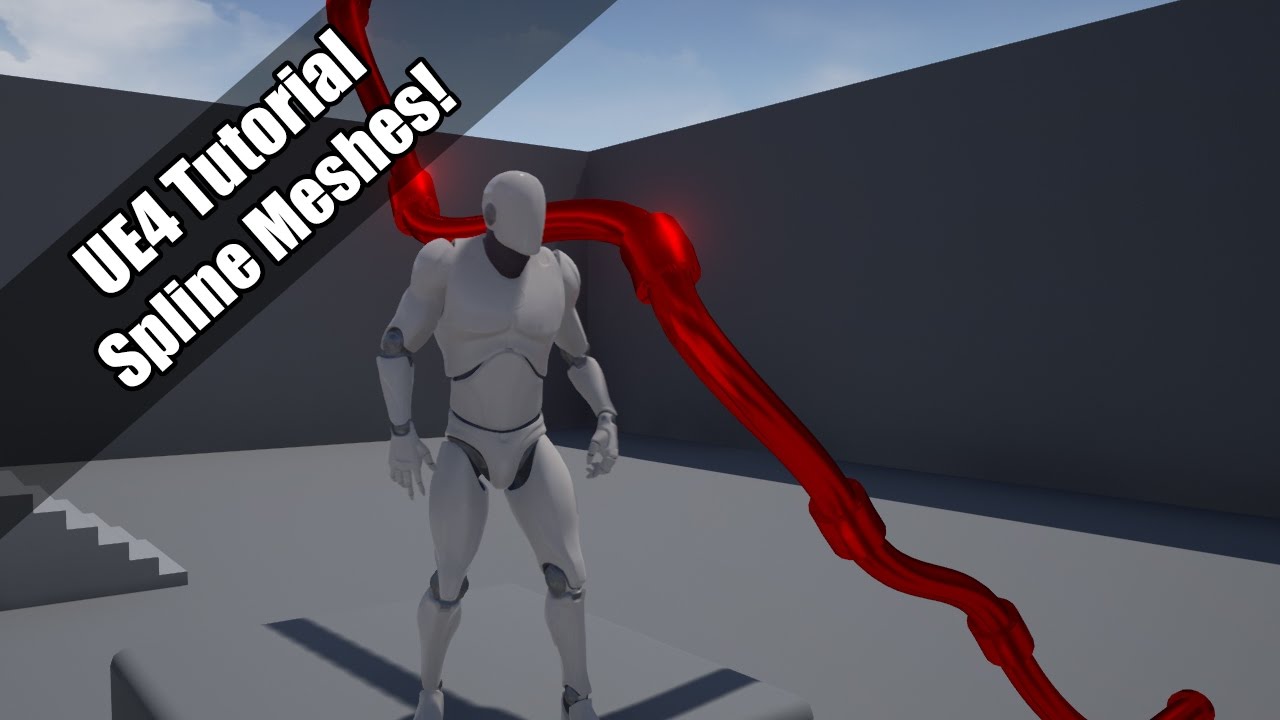
Using splines to make meshes.
Twitter: https://twitter.com/Play_Ruff
Patreon: https://www.patreon.com/deanashford
Discord: https://discord.gg/gPnr339
File: https://drive.google.com/drive/folders/0B4babORM1Vv4YUZiWFBjUVpDUzA?resourcekey=0-aVCMw17j6ENU3vnKluC_9A&usp=sharing
keen wedge
So, use a cable component, but not actually "display" it?
I was following this one...
https://www.youtube.com/watch?v=OdjvlvGRYRE
Using Blueprint Splines to build out repetitive instances in a scene can save time and improve performance. In this Unreal Tips & Tricks video, we’ll cover Hierarchical Instanced StaticMesh Components as an efficient approach.
For more information on Blueprint Spline Components see the documentation and video:
I can check it out tho
faint pasture
It depends, do you really need gravity and collision or no?
You could also jsut do a skinned mesh
versed sun
ok, my video has a lot of code /blueprints used so it myght give you ideas
keen wedge
I have this...
I'm using a physics constraint to make it swing... if the chain itself didn't have collision that wouldn't be the end of the world, but it would be better if it did - so things thrown at it would bounce off etc..
 faint pasture
keen wedge
I have this...
I'm using a physics constraint to make it swing... if the chain ...
faint pasture
keen wedge
I have this...
I'm using a physics constraint to make it swing... if the chain ...
I'd just do a skinned mesh
 trim matrix
help?
keen wedge
it needs to swing from that ceiling rose... the skeletal mesh worked well, but each bone started making the other bones kinda "dance" and it got a bit funky..
faint pasture
You can tune that out
 minor pagoda
Does someone know why i can't call the "SetEquipmentData" from child blueprint of "BaseEquipmentObject"?

 faint pasture
I'd do it like that if you need stuff to be physically interactable
trim matrix
trim matrix
help?
ignored
faint pasture
minor pagoda
Does someone know why i can't call the "SetEquipmentData" from child blueprint o...
Why are you haveing to do those sets to begin with
keen wedge
hmm, ok, thats going back to where I kinda was, admittedly I've learnt a little (very little) about the skeletal mesh physics stuff since then which might help... we had the entire asset as one thing but the physics constraint didn't seem to like that... it would often either fall off of the ceiling, stop about half way down, and then spin violently, or, make it all the way to the floor and do the same... sometimes it would also slide across the ceiling...
faint pasture
just edit EquipmentData and ItemData in child classes
trim matrix
'-'
faint pasture
keen wedge
hmm, ok, thats going back to where I kinda was, admittedly I've learnt a little ...
You gotta make sure you're not getting self-intersections and that your constraints make sense etc.
minor pagoda
faint pasture
just edit EquipmentData and ItemData in child classes
Those variables are private
 modern musk
Anyone know if it's possible to get the location of the points along a landscape spline?
minor pagoda
I don't have the protected option in variables
keen wedge
faint pasture
You gotta make sure you're not getting self-intersections and that your constrai...
That's all a bit beyond my level of understanding at the moment... damn, was hoping to get this finished tonight... 😦
faint pasture
keen wedge
That's all a bit beyond my level of understanding at the moment... damn, was hop...
Just go in the PHAT and tune it up. Make sure capsules aren't colliding with neighbors, tune the masses to be decent, etc
versed sun
trim matrix
'-'
are you trying to play the Pose_4 or just set the animation?
faint pasture
minor pagoda
Those variables are private
Why tho, if you're just having child classes set them just let them override them
trim matrix
versed sun
are you trying to play the Pose_4 or just set the animation?
play the pose_4 but I also tried using "play animation" and it didn't work
versed sun
i didnt see first animation play
trim matrix
versed sun
i didnt see first animation play
??
keen wedge
faint pasture
Just go in the PHAT and tune it up. Make sure capsules aren't colliding with ne...
Would you still have the ceiling rose (anchor point) as a separate static mesh? I think I need to in order to appease the physics constraint... oh... hang on, I know a big reason why the chain thing wont work...
With the "lantern" at the end attached to the chain, as one skeletal mesh, I couldn't make the point light a child of it properly... the pivot was at the top of the chain, not in the centre of the lantern, so when it swung, the point light stay exactly where it was..
Could I add a "socket" do you think, to the lantern, and then set the point light to relocate to that position?
versed sun
trim matrix
??
i just see a fast snap , not realy animation, look like a set pose
minor pagoda
faint pasture
Why tho, if you're just having child classes set them just let them override the...
But if i don't set the variables to be private, it can be edited directly and it breaks the oop. Am I right?
trim matrix
versed sun
i just see a fast snap , not realy animation, look like a set pose
yes but i want him to change his position
faint pasture
keen wedge
Would you still have the ceiling rose (anchor point) as a separate static mesh? ...
Depends. If the rose is always meant to come with the chain and lantern i would make it 1 skeletal mesh with a bone for rose/root, bones for chain, and bone for lantern
keen wedge
faint pasture
Depends. If the rose is always meant to come with the chain and lantern i would...
Yeah, it is supposed to only be part of this as an asset, but as I say, I had problems with it seemingly moving all around the place when it setting the physics constraint. I assumed having it as a separate mesh would then give me an actually "component" to set it to. What I tried before was adding a scene component to the blueprint in the same position as the ceiling rose and then used that component as one of the two for the physics constraint.
faint pasture
keen wedge
Yeah, it is supposed to only be part of this as an asset, but as I say, I had pr...
You shouldn't have to set any constraints, or at least make any constraint components if it's a skeletal mesh
just enable physics below the root bone
keen wedge
faint pasture
You shouldn't have to set any constraints, or at least make any constraint compo...
Will that be enough to make it "swing" though? I think this is probably how I ended up with this approach, as I'd searched for how to make things "swing" in UE4 and thats how I came across the physics constraint component
faint pasture
First of all, is this lantern+chain a skeletal mesh?
 stray moat
I have a name variable in a structure its an array I also have a csv with a list of names I have for my males characters , I try to import it but its not working , could anyone explain what I'm doing wrong


 dawn gazelle
 onyx token
is there a node that does this quickly? <:rooThink1:580614815408586762>
onyx token
is there a node that does this quickly? <:rooThink1:580614815408586762>
So anywhere between say -0.3999 and 0.39999 it just stays the boolean just stays as it is?
onyx token
yup
boolean only changes if it's either below -0.4 or above 0.4
(i use it for my characters head rotation - if i didn't do that, my character head would spazz out every frame when it's on 0 - i need a buffer zone and -0.4 to 0.4 works well)
wait maybe

ah nvm, then i don't know which one it is

if the first one is true, it should be false
if the second one is true, it should be true
if none of them are true, it should stay as what it was
I feel like i won't get around using a variable 
maiden wadi
InRange->Not?
dawn gazelle
Oooh nice
keen wedge
faint pasture
First of all, is this lantern+chain a skeletal mesh?
I have a few different versions now... but yes, I had my animator rig it... it imported as a skeletal mesh... I've just gone back to that version, enabled physics on it, and its just falls from the ceiling and hits the floor..
versed sun
aww , i got your chain moving like a cable but with spline mesh
keen wedge
Is this what you mean by enabling physics "below" the root joint?
e.g. removing the capsule from the upper part?
 keen wedge
versed sun
aww , i got your chain moving like a cable but with spline mesh
keen wedge
versed sun
aww , i got your chain moving like a cable but with spline mesh
That was where I started tonight, but that tutorial I found suggested using splines, not the spline mesh.... gah...
round and round I go..
lol
trim matrix
Guys
i need help
am trying to import a mesh from blender to unreal engine 4
but is not showing the textures

is just white
could someone help 😦
dawn gazelle
Textures don't get imported, only material slots. You need to import the textures and set them in the materials.
 mortal heart
how come "Does Save Game Exist" always returns false even though the savefile exists?
faint pasture
keen wedge
I have a few different versions now... but yes, I had my animator rig it... it i...
don't enable physics on the root bone
is the hook/rose the root?
dont delete its body just don't enable physics on that body. There's enable physics below bone or whatever the node is called
keen wedge
faint pasture
don't enable physics on the root bone
Yeah... I deleted the capsule, is that what you mean when you say "dont enable physics" etc? I dont see a specific setting for each bone..
hmm... will take another look... deleted the capsule now 😦
onyx token
maiden wadi
InRange->Not?
 that could do something

 onyx token
okay so far so good....
Now i know if the float is above 0.4 - but i don't know if it's below -0.4
 spark steppe
yea because you just cast to something that it isn't
keen wedge
faint pasture
So this look ok for the volumes, or should there be less/smaller etc?

 tranquil crystal
how long did it take you guys to learn blueprint
keen wedge
faint pasture
Doesn't appear to be working... I'm throwing things at the lanterns and there is no reaction at all, no movement, the objects just bounce off... ?
maiden wadi
tranquil crystal
how long did it take you guys to learn blueprint
I think I had a pretty good Blueprint grasp by my first year. Guess that depends on the scope of the question though. I could make most things I could think about by the end of that year, but it's been a few years and I feel like I'm barely starting to know enough to muddle my way around. The more you learn, the more you realize you don't know.
spark steppe
because you are casting the panel, not the slot. do you want to set the filling for something in the grid panel or for the grid panel itself?
faint pasture
keen wedge
Doesn't appear to be working... I'm throwing things at the lanterns and there is...
Which bone is the root?
keen wedge
faint pasture
Which bone is the root?
Root_J
But I set it to one bone further down... so that the first link wouldn't move etc... in fact it was set to Chain_J_2 for the simulate physics node you mentioned earlier... as they dont all have the bodies now..
Just changed it to the next body down again, Chain_J_4 and ran it, they all went nuts, spun around really quickly and then all disappeared out of the level...
 spark steppe
then you need to call get slot on the uniform variable, and cast that slot to overlay slot
does it work now?
keen wedge
faint pasture
Which bone is the root?
I placed one lower down in the room so I could walk into it, in case the things I was throwing at it were too "light" to make a difference... I can run into it and it doesnt move... just blocks me, like a wall....
vital aspen
I was working on my drag and drop when I wanted to test some parts of it when I went and pickup 3 logs. and this is result.

It's adding in 1 extra and it's all so adding them into the chests inventory. I check and anything that gets pickup should just go into the players inventory.
anyone have an idea.
this is how I add the item


 keen wedge
vital aspen
keen wedge
vital aspen
First thing I'd do with something like that is drop a PRINT node in and see how many times a message appears when your pickup event is fired...
keen wedge
So the print message is appearing 3 times, but it should only be once?
vital aspen
no, it should show up 3 times. for 3 logs. For some reason it's adding in a 4th log and it's all so adding into the chests inventory too and it shouldn't do that
keen wedge
and what do you get if you pop a PRINT after the FindStack node? for example, that seems to get a value and then adds it?
(quantityinstock)
incidentally, I note in the screenshot there are four images, but the value under one of them is zero, where as the other three say 1 each... which might indicate the issue is in the UI?
 raw orbit
mm speaking of inventories im working on one too but i realised i might have gone about it wrong.
I have a similar uniform grid style inventory going on but the way I handled it I assigned each member of an array to the corresponding index of the grid panel.
But now im thinking would it not have been smarter to have the grid panels id inside the item structure and simply stack array items instead of creating 'empty' dummies in case the player moves an item from index 0 to 35? idk if this makes sense
basically my projects inventory array potentially holds a lot of 'empty' data because of the way iwent about it..
vital aspen
it's returning all 0's
 proper umbra
Anybody know a fix for this issue? My player spawns uncentered with the playerstart


Sphere and Cube are in the player bp and it's set to nocollision
trim matrix
is there anywhere i can add subtitles in media framework for a video? couldn't find any resource for it
vital aspen
stacking doesn't seem to work all so. Ah crap
stray moat
how would i go about doing a unit recruitment system i searched and cant find anything online , i know how to do a turn base combat now but not how to do recuitment
 minor wolf
is there a good way to detect if a player should be crushed by an object?
 quartz pawn
hey I am doing some game logic but it only works on the server as in the server only changes classes

roundstarted is being called from the gamemode
dawn gazelle
quartz pawn
hey I am doing some game logic but it only works on the server as in the server ...
What is the intention? If you're calling Round Started from Game Mode, that means you are on the server to begin with.
quartz pawn
yea and I want to tell each client their class
which is set in their PlayerState by the server
dawn gazelle
Mark the class variable in PlayerState as replicated, possibly w/ Notify so you can do additional logic on what happens when the class changes on the client.
dawn gazelle
I wouldn't be able to tell you based on the code you posted. All you have here is something reading the playerstate's "Class" variable, switching it, then calling a function that is marked to replicate the same class on what I believe is the player controller.
dawn gazelle
The question is, you marked it as replicated. Is what you were hoping to have working, working?
dawn gazelle
Ok what is not working about it? Where are you expecting something different or what are you expecting to happen?
If you're setting the class in the playerstate while on the server, and that value is replicated, that means the playerstate has the value you seek and the clients would know about that value.
quartz pawn
I am expecting the class of both players to change according to their class set in the PlayerState
Only the server is currently
dawn gazelle
Ok, where are you seeing that it is changing only on the server?
dawn gazelle
Is your possession code happening in the "Change Class" function on your player controller?
quartz pawn
yes
that isn't an issue because I have keybinds to change classes
and they work correctly
so its not the issue in there
umbral ginkgo
Why does the game not recognize this input?
 quartz pawn
I think its the fact that it replicates to the server and the event may be running on the server already
 tawdry surge
@umbral ginkgo where is it?
umbral ginkgo
In third person character bp
wait no
its not
Im assuming I need a reference to the player?
tawdry surge
If it's in an actor, actors don't accept input
umbral ginkgo
Ok that makes sense
dawn gazelle
quartz pawn
hey I am doing some game logic but it only works on the server as in the server ...
Possession should be running on the server.
- Are you sure that your playerstate's class is one of the two classes you're using in the switch here? If it's anything but one of these two, then it won't run the "Change Class" function on the player controller.
- Can you show your "Change Class" code?
quartz pawn
well the variable is an Enum
I know they work because I log it
and yes these events are running on the server for both of them
 dawn gazelle
So you do see something printing that says:
Server: SCP049
But then do you see SCP049 spawning?
dawn gazelle
What do you mean by "if the server is picked"?
quartz pawn

well the classes are randomly assigned
so for the example above, the server was picked as SCP049
and the client was picked as ClassS
dawn gazelle
Ok, so then do you see the ClassS being spawned?
quartz pawn
no
dawn gazelle
You have similar coding to what is present for SCP049?
quartz pawn
what do you mean by that?
dawn gazelle
Are you using basically the same coding as what you have showing for SCP049, but for ClassS? It's not shown in the screenshot.
 quartz pawn
yes its the same
dawn gazelle
ok
quartz pawn
copy pasted, just a new actor
dawn gazelle
Are you sure each of these actor classes (SCP049, ClassS, etc.) are marked as replicated in their properties?
 quartz pawn
yes its enabled by default
 grand sky
Hello friends, I need your help with something. I'm doing a vertical wall run like this right now. Okay, everything is working a little, but it hasn't satisfied me. Is there someone among you who has experience in this dec or someone who will share his own algorithm with me?


Or I may ask: can I change the high mantle animation of the advanced locomotion system? It will also work for me to put a wall step animation when high mantle will do
dawn gazelle
quartz pawn
yes its enabled by default
Try setting the Collision setting on the spawn nodes to the one that says "Always Spawn" and see if that helps any.
 dawn gazelle
On the IsValid nodes, connect print strings to the Not Valid paths and see if they print.
 dawn gazelle
I'd move the IsValid check after the spawn and possess, and then if it is valid, destroy the "Controlled Pawn".
quartz pawn
okay but then I get this error after
it works well
but then I get this error

now it still works fine but
dawn gazelle
So that means you're trying to access the "Controlled Pawn" variable somewhere when it isn't set. If you destroyed the actor that was in the "Controlled Pawn" variable, it'll no longer have a value set in the variable.
quartz pawn
well I want to spawn them wherever they are currently
dawn gazelle
They aren't anywhere if they don't have a controlled pawn.
quartz pawn
well where they were before
minor wolf
So I have a time-line in my blueprint that doesn't exist. I've tried searching for the name, renaming it and searching for the rename, searching for the outputs, deleting other time lines, refreshing nodes, validating the asset, ctrl+a delete, restarting the editor. The time line doesn't seem to exist at all but it's showing under the components category in variables and double clicking it opens the graph
tawdry surge
Is it inherited?
fair magnet
Hey anyone got an idea for how I can bind one event to multiple procedually added buttons?
I add them based on a string array and they all are the same except for said string.
So they all do the same the only difference is THAT string. so this event would also need it as an input for me to use
dawn gazelle
fair magnet
Hey anyone got an idea for how I can bind one event to multiple procedually adde...
Have the button call an event dispatcher that returns the string.

 fair magnet
But it will replace the binding with each button no ?
dawn gazelle
No. You are binding an event to a specific button being pressed.
fair magnet
 dawn gazelle
Should be fine.
fair magnet
Will have to find a way to return that string then
 fair magnet
yea I know it's just not THAT easy for me
But I guess I got it working
I made another variable as a "customParameter" and can use that to switch between things or do different things or whatever
Great that's working good :D
minor wolf
tawdry surge
Is it inherited?
The blueprint is but the time line is not
tawdry surge
That's odd you can't delete it then. And you restarted the editor after deleting to make sure it isn't showing by mistake.
Unless it's holding you up somehow I'd just ignore it and move on
 inner geode
Pretty new to UE and feeling dumb, trying to follow an old video tutorial. I need my name and score variables to match up with the top image where I marked, single variables each in an array? All he does is set the variable types to the regular string and float setting and they are like the top image by default, but for me I get the bottom array + array and dont know how to change it.
 gentle urchin
the button on the right
not sure how to change the default value
think it copies the last used
inner geode
not sure what you mean?
its giving me an issue further up in the video though, ill try to get an image of it shortly
better show what I mean
 fiery swallow
How old is the picture at the top? pretty sure that's not possible, either it's an array or it's not...
it doesn't show both
inner geode
fiery swallow
How old is the picture at the top? pretty sure that's not possible, either it's ...
its several years old at least, it seems strange to me as well but later on in the video it requires me to connect these nodes...which I can do if I go back and change it entirely to a single variable

but as you can see in the other image, its a combination
so I was a bit confused
 inner geode
hm well ill just try to muddle my way through what I can of the rest of it since I've decently far into it and try to finish it
gentle urchin
you just want a basic variable

The top one
the others are different containers (Array, Set and Map, respectively)
inner geode
yeah I did end up switching it to that from an array, but I saw how his was in the original pic and I worry it may mess up a future thing...but Ill just go with the basic variable and hope it plays out
and then
do a more up to date tutorial, I just wanted to jump in with a good start to finish "first game" tutorial and didnt realize how old this one was until I was a good 2-3 hours deep lol
been a could differences due to different version but this is the first thing that doesnt seem to have a remedy I can find
well, other than simply changing to single but yeah hopefully that doesnt break the rest 🙂
 orchid grove
I am having a bit of lag with my IK true fps setup I made. I am not entirely sure why. Does anybody know if maybe anim bps update rate is low or delayed and can it be increased?
 distant skiff
when I drop in my blueprint into the world, the order of the variable categories in the details tab is different

 outer pewter
@remote meteor hello. hope you are doing well. i watched the video you recommended and i was able to make the description tool tip thank you a lot for your help.
 unique wasp
I regularly run into issues where doing things in BeginPlay doesn't work because other things haven't been initialised yet. Or worse: where it works in the editor, but not in builds, due to differences in initialisation order. What's the best way to deal with this?
 tropic oracle
does anyone know a guide on how to make a score system with blueprints that is = time spend alive so 1 secord = +1 in score
fiery swallow
unique wasp
I regularly run into issues where doing things in BeginPlay doesn't work because...
Find a more reliable way to run things when they have initialized, like an event dispatcher, or come up with your own method. Personally I like to sequence loop things
If it's begin play and I have a lot of things that need to become valid before other code can run I'll use a sequence for each one and check if they are valid, if they aren't valid then I will delay 0.0 seconds and check if it's valid again, and then just loop over and over until it becomes valid
once it is valid, then just run the rest of the code and the loop will end
a 0.0 second delay just makes it wait until the next tick. You can honestly check if it's valid however often you want though
fiery swallow
tropic oracle
does anyone know a guide on how to make a score system with blueprints that is =...
a function timer that checks if the player is alive every second, and if they are alive then give them one point?
tropic oracle
yes
fiery swallow
._.
tropic oracle
😄
gentle urchin
That was the proposed solution...
fiery swallow
do you need further help? I can give an example if you are new lol
tropic oracle
it's ok i will figure it out tysm tho 🙂
unique wasp
@fiery swallow So I basically just need to hack around it. Okay, thanks!
fiery swallow
It's not really a hack, it's just waiting for something to become valid. The other option is event dispatcher if you really want to bother with that
 odd ember
unique wasp
I regularly run into issues where doing things in BeginPlay doesn't work because...
odd ember
unique wasp
I regularly run into issues where doing things in BeginPlay doesn't work because...
polling like has been mentioned is valid, you can also have whatever you need to have knowledge of each other spawn the other thing so there is a direct reference
 winged grail
Hello guys My grid panel doesnt put any spaces between the columns and rows how can i fix that?
fiery swallow
Pretty sure you have to write your own code for it to automatically do that. 🤔 I don't think grids sort themselves
but if you find out they do, please tell me about it
 severe tendon
Hello, I'm making a college project where if a character dies then the level restarts, the problem is that there are two levels and if i use the code in the picture it always starts in the first level, but in case i die in the second level i want to restart in the second level

How could i do that?
 sharp rapids
Is there a way to convert Interface Events into function?
I wanted to have a local variable but I can't and instead have to create a global variable which kinda makes the BP 'bloated' imo.
gentle urchin
whats the usecase? generally no
sharp rapids
It's a simple event. I wanted to catch the output of 'Get Overlapping Actors with Interface'
 gentle urchin
you could make an interface call to return
sharp rapids
gentle urchin
you could make an interface call to return
I don't want to return
winged grail
fiery swallow
Pretty sure you have to write your own code for it to automatically do that. 🤔 ...
oh rip i am following a tutorial and in there the grid automaticly put spaces between the slots he made :/
sharp rapids
I was simply talking about local variables that are limited to the scope of a function
gentle urchin
Yeah mb. I somehow read that as wanting a return.
sharp rapids
gentle urchin
Yeah mb. I somehow read that as wanting a return.
Surprisingly, Interfaces create functions if you have a return value
But If you don't, then they create events
gentle urchin
In the end Events are functions aswell, just without returns
Just a blueprint thing that you cant have local variables for a void function
sharp rapids
gentle urchin
Just a blueprint thing that you cant have local variables for a void function
you can?
gentle urchin
Not in blueprints, no
Imagine what mess that would make for the event graph
having local variables tied to a specific event
sharp rapids
gentle urchin
Imagine what mess that would make for the event graph
That is why I wanted to have functions 🤷♂️
sharp rapids
gentle urchin
Not in blueprints, no
I see
gentle urchin
yupp
sharp rapids
Now If I want to use the output twice, I have to do this

Which also calls the function twice
With a local variable that could have been saved
fiery swallow
winged grail
oh rip i am following a tutorial and in there the grid automaticly put spaces be...
never seen that, I've got some code I've written up for a uniform grid that automatically places and sorts grids. If you don't figure it out I can share it with you
severe tendon
nvm figured it out
fair magnet
severe tendon
Hello, I'm making a college project where if a character dies then the level res...
Get current level Name
icy dragon
I'm pretty sure there's a node just to restart a level
fair magnet
icy dragon
I'm pretty sure there's a node just to restart a level
Not always possible just like that. Maybe up don't want to just restart the level and instead just set the player to another location or smth
gentle urchin
sharp rapids
Now If I want to use the output twice, I have to do this
You could just make a normal variable to avoid it
winged grail
fiery swallow
never seen that, I've got some code I've written up for a uniform grid that auto...
it looks like this if its done correctly

mine looks like this :/
 fiery swallow
oh I'm pretty sure that's just uhm whatchamacallit
the uhm... the padding, yeah you need to change the padding for your columns
It's probably padded by 5 top bottom left and right
winged grail
thats the padding right?
 fiery swallow
yeah I'm pretty sure it's that, try it out
 graceful forum
These two things.. are same right? Getting a reference to a component that current BP owns.. and calling the owner on it.. should give the BP instance itself?
 fiery swallow
graceful forum
These two things.. are same right? Getting a reference to a component that curre...
fiery swallow
graceful forum
These two things.. are same right? Getting a reference to a component that curre...
yes
winged grail
fiery swallow
yeah I'm pretty sure it's that, try it out
thanks but it doesnt work :/ i think i have made an error while watching the tut
 fiery swallow
https://gyazo.com/1422e12b84a60963a59e2bbff7057076 @winged grail
this is what you're trying to do right?
raw orbit
small question about blueprint performance, a lecture i watched talked about how the white execute lines are the ones that affect performance the most but what about any other 'lines'? for example, what if i use a lot of And and Or bools instead of lets say... having multiple branches and such that use white execute lines
fiery swallow
raw orbit
small question about blueprint performance, a lecture i watched talked about how...
what's a white execute line?
 fiery swallow
that's never gonna give you any performance issues
winged grail
fiery swallow
this is what you're trying to do right?
Ehh i think yes, but it should do it automatically when opening the inventory
fiery swallow
winged grail
Ehh i think yes, but it should do it automatically when opening the inventory
Send me the video pls
Time
winged grail
ah sorry
fiery swallow
Oh I see yeah the slots are predefined not procedural
All you need to do is change the padding as I previously mentioned and you won't need to worry about it again
The grid panel has children
Click on one of the children and change the padding to 5 or whatever amount of space you want
Then do that for all the children and it will work fine.
winged grail
https://youtu.be/4ctSlAdMZF8?t=661 he starts there with the slots

Hello everyone. This is a quick Tutorial, how to create an Inventory System.
I used the Version 4.27.0 of the Unreal Engine for this one.
Discord: https://discord.gg/exuHzHjahe
Map: https://www.unrealengine.com/marketplace/en-US/product/modular-houses
Assets: https://www.unrealengine.com/marketplace/en-US/product/smart-archviz-interior-pack
fiery swallow
But I don't recommend doing it that way because then if you want to add more slots you have to constantly edit the UI
winged grail
fiery swallow
Then do that for all the children and it will work fine.
ehm which children ?
i am so sorry that i dont know these things xd

it still doesnt change it even with the padding etc.
fiery swallow
Oh it is procedural
winged grail
 fiery swallow
Okay in that case inside of the UI that's being created you want to give that one padding
I took a video of it my man's it's just the padding
It's the same concept even if it's procedural :/
winged grail
fiery swallow
Okay in that case inside of the UI that's being created you want to give that on...
the slots are created inside the inventory window so that means the padding in the inventory window should scale the slots right?
fiery swallow
Open the inventory slot UI
And give whatever is inside of it like 10 paddong
It doesnt get scaled
fiery swallow
The fix was the padding in the inventory?
winged grail
i've lost so much time because of that
fiery swallow
Inventory slot?*
fiery swallow
Nice glad it worked 🤙
winged grail
Yeee 😄 and all thanks to you :)#
 grave relic
Hello im once again here seeking your assistance, in this function im spawning NPCs, on spawn the NPC searches through all actors with a specific tag and goes through all those actors, if that actor can be used by the NPC set as workplace and set the workplace as in use(so no other NPC can take it). The problem right now is when i print out it finds all the points but they dont set on as their active workplace
 faint pasture
grave relic
Hello im once again here seeking your assistance, in this function im spawning N...
faint pasture
grave relic
Hello im once again here seeking your assistance, in this function im spawning N...
You need to break your logic up into functions/events
also
there's a foreachloop node that can iterate over an array for you
grave relic
Oh right, i basically made an for each loop 😛 But so the function is to long? So for example the section where i set the workplace should mby be its own function?
grave relic
faint pasture
You need to break your logic up into functions/events
I did this, but it did not fix the problem, cant find if their is a problem in my logic 😦
trim matrix
Is there any way to not use Windows Default Microphone?
I see that I can enumerate through audio capture devices

But if I create an Audio Capture object it's always using "Default" as device name
And I can't see any way to change it
gentle urchin
probably some c++ needed
 viscid python
Alright I know this is probably easy for all the pros but I'm just starting out so: How do I make my character sit down on the floor he currently is (already got the animation) when pressing a button, sitting down (sitting animation loop) and getting up (another animation) when pressing the button again? Any advice greatly appreciated 😅
gentle urchin
I would think some bool or Enum state would suffice
bool is probably easiest
a transition condition
"ShouldBeSeated"
which if idle will translate to sitting
some criteria for telling the char to sit could be velocity == 0
gentle urchin
viscid python
Alright I know this is probably easy for all the pros but I'm just starting out ...
Sounds good ?
viscid python
gentle urchin
Sounds good ?
Thank you for taking the time to answer! I'm still processing it, sounds good indeed! 🙂
raw orbit
this is blowing my mind rn, am i doing something that blueprints are actually incapable of? im trying to add a struct variable to an array nestled in another struct thats inside a map as an experimental way of handling inventories all in one and it doesnt seem to be working at all
hooked this up for testing purposes, it just returns 0 all the time
 maiden wadi
Copies.
gentle urchin
thats one interesting setup
 gentle urchin
You'd need to make the struct again, and add the new struct into the map (unless map is by reference)
raw orbit

gentle urchin
IF map is by reference, you can set its members
hopefully then you can set the array back? xD
raw orbit
luckily i have a backup on git of how the inventory was handled before but i felt like it wasnt future proof so i thought id expeirment a bit
gentle urchin
its a fine piece of art
maiden wadi
You get a copy of a struct, and break that struct to make a copied array, and then add to that copied array. Then make a new copied struct with a new copied array and check it's length.
raw orbit
im starting to hate on maps lol they seem a little iffy to work with
ive had issues with them before
raw orbit
mmm yeah, im not at a level where id be comfortable enough with it to create a whole inventory.
guess ill try a struct within a struct within a struct cause the map method doesnt seem to be working out rn
odd ember
structs in BP are supposed to be read only
 brisk garden
Question: How can I tell my Game Mode that I clicked an UMG button?
odd ember
you don't tell your game mode that. your game mode knows that
icy dragon
brisk garden
Question: How can I tell my Game Mode that I clicked an UMG button?
Why are you handling widget in Game Mode?
odd ember
use event dispatchers
icy dragon
Wasn't Game Mode supposed to be server only?
brisk garden
icy dragon
Why are you handling widget in Game Mode?
I am fairly new to UE4 and am trying to set something up that I have a hard time explaining.
maiden wadi
@brisk garden Singleplayer or Multiplayer?
icy dragon
Unless I'm ignorant to something obvious with client-server design, I don't think widgets that are client only are handled in Game Mode.
brisk garden
maiden wadi
<@!379591413978890240> Singleplayer or Multiplayer?
Single player.
maiden wadi
Then GetGameMode, CastToYourGameMode, CallEventInYourGameMode on button click.
brisk garden
maiden wadi
Then GetGameMode, CastToYourGameMode, CallEventInYourGameMode on button click.
Thanks..
I would love to go into more detail with screenshots and what not but it would get too difficult to explain over text.
icy dragon
brisk garden
Thanks..
I would love to go into more detail with screenshots and what not but...
Rough diagram ought to do.
brisk garden
icy dragon
Rough diagram ought to do.
Lets see what I can do
 keen solstice
Sorry 😅
 cunning ferry
Is there any way to put game constants anywhere using blueprints? Like in coding I'd usually create a constants class where I'd put stuff like "PlayerSpeed" or "EnemyDamage" so it's easily editable in once place. I could put them in blueprint variables, but I don't want to bloat them even further
 jolly delta
To stop a projectile, I used Stop Simulating. How do I undo it? I tried Set Simulation Enabled but it just works very differently (Suppose it was moving at a speed 900 units when I called the Stop Simulating, when I set simulation enabled after sometime it starts with the same speed 900 units, even though the initial speed I set in the projectile section was different. What I want is it to move at the initial speed.)
maiden wadi
cunning ferry
Is there any way to put game constants anywhere using blueprints? Like in coding...
I find the best place for that kind of stuff is in a DataAsset, usually.
 earnest tangle
jolly delta
To stop a projectile, I used Stop Simulating. How do I undo it? I tried Set Simu...
earnest tangle
jolly delta
To stop a projectile, I used Stop Simulating. How do I undo it? I tried Set Simu...
You need to save the initial speed and other settings into variables and then apply them again when you resume
jolly delta
earnest tangle
You need to save the initial speed and other settings into variables and then ap...
nah i am talking about this initial speed lmao
 earnest tangle
Is that in projectile movement component or something?
jolly delta
yes projectile movement component
earnest tangle
Right - haven't really used it, but I'd imagine it would have a current speed or something which you could set to that value, or some other way of changing the speed
charred grove
hello everyone
i got a character class called tower, and a enemy character knight
i want knight to attack tower
this is the blueprint
this is the blueprint in the knight

but warrior doesnt moves towards tower
what do i need to do in the tower blueprint to make it work?
 frozen spear
You're acceptable radius is ridiculous
frozen spear
They don't need to move because 10 million units is considered already there if they're within 10 million
frozen spear
Put a hundred or 200 if they're supposed to be melee
frozen spear
Which is still very far 5000 is like huge man
charred grove
to test
 formal prairie
Hello, does anyone know if there's a way to change a Static Bool in a material instance in BP with/without a plugin ? It's not for runtime, but I want to create my own blueprint material instance editor and it's the only thing that blocks me
frozen spear
You figure that your character's body is probably 35...
frozen spear
So if you want two spaces I had you put something like a hundred
charred grove
still dont work
frozen spear
And you have nav mesh set up?
tawdry surge
Short answer is behavior tree. This whole set up just looks like a hacky way to do what tasks and blackboard should be handling
charred grove
i did it from a tutorial
frozen spear
I also agree this should be done with a behavior tree
frozen spear
But it's probably good for him to understand why doing a simple AI rather than a btai isn't working for him
charred grove
unit moves towards enemy and attacks nothing more nothing less
frozen spear
Could be that the tower spawned in after the enemy try putting a delay of one second after the begin play node
charred grove
oh that could be
frozen spear
Because he might not be getting an enemy assigned
 cold cobalt
For grenades, how do y'all typically go about implementing the "explosions"? I've seen some people suggest a sphere collision component that checks overlapping actors, and some have suggested just using a sphere trace by channel or something along those lines.
tawdry surge

This guide shows how to use Behaviour Trees to set up an AI character that will patrol or chase a player.
Try this one instead
tawdry surge
You'll have to tweak for your use case but it's much better long run
charred grove
yes i had planned a long run study on ai, but i cant even get this simple thing done and i get stuck for hours on this
tawdry surge
Ai has it's own systems for handling behavior. Its best to use those, as a beginner in particular
 halcyon stump
hey guys, ive a problem with a simple spline tool blueprint. i'll send two images below this post that you can see whats my problem. maybe someone is able to help me out - cheers


you can see at the end point of the spline its flickering because its kind of an extra piece thats ticked on - pretty weird. the second image shows the blueprint itself
 remote meteor
if you use a text box, it has option for auto wrap text
or you can decide the width the text will wrap
maiden wadi
formal prairie
Hello, does anyone know if there's a way to change a Static Bool in a material i...
It's "Static". It's not supposed to be changed.
maiden wadi
cold cobalt
For grenades, how do y'all typically go about implementing the "explosions"? I'v...
SphereOverlapsActors should be just fine.
 mint elk
hey guys, i am having an issue where im spawning in AI and trying to get the to follow waypoints ive set the waypoints and theyre being recognised and drawn however the minions dont follow them

pretty sure the issue is in here somewhere but cant find it
 runic parrot
is there any reason as to why this actor collision box is not showing in game?

it shows okey on the viewport
cold cobalt
maiden wadi
SphereOverlapsActors should be just fine.
Do you happen to know what the best way would be to allow explosions to be "blocked" by walls and stuff? Because from my understanding just doing sphereoverlapsactor would not account for that.
maiden wadi
Probably just a secondary trace after the first query. See if the explosion was blocked. Can be as simple as a single line trace to actor location or tracing to multiple bones on the actor.
cold cobalt
maiden wadi
Probably just a secondary trace after the first query. See if the explosion was ...
Ooooh that's a good point. Hadn't thought about tracing to multiple bones. Might just do a trace to something in the top, middle, and bottom & go from there.
gentle urchin
Would that work? Wouldnt you need some multi trace to figure out the size of the blocking mesh?
Nvm testing for multiple bones would suffice mostly
 stiff raptor
is there a better way to do this? Basically change the value of one of the member of the structure variable.
 versed sun
yes
stiff raptor
what is it?
versed sun

set member node
you can choose that variable in the struct you want to change
just pull off any variable(thats a struct) and type "Set Member"
stiff raptor
Ah thanks
versed sun
game changer 🙂
stiff raptor
really so
 wise swan
is it possible to convert texture2d to image?


 trim marsh
'Sup guys im currently trying to make a off screen indicator , and i have troubles with my logic, this works but , i have some issues when im playing, as you see on right and bot , i have this "white spaces", how can i fix that? , cause in the logic i need implement , a Offset parameter to set the value on the screen edge


 fierce axle
Hi I have a question about changing class variables during runtime. I want to change a stat on a class of actor during play and then be able to read that change without having to access any specific actor in the level. Similar to how I can get class defaults, only I want to set it. Is there some way to do this I'm missing?
 flat coral
Is it valid to use a Scene as a container for child actors, so that if I need to do something to all children at runtime (like disable all buttons when the door is unpowered) I can just use get all children?
 trim matrix
A better container would just be an array of actor references.
I asked this question before and am still confused. How come when I put in a gamestate into the world settings, blank BTW, my player in the game does not move but when I remove it the player moves?
Modify the game mode to include the correct gamestate.
what does that mean?
you mean have a gamemode created?
because I put my own gamemode there that is why I am able to control my player
There is a framework class called GameMode.
Inside the gamemode
In its class defaults
There is an option to change the gamestate
so I click inside the gamemode BP?
because I did and I cannot find it
also sorry for being difficult
Oh I read your question wrong. You already changed the gamestate
My bad
you're good
I have no idea why your gamestate makes the player not be able to move.
here I can show a pic of inside the gamemode

Wouldn’t be able to figure it out unless I looked at the old gamestate
Was there any logic inside the old gamestate?
it was just a base
like
the default thing that comes in the editor thingy
nothing modified or anything
like I created the gamemode and haven't touched anything
except making me controller my player
So changing the gamestate in the ganemode class defaults back to the editor default immediately makes your player be able to move again?
yes
changing the gamestate to default
makes me move my player
but changing it to my created gamestate doesn't
And your new custom gamestate class inherits from the editor default?
no
I should've started with that
lol
sorry
What does it inherit from
it's just a blank gamestate
I cannot remember if the top of my head, but is there two game state classes that you can inherit from?
Like the game mode
uhhhh
idk
when I created it I guess it is inherited from the gamestate base
I honestly don't know
I'm sorry
Well im not sure why
Unless there is two game state classes that you can choose from
you mean in the drop down?
because in the drop down there are 5 of them
there is the Gamestate and GamestateBase that came with it. I guess two random gamestates that came with the world creation. Then there is mine.
Try changing the parent to GameState
Not gamestatebase
the parent is gamestate for my created one
Oh
Yea idk
ok
I appreciate the help
Good luck trying to figure it out
thank you
also
is your name from League?
Let me know if you do. I would be interested in what the problem was @trim matrix
No it’s from persona

gotcha
also interesting
which persona?
Morgana is in 5
5 strikers?
The newest
Well he’s in all persona 5 games + the spin-offs
Strikers just a spin-off
oh word
alright
thank you very much
I will inform when I do find it
Thanks
flat coral
trim matrix
A better container would just be an array of actor references.
Is there some shortcut to auto-build that array? What I want to avoid is having to add a button twice, and risk forgetting to add it to the second thing
trim matrix
No shortcuts, you have to build it yourself.
If you are worried about duplicates, you can use a set.
Or you can simply check the array for duplicates before you use the array.
morgana
you are right
I didn't understand what you meant but I looked it up and then realized what you've been telling me
same with the people the other day
What?
I cannot mix and match the gamestate and gamemode
I had a base gamemode and regular gamestate
I put the gamestate to base and now it works
yep
you was right
Oh ok
Yea, I did assumed you had a gamemode, not gamemode base
Lol
Yeah, sorry
I appreciate it
Thank you for putting up with me
 dim robin
do you know anything about a weird behaviour of unix timestamp int 64? it messes up completely the date as soon as i convert it from utc to local..

actually it messes up completely even if left to utc..
mmh maybe is the conversion from int to int64..
flat coral
trim matrix
No shortcuts, you have to build it yourself.
I'm not worried about duplicate items, I'm worried about duplicate effort. Using a scene root I can scan for children on BeginPlay and auto-populate an array, how is that not better than manually populating it?
maiden wadi
GetAllComponentsOfClass, Tags, etc etc.
@flat coral Personally, I'm against extra scene components if they're not editor only. Movement code is expensive, and every scene component just adds to it. Adds up after a bit. Adding a tag to the components you want in the Array both allows you to not force them to be parented to the same component, and is robust in the sense that you don't even need a maintained array. You can just call GetComponentsByTag when you need the array.
 wet grotto
Hello, if character is not moving on ground I want to add impulse only once when I clicked the button however do once node is not working.

 zealous fog
You dont have a do once node
You also don't need a do once node
Add impulse only works once anyways
wet grotto
I already tried that it is not working.
zealous fog
You dont have a do once node in your graph
wet grotto
 zealous fog
Nodes that allow for controlling the flow of execution based on conditions.
wet grotto
I have tried this but it is not working
zealous fog
You also have a sequence node that's not doing anything
wet grotto
I will use it later on for the slide animation.
zealous fog
This isn't working because you are asking if you are on the ground twice
You only execute the impulse if you are not on the ground
But you are resetting it if you are on the ground
But you can't be on the ground if you have to be off the ground for the impulse to hit
I believe there is an event for when you hit the ground
On that event, reset the do once node
Event OnLanded
wet grotto
Yes thats absolutely what I needed! Thank you 🙏
zealous fog
Np
wet grotto
One more thing, I was not be able to jump while crouching and found this solution, however I don't know if there is a better way for that.
 zealous fog
Delay with 0.0 second will delay for 1 frame I think
wet grotto
Much better, thanks a lot!
 rough atlas
I am having trouble getting the axis of the sticks of the switch joy cons to move the vehicle from the vehicle template
the rightond has blue around the home button
 chilly geyser
Does anyone know why this is happening?


 high frost
How do I make audio component play selected sound cue within radius? Currently I think it's playing everywhere
i think i found it. attenuation

 gentle urchin
Findinventory
raw orbit
 raw orbit
hmm
gentle urchin
I think theres a by reference choise
 crimson saddle
I kind of wish we had a math channel, because I need some math help
I want to be able to snap objects onto a hex grid, but I am not actually generating tiles (since I don't need them and I also don't know how) I need to be able to take a position and basically convert it to the nearest hexagon center in my "grid"
I know theres some stuff online but I just can't wrap my head around it at all, my geometry background is extremely poor. Just not my strong suit
gentle urchin
Round to nearest interval of your liking
Check the delta between mouse posituon and current position, if above treshold, move fixed amount in given direction
tropic oracle
how can i make a variable not reset to 0 when ever i close and reopen the game im trying to apply this to 1 integer variable which represents the high score (curret tutorials use a different score method than what im using thats why they dont work for me)
faint pasture
crimson saddle
I know theres some stuff online but I just can't wrap my head around it at all, ...
Make 2 functions for converting square to hex coordinates and back.
raw orbit
tropic oracle
how can i make a variable not reset to 0 when ever i close and reopen the game i...
save and load variable inside game instance?
faint pasture
Then just convert xy location to hex, round to nearest interval, convert back.
You could probably do it all in one function but those conversion functions would be handy to keep around.
tropic oracle
raw orbit
save and load variable inside game instance?
alright thank you ❤️
crimson saddle
faint pasture
Then just convert xy location to hex, round to nearest interval, convert back.
lol easier said than done
I definitely know how I should do it. Just not what the math ought to be
raw orbit
@gentle urchin sorry for the ping but i cant for the life of me find any option to not make the output pin 'read-only'. if i use the same method outside of the function itself everything seems to work fine but the thing is i have a bunch of copies of the function, it would really really help if it worked >_< but yeah, if i just move the logic outside the function, it works as well
as in this works

but as soon as that select and return logic is in a func, nope
gentle urchin
raw orbit
<@!231467939734355969> sorry for the ping but i cant for the life of me find an...
Look at the function output. A toggle option there for pass-by-reference
 high ocean
Whenever I said that my rpg/turn based combat switches maps for encounters, I kept being told that's "so last millennium". Ok, here I am, trying to redeem myself 😛
If I don't switch maps, i however need to switch gamemode while in the same map - there's no way to re-write virtually 1/2 of the game at this point. Might as well just give it up and pickup my city-building idea.
Question is: Do I have any chance of switching back and forth between game modes (one for world navigation/one for combat) at runtime, in the same level?
high ocean
Amazing! Thanks! 🤣 At least that's gonna help me decide 😄
faint pasture
crimson saddle
lol easier said than done
I definitely know how I should do it. Just not what th...
@crimson saddle Something like this
HexToSquare(Xh, Yh)
{
Xs = Xh + 0.5*Yh
Ys=0.866025*Yh
}

SquareToHex(Xs, Ys)
{
Yh = 1.154701*Ys
Xh = Xs - 0.5Yh
}
Love it!
gentle urchin
high ocean
Love it!
May i ask why you'd need to change the gamemode?
Like.. what does the gamemode do in this scenario?
raw orbit
you could prolly have two different 'modes' of gameplay inside the game mode anyway? 
high ocean
gentle urchin
Like.. what does the gamemode do in this scenario?
good question actually - lemme check 😛
faint pasture
high ocean
Whenever I said that my rpg/turn based combat switches maps for encounters, I ke...
GameMode is poorly named. They should have called it GameController. Build the mode switch into it.
gentle urchin
Yepp, if needed at all
crimson saddle
faint pasture
<@168451911048101889> Something like this
```
HexToSquare(Xh, Yh)
{
Xs = Xh + 0....
what are Yh and Xh in this scenario? Also what am I plugging in as Xs and Ys?
gentle urchin
Nothing stops you from setting up a secondary environement for a custom mini game without level switching
faint pasture
@crimson saddle that's for the convention of right being Xhex and up/right being Yhex
faint pasture
crimson saddle
what are Yh and Xh in this scenario? Also what am I plugging in as Xs and Ys?
Y hex and y square
high ocean
Ok... so the "dungeon" game mode handles procedural dungeon generation, handles drops/loot/encounters etc (using dungeon architect btw - which now that I look at how much I fumbled around it, might as well just built my own system with custom rooms+sockets - off topic, sry). The battle game mode does nothing at all, but the battle controller has 75% of the battle code in it: turns, initiative calcs etc.
faint pasture
high ocean
Ok... so the "dungeon" game mode handles procedural dungeon generation, handles ...
A battle manager can be an actor or just a component on the GameMode
crimson saddle
faint pasture
Y hex and y square
So how would I use this math?
soft peak
"Aim Offset"
https://docs.unrealengine.com/4.27/en-US/AnimatingObjects/SkeletalMeshAnimation/AnimHowTo/AimOffset/
i followed that tutorial, so far i got that:
https://i.gyazo.com/2a9e14c911214ccd4ce64af84c6a87cd.gif
Using an Aim Offset, a character aims a weapon in the direction of your mouse or controller.
 faint pasture
crimson saddle
So how would I use this math?
faint pasture
crimson saddle
So how would I use this math?
Convert XY into hex, round to your desired interval, and convert back to get the closest hex
Understand the math first
soft peak
when i am aiming down, the arm (of course) does not actually aim at the position where the crosshair is
crimson saddle
faint pasture
Understand the math first
I'm trying to understand it as best I can
soft peak
is there a way to rotate the arm bone torwards a specific point?
gentle urchin
high ocean
Ok... so the "dungeon" game mode handles procedural dungeon generation, handles ...
Proc gen should imo be its own class , controller can be swapped(i think?)
faint pasture
@crimson saddle You basically have 2 coordinate systems. The world coordinates and the coordinates of your hexes. This is the space conversion between them. Say your hexes were 100cm apart, to get a point 3 hexes right and 1 hex up/right you'd go
HexToSquare(300,100) and it'd spit out 350,86.6
Which is the world space XY of the hex center
high ocean
@faint pasture Now that I think of it, the bigger problem is the controller really. I said gamemode because I switch the player pawn (from a roaming protagonist to a mere camera in battle). I could handle that with possession + the camera. But the two controllers handle so much stuff that I'd rather just release with map transitions and take it like a man whenever I see the game criticized for it. I have serious doubts that the game will do good anyway... Hence I'd rather not invest too much time into reinventing it since probably very few are ever going to see/play/buy it 😆
faint pasture
high ocean
<@!127902729677963264> Now that I think of it, the bigger problem is the control...
PlayerController shouldn't handle much, just the common stuff between modes
gentle urchin
Free roam + battles ?
high ocean
gentle urchin
Free roam + battles ?
ye
faint pasture
Overland pawn should have the overland stuff, and battle pawn should have the battle stuff
crimson saddle
faint pasture
<@168451911048101889> You basically have 2 coordinate systems. The world coordin...
where would I put a scale into these equations?
Also where do the decimals come from?
i recognize one as sqrt3 but not the other
faint pasture
crimson saddle
where would I put a scale into these equations?
Also where do the decimals come ...
Do the math on the coordinates of a hexagon.
Cos and sin of 60deg
crimson saddle
faint pasture
Do the math on the coordinates of a hexagon.
How can I define a grid size?
high ocean
Alright, helpful as always, thank you guys @faint pasture & @gentle urchin! I'll just leave the transitions in. Merging the controllers would be... Naaah... Ain't nobody got time to debug all the destruction I'd have there 😐 Hundreds of functions in the battle controller + comms with UI pfff... That settles it! Thanks 😄
faint pasture
Yes that just does the conversion for the axes.
gentle urchin
high ocean
Alright, helpful as always, thank you guys <@!127902729677963264> & <@!231467939...
Ditch it and roll with the city builder 🤑🤑
Cuz thats only a few functions away 🤭😏
high ocean
@gentle urchinI will, just lemme push the EA out, see if I drop it or stay on it 🙂
faint pasture
Imagine XY but Y is rotated to be only 60deg from X instead of 90
That's your axes for working in hex land
crimson saddle
faint pasture
Imagine XY but Y is rotated to be only 60deg from X instead of 90
oh damn that makes a lot of sense
high ocean
@gentle urchin I paused the city builder 'cos I have no artist - no artist that would make things I'd like/respect my vision/come with a nice one on his own anyway 😛
crimson saddle
How would I round my points in hex land? wouldn't the math change a bit
faint pasture
high ocean
<@!231467939734355969> I paused the city builder 'cos I have no artist - no arti...
You can get one of those with money, otherwise you gotta wish and hope or learn to art.
faint pasture
crimson saddle
How would I round my points in hex land? wouldn't the math change a bit
Nah you just round them.
Converting rounded points will work just fine.
Convert square to hex, round, convert back, that's your closest hex center in square coordinates
high ocean
@faint pastureIt's what I'm doing - I'll make my own stuff eventually, waiting for the graphics tablet already. It's soooo much work and it's gonna b so slow tho 😮💨 😔
faint pasture
high ocean
<@!127902729677963264>It's what I'm doing - I'll make my own stuff eventually, w...
I got around it by finding an efficient art style that's ez to make content with. I don't even UV most things.
I have an artist/codesigner but still we work 100x faster without having to texture stuff
high ocean
Any example of "efficient" but not stylized as in cartoonish/lowpoly? I hate that stuff, not me at all
crimson saddle
So am I understanding right with this?
 faint pasture
It's lowish poly but the general idea is to have moderate poly meshes, use vertex color to mask pieces, and use a layered material in engine for shading where the layers are either triplanar or solid color mats.
crimson saddle
Z is unhooked for readability
trim matrix
Hello, I have a question, how can I make these Blueprints play when I play back my sequence? They only play when I press the simulate/play game button. Im new to blueprints and dont know how to call a blueprint to play in the sequencer
 fiery swallow
trim matrix
fiery swallow
trim matrix
Drag the sequence component into your blueprint board and then call the play function
faint pasture
Just make MI_Weapon_Civilian where Red = Wood and Green = Gunmetal etc. Vertex paint all civilian weapons correctly and the material works on all of them.
high ocean
faint pasture
It's lowish poly but the general idea is to have moderate poly meshes, use verte...
I'm already using layers+masks which proved to save me lots of time (they are more expensive overall tho). As for vertex color - could I do/use that workflow for a city builder? Given that everything would b spawned - u know.
faint pasture
high ocean
I'm already using layers+masks which proved to save me lots of time (they are mo...
Depends on the level of detail but I would approach a city builder by making building meshes with vertex color marking walls, trim, roof, doors, windows, etc.
Then in the material apply brick, paint_white, glass, roof_asphalt, etc
Can even randomize all that
crimson saddle
crimson saddle
So am I understanding right with this?
Ok this is definitely not right since my actor gets sent into oblivion when I use it
faint pasture
I would use instance aligned textures for stuff that is textured like bricks and shingles
That's what we do for walls and roofs and floors
Then you just gotta make MatLayer_Textured_Roof_Thatch once and it can be used everywhere
high ocean
faint pasture
Depends on the level of detail but I would approach a city builder by making bui...
It's historical/fantasy, not modern. But but... 🤔 still... You got a point. I could WA most common mats, make sure they look top notch ONCE and heavily instance them. And that would also reduce project size considerably, not using atlases + the masks can be like 512x512
trim matrix
fiery swallow
Drag the sequence component into your blueprint board and then call the play fun...
Hmm I but i want the blueprint to start playing when i play back my animations, so i can record the video with Movie Render Queue
i wil ltry it
faint pasture
high ocean
It's historical/fantasy, not modern. But but... 🤔 still... You got a point. I c...
I'm talking about using vertex color for the masks
Not a texture
We get 8 masks out of RGB but you can get more.
high ocean
Ye, I still don't get that part, I've only used vertex paint in the level itself "classic" if you will. I'd probably need to dig into the stuff/workflow, wrap my head around it.
wet grotto
Hello is there a way that I can connect this 2 together ?
 maiden wadi
@wet grotto LastIndex should go into Max, and it needs -1 before you do that.
You should be able to drag off of the Return Value and set the actor class somewhere.
faint pasture
high ocean
Ye, I still don't get that part, I've only used vertex paint in the level itself...
Turns this

Into this
 high ocean
ye, i get that, that's obvious. But can I actually "bake" the vertex paint unto the mesh itself?
crimson saddle
wet grotto
Hello is there a way that I can connect this 2 together ?
You will need to find the actor with the class you want. You would want an array of actors not classes probably
high ocean
that's what i've never tried
faint pasture
You don't need to bake it's already there, just paint in Blender and export
faint pasture
I'm sure you can edit in UE but we do it like that
crimson saddle
high ocean
ye, i get that, that's obvious. But can I actually "bake" the vertex paint unto ...
Vertex colors are usually part of the model file. You can choose how to import them when you move the file into UE
not all formats support them tho
high ocean
gotcha! fair enough
faint pasture
The great part about this workflow is you just tag all your building roofs as green or whatever and then you define a bunch of building materials with roof layers going in the green slot and it just works.
high ocean
yea
faint pasture
No customization of materials for meshes, just for what colors are meant to represent
wet grotto
When I get actor array it is lock the elements
 trim matrix
Where do i look for documentation on Triggering a Blueprint in the Sequencer? i dont know what terminology to look for
high ocean
faint pasture
No customization of materials for meshes, just for what colors are meant to repr...
perfect idea! 😄 I was going to mask and use tiling mats anyway for randomization purposes, but this is even better! Great tip! Thanks! 😄
prolly should just convert + continue that project straight in ue5 when the time comes
faint pasture
high ocean
perfect idea! 😄 I was going to mask and use tiling mats anyway for randomizatio...
Let me know where you get regarding buildings. I'm especially interested in UV-less materials for buildings without sharp corners.
I'm sure there's some way to get triplanar to look good on curves.
fiery swallow
trim matrix
Hmm I but i want the blueprint to start playing when i play back my animations, ...
Just call the play function when you call the event to start the animation playback?
crimson saddle
faint pasture
Let me know where you get regarding buildings. I'm especially interested in UV-l...
My favorite, WorldAlignedTexture
high ocean
Yea, nah, aside from cost, i get what @faint pasture is saying
faint pasture
crimson saddle
My favorite, `WorldAlignedTexture`
I'm already doing that. I mean making that look good on a cylinder etc
faint pasture
high ocean
Yea, nah, aside from cost, i get what <@!127902729677963264> is saying
I wonder if the layering system does some black magic. My costs are super low but also most of my layers do NOT use textures. They're just solid roughness, metallic, basecoler
Not that a texture does much good if the object is only 30 pixels wide anyway (top down game)
high ocean
Well, even if they used textures, as long as you keep the number of samples low, the costs stay pretty low. My WA mats with sediments and whatnot are far below 300 instructions in total. But I don't sample like crazy, I try to keep samplers at a minimum
I also try to avoid expensive nodes like power and abuse math/vector transforms etc
At least Epic says it's what kills a mat's perf. However - when you look at some Paragon mats... wtf
and you COULD make them considerably cheaper for 10% less "quality" which will probably never get noticed while playing anyway, but maybe that's just my take on it 🤷♂️
faint pasture
Oh yeah most of mine are just 8 layers of static vec3 and scalar parameters
I'll probably eventually implement some sort of mesh aligned grunge modulating the final roughness to give it some character but it works out really well so far without that even.
high ocean
faint pasture
Oh yeah most of mine are just 8 layers of static vec3 and scalar parameters
well, nothing really to ++ the instruction count on them then, it's just... lerps - right? 🙂
 slow badge
hey guys, im a beginner blueprinter. i would like to stop my character from uncrouching when under an obstacle. so i was thinking line trace to detect object, when detected - stay crouched. i cant seem to get this to work though. can anyone point me in the right direction?
high ocean
faint pasture
I'll probably eventually implement some sort of mesh aligned grunge modulating t...
I got great results with "faking" material+mesh AO (if you could call it that, hardly behaves like ao but oh well). Hels with depth imo, I like it. Just got rid of the AO altogether and multiplied the diffuse with it.
all in all, its -.3 to -.7ms on the postprocess
and since it's top-down as well, there are few situations in which the player would actually enjoy proper AO anyway
fiery swallow
slow badge
hey guys, im a beginner blueprinter. i would like to stop my character from uncr...
Line trace up a bit, if no hit is detected then uncrouch
faint pasture
high ocean
I got great results with "faking" material+mesh AO (if you could call it that, h...
How did that work?
gentle urchin
Doesnt built in crouch handle it?
fiery swallow
The bool return value is the result of if you hit something or not
faint pasture
How did you detect cavities
Although I'm using distance field AO so not worth messing with prolly
fiery swallow
Does un crouch automatically detect that? That's cool. Didn't know that
crimson saddle
@faint pasture I am having no luck with this hex thing. I don't really understand how to scale it as a grid and I can't find any diagrams to help me
slow badge
fiery swallow
Does un crouch automatically detect that? That's cool. Didn't know that
oh it does? interesting. ill check it out ty
gentle urchin
fiery swallow
Does un crouch automatically detect that? That's cool. Didn't know that
I would think so, but perhaps not..
slow badge
oh ill check it out
faint pasture
crimson saddle
<@!127902729677963264> I am having no luck with this hex thing. I don't really u...
Show what you have
gentle urchin
I thought it checked if it could extend capsule before it went for it
high ocean
@faint pastureI can show u - private? Don't wanna flood the channel with my stuff/off topic
faint pasture
high ocean
<@!127902729677963264>I can show u - private? Don't wanna flood the channel with...
Sure
crimson saddle
faint pasture
Show what you have
Trying to do this, but this is definitely wrong since it doesnt work lol

Z just passes through
faint pasture
crimson saddle
Trying to do this, but this is definitely wrong since it doesnt work lol
Make the constituent functions first
Make Square to Hex, Hex to Square, Round to Gridsize
Then just compose them together
MyRoundedHexPoint = HexToSquare(RoundToGrid(SquareYoHex(PointToSnap)))
chilly geyser
@crimson saddle how do you get your lines like that?
crimson saddle
chilly geyser
<@!168451911048101889> how do you get your lines like that?
Electronic Nodes plugin
super nice
crimson saddle
chilly geyser
ah, gotta pay for irt
ah it was part of the free monthly thing awhile ago
chilly geyser
damnit 😦
crimson saddle
thats probably where i got it
crimson saddle
faint pasture
Make the constituent functions first
I'm trying to figure out where Yh = 1.154701*Ys Xh = Xs - 0.5Yh came from
specifically 1.154701
what trig function is that
trim matrix
fiery swallow
Just call the play function when you call the event to start the animation playb...
im sorry i dont understand, like this? imade an event track in the sequencer

like this
 chilly geyser
Does anyone know why set world rotation (YAW) for a SM would sometimes not work?
high ocean
@chilly geyserBecause of other places in your code probably.
chilly geyser
high ocean
<@!300810204138962944>Because of other places in your code probably.
I have nothing that sets world rotation in the code though
other than that node itself ((nothing else))
crimson saddle
faint pasture
Make Square to Hex, Hex to Square, Round to Gridsize
How do I round to grid size?
faint pasture
crimson saddle
specifically `1.154701`
Cosecant or reciprocal of sin but don't need that, just algebra from the previous equation
faint pasture
crimson saddle
How do I round to grid size?
Round raw num to gridsize
crimson saddle
ahh i had forgotten about cosecant
faint pasture
Round(x, gridsize) for x and y
faint pasture
crimson saddle
ahh i had forgotten about cosecant
It's just 1/sin(60) tho if you wanna do it like that. Just copy paste the numbers tho, bit faster then doing trig all the time.
crimson saddle
faint pasture
Round(x, gridsize) for x and y
is there a function for that? round just goes to nearest int
faint pasture
crimson saddle
is there a function for that? round just goes to nearest int
Just convert back to float
Drag int pin into float pin