#blueprint
402296 messages · Page 816 of 403
 trim matrix
 gentle urchin
I believe so
trim matrix
Because if I use stop I need to preserve current time, does stop do that?
gentle urchin
Set Playback Position
Stop does that yes
Play from start resets it to 0
Reverse from end reverses from.. end
Just reverse and just play picks it up where it was
Clamped to start and end
Stop just stops
Preserves current time
trim matrix
Well using stop instead of adjusting play rates now stops it working at all, rather than just the first time
It's not to do with timelines not being allowed in functions?
gentle urchin
You are allowed to stop and start them
But functions cant be latent no
They do their logic instantly
 versed sun
there it is
trim matrix
I am doing sphere traces inside my functions.
With a 'for duration'.
I have function > wait 0.12 > function > wait 0.12 ....... 4 times
With the sphere trace duration of 0.1
gentle urchin
Hmm.
versed sun
but the delay isnt IN the function , is it ?
trim matrix
No the delay is not but I have a sphere trace for duration
gentle urchin
For duration?
trim matrix
For 0.1 secs
versed sun
thats fine
trim matrix
 trim matrix
So the sphere trace is instant?
gentle urchin
Ye
trim matrix
Here's what I'm now using, 'meep' prints but the timeline stays at rate 1 when I try to reverse it, I don't think the stop even registers
 gentle urchin
This is nicely blending into mp territory tho
versed sun
So , you want :
Tap Z = Small damage, works all the time
Hold Z =DoT or large damage?
Release Z = Instant Stop Damage and Reset, or Reverse Damage ?
gentle urchin
Is this ran on server?
trim matrix
Tap z makes the stinger go out and in and if it impacts an enemy it does a small amount of instant damage and applies K amount of poison.
Hold z does the same, but you apply K poison plus k for every 0.2 secs you are holding your stinger inside the enemy (up to a maximum), releasing z removes the stinger.
versed sun
ok, adding stacks of the DoT
trim matrix
Yes it's multiplayer game, I am doing calculations on client and using custom events to communicate things like health changes and impact VFX
versed sun
what does the timeline drive/do ?
trim matrix
Timeline is a tool to track the position of the stinger, it lasts 1.3 secs, at 0 is the start of the attack, 0.65 is the middle and 1.3 is the end, at 0.65 the stinger is fully extended. I do all my sphere traces for collision in the first <0.65 seconds
gentle urchin
So whats the <0.01 check for
Traces should be done on a branch from update where time>0.65
Perhaps that what you do already
Cant see the big picture^^
trim matrix
When I reverse I do that to see when my timeline gets to 0
gentle urchin
Ah.
trim matrix
And I do my 'sting has ended' logic
versed sun
you can fire events directly from the timeline at defined times
if that helps anything
trim matrix
gentle urchin
Wheter its the start or the end
I will check this might be big if true
I will need to revert to my previous system of setting playrates because weirdly 'stop' is not behaving right
versed sun
 gentle urchin
 versed sun
this adds an event
gentle urchin
triggers in both directions
versed sun
 trim matrix
It's really weird though that always the first time my 'update > check if <0.01' worked before 'finished' logic fired but after that the 'finished' logic would always fire first
 maiden wadi
Client really shouldn't be doing anything except "I started pressing this button" and "I released this button." to server.
versed sun
the way you have it pluged into just Play, its starting at 1.3 sec
maiden wadi
Press and release within a short time like 0.1 seconds can tell server to try to apply instant poison. Press and hold should tell server to start holding poison in which case then client's release should tell server to stop the poison.
versed sun
and not doing anything but 1 pass thru Update , and going to Finished
trim matrix
I think the poison is working ok it's the animation side of things that are messing up
maiden wadi
It would work much cleaner if the server was able to tell the client what it thought the client should be doing. Less cheating as well.
 winged sentinel
so im trying to make a spawn point for my player (so i can use multiple childs of my character) and I cannot figure out how toi get it to work in multiplayer

 simple trench
I have my enemy character firing a gun and it creates a projectile when it fires. The projectile will only fire +X and no other direction even when my enemy is facing another direction. anyone have an idea what is causing this?
trim matrix
can you change the playrate of a timeline while the timeline is playing?
maiden wadi
winged sentinel
so im trying to make a spawn point for my player (so i can use multiple childs o...
Is there any reason you don't just override GameMode functions for that?
winged sentinel
maiden wadi
Is there any reason you don't just override GameMode functions for that?
it did not realize that existed
maiden wadi
winged sentinel
it did not realize that existed
There are a few. You can override mostly probably GetDefaultPawnClassForController, and the SpawnDefaultPawn functions. Should get you relatively what you need without trouble.
winged sentinel
surpisingly this works, except i keep falling thrru the ground
 maiden wadi
Might be the PlayerStart's location. I usually move them up and tap End to put them on ground.
winged sentinel
maiden wadi
Might be the PlayerStart's location. I usually move them up and tap End to put t...
its spawning me at 0,0,0 i think
maiden wadi
Do you have a PlayerStart actor in your level?
winged sentinel
yes
maiden wadi
Hmm. May be the function. Try a GetActorOfClass, that's all that function does at the start anyhow.
Oh, yeah, it won't get the playerstart if you don't input a name in that. Goes on to do other stuff.
 trim matrix
Well I'm back to square 1 but at least I managed to simplify my code a bit. Still same issue tho
 unborn maple
any idea how to stop the snap to mouse cursor of the rotation of this pawn. any time i turn or move my cursor the camera goes bezerk
 winged sentinel
maiden wadi
Hmm. May be the function. Try a GetActorOfClass, that's all that function does a...
winged sentinel
maiden wadi
Hmm. May be the function. Try a GetActorOfClass, that's all that function does a...
Ill try it out
i tried to do this but doesnt work so well lol
 maiden wadi
winged sentinel
i tried to do this but doesnt work so well lol
maiden wadi
winged sentinel
i tried to do this but doesnt work so well lol
Pure nodes. If you have Classes A, B, C, D, And E in that array. And you randomize and get C, you spawn that and then random again and potentially get A, B, D, or E and remove that one.
winged sentinel
gotcha
adding a cast to my parent player bp allowed me to connect the return value to the in pawn on possess

 faint pasture
winged sentinel
adding a cast to my parent player bp allowed me to connect the return value to t...
faint pasture
winged sentinel
adding a cast to my parent player bp allowed me to connect the return value to t...
Yes that's because Spawn Actor From Class can't guarantee that the actor it spawns is a Pawn. You could have spawned a bullet or a rock.
winged sentinel
faint pasture
Yes that's because Spawn Actor From Class can't guarantee that the actor it spaw...
gotcha, i keep trying to cast to its parent class but it keeps failing

each item in that array is definitly a child of bp_fpscharacter class
oh i see
well yes but that would spawn the parent class and not the child
I essentially have an array of characters i want to spawn
and the return value wont connect with In pawn anymore after I attach the random node
so i want to assure the spawnactor node that it will always be spawning a child of my base characyer
if that makes sense
faint pasture
winged sentinel
so i want to assure the spawnactor node that it will always be spawning a child ...
Cast the output of spawn actor to your base character.
winged sentinel
interesting i had that originally and it wasnt working but ill give it another go
the cast keeps failing and im 99.8% sure im spawnig from a child class
i set the array right here
 faint pasture
Why are you doing all that. Just make a variable AllowedClassesArray
Youre appending to the array not setting it.
 steady orbit
@winged sentinel Are you also getting this issue? https://forums.unrealengine.com/t/player-start-rotation-problem/25974/2

I cannot make a proper team selection screen cause of this shit.
winged sentinel
steady orbit
<@612738576525950998> Are you also getting this issue? https://forums.unrealengi...
not quite, im trying to spawn in my characters using an array
and i cant get it to work right
i had it working then idk what happened i screwed something up
steady orbit
Yeah nobody understands this issue I’ve brought up
faint pasture
winged sentinel
not quite, im trying to spawn in my characters using an array
There should be no difference between feeding SpawnActor a single subclass of MyCharacter or Get random on an array of subclasses of MyCharacter
 viscid arrow
i have an issue where if a actor is found in a spawn collision it won't register the actor as in the collision
winged sentinel
faint pasture
There should be no difference between feeding SpawnActor a single subclass of My...
i just discovered that i can just make an array and change the default values
steady orbit
3 damn forums. You’d think the devs would figure out this issue by now…
https://forums.unrealengine.com/t/player-start-rotation-problem/25974
Unreal Engine Forums
Hi there, I’m using 4.6.1 and the problem is that when I place a Player Start in the level, sometimes it doesn’t drop me in the right orientation. Instead it starts me with my character being rotated by 90 degrees from the rotation I gave the Player Start. The weird thing is that it only happens from time to time, not always. Is this a known ...
winged sentinel
I dont need to append anything
winged sentinel
steady orbit
3 damn forums. You’d think the devs would figure out this issue by now…
https:...
i think i heard of that before
 zealous fog
Probably since its an easy manual fix (not saying that's an excuse but it's a reason)
Quite annoying but yeah
steady orbit
You talking about my issue?
zealous fog
Yeah
steady orbit
How do you fix it?
zealous fog
Set the rotation manually
zealous fog
Tried this
The solution was simply implementing the spawning logic inside the overridden Choose Player Start function. This issue originally occurred in a larger project, was easy to replicate and a blank third person template project. Moving the script into the appropriate function instead of running it as a custom event fixed the error in both projects.
steady orbit
I wouldn’t be here acting a fool if it wasn’t my last resort.
The issue is you can’t add new inputs or outputs in these override functions. So implementing teams or other custom logic won’t work well.
Wait. Maybe I’m thinking about this wrong
I guess I’ll try a different approach
zealous fog
Sorry 😞
steady orbit
You see the issue?
Back to square 1 lol
Wish I could have a clean gamemode without all the bloat
Gamemode base is still too fat
 rigid fractal
a collision object type of interactable? where can i find this?
because from what i have seen, for the collision box works, it needs to have one on the character and another on the object, i guess there is another better way
zealous fog
Probably people in #gameplay-ai know more
 devout pivot
how do you get a reference to the landscape and landscape material in other blueprints?
winged sentinel
onlny in multiplayer
steady orbit
The default gamemode base has a function that calls every actors begin play. So it overrides anything you do.
Shit design
 high yew
my UI button wont work till I press it a lot.
 minor pagoda
Hi, does someone know how would be the proper way to implement an inventory slot that calls a "Use" function to any item added on it? Using interfaces?
 twin shale
Hey, I've got a guy making a lot of house models using some modular static meshes. I currently have model types in a blueprint that swaps the static mesh based on a drop down menu, nested inside a parent blueprint that contains all the elements for a single house. I want to allow them to quickly swap out static meshes off a drop-down menu, but the current solution would result in hundreds of thousands of child actor components by the time the dust settles. I can't imagine this being anything but a drain on performance. Is there a better way to get this functionality in a blueprint? I've been googling around but I cannot seem to find the right keyword to get me pointed in the right direction.


 minor wolf
is it possible to have a blueprint class variable's default value be the value of another variable unless set? like if i have current health and max health, id like the current health to be max health initially, unless its manually set in the derived class
 sturdy garnet
what would i covert it to? i know its not text

 spark steppe
minor wolf
is it possible to have a blueprint class variable's default value be the value o...
spark steppe
minor wolf
is it possible to have a blueprint class variable's default value be the value o...
why would you want to convert it?
1/maxhealth * health (if you want 0-1 range) or remap value node
spark steppe
yea that was for kai
child actor components aren't that much of a performance impact on runtime as far as people told me before
just get sure that they are static
another approach could be to convert those actors on their own by destroying all the child actors and creating static mesh components for each mesh
winged sentinel
steady orbit
The default gamemode base has a function that calls every actors begin play. So ...
i use this
 minor wolf
sorry i dont understand how that applies
im just using normal variables inside a blueprint class
spark steppe
nvm, that was for @twin shale
spark steppe
minor wolf
sorry i dont understand how that applies
yea i don't know of any solution to your problem, and there's probably none
you could in your construction script go with something like if(health == 0) health = maxHealth;
to avoid ending up with a 0 health actor
twin shale
@spark steppe Oh I suppose that's easy enough to do. I figured child actor components would be move overhead because they seem to have a lot more parts per object, but maybe you're right. I can spawn a bunch and see what amount crashes my editor lol
minor wolf
ye its not a terrible solution but the code im translating allows for nullable member variables, so it just checks if the current health is null, and if it is, set it to max health. i cant do this in blueprints or C++ without adding an extra member bool to say whether they set the health or not
spark steppe
if it's nullable you can totally handle it in the construction script, oh nvm, the source has nullable values
they also exist in unreal cpp, but i'm not sure if that can be exposed to BP
rigid fractal
guys, how can i do this?
 earnest tangle
You can just give the player a collision sphere or box and use that, yes
Or you can give the object itself the collision sphere
rigid fractal
rigid fractal
a collision object type of interactable? where can i find this?
because from wha...
but only works this way, no?
minor wolf
minor wolf
is it possible to have a blueprint class variable's default value be the value o...
something like this should work right?

 novel rock
How do you make screen modes work???
 trim matrix
how do I create a reference to an actor, that doesn't have a BP, in GameState?
 dawn gazelle
trim matrix
how do I create a reference to an actor, that doesn't have a BP, in GameState?
dawn gazelle
trim matrix
how do I create a reference to an actor, that doesn't have a BP, in GameState?
You're trying to create a variable in the gamestate?
dawn gazelle
It's a C++ class?
trim matrix
no
dawn gazelle
What do you mean that it doesn't have a blueprint?
dawn gazelle
An instance of what?
trim matrix
camera
 supple dome
you cant have a reference to something in world from blueprints
dawn gazelle
Create a variable in the gamestate of type "Camera Actor" I imagine. You can then try and get its reference in a few ways... Fast and dirty would be to give the instance a tag and do a get actors of class with tag.

 tawdry surge
@supple dome that's not true at all
trim matrix
ok
dawn gazelle
Then set its value in your variable... Can be done on begin play.
supple dome
tawdry surge
<@223951924276363267> that's not true at all
It is, you cannot have a reference from something in world from an asset
trim matrix
okie
supple dome
a package cannot reference something from another package
trim matrix
thank you
supple dome
you have to get it dynamically
earnest tangle
You can get a reference to it at runtime, but you cannot have a direct reference to it. Only level blueprints can directly reference actor instances that are in the level
earnest tangle
Yes, this is getting one at runtime
supple dome
or the other 500 methods yes
 still delta
Hey guys, quick question: Is there a way to change the appearance/style/location of "Print String" into something other than the default blue-ish text that appears on the left side of the screen?
earnest tangle
If you expand the node from the little down arrow icon it has some additional options
But it's only a debug helper so if this is for game-related text display you need to do something else
still delta
oh i see, like essentially create a widget or something to display said string and go from there
earnest tangle
Yep
still delta
tyvm! I honestly never thought to click the arrow so i had no idea x)
 foggy escarp
If you only have one, then you can use the node get all actors of class, then drag off with get a copy.
 willow cedar
In Blueprint, is there a super easy way to just set a limit for max Velocity a player can move?
maiden wadi
willow cedar
In Blueprint, is there a super easy way to just set a limit for max Velocity a p...
If by player you mean a character, check out the CharacterMovementComponent for MaxWalkSpeed settings.
willow cedar
maiden wadi
If by player you mean a character, check out the CharacterMovementComponent for ...
Thank you! I was doing a bit more complex stuff than walking for this, but I managed to figure it out, but thanks for getting back to me.
high yew
how do I get a blueprint debug object
novel rock
Figured out what the problem was. "Check for Command Line Overrides" needs to be unchecked.

 crimson ether
Hi! Can anyone help me with collision settings?

I have this spline mesh that detects overlaps with these speheres. My character is supposed to go through the mesh... The collision is working fine for the overlaps but it's blocking my character
I've set the collision "query only"
in the construction scripy
script*
 high yew
how do I get one of these in my blue brint
 crimson ether
and tweaked the mesh's collision settings but I can't seem to figure out the problem

or I might have missed something
crimson ether
high yew
how do I get one of these in my blue brint
these should already be there... Idk if data only BPs have debug options. but if you open the full editor, you should have this dropdown
high yew
crimson ether
these should already be there... Idk if data only BPs have debug options. but if...
nope nothing is there
viscid arrow
i have an issue where if a actor is found in a collision, when it spawns it won't register that the actor inside the collision
 glossy remnant
@viscid arrow I think the actor would need to exit then reenter the collision box to register?
tawdry surge
@high yew If it's a spawned actor you will have to hit play and select a debug object after it has been spawned in the level
viscid arrow
glossy remnant
<@!305109077577564162> I think the actor would need to exit then reenter the col...
that makes it work, but when the collision dies after contact, it can't reenter
glossy remnant
@viscid arrow I am rather unskilled in the matter, but I made a BP, added a collision box component. I see under details it has an event option for "On Component End Overlap". That might help you with that part
viscid arrow
glossy remnant
<@!305109077577564162> I am rather unskilled in the matter, but I made a BP, add...
i'll check that out, thanks bro
glossy remnant
I hope it helps
crimson ether
crimson ether
Hi! Can anyone help me with collision settings?
Anyone :-) ?
 tulip mason
crimson ether
Anyone :-) ?
tulip mason
crimson ether
Anyone :-) ?
Change the object type from world static to something the player only overlaps with
crimson ether
tulip mason
Change the object type from world static to something the player only overlaps w...
What obejct type should i select
tulip mason
crimson ether
What obejct type should i select
I don't know, I don't know what you're player is blocking or overlapping, but it sounds lik something that's only overlapping or even ignoring.
crimson ether
tulip mason
I don't know, I don't know what you're player is blocking or overlapping, but it...
Doesn't work :-(
 main lake
Is it possible to change the "Time" on the Set Timer by Event between each iteration of the looping ? Like I need sometime the delay to be X and if the timer is at certain point the delay need to be Y

 flat coral
main lake
Is it possible to change the "Time" on the Set Timer by Event between each itera...
flat coral
main lake
Is it possible to change the "Time" on the Set Timer by Event between each itera...
So I've run up against this same problem and my solution was to not enable Looping, but instead to have the function(/event) called by the timer set a new timer, and roll the time each iteration
I'd be very interested to hear if there's a better way, though
main lake
but how do you set a new timer each time ?
flat coral
Exactly like that, Set Timer By Event
novel rock
Is there a better way to cycle up or down through identifying ID's?
 flat coral
main lake
but how do you set a new timer each time ?
flat coral
main lake
but how do you set a new timer each time ?
Oh you might not know how to reference the event. Use the Create Event node instead of the line
here lemme get a screenshot for you, I just did this
main lake
I think you didn't understand my question at first
flat coral
main lake
I think you didn't understand my question at first
Is this what you need?
 crimson ether
Hi! Can anyone help me with collision settings?
crimson ether
crimson ether
Hi! Can anyone help me with collision settings?
Hey, @flat coral can you please take a look at this? :-)
main lake
Like when the time is under 10 it need to go at normal speed (1sec delay) between each iteration, and when it's between 10 and 15 (I use a modulo here to get those values) it needs to go twice faster (0.5 delay) between each iteration
flat coral
crimson ether
Hey, <@187795234615328768> can you please take a look at this? :-)
Sec I'm grabbing another beer
Pretty saucy to be honest 😄
flat coral
main lake
Like when the time is under 10 it need to go at normal speed (1sec delay) betwee...
I dont really understand well what you're saying but like don't mix two different notions of timer. The idea of making a timer go "twice as fast" is the wrong track. Just set it for half the time. Once you start setting the timer fresh each time, you just need to write the logic that calculates, based on whatever inputs, what the time of the next iteration SHOULD be
main lake
nope I can't do that
flat coral
main lake
nope I can't do that
 main lake
I have a game with a day and night system where the day lasts 10 minutes IRL (12 hours In Game), while nights only last 5 min IRL ((12 hours In Game), and after each night a new day comes and it needs to be normal again while during night the timer should go twice as fast, and it repeats until the timer reaches its maximum
flat coral
crimson ether
Hey, <@187795234615328768> can you please take a look at this? :-)
I got a few ideas on this, but if I were you the first thing I'd do is create an OnCollision event for the mesh that's not supposed to be colliding with ANYTHING and just attach that to a print string and make sure that's actually what you're hitting
flat coral
novel rock
Is there a better way to cycle up or down through identifying ID's?
Also o god what are you tryna do with this?
Is it just like, if you click right you increment the value and if you click left you decrement it? Is that the extent of it?
main lake
flat coral
Is it just like, if you click right you increment the value and if you click lef...
me ?
flat coral
main lake
me ?
nah the guy I replied to
flat coral
main lake
I have a game with a day and night system where the day lasts 10 minutes IRL (12...
Wait are you trying to set a shorter timer or are you trying to increase the actual time scale of the game to make EVERYTHING happen faster
main lake
just set a shorter timer
flat coral
Why not just have a boolean that's like IsNight and select the next duration based on that
main lake
explain a bit more
 main lake
yeah that's what I need but why is it not set to "Looping" ?
flat coral
It doesn't need to be. See how the event that it calls is itself?
it's a one-time timer, but at the end of the code path, it creates a NEW one-time timer for the new time you need
main lake
then I don't want that because it will reset the timer and I don't need that
flat coral
it's less resetting it, more throwing it in the garbage and making a brand new one
But who cares? What's the difference between using the same timer 50 times, and using 50 timers once?
main lake
depends if it resets my timer or not as what I want is a timer counting the hours and minutes for each day and night and after 1 full day is gone (24 hours in game) it adds 1 to a "Day" counter.
So I will need to display that later on an UMG thing for the player to know what time and day it is.
flat coral
Honestly if you want that jsut fuck the timer, store the start time of the day and do the lil math each time
main lake
tell me more
flat coral
here lemme find an example
main lake
because I'm doing a bit of math already with modulos to guess if it's day or night from 1 variable called timer
flat coral
main lake
because I'm doing a bit of math already with modulos to guess if it's day or nig...
yo do not guess, just store a boolean for that
main lake
I have the boolean too that I set to true or false depending on the result of the modulo
flat coral
Why not just flip it each time?
main lake
what do you mean ?
flat coral
Like end of the day you set IsNight=true then end of the night you set isNight=false
main lake
but the question is how do you tell from 1 value increasing all the time when it's day and when it's night ?
flat coral
main lake
but the question is how do you tell from 1 value increasing all the time when it...
you don't. You tell from the boolean. If it's true, and you just finished a cycle, then set it to false

 brazen merlin
someone made minecraft over the weekend - here is their day/night github https://github.com/jdah/minecraft-weekend/blob/master/src/world/sky.c
spark steppe
and he does the exact same thing that diversity is already doing
flat coral
yah I hate this lol
 spark steppe
flat coral
spark steppe
flat coral
Fuck yall gonna make me make a whole blueprint for this example lol
main lake
All of this is complicated because I can't use a While loop as it would be easier like in other programming language
brazen merlin
thats kinda the point - learn how they set it up - dont just make it piece by piece, it's going to become an unfunctioning mess
main lake
I don't understand the code above as I'm not used to unreal c++ stuff
brazen merlin
i dont either, but there are bits that stand out
that would help inform you how you should design it before making it
main lake
I already thought about it but the part that confuses me is how to use the "Set Timer by Event" node and how to make it change delay at runtime
spark steppe
it restarts after each cycle
and as the bool flips with every run, it will run once as day, then as night, and so on...
flat coral
main lake
All of this is complicated because I can't use a While loop as it would be easie...
Yo if you would put something ona while loop, put it on tick
spark steppe
not to mention that a while loop in another language isn't easier
because it would block your whole thread
so you would have to deal with threading, which raises a lot of other issues
day/night cycle is kindergarten compared to that
main lake
flat coral
Yo if you would put something ona while loop, put it on tick
I can't stop the tick function when the game is over and also tick() is based on tickrate so I don't know how to use the delta seconds to have the same seconds between each iteration
Look here's the beginning of my code

The only part I'm trying to figure out is if it's possible for the "Time" input on the node to change between each iterations or not
flat coral
Quick and dirty, here's a no-timers version
 spark steppe
honestly the timer version looks more sane 😄
main lake
you can't pause the timer like that if I'm not mistaken ?
spark steppe
i still think it's wrong to implement your own timer
flat coral
ya but if you wanna do a lot of tricky shit like getting the progress or running it while paused this is more resilient
spark steppe
have you looked at the engines timers that we recommended yesterday?
main lake
spark steppe
have you looked at the engines timers that we recommended yesterday?
Like the "World in delta seconds" ?
main lake
It can't be paused so I can't use it
and by paused I don't mean use the "Pause" node to really pause the game
because I don't need to pause the game but only pause the timer
spark steppe
weird approach
main lake
why ?
spark steppe
why would you pause the timer but not the game?
main lake
Because in my game there's a minigame part, when players are in a minigame, I need to pause the timer and start it again when the minigame is over
spark steppe
is everyone in the minigame when it happens?
main lake
yes
spark steppe
why not switch worlds then?
flat coral
You SHOULD switch worlds for sure
The cool thing about manually setting start / end time in my approach is you can rebuild that state entirely when you need to
just take the time you spent in minigame, add it to the Phase Start Time, and boom the math works
main lake
Phase Start Time ?
flat coral
look at the coooooode
flat coral
flat coral
Quick and dirty, here's a no-timers version
here 🙂
main lake
Let me try that
 waxen knot
hay me and my team are trying to put shooting into our new game but the bullets keep going off the the left can anyone tell me whats going on?
here is the blueprint we are using
 main lake
flat coral
here 🙂
main lake
flat coral
here 🙂
Where should I put the print to see if it's work properly ?
flat coral
main lake
Where should I put the print to see if it's work properly ?
I feel like that's the sort of thing you could figure out, you know?
main lake
Nope because It's not my code and using a Tick() I feel unconfortable because it's based on the tickrate and I need the print to only display every 1 sec
faint pasture
@main lakeHave one source of truth for what time it is. Should be a replicated int or float on GameState. In its RepNotify, apply the changes to the world based on the time.
We've told you how to do this a bunch of times lol
main lake
Everyone is telling me stuff but different stuff and I'm trying to grasp my head around
spark steppe
really replicate a timer int each tick?
main lake
there we go x)
spark steppe
if the engine pretty much provides synced times
main lake
I knew I shouldn't use a Tick()
flat coral
main lake
Nope because It's not my code and using a Tick() I feel unconfortable because it...
If you wanna put it in your project, it's your code. You gotta understand it. If it shits the bed later I'm probably not gonna be around
I'm here to help, but I don't have any kinda warranty on this shit 😛
faint pasture
@main lakeYou're the one who needed time to pause in minigames right?
main lake
yeah
faint pasture
Do you at least have a replicated Time variable working correctly and pausing during minigames?
main lake
I think I had that but not anymore
This timer variable was the one I only wanted to sync and each client do the calculation for the timer after that
 faint pasture
main lake
This timer variable was the one I only wanted to sync and each client do the cal...
faint pasture
main lake
This timer variable was the one I only wanted to sync and each client do the cal...
That will drift like hell, just have everyone use the Servers time
thats the whole point of GameState
The state of the Game
CurrentTime and bIsInMinigame are states of the Game
main lake
Why the boolean can't be in the Game Mode ?
I'm still confused on those things even if people explained to me the difference
faint pasture
It should be this simple. Boolean can be in game mode if clients don't need to know about it but that's up to you.

 main lake
nope you forgot the main problem
faint pasture
For not updating time when in minigame
 faint pasture
main lake
nope you forgot the main problem
faint pasture
main lake
nope you forgot the main problem
which is what?
spark steppe
5min night, 10min day
spark steppe
no
faint pasture
you can just remap it then
main lake
your "Set Timer by Event" is running all the time once per second, and I need that to be different depending on the night and the day (the night goes 2x faster) than the day so the "Set timer by Event" Time property need to be at 0.5 when it's the night
spark steppe
you can just send %15 result
and figure out on the client if it's day or night
but he got that explained yesterday, i thought it snapped
faint pasture
Whether it's day or night can be handled in the repnotify or you can speed up and slow down the timer, whatever you want
spark steppe
you don't even need to speed up or sync day/night state
you can just figure out on the client
main lake
Damn at this moment I start to regret on why I wanted to become a programmer and not a farmer
spark steppe
a gameday is 15minutes, so just send that information, the client's can do the math
spark steppe
the time information could be a smallint 😄
faint pasture
and 0.3333 - 1 day
it really doesn't fucking matter, its a couple bytes a second. Just make the thing work
main lake
I need to know if it's night or day in the server too because I need to detect if players are in a certain zone at a certain time
You're confusing me even more with those things
flat coral
dude you have all the pieces in front of you for sure. There isn't some cool trick you're missing, we've shown you like 3-4 viable ways to track time here
You have to take these pieces and build the thing you want.
main lake
That's what I tried before and you saw the result
flat coral
You gave up.
main lake
and giving me this much informations and differents pieces doesn't help me understand
faint pasture
Now day is twice as long as night

assuming all you care about is the state of being day or night
if you care about the actual time like 4:15 pm then you'd do it a bit differently
main lake
I do care about that too
main lake
because people need to be in certain zones between 2 hours
like players need to be in Zone A between 8 AM and 9 AM, if they're not in it they get a warning (red cross) after 3 warning they get punished by being sent to jail
and I have different zones and different times where people need to be on those zones
flat coral
It seems to me you've got a LOT of requirements for your time system and I think you need to become an expert on time bullshit because you're going to have to custom build it
main lake
Yeah I need to become einstein and rediscover time
flat coral
it also seems to me like this is gonna be a big part of what makes your game unique? Which, if it were me, would make me hesitant to share any part of it with strangers.
main lake
I had this feelings when I started developing games, but now I'm over that as long as you don't have all the infos for my games it's all good for me
spark steppe
i think people where aware of time before einstein
flat coral
main lake
Yeah I need to become einstein and rediscover time
man you think I'm fuckin einstein? None of us are. I'm just a guy who got his ass kicked by DST edge cases about 15 times the last project I worked on, which has at least given me a respect of which problems are easy or hard
What I'm saying is, the closer something is to the HEART of your game, the more you should be an expert on it yourself and not trust any of us internet idiots to hand it to you
faint pasture
Now time goes twice as fast at night

 main lake
It's not like I came asking without having tried anything before like I tried multiple things but got stuck and came here to ask 🙂
flat coral
faint pasture
Now time goes twice as fast at night
you're really undermining my "no one's gonna hand it to you" point right now 😛
spark steppe
he will fail soon or later anyways if he doesn't understand it
main lake
faint pasture
Now time goes twice as fast at night
so with this code, the day is 10 minutes and night 5 minutes ? 🤔
faint pasture
main lake
so with this code, the day is 10 minutes and night 5 minutes ? 🤔
Right now a day is 12 seconds and night is 6 lol
 sour seal
i dont want to interrupt the people already getting/giving help. but i do have a question about where the hell i can put my sound cue. just a bit of sound for the player to hear that they got the kill in my online multiplayer game. I also need to know where to put my oofs and ouchies for the player as well. if anyone wants to take a peek, feel free to DM me and ill send some screenshots of my spaghet------ I MEAN MY TOTALLY ORGANIZED blueprints.
faint pasture
tune the numbers to taste
flat coral
sour seal
i dont want to interrupt the people already getting/giving help. but i do have a...
Oh dude you can play sound from ANYWHERE
Just toss that into a BP along with whatever other logic
faint pasture
IDK what you're wanting your int to be, you can make smaller steps more often or larger steps less often to end up with the time lengths you want
sour seal
im talking about where to put the node in the blueprint code
flat coral
sour seal
im talking about where to put the node in the blueprint code
Yeah it's like "play sound at location" i think is the node
spark steppe
sour seal
i dont want to interrupt the people already getting/giving help. but i do have a...
either add an audio component to the player if you want to play it in world space, or use the play sound 2D (?) node to play it without world affecting it
spark steppe
flat coral
Yeah it's like "play sound at location" i think is the node
wouldn't recommend that on a moving pawn
sour seal
yea, i have a 2d sound, just dont know where within the logic it should go
faint pasture
sour seal
im talking about where to put the node in the blueprint code
Put that in the part of your code that detects a kill

Kill detected -> play sound
spark steppe
minecraft has that awful sound playing mechanism at locations
where it plays sounds where the pawn is currently standing -.-
faint pasture
Depends on if it's meant to be a UI or world sound
spark steppe
yea, but it doesn't move with pawn
so if you have a 10second sound and move, it will get quieter
faint pasture
COD noscope xXx_420jOkEr69_xXx hit pings would be a UI sound.
if you're playing a 10 second sound on kill you have problems already lmao
if it's meant to be a death moan then play it attached to the dying thing
spark steppe
UUUUUUUUUUUUUUUUUULTTTTTTTTTTRRRRRRAAAAAAAAAAAAAKIIIIIIIIIIILLLLLLLLLLLLLLLLLLLLLLLLl
sour seal
so far, none has worked and im wondering what im doing wrong
spark steppe
https://www.youtube.com/watch?v=v4I6mMilmio (actually thats already 5 seconds)
 flat coral
put a breakpoitn on the sound play and make sure you're hittin it
sour seal


this code handles both my character and other characters. im pretty sure? its been a while and i had a lot of help with it
flat coral
I was about to give you shit and then I remembered I have a death BP that looks like this
 faint pasture
you can just handle all the "do this stuff when you die" in it
sour seal
 spark steppe
flat coral
I was about to give you shit and then I remembered I have a death BP that looks ...
spark steppe
flat coral
I was about to give you shit and then I remembered I have a death BP that looks ...
 sour seal
so, it would likely be in that stuff?
flat coral
spark steppe
https://tenor.com/view/pokemon-detective-pikachu-pikachu-magnifying-glass-cute-g...
It's on purpose 😉
but honestly half that shit is just ragdolling every component
sour seal
i fucking love ragdoll
spark steppe
doesn't the node accept multiple variables as input?
flat coral
not as far as i know? I'm even doing half the components with a loop
 faint pasture
flat coral
but honestly half that shit is just ragdolling every component
faint pasture
flat coral
but honestly half that shit is just ragdolling every component
You mean you don't just delete every constraint then spawn blood particle attached to every component and give them all a nice radial impulse?
flat coral
faint pasture
You mean you don't just delete every constraint then spawn blood particle attach...
hehehehehe it's not all one skeleton
faint pasture
For killing our robot enemies we just disable all constraints and ragdoll it, it just busts apart.
 trim matrix
how come when I put my gamestate into the world settings it overwrites the things I did for my players?
when I put the gamestate into the thing I cannot move my player but if I put the default state I can
sour seal
because code is hard :\
trim matrix
you are not wrong
 remote meteor
If you use a game mode base, you need to use a game state base
You dont expect to use petroleum on a electric vehicle
willow cedar
How do I preview a different animation state like Jump, instead of Idle run?

 fair magnet
Hey guys. How is loading something out of a savegame being handled in Multiplayer?
For example my players have different colors. How do I let everyone else know what color Client X has?
I tried loading the color into playerstate but that's just throwing errors at me
remote meteor
abp is a realtime thing in the editor, change this transition to true and it will react accordingly
 remote meteor
fair magnet
Hey guys. How is loading something out of a savegame being handled in Multiplay...
remote meteor
fair magnet
Hey guys. How is loading something out of a savegame being handled in Multiplay...
the server tells the other client what the color of the player should be
fair magnet
Yes that's the problem lol... the clients can choose their color... so it probably needs to reach to the server telling its color then telling everyone else
remote meteor
client player state tells server player state color change
server player state tells server game state this player's color has change
server game state tells the server player state and respective client player state has changed color
fair magnet
I get that... it's not a problem but how do I get local data from a client to the server...
In the playerstate it's currently getting the save file then pulling the color out of there. But then it would be the host color for everyone
remote meteor
remote meteor
`client player state` tells `server player state` color change
this part, you tell your server version of yourself you have changed color
fair magnet
Wait so... I don't even have a game state yet :o do I really need it?
remote meteor
using the run on server type of event node
fair magnet
Atleast not a custom one
remote meteor
hm probably no need for this
i think on your local client you do a run on server event
then multicast it on the server
fair magnet
remote meteor
using the run on server type of event node
What if... I create an event running on owning client. That loads the color. Then passes this color to run on server with a rep notify?
Rep notify applying the color
remote meteor
then your rep notify still needs to broadcast it to the other clients
communication has to be client<->server
cant client to client
fair magnet
What? Rep notify automatically updates any client that differs from the host
gentle urchin
 fair magnet
remote meteor
cant client to client
fair magnet
remote meteor
cant client to client
Get that. And I have a plan ^-^ thanks for your guidance
I'll let you know once I get to trying it out (and don't fail in remembering)
remote meteor
🙏 good luck sometimes i still need to wrap my head around this for awhile
fair magnet
I just haven't worked with replication in a while and forced doing something with the authority node but that's obviously not it haha
gentle urchin
Whenever i delve into replication i just get a fresh reminder of why my game is singleplayer 😛
Never worked with it enough to properly grasp it. Sure, managed to 'hack' some things together and it worked for a 4 party team, but it sure wasnt pretty
fair magnet
Essentially what I'm going to do is asking the client for a value (since it's a color I'll always get something back) and apply whatever is being returned by it
fair magnet
gentle urchin
Wouldnt the server know the color
The color is a setting you change in the main menu
Without being connected anywhere
So... no
gentle urchin
Yeah but thats pre loading ?
Wasnt this multiplayer loading question?
In a lobby the client would tell the server when it changes color
Then on loading map server tells the players which colors they picked
fair magnet
There is no lobby
fair magnet
Who said smth about a lobby lol
 autumn shard
Hi, I'm trying to make an acceleration effect to my controller (a turret), but I have no idea how to reset the acceleration when I release the input, any idea?
 gentle urchin
Nobody 🪨
fair magnet
autumn shard
Hi, I'm trying to make an acceleration effect to my controller (a turret), but I...
On Release Set your float var
autumn shard
fair magnet
On Release Set your float var
mmm, ok I'll look for that, thank you
fair magnet

 hardy sphinx
does somebody know how to fix this problem. I cant event imagine what is it

 hallow minnow
is there a trigger event like "OnActorOverlap",
like "while something is in the trigger" do this?
hardy sphinx
hallow minnow
is there a trigger event like "OnActorOverlap",
like "while something is in the ...
Yes i have but how can it give problems
hallow minnow
sry i dint reply to your question if you tought so?
i need a trigger but not with OnActorBeginnOverlap or OnActorEndOverlap, i realy mean OnActorOverlap
like a while loop checking if something is in the trigger
gentle urchin
Wouldnt that just be while it has started overlap, and not ended?
So you could start a timer on beginoverlap, and end it on endoverlap
Or enable tick or whatever you need to happen
hallow minnow
for example (with OnActorBeginOverlap and OnActorEndOverlap)
if i put 3 cubes in the trigger then take 1 cube out
a light would turn on when the first cube enters and turns on when the first cube exits but there would be still 2 cubes in the volume...
gentle urchin
Youd need to store them in an array
And remove on end overlap if all cubes (or your criteria of choosing) are removed
hallow minnow
ok
just tought there was a simple solution like in hammer editor, there is OnStartTouch, OnEndTouch and OnTouch, they should add that :/
gentle urchin
There's also an "isoverlapping" check i believe
fair magnet
gentle urchin
Youd need to store them in an array
What.... just make an interface and call that a function in tick on every actor inside
Quite easy
gentle urchin
Sounds wastefull.
gentle urchin
Whats the point of tick in this scenario?
You already have the event triggers coming in and out
fair magnet
Still no need for array...
On end overlap get current overlapping actors if <= 0 turn off

gentle urchin
 hallow minnow
yea a tought for a counter too but would like if there was just a OnActorOverlaping...
fair magnet
See... why not use what's already there
gentle urchin
Depending on usecase, it wont always suffice for custom filtering.
If it does, sure, use it.
fair magnet
What do you wanna filter tho ?
fair magnet
Like enemies
gentle urchin
does the actor have a specific tag
internal array wouldnt handle that by default,
but sure, you could check all overlapping, and check if any of them has the tag that way
loop di loop
fair magnet

As I started unreal I were afraid of arrays cause I didn't understand them... now I do... and I love :o
gentle urchin
Arrays are great for many things
I had the same experience with Maps
TMaps is more like it
fair magnet
Procedual menus !
gentle urchin
Procedural anything 😄
fair magnet

For real procedual menus are in sane
Like you drag the button in
Done
You just made a fully functional animated button
fair magnet
Now think of it that way... let's say you give your button an animation... a fade per se
It would play every button the same time
gentle urchin
If its combined animation stuff (like the entire menu animating each button in some sequence) then yeah you'd need some array ^^
fair magnet
gentle urchin
yes exactly ^^
fair magnet
Super complex stuff
gentle urchin
pretty nice
fair magnet
But once set up super cool
gentle urchin
cant stick a widget inside another widget in a main widget :((
would need to be slate thingy i suppose...
In your scenario you have some arrays and loops and stuff right ?
fair magnet
Many
gentle urchin
Imagine that the VerticalBox had this animation type inside itself
so it could animate the children procedurally
just like you've done it
you could build up fancy menus by just wrapping them with the "VerticalBox_Animated" panel,
and set its animation details in the settings panel
Animation direction, speed, sequential delay and so on
 fair magnet
I would give you the entire thing
 surreal peak
Is the "WithPause" version your own or new?
fair magnet
I made that myself
surreal peak
Just randomly saw this. Not that I ever had a use for it, but looks useful
fair magnet
It essentially just doesn't proceed on its own and the second input exec just skips the index reset
gentle urchin
but then again, many of these handy ones are not
surreal peak
Yeah I would probably end up just coding the actual logic, not thinking about a macro.
I think in my past 7 years or so with UE, I made like 5 macros >.>
Not that macros are useless to me, I just never think about them
 fair magnet
I use it always if I have my array being processed too fast or if I need to wait for anything to happen
surreal peak
The Reverse one is missing :D
remote meteor
same, i hardly have any macro used
gentle urchin
I hardly ever go reversed xD
surreal peak
gentle urchin
I hardly ever go reversed xD
Yeah, it's only really needed if you modify the array you are looping
And whenever that is a thing, I'm usually in C++, but it's useful in BPs too
Annyyyway, I'm derailing your conversation!
gentle urchin
Exactly

 surreal peak
Honestly, I don#t think there is a right or wrong way with macros
They are chaotic either way
remote meteor
as long it works 🤷♂️
gentle urchin
ye
surreal peak
They both do the same, just Squize uses one Local Var instead of two
And since Performance is not a point when using BP Macros (cause if we need performance, we use C++  ), it doesn't really matter I guess
gentle urchin
yeah the diff in performance blew my mind
gentle urchin
ohh
yeah true
not sure it'd be any difference in performance tho?
according to some vid i watched it was how the "bp wires" worked that was most of the cost in bp?
Don't really know much about it so don't quote me on it 😄
fair magnet
Ohhhhhhh
Shorter Wires = Faster BP
That's also the reason why cpp is so fast... cause there's no wires :D
I've seen ue4 crash cause there was too many comments
Oh @trim matrix do you maybe know why for each is a macro and not a cpp function ?
Cause I'm a thinking about the most useless things the most
By now you should've noticed that
But there is this array wildcard specifier for functions
I usually don't read source because I'm not that far that I could understand it
Like if I tried looking at it... my brain would make exactly this face
It's trying to hide its pain
Do not let it fool you
Literally went out for editing it
11/10
 eternal reef
Perfection.
trim matrix
Hi, I've done a game in which there is a video that is displayed. It works fine for me and works packaged too on my pc but when I try it on another pc the video is just a black screen. How to avoid that ?
 sturdy herald

Hello. I have a control rig for a robot which will controlled by the player with a widget. I have IK and FK, but when im switching between them i have a problem: especially when im switching back to IK then the bones will get a transform (based on the IK calculations) but i need to avoid this. The funny thing is, that there is a little movement just by changing the bool to True or False. Here is a little video.
remote meteor
you either want to loop from entire another array or you want to reverse your loops
else that aint going to work
sturdy herald
Yeah, as IAsaka said, u need to reverse, because when u deleted the child, then the grandchild will have not parent (or parented to the original, but the loop wont see it) so u need to used a reverse loop.
 remote meteor
trim matrix
Hi, I've done a game in which there is a video that is displayed. It works fine ...
remote meteor
trim matrix
Hi, I've done a game in which there is a video that is displayed. It works fine ...
The put the video source in a Movies folder in ur Content folder, reference it from your media source directory. And package the Movies content too
You need to ensure your video source file are actually being packaged in the game
 earnest ridge
Hey guys, I have a sky sphere BP with custom colors to make a night scene and I have a function that modifies the colors of the sky sphere at runtime on a certain overlap. The thing is, when I simulate the game and the actors overlap, the colors of the sky sphere do not modify
Do you guys have any idea of why this doesn't happen?
These are the two parts I'm using to modify the sky sphere

 remote meteor
you want to disable the Color Determined by Sun Position if you need custom colors
earnest ridge
remote meteor
you want to disable the `Color Determined by Sun Position` if you need custom co...
Thanks for the reply. I tried it but it doesn't work neither
 outer pewter
- I have an inventory with few slots inside a uniform grid panel, when i hover over an item it shows a description above it.
- when i put that uniform grid panel inside a scroll box i wasn't able to see the description when hover over the items anymore.
sturdy herald
earnest ridge
These are the two parts I'm using to modify the sky sphere
at the end of modify get the Refresh Material function from SkySphere, and as IAsaka said use the Colors Determined by Sun false

 keen wedge
Hi all, I have a first person character in a game where we have a set of "arms". I have some code which is enabling the player to pick things up, but I'm havint a few difficulties..
I have a joint on the palm of each hand (X axis facing out from the palm), and then on the objects that can be picked up I've added a socket in the location that I would like to be snapped to the joint. So, as an example, there's a mushroom which the sockets is on the stem of the mushroom, and there's a bottle on which the socket is on the neck of the bottle.
One of the biggest problems I've having is being able to get the sockets in the right place. For the bottle, the neck is 35 units from the pivot, but I have to set that to be negative 35 in order for it to appear in the correct place? I'm also trying to do the same approach for a book, that need some rotation to make it look like its being held correctly, but I'm literally constantly guessing, going back, changing it, going back, changing it, going back, there doesn't appera to be a way to "visualise" how it will be positioned. This leads me to wonder if my approach is wrong?
I'm assuing the AttachToComponent node, based from this tutorial (https://www.youtube.com/watch?v=RJ2nVWhQV1I). In the tutorial, he isn't adding sockets to the "things" only to the skeleton itself, but that doesn't work for me as I need the "things" to be picked up at certain points, not the pivot.
There is a Preview Static Mesh setting for a socket, but it obviously wont allow me to add the skeletal mesh for the arms.
Oh, and if I scale any of the items that I've set these sockets up on, that screws the pooch too, as they then all seem to be in the wrong places, as if the sockets have been affected by the change in scale 😦
Can anyone suggest a better way of doing this, or point out where I'm going wrong? Its driving me nuts now 😦

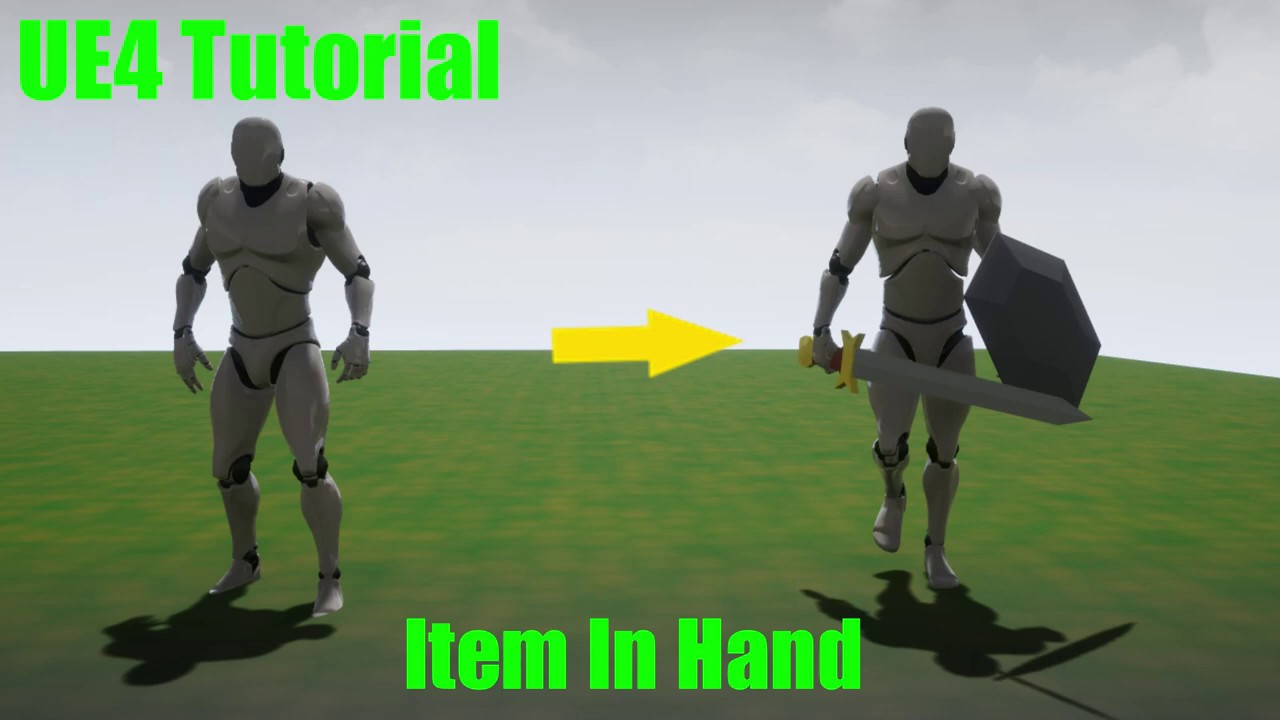
This tutorial shows you how you can attach a item to a character. In the video I use equipping a sword and shield as an example. This process can also be used for all manner of other objects such as guns, backpacks, and hats. Sockets are used as the basis of the implementation. Hope you enjoy! Thank You.
keen wedge
keen wedge
Hi all, I have a first person character in a game where we have a set of "arms"....
 keen wedge
Hi all, I have a first person character in a game where we have a set of "arms"....
keen wedge
keen wedge
Hi all, I have a first person character in a game where we have a set of "arms"....
 keen wedge
Hi all, I have a first person character in a game where we have a set of "arms"....
keen wedge
keen wedge
Hi all, I have a first person character in a game where we have a set of "arms"....
Also - out of interest... because everything seems "massive" when picked up - is this the normal approach? Or, do you tend to scale the size of an object down when its being held, and then resize it again when its released? Or, perhaps have a different sized asset that you swap out when its being held, as opposed to the size of the assets in the "world" etc..
waxen knot
so Im trying to add shooting to one of my games but the bullets keep going to the left no matter where I go can someone tell me whats going on?
heres my code
 keen wedge
waxen knot
heres my code
keen wedge
waxen knot
heres my code
What are you using to "move" the bullets, it might not be the "spawning" thats the issue, but what happens after etc. From what I can tell in your screenshot, you're setting the rotation to the direction of the static mesh, I'm assuming thats the player. I think there are other nodes like "GetForwardVector" (or similar).
 keen bay
waxen knot
so Im trying to add shooting to one of my games but the bullets keep going to th...
keen bay
waxen knot
so Im trying to add shooting to one of my games but the bullets keep going to th...
What he said ^
Get Actor Forward Vector
waxen knot
I did that but it just spawns them in the middel of the map but the rotate with the player and when I use the get world location it spawns where I want it to but it still goes off to the left
keen wedge
waxen knot
I did that but it just spawns them in the middel of the map but the rotate with ...
When you say "goes off to the left" - do you mean its "spawning" to the left or that its "moving" to the left?
waxen knot
moving
keen wedge
So, what are you using to "move" the bullet?
waxen knot
here is my bullet
 keen bay
You could have an initial rotation on the bullet projectile, check that it points 'forward' (the X Axis)
keen wedge
The ProjectileMovement component normally takes a vector doesn't it? Somewhere near the bottom in the right hand properties side... whats the set to?
waxen knot
I dont know what you mean but see if you can find it here
 dawn gazelle
 waxen knot
oh ok I see it what do I set it to?
trim matrix
Struggling to find documentation on how to change input mic on Unreal Engine
keen wedge
So that looks ok, X is typically "forward" by default I believe... I note you have those options ticked at the top, especially these
 dawn gazelle
waxen knot
oh ok I see it what do I set it to?
dawn gazelle
waxen knot
oh ok I see it what do I set it to?
It would probably be the forward vector of where you're shooting it from * your desired velocity.
 celest oak
i have a full anim bp, but i just made a new animation for when the player has a different weapon, i dont want to animate the walking cycle again. is it possible to use the legs of the walking animation while still using the upper body animation?
waxen knot
got it the scene was going to the right now its working thanks guys
earnest ridge
sturdy herald
at the end of modify get the Refresh Material function from SkySphere, and as IA...
Thanks, I'll try this!
tawdry surge
@OKgames#7097 https://docs.unrealengine.com/4.27/en-US/AnimatingObjects/SkeletalMeshAnimation/AnimHowTo/AdditiveAnimations/

Demonstrates how to blend animations together, in this case, a character that can move and fire a weapon at the same time.
keen wedge
^^^ anyone? 😦
 molten tiger
Hi,
I did changed an actor (BP) parent class by a child of the old parent (both C++) (so i made a new in between class)
if i spawn the actor (BP) all is correct
if i spawn The child (BP) of the actor (BP) it call the constructor, all components are valid, but after that all the components inited in the constructor are rested to NULL ...
(hard to explain sorry hope you get it)
versed sun
keen wedge
https://discord.com/channels/187217643009212416/221798862938046464/9348039827093...
You can convert your Skeletal mesh to a Static mesh for a Temp Preview, if that helps
versed sun
keen wedge
https://discord.com/channels/187217643009212416/221798862938046464/9348039827093...
i might have a solution for you
keen wedge
versed sun
You can convert your Skeletal mesh to a Static mesh for a Temp Preview, if that ...
I tried that, but the arms are up in the air, and the "thing" (a book in this case) sits at 0,0,0, and I can't move it... only the socket, which then would be hugely out of the position it needs to be in.
Completely open to solutions. Keen to know how other people are approaching stuff like this 🙂
versed sun
I can show you in screen share what I got if you want
 gentle prairie
Hey guys, I am trying to spawn niagara on the right mouse button, am I passing the variable name correctly here?
 keen wedge
versed sun
I can show you in screen share what I got if you want
keen wedge
versed sun
I can show you in screen share what I got if you want
Sure, if you're happy to?
 dawn gazelle
trim matrix
how do i add more text to this? I want to "/4"so my text would be 0/4
dawn gazelle
trim matrix
how do i add more text to this? I want to "/4"so my text would be 0/4
format text
trim matrix
thank you kind sir
dawn gazelle
You can then define variables within the format using things like {number}
remote meteor
{Current}/{Max} something like that

 hallow night
Just use append
trim matrix
how
trim matrix
ok
remote meteor
remote meteor
`{Current}/{Max}` something like that
insert this on the format text
trim matrix
Anyone know why this variable isn't registering if my character is in the air or not?
 celest oak
tawdry surge
@OKgames#7097 https://docs.unrealengine.com/4.27/en-US/AnimatingObjects/Skeletal...
celest oak
tawdry surge
@OKgames#7097 https://docs.unrealengine.com/4.27/en-US/AnimatingObjects/Skeletal...
thanks for the help but i want to not use an anim montage, but basically use another full idle animation, like switching from using a knife to using a gun while still being able to move
hallow night
trim matrix
Anyone know why this variable isn't registering if my character is in the air or...
Where/how are you setting this variable
 charred grove
hello guys
could i show someone the video of a game
so that yall tell me the best config for it?
im having trouble to copy it in ue4
ill send
the link
just a min
its basically clash royal in case yall know the game
but heres is the link
trim matrix
hallow night
Where/how are you setting this variable
In a state machine, in a transition thing
tawdry surge
@celest oak you can either blend animations together or keyframe unique full body ones.
I'm not really sure how you think you display either without a montage
charred grove

Welcome to the first ever look at Supercell's newest game, Clash Royale. Learn the basics and watch Chief Pat take on Chih from the Clash Royale team.
Chief Pat's channel: http://supr.cl/ChiefPat
Enter the Arena! From the creators of Clash of Clans comes a real-time multiplayer game starring the Royales, your favorite Clash characters and much...
thats the game
hallow night
trim matrix
In a state machine, in a transition thing
Yeah this is where you are getting this boolean, i want to know where you are setting it
charred grove
could someone tell me a serie of tips and mini tutorial on how to get that?
i already got the battle arena, i did do the widgets and everything but the project messed up now im redoing it and i cant even do it idk whats happening lol
i wanna achieve a static camera, in which i drag from widget to deploy units
trim matrix
hallow night
Yeah this is where you are **getting** this boolean, i want to know where you ar...
Ah right
Oml Im such an idiot
Nvm lmao
Forgot to set the damn thing
charred grove
charred grove
i wanna achieve a static camera, in which i drag from widget to deploy units
yes i know but i mean how do i get this
it will be released for phone at the end, but first i wanna make the game system lol
ight
but i saw a tutorial to make it static
but it leaves a grey ball as a controller
which i dont want to control anything with keyboard input to move
i just wanna drag

target view has the camera actor connected and a player controller
i dont want the player controller, but if i dont set it, then it doesnt even work
remote meteor
uhm
player controller is basically the client, you, you need atleast 1 to be able to do something
charred grove
charred grove
https://www.youtube.com/watch?v=_hNxfiXmeAE
how do i do to get this? if my player controller isnt based on moving an actor with WASD
but draggin units
the game is in the board,
remote meteor
you are seeing something through the player controller lol
player controller doesnt have to be wasd
charred grove
charred grove
but when i do this
there is a grey ball in fron of the camera
that i move with wasd
i just want the camera to be static
remote meteor
which template did you start with
charred grove
without anything to move in front of it, just to point to the board in which i drag units
imma send screenshot
this is the camera actor pointing to the board


the camera is there under player controller
in the level blueprint
 jovial charm
Whats the best way to have a firing system, from the crosshair or the barrel of the gun?

 versed sun
i think that gery ball might be a Default Pawn, or Spectator pawn
or something like that
 remote meteor
this 2 to none
 charred grove
i dont get the option to none spectator
okay so one more question
here, thos white and purple square think of them as if they were cards, and i wanna drop a soldier
when i drag and drop
the soldier always appears in the middle of the board
in the same exact coords
i want to be able to place it wherever my mouse is

here i dragged already, and soldier is fixiated there in the middle

this is the blueprint for dropping the actor which i dragged from widget, in event drag on cancelled..
 remote meteor
500 is kinda too short
try 5000 or something
use the draw debug
and see where the linetrace lands
also i dont think mouse position works in a phone touch input
use the pointer event
 outer pewter
i have a scrollable inventory but the description is blocked by the scroll box. what should i do?

 remote meteor
Try doing it the tooltip way
outer pewter
whats the tooltip way
remote meteor
At the umg designer
When u select something in the hierarchy
On the righ panel
Theres actually some option to show tooltips
You can also customize the tooltip widget there but you can start by getting the description to show first
remote meteor

this one
assuming button is your visible panel
use the bind function
insert ur description there
outer pewter
but the description is generated based on what item is in the slot its not the same as always
remote meteor
yeah
outer pewter
its based on the txt variable
 outer pewter
i know. i mean im not sure how to convert that into this

since its 2 options when hoverd and when not
remote meteor
the hovering is done by the widget itself
you dont have to do anything
you just need to pass the actual text you want to display into this function
thats it

 amber rune
i have a issue, i have a box collision thing and if something is inside it i want it to start playing a aimation, but when something isnt inside it i want it to play it backwards, how do i do this
outer pewter
it is stored in that variable
 remote meteor
yes, get it from that variable
outer pewter
same nothing happened


 outer pewter
but isnt it too small to read ?
remote meteor
if you like to customize the tooltip
create another widget just for the tooltip, then bind the Tool Tip Widget
you can roughly follow this

Learn how to create and implement your own custom tooltips for use in your games. Tooltips are graphics with information on them that appear at the mouse's location when they hover over something.
You can download the project files for the Tooltips on Patreon here: https://www.patreon.com/posts/39454897
Support me on Patreon and get access to ...
outer pewter
i added more words but they are not showing
ohh thats helpful
i ll go check it out and stop asking you stupid questions haha thank you a lot
remote meteor
it should roughly works the same
if your tooltip is still hiding under the scroll box
then you might need to spawn the widget manually on top and adjust the location
outer pewter
i see thank you
celest oak
how can i replicate particles for multiplayer?
winged sentinel
is there a way i can use a wild card in a function library

 pallid axle
does unity have shape casting?
I would ask in unity discord but I'm banned for inferring a 9/11 joke
jovial charm
Is a shooting function better from crosshair, or the barrel? Whats more recommended?
dawn gazelle
winged sentinel
is there a way i can use a wild card in a function library
Wildcards only work in Macros as far as I'm aware.
winged sentinel
dawn gazelle
Wildcards only work in Macros as far as I'm aware.
ah i see too bad, itd be nice to have a universal function for arrays
to check if they valid
tawdry surge
There is a built in is valid function for array indexes @winged sentinel
Just check 0 is valid
winged sentinel
tawdry surge
There is a built in is valid function for array indexes <@612738576525950998>
there is?
i do that

but i thought condensing it to 1 node would be more efficient
or cleaner rather
winged sentinel
so this essential

still gettign that

whic makes no sense
thats the whole bp, im pretty sure im checking to see if the array is valid when running it
 dawn gazelle
winged sentinel
thats the whole bp, im pretty sure im checking to see if the array is valid when...
dawn gazelle
winged sentinel
thats the whole bp, im pretty sure im checking to see if the array is valid when...
The issue lies here.

If the array "PlayerDistances" doesn't have a value, then you're pulling a -1 on the get.
winged sentinel
dawn gazelle
The issue lies here.
I should do an array check there as well, but in the warning it mentions the player actors array is pulling -1
Not player distance array
gentle urchin
Player distances having 0 entries
winged sentinel
Exactly yes I forgot that was hooked up to my player actor index
its all good now thanks!
gentle urchin
winged sentinel
so this essential
You dont need to get last index. Just check 0
 dusky harbor
Hello,
How could i play animation with my object. Normally i would do it with Timeline and Updating the Location of my object. But this time i have moveable object and the object hasn't static location. How could I do this animation with Timeline or something else.
Thank you in advance!

 maiden wadi
winged sentinel
switched it to that and its still there
maiden wadi
winged sentinel
switched it to that and its still there
What else is this hooked to?
winged sentinel
this is the whole bp, its only an warning coming from here

everythign that gets those arrays are coming after i do the valid check
 winged sentinel
true but anything thats accessing it shouldnt be executed because itl return false if there isnt at least a 0 valid index
 maiden wadi
Unhook the print at the end and try it then.
You're clearing your float array, and then accessing that function again long after your IsValidIndex is checked.
Oh. That wasn't a print. But this thing here.

You've already checked IsValidIndex and it passed. But then same logic line cleared the array and tried to access the array again.
dusky harbor
i did, i upload a photo if somebody doesn't know how to make animation from movable location to a static location

 trail ginkgo


 mortal heart
Execute Console Command doesn't work in shipping builds, any idea on how to fix this?
maiden wadi
Do the same thing the console command did without the console command, usually.
trim matrix
Can someone help me, I want to make a door system like fnaf 1, if the enemy is at the door and the player turns on the light, it will play a sound, and if the player closes the door, the enemy disappears
 icy dragon
maiden wadi
Do the same thing the console command did without the console command, usually.
icy dragon
maiden wadi
Do the same thing the console command did without the console command, usually.
Or Game User Settings
maiden wadi
Depends on the console command.
icy dragon
trim matrix
Can someone help me, I want to make a door system like fnaf 1, if the enemy is a...
You just perfectly describe the plan, now do the same in BP using that plan.
trim matrix
icy dragon
You just perfectly describe the plan, now do the same in BP using that plan.
the plan I already have, but I'm not able to do it
icy dragon
trim matrix
the plan I already have, but I'm not able to do it
Do you know your way around Blueprints to begin with?
trim matrix
icy dragon
Do you know your way around Blueprints to begin with?
ok you don't want to help me, i'll try to ask someone else, thanks
icy dragon
Because it's as simple as playing with events, but oh well 🤷
maiden wadi
Pretty sure they were trying to help. It's very hard to help someone without gauging how seasoned they are. If you don't know the difference between a float and an integer, this is a much longer discussion than some technical details.
trim matrix
people who just want to make a door system like fnaf, WHY IS THIS SO DIFFICULT?
icy dragon
trim matrix
ok you don't want to help me, i'll try to ask someone else, thanks
I'm sorry if I come off as assholistic, but I need to know how experienced you were with BPs.
 bold wasp
That's how I feel right now trying to make something smoothly change to a new random value every second
icy dragon
trim matrix
people who just want to make a door system like fnaf, WHY IS THIS SO DIFFICULT?
Because you already wrote the plan.
trim matrix
icy dragon
I'm sorry if I come off as assholistic, but I need to know how experienced you w...
that's enough?
 icy dragon
trim matrix
that's enough?
icy dragon
trim matrix
that's enough?
Ouch, level BP spaghetti 😰
bold wasp
Oh thank you @trim matrix FInterpTo was my missing piece
trim matrix
icy dragon
Ouch, level BP spaghetti 😰
it's pointclick game, there's no way to create all blueprint outside levelBP
icy dragon
trim matrix
it's pointclick game, there's no way to create all blueprint outside levelBP
If I were you, I'd make things easier with doing logic across actors, doesn't matter if it's a P&C game.
trim matrix
ok nobody here wants to help me with the door system, thanks for nothing guys
icy dragon
trim matrix
it's pointclick game, there's no way to create all blueprint outside levelBP
And yes, it's possible to make inter BP comm without level BP mess. Look up on stuff like Event Dispatchers and Blueprint Interface

How do I use Event Dispatchers in Unreal Engine 4?
Source Files: https://github.com/MWadstein/wtf-hdi-files
icy dragon
trim matrix
ok nobody here wants to help me with the door system, thanks for nothing guys
I could've stop few messages ago if I'm just messing with you
trim matrix
icy dragon
And yes, it's possible to make inter BP comm without level BP mess. Look up on s...
will this help my Doors system?
icy dragon
trim matrix
will this help my Doors system?
Yes!
Majority of us do doors with Event Dispatchers and/or BP Interface.
Much more elegant and scalable than hardcoding shit in level BP.
trim matrix
icy dragon
Majority of us do doors with Event Dispatchers and/or BP Interface.
AH YES THE BP INTERFACE, THANKS SO MUCH MAN
icy dragon

What is a Blueprint Interface in Unreal Engine 4 Blueprints?
Source Files: https://github.com/MWadstein/wtf-hdi-files
icy dragon
trim matrix
AH YES THE BP INTERFACE, THANKS SO MUCH MAN
Hehehe
Still going to thanks for nothing? 😝
trim matrix
icy dragon
Hehehe
Still going to thanks for nothing? 😝
I just tried and it didn't work either
icy dragon
trim matrix
I just tried and it didn't work either
I think you have to refactor the entire thing all over, but using object oriented design instead.
spark steppe
maybe look into functions before dealing with interfaces/event dispatchers