#blueprint
402296 messages · Page 771 of 403
 versed zealot
 odd ember
versed zealot
ok, I can do that. just get data table and then for each it?
odd ember
versed zealot
ok, I can do that. just get data table and then for each it?
I think that's your best option yeah
data tables aren't fully loaded databases
versed zealot
Ok I'm like not sure how, cause it just returns "row names" is there a way to get a structure returned?
something I can break the data out of
I see.
So I just get data table rows names and then, get data table row
each element
odd ember
 versed zealot
Nice, thanks
 sonic crow
I got a short, quick question, I managed to get my Widget to appear and work on hover, everything is perfect. The only thing I want to change is the default navigation for the gamepad, currently it uses left thumbstick, i would like it to use right thumbstick instead. I have a button BP and a menu BP. I am not sure how to change the default setup for the navigation


The button BP is a default preset button bp for button
odd ember
just for the UI or for the game?
sonic crow
just this UI
odd ember
no idea tbh
sonic crow
it is not a pause menu, so moving the left thumbstick moves my character and the menu
odd ember
you can use Set Input Mode UI
sonic crow
ty i will play with that
 eternal flax
how to create a prompt like 'Press E to Interact' when i aim at a object
 gentle urchin
Linetrace for interactable object?
eternal flax
i know about that, but how would i add the text to the screen? i can't do a tick event and then add and remove widget every frame
 marble agate
Promote the widget to a variable, check if its valid, if its not add the widget, if it is valid do nothing.
eternal flax
Thanks i'll try that
sonic crow
this might explain the challenge, no answers found on blogposts for this kind of remapping, perhaps there is another solution to get the same effect?
 icy dragon
marble agate
Promote the widget to a variable, check if its valid, if its not add the widget,...
icy dragon
marble agate
Promote the widget to a variable, check if its valid, if its not add the widget,...
Or just use overlap events.
marble agate
icy dragon
Or just use overlap events.
Yee though they wanted it to show up when they looked at it
Overlaps would definitely work really well tho
icy dragon
OnBeginOverlap -> Other Actor == Player Character -> Create Widget = Set Widget reference
OnEndOverlap -> Other Actor == Player Character -> Widget reference IsValid -> Remove From Parent
 wooden rapids
Does anyone knows about the Replay System with the Console Command in BP the question is the Camera spawn i think in the middle of the Map ,how i can set the Camera to a specific location befor replay or attach it to a specific Objekt before Replay
 trim matrix
sonic crow
this might explain the challenge, no answers found on blogposts for this kind of...
trim matrix
sonic crow
this might explain the challenge, no answers found on blogposts for this kind of...
I do not know how to change the defualt navigation keys but you can disable navigation and program your own.
You can disable navigation in each of the buttons details menu. Under the navigation section you can set the left,right,up,down settings to Stop.
Then you can make your own navigation by overriding functions within the widget

I do beleive the widget still needs to be focused somehow in order for those events to fire though.
sonic crow
trim matrix
You can disable navigation in each of the buttons details menu. Under the naviga...
Would this still work so that my character can still move using the navigation? Or does this disable everytihng?
trim matrix
Sorry this is all I can suggest. It may not be the best way of doing this
This should not affect your character as long as your game is set to the Game and UI input mode
sonic crow
ok cool, my goal is to move like normal whether or not the HUD is there. The hud is merely a micro menu to change your weapon, similar to that of the Witcher 3, where you can move and still interact with your HUD
Thank you I will make some coffee and take your suggestions 🙂
trim matrix
Good luck. There may be something else that I cannot remember to make it so you can move and use the ui at the same time.
I feel like I had trouble with that years ago.
sonic crow
lol cool thanks 🙂
trim matrix
gl
@sonic crow let me know if you figure this out or run into more problems with this issue.
sonic crow
trim matrix
<@!911103970104193036> let me know if you figure this out or run into more probl...
will do, will post the solution once i get it
 icy saddle
Is the point of having multiple event graphs just to organize your BP nodes into sections?
and is there something special you have to do to set up multiple event graphs or you just treat it as if it was still one big event graph?

 brazen merlin
Maybe there is something else to them, but yeah i just use them to organize
 faint pasture
Read that node. The target of that node is a player controller. Of course it's not working if you try plug a character into it.
Instead of trying to give it a character, give it a player controller. Hint, drag off the target node to only show nodes that can give you what it needs.
 pure tangle
Sweet.
icy saddle
brazen merlin
Maybe there is something else to them, but yeah i just use them to organize
cool, thanks!
trim matrix
hey what is the wisest way possible to apply damage to a group of enemies? I have a sword that checks if its an enemy or not, and if it is it hit to enemy damage will be applied. but how to do that to multiple enemies?
 tawdry mural
parent enemy bp with apply damage
the make childs that you actually put in the game
enemy bp has to have the apply damage node , not you character
trim matrix
i have event point damage on my enemy
tawdry mural
or if you want to keep it in character bp just check for every type of enemy
trim matrix
yeah how to check that
i hear interfaces but id ont know how to apply it to this problem
 eternal reef
Event Any Damage works aswell
trim matrix
i made spawner also and i try to get reference from the spawner but it doesnt work
tawdry mural
just cast to that bp
from event hit
it should apply damage to every instance of it
trim matrix
hmm ok seems to work but i have to put a shit load of different enemies there now
eternal reef
You just need to have a reference to the hit actor
Be it overlap, line trace or whatever
When you hit a target you get the reference of it by the linetrace hit / overlapped actor / etc.
Then you can either cast (which I wouldnt recommend) rather use an Interface or the apply damage node with the hit actor
In the Enemy itself you need to setup the corresponding function like "Event Any Damage" if you use "Apply Damage"
trim matrix
all my spawning makes different bps
do i just have to put lots of Or booleans to hit actors or is there nicer way?
also dont seem to work for the next enemy spawned from the same class...
eternal reef
With the "Apply Damage" you dont need any actual reference to your different BluePrint Enemies in your hit logic
trim matrix
i know
but i have sword
now it hits a wall or something it will stop line trace because from first line trace it stops the others
i have sword with 6 sockets of linetraces
eternal reef
Then you need to set it up that it only recognices Enemies if you want it to ignore anything else than enemies
(In the line trace)
trim matrix
well yeah that was my question xD
easiest what i can think of is if there is like if a actor is ai or something
eternal reef
Oh I see 😄
You can set it up that it only affects objects of type Pawn for example
Or set up a custom trace channel which is set to ignore on default and only affects your enemies
 fair magnet
Hey yall :o
Currently trying my luck with splines but...
I can't drag them around for some reason.
On Construction I spawn a spline component and add a spline mesh to it. but it just won't let me drag the spline points
trim matrix
@eternal reef how to set it up that only affects of type pawn?
 eternal reef
@trim matrix LineTrace for Objects and set Objects Type to Pawn
sonic crow
hi guys, i am new to overriding default up up and down navigation for a HUD widget/UI. How dow I set on key dow nt oright trigger?
 eternal reef
@trim matrix
https://www.youtube.com/watch?v=6ZFnPliFSX0
Around 2 Mins it is explained

What is the Line Trace For Objects Node in Unreal Engine 4
Source Files: https://github.com/MWadstein/wtf-hdi-files
trim matrix
i make enemypawn then
eternal reef
LineTraces have the option for "Ignore Self" Or on Hit has Tag and Check != "MyPawn" or something if the sword is its own object
or =! Owner (you might need to set the owner of the weapon to your character)
sonic crow
does anyone have documentation on this, or a resource i could read. There seems to be nothing on this online. I assume I need to create an input function inside of my HUD that overrides the up and down inputs...i have never done this before , would love to read up about it not sure where to look. is there not a way to create an input action and assign it to the navigation?

alternatively is thee a plugin i can buy for this
 surreal peak
@sonic crow Problem is that UE4 has the navigation keys hard coded iirc
The only thing you could do is override the OnPreviewKeyDown to filter
If you need this to work specially tailored to your keys then either don't use Focus Navigation at all or you might need to dive into cpp
sonic crow
Yeah, sounds about right. Would Using an array of allowed action keys for UI/HUD mode within the player controller work?
surreal peak
Yeah you could do that
But filtering with preview key down doesn't allow you to add new ones
If you need new keys you will need a custom solution
Unless they exposed the navigation keys by now
gentle urchin
Wouldnt it be better to listen to all input keys, and just blind those who shouldnt work?
then you could easily have different key functionality across different widgets
instead of having multiple lists
 supple dome
having new navigation keys require c++ but its not that complicated
something like
FMGNavigationConfig::FMGNavigationConfig()
    :FNavigationConfig()
{
    KeyEventRules.Emplace(EKeys::Gamepad_RightStick_Left, EUINavigation::Left);
}
 slender fjord
projectile does not fire event hit if im shooting at a character actor after a certain distance , work on base actor bp... anyone had this problam?
eternal reef
Are you sure the projectile is "actually" hitting, so do you see it bounce off or something?
Could be the life time of the projectile ends and it gets destroyed before actually hitting anything
odd ember
I got a vector math question: if I want to translate some world location off screen to an onscreen position near the screen edge relative to where the would position is, what math do I need?
e.g. if the location is behind then it's at the bottom of the screen
to the left of camera actor > left of screen
etc.
gentle urchin
Need a reference location , and screen bounds location atleast
Accounting for view angle and fov
odd ember
I can account for those with dot
but don't won't give me full direction as left/right are equal
gentle urchin
Yeah i wouldnt use dot but im sure one could make that work aswell. I did something similar a while ago calculating the 'viewport bounds' in world location
odd ember
how did you handle it?
I tried projecting the location onto the cameras forward normal as well with little success
would the cross product between the dot normals work if I projected them onto the camera normal?
that should translation direction from world to screen no?
then maybe use viewport center to multiply along to screen edge?
gentle urchin
Kiddo wont sleep so cant check the setup i used rn
odd ember
I see, no worries
gentle urchin
Can you not just project world to screen, and clamp it?
odd ember
world to screen returns zero vector for off screen

 odd ember
that's weird
gentle urchin
 odd ember
I'll mess around with it and see if I can get values
gentle urchin
unreliable values it seem like
odd ember
Welp
for which method?
I see
FMatrix is definitely outside of my knowledge range
Rip
I'll take a look thanks
maybe I can create a BP wrapper for just that
 desert relic
How do i make my custom cursor act like mouse
for example, B button acts like a click
 maiden wadi
@odd emberAre you just trying to position a widget on screen like a waypoint/hitdetect indicator?
desert relic

on clicked works only for mouse
how do i make it work for gamepad
i have the cursor widget
and its moving
but idk how to create click
odd ember
maiden wadi
<@!224571781862653952>Are you just trying to position a widget on screen like a ...
yeah with the caveat that it needs to be fairly accurate in terms of screen direction
odd ember
desert relic
but idk how to create click
You may need cpp for widgets but for world you can trace
 pulsar rampart
Hey guys i need some help can anyone send me a code that makes a character move left and right only please
blueprints
odd ember
don't think anyone can send you code
odd ember
but you can look at the 2d sidescroller template
pulsar rampart
odd ember
but you can look at the 2d sidescroller template
what's that?
 tawdry surge
Its the move right node in most template character BPs
Right is an axis value of 1
Left is -1
pulsar rampart
this
 tawdry surge
That's the mapping
But yes
Find the move right event in the character and that's the logic
pulsar rampart
Ok thanks
odd ember
pulsar rampart
what's that?
the templates are things you can pick when you start a project
first person, third person, sidescroller etc.
all of them loaded with this code
 thick dirge
does anyone know how to stop AI health bars from moving up and down depending on my distance from them?
 final cape
when I try to change my character in game, the character has no animations. pls help
Thanks you , I will try this. I know the animbp is setup in the character
also is there a tutorial how to make animbp. i would like to change the walk to a feminine animation i have
odd ember
you're probably better off asking in #animation
final cape
ok thank you. she has the animpbp but she is not walking , just sliding across screen
i tried to make a change character function in the level blueprint
odd ember
probably more about the animation state machine then. but you'll get more info in #animation for sure
final cape
thank you
thick dirge
i made 2 widgets the same way, or so i thought... 1 of them increases in size the further away from them i am and the other, moves up and down... im not sure what i did different
odd ember
final cape
i tried to make a change character function in the level blueprint
only do things in the level blueprint that are unique to the level. if it's something for the character, you should do it on the character. if it's something to do with animations, you should do it in the animBP etc.
keep everything responsible only for itself
final cape
odd ember
only do things in the level blueprint that are unique to the level. if it's some...
Understood!
thick dirge
https://www.youtube.com/watch?v=4eLWFeJy7HE is what it looks like and i will put some screenshots of anything else i think could be of use

AI health bars move up and down depending on distance from enemy. i must be missing some setting somewhere.

 odd ember
it's the viewport scaling because you've set it to screen
if you set it to world it won't do that
but you'll find it has other issues
thick dirge
ok thanks, i will look into it
kinda sorted it, it was mainly the way i created it @trim matrix like you said, so thank you. it was where i was setting the anchor points.
versed zealot
Will items "Set hidden In Game = true" still block other line traces?
odd ember
gentle urchin
yeah I'm getting 0 from this consistently (the incoming location isn't 0)
 high ocean
Am I doing something wrong? I can't get collisions to change at runtime. I'm generating procedural meshes with HISMs and I take some pieces and change their collisions. For some reason, they don't update. Is this normal or do I need to better search for a bug in the code?
 safe iron
Hey there, I got a small problem with collisions, I made a door in my game and it works fine, but something strange happens when it collides with the player while the door is still moving
I'll send you a video
Don't mind the audio, I listen to music while I create my game and I was listening to Unreal's OST (You're lucky I wasn't listening to my usual metal stuff XD)
odd ember
safe iron
Don't mind the audio, I listen to music while I create my game and I was listeni...
collision might be too thin
safe iron
As you can see, the player seems to jank round when in the way of the door, sometimes even phasing through it, or getting stuck inside of it, I have made a functions that reverses the movement of the door when it hits the player but even in that single collision you can see some jankiness, and sometimes it doesn't even detect the collision with the player, carrying it around
odd ember
are you using complex or simple collision?
safe iron
odd ember
are you using complex or simple collision?
Complex, but I also tried another mesh, a normal door with no empty spaces in it and it still janks around, even though it's less noticeable
odd ember
safe iron
Complex, but I also tried another mesh, a normal door with no empty spaces in it...
it'll always jank you around unless you use ccd
safe iron
ccd?
odd ember
the main issue I see is that it pushes you through the door
continuous collision detection
safe iron
Oh
odd ember
collision is expensive to update
safe iron
Thanks, I'll look up what that is
odd ember
so collisions don't update every tick
safe iron
odd ember
so collisions don't update every tick
So ccp should fix that?
odd ember
potentially it will
safe iron
I'll try
odd ember
it's a tickbox
odd ember
then that's probably as good as it gets. you can try using simple collision and see if it's better
but no doubt you'll get janked around
that's just how the physics engine works
odd ember
in the grand scope of things it isn't a big deal though
but you are welcome to try and ask in #legacy-physics
versed zealot
What if you disable colllisions after interaction, and it just opens through you?
odd ember
to see if they have better answers
safe iron
Thanks a lot
safe iron
versed zealot
What if you disable colllisions after interaction, and it just opens through you...
Could be an idea, thought of that but I wanna keep that as a last resource in case I can't figure anything out
As I have heard doors are always hell for any developer :/
odd ember
you can just make the door open the other way
solves your issues
collision remains
etc.
safe iron
Could work
but would be still an issue in case a player needs to go back to an area it previously left
odd ember
I mean you could make it always open the other way from the player
not just in the other direction
versed zealot
A door that opens… BOTH… ways 🤯
safe iron
yeah
odd ember
#gamelogic
safe iron
or that slides 😎
trim matrix
what's best way to get to the HUD from player character ?? would it be less costly to get all actors etc at start of game and save the ref or would it be better to do it a different way ??
my thinking is get all widgets of class then cast to the HUD and save the ref at like start of game
 twilit heath
GetController->CastToPC->GetHUD
trim matrix
would that work if the gamemode is what creates the HUD ??
twilit heath
it doesnt
trim matrix
as at the moment the Game Mode is main handle for most things
twilit heath
here i am assuming that by HUD you mean AHUD derived class
if you do not, then you should really have the custom AHUD derived class create your HUD
not the GameMode
trim matrix
by HUD i mean the widget which will be on screen to show player health, points etc
twilit heath
well, each PlayerController has a 1:1 relation to AHUD derived class that is designed to manage the widgets in Unreal
it exists only locally in multiplayer scenarios
and GameMode just informs the PlayerControllers which subclass of HUD they should use
if you ever find yourself searching for a widget with GetAllWidgets variant function
you should reconsider that approach and forget that function exists
trim matrix
this in single player
odd ember
trim matrix
what's best way to get to the HUD from player character ?? would it be less cost...
ideally the player controller handles the hud, not the player character
trim matrix
i can move it to player controller
just trying to think where would the points the player gets be best to keep track of
odd ember
consider the player controller the middleware between player and character
you can set up bindings in the player character
 dim robin
im struggling referencing a metahuman. i'm trying to change the shirt material through te player controller, but i fail the cast to the metahuman blueprint. get owner is not enough apparently. what am i doing wrong?
trim matrix
odd ember
consider the player controller the middleware between player and character
for keeping tracks of the points ??
 fierce current
how to create a character who can run on the walls? With the person from the beginning
odd ember
trim matrix
for keeping tracks of the points ??
for everything. but yes also for keeping track of points
and any other data that straddles the boundary between gameworld and real world
trim matrix
odd ember
and any other data that straddles the boundary between gameworld and real world
??
also as it controller I can get to that by casting once on player which be effective
odd ember
trim matrix
??
do "points" exist in the gameworld? not really. they exist only for the player
trim matrix
are so you mean like as it's something that isn't grabbable from the world it would be more of something thats part of something in gameworld instead
like player charactor it's grabable from game world as it exists in there
odd ember
I mean not really because there are things that don't exist in world that are still part of the world. like AI behavior still exists in world, but it's not "grabbable" either
trim matrix
ohh
fairs, hmmmmm
i'm struggling with this one don't really want to be using Dispatcher everwhere if you get me
odd ember
but it's worth thinking about for whom you are making your data
well dispatchers are universally useful
trim matrix
i have point 10 for speed pellets
odd ember
and this is indeed one of the cases where you'd want them
but
you technically already have dispatchers setup
trim matrix
yeah well i have multiple at this stage, the dispatchers has needed some additional one. But i can see what your saying use dispatcher to see what has been picked up then from that grab the points that pellet has by passing ref through dispatcher
like I did with the increment of the pellets eaten thing
 keen wedge
Hi all, does anyone know if it's possible/how it's possible to change the icon/sprite that is displayed for a Blueprint actor that you drop into a map? I'm growing tired of all the white spheres and would like to add something which reflects what the Blueprint actually is (enemy spawned for example)... just like the sprites for lights, player start and so on.. I'd like to do that... 🙂
odd ember
trim matrix
like I did with the increment of the pellets eaten thing
IMO all you need to do is have the spawner manager communicate to the player controller that it exists when you start the game
trim matrix
well i have that already
odd ember
keen wedge
Hi all, does anyone know if it's possible/how it's possible to change the icon/s...
billboard components allow you setup sprites
keen wedge
odd ember
billboard components allow you setup sprites
Hi @odd ember , I dont want them to show in the game though, just in the map when its in the editor...?
odd ember
well there's a Hidden in Game option
keen wedge
odd ember
well there's a `Hidden in Game` option
Weirldly, having added the Billdboard to the Blueprint, its actually only showing in the editor anyway. By default I have a little dinosaur head... so I guess I can change this to a different sprite... however, the white sphere is still present. I'm guesing that's coming from the Scene Component which is the Root component of the Blueprint. I can't see any options to hide that sphere?
odd ember
if you replace the root component the white orb goes away
 small ridge
Hoi, anybody know if there is a way to serialize and modify from the editor a variable field without exposing it to other blueprints ? (like decorating a private field with [SerializeField] in Unity). Or if there is a blueprint idiom for a similar behavior ?
keen wedge
odd ember
if you replace the root component the white orb goes away
Do you ever need the default root component? Its not something I've really ever concerned myself with, but dont want to change something that might cause a problem later on.
odd ember
are you asking if you ever need a default root component?
yes. yes you do
it doesn't have to be the component that's given to you, but the entire idea of an actor is predicated on the fact that there is a root component
keen wedge
odd ember
are you asking if you ever need a default root component?
Sorry, I meant more as in "the one it gives you by default", not whether you needed one at all etc...
faint pasture
@keen wedge An empty actor just has a scene component as root because it needs something. You can replace it with any other subclass of scene component.
keen wedge
faint pasture
<@486928404361379840> An empty actor just has a scene component as root because ...
Thank you.
odd ember
keen wedge
Another quick question... I've just discovered that I am unable to move any of the objects in the map. I've closed UE4 and re-opened it, still the same. My level design put the blockout together. Is it possible to set some kind of "lock" so that a level can be edited? I just tried adding a new blueprint actor, it appears, but again I cant move it. I can change the values in the transform and move it that way, but not with the XYZ widget control etc?
odd ember
animation graph is not the same as blueprint graph
keen wedge
Never seen it before..
odd ember
keen wedge
Another quick question... I've just discovered that I am unable to move any of t...
nope and doesn't sound like a blueprint issue
I'd ask in #ue4-general
keen wedge
it was my blueprint actor I was trying to move... 😦
gentle urchin
Unless construction script is setting thræe location
keen wedge
not to work.. will ask in the other channel
 sand shore
that doesn't matter because it is an editor mode issue
keen wedge
ok
odd ember
meanwhile if anyone has any more suggestions for projection off screen world locations onto screen hit me up
gentle urchin
You want the relative screen locations for actors outside of the viewport, right? Clamped to screen edges
gentle urchin
Gotcha
 earnest tangle
odd ember
meanwhile if anyone has any more suggestions for projection off screen world loc...
earnest tangle
odd ember
meanwhile if anyone has any more suggestions for projection off screen world loc...
Determine if actor is within camera frustum, if not then calculate direction from center of screen, then use that to position marker at edge maybe?
odd ember
earnest tangle
Determine if actor is within camera frustum, if not then calculate direction fro...
yes but how is the question
dot product for determining if in view
but outside of view it's a black box
 past spoke
hey guys
anybody know how to revert this function back to nodes
earnest tangle
well if you can determine whether it's in/out of view, then you could project a point to world some distance from center of view, then use that to calculate the direction and use that to project a point at the edge of screen, no?

 odd ember
earnest tangle
well if you can determine whether it's in/out of view, then you could project a ...
odd ember
earnest tangle
well if you can determine whether it's in/out of view, then you could project a ...
not sure what you mean here
 earnest tangle
would this not work? this way you can get a direction, and you can use that to calculate which angle the marker needs to be at the edges
 odd ember
again I'm not sure what you're doing here? when you're projecting to the center of the screen, what do you mean by that? when you project a vector to screen it doesn't get centralized?
earnest tangle
well the project from center of screen is just so you have a world position you can compare the other positions to
I suppose you could also just compare against camera position
trim matrix
let's say I wanted the game to start with MainMenu then when you click play it loads the map . would this be okay to do or would thinks break as there aren't there from what the whole game runs ??
odd ember
the problem is that offscreen projection return 0
trim matrix
also would i want two Game Modes I'm guessing the one now and a MainMenu one in addition
odd ember
the best lead so far is using world location projected onto the normal of the camera
but even that isn't very good
earnest tangle
well you don't need to project the offscreen position, you'd just compare the world positions to get the direction, and use the direction to calculate the number of degrees where it needs to be at the edges of screen
not sure if it's workable so easily tbh, haven't exactly done this but seems something like that could do it
odd ember
earnest tangle
well you don't need to project the offscreen position, you'd just compare the wo...
I just tried this without luck
earnest tangle
Yeah I guess it's a question of how do you calculate the angle between the center and the actor
odd ember
I don't think it's that simple
earnest tangle
how so?
odd ember
where do you get the angle from? dot product is the closest thing, and even then you are facing an issue with left/right being equal
 remote totem
Hey guys, can anyone help me recreate transform that is happening during Attach comp to comp node ? Right away I want to set up a lerp to this transform and then only attach to avoid instant snap
past spoke
can somebody please help me?
gentle urchin
odd ember
where do you get the angle from? dot product is the closest thing, and even then...
Whats the view type? Topdown, thirdperson?
camera angle* : P
i bet its not top down
odd ember
gentle urchin
Whats the view type? Topdown, thirdperson?
third person
odd ember
gentle urchin
i bet its not top down
but yeah something like this with respect to third person would be a start
seems to be all in the vector math
gentle urchin
Yeap
past spoke
anybody?
 sharp rapids
odd ember
I just tried this without luck
sharp rapids
odd ember
I just tried this without luck
How are you calculating the angle?
odd ember
sharp rapids
How are you calculating the angle?
angle isn't necessary if direction is given from center of screen
or even as the projection is happening onto the view frustum
odd ember
tbh I'm not really sure I grasp the 4D vector part. like what's the case if the 4th number is 0? how does it translate into BP?
ah I see
so help me walk through with this
dammit
wooden rapids
Unreal 4 replay System does not play any Animation or Montage just Movement , but replicated box are checked everywhere , does anyone know whats the issue with
odd ember
when you say deproject, you mean deproject screen to world aye?
okay and that can't be the location of the other actor?
or the transform of the other actor
 heavy lion
I want to create a set of variables, that I can define versions of, and then blend between based on a single 0-1 value
I need 8 or so variations of this set of variables to blend between.
What would be the best way to do this?
Can I create a child of a struct? OR where would I define the variations of each?
odd ember
that was a reference to this
past spoke
can somebody please help me???
trim matrix
When the game resets what would be best way to do this. I need the ghost to be moved back into here. Obvs I need the location to not be ontop of another ghost.

Any useful nodes that could do that for me ??
past spoke
 trim matrix
I will have a ghost manager like i have pellet manager
past spoke
how do i revert a function back to normal
odd ember
deproject world to screen gives me a location and a direction already, so perhaps the hard work has been done? or do you mean the other way around
trim matrix
but ghost manager still needs valid location to where it can move a ghost or spawn a new one
odd ember
trim matrix
When the game resets what would be best way to do this. I need the ghost to be m...
well if you're having a ghost manager then you can have the ghost manager seek out ghost spawn points and spawn ghosts there
the ghosts would register themselves to the manager, as would the spawn points
icy dragon
past spoke
how do i revert a function back to normal
Function's not looking sus tho
What do you mean by "normal function"?
odd ember
(so no hard refs)
past spoke
icy dragon
Function's not looking sus tho
What do you mean by "normal function"?
because I put a bunch of nodes inside the function to clean up my code
but now I want them back out like this
 icy dragon
I don't know about you, but have you tried undoing?
past spoke
it was done a while ago
odd ember
I think I have it down on one axis perhaps?
icy dragon
Just copy whatever's inside the function, paste it on the main graph, move the connection from one end to the other.
past spoke
sigh
odd ember
this seems to work on the x axis for the screen, but not on y
 odd ember
past spoke
it was done a while ago
odd ember
past spoke
it was done a while ago
is there any reason you're not just copy pasting the nodes out of the function?
past spoke
because now its confusing?
odd ember
well that's on you then?
past spoke
ok?
icy dragon
past spoke
because now its confusing?
But why you want to bring it out from a function?
odd ember
I'll try 1-y
past spoke
because im adding more stuff
odd ember
thanks
past spoke
and I want everything in front of me
icy dragon
past spoke
because im adding more stuff
Just open the function, what's the hold up?
Sorry for having the answer to be that obvious.
odd ember
past spoke
and I want everything in front of me
I mean you've been given the solution that exists. I don't know what you expect? some magic undo function?
use version control if you want that
I tried without the normal projection and it failed. Y values won't work regardless, even if X seemed to work well. I'm not sure this method will work at this point
I do
it doesn't
it is working on screen
but it defaults to 0,0
because of the clamp
what's worse is I can't really debug it because I don't understand the black box magic of FMatrix
ok so W is direction
but also like... magnitude?
this is the stuff that turns brain into goo
quaternions I gave up on understanding once I realized that I could get a rotation from axis and angle to be consistent
I'm perhaps just looking for the equivalent here
I get it
so looking at this

the opposite translates directly into 2d

and for some reason it likes to zero out for offscreen objects
bool UGameplayStatics::ProjectWorldToScreen(APlayerController const* Player, const FVector& WorldPosition, FVector2D& ScreenPosition, bool bPlayerViewportRelative)
{
    ULocalPlayer* const LP = Player ? Player->GetLocalPlayer() : nullptr;
    if (LP && LP->ViewportClient)
    {
        // get the projection data
        FSceneViewProjectionData ProjectionData;
        if (LP->GetProjectionData(LP->ViewportClient->Viewport, eSSP_FULL, /*out*/ ProjectionData))
        {
            FMatrix const ViewProjectionMatrix = ProjectionData.ComputeViewProjectionMatrix();
            bool bResult = FSceneView::ProjectWorldToScreen(WorldPosition, ProjectionData.GetConstrainedViewRect(), ViewProjectionMatrix, ScreenPosition);

            if (bPlayerViewportRelative)
            {
                ScreenPosition -= FVector2D(ProjectionData.GetConstrainedViewRect().Min);
            }

            bResult = bResult && Player->PostProcessWorldToScreen(WorldPosition, ScreenPosition, bPlayerViewportRelative);
            return bResult;
        }
    }

    ScreenPosition = FVector2D::ZeroVector;
    return false;
}```
I do see now that it only returns zero vector in a fail statedeeper into the abyss we go
bool FSceneView::ProjectWorldToScreen(const FVector& WorldPosition, const FIntRect& ViewRect, const FMatrix& ViewProjectionMatrix, FVector2D& out_ScreenPos)
{
    FPlane Result = ViewProjectionMatrix.TransformFVector4(FVector4(WorldPosition, 1.f));
    if ( Result.W > 0.0f )
    {
        // the result of this will be x and y coords in -1..1 projection space
        const float RHW = 1.0f / Result.W;
        FPlane PosInScreenSpace = FPlane(Result.X * RHW, Result.Y * RHW, Result.Z * RHW, Result.W);

        // Move from projection space to normalized 0..1 UI space
        const float NormalizedX = ( PosInScreenSpace.X / 2.f ) + 0.5f;
        const float NormalizedY = 1.f - ( PosInScreenSpace.Y / 2.f ) - 0.5f;

        FVector2D RayStartViewRectSpace(
            ( NormalizedX * (float)ViewRect.Width() ),
            ( NormalizedY * (float)ViewRect.Height() )
            );

        out_ScreenPos = RayStartViewRectSpace + FVector2D(static_cast<float>(ViewRect.Min.X), static_cast<float>(ViewRect.Min.Y));

        return true;
    }

    return false;
}```aha so they do just take the world position and add 1.f as W
sounds like a PR here would be nice
I see
view projection matrix conveniently exposed to BP
so far so good

lucky break
what now though
so I tried a few things with this, but I'm still not getting anything worthwhile. the vector doesn't seem to give good results. what do I have at this point?
the vector itself has pretty low values, at a magnitude's difference between each subcomponent
but not low enough to seem normalized
even following the function as is doesn't do anything
rip
wooden rapids
Does anyone knows about the Replay System with the Console Command in BP the question is the Camera spawn i think in the middle of the Map ,how i can set the Camera to a specific location or attach to .an Objekt before Replay starts
odd ember
is there a specific event for replay start?
I followed the function verbatim
and it's still not working
yeah but even with clamping I should see something at the edges
and I'm getting nothing
wooden rapids
odd ember
is there a specific event for replay start?
Console Command :demorec Test and to stop Console Command :demostop than to play Console Command: demoplay Test ...you can type on test what name you want
odd ember
and quite frankly I'm using the base arithmetic nodes here
so I doubt there's any difference
odd ember
wooden rapids
Console Command :demorec Test and to stop Console Command :demostop than to play...
I don't know what this means
but anyway if there is an event on replay start, then use that
otherwise, you might be out of luck? this seems more sequencer based than blueprint
past spoke
can somebody help me with jump transitions?
 odd ember
past spoke
can somebody help me with jump transitions?
odd ember
past spoke
can somebody help me with jump transitions?
sounds like #animation
wooden rapids
odd ember
otherwise, you might be out of luck? this seems more sequencer based than bluepr...
I just know the CC way on BP otherwise you make a Class with C++ and use the Blueprint from them like these Tutorial https://www.youtube.com/watch?v=8fEGDY7mg3s
Try my C++ Survival Game Course:
http://bit.ly/unrealsurvival
Discord:
https://discord.gg/meFRZfm
Business Email: contact@reubs.io
past spoke
well its in the blueprints
odd ember
looking at the comments they seem to expect some sort of normalized value that I'm not getting at this point. most likely because it's out of view
odd ember
wooden rapids
I just know the CC way on BP otherwise you make a Class with C++ and use the Blu...
I don't know what you want?
odd ember
past spoke
well its in the blueprints
that might be why they're not working?
past spoke
 wooden rapids
odd ember
I don't know what you want?
wooden rapids
odd ember
I don't know what you want?
I dont know what you want ,too
icy dragon
past spoke

 odd ember
wooden rapids
I dont know what you want ,too
odd ember
wooden rapids
I dont know what you want ,too
I don't need anything from you lol. thanks anyway
odd ember
past spoke
yep that's #animation
wooden rapids
odd ember
is there a specific event for replay start?
looking first what you asking, and i give you a answer about sorry, maybe i understand it wrong
 odd ember
wooden rapids
looking first what you asking, and i give you a answer about sorry, maybe i unde...
odd ember
wooden rapids
looking first what you asking, and i give you a answer about sorry, maybe i unde...
it was a question for you to figure out. not something I needed a response to
trim matrix
My game mode always fails only recently
it's the defualt one so game is already using it
 icy dragon
past spoke
icy dragon
past spoke
I could give some help on this over on #animation - I'm frequent there.
heavy lion
ahh sweet. Thanks @odd ember
odd ember
trim matrix
My game mode always fails only recently
debug it with breakpoints
my take is that it is likely race conditions
trim matrix
It's like it's not setting it
 wooden rapids
Does anyone knows about the Replay System with BP the question is the Camera spawn i think in the middle of the Map ,how i can set the Camera to a specific location or attach to an Objekt before Replay starts , its a Spectator Camera i can Move but where i can have acces about
trim matrix
odd ember
debug it with breakpoints
awww I think I see an issue
shouldn't an AI Controller be used from start
odd ember
nothing is used from the start
trim matrix
like from game start
odd ember
everything is blank
trim matrix
that's what's happening the AIController isn't ticking along so it never sets the Game mode which in turn never sends over the variable
odd ember
odd ember
.
.
trim matrix
I need to bassically set the reference for an AIController on the game mode
but because AIController isn't running when there are things using it. It dosen't set it self og GM
odd ember
odd ember
.
^
I'm only clamping within viewport
not at this point
the issue is that the values aren't normalized at this point
it doesn't show up on a clamp lol
the values are completely maxed out too
trim matrix
if I cast to the Grid AI Controller what would be it's wildcard anyone know
 trim matrix
if I use AIController is wants controlled actor which becuase I am doing this on the Game Mode it won't have a ref to a controlled pawn
odd ember
and tbh I think their way of normalizing the range is wrong too
actually I just realized the desired view isn't hooked up. but I'm not sure what the desired view should be hooked up to? viewport size?
nah it can't even, it's a FMinimalViewStructure
f knows where I get one of those from
odd ember
trim matrix
if I use AIController is wants controlled actor which becuase I am doing this on...
make the game mode trigger the AIC controller events
trim matrix
so found that if I place the AI it works fine
if I spawn the AI the AIController dosen't get spawned which means AI breaks
any way to have AIController spawn when AI spawns in any node you know of ?
heavy lion
Bah! I Cannot figure this out.
I have this struct, and I have the full day cycle expressed as a 0-1 float.
I need to be able to blend from 0 to 0.25 to 0.5 to 0.75 to 1 (0 again)
I cannot for the life of me figure it out
 icy dragon
heavy lion
Bah! I Cannot figure this out.
I have this struct, and I have the full day cycl...
icy dragon
heavy lion
Bah! I Cannot figure this out.
I have this struct, and I have the full day cycl...
Whoa, that's a lot of struct member.
heavy lion
I could do this easily if I used a curve, but I would need a different curve for every single variable.
heavy lion
@brazen merlin That aimed at me?
brazen merlin
yes
odd ember
trim matrix
any way to have AIController spawn when AI spawns in any node you know of ?
the only way is to spawn the AI controller on the AI itself
brazen merlin
trim matrix
if I spawn the AI the AIController dosen't get spawned which means AI breaks
did you set this? on the pawn?
 odd ember
Muffin 👀
heavy lion
@brazen merlin How would I go about using that to sayyyy lerp between 4 sets of variables?
brazen merlin
heavy lion
<@!568839944970174501> How would I go about using that to sayyyy lerp between 4 ...
you know, i dont know your setup, but from what you described, you always want the remainder/decimal value and not the whole number part. Modulo or Modulus returns just the remained. So it is always fixed between 0-1 essentially.
heavy lion
I need to simply be able to blend between a 4 points using a float as the alpha
odd ember
heavy lion
<@!568839944970174501> How would I go about using that to sayyyy lerp between 4 ...
lerp(lerp(a,b), lerp(c,d))?
odd ember
heavy lion
I need to simply be able to blend between a 4 points using a float as the alpha
but Conrad is right, a curve seems more appropriate here
heavy lion
@odd ember I have used curves in the past. But for a much simpler setup. A curve for the intensity, a curve for the colour so on and so on
odd ember
in either case I also gave you a lerp solution
heavy lion
Im just not sure how to implement that in blueprints @odd ember
brazen merlin
odd ember
but Conrad is right, a curve seems more appropriate here
i did not suggest a curve 🙂
heavy lion
I didnt want to say anything @brazen merlin haha
odd ember
 heavy lion
ok cool. but what about the alpha?
 wicked magnet
I currently am using a pre made Blueprint destructible glass system setup using Event Hit, where any projectile will shatter the target glass mesh where it collides. I was looking into modifying this system so the player's footsteps walking over the glass could be triggers to shatter the glass, but I am not quite sure how to accomplish this. If the player walks over the glass, it's not treated as a hit - they only trigger a hit if they run into the glass horizontally.
I'm new to working with Event Hit vs Component Overlap, so not sure if this is an easy modification or something more involved?
 odd ember
heavy lion
ok cool. but what about the alpha?
odd ember
heavy lion
ok cool. but what about the alpha?
whatever alpha you have controlling already
you can cut it off
as in, clamp it
heavy lion
If the alpha is 0-1
0 is midnight,
.25 is morning and so on
odd ember
then you have your answer
brazen merlin
heavy lion
I didnt want to say anything <@!568839944970174501> haha
all good. what i imagine you have is some kind of tracker of daytime, as you mention from 0 to 1, so while that progresses, you take the modulo of that result and drive that into the lerp, whenever a new day rolls over (1.0, 2.0, 3.0, etc) it still lerps all the same. not sure what the .99 to 1.0 transition looks like but i assume smooth?
heavy lion
bah! Its probably staring me right in the face! But I cant see it @odd ember
odd ember
heavy lion
If the alpha is 0-1
0 is midnight,
.25 is morning and so on
if you normalize to range you can get 0..0.25 to be the same as 0..1
so that's one lerp sorted
although in this case I'd say you want 0..0.5 for the first lerp, and 0.5..1 for the second lerp, and 0..1 for the third lerp
fair magnet
sonic crow
does anyone have documentation on this, or a resource i could read. There seems ...
I'd suggest you Have a look at enhanced Input Plugin
This is quite new so you either have to use 4.27 or 5.0 for it to be available.
With this plugin you can basically program your inputs to only fire them based on your rules.
heavy lion
@brazen merlin It is smooth as far as I know yes
brazen merlin
but 0-1 is not ideal anymore?
heavy lion
It is yes, I just dont know how to blend between the 5 points
0 and 1 being the same values
brazen merlin
sorry five points, i thout there was four..?
odd ember
does the amount of points you need to blend by increase for every mention? 😀
trim matrix
brazen merlin
did you set this? on the pawn?
possibly not
odd ember
now 6 points need to be blended
heavy lion
Sorry haha, It needs to blend back to midnight 0 and 1 will be the same
@odd ember hoping to blend 16 points now.....
XD
odd ember
in either case, if you're looking for a day cycle
modulo is key
otherwise those lerps will give you smooth transitions between morning/noon/evening/night
 buoyant stratus
I'm using a Physics Handle to grab an object from the world to my third person camera, but it doesn't follow it as I move the camera around the player? What's up with that
heavy lion
@odd ember Am I using modulo in conjunction with the lerps?
brazen merlin
heavy lion
<@!224571781862653952> Am I using modulo in conjunction with the lerps?
yeah, but without knowing the setup, modulo sounds right, what are you using to keep track of the duration of day/night?
heavy lion
I am using a float 🙂
brazen merlin
and thats a variable?
odd ember
I don't know your complete setup
but if your time of day counter is also your amount of days counter
then you should modulo your floats
buoyant stratus
ugh never mind, I was doing some dumb stuff in blueprints, I simplified it and now it works
heavy lion
time of day resets to 0 after each new day. Not keeping track of ammount of days
odd ember
then no modulo needed
 eternal drum
How would i bind the rotation of a parent to one of its componements?
brazen merlin
odd ember
then no modulo needed
yeah, nah, that's different, i thought time just kep going
brazen merlin
heavy lion
time of day resets to 0 after each new day. Not keeping track of ammount of days
does it have to reset to 0 or.... because it resets to 0, how long does it go for?
odd ember
@maiden wadi did you have any insights on creating this type of waypoint system?
heavy lion
@brazen merlin The duration of the full day is variable
But it can always be expressed as a 0-1
trim matrix
brazen merlin
did you set this? on the pawn?
thats fixed it thanks
 heavy lion
Probbaly wrong
brazen merlin
heavy lion
Probbaly wrong
well is it working or not?
odd ember
heavy lion
Probbaly wrong
dunno why you have 4 lerps though
you only need 3 for 4 values
heavy lion
Output log seems to suggest it is setting the intensity. But the values dont look quite right
odd ember
not sure what the 5th value does
heavy lion
odd ember
not sure what the 5th value does
Lerps back to the value for midnight
odd ember
you don't need that
heavy lion
0 and 1 are both midnight
heavy lion
But then the morning settings would be getting applied at midday
odd ember
nope
not if they are normalized
the reason it's f ing up right now is because you're introducing too many things
you only need 3 lerps
odd ember
odd ember
although in this case I'd say you want 0..0.5 for the first lerp, and 0.5..1 for...
.
 odd ember
what's not working?
heavy lion
Now, when its midnight. The light intensity is where it should be when its the evening
odd ember
so rearrange your time of day?
if the float cycles from 0..1
you don't need to set morning twice for instance
but I'd check that the values are actually corresponding
heavy lion
0 and 1 need to use the same value, otherwise it pop from one value to another
 bitter star
hi guys. how do you constrain a float value to a few specific values? I want to have a slider that has 4 options total to control the intensity of a light
heavy lion
@bitter star clamp
@odd ember The values are working fine apart from midday is at 23 instead of 10
Other than that its working
bitter star
clamp only has min and max though @heavy lion
heavy lion
Ah sorry, misread
odd ember
heavy lion
<@!224571781862653952> The values are working fine apart from midday is at 23 in...
sounds like a normalization or time issue
the alpha you're doing should follow the time of day cycle. so if it ticks too fast
you gotta slow it down
heavy lion
slow down a tick?
odd ember
you can set tick rate to be whatever you want
but you probably need to look over at see how fast your day cycle is moving
bitter star
I need to be able to tell it that the values will only be .2 or .4 or .6 ...
 quasi frost
How do I connect to the parent widget here? For example if this were an actor I would cast to the actor, but the parent being a widget here how do I access the parent?
 heavy lion
@bitter star switch?
maiden wadi
@bitter starDivide by increments. Round or floor, and then multiply by the increment amount.
wooden rapids
bitter star
I need to be able to tell it that the values will only be .2 or .4 or .6 ...
Have you tried maybe a switch on int and set a Variable executes 0 set 2 , 1 set 4 and so on .
odd ember
yeah I found it and added it, it still did not give correct results. so I don't think the FMatrix ways works
odd ember
bitter star
I need to be able to tell it that the values will only be .2 or .4 or .6 ...
there is also:
 maiden wadi
@bitter star Please do not hardcode values in a switch. Just get the value you're using. Clamp it to your minmax values, and then divide by 0.2. So.. If your value is 0.35, this should return 1.75. You round this which give you 2. Now multiply it by the spacing of 0.2. Value will now be 0.4
odd ember
the snap to grid does it for you
just input 0.2 in grid size and your value in location
maiden wadi
Still good to know how to do it.
odd ember
sure
maiden wadi
Also what is with that name? Grid gives me a vector impression. O.o
odd ember
speaking of knowing how to do things, any chance you had a working waypoint system?
well I suppose
but a 1D grid would be a float
so I guess that's... correct?
wooden rapids
Does anyone knows about the Replay System with BP the question is the Camera spawn i think in the middle of the Map ,how i can set the Camera to a specific location or attach to an Objekt before Replay starts , its a Spectator Camera i can Move but where i can have acces about ,thanks @odd ember but it spawning everytime in the middle of the map
icy dragon
wooden rapids
Does anyone knows about the Replay System with BP the question is the Camera sp...
Isn't Replay System mostly C++?
wooden rapids
icy dragon
Isn't Replay System mostly C++?
Mostly Bp but just Console Command
icy dragon
Also I think I had deja vu with that question
odd ember
they've been asking it all day
wooden rapids
odd ember
they've been asking it all day
😆
odd ember
that's not a good thing given that we can't help you
if it's cpp only then it's cpp only
icy dragon
wooden rapids
😆
😒
wooden rapids
icy dragon
Also I think I had deja vu with that question
no dejavu last time it was not working overall
icy dragon
I also can't see how you can have replay system with just console commands.
 iron wyvern
Can I get away with applying forces (acceleration/steering/jump) outside of the tick loop or should these things be done on tick?
 surreal peak
Axis Events also Tick
In case you are planning to move stuff between Tick and the Axis Events
wooden rapids
odd ember
that's not a good thing given that we can't help you
ok thanks @odd ember @icy dragon
surreal peak
The only thing you need to make sure of is to use DeltaSeconds properly
wooden rapids
icy dragon
I also can't see how you can have replay system with just console commands.
it`s working but just the ****** Camera spawn location
odd ember
sounds incredibly hacky trying to make it work with just console commands. I said before if there was an exposed BP event you could use then maybe
iron wyvern
surreal peak
The only thing you need to make sure of is to use DeltaSeconds properly
Okay, that's good to know. Now to see what it means to use DeltaSeconds here at all, let alone correctly. Thank you
surreal peak
iron wyvern
Okay, that's good to know. Now to see what it means to use DeltaSeconds here at ...
Well if you apply a force Every Frame, then someone who has 30 fps applies less force than someone who has 60 fps throughout one second
Cause, well, one has twice as many calls
odd ember
@surreal peak any chance you're good at vector math... in BP? 😅
surreal peak
You compensate that by multiplying with deltaseconds
DeltaSeconds will be twice as high on 30fps than 60fps
You also make sure that the force you apply is the force OVER one second (if you use deltaseconds)
So if you have the variable set to 500, it will be 500 force over 1 second
bitter star
Thanks guys the snap to grid worked :]
surreal peak
Otherwise you do 500 force per frame
heavy lion
Well I dunno what I'm doing now haha
surreal peak
Which is different on 30 vs 60 fps then
surreal peak
odd ember
<@!94211915902889984> any chance you're good at vector math... in BP? 😅
I'm pretty sure I need to say "No" here.
iron wyvern
surreal peak
You compensate that by multiplying with deltaseconds
Got it. So potentially adding a pin to the last multply node before adding force will solve that
surreal peak
Yes
Also DeltaSeconds is the time between two frames, just in case that wasn't clear
Which is why it's twice as high on 30fps
bitter star
Now is there a way to have my value slider being magnetic to the values? @odd ember
iron wyvern
makes sense - really appreciate you all taking the time to help in here
surreal peak
UMG Sliders should already have a step size
odd ember
bitter star
Now is there a way to have my value slider being magnetic to the values? <@!2245...
magnetic how?
bitter star
jump from one value to the next by steps without going through all the values in between
odd ember
bitter star
jump from one value to the next by steps without going through all the values in...
that was that node I showed you
surreal peak
odd ember
<@!94211915902889984> any chance you're good at vector math... in BP? 😅
If you can manage to explain your issue again, very shortly and comprehensive, then I can check if I have an answer
Cause I have no clue what you need
odd ember
surreal peak
If you can manage to explain your issue again, very shortly and comprehensive, t...
off screen world location to on screen position near relative screen edge. so e.g. if world location is behind, it shows up on bottom screen edge
wooden rapids
odd ember
sounds incredibly hacky trying to make it work with just console commands. I sai...
it is inside a Bp but i use Console Command to record ,stop and replay , the Event are triggered from my Character Bp , but its the Camera on the Replay it starting everytime at same location Middle of the map , i searching everywhere in the Net but nothing.
bitter star
@odd ember it works for the maths but when I move the slider in the detail pannel it goes through every value eventhough the result jumps from a value to the next
surreal peak
Aren't there a gazillion tutorials about edge trackers?
surreal peak
bitter star
<@!224571781862653952> it works for the maths but when I move the slider in the ...
You will have to manually do that
maiden wadi
@odd ember I have a function that roughly positions stuff on screen or at the edge. Can end up in the middle of screen when looking right at it though.
surreal peak
There is a step size but only for keyboard and gamepad
odd ember
surreal peak
Aren't there a gazillion tutorials about edge trackers?
I haven't seen any that actually do what I need them to do, but perhaps I'm not using the correct keyword
surreal peak
The only thing I could imagine is that you need more than the usual tracking
Guess the "behind = lower edge" is your issue?
odd ember
maiden wadi
<@!224571781862653952> I have a function that roughly positions stuff on screen ...
I have on screen accounted for, I just need to account for off screen
surreal peak
I haven't done this in a while, but I can't recall this being super complex
odd ember
surreal peak
Guess the "behind = lower edge" is your issue?
well it's all the sides that are my issue. I haven't found the correct math to do it
surreal peak
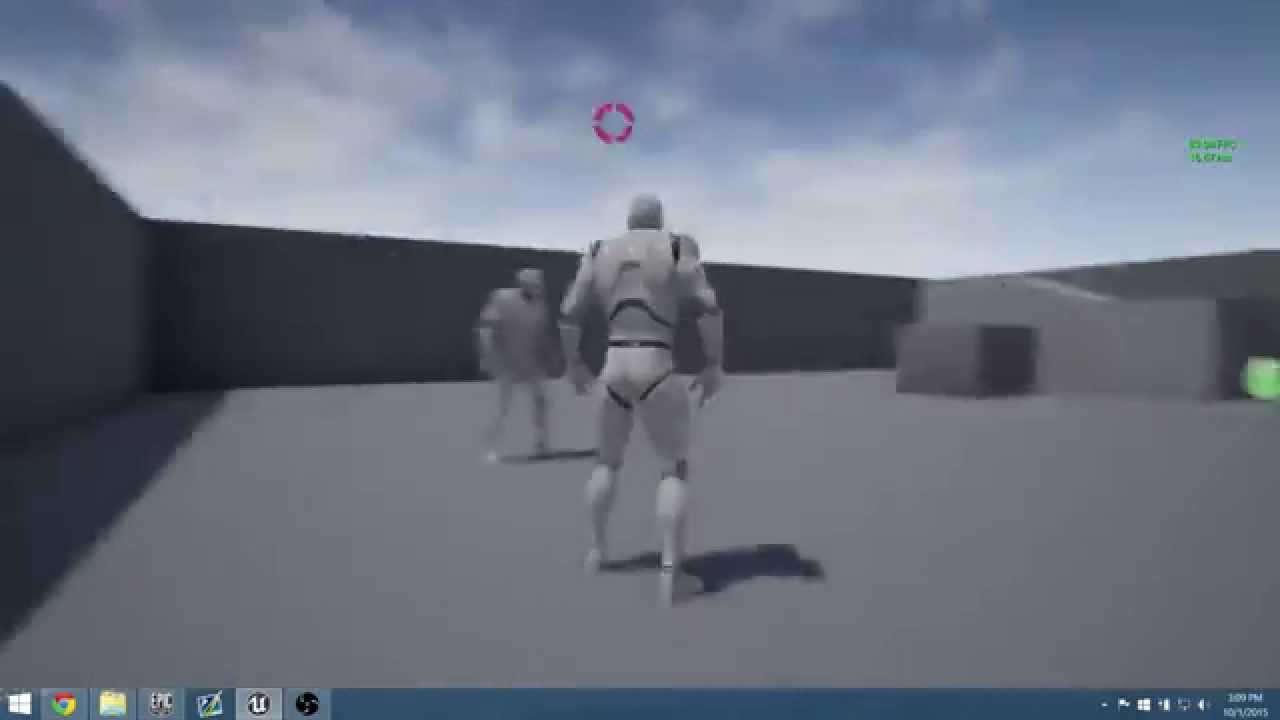
Off screen indicators for character swapping and rendering portraits during game play.
You mean this stuff?
odd ember
yep
iron wyvern
@surreal peak Should I store DeltaSeconds as a variable and use it on axis/input ticks or is there another way?
maiden wadi
@odd emberDo you absolutely need it in blueprint, or?
surreal peak
iron wyvern
<@!94211915902889984> Should I store DeltaSeconds as a variable and use it on ax...
I think you will have to cache a variable either way
odd ember
I don't absolutely need it in BP no, but I'd love to be able to understand what I am doing
surreal peak
Either you cache DeltaSeconds and use it on the Axis Event, or you cache the Axis value and use it on tick
I think you can call GetAxisValue or something like this though
bitter star
surreal peak
There is a step size but only for keyboard and gamepad
Isnt there a way to say position 1 is .2 position 2 is .4 postion 3 is .8 etc?
surreal peak
iron wyvern
<@!94211915902889984> Should I store DeltaSeconds as a variable and use it on ax...
You can use a Get Axis Value node, that has the name of your binding.
And move the stuff to tick I guess
 bitter star
maiden wadi
<@!224571781862653952>Do you absolutely need it in blueprint, or?
bitter star
maiden wadi
<@!224571781862653952>Do you absolutely need it in blueprint, or?
yes why?
odd ember
or well, in BP, not for the slider
odd ember
bitter star
yes why?
they were talking to me
surreal peak
bitter star
Isnt there a way to say position 1 is .2 position 2 is .4 postion 3 is .8 etc?
Well a slider goes from 0 to 1
iron wyvern
surreal peak
You can use a Get Axis Value node, that has the name of your binding.
And move t...
Okay, good to know. Feels like this will keep me moving for now. Thanks so much
surreal peak
You can math that
x * 0.2, with x being an integer and 0.2 being the step size
Max would be 5 then of course
But that was not what you asked earlier
You want to snap the slider
bitter star
@surreal peak correct
 heavy lion
What am I doing wrong here?
I am using a float of 0-1 to express a day cycle, 0 is midnight, 0.5 is midday and 1 is back to midnight.
I am trying to tell the midday (0.5) to set the sun intensity to 10. But its set to 24.
And when its at 0.0 or midnight, its -112
 odd ember
heavy lion
What am I doing wrong here?
I am using a float of 0-1 to express a day cycle, 0 ...
odd ember
heavy lion
What am I doing wrong here?
I am using a float of 0-1 to express a day cycle, 0 ...
check that your alpha value is actually correct
heavy lion
It is correct
odd ember
have you checked post normalization?
heavy lion
When its midnight its 0, midday is .5
bitter star
@surreal peak yeah this works great. Maybe I didnt expain myslef correctly. What I mean by slider is the one in the defaut tab in the details pannel. My value is public and i want the slider position to only stick to a couple value. Does it make sense?
maiden wadi
@odd ember I use this at the moment. Works well enough for my uses.
FVector2D UTarrionUILibrary::WorldLocationToViewportClampedForWidget(UObject* WorldContextObject, FVector WorldLocation, UWidget* Widget)
{
    FVector2D ViewportLocation = FVector2D(0.f);
    if    (APlayerController* PlayerController = UTarrionObjectLibrary::GetLocalPlayerController(WorldContextObject))
    {
        const FVector2D ViewportSize = UWidgetLayoutLibrary::GetViewportSize(WorldContextObject);
        const FVector2D WidgetHalfSize = Widget ? Widget->GetDesiredSize() / 2.0f : FVector2D(0.f);
        if (!PlayerController->ProjectWorldLocationToScreen(WorldLocation, ViewportLocation, true))
        {
            if (APlayerCameraManager* CameraManager = PlayerController->PlayerCameraManager)
            {
                const FVector CameraForwardVector = CameraManager->GetCameraRotation().Vector();
                FVector PointProjectedToCamera = FVector::PointPlaneProject(WorldLocation, CameraManager->GetCameraLocation(), CameraForwardVector);
                PointProjectedToCamera += (CameraForwardVector * 100.f);
                PlayerController->ProjectWorldLocationToScreen(PointProjectedToCamera, ViewportLocation, true);
            }
        }
        ViewportLocation.X = FMath::Clamp(ViewportLocation.X, WidgetHalfSize.X, (ViewportSize.X - WidgetHalfSize.X));
        ViewportLocation.Y = FMath::Clamp(ViewportLocation.Y, WidgetHalfSize.Y, (ViewportSize.Y - WidgetHalfSize.Y));
    }
    return ViewportLocation;
}```

The widget is nothing but a single Image of a right facing arrow.
heavy lion
@odd ember How would I do that?
odd ember
heavy lion
<@!224571781862653952> How would I do that?
print the value?
surreal peak
bitter star
<@!94211915902889984> yeah this works great. Maybe I didnt expain myslef correct...
UE4's Editor UI doesn't have a Blueprint way for this. If at all a C++ way by overriding the Property Changed functions and then snapping it there.
Maybe via Construction Script
But that only runs on instances
So in the BP itself you are out of luck
bitter star
@surreal peak gotcha thanks for taking the time to explain
heavy lion
@odd ember Yeah it seems to be completely messed up
odd ember
maiden wadi
<@!224571781862653952> I use this at the moment. Works well enough for my uses.
...
thanks. I've been doing something similar in BP. ProjectWorldToScreen only gives me a zero vector off screen as well, so I can't use that
odd ember
heavy lion
<@!224571781862653952> Yeah it seems to be completely messed up
there's your answer then
surreal peak
heavy lion
What am I doing wrong here?
I am using a float of 0-1 to express a day cycle, 0 ...
I don't think you want NormalizeToRange
maiden wadi
odd ember
thanks. I've been doing something similar in BP. `ProjectWorldToScreen` only giv...
That's what the second part of the function is for.
The If CameraManager area.
heavy lion
@surreal peak What do you suggest?
surreal peak
Try a RangeMapClamp
bitter star
@surreal peak what about a select node?
surreal peak
With whatever you expect as input and what you need as output
odd ember
maiden wadi
That's what the second part of the function is for.
so if it fails you try again, but push forward the camera vector?
maiden wadi
@odd ember I cheated and used the return from the first projection. If it's not considered on screen, it projects the vector onto a plane at the camera's location, and then a little ways forward and reproject it. I think it works fairly well.
odd ember
how do you get that projection when it's false though. that zeros out for me
heavy lion
@surreal peak That doesnt seem to give the expected results either
I may have the out range the wrong way round....
Thats done it!
odd ember
heavy lion
<@!94211915902889984> What do you suggest?
map range clamped is the correct one
in range is the range of your float, so 0..1
out range is the range you want to map to, so 0..0.25
whoops pulled an Adriel there
heavy lion
bah, it doesnt seem to be correct either
I thought it was but it never sets the midday to 10
heavy lion
I dont know what you mean
 odd ember
heavy lion
I dont know what you mean
odd ember
heavy lion
I dont know what you mean
your first and second lerp, the B value of your first and the A value of your second should be identical
because they happen at the same time
gentle urchin
Thats one hell of a lerp/map/clamp :p
odd ember
I did suggest an easier one for what it's worth
odd ember
well a curve would not be a bad idea still
gentle urchin
Tbh its hard to keep track mentally with that amount of map/clamp/lerps
gentle urchin
How long is your daycycle?
heavy lion
Its variable
heavy lion
I already have my day cycle set up, with time and date and all that jazz, I just need to alter actor properties based on the time of day
heavy lion
I know it would work, but its just a pain to manage
heavy lion
I would need a curve for every property sitting in the content browser. Then if i want to change a single property at any given point in the day i need to find that curve and alter it there
 gentle urchin
Aand the that you're trying to do now is 100% adaptable for any change whatsoever at the ease of your fingertip?
I'd think most of these setting would do nicely as curves for best effect
Add a multiplier to it for easy amplification
odd ember
heavy lion
you just need a curve for sun intensity
I don't see the big issue
and even if you did need 3 or 4 different curves that wouldn't be an issue either
I got 4 curves that I used for a single AI type
heavy lion
OK. You made your point
eternal drum
how would you bind rotation of componement to its parent?
odd ember
eternal drum
how would you bind rotation of componement to its parent?
it already is
children always rotate with their parents
eternal drum
But if it's a camera with use pawn control rotation it doesn't?
odd ember
you can choose to use control rotation or not
eternal drum
Yes but i want it to use pawn control but still rotate with it's parent
 tropic pecan
Hey there, I'm trying to set up a function on when characters are selected or not. I've actually already set some of it up but now, I'm on question of when I set in up to be rigged from controls in the widget menu. Like a way for it to be unselected even when committed true from the player unit structure.


 odd ember
eternal drum
Yes but i want it to use pawn control but still rotate with it's parent
odd ember
eternal drum
Yes but i want it to use pawn control but still rotate with it's parent
how do you imagine this works when you control camera and pawn at the same time?
maiden wadi
@odd ember Hmm. Seems there is a problem with that function I was unaware of. Was messing around with it some. I only use it in a top down manner for RTS/RPG style. It apparently needs altering to solve the issue where player camera is looking directly away from the target.
odd ember
maiden wadi
<@!224571781862653952> Hmm. Seems there is a problem with that function I was un...
that's fair. in the meantime I did make some progress by figuring out rotation towards a target on screen
the question is now if I can use that together with some distance away from the center to make it work
maiden wadi
To keep it out of the center of the screen?
odd ember
maiden wadi
To keep it out of the center of the screen?
yeah so I have something almost functional
but it's not viewport agnostic yet
and it's unfortunately very angular
but perhaps making the circle wider and then clamping would fix that
 rough cedar
I'm sure this is an easy one but how can I scale this axis value so that it doesnt just stay at 1.0 when I'm holding the button? more like starts at 0 and slowly reaches 1.0.
 odd ember
maiden wadi
To keep it out of the center of the screen?
odd ember
maiden wadi
To keep it out of the center of the screen?
so I almost got it working - rotation angle combined with forward movement on screen. however I'm finding that there is an issue with clamping of the x axis for whatever reason
icy dragon
rough cedar
I'm sure this is an easy one but how can I scale this axis value so that it does...
Maybe you could add a simple FInterp To right after Input Axis event
rough cedar
icy dragon
Maybe you could add a simple FInterp To right after Input Axis event
Yeah that does seem to work but when i have a print string up to see the value it doesnt look like its slowly increasing. just says 0 then jumps to 1 when tthe interp value is reached. maybe its actually working under the hood though.
 static charm
you have to add a new float variable
and then Set it from the ouput
and plug the same as the start/input of the interp
rough cedar
this is what i have
 static charm
target will be the Axis input
rough cedar
ah
static charm
current will be what i described above
icy dragon
rough cedar
this is what i have
Also fetch the delta time.
rough cedar
like this?
 static charm
yup and then just from your Branch, on False, Set Current Fly up to 0, to reset it.
well i mean actually depends on the control/behavior you want
rough cedar
seems like its working thanks!
 static charm
for example if you want it to also smoothly descreese input on end input, just remove/bypass the branch all together.
rough cedar
only thing i see is the value looks like it decreases in the print string
but it looks like its working fine
let me try and bypass that and see what happens
static charm
hmm thats weird about the print string
rough cedar
oh i cant bypass the branch, i need it for sure
static charm
yeah sorry might need a little extra code for that.
 crimson depot
I've got a function that throws an error whenever I stop the game in the editor because it's trying to get the keys to a map which is owned by another actor that gets destroyed when the game ends. I threw in a branch to check if the actor is being destroyed when getting the keys to the map but it still seems to throw the error. What's the right way to handle this?
 dreamy ice
if i wanted to store my players weapon choices past character death, would that put them in the player controller or player state?
brazen merlin
Game instance? I imagine you are reloading or loading a new level. Game instance can keep track of stuff between levels. There are probably other classes but thats the one i use.
 digital palm
How to avoid the loop of an anim montage? For a weapon equip animation for example.
trim matrix
so i'm trying to set an Enum for the AI
I need the individual AI to swap there Enum state
brazen merlin
digital palm
How to avoid the loop of an anim montage? For a weapon equip animation for examp...
Uhhh arent they usually a one off?
 brazen merlin
digital palm
How to avoid the loop of an anim montage? For a weapon equip animation for examp...
brazen merlin
digital palm
How to avoid the loop of an anim montage? For a weapon equip animation for examp...
We can switch to #animation also
trim matrix
I have base AI with the relevant things so the child AI get same abilities but it dosen't seem to want to switch it for there specific BT
digital palm
brazen merlin
We can switch to <#221798806713401345> also
I can switch to that channel right now 😉
trim matrix
i've found my issue
brazen merlin
trim matrix
Uhhh, i dont think the enums are used right. Plugging in the enum doesnt matter what its named but what is set in the enum
trim matrix
has wring literal name set
trim matrix
brazen merlin
Uhhh, i dont think the enums are used right. Plugging in the enum doesnt matter ...
plugging in Enum would let you select the value for the enum on the list would it not
rather then giving it the Enum entry value number so 0, 1 etc
brazen merlin
trim matrix
rather then giving it the Enum entry value number so 0, 1 etc
Hey if that works then do it to it, sounds like you figured it out
trim matrix
it dosen't
trim matrix
brazen merlin
Hey if that works then do it to it, sounds like you figured it out
see thing is these are going to be spawned so i can't preselect in the world before running the game what states that is
I need the method of bassically calling to a location where I can then make the state change to then feed into the BT
brazen merlin
Methodically speaking if all other ai states fail, the default state should be self sustaining or not dependant on set variables.
trim matrix
well basically the way the ghost work is, Red is chase simple, Pink Chase but tried to ambush, Blue Chase but in method of patrolling near player, Orange keeps distance from player but hope you'll cross paths enough to be chatched by it
these values need to be set per ghost and won't change if i'm honest only values that would change is whether the ghost Chase, Scatter, Frightned
brazen merlin
Right, pacman
icy dragon
:V
trim matrix
at the moment it literally is as if each one is setting the enum state to all the same no matter how much i try and pass through the enum state which is for the right ones
heres my thinking
the specific AI actor so Ghost pink has the set Chase State

This is setting the Variable which are present on the AIGhost Base which is the one all these derive from

That chase state is into the setup node which runs at game start gives each actor there relevant specific things

The Enum then come through to AIC to then be set in the blackboard

Here
let me see if anyone in ai would know
brazen merlin
brazen merlin
Uhhh, i dont think the enums are used right. Plugging in the enum doesnt matter ...
This
tawdry surge
Was camera shake replaced?
using 4.27
Trying to make a camera shake asset and it's not in my list
 faint badge
tawdry surge
Was camera shake replaced?
faint badge
tawdry surge
Was camera shake replaced?
The old matinee based camera shakes were removed along with the removal of matinee, there is a new system for camera shakes that you can see in our documentation here: https://docs.unrealengine.com/4.27/en-US/AnimatingObjects/Sequencer/Cameras/CameraShakes/

Create camera shake effects in Unreal Engine.
 wise star
do you guys know how to make an array that contains static mesh in the component and can config it?
I mean config is like set visibility
I made a static mesh component array, using a get(a copy) to config it but it keeps giving me errors

 brazen merlin
wise star
I mean config is like set visibility
brazen merlin
wise star
I mean config is like set visibility
from that get output, are you dragging off and then connecting a set visibility node?
 brazen merlin
is Items Array of type static mesh component?
wise star
yeah
brazen merlin
those nodes are saying scene component, that's the same thing?
brazen merlin
below Set Visibility
wise star
oh yeah
brazen merlin
i think that means the Items Array you have is scene components and not static mesh components, are you doing something in a way where they need to be scene components?
it should work regardless, but if you're saying they're not...
faint badge
wise star
You need to check if you actually got a valid component, that error just means the Get node returned None . This will happen if either your array doesn't have anything at the index you passed in, or the element at that index is not set to a real value
brazen merlin
oh damn, i didnt even notice that
faint badge
brazen merlin
those nodes are saying scene component, that's the same thing?
Scene Component is just the parent of a Static Mesh Component. All that's saying is Set Visibility can be used with any class that derives from Scene Component not that it is operating on only Scene Components
brazen merlin
faint badge
Scene Component is just the parent of a Static Mesh Component. All that's saying...
oh i know 🙂

 odd ember
macros.... 😬
faint badge
What index did you set and what index did you try to get?
Do Is Valid? on the output pin of the Get and see if the item is valid or add a breakpoint and inspect your values
faint badge
odd ember
macros.... 😬
What do you not like about macros?
faint badge
Just drag off the output pin, the node is just called Is Valid?
odd ember
faint badge
What do you not like about macros?
in BP in general it seems more like macros might as well be functions for how they're being used. I think the standard macros are fine by and large, even if some of them IMHO encourage bad coding style
tawdry surge
I thought it might have been camera shake base, but this is all I get if I use that as a base

can't pick a shake patten
wise star
faint badge
Just drag off the output pin, the node is just called `Is Valid?`
you mean this?
 faint badge
wise star
you mean this?
faint badge
wise star
you mean this?
Yes
That will check whether the object you pass in actually has a valid value or not
brazen merlin
wise star
I use this macros to set the value in the array
are you sure they're added?
wise star
okay there aren't any value
brazen merlin
well that was clear with the error message, but is there anything at all in the array?
faint badge
wise star
okay there aren't any value
Then for whatever reason that value isn't being set, you need to look through your graph and figure out what the values are at each step.
wise star
okay
ohhh
I made it
thanks
❤️
I set a boolean value wrong so the node that set element didn't word
work*
faint badge
odd ember
in BP in general it seems more like macros might as well be functions for how th...
While I agree they can be abused I think they're like all tools where you should know why you're using it over something else and there's many valid reasons for choosing to use a macro in blueprints.
If you don't believe someone is using them correctly I'd recommend asking them about it and starting a discussion. I find that posting something like "macros.... 😬" can be quite disheartening to new users who may not understand the differences yet.
faint badge
wise star
I made it
Awesome, I am glad you got it all working now!
Generally you want to always check if an object returned from a node is valid unless you can guarantee that it will always have a valid value
odd ember
faint badge
While I agree they can be abused I think they're like all tools where you should...
a bit patronizing but I get your point. I also want to point out that I've started countless discussions on topics like these all for the same reason. I think in general while UE caters to people who "just want to make games" it does so at the cost of not teaching people of some of the very real technicalities behind what they're doing. and nowhere is that more noticeable than in blueprints. so I apologize that it seems a bit out of leftfield, but when you see the same thing happening for the nth time it starts getting to you.
 winged sentinel
why is this happening when i connect the execution pin to the macro
 odd ember
probably something inside of the macro isn't connected
winged sentinel
i just figured it out i ran another macro inside of it and that one had somethign disconnected
weird how with macros it doesnt take u to where its disconnected like functiions and stuff
odd ember
that's just how macros be
trim matrix
Does anyone has any advice on the best time to show an hitmarker (im drawing it in OnPaint function)
I heard 5% of the time of a frame was the best but idk
Want to know choice from designers 😄
odd ember
trim matrix
Does anyone has any advice on the best time to show an hitmarker (im drawing it ...
I'm not sure what you're asking, do you have something visual to go by?
trim matrix
odd ember
I'm not sure what you're asking, do you have something visual to go by?
Why do u want visual ?
I'm just asking what would the best time to show a hitmarker no screen
odd ember
maybe I misunderstood your question then
I don't know what you mean by hitmarker in this case
trim matrix
😐
brazen merlin
like a thing from a line trace?
trim matrix
Guys, i just want to know what would be the best on-screen time for a hitmarker... the time its drawed on screen
it's generally less than 10 milliseconds
brazen merlin
trim matrix
Guys, i just want to know what would be the best on-screen time for a hitmarker....
sure?
odd ember
I mean if we don't know what you mean then it's kind of hard to make a call? also anything less than 1 frame is moot since that's the time between updates
trim matrix
odd ember
I mean if we don't know what you mean then it's kind of hard to make a call? als...
well i said "5% of a frame" thats not rly less than a frame but k 👍
odd ember
you can draw it faster than that but it'll still only update on the next frame. as much as I'd love to say there's framerate independence, in the end it has to sync somewhere
brazen merlin
trim matrix
well i said "5% of a frame" thats not rly less than a frame but k 👍
5% of a frame.... 🤔 if you're running 60fps, then 1 frame / 60 frames... that's ((1/60) * 0.05) = 0.000833.... wait that's not right
trim matrix
brazen merlin
5% of a frame.... 🤔 if you're running 60fps, then 1 frame / 60 frames... that'...
That's what i saw on ue4 forums
That's why i'm asking here to have a better answer ?
odd ember
we still don't know what it is that you're doing
brazen merlin
i dont think there are many who will see this hit marker... do you care if it's not seen?
odd ember
so hard to give you any worthwhile answer
 tight schooner
The minimum amount of time to display anything is necessarily 1 frame. I would say tune it by eye. It depends on the context — everything else happening in your game visually — how apparent any visual indicator needs to be
brazen merlin
you know... 60 * 0.05 = 3... maybe is good?
tight schooner
If it's critical that the player sees it, make it generous cuz all your playtesters will be worse and less perceptive at your game than you
I've learned to make vfx stupidly obvious if they convey gameplay relevant information
If it's just cosmetic then make it unobtrusive to the gameplay
but present enough for "game feel" purposes
faint pasture
@trim matrix your minimum time to have something drawn is 1 frame so do with that as you will.
faint pasture
For a detatched camera, camera actor, BlueprintUpdateCamera in custom PlayerCameraManager, or a CameraModifier?
 midnight blaze
Beginner question. Following a tutorial for learning the animation system, this is the underlying logic for which animation will be playing (according to pawn movement)

Why does there need to be two different get velocity blocks?
Can't those be refactored together?
faint pasture
midnight blaze
Why does there need to be two different get velocity blocks?
To tell if you're on the way up or on the way down
could be refactored to an enum but that'll work. Or a blendspace to transition the pose from up to max height to down
That's not great tho, it'll animate like you're jumping while running up a hill....
midnight blaze
No, I get that, one of them is being compared to see if it's >0, and the other <0, but why can't those two Get Velocity nodes be just... one?
faint pasture
Because you have 3 states. Jumping, Falling, and neither.
faint pasture
It's a pure node, there's no difference
it gets called twice either way
That's a shit tutorial though if THAT's how they detect jumping.
The cutoffs should be something like +- 100 or more
not 0
midnight blaze
I'm doing this mainly to try to learn what like... the actual interface is. And for the purposes of this (very simple) game, it will work fine. There's no slopes to run up or down
faint pasture
Yeah the main gist of the Event Update Animation is to copy data from your pawn to use in your anim graph