#blueprint
402296 messages · Page 728 of 403
 teal dove
 manic wigeon
if i click enter to skip or space to pause its both doing the same thing which is restarting the scenematic
manic wigeon
teal dove
<@!309726001829642242> <@!259714480622010368> Could you guys move it into a pri...
you can ask too
im not stopping you
teal dove
The #animation channel is a better place to ask this question.
 lost wyvern
When I print it outputs to log, but not to screen even though these are both checked. Any ideas why?
edit: I just pressed Ctrl + Shift + H and I can see everything again :)


 dawn gazelle
 dreamy solstice
is there something wrong with this?
dreamy solstice
is there something wrong with this?
The begin play event triggers when an actor comes into play. It doesn't continually fire.
If you're wanting to control something like this, the event that actually changes the boolean true/false should be connected to the play/reverse. As an example here, pressing page up would play the timeline, and pressing page down would make it play in reverse.

 gentle urchin
Or custom event that can be triggered from editor
 maiden wadi
@teal dove It's worth noting that there's nothing wrong with people carrying on a conversation about developmental things. People are always free to interject questions Having people move developmental conversations to private only harms people who are still learning as they can follow the topic and learn from it as well without even participating.
dreamy solstice
dawn gazelle
If you're wanting to control something like this, the event that actually change...
So theres no way to use a boolean or what?
dawn gazelle
dreamy solstice
So theres no way to use a boolean or what?
You can use a boolean to control it, sure, but then you have to constantly be checking what the boolean value is which is programmatically a messy way of doing it. If you're setting a boolean somewhere in your code to control something, then you may as well use the same event that would set the boolean instead to perform the function that you want.

 trim matrix
Hello. Can I have the custom post rpocess shape?
 earnest mango
@trim matrix Perhaps this will help: https://forums.unrealengine.com/t/custom-shape-for-post-process-volume/126298

Unreal Engine Forums
I am trying to customize the shape of a post process volume to better fit my space. So instead of rectangle I want to change the shape. Is that possible? If so how do I go about doing that? Thanks Alex
trim matrix
@earnest mangoThanks
dreamy solstice
btw can i like set the reverse in timelines to reverse in a specific time or what?
 timber knoll
how would one write formatted numbers in text to make it more readable?
ex1: 1567564 -> 1,567,564
ex2: 1004 -> 1,004
~ I already know the seperate values (millions, thousands, ...) but seems weird to have to use branches for every extra 0 and comma
timber knoll
dreamy solstice
btw can i like set the reverse in timelines to reverse in a specific time or wha...
yes you can
simply set the time, then play reverse
dreamy solstice
alright
timber knoll
timber knoll
how would one write formatted numbers in text to make it more readable?
ex1: 156...
to answer my own question:
there is this node that actually has the functionality already present, never knew there was a dropdown here

 fleet cedar
Can anyone offer any wisdom on how to save tons of data in a game save? I need to record everything the players done, where they are, what they have equipped, what items they're holding, which items they've used and haven't, do I have to mark every single variable or something?
dreamy solstice
timber knoll
simply set the time, then play reverse
Sorry, but how do you do that?
This is my first time using unreal so yeah
Blueprints*
timber knoll
dreamy solstice
Sorry, but how do you do that?
You have a few wayss of doing so, let me quickly make a new blueprint to show
dreamy solstice
Alright
timber knoll
you can set the time when you create your timeline:

which would look something like this (the float value in your timeline is the new time) in this case you have to connect something to Set New Time before calling Reverse
or you can also manipulate your timeline with seperate functions which is usually more readable
timber knoll

this is with the seperate functions
once you made your timeline, it will be in the component list under your variables
timber knoll
dreamy solstice
Alright thanks
no worries 🙂 glad I could help
dreamy solstice
I appreciate it
 fallen glade
Any idea why my 2 characters are walking through each other? weld is off

 marsh citrus
Hello guys
Is there any way to make a pawn jump properly ?
I need a pawn because my player is a cube and i need collision to be squared perfectly, not round like capsule collision.
The actual problem with my pawn is that, to jump i add impulse Z, but i need a way to stop it from jumping AGAIN while in the air.
timber knoll
Well you could to make it easy on yourself still use a character for that
and just disable the actual capsule collision
unless they use the capsule collider for the hit functions not 100% sure on that
other solution would be line tracing
 open crypt
Is there any function I could run that would return the names of all the current window titles in Windows?
basically like how OBS does this -
 gentle urchin
marsh citrus
Hello guys
Is there any way to make a pawn jump properly ?
I need a pawn becaus...
gentle urchin
marsh citrus
Hello guys
Is there any way to make a pawn jump properly ?
I need a pawn becaus...
Linetrace down, if no hit -> in air ?
timber knoll
open crypt
basically like how OBS does this -
This would be on the C++ side
open crypt
timber knoll
This would be on the C++ side
I know - but from time to time I find some blueprint functions that I can't believe were exposed to BP, so sometimes it's worth checking
timber knoll
open crypt
I know - but from time to time I find some blueprint functions that I can't beli...
Probably even gonna have to write it from scratch, a game engine usually doesn't do any 3rd party things
 knotty knot
Can anyone help me with something regarding character movement? I've currently got my character movement setup however whenever I try to crouch it doesn't work but when I jump I can see the crouch height changing.
It's as if the capsule is colliding with the ground or something
Also when I aim the mouse towards the ground and try move forward/backwards the movement is extremely slow however it's fine moving left/right
 brazen pike
knotty knot
Can anyone help me with something regarding character movement? I've currently g...
brazen pike
knotty knot
Can anyone help me with something regarding character movement? I've currently g...
Can you send a screenshot of the character BP's movement section?
marsh citrus
gentle urchin
Linetrace down, if no hit -> in air ?
hey not bad idea !
 brazen pike
you don't wanna connect roll and pitch
brazen pike
that will be the slowing down stuff
because it will see you are looking downwards and then try to move you in that direction
knotty knot
Yeah, that worked perfectly. Thanks
brazen pike
rather than just the 1 dimensional angle
knotty knot
Yeah makes sense now that I think about it
brazen pike
Do you do the crouch stuff in that same bp?
 brazen pike
well just in case
 brazen pike
have a look here see what comes up in your character BP
 knotty knot
 brazen pike
You might have already seen this, but in case you haven't have a look through this: https://www.versluis.com/2020/10/crouch-in-unreal-engine/
I’ve just learnt how to let a player character crouch. It’s a little complicated so I thought I’d take some notes in the intricacies. All credit for this goes to Mathew Wadstein a…
knotty knot
Thanks I'll have a look
To explain the issue more, if I try crouch it doesn't change the capsule height while touching the ground but whenever I jump and press the crouch button while in the air I can see the height change
I'll follow that guide though and see if I fix it
Hmm, yeah still the same issue
brazen pike
You followed the whole way through? might be an issue with ur capsule component rather than crouching
knotty knot
Yeah I have a feel it's that too
brazen pike
try setting a print string to your crouch button so it tells you what your capsule half height was set to after it was pressed
knotty knot
It's changing it seems

I need to go afk for a while I'll be back soon. Thanks for the help so far though
open crypt
Anyway to make unreal minimize ITSELF, via a blueprint command?
 slate ruin
Hi All, does anyone have any idea how to go about getting the same functionality as a 'box collision' component but with a spline loop? In other words be able to distinguish which objects have entered / are within / have left an area created within a spline loop?
knotty knot
@brazen pike I tried attaching the starter content arms and gun just to get a reference on what's happening. It seems to be actually moving those components but the camera doesn't seem to be moving with the crouch height for some reason.
 brazen pike
you have two cameras? which one is being used?
knotty knot
I just copy pasted the stuff from the starter content but only using one, the "firstpersoncamera" one
brazen pike
I think the issue is your camera component
try looking through all of its settings
specifically things like "camera options"
knotty knot
Alright I'll have a look, thanks
 small quartz
When Character dies, it needs to set horse lifespan. Not working I don't get it at all
 knotty knot
@brazen pike I managed to fix it. I had an old "headbob" event on tick that must have been overriding the camera rotation.

This here, Once I deleted it, it worked.
brazen pike
ah congrats!
btw, I love the style you went for in that project
how did you achieve that retro effect?
knotty knot
Thanks. I'll dm you the pack I'm using. I tried to get something myself but found a pack someone made which was way better.
 late cave
Epic... I know you don't care about Blueprint users, but why do you need to troll us this hard? 😭

 spark steppe
where's the troll part on this?
it's kinda obvious that it needs a soft object reference to load something, otherwise you wouldn't have to load it
dawn gazelle
small quartz
When Character dies, it needs to set horse lifespan. Not working I don't get it ...
You need to plug in a reference to the specific horse you're wanting to set the life span on.
small quartz
dawn gazelle
You need to plug in a reference to the specific horse you're wanting to set the ...
Do i create the reference , i'm trying to refer to a horse blueprint
my shortcut right now was just setting a lifespan directly on the horse
open crypt
Anyone ever heard of Destroy Actor not actually working on a target, even when the event fires? and this isn't a timing thing like GC delays, it fires but the actor in question NEVER disappears
 small quartz
can i put a reference to character death between the horse spawn event and the lifespan timer?
dawn gazelle
small quartz
Do i create the reference , i'm trying to refer to a horse blueprint
You don't refer to blueprints directly. For example, you could have 2 of your horses spawned in the level. Which of those two objects are you trying to refer to?
You need the reference to the object you've spawned either by using the "Spawn Actor" node which returns the reference, or by other means of getting reference to the specific horse by overlap events, line traces, etc. where you can get a reference to an actor.
spark steppe
can actor components not destroy other actor components?
LogActorComponent: Error: May not destroy component SplineComponent foobar owned by Character
open crypt
This is baffling - if you get a reference to "SELF" and you do "Destroy actor" why would that actor persist if the event fires?

 late cave
dawn gazelle
Whats the issue?
late cave
dawn gazelle
Whats the issue?
How did you manage that?
dawn gazelle
late cave
How did you manage that?
Right click on the pin and select "Promote To Variable"
late cave
dawn gazelle
Right click on the pin and select "Promote To Variable"
Wooooow... but why can't it be selected from the list of variable types??
 jagged night
Hey uh is there any way to reference the landscape actor in my pawn's blueprint
spark steppe
late cave
Wooooow... but why can't it be selected from the list of variable types??
because unreal...
late cave
because Blueprints are a second class citizen 😞
gentle urchin
jagged night
Hey uh is there any way to reference the landscape actor in my pawn's blueprint
Make a ref in the level blueprints -> get player pawn -> cast to your pawn class -> set it to a variable
If at all possible, this prob would be it
Or get all actors of class i suppose
 distant void
i have a loop where i want it to add 100 to a value until the loop is exited
how do i do the part where i add 100
its bugging out if i make it have an exec pin
 faint pasture
distant void
how do i do the part where i add 100
faint pasture
distant void
how do i do the part where i add 100
And the loop body, set value equal value plus 100
distant void
that makes sense let me try that 🤩
 craggy turret
How do I add a crossahair that I can use to aim spells with?
 raven kindle
Anyone have any Ideas on how to make a Trigger Volume output differently depending on the direction a character leaves? I found a Blueprint that does this but it only appears to work Front or Back
 late cave
raven kindle
Anyone have any Ideas on how to make a Trigger Volume output differently dependi...
late cave
raven kindle
Anyone have any Ideas on how to make a Trigger Volume output differently dependi...
This video explains the vector dot product, and shows how to use it in the Unreal Engine.
It is part of a series on vectors, and their use in the Unreal Engine, designed to help people who have limited knowledge of vectors but want to improve their understanding to better work with them. This one talks about one of the two vector products, the ...
 muted halo
How would I loop from 1 Row Name to the next? My blueprint looks like this and updates correctly but I can't get it then loop back and input the row "2" data
 dawn gazelle
muted halo
How would I loop from 1 Row Name to the next? My blueprint looks like this and u...
dawn gazelle
muted halo
How would I loop from 1 Row Name to the next? My blueprint looks like this and u...

Mind you, the loop executions are instantaneous, so if you were to set your camera location using the loop, it'll go to the last row's position basically immediately.
muted halo
Oh I see, is there a way to delay it so it updates every say 3 seconds?
That way I could see it working? thanks btw
dawn gazelle
Create your own custom for each loop that includes a delay before stepping to the next item.... Or store the array of names in a variable, and on a timer cycle through an integer variable and get the array element of that integer, and set your camera.
muted halo
Interesting, how could I create the first option? the delay on the loop?
that one sounds easier to me but maybe not?
dawn gazelle
Double click on the For Each loop node - it'll show you the code inside. It's a matter of adding a delay before it loops back.
But make sure you copy the code into another macro - don't manipulate the one you see.
muted halo
Okay I created a new macro on the side of the BP editor and ill copy paste the for each loop nodes over
how would i add this custom macro into the BP? ive never done that before
spark steppe
making a copy of the array is actually easier
in the beginplay or construction event you would just store the names array to a variable of your BP
when updating you do get the 1st (0) element, set the camera position and delete the 1st element
next time it gets called it will automatically use the 2nd and remove it and so on
when no element is left you can stop calling the update method
muted halo
Oh that sounds interesting. I haven't actually done anything with an array in this blueprint so I'm not too sure on how to tackle that. This is what my BP looks like. Would adding the delay here work or should i try your method?

 trim matrix
It's because mine is a sidescroller whereas his is third person, but okay
 gusty shuttle
Quick one, how does one recapture a blueprint thumbnail?

I don't have that option?
late cave
Someone please explain this to me...

 quasi frost
I want to spawn a widget inside of another widget but I seem to be blanking on how to do this, anyone know?
 faint pasture
late cave
Someone please explain this to me...
faint pasture
late cave
Someone please explain this to me...
Explain what? Those tooltips say what the nodes do.
 winter kettle
I have a socket in a skeletal mesh for a weapon, other weapons are in the right position, but I got a new mesh for a new weapon and it isn't in the right spot, do I just have to move the mesh of the weapon actor around until it fits or is there an easier way to do it
late cave
faint pasture
Explain what? Those tooltips say what the nodes do.
I can't see how the tooltip explains why truncate turns -1.0000 into 0...
late cave
quasi frost
I want to spawn a widget inside of another widget but I seem to be blanking on h...
#umg ?
quasi frost
So I switched over to this, using a box that is over the character I am trying to spawn the text widget over. This doesn't seem to be setting the position though as I am not seeing any text.

It seems to be spawning it, but I just don't see it

 worthy tendon
muted halo
Oh that sounds interesting. I haven't actually done anything with an array in th...
worthy tendon
muted halo
Oh that sounds interesting. I haven't actually done anything with an array in th...
try something like this

becareful about using while loop. if you don't set it up correctly you may get into infinite loop. so save your work before compiling and trying it out
 runic nest
Is it possible to force a line trace to only trace in one direction?
dawn gazelle
This would trace from the actor's current position to 5000 units away in the X direction.

even that's not 100%... The start point is also including the Z position of the actor, so that would need to be added in to the vector going into the end point.
spark steppe
quasi frost
It seems to be spawning it, but I just don't see it
because you mix world coordinates with 2D viewport coordinates
spark steppe
dawn gazelle
This would trace from the actor's current position to 5000 units away in the X d...
you sure? look at it again
it would trace to actor's xlocation + 5000, but on y/z 0
 candid nest
hey i have 2 character 1 is for main menu and other one is for my game i have a variable insie my game character i wanted that that i can show that value in my menu also inside my game that value is working fine but i tried to add that value to my main menu character too it was not working
worthy tendon
candid nest
hey i have 2 character 1 is for main menu and other one is for my game i have a ...
I think you need to save that value if main menu and your game are in separate levels. if you don't want to save, you can store that value in game instance. but values will be lost once you close the game.

Overview of how to save and load your game
candid nest
worthy tendon
I think you need to save that value if main menu and your game are in separate l...
bro i saved that value and idone that save thing beautifully i try to load that function only when it shows and i try to make a new variable in my menu character and i try to save that value from my main character and still not working
worthy tendon
well, you need to show some blueprint.
candid nest
okay wait
it the place where my currency value increase as soon as my bullet touches the ai

it is inside my currency save

it is my currency load i uses this when i die or when i spawn infront of them first i use this

it is my inside main menu character now i am usifg currency main menu varible for storing variable and inside text i load this only but previously i was using currency load

and i am using almost same thing for my ingame widget also
 worthy tendon
candid nest
it is my inside main menu character now i am usifg currency main menu varible fo...
worthy tendon
candid nest
it is my inside main menu character now i am usifg currency main menu varible fo...
Here, I think you need to load currency.
candid nest
yes i uses this only before this one
worthy tendon
where do you call CurrencyLoad?
candid nest
i call it like when i died or when i start my game or restart it i just simply call currency load
worthy tendon
show me that part of the blueprint
candid nest
okay wait
worthy tendon
Is MPS_MasterBP the player in game or the player in main menu?
 worthy tendon
candid nest
worthy tendon
candid nest
this doesn't seem to be the right place. This is when player dies i suppose

 candid nest
i try to add that thing in my main menu level bp also
candid nest
 fossil skiff
what should i put in these transitions
fossil skiff
what should i put in these transitions
blocking variable
worthy tendon
you can't access MPS_MasterBP from main menu. the problem is that you put SaveCurrency and LoadCurrncy function inside the player blueprint that only exist in game and not in main menu
it's easy to fix.
candid nest
so if i want that my currency increases when i shoot playe rhow can i do that
fossil skiff
candid nest
blocking variable
i already put a blocking variable in idle to block start
and a not boolean in block loop to block end
worthy tendon
you need to put those functions in your game instance so you can call them from anywhere.
candid nest
fossil skiff
i already put a blocking variable in idle to block start
there i something function just like jump i dont know what is it it liek time remaining radius or something like this
candid nest
worthy tendon
you need to put those functions in your game instance so you can call them from ...
i also think this only but i dont know how can u eloborate a little one i will do it when i get some idea
worthy tendon
do you already have a game instance blueprint?
candid nest
yes i have but only for my player and ai
so where i have to add that instanc elike in my player and in my main menu character is that right
worthy tendon
there should be only one game instance blueprint.
no you specify game instance in your project settings
candid nest
okay i will do that but what i have to add in that instance like currency as an integer
worthy tendon
you specify this in project settings, Maps and Modes.
 worthy tendon
candid nest
okay i will do that but what i have to add in that instance like currency as an ...
worthy tendon
candid nest
okay i will do that but what i have to add in that instance like currency as an ...
It's fine. your player can have the currency variable
candid nest
if i add currency as an varible i store that value in my main charatcer and then i can load that in my main menu is that
worthy tendon
yes. but you should put the save and load function in the right place. ok forget about game instance
my bad
create a blueprint function library
 candid nest
okay
fossil skiff
@candid nest worked now thanks
candid nest
fossil skiff
<@!838706580450574356> worked now thanks
welcome
candid nest
worthy tendon
then
worthy tendon
candid nest
it is inside my currency save
and create SaveCurrency and LoadCurrency functions. but this requires a change
candid nest
what kind of change
worthy tendon
your function needs to take the curreny value as input
 worthy tendon
candid nest
it is inside my currency save
worthy tendon
candid nest
it is inside my currency save
so instead of getting currency from player, use NewCurrency from the input of this function. later you will pass player currency as input to this function.
and this should be your load currency function
 worthy tendon
candid nest
it is my currency load i uses this when i die or when i spawn infront of them fi...
worthy tendon
candid nest
it is my currency load i uses this when i die or when i spawn infront of them fi...
just like this one, but instead of setting the currency inside the function, just return the loaded currency. later when you call this from player or main menu, you will use the returned value
candid nest
okay so in save curreny i need to add inpust and in load output
 lament fox
Hello, I need a help 🙏 I want the character locks up the enemy and wrote this code.


But the logic is working like that do you have any idea about, thank you
candid nest
worthy tendon
just like this one, but instead of setting the currency inside the function, jus...
and can i adde that code which i added in my load currency and save currency respectivley to both of this function
worthy tendon
candid nest
and can i adde that code which i added in my load currency and save currency res...
Yes. send me the screenshot once you done that.
candid nest
okay by the way thank s man
worthy tendon
lament fox
But the logic is working like that do you have any idea about, thank you
do you mean when you lock on enemy from right side, player looks to the right?
candid nest
 lament fox
Yes. The logic should yaw the character to direction where the target locates
candid nest
 candid nest
worthy tendon
do you mean when you lock on enemy from right side, player looks to the right?
candid nest
worthy tendon
do you mean when you lock on enemy from right side, player looks to the right?
hey i made this but one varible i didnt added that is the save sub class but it does not show any error will it work
there is no optin for varible only local varible
worthy tendon
lament fox
Yes. The logic should yaw the character to direction where the target locates
show how you calculate the yaw. I think you do it in tick?
lament fox
Yes, I am planning to make with tick while the character is locked. Thank you 🤘
worthy tendon
candid nest
hey i made this but one varible i didnt added that is the save sub class but it ...
yes, You can add a parameter for SlotName as well
input parameter
candid nest
worthy tendon
yes, You can add a parameter for SlotName as well
okay so what to do now how to implement it in both charatcer
worthy tendon
candid nest
it the place where my currency value increase as soon as my bullet touches the a...
so call the SaveGame function instead of CurrencySave here. after you add 10 to the currency, pass that into SaveGame.
candid nest
okay
lament fox
worthy tendon
show how you calculate the yaw. I think you do it in tick?
I couldnt calculate
candid nest
worthy tendon
so call the SaveGame function instead of CurrencySave here. after you add 10 to ...
so do i need to add library like we add instance in class setting for calling that function
worthy tendon
candid nest
it is my inside main menu character now i am usifg currency main menu varible fo...
and here, Call LoadGame instead and use the returned currency instead of getting the player character
worthy tendon
candid nest
so do i need to add library like we add instance in class setting for calling th...
No need. you can call these functions from both blueprints already
candid nest
okay
worthy tendon
lament fox
I couldnt calculate
you can use FindLookAtRotation.
candid nest
worthy tendon
No need. you can call these functions from both blueprints already
bro it is working i can t tell u how much big help u have done to me it is a big deal as this is main thing from where i can earn i losses the hope but thanks man
worthy tendon
your welcome. keep in mind, saving and loading is expensive. so please don't save every time the player hits enemy with a bullet
save when for example you want to go to main menu or every minute or something like that.
candid nest
also can u give a quick idea that i wanted that player can buy skin from this currency so i am planning to add a branch that can help me like if skin =100 and curency = 100 then only is that right
candid nest
worthy tendon
your welcome. keep in mind, saving and loading is expensive. so please don't sav...
okay bro i keep this thing in mind
candid nest
worthy tendon
save when for example you want to go to main menu or every minute or something l...
hey but it not updating like i go to that player and hit in my game menu it is updating but when i come to main menu it is not
worthy tendon
candid nest
also can u give a quick idea that i wanted that player can buy skin from this cu...
I would use and manipulate Currency from the player character. Get currency, check if it is bigger than the item cost. then after player buys, subtract the cost from currency of the player. you can save immediately after or save at a later time.
candid nest
worthy tendon
I would use and manipulate Currency from the player character. Get currency, che...
okay but what about this updating one
worthy tendon
candid nest
hey but it not updating like i go to that player and hit in my game menu it is u...
do you mean it's not working when you first load the game?
candid nest
yes and when i close the game and reopen it it is back to the same value
worthy tendon
it's just matter of calling the save and load at the right time
candid nest
when i play it is 150 which is correct then i go to my game and hit ai then in my game it is 200 and then i come back to menu it is 150 and when i play agin my all value is 150
candid nest
worthy tendon
it's just matter of calling the save and load at the right time
yeah i think i need to do more work on it
 dark crow
Maybe you're not saving the new value so you're loading the old one
worthy tendon
That could be the case
dark crow
If you want perfect accuracy for score for every case you save the value everytime it changes
Other option is when switching level / quitting game or so
candid nest
worthy tendon
That could be the case
okay i fix that now evrything under controll
candid nest
worthy tendon
That could be the case
u know that i tell u i didnt created a varible i just make a loacal variable and it is working

 round basin
 quick grove
sorry guys, what's the right Object for a Widget (when I cast it)?
quick grove
sorry guys, what's the right Object for a Widget (when I cast it)?
a reference to the widget itself, when you create it you can set a the return value to a variable and then use it here
 quick grove
round basin
quick grove
round basin
where should I create it?
round basin
The variable ?
round basin
quick grove
where should I create it?
or the widget
quick grove
the variable
round basin
quick grove
the variable
if you want to easily acces it you shoud try to put it in your gamestate
I think that's how I would to it
quick grove
ok thanks!
round basin
no problem !
trim matrix
There is a website for BluePrints We can Copy and paste from it ,Do anyone know About It ???
If ya Do please Send The link !!
dawn gazelle

blueprintUE is a tool for sharing, rendering and rating blueprints for Unreal Engine 4. UE4 is a game engine which use visual scripting called blueprint.
 languid fjord
Hey Everyone, I would like to add an attribute point system to a project I'm working on. For example 1 point is given to the player at a level gain to allocate into a chosen attribute. Eg. Damage, attack speed, durability (see image for an idea of how I kind of want it to look like). I already have a XP gain + Level Up system with set attributes on each level. I did this using an ActorComponent. Can anyone explain how I would do so or point me in the right direction? Thank you in advance.
 dawn gazelle
That's pretty simple math yea? On level grant +1 skill point. On click of a + symbol for your attributes, -1 skill point, +1 to whichever attribute. For each of the parameters associated to the attribute, do the math required based on the total attribute ... eg. attack could be something like 20 + (Attr value * 10)
languid fjord
I have the variables set, I want to know how to give a ''point" that is able to be spent in a menu in game to increase the desired attribute. I hope that I am making sense.


see the images above for how I have made the variables.
trim matrix
So if I wanted to find the average vector from a series of vectors I would just add them together then normalize the result right?
Like lets say I had a cone of fire and I wanted to find the average vector direction of the spread. I'd add them all together then normalize the result and that would get me a vector that pointed in the mathematical average direction of all of those shots in the spread?
@languid fjord Yeah I'm seeing something that seems pretty basic here too. Do you mean like adding a point to agility would increase it by like 5 attribute points whereas putting it into like swim speed would increase it by like 3% or something? If that's the case I'd write a function with an enum that separates the resulting point change based on the attribute selected
Actually thas even better @trim matrix dividing should be more efficient than normalizign which I dont actually need to do in this case
Yeah I'm running an RTS with hundreds of units and I'm hoping to have someone localize it for me if it ever gets nearly complete. Which it won't, this is just a project for fun. I like to keep "best practices" though. Thanks for the info I didn't know it was the nodes specifically that caused the slowdowns
is localize ven the right word. I know UE has an auto-convert feature but it doesn't work super well in my experience
Thought it had a double meaning for converting to C++
dawn gazelle
I think you're thinking of Nativization
trim matrix
haha yeah nativization thanks
dawn gazelle
^
trim matrix
Yeah I never had it work for me. Didn't know it was getting axed though wow
Normally at this point I ask how much you'd estimate it'd cost to have someone convert the game to C++ but I've now learned that that comes down to several variables that I can't even account for yet
I actually teach intro UE blueprint and I give them that line a lot, but I don't actually know of any specific examples. As in I've never looked. Is it so common that it's just sort of a given that portions of projects are running BP?
Well that's even better to know wow thanks
Especialyl when the parents ask me about how widespread this is
Yeah haha I never try to oversell the class
Always make it real clear that their kids will not be able to leave my room after a year and be considered like, ready for a "coding" job or something. I normally say that people have been very successful with BP and that some big projects use it and that it's a great introduction to the concept of programming and everything
"it" being my class
 surreal peak
aaaaah that's a tricky thing to state
"Designers" tend to code half the game
Due to BPs being a thing
trim matrix
Yeah I transitioned into this from being a 3D modeler all my life
surreal peak
I usually see the fulltime programmers as the ones holding the designers hands
trim matrix
Prismatica has a lot of the logic being written by a BP dev while the other dev optimizes and writes stuff in C++
Yeah that's what I always try to make clear
surreal peak
You say that, while I build up my company just by doing BP stuff at the start
Really depends on what and for what
It does also mean that clients accepted pure BP work
But yeha okay
I never went for HR myself, I only hired peeps
trim matrix
I guess me saying I don't oversell might also imply that I undersell. Idk it's a weird area to be in when you're interacting with like, normies
surreal peak
Well, one important thing to keep in mind is that "normies" usually don't get anything of this anyway
As in, you can explain them as much as you want
If thye don't understand it, they don't
trim matrix
Yeah once I explain that professionals use it and it's normal for people to make careers out of using it they're normally satisfied
surreal peak
So even if you perfectly sell it
And the kid can do exactly what you promised
The parents still have no f clue
Yeah that's probably as far as it goes
I'm currently onboarding someone that has Java knowledge
Never had C++ nor BP nor UE experience
Starting with BPs is godlike
trim matrix
I haven't really checked but I actually have a product I'm going to be making a UE app for. Is BP commonly used for like, general app creation? Because there's a ton of smaller things I could be making but in my head UE was always way overkill
surreal peak
Converting to C++ is nice cause you know you have something working in BPs already that you can climb along
trim matrix
I took a class of every language I could find growing up. Hated all of them but the passion for the results I wanted kept me going. BP comes along, I will likely never touch a line of code again
surreal peak
Honestly, I think I could barely answer that question. It really depends on what you are doing
It always comes down to:
- Does BP kill your performance?
- Does BP not have the tools available you need?
If you can code it all in BPs: Cool
If the app runs fine in BPs: Cool
If you need extra stuff, then you need C++/Plugins
If the perforamnce sucks, then you need to move the high ms code to c++ or optimize it in general
trim matrix
For the one I'm making it's like a custom order customizer so I need it to render 3D models and combine them in certain ways and all that so it's easier for me to send out a program or app. Super lightweight stuff I imagine it'll run on borderline anything.
surreal peak
That's sounds like BPs can easily handle that
 drowsy heron
i have a question
what would be the best way to learn using UE4?
learning it from book , ( but the book i have its since 2017) or should i learn it from YT?
surreal peak
At least if it's about internal UE4 stuff. Third Party integrations for actually ordering stuff or so might need c++
surreal peak
drowsy heron
i have a question
what would be the best way to learn using UE4?
learning it fro...
Both and none?
Depends on you
trim matrix
Yeah that's my thinking too. Idk why I even asked tbh every "app" I'd be making would almost be like a step up from a slideshow so I don't know what issues would arrise
surreal peak
Do you learn better with books, videos or tutors?
Or maybe just by exploring?
Current employee found that most tutorials he searched for to solve some exercises are garbage
Which is a sad truth
trim matrix
drowsy heron
i have a question
what would be the best way to learn using UE4?
learning it fro...
What level are you at? I teach middle schoolers and from my experience constant practice is the best way to retain information.
trim matrix
Tutorials made me want to throw the computer out the window. Why is this a 20 minute video when it could be a two paragraph writeup
surreal peak
But time ;_;
It's not about the length. The info in them is also often bad
Even Epic Games tutorials are really shite
bad/wrong
trim matrix
The absolute worst was watching a tutorial that I knew was wrong but I didn't know enough to fix it so I had to go with the unoptimized solution instead
drowsy heron
trim matrix
What level are you at? I teach middle schoolers and from my experience constant ...
atm im at the beginning,
trim matrix
one tutorial straight up did not cover enums and just had me do a series of branches
surreal peak
Honestly, if you go for Video, take a course
Get some Udemy course that is (permanently...) on sale
Because they are usually way more structured and professional than utube videos
And if you want to read stuff, order a book
Same idea, more structured etc.
dawn gazelle
In today's tutorial, we're going to get our Mesh from our actor.
Tutorial:
 surreal peak
You can of course also read shit on the internet or youtube, but well, that's my 2 cents
trim matrix
After a few years it seems to be that regardless of your level you're going to need to read and watch content to expand your skillset. I can work on autopilot now for the most part but when it comes to someting like audio, which I've never touched, it's back to tutorial and documentation town for me
surreal peak
Why don't you throw a cast AND an interface into the mix?
trim matrix
surreal peak
Why don't you throw a cast AND an interface into the mix?
this is what I had to deal with at the start. I wonder if this is a specific reference to the video series I was venting abotu to friends years ago
drowsy heron
surreal peak
Because they are usually way more structured and professional than utube videos
but does the YT will not help me to i teach myself ,and to make games?
surreal peak
It's a snowball effect
dawn gazelle
And it's hard to spot which ones are good or bad until you sort of already know what you're doing.
surreal peak
someone posts wrong info. 100 people learn from it
10 of that build up on that wrong info
And release new tutorials
etc. etc.
And suddenly you have very shitty code
 pallid spoke
hello, can someone help me I have a problem when I spaw actors with their widgets, I have tried several ways but I can not fix it. Life if I update well but the widget only acts with an actor.
sorry for my English
surreal peak
drowsy heron
why do you send me discord link?
Because they already posted you a link 2 times and you kept asking where to learn from
surreal peak
pallid spoke
hello, can someone help me I have a problem when I spaw actors with their widget...
Would need to see how you are doing this. This looks like they are using the same Actor reference.
pallid spoke
surreal peak
Would need to see how you are doing this. This looks like they are using the sam...
ok I'm going to look at it and show you thanks
jagged night
Hey uh for some reason when my pawn and landscape collide with eachother no hit or overlap event is generated
 sand shore
Actually make the entire architecture of the feature terribly, make sure it only works if everything ticks and the game is a listen server
 opaque blade
trim matrix
After a few years it seems to be that regardless of your level you're going to n...
opaque blade
trim matrix
After a few years it seems to be that regardless of your level you're going to n...
That is normal, stuff you rarely do I would expect to look into the docs once again. 😄
or even if they do they'll state it and are aware of it
 halcyon laurel
Hi , i need some help here , i want to make the preview widget to open the image i am standing on, and i dont know the way to do it
trim matrix
How can I clamp the angle so that the first person can't look fully vertically to the ground?

 jaunty solstice
Hello blueprint wizards!
Need some help with a pretty common logic scenario.
After some type of trigger (keyboard or event from Sequencer) I need to smoothly increment between 2 float values. I also need to be able to control the speed of this increment via a curve, ie the steeper the curve the quicker the speed or acceleration of change. I know how to do this in After Effects but have never done in BP.
 earnest tangle
You could probably do it using a timeline
 uneven thunder
Is there anything in blueprint that's like spline component but the points are unconnected? I'm using scene components, but modifying their transform doesn't update the construction script automatically which is annoying
gentle urchin
trim matrix
How can I clamp the angle so that the first person can't look fully vertically t...
You must check current angle + angular direction to make sure you're within limits before allowing more pitch to be added
The axis value is not a target angle..
earnest tangle
uneven thunder
Is there anything in blueprint that's like spline component but the points are u...
Nothing says you can't pretend the spline points are not connected to each other
if using a spline makes it easier to work with than scene comps
uneven thunder
Tedious thing with spline points is that their rotation values get adjusted when you add/remove points, I was hoping there was something similar where every point is independent
 dense pulsar

Hey guys, anyone know what would cause a 3D widget to be hoverable but not clickable?

The widget has 'receive hardware input' enabled. I have a widget interaction component on the player character that is set to 'mouse' for interaction.
I can hover over the buttons and they respond, but I cannot click on any of them.
earnest tangle
Are you sending click events via the interaction component
You need to manually do that, it won't automatically do it from left or right clicks
dense pulsar
I believe so. These are my settings for it:
 earnest tangle
As said it doesn't do it automatically, you have to set up BP nodes to do so
dense pulsar
Ah, I bet that's the issue. Do you know where I could get an example to go by? A picture or video or something?
earnest tangle
It has a Press Pointer Key and Release Pointer Key nodes
set it up so you have a InputAction Mouse 1 for example, and call Press Pointer Key from Pressed, and Release Pointer Key from Released (ignore the branch in this, just grabbed a pic quick from my project, the branch eventually goes to Press Pointer Key)
 dense pulsar
Okay, thank you very much. I've not worked with this component before so I had no idea. UE4 documentation can be a bit hard to follow sometimes.
earnest tangle
Yeah it can be like that :D
craggy turret
does anybody know how to make the spell go as far as the basic attack?
timber knoll
that really depends on your implementation
you should always think future proof when making things like abilities, in terms of being able to change damage/range/duration etc
 pulsar arrow
I wasn't sure about pure functions before but luckily, I was careful but for anyone who don't know, avoid using output of Blueprint Pure function directly, instead cache the value and then use it. Otherwise each output connection will result retriggering whole function.
I just tested it.
 upper mortar
I am trying to create a dynamic solar system solar system with a star, planets and moons procedurally generated.
I made a base class that all my elements extend that spawns the things orbiting my current element. I am triggering this in the construction script. I see some of my variables updating but am not seeing the new actors in the world outliner.


any ideas on what I am doing wrong?
earnest tangle
Simulate it on what? Just in the game in general?
just create two custom events, such as "MousePressed" and "MouseReleased". Then connect your mouse press and release logic into those instead of the InputEvent for the mouse button, and call the events from the relevant InputEvents
Yeah if you do what I mentioned it would work for that
Right, you would need to call those manually which is usually how it would be handled
 bleak sable
does anyone have any tips or a starter guide to learn VR with blueprints. I have been using bps for about a year or two now and I know replication but I don't know where to start on VR. I play on quest 2 and would like to end up making something with a fullbody like boneworks or population one but just a sandbox to play with my friends. Any info is appreciated (The goal is to learn VR with parkour and weapons so idk if that changes anything)
earnest tangle
For logic or for debugging?
earnest tangle
Right - in that case you need to add it as a parameter to your interface function
 forest sable
but it's being called a lot and i don't think that would be performant !?
earnest tangle
It's just a parameter, it doesn't really affect the call performance
earnest tangle
np
forest sable
I just realized I can't turn players cameras through blueprint
earnest tangle
You should be able to
If you're using control rotation in the pawn you may have to change control rotation instead of rotating the pawn
forest sable
I'll give it another try
craggy turret


So I have this basic attack script
how do i make it deal dmg?
Like the same amount of damage to any enemy
timber knoll
in your Fire Projectile when it collides with an enemy (by casting the other actor to your enemy class) reduce their health
I would honestly recommend watching some tutorials online that go over making a full small game
edit: so that you better understand the basics and speed up your development process
maiden wadi
You don't even really need to cast. There's an actor base function that'll handle this. Just call Apply Damage from the hit, and implement it into anything that can take damage.
craggy turret
Ok I will try that thank you
distant void
watching a tutorial, what is this node?
 craggy turret
maiden wadi
You don't even really need to cast. There's an actor base function that'll handl...
craggy turret
maiden wadi
You don't even really need to cast. There's an actor base function that'll handl...
like this?
 timber knoll
distant void
watching a tutorial, what is this node?
timber knoll
distant void
watching a tutorial, what is this node?
increment integer, it adds 1 to the input and also updates the parameter value
 distant void
timber knoll
increment integer, it adds 1 to the input and also updates the parameter value
distant void
timber knoll
increment integer, it adds 1 to the input and also updates the parameter value
such simple help but man it has been the key to solve a days work
maiden wadi
@craggy turret I'm going to guess no. You're applying damage to the creator of the projectile, and then creating the projectile. You're also saying that the projectile that doesn't exist yet is what caused the damage.
distant void
thank you 🙏
timber knoll
distant void
is there a way to make it other than 1?

this is basically what it does
distant void
ah i see
timber knoll
but it uses 1 where the 0 is, so you can change it to whatever you want
distant void
my mistake was not understanding i have to put a set in the end
and i got into all sorts of crashes and infinite loops
maiden wadi
@craggy turretIf this is a traditional projectile, then it will simply be created from it's caster, or gun. It'll start it's movement or whatever, usually with a projectile movement component. Then you will implement OnHit, or OnOverlap in the projectile class itself, and on overlap or hit, apply damage to the hit or overlapped actor there.
craggy turret
maiden wadi
<@!309622058013294593>If this is a traditional projectile, then it will simply b...
for the projectile i have this

and it is set on OverlapAllDynamic

with this?
" OnOverlap in the projectile class itself, and on overlap or hit, apply damage to the hit or overlapped actor there. " im lost here
maiden wadi
What you just posted is your projectile's class. This is where you want to do the overlap/hit code for applying damage.
ActorBeginOverlap is okay, but I personally prefer to be more explicit. I also don't care for SceneComponent as the root of projectiles. It's usually best to have a collision component as root, and use it for your overlaps/hit events.
craggy turret
What does "more explict" mean? how
maiden wadi
Actor wide overlap means if any actor component in that actor overlaps anything.
To be more explicit is to be more direct or clear about something. In this case, using a single, simpler component for the overlap instead of all of them. Part of the reason is performance, one component checking overlaps instead of all. It's also about making things less buggy. One single component applying damage versus all of them leads to less issues where a projectile passes something, doesn't hit it, but still applies damage because something unintentional in the actor overlapped it.
craggy turret
how do I implement that?
maiden wadi
Make a SphereCollision Component the root of your actor. Click on it, then on the right in the details, scroll all of the way down and implement the OnOverlap. Should create a new red event for you in the graph.
craggy turret
my actor being the projectile?
maiden wadi
Yep.
 maiden wadi
Second to the top I believe. On Component Begin Overlap
craggy turret
Yes..😅
craggy turret
something like ths?
 craggy turret
oh that wasnt meant for you sorry
 still panther
oh
maiden wadi
@craggy turretYes, but you don't need the cast.
forest sable
does blend spaces Replicate ?!
 junior citrus
Hey, I posted it on the answerhub about the problem I'm having now with the crash log. If I try to create a variable inside a structure my engine crashes. I recreated the structure and the blueprint who uses it, without success.
https://answers.unrealengine.com/questions/1051129/crash-after-add-a-variable-inside-a-structure.html
craggy turret
https://docs.unrealengine.com/4.27/en-US/BlueprintAPI/Game/Damage/ApplyDamage/ is this the right documentation?
Apply Damage
 drowsy ridge
Hey guys I'm having trouble with my blendspace and walk directions, I set up a 2D Blendspace with directional movements. The horizontal axis is the direction w minimum -180 and max 180. The speed has a minimum -300 and max 300. I put the animations, but for the weirdest reason it chops up when moving backwards even after setting the orientation rotation to false!!, does anybody have any tips?
craggy turret
Oh, Cast to simplenemy AI i got it,. sorry im so dumb
forest sable
will replicating animation like this eat up a lot of bandwidth ?!
https://www.youtube.com/watch?v=K1Pm6MPSXoI&ab_channel=CyberLOD

Join my discord server to get help from me or other members
https://discord.gg/GwXkaE4
TRIMERA social accounts
- Patreon: https://www.patreon.com/trimeraint
- Instagram: https://www.instagram.com/trimera.dev/
- Twitch: https://www.twitch.tv/trimeradev
- Facebook: https://www.facebook.com/trimerainteractive
- Twitter: https://twitter.com...
jagged night
jagged night
Hey uh for some reason when my pawn and landscape collide with eachother no hit ...
Someone pls?
 gritty elm
trim matrix
How can I clamp the angle so that the first person can't look fully vertically t...
gritty elm
trim matrix
How can I clamp the angle so that the first person can't look fully vertically t...
use compare float macro
gritty elm
jagged night
Hey uh for some reason when my pawn and landscape collide with eachother no hit ...
how are you testing hit event? on capsule component or skeletal mesh component
gritty elm
forest sable
does blend spaces Replicate ?!
https://forums.unrealengine.com/t/replication-of-blend-spaces-on-client-issues/32118/4
https://www.reddit.com/r/unrealengine/comments/7qpssf/on_blendspace_replication_and_wonderful_physics/
Unreal Engine Forums
Ok i got it fixed. It was the character movement component that was the issue. First here is a video i found of some one with the same issue: - YouTube Thats exactly what was happening on mine. This was the Thread I found the solutions on: Camera orientation jitter during some movements on character - UE4 AnswerHub un-checking the Orient...

reddit
1 vote and 2 comments so far on Reddit
gritty elm
craggy turret
how do i make it deal dmg?
you can look into those tutorials, theses will explain you above damage event nodes, unreal have native features for damage system.
https://www.youtube.com/watch?v=77zfxm4sPSo&ab_channel=MathieuTutosUnrealEngine
https://www.youtube.com/watch?v=o_wEsJuOboY&ab_channel=MattAspland
👉 Créez facilement des jeux multi avec Core, powered by Unreal Engine : https://bit.ly/MathieuxCore
🎓 Mes formations Unreal Engine : http://bit.ly/34yTSF6
🔴 Cours gratuits UE4 : https://creajv.com
MES CHAÎNES
- Chaîne principale : Créa de jeu avec Unreal Engine : https://youtube.com/mathieuYT
- Tutos Unreal Engine : https://www.youtube.com/ch...

Hey guys, in today's video, I'm going to be showing you how to use the Event Any Damage, and Apply Damage nodes. As well as setting up a basic friendly fire system, so you can choose whether or not players can damage their team members or not.
Damage Indicator Tutorial: https://youtu.be/1vySLmnDSOs
#Ue4 #UnrealEngine4 #Ue4Tutorial
____________...
craggy turret
gritty elm
you can look into those tutorials, theses will explain you above damage event no...
Thank you! I already did but I appreciate it
gritty elm
sure
craggy turret
I have a new problem now


this isnt detected as if the spell hit and i have no idea why
gritty elm
use component hit, not overlap

also add breakpoint or print string ( to make sure it is working )
gritty elm
Sure, and what's the issue?
craggy turret
it doesnt get hit
by this particular spell
my other one works fine
same with my basic
 gritty elm
this should be inside your character, which receives the damage
gritty elm
craggy turret
i have that
does it triggered ?
craggy turret
wait im sending a video
and yes it does

it shows all other values
but this particular spell
gritty elm
when you said "Particular spell", what exact mean by this
craggy turret
it definetly isnt 0
trim matrix
It doesnt PrintString anything
It would PrintString 0 if the damage value is zero
the problem is something with the collision setttings for sure
trim matrix
Its 90% likely just checkboxes you didnt tick in the componet settings
ussualy thats the problem with errors like this
craggy turret
I have one big capsule collision over the tornado but i also have the capsule collision which is also the root
trim matrix
Why is there two?
 trim matrix
I see, it looks like you are using the Root
for that OnComponetBeginOverlap
its OnComponetBeginOverlap Capsule
not Capsule1
craggy turret
i see
trim matrix
Maybe give them better names that arnt, Capsule and Capsule1
craggy turret
how fix😅
trim matrix
well first rename them xD
Maybe name Capsule -> RootCapsule
and Capsule1 -> CollisionCapsule
something like that so you know in the future
 trim matrix
sure lol
so click on "NotStupidCollisionCapsule" and goto its details
scrool down till you see all those green plus buttons
and get a new "OnComponetBeginOverlap" event
trim matrix
yea
craggy turret
ok
trim matrix
try using that
craggy turret
ill try it out
trim matrix
 should work if that componet has the default collison settings
craggy turret
by god it worked
trim matrix
ez wins gg
craggy turret
I will remember this
trim matrix
lol yea just make sure to give them distinct names
craggy turret
So I want this tornado to linger around and then dissappear by itself. But I want my other 2 spells to dissapear as soon as they make contact, how do I go about differentiating them
trim matrix
well it looks like your two other spell auto dissapear already?
trim matrix
Ok
trim matrix
Hold up
 trim matrix
Are all your spell in a class heirchy?
SpellMaster
- BoltSpell
- TornadoSpell
trim matrix
Ok dont worry about that then
craggy turret
they just exist
trim matrix
ok well thats more simple
then on your tornado spell your gonna have to utilize some of the events that the ParticleSystem componet has to offer.
One second I have to open editor to remember what the events are speicifly called
trim matrix
no lol dw
Ok
So just like you created an event for the capsule collison (OnComponetBeginOverlap). Do the same sort of thing for the particle system.
Click on it, details
and get On Particle Finished
craggy turret
done
craggy turret
nah
trim matrix
or does it only go on for a set time
craggy turret
it disappears after 5 seconds
trim matrix
That event should fire when the particle completly fades out
trim matrix
then you can destoy actor
 trim matrix
oh ok
so the particle does loop forever probably then?
but your just deactivating it after a delay?
craggy turret
yep
craggy turret
where do i check loop
trim matrix
you said the tornado auto dissapears when it comes in contact?
trim matrix
oh lol
craggy turret
bcsof this
trim matrix
How did you set it up to auto dissapear?
craggy turret
 trim matrix
ok
well so if the particle auto loops forever, and you are using this delay for 5 seconds to stop the effect.
craggy turret
cant remember if it does loop foreer but it should
trim matrix
lol well it doesnt matter anyways in the long run, loops for longer then 5 seconds thats for sure
Instead of DeactivateComponet
try End Trails
that will make the particle effect visualy fade out
Then,
Remember that On Particle Finished event fires once the particles have completly faded out.
craggy turret
 trim matrix
hm not like that
craggy turret
figures 😄
trim matrix
I meant to replace the DeactivateComponet node, with the EndTrails node
trim matrix
yep
Now back to the OnSystemFinished
you can simply DestroyActor
Do you see how this all might work?
 trim matrix
xD lol
try just right clicking anywhere in the event graph
and type
"Get Particle System"
and use that lol
craggy turret
theres 1 for each of my abilities
trim matrix
oh
craggy turret
yeah still doesnt work
trim matrix
is all you abilitys inside one blueprint?
craggy turret
yes
 craggy turret
whay
trim matrix
I mean its one of those things...
thats fine for beginers right
just tryna put something together
craggy turret
thats me😅
trim matrix
but its absolutly the furthest thing from at all a good practice lol xD
I was thinking each ability was its own BP
Well that makes it more confusing now lol
craggy turret
Most of my BP's are in one BP 😄
trim matrix
Ripipi
trim matrix
well then..
worthy tendon
how do I add a spline point in middle without changing the shape of spline?
trim matrix
I can either continue tryna just help you figure this out in one BP
or if you have a little bit of time I can lead you in a different direction using a better practive.
What sounds good to you?
trim matrix
Well sure xD
 rancid quartz
Hello, I have a question about SetControlRotation.
I've been trying to use this node to lerp my pawn rotation on X from 0° to 360°. However, while the pawn rotates properly from 0° to 90°, it stalls at values between 90° and 270° before snapping to 270° and then smoothly lerping to 360°.
Does anyone know why this kind of lock-up might be happening? Any advice would be appreciated.
Cheers.
I think it has something to do with these values in the camera manager but changing this range to -360° to 360° seems to stop all rotation from occurring. 🤔

Changing the range from -179° to 179° seems to allow full 360° rolls. I don't understand why, but it works for me.
I'd love to hear an explanation from anyone who knows.
Cheers.
jagged night
gritty elm
how are you testing hit event? on capsule component or skeletal mesh component
skeletal mesh component
faint pasture
craggy turret
yes
Ya, don't do that.
craggy turret
whay
faint pasture
craggy turret
whay
Are you intending for the abilities to at all be somewhat stand alone or is everything tightly tied to the character? That is, are you making something more like world of Warcraft or dark souls or a little bit more like super Mario 64?
Give examples of what sort of abilities you talking about
 sudden spear
hi there!
...currently I'm enabling Show Mouse Cursor and Set Input Mode Game and UI at runtime. Problem is that when I LeftClick and drag, the player character rotates respectively MouseLook is enabled while dragging. Is there a function that prevents that?
 broken wadi
I'm trying to disable all character movement for a brief time but jumping lets the character escape and continue moving. I'm using the "Disable Movement" node on the character's movement component.
I tried adjusting Jump Z Velocity but they can still jump once, then and start moving again which isn't supposed to happen.
sudden spear
broken wadi
I'm trying to disable all character movement for a brief time but jumping lets t...
you could create a custom bool that sets to true when you disable movement
so e.g. bool=disable jump (true if movement is disabled)
broken wadi
What's the disable jump node?
 gritty elm
jagged night
skeletal mesh component
gritty elm
jagged night
skeletal mesh component
You need to enable "Per poly collision" on your skeletal mesh (https://answers.unrealengine.com/questions/14188/per-poly-collision-for-static-mesh.html)
https://answers.unrealengine.com/questions/769139/how-to-generate-a-hit-event-with-a-skeletal-mesh-w.html?sort=oldest
Also use component hit/overlap on Capsule component instead of skeletal mesh
if you really want to do hit events with skeletal mesh, you need to add different box/sphere/capsule components to each bone of mesh and attach to bone
then it will works
jagged night
gritty elm
You need to enable "Per poly collision" on your skeletal mesh (https://answers.u...
Alright
thanks
gritty elm
sure
sudden spear
broken wadi
What's the disable jump node?
got that?
broken wadi
yea but its not working, i can still jump and keep moving when movement has been disabled
sudden spear
that shouldn't be possible when you set the "DisableJump"-Bool to true
broken wadi
Im going to use the Set Movement Capabilities instead
because can jump is already a var
Also since I need to disable swim, jump, run, fall..etc everything
 odd ember
rancid quartz
I think it has something to do with these values in the camera manager but chang...
odd ember
rancid quartz
I think it has something to do with these values in the camera manager but chang...
rotators have issues with differentiating between -90 and 270. quarternions are better to use for complex rotation needs
faint pasture
odd ember
rotators have issues with differentiating between -90 and 270. quarternions are ...
Aren't rotators represented by quats under the hood? I think the issue comes from setting them rather than composing or adding to them.
odd ember
they may be, but once converted the issue of degrees persist, since -90 = 270
so it's a moot point
faint pasture
I think it was mostly because they were trying to roll beyond 90. Seems like a weird setup but anyways.
faint pasture
rancid quartz
Changing the range from -179° to 179° seems to allow full 360° rolls. I don't un...
What does min 0 max 360 do?
Just curious how good the angle math is
odd ember
it doesn't really matter, as long as you are using degrees or radians instead of quaternions you'll always have rotational issues
faint pasture
Yeah soon as you make or break a rotator you are in the Euler Pain Zone(tm)
rancid quartz
0 to 360 seemed to stop any effect from taking place.
 solid rapids
Okay, so I need a way to convert from scale of an object to scale in world coordinates. That is to say if I have a cube that is 1,1,1 in scale, how do I find the side length in world coordinates?
solid rapids
Is there another way to scale objects in UE4 that I can use world coordinates with?
 tight schooner
solid rapids
Okay, so I need a way to convert from scale of an object to scale in world coord...
tight schooner
solid rapids
Okay, so I need a way to convert from scale of an object to scale in world coord...
Get Bounds maybe? https://m.youtube.com/watch?v=4rrgldPmtE8
Though this is for objects already spawned in the world
odd ember
solid rapids
Is there another way to scale objects in UE4 that I can use world coordinates wi...
you can't really use scale that way. if you want a coordinated way you'll have to use either very metric dependent assets that you then scale up (not recommended) or work with brushes or a 3d package to make everything to grid
spark steppe
get bounds works pretty well for rectangular objects
actually, it works pretty well for pretty much anything
if you are fine with the outer bounds as reference
odd ember
for a single function it doesn't really make a difference
spark steppe
events are usually used to tell the object to do something specific or to inform the object about something
functions are used when you want to get data back
odd ember
an "orderly workflow" matters more in how you set up your architecture. e.g. let each object have responsibility only for itself
functions can also execute something without returning
the only real difference is how you view them in the blueprint editor and the fact that functions cannot have latent nodes
 jolly oriole
I've created my own custom pawn with a camera, however when I press play in the editor, the preview doesn't swap to the camera. Do I need to do a manual setup in blueprints to set that as my camera, or am I missing something?
Edit: Problem solved. My BP_Camera (the pawn) was configured incorrectly. Under the Pawn section in the Details, I forgot to set the 'Auto Possess Player' dropdown to Player 0.
odd ember
have you set your new pawn to be default in your game mode?
jolly oriole
Yep, I have:

 foggy hearth
is it possible to get values from DefaultGame.ini through Blueprints?
fossil skiff
this is a sprint animation i put in my blendspace 1d without left strafe or right strafe. so because i didn't put that this happened. what i want is that when im travelling at this speed, i want the orient movment to rotation to be true and when im not moving at that speed i want the orient movement to rotation to be false. Anyone know a way around it?
my blendspace and sprint bp


 candid nest
hey i want to make a system in which i can spanw the gun inside my widget when i click on the name of particluar widget i can spawn 1 gun i am thinking to us eonly 1 actor so that memory will save

this is my weapon scene i am confuse that how to us ethat class varible so that evrytime i clcik on a gun the particular gun should appear

 karmic shadow
Hello People, I have a quick question.... I made a run start run loop and run end animation working together as the names say... But when run end is playing... THe animation plays but the player comes to a stop immediate.... Is there anyway to make the character slide for a bit and come to a stop?
brazen pike
candid nest
hey i want to make a system in which i can spanw the gun inside my widget when i...
Can you explain a little further? I've done similar things but I just want to know exactly what you're trying to achieve
candid nest
brazen pike
Can you explain a little further? I've done similar things but I just want to kn...
thank u man so i created a widget inside which i make many gun name so i wanted that when i click on that gun for eg like i clcik on m416 so m416preview should come on screen but when i click only vector another gun priview is comming which is obvious as i only make one actor which is of vector i wanted that somehow in that actor weapon mesh changes as i clcik on my weapon name inside widget only
brazen pike
hmmm
the way I'd do it, is i'd create the preview widget, but have all the previews in an array. Then you can create a get node after that which will get the gun you want from an integer. For example: You want to get the Vector. So when you click on the Vector button it sets the integer to be the number which aligns with the vector in the array. Then you get that from the array and display it
I think you could also make a data table but I don't have much experience there so not sure if it would work.
candid nest
brazen pike
the way I'd do it, is i'd create the preview widget, but have all the previews i...
okay i am getting it quit
 tidal wren
Can you offer me unreal engine blueprint tutorial
 fading raptor
Im trying to make a system where i spawn a companion when i press Num 0 and i can only spawn the companion again once the companion is dead, however i absolutely suck at do once nodes and it only works once

 uncut lark
So Im trying to make an action to drag bodies around like in manhunt. I was going to just have the playercharacter grab it as a physics handle. Is there a way to disable the mouse input on the pitch?
I got it. Reference the camera manager, set view pitch min and max to figure out where you want it
 fathom spindle
Hi all, I'm spawning a bunch of attached decals on an enemy and I want to fade each instance on and off according to a timeline. right now it only works if there is only one decal, as soon as i add another the ones before it will only fade on, not off. could someone help me understand how to assign a unique material instance per decal?

 timber knoll
Well you would need to instead of setting the value once
Add an instance to an array for every decal
Then on your update in timeline, use a foreach loop to loop over this array and set the parameter value for every element in the array
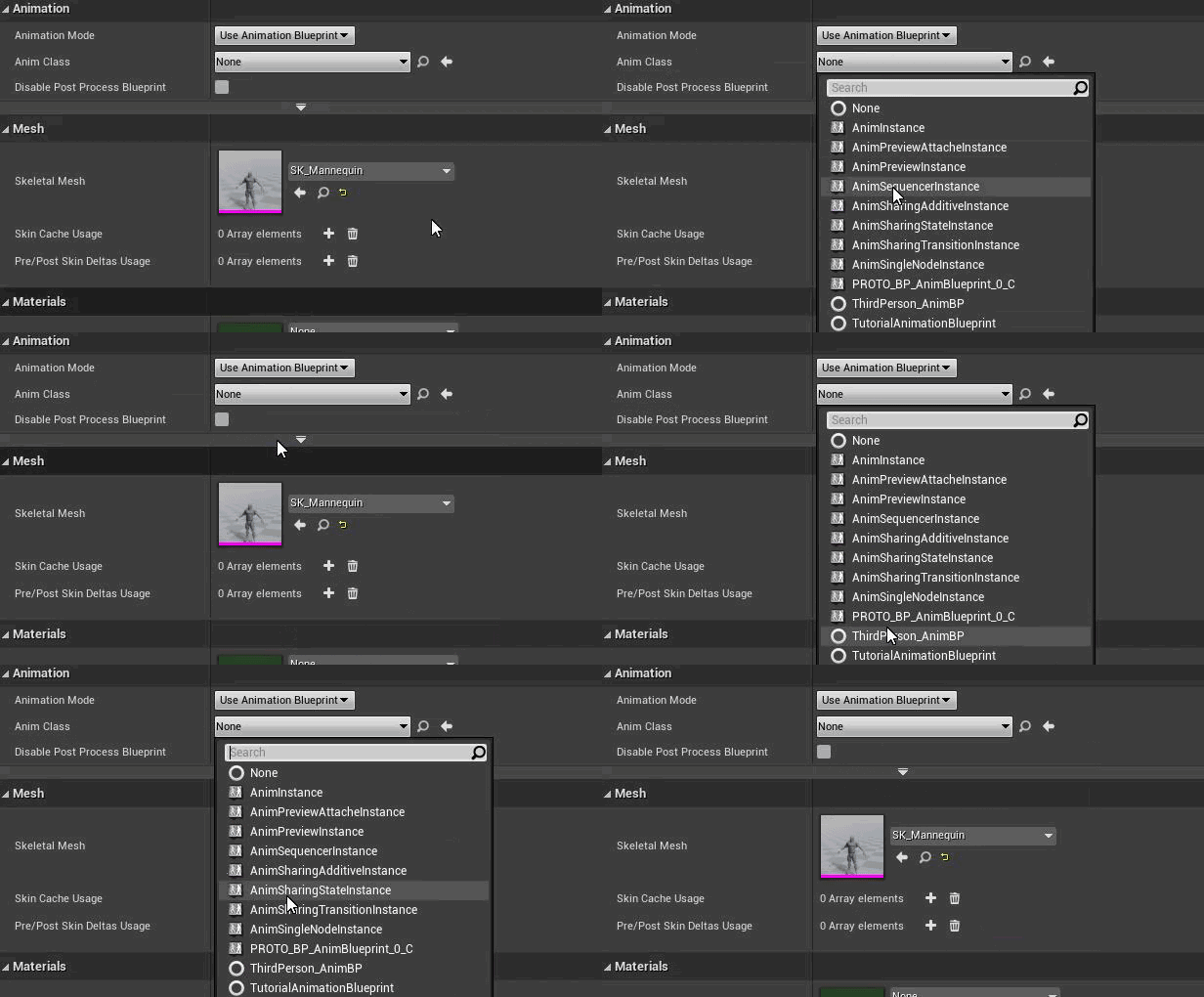 fathom spindle
hi @timber knoll thanks! yeah ok i understand that in theory. right now i'm just adding one dynamic material instance before spawning the decal
i guess first off i'll see if i can add each decal to an array
timber knoll
 fiery ridge
https://gyazo.com/36308e64a2db08a4d3561d41ef71c406
fiery ridge
https://gyazo.com/36308e64a2db08a4d3561d41ef71c406
Probably because it can’t match skeleton
fiery ridge
ok, ty
fathom spindle
@timber knoll - just printing out the decal object reference from the spawn node each has a unique name


 fathom spindle
ah ok so creating the dynamic material instance after the spawn
i've added them to an array succesfully
(horray)
timber knoll
one step at a time 😄
fathom spindle
not sure how id remove them though
timber knoll
you mean after they faded out?
fathom spindle
yeah
timber knoll
 fathom spindle
ok ok amazing ill just try and implement this
Adding the create dynamic material instancer after the spawn decal attached appears to overwrite my decal material with the default one
fathom spindle
this got it back

printing total active and the names, although now they all have the same material instance id - dunno if thats a problem

wil try to loop through them

 timber knoll

this works
aah yeah its my bad ^^'
you have to create the instance from the parent class, then assign it
if you create it at the end it will only create a single instance because youre using a single material
fathom spindle
ah ok
timber knoll
 fathom spindle
cool yeah me too
timber knoll
does that work?
fathom spindle
so i'll try to loop now
 fathom spindle
amazing! i'll try and race through it
timber knoll
also, make sure your decal life span is set to a value slightly higher than the timeline fade
so it auto despawns, and doesnt give errors at the very end
fathom spindle
haha
fathom spindle
yeah the idea is each one fades in and out on its own curve
timber knoll
yep yep like blood splatters
fathom spindle
yeah
timber knoll
problem is the timeline can only run for one object if im not mistaken
fathom spindle
oh i see
timber knoll
aha wait, I might have an idea
fathom spindle
i guess theres others ways to increment/decrement
just needs to be a simple linear fade
timber knoll
okay okay in that case, you can make it simple yes
wait why can't i set parameter values anymore haha
fathom spindle
oh no
yeah i think it can be simple
id like to be able to vary the lifespan of them a little
but as long as they dont just pop off screen pretty much
 fathom spindle
oh jesus
timber knoll
Well it's basically looping over all the instances and on top having another array to store the opacity
which you subtract based on a speed * time
timber knoll
and then when it reaches <= 0 you remove them, otherwise set the opacity
just make sure to also add this

otherwise you will have errors 😄
fathom spindle
so would this be on event tick then?
 neon olive
why when i try to cast to my character it shows it twice?
mostly everything i've created
how do i know which is which?
 timber knoll
fathom spindle
so would this be on event tick then?
timber knoll
fathom spindle
so would this be on event tick then?
yes
fathom spindle
right ok ill get to work!
candid nest
last night my whole project wa working fine today when i opened this i saw this issue idk where this issue is evrything is fine but this issue plz help
fathom spindle
hey @timber knoll got something printing out at least...

although my decals array doesnt seem to be counting them anymore
timber knoll
what do you mean with counting?
fathom spindle
the blue value at the top
timber knoll
ooh right
fathom spindle
its not that important really
timber knoll
you still have this right?
 fathom spindle
did you have an idea how to assign this to the materials?
fathom spindle
timber knoll
you still have this right?
yes
 timber knoll
for your count, you can get length from your array
which should correctly return the amount of active ones, since you remove them once they are faded out
timber knoll
nice 😄
fathom spindle
so now they pop on, but thats ok
also the fade happens constantly from birth to death
so like ideally id say, fade on 1 second, live 8-12 seconds, fade off 1 second
or something like that
timber knoll
haha you artists XD
timber knoll
okay in that case you can do something similar
instead of keeping track of the actual opacity
you would keep track of the lifetime
which you add on every event tick
and then based on that value, you calculate the actual opacity
when it goes >= lifespan, you remove them from the array
fathom spindle
yeah like a particle system
timber knoll
but im not gonna get into the math of it 😛 that's your homework 😄
timber knoll
no worries, good luck!
fathom spindle
@timber knoll seeing as the opacity value goes from 1 to zero over the duration for each decal can't i just run that through a curve asset with an ease in/ease out?
timber knoll
oooh yeah right curves XD
I completly forget they exist in unreal
yes that would also be possible lol
 velvet dagger
I'm trying to make a 3rd person shooter game where the bullet always goes where the crosshair is aiming (besides when where the bullet comes out is right in front of a wall while the crosshair isn't pointing the way of the wall), and I don't know how to go about making this. The tutorial I did a while ago is veeeerrrryyy not accurate. Any help would be greatly appreciated :]
timber knoll
velvet dagger
I'm trying to make a 3rd person shooter game where the bullet always goes where ...
The easiest way would be to shoot a ray using the camera forward
since I assume your crosshair is completly centered anyway right?
velvet dagger
Mhm :)
timber knoll
So yeah you need to use either a ray for direct hit, or when you want to use actual projectile with movement
you use that forward vector of your camera as the bullet direction
neon olive
FVector CurrentPosition = GetActorLocation();
            CurrentPosition.Set(0, 0, 100);
how do i create this using blueprints?
I'm only lost on creating currentposition
how do i combine these two?
 timber knoll
combine?
neon olive
Combine for strings
timber knoll

this is the blueprint version
combining for string would be append

something like this
neon olive
All of that just for one line of code..
timber knoll
well I'm not 100% sure what you want to achieve so...
timber knoll
aah so you want to just add the two vectors together
 timber knoll

spawn attached requires a component to snap to
so for example, you can snap it to something around the head of a target
and then make it follow the head
timber knoll
in which case you don't even need to set a location, since it will use the head's location
Hmm yeah I think you can use a socket

like this should work

or like this if you add a particle system to your actor
velvet dagger
timber knoll
So yeah you need to use either a ray for direct hit, or when you want to use act...
So uhh, how do I do that :')
I haven't even learned about line traces yet but it seems pretty simple
How would I make the projectile move to the target?
 obtuse herald
Predict Projectile Path is also a thing
velvet dagger
I already have that on my projectile
Is that what you're talking about :'p
Ugh whatever I do the projectile is like 2 inches away from the crosshair
timber knoll
velvet dagger
Ugh whatever I do the projectile is like 2 inches away from the crosshair

something like this?

or this
in both scenarios, you should also set your start location ofc
first one, you rotate the actor to match the camera rotation
second one, you set the velocity to match the forward vector multiplied with a float to manage the speed
 amber glen
Hello! I'm setting a landscape texture at runtime:
The material base color updates properly except the grass output. Nothing appears to trigger it at runtime, also tried grass.FlushCachePIE
Anyone have any idea why? Thanks!
 amber glen
@trim matrix Yeah, looks like it. There's RenderGrassMap() but apparently it's not exposed at BP level. Thanks for the input!
 zenith temple

