#blueprint
402296 messages · Page 729 of 403
 zenith temple
 loud cipher
anyone know how

i can get chromatic abberation in ue4?
Like get it to fade in
Ohhhhhhhhhh
Thanks
Yeah
zenith temple
is there a simple way to combine these, as for me the mesh is all 1 skeletal mesh so would be nice to just hide by bone only for yourself:?

 wild laurel
trying to convert my project to top down where my char always faces my mouse cursor.. quick googl search shows this:

any other ideas or ways to accomplish this? I assume it has to be on tick unfortunately? Or maybe theres another way?
 timber knoll
that's a solid method, depending if your camera is locked or not you can do it on input only (when you move cursor)
with tick, it also works if you move your camera
 spark steppe
depends on your character, if you have turn animations you want to use control rotation
instead of force rotating the whole actor

 cold raft
 craggy turret
how do I get a refference to the enemy AI?
craggy turret
how do I get a refference to the enemy AI?
you have to pass a reference to the Cast to EnemyAI - the input pin is not connected
craggy turret
Ik, but it wont give it to me
it only gives me floats and boolean from the enemy ai
cold raft
craggy turret
Ik, but it wont give it to me
When you spawn the enemyAI, save the object so you can reference it later. Otherwise - if you are calling this because the enemy hit your character, there will be a place you can get "actor causing damage"
craggy turret
im calling it bcs i want it to show the enemy hp
and whenever it gets hit it should deacrease
ill try that
 urban zodiac
How do you calculate the look at rotation that is half way between two locations?
FindLookAtRotation exists and works.
p1 ------------ | ------------- p2
So basically I want to look at the halfway point of those vectors. I figured a simple lerp with 0.5 alpha would do but that didnt work
 lone cradle
Hello, I'm having trouble with this AI node in blueprint. Is returning OnSuccess even if the AI has not reached the acceptance radius and there is no path on the NavMesh towards the player. Shouldn't it return OnFail?
I have allow partial paths disable on the project settings btw.
 lone cradle
urban zodiac
How do you calculate the look at rotation that is half way between two locations...
lone cradle
urban zodiac
How do you calculate the look at rotation that is half way between two locations...
(p1 + p2) / 2
And you look to that point
lone cradle
I mean, yes, its literally how math works
urban zodiac
maybe its something with the FindLookAtRotation
lone cradle
You can add points in space, divide by two and get the middle point
urban zodiac
This will rotate the camera to exactly look at the impact point as if I did nothing
 craggy turret
cold raft
When you spawn the enemyAI, save the object so you can reference it later. Other...
craggy turret
cold raft
When you spawn the enemyAI, save the object so you can reference it later. Other...
how do I save the object?
which kind of
variable

like this?
im trying to make a widget showing the healthbar
of the enemy

and im having trouble getting the object
urban zodiac
nevermind I figured out my problem I think. Should have saved a seperate vector instead of using get world location. Since that will be a vector perpendicular to the target locatio
cold raft
craggy turret
how do I save the object?
When you spawn the enemy, it will have an object output. Save this by dragging out the pin and choose Save as variable (though you may want to save an array of them)


 craggy turret
cold raft
When you spawn the enemy, it will have an object output. Save this by dragging o...
craggy turret
cold raft
When you spawn the enemy, it will have an object output. Save this by dragging o...
alright
yeah i still dont get it
cold raft
 near yarrow
is it because you have the S key mapped to Forwards/Back as well as None?
near yarrow
no
ive been ressetting the ini to original in between tests
i just tried hooking it up a different way just to be sure it wasnt because the element was removed before adding
here is the result


the scale gets all screwed up now
actually in game that s was an e
lol
it doesnt make sense
this is happening inside of a widget
each widget is created for each input action and axis index
since axis mappings have index
i have hooked this up all day and no dice
that first s under forward back was e in game
i need to test input name and print them out to make sure thats not getting screwed some how
name is printing out fine
i have a feeling this is bugged some how
lol the keys dont even match what i put in
its like its changing inputs that it should not
id like to see a proper example of axis remappings. these videos on youtube all give similar issues
almost as if these widgets are screwing with each others input variables
cant print a key unfortunately
maybe its because the index changes after removal
omg
ofc
i need to update index some how
shit
cold raft
near yarrow
its like its changing inputs that it should not
Is the key mapping being acted on in different blueprints? I had a tricky bug once - a mapping had events in both the player character and player controller
near yarrow
no
we just tested it
its the index number we pass in
once we remove the key the next index in line moves back 1
i would need to keep track of that or rethink everything
all that should be changed is those .ini files and the widgets themselves are changing it
all action mappings work fine
but the all only have index of 0
so no reason to pass in index for action widget
the axis widget needs that index to sort out multiple keys
cold raft
Your video shows you changing key bindings - post what those blueprints do.
near yarrow
ill make another one with robot font so i can pass in the name appended with scale

the scale of the input is passed in
file to big hang on

this is what they were

this is what i change them to
but the ini shows this

i only need the index when i create the list of the widgets
using that index inside the widget is a no no. i need to just pass in the original scale
im not sure how im going to get around it but i know why its happening now
i use the index when i create the widget and thats it. i create the input to be removed and replaced by the index then after that it works now
🙂
nvm
it only works if i change them in a certain order lol
but im closer
 drowsy ridge
hey all what's the best method to check whether a player is moving forwards, backwards, left or right?
near yarrow
drowsy ridge
hey all what's the best method to check whether a player is moving forwards, bac...
what do you mean? multiplayer wise or locally?
there is a thing called get last input vector
i use that to find out which way a player is supposed to boost
irc i had to replicate it for multiplayer
drowsy ridge
near yarrow
what do you mean? multiplayer wise or locally?
singleplayer
near yarrow
are you checking for input?
drowsy ridge
direction + input
near yarrow

this is how i do it
im using camera direction tho
you might want the direction the actor is facing
near yarrow

heres one that picks inbetween capsule and camera depending or not if they are moving on the ground or walkable surface
just incase you need them to move toward the direction you want if they are in the air
camera based will slow them down the greater the angle of up or down gets
 gentle urchin
Hows the states working for you? Regarding the overlap start location i think you'd need to either trace it or register to the overlap event (bind to event begin overlap on the weapon) altho it can be a tad tricky i suppose. I assume 'get overlapping' is updated by that specific event so it should be accessible
 quartz pawn
hi, so I have this asset that works in UE 4.26 but not in UE5. now the error is "Access None trying to read property PMM Game Instance". whenever I try to reference it in a widget blueprint, it says "Cannot create components from assets in a non-actor blueprint"
 livid vessel
Any Ideas, why On Mouse Button Up wont fire?

 tepid cipher
anyone figured out the new bug with UE4 and dual screens? I have to restart it every few hours, the main screen does this dodgy see through thing for the blueprints and I can see behind it, I cannot rightclick or see what there, on the main screen, I'm running 64GB ram, 3090 and an amd 5950x.
Pic related is what happens when you right click, I have to restart the project, also I have to take a pic with my phone to capture it.
I do know the problem is fixed if I use a non-main monitor.
Also the pins when you drag them feel like it's software rendered for the main display, when I move them around they feel like they go 10 FPS, my second monitor is smooth.
It's an absolute bizarre problem that can't be really googled, I noticed other people had this issue.
When I stream it doesn't appear on the stream, but it does for me, same with taking pictures and things.

 formal wren
What is better: 1000 components with tick enabled or updating all of them in a for-loop on the parent actor?
tepid cipher
livid vessel
Any Ideas, why On Mouse Button Up wont fire?
I wouldn't bother with those bind events, the drag and drop is buggy as well, and has been since 4.18 I think it was.
livid vessel
tepid cipher
I wouldn't bother with those bind events, the drag and drop is buggy as well, an...
Is there a work around like on Preview mouse Up?
tepid cipher
quartz pawn
hi, so I have this asset that works in UE 4.26 but not in UE5. now the error is ...
The problem with UE5 is that you don't know what works and what doesn't, it sounds like the game instance isn't set.
tepid cipher
livid vessel
Is there a work around like on Preview mouse Up?
well bind events are always on tick, so, what I did was make my own through event tick
it sounds like you're using it on UI
brb going to update my drivers
I can't stand this damn UE4 glitch
livid vessel
tepid cipher
well bind events are always on tick, so, what I did was make my own through even...
These two are also no workaround
 tepid cipher
@livid vesselin the blueprint I have a boolean that has "isLeftMouseDown" and toggle that with a mouse click and hold, then on an event tick I trigger what I want through a function, that's how I manage to get the drag and drop to work like a drag and drop
I am going to revisit that though in the coming months
livid vessel
tepid cipher
<@!303818965962981376>in the blueprint I have a boolean that has "isLeftMouseDow...
Also wont work for me XD
 tepid cipher
livid vessel
Also wont work for me XD
tepid cipher
livid vessel
Also wont work for me XD

let me have a look at that
that mouse pointer event you don't want to use
create an artificial one
I'll brb
livid vessel
how?
tepid cipher
reinstalling my GPU drivers
settings > create input
then use that to toggle a boolean
livid vessel
Ok i will test if this will work for what i want
 vast crow
No way to move an event into another event graph of the same class?
 random ermine
Hello. I'm trying to control the LOD level of a blueprint instances. My situation is that I am scattering a bunch of trees with LODs in the level with houdini engine using point cloud, then I bake the result as a blueprint. In the blueprint, I saw it was using hierarchical instanced static mesh. I want to be able to create some sort of volume. Then within that volume I can lower down the LOD level. I saw there is a "Set Forced Lod Model" node but it doesn't seem working to me. Any ideas?
 gritty elm
drowsy ridge
hey all what's the best method to check whether a player is moving forwards, bac...
gritty elm
drowsy ridge
hey all what's the best method to check whether a player is moving forwards, bac...
you can use get actor forward/right vector values to verify this, also you can normalize or use vector length to check this
the other method is to see the values of input axis where you are adding input movement
gritty elm
craggy turret
how do I get a refference to the enemy AI?
there are many ways, it depends, for now you can use get actor of class or get all actors of class ( if there are multiple enemies ):
https://www.youtube.com/watch?v=XLwseuHI-wk&ab_channel=MathewWadstein

What is the Get all Actors of Class Node in Unreal Engine 4?
Source Files: https://github.com/MWadstein/wtf-hdi-files
probably you have two classes in your project content folder with same name
 earnest tangle
iirc if you want to change the antialiasing method being used you have to use one of the console variables for it
there's no way to change it other than that
yeah
 azure sparrow
Hello i am recently getting this error wehnever i am adding a new plugin to my project
if the engine crashes that plugin fails to load

 terse latch
I am working on a homing pickup or item magnet effect. If the item is placed in the level then the homing effect works. I made it as a pawn as it seems to work, kind of. But if spawned after a enemy is killed it does nothing and sits there. might anyone have any ideas?
timber knoll
do you use AI controller?
you should check if the controller is enabled on both spawn and placed (auto posses)
timber knoll
terse latch
I am working on a homing pickup or item magnet effect. If the item is placed in ...
 terse latch
hmmm no tho i can give it a try. I was using float movement with pawn sensing.
gentle urchin
You can also do it with a simple collision sphere + timeline
On overlap -> start timeline
Lerp from actor start location to player location , with alpha coming from the timeline
timber knoll
well not even a timeline
since that would move very close objects to you over same duration as a far object
timber knoll
can just move it with a constant velocity
hmm yeah like that would work but a bit overkill imo
terse latch
I think I found it thanks!
 eternal ivy
How do I pass a variable from widget blueprint to a character blueprint? I have this in my widget

This in my character blueprint

and this in my character animbp

I want clicking on ui buttons to change variables that will change animations in my AnimGraph
press 'x' triggers dance animbp state, press 'y' triggers bow animbp state, etc
gritty elm
from return value, you don't even need to cast, just type variable name that you want to get inside your character blueprint

do like this @eternal ivy

 trim matrix
That wont really work for what hes asking.
trim matrix
eternal ivy
How do I pass a variable from widget blueprint to a character blueprint? I have ...
You need to promote the returned Widget to a reference variable.
 faint pasture
eternal ivy
press 'x' triggers dance animbp state, press 'y' triggers bow animbp state, etc
faint pasture
eternal ivy
press 'x' triggers dance animbp state, press 'y' triggers bow animbp state, etc
Dancing would be a montage. AnimState_Bow would be an enum
trim matrix
Thats assuming you want to get into using Anim Montages. (Which would be the correct way to handle that). It is a different direction then the one you are heading though.
eternal ivy
Thank you all
I will try
@gritty elm When I start playing, my UI spawns and it accepts the initial state of dance, which is false. When i click button_0 dance is set to true, but the animbp isn't triggered, How do i refresh the dance variable connected to the event start after i click the UI button_0?
 twin ibex
Not to interupt the current conversation, but I'm new to unreal and I was wondering about good resources to learn blueprint basics to get started on basic 1st/3rd person combat
trim matrix
Like i said, What G33k360 wont work for what you need.
His solution didnt include anything for after the game runs begin play
In order to accomplish what you want, you need to make a widget variable.
Right after you construct a widget, you typicly want to promote the ReturnValue of the ConstructWidgetOfClass node to a variable
If you dont, you will never ever be able to pull data from that widget ever again
so what you need to do..

That will create a new variable for the Returned Widget
 verbal bobcat
Hi everyone! So I have a problem on a disconnect button. when someone joins a server and then wants to quickly disconnect (maybe joining by mistake) they press the disconnect button at witch point it destroys the session but do I need to change level or is there another way around it so it cancels the connection process?
trim matrix
Then in order to retreive data from that Widget (Check if the button has been pressed on the Widget or not)
You would...

Something like that.
The important part is the Get Widget Reference.
The variable that was created might not be called Widget Reference.
eternal ivy
Do I put this part in the animbp?
trim matrix
So you are gonna have to type Get [Whatever the engine named that variable]
eternal ivy
it is now 😄
trim matrix
lol nice
yes this part goes...

this is what im reffering to
my recreation isnt the same at all but i hope you get it xD
The only things that matter in my recreation are the Cast to BP_Dialoge, then getting the Widget reference from it
Oh lol also.

That should be DB_Dance xD
You dont need that other variable. Dance to AnimBP
you can delete that variable and any code that uses it
sorry I got confused on which variable was which there.
eternal ivy
did i tangle this?
 eternal ivy
thanks so much, I'll give it a shot!
trim matrix
Like i was just saying, you can get rid of the Dance to Anim BP
you dont need it
delete that part
eternal ivy
ok great
trim matrix
let me know if its working for you
eternal ivy
T.T It's working!!
trim matrix
perfect 
so yea.
the rule is basicly
After you construct a widget
promote it to a variable
So then that you can pull data from it later on
If you dont promote it to a varialbe, you will never be able to access that widget again
and it will continue existing in the game foverer and ever xD
eternal ivy
thanks a lot! Now it should be easy repeat this for all the other anim states.
trim matrix
Which also isnt good lol
eternal ivy
I'll keep that in mind 😄
trim matrix
good luck. Also keep in mind that Animation Montages exist
If you try to make to many animations using an the AnimStates and such...
It will become a nightmare
so at some point look into ANimation Montages
eternal ivy
I wanted to use the controller to control blending animations base on direction
trim matrix
twin ibex
Not to interupt the current conversation, but I'm new to unreal and I was wonder...
Theres a million things just on youtube about learning BP basics that revolve around that
I swear if you just search learn unreal bp you will find something usefull xD
so true tho lol
twin ibex
Thanks, that's what I was looking for. I reallllly don't wanna learn any bad practices this early on
Do you know of any youtube people or courses that show good and efficient processes of learning?
trim matrix
Learning about object oriented programming in general will help a lot as well. I feel like many tutorials around Unreal BP don't touch on the fundamental ideas behind it. Not understanding how it works is a sure fire way to lead yourself down into bad practice territory I believe.
Its been to long I cant remember anybody specificly
yea in the end its pretty much just a visualised form of line to line programming.
twin ibex
Yeah, I figured it would be something like Scratch, just a more visual programming language
trim matrix
well its alot more then that.
twin ibex
Yeah I found that out the hard way lmao
trim matrix
lol yea xD
twin ibex
Thanks for the help guys, I'll come back and ask for help if anything comes up that I can't figure out
trim matrix
Good luck!
 sacred estuary
just wondering if anyone knows if there's a way to stop drawing a line trace after it's hit something? right now the line trace continues to its end even when it hits an object
trim matrix
Pretty sure the built in functionality for drawing a line trace is simply for simple debug purposes only. So not like theres a bunch of config options as those arnt needed for simple debugging. I dont think you can.
quartz pawn
hey anyone know how to make a good loading screen without a delay? like I want it to actually load the level up
 odd ember
you need cpp for true loading screens
quartz pawn
why
quartz pawn
but theres goot be a blueprint way
quartz pawn
plugin?
odd ember
but a real loading screen requires cpp
I dunno, there might be a plugin somewhere
I don't keep tabs
quartz pawn
odd ember
I don't keep tabs
i found one, is there a way to use a UE4.27 plugin for UE5
 meager spade
Am I dumb or does the source angle on a directional light do next to nothing?
 calm willow
So... i have a noob question 🙂
I'm transitioning slowly from unity, I am wondering how generic referencing works in BP, for example i have a BP that needs has an OnOverlapBegin event, however the collider in question is temporary, i don't want to go and redo the noodles later (ideally), so i would like such event to be on a variable collider (which is possible), however i can't assign the value of such collider to be an actor from the current BP.
What's the correct way to do this?
quartz pawn
anyone know how to take a UE4 plugin to UE5
 timid flint
Is there no way to instantiate an object from a blueprint class in a construction script? spawn actor is not available there
 midnight ravine

When travelling this error pops up. It only pops up when a client is connected however.
I'm not trying to travel to ThirdPersonExampleMap though.
 faint pasture
Is that map set as the loading screen map or whatever it's called?
faint pasture
Check your maps and modes tab of the project settings
midnight ravine
 faint pasture
There should be more there. Also, try doing the open with a console command and see if it does the same thing.
midnight ravine
huh
I just put some map into both fields and now this error doesn't show up anymore. Weird.
Thanks.
faint pasture
The client is probably not getting the travel and defaulting to default map which is nothing so maybe it tried to go to the last good default map which is deleted.
Does the client follow when server opens map 1?

 somber fulcrum
Hello All, newbie to BP and first time asking a question here, so if my logic doesn't make any sense please let me know. I have a third person camera and I'm manipulating the FOV value depending on if the player is aiming down sights, or speed boosting. I figure if the triggering of one is conditional on the other, then that means no conflict in the camera FOV. this almost works, but there is visible snapping when I release the boost button and press the aim button, & vice versa. Any ideas on what I can do to solve this??
 quartz pawn
can anyone help me make a UE4 plugin work with a UE5 one
calm willow
somber fulcrum
Hello All, newbie to BP and first time asking a question here, so if my logic do...
save current fov, your calculated fov is the "target" you want to get to, lerp between current and "target" fov (by lerping, eventually current = target)
quartz pawn
i added my plugin to the plugins folder and it isn't showing up for me to enable?
somber fulcrum
calm willow
save current fov, your calculated fov is the "target" you want to get to, lerp b...
that makes sense, but I'm not sure how to go about saving the current fov value
calm willow
somber fulcrum
that makes sense, but I'm not sure how to go about saving the current fov value
create a variable, call it "currentfov", default it to the default fov, before going into Set field of view (after lerping) set it to the current fov you've calculated (the lerped value)
quartz pawn
quartz pawn
i added my plugin to the plugins folder and it isn't showing up for me to enable...
anyone?
somber fulcrum
calm willow
create a variable, call it "currentfov", default it to the default fov, before g...
aaah okay, I was guessing that was what you meant. Thanks! I'll give it a shot....
 lyric holly
How do you get a reference to an audio component? In the level bp i can simply select the audio actor and then right click in the blueprint and get it..
quartz pawn
how can you return something for a custom event? like I am doing this in my game instance and want to return a value
 burnt saffron
Why wheni call attach actor to actor its transform changed?
calm willow
quartz pawn
how can you return something for a custom event? like I am doing this in my game...
you probably want a function and not a custom event, the BP component return value should help tho
quartz pawn
calm willow
you probably want a function and not a custom event, the BP component return val...
alr, another quick question, my widget UI isn't showing on the client but is on the server (listening server btw). do you know how I can fix that?
 velvet dagger
Bah,"Conflicted with K2_Node_Event_7 and was replaced as a Custom Event!"

Dunno what's happening
tepid cipher
velvet dagger
Bah,"Conflicted with K2_Node_Event_7 and was replaced as a Custom Event!"
Poor naming conventions.
Every custom event I add "CE_" before, functions I add "F_" macros "MAC_" .etc, I do this so I can identify easier, if I want to list my custom events I just search ce_ and easy.```

Had to code bracket because of the underscores messing with the sentenceLol :)
What's weird is that when I renamed it some gibberish and put it in the original name it worked
tepid cipher
people have a tendency to have "Add_Health" as a custom event and function and when you're trying to run the function it can be a nightmare, especially for multiplayer
velvet dagger
Oh jeez
tepid cipher
I got my coder mate on to that, when he was converting stuff to c++ and didn't adhere to the naming conventions and then created a bunch of chaos
velvet dagger
So I should rename it something else shouldn't I? :']
tepid cipher
imagine adding health and needing the custom event only to find it's running through a function that's not replicated
velvet dagger
Probably not good bro
timid flint
I have a scene component I add children to in Construction script, but in my BeginPlay they are in different order. Is this the intended behaviour?
tepid cipher
use my naming conventions, convert everything to it, avoid confusion
velvet dagger
Alrighty :)
I made a take damage event and didn't get an error, should I change the name?
tepid cipher
I would
tepid cipher
you have in gamemode start game and stop game
imagine if you wanted to create your own start game and you are using these terrible inbuilt engine ones
tepid cipher
timid flint
I have a scene component I add children to in Construction script, but in my Beg...
beginplay only runs when you run the game, constructionscript is when the bp is created/updated/compiled
so the construction script is always going to run 'first'
velvet dagger
tepid cipher
use my naming conventions, convert everything to it, avoid confusion
lol im getting warnings again :'p
timid flint
yes, but why are they in different order? in the construction script, after adding all the children to the scene component, I try to get the first child and it's correct. but then if I get the first child in BeginPlay it's the last one
tepid cipher
velvet dagger
~~lol im getting warnings again :'p~~
yeah something ain't right there
velvet dagger
I'm using an interface blueprint
I've literally put in pure gibberish and got the error
It's crazy :'|
tepid cipher
@velvet daggersometimes, UE4 bugs out and needs to be reloaded
velvet dagger
So you think I should restart it?
tepid cipher
I would
tepid cipher
it's ok
tepid cipher
timid flint
yes, but why are they in different order? in the construction script, after addi...
hmm what are you trying to do? why do you need to get all children of a scene component?
timid flint
I generate tiles for my chessboard and have them all inside a scene component to group them and then reference them by index. Here I set the first child to invisible in construction script and then spawned an actor in BeginPlay at the first child (could not spawn actor in construction script)
 tepid cipher
@timid flint Why wouldn't you use a blueprint for the square with details on it, and just spawn them in an array?
from memory I avoid scene components like the plague
a 2D array would serve you better from my understanding
tepid cipher
I would get creative
so through the power of structs, if you have used them you would do this
and vector 2D arrays as well someone said in the comments
but with a 2D array you would just be able to use the array position to move pieces, which would be simpler
trim matrix
You can also just use a single array and use some simple math to make it work.
Index = 0-7 is row one
Index = 8-15 is row two
That kind of thing
tepid cipher
that's true
trim matrix
I remember making a grid system like that once.
tepid cipher
you couldn't use that for moving pieces I wouldn't think
timid flint
that's what I do, but instead of having an array variable, I used a scene component. trying with variable now
tepid cipher
you could use 2 byte variables for positions of x and y
trim matrix
Why not with moving pieces?
tepid cipher
my smooth brain wouldn't math the move from 0,8 (0,0) to 3,11
tepid cipher
timid flint
that's what I do, but instead of having an array variable, I used a scene compon...
in a struct you want 2 byte variables, and a blueprint for your square then just make that into an array
timid flint
when I create an array of static mesh components, the editor crashes...
tepid cipher
that's what I'd do anyway, because i'm lazy
trim matrix
tepid cipher
my smooth brain wouldn't math the move from 0,8 (0,0) to 3,11
lol idk what you mean
(0.0) is index one
(0.1) is index two
each index is one grid space
timid flint
it's just y * sx + x. to store in 1d array. that's not my problem
trim matrix
nice then
tepid cipher
trim matrix
lol idk what you mean
oh i mis read what you were talking about, I thought you meant x as 0-7 and y as 8-15
timid flint
it's kinda strange ue doesn't have a grid system implemented though. Or maybe I just missed it
tepid cipher
you gotta make it yourself, much like a lot of things
trim matrix
and it sounds like to me...
your creating each square seperatly right?
each square is its own mesh?
timid flint
yes. I'd like to be able to change material on hover etc.
trim matrix
well tbh thats not nessicarly a good way todo grids
tepid cipher
you peaked my interest with this chess thing
trim matrix
Making each square its own mesh
tepid cipher
let me whip something up
timid flint
I thought I'd work with a single mesh and sockets, but it seems a bit complicated to generate them on the fly
trim matrix
A pretty good way I found todo grids, is to use a Paper 2D tilemap as the background. Then have create an array that only holds gameplay objects using this 1d grid and math thing.
timid flint
and then I'd need custom material with logic for hover
trim matrix
This way you wouldnt be generating the grid at all
The whole grid would be handled by the Paper 2d Tilemap
all you would be doing is just filling in which objects are in what spot using your array/
but thats a different direction then the one your heading
so only if you want to change courses a bit
timid flint
I tried playing with tilemaps. I think I had trouble manipulating the tiles after the creation
trim matrix
its a bit tricky since the variables are in the worst locations omg
Took me forever to figure out how.
Also things like,
Changine the material as you hover over the square..
you can just have one square thats moves as you move your cursor around
It can just snap to above whatever grid your cursor is currently over.
So for that instance you wouldnt be changing the tilemap at all
timid flint
hmm. and how does snapping work?
trim matrix
well you just program it in using a simple script on the MovingSquare actors event tick
Like EventTick -> GetGridCordUnderCursor -> GetCenterVectorOfGridCord -> SetActorLocation
along those lines
anyways again im just proposing a different solution then the one your going down. Up to you if you want to switch gears and go that way.
timid flint
ok, I might look into it if I have more troubles or when optimising for performance. for now, since it's just 64 squares, I don't think it'll be too heavy
trim matrix
Alright. If your generating them how you are rn. Then its prob just a random bug in the code somewhere
And try generating it during runtime
It sounds like your doing it during editor construction rn and not runtime?
Maybe a begin play would work better.
timid flint
yes, so it's visible in the editor
trim matrix
yea thats fine then if you want it to be visable. But it might be worth to scrap it and regenerate it during runtime as well.
Just make sure your system can handle that lol
 timid flint
so, it worked when storing the components in an array. I'd qualify the inconsistent ordering in construction script as a bug
 trim matrix
well just try not to use editor construction script for things that effect gameplay.
it has lots of wierdness
timid flint
oh, I remember another issue I had with the tilemap was flickering edges when panning in 3d
trim matrix
oh fun
well tbh the tilemap part can be replaced with any image
it could just a plane with an image on it
or for 3d
a generated mesh
you know
timid flint
I need to be able to generate it, so it could work with other variants like 4 player chess etc.
trim matrix
yea
 trim matrix
lol rip
tepid cipher
what pos they are, what is on them
that's the generator, it generates the BP then throws it in a struct, that struct holds positions, now that I think of it I could just use a BP array, but this is each tile and pos so it's better I think

also I couldn't think of a spawn code so I just flipflopped the colour change, lmao
timid flint
I use (x % 2 + y % 2) % 2
tepid cipher
I use smooth brain tactics
 timid flint
although It feels it should be simpler
tepid cipher
%2 might be the way to go for that but eh
flipflops!
but yeah that's pretty much all of the code anyway
if you wanted to get what's selected, you can always do an linetrace to the blueprint and setup a selected blueprint in your player controller I think it would go
timid flint
another strange behaviour: if I play start when I'm in the event graph of my blueprint in the second window, the game starts normally at the level viewport. when I dock the blueprint editor as a tab and press play, it begin at blueprints origin (in both scenarios, if I press play at the level viewport it start normally)
tepid cipher
that sounds like how things are generating on screen
timid flint
if I could only disable the always on top feature..
velvet dagger
Would I be interrupting if I asked for help again? lol :'>
trim matrix
no lol
velvet dagger
g o Of
g o OD
(is this even possible?) I want a sound clip to start at the beginning, loop a certain part, then continue playing normally after a certain amount of time. How would I go about doing this?
tepid cipher
velvet dagger
Would I be interrupting if I asked for help again? lol :'>
nah you got a few of us here
trim matrix
Not sure tbh i dont touch audio anything lol
velvet dagger
Awww
trim matrix
but 10000% possible
tepid cipher
@velvet daggerwell UE4 doesn't have a good audio engine, I found this out when I was creating my own "Banjo kazooie" style sound system
which I still have to implement for a client
because it's engine is basically a fetus, you have to create one
velvet dagger
Oh man
trim matrix
Then prob just dont think of it as possible xD
tepid cipher
I recommend creating like a sound master or a conductor blueprint, put that in the level and have it control everything
velvet dagger
I could just make different sound clips for the beginning, loop, and end
I get really worried would I have new things mentioned to me
I'll be doing this and that and there's MOST LIKELY a wayyy easier way
Makes me die
tepid cipher
I know I had to create my own sound player, with start/stop and what not, you have to actually reference a sound to gain it's controls, you can't just load a sound in and start/stop/play it or do speed things, it's a bloody nightmare
tepid cipher
velvet dagger
I'll be doing this and that and there's ***MOST LIKELY*** a wayyy easier way
welcome to game dev
velvet dagger
I think to myself that someday someone would look through my "code" and make fun of me
Understandable
tepid cipher
i know I created a chessboard in about 10 minutes, efficient enough, while people struggle for days, not to toot my own horn but that's just experience and game dev in general, even I find easier ways to do things, but it's more "Oh, you're telling me I spent 3 days/60 hours only to find out garbage collection for UI's don't exist really?"
velvet dagger
Well, I gotta start somewhere and waist hours of my life to become a developer :')
tepid cipher
velvet dagger
I think to myself that someday someone would look through my "code" and make fun...
just do what I do, and always code badly
velvet dagger
Haha nobody will know until the game breaks B)
trim matrix

tepid cipher
unless it's polished code, and it works, and can be modular, and taken out with ease, then it doesn't matter
velvet dagger
I'm making my first prototype so I haven't been caring about that
tepid cipher
modulate everything
velvet dagger
I planned on making a prototype really sloppily, then rebuilding everything I've done
tepid cipher
that's called, causing your future self pain
trim matrix
bruh
velvet dagger
So it's a bad idea? :' D
trim matrix
I dont think he would even know how to write polished code
 trim matrix
no your fine
this guy talking to you like you been coding for years
lol he just said hes new
tepid cipher
it's ok
velvet dagger
E c k
tepid cipher
it's why I said, it doesn't matter because you always find more efficient ways to do things
trim matrix
velvet dagger
I planned on making a prototype really sloppily, then rebuilding everything I've...
thats an amazing idea
velvet dagger
trim matrix
thats an amazing idea
For real or are you joking? xd
velvet dagger
Thankkk youuu
trim matrix
it will cause you more pain if you try and write amazing code while your learning
tepid cipher
@velvet daggerit's fine, prototypes are messy, and if you're learning that's what I did till i could rebuild, or throw the project away
I know i've remade projects
they turned out better because I can dump my experience in them
not just coding but gameplay too
then I realize my ideas were bad
velvet dagger
This is all UI elements built into the default 3rd Person Character in that template, just wanted to show that lmao :}
 trim matrix
since if you spend 20 hours trying to make an super modular crazy system, while your still leanring basics. Then 20 hours later you will have learned new technique and all that 20 hours you spent was worthless.
velvet dagger
Besides the stuff on the right that's shooting and crap
tepid cipher
velvet dagger
This is all UI elements built into the default 3rd Person Character in that temp...
 velvet dagger
My sister told me some people call it spaghetti coding or something
trim matrix
mhm xD
 faint pasture
Does this pass the sniff test for the Gameplay/MenuUI control transition?
 tepid cipher
sometimes mummas ravioli is unavoidable
velvet dagger
tepid cipher
<@!761315328654573608>
Spaghetti on fancy plates
faint pasture
tepid cipher
<@!761315328654573608>
Bruh......
trim matrix
faint pasture
Bruh......
 ikr
ikr
timid flint
I like to think there are 3 major versions in every project. The first one is a mess of a spaghetti that just barely works, but it does the job, although it's not modular. Then you need more features and you refactor almost everything which gives you the features, but end up with a ton of bugs. The third version is optimisation and bug fixing of version 2.
 tight schooner
tepid cipher
<@!761315328654573608>
tight schooner
tepid cipher
<@!761315328654573608>
There's a get axis node iirc
tepid cipher
can't condense it because of free look
trim matrix
tepid cipher
<@!761315328654573608>
Something called functions or even colapse nodes
faint pasture
tepid cipher
can't condense it because of free look
Get Axis Value
velvet dagger
What does modular even mean?
trim matrix
lol dw
tepid cipher
I like to have my insides hanging out tyvm
faint pasture
Once you know what you're doing you can make BP very easily readable.
 tepid cipher
faint pasture
Once you know what you're doing you can make BP very easily readable.
tepid cipher
faint pasture
Once you know what you're doing you can make BP very easily readable.
or when you've finished it you can section it off into a hazard zone
 faint pasture
Wait till you see my BP Pacejka tire model
trim matrix
Well prob like 5 years
velvet dagger
Ohhh I have a question about online gaming
So
I also planned on making everything for my character, and once I'm finished add the online elements and stuff to it. Is that an ok ideaaa?
faint pasture
velvet dagger
I also planned on making everything for my character, and once I'm finished add ...
Start from Day 1 testing in multiplayer
but if you have to ask
tepid cipher
velvet dagger
~~*What does modular even mean?*~~
expandable code, or code that you can remove and it doesn't break everything, when you leveled up enough, that's all how you code, another project i'm on we did this from the get go, added like a year or 2 of development but, made the transition to C++ a breeze, made it so when we polish the code everything just works 
faint pasture
don't do multiplayer for your first attempt
velvet dagger
YouTube tutorials shall pave my way B>
tepid cipher
trim matrix
No pretty colours?
velvet dagger
Probably a bad idea
faint pasture
No, fuck that. Youtube enough to learn what the classes do and general concepts then do it yourself
trim matrix
makes it less readable
faint pasture
following tutorials will lead you astray IMO
velvet dagger
Oh god
Well
Uh
That's what I've been doing for the most part 😔
BUT
I've learned a lot
faint pasture
Make sure you know all of this
https://youtu.be/QcXHEsR0xHI

Learn about the fundamental game classes used by Unreal Engine 4 from the Game Instance to the Player Pawn. This video is aimed towards beginners, people new to UE4. Topics covered: Unreal Engine basics.
LINKS:
Gumroad Store - https://gumroad.com/jackmadethat
SUPPORT:
PayPal - https://www.paypal.me/JBunderscore
Gumroad - https://gumroad.com/ja...
velvet dagger
Yeah I really need that
I was confused when some guy started talking about classes
faint pasture
Then watch some of the Wadstein WTF is series for specific functions
and just make something TINY and complete. Like super tiny, like Brick Breaker
tepid cipher
@velvet dagger so multiplayer, is building the single player with "replication", replication is it's own thing http://cedric-neukirchen.net/Downloads/Compendium/UE4_Network_Compendium_by_Cedric_eXi_Neukirchen.pdf multiplayer must be implemented from the ground up in design and code, or you shall feel great pain.
timid flint
since we're on the topic, I had trouble organising stuff myself, so https://ue4.style
faint pasture
The great thing about UE4 networking is that if you do it right, your project should work just fine in single or multiplayer.
 atomic lake
velvet dagger
I also planned on making everything for my character, and once I'm finished add ...
atomic lake
velvet dagger
I also planned on making everything for my character, and once I'm finished add ...
If there is a possibility that your project might need multiplayer features at any time, you should build all of your gameplay with multiplayer in mind from the start of the project.
https://docs.unrealengine.com/4.27/en-US/InteractiveExperiences/Networking/Overview/
trim matrix
yea
faint pasture
Honestly if you're new don't even think about multiplayer, or you'll spend a year making something that doesnt even work
trim matrix
timid flint
that's why I've gone with chess for my first game. Only a bit more complex than tic-tac-toe xd
tepid cipher
run custom events, have server client in mind, replicate everything and test as you go, forget to replicate something? then it's going to cause desync issues out the wazoo
velvet dagger
Yeah it's a mess
faint pasture
tepid cipher
run custom events, have server client in mind, replicate everything and test as ...
Don't quite replicate everything, just replicate what's needed.
tepid cipher
faint pasture
Don't quite replicate everything, just replicate what's needed.
everything that's needed*
trim matrix
tepid cipher
velvet dagger
Lmao
fun story, because this other project we didn't design multiplayer correctly, it cost us a years worth of dev time 
trim matrix
lol it will be ok as long as not multiplayer xD
faint pasture
I started off with zero experience and jumped into multiplayer from Day 1. 7 years later and I have 4-5 unfinished projects in various states of playability.
tepid cipher
velvet dagger
I'm gonna be struggling for a while 😅
well you past the test of all of us hounding you, and bombing you with information, you'll be ok
velvet dagger
tepid cipher
fun story, because this other project we didn't design multiplayer correctly, it...
You serious?
faint pasture
Make something small and complete it. Everything from main menu to win condition to game exit.
tepid cipher
velvet dagger
You serious?
it's how I speed learned on how important design was with multiplayer + UE4
velvet dagger
faint pasture
Make something small and complete it. Everything from main menu to win conditio...
Alright alright
Is it ok if I work with 3D tho lol?
trim matrix
yea
2d honestly less obvious with unreal
alota wierd things with it
3d just makes sense tho
tepid cipher
velvet dagger
Alright alright
after you complete projects for your confidence, filling your head with little victories, then you might have the resilience to deal with multiplayer
velvet dagger
Kinda gave up
trim matrix
rip
velvet dagger
Lmao
tepid cipher
i was a monogame/xna dev before unreal
velvet dagger
I appreciate everything you guys are telling me :)
trim matrix
gl
velvet dagger
I'm gonna need it
faint pasture
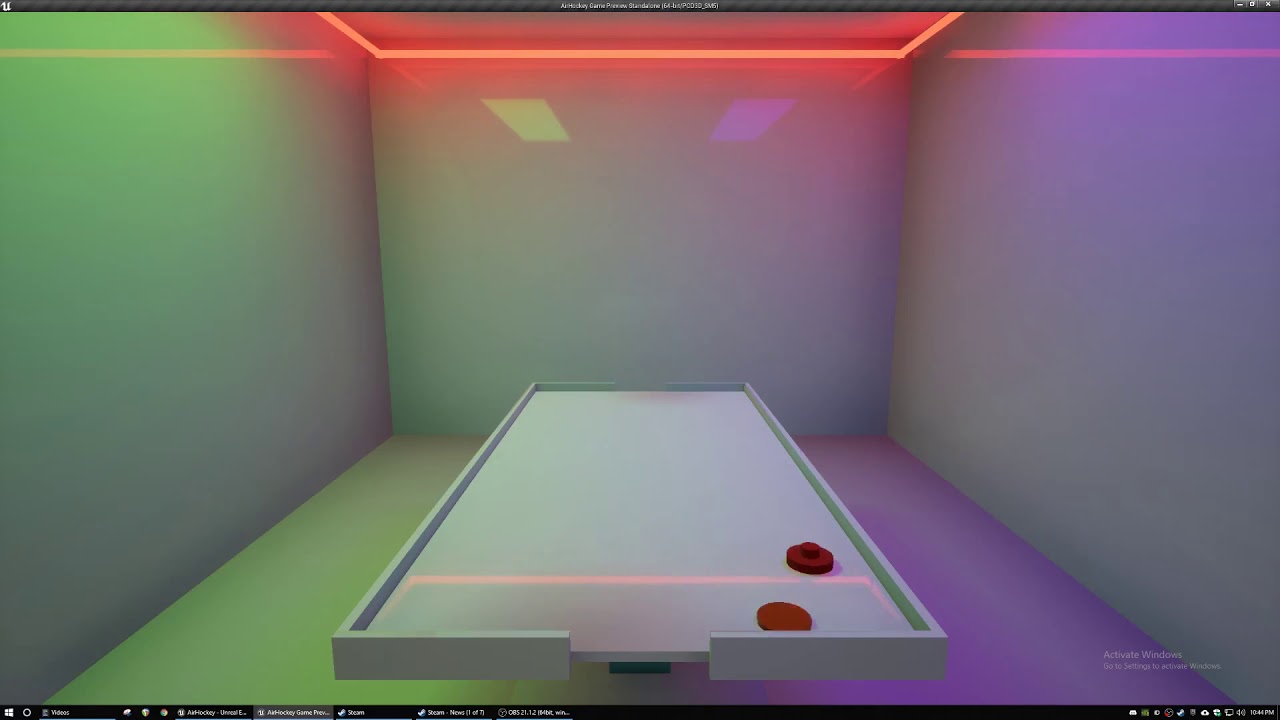
When I say something small, i mean like this small.
https://www.youtube.com/watch?v=1O05fOBfUGM
I never even finished this tho lmao
 tepid cipher
i was lucky enough to be tutored and bought up to speed with UDK/UE4 and everything game related, then 5/6 years after of game dev everyday I still feel like a scam.
tepid cipher
velvet dagger
I'm gonna need it
luck isn't going to help, motivation will
luck is a scam
trim matrix
lol scam
velvet dagger
Sometimes I just slap things together and surprisingly (more like hopefully) it works
velvet dagger
trim matrix
nah its ez wins just throw your head at the wall till it works
Pretty much this right?
trim matrix
yup
velvet dagger
Unreal in a nutshell I guess :)
tepid cipher
velvet dagger
Pretty much this right?
especially when you have fun on why your UI isn't working, you only created it once, then learn that garbage collection for widget is garbage
velvet dagger
Making UI is where I have the absolute most fun
trim matrix
Ikr 
velvet dagger
I love making little animations
velvet dagger
Yes :)
tepid cipher
velvet dagger
Making UI is where I have the absolute most fun
I am envious, I been doing UI efficiency stuff for a year
trim matrix
widget hurt me tho
velvet dagger
Fr
tepid cipher
I hate everything UI
trim matrix
xD yea
velvet dagger
Trueee, but I really love designing things to be arranged really nice, my coding surely doesn't show that though
trim matrix
well you can use children with widget, they just wont keep the Widget elements
velvet dagger
I'm new to UI so I most likely don't understand your guy's hatred yet
Like
I don't even know how to make a popup
tepid cipher
i hate the fact if you destroy a widget and it's not referenced, it still acts as if it's referenced because you needed to recreate it but it grabbed the one pending delete from the garbage collection, so you have to ass about on why the hell your UI isn't working at all or updating.
tepid cipher
lol
velvet dagger
Are there other methods besides widget?
tepid cipher
a texture on a 2d panel and have it 3d?
trim matrix
not really anthing ue4 has built in for ui
other then widget
not like some other ui system
velvet dagger
trim matrix
just dont do widget
I was asking cuz of this l o L
trim matrix
oh lol xD
tepid cipher
paper 2d was a bit of a nightmare too
trim matrix
well I meant i just focus on other things most of the time
velvet dagger
Ohhh
trim matrix
then slap the widget together and call it good
tepid cipher
don't get me wrong, I am now a widget master
trim matrix
not fun
velvet dagger
Whenever I can't get something done I just go and make some UI details and animations
tepid cipher
the pain to learn things is what builds your skill
trim matrix
velvet dagger
Whenever I can't get something done I just go and make some UI details and anima...
You enjoy ui more then programing game stuff?
velvet dagger
Yeahhh :)
trim matrix
nice
velvet dagger
Not gonna help me when I need to program tho 😓
 tepid cipher
velvet dagger
I have this question that sounds SO SIMPLE but I don't know what to do : (
tepid cipher
velvet dagger
I have this question that sounds SO SIMPLE but I don't know what to do : (
 Ask away young dev
(also made a new emote)
timid flint
woohoo! now just waiting for the models to be finished
 trim matrix
velvet dagger
I want to make some very simple dynamic music, just 3 sound clips. I want it where that when one sound clip is playing, all the others are silent, but there's something that triggers that sound clip to fade into the other sound clip and continue from where the first clip is at. Dunno what to do
Tried my best to explain it
Not the best at explaining :")
tepid cipher
velvet dagger
I want to make some very simple dynamic music, just 3 sound clips. I want it whe...
that's part of a conductor you need to manually setup
trim matrix
you would have to create some sort of music manager bp
tepid cipher
yeah then manually play/stop on an event tick with triggers and what not, a hellish nightmare
it's not that bad but, it feels dirty
faint pasture
tepid cipher
yeah then manually play/stop on an event tick with triggers and what not, a hell...
No, event/enum driven
velvet dagger
trim matrix
you would have to create some sort of music manager bp
So would it just be an actor orrr?
tepid cipher
yeah but you would have to still get the player time and if a sound is finished or close to finished
faint pasture
We have dynamic music just driven by a Intensity parameter but that's a different approach
faint pasture
velvet dagger
So would it just be an actor orrr?
You have to learn how the audio system works before pulling this off. Start digging into mixes and concurrancy and cues and all that
trim matrix
yea
tepid cipher
faint pasture
No, event/enum driven
yeah a BP actor, call it a conductor that's persistent in your level
faint pasture
But don't get too scatterbrained, pick one thing you want to learn and learn it for a few weeks, doing whatever it is in your game you want that uses it.
velvet dagger
I've dealt with concurrency a bit, I think I'm good with cues
tepid cipher
an intensity controlled audio is different from a continuous one too, haha
faint pasture
Well it is continuous and synced, just the mix changes based on intensity
tepid cipher
velvet dagger
Wish I could just hire people but I'm broke x d
that's no fun
velvet dagger
I guess so!
faint pasture
I mean if I won the lottery I'd go on a hiring spree, but I haven't, so I wear all the hats.
trim matrix
xD well yea
tepid cipher
without pain and learning, you won't understand the suffering
velvet dagger
That's what I want to do, so it's like, while you're waiting the music is low, in combat the music increases, then once you're done the low music plays again. Is that what that is?
Oops forgot the reply
velvet dagger
faint pasture
Well it is continuous and synced, just the mix changes based on intensity
a
There B)
faint pasture
velvet dagger
That's what I want to do, so it's like, while you're waiting the music is low, i...
Yeah we did that by a cue with each track driven by an intensity parameter
velvet dagger
Would I make each track a different cue or all in one?
tepid cipher
tepid cipher
anyone figured out the new bug with UE4 and dual screens? I have to restart it e...
Going to reply to my issue if anyone else has had it
it's been a nightmare to dev with this issue
velvet dagger
Got a gamer setup
trim matrix
i remeber having issues like that
tepid cipher
velvet dagger
That's what I want to do, so it's like, while you're waiting the music is low, i...
if it's only 3 tracks, you can make 3 functions that have stop all music and play their own, with a fade system, I never finished my audio thing, it was rubbish anyway.
trim matrix
resolved itself tho since hasnt happened in forever
tepid cipher
the pin dragging thing really annoys me
i was wondering if my monitor is dying, it has gsync and it looks like gsync is failing or something
trim matrix
is it just that version of ue4 or something
tepid cipher
i didn't have it before i formatted my PC
faint pasture
velvet dagger
Would I make each track a different cue or all in one?
This is our approach
trim matrix
idk then
faint pasture
We use 3 layers of intensity and a low hp/danger track (the 4th one)
velvet dagger
The thing is though, I don't want the previous and current track playing at the same time
faint pasture
just change how the math works. I think setting mix volume to 0 pauses the track, thats why our min is 0.01
so you'd have track1 at 1.0 volume, when the thing happens, fade it to 0 and fade in track2, then reverse that when the thing un-happens
velvet dagger
Thank youuu
I'm gonna go test this stuff out
Sorry if you did that in the video, I didn't watch the full thing x ddd
 fiery swallow
they should always start the conversation off with hello
trim matrix
well within each componet, you just need to get a reference to the other componet. If you need just a simple way todo that, you can use GetOwner which returns a actor reference to the actor which owns the componet. Then use that actor reference to find the other componet
fiery swallow
jokes aside what do you mean? They are in the same actor so all you need to do is drag the reference onto the blueprint board
trim matrix
another way,
On each componet, create a variable that holds a reference to the other componet.
Then on begin play in your actor
get each componet and set its reference variable to the other componet.
fiery swallow
they already have references to eachother... they're in the same actor
trim matrix
hes talking about from within each componet it sounds like
not on the actor itself
tepid cipher
fiery swallow
they should always start the conversation off with hello
Your reply was better than what I could come up with.
timid flint
Is there an easy to way to only fly with wasd with a mouse button pressed, like in the editor? I tried hiding/showing cursor on mouse button press/release, but it behaves strangely
tepid cipher
make a boolean that is "flymode" and have that toggle
if a flymode == true then you can fly around, have it on when you press a key
you would probably want to turn it into a function called 'F_FlymodeCheck"
then just run that on your keys since it's repeating
timid flint
I guess the answer is "no" 😅
tepid cipher
it's easy enough, it's a boolean in a nutshell
much like jumping or is in air for animations
timid flint
I thought it would be an existing option or something
since it's there for the editor
timid flint
yy
tepid cipher
yeah i know what you're talking about but that's all controls you gotta do
timid flint
I want the mouse to click on things, but it's nice to be able to fly around
tepid cipher
yeah just a boolean to enable what you want will do
timid flint
exactly like in the editor
 grave relic
Anyone that can help me with some reference stuff? Im spawning an actor, in that actor i have a reference that is "my spawn point" the spawn point is a separate actor. I need that "my spawn point" reference to be set when the actor spawns
 boreal ether


 quick summit
Hi guys,
I have a very simple question:
On my screens in my set i have a color-bar placeholder texture which later gets replaced by live video. However whenever baling lights the placeholder gets baked into the reflection captures. I figured out turning the screen material to black makes it look better in the captured reflections but i want to keep the placeholder in editor for visualisation..
Is there a way to make the editor automatically replace the texture just when baking?
 fathom spindle
Hi all, does anyone know if its possible to make an actor blueprint that just makes a realtime copy of the skeletal mesh component of a pawn? i'm trying to crossfade between two materials with different blending modes on a character and the only way i can think is to have a copy or copies of the mesh with the same animation to fade in/out over the top like so:
fathom spindle
put more simply i guess is there a way to have a skeletal mesh actor that simply recieves and mirrors all the bone transforms of the mesh thats driven by the game logic?
 half crypt
fathom spindle
put more simply i guess is there a way to have a skeletal mesh actor that simply...
half crypt
fathom spindle
put more simply i guess is there a way to have a skeletal mesh actor that simply...
make it an AI
fathom spindle
hi @half crypt do you mean all the stuff with behviour trees and stuff?
my logic is pretty simple
half crypt
fathom spindle
my logic is pretty simple
yh, it should not be that complicated
half crypt
fathom spindle
was just attempting to script something
airt
fathom spindle
like a for each loop to get all the socket transforms from my main BP and set them on my instance
half crypt
fathom spindle
like a for each loop to get all the socket transforms from my main BP and set th...
hun?
half crypt
fathom spindle
is that not possible?
if am correct you want a character than can replicate every movement of the player?
fathom spindle
yeah so i have a skeletal mesh that has some simple ai and animations, plus a ragdoll death sequence, and I want to create a copy of it that can exist in the same space so i can layer translucent and opaque materials for a dissolve transition
this works

sort of
using a posable mesh instead of skeletal
half crypt
fathom spindle
yeah so i have a skeletal mesh that has some simple ai and animations, plus a ra...
what about actions?
 half crypt
just try that
half crypt
half crypt
just try that
that will be on the actor that replicates the player movement
then this will be on the player character
 half crypt
fathom spindle
yeah so i have a skeletal mesh that has some simple ai and animations, plus a ra...
half crypt
fathom spindle
yeah so i have a skeletal mesh that has some simple ai and animations, plus a ra...
does this help?
fathom spindle
ah yeah its ok though because this character isnt moving
but yeah that would be important if i expanded it
half crypt
you can also do the same for the move right event
half crypt
fathom spindle
but yeah that would be important if i expanded it
????
fathom spindle
im not worried about player input and movement
i dont have that
just working on an effect atm
 chilly jetty
Hi there, sorry to bother anyone but I have a question
is there a way for me to set the value of a custom depth material value I am using to change the custom depth value of an actor for them to match certain mats?
Sorry I meant for the texture
I have the actor
I want to know how to set the value for the texture
 pastel rivet
I want to set the red squares relative location (Yellow) to the black circles location. (The red X is the squares origin)
The black circle is a relative location, while the black X is its origin.
How do i achieve this?
I have tried getting the world location of the circle and setting this to the world location of the red square, but this didint work

 manic wigeon
hi guys, i have an issue seems like my main menu ruined the whole circuit of the arc viz (game). in the main menu my cursor is not showing. also the buttons all seemed to stopped working and if they sometimes do work its not letting me move or turn my mouse but just shows the spawn view of the character
can anyone help me


and when i open the main menu the cursor seems to not show anymore

which is wierd because mouse cursor is still on

i had previously changed location of the main menu widget node from the main menu to the fps character bp instead as someone recommended it for a cleaner workflow but i am not sure how i can retarget all the on clicked from the main menu bp to be called in the character bp


 grand hawk
Here is two actors. The one is a raft which is simulating physics and another one is a paddle to control the raft but, it doesn't simulating physics. Let me attach the paddle to the raft as childactor. Then, here is the problem. The raft is launched like rocket. It looks some physics error occurred by overlapping with paddle. And I've found there is a function called 'IgnoreActorWhenMoving' which ignore all collision each other. So i used the function like the picture and it doesn't work. What am i did wrong?

The function AttachActorToComponent's parameter 'Weld Simulated Bodies' working only on actor whose root component is PrimitiveComponent. Could this be the same problem?
 wise remnant
Hi could anyone help me with how I could go about changing a value pulled from a weather BP i.e "March" and then taking that into some kind of array and outputting a new value based on that? i.e "Jan, Feb, March" from the weather plugin could be called just "Spring" for example.
 inner blade
@wise remnant An easy way to do this is have each month of the year be an integer. So 1-12, then just specify the month ranges for each season. So if month integer is equal to 12 for example you are in Winter.

 maiden wadi
@manic wigeon Err.. I don't know who recommended that, but putting the widget on beginplay of the character is a little odd. Judging the style of the widget, that menu should likely be opened from the map blueprint of the map you load into for the main menu. There's no real reason for the character to care about that menu.
wise remnant
inner blade
<@!848338151884849203> An easy way to do this is have each month of the year be ...
Awesome I thought as much but wasn’t sure, thanks so much for the help 🙂
 hard charm
Guys, how could I detect with a capsule colider that a sword enters me, for example, a weapon mesh?
 opaque blade
hard charm
Guys, how could I detect with a capsule colider that a sword enters me, for exam...
opaque blade
hard charm
Guys, how could I detect with a capsule colider that a sword enters me, for exam...
multiple ways
- attach a collider to the swords actor and setup overlaps (trigger once it overlaps); disadvantage, only triggers once on enter
- actually do a capsule trace on current sword transform; can actually handle multi-hits easily
- do capsule trace from last to current position to trace interpositions
 little flame
hey guys!, I have a BP for zooming the camera on right click. however I also have a depth of field and thats not adjusting to the zoom, any ideas how to do that? here is my BP as it is (first person character event graph)

in the timeline node I have added a float track that controls the camera, but its rather new to me so I have the feeling it should be the same for depth of field i just dont know how to implement it ..
opaque blade
little flame
problem is that FoV does not change the camera location while DoF is position dependant
You would need to recalculate your DoF distance based on your FoV, easiest would be to try
fovScale = CurrentFoV / DefaultFoV;
dofdistance = DefaultDoFDistance X fovScale;

*X = divide or multiply iam not sure
hey @sour slate! thanks for the quick reply! however I am not sure how that would look in blueprint? im really not program strong and especially not C++....
 languid lion
Is it possible to attach a static mesh to another static mesh's socket inside an actor?
or can it only be done in the world editor
opaque blade
languid lion
Is it possible to attach a static mesh to another static mesh's socket inside an...
in Component Tree when the static mesh with socket is the parent of the new Static Mesh Component there is a "Socket Name" in the details, where you can input the socket and it is attached to it
languid lion
opaque blade
in Component Tree when the static mesh with socket is the parent of the new Stat...
It just stays greyed out and I can't type anything there

I do have a socket and I was able to attach to it in the world editor
 opaque blade
little flame
hey <@140461073194156032>! thanks for the quick reply! however I am not sure how...
opaque blade
little flame
hey <@140461073194156032>! thanks for the quick reply! however I am not sure how...
nothing specific to C++ there actually,
but you would have to wire up some logic in BP, a get the default FoV (at begin play maybe? depending on game and your other logic), the currentfov you just set it - so divide those
and to set the DoF Distance it is actually inside the postprocessing settings iirc - so that is painful to do in BP, but you can do it I believe in you 🙂
( Get Camera, Set DoF )
opaque blade
languid lion
It just stays greyed out and I can't type anything there
even when clicking the Spyglass it does not open a list?
Other than that, you can utilize the Construction Script for it, and just attach it to the socket there
Might be a static mesh socket thing that it cannot be set in the details panel  that is usually how it works for SkeletalMeshes
And I did it for normal "sockets" ie. Programmatically added ones
little flame
@opaque blade thanks! I think I still dont get it though haha. I will manage, but im astonished that I dont find any tutorials since it must be a pretty ususal encounter?
opaque blade
I usually "zoomed" by changing the position of the camera, as it does not change FoV - which makes it also look not "normal"
 lusty elbow
How can I draw a circle around a moving actor? I could just add a very short and thin cylinder, but there must be a much cleaner way
 tawdry mural
particles
little flame
@opaque blade aha like that can you show me how?
opaque blade
little flame
<@!186132675403317250> aha like that can you show me how?
CameraPosition' = CameraOriginalPosition + (CameraFwd * ZoomIntensity)
little flame
@opaque blade speak blueprint 😄
opaque blade
that's blueprint...
maiden wadi
CubelikeImage = CubelikeImage + (OtherCubelikeImage * ThirdCubelikeImage)
 open crypt
anyone know how to remove a media texture from memory (without deleting the component, like a UMG media texture)
 earnest mango
@open crypt I think UMG widgets get garbage collected if they're no longer referenced -- perhaps this also unloads any assets they reference?
open crypt
It's been awhile since I've delved into GC - how can I confirm it's physically unloaded from memory?
earnest mango
I think there's some kind of editor tool that lets you watch memory usage in real time, but I've never used it. Can't do much for ya r.n. besides link this doc to GG and hope it gets you in the right direction -- https://docs.unrealengine.com/4.26/en-US/ProgrammingAndScripting/ProgrammingWithCPP/UnrealArchitecture/Objects/Optimizations/

Overview of the features of the UObject system.
 knotty knot
Does anyone know why when I PIE, my stamina bar starts unfilled? as soon as I press my sprint button it begins to fill.
 open crypt
knotty knot
open crypt
knotty knot
What's the default value?
 valid knoll
Hi guys
open crypt
It sounds like you just have it defaulted to zero on your variable that is on your widget
@knotty knot
valid knoll
Can i use Game ability System without C++?
My team dont know C++, and we whant try GAS.
 dark crow
No
knotty knot
@open crypt How do i check what the default value is?
dark crow
You would need a plugin that exposes GAS to BP if you wanna go that way

 open crypt
knotty knot
<@!273265779175194624> How do i check what the default value is?
open crypt
knotty knot
<@!273265779175194624> How do i check what the default value is?
if you click on the variable name, a "details panel" should be visible - scroll down you will fine it - but I highly recommend you do this video https://www.youtube.com/watch?v=EM_HYqQdToE

Announce Post: https://forums.unrealengine.com/showthread.php?101051
This Training Stream takes a look at Blueprint Communication. We find that Unreal Developers of all levels can sometimes struggle through the concepts behind moving data between objects. So in this video we'll take a look at the different ways to make Blueprints talk to one an...
Pretend I am a version of you from the future and your future self begs you to spend the time watching this video
knotty knot
Must have forgot to assign that a value, woops
😄
Alright I'll have a watch. Thanks mate
open crypt
knotty knot
Alright I'll have a watch. Thanks mate
You will learn more in that video than you will in a single month on your own.
 chrome fog
Why can't I have the Delay node in a function?
it's there in the Event Graph but it's not available from my custom function
 dawn gazelle
chrome fog
Why can't I have the `Delay` node in a function?
dawn gazelle
chrome fog
Why can't I have the `Delay` node in a function?
Functions aren't latent.
chrome fog
how do I do something after few seconds from a function then?
dawn gazelle
Have your function call an event.
Could even do something like this if you want the delay defined within the function:
 chrome fog
cool, what i'm looking for, thanks
 solar dawn
dawn gazelle
Could even do something like this if you want the delay defined within the funct...
solar dawn
dawn gazelle
Could even do something like this if you want the delay defined within the funct...
Hi sry go budge in, what's this function used for
dawn gazelle
solar dawn
Hi sry go budge in, what's this function used for
The set timer by event node?
solar dawn
Yeah n also the create event, look simple but what for
dawn gazelle
Set Timer By Event lets you have an event or function fire after a defined amount of time, and as you can see, you can also set it to loop, so it'll continually fire that event. The return value is a means of referencing the timer in question which you can then use to pause or stop the timer, or read other values about it (screenshot below).
The "Create Event" node is a means of calling a defined event, so if you have a function or event in your graph, it can call it - however, as this is an event fired by a timer, it can only be passed to functions or events that don't have any input parameters.

So if you have something you want to do say every 5 seconds, you can have this timer set up with a time of 5.0 and looping true, it'll fire the attached event every 5 seconds.
 solar dawn
I see, so such node can also being used for cutscenes right
dawn gazelle
I would imagine, if blueprints are being executed in your cutscene
solar dawn
Hmm I'm kinda relying on BP alot that's y i thought abt it
 proud notch
hi,
how can I make this into a function? I need to repeat this code a few times in my blue print, so I guess is better to have it as a function but timelines cannot be collapsed to functions or macros.
 dawn gazelle
proud notch
hi,
how can I make this into a function? I need to repeat this code a few time...
dawn gazelle
proud notch
hi,
how can I make this into a function? I need to repeat this code a few time...
You want everything firing off the same timeline?
Timelines are sort of their own beast - they are components that control their output. If you were trying to make a function with a timeline in it, it would be like trying to use the one timeline to execute everything.
livid vessel
Is it possible, that get mouse position on viewport will always give out the last point, where a for example a click operation started and while performing these always choose the start point and not the current location?
proud notch
dawn gazelle
Timelines are sort of their own beast - they are components that control their o...
it is a possibility to control all with just one timeline.. but I love to have 2, one for the fade in and another one for the fade out. but if that complicates things a lot, one timeline will suffice.
 thorn fiber
livid vessel
Is it possible, that get mouse position on viewport will always give out the las...
thorn fiber
livid vessel
Is it possible, that get mouse position on viewport will always give out the las...
Store the initial mouse click position in a variable? Not sure I understand
dawn gazelle
proud notch
it is a possibility to control all with just one timeline.. but I love to have 2...
Do you want all the things you are trying to control all at the same time though?
livid vessel
thorn fiber
Store the initial mouse click position in a variable? Not sure I understand
I do but I want a second one, which updates while draging to store a move value between them
proud notch
dawn gazelle
Do you want _all_ the things you are trying to control all at the same time thou...
nope, things happens at different times... it is a virtual tour with teleports, so fade in and out on each teleport point.
dawn gazelle
So then you can't use one timeline. You'd have to use multiple.
proud notch
so no practical way to convert that to a function since you actually need a timeline for each event?
dawn gazelle
Correct
proud notch
😦 well.. thanks for the clarification.
dawn gazelle
Best you could do is maybe feed the output to a functon that can specify which object you're wanting to manipulate
But if you have overlapping events firing, then things will get messed up
proud notch
mm I think I leave it as is, there aren´t a lot of events/triggers in the tour anyways, I was just trying to clean up a bit my blue print.
livid vessel
This override will also only give me the initial location of the cursor when left clicking and draging

I found something in the forum about this problem but could not solve my problem because I dont see the pictures from everynone explaning his answer. https://forums.unrealengine.com/t/mouse-position-not-working-while-dragging-with-left-mouse-button/99266/9

Unreal Engine Forums
sorry to bother you again, but i am not getting any further myself ☹ the most bootom object in my inventory_hud is the canvas object. how can i apply the onDragover to it or do i have to apply it to the invetory objects ? i cant find a ondragover function at all ??? please could you explain this again a little more detailed to me ? thx very...
 icy dragon
livid vessel
This override will also only give me the initial location of the cursor when lef...
icy dragon
livid vessel
This override will also only give me the initial location of the cursor when lef...
Is this a widget BP?
livid vessel
@icy dragon jes
livid vessel
livid vessel
I found something in the forum about this problem but could not solve my problem...
I fixed it with this solution. Uncheck Hide Cursor During Capture

 small quartz
Is there an option so that the same interaction destroys the horse that was spawned? Like on/off

 cerulean fog
Does anyone know why my Sublevel's Eventick isnt Running?

It is running in Persistent Level but not in this Sublevel.
It works when Simulated but not in New Editor Play
open crypt
Anyone know a clean way to unload a media texture cleanly? this is a window capture plugin, but I get crashes when I exit (and it doesn't have a stop/deactivate that I can find)
 soft scaffold
Hi! I have a timeline which is controlling my projectile movement. Unfortunately the timeline stops when I shoot another one. Any idea how can I make it to works with multiple projectile shoot?
dawn gazelle
soft scaffold
Hi! I have a timeline which is controlling my projectile movement. Unfortunately...
Your projectile itself should have its own timeline within it, rather than having it in whatever object spawned it.
 gray hare
It's not possible to set a scene component variable to a scene component at blueprint compile time is it?
Not a TSubclass, a raw pointer to an instance. I'm guessing it's not possible, but if there was blue dark magic that made it work, that would fix my current bug.
earnest mango
@small quartz Yep! Have OnInteractionStart exec into a FlipFlop, where A execs into SpawnActor (and then banks the spawned horse as a var) and B execs into DestroyActor, called on that var
small quartz
earnest mango
<@!643108835665379350> Yep! Have OnInteractionStart exec into a FlipFlop, where ...
cheers ill try it out!
 iron umbra
I'm having an issue with Groom Assets and specifically setting their Groom Binding at runtime. It seems to function differently when "Set Groom Binding" is called then when if you just set the groom binding.
Example: Create a character BP, add a character mesh, add a groom component to it, set the groom asset, set the groom binding. It works, looks good, is bound.
Now do the same thing, but call "set Groom Binding" on begin play, with the same exact binding as was used in the editor, and the hair now appears at the middle of the character.
It's a problem because I want to be able to change the groom asset and groom binding and have it properly bound at runtime.
Any ideas?
Btw, seems to affect metahumans as well.. I tried with them.. same thing. If I set the groom and groom binding in editor, works fine, if I call "Set Groom Binding" even to the same binding, the groom moves down. Although just a bit not to the middle of the character like with mine..
Any ideas?
odd ember
probably order of execution
if you breakpoint it you might be able to see which gets loaded in first, and with which values
iron umbra
I've tried every possible combo of order of execution, including with delays etc :/. The weird thing I just noticed is, this always happens when you spawn a new groom component. Same if you use a blank groom component attached to the character mesh. BUT if you use a groom component that has a groom set, it seems to function differently.
Blank Groom - > when you set groom and then set groom binding, teleports to center of character
Groom asset set but no binding -> now when you set a groom (even an entirely different one), and then set it's groom binding, it seems to work
In theory there should be no difference between a blank groom and a groom that has a groom asset, when you set a new asset and new binding.. but I suppose not. I guess I can just set one for now and have it invisible and work around that. But still a bit weird
Or I'm just not getting it, but been on it a while 😛
 deft lichen
Hi.
I need help.
How can I correctly recognize a player by ai (on behavior)? Example - he looks at player 1s and is interested, after 2s he is aggressive. Anyone have any tutorial?
I did not find anything concrete
 green fiber
How do I add a point on a link between 2 nodes in blueprints, so I can move the line or start a new one from there ?
I know there is a shortcut but I cant find it..
Found it, its double click on a link
 sick saddle
hey im trying to make a workout app, where different animations for a mesh are shown, then once a widget button titled "done" is clicked it will show a new animation with a smooth transition (blendspace?). Can anyone give any input on how I should go about this i got nothing working so far
icy dragon
sick saddle
hey im trying to make a workout app, where different animations for a mesh are s...
Momtages, if you have a lot of anims.
And that's interpolation BTW
sick saddle
icy dragon
Momtages, if you have a lot of anims.
And that's *interpolation* BTW
ok gotcha with the montages but how would i make the animation change through a widget button?
 dark saddle
how do i stop ue4 from randomly crashing due assertion failure? i narrowed it out from the crash log, it happens when the [draw material on render texture] node is called in a timer function happening every 0.1 s, but it already goes through a couple times fine, then after a few seconds this, ue4.22 version
 trim matrix
hi, how can I do cast like this? (without requiring white lines)

 thorny marsh
Right click the Cast Node
There is an option called Convert to Pure
You can reverse this with the same operation.
trim matrix
thanks!
 jaunty solstice
The Content Examples Advanced Blueprints Level has a demo of scattering static meshes but there is no minimum distance between each so they can overlap.
How would I modify this so that there was a defined minimum distance between spawned static meshes?
How would I modify the demo so I could spawn on a publicly defined target mesh or plane instead of in a circle?

 icy dragon
jaunty solstice
The Content Examples Advanced Blueprints Level has a demo of scattering static m...
icy dragon
jaunty solstice
The Content Examples Advanced Blueprints Level has a demo of scattering static m...
My idea would give them a sphere collision so that if one overlaps with each other, it'll try relocate somewhere else.
Not exactly elegant if it goes continuously tho
open crypt
jaunty solstice
The Content Examples Advanced Blueprints Level has a demo of scattering static m...
Similiar to what hoodieguy is saying, you can get a random point in the box, and then compare this to a range of a vector, and if it falls within the range, you loop back through the array until it is empty (make sure you have a failsafe in case the box is too small to contain everything or you will get an infinite loop
atomic lake
jaunty solstice
The Content Examples Advanced Blueprints Level has a demo of scattering static m...
alternatively, consider using a low-discrepancy sequence to generate positions (https://en.wikipedia.org/wiki/Halton_sequence)
jaunty solstice
Probably a dumb way, but was thinking scattering on a grid, but randomly offsetting each by a certain amount.
cold raft
Is it possible to add a socket to a static mesh through blueprints? I want to join 2 bits of wood and have the nail position spawn sockets on each of the meshes to allow them to be connected
open crypt
jaunty solstice
Probably a dumb way, but was thinking scattering on a grid, but randomly offsett...
as long as your random offset exceeds the size of your meshes, that should be fine
open crypt
cold raft
Is it possible to add a socket to a static mesh through blueprints? I want to j...
You don't need to use sockets for this, just use "attach" -
But you need to try attaching the wood to the nail, that way the nail's position is used, not the wood (otherwise it will attach to the origin of the wood)
cold raft
open crypt
But you need to try attaching the wood to the nail, that way the nail's position...
Thanks for that - will give it a go
 dreamy kindle
Hello, does anyone know if these nodes work with metahuman rigs? "Two Bone IK" and "Hand IK Retargeting" features? Thanks! https://cdn.discordapp.com/attachments/873647439909908520/891958952428974110/unknown.png


 true valve
What causes the ragdoll body to move around?
 narrow kelp
ragdolls use a bunch of colliders with constraints that simulate physics
true valve
narrow kelp
ragdolls use a bunch of colliders with constraints that simulate physics
So what are some of things that needs to be turned off so when in ragdoll after char's death, the body doesn't jitter?
narrow kelp
yeah ive been working with unreal for years and still can't answer that 🙂
best thing I've found is to tweak the colliders and constraints
let me know if you find anything useful
 desert storm
What's the best way to implement attacking with weapons, and all the stats that go-along-with that?
I've watched a few tutorials, and all of them handle the shooting in the character-BP, but surely it'd be better to do it in the weapon's BP instead, to keep the various stats separate.
spark steppe
yea, you would catch the hotkey on the character and forward it to the weapon
 candid nest
hey des anybody ever try to import a scene from unity to unreal
 surreal peak
🧐
candid nest
i have done this thing very beautifully
 brazen pike
Anybody know what would be the easiest (or any) way to recreate "Eagle vision" from assassin's creed?
I'm not doing exactly like it is in Assassin's Creed, but my main issue is I can't seem to find a way to make everything black and white EXCEPT certain objects which should glow a different colour. My immediate instinct was to create a post process material (which would be a glowing outline) and enable that alongside changing post-process volume settings to make everything black/white but the effect does not show any colour since the settings apply to the material as well.
I've been using unreal for a couple months, so I feel I have a solid understanding of blueprints but this has always evaded me. Is there any concepts I should look into, or is this something which might be a little out of my skill level?
dark crow
Look into the Stencil Buffer
brazen pike
dark crow
Look into the Stencil Buffer
This looks like it! Thanks a ton
 rotund pilot
Anyone heard about the issue where the details for a component declared in c++ doesn't show up in the blueprint of the actor it is attached to? Does anyone know a fix other than renaming/rebasing? (as those only temporarily fix the issue)
maiden wadi
@rotund pilot What are the specifiers on the pointer's UPROPERTY you're storing it in?
 azure smelt
Hey there good people, I need help with setting up this "Foot IK" for VR in blueprints. Background information is, I download this project https://github.com/kvoeten/ExampleIK I copied the blueprint nodes exactly for the "BP_PlayerPawn" and for it's Animation Blueprint and it works except for 1 feature which is the "Foot IK". In the exampleIK project when you crouch IRL so does the pawn and if you move to the side the character walks to where you moved IRL. In my game the only difference is that my character is C++ created and in the "ExampleIK" the character is purely blueprint made. Why isn't my Foot IK working?? can someone please help i've been stuck on this for days
GitHub
Sample project of a full-IK VR setup for Vive on UE4 - GitHub - kvoeten/ExampleIK: Sample project of a full-IK VR setup for Vive on UE4
Is it possible it has something to do with my hierarchy of components? I'd really appreciate some help.
rotund pilot
maiden wadi
<@!117917392713023493> What are the specifiers on the pointer's UPROPERTY you're...
It's also a public field
 maiden wadi
I'm not sure what the EditAnywhere does on that. But usually on pointers to default components, you want them BlueprintReadOnly, VisibleAnywhere. Cause you don't want to edit the pointer, but edit what the pointer points to and that UPROP is to the pointer.