
#blueprint
402296 messages · Page 705 of 403
 mossy bronze
 woeful pelican
mossy bronze
why would the camera not be rotating when I rotate the character's actor?
woeful pelican
mossy bronze
why would the camera not be rotating when I rotate the character's actor?
Is it on a spring arm?
mossy bronze
Yeah, just fixed it. the rotation was absolute instead of relative
all fixed thanks
woeful pelican
Huh, didn't know that
 cerulean fog
Help! after updating my 4.20 project to 4.26 my Behavior Tree no longer goes through my Custom Tasks I have given it. Does anybody have any idea why?
 late shuttle
Jesus.... okay, I don't know why but please keep your project up to date so these problems are lessened. Update at each major (non beta) engine upgrade.
Other than that you're going to have to show us where in the blueprint you have the code executing that is running into problems.
 terse latch
Hello again, I am working with easy ballistics plugin which has helped some. But I am wondering about a few things if anyone might beable to help.
1.Where or how could I work with a magazine say for 20 round. After 20 rounds are shot it won't fire. (found it now to make a working reload).
2.How might one go about adding a tracer or even a projectile to this for say a rocket launcher or a projectile based weapon.
 astral ravine
Question, if I want to add lights to a vehicle, do I do it via blueprints or another way
woeful pelican
astral ravine
Question, if I want to add lights to a vehicle, do I do it via blueprints or ano...
I think for lightsource stuff you'd add lights in the blueprint, but you can also make material emit light (emissive) so it looks like the light source is coming from there
This seems to be a good tutorial https://www.youtube.com/watch?v=4RDxb9ubOoU

If you want to say thanks, WishList my game, 3AM, on Steam when you get a chance : https://store.steampowered.com/app/1680530/3AM/
😊😉
Car model by Xali. Blendswap.com
Download link:
https://www.blendswap.com/blend/24561
Sorry this video has taken so long but here it is, finally... How to set up the lights on your vehicle in Unreal Engine. We ...
 gentle urchin
It doesnt look exactly like the one i found atleast
altho it's been a while so i can't find the source of it anymore
This is what I ended up using;

Seem to work decently
Also added a supersimple helper for the AI to aim a bit better on moving targets ;

 proper umbra
is there a way to detect what hour of day it is
I'm trying to make a widget pop up on screen whenever it hits 8:00 in game time
woeful pelican
proper umbra
is there a way to detect what hour of day it is
What's the time system you are using?
 orchid garden
anytime you go from one major version to another there will be broken parts to your project, even going from 4.25->4.26 Best thing to do is pick a version and stick to it.
 violet helm
Hey all, I'm not sure if this is a material or blueprinting problem so I'll just ask here. I'm wanting to create a portal that the player can step through seemlessly. I've looked into using multiple camera components with a view target to solve this, but they're not exactly optimized.
I've come up with this solution where the interior space exists with its materials only visible if viewed through the entrance way. I was wondering if there's any resources I could view to handle rendering like this, where the only part of the interior that is rendered is what can be seen when looking through the entrance. Would anyone be able to help? I drew a little diagram to help explain what I mean.

 craggy lava
Hi ,
I have been getting this error in which the mesh disappears when I compile the blueprint, and it appears back once I change its name to anything different from the name in which it was compiled
proper umbra
woeful pelican
What's the time system you are using?
Not sure what the types of systems are, I can send a screenshot tho. I'm using the Timespan variable in a loop
orchid garden
violet helm
Hey all, I'm not sure if this is a material or blueprinting problem so I'll just...
i got these when they were free but they might help and aren't too expensive:
https://marketplace-website-node-launcher-prod.ol.epicgames.com/ue/marketplace/en-US/product/teleportation
https://marketplace-website-node-launcher-prod.ol.epicgames.com/ue/marketplace/en-US/product/teleportation-and-portal

Unreal Engine
With this teleportation system, you can teleport up to four Characters at the same time. You can define whether the first Character will activate teleportation or will teleport characters instantly as soon as they arrive.

Unreal Engine
Automatic Teleport and Portal with visual effects. Character Ue4 with materials modified for the Teleportation, making the effect of materialization.
violet helm
From what I explained above that's not really what I'm looking for, I'm looking for a way to only render a mesh if its through a certain doorway.
orchid garden
scene capture?
woeful pelican
Might be over the top, but you might be able to do something with a CustomDepth pass.
violet helm
woeful pelican
Might be over the top, but you might be able to do something with a CustomDepth ...
I thought about something like that though I am not too familiar with the subject. I'll take a look into it.
woeful pelican
Admittedly I've only used it to tackle z-fighting
violet helm
Ah I see. Honestly if I just knew what the right phrasing for it would be, I would be golden. I'm just trying to avoid using Scene Captures if I can.
Its very hard to make those optimized from what I can see
orchid garden
o.O
woeful pelican
From what I'm getting it sounds like you only want a mesh visible when it's gone through (or is on the other side of) a doorway
gentle urchin
Is this like a "portal doorway" to another location, or is it more like a custom see-through glass thingy ?
where as you say, only certain objects can be viewed with it

Unreal Engine
This asset allows you to easily create portals to worlds that will be slightly different from the original worlds.
this could sound like what you're after.. pretty cheap
Second pic shows it the best
violet helm
gentle urchin
Is this like a "portal doorway" to another location, or is it more like a custom...
That's exactly what I was thinking of
(That reply was meant for the addon)
gentle urchin
^np
proper umbra
If I have this sound mix modifier that lowers the gain (trying to get a muffled audio effect), is there anything else I need to do for this? I get the print string, but the sound mix doesn't seem to do anything. I changed all Gain values to .2

 fallen glade
I was still struggling before realising that I was already trying to do that .... with a rotating mesh always pointing at the targets, giving me wrong vectors to play with haha, thank you for your time explaining this!
 fleet cosmos
hi, how can I have an ASynchronize execution flow in blueprint? I want to use Delay node in a for loop with different delay values, the delay works for the first time but will be ignored for the rest of the loop

I want my loop to stop execution when the delay is taking place and continue from where it was stopped after the delay ends.
 last abyss
just use a branch then instead of a for loop. Branch (Local integer variable < Array Length) > True > ... > Delay > ... > Local integer variable + 1 > Back into beginning branch.
unless you're expanding the array in the loop because then you'd run into an infinite loop. but even that you can fix by storing the array length before u go into the branch
fleet cosmos
alright got it, thank you
 atomic salmon
@fleet cosmosalso look into the use of Timers
A How To Guide for Using Timers for Gameplay in Unreal Engine 4.
 dusk flame
Hi guys! I think the Construction Script is runnng too early for my use-case. Is there any tricks to delay it?
My flow is:
BP_Actor has a WidgetComponent containing WBP_Widget
In BP_Actor ConstructionScript I am running Set Text on the WBP_Widget.
This works in some cases, but not when editing the actor via the actor details. I believe this is because the constructor runs too early, before the WBP_Widget is available.
Its just a signboard with some text that I want editable on the actor instance.
woeful pelican
Can you do the same thing in BP_Actor's event graph; BeginPlay event?
dusk flame
Yes, and that works ofc.
dusk flame
woeful pelican
Can you do the same thing in BP_Actor's event graph; BeginPlay event?
So I end up with the correct text, but no preview, unless I drag the entity in-world using the anchors to call the construction without rebuilding all child components.
woeful pelican
Right, I see.
dusk flame
Its just a signboard-style actor with a top level "Sign Text" that I want to edit, and see reflected in the child.
woeful pelican
dusk flame
Its just a signboard-style actor with a top level "Sign Text" that I want to edi...
Does the text not show up at all in the editor?
Also why is the construction script being used, and not the component's properties in-editor? Unless I'm mis-understanding the structure
dusk flame
woeful pelican
Does the text not show up at all in the editor?
It shows up in the editor if I move it using the anchors.
My assumption is a move calls the construction script without rebuilding the dependencies, so the widget-text doesn't get cleared.
Its like:
BP_Actor
   StaticMesh
   WidgetComponent
      WBP_MyWidget
I can't use the "components properties", because the vars of WBP_MyWidget won't show up on BP_Actor.
Because WidgetComponent only allows me to select a WidgetClass -not set the variables for that SPECIFIC class I attached.

Its very convenient to have the note-text directly inside the actor as well, not in a sub-component.
woeful pelican
Right, right. Not sure how much this would change but are you able to add the WidgetComponent through the Construction Script instead of adding it in the BP?
That's the only thing I can think of, and I'm not even sure if that fixes the race condition
dusk flame
Its a possibility.
The annoying thing is then I can't position it 
Cause right now if I need to, I can change the position of the note by just setting its transform.
iirc that would not work if I am creating it dynamically in the construction script.
Thanks for your help btw.
Maybe I am trying something not supported.
 trim matrix
I am new to UE4 and I am reading a book about Blueprint. In the book there is a part that said "To access the Is X variable, drag the Owning Grid variable in the Event Graph and click get. This is the getter that points to our grid class. To find the IsX variable, pull out the output node of the getter and search it in the popup window that appears as
soon as you release the mouse button."However, when I try doing this, I cannot find the IsX variable. The picture show the result according to the book. What can I do to resolve this ?

 spark steppe
trim matrix
I am new to UE4 and I am reading a book about Blueprint. In the book there is a ...
spark steppe
trim matrix
I am new to UE4 and I am reading a book about Blueprint. In the book there is a ...
search for "get x"
if you still can't find it, get sure that you created a variable named X in the owning grid blueprint
atomic salmon
trim matrix
I am new to UE4 and I am reading a book about Blueprint. In the book there is a ...
The fact that the color of the variable is blue means it is an object reference. Click on the variable on the left pane and double check which object type it is a reference for. You may have the wrong object type there.
 naive grail
dusk flame
My flow is:
`BP_Actor` has a `WidgetComponent` containing `WBP_Widget`
In `BP_A...
naive grail
dusk flame
My flow is:
`BP_Actor` has a `WidgetComponent` containing `WBP_Widget`
In `BP_A...
Construction script can't handle runtime events. So you need to do them in event graph
dusk flame
Its not a runtime event?
At least it shouldn't be.
Its only changed in-editor, on the actor-properties panel.
naive grail
Its creates a widgets or updates its value. Its doesn't matter. That should be handled in gameplay. At least on begin play. but construction script is "pre begin play" so you can't use it healty
naive grail
Sorry its not right way to do it. If you handle everything, there is still a big problem. Construction script fires multiple times in a row. thats not good ...
you can still use print string for debug in const script but obviously its not fancy :d
 frigid ether
Is there any way to somehow get a hit result from a decal? I'm trying to prevent a bullet system from spawning too many decals in one spot
 sonic pine
Hiho i have a very stupid mistake but i cant find it.
My character Stats are calculated from different sources.
The Physical Damage for example is a calculation from Weapon Damage + passive and buff skills
The Problem is one of my Stats will not be updated by skill upgrade.
The Skill is updating the Vitality (Vitality = Physical Defence and Health) also should the Skill Update Wisdom (Wisdom = Magic Defence and Mana).
I have Checked the Main Calculation there the Wisdom will be updated but the Wisdom Field in the Character Stats Widget will not be updated
This is the Skill Function and the party of Vita is still working but the BWisdom is doing nothing xD

Wisdom should be updated and here i should get the new "Wisdom All" value but theres only the old BWisdom value...

i dont know where the mistake could be...

after Skillupgrade
 atomic salmon
frigid ether
Is there any way to somehow get a hit result from a decal? I'm trying to prevent...
atomic salmon
frigid ether
Is there any way to somehow get a hit result from a decal? I'm trying to prevent...
No, there isn’t, but you can query the decals in the level near your bullet hit and if there is one already close to the spot avoid spawning a new one
frigid ether
atomic salmon
No, there isn’t, but you can query the decals in the level near your bullet hit ...
How would I go about that? Think it's also important I'm making a open world game, so I'd also only have to query decals in a small area.
atomic salmon
frigid ether
How would I go about that? Think it's also important I'm making a open world gam...
The quickest (but less efficient) would be to use GetAllActorsOfClass, get their world location, calculate the distance from the bullet hit point and, if < threshold, skip the spawning of a new decal
If you have thousands of them it is definitely not very efficient
frigid ether
Yeah for my case that sounds awful ;p
atomic salmon
It should be possible to get all actors within a certain radius from a given point and then filter by class to get the decals, but the version I am aware of requires at least an overlap volume.
frigid ether
Yeah I'm doing something similar now. I'm spawning a small actor that's just a overlap volume and if the bullet hits that, it skips spawning a decal and niagara effects. It works and improves performance, but it's making gun play feel a little less satisfying
atomic salmon
Try this anyway. I cannot check the source code right now but it may work with decals as well: https://docs.unrealengine.com/4.26/en-US/BlueprintAPI/Collision/SphereOverlapActors/
SphereOverlapActors
trim matrix
- Question * I have a car with camera and I want to prevent camera from going under the car mesh. My solution was using collision box for camera but... When the camera hits a car then it literally flies off. I've tried setting camera mass to 1g but this doesn't yield any results
frigid ether
atomic salmon
Try this anyway. I cannot check the source code right now but it may work with d...
Think the only way I can then find out if I'm hitting a decal is if I do a cast to the decal, but that might get dangerous in a large open world game, but I'll see what I can do with that
atomic salmon
frigid ether
Think the only way I can then find out if I'm hitting a decal is if I do a cast ...
You can query using a specific class so no need to cast to it
 still swallow
Guys can anyone tell me how to create customisable weapon system like in PUBg ?
 limber jacinth
Asking in multiple places is not going to really help. I would start here https://www.youtube.com/watch?v=GtylB1An820
Support the channel through donations. Crypto accepted!
PayPal: https://paypal.me/reidschannel?locale.x=en_US
Patreon: https://www.patreon.com/reidschannel
Bitcoin: 1JFwWHr4X6uAeoZadukzqKjzFBj3Qjy7Sk
Ethereum: 0x2B2Bc108F1Cc0fF899959dEF3226637787d8C3dE
Dogecoin: DNQ33YnhpWoTBokBNVkZP5ub8KTLkpyjpv
Join our community discord!
Discord: https://dis...
trim matrix
When I have simulate physics off my collision component on camera can collide (which I want) but when I turn it on then my camera can go through surfaces. Why does this happen?
 limber jacinth
If it's the same thing that happened to me, you have a minimized window. I ended up having to reset my Editor UI to default to fix mine.
Let me grab the instructions, I think it's under the Window Menu at the bottom, one sec
Under Windows > Load Layout > And Select Default Layout is how I did. I accept no responsibility if anything bad that happens 😄 That was just how I had to fix mine.
No worries, glad it helped.
 sand bloom
I'm super confused, when you place multiple actors in a level they get a number right? So the first one you place is 0 or 1 and the second 2 and so on right?
How do I use that fact? Because mine's not going in order, it seems to be random if anything which makes no sense.
I'm using a int variable to get a specific copy of something but the data i'm getting each time is random not in order. The way I obtain each level's actor is by starting with 0 and then adding 1 each time I do this command


 sand shore
sand bloom
I'm super confused, when you place multiple actors in a level they get a number ...
sand shore
sand bloom
I'm super confused, when you place multiple actors in a level they get a number ...
I don't think it's in order, or even super unique in all cases.
sand shore
It's just some number that will result in a currently unique name
OFTEN it is sequential
but not always
sand bloom
guess i'll have to manually find a way to do this, damn. I would have thought it would be in order from 0 to higher
sand shore
Names may even be recycled, although I think they don't ever actually do so
naive grail
For example lets say your game instance has (YourActor) object reference array. Spawned actor can add itself to this array. So you get numbers by spawn time
frigid ether
you can have an array of the class that's instance editable, add the cameras to that array in the order you want then go through the array
limber jacinth
If you are placing them procedurally you could do it in an array.
Variann with the faster fingers.
sand shore
And I just realized were talking about an array. Yeah, GetAllAxtors is not stably ordered either
sand bloom
Yeah I want something like an array going on
naive grail
limber jacinth
Variann with the faster fingers.
No, im fastest 😄
sand bloom
Thanks i'll have to look into your tips and figure it out
 maiden wadi
People store so much stuff on the game instance. >.<
sand shore
it's just super convenient
limber jacinth
@naive grail I was just typing that, you guys are on this morning. 😄
sand bloom
naive grail
For example lets say your game instance has (*YourActor*) object reference array...
How would i make sure that they spawn in order though?
maiden wadi
I store a lot of pointers to static datatables and data assets and loading screen stuff that most of the game needs, but storing level data isn't that great of an idea. That's usually what GameState style classes are for.
naive grail
Your actor class casts to game instance. and adds itself to this array. So first spawned has 0, next one 1, next one 2...
ofc in beginplay
Yea, gamestate is better btw.
sand bloom
hmm alright i'm not very experienced tbh so i think the way i'll do it is by making some form of central blueprint
that spawns each camera in on it's own with different spawn times to make sure it goes in order, I appreciate your thoughts if this doesn't work I can look more into arrays
naive grail
I mean your spawned actor adds itself to an array when spawned. So you know which one spawned before
sand bloom
Yeah so by controlling when it spawns I can control the array's order right? Because right now it seems random
So by spawning in each actor a little slower I can make sure it has the actual order I need
sand shore
you can spawn them all in one frame if you like
sand bloom
Oh I believe you, but i'm working withmy very limited skillset 
plus I don't need the cameras instantly anyway
naive grail
you can use that reference instead begin play of spawned actor
 sand bloom
Oh so i'd make an array of that using that value i'm guessing
sand bloom
Thanks yeah that seems useful
naive grail
np dude 🙂
 meager spade
How can I go about checking how much two collision boxes are overlapping each other? I basically only need to check if an overlap between two collision boxes is < 100 units
naive grail
You can just add another collision inside 100 units to your collision
and listen its begin overlap
 rotund elk
Hey all, I have a problem that I've been trying to solve for a few days now. I have a character blueprint set up so that on runtime a spline will generate itself and follow behind my character. I want to attach a separate blueprint actor to this spline that is being generated. The separate blueprint actor would be a splinemesh component. When the splinemesh BP is referenced by the spline in my character BP, it should create a solid "ribbon" that follows my character.
Note: I already have a character BP working where the spline and spline mesh work and the spline mesh creates a ribbon behind my character. However, because the spline mesh is within my character BP, the character can never collide with it and that is an issue for me. So the only way to allow collision with the splinemesh is to have it be a separate BP that is referenced.
Can anybody help push me in the right direction? I've posted a video depicting the issue. Thank You.
 naive grail
Check this out
 meager spade
naive grail
You can just add another collision inside 100 units to your collision
meager spade
naive grail
You can just add another collision inside 100 units to your collision
The problem right now is that two collision boxes are exactly adjacent and it counts as overlap
I guess I could try shrinking the collision box with 1 unit before checking?
naive grail
In same actor it shouldn't count as overlap. But if its count, you can check the other component "if its the other collision"
 naive grail
I mean one of your actors has 1 collision. And other actor has 2. 1 is inside other
meager spade
The green part is a selection that's going to spawn the same type of actor that's to the left
But it's the big collision boxes that count as an overlap
I assume it's because they share the same coordinate which should count as an overlap
naive grail
But that shouldn't create problem. Because of you can check other actor/Component if its big collision or not?
meager spade
Yes but how am I suppoed to check if they are adjacent?
If it's an actual overlap it shouldn't spawn an actor
But now they are just adjacent
That was the question to begin with
naive grail
just cast from overlap event
You can just use event tick to get overlapping actors if event is not triggering
Or you can calculate the distance with ray trace
@meager spade
meager spade
I'll see how I solve it, seems simpler to just shrink the extent by 1 before checking
 humble panther
Hi, is there a way (or what is the best way) for collision to ignore some types of actor? Lets say i want for example shoot into the water and i do not want Event hit to be called on the bullet when it hits the water but i want it get called when it hits the ground or smthing in the water and if i jump into the water i want to call Event hit on the actor when hiting the water.
 chrome zenith
Hi fellow developers - I decided to apply for a job and in the middle of the test. It's my third day on UE4 (I know it's crazy). I have to make a runtime grass generator and I managed to make pretty much everything. I just can't get how to access the static mesh instances to remove them. Here I show you what I'm trying, all guides/tutorials access the foliage using linecast and get the instance and the index out of it. I have to batch remove all foliage and don't get how to iterate into that object
 limber jacinth
Custom Collision channels might work for you @humble panther
humble panther
Ok, i will try thank you
 fleet cedar
Would having tons of collision boxes be a concerning performance hit? I made a blueprint that is probably stupid but it has upwards of 3,000 collision boxes (depending on the player's actions)
They aren't stacked, so you're only colliding with up to 10 of them at a time probably
limber jacinth
Thank you mods for being the silent heroes we don't deserve but always need. 😄
fleet cedar
This is what I made to create some dynamic collision for digging
couldn't afford the voxel plugin right now
chrome zenith
fleet cedar
I am new to UE so I don't know how collisions are calculated but couldn't you just deactivate the collision components from the blocks where the dog isn't colliding?
fleet cedar
Well... I want physics objects to be able to collide with it too
So if he wants to push a soccer ball into a hole for example
I mean... maybe it's not an issue, if they're just sitting there waiting to be collided with it may not be an issue
performance isn't something I know anything about
just ask my wife
limber jacinth
oof
chrome zenith
❤️ I don't think they will be much of an issue till they are not dynamic, at least that's my experience on Unity, can't be that different
fleet cedar
Can you elaborate?
chrome zenith
If they don't use actively any physics they act only when hit, I would be concerned more about the quantity of calls so many items can generate. But yet I don't have the knowledge on how Unreal manages that - hopefully some guru walks by this chat
 round basin
Do you have any idea why this won't work ?


I have done something similar with another texture and it worked
fleet cedar
chrome zenith
If they don't use actively any physics they act only when hit, I would be concer...
Thanks. I agree that is a concern... but hopefully since it's a limited area of my map and I won't need any in areas that aren't diggable it should be okay...
chrome zenith
fleet cedar
Thanks. I agree that is a concern... but hopefully since it's a limited area of ...
this makes me sad I hoped in a dog/excavator game 😛
fleet cedar
I tried to limit it too by spawning only in areas you dig, so unless a player wants to try to dig up the entire map (who wouldn't want to though?)
lol
Well maybe eventually I can get the voxel plugin and perhaps it does what I'd want
I made it look nice with displacement but no collision ofc
chrome zenith
meanwhile if someone here knows CPP (I do a bit but I really am not understanding tis classes and what's underneath them) I found a code solution to my issue. Anyone could help translate? https://dawnarc.com/2019/02/ue4remove-and-add-instanced-foliage-mesh-at-run-time/

玄冬Wong
Keywords:InstancedFoliageActor, AInstancedFoliageActor,
chrome zenith
that nice ik are doing a lot, you could lower the displacement less to avoid the flying shadow, compenetration while digging is acceptable
orchid garden
fleet cedar
Well maybe eventually I can get the voxel plugin and perhaps it does what I'd wa...
this might be a dumb question but... why not use this till you buy the pro version?https://marketplace-website-node-launcher-prod.ol.epicgames.com/ue/marketplace/en-US/product/voxel-plugin-free

Unreal Engine
State-of-the-art Voxel Plugin with powerful editor & runtime tools
fleet cedar
accidentally made quicksand
@orchid garden from reading their website I couldn't tell if I could interactively edit the voxels in game without knowing how to do C++, so I got scared off
atomic salmon
@chrome zenithhttps://docs.unrealengine.com/4.26/en-US/BlueprintAPI/Components/InstancedStaticMesh/RemoveInstance/
Remove Instance
orchid garden
fleet cedar
accidentally made quicksand
are you refering to a different voxel plugin then? (sorry only one i know of)
chrome zenith
atomic salmon
<@!194489739934433281>https://docs.unrealengine.com/4.26/en-US/BlueprintAPI/Comp...
thanks, I'm not understanding where I should fetch the index tho, I would need an array for that!
chrome zenith
chrome zenith
Hi fellow developers - I decided to apply for a job and in the middle of the tes...
here's my opening post
fleet cedar
@orchid garden No, it looked like I needed "voxel spawners" to do what I'm trying to do

but not sure
if you've used it and know better let me know!
atomic salmon
@chrome zenithyou get it from the Hit Results of a line trace or collision
orchid garden
ah well poo sry
atomic salmon
Google is your best weapon: https://answers.unrealengine.com/questions/964745/get-index-of-collided-instanced-static-mesh.html
chrome zenith
that would be plan C, I have to remove the whole foliage from the scene as I'm regenerating it from a blueprint, it would be a resources massacre running a collision simulation to remove the whole. There is no access to a vocabulary containing all indexes and instance references?
atomic salmon
@chrome zenithif your grass actor is derived from instanced static mesh and based on its own class, you can do a GetAllActorsOfClass and then remove them
chrome zenith
giving another try to this, can't actually select the instanced static mesh from the dropdown of GetAllActorsOfClass, can get the foliage class tho, I may access to it from there
https://blueprintue.com/blueprint/347jlkf6/ found this
related to this https://forums.unrealengine.com/t/access-foliage-instances-during-runtime/77794

No description provided

Unreal Engine Forums
Is it possible to access instances of foliage and grass during runtime? An example usage could be changing scale etc
 low dragon
spaghet
maiden wadi
@chrome zenithWhat are you trying to do exactly? Sorry, long conversation.
I have some experience with that in C++ after writing a gatherable foliage component that you could paint with from the foliage menu. But a lot of things aren't exposed to BP.
chrome zenith
I have to remove all the foliage on button press (i'm generating the foliage in the scene)
in runtime!
maiden wadi
You could probably just delete the components.
chrome zenith
I can't manage to get to the single istances and delete them, I always get arrays of the size of 1 (either the instanced static mesh, or the instanced foliage actor)
maiden wadi
How are you generating them?
Because if you're using the default system for foliage, there will be one InstancedFoliageActor with a bunch of different components, or probably one component if you're only using one mesh type.
 gritty plover
Hey, all. I'm trying to set a random new resolution every frame, on tick. But when I launch it like this, it just automatically goes into fullscreen for whatever reason. Is there any way for me to fix that?
 chrome zenith
I'm making a rain of linetraces and deciding their positions (I have to place them around buildings in realtimes, so I can't use volumes nor terrain)
maiden wadi
Oh, you're wanting to remove specific instances?
chrome zenith
maiden wadi
Because if you're using the default system for foliage, there will be one Instan...
no I want to remove it all, I have to be able to regenerate it from scratch
you mean I have to get the instanced foliage actor, and remove its components. I may give a look
maiden wadi
Ah. Then you should be able to GetActorOfClass for InstancedFoliageActor, GetComponentByClass, and remove it.
I know that you can just clear the Array in C++ and call an update.
orchid garden
random question - is there a easy way to clean up redirectors without opening every asset and resaving in sequence?
 orchid garden
ty again @maiden wadi
chrome zenith
@maiden wadi the remove instance is always asking me an instance index - I hope I don't have to make a cpp script, my computer takes up to 7 minutes compiling each time
 maiden wadi
@chrome zenithHmm.. Try ClearInstances? That's in the ISM, but FoliageInstanceStaticMeshComponent indirectly inherits from it.
Says it's blueprint callable.
chrome zenith
WOOOOOO!!! You made my day ❤️ It's like 3 hours I'm hitting my head on this. It's not a good idea to work with instances after 2 days of UE
maiden wadi
I hate those components. I'm still sour that the OnRep for the Static mesh pointer in them isn't virtual. 😦
chrome zenith
Yup, documentation about them is really bad - I couldn't navigate there and don't have the time and courage rn to do this in C++
here is the result

 hazy igloo
Does it need instances with UE5 anymore?
Are static actors instances with UE5 automatically?
spark steppe
static meshs are instanced by default in ue4 for a while now
 open crypt
how do I absolutely positive guarantee a nav mesh will be drawn
 signal cosmos
Hi! Is it possible to create a child class of a box collision component?

I believe I was able to create it once 🤔
trim matrix
Hey can anyone help me with spline
I am using it to my my car actor but seems not able to get it right
I have watched many you tube videos but still not able to do it
atomic salmon
trim matrix
I am using it to my my car actor but seems not able to get it right
I guess you want your car to drive along the spline. What happens instead?
 gaunt fractal
My add movement input is executing with all the right inputs, but my pawn is not moving.
 humble panther
In all tutorials i watched people used floats for HP, mana, speed etc. why is it? because possible buffs and debuffs or is there another reason? (new to game dev but not to programing)
 restive token
gaunt fractal
My add movement input is executing with all the right inputs, but my pawn is no...
restive token
gaunt fractal
My add movement input is executing with all the right inputs, but my pawn is no...
do you have a character movement component in your character
gaunt fractal
I do
 trim matrix
atomic salmon
I guess you want your car to drive along the spline. What happens instead?
trim matrix
atomic salmon
I guess you want your car to drive along the spline. What happens instead?
It isn't moving
trim matrix
trim matrix
It isn't moving
Like I have to use add impulse to move it forward earlier set throttle input also not moving car
atomic salmon
trim matrix
Like I have to use add impulse to move it forward earlier set throttle input als...
Which car is it? Does it have a vehicle movement component?
trim matrix
atomic salmon
Which car is it? Does it have a vehicle movement component?
Buggy
atomic salmon
If it doesn’t move/turn when you Set Throttle or Steering there is something wrong with how the car is setup
trim matrix
atomic salmon
If it doesn’t move/turn when you Set Throttle or Steering there is something wro...
The main car which is player start is moving but I have duplicate it to make opponent car it is not moving
trim matrix
trim matrix
The main car which is player start is moving but I have duplicate it to make opp...
I wish to move other car not the main car in spline
restive token
I have a weird thing with "Change viewtarget with blend". I have camera actors in the level and also in the player character. If my active camera actor is the world camera, I set a variable in my player to reference that world camera.
If I change viewtarget with blend from the world camera to the player character, my variable that I set to save the current world camera becomes empty on its own, without me setting it as empty.
So it basically deletes the reference to my world camera if I change viewtarget to the character
atomic salmon
trim matrix
I wish to move other car not the main car in spline
If you set the throttle of your AI car to 1.0 on Begin Play does it move?
trim matrix
atomic salmon
If you set the throttle of your AI car to 1.0 on Begin Play does it move?
No
trim matrix
atomic salmon
If you set the throttle of your AI car to 1.0 on Begin Play does it move?
I have to add impulse to move it forward
trim matrix
atomic salmon
If you set the throttle of your AI car to 1.0 on Begin Play does it move?
Although I tried with main car it worked
But not for AI Car
atomic salmon
The AI car is like a normal car except that you have to write the logic to set the throttle, brakes and steering yourself.
While for the normal car they are set from the player input.
 rotund cargo
Sorry for the very simplistic question, but I come from the C++ side of Unreal and haven't messed with bps much. Is there anyway to set a listener in bp for a variable change? So while a given boolean equals false it does nothing, but when that boolean becomes true it does something then returns the boolean to false?
trim matrix
atomic salmon
The AI car is like a normal car except that you have to write the logic to set t...
Ohh
trim matrix
atomic salmon
While for the normal car they are set from the player input.
How can I do this
atomic salmon
@trim matrix https://youtu.be/FVyUVJra3KI

Simplistic way to control your vehicle ,no need for behavior tree for calculating next point
29.04.2020.
This is old video, I get lot of questions about it, so I was made simple project for UE4.24 in it I was made most basic easy to understand Sedan follow spline
Updated Way to find LookAt Target to steer
https://i.imgur.com/StqpROh.png
Pro...
orchid garden
rotund cargo
Sorry for the very simplistic question, but I come from the C++ side of Unreal a...
rep_notify maybe? should fire when the var changes
atomic salmon
rotund cargo
Sorry for the very simplistic question, but I come from the C++ side of Unreal a...
How often do you need to monitor it? You could use a Timer for that.
rotund cargo
atomic salmon
How often do you need to monitor it? You could use a Timer for that.
I would need to check on it every second or so, maybe 2
 lime fulcrum
Why is the relative Y rotation clamped and doesn't rotate like the other axis? It's annoying me so much
rotund cargo
orchid garden
rep_notify maybe? should fire when the var changes
thanks, I'll take a look at it!
atomic salmon
rotund cargo
I would need to check on it every second or so, maybe 2
I would definitely use a Timer then.
rotund cargo
atomic salmon
I would definitely use a Timer then.
ok, thanks!
atomic salmon
lime fulcrum
Why is the relative Y rotation clamped and doesn't rotate like the other axis? I...
That is linked to the use of Euler’s angles. It doesn’t happen with Quaternions and proper Rotators.
lime fulcrum
I've seend quats but I don'0t get it. I know they are the angle on wich you want to rotate but how do I use them on standard rotator?
atomic salmon
The reason is that with Euler’s angle you have to decide the sequence of axis around which to rotate. One consequence is gimbal lock, which in Unreal happens around the Y axis.
Rotators internally are implemented using quaternions.
Quaternions aren’t easy to deal with but eventually you can grasp their logic. There are many tuts around.
There is also a nice tutorial someone made about using quats to pilot a space ship with 6 DOF.
atomic salmon

#ue4 #beginner #blueprint #rotation #flight
Quick and easy fix to overcome gimbal lock for any game requiring the full 6 degrees of freedom!
Everything in this tutorial can be accomplished with no knowledge of c++. The code used to create the custom functions can be found below:
maiden wadi
@rotund cargoThat is an odd process even from a C++ side. If you're just waiting for the value to change, why not use whatever is changing it and just call a dispatcher instead?
orchid garden
so... i want to do the exact opposite of camera lag, rather then the camera lagging behind the player when turning / looking up /down, I want the player to lag behind the camera. What method do you think would be best to achieve this for a Mutliplayer setting?
(i gotta quit breaking this discord channel with my questions)
 fickle remnant
what would be a good way to do procedural weapon bob (weapon shake while walking). Trying to cut down animations
maiden wadi
@orchid garden Sounds a lot like you're just trying to get the control rotation and interp the pawn's Yaw Axis to the control rotation. Use GetBaseAimRotation so that non locally controlled pawns will work as well.
orchid garden
maiden wadi
<@!458977415176257536> Sounds a lot like you're just trying to get the control r...
biggest problem im having with that is if forward movement is being added (i.e. pressing W) the character turns with the camera. while stationary its not a issue.
i'd have to set use controller yaw to false, and then... i wouldn't be able to get the yaw would i ?
maiden wadi
Nah. Just remove all forms of CMC rotation manipulation.
Hmm. Let me check that function call though.
orchid garden
it wouldn't be a constant effect, only under certain cases.... i.e. say a player drank too much Ale then they'd have a movement effect from it, but after it wore off, they'd be back to normal movement
maiden wadi
Oh. Nevermind me. I forgot that GetBaseAimRotation works via getting the Pawn's Yaw and replicated pitch. But you probably wouldn't want that if it's not constant.
orchid garden
no no, i appreciate your input
maiden wadi
I feel like that might be best done with some curves and a modifier from some Sine value.
orchid garden
in the animation bp or character bp?
maiden wadi
Like.. Ignore the curve, that can be added in later for better effect, but if you just make a GetWorldTimeSeconds, Sine it, and use that to modify the Yaw value, it'd create a nice back and forth motion like being drunk and should still sort of allow for controls to override it.
Sine will convert the constantly rising WorldSeconds to a -1 to 1 value. you can slow it down or speed it up by multiplying GetWorldtimeSecionds before the Sine.
So if no effect, don't use this, if effect, use that -1 to 1 value and multiply the InputAxis by it. Maybe also only if velocity > some amount.
orchid garden
ty for the input, i'll see what i can do
 rough blade
gentle urchin
Also added a supersimple helper for the AI to aim a bit better on moving targets...
rough blade
gentle urchin
Also added a supersimple helper for the AI to aim a bit better on moving targets...
you are a life saver, thank you so much!
gaunt fractal
I have a node, that as far as I am aware, did nothing to. Its an actor setting itself from the construction script. It is getting the error
name is not blueprint writeable.
I have no idea how to diagnose.
 still swallow
Does anyone know how does touch buttons work in PUBg mobile and how to recreate them ?
 coarse lintel
Is there a way to get an actors velocity if they're not moving under their own power?
I have a target character parented to another actor that moves along a spline, but the target actors velocity reports as zero.
orchid garden
coarse lintel
Is there a way to get an actors velocity if they're not moving under their own p...
im guessing your target character is Zero, and its most likely the other actor that moves along the spline that has the velocity.
gentle urchin
rough blade
you are a life saver, thank you so much!
So it worked ?
rough blade
gentle urchin
So it worked ?
I havent had time to give it a shot yet but its the first solid lead I found that isnt real world or unity.
 buoyant gate
day / night cycle - want to make it pitch black at night: which value to i edit / what do i add

 frank viper
Just curious if anyone attempted to build a real working lens with ray tracing in Unreal 4.
I know a pin hole camera is possible I saw a video on it but I was wondering if it would be possible to build a real working lens like what you would find inside a scope for example.
I was just wondering if anyone tried this yet 🙂
Perhaps a silly idea but I was just wondering about this last night 🙂
 amber dragon
does anyone knows how can i get sound inside a widget? I was trying to get a media sound, but it's only possible inside a charcaters blueprint
 coarse lintel
orchid garden
im guessing your target character is Zero, and its most likely the other actor t...
coarse lintel
orchid garden
im guessing your target character is Zero, and its most likely the other actor t...
Adding all the parents velocities together is zero too. If SetActorLocation doesn't update velocity, how can I move an actor along a spline and update it's velocity info?
 brisk reef
Whats the best way to find all npcs that are visible on screen?
 brisk reef
Does that need to be run on the npc? If possible I would like to run the logic on the player
 fiery swallow
Yes, you can run the logic on the player. just plug the NPC reference into target
brisk reef
Ok thanks! do you know of any other way that is possible without a reference to any npc?
fiery swallow
Can you explain what you're trying to do so I can better assist
brisk reef
Essentially just highlighting npcs that are visible to the player when the player is aiming
fiery swallow
Gall all actors of class -> Foreach -> was actor recently rendered
brisk reef
Brilliant! That helps a lot thanks @fiery swallow
 jaunty solstice
Can any BP experts suggest a scenario when you might want to implement BOTH Interface and EventDispatcher mechanisms to communicate between 2 BPs?
 night peak
Anyone tried to build the titanfall 2 training ai thing that follow your actions when you repeat the training again...Can someone please tell how do I make engine remember player movements/action and perform it later?
maiden wadi
I haven't played TitanFall, but that sounds a little bit like the replay system Unreal has. Haven't used it myself so no experience there.
night peak
maiden wadi
I haven't played TitanFall, but that sounds a little bit like the replay system ...
Well it's basically a ghost coping your actions and you can see him doing what you did before when you start over
fiery swallow
jaunty solstice
Can any BP experts suggest a scenario when you might want to implement BOTH Inte...
Well a BPI is good for when you need to specifically talk to another blueprint, An event dispatcher is good for eliminating 2 way dependencies, which is frowned upon.
If there is some specific information that one blueprint needs to tell another blueprint, go with a BPI, if there is something much more general that may be used by many other blueprints, go with an Event dispatcher. I just realized I am terrible at explaining, sorry. I'm not even sure I answered your question
If I need to send Information to another blueprint, I'd use a blueprint interface. For accessing information from another blueprint, I go with casting. Finally to send information to anything that might need it, I use a dispatcher. I wouldn't consider myself a blueprint expert but I have over 4+ years with it
 tight schooner
@jaunty solstice Not sure if I can come up with a use case off the top of my head. Interfaces are useful for avoiding casting to multiple classes by talking to something in a generic way. Like to an actor reference that pops out of a hit/overlap event. Epic's own example is a flamethrower that sets various things in the environment on fire.
A dispatcher allows one actor to call events on many actors without individually managing those actors, like a boss that dispatches a death event which causes all the dynamically spawned minions to die with it — again, Epic's example.
rough blade
gentle urchin
It doesnt look exactly like the one i found atleast
sorry, I do have one stupid question - what value do you use for gravity? I currently have 9.8067 but the projectile continues to fall short. The angle calculated is extremely small.
gentle urchin
-980
rough blade
well that was my mistake, thank you again
frank viper
amber dragon
 amber dragon
frank viper
amber dragon
frank viper
is that linkbuttons activated just a boolean variable?
frank viper
amber dragon
is that linkbuttons activated just a boolean variable?
That is just how my game is set up you dont need that.
You just add a play sound 2D node after the red on click event and select the sound you want to play.
Its very simple.
If you have the sound set up in a cue you can select that too inside the play sound 2D node.
Its just one node very straightforward.
You can also have a on hover over the button event and add a different sound for that 🙂
So hover over and click 2 different sounds.
fleet cedar
Not sure if I'm tired or just not so smart, but just trying to cast from one Actor BP to another to call a function... what object input do I use for that?
amber dragon
frank viper
That is just how my game is set up you dont need that.
You just add a play sound...
I was trying that, but with a mp4 video. I guess if I separate the audio probably will work that way
amber dragon
frank viper
That is just how my game is set up you dont need that.
You just add a play sound...
oh i get it
amber dragon
frank viper
You can also have a on hover over the button event and add a different sound for...
thkss I'll try that
violet helm
Is there a way that I can only render a select part of a mesh? I'm wanting to create a looking glass that only renders a mesh through it but I can't seem to find the right approach online.
woeful pelican
Someone yesterday asked for something like that, I suggested maybe some shenanigans with a CustomDepth pass but someone found this plugin https://www.unrealengine.com/marketplace/en-US/product/portal-another-reality
Unreal Engine
This asset allows you to easily create portals to worlds that will be slightly different from the original worlds.
So now I'm curious as to what the best way to achieve this is
violet helm
woeful pelican
Someone yesterday asked for something like that, I suggested maybe some shenanig...
Yes funny enough that was me haha, I looked into this plugin but I'm not sure if I'm convinced by it. There's a few areas where I think its not too great. But also I'd love to be able to try to achieve this affect myself.
woeful pelican
Ah lol
So, I'm suspecting it won't work as you want it to out of the box. Seems to be more suited for static actors
Though idk
Anyway, opacity masking is what you want to mess with
I'll take a look at how you can combine that with a certain object or texture in the way of the material
frank viper
amber dragon
I was trying that, but with a mp4 video. I guess if I separate the audio probabl...
Has to be a WAV file and 16 bits per channel.
Audio only.
I think mp3 works too not sure
But yes no video audio only
violet helm
woeful pelican
I'll take a look at how you can combine that with a certain object or texture in...
I appreciate that 🙂
fleet cedar
I'm trying to remap a world position to UV space for a render target... I've taken the min and max x/y and mapped them to 0-1/0-1, anyone know if what I'm doing could even work?
amber dragon
frank viper
Has to be a WAV file and 16 bits per channel.
Audio only.
ohh I get it, I'll test here. Thanks again! 
woeful pelican
violet helm
I appreciate that 🙂
It looks like I was right, and CustomDepth is the way to do it. https://answers.unrealengine.com/questions/89026/blocking-another-materialmesh-showing-by-masking-f.html
Lemme go try to make an example for your case
violet helm
woeful pelican
It looks like I was right, and CustomDepth is the way to do it. https://answers....
Ayy legend. I appreciate that so much!
amber dragon
frank viper
But yes no video audio only
it worked! I just used a sequence to play the audio and the video at the same time :D 
frank viper
amber dragon
it worked! I just used a sequence to play the audio and the video at the same ti...
Yes you can do that too 🙂
woeful pelican
violet helm
Ayy legend. I appreciate that so much!
Took a while, but I figured it out

So, it requires this option in the project settings

 winter burrow
Can anyone help me with how to reference a BP that is attached to a character via attachActortoComponent?
woeful pelican
woeful pelican
So, it requires this option in the project settings
In both actors (in this case they're meshes), you'll want to enable the CustomDepth pass and in the transparent one assign it a stencil value (I've assigned it to '1')
 winter burrow
So for example, I have a weapon BP, I attach it to player on button press, it goes in hand. Now, in an anim notfiy, I want to reference this specific item that is attached to my player
woeful pelican
woeful pelican
In both actors (in this case they're meshes), you'll want to enable the CustomDe...
Both materials then need this ticked
 woeful pelican
Both materials then need this ticked
woeful pelican
woeful pelican
Both materials then need this ticked
And finally, setup this in the material you want to only render when behind that stencil value (which I assigned as 1, as mentioned before, and plugged the same number into B )

@violet helm This should work. Doesn't handle collisions mind you but it gets the visuals
woeful pelican
winter burrow
So for example, I have a weapon BP, I attach it to player on button press, it go...
Sorry I was in the middle of something. Can I see the blueprint?
winter burrow
Dont have much of one atm, just messing around. Essentially the goal is to tell a weapon that is attached to a character to turn collision response for the capsule collider to overlap with enemies during an anim notify. This is in the anim notify and the melee weapon is a bp that is referenced as a variable in character

also sorry for interrupting lol
havent quite tried this just yet. I am switching from a sphere trace method to a collision on/off method
or trying at least
woeful pelican
winter burrow
Dont have much of one atm, just messing around. Essentially the goal is to tell ...
Can I see the blueprint with the attachActorToComponent? Or is that what you're trying to utilise
winter burrow
yeah thats on my character as a function

I can make it so if I walk over the thing myself it will do damage to me or anything/everything
I just want it to specifically do damage to the enemycharacterclass
violet helm
woeful pelican
And finally, setup this in the material you want to only render when behind that...
Legend. I'll give that a shot now!
astral ravine
Anyone know how to do a car light system without rigging the model?
woeful pelican
astral ravine
Anyone know how to do a car light system without rigging the model?
Doubt it exists in the way you want it
astral ravine
yay...
 woeful pelican
Think he means the blueprint, with light sources and all that
He asked about it yesterday and wasn't happy with the video I suggested
 white lynx
Are they using the wrong word then...? "rigging a model" is only really needed for mesh-based animation elements (and physics).
astral ravine
wait
spark steppe
you can add sockets to your mesh, and make one generic blueprint for all car types to attach the light sources at the sockets
white lynx
If you have a car model, the simplest thing to do is just attach some light components on to the car on a given offset
then have your system turn those light components on/off
astral ravine
no I misunderstood, I thought the video was doing the lights by rigging the lightd
white lynx
"rigging the lights" doesn't really mean anything though.
woeful pelican
(video btw https://www.youtube.com/watch?v=4RDxb9ubOoU )
If you want to say thanks, WishList my game, 3AM, on Steam when you get a chance : https://store.steampowered.com/app/1680530/3AM/
😊😉
Car model by Xali. Blendswap.com
Download link:
https://www.blendswap.com/blend/24561
Sorry this video has taken so long but here it is, finally... How to set up the lights on your vehicle in Unreal Engine. We ...
In the video he places light components in the blueprint and connects them to blueprint logic
open crypt
Is there any problem with adding items to an array of actors to ignore for a linetrace and then deleting some of those actors?
 rain egret
so i have a should_rotation that i am feeding whenever i move the camera
expected behaviour: use rinterp to interlope between my current actor rotation to the should_rotation


now the result however is that my character does not stop once she reaches the rotation and she spins violently

what i was trying to do: i want the characters rotation to lag behind the controller rotation
anyone knows what causes this?
 honest stump
@rain egret This happens because it constantly switches from 180 to -180 degrees. Try adding branches to stop that
 dusky dome
hi nice ppl, I have a question about passing array as reference to another actor in BP. Here I have 2 actor classes: ActorA and ActorB. ActorA has a Array of Actor called ArrayA, ActorB has another Array of Actor called ArrayB. Now when I assigned ArrayA(from ActorA) to ArrayB(from ActorB), what I assumed is that the pointer got passed, so that when I change ArrayA in ActorA(say add a new element to it), ArrayB in Actor B should reflect the change. But this is not working; when I add a new element to ArrayA, ArrayB's length stays the same.

this is how I assigned the array: input array of the function is set to 'pass by reference', and arrayB is also 'Set Array of Actor Object References)
 formal cedar

hey guys im trying to figure out why my character is stuck in idle squeqnce
new to unreal engine as well as this discord
last abyss
formal cedar
well the get velocity > vectorlength is supposed to be speed but you're setting it to be direction
formal cedar
Hi Kira, Is it direction because its connected to the get player character?
because get velocity is connected to get player character i mean
last abyss
 formal cedar
thank you for the visual! I've updated the blueprint and compiled it, when I set the speed and direction in the edit preview tab, the character still remains in the idle animation
last abyss
well its determined in your state machine, it being the conditions for switching to other animations

(00:05) - Intro and Persona
(01:06) - Populating the State Machine
(02:10) - Updating the Speed variable
(04:46) - Creating new states in the Locomotion tab
(06:28) - Setting up the Transition Rules
(11:50) - Testing in the Preview Editor
(13:04) - Fixing the transition hitch
(14:38) - Wrap up
dusky dome
dusky dome
hi nice ppl, I have a question about passing array as reference to another actor...
Solved by myself
 limber finch
Anyone know if it's possible to attach a socket from a skeletal mesh to another socket on that same mesh?
 marsh seal
@limber finchYou don't actually attach sockets to other things.. you attach components and actors to sockets
a socket is basically just a local transform
with a name
so you're asking to attach a skeletal mesh component to itself.. so no... but if you had two separate meshes you could attach one to the other
limber finch
Okay, I'm trying to basically place the actors hand on itself, but the character has blend shapes that adjust i'ts size, so i need the character to hold onto a specific part of itself regardless of size
 candid nest
hey guys can anybody help me i want to make a system in which my player health increases automaticaly after few seconds when he got hurt
winter burrow
candid nest
hey guys can anybody help me i want to make a system in which my player health i...
In tick you could put a branching if statement and on take damage you could set a bool, say for example "IsDamaged" to true with a delay to set it to false after x time. In tick the function could regen health if the bool is false.
candid nest
okayy
winter burrow
If anyone could help me im still struggling with the same problem from a few hours ago - im trying to figure out how to change the Set Collision Response to Channel of an item that is attached to the player in game, not at start (so not a direct inheritance).
Say for example, I pick up a sword and it glues itself to my chars hand - I am struggling to figure out how to reference and change aspects of that specific instance
candid nest
do u want to attach it to somewhere else
winter burrow
No, I want to attach it to character and have it stay there
Well, the player would be able to swap out weapons
so Im trying to reference the class in general
candid nest
okay i have done this in past so basically u should add a socket on back and on component begin overlap or or input action u can attach the actor to pawn and entre socket location
orchid garden
candid nest
hey guys can anybody help me i want to make a system in which my player health i...
i did something simular for stamina:

and the function that increases stam

perhaps that can help you @candid nest
candid nest
thanks man i also done this once but never stuck in my mind thanks
orchid garden
winter burrow
If anyone could help me im still struggling with the same problem from a few hou...
what i basically did was make 2 meshes, 1 was the dropped / pickup item, the other was the held item, when they picked up the dropped/placed item, it would get removed and replaced with the held item, vice versa when they dropped the item.
candid nest
winter burrow
No, I want to attach it to character and have it stay there
infact there are many weapon swap tutoriaal i can suugest u
winter burrow
Was it essentially removing the world object instance from the world and then making one that was attached to the player visible?
Something along those lines?
orchid garden
im sure there is probably a easier method then what i did, but it was a quick way of doing it.
winter burrow
candid nest
infact there are many weapon swap tutoriaal i can suugest u
The swapping isnt the issue for me lol, its the referencing of the object
orchid garden
?
winter burrow
I have a weapon swap and anim swap system set up
candid nest
okay
winter burrow
Im trying to just figure out how to communicate with the picked up thing
specifically in an anim notify
not sure if I can since its not directly inherited
orchid garden
interface?
winter burrow
I should look into that, my head hasnt quite wrapped around interfaces very well
I tried it at first and it ended up a mess
orchid garden
my pickups are bp's (children of masters) and i use interface calls to communicate with the pickup
winter burrow
yeah I have a cpp Item->CppWeapon->BpWep->BPIndividualwep hierarchy atm
orchid garden
i have multiple interacts, so i have to do a check on pickups to see if they are a pickup or some other type of interactable:
 marsh seal
and a function can have multiple different meanings to multiple different scripts
I think in blueprint you dont even have to check
winter burrow
Ive tried to watch vids on them and it just doesnt make 100% sense to me
marsh seal
you can just toss in the function
it can be a little confusing when you're trying to trace back where a function came from
because it only leads you back to the interface.. and then its like wtf
 marsh seal
teh trail went cold
winter burrow
I actually check for an interface to see if something can be picked up, buts just as a qualifier
trim matrix
I am using als v4 (advanced locomotion system). I want to remove Debug View. How can i remove it?
orchid garden
after there the bp gets abit complicated
but the breakdown is interface call -> get data from item -> check against data table -> add to inventory -> is holdable? -> Is Free slot? -> Equip Item
lastly destroying the pickup that was on the ground
if its a mp item, you'll want to make sure other players can't pickup the item when its being processed (found a glitch that sometimes allows that) but that can be stopped by setting a simple flag on the object when the interface starts processing.
winter burrow
luckily im not doing anything mp
Ive only been with unreal about a month, spending a few hours a day trying to make a melee combat system
souls-like, etc.
orchid garden
combat systems can be mildly complex to hair pulling frustration (expecially when it comes to animations)
violet helm
Is there a way to make a transparent material look like a solid? I have something that looks like this with a solid material look like the second image when its transparent


Im using a CustomDepth on the second material, but I'd like to be able to have it render as solid
orchid garden
replace the alpha with a solid?
violet helm
What I'm basically asking is there a way to make a translucent material the same thing as a opaque one, so I don't see the rest of the mesh through itself
fallen glade
violet helm
What I'm basically asking is there a way to make a translucent material the same...
yes you can
using depth
fallen glade
violet helm
What I'm basically asking is there a way to make a translucent material the same...

reddit
20 votes and 1 comment so far on Reddit
can someone explain to me the difference between these 2 nodes?

also is there a way to open nodes to see their C++ workings?
violet helm
Double click them
 violet helm
It should launch something like Visual Studio
fallen glade
:/ ok I need to investigate
 visual vigil
what is soft object reference
fallen glade
i'd like to know too I've read about it but sounds complicated and not very useful because I didn't get it lol
 paper galleon
visual vigil
what is soft object reference
paper galleon
visual vigil
what is soft object reference
Basically, the way I understand it is that it holds the path/ string address of an object rather than the object itself. That way, the object isn't loaded until explicitly loaded usually Asynchronously. It helps to conserve memory. Without Soft object pointer/reference, referencing an object in another object causes the referenced object to be loaded whenever the first object is loaded.
E.g Blueprint A directly references blueprint B. And blueprint B directly references blueprint C. If blueprint A is used or loaded in the game, it will cause blueprint B to be loaded also, whether it is needed or not. It will also cause blueprint C to be loaded due to indirect reference. You can see that all that memory is being used whether needed or not. It can slow down the game if objects are constantly loaded. Soft object pointer helps to avoid that by providing a means of specifying when you want the object to be loaded by the async loading blueprint node. Note that if you try to use a soft object pointer like a direct reference, it will cause the referenced object to be directly loaded and you lose the async feature(in blueprints AFAIK).
 worthy tendon
fallen glade
i'd like to know too I've read about it but sounds complicated and not very usef...
worthy tendon
fallen glade
i'd like to know too I've read about it but sounds complicated and not very usef...
also soft object reference are very useful when you get to work with level streaming. if you want to reference something in one level from another level, you have to use soft object reference.
worthy tendon
fallen glade
only this happeninig is this
you need to download editor symbols for this to wrok. otherwise it will only work for modules created by your own and the plugins that have the debugging symbols. the file with .pdb extension in your binaries folder contains the debugging symbols.
 visual vigil
for some reason my soft object reference doesnt load
i am trying to get an texture from a class which is not loaded and it returns null
worthy tendon
how do you load it?
Async Load Asset
use this, and after Completed you have your asset loaded. there is also a blocking version called LoadAssetBlocking but try not to use it if you can use async version
visual vigil
i have a variable called inventory item and i am trying to get icon of inventory item. Item is not loaded so i am refrenceing class
i have tried that and it doesnt work too
worthy tendon
did you use soft class reference?
visual vigil
 worthy tendon
that's the problem. resolving does not load the object
maiden wadi
I found that understanding pointer types helps when you realize that Unreal creates a default object for all things it needs at runtime and simply copies them for "Creation". Like SpawnActor for instance does not actually fully create a new object, it copies it from the class default object.
A normal sky blue pointer points to an object and hard references it. So when the engine loads ObjectA's default object, which has a hard pointer to ObjectB, Object B's default object has to be loaded before ObjectA's default object can be loaded. So in the case of SoftObject pointers, if you have a character that has a static mesh component, which is using a specific model, and you also have an array of hard pointers to other model types that mesh component can switch to. All of those meshes need to be loaded before the Character's default object can be loaded. This often leads to having a lot of bloated memory in larger projects where you can have thousands of choices for character customization or inventory icons, etc. All of these things can be soft object pointers so as not to make the user load tons of unnecessary at first.
worthy tendon
visual vigil
it is also mentioned in the tooltip 😉
visual vigil
ya i know but how to resolve that
maiden wadi
Load Asset Blocking, or Load Async.
visual vigil
tried load sync didnt work
worthy tendon
did you connect to Completed pin?
if you continue with the top pin it wont work

because the asset is not loaded yet.
visual vigil
 maiden wadi
Haha. You don't need the delay, that's what the pin Kazem pointed out is for.

 worthy tendon
what is the type of your icon? you might need a cast.
worthy tendon
hmm, does it work if you use normal object reference? just add another Icon property and test
visual vigil
works
maiden wadi
 visual vigil
it does give error access none while trying to read property
maiden wadi
What does?
visual vigil
icon property
maiden wadi
If it's set in that class' blueprint, then that's odd.
visual vigil
I made a new variable texture2d and this works, only diffrence is that this one is not set to instance editable
worthy tendon
instance editable should not be related
the problem is somewhere else or UE4 is just bugged out
visual vigil
i cant find any other difference
worthy tendon
make that new variable texture2d instance editable, it should work.
 worthy tendon
did you compile your class? if I were you I would try a restart, or remove Icon property and rename IconImage property to Icon.
visual vigil
i cant remove icon proeprty lot of other shit reference it
i guess i will have to use 2 refrence images for no reason
worthy tendon
I see, make sure it's not being nulled out some how
visual vigil
its being nulled out thats why its not loading
worthy tendon
I don't recommend you to do that. if you give up then just don't use soft object reference
so you need to find out why. one tip is to right click on your property and select Find References

then see where you are potentially changing the icon
maiden wadi
It's worth asking. Are you using C++ at all?
visual vigil
its BP
worthy tendon
visual vigil
its BP
if Find References doesn't give you clue, try clicking on this Icon, it will search for that variable in other blueprints. it might also give you some unrelated results but it could give you more clue.
 trim matrix
I need to create math function in bp. Create custom x,y relationship preferably visually do you know how to do it?
Is there a tool in UE4 editor that enables me to do it?
 orchid star
@trim matrix try using Function / Macro libraries
they can be accessed from anywhere and does exactly what you need
trim matrix
@orchid star What I meant by visually was creating the entire relationship by changing points on x/y graph. Is it still available in editor?
orchid star
do you mean like curves
trim matrix
Thank you I've found it!
visual vigil
how to change value of class defaults
orchid star
in class defaults 😄
visual vigil
i mean in BP
 wild moth
Hello everyone, having some trouble cooking the game, getting this odd error, any clues?
 visual vigil
need in runtime
visual vigil
need to be in runtime
visual vigil
there is no set pin
orchid star
so its c++ based I assume ?
orchid star
oh
I see
what you can do is
set the variable instance editable and expose on spawn
when you call spawn actor with your class in it
it will have these variables as a pin
you can send them in and they will be set
visual vigil
cant get the pin
orchid star
right click on spawn actor > refresh node
 orchid star
you cant set it this way
it is not been spawned yet
you can set it when you spawn tho
visual vigil
i am not spawning anything
orchid star
than I dont think you can do much
visual vigil
i am using this for inventory
visual vigil
u mean make function in c++
visual vigil
let me explain properly
orchid star
why do you store "bought" data on class as you cant access it later on anyways since its not spawned
visual vigil
I have a parent class called itemclass which has all these values. Then i have several child class called ,gun, ammo, axe etc. I dont know which child class my current item class is. So if i bought the item on shop i wana set bought variable of child class to true
so that u can only buy once its its certain item like gun
orchid star
try storing your store data on seperate place
you dont have an ID for your items
so assuming you have unique names
visual vigil
I do have a GUID
orchid star
you can store the bought items if they are bought and get it from there
then use that and store the market data on seperate place
array of strings maybe storing item ids that are bought
visual vigil
are the ids always same?? or should i save by name
i need this to work after i save and load
orchid star
Im not sure if your ID s are always the same
but it should be
yes you can save the array for later use as well
visual vigil
ok thanks let me give this a try
 chilly jetty
Hi there
I have this 3D Main Menu
I'm trying to click on the options but not of them are highlighting
chilly jetty
I've changed the Input mode to UI only, I've enable Input but nothings coming up
orchid star
you have something that blocks you from clicking it
chilly jetty
what could block it
orchid star


go play
open this and click this
hover over button
and press esc to stop recording and see what it hits
chilly jetty
orchid star
Got it, I had a fade in UI that stopped me from clicking them
thanks for the help
 glossy bane
Does somebody know if a node/method similar to "was recently rendered" exists but only in a certain axis? For example the recently rendered node will fire off when actor is not in camera sight regardless of direction, but I need something that would only check the negative Z-axis, if that makes sense
worthy tendon
glossy bane
Does somebody know if a node/method similar to "was recently rendered" exists bu...
like from a top down view?
glossy bane
worthy tendon
like from a top down view?
No the camera is placed a certain distance behind the character like a 3rd-person mode, but abit more zoomed out, and it travels independently in the positive z-axis, and I want something that will fire off if the character stops rendering but only if the character is in the negative z-axis compared to the camera
I have been calculating the distance between the camera and player in order to do this, but this solution seems unreliable as it sometimes would fire off too soon with certain screen resolutions
 daring adder
What is up with the info about BlueprintMacroLibraries needing to recompile all of the blueprints that use them when a macro is changed? I just checked and I don't need to recompile anything for the changes to be reflected. Am I missing something? I know that PlayInEditor recompiles everything but then why is the warning there in the first place?
I refer to this part of the documentation

After testing it just seems false to me
worthy tendon
glossy bane
No the camera is placed a certain distance behind the character like a 3rd-perso...
so If I understand correctly, when character stops rendering and is below your camera?
glossy bane
worthy tendon
so If I understand correctly, when character stops rendering and is below your c...
yeah
 tough plume
is there a comment out option for quickly disabling nodes?
without actually deleting them or disconnectin
worthy tendon
tough plume
is there a comment out option for quickly disabling nodes?
there is a option for that but you need to go to editor settings
trim matrix
How can I get rotation relative to the parent in range of values 0-359?
tough plume
where is it? @worthy tendon
worthy tendon
In Editor Preferences -> Content Editors -> Blueprint Editor

you can also search for this option
once you check that, you have the option to disable nodes.

 icy dragon
trim matrix
How can I get rotation relative to the parent in range of values 0-359?
icy dragon
trim matrix
How can I get rotation relative to the parent in range of values 0-359?
The range would be -180 to 180, due to how Rotator vector worked.
worthy tendon
how about something like this? @glossy bane
 worthy tendon
trim matrix
How can I get rotation relative to the parent in range of values 0-359?
worthy tendon
trim matrix
How can I get rotation relative to the parent in range of values 0-359?
clamp axis will convert angle to 0/360 range, normalize will convert to -180/180.
 trim matrix
Do you know how to get rotation relative to the parent not world?
naive grail
trim matrix
Do you know how to get rotation relative to the parent not world?
just use get relative rotation node
glossy bane
worthy tendon
how about something like this? <@!291294501744541696>
I will try it now thank you
glossy bane
worthy tendon
how about something like this? <@!291294501744541696>
That worked perfectly thank you, I just used the conditions with a branch (as thats how i was checking before, without an event) and it seems to work great.
sand bloom
Does anyone know by any chance the best way to use two player controllers? Couldn't find much online about it.
I have a player controller I use for a vr pawn, and I want to control a different character with a different playercontroller but i'm not sure how to "trigger" the second playercontroller to work
I can enable the vr pawn controller in the gamemode but what about the second controller?
I have this going on in the second controller right now

But to actually get it started is something i'm not familiar with
 burnt nest
sand bloom
Does anyone know by any chance the best way to use two player controllers? Could...
burnt nest
sand bloom
Does anyone know by any chance the best way to use two player controllers? Could...
As far as I'm aware you can't possess two characters at once, at least not with one PlayerController, and I'm not sure if you can control two PlayerControllers at once either. 🤔
Also, that tick event seems quite redundant since you already have it on BeginPlay.
sand bloom
Oh really, hmm i'm not sure how to do it then, I could put the character inside the vr pawn but that means having no character movement
The tick is for when it dies but yeah could be tweaked maybe
worthy tendon
sand bloom
I have this going on in the second controller right now
Why don't you use game mode for spawning Hero character?
sand bloom
Not sure what's the best way to control both the vr pawn and the character at once
oh I am using the gamemode
the tick thing was just to make sure it was possesed
wasn't sure it was neccesary
The actual respawning would be done in the gamemode
worthy tendon
You shouldn't do that in begin play either. so you just make a player start and a Hero should automatically spawn at player start. it's also automatically possessed by player controller.
sand bloom
The thing is i need the vrpawn to automatically start and be possessed as the first priority

which is what i put in my gamemode
Trying to use two characters at once seems tricky
I tried to just enable input and use that at first but ofcourse that didn't work
So that's why I was trying to use a different player controller
oh i can just use spawnactor lmao, now I just have to try and assign it properly and try to make it accept input
tough plume
is it possible to get mouse movement offset?
as in, how much did mouse move this frame?
worthy tendon
I think controlling two pawns is not possible in standard way.
sand bloom
Yeah i'm still trying to find a good way to try and avoid making the character inside the vr pawn, which would solve all my issues.. but at the cost of not having the character movement component..
supposedly others have done it with a second player controller
 tight pumice
when actor has is valid = true is that mean all components of this actor are valid ?
burnt nest
If you're using an "IsValid?" node and it returns true, it just means that actor exists.
spark steppe
is the wrap integer node weird, or is it just me? (range of 0-10) the output for 11 is 1 not 0 -.-
icy dragon
tight pumice
when actor has is valid = true is that mean all components of this actor are va...
On additional note, the Is Valid macro is basically Is Valid pure function and a Branch node.
burnt nest
spark steppe
is the wrap integer node weird, or is it just me? (range of 0-10) the output for...
Why would it be 0? If you limit something to 0-10, it will be 10 if it's 10 or higher (like 11 in your example), and 0 if it's 0 or minus.
spark steppe
thats how clamping works, not wrapping
whatever, made my own node which does what it need
 quaint dagger
trying to create a bullet hole from the point of impact via an overlap event (which this isn't) but it's not working at all. Is this because I need to begin actor overlap at the start?

 deep imp
sand bloom
Does anyone know by any chance the best way to use two player controllers? Could...
deep imp
sand bloom
Does anyone know by any chance the best way to use two player controllers? Could...
Well you don't need a second controller to control a second character. You could use AI move nodes to move that second character. You could also put the inputs, that control the second character, in another actor.
sand bloom
deep imp
Well you don't need a second controller to control a second character. You could...
Yeah i'm actually working on this right now, putting the input that control the second character inside my player controller but i'm not having much luck yet
maybe I can check out ai move to aswell
deep imp
sand bloom
Yeah i'm actually working on this right now, putting the input that control the ...
Can you give me an example of how you want to split the controls?
sand bloom
I have a vr pawn with a player controller, now these controls work ofcourse
I also have a third person character template i want to control, I tried some stuff that failed and right now am trying to use the player controller, but i'm open to suggestions
Can't really get it to work and i've been trying stuff for hours
I'm close to just giving up entirely and just putting the character inside my vr pawn and add every movement thing manually 
deep imp
But what type of things do you want to do with your third person character? Just move him or her?
deep imp
Will your VR pawn also move and jump?
sand bloom
where i want to click somewhere to move them or whatever
no it won't, well it will teleport to places sometimes but other than that not really no
like it'll teleport when the third person character reaches a spot, like resident evil
so the camera and your vr controllers get to the new area along with the character
deep imp
It sounds like your character will be the "primary" avatar
sand bloom
The vr pawn will be the camera, and your vr stuff. So using things with your right hand to interact with the enviroment
The character will move and jump and platforming stuff
so yeah i think so
it will also trigger teleporting the vr pawn to the next area by overlapping actors with a collision box
sand bloom
But yeah I may have to give up and accept controlling two characters at once isn't possible if they're not in the same blueprint at my current skill level atleast
deep imp
Actors can respond to inputs
sand bloom
that's what i thought but using a simple enable input was one of the first things I tried and it didn't work
So there must be some way to do it but I certainly don't know how
last abyss
enable input doesn't work on pawns
deep imp
Yea I said actors
sand bloom
Yeah that figures, from then on i tried different things like using two player controllers etc
deep imp
You can use behavior trees too Green
deep imp
I wish I had a clearer idea of what you wanted to do
candid nest
hey guys i am getting a small problem i have a respwan system in which everthing is fine but when i respwan my ai do weird things like when i go infront of then they didnt shoot me also my stop watch is not work properly
sand bloom
I could show you
candid nest
https://blueprintue.com/blueprint/6un37tn0/ this is my blueprints
No description provided
sand bloom
one sec
it's pretty similar to a vr platformer
so something like this timestamped
candid nest
i created another respwan but my game bcoms laggy and other many things didnt show up
sand bloom
so you're controlling two things at once
deep imp
There's nothing plugged into the disable and enable input nodes
sand bloom
the blue thing in the video is his vr controller
deep imp
Ok Green that's a great video.
 rain ravine
Hey, for creating rumble when shooting, should I use PlayDynamicForceFeedback, use a ForceFeedbackComponent or ClientPlayForceFeedback?
sand bloom
Over time I became desperate and tried a dirty way of doing it with event tick in my character

and doing the input stuff in my player controller

just to see if what im doing is even possible
rain ravine
@sand bloom you have the wrong idea about player controller
it's not literally "controller" as in input
it's more like a unique ID for given single human player
you only get multiple player controllers in multiplayer, either hot seat, splitscreen or networked (where server has all player controllers, clients only have the one they own)
sand bloom
But then how I do control the second character if i'm only allowed to posses one character
rain ravine
if you want to have something like a VR "player" which controls another character, that is inside the map, either they need to share the player controller (one is possessed and the other one is just an actor wihout controller and is the slave)
or you can make the second one AI and control it with an AI controller, that uses pathfinding
depends on what the second character does
if it behaves like an RTS character, use AI
sand bloom
it's direct control sadly
rain ravine
if it's more like a platformer, so like Luckys Tale, then it's an actor without controller
you just directly control it by sending info from either the PC or the possessed pawn
sand bloom
I could use an actor but won't that stop me from using things like character movement
rain ravine
you can make it a character, should be fine
the difference is that it wont be possessed
it doesnt seem like it from the name, but player controller is not needed to basically "control" the character
it mostly exists for networking and to save data if you kill the pawn and need to spawn another for example
sand bloom
You lost me, how would i send info without it being possessed to my character?
rain ravine
you can just directly control character movement
(which is what player controller does anyway)
sand bloom
Like how would I use a input
rain ravine
the input would be on the main pawn or playercontroller, no real difference
then when you spawn the second character, make it register into PC
then input get's resent over to the second character
deep imp
Green you can set the camera spring arm on your character to use ABSOLUTE Location and ABSOLUTE Rotation. That way your character moves independently of the camera. It looks just like in the video
rain ravine
but you need to write that yourself, it's not as plug and play as the default pawn - controller duality
yeah but moss basically doesnt do this
sand bloom
That's what i have been trying but I can't find any way to connect the two, like if I do the input on my controller or pawn how do i actually send it to the character
rain ravine
it;s just a single pawn and the camera is a separate actor
which should work better in your case
so the pawn is the master
orchid garden
something like? https://youtu.be/zIDqJ9qDm9w

Support the channel through donations. Crypto accepted!
PayPal: https://paypal.me/reidschannel?locale.x=en_US
Patreon: https://www.patreon.com/reidschannel
Bitcoin: 1JFwWHr4X6uAeoZadukzqKjzFBj3Qjy7Sk
Ethereum: 0x2B2Bc108F1Cc0fF899959dEF3226637787d8C3dE
Dogecoin: DNQ33YnhpWoTBokBNVkZP5ub8KTLkpyjpv
Join our community discord!
Discord: https://dis...
rain ravine
and camera is the slave
sand bloom
Yeah I get what you mean
sand bloom
But I want to use the vr template
how do I write a connection i don't understand
are you telling me I can't do this in blueprints or?
rain ravine
you can, but you actually need to do the whole thing
so on Input Action you need to send it into the second actor
so the second actor needs to have a function that you call
and you need reference to the second actor
this is where the engine stops being lego bricks and starts being actual programming 😄
orchid garden
you trying to mimic the first characters movement with the second character greenman?
sand bloom
Oh so I have to use functions to do this hmm
trim matrix
hello i have a problem , those two red shapes are the cameras, and the black shape is the wall. My problem is that i want the camera to go to other camera following the red highlighted , but with set view target with blend it goes through the wall and follow the black highlighted
 sand bloom
orchid garden
you trying to mimic the first characters movement with the second character gree...
sand bloom
orchid garden
you trying to mimic the first characters movement with the second character gree...
no
deep imp
sand bloom
But I want to use the vr template
Did you see my message? You can set the character's spring arm to use ABSOLUTE Location and ABSOLUTE Rotation. The camera will then act as if it's independent from the character like in the video
sand bloom
they're basically separate characters each doing their own thing
sand bloom
deep imp
Did you see my message? You can set the character's spring arm to use ABSOLUTE L...
oh thank you sorry
I will read it now
orchid garden
so then more like a RTS system then a normal pawn
deep imp
sand bloom
oh thank you sorry
It's all good. You don't hafta say sorry. ;p
rain ravine
@trim matrix you probably need to do this yourself, probably better to make either a spline and have the camera float on it, or do it using a sequence
depends if this case is always the same, or you need to do it dynamically anywhere in map
sand bloom
orchid garden
so then more like a RTS system then a normal pawn
yes if the rts system was a platformer character
deep imp
sand bloom
oh thank you sorry
I just tried it in a sample project and I can look where I want with the camera while still controlling my character.
trim matrix
@rain ravine spline is the best choice but i dont know how to make camera follow the spline
points
sand bloom
the moving independently thing seems useful for sure
rain ravine
you can use a timeline, start it, 0 is origin, 1 is destination and you just set the time it takes to go from 0 to 1
and use the alpha to lerp on the spline
sand bloom
my head is spinning it's so warm and i've been staring at my screen for hours, i'm going to try some more methods of doing this and I will keep your comments in mind thank you
deep imp
Lol I hope everything works out Green. 🍷
orchid garden
hrm... all this talk just gave me a idea how to fix something i've been trying to do 😄
candid nest
hey can anybody fix my issue
 sacred minnow
candid nest
hey can anybody fix my issue
sacred minnow
candid nest
hey can anybody fix my issue
whats your issue?
sacred minnow
its just a delay node i suppose?
candid nest
sacred minnow
whats your issue?
i want a system which respwan my actor through checkpoints
candid nest
sacred minnow
its just a delay node i suppose?
yes
i have a compass and a timer and ai i want all to work same as when my game start i tried to do but some were working soem were not
visual vigil
Is there any node that can cycle through array and select element without going out of range
tight schooner
visual vigil
Is there any node that can cycle through array and select element without going ...
If you're selecting an index at random, there's this: https://docs.unrealengine.com/4.26/en-US/BlueprintAPI/Utilities/Array/RandomArrayItem/
Random Array Item
if you're incrementing an index counter and you want it to loop back when it reaches the end, maybe some combination of the Array Length and Modulo (%) nodes will do that
 proper wyvern
Any idea why my MultiSphereTraceByChannel doesn't work with a spawned SplineMeshComponent? The spline has collisions turned on
It detects everything else but the SplineMeshComp
 fading wren
event tick - branch - for loop , a bad idea for performance ? it willbe used only on character
visual vigil
tight schooner
if you're incrementing an index counter and you want it to loop back when it rea...
Can u tell how to modulo
tight schooner
fading wren
event tick - branch - for loop , a bad idea for performance ? it willbe used onl...
Depends on the size of the array, what you're doing with each element, and how many actors are in the gameworld ticking & looping. I don't have any hard numbers but I would just try it, and measure performance & optimize if the impact on the gamethread is tangible.
proper wyvern
proper wyvern
Any idea why my MultiSphereTraceByChannel doesn't work with a spawned SplineMesh...
My character collides with the splines btw... but the sphere trace doesn't pick it up
tight schooner
visual vigil
Can u tell how to modulo
It gives you the remainder when you divide. Here's an in-depth example: https://www.youtube.com/watch?v=HXCkOzkgamU
 split hill
hi, Does anyone knows if its possible to have a point light to follow a geometry that has a World Postion offset?
visual vigil
split hill
hi, Does anyone knows if its possible to have a point light to follow a geometry...
It will follow the root of object
fading wren
tight schooner
Depends on the size of the array, what you're doing with each element, and how m...
Just want increase speed of turning character by time
 fringe flame
so i made a character blueprint and wanted to rotate the camera on the y axis and used the third person template but my movement is soo shit it feels like laggy , i don't know how to explain it
its like i move fast to left then fast to right but it won't go right but it will stop
orchid garden
hrm... i have a interesting new problem...
Unreal Engine 4.25.4 - New Project - Third Person - No Starter Content
Load up the default Map - Click 'Build - Lighting Only'
Error Message - Light Build Failed.
Why??
split hill
visual vigil
It will follow the root of object
if its a child object right ?
I was thinking about something else. All materials in my project have a world position offset after a certain distance form the camera. So i'm trying to figure out a way to make the points lights to also move to properly lit far away objects
orchid garden
burnt nest
<#221799195806400512> probably
not that i'll get any sort of reply there.... most channels are mostly dead save here and cpp
i said "Mostly dead"
i.e. you might get a replay in a few days.
the output log gives me zero answers to why it failed to build the lighting on a default empty project.
google search provides no answers, just more people with the same unsolved issue.
orchid garden
Its the DEFAULT third person template
nothing added, NEW project, light build fails.
made a new project to see if it was something in my current causing it, nope.
happens when starting new projects that have never been edited.
maiden wadi
@orchid garden Worth asking. What happens if you start a map that's having the problem, clear all items from the world outliner by deleting them and try building again after adding like a single point light?
 orchid garden
maiden wadi
<@!458977415176257536> Worth asking. What happens if you start a map that's havi...
orchid garden
maiden wadi
<@!458977415176257536> Worth asking. What happens if you start a map that's havi...
i think your missing it too - doesn't matter if its a new blank map or project, it fails to build lighting. nothing in the logs telling me 'why' or giving any reason, even in swarm agent, just 'failed to build lighting' message on screen and in logs.
maiden wadi
Can you change the verbosity in Swarm?
orchid garden
raw log in giving me more info for swarm, keeps repeating this message:
[PingCoordinator] Determined that we couldn't ping the coordinator
[PingCoordinator] CoordinatorResponding is false
[Interface:TryOpenConnection] Local connection established
[PingCoordinator] Determined that we couldn't ping the coordinator
[PingCoordinator] CoordinatorResponding is false
[Interface:OpenJob] Error: Not found
[PingCoordinator] Determined that we couldn't ping the coordinator
[PingCoordinator] CoordinatorResponding is false
maiden wadi
Do you have a VPN on this machine?
orchid garden
nope
spark steppe
maiden wadi
Or firewalls, including Windows firewall that you might not have allowed Swarm through.

 crimson saddle
What file types does the Download Image node support?
candid nest
can anybod suugest me the best tutorial for checkpoint respwan
gaunt fractal
I am using blueprints to place a custom crosshair on the screen. But it is not centered. How do I center it? This is the maths I am using for it

It is slightly too low and to the right
 slate apex
Ok anyone know why this wont work properly? it displays the text, and all just fine, but it wont actually use the typewriter script written.


this seems to be fine to me
but
not sure why exactly it wont work
im very sure its a stupid little mistake i forgot to look at, since i wrote this sleep deprived at 4 am
 balmy hamlet
I'm having a very silly problem. Add movement input doesn't seem to be replicated properly
when handling it in the character, movement for clients is jittery, while smooth for the listen server
when doing it in the controller, I can't move at all
trim matrix
Why adding and removing hierarchical instanced static meshes is so laggy?
balmy hamlet
is begin play called before or after event possessed for a character?
trim matrix
balmy hamlet
is begin play called before or after event possessed for a character?
depends on wether it runs on the server or not, but i am not sure which is which in this case
 high ocean
Is there a node or any way of calling a function by its name? I have a crafting system and would like to have a function for some/most of the recipes. I'm looking for a way of feeding the data table recipe "name" and have the code pickup the function with the same name. Is that possible with blueprints or should I just go with a rather large switch on name node?
 errant snow
high ocean
Is there a node or any way of calling a function by its name? I have a crafting ...
errant snow
high ocean
Is there a node or any way of calling a function by its name? I have a crafting ...
It sounds like what you want is an interface. That would allow you to define one or more functions that your recipes could then decide to each implement as needed. Then you just call the interface function like any other function.
high ocean
@errant snowUhm... I'm not sure how to go about that unless I just spawn data actors as recipes which then react to their name - is that what you mean? thanks for the reply btw 🙂
 white field
if I have a variable of type Actor, how can I find the class of the set variable, in order to cast to it? Thanks
high ocean
oh... I read again. So you would suggest I make it modular instead and have chains/combinations of sub-functions making up the whole recipe which i call through interface. That would still require a switch or something to trigger the proper interface call - or? Still in the dark here? 😄
@white fieldhover over the variable and you will see details - if that is what you are asking.
@white fieldor just print out it's name, or "get class" and print that out, depends on why u want it.
white field
I don't think I can cast with those results
orchid garden
well... im f**ked... UE Won't compile lighting anymore. yay... fun times.... fun times... validated, check swarm settings etc. et.c. yep nothing works... gj Epic!
white field
I want to see what's assigned in there programmatically, so that it can cast to that type
 errant snow
@high ocean I guess it depends on what your recipes are exactly. It sounded like you already had some sort of "recipe object". Any object can implement an interface. I guess re-reading your original question your using a data table though, right? Is a single recipe a whole table? or is each recipe a row of the table?
high ocean
@errant snow

This is what the DT is based on
now I thought of adding a custom result and a name var
white field
oh, hmm
high ocean
and was thinking that the a craft manager bp would read the name and call the function with the same name. e.g. "Victorious Victory of the Victor" - lol. that would run the function with the same name and return the resulting item accordingly. Otherwise the craft manager would just be a massive switch on name - which I'm trying to avoid, for some reason I don't yet know tbh 😆
white field
I think I got it, the node you show seems like it already has the class defined despite having the input (?!) but apparently there is a generic cast to Actor Class node that I had missed before, looks like it should work
high ocean
@white field🤷♂️ Like I said, it depends on what you need it for. From what I can assume, you are sending out an event dispatcher or interface msg and you want to know/control who received it and do something based on the actor receiving it - idk...
white field
oh, no a generic node won't expose the appropriate variables from the sub class.. that's what I actually want to alter
yeah pretty much, I am popping the same actor into various places, and triggering stuff via events, so I need to filter which event to listen to by comparing a variable set in the spawned actor with a variable passed from the parent via event input
afaict
maybe I'm setting myself up for trouble by putting too many actors with top level parent class.. or maybe it's the solution I'm looking for, lulz
errant snow
@high ocean Hmm, yeah okay. Interfaces aren't the right solution there then. Are you limited to Blueprint for your work? My go-to solution for this would be an instanced sub-object, but I think that only works from C++. If you can only use blueprint you could fake it. Instead of trying to call a function on your craft manager, have a class reference (not an object reference), when you want to call the function you would spawn that class and call a common "DoRecipe" function. Then you'd just have a bunch of blueprint classes around like "VictoriousVictory_BP", "LosingestLoser_BP", etc. and your manager doesn't need the massive switch.
high ocean
@white fieldJust have the "various actors" send the vars you care about to a manager bp or the gamemode/gameinstance/whatever else, and have them reported in the same place - easier to read/work with imo
@errant snowHm...Not a bad idea. Could spawn them - they get spawned & do their thing on "f_craft" function call from the manager, then destroy themselves after they output the item. Ooohhh... And have the appropriate class referenced in the data table (did the same with combat units wtf 🤦♂️). Then the base class can hold all the math/data functions required by the children. That way it's both clean & modular. Great idea, thanks! 👌
errant snow
@high ocean basically. It's also why I like the instanced object solution in C++. it skips the spawn and destroy steps and allows you to reuse the same object for the same (in your case) recipe every time. There's no need for the base class to hold all of anything though. The only things you should have there are the bits that are actually shared, as with any collection of parent/child classes that you're designing.
maiden wadi
@orchid garden All I'm seeing that regard empty map lighting build fails all say check VPN/Firewall stuff, or clear out your Swarm Cache.
high ocean
@errant snowUnfortunately, i'd rather get better & better at blueprints than dabbling in cpp, I'm decent with bp (I think) but have almost no understanding of cpp. As for the base class, i'll just use it more like a function library really, for math/data manipulation modular functions which most recipes would use 🙂 Thanks for the huge help! 😄
orchid garden
maiden wadi
<@!458977415176257536> All I'm seeing that regard empty map lighting build fails...
done, done and done, still failing, just totally uninstalled all versions of UE. it was litterally working yesterday and decided to crap out today. Not in a very good mood now.
white field
thanks @high ocean
maiden wadi
balmy hamlet
is begin play called before or after event possessed for a character?
This question is semi irrelevant. These events are very separate. One is called only on server after a pawn is possessed. The other, Beginplay, is called on Server when the actor is spawned and ready for play just like a singleplayer game. On the client however, Beginplay is called when the actor becomes relevant, for this reason Beginplay can run multiple times on Clients.
orchid garden
Thanks for attempting to help though @maiden wadi
maiden wadi
I feel ya. Development can be a pain sometimes. 😄
orchid garden
gotten to the point of saying 'f-it, not using ue anymore'.
balmy hamlet
maiden wadi
This question is semi irrelevant. These events are very separate. One is called ...
Thanks, i get it now. I thought that on possessed was called on the client too
orchid garden
 maiden wadi
@balmy hamletHaha. I wish it was. But no. If you want Client versions of that, you need C++ so that you can override something like Restart(), which is called on the client when a controller possesses a pawn or when restart is called on them.
 runic plinth
Hey folks, google showed me that to get distance between two actors you subtract both actors locations, but I need to feed this result into a float to change a parameter, so to get the closer the player is to X brighter the light, any tips? p.s. I know i can break the vector into 3 floats but don't think that helps
 high ocean
@runic plinthJust use this:

 fallen blade
how would i, in blueprints set up an armour regenerating system that only regenerates when the player is out of combat / not taken damage for say 5 seconds or so.. i have the armour variable setup in the character EG and a HUD display setup, just need to know a blueprint for this, Thanks!
runic plinth
high ocean
<@!251807857715052546>Just use this:
facepalm, thank you so much and here i was overthinking other ways. Thank you
high ocean
@runic plinthnp! 🙂 always take the time to look/search for a built-in function doing exactly what u want. Spent countless hours trying to figure out built-in functions using google/yt 😅
maiden wadi
For future note, all the Distance node does is gets a length vector between two points and then gets that vector's length. Mathematically it's just (TargetV - OriginV) = LengthVector, then you can get the distance of that.
white field
didn't even need to send it anywhere else, just needed to approach it a little different, thanks for the help. you can now loadout special equipment to each hand in bombyx! 🙂
when the event comes in, I grab the parent actor and cast to it, grab the hand there, and then filter in place
 cunning turret
Does anyone know why my line trace isn't going far enough? It isn't hitting the target, but if I move the player closer to it, it works? https://i.imgur.com/dvsSWrA.png
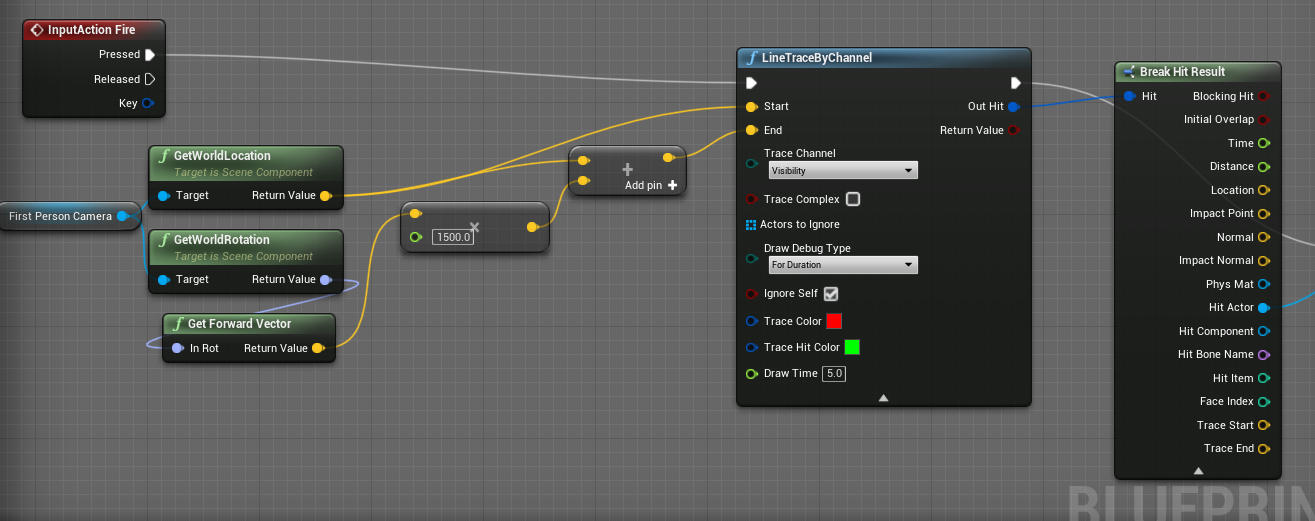

 runic plinth
Yeah I still need to clamp that float to get something useful though 🙂 thanks
fallen blade
how would i, in blueprints set up an armour regenerating system that only regenerates when the player is out of combat / not taken damage for say 5 seconds or so.. i have the armour variable setup in the character EG and a HUD display setup, just need to know a blueprint for this, Thanks!
cunning turret
cunning turret
Does anyone know why my line trace isn't going far enough? It isn't hitting the ...
nevermind, I noticed the x1500
high ocean
@fallen bladeUse a bool for when the character is in combat (e.g. onbeingoverlap -> inCombat = true; onendoverlap -> Start timer). Use timer by event (say, Countdown). Timer - each second, var_StateCooldown -1, set StateCooldown. If StateCooldown = 0 -> set inCombat = false). Call the regen function.
 hardy sphinx
does somebody know how to make decay of camera?
icy dragon
hardy sphinx
does somebody know how to make decay of camera?
First time I heard the term "decay of camera" 🤔
hardy sphinx
when camera slowly become dark
icy dragon
hardy sphinx
when camera slowly become dark
Are you referring to camera fade, or camera exposure?
high ocean
@hardy sphinxhttps://www.youtube.com/watch?v=7Lzr-A24HUs&ab_channel=MathewWadstein
Why aren't ppl searching yt/google anymore? 😛
 glossy egret
so i have a frustrating problem i dont know how to solve.
im making a UI to alow people to test out my code that i plan to sell.
and its just a UMG widget that sits on the screen that you can enter numbers, and those numbers are set as variables to be pulled when the player does his thing.
and it works fine in editor. but not in a live build. it stops working and i dont know why
glossy egret
it only pulls the original variables....
i also
set it up with an event dispatcher, and then it pulls full 0s on all variables

 paper galleon
Man, that is some spaghetti 😅. I can't tell what is going on
glossy egret
at runtime these varables are getting set correctly and i can see the print string in a full build.
but if i cast i get original variables
quaint dagger
Anyone able to help, trying to reference my directional light through a line trace and I get this error : Blueprint Runtime Error: "Accessed None trying to read property CallFunc_GetActorOfClass_ReturnValue".EventGraph Node: LineTraceByChannel
glossy egret
spaghetti lol. it was clean untill i got frustrated.
ive dont fucked with it till i didnt care. and ill definatly clean it up when i get it fixed
the red lines that i drew is the path to follow
paper galleon
Yeah
Not sure why the cast is resetting the variables
glossy egret
me ether. ive got like 4 years experience and im totally stumped.
because this works great in editor
and i didnt do anything a live build shouldnt be able to do
icy dragon
paper galleon
Man, that is some spaghetti 😅. I can't tell what is going on
I've seen worse lol
 azure smelt
Hello good people, I was hoping someone could lend a hand with some update of camera orientation bp stuff.
To summarize my predicament, i'm working with a gravity plugin for planet like gravity, so my character starts at the top of the planet and walks to the bottom. When he is nearing the mid way of the planet the camera control doesn't update like i want, I think my issue is that the bp nodes i took were for a character with different camera controls and movement controls. My characters camera can do a 360 around him with the mouse, and his movement goes the same as a 3rd Person Character from Unreal New 3rd person project. please help 🙂
 glossy egret
@icy dragon
thankyou because i didnt think it was that bad
and i could be much worse. and ill probably clean it up after i get it working
paper galleon
quaint dagger
Anyone able to help, trying to reference my directional light through a line tra...
Not sure you can hit a directional light with a line trace. I may be wrong though
high ocean
@quaint daggerMake sure your linetrace actually hits the actor you are trying to reference. Do a check to see if it's a "hit". And make sure you have some form of collision around the light, otherwise, there's nothing to hit with a line trace that traces against collisions.
@glossy egretidk, just saying, I don't understand what the cast has to do with anything, but are you sure in a built project those text to string conversions aren't getting screwed up?
paper galleon
azure smelt
Hello good people, I was hoping someone could lend a hand with some update of ca...
I hope it's not gimbal lock messing with you there.
azure smelt
What is gimbal lock?
icy dragon
azure smelt
What is gimbal lock?
Basically rotator value wraps around from -180 to 180 (and vice versa)
paper galleon
azure smelt
Try changing the relative rotation node to set world rotation
glossy egret
@high ocean
after those pictures i added alot of print strings to the widget and they are setting the correct variables to the right values. and i can see the print stings in a launched build.
but when i cast to it and try to get the variables i ether get the original values, or flat 0s, depends on how i try to get them
when i cast i get defualt.
when i send them with an event dispatcher, i get 0s
 cursive path
I have problem when i attack and switch pose to crouch or crouch walk it restart the attack how can i solve it
paper galleon
cursive path
I have problem when i attack and switch pose to crouch or crouch walk it restart...
Can't say without you showing code
high ocean
@glossy egretTry getting one of them through an interface/dispatcher something, to isolate if the cast itself is the culprit 🤷♂️
azure smelt
paper galleon
Try changing the relative rotation node to set world rotation

I tried what you said but it didn't seem to work
high ocean
and btw... (I'm assuming you've checked) but does the cast go through to the correct actor?
glossy egret
i can try indivdal variables. i pulled the struct with dispater. but mabey the struct is having an issue
paper galleon
azure smelt
I tried what you said but it didn't seem to work
Yeah. I think it's gimbal lock messing with you. It's a common problem when dealing with custom gravity solutions
azure smelt
What can i do?
high ocean
@glossy egretOooooh yes! structs 👌 Especially if you've modified them and saved blueprints refering them after. That can cause the weirdest shit ever!
cursive path
high ocean
<@!264268374320611329>Try getting one of them through an interface/dispatcher so...
When i attack i want the attack to happen even if i change pose but this repeat the animation and attack again and again everytime i change pose without attack
high ocean
say no'mo, it's probably modified structs.
quaint dagger
high ocean
<@!129917265394139136>Make sure your linetrace actually hits the actor you are t...
Hit results are good, it's working but still throwing the error
high ocean
are u casting?@quaint dagger
paper galleon
azure smelt
What can i do?
Hmm. Most times you have to work with quaternions to avoid gimbal lock.
What is the name of the plugin you're using