#blueprint
402296 messages · Page 706 of 403
 azure smelt
 high ocean
@azure smeltu using 1st person?
azure smelt
3rd person
 cursive path
How can i when attack when i idle when change pose it doesnt repeat animattion
high ocean
@azure smeltthrow a fkin cam boon in there and see how that handles the problem. Try it 😄
azure smelt
I am using a camera boom
 sand bloom
Is there a way to use add movement input even if you're calling a function from another actor? Because my character isn't uh moving
 high ocean
azure smelt
I am using a camera boom
high ocean
azure smelt
I am using a camera boom
oh...
sand bloom
It's constantly printing the string but not doing anything else
cursive path
Anyhelp pls need tips
 paper galleon
azure smelt
Directional Gravity
paper galleon
azure smelt
Directional Gravity
I think they have a character you can inherit from. With the rotations resolved
paper galleon
cursive path
Anyhelp pls need tips
You're not helping yourself. You need to show some code. There's no way anyone can magically know what your problem is
azure smelt
paper galleon
I think they have a character you can inherit from. With the rotations resolved
Yes but it's not ideal
paper galleon
Then you have to work out the math to solve your rotation problem yourself. Iirc, in the CMC the gimbal lock is resolved
 orchid garden
cursive path
Anyhelp pls need tips
orchid garden
cursive path
Anyhelp pls need tips
you changing the pose via the animation bp or the character bp?
azure smelt
paper galleon
Then you have to work out the math to solve your rotation problem yourself. Iirc...
I should be able to resolve this. Plus i plan to have flying characters in my game in time so resolving this gimbal lock will be useful now and then. I appreciate the help 🙂
paper galleon
No worries.
azure smelt
I should be able to find a resolution online
 glossy egret
@paper galleon
XD nah epic get the memo an just didnt give a damn.
the varable updates correctly in the player. as told to me by the print string getting the right values.
but when i take that variable and give it to the make damage node it just sends the original value.

so pen is default at 10101 for testing.
i check. players does 10101 damage.
update to value of 2, print screen reads 2 strait out of pen variable
go to test again, does 10101 damage.
well i have to go to work. but thanks for helping. i may just have to do this differently.
because it just doesnt want to work
its possibly an engine bug
paper galleon
😅. Maybe. I hope you're able to get it working
glossy egret
hopefully. ill try again when i get home
 heady burrow
In a RTS game, where you are about to place a new building, and you see this "ghost" building that is attached to your mouse, what makes more sense, to have a different actor altogether to show this silhouette or to be the same building with a different style?.
 still swallow
So, I have a pretty big question.
How do I recreate this system -

PUBG MOBILE -
2 FINGERS PRO THUMBS SETTING
This video about two fingers professional thumb settings and I gave thumb settings lots of tips, tricks and full guide to master it.
Business:
Email - exarrowofficial@gmail.com
Messenger - https://m.me/ExArrowYouTbe
---------------------...
paper galleon
heady burrow
In a RTS game, where you are about to place a new building, and you see this "gh...
I'd go same actor blueprint with a different material for the mesh
 heady burrow
paper galleon
I'd go same actor blueprint with a different material for the mesh
heady burrow
paper galleon
I'd go same actor blueprint with a different material for the mesh
thanks, I guess makes it easier
 patent hornet
this is the set-up i have but seem to be running into a bit of an issue?
any help is appreciated thank u
paper galleon
What is the issue. The warning on the node?
paper galleon
patent hornet
this is the set-up i have but seem to be running into a bit of an issue?
What does it say?

 paper galleon
Which blueprint is that?
patent hornet
attatched a blueprint to a static mesh
paper galleon
Wouldn't work. That node is exclusive to an anim instance
patent hornet
ok for sure
paper galleon
How'd that even get there. Copy paste?
patent hornet
so there's no way to get a static object to follow the location of an anim blueprint then
paper galleon
An anim blueprint does not move. It's not an actor.
What are you trying to achieve
patent hornet
do u mind if i dm?
paper galleon
Nope
patent hornet
thank u
sand bloom
Does anyone know whether or not I can use add movement input without possessing the character(i'm triggering the function from another blueprint and the values aswell)
for some reason nothing is happening, and i checked the values are being updated, it has values to access it's just.. not doing anything with it. And it's constantly being triggered.

really confused with the node just not doing anything at all
paper galleon
You can. I do that for my horse mounting system
sand bloom
do you see anything wrong with my function?
I could have sworn it should work
nice to hear you actually can though, just so i'm not crazy
paper galleon
Is it in a multiplayer environment?
sand bloom
no purely single player
I have a vr pawn in which this all happens

it's basically getting my axis value, vector value, and movement input to my functions inside the character
the character however refuses to move

paper galleon
You're calling the movement function before setting that movement variables. I think the order should be reversed
sand bloom
that's fair, i figured with it being triggered constantly and therefore updated constantly it should be fine but ill change it rn
yeah that didn't change anything, right now i'm in the am I crazy or should this move stage, so it's kinda rough
my main objective is actually moving it somehow rn
paper galleon
I'd pass in the scale value and movement direction directly into the move function rather than create separate variables for them.
Then get rid of the sequence and use the branch directly.
Give me a moment to power up my pc and show you my setup
sand bloom
I'm not sure how i'd put it directly inside the function, the reason I created the variables was just so I could actually get those numbers inside the function
Alright ty 
I can't get an input to work inside the character so this seemed like the next best thing
paper galleon
The variables just create an extra layer of complexity. If the move function is the only use case of the variables, no need to use them in the first place
Editor is taking a while to load
 midnight cove
Hey does anyone know how would you rotate an fps cam when moving left or right,
sand bloom
I hear what you're saying but I don't know any better way of getting them inside the function since it's in another blueprint
alright take your time no rush
paper galleon
You use input pins
sand bloom
right, but there's no way i'm seeing to get it inside of there because there's no pin to enter it
 paper galleon
You create them in the move sidestuff itself.
sand bloom
ohhh
paper galleon
Yup. You understand now?
paper galleon
Exactly
paper galleon
midnight cove
Hey does anyone know how would you rotate an fps cam when moving left or right,
I don't understand the question. How do you want the cam to rotate
midnight cove
like roll slightly to left when moving left
paper galleon
@sand bloom , you solved it or do I still send my setup?


 sand bloom
Thanks I have the same thing as you, but maybe I need to use control rotation's vector instead of camera based i'll try that now
paper galleon
You trying to convert enums to string?
high ocean
@paper galleonNope 🙂 nvm though, I got it - doh! just need to set the appended string for each iteration. I got it. Thanks anyway! 😄
paper galleon
show your setup again
paper galleon
sand bloom
Thank you for your help though I appreciate it
No problem. It's nighttime here and only thing left to do is sleep.
sand bloom
Here is my setup in the vrpawn
 paper galleon
remove that check and pass it directly.
sand bloom
inside the function

The string is printing
so I know it's working technically
right, i suppose i don't need that old branch anymore
paper galleon
Oh, right. Then its a problem from the character referenced itself
sand bloom
I made sure to spawn it in my vrpawn so i could make sure i had a good easy reference

I promoted the return value to a variable
and use that as my reference
paper galleon
I meant in the blueprint of the referenced character
paper galleon
Maybe from the move comp or something. Check movement speed
sand bloom
like all it essentially has is the functions
paper galleon
max walk speed
 paper galleon
Hmm weird. Mine works fine.
 paper galleon
No movement at all?
sand bloom
There's a navmesh volume for the vr that's the only thing left I can think of
yeah 0 movement
paper galleon
Is the char ref a regular character?
sand bloom

set directly from the pin to upgrade to variable
and the character is a character
So I assume it is
I can use a generic character ref instead though
but everything else to the function works
 sand bloom
okay
paper galleon
and drag that character into the level, run the game and check if it moves
paper galleon
Yeah. That setup should work. Wait.... why is the scale so small
when spawning, I mean
sand bloom
because the character has to be small but regardless of the size it moves with event tick I made sure to try diff sizes
it moves(fast though lol)
I think the issue is my spawned character

it's floating
paper galleon
oh no wonder it isn't moving
sand bloom
something must be wrong when I spawn it
vs putting it down
yeah idk what's up
what I could try is putting only one in my level and then accessing that for a reference, instead of spawning it
paper galleon
If it is floating, gravity isn't affecting it for some reason
sand bloom
yeah it's super weird
paper galleon
It needs to be grounded to move. Placing a character manually usually ensures its grounded most times.
paper galleon
It will work if placed manually
I tested spawning here too for some reason, it doesn't want to fall
sand bloom
wow, I wonder how this is going to work for respawning the character if it dies lol
But for now i'll go and test it
working on the bp rn
paper galleon
I found a fix
In the class defaults go to the Pawn section. Select the auto possess ai option to placed in world or spawned
it will fall and should be able to move then
@sand bloom
sand bloom
omg
will try spawned again then
oh god
that was the whole issue
thank you, I can't believe I spent hours only for the fix to be this simple
it's actually moving now, I just have to figure out the rotation but this is amazing
thanks man

paper galleon
No problem. Glad I was able to help
sand bloom
man it works perfect with camera vector's this is awesome I can progress now
paper galleon
sand bloom
man it works perfect with camera vector's this is awesome I can progress now
Great. Kinda disappointed with myself a bit that we spent this long on it. But I'm happy it's working
sand bloom
Haha yeah I feel you, i spent hours on all kinds of stuff because i didn't realize this was the issue
paper galleon
sand bloom
Haha yeah I feel you, i spent hours on all kinds of stuff because i didn't reali...
Alright then. Good luck.
sand bloom
thank you
 amber dragon
does anyone knows how to disable a different character moviment when the enemy catches the player? Because even when I get caught im still able to move around
 sand bloom
your cast isn't plugged into anything in this screenshot
Maybe you have force on in your movement node?
force can override it afaik
so you want to keep that off
amber dragon
sand bloom
your cast isn't plugged into anything in this screenshot
i plugged after the animmontage, however it gets a message which cast has to have a valid object
paper galleon
You're casting to game mode not character
amber dragon
sand bloom
Maybe you have force on in your movement node?
not sure
sand bloom
Yeah whenever you cast like this it needs a way to see which object to cast to, it's probably not force
since that's off by default
also yeah you're casting to the gamemode
amber dragon
paper galleon
You're casting to game mode not character
i tried that, but it says it's not valid from player character mode
paper galleon
You need a reference to the character first
amber dragon
 amber dragon
paper galleon
You need a reference to the character first
amber dragon
paper galleon
You need a reference to the character first
sryy to ask, how can i get this reference?
paper galleon
Depends on how you do the catching.
How do you determine if a player has been caught
amber dragon
i used a boolean to determine if the player has been caught, than the camera turns to the enemy direction, it plays an animation caught -> fade camera -> open level again
paper galleon
How is the Boolean set? I'm looking for angles where the character can be referenced in your blueprint.
amber dragon
oh i guess it worked now, because i used cast to thirdpersoncharacter, then reused a get player character from another part of the caught system
 paper galleon
Yep this is better.
amber dragon
@sand bloom @paper galleon thxx for helping 
sand bloom
I did very little, ozymandias did the work but i'm glad it worked out for you
paper galleon
sand bloom
I did very little, ozymandias did the work but i'm glad it worked out for you
Nah, not really.😅
 trim matrix
huh, if I have an object and I want to know the class of that object do I just cast it until I get the right one? Isn't there something like c++ myobject->IsA(MyClass)
 frosty goblet
I know that I am missing something simple... but I am trying to make a title screen in the 3d Sidescroller basic template, but I cannot find anything that will allow me to just pull a camera placed in a level to be the viewport for the title screen. It always spawns the player character. Any advice or direction to a tutorial would be awesome. Thanks!
 spark steppe
trim matrix
huh, if I have an object and I want to know the class of that object do I just c...
spark steppe
trim matrix
huh, if I have an object and I want to know the class of that object do I just c...
you can use get class to get the actual class of an object, is child of (iirc) to check if its either of class X or a child of class X, and cast to ClassX to test/cast to a specific class
 jade nova
can anyone help me find a way to do a top down racing game / isometric
i really wanna do it so if u want to help pls dm me
anyone who wants to teach me how to do the blueprints
 pine trellis
does anyone know how I can get footsteps to play if a character is walking on a wall? the footsteps sounds only work on the floor and not the walls and celiings
this is my code now

 dense pulsar
Ironically I am also having I very hard time with line traces. Are your footsteps decals or static instances?
Oh nevermind, I read that wrong.
So you want sound to play based on the type of mesh you're walking on right?
Have you tried just using onCollision and checking if the collision object is a wall? Or Overlap?
pine trellis
I was thinking trying to use sockets but I cant figure out how to get the from the animation blueprints
spark steppe
pine trellis
this is my code now
you are always tracing downwards in world space (which obviously wont hit a wall)
rotate the end vector of your line trace to match the actor x/y rotation and it might be fixed
pine trellis
@spark steppe you mean like this ? put a 150 on the x and y?

it only works like that if I am surrounded but if I am outside the vent it wont work
dense pulsar
Have you tried doing a multibox trace?
Just fill the circumference of the vent and get an array from that?
On a similar note, anyone have any idea how to get a trace to pick up static instance components? I can trace regular static instances and meshes and but I can't seem to get a hit on any of the components I'm trying to get.

 dense pulsar
I basically have an instance that spawns HISM of its components and I'm trying to trace those.


 candid nest
hey can anybody fix this my ai timer and ammo counter is not working after i added a respwan system plz help
https://blueprintue.com/blueprint/519z4sz_/ my respwan system

No description provided
trim matrix
how can i make my character open and close eyes?
 lament ginkgo
Hey, I have a function for hold RMB and move the camera around a third person character. Problem is my cursor hits the edge of the screen and it stops. Does anyone know if there's a way to simulate a cursor wrap-around?
OH nm, figured it out - set input to game only when holding and it works like a charm.
 native grotto
Can someone please help me with some animation shit
I have been stuck on this for 2 days
how do i make an actor do a specific animation when approaching it
i use get distance to and an animation bp but it always stays in idle

 candid nest
hey guys i got a small problem i have a chekpoint system and a timer i wanted that when my player reaches the checkpoit the time increses
 eternal pollen
hi everyone need some help as i am a noob so the issue is i want to create a lobby for matchmaking but cant find a proper guide or path to start can any one point me in the right direction
 lunar nest
native grotto
how do i make an actor do a specific animation when approaching it
i use get dis...
lunar nest
native grotto
how do i make an actor do a specific animation when approaching it
i use get dis...
You're casting the player character twice, to two different classes.
I think one cast should be from GetPlayerCharacter, while the other should be from TryGetPawnOwner
 sudden nimbus
i dunno, what are you doing with those graph points
 ornate trail
proc gen points, the onPaint is just for debugging but would rather build this event driven, just not sure how
 earnest tangle
I'm not quite sure what you mean by "event driven" in this context
How would you like that to work?
sudden nimbus
ornate trail
proc gen points, the onPaint is just for debugging but would rather build this e...
I dunno I've never done procedural stuff. But if it keeps the result more than a frame and you only change it so often, then yeah do event driven.
to answer your original Q: yeah just "push the data on event instead of every tick" :-)
trim matrix
- Question * So I am trying to add combination of buttons to my input bindings but as far as I know you can add only one button to this? I want to activate this for example when player presses dpad and trigger etc.
 sudden nimbus
trim matrix
* Question * So I am trying to add combination of buttons to my input bindings b...
sudden nimbus
trim matrix
* Question * So I am trying to add combination of buttons to my input bindings b...
does not support sequences of buttons or multiple nonmodifier keys simultaneously as far as I know
you can handle it at a higher level though, keeping track of whether both buttons have been pressed
trim matrix
@sudden nimbus That's a great solution!
ornate trail
usually this would go in the player controller afaik, if button 1 and button2 etc..
 fallen glade
can someone have a look at this please? I have a simple mesh (1) that for testing reasons I scale (1,2,2) and in game the collision mesh is not stretching to accommodate this new scale? never happened before
 ornate trail
unreal stretches collision for you ? 👀
idk any better but other engines I just recreate the collision
fallen glade
ornate trail
unreal stretches collision for you ? 👀
Yes? I'm i having a stroke ?
ornate trail
lol, no I just dont know the engine. Im used to scaling collision causing physics issues
fallen glade
It's like the un game collisione is scaled to 222 instead
 fiery glen
is this collision capsule part of the static mesh or part of the blueprint?
fallen glade
fiery glen
is this collision capsule part of the static mesh or part of the blueprint?
Static mesh
Same result if i place it in gam and scale it normally
earnest tangle
Scaling colliders is definitely fucky in various ways, sometimes it doesn't update when visuals update etc.
It works sometimes and if you do everything right
fallen glade
Ok so it should work

only a problem with capsule collision..... I guess I'm using box :/
 rain egret
i have the case of the classic "wont move forward if look down" forward axis works with W/ S and gamepad stick up/ down.
now the problem only occures when i use the gamepad option here, i added a print to check the axis and in both cases i am getting 1 and -1

 worthy tendon
rain egret
i have the case of the classic "wont move forward if look down" forward axis wor...
worthy tendon
rain egret
i have the case of the classic "wont move forward if look down" forward axis wor...
so for some reason when you use gamepad and look down it doesn't move? but it moves with keyboard?
worthy tendon
rain egret
i have the case of the classic "wont move forward if look down" forward axis wor...
do you have different events for gamepad inputs?
 stray rain
rain egret
exactly
stray rain
rain egret
exactly
now I am not sure 100% but if you have a movement component on your actor you can get the "get actor forward vector" node and the "get actor right vector" node so you dont need anything else when plugin into the world direction of your "Add movement input"
(noob here so maybe someone else knows better haha)
candid nest
hey guys i have a problem my ai shoots when he sees me i want to make shoot him when he equip gun in hand
stray rain
candid nest
hey guys i have a problem my ai shoots when he sees me i want to make shoot him ...
you know how long it takes for him to take out the gun, just put a "delay" before the shooting event?
rain egret
stray rain
now I am not sure 100% but if you have a movement component on your actor you ca...
well this is the thirdperson blueprint, using your option would have the character turn in a circle if i press right.
candid nest
i did it but he used that delay for shooting like i put a 1 sec delay so he shoots me after every 1 sec
rain egret
worthy tendon
do you have different events for gamepad inputs?
no i dont
 stray rain
candid nest
i did it but he used that delay for shooting like i put a 1 sec delay so he shoo...
stray rain
candid nest
i did it but he used that delay for shooting like i put a 1 sec delay so he shoo...
well put like a 5 sec delay then?
candid nest
so he will shoot after every 5 sec like i put a delay he fire then take a rest of 5 sec then shoot
stray rain
I mean not after every shot, I mean when he sees you, you imediately go to the shooting event right?
candid nest
actually he roam when he see me he come closer and then shoot me but if i am closer and he sees me then this problem occurs
stray rain
would need blueprint to judge
candid nest
okay
No description provided
go to this and go to on hunt is the place were he shoots me
stray rain
I would create an event for "Equip Weapon" and have a delay there and then go to the "AIfire" event after the "equip Weapon" event has been completed
worthy tendon
if you create logic and rules for your player like how many times he can shoot, with what accuracy and fire rate, it will be easier to make your AI use the existing logic for shooting. that is possible with some good blueprint, but it will be hard to do if everything in your blueprint is coupled together
 burnt grove
Erm, how do I connect to my dedicated server by IP? open IP or the blueprint node Open with IP as the map name doesn't seem to work
candid nest
stray rain
I would create an event for "Equip Weapon" and have a delay there and then go to...
i added there not working ai is equping gun late but fire is on
burnt grove
7777 or 17777?
 orchid star
unreal default is 17777 if you are in editor
burnt grove
ah
mm nope
I get this after calling open 86.126.139.126:7777 (the dedicated server should be running on 7777 right?)
LogNet: Browse: 86.126.139.126/Game/SurvivalGameKitV2/Maps/MenuMap
LogInit: WinSock: Socket queue. Rx: 32768 (config 32768) Tx: 32768 (config 32768)
LogNet: Created socket for bind address: 0.0.0.0 on port 0
PacketHandlerLog: Loaded PacketHandler component: Engine.EngineHandlerComponentFactory (StatelessConnectHandlerComponent)
LogNet: Game client on port 7777, rate 100000
The map doesn't change, although the server is running a different map
candid nest
worthy tendon
if you create logic and rules for your player like how many times he can shoot, ...
hey i have that rules like fire rate and etc but he shoot too late
trim matrix
Feedback on my item respawn script?

Handles stuff like respawning berries on bushes and pickable items like mushrooms

Although I should probably move most of the interact logic to the respawn function
worthy tendon
trim matrix
Feedback on my item respawn script?
if pickup destroys pickable actors then you can't get pickable actors in timer again. it will return empty.
trim matrix
worthy tendon
if `pickup` destroys pickable actors then you can't `get pickable actors` in tim...
is that a problem though?
If its empty it simply won't loop over elements
worthy tendon
I don't understand why you have that timer for?
trim matrix

Multiple items to respawn
lets say I have a bush with 3 berries
I pick up all
I want them to grow out one at a time every x seconds
trim matrix
worthy tendon
I don't understand why you have that timer for?
Think it makes sense, but there might be better ways
orchid star
if you are controlling all of them from one actor
it gets reset on every pickup I assume
you either fire multiple timers or handle them seperately
trim matrix
Nah, because of the "fullyRespawned"
wait, lemme pop up screenshare
in #lounge
voice chat
wait cant share screen here why
worthy tendon
what is pickable actors? is it fruits? or the bush?!
orchid star
I think they mentioned something about getting a permission first to be able to stream your screen
worthy tendon
the bush should handle respawning fruits by itself.
trim matrix
well thats what it does
orchid star
the thing is fully respawned is handled if all of them are available right
so if you pick up two
second pick up will reset the timer from start
so they will spawn at the same time
whatever you do with this current setup
trim matrix
@orchid star@worthy tendon hop in, streaming
 thorny glen
Hello everyone ,
i'm trying to use the local api from my unreal engine project . but i'm not able to access it. i'm using vaRest plugin for this. My local Api is working fine i tested it with cURL.( curl -X POST http://localhost:5555/talk -d “message=Kati hi” ) this is how my api working. it's takes the message and gives you valid response. i attached a little chat with my api.
If anyone know how to access this with unreal please help.

 rapid robin
Hi Folks, is there a way I can get all actors in a certain radius in just blueprints (without putting a collision sphere around the actor)? I swear I've used a GetAllActorsInRadius node before, but guess that might have been a custom one?
 random quail
rapid robin
Hi Folks, is there a way I can get all actors in a certain radius in just bluepr...
random quail
rapid robin
Hi Folks, is there a way I can get all actors in a certain radius in just bluepr...
if you have some custom shape then only getallactors and testing their location with your shape
will be quite slow so better not call too often
rapid robin
Thanks @random quail A radius would be fine, so you think best to just slap in a sphere collider and then get all overlapping actors? I'm cool doing it every couple of seconds or so, so not too concerned about speed.
random quail
works too, an actor component inheriting spherecomponent with some logic about overlap tracking / storing things inside
rapid robin
I'm just confused that I can't find the node GetAllActorsInRadius, as, like I said, I'm sure I used it previously 🤔
random quail
doesn't seem to be an engine node
rapid robin
Cool, yeah must have been a custom project-specific one then. Thanks!
 dusky topaz
So I am trying to set up a camera actor to capture a screenshot with an editor event. The event works, it changes the view target to the camera, and takes a screenshot, but the screenshot is taken from the original viewport camera despite it swapping. Anyone have any idea how to do this?
Here's the blueprint I've got currently

disregard that the target blend is disconnected, I was just trying if it actually made a difference
 atomic salmon
@dusky topazdid you try to use a small Delay?
dusky topaz
Delay oddly enough seems to make the time it is in the correct camera shorter
atomic salmon
The one at the bottom of the screen shot node?
Or just adding a Delay before that node?
dusky topaz
Both
Or rather, the delay in the screenshot node does nothing, and a delay before it breaks the entire operation
atomic salmon
And there is nothing switching back the camera after the screenshot? Or?
dusky topaz
Nothing in the blueprint, no, it just does it automatically
atomic salmon
you may try delaying the switch back because I am pretty sure the screenshot is taken asynchronously and it may have switched back to the original camera before it is recorded. Would need to check the source code to verify that, but a quick test may confirm it.
pine trellis
does anyone know how to get the down vector of an actor? I see up, forward and right but no down and I am trying to use this fix
 dusky topaz
Another oddity with this situation is that it gives me two notifications that a screenshot has been taken every time I press the button, but the actual event is only called once
 supple dome
pine trellis
does anyone know how to get the down vector of an actor? I see up, forward and r...
supple dome
pine trellis
does anyone know how to get the down vector of an actor? I see up, forward and r...
down is up * -1
 icy dragon
 frail inlet
do blueprint perform the same as c++?
frail inlet
do blueprint perform the same as c++?
Depends on what you're doing
frail inlet
wdym
trim matrix
Anyone here that has made a stats/levels system that could assist me a bit?
 maiden wadi
@trim matrix Possibly. What are you looking for?
trim matrix
@maiden wadi hop in voice?
 earnest tangle
That seems fine to me. A loop wouldn't help because delays don't really play nice with those
You could use a timer which could be a bit cleaner, but if you only have three delays chained like that, it's not really that big of a deal - but if it's more than that, then a timer based system would probably be better
also worth noting is that if you for some reason need to abort or restart your delay chain, that wouldn't work... with a timer you could do it
spark steppe
as an alternative a timeline would work, too. just got to floor the result (still the timeline would be more cpu demanding, but guess its negligible)
candid nest
hey guys i want to make many ai but i want to use 1 bp for all i created child and retargeted but the mesh is not using that animation can anybody help me
trim matrix
thanks Ben and Zomg 😄
 brazen pike
Hello. I am trying to make a map that is toggled by the M key and shows the player location on it. I found that I need to get the location of the player, divide X and Y values by the size of the level in-game then times those values by the size of the image of the map. I found that my values of the level size were innacurate which ruins the entire concept as the placement is all wrong and the player icon moves faster than it should....
Is there any way to find the size of my level accurately if the level isn't a perfect square/rectangle?
Here is my level for reference. Its very large.
 orchid garden
brazen pike
Hello. I am trying to make a map that is toggled by the M key and shows the play...
orchid garden
brazen pike
Hello. I am trying to make a map that is toggled by the M key and shows the play...
what i did was got the landscape resolution & scale and mutliplied those values to get the landscape size, then for placing markers for the actors on the map I did this:

landscape X & Y are the position values of the landscape
 ripe tiger
Is there some kind of node that takes a number like 24178 and outputs it as 5 different numbers one for each place 2 4 1 7 and 8 and a way to do the opposite? Or some help with picking out search terms so I can figure it out?
brazen pike
orchid garden
what i did was got the landscape resolution & scale and mutliplied those values ...
Ah that's super interesting i'll give it a try thanks
orchid garden
brazen pike
Ah that's super interesting i'll give it a try thanks
it comes out pretty close to the actual position, give or take a pixel:

 split cosmos
hello begineer here. i am trying to make it so when i look at a block it gets highlighted and not highlighted when im not looking at it. I have the highlight mat and i made this basic trace. How do i make it so it stops getting highlighted when im not looking at the cube? i cant figure it out
 orchid star
@split cosmos What I did in similiar situation was
orchid garden
brazen pike
Ah that's super interesting i'll give it a try thanks
and incase your curious how i did the gps cords for the map:
 orchid star
that I started looping every 1 second on the highlighted object to stop highlighting
so if it was not colliding
highlight would gone 1 sec later
split cosmos
orchid star
that I started looping every 1 second on the highlighted object to stop highligh...
yeah i was thinking that as well but wouldnt that cause performance issues? i feel like theres a more elegant solution
if its every second it will look really sloppy though
 fast blaze
hello all what will be the best option to track the angle of the stick for the combo tricks in a game, for example I move stick down and next to the left for one quick motion. Now I do branch when move down is true, after moving to the left, but how can I track full movement of the stick? thx
split cosmos
fair enough 😄
orchid star
also you are casting constanlty
split cosmos
yup
orchid star
what you can do is store the hit result
and stop highlighting just before setting the new variable
you can even check for if it is the same actor, that way you wouldnt need to constantly call set render custom depth on an already highlighted actor
trim matrix
kk got a basic experience system working, its trash but it'll have to do xD
split cosmos
orchid star
you can even check for if it is the same actor, that way you wouldnt need to con...
ty
split cosmos
orchid star
what you can do is store the hit result
how would i do this? im really a noob to game making in general
trim matrix
There is actually a really good tutorial on this @split cosmos
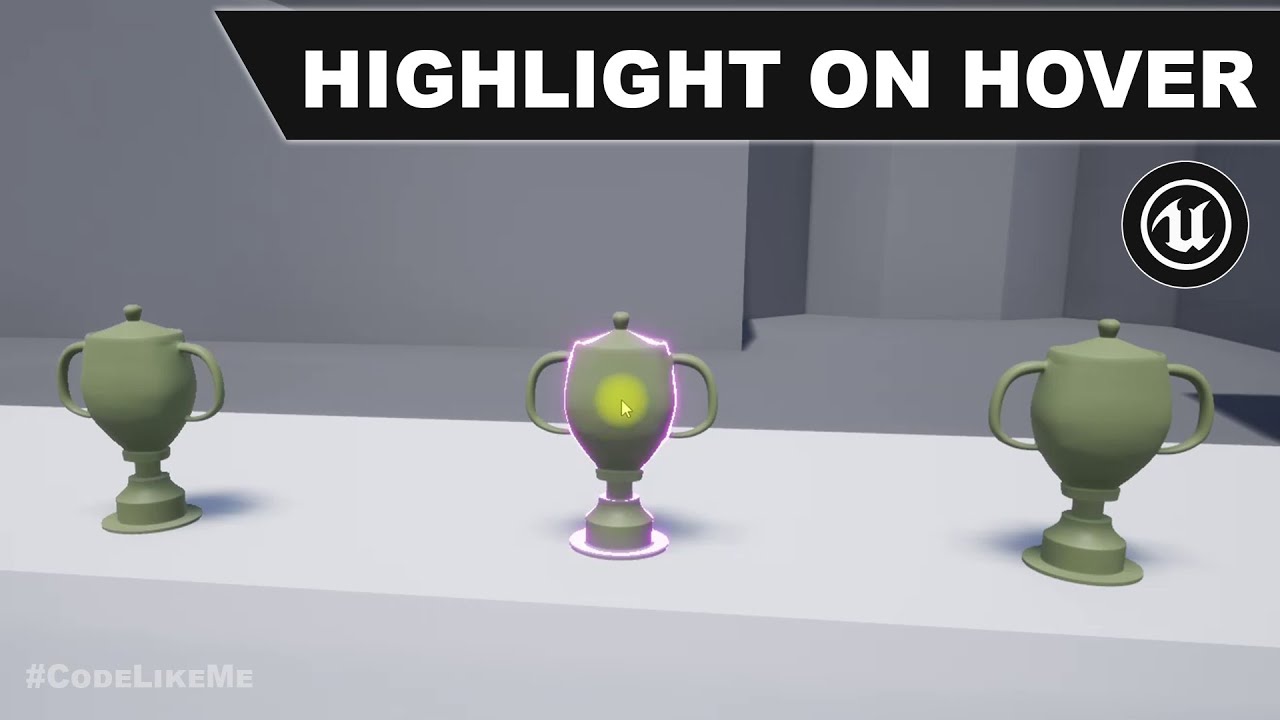
project Files : https://www.patreon.com/posts/35152293
This is a special request tutorial from one of the patrons.
The objective is to implement an item inspection system. as the first part, highlighting an object when hovering the mouse over it. So that the player would know that this object is interact-able.
support my work : https://www.pa...
orchid star
Trace > Check If Hit >
True : Check LastHit equals Currenthit >
True: Do nothing
False: Stophighlighting Lasthit > Set Current Hit as Last Hit > Highlight LastHit
False : Stop Highlighting LastHit > Remove reference to LastHit
@split cosmos
split cosmos
tyvm
 loud badge
Hello there!
can someone tell me which is the proper way to configure an actor with collision box as root component and a child static mesh with physics enabled?
I am getting weird behaviors, for instance:
Having simulate physics only on mesh -> the location of the collision box doesn't update location together with the world location of the mesh.
Having simulate physics both on the mesh and collision box -> after pushing the mesh a little bit, sometimes the actor disappears from the world.
Note: I have overlap all dynamic for the collision box and blockalldynamic for the mesh as collision settings.
This might be really simple, but I am getting so frustrated, i've been on this for like 2 days already :/
lament ginkgo
Hey, question - I have a trigger with an onbeginoverlap event, but I noticed if you spawn a player IN that trigger, it doesn't fire off the event. Is there a way to ensure the event will trigger if someone spawns there?
brazen pike
orchid garden
what i did was got the landscape resolution & scale and mutliplied those values ...
By resolution, you mean "overall resolution (Verts)"? Because I have input everything exactly as you did it, and it seems to not work properly although this is the closest I've ever had it working
It seems to be offset by about -330 X and -20 Y when I start and when I move my player icon does not follow properly
orchid garden
brazen pike
By resolution, you mean "overall resolution (Verts)"? Because I have input every...

I might also add my landscape image that you saw on my map picture - I took a snippet of the landscape from top down view in unreal engine, and sized the image itself to the edges of the actual landscape.
brazen pike
Ah yeah that might be my problem, my image is not the entire map
orchid garden
make sure the X & Y values for the two vars for landscape are also set to the X/Y location of the landscape
 fringe flame
when i rotate my character his face won't change

if i rotate to left and i press w he won't forward but right
orchid garden
brazen pike
Ah yeah that might be my problem, my image is not the entire map
if your using a cropped image you'd need to adjust the X&Y values and the landscape resolution values to make it fit properly, which might take you abit of math.
brazen pike
Oh man I'm so bad at math
orchid garden
brazen pike
Oh man I'm so bad at math
whats the concept of how your map should work in your project?
brazen pike
orchid garden
whats the concept of how your map should work in your project?
As the player moves, the icon will show where they are located. Super simple. But the problem is my level is huge and the landscape extends well past where the actual playable area is since it needs to look like a normal forest, so the in-game map would be a tiny area in the middle of a huge window... so I zoomed in the camera.

I've placed two reference cubes at the corners of where I estimate the map's edges are. Hopefully by finding the difference between them I can get the proper map size
This has not worked
orchid star
what I think you can do is:
use your reference cubes on the map
yes
but handle the calculation via lerp
lets say
-10000 <> - 10000 top left
10000 <> 10000 bottom right
Those are X and Y in order
so if your player is in lets say 4500, 5000
Lerp(4500, -10000, 10000)
Lerp(5000, -10000, 10000)
you get the positon on X , Y between 0..1
after that its about converting this lerped value reversed to your map size
as for the zoom, it gets a bit tricky
you can use materials to do the trick
brazen pike
Materials?
orchid star
you make an UI material
and put your map texture in it
and manipulate it with parameters to zoom in / out
I think you can use text coords to zoom in out
to specify where to zoom
Im not sure how at the moment
but you can find a solution to that once you get there
in our game we use this plugin : https://www.unrealengine.com/marketplace/en-US/product/pro-hud-pack

Unreal Engine
A collection of extremely flexible and customizable easy-to-use HUD features.
this doesn`t include a full map
but a bit of work did the trick
it has mini map with always centered player
all you need to figure out is make it show up on bigger area
and figure out a way to get rid of centering
also it had no panning so we added panning as well
although problem with this is(Im not exactly sure) it specifically tells you to use 4096x4096 texture size
I havent tried it yet if it would work on 8k for more detail
as we also have a big map
orchid garden
thats why i did the resolution scaling bit @orchid star so i could use a 2k, 4k, 8k or even a 16k map for it.
orchid star
I meant the texture
the plugin might be using 4096 as hard reference point
so it might not work with others unless you tinker with it
orchid garden
texture size doesn't matter with the map, just as long as its the same dimensions as the landscape , so i could use a 1024, 2048, or even 4096 squared sense my landscape is square.
orchid star
you dont need to match it with the map as well
I was talking about the plugin link I posted above
orchid garden
with how my code works, yep i do 😉
orchid star
oh
orchid garden
so i.e. if my map is 2048x2048, as long as my map image is square, then even a 256x256 image would work on it.
but its the full world, not just a section like what @brazen pike in trying to do
@orchid star do have to say though, Piontek does make some really nice hud packages, i have a few of his kits 🙂
orchid star
well me too but I really dont like the way they implement the UI
they use Sizeboxes everywhere
padding as well
 nova jasper
i hope this is the right chat to ask this. Is it possible to change the roll of a spline? like banking a turn of a roller coaster that was made along a spline?
orchid star
@orchid garden btw if you encountered the problems about sizeboxes I talked about, do you know a way to bypass those
orchid garden
orchid star
they use Sizeboxes everywhere
yeah like his buttons, but you can always remake them 🙂
orchid star
like is there a magic option to make it work within unreal to match whatever resolution to
1920 1080
god I hope not, if there is it means I wasted too many time on UI implementing
orchid garden
um... i'd have to open my other project... just a sec...
maiden wadi
Making what match the resolution?
orchid garden
i used safezone and sizeboxes for hud scaling, but my hud is broken up into multiple sections and anchored to specific locations to keep the parts in place.
orchid star
the moment you switch to different resolution
it will be screwed as it had fixed pixel size, pixel padding
what I meant by matching the resolution is this
if I said 100x100 on 1920x 1080
3840x2160
so 100x100 becomes 200x200
brazen pike
orchid star
what I think you can do is:
Alright thank you, I'm gonna see if I can get this working tomorrow.
orchid garden
orchid star
the moment you switch to different resolution
 maiden wadi
Most UI does this automatically with Canvas panels.
orchid garden
 orchid star
Most UI is kind of not enough tho
orchid garden
its all scaled according to the screen size
orchid star
IF you worked with UIs deeply
you would see what im going with this
creating a main layout is easy
just use anchors on canvas
the problem comes to you
when you go nested widgets
vertical boxes lists / grids
If I want to create a bit of space between two elements on a vertical box
sure I can use 5pixel padding
it wouldnt look odd
orchid garden
on mine thats dependant of actual screen resolutions.
orchid star
but most of the time you have to use FILL option to specify
it means you cant make the space with simple
5 button to padding
you need to create a spacer
calculate it
orchid garden
your talking like this:
 orchid garden
as long as its working with actual screen resolutions it works fine, and for widescreens it does this:
 orchid garden
fullscreen at 1080 looks like:
 orchid star
I used 100x100 fixed size
orchid garden
my panels use canvas panels with fixed locations/sizes insize a safezone.
orchid star
hmm what is safe zone let me chcek
orchid garden

now i've heard mixed statements about safe zone, but in my case it seems to be working for both ineditor and game play for making sure things stay scaled properly.
 orchid garden
looks like a good layout
orchid star
still not sure what the safe zone is
does it just stop your elements from leaving the screen
orchid garden
orchid star
still not sure what the safe zone is
This page describes Safe Zones, which are designed to keep the UI from displaying somewhere the player can't see.
orchid garden
yes and no
scale boxes work abit differently
now mind you my huds use widget elements to give those end results too:

each panel is basically its own widget.
those i could stick inside scale boxes and everything would scale uniformly, but if you had multiples in a single scale box you could end up with some odd results.
i.e. overlapping panels
orchid garden
i pulled apart alot of different projects to see how they built their ui's, it was defiantly a good learning experience
even the UE examples - the complete RPG and the old 'ShooterGame' examples.
idk if its still available, doesn't seem to appear in the 'learning' area anymore but here's the market link for the old shooter game one:
https://marketplace-website-node-launcher-prod.ol.epicgames.com/ue/marketplace/en-US/product/shooter-game

Unreal Engine
Learn how to construct a detailed level and integrate weapons, AI-driven bots and more!
oh there it goes, guess it only loaded half the page when i clicked on 'learn' lol.... it shows under 'games'.
orchid star
thanks !
 hearty gazelle
Hey guys, is there a way to access a widget blueprint through the gamemode blueprint?
orchid garden
get the actor its attached to then access the widget via that?
 orchid garden
or... when you setup the widget on the actor - set a reference in game mode to the widget?
hearty gazelle
orchid garden
or... when you setup the widget on the actor - set a reference in game mode to t...
So I set the variable here

Then did this

But its saying that NewVar _0 is null
 quartz pawn
hi

so I have a widget
and I am trying to create that widget
but how do I pass variables to that widget
like the image above?
orchid star

 gritty elm
create a variable inside your widget, and mark as expose on spawn and instance editable
 gentle drum

can someone help me ? Trying to adapt a social system to SGK. I do not want to pull player list from the data table. I am want to pull player name from saved slot . As you can see by my screen shot i need to finish the logic. How could i move forward with such a thing?
as you can see above my load from slot was the logic that came with the social system. Just want the same function but not use the data table but the slot
I wouldn't mind using the data table provided by the demo. Just have yet to be able to figure out how to allow a player through widget update their name from text slot and onto update data table "player list"
This is so simple to most i assume but by my name "Learning to Game" this issue is owning me
Bet for some of you this is a no brainer but been struggling with this for days
maiden wadi
@gentle drum What exactly is the Datatable?
gentle drum
@maiden wadi thank you for a quick reply . Let me take a screenshot

that's all that's in the data table.
maiden wadi
In general, this isn't how you use Datatables. Datatables are meant for static game data that isn't getting changed at runtime.
Like for instance, a classic use case is an inventory item datatable. You'd have a list of items, their icons, stats, meshes, etc. And you could look this up easily with a key. But changing datatables at runtime really isn't a great idea.
gentle drum
so i have been trying to do something that's impossible 😩
azure smelt
Hey good people, can someone help me out with correcting some blueprint nodes? I implemented some Quaternion code to disable the Gimbal lock. Basically the BP nodes are intended for a pawn, but i need it to work for a character, I read in the comments of the tutorial i was watching that i need to rotate the controller as well as the character, and that i need to remove ticks from camera and Movement Comp. Anyways what can i do to get the character and controller to rotate?
gentle drum
I don't know a lot but am learning very fast. I just want the players to be able to update their SocialName
azure smelt
 maiden wadi
Really depends on your game style. Most times you just keep this information in a Savegame file on the server. Or keep it locally and let clients update it to server for replication at game start/namechange.
gentle drum
as you can see by my first screenshot. I tried pulling from savegame slot but dont know the logic to complete it
 runic parrot
Hi! one question, if you have multiple camera views on your game (one for X situation, another one for Y situation and etc) would you rather have all in the same PlayerController or have a diferent one for each situation and change them accordingly?
gentle drum
@maiden wadi see?
 ripe tiger
Is there some kind of node that is a foreachloop but for a range of the values in the array? Or do I need to create a new macro for it?
azure smelt
runic parrot
Hi! one question, if you have multiple camera views on your game (one for X sit...
I would only use the player controller for changing camera angles of the main player, or if they have a power that involves "Remote Viewing" Other wise i would have a different arrangement, like for a security camera.
orchid garden
gentle drum
<@!143471961723371520> see?
pretty good course for teaching you the saving and loading routine

Unreal Engine
In this course, you’ll learn how to create a Save Game system that enables players to save their progress and load it later.
just a thought, might help you @gentle drum
runic parrot
azure smelt
I would only use the player controller for changing camera angles of the main pl...
it's more like a mobile game where you build your city (one view) and then you can go and explore the world (another view) and figth creeps (another view)
 limber finch
Can anyone think of any reason this wouldn't work?
 orchid garden
runic parrot
it's more like a mobile game where you build your city (one view) and then you c...
orchid garden
runic parrot
it's more like a mobile game where you build your city (one view) and then you c...
your muti-camera thing you asked about, you could use one camera, and reposition it to the capsule component for X & Y situations
limber finch
The cast keeps failing, and it was working perfectly fine earlier
gentle drum
@orchid garden yup did this one . Thank you for the advice. Always welcome.
ripe tiger
I figured it out, you use a for loop setting the first and last index as the range and then use the index to get what you want out of the array.
maiden wadi
@ripe tigerEr.. That's exactly what a ForEach loop is?
@gentle drumI would strongly recommend learning some core singleplayer elements for a while. Multiplayer is complicated. This is doubly true if you have no C++ experience or the intention to get it. Blueprint will severely limit you. Specially for things like this.
gritty elm
ripe tiger
Is there some kind of node that is a foreachloop but for a range of the values i...
so you want to iterate over the loop in specific range?, you can make a branch condition from array index, for example if array index is >= and <= anyvalue, then run loop
 gentle drum
@maiden wadi The thing about this is just trying to save and recall a string value right?
actually edit ,save , call string "SocialName" the mulitplayer aspect is already taken care of by the system i purchased
orchid garden
couldn't you just use this to find the item in the array?
 gentle drum
@orchid garden thank going to try it
orchid garden
oh sry that was about the people talking about foreach to find a item in array
spark steppe
gritty elm
that will still iterate over everything, you could use a for loop with break and connect the false branch to the break of the for loop
maiden wadi
@gentle drum You load data from the local machine via a string and user ID. Most games leave the ID zero and just use strings unless they have a profile system set up. If this savegame is on the client, run it there and then RPC your data. If it's on the server, just get it from there, RPC a string name if you need to. Without understanding what exactly it is you're trying to implement, it's hard to help.
gritty elm
@ripe tiger yes you can also use break, this save performance
 spark steppe
yea, doesn't look nice but can make a difference in runtime for large arrays
orchid garden
isn't that basically what 'Find' does? goes through the array till it finds the item then breaks returning the index?
spark steppe
yea, if you know what you are searching for
but didn't sound like that his code knows that, but for a specific range i would also use some normal for loop actually
orchid garden
well that just confused the heck out of me, how can you search for something in a array if you don't know what your searching for in the first place?
worthy tendon
maybe the search pattern is more complicated than just checking if it contains a string.
spark steppe
he asked for a specific range of the array, not for specific item of the array
orchid garden
so you find the first instance and the last instance to get the range? idk, perhaps my array usage is a little more strict.
 restive token
I have a variable referencing an actor (camera).
Anyone know why "change view target with blend" from that variable to the player would clear that variable?
If I change from that camera to the player character using that node, the variable gets cleared and I cant change back to it
spark steppe
does the camera still exist in the world after you changed view target?
 urban solar
Anyone know how to fix invalid additive animation type?
ripe tiger
maiden wadi
<@!151187686009470976>Er.. That's exactly what a ForEach loop is?
no a for each loop does it for every value in the array this is for a specific set of values in the array. if you have an array of 1000 different items then a foreachloop will output all of them. a specific range means being able to specify which ones to output like 200-300 for example.
 little path
I am looking to build an Editor Utility using blueprints, that would allow for rapid prototyping of maps on a square grid. I want to be able to select squares on a grid and decide what to spawn on them on BeginPlay is this feasible with blueprints?
ripe tiger
This is how I did it and it works great. In fact it almost feels like that might be what the outgoing index pin is for... although I presume there will be other uses for it.

 humble panther
Hi, cant figure it out from google, docs and ytb so asking for help. I am doing local multiplayer game for two players (but extendable solution would be better) and i want to store for each player how many times he hit someone and how many times he got hitted and respawned. Where should i store this score and what i need to make it work? I tried saving it to player state but i dont know how to get/set it or call an custom event from pawn. Or if there is a better solution.
humble panther
Ah, i didnt cast it to my player state bp, so i could not access the custom events. Thanks for help.
azure smelt
Hello good people, i obtained some blueprints for altering the camera's pitch settings. It works fine, except i want to be able to use the values of "View Pitch Max" and "View Pitch Min" that are found in the details panel of my "Camera Manager BP" please help, how can i reference these variables through BP nodes?

 white field
is it possible to nativize a single bp even if it references other bp or is referenced by other bp? e,g, do you need to nativize all linked bp?
trim matrix
Is there a function for rounding numbers to the nearest desired value? I need to round to every 500 for my float, am I jsut supposed to write a function to do that?
 short lion
anyone know if "client play camera shake" has been removed from unreal? Keep in mind I'm dragging it off of the player controller and it doesn't seem to be showing
 wet patrol
Do you guys know how I would come to make a crouch/prone system? Crouch, Crouch to Stand, Prone and Prone to Stand. I have anim montages to play for Prone and Prone to Stand
 vapid ibex
Guys, any idea on how to implement a snake-like or centipede-like locomotion for a pawn?
Basically the snake's head is turned in the direction it wants to go, and the body needs to follow the path that the head took. Assume the body is a skeletal mesh, though maybe doing it with segmented static meshes will be cheaper?
trim matrix
@wet patrol Make a custom enum with all the movement states you want. Then set your crouch input to switch between those states.
node is called switch on - "enum variable name"
wet patrol
trim matrix
<@!505090058274209802> Make a custom enum with all the movement states you want....
So i'm trying to make everything inside the character without any outside input by branching. I've been trying and this is what I've came up so far. Only problem is Prone to Stand doesn't set the normal collision and this only works in stand alone but feel like it'd be easy to replicate when I find what the problem is. Any help?

 sonic pine
Hiho, I need some advice.
I am currently considering how to build up the skill mechanics in a meaningful way. My idea was to build a SkillFunction library in which I have a function for every skill. In this function, all important data from the data table are processed, for example:
Name: Fireball
DMG type: magical
MagicDMG: 64
Current Skill LV: 0
Max Skill LV: 10
Mana cost: -15
Cooldown: 12s
I need all of this data in different blueprints. I need the name, the description, the current and max SkillLV in Skilltree, the magicDMG, cooldown, mana costs, I need in the SkillActor_BP and so on.
Now my questions about this are:
- Is a library really a good one?
- The skill processing such as MagicDMG + Weapon DMG + CharacterBase DMG, should I process this in the Character Stats, the SkillActor_BP or already in the library?
- How do I transfer the functions to the skill tree?
Appendix to 3.
A passive skill changes the basic values of the character as soon as he is skilled, how does the skill tree know that there is a new skill behind the button?
I can change the Icon, Discription and so on but if im skilling the skill the same function will start
 odd plume
What does this mean? That the event dispatcher is wrong and the signature does not match?
 short lion
odd plume
What does this mean? That the event dispatcher is wrong and the signature does n...
short lion
odd plume
What does this mean? That the event dispatcher is wrong and the signature does n...
It seems like you have a duplicate of your custom event that you are binding to that does not match the binding. As you can see your custom event is OnUserSettingsUpdated_Event_0 while the binding is asking for just OnUserSettingsUpdated
odd plume
short lion
It seems like you have a duplicate of your custom event that you are binding to ...
Tried changing it, no dice

 dark crow
odd plume
Tried changing it, no dice
dark crow
odd plume
Tried changing it, no dice
Right click the custom event and Refresh
 last siren
Did I miss something with BP_Sky_Sphere or is it only written for equatorial locations when using "Colors Determined By Sun Position" (and then the direciton light coming from say BP_SunPosition for a date+time)?
It seems it wants "Sun Height" to be near -1 for a dark sky but this never happens as the latitude moves further away, and it seems to overwrite any value I set myself.
vapid ibex
vapid ibex
Guys, any idea on how to implement a snake-like or centipede-like locomotion for...
No one?
 woeful pelican
I know a video that does a classic Snake implementation but that's it
 shut hinge
can you put box collision triggers inside of each other if they are set to fire from custom events with booleans?. Because I'm having an input issue, the custom events only seen to work once with the mouse and to get them to fire the custom events again with the mouse I have to walk out of the triggers and walk back in them again. But that's not how I want it to fire, for when the boolean has been activated, the trigger should automatically fire off the custom event when I press the mouse button option again when inside of the triggers as I'm doing dialog menu options from the widget using the mouse buttons. I'm puzzled as to why the custom events don't always want to fire
 thorn veldt
Hello! Whenever I try to cook my project, this error pops up. Any idea on how to fix it?
 rapid robin
thorn veldt
Hello! Whenever I try to cook my project, this error pops up. Any idea on how to...
rapid robin
thorn veldt
Hello! Whenever I try to cook my project, this error pops up. Any idea on how to...
Seems like it doesn't like your struct. Maybe it lives in a non project folder, or it got renamed/moved and the redirects got messed up, or maybe there's something deprecated there. You could right click on the folder and select Fixup Redirects. Or you could just try remaking the struct and wiring it up in your widget again and it might just start working.
 silk hinge
Hey there i'm having an issu with that and, I didnt find any ansers yet every time when I try acces variable from another actor into my character blueprint in just never work. Is there any way to do that ?

This Ant Bp is an AI enemy and I'm trying to get his health to be abble to trigger some code ^^ Into the UE4 char blueprint
(variable is public and instance editable)
spark steppe
where is the Ant BP variable set?
thorn veldt
rapid robin
Seems like it doesn't like your struct. Maybe it lives in a non project folder, ...
Fixup Redirects fixed it. Thanks a lot!
silk hinge
Into the Ant blueprint reference
So i get the actor with a variable from UE4 Char and get the variable "health" linked to this actor
spark steppe
does it throw an error?
silk hinge
yeah failed to read proprely the branch its plugged to nothing else
spark steppe
did you ever set a value for ant bp?
because it sounds like you aren't doing that, which is why it fails
silk hinge
hum nope I just get the value without setting it ever into the UE4 char BP
so before trying to get any variable set up into the Ant BP I would have to set "Ant BP" by calling and seting it somewhere into UE4 char BP ? 🙂
spark steppe
yes, it needs a reference to the actual actor
so i guess you have that ant which is AI and a "normal" character which is the player?
and the player should be able to interact with the ant
silk hinge
exact 😄
I do have ant actor variable into UE4 char but never tryed to set the Ant variable before trying to get any of the Ant variable
I will try that on tommorow its really late here, Ty for the help 🙂
spark steppe
yea, your character needs a valid reference to the actual ant actor, which you can only set on runtime
theres probably some tutorials on youtube about how to integrate entity interaction
silk hinge
probably but i typped things like "how to interact beetwin blueprints" etc... So I saw all the alternativ with interfaces and function etc ...
But bypassing that every time I need to acces a variable is borring now xD
 zealous sundial
Did someone already have an issue with Server RPC (execute on server) blueprint, fired two time without any reason ?
spark steppe
you could make an actor for that, and spawn it in the level, do your stuff in it's beginPlay event and then destroy itself
zealous sundial
#blueprint message
Update : Fixed, need to delete and re-do the blueprint, engine bug i guess.
 dreamy kindle
Does anyone know what the head name change error is about?
 spark steppe
dreamy kindle
Does anyone know what the head name change error is about?
spark steppe
dreamy kindle
Does anyone know what the head name change error is about?
check if your rig has 2 bones that are named head?!
usually that should've been caught earlier by whatever you use to make your rig, so it's just a guess
pine trellis
does anyone know now how I can stop my cubes from being places in a weird angle, it always use to place them flat

how its side ways and I always have to rotate them
 marsh seal
Maybe the global/local rotation button in the viewport? Idk
 mild lotus

How do I set the enormous number of conditions for a large straight (either 1,2,3,4,5 OR 2,3,4,5,6)
since the dice don't have to be in order, they just have to all be there
In other words: "If all dice are different and 1 or 6, but not both"
then add 40 points
spark steppe
are you familar with bitmasks and bitwise operations?
mild lotus
(me?)
spark steppe
theres >10k other people online
spark steppe
i don't know if you can even use bit stuff in blueprint
spark steppe
yea you could work around that with ints
mild lotus
I have Dice 1 Result, Dice 2 Result, Dice 3 Result, Dice 4 Result, Dice 5 Result --- all stored as Int variables
spark steppe
maybe someone comes up with a better and easier idea to solve it
fiery glen
why not iterate over them all and add just set the bool to true if one is == 1?
spark steppe
yea, i would start with making an array out of the dices
so that you can literary iterate over them in a loop
woeful pelican
Haven't messed around with arrays or whatever in blueprints yet, but I think it should be possible to put all the values into an array thing and check it has the patterns you want that way
Like .includes
spark steppe
well theres a ton of possible patterns if your array isn't sorted by value
mild lotus
OR, hear me out: 1x2x3x4x5 = 120 and 2x3x4x5x6 = 720 so maybe I just say if the result of D1-5 = either 120 or 720 then you get 40 points
and assume there's no other combos
DONE
spark steppe
xD
woeful pelican
.includes or something like it would work fine unsorted. Course I don't think theres any reason to not sort it
spark steppe
1*2*2*1*5
woeful pelican
But if pure math works go for it. Just verify theres no false positives
woeful pelican
Easy solution seems to be to put all the values into an array, sort it, then compare it against the two straights
mild lotus
Yeah, im just so new to unreal I dont know how to do arrays yet
woeful pelican
Same lol. Might be called something different
supple dome
mild lotus
OR, hear me out: 1x2x3x4x5 = 120 and 2x3x4x5x6 = 720 so maybe I just say if the...
you just reinvented bitwise operations here, thats the exact logic you would do \😄
spark steppe
no
with bitwise you would flag every value, so a 1 on any dice would flip first bit, 4 on any dice the 4th
then you would do an bitwise and operation on both straights, if one is true you have a straight
if i didnt mess up my logic again, its 5am here... 😛
supple dome
im saying thats literally the same thing, 01 | 10 & 11, (1 + 2 = 3)
spark steppe
but idk how to solve that nice in BP
in c++ its like 2 lines of code if you squeeze the for loop into one line
 spark steppe
does that really work? i doubt it
mild lotus
i just tested it and it does
spark steppe
oh thats for the large straight
mild lotus
because all the dice have to be different
AND = 120 or 720
but yeah, small straight will be impossible lol
supple dome
spark steppe
but idk how to solve that nice in BP
ya i could swear you could bit shift, apparently theres not in bps
woeful pelican
mild lotus
but yeah, small straight will be impossible lol
I bet I could prove you wrong
 tired wolf
I'm trying to activate events in each player HUD with a Blueprint Interface Message in the gamemode, but every time I try to do it only the server receives the message. Does anyone know why? (I've tried making custom events that go to the server and then multicast it to each hud but it still won't work)
 dawn gazelle
Game mode only exists on server.
spark steppe
the large straight should work in BP with the pseudo bitshifting, where you just do dice1 * 1, dice2 * 2, dice3 * 4, dice4 * 8, ... and then compare it against the two possible results
tired wolf
dawn gazelle
Game mode only exists on server.
How can I call events to every player through it?
dawn gazelle
tired wolf
How can I call events to every player through it?
You can't. You have to use something else. You can use direct calls to each player controller, or through game state.
tired wolf
dawn gazelle
You can't. You have to use something else. You can use direct calls to each pl...
k
Thanks @dawn gazelle , all I needed to do was have all of the events controlled through the game state. I honestly had no idea what game states did but now I do thanks to you
dawn gazelle

 heavy burrow
Hello Everyone
I had a quick question. Does anyone know why this happens? one side of my mesh has material and the other side is invisible?
 mild lotus
thats just how some meshes are
like things that are exteriors and don't need interiors
 crimson saddle
Is there a way to have an object that I can always reference easily? Kind of like how you can always get a reference to the level or the game instance. I want a base widget that will always be available, which is where I make notifications or whatever overlays.
icy dragon
crimson saddle
Is there a way to have an object that I can always reference easily? Kind of lik...
Any reason not to use interfaces?
heavy burrow
mild lotus
thats just how some meshes are
right! How can I fix it because its a roof and I need the interior side on it. The mesh has its back faces in other software I dont know what here its invisible?
icy dragon
heavy burrow
right! How can I fix it because its a roof and I need the interior side on it. T...
That is what known as "backface culling".
crimson saddle
icy dragon
Any reason not to use interfaces?
How would I use an interface this way? I'm trying to avoid "Get all objects of..." if possible
icy dragon
crimson saddle
How would I use an interface this way? I'm trying to avoid "Get all objects of.....
Alternatively you can store the reference on game instance and clear it once you don't need it, if it's a global handler of some sort
woeful pelican
mild lotus
prove it
Here you go.
 woeful pelican
Yep
woeful pelican
This counts if there are 4 or more unique dice
That should work for your purposes
mild lotus
damn
woeful pelican
Right, lemme work on it some more then lol
crimson saddle
icy dragon
Alternatively you can store the reference on game instance and clear it once you...
I guess that might be the way to do it
woeful pelican
mild lotus
2,3,5,6 is unique though
Just realised an easy check.

So, this is just checking for the raw minimum straights
Which are 1,2,3,4 , 2,3,4,5 and 3,4,5,6
This should also work, if you wanted less wires. Might even be more efficient but idk how blueprint compiles this
 mild lotus
fucking brilliant
shut hinge
this might resolve the data table problem for dialog branching by putting the choice options into an array
woeful pelican
I think the thing I just did is an alternative to the bitwise stuff that was talked about earlier, though don't take my word
But theoretically I think you could do the same technique for the bigger straights too
shut hinge
yeah I'm trying to drive my dialog choice options using a data table as i have thousands of lines of dialog.
woeful pelican
Oh sorry I didn't see your message
choice options being in an array sounds like a more sensible way of doing things
Though I need to see what exactly you're working with
The blueprint above was just for finding straights in dice values
shut hinge
but i have to get dialog triggers (collision box) working with mouse, they seem to work once, but after that the booleans don't trigger the custom events. I also have the dialog triggers inside of each other with booleans to set them off when you click the mouse. So the only way I can get them to fire is to have to walk in the trigger and walk back out, triggers don't want to automatically activate when in them for some reason when pressing mouse. So when I click the mouse on the dialog option, it only fires it once instead of firing it always..
Dialog is all being run from data table, got that part working, but not dialog options branching fully working yet.
woeful pelican
I understood none of that. Screenshot?
shut hinge
ok hold on
here's what I tried to do with he triggers putting them inside of each other.

for each dialog branch but i don't think I can set it up that way.
Here's one of the dialog mouse button options
 woeful pelican
Ideally you want one trigger per initiating npc I think. It'll get rid of the physical trigger confusion anyway.
And depending on a previously set variable (int works but there are better ways) within the initiating npc, it'll activate the appropriate conversation
That's one of the issues you mentioned right?
shut hinge
I find the booleans don't to trigger custom events more than once. I wasn't sure if this was to do with consume input or not. Or it was because of having the triggers inside of each other.
woeful pelican
What you probably want to check is the Level_Scripting level in the ContentExamples project
That gives proper demonstrations of triggers
The double doors in that level uses two custom events (one for opening, one for closing)
And one trigger
shut hinge
here's how I set up the dialog trigger (when you click on the NPC DIalog ption with the mouse).
 woeful pelican
Sorry I'm focusing on one issue at a time here. Here's an example of a proper trigger activation. This is in the level blueprint
 shut hinge
I used a custom event to fire it from the mouse. But found that this way of trying to fire off the code that brings up the dialog widget only works once instead of working always. And it only seems to fire once when inside of the trigger area, but to get it to fire off again, I have to leave the trigger area and walk back into it again which is not what I want the dialog options with the mouse to be doing.
I didn't use the level BP as my game has more than 1 map. So I stored the booleans in the game instance.
 winter burrow
When doing a capsule trace by channel is there anyway to tell the start/end to be the size of a capsule collision mesh you have?
woeful pelican
shut hinge
I used a custom event to fire it from the mouse. But found that this way of try...
I'm sorry I can't help more, but really this looks too overwhelming for me. Either that or I'm too tired to comprehend.
I'd suggest making a separate small empty test level and simplify your problem to the bare essentials. Make a trigger that prints a debug string and work from there to get the trigger behaviour you want
And again, ContentExamples project, level Level_scripting is a good example to learn from
 shut hinge
i couldn't install in content examples, when I tried installing that project in the engine, the engine all crashed on me. The same as I couldn't install in the other demo projects, I didn't know why the engine crashed when trying to install it..
icy dragon
shut hinge
i couldn't install in content examples, when I tried installing that project in ...
What's the error message you get?
shut hinge
i haven't got it installed in my current project but it is listed in the vault.
woeful pelican
You don't install it in the project. It creates a new project
shut hinge
Okay.
woeful pelican
So, what's the error you get when you press the 'Create Project' button?
 shut hinge
installing itnow. I am using a PO3 machine. this machine does have an issue of losing HMD1 video signal at random.... Causing a black screen. Only way out of it if that happens it to reboot the machine.
woeful pelican
Sounds like a critical graphics card problem, which would explain the crashes
icy dragon
shut hinge
installing itnow. I am using a PO3 machine. this machine does have an issue of ...
Do you have problems running UE4 games?
shut hinge
but how can that be, iI found out the predator machines have problems with losing the video signal at random.
woeful pelican
Do they? That's hilarious.
shut hinge
i think so because the machine won't keep its video signal all the time.
at the moment i can't do a final build of my game because i have some pack file errors that need resolving... but i can run the game in pie mode.
i'm currently using Engine Version 4.25 for my project.
I didn't put my game in Unreal Engine 5 as I only have 16 GB. of ram. Not 32 GB which I think is needed for that engine.. I'm running a GE Force 2080 Graphics Video Card.
icy dragon
shut hinge
I didn't put my game in Unreal Engine 5 as I only have 16 GB. of ram. Not 32 GB...
UE5 can run in 8 GB of RAM btw
It's just that the whole Nanite thing that's quite costly.
shut hinge
okay so can people still upgrade from 4.25 up to unreal engine 5 ?
icy dragon
Yes, though at your own risk and only if you know what you're doing, given that it's still in early access and not production ready
shut hinge
I decided to stick to 4.25 just to be safe instead of version hopping
i haven't touched any packaging settings yet so they are on development.
icy dragon
TBH I'm still sticking with 4.26 until my project is complete
(Though I might hop into 4.28 if the master branch is to be believed)
shut hinge
how many gigabytes should the pie editor verision be for the project. (not the final packaged build).
andi've also got this other problem to resolve when stepping into dialog triggers. Overlapping widgets
 woeful pelican
You might find better luck here: #instructions
 unkempt moth
How do I use cast to reference two different characters? They are both child characters of third person bp. Do I just cast to the bp? I'm trying to get an enemy to kill my character(s) and they damage them down to 0 but they don't die and the enemy keeps attacking. I put the death function in the third person bp but I don't know how to get the separate characters to do their death animations after reaching 0 and to get the enemy to stop attacking after <= 0
 lusty elbow
I have a struct for storing characters and their attributes (name, maxHealth, etc). But I also want to store their skills (e.g. Medical: 54, Marksmanship: 73). What data type should I use for that? A struct (Skill, SkillScore) within the struct? A dictionary/map?
 plucky harness
How can i make it so that i spawn an actor always behind the owning character? Most likely need to do something with forward vector, but cant figure out what exactly
 fading wren
really noob question but how to increase variable, till Branch - true branch is connectend to Input Axis (which works similiar as Event Tick)
atomic salmon
plucky harness
How can i make it so that i spawn an actor always behind the owning character? M...
Spawn location = Forward Vector of the character * -1.0 * Distance from character + character world position
The * -1.0 inverts the forward vector so it becomes the “backward” vector
- distance is needed because those vectors are unit vectors
plucky harness
atomic salmon
* distance is needed because those vectors are unit vectors
thanks, it worked
fringe flame
i am spawning bp projectile from character but it seems that is not affected by the scale

the scale i setup in the bp projectile
i want to make him smaller
how can i say except the character
 maiden wadi
@unkempt mothYou're misunderstanding casting a little. Casting does not get you anything. Casting simply takes a reference you already have and tries to access different levels of the class hierarchy. If your reference is null or invalid, or cannot cast to that type then the cast will fail. But generally speaking, you don't need to cast for anything related to this. Usually you ApplyDamage on an actor being hit, that passes damage along, and you do damage calculations in the actor that got hit, lower their health and then check if they should be dead, if so put them in a dead state, remove their controller, ragdoll their mesh, disable collision, etc.
high ocean
Got a shitty problem: I have code iterating through an enum and getting a data table row based on the enum's name (enum to string to name ->get data table row). The problem is that we've added translations and now the whole code broke because the enum's name got changed and the dt entry cannot be found anymore... How would I get around it? 😐
maiden wadi
Why would translations affect that? You shouldn't be storing your enum as a string and using that. You should be storing the enum and using it where it's needed. If you're doing localization correctly, all of your data stays in whatever language you're coding in and only gets translated once it's changed to FText for display.
 runic plinth
How would I go about separating an array into 2 arrays and pair them based on the index number?
earnest tangle
Loop the array and put items into the two separate arrays? Not really sure what the problem there is. You could also create a struct to contain the two items that need to be paired, and just keep them in one array inside the struct
runic plinth
earnest tangle
Loop the array and put items into the two separate arrays? Not really sure what ...
How to filter which items go to which array? By a math operation with <= and >= ?
 stray wagon
Hello do Strings or Event have size limits in packaged games that they dont have in editor?
I have a n event with a large string that work fine in editor but not in packaged game
I call this even with various strings, and consistently the one with large strings fail
earnest tangle
runic plinth
How to filter which items go to which array? By a math operation with <= and >= ...
I don't know, this depends on what the data is you have in the array
and how you want to split them between the two
runic plinth
earnest tangle
and how you want to split them between the two
Will try to summarize, I have teleport actors in the level with a public actor ref variable that pairs these teleports. I have used the get all actors of class to put them into an array and now I want to split the array of these actors so then I can pair them based on the index.
earnest tangle
Ah, so let's say each teleport has a start and end "portal", and you want to have two arrays like StartPortals and EndPortals, where if you take some index from both, you get the matching portals?
runic plinth
earnest tangle
Ah, so let's say each teleport has a start and end "portal", and you want to hav...
Yeah thats the idea, or else going back through the teleport will land you elsewhere.
earnest tangle
Right... This might be easier if you create only one array with a struct which contains a reference to the start portal and end portal
You would need to compare the variable in the portal that tells you which other portal they match with when looping and then set up the appropriate values
runic plinth
Not sure if it changes anything in your suggestion but I also plan to have it randomize (shuffle) at BeginPlay
earnest tangle
Randomize the start/end pairings?
runic plinth
Randomize pairs,
earnest tangle
Ah, well that makes it easy to do this then
Get all the teleports, shuffle the list, then you just add them in order :)
high ocean
@maiden wadiThanks! I know I messed up when I made the code now. But is there a solution to it w/o rewriting - basically - 1/2 of the game?
earnest tangle
because you've randomized the list, if you iterate it in order, they will get random pairs assigned
runic plinth
Oh
high ocean
@maiden wadiitems/resources.
then i get those entries to populate recipes
but since they're translated, the DT name is never found because I was retarded back when I made the code 🤦♂️
maiden wadi
Why aren't you using the Datatable's key for lookup?
high ocean
uhm... DT's "key"?
maiden wadi
The RowName.
high ocean
oh, it's a map in fact...rightj
runic plinth
earnest tangle
because you've randomized the list, if you iterate it in order, they will get ra...
Will try to make it work. Thank you for your suggestions.
earnest tangle
👍
high ocean
@maiden wadiIt's what I'm doing, but the enums are translated & I'm using their names:

So, i would somehow need to keep their names in english until they retrieve the info...
Tried changing language to en then back to it's set value (which I stored) but it won't work. I only get back english instead - maybe I can't change language at runtime 😐
maiden wadi
I'm a little confused, because enum names don't get translated. Not until you turn them in FText O.o
earnest tangle
this looks ilke an ftext conversion

if I remember the color of the pin correctly at least
if you lose that part of it, it should stop translating the names
maiden wadi
That's String and Name
earnest tangle
it's not, I just checked, the pink pins in the middle that connect the two are text pins

so yeah don't convert it to text and it might work correctly then
maiden wadi
You can't get Datatable Row from FText. The lighter pink line is an FName.
earnest tangle
Yes, but if you look at it it does a conversion to text in the middle of it
The value from the loop is first converted into text, then converted into name, this is I'm guessing where the translation occurs and breaks it
so it needs to either go directly into name, or go into string, or convert to culture invariant text instead of "regular" text
maiden wadi
I'm not following. There's no FText in his screenshot. It's Enum to String, to Name?
earnest tangle
 maiden wadi
That's a String, not Text.
earnest tangle
no it's not string, the pin in my screenshot on the right is string
look at the nodes that connect into the pins... the left pin goes into the literal text, the right pin goes into literal string. Text to String conversion :)
maiden wadi
You have the "Same" line arrow pointing at two different colors.
earnest tangle
it's a slightly different tone because of the compression I'm guessing, but it's definitely not the same color as the string pin
here's with less compression :P the pin color is definitely closer to the text pin (left) than the string pin (right)

I mean he could just go into the editor and hover over it and tell us what it says lol
so we can stop debating over the screenshots lol
maiden wadi
Unless he has written a templated blueprintable k2 node to let him get a Datatable row from a FText I can promise that's an FName.
earnest tangle
The one on the very right side of the conversion is a name, yes, going into the get DT row
but the pins in the middle are what I'm not sure about
maiden wadi
You can't convert an enum directly to FText.
earnest tangle
hm
well then I'm clearly mistaken and I cannot recognize colors
:D
(it wouldn't be the first time I don't match colors correctly)
Although I think you can go from enum to name so the conversion in the middle is still weird :)
I have no idea where the translation would be occurring though if not there 🤔
maiden wadi
@high ocean Are you using Unreal's Localization stuff or are you using a customized thing? Because there is one other way that might fail. Enums get different names in Packaged builds than in editor or standalone. That might mess up your find datatable row, but the enum to string should definitely not be translated.
high ocean
@maiden wadiYes, it's really bad practice, I'll try searching through the whole DT based on the enum itself with a search function. I'll come back with updates - thanks for ur help! 🙂
 autumn plover
there a way to launch character with animation? Launch gets interrupted with animation...
maiden wadi
@high ocean What I did to get around that was just make some quick blueprint library functions for commonly used enums. Just input the enum value and switch on it, return a specific string for lookup.
 fathom shore
I have a widget blueprint (GameWidget) which has a variable (eg: money) that is binded to a text and increases each time I click a button and I also have another widget blueprint (ShopWidget) that has a textblock that I want to bind to my variable so it can display the amount of money I have but in the shop blueprint so the player doesnt have to go to the GameWidget to see the amount of money he has and goes to the shop again, I tried casting to GameWidget but Im not sure what I should put in object

 fleet cedar
Is triplanar the same as world aligned texture?
worthy tendon
fathom shore
I have a widget blueprint (GameWidget) which has a variable (eg: money) that is ...
where is money variable stored? in game widget?
fathom shore
worthy tendon
where is money variable stored? in game widget?
yes the name money is just an example, The actual variable name is Total Clicks 0 but I called it money just for it to be easier to understand
 worthy tendon
the better way would be to store money somewhere else, like player state, or player controller or some component of player. it's easier for shop widget to access to player then.
that is, both widgets would have access to player and it's variable
fathom shore
worthy tendon
that is, both widgets would have access to player and it's variable
doesnt that mean ill have to rewrite everything that involves total clicks (The function to increase/save it)
worthy tendon
you even have your save logic in your widget? that's not really good. widgets should only bother with displaying information, not saving or doing anything else. @fathom shore
fathom shore
worthy tendon
you even have your save logic in your widget? that's not really good. widgets sh...
Thats the problem, My game is blank and its only a UMG game
And I don't know where I should put my saving function either
spark steppe
so guess you dont have a player actor at all?
fathom shore
spark steppe
so guess you dont have a player actor at all?
I guess
spark steppe
well, then you might want to store all player related informations on the player controller (you make a custom one, which adds your variables)
fathom shore
spark steppe
well, then you might want to store all player related informations on the player...
what about player state
spark steppe
is it a multiplayer game?
fathom shore
no
spark steppe
playerstate seems to be mostly for data which has to be synced across multiple clients, so multiplayer games
fathom shore
spark steppe
playerstate seems to be mostly for data which has to be synced across multiple c...
should I select the playercontroller I made in the default modes
spark steppe
first you make your own blueprint class which extends playercontroller
fathom shore
spark steppe
first you make your own blueprint class which extends playercontroller
Im not sure what you mean by extend
spark steppe
when you create a new blueprint you get a selection of classes which it can extend of, the lower half of the window has a list of all, search playercontroller there (and select it before you click create)
then in the unreal main menu theres a dropdown blueprints icon, there in the menus is some place to change the playercontroller class
fathom shore
this? @spark steppe
 spark steppe
yes
fathom shore
alright i gtg for some time to set it up
unkempt moth
maiden wadi
<@!457673403717910550>You're misunderstanding casting a little. Casting does not...
So do I apply the damage to each separate character? I have the enemy send a received damage that gets called by the
Third person character
maiden wadi
How are you applying damage currently?


 maiden wadi
Do either of your prints run?
unkempt moth
Yup. Both of them do
It prints them out but after they are dead the enemy keeps attacking, but not making the health negative
I also tried putting a death animation on one of my characters that activates once they are down, but it isn't working
maiden wadi
You're not clearing the array then.
unkempt moth
Like this right?
 maiden wadi
And the overlap is ending?
The rest of it looks fine. ApplyDamage, If not dead, lower health, check health, if below or at zero then die. Shouldn't be any issues there.
unkempt moth
The overlap does seem like it is ending. But I have two characters on a split screen and can't figure out how to play their death animations when dead.
maiden wadi
The Dead print is printing though?
maiden wadi
Hmm. Could be the death animation. As for the AI, you just have to determine what they can attack. In your case don't make them go after anything that is a third person character with IsDead == true.
unkempt moth
I have that here

Thanks for the help so far!
The Player ref is referencing a third person character
maiden wadi
And the reference is valid? You're not getting any Accessed None errors? That'll also return false by default if that pointer is invalid.
Well, presumably it's not invalid if the AI is going after it.
unkempt moth
Nope, no errors
 visual vigil
how do i fire an event when widget is made visible
 desert briar
Where can we assign level blueprint public variables?
Answer: You drag and drop actors from the world outliner window
https://docs.unrealengine.com/4.26/en-US/ProgrammingAndScripting/Blueprints/UserGuide/Types/LevelBlueprint/

Blueprints used for scripting level-specific events within maps.
unkempt moth
@maiden wadi
 fathom shore
spark steppe
yes
fathom shore
spark steppe
yes
So do i basically create my total clicks variable in playercontroller instead of gamewidget and then cast to playercontroller to get the total clicks in gamewidget and shopwidget?
and then do everything I did in game widget but replacing the total clicks variable in it by the playerstate?
 jaunty solstice
Any BP experts able to tell me how you would get a reference to a SubLevel BP?
Implementing an Interface on my Sublevel BP but in order to call I believe I need a reference to it.
visual vigil
jaunty solstice
Any BP experts able to tell me how you would get a reference to a SubLevel BP?
...
Use event Dispatchers and subsribe to event on that level BP
Guys is it possible to just add a note in BP, I am not talking about comment Just a small note on top of node
unkempt moth
I saw that somewhere, there are three dots above the node but I'm not sure how to access it
Ah, hover over the node then the three dots appear, double click them
@visual vigil
visual vigil
thanks
unkempt moth
Np, I'm just glad I could actually answer someone else's question for a change! 😄
fathom shore
help?
 jaunty solstice
Answering my own question in case it helps anyone. From any Actor BP on the current level use 'GetStreamingLevel' which only works with Sublevels and for Package Name use the name of your Sublevel. Then just send a interface message from the Return Value!
 signal cosmos
Hi guys, I try to get the value of my controller rotation from my Pawn BP, but it resturns 0, whatever the way I try, I can't get my control rotation. Why is that?
 fathom shore
help?
fathom shore
fathom shore
help?
Where the problem occurs
 fathom shore
help?
fathom shore
fathom shore
help?
if i create the widget then close the game it displays this
signal cosmos
I found the solution to my problem. In the controller class defaults you have to uncheck "Set control rotation from pawn movement" in order to get the correct rotation of the controller from the Pawn.
 burnt nest
fathom shore
Where the problem occurs
burnt nest
fathom shore
Where the problem occurs
 fathom shore
the value disappears if i do that @burnt nest

beside that mouse cursor should be a number
burnt nest
Then your cast is failing, probably because you're not actually using Myplayercontroller as the PlayerController.
fathom shore
burnt nest
Then your cast is failing, probably because you're not actually using Myplayerco...
yeah how do I use it as the PlayerController?
burnt nest
You do that in the game mode, or here.
 fathom shore
burnt nest
You do that in the game mode, or here.
fathom shore
burnt nest
You do that in the game mode, or here.
its grayed out for me
 burnt nest
Then create your own GameMode and change that.


 fathom shore
spark steppe
yes
fathom shore
spark steppe
yes
ok I binded the playercontroller's total clicks to the text and increasing it too but where should I put my saving function
