#blueprint
402296 messages · Page 687 of 403
 scenic quail
 sudden zephyr
Oof, that's gonna be a tough one and also can be very hard to follow/make play nice if you add multiple components and things start clashing. Just keep that in mind.
scenic quail
so my plan is to have a custom scene component, which will be my tool, add that to the defaultroot of the actor, and any components it spawns will be children of itself
but i think i'll have to use editor blueprints
sudden zephyr
So who needs the event? The actor it was added to and not the tool component itself?
scenic quail
i was talking event in a more logical sense
is there any builtin 'event' or whatnot, for scene or actor components, that fires when that blueprint is added as a component
kind of like a component constructor for when its added via the UE UI to the actor
sudden zephyr
I guess not then.
scenic quail
a startup of sort
sudden zephyr
😅
scenic quail
will look into editor blueprints
that may give me access to some form of editor events
sudden zephyr
Since I'm here, anyone know of a good tut for wall walking? Not wall running character like most YT tuts where the player is a human and runs along walls or upwards or grabs ledges etc, like xenomorpgh wall walk and that's not a payed spider plugin thingie? xD
scenic quail
like Jamiroquai wall walk ?
scenic quail

Jamiroquai's official music video for 'Virtual Insanity'. Click to listen to Jamiroquai on Spotify: http://smarturl.it/JamiroquaiSpot?IQid=JamiVI
As featured on High Times: Singles 1992 - 2006. Click to buy the track or album via iTunes: http://smarturl.it/JamiroquaiHTiTunes?IQid=JamiVI
Google Play:http://smarturl.it/JamiroquaiVIGplay?IQid=J...
sudden zephyr
You know what a xenomorpgh is, right?
May I point out I did not see any wall walk whatsoever xD
scenic quail
i blame drugs

What is the Editor Utility Widget added in version 4.22 in Unreal Engine 4
Source Files: https://github.com/MWadstein/UnrealEngineProjects/tree/WTF-Examples
Note: You will need to be logged into your Epic approved GitHub account to access these examples files. https://github.com/EpicGames/Signup
this will probably get me most of the way there
 graceful forum
Is it possible to use same animations for different skeletons? Like the concept of the inheritance, I have a skeleton and an animation for that. I want to add a few more bones to that and create another animation, but want to be able to use the previous animation as well
sudden zephyr
graceful forum
Is it possible to use same animations for different skeletons? Like the concept ...
You'll probably have to retarget cuz the editor is gonna scream that the bones mismatch I think.
But essientially, yes you could I think, if the bones are for something that does not affect the previous weights, like let's say you add tail bones or wing bones and non of them do anything with the normal body mesh, then it works, otherwise however, you will get weird animations and stretching.
 hardy summit
i can use my Editor utility widget to select my character/track in the sequence, i am trying to get the set editor property to change a float value to 1 then save that setting, has anyone does this before? always giving unsucessful
graceful forum
sudden zephyr
You'll probably have to retarget cuz the editor is gonna scream that the bones m...
Thank you I'll search about it
 celest pagoda
Doodlespagootle i need some help! I'm a beginner so pls be as gentle as if you were to explain it to your grandma. My blueprint shows my current way of making the AI play a sound upon sensing the player. I want to change it so that not every AI plays a sound (simple horde game so not every actor should spam the soud fx). I tried to do that with a multigate but thats not working too well.

😦
 jade frost
when is that event fired?
celest pagoda
Why would i need multiple blueprints ? I just want to add a "random" continue this execution path or not. As you mentioned ever AI executes this BP on its own so it would do the trick
 zinc wasp
celest pagoda
Doodlespagootle i need some help! I'm a beginner so pls be as gentle as if you w...
zinc wasp
celest pagoda
Doodlespagootle i need some help! I'm a beginner so pls be as gentle as if you w...
If your are trust making them play a random sound. Than make a cue file, add a random node and plug in all the noises you want to randomize.
Here a picture I found on Google.

 lavish tundra
This is probably dumb but how can I get a player state ref?
 dark crow
lavish tundra
This is probably dumb but how can I get a player state ref?
dark crow
lavish tundra
This is probably dumb but how can I get a player state ref?
Wdym, if you wanna access it you do it from a Controller with GetPlayerState
 raw orbit
Anyone know how could i make an animation bluprint do things in a multiplayer environment through a clientside widget?
For example a player eats or drinks something on a loop so i want all players / clients to see that
Even new players loading in etc
jade frost
raw orbit
Anyone know how could i make an animation bluprint do things in a multiplayer en...
you should ask at #multiplayer
raw orbit
Thanks, ill do that once im at the pc again so i can explain it better
 wary tinsel
Is someone familiar with ghost replay? I did a record of location and rotation of my vehicle and did a lerp with timeline. So far all good BUT it's still laggy because lerping from index 0 to 1 and from 1 to 2 and so on, will make the actor 'hit' two times the same index causing a micro lag, do someone have a solution for this???
 icy dragon
wary tinsel
Is someone familiar with ghost replay? I did a record of location and rotation o...
icy dragon
wary tinsel
Is someone familiar with ghost replay? I did a record of location and rotation o...
Try making use of replication instead.
wary tinsel
icy dragon
Try making use of replication instead.
what you mean exactly? I was thinking about giving that coordinates to a spline in order to add points
icy dragon
wary tinsel
what you mean exactly? I was thinking about giving that coordinates to a spline ...
Replication (and in extent Unreal's own replay system, albeit not really straightforward to setup) is more elegant solution to ghost replays than going for hacky connect-the-dots solution.
Overview of the Replay system for recording and playback of gameplay
The various aspects of replicating Actor objects and their components.
Doesn't really matter if your game is multiplayer or single-player - it can be applied to both.
wary tinsel
is an asynchronous multi
ok I knew about the demorec but I didn't really give him a chance haha
I will try this dude, thanks a lot!
 maiden wadi
@wary tinselOn a side note. If you don't care about pinpoint accuracy, you can save a ton of memory and bandwidth by saving transforms with timestamps at much larger intervals than every frame and lerping between them. I did that once for a rewinding system.
wary tinsel
maiden wadi
<@!356068692863352833>On a side note. If you don't care about pinpoint accuracy,...
I was saving positions with a timer at .2, store data and assign back to a puppet when spawning
but lerp still causes little lag because it repeats the index 😦 maybe I 'm doing something wrong
maiden wadi
Specific timeframe saving makes that even easier.
 open crypt
Still trying to get this static mesh cube to match this box extent - this is super basic stuff, what am I missing?


the red cube is what I
should be the size of that orange box extant
 fringe frigate
What's the best way to have the springarm camera, not move left/right with the character turning?
open crypt
fringe frigate
What's the best way to have the springarm camera, not move left/right with the c...
Probably spawn it after the fact and attach it but don't match rotation on the attach event then just tick the rotation you want it to match
fringe frigate
these are my components @open crypt
what would i attach it under? I only want the up down movement of the character movement to be inherited
open crypt
I don't know a way to block it from doing that, that's the nature of having something parented, it's going to pass it's movement to the children
 boreal ether
open crypt
Still trying to get this static mesh cube to match this box extent - this is sup...
boreal ether
open crypt
Still trying to get this static mesh cube to match this box extent - this is sup...
I think if you have a box extent of 100 it means the width of the box is 200, so you might have to divide your size by 2
look at this for example

 true valve
Is there alternative way to change the parent class of a BP
boreal ether
true valve
Is there alternative way to change the parent class of a BP
file -> reparent blueprint or go to class settings and change the Parent class there ?
boreal ether
open the blueprint
sudden zephyr
Screen snip baby
 true valve
Is there any other way by not opening the BP
sudden zephyr
lol, why?
I mean... perhaps you can write some sort of editor utility widget script to perform such a task but why does it matter not to open the BP lol?
boreal ether
If opening it crashes your editor I guess
sudden zephyr
Well that suks.
Hm... I always wondered, what to do in case of a screwup let's say inside a construction script and how to remove that script without opening it or maybe even outside of the editor like inside the windows explorer.
boreal ether
Not sure if that is the case but I've had it happen before. I'd try to use an autobackup then
 cinder dirge
You could perhaps go around the problem by putting something else where the parent class is/used to be. If the parent class is one of yours, that is
Essentially use the filesystem to do your reparent for you
An empty subclass of the thing you actually want to use as the parent, perhaps, as it should act the same way
open crypt
I have the location of an actor (not moving), simple vector - how do I get another actor to rotate to face that actor?
sudden zephyr
open crypt
I have the location of an actor (not moving), simple vector - how do I get anoth...
In case you didn't figure it out:
Input location of your guy and the thing he wants to look at and thats how you get the proper rotation.

 shrewd cedar
Man that is simpler then what I was going to propose lol.
sudden zephyr
Then simply use lerp/interp/timeline whatever to rotate him.
sudden zephyr
shrewd cedar
Man that is simpler then what I was going to propose lol.
Now I wonder... 🤔 😂
open crypt
sudden zephyr
In case you didn't figure it out:
Input location of your guy and the thing he wa...
start is the actor that I'm moving, correctly (the start is the thing that is rotating)
shrewd cedar
sudden zephyr
Now I wonder... 🤔 😂
I was thinking something like this lmao
 sudden zephyr
Just put in start whatever it is you want to rotate and the target whatever it is meant to be looked at.
shrewd cedar
Not sure if it would work tbh. But it feels like it would work in my head.
open crypt
Thanks I knew there was a simply way to do it
sudden zephyr
shrewd cedar
I was thinking something like this lmao
I mean, in backend, it probably does the same thing or something similar to it, but since there's a node that does it, why not use it. xD
shrewd cedar
Exactly.
sudden zephyr
open crypt
Thanks I knew there was a simply way to do it
Hahaha, I think that node is recent, I mean it is a few years in but thats still not that old all things considered (like how old the engine is essentially and it's version). If I'm not mistaken.
Nah, think lazy, lazy gets the job done more often then smart. xDDDDD

 surreal lantern
@trail crane sorry to bother but do u know if its possible to 'increase tick rate' of timeline node, so the difference between my values to use in a lerp node will be lesser
 gentle urchin
Tickrate can afaik never exceed game tick
 burnt nest
Indeed, you can tick every frame, it doesn't get any smoother than that.
 gaunt fractal
Don't suppose someone could help me work out why my decal is not doing what it should be doing.
These are my materials

Being created here

But looks like this
 maiden wadi
@gaunt fractal My initial guess on that is that your material you're using in the decal isn't set to Defered Decal domain.
gaunt fractal

 thin iris
Hey hey, a bit of a wild question. But is there any way at to make a real time Line chart which creates a line in relation to a variable. Is that something I can do in UI at all? If not can I do something similar in a 3d space?
Something a bit like this.
https://images.edrawmax.com/images/knowledge/line-graph-1-what-is.jpg
 icy dragon
thin iris
Hey hey, a bit of a wild question. But is there any way at to make a real time L...
icy dragon
thin iris
Hey hey, a bit of a wild question. But is there any way at to make a real time L...
Look for Kantan Charts plugin that does exactly that.

Unreal Engine
Kantan Charts is a package of simple to use UMG chart widgets.
btw it's free and open source
https://github.com/kamrann/KantanCharts

GitHub
UE4 plugin providing simple UMG/Slate chart plotting - kamrann/KantanCharts
thin iris
Great! Thanks so much
 slender idol
Hey is it possible to customize the editor to play different sounds when doing stuff such as clicking buttons and menus or when connecting blueprint wires etc?
sudden zephyr
clicking buttons and menus or when connecting blueprint wires etc
Why on earth would you want that? Must be one of those that also has a sound when typing on the phone. Very annoying. LMAO
I guess tastes, just hope you don't sit next to me with your editor. xD 😛
slender idol
Uhm its actually for someone visually impaired so that he knows whats going on in the editor but sure dude you do you
sudden zephyr
slender idol
Uhm its actually for someone visually impaired so that he knows whats going on i...
Yo chill, just joking, also the did not know it was for someone that is impaired. xD
 sand shore
sudden zephyr
Yo chill, just joking, also the did not know it was for someone that is impaired...
sand shore
sudden zephyr
Yo chill, just joking, also the did not know it was for someone that is impaired...
you opened yourself up to that when you made the humor at someone
sudden zephyr
sand shore
you opened yourself up to that when you made the humor **at** someone
Semi-true 🙂
sudden zephyr
Oook... Everyone jump on my back? Jeez... Ok, np. LMAO
sand shore
I'da just left it at what I said, but you come back with a "eh, partially correct"? 😂
the letters, mason! what do they mean??
gaunt fractal
On more on topic conversation, my decals are still funky
Any ideas why it might be using this texture instead of the one I set?

Its material Domain is "Deferred Decal"
sand shore
Yeah that's the texture to be used when the material isn't set up properly
this is perhaps #graphics, but let's see the full material graph?
gaunt fractal
 sand shore
have you done the apply/compile/etc thing materials have?
gaunt fractal
Yup
sand shore
sand shore
this is perhaps <#221799195806400512>, but let's see the full material graph?
Yeah you need artist input IMO - other than fiddling with the blend/shading settings I have no meaningful suggestions
also are you on UE5?
Maybe something broke
gaunt fractal
UE5 might have been the issue... its working now and all I did was turn some things off and on again seeing if I had missunderstood something
 storm dove
how do i delete all unconnected nodes in blueprint like "clean up" in material?
 indigo bough
Hey folks, just a quick question about 'ownership'. Is the built-in multiplayer ownership setup appropriate for also establishing a gameplay 'owner' of a particular actor? Or should I keep a record of the owning player (from a gameplay perspective) separately?
Say I have a "House" BP, would I just store a reference to the PlayerController within the actor I want them to 'own', and check against that if they try to paint the walls, for example?
sand shore
Ask in #multiplayer - I think Owner can determine the network channel used and you probably don't want to lump everything into a single channel. But make sure that's the case.
If my suspicion is correct, you'd want a different field for the owning player - I would actually suggest not using an actor reference at all - particularly if you want to ever persist this data
using a net ID would be the better choice
Failing that you could track a faction ID
indigo bough
sand shore
Ask in <#221799385611239424> - I think Owner can determine the network channel u...
Yeah, I sort of double-asked two parts to the same question in both places, so I think you're right, using a net ID or something would be best. Thanks though! 🙂
sand shore
Permissions system could also work, too
All of that is more involved than Owner = Controller
indigo bough
I think I'll try storing a map of int > netID or something, and then I can iterate over that to find the right player I guess
sand shore
wait what
indigo bough
sand shore
wait what
hmm?
sand shore
go #multiplayer
 sinful hound
Hello! I'm new to Unreal Engine and I would like to learn blueprint. I am currently working on a game prototype. The current problem I am having is setting up the camera. How it works is that the game will be a linear platformer with an on-rail camera (similar to Crash Bandicoot if you've ever played that). The method I would like to use is a spline system where the camera follows the player on a spline based on the level's layout. It will follow the player along the spline as the character moves forward and backward. I have tried to search for guides on YouTube but, no dice. If anyone would like to assist me, please let me know.
open crypt
Why would I get a pending kill error on a blueprint function that happens in a construction script - It's on a level that gets loaded and then unloaded
 tight schooner
@sinful hound your camera component (or camera actor), on tick, would have to set its position by getting it from the spline. In the BP editor, there's a panel called Palette or Library or something... You can look up all spline-related nodes there and you might get some ideas. For example, there's several "get closest [something] along spline" nodes where you can use the character's location or whatever and figure out a good place along the spline to place the camera.
I don't have UE4 in front of me, but in my imagination, you'd get the character's location, get closest distance along spline, subtract some amount from that distance (because you want to offset the camera behind the character a little), and then get location at distance along spline, and use that to set the camera location.
I'm not sure how you'd handle camera rotation though. Maybe there's some tutorial or project example you can get some ideas from.
Also you'd need to make all these actors aware of each other (camera, character, spline) so there's some level of "BP communication" involved.
open crypt
where is this bound setting and i'm assuming it's for some collision detection of this actor?
 sinful hound
tight schooner
<@275745225471819776> your camera component (or camera actor), on tick, would ha...
sinful hound
tight schooner
<@275745225471819776> your camera component (or camera actor), on tick, would ha...
Thanks so much!
burnt nest
open crypt
where is this bound setting and i'm assuming it's for some collision detection o...
 open crypt
and this does what exactly? why would it be set higher than 1/
burnt nest
I have no idea. 🙂
zinc wasp
sinful hound
Hello! I'm new to Unreal Engine and I would like to learn blueprint. I am curren...
Does rotating the spline points work?
sinful hound
Don't know, haven't tried
zinc wasp
Ah. Ok. Thanks.
 junior yarrow
sinful hound
Hello! I'm new to Unreal Engine and I would like to learn blueprint. I am curren...
junior yarrow
sinful hound
Hello! I'm new to Unreal Engine and I would like to learn blueprint. I am curren...
you might want to try a spring arm. If you go into the character blueprint> Viewport> add compenet> Spring Arm. then make sure the arm is a child of the thing you want the camera to follow. Then attach the camera to the spring (Make it a child) then when you play it the camera will follow the player around. Hope this helps
storm dove
how do i add delta location offset equal to velocity?
how to turn velocity into offset delta?
burnt nest
storm dove
how do i add delta location offset equal to velocity?
I assume you want the camera to be further from the car when going faster?
I am not sure about the "vector length" node, but something like that. Use the speed to determine the distance the spring arm should have.

 keen goblet
open crypt
and this does what exactly? why would it be set higher than 1/
keen goblet
open crypt
and this does what exactly? why would it be set higher than 1/
From what I understand, it's just a scale applied to the bounds of the object, which the engine uses to determine if it's in the view frustum.
If you've got a simple 1m cube mesh with a bounds scale of 2.0, you're basically telling the engine "pretend this cube is actually 2m and don't frustum cull it until the fake 2m cube is out of view"
open crypt
what was weird is every component of that actor was set to 1, despite the map error
storm dove
burnt nest
I assume you want the camera to be further from the car when going faster?
I am ...
not what i need but thanks for the help. for now i found a workaround. cheers
 runic plinth
Quick question, how can I either add a component to a Blocking Volume or copy the grid format for other things?
 burnt nest
runic plinth
Quick question, how can I either add a component to a Blocking Volume or copy th...
burnt nest
runic plinth
Quick question, how can I either add a component to a Blocking Volume or copy th...
Why do you need to add a component to a blocking volume?
runic plinth
burnt nest
Why do you need to add a component to a blocking volume?
I could use the shape of it to add a sound reflector
burnt nest
Can't you just use the mesh for that then?
runic plinth
Yeah I tried, but it gets too many triangles and messy. I either manually set a shape myself or use an existing one
burnt nest
Right! Hmm.
burnt nest
runic plinth
Yeah I tried, but it gets too many triangles and messy. I either manually set a ...
I reckon you could create the shape using BSP. Convert it to a static mesh, and use that. 🤔
 tame moon
i dont understand rotation ,even though i have locked roll ,my camera still looks like it rolls when the pitch and yaw combine ,how can i fix it


 clear meteor
How would I limit the number of hit events that can happen per a certain amount of time to prevent spamming?
tame moon
clear meteor
How would I limit the number of hit events that can happen per a certain amount ...
use a combination of do once and delay
clear meteor
I'm trying something like that now but still don't have it right I guess
tame moon
should look like this @clear meteor
 tame moon
np
clear meteor
tame moon
should look like this <@!402120559535849472>
Worked perfectly... there are a lot of uses for this setup. Thanks a lot man.
tame moon
its like a filter gate
clear meteor
Yep, makes sense
 unborn radish
how do i get the world to local transform for a socket? i'm trying to set a world space rotation of a mesh relative to its root component, but the root component is attached to a socket that applies a weird rotation
does that make any sense?
ah, does the component transform not update when you attach it to a socket until the following tick?
tame moon
@unborn radish there is a command called attach component to component but i am not sure if thats what you are looking for
 runic plinth
burnt nest
I reckon you could create the shape using BSP. Convert it to a static mesh, and ...
runic plinth
burnt nest
I reckon you could create the shape using BSP. Convert it to a static mesh, and ...
BSP you mean brush? I will have a look thanks.
tame moon
burnt nest
Why do you have 90 on Roll?
the socket the camera is attached to is rotated 90 degrees ,and i just fixed that there
 pale bone
How might I beable to update the WASD controls so that when I rotate a free camera that W is still "forward" and doesn't become right or left if that made sense!
dark crow
You could use the Forward Vector of the Pawn instead of Controller or such
maiden wadi
@wooden rapids #online-subsystems Channel will likely be able to help you better with that.
 wooden rapids
maiden wadi
<@!434129980419604480> <#850816436082966588> Channel will likely be able to hel...
wooden rapids
maiden wadi
<@!434129980419604480> <#850816436082966588> Channel will likely be able to hel...
Thanks Authaer i didnt saw this Channel ,sorry.🙄
maiden wadi
Haha. All good. People there will just likely know better.
 shrewd oar
hello, ive got weird bug, trying to make that Npc move when I interact him with keyboard, when I press the key nothing happends, its event not getting into that InputAction on debugging.

maybe it's beacuse on a Npc ( that its basically duplicate of my character )
burnt nest
shrewd oar
hello, ive got weird bug, trying to make that Npc move when I interact him with...
You have to be possessing the character to be able to execute an input action. Since you're not possessing this one, it won't take your input.
icy dragon
shrewd oar
hello, ive got weird bug, trying to make that Npc move when I interact him with...
It's not a weird bug, but you had the wrong approach.
I'd suggest you to look for Blueprint Interfaces or Event Dispatchers if you want to execute functions across BPs.
 trim matrix
trying to put an icon on a minimap representing the player's position, but it's not very accurate

 burnt rivet
quick question, I need to determine if my current rotation is within a said number of degrees of the look rotation, its in my head but brain dead when trying to do it in bp
would i break the rotators and minus the yaw then check to see if its greater/less than number of degrees?
 snow harness
There doesn't seem to be Delay Frames in 4.26. Does anyone know why/when they removed that node?
zinc wasp
burnt rivet
quick question, I need to determine if my current rotation is within a said num...
Just use equal, maybe/
 mortal cradle
Is it okay to use a static mesh as a overlap register (just like box collision)? I want to have a flat cylinder collision but ue4 doesn't have it in by default.
keen goblet
@mortal cradle I mean, sure, it's ok. Just keep in mind that the higher the poly count of the mesh, the more expensive collision calculations are for it
edit: To clarify, I think mesh poly count only directly affects complex collision queries and the simplified collision volume for the mesh determines simple collision query cost
keen goblet
tame moon
should look like this <@!402120559535849472>
That's way more elegant than how I would bank the time of the last hit and only exec into my script if the elapsed time was > some threshold
burnt nest
mortal cradle
Is it okay to use a static mesh as a overlap register (just like box collision)?...
Actually, no. There is something called a Trigger Volume, where you can choose Cylinder as brush shape, which has flat ends.
mortal cradle
@burnt nest Will check this out, thank you
 candid blade
hey! how do I call setactorlocationandrotation from my characterBP to move my character to a chest so the animation plays right on it?
candid blade
I ended up placing the location rotation node on the chestBP, and it does indeed teleport my character to it upon interaction but it teleports straight to the middle of the chest (inside of it) and it won't rotate the right way! how do I combat this?

 proud sable
Does anybody know what I'm doing wrong here? I'm trying to get the health of the character (BDO_3PC class) my component overlaps, but the cast always fails. If I print the Other Actor pin it does print the expected reference, it just doesn't seem to successfully cast.
(Looks like a couple different issues, it was overlapping an extra actor and returning cast failed. I think this part is working now)
 trim matrix
If I have a user widget as a variable, how do I get the size of the widget (X and Y size)
shrewd oar
burnt nest
You have to be possessing the character to be able to execute an input action. S...
there is possesing. on being play didnt pictured it but there is
 shrewd oar
still got the same problem , i dont know why when I press play i can see that the overlap is happening yet when im pressing "E" - my interact key nothing happend. the casting in event on begin play
 gentle urchin
Show the possess node :p
But as mentioned, surely interfacing or input forwarding with bindings or whatnot could be a better approach if you're not ment to fully control the npc
shrewd oar
this is all the possess node, or i dont understand. its my first project in unreal
gentle urchin
There's no possess node
Enable input doesnt work on pawns.
Which i assume your npc is
shrewd oar
oh yes he is. ic now. didnt know this ill try to find another way to communicate with it then
tight schooner
When I add an event to the graph of a child BP class, 99% of the time I'm also calling the parent class. Is there a way to speed up this workflow / make this happen automatically? It's annoying and sometimes I forget to do it, causing me to bug-hunt.
 gentle urchin
Maybe not transferable but dispatchers cant be overridden so its like always calling the parent event aswell
shrewd oar
so the possessing just kicking me from my player and camera to the other character. its not working either @gentle urchin
 gritty plover
Hey, I'm trying to make a blueprint actor spawn a spline actor, is there a way to set up its starting spline point location, its final spline point location, and how many points are in between, all dynamically within blueprints?
gentle urchin
shrewd oar
so the possessing just kicking me from my player and camera to the other charact...
Sounds about right that it does. Inputs should by then be forwarded to the pawn, as long as nothing else is consuming the inputs
 shrewd oar
but i just want to click E when im on his trigger box, i dont want to control him in anyway.
gentle urchin
Then event dispatcher is the way to go
proud sable
Is there somewhere I can read about "actively" working with arrays? I've only used them for setting/grabbing references to single actors.
I need to run an on-tick event on an array from a sphere trace, if I use a For Each Loop to get the actor will only the last actor be affected? I don't know what to google to read up on how this works 😅
shrewd oar
@gentle urchin ill try to look into it 🙂 thanks :)!
storm dove
@proud sable i dont know links but for each loop will affect every actor in array
it will go through whole array and excecute the code for every member in array
proud sable
Thank you, what if I were to plug an array member into a set variable? I'm guessing it wouldn't work the same way?
storm dove
it will set variable every time code executes so the last one will be set after array finishes
you can use for each loop with break
so you can for example check if actor name contains "BoxActor" and if true, pop that noodle into break slot and it will stop that foreachloopwithbreak node
what are you trying to do?
proud sable
I'm trying to perform a sphere trace to get characters in an area, apply radial damage if they die within a certain duration and then repeat the ability to any other characters who get hit. Got stuck a few times and was told to use an array and assign the results to a variable but I think I misunderstood, it makes more sense now that I've reread it again
storm dove
once you get a hang of it its very easy
proud sable
Yeah, I usually pick it up after one or two tries. Hardest part is just finding the documentation on how to actually do it first 😅
storm dove
@proud sable https://www.youtube.com/watch?v=3A5PjUycPI4 i'd go with Mathew Wadstein tuts

What is the For Each Loop Node in Unreal Engine 4 Blueprints?
Source Files: https://github.com/MWadstein/wtf-hdi-files
celest pagoda
zinc wasp
If your are trust making them play a random sound. Than make a cue file, add a r...
I think thats a custom function? I cant find that random node in my Editor
celest pagoda
celest pagoda
Why would i need multiple blueprints ? I just want to add a "random" continue th...
I tried to make it like this but the actor will always spawn a sound just at different times (i'm guessing because for each event trigger it will redo the random nodes and eventually play a sound).
 scenic quail
is it possible to draw debug style lines in the viewport in the editor?
hardy summit
scenic quail
is it possible to draw debug style lines in the viewport in the editor?
Yes, use editor tick over event tick
scenic quail
are you saying to expose the tick with a custom event?
and call from editor?

nm
i didnt have plugin enabled
 fallen glade
anyone know why the node "Find Path To Location Synchronously" would return a partial result when target is in a continuous navmesh ?
 tame moon
if anyone is wondering ,i figured out the issue from yesterday ,turns out local rotation and relative rotation arent the same thing , i replaced it with set world location
 weary crown
How would I go about this?
weary crown
Oh true, ty
 faint pasture
proud sable
I'm trying to perform a sphere trace to get characters in an area, apply radial ...
faint pasture
proud sable
I'm trying to perform a sphere trace to get characters in an area, apply radial ...
Short of using GAS which I'm thinking you're not using, you'll want to use some sort of effect actor for this
Since you can have multiple instances of the same effect in a chain reaction.
You'll also want to use a dispatcher or some other way of listening for the death event.
icy dragon
Is there any reason not to use built-in damage system in single player game?
faint pasture
icy dragon
Is there any reason not to use built-in damage system in single player game?
Nah just use it.
It's not really a system as much as just an interface to pass numbers around in a couple nodes for dealing damage in different ways.
icy dragon
Alright, I'm going to use it. Thanks.
Had some conflicting results with google-fu about it, so wasn't sure to use it at all.
faint pasture
I mean it's not really a super great system, it's very simplistic, but it'll work.
proud sable
faint pasture
Since you can have multiple instances of the same effect in a chain reaction.
All signs point to GAS lately but I'm stubborn. What's the difference in how GAS handles self-replicating spells compared to UE (or well, default UE)?
You're for sure right about the dispatcher, I didn't even think to try that. Makes way more sense than checking on a loop. I struggled to get dispatchers to work in the past but hopefully it'll work this time
faint pasture
proud sable
All signs point to GAS lately but I'm stubborn. What's the difference in how GAS...
Is this for single player or multiplayer?
proud sable
faint pasture
Is this for single player or multiplayer?
Single player, multi character if it matters though
faint pasture
For single player just roll your own system.
I would just make an actor that on spawn, does the sphere trace, adds hit targets to an array and registers their death event with a dispatcher. If the dispatcher gets triggered, it spawns another of itself at the triggering actors location.
proud sable
That's mostly what I have minus the dispatcher, I'm not super familiar with how they work. What do you mean by register the death event?
RIght now I have a sphere trace, add to array, for each loop and break result. From there I'm not too sure, I'm casting to the enemy blueprint for the "dead" bool on a loop and it's a bit of a mess.
faint pasture
This would be a subclassnof a more general Buff or Effect actor
@Noabear#0001 https://www.meizenberg.com/post/event-dispatchers-in-ue4

Michael Eizenberg
In this quick tutorial we're going to talk about event dispatchers in Unreal Engine, and how they can be leveraged to manage complex relationships between multiple actors. Event dispatchers in Unreal, are essentially just a way for actors to subscribe to certain events of other actors and then react to those events. This is very useful because w...
sand shore
icy dragon
Is there any reason not to use built-in damage system in single player game?
You could even use it in a multiplayer game, it isn't super terrible but making a better framework is somewhat easy - say you wanted to implement something purely in terms of a component. There is a bit of room between the damage functions and GAS, which can be overkill.
But in general most tools in the kit are there to be used (with a few exceptions). If it seems to make sense to use the built-in stuff, go for it. It does work.
proud sable
faint pasture
@Noabear#0001 https://www.meizenberg.com/post/event-dispatchers-in-ue4
Thanks, I'll read through this and give it a shot
Okay that makes much more sense than the other explanations I saw. I think the blueprint works now, but is there a cleaner way of getting a dispatcher from an actor array than casting?
 faint pasture
proud sable
Okay that makes much more sense than the other explanations I saw. I think the b...
faint pasture
proud sable
Okay that makes much more sense than the other explanations I saw. I think the b...
You can try sphere trace for actors and filter it that way but it's whatever
proud sable
How would I get the dispatcher for that though? Is there a way to pull directly from the actor reference or do I need to cast first? I'm getting a ton of errors this way so something isn't right
faint pasture
proud sable
How would I get the dispatcher for that though? Is there a way to pull directly ...
The dispatcher exists on the character, if you get a reference of type MyCharacter you should be able to access the dispatcher. You can either sphere trace by class MyCharacter or just get everything and cast to MyCharacter to filter. Either way is fine.
I would use the casting as you might want to do other things to other types of actors
 warped spindle
Does anyone know how to trigger something for multiples object on the scene?
I mean I have sort a super power and when I overlap with it the trigger works ,but when I overlap with the second it doesn't work
I did not put a " DO ONCE" node or anything about that
icy dragon
warped spindle
Does anyone know how to trigger something for multiples object on the scene?
I m...
No dice with On Begin Overlap?
warped spindle
?
proud sable
I have the enemies set up with a custom "EnemyTrace" channel for TraceByChannel, I couldn't see anything like trace by class.
Casting works for me in theory but it spits out errors half the time about pending kill. I think what's happening is enemies are dying before the for each loop reaches them or something? It seems like the faster they die the more errors I get
 icy dragon
warped spindle
?
icy dragon
warped spindle
?
Do you use OnBeginOverlap?
warped spindle
Yes
fallen glade
You got there just as I finished this implementation. It works but sometimes the first path generated is way off course so I don't know what to do about that. Thank you for the insight!

is there an async path collector?
I couldn't find anything searching the forum or here
warped spindle
This is my blueprint. I can't find why it's doing just for the first object
fallen glade
do you know what I mean?
at least when the path is going the right way it's an improvement
 zinc spear
in my bp actor, i have a spline and a box collision. i tried doing this to make the box collision contain the entirety of the spline but it doesnt seem to work. anyone have some ideas?

this is the result
 icy dragon
How big?
fallen glade
thank you for the help I guess i'm locked out then 🙏
icy dragon
It really depends on the genre you're going to work on. No one fits all solutions.
But generally few things to keep in mind:
- Use naming convention for your assets and folders!
- Use source control to keep track of changes to your stuff (Git, Perforce, SVN, Plastic... the choice is yours)
- Adhere to coding standards.
zinc wasp
celest pagoda
I think thats a custom function? I cant find that random node in my Editor
It's not a custom node. It's a cue file which is an audio blueprint. You are making it more complex than it should be. Google ue4 cue.
icy dragon
First of all, thank you so much for being specific. I'm not sarcastic.
You have two options:
- Blueprint Interface - this is more of a one-for-all solution for cross BP communication; all you need is to assign the BP into the interface and either make interface function call or define the event.
- Event Dispatcher - similar to BP Interface, but more for specific actors use case
If you need to know more about both of them:
https://www.youtube.com/watch?v=G_hLUkm7v44
https://www.youtube.com/watch?v=6IOgkWv1lEY
https://www.youtube.com/watch?v=ayCEqL7XFZY
https://www.youtube.com/watch?v=sEcoWGrF1Hg

What is a Blueprint Interface in Unreal Engine 4 Blueprints?
Source Files: https://github.com/MWadstein/wtf-hdi-files

What is Blueprint to Blueprint Communication, or how do I call functions or get variables from other Blueprints, in Unreal Engine 4?
Source Files: https://github.com/MWadstein/wtf-hdi-files

What are Event Dispatchers in Unreal Engine 4?
Source Files: https://github.com/MWadstein/wtf-hdi-files

How do I use Event Dispatchers in Unreal Engine 4?
Source Files: https://github.com/MWadstein/wtf-hdi-files
 heavy burrow
Hello Everyone
I had a question. Im working on my very first game and I am amateur in blueprints. so far I made a character that walks in an environment and collects flowers. What I want to make is when the number of flowers reach 8 the game ends with a slide or a cut scene. How do I make that in unreal blueprints? What I thought works was to make my character Score equal to 8 and if its valid quit game. but it does not do anything!
Thanks in advance!
 lone garnet
If you're adding 1 flower every time you pick one up, you should perform a check after each pick up to see if your flower amount => 8, if true, quit game or whatevs
.
Need some serious help myself. Im dying. It's been 3 days of struggle. I need to get the distance between 2 sockets. getting the world vector wont work because it changes as I move or look around since the item in question is attached to the camera (first person). The catch here is that the sockets I need to measure the distance of are separate components. Imagine a rifle with a socket on the iron sights, then a sight of some kind added with a socket on the reticle. I need the distance between the reticle socket and the iron sight socket. I swear I have tried everything
zinc wasp
lone garnet
Need some serious help myself. Im dying. It's been 3 days of struggle. I need to...
Is this for attaching different reticle?
lone garnet
@zinc wasp Its for attaching a different sight, if thats what you mean?
icy dragon
Yes, I am working on RPG game, quite grandeur in scope for single player RPG nonetheless.
My struggle is more so of animation stuff, as BP interfaces and gameplay tags provide elegant logic organisation and propagation for me.
heavy burrow
zinc wasp
Does quit game work in editor?
sorry you mean in level blueprints? quit games does not work in my flower pick up blueprint: here:
 lone garnet
Why do you need to quit on begin play?
icy dragon
Why do you even have to abruptly quit the game process after reaching the goal?
zinc wasp
lone garnet
<@!144642580028588032> Its for attaching a different sight, if thats what you me...
Lol ya, I guess I don't play enough COD anymore. Usually modular pieces would do the trick but I'm assuming your pieces are not modular. Not sure if its ideal for you but I'd would just make it modular in a 3d program. Fixing the pivot points basically to match up with the rifle.
lone garnet
@zinc wasp I have done that already. The sights are modular, different sights that can be attached to different specified weapons
I'll show you the example
icy dragon
Abruptly quitting the game in the middle of gameplay doesn't make sense design wise, unless you're making FNAF like set pieces where certain events would abruptly quit the game.
lone garnet
@zinc wasp I am trying to minus the distance between the iron sight and the socket I have placed at the Sights retical. Because the sights will have different heights from the different guns so It needs to be done dynamically
zinc wasp
heavy burrow
sorry you mean in level blueprints? quit games does not work in my flower pick u...
Well in your blueprint quit game would never get called unless points = 3 already.
And since it begin play it'll only fire once and thats it.
heavy burrow
lone garnet
Why do you need to quit on begin play?
im not sure if its the right place to use quit play.
Overall I want to start game-->collect 3 flowers (for test) --> quit game. simple😋
icy dragon
heavy burrow
Also, do the check either on tick (which I won't recommend) or everytime the player collects the item.
lone garnet
@zinc wasp The sights are modular. Im trying to minus the distance from the sights reticle to the original iron sight position so I can dynamically adjust the height of the gun. You see when I aim the gun, the white dot (my crosshair) should match up the same as it does with the iron sights, with the new reticle. This example is without any adjustment to demonstrate without
zinc wasp
heavy burrow
im not sure if its the right place to use quit play.
Overall I want to start gam...
Do the check everytime it picks up a flower.
I picked up a flower... Let me check if its 3... Oh look its 3... I could quit.
heavy burrow
icy dragon
Abruptly quitting the game in the middle of gameplay doesn't make sense design w...
I see. yeah im not sure what im doing. Ive heard Event Tick can be expensive thats why I didnt go that path
heavy burrow
zinc wasp
I picked up a flower... Let me check if its 3... Oh look its 3... I could quit.
So i have that as a widget if thats what you mean: here:
 zinc wasp
lone garnet
<@!144642580028588032> The sights are modular. Im trying to minus the distance f...
zinc wasp
lone garnet
<@!144642580028588032> The sights are modular. Im trying to minus the distance f...
Ok thats why.
heavy burrow
in this widget I collect these 3 and the widget says 3 so I think thats working
zinc wasp
heavy burrow
in this widget I collect these 3 and the widget says 3 so I think thats working
Ya you could use the widget number and check each time there is a pickup
lone garnet
heavy burrow
I see. yeah im not sure what im doing. Ive heard Event Tick can be expensive tha...
All you have to do is wherever you pick up a flower, whatever your event on overlap is or pick up event, just check when you add the flower to your count if its at 8 and then quit or whathaveyou
icy dragon
heavy burrow
BTW, consider adding scary effects to spice things up, and wait a few seconds before quitting 😉
lone garnet
@heavy burrow
 heavy burrow
icy dragon
BTW, consider adding scary effects to spice things up, and wait a few seconds be...
heavy burrow
icy dragon
BTW, consider adding scary effects to spice things up, and wait a few seconds be...
far behind what I want to make. I just want it simply work 😆
zinc wasp
lone garnet
<@!144642580028588032> The sights are modular. Im trying to minus the distance f...
I know you said you tried everything but what happens when you just use the socket locations to get the distance?
lone garnet
zinc wasp
Ok thats why.
@zinc wasp the socket locations dont seem to measure between each other if they are separate components. The relative locations are different and the world locations change as I aim the gun up and down weirdly
heavy burrow
lone garnet
<@!709208301342031872>
wow thanks! how do I make that Event!? 
icy dragon
heavy burrow
wow thanks! how do I make that Event!? <:alex:330044263201112066>
Add Custom Event
lone garnet
actually heres an edit. Forgot to add the flower @heavy burrow

its a custom event. However you're adding the flowers now
on overlap or press E or whatever
zinc wasp
lone garnet
<@!144642580028588032> the socket locations dont seem to measure between each ot...
Get the world location and than translate to your players local location?
I'm actually assuming all the sockets are in the players skeleton.
heavy burrow
lone garnet
actually heres an edit. Forgot to add the flower <@!709208301342031872>
right. Is this supposed to happen in my flower blueprint ? or level blueprint? or third person blueprint?
zinc wasp
lone garnet
the sockets are different weapons
Can you add a socket to the player skeleton? But looks like you dont have a player skeleton.
icy dragon
heavy burrow
right. Is this supposed to happen in my flower blueprint ? or level blueprint? o...
Wherever you did the flower collection logic.
zinc wasp
LOL.
heavy burrow
icy dragon
Wherever you did the flower collection logic.
got it
heavy burrow
lone garnet
actually heres an edit. Forgot to add the flower <@!709208301342031872>
do I have to define custom event somewhere else? ive never worked with that I just made a new one and did this and nothing happened
lone garnet
@zinc wasp I have a lot of unused arrows and such cos of my abundance of tests but Im currently using the Sight skeletal and the weapon component
 lone garnet
heavy burrow
do I have to define custom event somewhere else? ive never worked with that I ju...
lone garnet
heavy burrow
do I have to define custom event somewhere else? ive never worked with that I ju...
You have to call it. On overlap or however you picked up the flowers

.
@zinc wasp The weapons have different skeletons for animation and such so I cant include it in the player skeleton, But yes I dont have a player mesh at all so XD
zinc wasp
lone garnet
<@!144642580028588032> I have a lot of unused arrows and such cos of my abundanc...
Ya now I see your problem. From my understanding what your trying to do is get the distance between the weapon and its attachment and than add it to an offset to adjust its height.
lone garnet
@zinc wasp This essentially demonstrates the process I am trying to achieve - (this doesnt work)
 heavy burrow
lone garnet
heavy burrow
lone garnet
got it . So I called it and it does quit the game but the numbering is weird. if I make it 0=> it will quit with the first flower. if I make any number higher like 3=> it will not quit at all.
lone garnet
@heavy burrow lets see your blueprint
heavy burrow
so this number is what i am not understanding
 lone garnet
you arent adding anything on your points at the beginning
that number you pointed to is the number you want to have collected before you quit
heavy burrow
lone garnet
you arent adding anything on your points at the beginning
thats weird becuase my widget is viewport says that I do. ok I make that 1 and now Im gaining 2 points for each flower instead of 1
heavy burrow
lone garnet
that number you pointed to is the number you want to have collected before you q...
right that should be 3 for this test
lone garnet
so if you want to quit when you have 8 flowers, it would be 8. But you have to add 1 when you collect everytime or it wont be called
what are you doing in your widget?
zinc wasp
Is distance vector giving you the correct numbers? Does the springarm changes location from weapon has sight = true?
I feel more that this is debugging than actually programming. The logic makes sense to me but something in it isn't working the way it should.
lone garnet
it does change location yes but this is what happens when I use this blueprint -
zinc wasp
Oh.
lone garnet
tell me when you spot it XD
zinc wasp
The pitch
heavy burrow
ok I see why it adds 2 point when I make the first number 1. here:
lone garnet
If i include the X and Y in the distance check, it doesnt rotate weirdly but the distance is off
zinc wasp
Is it centered with the camera?
heavy burrow
this guys has 1 in itself
 zinc wasp
Center the springarm with the camera and than adjust the offsets.
heavy burrow
but even turning that to 0 and making the point 1 and the 3=> still does not quit!
lone garnet
@heavy burrow you dont need to increment the score with your widget if youre doing it with your character. Just cast to the character from your widget and get the points variable. then set that to show as the text
@zinc wasp The spring arm is centered
zinc wasp
lone garnet
<@!144642580028588032> The spring arm is centered
The distance shouldn't change tho when looking up and down.
Maybe because its giving you a negative number when looking up
Connect a abs
lone garnet
it didnt appear to be
I think i tried before. It all prints as lower values in the center but higher values as i look up or down
faint pasture
lone garnet
<@!144642580028588032> The spring arm is centered
Show a side view with the rotation point of the camera and weapon
They are obviously not aligned
lone garnet
they are very aligned
 zinc wasp
IS your lerp always = 1?
faint pasture
Which arrow is the master for the gun? And which one is the location of the spring arm?
zinc wasp
The lerp alpha
lone garnet
the gun is the arrow directly from the camera there and the spring arm is selected
my lerp goes from 0-1
faint pasture
@lone garnet so are you directly moving the gun and then animation for the Bob when moving? What is directly controlling where the gun mesh is?
lone garnet
ignore any hand mesh information. I have no hands or mesh for the character. Just floating guns. If i need bob it is either camera shake or animation on the gun directly
 foggy lake
hello , everyone is it possible to increase the text size for print statement in blueprint .
lone garnet
or spring arm lag for bob on the weapon
faint pasture
Attach a static mesh or another arrow to the gun attachment point, does it move at all relative to the camera?
lone garnet
the gun location is controlled via those arrow locations and attached to the spring arm which is attached to the camera
when I aim, it goes directly to the spring arm end with 0 offset
faint pasture
So spring arm is parent to camera and gun with no other component in between? And control rotation is what's driving the spring arm?
And aiming does nothing animation-wise?
lone garnet
spring arm is attached to the camera. The camera has no spring arm like usual. The weapon is attached to the spring arm. So it goes Camera>SpringArm>weapon
heavy burrow
lone garnet
<@!709208301342031872> you dont need to increment the score with your widget if ...
I took out increment score and added the widget but the problem stays still. with taking out increment score the widget also does not respond to picking up even with the fact that I called it
lone garnet
aiming currently Just sets the animation to the rest pose
faint pasture
Show spring arm transform and weapon transform
lone garnet

the weapons origin is set to the iron sights
so it may not look like it but the weapon has no offset from the end of the spring arm
faint pasture
I mean the transform in the details panel loc rot scale
zinc wasp
He has a distance as an offset.
lone garnet
and ive tried having no spring arm length too
this is the transform of the weapon and the spring arm. They are both 0
 zinc wasp
Is the distance always the same?
I'm just guessing it has something to do with world location and relative location.
lone garnet
the distance from the camera when I aim is always the same
it is definitely to do with the world location in some way
like I said, if i include X and Y in the distance check, it doesnt effect pitch, But then the value is off
And remember, this pitch problem doesn't happen without a sight so it isnt to do with where I have my offsets in the viewport
faint pasture
lone garnet
And remember, this pitch problem doesn't happen without a sight so it isnt to do...
Wait a second, are you moving anything or just rotating?
lone garnet
I am moving the weapon from its 'Hip location' to its new target 'aim location'. But these can be the same place and the problem still occurs
no rotations occur
zinc wasp
getsocketlocation is world location?
lone garnet
i believe so
zinc wasp
That has to be it than.
zinc wasp
Because your setting up relativelocation.
faint pasture
Ya that sounds fucky
lone garnet
so what are you suggesting?
faint pasture
Is gun a static mesh or skeletal?
lone garnet
skeletal
zinc wasp
Maybe just set a float variable as distance and than add it to the setrelativelocation.
Because the offset shouldn't need to change.
Once you get the distance.
lone garnet
I tried that. I set the distance when I added the attachment but it just depended on which way I was looking when I added the attachment
faint pasture
Why are you having offsets and distances? That sounds super weird. Just have a socket or scene component that the gun is snapped to when aiming. Make sure that socket or scene component is riding with camera
zinc wasp
Just hard code it lol
lone garnet
 faint pasture
Make the arrow component visible and check if it's parallaxing
lone garnet
it isnt
faint pasture
Show that whole attachment graph
lone garnet
 zinc wasp
The distance as an offset shouldn't change. Find the right offset when facing straight forward and use that at all times.
faint pasture
Does It screw up when you don't take the weapon has sight path?
lone garnet
it just uses the normal Iron sights instead
faint pasture
Well yeah of course but does it still do the parallaxing?
lone garnet
no
faint pasture
Okay then the problem is in your offset calculation, and I'm pretty sure it's because you are getting the position in world space instead of local.
lone garnet
yes thats where Ive got to
faint pasture
Just get the LOCAL z position of the sight bone and use that
No distance calculation, nothing
lone garnet
but i cant measure 2 different component sockets with each other in relative
zinc wasp
Get the world and translate to local
faint pasture
You just need the sight bones Z location in local
I mean I'd just give each weapon a float SightOffset but that's whatever.
lone garnet
like this?
 faint pasture
lone garnet
like this?
faint pasture
lone garnet
like this?
Yeah something like that. I don't know where your root bone is and all that stuff but it'll be something of that sort
lone garnet
I have given each weapon sight an offset in the struct of the item but the weapon heights may be different where you attach the sights
so the sights wouldnt be a hard offset every time
yeh that code doesnt work btw
faint pasture
What are the other options for space
lone garnet
World, actor, component
faint pasture
I would probably pick actor or component, depends on if the gun mesh is the root component
Anyway, that select node looks Goofy too.
faint pasture
Are you scaling anything?
lone garnet
nope
faint pasture
Also is the AimPoint X and Y 0 and 0?
lone garnet
X aim point has an offset
faint pasture
Then what's that select return if it's false? All 0s right?
lone garnet
just moves the gun to the aim point
faint pasture
So when you have a sight you're offsetting in X and Y? Cuz if it's false it's moving the gun to 0,0,0 relative to parent which is not aim point
What kind of output is the get socket location Z returning?
And what kind of number would you expect from it, something like five or six centimeters
lone garnet
if I have a sight, it moves the gun to the aim point as it would without a sight except it also adds a different value to the Z. Yes I'd expect something like that
faint pasture
But the only way it'll actually line up with where the AimPoint is if it has a sight, since you just said that AimPoint has an X offset but that node will return 0 x
lone garnet
it is currently outputting with local bone space, -0.00002
faint pasture
What about component or actor space
lone garnet
and in component space, 49.6
and in actor it changes based on where im facing. In the hundreds though
faint pasture
Yeah something is scaled or rotated somewhere. Try the other coordinates in component space.
Also I would move gun to AimPoint Location + (0,0,bUsesSight x Offset)
No select or anything
lone garnet
Y changes on where Im facing but X gives a nice value Id probably b elooking for. 4.something
lone garnet
yes blender
faint pasture
Ya I bet all your meshes have some weird scale or rotation on them, on the assets themselves. It's a pain but I'd get the export settings dialed in
faint pasture
I don't recall but I'd just play with the coordinate settings and experiment till it comes in without rotation or scaling
Don't quote me but I think something like this is what we're using

 wet surge
hey, does someone knows how to apply a force in a specific face of an object?
faint pasture
wet surge
hey, does someone knows how to apply a force in a specific face of an object?
Somehow get face location, and get face normal, and you'll have the info to work with. You got a Hit Result to use?
What's the context, what are you trying to do
wet surge
im trying to make my car fly from the botton, so in that way if it tilts you wouldn't be able to recover but any impulse or torque applied doesnt want to work, i've tested other models to see if my rigged car woul have some problems but it happens the same on the other models too
faint pasture
Just apply the force at a location towards bottom of car
CarLocation + UpVector x -100 would apply it 100 below car origin
Or just put a socket there and use it's location
wet surge
a socket would work?
faint pasture
Yeah a socket is just a named transform relative to something.
wet surge
ok ill try it, thanks so much for the help
nope
it doesnt work
its like the force its applied over the global z axis instead of the car z axis
i dont know how to fix that
this is what i've tryed
 scenic quail
is it possible to spawn a copy of the camera on my player actor, and switch to it?
lone garnet
Thanks for your help both @zinc wasp and @faint pasture Still not fixed so far but I imagine it does have something to do with export/import. I'll just have to mess around with it for a bit
 vivid fog
Hey everyone, I'm having what I hope is a pretty simple math/control related question.
I'm trying to get the yaw rotation in 360 around an object which is easy to do by itself, but what I'm trying to do is have that rotation value always start at 0.
So for example no matter which angle you're looking at the object, once you start moving the camera, the yaw would start at "0" and then be able to rotate all around up to 360 (back to where it started)
The problem is I don't seem to be able to find a way to do this without getting the world rotation of the camera/object involved, which is not what I'm aiming for
wet surge
vivid fog
Hey everyone, I'm having what I hope is a pretty simple math/control related que...
i've done that from a yt tutorial with this code and i spring arm
 vivid fog
Huh, I think I follow what you mean! So I'm assuming the mouse X value is what is driving most of the "starting point" for the new rotation?
wet surge
yeah
you can change that value to whatever you want
so you coul orbit the object properly
if you think about it its like a shooter scope aiming system but fixed in a point
vivid fog
Okay, I'm going to give that a shot. Thank you for the help!
wet surge
wet surge
i've done that from a yt tutorial with this code and i spring arm
btw the ball cam and the branch are not needed
 green shoal
Hey there, I am fairly new to UE got a quick question. I have a BP_Player blueprint that contains a public variable called PlayerStats (structure). I have an UI element where I want to show that player's CurrentHealth just as a text. This is my current player ui widget. How do I access the PlayerStats variable of my Player Blueprint from the UI wiget? And is this the correct way of doing it?
 wet surge
green shoal
Hey there, I am fairly new to UE got a quick question. I have a BP_Player bluepr...
wet surge
green shoal
Hey there, I am fairly new to UE got a quick question. I have a BP_Player bluepr...
i think that you could make a cast or make the variable public like the other one, but its just an orientation i dont have many idea in also kinda new here
 cursive path
Can i damage enemy using tag without using get all actor with tag?
burnt nest
cursive path
Can i damage enemy using tag without using get all actor with tag?
Damage typically happens on hit, or on overlap, which would allow you to reference the hit/overlapped actor.
 fading wren
hello, i have a vector variable. How can i vizualizate this variable? I mean, to use Draw Debug line you have to have Start and End position of line

or could i get start and end position from this variable to use Draw Debug line
?
burnt nest
fading wren
hello, i have a vector variable. How can i vizualizate this variable? I mean, to...
DrawDebugPoint
fading wren
burnt nest
DrawDebugPoint
i am not sure, that point will show me direction
i just want to invert this variable
and be sure, it goes to right direction
is it posible?
clear meteor
I'm trying to activate an enemy spawner when my character enters the sphere collision on the spawner. This is the setup I'm trying but I still get no overlaps when I check with a print string. Both the capsule on the character and the sphere collision on the spawner are set to overlap eachother on a specific object channel with "generate overlap events" or whatever turned on
 maiden wadi
@fading wren DrawDebugArrow. StartPoint is Location. Endpoint is Location+(Normal*100)
Line works too I guess. Either way.
fading wren
maiden wadi
<@!232588402640420866> DrawDebugArrow. StartPoint is Location. Endpoint is Locat...
Ok thanks
 tired chasm
Hey yall, got a quick question. Is there a way to fire an event when an object hit's a certain rotation point or do I have to have a rotation check on tick?
faint pasture
wet surge
its like the force its applied over the global z axis instead of the car z axis
Do it on car z axis then. Force = somenumber x CarUpVector
maiden wadi
@tired chasmNot in blueprint. Not unless you're setting your rotation in blueprint. Normally you'd override whatever movement component you're using, override a virtual function involving movement when it's set, check it after the super call and if rotation is what you want, broadcast a delegate.
 olive chasm
How can I set the controllers rotation input? There only seems to be blocks that add to it

 surreal peak
ControlRotation is part of the Controller
Get the Controller of the Pawn and then you should be able to access it
olive chasm
How would I do that?
Sorry if i'm stupid lol, I just started learning blueprints minutes ago
surreal peak
Just use the GetControllerNode
And use the return value of that
That's is the Controller that possess the pawn
olive chasm
I see
Also, would I be able to make my own function?
I have a lerp function that i made because the existing lerp function is confusing to me
maiden wadi
@olive chasm Lerping is simply taking two values and getting a point between them based on a 0-1 scale.
olive chasm
I know
I lerp like this

But I was wondering if I could simplify it down to a single function
maiden wadi
What is confusing about the default one then?
olive chasm
I just don't know how to use the default one lol
surreal peak
You put in Value A and Value B and a value between 0 and 1
0 is A
1 is B
everything else is in between
 native terrace
isn't there lerp nodes tho?
surreal peak
Well yeah we said that already :P
native terrace
 soz, i'll crawl back to my cave
surreal peak

olive chasm
Oh, i see, I figured it out
I thought the lerp node didn't work the way i thought it would because the alpha i was putting in was too small
faint pasture
olive chasm
I just don't know how to use the default one lol
Don't go reinventing the wheel until you can roll one handed to you.
native terrace
nah jk imma chill and watch something, cya
thanks for your compendium on networking btw sir 
surreal peak
No biggie
olive chasm
faint pasture
Don't go reinventing the wheel until you can roll one handed to you.
I thought the lerp function worked with a delta seconds thing like some coding languages i've used
Like sometimes they take in a time variable
surreal peak
That's Interp iirc
olive chasm
Oh i see
maiden wadi
@olive chasmLerp will always just go off of a 0-1 scale. For instance. Lerping between 0 to 100. An alpha of 0 is 0. Alpha of 0.5 is 50. Alpha of 2 is 200. Alpha of -1 is -100.
faint pasture
olive chasm
I thought the lerp function worked with a delta seconds thing like some coding l...
Finterp to or finterp to constant are what you're looking for. If you want a constant interpolation
maiden wadi
But to answer the original question. Yes you can make your own function in any class you want. Just click here.
 surreal peak
Something like a generic "lerp" function, that you might want to use everywhere, should be place into a special Blueprint
Called "Blueprint Function Library"
Cause that will be a static function you can call nearly everywhere
olive chasm
I see
Another thing, how would I make view bob with a sine function? Just like, while moving, it moves the cameras y rotation from 0 to -10 with a sine function so it bobs up and down
tired chasm
@maiden wadi hey thanks! I'm not quite sure what this means "check it after the super call and if rotation is what you want, broadcast a delegate" but I might have physics dictate the rotation of the object so I think that might make it a little complicated haha. If I have to use tick though it shouldn't be that bad I think. I might use a timer instead actually.
maiden wadi
I'm not familiar with the calls that physics uses to rotate objects. But that'd still be C++ territory. You can honestly likely just use tick.
faint pasture
olive chasm
Another thing, how would I make view bob with a sine function? Just like, while ...
Just make a function that outputs a rotation given some parameters or whatever and it'll work. Though I'm pretty certain it can be done way more robustly with the camera shake system.
tired chasm
aaah alright. thanks! Yeah I think I can get away with using a tick for this! : )
faint pasture
If you're going to be reusing it everywhere it would make sense to make a function but you're still going to have to call that function on tick. But I would look into the camera shake system, it's probably a lot more robust than whatever you would cook up.
runic plinth
Hey can I ask for ideas on how to get a float value? I need to calculate the player height from ground when not jumping/falling, and only when the player climbs/goes up in a more sloped ground. So far this is spaguetti of ideas
 faint pasture
runic plinth
Hey can I ask for ideas on how to get a float value? I need to calculate the pla...
faint pasture
runic plinth
Hey can I ask for ideas on how to get a float value? I need to calculate the pla...
Just line Trace downwards
tired chasm
that was also my thought.
runic plinth
faint pasture
Just line Trace downwards
I thought about it but doesn't the trace stop at the ground therefore being useless if the player is not jumping/falling (aka above ground)?
tired chasm
also just to let you know, if you're a BP that's in the character class, there's a node that checks weather the character is in air or not
faint pasture
When walking up a slope, the distance is going to be very small, on the order of like 20 cm maximum. When climbing, assuming you have a climbing system, the distance will be arbitrarily large.
olive chasm
runic plinth
Hey can I ask for ideas on how to get a float value? I need to calculate the pla...
Idk how you would do this, but can't you just do the players y level - the ground y level?
Oh wait nvm
faint pasture
Do you mean height from any collidable geometry or height from the actual terrain actor?
I mean by definition, if you're walking on something, you're not that much above it. Anywhere from 0 to like 20 cm
runic plinth
My english isnt the best so I will paste the picture, for example when the player goes up that slope, I need to know the value (and then filter to distinguish from more normal slopes)

 tired fossil
Good afternoon ✋
Is there a good way to update a blueprint's asset from a marketplace's library? For example, a new version came out, but I moved the folder from the previous one to a more suitable place. Inside there are blueprints and they are used in many places. How to update them to a new version if it is downloaded by default in /Content/AssetName
After all, the result is 2 different directories 😕
faint pasture
runic plinth
My english isnt the best so I will paste the picture, for example when the playe...
You probably want the steepness of the slope, not the height.
 empty needle
Hi everyone, is there a way to. At runtime import a Static Mesh (FBX), and show a list of meshes in UMG. In the UMG I’d like to see a preview of the mesh?
faint pasture
What are you considering "the ground"? Just Z= 0?
faint pasture
empty needle
Hi everyone, is there a way to. At runtime import a Static Mesh (FBX), and show ...
The runtime import will be the hard part.
runic plinth
faint pasture
What are you considering "the ground"? Just Z= 0?
I started to calculate the "ground" from the lowest possible Z position player can be, and thought process was to go from there.. But you gave me the right words, google now brought new forums and posts, will check there thanks; (and be back if I need more ideas) 🙂
empty needle
I’m able to bring FBX in, this was done in CPP.
I’m thinking of something like the Static Mesh Preview image as a texture.
 pallid spoke
hi guys i am using a mixamo character for some tests and i am having problems with the animations but i dont quite understand, could someone help me or have you ever gone through this problem
wet surge
faint pasture
Do it on car z axis then. Force = somenumber x CarUpVector
i get it to work with pretty simple mathe already
faint pasture
empty needle
I’m thinking of something like the Static Mesh Preview image as a texture.
I don't know if those preview images get built at run time, I would doubt it.
 faint pasture
Everything I'm seeing on doing this in a game basically just spawns the mesh in a little studio under the map and renders to a view Target
faint pasture
wet surge
this is all i needed
Yeah that'll just give the car a bump and it's up Direction every time you click the right mouse button. That doesn't sound like what you wanted to do but it'll work
empty needle
Thanks Adriel, I’ll ask the CPP guys.
wet surge
faint pasture
Yeah that'll just give the car a bump and it's up Direction every time you click...
yeah thats what i wanted
also do you know how i can detect if the car is in the air?, because the is flying function always return false
no matter the state of the car
empty needle
You can use a simple line trace, in the middle of the car.
faint pasture
wet surge
no matter the state of the car
Depends on how your car is implemented, I detect if a vehicle is in the air in my game by just keeping track of event hit
empty needle
Point it down, and check the distance. If it’s more than a certain distance it’s in the air.
🙂
faint pasture
Basically every frame it is touching the ground, there should be an event hit on one of the tires.
You could also just keep track of acceleration, and if it's close to (0,0,-980) you are in free fall
storm dove
hi guys, can i see which blueprint is giving me framedrops? im getting random frame drops, no idea what is causing it
faint pasture
storm dove
hi guys, can i see which blueprint is giving me framedrops? im getting random fr...
Profiler
wet surge
empty needle
You can use a simple line trace, in the middle of the car.
im a little scared of line traces bc i dont know nearly anything about them
but seems greats thanks
wet surge
faint pasture
Basically every frame it is touching the ground, there should be an event hit on...
i think i will try this
storm dove
thanks
faint pasture
@storm dove https://docs.unrealengine.com/4.26/en-US/TestingAndOptimization/PerformanceAndProfiling/Profiler/
An overview on the Profiler Tool used to monitor game performance.
wet surge
seems to be easier
faint pasture
That's how I found out that moving a couple math operations to C++ made my vision system over 100 times faster
faint pasture
storm dove
is it possible to detect the part of code that is heavy processing wise ?
Yes it'll tell you down to the node
faint pasture
Just learn how the tool works, you'll be using it a lot if you're doing anything even remotely heavy
storm dove
my new friend
trim matrix
Would anyone be able to direction me way of how to make camara turn when the charactor model turns ? i am trying to look up what it called basicly im trying to make camara turn in top down blueprint as i left click around
i assume what i need is rotation value of charactor model some how attach that to left click i dont know what to look up to do that o.o
nvm i figure it out
trim matrix
ok, i have this widget which let you open all the others in-game menu and set characters movement through the map; this widget is called pressing a sequence of buttons (alt + T)
can I place this logic on Player Controller or there is a better one if I want to let this widget be accessed in every situation that the game proposes?
I was thinking in Game Mode however I can not set a keyboard button command in the Event Graph 😐
 coarse orbit
Hello, I'm stuck somewhere and my mind can't get why this happens, So I have a gun that play animation when i fire and then there are 2 bullets spawning, 1 as ejecting shell & other as shooting from transform of 2 different invisible bullets , now the problem is when I add impulse to one of them the other one is affected as well with the other one's impulse, any idea why this happens?
 pine idol
The server can only have one level loaded at once, correct?
raw orbit
is there any way to 'shield' the character without directly editing the character blueprint? anticipate the damage using an actor component or anything of the sort

but still register the damage somehow so lets say i wanted some sort of a power word shield type of deal or perhaps a 'cheat death' mechanic would this have to be done in the bp directly
scenic quail
hey, i'm noticing some slight ghosting in the movement of my player character. I remember in the past seeing a video that described how to fix this, but can't seem to find it. anyone got any pointers?
something about predicting the location i believe
 flat raft
Anyone have the ancients demo installed? Can some take a look at tell me what the character max speed is and acceleration, please?
 haughty wing
Hey guys, pretty low level question but is there any built in way to detect if the instance of the game is being closed down (i.e alt+F4 or closing down the game via ways not coded in by me)?
It's to do with saving game data and i'm sick of using a save game button to save variables, I was thinking about updating the save game data every instance of the variables in the save game data changing but  that sounds a bit extreme compared to the method i'm using atm.
I'm not crazy good with UE4 so 
sand shore
haughty wing
Hey guys, pretty low level question but is there any built in way to detect if t...
You can specify a custom game instance and respond to Shutdown (maybe "Receive Shutdown").
I have no idea if that's early enough to actually do anything
But if you still want a "Exit without saving" you can set a flag to prevent the GI from saving on exit
You'd also need to track the currently active save/autosave slot
haughty wing
Hmm, sounds risky but is there any way to stop them being able to exit the game instantly? Like I remember trying to exit some wacky games where they pop up a "Are you sure you want to leave q.q?" UI
I mean if i can force them to click a save button it works that way too, which would be the exit button
Ok i'll go about it from the game instance. Thanks a bunch ❤️ if it works i'll put you in the credits of this game i'll never let see the light of day.
sand shore
I could suggest some things in C++ with a bit of research
But in BP that sort of thing is likely not exposed
best you can hope for is to just do stuff on that event but not do anything async
Test it out - that's the obvious solve here.
haughty wing
ty
 heady burrow
 sly berry
Hello, I'm using a controller to rotate my camera in game by getting the axis values with the 'Gamepad Right Thumbstick 2D-Axis' event. However, after a bit of moving the camera, these axis values are set to small numbers like 0.016 which makes the camera rotate by itself. Does anyone know an easy way to fix it ?
 fading wren
Do i understand correctly, vector variable it is variable that contain coordinates (X,Y,Z) ? in that case, what coordinate will store "Wall_vector" ? Coordinate of Impact normal ?

 burnt nest
sly berry
Hello, I'm using a controller to rotate my camera in game by getting the axis va...
burnt nest
sly berry
Hello, I'm using a controller to rotate my camera in game by getting the axis va...
Strange. Controllers can get this problem after a lot of use, so difficult to say if it's UE or the gamepad's fault. Anyway, you can check if the axis value is above a certain number like 0.05, and if true, process the input.
burnt nest
fading wren
Do i understand correctly, vector variable it is variable that contain coordinat...
Yes, that is correct. If it's the location you want, use "Location" or "Impact Point". A "Normal" is a direction.
fading wren
burnt nest
Yes, that is correct. If it's the location you want, use "Location" or "Impact P...
thanks, for answer. What coordinates would be stored in case if i write Normal to "wall normal" ? i mean, what should be in X Y Z to store a direction there. Just trying to understand how it works, i am doesn't have programming skills 🙂
or, if rephrase my question, how can we store a direction, using just coordinates of one point
if i undestand correctly, we need two points, to show direction
burnt nest
fading wren
thanks, for answer. What coordinates would be stored in case if i write Normal t...
Vector maths are one of the most complicated things you can work with in UE, I don't fully understand them myself. I believe a vector normal has a length, which means it can reference a point in space as well as a direction. You'd be better off googling vectors than asking me though. 😄
fading wren
burnt nest
Vector maths are one of the most complicated things you can work with in UE, I d...
yes, i am agree, most complicated for me 🙂 i want to belive, when i win a fight with vector math, i will able to solve everything
burnt nest
I'm sure you will! 😄
sly berry
Thank you Raptor it worked 🙂
fading wren
ok, now i am really curios, how vector variable could store a direction, using only cordinate of one point

i checked variable
it do store only one coordinate
and that allow it, to draw a line, that align to ball direction on a moment of hit with wall
screen was taken few second after ball hit a wall
flat raft
fading wren
ok, now i am really curios, how vector variable could store a direction, using o...
Vector from 0,0,0.
Impact Normal is the Normal Direction Hit, I believe
Break Hit Result
fading wren
flat raft
Vector from 0,0,0.
0,0,0 of wall ? or from world ?
fading wren
flat raft
Vector from 0,0,0.
ahh wait . "Normal of the hit in world space, for the object that was hit by the sweep."
fading wren
flat raft
Vector from 0,0,0.
you mean it show me coordinate of blue point

so in that case, variable just store a coordinate of blue point(normal) and then just draw a line from world (0,0,0) ?
and that is showing a direction
fading wren
flat raft
It's the DIRECTION of the FACE NORMAL on the plane that was hit
in that case

will this be correct
 flat raft
Nope
fading wren
ok, what exacly this
flat raft
1 sec..
 flat raft
fading wren
i mean coordinate of what point is this
flat raft
flat raft
fading wren
i mean coordinate of what point is this
direction of the face normal of the plane you hit
The plane in my video has only 1 face, and it is facing (1,0,0)

here, my plane is facing up. so the normal of the face hit by the trace is facing up.
this prints (0,0,1)
@fading wren
shoot your trace to the floor, and you'll get (0,0,1) . This is because the face of the ground plane is facing up. +Z
Normals of the plane
 fading wren
flat raft
direction of the face normal of the plane you hit
fading wren
flat raft
direction of the face normal of the plane you hit
thanks for video, and insctruion. Yes , i do understand, when i use this one

it will show me a normal of wall
which is mean 1, 0, 0
but i was asking about
if i draw a line from the ball

it show this coordinates, after ball hit a wall

and if i undestand correctly, it is coordinate of place where ball hit https://cdn.discordapp.com/attachments/221798862938046464/858599885518274600/unknown.png
flat raft
Is ur wall perfectly aligned to the +X aaxis?
 flat raft
Is that a Unreal made cube, or a fbx u imported?
 fading wren
for what
flat raft
To see if ur trace is actually hitting the box
storm dove
hello can someone help me understand why my cpu stalls ?
 fading wren
flat raft
To see if ur trace is actually hitting the box
fading wren
flat raft
To see if ur trace is actually hitting the box
yes, it actually works as it should

blue line is wall normal
red and yello it is direction
of a ball, on moment of hit the wall
i just try to figure out. how does this red and yello line works. if vector variable store only coordinate of one point
i mean to draw a line, you should have to points
flat raft
Vector is a point
When a vector is describing a vector direction , then it's from 0
Can you print out HitComponent and tell me what you get?
fading wren
flat raft
Vector is a point
wait, vector is a point ? i thought vector is a line
fading wren
 storm dove
how to launch your game in a non-debug build ?
flat raft
Plex, remove the static mesh from the Bp
fading wren
ok
 flat raft
Ok, select ur box in the Bp, and turn Collision presets to block all
Then u should get what I expect
(1,0,0) or something whole like that
fading wren
flat raft
Then u should get what I expect
but i exspect to get a direction of ball at the moment of the hit
i do not need normal of wall
i need ball direction
flat raft
I just wanted to see why you got this... https://cdn.discordapp.com/attachments/221798862938046464/858605053161504808/unknown.png
but nevermind... I think the answer is because the champfer box is slightly off. 😂
Ok, sorry... you need the ball direction?
The forward vector of the ball ?
Is ur ball moving? and u want to know which way it's going?
fading wren

it is coordinate
of red square
place where ball
hit a wall
and it show a direction
of ball
at the moment
when ball hit a wall
ball on the screen in another position, because it screen taken like 10 sec after ball hit a wall
blue one is wall normal
flat raft
When the ball hits the wall... you want what to happen?
flat raft
Oh ok
fading wren
if i have only one point
how ue4 draw this red yellow line
how does UE4 draw this red and yello line
?
if vector
is just a point
not a line
flat raft
In ur trace you are giving it 2 points , no?
flat raft
In ur trace, you are saying ... OnCollision ... trace start of ball, to end of ball plus ..
ok cool
fading wren
could i draw i line using this variable

lets say i want to draw a inverted line
using variable Player vector
how can i do it
?
i have only coordinate of place where ball hited a wall
flat raft
From wall to sphere?
fading wren
correct ?
flat raft
Where do you want to trace from ?
 fading wren
start point will be variable "wall_vector"(which is wall normal) - variable of "player_vector" (red and yellow line showing a directon of ball at the moment ball hit a wall)
flat raft
From the Red box to where?
fading wren
flat raft
From the Red box to where?
inverted direction of ball
i need calculate and draw a line that will show inverted
direction of ball
flat raft
Join us for an afternoon of math... for artists! Bill Kladis and Wyeth Johnson, senior VFX artists at Epic, and David Hill, our Principal Mathematician, will walk us through examples such as Derivatives, Cross Product, Vector Transforms, Sobel Edge and calculating gradients around distance fields.
ANNOUNCEMENT
https://forums.unrealengine.com/un...
Check this out when you have time
fading wren
yeah
i checked it
it doesnt help 🙂
didnt*
they showing how this should work
but doesnt show blueptint
flat raft
what is inverted Direction of ball mean?
 flat raft
Facing away from sphere?
fading wren
not really. red and yellow line show a direction of ball, at the momemnt where ball hit a wall. screen was taken afte 10 second afte wall hited a wall. thats why ball placed not near a wall
flat raft

In this free step by step Unreal Engine 4 tutorial video (UE4 how to) you will learn how to make a laser system that reflects light with emitter, sensor and mirrors using blueprints.
All my UE4 tutorials: https://www.youtube.com/watch?v=BT0jFArPtGM&list=PLEp7216xGGILh3i2BZe2E0ZEuiIGa-VQT&index=1
Download Light Bulb asset: https://drive.google....
this?
my internet keeps dropping
flat raft
Yup. Look up laser beam on YT. Basically draw multiple lines in different angles
@fading wren just a final though ... the +X axis is generally regarded as the forward axis in Unreal. So when u have a point. The x axis is forward
+X being the forward direction, +Z up... so that how you get Direction from point.
fading wren
flat raft
<@232588402640420866> just a final though ... the +X axis is generally regarded ...
so location of point in world have direct influence to direction ?
flat raft
If u say Go Forward, it will take X as forward and go that way
I would say think of vector as a math/programming function, rather than physics function
vector stores 3 values.
That's it. forget about Direction. 😂
fading wren
😆 this vector math is not for 3d artist brains
flat raft
also, look up Linear Algebra
fading wren
what for we need linear algebra in blueprints
flat raft

YouTube
A geometric understanding of matrices, determinants, eigen-stuffs and more.
very helpful for game mechanics
this playlist is very visual and easy to understand
This... what you just did, is Linear Algebra

vector + (vector x 500)
why do you plus GetWorldLocation to (GetForwardVector x 500) ? What is the effect of doing so? watch the linear algebra playlist to understand. 😜
Ok, I'm off . Nice talking to you. Night!
fading wren
flat raft
https://youtube.com/playlist?list=PLZHQObOWTQDPD3MizzM2xVFitgF8hE_ab
thanks for help 🙂
fading wren
flat raft
Ok, I'm off . Nice talking to you. Night!
it was nice to me too
fringe frigate
Can you not preview values while playing?
https://i.imgur.com/oux1Dvo.png trying to debug stuff
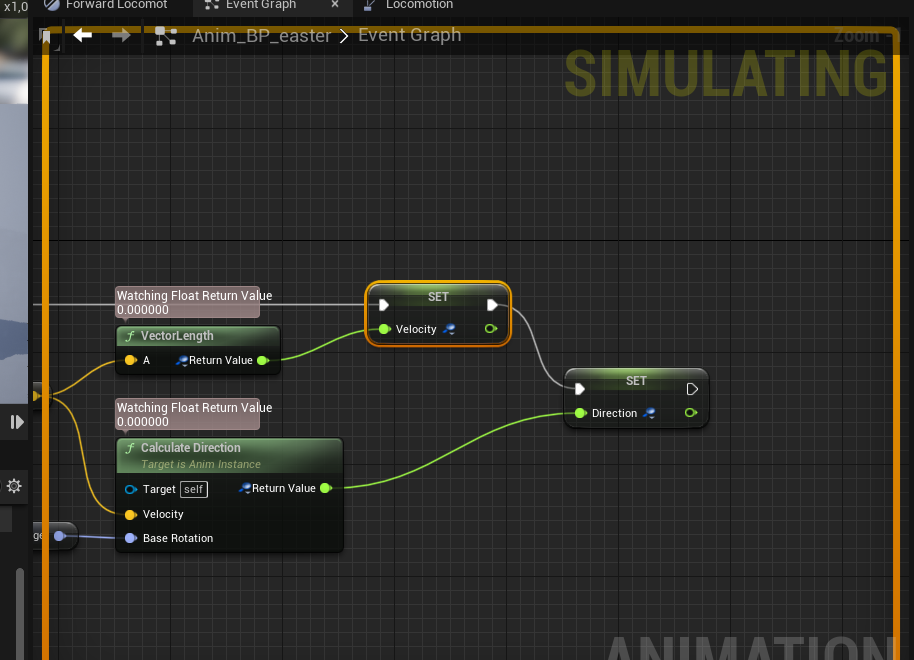
even when my character is moving these values remain 0
native terrace
fringe frigate
https://i.imgur.com/oux1Dvo.png trying to debug stuff
did you select the entity to debug at the top ?
by default it's not selected 
fringe frigate
ehh, which top :V ?
native terrace
in your blueprint
there's a dropdown
which tells the engine which entity you wanna debug
fringe frigate
d'ya mean the debug dropdown?
native terrace
ye
fringe frigate
i can select the blueprint debugger. But with that on, the values watched still just remain still
native terrace
uh
fringe frigate

they just look like this
I guess it only works if the game is paused? Tho i'd like to debug it live, to see what the values are
fringe frigate
think i figured it out
 quick imp
Hey so, how does one get this variable? I was only able to create the variable from promoting a open level blueprint.

It says world, and is a soft referance
Cant seem to find it when I go to create a new referance lol
 sick sapphire
If I directly put a particle system as a component on the player pawn, it seems to disappear after setting the player's transform (teleporting the player). Is there a way to fix this
 odd gull
hey guys im trying to make a shoot system for my marble game but im stuck,i want the projectile to be shot from the player(marble) to the crosshair i have.
But it keeps shooting from the player straight ahead.Any tips?

 native terrace
quick imp
Cant seem to find it when I go to create a new referance lol
native terrace
quick imp
Cant seem to find it when I go to create a new referance lol
isn't there helper classes to get a reference to world anyway?
 tardy wharf
Hi guys. Got a problem with saving. What's a proper way to save selected mesh? Trying to save it as Static/SkeletalMesh ref, it works on editor, but it fails on build. Soft references and path are fails too
shrewd oar
Hello, Question. when I execute this functions the game stuck for 1 -2 min and then continue, (all I'm doing is when Key pressed some of the actors's Material is changing and one of them is set to invisible- each of them alone works good only when im trying to apply all together its stuck) anything I can do to make it change smoothly?

 candid whale
is there any way to convert a struct text writeout into a new struct instance??
This is what I get back from the C++ side after an ExportTextItem
(EventName_23_3D53544A416C0930FF1931A8D83AC617="Event_BuildChest",SegmentName_5_06B0D40D46D4CC3D8B934B891D73FB16="Chest",BuildPart_18_EC765E91488CCD2B58837E8B8E49F964=(),SegmentDescription_7_E070DB7243757ED932867DAF456C600A="Build a usable chest",CustomIcon_19_61C359F744F0DBED73A218A8BD39D70A=Texture2D'"/Game/TemporaryAssets/Textures/Icons/T_Icon_War_Hammer.T_Icon_War_Hammer"')
gentle urchin
shrewd oar
Hello, Question. when I execute this functions the game stuck for 1 -2 min and t...
Make it happen over several frames. 1 loop per frame f.ex
If it still lags, half a loop per frame etc etc
I would think its faster to bind them up to a dispatcher instead but dont have any data to support that statement
 civic ledge
is there any implementation of SHA256 HMAC for blueprint available? if not, how would I implement it
candid whale
if you have any experience with C++ at all, blueprint function library for your blueprint/C++ connection; and a C++ library you can find online should do the trick
native terrace
shrewd oar
Hello, Question. when I execute this functions the game stuck for 1 -2 min and t...
is it normal that you have 150 loops inside each other?
you're not using the completed pin

 midnight cove
Hey can someone help me? So my project was working fine yesterday, but when I reopened it today I got this error

why is everything an infinite loop
 native terrace
show the faulty blueprint? maybe it failed to save the latest version or disconnect some pins randomly 
midnight cove
this apparently


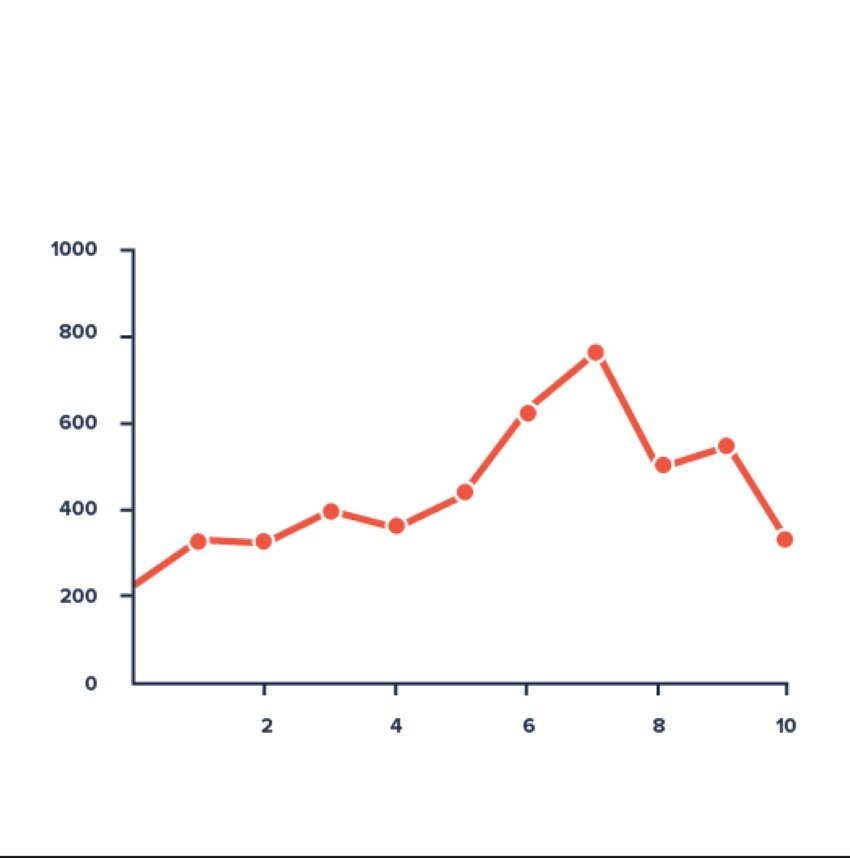


 shrewd oar
They dont share the same array size. Will it still work? Never used Macro before
faint pasture
@shrewd oar Put the loops AFTER one another, not inside. You're doing a billion loops here
@shrewd oar

 celest pilot
Hmm could it be doable to make a mirror shows what the server sees? This way you could perhaps see if what you're doing is replicated
trim matrix
@midnight cove casting every frame is very expensive
on construct, get a reference of the character then just call it on update instead of casting it everytime
and from what I see, that shouldn't be an infinite loop error. Do you have other casting to bp player somewhere?
proud sable
Is there a way I could adjust this setup to smoothly move my camera between characters?
Right now when I swap character, the camera does smoothly move to them as long as they're standing still. If they're moving the camera moves to where they were when the swap was initiated and then jumps to the actual location on attaching.
 burnt nest
proud sable
Is there a way I could adjust this setup to smoothly move my camera between char...
burnt nest
proud sable
Is there a way I could adjust this setup to smoothly move my camera between char...
Hmm... with the setup you got here, I'm inclined to think "no". Since "Move Component To" evidently cannot update the location, you can either perhaps put another "Move Component To" after the first one, set the time to something quite low, and turn off "Ease In/Out" to make it catch up the the character quite fast. It'd be an improvement over teleporting at least.
Or you need to work with Timeline and lerp instead, and attach the component once it's close enough to the character.
proud sable
burnt nest
Hmm... with the setup you got here, I'm inclined to think "no". Since "Move Comp...
I was thinking the same regarding the additional Move Component To node after the first. Looking closer though I don't think this setup works too well anyway. The camera rotates fine on the Z axis but if the swap begins from a high or low angle it twists weirdly before attaching
burnt nest
proud sable
I was thinking the same regarding the additional Move Component To node after th...
That could be the "Force Shortest Rotation"... might see if the twist persists at least if you turn it off.
proud sable
I thought so too but it doesn't seem to be the case, repeating Move Component To also seems to make it worse. I guess I'll scrap the idea for now, it wasn't too important
burnt nest
proud sable
I thought so too but it doesn't seem to be the case, repeating Move Component To...
Fair enough! 😄 I still recommend either Timeline or Timer and lerp when you give it another try.
faint pasture
proud sable
Is there a way I could adjust this setup to smoothly move my camera between char...
What's the viewpoint here, top down or over the shoulder or what
proud sable
burnt nest
Fair enough! 😄 I still recommend either Timeline or Timer and lerp when you giv...
Okay yeah that actually works much better 😅 Thanks!
3rd person, in between top down and over the shoulder would be the best way to describe it I think
burnt nest
Can I ask what your alternate character is doing while you're not controlling it? Sounds interesting. 🙂
proud sable
It's bare bones at the moment, but the other AI stay in formation and have their own fighting behaviour

 worldly leaf
Hi there, I got a small question concerning blueprints that runs in the editor viewport without pressing play or simulation. For some fast context : I have an Unlit planet shader with a blueprint where I can link any actor to act like a light source in the shader ( It takes the actor position and process the vector to determine from where the planet shader should be lit)
It works well while playing or simulating but I wish I could move my actor in the editor viewport without pressing play, then I could easily find the right position for the planet lighting and have the values registered in the material instance, wihtout having it reset after I closed the Play/ Simulation.
What would be the best approach for that ?
midnight cove
trim matrix
<@!323205773369016342> casting every frame is very expensive
this part is also causing problems

 candid nest
hey everyone i got a error when i hit play my character autmaticaly step up and start walking in air all animation are working fine but why he walk in air i am using ik foot can this be the reason
native terrace
uh somethinbg is probably setting your movement mode to flying
burnt nest
candid nest
hey everyone i got a error when i hit play my character autmaticaly step up and ...
Do you mean that he's walking a bit over the ground as if hovering rather than walking on the ground, or that he can actually move upwards?
burnt nest
worldly leaf
Hi there, I got a small question concerning blueprints that runs in the editor v...
Is the only issue being able to move the actor in the editor without PIE/Simulate...? 🤔
 hushed pewter
Ive just had too scrap a massive script cus of how many bugs it has
Whats the best way too have the player rotate towards a set rotation
Like if you want to move right it finds the shortest path too 90/-270 degrees
wary tinsel
Hey guys is someone familiar with ghost replay? I'm trying to interpolate my vehicle saved position with a timer set at 0.2.The replay it's fine but it's still laggy because I noticed that it repeats the index (for example it goes from 0 to 1 then from 1 to 2 then from 2 to 3 etc) Anyone know a better way to interpolate between position of the same array?
 zenith trout
hushed pewter
Ive just had too scrap a massive script cus of how many bugs it has
zenith trout
hushed pewter
Ive just had too scrap a massive script cus of how many bugs it has
Find look at rotation
burnt nest
wary tinsel
Hey guys is someone familiar with ghost replay? I'm trying to interpolate my veh...
You should probably use Lerp (Vector) and Timeline or timer.
wary tinsel
what I did but nothing...it's laggy
burnt nest
wary tinsel
what I did but nothing...it's laggy
A timer set to 0.2 will run every .2 seconds. If you're also not using lerp, it will just teleport your vehicle between the points every .2 seconds, making it choppy.
zenith trout
Then when interping the rotation make sure x and y are zero on target so only the yaw rotates
zenith trout
wary tinsel
Hey guys is someone familiar with ghost replay? I'm trying to interpolate my veh...
Lerp between indexes ?
If you add indexes every second then you just have to lerp between index x and index x+1 every second
wary tinsel
i did this
 zenith trout
And the lerping can be done by a timer
Also thanks for your question , you just helped me solve this in my own project
wary tinsel
there is a timer set a .2 and the timeline is the alpha
burnt nest
That will be very strange. You'll set the new index every .2 seconds, and the Timeline will try to finish before the timer ticks again. 🤔
zenith trout
If your willing to wait I can try to implement this once I get home
hushed pewter
@zenith trout Bruh thanks, Didnt reallythink to use it like that
zenith trout
But that won’t be for another 2-4 hours
wary tinsel
I mean, it looks good the result but when printing it repeats the index and it gives like a micro lag
zenith trout
hushed pewter
<@!604699803468824676> Bruh thanks, Didnt reallythink to use it like that
No worries
burnt nest
wary tinsel
I mean, it looks good the result but when printing it repeats the index and it g...
Instead of Index Ghost node, plus int, and then set, you can just use an Increment node. It will add 1 and set it all in one go. It's a small thing, but good to know. 🙂
wary tinsel
burnt nest
Instead of Index Ghost node, plus int, and then set, you can just use an Increme...
yes sure but will it make any difference? I'm stuck on this since days eheh
burnt nest
No, it won't. 😄
What I would do, is not run a looping timer. Just run the function you got, then run it again on the timeline's "Finished".
What you are doing currently is updating the index, then starting the timer, and then after .2 seconds, whether the timeline is done or not, you update the index again. They're interfering with each other.
wary tinsel
burnt nest
What I would do, is not run a looping timer. Just run the function you got, then...
tried also this but didn't worked too 😦
zenith trout
Run the timer on start
While it runs lerp from the current index to the current index + 1
Once that’s finished increment the current index and play the timer from start
The speed of the timer will be the same as the time between each index (ie if you added the indexes every 2 seconds the timer would lerp over 2 seconds)