#blueprint
402296 messages · Page 686 of 403
 gentle urchin
 surreal peak
I usually have a Manager Component on my GameState
The Actor in question gets the GameState on BeginPlay
And adds itself to an array on the component
You can make that more complex by using a Map with GameplayTag, Struct
Where struct holds an array of actors or more info
And GameplayTag is something to further organize the actors
Makes it easier to grab the actors of a specific group
E.g. I have Cameras in my level that have PostMatch and PreMatch tags
They register to my CameraManager
And I can ask for a camera with that tag
gentle urchin
that sounds like a pretty solid way of doing it. Thanks !
fairly obvious now that its out there 😛
surreal peak
Honestly not sure, Haven't looked at that component yet. But if you don't want acceleration, then that sounds like what you could do. Or stop the player from providing input
 sick sapphire
surreal peak
Honestly not sure, Haven't looked at that component yet. But if you don't want a...
sick sapphire
surreal peak
Honestly not sure, Haven't looked at that component yet. But if you don't want a...
yeah im going to try the stop input method with a bit more logic
because i still want braking to be functional
Ok i basically set up a thing that makes it so that throttle input only works if its in the opposite direction the car is travelling
Thanks for the help
 weary bay
I have a few levels that I load. In only ONE of those levels, all of the StaticMeshActors lose their mesh references, thus the meshes don't show up.
When I fix up redirectors, they DO show up. However when I close the editor, I don't have any changes in my git changelog. And it will also not be fixed when I re-open the editor. Only after fixing up redirectors again.
Is there something I can do to fix this or do I have to remake the level?
surreal peak
You should def fix up those redirectors
 fiery lark
Does anyone know what this orange circle around my ai is?
 gentle urchin
Some sphere debug
possibly from hearing if you're using AI perception
hard to tell without seeing the actors component hierarchy
 lofty hound
Does "Get all actors of class" also get child blueprint class ?
 celest steppe
is there a way to read if the input of an input event comes from a keyboard, mouse or gamepad?
 native terrace
lofty hound
Does "Get all actors of class" also get child blueprint class ?
native terrace
lofty hound
Does "Get all actors of class" also get child blueprint class ?
well you can just test it, put a child class actor, get all actor from parent and try to cast to child, if cast works then it gets child too
 tawdry surge
@celest steppe I don't think there's a node for it, but you could always just make a different event for each input device and run them all to the same logic
celest steppe
that's what I'm currently doing. Well, if that's the way...
tawdry surge
Why do you need to know if its a keyboard or gamepad?
celest steppe
because we want to switch the UI prompts accordingly
y'know, if the user used the gamepad then show only gamepad prompts, et vice versa
tawdry surge
That would be a console packaging step wouldn't it?
celest steppe
nope, gamepad on PC
celest steppe
I could try using the Get Input Analog Key State node
tawdry surge
Like what the proper way is
Doesn't that just return 0 or 1 depending if its pressed or not?
celest steppe
I think yes, but I can compare that with zero
eg. Input event MoveForward, if the value of the thumbstick is 0, then it's keyboard input
or even better, if the input is the same as the axis value from the event
tawdry surge
So you have to wait till they press a key b4 you know which ui to use?
celest steppe
yes
We'd need to assume one for the start, but that's a design decision, I believe
because, what would we do if someone has both keyboard and gamepad connected? we can't possibly know what the user would want to use then
tawdry surge
Why not just make it an option in settings? Gamepad or keyboard input check box
celest steppe
since this is just for some demo we want to avoid settings at all
tawdry surge
Oh then I'd just pick one.. focus on the actual game and worry about gameplay style options later. It's easier to make it feel more finished if you have a single target device anyway
celest steppe
yeah, but that's not my decision. And for that demo we sadly can't really do that
at least we have a dedicated UI designer
(and an experienced, too)
tawdry surge
Well nice ui always helps. Im sure there is a proper way to do that. It's common enough to have a pc gamer use alternative input devices
 delicate folio
hey i was wondering if anyone could help - following a tutorial i made a character selection (car selection) function in the main menu but im stuck on how i can get the players chosen car to respawn when necessary for example if they flip the car over

i tried to essentially replicate what is above in the screenshot trying to refer to the arrow count variable within the player controller where the respawn event is but it only respawns as the first vehicle in the list
it respawns perfectly just not sure how to make it respawn the players selected vehicle
 burnt nest
delicate folio
it respawns perfectly just not sure how to make it respawn the players selected ...
burnt nest
delicate folio
it respawns perfectly just not sure how to make it respawn the players selected ...
You should continue to learn about the use of classes and storing variables. You need to store the player's choice somewhere, in the player itself, or in the Game Instance, for example. Then when respawning the vehicle, use the variable you saved as the class to spawn.
delicate folio
i was thinking that but im not sure how to go about storing *the players choice
 thorny narwhal
Read this if you haven't (even if making a single player game). It will help you understand the UE class structure better
https://cedric-neukirchen.net/Downloads/Compendium/UE4_Network_Compendium_by_Cedric_eXi_Neukirchen.pdf
delicate folio
burnt nest
You should continue to learn about the use of classes and storing variables. You...
so i just figured something out thought i had it but it still doesnt work
nevermind
my epiphany worked
for some reason it didnt work the first time but it works now
burnt nest
delicate folio
i was thinking that but im not sure how to go about storing *the players choice
Create a variable. Then set it to the class the player selects.
Good! 🙂
delicate folio
so in order to spawn the player to begin with - it was referring to the game instance to set the player class

not sure how well you can see it but i basically realised i just need to do the same for the respawn function and i dont know why i didnt realise that sooner lmfao
burnt nest
It comes with experience. 🙂
 storm swallow
delicate folio
hey i was wondering if anyone could help - following a tutorial i made a charact...
storm swallow
delicate folio
hey i was wondering if anyone could help - following a tutorial i made a charact...
your lblueprint could be more like this:

🙂
burnt nest
That's the issue with following tutorials... a lot of them teach really bad practices... 🙈
delicate folio
yeahh i never did character selection of any kind so just went with it to make sure it worked exactly as the tutorial did lmaoo ty for the help
celest steppe
what's the best way to have some debugging output in a blueprint, depending on a boolean variable (which can be set in console, for example)?
tawdry surge
Visual logger is nice depending what you wanna debug
celest steppe
I was more thinking of some gameplay debugger like interface, toggleable via a console command if that's possible
or similar to stats, but with custom variables
tawdry surge
Check out Mathew wadstein's channel. He's got a few playlists about executing console commands through blueprint and widgets, and all the various built in debug stuff
 quick grove
guys, do u know why this code is not working?
 surreal peak
It probably does
But opening the level will destroy the character
Nothing despite the options you pass (which you can't really access in BPs) and the GameInstance survives a hardtravel like that
celest steppe
tawdry surge
Check out Mathew wadstein's channel. He's got a few playlists about executing co...
I noticed in UE5 (which is what we are currently using) it's possible to add new cheat codes using Cheat Manager Extensions. I'll consider using these
surreal peak
UE4 has a CheatManager too
celest steppe
yeah, but I don't think you can add custom commands to it using blueprints, or can you?
that would be great
celest steppe
It's not the issue with me using C++ (I can and I prefer it sometimes). But this small demo project should be done in UE5 in the next month
thorny narwhal
UE5 is Early Access
celest steppe
I know
thorny narwhal
why is a project due next month on a platform that won't launch for a year?
celest steppe
it's just the demo. our game will still be developed using 4.26 and then we will switch to UE5 when we are near full release
thorny narwhal
I'd make the demo in 4.26 then... just me though
celest steppe
for this demo it's also fine to have some instable crashes or something like that
and we are careful
 sand shore
interesting. Trying to check out 5 on a vertical slice to be sure?
thorny narwhal
UE5 isn't just unstable, it's in active development though
sand shore
Otherwise, are you leveraging the new tech for the demo?
thorny narwhal
is it needed for the demo though?
sand shore
Consider a player who buys because of the awesome lighting and/or detail in the demo but is disappointed in the full game if you cannot port in time.
thorny narwhal
just trying to save you headaches
celest steppe
sand shore
Consider a player who buys because of the awesome lighting and/or detail in the ...
that's not really the issue, I believe. we aren't in full development for the game
celest steppe
we tested many things before deciding about that
and we are always very careful when it comes to new features
for example, world partition is nice (data layers and all), but we can't really use it since many things are completely buggy right now. -> early access
thorny narwhal
Just sounds like one of the countless posts about trying to use UE5 when it's not ready yet....
The only reason it's in Early Access this early is for testing feedback from experienced devs and to build hype really
thorny narwhal
celest steppe
for example, world partition is nice (data layers and all), but we can't really ...
using World Partition sounds like it would be core to the game's design, you're not going to be able to use it in 4.26 (not sure if you could backport but I doubt it)
gotcha, not using it didn't know
obviously... I was just saying deciding to use World Partition is core to how you're going to layout your levels etc
well you brough WC into the mix, I was saying vs "regular" levels
celest steppe
our plan with world partition is currently: for our demo we don't need it and who knows if we really need it in the actual game. We could totally do it the traditional way (we don't have an open world game)
and for the demo we can also disregard performance a little. It doesn't need to run 60fps
thorny narwhal
well sounds like you have a reason, just giving the old wait on UE5 advice
 fallen glade
is there a node to check if a point is reachable by a pawn? not the random ones
 maiden wadi
Possibly ProjectPointToNavigation, or whatever it's called.
gentle urchin
Cant the nav mesh be queried aswell ?
Assuming nav mesh is used ofc
FindPathToLocation
 candid blade
Hi! noob question, I’m trying to create ripples that spawn where my character stands on water, I got a particle system working for footsteps so the water mesh does have a physical mat already but I couldn’t figure out how to spawn the ripple since it needs to be constant
What’s the best way to do this?
I already got the particle system ready for them btw, i just don’t know how to get a constant spawn on that specific surface on my location
 wary tinsel
Hey guys I need to copy a structure made of lots of coordinates, how copy that removing only odd numbers from index?
 icy dragon
candid blade
Hi! noob question, I’m trying to create ripples that spawn where my character st...
icy dragon
candid blade
Hi! noob question, I’m trying to create ripples that spawn where my character st...
So your water ripple is still "bleeding" out of the water surface?
candid blade
icy dragon
So your water ripple is still "bleeding" out of the water surface?
It would practically spawn this particular particle constantly where my character stands

I suppose it’s possible to achieve with the anim notifiers I already got set up in my character animations for footstep sounds and fx, but again my issue is figuring out how to get it to spawn constantly while on the surface and it would track where my character moves on it
icy dragon
If you want to have physically accurate ripple effects, you might want to look for render targets.
Otherwise, you can check for velocity and toggle the attached emitters accordingly.
 spare wyvern
Probably easy to do. I haven’t been able to find a tutorial for it. Maybe you guys could tell me how it point me to the right tutorial
How do you change where the character starts in a room depending on which door he enters?
 waxen rose
"APlayerController
PlayerControllers are used by human players to control Pawns. ""-- what is Pawns?
 dawn gazelle
waxen rose
"APlayerController
PlayerControllers are used by human players to control Pawns....
dawn gazelle
waxen rose
"APlayerController
PlayerControllers are used by human players to control Pawns....
A type of actor that can be possessed by a controller.
waxen rose
dawn gazelle
A type of actor that can be possessed by a controller.
example please?
dawn gazelle
A car
spare wyvern
I’m guessing it would look something like this. Is there an easier way?
 candid blade
icy dragon
If you want to have physically accurate ripple effects, you might want to look f...
candid blade
icy dragon
If you want to have physically accurate ripple effects, you might want to look f...
oh god the render targets option is pretty difficult but I think it would be more efficient to just get the particle system in the world to follow me once I step on the water plane, i'm not going for realism I just need it to look good lol
 stoic vortex
hey, so I made a little system that makes turning smoother for a horse character, and it works great for the player, but I can't seem to get the AI to use it
it works by directing left/right input to a "rotation target" rather than to actual movement, but the AI is still accessing the regular left/right movement
anyone have any tips on getting the AI to handle input the same way as the player?
 silk hinge
Hi guys i'm running into an issu that I cant seems to find for the moment. I made a "variation" for fire projectile and speed depending on weapon type. I literally copy past the Fire base function witch has no issu but is targeted from my "weaponBase". The variation is not compatible with the weaponBase I make a variable that is reference to the weapon Variation and i'm running into this issu. I maked sure that the function in 100% the same the only diference is the target it self, any idea ?

 scenic quail
is there a builtin radians to degrees conversion constant?
silk hinge
For who is that anser ? 😄
spare wyvern
I think this should work. I think it's not because maybe it's excuting too late. Is there a node that executes before Event BeginPlay?

 bleak sable
How should I go about having a multi-character save system. Like an MMORPG but on a local save.
gentle urchin
You could check out how diablo is doing it
Seem to remember one slot per char. Local save had authority (dont think there was an online backup actually) when it came to info going to server.
Not sure if you ment online was an option at all but the idea would be the same. A saveslot for the character, holding the same stuff as a regular slot would have
 sonic silo
İs there a way to finding corners of objects using their collision uv
 open crypt
Advice is solicited - How do I get a damn random point in a given nav mesh
 stoic vortex
open crypt
Advice is solicited - How do I get a damn random point in a given nav mesh
stoic vortex
open crypt
Advice is solicited - How do I get a damn random point in a given nav mesh
I believe your target for this needs to be something with movement logic, like a pawn?
open crypt
I think you are right but I want to be able to get a random point in a nav mesh
even if i can just get access to it's extent or something
stoic vortex
I would try creating a dummy pawn, make it invisible or something, and hook it up to that Get Random Point with a very large radius
stoic vortex
no idea, sorry, I just happened to know that one
open crypt
And does "get selection bounds" mean just the size of the rectangle you draw, or the bounds of any selected actor?
stoic vortex
I don't think I know that one, where are you using it?
open crypt
in an editor utility
basically I want to be able to get a random point in a nav mesh and place down an AI BP there
plan b is to just do a stupid box volume and get a random point in that but it's not as precise obviously
I like the idea of doing it before runtime as well, just makes it easier to visualize and tweak things
interesting - it worked once but that might have been a fluke
stoic vortex
I'm not knowledgeable enough to touch handling anything before runtime, but I guess my two questions would be: does it need to be random, and does it need to happen before runtime
open crypt
and then I crashed the eidtor
It needs to be random but the constraint will the nav mesh, which I why I want to use it
the happen before runtime isn't critical, it would be nice but it's not a requirement
most things you can do that involve spawning can work in editor utilities
thing of it as a construction script but for everything
lol weird
it work once
the second time, it crashes the editor
the is the second time it has crashed the editor, after using it ONCE in each case
I had put a script that deleted the pawn as soon as I spawned my testcube
stoic vortex
I don't have any experience with editor utilities, but if you have a custom event set up for this, could you just call that in editor (linked up with a dummy pawn) and have it return your point?
sorry, I really shouldn't be trying to help with this one, I don't know enough
open crypt
no, the dummy AI is a clever idea
even if you aren't keen on the pure logistics, I believe the was the right approach
 runic parrot
Hi! a few persons who worked on game development industry for quite some time told recently that you usually finish your product using c++ and blueprint is mostly for prototype or mockup + UI.
Any comments on this? would love to know also if you have experience on the area
 golden wren
Yeah, BP can be used for Prototyping but just do whatever you are comfortable with... I like to mix C++ and BP.
open crypt
Plenty of games that are BP - C++ is just going to maximize performance so stretch as much performance in the code but BP has caught up a long way to bridge the gap
BP very good for allowing artists to "code"
runic parrot
what parts do you think it's best to leave for C++ and wich ones for BP?
open crypt
So apparently this work lol
runic parrot
jajaja
open crypt
As far as I can tell - if even respects the higher nav cost (though that should still be reachable so it should be spawning there )
runic parrot
variables, methods and logic implementation should be on C++ and design on BP?
golden wren
runic parrot
what parts do you think it's best to leave for C++ and wich ones for BP?
Hmm, that can vary, I try keeping the core game in C++ (Characters, Stuff, Long calculations etc) and anything extra (AI, UI, Other smaller mechanics) in BP
runic parrot
open crypt
that looks like it's going to be quite expensive when you spawn a few actors
 sudden zephyr
runic parrot
variables, methods and logic implementation should be on C++ and design on BP?
sudden zephyr
runic parrot
variables, methods and logic implementation should be on C++ and design on BP?
Not a dev but pretty sure it's such a ambiguous and broad question that nobody can answer as it's a factoring thing. As in, it's a factor of what you're doing, if it's something simple you can leave it as a BP, if it's something that could need more performance and you know C++ can achieve that, you go with that. It's really on a per to per basis.
Some things are more obvious to do in C++ then others but end of the day, it's up to the dev (you) to know/decide/figure it out/try it out.
Welcome to game development, where in a few clicks or 1 typo, everything can go to s***. xDDDDDD
¯_(ツ)_/¯
runic parrot
yeah, i kind of assume that it's up to each one to decide how much in C++ and BP.
But since i'm still new to unreal and unexperienced with the performance benefits of C++, it's hard for me to calculate what is best to leave to wich way of coding
for something small, like a clash of clan (in terms of computer requirements) would you say it's worth to even use C++ or BP would handle it just fine?
 river spruce
whoops nevermind, i added a rotating movement and didn't realize
 sudden zephyr
runic parrot
yeah, i kind of assume that it's up to each one to decide how much in C++ and BP...
sudden zephyr
runic parrot
yeah, i kind of assume that it's up to each one to decide how much in C++ and BP...
It comes as you come along with it so. Keep one thing in mind, things you can do in BP, you can do in C++, things you can do in C++ can't always be done in BP so... If you can get good enough in C++ at that point, BP should come much easier for prototyping or simple adjustemnts etc. So if you're looking to focus on something, I guess it could be C++. ¯_(ツ)_/¯
And also, new or not new, it's also on a per game type/per project basis too. Usually what comes with experience is that you done so much to know what can be a BP and what needs to be in C++ but at same time every game dev tries to do new never seen things so even they don't know all the time what works as BP and what in C++ so they adjust after the fact, mostly from a BP into a C++.
Literally nothing in game development is (what should I do - do this) as there's so many things that can be done in so many ways, it's up to you or your knowhow to do whatever.
And since you're even asking, pretty sure you can easen up on the burden on performance and just dev away and see how it goes I guess. 🙂
 clear marsh
hey everyone, I have a problem that leaves me really puzzled. In my first person BP I have a SceneCaptureComponent which, when you press a button, takes a screenshot from a birds eye, top down view above the player with the node "Capture Scene" to a RenderTarget. I use this RT as a texture in a Decal Material and it gets thrown onto the wall in front of the player. Basically the player is making a graffiti of a minimap that stays there on the wall! The problem is that this way, when I make the second graffiti, the first one also gets replaced with the updated SceneCapture, so if I do it five times, I have 5 times the same grafitti which are all based on the latest screen capture. I tried messing around with Dynamic Material Instance and Set Texture Parameter but can't find a solution. I think I either need to somehow create, store and access a new texture for each screenshot (the textures do not need to be saved between play sessions) or make the previous material stop updating. Do you have any idea how this could work?
candid blade
previously I asked for help trying to figure out how to have my character walk on a certain surface and have a particle system spawn and follow me (sylized 2d water ripples)
trying to get the bool is water to go true when stepping on a particular plane. for some reason this doesnt work for me, any ideas?
 sudden zephyr
candid blade
previously I asked for help trying to figure out how to have my character walk o...
sudden zephyr
candid blade
previously I asked for help trying to figure out how to have my character walk o...
Prob a stupid question but did you make sure the hit result is being true? Just to make sure that it's not of a collision setup missmatch. 😅
Cuz with that print string, you're not 100% sure what does not evaluate. Obviously you can prob tell if the trace turns green but we don't know and you'd be surprised how many actually forget/miss that. xD
candid blade
sudden zephyr
Cuz with that print string, you're not 100% sure what does not evaluate. Obvious...
wait you mean have my bool In Water's value be true?
sudden zephyr
Uhm, I'm just saying that we don't know which branch does not fire when it's supposed to so you need to check just to be 100% sure.
candid blade
oh, when I step on the plane it prints false even though I want it to be true
sudden zephyr
Yes I assumed that much. xD
Buuuut. as said, print out more info
A rough aprox of what you're doing:
 sudden zephyr
When you don't know what it is and don't want to fiddle for too long, check ALL THE THINGS. xDDDD
Print is love, print is life.
 candid blade
i have no freaking idea why this is happening even with the prints at this point
wait jk i just got it to work
thank you
 latent basin
Hey guys, im trying to make a car and for that I used physics constraint on my wheels, but wheen i wanted to make them turn (by setting their rotation) they just start to get all wobbly, like the game doesnt allow them to rotate, anybody knows whats the problem?
open crypt
runic parrot
that looks like it's going to be quite expensive when you spawn a few actors
It's a script to spawn meshes on the Navmesh before runtime - (basically putting AI down before runtime)
 desert juniper
sudden zephyr
When you don't know what it is and don't want to fiddle for too long, check ALL ...
desert juniper
sudden zephyr
When you don't know what it is and don't want to fiddle for too long, check ALL ...
Why not just turn on breakpoints? Then you can evaluate the state of your code, branches, etc
 zinc wasp
desert juniper
Why not just turn on breakpoints? Then you can evaluate the state of your code, ...
zinc wasp
desert juniper
Why not just turn on breakpoints? Then you can evaluate the state of your code, ...
Imo. Breakpoints are annoying, print string is the way.
desert juniper
print stings are useful, but it'd take 10x as much time to debug the original message with print strings than it'd take to use proper debugging tools
I always take it as anyone who says anything remotely similar to "Imo. Breakpoints are annoying, print string is the way." haven't properly learned how to use debugging tools
Learn to use both and it will make development so much easier 🙂
zinc wasp
Your probably right but still annoyed at the pausing every second.
desert juniper
Oh yes, only use it when you need to, and disable as soon as you don't need it anymore
 past coral
Is there a blueprint event that executes when an actor is destroyed?
desert juniper
For print strings I use them to show validation that something worked, but if I need to fix a bug, debugging is the goto
maiden wadi
@past coralEndPlay I believe is called shortly before it is invalidated.
open crypt
desert juniper
print stings are useful, but it'd take 10x as much time to debug the original me...
Learning to use both - you make a print string and then put a break on that print string node
zinc wasp
open crypt
Learning to use both - you make a print string and then put a break on that prin...
Lol.
 stark marsh
Hey i have a small issue and im not sure why it isnt showing im really new to ue5 so still dont have a clue what most stuff does but i was following a tutorial video and when the tutor puts down his variable it shows a target and a actor below it which i need mine only shows up with a target lol anyone got any ideas?

there should be a actor under the target for the variable but im really stuck on this one hahaha
desert juniper
stark marsh
there should be a actor under the target for the variable but im really stuck on...
Did you forget to create that Actor variable in your BPInterface?
You made this node when you created your BPInterface class, so you have to make the functionality for it.

If you don't see an input/output node on it, it's either because you didn't make one, or you did, but didn't compile the blueprint yet
stark marsh
i see so im assuming i need to add actor as a function in the BPinterface for character actions?
desert juniper
no
you probably want to have an Actor object on the OnHit function in your BPInterface class
Take a screenshot of the BPInterface window (with the OnHit graph showing) (entire editor)
 desert juniper
that's the right graph but the details aren't showing
click on this

and see if the details show up
 open crypt
Need a simple "put on ground" linetrace function that will find the ground when an object is spawned above it and drop it to the ground ,similar to the editor END shortcut
desert juniper
@stark marsh

You're missing an Actor Object input here
Click on the + sign to create a new input variables
Of type Actor (Object)
stark marsh
Ohhhh so i just need to create a imput and write actor there?
stark marsh
Thank you so much omg the littlest things mess me up XD
open crypt
What's wrong with this line trace - trying to get the ground beneath the actor (so I can move an item above the ground when it spawns)

tried also the location of the actor and -10000 below to to trace too
didn't get any hits which means maybe a collision problem
 open crypt
yeah I always get confused
desert juniper
oh i see i was confused by the nodes going behind it
my bad.
i think you have them swapped
open crypt
 tawdry surge
Try inverting after the add node
open crypt
look at that second screenshot - is my logic off?
tawdry surge
Doesn't look like it..
Where does the debug line draw?
open crypt
it doesn't but this is an editor utility
ironically no debug
errr
i was wrong about that lol

Just how do I get an actor to to be sent to the ground below itself
give it spawns in a random point
zinc wasp
SetActorTransform
sonic silo
sonic silo
İs there a way to finding corners of objects using their collision uv
Possible ?
 zinc wasp
Not really sure what your trying to accomplish, so I just stated the obvious. Sorry.
tawdry surge
You can move the actor location to the spot of the hit, but if you're trying to get a random object placement its gonna be a bit of work
 civic spruce
Hi, I'm having a problem when starting the PIE. The character appears where I want but its not possessed. When I try in other map it works fine. Any idea about what it can be?
The Cast fails always on one map

The GetPlayerCharacter is always returning none
scenic quail
what is the blueprint equivalent to c#'s "||" operator?
scenic quail
open crypt
How do you add those points on your connections?
desert juniper
scenic quail
what is the blueprint equivalent to c#'s "||" operator?
OR
scenic quail
ty
desert juniper
scenic quail
How do you add those points on your connections?
double click on a wire and it creates a node
tawdry surge
@civic spruce is the game mode/ player controller set correctly in the level's detail panel settings
civic spruce
tawdry surge
<@292326927665201164> is the game mode/ player controller set correctly in the l...
yes
I think that I discovered what's going on.. let me confirm
civic spruce
tawdry surge
<@292326927665201164> is the game mode/ player controller set correctly in the l...
I think that there is some kind of error or conflict with other character
 bright dirge
Hello, any solution to pass a wildcard array from a macro to another macro ? (https://issues.unrealengine.com/issue/UE-21739)

Unreal Engine
Welcome to the Unreal Engine Issue and Bug Tracker. You can check the status of an issue and search for existing bugs. See latest bug fixes too.
civic spruce
tawdry surge
<@292326927665201164> is the game mode/ player controller set correctly in the l...
I was getting the player pawn to possess other character... this was the bug... thanks

 white lynx
scenic quail
is it possible to make custom constructors for structs via bp ?
white lynx
scenic quail
is it possible to make custom constructors for structs via bp ?
nope
you stuck with the default one and that's as good as it gets
You can make blueprint functions for them though... but that's a painful wrapping method
scenic quail
what would be the right approach? I need a bivector3 that has some operator functions
and i have a blueprint that has a function which needs to return as that type
runic parrot
Any idea on how to order an array of certain structure by one of the structure's variables?
(Array of characters)
Character:
-Lvl
i want to order it by level
in the most lazy and eficient way posible
tawdry surge
A map probably
scenic quail
@white lynx if I wrote a custom ustruct with c++, could it be usable as a return type in BP ?
white lynx
you'd need a function library / set of static functions to expose your struct cpp functions
scenic quail
do you have any url's you could point me to for reference? i remember going through a few and having a lot of bugs when trying to get them to work
waxen rose
is there visual explain about charterer movement coordinate system explain i can't understand 1,-1 i add in scale when i build the input structure
runic parrot
waxen rose
is there visual explain about charterer movement coordinate system explain i can...

What is the Add Movement Input Node in Unreal Engine 4
Source Files: https://github.com/MWadstein/UnrealEngineProjects/tree/WTF-Examples
Note: You will need to be logged into your Epic approved GitHub account to access these examples files. https://github.com/EpicGames/Signup
that same channels have videos about all the types of movements
white lynx
scenic quail
do you have any url's you could point me to for reference? i remember going thro...
I mean generally it's just like ```cpp
UFUNCTION(BlueprintCallable, Category = etc)
static MyFunctionReturnType RunSomeStructFunction(const FMyStruct& Struct, OtherPotentialArguments) { return Struct.SomeStructFunction(OtherPotentialArguments);```
desert juniper
yes you can use the struct in BP. that's why you call USTRUCT
white lynx
? ```cpp
USTRUCT(BlueprintType)
struct FMyStruct
{
GENERATED_BODY()
UPROPERTY(Specifiers)
MyPropertyType MyProperty;
//Etc
};```
desert juniper
^
 round edge
what node do I use to change what the current mouse cursor state is? I see how to change the texture for the state, but not how to set the actual state.
oh, "set current mouse cursor", NVM
storm swallow
hi! i am trying to get the Android device S/N and i try to use the blueprint node Get Device ID but the code it returns doesnt match with current code....does anyone knows how to get the actua SN and what is the code unreal is returning?

above is actual SN and below is the code UE returns
delicate folio
hey guys i was wondering with this blueprint for checkpoints

 amber coyote
Anyone here have experience with animation blueprints? Have you had problems with a blueprint variable resetting back to the default value on every frame?
delicate folio
how could i create something like a race position table like the top right here
 amber coyote
delicate folio
how could i create something like a race position table like the top right here
amber coyote
delicate folio
how could i create something like a race position table like the top right here
are you having trouble making a UI like that or you need help with working cars positioning?
delicate folio
amber coyote
are you having trouble making a UI like that or you need help with working cars ...
both i guess? i have checkpoints set up along a race track and they work perfectly fine for multiple laps but im just not sure how to go about using the checkpoints to create the ui that will show whose in which position
for example in gta 5 races theres checkpoints and i assume its done based on whose closest to the final checkpoint
but i have no idea how to check that
zinc wasp
Get distance to?
delicate folio
zinc wasp
Get distance to?
but if its a closed track that loops for multiple laps then it wont be accurate to whose in which position
delicate folio
delicate folio
hey guys i was wondering with this blueprint for checkpoints
so i want to check it to the last index in the checkpoints i think? but not sure how
zinc wasp
delicate folio
but if its a closed track that loops for multiple laps then it wont be accurate ...
Gotcha. Would have to make points.
Make a spline.
delicate folio
the racetrack is a spline the checkpoints are its own blueprint
zinc wasp
Get the distance along the spline and the one furthest from the the beginning is in lead.
And so on.
delicate folio
delicate folio
but if its a closed track that loops for multiple laps then it wont be accurate ...
wouldnt that be the same problem as? once they go get nearer the start about to enter lap 2 it will say the player in last is furthest and register them as first or?
zinc wasp
Well you'll have to use laps as a score as well.
Distance + laps
Normalize the track.
So a full track would = 1
Than keep adding the normalized range than a 2nd lap would = 2.
I never done this but thats how I'd go about it.
amber coyote
delicate folio
for example in gta 5 races theres checkpoints and i assume its done based on who...
maybe you can just do this.. each car would count how many checkpoints they pass. then sort them with them descending order. if they have the same checkpoints passed, sort on distance to next checkpoint
scenic quail
is there an event that is called whenever an inspector item has changed?
for (this)
 pure walrus
workflow 😚

 foggy escarp
How does anyone ever work with that?
 wind sequoia
they dont
 novel storm
pure walrus
workflow 😚
novel storm
pure walrus
workflow 😚

 glass crypt
Hi, I've been trying to move an actor along a landscape like a character. I decided to reparent and just use the movement input logic from the ThirdPersonCharacter class, but I can't get it to work. How would you approach this? Thank you.
 dusky dome
glass crypt
Hi, I've been trying to move an actor along a landscape like a character. I dec...
dusky dome
glass crypt
Hi, I've been trying to move an actor along a landscape like a character. I dec...
https://docs.unrealengine.com/4.26/en-US/Basics/Components/Movement/ Check this, it will help you
Any aspect of Movement, whether it's a Character or a Projectile uses a Movement Component.
and nice people, I also have a question as well XD

I was tring to use pass-by-reference option to change the input params, however there is no "set Float ref" node for me to add here, even though I already set the param to be "pass by reference"
 lament ginkgo
Can you insert an item at the END of an array? Or is that just not something that arrays do?
dusky dome

 weary crown
lament ginkgo
Can you insert an item at the END of an array? Or is that just not something th...
weary crown
lament ginkgo
Can you insert an item at the END of an array? Or is that just not something th...
Do you mean as the last element?
or add another one onto it
dusky dome
lament ginkgo
Can you insert an item at the END of an array? Or is that just not something th...
Array already added the element to the end I think?

it will add the new item to be the new last item
dusky dome
well
pure walrus
1 xd
dusky dome
index starts with 0
lament ginkgo
Yeah
dusky dome
so it should actually be 1, but i think you get it
lament ginkgo
2 items = next free index would be 2. 0, 1, 2
lament ginkgo
lol I work in lua day to day and jumping between an index 0 and index 1 language messes me up all the time
pure walrus
fucking egyptians
weary crown
lmao
lament ginkgo
But yeah, that's the ticket - thanks
I was using insert which I guess puts it at 0?
dusky dome

you can put it anywhere, using the index

figured out my problem, just in case anyone wondered about it:

 hexed ginkgo
@icy dragon so i turn on the lines again because i wanna see the problem, the character is above the lines. how would i move him back into the lines?
icy dragon
hexed ginkgo
<@!325627930484932608> so i turn on the lines again because i wanna see the prob...
Shift the skeletal mesh down to the capsule's bottom end.
hexed ginkgo
icy dragon
Shift the skeletal mesh down to the capsule's bottom end.
alr i might go pro now, thanks
 clear meteor
This grenade... does anyone have any ideas what would cause it to spawn in a slightly different location depending on which direction I am facing? I've attached it to spawn from bones, sockets, the camera... but this problem still exists. Can someone take a look at this setup and tell me why it might be behaving like in the video? Thanks a lot.

It looks like it's coming out of his hand when it spawns on the right of the center but makes no sense when it goofs up and spawns on the other side in midair.
 sonic gull
It doesn't, it always spawns in the same location. You actually want to spawn in it in a different location in world space. You need to make your offset relative to the camera rotation.
gentle urchin
clear meteor
This grenade... does anyone have any ideas what would cause it to spawn in a sli...
I would think its because you've hard set the directional values
and not taking into account which rotation the camera has at the point
Clearly I didnt read Haukes answer. He's right. Its early..
Another thing is that it'd probably make more sense to create a socket on the mesh where the palm is. Then you could just fetch socket location. In case you were to change anims etc, the setup would still work.
 plush ridge
If I want a mesh to generate a hit event when hitting another mesh, do both need to have the option enabled or only the one that generates the hit events?
I seem to only be able to get it to fire if they both have it on (but it makes more sense that it would only require the one firing it)
surreal peak
Both need it
clear meteor
This is the code that worked in the end
 clear meteor
gentle urchin
I would think its because you've hard set the directional values
clear meteor
gentle urchin
I would think its because you've hard set the directional values
I ended up doing it slightly differently but at least it's stable now... I still don't really understand why it was spawning in a slightly different location relative to the player but it sure seemed to be doing so depending on viewing angle. It would be on the left for 180 degrees and the right for the rest.
 sand bloom
Does anyone know a way to do this

I need to have a custom event trigger when my character overlaps an area and that custom event trigger a cast to destroy a certain object
gentle urchin
clear meteor
I ended up doing it slightly differently but at least it's stable now... I still...
Yeah , you should consider using the actors forward rotation for the offset.
I still think the socket would be easier and better in general but if it works it works i suppose
clear meteor
gentle urchin
Yeah , you should consider using the actors forward rotation for the offset.
I...
You're right about the socket, it would be better that way for sure... I'll have to change that.
surreal peak
sand bloom
Does anyone know a way to do this
Yeah you need a reference to that specific turret
That's what the cast node wants
Check the pinned messages of this channel. There is an epic games stream about blueprint communication
sand bloom
ah I see I was trying to just make it refer to every turret I don't know how to make it find a specific turret lol
thanks
surreal peak

Announce Post: https://forums.unrealengine.com/showthread.php?101051
This Training Stream takes a look at Blueprint Communication. We find that Unreal Developers of all levels can sometimes struggle through the concepts behind moving data between objects. So in this video we'll take a look at the different ways to make Blueprints talk to one an...
sand bloom
ah thanks ill save that link
 burnt citrus
I have a question
Why people use Enum? String can do same things and have more scalability, isn't it?
 tame grotto
because enum and string are completely different things
dawn gazelle
burnt citrus
I have a question
Why people use Enum? String can do same things and have more s...
Enum you won't have spelling mistakes that could potentially break your logic, you have a specific defined list of values that you can even choose from when working in blueprints, and last that I can think of at the moment is replication is far cheaper for enums as they're just a byte value where strings are multiple bytes - eg. you could represent "Start Game" as 1 byte vs. "Start Game" as 10 bytes
burnt citrus
dawn gazelle
Enum you won't have spelling mistakes that could potentially break your logic, y...
the last "byte" problem is what I want to know!
I see! thank you!
wind sequoia
burnt citrus
I have a question
Why people use Enum? String can do same things and have more s...
also there are some performance issues that u could run into(very unlikely) if u start comparing strings a lot
gentle urchin
dawn gazelle
Enum you won't have spelling mistakes that could potentially break your logic, y...
This is part of the reason why i wanna change to gameplaytags instead of the default tags aswell. Listed views, and organization 😛
So instead of manually typing it in the top string box, i can select it in the list..

Along with grouping etc etc but thats just adding to benefits.
fiery lark
Hey guys it won't let me select an ai controller class that I've made. It'll let me select the other ones I've made but not this one, does anyone know why?
gentle urchin
Is it the correct parent class?
gentle urchin
Yepp
fiery lark
You can't see it but I select a different ai controller and nothing happens
 trim matrix
Hi guys! Have you been able to make unreal buoyancy work in rivers? I've been trying for a while but I couldn't
 craggy trellis
I have been wondering for a while now how the tekken 7 bars are made. Diagonal HP bars that when they take damage they retain the shape. Can anyone just tell me the overall approach to do it? I was thinking about a mask from right to left.

 simple imp
Perhaps a silly question, but if you use 'With editor' does that also return true when running from editor in standalone?
icy dragon
craggy trellis
I have been wondering for a while now how the tekken 7 bars are made. Diagonal H...
You would do it with Material Instances.
craggy trellis
icy dragon
You would do it with Material Instances.
I'll look into it cheers
 chilly jetty
hi there
is there a way i can create a actor that blocks the player but everything else can pass through?
sand bloom
chilly jetty
is there a way i can create a actor that blocks the player but everything else c...
https://answers.unrealengine.com/questions/105216/how-to-block-one-pawn-but-ignore-another.html this thread may be useful
delicate folio
amber coyote
maybe you can just do this.. each car would count how many checkpoints they pass...
So im still having trouble with this can anyone help me as to how i do this
 runic plinth
anyone up for a quickie question: many info describes adding components,but how do you remove a component you added from a static mesh actor on the level?
 sudden zephyr
runic plinth
anyone up for a quickie question: many info describes adding components,but how ...
sudden zephyr
runic plinth
anyone up for a quickie question: many info describes adding components,but how ...
Perhaps DestroyComponent?
¯_(ツ)_/¯
 runic plinth
Im not using blueprint..
sudden zephyr
I know it's not a static mesh, it's a skeletal one, but I'd guess it's the same.
Then level BP perhaps. It's still a BP, unless you mean while in editor where you want to place the actor and tick like a show/hide tick box to show the component optinally
Gotta be more precise with the question I guess.
runic plinth
tryiing to summarize then, I pressed that green button "add component" to an existing static mesh actor on the level; but I no longer want that component. How do I delete the component I just added?
 runic plinth
oh ffffff
sudden zephyr
All good.
😁
runic plinth

now you can see why i was so frustrated. All the right clicking was either "copy/paste" or "collapse/expand"
sudden zephyr
Yeh, all good. We've all been there. xD
runic plinth
Thank you for your time 🙂
sudden zephyr
Don't mention it. 🙂
delicate folio
delicate folio
So im still having trouble with this can anyone help me as to how i do this
anyone that can help pls?
maiden wadi
@delicate folioRealistically, you're best off having some form of circular spline that is the "track". The game can compare how far along the spline the car is compared to other cars, and use their lap count to solve who is in what place. For instance, a car on lap 2 with 55% of the spline done is ahead of the car on lap 1 with 60% of the spline done.
delicate folio
maiden wadi
<@!277167119878062080>Realistically, you're best off having some form of circula...
i have the racetrack as a spline already and the checkpoints are its own bp i thought there might be a way to compare the current checkpoint the player is on versus the final checkpoint and ordering it like that somehow the player closest to the final checkpoint = 1st etc etc
would it be easier to do the spline way?
surreal peak
You can do both
First thing is the obvious: Laps
Then you can sort by Checkpoint in Current Lap
And then for between 2 Checkpoints you can use the Spline
That's actually 3 things
Laps is something you need to do anyway
The Checkpoint thing you could skip with the spline I guess
But if someone misses the checkpoint the list would state false positive
maiden wadi
Spline is also semi necessary if you want an easy "You're going the wrong way" indicator as well.
surreal peak
Yeah you can compare the normal of the car with the normal along the spline
( I think)
delicate folio
so im thinking -


the first is the blueprint for the checkpoints and the latter is for lap checking
they work perfectly fine but i wanna compare the integers of the current checkpoint against the final index checkpoint which is the last one then order the players accordingly - if there are multiple on the same checkpoint then use the spline to order it based on who is closest in distance to the next one? is that possible?
the main thing hurting my brain rn is idk how to compare the current checkpoint against the final the compare integer node doesnt seem like the right thing

and im not sure how to get the closest integer from the player list
surreal peak
Your PlayerStates should hold the last Checkpoint reached
And that needs to have an index
maiden wadi
You should just break it all down. Keep some simple data on the car, or maybe playerstate if you're doing multiplayer. The data should just be updated often. Set Lapcount when finishing a lap, set checkpoint count when crossing a checkpoint, and maybe tick the spline check or put it on a 0.05 to 0.10 second timer. Then all your UI needs to do is update it's place count with a simple sorting function.
To be fair, that simple sorting function might get brutal in BP. I'm considering access to C++ 😄
scenic quail
is there some kind of equivalent of "#if UNITY_EDITOR" in ue4 blueprints?
sudden zephyr
Uhm, is SpawnActor Spawn Transform Rotation a relative input? I'm so confused cuz when I use SetActorRelativeRotation afterwards, it's messing up it's rotation. o.O
 maiden wadi
Spawn rotation is world rotation.
sudden zephyr
What I'm essentially trying to do (since I suk with math and rotations) is set a footprint by a linetrace impact normal and then thought to set relative rotation based on the foot.
Why does SetActorRelativeRotation mess with it then. o.O
Hm....
maiden wadi
I'm uncertain. I'm making a large assumption, but my guess would be that if this actor is not attached to anything, and you set the relative rotation, it'll just default it to world space since you're essentually just setting the rotation of the actor's root component.
sudden zephyr
I thought default scene root supported rotations, apparently it doesn't
I think you're right

Let's try this then. xD
 burnt nest
Well, relative has to be relative to a parent. So if there is no parent, you can't rotate it relatively.
sudden zephyr
I'm assuming parent like that Scene I just added? Cuz the decal is rotated by default to face the ground.
So I'm assuming whenever I applied rel-rotations, it applied to the decal which fuked it up since it comes with a set of rotations by default.
I mean... Unless someone can help with this: 😅

Basically, one works perfect to align footprint to normal, the other works on flat surfaces to align to the actual foot direction, now I need to combine both and I got no clue how. No tuts cover footprint systems with angles/slopes on terrain and stuff, they just work statically on flat surfaces. I guess IK on foot could help with that but... I don't want to make it IK dependent since I'm yet to do IK, it's a beast to do.
maiden wadi
Most likely pawn owner forward vector, and hit location's normal as an up vector for MakeFromXZ
sudden zephyr
Otherwise, I wanted to cheat and... > set world to normal, use relative to rotate since I suk. xD
 quiet stag
can someone tell me why the exit for the gate is not firing...i want to print hello as i am holding down the left mouse button
 maiden wadi
Because it's never started.
sudden zephyr
Dead end
maiden wadi
Your left click opens and closes the gate, nothing sends anything through the gate initially to start the delay timer.
quiet stag
i dont understand...when i hit the left mouse button it opens the gate..does a loop and when its released it closes the gate
im confused
sudden zephyr
Yes but what triggers the ENTER???
quiet stag
ah okay so i got that mixed up then
sudden zephyr
Dead end or a dead end loop essentially
maiden wadi
You likely just need a sequence that first opens the gate and then enters, or opens the gate and starts the delay.
 quiet stag
i made a full auto weapon this way i forgot how i did it
and i cant find it on google
ok got it to work

ah damn no i didnt...now it doesnt fire if u release the button and then press it again

fixed
i found it thanks guys
sudden zephyr
Better yet, how about you tell exactly what you're trying to do because this system has definitely some dependencies that you're missing cuz at this point, based on what I'm looking at, I'm pretty sure there's a better way to do it (again, assuming since you're missing some dependencies this snippet clearly relies on).
You're just hacking it together at this point. I may be wrong ofc.
quiet stag
i am using it to create a full auto weapon while the mouse button is held down
sudden zephyr
And this is in you're char BP?
quiet stag
i just created a new project working on a brand new 2d game..so yeah
sudden zephyr
Ah, ok, nvm then, I guess the "weapon" is part of the char
sudden zephyr
Alrighty xD
quiet stag
;D
this is what i did so far
pretty happy with it right now lol
got jump run idle and shooting
jump run shoot
sudden zephyr
maiden wadi
Most likely pawn owner forward vector, and hit location's normal as an up vector...
Tried all the axies, non worked. T.T

Ok, most axies, I didn't try ZX >.>
maiden wadi
Debug the vectors with some long draw time DebugArrows.
sudden zephyr
Gimme a sec. Sorry! 😞
I did, how I know it didn't work.
Oke, so I can now successfully orient the footprint to the surface + the character direction. Now.... I have to figure out how to actually apply the proper rotation for the foot itself too.
Good God it's easy... Once you know. T.T
Finally figured it out. xD
Now this will ensure precision even with foot IK.
Thanks a lot Authaer for pointing me in the right direction.

If anyone ever stumbles upon this, here's the context for footprint line trace decal: It ensures that you can use the decal depth as shallow as possible to avoid seeing the footprint decal on your characters feet as well, but to also not get possible artifacts of overlap/clipping or simply missing the decal from the surface due to it's shallowness. The line trace align to normal will make it avoid such issues as much as possible so any of those issues don't occur. 🙂
 north hedge
Anyone know why this would be causing an infinite loop?
I've used this before in BP and never had this issue. I'm kinda stumped (but it is almost midnight so I might be half asleep overlooking something)
https://i.imgur.com/r41k8pI.png

The boolean is C++ declared and is never actually used anywhere, so it can't be calling back to something else that is running an infinite loop
sudden zephyr
Maybe check where you call the event itself? Not nearly advanced enough but I'd say that the editor is telling you that setting this bool results in a loop, so anywhere where you do checks for that bool is probably triggering the event over and over again even tho it shouldn't. ¯_(ツ)_/¯
north hedge
Im literally not checking for it anywhere yet
its just
UPROPERTY(BlueprintReadWrite, EditAnywhere)
bool UseAnticheat;
and then that
Which is why I'm so confused
sudden zephyr
Actually wait, it's not telling you that bool it's telling you that the event is in a loop, i'd assume as in, the event keeps being called. Dunno if that should be a thing even. I'm still too noob, better bug out. GL! xD
sudden zephyr
Do tell if it worked, never know who might stumble upon that too.
north hedge
Nah didnt' fix it 😐
I might try a Do Once and see if that fixes it
its just strange because I've used this exact code iirc and there's never been an issue
Now its the Do Once


sudden zephyr
Something's up with that even and I'm not sure what.
What kind of event is that? Is it a custom one or some shit?
sudden zephyr
Cuz the only way I know of to get a loop error on events is like this so... Something is self-triggering somehow.
 sudden zephyr
Ignore the bool, bool is not important, it's the event itself.
north hedge
I've seen some real awful inf loop C++
sudden zephyr
Wait, if you remove the bool, like sever the line to it, still loop?
Try some dummy bool as well
north hedge
true
It works locally
👀
So I think the GameInstance is null
Time to convert to Validated Get
Nope, still not working. This is so weird
sudden zephyr
At least you know the issue at hand.
¯_(ツ)_/¯
 wooden owl
How does buoyancy work? Waves keep flipping my ship over how can I reduce wave strength?
scenic quail
how could i draw geometry or interface with user clicks in the viewport of the editor, from an actor blueprint?
quiet stag
leggiiittt
 novel wagon
Hi, people.
My team is having some issues with level streaming. We are using both streaming volumes and BP level streaming. We have levels divided in several zones/sublevels that are loaded and unloaded by BP triggers that call to "Load Stream Level" and "Unoad Stream Level" Nodes. We also have several streaming volumes in the persistent level that load and unload level assets. So, the issue we are facing is, for some puzzles we have to pick a box and move it from one sublevel to another and leave it over a pressure plate to open a door. When moving around the level the streaming volumes unload the subelevel where the box is now, and because that box does not belong there, it is not unloaded, instead the box falls to infinity and beyond.
I have read here https://docs.unrealengine.com/4.26/en-US/BuildingWorlds/LevelStreaming/StreamingVolumes/ that "If a Level has any streaming volumes associated with it, other methods of streaming the Level will not behave correctly." so I am wondering if our problem is caused by the mix of the two straming method ¿Any one can give us a hint here? ¿Is there a way to prevent the boxes from falling when sublevel is unloaded? ¿Or there is a way to unload the box too with the sublevel even when it belongs to another sublevel?
Guide to using volumes to control the streaming of Levels based on the player's viewpoint.
gentle urchin
Not very versed with this, but i would think one could get around it by spawning said box in the persistent "main level" instead.
 uncut lark
When people say "C programming is more efficient and quicker," how much quicker is C Programming compared to Blueprints?
sand shore
at what scale
tawdry surge
Depends what you're doing and how good you are at programming..
Both done optimally, the difference isn't that big
sand shore
you can't just ask that
A small studio game that ships and is tightly scoped it literally won't matter unless you do procedural stuff
Unless you want "make the prototype both ways and then profile", give more details
uncut lark
Im just doing a very simple FPS Game. Nothing super complex. It uses one base that is derived into different behaviors for different enemies.
sand shore
Also if you're not great at C++ you can end up with worse perf
uncut lark
Its not at a huge scale
sand shore
Well, I see no reason it can't be BP
uncut lark
Like a lot of the stuff I am doing/want to do, isnt super complex.
sand shore
Don't buy too much into the perf difference
uncut lark
Like theoretically, could a basic "free roam" game be done with blueprints?
sand shore
But if you want to have more flexibility just define your structs and enums in C++ and maybe do some of your base classes there
Widgets can have a native base too
tawdry surge
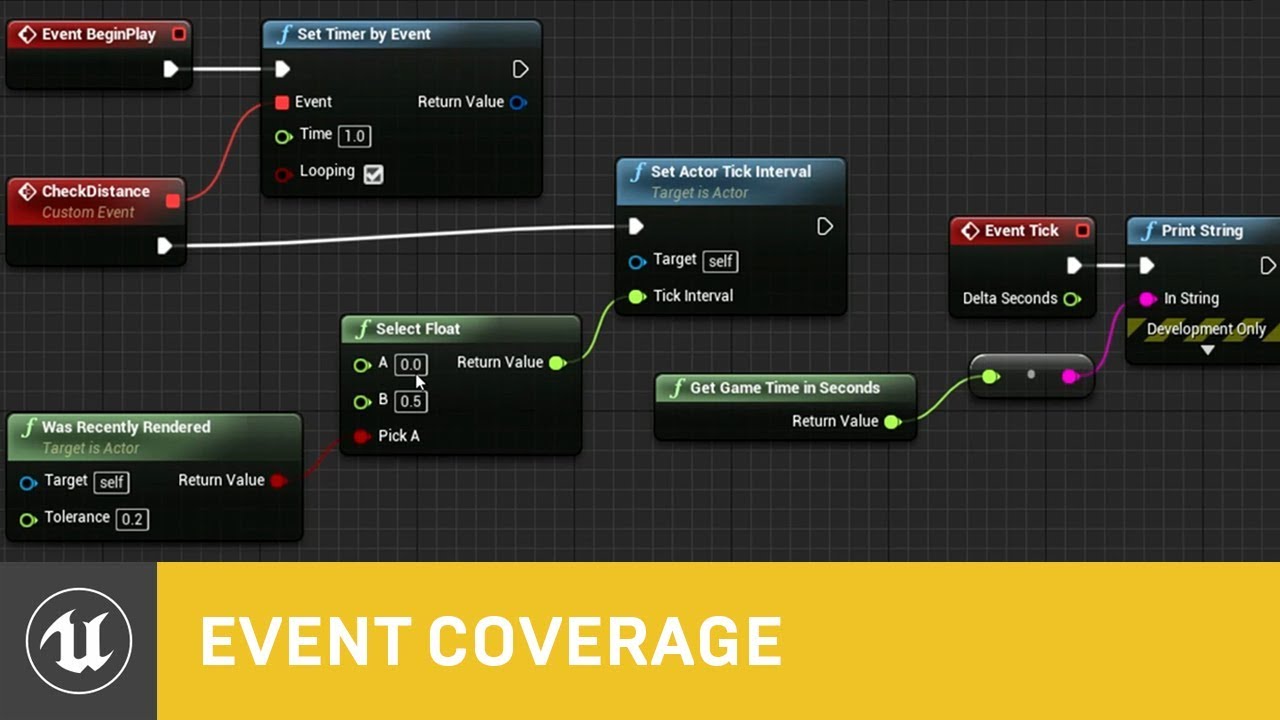
In this presentation from Unreal Fest Europe 2019, Epic's Sjoerd de Jong offers an in-depth look into Blueprints. Best practices, dos and dont's, and recommendations on how to utilize Blueprints to its full potential.
During this advanced class we will go into how to use Blueprints in a future proof and scalable way. We will look into how to c...
sand shore
you can still do most of the game in BP, but it'll be easier if you do decide to go fully C++
uncut lark
tawdry surge
https://m.youtube.com/watch?v=j6mskTgL7kU
Ill watch this, I was just spitballing stuff arouns
tawdry surge
He literally covers the difference
uncut lark
sand shore
you can still do most of the game in BP, but it'll be easier if you do decide to...
Gotcha. Ill watch this video MW posted.
sand shore
Yeah
The difference can be significant, just not in your project
not unless you do something very bad
uncut lark
Thanks! Ill look more into it
zinc wasp
sand shore
But if you want to have more flexibility just define your structs and enums in C...
What difference is there to struct and enums in c++ to BP?
tawdry surge
Enums are the same. Structs are just variable collections in BP
clear meteor
I'm having an issue getting physical materials from an animated skeletal mesh. The mesh on the left is the skeletal mesh with no animations applied and the one on the right is the same skeletal mesh but only inside a blueprint with an animation bp applied. Neither should be emitting the mesh particles which are assigned to the default physical material but the animated one isn't picking up the "enemy" physical material like the one on the left.
 faint pasture
uncut lark
When people say "C programming is more efficient and quicker," how much quicker ...
faint pasture
uncut lark
When people say "C programming is more efficient and quicker," how much quicker ...
Like a hundred times faster at run time, but much slower to prototype with unless you're very comfortable with it.
100 times faster doesn't mean anything if all your blueprint takes like one millisecond per frame, but if your blueprints taking something like five or six, that's when you start thinking about moving stuff to code
zinc wasp
tawdry surge
Enums are the same. Structs are just variable collections in BP
What can be done differently to structs?
tawdry surge
In c++? Structs are technically just public classes, and you can do what ever you want with them functionally.
In BP they enforce the convention of just using them as a public container to hold a collection of datatypes (3 floats -> vector)
sand shore
tawdry surge
Enums are the same. Structs are just variable collections in BP
@zinc wasp technically false, MW.
A BP data type has obfuscated real field names and display names that you can author. Additionally, BP types do not constitute a technically static type, but instead describe the layout and size of a block of memory and how to access it.
When a C++ function needs to use BP types, some amount of indirection and/or lookup occurs. It's akin to a dynamic dispatch. When a BP uses any type in the same way, that lookup happens.
The reason I recommend defining core types in native if someone may use C++ in the future is that BP will have always been using the native defined type and will not require any fixing, and the new C++ code can automatically use all the original types.
But yes, structs/classes are just loose collections of fields I guess
In BP that actually gets even more divisive than in C++
BP classes get to be instantiated as a real UObject. BP structs are only instantiated in the sense that a block of memory exists that conforms to the type layout. It isn't so analogous to a C++ struct
(also this applies to any BP variable even if it is a C++ struct type)
that is one reason why you cannot define reflected functions in USTRUCTs
It isn't a convention in BP, in other words. Although, at a certain level BP types aren't actually types per-se
depends how much you want to thump the spec
tawdry surge
Haha very nice 👌.
I was more just talking at a high-level, enums conceptually work the same and you can look at structs like an extended datatype. As people who ask questions like "how do structs work?", aren't ready for the nuances of unreal's madness
sand shore
Its fair, but it sort of undermines the reason for caring at all
There are meaningful distinctions between even enums and I don't mean the reflection layer
clear meteor
Can someone read this post in someone's thread and tell me how to do this in BP? https://answers.unrealengine.com/questions/804137/how-to-get-physical-material-from-a-skeletal-mesh.html
I don't know anything about UE in C++ so I need a translation
 sand shore
I don't think you can access body instances in BP
Although, one can get the physmat from a hit result if you did a line trace
I wouldn't suggest doing a line trace just to get the physmat though
clear meteor
sand shore
Although, one can get the physmat from a hit result if you did a line trace
I set my line trace to complex like the docs say for skeletal meshes but I'm still returning the default (wrong) physical material..

 granite rain
Hi! (sorry for interrupting)
I'm doing a mobile touch interface, but it doesn't receive input, any ideas?
sand shore
clear meteor
I set my line trace to complex like the docs say for skeletal meshes but I'm sti...
break the hit result and look for the physmat field
clear meteor
sand shore
break the hit result and look for the physmat field
I tried that too
sand shore
a physical material isn't the same as the surface type
clear meteor
I know
sand shore
Okay
Something odd is happening, do all the sanity checks you can think of. (is the hit mesh component the one I expected, ...)
tawdry surge
I mean I know c++ fairly well and I had to re-read that a few times to follow you. It's interesting and nice to know, just a lil deep based on the question
clear meteor
It works perfectly with the skeletal mesh but not with one that is inside a character BP
sand shore
tawdry surge
I mean I know c++ fairly well and I had to re-read that a few times to follow yo...
I'd rather add complexity to the topic than suggest a bad path. Sometimes I go a little too far down the rabbit hole.
It is game development, one of the more complex fields one can enter (especially for the low barrier to entry)
sand shore
clear meteor
It works perfectly with the skeletal mesh but not with one that is inside a cha...
Hm. Are the meshes set up identically? One would think.
clear meteor
Yes, if I place the skeletal mesh in a scene the print string shows the right phys mat, but if I take a fresh actor BP and place the skeletal mesh inside it and place that in the level, nothing...
I tried the physical material overrides on the character, the capsule, etc. too
sand shore
Verify the collision settings
clear meteor
I tried every collision setting at this point, I'm running out of ideas.
sand shore
Not trying to suggest things you may have already tried, it's just what comes to mind
 icy grove
Hello, I am trying to create a match 3 game, so face I have managed to create my grid and am able to do lineTraceForObjects correctly.

I have run into a road block tho as I can't for the life of me figure out how to compare the objects for each direction I save out the hit result as a variable but when i try to actually compare i get an error

The error that pots up is hit result is not compatible with object reference? Has anyone here successful compared objects using the line trace if so how did you do it?
faint pasture
icy grove
Hello, I am trying to create a match 3 game, so face I have managed to create my...
I wouldn't line trace for a match 3 game
tawdry surge
@clear meteor have you enabled the debug trace to make sure the collision is actually occurring?
icy grove
faint pasture
I wouldn't line trace for a match 3 game
I am open to suggestions and if it exists tutorials 🙂
faint pasture
Have some sort of internal model representing the game like a map of positions to blocks or something like that.
icy grove
faint pasture
Have some sort of internal model representing the game like a map of positions t...
Sounds like that would be easier to build in CPP
faint pasture
Instead of getting left neighbor by tracing, get neighbor by checking block at (my position + (-1,0))
Easy in BP too.
icy grove
faint pasture
Easy in BP too.
I am still pretty noob, any ideas of where I might start?
faint pasture
In whatever class is doing your game logic, make events for ClickBlock and DoGravity and functions for GetNeighbors etc
The source data for your game would be either an array of blocks or a map of Int2 to blocks
icy grove
faint pasture
In whatever class is doing your game logic, make events for ClickBlock and DoGra...
Yeah I think the stumbling point for me building the array in BP
faint pasture
Do you know what a Map is?
icy grove
Not in unreal, I assume it is an array?
faint pasture
No, it's a different aggregate of key value pairs. You add a pair (key = position, value = block that's there) and can check what blocks are at what positions by just checking the key
icy grove
Cool
clear meteor
tawdry surge
<@402120559535849472> have you enabled the debug trace to make sure the collisio...
I've been using a print string
icy grove
I will need to go learn how to do that now 🙂
faint pasture
@icy grove https://youtu.be/cf25ekO-AFs
What is the Variable: Map in Unreal Engine 4
Source Files: https://github.com/MWadstein/wtf-hdi-files
clear meteor
I think I'm getting close... going over collision settings again and changing ragdoll to overlap all dynamic seems to be doing the trick now. I was afraid it wouldn't simulate anymore but it seems to still be "ragdolling"
tawdry surge
How does Mathew Wadstein only have like 42k subscribers anyway? Dude did videos for the whole engine
faint pasture
@icy grove filling the board would look like 2 loops (width and height) spawning random tiles and making an entry to the map. Each entry would map the position (2,7 for example) to the tile (Tile_Blue_1)
You'll want helper functions to convert the board position (int, int) to a world position (vector)
icy grove
ALright thanks I will try and muddle through this the video is great!
clear meteor
I have another question... does anyone know how to make a ragdoll go limp so it' gets pushed around by the projectile because when I Set Simulate Physics on a hit event, the character just sort of slumps over instead of being spun around by the impact
burnt nest
clear meteor
I have another question... does anyone know how to make a ragdoll go limp so it'...
I imagine that the physics kick in too late, if that's what happens. You could always apply a force using the hit event right after enabling the physics.
clear meteor
burnt nest
I imagine that the physics kick in too late, if that's what happens. You could a...
I put a 2 s delay after set simulate and it seems to work perfectly now
 icy saddle
Do timelines run on their own async thread?
open crypt
Can someone link me a good Linetrace down to ground function? (I want to spawn something on the ground or right above it)
clear meteor
Thanks for your help and suggestions guys, physical material and ragdoll working properly now!
open crypt
What do the values say when you hover over them? the rotation amount
clear meteor
open crypt
Can someone link me a good Linetrace down to ground function? (I want to spawn s...
Count me in on that question... I need to spawn a different explosion depending on if it detonates on the ground or in the air.
open crypt
technically you can linetrace a targets location as the start and it's location minus a large decrease in Z, to be sure you hit the ground, and it should return whatever it hits, you'd could filter/ignore some actors or just target a specific collision channel
Ah - if you are a beginning, take this time to google Youtube Using breakpoints/debugging in unreal
because you are about to learn a super power
clear meteor
open crypt
technically you can linetrace a targets location as the start and it's location ...
Basically I would like to set a range of maybe a meter or two off of the ground to make sure this explosion with the shockwave doesn't spawn in the air but rather a more round fireball. The shockwave looks silly in the air
open crypt
but in any case, play your game in 'simulate mode' and select one of those animations , then go to the blueprint and click this part here - this will let you actually look at what is happening on that specific instance

Trust me you want to learn the breakpoint/debugging
it's a short video
clear meteor
open crypt
the rotation values
that's a rotator - you can actually set the value in the BP itself to see how the animation behaves when those values are fed

exactly
change those values - if your animation changes in the preview window, then your thing is working
depend on which way you want them to lean
Y should be bending over/backwards
so try 15 or neg 15 on Y
 tired chasm
Hey guys, I have an annoying problem that I can't figure out why it's happening
I'm trying to make a begin overlap event on one of my components in my character BP
in my Character BP, I have the default "EventGraph" and "Inputs" for organization purposes
everytime I create the begin overlap event, it forces it in my Inputs graph... I really don't want it there, lol
Anyone know what this is happening?
 bold garden
Guys , I am facing quite difficult problem , I will be very appreciated if anyone helps me --
1.1 Loot that player picks up in waiting lobby shouldnt be keept in the match.
1.2 another bug, if someone dies in the waiting lobby it will count as a permanent death in the match afterwards , maybe making everyone invincible before the match starts could be a easy solution,
desert juniper
tired chasm
everytime I create the begin overlap event, it forces it in my Inputs graph... I...
I don't have unreal in front of me, but are you able to change the category on the event in the details panel?
desert juniper
bold garden
Guys , I am facing quite difficult problem , I will be very appreciated if anyon...
Those are extremely specific questions to your project, but a gerneral solution maybe to have a 'HasGameBegun' bool in your gamemode and check against it if death score should count
And simply dump the inventory contents before the match does begin
bold garden
@desert juniperBro I want to talk to you in personal DM , is it ok ?
open crypt
@crude dawn now if you get it to animate correctly but the character doesn't do it in the game, it means your procedural lean isn't getting updated to the anim blueprint - in which case you need to get that character's BP and cast to it's anim instance, choosing ht
Try get pawn owner is if you need to send something TO the character from that animation instance
remember an instance is just a 'copy' of anything that exists in the game independent - if you have an AI bad guy, and you spawn 10 of them, they all behave the same but will be in different spots and having different states - they are all 'instances'
two main points
1 - the animation itself, based on values - you can test that, if you changes those rotation values and the animation doesn't change (after you compile it), then it's not setup right on the anim-BP for those changes you wanted
2 - animation works but only in the anim_BP, not in the game, then you aren't communicating that rotation value from whatever blueprint you are using, probably the character BP
see how I change the speed, it moves from just standing still to playing the 'walking' animations I have set for this anim_BP
tired chasm
@desert juniper Sorry for the late response, but the problem magically solved itself. I'm really confused but it's going in the right spot now, lol. As for the category, I'm checking now.
Yeah I don't see anything about categories for events.
sudden zephyr
Anyone know of any drooling/saliva effect tutorials that I might be missing on? Been googling for several minutes now, not a single thing, with lot's and lot's everything but that. xD
open crypt
I'd look for a water shader like a wet road or something and combine it with a particle effect, like a sprinkler, but just slow down and tweak it @sudden zephyr
 west wigeon
Is there a video explaining/way that I can make my character's movement be centered on an object, so when i go left/right, i circle the object instead of moving straight left/right?
clear meteor
How would I get a radial force to set my enemy characters to simulate physics? (edit: found solution. Add a collision sphere to the spawned explosion and then on the character bp, on hit event set physics to simulate.)
My grenade has a radial force and it pushes the enemies around but I want to treat them the same way I do with a hit event with a projectile
Which is ragdoll death
 vast mica
Guys, is there a way that i can switch my camera to follow the new actor after i spawned it?
desert juniper
sudden zephyr
Anyone know of any drooling/saliva effect tutorials that I might be missing on? ...
just a thought, maybe search something similar, like slime or honey
 languid lion
Hi, I'm trying to get Data Table Column as String
the column holds text variables
so it comes out like this:

 tardy wharf
Hi guys, got a problem with save system. How should StaticMesh be saved? I've got a struct with all object data and set StaticMesh as a property (enable SaveData in struct's vars properties). It works on editor, but it does nothing on build, save file has no mesh after level's reloading
languid lion
languid lion
so it comes out like this:
Any methods to extract the last bit from these strings?
 granite dirge
hi there, i was wondering if anyone know how to make a floating pawn movement actor to fly and chase player using navmesh , i created the ai controller for him and set a function using ai move to, he does well (im try to do a AI "Bat" monster for a side scroller game)but actually my problem its that there is two floors and if he touch the 2nd floor its like he didnt fly again and cant get out from that floor, my actual navmesh bound its only one very big that fill the entire part where player should walk.
how can i made for this bat dosnt get stuck in nav mesh floor and keep flying around to chase player ? anyone knows this lil problem im having or what can be the reason of it? thanks.
i set it to fly true even jump on floating pawn movement but didnt do the trick
anyways he fly around good , till he reach that second floor 😦
then he start to act like he cant fly and then he just get stuck like if was a walking character :S
sudden zephyr
I guess I'll have to do it the hard way. I'm rather shocked not a single tutorial covers some water running and droplets on object from rain. They all focus on rain particle effect but that's about it. xD
Like, maybe they increase the shinines/specular on objects to make them "seem wet" but that only gets you this far before you just like: "uhm, where the actual water at tho?" xDDD
For the record, I could make a particle but I wanted to use a material that has like a drool shader effect cuz it's gonna show up on many enemies that are below certain health so having particles per actor don't seem like a bright idea, but damn dat material editor intimidating AF. xD
desert juniper
Even the thought of shaders makes me shudder rn
storm swallow
Hi Guys! I have a problem with a Level sequence...i see everything right then I am in the sequencer editor, but when y play in the main editor only hear the audio and the screen is black...any clue?
open crypt
WTF am I doing wrong here? this was working fine yesterday, why is this not spawning in the location of this actor?

 open crypt
possibly but I was doing relative stuff, you are probably right though (relative because I was doing a construction script for something different)
desert juniper
but that'd still be at -100 units under the actor world 0
open crypt
yes that worked, thank you for your help
desert juniper
🙂
scenic quail
is there any reference for gravity as a vector?
granite dirge
the bat keeps stucking there hmmm he is new with ai character type fly, same results as floating pawn movement and ai controller ... anyone know about how can made fly units that dont get stuck or why get stuck? i remove the edge objects i had that used for climb to edge and moved the platform floor a lil more down so we just can jump to it and still same behaviour , the bat fly character ai with character movement of type fly get stuck there in the upper floor and he dont want to go down 😦 what im losing ? any info? thanks
sudden zephyr
scenic quail
is there any reference for gravity as a vector?
AFAIK the gravity is a fixed thing in UE4 out of the gate. Meaning it's vector is always 0,0,-9.8 (if I'm not mistaken, I sure hope it's not 0,0,-1).
It's always one dimensional so you know the strength of it and things like Gravity scale inside movement component work off of this as a multiplier.
scenic quail
i think it might be -1
sudden zephyr
Oh well, who's gonna notice the decimals xD
sudden zephyr
point being, no need to have a get gravity vector when you know by default what it is in this instance. It's always gonna be negative on Z axis. Unless you make a plugin/rebuilt the gravity system yourself. Fuk me if I know why Epic don't want to add dynamic gravity still even tho more and more ppl want to make crazy multi-dimensional movements and some space like games. I guess just doing "FVector(0.f,0.f,GetGravityZ());" and exposing it to BP would fuk with too many systems. xD
scenic quail
you wouldnt want the builtin gravity system for space games anyways
granite dirge
nvm people i just made the fly monster and now dosnt get stuck, after alot of pain actually cant really be sure how i succed with since people say AI dosnt work with fly units , well in my case worked after try many things lol i succed . thanks.
 gaunt fractal
Hey, I am trying to get a spline that is created along a predicted projectile path to update per frame. But right now I am having problems visualizing the spline. Is there a way I can do this? Either for end result or just simply debug.
 wet surge
hello, does someone know how to change wheels turn rate?, like the speed of turning of the wheel, im trying to make a functional car but its impossible for me, it impossible for me to find appropiate documentation to make it simple for me
burnt nest
wet surge
hello, does someone know how to change wheels turn rate?, like the speed of turn...
If you have logic set up for turning the wheels, making them turn faster shouldn't be a problem.
 novel ice
Hello guys! When I increasing my character's Max Walking Speed in Character Movement component, my character gets that speed with some time... I mean, it starts slow and then goes to the speed I need. How can I disable that and make my character move with speed I set?
Pleaaaase help
wet surge
burnt nest
If you have logic set up for turning the wheels, making them turn faster shouldn...
i havent, i only have wheel instances
i think
burnt nest
Then the speed of the wheels turning is not your first problem 😄
faint pasture
novel ice
Hello guys! When I increasing my character's Max Walking Speed in Character Move...
Turn the acceleration up
 magic cairn
how to get values of child blueprints? or how to cast them? I want to hover over Items in my inventory so they show their value, damage etc.
burnt nest
Getting a reference to another blueprint depends on your implementation and use, as well as what blueprint you're using it from. Hovering over items in your inventory would be done in a widget blueprint, and they have functionality for "OnHover" you can use.
wet surge
burnt nest
Then the speed of the wheels turning is not your first problem 😄
do yoou know how too setup the logic for that to turn, bc my wheels turn properly but i dontt know what else i need to do
magic cairn
burnt nest
Getting a reference to another blueprint depends on your implementation and use,...
the hover thing works fine, I just don't get how I'm supposed to show the values
I just found out that the item values show up correctly when there is only 1 Item, as soon there is a second one it sets his values to 0
BlueprintUE
gaunt fractal
Ok, so I have got my spline visualizer working, mostly. I just need to update/delete them correctly. But I am getting warnings about collision. AttachTo: '/Game/ThirdPersonBP/Maps/UEDPIE_0_ThirdPersonExampleMap.ThirdPersonExampleMap:PersistentLevel.ThirdPersonCharacter_167.CollisionCylinder' is not static (in blueprint "ThirdPersonCharacter"), cannot attach '/Game/ThirdPersonBP/Maps/UEDPIE_0_ThirdPersonExampleMap.ThirdPersonExampleMap:PersistentLevel.ThirdPersonCharacter_167.NODE_AddSplineMeshComponent-2_16' which is static to it. Aborting.
Any ideas on the cause? I tried disabling and removing collision on the mesh
faint pasture
@gaunt fractal why are you using a spline?
You'd think a particle might be easier unless you especially need a mesh
burnt nest
gaunt fractal
Ok, so I have got my spline visualizer working, mostly. I just need to update/de...
The collision cylinder is not set to static. The spline mesh component is.
stark marsh
Hey I have a small problem I cant seem to put a variable in my event graph? It says cannot place variable in external scope event graph
gaunt fractal
faint pasture
<@143171148706873344> why are you using a spline?
I am trying to show a path of the projectile. As long as the button is held, to update the path so you can see where it will impact
Much like the bombing feature of any game that has a bomber
burnt nest
stark marsh
Hey I have a small problem I cant seem to put a variable in my event graph? It s...
Sounds like you're trying to use a local variable, or one from a different blueprint (didn't even know that was possible tbh).
gaunt fractal
So you can see the arc the bomb will take when you release the button
stark marsh
burnt nest
Sounds like you're trying to use a local variable, or one from a different bluep...
I made a new enemy bp but made it as a child like a clone of the old one should i delete the old one i assume?
burnt nest
stark marsh
I made a new enemy bp but made it as a child like a clone of the old one should ...
If it's a child, you can't delete the old one. If it's a duplicate, you can do that.
stark marsh
burnt nest
If it's a child, you can't delete the old one. If it's a duplicate, you can do t...
So my problem might be that 2 of my variables are colliding or the same somewhere? lol
gaunt fractal
faint pasture
You'd think a particle might be easier unless you especially need a mesh
Would that work for my use case? To draw a line for the user to see?
burnt nest
stark marsh
So my problem might be that 2 of my variables are colliding or the same somewher...
Hard to say without seeing it. But you should clean up your blueprints if you have two and you're only meaning to use one.
stark marsh
burnt nest
Hard to say without seeing it. But you should clean up your blueprints if you ha...
So long story short delete the old one i guess lol i was overhauling my enemy character behaviour tree because it was messy but i never deleted the old duplicate so ill check it out now lol
open crypt
goddamnit
burnt nest
Goddamnit Blake. 🙂
open crypt
when they interrupt your image sequejnce


They are spawning in the shape of image 3, but you can see the shape before, on image 1
note - those are static meshes that are spawned in the construction script just to help visualize them - they are not used to spawn the AI
That blueprint is, but I can't figure out what is wrong with it
burnt nest
Is the crowd zone scale set to 1,1,1?
open crypt
yep, first thing I checked
I've tried subbint out the get actor location with the GetWorldLocation of the Crowd component of this blueprint actor
I raised them up high in the air to rule out potential collision issues
burnt nest
Check the crowd zone's location is set to 0,0,0, try changing the collision handling override to "Do not spawn" (just to check), and remove and re-place the blueprint in the world.
open crypt
the variables

I might just make a vector array from the locations of the manniquins before I delete them and use that since that should be accurate based on what I see in the construction script
yes this vector works - I'm not sure what was wrong with the other one though, I'd like to understand if I was missing something
burnt nest
Are you actually using the Zone Size variables? You're just using Get Scaled Box Extent in the blueprint, so I guess you must be setting its size somewhere using these variables?
stark marsh
I figured it out i had another BP_Enemy that was causing it to have a collision i just renamed the old one to BP_Bob and now it works like a charm again lmao
thanks for the help @burnt nest
burnt nest
Bob is always the solution.
gaunt fractal
If I make a custom event in a pawn class, can I trigger it from an actor blueprint?
burnt nest
gaunt fractal
If I make a custom event in a pawn class, can I trigger it from an actor bluepri...
Yes.
gaunt fractal
Ok... so I know I am on the right path, but am just trying to set it up.
What do I feed this?
 burnt nest
I don't know, since it's a custom event. And I can't see the error. 😛

 burnt nest
Right. You need to get a reference to the character, and plug that into the "Target".
faint pasture
gaunt fractal
Would that work for my use case? To draw a line for the user to see?
Ya beam particle
gaunt fractal
burnt nest
Right. You need to get a reference to the character, and plug that into the "Tar...
I am trying to do that, but I cannot find any references for it in this BP
Oh I think I got it!
 burnt nest
Then you need to learn more about references I'm afraid. 🙂 Different blueprints won't just magically know about each other, or even which instance of that class you mean to affect. What blueprint are you executing this in?
Yes, that'd be the way to reach the player character. 🙂
gaunt fractal
Perfect!
I need some trigger to kill the created objects from the spline. Which will be particles once I work out how to do it! For now, I will leave it with my ugly mesh
That spews errors
burnt nest
If you use particles, you can just give them a lifetime, and they'll die off automatically.
gaunt fractal
Well, the plan is to have it live update until the player releases and remain until impact
burnt nest
Right. I did read beam particle as a suggestion. In that case you'll just be giving it a start and end coordinate, and remove it when you release the button.
faint pasture
burnt nest
Right. I did read beam particle as a suggestion. In that case you'll just be giv...
You'll need your tangents too
gaunt fractal
An example of how it is currently

I will work this out tomorrow I think... For now, I am happy with todays progress
Thank you for all the help!
trim matrix
Guys, I wanna ask a simple thing: I normally code using C++, but I wanna know if UserWidget BP Event Construct is the equivalent to the NativeConstruct() in C++, is that true?
burnt nest
I'm a bit rusty in C++, but basically the Construct event happens in the editor itself, not during runtime. So if you place the blueprint in the level, the Construct event will run. If you move the blueprint, it will run again.
 zenith trout
trim matrix
Guys, I wanna ask a simple thing: I normally code using C++, but I wanna know if...
zenith trout
trim matrix
Guys, I wanna ask a simple thing: I normally code using C++, but I wanna know if...
I believe event construct is called every time the widget is added to a container
While event initialized is called when the widget is created using create widget
trim matrix
zenith trout
I believe event construct is called every time the widget is added to a containe...
Thanks for your reply, I'm trying to figure out what's wrong with my online subsystem implementation, coded in C++, and I was advised to prototype it using BPs, to check if it works and to blame my C++ code. I will check the BP documentation then EDIT: you're correct, OnInitialized is the event to call when you want to bind callbacks, thanks
 trail kestrel
i have a interface call that sends a integer to my pawn
but i cant figure out how to send a boolean back into the interface call, out through the output node
zenith trout
If the interface call has an output
Any time it’s called on said object it will call that objects implementation
Say you have an invalid interface function
You can implement that in the widget blueprint to always return false then if you make an interface call to that function using that widget blueprint it will always return false
@trail kestrel
trim matrix
Hum, am I missing something, when I'm trying to add a widget to the viewport, using BP? There is nothing in the screen...


 zenith trout
trim matrix
Hum, am I missing something, when I'm trying to add a widget to the viewport, us...
zenith trout
trim matrix
Hum, am I missing something, when I'm trying to add a widget to the viewport, us...
You aren’t actually adding the widget
Just creating it
Use add to viewport or add to player screen after you create it
trim matrix
lol sorry
zenith trout
No worries
zenith trout
Does it work now ?
open crypt
I'm trying to match in the construction script the size of this box -


You can see it gets really big, even with the scale
I've tried parenting it on different levels but I can't get it to stick

to match the size, because one is a volume and the other is just a static mesh
(I wanted it so I could see the boundaries easier as a level placing tool
gentle urchin
Think what i usually do is set the extents equal, and displace the box with half the size
 civic ledge
how would i create a time since unix epoch variable in blueprint? sorry im new
gentle urchin
quick grove
sorry guys, how can I specify a maximum value for a float variable?
gentle urchin
probably easiest using a clamp
 lavish tundra
Does anyone know how to do a team system?
quick grove
gentle urchin
probably easiest using a clamp
like that?
 lavish tundra
If I'm not wrong yes that's how you do it
quick grove
ok thx guys
gentle urchin
Exactly
So if you're adding something to Health, just add a clamp before the set node
lavish tundra
lavish tundra
Does anyone know how to do a team system?
I've tried searching through almost every forum there is about it and I haven't found one that helps
quick grove
gentle urchin
So if you're adding something to Health, just add a clamp before the set node
can I add the clamp after? I mean something like this:
 gentle urchin
Just add the clamp on the first set.
No need to have a second
Also, you'd probably want to make a function inside the character bp,
Something like "ModifyHealth" or smth
that way there's only one place you need to setup the health modification ..
be it damage, or healing

 gentle urchin
just another function
quick grove
ok thank u very much!
 quasi frost
Is there no way to foreach a map?
 gentle urchin
 quasi frost
Ah makes sense thank you
gentle urchin
making it a custom macro could make things easier i suppose

Hmm, I'd expect that to work 😂 Apparently it doesnt like wildcarded wildcards.
While setting up the entire thing manually does seem to work... but it gets confused.. weird.
lavish tundra
Guys I'm trying to do a ready system, that when a certain amount of people click ready it sends them to a map, but I've made the variable replicated and tried to add to it but the server and the client add to different amounts

 gentle urchin
In theory, you dont have to care about the player (client) seeing the correct amount. Server is authority, and should send all players along when the number of ready checks is within your limit. Also #multiplayer
lavish tundra
Ok ty
 cerulean raft
how do we get this 'get' function, when I get it like this I get the one below it with no execution pin


 green needle
Not sure where to put this, but I can't interact with the content browser and there are these lines, what's going on?
 gentle urchin
Not sure what causes it, but its the same stuff that shows up when you drag and drop widgets in editor
try draggin a new widget over it, (And back again) should solve it
'or restart editor
 night fog
Is it possible to get and set values in a material parameter collection with the Editor Property node? If so then what should be the name of the property? The actual name is used it returns false.
 wet surge
hi guys someone knows how to apply a force on an specific point of car?, i want air car control but the forces seems to be applied to the center of mas of the car, i want a force attached to the floor of the car in so if the car gets upside down you cant get it right again
 storm vigil
Hi. what is the logic for damaging weapons (durability) when hitting an AI? I was planning to destroy a melee weapon when hitting hard enemies or that it would affect its damage. I was thinking that the logic is adding an event any damage and casting it to the base AI, also setting the health of the actor if <0 I will add the logic to affect its damage? Thank you
night fog
wet surge
hi guys someone knows how to apply a force on an specific point of car?, i want...
Use Add Force at Location. But if you want to flip the car it's probably better to use Add Angular Impulse.
What do you need the arrows for? Are you spawning something?
wet surge
night fog
Use Add Force at Location. But if you want to flip the car it's probably better ...

this is what i have
and it makes the impuse in the center of mass
also how do i get the location of the car
i tried this but it applies the impulse on a corner
 night fog
wet surge
night fog
wet surge
It's adding impulse at the root of your mesh because you didn't specify a bone.
You can get the location of the Mesh itself
Drag from the mesh and type world location
wet surge
night fog
It's adding impulse at the root of your mesh because you didn't specify a bone.
...
yeah i specified to apply that to the root one bc i dont have a bone for the floor
wet surge
night fog
Drag from the mesh and type world location
it keeps lifting the car from the back
night fog
Is that where the pivot is on your mesh?
clear marsh
I'm trying to take and load a screenshot from a SceneCaptureComponent to a RenderTarget. I use Export to Disk to save a new texture, then import file to create a dynamic material texture and a new decal for each shot. When spawned, it always seems to lag behind one image, can someone figure out why?


 night fog
Are you adding the impulse while driving?

 night fog
wet surge
https://gyazo.com/6fbd70380647bcb543ef40b8652bf1ed
night fog
wet surge
https://gyazo.com/6fbd70380647bcb543ef40b8652bf1ed
Too much force
wet surge
night fog
Too much force
yeah but the car sometimes its "sticky" in the ground
and then it flyes
night fog
I don't know what you mean by that
night fog
Not enough force
wet surge
but its the same as before
night fog
It needs to be just right
night fog
open crypt
How do I get this to match? Static mesh of 100x 100 x 100 cube to this box exten...
Divide the extent by 100x100x100 and that should be the new scale of the box
open crypt
night fog
Divide the extent by 100x100x100 and that should be the new scale of the box
set world or relative?
night fog
relative


 scenic quail
is there any constructor for scenecomponent blueprints? I'm trying to check/make changes to the owning actor upon the component being added
is there any form of "requires..."
open crypt
scenic quail
is there any constructor for scenecomponent blueprints? I'm trying to check/make...
if you are on a blueprint you can do that - what are you trying to do?
scenic quail
i'd like to check to see if there is an existing component called Cube1
and if not
add it
open crypt
So make a variable of that component type on your blueprint (it will probably be a static mesh component )
and from that drag an "ISValid" check - if it is Valid, do nothing, but if it isn't, use Add Component Blueprint

that return value is what you use to set that variable which you will do an is valid check on
open crypt
 scenic quail
i'd like this to happen when the actor component blueprint is added
open crypt
I literally just told you
scenic quail
i get what you've said
open crypt
When you add the static mesh component, you set the value of that new variable that was on your blueprint (but never set )
scenic quail
oh
no
Assume I have an empty actor
i cannot do anything to that actor manually
when adding my actor component blueprint, I'd like that blueprint that i am adding as a component, to check the empty actor
 hushed pewter
Theres no rotation lock. But the player chracter cant rotate on the Z axis. It works in the other axis/axees? So the movement isnt overwriting. Ive tried using everything from rotating player controller, adding rotation and setting actor rotation. But no matter what its just stuck
 open crypt
Is Valid is the node you want, and you check if a reference exist, if the object doesn't exist, then your is valid will say "Not valid"
scenic quail
the isValid node is an event?
open crypt
yes
scenic quail
sorry
open crypt
you can run it like any other execution wire in blueprint
scenic quail
thought it was a qualifier
open crypt
it is, but it is executed
scenic quail
i can start a blueprint with "isValid"?
open crypt
there may be pure functions of it that run without execution but I've never messed with them
scenic quail
what event do i use to trigger when the component is added to an actor?
that is really the question i am trying to find an answer for
sudden zephyr
scenic quail
what event do i use to trigger when the component is added to an actor?
Probably late but it's a one time call event in most cases so usually I would just make a custom event and call it On Component Added on the receiving end. ¯_(ツ)_/¯
scenic quail
no way to get it to call automatically?
sudden zephyr
Dunno, I tried to search for it, nothing found.
Don't think so, almost 100% sure. You'll either need to hack it via some delegates and what not (so better to call a custom event or a interface), find a plugin that adds that or make your own plugin to add that functionality. But again, I see no reason for it. Unless you are so far in your project and that there are 100's of actors that could add to your actor a component, all you need is a custom event and you can have that event actually handle the add component. What I'd do is any actor that want's to send a (create/add component to an actor) it would send that to the target's event with input for who sent it and what it is it wants to create. This way You can hookup the event to even check if it's allowed to create more then 1 component of same type, knows who sent it, etc etc. ¯_(ツ)_/¯
scenic quail
im trying to make a tool component that can be added to an actor, which i can then use to populate the parent actor with various other components
maybe there's a better approach for that need