#blueprint
402296 messages · Page 680 of 403
 candid nest
 chilly jetty
its facing the same direction in both
 spiral gull
Is there a way to receive an overlap event from object that is also blocking the object?
chilly jetty
which is the wrong direction
candid nest
acording to me no wwrong direction just rotate your mouse
candid nest
spiral gull
Is there a way to receive an overlap event from object that is also blocking the...
just disable the collision of that object in viewport
 icy dragon
I mean, what Sprinting has to do with button widgets?
candid nest
actualy i am making a game for android but i want when we pull are joystic up and we can sprint
spiral gull
@candid nest but then the object will not block ..
candid nest
if we want to sprint then we have to use on preesed
so i am asking can i use on hovered
candid nest
spiral gull
<@!838706580450574356> but then the object will not block ..
just ignore the thing from which u dont want it to be block like pawn
 gentle urchin
You can use whatever suits you .. if you want hovered, then use hovered
candid nest
gentle urchin
You can use whatever suits you .. if you want hovered, then use hovered
i dont no what is hovered that is why i am asking
gentle urchin
It is not clear that you're asking what hovered is
icy dragon
Oh, never played serious mobile game before lol
I think you use On Pressed, since by logic touch screen doesn't detect if you're hovering your finger on something. Except if it's Blackberry Storm.
gentle urchin
icy dragon
Oh, never played serious mobile game before lol
I think you use On Pressed, sin...
Or a Samsung Note with a pen , possibly 😛
chilly jetty
what I'm saying is all other animations are facing one way and this particular animation is facing another direction
candid nest
icy dragon
Oh, never played serious mobile game before lol
I think you use On Pressed, sin...
okay nut how the fuck pubg team done that thing
chilly jetty
so when that animation is played it's messed up
gentle urchin
chilly jetty
what I'm saying is all other animations are facing one way and this particular a...
reimport animation with a different rotation
icy dragon
Rather use Nintendo Switch for serious gaming on the go than in the phone lmao
gentle urchin
^word
candid nest
gentle urchin
reimport animation with a different rotation
yes use blender mixamo converter plugin it will fix
gentle urchin
Pretty sure you can do it directly while importing the animation.
candid nest
yeah but we have to type acurate no.
chilly jetty
is there no way to it in the engine itself?
icy dragon
chilly jetty
is there no way to it in the engine itself?
You could potentially mess things up if you do it ad hoc in engine.
candid nest
no but it will take only 5 min and it is bigner friendly too
does anyone know how to add a rewarded ads
gentle urchin
During import ;

 errant stream
So I have this lives bar. I wanted it to decrement 1 number everytime my character dies/respawns


This is my object damage + character respawn blueprint
How do I make it so it decrements?
 surreal peak
Save the lives in your PlayerState
And decerement them there
You can access it via the Character or PlayerController (GetPlayerState)
errant stream
Ok so what should I do in the blueprint
surreal peak
Well, dying should happen inside of the Character.
Instead of handling the Health in your Actor there, just tell the Character via Function to reduce its health.
Once it's <= 0.f, you get the PlayerState and reduce the number of Lives
You can also do that in your current BP of course, just not as clean.
errant stream
Ok I'll give it a try
 teal dove
Hey, does anyone know how I can "batch" the items in an array?
Basically I have, for example, 100 items in an array. Now I want to split that into 5 batches, so that I use 0-20, then 21-40, then 41-60 and so on.
I can't pre-set the numbers because the items are spawned at random numbers into the world.
 wind sequoia
well it seems like ur trying to get 1/3 of the array
so u just divide the length by 3
and then subtract that by 1
and now u know how much u need to get
@teal dove
teal dove
Yes that gives me an item size of 32, but how can I use that to call the 2/3rd of the array and not the 1/3rd ?
Ah I am stupid
wind sequoia
32 * 2
 weary marsh
Hi. Can anyone tell me what this parameter (left) in the Project Settings does differently than selecting a base class to create a blueprint (right). It doesn't seem to affect anything in blueprint creation.

 dense isle
Hi. What's a nice way of telling if an actor was pre-placed on the world or not (a.k.a. spawned at runtime)?
 quick grove
guys sorry, how can I check when a determinated level is loaded, I need something like "OnLevelLoaded", right?
weary marsh
quick grove
guys sorry, how can I check when a determinated level is loaded, I need somethin...
There's a Blueprint pin called LoadStreamLevel (By Name) that has "Completed" Output.
icy dragon
quick grove
guys sorry, how can I check when a determinated level is loaded, I need somethin...
Maybe this is what you're looking for.
 quick grove
this is basically my Blueprint (ThirdPersonCharacter) but I need something that says to the timer to start when the level "Island1" is loaded
 dense isle
quick grove
dense isle
quick grove
replace the PrintString from the example above with the SetTimerByEvent node
quick grove
ok thank you all guys!
quick grove
dense isle
replace the PrintString from the example above with the SetTimerByEvent node
do you know why is giving me this error?

 dense isle
quick grove
do you know why is giving me this error?
dense isle
quick grove
do you know why is giving me this error?
double check that the level name matches a level that exists
I've not done it myself so I don't know exactly what you are supposed to type there
quick grove
the level already exists...
dense isle
Idk the format in which you are supposed to enter the level
Maybe is asks for a path to the level?
dense isle
quick grove
do you know why is giving me this error?
This error means the level wasn't found. That's all I can tell you for sure
quick grove
ok, I will try something to solve it...
 thorny mantle
Hi everyone! I was wondering if someone could lend me a hand in solving the following problem I am having.
Basically, I have this piece of code that updates the character "Head Look At" based on a target object. The horizontal rotation works great, but I can't figure out how to make its head rotate vertically correctly. I assume it would be based on the target distance from the player and the angle between its eyesight and the target vertical position.
Cheers!

 open crypt
Can one construction script overrwrite instanced editable variables of another actor? (obviously both on the same level)
I'm trying to pass one actor's location direction into another before runtime but updated via that same actors construction script
I can easily edit the first actor's construction to go get those variables but I was wondering from a functionality standpoint if the other way was possible too
thorny mantle
Is it required to function right or can I still manage with the X(roll) value?
 untold rose
I have a number of arbitrary classes, that despawn themselves and spawn an actor of 1 generic class, which can then re-create the object that spawned it.
This is an inventory system: when an object (item in your inventory) is dropped on the ground, it spawns the physical item (generic class) and destroys the object (removes from inventory).
For a regular item with no data, this works totally fine. But what if i have a gun? The dropped object needs to be able to store the ammo it has left, so when you pick it back up, it "remembers" that.
The problem is: How can i store an array of arbitrary length, holding arbitrary data types and arbitrary values?
Yes i could make a hack by writing all of the object properties into some sort of JSON string, but that's not ideal.
Drop item. Spawn physical item. Create object in the physical object and set its reference, this is the payload object. Then the inventory copies the object's properties one by one into the payload object
But it's the same class in both cases right? (The inventory item, and the "data holding" object)
I'll try this, thanks.
open crypt
Is there a way to determine when a BP actor is spawned - beyond searching for "spawn actor from class"? Can I go to the begin play of the actor and question and compare it to previous execution/stackcalls or whatever?
 unkempt musk
@open crypt On beginplay of the actor, if you GetGameTimeInSeconds, you can save it as a variable to check later. It's the only method I can think of.
 waxen rose
Can anyone put a simplified and practical explanation of the uses of game mode, game states and game instance class? ?
 green eagle
Any tips or tricks or advice on how one might use Blueprint to find the "max dimensions " of a staticmesh/collision box/etc???
green eagle
waxen rose
Can anyone put a simplified and practical explanation of the uses of game mode, ...
I find a good example is multiple control inputs to manipulate world/situational objects.
green eagle
waxen rose
Can anyone put a simplified and practical explanation of the uses of game mode, ...
setting triggers and FOC functions for better optimization when areas/environments/etc need specific or circumstantial functionality.
setting up multiplayer and player selection features. Or data collection for various things.
open crypt
HOW in god's name do you stop these windows from resizing as you jump through nodes -

the positions keep changing
 lone garnet
Don't mean to step on toes here but - Anyone have any pointers when it comes to inventory inside an inventory? Like if I had a backpack, i want an additional inventory inside that. Like a container. I just can't figure out how to store the additional inventory data so it can be accessed elsewhere...
Should look like this

but the backpack inventory slots there should be a separate inventory.
so if the backpack is dropped, the slots go with it and so do the contained items
Think project zomboid but without the list style inventory
green eagle
found the answer/start to my question in case anyone was curious. Thanks again!

 runic plinth
My math logic isn't getting there, I need a comparison to give false rather than true, can anyone help me reverse the logic to get a false and connect to the AND? The goal is to have false when less than 300
 green eagle
whats your goal?
runic plinth
green eagle
whats your goal?
I need to set the Is Falling to false when distance is less than 20 for example
green eagle
if distance <= 20 is falling = false
otherwise true.
Are you using character bp? that has the "isfalling" function? or making your own jump/fall script for a pawn/actor?
runic plinth
green eagle
if distance <= 20 is falling = false
otherwise true.
Are you using character bp...
Thank you, got it working.
green eagle
nice! Sorry I got distracted by explaining to my partner what I was working on >.< what did you come up with as a solution?
 summer bolt
Ok so I want to get all actors of class and then get a vector array and spawn actors on all of them, how can I do this?
green eagle
might be a start

@summer bolt
split the struts add the actor classes to the array param
then
 summer bolt
Ok so I would get all actors I want put them in the actors array
green eagle
I would imagine so
summer bolt
What is box extent
green eagle
you could also, though maybe less efficient to get the transforms from the actors in the arrays and make an array of the transform locations in relative/world/local space
its how for the bounding box goes on that vector
how far*
summer bolt
green eagle
you could also, though maybe less efficient to get the transforms from the actor...
Could you send a screenshot
green eagle
give me a sec
summer bolt
👍
green eagle
so if you have a set of "actors" of a given "class" you can use a different node to create the/an "actor array"
You are wanting to have predetermined spawn points for where these "Actors" can spawn in a given scene i take it? So using the actor array to get their bound wouldnt work i think because that would tell you their bound which you arent trying to spawn them at their bounds.
You would want to create "spawn" type class/actors. For either a key point or with the "bounds array" to set up "Areas" within the "spawn bounds" to have them spawn randomly.
@summer bolt this should give you a really solid area to start experimenting. Thanks again! Hope it helps

let me know if the screen shot is too small to read
summer bolt
Thank you
green eagle
figured the random node for randomizing the "actors to spawn"
but not sure the arrays
ooooo
one sec
nope
im parking this little fun project for now. Please let me know what you come up with @summer bolt
summer bolt
👍
teal dove
Hey, is there a way to "parse" the result of a pawns pathfinding to other pawns, so that use the same results?
 olive sedge
hey guys.. is there any way to get the hit component off a sweep hit result?
Right now I always do an additional trace but that's silly
green eagle
@waxen rose the stuff between Bershy and I just above here is a really good example of what those BPs you mentioned earlier are good for
 tough fern
Hey, I want to change FOV based on player's speed and it works, however it changes instantly and it's not looking great. Does anyone know how to make it change smoothly?
 green eagle
@tough fern first you gotta LERP than you gotta daedae
Use a lerp/timeline to create the transion
are you familiar with those?
tough fern
not at all
green eagle
one sec

@tough fern that is a method to play with that would work with LERP'n it up.
green eagle
Timeline might be easier to transition what you currently have which would allow you to just make floats with an alpha so that FOV goes between 0-1
just youtube some Timeline stuff to look into that if the above idea becomes too much of a headache. Hope it all helps!
 narrow kelp
Interp to constant also works
tough fern
ok thanks again 🙂
 olive sedge
Is there a good way to move an object along some path and have collision adjust that path? like adjusting to an incline for exmaple
Cause AddActorOffset with sweep will just not move the actor at all if it collides
I adjust the trajectory based on the collision but it's reaaaally slow and I was wondering if there is a better way than breaking the movement down and doing it in steps with intermittent adjustments along the collision normal
 dense citrus
hey, does anyone know a good way of causing an event to loop/tick without just having an if on the event tick?
 pallid iris
Guys do you know what this is and where how i can produce that on a different bp?

 high isle
dense citrus
hey, does anyone know a good way of causing an event to loop/tick without just h...
high isle
dense citrus
hey, does anyone know a good way of causing an event to loop/tick without just h...
you could adjust the tick to a lower rate, but I prefer to use timers, you can loop them and/or cancel them
dense citrus
that's true, i actually completely forgot you can cancel timers lol, ty @high isle
high isle
has anyone tried physical materials? I am having a problem when I override them in the actors in the world. it just does not override, and I get the physical material associated to the default material instead (when using hit)
spiral gull
So .. I'm trying to create a simple system for "floating islands" but I have no idea what I'm doing.
I want the islands to generally stay in place until a player jumps on them. When the player is on them I want them to start "sinking" and once he jumps off - to return to the original position.
I tried many different ways and sadly - I can't find a good solution. I would really appreciate some advice since I am really inexperienced in unreal.
(What I have so far in the video)
And a picture of my blueprint for the "floating islands":

so far the detection sphere is not following. But I have no idea how to do it properly. I tried making it a child of the mesh but then the simulation goes crazy.
That is my BP structure.

I also tried moving the parent .. but for some reason that does not move the children ...
 gray hare
Hello. I'm trying to figure out when a level blueprint closes. They don't seem to call EndPlay. I'm registering some delegates in BeginPlay and need to clean them up when I back out to the main menu.
 light violet
Hey, does anyone know why this Do Once isn't closing when I release the input button? :(

 south bane
how can i get rid of this weird "floaty" feeling, where the camera ( im moving the camera not the plane) moves like it has a force applied to it?
 barren salmon
hello i have a strange bug where it is refusing to set SaveMenu variable when i created it so the save menu is never shown
 dense citrus
anyoen have any idea how to handle veriable fps and make it so perTick things don't happen mroe frequently causing verious unwanted effects?
 outer junco
does anyone know how to make a player and camera to rotate there nothing online that would help us so anyone with this type of info would help me out alot we are working with 2.5d game
 covert arrow
Hi i need some help with a first person vault currently i'm the only programmer on the project and i was wondering whats the best method to do a FPS Vault.
 lucid lynx
Is there a way to hide/show input pins for custom functions?
Like if I had five pins, but I wanted to hide the last three in the pulldown tab.
 severe turret
im not sure that is possible
narrow kelp
@lucid lynx No, but you could pass a struct or something instead
 manic knot
Hey everyone. How could I take the Yaw and Pitch inputs and use it to make a rotator to control a camera? When I Make Rotator Yaw works, but pitch works rotates along a fixed axis, so if you rotate the pitch it goes diagonal etc
narrow kelp
One common way is to have the yaw rotate the actor yaw, and pitch the camera component pitch / controller pitch
 violet wagon
dense citrus
anyoen have any idea how to handle veriable fps and make it so perTick things do...
violet wagon
dense citrus
anyoen have any idea how to handle veriable fps and make it so perTick things do...
theres a few ways to avoid/optimize ticks. You can turn the tick on and of with "set actor tick enabled" so it doesnt tick when you dont want it to. You can use a Timeline, which updates values every frame for a certain amount of time. You can add a delay of 0 seconds to run something the next frame, and loop that into whatever you want, which can be turned on/off through your BPs flow. Example for the delay method is in the image

 tight schooner
dense citrus
anyoen have any idea how to handle veriable fps and make it so perTick things do...
tight schooner
dense citrus
anyoen have any idea how to handle veriable fps and make it so perTick things do...
If you're talking about the effect of your tick math changing with the frame rate you need to factor in the delta/frame time (Get World Delta Seconds node). For example, if you're moving a thing 10 units per tick, you need to multiply the input (10) by the frame time and it'll become 10 units per second regardless of frame rate.
That's why the Event Tick node has a delta time output on it. It's like, you'll probably need this, lol
 fiery lark
Can anyone help with this? I set it to destroy component but there's a 50% chance it won't destroy it at all

 dawn gazelle
fiery lark
Can anyone help with this? I set it to destroy component but there's a 50% chan...
dawn gazelle
fiery lark
Can anyone help with this? I set it to destroy component but there's a 50% chan...
If you're getting multiple pings of the "Event Do Damage" then it could be spawning multiple emitters which in turn removes the original reference to the component you're trying to destroy.
fiery lark
I think you're right, how would I go about fixing this?
dawn gazelle
fiery lark
I think you're right, how would I go about fixing this?
Add a do once node before spawning the emitter
fiery lark
Alright, thanks
dawn gazelle
reset after the the destroy component.
tight schooner
or make the emitter end after X number of loops, and you can make that a parameter (if you're using Niagara... I forget if Cascade can do that)
so that it doesn't have to be managed by BP
manic knot
@narrow kelp btw Im using a Player Camera Manager which wants a Location and Rotation (I believe its World coordinates). Yaw input will rotate the camera just fine, but pitch seems only to rotate in a specific world direction. edited for clarity
narrow kelp
Mind if I ask why you're doing it though a Camera Manager?
manic knot
@narrow kelp this project wants to extend the functionality of ALS Player Camera Manager specifically. There is a function called Custom Camera Behavior, where you can override the Camera Behavior Anim BP by providing Location, Rotation and FOV
narrow kelp
Is this for some kind of locomotion plugin?
(thats why my googling turned up)
But anyway for your question - Sometimes I like to work with vectors instead of rotators. You could take your forward direction, rotate it by your pitch, then rotate that around the up axis
Then turn that back into a rotator
 hazy mauve
Quick BP question:
My buddy is trying to apply melee damage to a enemy by using this tutorial: https://www.youtube.com/watch?v=JNUik-YLWUc&list=FL7sd1TlhVezu-ZXRGfdNKEQ&index=12
At 12:20 the guy introduces in the BluePrint [Get Melee Box] "under" Variables.
But when we bring it up, it only shows up under the "third person character.


Check out my Unreal Engine 4 courses:
►Souls-Like Action RPG with Multiplayer: https://devaddict.teachable.com/p/souls-like-action-rpg-game-with-multiplayer
►Multiplayer First Person Shooter with Dedicated Servers: https://devaddict.teachable.com/p/multiplayer-fps-inspired-by-cs-go
►Multiplayer Top-Down Dungeon...
When we try to apply that one.
the error message that we are getting is:
 manic knot
@narrow kelp Ok so Im getting the input values from the Player Controller as floats like this

@narrow kelp and I am making it a rotator like this and combining. How would I do it different?
 icy dragon
hazy mauve
When we try to apply that one.
the error message that we are getting is:
icy dragon
hazy mauve
When we try to apply that one.
the error message that we are getting is:
This means your Sun Wukong BP class does not inherit from the default TP character BP class, when the Trigger Box Component is from the latter.
Either reparent your Sun Wukong BP class to TP character BP, or move the Melee Box trigger to your Sun Wukong BP.
hazy mauve
Could you break that down just 1% more for us?
We are both reading it and got a lil lost.
icy dragon
hazy mauve
Could you break that down just 1% more for us?
Okay, so question first:
Open the BP editor for your Sun Wukong BP, and see the Parent Class name at the top right hand corner. What does it says?
 fair folio
Has anyone used the DMX template/plugin to change the values in the Level Sequence using BPs? The Level Sequence Actor uses the DMX Library so it seems quite different from how traditionally BPs work.
hazy mauve
 icy dragon
hazy mauve
icy dragon
hazy mauve
...the name got blocked by the stream UI.
hazy mauve
Is this where we messing up?
 dawn gazelle
(and he's looking at the Third Person Character blueprint)
icy dragon
I want to know if Sun Wukong BP is inherited from Character class or Third Person BP
dawn gazelle
Underneath where it says "Layout" is what Hoodie is asking about.
 hazy mauve
 dawn gazelle
Now we need to know what it says there for your Sun Wukong BP.
 autumn tulip
Im the guy damuskinos is trying to help me out
 hazy mauve
I'm trying to help him come here feel comfortable to come here and ask for help. It's a great community that could help him.
icy dragon
autumn tulip
Im the guy damuskinos is trying to help me out
That explains why the Trigger Box isn't compatible with Sun Wukong BP cast.
dawn gazelle
So this is where the problem is - You made the "Melee Box" component within the Third Person Character which is parented to Character. Your Sun Wukong BP is also parented to Character, so the Melee Box doesn't exist at all for your Sun Wukong BP.
You can reparent the Sun Wukong BP by clicking on the class settings button at the top center of the screen and then selecting the Third Person Character in the "Parent Class" under the Class options on the right.

Once you do this hit compile and you should be able to attach the reference from the cast to the Melee Box component, and if not, then drag from the cast, and start typing melee box and you should find the right one.
icy dragon
Alternatively you can bring over the Melee Box component and its functionality to the Sun Wukong BP, but this won't be an elegant solution since you would have to do the same to the enemy's BP classes.
 dawn gazelle
That's because they're doing it on the third person character blueprint.
They have to be on the Sun Wukong BP to parent to the Third Person Character blueprint.
hazy mauve
 icy dragon
Wait, I didn't notice the error, my bad.
hazy mauve
Stoping.
icy dragon
hazy mauve
@dawn gazelle Any clue? The offending variables seem existed on the list.
dawn gazelle
icy dragon
<@!218956378654507008> Any clue? The offending variables seem existed on the lis...
That's exactly what it is - the variables existed on both.
hazy mauve
I also moved the BP modifications he did for the attack to the Sun Character.
dawn gazelle
So now they need to replace any instances of old variables to the version that exists in the Third Person Character.
hazy mauve
 icy dragon
hazy mauve
icy dragon
hazy mauve
Okay, as what Datura said, delete any nodes of that variable in the BP, then get rid of said variable on the list.
dawn gazelle
You can right-click on the BaseTurnRate_0 and BaseLookUpRate_0 on the left and select "Find References"
icy dragon
^ This could also work (but I personally don't trust this method)
dawn gazelle
In the results, you can double click them to navigate to where it is referenced, and just do a "get" or "set" of BaseTurnRate or BaseLookUpRate where needed.

 icy dragon
My method would be bringing in both "Get Base Turn Rate" from and "Get Base Look Up Rate" that are categorised from Third Person Character, and use those to replace the offending get nodes.
hazy mauve
@icy dragon
 icy dragon
hazy mauve
<@!325627930484932608>
icy dragon
hazy mauve
<@!325627930484932608>
Alright, good to go 👏
hazy mauve
Wait
We didn't do it yet.
Just wanted to confirm.
You want me to copy that, and paste it under Sun Character
And re target them back in?
icy dragon
Ah shoot, my vision is kinda weary now 👀
icy dragon
hazy mauve
You want me to copy that, and paste it under Sun Character
You can copy both nodes to the Sun Wukong BP, since it's inherited from TP character.
Though it's safer to just summon them in the Sun Wukong BP by the right click menu.
 hallow sentinel
Has anyone ever done the Udemy class by Chris Murphy? The first section of the course is the pinball game.
hazy mauve
icy dragon
You can copy both nodes to the Sun Wukong BP, since it's inherited from TP chara...
I'm gonna try to summon them first.
 icy dragon
hallow sentinel
Has anyone ever done the Udemy class by Chris Murphy? The first section of the c...
icy dragon
hallow sentinel
Has anyone ever done the Udemy class by Chris Murphy? The first section of the c...
Never used Udemy, but if you want to, you can try and study the course for yourself.
Chris Murphy himself is also UE evangelist.
dawn gazelle
the ones without the 0s would be the ones you want.
 hallow sentinel
icy dragon
Never used Udemy, but if you want to, you can try and study the course for yours...
hallow sentinel
icy dragon
Never used Udemy, but if you want to, you can try and study the course for yours...
I'm currently in the middle of it and running into a weird issue that apparently no one else has run into lol and was wondering if anyone had taken the course and could offer any input.
icy dragon
hallow sentinel
I'm currently in the middle of it and running into a weird issue that apparently...
What kind of issue? Can you be more specific about it?
autumn tulip
Hey I was able to add the Melee Box without getting an error. Thank you so much @icy dragon
 hallow sentinel
icy dragon
What kind of issue? Can you be more specific about it?
hallow sentinel
icy dragon
What kind of issue? Can you be more specific about it?
So basically we created one flipper blueprint with an enum to tell it if its left or right. Starting rotation and end rotation are set based on the enum and if its a right flipper (left being the default) they say to scale it by -1 on the x so that it looks right. And all of that works properly. BUT when playing the game if you hit the ball with the right flipper it destroys the ball actor, but only if it is actively flipping. If the flipper is either held up or in resting position the ball interacts with it properly. If I remove the relative scale node and just manually rotate the flipper in game it works just fine. And the left flipper works all the time. Both flippers use the same blueprint for the implementation of the "flip"
 icy dragon
autumn tulip
Hey I was able to add the Melee Box without getting an error. Thank you so muc...
icy dragon
autumn tulip
Hey I was able to add the Melee Box without getting an error. Thank you so muc...
Glad to know it resolved the problem. 
If you have any other BP related problems, feel free to post it here.
autumn tulip
ok cool Thanks Again
hazy mauve
icy dragon
Glad to know it resolved the problem. <:MakoHype:816726421858025492>
TY MAN!!!!!!!!!!!!!!!!!!!!!!
hallow sentinel
icy dragon
What kind of issue? Can you be more specific about it?
This is what the flipper uses regardless of it being left or right
 icy dragon
hallow sentinel
So basically we created one flipper blueprint with an enum to tell it if its lef...
icy dragon
hallow sentinel
So basically we created one flipper blueprint with an enum to tell it if its lef...
Only the right flipper that destroys the actor? Not the left flipper?
I suspect it's because the negative scale, but if you don't mind, record the issue in action.
(also send the recording in MP4 format so that I don't have to download the video to storage)
hallow sentinel
icy dragon
Only the right flipper that destroys the actor? Not the left flipper?
I suspect ...
Yeah its only the right flipper. And Ive quadruple checked the video and this is the exact setup he uses in the course and it works. But let me get a video, one sec.
hallow sentinel
icy dragon
(also send the recording in MP4 format so that I don't have to download the vide...
https://youtu.be/vcHoJF3BGrE I just dumped it on youtube so there arent any issues

If I was smarter and remembered to scroll the outliner down before recording, you can see the ball disappear from the list
icy dragon
hallow sentinel
If I was smarter and remembered to scroll the outliner down before recording, yo...
The actor counter is enough of a warrant (usually)
dawn gazelle
hallow sentinel
So basically we created one flipper blueprint with an enum to tell it if its lef...
Pretty sure it has to do with the negative X value you have in set relative scale in the image you provided here.
icy dragon
hallow sentinel
So basically we created one flipper blueprint with an enum to tell it if its lef...
Consider rotating it 180 degrees instead of scaling it to negative values.
hallow sentinel
dawn gazelle
Pretty sure it has to do with the negative X value you have in set relative scal...
It is, if I remove it and manually rotate it its fine, really more at this point curious why it works in the tutorial and not here.
icy dragon
hallow sentinel
It is, if I remove it and manually rotate it its fine, really more at this point...
Just curious, what UE4 version does he used in the tutorial?
hallow sentinel
icy dragon
Just curious, what UE4 version does he used in the tutorial?
hard to say, he doesnt really ever show the version. I know its not 4.26 since it doesnt have the new project creation screen, but I dont think its older than 4.23 though
icy dragon
hallow sentinel
hard to say, he doesnt really ever show the version. I know its not 4.26 since i...
Do you know the year of the tutorial's publishing?
hallow sentinel
icy dragon
Just curious, what UE4 version does he used in the tutorial?
3-4 years ago.
I am currently in 5, but I manually recreated the project in 4.26 with the same behavior.
icy dragon
That would be 2018, which is either 4.18 or 4.19.
hallow sentinel
Is there a node I can use to automate the rotation instead of the scale? Or would it just be best to rotate manually when placing in the level?
icy dragon
hallow sentinel
Is there a node I can use to automate the rotation instead of the scale? Or woul...
Set Relative Rotation
hallow sentinel
icy dragon
Set Relative Rotation
I think that worked. I have some refactoring to do now to get the actual flip mechanic to work properly with this. Let me see if I can get this worked out. I appreciate all the help!
hallow sentinel
icy dragon
Set Relative Rotation
After going through and using combine rotators to add 180 degrees on the z-axis if its a right flipper it works! Thank you for all the help!
icy dragon
Is this doesn't work for you?

 trim matrix
this is an actor component
UStatusEffectComponent is a child class of Actor component
Someone know a reliable way to remove a child widget after a certain amount of time ? I am doing this as of rn but it's not executing everytime the RemoveKill event

i just want to add an actor component
wait let me refactor that
SampleActorComponent = NewObject<UActorComponent>(this, SampleActorComponentClass, SampleActorComponentName);

if (SampleActorComponent ) {
SampleActorComponent ->RegisterComponent();
SampleActorComponent ->AttachToComponent(GetRootComponent(), FAttachmentTransformRules::SnapToTargetIncludingScale, NAME_None);
AddInstanceComponent(SampleActorComponent );

}
This is a cpp code for creating actor components during runtime, how do i replicate this in blueprint?
narrow kelp
@trim matrix Typically I just Remove from Parent
and let garbage collection clean it up
trim matrix
narrow kelp
<@456226577798135808> Typically I just Remove from Parent
Yeah i thinked about that when i posted my message lol
So now i remove from parent in the event construct (i did a special event so i can remove it in other case)
 swift moss
I've been messing around in Unreal for a few weeks just doing random projects. Me and my brother are starting our own game now. What is the best way to implement character variables, such as health or stamina. Should it be done in the character bp itself or should it be stored somewhere else?
I've done both but I'm not sure which one is better in the long run of a game
narrow kelp
I think a component works pretty well for that stuff, since your character BP can easily get filled up with other things
Plus, if you have a generic attribute manager component, you can put it on other things like breakable boxes.
 sick sapphire
my client players spawns in as a untextured ball with a camera when i try to start multiplayer
what settings do i tweak to make it spawn my player blueprint
icy dragon
sick sapphire
my client players spawns in as a untextured ball with a camera when i try to sta...
Untextured Ball with a Camera? Sounds like Game Mode problem to me.
Make sure your Game Mode have default player pawn class specified.
sick sapphire
icy dragon
Untextured Ball with a Camera? Sounds like Game Mode problem to me.
perhaps
i dont think ive changed anything related to multiplayer though
im new to multiplayer so what should i check for issues

yeah that is my player pawn blueprint class
icy dragon
sick sapphire
perhaps
i dont think ive changed anything related to multiplayer though
im new ...
Check if the level has the correct Game Mode...

And make sure the Default Game Mode isn't something like GameModeBase or engine default class.
 trim matrix
how do i call the parent begin play of a child blueprint?
sick sapphire
icy dragon
Check if the level has the correct Game Mode...
yeah that was it
none was selected apparently
Thanks for help
icy dragon
trim matrix
how do i call the parent begin play of a child blueprint?
You should have this already set up in your child BP.

If you somehow deleted the node, this menu will bring it back
 trim matrix
thank you!
dawn gazelle
trim matrix
how do i call the parent begin play of a child blueprint?
Right click on your begin play function in the child and click "Add call to parent function"
chilly jetty
hi there
is there a way for me to get the light level and use that as a float for a blueprint?
like how bright or dark the player character's location is at?
sick sapphire
i turned this on for my third person character because i wanted the character to always be in the direction of the camera
and now when I walk backwards, the animation for the skeletal mesh keeps jittering
how can I fix this
 icy dragon
chilly jetty
is there a way for me to get the light level and use that as a float for a bluep...
icy dragon
chilly jetty
is there a way for me to get the light level and use that as a float for a bluep...
Your best bet would be estimating the distance between the light source and the player, or using predefined lighting and place trigger volumes on the dark part.
Many stealth games that I know using such mechanics usually have the lighting baked/predefined, and the level designers put trigger areas to make the enemy ignore the player when they overlap with it.
icy dragon
sick sapphire
i turned this on for my third person character because i wanted the character to...
Seems like your character tries to turn backward but that option forces them to look forward.
olive sedge
Hello everyone!
I need some help with movement.
I want my pawn to smoothly glide along a surface that can be tilted and angled. https://i.imgur.com/rIkH8hf.png
I hope you can see this. It's the walls on the side here in brownish.
The track can be tilted, twisted, angled a bit like a rollercoaster and the walls contrain the player. So far I've created my own thing to apply the movement and it works perfectly but it's VERY slow so I get a lot of stuttering.
I then created a custom PawnMovementComponent in hopes it would be smoother but it's janky.
I was thinking maybe I can get the physics engine to handle this for me somehow?
Can someone help me with this?
 sick sapphire
icy dragon
Seems like your character tries to turn backward but that option forces them to ...
sick sapphire
icy dragon
Seems like your character tries to turn backward but that option forces them to ...
it does not manifest on going left or right though
icy dragon
Actually lemme fire up the vanilla 4.26, one sec
sick sapphire
icy dragon
Actually lemme fire up the vanilla 4.26, one sec
alright sure
you can see it right after you put on Use Controller Rotation Yaw on the default third person pawn though my blend space is a bit different
 elfin abyss
Is there a way to make a 3D array of integers or floats?
icy dragon
elfin abyss
Is there a way to make a 3D array of integers or floats?
Struct is one way to do it.
 timber terrace
I wanted to do a takedown animation but when I use the play anim montage node it doesn't work
When I used a regular play anim node and used the same montage asset, it worked ... kinda
by kinda i mean after the animation completed, the actor goes into a T-pose
icy dragon
timber terrace
by kinda i mean after the animation completed, the actor goes into a T-pose
Keep it that way, so that your character assert dominance after taking down the enemy 
Kidding. Try asking in #animation , and provide more detail about the issue.
timber terrace
Thanks!
icy dragon
sick sapphire
it does not manifest on going left or right though
Okay, it seems like the Blend Space is te one to blame
sick sapphire
icy dragon
Okay, it seems like the Blend Space is te one to blame
this is the blend space
those 2 circled in red are the backwards animations
the 3 at the bottom are the idle (speed at 0)
vertical axis is speed from 0 to 600
horizontal axis is direction from -180 to 180

i think the problem is probably the -180 and 180 thing but i don't know a system that works that I can replace it with
icy dragon
sick sapphire
i think the problem is probably the -180 and 180 thing but i don't know a system...
The best thing to replace Third Person template would be the ALS V4
sick sapphire
icy dragon
The best thing to replace Third Person template would be the ALS V4
yeah but im not that familiar with more advanced systems so im just using the more simpler stuff for now
 runic parrot
Hi! i'm doing some save/load for the data, wich works ok. but if i try to load a level to get a blank map, it wipes out all the info i loaded and i can't set the variables.
Also, if i set the variables first, when i change the level, i lose it all.
Any idea on how to do this?
i want to load some data and change the game level at the same time
icy dragon
runic parrot
Hi! i'm doing some save/load for the data, wich works ok. but if i try to load a...
Use Game Instance to store the vars across level travelling.
runic parrot
I'm using player controller to handle the save/load. Would you advice to handle that one on game instance instead?.
icy dragon
runic parrot
I'm using player controller to handle the save/load. Would you advice to handle ...
Game Instance would be a better solution because it won't get switched around across level or when changing Game Modes.
runic parrot
surreal peak
Singleplayer game?
at the moment yeah, but planning on add dedicated server functions later. Would you do it other way if that is the case?
chilly jetty
Hi there
surreal peak
Kinda. Multiplayer works a lot different
If the server loads the data then you can still use the GI
chilly jetty
does anyone know how to get an AI to rotate in the direction of the Navlink Point it reaches?
surreal peak
But if it's about connecting to the server or moving data between levels while being connected, then there are other and better ways
surreal peak
chilly jetty
does anyone know how to get an AI to rotate in the direction of the Navlink Poin...
Try #gameplay-ai please
chilly jetty
alright
runic parrot
ok, i guess i'm going to do it this way just for testing and change it later
surreal peak
Also keep in mind that making a Multiplayer game out of a singleplayer game usually means recoding it.
It's better to make a multiplayer game that can be played with one player (thinking wise).
Unless single and multiplayer are totally different of course
runic parrot
some single player feature and some multiplayer feature, but the multiplayer it's going to be more about updating states
doing some prototype of a game like "art of conquest" to learn more about UE4
you have some singleplayer features and some on the server side. All singleplayer and multiplayer data gets saved on the dedicated server later on
tough fern
is there a way to smooth out float outcome? for instance in that situation I'd like to smoothly change FOV based on player's speed but every time i stop movement it instantly jumps (from like 700 vector lenght to 0). Is there a way to not make it jump from 700 to 0 bur rather go through all the values in between to make it look smooth?
 chilly jetty
I have this array which gives out a random weapon when it is called, but I don't want it to present a weapon that the player already has

is there a way to exclude a certain entry if it matches the gun the player has?
runic parrot
chilly jetty
Array -> Find - IfFound -> Delete
tight schooner
@tough fern If you want a "laggy" effect, try the nodes FInterTo and FInterpToConstant https://docs.unrealengine.com/4.26/en-US/BlueprintAPI/Math/Interpolation/FInterptoConstant/
FInterp to Constant
chilly jetty
runic parrot
Array -> Find - IfFound -> Delete
not delete, exclude
sick sapphire
@icy dragon i chopeed the blend space into 2 parts, one part speficially for full backward, put them both in the state machine and it worked
runic parrot
chilly jetty
not delete, exclude
quick and lazy fix would be "if entry = player gun -> roll again"
tight schooner
@chilly jetty Maybe make a (pure?) function that outputs a filtered version of that Random Gun Array
tough fern
@tight schooner how would i attach it in that situation
runic parrot
Again with the load problem. I transfered the function to the game instance, but my save data get wipped if i load twice in a row.
Screen Below of my function:


First load works ok and shows the info, second load (inmidiatly after that one, shows no info)
tight schooner
tough fern
<@!183028535563255808> how would i attach it in that situation
Take the current output of your Lerp node and that'll be the "target" of the FInterpTo/FInterpToConstant node. The "current" pin will be your current FOV; you may be able to "get" that data from the FirstPersonCamera you have on your graph. Plug the Event Tick's "Delta Seconds" into the Delta Time input... Or use the node, Get World Delta Seconds.
and Interp Speed is something you adjust through trial and error lol
tough fern
hell ye it works perfectly, thanks a lot
runic parrot
Okey, so the problem with my saving/loading was that i was trying to save actor references, the process for that seems to be diferent.
The solution is just to save the actors class and variables and than load them into a newly spawned actor
tight schooner
I've never made a fully featured save/load system but yeah, an object reference is a pointer to a thing that is spawned in the level, and when you load a new level, all those things cease to exist, invalidating the pointers
icy dragon
Typically you don't want to save object reference in game.
runic parrot
Yeah, so i got a problem again when i load the level fresh.

if i don't load the level, all the logic works fine.
If i load the level, it doesn't restore any data : (
 maiden wadi
@runic parrot Nothing past OpenLevel will run. You should load things in places like your GameMode
Open Level is a hard block. Even if that code runs, anything it does will be ignored because OpenLevel causes everything in current existence to be torn down and removed. Then a new fresh world is created for the level you wanted to open. So even if that code is running, you're running it in this execution line, which is in the current world. Which is then destroyed a moment later.
runic parrot
I tought game instance was persistant after loading a new level.
Game Mode would be the right place to execute that logic?
or are you saying that to load a new level and than execute something in that way is just not posible?
 opal sinew
I have this simple widget which has 2 progress bars for health and armour. I have a health and armour variable on the character, both have rep notify functions. But for some reason clients cannot see the bars being filled/changed.
https://cdn.discordapp.com/attachments/663019057166942238/852852915256557568/unknown.png
https://cdn.discordapp.com/attachments/663019057166942238/852852652412895232/unknown.png
Any ideas?

 maiden wadi
@runic parrotGame instance is. It does persist. But what is happening is that you call OpenLevel. What this actually does is just sets a variable somewhere. Then you load and do some stuff. No level change has happened yet. Next frame has come around. You've done your loading stuff already last frame. The engine picks up that a new level needs to be loaded from a check it makes. Now everything is torn down and recreated.
runic parrot
oh i get it
is it posible to open a level and pass some parameters? (the load info) and delegate the load of the info the the new level?
maiden wadi
OpenLevel allows strings to be passed in.
You parse it with a function and separate them with "?"
runic parrot
Nice, so i can pass the SaveSlot Name in there
runic parrot
there's just too much data to be passed in that way, i'm gonna see if i can pass the SaveSlot Name and on the level init i check for the parameters and load the data
maiden wadi
Yeah. There's a function or two.. can't remember the names offhand. They should be able to parse the gamemode's options string for those variables and return them as integers or strings.
runic parrot
yeah, i'm gonna check how level options work, thanks a lot!
maiden wadi
ParseOption and GetIntOption I think.
 rough bear
can anyone help i want to add "next spawnpoint" here but i dont get the option
 runic parrot
are you sure that method is within the scope of your game mode access?
rough bear
runic parrot
are you sure that method is within the scope of your game mode access?
what do you mean i am new to ur its my first game so
ez language pls?
 robust shore
Im trying to scale my soil in my project but when i 100 and 150 or 50 its good but when i do like 125 im not getting it right with the scale

this is when i do like 125
 runic parrot
maiden wadi
ParseOption and GetIntOption I think.
runic parrot
maiden wadi
ParseOption and GetIntOption I think.
okey i got it working, i had to do a "loading in progress" float variable on game instance, if -1 there's no load in progress. if positive, it goes through the steps ( 1 = load map level, 2 = load game data, etc..)
works like a charm and it's scalable for later. Thanks for the help
rough bear
runic parrot
okey i got it working, i had to do a "loading in progress" float variable on gam...
can you plsssss help me
runic parrot
are you following a tutorial?
 brittle plinth
Can I rearrange these pins?

 earnest tangle
brittle plinth
Can I rearrange these pins?
earnest tangle
brittle plinth
Can I rearrange these pins?
Ctrl-Drag will allow you to move connections
brittle plinth
earnest tangle
Ctrl-Drag will allow you to move connections
it doesn't completely move them around but it makes it easier. Thank you :))
brittle plinth
I'm using this snippet to detect if the object at the end of a raycast has a tag. But I noticed that when the raycast hits a bsp geometry, it generates errors since it isn't an actor. How can I detect whether the object the raycast has hit, is an actor or not? Also can't bsp geometries have tags? Is there a better node/method to detect whether the object has a specific tag or not?
 trim matrix
how can i make a bp child of CharacterMovementComponent then attach it to my character without using c++ (i already know how to do it in c++ but not in bp)
icy dragon
trim matrix
how can i make a bp child of CharacterMovementComponent then attach it to my cha...
Does Add Component By Class fails you?
trim matrix
what I need is remove the current CharacterMovementComponent and replace it with MyCustomMovementComponent
icy dragon
trim matrix
how can i make a bp child of CharacterMovementComponent then attach it to my cha...
Character Movement Component is also not a scene component, so you don't need the attach process.
trim matrix
but i cannot make a bp out of CharacterMovementComponent
icy dragon
trim matrix
what I need is remove the current CharacterMovementComponent and replace it with...
Is the Character Movement Component inherited from Character.h?
trim matrix

CharacterMovementComponent is a default component in Character.h
you can replace it in cpp but i dont know how i can replace it in bp
when you create a character, this is the default components
icy dragon
I know the structure already, but, okay let me rephrase this:
Is your BP inherited from Character.h, thus making Character Movement Component inherited from it?
If that's the case, then you could destroy the component and replace it with yours in BP.
trim matrix
 icy dragon
Or, you know, go step above and inherit it from Pawn instead.
trim matrix
icy dragon
I know the structure already, but, okay let me rephrase this:
Is your BP inheri...
yes
I have a character bp inherited from Character.h
trim matrix
but my problem of not being able to create CharacterMovementComponent blueprint still persists
is it safe to make the CharacterMovementComponent.h blueprintable?
icy dragon
I don't think it's safe, it would be better to just copy the code to your own Movement Component class.
Also, if you don't use the source build and used installed binary build of the engine, changing the engine code won't do anything, since you're not going to rebuild those.
trim matrix
icy dragon
I don't think it's safe, it would be better to just copy the code to your own Mo...
ok. Thank you!

 unkempt musk
What are the dimensions of the Box Extent?
 restive dagger
(X=156.000000,Y=156.000000,Z=1.000000)
ohhh
my fault
Thank u @unkempt musk
I edited the scale not the box extent
why it doesn't fire any event when I hit them?

nvm agai
I guess im not focused today
runic parrot
brittle plinth
I'm using this snippet to detect if the object at the end of a raycast has a tag...
yeah, you can cast the object to your desired class and check if the cast is succesfull. But this is incredible hard on performance since you will be doing a lot of casting.
a more eficient way would be to implement an interface "tageable" and when you hit, you check if the object implements that interface
brittle plinth
runic parrot
a more eficient way would be to implement an interface "tageable" and when you h...
alright that sounds good thank you for the idea.
 cyan surge
Say you have an enum, and you want to call a function specific to each value, is there a better way than just linking it up to a switch
becuase I need all 255 index's items from my byte xD
and well that's going to be total spaghetti haha
runic parrot
well, if you need one method for each enum value, you are gonna end with 255 no matter what
cyan surge
xD
runic parrot
don't drag him to that place
cyan surge
Its for blueprint intergration
runic parrot
don't listen to him
cyan surge
 runic parrot
why would you have 255 diferent actions ? o.o
cyan surge
Its an interesting concept for sure, but I don't actually know if I want to clutter the C++ instead xD
at least in a blueprint its out of the sight haha
cyan surge
runic parrot
why would you have 255 diferent actions ? o.o
Moves that may continue into each other, like combo's, and direction specific moves like walking backwards jumps you backwards
combine them and you can fill 255 quite fast 🙂
Input system is complete c:
but hey, the function array intresting
wouldn't save me from having to manually make 255 tho would it?
Functions
There going in and out of a complicated system 🙂
that does not much care for the inputs
as it works the same remotely
You have no knowledge of it xD
I am dude
I am C:
and its deterministic, and it has a ball xD and combat xD
Nah xD
 gusty shuttle
Quick question: in the level sequencer, is it possible to see the timeline in motion when playing in editor?
cyan surge
Will struggle to Rep 10 players with current bandwidth usage 🙂
I'm just going bite the bullet and make 255 blueprint functions, then I can override them in child classes when needed
thanks tho 🙂
runic parrot
doesn't it work with a base class ability and you handle the implementation of each one in there?
cyan surge
Erm honestly this is something I would love to know can you get a function to copy the params in blueprints
?
runic parrot
same, probably innecesarely overcomplicated, but not sure.
cyan surge
because I would love to update one of these and have all 255 change when
runic parrot
im still not sure what you are trying to do
but if you are doing something 255 times, probably you can encapsulate that concept
whenever you are repeating something a few times, it's likely a candidate for encapsulation
cyan surge
If you have a way for my enum to run different code for each one of the potential 255 actions, encapsulate away haha
Keeping in mind I still need a function for each one haha
Huh I think Gas does it something like that actually
 obtuse herald
If you need 255 different actions, then you will end up with 255 different functions (or nodes or whatever). There is no way around that.
cyan surge
obtuse herald
If you need 255 different actions, then you will end up with 255 different funct...
Ye I think so, was more so looking for an easier way to maintain them
obtuse herald
The important question is do you really need 255 different actions?
cyan surge
I am NOT integrating GAS into my system now
Also no CAP its better than gas
don't @ me xD
runic parrot
gas is a nice concept, just get an ability class with the basic functionality and than childs for each new one of the 255
cyan surge
Gas is not deterministic, it does not run on a fixed time step, it does not have a rollback system xD
your asking for me to go back to cave man times
obtuse herald
You can also an UObject with 255 childs and put the functionality in each child
runic parrot
we still don't even know what you are trying to achieve, i think.
cyan surge
Just connecting a value of an enum into a function
in a way that is not crazy to maintain
obtuse herald
Easy way of maintaining 255 different functions
cyan surge
and not all 255 will be used, (necessarily)
obtuse herald
obtuse herald
You can also an UObject with 255 childs and put the functionality in each child
I think that is the best way to go then
runic parrot
cyan surge
Just connecting a value of an enum into a function
this is how you are thinking on how to implement it, not "WHAT" you are trying to achieve
cyan surge
I'm taking underlying Cpp logic that says action "X" started, and the param to set it up, then I will take the X and specialize it to a function where I might play an animation or spawn particle effects, ectra
There generic, so they can act differently for different classes
runic parrot
sounds like an interface to me
cyan surge
Needs to be possible to override it in child classes
so needs to be a function
any way lads thanks for the ideas, just wanted to think about this for a couple before jumping in if there was a better approach
runic parrot
interface with the generic concept of your actions and than leave the implementation to each particular class
runic parrot
yeah, the problem doesn't seem to be soo much on how to implement it (one generic customizable ability system should do the work)
the problem seems to be the number of abilities
i don't know if there's a work around for that
cyan surge
I think 255 is a good maximum amount
I won't necessarily have 2 combo's for each move 🙂
in an 8 direction movement setup
with air and ground specific moves
(and stationary)
runic parrot
i think that is a horrible way to implement a combo system, but up to you.
cyan surge
Air and Ground (2) x Direction movement (9) x Some allowance for combos (4) x Heavy or light attacks (2) = 144
You try replicating the moves in a combo system and pull it off with only a Byte with that many options 🙂
Effective to push them into one
gusty shuttle
Quick question: in the level sequencer, is it possible to see the timeline in motion when playing in editor?
cyan surge
There is a LOT of network usage in my project
any saving is crazy good haha
and honestly not that complicated and its generic so it works well for polymorphic design
Just leg work man
lots of leg work xD
obtuse herald
cyan surge
There is a LOT of network usage in my project
Some tips for optimizing the performance and bandwidth usage of Actor replication.
cyan surge
@trim matrix Polymorphic in the sense that other classes can assign logic to action 1 without any additional effort
if I put hit anyone in front of you the server and clients run it deterministically its beautiful c:
True xD
But no deep combo system comes without effort :/
restive dagger
Is capsule radius really attached to the half height?
I don't want to change the height, only the x-y axis
but I cant
cyan surge
Nah any changes would take fare more effort than just copy pasting, and naming 255 functions and connecting them up
cyan surge
restive dagger
Is capsule radius really attached to the half height?
They are related, but one cannot exceed half of the other
honestly don't remember which way round it is 🙂
obtuse herald
restive dagger
Is capsule radius really attached to the half height?
Not sure, but you can change the 3D Scale if radius ain't working
obtuse herald
Seems weird to me honestly
cyan surge
restive dagger
Is capsule radius really attached to the half height?
This?
obtuse herald
yeah
restive dagger
Then how should I delete the inherited capsule component ;-;
runic parrot
begin play or construct -> destroy
icy dragon
gusty shuttle
Quick question: in the level sequencer, is it possible to see the timeline in mo...
I don't think so. The sequencer UI doesn't share the same "replayer" with the one in runtime.
cyan surge
restive dagger
Then how should I delete the inherited capsule component ;-;
Not a good idea I'm afraid its tied VERY heavily to the character movement component
 main stirrup
hi I am wishing to start learning UE after my exams are done, can someone send me a picture of this 'blueprint' thingy and how it works?
cyan surge
main stirrup
hi I am wishing to start learning UE after my exams are done, can someone send m...
Your best just trying to make something simple c: download and give it a go, perhaps follow a guide
icy dragon
main stirrup
hi I am wishing to start learning UE after my exams are done, can someone send m...
This is what BP looks like.
 obtuse herald
main stirrup
hi I am wishing to start learning UE after my exams are done, can someone send m...
obtuse herald
main stirrup
hi I am wishing to start learning UE after my exams are done, can someone send m...
Overview of using the Blueprint visual scripting system for gameplay.
runic parrot
main stirrup
hi I am wishing to start learning UE after my exams are done, can someone send m...
https://www.youtube.com/watch?v=EFXMW_UEDco
kind of old, but will do the work. The concept is quite simple and it's nice for designer to work on it, not only programmers.

This video gives us an overview of the Introduction to Blueprints video series as well as jumps into a high-level overview of the concepts behind Unreal Engine 4’s Blueprint Visual Scripting system.
gusty shuttle
@icy dragon Thanks for answering. Man, that would cool if we could view the timeline moving as we play in editor though hhaha.
main stirrup
wow thats a lot of replies guys, thanks!
runic parrot
if you have any experience on programming, you will get it right away
main stirrup
runic parrot
if you have any experience on programming, you will get it right away
I do 🙂
python (advanced) and a bit of c# from unity
icy dragon
icy dragon
This is what BP looks like.
That's a more sophisticated example of Blueprints though 
obtuse herald
main stirrup
python (advanced) and a bit of c# from unity
If you are familiar with unity then this will probably help you aswell
https://docs.unrealengine.com/4.26/en-US/Basics/UnrealEngineForUnityDevs/
Translate your Unity knowledge into UE4 so you can get up to speed quickly.
icy dragon
main stirrup
python (advanced) and a bit of c# from unity
With Blueprint, you can do a lot of high level things, without writing a line of code. And also put it to overdrive with lower level C++ stuff
main stirrup
icy dragon
With Blueprint, you can do a lot of high level things, without writing a line of...
interesting
main stirrup
obtuse herald
If you are familiar with unity then this will probably help you aswell
https://d...
ooo thanks
icy dragon
main stirrup
python (advanced) and a bit of c# from unity
Also worth mentioning that we don't use Python for gameplay programming in UE.
Python in UE is only used for scripting the editor.
main stirrup
icy dragon
Also worth mentioning that we don't use Python for gameplay programming in UE.
P...
mhm i thought so
restive dagger
so what should I do
icy dragon
restive dagger
so what should I do
What are you trying to do?
restive dagger
You know agario?
icy dragon
restive dagger
You know agario?
Ah yes, that 2D "metaball" game.
 velvet barn
Hey there, guys, need some help with blueprinting: i have 250+ materials and i have to switch Sampler Type parameter on Texture Sample node on each material. Can't find the way to do that... (
icy dragon
Okay, sort of metaball, because of consuming cells
restive dagger
but the capsule component is the problem
it doesn't get upscaled and when I try to, I can't
icy dragon
restive dagger
I'm trying to upscale my mesh on the x-y axis
If you want to make that kind of game, generally you don't use the character class at all, but inheriting from Pawn instead 
obtuse herald
restive dagger
but the capsule component is the problem
 obtuse herald
You can still reparent
restive dagger
I have a ton of work done in cpp
obtuse herald
and hope that nothing will break
icy dragon
restive dagger
I have a ton of work done in cpp
If your BP class is derived from your own character inherited class in C++, consider swapping the include Character.h to Pawn.h
restive dagger
THATS GENIUS
icy dragon
Character.h is inherited from Pawn.h (which in turn inherited from Actor.h which in turn inherited from Object.h.... you get the idea)
restive dagger
I guess its gonna take a ton of time compiling
icy dragon
restive dagger
I guess its gonna take a ton of time compiling
jeopardy theme plays
restive dagger
I guess its gonna take time to fix all these errors
 maiden dew
Hey guys, I am wondering if timers can execute parallel. For context: I am moving some tick nodes from tick event to timers, most the code was already throttled with gates as to not execute every tick, so I was wondering if timers would execute parallel or on different threads to provide some real performance gains
icy dragon
maiden dew
Hey guys, I am wondering if timers can execute parallel. For context: I am movi...
From what I can tell, event timers can be executed in parallel fashion (though probably not multithreaded)
maiden dew
@icy dragon thanks, I couldnt find that info anywhere. Any other tips for improving heavy hitting tick performance? I was also wondering if blueprint nativization shows the effect in standalone mode or only compiled/packaged game?
icy dragon
maiden dew
<@!325627930484932608> thanks, I couldnt find that info anywhere. Any other tips...
BP Nativization only affects packaged game, but even then Epic wants you to forget about it
obtuse herald
maiden dew
<@!325627930484932608> thanks, I couldnt find that info anywhere. Any other tips...
Try to avoid using tick, most of the time you can achieve the same behavior with events
you can also instead of running it every tick run it 10 times a second
maiden dew
obtuse herald
Try to avoid using tick, most of the time you can achieve the same behavior with...
Agreed, I was throttling most of code on tick with gates (enter, close, delay, open 10 times a second) but I still have pretty bad performance with a lot of actors, so I was wondering if parallel executing the with timers would further improve the performace
maiden dew
icy dragon
BP Nativization only affects packaged game, but even then Epic wants you to forg...
Forget nativization altogether or forget until you package and get bonus performance (e.g. game should run good in PIE anyways)
obtuse herald
maiden dew
Agreed, I was throttling most of code on tick with gates (enter, close, delay, o...
Use repeating timers instead of the gates
icy dragon
maiden dew
Forget nativization altogether or forget until you package and get bonus perform...
The former.
Nativization got yeeted removed entirely in UE5, so that's the sign.
obtuse herald
obtuse herald
Use repeating timers instead of the gates
looks better, but probably wont really increase performance
maiden dew
obtuse herald
Use repeating timers instead of the gates
Yep, thats what I am moving the chunks of code to, timers.
obtuse herald
Just try to cache things, don't iterate through arrays if you don't need to.
If your checking every tick if a value changed make a setter event instead
maiden dew
obtuse herald
If your checking every tick if a value changed make a setter event instead
Setter event?
obtuse herald
Create a custom event that sets the value instead of just setting the value.
icy dragon
Also, another thing about nativization:
You'll get a lot of strange fatal errors when compiling for packaging more with nativization enabled.
maiden dew
Yeah I read up on that, some basic stuff like isValid() may fail
maiden dew
obtuse herald
Create a custom event that sets the value instead of just setting the value.
And call that event on tick?
obtuse herald
no
obtuse herald
maiden dew
And call that event on tick?
wait, I'll show you
maiden dew
obtuse herald
wait, I'll show you
standing by, thanks
 patent sleet
Hello
I need help with exposing this "variable"( i'm not a coder don't know if that is the right term) via blueprint so i can animate in sequencer. I have no idea how to go about it. Any help would be greatly appreciated.
Thanks
 icy dragon
patent sleet
Hello
I need help with exposing this "variable"( i'm not a coder don't know if t...
icy dragon
patent sleet
Hello
I need help with exposing this "variable"( i'm not a coder don't know if t...
Enable "Expose on Cinematics" in the variable details.
obtuse herald
maiden dew
standing by, thanks
 patent sleet
icy dragon
Enable "Expose on Cinematics" in the variable details.
patent sleet
icy dragon
Enable "Expose on Cinematics" in the variable details.
it worked! Thanks! 🙌
maiden dew
obtuse herald
So the performance gain comes from the fact that we call intense logic in the Custom event chain which does not block tick from continuing down the execution chain (which runs parallel to whatever tick is doing) right?
obtuse herald
maiden dew
So the performance gain comes from the fact that we call intense logic in the Cu...
No, but you're not checking every tick if something happen
maiden dew
ah I see
obtuse herald
If you need async behavior tho, there are plugins for that.
'AsyncFuncCaller' is free and seems pretty good
The documentation seems kinda confusing tho
maiden dew
obtuse herald
'AsyncFuncCaller' is free and seems pretty good
might be something I need to look into, thanks for your time. I already tried to put as much code into events but I think a lot of it would benefit from running parallel as the chunks of code are not dependant on each other and manage totally different areas of actor behavior
obtuse herald
maiden dew
might be something I need to look into, thanks for your time. I already tried t...
Yeah, just keep in mind that running stuff async also has it's limits
having 16 async tasks instead of 8 async tasks wont really increase performance on a 4 core processor
also sharing information between different tasks is not always easy
maiden dew
obtuse herald
having 16 async tasks instead of 8 async tasks wont really increase performance ...
yep, may actually decrease it due to overhead, thanks, makes sense
cyan surge
Dum question whats the node called that does one thing and then comes back and does the next?
Ah its called Sequence
obtuse herald
cyan surge
Dum question whats the node called that does one thing and then comes back and d...
Sequence
cyan surge
Ty ty c:
obtuse herald
fun fact: the sequencer will also do the next thing if it hits a latent node
cyan surge


Child class implementing

@trim matrix I think this setup is effectively has no maintenance required 🙂
and hey its a little polymorphic
 stray wagon
Anyway from bluprint to get the key bound to an input from the input name?
icy dragon
stray wagon
Anyway from bluprint to get the key bound to an input from the input name?
Sorry, do you mind rephrasing the question?

 icy dragon
cyan surge
Something more weeb plz c:
icy dragon
cyan surge
Something more weeb plz c:

stray wagon
Basically I would like to know what key is bound to say "jump" so i can show it in the UI as a hint
Something like getKeyFromInput or whatever
cyan surge
Huh okay, well that question is worded well c:
its possible but don't remember off the top of my head, sorry
obtuse herald
There is a pure node called 'Get Input Settings'
earnest tangle
Get Input Settings
stray wagon
yeah Ive been messing up with it but I can only retrieve the name from the name
obtuse herald
from there you can do all that stuff
stray wagon
which is arguably little useful

Like the last output seems to be missing a key pin
Action Name is just what I have input already
earnest tangle
Expand it from the little arrow
stray wagon
omg kill me
earnest tangle
lol


 zinc spear
How would I go about lowering the characters turning speed depending on how fast their going? I tried using a curve and lowering the Z rotation rate, but that just made the character look like it took more time to rotate, but the actual rotation rate stayed the same
icy dragon
zinc spear
How would I go about lowering the characters turning speed depending on how fast...
Are you basing from the default TP character?
zinc spear
yep
stray wagon
zinc spear
How would I go about lowering the characters turning speed depending on how fast...
 icy dragon
zinc spear
yep
icy dragon
zinc spear
yep
There is a setting somewhere in Character Movement Component that handles the character rotation
stray wagon
You can replace isSprinting by a float
zinc spear
Ah alright, il check both of these things 👌 thanks
cyan surge
Depends if this is single player tbh
icy dragon
Scale this Rotation Rate vector depending on velocity

You can make use of curve assets to have more fine tuned results
zinc spear
ye ive tried scaling that Z value but it seemed to just affect rotation rate visually
cyan surge
There initial values, not designed to be scaled in multiplayer!
zinc spear
the actual rate stayed same
zinc spear
cyan surge
Depends if this is single player tbh
ye its single player
cyan surge
Knock yourself out then xD
icy dragon
Screw multiplayer 
zinc spear
lmao
cyan surge
You defiantly can scale it for multiplayer on velocity but you have to do it in C++
icy dragon
only using replication for replays
stray wagon
stray wagon
This works in multi, it's just not authored by server
icy dragon
zinc spear
ye ive tried scaling that Z value but it seemed to just affect rotation rate vis...
So you want the walking velocity to be affected?
cyan surge
stray wagon
This works in multi, it's just not authored by server
All multicast come from the server
stray wagon
This is an input, it's clientside
cyan surge
stray wagon
If its not single player you MUST go into the character movement component
its not negotiable, for it to actually work in multi
stray wagon
Why
cyan surge
Its a very long story 🙂
But there is a difference in when you press the button and when the server gets your server replication, and then a difference before other people get the multicast
icy dragon
zinc spear
ye ive tried scaling that Z value but it seemed to just affect rotation rate vis...
Not sure how exactly ALS matching the walk speed with the rotation, but because it's free, just apply it and work your way up, I guess.
stray wagon
I mean... changing the sensibility works because the rotation makes its way up to the server with lower ratio anyway so it's not screwing up the prediction or anything
Meaning there's no discrepency
You just end up calling Add Controller Yaw Input with a lower value
cyan surge
Sure control rotation is rep by default
but sprinting isn't at least last time I checked haha
stray wagon
Yeah speed is
cyan surge
"Speed"
stray wagon
Set Character Movement Speed or whatever the node is
cyan surge
That won't replicate well I think
You need to look at C++, character movement components and add a custom sprinting flag (See "ComrpessedMovementFlags")
there are some decent tutorials for it out there
stray wagon
Yeah you just call it from both server and client manually to sync your speed (on sprint input), but that's irrelevant to the rotation issue anyway
The server doesnt care since it's only reading your yaw input from your client call
cyan surge
Like I said rotation should be fine
but starting to sprint and stopping won't work well online in a real environment unless you code it correctly
stray wagon
Sure but that was in the screenshot only because it's in my game not because I asked the person to implement sprinting XD
cyan surge
people will be gittery when they start and stop, because the server sees them as being in the wrong spot but okay, I'm off for now c: gl
 serene fulcrum
Is there any way to check if an object is of a certain type in blueprint?
maiden wadi
@serene fulcrumGetClass and == it. Or use the IsChildClassOf
serene fulcrum
thanks @maiden wadi
maiden wadi
It's worth noting that you shouldn't have to do that very often. Most things like that are handled via parent class casting to make generic calls, or interface usage.
obtuse herald
cyan surge
You need to look at C++, character movement components and add a custom sprintin...
You do know that you can just set variables to replicate, right?
serene fulcrum
I'm doing a line trace and I want to know if what I'm hitting is a road (from a spline with mesh) or just normal landscape. If I'm hitting a road then the class of the hit component from the hit result should be StaticMeshComponent. I'm doing that every tick, would this cause performance issues @maiden wadi ?
cyan surge
obtuse herald
You do know that you can just set variables to replicate, right?
If you don't integrate them you will have issues,
icy dragon
serene fulcrum
I'm doing a line trace and I want to know if what I'm hitting is a road (from a ...
I think you could get away with Physical Materials.
maiden wadi
Not likely. Line traces and class checks are very cheap. But what is the trace for?
serene fulcrum
To check if I'm sitting on a road
icy dragon
To add things up: He mentioned that the accuracy should be down to milimetres.
serene fulcrum
@icy dragon thanks for the suggestion, but if there is no performance issue to just checking the class I wouldn't bother changing phys materials.
icy dragon
@serene fulcrum You could repurpose footstep logic that determines physical materials it stepped on. It also needs to be very accurate to pick the correct sound.
serene fulcrum
icy dragon
To add things up: He mentioned that the accuracy should be down to milimetres.
Yep, I need to check that my entire vehicle is on the road, no part of it going outside it.
serene fulcrum
icy dragon
<@!144456391204012033> You could repurpose footstep logic that determines physic...
I'm not familiar with that, could you link me to docs about this?
icy dragon
serene fulcrum
I'm not familiar with that, could you link me to docs about this?
Not in the official docs, but there are many Marketplace assets (some of them are free) that do footstep logic based on material.
serene fulcrum
Ah, thanks, but this is a uni project and I'm not allowed to use marketplace assets.
icy dragon
You're not using it verbatim, though
serene fulcrum
What do you mean?
obtuse herald
It's not hard, you create a physics material, you assign it to a standard material, you do a line trace and the hit output will give you a physics material.
serene fulcrum
obtuse herald
It's not hard, you create a physics material, you assign it to a standard materi...
It already gives me the hit component too though. Why create a material I would otherwise not use when I can already do it based on the hit component?
Either way, thank you all for your suggestions!
I'll update you if it works as expected
obtuse herald
serene fulcrum
It already gives me the hit component too though. Why create a material I would ...
You don't really need to, but your vehicle will falsely think you're on a road when you're e.g. driving actually through a river (assuming your river is a spline)
serene fulcrum
@obtuse herald that's ok, since I only have roads
 calm mesa
What is the net performance cost of having tick enabled on an empty tick function?
I always see people repeat that tick should be disabled on BPs that don't use it, but it's never backed with actual numbers, just a "you should do it cause that's how it works"
and I've seen a couple people now claim that an empty tick function on a BP doesn't have an effective impact on perf
icy dragon
calm mesa
I always see people repeat that tick should be disabled on BPs that don't use it...
When people said that Tick should be used sparingly, it's because excessive Ticks running at the same time can tank down performance quicker than a tonne of C++ loops.
And honestly, we can't give the actual hard numbers, because it depends on the platform target and your game specifications.
calm mesa
I'm talking specifically about blueprints that don't use it
blueprints that have it on, but have no code in them
is there an actual performance gain to going through all of these and turning tick off?
 burnt nest
I tried placing over 3000 empty actors with tick enabled into a level. Doesn't appear to affect performance in the slightest. So, either it's so negligible you won't have to worry about it, or it doesn't do anything when the node is empty.
calm mesa
why do people keep saying to disable tick on every blueprint then? 🤔
icy dragon
calm mesa
why do people keep saying to disable tick on every blueprint then? 🤔
Who said that? 
I have a lot of empty ticks running but no tangible performance drop at all.
(at least not what my crappy computery could tell me)
calm mesa
that would be my assumption as well, but the tech leads at several jobs have all said to disable it whenever possible lol
I remember my old tech lead would get mad because marketplace assets that had BP prefabs would all have tick enabled
it doesn't make much logic either, I'd expect that if simply enabling tick on its own would affect performance, Epic wouldn't leave it as the default
since the workflow of having to turn off tick on every non-code/non-tick blueprint gets annoying fast
icy dragon
If my crappy computery is really sensitive to CPU load, and does not suffer performance drop for empty tick, then that's enough of a sign.
maiden wadi
Tick has a lot of mystery surrounding it. Largely from people who just repeat the things they've been told without understanding it. The tick function being on and implemented will cause small amounts of overhead. 3000 actors isn't nearly enough to test that. You're looking at 50,000 plus minimum, likely many many more. You won't care about this under normal circumstances. You will care about this if you have an extremely large open world and bad LOD world loading, or a very large open world server. Even 50,000 actors is a small number in these cases.
The take away. Until you have performance issues, don't care about performance issues unless you know how to avoid them before hand. Use them, learn why they're bad, then it's easier.
maiden wadi
Calling the function. Every single function has overhead, even in written code. Blueprint's overhead is a lot worse than C++ for that.
icy dragon
And no, don't even think about BP nativization - it's a failed experiment.
maiden wadi
In my personal experience, I decided to learn C++ rather than go through the pitfalls of nativization. The cost benefits weren't that amazing, and knowing C++ opens a ton of doors.
 runic urchin
Is there a way to get all actors of a class and then populate the bp tree with them? I have a custom class that i'm trying to import into the bp scene tree.
runic urchin
I need to redefine my question, is there a way to add a scene component to an Actor BP?
icy dragon
runic urchin
I need to redefine my question, is there a way to add a scene component to an Ac...
 runic urchin
Ty
 weak grove
hey how can i add an animation when my player is getting off the ground??
no i mean something like getting of the ground like jumping off it
something like thsi
this*


 loud cipher

Hey all
I have setup a simple pickup
On which when i overlap it adds +50 health to my character
However if my health is at around 80 it will set my health to be over the maximum amount
Is there a way i can have it add health but stop it from exceeding 100
Thank you

I achieved it through a simple float clamp
 fleet vessel


I have an Automatic Light, which turns on when I enter the room, and turns off when I exit the room. But it has more functionality. If I press Num 8, it increases it's intensity, if I press Num 2, it decreases it's Intensity. Currently, I am trying to make it so that the Input Num 8 gets disabled when Intensity reaches the maximum 15000, and Num 2 gets disabled when Intensity reaches the Minimum value of 0.
Is this possible using Gate Node? If yes, how do I do it?
If No, what other Method could I use?
 cinder shell
guys, good evening! maybe somebody can tell me why DestroyComponent doesn't destroy child components?
fleet vessel
I mean, right now, if it reaches 15000 Intensity, and I press 8, the intensity still increases. I want it in such a way that when Intensity reaches 15000, and I press Num 8 and nothing happens
Is there a Branch node? sorry I'm new to the engine
oh yes, I just recalled there is branch node
Thank You!
Yes, I just recalled it, I learnt about it a few days ago
Thank You again
:]
And, it worked!
 wicked magnet
Is there a way to copy/paste everything inside a Blueprint's Event Graph all at once? i.e. CTRL+A to select all and copy. My nodes in my event graph cannot be selected all at once since the blueprint is too large, so am trying to find a fast way to select all.
 tiny plinth
For some reason my new blueprints no longer multicast correctly
I am calling multicast functions from the server, and it is only running my multicast on the server
alright thank you
trim matrix
I am having this weird glitch where when I put these two animations in they just refuse to stay and disappear completely whenever I leave this folder. They practicly delete themselves from being detected within the editor even though I can clearly see them in the files edit: I didn't solve it but I found a way around it

 loud cipher
anyone familiar with the easy multi save plugin?
 high ocean
What is the difference between "remove index" and "remove item"? I still can't see how they're different. What happens to the array item once i remove the index? If it's gone along with the index, then it's the same as removing item. Is the difference between them just for contextual convenience?
narrow kelp
One uses the index, the other has to search the array for a matching item
I think it removes all entries of that item
high ocean
@narrow kelp🤔 I think now I remembered seeing something like that - silly me, I'll just check Mathew's tut on array nodes again 😅 sry for disturbing while having answers under my nose
narrow kelp
no prob, feel free to ask anything
cinder shell
guys, why render to texture don't see HISM meshes?
high ocean
It's just that every time I operate on arrays of custom structs, if any value in the struct has changed, i need to run shenanigan "find" functions - usually i just throw in a name or guid into the struct - to identify the items I want. Keeping indices clean already caused me more trouble than I'd like, so I'm staying away from that. I'm probably just bad at it, most programmers or smart people use indices - I'm not one of them 😄
narrow kelp
I think in most cases it doesn't matter as long as its clear to you.
Or whoever might read your code
As long as you aren't searching thousands of items every tick
trim matrix
im trying to set up a volume slider for my game and for the most part it seems to work. I am saving the volume everytime it is set and then loading it everytime i open my settings menu and updating the slider value, but for some reason every now and then it loads the default volume values instead of the saved ones does anyone know how to fix this?
high ocean
@trim matrixI know, it's weird. If you debug it, you'll notice that whenever the widget gets added, the slider will fall back to default values. So if you are removing from parent, there's ur problem.
trim matrix
ah
high ocean
just make sure you take that value and feed it in on construct or something, or expose it on spawn if you fancy that, i feed 90% of my widgets like that really - idk if it's good practice, but there it is 😛
 misty viper
anyone know why Rinterp/Finterp nodes only work properly at 30 frames per second? At high FPS they work slower
narrow kelp
Um, they should work fine..
misty viper
objects rotate at much slower speeds at high fps and very fast at low fps using rinterp and world delta time
narrow kelp
You mean per frame?]
misty viper
per second
tight schooner
Are you running it on tick? Delta time is only meaningful on tick
narrow kelp
The reason to use delta time is to scale the tick to match real time
misty viper
right
tight schooner
Did you alter the tick rate?
misty viper
but the scale is broken if not at 30fps
narrow kelp
what do you mean broken
misty viper
it speeds up at low fps and slows down at high fps per second
misty viper
thats why I'm using delta time
problem is, the interpolation value only works properly at 30 fps
narrow kelp
You'll have to be more specific when you say its not working
misty viper
I have an object that rotates at 120 degrees per second, at 60 fps it should rotate 2 degrees per tick. It rotates 2 degrees per tick at 30fps, 1.5 degrees per tick at 60 fps, and 1 degree per tick at 120 fps
thats how it is supposed to work
problem is, it doesn't work like that
narrow kelp
Are you sure you're using delta time?
narrow kelp
Try printing your delta time
maybe share a screen shot
Unreal's interp functions work fine at other frame rates
misty viper
 tight schooner
There's nothing plugged into Current...
misty viper
because I'm adding delta to the rotation
the interp is interpolating the delta angle between 0 and target
just the distance
everything works
tight schooner
If your target is always an offset from 0, then a simpler way would be to multiply your target by the world delta time, rather than using InterpTo
misty viper
interp has an ease function built in
slows it down the closer you are to target and its faster farther from target, maybe thats what is breaking it
the ease function might use a fixed 30fps
tight schooner
Usually the InterpTo nodes are meant to take two non-delta values which you use to Set location/rotation/etc, rather than add an offset
misty viper
I've done all kinds of tests on it, at 120fps, it rotates very slow, at 15 fps it rotates extremely fast, at 30fps, it rotates how it should
tight schooner
You're using it in an unusual way where it feeds an Add Offset node and I haven't wrapped my head around that
My gut says the issue lies there, but idk
misty viper
I've tried multiple methods
all interps are broken, even with set actor rotation
they work perfectly at 30fps, but the timing breaks if not at 30
tight schooner
Huh. You're sure you didn't change the actor's tick rate?
misty viper
you mean event tick?
tight schooner
What you describe is if you were using Delta Time in a calculation that was being run at a fixed interval
Yeah, you can change the event tick rate in the BP class defaults
misty viper
yeah its at 0
misty viper
do input axii tick at a fixed tick rate?
tight schooner
No, they happen every frame afaik
misty viper
very weird, I've tried using delta seconds * angles per second and that works just fine
its only when I use the Finterp or Rinterp nodes
try the function out on an actor using control rotation as your target rotation and set your fps to 30, then 60 then 90 and watch it spin at different speeds
 marble summit
Has anyone run into an issue where putting a child actor in a blueprint totally stops any movement/physics of that actor? It works fine if I place it outside the BP, but putting it in as a child stops all movement.

Thanks, curse you child actor!!
 desert juniper
I'm trying to about building characters and systems with composition in mind
For instance, I'd like for a character to have a component that handles a trait such as being scared of the light "FlashlightInducesRage"
Once logic is implemented in the trait component to the character
For this, I'd like to bind an event to the parents Skeletal Mesh component "On Component Begin Overlap"
However I don't see a clear cut way doing so without a delegate, and filtering out all the noise.
Does anyone have a classier solution to all this? or a recomendation of another pattern to use?
trim matrix
https://youtu.be/hTCOCfA63VY two minutes tutorial about how to apply different textures per each instance, which could be useful for randomize the interiors of a building, maybe someone will find it useful 🙂
In this video I am going to show to all of you guys how to apply random texture to an instanced mesh.
The randomization of the textures using only one material is a method also used for the game Marvel Spider Man very famous for its interiors thanks to the cubemaps.
The best way to random textures or cubemaps is by using Per Instance Random No...
 cedar coral
Is there anything I need to think about when using an AI with a manavalue? he seem to byspass my mana condition and just spam his spells regardless. Or does anyone know a good guide about this subject?
icy dragon
desert juniper
I'm trying to about building characters and systems with composition in mind
For...
The classier solution would be using GAS.
icy dragon
cedar coral
Is there anything I need to think about when using an AI with a manavalue? he se...
Do you have their MP stored in their character BP? And do you use Behaviour Tree for the AI?
desert juniper
So instead of using GAS, I'm trying to bypass it by using Able Ability System to create and replicate the abilities.
I'm not super opposed to GAS, I just would like to see if using able can help
The main thing that I'm trying to do is decouple my code
I want to be able to create a character, and add on, or remove traits without needing to hard code or wire up any specifics in the character itself
cedar coral
@icy dragon Yes, I am very quite new though, but I set up his mana just as my own player character which works fine, I even tried adding a cooldown to him but he ignores that too
icy dragon
cedar coral
<@!325627930484932608> Yes, I am very quite new though, but I set up his mana ju...
Can you elaborate on how you set up your AI?
cedar coral
I got an AI with a behaviour tree including 4 tasks, move to, melee attack, ranged attack and ultimate attack which costs mana, I set his mana to 1 in his blueprint (self) @icy dragon
 narrow kelp
@cedar coral You have to add a decorator that checks mana to prevent the task from being chosen. If you add a check in the task, it will fail, rather than not attempting it
cedar coral
@narrow kelp yeah I have that too, I forgot to add that I have a decorator checking aswell

do I need to remove the mana from the boss inside the decorator then or something?
narrow kelp
No, decorators are really just for checking conditions
Maybe your behavior tree isn't set up quite right.. Could try moving your decorators around or re-ordering the nodes
wind sequoia
desert juniper
So instead of using GAS, I'm trying to bypass it by using Able Ability System to...
this is pretty much what GAS allows u to do
 sturdy notch
Does anyone know of a workaround to have Radial Damage also cause damage to the Damage Causer? I've got a multiplayer game setup where the Damage Causer input is used to print to the screen who killed you. It works great, only that the player causing it (in this case a grenade) does no damage to them. Any thoughts?
dawn gazelle
sturdy notch
Does anyone know of a workaround to have Radial Damage also cause damage to the ...
Don't specify the character who is causing the damage as the damage causer. You can still set the instigator to the controller of the character which means you can still get a reference to the original character that caused the damage (via get controlled pawn) if you need it.
sturdy notch
I'll give it a shot!
That works, but now I need a new way to get the type of weapon that caused the damage, as that input was used for that purpose. A problem for another night, perhaps
dawn gazelle
sturdy notch
That works, but now I need a new way to get the type of weapon that caused the d...
Your weapon is an actor on your character?
sturdy notch
A grenade thrown by a player - I was feeding in that date, and getting the actor's active weapon (grenade in this case) to push to the 'killed' screen.
 tiny meteor
hi, I have an object with physics enabled, linear damping is disabled, but when it hits a wall, the velocity slows down
is there some way to keep the velocity the same but just change the direction
dawn gazelle
sturdy notch
A grenade thrown by a player - I was feeding in that date, and getting the actor...
Doesn't seem like the best way - what if the player swaps weapons before the grenade goes off? That being said - your grenade itself should be the "Damage Causer" and you can set the Grenade's Owner to the character when you're spawning it. So then when you're getting the "damage causer" you can also "get owner" so then you have both a reference to the grenade and the character.
sturdy notch
I’ll do some experimenting with that a find a better solution for getting the weapon names and the damage causer. I appreciate the help!
brittle plinth
how can I "comment" a node in ue4? As in I want to disable it, but I want to keep it there and not totally remove it.
 trail heron
why static lighting inside blueprint actor not working
when i try to bake the lighting, lighting wont show any light
 fiery glen
brittle plinth
how can I "comment" a node in ue4? As in I want to disable it, but I want to kee...
fiery glen
brittle plinth
how can I "comment" a node in ue4? As in I want to disable it, but I want to kee...

Sometimes you just want to Disable a blueprint node from running without unhooking the wires, this video will show you how to do this using keyboard shortcust and an experimental feature
brittle plinth
fiery glen
https://youtu.be/mP8HJkccCzw
thank you
chilly jetty
Hi there
I have a Points integer that is used to buy stuff in the game
I want to display the number change on the ui when ever it increases or decreases
is there a way for me to get the integer number change so I can display it?
desert juniper
chilly jetty
is there a way for me to get the integer number change so I can display it?
Delegates are a simple enough way
Create a delegate "OnPointsChange"
and fire it whenever your points change
bind the delegate to an event in your UI and make that visually update there
chilly jetty
you mean an event?
desert juniper
no. one second
surreal peak
Delegate is an Event Dispatcher on BP
chilly jetty
oh i see
tiny meteor
hey I have a question
I have some floating objects which need to move towards an objective
how can I use the navmesh to find the closest point it needs to move to
basically they are like balls bouncing around, and they need to modify their velocity so they move towards an objective
except, there are barriers, so it needs to modify its velocity to move towards the navmesh points
olive sedge
anyone know why my last 2 tangents don't line up with the mesh?
https://i.imgur.com/9zdHrkX.png
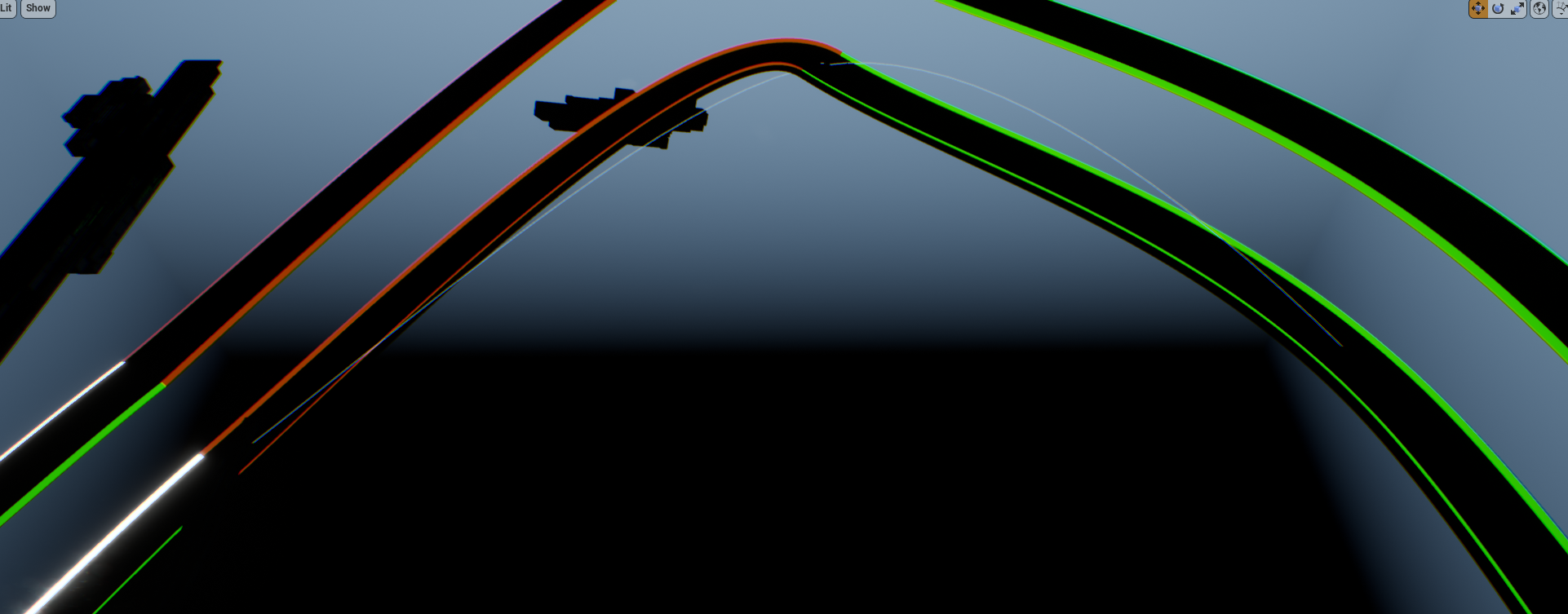
this is how I create the last one: https://i.imgur.com/pqL6LKe.png
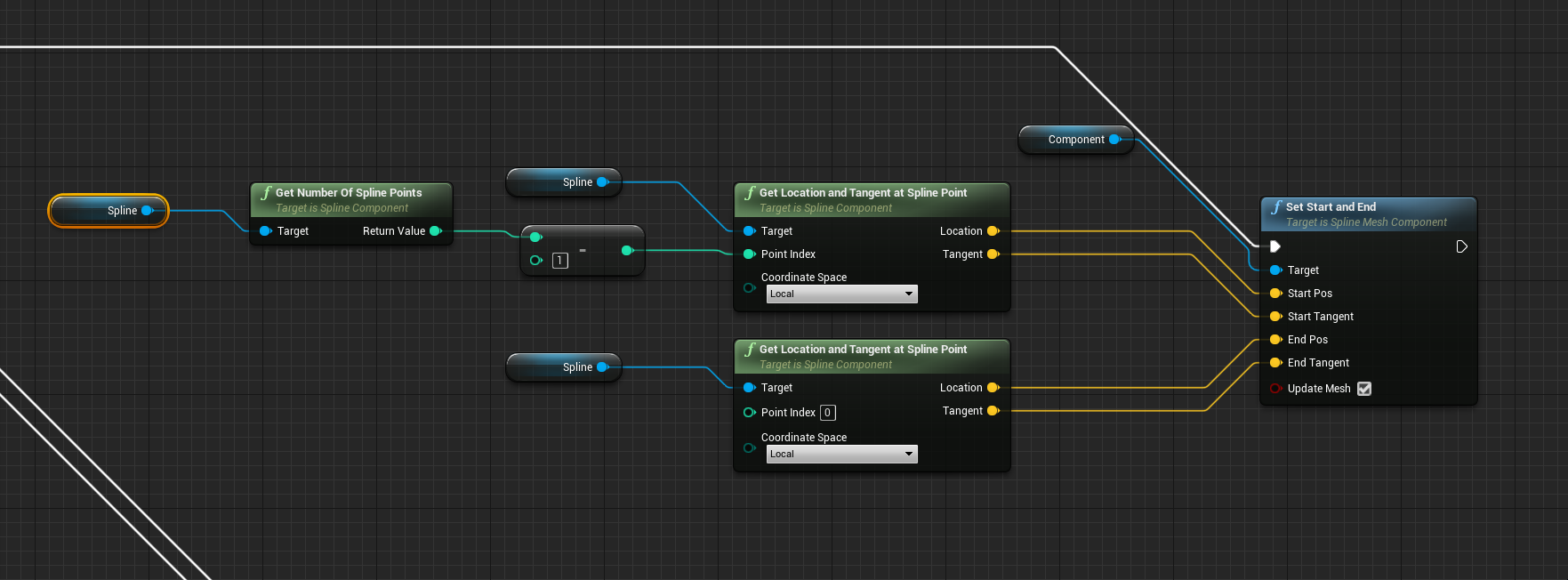
seems to me the loop close is messing with the tangents:
https://i.imgur.com/BPXZ7Ms.png
https://i.imgur.com/cG7y4kF.png
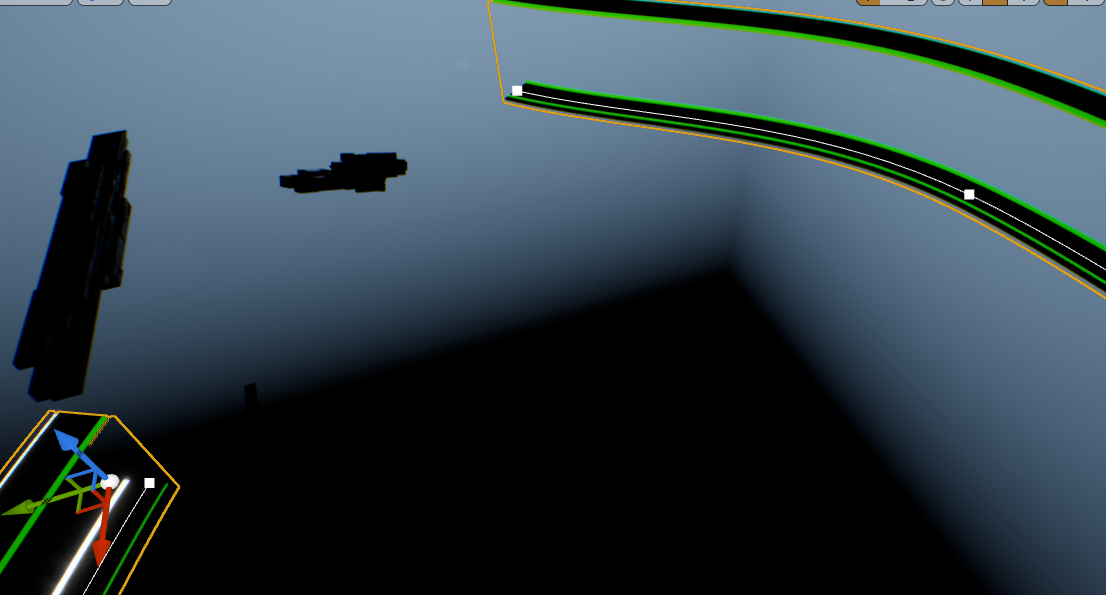
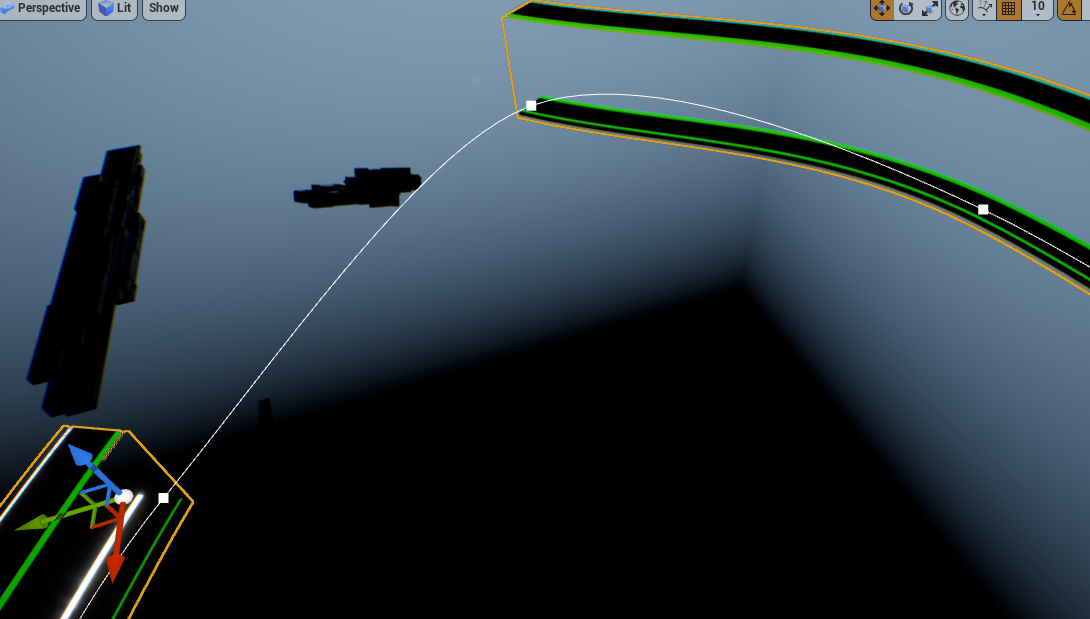


 dense tinsel
Hey everyone. In the past I approached a voxel game with ue4s build in dynamic mesh component which resulted in a quite bad framerate are there any more tailored ways to do voxel without using the voxel plugin?
Are there any ways to optimize/speed up the process? Simplify materials to reduce drawcalls and all that?
icy dragon
dense tinsel
Hey everyone. In the past I approached a voxel game with ue4s build in dynamic m...
Your best bet without plugin would be mesh instancing.
Unless you're making Teardown or Minecraft clone, generally you could simply move the boxes in bulk, without voxel algorithm in C++ or plugins.
olive sedge
olive sedge
seems to me the loop close is messing with the tangents:
https://i.imgur.com/BPX...
https://answers.unrealengine.com/questions/220306/closed-loop-spline-has-incorrect-tangent.html
Same for me. Had to fiddle it a little, now it lines up as it should
dense tinsel
icy dragon
Your best bet without plugin would be mesh instancing.
Ieant without the voxel plugin. It's the most common answer I got when I asked this in the past not without the dynamic mesh plugin. Also is it a better idea to do smaller chunks or larger chunks?
I'm looking to create a blocky world you could say kinda like minecraft any algorithms you can throw my way I could look into would also be awesome
cinder shell
guys, does anyone know why SceneCapture2D component doesn't see HISM meshes?
olive sedge
Is it possible to get a reference to function input variables without manually saving them again as local variables?
dawn gazelle
olive sedge
Is it possible to get a reference to function input variables without manually s...
Should be able to just "get" them within the function.
 olive sedge
oh, ok, you're right.. They're just not in the sidebar then. Thanks @dawn gazelle
tight schooner
@cinder shell it should but you can check the component settings. There's a lot of options for rendering various kinds of things
cinder shell
yeah, I know
I checked everything
and there's nothing about HISMs. There's only ISM
dawn gazelle
olive sedge
oh, ok, you're right.. They're just not in the sidebar then. Thanks <@!218956378...
and if you ever want to change them....
 tight schooner
@cinder shell I have some vague recollection of some things being counterintuitively grouped with other things, like "foliage". Do you have all of the things checked for rendering?
cinder shell
hm.. let me check
tight schooner
If you can get the HISMs to render with everything checked then you can process-of-elimination the correct setting
fiery lark
Okay guys I got a question, I have a child blueprint and I want to add on to the code from the parent, how can I do this?
 lime karma
I'm also trying to figure out some stuff with child blueprints
tight schooner
@fiery lark for events you can right click and "add call to parent" if that's what you mean
Then you can have an event that runs the parent code then new stuff
fiery lark
Well I have a bullet child, and all the code is on the parent, but I want this new bullet to spawn fire when it hits something. How would I run the parents code first?
Wait I see what you're saying, I think it'll work
I'm gonna try it
It worked, thank you bro!
 novel ice
Hello guys, got a problem with projectiles.. yet again!
cinder shell
@tight schooner nope.. nothing
novel ice
I got a weapon which shoots a projectiles, it hits enemies and, for some reason, a player! If I look down and shoot projectile, my player character takes damage
tight schooner
@cinder shell sorry, I'm stumped
fiery lark
@novel ice You could make it ignore the player actor
novel ice
That's a collision preset of my character

And this is a projectile's collision preset

How the damage is being applied

Pleaaase help
...ouch
I had collision enabled in Static Mesh
But I still have a trouble with damage
If I apply damage by line tracing and look down, player also gets damage
How damage is being applied
 fiery lark
Do actors to ignore at the left
And try adding the player to that
So then the player will never be hit by the linetrace and can't have the damage in the first place
novel ice
OH
I didn't notice that
It works PERFECT now, thank you!
I really should look at all parameters xD
lime karma
So is it a bad idea to change the class of a child actor component on the fly if I also want to be able to access the functions of whatever class is currently assigned to it?
 zenith rose
does anyone have a blue print script or know how to make one for a topdown shooter
i got the projectile spawning in front of my player but i look away it still shoots in the same direction
burnt nest
zenith rose
i got the projectile spawning in front of my player but i look away it still sho...
Create a scene component and place it where the barrel of your gun would be, and use the location and rotation of that to spawn your projectile, and of course make sure it's not just set to fly off in a fixed direction, but the forward axis of the scene component.