#blueprint
402296 messages · Page 673 of 403
 severe turret
because I'd split the loop into manageable loops rather than expect to run 10k all in one go
ok
 autumn latch
Hi guys, i'm working with blueprint UI and i want to show the health of my Player on the screen through a progress bar.
I've found out that there're two ways to do that:
- Using Blueprint binding
- Using C++ binding
As a C++ lover, i'm trying to use it as much as possible, avoiding blueprint coding, but in this case i don't know.
Which of these is objectively better? Is C++ binding worth? Because in this case, the names of Widgets and functions must match perfectly.
(I'm posting the photos)
First way

Second way
 severe turret
I wouldn't use bindings for widgets for anything other than debugging. I would prefer an event based setup. Just update it from the same event as your health changing
autumn latch
severe turret
I wouldn't use bindings for widgets for anything other than debugging. I would p...
So i need, in my PlayerController (?), a reference to the Hud and to the progress bar, then update its value?
Oh ok, i've missed it
 mighty linden
Is someone able to help me with this ? (
 dull tree
trying to make ADS with seperated mesh

but camera is not working
i have camera on weapon bp

why?
 trim matrix
what can check if something is the local player , not any of the other clients, for example if a rocket hits players, hwo to check if its any of the other players or the actual playing clients player character
 chilly jetty
Hi there

I have these guns where the gun parent is the parent and the rest are it's children
is there a way i can access the children and put them into an array for use?
trim matrix
chilly jetty
is there a way i can access the children and put them into an array for use?
use an actor or primary data asset with editor function "get asset by class", convert to object and cast to the asset, save this asset and reference it in ur logic
 dusky topaz
trim matrix
what can check if something is the local player , not any of the other clients, ...
dusky topaz
trim matrix
what can check if something is the local player , not any of the other clients, ...
Player controller 0 should always be local client
 rose charm
Hello, anyone can help me with steam achievements?
I already saw this and others tutorials, I am using the stats to have a progress achievement
I just don't know why only work sometimes
 restive token
I had that issue
Only the ones on the player character worked
So I put them all in there lol
Probably not the right way to do it but it works
 nova ledge
Um... I have yet another issue... this time it's to destroy an actor/character. I have character-1 that's picking up character-2 and an event that I made using a blueprint interface, and once an action is complete in character-1 bp, it then calls that event, and in character-2 bp, the event is working (I tested it out with a print string) and is supposed to destroy itself afterward, but it won't work. I'm using 4.26. so idk if it's bugged or if I need to somehow detach character-2 from character-1 THEN destroy
trim matrix
Hello folks, i am trying to add impulse and force on my enemy AI. I am trying to trigger those 2 via a notify inside an animmontage. It doesn't add the impulse or the force though, any ideas?
 marble violet
is there anyway to pick an actor's existing component into my custom component?

I exposed my variable in my component
 thin cradle
is the character movement component from the third person template good for a full player controller with multiple states, animations, and maybe root motion based movement? or should I make my own somehow?
 marble violet
thin cradle
is the character movement component from the third person template good for a fu...
marble violet
thin cradle
is the character movement component from the third person template good for a fu...
Character component is result of years of development of epic since UDK, you can build on top of it, but it's not recommended to rewrite it.
thin cradle
okay, thanks
I didn't know if it was actually meant for full games or just a demo/example thing
thin cradle
thank you
looking into it I can't tell where the animation blueprint's parameters are set tho
oh right, thanks
 dusk flame
Hey friends, I am wondering what the best way to define a path to an arbitrary UAsset
Can I do TSoftObjectPrt<UAsset>?
 earnest tangle
Here's a fun puzzle... How many times do you think the code after Spawn gets ran? :P

 surreal peak
Once
earnest tangle
Yeah that is indeed what it does. Mildly annoyingly as being able to do this with multiple targets is kind of handy, but now I need a loop
 meager hinge
So i'm following this tutorial series. i know it's old but it's basic stuff so i thought it would be ok. I'm an hour in and for some reason the checkpoint wont disappear when I fly through it (I'm using the flying pawn instead of the car), any ideas? I know everyone is busy with UE5 but if you could spare a little time i would be very grateful 😅

In this video we create our Checkpoint Blueprint so that we have something that players need to drive through during our race. We add all the components and script needed so that by the end of this video we can test our checkpoint out in the level.
(00:05) - Intro
(00:36) - Components
(04:54) - Variable Setup
(06:47) - Event Graph Functionality...
earnest tangle
Yeah
You just get only one result which is a bit annoying but I guess it could otherwise lead to very confusing things
it would be neat if it could actually convert the result into an array so you could make use of it without it becoming confusing but oh well :D
meager hinge
Same question as above, but here is the blueprint.
 earnest tangle
I'd say it's most likely one of those checks fails, or the collisions aren't set up correctly and the overlap never triggers
Add a breakpoint into cast to flying pawn, and then see what happens when the game triggers it
Or you can try adding some print nodes in there to see how far it goes before it stops
meager hinge
Yeah what you just said was a bit advanced, might have to talk to me like i'm 5, lol
earnest tangle
lol okay
so if you right click in there and type in print, it should let you create a print node
that will display some text in the top left of the screen
meager hinge
Yep, i've done that before.
earnest tangle
Yeah, so I'd suggest adding some of those in there, so that you can see how far it goes in that graph before it fails
That way you can find out where the problem lies
Breakpoints is another way of doing that... Basically you can right click a node, choose add breakpoint, and when you play the game and the node would run, it stops the game and you can then advance the graph step by step to see where it stops
 fossil crystal
level of difficulty: exporting info from in game into a notepad.txt
meager hinge
Ok so i added a couple print strings but when i flew through the box nothing printed on screen.
 earnest tangle
That probably means the collisions aren't set up correctly... Check that the channels your pawn blocks on have overlap enabled in the trigger
earnest tangle
fossil crystal
level of difficulty: exporting info from in game into a notepad.txt
There might be a marketplace plugin you can use for it, otherwise you'd need to do this in C++ because afaik file writing functionality isn't really exposed to BP's by default
fossil crystal
thanks
meager hinge
earnest tangle
That probably means the collisions aren't set up correctly... Check that the cha...
Where might i go looking for this?
earnest tangle
in the checkpoint actor you have a Trigger which looks like it's the collision box for it, so you can look in its settings
for the pawn you'd probably have a collision sphere or capsule in it which you can look in
meager hinge
Ah yes, so the Trigger is a box collider with "overlap only pawn" as its collision preset
Ok so the problem was insanely simple... The flying pawn didn't have a box collider at all. I was sure it did, but evidently not... everything is hunky dory now, thanks @earnest tangle for the help!
earnest tangle
heh, nice :)
 fleet kite
Hey guys, new to Unreal.. can someone explain to me what exactly "call" and "return" mean? I have a general idea about call but not exactly sure and I don't know what exactly Return means
 daring vapor
I'm looking to create a Utility Widget that will duplicate an asset with a new name. Below is what I have so far. My problem is I'm unable to figure out what I am missing. All the help is appreciated. 🙂


The plan is to have it find a specific asset by name, then make a duplicate of that asset with a new name designated by the user.
 lament ginkgo
Hey, I have a class and I have an actor - what would be the best way to determine if the actor is of that class?
earnest tangle
you can just cast to the class
 frank nest
Hi I am trying to scale up an actor after it spawns, I am using the first person BP projectile and once it hit it spawns a actor but I also want the actor to scale up after it spawns thus I am using a timeline but nothing happens

 dawn gazelle
frank nest
Hi I am trying to scale up an actor after it spawns, I am using the first person...
dawn gazelle
frank nest
Hi I am trying to scale up an actor after it spawns, I am using the first person...
Are you getting the print of the display name after the object spawns?
 faint pasture
@frank nest the projectile probably destroys itself before that finishes would be my guess. Does the projectile hang around for the timelines duration
 lunar holly
I have a Pawn that Spawns on the "Player Start". I have made the variable public, yet I cant see it in the editor.
It is so annoying to change the variables form the Event Graph, because I have to click on every variable to change the value. Is it possible to change the value faster? Somehow display it as in picture 2?


 opal gate
Is there an easy way to get a blueprint to cook every frame in editor. I’m currently using the “on livelink updated” node, but I wondered if there was another way? TIA
dawn gazelle
lunar holly
I have a Pawn that Spawns on the "Player Start". I have made the variable public...
The details tab is for when you've selected something within the view port. If you dropped the cube player into your scene and had it selected, you'd then see the exposed variable.
trim matrix
hi am stuck with a problem that my character shoots rocket and they activate couse they hit the players own character, rockets have different modes, i solved 2 of the modes to ignore the players own character, used same code on 3rd mode to check and ignore but last mode still goes off when rocket hits players own character. anyone who could take a look at it for a few minutes over a call?
 dry pewter
Hello everyone, i'm having a problem when hitting the compile button on my Widget blueprint, the color of text and images reverts back to default ¿Anyone else had this issue?
 keen goblet
trim matrix
hi am stuck with a problem that my character shoots rocket and they activate cou...
keen goblet
trim matrix
hi am stuck with a problem that my character shoots rocket and they activate cou...
Assuming they are different BPs, you could set your character to use a collision profile (maybe Pawn) that the rocket is set to Ignore.
faint pasture
@trim matrix In our case we have teams so we made collision channels Projectile_Red and Projectile_Blue and made Pawn presets that block one or the other. So if the pawn preset is Pawn_Red, it blocks Projectile_Blue but ignores Projectile_Red
faint pasture
You could also have custom channels for team pawn collision but certain things depend on the built in Pawn channel like navigation.
 gusty shuttle
Quick one, how would I get access to this info? I'm blanking out here haha. I just want to be able to have the end user be able to adjust the X length
 faint pasture
trim matrix
still same issue
faint pasture
trim matrix
still same issue
Show collision settings for the pawn capsule and rocket collider
@gusty shuttle break struct

 icy belfry
why is this a loop?

also I have a large map not divided into smaller levels, how do I make things only loaded/ticked when in a certain radius of the player to save memory?
dawn gazelle
icy belfry
why is this a loop?
It's not. Can you show a screenshot of the error message you're receiving about it being a loop?
gusty shuttle
Another quick one: I haven't used Show3DWidget in a variable before. However when I take a vector variable and try to move the diamond, it's stiff and won't move. Any tips?
 dry pewter
Guys, using map variables, all of them strings, can i copy the index values so i only have to write down the map values?
 formal dagger
hey guys, i might need your help, not sure to be in the right chan, tell me if it's the case. So to make the story go forward, i make my character talk or "think", obviously the player sees that, it gives tips, story etc etc. Prob is, i have no idea how to actually put all those line in a datatable. I've started the datatable with an invisible actor on the first line, but now how can i make a sort of "you're done, next line pls!" I'm not even sure this is the good way to start, so if you have suggestions i'll take it.
dry pewter
I think each node can only have one sequence output, in the case of branches only 1 out of true and only 1 out of false, if you don't need the next actions to be simultaneous put them 1 after the other
I don't think that can be done
dry pewter
formal dagger
hey guys, i might need your help, not sure to be in the right chan, tell me if i...
I don't think i caught the idea
formal dagger
dry pewter
I don't think i caught the idea
An exemple, first time the character talks to the dog it says a thing, second time after one trigger the character will say something different to the dog according to the trigger. So i've made a datatable, but i don't know how to handle the fact that once a trigger has been triggered, a sentence shouldn't be used anymore
icy belfry
it said infinite loop detected and points to the branch.
dry pewter
formal dagger
An exemple, first time the character talks to the dog it says a thing, second ti...
Sorry i haven't used data table, is that not handled with "get row" and "get column"?
icy belfry
its not showing any message now, just completely freezes when I shoot the gun.
formal dagger
dry pewter
Sorry i haven't used data table, is that not handled with "get row" and "get col...
only row as i know so far. I've made 1 colum ID, 1 column "short name" and 1 column "sentence" (i just pick this last one to go to the widget for the talk).
dry pewter
formal dagger
only row as i know so far. I've made 1 colum ID, 1 column "short name" and 1 col...
There are "gate/multi gate" nodes that make different things happen when you loop trough them a certain ammount of times, does that help you?
gusty shuttle
Strange issue. So I'm trying to set my array elements from a struct. However, when I press play, my seal character spawns at 0,0,0


His in-world loc

I'm trying to use the Show3DWidget variable option so I can move the diamond around. But I think I don't know exactly how to do this. Any tips, keywords or straight up pointers?
When I press play, he spawns at the direction arrows

Any tips guys? It's the last task of my day!
nvm, I tossed all that into construction script and it works
Funny thing was, was I had it originally in construction before and I couldn't move the 3d widgets, but now I can?
 dawn gazelle
icy belfry
its not showing any message now, just completely freezes when I shoot the gun.
dawn gazelle
icy belfry
its not showing any message now, just completely freezes when I shoot the gun.
It's probably further down the line. The code you've shown wouldn't loop on its own.
icy belfry
i found the loop. About saving memory?
 merry summit
Help Needed: I placed my blueprint onto the world which is a character and on the right where it says "Details" I can't find "World Settings" that is suppose to be next to it I believe. How do I get World Settings to appear?
dawn gazelle
merry summit
Help Needed: I placed my blueprint onto the world which is a character and on th...
 merry summit
dawn gazelle
merry summit
dawn gazelle
Your a real one, thank you!
merry summit
Help Needed: I just added some movement animations and a few things are not working as planned. The character keeps on running way too fast and keeps on looping, also I can't seem to walk backwards or to the sides. I'm not sure what I messed up or am missing in my event graphs.
I think that the animations keep on looping because I didn't download them as "In Place" animations
I also can't seem to make it so that the character doesnt just go from standing to running. I do have a walk animation in place
Nice, I figured out how to make it so the running/walking animations dont loop. I still don't understand how to make it so that I can walk left and right and backwards using those animations, it just uses the forward animation for walk/run
faint pasture
How does one execute 2 lines of code at the same time? There has to be an order.
@merry summit are you just playing the animations or do you have an animBP?
merry summit
faint pasture
<@329831049725083658> are you just playing the animations or do you have an anim...
I have an animBP
faint pasture
@formal dagger Dog should have some variable LastDialogueLine or something. That's how you'd keep track of what line it's on.
I would prolly actually phrase it as NextDialogueLine which can be an entry in the dialogue line struct
Spawn talking entities with NextDialogueLine = 0, then each time you talk to them, process their line and set NextDialogueLine to whatever the line says
So line 0 links to line 1 which links to line 2 which links to line 2 which links to line 2 etc. That's how you'd hit dead ends.
merry summit
Nice, so I fixed the looping animation problems. Now to figure out how to make it so that the character can rotate
faint pasture
@merry summit I recommend looking at the 3rd person template first.
merry summit
faint pasture
<@329831049725083658> I recommend looking at the 3rd person template first.
I am using the 3rd person template. I think I need to change the input settings in project settings tbh
Okay, so basically I need to make events for toggle run and sprinting
Interesting
 ashen snow
Okay I'm really stumped with this one - I have my character moving along a spline in a level. I have a separate actor that has some 3D text on it. I'm trying to set the location of the 3D text actor to be that of the pawns. What I see is the text floating around out in front as the character zips along the spline. It doesn't stay in sync. Just sort of wobbles around out in front like the location it's getting isn't entirely the same as the pawn. Now I set this 3D texts actor location immediately after the pawn has its location set from the spline. What am I missing?
At first I thought the collision of the player pawn was causing a reaction so I Set Actor Enable Collision = false which should set the actor and everything on it to not have collision
ashen snow
If I print the pawn location during the levels tick - I get one number but if I print it from the timeline where the spline updates the pawn location I get another. It's not the difference in the move because I can see it alternate and sometimes the number will be less than it had progressed to. Something strange about timeline and when it does it's calculation
dry pewter
Hello everyone, quick question: Is there a way to force a 'key/input release' on BP?
Reason: I have a character's stamina get consumed as the player holds shift and it's moving thus increasing walk speed (running). The logic for setting the walk speed checks if the player has more stamina (float) than the run cost (float), if so then it increases the walk speed, this happens when shift is pressed, but then the stamina eventually runs out, and if the player has not release shift the character speed remains increased while there is no more stamina to consume, so i need to force the release of shift when stamina runs out
Edit: Found a workaround setting the max walk speed after the stamina/run cost check


 storm mirage
nevermind ive found the solution
lament ginkgo
Hey UI progress bars are 0-1, right?
 twin kite
Okay, I really need people's opinion here. I'm by no means a decent programmer but I know my way around blueprint and such. We've been asking some freelancers to do some work for us and recently I've decided to properly look into what they've given to us
This is what I've found
So for context: we are developing something for the Oculus Quest 2, this is a blueprint that defines what objects and interactables are able to be picked up by the player
Specifically, this section handles dropping assets
We've asked them to develop for us some tools that are to be picked up, interacted with and put back down by the player
Each casting node points to each one of those tools
I can't be the only one who thinks it's incredibly messy to run through a series of casting nodes, all asking the question "Is the tool that has been dropped this tool? If not, then check if it's this tool, and if not then check-"
(Had to reupload cause I messed up some of the censoring)

 sand shore
This is what interfaces are for
keen goblet
@twin kite That's not only messy, but expensive too -- casts aren't a cheap operation. Doing a check on the actor's class would be cheaper, but still clunky
edit: I may or may not be fake news! (Do your research, folks)
sand shore
You'd introduce an interface, say IDroppable. Each tool implements a function from that interface - OnDropped.
You call a function on the interface, via what UE4 BP calls "Message"s.
sand shore
keen goblet
<@!162723898251542528> That's not only messy, but expensive too -- casts aren't ...
Checking an actor's class is most of the work of a cast?
if (ClassCheck()) { return Class; } else { return nullptr; }
An interface has similar cost, but you aren't doing it N number of times
keen goblet
@sand shore I thought casting involved some operation beyond a class check, even in case of failure. Suppose I'm just parroting that casting is expensive
sand shore
@twin kite https://www.youtube.com/watch?v=EM_HYqQdToE this video is often recommended. It is long, but if you want to audit your freelancers you'll want to see this video

Announce Post: https://forums.unrealengine.com/showthread.php?101051
This Training Stream takes a look at Blueprint Communication. We find that Unreal Developers of all levels can sometimes struggle through the concepts behind moving data between objects. So in this video we'll take a look at the different ways to make Blueprints talk to one an...
sand shore
keen goblet
<@!112221040666542080> I thought casting involved some operation beyond a class ...
Chains of casts like that are slower than a single interface call (which is somewhat the cost of a cast for verification, and then effectively a dynamic dispatch)
keen goblet
sand shore
Chains of casts like that are slower than a single interface call (which is some...
Oh definitely. I follow that much. I made a Grabbable interface for VR for that exact reason
sand shore
I'd question your preconceptions around performance, including ::Tick
(you should really make these decisions via profiling)
twin kite
sand shore
(you should really make these decisions via profiling)
Yeah definitely
I've raised concerns about the structure of the blueprints already to them, however so far we've been met with basically corporate speak
It's annoying, and beyond infuriating that we've doled out a fair amount of money and their response is something along the lines of "We only hire specialists, that's why we've been in business for 35 years"
sand shore
They've got a replicated Use field, heh
Wait wait
We're dealing with specialists?

keen goblet
I specialize in not using interfaces, yes
twin kite
Was my response as well lmao
They've made an interface as well
Hang on let me look at it
 twin kite
I've just realised why this is dumb
Like, it's just hit me
Oh God the more I dig into this-
sand shore
THESE ARE SELF CASTS
WHAT

THIS IS WHAT INHERITANCE IS FOR??? ?
I didn't look too closely because ... WHY would you do this
twin kite
This definitely has implications for the usability for future developers on this project, doesn't it? Because they've hard-coded the tools into this pick up blueprint and not documented it
keen goblet
Oof
sand shore
Hopefully didn't break the bank?
sand shore
heh
twin kite
Hang on this continues to get jucier I hope you know
keen goblet
I must see more
twin kite
sand shore
First off, just quickly, can I ask why this is a problem? Like a proper explanation so I can put it into my little letter that I have here 👀
sand shore
Unfortunate that I'm not in the freelance market any more because I probably would be out of work and open to hire (because people like this get contracts on 35yr experience, and I didn't because I didn't)
twin kite
sand shore
Unfortunate that I'm not in the freelance market any more because I probably wou...
AHAHAHA ayyyyyy
sand shore
@twin kite Well, on a technical level this is choosing to do many casts over using a virtual table/dynamic dispatch. Now, I don't know the tradeoff for making the swap if you want better performance....
But the practical delta in perf is negligible here; the maintenance nightmare (and reference bloating) is quite high
This wholly prevents you from having tools in a DLC/mod, for instance
twin kite
sand shore
This wholly prevents you from having tools in a DLC/mod, for instance
Wait what
Our entire model is based off of basically adding conten-
Hang on hang on hang on
Okay
This is why you don't jump into these things with like 2 years of on/off experience
sand shore
This is architecturally stupid because you can just inherit functions from a parent class.
If any casts here succeed, that means Self could potentially be an instance of those classes. Meaning those are child classes, and we're looking at the graph of the parent class.
So like.
Super basic example
class Animal
{
    func Roar()
  {
    // nothing
  }
}

class Cat : public Animal
{
 virtual func Roar()
  {
    UE_LOG(...);
    // do whatever all animals do in roars
    Super::Roar();
  }
}```So every one of those things could have overridden Event Drop
Every cast there could have been handled entirely in child class graphs, via inheritance.
By pulling in hard (as in, content loading) references into this graph, the parent class cannot load without also loading the child classes.
Ergo, modding is uh.
AHEM
twin kite
sand shore
By pulling in hard (as in, content loading) references into this graph, the pare...
Oh fuck.
keen goblet
This whole thing just hurts the more I think about it
sand shore
Also.
Modding can't add new stuff, because it is all in this graph
in the
core
moduel
of
the
game

twin kite
I'm very unhappy holy shit
sand shore
but wait
keen goblet
MichaelJacksonPopcorn.gif
sand shore
it can get even more heartwrenching
twin kite
Oh no
keen goblet
oh yes
sand shore
Asset Loading and Unloading
twin kite

sand shore
this is dead easy to learn, all you do is add a data asset for each thing in your game (every type of tool)
Then
you can like
GetAllMyToolsAndStuff()
But you can't do that IF YOU DO THIS KINDA THING
WTFFFFFFFFFF
sand shore
twin kite
Our entire model is based off of basically adding conten-
this ain't a thing y'all finna do
twin kite
Now that you've mentioned it
It's reminded me
And @keen goblet this is where it gets spicer
We've bought a premade framework for this
The Advanced VR Framework
I've told them from the very beginning, use this framework to your advantage
Learn it
They told me that their dev did
I was unaware that this blueprint (The pickup one) even existed, because what I assumed is that they just used the fucking Comp_Grab component that comes with the framework that we spent $300 on
These components already fucking exists
sand shore
I can pretty much promise you that there's a different type of pawn
keen goblet
I can't tell if I want to laugh or vomit at this
sand shore
I've seen devs just ignore specs and peers and copy over their own marketplace shite
And use the new game to back-propagate features
twin kite
Now, I raised this with them as well in my email to them complaining about this whole situation, what I was told was that the Comp_Grab component doesn't satisfy all of the requirements that we had for the blueprints
And
i swear to God
I'm going to ask them what specific requirements they mean
sand shore
Is a specific requirement, prevent the game from being done to funnel money to the specialists?
twin kite
What I'm seeing here is that they're piggy backing off of it's functionality and then use this BP_PickupObject blueprint to funnel specific variable calls to each blueprint
For example telling the string line to stop extending itself
And that's what they mean by "requirements", that they can't use the comp_grab component to call specific functionality
Except for the fact that of course you fucking can
sand shore
ye
twin kite
It's literally in the example project
sand shore
But you don't
twin kite
Showing that you can grab an object and have it override your controls
 twin kite
Guys this is a pog moment 
Just want to humble brag and say that yes, that is me as a pog emote
sand shore
So, any other things you want my take on?
twin kite
Just wanted to vent a little
I'm sure the more I dig into this the more I'm going to bang my head against a wall
But this is enough for me to build a strong case against their corporate bullshit
keen goblet
😒 Using a framework to quickly write scalable code
😎 Charging the client every time you have to update your spaghetti
twin kite
When I came to them about the casting mess they literally said to me in an email "We've tested our blueprints and we've seen that it's fast, what testing methods have you used?"
sand shore
concerns have nothing to do with speed
if you wanted speed, you wouldn't be using BP because you would be building out different access patterns
And you can only do so much in BP
Pulling functions all into one graph gets you negligible gains (if any)
And even if it did, you would automate it (like nativization does)
you wouldn't WORK like that
keen goblet
twin kite
When I came to them about the casting mess they literally said to me in an email...
That's like marketing your bag of refined sugar as "fat-free!"
twin kite
Bruh the fucking question though "What testing methods have you used?" sent my soul to another plane
sand shore
"human eyes"
keen goblet
"Basic human decency"
sand shore
"the concept of logic"
twin kite
That's right, they told me that the setup of casting was "Normal implementation"
"Their blueprints are in the parent class and as per our testing, it works fast."
keen goblet
I wish I had the balls to screw over my clients that brazenly
Or maybe I should be glad I don't...
twin kite
keen goblet
I wish I had the balls to screw over my clients that brazenly
There is so much sass in their emails replying to us dude, you don't even know
sand shore
I feel like you could become a programmer quicker than they could match your spec
Was an agreement signed?
 exotic jasper
Is this the right place to ask a monster noob question about Horror Engine
twin kite
No, nothing was signed, I've just got problems and responsibilities of my own that prevent me from working on this stuff
twin kite
exotic jasper
Is this the right place to ask a monster noob question about Horror Engine
Ayyyyy I know that
Before you do let me just do one final thing
sand shore
No agreement?? Ooof
keen goblet
F in chat
sand shore
If I had no ethics, your boss is like a perfect mark
twin kite
It's all been verbal agreements between them and my boss
exotic jasper
Whoah, sorry to hear that mate
exotic jasper
I don't mean to be rude but sounds to me like a bamboozle
twin kite
exotic jasper
Whoah, sorry to hear that mate
What was your question ?
twin kite
exotic jasper
I don't mean to be rude but sounds to me like a bamboozle
Yeah, sounds the same to me ngl
twin kite
sand shore
It will break if you lean too hard on it
Yeah definitely
exotic jasper
I was curious, I raised the player's movement speed, but now his footstep sounds are far too fast. Is there any way to separate them or put some space inbeween them so it sounds like perhaps I'm taking only 2 steps instead of like 300?
keen goblet
@exotic jasper Perhaps a RetriggerableDelay would help
sand shore
If the issue is that the sounds play over themselves, sound cues have a thing to prevent that
exotic jasper
Sorry, I may have worded that weirdly
I just want to lower the frequency of the footstep sound.
sand shore
But anything more specific I have no idea on
there's a number of ways one could possibly do footsteps
not familiar with Horror Engine
sand shore
exotic jasper
Sorry, I may have worded that weirdly
not at all. I figured you were asking to reduce frequency, but I made a guess as to why you would want to
Guess was wrong
keen goblet
exotic jasper
Talk to me like I am a baby and have never touched Unreal Engine please
OHWHO'SACUTEWIDDLEBABY?!?! uwuzzywuzzywu
But, yeah, it's hard to say how to do that without knowing your specific implementation. If it's related to Anim BPs, I can't help ya
Maybe you'll get lucky and find a variable indicating the time between footstep sounds, which you could just increase
dry pewter
Hello guys
I want to make a highlited shape on the ground (rectangle or curve rectangle) when a key is pressed, and use it to detect any actor above that area, how could i do this? never done anything alike
formal dagger
faint pasture
<@344427580788834314> Dog should have some variable LastDialogueLine or somethin...
thanks for your help !
formal dagger
dry pewter
There are "gate/multi gate" nodes that make different things happen when you loo...
oh boy, i've totally forgot about them, i'll try it today
lament ginkgo
Getting the transform of an object - anyone know why it might just randomly change 90 degrees for rotation? Building a side scroller and I'm using a barrel object on my gun to determine projectile direction. First shot goes off the right way, but all subsequent shots fire off at 90 degrees Z rotation.
I did a print and the barrel's world rotation z axis DOES seem to be changing
dry pewter
lament ginkgo
Getting the transform of an object - anyone know why it might just randomly chan...
Does the barrel has collision? maybe it's colliding with something that's making it move?
lament ginkgo
That's what I thought as well, but it's set to NoCollision and the barrel is still present in the right spot. It seems like it's spawning the subsequent projectiles as if the player were rotated exactly 90 degrees. Like, the spawn Y and X rotation are right
dry pewter
Look, for some reason a "shield" mesh i'm using in my project also spawns rotated, 180 degrees along x axis, and i have no idea why... maybe put a conditional banch to check if the barrel rotation is different from 0 or the value you need, and if it is then set it to the intended value?
Before spawning your stuff
faint pasture
How fast are you going and how steep is the slope?
faint pasture
lament ginkgo
I did a print and the barrel's world rotation z axis DOES seem to be changing
is it going -180 to +180?
lament ginkgo
faint pasture
is it going -180 to +180?
0 to 90
faint pasture
lament ginkgo
0 to 90
Is the gun changing orientation or just the projectiles it is spawning? Maybe they're colliding on spawn or having their spawn location adjusted.
 cyan kraken
So I'm learning about player death/respawn. All guides say to destroy the actor and respawn it at a set location. Is there a more efficient way? Like, player health reaches 0, plays death animation, player goes invisible and relocates to initial spawn point. Instead of destroying the actor, refresh or relocate it into the spawn point?
Also, I want to make like a system for adding skills into the game. Instead of having to add each skill individually, make a system that has me input skill name, damage, icon, etc so it's just plug and play?
lament ginkgo
faint pasture
Is the gun changing orientation or just the projectiles it is spawning? Maybe t...
It looks like just the projectile
dawn gazelle
cyan kraken
So I'm learning about player death/respawn. All guides say to destroy the actor ...
You absolutely can handle it like that. You just need to make sure you reset any values that a player should have/not have when they respawn.
lament ginkgo
faint pasture
Is the gun changing orientation or just the projectiles it is spawning? Maybe t...
Oh, no the weapon seems to be changing, though visually it seems to be in the same place.
First print is the correct transform, second is the incorrect.
 dawn gazelle
cyan kraken
Also, I want to make like a system for adding skills into the game. Instead of h...
dawn gazelle
cyan kraken
Also, I want to make like a system for adding skills into the game. Instead of h...
You may want to look into the #gameplay-ability-system for this. It does require some C++ to set up, but once in place, abilities are handled as classes that can be granted to the Ability System Component that you place on your character and enemies. It is meant to be a built-in means to handle multiplayer abilities with client-side prediction, but also works single player.
Since abilities are handled as classes you can also child them, so if you want an ability that acts the exact same way just with some different visuals it's fairly easy to do and additionally you can define custom variables within these classes as well, like Icons, Display Names, etc for use in whatever you want that references the ability class. The abilities themselves can have Gameplay Tags on them that determine when they can and can't be executed, so you can have classes that can't be interrupted by others, or ones that can be executed whenever.
You also get to use Gameplay Effects which can manage all sorts of things for you and can interact with the tags mentioned above.
 dusky harness
How can i plug in both arrays into linetrace?

I know that is not the best way, but i have no idea how to get a reference of the entire BP Class
It's in Player AnimBP
I'm using this linetrace to find the material under player
To use the right footstep sound
dusky harness
Oh no it's not set to AnimTick, it's on the step AnimNotify
Anyway, i found an another way to solve my problem
Thank all of you anyways
 maiden wadi
@dusky harnessYou really should just be using a different trace channel that those two classes ignore. Or a trace channel that only your floor stuff detects. Then you can avoid expensive calls like GetAllActorsOfClass
They don't seem so bad when you're starting out, but if you profile it, they're terrible. Do it in a very basic level and it doesn't seem bad. Add a few thousand actors to your level and suddenly that call isn't so easy anymore.
dusky harness
I guess you are right. I didn't actually ever used that node but that seemed as the only solution to tell the line trace to ignore actors
And i completely forgot about trace channels
Dude
Can't i just trace not by channel but object?
Trace only to world static and that's it
All i needed is to avoid some movable little things to see the material of the ground and not them
severe turret
@dusky harness the fact you are doing 2x Get All Actor searches in such a way tells me you need to listen to people's advice and stop trying to brute force your own perception of how it's done. You will get your work done a lot faster if you take advice.
dusky harness
I know that perfectly, these the gets were just for the test and i know how bad using them is
And yes. Tracing by object type and not the channel solved the problem
Thanks everyone
severe turret
gg
 quick grove
guys sorry for the disturb, do you know how can I just set the normal ThirdPersonCharacter speed to 500? and how can I make possible that when you press left shift the speed go up to 1000?
(these value are just examples)
 gentle urchin
@swift pewter how are the event triggered in the first place? Related to hit issues ? E.g. hitting twice ?
severe turret
@quick grove you can set the speed of the char through the Character Movement component.
gentle urchin
^using the node "set max walk speed"
Care to show that code?
Not destroying projectile?
If you do a print from the other component
From the overlap event
Yet dmg applies twice? Doesnt make much sense :-o
 gusty portal
hello
i have an issue of not being able to hear action mapping
i started off from a fps template(renamed the first person shooter bp) and i redid some of the stuff. i tried to convert the first person shooter bp to a base class from which friendly and enemy(npc ai) inherit from
and when i set the main character which is a child of this first person shooter class, it doesn't respond to action mappings
gentle urchin
Nothing comes to mind how that can fire twice. Something must be calling it.. regular print on the event (with "hello" text or w.e.) also just prints once i suppose?
Sure ur not calling from elsewhere aswell? Like, in the event any damage function in the damaged actor f.ex?
Try temporarily remove the check dmg event in the overlap , and see if it still gets called then
gusty portal
someone help?
 bright dirge
gusty portal
someone help?
bright dirge
gusty portal
someone help?
Which base class did you made it inherit from ?
bright dirge
tried to convert the first person shooter bp to a base class from which friendly and enemy(npc ai) inherit from, the name of the the class you are converting into is first person bp ?
gusty portal
i'm sorry i didn't catch you
i'll try to make a simple diagram wait

the fps bp is the default fps bp that comes in the template
i made main char inherit that class
and set the default pawn to main char
bright dirge
initially it was FPS BP
gusty portal
the ai works fine cause i have a differnt controller for it(AI controller)
bright dirge
?
gusty portal
bright dirge
initially it was FPS BP
the default pawn yes
bright dirge
and it worked ?
gusty portal
no
OH
ty for that i understand what went wrong
there was a default fps bp which exists in the world which somehow gets auto possessed which is why nothing from the child class was working
bright dirge
np i am glad i could help you find your problem by yourself 😉
trim matrix
Hello, a lot of my work has unfortunately disappeared as I had an incident with UE, while I managed to recover most of it, there is now a really weird error I am getting
The console tells me that trying to access any sort of value inside the "OceanManager" item (it's a marketplace item) is not possible

yet the OceanManager is right here inside the project files....

this worked before, but unfortunately due to an issue I had to redownload the merketplace vault item for this sample ocean I'm using, and now my blueprints can no longer access the mentioned OceanManager
Any idea why? Do I need to reroute the references somehow since I overwrote the marketplace files for this ocean vault item?
 velvet dust
what are all of the ways to add a node? i tried right clicking but the menu will not open
i think the interface is invisible for some reason
 burnt nest
trim matrix
Any idea why? Do I need to reroute the references somehow since I overwrote the ...
burnt nest
trim matrix
Any idea why? Do I need to reroute the references somehow since I overwrote the ...
Try replacing the "Ocean Manager" node. Delete it and add it again. It sounds like a reference issue as you said.
burnt nest
velvet dust
what are all of the ways to add a node? i tried right clicking but the menu will...
Try restarting the editor? Some nodes have hotkeys, like you can hold down "B" and click in the event graph to make a Branch node, but that's just a few.
velvet dust
Ight thanks
trim matrix
burnt nest
Try replacing the "Ocean Manager" node. Delete it and add it again. It sounds li...
I already did, nothing appears to be working.
It's extremely frustrating. The file itself hasn't changed. And UE isn't telling me why it's not working.
burnt nest
trim matrix
It's extremely frustrating. The file itself hasn't changed. And UE isn't telling...
You could try right clicking either the ocean manager in the content browser, or one of the blueprints that use it, and go to reference viewer to see if everything is looking alright.
 mellow trench
Hi all. Has someone a good idea how I would map a float to various text outputs if in certain range? For instance: 0.0-20.0 = Text A, 21.0-40.0 = Text B...
I have 16 different Text Outputs I want to map on a 0.0 to 360.0 range
severe turret
@mellow trench TMaps are a Key->Value pair system you could utilize.
You can make the Key as a Struct if you need specific data types other than a standard integer.
mellow trench
@severe turret Thanks that's the one I was trying to use but I thought maybe there is also a different / easier way 👍
burnt nest
mellow trench
<@!223014362472775683> Thanks that's the one I was trying to use but I thought m...
You could make 15 branches. Maps is the easier way. 😅
mellow trench
That's what I thought too ^^ I just hoped there is something magical hidden somewhere ^^
But thanks to you guys
 onyx token
hi.
So i'm trying to copy the third person character movement - without using these two

which means i gotta find a way to get the rotation of the character and get it into this setWorldrotation

prepare for spaghetti
mellow trench
@severe turret @burnt nest I ended up using a TMap with Integer & String and added all 360 values, which is a hazzle to setup but had the benefit of also working better in combination with a slider
onyx token
so this is what i currently have.

i take the 2 axis, figure out if it's >0.1 (for controller input) - if it is, i move the character.
To figure out the rotation, i take the 2 axis values, which are between -1 and +1 and i multiply them by 90 (for the sideways axis) and by 180 (for forward & backward)
and i add those 2 together
So if i press D - sideways = 90 while forward = 0
Add those => Character turns by 90°.
problem arises when i press 2 keys.
Like if i press S & D => forward is -180, sideways is -90
add those together => -270. That's -270, which is the same as 90.
Now i can do a bunch of math, variables, If-Else stuff and whatnot to get this figured out-
But before i do all of that, i wanted to ask:
is there an easier solution? 😅
Because till now, i always made a million nodes and spend 4 hours doing something, posted it, and then someone went "there's a node that does that instantly, here this one"
And i always went  ...thanks
burnt nest
@onyx token Let's see if I understand what you're trying to do... you want the character to have a snapping movement, forward, backwards, right and left and nothing in between?
onyx token
well not necessarily snapping, but i can just use a lerp for that
so i guess yeah
basically i just want the standard third person character rotation ^^
burnt nest
headscratch So why don't you want to use those two nodes?
onyx token
they're really limiting.... Like they don't allow me to disconnect the Spring Arm whenever i want to, and control it via blueprint instead of mouse input
(basically i wanna make a freelook component. I press a button - and the character keeps walking straight while i can look around. If i release the button, blueprint is gonna rotate the spring arm component back to where it was before)
burnt nest
onyx token
_(basically i wanna make a freelook component. I press a button - and the charac...
Huh, okay. So just lock the character's yaw rotation when you press the freelook button. 😅
onyx token
sure, i can do that, but how am i gonna put the camera back to where it was when i release the button
if i do that, and i release the button, instead of the camera popping back into place - the character is just gonna rotate to wherever the camera is
 charred lake
Hello. Anyone knows why this blueprint does not work? My character just won't move.
 burnt nest
charred lake
Hello. Anyone knows why this blueprint does not work? My character just won't mo...
burnt nest
charred lake
Hello. Anyone knows why this blueprint does not work? My character just won't mo...
Someone had the same issue a little bit ago. Make sure you're possessing the right class.
burnt nest
onyx token
if i do that, and i release the button, instead of the camera popping back into ...
I would probably save the rotation of the springarm when you press the freelook button, then lerp it back to that when you release it. Then unlock the character's yaw rotation once the lerp has completed.
onyx token
burnt nest
Huh, okay. So just lock the character's yaw rotation when you press the freelook...
i mean- i guess there's probably some way i could sidestep the entire issues - i was just thinking that circumventing the 2 nodes would be the best solution...
But if i'm opening a whole pandoras box here, i'll backpedal on that decision and look into sidestepping it 😅
sand shore
You don't need to reinvent the wheel. You can use those two nodes.
- pawns have a thing called an input vector. You should be able to get it and also set it. There are two getters - peek and consume. Consume resets the vector.
You'd peek the vector after applying both your movement inputs. The order the two binds occur is not necessarily fixed, so you'll want to figure out how to detect that both have been called before continuing. You can do that with a macro.
Anyway. When you activate auto run, set a bool that prevents you from calling the nodes with the input from the event. You'll wanna use LastKnownInputVector - a variable you created.
-
That same bool needs to control whether you add controller pitch /yaw. Just don't.
-
When you activate the bool you need to change the springarm. Disable all "use pawn control rotation" bools. When you deactivate it, you can use the control rotation to reset the rotation and then you can put all the "use rotation" bools back to true.
-
Actually when the bool is active you can pass rotation input into "add local rotation" for the springarm. I think.
 burnt nest
sand shore
You don't need to reinvent the wheel. You can use those two nodes.
1) pawns h...
burnt nest
sand shore
You don't need to reinvent the wheel. You can use those two nodes.
1) pawns h...
head tilt I'll let you handle it from here. 🤣
onyx token
wrong forward vector, drag from static mesh, and search for forward vector
 fading wren
onyx token
wrong forward vector, drag from static mesh, and search for forward vector
fading wren
onyx token
wrong forward vector, drag from static mesh, and search for forward vector
oh, ok, will try
onyx token
ok ok ok you guys have convinced me, i won't try to revinvent the wheel. Dumb idea 😅
I'll see if i can get a freelook working while using the nodes ^^
turns out if epic writes 1000 lines of c++ code and packs them into a node, they have a good reason why 
who would've thought 
not me

sand shore
I've given you a lot to check in on, I don't expect you'll get through everything without any questions. I might not be around but if you get stuck ask here
onyx token
sand shore
I've given you a lot to check in on, I don't expect you'll get through everythin...
well, i managed to sorta get the freelook to work with those two, the only issue i ran into was that the camera didn't pop back in
and there's probably solutions to do that (like put a manipulative object between the camera & spring arm in the hierarchy - or your solution)
I was just thinking that just not using the 2 nodes and doing the movement myself would be easier
turns out i was wrong
sand shore
Replacing CharacterMovementComponent so you can freelook is a weird solve
But I like your bravery
cyan kraken
I cannot get this actor to be destroyed when health reaches zero, nor can i get it to respawn
following guides/documentation but nothing is working
onyx token
btw, can someone do me a favor and quickly screenshot the standard blueprints for the third person character movement?
i discovered the "disable node" addon too late, and i deleted a bunch of stuff x_x
sand shore
actually I don't think you can reenable them
onyx token
it's possible, but only with a hotkey 
sand shore
better to disconnect and move elsewhere in the graph
burnt nest
cyan kraken
I cannot get this actor to be destroyed when health reaches zero, nor can i get ...
We can't really help without seeing your blueprint. From the sound of it if you can't destroy actor when health reaches zero, health isn't reaching zero. 🤔
sand shore
Or actor is somehow null
or the wrong actor
or you aren't running the check to see if it should destroy
and respawn could be not working for any number of reasons
burnt nest
Joby, why would you disable nodes with an addon when you can just disconnect? I thought we agreed not to reinvent stuff. 😩
sand shore
you know you don't get that out of the box? The functions are all there but you gotta do em
sand shore
burnt nest
Joby, why would you disable nodes with an addon when you can just disconnect? I ...
Nah it's fine. It's part of the engine
onyx token
burnt nest
Joby, why would you disable nodes with an addon when you can just disconnect? I ...
because then i can't compile when i got stuff like "InputAxisMoveRight" twice 
Which is dumb.
But it's the way it is 
burnt nest
Oh okay, one of those addons. 🤔
onyx token
i wanna comment stuff out in nodes 
sand shore
disabling nodes is the kind of thing that'd be hard to do with a plugin
And it's part of UE but I forget when it was added
onyx token
no you don't understand-
When i have a working solution
I must destroy it and fuck around 
sand shore
You tend to find out, dontcha
 coral saddle
If I want to start learning about Blueprints, where would I start?
I have programming experience and I expect more or less to be like scratch block coding but is there some general directions someone can point me too?
onyx token
watch tutorials, scuff around, and end up where i am
not knowing much about blueprints, but ey, it can't hurt if i delete that can it...
burnt nest
Yeah, I'd watch some tutorials for the basics, like just how to create nodes and connect stuff. Then if you have programming experience, you could try recreating something from code in blueprint. The nodes are most often the same as the code.
sand shore
Knowing how to program (unless you're already industry level c++) probably won't help you learn UE from msvs
Easier to know C++/MSVS or UE first
I'd pick a small game concept. Tetris or Pong. Or anything you can come up with but it must be simple.
Act as if you don't need a tutorial. As soon as you get stuck, google. Then ask here.
ue4 BP materials or ue4 level editor or other similar searches. You'll build your vocabulary of keywords over time.
there is a YouTube series "wtf is unreal"
MatthewW has wide coverage on lots of nodes/concepts
onyx token
ok so in that case, while you're still here
So i got the normal character rotation now working

if i take this, and i set the CameraRot to whatever this spits out
it don't work
idk if i'm using the wrong node... or idk...

 sand shore
okay no
onyx token
i press freelook - it gets saved
I release it - it rotates back to where it was
burnt nest

sand shore
You should just snap if you do this
onyx token
no 
sand shore
just put it right back
onyx token
wut?
sand shore
If you want smooth lerps you have to start a ticking update
onyx token
yea, this should snap the camera back to it's previous position right?
Sure sure, i know how to lerp it, i just deleted the lerp now because it distracts from the issue
because this doesn't work either. The camera doesn't snap
sand shore
ironically enough it didn't distract. I thought you didn't remove the lerp
onyx token
oh.
well, this is my issue then ^^
https://cdn.discordapp.com/attachments/847253861403197471/848213255662206996/R5BpNOrDk6.mp4
sand shore
 cool kids ignore changes in code
onyx token
I press freelook - camera does nothing, character rotates
i don't like it
i want the camera to snap back to where it was - i can lerp it later to make it feel neat
sand shore
Well
you gotta do the rest of what Im saying
it's two modes with a bidirectional transition.
onyx token
 idk what bidirectional transition means
sounds smart tho
am 3d environment artist. I don't got programmer big brain 
sand shore
you push a mode and have to do some config at the transition.
you pop a mode and have to do some config at the transition.
The two places that you are affecting (move and look input) have two paths each - the Regular and Freelook path.
sand shore
onyx token
am 3d environment artist. I don't got programmer big brain <:rooCry1:58061256985...
o
you get programmer big brain by doing this kinda thing long enough
onyx token
ok wait- so i can't influence the Spring Arm component rotation via SetWorldRotation, because it gets overwritten by whatever c++ handles the mouse input in the "AddControllerYaw / Pitch Input"
sand shore
do you want big programrar brain?
onyx token
yes pls 
so the question is, how do i stop the AddControllerYaw / Pitch Input to overwrite my SetWorldRotation node
burnt nest
program.rar brain 👀
sand shore
onyx token
ok wait- so i can't influence the Spring Arm component rotation via SetWorldRota...
yes. you have to tell it to stop using control rotation
I told you how
onyx token
is it these?
 sand shore
it is
 sand shore
You can get/set from BP
 gusty shuttle
@gusty portal In your break hit result, under HitActor, nothing is being hit. Might be a collision issue with the hit actor your trying to hit
 gusty portal
but i have a branch
burnt nest
You should use an "is valid" on the hit actor, and only act on it if it's true.
sand shore
onyx token
_it don't work_
no no just start with use control rotation.
but you have to do it on pressed and on released
gusty portal
 sand shore
on pressed, disable the control rotation thing, and on release you set the rotation and enable it.
but this isnt what I suggested you do either
burnt nest
Your hit is being blocked, but not by an actor, I assume.
gusty portal
burnt nest
You should use an "is valid" on the hit actor, and only act on it if it's true.
did
still get the same error
sand shore
nothing stops the control rotation from being changed now, so even if the camera stops following it you can't just go back to it
gusty portal
burnt nest
Your hit is being blocked, but not by an actor, I assume.
what do i do then?
onyx token
wait so like-
 burnt nest
Did you do it after your branch? Because then it still tried to get "Can be damaged".
sand shore
closer @onyx token
onyx token
wait wtf
gusty portal
 sand shore
but that's the pawn variables not the springarm
 burnt nest
gusty portal
burnt nest
gusty portal
Yeah, you're still checking for "can be damaged" before you know if the actor is valid or not.
sand shore
if it makes you feel any better, this is almost the most complicated thing one can do in a character controller that is a typical 3ps setup
 sand shore
This is unlikely to work until you get further along with my suggestions. They all build with each other, intertwined.
gusty portal
burnt nest
Yeah, you're still checking for "can be damaged" before you know if the actor is...
i mean idk how it does that cause can be damaged has no execution pin and the place where i use can be damaged is after the branch
so what do you want me to do?
onyx token
sand shore
This is unlikely to work until you get further along with my suggestions. They a...
but i don't understand your suggestions tho
sand shore
If you do things the way you're doing, you have to take steps I didn't suggest.
But what I suggested isn't obvious for you right now
I'll set something up later today but will be stepping out. Can you work on another part of your game?
 burnt nest
gusty portal
i mean idk how it does that cause can be damaged has no execution pin and the pl...
burnt nest
gusty portal
i mean idk how it does that cause can be damaged has no execution pin and the pl...
Use the other "is valid", the one that has a true/false. Put that one before your branch.
onyx token
and you too smallhead
 burnt nest
Yes.
 burnt nest
That works too. The cast will make sure the actor is valid.
sand shore
at the cost that you can only damage that type
burnt nest
Works if you're using a single base class.
 coral saddle
sand shore
I'd pick a small game concept. Tetris or Pong. Or anything you can come up with ...
coral saddle
sand shore
I'd pick a small game concept. Tetris or Pong. Or anything you can come up with ...
ah thx :D
 tranquil dome
guys do you know where i can find some support info about the PlayStation 5 gamepad's adaptive triggers ?
like how to you set it up to have that backforce when you press them
trim matrix
Hello guys, is there a way to set the value of a Map variable besides the add node?
I am storing my character stats inside a map variable and now that i want to make a save system i cant seem to figure out how to save those values. If i use the add node on load it just keeps adding stats on top
trim matrix
how to get xy z position in relation to what rotation my character has , i shoot a rocket and i want it to spawn infront of my character regardless of what rotation it looks in
 spark steppe
you probably want to get the forward vector of your character (and scale it up depending on how far away it should spawn) and then add that vector to the characters world position
 candid nest
hey can anyon eehlp me out
how to fix that object refrence is not compatible with object refrence
like this

plz help me out
spark steppe
cast it to the BPM Weapon Thing class
 olive sedge
Hi! I have a little vehicle that I simulate physics on but it tends to flip about the y and z axis, can I somehow smooth this out?
like.. is it possible to clamp the rotations?
while still simulating physics/gravity?
severe turret
you can use a physics blend but it's gonna be a bit janky.
olive sedge
hmnhmnhmn..
I think I'll just try to on tick check rotations and limit them if necessary but I think that's gonna be janky and dirty as well
meh, it's janky as hell..
think I'm gonna try physics blends.. otherwise I'm gonna make my own physics..
candid nest
spark steppe
cast it to the BPM Weapon Thing class
it is not fixing
candid nest
thanks bro its is working now
actually i was casting to class
but when i cast to bpm weapon it works
u save the day
trim matrix
guys i have problem like when i am playing tps reload animation from (AnimStarterPack) character is going down and cannot do anything what should i do?
keen goblet
@olive sedge This would be a patch over the underlying issue, but my first thought is to experiment with applying rotational forces that would counteract some of the flipping you're experiencing
@trim matrix Nope -- Add is the only way to set a key-value pair in a Map. Are you saying you're unsure how to retrieve your values from the map?
olive sedge
@keen goblet yes, that was my first impulse too but yes, that would be a small patch on a bleeding wound
 willow cedar
I am doing a CTF gamemode, and I would like to have it so when you capture a flag at an enemy base, it swaps the Boolean of the other capture point to false to trigger that the flag is able to be grabbed again. Any way to do this per team?
 obtuse nebula
250 - 3000
2500 - 500
I want that I get 2500 when upper value is 250 and I want 500 when upper value 3000, How can I achive that ?
 rich prairie
Hey guys. Several days and a lot of headache, I've yet to find a solution for damaging the enemy so it's 1 hit only and overlap is not working for me. I need (on hit) so I can hit multiple enemies and make sure it's only 1 hit on each. I've tried setting up collisions with no luck.
Right now I spawn a actor that swipe with the weapon (spawn and despawn actor from montage so I can control length). This only work with overlap. I've added tag to avoid hitting myself.
Any good advice on how to fix this? I need solution that work with melee and projectiles.
Hope to find solution here.
willow cedar
rich prairie
Hey guys. Several days and a lot of headache, I've yet to find a solution for da...
You can try using the Do Once node for applying damage and have it reset when the animation is finished.
Actually, I read part of that wrong, hold on
willow cedar
rich prairie
Hey guys. Several days and a lot of headache, I've yet to find a solution for da...
How is it currently behaving
rich prairie
willow cedar
You can try using the Do Once node for applying damage and have it reset when th...
Thanks for reply. When I do this, it will hit 1 enemy and then ignore the rest unfortunately.
The hit doesn't work at all honestly. It's just skipping any enemy.
I thought about if I could make overlap see any enemy as unique target, but I can't figure out how to achieve this.
I use master enemy and all enemies are child of this.
dawn gazelle
On your overlap or hit you should get a reference to "Other Actor" - this is the actor being hit. You can store the actors that have received damage in an array of actors, and when your hit is triggered, you can check to see if "Other Actor" is contained within the array, and if not, then deal damage and add them to the array. Once your attack finishes, you clear the array.
rich prairie
Hmm this sounds like a good solution. I'll give it a go tomorrow for sure. Thanks for your input.
 elfin hazel
Krakinoz, if you mean the built in hit event, that's for collision, and often needs to have "simulation triggers hit event" checked. you probably want to use the Overlap Event. I was going to suggest what Datura said, but with a SET instead of array, which is a bit quicker in lookup time but mostly a bit easier from readability.
rich prairie
elfin hazel
Krakinoz, if you mean the built in hit event, that's for collision, and often ne...
Thank you. SET, I don't get what you mean?
elfin hazel
When you change the variable to an array, under it are two other things. one is a Set and one is a Map. These can only contain unique values. Try them out, I find them to be a good alternative to arrays. Depending on what needs to be achieved.
rich prairie
Turning on pc again, I have to try this. It's a problem I've faced for so long.
maiden wadi
Realistically you don't really need anything more than a simple array of pointers for that. If you're doing one large hit after the check, just iterate over all hit results, dump their actors into an array of actors using AddUnique, call remove with an empty value to remove any null pointers, and then iterate over them to apply damage. Alternatively if you're doing it for one long swing over time, check the array for whether the hit target exists, if no, apply damage, add unique, and let that repeat until the attack ends, and then clear the array.
trim matrix
keen goblet
<@456226577798135808> Nope -- Add is the only way to set a key-value pair in a M...
I can retrieve the values of the Map, i do that inside my save system to save them, then on load i have no way of re-setting those values though, i tried using the Add node on load but i ended up adding the same amount of stats on top of it and so on so forth.
elfin hazel
If you have a Map with kvp of stamina: 10, and use "Add stamina: 11", the new value in the map is going to be stamina: 11, not 21. If you're getting the equivalent of 21, there's some problem elsewhere.
rich prairie
Spawning and destroying (making sure the swipe is not following the weapon Z value.

 trim matrix
This is how i am saving my Map Values
 maiden wadi
@rich prairieIs the overlap what you want to use to apply damage?
rich prairie
maiden wadi
<@!271753216989986827>Is the overlap what you want to use to apply damage?
Yes. It's a spawned actor (Not sure if this is the best solution).
But all weapons need a specific window to where they apply damage.
 maiden wadi
Is this actor getting destroyed after the attack is over?
rich prairie
yea
maiden wadi
Then just do TargetArray->Contains, and use the bool out of that into Not with a check from the overlapped actor. then apply damage, then addunique.
I suppose you don't even really need the AddUnique here over Add, but. 🤷♂️
rich prairie

 slate harness
i cant connect to my epic game account in ue5
maiden wadi
Should probably ask in #ue5-general
rich prairie
This works. I am so relieved! It's only counting 1 hit even though it's overlap 😄 Thanks to you all, this is incredible 😄
slate harness
maiden wadi
Should probably ask in <#846520322642411570>
ok
trim matrix
burnt nest
You could try right clicking either the ocean manager in the content browser, or...
I did, and everything's looking alright

it simply just won't read it
dawn gazelle
So that "Ocean Manager" variable - where are you setting the value of Ocean Manager within BP_Test?
trim matrix
I am not, I am getting it from the BP_OceanManager blueprint.
dawn gazelle
No you're not.
severe turret
you need to set it to the reference of the object in the scene
dawn gazelle
A variable doesn't mean you've set the reference to the object.
trim matrix
severe turret
you need to set it to the reference of the object in the scene
I thought that Blue was an object reference
dawn gazelle
Blueprints act just as classes - a definition of what something could be within UE4.
severe turret
its an type you set. You need a reference to the object that exists
dawn gazelle
You drop a BP_OceanManager into the world, one now exists.
Then you need whatever needs to reference it get a reference to the one that exists.
severe turret
A typical way would be to Get Actor of Class at the start of the level. Or to get the reference directly from the level blueprint. It depends how and when you need it
dawn gazelle
You could also spawn it - once you spawn it, you get a return value which is a reference to the object that was created.
severe turret
and that too
trim matrix
dawn gazelle
You drop a BP_OceanManager into the world, one now exists.
Then you need whateve...
The OceanManager is already in the world
severe turret
if its already in the world then it will have a reference in the Level Blueprint you can use to set the variable elsewhere
trim matrix
This is very weird, the tutorial I was following to make this basic level did not have to do any of that, it just went with it and it worked. The tutorial is called "Prototyping Sailing Mechanics in Unreal", and it didn't show you setting the OceanManager in the ship blueprint.
Which makes me think it's a reroute issue
severe turret
If you select the blueprint in the world , then in the level blueprint you right click the graph and at the top there will be a get reference of BP_Ocean you can add
trim matrix
severe turret
If you select the blueprint in the world , then in the level blueprint you right...
Select the blueprint of the OceanManager or my ship?
severe turret
whatever you want to get a reference to
trim matrix
So the OceanManager?
severe turret
you would know more than I 🙂
trim matrix
I don't haha, forgive me I don't. I only started with UE a few days ago I am completely lost rn
I have no idea what the terminology you are using means
severe turret
If you would like to become a master at referencing things and blueprint communication in general, check out this really long video. It will make you a blueprint master in around 2 hours https://www.youtube.com/watch?v=EM_HYqQdToE&
Announce Post: https://forums.unrealengine.com/showthread.php?101051
This Training Stream takes a look at Blueprint Communication. We find that Unreal Developers of all levels can sometimes struggle through the concepts behind moving data between objects. So in this video we'll take a look at the different ways to make Blueprints talk to one an...
trim matrix
I don't have time, I just want to reroute this one OceanManager that broke
So, what after selecting?
severe turret
if you don't have time, then I dont have time to help you. You need to help yourself or others wont help you. Good luck
severe turret
no worries.
burnt nest
trim matrix
I don't have time, I just want to reroute this one OceanManager that broke
He is talking about the level blueprint. Each level has one, and it can get references to actors placed in the level. You can open the level blueprint near the top of the editor, I don't have it open right now so I don't remember what the button is called.
But then you'd have to get the reference from there, and so on. So what I would do is run a "Get all actors of class" in your ship blueprint on "Begin Play", get the first index returned which should be your OceanManager if you've placed it in the level, and set it as a variable that you can use.
trim matrix
Okay thank you for answering me, I will go look for the level blueprint editor now
Also, is it normal that the other blueprint object in the level can reference the Ocean Manager? Only my ship blueprint cannot, and it could earlier.
burnt nest
I mean, it depends. You need to get the OceanManager somehow to use it in a different blueprint, your ship wouldn't be able to know what it is otherwise.
burnt nest
Great! Glad it helped 🙂
trim matrix
For anyone else who is having troubles getting references to objects you previously could, but now cannot because you lost your levels or something, here's what you need to do, told to me by the greatful @burnt nest :

Where "OceanManager" is the object you cannot reference
burnt nest
Just a tip; if you know there will only ever be one result, you can just "Get (a copy)" rather than looping through. 🙂
 burnt nest
I meant as far as the OceanManager goes. If you know there's just one, you don't need to loop through the array.
trim matrix
Amen to that yeah
maiden wadi
You can also just use GetActorOfClass.
burnt nest
Ha, rekt.
maiden wadi
But GetActorOfClass and GetAllACtorsOfClass are terrible in good code. They're fine with a few hundred or even a couple thousand actors in your level.
Scale up, and suddenly that one call is costing you a few ms time.
If you use them, always only ever do it once and cache the result so things can get it from that cache.
trim matrix
Thank you for the advice, I'm just making a tiny demo with just one ship here.
 scenic glen
should always write code with scalability in mind 🙂
maiden wadi
Which is fair. But do remember that your ship isn't the only actor. Static Meshes are an actor with a component in them. GameState, GameMode, Each PlayerState, AI Controllers, etc.
Player character, Player controller.
You have a bunch of actors you don't even know exist. Your small demo project, possibly no problem. But do keep it in mind if you do make anything more than a demo.
trim matrix
I just followed exactly what they did in the tutorial "Prototyping Sailing Mechanics in Unreal", I believe the name of the guy was Andreas Suika or something like that
 granite stratus
Anyone know the event that fires when an actor is removed via world partition system?
maiden wadi
@trim matrixDo be wary of tutorials. Some are fantastic, others are.. eh, a lot are terrible. Most of them are made by people who don't care if you learn anything. They just want you to watch for fifteen minutes so they keep their view counts up. Even the ones with good intentions like Epic's own have some bad mistakes in them sometimes. They're a good learning tool, but take them lightly.
trim matrix
Got it, thanks
I am really proud of my own work though, I made this awesome gun manager that can take in firing angles, both horizontal and vertical, rest angles, traverse speeds, and even custom no-fire angles. As many as you want.

end my suffering hahaha

Quick, we have to defuse the bomb!
opens the bomb cover

"Oh sh*t.."
faint pasture
@trim matrix bruh you can use a variable node more than once.
trim matrix
Well when I was making this I didn't know that haha
faint pasture
@trim matrix Also you want a custom struct lol
trim matrix
Also y'all know about the "FInterp" node, right?
Well, when I was making all of these, I didn't know that node existed lmao
So I did basically all of the "reaching" manually lol
spark steppe
not tooo bad to have something like this happen as learning step 😄
as long as you get rid of it at some point
guess most people been at the point where they made a custom function which existed as handy node, but they couldn't find it because of its naming
 indigo bough
Bit of a logic block I'm struggling against this evening. I'm trying to set up an artillery piece which can have two players both interacting with it at the same time. The plan is eventually to have a sequence of animations showing the two players cooperating on the task of preparing the gun and firing. Anyway, in terms of associating the two players with the gun, and maintaining their role during that process (similar I guess to how multiple players can enter a vehicle in Battlefield games and occupy different positions within the vehicle.)
Am I right in thinking I can just store the associated PlayerState on the gun actor, with one variable per slot (or an array I suppose). How would I then impact the way the player who has occupied that slot on the gun can be fixed in that animation sequence until removing themselves from the gun? Would the player-side changes (locked movement, or forcing animations on the character) be handled in the character actor, or could I cast to it through the stored PlayerState on the gun actor instead?
faint pasture
indigo bough
Bit of a logic block I'm struggling against this evening. I'm trying to set up a...
Why are you going through PlayerState and not just the Pawn?
indigo bough
faint pasture
Why are you going through PlayerState and not just the Pawn?
Totally valid question, there is no reason at all. Would pawn be better? I'm not sure why I went for PlayerState, I had set this part up a while ago and so probably read something somewhere at the time that indicated that might be the way to go
maiden wadi
@indigo boughPlayerstate is mostly unnecessary here. For something like that, you probably want two actors on this artillery piece. Let players possess them so that they can own and control them. On this possession, you give the old pawn to the actor on the artillery The artillery can do with it what it wants regarding the animations. Could even swap the anim bp if you wanted to make it easier to animate simpler. Save the pawn somewhere in the player's PlayerController or something, and when they try to leave the artillery, you just have to get the controlled actor's controller, get their default pawn and possess it again and set it's state back to controllable and such. It'll simplify your input and ownership.
In the same manner as you pointed out like vehicles. The driver possesses the driver seat which can be an actor attached to the car actor. The player gets ownership of the seat, which can affect the vehicle's movement capabilities. Another player might possess the turret on top. They would own the turret and could apply input through it, but would not affect the rest of the car, etc.
indigo bough
Thank you! Yeah that makes really good sense. So each 'slot' on the gun is it's own child actor of the gun, which can be possessed. I guess the one bit I'm not sure on... is giving the old pawn to the artillery slot actor. Is that just a case of swapping in a mesh that was previously null based on the old pawn, or is there actually a handover of the character bp somehow? My understanding of possession might be limiting me here. Controller possesses Artillery Actor, which then possesses old Pawn? Hmm 😄
Because the player isn't hidden inside (it's an old naval cannon) the transition can't be hidden with a vehicle entry, etc.
It's just a continuation of the same character, or should appear as such
(Also 'possesses' is a ridiculous word now, I can't look at it anymore :D)
maiden wadi
Say you have a loader slot. You possess the artillery loader slot. Send your pawn pointer to the loader slot so it can set that character up to do loading animations.
spark steppe
sorry for that gif with the opossum which got possessed by a bunch of opossums
indigo bough
maiden wadi
Say you have a loader slot. You possess the artillery loader slot. Send your paw...
Right! okay, So pass the reference of the old pawn, which is then just gets used like a dummy pawn basically, playing back all the animations it's asked to, and then control is given back to it when the player leaves the artillery slot
indigo bough
spark steppe
sorry for that gif with the opossum which got possessed by a bunch of opossums
Highly amusing gif though, I appreciated it 😄, and is sort of how I feel trying to dissect this feature right now
spark steppe
im kinda interested in a solution for a similar problem, but the described solution would assume that the player has a generic player character?!
as it would hide/despawn the original actor on possession?
indigo bough
Would the original pawn just continue to exist unpossessed?
spark steppe
currently i'm using level sequence for something similar, where you can bind actors of any kind, as long as the rig matches
indigo bough
I will experiment with this shortly and find out haha
spark steppe
well you would have to hide or destroy it so it wont stay around
indigo bough
Hmm, in my case the old pawn would be used to playback animations so I would want to keep it around for the duration
But I guess if you need to hide/remove them during the process, you could store the variables which make the character unique and then spawn them again?
spark steppe
yea but i would want them customized on the machine, too
so i would have to init the pawn on the machine with the custom data, possess it and hide the old actor
at this point i think it would be easier to just swap the anim blueprint on the original character
indigo bough
Could you not just move the old actor onto the machine and swap anim bp
haha yeah
I think that's how I'll have to do it
I can't have any suggestion that the character is jumping from point A to B, has to be smooth, which is going to be interesting
spark steppe
indeed tricky
indigo bough
Hmm, also @maiden wadi would that allow for the player to still be seeing things through the first person perspective of the old pawn which is now being driven by the new possessed artillery slot pawn? Because that's a concern as well. (sorry for the ping)
spark steppe
oh, the idea was to keep the original actor, and just drive it from the machine pawn?!
sorry for asking dumb questions while you hope for a solution 😄
indigo bough
Haha no problem, it's all up in the air atm. I designed this feature and then realised I have to implement it. It should be really immersive though once animations are introduced.
So yeah, I think maybe just stay possessed on the original pawn, but have all control relinquished, and just play an animation sequence based on the enum state of the gun
spark steppe
i did reread what authaer wrote earlier, and yeah the suggestion sounds kinda good
forget what i said about hiding/destroying the original actor, as i missed the part that the old actor is driven by the machine pawn
indigo bough
No worries, appreciate the input either way 🙂
It might not help with what you were going for though, but I don't know for sure
Going to read up on possession because clearly it's a gap in my knowledge
spark steppe
possession pretty much controls which actor/pawn gets your player input
so if you possess machine pawn you'll deal with the controls on the machine, which would keep it separate from the usual character control logic
which is good as you wont clutter up your character bp with control stuff that's only related to specific machines
indigo bough
Very good point, and definitely useful. I wonder how I avoid it switching cameras when possessing the new pawn though, hmm
spark steppe
i'm not sure if it would if the new pawn doesn't have an camera actor?!
indigo bough
Hmm good point, but would you still see through the camera of an unpossessed actor? I guess it's worth trying
trim matrix
spark steppe
guess most people been at the point where they made a custom function which exis...
Very true
indigo bough
Hmm yeah, even if there is no added camera component, it just snaps the view to the origin of the newly possessed child pawn actor
I guess that's the controller's camera component taking over?
lament ginkgo
Erm, accidently closed the Event Graph - how can I get it back?
spark steppe
iirc there was an automatic camera option somewhere, but not sure if its related
lament ginkgo
Oh nm
indigo bough
lament ginkgo
Erm, accidently closed the Event Graph - how can I get it back?
Should just be able to double click on it down there
 lament ginkgo
Figured it out
trim matrix
 lament ginkgo
Yeah thanks lol
trim matrix
nvm lol
indigo bough
Haha 😄
lament ginkgo
I think I just had a brain fart
indigo bough
spark steppe
iirc there was an automatic camera option somewhere, but not sure if its related
Yeah, might need to set up a camera manager, never used that before
More learning, yay!
trim matrix
That's how I spent 20 minutes searching for the Construction Script yesterday haha
indigo bough
I wish it was listed in the 'Window' dropdown as well
Just those two default graphs
indigo bough
That didn't seem to do anything sadly, but disabling "Auto manage Active Camera Target" in the controller did
spark steppe
ok, good to know, thanks
indigo bough
It just snapped to the waist-high default controller camera at all times
Even before I tried changing from the normal character
So I think I need to use a camera manager or something to decide which one is being used, time to research 🧐
spark steppe
ok that works for me, already got that option disabled
now, how did you add a pawn to another actor? 😛
can't figure that one out
spark steppe
ah ok
indigo bough
Then in the parent actor, on interact, get the interacting player controller and cast to the child actor's class, posses

I'm running it on the server
No idea if that's a good idea yet
lament ginkgo
Ok, ACTUAL question - does anyone know of a good tutorial on setting up hitboxes on 2d sprites? I was going to add collision boxes, but realized this won't work with animations, so I should probably learn how to do it properly.
indigo bough
Noob response would be to add collision boxes for each part of your animation, but depends if it's spritesheet anim, as obviously that's harder than the rigged 2d approach
lament ginkgo
Well right now it's nothing, no animations, but I planned to make it a flipbook. I didn't think spritesheets were still valid, I was just slicing them into individual sprites and building flipbooks from those.
indigo bough
Also depends how accurate you need it to be, could have a couple different box sizes based on which state the character is in to cover their bounds correctly and switch the active one constantly
lament ginkgo
Looking to be fairly accurate.
indigo bough
But I have never used 2D in unreal (except for UI) so there might be a proper solution. #paper-2d (if you're using it) might know
lament ginkgo
Thanks, I'll pop over
indigo bough
spark steppe
ah ok
Just copying you in, seems like to keep the same camera after possessing, you can 'get camera view' from controller just before possessing, pass that through to the new possessed actor, and then once possessed, use that old view again. Should happen in the same frame. About to test
 zinc nacelle
i am trying to get a variable from my character blueprint to my animation blueprint.
do i cast to "character blueprint" from inside animation blueprint?
spark steppe
you would cast to the class that adds the variable (so most likely the class that your character uses)
trim matrix
Oh and also, what does it mean to be an Unreal Engine “Evangelist”?
I saw that term in several places
zinc nacelle
ok, why does cast fail?
spark steppe
what do you try to cast?
 spark steppe
sure that it's the right class?
you can drag out a get class node from the get player character and from that a get display name and connect it to your print string
zinc nacelle
im kinda new to this, what's a "class"?
spark steppe
that shows you which class the character is of
if you only work with blueprints it's the name of the blueprint that you use for your character
zinc nacelle

 fiery ridge
where's the download link for ue5
zinc nacelle
update your launcher
 blazing delta
Hello,
I got a question about this set up im using to randomly get a row out of a datatable.
I added a new row into the table but the get entries node did not update, is there something i am missing to make it update?

 hallow patrol
Hello! How can I access and change values in child component? Basically what im doing is, making a spawner, that spawns BP actors. I need to make a change in BP actor name from spawner

 zenith pond
Anyway to speed this up? Placing blocks on a landscape (basically turning a landscape into something like minecraft), takes a few minutes to place 150k blocks, trying to stress test nanite

 blazing delta
@hallow patrol
call it through the cast cuss u are accessing the other bp through the spawner bp and u want to make changes to the spawned actor, right?
Or is it just the child component that get spawned directly, cuss then u should have already gotten access to some of the info your looking for, you might have to change the context check mark to off to see that info.
 shadow saddle
is there a way to update all event dispatcher at once ?

once i update the name of the param the current exisiting one will throw me error
 opal ivy
Is there a cheeky way of getting a list of sockets that a mesh has? I'm seeing Add/Find/Remove by default
dawn gazelle

 opal ivy
I don't have a Get All Socket Names node?
I can get it from my HISM, but not my mesh Static Mesh itself.
dawn gazelle
Works for all static meshes that I can see.. HISM, "Instanced Static Mesh" or just regular ol' Static Mesh.

If you get the node can you plug in you reference of your mesh into it?
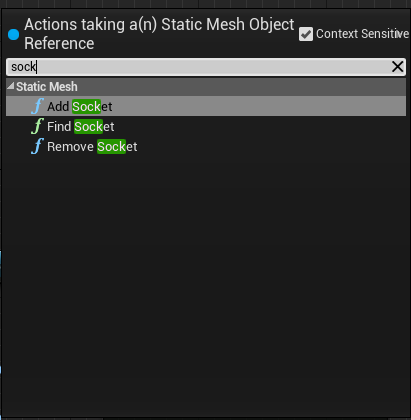 dawn gazelle
Static Mesh Object is something else.
opal ivy
If the HISM will let me get the sockets from the mesh its using, that works fine for me.


 opal ivy
https://i.imgur.com/IcWUksy.png lawl, not what I had in mind
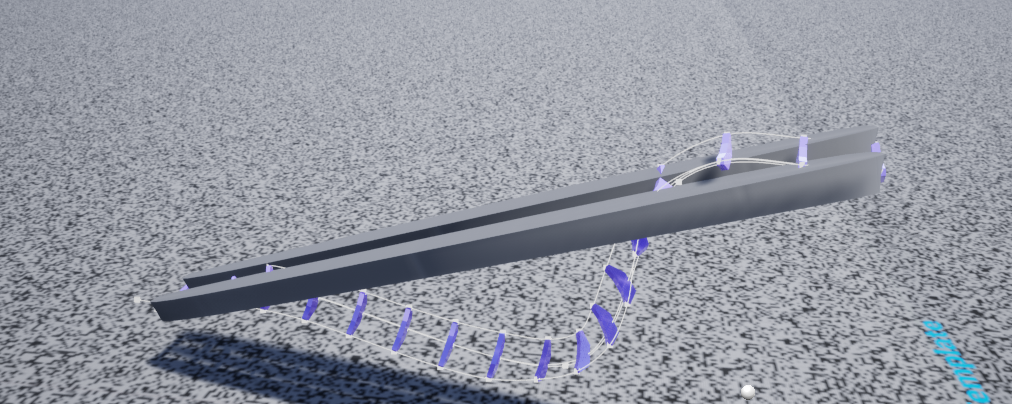 trim matrix
Hey, I have a problem and would really appreciate some help. I was wondering how to set the transform origin of a level sequence via blueprint.
I have the level sequence playing, I think I found the correct node to do the transform but it has a "Target" input, which requires a "Default Level Sequence Instance Data Object Reference".
Does anyone know what that means? Thank you!
 trim matrix
Wish I knew haha, for now this is beyond me
trim matrix
Uhm how do you possess a spectator pawn on the client only? The "possess" node is only for server...
dawn gazelle
The server tells the player controller what it is possessing when you're dealing with multiplayer.
ie. What would happen if the server thought you were controlling one thing, but on the client it looks like you're controlling something else?
trim matrix
Well yeah but the game isn't multiplayer, so.. 😕
dawn gazelle
... then ignore that it runs on server - it'll perform just fine on a single player game.
gusty portal
destroy actor node not seems to be working completely for me
i still have mesh after the actor destroy is called
can anyone help me?
olive sedge
Is it possible to have PIP like this in-game too? https://docs.unrealengine.com/4.26/en-US/BuildingWorlds/LevelEditor/Viewports/PIP/
A viewport feature that creates a picture-in-picture for accurate camera placement.
I want to have a small top down PIP in the corner
 random quail
olive sedge
Is it possible to have PIP like this in-game too? https://docs.unrealengine.com/...
random quail
olive sedge
Is it possible to have PIP like this in-game too? https://docs.unrealengine.com/...
yeah, an extra camera and SceneCapture2d. start from that
olive sedge
ok, will do. thanks!
random quail
olive sedge
ok, will do. thanks!
also this may be what you looking for https://www.youtube.com/watch?v=lw2m6o7xMKI (if you need extra widget with capture)
olive sedge
@random quail yes, actually exactly what I'm looking for! thanks so much!
 zinc blade
hello I've been cracking at this for hours now and I don't know why my character does not move, I've made a controller blueprint for my character to use and it still does not move

 cyan prawn
Is your game mode setup to use this controller
zinc blade
yes
zinc blade
cyan prawn
Is your game mode setup to use this controller
I have set it up already too

 solid grove
zinc blade
I have set it up already too
solid grove
zinc blade
I have set it up already too
set your pawn to auto receive input
from player 0
it should be in the class defaults
solid grove
zenith pond
Anyway to speed this up? Placing blocks on a landscape (basically turning a land...
this should be done asynchronously and blueprints can't do it by default you'll have to do it in c++
zinc blade
solid grove
it should be in the class defaults
sorry, where exactly?
solid grove
zinc blade
sorry, where exactly?
the button above the root component
which represents the actor settings
or the big button in the toolbar called 'class defaults'
I don't have my engine up atm so if anyone can provide him with a screenshot it would be appreciated
cyan prawn
zinc blade
I have set it up already too
There could be a few things wrong. Make sure your input axis values are setup right. Instead of casting and storing a reference, try calling the functions directly on controlled pawn. The character doesn't need to receive input because you are using a controller
 deep cove
Hey guys, I need a new perspective on this.
Why is it giving me digits in the -2000 range, when I am asking for Relative Location?
zinc blade
cyan prawn
There could be a few things wrong. Make sure your input axis values are setup ri...
my values are on 1 or -1 that should be good right
 deep cove
The object itself
 solid grove
zinc blade
my values are on 1 or -1 that should be good right
solid grove
zinc blade
my values are on 1 or -1 that should be good right
did you do what I said?
cyan prawn
zinc blade
my values are on 1 or -1 that should be good right
Yes
deep cove
What I am echoing
 solid grove
deep cove
The object itself
solid grove
deep cove
The object itself
show me the object in the viewport
deep cove
zinc blade
solid grove
did you do what I said?
is it this one?
 solid grove
no
its called 'Auto Receive Input'
you're in the correct panel
@deep cove it is the object you're moving with hand?
deep cove
ahhhh... yeah its giving world space. but why?
 zinc blade
solid grove
its called 'Auto Receive Input'
zinc blade
solid grove
its called 'Auto Receive Input'
oh I found it, and set it to Player 0
solid grove
deep cove
ahhhh... yeah its giving world space. but why?
show me the code where you move it
zinc blade
 solid grove
it works or no?
zinc blade
still doesn't work
deep cove
its getting moved with a phyical hand. but even without the hand touching it, it reads -2000
There is litarly no code in this. It's just a mesh wih a text
solid grove
@deep cove have you tried removing the object and readding it?
deep cove
 zinc blade
solid grove
does the input axis event go off?
zinc blade
solid grove
does the input axis event go off?
sorry, what do you mean by "go off"?
solid grove
it runs?
deep cove
Yeah. this is from scratch, because it happend like this i anothe bp
zinc blade
solid grove
it runs?
oh it should be running
my platform works but I can't test it without the character moving
deep cove
I'm used to it working when I affect something when gripped, but this is first time using a physics hand
solid grove
zinc blade
oh it should be running
Also I don't see the point of adding the movement logic inside the controller instead of the pawn
it just makes things difficult if you have more than one pawn
deep cove
but even without the hand it shows up at -2000. so its not the hand
solid grove
deep cove
but even without the hand it shows up at -2000. so its not the hand
what's the problem you're facing anyways?
even if its -2000 its affecting your calculations in some way?
deep cove
I just want to use the movement of the object to throw a awitch. Move it XXX in XTran, and then activate light. that sort of thing.
since I could not get an object to stay in place with the physics hand, I need a workaround. Any object it touches floats off its origin. So I will let a hidden object float around, and then conrol a solid object that the hand is not touching.
This is what physics hands do to constrained objects
So my first attempt was this. I used a physics button to throw the switch. 2 butons, but then my sister flicked them on/off realy quick, and it broke. I can't have something that is not sister-proof. The buttons freak if turned off/on rapidly. So now I'm looking at another option, and I'm getting these large number out of nowhere.


