#blueprint
402296 messages · Page 662 of 403
 opal ivy
 severe turret
file io stuff is generally done with FFileHelper functions in C++ but that is the raw code. There are plenty of plugins for it now too
 mint comet
what's the difference between casting and an object reference?
opal ivy
casting is changing the type
mint comet
type?
 icy dragon
Casting is like treating an object class as another related class.
Object reference is simply a reference to an object.
severe turret
@opal ivy casting isn't change the type. It's checking the type is correct so you can access the class members.
mint comet
can I ask for an example please?
severe turret
if(Cast<MyBlueprintClass>(MyObjRef)) { //do something; }
sorry blueprint channel. But it makes sense right?
mint comet
oh. I see so mainly casting is just used for "verifying" per-se but the usage of it afterwards is pretty much how you would on an obj reference?
severe turret
yeah the cast blueprint node will take a target, but the cast node itself is class typed. So when you type Cast into the blueprint function search, it will list all the classes you can cast to (that have been exposed). So if you pick the one that is Cast To BP_MyBlueprint, then you have the class type specific node. Then you plug in any object (hopefully your instance of BP_MyBlueprint) and it will return True or Fail depending on it the target is valud
*valid
Then you can access the variables and functions on your BP_MyBlueprint from there
mint comet
oh nvm i get it but the only thing im having trouble with is the object reference or wildcard of the cast
 dawn gazelle
mint comet
oh. I see so mainly casting is just used for "verifying" per-se but the usage of...
dawn gazelle
mint comet
oh. I see so mainly casting is just used for "verifying" per-se but the usage of...
Casting is not really for verifying, it's for getting a more specific reference from a less specific reference so that you can access the specific classes' variables and functions. For example, you can have an Actor Reference from an Overlap event which you can feed into a cast to do something specific on your Character. The generic "Actor" doesn't work to execute the "My Custom Event On Character" but the "As Character" pin from the cast does.
If a cast ends up failing, that indicates that the input object isn't of the class or a child of the class it is casting to, so you can try casting to something else, or do whatever you need to do in the event that the cast fails.
How you get the reference that goes into the cast is sort of up to you and should be based on what it is you're trying to do and what you're trying to cast to. In my example below, I'm using the "Other Actor" from an overlap on the CapsuleComponent to get a reference. You can use line traces, overlaps, a variety of different gets (like if you were trying to cast to your "CustomPlayerController", you could do a "Get Player Controller" and feed that into your "Cast to CustomPlayerController" node) and many more that would take too long to list or give examples of.

 dense mica
@dreamy gulch Store your enemies in an array of AActor or your enemy type, on each spawn add them to that array and check the length of the array, if it is higher than you expected delete the first 2 (0 and 1 index)
dont forget to remove them from array too
 dreamy gulch
dense mica
<@!517518941434806313> Store your enemies in an array of AActor or your enemy ty...
dreamy gulch
dense mica
<@!517518941434806313> Store your enemies in an array of AActor or your enemy ty...
if i show you my bp could you tell me how to take away the bad spawning counter nodes and replace with the good one? if i do it i will break my code altogether
dense mica
Send it
dreamy gulch
this is the spawn end of it, the set lifespan and set loop stuff is the not working array stuff

fyi, portal count is the array, but the actors are not an array as when i did it it kinda broke my whole game
dense mica
There are a lot of bad practices there
dreamy gulch
dense mica
There are a lot of bad practices there
yah it was a copied bp for a slightly different function i had to guess how to change it to make it work for me, then someone showed me this set loop method to count them, and again i had to guess how and where it should go
dense mica
So you are creating portals for portalcount's lenght times and those portals create spells two times and you are deleting portals after 2 seconds?
dreamy gulch
im essentially making a spell, the final product will be you cast the spell, it initiates slow mo, giving you like 10 seconds to place two portals, entry and exit, which will either destroy via timeout, new spell cast, or once something passes through
dreamy gulch
im worried i wont be able to get the linetrace spawn thing to work, as i said i modified a slightly different one and im lucky i got it to work in the first place
dreamy gulch
Rotation part, the current method is hold down key 1, while holding it down use the mouse camera aim to place it anywhere within like 2000 units, hold down right mouse and it will rotate, once key 1 released, place it
 dense mica
I dont see any portalcount array here
Can you use this node for your portalcount array
 dense mica
dreamy gulch
this is the spawn end of it, the set lifespan and set loop stuff is the not work...
dense mica
dreamy gulch
this is the spawn end of it, the set lifespan and set loop stuff is the not work...
Just before for each loop
Also put a breakpoint to that loop node (by pressing F9)
It'll stop the game and let you debug it
When the game stopped, hover over your mouse to pins
Check their values
And watch this on your free time: https://youtu.be/YyzsbY4pLuQ
dreamy gulch
the set portalpoint is the roginal actor i was using, when the guy told me how to do it i changed that to an array, and it broke the game, so i created a separate array called portal count, im sure thats wrong but ive only just started learning like last week

sorry not 'set portalpoint' i meant 'entryportalplace'
dense mica
So your portalcounts array is empty, from what I can understand from screenshots
Because you are checking for validation for your EntryPortalPlace
dreamy gulch
i appreciate the help btw i know my bp is a cluster***
dreamy gulch
so can you add single actord to an array, or do they also need to be array?
dense mica
array is just a container holds multiple values of same type
this is relatively a confusing subject for a beginner
but to summarize and explain in the simplest way, your all variables of objects are actually pointers
they point to the value of your object in the memory
and objects array (object = actor, pawn, character, anything derived from uobject class) holds the pointers of your values, when you add something to array, it copies your variables adress and store it
dont get busy with these things for now
whenever you spawn a portal, store it (add it) to your portalcount array (and probably rename it to StoredPortals)
And whenever you delete them, before destroying or setting their lifespans, also delete them from your array
use find node of your array and remove the found element
dreamy gulch
i thought here i was adding the spawned portal place, to that array, or am i actually just adding an empty array to nothing

 dreamy gulch
should i transfer the loop section to after the add?
or better yet scrap it all? i hate to make you spend ages helping
dense mica
use IsValidIndex node for your 0 element
if it is not valid, just spawn portals without using any loop
if it is valid, use the current setup
dense mica
dense mica
And watch this on your free time: https://youtu.be/YyzsbY4pLuQ
if none of them works, watch this, and you'll solve it very easily
very very easily
dreamy gulch
add is valis to that 0 you mean?
 dense mica
 dreamy gulch
i shall start watching now, thasnks for all the help and apologies for the stress
dense mica
0 is always the first element, so if 0 is none, it means your array is empty (unless you placed the first element to 1th or anything else than 0 but in your case its always 0)
dense mica
dreamy gulch
i shall start watching now, thasnks for all the help and apologies for the stres...
No stress, dont worry, good luck 🙂
dreamy gulch
dense mica
No stress, dont worry, good luck 🙂
mostconfusing of all is how i helped solveyour anim issue in one message, that will be the highlight of my game dev career
dense mica
Haha well it was a pretty accurate and sensible guess 😄
dreamy gulch
ifonly i had that debugging sense for everything else
 trim matrix
Guys is it possible to create with blueprints a drag and drop UI input where I drop an image from my desktop to? Are there any topics on the forum about it?
dawn gazelle
trim matrix
Guys is it possible to create with blueprints a drag and drop UI input where I d...
Fairly certain there's nothing within blueprints that supports that natively and not sure if there's plugins anyone has made that does that. C++ there's this thread:
https://answers.unrealengine.com/questions/344557/dragdrop-files-into-game-possible.html
 fathom hamlet
I want to remove a small radius of my landscape when an enemy dies, how would I do that? I thought I could use LandscapeVisibilityMask in the level blueprint. I've been working on this for a week and can't figure out a better way to do it. Any help would be greatly appreciated.
trim matrix
dawn gazelle
Fairly certain there's nothing within blueprints that supports that natively and...
Thanks! Is it possible to just make a button,by opening which I can select a file to import into UE?
dawn gazelle
trim matrix
Thanks! Is it possible to just make a button,by opening which I can select a fil...
Again, not natively, but there are plugins available that have this functionality in blueprints.
https://www.unrealengine.com/marketplace/en-US/product/easy-file-dialog

Unreal Engine
A simple & easy to use blueprint file dialog plugin
(also free)
severe turret
if you want a cross platform version you could use my TFD plugin too. https://gumroad.com/products/EHpDK/

Gumroad
TinyFileDialog plugin for UE4 is a cross-platform lib that offers several options for opening dialog boxes.This plugin contains 6 new nodes.- ShowMessageBox (a simple message box)- ShowInputBox (capture user input)- ShowSaveFileDialog (open a dialog browser to select a folder)- ShowOpenFileDialog (open a dialog to select a file to open)- ShowSel...
(if you want it for free, get it from my github. I just have the gumroad for donations) https://github.com/Doublezer0/TinyFileDialogsUE4
GitHub
A plugin that adds the TinyFileDialogs cross-platform lib as accessible blueprint nodes for Unreal Engine 4. - Doublezer0/TinyFileDialogsUE4
trim matrix
anyone know how to make this text hidden and only show up once a different widget is open but also overlay that widget so the background blur doesnt affect it, its a timer

 pale pecan
Hey guys, I'm adding elements to an array and yet they are all index 0.
doing a for each loop I can print each object name in turn but each index is 0. it sounds wrong to me.
 ember wharf
If anyone could shoot some help i'd greatly appreciate it. I'm currently working on a tank control movement but when i rotate my character it seems to snap back to looking forward. Any suggestions? (i've removed the boom arm and camera for the third person character)
 trim matrix
Hello, i'm trying to have children units with specials stats and abilities based on a parent unitMaster class, and Ability class. However, when I try to modify my unit with the ability, the ability is null. Any idea how to assign a class ?

This is my ability, and the fireball:


I get this:

This is my variable:

 knotty bane
trim matrix
Hello, i'm trying to have children units with specials stats and abilities based...
knotty bane
trim matrix
Hello, i'm trying to have children units with specials stats and abilities based...
your fireball variable holds a reference to an actor. if you don't spawn it and assign it to the variable, it will stay null
trim matrix
ah ok, so if I want a class simply listing what the ability does, I should not use an actor
knotty bane
you could change your setup to have not references but classes in your abilites array, then in your unit you can use that info to spawn the actual ability
knotty bane
trim matrix
ah ok, so if I want a class simply listing what the ability does, I should not u...
yes. actor reference are holding a pointer to a spawned / running actor
trim matrix
what other object should I use ?
knotty bane
depends on your setup. you could hold an array of classes (not references), and then when you want to spawn that ability spawn a new actor with this class
maybe this video gets you going, it shows some differences object/class https://www.youtube.com/watch?v=xu7ymhN_7Lo

In this video we discuss the difference between Object and Class variables, providing general guidelines on when to use each one.
A link to the wiki for further notes is available here -
https://wiki.unrealengine.com/Blueprint_Essentials:_Object_%26_Class_Variables
trim matrix
thank you 🙂
 worn nebula
Hey, does anyone know why there's a bit of a stutter after my roll here? https://gyazo.com/181aaabc8a50e03ae7360b8afaefac3f
This is my set up:

The timeline is so he doesn't just roll and instantly stop, and the delay at the end is to ensure the animation is finished before the roll is done
 azure bolt
I've just made a simple box collision so that when the player enters it they can left click, the turn off/on input works, but I can't use the keys when inside it. What am I doing wrong? this method has worked previously for me

 last abyss
azure bolt
I've just made a simple box collision so that when the player enters it they can...
last abyss
azure bolt
I've just made a simple box collision so that when the player enters it they can...
make sure left mouse button doesn't consume input
azure bolt
What do you mean? I tried several keys such as backspace, enter, C and none were working
last abyss
@azure bolt I mean that should be working, at least the actor should be printing hello no?
azure bolt
Ah I think I found my issue, I was using a character blueprint instead of an actor blueprint.
last abyss
interesting, can anyone explain why pawns need to be possessed to get input from a PC rather than using enable input?
 smoky socket
Hey guys, how do I get a bone position from a Skeletal Mesh asset? The Get Socket Location expect a Scene Component as input, and I can't cast the Skeletal Mesh to a Component.

 turbid valley
why that actor doesn't move to that socket when i overlap with it?
 knotty bane
turbid valley
why that actor doesn't move to that socket when i overlap with it?
knotty bane
turbid valley
why that actor doesn't move to that socket when i overlap with it?
connect other actor pin with target
turbid valley
now it gave me this
 knotty bane
turbid valley
now it gave me this
knotty bane
turbid valley
now it gave me this
check for other actor != player character. If you tell a litte bit what you try to do maybe one can help better
 teal trench
Can anyone point me on how to make my character move to a clicked actor in a 2.5D world. And then, if he reach it, I can click to the next actor to make the character move to it?
trim matrix
@teal trench there is a top down template
teal trench
trim matrix
<@!194019782020956161> there is a top down template
The issue with that template is that it makes the character move anywhere you click, I just want the character to move toward an actor when I click on that actor
icy dragon
teal trench
The issue with that template is that it makes the character move anywhere you cl...
Just improvise the code.
trim matrix
for that you could use an invisible volume on the actors, project screen to world position and check if the mouse overlaps it
(probably with a line trace)
icy dragon
Instead of move anywhere to click, you can modify the code to do a check if the object clicked is a valid character class.
teal trench
icy dragon
Instead of move anywhere to click, you can modify the code to do a check if the ...
That's it, how do i do that?
I can only think about a way to get the clicked actor' s location and send my character to that location with AI move to or Simple move to location
will that be good enough?
trim matrix
@teal trench would be my approach too
teal trench
trim matrix
<@!194019782020956161> would be my approach too
then I'll go with that,
 little flare
hey can someone help me? when i hit my enemy, the "GetHit" anim plays, but then, he starts to walk in idle, he still plays the hit anim when i hit him but he walks in idle
 high ocean
This is driving me crazy:

The code doesn't change the normal state, only the hovered...
any ideas?! the ref is there, checked with print, it even shows up as set after the first setmembers function, so it should be there, but it doesn't change.
 maiden wadi
@high ocean Does it also not update it after calling that and then hovering over the button and then off?
high ocean
@maiden wadi nope
maiden wadi
That actually works for the hovered though? That's kind of odd. I thought breaking a struct passed them by value, which would mean you're setting a copy.
high ocean
@maiden wadi even tried re-structuring the struct all the way up to setting the style struct back into the button itself - thought it lost it somewhere in the sets - nope, didn't work
little flare
little flare
hey can someone help me? when i hit my enemy, the "GetHit" anim plays, but then,...
plss
maiden wadi
@little flare Look up Anim Montages. Quite a bit of data floating around for them.
maiden wadi
@little flare Read through this. It'll help you with that. https://docs.unrealengine.com/en-US/AnimatingObjects/SkeletalMeshAnimation/AnimHowTo/AdditiveAnimations/index.html
Demonstrates how to blend animations together, in this case, a character that can move and fire a weapon at the same time.
little flare
ok, tnks
opal ivy
Is there a FREE json plugin people would recommend for using in blueprint?
 sand wasp

what is this?
but why does it always pop on, if I try to pick up a weapon?
and since this error comes up some things dont work anymore
i just imported something (art assets and particles) and since then this pops on and some keystrokes are not being registered anymore
why is this enabled since i imported these assets anyways?
alright... I'll do some debugging then
high ocean
@maiden wadi Could it be the implementation? I've tried it on {EventConstruct} and it sets the texture fine there 🤦♂️

 high ocean
@little flare If you are using an animation blueprint, you need to change animation state, play this "being hit" animation, then switch back to the animation blueprint. If you aren't using one, then it's more complicated. But these are more like #animation questions.
sand wasp
@trim matrix So I just found out that since I imported those assets, I am able to swith the Editor Viewmodes via Keyboard (V cycles trough Wireframe, Reflection, etc. / B shows all). I don't know how and why this happens but somehow F is assigned to freeze render. I don't know where the BP for this is, but I dont have anything in my Controller or Player BP.
high ocean
@little flare Read up on animation states, animation blueprints, follow a tutorial on animation blueprints+state machines etc. There are tens of them on youtube.
little flare
i just did this
 maiden wadi
@high ocean Uncertain. As far as I was aware, simply setting it should work as it should update in the next slate draw.

 sand wasp
but I deleted already the last imported assets and it is still happening. It somehow messed up the settings. Btw Input in ProjectSettings is fine. Is there any Debug Setting i dont know of, which changes the viewmode?

 sand wasp
@trim matrix So is there no hidden debug setting which switches the viewmode?
 opal ivy
So, I've found DataTables. Are there practical limits to data tables I should know about? Such as column or row count?
Right, I don't want to express tree like data
I want to represent a 2D array of ints
Can I have a datatable with, say, 500 columnns and 500 rows? Or should I just have 2 columns and 250k rows?
 faint pasture
opal ivy
Can I have a datatable with, say, 500 columnns and 500 rows? Or should I just h...
faint pasture
opal ivy
Can I have a datatable with, say, 500 columnns and 500 rows? Or should I just h...
Whoah naw don't do that
Unless a row is something on its own
Just make a struct that acts as a 2d array
What's the use case?
opal ivy
I'm trying to build a set of static meshes based on a heightmap
faint pasture
Ya make a custom struct and some helper functions to convert 2d to index
That's what I use for wave function collapse
opal ivy
Maybe I'm overlooking something, but I haven't really seen an intuitive way to use a heightmap
faint pasture
I'm fairly certain there isn't a built-in multidimensional struct but I'd be happy to be proven wrong.
opal ivy
There's not as far as I can tell.
dawn gazelle
opal ivy
Is there a FREE json plugin people would recommend for using in blueprint?
This looks like it would be the best one of the 3 free plugins I could find, and looks to be fairly straight forward on how to use it, but I've not used it.
https://www.unrealengine.com/marketplace/en-US/product/json-blueprint
The others are VaRest and EasyJsonParser. VaRest's JSON functionality I find is very cumbersome, and not very intuitive to use and has a lack of documentation on how to properly use it, but it is still a good means of making API requests and the like where you usually get JSON responses.
Easy Json Parser only takes JSON input, has no easy way of converting values to a JSON string, and looks to be fairly limited in its capabilities.
faint pasture
Ya idk, I thought you already had the int data and just needed a data structure to manipulate it.
opal ivy
I do, currently it's from an outside program
faint pasture
We just import as csv to a data table but it's 1 bitmap per entry in the table and they aren't huge
At run time we have large bitmaps tho
opal ivy
As it stands, I'm generating a 500x500 array of ints from 1 to 5, and rendering that using SFML, but could easily put that area into any sort of image format
I don't want a typical height map though, I want each point of the heightmap to be represented by a cubic static mesh
as the most basic level, this would just be a plane instead of a vertex
 clear hinge
What does the path start mean here? and the tether distance?
 dawn gazelle
clear hinge
What does the path start mean here? and the tether distance?
dawn gazelle
clear hinge
What does the path start mean here? and the tether distance?
Path start would be the location where the path starts. What the tether distance does is described at the top.
 opaque flax
Anyone knows how can I get world location of the actor component?
dawn gazelle
opaque flax
Anyone knows how can I get world location of the actor component?
You mean a child actor component?
 opaque flax
@dawn gazelle Not exactly, now there will be an explanation by @tough ocean
 tough ocean
Im taking component from hot result, taking it's owner and from it I search every component with same tag, than i should compare every component location with first one
@dawn gazelle


 glad sigil
Not sure if this is the right channel to ask this. We have a level fully set up with Level Streaming Volumes and works just fine, but when we switch from another level to that one, the Streaming Volume collisions are not triggering for some reason. Has anyone found this before?
tough ocean
But i cant read world locations
 opal ivy
It really seems crazy to me that it's this difficult to get the Z value of a heightmap at a given XY
dawn gazelle
tough ocean
But i cant read world locations
You're working with an Actor Component reference which does not normally have a location in the world. It is attached to an Actor which does have a location.
tough ocean
@dawn gazelle OH, seems i got it, i've just change to scene component class and now i can get world location
 high ocean
@maiden wadi Thanks anyway 🙂
opal ivy
Do I have to break into C++ to define a type for my data table rows?
dawn gazelle
You just create a structure.

After you create the structure, you can create your table based on the structure.
opal ivy
awesome, I think I may have a solution here then
 round basin
Hi, I'm trying to get a "1d velocity", like the speed of a character in a 2d game. I think there might be a function for that, but I couldn't find it. So I have done that, and it seems to work. Can you tell me if there's any better ways to do that ? Thanks !
 trim matrix
@round basin Get Velocity and Get Vector Length or Size
sand wasp
How can I see what C++ class or blueprint is executing a command?
opal ivy
I think I'm actually super close to having this working, if I could just figure out why my for loop gets detected as an infinite loop after ~400 on each axis
round basin
trim matrix
<@!659846132482048021> Get Velocity and Get Vector Length or Size
Thanks you ! Exactly what I was looking for.
 hybrid ether
I have problem. In my game when I "loot" it sets gamemode ui only and open widget. But if I have move forward button 'w' pressed while I open loot player keep running forward. Stop movement node doesnt work because game thinks I'm pressing W
sand wasp
How exactly do I do that?
icy dragon
So I'm trying to assemble a blutility, and want to have the function to create BP asset inherited from Object in the Content folder.
However, the Factory input is kinda confusing to me, since it doesn't seem to detect any Factory Object or UFactory classes. Context sensitive node selection doesn't have much useful nodes either. What should I do with it?
 sand wasp
The Keymap has only an Interaction assigned to F, but I never access it. Can I do a full sourcecode search in Visual Studio?
Alright, thanks! But one thing before I do that...I just made a new GameMode with a new pawn and its working now. But the Main GameMode with its Classes isnt....why's that?
opal ivy
holy hell I did it
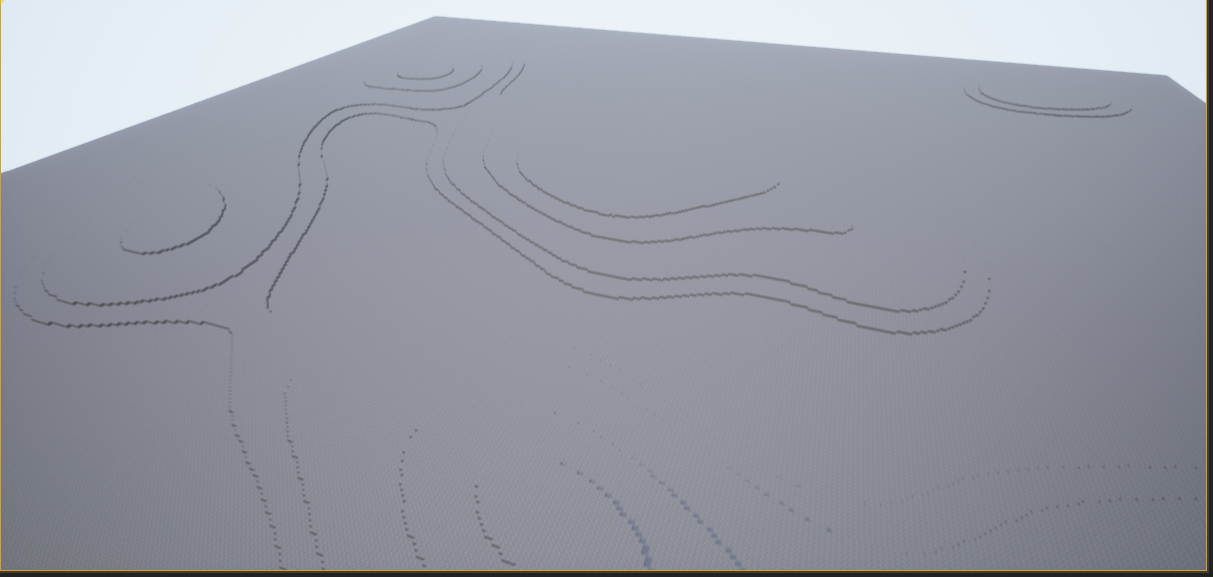
It's loading my low res heightmap in and displaying
I can actually move on to determining a set of static meshes now, rather than using cubes
sand wasp
oh lord @trim matrix ...it was the fookin Replay Spectator Controller Class which was not set correctly
Thanks for your time tho, really appreciate it
opal ivy
I'm not going to be using cubes long term, I'm going to be doing a handful of static meshes
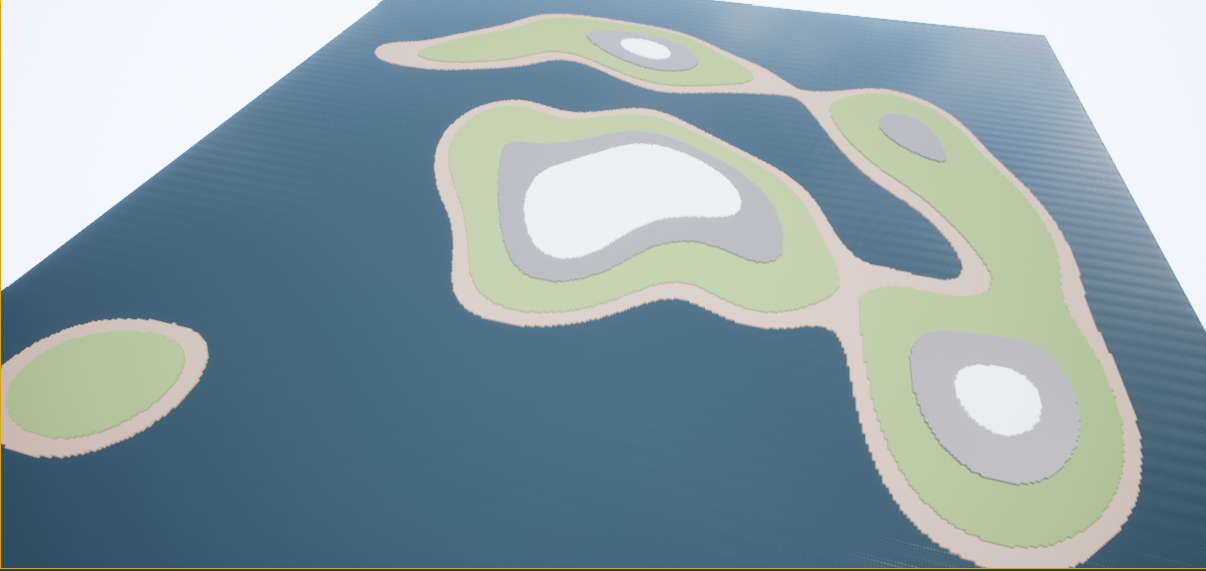
Currently just trying to get a handle on the engine itself and the best way for me to do that is playing around with it myself
 boreal tundra
what decides what my object should be during casting, whenever I cast to something it fails, and I don't know what to cast to
 covert stirrup
How do I normalize the distance along a spline? can't seem to get it to work right

 tawdry pawn
hey guys i am trying to add a link to a radio station as a triger
in what node i shell use to get the radio work at my level?
open url is option but may delay the function
any other way?
 severe turret
what is the scale before you run it?
 restive dagger
0.3
severe turret
then its gonna set it to 1.0 which would upscale it
restive dagger
wait since this is a problem,
First I downscaled the capsule component
I thought (since its the parent of the static mesh) the static mesh will get down scaled too
but it didnt
so now I have to set the scale of the capsule component and the static mesh
is that fine ?
 alpine lotus
hey there... I'm new to Unreal... and I'm trying to make a cube jump forward by a certain amount on a key press

this is what I did
but it doesn't quite work
 weary forum
I believe you want to call the root component, not the static mesh
last abyss
alpine lotus
first things you can do is see if a print string would actually show up when you press W. if it does, then you can work out why it doesn't move. such as, perhaps it's not moving because you're only movin it once to X 10, Y 5, Z 0 meaning once its done it won't move again because it's already in that place.
alpine lotus
it actually moves when I press the key, it all triggers, but it kinda just jumps around
ima try increase the values and see what that does
maybe it's because physics are enabled 🤔
I think I maybe found the issue
it kinda works, but not how I expected
I can only move it once
like when I press W it moves forward, but when I press it again, it doesn't move again
last abyss
that would be because you're feeding a single location in, you're not adding to a location.
considering move component to uses relative location, you'd want to get relative location of the component and add a vector to it
 gusty cypress
Can I use event tick to create an ingame timer?
alpine lotus
last abyss
considering move component to uses relative location, you'd want to get relative...
so I need to get the actor location?
last abyss
gusty cypress
Can I use event tick to create an ingame timer?
you could use set timer by event, promote it to a variable and get the elapsed time by handle from that variable
last abyss
alpine lotus
so I need to get the actor location?
no, since its the component that's being moved you need to get the relative location of the component. So off the static mesh component pin you would get relative location, then vector + vector with that location which will return a vector that you plug in the move to node
alpine lotus
I did this
 alpine lotus
last abyss
no, since its the component that's being moved you need to get the relative loca...
alpine lotus
last abyss
no, since its the component that's being moved you need to get the relative loca...
I see
the thing I did also worked, but your method seems better
last abyss
alpine lotus
I did this
the problem with this is if the actor is not at 0 , 0 , 0 in the world, the first time it would move, it would fly off to whatever location in the world the actor is in + 100 on the X.
alpine lotus
ah yea, makes sense
weary forum
So I'm trying to rotate my pawn with quaternions, and well, it kinda works, but it rotates like crazy and spazzes out of control like crazy.
I assumed that the amount it's rotating per tick was just a really high amount, so I multiplied the quaternion X axis by the "rotationreduction" variable, which is just a really small number (0.000001, in fact). This didn't really change anything.
My next assumption is that it's tied to my framerate, but I don't know how to limit the speed of this by delta seconds, since this is running off the InputAxis event, not the EventTick.
 gusty cypress
last abyss
you could use set timer by event, promote it to a variable and get the elapsed t...
gusty cypress
last abyss
you could use set timer by event, promote it to a variable and get the elapsed t...
what about getgametimeinseconds?
last abyss
gusty cypress
what about getgametimeinseconds?
Well thats for how long the game has been active, if that's the timer you're looking for then you could use that sure
gusty cypress
last abyss
Well thats for how long the game has been active, if that's the timer you're loo...
Ive heard its the most accurate so what I would do is when I need the timer to start I get game time in seconds then subtract that from the new time
 alpine lotus
uuuh, why is my cube just flying up when I enable physics
shouldn't be blueprint related, nothing is activating
I just changed angular damping, but then changed it back

I am confused
weary forum
Is this made from a character, or just like, a normal cube?
weary forum
alpine lotus
I set it to move-able
Is it spawning inside the floor or something?
I think that would make the physics freak out
alpine lotus
weary forum
Is it spawning inside the floor or something?
nope, I don't have it set to spawn, it's already there
it's like this

and when i press play
it flies up
and it didn't do that before
I start it... and
 weary forum
what happens when you drop another default cube in the world?
alpine lotus
good idea, ima try
weary forum
does that one fly up?
alpine lotus
yes
weary forum
Interesting.
did you ever mess with your global gravity?
weary forum
check it out
It's in your world settings menu
 alpine lotus
opened unity for the first time today, after binge-watching tutorials, lol
weary forum
it's in here
 alpine lotus
hmm
 weary forum
maybe override it?
alpine lotus
yeah, gonna try
I set it to 1
and it doesn't fly away now
but it messes up my cube movement
weary forum
I wonder how that happened in the first place, that's strange.
alpine lotus
instead of the cube jumping, it now kinda glitches a bit
and then floats away
lol
so overriding gravity didn't solve it really
I think it doesn't even fly straight up

maybe I'm just gonna start a new project... now that I know how to setup my movement... it isn't that hard
actually
starting a new level may work
and ima delete this one
since my cube is a class... and not a level blueprint
I won't loose progress
yeah
it works now
ok now a legit question after that... weird encounter
I want my cube to look like it's jumping... so I have it go to a location and up... but then when it gets there
it just falls dow
how would I go about it going up and down?
I mean I have the idea of... using 2 of these in succession

one up and in the wanted direction and the other continuing the direction and down
but is there like a simpler way?
lol, spaghetti

 earnest tangle
you know you don't have to use just one "get variable" node lol
alpine lotus
I know
gusty cypress
I've created a timer using "GetGameTimeInSeconds" and I've tried to format it using toText making the format 00:00.00 but instead it gives me 00:00.000 not sure why...

 earnest tangle
you probably should set maximum integral digits to something else than 324
also a second has a 1000 milliseconds so I don't think your formatting would work to begin with
if you're trying to do a similar formatting as you often see in sports or such where you have the faster running total after the second, they use 100th's of a second so you would need to do that conversion
gusty cypress
wouldn't the format work as all i want to do is cut off 1 digit, hence 0:12.522 = 0:12.52
alpine lotus
@earnest tangle if I want the view camera to follow the player... I need to have it within the blueprint of the cube?
earnest tangle
if the cube is your player pawn then that would be an easy way to do it since it would automatically move with it
alpine lotus
also... how do I set the cube to actually be a player pawn... to have it spawn on the player start?
trim matrix
Hey guys, i have an action mapping that uses Shift + LMB. The released pin doesnt trigger if i only let go of shift though, only fires if i let go LMB or both. Any way to have it fire regardless of which key is released?
alpine lotus
How do I make it that the camera shows the scene
like when i start the game
so that the view is from the camera
@earnest tangle are you still here?
I tried to get the camera view

but that didn't work
 narrow kelp
What in the world is going on with Wrap Integer... None of the results are what I'd expect
 sand shore
negative input? That's broken
 sand shore
you would expect 0?
narrow kelp
yeah
narrow kelp
yeah it wasn't working for negative either, like you said
maybe its just a couple weird things adding up that made me confused
sand shore
that does tend to be the case any time you're thinking to yourself "Man if this is broken I don't know how anyone ever ships an Unreal game"
narrow kelp
lol yeah
sand shore
(but perhaps your confusion was not nearly as reaching as that)
narrow kelp
it seems like a function that would just work
sand shore
Right?
It has a terrible contract, enforced terribly
If I were doing this node today, I'd have it take a FIntRange and it'd work with negative values
dawn gazelle
narrow kelp
it seems like a function that would just work
BlueprintUE
 flat quest
How would I get the instance of an actor. When the game is started, It creates an instance of a camera actor, I want to get that actor and change details in game.
 fleet cedar
I want to make my character face the direction of the blue arrow, but it flips between negative and positive which causes it to flip. Anyone know a workaround?
faint pasture
fleet cedar
I want to make my character face the direction of the blue arrow, but it flips b...
I'm not seeing any flipping in that clip. What exactly is the problem? Just set character rotation = arrow rotation
icy dragon
fleet cedar
<@!127902729677963264>
That's gimbal lock, I presume.
Okay, so here's the thing: don't lerp Rotators floats, because it'll wrap around so that it wont cause floating point errors.
Instead, use something like Add World Rotation on Tick.
 true blaze

What you can do is use this
and as alpha, use
Delta rotoator, Difference between current and target rotation
divide it by 90
(or 180?)
and feed that into alpha
i think that might work
trim matrix
Hi, I use pawn sensing for AI, is there a way to make the ai harder to see the player in the dark, and recognize the player flashlight?
opal ivy
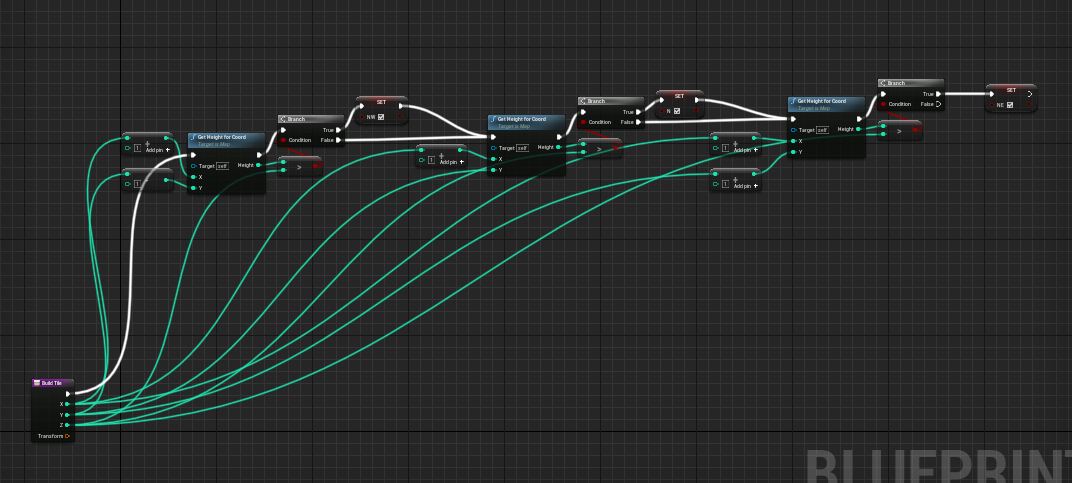
Is there a way to create a second copy of my pins in a function? https://i.imgur.com/sDhjVh3.png This is getting out of hand really quickly
 dawn gazelle
opal ivy
Is there a way to create a second copy of my pins in a function? https://i.imgur...
dawn gazelle
opal ivy
Is there a way to create a second copy of my pins in a function? https://i.imgur...
Within a function you can just do a "get" of the input variable name.
opal ivy
thank you!
opal ivy
https://i.imgur.com/cUCpenI.png That's much more sane
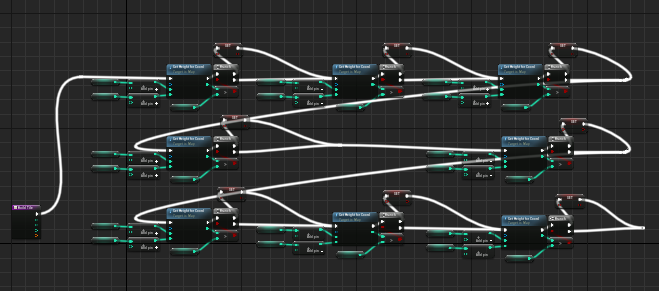 weary forum
For some reason, my pawn isn't able to move, but my rotation blueprint works.
To be clear, this is on an empty pawn, so it doesn't have the PlayerController on it, but I can't put that on here either.
I'm confused, because this is as basic as it gets, and I'm not sure what's wrong with it.

 pine prawn
Hi! Let's say I have a BP_A and a BP_B that's a child class of BP_A, is there a way to cast as BP_A elsewhere and call a function that is prototyped in BP_A but defined or overriden in BP_B?
dawn gazelle
pine prawn
Hi! Let's say I have a BP_A and a BP_B that's a child class of BP_A, is there a ...
Something like this?

Overidden in BP_B:
 pine prawn
Ya pretty much
dawn gazelle

If you place actor BP_B in the scene in this situation, you'd get the "I have ovridden the function!" output.
pine prawn
so it's automatically overridden just by virtue of having the same name
 icy dragon
trim matrix
Hi, I use pawn sensing for AI, is there a way to make the ai harder to see the p...
icy dragon
trim matrix
Hi, I use pawn sensing for AI, is there a way to make the ai harder to see the p...
The sight only put into account occlusion by geometry, not light.
The game world is like how it would appear in unlit view as far as the sight component is concerned.
pine prawn
Oh ya I looked in there but didnt see mine, lemme check again 🤔
Woo! it worked! Thanks @dawn gazelle - I didn't see my function in the overrides so my bad 😎
icy dragon
trim matrix
Hi, I use pawn sensing for AI, is there a way to make the ai harder to see the p...
If you have pre-baked lighting, it's easier because you can just set up a trigger volumes on the dark area to ignore your player from the AI's sight if they overlapping with the dark trigger volume.
As for the flashlight, you could do angled line traces that make up the shape of cone. But you don't have to be extra precise by using too many linetraces - it's pretty forgiving even with fewer linetraces. 6 linetraces around the flashlight's light cone and 1 linetrace from the center should be enough.
 marble tusk
I've created a Blueprint Interface, but for some reason I can't find certain built-in enums in the variable list. I'm wanting to use ESplineCoordinateSpace, but it's not in the list. I've used it before in my Blueprint function inputs, so it's puzzling me why it's not able to be selected here too.

Oh, I might've used it in Blueprint functions from just dragging the pin onto the function rather than selecting it in a list. I guess it's just not exposed as a seletable option
Well, that's odd since I'd like to keep using it to be compatible with my other stuff
I'll just make my own I guess
 hazy tide
Idk where to put this
Where is bug report section?
I get this crash when trying to paint with a material on my landscape
 maiden wadi
@marble tusk You can't see it because the component is terribly written. Despite that it's a property used in blueprint, it's not actually blueprinttyped.
If you want to get around it easily, you could just specify a bool of IsWorldSpace or something and convert the bool to binary. Enum only has two entries, so local would be 0/false, worldspace would be 1/true.
 marble tusk
I just made my own with the same options. Enums seem to just be bytes, so they're relatively compatible with each other
maiden wadi
They are bytes. So yeah, that'll work.
Seeing older components makes me wish they'd redo them for 5.0. I know they won't.. but still.
marble tusk
When I try to plug one into the other it automatically makes this converting node. It doesn't connect properly, so I need to add the make literal byte node
 maiden wadi
Semi not surprised. Namespace enums aren't supposed to be used anymore. Should be
UENUM(BlueprintType)
enum class ESplineCoordinateSpace : uint8
{
  Local,
  World
}
 keen seal
Hi, as the player destroys more enemy characters the NumOfEnemy gets skewed till it reaches 0. Something weird is going on, more enemies spawn when I kill one but there's less enemies overall. https://blueprintue.com/blueprint/h52hdnvq/
BlueprintUE
ember wharf
ember wharf
If anyone could shoot some help i'd greatly appreciate it. I'm currently working...
Thought I'd bump this incase anyone knows whats going on?
opal ivy
is there a number of blueprint actors I should stay under for best practices?
I'm actually pretty insanely close to having my map building like I want, but I've gone too deep and UE detects an infinite loop, so I'm going to have to break the map into chunks
ember wharf
ember wharf
Thought I'd bump this incase anyone knows whats going on?
Figured it out i had a delay timer that was resetting my characters orientation
maiden wadi
@opal ivy The loop has nothing to do with how many actors you can or should have.
alpine lotus
How do i get the view from my camera?
turbid valley
i need to cast from actor1 to actor2 in thirdpersonBP. What do i put to actor2 cast object slot?
alpine lotus
so I can't setup my camera... because the camera isn't a actor...

I was trying to have the camera as a part of my player blueprint

since I want the camera to follow the player on the X axis
but I can't get the view from the camera
but if I make a new blueprint with just the camera... how would I reference the player position there?
Also... having the camera in the same blueprint as the player... would mean I could just place it into levels and it would all be setup
but I can't figure out how I'm supposed to have the view from this camera when i start the game
I have been stuck on this issue for at least 2hrs... and haven't made any progress
and I really need to get the view working so I can test the game... so i can add more things to it
 brittle spade
when I posses another character, the old one seems to be stuck however I left it, if I unpossessed it while in air, it will stay in air, if I unpossess it, while walking, it just walks in place... and so on
I was thinking to let it with an empty controller, but I'm unsure how I could achieve that
 misty ibex
Hi, guys, Is there any "coding standard" for blueprint?
I write logic with blueprint a lot, and every time I look back to the BP i made, they are just like one of https://blueprintsfromhell.tumblr.com/...
But I have summarized two points to make blueprint more concise and better to read:
The idea is event graph is all about "Logic flow", so
Execution path only has blue node connected,(blue node is not a pure function, every node represent separate functionality),---Horizontally
Every parameter used by blue node, (hopefully) represent by pure function node, stacking under it.---Vertically
Having these still can't make BP feel perfect...
icy dragon
misty ibex
Hi, guys, Is there any "coding standard" for blueprint?
I write logic with blue...
Just make your BPs clean and easy to navigate.
Also use reroute nodes, it'll help you straighten up some ramen noodle BPs.
 chilly jetty
Hi there
I have this shield that I made which can block a projectile and increase the ammo count
it works fine but when i activate it again after the first projectile catch even without catching the next projectile, it automatically increases the ammo count

I understand it has something to do with the OnComponentHit Event and the boolean but I'm just not sure why exactly its doing this
turbid valley
I have system that when i linetrace to certain actor(lets say actor1) it adds "float value" from thirdpersoncharacter to actor2. i have been stuck with this for a while now because i can't cast actor1 to actor 2
maiden wadi
@chilly jetty This is a great example of why not to mix execution lines. What's happening is that at some point, your OnComponentHit is running and that bool is set to true. If you press E after that, it'll read true forever until another OnComponentHit is ran through. So the branch will always go through when pressing E
@turbid valley Are you saying that you want to line trace, hit an actor, and add a value to that actor while also lowering a value in a second actor?
turbid valley
yes and that second actor is player character
maiden wadi
Do you plan on doing this to more than just the actor1 type?
turbid valley
No
I can collect fire wood to my "inventory" And then i can use them on other actor that is just a trigger and when used it will remove one wood from inventory and add it to the separate actor that is the camp fire (for example) and it does contain all math about how much is there wood and how fast it uses it.
 meager hinge
Got a problem with my menu if someone can help?
https://www.youtube.com/watch?v=k_UEe-cI6RU&ab_channel=PlayerOne

 viscid rose
Hey guys - I'm following the 'Blueprints and Gameplay for Game Designers' course and arrived in a widget section. In the tutorial his health bar starts as green whereas mine needs to have damage applied before color starts to appear.
Example here: https://gyazo.com/e1d2976d88c858b67102d575ccf93acf


My bar is set to 100 from the get go... so I'm not sure what's going on. I'm not familiar with debugging blueprints yet..
maiden wadi
@viscid rose Percent should be CurrentHealth/MaxHealth
@turbid valley If you don't plan on using the line trace for any other reason, then you can cast to actor1 to set the values, and do GetPlayerPawn->CastToYourCharacterClass to set the other values.
viscid rose
maiden wadi
<@!598566611925860353> Percent should be CurrentHealth/MaxHealth
Hmm isn't that what my graph is doing though - UpdateHealthbar calls the current health divides by 100 and sets the percentage. I'm double checking with the course content and this graph is exactly the same. Not sure if I misunderstood you. Thanks for taking the time to reply
maiden wadi
Is your max health 100?
viscid rose
Yep

🤔 I think that's the problem... it looks like the health is being assigned a value first time P is pressed..
Edit: nvm as default value is 100 so it shouldn't be the case
maiden wadi
And when pressing P, your health percent doesn't lower?
Oh. It starts zeroed. Missed the video.
You have to update it on beginplay or something.
viscid rose
The default value of health is 100 though - it should start at 100 without me needing to assign it on runtime/eventplay
I tried setting to 100 on eventplay and still same issue
last abyss
meager hinge
Got a problem with my menu if someone can help?
https://www.youtube.com/watch?v...
On the Box Levels in the designer, just under details there's a checkbox for 'is variable'. That's how you make the "box levels" show up in the variable list in the graph. Perhaps thats the problem?
 mossy herald
How should I change this so the fireball shoots where the camera is pointing ?

 long smelt
Hey there!
What's the best way to make a main menu camera system like this?
I need to move the camera along a path that I can define to a different 'screen'
 long smelt
mossy herald
How should I change this so the fireball shoots where the camera is pointing ?
long smelt
mossy herald
How should I change this so the fireball shoots where the camera is pointing ?
Use GetControlRotation for the input transform's rotation
mossy herald
long smelt
Use GetControlRotation for the input transform's rotation
ah, what should I link into get control rotation
long smelt
it's a library function i believe
meager hinge
last abyss
On the Box Levels in the designer, just under details there's a checkbox for 'is...
I just did that, packaged the project and the issue is solved! Thank you 🙏
mossy herald
oh u mean like this? I thought I had to put something into target
 long smelt
mossy herald
oh u mean like this? I thought I had to put something into target
long smelt
mossy herald
oh u mean like this? I thought I had to put something into target
It automatically assigns target to self
mossy herald
long smelt
It automatically assigns target to self
it works, thanks. But I get this error every time it hits the floor
 long smelt
It's telling you that Hit is invalid
mossy herald
but why
icy dragon
mossy herald
but why
Validate the Hit result first with IsValid macro
 shadow saddle
anyone the part where u press spacebar longer and u jump hhigher
and if u press and release immediately
u only jump a little bit
trim matrix
Anyone knows how to use the Gameplay ability system ? I would like to add the basic ressources to the AbilitySystemComponent but I cannot figure a way to do that
mossy herald
icy dragon
Validate the Hit result first with IsValid macro
deleting GetActorTransform also worked
icy dragon
trim matrix
Anyone knows how to use the Gameplay ability system ? I would like to add the ba...
 astral fiber
Can I somehow set a global LOD Level which should be used?
So If I have a settings option and there I can set how much detail gets displayed?
dawn gazelle
shadow saddle
anyone the part where u press spacebar longer and u jump hhigher
Need to have your character selected (not the movement component)

 timid drift

good, how could I do that when I create the spline mesh, respect the same initial shape and scale of the original statich mesh. In 1 I have the spline mesh that is automatically modified and in 2, I have the original statich mesh to compare, I want 1 to be equal to 2
dawn gazelle
There's not so much a problem with delays, but I believe the issue is with delays being used just as you're trying to do here --- depending on the speed of the player's computer, this may or may not work as the Player Controller may not have had enough time to load the Hud Widget you're trying to get on all computers within that 100ms of the delay. I believe this is what is called a race condition?
Instead, you could have your HUD Widget call a function on this blueprint when it is ready (on the HUD Widget's begin play) that would perform what you need and it should work out.
Alternatively, you could do an IsValid check on the HUDWidget Ref, and if not valid, delay a moment, and loop back into IsValid check.
 weak idol
It looks like they removed "Spawn Actor from Object" in 4.26, does anyone know a way to clone an existing actor instance?
 gusty shuttle
Hey folks, is there a efficiant way to make a line trace come out of 2,4 or 8 different areas without making a pile of LineTraceForObjects nodes?
Like so

But I mean, only coming out of the cannon ends
 elfin hazel
foreach cannon
gusty shuttle
LOL
Wait
What?
It's going to be running on a tick and I don't think it's wise to run a for loop off a tick no?
elfin hazel
I mean, i guess you'd know that a cannon exists. So for each cannon, get its location and direction, and base the linetrace on that.
dawn gazelle
Does it really need to run on tick?
elfin hazel
I mean, if you want to line trace on tick, it doesn't really matter if you have say 8 linetrace nodes, or 1 that runs on a loop of 8.
gusty shuttle
I'm doing that already for the bullet version, just don't think it would transition well with a laser beam
 icy dragon
weak idol
It looks like they removed "Spawn Actor from Object" in 4.26, does anyone know a...
icy dragon
weak idol
It looks like they removed "Spawn Actor from Object" in 4.26, does anyone know a...
Spawn Actor From Class is still a viable option.
elfin hazel
Another aspect to consider is if it really needs to tick, or if a low interval is better, say 0.2s.
gusty shuttle
True, I could run a timer, not opposed to that
elfin hazel
then again, if this is the only actor that does it, it won't matter much.
weak idol
@icy dragon Spawn actor from class doesn't clone an existing instance, do you know of a way to do that?
gusty shuttle
Yeah I suppose I could make it in the actor....
icy dragon
weak idol
<@!325627930484932608> Spawn actor from class doesn't clone an existing instanc...
Just copy all the necessary variables from the source actor into the clone actor.
If you have variables that only get called in Construction Script, toggle Expose on Spawn on all of them.
weak idol
icy dragon
Just copy all the necessary variables from the source actor into the clone actor...
it's for an editor utility widget, i don't know the makeup of the actor i'm cloning
icy dragon
weak idol
it's for an editor utility widget, i don't know the makeup of the actor i'm clon...
I thought it's for runtime.
Okay, the node still exist as per 4.26
 weak idol
icy dragon
I thought it's for runtime.
Okay, the node still exist as per 4.26
weak idol
icy dragon
I thought it's for runtime.
Okay, the node still exist as per 4.26
are you sure that's 4.26? it's not showing up in the list with or without context. I'm using an Editor Utility Widget, but i tried an Editor Utility Actor like you have there, but it doesn't show up there either
icy dragon
weak idol
are you sure that's 4.26? it's not showing up in the list with or without conte...
I have no reason to lie.
 weak idol
i'm on 4.26.2 maybe a change in between there
icy dragon
My modifications made to the engine are only changing the rendering and the level streaming stuff, not even touching Blutilities.
weak idol
would anyone on 4.26.2 be so kind to sanity check if "Spawn Actor from Object" exists?
weak idol
icy dragon
My modifications made to the engine are only changing the rendering and the leve...
thanks dude, appreciate the response, i'll do some digging, feeling it might be regression
 spiral verge
Noob question: how do i access elements in a TSet on blueprints?
i know how to do it on c++ but wanted to expose it and just can't figure out how
maiden wadi
@spiral verge Usually you get the TArray from the TSet in blueprint.
spiral verge
i see, i was hoping there was a get too but i think ToArray works for me. Thanks!
 nimble fractal
weak idol
would anyone on 4.26.2 be so kind to sanity check if "Spawn Actor from Object" e...
nimble fractal
weak idol
would anyone on 4.26.2 be so kind to sanity check if "Spawn Actor from Object" e...
I cant seem to find it on 4.26.2
weak idol
nimble fractal
I cant seem to find it on 4.26.2
thanks, i just double checked on another machine in a different project as well...i guess must be regression, just wanted to make sure before i file a bug
 desert quarry
What is the proper way to get the "current player" in a multiplayer game?
 cerulean summit
desert quarry
What is the proper way to get the "current player" in a multiplayer game?
cerulean summit
desert quarry
What is the proper way to get the "current player" in a multiplayer game?
Im interested to know this too. I am doing GetPlayerController with index 0 to get the first local player
desert quarry
cerulean summit
Im interested to know this too. I am doing GetPlayerController with index 0 to g...
That's what I've been doing too. But that doesn't work with multiplayer.
cerulean summit
Also, does anyone know why tick or beginPlay might not be called on this BP? It's in the level and it's not hitting the breakpoints
 dawn gazelle
desert quarry
What is the proper way to get the "current player" in a multiplayer game?
dawn gazelle
desert quarry
What is the proper way to get the "current player" in a multiplayer game?
On clients, Player Controller 0 is always the local player. On server you can get the controller from their controlled character/pawn.
desert quarry
Oh, that's great then! Thanks!
viscid rose
No idea what's wrong with the logic... Health is set to 100. But healthbar widget still displays it grey even though the logic works

If health goes down the health is then colored as it's supposed to be... Should the color function be binded? Problem is I don't want or need the health bar to be refreshed each tick..
dawn gazelle
desert quarry
Oh, that's great then! Thanks!
Just be aware - clients cannot access other client's Player Controller, only server can.
desert quarry
Thanks. I'm just trying to see when I have to highlight an object for interactions.
weak idol
viscid rose
If health goes down the health is then colored as it's supposed to be... Should ...
I just recreated your thing and it works on my end, datura has the right idea, if your UI is spawned from the character and you have multiple characters you will probably get more than 1, just an idea to poke into
dawn gazelle
(I got rid of that message as he indicated he saw the colors change!)
Set the color on the progress bar to the default green value or call your event feeding in the current value on begin play of the widget.
weak idol
oh, that was confusing, said in the first part it stays grey, then says it changes
dawn gazelle
Yeah that's why I posted what I did XD
maiden wadi
@desert quarry @dawn gazelle @cerulean summit Worth noting about the GetPlayerController0. I ran face first into an issue with that regarding seamless travel at my new workplace. I've been under the impression that GetPlayerController0 returns the local player's controller too. I think it still does in normal hard travel games, and it will definitely work when called from client code in a Dedicated server game... But at least in seamless on a listenserver, that is actually not promised. There are cases where the server can register a client's controller first. If you have any C++ knowledge, it would be best to utilize GameInstance's GetFirstLocalController.
icy dragon
I guess I could retire myself from wandering around this channel and hang around in content creation channels instead, thanks to Sir Datura for the more immediate responses.
viscid rose
weak idol
I just recreated your thing and it works on my end, datura has the right idea, i...
😧 I only have the 1 character.. this has been incredibly frustrating
weak idol
viscid rose
😧 I only have the 1 character.. this has been incredibly frustrating
does your health event get called on start? probably the easiest way if i'm understanding your problem
viscid rose
weak idol
does your health event get called on start? probably the easiest way if i'm und...
You're a lifesaver... In the course video he doesn't ever call the healthbar update on BeginPlay

I added that and it worked
Thank you again
weak idol
awesome, sorry i misunderstood you at first
 untold fossil
Does the "WasRecentlyRendered" node work with occluded actors as well or only with actors that are within the screen's boundaries?
alpine lotus
anybody here that's good at blueprint?
 primal smelt
When adding a simple box collision to a mesh, is there no way of adjusting location/rotation/scale by punching in the numbers like you can with scene components?
There also appears to be some grid snapping when I have completely disabled it. It's not like the model is tiny so I don't think I'm making the collision box too small
weak idol
primal smelt
When adding a simple box collision to a mesh, is there no way of adjusting locat...
In the static mesh editor i believe you can click on the collisions and move them with the gizmo
primal smelt
weak idol
In the static mesh editor i believe you can click on the collisions and move the...
Yeah, seems awfully fiddly particularly with it snapping even without snapping enabled. Is that the only way?
weak idol
primal smelt
Yeah, seems awfully fiddly particularly with it snapping even without snapping e...
i don't know of one without bringing it into a 3d package. the mesh tools aren't that extensive for some things
primal smelt
weak idol
i don't know of one without bringing it into a 3d package. the mesh tools aren'...
Ah ok so ideally if I need fine tuning I should build the collision in blender/3dsmax etc?
weak idol
primal smelt
Ah ok so ideally if I need fine tuning I should build the collision in blender/3...
ya if you need something specific. i thought there was an array of the collisions in the editor, but i think that might only be in the skeletal mesh editor
weak idol
primal smelt
Ah ok so ideally if I need fine tuning I should build the collision in blender/3...
oh there actually is, under collision->primitives
primal smelt
weak idol
oh there actually is, under collision->primitives
Ahhh nicely found, thanks so much!
 west jasper
Hi after a bit of advice please 🙂
I have blueprint actors with some meshes and 1 spot light. there are a few of these actors dotted around the scene with various coloured lights.
What I would like to do is get say get all lights that are red and change the intensity or color of just those lights.
I am using unreal 4.20 if that helps 🙂
 limber seal
Is there a way to have a variable initialize to its default value after a blueprint sequence finishes executing? I have something parsing a string but im having issues because it only works the first time per playtest because obviously once you replace the parse condition once it wont see that condition to replace with future values unless its initialized back to default after it finishes that blueprint sequence that changes it
dawn gazelle
limber seal
Is there a way to have a variable initialize to its default value after a bluepr...
Store the variable in another variable before modifying it. When you need to reset it, set the value of the variable to the other variable that contains the default value.
OR use a function and use local variables and have an output on it that will then contain the value you're looking to get out of it without manipulating the default value at all.
limber seal
appreciate it, not sure why I didnt think of the first one since thats pretty standard across languages 😂
 vast crow
Some skeletal meshes are stretching like that when in far distance. Do you have an idea of where to dig?

 gritty elm
the control rotation value is updating

but when i break rotation, the x, y, z value is 0
why this happens?
 atomic phoenix
Is anyone here familiar with the Rama Victory Plugin? I am using blueprint functionality to have a project output images and having trouble with image path output paths. Wondering if someone can help me out
 gritty elm
why this happens?
gritty elm
gritty elm
why this happens?
is this a bug?
vast crow
atomic phoenix
Is anyone here familiar with the Rama Victory Plugin? I am using blueprint funct...
If you hover over the error or look at compile log at the bottom of blueprint, it will display more info, would be helpful to paste it here
gritty elm
how i can rotate my player towards crosshairs?
severe turret
use dot product to get the direction between the player and the crosshair locations and convert to either radians or degrees as rotator. Then interpolate to the rotation value
there might be a LookAt Actor function you can use/copy/paste tho if thats too much to think about.
atomic phoenix
Now when I try to remake the same function, it no longer gives me the error, but it doesnt store the image in the file directory i have specified
gritty elm
@severe turret

in this image, you can see the my character and crosshair
i'm using transform modify bone of character spine
severe turret
is that crosshair actually in the world?
gritty elm
yes
i'm using get control rotation to do that, but it doesn't work proper
when i rotate my dragon 180 degree, my player doesn't rotate correct
when game start, it rotate fine
severe turret
maybe if you change your name to g33k180 it will work :p
I would go with the dot product method though (for optimisation sake) and work from there.
gritty elm
@severe turret i'm sending of a gameplay video of my setup and playing of game
severe turret
dont send it to me. I charge by the hour.
anything I do in this chatroom is for the good of all, not just for free work
gritty elm
i mean this is the error that i have right now
when game starts, player rotate correct according to mouse rotation, but when i rotate my dragon, the player doesn't rotate correct
yes i send the video for better explanation
 severe geyser
@severe turret out of curiosity, you charge by the hour for consultation/hands-on assistance?
severe turret
@severe geyser time is money my friend.
severe geyser
true that, but I'm just curious. If someone needed more hands-on assistance, you would do that at an hourly rate?
severe turret
of course. But this community is excellent too and it's free. There are some heroes around here.
gritty elm
well, i never ask anyone to pay me for hour, as far i joined this group, this is not freelancing platform, this is unreal discord, where we help each other
severe turret
yeah we do. But sometimes people exploit that and certain people. There is a point you have to charge so you can eat.
atomic phoenix
who are you to tell someone about them charging for hourly pay or not?
at some point... yeah. developers have to make a living my dude
severe geyser
@atomic phoenix who are you asking?
atomic phoenix
was referring to g3 with my comment. i do the same with the 3d modeling discord im in. i can point people in the right direction and help to a certain extent, but after that i gotta start charging if they need more help. i dont have a full time job and i have to find some way to maintian my skills (if thats what u meant)
severe geyser
what you guys offer is a service, no doubt. I am still so new to this and there have been points that I was so lost that I would have paid an expert to walk me through how to fix an issue
severe turret
we all help out when we can. We can't just do the work for your though. We can only send you in the right direction.
severe geyser
so far, you beautiful people have been such amazing help
atomic phoenix
And that's fair and valid. This group has been wonderful so far to me and extremely helpful with the help ive gotten
severe turret
now that is all said and done. Anyone want to check out g33k's video and help them some more. I have to go do some work. Have fun all.
severe geyser
but being lost to the point of pure frustration is part of the learning
atomic phoenix
Oh i have definitely been there before. It sucks :/ I try to do as much as I can to help a person
gritty elm
i helped a lot of peoples who have issues in unreal problems or bugs, i never ask them for charge, but this is just a kind of pity or refuse to help others, what if someone join discord, and peoples are saying to charge to solved their problems? this is inappropriate behavior
severe turret
@gritty elm I gave you the answer but you have to implement it. Enjoy 🙂
atomic phoenix
With something that's pretty complex, it's not uncommon to ask for a charge
Seems pretty standard with freelance work/other jobs
vast crow
How do you guys diff blueprints from previous commits? Seems that UE4 has put some effort to make it impossible:
- code stored as .uasset (while it's actually text)
- can't import .uassets into editor without breaking stuff
- blueprint -> file -> diff -> "Updating history..."
gritty elm
thanks @severe turret
gritty elm
severe turret
use dot product to get the direction between the player and the crosshair locati...
yes i will try this method as well, Great
severe geyser
It all depends, I suppose. If I send a blueprint screen shot and ask, "what's wrong with this?" and someone has an easy fix, of course I wouldn't expect to pay for that. If I need someone to take the time to walk me through, step-by-step, I would think that merits some type of compensation
atomic phoenix
Oh, the warning I got before was triggered agian with the blueprints. It says "Currently, the only supported format for this function is B8G8R8A8. Make sure to include the appropriate image extension in your filepath! Recommended: .bmp, .jpg, .png. Contributed by Community Member Kris! Target is Victory BPFunction Library"
vast crow
vast crow
How do you guys diff blueprints from previous commits? Seems that UE4 has put so...
I guess ue4 is fun until 2 people edit the same blueprint
edit: oh, I take my words back, diff finally works from other menu and it's quite good
 opal sinew
How does one make a smooth recoil system? I tried using timelines and interpolation but they did not work well. So far I have add controller pitch and some camera shake. The main thing I am working on is the 'return' part of the recoil and smoothing out the initial kick up.
Does anyone have pointers to resources?
faint pasture
opal sinew
How does one make a smooth recoil system? I tried using timelines and interpolat...
I would continuously interpolate AimDirection towards DesiredAimDirection. And then on fire, offset AimDirection (initial kick)
severe geyser
hey folks, quick question about using Target Points for random spawning. I currently have my enemies spawn from 1 of 4 Target Points as shown here. I am thinking of implementing a AOE lightning strike attack that I want to spawn at random points on the map. Any suggestion on the best way to get the aoe actor to spawn in random areas without having to use target points?

or should I fix this so that each of these 4 target points feed into an array, then do something similar with the aoe attack so that the enemy spawn points don't get mixed up with the aoe spawn points?
narrow kelp
@severe geyser look into EQS
boreal tundra
is there a way to check which blueprint changed a variable in order to give different outcomes?
severe turret
you could broadcast an event for it.
 leaden walrus
How to start with blueprint ? what is the first things that i must know !
dawn gazelle
leaden walrus
How to start with blueprint ? what is the first things that i must know !
If your code starts to look like this, you're doing it wrong.
 severe turret
@leaden walrus Unreal Learning Portal.
leaden walrus
dawn gazelle
If your code starts to look like this, you're doing it wrong.
i know .. i just want someone to tell me from where i can learn it and how to start
severe turret
I would start with some googling skills first though. It's the most vital skill in this game.
leaden walrus
severe turret
I would start with some googling skills first though. It's the most vital skill ...
Thanks, now i want to know which videos that i must watch and learn first
severe turret
start at the beginning and work through them.
 dense yew
vast crow
dense yew
vast crow
I'm not sure if it's right place to ask... Some of my skeletal meshes have insanely huge bounds, even though collision is correct. How are these bounds calculated and how to edit them? Positive/Negative Bounds Extension seems to only increase smaller bounds size (and capped at values like -75.481888, -6.xxxx, etc)
 trim matrix
dawn gazelle
If your code starts to look like this, you're doing it wrong.
trim matrix
dawn gazelle
If your code starts to look like this, you're doing it wrong.
bro where is that from
dawn gazelle
 vast crow
dawn gazelle
https://blueprintsfromhell.tumblr.com/
vast crow
dawn gazelle
https://blueprintsfromhell.tumblr.com/
This one at top looks cool, though 😅

 vast crow
Hahahaha, what
Probably cancer, but I really didn't want to add a member variable that time...
 tawdry pawn
hey guys i want to use my rift s however i can see only part of the widget on eye and small part of it on the right lens
i using UMG
severe turret
did you add it in world space?
tawdry pawn
what you mean by that?
i using Pawn for that i am no tsure about the worldspace
but pawn seems to not affect the level
severe turret
widgets dont work in screenspace in VR. You need a 3d widget component in an Actor Blueprint class. Then make sure it's a minimum distance away from the camera/player. Make sure the 3d widget component is set to World.
 left fulcrum
Having an issue with my save system that is driving me crazy if anyone can help. This is meant to clear the previous save files when the player presses new game from the menu. It only deletes SOME of the files and I feel like I am just overlooking something simple. Any help would be great!
 spiral verge
@left fulcrum you are iterating from 0 to N and deleting elements while doing so
if you want to delete elements reverse iterate
or just do w/e you need to and then do a clear on the array
left fulcrum
oh jesus lmao, yeah youre right
thanks I knew it was something basic
 reef flint
Could someone help me with this? does the code even make sense? I've been trying to get it to work for hours now xd
How I want it to function is when a player enters the collision sphere it sets the "terminal" to occupied so no other players can interact with it but it only works for the first player, if I try to use it with the 2nd player it acts like no ones using it :/
 last abyss
reef flint
Could someone help me with this? does the code even make sense? I've been trying...
last abyss
reef flint
Could someone help me with this? does the code even make sense? I've been trying...
probably better to ask in #multiplayer
reef flint
oh alright :p
dawn gazelle
reef flint
Could someone help me with this? does the code even make sense? I've been trying...
Remove these checks. They should not be necessary in a multiplayer environment. They would return true for any local clients, and any other clients the Instigator Controller would likely return None if it was another player overlapping.
The server should store which actor is activating the terminal if you want to restrict others from accessing it and only when that actor triggers the end overlap should the things you want done on end overlap be performed.

 forest crater
So I'm trying to attach a rope that simulates physics to Player's hands, however as soon as the physics get turned on, it just falls to the ground. I've tried attaching actor to actor or setting a physics constraint inside my character BP and nothing works. Any ideas what to do?
 reef flint
dawn gazelle
Remove these checks. They should not be necessary in a multiplayer environment....
reef flint
dawn gazelle
Remove these checks. They should not be necessary in a multiplayer environment....
So I should have a variable set when a player enters the sphere and have it check against that variable if another player enters, and then just set the variable to "none" when said player leaves?
dawn gazelle
reef flint
So I should have a variable set when a player enters the sphere and have it chec...
Sort of - check if it is being interacted with first, if not, then you store the actor.
On end overlap, check if the actor leaving is the actor that you stored, and only then do the stuff you want to do on end overlap.
 pulsar juniper
Hi I was wondering if it was possible if I could start a level with a "intro movie" and then go into the level after it ends. I've been messing around with the blueprints, on the main menu level and level one, but I can't seem to get it to play when I start the level.
I have it set up like this in my level one blueprint, but it's not playing. I know you can set it up to have a mesh to play the video, but I want it to fill the screen when you start the level

Any help or being pointed in the right direction would be great! Thank you
severe turret
The thing is when you load a level, that over-rides everything else as it's not asynchronous. There is a newer built in system for managing it if you check around. Or there are plugins to handle it. https://github.com/truong-bui/AsyncLoadingScreen
GitHub
Async Loading Screen is a free and open-source plugin for Unreal Engine. Async Loading Screen allows you to easily configure a Loading Screen System in the project settings, and automatically add a...
icy dragon
pulsar juniper
Hi I was wondering if it was possible if I could start a level with a "intro mov...
A better way to do intro movie for a level is doing it with sequencer.
severe turret
you can also use world composition to have one level showing whilst another loads but hitching is an issue without my Latent Stream Level node /shameless plug
icy dragon
severe turret
you can also use world composition to have one level showing whilst another load...
I forgot your GitHub username, can you namedrop it for me?
severe turret
i'd rather drop my gumroad :p
pulsar juniper
Cool! Thank you both!
faint pasture
vast crow
Probably cancer, but I really didn't want to add a member variable that time...
Why would you enter before opening?
Also why are you closing in that loop?
Also why even the gate lol
 junior citrus
Sometimes I like to spread reroute node art inside blueprints
 icy dragon
The Joy Of Blueprinting
 severe turret
You have a reference that it required to exist but did not.
 long schooner
I got a crash when i load a new level if I export the game and compact and unpack it from winrar
severe turret
the problem is you need to post the log because that error is the result, not the cause
long schooner
How can I get the Log?
tawdry pawn
hey guys i am try to do radio system using stream url
i did try open url node but its not start playing
any idea how i can preform it?
severe turret
well it depends on the stream. There is a difference in how TCP/IP and UDP streams are handled. (the former needing a /0 terminator on packets and the latter not requiring it as it's a consistent stream). Often you will want to just bring in the raw data, determine the type of stream and either a. modify it into usable packets of data and convert to a type known by the output source, or it will be auto-managed. This is more likely with a TCP stream.
You can find formats that stream specifically well in engine, like .mp4 but it's very limited in codec and setup.
 patent bane
I have a relatively basic game feature question, but the tutorials i found so far are too basic to help, as they all rely on variables. I want my character to be able to pick up, hold, move and drop water bottles. the water bottle has a bunch of variable like fluid type and fill level. My question : What the best way to go about either moving the actor itself, or, storing a reference to the actor and regenerating that actor with the same values when i drop the bottle ? Which approach is preferable for multiplayer ? I'm open to chat or read good documentation 🙂
severe turret
depends how you pick it up. With animation or physics? Because physics handles can cover that side of it. As for storing the data, you have many options from save game objects to SQL-Lite or simply using variables in game. Being that persistence is key and it's multiplayer, it might be best to store that information on the server game instance or similar location (even the game mode if it's not a persistent world).
vast crow
faint pasture
Also why even the gate lol
lol no idea, seems that I really needed to sleep when I made it, because this is equivalent to just one if. How could brain even generate that...
patent bane
@severe turret i was thinking about teleporting the real water bottle actor under the map, spawn a fake mesh in the hands of the player , then move it back when it's dropped ?
I feel like a sql database just to pickup a single in hand object is a bit overkill ?
severe turret
it was just an option because you might have many players and persistent world storage requirements.
patent bane
oh ok
what about non persistent, 2 players. simple system where you press E, the water bottle is in your hands, the other guy can see it ( thats replication stuf..) and you can place it back down in some socket or whatever
 echo frost
Anybody know why this is happening? I figure its something in the Character Movement but im not sure what it is.
 dawn gazelle
The other character is probably getting smacked by a physics object when you're spinning around and it sends it flying.
severe geyser
hey folks, quick question about my camera boon. Currently I have it Do Collision Test as Checked. For the most part, this works fine, but I would like it to ignore enemies. I have a few big guys and when they get too close, it adjusts the camera and it gets all funky. I only want the boon to be affected by the environment (walls, etc) but not enemies. Can someone let me know what I should change my settings to?
 gleaming pilot
Have you thought to add a spring arm component to your Camera?
severe geyser
the camera boon is a spring arm component, no?
maybe I changed the name, but it's a spring arm
but I want it to ignore enemies
gleaming pilot
Yes, with a spring arm, it only counts what is behind you, not what is in front
severe geyser
what if I want it to ignore enemies?
so when a big enough enemy comes from behind, it doesn't force it to change
dawn gazelle
You have to change the collision channel or settings on the enemies.
 gleaming pilot
I misunderstood your question if that is what you were going for. In that case that is beyond what i understand unless the spring arm works for that, hold on i will open up a project and check
dawn gazelle
 severe geyser
Okay, right now my enemies are blocking all
so if I make overlap on visibility and change the probe channel to visibility it will just ignore them?
dawn gazelle
Yeah
severe geyser
I will give it a go but I think you nailed it. Thanks again you beauty
 tacit shard
with the character movement component, how do i make changing direction more responsive?
breaking friction factor and braking deceleration walking help with reducing the speed of stopping when releasing the movement key/s
but say im pressing w+d then relase w and press s so im now presing d+S, the character turns/changes direction too slowly
also braking seems inconsistent, sometimes being sharp and sometimes being smooth when alternating directions between back and forth or left and right
increasing max acceleration seems to have affect
from 0 to the highest it can be set
acceleration is still the same
ok i wa sin the parent blueprint, not the child
silly me
severe geyser
@dawn gazelle so yes, that worked. The issue is, my trace is based off visibility so then I am unable to damage the enemy
dawn gazelle
Create a different channel for your camera if that's the case. Then set your enemies to overlap that instead.
severe geyser
I changed my attack trace to camera instead of visibility, then did the fix you mentioned and it's working
any reason why my trace would be bad for camera as the trace?
 runic path
if anyone has had trouble getting a SteamID in final build and knows the solution please pop me a message, I can return the Steam Id if I launch the game from the development directory but doesnt work from a build exe

 zealous moth
oh good point
 stable smelt
Is there some way to get my character rotation from 0 to 360 where 0-360 is north and 180 is south, it supposed to be with the get control rotation node, but I have a topdown shooter with a look at cursor setup with wasd movement and fixed camera, so that node won't work.
 dusky harness
Can someone tell me how to make or where to get images for Border Widget? So i can make textured widget windows
faint pasture
stable smelt
Is there some way to get my character rotation from 0 to 360 where 0-360 is nort...
Get the actor rotation of the character
Control rotation is something different. The character CAN use control rotation but doesn't have to. It typically would for a FPS for example.
stable smelt
faint pasture
Get the actor rotation of the character
thing is I needed to get something that went from 0 to 360 because I was trying to recreate something I saw on a bp once but with my current controls, but I "solved it" at the end I just got the actor rotation and used a map range node to set it from 0 to 360

 tall shard
The Yellow one is a constant3Vector
The red one is a FunctionInput
Thanks so much @tall shard
No Problem @tall shard
 pearl rose
Hey, I have a curious error I don't find the solution for

It happen as soon as the game close, in editor or standalone
the problem is that it fill the memory for few seconds in standalone but for all session in editor
It's a blueprint project 🙂
Also, it only happen when you exit and playing as a listen server
 vital ingot
Hi! I'm not too sure what the thing I'm looking for is called.
I need a for each, but I need it to be sequenced based on which index it's on. So index 0 would go to Then 0, and the index 1 would go to Then 1, and so on. (This an example, but sequence doesn't differentiate based on the index)
I think I can just compare an int to the index since there's a specific amount I'll have in my array, but I'm still curious if that's a thing!
 pearl rose
Sequence allow you to launch execution one after the other, I think you are looking for a branch or maybe a switch

but honestly, I wouldn't do a code like this
@vital ingot
vital ingot
Oh that's exactly what I need! I was gonna show this SS

But that literally does that so tyvm!!! That's perfect.
vital ingot
Why's that?
pearl rose
it's the equivalent of what you write
You can almost for sure do what you want in a single opperation (for each loop)
cause right now, it look like you are about to write even more code to end up doing the same thing
maybe I'm wrong
tell what is your goal, I can probably show you a quick example
vital ingot
The index-specific operation is required because I'm trying to get a hardcoded value out based on what my linetrace finds, but before hand I was doing it differently. That's what I had, but I realized I could just scrap the sequencer, and just save the value based on what index it's on.

All it's supposed to do is shoot out a linetrace in 8 different directions, and either say 0 or 1. 0 if it finds something, and 1 if it doesn't.
pearl rose
it look like insanity ahah
vital ingot
It was 😭 It does work though! But because those macros are all seperate it's a PAIN to work with.
pearl rose
you should change that for one smart line of code
and also very slow to execute by the way
@vital ingot do you want to see how you could perform that without having to deal with so many macro and condition (or switch)
vital ingot
Yeah! I'm messing with it now, and I just can't see how I'd squeeze it down without a switch so any insight would be appreciated! I have it cut down to this, but this is the part after the macros so I'm trying to thing of how I'd do it with only 1 linetrace without overwriting my ints.

I'm definitely overthinking it lol
Oops I didn't post what I have it cut down to. This is where it's at now so no more macro.

Actually I think if I add all of my ints to an array instead of trying to do it sequentially it should work just the same? I'll try that.
 raven mantle
@vital ingot sorry for not being relevant. But what is that styling of the blueprints? straight lines etc?
vital ingot
Electric nodes. It's not free unfortunately, but there is a darker* theme out there that's free; it just doesn't have the straight wires.
raven mantle
Ah cool thanks for that information. Looks really good at first glance.
pearl rose
@vital ingot Sorry I didn't pay attention, if you still work on it I can show you some little trick that might help you
pearl rose
pearl rose
Hey, I have a curious error I don't find the solution for
If anyone has the problem mention, you just can't remove the player from the server side since the server is already destroying it, so it inevitably producing a fatal error

 gentle urchin
Is it proc gen you're working on @vital ingot ? Linetracing 8 directions sounds .. heavy 😛
pearl rose
@gentle urchin It's more about the length and frequency
gentle urchin
True that. But if it's generated, at some point you already know whats where, so having to trace them sounds a bit extra
depends on the use tho
pearl rose
you might be right for this, I'm not sure he actually need to trace everytime, maybe it's just happening one time, only @vital ingot can help us understand that one hehe
pulsar juniper
Hi I could use some help! I followed a tutorial for a win condition where you collect a certain amount of coins to end the level. In the tutorial he never says where to put the amount to win. I would appreciate any help! thank you


 gentle urchin
If its a singleplayer game it's not that important where you store it , otherwise gamemode would be a good place
 thorn sleet
Maybe better in GAME STATE
pulsar juniper
pulsar juniper
Hi I could use some help! I followed a tutorial for a win condition where you co...
For example if I change "total stars" to 5 it wont go to the win condition it will set my score to 5. It just seems like there is no win condition set. I just keep collecting stars with nothing happening. It was the Nebula Games Inc "Unreal Engine 4 Tutorial: Win Conditions (Part 2)", I'm not sure if anyone else has had issues with that part as well
gentle urchin
Gamestate would track the state, gamemode would hold the win condition..
pulsar juniper
I'm not sure what you mean
gentle urchin
Was responding to DLP :p im not sure whats going on in your beginplay event either
Unless total stars start at 0, and adds up by the number of stars and the value of each star placed in the level
Then you need some event that happens when you pick up a star ?
pulsar juniper
I need the level to quit once I collect 5 stars
I have it set up already in the widgets so it shows when I pick up a star
gentle urchin
Then total stars should be set to 5, and not add per star in the level
I think the issue ur having is that the wincondition is > 5
You can check this by adding a print string at the end of the foreachloop durin the beginplay event
Printing the value of the win condition
pulsar juniper
Also when I changed the total stars nothing happens in the game. The number will go up to 5 but nothing will happen. I will try to due the print value
vital ingot
pearl rose
<@!476661326404386816> Sorry I didn't pay attention, if you still work on it I c...
@gentle urchin Sorry for the late reply! It is for procedural.

It does the line traces every time the player swings their lil hoe.
gentle urchin
Ahh. That's cool! 🙂
vital ingot
Right now I'm trying to figure out something a bit different (A tiny bit more complicated) But I'd like to build a level designer in engine.
gentle urchin
You could probably do without it aswell but this should get you going for sure
vital ingot
I have a 3D Tileset

But I figured I'd look into optimizing the original script since it's all pretty much the same code just instead of swapping a texture it's swapping a model. Also yeah before I get close to any sort of launch I think I'll probably refractor it to exclude the ray casts since technically I know everywhere that the farmer can till so I shouldn't really need them to figure out what area has or hasn't been tilled.
gentle urchin
You could possibly get away with even just using ISM?
with a world aligned material or something alike , i would imagine
vital ingot
So instead of swapping the texture you just swap between instanced meshes that are shaped like the texture?
gentle urchin
For example, yes!
You could use singular planed meshes and swap the entire thing,
or it could be a cube with all the version of the tile on it ,
vital ingot
Those are all super smart ideas!!! I didn't even think about doing that, but that will definitely be something I look into when I'm gonna remake it without the traces! I literally didn't even think about doing world-aligned texture for them instead of doing all the swapping, but that would 100% work.
gentle urchin
I'm not sure if it gains performance in the end , but hopefully ^^
vital ingot
Yeah. I will say I haven't noticed anything too bad on the profiling end of things, but I know it might be a bit heavy on mobile with the line traces.
gentle urchin
creating a world generator should also be possible by the same method i think
Many moons ago i used single planed ism's to generate some simple geometry map (for testing)

using 1 set of ISM per type of plane
 normal adder
Could someone help me out with my noobery?
I'm learning Unreal right now and I'm messing around with a hover car asset.
I'd like it to work similar to games like Wipeout, where you can rotate on the forward facing axis (like a drill or key. This already works) but the ship will gently right itself so ship isn't left hanging at an angle.
I found the RInterp To node, which looks like it does what I'm looking for, but this is as far as I got and this ain't right:

I expect the logic would be like this: Get rotation at the start, and interpolate it back to this rotation if it's different.
What I currently have just cancels EVERY axis rotation, and way too "aggressively" too. (I assume since it's hooked up to "Tick")
normal adder
No, just flying around with a hover car. You can rotate it on the forward facing axis pressing Q and E. I want the ship to go back to its upright position when the player lets go of the rotation keys so that it doesn't hang on its side.
Hard to get a screenshot, so here is an ugly phone shot:
When the car hangs like this

I'd like it to auto rotate back to this:

This is because when flying over uneven terrain for a while it sometimes stays in a leaning/half-rotated position and then the player has to rotate it back manually which is finicky, so I wanted to try to put in a sort of "assist" feature that auto-rights the car
gentle urchin
What i'd consider is setting lerping rotation completely on tick,
just using axis inputs to define lerp state
normal adder
I'm not sure how I'd go about that. Right now the rolling is done via Add angular impulse
gentle urchin
Hm, never player with that node so not sure how it works :/
faint pasture
normal adder
I'm not sure how I'd go about that. Right now the rolling is done via Add angula...
First of all use torque if it's happening per frame. 2nd of all, make a PID.
 lost canyon
Hey all, I'm trying to reference a textureparameter2D in blueprint so I can drag and drop textures on it?
How do I do this?
Sorry, its a ParamCube
faint pasture
@lost canyon have you tried making a variable in the bp of that type?
normal adder
faint pasture
First of all use torque if it's happening per frame. 2nd of all, make a PID.
Thanks, didn't know about PID, that's gonna be my next reading material
 warm silo
Hey, an animator here looking for a little help.
I just simply can't figure out, nor find a tutorial on youtube how I make a BP to toggle visibility of an actor in my scene when I press "V" key, as I have set it as an input to do so.
I don't want to have a trigger box etc. just a key to press to set an object/actor visible-invisible.
warm silo
Sorry to tell that I don't really know have I 😅
It is possessed, I guess. As it is a child in another actor BP.
gentle urchin
doesnt mean its possesed,
is it spawned in the world ?
or is it set to default pawn and spawned by the GM?
warm silo
It's just placed in the scene
gentle urchin
then if you select it, and check the details panel
there's an auto possess option
 warm silo
This is not a character actor, it's just an object.
So I don't have such a posession selection either.
gentle urchin
ah, it cant even be possessed.. gotcha
gentle urchin
Is it supposed to be controllable?
warm silo
And I want to be able to just toggle of the upper box away when I press V
gentle urchin
If so , using a pawn usually makes more sense
dont think that has changed
personally i stick with just Something
bSomething could be helpfull if you were parenting from a cpp actor, and somehow wanted to easily know where the bool came from
i mean, if its generally set in cpp ..
tawdry pawn
hey guys i am try put radio system , i mean to get music from a broadcast into my game
something i try but didn't help is open url
its does not respond to broadcast url
so in what way i can do that?
icy dragon
tawdry pawn
hey guys i am try put radio system , i mean to get music from a broadcast into m...
Perhaps look for this forum post:
https://forums.unrealengine.com/t/is-it-possible-to-add-internet-radio/100816/3

Unreal Engine Forums
Alternatively there is the media framework which supports streams over url that covers certain features that CEF will not. VLC embed is also an option for wider support of codecs, but beware the licencing issues! CEF can also be extended with the prop codecs, tho it also raises licencing considerations. http://magpcss.org/ceforum/viewtopic.p...
faint pasture
@warm silo In your PlayerController or Pawn, hook the input event up to whatever you want to happen. It would look like
Button press -> get actor -> do Something
warm silo
Cheers! I maybe got it!
 charred breach
Hello
How can I enable the console in ue4?
Like I know is the wavy line key, but how to allow the user to use it when the project is packaged?
icy dragon
charred breach
Like I know is the wavy line key, but how to allow the user to use it when the p...
You can't.
Shipped builds strips away the console command interface on purpose. Only development builds can have it.
If you really want to have console interface on shipping build, you can create one on your own, and assemble list of command depending on your game needs.
gusty shuttle
How would I go about disabling this gosh darn flipping my turret is doing?

I need it to turn on the Y (pitch) but not flip when it gets to the middle
World Rot

Local Rot
 faint pasture
@gusty shuttle That's a problem with Euler angles. Can't really look up PAST vertical. Try composing the rotation such that the Right vector is constant. There should be some node that can return a rotation given your desired X(forward) and Y(Right) vectors
 twilit heath
MakeRotFromXY
gusty shuttle
Cool, I'll try that out.
twilit heath
it will first "align" so that forward matches X exactly
then it will come as close as it can to matching right vector to Y (needs to keep them perpendicular)
 vocal falcon
how do you get the variable type (typeof)????
trim matrix
Hey so I'm starting a secondary project as a backup if I change my mind of primary. I want to move the ai code (blueprint) to the second one, but does the ctrl c to ctrl v work when moving across projects?
 ember veldt
trim matrix
Hey so I'm starting a secondary project as a backup if I change my mind of prima...
ember veldt
trim matrix
Hey so I'm starting a secondary project as a backup if I change my mind of prima...
Usually if you want to move something to a different project you will use asset migration tool found under asset actions when you right click an asset. Itll copy the asset and all of its dependencies to the new project
trim matrix
Ok
vital ingot
It's a little hard to explain, but without my 128 connected I get 28 which is the value you'd expect to get based on the location it's at.
 trim matrix
Well first off I have no idea what the bug could be but, is that a custom style for the blueprints? It looks cool.
vital ingot
But with the 128 it goes down to 20; which is really confusing me because I don't see how it could go negative, and debugging is saying 128 is feeding 0 not negative.
 vital ingot
trim matrix
Well first off I have no idea what the bug could be but, is that a custom style ...
vital ingot
trim matrix
Well first off I have no idea what the bug could be but, is that a custom style ...
Yup! It's called Dark Nodes & Electronic Nodes. They're not free, but the dark theme has a free alternative! I can't quite remember what it's called, but it's opensource and super sleek.
trim matrix
Oh cool! I'll look into that later. Thx!
 bright dirge
I wan't to create an actor to define spawn area and I would like to have a preview of said area when i place the actor, any component suitable to do that ?
tawdry pawn
icy dragon
Perhaps look for this forum post:
https://forums.unrealengine.com/t/is-it-possib...
i belive its not longer working
long time passed this plugin is for 4.19
we now on 4.26 , my project use 4.24
no chance its will work
faint pasture
That couldn't be more unreadable if you tried. What are you doing, a kernel?
 narrow bear
@vital ingot @trim matrix
https://github.com/Sythenz/UE4Minimal
GitHub
My Minimal Dark Theme for Unreal Engine 4. Contribute to Sythenz/UE4Minimal development by creating an account on GitHub.
I also recommend Darker Nodes & Electronic Nodes though
Awesome plugins
trim matrix
narrow bear
<@!476661326404386816> <@456226577798135808>
https://github.com/Sythenz/UE4Mini...
Thx
vital ingot
This is what it does in-game ordinarially. I sent this not too long ago cuz I was having issues with something else, but I mostly got that side of the script resolved thanks to Squize pointing out I didn't need to do stuff so overcomplicatedly!
leaden walrus
How to scale this material size to small ?
 dawn gazelle
pulsar juniper
dawn gazelle
pulsar juniper
In this screenshot, there's a Get All Actors of Class, and it is looping through the actors, getting their "Star Value" and setting that to Total Stars. Essentially, you want to keep "Total Stars" set to 0 by default and this bit of code automatically determines how many stars are required based on the stars placed in the level.
 river seal
does anyone know how to use the remote web interface to call custom events? it looks like it only can call functions of a function library which doesn't seem to help me with executing specific functions of an actor...
 summer bolt
Dosent it loop by first x last index so 0 x 7 would be 0?
 next jungle
Select appears to always run all connected branches 😦 I'm attempting to select a rotation from an object that might be null and end up always getting errors in this config. Is this just "how select nodes work" or am I missing something for selective or priority execution of the determination pin

 wary tinsel
would be possible to get an object by searching for string instead of index???
 next jungle
not in an array, use a map and index it by strings that sounds like what you want
hybrid ether
I have dark souls like game and after kill boss, event in level blueprint is called to "enable portal actor" but how do I do that? because if I set (hidden in game or visibility ) it is still active even its invisible.

 quaint sigil


Hello please why my trace by channel isn't blocked by ground?
It has collision preset BlockAll
faint pasture
@quaint sigil try Trace complex
quaint sigil
Didn't help
 neat prairie
hi,
i have a BP where i create a new camera, when i do so, it jump cuts to it.
i want to make it transition smoothly but idk how
- i've tried doing "set view target with blend" but that just makes the camera go to (0,0,0) local position
last abyss
neat prairie
hi,
i have a BP where i create a new camera, when i do so, it jump cuts to it.
...
set view target with blend should use the camera of the actor you're plugging into the node. If the actor has no camera, it will default to 0,0,0 of that actor's relative location in the world. So it is likely that when you're setting the view target it has not created the camera yet.
boreal tundra
my animation isn't that good and they cause the camera to shake, how can I smooth the camera movement and stop that from happening
 viscid moth
hi, any idea how can I call all my different blueprints (cubes) within the level and change their material value? I want them to fade after the player finishes the puzzle
 neat prairie
last abyss
set view target with blend should use the camera of the actor you're plugging in...
neat prairie
last abyss
set view target with blend should use the camera of the actor you're plugging in...
well i've actually got 3 cameras (including 2D camera for HUD), and disable the original 2 before transitioning. 🤷 i also can't transition back to the original camera, it goes to 0,0,0
viscid moth
I'm not sure what class i'm suppose to choose so it includes all my different blueprints and not just one type
 little torrent
XPosting here, because I'm not sure where the questions actually belong: #animation message
 polar mango
hello! i'm relatively new to UE and am trying to figure some stuff out with blueprints and playing/pausing geometry cache data from a box trigger. So far I have this node setup for my BP actor, which plays the animation when the first person collides with the box, however I'm having difficulty figuring out two things:
- how to set it so you don't see the liquid sim before you walk into the box trigger (so it's a surprise when the tree pops up)
- how to set it so the animation can only be played once (it stays frozen in place after you've collided with the box trigger)
does anyone happen to have an idea for how to do this? Thanks!
 gentle urchin
You could avoid the event with bind/unbind but you'd still need a reference saved... bool / do once is way less complicated for the same result
Yeah he'd need to change that too
gusty shuttle
So, I have a bit of a pickle.
I want to cast to (or somehow change a variable inside) my bullet actor. At this stage, it's not in the world yet and I'd like to change the variable before it gets spawned. How can I cast to it (or change it) properly?

Aye, I was afraid so
zealous moth
My actor used to fall with gravity and now it kinda doesn't anymore... physics are enabled and collisions are made so it can fall no sure why it just floats...

any ideas?
gusty shuttle
My current method works, but my problem is when the turret changes direction it shoots at X axis haha, hence why I need to change it first before it spawns

DUDE
I fooooookin forgot about that
lol
AWesome
I'll give that a shot
My turret just rots and spawns from a noooozle dats it
Ohj
lollll
I get it


 forest rock
is that channel to people help other people?
zealous moth
Fixed it: the mobility was changed to stationary..
faint pasture
You need some way to filter and choose the best of multiple items to interact with.
gusty shuttle
@zealous moth That happens to the best man, I've been there
faint pasture
I do a sphere trace on char, them select actor from the results by distance and angle.
gusty shuttle
@trim matrix Thanks for the suggestion btw, works like a charm now!
 limpid stag
is anyone free to answer my question?
dawn gazelle
limpid stag
is anyone free to answer my question?
Yes. I hope this has been enlightening for you.
limpid stag
dawn gazelle
Yes. I hope this has been enlightening for you.
Huh?
trim matrix
Guys, how to enable inputs in a project where I don't have the player character in there. But I want to be able to do some inputs and stuff
 outer sparrow
hello, when I hit the save button, the game saves right and loads well, but when my health decreases, even if I save when its low, it would always load at full health, how can I fix it?
limpid stag
limpid stag
is anyone free to answer my question?
Guys Is there a Way to use 2 controller Inputs for one action (specifically an animation blendspace)?
But what im trying to achieve is
pressing two buttons on the same time plays an animation blendspace
wait never mind
i made worked it out
thanks anyway
nimble fractal
outer sparrow
hello, when I hit the save button, the game saves right and loads well, but when...
Are you setting the health value in the save game object before saving ?
outer sparrow
no, how do I set it?
nimble fractal
outer sparrow
no, how do I set it?
Check this out
Overview of how to save and load your game
outer sparrow
thanks!
nimble fractal
No worries
trim matrix
Do you mean that? to create BP player controller and I will get an access to inputs as I place it into my lvl?

I don't get how to use it 🙂
nimble fractal
Have you checked the ue documentation for inputs ?
trim matrix
I haven't 🙂
nimble fractal
The Input object is responsible for converting input from the player into data in a form Actors can understand and make use of.
trim matrix
Thanks
nimble fractal
check that