#blueprint
402296 messages · Page 637 of 403

 trim matrix
what 😄

 narrow bear
In other engines (Godot), these nodes would cost performance. I tend to put them in variables. This doesn't occur in Unreal?
 dawn gazelle
Pre-Construct fires while in the editor.
Construct fires when the widget is actually created in the viewport.
Right now, you're not showing how you're setting the Player Character reference, but you're using it in both Pre-Construct and Construct.
trim matrix
so I need to set it in construct?
 dark crow
You could in theory Expose the Char Variable too and pass it when you create the Widget, depends on where you have it and your preference tho
trim matrix
so I work this on widget, the chaarcter is inventory character
trim matrix
dark crow
You could in theory Expose the Char Variable too and pass it when you create the...
oo, it is set, lol
 dawn gazelle
That is not set. That is just defining a variable type.
dawn gazelle
Gotcha
dark crow
Exposes the Variable to be Set when you call the Create Widget
So you can pass a Reference like that too
trim matrix
huh? 😄
dark crow
Lemme make example, lmao
dark crow
Calling this in the Character

So sending a Ref of myself to the Widget
Base Char in this case will have the reference Set
In the Widget
 dark crow
Well, you gotta show it on Screen somehow so you gotta Add to Viewport
That's where it would be
trim matrix
okay
so create widget and then add to viewport?
on which event? construct or pre construct?
dark crow
How are you showing the Widget on the Screen?
 maiden wadi
@narrow bear Everything costs performance. But the benefit of saving a ref to the local player's character is so negligible that it's not worth the effort in places like UI. Take this quick test for example.

 trim matrix
dark crow
How are you showing the Widget on the Screen?
trim matrix
dark crow
How are you showing the Widget on the Screen?
um this widget is inventory slot, I don't show it on the screen like normal
dark crow
You're probs better off just getting the Ref in the Widget at this point, not understanding very well it all
narrow bear
maiden wadi
<@!232215194984644611> Everything costs performance. But the benefit of saving a...
Nice, might have been a Godot flaw. At the time, calls like that would get really pricey. Can't remember the exact reason why it was expensive (something about walking through the inheritance tree I think), but I was forced to cache them
Glad to hear Unreal does this better 🙂
 burnt edge
is there an easy way to make a plane face the player camera in a blueprint?
or should i just use particles
maiden wadi
@narrow bear I wonder if calls like that were like Unreal's GetAllActorsOfClass. In Unreal, the PlayerController call basically just goes up a chain to find the current UWorld. It stores a list of controllers, the first is always the local controller. It is functionally the same as doing GetWorld()->GetFirstPlayerController() in C++.
World also saves GameWorld, GameState, etc. So it has easy calls for them to return them that is practically near null on performance cost.
 earnest urchin
Does the Is Falling check only come back true when the character has downward velocity or is it any time the character is in the air?
dawn gazelle
earnest urchin
Does the Is Falling check only come back true when the character has downward ve...
Based around movement mode being used it looks like.
 earnest urchin
Thanks, I suppose I could have just highlighted it but I'mma jackass
 stray wagon
is there a way to see the stacktrace of a crash on the packaged version of the game
the log just has the error with no trace
 lofty saffron
it's crashing when you're running it locally?
stray wagon
yes
lofty saffron
link with /DEBUG and attach debugger?
stray wagon
Is there a way to link before starting the game? Cuz it crashes right away
lofty saffron
is this a BP only project? then it might not be very useful
since it will just show somewhere in the unreal code
stray wagon
No its not
lofty saffron
so build your game module with /DEBUG, just go into linker options and change it
stray wagon
It doesnt crash in debug lol
lofty saffron
can enable that for release as well
lofty saffron
but the packaged version does contain your DLL right?
my experience with unreal is pretty limited, but don't really see why it would be impossible to get debug symbols into a packaged version? does it strip symbols automatically?
stray wagon
AHHHH
I have the symbols
the .pdb are linked
But how do I attach VS Studio if the game crashes right away ?
I cant catch it fast enough
lofty saffron

Learn how to debug an app that isn't part of a Visual Studio solution. You may be able to attach the Visual Studio debugger.
maybe
stray wagon
thanks let me try
lofty saffron
Users can configure automatic debugging to help them determine why their system or an application has stopped responding.
stray wagon
@lofty saffron I tried multiple way but VS just doesnt catch the crash
It's just a dialog on an assert
I dont get it

It just does this and dont let me catch it from VS
it doesnt even have the logs tbh
lofty saffron
knowing the element type would atleast narrow down the search a bit
and should be possible for them to add to the assert
stray wagon
I have thousands of lines of code with around 50 maps everywhere it's quite a big project so it doesnt really ahah
lofty saffron
😦
stray wagon
I put a timer on the game see if I can delay the crash and attach the process
see if it cleanly attach then
lofty saffron

Stack Overflow
I am using Sqlite on a production server but getting into deadlock scenarios. I compiled the System.Data.Sqlite.org dll in debug mode and the deadlocks went away (Of course they did..)
Now, since...
stray wagon
hmm the game still crashes right away
So my content loading fails or smtg
it's gonna be fun to debug
You cant catch in UE btw
Well not in the packaged game, wont let you build cuz it's missing some flags nd changing it would recompile the whole engine with that flag so..
lofty saffron
isnt it possible to just set that stuff in your DLL?
stray wagon
You would need to make it a module
But isnt it ridiculous that only the packaged game fails
OMG WAIT I THINK I KNOW 1 SEC
lofty saffron
packaging changes how assets are handled
stray wagon
I found the issue
 cerulean radish
How can i use latent action inside function?
stray wagon
When I updated to 4.26 I forgot to re-add the copying of the mod folder in the packaged game
So the folder was missing and it couldnt load any content at all
 upper linden
you cant use latent action inside a function
try making a macro with that latent action
then call the macro in the function
maiden wadi
@cerulean radish You cannot. #blueprint message
cerulean radish
but what options i have then, i cant also create custom event in function
upper linden
just use a custom event then
upper linden
yes
do you need the function to output something ?
and do you need to call this function from another actor BP ?
cerulean radish
no i dont
upper linden
then either use macro or custom event
cerulean radish
so using event instead is a good practice?
upper linden
macro also works, it does the same thing as function, except it cant be called from another actor BP
or custom event
cerulean radish
i see, thx
upper linden
good luck
 frail oar
hi! silly question but how do you reorder things in a list?
like hey here's an array of objects in some class defaults panel, how do i move one up to the top or something
i can't drag and there are no dropdowns or arrows or anything
burnt edge
is there a way to encapulate some components and reuse them in blueprints? like what if i wanted to take these components and use them in other blueprints? would i have to set this up from scratch every time? is inheritance the only way to achieve this?

 earnest tangle
it kinda depends on what you mean specifically
 ocean radish
@burnt edge make a child of that actor, just break it down to the parts that are gonna be used throughout, then add the extra functionality to specific, sort of a Master actor
earnest tangle
you can create components that inherit from those components, which then provide defaults for their values
or you can inherit from this actor to keep the same component configuration
and yeah Fooking's suggestion is pretty much a good idea too if you want to share some set of functionality but have more specialized versions of the actor
burnt edge
yeah i had a feeling the answer would be something like that. Maybe more specifically i mean that those 3 components are just visuals, and i can easily see situations where i wouldn't want to extend a base class that was just visuals and add core functionality in the children.
burnt edge
earnest tangle
you can create components that inherit from those components, which then provide...
what do you mean by inheriting from components? is that the same as normal bp class inheritance?
earnest tangle
Yes
You can create a new BP class which inherits for example from StaticMeshComponent
There's some limitations on what you can inherit from in BP's though, it's more flexible in C++
burnt edge
yeah makes sense. Guess you could just spawn the visuals as a separate actor if you didnt want to inherit them, just seems inelegant
earnest tangle
yeah personally not a huge fan of deep inheritance but that's kinda just how it works in UE
 dense tulip
Im getting an infnite loop with this code: Why is that ?

 steep robin
Is it calling itself with that first node?
dawn gazelle
 dense tulip
Ok, i wasnt sure what the relation was but i bet you guys are right, calling itself
dawn gazelle
Well once it gets called, it calls itself, which then calls itself, which then calls itself, which then calls itself, which then calls itself, which then calls itself, etc.
dense tulip
Yes, i understand now that it makes an infinite loop, i'm not experienced enough to figure it out by myself but i should remember that case
 hushed pewter


None of these guys have collision, at all.
Im spawning the ball in using the shooter whitch has no collision
And all the pegs and pieces are spawning in using a minigame controller with transform arrays and loops.
Do i need to manually set the collision stuff when spawning?
Or is there another issue stopping me

 formal grail
hey guys sorry if this is simple but i cant seem to find the answer, how do i make my Range_1 parameter look like the one in this screenshot? I'm not sure how to get the E + 04 section
 dawn gazelle
formal grail
hey guys sorry if this is simple but i cant seem to find the answer, how do i ma...
dawn gazelle
formal grail
hey guys sorry if this is simple but i cant seem to find the answer, how do i ma...
I believe that's portraying an overflow value like on a calculator. The value in it is probably 26640000
 tight schooner
Yeah, e+ is exponent of 10
tight schooner
Also material node graph questions belong in #graphics for future reference...
Cuz it's not BP
formal grail
for sure will do
tight schooner
@hushed pewter nah it's probably collision channels or something you need to look into on your collider components
Collision doesn't explicitly need to be activated on your event graph, though you can certainly set it up that way
But otherwise with the right collision settings on your component it'll "just work"
hushed pewter
Ill have a look at it
burnt edge
how does one set a parameter on a decal material? no node for it?
hushed pewter
@tight schooner By collider components do you mean my sphere collision and capsule collision
 stray island
How can i detect where have i clicked on a mesh to add a decal or another mesh on where i have clicked?
Like i press somewhere on mouse then it should detect
The location where i pressed
dense tulip
Does this look better as a fix for my issue ?
 stray island
Is that in material or bp
 dawn gazelle
dense tulip
Does this look better as a fix for my issue ?
dawn gazelle
dense tulip
Does this look better as a fix for my issue ?
Well, depending on what is in the parent BP, this bit of code won't infinite loop, but you have that branch near the start that will always return true so if you're trying to open and close a door with this function, it'll only do the "Open it" path.
hushed pewter
blueprint
stray island
Datura do u have time to check my dm
hushed pewter
You can use the hit actor too get what actor too apply it too
 jaunty stirrup
My character is playing splash sound when linetraced waterMeshBody under his feet, the problem is The ocean mesh is present in the continent so water is detected and splash sound is played:
dense tulip
Thanks @dawn gazelle, i get what you mean ! Appreciate your input !
jaunty stirrup
 tight schooner
@hushed pewter yeah even primitive colliders should just work, as long as the collision channels the things you want to collide are set to
also have "blocking" set as the channel response
And their collision mode is also set to blocking
 frozen needle
I have something really annoying happening and I don't know how to fix it
Basically I have cursor hidden by default. When I start the game in window or standalone, the cursor is there, and it disappears only if I click anywhere on the screen. Then, I have a widget that enables the cursor again, and I can only actually hover over buttons and click them if I click the screen again, so I need 2 clicks to activate widget button. After activated, mouse cursor is supposed to be hidden again, and I can hide it only if I once again click on the screen. What can I do to actually hide for good and show only when I really need it? The demonstration of what's going on is on the gif:
https://imgur.com/a/QlZe2QM
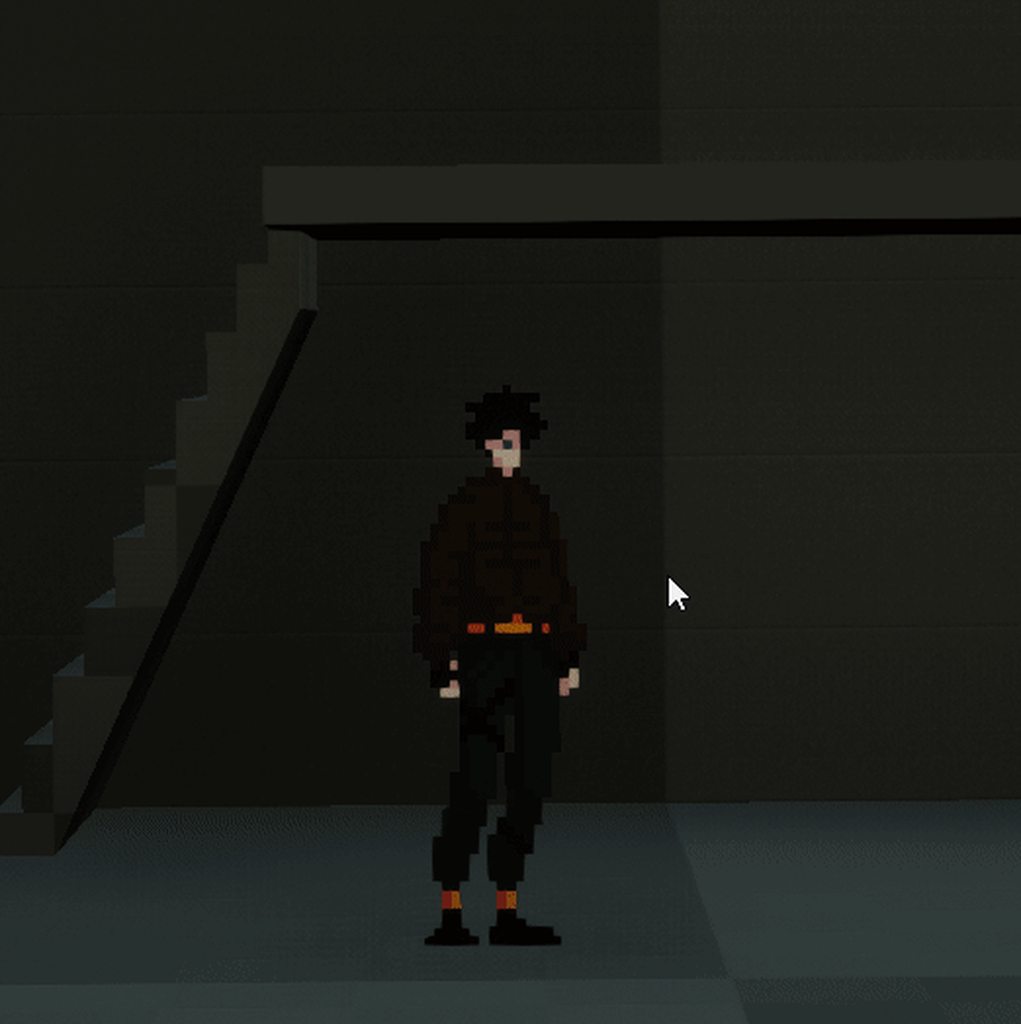 earnest tangle
frozen needle
I have something really annoying happening and I don't know how to fix it
Basica...
earnest tangle
frozen needle
I have something really annoying happening and I don't know how to fix it
Basica...
Try using "Input UI only" when you display the cursor, and "Input Game Only" when you hide it. It seems show/hide cursor is in some way affected by those two and it's a bit screwy unless you manually call them
hushed pewter
@tight schooner But it is set too blocking lmao
Its on black all
Yet it aint blockin shite
 halcyon nova
Am I fundamentally misunderstanding something - I have a base class A and a child class B, I want to check if an actor I'm looking at is of type A.
I'm looking at a B, which is also an A? I try casting B to A but it fails. Should this type of upcasting not happen?
the example is, I want a single class "interactible" and then doors, ladders, etc as children, each with their own overridden "interact" function
but casting a door to interactible just fails outright
 tawdry surge
They're different classes.. you could make an interactible class and make various instances. But what your doing is casting to character and expecting to get a return of actor because its the parent class
halcyon nova
right, but a child is still of the parent type.. right?
i.e, in C++
in C++ I would do
{
    Super::BeginPlay();

    MyClassA* test = new MyClassB();
    test ->TestMethod();

    delete test;
    test = nullptr;
}```Casting to a more generic class should work
tawdry surge
No it just inherited the stuff, its still a new class
earnest tangle
Eg. cast child class to parent works just fine
halcyon nova
uhhhh
ok maybe I'm doing something wrong - let me check again
because casting child to parent is so far no working
earnest tangle
Why do you need to cast the child to a parent anyway?
The child should have the parent's functionality on it without casting it
earnest tangle
that should still work assuming it's the correct object
eg. the inheritance tree would be Actor->YourParent->YourChild
Assuming it's the correct object, casting it to YourParent should work
halcyon nova
definitely the correct object and I've printed the get class and it was printing YourChild
but casting it to the Parent was a fail
earnest tangle
In that case maybe you didn't actually inherit from the parent for it?
frozen needle
earnest tangle
Try using "Input UI only" when you display the cursor, and "Input Game Only" whe...
that helped, thank you
halcyon nova
re-started editor and it's working.. perhaps it hadn't updated the parent, I did it through reparent after opening the class
thank god
I thought I was completely forgetting how inheritance works
earnest tangle
If it's a C++ parent class you probably hit a hotreload related issue
halcyon nova
maybe so, I tend to compile through VS these days, perhaps I fat fingered the compile button
cheers
ahhh now that being said
do you then need to cast to child?
or can I just call the base function?
as type parent
e.g "Interact" which is overriden on the child


 earnest tangle
halcyon nova
e.g "Interact" which is overriden on the child
earnest tangle
halcyon nova
e.g "Interact" which is overriden on the child
Casting it to parent should be enough
halcyon nova
ahhhh ofcourse, you then call upstream with Base.interact
fantastic, thanks @earnest tangle
 unique harness
hushed pewter
unique harness
hushed pewter
do you have simulate physics turned on?
hushed pewter
Yep
unique harness
do you have separate mesh and collision components?
halcyon nova
complex collision on your mesh?
hushed pewter
Im running a projectile component on the ball
Leme try removing
Ok the pegs arent simulating physics
But when i turn it on

They start busting a move
I think i fixed it, just need too restrain its positionw ithout using contraint?
 split cliff
why, when I rename a parent class that a blueprint is derived from, does it become impossible to reparent the blueprint to anything?
I have a gamemode blueprint and can't reparent it to gamemodebase or any other class because I renamed the class it was derived from
the "parent class" dropdown has lots of entries like widgets and animation components and nothing that's actually relevant
tight schooner
@hushed pewter I don't think you need to simulate physics on the stuff you don't want to move. They can be static colliders
Anyway I g2g
hushed pewter
I tried that with static but then they wouldent collide at all
I got it working by just giving them a fuck ton of weight and locking them in one axis
Hope one day i can figure out why they fucking push inwards on themselves when alls lockede
 nova sedge
So I'm simulating a mouse cursor on UMG, but in order to interact with UMG elements, Show Mouse Cursor must be True. Is there a way to make hte cursor invisible and still be able to interact with the UMG? I tried making a blank png for hardware cursor, but it shows a square box.
dense tulip
Hi guys, i am trying to get a door to toggle open and close but it seems not to work, here is what my function does:
 dense tulip
@trim matrix there is probably a clipping distance .. and possibly not rendering inversed faces
like being inside the sphere could be clipped for being inversed
Need to show more details but seems like the camera is placed at 0,0,0 with a scale of 100

 thorn spruce
hi i was working on an animation montage that was created from an animation sequence in one of the paragon assets. i saved it as an animation montage and linked it to a play animation montage block in blueprint, but it does not seem to trigger. if i set one of the animation montages that already exist in the paragon asset i was using it triggers without any issue. any idea what i could be doing wrong when creating the animation montage from the animation sequence?
 hard kettle
I'm got your back. The trick is to use a scene component (basically an empty) and set it as the parent. That way you can rotate it to your heart's content. Here's an image of my setup. The boom isn't required
 dense tulip
Is there a way to know all the Key inputs that i use in my game ?
Nevermind .. found it
 stone remnant
Hey, I was wondering, is there any documentation on the order that events fire? Basically I'm wondering if events called from other actors trigger before tick on a component. Also, do events called on a character for instance (Axis / Action) call before or after the characters Tick?
I've been looking for a few hours and kinda coming up blank
cheers
trim matrix
dark crow
You're probs better off just getting the Ref in the Widget at this point, not un...
okay but the code won't work if I remove the character reference? what to do
trim matrix
dark crow
How are you showing the Widget on the Screen?
I did this and the errors are not showing, but I can't stil get the bush, like it is not destroying

The other big problem is that I have function and interface for interact and as I can see they don't work, I created trace channel and still doesn't work, hmm


this doesn't print anything when I am over the bush, like I don't interact with it

 dawn gazelle
trim matrix
I did this and the errors are not showing, but I can't stil get the bush, like i...
dawn gazelle
trim matrix
I did this and the errors are not showing, but I can't stil get the bush, like i...
This image shouldn't really have anything to do with collecting anything as all it is doing appears to be changing the appearance of the widget --- Pre-construct is not for gameplay state related code and is only meant to update the view of the widget within the editor. Though you may not be crashing right now, having Get Player Character on Pre-Construct is probably not a good idea as I don't think that the player exists before runtime.

As far as that goes, are you actually implementing the interface you're trying to use on the bush object?
trim matrix
dawn gazelle
As far as that goes, are you actually implementing the interface you're trying t...
yes, it is in the item parent and in the item bush
the interface is added in the both places
trim matrix
dawn gazelle
This image shouldn't really have anything to do with collecting anything as all ...
and I have this too
 dawn gazelle
Your line trace is checking for "blocking hit" but the screenshot above you have "interactables" default response set to overlap?
trim matrix
yep
this is what I see in the tutorial series
lol

In this series we go through how to create a crafting system where you can collect resources and spend them to craft useful items.
Download the project files here: https://www.patreon.com/posts/project-files-32789634
Part 3 goes through how to pick up items off the floor and add them to your inventory we made in the previous episode.
Support ...
5:50
dawn gazelle
On your Interact input event, plug in your "look at target" into a print string (it should also add a "get display name" node), and then when looking at the object, press your interact key and see if you get anything printing.
 dawn gazelle
Put a print string node after the "interact with" and plug in "Look at target" to the output on the print string node.
 dawn gazelle
Then run the game, look at the object you're trying to interact with, press your interact button and see if you get anything printing.
trim matrix
 dawn gazelle
Perfect
trim matrix
dawn gazelle
Then run the game, look at the object you're trying to interact with, press your...
okay
I tested it
so bad
it doesn't print anything
the key for interact is G
I will try to change the key to N, hmm
nope, stil doesn't work 😦
dawn gazelle
Ok, so now try putting a print string directly after your line trace (before the branch you have), and plug in the same pin you have going to the "Set Look At Target". Since you're doing this on tick, to make sure it doesn't blow up, click the little down arrow on the print string node and make sure "Print to log" is unchecked and set the duration to 1
Then try running the game, see if you get any response at all when looking at things, including your object.
dawn gazelle
ok, last thing to check, just put a print string on event tick, you can leave it saying hello, and again, run the game, and see if you get any output - just don't leave it running too long (you should see immediately a string of hellos)
 dawn gazelle
yep
 dawn gazelle
get rid of the print string on the event tick.
trim matrix
the trace is not done correct?
dawn gazelle
So on your object, you have a collider component set up, and have it set to block interactive?
 dawn gazelle
That's the collision settings, but on the object itself it requires a collider component
trim matrix
 trim matrix
 trim matrix
dawn gazelle
That is set to block interactive?
trim matrix
dawn gazelle
That is set to block interactive?
where to check it is set to block interactive or not ?
dawn gazelle
When you have the sphere collider selected.
 dawn gazelle
Not sure what else to say.... I just created an interactives channel myself, created a BP with a sphere collider, set it to block only interactives, then added a line trace looking for interactives, and sure enough, I was getting output


Changed nothing else on the object
trim matrix
okay
hmm
maybe the settings of the collision are problematic?
these are the collusion settings for the mesh
 dawn gazelle
Have you restarted the engine since you've had this problem?
Kinda out of ideas here @_@
trim matrix
yeah I did it
 novel kelp
Hi does the widget "Is Hovered" work on mobile devices?
 slate sentinel
halcyon nova
slate sentinel
halcyon nova
is using an animation blueprint and animation notifies overkill for just animating a door? I want an open and close animation which can't be interrupted.
my plan was to run a notify from the end of the respective animations, setting a bool on my animbp that says whether or not the asset is animating or finished.
Then query that each time I try to play an open/close anim
all the tutorials I can find are "quick 5 minute tutorial using timelines" but my doors use FBX animation
earnest tangle
Not really sure if there's some performance implications from the notifies but it seems like it should be fairly trivial
halcyon nova
mhmm, I thought as much, is there a better way to determine if an animation has finished/is playing?
or perhaps a basic state machine
earnest tangle
Not that I know of... the animation state machine can trigger notifies as well
halcyon nova
ahhh good to know too
earnest tangle
I wouldn't worry about it too much tbh, if using notifies is easy to do then that seems like it would make sense
halcyon nova
would like to avoid using timers and timelines as they're almost certainly worse
so yeah I'll probably do that
earnest tangle
Usually if there's some simple way of doing something, it's usually good enough because it being simple it's easy to change later if needed
halcyon nova
just like to work out how to quote /quote proper way to do it - I've spent too many years just bodging stuff
thought you're right, getting something working is ofc the priority
earnest tangle
Yeah I mean there's usually no need to build "fancy architecture" in that sense of "doing it properly"
as long as it's clean and easy to understand, that's usually plenty proper :D
trim matrix
trim matrix
maybe the settings of the collision are problematic?
anyone that acan help me with the problem for interacting with object?
 dusky harness
How can i spawn player character already moving? Like not putting Add Movement Input on the Tick node, this way it just spawns in place then starts walking
 uncut lark
Probably the wrong channel, but can I just level stream, start to finish?
halcyon nova
me again.. how do I play a one off animation with an animbp..?
play slot animation looks like what I want
trim matrix
me still waiting for someone to help me cus I fight with this problem for 2 days 😦
trim matrix
Hello guys I have problem with interacting the object
I have function and interface for interact and as I can see they don't work, I created trace channel and still doesn't work, hmm


this doesn't print anything when I am over the bush, like I don't interact with it
 earnest tangle
Have you checked the linetrace goes into the right direction?
trim matrix
yeah
I put the option on every fram
and I see the red line
and I navigate it towards the bush
and nothing again 😦

 earnest tangle
That seems correct
This is a parent class - I assume the object you're trying to interact is a child of this?
earnest tangle
Doublecheck on your child class that it has the correct settings as well
trim matrix
 trim matrix
earnest tangle
Doublecheck on your child class that it has the correct settings as well
trim matrix
earnest tangle
Doublecheck on your child class that it has the correct settings as well
which settings to check?
earnest tangle
collision enabled and the trace response channels

 earnest tangle
Odd, it seems like it should work
Maybe just try and have the sphere block on all channels and set it to query and physics for collision enabled
just as a test
and make sure it's bigger than the mesh
if that still doesn't work, increase the distance of your linetrace some more
 earnest tangle
yeah just make it like twice that lol
 earnest tangle
that looks like it's hitting something at least?
 earnest tangle
I wonder if it required the collisions to be set to physics and query 🤔
 earnest tangle
Yeah, usually when in doubt, just set every setting to the most obvious "it should work" settings like this lol
then if/when it works you can start adjusting the settings if needed
trim matrix
okay
yeah it works
nice
ty man
the problem was from the size of the collusion
lmfao 😄
okay but I have other little problem
hmmm


hmm
 opaque blade
Accept on device?
there should be a checkbox in developer settings on the device to "autoallow apks from unknown sources" or something like that
oh ok mmh
that is probably due to the fact that buildnumber is increasing and the device thinks it is a different apk 🤔 just a guess
might be worth checking if you actually "inject" the Buildnumber in your project settings to the apk version or smth
mmh seems to be no settings, so guess that isn't it. might have a higher chance in #mobile though
 gusty cypress
when stream loading levels in editor its pretty laggy, will the packaged game run better?
 errant snow
gusty cypress
when stream loading levels in editor its pretty laggy, will the packaged game ru...
errant snow
gusty cypress
when stream loading levels in editor its pretty laggy, will the packaged game ru...
That is usually the case, but there are a lot of factors that can go into streaming level times.
trim matrix
I fixed the problem with the none reading but still doesn't get the texture when I get the bush item
it should like this:

but I got nothing
stray island
Any one familiar with render targets and drawing capabilities?
 bronze hull
Why is my MACRO not working....
Comparing Actor with actor.
Actor = Compared Actor, yet it returns FALSE
 maiden wadi
@bronze hull That check will literally never return true unless you use it on basic assets like a StaticMesh or Texture.
You're comparing an actual actor to a nulled pointer.
maiden wadi
If you want to know if they're the same type, you have to compare classes. Like.. Are these two things human? Right now you're asking if they're the same identical person, except the second argument is an empty chair where a human should be sitting.
dark crow
Not sure how valid this would be but I imagine it would work if you want to check if the Object is that Class in particular

 fervent swallow
hello! I am having trouble when building a game. The menus work fine with the mouse in the editor, but they don't on the windows packaged project. did anyone experience something similar in the past?
trim matrix
anyone casted to anim notify from bp? what object would I need to connect? cant find suitable.
trim matrix
Ok. I have a footstep notify in animation. I want it to set 0, so silence it. I can get the footstep_animnotify cast node but I dont know what to do with the object pin.
Does not work
still dont know what to cast
It could be anywhere
but yes why not there
in anim bp?
ok but how can i change the anim notify volume?
target is foot step anim notify

this in character normal BP
A custom
 neon jungle
Hello guys, is it possible to deactivate socket's position follow after the particule is emitted ? I'm trying to do a fire breathe but if the socket's position/rotation change after the particule is emitted it moves to fit to emitter position. Here a gif.
Thanks
trim matrix
oh my god casting sucks everyone
anyone used the marketplace thing where u dont have to find any cast objects?
Or can someone atleast tell me how to cast to sound cues if its impossible to cast to anim notifies?
well... I made a footstep anim notify variable in my bp.. lets see 😄
maiden wadi
@trim matrix Casting doesn't suck. It's just a method of handling a variable that points to an object. It is an extremely basic programming tool to learn when dealing with Unreal. As for your exact problem, there's a forum post about how someone solved it here. However, if it were me, I would simply add a sound component to the character, create some more basic notifies in the animation instead of playsound, hook into them in the animation blueprint, and have that call a dispatcher that the character can hook into that will play the sound. Then in the character you can use that event to either play the sound or not.
Either way should solve your issue.
trim matrix
yeah im using als as a basis so .. 😦 but thanks for that forum post. Tried googling notify stuff but didnt get that.
maiden wadi
@trim matrix Here. Try this. It will be a lot simpler in the end than that post.
Go into the walking animation where you were adding the playsound animnotifies. Right click on the track and do this with a new notify.

Name it something like FootStep, or whatever.
Then go into the event graph of the animblueprint that your character uses. You should be able to right click on the graph and type in FootStep, and see that top event there.

 elder gulch
why am i having error at this brench
 maiden wadi
Make a new Event Dispatcher in the AnimBlueprint like in the bottom left. And call it from that event like it's doing in the center.

@trim matrix Then in the Character class that uses this animbp in their mesh, you can do this on beginplay.
 trim matrix
and?
maiden wadi
And if you do these exact steps, you'll see a print spamming Hello while you're walking.
The point is that you can replace that Print with a PlaySound, or attach a sound component to the character, and replay it on triggering that event.
trim matrix
But I want to control the footsteps volume ...
I dont want to make a new footstep system
I only wanted to know that because there is a node called cast to Footstep_animnotify what do i put in to that object pin?
maiden wadi
I'm not sure that you can actually get that object in the game. At least not through C++. For the simplicity you're after, you would need to affect the CDO most likely. Which would not actually work anyhow since you'd be affecting every footstep sound in the game.
trim matrix
If that is impossible, I will make the soundcues own sound mix and control it over there...
maiden wadi
But if you do this, all you need to do is play a sound at location and change the volume. Or to mute it, just not play the sound.

Comes with a volume modifier.
trim matrix
yeah but then I have to add that to all animations right?
which i have about 60+
the notifies
maiden wadi
You have 60 animations or 60 blueprints?
trim matrix
60 anims
maiden wadi
You'd be adding those notifies to 60 animations anyhow with the playsound notify.
trim matrix
I dont want to add notifies
I just want to access the footstep_animnotify volume multiplier
make it Zero for a while
and then turn back 1
SO the best option is to edit the sound cue sound classes submix or something like that
which affects the notify
if its impossible
to cast
maiden wadi
🤷♂️
trim matrix
well thanks again for the insight. Im going to tackle this somehow 😄
its just very bizarre you cant access a notify bp anyway and just change one variable 😄
But I will say this once more, casting sucks. atleast in ue bps.
maiden wadi
Still not sure how casting applies here.
 maiden wadi
The object you want to change.
trim matrix
But what? nothing fits there.
maiden wadi
You should check out some topics on class structure and inheritance.
trim matrix
ok.
Been casting for a while no problems and if problems get all actors and stuff like that
but here i dont have a clue what to put there
 quaint bough
im currently working on a biome system and i have 2 noises for temerature and humidity. yesterday i made a simple if chain (if temp > 0 && temp < 0.2 for example and after that same with humidity) but it looks so complicated and there were some ranges that had no biome at all. Today i saw this image and read something about Map or Dictionary unsure what it was, but you can give it a key and it will return value and my problem is how do i get a value from 2 keys ?

 daring lance
@quaint bough make a Map, where the key is a Struct (temp, humidity) and the value is the biome
quaint bough
so i need to make 36 pins on the map?
daring lance
You could, but maybe a better way would be to iterate over your table somehow and insert those key-value pairs one by one
That table is going to have to live somewhere, whether it is hard coded in BP, or if its in a csv or json or whatever
quaint bough
im gonna try the hardcoded one first 😄
quaint bough
it takes longer than before but looks better nice

 karmic tree
When i try to drop down, my character goes back to hanging. I already tried to put a delay in the hang node but i goes back anyway
 maiden wadi
@karmic tree You should likely put movement mode as falling instead of walking. But what defines how the character grabs the ledge in the first place?
 maiden wadi
What triggers this code?
 maiden wadi
Show me what calls Grab Ledge.
 karmic tree
karmic tree
karmic tree
It connects with this
maiden wadi
I presume this is running on tick?
karmic tree
yeah
maiden wadi
Initial thought is to either put a delay in ExitLedge before setting IsHanging to false. Half a second, maybe a second. Unsure. Other thought is maybe to only set that to false in the character's OnLanded event.
karmic tree
Fixed it by putting a little delay here
 stray island
How do i set my first person crosshair to be free and not centered
I want the cross hair to move with my mouse + i dont want my mouse to move the player orientation
daring lance
stray island
I want the cross hair to move with my mouse + i dont want my mouse to move the p...
Maybe use a UMG widget?
stray island
I got it moving only but the functionality of hitting stayed in the center
 keen raven
Hi guys, i have 2 different assets to create a door. The door has to open when i click either on the left side or the right side, but only when i click on the right side i can open the door or close it, the left side doenst even fire the click event and i dont know why. Heres the blueprint.

and here is the viewport
the right side of the door works perfectly

could be a problem with the assets that i downloaded?
maiden wadi
@keen raven Put prints on the left side's onclicked. Put them before the branch and see if they run.
keen raven
the prints dont work either, i tried a simple blueprint just with prints instead of opening the door
the result its the same, right side shows the text, left side is not showing anything
elder gulch
elder gulch
why am i having error at this brench
someone pls help
maiden wadi
@keen raven So putting a print in the red circle, does not print?
 keen raven
nop
not firing at all
if i put the text for the right side, its working

not firing at all for left side
 maiden wadi
Sounds like the mesh is missing collision.
trim matrix
Anyone knows how to stop a line trace on hit ? I don't want it to go through walls and stuff
maiden wadi
@trim matrix Isn't that kind of the point of a line trace? To hit the first thing it can? What is the point of avoiding walls?
trim matrix
maiden wadi
<@456226577798135808> Isn't that kind of the point of a line trace? To hit the f...
I want it to avoid breaking THROUGH walls ^^
Like, when it hits a wall, it doesn't draw that green linetrace
maiden wadi
That's just for debugging purposes. The trace doesn't actually continue that far. It stops at the hit location.
 maiden wadi
It definitely doesn't. Can I see your damage logic?
 maiden wadi
You can get the same result as the debug trace stuff by doing this. the C++ uses the same calls for it.
 trim matrix
maiden wadi
You can get the same result as the debug trace stuff by doing this. the C++ uses...
trim matrix
maiden wadi
You can get the same result as the debug trace stuff by doing this. the C++ uses...
Oh, that's actually good to know. I'll use this method
maiden wadi
Was your line trace hitting the wall though? In the trace debug show?
Also I think I missed the debug point. It draws a small DrawDebugPoint at the hit location too.
trim matrix
Yes, I'm using 2 Line trace:
1 Linetracebychannel, for the environement
1 linetraceforobjects, for killing pawns
So maybe that's where I've got my mistake?
maiden wadi
Hmm. What all object types are you using in the LineTraceForObjects?
trim matrix
Pawn, only.
maiden wadi
Could be the reason. It's ignoring the wall because it's not a Pawn type. If you add the wall's collision type to the list, it'd hit the wall first.
trim matrix
Ohhh...
I think you've got a point, here.
However I must find a way to ignore simple meshes.
maiden wadi
Like small plants and such that won't stop a bullet?
trim matrix
No, I'd need the bullets to be stopped by simple static meshes like primitive objects. But I can set the Object Types to WorlDynamic etc., so I'll get it working
Thank you very much for your time and help!
maiden wadi
If you want it to be stopped but most things, you can probably just use the visibility channel in the normal LineTraceByChannel. If you wanted something slightly more complex like small plants or whatever not stopping it, you could make a third trace channel in the project settings and set it to block all by default and then disable it on your plant's collisions.
Or even avoid making the new channel and just not block visibility on those plants, either way.
trim matrix
Yeah I'll have to figure that out. I got it working on my walls for now.
 tired condor
How can I trade a Skeletal Mesh with a Static Mesh?
 candid dirge
Trade? Do you mean swap? Need more context
trim matrix
IS there a way to take this blueprint and make it where its in a certain area? I'm going to have block volumes where the player can't go past a certain point, so how can I keep the tents inside of the block volumes? https://blueprintue.com/blueprint/pr4_cklg/
BlueprintUE
 gritty plover
What's the optimal way to add impulse in the direction of this rotation?

Cause I feel like I'm doing it wrong.
maiden wadi
If you want to add impulse with that rotator, you should be able to just convert it to a vector and then multiply it by the desired force.
gritty plover
With just a regular GetForwardVector?
opaque blade
Yeah, Getforwardvector will be the vector of that rotation yea so (0,0,0) will be X-Axis, (0,0,90) will be Y Axis
maiden wadi
I usually use GetRotationXVector. I think forward vector might be the same.
opaque blade
but for your case it is the same as ("Tire1 WS Location" - "GetActorLocation").Normalized
gritty plover
Thanks
opaque blade
maiden wadi
I usually use GetRotationXVector. I think forward vector might be the same.
Yes that is the same, I think GetForwardVector was added in a later version to make it more clear, as well as Right and Up
 iron lodge
I'm following a book to make a program, but for some reason whenever I try to connect Save-Game Instances to other items, it will not allow it, stating that "Save Game object reference is not compatible with Save System Object reference". any idea on how to fix this?

 bright frigate
Hi i have a quick question - I have a single player game and I have a AI attacking the player but once the player dies no more attacking because of I think the player controller index. Is there a node to fix this for single player game or do I have to keep track of the index for get player controller?
 dawn gazelle
iron lodge
I'm following a book to make a program, but for some reason whenever I try to co...
dawn gazelle
iron lodge
I'm following a book to make a program, but for some reason whenever I try to co...
Wrong type of object being used. Save Game Object is not the same as Save System Object. I believe you made a custom BP called Save System?
iron lodge
Yes I did
dawn gazelle
Ok, and what variable type is your "Save Game Instance" in that screenshot you have?
iron lodge

 dull tree
Needhelp with moving player
dawn gazelle
So that should be set to Save System
dull tree
how can i move player when mouse border?
iron lodge
dawn gazelle
So that should be set to Save System
That fixed the problem, can't believe I missed that. Thanks!
 silver plume
Got a quick question, working on a chest object that has a widget appear when the player collides with it. In this widget, it states how much currency the player needs to open it. The variable of how much currency is required is stored in the chest object. I want it so the widget will check the chest object it is attached to to see what it needs to display but Im running into some issues.
Ill share what I got right here


not sure how to have it dynamically check because Im trying to make this more procedural so my team and I can have random chest drops
does anyone know if any solutions I could potentially implement? Feel free to reply! Thanks!
 unkempt blade
Is there a way in a blueprint to detect a change to a file as an event
 chrome dust
Hello, does anybody know if there is a bug or error with 4.26 where landscape layers do not work properly? They are supposed to be different material layers but they all show up as the same default layer?
@silver plume Ok so the player needs to have a variable for his current coins
chrome dust
@silver plume Then you cast in the widget and compare the two by a branch and if it is the amount then it opens
silver plume
nah I got that check made, I just need the widget to grab the amount needed from the chest to display lol
chrome dust
ah
silver plume
the chest has a "coin requirement" variable
and I just need the widget to grab the variable from the chest
idk how to implement that dynamically tho lol
chrome dust
create a bind to the text object
silver plume
Did that
silver plume
the problem Im having is
how do u get the variable from the chest to the widget
the variable is stored in the chest
and I just want the widget component to look at it and display it
thats it
I got the steps in my mind, but its not working in practice lol
silver plume
yeah basically lol
chrome dust
It could be that it needs the specific actor you are interacting with
silver plume
cause its an object reference
 chrome dust
ok
silver plume
thinking maybe
dawn gazelle
I think this would work on your begin play of your chest.

Cast to your specific widget class of course.
silver plume
take the variable and put it in the root
and have the widget component grab it there
wait
nvm
Im blanking
yeah its basically actor between actor references
cause the widget itself is an actor
and the chest just displays it
hmm
silver plume
I visualized it wrong, lemme try rewording it
chrome dust
did you check if its properly casting
print string in the fail
Also, how are you setting the Chest Object variable
silver plume
 chrome dust
yea I know
silver plume
gotcha
chrome dust
Did you try Daturas method
do Daturas method in the event play see if it adds it to the widget
basically the reverse
silver plume
can try there
chrome dust
k

 chrome dust
nice
dawn gazelle
Works 😛
chrome dust
beat me to it
 clever steppe
any suggestions on how to make my widget interface have some level of lag/smoothing? like you can move the camera and the elements will trail behind your view just a little bit
silver plume
not sure what to call at the end @dawn gazelle

what function did u call for the end on ur pic 🤔 ?
dawn gazelle
drag from the "As Chest Widget" and type "set coinwhatever it is you hvae in your widget"
silver plume
gotcha
It works @dawn gazelle @chrome dust
Thanks again!
Appreciate the assistance
trim matrix
IS there a way to take this blueprint and make it where its in a certain area? I'm going to have block volumes where the player can't go past a certain point, so how can I keep the tents inside of the block volumes? https://blueprintue.com/blueprint/pr4_cklg/
BlueprintUE
 crimson swan
Can anybody tell me what the proper way of setting text on a widget is once it's been loaded in? Because if i set some text based on variables it's always going to show 0 on construct but if i do it on tick it shows the correct numbers
errant snow
crimson swan
Can anybody tell me what the proper way of setting text on a widget is once it's...
Generally you'd have some system for the widget to be told that the gameplay variable changed. This might be a generic event system or it could be as simple as (for example) a weapon actor making a direct call to the widget that shows its ammo count.
crimson swan
i see, thanks, gonna have to go implement that. I think i would have needed it anyways to update my widget on pickup so i guess it's going to fix itself in the end
trim matrix
yay my first

 zealous moth
can anyone advise how to make a tick event be frame independent? I made a cannon rotate towards my cursor position however in frame heavy scenarios, it isn't fast enough.
tight schooner
@zealous moth Whatever calculations you're doing on tick needs to factor in World Delta Seconds -- the frametime. The tick event provides that or it can come from the Get World Delta Seconds function. At 100 fps the frametime or delta-seconds will be 0.01, for example
the nodes RInterpTo and RInterpToConstant have an input where you feed it the delta seconds
and that'll make something rotate toward a target at a framerate-independent rate
as one example way to use world delta seconds
 worthy frost
or just multiply your rotation floats by delta time
@zealous moth
but RInterpTo and its variant makes sense here
zealous moth
how would that work in terms of vectors?
i mean... it is delta time...
hmm it could also work
I'll give it a shot @worthy frost 🙂
ty
worthy frost
well to do things at framerate independent, you multiply a value by framerate, in the case of rotation, you need to get its components
        DeltaMoveRot = (Target - Current).GetNormalized();
        NewRotator = CurrentRotator;
    NewRotator.Pitch += Clamp(DeltaMoveRot.Pitch, -DeltaRotSpeed , DeltaRotSpeed);
    NewRotator.Yaw += Clamp(DeltaMoveRot.Yaw, -DeltaRotSpeed , DeltaRotSpeed);
    NewRotator.Roll += Clamp(DeltaMoveRot.Roll, -DeltaRotSpeed , DeltaRotSpeed);
``` for example (pseudo code)Yeah, the frametime (delta seconds) is a number that goes up when the framerate is low, and goes down when the framerate is high. So you tend to multiply whatever you're doing with that to compensate for changes in framerate if you're offsetting values on a per-frame basis
gusty cypress
When using Arrays can you do a "GET" of every index except one?
tried using for each loop but seemed to be the wrong direction
dawn gazelle
Like, you want to do something with all items within the array, except for one? Or you want to change the array to remove the one, or...?
gusty cypress
GET copy, purpose: game has multiple level names within an array, when the reset the level I load level stream index 0 from the array (the starting stage) but I need to unload all the other levels after that besides index 0 (first level)
 dawn gazelle
Ok, so this I would think should serve the purpose.
 trim matrix
Hi guys, how can I get location say 200 unit infront of my character?
steep robin
(normalized) Forward vector * 200.
maiden wadi
- CharacterWorldLocation
trim matrix
how to normalized the forward vector?
I'm trying to create overlap box 0, 100 and 200 units infront of the character
Normalise node
thx
 crimson swan
quick question because my brain is already fried and i can't think
so i have a custom class of type UItem, and i made a child of type Item_Testitem
i have a function that needs an UItem input, i can't seem to feed it item_testitem. How do i get that done?
 paper galleon
That's weird. It may depend on the pin you trying to feed into.
Pic?
 paper galleon
trim matrix
how to normalized the forward vector?
paper galleon
trim matrix
how to normalized the forward vector?
Forward vector is already normalized
crimson swan
not really a blueprint but the c++ code associated to this node is
 paper galleon
Ahhh. I see.
maiden wadi
It should work fine assuming that Item_TestItem does actually inherit from UItem.
crimson swan
 maiden wadi
What is the error when you try to connect the pins?
crimson swan
nono i don't have an error, it just doesn't show up in the list
the list is blank
 paper galleon
Yeah. It happens. Objects don't usually show up as assets. You'd have to construct new object
Only data assets behave differently
For pure classes, I mean. Not assets like meshes or textures etc.
crimson swan
i mean i'm using it as a data storage essentially if that's what you mean
paper galleon
The item is the inventory item, no?
 paper galleon
Is that data. Static throughout the game lifetime
crimson swan
ah ok i see what you mean, it should be though
paper galleon
Let me give you an example of my own setup
I have a DataAsset class that holds static data for each possible item in the game. Name, description, thumbnail, size. Etc
Then I have a struct to represent the item in a container. The struct contains the above DataAsset as a variable. This specifies the exact kind of item.
Other variables in the Struct include, container unique id, size in inventory, e.t.c
crimson swan
yeah that's pretty much what i'm going for
paper galleon
crimson swan
So for this, inherit from DataAsset or PrimaryDataAsset
Then you go to miscellaneous and select data asset and derive from the class you created for each instance of item you want to create.
Remember. This is for item data that shouldn't change throughout the game. Like a kind of database of item types
Use another class or a struct to represent it in an inventory(it'll be a variable in that class or struct. This is if you have any item data that can change during the game, you add it as a variable within said class or Struct
If not, you can use the data asset as is
crimson swan
i mean i THINK that's what i'm doing but at this point too tired to even try anything
i'll snip what your explained and i'll maul it over tomorrow, thanks
 olive sedge
Guys.. How do you define a position for a UMG widget in the hud that you need everywhere without having to add it to all the different views that you have?
or am I the only one who has like views for the different stages of a match that he swaps?
maiden wadi
@olive sedge Not certain what you mean by position of the widget in the hud?
olive sedge
I have a chatbox widget that I want at a certain position in my HUD when the player wants to interact with it and have it hidden otherwise
if I just add it to viewport, it will be full screen and I have to uglily position it by hand
and size it
maiden wadi
Hmm. There's a few different ways to handle it. If it were me, I'd just place it inside of another panel inside of a more mainscreen widget, and that panel would be the one that resizes, and I'd have some simple movement animations set up to slide the box away when not in use or when clicking it to open it.
 pastel garnet
I think most are for beginners, so you’ll probably have to watch different tutorials on different things, and not just one big tutorial bunched together. Matt Aspland is a good person for various tasks, but if you want to explore blueprint nodes themselves use Matt Wadstein’ HTF or WTF series
trim matrix
how do i get to spawn an actor in front of my player in the direction its looking at?
pastel garnet
You can use the get forward vector node to find the direction that it is looking at, from there you can offset it and spawn it
dull tree
how can i get which controller click actor?
pastel garnet
trim matrix
how do i get to spawn an actor in front of my player in the direction its lookin...
How far do you want to spawn it exactly?
Directly infront?
pastel garnet
Put your component camera in the blueprint graph, drag off get world Rotation and get world Location.
Drag off get forward Vector from the get world rotation and then multiply the forward vector by a float of 100, then add them together and plug it into the spawn actor
trim matrix
i will try that thanks

 trim matrix
aaahhhhh yeah for sure thanks
dull tree
dull tree
how can i get which controller click actor?
any ideas?
trim matrix
not sure of how to setup the item location thing u showed
pastel garnet
It’s an arrow component
pastel garnet
dull tree
any ideas?
You could try firing a line trace but that is bad practice
A line trace only to print out something when you hit a specific actor
dull tree
so no chance with event actor on clicked on actor i clicked? :/
pastel garnet
dull tree
so no chance with event actor on clicked on actor i clicked? :/
There probably is using user input
What is it you are trying to do exactly? @dull tree
trim matrix
@pastel garnet after i spawned it, my player dissapears and game freezes
pastel garnet
What are you trying to spawn in? @trim matrix
@dull tree https://youtu.be/Z7xgH8Kc8aA
You could try this, using get hit result under cursor by channel
I hope this video helps with any of your current projects or if you're following it to create an RTS make sure you click that notification bell so you can stay tuned for future episodes!
Twitter: https://twitter.com/Codevalence
trim matrix
a donaut static white mech
trim matrix
just freezes, no errors
pastel garnet
That shouldn’t happen
Very weird
Try dragging the mesh into the level, does it freeze then?
trim matrix
nope
pastel garnet
That’s very weird
 spark steppe
when making an blueprint from several selected objects out of the level. is there any easy way to add more items to it if i forgot to select one in the level?
pastel garnet
https://youtu.be/-aP-LRO1Vkk
Anybody know how to fire multiple linetraces like this?
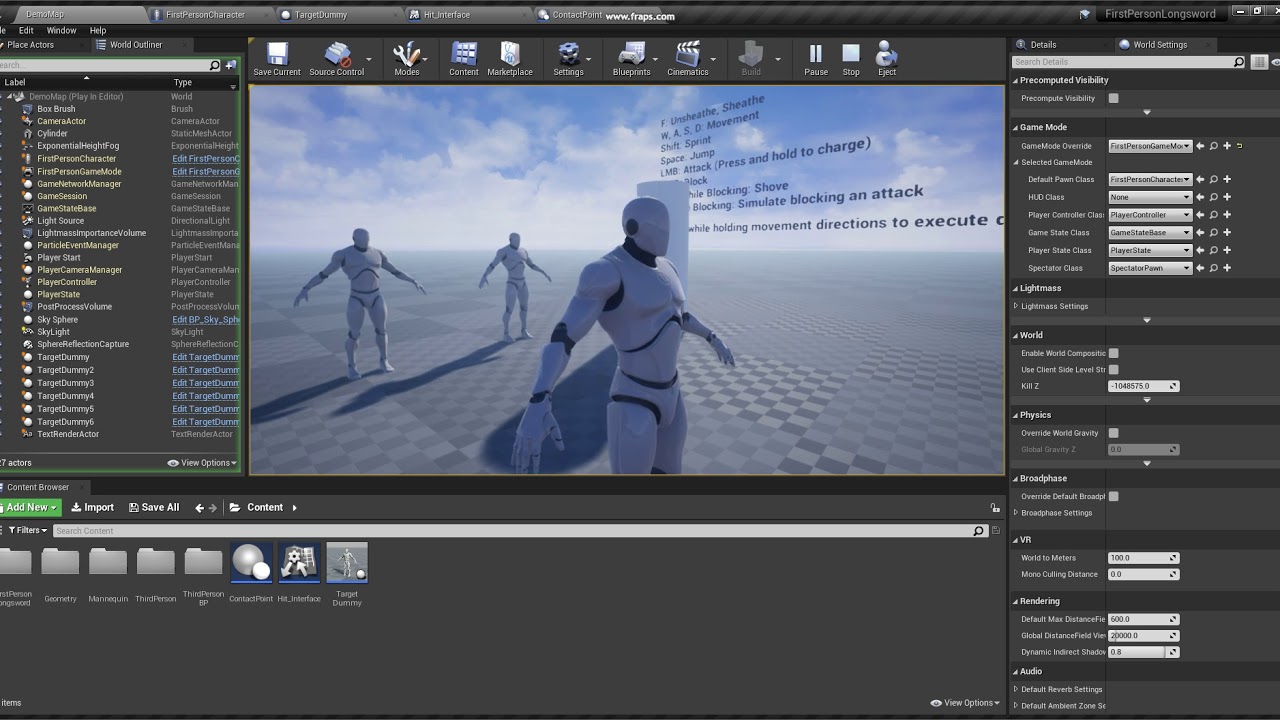 opaque blade
pastel garnet
https://youtu.be/-aP-LRO1Vkk
Anybody know how to fire multiple linetraces like t...
opaque blade
pastel garnet
https://youtu.be/-aP-LRO1Vkk
Anybody know how to fire multiple linetraces like t...
yes they do it every frame during the animation
 summer bolt
Hello 👋 I have a question is it possible to make something happen like an actor plays for example when an animation starts playing
pastel garnet
opaque blade
yes they do it every frame during the animation
True, but how do you actually bend them?
opaque blade
You don't it is either sub-frame tracing (dividing a single movement of a frame up to multiple traces and doing some spline like interpolation of tangents - aka bezier)
Which is even more hefty cost due to so many small traces
They probably trace NewPosition - OldPosition
Here you see they trace multiple points on the blade

each giving a simple line
and due to high fps & animation it just looks fluid 🙂
so just like this @pastel garnet
The faded one is from F0, the red line between is just the trace between both locations basically change in location
 trim matrix
@pastel garnet i had a lifespan thing connected to it from something else thats why it happened. its fixed. thanks for help
pastel garnet
opaque blade
so just like this <@!584716521457057812>
The faded one is from F0, the red line...
Ah okay, that helped a lot, thanks!
pastel garnet
trim matrix
<@!584716521457057812> i had a lifespan thing connected to it from something els...
Good to hear
summer bolt
summer bolt
Hello 👋 I have a question is it possible to make something happen like an actor...
correcting this actor is spawned*
 lean thistle
Is there a way to see if a users microphone is detecting any sound?
olive sedge
I have a button inside my widget but when I try to acces it in an event, it is none.. Any idea why?
 steep holly
olive sedge
I have a button inside my widget but when I try to acces it in an event, it is n...
steep holly
olive sedge
I have a button inside my widget but when I try to acces it in an event, it is n...
i think you need to set it as a variable, but im not to sure
olive sedge
it should be already set when I have it in the designer afaik
steep holly
idk then, that is my extent of knowledge
olive sedge
I have the suspicion that the widget is broken :/
steep holly
If your doing it in a separate blueprint have you used a cast to node?
olive sedge
nah, there's nothing to cast..
I'm getting None on the widget :/
godfdamnit. An editor restart fixed it
steep holly
Lol, it is always a simple fix 😂
pastel garnet
Anybody know how to create a simple show widget when the player looks at it?
I've tried Event ActorBeginCursorOver but it needs the cursor to show, and I don't want that.
Like the rust structure HP system
 upbeat otter
Is layered blend bone supposed to speed up my animations? is there a way to fix it?
oh
i figured it out
steep holly
how do I make a character move towards an object, like a black hole? @ me
paper galleon
steep holly
how do I make a character move towards an object, like a black hole? @ me
Like to simulate gravity?
Lots of plugins but the foundation is a Addforce in the direction of the center of the blackhole actor
trim matrix
whats wrong here? i want it to use the text from textbox to set the variable lifespantime too

 cold raft
trim matrix
whats wrong here? i want it to use the text from textbox to set the variable lif...
cold raft
trim matrix
whats wrong here? i want it to use the text from textbox to set the variable lif...
From Editable TextBox you first need to call GetText(?) to get the value typed in. What you are currently doing is getting the object and trying to pass that as the value
 prisma sage
Can anyone help me with basics? I did this and when i start the game, camera is under my vehicle, i can't zoom, only rotate around vehicle, what doesn't make any sense. Something similar worked with other asset.

 prisma stag
https://streamable.com/seu733 Hello, in the video I have made a conveyor system that seems to work fine, however as you can see, the movement in between belts in jittery as in, you can every time that I go into the next collision box.

It is just the default movement when you load a project. I was not moving myself in the video however, and this jittering happens with any object placed on it.
Correct. I use that video as well. The conveyor works fine. However what Ive done is each block that I placed is its own conveyor and it seems that the jitering is happening in between each conveyor.
I did make an offset in between each one because if I made the collision the same size as the box placed, the collision would think they are colliding and would move. So I made them .1 cm smaller but it still does the jittering
trim matrix
how can I use a Timeline to print text?
I need text and numbers so converting from float is not an option
summer bolt
summer bolt
Hello 👋 I have a question is it possible to make something happen like an actor...
Did i miss out something or i just need some patientce
trim matrix
ahh its buildstring
pastel garnet
Anybody can help me with replicating a barricade system?


It shows for the server but not for the client
 coarse forge
I don't know much about it.. but aren't there replication settings for variables and events in blueprint?
 wild crater
Hi guys, I'm looking into the SaveGame class. I wanted to combine this with reloading the level to respawn destroyed entities. Currently I do this OnBeginPlay of the Level, this way I get to respawn my character on a checkpoint location while also reloading the level. However, as I am using a save file, the checkpoint is remembered even when I quit playing. Is there an event on quit play that I can use to erase the checkpoint save?
pastel garnet
coarse forge
I don't know much about it.. but aren't there replication settings for variables...

That's the replication
pastel garnet
I mean, it can press F to build
but the line traces or the barricades won't show for the client
just the server
 coarse forge
so looking at your screen shots
the boards show on the server.. but the client doesn't see boards at all?
pastel garnet
Yep
coarse forge
hmm.. so outside of linetracing... where are the boards actually being built on the client?
i see that first screenshot
 wind sequoia
@pastel garnet When u use inputs inputs are only client so that switch has authority is useless
and so is the multicast
pastel garnet
right
pastel garnet
coarse forge
hmm.. so outside of linetracing... where are the boards actually being built on ...
I don't really know
coarse forge
your first bp screen shot shows the board builder maybe?
pastel garnet
Actually yes
coarse forge
thats the server event?
wild crater
wild crater
Hi guys, I'm looking into the SaveGame class. I wanted to combine this with relo...
bump!
coarse forge
wild crater
bump!
look at you bumping. Is there a way to clear it manually before end game?
wild crater
Well I want it cleared when I stop playing. So I'm looking for an event that triggers when I stop the simulation but that doesn't trigger when I load a level
As I am using the level reload instead of reset to respawn everything (It's for prototyping)
coarse forge
sure.. what I'm getting at. Maybe you might want to make an event or function that clears it or resets it
then just call that right before level reload
wild crater
That won't work because I use load level and THEN I load my savegame for a spawn location, score, etc.
earnest tangle
Have you tried using the logout even in GameMode?
Not sure if that runs on level reload though
wild crater
So I need the savegame to persist through level loading, but not when quitting the game
wild crater
earnest tangle
Have you tried using the logout even in GameMode?
Didnt know that one, but it's also called when the level is reloaded
earnest tangle
One easy way to do it would be something like this: Put a flag in your GameInstance called "ReloadingLevel" or something, default it to false. If you reload a level, set it to true before it happens
Then you can check in your code whether the flag is set to determine if you should load the checkpoint or no
uncut lark
So Im curious about flying AI. I see UE4 doesnt support 3D navmeshes out the box, so what are the best methods to implement this?
wild crater
As far as I know a solution to this is using a 3D grid but this becomes really expensive really fast so they sometimes use an octree where larger area's get larger cells. However that complicates pathfinding to a degree because you can't just pick the most promising cell like you would with normal A*, you probably need some kind of bias to use the larger cells.
Alternatively you could check out the EQS system, I think you can use that to find paths as well.
coarse forge
What i've seen used with some bird packs are random point generation and pathing associated with that
Quick Question


1st is my Hudbp, 2nd is my progress bar widget
Does that seem correctish?
added some more stuff

 supple plank
How would i create a loop that would spawn in an actor every second?
coarse forge
use tick
supple plank
I thought about that, do i need to make a variable and add up the seconds passed for every tick?
coarse forge
or.. you can cheat..
maybe use delay 1.0
not sure if that is already seconds or fps LOL
 gentle urchin
Tick isnt every second and shouldnt be used to spawn actors ...
And setting currentpercentDone to itself doesnt change anything so its sort of a pointless set node...
For spawning actors every second you could use an event timer
coarse forge
hmm.. let me double check that node.. i might have made the var the same as the progress bar one

thx.. this is really what I wanted
😦
gentle urchin
Altho it still looks abit odd to run it on ticknin the event itself but maybe thats just my thinking
coarse forge
i wasn't sure how to use the timeline
gentle urchin
Would guess ur updating the variables externally
gentle urchin
Wouldnt think that would work properly but maybe im missing something
 gentle urchin
Yed but i would think the progress doesnt work
The progress doesnt make sense
For this to work , in the resolution you've selected(tick) you need to update the progress with progress + tick delta
Then update the progressbar with progress / duration
coarse forge
gentle urchin
For this to work , in the resolution you've selected(tick) you need to update th...
K im missing this part..
gentle urchin
So CurrentProgress + Delta(tick) = Currentprogress.
Then CurrentProgress / Duration = SetPercent
 gentle urchin
No..
coarse forge
i should probably rename this
float CurrentPercentDone;
i think thats my current progress
sorry wrong node
 gentle urchin
But it shouldnt be updated with percent
Like... current percent done is more like TimeElapsed
So first you should update TimeElapsed then you should update percent
coarse forge
hmm
 minor pagoda
Hi, can someone help me with this? Is my custon Player State, but i cant load serverside info, even i pass it from client to server to recreate an UserObject

 tough warren
how can i print variable value in console?
coarse forge
print string
tough warren
yeah, but it doesnt update
the variable changes during runtime and it doesnt update?
 raw dew
so i am working on a uni project and iv been fallowing some tutorials around to cuz i have no ideea how to replicate most of the stuff, i added this to create 2 teams on spawn but i cant find a way to get who is in what team so i can setup colors for each one and also make them not shoot eachoter
this is the part where i assign a team in the gamemodeBP

i made a repnotify character color variable to change to color of the mesh but im not sure where to add it in here to have team A blue and team B red
coarse forge
tough warren
the variable changes during runtime and it doesnt update?
you should be able to set the var, then get the var then print string the var
tough warren
coarse forge
you should be able to set the var, then get the var then print string the var
ok, thanks


 lofty hound
