#blueprint
402296 messages · Page 636 of 403
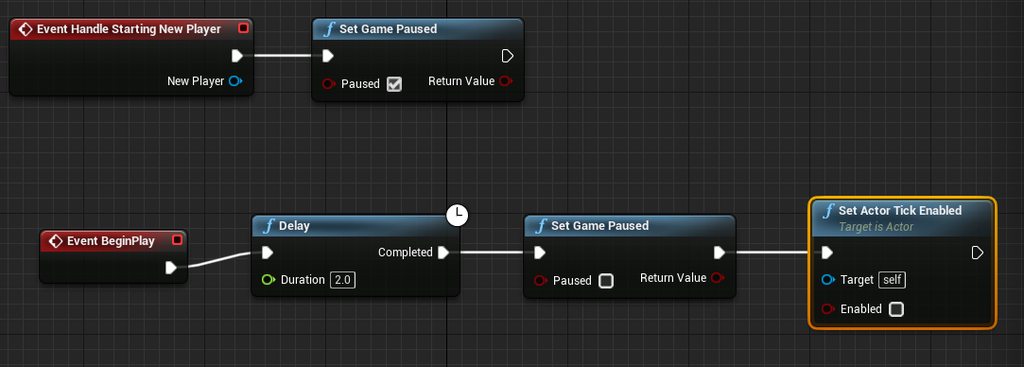
 worthy frost
that is not a bug
 timber cloak
but those guys said it is happening on 4.26
 cinder lodge
Anyone have a tutorial for shifting materials gradually? I want to try changing a material from yellow to green but gradually and over the span of 2 seconds
The only help I can find is just particles
worthy frost
expose the colour in your material as a Vector Param
create a dynamic material instance, then use a timeline to lerp the value
timber cloak
I remember seeing such tutorial, it's a random chair colour
^ then apply what UKaosSpectrum said
cinder lodge
Im only confused about the timeline lerp value
worthy frost
cinder lodge
Thanks! I'll give it a shot
worthy frost
if you get stuck come back, but hopefully you can get something going 😄
cinder lodge
Hopefully it'll go smoothly 😅
 rugged nexus
can I convert an angle in degrees represented by a float into a vector?
 mighty fable
Hey guys, I was curious if there was a way to make it so when I jump with my player they can extend their jump distance with a key press. Similiar to the tanuki suit in Mario.

 unique harness
close editor and reopen
 dense mica
Or drag something to somewhere and put it back again
 woven saddle
got it cheers
 unkempt blade
is it possible to accept a keypress when engine is in background
 wheat vigil
how do i name an actor that i spawn via blueprint?
 olive sedge
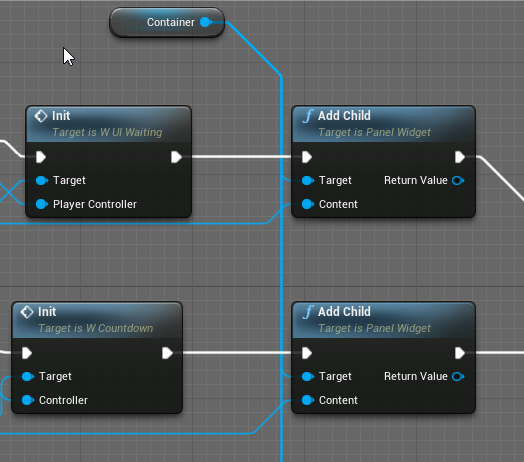
I have a question about UI:
I need to have 2 widgets on my viewport at all times. Instead of adding it to all the different UIs that I have, I wanted to have a master UI with a container element that I add to.
When I add my views: https://i.imgur.com/MKt0fgv.png the size is all off, the widget bigger than the viewport.
How can I now make sure that the child widgets fits the viewport?
 wispy star
Greetings!
How can I spawn HISM components w/o overlaps?
 paper galleon
Don't use default jump. Feels floaty
Or you can tweak the air control and jump height to your taste
 dusky harness
Can someone explain me why Add Movement Input node works only on InputAxis or Tick events?
 faint pasture
@dusky harness it probably works anywhere else but adding movement is consumed in that frame. So unless you can press a button 60 times a second, it's kind of useless to do it anywhere else. You can do it off of a timeline
It's like add force. It's meant to be continuous, called every frame
dusky harness
just checked it out using timelines and yes, it's actually working. Thank you
 pastel garnet

The client can see the server's pitch replicate, but the server can't see the client's?
faint pasture
pastel garnet
The client can see the server's pitch replicate, but the server can't see the cl...
What variable are you using for view rotation? Control rotation? How are you changing it?
 maiden wadi
@pastel garnet If that is for an aimoffset, use GetBaseAimRotation instead of ControlRotation.
 hearty lintel
sorry for the noob question guys:
i have to dot product all the axis of an actor with all the axis of another one.
do i have to do it one by one or is there a way to do all of them together ?
maiden wadi
All of them? Why not just two?
hearty lintel
because i need to compare the rotations
in such a way i end up with each one having its own dot product
i was just wondering if theres a way of doing all at once instead of one by one
maiden wadi
What is the comparison for? There might be an easier way for that than that. Rotators have quite a few helper functions. But for the dot product thing, no. You'd have to make your own function for it.
hearty lintel
yeah i'm making an aerial trick system for my drone game, so i need to compare what's happening over time in order to have one trick or the other appear on screen 🙂
i guess i'll just do one by one then
maiden wadi
It's possible that whatever you're doing could probably drop an Axis. Usually you can do most vector stuff with just the forward and right, or forward and up vector. Since the third axis is implied. Might simplify it a little bit.
hearty lintel
ok i will give it a try then! thank you really much dude, this trick system is the hardest part i've done so far lol
 mystic storm
unreal is crashing for no reason cranked to 5000000 loop iterations
I don't mind waiting, but why would it crash?
 long smelt
memory?
mystic storm
it shouldn't even use that many iterations
mystic storm
a loop that has to register new numbers to an array 1048576 times
long smelt
good lord why are you doing that?
mystic storm
before it was just stopping the compile without running the entire code, since it would never reach the "completed" bit of the loop, I didn't check for errors but I don't think there were any
when I set the iteration limit to 5000000 it just closed the engine
after a while
no errors, no nothing
long smelt
no clue dude, sorry
mystic storm
I might just lower the height map resolution to something rubbish like 64
currently it's at 1024x1024
maiden wadi
Blueprint isn't going to handle that kind of computing. Max loop count or not, you're usually doing good if it doesn't crash above 500,000 in a single loop. Adding multiple nested loops causes an even worse issue. If you really need those kind of numbers, even a simple C++ function library with some Static BlueprintCallable functions is going to be hundreds of times better.
faint pasture
@mystic storm you are going to want that to be an async task, you do not want to block for 500,000 iterations of something
maiden wadi
^5,000,000
mystic storm
I just downloaded unreal a few days ago, I honestly have no idea what that means lol
async task I mean
but yea, I should probably be trying to do this in C++
faint pasture
If you're doing some sort of procedural world gen you're probably going to want to crack some C++ open.
mystic storm
it worked with 64, easily
I'll try and convert that function to c++ later on
I can't be that hard
64x64 is 4096 iterations
you said the max without crashing was around 500000?
faint pasture
@mystic storm you can also split it over multiple frames if you have to
mystic storm
I'm not gonna change the value now but just for the record
faint pasture
But you really don't want one frame to last like 5 seconds
mystic storm
yea that's kind of what I was asking earlier, how do I create a loading bar type system
so that the compiler doesn't freeze
every time it's doing the math
for now I'm gonna find a way to save the array so it doesn't generate every time
faint pasture
Just split the math up over frames. It's not the compiler that's freezing.
mystic storm
so I can test other stuff
faint pasture
so start out, figure out how many iterations you need to run, figure out how many you want to run per frame, and run that many per frame until it's done
If you did it in a thread, then it could just run in the background and return when it was done. That is what you would want to do in an actual game.
mystic storm
I see, I get the theory behind it at least
makes a lot more sense than what I'm doing currently
thanks for all the help by the way
pastel garnet
faint pasture
What variable are you using for view rotation? Control rotation? How are you cha...
inputaxis > add controller pitch
I dont use any varible
pastel garnet
maiden wadi
<@!584716521457057812> If that is for an aimoffset, use GetBaseAimRotation inste...
alright
faint pasture
What you do, you are using the control rotation. Add controller pitch changes the control rotation, which you are directly using to drive your camera I would guess.
 faint pasture
Try to see if get base aim rotation is updated.
mystic storm
working for half of the map
 pastel garnet
How do i see that?
mystic storm
if that's not progress I don't know what is
pastel garnet
faint pasture
Try to see if get base aim rotation is updated.


I think it is updated
 trim matrix

I'm still trying to figure out how to loop an increment until an Index is Valid. Tried last night after leaving but I don't know how to use loops.
I guess the False in Branch have to go back to the Branch itself, but I don't know what should be in between.

How about this kind of Macro ?
I wonder if there should be a Tick for the increment loop too. 🤔
 maiden wadi
@pine trellis Is that a C++ defined variable?
If it is, you need BlueprintReadWrite in the UPROPERTY().
trim matrix

I'm not sure how to use For Loop in the Macro. 😐

This setup doesn't work... 😐
When I switch and Index 2 is invalid, it doesn't go to 3 even tho I picked up the Index 1 and 3 Weapons.
trim matrix
@trim matrix
Are you still there?
Yes.
Oh hi
I’m having a little trouble understand exactly what the code is trying to accomplish. Do you think we can vc if you have time?
vc ?
Voice call
Ah, I'm not used to it, I prefer by text.
It's very simple.
I just want to switch Weapons according to the weapons I picked up.
Like any classic FPS.
Oh ok then my questions would be, what exactly is this code supposed todo. It’s supposed to switch weapons?
Ok and the way your doing that.
Looks like you have this R index variable?
What does that variable respresent exactly
I use a Class Array with "Nones", and when I pickup a pickup BP, a Valid class is added to the Array.
 tacit shard
why can i only use ai move to in the event graph? i want my master character blueprint class to have a function that called it
trim matrix
And the Integer Index is matching the Class Arrays.
Nothing looks wrong with your loops btw. I’m thinking the issue must be something a bit different.
pastel garnet
 pine trellis
anyone know why im getting this error?
pine trellis
anyone know why im getting this error?
what authaer said

It isnt plugged in
 cold sinew
Hi guys which houdini Version is Free for UE4 Users ?
pastel garnet
oh wait
trim matrix
The Index output in my ForLoop is not going anywhere for now.
Oh ok.
Well have you tried taking the macro and testing it alone.
Without any of the rest of the code.
No.
I'll try without the Branch.
Well then what I would do. Just take that macro. Put it straight in begin play
Like first thing
Crashed.
Just to see what it’s doing.
Oh 
Engine crash?
Valid Index End crashes.
No only Play crash.
Oh strange.
Invalid Index Loop does seem to do nothing.
 minor pagoda
Can someone help me with this? I keep getting error messages when i try to read my player state user object. It works in server, but client can read it.
 trim matrix
Well I’m almost positive looks in macros shouldn’t break anything
minor pagoda
 trim matrix
Do you mind if I check eq from my end to see if I’m just missing some simple thing about loops not working in macros
Loops don't work in Macros ?
Ok yea they do
Just making sure tho cause always could be missing something dumb like that.
So yea that’s strange then.
Well I think then
If it’s okay editor crash
Something must be looping a million times.
My simple guess at least.
tacit shard
right as you said that ive just dont the same thing, heh
begin play with an event that loops back to itself without a delay
trim matrix
Nice
 tawdry surge
@cold sinew the plug in to use assets made with houdini is free
cold sinew
It was free already 
tacit shard
i dunno why everyone just doesnt use blender these days
trim matrix
Oh wait Yuki
 coarse forge
Because if you have cash Maya is really nice
trim matrix

coarse forge
🙂
tacit shard
how much does maya cost these days?
trim matrix
@trim matrix where does invalid index loop go.....
Does it go back into the begging of the macro?
tacit shard
i used the PLE back when it came on the ut2003 disk and the full version was like 7k to license
tawdry surge
@cold sinew yeah I wasted 2 hours on that and couldn't get it to work, so emailed support and they explained it was pointless
cold sinew
So officially they made something free was already free 😂@tawdry surge
I used that plugin at 2019
tawdry surge
Pretty much.. unless it's access to the pre-made assets that they made free
cold sinew
Eh
tawdry surge
Right
trim matrix
minor pagoda
Can someone help me with this? I keep getting error messages when i try to read ...
The reference to “user” on the server and the reference to “user” on the client are different. So you cannot plug that reference into a multicast event and expect it to translate over to each client, because each client has there own version of it technically.
minor pagoda
Yeah, but i set the user reference on PlayerState
So, if i read it from anywhere it should be the same
or i´m wrong?
trim matrix
What im tryna say is that you cant pass a reference in a multicast event.
if the server runs that multicast, each client wont get the reference properly
since on thier end, that reference doesnt exist.
trim matrix
Even though that object does exist on the clients, its technicly a different version.
oh what
minor pagoda
Just server and client rep
trim matrix
in that picture i see a multicast event that passes "user" through it?
minor pagoda
in which one?
minor pagoda
hahahahah no problem
I´m getting the user object from client and pass it to server, to set it on player state
But when i read it from the player controller on GameMode, i get a null reference
minor pagoda
Object
trim matrix
oh just a object?
minor pagoda
Yeah
trim matrix
what are you using it to save then?
minor pagoda
Hmm GameInstance?
trim matrix
oh ok
trim matrix
oof
maiden wadi
@minor pagoda What is the UserSettings object in your GameInstance?
trim matrix
trim matrix
Does it go back into the begging of the macro?
I guessed it should go back to the Branch checking if Is Class Valid, but it crashes.
maiden wadi
Right, but what kind of object is it?
trim matrix
nononononon
maiden wadi
UObject?
trim matrix
And I'm confounding Index and Class....
minor pagoda
Yup
trim matrix
That doesnt need to be pluged into anything.

its making it run a million times
infinite loop D:
oh
Well I'm confused about an exec output that doesn't do anything. :/
that top execution output gets called every time the loop inside loops,
maiden wadi
@minor pagoda UObjects don't replicate. So you're creating this on the client, and passing the server a pointer to it. The pointer will resolve null on the server because the server doesn't have a version of it. It's not a replicated object that the server has created. So effectively the pointer is null. So you set that to replicate in the User variable as a pointer, but it's still null.
trim matrix
soo. each time the loop iterates, your calling the same macro again
thats whats causing the crash at least
Ok I think I understand.
Still inside the Macro the For Loop Index Output isn't used for anything significant.
minor pagoda
so i have to recreate the object in serverside with the client data?
trim matrix

Maybe it's meant to hold the Valid thing as an output ?
that looks totaly fine
The issue is something else for sure
wait what

are both true and false going into that?
whats the point of that branch even then? or theres another wire behind it pluging into it?
maiden wadi
@minor pagoda Pretty much, yeah. That or make a client owned actor that can store the information.
trim matrix
but wait whats the point of that branch? are both true and false going into the macro?
and what
your incrementing the weapon index R outside of the macro to?
The True one just goes to the next weapon (e.g. from 2 to 3) if the Class is Valid.
I think you just might not be understanding how macros work along with loops
The False one should be used to go from, for example, 2 to 10, skipping the invalid Classes in between.
Yea i just think you need to redo this chunk of code within the green comment.
Everything can be done inside the macro.

oh thats the function?
This is how it's checking if Classes are Valid, from 1 to 21 (0 is hand combat so it's always Valid, no need for pickups).
weapon R index check?
maiden wadi
Holy...
maiden wadi
Dude. You can replace that with a loop in a function.
trim matrix
Yuki do you think you can voice chat...
I'm in a library in fact, alone but it's a shared building I think.
ah ok
well idk how to explain all this in text oh no xD
ok well lets start with Weapon check index R
that last picture you sent
thats a really overkill way of doing it.
I guessed so.
one second ill just show you how to simply it/

thats all you need xD
add a int input to you macro, called index
instead of hardcoding each and every index you wanna check, you can simply plug that index input into the Is Valid.
Ok, yeah.
It seem to do the same thing in fact. x)
I'm so dumb.
xD well not totaly yet
it prob isnt doing the same thing quite yet.
Next we got to go inside the macro.
open that up
 tawny jackal
I am looking into long term game metrics for a project, like longest game, most kills, hours playing, etc. Is there a built in feature that supports that in unreal?
trim matrix
one second yuki making a macro on my end
ok so yuki, the expected behavior you want here. Gotta make sure were on the same page.
Now how do I loop incrementing index until it's valid ?
oh ok well thats simple

like that
Oh you can use Macros inside Macros.
This loop will run 22 times. Each time it runs it will check to see if the index is valid, if it is print
yea xD
so you want to find the valid weapon in the array?
and then do what to it exactly?
maiden wadi
@tawny jackal I doubt it. That's pretty project specific. Likely something you'd want to implement yourself.
tawny jackal
maiden wadi
<@!554649949950705664> I doubt it. That's pretty project specific. Likely someth...
Good deal. Thank you.
trim matrix
But if it's False here, I should loop incrementing 1 to the Weapon Index R Int
Until it's Valid
oh ok.
What is the point of doing that incremendt btw?
why do you need that Weapon Index R int?
Just tryna figure this all out
tawny jackal
I have been playing a lot of deep rock galactic and they have extensive statistics which are nice. Apparently though, they don't store any of that data remotely (just synced with cloud I guess) and people can just mod and mess with it. I would have thought such a big game (2 million copies) would have that figured out but I guess not.
trim matrix
It's matching the Class Arrays, which changes the Child Actor (the Weapon I hold) when I switch.
ah ok, so the greater purpose of this code is to switch the weapon your holding?
I basically have to skip the weapons I don't have.
minor pagoda
Someone knows if when i save an UObject in a SaveGame it saves the pointer or the object?
trim matrix
mhm, are you trying to switch it to the next weapon?
kinda like you hit the scroll wheel or something, and you goto the next weapon you have?
So looping increment = skipping the index / classes that are still invalid because I didn't pickup up the weapons (yet).
mhm!
Yeah.
but its important tho. are you trying to switch it to the next weapon?
Yes.
kk!
If I have that weapon.
so then, do you have a variable saving the current weapon?
It's called Weapon Index R and it's an Integer.
ah ok so that one is saving the current weapon xD
The weapon I'm holding, yes.
ok so i dont think you were on the right track beforehand
So i think were gonna have todo something a little different.
maiden wadi
@minor pagoda It saves the pointer. Anything you want to save needs to be broken down into data, and then on load, the object needs created, and then repopulated with that data.
trim matrix
Tho i do want to know though, this array you have to save all the weapons.
it has 22 entrys in it all the time?
minor pagoda
Ohh, ok thanks
trim matrix
and when your not holding a weapon, the entry is just invalid for that weapon.
So, The 0 index in the array is always Valid (it's hand combat).
So im assuming, you might have something that looks like this by default?

When I pickup a pickup BP, this one is addind a Class to the Array.
or your adding them each time?
So it becomes Valid.
The Pickup is using Set Array Elem.
So It's putting a Class in a given Index in the Array.
ah ok
well that is a strange way of doing it.
Are you even setting the size of the array to 22 intially?
cause i bet that was causing lots of errors beforehand if not D:
I did yes.
kk!
It's because I have a shooting system where the Index have to match things.
I bet xD
Prob lots of hardcoded index values....

xD well then i understand now
So it's using the right weapon.
yikes ok
well lets go back to that macro now
I think i get whats going on
hold on
also lets move into a function btw.
I'm not getting the Index output in the For Loop node.
This shoudlent be handled in a macro.
is the loop node even running?
put a print string right before it.
right before the loop
see if it prints
I think For Loop is looping from 0 to 21 no matter what, no ?
yea ofc
So it's not what I need...
mhm
it would prob always be finding the first weapon everytime
tho one second making a new function
your gonna have to start at the current weapon, then check the rest of the array from there.
Maybe setting Weapon Index R as Last Index ?
nono xD
if weapon Index R represents what weapon your currently holding. no need to set it a bunch
Ah yes
ill get back to you in 10 minutes i want to make sure this works properly and stuff. before im telling you something bad.
idk maybe less just wanna actualy test it and things
@trim matrix
ok sorry about that, anyways this is the most simple way i could think of for you.
I want you to do this inside of a function btw.
A function is going to be better for this.
 minor pagoda
@maiden wadi do you know if there any tools to construct and deconstruct an object into json?
trim matrix
let me know when you get back yuki and we can hopefully break down whats going on so you can understand.

I did this.
It does nothing... :/
.. looks 400% to confusing
Tho i was thinking, can you put that code into a function?
It's a Function.
It's my Switch Weapon Function.
oh
well can you put just the find next weapon code into a function xD
that code i sent was a function that will find the next weapon in the array.
Just isolate that part into its own function
🤦♂️
My brain will explode.
xD yea
Why is it so hard.
well everything can be kinda hard sometimes.
I wonder how a Loop can work without Tick.
its doing its own thing sort of
anyways though, let me know when that code is just in its own function.
that should make it alot simpler xD
Why should it be into it's own function ?
Well its designed with being inside a funtion in mind, the returns terminate the loop.
Its not like it HAS to be
But just i made it with it being its own thing in mind xD
i promise to
it will make it alot simpler when were done.
 quiet stag
is there a way to dynamically set the game mode in the middle of the game?
im saying in blueprint
trim matrix
I dont think you can change gamemode entirely without reloading the level.
or going to a new level
quiet stag
yeah thats what i thought thanks man
trim matrix
@trim matrix you still there?
Yes
There's a problem with the check if Index is Valid in fact
🤦♂️
What?

xD yea ik the issue there
I did this because the index 0 is always Valid ; but if I have no weapon at all, I should not be able to switch.
unique harness
bruh
unique harness
 unique harness
just use a for loop
trim matrix
yea, but anyways yuki!
if you made that function i show you how to finish the weapon switch xD
its so simple
you there xD? @trim matrix
I had to redo all the f*king check Macro because I have to check the indexes from 1 to 21, skipping 0.
ok well hold on yuki oml
I dont think your going in the right direction, I can show you exactly how todo this.
But we gotta talk xD
Not sure what your doing rn?
@trim matrix well idk man talking with not alot of response isnt helpfull
This is what I want to make.
oh well you just said thats what you want to make
yea xD
ik thats what you want to make
man you there?
 dense tulip
hey guys, i get this in message logs, not sure what that means or how to fix
 trim matrix
that just means you didnt plug in "Get player controller" into your setinputmode function.
You just gotta find where that function was called, and plug get player controller into it.
dense tulip
Thanks morgana, will try to find it
trim matrix
gl, try using the find in blueprints tool. It might help
dense tulip
i also have these, not sure what they do
 dense tulip
I am not sure ...
dense tulip
ok thanks, appreciate you helping me !
dense tulip
🙂
 worldly dew
Hello, I am having some issues with the blend poses by bool node. Here is a link to my reddit post explaining the issue with a video: https://www.reddit.com/r/unrealengine/comments/lyfcti/blend_poses_by_bool_not_working/

 dense peak
Good afternoon, is it possible to take screenshots via blueprints? or maybe a blutility?
 ocean radish
@dense peak in a event graph just rightclick and search screenshot, but also remember everyother app and grandma has this functionality in too, steam, nvidia overlay, discord
If your looking for in editor screenshots you can use the high res one too

 waxen gull
How you can see here there is not always bloom ... in reallife light gets reflected in the air by little particles, can i simulate that in any other way than just creating polygons there ?
I hope it was understandable
tawdry surge
You can use Niagara to make a particle emitter.. use a dot product to determine if the light is pointing at the screen or not.
If not, then fire the particle effect to fake the bloom
 pliant jewel
Hey guys, I created a LevelScriptActor for my levels, and when I renamed it, it seems like it broke some references.
Now, whenever I open a level that had that specific LevelScriptActor, it says
"Blueprint could not be loaded because it derives from an invalid class. Check to make sure the parent class for this blueprint hasn't been removed! Do you want to continue (it can crash the editor)?"
And I am unable to reparent it.
When i use the drop down for Parent Class, its all other classes, but not LevelScripts
 shy current
How can i put the player cam in the context action?
 earnest tangle
This feels like a simple problem but I can't figure this out...
I'm trying to use SetActorRotation so that:
- I apply a rotation from a normal to orient the actor in world rotation
- I apply a second rotation that should get applied along the local axes of the actor
But no matter when I try the second rotator always either causes the actor to just keep rotating with no inputs or rotate along the world axes
Tried using CombineRotators and Transform Rotation and such but not much luck... Vector math I've kinda figured out but rotations not yet lol
 gusty cypress
does anyone have an idea of how to create a system for saving level times thats scale-able, i.e using steam workshop maps and creating a new save time for them?
earnest tangle
depends on how you intend to do the levels.. a simple way would be to save a Map<Level, Time>
where Level would be some way to uniquely identify a level
gusty cypress
thats what I was thinking, creating a unique Ids for each level, yet if I plan to allow players to create workshop maps how would that work? i.e levels added to the game after its released, how could I make thoes unique IDs
earnest tangle
maybe combining level name + author name or author id
those probably shouldn't conflict
gusty cypress
ah yes steam ID is unique
once a game is released is it easy to create new saves?
because a player could have 1 new map installed or 50
I'm looking into add unique array node I think this may be my answer
does anyone know with "add unique" if I need to save or does it automatically stay
 prisma stag
Hello I have a conveyor belt bp that I can pickup and place in the world, however when I place the conveyor, it no longer works.
Oh. Nvm, forgot to re-enable the collision after placement.
maiden wadi
@pliant jewel You might be able to solve that by creating another class of the same type, and then trying to reparent your original class to that. And then back, to force the reparenting to update. Unsure though.
gusty cypress
how do you save a "set array elem"
 eager perch
Spawning actors from the same class in two different blueprints. Each spawned actor is supposed to get a unique widget to display info about the actor. I’ve mucked it up somehow because some of the actors get the “info data” displayed from another of my spawned actors. What’s the best way to ensure that each spawned actor is displaying the correct widget data for itself and not one of the other spawned actors?
maiden wadi
@gusty cypress Not sure what you mean?
@eager perch What kind of widget? Is it displayed on screen, or from inside of a WidgetComponent on the actor?
gusty cypress
@maiden wadi I got it working, for some reason it works changing the array element yet in editor it shows the old value but printing in game shows the new value
eager perch
@maiden wadi both, it’s a widget component on each actor that is displayed above the actor on screen
maiden wadi
If it was me, I would pass in the actor through an event in the widget. On Actor Beginplay, GetWidgetComponent->GetUserWidgetObject->CastToYourWidgetType->EventInWidget
Make an event dispatcher in the actor, and call it whenever you update a variable. Bind that dispatcher to another event in the widget, and in that event, get the variables from the passed in pawn.
Of course you can also just manually keep passing in the variables when they're updated too.
 trail condor
I need to check for input from every connected controller, and then get the id of that controller. Any advice?
basically I'd like InputAction AnyKey but for every gamepad/keyboard
I've got no idea how to do this though lol
maiden wadi
@trail condor This is for Local Coop style?
trail condor
basically, yeah!
trail condor
maiden wadi
<@!693256861381558363> This is for Local Coop style?
and for any situation where you gotta figure out which controller is for which player
mostly for "waking up" a controller
maiden wadi
I don't think a lot of networking really uses controller IDs. A lot of that is just implied based on the RPC/Replication interaction of actor's Owner variable and such. But that's for non local multiplayer.
trail condor
I'm only talking about local stuff
ideally I'd like to be able to receive this info inside of a Widget BP btw
but I think that might not be possible
I don't mind looping through all the available controllers if there's a way to do that
polling for this instead of receiving it as an event
maiden wadi
Hmm. What needs to know which controller is currently pressing a button? I feel like it should be backwards. The controller should maybe update something else that it's pressed the button.
trail condor
Right, I don't know how to do it either way haha 😅
maiden wadi
Like. Maybe Controller presses button, that gets gamestate, and says "Yo, I'm pressing this". It can get that controller's ID, or whatever you need from the controller, and then call a dispatch or an event on the widget and the widget could update from that.
trail condor
also just for clarity I'm going to start calling the "Controller" the "gamepad" because I'm not talking about a player controller here
maiden wadi
Tamayto Tomahto here. PlayerController is what handles that input into the game from the gamepad.
trail condor
I only have the one playercontroller though
(sorry if I'm being dumb, I'm pretty new to this)
pliant jewel
I have a persistent level, that loads streaming levels in.
Sometimes I want to reload the current streaming level, and reset it to default (all variables and everything return to default state)
I've tried UnloadingStreamLevel followed by LoadStreamLevel, but that seems to leave it in the same state.
Any tips?
maiden wadi
Ah. If you want to differentiate controllers, you'll need to create more players for the other controllers.
trail condor
hm, so what about when I'm in a menu. Should I make one that controls the menu, and then a few dummies that exist only to "join"?
and how does unreal sort which one goes where from the start
maiden wadi
I only know a little about local coop. Going by what I've read. But you basically need to call CreatePlayer once for each extra controller you want. Past that, I don't have a clue.
I assume that it works mostly like other Multiplayer networking. You don't really care so much about the controller. You kind of handle it abstractly.
trail condor
Well, I've got everything else working the way I want without that. I wonder if there's some quicker, hackier way I could do it?
maiden wadi
the controller just kind of accepts input and is the player's window to the world.
trail condor
because this sounds a liiiittle bit like a can of worms lol
maiden wadi
Maybe. But without the different controllers, I don't know how you'd differentiate gamepads. You may need to look into some C++, to see how controllers do that by default.
trail condor
where would I initially call CreatePlayer if I can't get information about the gamepads?
maiden wadi
Hmm. Fair question. You could probably just create them in GameMode's HandleStartingNewPlayer. I think this is shortly after the very first player controller is created. If you're making it for consoles for example, you could put it in a 3 iteration loop there for 4 controllers total.
Oh. Trippy. I've never done that. Split screen is weird to see these days.
That seems to mess with the default pawn stuff though.. I wonder why.
trail condor
maiden wadi
Hmm. Fair question. You could probably just create them in GameMode's HandleStar...
Oh thank you, I didn't know about that
maiden wadi
That works rather well, but it seems to spawn them as Spectators. Looking into why.
Aha. BNE. Needed a call to the parent function.
@trail condor If you do this. You'll get default functionality with three extra players.

 dreamy kindle
Does anyone know a way I can turn off the visibility of meshes but not remove their shadows?
Would these help? https://cdn.discordapp.com/attachments/221798862938046464/811880246583230515/hidden-actor-shadows.png
Thanks!
 dreamy kindle
Ya trying to figure it out I’m new to BP
So mesh can disappear when entering volume but the mesh shadows remain?
maiden wadi
Hmm. HiddenShadow doesn't seem to be able to be set by blueprints. So you'd need to set that as a default for the component.

From the component's details panel.
dreamy kindle
how would I be able to make the model disappear when entering a volume ?
 dreamy kindle
Ah
trail condor
maiden wadi
<@!693256861381558363> If you do this. You'll get default functionality with thr...
Awesome, thanks! And they'll be instances of whatever the player class is for that mode?
 spark steppe
so i'm looking for a good way to store informations about my game items, let's say i'll end up with 500 unique items, which all reference to a mesh, and have some information about them, currently i'm storing them in a datatable but changing that struct is a massive pita as it often crashs the engine and i have to redo everything that references it
is storing the data in simple objects a good alternative?
maiden wadi
@trail condor Should be, yep. I'm looking into how controllers work, because I'm suddenly curious about how you'd handle something like, Press Start on a new game pad to create a new player.
@spark steppe I do the same thing you're doing now, but I also have my struct in C++. I also have a GameItemManager class that is just an actor component attached to my GameState. It's replicated, but the data in the datatable isn't replicated, all clients get it locally. And I write some functions that allow me to get that data, and use those functions everywhere else. So if anything ever breaks, I'd only need to update those core functions.
spark steppe
yea its way nicer to manage the data within a table, rather than having it scattered over several objects
but editing the struct is really giving me headaches... it breaks the datatable and everything involving the struct like 95% of the time i want to add/change something
i dont know why such a core feature is sooo broken in unreal
maiden wadi
BP struct?
spark steppe
yes
maiden wadi
I admit I had trouble with those for a while when I first started last year. I've never had trouble with any of my C++ defined ones.
spark steppe
so your data table stays intact if you change something in the c++ struct?
hard to believe somehow, i would think that BP structs should be more robust
as unreal can handle the changes and edit the referencing assets
eager perch
@maiden wadi I’m wondering if my problem is related to the “Create Widget” node I have OnEventBegin play of my spawned actor... is it redundant/problematic to “create it” if I’ve already added the widget component and assigned its Widget Class?
 frozen needle
hey guys how can I set text object in widget as a variable? I think there should be some button that does it but I can't find it
spark steppe
@frozen needle make an variable of type string or text, then you can bind it to the text widget
maiden wadi
@spark steppe To be fair. I've never changed my struct property names. But I've never had a problem with it. On a side note though, do make it a habit to export your datatables to CSV every so often. Makes it easier to back up.
@eager perch The widgetcomponent should spawn it's own Widget, so creating a second wouldn't help you.
spark steppe
yea the table isn't really the problem is my guess, as im just redoing it and changing stuff in the struct doesnt crash when its just used in the table
so it must be the references in BP logic somehow
which are either break struct or split pin nodes then, guess one of them is borked
eager perch
Thanks @maiden wadi, will do some testing to see if that fixed it!
ocean radish
@spark steppe is the data gonna be static in the structs, or is needing to be editable in gameplay
spark steppe
static, otherwise i wouldnt have used data tables in the first place
but there will be dynamic instances of it as objects in game, which have the struct as references
anyways, i've edited the struct now and rewired almost everything
just cross fingers that i dont have to do it again 😄
ocean radish
you could take a look at data assets, would still need the table as your main organisation, and good, usually one of those things, always forget one or two values 😄
spark steppe
the table actually isn't the problem at all
it's the fricking struct which gets referenced in BP logic and is used as variables in other stuff
ok another whole question
if i load an soft object blocking, lets say a mesh, and use it on an actor, then destroy that actor
will GC get rid of the loaded asset?
ocean radish
theres the asset manager that goes along with it, not done anything with it myself, but seems interesting
pliant jewel
Is anyone familiar with persisting actors across levels?
My player is persisting, but I want them to be able to pick up a weapon, and bring it along with them.
ocean radish
@spark steppe If i remember correctly it should GC the asset yea
might not remove it until it needs the memory though
spark steppe
i've took a quick peek at data assets now, and it seems like they are pretty similar to UObjects
it's just that DataAssets are based on a c++ class, which leads to the problem that you cant store BP made variable types
pliant jewel
pliant jewel
Is anyone familiar with persisting actors across levels?
My player is persisting...
It looks like my problem is that the Gun belongs to the first level, so when I use the seemless travel to unload the current level, and load into the next, the actor is getting removed.
Is there a way to prevent this? I tried adding it to the SeemlessActorTravelList

 cursive brook
I have a TP character and I want to be able to rotate the camera around it when the player is not moving it, but when the movement input is given, I want the character to rotate in the direction the camera is facing. The problem I am having is that if I toggle on use controller rotation yaw it snaps the character instead of interpolating it with smooth rotation. What's a good way to solve this? I was thinking of using an RInterpto, but I am having trouble finding which components to get the rotation for the current and target rots.
ocean radish
@pliant jewel dont know much about seamless travel, you could use gameinstace to store items as this persists through loads, with seamless travel as far as i know it keeps playercontroller alive but issues you a new one, so you have to retrieve data from it
 surreal estuary
Hey guys! I'm new.
In the UE4 ThirdPersonBP, When the node function "Crouch" is called, is there any possible way to un-wrap it or convert it to what it's actually made of? (I.E. : Why the camera quickly shifts down, What kind of collision boxes it's using, Etc?)
I'm asking because Whenever I crouch, in relation to my AnimBP, My character's collision box stays crouched within the area I'm in, but my animation quickly reverts from a Crouching Position to a Standing Position, then causing the issue of Clipping, which I do NOT want.
I've tried a million options : Creating my own collision boxes, Messing around in the AnimBP itself, etc. Total hours used : about 3-4 hours per day.
It's getting exhausting, and I was wondering if anyone here could possibly have the solution to it?
If so, that'd be really awesome!
For more info, Please D.M me.
 pliant jewel
ocean radish
<@!131915996033187841> dont know much about seamless travel, you could use gamei...
pliant jewel
ocean radish
<@!131915996033187841> dont know much about seamless travel, you could use gamei...
I have a persistent level set up, I mainly need to figure out how to move objects between levels in C++.
 dawn gazelle
gusty cypress
when I convert time to text it rounds up even though my time float is clamped?
dawn gazelle
gusty cypress
when I convert time to text it rounds up even though my time float is clamped?
Not sure what you mean by rounding up (example input / expected output / actual output would be helpful), but you could do something like this if ultimately you're ending as text, just to save you from all of those appends.
 maiden wadi
@trail condor So. After a bit of digging. It's actually rather simple. Basically you just need a small amount of C++ and to subclass the GameViewportClient. Override UpdateActiveSplitscreenType, and handle your stuff there. I did this and made a variable in my C++ GameMode to poll from. So in this case if I set SplitScreenTest in my GameMode > 0 then I will have a horizontal split for two players. Otherwise it will split the default way. You could change SplitScreenTest into an enum and change that in your game mode through blueprint if you wanted to affect the current split type. But aside from this, all you need to do is change the viewport class in ProjectSettings->General->GeneralSettings->GameViewportClientClass.

But the TLDR is that, yeah. You need a little bit of C++ to affect the split screen type. And you need the extra controllers to determine different input from different controllers.
So using this, you could spawn four controllers, and just not have them do anything, and choose your split screen based on the logic of which controllers are actually in use.
gusty cypress
dawn gazelle
Not sure what you mean by rounding up (example input / expected output / actual ...
I sent a DM to clarify
trail condor
maiden wadi
<@!693256861381558363> So. After a bit of digging. It's actually rather simple. ...
I'm sorry I was away for a bit! Thank you SO MUCH for all this research, is this limited to split screen games? Or is there an equivalent for something more smash-like, for example?
maiden wadi
@trail condor If you wanted to disable split screen, that's much easier. In project settings, just disable UseSplitscreen. But still make the four controllers to differentiate the gamepads.
dawn gazelle
gusty cypress
I sent a DM to clarify
Please keep the convo here. I wasn't able to duplicate the issue on my end, but it doesn't appear to do with any of your code that's setting up your text output as I couldn't get the value to round up at all using the same set up but feeding in static values. Perhaps it has to do with however you're keeping time and the method by which this macro is being called?
trail condor
maiden wadi
<@!693256861381558363> If you wanted to disable split screen, that's much easier...
❤️
pastel garnet
surreal estuary
Hey guys! I'm new.
In the UE4 ThirdPersonBP, When the node function "Crouch" i...
Loop the animation montage, and if you want the player to not uncrouch whilst something is blocking it from crouching, use sphere trace by channel (search online if you don’t know)
surreal estuary
Thanks 🙏
maiden wadi
@surreal estuary @pastel garnet You can also just use OnEndCrouch to change the bool to false. This is why you should use the IsCrouching in the AnimUpdate, it's much easier.
 signal fern
Hello everyone! Thanks in advance!
Im linecasting and I´m going crazy trying to get the 2d coordinates of where its hitting in the WidgetComponent that is hitting
Does anyone know how to do it? Its getting me crazy!! I've been trying to search for like a day now with no success 😦
 maiden wadi
@signal fern Hmm. That's a difficult one. The Widget is in world space I presume, given the line tracing. Actually I don't even think you need a line trace.
signal fern
Yes, it's in world, **I THINK ** I need the line trace cause It's a VR project and I'm using the hand controllers, so I'm casting from them to the widget.
The hit result is fine, I just need to calculate where is hitting in the WidgetComponent , is my approach right?
maiden wadi
Does the line trace work currently? As in hitting the widget?
I'm fairly sure you could do something like..
signal fern
Yes, is hitting perefctly, cast works and intended and the DisplayName that I'm getting from it is the correct one
maiden wadi
@signal fern I'm uncertain because I don't have a testing environment for this. But I feel like this should work?

It should convert it to 0 to widgetsize on both axis. So the distance the hit was from the top left of the widget.
You can replace Widget with the hit component being cast to a widgetcomponent.
signal fern
maiden wadi
<@!118905735898857474> I'm uncertain because I don't have a testing environment ...
Ill check it right now!
@maiden wadi holy shit dude! you are a literal GOD 😄 thank youuuuuuuuuuuuuuu!!!!!!!!!!!!!!!!!!!!!!!!!!!!!!!!!!!!!!!!!!!!!!!!!!!!!!!!!!!!!!!!!!!!!!!!!!!!!!!!!
 stray island
dawn gazelle
Please keep the convo here. I wasn't able to duplicate the issue on my end, but...
stray island
dawn gazelle
Please keep the convo here. I wasn't able to duplicate the issue on my end, but...
I Dm’ed you too , Didn’t know you dislike that sorry
signal fern
i think is more about keeping the conversation open so anyone can answer any question and information is available to everyone 🙂
stray island
True id prefer that too but my dm wasn’t an unreal question


 hushed pewter
 unique harness
also if you right click pins like vector and transform, you can split them on the node instead of using Make/Break nodes
hushed pewter
its a 2d rotating gun
I dont want it too take Y into consideration and instead am just setting it too the same layer asgun
Also cool, but does that really do alot.
unique harness
is that an actor?
hushed pewter
Its a sprite, but this same line of coned worked with another project.
unique harness
for the hell of it, print the result of the GetHitResultUnderCursor boolean value
hushed pewter
I created a cube behind it and it still has the same issue
unique harness
what does the print say?
unique harness
it seems that's not the node you want to be using
 unique harness
You want something like this
 hushed pewter
Know any good alternatives
unique harness
The node you're using is more for like click to move with a top view camera
because it's basically firing a line trace at the mouse location and telling what it hit
but if you're just sending it out parallel to the ground, it's not hitting anything
hushed pewter
Well yeh ik, but it should be hitting the background
Its just failing too cast, and i dont have any widgets in the way
unique harness
Then I would check the collision settings of the background
hushed pewter
 hushed pewter
I think its getting the wrong target
Nope
It definetly is the player controller
Still hecking stumped
unique harness
Then I would start checking the outputs of each node and see if they are what you would expect
frozen needle
Really need a help with casting stuff.
I have a blueprint for camerawork that changes the spring arm position and length when player enters the trigger volume, it works in normal conditions, but seems to be conflicting with other blueprints when I do stuff, for example: I have a room with elevator and a camera, player walks in and camera blueprint starts working, but when player is using elevator and character is changing his position in space the camera blueprint stops working for some reason. The gif of what's happening to the camera when elevator is activated is shown below -- it resets as if player left the volume, even though character is still there. What can I do? https://imgur.com/a/0rDXtNk

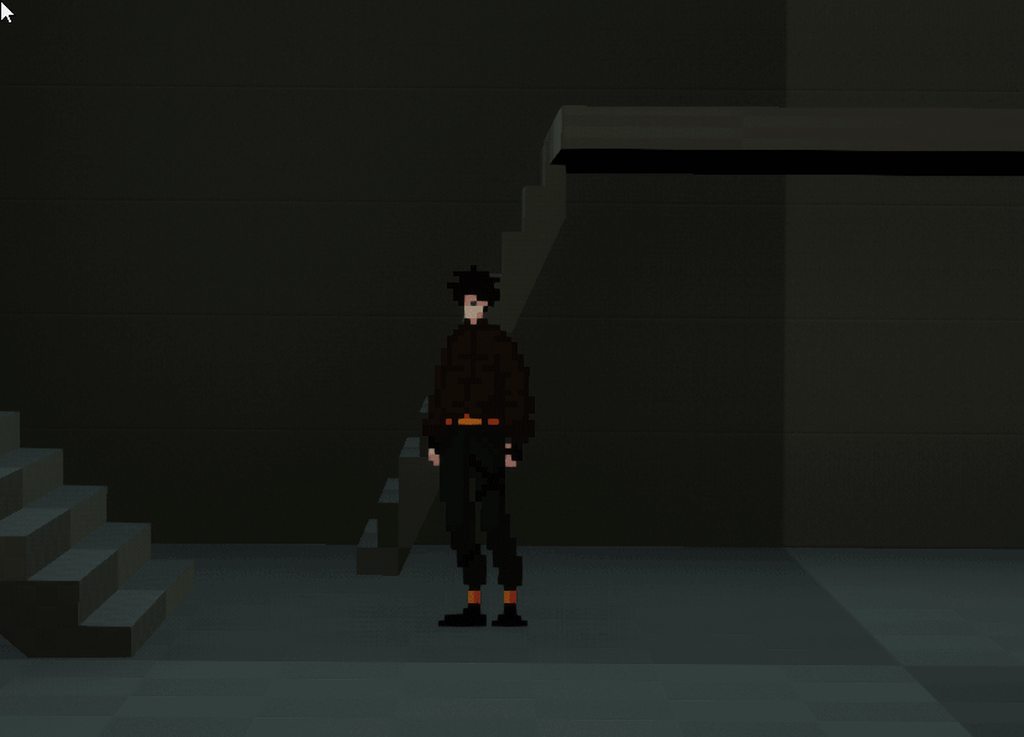
and the error message itself
 dusky harness
I have 2 identical characters. One is possesed by player and one is empty. I need that at a certain moment game will "save movement of the player character" and replicate it on the second one. So at a certain moment they will move equally at the same time. Any ideas how can i do that?
signal fern
frozen needle
and the error message itself
this just seems like you need to debug why you are getting null references there
signal fern
dusky harness
I have 2 identical characters. One is possesed by player and one is empty. I nee...
you could save the input actions and timings for those into a queue, and then executing them delayed
maybe you can dig up into how replay features work, you need something along those lines but more real timey
frozen needle
signal fern
this just seems like you need to debug why you are getting null references there
for some reason I get this but I don't understand why it's doing that
 unique harness
What is the issue with the picture?
frozen needle
the "_C" in the character blueprint name
unique harness
It's always like that
unique harness
That looks fine
I assume that's not where you're getting None
BP_CamLock_Simple is where
you cut off the image that tells which function though
 unique harness
right so that cast will fail
which is fine because nothing is connected to that exec pin
frozen needle
I don't get it ):
unique harness
show the full error output
frozen needle
 signal fern
it seems

you should be lookin at this ones
click there and see where they take you
unique harness
^^
frozen needle
there
 unique harness
Yea so SpringArm is invalid
you should remove the GetAllActorsOfClass
and use the result of the cast

 frozen needle
unique harness
how are you creating it?
frozen needle
unique harness
how are you creating it?
 worthy frost
that is not creating it
frozen needle
you mean this? It's a component in character blueprint
 worthy frost
you know what the issue is
unique harness
store the cast result?
worthy frost
you need to cache the player
unique harness
yep
worthy frost
or w/e milo is
frozen needle
huh
unique harness
after the cast, before the timeline
can right click the pin and do promote to variable
frozen needle
I did that and there's no error message but the visible result is still the same
worthy frost
show us your graph now
frozen needle
 worthy frost
you get no more warnings right?
frozen needle
yeah
worthy frost
so now you need to fix your timeline logic
frozen needle
I wish I knew how
trim matrix
is it possible to alter a material instance float from the level blueprint during runtime
 sudden raven
in a multiplayer first player shooter game, how should i get the bullet to travel to the center of the crosshair? The bullet moves slow so I cant just ray trace a line and back to the gun
 royal kraken
Hi all, I am trying to create an ingame way of changing a material in the scene, by picking from a range of cubes with different materials on, does anyone know how to do this?
dusky harness
How can i spawn player character already moving? Like not putting Add Movement Input on the Tick node, this way it just spawns in place then starts walking
 novel cosmos
Do montages not work on meshes that are using MasterPoseComponent?
I have a modular mesh and the anim asset works perfectly on it, but the montage doesn't.
dense peak
Cheers @ocean radish that's perfect thanks
trim matrix
H iI currently save 5 boolean variables, when I print this I get dup, false,false,true,false.
But I'd like the sets to their variables, how could I do that?


Thanks 🙂
 hidden flume
What does it mean? K2Node_Event_controller
 earnest tangle
K2Node usually just means "Blueprint Node" and whatever comes after it is the name of the node. So you have something called "Event controller" in your graph, which does not exist
Click on the underlined parts of the error and it should put you where the problematic node is
trim matrix
Hello. A simple question. How can you move multiple variables from the variable list onto BP graph?
Hello guys, I have problem with following this tutorial about crafting system

In this series we go through how to create a crafting system where you can collect resources and spend them to craft useful items.
Download the project files here: https://www.patreon.com/posts/project-files-32789634
Part 3 goes through how to pick up items off the floor and add them to your inventory we made in the previous episode.
Support ...
I did it step by step
but here the person creates bleuprint class type actor which is bush and put it on the level and can get it but I can't get it
I will be more than happy if you could help me
maiden wadi
@trim matrix I don't believe that you can move multiple variables to the graph at once. Although there is a hotkey for dropping a get and a set at the same time for the same variable.
maiden wadi
Out of curiosity. How many variables are you needing to move exactly? I don't think I've ever needed more than four in any one spot before.
trim matrix
about 100
I have a game instance which acts as a hub that gathers level times and each level has 10 courses. I need it for my savegameobject
maiden wadi
I really feel like this should be in an Array.
 summer harness
No struct for that variables?
trim matrix
But ... I do have to enter them in array still?
maiden wadi
You could just make a struct of the level and the course stuff, and put them in an array. Each entry could be for one level. Alternatively, a Datatable with some lookup functions.
trim matrix
ahh yes Dt could be one
maiden wadi
Easy CSV editing through the datatable.
trim matrix
Well thanks for the ideas. I honestly think though they should allow to edit multiple variables, but what do I know, right? 😄
maiden wadi
I think it's just a programming difference. For instance, a programmer is much more likely to just make a single property for the array and a couple of simple functions to get the correct data from that array, than create 100 individual variables.
Much easier just to go back and add a single line to an array than update all the functions that use these variables.
trim matrix
Yeah, but when they make BP I think the goal was it to be accessible for non programmers...
And also thru arrays, is not always feasible or even the easiest route, especially in my case
maiden wadi
Hmm. I think the goal was pretty much the same as any higher level scripting language. You still need to understand the basics. You don't have to care about the more low level technical stuff, but you still have to understand basic data flow. A lot of UI designers who are artists also know languages like C# or LUA, because that's how they did their logic in other programs a lot.
What is your use case? What do you need this data for each level, for?
Like, level completion and level progress/score data?
trim matrix
Each level has a bit different stuff. One level if char completes 10 courses with gold time it will unlock bonus. Some levels dont have gold or silver times, just times. It varies a lot. Some calculate time of the level and give you bonus how fast you did it and so on.
Either way lot of work with arrays and it makes the bp not so clear for me again. I guess the best way to is create level specific datatables
maiden wadi
All I see is one large struct that has any potential data needed for each level. Do levels have one potential bonus each, but different effects? Put bool and enum in the struct for GotBonus. Upon level load, all you need to do is iterate over the array with a function that SwitchOnEnum. If it == default enum, ignore, that level has no bonus. If it == a bonus type, then check if that bonus was acquired. If true, apply the bonus. Then all you need to do at level completion or data save time is determine if they achieved that level's bonus.
I feel you though. I'm working on Inventory and building placement stuff using HISM components. Abstracting data can be a pain. Worth it in the end though as it makes your solutions very scalable.
trim matrix
Yeah, either way, a lot of work. I guess the winner is the way its easier to come back and edit or fix easily.
I started UI stuff 1 month ago and achieved so little. All other stuff was quite ok compared to UI 😄
Yeah... ughh inventories. :/
maiden wadi
Definitely a different style. And yeah. Specially when it needs to be replicated.
trim matrix
Replication? wow you really have a double workout on your patience. Respects.
maiden wadi
Nah. I love multiplayer stuff. It's incredibly fun to puzzle around. But inventory items have a ton of data and I wanted to break down what needed to be replicated. So instead of nearly 120 bytes per item, it's more like 11 per item. Had to separate the majority of the data into a datatable that any machine could look up, and only replicate the necessary stats like an item ID, size of the stack which also serves as the current durability for more complex items, couple of bytes for upgrades, and the slot number in the inventory that the item is in. So that each machine can rebuild the item on their own end from the replicated data.
trim matrix
;O thats a lot of work. Differents strokes for different folks I guess. Atleast sounds very optimized. I hope they pay you good or you like your own project 🙂
pastel garnet
Any way to prevent particles from going through walls?
It would seem a bit funky if blood splatters went through walls lol
tacit shard
looks like you have something in a foreach loop, after a branch that is broken
wow, typed that and got a wall of text
Ok, so i wanted to make a blueprint function library for my character ai....
but i cant use things like "AI Move To" outside of the event graph....why is that?
i cant even us it in a function withing my actor
maiden wadi
Latent functions are timers. You can't return to a specific spot inside of a function.
pastel garnet
Isn't AI characters/pawns?
maiden wadi
It would have to start the function all over again if it called it. Latent nodes start a timer and return to that spot in the graph.
tacit shard
but i can basically do the same in the event graph as in a function
just makes it unclean
what would be the alternative to AI Move To if i wanted to implement the same functionality in a blueprint librarary?
tacit shard
lol
maiden wadi
@tacit shard Try one of the left two. Anything with the clock, like the two on the right, can be used in macros, event graphs, etc, but not in functions.

This is because of the way that blueprint is compiled down. In psuedocode, a blueprint function is just
{ DoFunctionyStuff;
DoOtherFunctionyStuff;
}```
You can't just pass DoFunctionyStuff and go straight to DoOtherFunctionyStuff easily without a lot of extra framework.So the way blueprint more or less works in the graph is...
{
  Function1();
}

Function1()
{
  Function2();
}

Function2() //This function would have a clock on it.
{
  SetTimer(Function3(), TimerDuration);
}

Function3()
{
  This happens after TimerDuration
}```How that looks in blueprint is..
 hidden flume
Hi, after some point, my blueprint class serialization got damaged, and one of my created variables invalidates on first tick
How can i reset it to default without reparenting all BP?
Base class is from c++, but it should not be problem. On c++ stage it all works absolutely perfect, problem is that BP itself invalidates one variable on first tick
after reparenting it comes back and works flawless
Just reparenting it breaks everything i setup, cuz i setup most of my graphical stuff that is hard to setup in c++ inside BP
 primal bluff
With the Character Movement is there a way to make the Floor Check bigger than the Capsule Collision?
maiden wadi
@primal bluff Not likely. It just uses the capsule itself for that. To do that in blueprint directly, you'd need to override some of the C++ calls. Otherwise you're stuck recomputing that in blueprint.
 ancient spindle
Hello. I have scene with a fixed camera looking at the Y axis and I need to make it movable in the X and Z axis plane, but I'm a bit stuck. Could someone give me some help or insight? I've been trying looking for some tutorials on youtube, but I had little luck. I'm quite a noob with Unreal Engine, so it must be something stupidly obvious I'm overlooking. Anyway, thanks in advance.
maiden wadi
@ancient spindle How do you want it to move? WASD, mouse drag, etc.
ancient spindle
wasd
primal bluff
maiden wadi
<@!558262891569217536> Not likely. It just uses the capsule itself for that. To ...
Yea, seems to be tricky. I can't also just make my own Floor check in Blueprint on top because they character movement will still trigger Falling
maiden wadi
@ancient spindle Is the camera in the possesed pawn, or are you moving the camera via the level blueprint?
ancient spindle
maiden wadi
<@!217281567909740545> Is the camera in the possesed pawn, or are you moving the...
I created a camera actor and put in in the scene. Then I made it fixed looking at the Y axis. I have no pawn
maiden wadi
@ancient spindle It's possible that this is all you'd need in the level blueprint in that case. Otherwise you'd need to make a new pawn class and add a camera to it, give it it's own controls and set the game mode's class settings for default pawn to your newly created pawn.
 ancient spindle
maiden wadi
<@!217281567909740545> It's possible that this is all you'd need in the level bl...
ancient spindle
maiden wadi
<@!217281567909740545> It's possible that this is all you'd need in the level bl...
Thanks a lot! I'll try that.
 keen wedge
Hi all, not sure if anyone might have a thought on this...
I have created a menu system with UMG and tried to get it to work with a gampad WITHOUT using timers/event tick etc... its working all bar one minor issue... The first button shows as selected but its DOESNT have the dotted render focus line around it. as such, if I press the A button on the gamepad, nothing happens. I have to move the left stick once to a different button and then back again and then it works as expected. I am setting the initial button focus using SetKeyboardFocus -
Any ideas? I should add, if I click one of the buttons with the mouse first too that will also enable it to start working... just immediately when it appears etc..
trim matrix
Hello guys I have problem that I can't get my item which I did overlap event
if the code is like this, it works

but I want to have these events, cus this event includes boost the speed
 turbid tiger
trim matrix
but I want to have these events, cus this event includes boost the speed
turbid tiger
trim matrix
but I want to have these events, cus this event includes boost the speed

and set your controller here
 trim matrix
I did it this
and again doesn't work

this won't work? @turbid tiger
ythe durability of the boosted effect should be 5 seconds

this is what I have
but doesn't work as I want
so here I need to set the event to have 5 seconds delay
 vapid ibex
Is there an Unity's "coroutine" analog in Unreal, or a way to achieve it without C++? Basically a function that can have delay node inside of it, and that can be cloned and the clones run independently.
 gentle urchin
Sounds like a macro?
maiden wadi
@keen wedge Can you maybe run the same button selection function that the left stick does, in EventConstruct?
vapid ibex
gentle urchin
Sounds like a macro?
Are macros instanceable? Like if I paste two of them into blueprint, will they each execute on their own?
 tight schooner
@vapid ibex I believe that's the case; a macro is equivalent to copy-pasting nodes is what I've read
A messier approach that I can think of offhand is spawning blueprint components on demand but it could potentially impact garbage collection without pooling. I'm not sure what the use case of that approach would be lol but there you go. I suppose if you need an approach that scales dynamically...
 gilded flame
Hi, I'm new here, is this the correct place to ask about questions regarding UE4 issues with blueprint programming with the NDI tool plugin?
keen wedge
maiden wadi
<@!486928404361379840> Can you maybe run the same button selection function that...
Hey, thanks for the reply. Turns out I was setting the initial focus to the wrong thing (and subsequent ones)... I'd wrapped the button in a user-widget and was focusing that! When I changed that to the button inside the user-widget, the world was good again!
Its taken me 4 days to get the menu to work with a gampad!
/me issues Batman Slap to UE4
 dawn gazelle
trim matrix
I did it this
dawn gazelle
trim matrix
I did it this
On the overlap you're calling "Boost Speed Event" which grants the speed, then after a 0.2 second delay, you're calling "Boost Event End" which resets it. You basically should just need to get rid of this node and it'll work again.
 trim matrix
dawn gazelle
On the overlap you're calling "Boost Speed Event" which grants the speed, then a...
trim matrix
dawn gazelle
On the overlap you're calling "Boost Speed Event" which grants the speed, then a...
like when I go through it, I don't get it
dawn gazelle
trim matrix
like when I go through it, I don't get it
Connect a print string off of your Cast Failed node and see if it fires.
trim matrix
okay
so I see that when I have delay node I don't get the item, I get it for example after 5 seconds
so I need to make the boost effect on the custom event
 cursive kindle
Hello! I have a question I have been having issues with for a few days now. I have both a radio and a tv and I want them to act like they do in real life. So when you cycle through the channels and you make it back to the original channel I want the music or movie to have progressed. I have both start and stop variables but I am unsure how to access how long it has been off and add that to the time that the media changed. Pic is to show my confusion.


 vital ingot
Hello! I'm just wondering if I'm doing something the right way; or if it's VERY round-about. So for context in my scene I have seasons that swap my assets. (This SS is my winter)

When I add in new assets for each season (Snow in this case) my grass intersects with my snow; so I was planning on manually painting my grass for each season. Currently I'm planning on doing that by making a new sub-level for each season, and hiding/unhiding the grass based on the sub-level being swapped in/out, but it seems very roundabout.

Is there a better way to swap out my grass (Or any other assets that wont be shared across seasons for that matter)? Currently I have an enum for swapping my textures (And my date) So the actual season part's handled. I just need help swapping the grass since I can't seem to find out how to get different foliage actors into one level without sublevels.
trim matrix
nvm, it works, nice, I wanted to make when I press left shift or if I don't press it, I need to have this boosted speed for 5 seconds, and now it owkrks
nice

this is the code
this is the code of the event

the next problem that I have is with the crafting system, I follow this tutorial series https://www.youtube.com/watch?v=QGdXOcz8lrU
In this series we go through how to create a crafting system where you can collect resources and spend them to craft useful items.
Download the project files here: https://www.patreon.com/posts/project-files-32789634
Part 3 goes through how to pick up items off the floor and add them to your inventory we made in the previous episode.
Support ...
and I can't interact with the bush item

these are the errors

this is the problematic node
hmm
maiden wadi
@trim matrix Where do you set PlayerCharacter?
@swift pewter You need to save the character's location at the time of overlap, and use that saved location in the Lerp.
Lerping is like setting a rope. The ends need to stay the same. If you take a step along the rope and then chop that off where you walked past, you're still at the start of the rope.
 pearl abyss
@paper galleon i don't found any tutorial for custom real jumping
signal fern
trim matrix
so I need to make the boost effect on the custom event
You should save a variable that contains something like Tv Time that will always progress no matter the channel is on
So when you change the channel and you open the assigned file for it, you need to seek for the Tv Time
You also should probably want to do something like Tv Time % videoLength and seek for that insead of the entire Tv Time since when it starts to be longer than you videos lenght, it will always seek at the end or not seek at all 🙂
Hope this helps!
pastel garnet
Anybody know how to solve this problem?

I can't plug it in, but it can for the tutorial

 chrome locust
whhatt u mean it it can for someoneelse
pastel garnet
for the tutorial
chrome locust
probably because board1 is a scene component and the function expects primitive component
pastel garnet
I know that
but I wonder how the guy does it
otherwise

It's fine.
I can just do it this way.
dawn gazelle
But that's not the same thing as specifying a specific one using the select node. if you do it like that, all 3 will be changed.
pastel garnet
that's what I want
maiden wadi
Just drag off of the SetCollisionEnabled node's target, and get the Select that way. Then plug the three variables in.
maiden wadi
You can also disconnect everything from the select node, it'll revert it back to being wildcard, then you can plug the primitive component ref into it.
trim matrix
signal fern
You should save a variable that contains something like `Tv Time` that will alwa...
it works already, ty anyway
trim matrix
maiden wadi
<@456226577798135808> Where do you set PlayerCharacter?
about this problem?
 maiden wadi
@trim matrix Correct
trim matrix
maiden wadi
<@456226577798135808> Correct
not with player?
maiden wadi
Not sure what you're asking.
You have a variable named PlayerCharacter that is invalid. Meaning it doesn't point to what you think it should point to. You have to set it somewhere for it to point to something, then you can get data from it or call things on it.
trim matrix
a okay
will see now
the problem is that I need when my cursor is over the bush to print its name, it doesn't do it, when I overlap it, I need to get it (destroy the actor) again doesn't work
I don't set it anywhere

if I add this
will it help?

 dark crow
That's even worse
You're using a Ref in Pre Construct and set it in Construct
Get Player Pawn
You can use that
trim matrix
okay I will remove it from construct
trim matrix
where to use it?
dark crow
You use it to set the Reference in Player Character
 dark crow
You have these 2 beautiful nodes
 dark crow
Your problem is
trim matrix
😄
maiden wadi
Personally, I don't bother saving references that often if they're easy to get. Things like GameState, GameMode, GameInstance, Player's Controller/Pawn/Character are all easy and quick to get with fast calls. No point in saving references to them.
dark crow
Player Character has no reference in that case
trim matrix
Yeah, I know that if you create reference you can use it
dark crow
So it contains None
trim matrix
idk why I need to set it to be able to get info-am I wrong?
trim matrix
dark crow
So it contains None
okay, so how it can has reference?
maiden wadi
Okay.
Blue blueprint variables like that are called memory pointers.
In short, they point to a specific location in memory where something resides. You have created a tiny little pointer that knows it should point to a specific type of object, but it doesn't know which one. You have not told it where in memory to point to. You have a business card with no business name or contact info.
trim matrix
yeah okay
dark crow
You did it for the Controller, Character is not much different
trim matrix
so where I need to set it to has this info?
dark crow
Get Owning Player returns Controller Object
trim matrix
aaa
dark crow
Get Owning Player Pawn returns Pawn Object
maiden wadi
Anywhere before you use it.


 dark crow
Nooo
maiden wadi
Or just ditch it entirely and replace it with GetPlayerCharacter(0)->CastToMyCharacterType.
trim matrix
aha