
#blueprint
402296 messages · Page 638 of 403
 proud widget
 coarse marten
Is there any way or plugin that supports multiple mice (two mouse input devices)?
Im making a light gun game and using mouse for the movement. the Sinden Lightgun is basically just a mouse input device and does fancy maths to locate where your pointing at to move the mice to it, so i was wondering if i could get two Sinden Lightgun's working in UE4 by tracking two mouse input devices.
 late kraken
Hello!
I have some surfaces that are "soft" where the player can throw a spear on and it will can get stuck in it.
I was wondering if there was way to remove the collision from some side of the box collision, because there is this kind of problem that can happened:


 proud widget
@late kraken You should be able to add your own custom collision meshes.
late kraken
Well even if I have a plane it can still get stuck on the top of it
 solar dawn
hi guys, can anyone tell me why my bp class not showing anything here?
 proud widget
@solar dawn Did you merge it in from a different version of unreal? custom or newer?
 neat prairie
i want to make a vector that is like (value1, value2, 0) in BPs. how do you combine variables into a vector?
 dawn gazelle
neat prairie
i want to make a vector that is like `(value1, value2, 0)` in BPs. how do you co...
dawn gazelle
neat prairie
i want to make a vector that is like `(value1, value2, 0)` in BPs. how do you co...
make vector
neat prairie
ahh thanks, makeFloat3
solar dawn
UPDATE: I kinda solved it. Dunno what's the problem but I clicked Window -> Class Default -> Open the blue Highlighted BP Full editor.
 south merlin
Is there a smarter/more efficient way of checking to see if the Begin Overlap was the player character than casting to the player on overlap?
 earnest tangle
That sounds reasonable
south merlin
Everything is like "Just cast to the player" and then "OMG stop casting they are expensive"
but I figure that's for people casting on like event tick or something
 gentle urchin
Yeap
You could buffer the cast on beginplay and compare instead, but probably has very little impact
south merlin
this is just for a door open, so when you walk close it, it will open, but not open if you shoot it with a gun.
gentle urchin
Should be fine
 maiden wadi
@south merlin Lol. Realistically, if you're learning, don't stress the casting issue. It's not something for beginners to know. It doesn't really cost runtime resources. The real issue with casting is memory management. CAST TO EVERYTHING
south merlin
that makes sense.
I sometimes go down a rabbit hole of wantting to optimize things that really won't move the needle.
dawn gazelle
What was the rule? Code first, optimize later?
maiden wadi
Not so bad. You at least learn what moves the needle. Most people don't care.
gentle urchin
Indeed, code first. Optimize after :)
maiden wadi
@south merlin But for real, the casting thing. All it is, is that when an object either casts to something, or even has a hard pointer(blue blueprint variable type) to that object type as a variable, if the casting object even gets loaded, everything it casts to will also get loaded. For a lot of gameplay stuff, this is fine. Classes are small usually. The issue often stems from assets. StaticMeshes(Not components, actual meshes), Texture2D, Sounds, etc. Those files are very large and if you set up a huge inventory with hard pointers to 500 assets, and then instantiate an instance of that inventory, it automatically loads up 500 assets before loading the inventory itself if they weren't already loaded into memory. Until you get used to using Softpointers for that, and get used to abstracting your class hierarchies, don't stress it. But do keep it in mind for later and learn it.
 tawny jackal
I need a metronome of sorts in the game, that will fire a 'beep' event every x seconds. Different game modes might need different beep amounts. What is a good base blueprint for such an object. It doesn't need a location, but many other Actors in scene will key off of it.
Would it just be an actor without a static mesh component?
Or just hang an event off my gamemode?
 subtle nova
Quick question. Does anyone know what would be a good way to set up a transition between two parts of a large level? I get a noticeable hitch when using level streaming to load via BP, so I though I could have them always loaded and just toggle visibility, but Sequencers' Level Visibility track doesn't seem to be able to keep state.
@tawny jackal I'd say probably either do it in the Level BP, or as an Actor.
tawny jackal
subtle nova
Quick question. Does anyone know what would be a good way to set up a transition...
Thank you.
 gritty plover
It keeps giving me this error, despite there being nothing in the construction script of that specific BP.

 tranquil prawn
sometimes it sends u to the wrong node
but there is def an error
but u can try to change the infinite loop settings in the editor/project settings lol
prob not gonna solve ur issue tho
 long smelt
What's the common problem/solution when gamepad input works in PIE but not packaged?
tawny jackal
Is it possible to determine the number and locations of player starts at runtime? I am working on an arena type game where the location of players depends on how many players there are (they are spaced radially). Is that possible?
 twin spindle
I need a custom movement MODE, is it possible to copy and rename the flying movement MODE in blueprints?
earnest tangle
tawny jackal
Is it possible to determine the number and locations of player starts at runtime...
Sure, you can use get all actors and choose the player start actor's type or something like that
tawny jackal
earnest tangle
Sure, you can use get all actors and choose the player start actor's type or som...
So the player starts might just be randomly placed, but I move the actor manually on start?
earnest tangle
Yeah you can do that, and iirc in GameMode there's also a place where you can add custom logic to run when spawning players to choose their spawn location
 celest plinth
Hi, is it possible to access a variable from the player character blueprint in the level blueprint?
 faint pasture
celest plinth
Hi, is it possible to access a variable from the player character blueprint in t...
faint pasture
celest plinth
Hi, is it possible to access a variable from the player character blueprint in t...
Have you tried get player pawn -> cast to your pawn class?
 dull tree
How can i make selection like this in ue4

making rts and i want to select actors with rectangle
twin spindle
@dull tree follow this 2 part 1 hour tutorial and you should have what you need https://www.youtube.com/watch?v=x0Xwz0pySDw

Welcome to the 23rd Lesson in creating a Real Time Strategy Game in #UnrealEngine.
In this lesson, in #UE4, we will set up our Marquee Selector. In this episode we should be able to draw the marquee onto our game space.
Please note there are unit portraits available below!
In the next video, we will add functionality to our marquee selector (...
dull tree
if its worth i will watch 😄
twin spindle
this one has a lot more tutorials available for the rts genre
it will probably help
dull tree
got it
 elder gulch


im getting error here for no reason but everything works
how can i fix this so the error can stop?
twin spindle
anyone know how to use this? movement completely stops at the moment
 south merlin
@elder gulch which of the branches is the error on?
elder gulch
south merlin
<@!373178387373621259> which of the branches is the error on?
the one that i sent
at the ss
south merlin
the centered one?
elder gulch
south merlin
the centered one?
yea
everything works but it gives error
for no reason
 dark crow
What type of Trace are you using?
south merlin
It's saying it's receiving none
if a branch get's none like that, I think it'll always be true. I think
elder gulch
dark crow
What type of Trace are you using?
by channel
elder gulch
south merlin
if a branch get's none like that, I think it'll always be true. I think
like i get error but all of the function works
south merlin
even on non easter egg objects?
elder gulch
south merlin
even on non easter egg objects?
the thing is i go to it click on it and it runs it
but it first checks the tag
if the actor have that tag it runs the command
if not
it stops
dark crow
I guess you can try to check if the hit is valid in the first place
2 ways to do it i think
dark crow
 dark crow
 south merlin
I love print strings, my first check would be to print the return value of actor has tag.
dark crow
If it works then you just wanna filter out when it returns what you don't want
elder gulch
aight
dark crow
Means it returns a valid reference at one point
 compact mauve
Hi, is it possible to pass by reference an array to a variable which was exposed on spawn? While using spawn actor? Or do I need to use a setter with the return value of spawn actor? On a function I can select "pass by reference".
 errant snow
compact mauve
Hi, is it possible to pass by reference an array to a variable which was exposed...
errant snow
compact mauve
Hi, is it possible to pass by reference an array to a variable which was exposed...
No, because you can't declare reference variables on an actor. If you want the actor to have array information you'll have to copy it from the source to the property on the actor. This is the copy that you'd be doing anyway if you wrote your own setter function and passed the array into it by reference.
compact mauve
@errant snow Ohh okay, thank you for this clarification 🙂
 jaunty stirrup
Hello , i have a corrupted BP , a boolean is setted to false however there is no setter on the boolean. what can i do?
 flat raft
How would I go about not having the camera control the direction of the movement ?
 marble tusk
jaunty stirrup
Hello , i have a corrupted BP , a boolean is setted to false however there is no...
marble tusk
jaunty stirrup
Hello , i have a corrupted BP , a boolean is setted to false however there is no...
Is false it's default value?
jaunty stirrup
yes
marble tusk
Then it'll be false unless you set it to true
jaunty stirrup
I set it to tru when character is overlapping a spheretrigger
and after its true false true false true false ...
There no setter making it false
marble tusk
What's the graph look like that's setting it to true?

 marble tusk
There's two setters in there?


 marble tusk
Are you maybe setting it to false in a separate actor?
 quartz pawn
so i have an ActorBeginOverlap, how can I add velocity, like shoot it into the air, to the overlapped pawn or actor
jaunty stirrup
@marble tusk I did the search on all actors
Its making me mad
When i set the default valor of the bool to true it stay always true (its ok)
but when its setted default to false , it flip between true and false
marble tusk
Are you respawning the character at all during this?
jaunty stirrup
I don't think
i ll look at that
good idea
i have not created spefici Ai controller for the character
maybe its that
It's not that
It's driving me completly crazy
faint pasture
How many of these characters exist on the map and are you in multiplayer or single player?
jaunty stirrup
I'm in singlePlayer and there is only one actor just for testing
I try deleting the BP and reimplementing it
jaunty stirrup
It seems to work after reimplementing exactly the same BP
jaunty stirrup
This was the worst bug i ever seen ...
 dense tulip
@jaunty stirrup I remember having a corrupted project because a file was locked for invalid reasons. When i decided to kill the project, i had lost all my changes.
jaunty stirrup
seriously? its amazing
dense tulip
No idea how it could do that .. but no way to get out of that lock without killing UE4
faint pasture
Are montages fine to use for the timing of things like a reload, attack, etc, or is it better to have a second parallel timer that actually does the action?
 coarse forge
The set timer by function and event nodes.... the function i supply is where the code should live that I want to execute during the timer?
 static charm
yes
coarse forge
And if i wanted to see how much time in the timer has elapsed since start?
static charm
no idea 😆
static charm
you can try dragging out from the timer handle reference and see what nodes there are
otherwise you'll need to add your own logic to make a timer's timer/counter
coarse forge
is it recommended to make the output of the timer handle a var?
static charm
not really unless you need to tell the timer to stop or do weird stuff
 static charm
yup nice work
coarse forge
now to store that handle
well... if this is the function my timer is calling.. is the handle implied?
static charm
no
coarse forge
darn
makes sense.. my timers in cpp have the handle passed in to
how would you loop this for each second elapsed?
 dawn gazelle
?
 coarse forge
hmm
might work
let me see about that
right now.. this never gets above 1

i think i need to do a + here
okay.. so i found out it keeps calling the function
just doesn't move forward
static charm
well just now looking at ur setup
the elasped time is probably only per each loop, not total time the timer has been looping
you could print string and know for sure
coarse forge
yes
its based on this

but i found.. that
doing some math

made it move
now...
to smooth that out some
so its less choppy
 misty fiber
I want to replace a widget component that is in an actor class with an empty scene component. I have many placed versions of this actor on the map and they have tweaked the widget component's transform. Is there a way to change the class from widget component to scene component and maintain the placed actor's changed transforms (making them now apply to the scene component)?
misty fiber
hmm, trying to do it with a blutility. If I have a selected actor, how do I get it's most-derived class? get class seems to type the pin to whatever it is casted to instead of whatever the final class is
gentle urchin
Choppy comes from the 0.25 timer @coarse forge
To smooth it out you'd need to update it more frequently
Also, elapsed time shouldnt be added to current progress
Using tick, this is the smoothest update you can achieve afaik

I'd personally avoid using tick in widgets, and rather update it externally via timeline or equivalent , but thats up to you in the end
Doing it from externally is basically the same stuff via some custom event instead
This just loops for infinity, from the playercontroller

 sour urchin
Why DestructibleMesh not visible on Client Side? it's visible when Destruct only
 wheat vigil
how do i load + spawn an asset that i have the path to (e.g. /Game/myAssets/test.fbx) asynchonously in a blueprint
how to i get the soft object reference of /Game/myAssets/test.fbx
 wispy star
Question: If i have an array of material interface references, and i'm using GET, will it make a copy of it (as there is no option to get Array element by reference) ?
 spice shore
Question; How Do I Keep The Same Animations With A Different Skeletal Mesh
twin spindle
@spice shore You gotta do some retargeting. Then rightclick on an animation and you'll see an option to duplicate it for another skeleton.
earnest tangle
wispy star
Question: If i have an array of material interface references, and i'm using GET...
afaik those are pointers so it'll make a copy of the pointer
 keen bluff
I changed my project to a mobile one and now these touch screen sticks won't go away, even on desktop version
 maiden wadi
@keen bluff I'm not used to Mobile, but I believe that is a Project setting in Input Settings.
coarse forge
gentle urchin
Choppy comes from the 0.25 timer <@!715916504599887892>
Thx. Yeah I'll optimize that later or refactor. I swapped to the function timer to prevent a lot of if branch checks on branch all game long.
I'd love to figure out a FPS calc for the timer loop time or a curve or something, but its all good.. Not sure how intense adding more to increments to that loop will be yet. But moving on. Got a game to ship!!!
maiden wadi
I find that a lot of UI stuff tends to look great somewhere between 20-40 times a second. 10 often feels a bit jittery. For MOST things, anything above 40 on UI is a waste.
 graceful forum
Is.. this a valid BP syntax?
 maiden wadi
Then again, if you want a sort of old style loading bad, 5 times a second can work great. Even drop a loop here or there.
@graceful forum Technically yes, but often frowned upon.
coarse forge
maiden wadi
Then again, if you want a sort of old style loading bad, 5 times a second can wo...
is there a .. kill your game threshhold
 twilit heath
i would not trust that @graceful forum
 sand shore
you can trust that
coarse forge
like.. loop at 0.00000002 seconds
sand shore
it's totally kosher
sand shore
graceful forum
Is.. this a valid BP syntax?
this is valid, supported syntax
twilit heath
it also lets you connect a TArray<UObject> pin to a TArray<InterfaceObjectImplements> pin
and then it comes empty on the other end
twilit heath
i did, some 3 years ago
graceful forum
twilit heath
and then it comes empty on the other end
What do you mean by this?
sand shore
Zlo means the casts fail
twilit heath
it lets you connect pins, it doesn't complain compiling the BP
the array on the other side is just empty
sand shore
did they give you an issue id?
twilit heath
honestly, i don't remember
graceful forum
Oh I see. I guess there was something existing like that about connecting arrays to select nodes
Which was not complaining on editor but giving error on cooking I guess
sand shore
@graceful forum also any node you can do that array syntax with, you can also connect multiple single references to. Not both, either you link a container or multiple single entries.
maiden wadi
You should also check the validity of each pointer before calling anything on it. Even destroy.
sand shore
but apparently don't trust it to play nicely with interfaces
graceful forum
sand shore
<@157557086950129664> also any node you can do that array syntax with, you can a...
I was aware that connecting multiple widgets to single function node was valid (That's what you mean right?) but this just blew my mind. I never tried this before
sand shore
yeah I thought it was broke. Nah, just cool
coarse forge
maiden wadi
You should also check the validity of each pointer before calling anything on it...
This actually will bomb your game if the pointer doesn't exist and you try to destroy it
sand shore
I actually went to see what was being done to support that, it's pretty nifty
maiden wadi
@coarse forge Realistically it won't do anything bad in blueprint. But it'll crash if you call that in C++. But checking validity is a lot faster even in blueprint than letting the virtual machine fail with a nullptr.
coarse forge
ah.. i've only ever done it in cpp and it def died LOL
sand shore
you can also call into c++ and c++ can crash
graceful forum
Well thanks for the answers
coarse forge
Okay.. progress bar done.. now onto tracked quest widget >:
sand shore
twilit heath
it also lets you connect a TArray<UObject> pin to a TArray<InterfaceObjectImplem...
also this seems slightly different than the thing we were talking about, if you mean a container to container connection
 neon gust
what is the best way to learn blueprints fast: videos or websites?
or if there are any other ways, please let me know
twilit heath
it is different
still don't trust BP to do "exotic" stuff unless i verify it works with a breakpoint 🙂
neon gust
what's a breakpoint
coarse forge
its when you think you are okay.. but.................you break
sand shore
twilit heath
still don't trust BP to do "exotic" stuff unless i verify it works with a breakp...
heh
sand shore
neon gust
what's a breakpoint
start with the pins in this channel
actual practice is the best way to learn, augment with video or web content. No books. Books are good for eg c++ but I don't think there's a recent BP book.
neon gust
ok thanks
coarse forge
I think this guys videos are pretty much a book https://www.youtube.com/channel/UCOVfF7PfLbRdVEm0hONTrNQ

YouTube
This channel is dedicated to exploring Unreal Engine 4 and the Blueprint programming language that it uses. You can think of it as a companion to the API documentation as I try to cover the how and why for what things are used for when using the Blueprint system.
The master project for these tutorials can be found at https://github.com/MWadste...
 proven mason
Let's say I export a 3d object with multiple collisions for example UCX_Box_00 and UCX_Box_01 is there a way in blueprints to call on a specific collision like I want to call an On Hit event to collision UCX_Box_01 how would I do that?
neon gust
I found the UE blueprints website, and it's really useful to me right now
 atomic salmon
@proven mason you can't, but since the collision shape is made of multiple bodies, you can get the specific body which was hit as Item Index inside the Hit Result.
 olive sedge
I bring up a menu on tab press and I hide it on release. when I click on a button in the menu, tab release triggers?!
How am I supposed to be doing this?
proven mason
atomic salmon
<@!286889539308355585> you can't, but since the collision shape is made of multi...
Interesting, noted.
coarse forge
do BP's not like uobjects?
the getquest by id returns a uobject Quest, but I get no nodes or anything to do anything with it

nm.. found something i think
earnest tangle
If it's a C++ class it needs to have its properties and functions marked appropriately. If it's a BP-based uobject, it should work assuming you're returning the correct type and not just a plain object
coarse forge

landed here
Can I go from something like this to listing out in the ui the combo of progress and names? dynamically

hmm.. maybe i need a sub widget here
this might be the wrong chanel
 languid bronze
Hello friends 🙂
I have an issue which seems like it should be pretty simple to solve, but I've been rubbing my head longer now than I expected to! 😅 Maybe someone here can give me a hint as to what I am doing wrong?
I have a box (an actor with a movable cube primitive) which my character pushes into a hole. When the box lands at the bottom of the hole, I have another actor placed there which has a collision volume in it, acting as a trigger (OnComponentBeginOverlap(Box)).
When the movable box lands on the trigger, it is supposed to make a door open! 🙂 So, naturally, I just wanted to use a branch node in the logic, to deduce if the door can open or not.
Just to see if my door actor is working, I tried tying an event tick into the timeline, and it plays the way it should.
Yet, when I insert my branch, calling the variable which I am trying to enable through my box trigger, it does not work anymore...


Any advice would be greatly appreciated, thank you!
 raw dew
how can i setup these personal points to get +1 for the shooter and not for the one being shot? the way it is right now the one being shot gains 1 point in stead of the one that shoots

i tried adding the +points bit in the projectile on hit but it wouldnt replicate right at all
 upbeat otter
alr so apparently when I possess a boat and start moving this logic breaks and I cant get back to my third person character. But if I stay perfectly still I can go in and out hitting E no problem.
 coarse forge
languid bronze
coarse forge
languid bronze
did you add a breakpoint and make sure the door object is there?
 high ocean
This is my code for floating-like rocks. It works as intended, however, I don't understand why all instances of the blueprint synchronize and move at the same time (somehow). Maybe I'm missing some under-the-hood timeline functionality?
I even changed the values for those exposed delay params to increase randomness. They still all move together.
 coarse forge
are they instance based?
high ocean
the code is in the parent, params are exposed, and I just alt-dragged several instances in the world, so those are instance bps
coarse forge
@high ocean

^ look for that check box
that i believe allows you to set it individually per instance of the bp
so basically what it sounds like.. is when you set 1.. they all sync to that since its not instance editable
high ocean
like I said, those "exposed" e.g. instance-editable parameters are different which shouldn't really matter since the RNG (random float in range) acts per instance, and should virtually never pick the same value twice, from 0-2 for instance.
and if it picks a random number for the initial delay, they should already be different, right from the start, so that's what I don't get
coarse forge
sorry man.. you said you dragged them out.. but didn't say that box was checked
high ocean
but some are really different: for instance I have one which is 2-5 and another .25-.9
Ok, found the problem, but I still don't get it. Even though those values are different, they are ignored, and only the parent's values are actually taken into consideration. The random function is also only called once in the parent which explains the whole thing
languid bronze
coarse forge
did you add a breakpoint and make sure the door object is there?
Hey 🙂 ! Thanks for the reply.
I added a breakpoint to the set node and in runtime does not reach it for whatever reason.
The door is clearly in the scene, it's basically next to the switch.
coarse forge
high ocean
Ok, found the problem, but I still don't get it. Even though those values are di...
glad you found it
coarse forge
languid bronze
Hey 🙂 ! Thanks for the reply.
I added a breakpoint to the set node and in runt...
so if the breakpoint doesn't hit.. then your event likely didn't fire
high ocean
It still doesn't make any sense to me though, but I'm trying something other than timeline to drive the vectors
coarse forge
me either man! 1. Can't see your stuff... 2. I'm still sorta new
im in the middle of making widgets.. inside of widgets.. inside of widgets
high ocean
Ye, widgets are trial and error, documentation won't really help, and lots of stuff is unexplained, open to be discovered, if you need help, I can provide some
coarse forge
hardest thing.. has been that the bp of them acts diff than a normal bp to cpp layer
hahah
high ocean
@coarse forge Nah, only do layout and things you can't do in bp insid the actual widget, control behavior from bps/outside
coarse forge
yup
gentle urchin
depends on the array
Find would work if "key" is unstackable, or if the inventory itself doesnt allow stacking
If find doesnt work in your specific case you'd need to do a custom check function, looping through the array and comparing it that way
What is the array exactly? just classes? or classes with amount ? or just the data itself pushed in a struct?
so its an array of BaseItem Classes then ?
Guess that depends on what you're going for
So I guess the door would need to check for the object ref , or its class then
probably not ref because that would make them hardcoded i think
so you'd need to check each objects class then, and compare to the doors key-class
weird if that function you had there doesnt work
But maybe its because its the object ref
meaning its not exactly it
didnt think the editor allowed for such checking...
Anyways, I'd pull of its class and check for that instead
if you're doing more advanced stuff, you could also check for tag (instead of creating 3 baseitem children for 3 keys, you'd tag them with key 1 , key 2 and key 3 f.ex)
Not sure whats better tho. never really done a puzzle game or a setup for it
languid bronze
coarse forge
so if the breakpoint doesn't hit.. then your event likely didn't fire
Indeed. The question is why 🤔.
I've tried casting between each asset but I get into an endless loop of 'specify the object' and I feel like I am missing something fundamental.
 zinc portal
Hey is there a way to modify a value with a curve in Blueprints?
Answering myself. Curve float BP under misc.
 languid current
hi, i'm looking for a way to implement SRT files into my project, importing them give me a BasicOverlay that i can't find any way to use, and there is way too many SRT files to re-write them into audio subtitles proprieties been a viable option. i'm kinda lost to what to try
languid bronze
My issue seems more simplified now.
I have an actor which sets a variable to true once a different actor (movable mesh) enters its box collision. The variable is exposed, and will not change the state of the branch node from false to true, though the variable has indeed changed. Feels like a checkbox I missed somewhere... 🙂
 keen garden
I hope this is the support channel for BP, anyway I have some machines that I made in a project. They are drill machines. They sit on a resource node like Coal, Iron and so one and drill the ore. I'm using a linetrace up and down to see what the drill is sitting on. I place the 1st drill down on some coal. No issue. it works fine. The issue
when I place down a 2nd driller on another resource node like Limestone. It drills what the 1st drill sees, Coal. any one have an idea on how to set the drill machines up so that they only drill what they sit on.
coarse forge
languid bronze
My issue seems more simplified now.
I have an actor which sets a variable to tr...
whats the colision set to?
faint pasture
keen garden
I hope this is the support channel for BP, anyway I have some machines that I ma...
Show the bp stuff where you do the line trace and determine the resource.
Where does the resource that I'm drilling variable live?
My first thought on how you should architect this is the the drill sets its resource type when placed or when moved, and every time a cycle happens, it adds x amount of resource type to whatever system is accumulating the drilled resources
sand shore
@keen garden almost willing to bet this is something you're doing in the graph and not any settings
keen garden
I'm loading in the project. and I get you want you wanted
sand shore
but you should make sure the resource types match the spawner/node visuals
faint pasture
@keen garden first explain your desired design. Is it something like factorio where the drill sits on some resource node and mines it until it's empty?

 faint pasture
@keen garden first off you really ought to be using select
keen garden
each of the resources have a tag. Like Coal, Limestone and so on. when it detects it it sets a veriable for that resource on that machine
faint pasture
If you ever see yourself having a bunch of branches all kind of doing the same thing like that, use select

 faint pasture
You really don't even need the select either, just align your naming conventions between coal and coal ore so you have one string for both tag and row name
faint pasture
How are you doing your resource data table, how many different types of stuff can exist in the game? Like 10, 100, 1000?
keen garden
More then likely less then 20 resource nodes. I haven't added them all yet. Because of this issue. I have 5 so for and I need about 5 more.
faint pasture
I don't mean just the raw resources, I mean everything that can exist as a stack of stuff. What are these resources get turned into?
keen garden
Ingots
faint pasture
And what are those could turn into? How many different things are you picturing you'll have?
keen garden
Like iron gets turned in iron ingots and coal is for generators and the list goes on
About 10 or more. Not sure how many
and the 2nd question is I have no idea at this time. A lot.
faint pasture
You really want to make your item system consistent.
So you should probably have one "thing" that is used to keep track of items. Tag/string is prolly good as enums are limited
keen garden
Yes, The drillers keep drilling the resources until you turn it off or you dismantle it
faint pasture
So an actors inventory should be a map of tags to ints.
Tag Coal -> Value 3 for example
I don't know if tags are names or strings but whatever those are, that should be your consistent way of labeling stuff
keen garden
It is.
faint pasture
So when defining a smelter, you could say that ItemsAccepted = IronOre, Coal, and ItemProduced = IronIngot
keen garden
That part has all ready been added.
I'm just trying to get the drill machine to drill only what they sit on.
ok, I made a enum with 5 vales in it for each of the resources I have now
faint pasture
Yeah don't bother doing that if you're going to have tons and tons and tons of items, that'll just f*** it up more. so in your screenshots I'm not seeing where mining output is consumed, where do you use that?
If you set the resource tags to be the same as what they make, you can just have your entire spaghetti get condensed down to row name equals resource tag
keen garden
As it's drilling it adds what it gets to a slot. and I remove it from that slots and spawn it out.
faint pasture
keen garden
As it's drilling it adds what it gets to a slot. and I remove it from that slots...
Show that bit. Have you checked the it's creating the wrong struct or does it just spawn the wrong actor?
keen garden
It all works on the 1st machine.
Nope, Look at this

each node is defind here as it gets detected.
faint pasture
Show the bit where you're spawning the actor and reading that structure
keen garden
is there is no structure for that, I use the same thing I use on another part. hold on let me get that for you
faint pasture
This whole operation sounds like a cluster f***, is it meant to accumulate the resources in any way or is it meant to just mine one unit and spit it on the ground every time it cycles?
keen garden
Yes, Until I can come up with a conveyor system
faint pasture
Can items ever be on the ground in stacks or is it always one mesh equals one item?
keen garden
No, Like I said they get spawned on to a conveyor
anyone, anyone at all.
I fail to under stand why it got so quit, where did every one go.
 tight venture
How do you view all the gameplay tags that you've previously set and given to actors, etc in your project?
 zealous flare
Like the tags on an actor?
Ah I understand now, I'm not sure how. Would be very useful though
I'm pretty sure you can set tags in the project setting and then chose the specific tag on the specific actor
Then you have all tags in project setting and able to be called
keen garden
like I said, the issue is placing 1 machine down and when the 2nd machine is placed down. It only will will see what the 1st drill machine sees. So if I had 20 drills placed down, they all would see only 1 resource node.
That's how it's setup, look at my last screen shot.
sand shore
Why'd we focus so hard on select lol
Yeah, the problem is likely however the drill detects the node it should be referencing
@keen garden so, this is pretty bad. you should have a custom trace channel JUST for resources
print the name of the actor you hit in your trace
faint pasture
@tight venture gameplay tags has an editor in project settings. Gameplay tags and tags are not the same thing
keen garden
I was thinking that the issue could be the verables are all the same.
zealous flare
faint pasture
<@484199965086973967> gameplay tags has an editor in project settings. Gameplay ...
That's what I thought
faint pasture
The issue is somewhere in that giant spaghetti mess you got there, this whole mechanic should really be no more than one screen of blueprint
keen garden
Hmm, I didn't know. I use the root of the mesh and set a tag for each resource.
sand shore
trying to make it perfect should come after it functions
way too easy to get burned out
@keen garden check to see what the trace hits before doing anything. Like I say just print the name of the hit actor at the start of the node tag processing
keen garden
lol, That's how it works and how I have it setup.
tight venture
faint pasture
<@484199965086973967> gameplay tags has an editor in project settings. Gameplay ...
That's what I was thinking of. I found the tag I was looking for, thank you everyone
 limber fox
Hello, ummm so I am new to unreal engine and for some reason my character does not want to run properly. I have the input action where my sprint is the left shift key, and I have my character movement node in the event graph of the blueprint for my character, When the key to run is pressed he runs but when I let go he is still running
I have 2 nodes, one to set his max walk speed back to original speed and one for his running speed. but when the key is released it will not go back to walk speed.
faint pasture
keen garden
lol, That's how it works and how I have it setup.
It can be this simple. I'd rearchitect using GameplayTags

of course you'd call the events when needed/triggered but thats the general gist of it
coarse forge
wth does this mean LOL

I've looked at all my defaults and none of them are 0.0..
i changed this from a float to an int
only ref and the default says 0
 faint pasture
coarse forge
i changed this from a float to an int
faint pasture
coarse forge
i changed this from a float to an int
Brake connection and reconnect it. But why is progress an int?
coarse forge
my uobject has it as an int
with a function that returns a float to check progress
i need the raw number though
f
found it
BP's don't tell you that you are shadowing the same way cpp does
since the var was the same name as the other var
yay..

don't mind the names..
now to get it to update... realtime
did you debug if the branch is always false?
what is the vector length
if you debug there
faint pasture
thats a pretty gross way to go about it, why are you doing the speed test?
why not just if sprinting, camera zoom is a function of speed
if you want it to not narrow when sprinting into a wall for example
coarse forge
are there different speeds?
if not.. i'd just on sprint button.. widen.. if not.. stay normal
keen garden
ok, @faint pasture I give it a try
 remote briar
Could anyone please explain to me how I configure keybinds and mouse/camera movement in my character's event graph? I am watching a video tutorial on it but its outdated and there is no longer a "InputAxis LookUp" node, so I have no idea how to do it now.
dawn gazelle
remote briar
Could anyone please explain to me how I configure keybinds and mouse/camera move...
Go to "Edit" -> "Project Settings" then select "Input" under the Engine category. Any bindings you create here, you can create nodes based on the name you give them.
faint pasture
If sprinting, camera fov = map range of speed
remote briar
@dawn gazelle Ohhh, well that makes sense.
I did not know it went off the name lmao
faint pasture
Or even not if sprinting, could be all the time.
remote briar
Thanks
 steep holly
So for a cast to node you need to reference an object. For the ThirdPersonCharacter it is easy but I'm not to sure how to reference other ones. What would I use?
dawn gazelle
What makes the third person character easy? Because you can get player character?
limber fox
Hello, ummm so I am new to unreal engine and for some reason my character does not want to run properly. I have the input action where my sprint is the left shift key, and I have my character movement node in the event graph of the blueprint for my character, When the key to run is pressed he runs but when I let go he is still running
I have 2 nodes, one to set his max walk speed back to original speed and one for his running speed. but when the key is released it will not go back to walk speed.
steep holly
For example what would I attach to Object for an actor
 dawn gazelle
steep holly
Because it is the only one I've used, or seen being used
dawn gazelle
steep holly
Because it is the only one I've used, or seen being used
Your question is difficult to answer as how you get reference to an object is based upon why or how you're able to get your reference in the first place, and once you have the reference, you can cast if necessary. For example, ActorBeginOverlap gives you only an "Actor" reference which is not a specific object's class, but you can cast that reference to different object types to determine if it is actually that type of object and get access to variables or functions that are only available within that class.

So in this scenario, this event would be triggered if some actor caused an Overlap with my object, and I'm testing to see if the overlapping actor is either a BP_GunProjectile or a BP_Meteor. I could then proceed with accessing specific functions if the object is of the class defined by the cast.
 steep holly
Ok, I kinda get it. Thanks for the help!
 dawn gazelle
Did you create the GetSpawnLocation function?
 trim matrix
how do i do that?
dawn gazelle
 trim matrix
ahh thanks
 hearty gazelle
Hey guys, I have this in widget blueprint.

But when I try to put it on graph it says this.

 magic oak
you're trying to call "OnKeyDown" in blueprint?
hearty gazelle
Yeah
I just want to make it so that when I click Q i can toggle text on my widget
magic oak
that should do it there then
hearty gazelle
when i click Q it doesnt run the print node tho
dawn gazelle
hearty gazelle
Hey guys, I have this in widget blueprint.
You may want to connect the false up to your return node so it can get the unhandled thingy passed.
magic oak
if it's not working still, check what your player controller's input mode is set to
dawn gazelle
And that Key Down function isn't meant to be called directly. It gets called automatically when the widget has focus (I believe) and a key is pressed.
hearty gazelle
magic oak
if it's not working still, check what your player controller's input mode is set...
When you say input mode is it the player that is in control of the character?
hearty gazelle
dawn gazelle
And that Key Down function isn't meant to be called directly. It gets called au...
I overrided it but when I click nothing happens. I tried to make it focus like this but idk
 magic oak
hearty gazelle
When you say input mode is it the player that is in control of the character?
magic oak
hearty gazelle
When you say input mode is it the player that is in control of the character?
Set Input Mode Game And UI
dawn gazelle
Yeah I was able to get it to work only when I clicked on to the widget, so it does have to do with the focus of the widget. In the test project I'm using the player constantly is reclaiming the focus though with input mode set to Game and UI. The only way I could get it to consistently work is by hooking up the focus on tick and this probably is not the right way of doing it, but again, it has to do with the widget being the focus.
 hearty gazelle
Let me try that
dawn gazelle
That being said, it'd probably be better if you had an input binding made and passed in the event from the player controller to the widget.
hearty gazelle
I think it does focus now but I can now only move my character as long as I am holding down the mouse button?
The override doesnt work either, I guess the thing u suggest with passing the event will work
hearty gazelle
dawn gazelle
That being said, it'd probably be better if you had an input binding made and pa...
I got it to work! I just had to bind the text.
 serene thunder
Hey, what's up with basic nodes like ==, AND, + and others growing bigger in 4.26.1? It messed up my perfect layouts, and it's literally thousands of cases across the project. Does anyone know if it's planned to fix this?
 static charm
your picture looks fine to me
oh
i see
weird but at least the wires now line up
serene thunder
It was 3 cells between the nodes, everywhere. Now it's
 static charm
check for bug already reported, otherwise submit a fix request
serene thunder
I honestly don't know how to search for this 🙂 "nodes grew bigger"?
static charm
yeah i just searched, its not reported as far as i can see
static charm
wait i found one report submitted already
serene thunder
Can you give me a link to follow?
static charm
target fix 4.26.2

Unreal Engine
Welcome to the Unreal Engine Issue and Bug Tracker. You can check the status of an issue and search for existing bugs. See latest bug fixes too.
serene thunder
Thanks, Gallonmate. Yarr!
static charm
Drock, i'd suggest finding a visual example of the effect and then asking in graphics or visual-fx channels here
static charm
assuming its a visual effect
i mean
if its just making an arrow appear, you can ask here
serene thunder
(also, GetClassDefaults node now dumps the whole list of class variables and none can be unticked, "hide unconnected" button doesn't work anymore)
dull tree
static charm
if its just making an arrow appear, you can ask here
kind of
earnest tangle
Yeah there's a bunch of these kinds of weird little bugs in .1 :P
dull tree
idk what metod i should use
static charm
i try to stay one engine release behind, im still on 4.25.3 lol
and i only just switched to it
can u show a picture or show video clip off the effect
for LoL
earnest tangle
Yeah the bugs are just mildly frustrating at worst lol
dull tree
 serene thunder
Heh. I planned to stay, and we release the game to Early Access this month. But 25 had it's own bugs fixed in 26.
@dull tree For starters, you should probably get that mesh animated.
Unless you want to do it with static meshes and timelines or something.
limber fox
I may need help with something lol
but idk if its an animation problem or blueprint problem lol
dull tree
serene thunder
Unless you want to do it with static meshes and timelines or something.
what if i want with timeline
i should make actor ?
where it animates and then destroy?
and spawn actor when i click?
serene thunder
@dull tree Make an actor, add 4 cone static meshes. Do the math in timeline to move them to center (or whatever you plan to do). Do line trace against terrain on mouse click, get impact location, do spawn actor (with animated cones) at that location.
dull tree
got it
limber fox
so I may need help with something but idk if its an animation problem or a blueprint problem lol
So I want to make an input action where when I press a key it performs an attack or something like that but I'm not exactly sure how to set it up under blueprints
right now I have it where when the input action key is pressed the animation plays, and but when its finished I want my character to go back to its idle/walk/run state
 steep holly
Trying to pull the player towards a object. Am i heading in the right direction? If so what do I need to do next, and if i'm completely wrong then how do I do it? TIA @ me (This is in the object I want the character to move to Blueprint)
 proven mason
how do you call a variable from a blueprint object within another blueprint
so I place a blueprint instance within another blueprint.
I want to call out the variable from that blueprint instance in the blueprint it is currently in.
how do I do that?
and yes that blueprint instance is a component
 keen goblet
@proven mason So you have a BP that has a component, and within your BP you want to get a variable from the component?
proven mason
yep
keen goblet
Just Get a ref to the component, and then off of the component you Get its variable
proven mason
ok but how?
 smoky bluff
hey party people, i'm trying to get a UI projected onto a surface using a widget component and it's render target. (from what i understand it has one in order to render as a component?) could mis understand. Anybody with any experience with that have any idea why this wouldn't work?
 proven mason
cuz I dragged the component into the graph then I drag the blue line out but I don't see the variable I was looking for
keen goblet
@proven mason So the variable you want to Get isn't in the action list when you drag off of your component?
keen goblet
Is that variable private?
smoky bluff
compile + save? haha
proven mason
no public
so here is my flipper blueprint

I have these variables.
Now I have this

Flipper Left is the Blueprint flipper
smoky bluff
Slap compile in your second blueprint there, could be why your variable isn't appearing
proven mason
and I want to call it's variable (private/public doesn't matter).
dawn gazelle
You have to do something like this, then cast to the appropriate class.

or interface it or whatever you want to do.
This is something specific to Child Actors. If you had Actor Components, normally you wouldn't need to do something like this.
smoky bluff
steep holly
Trying to pull the player towards a object. Am i heading in the right direction?...
have you tried the node "Find look at rotation" and adding force? not sure if that would work, can't remember haha
keen goblet
Just one of the many reasons everyone loves working with Child Actor Components!
proven mason
@dawn gazelle thanx
keen goblet
@steep holly You're in the right direction. I'd separate out the direction (unit vector) of your force and the strength (magnitude) of it.
If you make ForceMag a float var, I think GetXVector(FindLookAtRotation(Mesh,Player)) * ForceMag will work
smoky bluff
alright now do me do me
fair enough, i couldn't find a lot of information about it on google
 ancient spindle
Hello. I created a pawn actor with a camera in order to have it fixed looking at the Z axis and move it through the X and Y with WASD. However, when I click play I get the default free camera from Unreal. Can anyone help me?
limber fox
so I may need help with something but idk if its an animation problem or a blueprint problem lol
So I want to make an input action where when I press a key it performs an attack or something like that but I'm not exactly sure how to set it up under blueprints
right now I have it where when the input action key is pressed the animation plays, and but when its finished I want my character to go back to its idle/walk/run state
 remote briar
Could someone explain to me how to disable my Y Axis mouse movements on my character's camera from effecting my movement animation direction? As of now, whenever I either look up or down, my character's movement animation stops as its trying to direct it up or down, which I dont want. There is my X and Y camera event graph nodes.
 remote briar
Basically I just want the Y Axis of my camera to let me look up and down and not control the direction of my character, how do I do this? I would appreciate any help, thanks!
dense tulip
hi guys, when i opened a project and worked a bit on it, then saved, how can i tell in what windows folder the project is on the file system ?
proven mason
atomic salmon
<@!286889539308355585> you can't, but since the collision shape is made of multi...
So I'm trying my best to follow what you're posting and I got something like this

Print String always shows as "-1" no matter where my ball hits, and I know I have more than 1 collision geometry involved. Where am I going wrong with this?
dense tulip
Your HitItem is an int .. did you try stepping in the code using a breakpoint ?
proven mason
I only use the breakpoint onto the print string
trim matrix
I'm trying to access the vertex color nearest a line trace hit (within an animation blueprint), so I was trying to get a hold of the hit actor's mesh vertices with something like this:

But it turns out that Vertices array output (on the last node shown) is just positions, not any vertex data.
Anyone have any other ideas? 😛
 versed charm
Running into something like this thread - is there a good workaround for getting SpawnActorByClass available in a BlueprintFunctionLibrary?
 dusky dome
Sorry for the late reply, thank you very much!
 grand oasis
Does anyone know why my spline tangents aren't conforming to what I set them? I am setting them in world space to the Pink and Yellow lines, but what happens is the Red/Blue


It's like the points are rotated by the splines points or something
 winged jolt
Hi! Does anyone know how to get the navmesh volume in a blueprint?
I've been seeing other people access it like this but I can't seem to get it
 dawn gazelle
That reference is only from within the Level Blueprint. You can drag the reference from the World Outliner into the level blueprint.
Otherwise you can do one of these to get it - if you have multiple nav meshes then tagging is good if you want to get a specific one.
 winged jolt
Ahhh yeah that I can do that. I only have one nav mesh so thats fine. thanks! I'm trying to make an endless runner and i want to keep moving the navmesh on runtime when my player passes a tile for my zombies to move around
Thanks a lot!
trim matrix
i want to have a ui textbox and a button, and so that the jump z velocity value gets set with whats in the tetbox when button is pressed. how do i do that?
 summer bolt
dawn gazelle
So in this scenario, this event would be triggered if some actor caused an Overl...
summer bolt
dawn gazelle
So in this scenario, this event would be triggered if some actor caused an Overl...
Out of curiosity how are those lines so straight
trim matrix
Hello guys I have little problem with the pause game system
I want when I press Escape to pause the game and if the animation for starting the game is running andwhen I pause the game, to be paused
summer bolt
I have a question is it possible to make something happen like an actor spawning for example when an animation starts playing

 summer bolt
Is this an actor or a character?
trim matrix
this code is on third person character
he pause stuff works
it pause the game and pause the animation
but then doesn't unpause
dawn gazelle
summer bolt
Out of curiosity how are those lines so straight
It's a paid editor plugin. https://www.unrealengine.com/marketplace/en-US/product/electronic-nodes

Unreal Engine
Improve the wire style of Blueprints and materials editors.
summer bolt
Awwww
summer bolt
Idk
trim matrix
dawn gazelle
It's a paid editor plugin. https://www.unrealengine.com/marketplace/en-US/produc...
That's pretty cool for $12 🤔
zealous flare
Please help
This is killing me
Hit collision are only working when a character hits it, but not other things
I'm thinking maybe cuz other things are static meshes, but is there anyway to fix this?
trim matrix
yep okay
wil try
the whole game
and when the animation start the game
and you pause the game
should pause the animation too
okay
dawn gazelle
Make sure if you use set game paused, you have the "execute when paused" option checked on, on your input event.

 zealous flare
I'm thinking maybe cuz other things are static meshes, but is there anyway to fi...
zealous flare
zealous flare
I'm thinking maybe cuz other things are static meshes, but is there anyway to fi...
.
trim matrix
 zealous flare
Basically I've been trying to get this actor to destroy itself upon colliding we th something else
zealous flare
I tried using overlaps and now I'm tryna use collides but it's only working when the player collides and not other things
zealous flare
Very simple

yeah
its supposed to be really simple
i just dont know why when it hits the ground (ThirdPersonExampleMap) or anything in the map, it doesnt activate
only for the player
maiden wadi
Collision settings?
 spark steppe
why aren't you using particles for this?
zealous flare
spark steppe
why aren't you using particles for this?
its for a simulation im trying to do
zealous flare
maiden wadi
Collision settings?
well i tried everything
maiden wadi
Can you show the raindrop's collision settings?
zealous flare
oops
🤭 😫 i must be tired
i dont know how i messed up this bad
i figured it out lol
thnx guys
 hearty lintel
guys i got 2 actors, actor A needs to do some maths with the position of actor B, i cant get the cast to B to work tho... i don't understand, any idea on how to do it?
maiden wadi
@hearty lintel I think you misunderstand how casting works. Casting does not "get" an object.
hearty lintel
how should i do it then? all i need to do is access the world location of actor B inside actor A
maiden wadi
Dunno. What are their relations to one another?
hearty lintel
2 actors placed in the map, no other relation, actor A needs to calculate the distance from actor B
so in order to do so i'd need to know where actor B is
maiden wadi
The most common ways to acquire a reference to something are things like LineTrace, ShapeTrace, Overlap/Hit events, SphereOverlapsActors. Another common way is for actors to register themselves in a base class like GameMode, GameState, etc and then you can get the reference there. However, you're in luck because of your exact conditions.
There's a thing called Direct Blueprint Communication. TLDR, your two things are placed in the level and therefore exist as part of the default level and that means that you can set default variables to pointers. If you create a variable inside of Actor A that is a blue pointer of ActorB's type. Then make it instance editable. You can then compile that and go back into the level, click on actor A and in the details, there should be that variable. The dropdown list should let you select the instance of actor B
From then on, that variable pointing to ActorB should be valid until actor B is destroyed or the variable is set to something else.
Even if neither of those are ever supposed to happen, just remember to use an IsValid on the pointer before using it in any execution.
hearty lintel
that's awesome dude, thank you really much!!!
trim matrix
Hello, I just cant figure this out! I have a static mesh with an Event OnClicked. If its clicked it changes the material. Then, there is the OnReleased event which goes back to the original material. The problem is I want the event OnReleased to work anywhere on the screen, right now it only works if Im over the static mesh. I also created a variable with "is hovering over" but it doesnt work either 😦 Any ideas?
 spark steppe
screw the on begin cursor over, make an bool which is set onClicked, then on endCursorOverlap check the bool, if its true, change back the material
 upbeat briar
trim matrix
Hello, I just cant figure this out! I have a static mesh with an Event OnClicked...
upbeat briar
trim matrix
Hello, I just cant figure this out! I have a static mesh with an Event OnClicked...
You could use an action input key for the released if you want it to work anywhere on the screen
trim matrix
Thanks!, Im going to try those both options
trim matrix
upbeat briar
You could use an action input key for the released if you want it to work anywhe...
I thought of adding a LeftMouseButton Event for that, but that button is already used for other options and its always giving me errors 😅
Hello guys, I have problem with the crafting system, I follow this tutorial: https://www.youtube.com/watch?v=RiAwgZ5J-J0

In this series we go through how to create a crafting system where you can collect resources and spend them to craft useful items.
Download the project files here: https://www.patreon.com/posts/project-files-32789634
Part 6 we craft our first item!
Support me on Patreon and get access to videos early, join our developer community on Discord, ...
And the problem is that when I get the item and open my crafting menu I don't see the item and the texture
My blueprint always spawning center of the world
trim matrix
trim matrix
And the problem is that when I get the item and open my crafting menu I don't se...
tell me which code to show and I will do it
I fight with this problem for 4-5 days 😦
 weary dock
sorry if i interrupt anything, but i want to make it so my character turns in a radius instead of in place, any help is appreciated
 strange pike
Does anyone here have any experience making fighting games? I need help making a hitbox
zealous flare
strange pike
Does anyone here have any experience making fighting games? I need help making a...
You can use a physics asset
I used it myself for gunshot hitbox (for headshot especially)
Using the default physics asset did the trick from me, and then you just have to check which bone was hit.
If it's BoneName == "head" then it hit the head
wheat vigil
I have static meshes in a folder and i would like to asynchronously spawn them. How do i get the soft object reference to e.g. /Game/meshes/xy ?
earnest tangle
Why not just create a variable of static mesh soft object reference?
languid bronze
Hello friends,
I've been working on my referencing issue from yesterday but I am still stuck.
Maybe someone can point me in the right direction?
I have a collision volume (top image) which should send a value to the Door Animation (bottom image) based on overlap. I feel like my cast is not working for some reason, I think I've misunderstood how it works? Any advice greatly appreciated! Thanks.

(the bottom logic is the blueprint logic for the asset Door Slab 02)
earnest tangle
Is the actor which overlaps a Door Slab 02 as well?
languid bronze
earnest tangle
Is the actor which overlaps a Door Slab 02 as well?
The asset which overlaps the trigger volume is a movable box
earnest tangle
Right - the Other Actor parameter is the actor which overlapped, so you can't cast that into a door since it's not a door
languid bronze
Aha, so I should in fact cast to the box which is going to overlap, if I understand correctly? :)
earnest tangle
Is the box a door?
If not, then trying to cast it into something it isn't won't do anything
casting is used so you can go from a "generic" thing to a more "specific" thing
for example, your door is an actor - but you need the correct actor in order to cast it
wheat vigil
earnest tangle
Why not just create a variable of static mesh soft object reference?
because i have around 2000 meshes and i want to load them dynamically
always around 10-20 meshes should be visible. I know what meshes should be visible at runtime
so at runtime i want to load e.g. /Game/meshes/xy via async load asset
languid bronze
earnest tangle
for example, your door is an actor - but you need the *correct* actor in order t...
I see. I wished to access the 'set Door Slab 02' bool from the Door Slab 02 actor, but from a different actor. When I pulled the 'set Door Slab 02' node from my other actor, it required me to attach an object - but I couldn't find out a good way of doing that, only casting seemed available 🙁.
wheat vigil
so i need the soft reference of /Game/meshes/xy - how do i get this?
earnest tangle
@wheat vigil I don't think you can do file and path operations like those in BP's unfortunately
you could iterate the directory in C++ and get refs that way
earnest tangle
@languid bronze if you use them both in your level, you could for example create a variable in your trigger actor for the door, and mark it editable. Then, you can select the trigger in your level, and assign the door into the variable
languid bronze
earnest tangle
<@!326404944917823491> if you use them both in your level, you could for example...
I will try this, thanks so much! 🙂
earnest tangle
@wheat vigil yeah there are some functions for loading individual assets and such but if you wanted to iterate the files in that directory you'd need C++ for that afaik
wheat vigil
I dont want to iterate through the files
i already know the file that i want to load at runtime
because the files have coordinates
earnest tangle
Ah so they have a naming pattern that you can use instead of iterating?
wheat vigil
yes
i just want to load them asynchronously
right now i load the synchronously which lags
but for async load i need the soft object reference

this works, but how do i do it with the async load asset node?
earnest tangle
I think you can convert the asset data into a soft object path which can be converted into a soft object reference
trim matrix
i have a blue print with an actor and a mesh of a donaut. i want to use a console custom command to change that bp actor mesh scale so when i ingame use the key to spawn it , it will spawn in the changed size
wheat vigil
earnest tangle
I think you can convert the asset data into a soft object path which can be conv...
You are right! Thank you it works now!!
 sly spade
anyone know of a way to stop wheels that arent in contact with the ground spinning like crazy when torque is applied?
tested sphere tracing for contact but i have a lot of wheels and dont really want to pay the cost
languid bronze
earnest tangle
<@!326404944917823491> if you use them both in your level, you could for example...
Hey again - what do you mean when you say 'assign the door into the variable' ? I am unsure which node I am supposed to use. The variable is a bool, correct? 🥴
I need to specify the object, and I am stuck in that situation again where I can't pick the object. 🙁
 earnest tangle
When you create a variable, make its type the door class, and in the settings for it, make it instance editable
languid bronze
Aha, let me check!
earnest tangle
then, find the trigger in your level and select it.. in the details panel you should be able to find your new variable and assign a value into it
for actors which exist in levels, you can edit their values directly like this and assign references to other actors, so you can link them together for stuff like this
steep holly
keen goblet
<@!489014097074192396> You're in the right direction. I'd separate out the direc...
You said to seperate the strength on the AddForce node, but it's not on there. Could you show me what you mean by strength? Thanks
languid bronze
earnest tangle
for actors which exist in levels, you can edit their values directly like this a...
Finally got it to work with some tinkering plus your advice. Thanks again :)

 cyan surge
Material question here, how would I add a variable input to a material?
Something like Alpha that can be changed in a blueprint?
@trim matrix A very simple setup, (tell me if this won't work)

How would I change the scalar in the blueprint now?
@trim matrix Thanks
 teal dove
Hey guys, is there a way to spawn actor in an area, in a random position but close to each others - kinda clustered?
How can I do that? Get the location of the first one and then spawn in distance?
Ah right 🙂 but how can I spawn them close to it? Are there bp nodes that let me get distance to a location?
I suck at math 😦
That's no problem, since I just spawn things in the air
 humble roost
Hey all...hope this is the right place for this question...I'm trying to run a simulation that goes for around a month. After around 14 hours I am always getting a crash while loading a new level that says : "Assertion Failed Slot index < CacheSlotCapacity FileCache.cpp line 367" I'm opening a new level every 3-4 minutes. Wouldn't that clear the cache? Any ideas would be much appreciated!!
teal dove
@trim matrix Yeah that's what I already use to spawn them randomly in an area, I was just wondering if there are already bp nodes I could use for clustering. But I guess I can just spawn smaller volumes instead and use these to spawn the actors
proven mason
I need help with collision meshes.
I have a pinball slingshot with 4 collision meshes (all with UCX_ prefix).

the one in the middle of the of the slant is called UCX_SlingShot_03).
humble roost
Thanks so much...is there any way to make something run for a longer time and improve float precision? Anything I can sort of reset when a new level is open?
proven mason
How do I get the ball to bounce off at ridiculous high speeds only off from UCX_SlingShot_03?
humble roost
Ah got it ok! So nothing in Blueprints could help improve this shoot...
proven mason
I figure I have to call a Hit Event node but I don't know how to assign it to UCX_SlingShot_03
so that means I have to get rid of the UCX_ prefix then?
Like I create that collision as a separate mesh then create another UCX collision for that mesh.
teal dove
Well I am bad at math 😛 so I have no idea how to calculate a random position around a certain point.
I guess I could use the distance2D node
aaaaaah
proven mason
once UE4 sees the mesh as UCX_ as the prefex and the _00 or _01, _02 ... as the suffix and the name btwn the prefix and the suffix is the same name as the original it will automatically change that to collision mesh
teal dove
I used that node for so long but never looked at the description 😄
@trim matrix Thank you for your help 🙂
proven mason
now a person told me that on Hit Result you can use Hit Item to get the specific number of that collision mesh but no matter where the ball hits, I get a print out of "-1"
the least I want to do is create a separate mesh of that UCX_SlingShot_03 -> rename -> create another UCX_renamed_00 and import that.
yes
since it's the parent
 gritty kraken
In a production Unreal game, how do people store their key tuning data (ie: monster health, weapon data, etc.) usually? Is it: a) data tables, b) blueprint values, c) ini values d) something else
 glacial eagle
data tables and data assets usually where possible
Depending on whichever makes more sense at the time
twilit heath
usually if you need functions to handle the data to go with
data asset
or if you have a large set of largely unrelated data
 river seal
small question regarding arrays and structures..
have multiple textures which i need to cycle through on a material instance depending on the "active" object.
i used a struct to create two arrays...
but i am not sure how select one of these arrays based on a variable...
or is there another way to have an array inside an array?
 trim matrix
Hello guys, I have problem with the crafting system, I follow this tutorial: https://www.youtube.com/watch?v=RiAwgZ5J-J0
In this series we go through how to create a crafting system where you can collect resources and spend them to craft useful items.
Download the project files here: https://www.patreon.com/posts/project-files-32789634
Part 6 we craft our first item!
Support me on Patreon and get access to videos early, join our developer community on Discord, ...
And the problem is that when I get the item and open my crafting menu I don't see the item and the texture
 fleet cedar
Hello,
I am trying to make an "infinite" looping track that will want to repeat. I need a spline to serve as the track for the camera, and I need to load and unload level chunks as the camera moves through to help manage the scene. Can anyone point me in any helpful directions to research this?

Is this something that I need to program myself or something that has a built in feature for?
spark steppe
would the red part be exactly the same level?
fleet cedar
yes.
But!!
I think I may need to further segment it... because the blue part is probably too much to have all at once
spark steppe
then i would consider to just move it, instead of unloading/loading it
fleet cedar
I see.
If I need to break down each Map into smaller components, how can I control the loading/unloading of them?
Should I put each "Map" into a blueprint made up of smaller "chunk" blueprints?
I guess I could describe it like driving down the street. I want to endlessly repeat the street, but if the street itself is a heavy scene, should I load 3 houses at a time?
Or does UE4 do that automatically? (frustrum culling?)
 fervent temple
my lighting build time all of a sudden seems like it could take hours
before it used to be under an hour?
 hybrid ether
Hello. I have little problem. I'm using Paragon Sparrow asset in my RPG game and i want to change skin/armor runtime. When I wear new armor i use set skeletal mesh to be different but materials would not change. How should I do that. I don't think change all material one by one is good thin because paragon assets have like 20 materials per skin.
 turbid tiger
scale down the weapon along with the camera

can you still
https://www.youtube.com/watch?v=zqfzvHCcvZs
or
https://www.youtube.com/watch?v=Ba4qE5GXeFk&t=754s
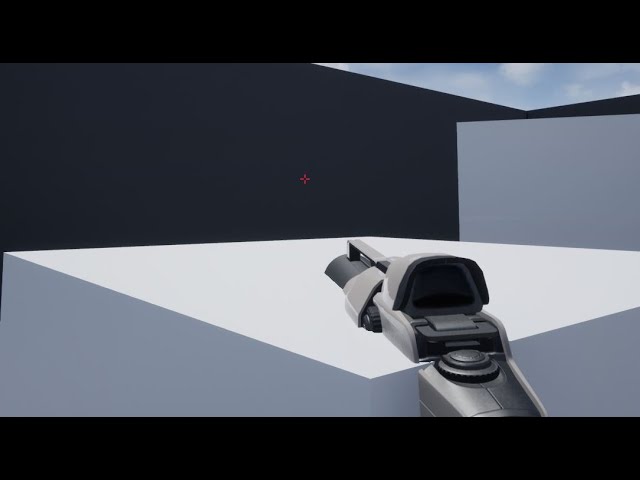
This tutorial is a combination of techniques I've learned through research, purchases and trial and error. It should give FPS game-developers a reliable method for fixing weapon clipping and for changing weapon/arm FOV, using materials. You can use this method with any material you're using for character weapons and arms.

Подписывайтес на канал, ставьте лайки. Самым лучшим способом поддержать канал будет купить мои книги, вот ссылки!
Мои книги:
Матрос (автобиографический роман о службе в военно-морском флоте): https://ridero.ru/books/matros/
35 ММ (литературная адаптация одноименной игры Сергея Носкова):
https://ridero.ru/books/35_mm/
 warped spindle
I'm trying to make a simple game with a ball. I can't find the right answer for my problem. I'm trying to make my ball die when it touches the landscape. I've tried to make a box collusion for the ground ,but is not what I want. I want my ball to die from landscape's collision like the floor is lava
 hearty gazelle

Hey guys, is there a way to perform multiple collisions because I tried doing this and it didnt work.
sour urchin
how i can make "Apply Damage" for Chaos Geometry Collection?
warped spindle
 analog perch
you could use on hit and check if its the landscape
analog perch
you could use on hit and check if its the landscape
Thanks. I will try it when I get home
 near arch
hello, im having an issue with a trigger in my scene involving the player pressing "spaceba"r and a second camera is now the main camera, to see a particular thing in my scene. I bought and downloaded an already made player controller and i dont know where to look to find it's main game object when i press play, can anyone help me please?
near arch
picture for reference
 ancient spindle
Hello all. So, I'm trying to make a sort of 2D puzzle game. I need to have a camera facing the board but movable in the X and Y axis with WASD. I created a pawn with a camera and I gave it a movement blueprint, but it's not working properly or rather it's not bring recognized by the engine. When I hit play I get the default free camera instead. I've been trying different things, but at this moment I'm completely clueless about how to solve this and I haven't found any useful info in tutorials or different sites. Can anyone lend me a hand on this? Here is a picture of my pawn's movement script for reference. Thanks in advance.
 analog perch
ancient spindle
Hello all. So, I'm trying to make a sort of 2D puzzle game. I need to have a cam...
analog perch
ancient spindle
Hello all. So, I'm trying to make a sort of 2D puzzle game. I need to have a cam...
Do you have a game mode that is set to use your pawn as the default pawn?
ancient spindle
analog perch
Do you have a game mode that is set to use your pawn as the default pawn?
Hi. Yes. I have a game mode and I made sure my pawn is set as the default pawn. I just checked, just in case, but it's correct.
analog perch
hmm well thats odd, looks like that should work
ancient spindle
Yes, that's what's driving me crazy. I really don't know what's wrong. Maybe the game is ignoring the game mode? I'm really about to dump the whole thing and start again from zero.
analog perch
and you have the level set to use your game mode?
ancient spindle
I think so, but tell me where I have to check that, just in case that's the thing I'm missing
analog perch
in the world setting tab, there is a game mode override
ancient spindle
Yes, the game mode override is set to my game mode
analog perch
and just under that the default pawn is set correctly?
ancient spindle
Yes
raw dew
can anyone tell me why this is replicated only to the player that dies and the other clients cant see the points change?

the points are set to replicate
analog perch
ancient spindle
Yes
sorry, im out of ideas, seems like you have it set up right.
when in doubt i throw print strings everywhere lol
ancient spindle
analog perch
when in doubt i throw print strings everywhere lol
How do I do that? It may help me understand where the thing stops working
dawn gazelle
raw dew
can anyone tell me why this is replicated only to the player that dies and the o...
Are you setting the points on server for the particular player state that should be receiving them?
analog perch
ancient spindle
How do I do that? It may help me understand where the thing stops working
 dawn gazelle
BAD don't do that.
raw dew
 dawn gazelle
If you're going to print string on tick, make sure you're clicking that little down arrow and unchecking "print to log" lest you wanna crash the editor.
 analog perch
its just to confirm it the right game mode, lol you can do it on begin play
 stray island
Can i make photo viewer inside unreal engine that smoothly zoom in out /pan with touch inputs
ancient spindle
Thaks a lot. I'll check that. If I can't figure out what's wrong, I'll probably start again from scratch. Anyway it's not that I made a lot of progress...
raw dew
@dawn gazelle i put some print strings from the end of points there and only server says the points change not the clients also so i fucked up teh replication somewhere but idk where
thats what i get for doing a uni project in multiplayer😆
dawn gazelle
raw dew
Ok, so part of the issue is that you're storing points for teams in player state. Each player controller has their own player state so "personal points" should be fine to store there, but for the teams, it should probably be in the game state, otherwise your teams won't have matching values unless you update all player states with them.
raw dew
my teams are string arrays tho, i didnt really knew how to do it and that was the only tutorial i found, someone here said thats not the way to actually do it
 ancient spindle
analog perch
its just to confirm it the right game mode, lol you can do it on begin play
ancient spindle
analog perch
its just to confirm it the right game mode, lol you can do it on begin play
I put the script in the game mode blueprint (I unchecked the print to log button as Datura said), I clicked play and I got my game mode's name tons of times on screen. Here's a picture of what happened.
 raw dew
tahts why im using the color of the player i assigned for them to check in what team they are.. cuz i cant check from that string( or at least idk how)
analog perch
ancient spindle
I put the script in the game mode blueprint (I unchecked the print to log button...
yeah thats correct, you can delete that now. looks like your using simulate, not play
dawn gazelle
raw dew
my teams are string arrays tho, i didnt really knew how to do it and that was t...
Doesn't matter. The fact is you're wanting to store a value for a team-based score, then that scoring shouldn't be kept in the player state as each player state would have its own "Red team points" and "Blue team points" value. So in order to update the team score to every single player, you have to set it on every single player state.
Better way to do it is on the game state for the team score as then all players will get the same value regardless as there is only one game state.
hearty gazelle
Hi I trying to make enemy bullet detect collision with asteroid but it is not working. I'm not sure what I'm doing wrong.

 compact mauve
Hi, I came across the function SetCustomDataValue within the Blueprints. I am wondering if I can also set it to another data type like integer (if not I would use floats like 1.0 grass, 2.0 iron, 3.0 coal etc. I want to procedural generate a map like minecraft and was thinking about to use this to switch between different materials layers for each instance. Does anyone knows if this is a good/valid approach or should I create an instance static mesh for each block type?
ancient spindle
analog perch
yeah thats correct, you can delete that now. looks like your using simulate, not...
Oh Hell... I'm really stupid! Thanks a lot! XD
Now it works perfectly. However, I have another problem. Now the camera works, but it appears too close to the board even though I changed the distance in the Z axis. Also, there's a strange shadow in the middle of the board. It must be another stupidly obvious thing, but I would appreciate if you could help me a little more, so I can leave the camera working well and I can move on something else. As you can see in the picture, I can only see the borders. The center is covered by this black shadow.

The shadow thing solved itself for no apparent reason. That's weird. I literally didn't touch anything... Well, but the distance from the board is still wrong. I don't know how to solve it.
raw dew
@dawn gazelle
how can i get the character that shoots a projectile so i can add points to him when he kills someone in stead of the who dies like im doing now?
ps. now my team points are working as intended, ty 😄
 gusty cypress
Im trying to create a free roam camera similar to the editor, using the default pawn BP is great but I want the feature where you are in UI mode when right click is down and free roam camera once right mouse is up. I tried recreating this with the bp below but I can't use set input mode UI only or it gets stuck and can't take inputs so never knows to switch input mode back. (also I know the check is for move forward not mouse click for testing)

once I trigger the import it I use the print to see its locked the pressed value even once its up
dawn gazelle
raw dew
<@!218956378654507008>
how can i get the character that shoots a projectile so ...
When spawning a projectile, you should have an "Owner" pin you can feed in your player's character, or player state, or whatever you want. When you're registering the damage being delt, before destroying the projectile, you can do a "Get Owner" off the projectile's reference and then work with it from there to get any information or set values based upon the owner of the projectile.
 analog perch
ancient spindle
Oh Hell... I'm really stupid! Thanks a lot! XD
Now it works perfectly. However,...
analog perch
ancient spindle
Oh Hell... I'm really stupid! Thanks a lot! XD
Now it works perfectly. However,...
haha, no worries. we've all been there. would need to seen how you scene is set up to determine what that shadow is. that cam should be able to just be moved by moving the pawn, there is also a FOV setting on the cameras
ancient spindle
analog perch
haha, no worries. we've all been there. would need to seen how you scene is set ...
I moved the pawn and the shadow is no more. However, I need the camera be more far away from the board. Though I'll eventually add a zoom, still it starts too close. I tried moving the pawn in the scene and changing its position and the camera position from the transform menu, but it doesn't matter if I put 1000 or 1000000 in the Z axis position. When I click play, it always appears right on the board
analog perch
are you using a player start?
ancient spindle
Hmm nope. Do I need to just add it? Let me try
@analog perch Hmmm... I added a player start, the distance didn't change, but now the black shadow is back again. I deleted the player start and the shadow is still there. This is witchcraft...
analog perch
when you hit play (not simulate, that doesn't automatically posses the pawn) the pawn should be spawned where the player start is
ancient spindle
analog perch
when you hit play (not simulate, that doesn't automatically posses the pawn) the...
Apparently, for some reason I had my camera set in orthographic instead of perspective. Now it seems to work fine. Just another silly mistake. Thank you very much for your help. I won't bother you more for today. I think I have advanced enough for now. I need to rest a bit. Thanks again.
 winter kettle
https://docs.unrealengine.com/en-US/AnimatingObjects/Sequencer/HowTo/AnimateDynamicObjects/index.html I'm following this but I don't quite get how to use a level sequence with actors created at runtime, I have my custom actor BP, and the tutorial says to get a reference to the "Level Sequence", but the picture is using a "Level Sequence Actor" so I'm confused. I have my dynamic actor and I'm trying to play/reference the sequence on it when I want but I'm making no progress

This example illustrates how you can apply Sequences to dynamic objects at runtime that are different than the one the Sequence was authored with.
analog perch
ancient spindle
Apparently, for some reason I had my camera set in orthographic instead of persp...
np, good luck with it!
raw dew
now i need a way to connect that get owner player state with to the actual player character that shoot in order to set the points -1 on friendly fire

get player controller doesnt get me the actual character that shoots and i cant conenct from player state to player character ( or i dont know how)
so how to i connect that owner(the one that shoots-PS set in player BP when i spawn projectile as owner) to actual character
dawn gazelle
what blueprint are you in where you're doing this calculation?
raw dew
in the projectile bp
dawn gazelle
what did you set the owner to on the projectile?
 dawn gazelle
ok, so when getting the owner, you would only cast the owner to the PS_CF which I believe is your player state.
How are you detecting that the projectile has collided with a player?
raw dew
this is the big noodle that hapends after to check for firendly fire and add / decrease points
 dawn gazelle
Before that, what is the triggering event
dawn gazelle
That "other actor" is the player that was hit.
raw dew
yes

so when he gets hit he gets damaged then i cast to him to check if his health is <=0 so i give/take points
dawn gazelle
So you have the player state of the player that shot, and the target that was hit. What are you missing?
raw dew
the player character of the one that shoots
because im comparing the color of the shooter with the one being shot for friendly fire points
but i cant get the player that shoots in here
well.. idk how :))
i get his state tho with the get owner thing
is this actual logic or am i making this up and they endup working somehow?😆
i only learned some java so far in uni im foundation year and the teachers r pretty much useles this year, and for final project i decided to do this(because im a masochist)
dawn gazelle
Player Controller owns Player State, but you can only do this on server (ie. don't try to get the owner of a player state on other clients as they don't have reference to other player controllers)

So this would give you the pawn that the player is controlling.
raw dew
im using that get owner to get the player state of the projectiles owner
i cant get a player state in front of it in here?
dawn gazelle
if you have the owner which you know is a player state, then you can get the owner of that to get the player controller.
raw dew
i tried this and the points are not moving at all now
 dawn gazelle
ie. doing a Get Owner only returns an "Actor" reference which could basically be anything. If you're casting to PC_CF and it succeeds, that means the object is or at least inherits from the PS_CF blueprint, and you can therefore access any variables or functions that are present in PC_CF from the cast node, or, set a variable to the specific reference for accessing it later (you don't need to in this situation I don't believe).
So, if you're getting the owner of your projectile, which you know is a player state, you can get the owner of that reference to get the player controller.+
 dawn gazelle
You were asking to get a reference to the player character.
dawn gazelle
Ok... lets start fresh
When you're spawning your projectile, you're feeding in the player state as the owner.
You then can "get owner" in the projectile BP and you'll get the playerstate of the player who shot the bullet.
dawn gazelle
If you need to get the character who shot that bullet, you can get the owner in sequence like I show above (Get Owner -> Get Owner) to get your player controller, then cast to player controller, and then Get Controlled Pawn to get the character.
Then you would cast the controlled pawn to your character class.
raw dew
ah ok now i get it
gusty cypress
Im trying to create a free roam camera similar to the editor, using the default pawn BP is great but I want the feature where you are in UI mode when right click is down and free roam camera once right mouse is up. I tried recreating this with the bp below but I can't use set input mode UI only or it gets stuck and can't take inputs so never knows to switch input mode back. (also I know the check is for move forward not mouse click for testing)
once I trigger the input it I use the print to see its locked the pressed value even once its up
 raw dew
now it works as intended many thanks, now i just need to add my capture the flag mechanic and im done with this. hopefully during the summer i get the power to pick up learning actual c++ (tried to do it now but its very overwhelming)
 dawn gazelle
raw dew
ah ok now i get it
dawn gazelle
raw dew
ah ok now i get it
That looks right.
fleet cedar
Hey can somebody help me with cube map? I created a "cube render target" and am trying to map the image to look right on a box. It looks correct from the outside but not from the inside

I want to make a room that has the live view on the walls
 slender stream
Hey everyone I'm trying to teleport player pawn a little bit of her left. It kind of works but the problem is teleport location changes based on character's rotation (or wherever she is looking). How do I make it, no matter where she looks, she will always teleport to her left?
Thanks in advance
 trim matrix
How can I modify a value slowly in a time. For instance I want to decrease a float from 2 to 0 in 4 second
earnest tangle
A timeline is a fairly easy way to do that
trim matrix
earnest tangle
A timeline is a fairly easy way to do that
Do you have any advice about c++
earnest tangle
not sure if there's some convenient way to do it but one way would be to do it on tick using deltaTime, you'd probably wanna ask on #cpp though
twilit heath
UKismetMathLibrary::FInterpToConstant(2.f, 0.f, DelteTime, 0.5f) on Tick @trim matrix
or the FMath function that kismet calls
trim matrix
twilit heath
``UKismetMathLibrary::FInterpToConstant(2.f, 0.f, DelteTime, 0.5f)`` on Tick <@4...
Can I call this in any loop?
twilit heath
you can call it in a loop, but the consequences might be undesirable, depending on the use case
 keen orchid
since i'm having some trouble following along in the AI courses i'm learning from in blueprint, can anyone recommend some comprehensive and exhaustive blueprint series/courses/etc. so I can pretty much fully understand the AI courses I'm watching?
i can really only find basic courses so far
trim matrix
twilit heath
``UKismetMathLibrary::FInterpToConstant(2.f, 0.f, DelteTime, 0.5f)`` on Tick <@4...
Can you send me more detail about this function
raw dew
should i run my custom event ammo check on event tick?
twilit heath
you have an IDE its capable of symbol search @trim matrix
gusty cypress
I want a sphere to follow where you look but I can't do this as I used default pawn which doesn't show the camera meaning I can't attach components to it?
 trim matrix
twilit heath
or pulls it from the World
trim matrix
twilit heath
or pulls it from the World
How can I pull?
fervent temple

how can i setup a delay that waits for this cue to finish playing before executing a branch
dawn gazelle
fervent temple

 frozen needle
I have a blueprint that hides a wall if player pawn is in range of it. Player can possess secondary pawn by interacting with the switch. When that another pawn leaves the range of wall visibility, wall is appearing again, as it should. But when player is possessing the first pawn again and the secondary is destroyed, the wall becomes visible despite the possessed pawn still being in range. What can I do?

The issue visually
 dawn gazelle
frozen needle
I have a blueprint that hides a wall if player pawn is in range of it. Player ca...
dawn gazelle
frozen needle
I have a blueprint that hides a wall if player pawn is in range of it. Player ca...
Keep an array of currently overlapping actors, adding actors to it on overlap, and on end overlap, removing them, and then checking the length of the array and if < 1 only then set the visibilty to on.
limber fox
hi guys so I have sort of a beginner question. if I wanted to create let's say an ability like a leap in the air and land on the ground but I wanted to make it where it could only go in a set radius from the player and land in a certain target location, how would I go about doing that or where can I find a video on youtube that can put me in the right direction of what I want to do?
 fleet thorn
Hey everyone!
I'm trying to use the "Construction Script" to update variables on child components but the variables don't seem to change.
Any ideas?
 mellow folio
fleet thorn
Hey everyone!
I'm trying to use the "Construction Script" to update variables o...
mellow folio
fleet thorn
Hey everyone!
I'm trying to use the "Construction Script" to update variables o...
Is this a replicated game? Is the code running on the child or parent construction script? Does your child construction script remember to run the parent? If not, right click it and add a call to parent function
fleet thorn
This game is replicated, code is running in child construction script that in turn calls the parent.


 mystic storm
Wait if variables aren't global
what's the point of a bloody local variable?
variables are already local
Is it just I can't use local variables on functions?
How do I make a global variable
dense tulip
Hey guys, i'm doing a horse tutorial, and i'm supposed to implement an interface named BPI_Character but i only have a few BPI but not the one i need. Is that interface now obslolete ?
 fleet thorn
mellow folio
Is this a replicated game? Is the code running on the child or parent constructi...
fleet thorn
mellow folio
Is this a replicated game? Is the code running on the child or parent constructi...
Interestingly, I CAN set the relative location of the component with success but any other attempted changes go unnoticed.
mellow folio
fleet thorn
This game is replicated, code is running in child construction script that in tu...
Construction scripts do not always run in a replicated environment
fleet thorn
mellow folio
Construction scripts do not always run in a replicated environment
You mind if I DM you to discuss further?
mellow folio
fleet thorn
You mind if I DM you to discuss further?
thats fine
mellow folio
mystic storm
you can't use arrays
Object oriented programming means all values are on an object. You can put variables on the GameInstance, which is an example of an object which is pretty universally easy to access
mellow folio
mystic storm
you can't use arrays
Regarding arrays, you can change any variable from single to array
mystic storm
but they aren't actual arrays, we've been over this
mellow folio
mystic storm
Wait if variables aren't global
In Unreal engine, a local variable is one which occurs within a function while running and is immediately forgotten afterwards
mystic storm
well, not we, but I already went through that headache
mellow folio
how are they not arrays...
mystic storm
they are one dimensional and might as well just be indexed sets
unless you use c++ or some meme solution
my meme solution was looping it and using math to locate the values
like if there are 8 values per row, value 1 of the second row is value 9 in the actual one dimensional array
mellow folio
you can use an array of structs
mystic storm
yes, that's the other meme solution someone had suggested
I might need that one later
for what I'm trying to do it might be easier to just access the other object
I'll figure out how to do that
mellow folio
not sure what your use case is, another solution could be to just create an array of object or actors with the data held on each
but an array of structs is not a "meme solution", it's a pretty mainline approach here
mystic storm
the mainline approach is a meme solution because there is no proper solution
Hold on, if I have multiple instances of the same blueprint, using non-local variables, they are all different variables?
say I just 3 instances of a blueprint that sets "Percentage chance" to a random number from 0 to 100 and use that to do something.
mellow folio
yeah they're all different objects

 mystic storm
Does it need to be this convoluted and obstructive?
mellow folio
like I said, I don't think you're thinking in object oriented terms
not sure why it's convoluted for every instance of an objects to have a varying value of a variable, that's what a variable is for
if you want it to be the same for every instance make it a constant
if you want a single variable to inform all instances, just have them reference one of your more global objects like GameMode, GameInstance, GameState, etc.
mystic storm
No, I understand, that's useful, in fact I'll need that after I start cloning this same object
but it bothers me that there's no global, or at least like, level bound variables
and that to get something that does the function of a global variable, or to even use a variable in multiple locations
I have to go through 17 hoops that make it seem they don't even want you to do that
when this is basic shit
mellow folio
maybe look into CVARs, but it's not unusual for all your objects to be using GetGameMode or GetGameInstance or GetGameState GetPlayerCharacter GetPlayerController GetPlayerState ----> CasttoYourSpecificClass ---->Retrieve Variable
tons of places to store variables
mystic storm
if I use an actor to spawn another actor
an actor with a blueprint attached to it
can I "preemptively" call on their parent
Like, if their parent defines a variable before spawning it
can I use that variable in code even though while I'm programming
it's technically non-existent
because another blueprint defines it when it creates a new instance of that actor
next you tell me children actors don't inherit variables from their parents
 tight schooner
You can expose variables on spawn... There's a checkbox in the variable's detail panel. Not sure if that's what you're asking
mellow folio
I'm not sure what you mean. You can cause variables to be "InstanceEditable, Expose on Spawn" which allows the creating object to inform the variable's starting values
if you use an actor to spawn another actor, they don't have a "parent child" relationship