#blueprint
402296 messages · Page 619 of 403
 winged sentinel
Hi everyone Im having issues with my collision, which is odd, it happens even when I play offlien with bots, as a matter of fact they just stutter and wont move now
 prisma stag
This is a projectile actor "coming out from" a cannon barrel. As of right now when I place another pawn in my world and shoot at it, the function to destroy itself works, but when I shoot the ground it just falls through and doesnt destroy itself
 maiden wadi
@prisma stag That message was to @trim matrix, in your case, I meant that you should check your projectile's collision settings.
@prisma stag I presume your projectile actor has a Projectile Movement Component? If so, can you screen your projectile's component Hierarchy.
prisma stag
maiden wadi
<@!324230048506707968> I presume your projectile actor has a Projectile Movement...
Yep. The 2 static meshes are a cylinder and cone placeholder to which I will change to an actual model later.
 proud hull
winged sentinel
Hi everyone Im having issues with my collision, which is odd, it happens even wh...
proud hull
winged sentinel
Hi everyone Im having issues with my collision, which is odd, it happens even wh...
You got a navmesh setup in your level? Or not executing a finish node in a bt task?
maiden wadi
@prisma stag First note is that ProjectileMovement, like pretty much all movement components, use the root component to check for collision. A normal Scene Component doesn't have collision. I strongly recommend using something like ShapeComponent as the root for projectiles.
prisma stag
maiden wadi
<@!324230048506707968> First note is that ProjectileMovement, like pretty much a...
Could I set the parent mesh to the root?
maiden wadi
Probably. But something like a SphereCollisionComponent is going to be a lot cheaper on movement than a static mesh. The Static Mesh will still work though.
prisma stag
maiden wadi
Probably. But something like a SphereCollisionComponent is going to be a lot che...
So say I set something like the sphere collision as the root component. Anything that is the root component is where I should set the type of collision?
maiden wadi
For things that the projectile itself needs to collide with, yes. All other collision will only ever be considered when something else sweeps into the projectile, if that makes sense?
prisma stag
maiden wadi
For things that the projectile itself needs to collide with, yes. All other coll...
I think. So whatever the root component hits will matter. But if something hits one of the static meshes (which has the root component as parent) then they will matter?
maiden wadi
Correct.
proud hull
WTH Child Actor Component! Can't even get its parent actor on construct!? The parent isn't being constructed before the child?
prisma stag
maiden wadi
Correct.
Gotcha. Ive just added a sphere collision so Ill do some testing and get back to ya.
winged sentinel
@proud hull yes, everything was good before this extra space in front of my character started appearing
I think its an issue with collision but I never even touched the capsule until just now to look at it
proud hull
winged sentinel
I think its an issue with collision but I never even touched the capsule until j...
Can you show collision settings of capsule and mesh? Also the capsule half-height and the mesh relative location.
Alter your playrate of the animation loop based on firing rate.
proud hull
You will need to reference the weapons firing rate.
Store something like "current firing rate" in your player character.
You can then use your character reference in the animBP
Expose "play rate" of the animation sequence node.
proud hull
winged sentinel
<@!291620720243376129>
Looks pretty standard. Is your mesh relative location set too low, so their feet are sitting in the ground? One last thing to check, but really shouldn't affect anything with your collision settings, I think.
winged sentinel
Let me check that
proud hull
Set Z to something like -90 through -91.5, no lower than capsule half height.
Can even set to 0 to test and see a floating character
maiden wadi
@winged sentinel You might also disable your other prints going on, and print off the shot component and actor, see what it's actually hitting.
proud hull
Nah, that is good
winged sentinel
i would check the hit detection but it happens when im walking too
proud hull
Oh wait, I didn't even notice you meant the hit detection. I was troubleshooting your AI not moving.
winged sentinel
so its everythign actually
the ai wont move, the hot detection is way out to the fron
and i collide with players only on the front side
proud hull
How are you handling hit detection? Trace or projectile?
maiden wadi
Well, the shot can be easily remedied by checking what component it's hitting.
proud hull
Do you dynamically change your capsule radius or location or mesh location?
Set your capsule to visible in game and see where it actually is.
winged sentinel
thats a video of it
@proud hull i will try that thats a good idea
ignore the errors thats jsut a variable i never got rid of
proud hull
winged sentinel
thats a video of it
Manny dance!
winged sentinel
😆
maiden wadi
@trim matrix Well, you could do it easily via GetActorOfClass, but that's going to bottleneck in larger maps with thousands of actors pretty quick. If these other actors are only doing this once like beginplay, that should be fine, but doing this multiple times like tick, or even once a second actors is going to get rough.
winged sentinel
my capsule looks perfect
proud hull
For cases like that, I result to a looping timer that only runs until the manager actor is valid and is set, then it clears and invalidates itself.
@trim matrix
maiden wadi
@winged sentinel Is this a projectile or line trace?
proud hull
Possibly even sphere trace and the sphere radius is set way too high, hehe.
winged sentinel
@maiden wadi projectile
maiden wadi
From EventHit?
With like a 2.0 second duration and a different color, so you can see what it's hitting.
winged sentinel
Yes i believe so let me go back into my bp
 nova niche
I have a question.
My question is, for example, .My question is, I have 3 character blueprints, and I want to switch between them before they're switched in-game.
Example=
The ability of my first character is to throw fireballs, the ability of the second character is to fly but we can't throw fireballs while using the first character to fly, we can't fly while throwing fireballs.
Sample video=
https://www.instagram.com/p/CKY-dnRDbwt/?igshid=fevl7r1exbpn
!!! I'm sorry about my bad English.!!!
winged sentinel
 faint pasture
@nova niche You would start the players off with a different pawn (spectator or whatever) and let them choose the class for their pawn for gameplay.
- Player has Spectator pawn
- Player chooses Flying pawn class
- Restart player with FlyingPawn class OR just spawn the FlyingPawn, possess it, destroy old Spectator pawn
 north plank
I am totally new in the engine. I am trying to play a equip weapon animation when I press a button. I am using the anim starter pack with unreal mannequin. but the animation won't play. Can someone please help me?
nova niche
Thanks
 unkempt adder
@north plank hey mate, I just gotta head back to another thing, however couldn't help myself but to help you real quick.
For me trying to set the boolean var before checking it is a bad idea. I just leads to unexpected behaviour.
If I were you I just let the input control the bool var and have the animations triggered by that bools. Use custom events or blueprint interfaces (depends on your style/needs btw )instead of your scheme.
If you don't know custom events/blueprint interfaces, ask around or just google it. Hope, I gave you at least some kind of guidance before I go.
Cheers!
north plank
unkempt adder
<@!601833359924133901> hey mate, I just gotta head back to another thing, howeve...
thank you! i hope it works
 orchid garden
i inet decided to charge me a extra '5 / month' for service improvements... i guess im paying them for increased email spammage....
went to look for a epic receipt .... 182 new spam messages... yay...
not really lol
faint pasture
north plank
I am totally new in the engine. I am trying to play a equip weapon animation whe...
That should work. Does just playing the montage on its own work? Your problem is probably in the anim bp setup. Show your mesh anim instance settings.
The anim bp has to handle the incoming montage.
Er rather, has to NOT ignore it.
orchid garden
is there a way to get interactive widgets to dynamically display in the Editor?
i.e. its not showing the color settings or the numbers on the pad till i run the game:
it should look like this in the editor:
orchid garden
tried both preconstruct and construct on the widget.
winged sentinel
@maiden wadi I did the debug thing but where is the debug supposed to show up? its not appearing anywhere
maiden wadi
At the hit location.
north plank
faint pasture
That should work. Does just playing the montage on its own work? Your problem is...
I disconnected everything and just joined the anim montage with the button. Still it doesn't work. Anything else I can show you brother? Please help
winged sentinel
ill try again i had it like that and it didnt worl
would i have to be playing offlien?
maiden wadi
@winged sentinel It should show up on whatever machine the code runs on. So if you're doing it in a server RPC, it'll show up on the server's screen. If it's done in that client's logic, it should show up on their screen.
@orchid garden Where is that widget displayed? Is that in a WidgetComponent?
orchid garden
yes its a widget component
faint pasture
north plank
I disconnected everything and just joined the anim montage with the button. Stil...
Show the anime instance setting on your mesh and then show the animation blueprint
north plank
faint pasture
Show the anime instance setting on your mesh and then show the animation bluepri...
north plank
faint pasture
Show the anime instance setting on your mesh and then show the animation bluepri...
north plank
faint pasture
Show the anime instance setting on your mesh and then show the animation bluepri...
winged sentinel
holy shit
its the flash light
I made a flash light and its causing problems
@maiden wadi @proud hull and everyone in this discord has helped me so much
now idk how to stop it from being hit lmfaoooo
Ill figure it out tho now ik what it is
thank you
ayyyyyy its fixed
north plank
faint pasture
Show the anime instance setting on your mesh and then show the animation bluepri...
Solved the issue! I didn't you have to retarget anim started pack 😦
didn't know*
 stable dove
How can i detroy a falling ball blueprint class that im spawning when it collides with a box collider, this is what im trying rn what am i doing wrong?
 brazen hatch
i've set up an animation for my pawn in an anim blueprint. how do i run that animation from my pawn blueprint?
 fringe geyser
If I try to spawn a sound on a GameInstance EventInit callback I get null. Is this expected behaviour?
If I add a hacky delay, it works. I presume the sound system isn't ready at this point in the initialization of the engine?
 tired cypress
Yeah I've run into similar things with the GameInstance. That's why I usually spawn music from my level blueprint or a UI widget.
@stable dove Where is that blueprint code? Inside your box collider?
Likely, you don't need that 2nd cast box. Delete that and use the pin output from the first one to hook into Destroy
stable dove
it was in my level blueprint
tired cypress
You still need to connect a pin to the Destroy node
The Target can't be Self if this is your Level BP
Just delete that cast
stable dove
ok
fringe geyser
tired cypress
Yeah I've run into similar things with the GameInstance. That's why I usually sp...
I had a similar solution but I was hoping to create an AudioManager in GameInstance to ease of access. Unfortunately I don't see a BeginPlay callback in GameInstance that would solve this.
tired cypress
OnActorBeginOverlap almost always lives in the collision box blueprint, not the level blueprint
Or in the ball, etc
@fringe geyser Yeah it doesn't have BeginPlay, if I remember right
My audio mgr is in a UI blueprint and just the variables are in the GameInstance
So the values persist across levels, etc, but the code lives elsewhere
stable dove
tired cypress
OnActorBeginOverlap almost always lives in the collision box blueprint, not the ...
Yeah i just want to group it with the rest of the ball spawning stuff
tired cypress
OK, then just keep in mind which Actor is the Overlapped Actor, and which Actor is the Other Actor
stable dove
oh it should be the overway around
tired cypress
Yeah if you find this is deleting your Collision box, then yes 🙂
stable dove
yeah it was
 north oriole
I am having a problem in 4.26 with my cameras always resetting their rotation to 0,0,0 on possession on a dedicated server. Does anyone have any thoughts on this?
Steps to replicate problem:
Create new third person template project.
Remove preplaced pawn.
Add two new player start with different rotation.
Remove default pawn class.
Go into GMB and make it spawn and possess two third person characters at the player start transforms.
Launch game in "play as client."
Expected: Characters will spawn with same rotation as playerstarts and camera will match rotation.
Outcome: Characters spawn in right spot with correct rotation, both cameras default to 0,0,0.
 clever lark
hi guys, anyone know how can i lerp/smooth float values over time without using timeline. For example: want to get float value from 10 to 20 in 3 seconds.
stable dove
any ideas on how i could clean this routing up?
tired cypress
@clever lark You can Lerp in Event Tick if you really want to avoid a Timeline
 ivory estuary
hey, can anyone help me setup a health and stamina system, im using the ALSv4 for animations and controls, and im kind of confused how id set it up with that
 trim matrix
@stable dove how do you color the comments?
clever lark
@tired cypress but will that give over time, i need to move value from a to b in few seconds.
i mean float values
stable dove
click on the comment
clever lark
@ivory estuary check this out https://www.youtube.com/watch?v=qzcqmVcV9IQ&t=400s
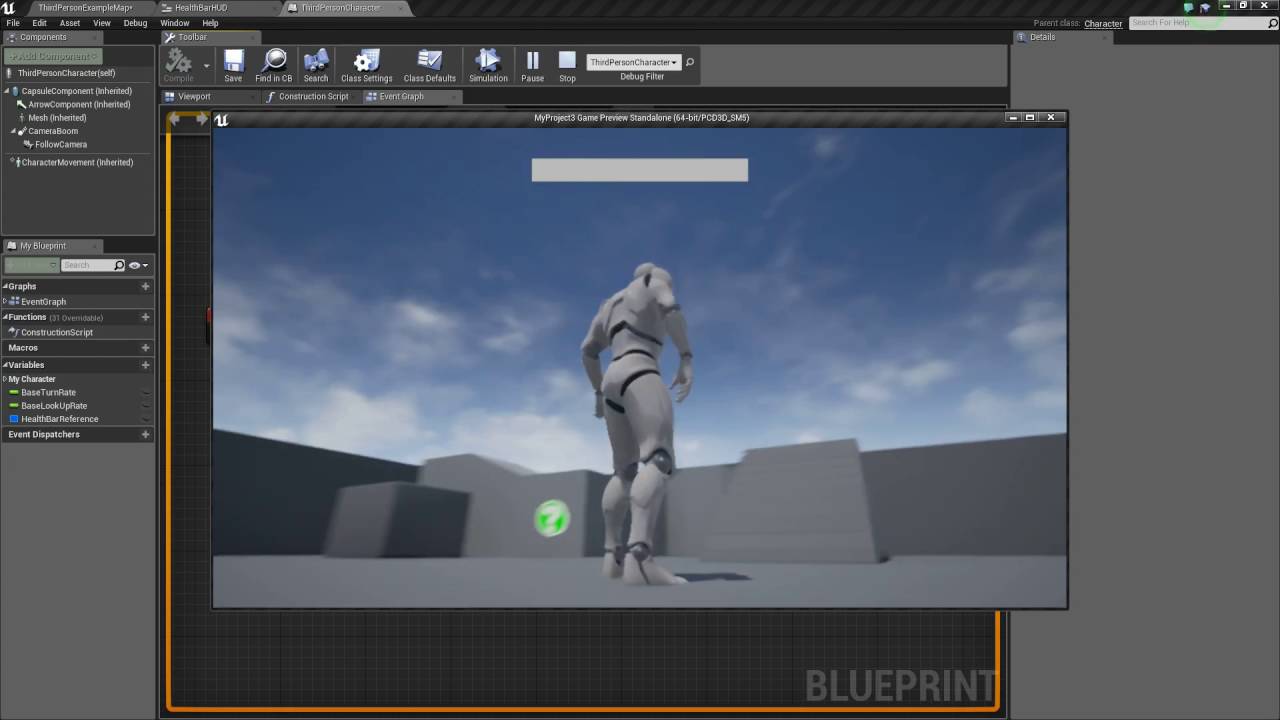
In this tutorial I show you how to create a basic health bar that fills up an decreases based on the player taking damage. If you have any questions or comments please let us know. If you like the video and want to see more, go ahead and subscribe. Or consider supporting us on patreon https://www.patreon.com/titanicgames for more great tutorials...
ivory estuary
clever lark
<@!523834004915486728> check this out https://www.youtube.com/watch?v=qzcqmVcV9I...
thank you, ill look into it now
tired cypress
clever lark
<@!115946111964938240> but will that give over time, i need to move value from a...
Yeah it depends how you setup the Alpha but you can control the speed. The node I use a lot is RInterp to Constant, which has an Interp Speed input pin that you can set.
clever lark
@tired cypress used this but did not get value from 0 to 100 in 2 seconds.
 orchid zinc
Is there anyway to import/export enums or otherwise edit/reorder them using text, without C++?
tired cypress
Interp speed isn't in seconds. Try like...300
clever lark
@tired cypress why 300? how would i know what number is it to equivalent with 2 seconds?
tired cypress
Hmm...if it needs to be exactly 2 seconds, then you will want to derive that somehow
 halcyon grove
quick q, I've built a targeting system but one thing I don't know if you can do is delete "current target" object reference?
like clear the reference
clever lark
@tired cypress that is exactly what I am looking for.
halcyon grove
as you would clear an array
tired cypress
I'd have to think on that longer hehe. I haven't had to tackle that yet. I usually just play with that value until I get the speed that looks good
@halcyon grove Do you have a blueprint? I don't know where you are storing the object ref
halcyon grove
so yea its blueprint
get all actors within sphere
create an array of those actors
select one of them and store it as a reference in a variable
call the variable current target
tired cypress
Yep, following
halcyon grove
later on i want to clear that variable
even with is valid checks
I still want to just clear it
but i dont know if thats possible?
tired cypress
Right offhand, what I do is use a Boolean "IsTargetActive"
And I just set and reset that
tired cypress
yep, i know that one works hehe
halcyon grove
thank you
tired cypress
np
trim matrix
Just use a begin play...
trim matrix
Hey guys! Do you have any idea how i could reduce drawcalls if the same type of actor is in the scene a lot? Lets say at a fish market i want to be able to place a lot of actors of a fish on the stall but be able to interact with any of them? How does Skyrim handle 200 cabbages and overcooked a lot of ingredients thrown all over the place?
prisma stag
Hello, Im trying to use AI perception to see my playerpawn. If it does, then itll move and shoot it. However, I would like to see the cone in the viewport or in the game so I can change it accordingly. I think I can use DrawDebugCone but dont know how to get the AIPerceptions sight.
I have enabled the following settings in the Project Settings and in Gameplay Debugger
trim matrix
are floats more intensive then integers?
prisma stag
trim matrix
so better to always integers then?
No. other way around.
 worthy frost
depends what you need.
Integers are single numbers, 1, 2, 3, -1, -2, etc. Floats can have decimal
ivory estuary
hey, i need help with programming a heath system that links with ALSv4
 vocal turtle
I'm not sure if this is entirely a blueprint problem but I am definitely not seeing something. I'm working on a third person game and when swapping weapon from a socket on the spine to the socket on the hand that works, but the weapon mesh will move gradually each time I swap it until it is floating way above the character. Anyone have any ideas what is causing that?
vocal turtle
Nvm, changing the blueprint to snap to target on the hand fixed half of it. Still an issue on returning the weapon to the back socket correctly.
 rough jay
why does "control rotation"'s pitch 0 in the middle and when i look down it starts from like 360? and then when i look up it goes up to 90, i thought middle was 0 looking upwards is above 0 and looking downwards is negatives like -20
 vapid ibex
How to do things to objects in array with various delays, but these delays should start simultaneously? functions don't allow the delay nodes, so I'm stuck. Would either of these ideas work?:
(I'm writing a logic interaction system for my game, so all these functions are doing is sending out fire-and-forget interface calls, if that's important)
 paper galleon
vapid ibex
How to do things to objects in array with various delays, but these delays shoul...
paper galleon
vapid ibex
How to do things to objects in array with various delays, but these delays shoul...
A sequence is just a handy node for organizing your blueprint. It does not run functions in parallel.
What you're looking for is an Async task. Probably one that you'll write yourself (I don't know any that comes out the box for what you're trying to achieve)
vapid ibex
What you're looking for is an Async task. Probably one that you'll write yourself
Ah, so for me it's impossible in Unreal, got it. 😵
(Assuming you meant "write in actial C++ code")
Weird that UE doesn't have something analogous to coroutines from Unity though - feels like an essential functionality for any game's logic.
paper galleon
vapid ibex
Weird that UE doesn't have something analogous to coroutines from Unity though -...
Async tasks is UE4's coroutines. They're fairly simple to write. You just derive from one of UE4's classes
paper galleon
vapid ibex
> What you're looking for is an Async task. Probably one that you'll write yours...
No they're not impossible 😂😂
vapid ibex
Well for me they are. XD Disregarding my inexperience with C++, UE doesn't let me to even compile source on a brand new empty project - Visual Studio throws in some "exited with code 999" error when I try to make a solution.
Came up with this idea. Feels hacky and shifty, but in theory it should work as expected, unless I botched the sorting function.
paper galleon
vapid ibex
Well for me they are. XD Disregarding my inexperience with C++, UE doesn't let m...
Huh. That's odd. I was thinking maybe I'd help you write one if I have some spare time today. Although.. I've never used them outside Gameplay Ability class
You can also try the timeline node now that I think of it.
It has a update and a finished pin perfect for what you're trying to do
vapid ibex
paper galleon
Huh. That's odd. I was thinking maybe I'd help you write one if I have some spar...
Yeah. I'd like to get into C++ coding in Unreal actually, I have some (very limited) experience with C#. But the engine just violently protests any attempt I make. My previous attempt to create C++ sources for a project resulted in the total corruption of said project so that the editor even stopped opening it (Error "try to recompile from source"... Except I couldn't recompile from source... Thank god for backups!).
It's so ridiculously easy in the Unity in comparison - wrote code piece file, drop it in the project folder, bam - done.
paper galleon
vapid ibex
Yeah. I'd like to get into C++ coding in Unreal actually, I have some (very limi...
Are you using source build or launcher build of unreal
 dawn gazelle
vapid ibex
Came up with this idea. Feels hacky and shifty, but in theory it _should_ work a...
dawn gazelle
vapid ibex
Came up with this idea. Feels hacky and shifty, but in theory it _should_ work a...
You can't use delays within loops. They won't fire as you're expecting.
vapid ibex
Uh... Whatever installed itself from Epic Launcher?
paper galleon
vapid ibex
Uh... Whatever installed itself from Epic Launcher?
Launcher build then. Have you tried making a C++ project. i.e not blueprints converted to C++
vapid ibex
dawn gazelle
You can't use delays within loops. They won't fire as you're expecting.
They won't? But why?
paper galleon
dawn gazelle
You can't use delays within loops. They won't fire as you're expecting.
Yeah, was about to point out that wouldn't work properly. Wonder why though
vapid ibex
paper galleon
Launcher build then. Have you tried making a C++ project. i.e not blueprints con...
Yeah, that's actually the one that gets me "999" error currently. I've googled and all discussion of that error seems to agree that the problem is in some bat file in the engine's directory, but none of the offered solutions work - they all assume that the UnrealBuildTool.exe is missing from where it should be - which isn't the case for me.
paper galleon
Yeah. Probably didn't install properly.
dawn gazelle
vapid ibex
They won't? But why?
I couldn't tell you why exactly, but if you mess around with loops, you'll see that delays do not function on them. Even doing something like the below, tapping the button 3 times rapidly.
With a loop, it's somewhat similar to you tapping on the Home key as the loop goes through each element/index.
paper galleon
@vapid ibex, try using the timeline node. I think it should be able to solve your problem
dawn gazelle
The only exception I've seen where it behaves differently is Event Tick - for some reason, Delay nodes work ok on there, even in succession, despite that event tick is firing every frame.
vapid ibex
Well, if delays don't work with whileLoops, then I'll emulate whileLoops XD More morally questionable hacks...
dawn gazelle
That looks like it would work 😛
paper galleon
Beginnings of a good spaghetti.
dawn gazelle
Though I don't think you need the Delay elapsed/clamp parts? seems like they wouldn't be doing much.
vapid ibex
I don't know how the delay will behave if you accidentally feed it a negative number, so It's just for safety's sake.
In case I botched the sorting function and the array members aren't in order from smallest delay to largest.
dawn gazelle
You could still clamp it, but I don't think the Delay Elapsed is doing anything in this context since you're subtract it before feeding into the Delay anyway.
Unless you're using the delay elapsed after the loop is done or something.
vapid ibex
Well
I want the events fire off from "time zero", not sequentially. If I have targets a,b,c, with delays 1,4,5 - without that bit target c will trigger after 10 seconds instead of after 5 seconds.
proud hull
Finally converted my project from using a base character to using an actor component instead. In 4.22, I had to make my own custom child actor component so it can pass on the defaults to the child actor it spawns. Such a pain, but now it is completely modular and can easily be integrated into any project.
Now to spice up my demo levels and then submit to the marketplace, yet again.
vapid ibex
By the way, here's the sorting function, does it look correct?
vapid ibex
proud hull
Finally converted my project from using a base character to using an actor compo...
Not exactly sure that you can't pass variables to the spawned actors, but probably easiest would be to make an interface call that will take all the necessary functions? Although I set params of spawned actors (dropped items in this case) like this without any issue:
paper galleon
proud hull
Finally converted my project from using a base character to using an actor compo...
What are you working on?
proud hull
vapid ibex
Not exactly sure that you can't pass variables to the spawned actors, but probab...
It is child actor components that can't pass certain defaults, like ones that would reference actors in the level. So made a new component to be my "child actor component" and exposed the variables I needed to pass on to the child actor it would spawn. Was pretty simple in the end, but spent way too much time trying to make the default child actor component work for my needs.
proud hull
paper galleon
What are you working on?
Working on making a marketplace asset called Universal Monster, that will allow users to quickly add their characters/animations to the game. An easy AI Framework to setup attacks and AI behavior as well.
Needed it to be as modular as possible so it is compatible with nearly any project, no matter how completed it is.
paper galleon
proud hull
Working on making a marketplace asset called Universal Monster, that will allow ...
Oh? Nice. Good luck 👍
proud hull
Gonna submit it tomorrow and hopefully it gets in this time. Need to spend the morning cleaning up the mess I made tonight though, haha.
 fair onyx
Hey all, would appreciate some help with this. I am trying to create a server event that sends/logs a players position as soon as they move. The send position function is a custom function I made in cpp. I have been trying to acomplish that with this blueprint here, but it doesnt seem to work.
dawn gazelle
Place a print string after your branch to see if it is at least executing when you want. If it is, then the issue is within your custom C++ function.
fair onyx
oh word. I just tried that. Seems like the issue was that the branch always evaluates to false. Not sure why, ill have to take a look. Thanks for the help!
dawn gazelle
0 > velocity --- you probably want to flip that connection
you want Velocity > 0 I imagine.
proud hull
Unless you are moving backwards, haha.
fair onyx
hahaha. didn't realize the order mattered. im dumb. thanks again!
 tight schooner
Negative velocity 
paper galleon
😅
tight schooner
I'm now remembering that Star Trek TNG arc about the particles that flow backward in time...
orchid garden
okay my brain doesn't wanna work again....
Why do ... object ->Interfacecall -> execute function.... instead of object -> execute function ?
fair onyx
and now im kinda curious. if the final node to be executed is Authority only, would the client versions know that it shouldn't execute the path?
tight schooner
@orchid garden like what is a use case for an interface? To skip casting is one.
dawn gazelle
orchid garden
okay my brain doesn't wanna work again....
Why do ... object ->Interfacecall -> ...
Can have multiple things that interact with the specific interface, so you don't have to code logic paths for each individual function.
orchid garden
... to make a interface call you need a object reference... if you already have the object reference... why bother with a interface call and just execute the function?
so... in a case like.... object A ->interface call to ActorTypeA ActortypeB ObjectTypeA ObjectTypeB?
tight schooner
Normally, if they all shared a common base class, you could cast to that parent class and execute the function that's overidden by the child classes. But if the classes that need to do a specific thing don't share a common parent class, interface is the solution for that
So that you don't have this cast chain just to suss out what the object is
proud hull
Interaction is a good example. You can interact with a door, a rock, a person, anything.
dawn gazelle
Because I might have two objects that aren't of the same class hierarchy, but I want them both to potentially work with that interface, but without having to directly reference the functions of those objects.
So let's say I had an "Interact" interface.
I have a reference to an NPC Actor and pass that into the interface -> the NPC controls how it works with that interface (maybe it displays some text).
I have a "treasure box" Actor and pass that into the interface -> the actor controls what it does, and it plays an animation and gives me some loot.
If I have the object reference already, but I didn't use an interface then i'd still have to call to the specific functions for each actor type that possibly should be interacting with on the interface.
tight schooner
Epic's example use case is a flame thrower that needs to set things on fire. So you make the flammable things implement some BP interface for it and they all react differently to the fire.
And your flame projectile or w/e just sends an interface message to everything it touches
orchid garden
well see... thats where its throwing me off @dawn gazelle a interface call is just a common function name or event name all the objects share, so wouldn't it be the same as making a function or event thats the same on each item type as doing a interface call?
orchid garden
yeah?
dawn gazelle
With interfaces you implement the interface on the actor and it can do with it as you like.
proud hull
Each instance of the interface function can do different things.
orchid garden
you have to reference inferface calls specifically for each actor as well
why are you casting if you already have a reference?
proud hull
It is an Actor reference....
Actor class will have no functions/events that you created yourself, unless you edit it in C++.
dawn gazelle
Hit Actor, is only a reference of "Actor" you don't have access to the specific actor's functions or variables until you cast.
orchid garden
derp, okay thats where my brain was losing it.
sry guys for my brain malfunction, and thanks
dawn gazelle
S'all good 😄
proud hull
dawn gazelle
Is it ok to just call the interface function, or should you check if it is implementing it first (or cast to the interface)?
dawn gazelle
proud hull
Is it ok to just call the interface function, or should you check if it is imple...
If it doesn't implement it, it does nothing.
orchid garden
if it doesn't have the interface it just treats it as a null function.
proud hull
Ah cool, thought it would error or some crap so I always check, lol.
dawn gazelle
It's almost like an event dispatcher that you have the actor bind to when you implement it.
orchid garden
i do know getting all actors that implement a interface can save on processing different actors or only grabbing a certain group of actors.
proud hull
Be weary of any "get all" node. Using them too often can impact performance. If you find yourself using it often, it might be best to save the results so it only runs once and then dynamically change the array as needed.
orchid garden
i.e. a facility lock down from a widget - grabbing all actors containing a locksystem interface and toggling their state to locked.
proud hull
Event dispatcher in that case.
Lockdown triggered. Everything that reacts to this can do stuff.
Doors close and lock, guards patrol, turrets activate, etc.
trim matrix
I need help with my loading and saving can anyone help me why this is not working
The Aim is than when on button is pressed colour changes and get saved and when we load it should open this
proud hull
Does game slot exist > false > you need to create a new game save because it does not exist.
Your saving and loading looks good, but you have yet to initially create the save game.
proud hull
Nope, not in there. "Create Save Game Object" is missing after false.
You need to create it because it doesn't exist. You are saving and loading to/from an object that is null.
Oh, I do see yours, but in wrong spot. You are recreating it new every time.
You only want to create it once when it doesn't exist.
proud hull
trim matrix
I have created it
Follow this tutorial to set it up like a pro: https://www.youtube.com/watch?v=_4usRrTiqak

How do I use the Save Game Object in Unreal Engine 4?
Source Files: https://github.com/MWadstein/wtf-hdi-files
trim matrix
proud hull
Follow this tutorial to set it up like a pro: https://www.youtube.com/watch?v=_4...
Hope this help
trim matrix
proud hull
Your saving and loading looks good, but you have yet to initially create the sav...
So is that the problem
proud hull
I believe the problem is that you recreate the save game object every time the button is clicked.
trim matrix
Ohh
proud hull
In MainMenu event, you need to check if it is already created, which you do, but if it does not exist, create it, then save the output.
trim matrix
Let me try it
proud hull
Use the saved variable in your On event.
trim matrix
Not getting your point but let's see
proud hull
trim matrix
Not getting your point but let's see
Going through the logic of it, the way you have it should only be able to save a single color change beyond the defaults of the save game blueprint. Let's say I have 2 colors. I change 1, it makes a new save, saves the change of color 1. I then change color 2, it makes a new save (overwriting the color change of 1), saves the change of color 2. I load, thinking I changed 2 colors, but only see color 2 changed.
trim matrix
proud hull
Going through the logic of it, the way you have it should only be able to save a...
I got it
Yes I wish to change both color but at least one should work first
 scenic lotus
my mechanic is spawning portals when i press my left mouse button, However; the portal seems to be like spawning inside any mesh that it collides/overlaps with. how can i fix this? I tried adding it on the some value on the x-axis but it didnt fix my problem
tight schooner
@scenic lotus If you can get the surface normal of the... surface... you can use that to add some offset away from the impacted surface. I don't know if this is the "correct" approach to making a "portal" system but I'll just throw that out there.
Here's the struct breakout of a line trace "hit". I believe "Impact normal" is the surface normal.
tight schooner
That said I know I've seen tutorials/examples of a UE4 portal system out there (if you're making something like the game, Portal)
scenic lotus
yes
i actually followed the tutorial, but there are tons of bugs and i dont get replies from the tutorial when questions are asked
tight schooner
Yeah. Probably better to take inspiration from other people's examples than to copy them wholesale
cuz you inherit all of their issues too
scenic lotus
yeah, i actually tried mixing both and it kinda worked for me
but there is still 2 bugs
first is the one i mentioned juz now, the second one is when the first portal spawned and the player goes through it. The player will fall through the plane
trim matrix
proud hull
Going through the logic of it, the way you have it should only be able to save a...
My problem is solved I guess🤘
Thanks for your time
 pearl abyss
heeeeeeeeeeeello guys
what i should connect to this pin
please help
any one can help mention me
tight schooner
@pearl abyss A reference to your "Doors_BP_2" actor that's spawned into the world
Casting checks if a supplied object is of a certain class
but you need to feed it an object to check
pearl abyss
i want when the power off the game should say turn power on first
but i cant just put create widget and add to viewport
@tight schooner
its not working
tight schooner
I... don't know what you mean. Power off the game? Is there a power switch in your game?
tight schooner
Casting typically means you're trying to make two blueprints "communicate". Which actor is trying to talk to Doors_BP_2 for what purpose? Is your player pawn interacting with a door?
pearl abyss
no i need my player bp communicate with the door bp 2
tight schooner
How does the player-pawn interact with the door? Is it doing some sort of overlap event or...
tight schooner
The player-pawn ultimately needs to get a reference to the specific door in the gameworld it's trying to interact with. An Event Tick won't give that to you
pearl abyss
oh
ok how do we create widget when something happens in actor bp
like i need when something happens in actor bp create widget but i cant in the actor bp
pearl abyss
tight schooner
The player-pawn ultimately needs to *get a reference* to the specific door in th...
who give me that if the event tick dont give me
tight schooner
You should look up some how-to-make-a-Blueprint-door tutorials cuz there are a bunch out there, probably even part of Epic Games' official learning materials (http://learn.unrealengine.com)
but the gist of it is, the player presses a button, and on that event, it does a line trace or overlap
and if the line trace or overlap strikes an actor, it does a cast to see if it's a door, and then manipulates the door
(there are better ways to handle this in a fully fledged game but for example's sake...)
pearl abyss
my door is opening and every thing is working i just want to add create widget
tight schooner
Usually you do that on a callable (single fire) event and not Event Tick, but the gist of what you have is right... Create the widget, then add to viewport
tight schooner
so my guess is the logic you have on Event Tick isn't working the way you think it is
pearl abyss
maybe
tight schooner
well, I guess cuz the cast will always fail
cuz it's not being supplied with an object
tight schooner
np
dawn gazelle
From your cast use Get Controller instead.
Yep
You have the target plugged into your cast?
Send a screen of the new error
Do you have instances of your character dropped in the level that do not have an AI controller / aren't player controlled?
🤔 Only way I could get that to show up is if I have a character in scene that does not have a controller.
ie. I dropped it into the game, and I set it so it has no AI controller
Like your cast is obviously succeeding as your able to get to the point where it is setting the values (so long as that is the only place you're setting Pitch and Yaw), so when you're getting the controller off the pawn and there is only your one BP_BaseCharacter that you're possessing, then it should have a controller and shouldn't be giving you the error.
Try this: Put a print string after the cast and see what you get on screen:
trim matrix
proud hull
Going through the logic of it, the way you have it should only be able to save a...
@Slashin8r#9800 I am again facing problem the problem is that like when I start game and select some setting it get saved and when I close it gets load
Till here it's ok but now when I try to select and change setting it is not saving up and not loading up why is that is it like over write don't occur here
dawn gazelle
Are you getting different prints or are they all the same? Like maybe different numbers at the end?
paper galleon
A player controller can only posses one pawn at a time right?
E.g if I have a vehicle, I have to unpossess the character and possess the vehicle when driving?
dawn gazelle
You don't have to strictly unpossess, but yes, controller normally only possesses one character.
I believe
maiden wadi
@swift pewter I advise not using GetPlayerController in an anim blueprint. Or that blueprint is only going to be useful to the one character controlled by the player. You can get the same results by getting the controller from the pawn that the animation is attached to, and using GetBaseAimRotation
dawn gazelle
Yeah he's tried that :/
 burnt grove
Any idea how to create a sideways walking animation for the character from the TPS template?
 agile hinge
Has anyone had issues making the first person camera crouch (move down)? It only seems to work when im mid air 
 serene terrace
 mortal isle
guys, where am I supposed to make score system?
mortal isle
guys, where am I supposed to make score system?
If it's player's score, PlayerState is the best for it
If it's something like team's score, then GameState
mortal isle
will it work in multiplayer as well?
 cinder shell
Does anyone know in what coordinates Pos1 and Pos2 of PhysicsCoinstraint works? I need to change it from the code and I can't figure this out...
 solemn parcel
Can someone tell me why my 'FireBurnUntouched' Component does not desactivate, while the print is being exec.
 zealous moth
The lrint is before so no idea... you should add print strings after your ac deactivation also
solemn parcel
Just tried it everything works properly except the deactivation
 weak knot
hey basic question, is there a way to spawn foliage from bps?
I'm trying to write a script that replaces static mesh actors with instanced foliage actors but all i can find is about procedural generation or "normal" actors
zealous moth
@solemn parcel ah i see better, it's the wrong deactivation. You selected a component, not a particle system
solemn parcel
im gonna try with particle but it works with the others
paper galleon
dawn gazelle
You don't have to strictly unpossess, but yes, controller normally only possesse...
Thanks
trim matrix
Does reusing nodes increase performance? Or memory?
dawn gazelle
At most it may save a tiny bit of storage space as the blueprint doesn't need to save the position of the additional nodes in the graph. Performance wise / memory in-game, wouldn't help.
zealous moth
no it does not
solemn parcel
@zealous moth So, this works, it does not activate.
This does not, it stays activated. I'm lost here
dawn gazelle
solemn parcel
This does not, it stays activated. I'm lost here
Is this on a loop by chance?
 stray wagon
I have a weird issue, where I am loading a static mesh dynamically but it is invisible in game
But If I Eject the camera, click on it, disable visible and re-enable it
The mesh appears ..?
solemn parcel
@dawn gazelle @zealous moth I found it, needed to activate 'Kill on Deactivate' in the emitter himself
dawn gazelle
Your AnimGraph should be your state machine, no? You control the state based on the conduits. I'm not super well versed in anims either, and perhaps #animation would be a better place to ask this one.
stray wagon
Even enabling/disabling ANY props at all will make the mesh appears... it's like Unreal doesnt trigger some kind of update of the world after the spawn
orchid garden
@swift pewter for the reload - you'd use a blend space and a blend the upper body with the main animation in the animgraph of the animation blueprint.
 boreal tusk
Hi, probably a really dumb question to ask.
I set up a bunch of object types & collision presets. Everything works except for my player collision with default primitives in the world. Overlap does trigger. & Other object collide just fine with object type WorldDynamic.
orchid garden
from what i have seen it seems to be pretty standard for things like throwing objects & reloading guns, swinging swords, etc so that they can be executed no matter what movement animation is being played, i.e. running / climbing / walking / jogging. so that people don't have to make multiple animations of the same form for each state.
 foggy escarp
So on Begin Play Im trying to do a local offset using a timeline. I have it set to move only 50 units on X over 2 seconds, but for some reason it moves way more than that.
If i set it to only move 1 unit it moves roughly 5 thousand instead.
orchid garden
i.e.
Advanced Locomotion can show you a few tricks with setting up things on the animgraph
boreal tusk
@foggy escarp I do it like this, using a float as return to power a lerp between the positions.
trim matrix
Why isn't my game running with the latest changes from a blueprint despite recompiling? I'm changing a simple text widget in my PlayerHealthBar blueprint, and in my HUD blueprint I can see the updated value. But then when I run the game it still shows the old text value... Can someone explain what I'm doing wrong? (just started with UE today)
foggy escarp
Thanks
dawn gazelle
trim matrix
Why isn't my game running with the latest changes from a blueprint despite recom...
Can you provide a screenshot of what you're setting in the field, like this?
trim matrix
dawn gazelle
Can you provide a screenshot of what you're setting in the field, like this?
trim matrix
dawn gazelle
Can you provide a screenshot of what you're setting in the field, like this?
And this is what shows up in game
dawn gazelle
Are you setting a value into this field within your widget blueprint anywhere?
orchid garden
trim matrix
And this is what shows up in game
i run across this sometimes too, where the latest changes to ui widgets don't seem to apply in game. Always compile and save them and it seems to stop some of it but not all of it depending on how the widgets are used in the game (i.e. widget components vs. screen widgets)
trim matrix
orchid garden
i run across this sometimes too, where the latest changes to ui widgets don't se...
Hmm ok. It seems to update better when I use a variable as the binding and then update the default value of the variable.
dawn gazelle
People have been recommending against using variable binds for widgets. It's basically like it's running on tick even when it's not needed to be updated.
orchid garden
i remember one widget i had inside another wouldn't properly display, so the work around i did for it was in the second widget setup a initialize event, then in the first one it was a child of off the begin play call the childs initialize, and it started working that way.
trim matrix
dawn gazelle
People have been recommending against using variable binds for widgets. It's ba...
I see. What is the alternative?
orchid garden
not binding? setup your own update event to change the text on the widget.
dawn gazelle
^ 😄
cinder shell
guys, I'm trying to addd force at location to object and by a some reason that object ignoring linear dumping settings completely and it have to much momentum. Why this can happen?
orchid garden
trim matrix
I see. What is the alternative?
my stat system only updates the widget when the values change, without bindings. its timer for stat checks is always running (well 1 of 3 timers) and when they get changed it calls the widget to update the display of the changed stat item.
trim matrix
Ok I'll keep that in mind when doing the actual bindings later on 🙂 thanks
 gilded haven
Hi guys, i need a solution. Can we add a 360 Video in Hdri Backdrop?
 broken forge
Is there a hotkey to add new variables in bp's?
 high frost
I'm learning dialogue systems based on behaviour trees. What's the best practice for displaying player characters lines? I mean I display NPCs speech in a widget from BTTs but character speech is currently represented as option selection in another widget in a vertical box. But I would like to have multiple sequential player character speeches. The only thing I can think of here is using the same BTT for displaying dialogue line but I intuitively I find this not really good because I would have to write all main character phrases in my NPCs behaviour tree. Are there any other options for this?
zealous moth
dawn gazelle
People have been recommending against using variable binds for widgets. It's ba...
unless you have a lot, and I mean a lot of widgets with data being fed all the time, the benefit to bindings is minimal at best.
Here's a link. The UMG would use 0.051 milliseconds. This is less than a fraction of a millisecond.
The guy claims it is significant but that is wholly insignificant unless you do several thousand at a time.
https://www.youtube.com/watch?v=CEMzBjLW1V4&ab_channel=LukasRustemeyer

The same princible applies if you work with C++ (which you should :P), the interface between C++ and the UMG blueprint would be the BlueprintAssignable delegate.
Unfortunatelly I don't have Windows Movie Maker anymore so this is only in 720p :(
maiden wadi
The issue with bindings is two things. First a binding is ran every frame drawn to screen even if the variable isn't changed. It'll still check that variable and reupdate the widget. This is also an issue because bindings incur an extra call each tick. So for instance if you have three widgets in one all with bindings, you're better off just making event Tick update your three widgets in only one call. One tick incurs the same overhead as one binding, and in that respect that makes bindings useless even at one binding. The other issue is obvious, variables don't change every single frame. The most surefire way to be performative and consistent is to learn to use dispatches. Make your widget bind an event to a dispatch and make setting functions for your variables that both set the variable and then call that dispatch to let everything using it know that it's changed. So while bindings are fine for prototyping, they're bad practice to consider using in an end product.
And also. 0.051ms is considerable when you figure that a lot of UMG budgets in games tends to be at 3-5MS max. Twenty bindings on screen and there went a third to a fifth of your budget.
zealous moth
You say twenty bindings, but most people coding here won't make it past 5. Health, mana, maybe energy... cash... not sure what game you have in mind where they have twenty+ umg bindings running at once.
maiden wadi
Plenty. Consider the person that makes a squad based RPG. Lets figure they don't know how to do anything other than use bindings because that's what Youtube taught. So you have a squad stat bar. Binding for the texture, HealthBar, EnergyBar, Name, HealthNumber, EnergyNumber. Five squad members. You're already at six times five.
Nevermind potential hovering indicators. Enemy bars. Resources of other kinds on screen, etc. Badly designed, you can easily reach fifty to seventy bindings on screen.
zealous moth
But then the issue is the design, not the bindings.
Unless focused, you shouldn't need all that
maiden wadi
The issue is that those things don't need to be updated every single frame. Framerate should be saved for3d visuals. There doesn't need to be that much of a budget for updating a binding 300 times to the same thing before it changes.
solemn parcel
'Burn Causer' is a variable created directly from the 'Apply Damage' node, and not a real actor. When I want to use that variable in a branch like this, it creates a kind of 'infinite loop' somewhere else.
Btw, these two are in the same BP.
How can I get that variable to be used ?
dawn gazelle
Could be worse too if you actually put calculations into your bind functions.
trim matrix
Hello guys! I tried to make an item collecting game and to make it simple I made it with a topdown view.
It looks like I just made my life harder because there are no LOD-s you look at everything at the same distance at once.
Now the problem is that I have an actor let's say an apple, but have 100 spawned on the screen at once. They all have their individual drawcalls. Any way to make them use the same drawcall? I can't combine meshes and such, they are randomly generated on the map and you have to find them in a randomly generated maze, where the modular wall pieces and doors have the same drawcall problem. I want to be able to pick up throw such items as well, so I don't know if instanced static meshes would work.
dawn gazelle
- UE4 can very easily generate LODs for you.
- I think you may want to look into using instanced static meshes, assuming the meshes of the items are not skeletal. You can still interact with them and destroy the instances.
trim matrix
Thank you, so I'll try to befriend the instanced meshes after all.
The LOD-s wouldn't have a use because all of them are shown on the screen at the same distance
dawn gazelle
Sure, but if you have a 100k polygon mesh that is only taking up less than .1% of the screen, you can use an LOD to at least decimate some of the polygons so each one on screen takes less computing time. OF course, I don't know how big your meshes are 😛
trim matrix
To have an instanced static mesh use the same drawcall it would have to come from the same actor right? Like an actor's i.s.m. generated x amount of meshes.
Simply changing the static mesh component to instanced static mesh component in my apple actor won't magically bridge all the individually spawned apple's drawcalls right?
Haha yes thank you but they were lowpoly to begin with im scratching the bottom of the barrel. Thank you for your helpfulness!
zealous moth
yes it will @trim matrix
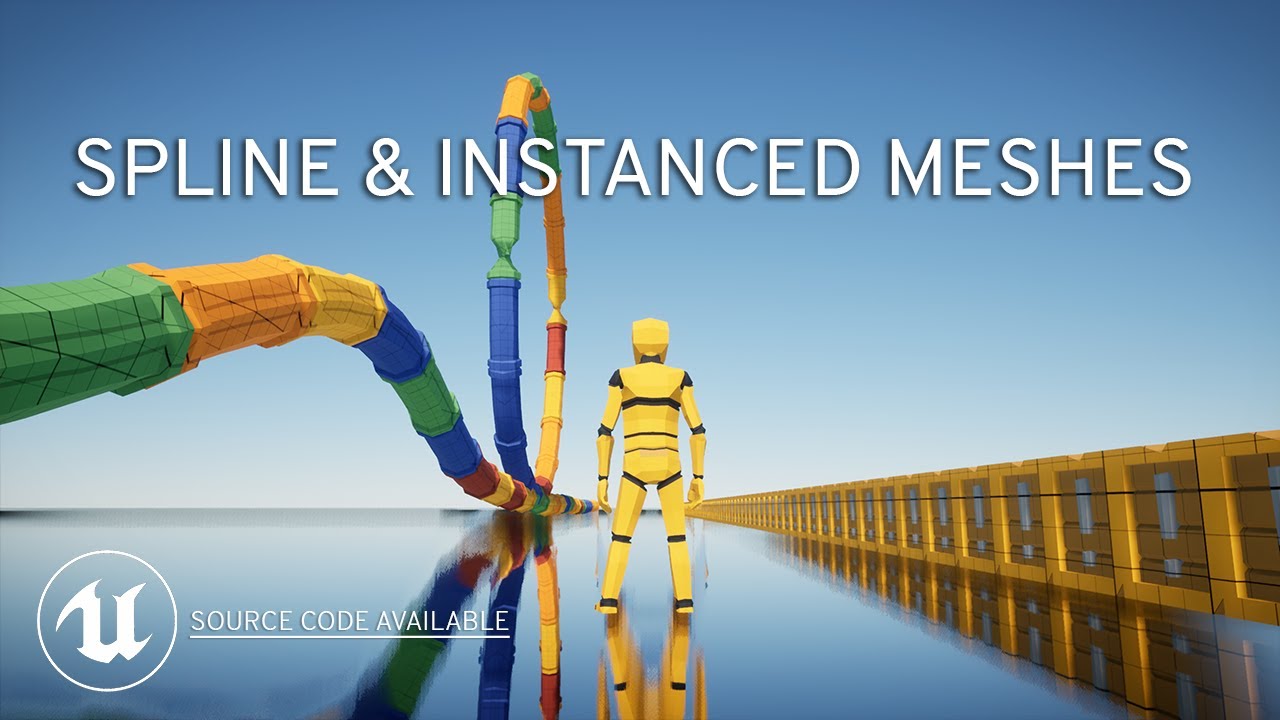
Source code: https://github.com/PendingKill/Tutorial_SplineMesh
TABLE OF CONTENTS
00:00 Introduction
00:52 Spline Mesh Components
05:33 HISM using Splines
07:55 ISM using Splines
09:08 Performance Profiling
10:57 Creating a Corridor in 3 Clicks
Today we're looking at how you can speed up your level design and save tons of time using spline me...
trim matrix
I just saw that tutorial yesterday, it was very top notch!
Thanks for your help guys!
maiden wadi
I do something very similar with a multiplayer foliage system. I spawn a collectible foliage manager class from that collects references to all current instances of a child class I made from UFoliageInstancedStaticMeshComponent. Allows me to spawn foliage where ever and remove it from where ever with some easy helper functions. But more importantly it allows the use of LODs and a single draw call per LOD for each component. So thousands can be in the same LOD in the distance with a single draw call, and they can still be interacted with.
trim matrix
I got the impression of "A" from the "yes it will" referring to what i suggested, but "B" from the tutorial and from Authaer's answer.
Is A viable? Or should I go with B?
Can't stress enough how thankful I am it's been a block for me in many projects, I'm so desparate
 vestal prairie
hey! is there a way to add more scalability levels? I want to add a "very low" setting to turn off dynamic shadows completely and switch to baked only.
tight schooner
@trim matrix is this for performance reasons? Since UE4.22 the engine auto-instances identical static meshes (same mesh and materials)
You should look into the ins and outs of that (which I don't know offhand) and maybe run some experiments
Ask #graphics for more info... They would know a lot more
trim matrix
It is for performance yes. I tested with static mesh actors and it seemed to auto instance them, but when mesh components are in an actor it didn't auto instance them between its objects
maiden wadi
For normal ISM components, each ISM component has one draw call per component. For HISM components, each component has one draw call per LOD.
trim matrix
I tried to replace mesh component with ism component but the drawcall went up to 500 anyways. The last thing I want is to look like a fool and be a burden on you guys, but I'll post a screenshot in a bit
maiden wadi
Are you actually using the ISM correctly though? You should be spawning only one ISM component and then adding instances to that one component, rather than spawning multiple ISM components.
 weak wigeon
,fyyhtudyc
 severe sparrow
Can anyone tell me if there is a way to "Detach Actor from Scene Component" without destroying the actor?
I'm working on a horse mounting system, currently having an where when I detach the character from the horse, I have to spawn a new character and possess that one, which is causing issues in registering the overlap event for triggering the ability to remount the horse, sometimes resulting in not having any character possessed. Been working on this for 2 days no luck :/
trim matrix
I'm guessing I'm not. Your method is what I markes as "B" in my drawing, and I'm using "A" which I asked whether it was viable.
zealous moth
@maiden wadi there, just tested it.
I have over 70 widgets on screen. The FPS went from 120 to 100. It reads my movement vector.
If I don't move it stays at 100. If I move, it dips down to 80 FPS.
I also added 70 bindings in 1 widget and got the same result.
So unless our players go above and beyond at least 35 widget bindings at any one time, it shouldn't matter.
orchid garden
70 widgets? o.O
zealous moth
yeah, and that's a lot
Like I said earlier, I cannot fathom more than 5 bindings at any one time unless you make some sort of interface game.
trim matrix
I want to have several types of objects on those tables, move them around, store variables in them, throw them etc. Should I make a manager for every type of object with an ism, and place its instances where the actors would be?
@tight schooner shouldn't it auto instance bsed on my screenshot? It uses the same mesh, same material etc. It's just the same actor spawned in several times. Is there a setting i dont know of?
I'll try to spawn a manager for each type of item. I just thought UE4 would have some way of batching them. How does overcooked handle all those tables in the level design? They seem to be actors and have functionality. Or is there a Unity way for them?
vestal prairie
vestal prairie
hey! is there a way to add more scalability levels? I want to add a "very low" s...
is there also a way for the engine to detect if cvars contained in the scalability settings were changed separately to disable the scalability option and switch the shown scalability value to "custom"?
trim matrix
Guys is it possible that the problem was that my Light was stationary and not static? I changed it to static and now my drawcalls dropped to 12 😱 Looks like it's autoinstancing now. The shadows disappeared though 🥲
 last abyss
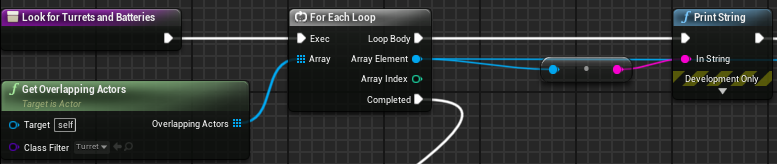
Hey guys, what happens on event beginplay? Why does this not print anything when I call it on beginplay but when I put a delay of any time in it prints as its supposed to. https://prnt.sc/xxfwjq
 meager spade
Probably a order of execution problem, my guess is the turrets aren't created before the loop is executed
last abyss
basically the overlap isnt generated on event beginplay?
trim matrix
Static lighting isnt the way I need those shadows
meager spade
Or the turret instances doesn't exist until a small delay has happened
Depends on how it's all done, hard to say with a single print
last abyss
I'm calling this with a battery that I spawn into the world next to an already spawned turret
I mean it's fine, it works I was just wondering why it works like that
severe sparrow
Collision after detaching problem -
I'm using some "OnComponentOverlap" events to allow communication between thirdpersoncharacter and my horse blueprints to attach and detach, there appears to be some issue with registering the overlap upon detaching unless I walk out and reset like you see my do the first time after unmounting in the video.
meager spade
last abyss
I mean it's fine, it works I was just wondering why it works like that
No idea, it should be grabbing all instances of actors of class Turret
Nvm it's overlapping actors
But AFAIK the components' begin play and stuff should be called before the Actors'
tight schooner
@trim matrix dynamic shadows add draw calls. You can try reducing them by being very selective about what casts shadows, or reducing the shadow distance etc.
I don't know the nitty gritty. Def. a #graphics topic
trim matrix
Thanks! I'll try to squeeze an answer out there, so far I've just been ignored. But here I got a lot of help and could close ideas and spark new ones. Thanks again
tight schooner
Reducing the light radius as well. Using spot lights instead of omnis
trim matrix
Interesting
tight schooner
Basically shadow casting makes the engine draw a new scene just to cast shadows, hence draw calls
And it needs to do that for each shadow casting light source
So you need to limit shadow casting lights
Pretty much all I know about it
trim matrix
Thanks! I intended to have a sun that casts shadows on everything. I will think it through
tight schooner
Yeah one shadow casting directional light is a typical way to use UE4
 twin tide
dawn gazelle
zealous moth
<@!143471961723371520> there, just tested it.
I have over 70 widgets on screen. ...
twin tide
dawn gazelle
zealous moth
<@!143471961723371520> there, just tested it.
I have over 70 widgets on screen. ...
It's not about how many widgets, it's about how many fields are being updated, and how often.
I had a widget that has 6 text fields, that widget is then created as a child 70 times (~420 text fields being set on tick)
First test while updating all of these fields on tick:
Stationary: 50 FPS (highest seen)
Moving: 32 FPS (lowest seen)
Using a widget that itself has 6 bound text fields, and childing that widget 70 times (so ~420 binds)
Stationary: 40 FPS
Moving: 22 FPS
Then I did the same with only 1 text field per widget.... (70 text fields total updated on tick)
On tick:
Stationary: 57
Moving: 44
Bind (70 binds):
Stationary: 57
Moving: 44
So arguably, at a low amount of binds, the difference between using tick and binds is not so clear. At higher amounts of binds, tick pulls ahead. I would fathom depending on whats changing may also have an impact.
And for a finale, I was setting the text on a timer every second... 59-60 FPS solid with 70 fields, and 52-53FPS solid with 420 fields. So performance wise, you should only update your widgets if they actually need to be updated rather than relying on tick or binds.
And I think that's kind of the point of trying to steer clear of binds altogether... It's just a way that it can end up eating performance down the road that you're not really paying attention to.
zealous moth
Again, that's true and i am not saying the opposite.
But for the general purposes of most people, most will not have more than maybe 5 or 6 bindings at once at any time.
and since below 30 the performance hit was pretty negligible, i'd said bindings are fine for most
that's my only argument.
I have seen plenty on here mention ridiculous things that simply do not happen or are extreme scenarios where what they say is true. Casting is an example of that. So many people come saying casting is costly or it will impact performance. Unless you look over 10k casts, you will never see any noticeable impact ever.
Same with bindings, unless your game is 90% UMG bindings, it doesn't matter
 earnest urchin
Does anyone have a good tutorial or method for switching character material from a menu, like a character select? All of my characters use the same model and skeleton just with different skins, I want to let the player decide which skin to use.
vapid ibex
earnest urchin
Does anyone have a good tutorial or method for switching character material from...
You can change materials on models using the SetMaterial node. If you want to drive some parameters in the material, you'll need to setup instance in a material variable (I've created a shared function for myself to do it quickly) and then set scalar or whatever variable on it with the corresponding node.
So I need player to be able to be crushed by movable platforms. Is there a way to detect if the player began clipping through a collision?
zealous moth
@vapid ibex thats a nice question.... i guess you'd have to measure an on hit collision on a box or something in your character and check that when you are hit on one side at a certain velocity, you are already hit on the other side?
orchid garden
object location vs. hit actor location, crushing platforms aren't really complex least any of them i've seen.. most just insta kill the player, there are some that stop moving when they hit the player and untill they aren't colliding with the player anymore they continue to cause damage to them. those usually slow the players movement speed.
vapid ibex
But if I simply check if platform is colliding with the player, it will murder them even when they are just standing on it
orchid garden
thats why you do object location vs. actor location.
the actor location will always be lower then the platform on collide when they are under it.
 spare pike
https://blueprintue.com/blueprint/lpz2sgcq/ would there be a better way to set this up? i feel like i'm not doing it right. This is for an 8 way movement que.
BlueprintUE
orchid garden
using a 2d sequence?
spare pike
whats a 2d sequence?
orchid garden
then you only need to feed two values in, the horizonal axis value and the vertical axis value
you'd stick each of your 8 movements in each of the corners, and have idle in the center.
well 3 across top, left most, right most, 3 across bottom
you make a 'blendspace' blueprint not a blendspace 1d
spare pike
Oh a blendspace, yeah that would work but you don't have as much control over the animation as with a montage which id prefer to use at this point.
i was mainly trying to find a better to switch to an montage play node using the correct mix of forward and right values without having to run them through branches.
orchid garden
o.O
spare pike
i need the completed, blend out and notify begin execs from the animations. blendspace doesn't give you that 😛
 little cosmos
Which free project is the one with dust particles?
 tame moat
Hey friends. I am having an interesting issue with one of my features in my top down game. I have a stationary turret that I aim with my mouse and use LMB to fire. when ever I set the mouse cursor to show in my game mode I encounter this issue where I can no longer have input any other mouse input while moving my mouse across the screen. When the mouse is stationary I regain input for all other mouse functions. Thought someone where might be able to help! Thanks Friends!
trim matrix
Should I even use array "contains" node if I want to find the index as well? The "find" node gives a -1 if it wasn't found, but gives the index if it did, 2 birds with one stone. However the output log gives a warning "found nothing so -1!!" like its a bad thing to use it as a branch and as a way to get the index as well. I guess both of them cycle through the whole array so there is no performance difference right?
Or I could use the contains since it searches through the array twice either way, if I don't set it as a variable
BlueprintUE
Oh I messed up the comment, the bottom one shows the warning!
dawn gazelle
The bottom one shows the warning because you have the branch connected on true (meaning if not found, proceed) and then you continue to try and set the array element at -1 which is not valid.
So you either want it to probably be != -1 or connect false to the set array elem node.
Performance wise, they'd be equal. In the top example, you're calling contains once and find once. In the second example, you're calling find twice. If you wanted to avoid any performance issues on the bottom example, then immediately set the find result to a variable and use that instead for both your branch check and for when you're plugging into your Set Array Elem node, as that'll make it so it's only calling the find once.
trim matrix
Oh yeah I made a mistake it would go if it was false
Thank you!
I was worried about the performance and you cleared up what I thought
dawn gazelle
I'm not saying there is any major performance difference, just that if you wanted to optimize it, the less calls are probably better 🙂
trim matrix
I'm always worried about setting something as a variable. Dunno why. How hard is it to store a variable for the machine? I guess "finding" something several times like in this scenario is worse than actually setting it at the first time
But what about other scenarios. Like casting. Should I save the casted result, or because it wasnt a purecast its fine
As long as something is not a pure function I don't have to worry about saving the variable?
I always just have every line come out of the first node if setting as a local variable is not necessary. Like in ForEach loops i never set the index as a variable I just sphagetti my way over to where its needed
 violet vault
version b is faster just by nature of a single lookup vs 2
maiden wadi
@zealous moth To be fair with the casting example, that point is very misunderstood. I thought the same thing for a while about how dumb that is because it's CPU usage is so small. It is true that blueprint casting takes extra time, and that that time is negligible because it takes thousands before you see any spike in performance. The real issue with casting is not even just a blueprint one, but encapsulation and affects C++ as well, but it is largely messed up by designers. That is the real warning that people are trying to make with casting. It's not about the cast performance itself, it's about what that cast is being forced to load into memory. If you have a class that casts to a couple of other classes. For instance, you have a character that casts to a grapple effect. Just because that cast exists, before it's even used the grapple effect is loaded. If that grapple effect casts to an AI class to do something particularly different than normal, and then that AI casts to some other actors, then you're loading each and every one of these things into memory the moment that the original character is loaded. Their classes, any meshes, materials and other objects that they all use, everything A lot of people don't run into this problem in small projects, but that is what the casting warning is for and why the whole "Casting is costly" thing goes around.
trim matrix
Having an object as a variable (like declaring itself as a variable in an other object as soon as spawning) doesn't count as casting to its class does it? Its just object oriented programming because you can get variables out that way. This might be basic but better get my facts right
I guess I shouldn't use casting when checking if something is from that class/valid as well right 😅
dawn gazelle
trim matrix
I'm always worried about setting something as a variable. Dunno why. How hard is...
Well, if you were going to be using something like your examples, I would imagine these would be put into functions, and if they're in functions, then you can use local variables just for temp storage. The Array "Find" function is a pure function call so it is better to store the value you find if you intend to use it again, if you are worried about the performance of the find.
 astral fiber
I have an event which calls two functions, is it possible to let the second function wait till the first one is finished? SO they don't get executed at the same time?
dawn gazelle
astral fiber
I have an event which calls two functions, is it possible to let the second func...
Create an event dispatcher that calls your second function after the first is done.
 pulsar root
Hey gamers I have a question. I've created a function inside parent BP, so should children inherit this function and be able to call it? thanks
dawn gazelle
pulsar root
Hey gamers I have a question. I've created a function inside parent BP, so shoul...
Yes.
astral fiber
@dawn gazelle I also thought about this, but those are functions is that possible`?
tired cypress
Sequence also works
dawn gazelle
tired cypress
Sequence also works
I'm being derp.
dawn gazelle
astral fiber
<@!218956378654507008> I also thought about this, but those are functions is tha...
Functions can call event dispatchers, and events can call functions, so it's possible. But as Khade said, you could use Sequence XD
astral fiber
@dawn gazelle @tired cypress The problem I have is, that I have two of those things in the picture, and they should get called after each other, but it only plays the second one, because the first one is interrupted, so the second one doesnt wait
@dawn gazelle @tired cypress are those two versions the exact same, timing wise?
tired cypress
Probably yes, since functions can't have Delay nodes
Usually Sequence is used if you want to ensure the execution of all your functions
So if Test Func 1 were to break somewhere, it will still fire off Test Func 2 if you use Sequence
But Sequence doesn't actually wait for each branch to finish (oddly enough). It will fire all of them at the same time, in order.
astral fiber
Yes just discovered, that I cannot use the delay node here.. but how do I know, when I am 12 seconds into the timeline?
tired cypress
So you want Func 1 to run, and then Func 2 to run 12 seconds later?
astral fiber
well not exactly 12 sec, but yes I want to run Function2 after Function1 is finished
astral fiber
where can I find that?
tired cypress
Well, this really depends on what is inside those functions. Usually functions don't take 12 seconds to come back to the main execution branch... They are designed to be super fast, do their thing, and come back to you. That's why you can't put Delay in there
Typical approach for controling timing would be to use a Timer and fire the function using the timer
astral fiber
@tired cypress this one?
tired cypress
You could use that one if you want to trigger it via the Event. There's also Set Timer by Function which triggers from a function
But yes, based on your use case, I think you could plug your event into the Event pin, and then set the Initial Start Delay to whatever you need
 rare badge
Hi
I'm tring to remove all the children from a component but it's not working.
Can someone help me?
I made foreach loop which checks all the elements of a Get Children Component array and removes them
Like this
 robust cliff
If i have an AI boss that I want to put in a stasis that makes him play a montage for five seconds, is there a way i can disable all other animations/montages for that duration? For example while he is in stasis montage when i hit him he still plays the hit animation
 sour urchin
Do sockets affect performance? For example i have near 10-16 sockets in static mesh, for my building system
 raw walrus
So does anyone know what I’m doing wrong here, I feel like I’ve probably messed up something basic here and I’m just over looking it.
Here is what I’m trying to accomplish;
I want to create some logic that allows a player to for example tap a button on their keyboard or gamepad to start running then remain in that state for as long as the “forward input” is being held, then kick back to the previous state when there is no longer a “forward input” or the input axis drops below a specified value (game pad users).
vapid ibex
Okay, please, maybe somebody can help? I have this function. It works.
raw walrus
My goal is to maintain the running state even when the button the engage it is released, and only kick back when the player stops moving forward
vapid ibex
But when I try to extract it to a shared function to use all around the project - it doesn't.
 wind sequoia
u prob need a world context object
worthy frost
pass the staticmesh into WorldContextObject
 ocean bluff
Hello, I'm new here and I would like to know what this error message mean and how do I should fix it? for post processing
I'm following this tutorial https://www.youtube.com/watch?v=cQw1CL0xYBE&t=3582s&ab_channel=UnrealEngine

This week we'll be diving into Post Processing in UE4. Tom and Sam will go over some basics of post-processing before building a couple small shaders, one for an outline and a toon shader, which will be combined to create a sample cel-shaded look. They'll also discuss some of the limitations applicable to mobile and VR projects.
[00:00:06] News...
raw walrus
@wind sequoia
I elaborated more on what I was trying to accomplish but my reply got buried in a flash so I'm not sure if you got a chance to see it
vapid ibex
Done nothing, still doesn't work.
tight schooner
@ocean bluff material graph questions go into #graphics ... That said, you're multiplying a vector 4D (float 4) with a vector 2D (float 2). The error is saying you can't do that.
ocean bluff
@tight schooner ooooh I didn't know
tight schooner
@vapid ibex idk why it doesn't work but maybe try it as a global macro?
Macro library instead of function library
ocean bluff
Sorry for putting in blueprints channel, new in this server
tight schooner
@raw walrus do some general debugging with breakpoints and print nodes
Is that switch on enum doing what you think it is? Etc
The boolean logic seems ok at a glance...
raw walrus
Fair point, I'll take a look at that.
Thanks 🙂
prisma stag
Hello. I have added the AI Perception to my BaseAI Pawn I set up and added the AIPerceptionStimuliSource to my player pawn but when I push apostrophe and 4 on the numpad I cant see the AIPerception for sight.
rough jay
prisma stag
Hello. I have added the AI Perception to my BaseAI Pawn I set up and added the A...
make sure your camera is pointed at the ai when you press it
prisma stag
rough jay
make sure your camera is pointed at the ai when you press it
I mean, my spring arm is pointed at my tank at an angle but it down so I can see the tank
prisma stag
rough jay
make sure your camera is pointed at the ai when you press it
Is there something else I could be missing?
prisma stag
I have set up a pawn and attached an AI controller to it with the AIPerception and was able to get it to work. However, I would like the AIPerception to rotate with a certain component.
robust cliff
When adding impulse/force to character does it have to be done through launch character or can you use addImpulse?
 slate dagger
so yeah, any blueprints expert could analyze the blueprints i have here to wall ride and say what is wrong with it? https://www.youtube.com/watch?v=YgAQmanFQfE&feature=youtu.be here is a video showing the blueprints, just to be clear, they are not mine, i saw and copied from a youtube video

 random hill
Hey.
I want to make something like... a looking glass?
An object is invisible, unless you look through specific object or use a filter.
How would I do that, or how would this effect be called (so I can look it up myself)?
Thanks in advance
random hill
@slate dagger thanks, I only ask good ones 😛
random hill
yeah, it's just an example. might be one, might be many
slate dagger
well i think you could do it with a "cast to" system?
random hill
how the hell would that work
slate dagger
hahahaha let me think
random hill
I specifically asked for materials / filters because that's what I need
I wouldn't bother anyone asking for something that simple.
zealous moth
can someone remind me the trick to change the timeline scale? was it to multiply after or during the update?
random hill
do you mean time length or the value scale?
random hill
it's not the same thing though
if you want value scaled ,just multiply it
if you want time scaled, you have "set play rate"
slate dagger
slate dagger
hahahaha let me think
yeah I could not think in something good, sorry
 marble violet
Is there anyway that I can use DataTable rows as enum?
marble violet
@worthy frost yeah, but when you have datatable row as key in another datatable, it's seems very complicated for artists, which lead to making mistakes
E.g. I have PC DataTable, and i want to have option of Graphic cards which is linked to Graphic Card DataTable
@worthy frost you see the DataTable name there, How can i just have the Graphic Cards Names instead of DataTable Name and Row Name
so i thought of enum
 vivid aurora
hey, how would one make an event that does the exact same thing as the character movement component's launch? just started all over on my project cause i found out normal launch doesn't replicate well but too much of the game relied on it.
marble violet
@vivid aurora you want to recreate the character movement component? or you want to reload the feature?
reload the feature in blueprint 👆
if you want to see what in character movement code, add C++ feature and load the code in VS
Character Movement Component header /Engine/Source/Runtime/Engine/Classes/GameFramework/CharacterMovementComponent.h
Character Movement Component cpp /Engine/Source/Runtime/Engine/Private/Components/CharacterMovementComponent.cpp
CharacterMovementComponent handles movement logic for the associated Character owner.
vivid aurora
marble violet
<@!291179762481758208> you want to recreate the character movement component? or...
i just wanna recreate the default launch in a way that actually replicates, not the entire cmc
random hill
I will try again, maybe someone else has an idea
I want to make a feature where certain object is only visible when looking through a special mesh or a filter.
I am guessing I could use some shader feature or a post processing effect.
Does anyone know the feature, or at least how would that effect be called, so I can find it myself?
Thanks in advance.
 devout kelp
hi all. i'm trying to go through an array of strings and figure out how many times a particular string shows up, and then return the most frequent string
the jank spaghetti i hacked together just does not operate properly and rather than paste it here i was wondering if anyone could offer an outside perspective of how to tackle this particular problem
maiden wadi
@devout kelp You just need to know which value in the array shows up the most?
devout kelp
yeah. so like, if it's "mario mario mario luigi luigi luigi luigi luigi" i need it to return luigi
 final orbit
is it possible to do bulk math operations on structs in cpp or blueprints?
marble violet
vivid aurora
i just wanna recreate the default launch in a way that actually replicates, not ...
@vivid aurora recreate the default launch!, could you elaborate more?
character movement component is replicated in the network
but only direction not the location, cause there is Always delay between server and client (no matter wad) and if you replicate the location you will start to see jitter on client side.
if that is what you are wondering
vivid aurora
so i do actually need to recreate the entire cmc?????????????????????????????
game development fuckin sucks
marble violet
what is the feature that you are trying to achieve?
maiden wadi
@devout kelp Man, that's really rough in blueprint. Would be much easier in C++, but I imagine that something like this should work.
vivid aurora
marble violet
what is the feature that you are trying to achieve?
the default launch, except it actually replicates over the network unlike the original which does nothing
marble violet
you could store the location into replicated variable and then if you need it cast to it.
devout kelp
maiden wadi
<@!297491589192744970> Man, that's really rough in blueprint. Would be much easi...
this looks a lot neater than mine lol, thank you for giving it a shot!!! i'll test it out now
maiden wadi
@vivid aurora What's wrong with Launch character? It works fine.
marble violet
@devout kelp easier with dictionary/map
vivid aurora
maiden wadi
<@!291179762481758208> What's wrong with Launch character? It works fine.
it doesn't replicate at all...
maiden wadi
It does if you correctly play it on the server.
vivid aurora
how does one correctly play it then
maiden wadi
@marble violet I might agree if it wasn't blueprint. Blueprint really needs some extra map functions. Specifically one that allows for easy setting of Values in the map. Having to find the value, break the values array from the map, set the value, then rebuild the map, just to set a single value is incredibly tedious.
devout kelp
@maiden wadi your code helped fix it!!! thank you so much! (i also realized that the method i was using to add values to my array to start was a little weird so that might have been part of it?)
marble violet
yeah true, however I find using dictionary for such purpose is easier to read
 jovial dirge
Hello is anyone here familiar with the steamworks microtransactions?
marble violet
@maiden wadi is not that bad with limited functions
@maiden wadi do have any experience with DataTable and linking DataTable? I'm looking for a way to store the DataTable Rows as Enum instead of DataTable row
maiden wadi
Could work, but you also need to remove that KV pair on the top before adding it, or you'll both end up with a bloated map, and always only find the first entry, which would be lower than the actual count of the strings in the input array.
marble violet
@maiden wadi is it? in blueprint it will just override it, cause the key is string, the value is the number, keys have to be unique, if similar it will override it
 flat raft
Hey yooo.... I prolly asked this already... but is there a way to lock selections of objects in the map?
I'm constantly selecting and moving the environment assets accidentally and it's driving me crazy.
tight schooner
@flat raft if nobody knows here you can try #level-design
flat raft
Oh yes.. true 😅 thx
 fair sun
hi, I currently setup streaming in my blueprints so that I unload the level and then load the level. Problem is that it doesn't get garbage collected so I run out of memory, how can I run garbage collection and wait for it to finish in blueprints?\
maiden wadi
@marble violet Yeah, I was not considering the unique ID part. But huh, that's fair, I guess it does just overwrite it with a new add. I thought it would have just ignored it, but after you said that I had to test. That's good to know though. Might change my mind a little about working with maps in blueprint if I need to. I have such a habit of just using CPP for functions like this though.
marble violet
@maiden wadi yeah, I find in bp if a simple function takes more than 1 min to understand, it's probably not visually appealing (that's the key point of visual scripting (bp) after all), otherwise it become a nightmare to debug or even develop further.
tight schooner
@fair sun there's a node that calls GC. It tends to cause a small hitch.
marble violet
but i find reading map/dictionary is faster
 small cloak
hello. right now I am doing the Product Configurator course from the unreal website. In the course the instructor creates GetComponent functions for every component of a blueprint like that:
is this actually necessary or is it just best practice to have a function for that? I could do it like this right?
maiden wadi
@small cloak I think this highly depends. In a lot of cases it's overkill. However, some people like to force their components to be private, and only use getter functions on them so that nothing else has access to set that variable to anything else or whatever.
 vernal wind
Is it possible to search blueprint references to "Set Gameplay Tags" nodes for a specific value? Like all places where I set e.g. "Item.sellable"?
small cloak
@maiden wadi alright thanks. how can I set components to private?
maiden wadi
To be honest, I'm not even sure if you can do that in blueprint. By default any components added in the default hierarchy are set up that way and their pointer can't be set in blueprint to something else.
@small cloak Perhaps it's an older engine habit? The video's release is 2018. Stuff might have been different back then. I've only been using Unreal since Novemberish of 2019, but I can definitely say that there's no need to make functions like that in blueprint unless you want something else to happen when you get that variable. Returning a copy of the pointer to Screen will be the same as getting the original pointer to Screen as far as blueprints are concerned.
small cloak
@maiden wadi good to hear. that saves some time 😉 Its the same for variables right? even if I dont set them public I can access them from another blueprint. so there is no need for a getter function
maiden wadi
Correct. Variables should be public by default. You'd only need a function if you wanted to do other stuff like call a dispatch when setting the variable, or if you wanted to set it private on purpose and only allow other classes to get it and not alter it.
small cloak
alright. thank you
 willow phoenix
any ideas how i can access the arrow components in each tile? im checking for the nearest tile with a forloop and set that actor to nearest tile. but the reference of "nearest tile" has no option to get anything
 weary jackal
@willow phoenix is it Dijkstra?
willow phoenix
what is a dijksta?
just looked it up, damn thats some smart stuff 😄 no, its a forloop "nearer than X" and take the lowest (nearest) target. i just want to have access to these arrows ._.
damn dijkstra is even more cool than learning about how to get these arrows 😄 thanks mate
 karmic pendant
hello, I have an actor called bird. I want that when my player gets too close to that bird, the bird find the closest point to a spline, this spline is also an actor, and from there starts moving along the spline, how exactly can I do that?
willow phoenix
getting close to the bird: use a overlapping event (sphere maybe) and start a function whenever the player overlaps this
for the event you get all the spline points, run a forloop and sort these for beeing closest to the bird
and then you have a looping timeline to run the birb around on your spline
 torpid patrol
I got this for a topdown shooter. So the character looks at my cursor location. But now the character stutters except when i move up and also look up with my cursor. The same for other directions like left right and down
Cant figure out whats the problem here.. if anyone could hel
Help
last abyss
torpid patrol
I got this for a topdown shooter. So the character looks at my cursor location. ...
probably when you're moving your rotation is being changed
 inland merlin
 remote meteor
how do i know if an audio component is looping on runtime?
remote meteor
how do i know if an audio component is looping on runtime?
afaik you can't, since a component isn't looping, it's the sound cue which is looping
@torpid patrol Let me get this straight, you want to move with the keyboard, but have the character look at your cursor? like a twin stick shooter?
if that's the case you need to make sure bOrientRotationToMovement if false on the CharacterMovementComponent
as well as bUseControllerDesiredRotation but this one if false by default
Same for bUseControllerRotationYaw on the Pawn (which should also be false by default)
And last, I'll advise against setting the ActorRotation roll
99% of the time you just want to touch the yaw
 autumn vessel
got a really odd problem, in editor if i press tab (which was set to show HUD) it works fine. then in the packaged project it freezes character movement entirely but i can still look around. the input are also frozen so the only thing i can do is move my mouse
prisma stag
Hello, I have set up a pawn and attached an AI controller to it with the AIPerception and was able to get it to work. However, I would like the AIPerception to rotate with a certain component on the pawn. How would I do that?
inland merlin
autumn vessel
got a really odd problem, in editor if i press tab (which was set to show HUD) i...
you could try making a build with those two nodes in your controller tick
if that fix it you can try remove either one of them until you get a better idea of what's wrong (my guess is a UI element stealing the focus from you but not sure)
 gentle summit
Hello guys, is this normal that my Editor Utility Actor (Blueprint) that spawns actors loses its reference to them when it gets moved?
torpid patrol
@inland merlin yes you are right, this is what i ment. Thanks for the reply. Im gonna try this and let you know if it fixed it! 😁
foggy escarp
Anyone Know how to set the mouse position?
-Trying to set it to center of the screen after disabling my interaction cursor.
This is all i found, is this the right node?
inland merlin
foggy escarp
Anyone Know how to set the mouse position?
-Trying to set it to center of the sc...
inland merlin
gentle summit
Hello guys, is this normal that my Editor Utility Actor (Blueprint) that spawns ...
What do you mean by "moved"?
foggy escarp
yeah, thats what i was trying to get but its not showing
autumn vessel
inland merlin
you could try making a build with those two nodes in your controller tick
the only thing is that i've since removed the key input for tab entirely and it isn't being referenced in blueprints at all yet it still causes this issue
gentle summit
In the editor, when I move this actor with my mouse it looses references to any previously instantiated actor
The array in which it is supposed to be contained is empty
inland merlin
prisma stag
Hello, I have set up a pawn and attached an AI controller to it with the AIPerce...
AIPerception should look in the direction the controller is facing, so SetControlRotation should help you with that. Ideally you cound override the method to get the eye viewpoint but you'll need cpp
foggy escarp
SetMousePosition is a viewport function correct?
For some reason i only get the widget one.
inland merlin
autumn vessel
the only thing is that i've since removed the key input for tab entirely and it ...
in some widgets Tab is the input to switch focus (such as Editable Text). Perhaps its unrelated but it looks like it
inland merlin
foggy escarp
SetMousePosition is a viewport function correct?
For some reason i only get the ...

gentle summit
@inland merlin It looks like the array is not storing the data
inland merlin
Can you tell me where and how the array is set?
gentle summit
After the call of an "Editor callable" function in the blueprint
Each actor is instantiated and added to the array
inland merlin
is your array instance editable?
Unless you disable the construction script I think it will reset everything? 
prisma stag
inland merlin
AIPerception should look in the direction the controller is facing, so SetContro...
Ok. So I have the aicontroller attached to a tank pawn and would like the aiperception to rotate with the turret. Could I SetControlRotation based on the turret?
inland merlin
prisma stag
Ok. So I have the aicontroller attached to a tank pawn and would like the aiperc...
Sure thing. You'll have to put it in your tick though 
gentle summit
No the array is not instance editable and the reconstructions seems indeed to be the problem
Wait, putting it instance editable seems to have resolved the problem haha
Nevermind
It has weird behaviors
inland merlin
No that's why I asked
if the variable isn't flag as being different on an instance then it will be reset
autumn vessel
inland merlin
in some widgets Tab is the input to switch focus (such as Editable Text). Perhap...
i've searched for references to tab in every widget and there aren't any, is there another way to find what you're explaining?
prisma stag
inland merlin
Sure thing. You'll have to put it in your tick though <a:ablobshrug:723116314578...
Hm. That may not be good. There's no other way to do it?
inland merlin
prisma stag
Hm. That may not be good. There's no other way to do it?
Why? With cpp yes, in blueprint I don't think so
prisma stag
inland merlin
Why? With cpp yes, in blueprint I don't think so
I'm going to have multiple ai tanks. What about Pawn Sensing? Can that attach to the turret component?
gentle summit
ooooh, yeah I never saw it like this, thank you
inland merlin
prisma stag
I'm going to have multiple ai tanks. What about Pawn Sensing? Can that attach ...
Well each AI has it's own Controller
inland merlin
gentle summit
ooooh, yeah I never saw it like this, thank you
you can toggle AdvancedDisplay on the array to hide it a bit to users but there is not way to have a variable persist and not editable
Alternatively what I do is I have a category for those variables and hide it in the class settings
prisma stag
inland merlin
Well each AI has it's own Controller
Correct
inland merlin
So this should be fine 🙂
prisma stag
inland merlin
Why? With cpp yes, in blueprint I don't think so
Is there a way to create a c++ class in a bp project?
inland merlin
Allar's Blog
This document covers how to convert a Blueprint Only project to a C++ project without writing any C++ code using Windows. This isn't intended to fold down your Blueprint Logic to C++, it is meant only to wrap your Blueprint Project with a C++ project. Some plugins and engine features

Unreal Engine
This course teaches you how to convert a Blueprint project to C++, explaining the core concepts of using C++ in Unreal Engine. Learn how to create an AI agent that senses, reacts to, and navigates the world around them.
gentle summit
Thank you @inland merlin
prisma stag
inland merlin
https://allarsblog.com/2015/11/05/converting-bp-project-to-cpp/
Alrighty. I will have to give this a look. Thanks
inland merlin
autumn vessel
i've searched for references to tab in every widget and there aren't any, is the...
Make sure all you widget have this set to false
best way to test is to remove all you UI and have a simple not focusable widget with an image and test if you still have the issue
you should also test without any UI
inland merlin
gentle summit
Thank you <@!115537234437996550>
You're welcome
inland merlin
prisma stag
Alrighty. I will have to give this a look. Thanks
You're welcome too
autumn vessel
inland merlin
Make sure all you widget have this set to false
okay so weird timing cause i just packaged again after changing unrelated stuff and it's suddenly gone? i'm very confused but at this point i'll take what i can get, if it comes back i'll use the is focusable method to try and figure out the bug. thanks!
inland merlin
autumn vessel
okay so weird timing cause i just packaged again after changing unrelated stuff ...
Good 🙂
going afk, good luck everyone
 atomic salmon
@trim matrix there is a Map specific Find node you should use
Find the value associated with a provided key.
final orbit
Is the character movement ok to use for rts style [2.5d] movement?
last abyss
So clearing an array removes all elements and sets element 1 (at index position 0) to None, however I'm using a flag event that checks if the array contains more than 0 elements. Do I have to also check if element 1 is valid, or is there something I'm missing?
 plucky aurora
how can i automatically update a function in editor without having to call the function manually? any sort of in editor timer available?
 shadow saddle

 hushed pewter
So ive got this running
And, im completely stumped on how too have the spawned guy copy my movement
Im using the same base animation and movement blueprints from the origional character
However none of the movement or animation is occuring. Is this something to do with the blueprints or the actor?
 late pelican
Hi Everyone,
This is almost certainly a beginner UE4 question. I am messing around trying to build a click and drag system to drag out a floor. I know how I intend to spawn the floor tiles etc. But for it to work I need to get the mouse's in game world position on click. Which I can do with the convert mouse location to world space.
What I am struggling with is how to store this value and then call/get it later in the blueprint in order to subtract it from the mouse location when the button is let go which I can set as a different convert mouse to world space value, but this one wouldn't need storing as it is the most current one
Once I have those 2 values I can use a system I already have for tiling to work out how many meshes to spawn.
Just stuck right at the start and I'm struggling to find a solution or answer online. My initial thought is to load the first mouse clicks vector in an array, then when the mouse click is released I can get the vector at the end, then using the array can call back the first vector to subtract, but I don't know if this is the right/best way to get store this information? And from my experimentation with this method I am hitting a bit of a wall.
 tardy harbor
Activate Vs. Play?
boreal tusk
Hi, day 2 And I still can't figure out why one object's collision works & the other does not.
orchid zinc
Does anyone know why my BP stays dirty after compile, but gives no errors? This is after upgrading UE4.24 -> 4.26
The BP is now causing a lot of lag in the editor when it's open, and clicking on a variable in the list no longer shows the details (have to select the variable directly in the BP now to get its details)...
When I try to PIE it still gives me an error:
How can I find what's causing this if it's not giving me an error in the compiler results?
boreal tusk
Ok just figured something out. My collision works only if I make the box collider the main root of the blueprint. Using a scene component as an (empty game object) to be able to set the transform position of the box collider? Is this intended behavior? if yes how are you supposed to position the collider?
maiden wadi
@boreal tusk For what use? If it's just for the collision events, you can use that component's specific hit event rather than Event Hit. Event Hit is for the actor, and things like that are done on the root component in the actor.
boreal tusk
@maiden wadi component hit wont trigger while its a child.
Hit works when hit by projectile or enemy. but not the set environment
First image is the one that does not work. second one works & hit event with the first one. Third image is the one that does not work with component hit but works if collider is the root.
maiden wadi
Are you expecting the component's hit event to fire when BP Player itself is moving, or when something else collides with that component?
boreal tusk
@maiden wadi I expect the event to fire on component hit. once it touches the collision of the environment.
Overlap works fine. I just don't understand why hit wont trigger.
(oh & checking simulation generates hit events also has no effect.)
 tepid marlin
hi iv been having a look online and cant work out how to word the question i want to find an answer to... how is it possible to make a player sit on a moving object via a socket (done that bit) and then have the camera of the player follow the forward direction of the object as it moves? right now the camera essentially stays still and the body of the player rotates around, unless the camera is moved to fight facing forward....
boreal tusk
@tepid marlin Just a noob here. Could it what you are looking for is a ""Spring Arm" component?
You would just put the spring arm on your player, camera as a child of it. You can lock the (Pitch, Yawn, Roll)
tepid marlin
that might work for not letting the player look around, but then how can it be done so the player can look around but still have a base direction.... essentially like in a bus or a car game, player always looks at the direction of travel or orientaiton of the vehical but then can still look around as well... im just not sure of how its done
tired cypress
orchid zinc
Does anyone know why my BP stays dirty after compile, but gives no errors? This ...
It's likely a different BP where the error is.
boreal tusk
@tepid marlin Oh, you want to clamp the rotation of the camera angels?
orchid zinc
@tired cypress Thanks, good idea. Will the other BP also fail to compile, or what indications to look for?
tired cypress
late pelican
Hi Everyone,
This is almost certainly a beginner UE4 question. I am messing aro...
I think you're approach is fine. Store the clicks as vectors and come back to them later. I'd have to see more of the BP setup to know why it's not working though.
tired cypress
orchid zinc
<@115946111964938240> Thanks, good idea. Will the other BP also fail to compile,...
One of them is actually failing to compile is my guess
 ancient sparrow
how come you can get variables for axis events but not input events
orchid zinc
@trim matrix if you output the arr to an instance editable obj during play, you can copy the elements from that live var and paste into a constant
 boreal tusk
ancient sparrow
how come you can get variables for axis events but not input events
boreal tusk
ancient sparrow
how come you can get variables for axis events but not input events
You could store the event in a bool? Input event does not come with a variable. It's just a call.
ancient sparrow
ah ok
am i the only one that tries to get it so that none of the lines are crossing through the nodes? or is it just me
orchid zinc
put an obj in the world with a compatible arr var that is flagged instance editable in the var details
then during runtime assign the var you want to be constant to that dummy var
then during play click obj and in details will show current var
you can rclick-> copy on the arr in details during play, then paste it into your const var in editor
tired cypress
ancient sparrow
am i the only one that tries to get it so that none of the lines are crossing th...
No. Creating Blueprints is art and a game in itself 🙂
late pelican
tired cypress
I think you're approach is fine. Store the clicks as vectors and come back to th...
Thanks for confirming! Afteri double checked that was the right thing to do I checked elsewhere and the spawn for the floor meshes wasn't firing properly but I've got it sorted.
Thanks for the help ☺️
 velvet wigeon
Fixed It 
 shy path
How could i add collision to a moving part? Could I parent a collision box to a bone somehow? Or create a blueprint rotation?
I want players to be able to walk on the moving top
 rotund basalt
shy path
How could i add collision to a moving part? Could I parent a collision box to a ...
rotund basalt
shy path
How could i add collision to a moving part? Could I parent a collision box to a ...
It doesn't look like the rotating part is a separate mesh, but if were to you could just attach a collision box to it and it would follow the meshes rotation on its own.
tired cypress
late pelican
Thanks for confirming! Afteri double checked that was the right thing to do I ch...
Awesome glad it's working!
shy path
rotund basalt
It doesn't look like the rotating part is a separate mesh, but if were to you co...
No it’s all the same mesh
Could I make a collision box rotate via blueprint?
rotund basalt
I mean the cheapest and easiest way is to just block the entire thing.
But yeah you could also in theory create a timeline that lerps the collision box's rotation back and forward to match that of the thingy
shy path
I’ll give that a try
tepid marlin
essentially want to clamp it @boreal tusk... so the player looks forward rather than how for example minecraft handles it on their roller coaster creations, the camera doesnt get the rotation of the car to make it follow it,
i just want the players camera to get the direction of what its sat on
is that something that has to be done over a tick? but isnt that then too expensive?
boreal tusk
tepid marlin
essentially want to clamp it <@!581165787541405696>... so the player looks forwa...
Ok don't know mine craft, have to double check. you want the camera to follow. but you dont want the camera to rotate with the player. Right? (You want your camera to keep looking for example along positive X axis?)
tepid marlin
in the real world if your on something, your head moves with the object, but you can also move ur head and look around, but it then goes back to where ever the object has gone and you carry on forward... what iv got happening is say for example turn a corner, my camera is doing the exorcist...
like say for example gta 5.... player gets in the car, car goes round corner and the camera follows, but then also allows the player to move the camera if they want
 trail condor
Is there any way to search in all data blueprints? Find in blueprint doesn't seem to search stored values for things like UI's etc.
boreal tusk
tepid marlin
in the real world if your on something, your head moves with the object, but you...
I would still think all you need is to attach the camera to the player. with the GTA example the camera follows the body. but the camera position can be changed by a alternative input. So have 2 separate inputs for momvement & camera direction. Only extra thing the gta(most car games) do is smooth lerp back to the front view. so that the cam automatically returns to the forward direction overtime.
tepid marlin
the player does already have a camera on it, has 3 actually (1st person, 3rd person and a photo mode) and then attatching the player to a socket gets the body to follow, but the camera doesnt get any relation to what the object is doing...
 spice zinc
How can I change the object's location from A to B in scene?
For example: Start from x=0 to x=1000 1 unit per second.
 keen goblet
@spice zinc Several ways. Could give your actor a ProjectileMovementComponent. Could use a Timeline with Ease that calls SetActorLocation. Could call SetActorLocation with VinterpTo on Tick.
spice zinc
keen goblet
<@!339041573423808514> Several ways. Could give your actor a ProjectileMovementC...
Thanks @keen goblet Actually I already used the timeline but I want control the float with input. And I dont prefer use the event tick. Any way using the vinterpto without event tick?
 rough wing
@spice zinc Timeline and lerp
A lerp has 3 values.
A = Start value
B = End value (end location)
Alpha = a float from 0 to 1 where 0 = A and 1 = B
You can plug the timeline float output to the alpha
 haughty bone
Hello, I dont know what I'm doing wrong,but it seems like I cant change a structure's variable. As I'm making a inventory system I wanted a drop system. In the structure variable, I have a integer that is for quantity which I want to decrease by one when an item is dropped. But it simply will not decrease. Am I doing something wrong? Here is a video showing the code and the issue. https://youtu.be/et6fm9nntoQ
 spice zinc
@rough wing @keen goblet Thanks. It's done. 👍
 white field
what's the terminology or node name if I want to use only the decimals of a Float, ignoring anything over .9999999999? e,g, the opposite of a Truncate command, if I understand correctly
at least I'm kinda presuming there is a node for that, instead of some kind of roundabout math to get the integer value first.. truncate first and subtract from the float?
devout kelp
hey all, does anyone know of any tutorials / know how to make a roulette wheel? / wheel of chance? would i be rotating an object and then getting a result based off of the rotation? the opposite? something else entirely?
white field
you'd do the math for the results first and then animate procedurally to that result, or simulate the whole thing by physics
afaik
devout kelp
ohh. yeah that makes sense lol
tight schooner
white field
what's the terminology or node name if I want to use only the decimals of a Floa...
maybe a modulo (%) node set to 1...
IIRC it'll divide by 1 and give you the remainder of that
if not, you can always truncate and then subtract the truncated value from the original float, lol.
IIRC there's also a node that's like, division with remainder
devout kelp
okay i'm tryin to do it with physics for fun
I've got the wheel spinning by applying an angular impulse. however i have no clue how to tell when it has stopped moving. i tried by making a while loop that just prints while ang. velocity is greater than zero, but it seems to automatically skip the while loop (meaning the velocity is zero even though its moving?)
 cosmic bane
in blueprints is there a way to get the previous value when using repnotify? I know you can in c++
looks like i might not be able to cheese repnotify by setting repnotify on an array where the first element is the old state and the second element is the new state? nvm I was actually able to accomplish what I wanted using an array. issue I was scared of coming across was fixed https://issues.unrealengine.com/issue/UE-43969

Unreal Engine
Welcome to the Unreal Engine Issue and Bug Tracker. You can check the status of an issue and search for existing bugs. See latest bug fixes too.
proud hull
How can I destroy spring arms? The dynamically generated spring arms I am making now need to be able to be destroyed. I try to destroy them 1 by 1 and they persist. I try to destroy their parent, but no dice either. I can attach a static mesh to them and destroy that static mesh, but the spring arms never get destroyed. I change formations a few times and then I have 200 spring arms created without any way to remove them....
The spring arms start adding up as I change group formations.
None of these have worked.
This is from inside the blueprint that creates the spring arms and the same actor object that they get attached to.
Hierarchy is like this:
Default Scene Root > Formation Component (Spring Arm) > Generated Spring Arms
Once again, working in 4.22 and may be fixed in a more recent version. Probably not game breaking or anything as I have tested generating a few thousand spring arms and they seem to not affect performance.
Well, actually at near 10k spring arms it starts to dramatically decrease performance.
Over 10k spring arms, yay!
Seems like each spring arm eats up roughly 0.003ms on average, hehe.
If I can't remove them, I can probably trim the hell out of them when I want to "destroy" them. Like remove their camera collision stuff, which is probably half their work.
 pliant frigate
Hello. Desperately looking for direction.
I have successfully created a dedicated server and can connect to it by using the "~" key, calling up the in game console and typing open <Ip Address>.
BUT, I want to set up a UI based connection instead of going through the console and have zero idea of where to begin. I don't need someone to do this for me but I do need help knowing what to look up to learn this stuff.
ANY help is immensely appreciated.
 steady nexus
You need to write a server browser
A ui that displays running sessions
@pliant frigate
https://youtu.be/MCqIIsPgC4E
In this tutorial I will show you guys how to create our own server browser. We will be making it from complete scratch (not using the online subsystem plugin). I explain how to setup the UI, the main menu, as well as the server browser data such as the server name, ip, etc. If you haven't watched my previous tutorial on how to make a dedicated s...
That should point you in the right direction
pliant frigate
Thank you. I will watch that.
I think I've managed a Editable Text Box (with my IP in it as default) plus a connect button that opens the level.. It seems to work. I get into the dedicated server so that part works.
I get booted back to the log-in soon and the Server log has a yellow warning:
[2021.02.02-02.13.17:669][582]LogScript: Warning: Accessed None trying to read property CallFunc_Create_ReturnValue
BP_Survival_C /Game/Maps/ServerMap.ServerMap:PersistentLevel.BP_Survival_C_2147482505
Function /Game/Blueprints/BP_Survival.BP_Survival_C:ExecuteUbergraph_BP_Survival:006B
[2021.02.02-02.13.17:670][582]LogScript: Warning: Script call stack:
Function /Game/Blueprints/BP_Survival.BP_Survival_C:ReceiveBeginPlay
Function /Game/Blueprints/BP_Survival.BP_Survival_C:ExecuteUbergraph_BP_Survival
Anyone with insight on that?
I changed the default playercontroller -- so maybe there is something there with replication or whatnot that I don't grasp. Total noob here, but eager to learn.
steady nexus
@pliant frigate pm me
pliant frigate
@steady nexus ok
 snow halo
Hey all, wondering. What happens when you call a For Each Loop a second time before it's finished looping the first time?
worthy frost
nothing why?
tired cypress
I mean...that's sounds terrifying first off.
But I assume whatever array you plugged into the 2nd ForEach would do it's loop for all elements first.
snow halo
Well, I have an array of datatables and i loop that to grab each datatable which i then in turn need to loop to get all the rows. So what happens if the first array For Each loop updates before the second for each loop that loops the datatable rows finishes : /
sorry trying to be clear
proud hull
Like this?
tired cypress
I think it will work fine at first glance
proud hull
Nested for loops. The loop body will wait for the entire 2nd foreach to iterate
This is a standard practice.
tired cypress
Because I think ForEach executes in order, not in parallel
proud hull
Why do you pull the index from the first foreach?
snow halo
well fingers crossed hehe. this is such a convoluted setup. I also have a struct so i can have an array of arrays as you can see : /
proud hull
Ah nvm, it supposed to match your datatable array?
snow halo
@proud hull in order to grab an array from an array : /
not sure i have it right there
but i know i need something like that
proud hull
What you have there will iterate through all rows of all datatables, one datatable at a time.
tired cypress
trim matrix
how can i communicate to my level blueprint from a umg widget?
I use globals that I define in my GameInstance
trim matrix
?
snow halo
yup then i store the rows of each datatable into their own unique arrays which i put into a struct that is then in another array
this way i can have an array of arrays
fucking mental : /
trim matrix
@tired cypress im sorry I think you replied to the wrong guy 😉
proud hull
Gotcha, that array of structs is essentially your entire DB list downloaded, hehe.
tired cypress
trim matrix
how can i communicate to my level blueprint from a umg widget?
When you say "communicate", what do you mean exactly?
snow halo
@proud hull 100% : )!!!!
trim matrix
I have a logic in LEVELbp. In my umg widget I want on button click to access that same logic. Naturally I would just cast to level bp but that is impossible.
tired cypress
Yep. The way I handle that is variables in GameInstance
tired cypress
Heh nope, I meant you
trim matrix
ok
tired cypress
Level blueprints are pretty cutoff from the rest of your code. So what I have found is a good way to communicate with them is to setup variables outside the Level BP
 fossil osprey
hey can someone help me? Im trying to replicate pacman and i want to make it where the ghosts go through each other, i made my own object types called enemy(ghosts) and friend(player) but when i start the game, the ghosts get stuck to each other even tho i have set the collision in capsule component to not do that 😦
proud hull
snow halo
<@!291620720243376129> 100% : )!!!!
Let me know if that works. If it isn't, it may be with the struct, where you use the "break" node. You may need to use the "Set members of struct" node instead, which may force you to create a temporary copy of the array you want to set, just to use set elem on it, then to insert right into the set members of struct.
trim matrix
ok so in another words: you cant.
snow halo
I will do, ya that part im gonna need to tinker w like you suggest
fossil osprey
@trim matrix i.. i cant?
proud hull
Structs are nice and neat to organize, but tricky to handle in blueprints.
Arrays too. All about whether you are working with a copy or a referene.
trim matrix
talking to khade @fossil osprey
also what about event dispatchers? level delegates? @tired cypress
trim matrix
And i keep hearing that you can c++ access the level and someone told me some vague stuff about level specific delegates
tired cypress
And a GameInstance BP variables last through level changes which is why it's a good choice for variables who need to live on
trim matrix
Thats the thing, I dont need it to last cus the logic changes in every level
proud hull
General word of advice. Only use the level blueprint for level specific things. Such as triggering a sound or effect. Communication to and from a level blueprint is a pain.
tired cypress
Both the level BP and the UMG can cast to another BP that holds the vars
It sounds like a pain but it does work
trim matrix
i guess
proud hull
UMG to Level is not level specific. By level specific, I mean that it only occurs in the level and does not require anything else to interface with except its own tools at hand. Like communicating with an existing object in the level or the usage of trigger boxes.
Like being suggested, you will need a "middleman" to setup global variables and functions that you can access anywhere.
trim matrix
ok
I would just like to add, that damn to the deepest hell these guys who thought about this was a good idea.
proud hull
This can be any number of classes. You can even make an actor that you place into the world to hold your globals. Make only one for each world, and get it easily.
Some tutorial using the level blueprint too much?
proud hull
I wish you could, maybe in UE5