#blueprint
402296 messages · Page 583 of 403
 odd ember
what are you trying to do
not what your method of doing is
but what you are trying to do
 wet mountain
Basicly receive OSC signals(input) or read them from a local file the data from 64 "players" , x y z location and send them to blueprints in unreal
its kinda hard to explain i guess without writing too much
 muted dawn
well it didn't work
odd ember
muted dawn
well it didn't work
what happens
muted dawn
fov doesnt change back
odd ember
okay
wet mountain
I thought sending variables between blueprints was pretty close to what I want to do. OSC is usually used for sound but its a good protocol to send data too
odd ember
did you remove the branch on your released input?
muted dawn
yes
odd ember
wet mountain
I thought sending variables between blueprints was pretty close to what I want t...
again you're discussing method. what is it you are trying to do. no method. just purely what you want to have happen
muted dawn
it's 4:33am here lol
odd ember
@muted dawn do you know how to use the debugger?
odd ember
well rip
wet mountain
blueprint A receives variable (which is being done), send that variable from blueprint A to blueprint B / C / D / etc ? Does that make sense?
odd ember
no
it does not
you're being obtuse
and you're still trying to talk about method
you're not talking about what it is you want your system to do
passing data between players is all I got. what kind of data? why?
etc.
 unborn maple
that what i understand from that sentence as well
odd ember
muted dawn
nope
if you right click on a node, you can add a breakpoint. try doing that on your sprint input
muted dawn
alright
muted dawn
did
muted dawn
yes
odd ember
cool. up at the top you have some controls for this debugging mode
muted dawn
yes
muted dawn
yes
odd ember
cool. now use the one that's called something like "Step Into" or "Step Next" or "Go to Next"
muted dawn
ok
odd ember
so now you should see if the nodes are executing
 clever steppe
@maiden wadi hey, sorry for going quiet, i got suddenly busy. back now, though. added the function and all, but the sphere trace is coming from a set point in the map for some reason instead of my sight
odd ember
but they do execute? the timeline as well?
clever steppe
like this
muted dawn
yes
clever steppe
outside of that it works, though
odd ember
muted dawn
yes
can you tell me what the value of WalkingFov is? if you're in debug mode you can hover over the value it and it will tell you what it is
odd ember
there's your issue then
odd ember
the alpha needs to be a float that goes from 0..1
muted dawn
you mean in timeline?
clever steppe
@muted dawn hah, yeah i did think about that. it's just my weird lighting though
odd ember
muted dawn
you mean in timeline?
yes
muted dawn
oh no that is 1
odd ember
I see
odd ember
it still explains your issue though
muted dawn
alright
odd ember
or no, WalkingFov
is 90 like you said
so my take here is that there is some issue between having two timelines delivering conflicting information about the FoV
odd ember
ideally what you want is actually both of the use the same timeline
muted dawn
odd ember
so one uses play from start, and one uses reverse from end
muted dawn
both play from start
odd ember
yes
now
you want to do something else as well
the lerp should be between walking fov and sprinting fov
once you're done let me see an image and if it is correct
muted dawn
yeah but i cant connect the both at the same
odd ember
... how come?
muted dawn
muted dawn
ok
odd ember
just have one lerp with Lerp(WalkingFoV, SprintingFoV)
muted dawn
you know that target field of view
odd ember
you don't actually care what the current FoV is for the player, just what min and max FoVs are
the timeline handles the rest
and you probably want to use Play and Reverse instead of Play from Start and Reverse from End, but that's polish
show me the entire logic
muted dawn
odd ember
looks correct
odd ember
replaced it with the function, yes?
muted dawn
it only activates when i release when i have 0 stamina
should i change it to 100
and use >=
odd ember
I think you should try with using Reverse instead of ReverseFromEnd
and see if that fixes it
odd ember
do what?
muted dawn
sprinting
that is the bool i use on the stamina
it connects to the timeline and the other
odd ember
so this works?
muted dawn
kinda back to square one
odd ember
so it doesn't work?
muted dawn
it worked with the same way i did it
odd ember
okay
muted dawn
but when my stamina runs out nothing reverts back
odd ember
okay
muted dawn
until i let go of released
odd ember
so that function I gave you
put it on a branch on the released
actually
nevermind
that wont work
my bad
muted dawn
i tried
odd ember
so
muted dawn
didnt work like you said
odd ember
create a new custom event
muted dawn
i have one already
odd ember
call it something like StaminaDepleted
make a new one
hook it up to the Reverse of the timeline
now
where you use the stamina
muted dawn
yes
odd ember
yep
muted dawn
alright
odd ember
pull a line out and type in the name of that event
that you just created
that should be it
odd ember
👏
muted dawn
i also hocked up the release to it
odd ember
yep
muted dawn
it deservers a clap after so much time
thx
i can finally sleep
@odd ember you are the best thx
 native plover
How do i make the mesh line up properly if i go on the ledge a bit sideways? https://i.gyazo.com/9fdf7c862a77989fec7b0864dff719a7.mp4


or how to make it more accurate
 orchid thicket
so for the player start
my pawn keeps moving and i want to have it be staying still
im trying to find a way to edit the pawn so its a camera instead at least so I can have it be stationary but it doesnt seem like I can with the knowledge that i have currently
odd ember
no idea how any of that relates to each other
orchid thicket
is there anyway I can completely remove the player spawn (including the actor)
cause it seems like when i remove the player start and set for me to start on the camera it still uses a sphere actor
odd ember
I mean you can remove the player start actor
but I doubt that's going to solve your issue
native plover
Create new character actor with nothing but camera and use that @orchid thicket
orchid thicket
yeah but even if i do a sphere shadow would still appear
native plover
and set it to spawn instead of the other
native plover
or you can edit current remove the sphere and just use camera
or click on sphere and check hidden in game
orchid thicket
seems like there are 2 cameras
native plover
im not sure what you're trying to do still so im just low balling
orchid thicket
im trying to do this tutorial and it requires my player start actor to be stationary
orchid thicket
yes
native plover
it shouldn't
orchid thicket
idk
native plover
can you make a gif
orchid thicket
ah i cant
odd ember
yeah this doesn't sound correct
orchid thicket
but i can take a screenshot of what i see or control
odd ember
I doubt it's the player start moving
player start is nothing more than a glorified position in space
orchid thicket
i know
native plover
take screenshots i guess
orchid thicket
but clearly something is annoying me and doing research doesnt help me
it says its showing 1 of 7 actors
how do i enable more
native plover
take screenshots of the issues
native plover
this doesn't really show anything xd
orchid thicket
see i dont know what to do because again im trying to do a tutorial and in there the guy's player start doesnt have an actor moving
odd ember
so uh
native plover
i don't think you're using player start actor
odd ember
you have a ball
orchid thicket
i dont know how i can change the actor and i cant seem to be able to stop the movement of the sphere
odd ember
on a slant surface
odd ember
and you're wondering why it's moving?
orchid thicket
and the view you are seeing is stationary from the camera
im womndering how i can disable the sphere moving
odd ember
does the sphere have a character movement component
native plover
disable physics i guess
orchid thicket
there is no physics going on
the sphere is supposed to be the player but flying around
well phasing
native plover
what tutorial you're doing ?
orchid thicket
im doing the
odd ember
I still literally have no idea what's going on lmao
orchid thicket

Udemy
Code Your First Video Game in 100 minutes with Visual Scripting. Created in collaboration with Epic Games.
im on episode 6
native plover
rip
player start actor and character actor are 2 different things
i suggest you redo the tutorial
native plover
you missed something
native plover
wherever the issue started
@orchid thicket you should change status, it's fake news xd
orchid thicket
huh?
oh
lol
no i mean by like friends -_-
i dont really have any friends :
😦
orchid thicket
oh no i didnt pay for it
a friend did and helped me setup the python and shit to get it downloading ANNNNNDD
now i got free lessons 🙂
native plover
@odd ember thats why i said RIP
native plover
wait wat
native plover
orchid thicket
a friend did and helped me setup the python and shit to get it downloading ANNNN...
wat
orchid thicket
scratch that
someone im learning how to make games on unreal with so we can collab
odd ember
I thought you didn't have any friends
native plover
🤦♂️
 true valve
Any idea when I start the game I see my cam on the ground. https://gyazo.com/d32aaa9884e41dac33a5af2996374170
 orchid thicket
ah can u see a cameara
or player start
like stop playig the game and find the camera or pawn or player start and move it up a little so your player can start on the ground
My problem is for some reason the actors are hidden
@native plover
how do i see the invisible actors
orchid thicket
i found it
im such an idiot
i had something within the search bar thats why it didnt show XD
 mortal nacelle
has anyone had problems adding or changing fields to a struct? i have an Item Info struct (for RPG style game) with a lot of child BPs that contain it. when i try to add new fields and change the default values, it crashes the editor
i'm clearly triggering a ton of processing, but i don't know why?
true valve
Is there a foliage spawner for the infinite world very much like minecraft?
odd ember
mortal nacelle
has anyone had problems adding or changing fields to a struct? i have an Item In...
structs are generally are poorly suited for BP. I wouldn't be surprised if something is triggering this to crash
mortal nacelle
how would you suggest to define item data if not a struct?
odd ember
I'm not saying don't use them
I'm saying that they are not really BP friendly
so I'm not surprised to see stuff like this happening
I'd submit a bug report to epic
 dawn gazelle
@mortal nacelle I've run into a similar issues with structs. If you've implemented it in a lot of places and change fields around you're bound to have a bad time. Adding fields I haven't seen a problem with... yet.
Otherwise, set once and begin using... No problems.
mortal nacelle
yeah, i have an ItemInfo struct and a blueprint for every item in the game. I'm guessing its churning under the stress of updating all the references? this is a nightmare lol
maybe i need to switch to a data driven approach and instantiate with a factory method instead
odd ember
yeah absolutely
I don't know how you've done it otherwise but that is the way it is supposed to be done
UE4 is supposed to be made with EC(S) in mind
mortal nacelle
makes sense. i grabbed an inventory UI asset off the marketplace to bootstrap my jigsaw inventory UI and kind of just kept extending it how they had it
a lot of shitty code i've uncovered 😄
odd ember
sounds like a big ole yikes
I'm very wary of marketplace items that come with BPs attached
mortal nacelle
i don't mind paying a couple bucks for a reference project, but I should have rewritten it from scratch most likely.
oh well, thanks guys. i think i know what to do. was hoping to not have to refactor yet but may be time to bite the bullet
odd ember
the sooner you refactor the better
 scenic scroll
how can i make a variable that is an array of actors and add stuff to it? i swear i can't figure it out!
mortal nacelle
i don't mind assuming tech debt for a gameplay prototype. generally want to find the fun and rebuild a 2.0 if it is successful
scenic scroll
nvm i figured it out!
odd ember
I mean I've given advice that goes counter to best practices when e.g. time is of the essence
but if you have a long running project there is no excuse to not make your stuff properly IMO
although I should practice what I preach too, I definitely got some refactoring to do for my own long running project 😅
mortal nacelle
dont we all 😄
 restive token
anyone know how to get the end of an audio?
to detect that the audio finished playing
 trim matrix
Anyone know a good way to store character variables outside of their blueprints?
restive token
nvm got it
trim matrix

Anyone know the hotkey to automatically +1 this?
I remember there is a + increment that doesn't require you to plug anything.. It just adds 1 to the value
 flat raft
@trim matrix does having ++ not do it?
 spark steppe
^^, i think the set is unnecessary
flat raft
@trim matrix like a Bp component?
 visual granite
Have anyone here experienced the open level reopening current level on android devices? On PC it opens the correct one
trim matrix
@flat raft you see how I have level plugged in , in the beginning? There's a way where that isn't required
flat raft
I don't understand
You're talking about the ++ ?
you have to plug Level into ++ if you want to use it.
scenic scroll
ok so i'm still trying to fix my outfit replication
right now it almost works but there's a problem
anyone can only see others' outfits if they first have put an outfit on
i have no idea why
this is my code


 flat raft
@trim matrix don't use the set. I think ++ will increment Level alone
trim matrix
@desert topaz oh that was it, thanks
flat raft
trim matrix
Anyone know a good way to store character variables outside of their blueprints?
what's this one about?
trim matrix
I'm making a platformer
when you fall off your character is destroyed and a new one is created
meaning variables are reset
That is a problem because once you die you lose all your levels
@flat raft
flat raft
Save it to a SaveGame, or you can put it on the controller, or game instance.
trim matrix
oooh, I've found ways around it, never used any savegame
got any tutorial links?
I can actually just look it up
flat raft
lol.. there is like a million tuts on yt
consider GameInstance first
Save Game will write to disk. Game Instance to memory.
If your player will die a lot, then maybe game Instance is best.
if it takes awhile to level up, then save the variable on a OnLevelUp event, rather than everytime the player dies.
If you have Mario type levels, then maybe look at saving temporarily on the LevelBp
Depends how you choose to organize ur game
 slow valley
Could someone help me with my gameinstance blueprinting? I'm trying to have a button in my main menu set the image for a player's stock icon (they can choose either Cougar or Husky).
In the main menu this is what I have for setting my 2d texture variable
And in my HUD this is what I have for the binding of the brush for the stock icon image
trim matrix
@flat raft went back and set up a savegame, thanks for this!
 stone plinth
Does anyone know if there's a way to pass root motion info/movement to a character with nodes or is it all under the hood? I have a mesh actor that handles animations/character model changes which is a child of my character and I can't use root motion due to that relationship (character > mesh actor > skeletal mesh). Am i just going to have to move it around?
 lavish star
 amber marsh
Does anyone here know of tutorial or example for best practices when working with multidirectional 2d sprite characters?
I have a first person RPG that will use all pixel art
 simple imp
I have a question about nativization. I've found out about most of the rules myself (it's a crude feature with some pitfalls).
But I strongly suspect that if you nativize a blueprint, it's children blueprints will be automatically nativized as well (even though they're not selected for nativizing). Could someone confirm this?
I know that if you simply select a blueprint for nativization with first removing all references and usages of other blueprints (that are NOT marked for nativization) then this will cause a nativization chain reaction. If BlueprintA references BlueprintB and BlueprintB references BlueprintC and so on ... then the nativization system will nativize all these blueprints
 vital oyster
How do i make an object move where my cursor is,like a drag and drop ?
 tribal lava
vital oyster
How do i make an object move where my cursor is,like a drag and drop ?
tribal lava
vital oyster
How do i make an object move where my cursor is,like a drag and drop ?
https://www.youtube.com/watch?v=WfF3fb0WaoY
heres a start

An example showing the basics of how Drag and Drop operations work in UE4. This is a super simple right to the point on how to use it and more advanced examples are covered in other videos.
 latent arch
Good morning all, so i wonder if someone knows how i can use a series of vector locations as "path points" which i can then generate a path through the easiest route?
i have 4 vector locations, but i want the path / trace to ignore certain ones if the route to the player is shorter
muted dawn
hey everyone. does anyone know how to make togglable keys. I want to add controller support on my game and i can't find how to do it
 minor merlin
muted dawn
hey everyone. does anyone know how to make togglable keys. I want to add control...
minor merlin
muted dawn
hey everyone. does anyone know how to make togglable keys. I want to add control...
Like this ?
minor merlin
No problem :)
muted dawn
not yet
i mean for the player controller
then i add my character I made to my fps controller that i made from scratch
minor merlin
That's the way to do it ^^
minor merlin
Can anyone help me? I have done a recoil system, and I would like to smooth the recoil between 2 bullet, I tried a timeline, but even with event key, the value coming out is a bit random (depend on the framerate etc), which I don't want to 'cause I have no control over it
muted dawn
minor merlin
Can anyone help me? I have done a recoil system, and I would like to smooth the ...
unity has time.deltatime for: (depend on the framerate etc) as you said
ue4 I don't really know tbh
minor merlin
And if I do something like this, my test will always be different (-+15%)
Well I find ue4 really stupid on this
Because on update it execute when it can
But if I make a custom output (like here) it's supposed to execute when I want
muted dawn
you are trying to make a recoil pattern same as csgo system yes?
muted dawn
I still haven't reached that part
minor merlin
(siege)
muted dawn
I only helped someone like 7h ago at 6am i think
minor merlin
It's a pretty easy thing to do, the problem is to smooth it :(
Well that's not like I helped you that much x)
minor merlin
On the thing you were blocked on earlier?
minor merlin
Show me the system after that :)
minor merlin
As needed
(and you shouldn't make different input like you did, but different key to the same input)
muted dawn
that's not what i'm trying to do
i need it speciffically for the controller
only for that
minor merlin
What's you default value for stamina?
minor merlin
And what's the problem here? what does the timeline do here?
minor merlin
You want to start at 100, and when you reach 0 you can't sprint? Just have to put the default value at 100 no? Because your system is already working with 0 = exhausted
ok
minor merlin
You should take more place for your blueprint
Hard to read x)
You can remove the stamina node, the decrement work perfectly well alone
muted dawn
ok
i'm using this stamina system

Hit that SUBSCRIBE button and notification bell to stay tuned!
Check out our Patreon to help us continue making video games!
https://www.patreon.com/AuroraGameworks
Facebook: https://www.facebook.com/AuroraGameworks
Twitter: https://twitter.com/AuroraGameworks
OUR PATREONS!
George Far...
minor merlin
And if you remove your event begin play, and set your stamina value at 100 it doesn't work?
minor merlin
The print is just here to help you understand if everything is working as intended or not ^^
minor merlin
Oh ok
 maiden wadi
@clever steppe Not sure if you fixed that. I overlooked it when I was doing it. I shouldn't do things like that when I'm tired but the trace should have been started at the projectile's location, and end at (forwardvector*Dist)+projectilelocation
 wide gyro
how do i get this
maiden wadi
Drag it from the component list into the graph.
It looks like it's a WidgetComponent in an actor? It should be in the top left Component's list if you've added it to the actor. Just have to drag it into the graph.
 narrow bear
wide gyro
narrow bear
wide gyro
I suspect your script is trying to get the character before it's been spawned
 tulip yoke
hey guys, so i'm wondering what could be the most proper way to get characters that a connecting client has selected in the main menu and then spawn them based on that  basically: person who is playing selects two characters, then when they go to play the server will see the characters they've selected and remember that to spawn them in later on
minor merlin
tulip yoke
hey guys, so i'm wondering what could be the most proper way to get characters t...
Have you already done the selection system?
tulip yoke
no, i'm just thinking at the moment before i go ahead and get going with it
minor merlin
I personnally use a custom actor to replace spawn points, when they spawn they claim their presence to the GS, and when I spawn any player in the GM it receive it's spawn from the GS depending on his team
You got this video doing the selection if you want (and multiplayer along the series, if you haven't already done it) https://www.youtube.com/watch?v=VzV1cecL2oE&list=PLZlv_N0_O1gYqSlbGQVKsRg6fpxWndZqZ&index=20&t=2s
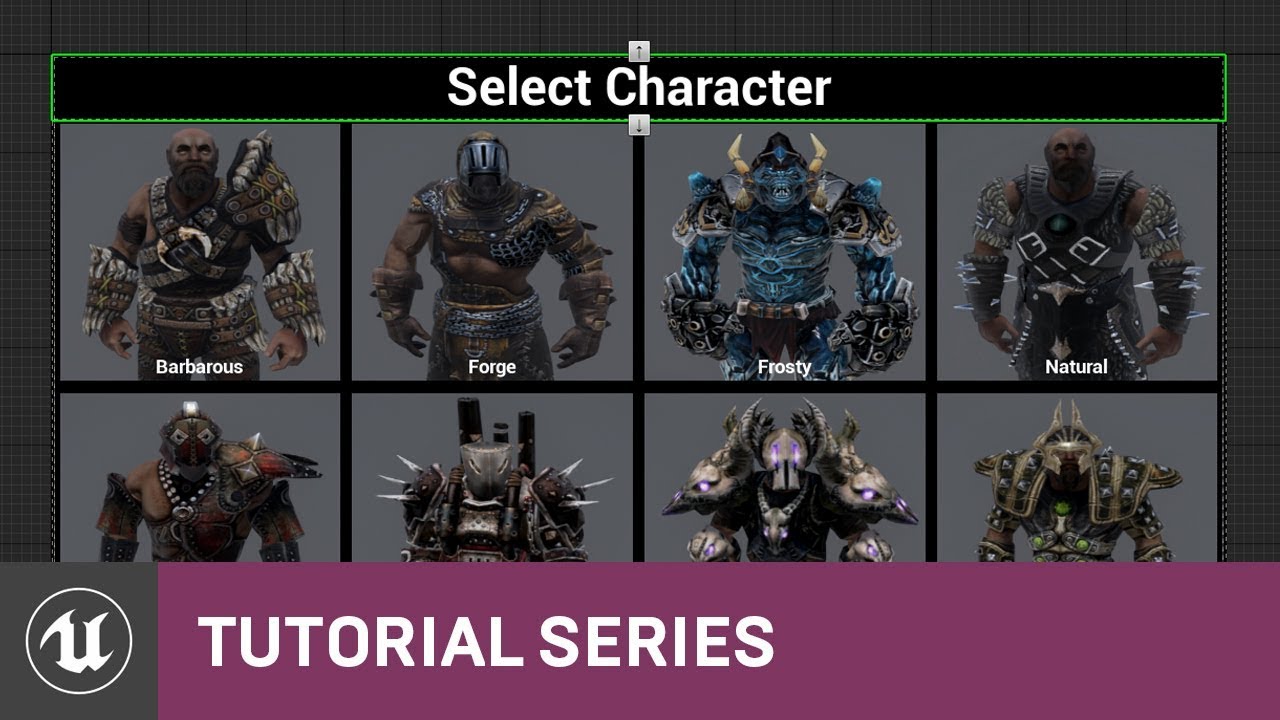
In this video we create the visual layout of our Character Selection screen that can be accessed by both Clients and Servers inside of our Lobby Menu. This allows us to choose between 8 different characters as well as default to a null selection. By the end, we test out that we can properly display it during gameplay.
(00:09) - Intro and Inside ...
tulip yoke
yeah but wes did it when the server was already made, i'm not planning to do it like that
at least, i'd rather not
minor merlin
yes, but you got some mecanics on how it works
You just have to make this menu on your main menu (before joining the lobby)
And transport this data to the server > I never tried this part so I can't help you much more, but if you use the same playerState on both the menu and the server you should be able to select the caracter, put it in the player state, join a server and use a "on post login" to cast to the player state and extrate this data for the game
tulip yoke
hm
that playerstate part seems good, but i do not use the same playerstate; possibly i could
minor merlin
tulip yoke
that playerstate part seems good, but i do not use the same playerstate; possibl...
Well you don't really need a specific player state in the main menu so I think you can do it without any problem
minor merlin
muted dawn
<@!207894908063842304> I remade the entire sprint system
Great ! Where was the problem so?
muted dawn
variable value was 0
i fixed it up and it starts from 100
i had to remake it tho cause it would still sprint when i wasnt holding shift
the problem is that it's not sprinting for some reason.
should i remake the timeline?
minor merlin
I don't know what your timeline look like
Might be a part of the problem
As I remember, it just change the speed so if you put correct values there's no problem
minor merlin
There's no problem here
tulip yoke
hmm, i guess i could just communicate between playerstates 
ill look into it some more and see
minor merlin
tulip yoke
hmm, i guess i could just communicate between playerstates <:jenThinking:3893037...
PC and PS aren't aware of other PC / PS, you have to use the GS / GM to do that
muted dawn
minor merlin
Use print and see where it stop
minor merlin
x)
minor merlin
tulip yoke
time to look into it more and see what i come up with
Good luck
muted dawn
fov changing also works pefectly
minor merlin
If anyone can help me, I'm still stuck on getting correct values #blueprint message
minor merlin
Well you don't care about place ^^
take as much as needed
(as I said earlier, it would be better if you could expand more,)
This kind of thing isn't helping x)
muted dawn
ok
i organised it a bit
i just need to add some dalays
i found a bug in this
if i press shift too quickly stamina starts regenerating and thus having infinate stamina
how can i add a delay before you can sprint again?
minor merlin
Timer?
minor merlin
Well you make a timer that start when you stop sprinting
And when it reach 0.2 s you disable it and put a a canSprint variable to true
minor merlin
Yes right there
minor merlin
no just a timer
muted dawn
integer?
muted dawn
ok
latent arch
Hey all, does anyone know how i can add objects box extents together? to make a sort of block grid? @maiden wadi Maybe you know mate? 😄
maiden wadi
Like, get the biggest cube out of them?
latent arch
make a cube out of all of them together
add em up sort of thing
or well to be more specific make a cube that fits all of the objects inside
maiden wadi
Just compare each of their extents together.
muted dawn
the video says to add a delay here but if i add one it it still drains the timer for 3s
maiden wadi
So if you have two extents, if X1>X2 use X1 else use X2, repeat for Y and Z
latent arch
heres a screenshot of the box extents found of an "obstacle" how can i make the original box extents (with the trace points) expand to tightly fit all of them? 😄
hope that explains it a bit better
might need to see some nodes to understand, if you have time 😄
maiden wadi
Hmm. I'm fairly certain you could just average their locations, and get the largest extent points.
Lets try...
@latent arch What data are you working from so far? Like what do you have available to input into a function?
latent arch
humm
ive got the original hit objects bounts and worked out the vertexes, those vertexes are traced to from the player and the sound object, if those traces hit something then theres another object in the way an i then get their bounds, like the two boxes underneath in the picture. So then what id like to try do is expand the original bounding box perameters to fit all of them inside, and add the new objects to the trace ignore list
something like that anyway lol 😄
maiden wadi
Do you have the object's origins still along with the bounds?
latent arch
not saved but yes there they are getting retrieved for the debug box 😄
do i need to make an array of those?
brb
maiden wadi
Hmm. Okay. I'm... "Faaaairly" certain we can do this simply. Let me throw something together quick.
muted dawn
does anyone know why this isn't working
it tried moving the branch to different places too nothing worked
reverse works 100% of the time
this is the entire code
 worthy frost
why are you using a timeline when you use none of its functionality?
like you have nothing connect to SprintFOV
muted dawn
?
worthy frost
also why the delays? that is what you use the curve for inside timeline
muted dawn
i removed them
latent arch
awesome thanks dude
worthy frost
when do you call the sprint function?
muted dawn
?
muted dawn
worthy frost
so which input is consuming it?
muted dawn
yeah
worthy frost
what happens if you press and release the sprint key in super rapid time?
those delays will still fire on opposing branches
muted dawn
i have the delay cause it will drain all stamina if i let go too quickly
worthy frost
anyway, it might be order problem
what even fires first
the FOV one or the sprint one?
worthy frost
so there is your issue
muted dawn
how do i do it?
worthy frost
gonna have to delay the FOV setting or move it to the same input as the sprint
(which is what i would do)
 quasi frost
What is the best way to add a spell list to a monster datatable? Can I nest datatables? Like add a spell data table to a monster data table?
maiden wadi
@latent arch Put it in two different functions. But I think this will work. If you can add all of your origins and extents to an array and then feed them through this.
latent arch
amazing thanks buddy! ill test it out asap 🙂
muted dawn
it works perfectly
maiden wadi
C++ makes that so much cleaner. That second function kills me.
latent arch
hehe yeha i know what you mean!
im actually trying to copy a plugins C++ code to do this, to see if a similar function is viable through blueprints
with the second function, are those inputs the outputs of the first or?
muted dawn
@worthy frost and the last bug i have is i need to add stamina regen delay but it makes it drain for the secoinds i had the delay on
this
if i add a delay in between it keeps draining stamina
maiden wadi
@latent arch Nah, the second function is being used inside of the first function. The green CombineExtents near the bottom right.
 rain skiff
hi, sorry for my low english first of all.
i am making my roads with using landscape splines but to make textures be ok, i have to set all section of road(mesh) as equal size. right side road meshes bigger than left ones so texture diffusion is different.
Question is : How can i adjust them equal to each as a size ?
maiden wadi
Pretty good at it in reverse. Just depends.
latent arch
ok no worries, if you fancy it some time i can send you the source for this crap see what you make of it lol 🙂
latent arch
@maiden wadi any ideas whats happening? it should just be considering the one cube at this location 🙂
 gritty elm
when i try to play in multiplayer my camera looks like this, like snapped inside character
how to fix this issue?
maiden wadi
@latent arch Not sure, what's the logic train?
latent arch
sec ill show you, ive probably got something the wrong way round for sure
its probably as confused as i am at this point lol
 pulsar moss
Is there some way to reference a level by variable, in Blueprint?
I would like to stop referencing level by name, that seems brittle and prone to breaking
 pine trellis
I have a weird situation I have an event dispatcher that is suppose to open up doors, but it will only open the first door I put on the map, if I put more then 1 door on the map, it wont open the other doors Here I call the event dispatcher
then off begin play I bind it
 signal cosmos
Hi there, when I create a Data table, it shows some of my structs twice, why is that? 🤔
(Even four times for some of them!
quasi frost
So between levels I am loading a save game file. Where is the best place to call the load function. I was thinking about putting it into the level blueprint so it runs immediately on scene switch. Is that fine?
 tight schooner
The problem with level BP is it's not transferable to other levels. If it's not level-specific BP script then it shouldn't go into level BP. (That said I'm not sure where it goes. Game Mode?)
 orchid garden
right now im using a line trace to set this, but is there a better way? the line trace has to fire off every 0.5 seconds to make the popup for the hit add / remove the info box accordingly. is there something else i could use to do this that doesn't require a timer?
quasi frost
Maybe a capsule collider?
orchid garden
its based off of where the player is currently looking, not exactly sure how to setup a capsule collider for that sense its based off the camera and they could be in first or third person view
i had to make a function for the line trace start and end depending on what camera mode was currently selected, which is also used for picking up items when the player presses E key:
quasi frost
For one of my games I had a system where names would pop up over NPCs you were close to, I just used colliders for that. You might be able to simulate a trace with a capsule collider on your camera. I have never tried that but if it works it may be cheaper than tracing.
orchid garden
could 'mouse over' work for something like this?
wait that wouldn't be range based... nm
yeah distance from npc is abit different though, i mean this is where objects could be sitting in a pile and your trying to look at one object to see what it is
maiden wadi
Most games do this on a timer at about 10-30 times a second. Line traces are exceptionally cheap. Even a mediocre laptop could handle thousands of traces per second.
orchid garden
so the timer method is okay for it? just seems like alotta timer cycles
maiden wadi
The issue with a collider is making sure that it's always getting the correct one closest to the center of the reticle. By the time you add in the math and arrays for multiple objects in the collider to deal with that, it's going to be just the same if not more expensive than a line trace. And mouse events can work, but it's more of the same thing. You have to place the mouse cursor at the center of the screen every tick or timer then get the object under the cursor and do the logic just like you would with a trace.
orchid garden
alrighty, i'll just keep the current one then. i set it to check for that in the same timer thats going to be handling the spoiling of objects.
odd ember
orchid garden
its based off of where the player is currently looking, not exactly sure how to ...
use a dot product once in range of the item's collision
I have something similar set up for my character's head. e.g. they'll turn their head towards stuff that is interactive
removes the need for a line trace entirely
maiden wadi
Could possibly make it more event driven that way with the begin/end overlaps. But for getting the single object at the center of the screen, is that really worth the extra complication vs a simple trace a few times a second?
odd ember
if you're making a system for it, why wouldn't you want to make it proper?
this type of system will also propagate into interaction
maiden wadi
You still have to check it often anyhow to make sure that even if the collider moved and the events didn't run because nothing entered or left the collider, so it's not really any more performant either.
odd ember
so you basically save yourself work by doing it once and proper instead repeating yourself across a half dozen different systems that have trouble interacting with each other
odd ember
maiden wadi
You still have to check it often anyhow to make sure that even if the collider m...
performance shouldn't be an issue for a system like this. it is so core to any game with interaction that it should be prioritized. you can always optimize later
anyway you can get away with lazy inits on begin overlap
and then store your interactions in a PQueue
that will work regardless if you have single interaction or multiple (e.g. like hitman)
maiden wadi
He was just concerned about performance with his current method. Which really isn't going to get any better than a line trace a few times a second.
maiden wadi
Possible. In C++ I'd agree instantly, but I'm not sure about the looping in blueprint vs the single line trace call.
Kinda curious. I wanna try that.
orchid garden
yeah this is purely a blueprint driven project
orchid garden
far as parts interacting together, im being very careful with that and making sure things will interact properly as I make them, if something needs changed so things do work together right, i'll stop at that point and work on it till its working properly with all things it needs to. part of why its moving so slowly.
odd ember
you should IMO consider your system dynamics before finishing any one system
that's the best way to reduce technical debt
odd ember
I said reduce, not nullify
maiden wadi
Actually, making a quick function to compare the dot product of the overlapping interactables in a loop vs line tracing, Line tracing wins out by an insane amount.
odd ember
I mean yeah if you count the cost of overlaps as well
collision is always goign to be more expensive
maiden wadi
Nah. This is comparing an array of actors. Collision is not included in the difference.
odd ember
so how are you actually using it
maiden wadi
Array lazily updated like this. Prints correctly. So assume that there's an array of actors on key press.
Key presses were just these.
Returns the closest actor to the center of the camera from the otherwise updated array.
orchid garden
damn that song " i believe in magic " just popped into my head...
odd ember
I'm not saying it isn't a way to do it but you're not testing dot product anymore
you're testing your method of including a dot product
maiden wadi
You are if you have to find the closest actor to the center of the camera?
odd ember
I could tell you beforehand that if you had a nested loop that the performance would be way skewed
but that doesn't prove anything
maiden wadi
So. How do you do it without the loop?
 weak kindle
how can l rotate a head bone base my character Location
odd ember
maiden wadi
So. How do you do it without the loop?
if you're testing pure functionality you should figure out a way where the two methods are comparable just by purity. e.g. one line trace vs. one dot product
orchid garden
1 shot event doesn't give you proper test results.
if you need them in sequence your going to have to do a sequence test to see if one wins out over the other, if dot product is going to start falling behind in sequence testing over the line trace then, the line trace is going to be better to use for that.
you also have to look at efficiency verses performance. while one may be more efficient it may be cost heavy on performance.
maiden wadi
It's a simple fact that each node in blueprint causes overhead. It's not like C++ or traditional code. Math is incredibly expensive in blueprint.
orchid garden
^^ yeah this too, blueprint vs. c++
maiden wadi
Just ran the same test getting only index 0 from that array. No validity. Simple one Dot product vs one line trace. Dot product wins at 85 vs 92. But that's ONE dot product check.
odd ember
so we know that dot product is cheaper. now we can look at how to include it for optimal performance
which is basically breaking down functionality of a line trace and approximating it with a dot product
maiden wadi
I don't think I'm being clear enough that I'm making the point that this is from a blueprint only standpoint. If I could write another function in C++ to do the dot product check, I'm 97% certain it'd be faster than a line trace. But with the tools you have in blueprint, it is simply not faster.
odd ember
using your method it isn't
but that doesn't mean there isn't a method where it is
even in BP
maiden wadi
I would love to know how you would compare nine actors's dot product to that of a camera in blueprint that's faster than a single line trace.
odd ember
that's your method
like you're comparing 9 dot products vs 1 line trace
the point is to get that number down to 1 vs 1 for a method
maiden wadi
I compared one. It barely won. Having one in the array is useless. You may as well just go by the latest overlapped actor rather than dot product checking.
By the time you check two, it's slower.
odd ember
you're still not getting my point
you should only be doing one dot product check
if you want a more optimized approach
maiden wadi
So you have three objects in front of you. Lets just check one object. It'll definitely be good enough.
The point of the check in the first place was the narrow down three to one. So how do you magically jump from three to one?
gritty elm
how to replicate interface?
odd ember
you can approximate the dot product down to an amount pretty well. so at 90% of the angle you're pretty clear on what the player is looking at
or if you want more precision, 95%
gritty elm
and i'm calling interface like this
i want it to replicate that interface from setting variables section
i'm calling this interface function inside override function
so how can run this event on client and server?, i can't able to custom event inside function where i'm calling this function
 surreal peak
BPIs can't replicate.
The BPI can if at all call a replicated event in your chosen actor
gritty elm
i'm getting this interface inside player camera manager class
does player camera manger class replicated?
because i have some custom implementation inside pcm class
surreal peak
No, doubt it replicates
 blazing atlas
Hello! Did you figure out how to fix this? Or is it just borked in this version??
 grizzled rain
Ivthink its just borked. My workaround was using tick and counting up a float by delta time and only exe after the float is larger then my "delay" number
tight schooner
There are certain nodes which update on pause, like "Get Real Time Seconds" or "Now" so you can potentially avoid the delta-time tallying, but otherwise paused means paused. I suppose the delay node behavior just brings it in line with how event timers already work (or don't work) while paused.
 dense mantle
@grizzled rain what are you checking for is it meant to be a real time or just a delay of what ever
The reason i am asking is that DeltaTime is not constant
 astral flint
My simulated proxies on the server are not having their spine rotations updated (transform modify bone) unless the listen server player is directly looking at them. Anyone know how to fix this?
The variables driving the spine rotation are correct. But the actual spine rotation is wrong (until the listen server character looks at the simulated proxy, at which point it is correct)
Some sort of strange relevancy going on here. The spine rotation of my server's simulated proxies needs to always be correct, even when the server character is not looking at them. I use the spine rotation in calculations
grizzled rain
@dense mantle every tick I add deltatime to a float.
 iron nova
hello, i wanted to ask about jumping and the camera, how can i stop the camera from following my character when im jumping (3rd person project)
@ me if you can help me
 wind rose
Anyone know why massInKg doesnt affect anything?
Trying to make something heavy but it has no effect
odd ember
grizzled rain
<@375374546552881153> every tick I add deltatime to a float.
pretty sure tick is paused as well
odd ember
wind rose
Trying to make something heavy but it has no effect
how are you attempting to manipulate it?
wind rose
I'm just setting the value MassInKg to like 50000 and then starting the game to see if it'll fall to the ground faster lol
I'm trying to edit this on a golf ball, currently it glides for too long and I'd like it to come to the ground faster
wind rose
Very good point, do you by any chance what massinKg does?
wind rose
Ah okay, so it'd be harder to push
odd ember
or colliding with other physics objects
grizzled rain
Tick does work. Theres also a node to tick when paused
trim matrix
How would you make an input access that eases into the axes?
odd ember
grizzled rain
Tick does work. Theres also a node to tick when paused
so what's the issue
trim matrix
For example, I have an axis event to go left and right, and I want it to ease to the value 1 when I press D, and when I press A I want it to ease to -1 :)
grizzled rain
Can't use delays and timers. There's an ok workaround though
odd ember
trim matrix
For example, I have an axis event to go left and right, and I want it to ease to...
lerp on input?
trim matrix
Thats basically what I want to setup yes... but I cant find a node for it... I want to know if there's an easier way before I setup a complex timeline system for it. :)
 tired fog
i really like darksiders games with all the dungeons, puzzles and combat so i'm trying to make a game similar to that
but i don't know how to do the melee combat
trim matrix
lerp on input?
Wait is this a node? I dont see it in the selection 🤔
odd ember
it's just called lerp
tired fog
like i've tried with raycasting and triggerboxes but they damage them mutiple times per swing
odd ember
on input I was referring to the input events
in your case you just need to lerp on a float
trim matrix
But that will still cause the jarring action where when I press D lerp value is set to 1 or -1 immediately (because there is no smoothing on the input action event's value) Which is the problem I would want to solve... How would you go about smoothing a value like that using the lerp node without some sort of timeline? 🤔
trim matrix
Am I missing something?
Using a lerp like this exactly replicates what happens when I only use the event
This is the setup :p
odd ember
I can't tell what's going on from the video
trim matrix
Let me record it without the particles and with a line trace and some objects one sec :)
odd ember
can you explain which part of that was problematic?
trim matrix
I am trying to use input axis events to move an object left and right. When using the axis value to determine which way the object should move (Left, right, or stationary) it immediately jumps to moving left and right when I want it to have a smooth transition between going left, right, and being stationary... The same issue of jolting left and right happens when I use a lerp node too.
See how when I go left and right the movement of the camera immediately starts and stops? I want it to have a smooth transition :)
odd ember
so you want acceleration and decceleration is what you're saying
trim matrix
Yeah... But in this case I want it to be done using set world position and I dont want to use physics to speed it up or slow it down.
odd ember
what kind of movement component are you using
trim matrix
Movement bp looks like this and I am moving the default scene root of the player blueprint.
Idk what you mean by movement component because this is a pawn not a player character
odd ember
so you're not using a movement component?
pretty sure pawn still uses a movement component
trim matrix
Nope not using a movement component (at least not here)
Again I just need help with the math to ease in and out the axis input :p
odd ember
well if you were using a movement component that would handle it for you
but if you want go about it the hard way be my guest
https://docs.unrealengine.com/en-US/BlueprintAPI/Pawn/Components/PawnMovement/index.html there is something called a pawn movement component
Pawn Movement
you could potentially use the last input vector as a way to deccelerate
trim matrix
Ah I didnt know the pawn movements could be added :p My bad
trim matrix
Ok thanks! I will look into it haha
iron nova
hello, i wanted to ask about jumping and the camera, how can i stop the camera from following my character when im jumping (3rd person project)
@ me if you can help me
muted dawn
does anyone know any way of adding legs to my fps camera
i don't want to use a tfps system
 random hill
@tired fog melee combat has a lot of elements to it, try starting REALLY small. and I mean it.
quasi frost
Why is this being tinted? I can't find ant reason for it
random hill
I have a question regarding AI Behavior Trees. I already have an enemy base blueprint, it works enough. Sees me, follows and attacks. Now my goal is to make more than one kind of enemy. For example one that can shoot from a far, one that can heal others, one that runs away. How do I do that?
Do I create a different behavior tree for each one (and each BT would consider the enemies abilities, like using items, healing, running) or do I make one tree for them all to take care of that?
@quasi frost looks like either something is wrong with your material / encoding or you have some kind of element in the UI, maybe a panel or empty image that adds the tint?
if you think you aren't using a material, that means that you are using the default one which might have issues
pine trellis
is there a difference between get actor OF class and get all actors of class? for some reason I can only open 1 door on my map if I place 2 the other one wont open, would a get all actors of class solve this? or is it the same?
random hill
@pine trellis absolutely, get actor of class only gives you one and if you are lucky, its the one you need
get all actors of class gives you an array with all of them. however "get all actors of class" is a bad idea in the long run, as it's not very efficient.
A much better way to find them all is "Get all actors with tag" and then add the "Door" tag to the door actor. Gives you the same effect, just much faster
(but you have to cast the result actors to a proper blueprint class)
pine trellis
is this the correct way to get the varible ?
random hill
yes
but you are never guaranteed it's the one you need
I am assuming that you have something like a button
and you press it and then the door opens
pine trellis
well its a mini game
random hill
and a different button opens different door?
pine trellis
well its 1 mini game and its set to open the door blueprint
but if I put more then 1 door on the map, it will only open 1 door
random hill
quick question and I will help you easily
which behavior do you want:
whatever happens and then ALL the doors are open
or:
whatever happens and ONE specific door opens?
pine trellis
maybe one specific one, I was going to try to only use 1 per streaming level, but even that doesnt work for some reason, if 1 door is there the others wont open
random hill
if you want only one specific, you need a variable holding the door
and only use that
maiden wadi
Alternatively make an instance editable array and add the doors to the array manually via direct communication.
pine trellis
like my keypad to open the door only works in the persisitant level which I think is weird
random hill
@pine trellis then yeah, you need a variable. The keypad has "Door" object variable and you set it up in the level editor
pine trellis
im working in multiplayer so I dont think it will work in level blueprint it has to be called by the player I think
random hill
i didn't mean in level blueprint
pine trellis
so use the variable from the get all class node?
 dense mica
Is it possible to merge static meshes in runtime?
pine trellis
yeah it still didnt work with that varible
 covert stirrup
@random hill "A much better way to find them all is "Get all actors with tag" and then add the "Door" tag to the door actor. Gives you the same effect, just much faster"
Is that actually true though? Does adding the tag create a new array that only has that tagged item, or does it still run through the entire list and only returns the tagged items after checking the original actor array?
pine trellis
ill try with the tags, see if both doors open
covert stirrup
from your perspective photon, it will work great and he is absolutely right its a great way to do it, I am just curious about how it works behind the scenes
it might be better to populate your own array of the actual spawned items on begin play IF the array is the original array and checks say 100 objects and returns only the tagged ones
random hill
@covert stirrup never did a benchmark myself. but I saw some results which were confirming this
covert stirrup
ill do a bit of digging to see, I am curious 😄
random hill
@pine trellis if you want them all to open, you need to make a loop
because if you run it the way you already did, it will still only open the first door
covert stirrup
@random hill owuldnt the tag be set in the BP, so therefore ALL of them would have the same tag, unless it's a child bp?
pine trellis
this how to set the varible? Do I need to set it manually?
random hill
@pine trellis I will show you a quick example of both
pine trellis
ok
random hill
lets say you have avariable set like this
then you go to the level editor
put the actor in the level and you can see this
the ones with eye icon are editable
and then you can link them up. Of course my example isn't related but you get the idea
so if you put 3 buttons and 7 doors in the level, you can put specific door for each button
and if you want to open them all, you need this
pine trellis
do I make a varible from the array and use it in my binding event for my event dispatacher?
from the array element?
random hill
I am not sure what you want to achieve but I guess not... if you just want to open them, you would just add "open" method to the "loop body"
 novel cedar
hey there; New to ue4 and im trying to figure out why a bp would inherent things from a different project ? I had the bottom 3 components and when i selected the option to "edit blueprint" it added a campfire i had made in a different project folder?? And im unsure how i would edit these components individually now
random hill
No, you put it in the place where you want it work @pine trellis
pine trellis
ok
random hill
it's up to you where that is
I'm sorry if I will be silent, it's middle of the night here
 rough jay
i can connect it to loop body and it prints updated but it kinda spams the print bar, `why wont completed work?
pine trellis
hey @rough jay how come its at the complete and not loop body?
rough jay
cuz i only have 4 actors its suppose to grab and it spams the 4 actors x 2 so its printing out 1 actors health 2 times
it works but it kinda spams the print bar
4 actors ingame btw
covert stirrup
@random hill forgot that component tags / tags are 2 seperate categories, it does look like a regular tag is added to an array specifically, so efficient if you don't need BP systems
it's component tags that are harder to reach
 hollow cape
@rough jay show the rest of the code. The use of the foreach there makes no sense
pine trellis
I tried like this for my for each loop and tried different combos but still only opens 1 door , or only if door is on persistant level
random hill
@pine trellis it will never get to completed if you have no loop body
covert stirrup
photon you are looping, but on completed getting the LAST reference
pine trellis
I just need the door to activate
covert stirrup
it's not doing it for each
random hill
@pine trellis i would help you more but I need to sleep... sorry
@covert stirrup atodaso!
covert stirrup
you're cycling through for example 15 elements, and on completed you are referencing the object, which would be element 14 (15th in the array starting at 0, not 1)
rough jay
@hollow cape i used foreach loop to put all actors in an array and now i want to print out each of their healths so i thought that would work
hollow cape
As Phenakist stated above, by connecting the print to the Completed pin only, you are simply printing the last index of the array. If you want to iterate through the array, you need to connect to the Loop Body pin
rough jay
ik but that prints out 2 much
hollow cape
again, if you could show more code we could help more. You are omitting thing that I bet are the cause of it printing multiple times
rough jay
thats how i put the actors in array
clever steppe
ideas on how i should fix that error? i know it needs to specify an object type, but what type do i pick for a simple blueprint actor?
i only ever did this with the player character before
this is on a level blueprint btw
rough jay
get actor of class?
clever steppe
let's try it
hollow cape
@rough jay ok so many things here....firstly, your order of operations from a readability and reliability standpoint is wack. Secondly, you Get All Actors Of Class returns an array, which you could then use to just set the All var. What you are doing is getting an array then iterating through the array and adding it one by one to your All var.
@clever steppe you need a reference to the instance of the actor you are trying to call Activation on
the object pin on the left side of the case cannot be empty
@rough jay what is to the left of the sequence node, is this in Event Tick or a timer or something?
rough jay
event tick
hollow cape
well that's why it's spamming
clever steppe
how can i get a reference to it? getting actor of class didn't fix it
rough jay
it shouldnt i put the print timer to delete at 0.2 and when it calls 0.2
hollow cape
you shouldn't really have a delay in tick. If you want to print this at known intervals, you would be better off using a Timer
hollow cape
firstly you need to get rid of the foreachloop that is setting the All array. Take the array output from Get All Actors of Class and use that to set the All array, or just plug it straight in to the foreach that prints the value
rough jay
yeah i did that
hollow cape
Cranz I know, that argument has been done over and over. It doesn't change the fact that that is how many people learn
rough jay
odd ember
hollow cape
Cranz I know, that argument has been done over and over. It doesn't change the f...
I was half joking
hollow cape
Lol, every time somebody says they're using tick or get all actors, I cringe knowing the storm is coming haha
odd ember
the blame really lies with epic still allowing stuff like tick being so easily accessible
get all actors of class is another, child actors yet another
hollow cape
I dunno man, is it the blame of car manufacturers that cars can go fast because the pedal can go all the way down? It's up to people to use the systems properly
odd ember
child actors should have been deprecated years ago
yeah but you wouldn't have a pedal that changes function halfways down
which, while not a perfect analogy, is how event tick is used by most people in BP
hollow cape
That's just improper use of a system though, not a fault of the system itself
we're arguing the same point from different angles basically
I am more of the mind to say give us the system, and we choose to use it or not
pine trellis
im I doing this loop thing correct?
hollow cape
the argument about tick being enabled by default....different story lol
odd ember
there is a point where ease of accessibility begins to create undesirable results
and we're past that point
pine trellis
I dont know how to make a loop body
odd ember
like I said I never argued they shouldn't be there
except child actor
but they should be more difficult to enable
hollow cape
@pine trellis loop body happens every iteration. That is not a correct setup
fair enough @odd ember
odd ember
and child actor should be shot into space tbh
hollow cape
@pine trellis is the intention here to call Activate on every actor in that array?
pine trellis
the problem is I can only have 1 door on the map that opens using a keypad
if I put 2 the other doors wont open
only 1 opens
hollow cape
yeah because right now you are only calling Activate on the last element of the array
The "Completed" pin happens at the end of the looping, and only happens one time
if you want to open all doors, move the "Activate" in line with the Loop Body
that being said, the set array elem setup you have there makes no sense
pine trellis
like this ?
but it doesnt fix anything it just does the same thing like before only 1 door opens
pine trellis
what other node do I need?
hollow cape
yeah because you are feeding it 1 singe reference, it's just going to call Activate over and over as it loops
you may want to go do some general tutorials so you come across this stuff and get more familiar with it
pine trellis
let me try I did that before
odd ember
I did say you should go through the blueprint communication tutorial that's in the pinned post
hollow cape
didn't see you mention that, absolutely
odd ember
it was yesterday
pine trellis
tried like this same thing
hollow cape
are all the doors the same class
pine trellis
yeah
hollow cape
like same exact BP
odd ember
I have a feeling that activate isn't the command you need