#blueprint
402296 messages · Page 578 of 403
 twilit heath
 upper adder
Hey! How can i find out if my pawn, not character, is on the ground or in the air?
 vocal elm
upper adder
Hey! How can i find out if my pawn, not character, is on the ground or in the ai...
vocal elm
upper adder
Hey! How can i find out if my pawn, not character, is on the ground or in the ai...
you will have to make that logic your self, since that is a function specific to the character movement component. You could add a character movement component to your pawn blueprint, then it will give you access to that function
 olive sedge
I have a string in an actor and I set it on the server, Replication is set to Replicated but on the client the string is empty. Any ideas?
LogBlueprintUserMessages: [bp_CommandPoint_3] Server: bravo
LogBlueprintUserMessages: [bp_CommandPoint_3] Client 0:
LogBlueprintUserMessages: [bp_CommandPoint_3] Client 1:
 left carbon
What the hell. WasRecentlyRendered output false, if I load some sublevels and have some fps drops..
upper adder
vocal elm
you will have to make that logic your self, since that is a function specific to...
Okay thanks, guess i will do that!
Or maybe just a linetrace straight down and then check the length..
 gentle summit
Good morning guys, I am working with AI for our enemy. As I don't have the model atm I'm aiming to use temporary skeleton and animations, is it possible to rebase the anim BP onto another skeleton later on?
 grim gorge
Hello! A couple of very basic blueprint questions - say I want to insert a node on an existing cable (for example, add a branch to an existing Exec connection). Is there some way to insert the node without having to reconnect everything? Like for example in blender you just drop the node on the cable and it inserts itself, but Unreal doesn't seem to work like that. And conversely, if I want to remove a node without breaking the cable (for example to remove a branch) is there a shortcut to do that?
 burnt anvil
just drag out like this and place your new node
it'll insert it in between
following a tutorial , i can't find the item id pin he has here . i think he's using an older version or somehow inserted it and i can't find how .
here's the video , at 18:29 he has it while at 8:31 he doesnt . i can't seem to figure out how he added it . any help is appreciated ^^
https://www.youtube.com/watch?v=IpqRbEptH3Y
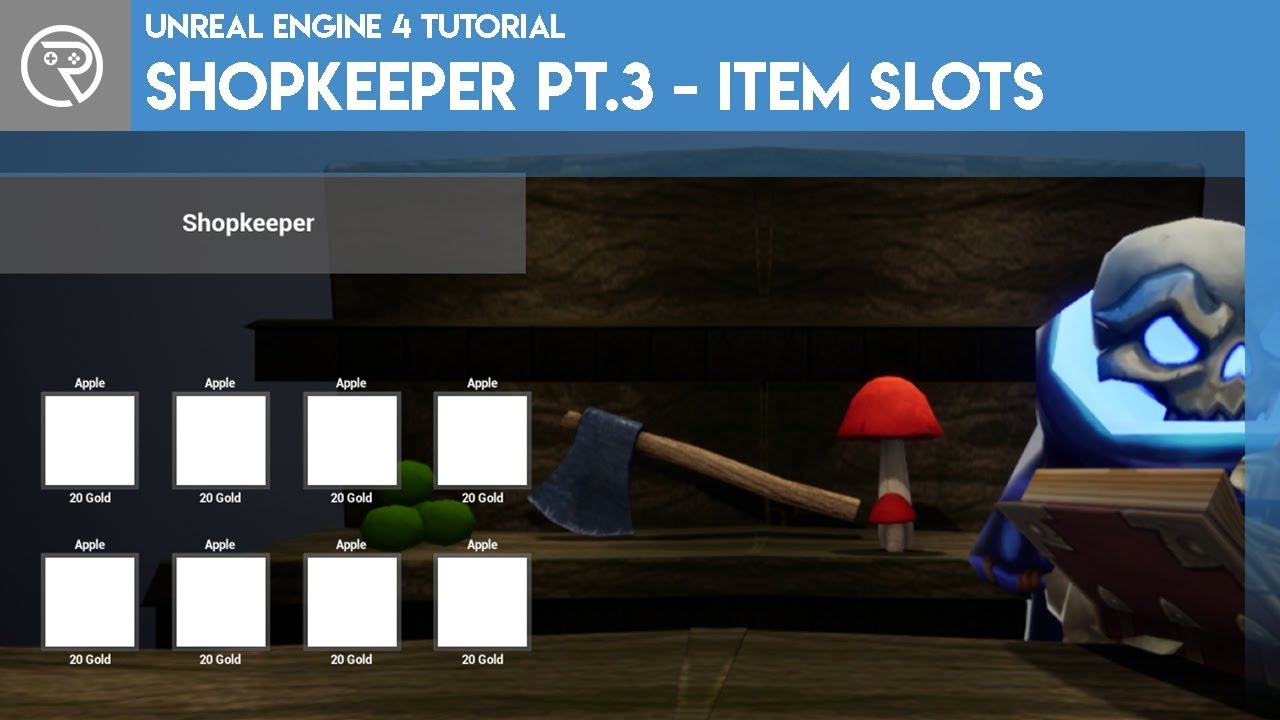
In this series we will be creating an in-game shop with a NPC where you can spend in game currency.
In episode 3 we add item data table and the item slots in the user interface.
Support me on Patreon and get access to videos early, join our developer community on Discord, get exclusive behind the scenes videos on my projects and much more over...
 weary jackal
following a tutorial , i can't find the item id pin he has here . i think he's using an older version or somehow inserted it and i can't find how .
here's the video , at 18:29 he has it while at 8:31 he doesnt . i can't seem to figure out how he added it . any help is appreciated ^^
https://www.youtube.com/watch?v=IpqRbEptH3Y
@burnt anvil you have to make that variable instance editable and exposed on spawn
In this series we will be creating an in-game shop with a NPC where you can spend in game currency.
In episode 3 we add item data table and the item slots in the user interface.
Support me on Patreon and get access to videos early, join our developer community on Discord, get exclusive behind the scenes videos on my projects and much more over...
burnt anvil
weary jackal
> following a tutorial , i can't find the item id pin he has here . i think he's...
Oh , thanks , i watched the video a couple of times and i managed to miss it everytime somehow ! still not even sure where that variable is lol
weary jackal
In widget
burnt anvil
oooh , found it . thanks alot !
 rugged walrus
how can I take a blendspace or something from one of my project and put it in another?
 orchid garden
rugged walrus
how can I take a blendspace or something from one of my project and put it in an...
orchid garden
rugged walrus
how can I take a blendspace or something from one of my project and put it in an...
right click the blendspace, click asset actions->Migrate, the next box will list all the assets linked to that blendspace that need migrating with it, click okay, browse to the folder where your other project is and go into the content folder and click 'select folder', then the engine will migrate the needed files over to the other project.
Note - when migrating some assets you will have to make changes to the project settings in order for them to work properly in the other project. Most people are nice enough to provide migration tutorials in this case for their items if your using store purchased items.
 sterile wraith
how could i create an asset which contains a cyl and a text and place it multiple times within a blueprint?
 ocean radish
@grave relic because all it sees is a bool and while, so gonna loop infinitely, its not taking into account the released part, use somthing like a timeline or timer to change it, and take it away from being frame dependant
@grave relic currently the more frames you have the faster that item will rotate
@sterile wraith a cyl?
 grave relic
@ocean radish Okey, dont know if timeline works but mabye it does for this, the thing im doing is rotateing a camera around the player, i want it to rotate left while holding Q and right while holding E
ocean radish
@grave relic
think that should do the same
opps add relative should be in the custom event
not off the timer
that will fire that add relative event every 0.1 seconds until released
you can change that 0.1 time lower if you want it to be smoother
sterile wraith
@ocean radish cylender or cube
sterile wraith
how can use that combo in another blueprint
ocean radish
how many you need to spawn?
sterile wraith
Depends on the data, trying to make a Bar Graph
grave relic
I get the rotation to work, but it dosent stop when released 😮
ocean radish
yeah it needs to be a clear and invalidate
sorry my bad was rushing it @grave relic
grave relic
Dont apologize 🙂 Thx for the help
ocean radish
@sterile wraith basic but will get the job done
can change the for loop, for a for each loop and feed it an array
 ocean frost
Hey, guys
ocean radish
Hey
ocean frost
how are u?
ocean radish
good good, just killing time before work
ocean frost
same
sterile wraith
@ocean radish thx i will try it
orchid garden
how would i go about doing a line trace for a top down camera that keeps the camera angle but traces from the character in the direction they are facing?
sterile wraith
thx
ocean radish
np hope it points you in the right direction
If you need to do it at runtime, you'll need to do it in event graph not construction
sterile wraith
and if i need to change it 'live' i need to make an array right?
save the objects to an array*
ocean radish
yea
ocean radish
ah thats a plugin called electornic nodes(its not free)
sterile wraith
oh
orchid garden
this gives me strait out from the character which is fine for fighting, but i need it at the camera angle for interaction with objects:
ocean radish
Geeky, you trying to point it under the mouse cursor?
orchid garden
@ocean radish no mouse cursor, not a point n' click, mouse only controls the direction the character is looking
ocean radish
can you mock up a little image of how you want the linetrace to cast, as not sure on what you mean, from character but camera rotation
usually for top down, you would just cast in a straight line and make anything else in the scene thats interactable have a hit box thats on that level
ocean radish
so you could do a cone trace or somthing similar to make the line wider to detect but that looks to me like a higher collision box for tests would be a better soloution, as your not have to change cast for any other objects in the world
orchid garden
basically want the trace to do this:
orchid garden
that would work but it also supports third person view
ocean radish
then when you flip into third cast from camera
just make sure to ignore the player pawn
orchid garden
i got the third person trace working properly, just having issues with top down
ocean radish
the main prob you have is different assets, if there only gonna be ground level then add the cast from the bottom
orchid garden
yeah they won't just be from ground level sadly 😦
ocean radish
but if you plan on having them different heights in the world, gonna have some issues with trying to cast that wa
wa
way
gotta goto work, will try think of a solution hehe, got me wondering how now
orchid garden
hrm....
is there a way i could lock the rotation of the third person camera when in top down view?
ocean radish
prob is with that is you can interact with stuff thats lower further away, but get closer it can no longer see them, you aiming at a specific spot, and yea, can just set its rotation and disable the input for it
orchid garden
yep thats kinda what i want for the interaction (aiming at a specific spot) rather then a range
there will be a onscreen notify so they know they can interact with the object:
might just get rid of topdown... not the first issue i've had with it.
supose i could leave it as a look at type trace...
ocean frost
@ocean radish you are busy now?
orchid garden
then whatever they are looking at could be traced in topdown:
basically still using the third person camera for the trace while in top down.
im overthinking it.... I have a head cam that points at what the character looks at.... can just use that for both modes:
modifying the right vector for third person
burnt anvil
does anyone know what the order of the sequence node is ? i mean if i have a long tree in sequence 1 , then a single task in sequence 2 , doers that single task wait for the whole sequence 1 tree to finish before executing or does it do it simultaneously ?
here's my example , does the set health wait for the whole tree on the top to execute first or dies it execute at the same time as the first set child actor class ?
orchid garden
burnt anvil
does anyone know what the order of the sequence node is ? i mean if i have a lon...
it executes seq 1 then 2, and so on each seq doesn't start till the other completes
burnt anvil
orchid garden
it executes seq 1 then 2, and so on each seq doesn't start till the other comple...
alright , is it fine if i use it to check if player is dead or not after an event tick node for example ? i m using the event tick to control the rotation of my character and want to add something that checks if player is dead or not .
orchid garden
burnt anvil
alright , is it fine if i use it to check if player is dead or not after an even...
i just use a branch check to see if the player is dead then execute a kill player routine:
when the player takes damage it runs that little function
 hollow drift
Has anyone experience with Chess styled games? I am reworking my script to use individual Grid coordinates instead of the "XYZ Transform Locations". Any best practice suggestions?
I want to calculate everything based on the new Grid system.
sterile wraith
@ocean radish you still here?
 maiden wadi
@orchid garden @burnt anvil Do at least be careful with sequences and latent functions. If you put anything like a delay or whatever on line one, it will hit that delay and start it, but then immediately start line two. Line two will not wait for the delay to finish before starting. Without latent nodes, you can relatively count on the order.
orchid garden
maiden wadi
<@!458977415176257536> <@!529365714247614471> Do at least be careful with sequen...
been staying away from delays sense you pointed it out earlier with the double tap 🙂
maiden wadi
I only ever use delays for testing. There's always a better way around using them.
orchid garden
found a simpler solution for my tracing issue, sense i have a face camera setup on the character that points to whatever direction the player is looking, im grabbing it for setting the direction and then using the booms position as the start point of my trace, can use it for both the third person and top down traces:
 vernal kindle
Anyone found an elegant solution for Dyamic Data Tables?
I've got 1 struct for essential information, then another struct for specific classes with a reference to the first struct, ensuring all Data Table entries have access to the critical information (name, icon ect.) while allowing me to have separate DTs for specific items to avoid a bloated master DT (weapons, consumables, equipment ect) I thought my logic was clean and future proof but i've hit this roadblock. Its fine on the specific class side, because i can always just assume the struct of the class, but in a generic case where it needs to read a variety of DTs such as an inventory slot (which can hold many types of items) i'm stuck.
orchid garden
vernal kindle
Anyone found an elegant solution for Dyamic Data Tables?
I've got 1 struct for ...
enum list in the first table to set what the second data table is then based off which enum is set in the first, grab the data from the second?
rugged walrus
This texture has the word 'smoothness' do I plug it into roughness?
vernal kindle
rugged walrus
This texture has the word 'smoothness' do I plug it into roughness?
Yes, but invert it
rugged walrus
how?
vernal kindle
rugged walrus
how?
Use a one minus in the material editor.
orchid garden
vernal kindle
Anyone found an elegant solution for Dyamic Data Tables?
I've got 1 struct for ...
sorta like what i did here with my sounds based of of what enum it is it selects the sound from the soundlist:
i think the concept would be the same
just make a struct list of the data tables for the different item types, then have a enum list in the main data table that sets the data table type, and the enum select should return the data table you want.
 stable fjord
Hi guys!
I have a sphere component as a punch point and capsule component as a punch receive point
I added it to two players and I would like to create a custom collision channel to make punch point ability to overlap with capsule component only! I have additionaly other capsule component to overlap with another type of object, doesnt connected with punching
How to make custom collision channel only for punch and receive punch purpose? To punch comp could only overlap with receive punch comp?
vernal kindle
orchid garden
sorta like what i did here with my sounds based of of what enum it is it selects...
I think the issue i'm having is i can't read any data from the first struct if the dynamic input is the second struct.
So if in Struct1 I have the enum, but i'm calling the struct2 dynamically, i cant tell the editor "well i've nested struct1 in struct2, so just give me struct1's info" if that makes sense?
orchid garden
vernal kindle
I think the issue i'm having is i can't read any data from the first struct if t...
hrm... build a component to store stuct 2 in struct 1 then load the data into the component?
 tawdry wyvern
Is there a way in blueprints to make some kind of temporary variable? to store the output of something for later use but not make it a full fledged variable?
orchid garden
you can in macros
just type 'local' then the var type (float, vector, int, etc) i donno if it works outside of macros
just checked, seems to be macro specific
 tight schooner
@tawdry wyvern local variables exist in functions as well
orchid garden
persistant local variables do
any fuction can have a local variable if you add it via:
i may of misunderstood the question though 🙂
 tacit maple
Hey, anyone know how to make a character move in all directions with the same speed? Its 8D motion and when I hold W, the foward speed is 500, but when holding W + D, for a diagonal run it drops to 353 for the forward and side speed, is there a way to maintain 500 in all directions? Or am I thinking of this incorrectly?
orchid garden
@tawdry wyvern you can add local variables that only store data for the functions / blueprint from here:
if thats what you were meaning 🙂
tawdry wyvern
not exactly. Here is what I am doing currently. I was wondering if there was a way to do this without actually making a MontageToPlay variable that is available to the whole blueprint and clogs up the "variables" list but is just sort of exists within the flow of this one event. Idk if that makes sense. I guess maybe if this logic was in a function I could make a variable local to that function
Edit: tagging @orchid garden because I forgot to use "reply"
orchid garden
tawdry wyvern
not exactly. Here is what I am doing currently. I was wondering if there was a w...
i'd just collapse it into a macro and use then you can right click and type in 'local' with the varable type after and it will only be persistent inside that macro ( like @maiden wadi did in the double tap macro ) and won't clog up your variable list.
You can also make your own categories / subcategories for the varables to go into to make it a bit less cluttered, when you make the variable in the 'category' box in details you can type in your own category name for them to be placed in, if you want subcategories its maincategory|subcategory in the name list.
just incase im not explaining the bit in a macro good enough with the right click:
stable fjord
Hi guys!
I have a sphere component as a punch point and capsule component as a punch receive point
I added it to two players and I would like to create a custom collision channel to make punch point ability to overlap with capsule component only! I have additionaly other capsule component to overlap with another type of object, doesnt connected with punching.How to make custom collision channel only for punch and receive punch purpose? To punch comp could only overlap with receive punch comp?
vernal kindle
stable fjord
Hi guys!
I have a sphere component as a punch point and capsule component as a p...
You might not need a separate channel, if i'm understanding the problem correctly, you could just process all overlap events between the two collisions, but only do something when a certain criteria is met;
For example, if the player is punching, set bIsPunching to true, which in the overlap event is hooked up to a branch that will continue with the rest of your logic.
So if the player is punching, and the collisions are overlapping, do the rest of your punching logic such as damage ect.
stable fjord
Yea
But this overlap event should only work between punch point attached to hand and punch target (kind of capsule, sphere)
So thats why I decided to create a custom channel
But i dont know why
vernal kindle
stable fjord
Yea
If you do want a custom collision channel you can make them here.
stable fjord
If I go back home I will show you everything. I have it done but I am not prettt sure that I did it correctly
30 minutes and I will back
tawdry wyvern
orchid garden
i'd just collapse it into a macro and use then you can right click and type in '...
oh awesome this sounds like just what I am looking for thanks a bunch 😄
 faint pasture
@tacit maple it is maintaining 500 already. 500 diagonal is 353 in each axis
If you had 500x and 500y your speed would be 707
 teal dove
Hello, does anyone know how to rotate a springarm so that the attached component reaches a point on a sphere (without changing the spring arm length) ?
Both component and target position are on the sphere surface, so at the same spring arm length.
stable fjord
@vernal kindle I am back
I have following things set up
And I am not pretty sure thats works fine
cause Its not overlapping correctly
should I split it to Overlap reciver collision and Overlap maker collision?
And here I have following things
 shrewd dust
Does anyone know how I would duplicate an actor asset with editor utility widgets and then set the static mesh variable of the new actor? this is where I am.
 earnest tangle
you need to cast the asset to the correct type and the modify it I guess
so it would be cast to "YourActor Class" probably, and then you'd need to modify it from that somehow... not really sure but hope that helps. You might get more answers on #editor-scripting
burnt anvil
if i m making a simple ( very simple ) multiplayer game where player just walk around , shoot each other and collect coins from ground , is it fine to make it like i m making a solo game first then worry about multiplayer ? or should i keep some things in mind ? cause i have no idea about multiplayer and i m so far making it as a solo game .
my progrtess so far is that i got coins collecting working , shop set up and player walking around with hp , guns / shoot work .
 supple dome
@teal dove bit late but (center - target) > MakeRotFromX, then set or lerp the rotation
maiden wadi
@burnt anvil If that's all you're doing. It's possible that it might not be that hard to port to multiplayer. Depends on how deep you get into the design though. Most cases it's best just to start with multiplayer in mind at the start.
 dusk flame
Hey guys! I got a pretty simple blueprint question I think, but I'm struggling.
I want to create a structure in Blueprint, based on a struct definition in C++. I want to set members individually, like settings strings, ints, etc.
For some reason I can't get any sort of "editor" like that to open. Whenever I do "set this struct variable" it wants to take ANOTHER struct as input.
I can also "break" the node, but that splits an EXISTING struct into its components.
I don't find anyting to creat the structure from scratch.
burnt anvil
https://www.youtube.com/watch?v=IgR-PtaMloI&list=PL4G2bSPE_8um-3MIHOTwFwjWZdWO24S9O check out this , it helped me a ton doing weapons for my game

We will be going through together how to put together a shooter game that has different weapons and eventually getting to randomized loot, alternate fires, and many other staples of shooter games.
Support me on my Patreon and see episodes 2 weeks early: https://www.patreon.com/ryanlaley
and now it's super easy to add more weapons
and now it's super easy to add more weapons
supple dome
@dusk flame i dont get what youre asking, you want a "make struct" node, or you want to make an asset of this struct on the editor
vernal kindle
stable fjord
It depends on how you're overlapping, overlap events won't trigger if they've already overlapped but you havent done anything with it, or the collision checks have been disabled.
If the collision combat preset is ignore everything, but overlap with combat it should work. If its not i'd take a look at your logic for detecting the overlap.
Although i still think something like this would be a better solution, but you know your project best so its just a suggestion
stable fjord
okay, I will check this out
dusk flame
@supple dome I need to creade a UMG widget, which takes a stuct of data (name, time, etc).
Normally this is done via C++, so it sucks a list of structures, and makes a nice widget list.
The difference here is I need to add one hard-coded item by Blueprint.
So the input is a struct, and I somehow need to tell it "this field is X, this field is Y"
I hoped I could "promote to variable", and then use the side-bar editor to set fields (like editing a struct), but that doens't work.
Do I need to make a new blueprint struct, based off the C++ version, and then get the path to that in the blueprint?
I'm sort of talking myself to a solution. I guess its not possible to create a struct inline, so I need a secondary asset, neigh?
teal dove
@supple dome Thank you for the suggestion! I guess I am doing it wrong?
maiden wadi
@teal dove Looks more like you need to get an angle between the target location and the current location and use that angle to rotate the SpringArm's Yaw rotation.
I think. At least that's how I interpreted your question above.
teal dove
@supple dome Thank you, that works perfectly!! You are my personal hero 😄
Vector math is a nightmare to me 😅
Thank you so much!!!
teal dove
What do you mean with inverted?
supple dome
@dusk flame
I hoped I could "promote to variable", and then use the side-bar editor to set fields (like editing a struct), but that doens't work.
that certainly works, did you mark all your variables EditAnywhere
and the struct BlueprintType
dusk flame
@supple dome yeah I just did a done of learning about it all. I guess in this case the C++ parent is marked as BlueprintReadOnly, so whenever I try and call MakeStruct (which is the node I was looking for all along!), it doesn't have any fields.
burnt anvil
want this tree to execute when isdead becomes true , what should i plug the exec input of the branch into ?
 tiny bay
hi guys, quick question; so I want to set an actor to patrol on a platform, but if I play the scene, the actor just disappears
would there be a reason why?
I don't think it's moving out of bounds too quickly or anything; I've tried anything from .00 to x100s but they all disappear instantly
this is the code
 rough jay
is the actor destroying? when it disappears find it in the actors tag then press F to see where it went?
tiny bay
no, it doesn't have a destroy function, it should be just running back and forth
i think something is wrong with GetWorldLocation because it is visible on the scene until I add that bit and connect it to setrelativetransform
rough jay
whats the world location when it disappears?
tiny bay
like immediately on its spot
as soon as I hit play, it just disappears immediately on its original location
tiny bay
while it's running?
rough jay
well when it disappears it goes somewhere
tiny bay
doesn't focus on anything if I press f
rough jay
sus, print out the world location then go there see if its visible
tiny bay
oh my god LMAOOOOO
@rough jay ok so it was moving at an exponential speed
I needed to decrease it even further
it moves at like 600 units per second
thank you for your tip to print out the coordinates, that actuallly solved it
 sour urchin
Water not work, why?
i add WaterMeshActor and WaterBodyOcean to level, but nothing happen
 rough wing
I have this function which runs on a timer.
I want to set the stance variable if there is no wall to run
Currently it sets stance to Default each timer tick
What would be a better way to set my stances?
rough jay
@sour urchin did you build? also i think water needs a landscape dont live off those words
 crystal mural
Ah guys, it's been a while. Memory is bad!
I have an Actor Class with a Variable, and I want to cast to it from a Character Class to get that variable. What do I put as the object again?
rough jay
try get actor of class for object
crystal mural
Now I've got the "You don't need to cast" error. Let me give it a bash.
rough jay
eh its a note pretty sure theres a easier way for doing this but if you need a way then yeah
crystal mural
Cool this works, thanks.
 brittle knoll
my method of doing something is terrible and very buggy so i need help figuring out a better one
the stars are joints
the higher up star is where projectiles come out to shoot at the player
what i want to do is rotate the bottom star so that the top one is lined up correctly
also the other thing in the pic is just my garbage rendering of what the enemy looks like
i can't simply use find look at rotation because joint 5 isnt rotating, joint 2 is
tiny bay
@rough jay it was so dumb; I was using world location (with the original point at 2700), so it was taking that and multiplying it by the velocity. i had to use relative location so it could start at a non 0 lmao
 wintry patrol
Hello, I am working on a strategy game and I cannot figure out how to do one thing. I have buildings that have "slots" that characters can enter. I do not know how to make characters "enter" the buildings. I need them to remain valid actors while being as close to "non-existent" for the surroundings as possible. I have considered the following:
- Save the location/state of the character and destroy the actor, then when leaving the building spawn it and load its state - the problem is I have UI and other things made so they do not account for character disappearing. I would have to change some things this way. Also "ticking" and it's AI will stop working which is not nice...
- Teleport character to some location outside of the map - this sound both stupid and smart 🙂 This way character would still be "ticking" and present for every other game component.
- Hide the character - it it easy to do visually, but how to hide it from an enemy AI?
Are there any other solutions that I do not know of? I am leaning towards the second one. Any thoughts guys?
 wind void
🤔 Maybe a boolean called active? and and checks toward the player first checks whether it's active or not thats how i'd do it :P
-=-=-=-=-
Is there a way I can have a 2d image as a child component of an actor?
I thought of using a plane, but then I'd need to make a new material for every image I'd like it to display.
wintry patrol
@wind void Paper Sprite?
orchid garden
@wintry patrol - maybe look at how they do it for RTS characters?
wind void
wintry patrol
<@!244590122811523082> `Paper Sprite`?
I'd need to make a new 2d sprite instead of a material for every image still, I was hoping there was someway once I import the png and have several textures, I can just apply the raw texture.
I'd need to make a new material for every image I'd like it to display.
To be clear, I'm not against making a new material. I just like to optimize and try to shorten everything, to using as few assets/functions/actors/blueprint/etc as possible.
wintry patrol
wind void
🤔 Maybe a boolean called active? and and checks toward the player first checks ...
I feel like it is just propagating the problem of "remember to check if its active" to many places in the code - UI has to remember to check it, Enemy AI, Character logic, etc. Ideally I would like to just it "inactive" when entering the building" and "active" when leaving so that every other peace of the game do not see the difference/care.
wintry patrol
orchid garden
<@!448589464063836162> - maybe look at how they do it for RTS characters?
Who are "They"? 🙂
wind void
wintry patrol
I feel like it is just propagating the problem of "remember to check if its acti...
idk on how your AI looks for your player, but it might be possible to fake your character's location. So your character returns a invalid/premade vector as it's location so the AI thinks the character is someplace it's not.
if ya could do this, I'm imagining the possibility of having fake clones of your character just to confuse the AI XD
orchid garden
wintry patrol
Who are "They"? 🙂
was just a general statement, seen quite a few tutorials on rts games though on youtube. there is also this on the market
https://marketplace-website-node-launcher-prod.ol.epicgames.com/ue/marketplace/en-US/product/real-time-strategy-toolkit
wind void
wind void
-=-=-=-=-
Is there a way I can have a 2d image as a child component of an actor?...
I just remember, you can make a material accept parameters, so I can have 1 material called justAnImage and you'd pass in a image texture and bam 1 material, and all the textures I need.
shrewd dust
Is there a way to create multiple blueprints at once and set them each to have a different static mesh?
wind void
shrewd dust
Is there a way to create multiple blueprints at once and set them each to have a...
Create an actor blueprint, have it accept a variable on spawn, then on the construction script have it add static mesh component depending on that variable.
shrewd dust
well to complicate things what if level set designer has placed 2000 meshes in the world as static meshes
wind void
shrewd dust
well to complicate things what if level set designer has placed 2000 meshes in t...
🤔 How does this become a problem. except 2000 might cause performance issues
orchid garden
shrewd dust
Is there a way to create multiple blueprints at once and set them each to have a...
you could have a master blueprint (actor) and setup in the construction event for it to set the static mesh based on a varable
 spark steppe
was the delay node removed? (4.26)
rough jay
no lol
wind void
spark steppe
was the delay node removed? (4.26)
delay can only be used in the Graphs not in functions, functions were designed to run instanteously. read on UE4 fourm
spark steppe
ahh, gotcha. thank you
shrewd dust
i had originally planned on doing it in the utility widget editor but it doesnt like that idea
wind void
spark steppe
ahh, gotcha. thank you
however you can create a new Custom Event and it acts like a function, all other blueprints can access it, it can accept variables and return variables. and they can use delay, as Custom Events can only be made in Graphs
ocean frost
Hey guys!
ocean frost
can someone help my?
orchid garden
shrewd dust
i had originally planned on doing it in the utility widget editor but it doesnt...
when a player drops a item in mine it creates a new actor from the master actor and sets the dropped mesh to the object:
its all done in the construction script of the master actor
the idea would be the same for what you were wanting, you'd just need a varable holding the static mesh object refrence to pas to Set Static Mesh
ocean frost
👍
spark steppe
wind void
*however* you can create a new `Custom Event` and it acts like a function, all o...
are you sure that events can return data? to me it looks like the delay stuff is run async and the Completed output is a internal callback when that async task is done
so there's no real delay when executing it from a function
wind void
🤔 oh maybe I got confused w/ smt else. I coulda sworn I had a return output on a custom event a while ago.
 odd ember
you are correct, it is run as an async task
wind void
But yea it makes sense the events are ran async
 final hound
Im controlling a ball with my BallController. I want to possess what ever other ball (of same class) it hits. I have come so far to quess its Hit Component Event on the BP_ball, but what nodes to use from there? Can someone give some hints? Im quite new to UE4
odd ember
Hit Event: OtherActor > Cast to Ball > Possess
ocean frost
Someone make a game like Roll-A-Ball?
final hound
odd ember
`Hit Event: OtherActor > Cast to Ball > Possess`
And then somehow make use this only happens one time, because when the logicis on the BP, ball1 hits ball2, but ball2 also hits ball1, correct?
odd ember
true if it's the same actor class
you can do another check for if it's already possessed
but try it vanilla first and see if it gives you issues
 midnight wedge
I dont really know what channel to post this in but how do I get rid of these folders?>
rough jay
del
midnight wedge
Ive migrated everthing out of them so they are just dead weight
these ones refuse to delete
or to be renamed
wind void
any errors when trying todo so?
midnight wedge
if I try to rename it a new folder with the nbew name is created
wind void
so when you hit delete, nothing happens? and if you right click the folder is the delete option greyed out?
midnight wedge
its not greyed out, but it does nothing
I assume it has to do with the name because I am having the same issue with another folder that also has a "Maps" subfolder
Everything in frank's sword and warrior sword have been migrated to imported packs, but the empty folders wont delete due to the empty folders inside
weirdly enough Im able to rename the migrated maps folder
 vital shard
Can you have multiple different blueprints call one specific Event Dispatcher (so multiple Senders) with only one blueprint (only one Receiver) listening for that event?
The Unreal live training says you can have multiple Receivers but I'm struggling calling the same event from different places. Is that possible?
midnight wedge
Also I validated the assets in the folders and it said there wasn't anything
@vital shard Yeah just use a custom event
If needed you can feed multiple lines into one sender
vital shard
And if you call the custom event the same name as the event dispatcher you've bound something to in the Receiver it'll call that event? (sorry haven't used dispatchers that much yet)
midnight wedge
yeah I think so (I'm not good with the terminology)
I can VC and screenshare if you want
vital shard
Oh that would be super helpful
vital shard
Support maybe? Seems empty and appropriate
midnight wedge
nvm you cant videostream in general
 neon sorrel
Im curious if anyone knows, I keep getting a pending kill error whenever trying to cast to my character after respawning it, but I have used is valid nodes to make sure its active. Any reason why it would still be doing that?
 mortal wharf
I have a was recently rendered here but i have a problem with it, it never does the false, it only does the true. https://gyazo.com/7bf30834c7e78ca9a4f912d63c9b837f Why is this happening?

 mild pecan
I'm looking for an equalivlent function from Untiy. Quaternion.FromToRotation(transform.up, Vector3.up). Any one have some clues?
Essetially I have a capsule that I want to add torque to so it will stay upright-ish and bobble around
odd ember
you might not find it in a single function but I'm pretty sure there's some QuatToRotation nodes you can use
 upper linden
in a 3rd person shooter, when i enter combat, i wanna change camera position
is it better to modify FollowCamera or CameraBoom ?
brittle knoll
how can i find look at rotation but lock it to one axis?
odd ember
there is no right anaswer
brittle knoll
i just want something to rotate in only one direction toawrds the player
odd ember
depends on your workflow and how you want to position your camera
you may find that having another camera will help you
upper linden
what about my question
burnt anvil
brittle knoll
i just want something to rotate in only one direction toawrds the player
maybe you can right click on the rotation pin, split it and use just the axis you need ?
brittle knoll
uh
no i cannot
let me rephrase my problem w/ garbage diagrams
i only want it to rotate like this
but still face the player
odd ember
upper linden
what about my question
I gave you an answer
also you're not owed an answer
so settle down
odd ember
brittle knoll
can you give a bit more context? which direction is facing the player?
odd ember
okay, and when it turns which way is it facing? like if it's facing the player at an angle
I mean it sounds like find look at rotation will do it
brittle knoll
no because
odd ember
if you pick the correct axis and zero out the others
 strong geyser
Anyone here have experience using a tick in UMG? Or making a "Set Timer By Event" or "Set Timer by Function Name" work?
Timers don't seem to be doing anything for me, despite them being on loop
brittle knoll
ill try it
odd ember
yeah because you dont put timers on a loop wtf
sounds like your setup is the issue here
strong geyser
There is a tickbox called loop
odd ember
fair enough if that's the case
odd ember
yeah look at rotation should handle that fine
but also show your setup just to be sure
because unless you use delta seconds on frame 0 of the game they should work
brittle knoll
oh so
yeah it does
i should have clarified this
the problem is how it does it
because i'm lerping
from the original rotation to the new rotation
odd ember
show your setup
strong geyser
Okay, solved already, had time set to 0 lol, assumed with loop on that it would just work like a regular tick
 clear cave
in blueprints for a multiplayer app, what is the best way to branch logic that I only want to run on client-based GameInstance instances.
I tried GetGameMode->HasAuthority but that seemed to not work.
odd ember
strong geyser
Okay, solved already, had time set to 0 lol, assumed with loop on that it would ...
you can use set timer by event with the CreateEvent node as an alternative to set timer by function name too
odd ember
you're using bone rotation
brittle knoll
yep
odd ember
I'd be very very careful with taht
brittle knoll
why does it matter?
odd ember
seeing as bones have 4 different locally interpreted spaces to be in
brittle knoll
i'm using world space though
odd ember
and even though it says world location I wouldn't trust it to actually give you the correct world location
brittle knoll
oh
brittle knoll
point made idk why i did
lol
the rest of the enemy is rigged but ill make this seperate
odd ember
just make sure your cannon pivot is well centered on its axle and you should be fine
finally, your lerp was never hooked up
brittle knoll
yeah ik
odd ember
I would hook it up to a set world rotation node of the static mesh component you're hooking up
with the pivot set correctly
that should be enough
no bones, no bs
brittle knoll
okay but that still doesntfix the problem of
during the lerp path
it rotates in multiple directions
brittle knoll
tried that but it doesnt rotate all the way
odd ember
what do you mean "all the way"?
upper linden
@odd ember i was cool and relaxed, don't imagine things when people say words
brittle knoll
uh
upper linden
why some much hate, jeez
brittle knoll
like it likes to rotate in two directions
brittle knoll
so if i zero out one it only does a partial rotation
odd ember
can you show a gif or a diagram?
upper linden
im not acting entitled, you're imaging things
odd ember
"what about my question"
upper linden
i asked politely if you had an answer
upper linden
change your behaviour, you're assuming that people are on the negative side
odd ember
you can take it or leave it
upper linden
whatever kid
odd ember
that attitude isn't gonna get you far
upper linden
forget about it, it's useless to debate it
brittle knoll
can you hop in vc so i can screenshare something? you dont have to talk or anything but it's the easiest way for me to demo
odd ember
tbh I don't have the time
brittle knoll
fair
odd ember
it should be a really easy problem to solve
brittle knoll
ive been at it for hours so
i wish it was
but i cant like articulate the problem right so
odd ember
yeah that's the main issue with doing this over the internet really
I'm thinking you're complicating it by having one component when it should be two components
as in
the base should be one component
and the cannon itself should be a child of the base
so the cannon will move and rotate with its base
but it will also have it's own up and down rotation
but that's just theorycraft on my side
brittle knoll
well
that did it
gonna murder past me for being an idiot using bones for no reason
it works mostly
odd ember
so my theory was correct?
brittle knoll
yes
however
it still does the weird rotation sometimes
here:
took this in slow mo
it rotates incorrectly there
this is what i want it to do:
odd ember
I'll put "being psychic" on my CV then 😅
brittle knoll
lol
see here it looks just by rotating the one way
but in the other clip it rotates multiple ways
any suggestions? tried physics constraints but those didn't do anything
odd ember
Can you show your new and improved setup
brittle knoll
yeah
odd ember
Don't use anything physics related if you can avoid it, ever
odd ember
cut your oldrot variable and just use GetRotation directly in the lerp
completely unnecessary and may be screwing your setup
brittle knoll
okay
odd ember
also
you're setting world rotation on two objects for one timeline
you should have separate lerps for each object
presumably that's what's screwing you here
the cannon turret itself just needs 1 axis of rotation
the base needs the remaining two
cross that
the base needs just one as well, unless you're putting it anywhere else but the ground
brittle knoll
there's only one object?
what?
these are both for the same thing
i just couldnt fit it all in one pic
odd ember
I see Pivot and Rotbitbossturret on your SetWorldRotation node
brittle knoll
yes i know the turret just needs one axis thats the whole problem
oh
picot
ignore that
it doesnt do anything
odd ember
I reckon oldrot is the thing screwing you here
but there may be other issues as well
not showcased
also
brittle knoll
got rid of it
odd ember
if this is just for the cannon turret
odd ember
zero out two of the axes
brittle knoll
which two?
odd ember
x/z probably
odd ember
pitch is up/down, yaw is left/right, roll is tumble left/right
before
or it doesn't matter
and the same with whatever you plug into your A parameter of your lerp
odd ember
Your game is positioned on the y axis so that's why. You can see it moving correctly but facing the screen
Add 90 degrees to that rotation
Axis*
odd ember
so just to clean up the clutter
if you click on a rotator pin
or most pins really
right click
you can split it
so you dont need to have an additional "make rotator" node
and no add it directly onto the axis
odd ember
yeah
but you have to rotate the BASE
to get that
that's what I said initially
the cannon turret itself is correctly rotating
if you want to rotate it flawlessly over the top you'll have to use quaternions most likely, which will complicate your setup
or do a clever hack to turn your cannon around when it is pointing upwards
odd ember
it's not magical
it's just how it works in real life
mario faces the front too when he turns from left to right
brittle knoll
i mean yeah i don't expect him to walk on his hands backwards
but this should be like
odd ember
if you have your base rotating
that is the simplest
otherwise like I said you're dealing with some hard math
brittle knoll
no this is without base rotation
odd ember
well I'm telling you that base rotation is the simplest
odd ember
rotation is extremely fickle when it gets to the extremes
hence why you need to use quaternions
otherwise you end up with an axis collapse, e.g. gimbal lock
which is basically the same as standing at the north pole - any way you go is south
brittle knoll
okay kind of confused but following so far
odd ember
quarternions basically use black magic to skirt these restrictions by what can best be described as interdimensional travel
I'm not big on using quarternions, I'd rather fix it in a different way than resort to using them unless I absolutely have to
there's nothing wrong with them per se, they just require you to be very math savvy to get right
both for the initial setup and for the potential debugging that will follow
brittle knoll
HOLY F I GOT IT
STUPID DUMB BRUTE FORCE WAY LETS GO
it doesnt make sense entirely but like
it works!
@odd ember thank you for all the help!
 weak apex
How can i target my "arm_mesh" in "play anim montage"?
cuzz when i try i get this
is it possible?
weak apex
i thought this was a more suitable place since its problem with nodes
rather than animation
odd ember
I'd say it's an animation problem seeing as you need to know what to supply for the animation
in either case I can't help you, I can only point you to people who might be able to
orchid garden
i've made a data table for player levels vs. amount of xp they need for the next level, does anyone know how i can determine how many level ups a player would get if say if they had a total of 1190 xp but were currently level 6 (120 xp) ?
odd ember
get an experience point manager to calculate that by referencing the values in the datatable
you know how much experience you need for each level so you need to do a searching algorithm that will find the correct level for you. alternatively perhaps once you load your data table into an array, you can use UE4's built in array functionality to find something like closest upper bound
tight schooner
@rough jay It's the delay. Every time your "Kill" custom event is called, it updates the data output.
rip
I guess you figured it out
rough jay
thx tho same thinfg i didye
tight schooner
I was going to suggest "Set Lifespan" as an alternative to delay-destroy
orchid garden
so i looked a a few leveling tutorials, none of them seem to do it that way just per level, checks to see if they have enough xp to go to the next level after leveling up the last level.
guess thats easier then jumping say 4 levels at once, give the player their stuff for the level, then check for next level after they've leveled up and give them the stuff for the next. basically a loop... till they can't level up again.
wind void
couldn't think of a better channel for this question
Is there a way to make the particles in Particle System to spawn all at once?
then all fade out exactly the same?
rough jay
well first they cannot loop i suppose then when you want to just spawn the emitter maybe
wind void
I'll continue in there
tight schooner
@wind void Spawn as a burst (rather than continuous) and set the lifespan of the particles to a fixed value. The workflow for doing that is slightly different between Cascade ( #visual-fx ) and #niagara
@rough jay Checking if array index 0 is valid is (AFAIK) checking if there's anything in the array at all. ("Array Length > 0" would do the same thing.) Logically speaking, your script is checking repeatedly if there's anything in the array
I would suspect you only need to check it once, but I don't have a deep understanding of your game so only you can answer whether you need to repeatedly check if index 0 is valid.
rough jay
thx
wind void
So I had a Begin Overlap event, but it appeared to be running twice, I assumed it was maybe due to a 2nd mesh in my player triggering the overlap again. So I added End Overlap event to make sure begin overlap won't be ran again until end overlap was called.
Yet somehow both events are being called twice, in this order: begin, end, then (function in begin) then begin, (function in begin) then end
odd ember
I do not recommend this
it's like putting a band aid on a broken bone
your issue is likely in how the physics responds to different channels, so I would debug it to find out which component is causing the issue and exclude that component
wind void
it didn't even work so I was asking how I might go about this.
neon sorrel
Does anyone know why im getting a pending kill error when respawning my character?
I put is valid nodes but doesnt seem to fix it
odd ember
probably because it's targeting the old character being killed off instead of the new cahracter spawning
but idk
I'd need to see logic
neon sorrel
Hmmm, Yeah not sure exactly how to fix that. I just simple set a variable for my character as soon as it spawns, and referance that throughout the player controller.
Aha
Wait isnt the player controller still with the person when they respawn?
Its just the character that gets reset
odd ember
the player controller never dies, correct
neon sorrel
That may be the issue then
Is there any way I can respawn the player controller somehow then?
odd ember
I do not recommend killing off the controller
neon sorrel
Hmm
orchid garden
when you respawn the character set a new reference in the player controller for the pawn?
neon sorrel
Give me a moment and ill get some screenshots for that
orchid garden
im assuming your using a variable to store the player pawn in the controller, so i'd think you'd just need to destroy the first pawn, make the new one, and replace the reference of the old one with the new one.
odd ember
in all likelihood your spawning is custom, and this is definitely one of those places where I recommend using the built in functionality in the GameMode to set up your spawning
 scenic scroll
very noob question here- if i wanted to make an object (say a forcefield) disappear so it can't be seen and you can walk through it but not delete it so it can be later activated in the same place, what would be the best way to do it?
odd ember
toggle off collision and visibility
wind void
odd ember
your issue is likely in how the physics responds to different channels, so I wou...
So in my player I made all components but the root have: no collision & generate overlap events: false
And in my Actor that checks for spikes, I use only my Box Collision's Overlap event. Yet somehow I'm still getting 2 events.
odd ember
neon sorrel
Heres the initial setting of the character ref in the player controller though
yeah that's definitely down to you using GetControlledPawn
also generally avoid using the IsValid macro
neon sorrel
Thats what I was thinking may cause it. Is there any other one I can referance besides the pawn? 🤔
odd ember
use the bool function instead and set it up with a branch
there are some BP general issues with using macros in places and you don't want your IsValid checks to die because of that
wind void
neon sorrel
Thats what I was thinking may cause it. Is there any other one I can referance b...
when creating the new pawn, have the player controller posses it immediatly?
odd ember
GameMode has an override function called something like SpawnDefaultPawnFor
I recommend you use that to spawn your character
neon sorrel
Hmm. I see a option to spawn default controller.
odd ember
which function?
odd ember
spawning what?
orchid garden
odd ember
`GameMode` has an override function called something like `SpawnDefaultPawnFor`
@odd ember you mean these?
odd ember
orchid garden
<@!224571781862653952> you mean these?
no. those are nodes. override functions are functions built into a class
and they're just cast nodes too. they don't actually do anything for spawning in this case
neon sorrel
I added a isvalid node to the function and got it to work in the player controller, just now referencing it in the hud doesnt work
odd ember
@neon sorrel I strongly urge to let your GameMode handle your spawning
neon sorrel
The gamemode does, its just that when it respawns it seems the player controller doesnt get the new character and set the referance properly
odd ember
show me your spawn functionality then
orchid garden
@neon sorrel this might help:
types is a list of character class refrences, and current type is just a int to the type in the types list.
that basically lets you cycle through a set of pawns destroying the previous one and setting you in control of the new one.
odd ember
you shouldn't really be doing any of that manually
orchid garden
odd ember
you shouldn't really be doing any of that manually
its for pawn testing
odd ember
ideally you set the next character to a variable in the player controller as you are spawning it, and that should be enough
no need to overcomplicate
orchid garden
but it gives him the basics of killing off one pawn and taking control of the new one.
odd ember
yeah you really don't need that
let the garbage collection do its job instead of trying to minmax it from a point where you don't have control over it
neon sorrel
Thats basically what im doing, just spawning a new actor, destroying the previous pawn if it exists, and possesing the new one.
odd ember
is this part of the SpawnDefaultPawnFor function?
if it is, all you need to do there is reference your player controller and set your new player character as a variable
then use that variable exclusively
this will ensure that you will always have the correct pawn called
orchid garden
neon sorrel
Thats basically what im doing, just spawning a new actor, destroying the previou...
i see one major difference, your setting the owner on the spawn actor, as the one i showed you doesn't, it just sets the player controller to the target when possessing. your also destroying the actor before you possess the new one.
i know the one i showed you works properly, i've been using it for pawn testing for awhile.
neon sorrel
Hmm yeah I see that a bit, let me take a look and test somet things
orchid garden
gl 🙂 hope it helps
neon sorrel
And no its not @odd ember its different. And apologies for the late replies
I am looking at that override now though
odd ember
neon sorrel
And no its not <@224571781862653952> its different. And apologies for the late r...
my question is then: why is it not. that function will solve many of the possession issues you're facing
wind void
How would I go about a vignette? would that be like a widget? Or is it possible todo that with a component?
odd ember
if you mean like a camera vignette you could do that through post processing filters on a camera and just have a material
but it depends on how much functionality you need in it
is it a static effect that you just want to turn on off? do you need it to do more than that?
wind void
I'd like a vision blocker, but it can change size depending on level. I assumed a vigenette would work.
odd ember
vision blocker is very vague
wind void
🤔 All but the center of the screen is black, the radius of the center changes showing more or less of the screen.
wind void
I'd like some way it could have a translucent center fades to the blackness
earnest tangle
Sounds like a post process material would do it fairly easily
odd ember
yeah all of that can be a post processing material then
wind void
earnest tangle
Sounds like a post process material would do it fairly easily
I've never used that, Imma google it.
odd ember
you can scale the screen effect with a material instance too
ask in #graphics
and I literally mentioned postprocess effect on the camera before
wind void
Yea when you said that, I went to my camera component and was trying to find what you were talking about.
odd ember
it's in the detail panel under post process effects
there should be one called materials or some such that will show you an array
add an entry then pick out a material
done
but!
if you want it to be dynamic
you'll have to make a dynamic material instance and work with it dynamically
e.g. with whatever triggers you need
neon sorrel
@orchid garden Tried doing stuff like yours, Doesnt seem to work the best. Still have pending kill errors now :/
You said set the player controller to the target?
 shrewd palm
Hi all is this the right place to talk about UMG related stuff?
neon sorrel
I would assume so
shrewd palm
just wondering how does one keep a value in a slider, using it for time of day, but each time I press a button to bring up the slider it defaults back to 0 rather then the time of day value
neon sorrel
Try using a savegame? @shrewd palm
Or just set a variable in a instance
And cast to that to check every time
Then set the slider
shrewd dust
Any idea how to set the default static mesh of multiple blueprints from an editor utility widget as its created in the widget? I have about 250 meshes that I'm generating blueprints for and then need to set the default mesh to each of the static meshes.
 crisp thunder
Is there a way to convert a mech into a height map?
scenic scroll
what's the difference between a skinned mesh and a skeletal mesh?
and would this code work (which wants a skinned mesh component as target) if the target was a skeletal mesh?
 quasi glen
I'm currently working on the HUD so it will display how many coins are collected. The number the script is binded to isn't showing, so something is kinda screwy. Here's what I have so far for it.
https://cdn.discordapp.com/attachments/689574327150182456/785731968389087232/unknown.png
This is what its referencing in the Ball pawn BP
https://cdn.discordapp.com/attachments/689574327150182456/785732077936312333/unknown.png
I have initialized the HUD and here's what is happening when I play the game
https://cdn.discordapp.com/attachments/689574327150182456/785732434066931762/unknown.png


 elfin inlet
quasi glen
I'm currently working on the HUD so it will display how many coins are collected...
elfin inlet
quasi glen
I'm currently working on the HUD so it will display how many coins are collected...
you can use increment node for adding coins in your ball BP instead of using + 1
 stuck hedge
Spawn emitter attached doesn't seem to be working. I've got it set to snap to target, and I've picked a component on the actor, however if the actor is in motion when I spawn the emitter attached, it doesn't seem to attach. It pops and the actor keeps moving.
elfin inlet
also I wouldn't cast in the bind function, it runs on tick (20 ticks per second iirc)
Move your get player pawn and cast to ball into event construct, and promote the ball to a reference
stuck hedge
elfin inlet
then in the bind function, get your ball reference, pull the coin variable and bind that
@quasi glen
and check if your coin text is set to "Is Variable"
in the designer
scenic scroll
i'm having a problem: when i change the pawn's skeletal mesh VIA script in-game the body goes to the default pose and no animations play as if it had no skeleton
this is my code
sorry if its a noob question but i have no idea how to fix it
elfin inlet
@quasi glen
stuck hedge
You can see what happens if this is fired off while the unit is at rest, perfectly centered, but if you fire it off when the unit is moving it initially spawns in the middle of the screen, but moves down and out of view as the unit moves forward a bit after exploding. Result is, the emitter is not staying attached to the unit.
elfin inlet
@stuck hedge if im not wrong, you need to have a socket in the component
attach point name would be the socket name
stuck hedge
It won't attach without a socket at all? I thought it would just attach to the supplied component.
and then a point could be used to fine tune the location.
elfin inlet
are you attaching to a skeletal mesh
stuck hedge
No, it's a collision sphere.
elfin inlet
interesting
stuck hedge
but I can try a skeletal mesh
stuck hedge
I'm going to switch it to the skeletal mesh body and add a socket and see what happens
Same thing
changed to skeletal mesh added socket, put socket name, it doesn't attach
scenic scroll
scenic scroll
i'm having a problem: when i change the pawn's skeletal mesh VIA script in-game ...
:c
elfin inlet
scenic scroll
:c
you need to do some more logic when changing skeletal meshes
scenic scroll
could you explain / link to a tutorial if that's ok?
stuck hedge
scenic scroll
could you explain / link to a tutorial if that's ok?
I did that awhile back let me see if I can remember.. there's a reset box in there you need to tick somewhere, and I believe you should set the anim blueprint again
scenic scroll
reinit pose?
stuck hedge
Yes you need to reinit and if you're changing the actual skeleton you need to tell it what anim blueprint it is using
quasi glen
elfin inlet
<@!264140425848160256>
So I just checked that off and I'm still getting nothing.
scenic scroll
stuck hedge
Yes you need to reinit and if you're changing the actual skeleton you need to te...
not changing the skeleton, just the mesh
elfin inlet
quasi glen
So I just checked that off and I'm still getting nothing.
it needs to be enabled
quasi glen
elfin inlet
it needs to be enabled
I just enabled it, still nothing
scenic scroll
also thanks a lot i'll try that
stuck hedge
scenic scroll
not changing the skeleton, just the mesh
It wasn't this project I did it on. I did it on a project like...a year ago..hmmm.. let me see if I can find it
scenic scroll
thanks a lot :)
elfin inlet
quasi glen
I just enabled it, still nothing
you should move your cast off the bind, thats running on tick for no reason
get the ball reference in event construct in the widget and promote it to something like BallRef
and replace your cast in the binding with BallRef getter
also you can use the debugger to see where it is failing
tiny bay
I don't think that's the problem here, i did the same project as him and mine worked fine without all that
stuck hedge
scenic scroll
thanks a lot :)
Project hasn't been opened in awhile it's going to take a minute to get open
elfin inlet
tiny bay
I don't think that's the problem here, i did the same project as him and mine wo...
just an advice 🙂
scenic scroll
that's fine, also i tested with init checked and same error still ocurs so it wasnt that (or at least not just that)
stuck hedge
elfin inlet
the way you did it
I even tried attaching to the capsule component, no luck, still stays in space while the actor (made invisible) moves forward slightly
 chrome quiver
This structure is getting quite long, there anyway to have a dropdown that maximizes/minimizes for it like a Break Hit Result for example?
elfin inlet
chrome quiver
This structure is getting quite long, there anyway to have a dropdown that maxim...
tell me if you find out 😄
chrome quiver
doin my best to, haha
elfin inlet
maybe collapsing node might only show the used pins
chrome quiver
had to split the pins to show them in the first place, if one's being used I can't
stuck hedge
scenic scroll
that's fine, also i tested with init checked and same error still ocurs so it wa...
Keep in mind this was for a multiplayer VR situation, but here is what I did for changing the skeletal mesh and making it work: Set Actor tick enabled-> False , set skeletal mesh, set anim instance, set it replicated, set actor tick enabled->true
scenic scroll
what is "set actor tick"?
elfin inlet
chrome quiver
had to split the pins to show them in the first place, if one's being used I can...
no i mean right click>collapse nodes
scenic scroll
i know how to use it- i meant what it does
stuck hedge
that controls the event tick.
elfin inlet
it toggles tick
stuck hedge
if it's set to false the actor isn't ticking.
chrome quiver
Ah, I mean that works, but still doesn't look so good
stuck hedge
changing the skeletal mesh while ticking is dangerous and can often cause a crash
elfin inlet
chrome quiver
Ah, I mean that works, but still doesn't look so good
gosh this is ugly LOL
stuck hedge
I believe you can right click a struct and tell it to hide unused nodes
chrome quiver
I want that dropdown bb, Imma dig hard for it
scenic scroll
stuck hedge
if it's set to false the actor isn't ticking.
what function does it serve in the script? does it not lose its skeleton if it stops ticking?
elfin inlet
chrome quiver
I want that dropdown bb, Imma dig hard for it
then you will need to compile from source. good luck
stuck hedge
scenic scroll
what function does it serve in the script? does it not lose its skeleton if it s...
It serves the function of not crashing the game. The anim instance works on tick. So if you're changing the skeletal mesh and anim instance while it's ticking it can cause an exception
stuck hedge
@chrome quiver
vocal elm
how can you cast to a non-player character class?
stuck hedge
The same way you cast to a player character class, get a reference and cast to it
vocal elm
what would you put in the object? since the way to do that is to get that reference from the player controller, which is not controlling that character
stuck hedge
That depends on the context of what you're doing?
chrome quiver
Ain't there, wish it were tho, lol
stuck hedge
is the player looking at the object? Touching the object?
stuck hedge
chrome quiver
Ain't there, wish it were tho, lol
Look at the screenshot. Do you have a break node in the graph like I do?
vocal elm
its a character never controlled by the player ( i realize now i should have used pawn, and added character movement comp for my needs) I have a progress bar UI widget inside the blueprint, i'm trying to cast the value to the progress bar
elfin inlet
chrome quiver
Ain't there, wish it were tho, lol
its under the break struct nodde
elfin inlet
vocal elm
its a character never controlled by the player ( i realize now i should have use...
you can use get owner or get parent actor
stuck hedge
vocal elm
its a character never controlled by the player ( i realize now i should have use...
Okay, but what is the relationship to the scene? Is there only one of this actor in the scene?
If you need a reference to another actor in the scene then you need to resolve the relationship. Touching, looking at it, simply existing, etc.
chrome quiver
🤯
stuck hedge
Then you can use either an overlap, line trace, or "get all actors of class" to try and find it.
stuck hedge
chrome quiver
🤯
So click that and then look at the details panel on the side
vocal elm
elfin inlet
you can use get owner or get parent actor
that is for actor class, not character class
elfin inlet
vocal elm
that is for actor class, not character class
character is child of actor
vocal elm
stuck hedge
Then you can use either an overlap, line trace, or "get all actors of class" to ...
elfin inlet
inheritance goes like this:
Actor
Pawn
Character
vocal elm
an actor is not a character
vocal elm
widget casting to blueprint
chrome quiver
It brings a tear to my eye 🙏 Thanks for the help @elfin inlet @stuck hedge
elfin inlet
in which class are you calling get parent actor
stuck hedge
vocal elm
widget casting to blueprint
You're not providing us enough context and information here to help you
vocal elm
stuck hedge
Then you can use either an overlap, line trace, or "get all actors of class" to ...
get all actors of class should work for me, thank you I forgot about this
stuck hedge
If the widget is actually attached the actor (say in a VR scenario) on begin play you can have the actor set a "parent" variable on the widget.
vocal elm
okay imagine having a mannequin character you never control
this character has a widget component to have a health bar over his head
i'm trying to set that health bar, by casting from the health bar, to the mannequin character
vocal elm
cannot do that due to not having a reference in the player controller
elfin inlet
vocal elm
okay imagine having a mannequin character you never control
this character has ...
....
you don't understand the logic here
stuck hedge
So in that case, attach the widget to the actor in game and on "begin play" get that widget and set a "parent" variable on it.
He's basically got health bar widgets attached to NPCs.
elfin inlet
stuck hedge
He's basically got health bar widgets attached to NPCs.
yeah and that has nothing to do with playercontroller
stuck hedge
vocal elm
cannot do that due to not having a reference in the player controller
On your widget create a "parent" variable of the same class as your NPC mannequin.
then on begin play cast to the widget from the mannequin and set that variable as self.
elfin inlet
he needs to get the user widget object from the widget component and cast it to whatever widget he is using as the health bar
then set the reference to the character in the widget
vocal elm
stuck hedge
On your widget create a "parent" variable of the same class as your NPC mannequi...
I don't think you guys are understanding
you cannot set reference in the widget
stuck hedge
vocal elm
I don't think you guys are understanding
We understand.
is the widget attached to the NPC Mannequin?
vocal elm
I cannot cast to character from widget
elfin inlet
you do the opposite
vocal elm
yes its a component of
stuck hedge
You don't need to cast to the character, you cast to the widget.
Let me open my VR project back up, I did this 100 times in that project.
vocal elm
elfin inlet
you do the opposite
after you said that I realized I need to do the opposite, yes thank you lol I wasn't realizing
vocal elm
but it still doesn't look like you can cast to a character class that is not ever being used by a player
stuck hedge
It's not a character class, as you said, just an actor
vocal elm
then why doesn't get owner work?
scenic scroll
@stuck hedge sorry to bother you again but- I have no idea what i should set the anim instance class to (modding, not making a game from scratch) what is that? any clues where i can find it?
vocal elm
(not arguing, trying to understand)
stuck hedge
scenic scroll
<@!282730861047185418> sorry to bother you again but- I have no idea what i shou...
You'd set it to whatever the anim class is for that skeletal mesh, I couldn't tell you what it is
@vocal elm Do it like this. THis is the actor, the same as your NPC actor
elfin inlet
@vocal elm you need to do this in the characterBP
stuck hedge
this is the variable on the widget itself
scenic scroll
stuck hedge
You'd set it to whatever the anim class is for that skeletal mesh, I couldn't te...
the prefix for anim instances would usually be "ABP_" right?
vocal elm
yeah I was doing it backwards, in the first place I should have made the NPC a pawn with a character movement component. but actually you are both right I was trying to do it in the wrong order. From widget to character, I need to do character to widget.
thank you both, much appreciated cheers 🍻
stuck hedge
scenic scroll
the prefix for anim instances would usually be "ABP_" right?
it might be if they've named it like that
elfin inlet
vocal elm
yeah I was doing it backwards, in the first place I should have made the NPC a p...
it has nothing to do with your class being a pawn or a character
stuck hedge
I think what he's talking about is using "get player controller" to just get the player controller and then get its pawn from anywhere.
You can pretty much always get a reference to the player controller from anywhere since it's a universal thing
scenic scroll
"animation instance class" is an animation blueprint right-? i just dont know what it is at all sorry if its a dumb question
stuck hedge
Yes that's correct
elfin inlet
you just need to use the widget component reference (which automatically gets created when you add one)
get which widget it is showing (because the widget component is just a "container" for a widget)
cast the widget to whatever you set it to be
and now you can access data in there @vocal elm
stuck hedge
scenic scroll
"animation instance class" is an animation blueprint right-? i just dont know wh...
what game are you modding?
elfin inlet
thats as good as i can explain this
scenic scroll
i think i got it then it should definitely be ABP_Character
scenic scroll
stuck hedge
what game are you modding?
Brick Rigs
can't ask for help in the BR community itself cause i'm the first one ever doing something like this afaik (very small modding community)
stuck hedge
Ah, yeah.. the modding is all going to depend on what they've made available to you
scenic scroll
nothing since no official mod support
it does look like it must be ABP_Character tho since its the only .uasset looking like it'd fit the profile, so i just have to reference it and hopefully it should work
stuck hedge
if the character doesn't share the same skeleton as that abp then it won't work.
neon sorrel
Does anyone know why I get this pending kill error? When my character respawns everything works except it wont show parts of the hud because it cant get the actor it trys to referance. Though I used print strings and it does get the proper actor. It just seems to never actually die.
I used a event destroyed node as well to destroy the actor but nothing still
scenic scroll
stuck hedge
if the character doesn't share the same skeleton as that abp then it won't work.
it didnt work, still no animations at all... but it does share the same skeleton
stuck hedge
there might be another ABP, if it shares the same skeleton when you open the original character blueprint the anim bp should be listed there
scenic scroll
ok so i saw one different bone
but there's an issue
this is the vanilla character
this is mine
i get this when importing
why can the vanilla character have a duplicate bone but not mine? :/
i think i might have found the problem
stuck hedge
If you're importing a character, it doesn't have the same skeleton.
Even if it is "the same"
you need to actually go to the mesh and assign it the same skeleton
scenic scroll
@stuck hedge i found the problem that was happening
exporting the original character from ue4 into 3ds max caused a new root bone to appear (with the name of the file)
so it wasnt really my fault xD
now it works... but it's too big, i have no idea why
i wonder what exactly i should be downsizing because when putting the sk_raintrooper (the character) into the world by itself (not by replacing the player's SKMesh) it's the right size
 spring hare
@scenic scroll The player mesh could be the problem
scenic scroll
which... player mesh? the one i'm replacing?
spring hare
The one that you are assigning the storm trooper to
scenic scroll
the stormtrooper is replacing bob's (left) skeletal mesh
as you can see they're the same size (i didnt downsize those stormtroopers on the right, they're the SK as it appears when plopped down into the world)
spring hare
Is bob's size increased?
scenic scroll
unsure what you mean
i can normally go around as bob without any problems or size-anomalies
when i activate the script to change into a stormtrooper
is when he becomes bigg
spring hare
Then you might have to shrink the mesh size in the blueprint
scenic scroll
how would i do that? (i'm a bit of a noob) also i'm confused because like i said the mesh is the same size as bob when put into the world without script?
scenic scroll
question
spring hare
Yes?
spring hare
Thats good
scenic scroll
the
problem now being i have no idea why its happening
so the skeleton is offset in UE4
yet in max its perfectly fine?
spring hare
Skeletons isnt my strongest part but moving the root should fix it
spring hare
Nah just moving it to 0,0,0
scenic scroll
it is
spring hare
I mean in UE4
scenic scroll
i'm unsure how to do that- also an update, it works fine with the original character, just not with mine for some reason
spring hare
When the character is place in the world is there a offset?
scenic scroll
how would i check that? also would that matter if it doesn't work in the preview either? (sorry if i'm a bit lost)
spring hare
Your problem looks like this correct?
spring hare
Your character is offset to the root?
scenic scroll
also thank you for your patience lol
spring hare
Its fine
scenic scroll
here's my character and its root
spring hare
Then its fine?
scenic scroll
which seems to be the same as the default character
however the problem is
look at this
default character upper arm
neon sorrel
Anyone know why this cast is failing? The parent of mps master is character. So I thought that was the correct way to cast... 🤔
scenic scroll
mine
its like if the skeleton was squished down for some reason
even tho it uses the same skeleton as the other character and they're the same size
spring hare
Yeah the skeleton seems to be smaller then the model
spring hare
@scenic scroll Yeah try checking your modeling software
@neon sorrel Is MPS the player?
scenic scroll
it works fine in the modelling software (ignore the bad rigging
also if you're wondering
if i delete the other skeleton and import the skeleton straight from my software
the problem persists
the skeletons are identical
olive sedge
I have a question on collision: my collision component should be the root component, yes?
spring hare
@scenic scroll Im not sure if 3d max has it but blender has a opetion to apply tranforms does 3d max have that option?
@olive sedge Yes
scenic scroll
reset transforms, but it's the same supposedly, should i use it on the mesh?
spring hare
@scenic scroll You can try but i dont think it would help
scenic scroll
well- idk what else to do
spring hare
@scenic scroll If you want to can dm the file and i can try
olive sedge
@spring hare I've got a capsule collision as my root. I can't rotate, what can I do?
spring hare
@olive sedge The root components cant be altered. If you want to change the capsule make a scene as the root
olive sedge
but then collision doesn't work
scenic scroll
spring hare
<@!249271234062188545> This what you looking for?
how? O-O
spring hare
@scenic scroll I put it in blender to apply the transforms
@olive sedge You wont have to worry about that if capsule has collision on
olive sedge
ok, I'll try
spring hare
@olive sedge What is your problem?
scenic scroll
ah yes, 3ds max, the 2k program that constantly gets outmatched by the free one
spring hare
Haha that does happen sometimes
scenic scroll
i really gotta move to blender i literally hate autodesk but i just need to get around to relearning everything and you know- lazy
spring hare
@scenic scroll Haha yeah i sent you the file let me know if you have any problems with it
scenic scroll
thanks a lot ^^
olive sedge
@spring hare i have a dart basically that I want to shoot from a gun. the collision capsule is upright so the collision is off
I've tried everything to rotate it but nothing works. If I make something else the root, the collision doesn't work anymore, if I rotate it in the construction script, it keeps rotating
also, if I make a scene the root, the projectile movement doesn't apply anymore
spring hare
Ah okay then you want the mesh as the root and the collision a child of the mesh
olive sedge
then the mesh is being forced by projectilemovement but not the collision
spring hare
The mesh will be moved by the ProjectileMovement and the collision will follow if its attached to the mesh
olive sedge
unfortunately it doesn't
give me a second, I'll create a new capsule, see if I did something wrong
ah yes, this one follows
I still can't rotate the mesh however
spring hare
The mesh should face the way you want it to go (Basically import it on the x line)
olive sedge
what do you mean by import it on the x line?
honest here: I got this weapon pack from the marketplace
and there's a nerf dart in it that I want to use
and it sits upright like a bullet you'd set on the table
I made a different staticmesh the root now and attached the actual mesh and capsule to it
gonna try if I can get that to work
neon sorrel
Anyone able to help me with a weird bug by any chance
spring hare
@neon sorrel Whats up?
neon sorrel
For some odd reason when I respawn my character I keep getting pending kill errors