#blueprint
402296 messages · Page 530 of 403
 vernal flax
 untold anchor
this compiles at least lol
they come up as "none"
while other things nearby come up a static mesh component
vernal flax
why you test for hit component not actor?
vernal flax
Soo everything inside that sphere is a part of sphere bp?
vernal flax
oh damn, i see.
untold anchor
that entire chain and globe and gems and all that is all in one BP
as it's an item that player uses
but that item has several functionalities to it
however, in my collision for the fish
it's visibility is set to ignore
my guess is that's why it's saying "none"?
should it be block or overlap?
untold anchor
kks
hmm, block is yielding none as well, now to try overlap XD
none as well X_X
collision settings for the fish
if that helps at all
untold anchor
i watched this when i was making my omni directional surface running
 heady terrace
I added custom events to make it work, but the root motion is not functioning properly. Do BlendSpaces use RootMotion?
vernal flax
With animations i'd go to another channel or no, im just not familiar with animbp ;p
 feral granite
@heady terrace fixed my issue. Just doing valid checks on the object
untold anchor
hmmm,
vernal flax
Great, you did Wait for Validate or just IsValid to drop invalid references?
untold anchor
but i'm not getting a hit on the fish with the trace under cursor
so then i won't have the other data to do the regular trace with
and then i'm not sure how determine from that which fish was clicked to do the action
but i now think the underlying problem why the original thing didnt work
was cuz i'm simply not getting a hit result at all on the fish
vernal flax
no hit at all ? i mean, what if valid actor is behind fish?
untold anchor
i get a hit if something else is behind the fish
vernal flax
i see. but have not ideas anymore ;p
untold anchor
X_X
thank you for your help at least ^_^
i appreciate it
it'll be a problem for another day XD gonna divert my attention to another aspect of it and hope it strikes me randomly how to solve it
vernal flax
i'd set Breakpoint on that print string and check what hit results actually looks like
maybe you are seeing 0,0,0 position of that trace result, like it stopped right where it started
it would imply something with self collision
untold anchor
hmm, perhaps, except i can click things behind , below, in front of, and other other directions around it
and get a result
but when the fish isn't behind something, and just in the sky portion where the trace has nothing to hit before it exhausts
i get "none"
i mean in front of something, not behind*
vernal flax
yea, thought about it but it's always worth to check variables for clues. Does fish even has collisions setup? Complex or Simple?
untold anchor
i was excited when i first did it, cuz i was getting hits, and then slowly realized false positives, cuz it was actually hitting behind it
it's a skeletal mesh
doesn't have that type of thing
best you can do that i'm aware of is a physics asset
static meshes have have static collision bodies, but skeletal meshes need physics bodies
vernal flax
cant you attach sphere with only collision to that fish, so you can test for that sphere and not fish?
untold anchor
actually, yes, i could just set it up as a different component and make it a child of the fish
i'm gonna try that
not sure why i didn' thtink of that XD
vernal flax
;P Seems like a way to go
untold anchor
when i'm literally doing the same thing to force a post process volume by giving it a collider body, since component processes are unbound by default and the only way to make them bound is with a collider body parent
well opposite thing, not really the same same lol, but similiar enough, however, i've worked myself into a hunger fit, so i think i'm going to eat breakfast and try this again after i get food in my stomach XD
thank you so much solar and werbel for your help
if it works i'll let you know, and if it doesn't and when i do eventually figure out what's up, i'll let you know the solution too ^_^
heady terrace
I created additional events for the AnimBP to call on the ThirdPersonCharacter. In the TPC, I use those events (InMantleState/OutMantleState) to turn off collision. And it works! However, the character is still not moving.
I checked the AnimBP: it's set to use Root Motion for all animations, so the blend space should work since both of the animations I use have root motion enabled. ..right?
Edit: @vernal flax
vernal flax
okay, @ call me at whatever hour it is ;p // Sory solar, but idk AnimBP's much.
heady terrace
Same, lmk how it goes @untold anchor
 latent arch
i ssomeone able to walk me through using a component sphere overlap to find all of a specific scene component in real time? 🙂
heady terrace
@vernal flax thanks anyway!
@latent arch what do you mean by "all of a specific scene component?" Do you mean the object has to be completely inside the Sphere?
latent arch
i want to use the sphere to detect UAkComponents (a scene component class)
heady terrace
So you're referring to Audio Kinetic components?
latent arch
yes
i want to use a sphere overlap to track the ak components so i can work out the nearest ones
 still bramble
once ur done with this question i have a very dumb question
but i just cant seem to get past it
sorry if i broke up a convo
heady terrace
@latent arch I think the best idea is to create a custom collision channel for the objects you want to use. In Project Settings -> Engine -> Collision, you can add a Trace Channel. Set its Default Response to "Ignore"
@latent arch Now, for every UAKinetic object in your Level, under Details -> Collision -> Collisions Presets, set that to "Custom..."
@still bramble I will get to you as soon as I can. 🙂
still bramble
thank u very much
latent arch
hey dude thanks for the assist, trouble is im not playing the objects they are spawned dynamically and are usually done by actor components
heady terrace
@latent arch then you have to configure them in the blueprint.
latent arch
so i would need to "get" them all in the first place in order to set the collition preset
dang, gonan need c++ access then really
heady terrace
I do not know how to dynamically spawn objects via Blueprint, so I do not know if you can retrieve a reference to the object in BPs.
Possibly. The best way to do it is to trace by channel.
latent arch
yeah thats why initially i thought of getting all avtors that collide with a sphere then filter out the ak components they may have
how can i do it via trace chanel ? 🙂
would i do as you said but change the default response to block?
heady terrace
Ah! Have a look at this: https://docs.unrealengine.com/en-US/BlueprintAPI/Collision/SphereOverlapActors/index.html
SphereOverlapActors
latent arch
sorry need some pointers how to set it up 🙂
heady terrace
That might be what you were looking for.
latent arch
well id rather if its possible to set up the component as something thats detectable in the project
and just scan for them with a sphere
heady terrace
@latent arch you mean uniquely detectable?
latent arch
if thats a thing
or if theres a way for me to set them up as a class that it a hit for a shpere or trace etc
heady terrace
Have you tried a "SphereTraceByChannel" node where the Channel is your custom audio Tracer Channel, and the Sphere's start and end points are identical, and the radius is however big you want it to be?
You should be able to get an object and configure their collision settings in blueprint.
The best way to make them uniquely detectable, @latent arch , is to create a custom trace or object channel.
latent arch
yeah i think thats what i need to try as its going to be too much to go into each bp that uses them
so i just go into project settings and set up a trace channel for them?
like this??
heady terrace
That's the way! Yep!
Do they have an "archetype" object that they're just "copying" to instantiate themselves in the game? If so, you can just configure that original actor's collision settings and they should copy over to the new items.
heady terrace
@still bramble what's your question?
still bramble
ok hi so really simple thing
push key pull up calendar
problem
push key dosent bring up calendar
heady terrace
@latent arch are you instantiating these using a node? I'm not familiar with dynamically instantiating events like that.
latent arch
they are spawned and activated by nodes yes but they are a C++ class derived from USceneComponent
heady terrace
@still bramble I assume the Calendar is a blueprint you created, right?
latent arch
hmm apparently uscenecomponents have no collision capabilities
but does that include traces?
still bramble
yes
latent arch
damn!
latent arch
oh ok 😄
still bramble
i wasnt answering your question XD
latent arch
np
still bramble
but yeah solar it is. and this works perfectly fine in the map blueprint itself just not in the character controller
 flat raft
Sup people.. what's happening?
heady terrace
nope, no collision capabilities, so I assume no tracing capabilities either.
still bramble
very dumb questions on my end lol
heady terrace
@still bramble it's not a dumb question.
still bramble
haha appreciate it
still bramble
heh thats good i think
but yeah
it just seems so simple
activate key listener
hit key?
but just dosent
flat raft
Well.. step 1... does the key get Called?
flat raft
if you add a print after the C?
still bramble
thats the other wierd thing
i tried to print string
with any key
but same result
heady terrace
@flat raft you might be more familiar with UI components, I haven't used them in a while. -_-
flat raft
So the C event isn't printing anything ?
still bramble
or any key for that matter
but i knw the class itself works
since i sent the event start to a print string
works just fine
just the keys themsevles done
dont
is it possible to overwrite a key listener?
flat raft
Do you have your own player controller?
still bramble
thats exactly what im working in
flat raft
Or just the default ?
still bramble
own
heady terrace
Hey @still bramble, are you doing this in the Level Blueprint or a different Blueprint?
still bramble
different
but i know it works
since i placed it in the scene
and did a print string
flat raft
In your player controller, add a key envent, and print string
still bramble
it just wont work with any key
yeah i did that as well
with like another random key
think v -> print string
uless there is a specific node that is explicitly called key event
flat raft
Ohh.. if you replace C with V, it prints?
still bramble
nope
nothing
all keys dont work as far as i can tell
nor click either
tried that as well
flat raft
can I see your maps and modes in your preference
still bramble
sure
i think the default game mode might be the issue?
but that one for the example is blank
i changed everything else out
flat raft
Open the selected gamemode menu
still bramble
ok switched it to the proper player controller one of the key is working
so thats amazing
this ist he player controller
what i think is odd is that v is working but c is not
nvm
worked like a charm
thank u so much
the both of you for looking into this
T>T
flat raft
so the issue was you didn't have the controller set?
flat raft
coolz
still bramble
i started about a week ago so thanks for showing me that
flat raft
no prob
 low venture
Is RandomUnitVectorInCone buggy? It absolutely does not care about the direction vector I give to it.
flat raft
Never heard of that node 😂
 cosmic lagoon
basically from the large sphere in the center, I am getting the dot product for each box collisions (small green arrows). running in to those ones yields correct results (positive value for left and negative value for right). Once the room rotates 90 degrees, the right corner box still returns negative, when it should return positive (as it is now on the left).
 boreal kettle
Hey All, I'm trying to use a custom font in a text render component, but the font isn't coming up sharp, any way I can increase the sharpness / stop it from waving like that?
flat raft
Don't understand your issue. @cosmic lagoon
You have a Cube, it rotates.
Each corner of the cube is a box collision.
cosmic lagoon
basically thats how it is before rotation.
after it rotates 90 degrees, the " - " is still " - ". it should return " + " because it is now on the right
I have a forward vector from the sphere and then do a dot product on either corners to know if I hit the "right" or "left" box collision. but after the box rotates, it should update. instead the "right" is still "right" when it should be "left"
@flat raft does this make sense? I am trying to figure out which is "left" and "right" even after the room rotates 90 degrees.
flat raft
Can you print world location for one of the corners? On Tick
It should show that it's rotating correctly , ya?
cosmic lagoon
lemme try that
flat raft
I'm still trying to understand your issue.. so say you have a 1 x 1 x 1 Cube.
That Cube rotates on Z
and you have a box at the corner of the Cube. Say at 1,1. When you rotate it, you want it to read -1,1
Can I see ur print ?
so, it's printing that, and when you rotate, it prints what?
or is it always that, even after rotate?
cosmic lagoon
hang on
when it rotates the X and Z changes
hmmm maybe I should 1) grab the current floor 2) get its forward vector 3) redo dot product after rotation
I originally thought that it would update automatically....
haha i fixed it
 mortal cradle
How do I play the animation before "Move component to"? I'm trying to do mantling and it almost works but it floats/ snaps the mesh into the ledge instead of playing jump animation and going from there despite having jump animation and valid transition to hanging idle.
 stray folio
hello
I have a question
ahem
Basically, I have a drill, with a code that can add up to the amount of whatever i want. (I will be setting this to 20 every 5 seconds by a Delay Node.)
But what I dont know is how to connect a players input
i cant even find a video on it (Maybe shopkeeper would work...)
vernal flax
okay okay, just delays can be insidious, like in loops
vernal flax
okay, but about your problem
stray folio
I made the timer, but I dont have a drill objet
part of the timer
it works. mins and secs
Would you like to help me today Werbel l3?
(or tonight)
vernal flax
in your player pawn get event when keypressed/action event, and then talk to a drill to start drilling or whatever.
stray folio
how do you talk to a object
vernal flax
PlayerController needs to possess object to send inputs to it (basically)
Or you can send event to it
stray folio
hmmm
vernal flax
you talk to a object by referencing it and then cast to
stray folio
Thats the hurdle im on honestly
vernal flax
do you have that drill in hand or what?
vernal flax
its on the map, yea?
vernal flax
and you want to press key to make it counting or drilling or whatever, yes?
vernal flax
but it starts when you press key, yes?
stray folio
yes
vernal flax
yea, but you can easily make button press to start every drill
you dont want that i think
only drill which is where
stray folio
well when a drill is put down it cant be moved
Thats going to be a thing
its gonna be cool
stray folio
Its in your inventory
vernal flax
its attached?
stray folio
you place it down
so inventory
so thats a thing too lol
just realized that
(hate being a novice)
stray folio
Oh
Well its going to be a stat
for money
I have a stat sheet
so thats easy
the drill is my only problem
if i can click a drill and get its money
i can do what i want to do
vernal flax
have you done clicking on anything else/
vernal flax
you want to click by mouse?
vernal flax
xP
okay, if you want to reference anything that is on the map, then you just use node Get Actor Of Class or Get All Actors Of Class
stray folio
urgh so much i dont know
get all actors of class
ref anything on map?
everything is a class?
vernal flax
gets you everything of that class as a reference to it
so you can then use it to cast to that class and fire any event on that
stray folio
let me see
vernal flax
you can get such reference in various ways, like when that drill beginplay you can cast to player and set that variable as reference.
Or if you collide with it it's easiest way
Or you can trace to it in a few ways
or get actor of class
stray folio
im almost set up
just making vars
kk im set up imma code as far as my knowledge will go
werbel
question
@vernal flax o-o
anyone else
i have another question!
i have this here, and now something popped into my head.
When i use this, it connects to every drill i have. How do i pinpoint only one drill thats right next to the player
vernal flax
yea, thats why i asked if it matters
vernal flax
umm, you want only the closest one?
stray folio
yes
vernal flax
soooo you can make logic to test for it's position, get player position, test which one is the closest... ;P
stray folio
is it really that o-o
i mean i get that its math, and eventually ill have to pull a distance foluma
but position testing?
vernal flax
without any selection of any kind or overlaping or grabing or possesing it or tracing on mouse position it's probably the easy one.
okay, you can also check in that drill if WasRecentlyRendered and cast to player to give it's reference xP
vernal flax
you need to get that reference somehow, plenty methods, you need to pick one that fits
stray folio
imma look for a video
vernal flax
if it's in inventory then it should be easy to access.
stray folio
thats true

This is an updated tutorial with a much more simple blueprint.
If you are in a sidescroller remember to check "generate overlap events" in your "my character" blueprint, you can find this in the components tab and then click on the capsule, then in the properties scroll down...
lol
Thanks for all the help Werbel
vernal flax
there are other methods but that's easy one and you need to understand that referencing thing as you will encounter it a lot
stray folio
i do get it. It made me think a lot more of coding.
You have to consider every loose end
vernal flax
Yea, and with referencing it's frequently important to check if the object is valid or sometimes wait a bit for an object to spawn or something (Wait For Validate node)
Such validation can be also Cast To and it's used like that a lot
stray folio
wait for validate
and its a node that forces it to wait until its completely loaded?
vernal flax
Yes
vernal flax
It's specific thing, you may never encounter that but one day you will and adding delay or wait for validate will magically fix problem
stray folio
well with drills and what not i believe it
just to make a code count
is like wow why is it so hard to count
(i mean it wasnt hard when i did Unreal engine. I coded before unreal)
vernal flax
wait till you encounter multiplayer 😉
stray folio
oh i already cheated
vernal flax
thats where hardcore happens ;p Okay, g2g, glad to help, hit me if you have problem you cant solve
cosmic lagoon
hey guys how would you implement a global cool down?
im thinking of setting up a timer in the level blueprint
 crimson swan
can anybody think of a way to get the class of a child widget being dragged on?
or a way of setting a tag inside a widget?
short of creating a variable/array inside said widget
flat raft
@crimson swan GetClass?
crimson swan
thing is i have the same class for 3 of them
but each one should only do one thing
ie inventory
\
so like... 1,2,3 are all the same widget
but i need to make a way so that only 1 and 3 can accept weapons whereas only 2 accepts chest armor
i can find out what type the item being put in is, but i need a way to define what type the slot it's being put in is. One way i know works would be to make a separate widget for each and every one of them
but just curious if there's a tag system similar to actors for widgets
the thing is i have onDrop events on the individual slot widgets, but i'm not sure if i can get the child that drop is happening on if i put the ondrop event on the parent widget
idk if i'm clear or not
flat raft
Your slot is named, no?
flat raft
What do you mean ?
crimson swan
this is the window i posted before
the actual "weapon slot" is this
it has the "onDrop"
flat raft
Weapon_Left _Right
crimson swan
yeah
problem is... i can't access the parent from the child
only the child from the parent
and if i do ondrop in the parent i don't think it will recognize the individual children
or will it?
flat raft
Do OnDrop, print objectname
flat raft
The widget that was dropped on
crimson swan
no i get that... but if i could do that i wouldn't be having an issue lol
the problem is how do i get the widget that it's being dropped on from the ondrop operation
if i put the ondrop event on the child widget it works but then how do i differentiate the weapon from the armor slots
yeah starting to think i'm gonna have to make a variable and child them
flat raft
get the name
I mean, you can make a enum, but with ur setup, get name
watch Matthew Wadstiens drag drop series
crimson swan
oh lord
didn't think this existed, i guess what you were saying makes more sense now lamo
lmao*
flat raft
😂
crimson swan
no no i get how drag drop works, i just don't get how widgets in general work yet lmao
crimson swan
yeah sorry about that lol, just when i started the widget i assumed it had tags like actors did
and i would just do hastag or whatever and problem solved but noope
 sullen river
Hey, anybody knows what node is that?
 abstract maple
Very quick question, what is this node called?
I can't find it, the only one that shows for me is this:
Hey, anybody knows what node is that?
@sullen river Looks like minus?-
sullen river
Well on that picture there is a minus on the right but I really don't know the node on the left that kinda look like a minus
abstract maple
It's the same node, it's just accepting different inputs
 tight schooner
I want to say it's a dot product node — the ins and outs make sense — but IIRC the node is labeled "dot"
sullen river
Oh yeah
tight schooner
@abstract maple break vector2 maybe. If you only want one float in the vector, use a component mask node. In the future, material graph questions are better asked in #graphics cuz it ain't blueprint
sullen river
Thanks, the picture might be an older version of Unreal
crimson swan
daaamn widget parenting is weird af
it's telling me that the name icon is already in use
because this widget is a parent of a widget with an "icon"
crimson swan
rather widget inheritance sorry wrong term
 charred berry
One or more blueprints has an unresolved compiler error.
so I accidentally named ai_controller class, AI_controller though it was my own bp. Did this mess something up ?
If I restart Ue4, I can play again with no errors, then I double click on say CONTENT/thirdpersonBP/BLueprints>thirdpersoncharacter ,
& I have a bunch of bp errors, upload class, load and tons more, but I never did anything with them, I don't have the programming knowledge TO do that, I think I overwrote bp' but if that is it, what is the fix ?
that is what things look like , after play doesn't work and shows bp errors
crimson swan
from my experience yes
even if you change it back you have to go and re-place all the pins
oh wait all you did was name a blueprint AI_controller?
in that case no it shouldn't have messed anything up
 bleak vector
Unreal has a few blueprints for cones; get random actor in cone, draw a debug cone, but is there any way to simply get all actors within a cone? Other than making it myself
 vernal ibex
I teleported my player into to a dark room is there anyway to fix this?
crimson swan
@bleak vector do you absolutely need a cone? can it be a sphere?
prequelstud sorry no clue, didn't touch mapping yet. Still in the core mechanics part of my game
anybody know why this object spawns invisible ?
this actor
nvm figured it out, it was a multicast issue
mortal cradle
If I start having a lot of movement modes, jogging, sprinting, crouching, crouch sprinting, crawling, crawl sprinting, walking etc, should I learn a different method to switch between them other than booleans? It starts to be pretty clunky because they interact with each other a lot and some spaghetti comes to blueprints.
crimson swan
pretty sure you need them for your animbp
haven't seen any other way of doing it tbh
bleak vector
use enums or tags
mortal cradle
@bleak vector Is it significantly quicker in terms of work speed? And does it make any difference on game performance comparing to booleans?
bleak vector
game performance I have no idea
switch on enum lets you do the work of a dozen if statements on a single node
though it gets more complicated if you use bitmasking
crimson swan
i would think enum and bool are about the same if not worse
an enum is basically a table from 1 to inf
so like 1 2 3 4 5 6
bool is 1 or 0 so 1 birt
1 bit*
enum is int
or byte sorry
enum is a byte, so 8 bits
TECHNICALLY bool is "faster"... will you notice it? not at all
tight schooner
@mortal cradle You can think of BP performance as how many nodes are being executed at any time. Usually the overhead of node execution overshadows anything the node actually does. I've never benchmarked "Switch On" nodes but I would suspect having one flow control node is faster than having a series of branch nodes.
but unless you're going to do it hundreds of times per frame then I wouldn't worry about what's more performant
crimson swan
also what you say seanny is true aswell
but without looking at the c++ for the enum switch
i would assume it's a case statement, and bool is just a bunch of ifs. But yeah in blueprint it's probably faster to run a switch than a bunch of branches
not noticeably faster though
mortal cradle
Thank you guys, that helps a lot
cosmic lagoon
I have a nav mesh volume in my map. How do I access this from another actor? My intent is to move this as the game is playing
cosmic lagoon
okay i have set nav mesh generation to dynamic...
still can't figure out how to grab that nav mesh
 round basin
hello I would like to put a video on a widget and applying chroma key (blue screen) how can I do it?
cosmic lagoon
nvm figured it out ... again lol
tight schooner
Try #graphics or #visual-fx .... here's some documentation I googled. https://www.unrealengine.com/en-US/tech-blog/setting-up-a-chroma-key-material-in-ue4
cosmic lagoon
okay is there any way to "see" the nav mesh volume as the game is playing for debugging purposes?
round basin
@tight schooner Thank you
cosmic lagoon
i am moving the navmesh volume while playing the game. I want to see the navmesh volume to double check its moved there. is this possible?
crimson swan
dragonbally there is i don't remember exactly what the command is
but it's in console (~ in game)
that's the tilda key , squiggly under escape button
write display nav, it should autocomplete
@cosmic lagoon \
 frigid thicket
anyone know why i cant trigger this override function? is there something i need to tick first?
 tough cipher
So um i don't know what hit me but for some reason i tried to recreate the gate of babylon from fate/zero in ue4 but instead of only firing one it fires 10 or more at once(got it working)
tough cipher
i fixed it,turns out i was using a timeline and it was spawning more than just one at a time
tight schooner
limited blade works
 maiden wadi
@tight schooner @crimson swan Decided to test. Made a simple key press for a switch case and one for a bunch of Ifs. Same exact thing for both. I believe if statements might be pretty optimized in blueprint because there's very little noticeable difference. In fact, on key press I'm looping 20,000 times. My Enum is defaulted to the last value to make sure it'll go through the entire switch statement or branch chain. 20,000 times and the difference is 56ms for switch case and 60ms for branches and that's four branches vs one switch case. So all in all. At the end of the day I'd say it's just an organizational thing.
tight schooner
that's interesting
I recall the talk I got my impression of BP performance from saying that the primary performance consideration came from bouncing between high level (BP) and low level (C++)
so I wonder if certain nodes like flow control are just part of the BP system and don't have that penalty
I wonder what else that extends to (Getters & setters? The nodes Epic made the Loop standard macros out of? Anything that doesn't open Visual Studio when you double click it?)
I'd love to pick an Epic engineer's brain on these things 
maiden wadi
Mostly function calls are what kill your performance in blueprint. Straight getters and setters aren't actually functions, and stuff like branches aren't functions. I'm pretty sure if I changed that to a blueprintpure getter that returns the enum I was using vs getting that enum directly, I'd probably see a pretty big spike in performance loss.
Gonna test that too. Semi curious.
So, a direct get, and a C++ BlueprintPure that just returns the value are the same speed. 20,000 loops and both of those hover around 54ms each. But a blueprint function that does the same thing. Just returns the same enum. goes to 63ms.
 trim matrix
im trying to get an actor to follow a spline path using a timeline, but the longer the spline path gets the faster the character moves. How can I get it to move constant speed no matter how long the spline is?
 alpine halo
anyone know why i cant trigger this override function? is there something i need to tick first?
@frigid thicket make sure your widget 'IsFocusable'
 tough leaf
Is there a node or anything to set actors to a world outliner folder?
 haughty ember
@trim matrix You might want to show the actual timeline code. But I'm assuming you're making the actor follow the spline based on the timeline time, and not the speed.
Easiest would be is to set the timeline to 0..1 range, and then calculate and apply a scale to the timeline, defined by the length of the spline and the desired velocity
 restive dagger
 mortal wharf
Hey. I've got a scene capture 2D that I'm using in my game, but I've put it in a fairly dark area. I need the area to be dark, but I need it to be brighter on the scene capture. How can I make it brighter ONLY on the scene capture but not brighten the actual map itself?
 cursive sage
do you know why the sound only play on the server?
tough leaf
Is there a node or anything to set actors to a world outliner folder?
tough leaf
I have a bunch of actors in world outliner that have been selected, I want them moving to a folder
haughty ember
@cursive sage You might want to try #multiplayer . The picture is quite small to see much though
@tough leaf .. with blueprint code?! when is that executed?
Anyway I doubt that's possible in blueprints
tough leaf
I'm using editor utility widget
vernal flax
@tough leaf yea, i was reading the same, it's not possible to create and attach to folder objects in runtime
use Tags if you want to select them later or something like that
haughty ember
I'm assuming it's not runtime but editor-time.
But I believe it's impossible with blueprints, probably possible with cpp
tough leaf
I'm needed to organise a level with thousands of assets ready for mesh merging script, I'd rather set up a tool to organise rather then spending stupid hours organising this mess 😦
Damn was hoping could do with blueprints
vernal flax
It's the same with naming assets created at runtime
AFAIK it's not possible to name them whatever we like to.
tight schooner
@trim matrix if you're traversing the spline by distance, then you can scale by the total distance. If by time, well, I think you can also scale by total distance.
If this sounds confusing, I'm referring to the two ways to get a spline transform — there are nodes for "at time along spline" and "at distance along spline" and each works a little differently.
If you're doing a timeline thing, then scale the timeline playback rate by spline total distance.
 little cosmos
Using BP to teleport my pawn to some triggerBox location, I end up high in the sky
What is going on?
haughty ember
Sounds like the triggerbox is not only a triggerbox but an actual collision box
 merry yew
What's the collision on it?
little cosmos
default
didnt touch
and it triggers, just to wrong location
It makes my fly away like a projectile from that new location
merry yew
Ok, more data please.
Hard to say anything, because no idea where the trigger is or what it's like, what the level is like.
little cosmos
I have a trigger volume in one location on the map. Another location I have a target point. I use the default player start actor that hovers
this setup should work. but instead of teleporting me to the target point location I get blasted away from it into the sky like a projectile
as in, I teleport to the new location. but fly away from it with enormous speed
 proud hull
@little cosmos Have you tried checking "Teleport"?
I recreated what you have and am seeing no problems with teleporting anything.
You may also want to use the "Other Actor" pin and then do a check to make sure it is the player, then teleport.
That way only the player can trigger their own teleportation.
little cosmos
Hey, thanks. How do I do a check to make sure it is the player?
frigid thicket
@frigid thicket make sure your widget 'IsFocusable'
@alpine halo thanks. turnsout canvas panel is not count as content and I need to hover on my actual content for it to work
proud hull
@little cosmos
little cosmos
@proud hull also checking teleport doesn't change
proud hull
Possibly can try a dirty workaround. Try disabling collision and physics for the player before the teleport, then re-enable what needs to be afterwards.
little cosmos
That is so weird
I also tried your configuration and it does the same thing
Im in an empty AEC template scene if that matter
proud hull
It has something to do with your collision or physics settings for your player pawn.
 loud cipher
How can i make a ik in unreal engine that i can manipulate a hand with for when i add a grip to my gun
instead of having to make a whole new animation pack for adding attachments
to weapon
proud hull
@loud cipher ALSv4 has a good example of using hand IK.

Unreal Engine
An advanced bipedal locomotion and layering system focusing on high quality character animation with responsive movement. Built to be flexible, extendable, and to provide a solid starting point for new projects. Currently Singleplayer only. (100% BP)
 vapid hatch
where can i set the maximum pitch for my pawn when i use "Add Controller Pitch Input"?
proud hull
@little cosmos The AEC template is the problem. I am trying in an empty AEC template like you suggested and I am now experiencing the same teleport problem.
 tawny bison
Hi. I am having a weird issue. I have a 2d character blueprint and a thirdperson blueprint. The 2d character came set up for the template. I am trying to get the same settings on the third person character but I am having no luck. It seems I am getting different rotation values for the third person. What could be making those rotations different with the same code?
little cosmos
@little cosmos The AEC template is the problem. I am trying in an empty AEC template like you suggested and I am now experiencing the same teleport problem.
@proud hull damn
Ive since converted to archviz character and it's fine
proud hull
@little cosmos It is because no default pawn is set.
little cosmos
Only weird thing is that archviz char is very slow and cant speed it up
proud hull
I added the third person template and used the third person gamemode and now there are no problems. I'd suggest making a blank character with just a camera or something if you don't need a physical character.
 earnest tangle
Is there some way to get variables of type Map from Get Class Defaults? It seems it used to work in 4.18 but it no longer lets you do that 🤔
little cosmos
its an archviz project i need FPS character
proud hull
@little cosmos you can add the first person template content and use that character.
little cosmos
Guess ill have to
Unreal added archvizCharacter actor but can't change its walk speed wtf
mortal wharf
https://gyazo.com/b9d85bb239cc2877ea16a34e66b158db So i have been following this tutorial to make security cameras with scene captures. why isn't the material changing when i press the buttons?
https://gyazo.com/d7b08c64c5b137976f3dc11c6d6288ac
Receive Hardware Input Is Also On.
https://gyazo.com/8debed8187948b4d91c6262d1f8fa6c9 I also get these errors when quitting the game. Do you know the issue here? Here is the video i have been following: https://www.youtube.com/watch?v=8sWGVPZeg0U


 tight schooner
The error means the array is empty
your "get all widgets of class" is probably returning no results
mortal wharf
so what should i do to fix it?
i am pretty sure i just fixed i just disabled top level only.
@tight schooner One more thing https://gyazo.com/366886ab7161e6c427f53c4116669046 why isn't this one material compiling / rendering in?

nevermind
proud hull
@little cosmos just found out it is possible to change the speed of a child class of ArchVisCharacter. The Arch Vis Controls cannot be set in blueprints and would need to be exposed with C++, so a child class must be created to change the walk speed if using blueprints only.
vernal flax
i dont think anyone will help me with that, but i'll ask anyway
I have this script, which fills my 5 text fields with names and 5 text fields with sentences
proud hull
Just make a new blueprint of ArchVisCharacter class as well as making a new gamemode to set this new character as your default pawn.
vernal flax
how can i make so after filling first one it goes to second one and gets another Array Element?
i want to make scrollable menu with Name+Sentence in my widget...
proud hull
@vernal flax put your buttons and text blocks into arrays and use the index from your foreach loop to access each button and text block.
proud hull
If you want them specific to the row name, you can use a map instead of array.
You'd make 2 arrays, lol
button array and text block array.
vernal flax
hm, actually you are right. Thanks, i'm struggling with Unreal not being able to create 3D+ arrays
proud hull
Or put them into a struct together.
vernal flax
I think MAP's are for that but im not sure, it looks weird ;p
proud hull
If you want to pair up the button and text with a specific row name then map is the way to go.
I'd put the button and text block into a struct, so then the struct can be the value of the map with the rowname being the key.
vernal flax
i see. okay, got it i think, thx!
works like a dream. Not a pretty one but working one ;p
mortal wharf
One more thing https://gyazo.com/441f6103291f692a0d2306f7c325b530 why does the objects in the back get a good amount of lighting but not so much on the floor? In a scenecapture btw.
 proud hull
@vernal flax you can also procedurally create the buttons and text so you won't have to manually update arrays if you ever add more to your datatable.
You'd need to make a single widget that only includes the button and text. Make variables public/exposed per instance for their text and have them set on construct. Then create widget on the fly and set the text to the exposed variables.
vernal flax
How can i be sure that those widgets will fit into widget?
But yea, procedurally is a way to go as I see now, i need to have On Pressed event for each button now and i could have only 1.
proud hull
If you use the same parameters you currently use, it should be exactly the same, just a separate widget you create and attach to the parent.
For the press event, make sure it also passes itself as an output pin.
So you can differentiate between procedurally created widgets.
mortal wharf
https://gyazo.com/6c0d28bf7df5664dd3ee8f74fee1a367 Why is the scene capture so dark? https://gyazo.com/ba39b58d9f3b27b970ccd202155bbc77 I literally have this multiply set to 4000.

 vernal flax
Maybe you have AutoExposure on and map is in fact that dark?
Easy question guyz
can i modify Array Index value?
Like increase or decrease in some case
If it's set in Loop Body it counts as set in next loop?
maiden wadi
@vernal flax Not really. The ArrayIndex value is passed by value and not reference. To do this, you'll either need to make your own loop macro that passes by reference so it can be manipulated, or make a separate counter that you set to zero before the loop and update in your loop body how you want.
vernal flax
Yea, i will do additional variable for that. Was just curious if it could work inside of a loop body. Thx!
 jaunty dome
is it possible to pass a copy of an object to a function (instead of ref)
once this event is called, the instigator will immediately Destroy all the actors in the array, however this causes an issue, since the passed array is a reference, instead of a copy
 thin apex
is there a way to get the actor that spawned this actor.. in the bp of this actor???
jaunty dome
you mean the instigator? yes
thin apex
yes
jaunty dome
use "Get (a copy)" ?
but that would require me to loop through the array BEFORE destroying said actors
it would be much easier to just pass a copy of the array directly
 rustic yacht
How would you go about adding a child actor component of a specific class, where the class is stored in a variable (During the construction script, if that matters)?
Dragging an actor into the blueprint graph adds an 'Add Child Actor Component' node, and properly adds a child actor. I read that using a regular 'Add Child Actor Component' node and then setting the child actor class of that would achieve the same result, but it doesn't seem to work.
This works.
This doesn't work. How should I go about achieving what I'm trying to do here?
maiden wadi
@jaunty dome Arrays aren't passed by reference by default. You have to set that. They're copies of the array by default.
jaunty dome
even passing an array of objects?
because it seems its complaining about the actor being destroyed
earnest tangle
array of objects is copied but the objects inside it are pointers
so they will be pointing to the same objects although the array itself is a copy
maiden wadi
Any variable type is like that. Bear in mind that what you're passing in is a TArray or Object Pointers. The blue variable. They're just little addresses for where that object is actually stored in memory.
jaunty dome
so the solution is to extract whatever data i need to use from the object itself (like for example name), then pass an array of names
maiden wadi
Don't know. Not sure what you're trying to do.
If you're destroying actors and trying to get information out of them you need to try and do that before calling destroy on them.
jaunty dome
actually i'm not calling destroy
i just clear the original array
so i'll just pass-by-reference and clear the array after i'm done with it
the thing is, clearing an array doesn't mean the objects are destroyed right ?
mortal wharf
https://gyazo.com/3c00fb4e1f24c6c3d40603fa06d8d3e3 How do i fix this?
 maiden wadi
It shouldn't. But something is calling destroy on them somewhere or they wouldn't be pending kill.
@mortal wharf Read through this. https://forums.unrealengine.com/development-discussion/blueprint-visual-scripting/86607-accessed-none-trying-to-read-property
Unreal Engine Forums
Build powerful visual scripts without code.
tawny bison
if i have floating component and character movement component. What would make me only able to move when on the ground.
I dont want that
 spark bridge
Garbage Collection does not go yolo and destroy stuff though.
It triggers because something in RAM is not being used.
Aka, something is demanded to be destroyed
maiden wadi
Shouldn't. Actors are registered to World. Unlike Widgets. Widgets will be garbage collected if no variables reference them and they're not in viewport. Actors don't get touched unless something calls Destroy on them.
thin apex
i have a gun an actor and a projectile that gets spawned on fire...how do i get the gun that fired from the fired projectile
maiden wadi
@thin apex When you spawn the projectile, set the Instigator on spawn to the weapon. Then you can use the Instigator pointer that should point to the weapon.
thin apex
i should set the gun that fired on the gun when it fires??? @maiden wadi
vernal flax
@mortal wharf fix your reference. Or use Valid
maiden wadi
@thin apex May bad, Instigator needs to be a Pawn. Use Owner instead. Instigator would be more like the player character.
@thin apex Like this. This is in the gun. So Self points to the weapon. Then in your projectile, it's Owner variable will be the weapon it was fired from.
thin apex
@maiden wadi thnx.....tho i'd have to change that in c++.....idk what im doing so half stuff is in C++ and some in BP
jaunty dome
I've solved the issue, thank you so much for your help ^^
maiden wadi
@thin apex It's pretty much the same thing. This is the same as what I just posted in blueprint above.
BuildingBaseClass being your projectile class.
thin apex
@maiden wadi thank you so much for explaining so much.....tho i kinda figured it out by searching FActorSpawnParameters...but i didnt know how to set the Owner so thank you for that
 proven mason
Hey guys I want my character to do a quick step as well as a quick step into sprint
I'm wondering if this is the best method for doing that.
so basically I tap my analog stick to right quickly to a scale of 1
hitting that scale point quickly will result in a very quick acceleration.
so when I quickly tilt to the right (scale towards 1) and let go he does a step.
however, I'm not sure if this also works that is when tap the analog stick to 1 and hold if he does a big accleration followed by a sprint.
Also he's the graph for acceleration (the max value I set is around 8000)
The acceleration behaviour goes up to 0.25 seconds.
 worn moss
How to get this node in 4.21.2
thin apex
im doing this to get the owner but it doesnt get the owner...idk whats wrong...i even set the owner
i set the owner in C++
maiden wadi
@thin apex Try printing out the owner name before that cast. See if that's a valid object of any kind first.
 hexed saffron
Quick question for Capsule Collision. For which situation I activate/deactivate this:
thin apex
@maiden wadi its printing the name of the projectile not the gun
maiden wadi
@thin apex Not sure what's going on then. I do the same thing to set the owner of my buildings to a building manager. The Building manager spawns them, and I use this exact syntax.
This is the building's beginplay in blueprint. Prints the manager's name.
thin apex
yeh its not getting the gun...and thats the reason it cant cast either @maiden wadi coz its trying to cast the projectile after
earnest tangle
@hexed saffron that controls whether the object is considered to block when generating the navmesh
proven mason
is anyone familiar with Add Timeline?
earnest tangle
there's probably a few here who know how timelines function :)
spark bridge
yeah I use timelines constantly
maiden wadi
@thin apex That C++ code is inside of your gun class? And you're not setting the projectile's owner ANYWHERE else?
thin apex
yes @maiden wadi
hexed saffron
@earnest tangle I´m a little bit confused. I added this collision for a car to get the collision and activate a morph target. Is it adviced to activate it then?
maiden wadi
I suggest gasoline and a match. Cause you got bugs.
thin apex
im using the prebuilt projectile u get with the First person game template @maiden wadi
 icy hamlet
Anybody can tell what the Property Reference means? I think that's a new one in 4.25?
hexed saffron
@proven mason I worked recently a bit with Timelines. Eventually I can help, what is the question?
proven mason
So I want to do a quick step animation as well as an acceleration to sprint
thin apex
i'd rather just jump of a bridge coz fire hurts @maiden wadi
earnest tangle
@hexed saffron afaik it only matters when the navmesh is generated and doesn't do anything otherwise. If you want your object to be an obstacle which would prevent the navmesh from being generated where you've placed it, then you should enable it
hexed saffron
@earnest tangle Ah okay got it. Thank you very much ^^
earnest tangle
@hexed saffron if you enable the pathfinding visualization you should see how it affects the navmesh
proven mason
@hexed saffron you see this in fighting games where characters step back and forth in 2D fighting games as well as left and right in 3D fighting games to dodge and incoming attack.
I think with a quick step there's a lot of acceleration.
hexed saffron
@earnest tangle So this could be important for the ai class later?
earnest tangle
it depends on how you want it to work in general
proven mason
@hexed saffron this is what I got by far
so when I tap D and let go the guy steps to teh right quickly.
however, I'm not 100% certain if pressing D and holding it would lead to an accelerated sprint.
btw here's my graph on acceleration
where the max acceleration value is around 8000 at the 0.25 second mark.
trim matrix
can someone help me ith something dm me please
thin apex
@maiden wadi im so sorry...apparently i was writing the code in the wrong if condition TwT.....im an idiot
hexed saffron
@proven mason You want to double click, so the character do a quick avoiding step, like in DoA as example?
hexed saffron
Oh you want the acceleration goes slowly up by pressure of the button? Let me think a moment.
trim matrix
soo.....
proven mason
analog buttons usually measure how deep you push a button
pressure is how hard you push it
hexed saffron
Yeah I know that from PS2/3 ^^
proven mason
I know there's a node called "If Key was Pressed" something like that
it's different from the boolean node "Was Input key held"
hexed saffron
Sorry if I still missunderstand the situation:
The acceleration does work right? But you want it to play back to the original value?
Then you have to play it Reverse after releasing the button, is that what you want to do?
Or do you have problems with holding the button?
proven mason
so far I'm certain I got 1 of the 2 correct.
so I tap a button and release it he does a quick step.
so he uses a high acceleration to dodge in that direction.
what I'm not certain for the 2nd one if he accelerates into a sprint.
so he does what the first one does but blends right into the sprint.
I guess I should say the second one relates more to Smash Bros Melee where you tap the stick to the right and hold the character accelerates into a sprint
hopefully that's more clear
 visual lagoon
@worn moss use "Snipping Tool" from windows to copy/paste screenshots.
hexed saffron
@proven mason Sorry, I´m distracted. Give me 5 mins.
trim matrix
im trying to learn
proven mason
kk
visual lagoon
@trim matrix ask your question. i assume no one will dm you
worn moss
@visual lagoon I don't have discord on my pc plus I am so lazy to write so the auto correct help me 🙂😂
Now do someone know how to get a result like the course 😐
visual lagoon
@worn moss you could use it aswell on the browser, the picture quality is pretty low and its difficult to look at it, so instead of looking at it i just ignore them because i dont want to make an effort to see the pictures..
hexed saffron
@proven mason okay back. Smash Bros. had a sprint button. So you don´t want to do it like in Mortal Kombat where you double click to sprint, is that correct?
proven mason
Smash Bros is just when you quickly tilt the analog stick to the right or left the character does a sprint; well more of any acceleration into sprint.
Right no double tap/click.
hexed saffron
It´s a long time ago I played Smash, but I think I remember.
So your sprint is working but your sidestep not?
proven mason
side step is working; the accelereated sprint not 100% certain.
maiden wadi
@trim matrix If you need personal assistance, hire a coach. If you're trying to learn, ask your question both here and Google.
trim matrix
how do i make something reset to original form im kinda ne so im trying to learn
if you can tell me a youtuber that has a lot of tutorials
hexed saffron
@proven mason I´m not 100% sure myself. That´s a little bit more specific as I thought.
What if you add another track and another float for the sprint? Just an idea.
But I don´t see in your screenshot that the Max Accelaration is going back to it´s standart value, it´s always play from start.
proven mason
Did you check out the graph?
I've changed the value to 8000 something
the graph was more of how does he get to that 8000.
so in the beginning the acceleration was really high
but eventually the acceleration curve begins to flatten.
hexed saffron
You click on Analog D, as long you press it´s true. So he PlayfromStart your value. But it doesn´t stop.
proven mason
okay
so when I press D and hold does he accelerate in the behaviour according to the graph then sprint?
that's what I want to make sure of
hexed saffron
Yeah but after the sprint the value should go back to the standart value or not?
So you can sprint again. It looks like the Max Acceleration drives to your 8000 and never goes back to the standart.
visual lagoon
@trim matrix what do you mean with "original form"?
also: just search "unreal engine tutorial" and you will find plenty on youtube.
proven mason
the thing is though I already set the default value of Max Acceleration to 8000
I'm just wondering if I do it again will it repeat from that behaviour of that graph?
Like I know what you mean
but in the graph instrance I thought I don't have to
btw is there a way I can import my blueprints so you can test this out?
hexed saffron
As example, your New Track 0 would be 0.0 to 8000.
You Play from Start. So everytime it fires the code, it starts from 0.0 again and ends with 8000.
So if you want it to drive back, you would use Reverse. If you want to play it and stop at after release the button as example 3500 you would need to use Play and Stop.
I´m so sorry I´m not a good help right now. I used the Timeline to control the camara spring arm and camera lag.
Did you watch this already? Going to eat something now, so I´m a while afk. Feel free to ask me later again if you still have problems ^^

What is a Timeline in Unreal Engine 4.
Source Files: https://github.com/MWadstein/wtf-hdi-files
proven mason
I have
 desert storm
Hi, I'm new here.
Anyway, I need some help with blueprints. I'm working on getting a basic sword-attack set up. So far, I have it so that an animation plays on left-click. I now need to decide on how to deliver damage.
The solution that I think would work best for me is to have a collision capsule attached to the sword that, when overlapping an actor, it will do the damage. I know how to deliver the damage, but the problem is the capsule is always there - meaning that simply walking into an actor will damage it.
What I need help with is this: I need to find a way to spawn the collision on attack, and then destroy it at the end of the attack. (Is this an okay way to do this?) I need to ensure that it's created and parented to the sword each time, at the sword's coordinates, at the right size and rotation.
Below is the Movement Graph in my playerBP, for the attack input. I already have the destroy set up, so I just need help spawning it within this graph. Thanks for the help!
hexed saffron
@proven mason you figured it out already?
proven mason
no I'm just chilling right now
my brain is overloaded with logic
so I'm taking a break.
desert storm
@trim matrix Oh - right. That makes a lot more sense. Thanks, I'll try that.
hexed saffron
@proven mason allright ^^. Try a second float or even a second timeline. Sometimes I coded more in then necessary just to understand how to code it compact ;)
But I´m even not sure if a timeline is the right thing to do here, because I used the timeline in a complete other way.
Yeah take a break, try it when your mind is free again. I wish you good luck, you will figure it out don´t worry 👍
 compact quest
Got a 'under the hood' question about Timers real quick. I was told that the 'Set Timer' nodes are frame dependent if they're not told to get their time from a variable and by connecting a float variable to the timer it becomes independent of the framerate.
However I'm getting an issue where regardless of how I se up the timer, the code attached to the timer runs un-optimally at lower framerates.
Am I mistaken and the Timer is always frame dependent no matter what I do or am I looking in the wrong place for my problem?
This here is the timer node and set up in question to make sure my question is clear
proven mason
@hexed saffron may consider getting step animations w/ root motion
or animate the step motion myself
haven't done 3D animation for quite a while
hexed saffron
The animations in Unreal are definitly not as easy as in the 3D software. I went through the TPS tutorial and learned a bit about the 1D 2D blendspace. That was really interessting to see how it works with the 3D stick when the character slowly gets faster and the animation is aligned to it. Have to learn more about that too.
desert storm
Ran into a problem with your solution, @trim matrix. Using EventActorBeginOverlap, it only checks my Attack variable once the overlap begins. The result is that it'll work if the playing is attacking as they run up to the object, but not if the player is standing against the object before attacking. Any ideas?
Found a solution that seems a bit messy, but works. Sorry for the ping.
visual lagoon
@desert storm whats your solution?
desert storm
I have a branch node. If my Attack variable is true, it'll destroy the object. If it's false, I sent it through a 0 second delay node, then I loop it back into the branch node.
desert storm
Any other ideas?
EDIT: @visual lagoon, was able to remove the loop and tweak the collisions a bit. No idea why, but it's working as-expected now.
cosmic lagoon
@crimson swan doesn't seem to be available
anybody know how to display nav mesh from the console?
I need to see where it ends up
as I am moving it during runtime
ah figured it out its "show navigation" not "display navigation"
proven mason
@hexed saffron I fournd this tutorial that may help me on stepping
https://www.youtube.com/watch?v=nvaClkmCkAI&list=PLEP8HwpMw6jNRIhiUKD2LROGjB8ZSpefP&index=12&t=778s&ab_channel=Nitrogen
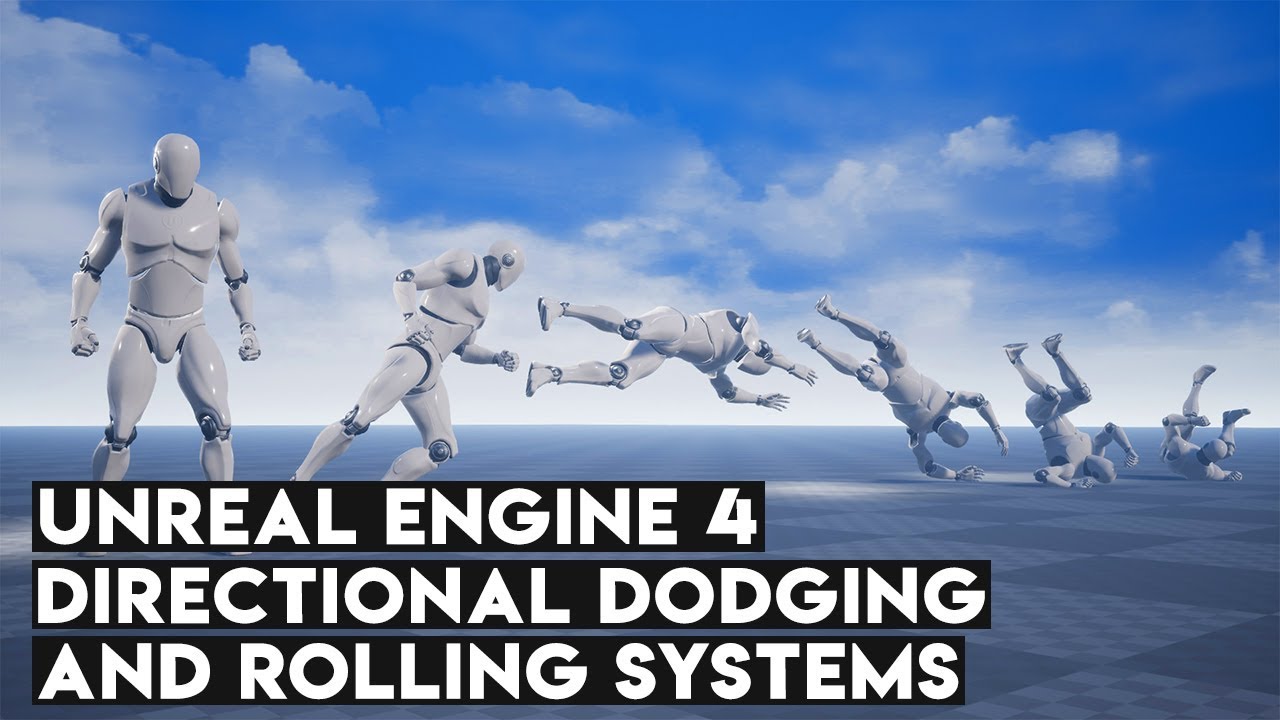
Rolling and dodging are two systems that are frequently found in game, especially those like Assassin's Creed or even For Honor (Talking about dodging here). In this video, we'll learn how to set up both systems using an easy method which includes root motion animations.
So a...
don't think it has anything to do with Add Timeline
more like adding an Animation BP and enabling Root Motion.
so I may have to abandon the Add Timeline concept
 latent plover
@desert storm, why don’t you just add the destroy actor onto the released output on your attack variable node? Worst case add a delay so it isn’t instant. scratch that i got a better idea, set the released output to a timer with the attack duration as a delay and then disable the attack variable within the click event. Also make sure the attack variable is disabled by default.
hexed saffron
@proven mason That is a very interessting tutorial. I added some timelines very late to my blueprint. But I´m working on vehicles. So the timeline is to control the camera behavior in my case. Another thing I did was holding the button to reset the vehicle back to the last checkpoint after 2 seconds.
Btw I used this input https://docs.unrealengine.com/Images/Gameplay/HowTo/ActorInput/Blueprints/input_8.webp
 desert storm
@latent plover Thanks for the suggestion, but like I said above I somehow fixed it. Though I'm beginning to think this method might be a dead-end; the tip of the sword has the collision volume on it. Problem is, I have another object BP that hurts the player on overlap - and that now includes the sword tip, rather than just the player's capsule. Any ideas for this?
latent plover
So your issue now is activating the dmg at a certain time opposed to a certain place? (When hit > where overlapping)
desert storm
Give me a moment
My issue is my character has two collisions on him right now (the main capsule for his body, and the capsule for his sword tip). My overlap events happen whenever either overlaps, meaning sticking the sword into, say, a fire hurts the player.
Is there any way to specify a collision component during these overlap events?
latent plover
How have you set up your attack var? Is it actor specific or a global var?
desert storm
The Attack var I'm using above is actor-specific. However, I have a global var that's for the player's health/received damage. Well, no - my mistake. It's also actor-specific.
latent plover
Shouldn’t the fire be able to check if the sword is an attack var actor and exclude it from the dmg blueprint?
desert storm
Possibly. I'm not sure how to do that. The fire's BP is currently as simple as Begin overlap > Cast to (character) > Deal Damage function
I might try using line tracing instead of a collision on the sword.
 burnt tundra
I'm trying to get the owner or pawn for a actor component, is there a way to do that?
desert storm
I think you have to cast to the actor component you want first
latent plover
The only other thing i could think of is add a swords/armour var as a global var and have an if statement in the dmg step.
desert storm
If all else fails, I'll try that @latent plover
 static charm
thats not how casting works but anways there's already nodes for getting the owner. Get Owner.
Anyone know how to get Overlap to return true for objects that are statically placed in the level? On begin play, already overllaping objects don't overlap until moved/adjusted after begin play.
 marsh seal
@static charm I dont know of a way.. there is some collision bool somewhere that says osmething about "overlap on begin play" but i think that's for spawning actors.. not sure... but either way.. i think a decent work around would maybe just do a sphere trace or something? or do a SetActorLocation to a small offset and then back.. with a delay.. sort of a quick jitter to get it to collide with whatever might be next to it
static charm
yeah might have to do some kind of bp construction setup or initializing of it. Super annoying. thx though.
oh there's a bug entered for it, 4.23 actually had initial overlaps working. and of course im using 4.24, which the bug was entered for
sigh
 worthy frost
there is no GetOwner
in a UMG widget
use Get Owning Pawn
or Get Owning Player Controller
burnt tundra
@worthy frost thanks
static charm
welp somehow the plugins im using compiled and work for 4.25
so i guess i can do initial overlaps now
 shut torrent
need help guys :v
does anybody know how can I create a widget only when the player is on a collision box and hits E? Should I do it with a gate?
static charm
on press E, do a check if it's overlapping box. or have an On Overlap event with the box set a boolean to true, Then when Press E, branch and check if boolean is true.
marsh seal
i'd use the box's OnOverlap and OnEndOverlap to let the player know he's interact with the box..
shut torrent
@static charm and how do I call the interact input event I have?
@marsh seal I'm interested in your reply too
something like this?
 karmic zealot
@shut torrent You should watch this

Announce Post: https://forums.unrealengine.com/showthread.php?101051
This Training Stream takes a look at Blueprint Communication. We find that Unreal Developers of all levels can sometimes struggle through the concepts behind moving data between objects. So in this video we'...
shut torrent
FixWiring is the blueprint
karmic zealot
Also @burnt tundra
After you've watched it, if you still have questions, come back
marsh seal
yea good call
karmic zealot
But take a little break and watch that video. A lot of your questions will be answered
static charm
when you cast to the main player, you can set a boolean in the main player
shut torrent
Ty @karmic zealot , I'll check it out as I finish watching Scammer Payback!😂
static charm
and then do the interaction from the main player
karmic zealot
Well, spoonfeeding doesn't really help people
And Zak is very good at teaching this
shut torrent
I did set that bool🤔
static charm
you have to get the boolean from the casted main player
karmic zealot
Everyone new to BP, should watch that video
shut torrent
Well, I've learn a lot of things with that method😂 . But not everything, that's 100% true
karmic zealot
Literally if you watch that video, you will have your answer @shut torrent
I guarantee
And you'll become a better BPer in the process
shut torrent
I added it to Watch later😁
static charm
stop talking if im answering his questions
shut torrent
So I won't forget
stop talking if im answering his questions
@static charm I did set that bool🤔
static charm
yeah so that bool is for that blueprint only.
if you want to set the bool in the main player
you have to drag out from the casted main player reference
and find your main players bool in the context box
then you can have the interaction event in the main player blueprint and check that bool
shut torrent
I think I get it
karmic zealot
@shut torrent For sure, it's a great video
static charm
its an hour long video, i watched it 4 times
karmic zealot
It's basically must-watch for anyone new to the engine
shut torrent
Yeah, I saw the lenght😂
karmic zealot
Should actually be a requirement before coming onto this server 😉
Did you watch this yet? No, denied entry.
shut torrent
Sry

 karmic zealot
I'm just messing. But a lot of people have the exact same questions, it's easier to just direct them to the answers so they can learn themselves.
static charm
yeah i agree i was just going to point him to a Interaction tutorial
but was gonna wait to see what he made
karmic zealot
Also, don't be afraid of Googling, 5+ years later, I'll still Google things 🙂
static charm
also no need to repeat urself 5 times while im answering him
karmic zealot
Also, while documentation is hit or miss, they are improving it little by little lately
So don't forget that resource.
shut torrent
Haha, I still google things when something doesn't work in my PC. Been repairing PC's since 2013😂
karmic zealot
I would skip the academy stuff IMHO
shut torrent
Yeah, documentation doesn't help 100% of the time
karmic zealot
I had my wife go through it, and she basically said it was pretty bad
static charm
well shit, the Initial overlaps aren't working in 4.25 even though the bug tracker said it was fixed.
shut torrent
also no need to repeat urself 5 times while im answering him
@static charm I was reading you anyway
karmic zealot
Had to get her onto some other things.
shut torrent
well shit, the Initial overlaps aren't working in 4.25 even though the bug tracker said it was fixed.
@static charm This project is in 4.24😂
karmic zealot
She tried the Udemy BP course, the "Epic Approved One" and said "the guy was so fast and didn't explain anything he was doing, I was lost all the time". So I guess I can't recommend that course anymore
static charm
yeah its an issue i was having i was talking about before u came
shut torrent
Yeah I know udemy haha
shut torrent
rt
static charm
wasted 30 minutes switching and compling, plugins etc
karmic zealot
But yeah, don't forget to watch that tutorial. A lot of lightbulbs will go off. 💡
 whole rose
you're probably missing the developer comment part, and still haven't changed your stuf
they fixed the overlap events from not firing.
earnest tangle
Did they? 🤔
earnest tangle
I'm pretty sure I was using on begin overlap in 4.25.3 and I placed some actors within the overlapping box and it isn't triggering
whole rose
so use the events, or add a delay before checking
🤷♂️ i dunno, i'm just reading what it says.
earnest tangle
yeah, that's what I get from it as well
but it definitely is not working that way :P
static charm
oh the commented fix in github mentions stream levels
whole rose
either way, from those notes, it's saying if you just do the check without waiting, it won't work
static charm
so might only check on loading levels with overlap
earnest tangle
static charm
why would they fix that and not standard levels
earnest tangle
I just tested it with this.. the bottles are actors that are overlapping with the box you can see the borders of
it won't fire any events on component begin overlap for that
static charm
"You might enable this is in the case where a streaming level loads around an actor and you want Begin/End overlap events to trigger."
this is dumb
how about i just want it for a standard level
earnest tangle
Does it not work with the delay in BeginPlay?
static charm
i put it on tick and print string to see when it works
it only works when u move from the initial positions
earnest tangle
Huh, that seems rather peculiar 🤔
You'd think get overlapping actors would work basically as soon as all of the things have loaded in
static charm
probably never added it because some designer complained when they added it
whole rose
what do you have your updateoverlaps method set to?
only moved? never? or always?
it sounds like only moved
and looking at the code on github, linked for the fix
that would explain why it's not updating
static charm
didnt even know there was methods
wtf
thanks!
lmao
not sure where to set it though
whole rose
it's actually using the streaming setting
even when not streaming
if streaming, it always updates no matter what
otherwise it only updates based on the streaming overlap mode
lol
that seems like a bit of an oversight, too.
it seems backwards.
i would expect those streaming modfe checks to be in the streaming check, not the other way around.
actually it just looks all a mess.
first cheeck.. if not from streaming
then if te boolean for update during level streaming is true.. update streaming?
ahh okay

static charm
thanks for reading into it.