#blueprint
402296 messages · Page 493 of 403
 gaunt monolith
and the rotation also gets updated
u should get the rotation on begin play and store it mayB?
gaunt monolith
like when its half way in , it still gettin the rotation it is at that time
also, if you never used sequencer its pretty easy and movement like this wil be a breeze
you just put 2 keyframes and done
 tawny tinsel
how do i disable the character turning around when it i more mouse? on locomotion asset?
gaunt monolith
i dont know what a locomotion asset is 😛
tawny tinsel
bruh how
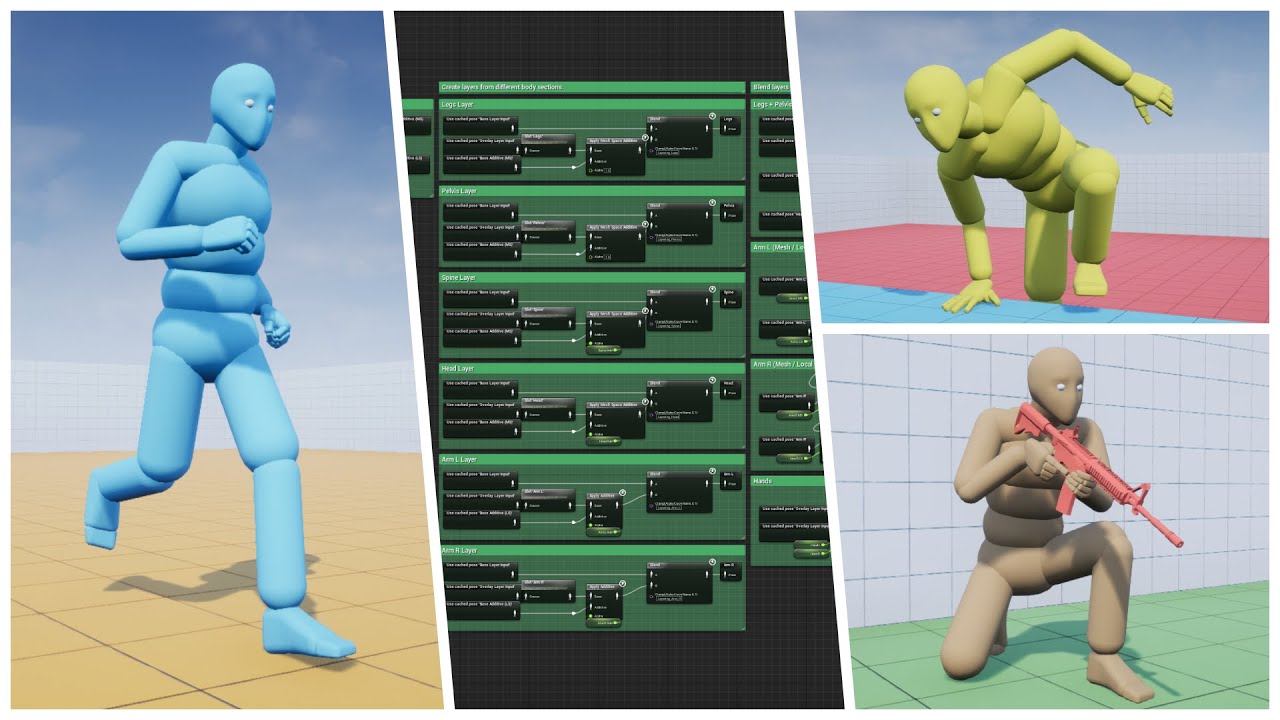
Well, as the saying goes, "If you love something, set it free"...So I did. Please enjoy the biggest update yet :)
Store Page - https://www.unrealengine.com/marketplace/advanced-locomotion-system-v1
Discord - https://discord.gg/wYYMHFu
Music - https://soundcloud.com/popeska/...
its free
gaunt monolith
ahh mayB i should look at it sometime
tawny tinsel
oh its good but a pain in the ass to work with
gaunt monolith
anything that does a lot of stuff is
 chilly linden
@gaunt monolith I fixed the timeline, how do i now do the inverse?
so it flips, then delay, flip back to original
gaunt monolith
plug sometime in the reverse of the timeline?
gaunt monolith
set actor rotation in a delay the delay circle back to the timeline
chilly linden
@gaunt monolith I am trying to flip the platform every time the character jumps but I am not sure where to do this
I know i shouldnt call in tick
tawny tinsel
my collisions overlap each other how do i make them reach to one another ;-;
im trying to do simple rigid bodies
tawny tinsel
gaunt monolith
thats not verry lady like 😛
@chilly linden have the player bp cast to the platform bp and use the event instead of begin play
gaunt monolith
you could try anim dynamics instead of rigid bodies
prolly use a box collision and on overlap to tell the player what platform to cast to
chilly linden
no, I just need them all to flip when the character jumps
tawny tinsel
i need to use rigid bodies
 tired latch
Hey all, how can I set those surface normal rotations to spline point rotations? UE4 doesn't have SetRotationAtSplinePoint and I'm unable to solve this out with tangents.
gaunt monolith
thats prolly more suited for #animation
and i dont know what u mean by reach one another
chilly linden
@gaunt monolith when the character jumps, platform must flip, when he jumps again, must flip again, repeat repeat repeat
but I dont get how I am supposed to reverse the timeline by jumping
gaunt monolith
use a custom event and cast to the platforms
gaunt monolith
get all actors of class , for each loop and use plug the object from each loop in the cast
tired latch
Oh, actually I was able to solve this by just SetSplinePointType->Linear.
gaunt monolith
@tawny tinsel
this is one of my rigid body setups, the rest is done is physics asset
chilly linden
@gaunt monolith and to reverse the timeline?
gaunt monolith
where begin play was comes the custom event, plug in a flipflop and other output of the flipflop in reverse
it wil reverse now when jumped again half way
might not be intended behavior, can fix with a bool tho
chilly linden
I will give that a go later, thanks for the help
gaunt monolith
np, gl
 plain flare
Pawn have a overlap all but my bullet cant collide with it
no problem with bullet , it is working on other pawns
i copied with thinking maybe i did something wrong but still dont collision with this pawn
 true valve
After I detach an actor how can I let it drop on the ground?
Instead of floating in the air
My gravity is checked
tawny tinsel
how do i make the rigid body physics more stiff?
gaunt monolith
add more drag
 flint nymph
@trim matrix
plain flare
Hey, this is my location. And this codes inside shooter AI. This ai always shooting to me %100 correctly. How can i make this %50 luck
gaunt monolith
break the vector, and add a random number in range
 sudden zephyr
Can you spawn a collision primitive in BP on runtime?
plain flare
I made like this, after how can i do random number. And how connect this to vector ?
@sudden zephyr who
sudden zephyr
Me, it's my own question. 😂
gaunt monolith
no, you get random float in range, 0 to 500 or something and add to X
 twilit heath
line trace makes no sense if you do not know the startpoint and endpoint, as in what are you tracing for
gaunt monolith
with the add node
twilit heath
even if it was some random proximity thingy that zaps around it
plain flare
end is me , start is ai
twilit heath
then you trace to the AI, not random
plain flare
no end point have to be random. Otherwise it is shooting me 100% correct
twilit heath
only time end can be just start + random
is some random proximity electrical discharge
gaunt monolith
you dont plug anything in random float, you add that to what u allready had
twilit heath
and even then, it would require a random unit vector, multiplied by range
not just adding a random float to the X component
 bronze lily
hi, all! is getting a specific actor through using an array the best/fasted way to do it?
twilit heath
wdym by "using an array"?
 still plume
hello guys. i can't hit the third person skeletal mesh
gaunt monolith
add a tag and get actor with tag
still plume
twilit heath
most efficient way is to have the target actor register with something you can easily access, or have the object that spawned them inject dependencies
bronze lily
i mean i want get distance between 2 actors and i need to choose each actor. the best i found was to get them was with using and array for each loop
christ my english is crap today
gaunt monolith
yea best way is to know what actor u gunna get B4 it gets put in the array and just get the number
twilit heath
you should try with more specific use case @bronze lily
twilit heath
generally, getting all actors, then iterating over them with foreach is one of most inefficient blueprint constructs there is
twilit heath
players you can access in a way that you can't use for static mesh actors though
gamestate has a playerarray array of playerstates, you can grab pawns via those
*player pawns
twilit heath
there are few more ways to get all players if you're server
if you're improvizing for now
find the cube at beginplay, once
and stash a ref to it
you do not want to be searching for it again
if you have a scenario like you have a bunch of cubes, and you want the closest one
then you stash the ref to all of them in an array
bronze lily
i'm gonna take is slow and keep it 1v1 for now
thanks a lot, btw
this place beats the hell out of reddit
tawny tinsel
can someone help me i need to change where the camera is positioned im using the locomotion asset
still plume
Any one have idea why my line trace ignore other character? All actor begin to hit except the character
sudden zephyr
I'm in a pickle, i can't stop a collision capsule from firing overlap event's on equipped weapon.
How can i make the overlap ignore my equipped weapons?
still plume
@flint nymph on the mesh the visibility is set to block but don't work
flint nymph
@sudden zephyr either change its collision settings or create an actor object reference variable, set your equipped weapon to that, create a branch, if overlapped actor = equipped weapon true, do nothing
still plume
@flint nymph i think my mesh don't have any collision set.. how can make the collision box?
flint nymph
your skeletal mesh should have a physics asset
flint nymph
traces are very very cheap
sudden zephyr
Really?? Woohoo! Then don't need collision trickery. I wanted to add a collision with overlap where the gun would be if raised and check that. So if we collide, don't raise the gun. Essentially doing the same with a sphere trace. So if it's cheap, i'll stick to that then. Thanks!!
flint nymph
yeah that should work fine
 visual lagoon
Why does this function not work
But it works perfectly fine if i, instead of using a function, just copy this outside a function?
It spawns exactly 1 plattform, instead of 10.
If i copy the logic out of the function and use the copied part instead of the function, it works perfectly fine. Why?
still plume
You have set the platform amount on the function?
visual lagoon
Yes, i set a default amount of 10
I really dont get it
If i do the currently white setup. it works.
If i do the orange setup, it wont work.
The "SpawnLevel" function is the green circle below 1:1 copied out of it
 earnest tangle
@visual lagoon I think it might be because you have a return node hooked up into the loop body of the for loop
if you return from inside a loop body in programming langs, it exits the function
so most likely that's what's happening in BP's as well
if you want it to work correctly as a function, hook up the return node into the completed pin of the loop instead
visual lagoon
@earnest tangle i just took the default for-loop of the unreal engine, didnt edit it.
Or i might not understand you correctly
AH
sec, i think i know what you mean now!
@earnest tangle you were right,thank you. When i auto-converted it into a function, it looked like this (orange connection)
earnest tangle
ah
visual lagoon
Thanks for pointing out the return. I know how it works programming wise, but i really didnt think about that while auto-converting it into a function
earnest tangle
yeah easy to miss that
 trim matrix
When I run the Interact event twice in a row, the Respawn Item Event only gets run once. Why is that? Is it because only one Timer instance is used? If so, how can I create multiple Timer instances?
 normal rampart
@trim matrix Yeah, I think it's bc only one timer instance is used. You can use the "clear and invalidate timer by handle" node to destroy the timer instance. Also, it seems a delay would work here instead of a timer
 thin rapids
you need to clear that timer before running it again
normal rampart
Anyone happen to know how to prevent a character from "slipping" down a little bit when using the charactermovement component and having "Can walk off ledges" set to false? It seems because the capsule component can physically slip down a bit, it does. Here's an example:
trim matrix
how can i get the speed of an actor in front of another actor and get it as a float
use a parent actor?
cast to it?
 exotic cradle
Ive checked all of these components and I do not see any reason why they should be doing this. Was working for the past week. I just hopped on today and now this.
This causes my player to get stuck in position and constantly repeat the last animation when trying to mantle 1m but not when mantling any height above 1m.
 sick sapphire
why does my capsule collision (parented to default capsule of tps char) not seem to have any collision in game?
normal rampart
@sick sapphire Do the other objects you're trying to collide with have their collision set to block pawn?
exotic cradle
So can someone explain to me how this function causes my character to get stuck in position and constantly repeat the last animation when I try to mantle 1m or less objects
edited**:this wasnt the cause. It was only a moment of luck that I was able to actually mantle at 1m
sick sapphire
@normal rampart not sure but its just normal level geometry, the original inherited capsule works fine
normal rampart
@sick sapphire Can you show collision of original capsule?
sick sapphire
@normal rampart
default, not changed from original template
@trim matrix ok done it
there is purple outline on both capsules
trim matrix
just a tool to help not sure what the problem is exactly
sick sapphire
@trim matrix alright thx
trim matrix
@normal rampart Delay didn't work
normal rampart
@trim matrix did you do delay and call the respawn item event in place of the timer?
@sick sapphire Try changing the collision from Pawn to Custom and selecting Block for the visibility channel
trim matrix
@normal rampart Aka this?
doesnt work
I think its because the root component teleports or something
its not async mate, just like event
exotic cradle
normal rampart
@trim matrix Hmm, I would think the print would still work for Respawned Berry with the delay. The actual respawning might not bc with that setup at least, the get pickable actors is never being called. After the delay, try calling the actual "Respawn Item Event" event
thin rapids
@trim matrix try retriggerable delay
trim matrix
@thin rapids Didn't change anything
thin rapids
didnt you have a timer instead of a delay @trim matrix ?
trim matrix
@thin rapids I tried all 3
thin rapids
you're respawning the item but you're not calling the 'Get pickable actors' so its not respawning anything because its not getting that reference @trim matrix
 thin rapids
where are you calling the 'interact' event
@thin rapids It doesn't matter, it doesnt print the string
@trim matrix fix it anyways because when you find out where the issue is that will work
 rough wing
Even though I have a point where the loop will end, the infinite loop detector fires.
thin rapids
@trim matrix did you try actually calling the custom event instead of connecting the pins into nodes inside of it?
earnest tangle
@rough wing The infinite loop detection is based on number of iterations... there is an option for it somewhere in project settings iirc
you can give it a higher number and it'll stop nagging about it, but I seem to recall it's already pretty high by default
trim matrix
@thin rapids yup, doesnt work either
rough wing
when I put the value over 200 infinite loop comes up
earnest tangle
Are you sure it only runs that many iterations? It's possible it might run more depending on how your code works
rough wing
I have tiles that spawn other tiles, I control them all over in one manager
 sand shore
it's tracking the occurrence of particular opcodes. some are ignored, some are counted, and others are considered "reset points"
rough wing
I keep checking if the tile count exceeds the desired amount
and stop the spawning if it does
sand shore
you could have a particularly long/complex loop and set it off quite early
exotic cradle
How do you debug a non-existent character movement curve.
rough wing
(fixed) My problem was I would check every tile location instead of only the ones I will spawn. I changed that and it worked.
 tranquil oxide
how can you get the current screen resolution in blueprint? (I need it to work on mobile)
 woven saddle
anyone can point me to good resources to learn how to do a 'zone ability' (like in MMO's or MOBA's)? I'm trying to break down the process but could do with some pointing to learn more, cheers.
earnest tangle
Might be helpful to describe what a zone ability is, at least I have no idea lol
sand shore
@rough wing They have weird behavior but in general yeah they'll increase the counter
woven saddle
https://media.giphy.com/media/jrp2O7TIHj1e5DPNPR/giphy.gif @earnest tangle
probably not the correct name for it lol
earnest tangle
"this content is not available"
 woven saddle
I meant more the positioning of the decal
I might have actually found some stuff, should've researched properly before, thank you anyways 😅
sand shore
@woven saddle Yeah, #gameplay-ability-system might have some better answers
there's a concept of targeting in that system, often you'll apply visuals to that
woven saddle
ah thanks for pointing that channel out
 quick lark
Is it possible to send data from a child actor to a parent actor? Scenario: Move child actor joystick, send movement request to parent actor vehicle
the joystick in this scenario is manipulated via a VR motion controller and implements the blueprint interface Pickup Actor Interface
I think I can conceptualize it now - the parent actor reads the child actors state on tick. the child actor does not initiate any communication to the parent actor
earnest tangle
@quick lark easiest way to do it would probably be to have some kind of an event on the child actor which the parent listens to
earnest tangle
I assume this is with a Child Actor component in the parent BP?
quick lark
Not a ChildActorComponent, but a ChildActor
 gritty elm
@quick lark create custom event inside parent actor, then call from child actor like this
earnest tangle
yeah that's a child actor component if it's in the component tree :)
quick lark
oh okay 😄
earnest tangle
basically you need to manually add a listener to the event in the parent's begin play since you can't directly add listeners into the event graph for it otherwise
quick lark
Is the above screenshot of the child actor?
gritty elm
yes
earnest tangle
yeah that approach would also work
but you can use get parent actor instead of actors of class
quick lark
What is this doing?
sand shore
Get all actors of class is bad here you'd use get attach parent actor
Get Attach Parent Actor
Get all actors of class immediately prevents multiple instances of this drivable vehicle thing from existing functionally
it's a source of bugs in general
sand shore
Provided you have a typecast reference, that's a function call node that will trigger that function on the referenced object.
You'd use it to start logic in the object (in this case, set the input amount or something)
If you check the pins, @quick lark, you can find a stream called Blueprint Communication among other resources.
Lots of goodies in that talk and the pins in general
quick lark
If you check the pins,
What is this referring to?
sand shore
quick lark
Oh heck yeah! thank you!
sand shore
np
quick lark
Wow, I just found out about the sequence node. Yes.
sand shore
thing about sequence nodes - if you delay, the sequence will continue without waiting for the delay to complete
just an fyi
 tranquil hazel
https://www.youtube.com/watch?v=B3fznaHVIMs&t=888s will i be able to use this video to help me code in wall jumping?

Patreon: https://www.patreon.com/reidtreharne
Discord: https://discord.gg/PdvudWx
In this tutorial I'll be showing you how I implemented a great wall running mechanic in one of my games. If you enjoy the tutorial please drop a like and subscribe and consider supporting me on P...
 static charm
well, wall running is not wall jumping. but you'd have to skim through it and see.
Anyone know of a way to add descriptions to Actor assets, like in the content browsers for different blueprints, say i have 4 versions of a blueprint that i'm prototyping but want to have a short description/comment for that actor without opening it up.
naming the asset, i run out of characters
earnest tangle
Walljumping is pretty simple depending on how you wanna do it
My game's got walljumping and I'm basically just linetracing left and right when in air and jump is pressed, and if it hits a wall, it applies a physics force based on the hit normal
so it's a lot simpler than what's going on in that video I think
trim matrix
Could someone help me a bit with the Timer event? Been trying 5h now, should be quite easy to do
tranquil hazel
@earnest tangle i'm trying to recreate the wall jumping in warframe, so would i do a line trace and if it hits a wall have the character launched depending on what keys you're pressing?
trim matrix
When I run the Interact event twice in a row, the Respawn Item Event only gets run once. Why is that? Is it because only one Timer instance is used? If so, how can I create multiple Timer instances?
Yes I've tried with Delay
earnest tangle
@tranquil hazel that could be an option yeah, in my case I just add a force opposite of the hit normal + 45 degrees up
flint nymph
@trim matrix that’s just running one timer yeah
sand shore
Anyone know of a way to add descriptions to Actor assets, like in the content browsers for different blueprints, say i have 4 versions of a blueprint that i'm prototyping but want to have a short description/comment for that actor without opening it up.
@static charm Yeah, it's next to class defaults... forget the label on the button. You can write a full description.
trim matrix
@trim matrix that’s just running one timer yeah
@flint nymph How can I run multiple 😐
I mean, I think you understand what I'm trying to achieve
each Interact event should create its own timer, when it reaches the time, run the "respawn item" and dispose of the timer
trim matrix
Not sure if I understand..
sorry, quite new to UE
you mean make an actor instance every time to handle the respawn and dispose of it later?
flint nymph
mhm you could spawn a “spawner” actor and that actor has the delay and the subsequent actual spawning
you could also just have the delay in the spawned actor itself to toggle its visibility/collision/functionality
or have an array of floats corresponding to each actor that you check for the duration and decrement per frame by delta time
trim matrix
So there's no way of just making an instance of the timer?
I mean, in C++ that's what you'd do
flint nymph
uhh I haven’t tried it personally
trim matrix
but in blueprints I can't see an option for it
sand shore
an instance of the timer, you say?
You can create as many timers as you like
"Set Timer" is what you're looking for
trim matrix
@sand shore But thats wat I have, look at the image above
sand shore
o
yeah it doesn't loop and you never re-set the timer
which do you want to happen?
Oh I see
it shouldn't be possible to trigger interact and have things happen twice in the span of 3s in my opinion in this sort of design
But what you could do is store the handle in an array. this isn't super clean though because you can't really remove the timer handle from the array.
I don't think storing the handle would result in the timer going more than once either
trim matrix
yeah well, I know that much, that's why I'm here to get help 😅
best solution would be make new Timer instance every time Interact is run
since here if I collect 2 items it uses one timer
aka resets in on 2nd item
so it will only respawn the item once
current:
Interact -> Start Timer -> Interact -> Reset Timer - > Respawn Item
goal:
Interact -> Start Timer1 - > Interact -> Start Timer2 -> Respawn Item1 -> Respawn Item2
flint nymph
yeah your best bet tbh is probably to do an array of times that have matching indexes to the actors to spawn
and by times I mean floats
sudden zephyr
My 2 cents, I'd rather choose a fire and forget whenever i can rather them to keep track of arrays if i can choose. So, I'd choose Joe's "spawner dummy" actor personally.
rough wing
How is this an infinite loop?
 brisk kestrel
@rough wing 1. have you checked your map size integer value? 2. Isn't it called more times? 3. Isn't there something what delays it -> it then looks infinitely looping
rough wing
It previously didn't go over 200 now it's 5000
This is 50k and its working like charm.
So my ue4 was bugged and a restart fixed it.
 modern cove
I feel like I have a function that's not activating where it should.
Without the break it prints the 'Hello' but doesn't carry out its order to add a line of data for each playable character currently in the Team array.
Additonally: this break point is never tripped:
Now sure why
brisk kestrel
@modern cove have you checked the build roster event at second screenshot?
 boreal sapphire
anybody have any idea for what i could do to make the ammo in the gun visible, for example when i shoot i want you to be able to see the bullets in the clip
brisk kestrel
@modern cove I don't know where can be a problem, but is reference to the status menu(first screenshot) right? I just guess you call it to another BP
modern cove
Ya that's the part where the active Widget changes from Tactics Menu to Status Menu
brisk kestrel
And are you sure you don't call a parent or child BP?
 brittle fiber
good night users, Psi with abother question
is there a way to add 3rd text from plug in
within blueprint?
i can only add 2d text actor
@rough wing your creation looks cool
brisk kestrel
@brittle fiber there is plugin for that, just enable it
brittle fiber
@brisk kestrel yeah bro, i mean i want to add it within a blueprint, but 3d text is itself is a blueprint..
its like a blueprint within a blueprint
brisk kestrel
@brittle fiber, via child actor component
But it seems little buggy inside blueprint :/
modern cove
@brisk kestrel I..might be calling a Parent or Child BP? The Status Menu contains a piece to which the Build Roster Event belongs.
I used the method in this video https://www.youtube.com/watch?v=216FE8fRKKQ&t=535s

This time we are going to work on an Dynamic Inventory System with Grid Slots and Panel Slots.
Here is the Link:
https://github.com/Cetrium/PyroReleases/tree/master/InventoryTutorial
If you want to give me some Inspiratio...
 astral fiber
@brisk kestrel The child actor component inside Blueprint is very buggy. You cannot change the childs attributes from the parent
brisk kestrel
@astral fiber, you can change attributes
but the 3d text actor has problem with calculating the mesh... the text is reversed and the font has problem with letter width at multiple words
astral fiber
@brisk kestrel But you cannot let your child actor component be rebuilt (reconstructed0)
For example, you have a boolean in the child actor. it is green when the bolean is true, and red if the boolean is flase. You cannot change the attribute and then let it reconstruct.
brittle fiber
THIS is BP where Ill need many 3d text actors, I assume you do not recomend this ? xD
modern cove
It looks like what I needed was to move the Function call from the Switch to Status Menu to the Status Menu Event Construct. I got the team showing up! For my next trick I'll get the series of text entries more properly aligned, and get one of them to focus by default so I can use a GamePad or Keyboard to select
brisk kestrel
@astral fiber
@brittle fiber in play it looks good, but in editor viewport it looks wrong
astral fiber
@brisk kestrel what exactly are you doing?
brisk kestrel
@astral fiber
It isn't reconstructed, it just generates new mesh when is text changed
astral fiber
Do you know how you can reconstruct a child actor?
GIve the child actor a simple boolean attribute, and change something with the branch node. And then expose this variable also in the parent actor to the editor.
And inside the parent construct script change the child actor
@brisk kestrel
This is my child
After that I wanna try to change the childs look inside the parent construct
 zealous moth
nice, so anyone seen this one before? widget creation in widgets returns errors if passing colors
tried to split struct but same error
 wind atlas
hello, I'm trying to get a reference to a foliage type in my scene, but I'm not sure how. Using a line trace I can detect it and reference it, but I'm trying to do it at event begin play, I thought I could with one of the GetAllActors nodes and casting but it doesn't seem to show up
brisk kestrel
@astral fiber, unfortunately constructor of child actor class is called before the blueprint part of parent's constructor... but I think there are 2 simple ways to reach what you want
and the second:
brisk kestrel
Also for special cases you can use c++ which is cleaner solution
astral fiber
what is the Init function is this one you created?
@brisk kestrel
Ok I know that the child construct is called first, but there is a CPP method inside the AActor.h: https://docs.unrealengine.com/en-US/API/Runtime/Engine/GameFramework/AActor/RerunConstructionScripts/index.html
I implemented this into a simple static Blueprint node, if I give the node the reference of the parent it works, butt if I give him the child it does nothing
Rerun construction scripts, destroying all autogenerated components; will attempt to preserve the root component location.
brisk kestrel
@astral fiber The Init function includes the part that you would use in constructor, so you can call it whenever you want(also in runtime).
To be honest, I don't know about it much... but it's one of the things that needs to be rewritten by Epic. Some people solves it by own custom c++ classes to avoid using child actor component and similar
exotic cradle
So over the past day or so I have been trying to fix this bug. As this is a pack that is not common I have no been able to find a solution on google nor youtube. The problem occurred and was noticed upon attempting to mantle up a 1m surface. A 2m surface and all other surfaces > 1m tall work fine. The PositionCorrectionCurve only exists as a data struct but there are no compiling errors anywhere and no loops detected.
https://gyazo.com/7ecdb5cf3bc753ad07427bb16f60a5aa
https://cdn.discordapp.com/attachments/221798862938046464/729019499545624649/a4a1bcfcca40efab60b7a58e8e1ee2ca.png

 brisk kestrel
@exotic cradle Check references with debugger
exotic cradle
I did
trim matrix
exotic cradle
?
exotic cradle
If it works i wouldnt mess with it.
trim matrix
i made an event in parent so i can call it and have it fire in the child i call the parent function to give the parent the child
exotic cradle
The only time i mess with stuff is if it doesnt work. Like what Im dealing with rn with mantling. All I did was add interactable objects and now I cant mantle lol
trim matrix
i've been just trying to do things properly
i don't know why getting a reference to gamestate in gamemode and setting gamestate variable in the gamemode caused the variable to have errors yet it does set it
brisk kestrel
@exotic cradle I don't know how to help you if you haven't found a problem with debugger :/
trim matrix
so i had to make unnessisary casting to game mode to get this stupid variable in my gamestate
exotic cradle
Yeah that is why it is baffling to me
Ig Ill just restart again lol
Actually could probably look at a fresh project and see the difference but I doubt anything will be
brittle fiber
@brisk kestrel yo, thanks a lot for all this Hustle
Just got home
let me see what uve done
@brisk kestrel bug in BP editor solves itself after relocating
or at least, temporary adjustable xD
but dude I love the way this looks
@brisk kestrel @astral fiber in that picture for Markus what you did is not required right? I can adjust text within Blueprint? or wait a moment did you show how to make this text and material intro parameters?
anyhow im greatful, its a good lesson, if there is anything I can do for you let me know
Bugs in editor, but np in play
 woven lance
so i've got a bunch of capsule collision components attached to my character,
and i store them in a Colliders array.
i can use them fine in a for loop, like shown, because it's referring directly to those components,
but how would i get an individual element without it being a copy?
there only seems to be this get (a copy) node, which isn't what i'd want
trim matrix
if you loop through you get a reference to element
woven lance
right, it's a by ref by val difference going on
trim matrix
i haven't had to get a ref like that always used copy but i noticed loop elements are references
i took me a day to figure out gamemode is made before gamestate so my on begin play to get gamestate ref was invalid
now i figure i'd use ?is valid on everything 🙂
maybe i should make a c++ function that has a ?is valid with a print string automatically attached to is not valid with object as output xD
true valve
In streamable level, when I spawn something using a linetrace hit location, it kept getting spawned at location 0,0,0. When I debug its location appears right.
any idea why that happens.
trim matrix
not i
 robust cliff
Does anyone know if I can load a level/map to get a render target in that level, while I am in another level/map
zealous moth
does anyone know how to track what spawned an actor? somewhere in my bps something spawns my camera manager, god knows what...
 rich lava
does anyone know the best way to make rough landing camera shake
 simple berry
hiya! so im having trouble locating help with this, im trying to make the players hand follow where the gun is based off of a socket on the handle. how would i go about that?
trim matrix
Winter wouldn't that depend on how big and the shape of the object
and in what orientation the object lands
what it lands on
velocity the object was going
the environments gravity
etc.etc
rich lava
also how do u make weapons not clip through walls without making them collide
like putting in a different layer so it appears over it
trim matrix
in halo 3 you can mount turrets and clip through walls
and if you mount then reposition the turrent and you are right next to a wall you can translocate on the other side
the solution i'm not sure
fun stuff though h3. was.
tranquil hazel
Quick question are you supposed to be able to jump twice if you use one jump node?
trim matrix
Winter wouldn't you have to turn on physics just a guess.
there are ways to use like character mesh collision to reposition the mesh
so you can make your arm lean on a object or something
would have to do the same thing i'd imagine because your object is equipted to a socket usually
rich lava
i mean how would i render the weapon on top of everything else like in unity there is a layer system which allows u to do this easily
how would i use panini projection
 trail kestrel
hi, i have a problem with the debug flow lines not showing up on certain events, it works just fine with event tick and beginplay but nothing happens on events from inputs in the project setting
 bleak vector
I'm wondering if anyone knows the best way to do this. I have movement that begins and ends snapped to a grid, but there is no object containing grid points. To check to see if a point is reachable I could do something like check each point every 150 units in a certain radius and see if there's a complete nav path within a maximum length to that point. I'm also certain there's a way to do it with EQS but I can't figure out how to do that exactly. 🤔
 haughty axle
have a question guys, can i trigger other blueprint from level blueprint, but the one i want to trigger he have only construction script built
sudden zephyr
Can you get the camera boom socket world location or must i convert it from local to world?
bleak vector
I'm pretty sure all scene components have a world location
sudden zephyr
camera boom socket world location
 snow halo
I'm losing my mind a bit peeps. Why in the world is Format Text with Print string adding a comma to a float i'm printing to the viewport?
If I do ABS node 15994, it prints 15994.00, but if I do format text and print a float in my struct it prints 15,994
sudden zephyr
I guess because you specified length?
I think it's treating it as a unit of 15,994 units/meters/centimeters, forgot which one UE used as single unit xD
 tight schooner
Are you saying one goes through Format Text and the other doesn't?
And yeah I was about to say ToText (Float) node if you want to customize it
trail kestrel
not sure if it's the best way but it works from what i can tell
use a totext(float) and disable grouping
sudden zephyr
We don't know what he actually wants to display xD. If you just want the plane float, i think it's easier to use append or simply state it as a float.
bleak vector
Hmm, setting can affect navigation generation only applies to an actor's capsule component, not any other colliders it might have 🤔
tawny tinsel
how can i get last and first spline point number?
sudden zephyr
Well, obviously the first will be the 1 key, or 0 key if it's 0 based, not sure and the last key is obviously the total number of keys. xD
How does one get a reference to a post process volume??
This PPV is handling item highlights and i added 2 items in the post process materials for which i want to switch the alphas. One hightlight should indicate the items around the player, and another highlight if it's actually pointed at for interaction.
snow halo
@sudden zephyr sorry for the delay. So the formatting is different if it's treated as a unit of length?
sorry i'm sooo brain dead right now
It's not that i want to dispaly one or the other all. My issues is WHY is is the comma added with some nodes and not others and why the .00 to signify a float there with some nodes and not others : /
a float is a float and it should display it consistently the same?
sudden zephyr
Dunno what you mean.
sudden zephyr
Check these recent messages. :)
https://discordapp.com/channels/187217643009212416/221798862938046464/728550657237450792
snow halo
I am so confused... I'm trying to point that with some nodes ue4 formats my float which is for example 10123.00 to either print on screen as 10123.00 and then with other nodes 10,123
It has nothing to do w my getting the length of an object
It's just a float variable with that value either plugged into print string or plugged into format text and then print string
maybe format text automatically reformats when you use {length}? I dunno!
earnest tangle
format text might be using windows' localization settings for numbers
snow halo
yes something like that. thank u for understanding : )
was driving me nuts because i was worried my float was an int because it didn't have the .00 it usually has : P
until i realized it's just some node changing the formatting of what's printed on screen
sudden zephyr
🤪 🔫
earnest tangle
if the variable type is float it will be a float, it won't just become an int
snow halo
i'm very aware of that lol, but i have tons of values printing to screen all over the place (c++ and bp) so i couldn't easily verify each type
sudden zephyr
Then you're probably doing it wrong. ¯_(ツ)_/¯ 😛
snow halo
just too many debug print strings running
anyHOOOO, i'm too tired for the third degree right now haha. much love though. ty for the help
sick sapphire
this is default TPS character
even if I add a CapsuleCollision (parented to inherited capsule) and set it to blockall, it still wont have any collision. How can I make it so that there is collision?
sudden zephyr
Did you by any chance disable "hidden in game" to see what happens? You'll be surprised. xD
sick sapphire
@sudden zephyr yes i did, it goes straight through the default level walls
sudden zephyr
As far as i know, character capsule always takes priority. I'm not sure there's a way around it.
tawny tinsel
GOTTA CHECK PHYSICS SETTINGS
sudden zephyr
Nope, that's the surprise i was talking about, but he didn't enable it. xDDD
Try it. xDDDD
But point being, it wont do what you want.
On a side note, what is it exactly that you want to achieve with another collision box?
 livid plinth
im having a problem with my countdown... when it reaches 0 it does not disappear from the screen so I get the word "Go" forever on the screen
 silver agate
How does your RemoveUI function look like?
livid plinth
@silver agate
sudden zephyr
How do you attach a constraint via BP?
sick sapphire
psycho
i was going to disable one capsule and enable another selectively for different 'modes' of my player, long story short different collision boxes
sudden zephyr
If you disable the character native capsule, your animations wont work.
The character pawn is very restricted in that regard. 😭
Lot's of finicky s*** awaiting. Either that or a pawn actor with custom movement component.
tawny tinsel
hey so i got mi 2 splines in level that are teleporters
both at each end
i went on number 2 spile
sick sapphire
no i just use a set collision enabled thing and set to disabled or physics+query
the anims still work even if i use that
psycho
silver agate
@livid plinth Are you sure that the countdown is called, and not just once. What does your initialise function look like?
sudden zephyr
Gloria, that's a very vague question, what did you want to happen? xD
tawny tinsel
@sudden zephyr i wantedd it to go from collision box 1 to colision box 2
but instead it went from colision box 1 to colision box 2 on another spline object
sick sapphire
@sudden zephyr so I can't have more than one collision on the default TPS?
would it be better if I ported everything to a new character blueprint
silver agate
Nvm, looping shouldn't be on. That was a mistake in my implementation.
sudden zephyr
NAS.Robot Nope, it's not because of the TPS, it's because of the character actor itself.
tawny tinsel
basicly i cant have 2 teleporters because the name of the colision boxes is the same and it doesnt know wich index to tp to
sudden zephyr
Gloria, your probably pointing it towards the second spline. Can't tell without the BP to see what you're doing..
silver agate
@livid plinth Can you show me your function names in the sidebar? Maybe there is a typo in there?
tawny tinsel
@sudden zephyr alrit you want to see the bp?
sick sapphire
@sudden zephyr sry i meant making a completely new actor BP in the same project
not making a new project
sudden zephyr
Robot, That's what i said and meant.
livid plinth
ofc @silver agate
silver agate
@livid plinth Can you rename the Remove UI to RemoveUI?
tawny tinsel
@sudden zephyr
sick sapphire
ah ok
any alternate way to include more complex collision to the player?
except rotating and scaling the one capsule
sudden zephyr
Only by making a custom movement component in C++ or finding some alternative plugin that adds a movement component that could do what you want. 😦
livid plinth
still not working o.o@silver agate
silver agate
Hmm
sudden zephyr
Gloria, so i'm assuming the boxes are trigger boxes?
I'd suggest first to start naming things properly for your own sake. ... and ours. xD
tawny tinsel
yes they are
sudden zephyr
So why you need splines?
bleak vector
Hmm, is there a way to make a nav link proxy ALWAYS use the smart link behavior?
tawny tinsel
how do i only make it read the boxes inside this actor
not in the whole level
it teleports to another one in the level
because it has the same name
and last index
sick sapphire
wait, so the movement component is tied to collision? that is some bullshit limitation
but i remember doing custom collision to some enemies i made with character movement
they had 2 capsules with seperate collision params, and a mesh that also had its own collisions
silver agate
@livid plinth Can you screenshot your sidebar and your "Countdown" function again for me? To see what there currently is.
earnest tangle
@bleak vector I think you can disable the other link type
livid plinth
@silver agate
tawny tinsel
h i fixed it
by adding self
wait no it doesnt work now
it seems to be the way the things are loaded in the level
wtf
silver agate
@livid plinth Does your RemoveUI function have an input? (You can see this in the bottom left in the details menu)
Because the only difference I see is that you have a target parameter for some reason. While I do not


 sick sapphire
wait, so the movement component is tied to collision? that is some bullshit limitation
but i remember doing custom collision to some enemies i made with character movement
they had 2 capsules with seperate collision params, and a mesh that also had its own collisions
it wont work on the player?
silver agate
Thanks!
sudden zephyr
You probably can do some things with the character actor but it's hacking and workarounds and many intended features will either not work or bug up.
Google a simple prone collision to character actor and you'll see there's no solution for it. xD
Everything points to a custom movement component on a pawn actor.
sick sapphire
@sudden zephyr nah it is the character movement comp
flint nymph
what are you trying to do @sick sapphire
sick sapphire
@flint nymph implement another capsule collision on my default tps character so I can disable and enable it and the default capsule at will
currently the collision on the non-default capsule doesnt seem to work
sick sapphire
when my character goes prone i want it to use the other capsule as collision instead
earnest tangle
I've been kinda wondering about the same ^
The problem is that the root capsule is used for collisions, physics and such
so you can't just swap it out
flint nymph
doesn’t the movement component have a crouch height setting you could use for that?
sick sapphire
@earnest tangle you cant add another either?
sudden zephyr
Crouch height only works for FPS since you don't have a body clipping issues.
earnest tangle
you can add additional colliders but it won't use those for the physics
in my case I need to adjust colliders for dead bodies... I'm just debating spawning a separate dead body actor with the proper collider :P
sudden zephyr
As i've said, for proper prone in 3rd P, you'll have to make your own solution from scratch or find one that has such features.
sick sapphire
@flint nymph yeah but i was thinking maybe another capsule might be easier for my other systems
@sudden zephyr alright then
tawny tinsel
how can i get spline point middle?
sick sapphire
@earnest tangle so additional colliders wont detect hit/overlap etc?
earnest tangle
they will detect it just not for physics for the character
sudden zephyr

GitHub
An extension of the UCharacterMovementComponent which enables support for prone movement and transition pauses. - Cypher2012/UE4-Character-Movement-Prone-Extenstion
Why nobody listens to me? xDDDDD
earnest tangle
just because we're talking about the details of how it works doesn't mean no one is listening to you :P
sudden zephyr
🤪
@tawny tinsel , still got issues with teleporting? I may have a very very simple solution if you're interested xD
Needed to test it out.
sudden zephyr
Sec
tawny tinsel
im waitin
sick sapphire
@earnest tangle ok tested it makes sense
tawny tinsel
ah thank
i hope tihs works
cuz this is a profesional project
i cant give up on this feature ;-;
sudden zephyr
LOL.... xD
It swollowed the part where i right-clicked and made actor blueprint 🤔
tawny tinsel
ok i watch now
OMG OFC
I COULD JUST CHECK HEY ARE YOU THE RIGHT ACTOR?
oh youre using 2 actors
thats not gonna work i need to keep them in one
because of splines
its a spline based teleporter
but ill try doing some actor checks maybe its gonna work
sudden zephyr
Why?
tawny tinsel
because for fancy polish
its gonna be like the charcater goes into the spline river and comes back at the other end
sudden zephyr
Uhm, there's no such thing as fancy polish, your are doing ambiguous things for a feature as simple as this.
tawny tinsel
this is the main feature of the game
sudden zephyr
Adds to complexity where there isn't any. xD
sudden zephyr
Hm, you can use the same trick i used, don't think it should be to hard to adapt. So just point to a spline and add a logic to get the first or last spline point or however you're utilizing that.
tawny tinsel
train
ya go at one point
get off at the another
yea i tried teleporting it to spline points it teleports way off the actual spline mesh for some reason
cuz spline points have 3 points
middle last and first
to control the curvnes
sudden zephyr
So it should teleport along a spline?
tawny tinsel
yes
 hexed grotto
Hey guys i'm trying to create a "unit" class which has vehicles that use the vehicle components to drive, when i reparent the vehicle the movement component won't apply to the skeletal mesh anymore which kinda makes sense but how would one create a "unit" class then with for example a MoveToLocation Method that changes based on the child vehicle it uses tank/car. when i create a class that just a vehicle as a child component the movement works but i cant overwrite MoveToLocation from Unit Class to the Vehicle since the vehicle isnt really part of the unit class
sudden zephyr
shouldn't be to hard to do that then
hexed grotto
i can't explain it that well in english, hopefully someone understands my problem
tawny tinsel
it is hard
hexed grotto
yeah core problem is, how to use an actor thats based of a vehicle component in a selfmade class
one would think the unit bp knows his child actor(jeep for example) but blueprint says it can't work with that reference
gaunt monolith
@tawny tinsel cant you use a level sequence , that uses keyframes curve editor , stuff like that
considering the animator in the name that might be more up ur alley
tawny tinsel
no because i need splines
gaunt monolith
it can use splines aswell
tawny tinsel
also one level is probably gonna have like 20 teleporters thats gonna be too confusing to do with level sequence
tawny tinsel
are they the same
sudden zephyr
Here's a simple spline movement
It's ugly but it's up to you to fancyfy it. xD
Same trick as before, you point the SplinePath variable to the spline and everything else works by itself. So it makes it much easier to setup different paths using 1 parent actor.
And ofc, you can add lerp and proper orientation etc yourself. Can't do everything for ya. 😛
tawny tinsel
so it seems that its not the colision box names that make it bug out
its something else
sudden zephyr
Why do you rely on names? The best practice is to have one parent BP having the logic and just create children and use public variables for setup.
Because keeping track of names gonna go bad real fast in a larger environment. You should never do that. xD
tawny tinsel
does this work properly with 5 duplicates of this blueprint in one leve
sudden zephyr
Yup, that's the point. Reusability!
tawny tinsel
hmmmm
i guess ill try to copy your code
but does it go both ways?
both way teleporter?
sudden zephyr
No, didn't do that but should be easy to do. xD
hexed grotto
Maybe this screenshot will help to understand my logic problem. Armored jeep is a driving vehicle that works great but i struggle to create the right connection between my unit class and the vehicle class, i can make a unit with a vehicle as an child actor but that wont allow me to override the methods which makes sense since armored jeep isnt really a child class of unit
so what i tried to do in the screenshot is just cast to armored_jeep and fire a function but that won't work because armored_jeep isnt inherited which makes sense too, im just too dumb right now to point out what i want to accomplish lol
okay got it, just gotta take the correct reference lmao
but it still feels wrong af to use a cast for that
 uneven violet
Hi, I'm currently using timeline -> lerp -> set location for moving an actor, but every time it reaches a point, it slows down, before accelerating again and moving to the next one. Imagine a train going on route A-B-C , currently it goes to B, stops, and then goes to C while I want it to move by B without stopping. Any ideas how to fix it? I think for some reason the timeline makes it slow down and stop and I cant figure out what causes it as it should just move without stopping at all :/
twilit heath
which lerp?
there are several, and some of those are not really linear interpolations
like VInterpTo
flint nymph
@uneven violet if you’re using a regular lerp it’s entirely dependent on the alpha it’s getting fed from the timeline, which probably means the timeline track is not linear
uneven violet
which lerp?
@twilit heath lerp (vector)
if you’re using a regular lerp it’s entirely dependent on the alpha it’s getting fed from the timeline, which probably means the timeline track is not linear
@flint nymph Straight like a line, the only thing I'm doing to it is modifying play rate at runtime to emulate acceleration but it still stops even when I disable this feature
flint nymph
can you show the graph then
uneven violet
Done a bit more testing: it seems like with play rate set to 1, timeline with lenght of 50s, completes train's journey in about 4 seconds and other 46s sits in place :/
timeline, lerp and set location:
boi it ate the quality
 kindred walrus
hi guys , if I want to set a reference to a vector inside a struct , how can I do it? I actually want the vector in struct update same as the vector variable.
uneven violet
I am not sure that's possible
flint nymph
make a setter function for the variable that also sets the struct vector I guess
and call that instead of the regular set vector when you change it
@uneven violet looks good to me as far as I can tell, what does the acceleration function look like
also keep in mind changing the timeline’s time doesn’t automatically adjust its graphs
you’re better off always having the timeline be 1sec in length and adjusting the play rate accordingly to distance
uneven violet
I disabled the acceleration currently - it is not causing the problem
and yeah, I've made sure the timeline's keys are in the right place so its not that either
timeline is nowhere near the end, yet the train is already at the node
its as if the timeline executes with the play rate I set, but finishes when the time with play rate at 1 passes
 spark bridge
@uneven violet I think I know your problem
It's a general misconception about Timelines.
uneven violet
Im all ears :D
spark bridge
You are setting an actor's location via lerp right?
uneven violet
yep
spark bridge
I can barely see it from that RTX ON REALISTIC GRAPHICS screenshot of yours
okay good.
Let me tell you what's happening first.
uneven violet
oh god, is it because timeline executes every frame no matter what?
spark bridge
no not really
You are constantly setting the FIRST location of the actor every frame.
So the Lerp's first value is always getting updated.
What you should do is this:
Before Timeline, record the location of the Actor.
Then use it via lerp
Let me show you in screenshot
flint nymph
ah yeah you need to cache the initial location value
spark bridge
You are doing this.
This is wrong.
This is how you do it.
Store the location first, THEN lerp with it.
uneven violet
yeah, I got that at
You are constantly setting the FIRST location of the actor every frame
well, thanks for the help, no need to be so harsh tho
spark bridge
I was harsh? At which part? 😛 Anyhow sorry if it sounded like that.
RTX screenshot comment was to tease you, no harm intended. ❤️
I do that myself alot of times
uneven violet
eh, maybe its the fact that the tone of what we say isnt conveyed really good through text :p
anyway, thanks for help once again :D
spark bridge
Yeah internet be like that sometimes. Stay safe muffin!
 rancid quartz
Do other developers here find themselves constantly casting their game state and game mode inside of actors and widgets across their projects? I figure there must be a better way to store these often needed classes, no?
plain flare
Hi my AI normally - if i drag it to map - working correctly. But when spawned , it is working wrong
why and how can i solve
the code is this. Behavior tree isnt wrong, all selectives true but it isn't normal
zealous moth
@rancid quartz Yeah but then again, what else is there to do?
rancid quartz
I guess I just wish there was somewhere to store it. The only thing I've thought of is that I could store the mode and state references inside of the game instance and then I'd only need to cast the instance to get them but that only slightly reduces the process.
zealous moth
@plain flare why is this on tick and why are you spawning it on your mesh???
@rancid quartz I was going to suggest that but it doesn't solve your issue. You could always do a reverse referral
like, make you actors on spawn out themselves to your game mode
and then let the game mode do the dirty work
this of course would not work for all actors
rancid quartz
Maybe I'm looking for a solution that doesn't exist.
I could at least make them pure casts. That should save a frame or two.
zealous moth
doesn't matter really
i often hear the mythical "casting is expensive" but it is barely any costly and you often don't have a choice; else how will you access actor specific functions?
rancid quartz
I guess I could make a child of AActor that all my actors would spawn from and do my casting in there. That would at least look cleaner.
zealous moth
again, you could just do a reverse referral
 worldly gyro
How to open the door with the button
rancid quartz
Okay, I'll look into that. Thanks for your time!
worldly gyro
If both are separate blueprint
zealous moth
@rancid quartz oh trust me, there doesn't exist any documentation on that; i came up with that ages ago and i am surprised nobody else is doing it
worldly gyro
How button can know which door to open
zealous moth
@worldly gyro look up blueprint interfaces. Set up an interface and then add it to your door. In your button blueprint make a public variable for "door actor" and in your map assign it manually which door for each button. The BPI will then send the message to open to the right door
zealous moth
there are millions of videos on it, this is a very basic operation, please look it up first
 dense mantle
@worldly gyro i liked the vid on blueprint communication
worldly gyro
@worldly gyro i liked the vid on blueprint communication
@dense mantle ?
sand shore
check the pinned messages in this channel
dense mantle
@worldly gyro unreal put out a training video about it and it covers the interfaces
astral fiber
Hi guys, I want to transition from Blueprint into CPP. If I make an actor in CPP how does this actor get shown in the Content Browser?
Is it a blueprint actor or does it get shown as somethign else?
Also If I want to make an actor which has some static meshes, do I need to do this also in CPP?
So do I need to set the locations via CPP?
 tight cobalt
Is there a way to detect which control input are being used in game? I want to display messages on screen depending is the player using keyboard or joypad.
brisk kestrel
@worldly gyro you have passed value through that instead of reference to the float variable
thin rapids
@worldly gyro it's called set <variable name>
worldly gyro
@worldly gyro you have passed value through that instead of reference to the float variable
@brisk kestrel ?
 carmine dirge
Is blueprint good for starters?
thin rapids
Is blueprint good for starters?
@carmine dirge yes
brisk kestrel
@worldly gyro you need to assign the value into variable at first to change it
thin rapids
so i need to crate variable
@worldly gyro yes, you need a variable to set it
brisk kestrel
You can do some operations with that(+, - , *, ...) but you cannot directly change it... It's typical return statement
thin rapids
wwhy you don't have node for set number value
@worldly gyro you do, but you can't set a delta value of a tick
plain flare
@zealous moth what should i do althought tick ? and it is and actor , and i give it a skeletal mesh a sphere so, thats why
tawny tinsel
how may i use input events in blueprint actors?
tawny tinsel
for example i got mi some code on a basic actor bp
i cant use input events
like jump
you know the action mappings?
i think thats what they are called
tawny tinsel
thats because youre in a normal blueprint actor
not a pawn bp
i got the same problem
i just mentioned it
action mappings and input events dont work in bp actors
WHY NOT
how do we make them work
thin rapids
then do these input in the character or in the controller
tawny tinsel
i for example want to press e to open the door
brisk kestrel
@tawny tinsel did you mean this?
tawny tinsel
yes
flint nymph
you can enable input on them
thin rapids
@tawny tinsel you need to make these inputs in the character or in the controller
tawny tinsel
how do i cast them back to the actor im interacting
ill try to use the enable input thingy
lets hope it works
carmine dirge
Im gonna give UE4 a try tonight, what are some good youtubers with tutorials?
flint nymph
@tawny tinsel https://docs.unrealengine.com/en-US/Gameplay/HowTo/ActorInput/Blueprints/index.html#enablingactorinput
A How To Guide for setting up input on an Actor in Blueprints.
this is not the best way to do things but
you can do em that way
tawny tinsel
@carmine dirge virtus great for begginers
but anything more advanced he sucks at
@flint nymph thank i hope it work
worldly gyro
@tawny tinsel how i do then
tawny tinsel
you can try is overlapin but that doesnt work for everything
worldly gyro
what
flint nymph
you have nothing hooked up to the overlap event
tawny tinsel
but if i hook it up to the rest its gonna imeadeatly go off instead of only going off when i press interact
worldly gyro
tawny tinsel
all that tutorial does is hey on end overlap you can disable input and on begin play you can enable it
BUT HOW DO I EXECUTE MY EVENT WHEN I PRESS E?
flint nymph
for each struct, break the struct and see if the targeted value equals what you’re looking for, and if it does save the index @trim matrix
tawny tinsel
is it even posible
brisk kestrel
Few months back I have made BP prototype of modular weapon system based on dispatchers and dynamically assigned components, so I can I have only one weapon BP and have unlimited weapon types with different behaviour based on values from data table. But assigning modules has to be "hardcoded"(in BP terms) so everytime I make new weapon module it has to have a node in base weapon BP
So is there any way to add custom actor component by class instead of directly adding a node for every component type?
worldly gyro
https://cdn.discordapp.com/attachments/293047579288272897/729384402756567100/unknown.png https://cdn.discordapp.com/attachments/293047579288272897/729384417000423425/unknown.png https://cdn.discordapp.com/attachments/293047579288272897/729384456804237402/unknown.png https://cdn.discordapp.com/attachments/293047579288272897/729384476827975690/unknown.png


Only 1 lever work
Why the 2 doesn't ?
Each have the correct link
i don't see issue ?
quick lark
Would the "correct" way to have blinking text be to have a widget with the text and somehow incorporate the sequencer to it?
carmine dirge
Don't know what I did wrong
 foggy copper
someone know how make crouch sliding FPS?
flint nymph
@carmine dirge the Get Health Fill Color and Opacity 0 function is the one that had the error, can you show that one
quick lark
How in the hoo-hah do I make an square outline of width N pixels in the widget editor? I'm a smooth brain
trim matrix
Is it defaulted to false?
worldly gyro
yes
liek you can see
i m in hello
and he told me i m not in radius
idk why that work only with 1
@trim matrix
trim matrix
Does it also say bye
 vivid sleet
Is there a way to lag between two float values of a same float? (im trying to ease in and out my auto focus of first person camera)
foggy copper
someone know how make crouch sliding FPS?
earnest tangle
@foggy copper when crouched, reduce friction
this will make you slide into the movement direction
foggy copper
oh thanks i made crouch sliding
tranquil hazel
Are you supposed to be able to double jump if you only use one jump node?
 proper vine
Hey guys i need some help so im creating a main menu to my game and my begin play is in my character blueprint so now i want that event begin play be an when on clicked playbutton (from main menu widget) i dont know if i was clear or if thats possible to do Thanks.
thin rapids
Hey guys i need some help so im creating a main menu to my game and my begin play is in my character blueprint so now i want that event begin play be an when on clicked playbutton (from main menu widget) i dont know if i was clear or if thats possible to do Thanks.
@proper vine can you rephrase that question please?
proper vine
so i need an event on my character BP to replace that begin play because im making a main menu
so now i need a event that do all that code and i want to be when i click the play button on my main menu
a event or other thing ( when clicked on playbutton from widget do that code)
my english is not my principal language sry xD
 covert mason
Here is a wired problem. Packaging is convinced that I have a need for source from a piece of marketplace content I have only used once. Even after a complete clean out and reinstall and an attempt to build a clean Third person template I get this. Any idea where the config system is picking this up from?
UATHelper: Packaging (Windows (64-bit)): LogUObjectGlobals: Warning: Failed to load '/Game/InventorySystem/Documentation/InventorySystem_TUT_Porting': Can't find file.
and the same error for InventorySystem_TUT_Porting': Can't find file.
Failed to find object 'Class /Game/InventorySystem/Documentation/InventorySystem_TUT_Porting.InventorySystem_TUT_Porting_C'
worldly gyro
Hello guys I would like to push a rock suddenly with my character when I am next to him I can interact with him to move him
Either I press e like and it moves it on the axis of a boom
or it is linked to my character and it will move with me when I go forwards or backwards
Is it easy to link the rock to his character?
basically I will have to get the postion of my character
and like if i advance on x of 10 ben the rock too
modern cove
Trying to think here..I've got the Status Menu that will list each playable character currently on the team; done via a For Each loop that does an Add Child to a Scroll box. Trouble is, to make it controllable via gamepad/keyboard, one has to be selected by default. I tried adding a button to the scroll box to serve as the Lead Character's button and adjusted my loop to exclude Index 0 of the Team array, but the resulting menu had the lead character on the bottom. Is there a way to tell the Add Child mechanism to slot under the lead instead of above?
I'm also thinking about using something to retrieve the name of the First Added Child so I can use that to set the focus.
brittle fiber
Good Eve.. I have been workin on this BP, which has ANIM sequence.. on button press within trigger 1 i need it to play first part of animation, then on trigger 2 I need it to play second part of animation, I nearly made it work, but there is something missing please tell me what command must be used there
gaunt monolith
there is a 3sec and 5 sec delay with nothing plugged into it, that sorta stuff makes no sense to me
but what part isnt working?
brittle fiber
@gaunt monolith the second part, where I want to play anmiation from 3rd second to 8th second
i would love to overlay second trigger and play second part of animation
gaunt monolith
and it plays the 1st part again?
i would set the play range after the play for starters
but i dont know what goes wrong
brittle fiber
let me try, i managed to play both when I activated second trigger then activated 1st trigger while trying
let me see
gaunt monolith
i mean play after set range
 surreal peak
The delays don't do anything. Just making sure that's clear to you, PSI
gaunt monolith
i allready mention that 🙂
surreal peak
Yeah but they didn't react to it
gaunt monolith
less nodes ppl wil look at it faster
surreal peak
The second part won't play if you overlap both triggers
gaunt monolith
i have to go btw so cant help atm 😦
surreal peak
Cause it expects the boolean to be false
When you overlap and enable input
In addition to setting bool 1 and 2 to true
Set the other one to false
 alpine wedge
How do you make a fixed camera rotate towards a moving actor?
surreal peak
Otherwise you'll block the second play node if both booleans are true
@brittle fiber
Gotta sleep now. Just make sure not both booleans are true at the same time
brittle fiber
alright
ill see to that
Roam the Astral
@gaunt monolith ty, ill use less nodes
carmine dirge
Charater isn't showing any animations while walking accept the idle one, did I do something wrong here?
modern cove
Finally got my Character List working with the gamepad; Ended up needing to make the Custom Widget Button Focusable
carmine dirge
Really need help
brittle fiber
@surreal peak @gaunt monolith thanks again, I figured what you said.. removed disable input which conflicted, worked no problem
carmine dirge
Or is there something wrong here?
modern cove
When I add a Child Widget via nodes in an Event Graph, am I able to give said Child a Name?
My roster menu shows a list of current team members; I want another Text on the screen to show the name of the character currently selected.
 meager spade
@proper vine I didn't read if anyone helped you but you would createthe main menu from the camera controller instead
 copper pendant
Look at the starter animation pack or the third person temple @carmine dirge. You aren’t setting speed
carmine dirge
wdym with You aren’t setting speed?
modern cove
My Other Text to show currently selected character is always showing the First character on the list and won't change to the others. According to what I could squeeze out from the debug process, the Array of Names is correct, and its getting the buttons I added to the Menu based on the current team data, so I suspect the Has Any User Focus node is returning true for Index 0 even when I'm not selecting the Top Char?
 hollow flame
@proper vine you need to cast to your character class from ui, for example inside ui graph when press button you need to get player character and cast to your character and from that character you just call custom event
modern cove
Changing to Has User Focus and Has Keyboard Focus had no effect
Through a series of Print Strings in various places, it seems to think That the default button is Focused at first, then, once I move off that, it thinks no button is focused despite showing a highlight over the next one down and responding when I press Enter.
proper vine
@hollow flame what do i do with the input on character bp then?
bleak vector
Is there a better way to control how characters handle nav links? Sometimes they're not using the smart link (walking into the wall instead of calling the function from smart link reached, or falling off a cliff instead) I'd like it for them to ALWAYS use it
trim matrix
Can someone help me figure out what this error means? I can't find an answer anywhere and it doesn't tell me where this error is happening at. Here is the error 'Failed to find index for saved pose node while building ordered pose list'.
 old bobcat
How do you implement multiplayer in a way that the dedicated server is not called until you enter a specific map? My current implementation only works if I start from a specific map, and doesn't work if I run it from splash screen/main menu.
trim matrix
Try #multiplayer @old bobcat
old bobcat
kk
rough wing
Hey I have a question
This is causing an error.
I'm spawning this actor from another actor.
There are no missing components or anything
Idk why this would cause an error
 inner ginkgo
What's the error?
inner ginkgo
Does it happen if you spawn 1 of them?
rough wing
No]
inner ginkgo
It is probably taking too long to make 1k of them and tripping the infinite loop detection. There's a setting to increase the timeout, but I'm blanking on where it is atm.
rough wing
yeah I have an animation which is why i slow the generation through a delay node
let me try without it
thank you
inner ginkgo
Found it. There's a Maximum Loop Iteration Count. But that isn't time based, so that might not be the issue.
 exotic void
Hi, Im new to UE4 and looking to quickly get used to the engine by learning Blueprints... However good code is something I always strive for, so is does anyone know of any good places to learn blueprint coding best practises?
sand shore
The pins of this channel would be a good start
sand shore
nw!
exotic void
Yeah I was terrified of using event tick so that video will be great
sand shore
Summary: Use functions where possible; learn timers. Function Libraries and Macro Libraries (also macros) are useful.
Interfaces let you not worry as much about casting if you want to have different base types for things that you use in a similar fashion (eg: vehicles + telephones. Both respond to "interact" but one should not be derived from the other).
 mental lodge
Hey gang. So, I have a little bit of an issue. I am trying to make an object disappear when a line trace hits it, and i have that working, but it currently makes every instance of that object disappear, which is not ideal. I made it so that I control a parameter in the material of the object, and I even created a dynamic material instance for the material in the construction script in the object, so I am a bit confused why other objects (of the same blueprint) disappear when the material should be dynamic (aka, specific to that object/blueprint? or is that not how it works? Here is a screen of the event graph