#blueprint
402296 messages · Page 492 of 403
 flint nymph
heh I'm sure you'll do fine
 mild pine
Hmnmm, I implemented my weapon code in my weapon class, and calling it once the animation montage triggers it mid animation. Is that not a good method to do this?
 sudden zephyr
I mean it really depends. Really.
If it's a MP and especially fast paced combat, you'd like to mitigate any latencies as much as possible.
In a slower paced single player, you could roll with it.
You could literally make same implementation on both and see for yourself.
mild pine
Yeah 🙂
Well
Here you can clearly see my issue with the line trace being drawn to its last position: https://gyazo.com/170ca0a02573656ebf09606b45c2d0ad
sudden zephyr
Or something even more simple, do a draw debug sphere, a red one for the anim BP and a blue for the character and run them by moving with the camera, that should show you what i mean.
mild pine
In my old iteration it would only be the first trace that would start at 0,0,0 - but now it's every start trace that begins at the last trace's end position.
Bleh ^^
Hmm yeah
@flint nymph I tried flipping the sequence and it made the line traces fire extremely short, as if they ignored the location of the end vectors. I'll try with a default line trace
flint nymph
oh well looking at how you hooked it up that's what would happen, didn't notice you were using the same socket for the start+end but now I know what you're doing having seen the gif
 obtuse glacier
Hey, does anyone know how to recover/stand from a ragdoll simulation after some time?
flint nymph
you can use a timeline to blend out of ragdoll
if you want to do a recovery animation you can get the averaged direction of some of the body sockets to determine orientation and play a corresponding animation
obtuse glacier
Do I need custom animations for this?
sudden zephyr
Should answer nicely i hope.
https://www.youtube.com/watch?v=nkj6PAbGYtM

Wes Bunn walks through how to set up and use Animation Pose Snapshot to create more natural looking ragdoll-to-standing animations. Ragdolls are fun, but snapping back to an animation can look really out of place, so Wes has the solution for you.
obtuse glacier
Thank you!
sudden zephyr
Np. ^^
mild pine
@flint nymph Hmm, is there a more straightforward method to pulling this off than what I showed you? I tried implementing the logic you posted, but struggling to find a good result - probably just using it wrong
 flint nymph
oh you're mixing stuff up a bit
you want to check if the variable is equal to 0,0,0
not the get socket location function
the socket location 1 variable is your previous frame, since it's being set after the traces
and the previous frame is the one you want to check
if you’re doing it this way then you might as well move the setters to after the traces and get rid of the sequence node
 frank viper
Need a little help here. Trying to create a saved game file from an array of component's world transforms. What would be the best way to hook this up? TY 🙂
I figured I would have to create an array first and then save those values out with a function.
But little lost here ... 🙂
mild pine
oh you're mixing stuff up a bit
@flint nymph Haha yeah, I really feel like I am aswell haha, a little tad bit late over here. 🙂 What you're saying makes a lot of sense, but even with the edit you sent I'm getting weird results. I changed over to a Linetrace now, and this is the result:
Oh nevermind
I was checking the wrong vectors; flipped them and now it works absolutely perfectly.
Thanks a bunch for the assistance. 🙂
flint nymph
awesome 👍
mild pine
Hmm, oh nvm
xD
Another issue arose
Oh well, it's the issue I had earlier today, only now it's with linetrace and not the plugin's traces: https://gyazo.com/13c7afc705625ae2e19ababc4e422f89
After an attack the last ending locations are being referenced as the start of the next attack
flint nymph
you need to set the variables to 0
flint nymph
at the end
mild pine
xD
flint nymph
😉
mild pine
Sometimes just writing it down makes a little flip in your brain notice whats wrong
Hahah
Sorry ^^
 tranquil gorge
hey so this is my blueprint for my walk to jog to run animations. basiclly it works fine up until it gets to the running part. as soon as that part is triggered it T-poses
any answers to this
btw that really long float number didnt cause it. i just added it to test out.
mild pine
Hmm @flint nymph , so I set the reset in the End Attack event which sounds reasonable to me, but I guess I'm not setting the reset appropriately?
 flint nymph
set them to 0,0,0
flint nymph
lol
mild pine
God. I gotta go to bed
flint nymph
😂
mild pine
I mustve only set one of them to 0,0,0 and the other not... gaaaah. Haha, thanks a lot! 🤯
flint nymph
ahaha np
here's mine with socket line traces btw
btw you can swap out your single variables for the socket name/vector variable for arrays
and that way you can easily add/remove sockets
and even do it dynamically
mild pine
Oh that sounds like something I gotta do yeah! 🙂
flint nymph
do a for each loop on the socket name array with a break and trigger the break when you get a hit (if that’s how you want it set up)
and then you don’t even have to manually add in socket names too, you can just use the get all socket names function on your mesh
makes things a lot easier
I haven’t tested how get all socket names orders things in the array though so it might not be ideal depending on the use case
mild pine
Oooh, that's interesting! I do intend to iterate this over to my axes, halbers, spears, hammers etc, and they would need a variety of sockets.
https://gyazo.com/ce6f7d12ff5f774b663ed291171fd487 Here's the result with 5 different socket traces - using proper line traces now instead of the Melee Plugin node (I can now kill as many AI as I want, unlike the Melee Trace node which stopped from tracing against the same AI). Thanks again. 🙂
flint nymph
np, good job!
mild pine
Thanks!
So I'm trying to trace vs the character's mesh in order to collect it's bone so I can spawn particles at specific hit locations and add hit reactions depending on where they're hit. I made a new collision channel, called WeaponTrace. I set the capsule collision of the characters to ignore the WeaponTrace channel, but I set the mesh components within (chest piece, head, legs etc.) to block it. I thought in theory this should be enough, but when I'm printing the hit bone socket name, I get none.
 worthy frost
if your hitting components
how can you hit the bone?
the components will block the hit before it gets to the skeletal mesh
only the skeletal mesh can report the bone hits
mild pine
Hmmm, that's another thing. Only the Head is resulting in a hit, not the rest of the character's mesh.
Ohh, so I'm going about it the wrong way?
I removed the blocking on the components, and now it works. Somewhat. I have to hit a character a bunch of times before I get a proper bone hit, which prints the correct bone. It seems to ignore the traces at certain conditions. @worthy frost
worthy frost
you need to adjust your chracters physics asset
and ensure the colliders cover properly
 stuck hedge
Interesting little bug. If you map names to input actions, it will not display the field for "name".
vs this one
mild pine
@worthy frost Hmm, I'm using ALS - PA looks good to me? Unsure what I would need to change here to make it work. I'll sleep on it until tomorrow, getting late, but thanks for the assistance so far 🙂 https://gyazo.com/82e46959f05dfbc76ece5290420ebd72

 trim matrix
I got an Actor that has functionality that my new actor would like to have but I want to use a different static mesh. Should i just make a new Actor? because there is a bunch of undesirable code or repetative code. Or maybe I can reformat things.
flint nymph
@trim matrix yeah maybe move the shared functionality into a parent class that both actors can inherit from
I imagine it will require some refactoring but would probably be worth the effort
trim matrix
Yah I think you're right
 gentle tusk
Hey guys, how do you use the mouse position to set as forward for a character, lets say like a top down but keep looking at it
 rough wing
Can someone help me out with this?
I want 3 distinct random numbers.
Image above is what I've done.
So I have an array of kingdoms and I want a random location for each of them.
However I can't have more than 1 kingdom sharing the same location.
trim matrix
@flint nymph i did it and it works good well worth it!
rough wing
Here's the solution to my question if anyone needs a distinct random number generator!
rough wing
?
 sand shore
this works?
rough wing
Looks like it does
rough wing
I clear the array and start with a new batch
rough wing
idk what that means
rough wing
What do you mean?
When you run this event it will give you random numbers in an array
That's the result
sand shore
I think you have a logical fault
rough wing
Just an array of numbers
sand shore
You want to insert random numbers until it's full?
is that the point of comparing a previous index to the value that was just inserted?
Or you want to throw everything away if a duplicate exists?
rough wing
Since they are random I don't mind throwing away the rest of the array
sand shore
Hmmm
I get it now
quite strange, you should watch that you don't accidentally trip the infinite loop detector
sand shore
It's still possible (although unlikely)
sand shore
Well, what's your goal with this generator?
Do you not want any biasing at all? Like, is that the purpose?
Bunches are okay
rough wing
This is my map
sand shore
If you don't mind having things a bit evenly spread I could suggest another solution
rough wing
My map will have a number of kingdoms which I don't want evenly spread.
sand shore
Yeah, I'm not suggesting a perfect even spread, but my suggestion would introduce a bias towards even spreads
if you don't want that, throw in your limiter and then just adjust the duplicate
rough wing
Yeah
but at one point the adjusted number will be equal to another kingdom
Though it will readjust
makes sense
sand shore
Yeah at that point you just find the closest unoccupied tile
You might even source that from previous runs
give you more randomness
My suggestion would have been to bucket this - slice it up into X number of tiles and have each kingdom pick within it's subregion.
That sounds pretty boring, but you could spruce it up by implementing some sort of ciphering/virtualization, where the region is noncontiguous
you pick the tile in virtual space but it maps to various tiles all around
¯_(ツ)_/¯
Depends on what you're trying to get, in terms of feel.
By definition you get unique tiles in one pass
Randomization pass could even be unique per-play
sand shore
simple way to do that would be a stream
use a seeded stream to do random tiles in range
your likelihood for collision is pretty low
BUuuuuuuuuuuuuuuuuuut that's not what I had in mind
trim matrix
suppose to have gaps between those tiles?
sand shore
probably not
If you need to resolve any sort of spatial constraint, this becomes a nightmare to graph.
rough wing
I was too lazy to adjust the gap
trim matrix
well if you made it so that you could that would be cool
pretty sure i did this in a shader with hexagons
sand shore
Hrm?
trim matrix
need the formula 🙂
rough wing
My game is going to be a chess-like game
So I dont really mind them blending with each other
sand shore
I was literally thinking you do something akin to this
This transforms numbers in ascii space, but the formula is right there
so you slice off random chunks within linear space to each kingdom, then apply maths to transform it into some other space where things aren't contiguous
trim matrix
well hexagons reminds me of Catan
 true valve
Anybody knows how to add fog of war in a map?
sand shore
You could source a variety of ciphers and then pick various ones to use based on a random index
true valve
Let's say I press M to show the map, I only can see the areas I explored.
sand shore
Make sense mono?
rough wing
Yeah
true valve
name
trim matrix
the spacing one must of did in blender tehe
rough wing
I dont remember the name but it had a duck on the thumbnail
sand shore
You'd want to profile it to be sure that things aren't more expensive than generating a set of random numbers though
rough wing
rough wing
I think it wont be that expensive. It just remapping the letters
sand shore
well in this case, numbers :P
rough wing
Yeah
sand shore
remember, we're not sending letters here. It's actually a uint8[]
rough wing
true
sand shore
Anyway glad I finally wrapped my mind around what you were doing :P
rough wing
@trim matrix that material adjusts the scale of the hexagon?
I dont really understand materials
trim matrix
not that one must of deleted my blender file
but if you search you'd prob find one
just search for hex grid
you may not understand shaders but should be same formula
just research you can do it!
sand shore
yeah the formula to go between regular XY grid and hex is a pretty standard
trim matrix

How to make a simple and flexible hex-based tile grid in UE4. Topics covered: Asset handling, constructions scripts, blueprint scripting.
LINKS:
Assets Download - https://bit.ly/2RDMrc5
SUPPORT:
PayPal - https://www.paypal.me/JBunderscore
Gumroad - https://gumroad.com/jackma...
i guess its not that hard to find lel
trim matrix
i didn't watch but yah
trim matrix
for castles and stuff
sand shore
oh you add 50 each row?
rough wing
@trim matrix never thught of that, cool idea
true valve
You are talking about VaFogOfWar. It's for level map. I need it for my world map window.
rough wing
@sand shore lmao yes
sand shore
I always would evaluate odd/even and then I could offset by half the tile or whatever the thing is
so 0, 2 row would be the same exact X
but 1, 3, 5 etc would be offset
You can do that with mod
Adding half each time is definitely quicker but you end up with a diagonal grid
trim matrix
imagine elevation and fog with elevation
rough wing
@sand shore what do you mean by diagonal grid
sand shore
@true valve Do you need it to be saved?
where has my leonardo gone?
sad panda
1s mono
trim matrix
Starcraft 2 fog of war is pretty cool. You need vision of highground inorder to see units; on the highground.
Could use flying units and stuff to get vision(of highground) then allows units on the lower ground to see and attack those units.
sand shore
wtf
why is software garbage
🙄 hold on, reconstructing this visual example for the third time
@rough wing
as you can see, adding a half offset each time gives you a hex grid
but as you increase in one axis, you are always moving one way through the grid
rough wing
My one is also the one at the left
sand shore
Hrm
rough wing
rough wing
What i'm doing or how am i doing it?
rough wing
The locations are all relative to the left top corner
I just reset the X axis to 0 and print the second row
(or spawn)
But this time with an offset so the hexagons dont overlap
and like your example, (i think) i used a switch
 opaque elk
Hi, can i make a question about BP here?
rough wing
Yeah here you go
sand shore
ah I see
destroy actor absolutely works
I would bet money it works
why do you think it doesn't work?
rough wing
If destroy actor works how does print string work tho?
opaque elk
Does the "Get Random Point in Radius" still exists in UE last version?
I've tried to search it but only found these two:
rough wing
Does it work without plugging in the nav data?
sand shore
@trim matrix it doesn't work like that. If all you're going to give me is "Destroy actor does not work" then I'm just going to continue to not believe you
Destroy actor has always worked for me, each and every time, for 5 years.
what makes you think it doesn't do anything?
rough wing
you probably didnt call it
sand shore
no no
let's be skeptical but not condescending
the custom event happened, this is the only string in the game that says destroyed
What do you expect to happen which does not occur that leads you to blame DestroyActor?
trim matrix
calling the event in a different actor?
sand shore
(that's what I'm getting at)
rough wing
But how does the print fire if the actor is destroyed
sand shore
well, see
rough wing
Does it work like that
sand shore
it doesn't need the actor to be alive
it only needs the actor's world
technically it probably doesn't even need that
trim matrix
i never thought this out xD
sand shore
I'm pretty sure it'd print even without a world context
that's just what PrintString does
so long as a world exists somewhere in the engine
it'll get on screen if you want it to
rough wing
Shit, it does work
sand shore
You set up a test case?? 😂
rough wing
gn
sand shore
nite nite
trim matrix
🛌
sand shore
some of them are overly cautious and they won't work if the actor has been destroyed
there's no way you can know without experimentation or experience (or looking at the source code)
rough wing
well
@trim matrix is calling from another actor and confused each other?
Alright no problem
@sand shore Now I made it so kingdoms dont come near each other in a 2 unit radius
get overlapping actors
and check if your actor is in the array
 plain flare
Hi, i writed code for pawn's look at my face and it is looking always from side view. I want to do this look from opposite. What is wrong ?
 tight venture
@plain flare I am confused as to what you are trying to accomplish. Are you trying to change the transform of the active camera? Or where the player character (the pawn) is looking?
And what is Mesh? What blueprint are you in?
It looks to me like you're trying to make some other mesh (Mesh) always point toward the player. Is that right?
If so, I would think that those multiply-by -1 nodes are most definitely not correct. Multiplying a location vector by -1 would warp it across the world origin; I don't see the point of that here. Most the time I've ever needed to multiply a vector by -1 it was to reverse a rotation vector (e.g. the one obtained from GetForwardVector)
plain flare
Ok i am in pawn, and i get my character and pawn's world location. After that i multiply these with -1 because otherwise pawn looking to where character looking to, and i dont want this, i want look at my face for pawn. After, for use just z rotation, i use break and make rotator. And i created new rotation, which is for look at my face. This mesh is pawn's mesh
@tight venture But if i wont multiply, what should i do
tight venture
Just explain what you are trying to do. Big picture, no implementation details.
plain flare
ok im gonna send gif
this is pawn and looking side
and i want to look at to me
it is always looking side
im gona send one more ss from different position
 midnight kiln
Just a blind guess, but maybe your want to set the pawns rotation and not the mesh?
tight venture
Okay. I understand now. So that is in the EventGraph for the blueprint of the other pawn, correct?
tight venture
yeah, @midnight kiln has a point, you'll probably want to set the rotation for the root of the object, not just the mesh. Or else it will complicate things in the future (your pawn will appear to be pointing in directions that it's not, cuz the mesh is pointed in a different direction than the root)
plain flare
but i cant get rid of meshes from this code, what should i do
tight venture
one moment, I'll post a screenshot of something that should get you on the right track
midnight kiln
I'm just guessing and not an expert, but I'd try getting the actor and not the mesh.
tight venture
actually, i'll just describe it. Your use of FindLookAtRotation is fine. (I actually didn't even know that node existed :)) but you're making it too complicated with the multiplies, and everything else.
All you need to do is get the location of self (the pawn), plug that into the first input, then get the location of the player and plug that into the 2nd input, then set the output to the rotation of the pawn
Should look something like this
plain flare
ok, im trying now
midnight kiln
I agree the -1 sounds wrong.
plain flare
no, it didnt work. Pawn always looking to same point. Im gonna send screenshot
tight venture
Send a screenshot of your pawn's EventGraph. We don't need to see the in-game screenshot
plain flare
yes i was senf
sending event graph
that is the your send codes, i aplied these
but actually other codes not about that
so i dont think other codes will be help to solve
tight venture
Does that inherit from Pawn or something else?
tight venture
How is it behaving right now? After you made the changes I suggested? If you run in a circle around the pawn, for example, how does the pawn's rotation change as you do that? (If it changes at all)
plain flare
Pawn rotation doesnt changing after your codes, before that it was changing
tight venture
one sec
midnight kiln
I think you are now missing you references from your previous code.
I would try what you had before, but with a reference to the actor and without the -1.
Also sorry for interjecting my random thoughts.
true valve
I'm trying to attach a rope to fishing rod.
tight venture
np @midnight kiln, on the contrary, thx for your input. I am not an expert on the Pawn class by any means.
true valve
So added a cable. Now what do I do
plain flare
@midnight kiln ok like i said , without -1 pawn was same rotation with character, so make this opposite, i used thats
tight venture
what doesn't make sense about the * -1, Berke, is that you're applying that to a location vector. Doing that, in world coordinates, is going to bounce your vector across the origin point, and give you very confusing results, I would think.
plain flare
hm but it was working closely true :) i wasnt know that, i am new and i am confusing vectors-locations and mathematical other things
tight venture
@true valve You'll need to explain a bit further about what you're trying to do
true valve
So i attached the start of the cable to my fishing rod and kept its end lose. When I swing I want it to behave like fishing rope and attach to the location it hits.
midnight kiln
@plain flare done worry. We have all been new and in most cases still are.
tight venture
Multiplying it by -1 will result in a vector pointing in the exact opposite direction, like mirrored around the origin
If you do that to the location vector (in world coordinates), you'll end up getting some point in space that likely will have absolutely nothing to do with the direction you want your pawn to rotate toward
Try what @midnight kiln suggested, and return to what was working for you, but just simplify it by removing the -1 multiplication nodes.
sudden zephyr
At this point i'd just add a debug arrow to the root to check if the mesh is actually pointing in same direction as the root. 😅
 formal mesa
I cannot set z velocity while i am falling. So my jetpack when i hit the ground will stop sending me up. Is there an easy fix in blue prints for this?
sudden zephyr
And don't forget to uncheck the hidden in game. 🙂
tight venture
@formal mesa You'll probably want to have your jetpack work by applying impulses to a physics asset. The answer to your question depends on how you're doing the movement, though.

 tropic robin
I am going to chime in since both him and I are working on this problem. Right now this is not networked but this will be networked.
So I was applying impulses networked but it was very jittery
tight venture
@plain flare glad it worked out for ya
tropic robin
this is for the problem @formal mesa just posted
tight venture
gotcha
I don't believe that setting the value for a Movement Component's velocity will actually do anything toward making the root object move
I may be wrong, there, but I think that's accurate ^
midnight kiln
@plain flare Awesome, I'm glad we could help
sudden zephyr
I'm assuming this is untouched and thus overrides your attempt perhaps?
sudden zephyr
Ah, so i assume movement controller will let you add Z velocity only while in air,
tropic robin
To put it simply I want a constant force to push me upwards.
sudden zephyr
Nope, wont work on movement component i think.
Add force and impulse don't work on character with movement component, needs physics enabled, which character is not.
tropic robin
I did use the Add Force node before, but like I said when I multicasted that, it was super jittery.
sudden zephyr
So, basically, you need to set your movement component to is flying state i guess.
tropic robin
I did try that, is flying did not make a difference
sudden zephyr
🤔 Odd
true valve
@tight venture Did you get my question?
sudden zephyr
Lemme try for the heck of it.
tropic robin
Oh im sorry, I set "Can Fly" under Nav Movement, one sec
tropic robin
It doesnt seem to be an accessible variable
I cannot see it in the details panel and trying in blueprint I can only get Is Flying
tight venture
Still, @true valve your question is too vague. You need to include how the results of your current solution differ from expectations.
w/ screenshots 😉
sudden zephyr
mojo
tropic robin
To add on a bit of info. If I print my velocity out while I am firing the jetpack, before the add it prints 25, next it prints 50, then on the next tick it goes back to 25. So it flip flops between the two velocies
ok lemme give that a try
Ok so that did do it. Looks like I have to set the movement mode every tick in case of a bump with the ground.
sudden zephyr
This should work
tropic robin
So it works just with setting falling actually
if I set flying it has a strange behavior
the player is in a walking animation
if I set falling it allows the velocity change and has the in air animation that fits
sudden zephyr
Because the animBP was not set for it.
tropic robin
gotcha
sudden zephyr
You need to do some modifications there too
But i'd make that modification and not leave it on falling as a workaround. You'd always want to know exactly what it is your char is doing. 🙂
tropic robin
Thanks, I appreciate it.
sudden zephyr
👍
tropic robin
Its strange instances like this where google doesnt exactly cut it because its so specific lol
sudden zephyr
And now my character has a jetpack... 😂 😂 😂 😂
sudden zephyr
Yeah, examples are VERY scarce. 😦
And the ue forum was useless for me for some reason.
tropic robin
I will probably hang around and ask more questions here or there.
sudden zephyr
The best resource for modding i ever saw was for skyrim and fallout. Hands down, nothing comes close.
If we only had something similar for UE
formal mesa
Yea the mod community over there is insane
tropic robin
modding communities always have the best docs
sudden zephyr
While the discord community on Space Engineers is #1 on helping with coding. 😅
tight venture
This discord community is pretty awesome, IMO. It has its occasional jerk, but for the most part, people are willing to help when they can
I was actually surprised to see this much activity here this late at night. From what I've seen, the server seems to be mostly American timezones
sudden zephyr
Oh, i didn't mean that this one suks or anything, dunno, i'm new here, so to speak. 😅
tight venture
That's not how I took it. I'm just rambling/babbling. Don't mind me 🙂
formal mesa
Yea no for real noone was saying this community is bad this is my first day here i know nothing about this community :-p
 static charm
well ill be the jerk and tell you this channel is for blueprint related topics
tropic robin
Setting the movement mode actually fixed the network jittering as well.
EDIT: Nevermind jittering is worse than ever
tight venture
lol @static charm true, true
 low rampart
hey guys, question about Scene Capture 2D. This should work, right?
tight venture
Okay, here's a real question.
Given a random set of adjacent, non-intersecting rectangular planes all lying completely within the XY plane (such as the 3 pink ones shown here), what would be the simplest algorithm to determine the points which form its perimeter (the green dots), in order?
 worldly gyro
how to move a animation to a a keyframe like the start in blueprint
https://cdn.discordapp.com/attachments/221798806713401345/728399945073164328/unknown.png
 tight venture
e.g. One of the possible answers I'd be looking for (in this case starting in the upper-left) would be:
(-2,2), (1,2), (1,0), (0,0), (0,-2), (1,-2), (1,-3), (-3,-3), (-3,-2), (-1,-2), (-1,0), (-2,0)
@worldly gyro You using an animation blueprint?
worldly gyro
no i using level sequence
but i want reset it from a blueprint i do
@tight venture
i want move a ball from point A to point B
And when user hit the ball the ball reset to his first postion and redo the animation
tight venture
Just to clarify... what exactly do you mean by "animation"?
tight venture
okay, so you mean in general
worldly gyro
what is general
tight venture
Well, "animation" has a specific meaning in UE
worldly gyro
tight venture
Where are you triggering "user hit the ball"?
Is that an event, an input, or what
I guess I'm asking, what do you mean by that, "user hit the ball"
tight venture
Does the ball receive player input (i.e. the player is the ball)?
worldly gyro
no i m the sidescrollercharacter
tight venture
Okay, well, it sounds like you just need to determine the conditions under which you want to perform the reset
worldly gyro
i need to edit destroy actor by moving the ball the his initial position and reset the level sequence
tight venture
And branch off either the corresponding node in the EventGraph (such as a collision event), or create a custom event
worldly gyro
bc if i don't reset level sequence the ball wil move to the keyframe of the animation
tight venture
I don't quite understand the need for an animation. I was under the impression (from your screenshot) that any ball involved in the maze-like level you posted would be under the influence of gravity/physics. What does the animation do?
worldly gyro
or can i move the ball on the blueprint
I ball the travel the stage
and the player will have to jump for don't hit it
and when the ball hit the wall the ball reset and redo again
tight venture
ohhh okay. So the ball has a predetermined path that it follows?
and the player has to avoid it? gotcha
worldly gyro
yes
so i can do the ball path with level sequence
or in the blueprint of the ball
but when the user hit the ball i need to reset the ball path
for have a new ball redo the job
tight venture
I personally wouldn't use animations for that. I would simply define a path for the ball to take and enable collision against the player. On a collision event, you can just call SetActorLocation on the ball, or if you have other things that need to be reset, like a more formal "level reset", I think you can do that via the GameState
tight venture
Well, I am no expert, but I know that either of these 2 solutions would work:
- Use an AI controller
- Manually define it as an array of vectors
2 cont...) and then move the ball along that path as simply a chain of SetActorLocation + VInterpTo nodes inside your EventTick
Having that motion be an animation is... not how I would do it. It may be possible, but IMO, animations should be used to change either the shape of a mesh or the relative positions of multiple meshes, not the absolute position of anything
In other words, if all you're trying to do is move a ball around a level, I would not suggest using an animation to achieve this.
The best solution would really depend on how exactly you want the ball to move through the maze; if you want it to be randomized like the enemies in Pacman, or if you always want it to follow the same predefined path each level.
But, no matter which you choose, the easiest way to trigger a reset would just be simple collision. OnComponentHit or OnBeginOverlap between the ball and the player.
@worldly gyro ^
worldly gyro
I just want the ball move point a to b on the stage
and return to initial position and do the thing again
like on scren
tight venture
Just use SetActorLocation
worldly gyro
and i enter the locaton that i have on my editor
tight venture
The starting location
sudden zephyr
I'd use a spline for path
worldly gyro
i need to enter the start postion the end postion and the time for travel
tight venture
^ this guy is more knowledgeable than me, I think
worldly gyro
what is that
sudden zephyr
Just easier to visualize if it's a fixed movement between point A to point B, teleport then reverse or teleport to point A.
Who? Me?
Nope nope nope nope...
worldly gyro
how to do
tight venture
hehe, yeah. I haven't used splines yet (no reason to so far)
tight venture
A spline, afaik, is basically a mesh that can deform at certain points along itself, like a worm. Usually used to make tubes, etc. Again, that is based solely on what little I've read about them.
I think @sudden zephyr is suggesting using one for your ball's path
@worldly gyro Is your overlap getting triggered?
tight venture
I wouldn't be able to explain further. Like I said, I've never used splines before. Just see if you can get something basic working, first.
So, you are destroying the ball?
I see...
Why not just move it back to a starting position, instead of destroying it? And then reset the player's health, etc
worldly gyro
yeah i will destroy it when hit and respawn to the position
sudden zephyr
I never used it myself but shoudn't be rocket science xD
worldly gyro
i don't reset player health the game isn't ended
tight venture
Once you call Destroy on it, it's gone. You'd have to create another one to get it back.
sudden zephyr
I'm interested in, can you show up a editable variable in the map viewport when clicking an object?
worldly gyro
for spawn a new actor
sudden zephyr
As i said before, it's not a good practice to destroy something you'll be spawning again right after in the same state...
tight venture
Oh shit. I just noticed, that's in the Trap's blueprint. Not the ball's...
@sudden zephyr what do you mean?
sudden zephyr
Can you add a custom variable or element or something that is bound to a variable in the right details panel?
I'd like to have a actor ref variable per pawn in world.
worldly gyro
tight venture
I think you're talking about... just public variables?...
Just gotta check the "Instance Editable" checkbox
Then clicking on it in the viewport, it shows up on the right:
sudden zephyr
Ah, thanks!
tight venture
😉 np
sudden zephyr
I'd suggest following this tutorial.
https://www.youtube.com/watch?v=bWXI91FdMtk
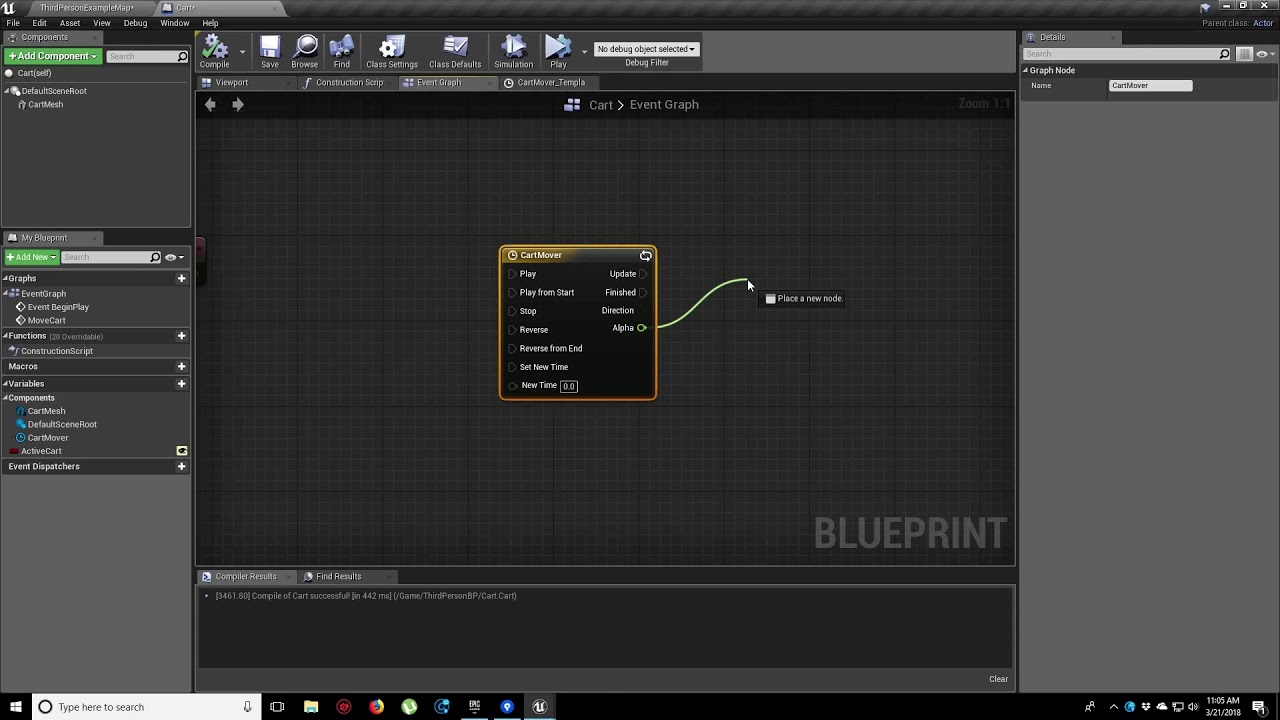
In this video, we show you how to make an object move along a set path using Splines. We also show you how to control the speed of the object, it’s starting position and looping options.
Works for me. xD
https://streamable.com/huxk9h

I'm sorry, you probably worked hard on what you already had but as far as i can tell, you went the wrong route, i'd suggest to start over.
Implement a simple move logic that is easy to change, adapt etc and then start from there.
Here's how flexible it is :)
Hope it helps.

We'll run you through it if you have issues. ^^
 lament shard
when i use only Event Tick - camera works like i want, but there are always 2 errors, when game stops
but if i use Delay + Tick Enable - camera doesnt work, but errors gone
sudden zephyr
You know you can click the error and it shows you the exact node?
lament shard
i know)
sudden zephyr
Cuz i don't see the faulty node in the pictures
It said SetActorLocation with the Char2 as target input, didn't see it on any of the pictures. Access none means something was empty when it tried to read it.
So, go to the faulty node and work backwards, meaning check the Char2, where it gets set and when. Essentially meaning, before ever calling SetActorLocation on Char2, you must make sure it's either set or do a IsValid check before trying to move it.
Sometimes it can just be a trivial thing like the actor references being destroyed on session end before the Tick Event finishes, since it's async ofc, so a IsValid should be fine to use. Unless i'm wrong ofc. 😛
true valve
How do you attach a static mesh to the end of a cable in a blueprint?
tight venture
@chilly sun you may want to ask that in #animation
 chilly sun
thanks
tight venture
@true valve Is your cable a skeletal mesh?
tight venture
@true valve wow, I'd never even heard of that type of component. Had to look it up. Sorry, never used one.
@true valve It looks like cable components have a socket at each end. Just attach the static mesh to that socket
It looks like the sockets are named "CableStart" and "CableEnd" by default, so:
Something like this I would think
A breakdown of the Cable Component.
@true valve ^
sudden zephyr
Attaching an actor to a cable and cable to an actor are 2 different things. I'm not sure cable comes with constraints.
Meaning, you are attaching the cable sockets to other things but those things wont move based on the cable.
tight venture
Well, he asked how to attach a static mesh to the end of a cable... I think that would do it...
sudden zephyr
But you are not attaching a mesh to a cable, it's the reverse. 😛
But anyway, this should probably help.
https://www.youtube.com/watch?v=BH0G89cXHvw
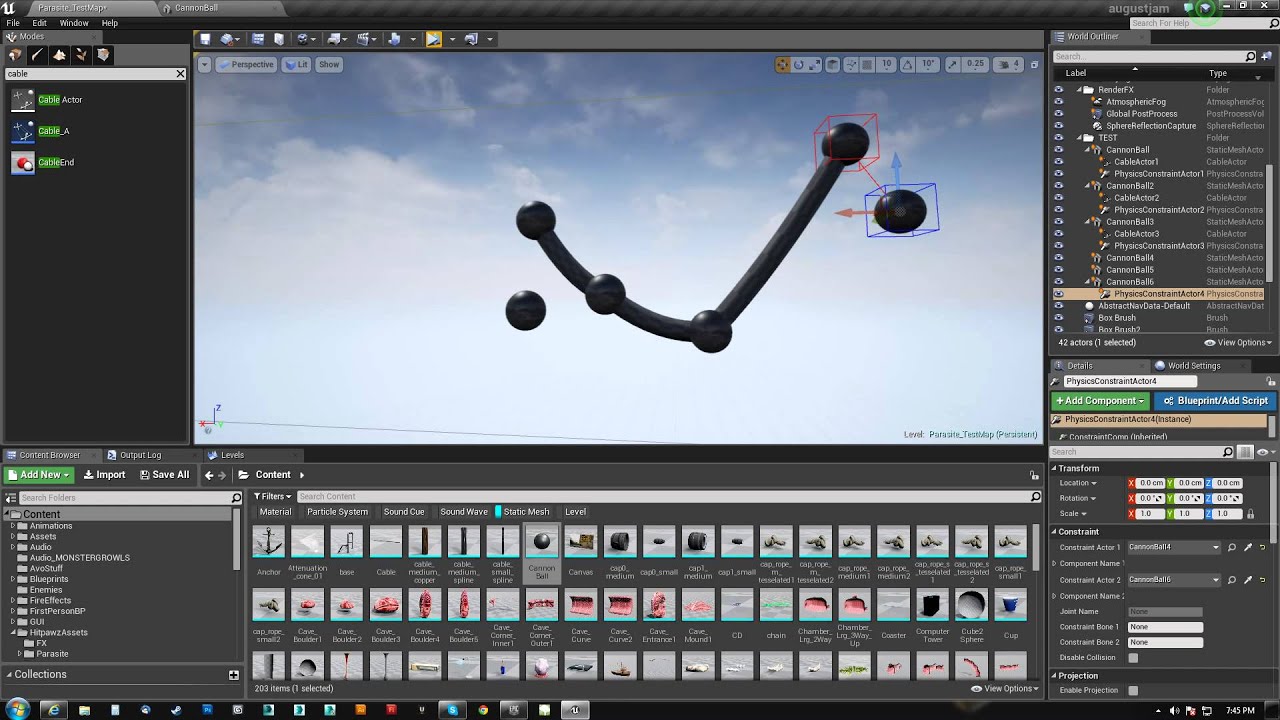
In this video we look at the Physics Constraint and some fun stuff you can do with it. This can just be placed into a level or you could build/script it in a blueprint.
tight venture
I see what you're saying. Yeah, I don't know anything about how a Cable Component's constraints are set up, you're right. But that would spawn an actor at the socket. How they'd behave after that, I dunno
sudden zephyr
Basically, the cable does nothing, only connects itself between socket A and socket B. No forces are applied by the cable on to the attached meshes. The cable is an "illusion" kinda of thing. You'd use constraints to actually attach 2 objects in a linear manner and then just use a cable to connect the 2 constraints to give the illusion it's connected. If it makes sense.
tight venture
You're saying Cable Components are purely cosmetic? Sounds about right.
sudden zephyr
Perhaps some trickery with enabled cable physics and lots of solvers and all but thats a BAD thing to do. xD
But anyway, follow up on the vid i posted Korvax and you should be on your way to have a fishing rod. 😄
tight venture
Yeah, from the UE docs page for Cable Components, it looks like they're not meant to be used to handle constraints between two physics objects, but rather be a simple way to add something that looks the part. Like, if you wanted to model some fuzzy dice connected by a piece of string, hanging from a rear view mirror... If you want the dice to have realistic physics, you'd need to use a spline mesh to model the string. If they were purely cosmetic and weren't affected by physics, then you'd want to use a Cable Component for the string.
That seem right?
Or am I way off
That's what my brain came up with for a tl;dr on the docs page hehe
sudden zephyr
Yup
true valve
So I needed to attach the hook to the cable.
If that works then wherever the hook lands, I want to attach the hook with the cable to that location.
In my case water...
I saw the doc and video before asking here. I will study the video more.
worldly gyro
no
death animation
i also death before have 0 hp
he don't like be shooting by 2 balls
idk why
with 1 ball ok but when 2 balls different he don't liek
flint nymph
I don’t know all of your setup but what the error means is that you’re referencing something improperly
 thorny cedar
will my result be false, when my audi component is empty?
and true, if i have a audio file set to the audio?
flint nymph
the result will be valid if the audio component exists
thorny cedar
so i have to check if it isnt empty?
tropic robin
So, im still working on my jetpack code and in need of someone who can help with networking because perhaps I am doing something wrong.
As of right now the steps I take are client pressed spacebar, sends bool to server to say its firing, the server replicates that bool to everyone. on the player tick I have a multicast that gets called to execute the jetpack function, the jetpack function checks that bool and if its firing it applys the force.
It all works
however
the client experiences jittering
And my assumption is im doing the rpc wrong but I cant quite put my finger on it
The code can be viewed here https://gist.github.com/mojobojo/6fbdd04ac5217bc3cd982ad1884df753
 tropic robin
I have implemented it in both blueprint and cpp and same results so I know this is an error on my end and my compreshension of networked code
flint nymph
oh ok
worldly gyro
 tawny tinsel
how do i have simple soft body collisions using advanced locomotion v4? i just want to simulate hair and skirt on my character
tawny tinsel
ok i think i got it
now my charcater falls thought the floor tho? as if it has no collision
the ragdoll works
but ugh i cant move
my physics are only set on a few bones
not all mesh
 golden kite
why is unreal doing this
thank you unreal, it really helped me which node had the issue
 fallow path
Thats not even the worst I have seen
 thin rapids
why is unreal doing this
@golden kite you can just click the node it says is getting an error
and it will go to it
flint nymph
IsValid nodes spitting out access none errors is a weird bug I’ve been seeing/experiencing lately
golden kite
it goes to standartmacros
it doesnt go to the node that has the error
it opens the standartmacros of isvalid
I guess Im trying way too hard with ue4, i broke the thing
fallow path
@golden kite the access none is actually not an issue in this case. The display of the message is
except unreal breaks the execution flow cause of the issue
Atleast the message tells that is reading none from "ActiveGun". Thus have a look where to reference that variable
golden kite
issue was caused because I was checking for a actor component that was not valid
now, replace references always crashes
thin rapids
it goes to standartmacros
@golden kite did you press the 'IsValid' or 'Branch' node? the branch node will move you to standardmacros because its inside the isValid node
fallow path
The IsValid node should not spit that error, as it is THE node to check for 'NONE'
golden kite
both goes to standartmacros
thin rapids
🤔
golden kite
I would say this is a bug
 hazy igloo
@golden kite Oh, modern art 🙂
golden kite
wut
plain flare
Hey what should i do cast object for projectile
fallow path
?
rough wing
@tight venture are you trying to find the coordinations of the points or the perimeter?
@plain flare get actor location'i -1le carparak isi bozuyorsun
 tranquil hazel
Does anyone know how to replicate warframe's wall jumps?
 icy mica
@tranquil hazel YouTube has an advanced tutorial about wall running might be worth the watch. search for "wall running unreal engine 4"
I am not 100% sure it covers jumping though.
tranquil hazel
ok thanks
 exotic cradle
Trying to make a line trace for this camera is going to give me an aneurism
Jeeez
No mater what location I use it goes the exact same direction and the only thing that changes its position is my characters position in the world. I think maybe the problem is I have my camera separate from my actor?
Lmao. Might have figured it out. I probably need to get a reference of the camera location using my camera_interface. Duhhh
trim matrix
Anyone know how to set up a function that would take Vec X and make a (Vec Y) at a distance between X and Y that I want control of?
basically I'm spawning a new actor at a random location but i want to have a bias based on distance between the last actor that was spawned
Z is 0 ofc
exotic cradle
So you want a random number on the Y-axis?
exotic cradle
Well he said he wanted to make a Vec-Y at a distance between X and Y so he is looking for Y
trim matrix
sorry i said that wrong
trim matrix
yes
but i want a distance i can control with a slider widget
doesn't have to be like fixed distance from vector
exotic cradle
Ah
trim matrix
just a bias
so maybe random relative vector i guess to that distance offset from vector 1
i guess
exotic cradle
One second.
Ugh my internet went out one second let me get the link I was about to post from my pc
trim matrix
Np any help is appreciated
exotic cradle
Okay go to google. Type in Advanced “Random Actor Spawning” Blueprint
trim matrix
k
exotic cradle
Idk if that’s what your looking for or not
https://answers.unrealengine.com/questions/469610/how-to-spawn-actor-in-random-y-location.html Ayyyy your exact question
trim matrix
ah! transform location
exotic cradle
Thatll do it lol
trim matrix
thanks!
exotic cradle
No problemo!
tight venture
@rough wing I was just trying to generate walls around a floor which is made up of an unknown number of rectangles, such as this:
worldly gyro
How to know each node
tight venture
I came up with a pretty decent algorithm:
-
Put the corner point of each rectangle (cuz I have access to those) into a map of Vector2 -> int, and each time I find the Vector2 in the map (duplicate corner from the meeting of two rectangles), I add one to the mapped int, else add a new Vector2 index. So, basically, just keep track of how many rectangles each point is a corner for.
-
Only consider points with odd numbers in the map.
Then the remaining points would be the correct minimal outline of the perimeter
You can see it more clearly if I mark the number next to each point
keep the 1s and 3s, ditch any even numbers, the 2s.
That works for everything except one case:
That case ^
 plush ridge
How is this possible? My "EnemyType" variable is BossVikings, and for the enum, it selects Viking, but the actual output is Knight?
tight venture
So I'd have to figure out how to work in that edge case, and... besides that, I'd have to work out the missing part at the end of the algorithm:
How to determine how to connect all the remaining dots correctly, cuz it wouldn't necessarily just be fetch your closest neighbor in a cardinal direction cuz then you'd run through the middle of the map, such as (in the top diagram) going from the upper-right-most 3 point straight downward a short distance has you run into a 1 point, so how would you know how to link the points together
Anyway, it doesn't matter anymore. I knew as I was attempting to solve it that all that was unnecessary, I just thought it was interesting to solve. It doesn't matter anymore because I realized that I'd need to put up walls in the middle of the room sometimes anyway, so it was moot at that point.
@plush ridge I'd have to see your enum layout in order to say for sure. My guess is that it's not actually using "Boss Vikings" but rather the "All" option, which I presume you are using as a default/catch-all value
plush ridge
was my fault, sorry. I was overriding the EnemyType variable right after this so the second time it looped around it had Viking as the input, so Knight as the output
tight venture
ah, k well all's good then 🙂
 gritty elm
@thorny cedar you need to understand the concept of nullptr in c++, if you destroy this component then you will get false, otherwise if audio is empty it still return true, because you still have valid component constructor
thorny cedar
what would be the right check for checking if it has a legit audio file?
so i basically check, if the component(audio) exists
gritty elm
@thorny cedar well, that is very easy, you need to get sound from that component and then get outer and you can check if you have valid loaded sound asset 🙂
 sweet hinge
hey all, really simple question here that I can't seem to overcome - trying to make something move from a bone location to 500 units in front of my actor. Everything works except my beam just goes off in random directions instead of forward, and I can't figure out what I'm doing wrong from tutorials or why my math is wrong. I have tried everything from simple getting location and multiplying forward vector by 500 for the end point, to attempting to build a custom transform for the new endpoint
I'm doing something really simple wrong I just can't seem to snag it
gritty elm
@sweet hinge can you tell the name of bone you are attaching to?
sweet hinge
using the UE4 3rd person starter kit stuff and just one of the finger bones
or actually it's the 'hand_l' bone specifically
obtuse glacier
I heard there's already a way to convert BP to C++, does anyone know what's this feature called? I'd like to learn more about it and see how stable/reliable this is
 thick pewter
@obtuse glacier It is nativization
obtuse glacier
@obtuse glacier It is nativization
@thick pewter
is it built-in or a third-party plugin?
thick pewter
@obtuse glacier it is built in, you just do it to increase performance especially for complex bps
obtuse glacier
great, thank you @thick pewter
gritty elm
@sweet hinge you are doing wrong, you need to attach to head or root, because if hand move your attached actor will move too
sweet hinge
if I want the particle to start at the hand, do I just get it's location in world to set as start point then and force the rotation for 'spawn emitter at location' rotation pin from the root?
sweet hinge
ok will give it a shot using rotator from root real quick - thanks for the idea 🙂
gritty elm
@sweet hinge here is an example
thorny cedar
@gritty elm basically checking, if i can get my sound
 hexed jungle
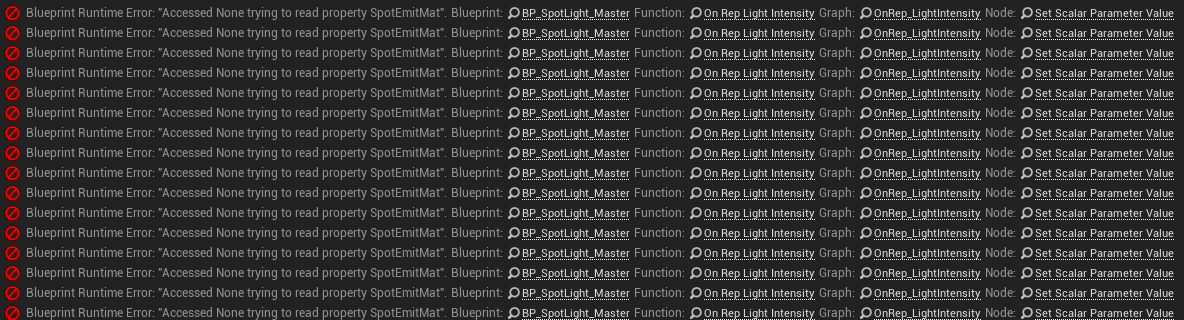
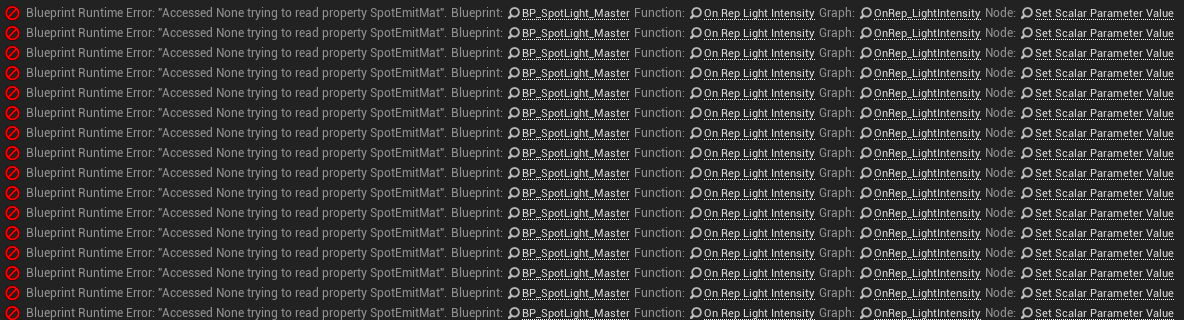
i have a blueprint that works only some of the time, the blueprint compiles fine but because it compiles and works some of the time I cant work out why this error keeps coming up..... what exactly does it mean saying "accessed none trying to read property"
 sweet hinge
@gritty elm my emitter spawns forward from wherever the character is facing now after your assistance. Thank you SOOOO much!
 mighty sinew
me want fire noise
how get?
@someonewhowillhelp
i made fire noise
but it sounds scratchy or roboticy
i dont know why making a new event beginplay made the fire not duplicate itself
 pulsar oxide
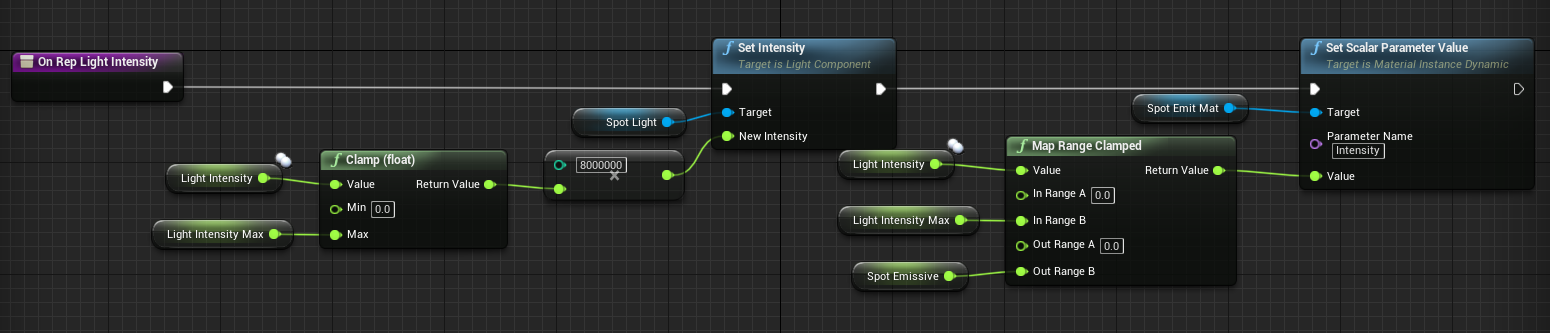
i have a blueprint that works only some of the time, the blueprint compiles fine but because it compiles and works some of the time I cant work out why this error keeps coming up..... what exactly does it mean saying "accessed none trying to read property"
@hexed jungle Just before "Set Scalar..." run an "isvalid" on the "spot emit mat" reference. My money is the reference is null.
 woven lance
i've gotta get the midpoint of two points. is this "make array" node a performance problem?
 inner ginkgo
@woven lance The node itself isn't a problem, but you are essentially adding the 2 vectors and then dividing by 2. The method you have now is probably overkill.
woven lance
right, it'd be more suitable for an actual bunch of vectors to average
 atomic crescent
hey, are you able to move the player character to a location? Im bascially playing as a dragon & want to be able to fly down to the cow on land
is the ai controller something that will tell it how fast to transform the location? not sure how to go about this haha
inner ginkgo
All of the move-to style nodes work on AI Controllers only. Player controllers usually work with manual movements and/or movement components.
atomic crescent
thanks, i will look up movement components
inner ginkgo
Did you want the "fly down" to be automatic? Or should a player be able to move up and down at will?
atomic crescent
i wanted to make it automatic. once the dragon 'sees' the cow a string is printed saying 'press f to swoop down' and then basically I want to auto move the player character from where its flying to the cows location. i have the string printing on event overlap w/ the cow (cow has a large sphere competent)
inner ginkgo
Ok. So, it is basically a scripted event. There are no easy 'move to' nodes for players in that regard. So, you'll need to look up some other stuff in addition to movement options. A timeline might be handy.
atomic crescent
dam im pretty new to blueprint & coding logic in general. but i really wish this worked haha
flint nymph
@atomic crescent be careful with large sphere collisions on lots of actors, they can potentially be costly
flint nymph
if you’re going to do it that way just have it on the dragon
instead of on every cow
flint nymph
you can lerp between your current position and the cow position with a timeline as a really simple way to do it
inner ginkgo
^
flint nymph
you just need a track on the timeline that goes from 0 to 1
and you can scale the timeline’s play rate by distance
if that’s something that’d be relevant
tranquil hazel
does anyone know how to recreate warframe's wall jumps?
true valve
Can you use flipflop with montages? If not any alternatives?
flint nymph
what are you trying to do exactly
 zenith kindle
how do i test if a bitmask int32 has a specific enum set in it ???
 quick lark
Hey all, my motion controller is spawning far away from my HMD. Does anyone know why? Super simple setup. MotionControllerR and VRCamera have a location of 0, 0, 0
looks to be about 1-2 meters away
Also I am resetting the position of the HMD
zenith kindle
how do i set it to the enum value ?????
so dumb, im just ganna right a helper function in c++ just to properly use enums & bitmasks in blueprint... 2020 wtf ?
exotic cradle
So i made 4 child bps for my 1 parent interaction bp. How do I go about having each child actor print something different on the screen when I interact with them as opposed to what the parent BP says when interacted, which is "Interacted" I cant seen to change what the child Bps Print to String tho
I am going to need an override for that specific function?
If I am misunderstanding something feel free to point that out as well 😄
 narrow kelp
@exotic cradle one easy way would be to override the Interacted function on each child actor
you could also keep a variable on the parent, and change the variable's value per child
and it will use the child's value
exotic cradle
So just have the interact function directly with the child actor not be inherited from the parent
flint nymph
@exotic cradle the easiest thing to do would be to make the string that gets printed a variable
and you can change that variable in the child classes
true valve
@flint nymph So If I left click once I play a fishing rod swing animation. If I click again it plays another animation to pull to rod back.
flint nymph
yeah you should be able to use a flipflop for that
true valve
So I've attached a static mesh to the end of a cable. After I swing it I want whatever the SM hits to become the cable's end location and sticks to it. Any idea?
flint nymph
on hit attach to the other component that was hit, keep world location etc, maybe that could work
true valve
my overlaps are not detecting the floor
tranquil hazel
does anyone know a video that will help me recreate warframe's wall jumps?
zenith kindle
i just laffed at ue4 and no one retaliate???
 unborn turret


 cunning anchor
does anyone know a video that will help me recreate warframe's wall jumps?
@tranquil hazel - Raymond cripps has a good grinding/wall running devlog channel
 cloud gulch
What's the node to stop movement in certain directions world coords?
tropic robin
So Im using a third person view and firing a hitscan weapon. Since the camera is offset in order to fire from the player to the crosshair I need to make two line traces. One from the camera to the crosshair, then another from the player to the hit result of the first linecast. Is there a way I can do this in one linecast? Im looking to not having to do the cast from the camera because if the camera is pressed against a wall or object the initial cast hits that object and the player shoots in the wrong direction.
trim matrix
@tropic robin that's one of the difficult 3rd person problems and I don't think you can do without two line traces... doing two line traces in one frame isn't that bad
tropic robin
I see. My main issue right now is the first line trace, if it gets anywhere near a wall the first trace can be behind the character
Can I make a trace ignore the first hit?
Or lets say I use a multi linecast, can I guarantee the order of the traces they give me so I can ignore the first hit?
sudden zephyr
Are you casting literally from the camera?
tropic robin
Yes
sudden zephyr
Why?
tropic robin
Because I want the bullet to go towards the crosshar
sudden zephyr
You should cast from the character offsetted by the camera.
So your camera could even clip, the trace would be from the character and shoot roughly in the proper direaction with no intersect behind.
tropic robin
lets say I have a literal position on the gun I am shooting from. I have a node set from the tip of the gun. I cannot guarantee if I offset the cast that those will match due to using a physical animation and I have floppy arms
I imagine just offsetting will not work then
however the argument could be I dont NEED to shoot from the exact tip of the gun
sudden zephyr
Well, there are 2 solutions , one the proper line trace from camera i mentioned and a line trace from the muzzle to the crosshair. It's easy and simple really.
Second is making the weapon move/align with the trace. (Which i did) But requires a specific setup in my case tho so...

 tropic robin
The line trace from the muzzle from the crosshair is what I am trying (have) achieved but its wierd because of the two casts I use.
sudden zephyr
Well, it's always gonna be a bit weird doing that. You get the "fallout 3" effect. The closer something is to you, you will still hit the target but the gun when looked more closely would seem as it's shooting somewhere else. Immersion breaking. Or you have the "Metal Gear" effect where you actually align the weapon to aim to the trace, which is a bit more involved but looks much nicer.
tropic robin
Right now I am using a very loose physical animation which points the two guns in the direction you are facing
which makes for some funny things
like naruto running
sudden zephyr
Or just use the camera line trace for the hit. But in any of those cases, you have to originate the cam trace from the character so you don't hit things between the character and camera.
You have to choose which route you go.
tropic robin
the pressing against walls and objects I am trying to at the very least water down the negative effects
I think its more of just that being my question more along the lines of how to accomplish the inital cast. Ive done the cast and it works, I just have issues related to the first cast
sudden zephyr
Well, in that case no idea. xD
Why don't you try a camera line trace from character and see what kind of results you get? It sounds like a much more simple solution then doing a mumbo-jumbo of inconsistent results. xD
tropic robin
Sure, I will give it a shot
so am I subtracting the camera and player transform and casting from that?
sudden zephyr
I have a snippet if you want. Using Camera Boom connected to capsule. (Same as from the original third person character starter pack) unless you changed it
tropic robin
sure if you dont mind me talking a look at it
tropic robin
I did change the offset of the camera on the boom if that matters
sudden zephyr
I know, i have a switch sholder so this should account for that
tropic robin
gotcha
sudden zephyr
This is a macro where you put the length of the trace in units and it should handle the left right offset from the boom. Tho i didn't hook up the up/down offset as i didn't use it. If you do, should be easy to hook up as well.
Made a mistake. 😅
tropic robin
On a related bit, with the camera collision, I cant seem to understand how to set the probe channel. I want the camera to not reposition itself when a player walks behind you but cant seem to get that set right
its a jarring feeling to have someone walk by and your camera shifts
I guess thinking about it, that then opens the possibilty of the first cast to hit them and running into the issue where then the second cast goes from the player to behind yourself.
sudden zephyr
Dunno what you mean.
Also, i thought the Camera channel is ignoring pawns. o.O
Dind't work on NPC's yet
You could setup a custom channel to apply query on all except pawns and i think you can edit the collision presets and set it up appropriately.
tropic robin

 sudden zephyr
Yeah, i see. This is odd.
tropic robin
ignore the back attachments, I know thats a studio light and not a jetpack
the swords and the studio light both have no collision
so they shouldnt interefere
sudden zephyr
Should be easy to setup a custom camera boom channel.
tropic robin
just to confirm, the channel is what it WILL collide with right?
in case I am misunderstanding it
sudden zephyr
Yup
Set all to block, check which preset the pawn uses and change it accordingly. Likewise if you see camera bouncing off on an object of given type, you can check it's preset and make an ignore on that too. Or, i think you can just go into the pawn, change preset to custom and make Camera channel ignore.
Tho, i'd rather setup my own as i don't know what other things could rely on a pawn blocking the camera channel. Like other nodes or marketplace things etc. Keeping defaults as much as possible has it's benefits.
Anyone have any pointers how to make weapons jiggle on back when attaching a weapon to a socket?
plain flare
Hey i want to down health projectile to projectile. What should i do ? How can i do if overlapper shotgun , health -50. If overlapper rifle , health -20. I know setting health parts but how can i say " if overlapper shotgun"
sudden zephyr
At first, when i read my brain went:
https://www.youtube.com/watch?v=nMfPqeZjc2c
But if i understood you corretly, you probably want this:
Use a bool, or rather use something to identify the overlapping actor being in fact something you care about, and then switch the floats around.
Or if you don't care what overlaps, just do a Is Valid.
plain flare
no, i dont want to make like that. First of all, i want to apply damage gun to gun. If damage causer rifle, damage for example -20. If causer bomb , damage -50 etc. I have 5 gun and im gonna apply differently. And my problem is getting this rifle and saying "if damaged by rifle ". Or casting to bomb and saying " if damaged by bomb". My problem is this, i cant do that, i couldnt say " if damage causer rifle ". Anyway, this question, i think so long to help. So, im gonna ask part to part in different times, im working to make this.
sudden zephyr
At first, when i read my brain went:
https://www.youtube.com/watch?v=nMfPqeZjc2c
It's meant as a joke btw. xD
plain flare
:D
one minute
this is projectile. What is gonna be object ?
cast's object
i asked yesterday but no answer
https://discordapp.com/channels/187217643009212416/221798862938046464/728651167894208622 . Maybe weird question but i didnt understand what cast's object doing.
sudden zephyr
I didn't get to this yet, but i have a feeling you're not doing it properly. Firstly, what does the overlap do? Is it to detect the actual physical projectile?
plain flare
No, i tried if overlapper projectile, apply damage
sudden zephyr
Is it to detect the actual physical projectile?
Well that's what i asked. xD
You should use On Hit event for that i think.
sudden zephyr
Oh boy...
No, you need to replace overlap event with the Hit event.
It's what it's for.
plain flare
Ok, but my event hist is small
ok i opened
so, im gonna try with event hit, thanks for now. Probably im gonna ask some questions too.
sudden zephyr
I'm sure you will xD
plain flare
:D
trim matrix
i have a bunch of actors that i want to know which one has the biggest scale and i need to know with a fast update because i want to draw a line from my mouse position to that object and have it update
having troubles getting it to work properly
sudden zephyr
Show us what you tried so far so we get a sense of your implementation.
 tight cobalt
Anyone knows the console command for "Num Dynamic Shadows Cascades"?
trim matrix
problem is its switching to random targets and not keeping my biggest circle
trim matrix
if i run on completed is nicer but it will trace to a object thats just wrong 🙂
those circle are scaling from 0 to 1 then back to 0
anyways going to bed anyone feel free to pm me a solution or ideas on how to go about this would be appreciated thanks
sudden zephyr
Lol... nvm then. xD
trim matrix
sudden zephyr
This is rather hard do decypher. xD
But yeah, definitely make it on complete, and make sure to remove those missed traces first, just makes it harder to see what it's actually doing.
trim matrix
yah i wouldn't of thought it would randomly trace smaller actors
wait lol i think i read something weird in my code
lol
im dumnb
sudden zephyr
You're checking the wrong scale axis or something? xD That's my other hunch
trim matrix
had the wrong actor in the set variable
i was suppose to read
temp actor > then looped actor
was being set
and i needed to set the looped actor to that set node at the end
sudden zephyr
😂
trim matrix
now i just need to translate this to widget
thats what happens when its late
and your eyes are half open
sudden zephyr
yup
trim matrix
thanks was fun now i sleep
sudden zephyr
gn
plain flare
i did projectile damages thanks but now i have another problem. When i shooting ai and if it is dying , it isnt destroy yourself althought i used destroy. It is destroying yourself when it came my near
i used everywhere if health 0 destroy yourself. Almost between every peace but it didnt work
still it destroying yourself when my near
if it is far from me, dont destroying
code is this. What should i add ?
sudden zephyr
Well, what you expect? It checks the health only when the pawn sees you.
You need to move the destroy where the take damage is. Meaning, whenever the pawn takes damage, check the health after and destroy if <= 0
sudden zephyr
Omg... xD
sudden zephyr
When you need to use a bunch of branches, you know stuff is very wrong.
You should somehow pass the damage and apply. But that's besides the point here i guess. 😂
plain flare
i recognize it isnt working correct
i deleted all of these
i recognize damage count doesnt applying, if bullet came , after pawn is dying , if bullet damage 10, but pawn still dying ( and pawn health 100 )
 minor whale
Load Url does not work
plain flare
Im trying to when i hitted by shotgun , damage 35 but there is happening interesting thing. When i play with shotgun, it is damaging 35 every frame althought if i dont shoot. So between branch and apply damage , what should i do ?
minor whale
How can I download an mp4 file from a website and save it?
tawny tinsel
my characters physics are all messed up when she is in the capsule how do i fix it so the capsule does not interact with the mesh collisions
 gaunt monolith
@tawny tinsel both the mesh and the capsule have collision checkboxes, you prolly just have to set the mesh to ignore pawn
plain flare
i have an AI an what should i give this pawn's cast object ?
plain flare
 chilly linden
how do I get a platform to flip its roation smoothly
i just want it to flip smoothly 180degrees
the pivot is set
gaunt monolith
@plain flare there is a possibility there are multiple of that BP in the level
so it needs to know wich instnace of the bp it needs to cast too
like get it with a linetrace or overlap
if there is 1 in the level you could get all actors of class, get 0 from the array and use that, but this is bad practice
@chilly linden get actor rotation and add 180 over time?
or use sequencer
lerp between 2 rotations
many ways to do it 🙂
chilly linden
its like glitching out lol
this is what i did
using a float track of 0.5s
it doesnt rotate 180
it does like 175
for some reason
gaunt monolith
and the float goes all the way to 1?
chilly linden
yes