#blueprint
402296 messages · Page 494 of 403
 sand shore
@mental lodge
in the construction script in the object
Well there it is
Do that on begin play
 exotic void
Oh so change properties of a single instance of an actor in the level instead of trying to add a new class to handle that specific logic. That would help a lot yeah
thanks for the help @sand shore youve been a great help!
sand shore
No worries! Go forth and enjoy
 inner ginkgo
@mental lodge The trace code you show has no filter to determine if the hit is the current object. It only checks if a hit exists. So if you are running that on all doors at the same time, they will all respond in the same way, visible or invisible.
sand shore
I doubt it's multiple doors running this logic. Much likelier this is them all sharing one material instance
 mental lodge
Immut, i tired your way, and it didnt change the result (though it sounded good)
It might be Eckish's way, but I don't know how to check to see if the hit result is the same as self
inner ginkgo
The simple way without changing your design is to break that Out Hit pin and check to see if the Hit Actor is equal to Self.
mental lodge
Actually, I need to cast to the hit actor to change the specific actor's dynamic material, but how do i cast to the hit target?
inner ginkgo
You wouldn't need to do that with this check.
mental lodge
T_T Somehow, managed to break what was working before. Not sure what you mean by not needing to cast to the speicific object
mental lodge
Its connected to an event tick
inner ginkgo
That's what I figured. You don't want to do the cast that you added.
You want to use the material var that is already present like you had in the first screenshot.
mental lodge
But wouldnt that just end up changing the visibility of all of the same objects again?
inner ginkgo
Nope. Because with the Hit Actor = Self check, only the one that was hit goes down the true path.
They DO all get changed. But only the hit one should get the true path change. The others should go down the false path.
mental lodge
Huh, i just thought of that type of boolean as a yes/no, without additional information.
and on setting it up, it works now!
inner ginkgo
Nice!
mental lodge
Man, blueprints are weird.
inner ginkgo
Honestly, just this setup is "weird". 🙂
You have it set that each door is checking to see if the player is looking at it (or whatever that trace is). That means every door is always checking if it should be visible. Ideally, you'd flip this around to some event based thing where each door reacts to some other object doing the check.
In that case, you would likely do the cast on Hit Actor to perform the changes.
mental lodge
Ah, yea, that. Honestly, rather than something more efficient, I wanted to have the entire check/setup within the door blueprint. I'm pretty sure it would be better to have it all within the character, but I don't want to put anything in the character right now.
 chrome dust
Does anybody know how to filter out EQS points for multiple AI so they don't all go to the same exact point?! I tried distance test but they still pick the same exactly point.
mental lodge
@inner ginkgo Ok, one more question though (though this is just for my curiosity, not really an issue or anything). With the setup that I showed, I have the trace searching for a visible block channel, and a collision box with visible set to block. Now, when I am checking the trace results, it comes out as Hit, Miss, Miss, repeating in that pattern. I haven't a clue as to why it is switching back and forth like that. Any clues?
inner ginkgo
This is still in the tick logic? Because you are probably seeing hit for 1 door and miss for every other door.
inner ginkgo
If I ever do debug print strings for something that I know will have multiples, I like to append the object name to the string so that I know who is reporting what.
mental lodge
Well gosh, yet another mystery solved. Thanks Eckish! You have saved me from many more hours of frustration. 😄
inner ginkgo
No problem
 tight cobalt
Is there a way in Widget to make sure that button animation goes from start until the very end before proceeding to do anything else? I am working on a button that animates image on mouse hoovered and mouse unhoovered. The problem is when the image unhoover animation happens, on the return path it overlaps again and it creates/triggers the hoover animation again by accident. Here is the BP screen, and video of the problem.

 timid forge
Hey guys, I'm trying to attach a weapon to my player mesh, but it's not working. I've heard that AttachActorToComponent was deprecated. What is the new way to do this?
inner ginkgo
AttachActorToComponent is still present in 4.25.1. Don't see any mention of it being deprecated.
timid forge
Hmm, it doesn't seem to work for me, even without a socket name
inner ginkgo
@tight cobalt What data type is the book anim? And how are you playing it? Most likely you just need to track when the animation finishes and put some kind of checks in each of your overlap events.
tight cobalt
Its a simple button anim
timid forge
Can a socket only have 1 thing attached to it?
inner ginkgo
Ok, widget animation. When you play one of those there should be a finished pin. Probably the way that I would go is to create an event dispatcher in the widget to mark when the animation finished. And then call it on the finished pin of the animation. In your calling class there, you can bind to that event dispatcher to track when it's done.
tight cobalt
Oh...hmmm.. seems like i didnt connect my bolean to the unhoover...its gonna return true all the time.
let me check if it makes difference when getting isbook check as bool
inner ginkgo
@timid forge You can attach lots of stuff to same component/socket. Can you show your BPs?
tight cobalt
Ok, widget animation. When you play one of those there should be a finished pin. Probably the way that I would go is to create an event dispatcher in the widget to mark when the animation finished. And then call it on the finished pin of the animation. In your calling class there, you can bind to that event dispatcher to track when it's done.
@inner ginkgo Sounds like it could be the solution. Neve rused event dispachers, I am still a beginner.
What should i look for to learn about it? NVM
EDITL: FOund it>https://www.youtube.com/watch?v=ayCEqL7XFZY

What are Event Dispatchers in Unreal Engine 4?
Source Files: https://github.com/MWadstein/wtf-hdi-files
inner ginkgo
@timid forge And what happens when you run that? Is your actor simulating physics? You'd normally need to disable physics when attaching.
timid forge
I think I may have figured it out. If I have a subclass of a base weapon, and I initialize it as the default subobject of the base weapon class, will it not use dynamic dispatch to get the default subobject of my subclass weapon?
Nothing is simulating physics
Cause I think it might actually be attaching but there isn't a mesh on the base weapon, and it's being initialized without it
inner ginkgo
@tight cobalt The WTF videos are usually a good starting point: https://www.youtube.com/watch?v=ayCEqL7XFZY
What are Event Dispatchers in Unreal Engine 4?
Source Files: https://github.com/MWadstein/wtf-hdi-files
lol
tight cobalt
Thanks 🙂
Whew. almsot finished my whole project without this..and its suuuper useful.
inner ginkgo
@timid forge Certainly hard to figure out where it is without a mesh 🙂 For debugging, you can draw a debug sphere in the weapons tick at the actor's location.
timid forge
No it's definitely just not attaching
Okay so I tried making a button that spawns a new weapon and attaches it and that works so I don't get why it doesn't work in the other scenario
inner ginkgo
That debug string is returning a valid component name when called?
timid forge
Yeah it's my players mesh and skeleton
inner ginkgo
It does seem odd, then. Other than turning off physics, that's the same method I use for my character attaches.
timid forge
Hmm, I'm making a multiplayer game so do you think it might be some replication issue, cause I'm normally attaching it on the server, but even on the server the transform of the weapon doesn't change
And when I press the button that is just my client doing it'
inner ginkgo
Oh, that is definitely important information, lol.
I haven't done enough multiplayer to be an authority on it, but I believe you need to make sure that whoever is responsible for the position also gets the attach. Otherwise, the position being replicated will nullify the attach movement.
timid forge
Does the weapon need to be like a child actor component or something to attach cause I just realized that in the outliner my manually spawned in weapon is under my player actor
And after I moved it out it was no longer attached
inner ginkgo
No, in the outliner, it should just fall under the parent actor in the hiearchy when attached.
timid forge
Yeah I just realized
 trim matrix
New to Unreal. Made this blueprint to press middle mouse and rotate the camera. Movement was too slow so the tutorial suggested to add a "float + float". Speed is now perfect but when i press the button the camera rotates by itself
Can anyone help me?
timid forge
It shouldn't be a "float + float" it should be "float * float"
Otherwise it thinks your mouse is always moving
Like if your mouse movement is 0 and your sensitivity is 1 then 0 + 1 = 1 but 0 * 1 = 0
trim matrix
Perfect. Thank you very much 😄
 grim lantern
How can i get a system environment variable in a Blueprint? Like the current user?
 ancient sandal
Is it possible to modify 4.25 volumetric clouds at runtime? None of the values seem to work at runtime
 cloud gulch
Hello, how can I lock my characters rotation so they only walk back and forwards?
 sick sapphire
is there a way to make it so that my character (animstarterpack) aims where the camera is pointing on the pitch axis?
 true valve
Any idea why All Actos of Class on PlayerStart won't work in a packaged game?
 snow halo
I'm having a fail moment. How can I get my characters max movement speed from another actor blueprint's construction script?
getting a reference to the character is easy enough, but max move speed keeps returning 0.f : /
here is one way i tried
since i'm in the construction scripped i figure i'd grab a reference to the archetype since no instances would be in the world yet (construction script)
this is also printing 0.f
trim matrix
@snow halo not sure you can do that at construction, since that's at load time... is Begin Play to late?
Hello, how can I lock my characters rotation so they only walk back and forwards?
@cloud gulch disable or disconnect the left/right input in the player controller? there are physics constraints as well, but disabling input seems more reasonable 🙂
snow halo
@trim matrix ya too late unfortunately : /
I use the character max run speed to determine where some procedurally spawned actors are placed at begin play
so i need to grab that max run speed before begin play
Is there any hope for me?
I even tried just adding a variable w the run speed manually entered in the default field and it still returns - when i Get Actor from Class in another actor in the construct script
what's w that : /
 undone timber
anyone got a picture of turret tracking logic for base (declination) and barrel (Azimuth) mounted on an actor that has 6DOF?
this is my current tracking logic for declination but seems to be quirky at some angles (upside down ships or ships at 45 degrees in multiple angles)
 sudden zephyr
@undone timber Well, i have a head rotation logic that is based off on local space as i intend to add prone on belly, sides and back so that the head would always point in proper direction. I assume you'll have to do the same.
Rather then doing math, i think it would be easier if you translated it into local space since then it won't care if it's upside down or on the side.
 bleak vector
Is there a way, other than making duplicate nav mesh links, to make various types of units have different behavior on links; for example a regular unit can only go down on a jump link but a jumper unit can go up or down
 oblique ruin
Can someone please explain this widget panel to me and how it's used?
cloud gulch
Thanks @trim matrix
 woven lance
think of an item menu where you move around to pick items
sudden zephyr
So much missing doc's. -.-
Any recommended tutorials on foot IK i should check out?
 blazing ridge
why is SetActorLocation not working when the component that should move has simulate physicy enabled?
undone timber
thanks i was able to do it with transforms and rotators instead of using the vectors was much faster
 vivid sleet
I need help plz
tight cobalt
Hi. I was wondering is there a way to have the image over the button in widgetbp, but still be able to press the button thats underneath? I know about render order thing, but the problem is that my image has to be rendered over the button.
sudden zephyr
I thought you can put images inside button... 🤔
Yup, why don't you just put an image inside the button?
 surreal peak
Set the Image to SelfHitTestInvisible and you will be able to press the button
Also #umg
tight cobalt
@sudden zephyr I have image inside the button. The scene is basically the desk in the dark room environment. I have a sections in the book on the table that represent the buttons. Problem is I want to add lamp that is casting light on top of everything, but if i overlay the lamp light and lamp on top of overything, then i cant press other buttons. See the scene setup in the video i uploaded here. https://youtu.be/CR8P_HRoinI

And this is the lamp that I want to add..maybe not exactly this placement..but..you get the point.
Damn..I figured it out. There is a component called Overlay. If you set it up to affect children with its properties then it will not register clicks. Happy
sudden zephyr
Looks really good!
cloud gulch
Any way to smooth transition of SetActorLocationAndRotation?
bleak vector
yes
use something like a timeline and lerp or ease
@tight cobalt that's real neato
tight cobalt
Thanks..
Looking forward to fix the book, the image i got is very low res. Trying to sharpen it and apply some filters to get some of the sharpness back. If nothing gonna repaint it like a stylised art.
 carmine dirge
Will this still work in the current version of ue4?
you can see the bluebrint if you go too the site
 thin rapids
@carmine dirge i don't see why that shouldn't work in the current version
 gloomy linden
It just depenss on the rotation
cloud gulch
Thanks @bleak vector You've taught me a lot today 👍
carmine dirge
@thin rapids idk, maybe they changed some stuff
thin rapids
it will work.
carmine dirge
awesome (:
 graceful forum
Is there any speed difference between Map.Find vs Set.Contains?
cloud gulch
Would contain search the lot while find stops at what you're looking for - just a guess
 earnest tangle
Contains returns a boolean not the item, no?
Pretty sure that's the only real difference
graceful forum
Well I just need to confirm that the item exists in my container. I don't want to use array since it uses linear search. So I thought about using a map but I don't have a meaningful value for my keys. That's why I can't decide between map and set
earnest tangle
If it's not a key->value mapping then use a set
 storm dove
hi guys, how to destroy actor without getting "pending kill" errors from everywhere?
 gritty elm
@cloud gulch you should use rinterp to : https://www.youtube.com/watch?v=yoKJMhgSxmU

What is the RInterp (Rotation) Node in Unreal Engine 4 .
Source Files: https://github.com/MWadstein/wtf-hdi-files
@cloud gulch open your character, you need to make bool variable with branch like this:
 wild crater
Hey guys,
I want to make a runtime UI to tweak important gameplay parameters at runtime and then save them in a datatable or json/csv file. This so we can easily play with variables and create multiple profiles that can be loaded again for quick comparative testing and iterating. From what I can see you can't write to a datatable in unreal. So how would you guys implement this?
 flint nymph
@storm dove make sure you’re stopping executions before destroying or add IsValid checks to them
wild crater
but I would like to save the data permanently. The idea is that we can create a few presets of settings and later we can test each others or have players play the different presets and compare them
I'm guessing my only option then is to save it to csv or json and use a custom parser? Then I can import those files as a datatable and load the different profiles during runtime?
wild crater
Yea but you can't write to a datatable from blueprint code right?
 crisp wigeon
Hello everyone..
How to use color track in timeline?
 tired latch
I'm scattering HISMs through a BP. They have a dynamic material instance of a material that has its Basecolor from this image. This doesn't work. All the instances are the same color. What have I missed?
Nevermind, was using the same VecParam.
Was easy to miss because using the same parameter still allows for visually distinct preview colors.
 cerulean summit
Trying to ignore collisions between a spawned projectile and its spawner but it keeps hitting the hitbox of its owner anyway
"Mech Owner" is a reference to the pawn that spawns it
 exotic cradle
@trim matrix Idk of anyone who will be able to help with how you have it overlapping maybe not make such a troll post?
@cerulean summit What are your collision settings for the class?
 worldly gyro
hello i want to play a sound where my rock are
but i can listen here where ever i am
so that not nice
i want earn the sound only if i m near the rock.
exotic cradle
Ah
thin rapids
@worldly gyro you need a sound attenuation
worldly gyro
who
thin rapids
otherwise it wont make a difference
worldly gyro
how
thin rapids
Reference for the various models available for controlling the attenuation of sounds.
you need a sound attenuation class to change how much sound you can hear depending on the distance @worldly gyro
cerulean summit
@exotic cradle thanks for the reply-- these are the settings on the projectile
And these are the settings on the hitbox of my pawn. It's a static mesh attached to a socket on the skeleton
 untold ether
vector+vector
worldly gyro
yes
 atomic light
Uh, is there a way to read keystrokes even with "input UI only"? I want to unpause with the same button but obviously it doesn't read it anymore since I use "input UI only"
exotic cradle
Unreal Engine Forums
Build powerful visual scripts without code.
Does your BP look like that?
@atomic light
Google is your friend 😄
atomic light
Yeah I saw that one with overriding the onkeydown but I didnt quite get it to work
ill try again
exotic cradle
Send pictures of your bp's where you are having the issue and it will make it easier to help as without visualization its hard to diagnose the problem with just words
atomic light
This is the pause function I call from inside the character BP
and this is the resume button in the widget itself
so would I have to basically take the "resume" part of the function and put it into the override instead
since its not accessible at all when in the BP
exotic cradle
Usually with pause menus and such when unpausing/resuming I have all widgets removed and my normal gameplay HUD created, Input set to game only and added to viewport.
Than set show cursor set to false
atomic light
Yeah but that all works, my only issue right now is that the keystroke isnt registered
Could I maybe just disable input for the character?
exotic cradle
Whoops misread it lol
atomic light
Disabling input somewhat worked ^^
atomic light
Yeah but doesnt that "UI only" node block you from re-entering the flip flop
exotic cradle
Duh forgot about a specific part whoops
trim matrix
Trying to add names to a Data Table named ListPlayers, no luck so far adding them via a text box.
Does anyone have any idea, how I possible could do that?
 brisk kestrel
@trim matrix Data Tables are static data objects, you cannot modify them
You can use iterables(arrays, sets, ...) instead
 flat raft
is there a way to add TODO in BP? Possibly a marker or bookmark so I can return to it later ?
brisk kestrel
You can use colored comments
flat raft
I can... but then I have to search all my functions for a TODO comment.
gloomy linden
start scrumming
flat raft
scrumming ?
gloomy linden
yes, scrum
like trello
or just write stuff down on post-its and put them on your wall
 worthy frost
HackNPlan, Trello etc
or get that free plugin
where you can put comments on nodes
flat raft
so i take it there is no way to do it in bp itself ?
gloomy linden
other than comment fields, not really
flat raft
bummer
Oh... pffft.. There is a way
Just type 'ToDo' in your Node, or Comment Block
Then use the "Find in Blueprints"
Though PostIt notes are more visual, I guess.
brisk kestrel
@flat raft You can make a plugin for that 🙂, there's also python support in editor so maybe you can read a blueprints with that
But I think using external programs like Typora is more comfortable
flat raft
Cool Thanks! I'll look into it
trim matrix
Hey, I got it setup I can grab a snowball and throw it
but the physics on the snowball(the actor) all pretty weird
anyone know a good tutorial for that?
its just an actor with a projectile movement component
that spawns from my hand
flat raft
weird how ? Maybe just add an Impulse
trim matrix
it either goes trough the floor, or it hangs in place then dissapears
flat raft
is this VR ?
trim matrix
no no
flat raft
1st person ?
trim matrix
its just a sphere with a collision and a projectile movement component
flat raft
I mean is your game a first person or third ?
trim matrix
third person but it doesnt matter lol
flat raft
matters a little, but anyway.. you have to turn on simulate physics after it is spawned
flat raft
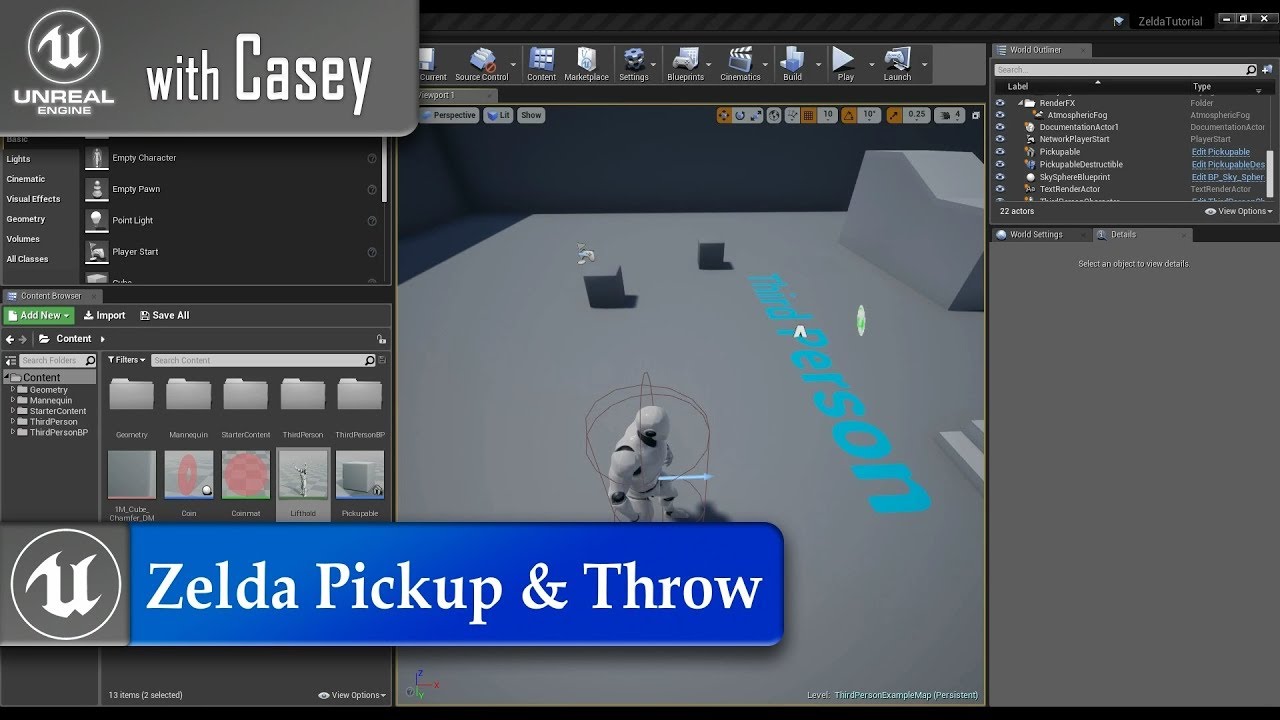
Animations Used: https://drive.google.com/open?id=1iwO_GETdAEaBtmSffZ69wTp9qEqln_qD
In today's tutorial I show how can do the basic framework of picking up objects in the world with our player, carrying them over our head, and then throwing them.
Maybe this will help
 spark bridge
Holy... 1 hour tutorial D:
flat raft
Make sure you have adjusted your 'Initial Speed' in the Projectile Movement
spark bridge
I would like to state a problem about Projectile Movement; Changing some values after the spawning process does NOT work.
Such as Movement Speed. If the speed was zero when you spawned the projectile, you can't really change it.
flat raft

In this first episode of Let's Make, we look at how God of War's Leviathon Axe Throw was designed, and have a go at recreating it using UE4. (Final Result at 8:55)
This is my first time making and recording a video, so I hope you all enjoy. It turned out a bit longer than I w...
This might be a better video as it uses the Projectile Movement @trim matrix
trim matrix
oof looks advanced lol
flat raft
you can also lookup 'Unreal Grenade Throw' on youtube
trim matrix
ah ill check it all out! thanks 😄
got it
it was all connected to the defaultsceneroot instead of the static mesh
 lyric iron
Hi i'm new to Unreal and I'm watching a tutorial on making a FPS, he's making a take damage function and creating a separate function for different amounts of damage, so he has a function for take 25 dmg, take 20, take 15, etc. I just want to make it so there's one function and there's a variable I can provide when calling to it that allows me to take differing amounts of damage
I know how to do this in code,```
void TakeDamage(int amount) {
health -= amount
}
you mean set variable?
lyric iron
yes
but i'm unsure of how to create a variable i can assign every time i call the function
trim matrix
you can just make a variable called damage
then have code to set variable damage
assuming its a float
then you can just ''cast to'' if you want to use it everywhere
but maybe your question is confusing me
lyric iron
here's a screenshot
the part that is highlighted is a hardcoded value of 5%, so when i call this function 5% of the players health will be taken. Instead, i want something i can change, so instead of having 50 different functions for different amounts of damage, i can just call the same function but change that variable
 clear ermine
by clicking the purple function node, you can pull up its properties in the details panel and add different inputs to it
lyric iron
@clear ermine thanks so much, that's exactly what i'm looking for. this saves a bunch of time too :)
clear ermine
then you can name it and specify its type
lyric iron
clear ermine
after you add it, be sure to compile before you connect anything to it
clear ermine
maybe you're feeding in the actor's relative scale, but it's different in world scale? idk im pretty new to UE
im having an issue as well, but not one that can easily be explained without a college-length essay about what it is and why its not working
trim matrix
just wrapping my head around big snowballs
clear ermine
im wrapping my head around why i decided that my first ue4 project should be a mech game with an unorthodox, hard-to-implement control scheme
🤷♂️
flint nymph
@trim matrix if that doesn’t work you likely have the sphere as the root and you scaled that down in the blueprint editor, but the roots relative scale is the same as world scale so it’s resizing it back to 1
trim matrix
i do have the sphere as the root, but its fixed, just messed with the scale
 blissful gull
how do you do dynamic material instances?
im trying to create one and set a static mesh to have that material
but it doesnt seem like there's a way to set a material on a static mesh
nvm i got it
 astral fiber
@blissful gull there is a SetMaterial BP node
blissful gull
i had to set it on the current object since it was a spline mesh component
instead of setting it on the static mesh
 winged badge
rate my spaghetti
bleak vector
💯
flat raft
LoL
 still trellis
bruh
 brave citrus
Anyone know why when I type in "Stat Streaming" in cmd nothing happens?
i'm trying to get this to appear
https://docs.unrealengine.com/en-US/Engine/Content/Types/Textures/Streaming/Stat/index.html
Use the new STAT STREAMING command to report texture streaming metrics
 hard charm
Who can help me with Math in unreal
brisk kestrel
@hard charm try to be more specific
 haughty axle
guys need some help, i build procedural building generator in construction script with mesh instancing and setting vector parameter on materials to change the color... but... then I generate building and merge it separate mesh, the material is only on one of merged mesh, others don't get the material.
worthy frost
Why don't people break things up into functions, encapsulate stuff into components
instead of making huge spaghetti mess
flat raft
Is there a better way to do this? I'd like to dynamically switch whats coming out of the InventoryUI node
brisk kestrel
@worthy frost There's more ways to collapse nodes, separate, ... but people just doesn't know about them or aren't familiar enough with them 🙂
storm dove
guys how to do array of maps?
i want to save bunch of info for every round in the game
how to do it?
worthy frost
you cant have nested containers in BP
best to create a struct
and hold maps inside that
and have an array of those structs
 lethal jungle
So I have a character in my game I can shoot, and once the character has been hit with a line trace, I do the set simulate physics node, but whenever I shoot the character in game they pop upwards a little. Is there a way I can make my dead characters fall to the ground like they would irl
 flat sierra
Could I get some help with this, I have honestly tried for several hours to figure out the proper way to do this, but I just can't seem to get it.
I am trying to make a smoother rotation when rotating the camera with gamepad, but cant find out how to more smoothly lerp in and out, maybe even ease in and out based on the speed of flicking even.
If I remove the multiplication and even change the interp speed, it really doesn't seem to do anything different...
chrome dust
Guys I need help I need to find a way to remove the EQS query location that has been selected so that the other AI can go to a different point. How can I delete or remove the location? So that the next guy goes to the next available point rather than the same one?
 rough wing
@storm dove make an array of strings that hold the name of the map
worthy frost
@flat sierra why you using FInterpTo
get the (AxisValue * BaseTurnRate) * DeltaSeconds;
will do what you want
flat sierra
I am not sure how else to make a smoother camera rotation. I see other games more smoothly rotate, but I have failed to find the way to do it.
 flat sierra
Is there a way to make it where it will easy in and out of that more instead of just being a constant rate so perfectly ? HMm, how to describe...
worthy frost
not via Yaw Input like that
it just takes a -1 to +1 float
-1 being look down, +1 being look up
you need to slowly raise the the input value
but releasing input will just make it stop dead
no ease out
i mean you could check for the input coming in, and do your own float you pass to AddControllerYawInput that incremements/decrements as long as the input is > or < than 0
flat sierra
I see, I will have to play with it more. I had it like it is before, but ended on a dead end trying to find a solution. Thank you, I should probably check here more often to avoid that long waste of time. hehe...
 delicate hound
hey guys,
I wonder if anyone on here can answer this.
If I get a bunch of static meshes and put them inside a blueprint with no logic, just a prefab. Will unticking Start with Tick Enabled affect performance?
I use BP for prefabs a lot, and was told that this could help perf. But it doesn't seem to have any affect at all.
wondering if it's something epic already thought about and fixed by default
ancient sandal
Is it possible to modify 4.25 volumetric clouds at runtime? None of the values seem to work at runtime? The blueprint epic provides is using a dynamic material instance but modifying the values at runtime is not doing anything in game. Any insight?
 stuck hedge
Why can we switch on string, but not select on string?
 tight schooner
Dunno. Making an enum may suit your needs though.
@delicate hound I don't know the exact performance cost of having ticking actors with no logic, but Epic seems to think that having thousands of them in a level has a tangible gamethread cost. You could always set up a benchmark...
Epic's mindset is it's better to allow functionality by default so that stuff "just works", and expert users that know better can manually manage ticking. But their priority is not to confuse new users. I think they explained this in one of their optimization talks.
trim matrix
line trace doesnt follow my relative rotation
stuck hedge
I'm coming from a combo box which holds string, finding the correct enum is just as much extra work as switching on string is.
trim matrix
any ideas?
stuck hedge
You're starting the trace above his head, but ending it level with his body
so it's always going to tilt down
if you want to start 3 meters above the actor location and go straight, you need to add that value to the forward vector
oh wait that's on X. so you're starting 3 meters off to the side
trim matrix
yeah, its just not rotate with the mesh, sticks with world rotation
not the relative
stuck hedge
try getting the forward vector of the mesh instead?
if you're not rotating your capsule, then it's forward vector will never change
trim matrix
doesnt work either, even tried to add new arrow component parented to mesh
still follows world direction X
mesh result
stuck hedge
can you show me the result using the mesh?
trim matrix
mesh result
this one
stuck hedge
can I see how you have the mesh hooked up for that one?
trim matrix
stuck hedge
and you're actually turning the mesh when you fire those traces?
each screenshot your character seems to be facing the same direction
trim matrix
i am using "control rotation"
to rotate my character
when mesh rotates
it fires the traces
stuck hedge
If the mesh is actually turning that should be working right.
stuck hedge
have you tried printing the rotation and forward vector of the mesh?
trim matrix
let me try now
stuck hedge
print the world rotation
and then try doing whatever you do to turn the mesh to face other directions and see what it prints
trim matrix
this is input axis rotation
i will send world rotation now
and this is world rotation while im dragging to same direction
stuck hedge
so it doesn't look like the mesh is rotating at all.
Does the mesh actually rotate in the game?
Like all your screenshots are facing the same direction
trim matrix
Solved
Thanks for your help anyway
You enlightened me by thinking about the real rotation
stuck hedge
sure, that's how I often solve problems too 🙂
does your character in game always face the same way and the world rotates around him?
trim matrix
yes, but "control rotation" forces my character to rotate
so it does not understand "actor rotation" or "world rotation"
XYZ is always set to 0 by world/actor rotation
delicate hound
@delicate hound I don't know the exact performance cost of having ticking actors with no logic, but Epic seems to think that having thousands of them in a level has a tangible gamethread cost. You could always set up a benchmark...
@tight schooner thx, yea the only reason i'm asking is one marketplace customer rated my product 1 star for not having them unchecked. I changed the setting and updated my product, but got no improvement in performance, not sure if he's just being pedantic, or if this actually helps somehow. I also don't know if the setting could cause issues or negative consequences (i tried moving around my BP's and stuff, seems fine)
 plain chasm
Hi, I’m struggling to add physical material to my spline. I used set physical material override in my bp but nothing took effect. Please if anyone could advise that would be great. Thank you
 slate wasp
is it possible to duplicate a curve that's in a timeline?
 rapid gulch
How would I check to see if another event is running before trigger a event?
stuck hedge
@rapid gulch It would depend on exactly what you're doing, but you could do it with a bool
sand shore
why do I feel as if that exchange was sarcastic?
sand shore
Oh
That's totally okay, but a lot of people are p sarcastic about things, I guess
Welcome to UE4
Also, a Do Once node would help you here
rapid gulch
thank you I wrote it down in my notes I will have to give that a try!
stuck hedge
Glitches out how?
have you set the length of your timeline to match the actual length of your track?
 chilly linden
timeline is 1 second
stuck hedge
and is that also how long your track is?
chilly linden
yes

 stuck hedge
why are you both lerping and using a timeline? If you're using a timeline to drive the rotation create the curve you want there.
you want it to just spin smoothly at a fixed rate right?
chilly linden
yes
stuck hedge
360 degrees?
chilly linden
just 90
stuck hedge
one second, I'll show you an example
chilly linden
ty
chilly linden
thanks
for some reason the that only works if i store rotation in a variable
and use that
on begin play
not sure why but thanks still workd
stuck hedge
you shouldn't need to store rotation in a variable. make sure you connect to play from start
chilly linden
do you know to do that on a timer
i thought do a timer, run the rotate event, store a new rotation variable after it has rotated, then run it again
but that does not work
stuck hedge
You can set timer by either event or function and set it to loop and basically do the same thing. Like loop every 0.01 seconds and add 1/100th of 90 degrees to the rotation.
but a timeline is better for smooth rotation
chilly linden
i mean do the entire timeline every few seconds
stuck hedge
sure
stuck hedge
set your loop amount to whatever you want
If you need to stop it later, promote that 'return value" to a variable. Later you can "clear timer by handle" if you want to stop the timer
chilly linden
okay
so where should i set the rotation variable
because if i set it after the set actor rotation it glitches out again
stuck hedge
you'll have to show me your full code for that actor so I can see what's going on
BlueprintUE
BlueprintUE.com is a tool for sharing, rendering and rating blueprints for Unreal Engine 4. UE4 is a game engine which use visual scripting called blueprint.
you can paste your blueprint into there
chilly linden
BlueprintUE
stuck hedge
you shouldn't need to set the rotation at all.
Also you need to plug into 'Play from start" not "Play"
stuck hedge
That should have zero effect.
stuck hedge
float track
chilly linden
okay just checking
stuck hedge
plug it into play from start
chilly linden
stuck hedge
Yes that looks fine
chilly linden
stuck hedge
you don't need to tick any of that
chilly linden
spins like crazy
stuck hedge
ah my mistake
one second
storing the rotation is correct
store it before the timeline
and then play from start
give that a try
stuck hedge
one sec I'll give you a new screenshot
stuck hedge
if you don't play from start it wasn't resetting the timeline
chilly linden
makes sense
stuck hedge
each time, you store the rotation add 0->90 to it, then when it comes again store the new rotation and do it again
oblique ruin
Is there a way to detect if collision is happening above from above? Ie. like in Mario
sudden zephyr
Edward, i doubt many know exactly how it looks like in Mario, and which Mario for that matter but i'd assume Event Hit and it's hit normal or normal impulse should give you something to work with.
Not sure but i think you can break up the vector and have a threshold on the Z axis to check for.
Like, at what degree would a hit count as "from above".
oblique ruin
Hmm interesting
Truth be told I referenced Mario, but actually what I am trying to do is create a crumbling platform that only gets destroyed if the player lands above it
sudden zephyr
Tho, not sure about the abs before, you should test the values first without abs, see what you're getting and check accordingly.
Just print all values and start hitting it and see what values you get then you know what to check for. Maybe you need this
And lastly, you can do a on hit bool and check the delta between the 2 actors.
oblique ruin
Cool that works thanks
You wouldn't happen to know anything about single sided collision would you?
sudden zephyr
Nope. 😅
I just remembered. I think the hit normal is face direction specific so if it's a box collision, then the Z should always return a proper 1 for above or 0 for any other face no matter what angle and -1 for under, or reversed, gotta test.
Wrong video. 😅
Oh, man there was like a video on this but can't seem to find it. 🤔
 stray rain
what could be the problem if I cant teleport my character, a ball in my case?
it has physics enabled
mmmh I just realised it works with the ball template, I must have clicked on some wrong things...
sudden zephyr
I guess the prob would be that it's not teleporting?
¯_(ツ)_/¯
Vague question, vague answer.
Could be a million things. xD
stray rain
sorry... well, I dunno if its easier to just start with the template again 😛
sudden zephyr
Or try figure out why its not working. Ya know... you'll never learn otherwise and if it happens again, you can't start over and over again on misshaps or something.
stray rain
tried so long... kinda tired 😄 havent found anything on the internet, because all I see are very easy tutorials with just 2 nodes
and even that does not work
sudden zephyr
Seeing what you tried so far would probably aid in an answer to what might be wrong.
Teleporting is usually super easy.
stray rain
right? I thought so too
so
If I add this for example
when I use the templates it works immediately
but in my case it does nothing
sudden zephyr
How does your case look like?
Or is that picture from it?
Should work. Check if it's actually firing with a print string
stray rain
oh wait, maybe its because I have an event tick that adds en impulse?
yeah its firing
so I have a ball, I add an impulse to it to keep it on the ground
in an event tick
maybe thats the problem?
sudden zephyr
How does it look? Should still work, it should teleport you up and then add an impulse back down again but not keep from teleporting.
sudden zephyr
Ah, so your impluse is too high
It actually teleports you up but the impulse is so high, meaning the velocity downards is so fast it instantly puts you back down, i'd assume.
stray rain
I thought so too right now but I put the impulse to 0 now
it shows Q as I print it but it does not do anything
sudden zephyr
I'd set impulse to 0, set a height and then tweak the impulse so it's pushing you down reasobaly.
Also, perhaps swap out impulse for Add Force
Might work better.
stray rain
ah add force works quite well, but still no teleport ^^
I changed the impulse with force, I like that
sudden zephyr
Try adding the Ball reference to the target of the setActorLocation as well
Very odd tho... should work on self. o.O
stray rain
I dont unterstand it myself, I changed it to character because I thought that might work
flint nymph
you’re using a physics ball right
stray rain
🙈
flint nymph
or not
stray rain
yeah
flint nymph
yeah so
sudden zephyr
Wait, in what way doesn't it work, he never moves or...?
flint nymph
the capsule is moving up lol
stray rain
xD I see, what should I change the parent class to?
flint nymph
but the physics ball is independent of the capsule because it’s simulating physics
just actor probably
stray rain
Now I spawn in worldlocation 0 I think 😄
Man... making inventory system suks
@sudden zephyr lots of widgets?^^
flint nymph
yeah you need to add your actor location to the teleport vector
SetActorLocation to GetActorLocation + 0,0,500
stray rain
but how do I set the place where to start
normally would be player start or the ball blueprint that I set into the world
right
sudden zephyr
No, just the general concept of it is horrible. First i need to think of the layout, then i need proper structs for so many items and put in proper things etc. Just boring.
This is if you want to "jump"
That is, teleport up from it's current location xD
stray rain
right now prob is my char is not spawning at all
flint nymph
oh yeah sorry misread, you’ll start wherever player start is put or wherever you put the actor in the world with it set to auto possess
you may want to make its parent class pawn
stray rain
that was it
woot got it to work
thanks to you two @flint nymph @sudden zephyr
so it was the class setting
 frigid salmon
hey
I found this
https://docs.unrealengine.com/en-US/BlueprintAPI/FileUtils/index.html
File Utils
File Utils
but I'm unable to call any of them inside a BP, the level BP, or a BP lib
are they BP callable ? (I'm guessing so since when you go inside their docs it shows a picture of a node)
File Utils
guessing this is the right channel
earnest tangle
Have you tried searching by name and turning off the context sensitive check?
not really sure why they'd show up as BP nodes in docs and then not be available
 magic dirge
Hey, so I've been doing a few small RTS projects in Unreal with the Blueprint system, unfortunately I've lost all of it a year ago due to reformats. I am planning to re-do it from scratch after the tutorials, obviously with my own touches just to get a hang of things again. Has anyone made a object that you can click on and click "Upgrade" to change the object into something else? That let's say, produces two units instead of one? Or opens up further options?
blazing ridge
hey guys, is there an uncomplicated way to call something on application close, or quit game? not only on a called quit, but also on something like alt f4
 slender arch
does anyone know how can i make procedural terrain using blueprints
 gentle inlet
Does anyone know a way to share variables similar to inheriting without casting? Let's say I have an inventory that has an array of different items, how can the player have the same variable? Can I create an actor or other component and add that?
@bitter star auto exposure maybe?
@bitter star sorry, I don't know then - is hidden in game checked by accident?
 fleet nimbus
@blazing ridge You can add event to detect f4 with a modifier for Alt
For quitting game, you can use a "Execute Console Command" node with "Exit" as string parameter
Also, that's if you want to make a "custom" quit, usually, alt+f4 send a system signal to the process, who will then kill himself
gentle inlet
glad I could help
fleet nimbus
Also, I have a question.. ^^'
Dunno if it's the good place to ask for this one, but I have a NPC that moves thanks to his inheritance of the Character class, now, I have a problem with my moves
Meaning, I have animations for it, disposed on my Blend Space, but for exemple when I ask him to look somewhere and walk next to him, he will walk on the side like he was walking in front of him (not sure I'm clear here, sorry ^^')
Do you know how I could fix that ?
gentle inlet
you mean he is strafing?
fleet nimbus
He doesn't, that my problem ^^
I want him to move at a location while still looking at another
And, with animations following
gentle inlet
if it's about his rotation, there are quite a few flags - always need to look it up my self, but the keyword in that case would the "rotation" and "controller rotation"
maybe have a state for that in your AI, and adapt the "look at" in that case
fleet nimbus
Umh, okay, I'll take a look at it, thanks !
(Can I come back later if I still have problems with that ?...)
gentle inlet
sure, but I'll be offline in a bit
but I am sure there's always people around that can answer your question + I am by no means experienced
oblique ruin
Is it possible to set collision for a single interaction?
gentle inlet
maybe you can deactivate it after it was fired
or change a Boolean after it was hit - and inquire that Boolean upon hit
trim matrix
the event hit is set to my destructible, how do i set it to the hitbox?
its making to many decals lol
is it cause i made it the root?
 stone zephyr
Hi, I'm having some trouble with my projectiles and its kinda driving me mad,
can anyone hsow me how can I make a projectile or a bullet that doe snot bounce?
I made a projectile added a simple sphere collision to detect if it hits something , When it hits an enemy directly from the front it works , damage is applied and the projectile explodes however if I shoot towards the enemy and the bullet touches the capsule component but not the mesh it always bounces, what should I do?
gloomy linden
Wasnt there a check box to set if the projectile can bounce?
trim matrix
you want the projectile to be destroyed?
stone zephyr
yes
hit capsule-> apply damage-> destroy
but when it bounces no hit or overlap event is triggered
so its destroyed only when it reaches a certain distance
trim matrix
oh so its hitting the capsule collision instead of the mesh?
stone zephyr
yes
but I want the capsule instead of the mesh
but idk why it just bounces
2s I'll send a vid
just realized I cant send that here >.>
trim matrix
you can do a streamable
magic dirge
I am currently working on some Camera Movement, I know people dislike spaghetti wires. Is this relatively clean enough? Does it also matter in relation to performance the cleaner it looks, or does it not matter?
oblique ruin
Looks good enough to me
 green echo
Hey all - attempting to set time dilation for a character mesh but without effecting the player input for turning the third person camera.
Can someone direct me towards how to set custom time dilation for the mesh, but not effect the camera
magic dirge
I got a issue in relating to my Camera Panning. For some reason I can't pan the camera on the X Axis, and I am trying to figure out the issue. Anyone had experience in doing Camera Pans on the X and Y axis?
 dapper cradle
Hi guys.
I have a LOT of accessed non errors in my project...
I have looked into it and i am still not really sure how to handle them...
how would I use an 'Is valid' node to fix this ?
the highlighted node in the SS belongs to the first error in the list.
would it be like this ?
 hardy swallow
Yes, it's a good idea to use the "is valid" node when you're accessing variables like this. If you're trying to access this object, you might want to try and cache the when you create it. Not really sure what your situation is though, so that may not be a great idea.
@dapper cradle
dapper cradle
@hardy swallow in this case....
I have a button on my controller dedicated to controlling the time dilation of the actor seen in the 'get actor of class' node
that actor is not out all of the time which is likely why I am getting this error...
I have no idea how to fix it though...
also thank you @hardy swallow for looking at this for me
hardy swallow
I don't have a lot of experience using time dilation outside of setting it globally, but if you're getting this error, it's because it's unable to find the BP in the world. Is this object something you dynamically create, or is it placed in the level?
dapper cradle
I set it up like this and got these errors ( I believe they are the same errors..
Is there a chance I am getting them because this BP exists in the level BP ?
I have a widget which I use to spawn this BP into the world.
by pressing a button on the widget.
so in othere words, the BP doesnt exist in the world until the player chooses to spawn it in by pressing a button on a widget.
hardy swallow
Go through your line of execution and make sure you're creating the BP before you're setting it's time dilation. Since this seems to happen whenever the player hits the Y button, there's a good chance it doesn't exist until that point.
dapper cradle
Could I the something with the 'Is NOT valid' pin ?
to tell it to do nothing if there is no BP present ?
hardy swallow
An easy way to do this is by setting up some print strings. So, one in the begin play of that blueprint then another before the flip flop.
Yes, you could have it create the BP if it isn't present, but you might have it creating the BP twice, which is why I suggested checking your line.
An even easier way is using debugging stops
hardy swallow
breakpoints
dapper cradle
this app is for sports and each button in the widget spawns different bp
the BP all share the same parent so that when the Y button is pressed the player can choose to view the action in slow motion or even pause it.
so I wouldnt want to spawn anything on NOT valid because it should be up to the player what/when to spawn them in, if that makes sense ?
If I toggle ON the breakpoint will that stop the error ?
hardy swallow
It won't stop the error, but it will tell you when things are being executed. If you set a breakpoint right after the begin play of the Authaer BP, then another on the flip flop, it will tell you which one executes first. Figuring this out will tell you if your BP is trying to be referenced before it's spawned.
dapper cradle
Hmm I didn't even think along those lines...
this is what I have set up on the begin play in that BP
hardy swallow
On the sequence, toggle the breakpoint. Then toggle the breakpoint on the flip flop in the other BP. Then play, and see which one fires first.
dapper cradle
@hardy swallow How will I know which one fires first ?
hardy swallow
The game will stop when it's executed and bring you to the breakpoint.
dapper cradle
ah I was wondering why the game froze when I pressed the Y button XD
hardy swallow
@plain owl I'd ask on the animation channel. It looks like he's reverting to a default pose for the first frame
dapper cradle
it is taking my to the flip flop node @hardy swallow
 plain owl
@hardy swallow you saying channel made me realise it might have to do with the root bone rotation in the animations
hardy swallow
@dapper cradle What this means is that you're trying to access the BP before it's being created.
plain owl
Alright, nope that wasn't it, I'll ask in animations thanks
dapper cradle
this might be a daft question.
but can I get away with not fixing this then ?
because I don't understand how to.
the idea is to view animations...
the controller buttons are used to adjust speed.
I cant help it if the player presses those buttons before there is an anoimation to slow down :/
unless I can use a branch to fix it somehow ?
hardy swallow
Is that BP supposed to be spawned every time the player presses the Y button? If not, the yeah, use the "is valid" node and on the "not valid" pin, do nothing. If it is supposed to exist every time the player presses the Y button, then you need to figure out the problem.
dapper cradle
setup is like this...
player in empty world (there is a widget menu in front of the player)
the player uses the trigger button with a line trace to select buttons...
each button spanws a different animation into the world and back out if pressed again.
when the animation is spawned in, the player uses the Y button to stop/freeze the animation...
so this button is not for spawninn the BP, it is only for changing its speed.
hardy swallow
In that case, it sounds like this doesn't have to execute if the animation hasn't spawned in, so yeah, make sure you're using the "is valid" node so you don't get errors and you should be good.
hardy swallow
No problem man
dapper cradle
when you say "do nothing' you mean to leave that pin empty right ?
hardy swallow
Yeah. You can set up a print string if you'd like (which won't be visible in your shipped game, but will tell you what's going on)
dapper cradle
is this using the 'Is valid' node correctly ?
hardy swallow
Yeah
 lusty escarp
I'm having a really dumb moment right now. My player wont spawn? I believe it was spawning just fine when I was last using the project. I have a character in the level and set the Auto-Posses to Player 0
but for some reason i can't take control of the character
hardy swallow
@lusty escarp Do you also have a player start?
lusty escarp
nope
hardy swallow
Is your game mode set to use a specific pawn?
hardy swallow
Have you checked the pawn to make sure it's supposed to get auto-possesed?
spark bridge
If you don't have a playerstart, you have to spawn the player actor yourself, or else camera will be at 0,0,0 as it got no player to get attached.
hardy swallow
@spark bridge If you have a pawn in the world, you should be able to set it to be possessed by the player controller. I've done it quite a bit in the past, you don't need a player start.
lusty escarp
Could have sworn that I haven't been manually spawning the character before, Something seems to have changed
And I am very confused
spark bridge
He didn't say he had a pawn in the world.
Setting a pawn in game mode does not fix that problem.
Without Gamestart, you have to manually spawn the actor via Spawn Actor node.
hardy swallow
That is strange. It should be possessing. Are there any other instances of BP_Character in your world?
lusty escarp
Nope, just the one
I have nothing inside the Gamemode either, which would be conflicting
hardy swallow
tbh, it should be working. I just tried it on an empty project and it works fine. As dumb as it sounds, I'd close and reopen the project to see if that works.
spark bridge
Maybe you got something wrong going on with the camera itself then
Try this node on camera
lusty escarp
What's weird is the the BeginPlay inside of the Character is triggered, but I cannot posses it
hardy swallow
Yeah, I'm honestly not sure what's going on. Sorry man.
lusty escarp
Very weird
 cedar sparrow
For buttons in the UMG, how do I make the hovered style apply to the text on the button and not just the button?
hardy swallow
@cedar sparrow
The hovered style won't apply to the text, you'll have to set that up in BP
cedar sparrow
got it
ty!
@hardy swallow why do I need to have that bind event node? Can't I just use the OnHovered event?
hardy swallow
Yeah, that would work too.
 thorny cedar
how can i check if an array is set and has atleast 1 eleement? is valid index correct?
ok i check if the length is <= 0
ahhh i just have to check the first index for valid
 spark skiff
I’m kinda new to UE blueprint, Is there a way to get value of variables in the last frame or older? Or any pattern I should look into if I wanted to do something like that. Thank you. 🙂
earnest tangle
you'd need to save the variable into another variable
 signal cosmos
Hi guys, I'm creating a car with an RPM system, how do you convert RPM to km/h? I don't want to create a full simulation, but a simple thing like mario kart for instance. But with working RPMs.
earnest tangle
This is entirely up to you
You could for example multiply by a gearing value and translate it into a physics force which pushes the car or something like this
Note that a lot of arcadey racing games don't actually use a "real" kmh value, instead they just show some kind of estimation to give you an idea
signal cosmos
Yeah, I think I'll fake the kmh value as well.
I just don't know if the RPM should be a simple factor, or a force that would push the car. The latter is the solution I want to go for, but something weird is going on : when I release the accelerator, the RPM drops, but the speed continues to increase. Because I use the RPM as a force, so it doesn't slow down until the RPM goes to 0 and a friction force enters in action.
earnest tangle
you could try tying the rpm into current velocity
signal cosmos
yeah, like directly
cedar sparrow
If i want to make sure 4 players dont have the same character before starting, can I just do a check like If char1 != char2 != char3 != char4? or do i have to check every character against every other character one at a time
 thorn moth
what is the best way for make a chance to spawn different actors
like 50% to spawn a sword, 20% to spawn something else
without using a lot of Branchs
thorny cedar
Blueprint Runtime Error: "Accessed None trying to read property CallFunc_Array_Get_Item_1". Blueprint: TestBenz Function: Set Teleporters Active Graph: SetTeleportersActive Node: Set Activate
need help to get this fixed
how do i make the right check?
earnest tangle
If this is for the check if array has at least one item in it, just check if the length is bigger than 0
thorny cedar
@earnest tangle and how if the function is called without having any aaray attached?
for ecxample only activate/Deactivate an array of teleporters?
or is it -1 then?
earnest tangle
I don't understand the problem
If you have an empty array then it's an empty array
Using a for each loop in an empty array works but it doesn't actually do any iteration because there's nothing to iterate
lusty escarp
@tawny tinsel You can move the Red End Line to the last Key
@thorn moth You could use an Array of actors
Set 4 of the actors to the desired actor
which would give you 40% chance
and so on
 tawny tinsel
it magicly worked ok
tired latch
Is it possible to get a vector parameter from a material to BP?
Context: I have a bunch of HISMs and I need to cache their random color to the BP.
 plain flare
hi, my progress bar doesnt working, when i change percent from widget, it is working, code is also true but it isnt working in game , why ?
why it can be
from here, i can see it is working,
code is this
in game, it is full every time
 cursive sage
hi guys !! I got a issue , i'm checking if the player is out of the field of view but it don't seems to work , i've try to check is the player is in the field of view and thats work (just by doing >) can you help me please , thanks :D
i'm using a AI sensor btw
earnest tangle
You should not need to do this
If you use the AI Perception system, it will send a perception update even if line of sight is lost
cursive sage
oh
earnest tangle
the successfully sensed flag will be false in that case
cursive sage
ye but i only want it execute the function 1 time
for exemple when i can't see the player
earnest tangle
yeah so check if the sensed actor is the player
cursive sage
oki thx
tired latch
So basically this is my issue: I have a bunch of HISMs with PerInstanceRandom-color from the shader. I'm replacing the HISMs to a PhysicsAsset-version of the same mesh once player gets close and then swap them back to HISMs when player gets away. I need to be able to pass that PerInstanceRandom-data to the PhysicsAssets.
As you can see, the PhysicsAsset is a different color than the HISM. Any help is appreciated.
 jaunty dome
um quick help
what's the "Level" variable type in blueprints ?
I want to save an Array of Levels so I can switch between them in blueprint
plain flare

like that
my progress doesnt working
but they are same code
from widget, i can test it and it is working but in game it isnt working
code in up
cedar sparrow
How do I control the z order of objects in a horizontal box?
 velvet barn
Hi, guys!
Sorry for the nub question: I need to feed an array of actors into Cast To node, so the only thouse actors can interact with current BP Actor.
Thank you in advance!
 onyx swan
Is there a way to construct an object from a string? I've seen the mapping solution but that's not realistically scalable
or is there a better way of reconstructing game state from saved data (json)
 devout grove
Trying to add a custom curve to a timeline node but the option is greyed out. Is there a setting i need to hit?
devout grove
kano_risa what does the target blueprint look like?
thorny cedar
@devout grove
ok as a child it doesnt work :/ when i just place it in the level it works hm. funny is, that i have the exact same way of doing it in another actor
earnest tangle
with the child actor component you have to separately get the child actor from the component
based on what your logic looks like, you're casting the child actor component itself into the BP_Spin which would fail
thorny cedar
this works
@earnest tangle what i dont understand why it works in the second image
earnest tangle
yeah that's kinda weird, I suspect the cast is still failing in the first one, so check what the actual object is
thorny cedar
the cast isnt falling
maybe i forgot to connect it somehow
@earnest tangle ohhh i think i found my problem
the bind is in a loop
cedar sparrow
is there an event somewhere that triggers when the viewport changes size? like a player changing their resolution or going from fullscreen to windowed etc
lusty escarp
Clamp Float
trim matrix
Thanks man!!!
lusty escarp
No Worries
trim matrix
I'd like to delete the Default Value here, just for the purpose of some tests. How to delete it please ?
Is it possible at least ? 🤔
worthy frost
nope not possible
its a Enum
there HAS to be a default
if its an issue, make a None mantle type
and assign it that.
cedar sparrow
That's what I did with my enums
<None> is the first in all my enums
just to make sure I have them set correctly because <None> will throw lots of errors if it ever gets through
 untold pine
Alright, so I have a line trace on tick event
& Print "Got hit" if the trace hit a "component has a tag" = "Stone" for example
& if it's not "Stone" = "No hit"
why I'm getting
Got hit
No hit
Got hit
No hit
& even if I did a print for the hit result of that component after != "Stone" tag I still get in the print "Stone_a" which is the static mesh that has the tag I want!....
[I fixed it]
 rain robin
When you try and set up a CSV file to import as a curve file I keep getting the message row 0 has less than two cells...im not even sure what that means
trim matrix
@worthy frost Ok so I'm gonna do it. Thanks !
 teal dove
Does anyone know if this is a bad thing to do? It is working, but I'm not sure if this causes problems somewhere down the line?
cursive sage
you should make a array
untold pine
I mostly do arrays as well, but a while back I thought it's weird that I can do that!
is it new? like since when I can do this? since 4.23? or much older?
cursive sage
An overview of Blueprint Arrays, including creation, editing, and use.
teal dove
Yeah I have 4 scene-components, which I call this way via a custom event in the component.
I would normally just repeat the process for each scene-component, but I just noticed I can just plug in all 4 and it works the same way
cursive sage
well leave it like this is you want but this is better to create a array
thats should work just fine
should*
untold pine
idk, I never actually tried this to say if it has any problems.
I mean, you can leave it like this & place a comment to reminds you that you not so sure about this if any problems you got later!
teal dove
I don't get any error messages, and I don't know any c++ so I suspect in c++ it would just be like a list of objects to call? Like "object 1, object 2, object 3" and o on
cursive sage
ye
untold pine
np
Can anyone reminds me what was it the way to fire an event on variable change?
like I think the other day I found like a bind event or something?
 obsidian fable
Is it possible to have a base actor bp that both actor and character bps can inherit from?
Also, I'm working on a RTS game, and I can't figure out if I should use a pawn or a character bp class for the units
trim matrix
... And just for complete my previous question and be sure to understand : If I disconnect the nodes with the red cross, below, I think that if the MantleHeight value is true, it returns the Default Value (which is HighMantle - see my screenshot up above -). But what if there was no default value ? What would be the return value if condition is true in this case ?
Not for this case specificaly but I mean, in general, it would return the last value set, that's it ?
thorn moth
if you dont set the variable and it is in the event graph, it will use the last set
if it is inside a function will uise the default
 normal rampart
Anyone happen to know how to prevent a character from "slipping" down a little bit when using the charactermovement component and having "Can walk off ledges" set to false? It seems because the capsule component can physically slip down a bit, it does. Here's an example:
 golden kite
is it possible to check for class tag?
 green eagle
Anyone know how to get the "Collections" List to appear with the "Paths" info on the "Content Browser" it doesn't give me the option in the "view options" area of the Content Browser and having to switch between "Paths" and "Collections" kinda drives me bananas. Thanks in advance
 signal void
Not sure if this is the right channel, but how do I get my character (which inherits from the Character blueprint) to inherit the rotation of a scene component they're attached to? Their location is following it fine, I just need the player to also rotate properly. It's first person, so I'm not sure if I want to inherit the pitch and roll yet (worried it might be too disorientating) but I definitely need to at least inherit yaw. I'm probably missing a checkbox somewhere either on the character itself or its CharacterMovementComponent.
flint nymph
currently your pawn probably has its orientation forced to the controller’s
signal void
this is the node I'm using to attach them (mounting point is a scene component)
flint nymph
there are a couple different checkboxes to look for to sort that out if so
golden kite
no ways to check for class tag?
signal void
Okay, yeah i think that's true, I just still want to be able to control look while attached
looks like i have "Use Controller Rotation Yaw" on and "Use Controller Desired Rotation" off, swapping them doesn't do the trick
 restive tundra
can anybody help me with this really dumb issue, I'm simply using a boolean to check if a number is equal to another and it returns false when it should and just does nothing when it is supposed to be true
trim matrix
Probably unlikely you will ever have that exact rotation of 315
restive tundra
the number is 315 though and even with a tolerance of like 5 it still doesn't trigger as false
trim matrix
try tolerance of 15
restive tundra
still get nothing with a tolerance of 15
like it's just not returning anything when it's true
it'll return false just fine when its not equal
its so bizarre
 stoic crest
hey guys, I'm trying to use GetRandomPointInNavigableRadius with custom Nav Filter, but it kind of ignores it and finds a location regardless of a filter
any tips on how to do this?
(blue sphere is a valid location, red one was too close to the pawn)
and blue area is my custom TestFilter
trim matrix
what are move forward and move right? could be it's only true very briefly for a single frame
stoic crest
alright, I found with trial and error method, I had to exclude other nav filters in Filter>Areas
trim matrix
Is you attach an object to another one in the hierarchy and move the parent blueprint with SetWorldLocation, will that also change the position of the child bp?
stoic crest
@trim matrix yes, the world location of the attached object will follow the parent, the relative location will remain unchanged
trim matrix
Same thing happens with all transforms too? (rotation and scale)
stoic crest
yes
trim matrix
Thanks! 🙂
 heady jay
https://www.youtube.com/watch?v=zlzBifkjXDk after following this tutorial, my character was only able to go left and right but not forward and back. How could I fix this? Using valve index

How to make advanced joystick locomotion for VR in Unreal Engine 4. This is a similar style of movement seen in games such as Pavlov, Zero Caliber and Skyrim:VR. Topics covered: Blueprint scripting, controller inputs. This tutorial was made using an Oculus Rift S headset, but ...
trim matrix
Does anyone know any resources or perhaps and ideas how to create a property system? (Like land claiming - Claim land then build base)
lyric iron
Hi i'm using a projectile for my gun and i have a "pain volume" which is just a trigger are and when the player walks into it they take damage. I'm using a EventActorBeginOverlap node for this, however, when my bullet projectile enters the pain volume I take damage. How do I check if it's the player colliding with the volume instead of just any mesh?
flint nymph
cast to ThirdPersonCharacter from the Other Actor node on the overlap event
lyric iron
just like this?
flint nymph
yeah
right now anytime anything overlap’s the volume you’re getting a direct reference to the player character
lyric iron
it's still doing damage when the bullet hits the volume
flint nymph
what does the blueprint look like now
lyric iron
ok nevermind i fixed it
flint nymph
aight 👍
lyric iron
i had to connect the execute line to the "cast to thirdpersoncharacter"
thanks so much, i'm new to unreal and blueprints in general so I appreciate the help
flint nymph
np! references and casting can be tricky at first but it’s pretty simple once you get what’s going on
 manic flint
Hey folks, what's a good introduction to blueprints (tutorial) for someone that is not a programmer and gets a taste of everything that is fundamental to blueprints. Preferably, free of course. 🙂 Thanks in Advance!
astral fiber
Can one of you please test something really quick?
Create a Widget. Go into the Blueprint, and add a "Editable Text Box Style" Variable. Go to the "Background Image Hovered" Tag, and try to change the "Margin" value. press compile and safe.
Does the value get changed or does the value set itself back to 0.0?
I cannot change this value. After pressing Compile it restets to 0.0. THe same is for the "Padding" value.
 quasi relic
Hey everyone, is there any way to modify the value of a class default?
astral fiber
@quasi relic Can*t you change it inside the "CLass Defaults" Tab inside your Actor BLueprint?
Or do you wanna do it within the blueprint?
I just found a "Get Class Defaults" Node.
trim matrix
Hi there ! I wanted to desactivate the HighMantle and FallingCatch modes (in others terms : keep only the LowMantle) in the Advanced Locomotion System V4. I simply added a "DoNothing" enum and change the Mantle Type here :


To this :


But I had a feeling that it was not so simple... 😆
So indeed, it doesn't work. My character freeze when I hit the jump key in front of a high obstacle (in fact, when "Mantle Height" > 125)
And I have this error message :

 quasi relic
@astral fiber I'll try that, thank you!
trim matrix
If someone could enlighten me...
astral fiber
@quasi relic If you find a way of doing it with blueprint code, please tell me, thats something I am also looking forward to
@trim matrix I dont have that much experience with the whole locomotion system, but you are just changing an enum here, if you want to disable it I would delete or disconnect it inside the State Machine
quasi relic
@astral fiber I tried changing the margin of the widget to 5 but the values get set to this:
astral fiber
@quasi relic thanks for trying, so the margin value also does not work for you. Can you please also try setting the "Padding" value to something diffferent?
If this also does not work, I will create a bug ticket
quasi relic
I was able to change the padding to 8.0,4.0
astral fiber
@quasi relic thanks for testing
after pressing Conpile does the value still stay at 8, 4
quasi relic
Yes, after compilation the values stay at 8,4
astral fiber
Thanks it works now for me too. Seems a little buggy. If you do it by manually adding the vlaues to the four dimensions it works, but if you insert it in the "global" field it does not work.
flat raft
Is ther a hotkey for hiding and showing the Content Browser ?
astral fiber
@flat raft As far as I know there is no default hotkey for that, because you normally always need the content browser. Maybe you can bind yourself one
flat raft
Nevermind.. found it
astral fiber
@flat raft could you bind it somewhere?
flat raft
CTRL + SHIFT + F is default
I bound it to TAB in the Editor Prefs -> Keyboard Shortcuts -> 'Open Content Browser'
Only works in the Viewer Context... so maybe not too helpful when on a laptop
trim matrix
@astral fiber Ok, I've searched something linked to the mantling in the state machine but damn, there is so many functions... 😆 I found nothing clearly linked with the mantling. I don't even know if there is cause almost all is based on curves. Here I've found some animations looking like the mantling animations but I'm not even sure... :
I really don't know what to desactivate ! 😮
astral fiber
@trim matrix Right click on the mantling animations and check out the "Reference Viewer"
There you can see all places where it gets used
 celest oar
Guys does any 1 know how u can see where a particular widget is being constructed?
nvm found it lol
trim matrix
@astral fiber Ok, I click on the HighMantle animation then on "Reference Viewer"
Now I'm on this window :
 wet epoch
Hey guys, I am new to unreal I have a small doubt I have an image widget how do I set it at run time with data from structure? In structure I have declared a image along with other data and when I import an image from desktop it turns into texture... So how do I convert it back to image for applying in image widget
trim matrix
@astral fiber I guess that is what it's linked to the anim but I don't know what I'm supposed to do with this
astral fiber
@trim matrix What does the FootstepAnim_Notify BP?
trim matrix
@astral fiber Not sure at all but I guess it's to tell when the character must stop the footstep during the mantle 🤔
( That's the Footstep_AnimNotify )
astral fiber
@trim matrix Well I am sorry I cannot really help you there, I dont have that much experience with locomotion, but in this discord are many talented people, who hopefully can help you figuring out how to disable it
trim matrix
@astral fiber No pb sir. I know this ALS is a real labyrinth ! 😮 I'll try my luck later 😛
astral fiber
@trim matrix I also dont have the files of your locomotion system sadly. But as I said here are many people who know this topic far better than me and can help you quicker than me
Good luck
trim matrix
@astral fiber Thank you
wet epoch
Hey guys, I am new to unreal I have a small doubt I have an image widget how do I set it at run time with data from structure? In structure I have declared a image along with other data and when I import an image from desktop it turns into texture... So how do I convert it back to image for applying in image widget
@wet epoch anyone pls help me
astral fiber
What exactly do you mean with "Image Widget" @wet epoch
You mean a widget with a "Image" component ?
I think with this node
wet epoch
Yea widget with image component... I tried using set brush with texture but it was not setting it up for some weird reason @astral fiber
trim matrix
@wet epoch I'm not sure about what you want but I think you'd really check this new free asset of the month : https://www.unrealengine.com/marketplace/en-US/product/psd2umg

PSD2UMG is a plug-in that imports a PSD file into UnrealEngine4 and converts the PSD file into Widget Blueprints.
flat raft
is there a expression node in BP ? where I can input something like value<20?20:value
wet epoch
So there is this structure which had the image object reference but at runtime I am not able to assign it... As the imported images from explorer are converted to textures @trim matrix
trim matrix
@wet epoch I never did my own widgets so I can't help you but the free pack that I've just show you seems to do what you want... Maybe you should try it...
or wait for help from someone else ^^
wet epoch
Thanks @trim matrix
 void oak
Anyone know the short cut to copy and paste an object to cursor location?
so i dont have to drag an object 5 miles
true valve
When I set a pawn class to my game mode using blueprint. I had to execute the restart player function. Is there any alternatives?
 midnight kiln
@flat raft Not sure if this is what your looking for.
The math expression node allows you to type in a math expression and builds the appropriate sub-graph to create that expression.
flat raft
@flat raft Not sure if this is what your looking for.
https://docs.unrealengine.com/en-US/Engine/Blueprints/UserGuide/MathNode/index.html#:~:text=The Math Expression node acts,new sub-graph is generated.
@midnight kiln It is.. Thanks!
The math expression node allows you to type in a math expression and builds the appropriate sub-graph to create that expression.
 modern cove
Is that a node that takes 3 vectors, checks if Vector A is located between Vectors B and C and returns a Boolean accordingly? I want to make a search function with a limited range and that requires that the player be facing the hidden object in order to find it.
bleak vector
Is there a debug to see navigation mesh?
f8 or summat
yep that's it 🙂
nope never mind that just ejects
I need to see it while possessing
midnight kiln
@modern cove I don't know of one. If it was me, I'd just try and spawn a collision volume in front of the player and look for overlapping actors. Someone else here may have a better idea.
@bleak vector you want to see the navmesh in game?
bleak vector
yes
midnight kiln
I'm not 100% but try the console command "show Navigation true"
Or something like that
 steep hazel
Is it possible to have a timeline float track in a parent class be changed by the child class, or does it have to be part of the child class to be child dependent? I really don't want to have to add a timeline for each child that needs it, but that may be the only simple option.
Currently on one child needs it, but I would like to be able to expand it without reopening the parent each time I add a said child.
true valve
Does physical material works on Auto materials?
midnight kiln
@steep hazel I like this question and would like to hear what others think about it.
I don't know if this helps, but I found this while looking for something to help.
https://answers.unrealengine.com/questions/865634/timeline-change-a-float-0-to-1-over-x-seconds.html