#blueprint
402296 messages · Page 423 of 403
 charred flint
 steady wharf
ok so i have a widget and in that i have an EditableText object and i want to know how i would access that value in the blueprint of the widget and how i could convert or text if it could be converted into a int value?
charred flint
Is this all automatically part of our game folder even if its not in our content folder?
Like If i would make a blueprint that has an open level that links to a folder inside Xsolla Content would it go without issues?
 atomic salmon
@charred flint that content comes from the installed plugins. You have Show Plugin Content checked in your view options.
charred flint
omg... I changed a folder name
and I think it messed up a lot as now a map is not recognized by the engine
@charred flint that content comes from the installed plugins. You have Show Plugin Content checked in your view options.
@atomic salmon Yes I have, so it means its all good then
 fathom portal
@charred flint did you fix up redirectors?
charred flint
hey, not sure what to touch or not right now
atomic salmon
@charred flint right click on the folder and choose fix up redirectors
Renaming folders outside of Unreal can lead to issues
steady wharf
can i have help too?
charred flint
ah so I can change the name and then just fix up redirectors?
 fair estuary
What do you need help with? @steady wharf
steady wharf
ok so i have a widget and in that i have an EditableText object and i want to know how i would access that value in the blueprint of the widget and how i could convert or test if it could be converted into a int value?
@fair estuary
charred flint
even after fix up redirectors the map still is not visible in the content folder
fair estuary
@steady wharf you can get the value of the value of the text from the text input field. If you need to convert it to an int, you would need to make a function that gives value to the characters. For instance, a=1 b=2 etc. and then convert it. i'm not entirely sure how it would work but that seems to make sense in my head.
charred flint
Fixup did not Fix it up
steady wharf
i mean like remove all alphabetical things just leave the numbers
or just check if its only numbers
fair estuary
@steady wharf I'm not entirely sure how to filter through text like that. I'm not at my machine to do any testing to find a solution. I'm sorry 😐
atomic salmon
When you see something that small it is a redirector @charred flint
steady wharf
thank you though
fair estuary
Nice! I should have assumed that was a thing lol Thanks for sharing 🙂
atomic salmon
@charred flint what did you change exactly?
charred flint
When you see something that small it is a redirector @charred flint
@atomic salmon
but I did fix up Redirectories but it doesnt do anything it seems
well I changed the foldeer name from MenuBuilderCarousel to MainMenu
atomic salmon
@charred flint inside or outside the editor?
charred flint
I have no idea what has happened so fast
it was like click click click irreverseable
thing is its still a .umap but it doesnt recognize it
atomic salmon
It's too small for a umap
It's a redirector
The original umap file is somewhere else
atomic salmon
there may still be a backup around
charred flint
I did a control F search but no results
atomic salmon
k
 fossil yew
What is better, IsMoving or Is Velocity greater than 0 ?
 proper vine
Hi im new in UE4 and in this Discord Server so im a bit lost but im loking for help in 2 things in my project the first one is the stripes that im getting in my ocean plane, the second one is my texture that are stretching in the camara probably this are commun things but im a rokie xD im gone a send som prints of what im saying
atomic salmon
@fossil yew is that a Character or what?
fossil yew
yes
steady wharf
@proper vine maybe try scaling or lowering your uvs
atomic salmon
IsMovingOnGround() just tells you that the character is walking/running, not necessarily that is standing still
atomic salmon
So if you want to detect that it is actually moving, use GetVelocity()
fossil yew
i only want it to check if its moving while on the ground so i will use IsMovingOnGround()
 low venture
What's the right tool to select parts of a texture as new textures? For example if you have a set of characters like these https://fontmeme.com/fonts/static/13502/texture-road-font-character-map.png and you want to select the "D" as an input for a dynamic material, how to do that simply?
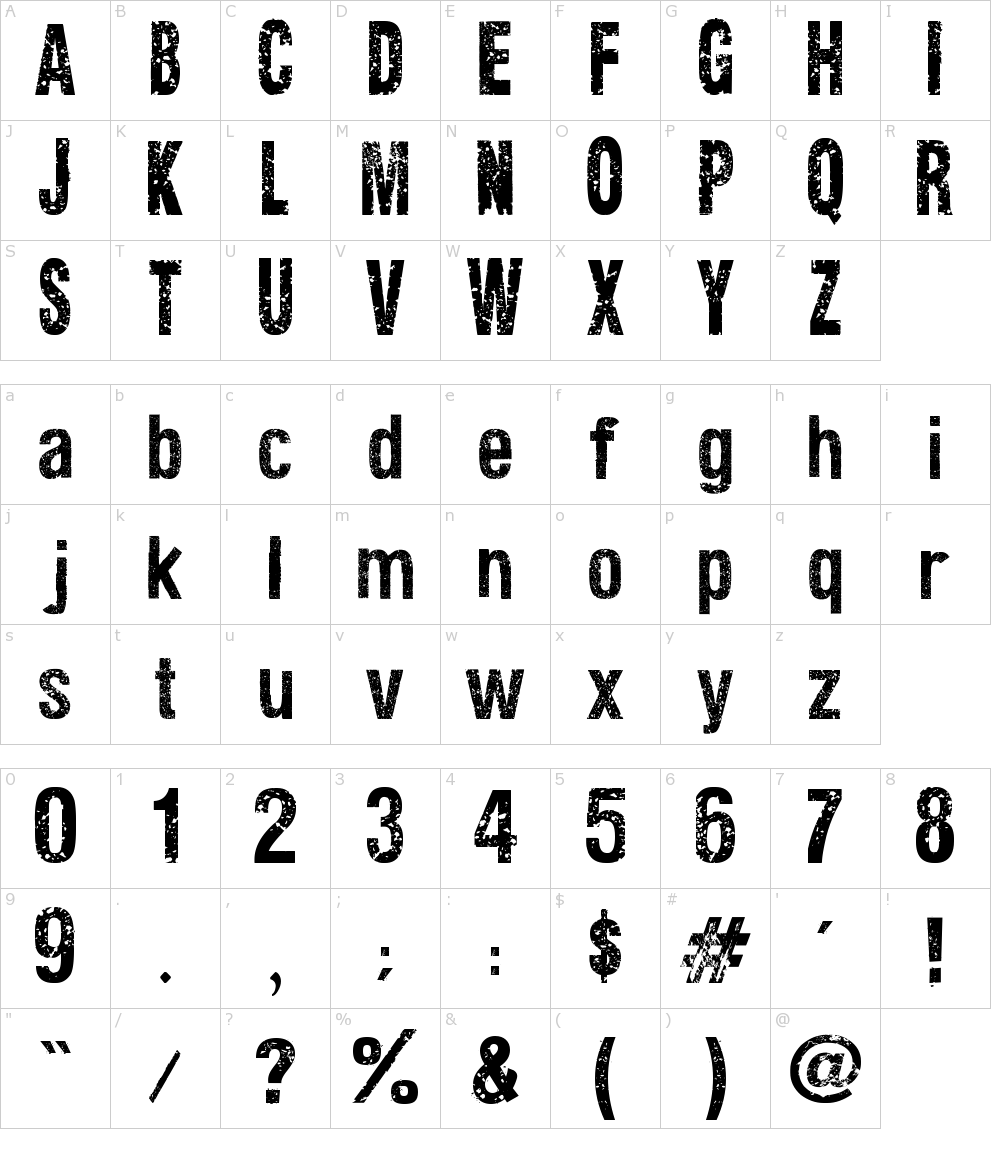 low venture
I can make this with texture coordinates. Is there a better way?
 zealous moth
@low venture I would ask Graphics for that, it may be too advanced for simple bp
low venture
Okay.
zealous moth
is there an easy way to do an OR operation for branches?
so, not the OR boolean on a branch node
but a way to split pipes based on trying to do something
 odd ember
give me an example
zealous moth
here
when i mouse over an object, it can be a skeletal mesh or a static mesh
but those are 2 different components
1 will always return warnings
zealous moth
select??
odd ember
because you'll still have the same issue
yeah but select only works when you have valid targets
zealous moth
yeah this thing
odd ember
it evaluates both targets
the object you're highlighting should respond itself with what its components are
not you trying to evaluate those for it
zealous moth
true... could cast into it
odd ember
do you have a class hierarchy?
zealous moth
meaning? parent-child?
odd ember
do you derive all your classes of a base class
zealous moth
yes
but it's fine, I will work with triggering it from the receiving object
makes more sense
odd ember
it's for sure cleaner
zealous moth
question for you since I got you,
for 2 of my actors, this works fine
for a small one, there is an 8s delay
seemingly the move to location/actor is still trying to get there and gives up after 8 sec
it will then do as it should after 8s
odd ember
sounds about right
zealous moth
why though?
odd ember
why what
odd ember
could be trying to calculate path, idk. try using the async task proxy to determine what is going on
the reason it's not instant for all cases is because you're using a delegate output, courtesy of the latent (tm) node
zealous moth
hm, what can I do with the async task proxy to see what it is currently doing?
lots of options
odd ember
look for enums
 distant sedge
Uncheck Lock AILogic and retry your small guy
zealous moth
didn't fix it
zealous moth
that node fails with the switch
charred flint
Is there way to define the exact size of this area?
zealous moth
odd ember
@zealous moth what switch?
zealous moth
two of my actors work, but the switch on the wall doesn't or take extra time to get activated...
odd ember
haaaaaave you checked if your navmesh is built correctly around the switch?
zealous moth
looks fine to me
the box collider is not used for the interaction
the pawn moves to the switch and once it arrives, it then toggles it through BPI
odd ember
check if it actually overlaps if the actor gets close enough
zealous moth
it is not used though
zealous moth
it just does it when the guy gets to its destination
odd ember
that makes no sense
zealous moth
yes it does? :x
odd ember
how does the AI know the switch its pulling without a reference to it
sounds like you're trying to hack your way through this
zealous moth
My player controller checks the mouse target as an actor and passes that info to my AI to go to actor and once reached to send out a BPI message for an interaction. The interaction is set as a custom response for each recipient actor.
so when i click on the switch, I instruct my pawn to go there and once he gets there to send out a message to that same actor for a response
odd ember
so if the enum fails
it's most likely the navmesh. have you tried a switch somewhere more accessible?
distant sedge
The first two look like they're on the ground, try projecting the third one (or all really) to the NavMesh and using that instead of the actor itself https://docs.unrealengine.com/en-US/BlueprintAPI/AI/Navigation/ProjectPointToNavigation/index.html
ProjectPointToNavigation
zealous moth
it's the motherf******** ground
god damn it
works perfectly fine if on the ground
how do I use that node?
distant sedge
Pass in Actor Location, and give the extent maybe 100 in each axis. It'll get the closest point on the NavMesh to the point passed in within the extent range
Can leave Nav and Filter empty for now
 viscid skiff
I have a weird problem, currently if I look directly up or down the player movement stops while holding W
zealous moth
is this FPS or TP?
viscid skiff
fps
zealous moth
@odd ember huh, never seen this before
@odd ember if I continuous give my pawn movement commands it breaks into some sort of infinite recursion error
zealous moth
@worthy frost well, I am using the AI move to loc/actors as a way to control click to move and get when it reaches the destination
but If I play for like 10 mins, after all that clicking, it breaks this
 snow geyser
what would cause an AI MoveTo to move to the correct location but still pass "on fail"
snow geyser
oh I was asking a question not commenting on yours, I realize now that they are similar lol.
zealous moth
I have no clue
if the on fail is left empty
my error defaults to "begin play"
well in 5 mins into the game
 worthy frost
well from your picture
you hit a infinite loop
ie, it probably got stuck and failed to move, and you constantly keep calling Move
worthy frost
task finishes when it reaches its goal
or stop movement is called.
or it fails.
our game use path finding for the player
zealous moth
I am getting the feeling it doesn't stop
worthy frost
and i have 0 issues
zealous moth
would you be generous enough to show me your move to node?
worthy frost
our is multiplayer and even more complex as it uses client navmesh, and local moving 😄
ours is super complex
worthy frost

we just do this 😄
but we teleport a special actor around
and have the player move to it
zealous moth
that's what I thought
worthy frost
and its continuous goal tracking, so whilst player is moving, we can keep clicking but never initiate a never move to call unless the player is not moving
newer*
zealous moth
hm, like i said, is there a way to clear tasks? sounds like the previous task is pending but it's trying to go back but cannot due to stop movement
 cobalt ferry
 trim matrix
how do i do that?
https://gyazo.com/41cc49f113078f278f7332a3a6251123 i want the leg to be in the ducks mouth before it's teared off
 trim matrix
oh
distant sedge
@oblique tulip Worked on a project where it was done with materials to slant stuff, the effect came out similar to what Borderlands 3 UI looks. This tutorial might be a good reference https://zaggoth.wordpress.com/2018/11/08/ue4-tutorial-creating-a-parabolic-curved-2d-widget-hud-like-halo-destiny/

Greetings! Zag here. In this Unreal Engine 4 tutorial I will cover the creation of a Parabolic distortion effect on your 2-dimensional HUD, without the use of an expensive (and frankly, quite blurr…
 oblique tulip
Thanks, it’s something I’ve been very interested in for a while but it’s hard to find resources on
 plush ridge
have an interesting problem if anyone wants to take a crack at it with me:
VR game with swords, player has full control of the sword. When angular velocity is > than some amount, I want to play a "swoosh" sound (with variable volume and pitch depending on speed, but that part is easy). The sound is kicking in noticeably late, though. Makes sense at high speeds. This type of thing would usually be an anim notify or something, played a bit early to sync up with the sword swing.
What I'm trying: reduce the velocity threshold to trigger sound early, but have a very short burst of delay before checking to make sure velocity is still high enough, then playing it. Overall idea is to play it earlier to sync it up but it still feels delayed.
Also considering playing sound a lot earlier, then interrupting it before the warm-up is over and the swoosh begins to be heard if angular velocity is not still high enough but none of these solutions feel "right"
 tranquil steeple
hey @plush ridge there is a fantastic reference to that what you want to do in RoboRecal, it is called physical audio component
they have a component for swooshes and another one for physical impacts
plush ridge
interesting -- is it maybe an audio source that's constantly playing and they dynamically alter volume/pitch?
I'm spawning the sound and attaching it to the blade of the sword so it's spatialized and sounds right, it just kicks in too late
tranquil steeple
they do some stuff with volume/pitch in the runtime
but not so sure about the swoosh component
plush ridge
ah yeah I figured
I'm using preset sounds for it
non looping
I did try something like that once, didn't work out too well
It was me hissing into a mic for the loop though, that might be why it came up weird
volume and pitch changes wasn't enough to save it hahah
tranquil steeple
they basically modify pitch/volume within a threshold
clamp it to this threshold under extreme values
and they even have different sound cues
based on the intensitiy of the swoosh
so the pitch/volume would apply over the selected sound cue based on your precomputed intensity
works the same way for physical hits
plush ridge
that would require a perfect and consistent loop that's altered by volume/pitch -- the ones I'm using are pre-recorded swoosh sounds with metallic sounds added etc.
not the most ideal for VR, it's restrictive
tranquil steeple
they don't do loops
plush ridge
oh
plush ridge
yeah
I've played, don't remember swooshes but
definitely worth looking into
thankyou
tranquil steeple
they do have swooshes hehe, yeah no problem
 gentle inlet
@zealous moth Someone posted the solution here: https://forums.unrealengine.com/development-discussion/blueprint-visual-scripting/1729393-when-i-unmount-detach-the-player-from-a-pawn-he-has-an-offset
Unreal Engine Forums
Hey guys,
I switched from Godot to UE4 3 days ago with the goal of porting my game to this powerful engine. Thanks to some great tutorials out there I quickly managed to set up a basic movement and import my assets. I also got the first few triggers working. I am now working ...
@zealous moth Had to disable and reenable the movement of the player when the boat is being possessed
 compact ginkgo
Hi all
could I place a blueprint function in a Plugins so it could be reused by different projects ?
odd ember
yes to function, not sure you can create plugins with blueprints
 hollow tusk
an instance of whatever you're trying to cast
hollow tusk
cast doesn't create anything. It just tries to convert a value of some type (the grey object input pin) into some other type (Gun in this case I guess)
you need to get the value from somewhere
and plug it into the input pin
 pulsar halo
um... such as?
odd ember
such as something you define
I suggest you look through the tutorials pinned to the channel
 amber grotto
https://www.youtube.com/watch?v=3ompWy5IPZw Hi friends how can I make the camera move when it walks and the input animation that screams .. I want to do it for my bosses, some tutorial
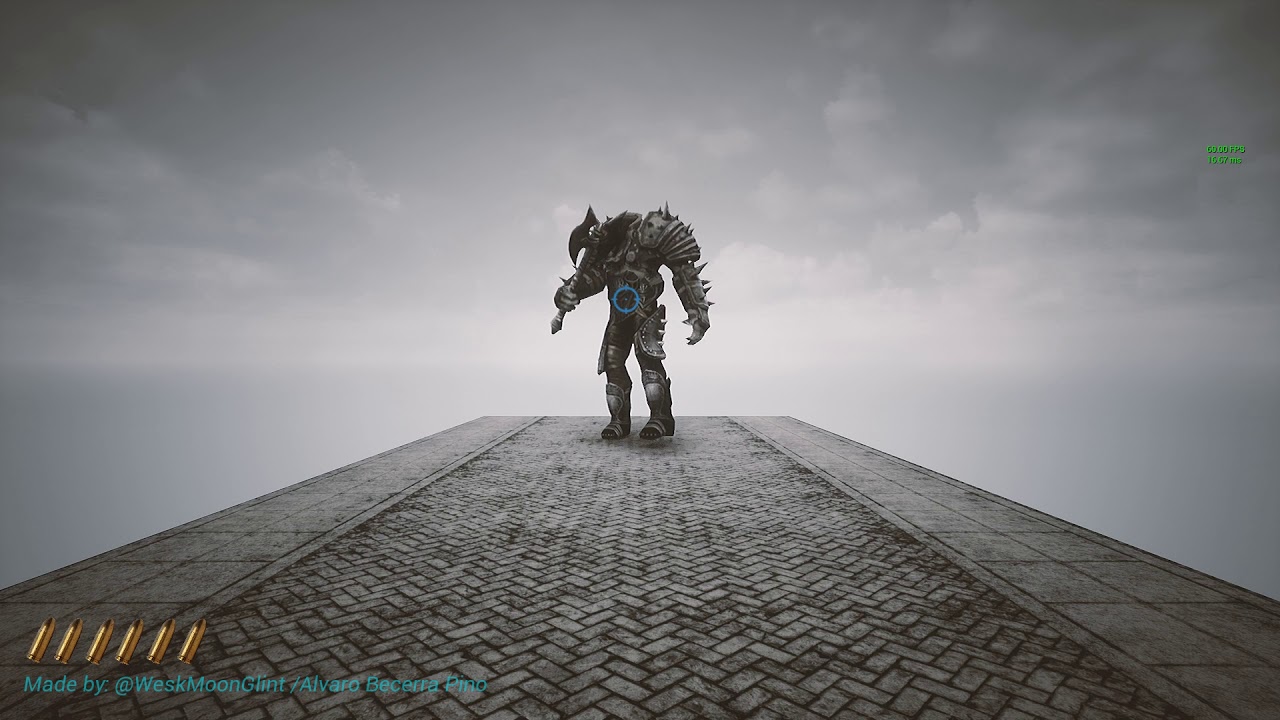
Testing the code and some animatios for the first boss of this reimaginated project
You can help me keep working on my projects by supporting me on Patreon:
https://www.patreon.com/Moonglint
does anyone know how to do that about the video
compact ginkgo
Can I copy function from one blueprint to another ?
odd ember
you can but you shouldn't
@amber grotto depends on how you want to do it. there's plenty of camera tutorials out there
compact ginkgo
In a firstperson project, my first person character has a firstpersoncamera that allows me to change the post process settings
I started with a blank project and added a DefaultPawn ... how could I access the post process settings from the blue print as the DefaultPawn does not have a camera ?!
 signal cosmos
Hi there, get overlapping actors doesn't work in callable in editor events?
odd ember
what do the docs say?
amber grotto
@odd ember the one in the camera already did it ... I need to do the screaming animation ... I don't know how to do it ... when you see the character scream and then walk ..
compact ginkgo
@odd ember I don't want the first person character ... just a basic scene with custom post processing
odd ember
@amber grotto that's not something you can do in unreal, you'll need a 3d package and some animation skills
also you're asking in the wrong channel
@compact ginkgo you can place a camera in the world
compact ginkgo
@odd ember but when I press Play, it is the DefaultPawn which is used so using its camera is more logic
odd ember
so add a camera component?
like I don't understand why you wouldn't want to use the FPS template at this point then
amber grotto
@odd ember https://web.facebook.com/povegliaisladelosmuertos/videos/911031849316256/?t=31 Where do I ask the question? the animation if I have it .. how bad I don't know how to do that part .....
plush ridge
How do I find "C" if C is always halfway between two directions? I need a vector output
I tried adding forward vector + right vector together to get a forward/right diagonal vector but it doesn't seem to work
odd ember
@amber grotto again what are you trying to do?
 cyan lion
@plush ridge You can find angle between two vectors, divide it by 2 and then rotate vector with this value ;p
plush ridge
thanks!
cyan lion
@trim matrix about your gif, you can make two skeletal mesh - first entire body without leg, second just leg and play same anim on both, thanks to that you can rip off leg at some point
amber grotto
@odd ember What I am looking for is in the AI section? there are my questions thank you
trim matrix
but what if i want arms and other legs to be ripped off, is what i was describing impossible now? @cyan lion
hollow tusk
@plush ridge it's the sum of the two vectors divided by two
cyan lion
@hollow tusk i knew it must be easier way to do it ;d
@trim matrix depends, if it always same place where you are ripping off limbs, you can prepere other limbs in same way so 1 skeletal for body and 4 for limbs
trim matrix
isnt there a node that would attach the bone to the socket
cyan lion
maybe it is, im just telling you how i would approach your problem
hollow tusk
🤔
plush ridge
my line traces are weird
hollow tusk
my vector math might fail me
trim matrix
@cyan lion but even if i wanted to do what you said how would i do it anyway because it cant stretch from the character to the duck
plush ridge
what's bizarre is that the right diagonal and left diagonal aren't producing the same but opposite wrong results
cyan lion
yeah but you can attach it to duck
plush ridge
they're wrong but different, too
trim matrix
@cyan lion but its supposed to be tearing off the leg
plush ridge
this would work regardless of orientation in world space, right?
cyan lion
you are taking forward of your character and rotate it 45 to left and right, so if character turn, forward vector will change
hollow tusk
ah right, average angle is different from average vector, silly me 😄
disregard what I said earlier
plush ridge
that worked perfectly, thank you
cyan lion
im glad 🙂
@trim matrix than i dont know to be honest, maybe in #animation they might know, or someone else here are more familiar with animations and blueprints
trim matrix
alright i'll ask there
@plush ridge atan2 might also be used
@plush ridge https://answers.unity.com/questions/437111/calculate-vector-exactly-between-2-vectors.html

Unity is the ultimate game development platform. Use Unity to build high-quality 3D and 2D games, deploy them across mobile, desktop, VR/AR, consoles or the Web, and connect with loyal and enthusiastic players and customers.
The Vector half way between two normalized vectors is their sum, normalized.
var halfWayVector = (Vector3.up + Vector3.right).normalized;
if it's non unit vectors of same length then rotating it by half the difference angle would be a good way to get a point on a circle between them
 olive ingot
What is the best way to test a blueprint's performance (how much CPU it uses)?
If I just added a new blueprint to my game that does a lot of math with floats and I want to know how much CPU it drains compared to when it doesn't run.
odd ember
profiler
but testing it in editor makes little sense since you'll always have the editor running in the background
test it when you have to ship it and it's underperforming
until then it doesn't matter
 twilit heath
@cyan lion @plush ridge that works as long as actor is on a horizontal plane, otherwise you might want to do RotateAngleAxis around the actor's UpVector
charred flint
How can we avoid that these components are always visible in all maps? For example now they are visible in the main menu and I only want them in the in game map
 versed sun
there is a "Get Current Level Name" node
charred flint
thanks man
zealous moth
@charred flint you should make your own game modes and each have their own controllers with the widgets needed. This way you separate the widgets and events into a more cohesive hierarchy.
charred flint
I made my own gamemode for the main menu but they were all starting together it seems
odd ember
ah yes, the main menu game that we all know and love
 livid blaze
is it possible to have a blueprint variable thats like C++ 'static' local variables?
e.g. local in scope, but value preserved between calls to the function?
odd ember
nope
livid blaze
thats a shame, oh well
no biggie, it just makes the list of variables in the blueprint a bit less tidy
thanks 🙂
is there a reason that 'for' and 'for each' in blueprint are macros, rather than native C++ from a function library?
i can imagine thats not very efficient
signal cosmos
Hi there, is it possible to have a deconstructor event that fires in the editor when we delete an object?
signal cosmos
Non, not when I simulate, in editing mode
odd ember
@livid blaze if they were native you couldn't insert anything into them
as in, custom logic
livid blaze
hmm, well you wouldnt as they are, right?
theyre part of the engine's built-in macro set
livid blaze
i see
odd ember
besides
even if it were possible
you'd still need the body of the loop to be blueprints nodes
livid blaze
but if i wanted to though, i could make a custom 'foreach' loop that had a specific delegate for its loop body, for a specific use... and there may or may not be a performance advantage of doing so
odd ember
so you'd still have to pass the entire thing through the BP VM
livid blaze
but usually, just the fact that theres a loop is a performance issue in itself 😛
regardless of how that loop is engineered
odd ember
loops in cpp are much much faster
you can do stuff in cpp loops that you can't do in BP loops
 true yew
i'm more scared to run one square root in CPP than a dozen loops 😄
livid blaze
so a custom 'foreach' bp node with a dynamic delegate, calling the delegate multiple times, would be faster? but not as fast as just putting the loop body into the C++ side too
i really dont like the way blueprints do loops, tbh
its usually the first thing i refactor to C++
odd ember
it wouldn't because you are still calling BP nodes inside the of the loop body
so the entire thing gets passed through the BP VM anyway
if you want performance, not having BP is the best option
second best option is nativizing
 sand shore
So I've actually made something of a custom for loop like what you're talking about
there is absolutely no benefit to any of it, in terms of performance. the transformation you would want is batching or threading.... but doing that properly in a generic node is an engine feature that would take you way longer than just writing your critical code in c++
and you would have to write a ton of c++
livid blaze
is nativizing stable these days?
i tried to nativize my code back in 4.14, nothing would run right
you'd think it would be straightforward translation of the nodes into a simple, but not neccessarily human-readable program. nope, it makes this absolutely horrendous buggy state machine with a huge switch statement.....
sand shore
As for it being a macro, the loop as is could very easily be a custom node but it's easier to make the macro system and then implement control flow with that.
And as for nativized BP, it might be better now but it isn't going to be beautiful code
livid blaze
all i care about if im going to use it is that the code does the same thing as the blueprint does
in my experience, it didnt, and was crashy or buggy
sand shore
That should be more the case these days
but it probably still does that state machine thing
livid blaze
when i mentioned it i was told to "keep my blueprints simpler"... they werent exactly complex 😛
the thing with blueprints is, a massive page of quite ugly blueprint could be translated by hand into maybe 20 lines of C++
 molten badger
https://www.youtube.com/watch?v=L5ur5kxS8Xg&list=PLhthGDljWyhJ59cmZQbzQKQU7FNlTwXib&index=2
i am recreating this camera lock on system, but it seems to have errors. i locked it over and over again i cant find anything i did diffrent. so my question is it because it was made with ue 4.16.1 or am i going blind and missing a node or so.
errors i have: pending error
i tried to set additional "Is valid" or "do once", but i cant seem to make it work.
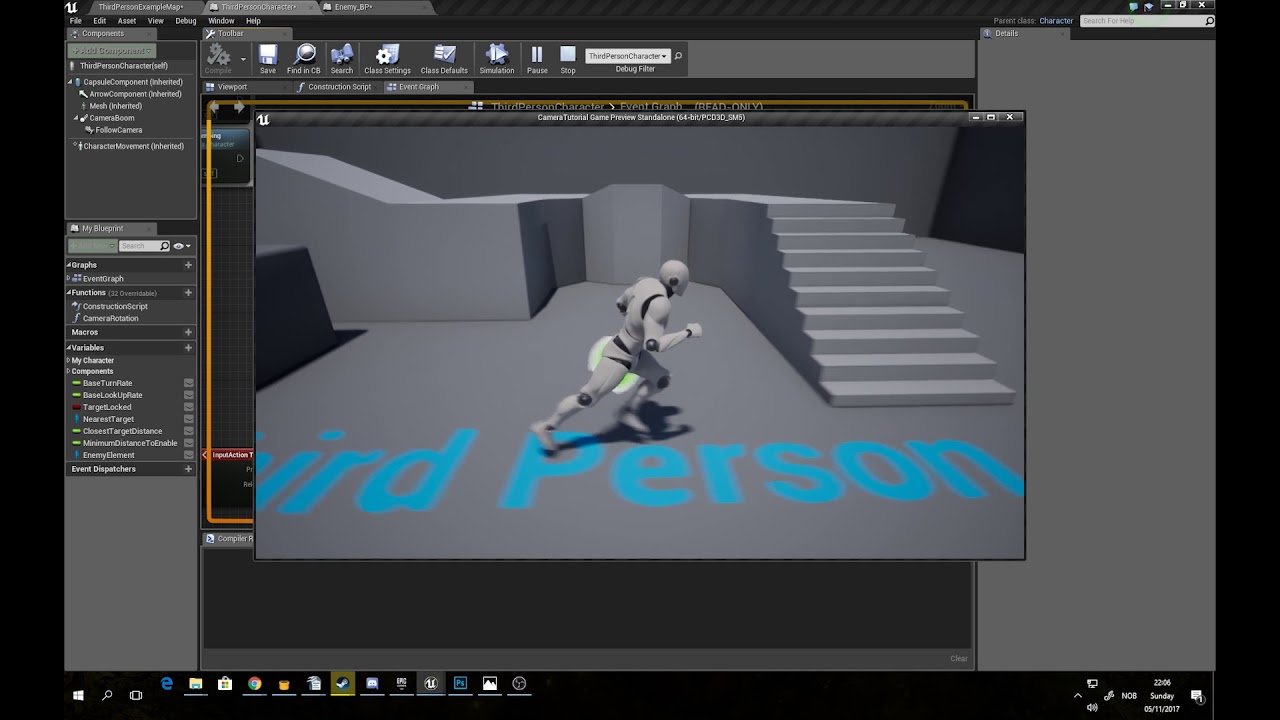
Note: This video is part 1 of a 2 part tutorial.
Part 2: https://youtu.be/g5zod7F4vEI
This tutorial builds upon a system made in "this" tutorial
Original tutorial: https://www.youtube.com/watch?v=gaULDBoG_oE&feature=youtu.be
Timestamps
0:00 Cleanup/Start
3:32 Target Kil...
sand shore
enums first, then structs. also apparently if you use break nodes a lot it'll be more difficult to use redirectora to fix it up
@livid blaze
odd ember
@sand shore btw you didn't have any BT experience did you?
sand shore
I do
odd ember
😮
I have two questions on the top of my head, plus more once I get back and start rummaging probably:
- can I manually stop a service?
- can I enforce decorators keep ticking if their condition is true rather than just execute once?
sand shore
Not easily
sand shore
you can do custom logic in your custom ones easily enough
odd ember
well yes
odd ember
HMHM
ok yeah
would that decorator keep going regardless of its parent node being currently executed?
and why is it decorators have tick if they are not executing that tick 🤔
 thorny cedar
can someone help me with a vehicle character? i want to move my backwheels in the opposite direction, when i drive left my back wheels shall turn right
livid blaze
my vehicle does that @thorny cedar but i ended up throwing out the wheeled vehicle character
two reasons, i wanted something procedurally driven, rather than by skeletal mesh and animation, and i wanted something that would play nice with multiplayer rather than freaking out due to physics glitches and assumptions that the physics are simulated locally
what you mean is a four wheel steering setup, like on a large dump truck yes?
thorny cedar
nor do i have i ever used a vehicle neither have i done anything with anims^^
trim matrix
hello, i'm writing to ask about how to set a default pawn class in a game mode from a different level/map.
livid blaze
@thorny cedar heres my blueprint for it, assuming all four tires are seprate meshes that are components of your vehicle actor:
 hollow cape
world override if you want a different default pawn on a different map
thorny cedar
thank you but i guess i have a physic skelletal for all
livid blaze
steering full lock left and steering full lock right are maximum and minimum number of degrees rotation around Z for each wheel
and the input 'axis' is the axis from the input event
so for keyboard control it'll always be -1, 0, or 1, but for gamepad it'll be a more useful figure
trim matrix
@hollow cape i'm wondering if this is possible to override from a different level like from the main menu. I'm creating a game for an assignment and i want to get players to select a vehicle and weapons for it from the main menu before playing
thorny cedar
yeah thats not helping me since i only have a physics skeletton and not allowed to use meshes for the tires :/
livid blaze
also im preserving the X/Y rotation as i have a seperate rotation movment component on the tires to make them turn when theres throttle
hollow cape
You're going to want to pass that from the lobby/select menu to the next map
livid blaze
does your physics skeleton support movement of the rear wheels on the Z axis like that?
trim matrix
hm. i'll try and figure that out, hopefully soon though
livid blaze
my guess is, if your vehicle is a two wheel steering vehicle, the rear wheels will be locked to only allow rotation in the X/Z axis, you'd have to remove that restriction and make it work like the front ones do
is it the 'sedan' model from unreal's examples?
 grave nebula
hello, how do we achieve flat-camera? i mean standart UE camera is too convex. When i spawn a character and i look up or down, the camera is very convex.
hollow cape
the hell does that even mean lol
versed sun
Maybe change this setting on a camera ?
hollow cape
sounds more like a field of view thing if anything
trim matrix
OK, quick question - how do I change the default pawn class in blueprint for a game mode? I tried doing this, but I get nothing. I must be doing something wrong because I doubt this is how it works
hollow cape
yeah that's not going to work that way. You'd be better off setting the default pawn class to none, and implementing some custom logic to spawn pawns based on a selection or however
 crude dragon
hi i have a question - why does this work only when player touches the object and how do i make it if it touches anything?
trim matrix
do your other game objects have static mesh colliders on them?
 left pendant
Would it be possible for me to call a Collision Primitive from a ragdoll blueprint i have in order to make the ragdoll toggle on hit with another blueprint on different objects?
there's already 2 examples on the test map, but i can't seem to know how to add the collision primitive that they both contain in their blueprints
trim matrix
i don't know how much time you have but this might help; i'm sorry if it doesn't: https://www.youtube.com/watch?v=zZPyMjEWpF8

How do I use Basic Collision options for making stuff interact with other stuff in Unreal Engine 4
Source Files: https://github.com/MWadstein/wtf-hdi-files
 rose spire
Hey y'all! I'm trying to get it so that when current health gets below 1 then they go to the loading screen. I put a breakpoint on it and it won't hit past the branch and I can't figure out why. I keep messing with the numbers and nothing is working
 spice ibex
Is it not going past the first branch or the second? It is possible that damage is more than current health so the first branch goes to false and nothing happens
rose spire
It's not going passed the second branch @spice ibex
spice ibex
Can you try this, connect false from the first branch to the loading node and see if it works (I know 1st branch is not the problem for you but I want to test something)
spice ibex
hmmm I can't think of anything else
rose spire
Haha, that's okay
I did 50 to just debug it like as the value
It worked once but then didn't work again
So it's just not constantly hitting even though I put less then or equal to
spice ibex
ah okay
rose spire
I figured it out xD To test I have it where I can just spam the health down but it doesn't hit when I do that so if I let it decrease on it's own, it works
fml
 carmine thorn
@rose spire How much damage are you applying in each test?
carmine thorn
I would suggest replacing your first branch with a clamp instead. The logic won't run past 0 and your preferred result at less or equal to 1 might get skipped if it hits zero before that happens
rose spire
I'll try that instead (: Thank you !
carmine thorn
No worries
 boreal jackal
@zealous moth Thanks 🙂
trim matrix
I found this which may solve my problem but I do think it's kind of "hacky" and I think if I were to use it in a professional capacity, it would cause problems later on: https://www.youtube.com/watch?v=axKnZxyNSp8

In today's episode we take a look at how we can setup a character selection screen that will allow the player to choose to use either the magic or sword based character. We cover all the blueprints required to set this screen up.
Unreal Engine 4 Beginner Tutorial Series:
http...
i think i found an unreal engine video on it so i might have to go with it
zealous moth
Virtus hub is good for low level game building but not high level game building.
Use it to learn the engine but not to make games
trim matrix
:/
fortunately for now at least i only want to take game development as a hobby
zealous moth
Even then virtus uses primitive methods to achieve goals.
trim matrix
i've been messing around with c++ a little bit but i guess i just need so much more time on ue4 to be able to get "advanced" into it. been using it a few years for studies but i've been stuck on "amateur" mode during it
 upbeat sinew
Anyone have experience with UE4's steam cloud saves?
zealous moth
Nope but if you get answers pls tag me @upbeat sinew
upbeat sinew
There's like no documentation on it explaining the process
zealous moth
There was a free plugin with this feature but i couldnt make it work. When i asked their discord i got banned...
upbeat sinew

Google Docs
Steam User Cloud plugin for Unreal Engine 4 Release Notes Juan Belón Pérez Thanks for purchasing INTRO Example Video. https://youtu.be/EeqbIxqLVsc Project Sources from gumroad https://www.youtube.com/watch?v=EeqbIxqLVsc Testing the game: HOW TO TEST Config Set your Ste...
zealous moth
Yup no documentation at all
upbeat sinew
Still really unsure if it works tho
zealous moth
I will check it out after work
trim matrix
i may have to learn c++ though if i want to "professionally" get with ue4 but this is a little off topic
fathom portal
@trim matrix plenty of people professionally use unreal engine but don't use cpp
trim matrix
i've once seen a game that was free to play on steam that seemed to make use of only the most basic assets in ue4. it was some puzzle shooter
i assume it could have been made using blueprints only
i just tend to think blueprints are "too good to be true", but i think they're useful in the minority of cases where c++ would be troublesome IMO
sand shore
I'd say you should have c++ in your wheelhouse if possible but don't be too dismayed if it never clicks for you.
In the general case you can use BP well in a way that minimizes the issues youd otherwise have
trim matrix
i've had to ditch c++ when i originally sought to use it in one of my assignments, but alas, i'm not so confident with cpp and ue4
 wanton ore
What node do I use if I want to multiply some value by -1 only if some boolean I have is True?
distant sedge
Select node
trim matrix
Is there any event that gets called when something is printed to log, or perhaps a way to get log buffer? I want to show the log using my own widget.
(I'm aware I can create custom functions for logging, but then I won't get stuff that UE4 itself outputs. Aka when loading levels, or loading INIs.)
wanton ore
@distant sedge thank you
Is there a float in between node? Or I use 2 nodes for that?
trim matrix
You can use lerp, if it's not overkill.
distant sedge
InRange (float)
atomic salmon
@trim matrix you can look into this and possibly modify it (if license allows): https://github.com/Cultrarius/UE4_MagicConsole

GitHub
Enhanced UE4 output log widget. Contribute to Cultrarius/UE4_MagicConsole development by creating an account on GitHub.
trim matrix
Thanks!
charred flint
I am trying to close 1 UMG Widget and open anothere one one click but this obviously dont work. It shows me a black blank screen, what am I doing wrong?
atomic salmon
@charred flint You need to AddToViewport your second widget, setting a variable (no nothing) won't do much...
charred flint
Got it to work already before reading this 😄 😄
Im learning thee logics
This did it for me
upbeat sinew
If you want refernce to that UI, set a variable for it just in case
charred flint
hmm not sure yet how to achieve that part with my logic knowledge ^^
mind to share a good way with me how you would do it?
upbeat sinew
Right click the blue node and select the option Promote to Variable then plug that node in after the add to viewport
Like this:
 jolly cedar
Anybody know if it's possible to make an abstract base actor class in pure-blueprints, or do I have to do c++
charred flint
thanks JAcwab ill take a look into it
upbeat sinew
Anybody know if it's possible to make an abstract base actor class in pure-blueprints, or do I have to do c++
@jolly cedar Could you use a parent actor class instead?
jolly cedar
Not really, but I want to have a base class I can filter these objects by
jolly cedar
Fantastic, thanks 👍
snow geyser
googles abstract classes
 kindred pond
Does anybody know how to display a sprite only in one Scene Capture Component 2D ?
boreal jackal
Anyone: What type of class would you use to have secondary movement ?
zealous moth
@boreal jackal class? you can setup all movements in your controller and from there set up an enum to dictate what you want when
boreal jackal
@zealous moth ok thx let me try it out 🙂
 hoary orchid
Just wondering how is this node created?
upbeat sinew
Get Float Percent?
upbeat sinew
Its created when you searched for percent while pulling off the health bar refernce
 stuck burrow
Hey guys... Can please anyone help me? I've spent 2 hours on this and I'm starting to get crazy.
This is my movement part of the blueprint: https://blueprintue.com/blueprint/y77-gcwc/
If i click once (calling the movement), everything is fine. But if I click twice in a fast succession, the game crashes with Infinite script recursion (250 calls) detected .
By guessing I have managed to pinpoint it to the point where the "Set Actor Location" node is causing the issue. If I unattach it from the workflow, everything works. Once I plug it back in - it crashes with the infinite loop.
ANy ideas? AM I missing something obvious?
BlueprintUE
hoary orchid
@upbeat sinew tried that but that's not the same
 hardy merlin
How can I find the bottom edge of a given actor? Using an arbitrary primitive component.
I need to be able to place an object so the bottom of its mesh is contacting the floor.
But the center of the actor may not be the bottom of the mesh
zealous moth
@stuck burrow terrible make move bp
@stuck burrow use AI controllers and the "AI Move to" node
@hardy merlin parent it to an empty point, place point wherever?
stuck burrow
@stuck burrow use AI controllers and the "AI Move to" node
@zealous moth I am using a generated terrain and would love to abstain from using any physics/collision. Would the AI Move to still work?
zealous moth
as long as you have a navmesh, the ai will work just fine. I had the same issue as you with another node and the AI move to location or AI move to actor nodes were the most stable ones
I couldn't track down the source of the recursion but it looked to me like too many tasks
@boreal jackal come on man, the suspense is killing me
stuck burrow
The interesting fact is that I haven't encountered any problems with the set actor location in the past... And this method as well.
Right now I'm mostly wondering why the loop appears, not so much as to how to fix it...
zealous moth
I wish I could tell you, I had the same exact problem and if you remove your outputs it will default to the begin play event
boreal jackal
No luck @zealous moth I want to have my basic movement then on (E key) Use secondary movement while disabling the first and switching back like switching from A/B which i used a flip flop for but as the secondary i would like a boost function but A movement can still use the boost so i need a way to separate the two like a child class for "child movement"
zealous moth
like I said though, the two other nodes did not return that error
what you can go @boreal jackal is either through enum or boolean (avoid flip flops for now), set 1 input into 2 branches with the condition set. If A is true, do primary mode movement; if false, do secondary mode movement
thorny cedar
i have some questions regarding phys skeleton
boreal jackal
ok I go try that thx @zealous moth
zealous moth
wanna show me what you got? @boreal jackal I can doodle on it
thorny cedar
at the moment my vehicle just stucks in the air, when i put it in the level
after attaching some collions in my physics skeletton it falls down and breaks
zealous moth
I wish I knew anything aboout vehicles
thorny cedar
are these collisions the only why to have such behaviour
mass and velocity?
just started today with car movement
boreal jackal
@zealous moth I am using the third person template and on E pressed im having the capsule size & mesh change to another (while getting a different secondary movement setup after the two changes)
@zealous moth
would i just create a new function and do my bp movement in there
cos i only need 2 the default one and the new (secondary one)
If only there was a character movement 2 in the Add component menu 🙂
 lavish anchor
I can't seem to see the value of any of these arrays, is there some way to inspect things i'm missing? (filter dropdown shows only 1 instance and its selected)
lavish anchor
only way to see the values while debugging seems to be to set the value to a variable :/
trim matrix
Ya, I don't know
charred flint
Level map is correct but it doesnt open the map, any logical ideas why?
atomic salmon
@charred flint are you removing all widgets from inside a widget? that is going to destroy them all including the current widget so, very likely, your Open level will never be called
 cloud temple
Hi guys just wondering which lerp node do I need to use to animate a water material?
nvm sorted
 swift warren
i have a question but i honestly cant think of a way to word it
so im making a game where you have mirrors that you can walk through
and they are portals
but they look like mirrors
if that makes sense
and basically i need velocity to carry through them
but i cant figure out how
i got it working when the player walks through it
but not when they get launched through it
because the launch is backwards
it would prob be easier to screenshare what i have going on if anyone is curious
charred flint
@charred flint are you removing all widgets from inside a widget? that is going to destroy them all including the current widget so, very likely, your Open level will never be called
@atomic salmon Hmmm I think I am yes, how would you advise to do it ?
Does this makes more sense?
charred flint
but it still doesnt go to the level or atleast not disables the menu
charred flint
the level name should be right yes, logs are empty
100% certain the level name is right
atomic salmon
Use Print String to check that the click event is firing
charred flint
Ok I was wrong it opens it but its like a huge delay of 30 sec and another widget is still blocking the view
I guess adding a loading bar there wouldnt hurt
atomic salmon
Large levels may take some time to load
Eventually you can consider using Level Streaming
charred flint
level streaming is via world composition right?
I understand that it has a required loading time. Is it a good idea to add a visual loading bar during that waiting period of opening a map?
Im quite sure the level is open cus I hear bullet shooting when I left click and that is only in the pig shooting map
atomic salmon
It's always a good idea to let your players know the level is loading
So this widget is covering the level?
Check your Level Blueprint to make sure it is not loaded from it
charred flint
yes I agree with you, will soon try to find the practice of making players aware of that
atomic salmon
When you Open a Level, the Level Blueprint for that level is executed
charred flint
im 100% sure the level blueprint is not causing it
it only has this spawning event
atomic salmon
as far as I remember the HUD class is spawned automatically and added to the viewport
atomic salmon
need to double check with the docs, but in that way you will get it on each level that uses that GameMode
charred flint
but the gamemod is in world overview and isnt that in all levels automatic? Atleast I think I didnt manage to take it out 1 and keep it in the other map specifically for the menu
atomic salmon
You don't want that, so remove it from the GameMode and spawn it from the Level Blueprint of your menu map (first one). In that way it won't be on the second map (the one with the game).
charred flint
ah oke
the tutorial had it done different indeed 😛 Which when I made it felt wrong already, thanks for clarifying
do I spawn the mainmenu hud inside the menu level blueprint map or do I just take the blueprint from th hud and dont need the hud at all?
charred flint
good idea then! Thanks
oke it does what it needs to do. I do hope a final production works / runs smoother then a play in simulator lol
 ripe drift
Hi All... hoping somebody can shed some light on an issue I have.
I have a multiplayer vehicle project and have just implemented a "Speedometer" for some reason this is replicated and showing on all clients, both the visual Widget and the values of speed/rpm etc.
I've tried to track down where this is being replicated but struggling, any ideas? the BP itself is setup on the "VehicleBP"
atomic salmon
@charred flint once it is packaged it will generally be faster
charred flint
thats nice to know, got to love Unreal Engine and its community
atomic salmon
@ripe drift sorry not sure I understand. You want it only for one client or what?
charred flint
Will study to learn about a loading bar now so that a player doesnt get the feeling hes waiting on a crash
ripe drift
@atomic salmon - Yes, so if both players are using "VehicleA" they both see their own speedometer and values, currently the needle what shows the speed, is displaying on all clients which is very strange
atomic salmon
@ripe drift So the needle appears twice on each client?
ripe drift
yeh wierd... so in theory the speedo/needles show correctly on both vehicles but they also see the other players needle lol - can you imagine it with 8 players 🙂 or more
great to compare speeds but not practical 🙂
atomic salmon
@ripe drift Ok now I understand the issue
You may want to ask this question in #multiplayer as it seems specific to it. Strange though because UMG elements should not be replicating like that across players.
How did you implement the needle?
ripe drift
Its a speedometer on the marketplace, having spoken with the developer he was also under the impression this should replicate as there are no replicated functions in the BP's
atomic salmon
you mean "should not replicate"
ripe drift
correct sorry typo
atomic salmon
So this speedometer is not made with widgets
 atomic salmon
Is it possible that the widget is actually part of an actor which is then being replicated?
ripe drift
possibly but not sure in all honesty, just trying to setup a default basic speedo in the same vehicleBP to see if this replicates, if it doesnt I guess it must be something in the bp itself for the speedometer im using
atomic salmon
widget themselves do not replicate, so there must be an actor owning the widget which does replicate. That is my best guess.
ripe drift
Thanks for your input, I'll go trawling to see what I can find
 ocean radish
this local multiplayer?
atomic salmon
try to find out how the needle is handled. Probably it happens there.
ocean radish
nah i mean local as in split screen, could of explained it 😄
 shadow pike
Hi, i have super stupid question - should i avoid characters like "- +" in variables in blueprints, ex. should i use "NegativeX" instead of "-X"?
ocean radish
however the needle is draw/spawned seems to be at fault as you have 2, otherwise if it was just updating one it would just be jittering around
ripe drift
*Noted Thanks!
ocean radish
@shadow pike never had and issues with them
ripe drift
@atomic salmon @ocean radish - Just added a default Speedometeer widget and this displays correctly without replication - So... I guess that the faulty speedometer is definitely the issue, I will go looking at potential issues - Thank you both for your thoughts and suggestions
atomic salmon
@loud cipher the problem is not there. It is in the code that it is trying to use that variable before it is actually assigned
You should check with a IsValid or do a validated get before trying to use it
boreal jackal
Is it possible to have a basic script (BPclass) that defines the active movement. Or via other script on a key input such as E?
charred flint
My scene outliner is gone, I only have a empty world outliner..
atomic salmon
@shadow pike it's good practice not to use those symbols in your variable names
even though UE4 may allow it. It makes your code difficult to read and it may break in the conversion to C++ (e.g. if you nativize your Blueprints)
 fathom cobalt
When I get the forward vector for thius line thing, I start from the caspule and end with it's forward vector, but for some reason, it seems as though there's some kind of delay in the line trace thing and it refuses to properly align with the capsule which seems to look dead on at me
atomic salmon
@loud cipher you have to check that ALSRef is valid before using it in that code
atomic salmon
either use IsValid or right click on ALSRef and select Validated Get
In your second screenshot
the error is about UIMenu
so the problem is there
probably it tries to use it before it is actually initialized
hence the error
 loud cipher
Yees, thank you3
atomic salmon
@fathom cobalt your End needs to be Start + ForwardVector * distance
in the LineTrace
 naive patrol
guys blueprint nativization will be update next time? mean bug fixs and core updates.
atomic salmon
@naive patrol next time means 4.25?
I don't think I saw it mentioned in the preliminary Release Notes
Usually it works pretty well, except with Child Actors
naive patrol
idk. as far as i saw it's abandoned
fathom cobalt
That's much better. Thank you @atomic salmon
atomic salmon
@naive patrol Strange but possible
zealous moth
@boreal jackal ah I see, but to change it to another for what purpose? shapeshifting? also, remove the flip flop, useless in this case
lavish anchor
@fathom cobalt how are your blueprint lines straight angles, mine are all curvy! is that a plugin?
atomic salmon
Must be this one: https://www.unrealengine.com/marketplace/en-US/product/electronic-nodes

Improve the wire style of Blueprints and materials editors.
Or just the editor settings

I don't know if the grass was greener on the other side for me, but I discovered how to make the blueprint lines straight. I like the look o...
Mmm... I still prefer the curved ones.
@lavish anchor
lavish anchor
wow! i love it! thanks
trim matrix
I'm wondering something. In Blueprints, is there a way that I can select every object in a select node that isn't the selected object?
What I want to try and attempt is to change the text color for different categories in my settings menu based on what's selected and what's not.
fathom cobalt
@lavish anchor I think so maybe? I'm using a source control project though so I'll have to ask the team
 static charm
it's a paid plugin linked a few posts above
static charm
MrHande, you can accomplish what you want with an array and a For Each Loop
trim matrix
Alright.
fathom cobalt
@loud cipher @lavish anchor Look up "Electronic Nodes" in the UE4 store
trim matrix
@static charm What do you think that would look like. Do I just need to drag the number of widgets integer onto the make array, or how would I add all of the values onto that?
static charm
yeah that would work
trim matrix
so like this?
static charm
negative
trim matrix
I figured it didnt look right
static charm
more like with the select u had above
but make array instead of select
ill post an example too then you can play with it
trim matrix
Alright
trim matrix
Thanks
static charm
if you're not familiar with Loops, just keep in mind that loops execute the code between frames/ticks
so it can lead to performance issues
when looping heavy code
or running the loop a lot
trim matrix
Would I put the selected color under the true part?
boreal jackal
@zealous moth Thanks 🙂
static charm
i thought you want whatever is not selected to change color
trim matrix
Well, I wanted to change it based on the widget that is focused
the non selected ones would be normal, while the one that is would have a selected color
static charm
then yes, the true branch would be for selected item color
false would be for setting color of all the non-selected items
trim matrix
What would I do regarding the array element though?
static charm
that can connect to both Set colors
static charm
keep in mind that the Loops index will be the order in which you added the items to the array
trim matrix
Yeah.
loud cipher
how do i get a line trace to go through myself?
my character?
Nvm solved
Make an array with your character bp
 paper lance
how would i get the pitch of my character to replicate? the aimsource component has the camera and gun model attached to it, and the control rotation pitch is applied to that component, but i cant get it to replicate in multiplayer
 faint pasture
Drive it by the control Rotation
Have one centeal source of state that you derive everything else from. The minimum set of state.
@paper lance input events only run on client. Do the setting of pitch on tick.
paper lance
ah brilliant, that works, ty so much
faint pasture
@paper lance You got lucky that ControlRotation is already replicated for you. If it was a custom variable like AimPoint or AnalogTrigger youd need to send it to server yourself.
paper lance
gotcha, yeah i knew there was some replication going on behind the scenes with control rotation, just didnt quite understand what. thanks for the help.
 winter kettle
i have a static mesh attached to a character components and Im trying to attach particles to it but it doesnt work, It works when attaching to the skeletal mesh but not with the added static mesh
charred flint
Trying to make a scroll bar functional but it seems that when I run in the simulator that on scroll attempt the entire thing becomes stuck till exiting it. Anyone knows if this is normal or whether im having other issues?
I guess I got it working but on clicking the UI the mouse seems to dissapear ( I was able to operate it with my touchscreen
charred flint
In my belief on clicking the back button it should set the variable I marked back to visible but thats not happening.. Anything I am doing wrong particulary?
trim matrix
how can I allow a character to jump only when he is in ground? I have a problem with double jump, that when I do double jump its very fine. just ok. But problem is that when I fall from edge and press 2 times jump in the air I do a double jump and i dont want that.
charred flint
@worthy frost do u know the sol to issue by any chance
worthy frost
@charred flint not without more context
charred flint
In my belief on clicking the back button it should set the variable I marked back to visible but thats not happening.. Anything I am doing wrong particulary?
@charred flint
Basically I have made a variable in my HUD that disables on click of a button and hides a menu piece but in this particular screenshot im trying to spawn that menu item (Variable) back again
 bronze leaf
Any BP gurus? Im in need of assistance merging the VRguntoolkit into the standard VR template, as well as integrate the full functionality, assets are migrated and ready to compose and compile. Have some Paypal $$ ready for anyone that assist and educate me remotely quickly and efficently. I cannot post in the LFT section so please forgive if this is the wrong category.
 graceful radish
Hello, i 'm new for unreal engine, Currently i'm working on a fighting game so is a beginning stage and using blueprint for prototype now. i have a question about character facing direction, could i know how can i do 1st player facing to 2nd player? in unity i did a raycast to detect character direction but in unreal i'm not really famous on it , many thanks
 worthy pendant
Is there a way to get a reference to a texture sample within a material in bp?
wanton ore
How could I convert "Get velocity" from world space to localSpace (relative to player orientation)?
 true valve
If I only have the name of a static mesh, is there anyway to set a static mesh in blueprint?
atomic salmon
@wanton ore dot product with the actor Forward, Right, Up vectors
Or use Transform Direction with the inverse of the actor transform
There is also an Inverse Transform Direction node which does it for you. Same principle.
@graceful radish FindLookAtRotation will calculate for you the rotation you have to give to one actor to look at the other one, then simply apply that rotation on Tick
wanton ore
@atomic salmon what do i plugin into Transform of Inverse Transform Direction node?
nm
works like a charm, tnx
@atomic salmon I can't find a node that could seperate x,y,z from vector
Break vector
Bingo
fathom portal
@wanton ore Either right click and break the struct:

Or yeah, a break vector node
graceful radish
@graceful radish FindLookAtRotation will calculate for you the rotation you have to give to one actor to look at the other one, then simply apply that rotation on Tick
@atomic salmon Thanks for that, may i ask another quick question about control, do you think i need to create a bool variable to flip the control (some think like fire ball command input) or have another way to make it happen?
atomic salmon
@graceful radish yes you need a branch with a boolean or a select on the boolean to multiply the axis input by 1.0 or -1.0 if you want to flip the control
graceful radish
@graceful radish yes you need a branch with a boolean or a select on the boolean to multiply the axis input by 1.0 or -1.0 if you want to flip the control
@atomic salmon let me try if that's work for me. 😄
 ember wharf
maybe someone can help me out here i still have autosave files from a project that corrupted a couple weeks ago i wanna look at those blueprints that im assuming are unharmed. is there a way i can just put them in an empty project?
 sick sapphire
how do I draw a line / do a line effect from one point to another? I want to use it as a simple bullet tracer effect for my simplistic game
 untold fossil
I have a question. If a child actor is set to hidden in game and it's tick is disabled, does it still have a cost for the parent actor to update the child's transform when the actor is moved?
 tight schooner
I don't have a hard answer but I suspect it would cost something. Collision objects still affect the world even if they're hidden. Logic still executes. Some other actor could potentially reference it and Get Transform. So I would guess it's still updating stuff but skipping the drawing part.
@sick sapphire for debug purposes you can draw several varieties of debug shapes with "Draw debug" BP nodes. Graphically... You could use a spline mesh component, or a particle ribbon emitter... probably a bunch of ways to go about it.
sick sapphire
@tight schooner thanks
 bleak vector
🎶 🍅
charred flint
https://media.discordapp.net/attachments/221798862938046464/685685053468180500/unknown.png Anyone knows what im missing here? I am trying to make a widget visible that was hidden by another button but I dont get it to go back on

 vapid owl
@charred flint That looks like it should be working, so I'm going to assume that the issue probably is how you are hiding the widget. Are you removing it from the parent or are you just setting the visibility to hidden?
charred flint
Hi Tate, basically im using the exact same strategy to hide it
vapid owl
Is the button a child of either or the two things you are removing from the parent?
charred flint
the Rune Chain Main Nav Var is visiblee on default, will hide on clicking another button and should come back when this back button is clicked
the button is nestled as a second button in a horizontal box and in front of that is a scale box and size box on top of it and that sizebox is a var
vapid owl
Okay, so the problem is that you are removing the widget Chain Main Nav from the parent which is going to remove the button from the screen. So setting the visibility isn't going to bring it back. Can you just set the visibility instead of removing it from parent?
charred flint
ahhh
so instead of using the remove it ill make a set visibility to hidden instead
that makes like 1000% sence man ^^ Thanks
why I didnt think of it though ... -.-
vapid owl
Yep, glad I could help. 🙂
It's almost always a simple problem that just needs a second pair of eyes
charred flint
awesome
this works like a charm ^^
It's almost always a simple problem that just needs a second pair of eyes
@vapid owl To be honest that is what is making this engine so unreal and amazing because at first I didnt though it would be appreciated but im amazed of how helpfull people are here vice versa towards each other! Anyway im 2 steps closer to building a solid UI ^^ Thanks alot
If I could ask one more question though. I made this horizontal scroll bar box with inside some images. Basically the scrollbar works well but when I try to operate it it deletes the mouse cursor in the game session and it doesnt come back until I close the entire play simulation untill I reopen a new play simulation session.
Is this another common thing (I couldnt find something about it on Google so far) but the scrolllbar seems to be working and with my touchscreen I could operate it for hours, just the mouse cursor disappears
its like its setting mouse cursor to hidden.. 😛
 ancient heath
I have two bluprints. One is my character and the other is an enemy. Can I somehow make them both take keyboard input? Currently I can only control my character. I'm wondering why this doesn't work (K key event isn't firing) on enemy BP
or do I have to go through this with level blueprint?
atomic salmon
@charred flint https://blueprintue.com/blueprint/crg8mcho/
BlueprintUE
charred flint
Do I have to put this inside the scrollbox since the mouse is always visible unless im trying to operate the scrollbox or do we put this in our level blueprint?
atomic salmon
@charred flint mouse is visible in the editor until the game window captures it and hides it
charred flint
btw everyone, unrelated; Tonight my wife and me go to the hospital to bring our first child to the world ^^
ahhhh
atomic salmon
With that code you show / hide it on a need basis
charred flint
thanks for explaining that
atomic salmon
Oh congratulations!!!
charred flint
I had thougt about that remember games use to do that in the past
atomic salmon
🤞
zealous moth
@ancient heath it is very berry bad habit to put your controls on the pawn. You should put them on a controller that then messages your pawn to do whatever. This allows for more control and less confusion.
charred flint
Oh congratulations!!!
@atomic salmon Thanks alot! I know its unrelated but I felt sharing it here is appropiate 😎
zealous moth
Level loads a game mode and the game mode loads a controller. Use that controller.
charred flint
@atomic salmon I have added this to the blueprint of the level but the mouse still hides
I tried connecting the execution pin as I learned but still hiding
vapid owl
Set show mouse cursor should be true
charred flint
-.- omg
ancient heath
@zealous moth not sure where to look for what you described. Usually I just set my input up in project settings and go from there
zealous moth
@ancient heath in your project settings you set up your control scheme; in your level settings, you set up what game mode it will run with by default (you can change this later if needed). That Game mode then dictates what controller is used. The controller in question should be set up with your controls.
I can show you quickly
ancient heath
please do
charred flint
Im trying to make a save/load system and trying to follow this part but when I set the variable to either string (pink) or name (purple) I dont get a blue target connector but a red one
left pendant
Hey there! can my other actors have the same physical animations as my character? like ragdoll physics and all collisions?
zealous moth
@charred flint you changed the player one and the connection is cached, remove the old one and put it back in again in the appropriate color
@charred flint a name, text and string are not the same things
charred flint
I am not sure which one I needed as the tutorial didnt gave it a name so I was trying to follow the color... 😛
oke I did what u said and deleted the var and dragged it in from my existing varibles now it has a purple connector only but no target
zealous moth
show?
zealous moth
😐 what are you trying to do ???
 burnt abyss
Is there some sort of limit on the amount of teleport locations you can have or something? cause i have one teleport with a destination that works fine, but if i try and have another teleport it doesnt work. it only works when i use the same location as the first teleport. here's an image: this one works fine
this doesnt
the only thing that was changed was the coordinate
zealous moth
your target makes no sense
charred flint
mine or his?
charred flint
he should set the target to his character instead right?
charred flint
my save method doesnt make sense yet as its the first part of the tutorial and as usual im stuck on a variable thing... 😛 and I read all about it I understand how to work with floats and stuff but this one I dont get the target option to display
goodluck man! Starting tomorrow im on that boat to
burnt abyss
im not sure what the problem with mine is
you say its the target but it works fine on the first teleport just not the second
so idk
charred flint
can u show more of the blueprint(s) comrade?
charred flint
yah and maybe whats interacting behind this
burnt abyss
that actor is basically just used for the coordinate for the teleport
so instead of getting the location and putting it in manually into teleport i just have it teleport to the actor
charred flint
does it know the character? someone recently thougt me you need to cast to the character to make that interaction
not sure if this is on track for this but oke
burnt abyss
ive also tried just putting the coordinates manually and that didnt work either
zealous moth
@charred flint for save data, you have to create a save file with a name; in it you can create blank variables.
when you save or load, you look for that save file name and a slot in it and you cast from that to get vars.
zealous moth
@charred flint that set you have is local, not in your save game file
charred flint
hmm I dont think I have a Save Game File yet then
zealous moth
i can show you later, i am doing taxes
charred flint
Sounds important to focus there first! Ill try a youtube meanwhile and familiarise myself a bit more on it ^^ Goodluck with taxes/putting your baby to sleep and helping others here... 😛
burnt abyss
So what should i do
zealous moth
@burnt abyss debug using print string to see what is happening
burnt abyss
i did
zealous moth
see what your character is, its coords, etc
burnt abyss
oh like that
 uneven jolt
Does anyone have some tips for getting started with blueprints? How would i know what nodes should be put together to make certain things?
 shadow fox
Can anyone point me in the direction of how to solve this mystery lol. I cannot find even like parts from other videos to put togather as one...so I have a disk that spawns....I want to be able to either 1 ...target team and throw it to one of them...or just skill shot shoot it...but anways the jist would be to walk on it loot it to my hand turn throw it to someone and ya that
 vital prism
@uneven jolt Check out the "learn" tab in unreal engine, youtube tutorials, other tutorials, etc
zealous moth
@vital prism terrible advice 😛
@uneven jolt check online tutorialas to learn the engine and once you get a feel for it, make an arcade game like flappy bird
@burnt abyss put a bunch of print strings everywhere and get the info for everything, the player character name, its coordinates, etc and see if it follows your bp logic
@uneven jolt also, google is your friend, unreal is a 10 year old engine, your question was probably asked before
burnt abyss
@zealous moth here's what i got
uneven jolt
I've been watching quite a few tutorials, but what i'm really curious about is, how would i know what blueprint nodes work together to make a specific thing? Would i just have to keep trying to see what works?
burnt abyss
it is when i stop moving
unless you wanted the coordinates for the teleport location
that's probably what you wanted isn't it
@zealous moth did you want the player coordinates or the teleport coordinates
or both
charred flint
what is the best place to make a savegame blueprint so that its always in our entire game no matter what map?
im following a tutorial but they allow u to decide where u wanna put it and I want it to be around at all times ... 😛
like do u put it in the character as best place or is there a better way to have it at each and every map such as mainmenu aswell
loud cipher
im getting this error when the left hand doesnt move, only fingers are animated during anim montage , i set arm l and arm r for layering override, therefore the left arm should be moving? any idea why its not?
https://cdn.discordapp.com/attachments/671140338521341952/685652652725370898/2020-03-07_00-52-23-1.mp4
charred flint
@zealous moth I managed to make a savesystem for amounts of mouseclick and on new simulation session its still counting ^^
thanks for the help!
 sinful ibex
i got a weird bug in my game where after a level reset (not always but like once every 10+ resets) instead of connecting to my desired camera, the game connects to the default editor camera and the bug fixes itself every time i reset the level again
shadow fox
damn
sinful ibex
i dunno if this helps out in any way but this is how i connect to the camera i want every time i reset the level
any idea on what might be causing this or if not, how to pinpoint the source of the bug would be very helpfull
odd ember
@sinful ibex your output is not deterministic
sinful ibex
sry, im not rly sure what that means
odd ember
In computer science, a deterministic algorithm is an algorithm which, given a particular input, will always produce the same output, with the underlying machine always passing through the same sequence of states. Deterministic algorithms are by far the most studied and familia...
due to the way that the engine instantiates a level you cannot be certain that a given actor has been spawned before you are trying to run a function on it
odd ember
there's an easy hacky fix, and a more elaborate "correct" fix that will make your code more robust
lavish anchor
is there a way to have two different wildcard types in the same macro?
odd ember
the more elaborate fix is to have your actor be responsible for their own actions
lavish anchor
tried to make a map iterator macro and both the output key and value are of key type 😦
odd ember
take a look at the blueprint communications link in the pinned messages
sinful ibex
ok, thanks
btw, would an isValid node be able to detect if the actor is spawned or not?
odd ember
yes
the caveat is though that it won't spawn your actor for you
so it's not really useful for you since you can only get to know whether or not your actor is there at the time of execution
sinful ibex
so if i made a while loop before asigning a camera, where i check if the camera is spawned, would that also delay it till the actor spawns?
odd ember
no
and it'd be an even hackier solution than the delay
the only correct way of doing it is to let the camera actor itself seek out its target when it spawns
but you still have the possibility of nondeterminism here
since it would depend on whether the other actor that your camera should look at is also spawned
sinful ibex
hmm
odd ember
the best choice would be to make the camera part of the actor
in that way responsibility is preserved within the actor unit
ancient heath
can I somehow set collision preset for a component of my actor
via blueprints?
specifically: turn blocking on/off
charred flint
Anyone know how we can make hover effects really fast? on default they have atleast a 1 or 2 sec delay and its annoying
odd ember
@spark robin what do you mean?
 spark robin
This is what I meant (I already found my answer)
odd ember
cool
as a general rule when you cast you should know which class you are casting to, since you know which class you want to operate on
it'll almost always be a class that you've made yourself
spark robin
Yeah well it is
But its not that easy to find Get Anim Instance among all the nodes when you search for get anim lol
odd ember
I didn't get why they called it anim instance initially either
spark robin
(I just haven't casted to an animation blueprint before)
odd ember
but it's because it's not necessarily an animationBP tied to it
could be a montage instead, for instance
 bleak sable
I have a problem, When my character crouches, my character can grab onto the edge of ledges but it glitches https://gfycat.com/wholefaroffasiaticgreaterfreshwaterclam

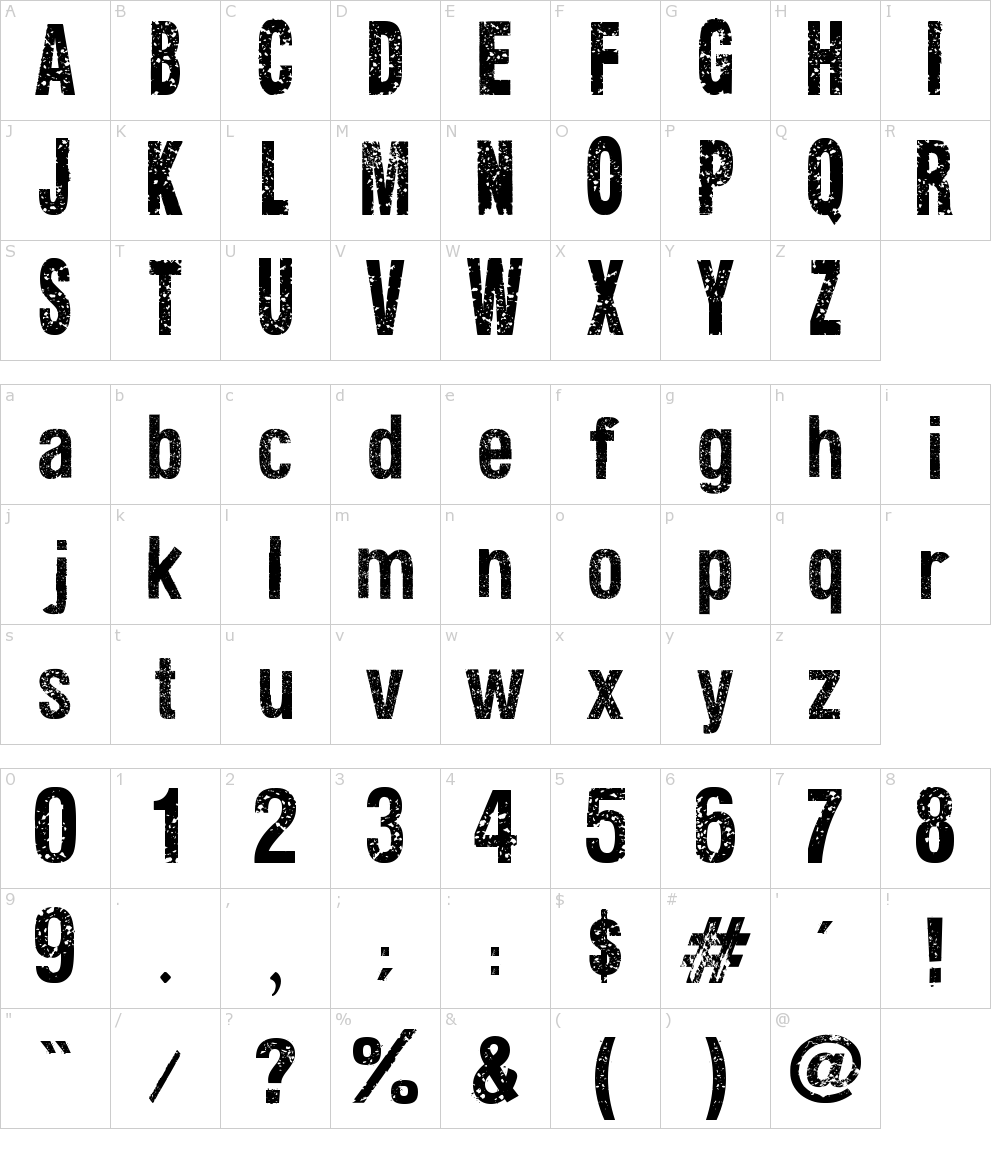

 odd ember
@bleak sable switch your animation state on ledge grab
bleak sable
how do I do that?
spark robin
Cranz (or anyone else), about montages, when calling one inside of my character blueprint, it seems that the hitboxes stay right where they are/where they would be if the montage wasnt playing
Do you know why?
bleak sable
@odd ember Nvm I just remembered something, thank you.
spark robin
People recommend using montages for ability animations and stuff, but then the hitboxes will have to move along with the character for that to work really (Since Im making a PvP game)
(Please ping on reply ❤️ )
odd ember
@spark robin hitboxes have to be manually updated unless you parent them to something like a socket
in which case they follow the socket around as it moves
most collisions in most games are completely faked
and approximate
spark robin
Oh okay wait, so the hitboxes doesnt actually move with my character with any animations?
odd ember
no sir
odd ember
it's all manual setup basically
odd ember
unless there is root motion enabled, but even so it would be spotty unless it's something where the entire character actor moves some place
I don't recommend using root motion generally, it's much more malleable to adjust things by code instead of by animation
spark robin
Btw, Im using collisionoverlap for my projectiles
odd ember
... unless you are an animator