#blueprint
402296 messages · Page 424 of 403
 spark robin
spark robin
spark robin
Well I know the basics xd, this is all a first for me
Im not really a programmer either yet so lol
 odd ember
there's a difference between an animator who spends time polishing every animation asset to be perfect versus just creating some animations that work approximately
root motion is for games where animation is king and things literally need to be pixel perfect
spark robin
But right, non the less, bone socketed collisions sounds fantastic
Do you happen to know of any tutorials?
odd ember
again, keep in mind you can just set your skeletalmesh to be collision as well
nobody's going to stop you there
and it's much simpler than sockets
I don't
spark robin
Honestly Idk how to do that either 😅 👌🏻
odd ember
google collision presets
I recommend making your projectiles block collision instead of overlap though
spark robin
Oh, why?
spark robin
Mine are set to overlap (Virtus recommendation)
odd ember
no idea who virtus is
 sacred sundial
If I turn combined meshes into a blueprint will I need to create an interface? I'm trying to streamline my level building by making tilesets modular pieces.
spark robin
A YouTuber doing UE4 tutorials
odd ember
no idea who that is
sacred sundial
Don't listen to Virtus
odd ember
has he shipped games?
spark robin
Probably naw
odd ember
if he's doing tutorials for basic shit I'd take that advice with a grain, if not a mountain, of salt
sacred sundial
Virtus is a joke on this discord server.
but he's good to start learning you have to do a lot fo unlearning afterwards
odd ember
@sacred sundial interfaces aren't useful in single family class hierarchies
sacred sundial
okay, thank you
 sand shore
If you have to unlearn it, what's the point
sacred sundial
It's very primitive, It's good for showing friends you can do something.
odd ember
branch on tick style?
sacred sundial
yeah
spark robin
Cranz where are the collision settings? ':D
odd ember
google it
sand shore
that's how they arrived where they are most likey 😂
 zealous moth
yeah virtus is not good for making games @odd ember
he gives you some direction to learn the engine
but that's about it
sand shore
@spark robin there's settings on each primitive component, but also the mesh asset
sand shore
Physics asset?
spark robin
Yeah, there I have collisions, but that is only used for physics sims right?
no?
yes?
Maybe?
odd ember
The Collision Presets section in the Collision Property Category has a large number of properties broken out here for clarity.
literally the first response on a google search
come on man
spark robin
But I already have those setup
odd ember
that's all you need
spark robin
Yet still my collisions dont move along with my character when I use a anim montage
odd ember
those are not the collisions you are looking for
spark robin
oh
odd ember
you just need to set your skeletal mesh to collide with projectiles
spark robin
okay
odd ember
and probably unset your capsule to not collision with projectiles
spark robin
@odd ember Can you please just tell me where the option is. I still havent found it
odd ember
you have to make it yourself?
spark robin
A component?
I really have no idea, the physics asset is already used during physics simulations
odd ember
you dont need the physics asset at all
spark robin
Then why did you direct me to it?
spark robin
nvm, it was Lambda who did
Okay now I found it, its under the mesh in my character bp
 wanton ore
Hello! Is there a node that gives me rotation of object. Not the current angle, but the rotation happening. Like rotation velocity?
 quasi siren
I cant import my files I need help.
Please @me
spark robin
obviously its unpacked lol
open it (double click) (if you cant, right click it and press unzip)
@quasi siren
 upbeat sinew
You cant import zip files
 rich trellis
Hello everyone! I am trying to make a vehicle from standart vehicle template and I have lot of bugs with it.
For example if I will drive fast and hit things like a small stone - my vehicle just flies away :)
Is there any quick fix for that in the vehicle component maybe? Or other pre-made solution?
Or I need to make my own extension and make ray-checks and etc
upbeat sinew
Unreal engine doesn't support zip files, Its okay, we all have to start somewhere! @quasi siren
quasi siren
@upbeat sinew I downloaded fbx,obj and another file
 jolly cedar
Anybody know of a way I can get this to work?
I'm trying to add a value to an array inside a struct inside a map
but I think at some point I'm passing by value instead of ref
because even though I add a value to the array, the length is still 0
The find also returns true
wait nvm
I just needed to use the Set members in struct node
 vapid owl
Does anyone know how to get a random location inside a texture? Basically I have a texture in a widget and I want to be able to add other widgets in some locations. But I can't just use any random location I want it to take into account the alpha channel in my texture. This is my current setup, but it doesn't work. Any ideas?
 rough wing
vapid owl
rough wing
vapid owl
You need to add the world location to the multiplied forward vector
vapid owl
No problem 🙂
 jolly lion
Hey all, is there a way to make data in the game state be persistent across levels, or is it always nuked and it's better to use a game instance to store things across levels?
jolly lion
Good to know, thanks!
 shadow fox
Are we aloud to re post questions it was hours ago and has been alot of chat since then I just didn't want to get reemed for double postin
upbeat sinew
what's the question?
shadow fox
Can anyone point me in the direction of how to solve this mystery lol. I cannot find even like parts from other videos to put togather as one...so I have a disk that spawns....I want to be able to either 1 ...target team and throw it to one of them...or just skill shot shoot it...but anways the jist would be to walk on it loot it to my hand turn throw it to someone and ya that
i just copied and pasted it
like the simple part of it to me would be the walking over it loot it to hand automatically but I cant even find a way to do that on google its all button controlled
upbeat sinew
So:
- Disk Spawns
Eiether: - Target an team member and throw it to them
Or - Skillshot throw it and the team member picks it up?
shadow fox
yes
I would prefer skill shot
just make it more fun imo then auto targeting
plus it need to be able to hit a col box for the score
like I almost used the grenade tutorial but there was not even a throw on it it just randomly hit the ground
upbeat sinew
A Projectile with gravity would work well enough, then when you pick it up/overlap it on the floor, set a mesh of the disk in your hand to become visable and spawn the projectile again after you throw it
shadow fox
kk ty I will start there
upbeat sinew
If you need help I'm available to talk or call over dm
upbeat sinew
GL 👍🏿
 shadow pike
Hi, i want to move player pawn to center of trigger box upon touch, all values seems to be ok in debug however character doesn't move even a bit, am I missing something or my approach is wrong?
 opaque terrace
Hey i have question. IF i use simple move with navmesh, to use my character is any way to "read" path he will go?
Iam asking about build funtions not custom make one
 heavy oak
I want to "grab" a capsule from a ragdoll and move it with a VR motion controller, but I can't figure out how to constrain a part of a ragdoll to the controller. Is this possible?
 loud cipher
how can i set the bone size to 0 in blueprints? i mtrying to get the mag to disappear, or even just set the visibility to off
opaque terrace
Mesh attached to bone should work with visibility off
opaque terrace
so its working?
opaque terrace
You know maybe does it any way to "read" path of moveing characer to vector or smt? is base functions?
Alot cutom events 🙂
 hollow flame
@shadow pike you should use "simple move to or actor" function to easily move your character(this also requires navmesh), no need to set up complex setup
odd ember
I generally recommend using AIMoveTo and not use simple move to
hollow flame
@shadow pike if you want to move your own 1 main character you should use "simple move to or actor" OR if you are using NPC's you can use "AIMoveTo " function
odd ember
you can still use AIMoveTo for your own character, since you'll most likely need an AI Controller regardless
AIMoveTo is superior because it has built in delegates as well as functionality that makes it easy to debug
with simple move to debugging is much more difficult if it doesn't work
hollow flame
@odd ember actually he asking for moving player pawn,(mean the main character) not NPC, you can't move yourself character with AI Move to , you should use "simple move to or actor" in that case
loud cipher
How do i duplicate my unreal engine project? or make a backup
I want to modify something on the backup project and see if it works
odd ember
@hollow flame you can if you add an AI Controller to your player pawn class
opaque terrace
@odd ember should i put Aicontroller class into player controlle class? this seems wierd\
as @hollow flame said u cant move your character with AI move to
this dosent work at all
@loud cipher just use clone on your project in liblary (right mouse button on project)
 atomic salmon
@loud cipher File --> Package --> ZIP up project. Very handy for quick backups. Note: I can't remember if it also includes the C++ source code and the local plugins, probably not.
zealous moth
@opaque terrace what you wrote makes no sense
spark robin
Is there any node like the branch node, but that it waits executing until the boolean is set to true?
(Please ping me on reply ❤️ )
odd ember
@opaque terrace no add your AI controller under where you have the controllers in the class defaults
you can do it, look up a tutorial
atomic salmon
@spark robin the closest is probably the WhileLoop node, but it doesn't wait
opaque terrace
@odd ember where is tutorial?
 rare gale
Anyone around that can help with some collision issues? I'm trying to make a crossbow fire a projectile. I'm using ProjectileMovement for the arrow. If I have physics on, it gets collision, but won't move like an arrow. Just falls to the ground. If I have physics off, it moves like an arrow, but won't give collision responses when it hits stuff. How do I get both projectile movement and collision?
zealous moth
@spark robin that would be a custom event
@rare gale why do you want physics? Use projectile and put a collider on your arrow tip (just the tip)
 vocal urchin
Are there any 2D capture component experts around that can help with a "Show Only" problem?
Kind of a lot to type out and don't want to flood the chat here.
rare gale
I don't think I want physics, but that's the only way I get any collision response. The collider (capsule) never registers a hit if physics aren't on. It's set to BlockAllDynamic, is there something else I should be using?
Think I may have figured it out... the projectile BP had a DefaultRootScene. I re-rooted with the arrow and it seems to work now
now to make it actually shoot where I'm aiming 🙂
vocal urchin
I guess I'll ask more generically - how do you force a 2D capture component to only see a certain object? I cannot get component tags to work and I'm currently returning only a blank capture.
 tight schooner
I don't have a clean answer. I briefly experimented with it once and I ended up placing the capture stuff far away from the gameplay with a very short draw distance, which I know is kind of a hack.
vocal urchin
Yeah, that has definitely crossed my mind and breaks the functionality I'm going for.
This is a really difficult problem to solve, apparently.
There aren't good ways of forcing cameras to only see certain things.
I used to work heavily with Unigine, and that made life so easy. Really robust camera visibility masks. Nothing of the sort in Unreal.
Short of a physical UI right in front of the camera, I'm at a complete loss on how to do this right.
rare gale
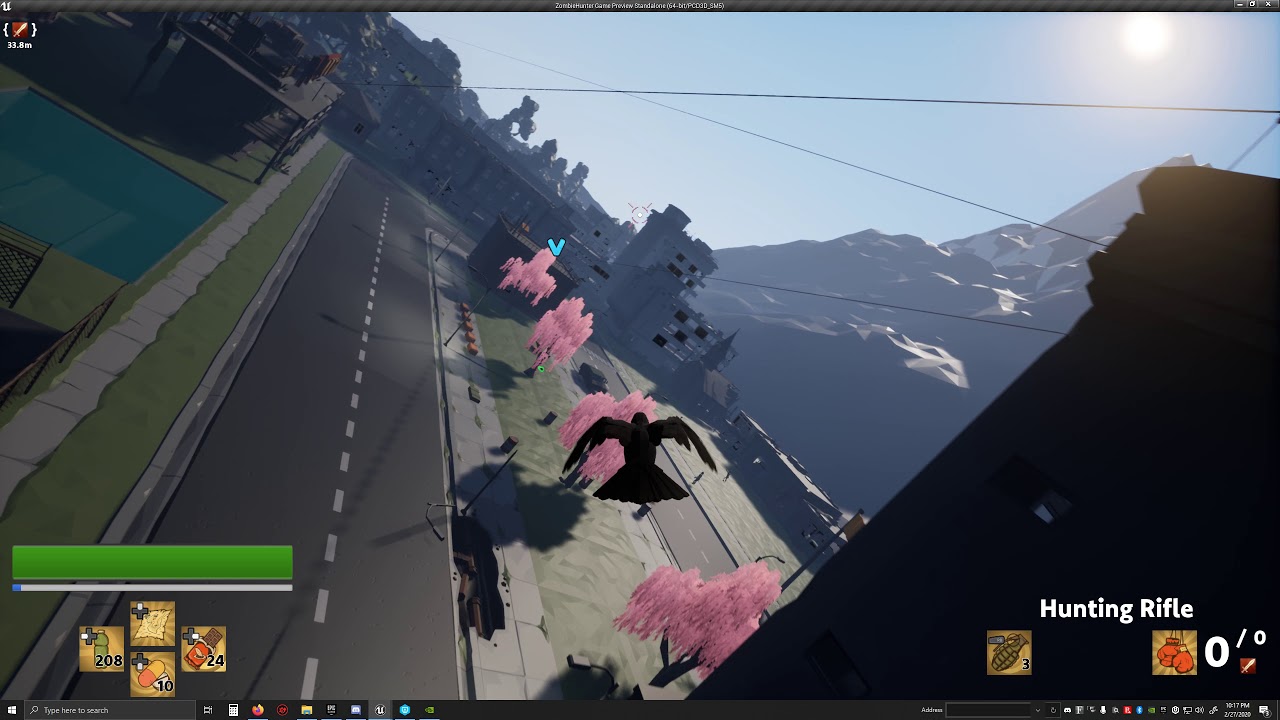
@vocal urchin No idea what you're trying to do, but I used an Ortho cam to get what I was looking for... you can see an example of it here: https://www.youtube.com/watch?v=gkF_CQ7SDGY&t=66s
 zealous moth
@vocal urchin uh, collision channels?
 sour urchin
Hi, how can I get the angle of the mouse relative to the center of the screen?
rare gale
I have a camera attached to the player and I call Capture Scene to that camera to get the update in the inventory window. Maybe something worth trying?
zealous moth
sigh... i was one of the first to get synty stuff, now everyone has em... synty has become noob assets...
vocal urchin
@rare gale I'm trying to accomplish this: https://www.youtube.com/watch?v=inpqadPEVVs&t=60
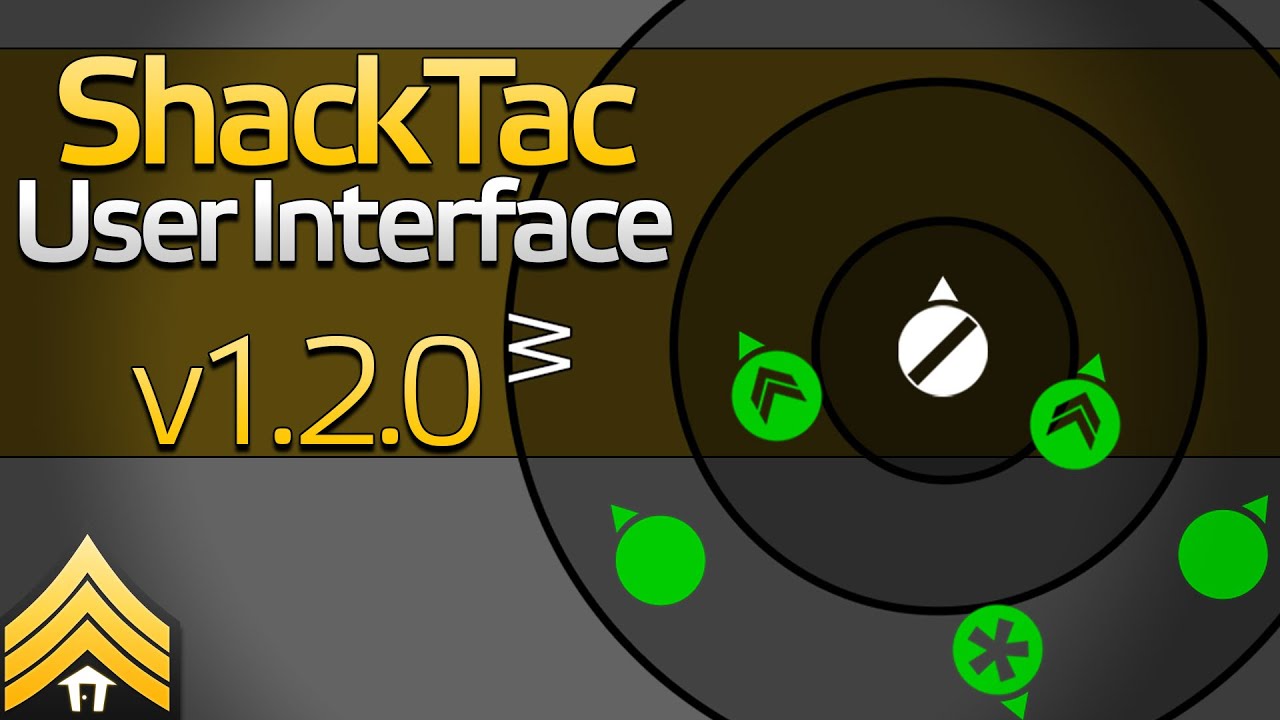
► Steam Workshop: http://steamcommunity.com/sharedfiles/filedetails/?id=498740884
► More details: https://gitlab.com/shacktac-public/general/wikis/home
► Issue tracker: https://gitlab.com/shacktac-public/general/issues
► Like my content and want to support me more directly? I...
My initial thought was to actually put the actor around the character and then use a top down capture component to get what I needed. But, for that to work, it has to only see what I want it to, or else I get a bad looking minimap-like display of everything in the world.
 gritty plover
If this is a looping sound cue, how do I make it stop or pause?
 cinder dirge
@vocal urchin ShowOnly has worked ok for me in the past. What problem are you having with it?
vocal urchin
Here's the scene setup
cinder dirge
Ok yep
cinder dirge
And you've put breakpoints into your loop to verify that it is in fact finding some actors by tag?
How many does it find?
vocal urchin
Yeah, it's populating the array. I can see it printing "1" here
cinder dirge
I'm not sure that you need both the array population and the Show Only Actor Components
cinder dirge
When I last used it, I populated the existing array
Might be worth trying that rather than replacing the array with your own
vocal urchin
Changed it to this, still getting my black box
vocal urchin
You get rid of the "Show only actor components" node though.
cinder dirge
I did
vocal urchin
well, that does fix the empty capture issue
but now I'm back to having everything in my capture
I just want the dial 😄
cinder dirge
Any more luck that way?
vocal urchin
No, the capture is all black.
or, empty rather
I feel like I'm fundamentally misunderstanding something here.
I'm tagging the actor within my character
I'm putting it in the list using the "Get All Actors With Tag" node
cinder dirge
The actor within your character? How does your character contain another actor?
Do you mean component?
vocal urchin
Child Actor Component. I'm sorry, yes.
cinder dirge
Hmm ok. I do not know what the rules are for Child Actor Components and the ShowOnly list. Can you get it to render another actor, just to prove it works at all?
vocal urchin
Sure, let me try to just force a primitive cube to show up
Clearly works
So...the issue is with Child Actor Components
Welp, tells me something at least
vocal urchin
I was hoping to do it that way, yes. It (the white compass-looking dial) needs to be fixed to the character at all times.
I have some other code which points it at an axis, which works fine.
cinder dirge
Does it have logic in it that requires it be its own actor?
vocal urchin
Not sure how I'd do that
cinder dirge
What's in the compass actor? Just a ring?
vocal urchin
yup
cinder dirge
And does it Tick?
 round dock
is there an easy way to override default variable values in a child class?
round dock
@cinder dirge love you babe
cinder dirge
❤️
@vocal urchin Why is it that you're using tags to find the compass?
Do you need to render them for all characters, not just the one that the capture component is on?
vocal urchin
No, just one character, although some would have to replicate
Basically, each player will have their own capture, but other player's UI actors may show up in that same capture
if that makes sense
cinder dirge
Ah ok so you do need to show other players' compasses
vocal urchin
Not compasses, exactly, but little icons representing different classes. Just quick recognition and situation awareness stuff.
But yeah, it needs to be able to see other players' stuff.
And I didn't want to have to add every single actor to the list. Thought I could just use a component tag and call it good.
But that is clearly not working for Child Actor Components.
cinder dirge
Ok sure
I think I have it working
Yep
Try this
Untick Capture Every Frame and Capture on Movement to start
Pretty sure that if you start with an empty ShowOnly list and Capture Every Frame enabled, the camera works out there's nothing to render and disables itself
So the workaround is to fill the list before enabling it
round dock
also hey any reason i can't call Apply Radial Damage from an Object
is that an actor only thing
vocal urchin
@cinder dirge still not working. it's working for this cube I have, but not the dial
zealous moth
wait a sec... @charred flint Kom je uit Nederland?
vocal urchin
I'm thinking it's because this is a Child Actor Component.
And not just an actor
like the cube is
I think i'm at the point to where I could just create a new actor outside the character itself and just update its world position every tick and replicate the functionality 😛
But then that also makes everything less efficient. The goal was to have everything in the character to keep it neat
cinder dirge
Unsure @round dock , I'd have thought it would work, but it does not
You should be able to make this work. It's working fine for me @vocal urchin
vocal urchin
With a Child Actor Component?
cinder dirge
This beautiful cube is a Child Actor Component
cinder dirge
As in my screenshot earlier
@round dock It's because it needs an implicit WorldContextObject, for which the calling actor is used
vocal urchin
I mean the cube @cinder dirge
cinder dirge
(And it needs that to get the World in which to find actors to damage)
@vocal urchin
The cube is ChildActor that you can see in the hierarchy
vocal urchin
And you have it set up like this?
shadow pike
Hi again, sorry for spam - How can i trigger event when actor is fully inside trigger box? Im trying to make switch on floor (whenever player stands on it it does something) but now event is activated even if i touch the trigger box (trigger box is above tile), should i just resize trigger box (to small box in middle of tile) to achieve expected behavior or there is more elegant way to do this?
cinder dirge
I'm using a static mesh box
Look under Actor
In your options there
You should find Tags
@vocal urchin
cinder dirge
Works?
cinder dirge
Wahoo!
vocal urchin
Thanks for your patience lol
cinder dirge
You're very welcome 🙂
 olive cloud
How can I get rid of this pawn placeholder?
cinder dirge
@shadow pike I'd go with the resize to take into account the radius (or perhaps more correctly diameter) of the player capsule
@olive cloud Hard to say without knowing more. How did it get there? Is it your character?
olive cloud
I found it, nevermind, thanks for trying to help
olive cloud
The gamemode pawn was default rather than none.🤦
cinder dirge
Aha! Brings back memories hehe
 viscid skiff
Can anyone help me figure out why "Destroy Actor" doesn't work from the client?
Works fine on the server, but on the client it seems it doesnt even fire
I put a print string after destroy actor and it doesnt print on the client
 fading locust
Hi guys, Im trying to make a weapon swapping script from a tutorial. I want to ideally edit it so that when i press a number key (1,2,3,4) a weapon appears in the players hand
the current blueprint setup i have is here (from left to right):
this code currently does not run correctly, i have the guns in the scene and it calls an error when I try to pick up the guns I get this response in the message log: AttachTo: '/Game/Levels/UEDPIE_0_FPSMap.FPSMap:PersistentLevel.FPSCharacter_C_0.Camera' is not static (in blueprint "FPSCharacter"), cannot attach '/Game/Levels/UEDPIE_0_FPSMap.FPSMap:PersistentLevel.FlameGun_Blueprint_2.StaticMeshComponent0' which is static to it. Aborting.
among others, one of the issues is that I am trying to attach a weapon to a fixed point on the camera, and it's sockets seem to work differently than a skeletal component (the player has no bones per se)
olive cloud
I believe destroy actor has to be done on the server to update it, so use the client to trigger an event on the server but I am in no way an expert @viscid skiff
fading locust
If it helps at all, this is the tutorial I was following: https://www.youtube.com/watch?v=w_8jl3mkGio (sorry for the info blast, just wanted to be descriptive of my issue)
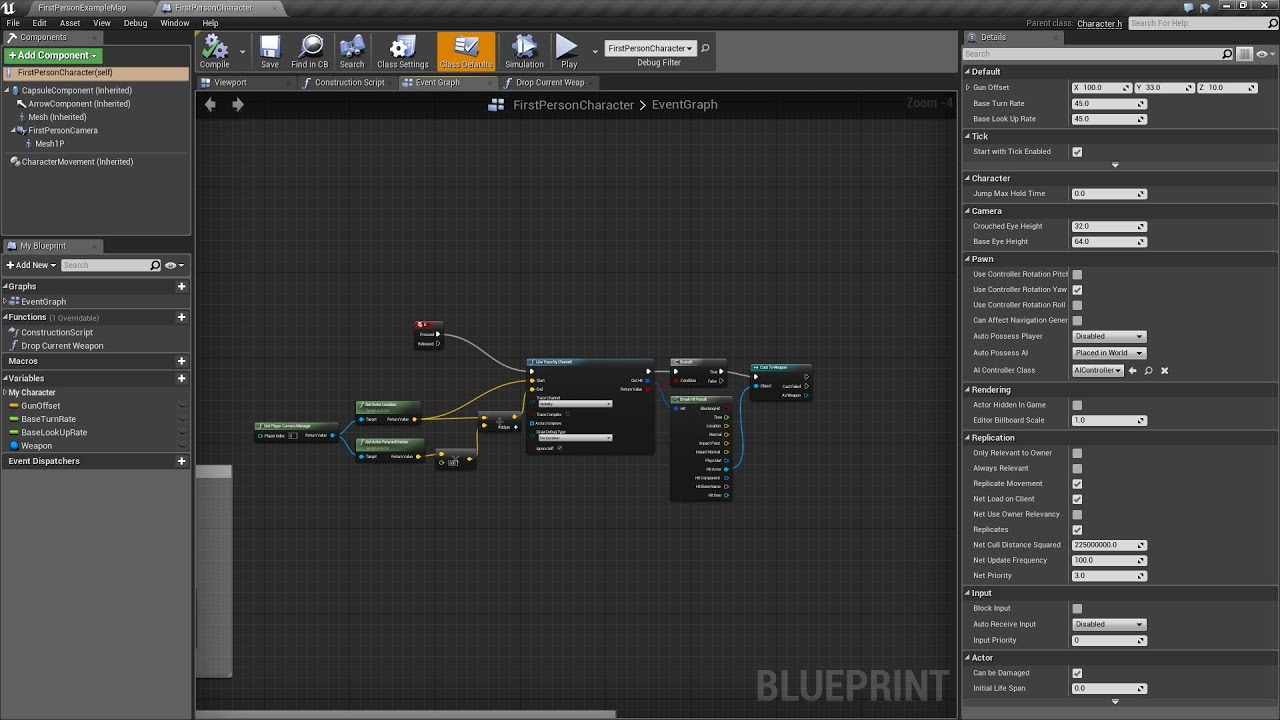
In this tutorial I go over the basic for swapping between two weapons within the world
 oblique tulip
I'm trying to add a relative location offset to the third person camera when the player aims, I have a timeline but giving the offset to the camera doesn't work. Only node that works is "AddRelativeLocation", but if I spam the aim button, it ends up moving the camera away from the player.
olive cloud
ah. Sorry I couldn't be more help. maybe try #multiplayer if you havent
vocal urchin
@cinder dirge is it possible to do the same Scene Capture component stuff with Static Mesh Components? I'm realizing I can't set "owner no see" on an actor, so while everything now works, the player can see the big 'ol compass dial in the world 😛
Predictably, this doesn't work
Wait, nevermind. It totally works
cinder dirge
That would only ever do one actor's compass
vocal urchin
I had old visibility settings still applied
cinder dirge
Ah
vocal urchin
Sorry for the ping.
cinder dirge
Having it on Tick is kinda madness though
vocal urchin
I have to figure out where in my pawn BP it should go without using tick
 trim matrix
trying to - hp from my enemy character blueprint it doesn't seem to wan't to work when i hit z it stays at 100
vocal urchin
I just slapped it on the end of another execution chain coming off event begin play and it worked just fine. Thanks again man
cinder dirge
Cool
Do this too, if North is static
Saves you having to Set World Rotation every tick
Ignore me if North can move 🙂
Presuming not though
@vocal urchin
vocal urchin
Most definitely not. Good tip.
cinder dirge
Cool 🙂
That little arrow hides away, but is very useful in the right circumstance
I'm off to bed, I'll answer any more pings in the morning though
trim matrix
fading locust
does anyone know how to spawn an actor in blueprints?
I want to destroy my current weapon and draw a new one, but id like it to be from the blueprint actor that I have for the gun
oblique tulip
I'm trying to use an actor as a weapon, and I can spawn and attach it just fine, but when I try to destroy it, it doesn't destroy.
This is the destroy part. The Weapon Right is a skeletal mesh component, I'm using it to attach the weapon to as a child component
When I just swapped skeletal meshes it worked fine, but now that I switched it to spawning actual actors, it doesn't want to destroy.
odd ember
@opaque terrace you can find one via google, you should know what to type by now
trim matrix
not to sure why my health variable on my enemy_character bp isn't going down when i tell it to with z key from my character blueprint anyone know?
 little nacelle
do you need physics based animation to make skeletal meshes "flinch"?
procedurally i mean, as opposed to having flinch animations
trim matrix
I made a blueprint that lets me open and close one door but how do I apply it so I can have many many different looking doors?
zealous moth
@trim matrix what? what does this mean? "different looking doors"?
zealous moth
uhhhhh you can make a begin play and set the mesh to whatever variable that is public
and then in your level change it
 low venture
You can have as much doors as you want ^^
Usually one would have a base class 'door' for that with the children 'wooden', 'metallic' etc. with different sounds, opening speeds, ...
little nacelle
^
trim matrix
@low venture do you mean make a base blueprint then child blueprints for different types of doors?
little nacelle
yes thats what theyre saying
trim matrix
so for some reason ue seems to be having a issue with setting effects quality in realtime
everytime I set to a value of 0 or 1 it freezes the game
anyone have any similar issues?
it seems to be a issue where the game starts compiling shaders
@little nacelle but when I make a child of the original door bp it keeps the original door and I cant delete it from the new child bps
aight im giving up ahahah I'll just make a separate bp for every single door model
little nacelle
dont do that
you make a child of the parent door bp
then you change the mesh of the child
trim matrix
the parent door bp has a mesh on it though
wow that took forever to figure out
had to get actors all actors of class
for my stupid hp bar to work
 sick sapphire
why is the appearance of my skeletal mesh not changing even after I have changed the skeleton itself
 fathom portal
Hey friends, I'm failing, I can't figure out why "get velocity" is always returning zero
I'm merely trying to get the direction an AI is headed
Without having to track a vector every tick and check the last one
I thought I could use the get velucity to get a direction to calculate with, but it always returns zero, and the length always returns zero as well
 merry orbit
@fathom portal Self is moving?
fathom portal
Yes, self is my player character, who I'm testing code on since I don't have any AI built out yet
It's worth noting my player character doesn't have a movement component, maybe that's it?
merry orbit
@fathom portal Try to put in tick get velocity
fathom portal
Yup, that's what I tried
But it returns zero, same for length, no matter what I do
merry orbit
@fathom portal try to move slef by ai
fathom portal
Huh? What do you mean
merry orbit
@fathom portal put in tick self velocity, this is not because you miss moving component
fathom portal
It's self velocity, and it's already in the tick event
merry orbit
@fathom portal Yes
@fathom portal You need to move actor to get some parameter actor is moving?
fathom portal
I need to detect which direction the actor is moving to apply the correct flipbook
merry orbit
@fathom portal Velocity is not working if actor is not moving
@fathom portal You try to put debug?
fathom portal
Debug won't help if it's not giving a value, though.
merry orbit
@fathom portal Also i doing 2d game so i think why
@fathom portal Let me check on my game ok?
fathom portal
Ok
merry orbit
@fathom portal My character sprite its work
@fathom portal I think you shold call get velocity just direct after exent tick // for debug
@fathom portal OK?
merry orbit
@fathom portal I have solution
fathom portal
I eagerly anticipate said solution
merry orbit
@fathom portal You need to use move input designed for character
@fathom portal I tested on two character one ose moving by change location and other by movming componenet
@fathom portal Character movement component can be setup with fly, walk, swiming mode
@fathom portal And you can try to check projectile component, maybe will move by using that
@fathom portal That help you?
fathom portal
I'll try it out, thanks
merry orbit
@fathom portal One extra think
@fathom portal Lets say you create some logic in tick. Tick is generate how many time can be generated. Any code in tick is like benchmark.
 true yew
the "Get Velocity" node or code will either return the actor's physx velocity or the velocity currently reported by its MovementComponent. if you're moving your character any other way, you have to define velocity your own way
fathom portal
Ah, so yeah, the missing movement component is the issue
Which is fine, since the actual NPC has a movement component
My player character doesn't, which is why it won't work on me
Thanks!
true yew
yeah. if you're just using something like "SetActorLocation" with some small change every frame, that's equivalent to a bunch of instantaneous warps, not actual "movement", and unreal doesn't see that as "velocity".
merry orbit
I do not have psychic on pawn But movment need to be applay by movment
There are why to get space bar evet in blueprint UI (directly) I think its not possible. I do logic from controller blueprint.
fathom portal
Yeah, my player character is controlled by "Add actor world offset"
 split wasp
well, you kinda need [a physics based] pawn unless you do very strick movement rules
because enviroment collision is physics based
however, you can manipulate the physics behavior to produce non-realistic movement
 hushed flame
Is there anyway to run Add Instance (Hierarchical Instanced Static Mesh) on a different thread? I tried to use MultiTask (free) plugin from marketplace but it crashed.
split wasp
looping timers?
tight schooner
@hushed flame generally BP can't be multi-threaded out of the box; all the game logic runs on one thread. So if you want to make your HISM spawning impact the performance less, do the instancing in the construction script and pre-place it in the level (UE bakes out the level's state upon packaging), or nativize the BP, or spread out the instancing over multiple frames, or do it in a completely different way like a mesh particle system.
merry orbit
@split wasp well, you kinda need [a physics based] pawn unless you do very strick movement rules
because enviroment collision is physics based
however, you can manipulate the physics behavior to produce non-realistic movement. // Sprite retro mechanic
split wasp
yea, sprites used box collision
or radius check
but point being, there's no "right way" to do it, just convenient and inconvenient ways
merry orbit
@split wasp I do not say i do not agree. Its more as you can off psychic and still movement component will work.
split wasp
but I do have to mention that using direct location manipulation can result in player popping through gaps and walls under low- and/or high-fps situations
merry orbit
@split wasp Its as more to note that @fathom portal velocity do not need to be included with psychic mechanic. Its just to know. nothing special. I do not know how is with multi platform when you use psychic.
@split wasp Yes general movement component solved many think. I use set actor location for platform. @fathom portal psychic is good when you want to some push, splash, bouncing Without that is not working very well.
split wasp
really should update my blueprint cmc tutorial 🤔
merry orbit
@split wasp Why?
merry orbit
@split wasp I do not know why you write now? And i do not know what is cmc. Some replay?
@hushed flame spawn actor?
Is there anyway to run
Add Instance(Hierarchical Instanced Static Mesh) on a different thread? I tried to useMultiTask(free) plugin from marketplace but it crashed.
@hushed flame
hushed flame
@tight schooner Thank you but I cannot pre-place it in level because I have to generate it at runtime. If I may ask, any idea on how to add instances only when they are visible? Basically dont add instances if they have neighbors in every direction. I add instances in two for loops. First loop (x <= 16) runs and inside it another for loop (y <= 16). I add the instance inside the y loop. So before spawning the instance I want to check if it has neighbors in all directions and if it has don't add.
merry orbit
hushed flame
@merry orbit Can't use it. Performance reasons
merry orbit
@hushed flame Maybe inside actor add many static sprite add component?
Thank you but I cannot pre-place it in level because I have to generate it at runtime. @hushed flame you can use in runtime
@hushed flame If that important i will try with you if you not find solution. Maybe some want give you better answer.
@hushed flame But i think you can spawn actor ort instance and from that return node you can detected around you actor you have other actor? Also in some actor putted on scene you can create logic for spawning.
hushed flame
What I'm doing right now is actors (around 10-15) are spawned near the player and inside each actor I'm spawning the instances and this instance is causing the hitches.
So I only want to add instances if they are completely visible to the player.
merry orbit
Why not that you have information you can spawn and create some logic if you do not have space?
@hushed flame If that actor Need to spawn something mayby create component inside scena. So you get one actor with scena and many static mash?
hushed flame
Or I have to run add instance in a separate thread but unfortunately that is also not possible since there are some check(IsInGameThread())
merry orbit
@hushed flame I really do not know but good point is to show other peoples code.
 mild ore
@hushed flame can you add new instances without marking stuff dirty? perhaps it would add stuff quicker.
hushed flame
@mild ore Only Update Instance Transform has mark render state dirty option.
mild ore
It wasnt always there :) maybe add node is missing it. Didnt check code just an idea.
merry orbit
Soft references?
mild ore
Also if the construction phase cause too much dealy you can try distribute the task between adjacent frames, that should allow normal rendering to occure with a bit of fps drop (if any). Unless the hism is highly populated, i never really notice too much delay working with a few dozen entries only.
hushed flame
@mild ore AddInstanceInternal does call MarkRenderStateDirty()
mild ore
you can try work around that i guess
 ember wharf
Maybe someone can help out here i have a sequence that plays out when the user clicks play and after the sequence ends instead of returning to the topdowncharacters camera it spawns the camera inside the pawn
mild ore
add a new node that mimics the behavior, and only mark dirty when finish with populating
hushed flame
@mild ore Yup I'll try that and report back. 🙂
ember wharf
also i should mention that it starts out with a main menu camera and is supposed to transition into a sequence that then goes to the player camera.
visualization of what its doing
mild ore
CoPowah, check character (Actor group) has the "find camera comp" checked, also the camera comp on char auto activated. Also the setview node may not execute at all, in case the pawn is not the specified type (cast).
ember wharf
seems that find camera comp is enabled
atomic salmon
@ember wharf why are you using get player pawn instead of get player character?
On the cast
ember wharf
@atomic salmon idk but i switched it and it didn't make a difference
mild ore
acharacter is based on apawn, technically it matters not
ember wharf
funny enough i had this working in my project before it corrupted and i managed to dig out those blueprints and reset it back up but it doesn't operate the same
mild ore
try remove that cast to topdowncharacter see if it helps
ember wharf
it seems to just bump back to my main menu camera
mild ore
also if you're running this from networked gameplay, (eg client only) maybe the setview doesnt function the way you want it to. server can enforce camera view on client, i think.
 solemn igloo
Hello guys . i have a simple question
is there anyway to make a timer which is not affected by frame rate?
mild ore
it is not
mild ore
create timers at beginplay or when event needs it to
delay nodes also not depend on framerate
tho they wont fire until game hanging or stuck infinite loops
 dawn glacier
Delay node still ticks but interpolates the elapsed time
solemn igloo
i think best solution is timelines
because they are like mini ticks
but my issue is i cannot use timelines in actorcomponents
mild ore
That sounds horrible, probably true, Liviu. But anyways timers not depend on framerate in any way. They fire at given time. Proably before actor/component tick.
solemn igloo
because im alsodealing with slo mo effect so the time dilation also should not affect the timer
really?
mild ore
time dilation not affect timers i think
solemn igloo
my problem is when i lock my 60 fps a timer which suppose to count for 2 second finish a lot slower than in 30 frame
xD yea
i add world delta seconds/global time dilation to my timervariable
mild ore
that's because of an editor setting
solemn igloo
oh
mild ore
fixed framerate setting i think cause the game to slow down
uncheck it and use smooth fps instead
you can limit framerate via t.maxfps 60 console command
mild ore
but my issue is i cannot use timelines in actorcomponents
That's because timeline is also a component. But you can create them on actor and call events/methods on your component.
solemn igloo
i tried the maxFPS 60 but it didnt change the functionality of timers xD
ember wharf
i fixed my issue
turns out one of my camera's somehow disabled auto activate
thanks @mild ore and @atomic salmon for helping out
just a quick question before i head off to bed. does anyone know if its possible to delay the player spawn?
like have the player character show up when a sequence ends?
solemn igloo
@mild ore
i found out the issue
Timers are totaly frame rate independent
so you should not use any delta time in them
you can just plus your variable with the timer amount you set your timer with
split wasp
definition of "delta time" should have been a dead giveaway
but yes, timer operate independent from tick and it's the best tool blueprint has to offer
spark robin
Could someone check out my question in #multiplayer ?
hushed flame
@mild ore That MarkRenderStateDirty event only calls if the component is registered so what I did was inside my actors begin play I used My_HISM_Comp= NewObject<UHierarchicalInstancedStaticMeshComponent>(this) and all my for loops/add instance etc and finally called My_HISM_Comp->RegisterComponent() but still it hitches badly.
mild ore
guess you got lots of instances then you must distribute this load accross several frames.
process one hism per frame maybe
hushed flame
I dont know how to check for neighbors before adding instance so I only have to add instances that are visible.
mild ore
you need an order, and only spawn/initialize/populate whatever a hism a frame, then the next until queue (array) is empty
split wasp
well that really depends when are you adding the instances
during loading screen, probably not a big deal if it hiccups
hushed flame
I'm adding the instances when the player is moving around.
split wasp
aight
then I would do a framerate target for the building speed
so it would load like 1000 instances to an array, and build those, if frame time is less your target frametime, add another 1000 etc
until the time goes above your target, then it starts to reduce the amount it builds per frame
so, a for-each loop with pause so it doesn't kill the framerate
and ofc, always flag the last one for update
mild ore
Engine also has the foilage system, you can probably use it as an example for solving similar problems. If apply.
split wasp
tho, the largest issue of such system is, how do you remove the old one while adding new ones
ism arrays are auto-sorting type to keep the memory imprint small
mild ore
the foliage system works kinda good, can't really compare it to other solutions in different engines. epic have added some optimizations over the years.
loud cipher
how can i prevent the player from spamming reload key?
 frigid anvil
Are you using reload animations @loud cipher ?
loud cipher
Yeah, i just tried another way i set a branch and if my current ammo which is in mag is less than 30, if its true then i can reload if not do nothing
It works
vapid owl
Anyone know a good way to get a random location on screen?
Basically I need a way to randomly spawn a widget on screen
frigid anvil
You could try this: @vapid owl
vapid owl
That's actually very similar to what I'v got right now, but I'm ending up with the widgets spawning off screen sometimes
frigid anvil
You need the random float in range to be within the screen resolution
So thats probably why
Maybe this could work @vapid owl
 olive ingot
Hi!
Can anyone show me in blueprints how you would go about this? Thanks in advance:)
vapid owl
@frigid anvil Thank you! I knew I was overlooking a simple solution.
frigid anvil
Something like this @olive ingot ?
olive ingot
I will try it out. Thank you very much!
 undone timber
is there any way to append a tag instead of set tags?
frigid anvil
Something like this @undone timber ?
low venture
@trim matrix Yes.
undone timber
jesus... yes... i honestly though there would be a simple append tag option...
like append tag (object reference) tag []
frigid anvil
No, I think the only append node is for strings so you have to convert it to string first
undone timber
sigh, just to make sure i am not wasting undue time, unreal has no AI for flying objects without navmeshes, right?
frigid anvil
Dont think so. What are you trying to achieve @undone timber ?
undone timber
i had to create a child actor for a makeshift AI for spaceships as a component, and it works, but it uses the begin overlap to set its targets... so when i start the game i want to append the tag to the player, and then the "AI" on the ships can verify if the actor has the tag to mark it as a valid target
 green crater
Can I paint on my landscapeMat Layers with an actor ingame?
 rigid cosmos
undone timber
rigid cosmos
undone timber
this is the way i want to add the tag to the player, as he is the only and first actor of the class that spawns
zealous moth
Why notnjust put it on the actor's properties?? Why add it at runtime?
loud cipher
I have this blueprints in a ai bp, how can i now make blueprints that detect if the health is 0 so that it disables my input in my character bp?
Im not sure how i would get started
frigid anvil
This should work @loud cipher
loud cipher
Thank you
 ancient stag
I've set up simple movement using the charactercomponent, but my character doesn't rotate while moving. I'm guessing this is because the component is designed to use the mouse / right thumbstick to then make the actor rotate. How would I go about this with a static camera?
 wet swift
guys i need help
everytime i place anobject into the level it enters crocked
and when i try to adict its location it adjusts its location crockedly
my axis is tilted for some reason and idk why
ancient stag
@wet swift Unreal's forward Axis is always X, perhaps you can take the forward vector of your object and set it in the construction script?
upbeat sinew
Hold ALT and click the middle mouse button?
I should centre the Axis on your cursor position
wet swift
that centers the position not the rotation
the rotation is whats messed up
@upbeat sinew
@ancient stag
split wasp
there's a small cube/globe icon on the top right of viewport, toggles local/world space
use that
unless your 3D model is also done in some weird angle...
wet swift
ok thx that worked
trim matrix
Hey there !
I was following the official UE Multiplayer BP tutorials and since I'm a UE4 Networking beginner I don't really have a lot of experience with nodes .
Anyway I want to cast to a game instance (which is not applied to any object if that matters) but the cast is failing for some reason so a custom event in there is not being executed . Checked the tutorial again but that guy has the same setup .
Could you find anything or do you have an advice what to look for ?
frigid anvil
Have you set that gameinstance to be used in the project settings @trim matrix ?
trim matrix
I'll check that real quick
frigid anvil
@ancient stag In your Character movement make sure to check Orient Rotation to Movement
trim matrix
ajaj forgot that . thanks @frigid anvil ! : D
ancient stag
@frigid anvil Thank you, I did that. But for some reason, the character doesn't rotate. Is it controlled through the animation blueprint? I'm at a loss why it's not working...
 vague fox
I have 2 questions; First of all, which base class do I use for my **Branch **and **Tile **class.
Let's say I have a procedural world that I generate (possibly endless) that consists of **branches **of N amount of **tiles **that in turn contain several components (this is where the actual geometry exists).
So **branch **-> N amount of tiles,
**Tile **-> 1 floor mesh and several props (this is the end-stage in my generation hierarchy)
My second question is I want to place random background buildings/geometry after determining the path of my branches. At which level would you suggest to do this?
Pardon the long post.
ancient stag
@frigid anvil Fixed it! Had to turn off Use Controller Rotation Yaw in the Pawn settings
frigid anvil
Nice!
frigid anvil
Maybe you need to cast to it first?
 jolly pumice
Hey guys! I made my first system heavily based on maps, but I found, that there's no simple option to sort it out. I have all "correct order" values in data table, but even just alphabetical order will be enaugh. Does anybody knows, how to get maps sorted? Keys are string 😉
tight schooner
@novel peak Any relevant errors in the output log when you preview your game? Maybe you'll get better answers in #cpp
 gray dune
hey, I was wondering how I could only destroy spawned actors that are longer than 5 seconds in the scene. Currently spheres get destroeyed with no real order
trim matrix
how can i use control rotaition
plz
my game doesnt move
when i move up and down
with my arm
fps game
Anyone know how to make my HP Widget doubled sided.
tight schooner
@gray dune I'm not sure exactly what you're trying to achieve... when O is pressed, Event Tick spawns a sphere and then the actor kills itself?? ... but I would suggest constructing your script in a completely different way
by looking into the "Set timer by" nodes. Plugging a delay into the event tick is pretty janky.
If you want to manipulate your spawned spheres from the BP, you need to save the references to those spheres in some fashion. On the spawn actor node, there's a "return value" pin; you can save that into a variable, or an array variable.
dawn glacier
you just need to rotate the widget locally towards the viewer
trim matrix
yah but
when your camera is behind the enemy
it disappears
best way would be to modify the rotation based on camera position too i guess
or only camera not sure
if you do on camera position it would kinda boring because you can't see it moving around
trim matrix
thought i could just * -1 with front widget position to follow character seems to cause issues
 bright elk
trying to figue out how to get the current movement (prefably vector) any help?
what I have only does stuff with input it seems
(Ignore Z)
 modest gulch
any advice or webpage for setting up smooth crouch? I've tried to use Character's Crouch and UnCrouch methods and smooth it out with Timeline conencted to OnStartCrouch and OnEndCrouch events, but there is ugly jerking
 indigo zenith
in the anim bp, between states u can specify blend time
or u have to have a seperate crouch states,.
gonna get ugly
for such a short animation i would recommend using the blend time between states
@modest gulch
indigo zenith
there is something called camera lag
but thats with camera boom
i suppose u have it attached to head
modest gulch
I think everything FPS has camera boom these days
no, I don't have camera attached to model
hmmm
TPS uses boom
but FPS does not...
indigo zenith
im using attached to head
indigo zenith
trying to do true first person
modest gulch
soul I guess in your case this issue is solved automatically as long as you get crouch animation to work
indigo zenith
first person is just a camera
i dont think there is anything related on code there
i dont know what way u want to do it
modest gulch
I don't have true first person (I use attached camera only as death cam)
basically, there is function Crouch and UnCrouch already
but they jump instantly
I waned to smooth it out
indigo zenith
set view target blend, try 2 cameras
1 for crouch , 1 uncrouch, blend between cameras
modest gulch
I mean, I don't really care about capsule halfheight etc, it can change instantly for all I care
indigo zenith
if u dont care, thats the way to do, with most control
modest gulch
I jsut want view to be smoothly going down or up
indigo zenith
try 2 cameras,
modest gulch
sure, will try that. thanks
trim matrix
fixed it not sure how
when my ai is chasing me it looks good
when its not it doesn't
🙂
shadow pike
hi again, i want to detect inside other actor when player use axis input and do some action but this somehow halts input inside player pawn and movement isn't detected/handled however, it is inside that actor (picture shows bp of that actor)
and this is how i disable/enable input inside actor
zealous moth
Holy cow what happened this weekend? The influx of bad questions and setups is staggering!
@shadow pike you should set up your control scheme in the controller, not the pawn and refer to your appropriate pawn when signalled to. Right now your set up makes no references to what overlaps. Not sure how the engine uses that info.
shadow pike
I feel this ^ is targeted to my question so pardon my spaghetti i started using BP seriously like 2 days ago and i feel a bit overwhelmed so im trying to do as much as i can by myself but i still often encounter problems which i can't solve myself
upbeat sinew
Everyone starts somewhere
 uneven jolt
I'm trying to add a run mechanic but it's not working, i'm also really new at this, so any help would be great.
indigo zenith
character movement component - set max walk speed
indigo zenith
thats sprinting@!
 grizzled seal
so i have slope that i would like a character to run up, but they only get up to halfway before they stop completely, and stay still. they don't change in rotation either. so how would i go about implementing something like a 360 movement system like a sonic game?
uneven jolt
thanks guys, it works.
uneven jolt
ahhh okay.
zealous moth
you can set sprint, slow, crouch, etc and then define those parameters instead of working around the charactermovement
uneven jolt
thanks, that's really cool.
zealous moth
@grizzled seal you can either: use a vehicle pawn that has those capabilities built it (now what they are and how to use them, I dunno); or remove all restrictions on max slope angles; or make it run through a spline when overlapping a box
uneven jolt
Okay, can i ask one more question?
grizzled seal
i'm probably gonna go with option 2, see how that goes
zealous moth
no, you filled your quota for the day
uneven jolt
sad
zealous moth
kidding, go ahead
trim matrix
fixed my widget was basically using the same target so i had to offset it by 180 for the flipped version note to self don't have the AI chase you when trying to figure out rotations lol
zealous moth
@trim matrix i briefly saw your posts, what kind of widget is it?
a texture or text?
trim matrix
default widget
without any textures
now when i look behind i can see the other side left to right
for the bar
gotta fix this camera business though
when go to look behind my camera snaps closer
its annoying
zealous moth
ah, good, you can make the widget look at the camera at all times though
uneven jolt
So, i want to make a specific monster ai, i want a ai that most of the time just stalks the player, but then when the right numbers are hit, it attacks, i also want it to appear and disappear at random, and i want it so when you look at it for a few seconds it disapears but only when it's not in attack mode. Would this be really hard to make?
trim matrix
i don't know maybe i should just try it
zealous moth
@uneven jolt and that would be BT, BB and BTT AI, lemme find you a video
uneven jolt
BT? BB? BTT?
zealous moth
haha yeah
trim matrix
because only flaw is when i'm kiting away from the enemy and its chasing me i and my character is angled it can get thin(the bar) then flips
buts its kinda hard to do
maybe i can make something that is a hybrid of camera location and player location
zealous moth
BB = blackboard: defines your BT variables
BT = behaviour tree: defines what behaviours your AI does and in what order
BTT = behaviour tree tasks: customized tasks such as going invisible or not
You basiclly need to sit down and learn it in a week.
Here re 2 links:
https://www.youtube.com/watch?v=zNJEvAGiw7w
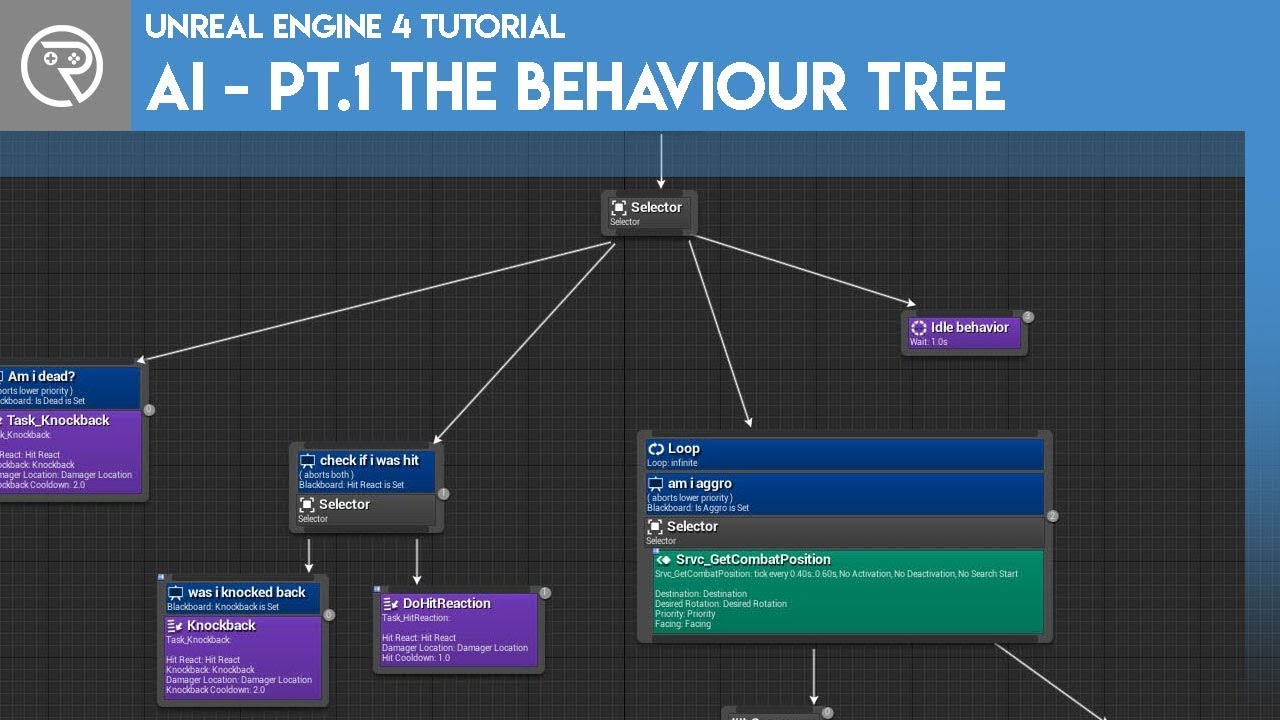
Welcome to the start of a brand new series. This time we are diving into AI for games. This episode introduces the concepts being used in AI design and in particular, the behaviour tree. In this episode we add an NPC that can randomly roam around the level.
Support me on Patr...
Announce Post: https://forums.unrealengine.com/showthread.php?135116
Mieszko Zilenski is back in action with Alexander to talk about how to get set up in UE4 with basic gameplay AI. We will be covering how to set up AI Controllers to properly handle your Behavior Trees and the...
zealous moth
@trim matrix usually you would make it so that if your AI is engaged with the player, then you set it up in such a state. When the state is triggered, set up that bar and give it a follow camera function on a loop
trim matrix
so its not doing it all the time like my event tick lol
trim matrix
thanks
loud cipher
How can i play different particles on different materials
 maiden wadi
@grizzled seal I'm not sure that you are going to manage what you're after without a custom character movement. You would have to do something like check directly in front of the character on tick while moving forward to make sure you can move there and also rotate character to face the same plane that is directly beneath them, so that if the tile they're running on is upside down the character would be too.
grizzled seal
Oh, I'll give that a shot then
upbeat sinew
You might need two apply damage nodes
One for Head double damage
and one for normal damage
maiden wadi
@loud cipher If you're trying to make it so that your bullets or projectiles spawn different particles based on what they hit, I'd probably do that in the projectile's collision. OnHit, GetMaterialFromCollisionFaceIndex, compare it for specialized effects, if none match, play default particle sort of thing.
trim matrix
I'm not very adept with unreal how would you guys go about killing an AI that uses a behavior tree
My Enemy Blueprint already has health variable and a way to take dmg
maiden wadi
@trim matrix Depends on whether you're doing special effects or just making them disappear on death.
maiden wadi
You could try calling StopLogic in the ai controller, and then make the pawn/character play the animation.
trim matrix
k
viscid skiff
Why does destroy actor not work on the client? How would I go about making it destroy the actor when called from a client?
maiden wadi
People in #multiplayer would be able to answer that easier.
trim matrix
how would i go about checking his hp to set my isdead variable true
my dmg source when applying dmg check the variable?
maiden wadi
Use the Event AnyDamage.
maiden wadi
Take Damage from the AnyDamage event and subtract that from your Health variable. Then run a branch and say If Health <= 0, call your stop logic
trim matrix
not to sure on this part
maiden wadi
Where are you keeping the health variable?
maiden wadi
You'll want to be doing this stuff in the character then. That's probably what'll be triggered from the AnyDamage event anyhow.
trim matrix
couldn't i reuse that blueprint for other ai if i keep it in controller
or should health variable be in the controller maybe?
maiden wadi
Depends I guess. You could manage it any way you wanted. I personally would just leave Health in the pawn and do the logic there for damage.
trim matrix
so say i had more ai using that blueprint i'd just make more death variables?
maiden wadi
Using the Pawn or the Controller blueprint?
undone timber
Why notnjust put it on the actor's properties?? Why add it at runtime?
@zealous moth because i only want this specific actor to have that tag, if i add the tag to the class, every npc will also start shooting each other
maiden wadi
I'm a little lost why more than one AI would use a body?
undone timber
ah i was replying to a much earlier question
maiden wadi
Meant that to Zykoz.
undone timber
i have a game that spawns a lot of NPCs (this npcs fly and thus cannot use unreal engine premade AI i had to make my own "Fake AI"with a component) , they use onbegin overlap to detect enemies, however i need them to be able to recognize which actors are players and ignore everything else (dont want them shooting each other)
my idea was to add a tag on begin play to the player, but for whatever reason the tag is not being added
zealous moth
@undone timber you could make a collision channel specific to the player and they will ignore collisions with anything else
undone timber
yes but they fly ships that are in the same class as the player... so they would still start shooting each other
zealous moth
ok... I sorta don't understand your bp, you are getting an actor... how do you define which actor of that class it is?
undone timber
at the beginning of the game ,there is only a single actor, the player
that is spawned by default
maiden wadi
You really should just keep a list of references to the player controllers somewhere, and add the tags to their pawns that way.
zealous moth
you could do an "on possess" event with your player controller to assign that tag
so when it gets possessed, the tag is added
maiden wadi
That's also a fair play.
undone timber
oh the onposses sounds like a good idea... so in the class file for the spaceship.... add onposses event and jsut add the tag there...
zealous moth
it would be for your controller, not pawn
maiden wadi
No, not in the ship, in the player controllers.
If you do that in the ship, it'll tag everything, because the ships are also possessed, just by different type of controllers.
zealous moth
it is really best practice to use the controller for user inputs to send to controlled pawns instead of putting it in the pawn
undone timber
ah i must have missed that... just learned unreal 4 a few weeks back, i am not very familiar with player controllers
i dont even have a player controller in my game as its not a game with characters (top down arcade style more like it)
undone timber
oic
zealous moth
the controller controls whatever is the defined default pawn the game mode is assigned
zealous moth
like I said, could be an enum or a boolean even
undone timber
but if i want to check for a variable i would have to cast... can i cast when i dont even know the specific class of objecte that is going to overlap?
trim matrix
didn't seem to work
because target is self and i don't have isdead variable in controller?
thats in my enemyblueprint
 cedar sleet
in your any damage event just check if isDead is true or false and create/call a death function to play and handle your death animations and other stuff
maiden wadi
Don't use ==. Use <=.
trim matrix
changed girls still walking around
maiden wadi
If you use == and you go over it's max health in damage, it still won't die, because your damage didn't equal exactly it's health. <= lets you check if it's equal or less than 0
undone timber
this is the detection method i am using for my "Fake AI"
this is why i want to be able to add the tag to the player ship that is possesed, regardless of what class it might be
should i just use an interface?
maiden wadi
@trim matrix But yeah, instead of setting IsDead, put a branch there to check if it's true or false, and if true, then call stop logic and the animation.
zealous moth
@undone timber fair point, what you could use instead is an interface
undone timber
is there any specific reason interfaces should be discouraged?
trim matrix
when i did a print screen
undone timber
every time i find an issue i find myself just relying to an interface
zealous moth
not that i can think of
trim matrix
when i did a print string event anydamage doesn't print the string
maiden wadi
How are you damaging them?
zealous moth
shake my head...
trim matrix
maiden wadi
Instead of that, after the get all actors, run a for loop.
trim matrix
😉 i'm not so smart
zealous moth
you're damaging the array, not the items
poor poor array
what did it ever do to you
maiden wadi
zealous moth
is your take damage a custom event?
otherwise where is your damage print string located?
trim matrix
in enemy_character bp
maiden wadi
You need to subtract your damage from your health before that print.
trim matrix
how does that actor know its taking dmg?
maiden wadi
That's what the Apply Damage and Event AnyDamage is for. When you call Apply Damage on something, nothing will happen unless you have Event AnyDamage set up.
undone timber
is it best to use those premade events or create own damage ones? i created my own at first coz i didnt knew there were premade ones
trim matrix
i'll have to watch a video on that i guess
got the print string to print and my hp is 0
widget also shows it
its just the ai is still moving and doesn't die obviously
maiden wadi
@undone timber There's no real difference. You can use you own too. But given that there's already one there, it's just extra work and a waste of effort beyond learning.
trim matrix
like i have a boolean in my enemybp can my enemy controller use that bool to trigger the death animation
sec hmm
i might be uysing this bool wrong
maiden wadi
You need to run all of that off of the event.
trim matrix
that set note makes it truew?
because default suppose to be false
like i don't have a little checkbox
nvm im dumb i see
just wan'ted to make suure
undone timber
this gameplay tags are giving me a stroke...
zealous moth
if you have enough strokes you can win a race
trim matrix
was a fail
zealous moth
@trim matrix
trim matrix
don't i need to apply dmg for the event any dmg evenworks
or something
killed it
at least i know it works
 haughty axle
guys, how are you... need a bit of help, i have a BP actor cube with few collision objects and I made it able to push with physics. Now how can i add animations to trigger then I push it. can i somehow triger collision in BP actor to play character animations?
trim matrix
plays the start of the animation
then floats in mid air
i know its playing over and over
just inept
so close i can taste it 🙂
zealous moth
@haughty axle I would make it so that when you are overlapping with the cube and facing it and moving but your velocity is blocked, you put your character in a state that can animate it in the way you want
that or do it like LoZ
haughty axle
@zealous moth thx, i started to rebuild it differently
trim matrix
how do i reference my enemy controller in my player-character blueprint?
basically what i'm trying to do if use the apply damage node to trigger the event any damage in my character blueprint
i don't know if you can even do that
maiden wadi
@trim matrix You would need to reference it in some way. This is usually done through projectile on hit events, Line Traces, Sphere traces, or something of that effect. The practice depends on your game layout.
trim matrix
seems stupid if i can't just have my character blueprint trigger something like that
anyway to stop an event tick?
maiden wadi
Turn the actor's tick off.
 spiral surge
How can i make this drag&drop/Swap Function to also add "like" items to stack and create a new stack?
tight schooner
Set Actor Tick Enable node or set the tick default in the class settings @trim matrix
trim matrix
like i want to use the tick put once i get to my death animation i want it off
spiral surge
code is fun
trim matrix
there we go
finally
probably really bad but all i wanted was this to work lel
just using the tick for now until cleaned that up dont worry
at least i learned some stuff today
 hoary orchid
Is there a way to add post process effect to CameraManager
spiral surge
I can't sleep
 graceful forum
I don't know if this question belongs to here or #cpp, let me know if I need to ask there please, I have events with const reference parameters that are called from another thread and bound on game thread (I use AsyncTask to dispatch them to GameThread). I'm exposing my events to blueprint (and implementing them at there) . What happens when I promote the parameter of event to a local variable? Does it get copied there? Or is it another reference to where it has been created on my worker thread?
 slender hawk
Edit - reposted with a simpler picture - also shows output on right.
Edit 2 - added more comments.
I am assuming this is a bug (in v4.21.1)?
But maybe I am just not understanding something with how delays are processed? I assumed sequence 0 should finish completely (incl delays) before moving on to the next one.
I have a sequence node with sequences 0 and 1.
It works as expected (flows along sequence 0 completely, then on to 1) until I add a Delay node in seq 0. Then it starts running along 0 as normal, but once it hits the delay node it jumps to the start of seq 1. At some point it does come back and finish executing stuff on Seq 0. Jumps again if there is a delay in Seq 1 (seems to go back and continue Seq 0 where it left off)
The debug doesn't show where it goes 'after' (so even though the code after the delays does get executed, it doesn't show the steps)
Playing with the delay values changes the execution order. Basically the flow of that sequence is delayed and in the meantime it just continues with the next sequence.
 cyan lion
sequence 1 is fired immediately after 0, so basicly those 2 delays from seq 0 and seq 1 are started at same time (maybe 1 tick diffrence between them)
 late meadow
does anyone know if theres a way of capping a closed spline inside ue4?
 short coral
Hey guys , is it possible to use multiple player starts in one map? If so how do you choose which one to spawn the player in?
 ocean radish
@late meadow can you not in your script find the first and lost point and change them into caps?
late meadow
@ocean radish I want the yellow part to be a mesh
ocean radish
@late meadow Yea kinda realised what you meant after i posted that :D,
late meadow
the idea was to make spline-based platforms inside ue4
ocean radish
@late meadow https://www.linkedin.com/pulse/planar-meshing-from-outline-part-1-ryan-gadz there no default way but its defiantly doable, here's a walk through of one way, and theres a few plugins on the marketplace if you dont want to have to make it yourself

An outline is an incredibly useful tool in computer graphics. It provides enough information to fill in text, make procedural generated shapes, or fill in user drawn areas during run-time of a content creation application.
 marble tusk
Huh, I've tried looking into something similar before, but settled for something simpler. This is getting bookmarked 
It doesn't take into consideration height does it? Like if the outline has varied elevation?
tight schooner
@slender hawk yeah that's how sequences and delays work. The sequence executes every node that it can and completes in that one frame.
slender hawk
@cyan lion @tight schooner ok cheers, I understand now.
If you want to sequence stuff (that contains delays), is there an alternative?
At that point though I guess it'd just be for organizing code a little more vertically verses horizontally. Custom events maybe, although the overall flow wouldn't be quite as obvious.
tight schooner
Yeah there are lots of ways to break stuff up. Custom events, functions, Set Timer By nodes... But yeah there are a handful of ways Sequence nodes are functionally different than a pure organizational tool and their behavior with Delay nodes is one of those ways.
trim matrix
Hey there 👋
Don't wanna disturb you ._.
I was following the official Multiplayer BP tutorials and the guy has also implemented a cast node . Now the cast is not failing but the custom event called by the cast is not reacting .
The custom event has no inputs and the cast well ... he's casting but that's what has been shown in the official tutorial . Google didnt help :/ Any tips ?
None of these are assigned to actors
ocean radish
put a couple of breakpoints in to see where its going f9 with a node selected
trim matrix
The second image's event is not reacting, added a node last time and nothing came out
ocean radish
and sure the cast is not failing? put a print string there just to be sure?
trim matrix
I added a node that I removed later , but I saw that it's not failing
late meadow
@ocean radish you mentioned you found some plugins on the marketplace, but I can´t seem to find any?
ocean radish
on the first picture add a delay in there

Spline Mesh Solutions - Fast easy and powerful spline based mesh generation solution.
trim matrix
@ocean radish You mean me ? Not sure why you'd add a delay... not sure what that is xD
But it's like
Gameinstance.Execute certain Function aka event and the level BP seems to be fine ._.
ocean radish
@trim matrix Yea, Since its casting fine i dont see why it wouldnt be triggering, wondering if its something to do with load order since its all in begin play, so if you add a little delay might point out if it is
slender hawk
@tight schooner Awesome cheers. :)
yep I think that's where I was confused.
But the functionality makes sense now and I see it being quite handy. 😄
trim matrix
@ocean radish Nothing New is happening it just starts a second later
I'll google it , sorry
 nova pagoda
Hey guys, UI Widget question: How can I use both mouse hover and keyboard/gamepad select functionality among my buttons?
If I start with keyboard focus I can select the buttons with my keys/gamepad but if at any point I press a mouse button my keyboard won't do anything anymore. Any easy fix for this?
odd ember
@nova pagoda how are you testing this?
round dock
can a blueprint struct inherit from another blueprint struct
like a weapon is also a item
or is it CPP time for me
 prime berry
can you elaborate a bit on what you're trying to achieve?
round dock
i want an inventory that can carry a different items
one type of which could be weapons but it could also be, who knows, maybe potions
but they're all just data
odd ember
you need a class hierarchy
round dock
yeah how do I do that in bp
odd ember
yeah
look up class inheritance
in the UE4 documentation
it should give you the basics
trim matrix
@round dock you could use structs instead
round dock
holy shit guys