#blueprint
402296 messages · Page 422 of 403
 static charm
 keen goblet
How can I make a system that monitors a number and triggers something when the input hits certain thresholds? Like if on Tick I check a value and want to do something when that value hits 1, then when it hits 5, then 20, etc.
 unborn maple
sjhould i set up a seperate health system for the dash
 paper lance
whats the different between Game Mode and Game Mode Base? my multiplayer movement doesnt work when my gamemode inherits from Game Mode but does work when it inherits from Game Mode Base and i have absolutely no clue why
unborn maple
this is what i did on the dash to check if the life was less then whatever destroy it
it goes to the cast but then it doesnt fire the branch
static charm
the Get Player Pawn will give player not AI
get the AI object reference from the Player's Dask/Attack overlap event
it will come from Other Actor pin in the Overlap Event
unborn maple
how would i get the reference to said attack when it just a velocity change when pressing e
static charm
DevRed, you can use Select Int (or something similar) from event tick to do logic based on values. or a few branches
Ayo, you could use an Overlap event
you showed the AI has an Overlap event
so i guess you can do the logic there
as u had
but i don't know what you were doing with the bind events, etc
unborn maple
so, i should do. overlap event and then if box is overlap i can then set a bool to true and then when i press e i then make a branch checking if it true to do the dash?or i am just making it complicated
static charm
I would do Player presses E, does dash, set bool in player that he is Dashing (set bool to off when done dashing)
In AI use the AI's Overlap Event, Cast to Player blueprint
connect Other Actor to the Cast to.
this checks if the AI is overlapped/hit by the Player
from the Cast to Play, pull out the bool for is Dashing.
Then you can do branch and do damage/kill
keen goblet
@static charm Thanks for the help, Pirate Pepe 🏴☠️ 🐸 🏴☠️
Figured out a decent solution using a macro that checks the input against an array of thresholds, knowing the last threshold hit, and outputs an exec pulse when the input surpasses a threshold value > the previous threshold hit
static charm
nice. yes many ways to solve
unborn maple
i got it working.
static charm
nice work
unborn maple
what i did was at the end of the dash i set a bool to true that i press E. then in enemy created the overlap box collision cast to player character check if it was less then 50 health and that the e key was press if both were true it would kill player
i just now saw your top comment lol
static charm
no worries, nice job
 spiral surge
red is question
static charm
well the code says nothing happens in that part
it is only true if item is consumable
we cannot know if something else happens elsewhere, because we do not know the rest of the code
but probably nothing happens
spiral surge
ok so just put a destroy actor, but skip the overide on the slot quantity?
connect white to return node?
static charm
are you writing this code or copying or what is this
having a false connected to nothing is valid and normal to do
you don't need to connect it to anything
static charm
in that case, im not sure whats going on here, why spawn the item and then destroy it at the same time
oh i see a Use item event
nevemrind
static charm
then yeah i dunno what you should do with your item because i dont know the whole system
i mean when false
spiral surge
i think it creates the item
but it dosent destroy it?
Question
If im playing with right click to move, in a top down character, how can i make it so the right click move to location function, doesn't activate, when the player is right clicking into the inventory widget?
static charm
You can change to Set Input mode to UI only or some similar named node
when using widgets
then have to Set Input mode to Game and UI or Game, etc when done
there are other ways
but that method is built in
spiral surge
well i would, but if the mouse is outside the player inventory i would like the player to still be able to move.
@ "UI only"
the problem of rightclicking the inventory and moving still exists in game and ui input
static charm
There is probably some Event in widget that can tell when mouse is in widget box and not
oh
hmm
static charm
well maybe UI only doesn't work if you are using rightclick input directly in player
spiral surge
would i need to get player controller and do something to move to location from here?
spiral surge
🤔
static charm
you can still try and use the event on mouse enter, etc
to manually disable the right click for move
with a boolean/branch or whatever
static charm
wait you are using InputAction, so UI only mode should have worked
spiral surge
but with the um... mouse enter event?
static charm
oh well
yeah, have the Mouse Enter Event, change a boolean in that blueprint
but you would need another mouse enter event to change the boolean back
or mouse exit event
i dunno
spiral surge
mouse leave
event
um
how do i reference the widget event in the player controller?
static charm
it would be easier to reference the player controller in the widget
Get Player Controller node
then cast to the specific name of the blueprint for the controller
then you change the boolean from that cast to
static charm
basically yeah
just would need to Set a boolean from the Cast to
thats connected to the OR
static charm
connect blue pin from cast to set
spiral surge
is that right?
static charm
yes
spiral surge
 spiral surge
dope! thanks!
it worked
so, now i just gottaa do the mouse leave
and i'll have a solid inventory
dang it why is this one more complicated haha
static charm

 marble lantern
anyone know how to make a character blueprint not fall to the ground
spiral surge
@static charm so... theres time that passes after the mouse enters the slot.
marble lantern
I made a boss that when it spawns, I want it to stay in the air but it falls
spiral surge
and it lets me still right click through the inventory
if i dont right click as i inter the inventory with my mouse.
correction, when i disconnect the mouse leave event from the boolean, the click to move is deactivated, and dose not turn back on.
but when i connect this.
the inventory breaks again
 zealous moth
@marble lantern you are missing a collider that collides with physical objects
 narrow kelp
Is there a sane way to set a blackboard key value in blueprints without typing a literal name
there must be a way to get a drop down combo box or something like that
zealous moth
@narrow kelp you could make an enum to match your bb keys or set them as arrays or variables
if you mean auto-updated, you'd probably have to do it in c++
@spiral surge what are you trying to achieve? I missed the beginning
spiral surge
@zealous moth hey! 😄 umm, right click to move, right click in inventory Dont move.
zealous moth
ah, and you're doing an event to check if it got in or out?
zealous moth
and what happens with your boolean?
ah
ok, and where are you at?
it moves anyways?
 manic maple
Hey guys, do you know how to remove child widgets? I created them as children of another widget in BP, but removing them doesn't seem to work. Tried to get all widgets of class and do a for each loop, removing them, but it doesn't work. They still appear on screen...

This here, for example, won't print that last string 'cleared', as though it never gets through even one loop
It only prints a single hello at the start when I trigger the event

Tried also with Remove Child node.. No dice. Still the exact same.
zealous moth
sec, it's a focus issue, looking for the documentation
manic maple
Not usually, no. Get all X of class generates an array of any specified class. It basically returns every instance of a class currently running, to my knowledge [as an array].
 ebon kettle
Hi all,
I create a button as actor in blueprint and it has text on button .
Add I want to create 3 button by "for each loop" and each button has its own text.
I use "spawn actor from class" and "for each loop" to create.
But it seems only create a button.
How can I modify my blueprint?
zealous moth
@spiral surge try this thread https://forums.unrealengine.com/development-discussion/blueprint-visual-scripting/1521818-issues-with-input-modes-and-ui-s
Unreal Engine Forums
Hey guys, I wont link images of blueprints till requested because im really not sure what the issue is. Basically I followed a guide by UnrealGaimeDeveloper on
it's a visibility channel issue with your mouse
you don't need to set up booleans as much as change input
@manic maple are you trying to remove them from parent as in close the widgets?
manic maple
Yep
zealous moth
do a print string on your array and see if it has anything in it
chances are it's empty
@ebon kettle I am gonna bet they are all stacked in the same location, put a print string for your loop for each occurance and check if it prints many times or only once
manic maple
@zealous moth aha, you're right, it is empty... But that doesn't make sense as I can the widgets on screen, why would it be returning empty if they are clearly there?
I'm spawning four of them on construct
And adding to grid panel
manic maple
Alright, that's confusing...
ebon kettle
Hi @zealous moth ,
It prints many times and my result is only create a button and three text on it.
manic maple
@zealous moth I unchecked the boolean, and it returned double the amount of widgets I have loaded.. 😅
spiral surge
I'm Close 😄
zealous moth
@ebon kettle in the same loop you have, change your transform variable by doing a set, breaking up the pin and adding a float value to X for instance, that way the buttons will spawn next to each other rather than on top
@manic maple even if it does return double, does it work with unparenting?
@spiral surge did the thread help?
manic maple
Yes, although removing them from parent still had hidden array elements for some reason.
Still I can clear the array after removing from parent, and that kills them all proper, so I guess my issue is solved? Thank you @zealous moth ❤️
zealous moth
doesn't the array clear itself since it is not a var?
ebon kettle
@zealous moth Thanks. It works normally.
manic maple
Hey @zealous moth can you create Child Blueprint Actors in the content browser and spawn them normally like you would regular Blueprint Actors?
If so is there a different node for it? Mine doesn't seem to be working
Ah, nevermind... Must have messed something up last time I tried, it's working now. Ignore me.
😅
zealous moth
i don't see why not, a child is just an inheritance scheme to avoid having to copy stuff over and over again
 rough wing
I'm not sure how I can get this to work...
I have a structure and data table that holds gun fire rate and ammo etc.
How can I select which gun my character is holding? Do i need another Enum?
Can I just pick from the data table?
 sand shore
what do you mean?
rough wing
When my character is holding lets say a rifle
I want to get the variables from rifle's row
fire rate etc.
sand shore
Uh huh
Data table row handle?
In fact, if you know the data table weapon data should come from, it's possible to make a weapon from only a row name
you could have your skeletal mesh and sounds/particles there
though I wouldn't do that directly
rough wing
Thank you
sand shore
I mean I haven't really helped you, but ok
rough wing
I guess data table row handle will work
narrow kelp
@sand shore you could keep a reference to the row on your weapon class
or else keep a weapon class reference for each data table row
Does anyone know the easiest way to randomize EQS results
Basically I want a weighted random location
AFAIK eqs always picks the best location
sand shore
@narrow kelp I vastly prefer to store an ID anywhere I might expect to spawn a weapon and then instantiate the weapon and all it's logical components based on the row of the data table.
narrow kelp
I guess it depends on the type of game
sand shore
It's pretty easy to simply provide a details customization to a weapon spawner so that it can only select valid data rows and then that makes the weapon and gives it either a skeletal or static mesh, then assigns it the composite behavior logic
That's a sound approach until it encounters networking, in which case you might have to manage some channel routing and net ID resolution.
However, I do think mono would have stored a reference to the row, or a DataTableRowHandle on their class
narrow kelp
couldn't you just have a item class
sand shore
Data table or a data asset doesn't matter
But that's a different approach than an item class
narrow kelp
I haven't really found any use for data tables yet
sand shore
the reason I prefer my approach is because it leans towards composition, which can be an asset in comparison to inheritance.
However, the dynamic nature of the components does require special attention as it wasn't something UE4 is really meant to handle out of the box
narrow kelp
personally I've found that as items / characters or whatever are added, there are more and more special behaviors
and trying to keep it all in a data table is way more trouble than its worth
If i was working on a huge MMO with a million designers I'm sure it would make more sense
sand shore
You don't even have to reach that scale.
You could make a new row which uses the regular gun mag/reload but invokes gravity gun mechanics per ammo expended.
And you just have to have valid row names.
Sure, you can do the same thing with classes
But now you have RegularGun, GravityGun, RegularGunWithGravityMechanics... etc
narrow kelp
sure, that seems like it would work fine
especially if there is a lot of overlapping behavior
sand shore
It does require that you actually define everything through one API
which is cumbersome.
narrow kelp
the only thing that would be a little weird is
if you have an item or w/e that does a really specific thing
sand shore
Why would that be weird?
narrow kelp
that will never be used again
now you have an item, plus somewhere else you have its behavior
sand shore
No
You have the properties of that particular item, along with the type of behavior it has - that's within a data table.
Say you have a tracking missile launcher.
And you didn't want that logic within a projectile class
You have discrete ammo, right? So you'd use a regular magazine. The reload is probably something like a shotgun reload where it reloads a round every so often until full. So you can reuse QuantizedReloadOverTime. The new firing behavior would start tracking for a target but if it couldn't resolve a lock it'd just abort firing.
sand shore
And the post-fire behavior could even be handled in a static class where the projectile uses the already-existing-field of HomingTarget but the logic is based on the way you want that behavior to work.
narrow kelp
the behavior is in another file
sand shore
Yes. We're both saying that.
But, you've duplicated the reload and the ammo storage logic.
Or you're just using inheritance. So now your guided missile is technically an assault rifle or a shotgun.
You've got ARK style electricity - where the wires are actually water trenches or something.
Anyway.
narrow kelp
i can see how that could work well
sand shore
Does anyone know the easiest way to randomize EQS results
You'd want to have the EQS return the full array of locations then pick randomly.
That array should be sorted by score, but it shouldn't matter.
According to https://docs.unrealengine.com/en-US/Engine/ArtificialIntelligence/EQS/EQSUserGuide/index.html
Describes the common methods of creating and working with EQS assets.
you can change the "Run Mode"
narrow kelp
they really need to work on these things
sand shore
narrow kelp
im trying to figure out how it saves the array
sand shore
If you're using EQS from the behavior tree, that'd be the way.
narrow kelp
does it like change my BB key to an array
sand shore
No
your BB key should already be an array if you don't use Single Best Item
Also #gameplay-ai would be a better forum for this in the future
sand shore
I'm answering you here mostly because I took you on a large tangent
 vocal urchin
Weird use case, but if I had a static mesh that I wanted to constantly point at a certain direction while being a child object that's part of a character, how would I do this?
I thought this would do it, but it's not working.
narrow kelp
you probably want to look at world rotation
vocal urchin
Huh, that was it. Thanks @narrow kelp
narrow kelp
🙂
vocal urchin
Another quick question - is there such a thing in Unreal as visibility masks? Let's say I want to hide an object from a certain camera. How do I go about doing this?
Or visibility channels, let's say
 surreal peak
What's the problem behind that question?
Maybe there is something specific for what you want to do.
vocal urchin
You can probably see where this is going. I have a fancy UI idea in mind, where I have an above-the-head camera seeing only certain objects. Here, you can see the compass dial rendered physically around the player, and ideally I have a widget camera view where the static dial is now in the center of the screen.
surreal peak
Best bet is to manually turn things visible/invisible at that point
vocal urchin
Obviously I don't want the camera to see the rest of the world too.
surreal peak
Ah
vocal urchin
But can I do that on a per camera basis?
surreal peak
Not sure. I know capture2d can do that and theoretically cameras should too. The other option would be using a postprocess material on the second camera and working with custom depth but that's nothing i can help with
narrow kelp
here is an idea you should totally discard if you think of anything better: move the compass somewhere way off in space, render the compass to a render target, and use that texture on a widget
vocal urchin
Yeah, I did think of doing it that way, but the really fancy part of this idea is using this same system to see other players or objects in the same local area as part of this awareness "dial"
So moving it elsewhere in part defeats the purpose
narrow kelp
sorry maybe someone else knows
vocal urchin
no worries
 round dock
is there a secret to getting Launch Character to replicate? only launching on the client, tried running multi and server, shouldn't be an authority issue
vocal urchin
That would work for making them invisible to the player in the world, but I still have to figure out how to get it to draw in the widget without it capturing the whole game world
vocal urchin
Apparently you can do this with a SceneCapture2D Component, but no idea how to use those yet 😛
vocal urchin
Hmm, so it works, but as I feared, I see everything, world included
 trail lion
Hi, do I have to use Fmod to make ambient sound in my unreal Project? Like Water sounds and Bird sounds
 grizzled carbon
Hello, so in one of my versions of unreal (4.23) i can access a lot of utility nodes such as "Set Lods" for static mesh actors, however it seems i can't use that node for some reason in 4.24 and im inherting from teh same blueprints as in the other version (Asset Action Utility). Have i missed a tickbox in the settings somewhere ?
 swift herald
@grizzled carbon you mean Set Forced Lod Model?
grizzled carbon
No
the Set LOD's allows you to generate Lods
This but its not showing where its suppose to
Nvm found it
grizzled carbon
yeah thx already found it. Hence the found it hehe :P. But yeah that was it
 stable arch
Is just for design, it makes blueprints look better @trim matrix
Not that messy
You won't have to use it
Is just to make these lines sit better
 trim matrix
oh so the line looks neat?
trim matrix
thank you
stable arch
Np
trim matrix
how do I get the "Update UI" blueprint code?
 charred flint
Hey Dendi welcome here mate ^^ Cool to see you came here to!
charred flint
Ive made heal system for my AI Pigs, anyone knows what I am missing to make it display with a green/red bar above the npc on hit and display the remaining hp?
 odd ember
that's a completely separate system
charred flint
Hi, so displaying hp has nothing to do with this part?
im trying to do everything as much from scratch as possible ^^
trail lion
Hi does anybody can tell me how i can make birds fly in a specific area ?
 atomic salmon
@charred flint https://www.youtube.com/watch?v=afQdY7enoXw

In this Unreal Engine 4 tutorial I show how to attach a UI Healthbar UMG widget to an NPC, to the enemy character.
It is just the UI part, I set the value of the healthbar / progressbar to a fake value, in the next part I will show you how to let the enemy take damage and how...
charred flint
thank you Marco
 ocean radish
@trail lion I would look at a collision box and use get point in box extents to get fly location points
trail lion
hm okay
ocean radish
Depends on how much you need it to know
eg world stuff/ player interactions
@trail lion if your looking for a more complex interaction where they will pathfind you could look into using DoN's 3D Pathfinding for Flying AI its free
trail lion
okay thanks for the information, but I try make it by myself for first
atomic salmon
@trail lion break it down in pieces. It could be 1. generate the next point the bird needs to fly to 2. correct if the point is out of boundaries 3. make the bird fly to that point 4. repeat from 1
trail lion
im very beginner so does not know really how to start 😄
atomic salmon
@trail lion start from 3. then. You need to learn how to move an actor from one location to another. The easiest way is to use Set Actor Location, but if the initial and final locations are far apart, the actor will instantly move to the final location.
However if the locations are close enough, in the eyes of the player it will be one movement. And if you have many of such tiny movements one after the other, it will appear like one continuous movement.
 signal cosmos
Hi there, is it possible to change the secondary fog density in blueprint?
atomic salmon
@trail lion this is an old project of mine I had totally forgotten about: https://www.youtube.com/watch?v=bN-wsZ3V2Js
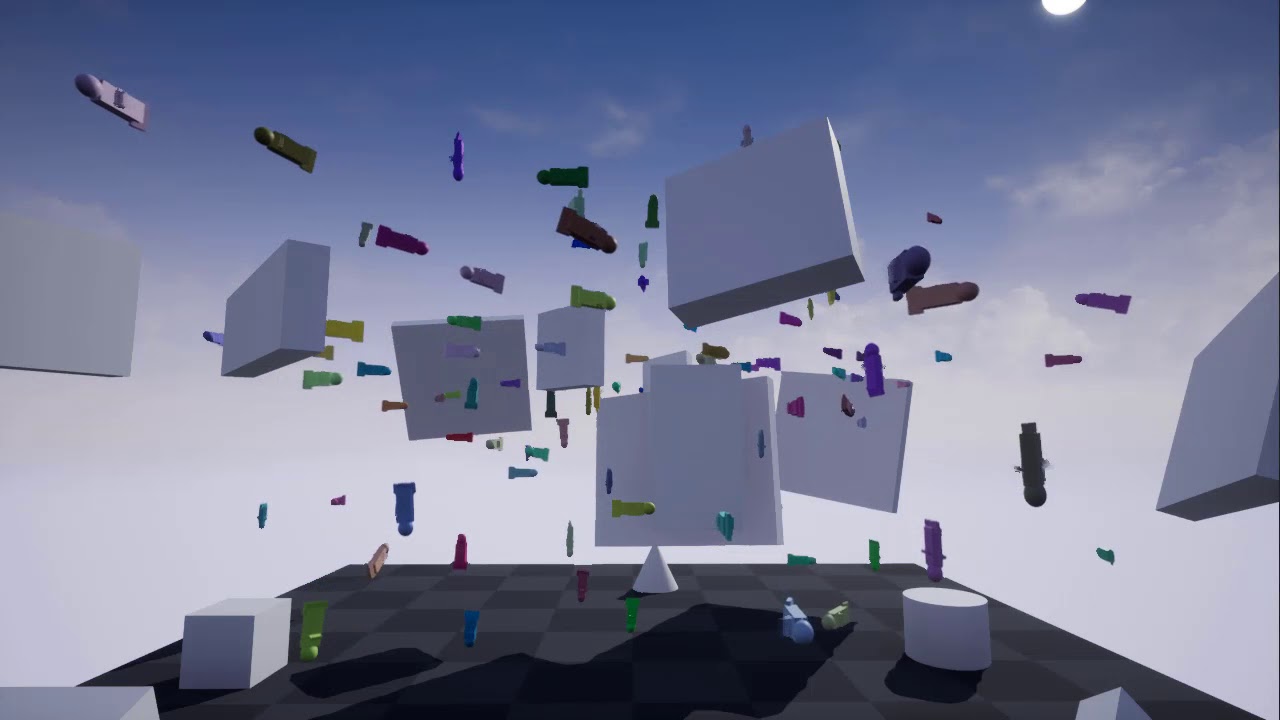
A really simple fish tank simulation which doesn't use AI. Based on basic movements, small random variations and ray-casting for collision avoidance.
Sorry about the childish graphics
 flat valve
Do fish swim often directly 90deg?
Kida remind me of this software called "Anima" its for easily deploying large crowds of people, who would often only avoid each other until the last minute. Looked like they were all short sighted or playing a sport.
trail lion
@atomic salmon Thx for your afford Im gonna try it with the Tut!
atomic salmon
@flat valve I need to find the original project but basically they swim forward and raycast in front of them. If they see an obstacle they turn left or right to avoid it.
That's pretty much it.
charred flint
mulf some fish like sturgeon can only swim forward and not backward
you could email my father at info@fishingadventure.nl he knows everything about fish
and im sure he would help out
trim matrix
Hey guys, im trying to display the skill levels of the player in the UI but the numbers do not display, I have made a data table for all the skills with current level and max level but its not displaying the skills but only the UI Background
odd ember
looks like something that should be handled by boids
trim matrix
On play the white numbers will not display
looks like something that should be handled by
boids
@odd ember How do I check this sir?
odd ember
it wasn't an answer for you
 sinful ibex
hi, i got an issue with the get mouse position function, instead of returning values from 0 to 1280 on the X axis, it returns from 0 to 1279, anyone got an idea what might be causing this?
charred flint
@atomic salmon might know this (not sure if im suppose to tag)
odd ember
@sinful ibex there's no issue, computers count from 0 not from 1
charred flint
and Cranz will know to for sure 😛
ocean radish
it is, when you take a screen its counting 1280 pixels, you dont count 0 as a pixel, so for us is 1 to 1280 for computer talk its 0 - 1279
@trim matrix you can't edit a datatable in runtime, so having current level in there is pointless if its going to change, you would have to have this on a variable same with exp points, unless your just using these as base references to set variables on actor
@trim matrix and it could be a simple case of z order if the numbers wont display
trim matrix
@ocean radish thks for reply. I have the BP like this
ocean radish
@trim matrix That should be fine, when are you calling this?
ocean radish
@trim matrix Try calling it at runtime just bind it to a key to test it
 thorn crane
so we have a wishlist at work where we can purchase items for work, any cool VR / unreal items to add
charred flint
@atomic salmon I managed t follow the tut with the bar and made a widget for the heal bar and put it above the pigs but it dont correspondent as they didnt include a blueprint of how to make it functional but rather just a progress bar above it only.
I made this start up as I thougt this makes sense to find a way to deduct the health and display it within the widget area but im stuck here.
atomic salmon
@charred flint the logic should be that the pig gets hit and decreases its health status accordingly. The UI (health bar) shows the current health status so it will display its changes.
charred flint
the healbar progress is currently decided by the number I set in the widget editor interface but has no interaction yet other thn being above the pig. I have killed the pig but a green bar continues to hunt on me
atomic salmon
The connection between the UI and the pig is that the UI constantly monitors the health variable inside the pig and displays its value in the healthbar.
charred flint
Do we connect that somewere ourslf?
charred flint
So I make a tick event in the pig aswell or just in the healthbar widg?
atomic salmon
No the pig updates its health status whenever it is hit (I assume)
But the UI reads that status continuously and updates the healthbar accordingly
atomic salmon
Here an example from a project I am working on. This is inside the Graph for the UI widget.
Yes correct.
atomic salmon
Now in the case of an NPC you cannot do Get Player Pawn but you will do Get Player Owner if I recall correctly
Your pigs are AI driven aren't they?
charred flint
yes they are
So something like this would then connect to the pig
@charred flint so this is wrong?
atomic salmon
Does your widget already have a reference to the actor it is associated to?
Sorry I hadn't watched the full tutorial i recommended you
charred flint
well I have this
charred flint
Sorry I hadn't watched the full tutorial i recommended you
@atomic salmon Well the tut provided it halfway but he just didnt make a second one to make it interact with an on hit
oke thats very cool of you I will dm you, thank you!!
ocean radish
you souldnt use the bind functions in ui if possible, you should use somthing like event dispatchers to update only when needed to, dont need to update health every frame if nothings changing
zealous moth
@thorn crane what kind of work are you guys doing? suggestions will vary
@ocean radish what would be the performance advantage?
I made an entire game with the bind functions and never saw performance dip
ocean radish
You'd have to profile to see the benefit, if its a small game probably not much, but its about best practices and getting used to doing things performant
If you get into the habit of making things optimised now gonna save you a lot of hassle later when you need to optimise and have to rewrite half your stuff
zealous moth
that i understand and I use alternatives to tick when possible, but sometimes, it's overkill
ocean radish
never really overkill hardly any slower to build it in a way to update when you want over event tick
for general variable watching all your doing is calling your event dispatcher update_Hud or whatever you call it, your hud would see if and pickup those variables auto and set it so you would only call that when the values change
 low venture
I want to make a functional primary flight display with moving elements and some text https://upload.wikimedia.org/wikipedia/commons/c/c5/Primary_Flight_Display_of_Boeing_737-800_aircraft.jpg. How would you do that? Vector graphics? UMG animations? Vector graphics + UMG animations or blueprint animations? Extern animations / After Effects + Flipbooks?
 spiral gull
Hey guys. I feel really stupid because I can't find simple things but I'm gonna ask anyway.
I have an array of vectors. How do I get a specific value from a specific index ? For example how do I get Array[2] from blueprint?
low venture
Array->Get or so. You can enter the index on the Get-node.
low venture
Maybe when you right click in the blueprint it does not show up because "context sensitive" is checked. But if you drag a line from an array pin it should show up even when "context sensitive" is checked.
spiral gull
Ok .. another question. I have this array of vector 3 and I want to debug draw a simple path between the positions I set in the editor. So I put some simple code in the construction script but my problem is that it either draws the line just for a very short time (only when I change the array) or it keeps drawing old lines even when I moved the positions. Can anybody tell me how to make it draw always but only the last lines?
ocean radish
@low venture All of those would work, its more about the 'animation' of them thats not easy to answer you've got a lot of different data there
@low venture have a look at a tutorial like https://www.youtube.com/watch?v=pGiRwyj0ytM

In this UE4 tutorial we'll learn a VERY easy way to create a simple yet useful compass, an UI element, using materials. This system can very well work in combination with others, such as a minimap, a waypoint system, a marking system and others!
♥ Patreon: https://www.patreo...
thats basically one way how to render one of those items, you could take the princples of that and use it for most all the stuff on that flight panel
@spiral gull try up the duration and call remove persistant debug lines at the start of it. not sure it will work but worth a go
spiral gull
@ocean radish sadly that does not work because I am drawing a bunch of lines and it removes everything but the last one.
Anyway - it is usable enough even right now. I will think about a more elegant solution later 🙂
Thank you!
trim matrix
Hey there. Is there a way to compile all or more than one Blueprint at the same time? For example i do some Rename (Prefix'es and so on) and instead of manualy open all involved BP's, i "update" them / compile them for a refresh?
zealous moth
@low venture for your flight elements, I would do it with a UMG animations
 real kernel
Also Fix up redirectors if you rename/move files
Is it bad if I have PlayerCharacter and PlayerController and both have references to each other? This is circular dependency? Should I use Interfaces to send messages between the two?
zealous moth
it's not bad, you can use this to check if your playerchar is valid for instance
trim matrix
Wuhu! Thanks @ocean radish & @real kernel
Hey, does having a lot of bindings slow down game? I believe having simple variable doesn't but what if you create your own function in blueprints?
I was just watching tutorial on yt and guy literally binds all text in widget bp to a variables 😄
zealous moth
This is the thing, if you need continuous review of variables, like a loading bar or a health bar, then I'd use the bindings.
However I have not tested the efficiency of disaptching info vs binding. To me, it just sounds like instead of gettin 100% performance, you will get 99.9%
trim matrix
Mhm, does it update text every tick or only when variable is updated?
 maiden wadi
Everything you add will slow down your game. It's just a matter of to what degree. Bindings aren't terrible for a few UI aspects if they're changing constantly in your gameplay. But if it's only changing every few seconds, it's probably better just to update it manually instead of every frame.
zealous moth
it sounds like every tick, but I am pretty sure the engine caches it
trim matrix
oke, thanks
maiden wadi
You can probably bind thousands of things before you really notice much of an issue with performance. But it's just good practice not to do it unless it's necessary.
trim matrix
I'm curious about something regarding inputs on a controller. I'm trying to allow rebinding of individual analog stick directions, but the fact that the controller is outputting in Gamepad Left Analog Stick Axis X-, etc, is getting in the way of doing this.
Is there any way I can disable that, so then I can just use analog stick up, down, left, right, etc?
Figured out what I was doing wrong.
Turns out that my input settings utility that I'm using didn't blacklist that input
why are those outputs flipped?
 slow hill
Obviously that is what the "Reverse" refers to 😋
rough wing
Does anyone else have this problem where linetraces randomly aren't detecting destructible meshes?
 solemn dagger
Does anyone else have this problem where linetraces randomly aren't detecting destructible meshes?
@rough wing are you tracing against simple or complex ?
 full fjord
Is there a work around to destructible meshes in 4.24? I guess Chaos only works in Beta builds and Apex refuses to work. I just need something simple like Pressing F near a block (a door) to destroy it. Nothing crazy
 chilly lodge
I have a particle spawned on my ai but when he is dead he ragdolls and the particle just hover. how can i get it to stay on the ai
zealous moth
@chilly lodge did you attach the particle to the mesh, a socket or the model?
 distant sedge
Attach it to a bone / socket
chilly lodge
ive tried that its not working
 tame coyote
does anyone have a suggestion for reading about references in blueprint? i've bricked a few classes trying to pass functions between them.
 stoic linden
Anyone out there that is eager to help me with a small problem to do with enums, structs and arrays. It's got to do with the action RPG inventory system from the marketplace
low venture
Thanks @ocean radish
 modest gulch
I find navmeshes very unfriendly to procedurally generated levels. not only it is not possible to create new navmeshes dynamically, I cannot modify existing navmesh to encompass new generated part of level. Or rather, I can modify it (by transform) but it does not update. and yes, yes, yes I have that damn option in project settings for navmesh set to Dynamic . fat lot of good it does. anuyone know what I can do with that?
low venture
Does a large texture size has an impact on the runtime performance of the game? Or just on the used VRAM?
ocean radish
@chilly lodge how are you setting it to ragdoll?
@full fjord You could do somthing simple like raycast infront get object destroy actor replace with broken one
@tame coyote I guess your ending up with circular dependences?
tame coyote
@ocean radish it doesn't seem like it from my point of view, but i'm clearly doing something wrong. i figure someone might know of some information i haven't been able to find to be able to explain how i'm a dummy lol
ocean radish
@tame coyote so just want some base information on blueprint communication?
full fjord
Yeah I was thinking about destruction masks and casting lol but I didnt want to do them 😭 sucks that it probably wont be fixed until 4.25 and I cant upgrade a project 😔 @ocean radish
tame coyote
not so much the communication as a "best practices" primer or something. for example, should i be storing references in structs?
ocean radish
shouldnt matter

Announce Post: https://forums.unrealengine.com/showthread.php?101051
This Training Stream takes a look at Blueprint Communication. We find that Unreal Developers of all levels can sometimes struggle through the concepts behind moving data between objects. So in this video we'...
thats one of the best vids on how to call functions on blueprints from each other
its long though, but defo worth a watch
tame coyote
thanks man, i'll check it out
ocean radish
@full fjord What's the issue your having with destro meshes, I've barely used them myself but when I did they worked fine
distant sedge
@modest gulch You can have a mesh covering your whole map and use modifier volumes / nav links to connect or disconnect parts of the mesh
modest gulch
unfortunately I do not know how large is map. it is procedurally generated and new chunks can be added on fly and old removed (if far awya from player)
if I could create navmesh on fly it woldnt be problem, every chunk would have its own navmesh
spiral surge
Is anyone willing to help with blue prints?
ocean radish
@low venture Bit of both, it needs to load it into memory when its needed, but main thing is vram
full fjord
In the Apex destruction editor, when I hit "fracture mesh", the cube just disappears
Instead of showing an animation of it falling apart @ocean radish
ocean radish
@full fjord Cant update at all even to 4.24.2?
spiral surge
im putting a team together to start a studio, and i need a 3D modeler and someone who could help me with code.
ocean radish
@full fjord Looks like its a known issue with version 4.24.1
charred flint
I know this is not the group to ask but im trying to add new levels to worldcomposer but they arent added to the level list it only has the persistent level. Any ideas?
full fjord
I have 4.24.1, do you think it'll mess up my other code if I upgrade to 4.24.2? @ocean radish
spiral surge
@charred flint move the actual level in teh content browser into the sublevels folder.
charred flint
thanks SS
ocean radish
@full fjord It shouldnt do, but as always, take a backup first
charred flint
@spiral surge also my current persistent level says my entire map is the persistent level. Is that even possible?
spiral surge
@charred flint yes
charred flint
is it ok to do that or unusual?
spiral surge
that means you made the persistent level and then started creating content inside it, as it was both loaded in and set to current, you should only keep world things like sky boxes and stuff in that level, and then build everything in its level and landscape like Persistent world>Level 1 (and make level 1 current as you build)
you can see what is connected to which level in the world outliner above the details panel
charred flint
basically I made the map before activating worldcomposer
so I think it just made that map the persistent layer as it was open, does that make sense?
spiral surge
if you unload, all assets tied to the level by unloading the level, they will be removed from the current world outliner as you unload that level.
@charred flint yes it make sense, just isnt the best way of organizing things
brb
gtg rr
ocean radish
@modest gulch are you trying to make an infinitely scaling game>?
chilly lodge
Anyone know how to make nave mesh track better. i mean the ai cannot get some areas. IE My train
ocean radish
play with the setting on the navmesh recast like cell size
ocean radish
Try set the cell size lower
chilly lodge
thanks
modest gulch
@ocean radish no, if chunks are too far away from player then they despawn so it is not potentially infinitiely large
and if player gets too close to border then new chunks spawn
chilly lodge
where di i find those settings thanks
modest gulch
in worst case I will have to make playground simply very large and set navmesh to that size, due to nature of my game I can get away with it and player shouldnt notice
but it would be easier if I could dynamically move and resize navmesh
modest gulch
like invokers? they still need navmesh
most annoying thing is that navmesh cannot be spawned in-game on fly, that would solve everything since afaik two navmeshes can seamlessly merge their pathes
so one navmesh per chunk would work out well... eh.
ocean radish
They can, but i think theres quite a cost to them
modest gulch
fooking how they can be spawned?
ocean radish
I meant they can work together
modest gulch
ah
spiral surge
@charred flint ok im back, can you voice call?
 spark robin
Hey, so Im following this tutorial on Virtus Learning hub:
https://www.youtube.com/watch?v=6h8QJoZUYbQ&t=198s
Towards the end of the video, you are suppose to be able to host online sessions with help of the Advanced sessions addon + node and Advanced Steam Sessions addon, but my "Create Advanced Sessions" node always fails for some reason, I've tried running the game on a stand alone process, no difference.
Any ideas on what could be the cause?

Hey there DevSquad, in this video we finish off the styling for the whole of our user interface along with wrapping up a few pieces of functionality for our project.
You will need:
http://bit.ly/2JvO4Fm
http://bit.ly/2VMI2lj
Instructor Partner: Ryan Hobbs
https://ryanhobbs.my...
spark robin
(The circled in print string is always being triggered)
I've looked through the code, I cant see anything messed up myself
Who? Me?
@charred flint
charred flint
yah, been looking for something like it to explore and understand it
 little nacelle
is it possible to create an instance of an actor component at runtime to attach it to an actor?
spark robin
@little nacelle Idk if this actually works but I just tried searching for actor and attach lol
charred flint
shoudlnt u ocnnect the execution pins on the create session?
little nacelle
thats for spawning an actor no?
spark robin
I added that one to try using it as an alternative to the advanced sessions node Jaimyde. I just havent tried replacing the advanced one with it yet
Yeah
little nacelle
im trying to create an actor component object
charred flint
try it !
spark robin
Whats the component?
ocean radish
cant with comp, but you could just attach an actor
little nacelle
its a custom actor component class
spark robin
(Also please ping me on further replies ❤️ )
ocean radish
@spark robin I did it looks good to me, I know you have to run standalone for advanced sessison to trigger through steam, but you done that, and i've not done anything with it in a long time, prob a year or so ago
spark robin
Hmmm :l
ocean radish
@spark robin The only thing i can think of is did you get all the initial bit installed correctly, i know there used to be quite a bit of setup involved
spark robin
Can I maybe send you the file and let you play around with it? lol if you have time
I got the plugins installed, and if I press shift+TAB, steam overlay does open
ocean radish
@spark robin yea send it to me i'll take a look
ocean radish
just stick it on google drive if you have the room, if not, wont really matter, i don't have and premium accounts to any, so
Think google drive is still 15gb free?
spark robin
Yeah but I remember it being kinda slow
charred flint
30bgb
 patent ermine
Using 4.24 we have PixelStream setup...it works well, i can listen to event from a javascript file frontend and make changes in UE accordingly...however, when i try to send a response from UE to javascript i get a hard crash, both in editor and executable...this is basically how the tutorial shows to send messages back...any ideas?
Disabling that event handler and all is fine, of course but no messages being sent back
charred flint
@spiral surge are you still around by any chance
 obtuse current
**Does anyone know what would cause a macro in a macro library to not show up? **I have a macro library with Character as its parent, and in my Character class I can see some functions from that macro library, but not others - if I uncheck context sensitive I can successfully place and use them, they just seemingly get hidden with context sensitive checked and I have no idea why
charred flint
what blueprintclass can we use for display highscore?
ocean radish
@obtuse current Yea the context sensitive tries to guess your needs, its by no means a perfect solution but it will filter out some useful things too, nothing much you can do about it
@charred flint is it multiplayer, single player?
@charred flint usually good place to keep it is gamestate
charred flint
single player
ocean radish
@charred flint if your looking to keep persistent high score list, then you would need to save it as an array if you plan on using steam you can use there leaderboards
@charred flint you would need to use save game, to carry over the variables between game sessions though, unless like i say you plan on using steam
@charred flint for actually showing highscore on screen, you would need a UI widget
spiral surge
@ me if you have any idea. pls ty!
The Mouse Always Clicks and Moves when none, or both are hooked up.
the print strings show both are detected,
but the variable is only being set to one.
the effect is permeant.
full fjord
hey thanks for your help. Upgrading to 4.24.3 fixed the issue and didn't break the game @ocean radish
 fallen glade
has anyone experienced "primary data assets" losing all the information within them upon engine restart? I'm losing all my data asset information and is absolutely project breaking : ( please @ me if you know something about it !
narrow kelp
@fallen glade make sure to look at your auto backups
and use version control (for all that does you now)
zealous moth
@spiral surge this is in widget, correct?
 sturdy notch
I did a bad - how can we restore the backup data in a project?
spiral surge
Problem Resolved
 bleak vector
Is there a way to do multiple enums or is powers of 2 with ints the best way to do it? 😢
 wintry grove
how does one disable a blueprint without deleting it ?
 somber tangle
I am getting an error does anyone know what this could mean?
Blueprint Runtime Error: "Accessed None trying to read property CallFunc_Create_ReturnValue". Blueprint: MainMenu Function: Execute Ubergraph Main Menu Graph: EventGraph Node: Add to Viewport
@wintry grove Disable for testing purposes? I disconnect the pins
wintry grove
i did that but it seems to not deactivate fully
somber tangle
try copying to separate BP and deleting from the one in game so you have it stored
zealous moth
@bleak vector what are you trying to do?
bleak vector
well as an example if there's a spell it can have elements - fire, earth, water, air
but it could be fire + air
you could assign the values 1, 2, 4, 8 to those and fire and air would be 9
zealous moth
how are you using your enum? in structs or raw?
bleak vector
Right now if I have an enum variable I only see a way of giving it a single value 🤔
zealous moth
you can do an enum array in your bp and have many selections
bleak vector
hmm I suppose
zealous moth
that way you limit your array items with your enum
bleak vector
probably the easiest way
zealous moth
when you do a check for your elements, you will have to do a for each loop in that array
it's not that bad 🙂
little nacelle
how do i get a widget component to follow a character's skeletal mesh?
zealous moth
attach it
little nacelle
i did, and its still static
zealous moth
show
little nacelle
is it because its drawn on screen space?
low venture
Did you add it to the viewport?
little nacelle
yeah
one sec
i mean, it isnt added to viewport manually, its a widget component attached to an actor
low venture
Yes. There is in the category "User Interface" an option "Space" where you can choose World or Screen.
little nacelle
yeah i have it on Screen
zealous moth
ah should be world, no?
little nacelle
isnt that the point of Screen space?
zealous moth
hm... good question
little nacelle
like i know attaching it will follow the relative offset of the static mesh component
but this is running an animation, so would it need to be attached to a socket somehow?
zealous moth
this is getting a bit beyond me in terms of knowledge, ^^"
low venture
I think you need to make a real 3D widget in the world space and face it manually to the camera. It may loose one dimension when in screen space.
This works for me.
When the widget is in world space.
little nacelle
ill try that out, so far the socket method seems to work, but im sure its got caveats
somber tangle
is anyone free to help me?
 viscid skiff
I'm having some trouble with my unreal project in terms of replication
I have it setup so that when I aim, the max walk speed of the character is lowered, and then raised again when the aiming stops.
However, on the client, the movement becomes jittery and laggy when I aim
And I dont think it actually decreases speed
I know it has something to do with replication
But I'm not sure how to put it into practise
 static fjord
hi, how can I cast to the other actor?
maiden wadi
@static fjord Do you know what child type you need to cast to?
static fjord
player
maiden wadi
@somber tangle You can just ask, if anyone is able to answer your questions, they will try.
static fjord
i wont to cast to ather actor/player if is X ou Y
bleak vector
I really wish timers could be put in functions, it'd save me from a LOT of spaghetti 😢
maiden wadi
@static fjord If you drag off of the Other Actor pin, and type "Cast to MyPlayerCharacterClassNameHere", it should show up.
static fjord
yes, but there can be several playes a ouverlaping it
i wont to get the name in the "atherActor" and cast to it
maiden wadi
Right, but you have to cast it to the player character class type. Then you can get any name variables you need from that actor.
maiden wadi
Then cast to one, if it fails, you know it was the other one, Cast to one first, on cast fail, cast to the second one. You can't get an actor's class type before a cast, you just have to know what it is, or string along a few casts failed.
static fjord
ummh
maiden wadi
@viscid skiff Sounds almost like your server is slowing, but the client isn't, so the client is correcting itself. I could easily be wrong though, people in #multiplayer would be able to help with that better.
viscid skiff
Alright I'll ask there
maiden wadi
@static fjord You get it working? If you need help understanding casting, feel free to ask. It's a pretty regular question here.
static fjord
@maiden wadi i can't cast to self?
narrow kelp
you cast to types
self isnt a type
its just a reference to the actor you're working with
/ component or w/e
you could get the class of self
maiden wadi
@static fjord You can cast an object to it's own class type, or any of it's parents classes in it's hierarchy.
@static fjord To better help you, and to get around the casting issue so you might better understand, what exactly are you trying to do with your overlap?
vocal urchin
If I have a SceneCaptureComponent2D, how do I capture only certain actors? I don't want to capture anything else aside from a certain set of actors...I was thinking I could use component tags, and then telling it to render only actors with those component tags? Having a hard time finding a tutorial for this, so the idea is theoretical and I'm not able to get it working.
distant sedge
@vocal urchin Add the actors to these arrays depending on your usage
vocal urchin
@distant sedge What kind of variable is that?
maiden wadi
The first is a reference to your SceneCaptureComponent2d, drag off of it to get the other two actor arrays.
vocal urchin
it's saying these two aren't compatible..?
Is there a "show only component" equivalent?
maiden wadi
If I'm not mistaken, one is a components array, and the other is an actors array.
vocal urchin
I should have been more clear. I am working with static meshes.
maiden wadi
There is a "Hide Component" function from the SceneCaptureComponent2D. That might work for what you're trying to do.
vocal urchin
I think "Show Only" makes sense, as I only want to show what I'm pulling from that "Get Components by Tag" node.
But I'm not sure how to translate these two
maiden wadi
Are these static meshes separate actors?
vocal urchin
Here's how I have it set up
And then I have used the component tag "AwarenessDial" for the Compass
Like so
maiden wadi
I wonder if instead of doing it this way, you could child the compass to the scene capture, and set OnlyOwnerSee?
vocal urchin
That actually does the opposite lol
Now the SceneCapture can't see the compass 😄
But when I set to "Owner No See", the SceneCapture can see it
Ok, I put it higher in the hierarchy beneath the mesh and now the scene capture can see it with "Owner No See".
But alas...the scene capture still sees everything else, world and other components included.
vocal urchin
I tried doing it a slightly different way, using a child actor instead of a static mesh. Now I'm able to feed into that array, but now it seems like there's no good way to finally tell the SceneCaptureComponent to "Show only those actors"
trim matrix
ughhh, hey dudes. i'm trying to set up something like this -
but i'm completely hopeless when it comes to blueprints. how do i do this?
maiden wadi
@trim matrix That is a material question, not blueprints. Someone here might answer it, but you'll have better luck in #graphics
trim matrix
ah, my bad. ty
 jade gull
anyone know about an issue with spline meshes that cause them to hide/warp when going directly vertically down? and if it can be fixed?
this is the whole blueprint currently so i dont think its something i've done unless its an issue with the mesh =/
surreal peak
It's an issue with splines. Change the upvector in the component
 fossil thistle
I have 3 levels, and im trying to get the player to be able to use the function i posted, only when they destroy something on the 3rd level
can someone help me figure out how to do that?
I made a bool and tried to set it after getting an object ref but that didnt seem to work
surreal peak
Are you moving between levels via OpenLevel?
jade gull
thanks @surreal peak , didnt work in spline component, but did on the add spline mesh compoenent node details with Spline Mesh-->Spline Up Direction
fossil thistle
correct @surreal peak
surreal peak
Yeah sorry i meant the mesh one @jade gull
jade gull
np
surreal peak
@fossil thistle Then you need to store this info persistent. Your character gets recreated every time
Make a save game, save the info to it and load it in the new level
Can also use the GameInstance but not a bad idea to get into savegames
fossil thistle
would I still use an object ref variable? for clarification, the player is destroying a static mesh
surreal peak
No, the object ref would be invalid. You need to save the info via e.g. a boolean
fossil thistle
and then in the level its destroyed, set the boolean to true?
surreal peak
Yop. You can also use that info inside rhe mesh to destroy it when the level loads so it remains broken
But that's a different step of course.
One thing after another
jade gull
reflecting on my earlier issue, i seem to need something that will change the Spline Up Dir dynamically and am blanking on how i can do it ;-;
cause if i just set to X or Y permanently i get those issues if they ever face that way too
 hard geyser
is there guide on blueprint ?
like create a 3d platformer using blueprint
i m a complete newbie
trim matrix
i need help, is there any way i can attach a bone (arm/leg) from a different actor that's simulating physics to a scene in my player bp? I'm using this to have a smooth tear off limbs thing
in the context of my game this is what it'd look like
fossil thistle
I have this code set up in the level blueprint for the level that I destroy the object. If this good? I'm also struggling to set up the check code in the player BP
 manic widget
@hard geyser Hi, you can visit the unreal academy (link in epic launcher I think in the learning tab), there are lots of videos there that can give you the knowledge to get started. You can also learn a lot of stuff from the training videos on the unreal engine youtube channel. And of course the documentation has steps by steps tutorials on getting started with blueprints too. But check the academy first in my opinion.
 summer apex
Hello guys! I'm a little bit stuck. How would you implement a curved movement (player, enemy and projectile) like in Resogun? Don't know what to try. I'm not that good at ue btw... Thanks in advance!
 ornate jolt
@summer apex you mean like parabolic movement?
summer apex
ya
exactly like here https://www.youtube.com/watch?v=qBZOTqlAmd8&t=106s

First stage and part of the second stage of Resogun for PS4.
Resogun is available now on the Playstation Store for $14.99 or Free for Playstation Plus users this month.
ornate jolt
Well, I can't really see any parabolic projectiles inhere 😄
Perhaps you mean enemies moving up and down?
 rocky niche
Hi I'm looking for tutorial about detaching camera after my car fllips on roof before I destroy actor and respawn him. I don't wanna to player see whats is under the landscape.. Cheers 🙂
trim matrix
@summer apex you could use gravity for this or make a custom function to move the projectiles
never did anything with gravity though
but let's say you could make your gravity force go towards the middle cylinder
Unreal Engine Forums
Hello, I would like to grab a skeletal mesh. My skeletal mesh is a rope build with 30 bones. I want to grab my rope in this the point Im line tracing. Im
any answers to this? trying to do the same
 deft pagoda
What could I put as object if I cast to a widget?
trim matrix
an alternative is 'get all actors of class' drag out the array and 'get (a copy)'
@deft pagoda
 pastel rivet
How can i find the 2D coordinates of a 3D coordinate? Like i have a joint in the game, which i have the world coordinates from. Now when i take an image, i need to get the (x, y) coordinates of that joint on that image.
 ruby flare
Am getting some odd behaviour from the UE4 editor today while debugging BPs. I know I’ve got some bad uninitialised “None”s kicking around and am trying to track them down and deal with them but when stepping through the debugger the whole editor has crashed on me without warning. It’s a “frozen UI with spinning beach ball” crash as well, so there’s no error messages and I just have to force quit and reopen the editor. Am on 4.23.1 on Mac (Catalina 10.15.3)
Anyone have any ideas how to fix?
Or at least avenues for investigation?
Huh, well looks like it was actually just a single "None" that was generating the error messages (In fact just a string with default value of "None", gah!) in the first place and now that seems to have been taken care of I guess I don't need to debug again just yet but it still concerns me that the engine would freeze without warning or error message...
charred flint
Hey guys, good day to all.
I am trying to find out why my player char healthbar is not decreasing on interaction with npc, I believe because there is no trigger that indicitates that the pig can do damage but I wanted to double check here if anyone believes I messed up something in this bp ^^.
It is printing that its decreasing its health just not connected to the player healthbar yet is my guess
 solemn bloom
Hey guys any of you encountered issues with keyframin some Blueprint parameters in sequencer ?
 real frost
Is there any way to convert a procedural mesh into a static mesh to use as the base mesh in another actor? (During runtime)
signal cosmos
Hi there, how can I delete UObjects once they are created? If I destroy the outer actor, will the UObject get destroyed at the same time?
 obtuse depot
Does anyone know if this project was ever made available for download - https://www.youtube.com/watch?v=qr4ZjieAQKY
I'd really love to see some things about how it's setup that are not shown in the video

This intermediate level video introduces a way to break the functionality of your games up into a series of modular Blueprintable Components. With this technique, you can quickly construct in-game assets with complex behaviors right inside your game world, just by dragging and...
manic widget
@signal cosmos uobjects are destroyed with the garbage collect process, so you never really destroy the object. As long as it is not referenced anywhere or outer is destroyed it will get garbage collected at some point
signal cosmos
Great! Thanks
 signal pewter
whats the reason for blueprints to suddenly not be interactable in a new level ? Trying to utilize first person story adventure
 gentle inlet
Hey guys, I switched from Godot to UE4 3 days ago with the goal of porting my game to this powerful engine.
Thanks to some great tutorials out there I quickly managed to set up a basic movement and import my assets. I also got the first few triggers working. I am now working with possess and attach to control a boat.
I can control the boat with the player on the socket however, when I detach the player I can move him again but he is shifted when the boat was moved even though I checked 'keep world position'. Can somebody help me?
 short coral
Hello everyone , is there a way to force a navigation invoker to rebuild the navigation mesh during runtime instead of only updating every ticks?
zealous moth
Try all world instead of world relative relative
gentle inlet
@zealous moth did you talk to me? If so, how do I do so - I can only select relative or "keep world", which I currently have
 barren whale
Is the right channel for material blueprint questions?
gentle inlet
@zealous moth just tried - nothing changed
zealous moth
k, @signal pewter it could be that on your new level you are not using the appropriate game mode or controller; blueprints may be trying to interact with the controller but it is not the correctly referenced one
@barren whale i'd try the graphics department, material BPs are not at all the same as normal BPs
@gentle inlet just so I understand, you get your pawn next to the boat, you possess the boat and the pawn does what exactly? attach and shrink or destroyed?
barren whale
Thank you
gentle inlet
@zealous moth I get my character into the boat - a trigger sets a variable to true - if I press 'e' and that variable is true my controller possesses the boat, which is a pawn, and attaches the character to the boat placing it on the socket of the boat mesh.
that works as expected, but when I press 'e' again to give the control to the player and detach it, the players position is not where it's supposed to be, but I do have control of the player again
zealous moth
how off is the player position?
gentle inlet
it's like the displacement of the boat when I start driving is multiplied by a factor when I detach
I even tried setting the player to the socket location after the detachment, didn't work
zealous moth
oh i see
so when you move, the pill also moves relative to the boat
you may be controlling your pill as well as the boat
in your tick event check what you are possessing
and print string
at least that's what it looks like to me
gentle inlet
the player doesn't receive any key input after after attaching it to the boat - that's why I had to make the 'give control back to player' part in the boat_bp
but I agree, it looks like it's accumulating my input and applying it once I detach the player
zealous moth
can i see your movement controls?
gentle inlet
should I post the nodes how I give possess to the boat pawn?
low venture
Are text render actor and UMG the only ways to place texts in the world?
gentle inlet
zealous moth
or do you automatically give the pawn commands
ok so in your bp, you are never stating "unpossess"
you are basically possessing both
add and unpossess after you possess
gentle inlet
wow thanks, why did I not realize this
zealous moth
@low venture you can add a text component
gentle inlet
makes sense, I just assumed it will be done automatically, as if only one object can be possessed
signal cosmos
Is there a 2 dimensional array structure in Blueprint?
gentle inlet
will try ASAP
zealous moth
@low venture actually it's called text render... nvm ^^"
@gentle inlet you can possess the whole world!!
@signal cosmos nope, you have to use structs
the closes to 2D arrays are sets
gentle inlet
@zealous moth I just followed this tutorial of a guy that did horse mounting, he didn't use an unpossess https://wildwestdev.wordpress.com/2016/03/11/rideable-horse-tutorial/
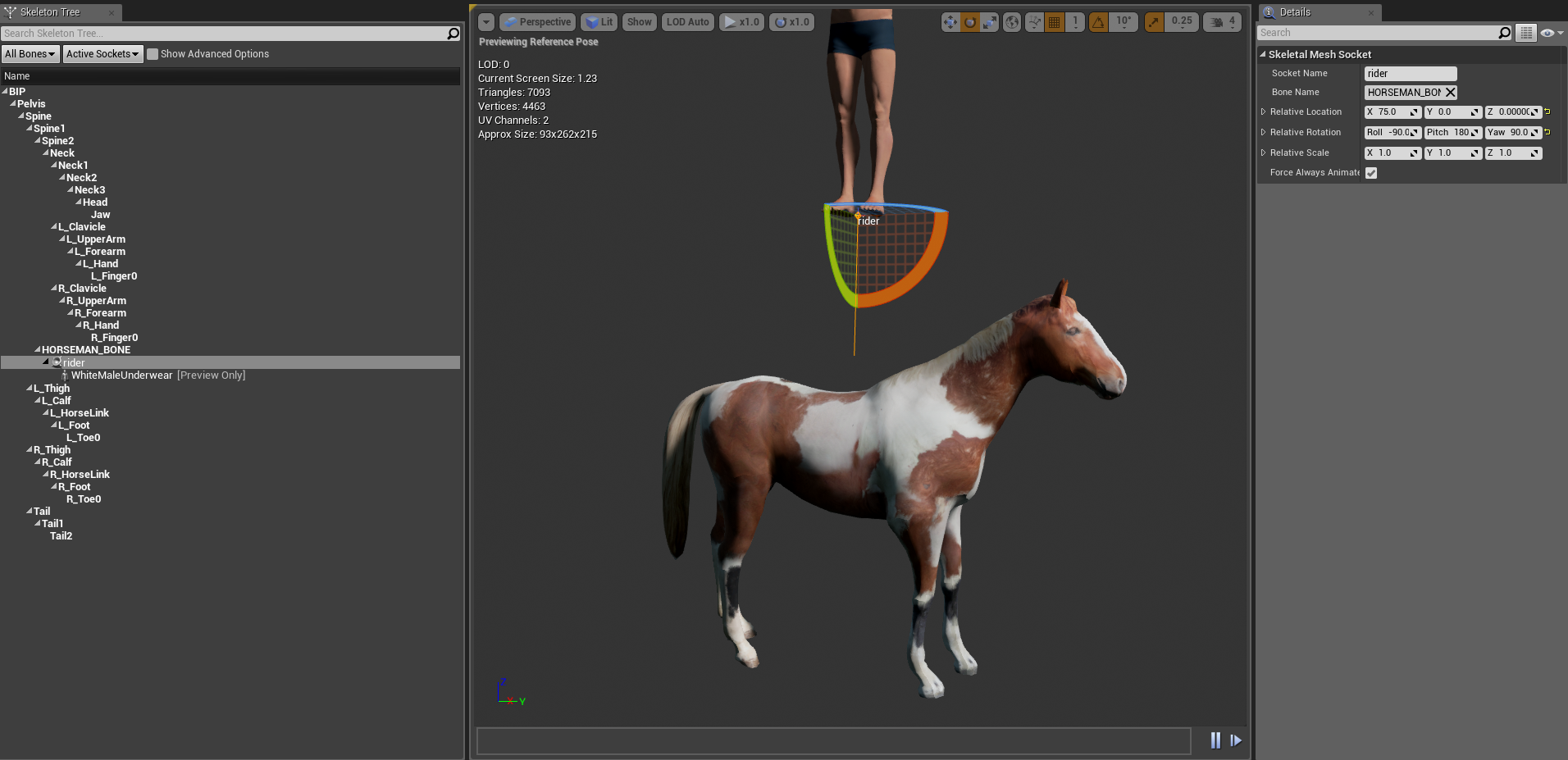
I’ve had a few people ask how I went about having my character mount and ride a horse in my earlier video and now that I’m going through the process of re-implementing that particular f…
 prime berry
@signal cosmos you can build something like that using an array of structures
low venture
Yes. Okay, I think I will use text render (components) for the text on functional ingame monitors. UMG is somewhat limited in the possibilities of materials for the text.
gentle inlet
@zealous moth or here official doc - they did not unpossess https://docs.unrealengine.com/en-US/Gameplay/HowTo/PossessPawns/Blueprints/index.html
Illustrates using the Possess node in Blueprints to switch between and control multiple characters.
zealous moth
@gentle inlet hm yeah i see that. perhaps the controller is off in your bp
gentle inlet
maybe it has to do with the way I set up the boat movement?
zealous moth
instead of Get pawn controller, get player controller
try that
it may not reference the same controller
yeah the controllers are never the same as yours
@low venture what are you trying to do?
@gentle inlet this
gentle inlet
@zealous moth just tried, same thing :/
zealous moth
-_- hm
gentle inlet
zealous moth
how are your inputs given to your pawns?
gentle inlet
this is how I move the boat
zealous moth
and your pill?
gentle inlet
zealous moth
ah, your inputs translate directly in your pawns
put a boolean to check if its riding a boat
for your pill
gentle inlet
when I was working on the unmount I had it in the player_bp checking for 'e' key - it didn't receive any input while possessed
but will try
zealous moth
if you play with changing pawns, you should localize inputs in your controller and let the controller speak to your pawns
 tidal jacinth
Is there a way to add filename to my screenshot?:
zealous moth
Gamemode > (sets up controllers and default pawns) > Controller > (receives inputs and translates it to pawns) > Pawns > (possessed by controller)
low venture
@zealous moth I am trying to find the best method to make a functional (sci-fi) primary flight display. With UMG I have not much options setting the material for the fonts also masks are not easy to realise with it.
zealous moth
@gentle inlet when you press E can you put some print strings and print the controlled pawn from the player controller before and after you possess?
I wanna see what happens
The next step would be to put some print strings in your character inputs to see if they still get inputs after possessing
gentle inlet
@zealous moth how can I print the controlled pawn?
zealous moth
Get player controller - get controlled pawn - print string
gentle inlet
@zealous moth guess the transfer of possessions works as expected then
also player doesn't receive any input
gentle inlet
I just started learning the engine 3 days ago, so I really have no clue.
zealous moth
Show me your dismount again
gentle inlet
zealous moth
k, change the controller to player controller and set up print strings referencing your controlled pawn and get actor location and print the vectors
gentle inlet
I did change the controller to player controller - this is just an old screenshot
zealous moth
debugging is fun ^^
ah woah
sec
your dismount is not the same as your tutorial
the collision set is that of the primitive capsule and mesh, not actor
in your case it's the actor
so what may be happening is that there is collision stored and it throws your pill out of the boat
gentle inlet
gentle inlet
we can see from the print strings that the position is correct - but the offset happens only after
signal pewter
@zealous moth how do i change my gamemode for a specific level? I found it under project preferences but that would include all levels right?
 charred vale
hey, I've moved my inputs in Player Controler BP, set it in game mode and cast to player pawn in it, but inputs still not working. what did I forgot?
zealous moth
show controller
zealous moth
@tidal jacinth I did this awhile ago using Victory's pluging
@charred vale try get controlled pawn and make sure the pawn BP is set to autopossess by player 0
if you print string @ your cast, you can check what your current pawn is
most likely it is empty
@charred vale
@charred vale unfortunately my pawn is a character but in general, it should be similar to this
gentle inlet
@zealous moth nothing changed :/
zealous moth
oof.... and you changed the way the collisions are reset after dismount? :/
this is where you will have to print string debug your whole thing and see what went wrong or start over and see if you didn't miss anything
charred vale
@zealous moth the pawn is possessed, it's this ball, but it not receiving inputs for some reason...
zealous moth
@gentle inlet what is the node "add floating pawn input" for? it has no target nor use
gentle inlet
it let's me control the boat
zealous moth
@charred vale how can you tell it is possessed?
gentle inlet
the boat is a pawn, not a character
might change it to change world offset - but the strings printing the world location of both the player and the boat were the same
zealous moth
@gentle inlet I don't understand what the node does but it even states do not use or set manually
try disconnecting it
gentle inlet
but how do I control the pawn then?
zealous moth
you possessed it
gentle inlet
changing world location by hand?
well I still can't control it without
I don't have a controller bp - the movement of both the player and the boat are implemented in their bps
 limpid saffron
Hey guys, sorry for my ignorance but I need to know that, for example you have 1$-3$-5$ prices for multiple objects in selection and you are switching between those prices (objects) in menu and in total price calculating price differences, how do you call for that math? Delta or something? Thnx
zealous moth
i know, that's why i am wondering why this is not set up this way
@limpid saffron what are you trying to do? set up a shop and get the total for all purchases?
gentle inlet
the boat can not process 'addmovementinput' since its a pawn maybe?
low venture
Ah, found a good way to make UMG widgets glow: add them as widget components to an actor and overdrive the colors in rendering/tint and opacity.
limpid saffron
yea total prices but when you select 3$ item then selecting(switching) 5$ item difference is 2$ right what is this calculation in math?
zealous moth
@gentle inlet but you aren't giving that input to the boat, it isn't referenced... I would start over and consolidate the controls in your controller to get both boat and pill references and clearly make it possess one or the other and translate the inputs
gentle inlet
the boat movement part is in the boat
it does clearly posses one or the other - remember the debug strings from before?
limpid saffron
oh didnt know that thanx yoo @zealous moth
zealous moth
@gentle inlet ok, here's a work around
gentle inlet
settings the position after detachment?
gentle inlet
didn't work either, was on of the first things I tried
I even took socket position
tried many things before asking here 😦
I can try again though
zealous moth
I would try from scratch, no offense, but some nodes were off so maybe starting over with a fresh mind will help 🙂
I did maybe 4 tries before I mastered the whole "controller sends pawn commands" thing
gentle inlet
thanks a lot for taking so much time @zealous moth
signal cosmos
Is that okay to do within a UObject?
odd ember
sure
signal cosmos
I know you can't spawn actors from a UObject, so I was affraid
zealous moth
why is it called "add to set" when it's an array?
signal cosmos
@zealous moth Yeah I wanted to use a set but I can't make a set of UObject.
@odd ember No no, it's a Object array
signal cosmos
Because you can't spawn actors from Objects, so I thought you couldn't "spawn" literally anything from objects
odd ember
you can't spawn actors from objects because objects aren't in world space whereas actors are
objects only exist "abstractly"
signal cosmos
Right, so as long as the constructed Object is not an Actors that's fine then? Even though an actor is an Object 🤔
pastel rivet
So does project world to screen not consider the current pixels displayed? Like for eksample i have a screen thats 512x512, and when i use this i get values above 512
odd ember
read up on polymorphism and up/down casts
pastel rivet
as what i have understood, it should be outputing xy in max the screen resolution
spark robin
Are custom events really the only way of replicating?
odd ember
RepNotify functions
 placid steppe
anyone have any luck with geometry collections and bCustomSceneQueryStructure
i cant get line traces to work
atomic salmon
I have put together a short intro guide on how to work more efficiently with Blueprints. For the Absolute Beginners of course.
spark robin
@odd ember (Anyone is still welcome to answer) So this is still the easiest way to make something reoplicate on all clients?
Its a hella lot of nodes, I Dont wanna setup all of this for everything in my character blueprint
spark robin
CPP?
 dawn glacier
why?
spark robin
Oh C++, I dont know C++
:l
Im a little disappointed in UE4 if theres no way of making the process of programming replication to all clients easier than setting up all of those nodes. And since its custom events I cant just copy paste it to everywhere I need it either
odd ember
I mean it's an engine that handles so much for you
values replicate too
what would you have instead of that node?
spark robin
1 node that just makes everything after it multicasted from the server
Basically all of whats in my image, but its just 1 node

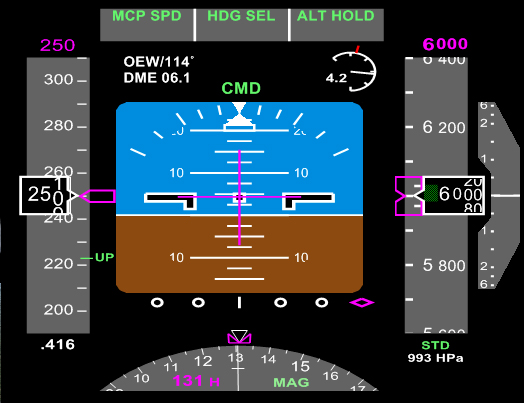 odd ember
I think you should go talk to #multiplayer and tell them it doesn't work that way
good luck
 snow geyser
Whats the best way to track down references between BP? Pulling my hair out trying to figure out why this is accessing none
lol
 elfin hazel
Right click the asset, in content browser, and select Reference viewer
Or if you have the object as a variable, right click it and "find references", then click the binocs icon to find references in all classes.
spark robin
If its related to a spesefic variable or component, you can just right click the component/variable and press find references
snow geyser
Ok! So I tracked down a weird bug on accident. The blueprints I made are 'working' in that if I were to place down a second building they were trying to go to and spawn a new batch of workers, they go to it. The only time the 'bug' appears is on the original building that I guess is getting default name? LaborCamp_BP v LaborCamp_BP2
gentle inlet
can someone help me - I want to detach my player from a pawn but it's getting an offset when I move the pawn while the player is attached https://www.reddit.com/r/unrealengine/comments/fdxguu/help_appreciated_when_i_unmount_detach_the_player/

reddit
0 votes and 0 comments so far on Reddit
 jolly cedar
Hey, anybody have any documentation on good blueprint architecture? Or maybe some example projects that really nail it? I find I can architect stuff well in C++ or C#, but I just feel like whenever I start working on a purely-blueprint project any sense of architecture or setup I try just seems to fall apart
odd ember
same rules apply
distant sedge
@jolly cedar ActionRPG from Epic, it's got some base stuff set up in C++ but the gameplay done in BP. Also good examples for using Game Abilities, Async loading, and AI
 sage shore
i have a custom event vitunvittu, but when i select the event in the sequencer, it adds some stock named event that doesn't exist instead
 ashen skiff
Hey guys, how would I track if an AI has lost sight of the player using AI perception?
 inner sandal
@sage shorequite the name for a custom event.
I'm having a problem myself with media texture/player playback.
Whenever I set rate to -1 to reverse it, it jumps straight to the end and reverses from there.
distant sedge
@ashen skiff On Target Perception Updated event from the component, you can check if it's in the list of Perceived Actors
ashen skiff
Thank you!
inner sandal
@distant sedge you wouldn't have any input on my issue would you?
sage shore
@inner sandal was venting my frustration on that unfortunate node, solved now
inner sandal
@sage shore A finn then are we?
sage shore
yus
inner sandal
cool cool
 ebon reef
Anyone know the best way to make a zone capture point and replicate it to all the players that are on the same team as the zone that is being captured? I've tried to put the calculating variable in the game state, but when on the client, it is not calculating to the server, even when it is properly replicated. Is this the best place to put this variable?
maiden wadi
@ebon reef You'll probably get a better answer for that question from the #multiplayer channel.
gentle inlet
can nobody help me with my detachment problem?
distant sedge
@inner sandal Unfortunately I don't, I would try pausing and then reversing see if that does anything.
gentle inlet
I change possess from my player (character) to a pawn and attach it to it. The movement works as expected but when I press the same button again to detach the player and posses it again the player gets offset from the socket even though I set keep world position