#blueprint
402296 messages · Page 420 of 403
 odd ember
 charred flint
true ^^ I know how to make new menus and link them t another page already though
odd ember
you can try looking up Model View Controller
and see how long it takes you to understand that
charred flint
its just odd to me that it caches or force display my new menu
odd ember
that's the basic design pattern behind UI
that's the thing, if you do your setup correctly then your UI does the work for you
charred flint
yeah I know your right so its not that but that right now seems like it will make me go accoss 200 different points at this point and will mean that I should forget about my UI for now which is not really what I want to haha
odd ember
hence why it is so important to have a strong foundation
 zealous moth
it doesn't cache it. when you create it, it just exists until you tell it to not exist
your closing event should have a "remove from parent" referring to itself to remove it
charred flint
but that means the other menus im following from should have that to and that I just havent copied and reconfigured that part right?
oke I will just search further on the closing event
odd ember
@zealous moth depends on his setup. you don't necessarily want to remove from parent if you're switching menus
but either way the behavior you're after is more complex than you think it is
is my point
zealous moth
yeah but in the screenshots he showed, it sounds like it
odd ember
and it's better to sit down and have a think about how to set up the behavior first, then try to implement it
zealous moth
opening up a project I had with UI
odd ember
rather than trying to shortcut it by doing different hacks
charred flint
this one I was helped by a guy called CodeNoBugsForFree, helpfull guy
odd ember
where is the one you create for the options menu?
zealous moth
that comment...
odd ember
I guarantee you it's not set up correctly
so again I refer to my statement that looking for people on fiverr is a waste
real professionals cost real money
odd ember
same thing
charred flint
they also told me about this group on discord
Im just a uber amateuristic noob at this point bro
I take any help and wisdom to orient my mind and learn from it
I have not much to demand for at this stage
odd ember
yeah so why do you seek out places where people with a few more months of experience than you are trying to advertise themselves
charred flint
yeah I just suck at how I do things man your right
its stupid
Not sure whatelse to comment to it
odd ember
I mean do what you wanna do, but you're just digging yourself into a deeper hole of structural inconsistencies
that you have to solve by using even more structural inconsistencies
like I said, solving is hard work
I spent 6 months at uni trying to understand what model view controller is
charred flint
Well in 1 way I have a learning disorder I dont learn the usual way as most people do so I can understand that my approaches sound stupid ^^
odd ember
it's not something you can relay in a couple of hours to someone without experience
zealous moth
just make a UI adventure game. ever read those books "if you choose A, go to page 86, if you choose B, go to page 102"? It's just reading and choices and you just have to pop up the right widgets
charred flint
This conversation has really turned 180 degrees from showing a blueprint screenshot to being told I should rather stop ^^
odd ember
like I said
initially
your logic probably works
so you have to figure out why you're getting those error messages
and stop those error messages from happening
and I'm not telling you to stop
I'm telling you that trying to get help from places like fiverr or telegram is a doomed prospect
there is no shortcut to learning the hard stuff
charred flint
Yeah fiverr might not have been the bst thougt but I havent hired someone yet just been in touch with someone only and for telegram or discord there might be a difference of level there makes sence, Telegram is mostly local and russian based communities to unless its about blockchain or crypto then its pretty international
Well I dont want a shortcut I just wanna learn it the way being stuck in the deep and figure out the logics of why it doesnt work what I do. ^^
man im sure this chat was not made for this topic I dont hope the mods here penaltise me for this spam mess ^^
odd ember
if you want to learn it that way then be prepared to at some point needing to throw out your entire logic structure and rewrite it from scratch
charred flint
at some point maybe yah but what I dont know is why I wouldnt be able to figure out the missing aspects at this point
odd ember
because they're not obvious
 trim matrix
Can I change the component's pivot point inside the actor?
odd ember
it's not like you keep going and at some point everything comes together
charred flint
So I downloaded a bad code structure basically what you mean right?
odd ember
good programming practices are about indirection, which is a counter intuitive concept that requires a lot of time and effort to master
charred flint
It took me years to learn and understand html, css, php and a bit of SQL and JS
odd ember
@trim matrix as long as it's s SceneComponent or subclass of that, yes
odd ember
yeah, like I said for the initial thing, figure out why your variables are null and debug those. if you fix that your logic should work. the spawn nodes for the widgets are usually key in this @charred flint
charred flint
were do u locate spawn nodes?
trim matrix
how can I do? because if I press alt + middle mouse button it doesn't work
odd ember
@charred flint well you made the code presumably, so you would know this
I can't tell you where they are
charred flint
I see
odd ember
@trim matrix are you inside the blueprint?
odd ember
what type of component is it?
odd ember
ok fine
so you should be able to move it around just by click dragging
or changing the values in the transform
trim matrix
yes
but unfortunately if I change static mesh's rotation, it rotates from the central point
odd ember
ah right I see
if you zero out the location and rotate it
that'll do what you want
then you can move it out to where you want it afterwards
trim matrix
do I have to set the location to zero?
odd ember
yes
what you can do
is copy the location first
zero it out
then paste in your location after
child components are always relative to their parent/root pivot
trim matrix
so I can't change the component's pivot point inside the actor?
odd ember
it will always be inside component space, so no
you can change it between different component roots
trim matrix
I see
odd ember
in which case you will get a different pivot
but components are always children of a root component/actor
charred flint
I thougt my issue was in ReturnToMainMenu Function which makes most sense to me actually
odd ember
@charred flint well right now none of your menu variables work, so it's hard to tell what really wrong until you fix those. chances are when you fix those it'll work
charred flint
this makes most sense to me
all menus work except for the one I made from scratch 😛
odd ember
where do you spawn that menu
trim matrix
this is because i want to make a door ready to use using an actor, but it doesn't rotate in the right place.
I could use a martinee, but I guess the animation would have to be reprogrammed every time
charred flint
Yeah thats the mystery thats left to solve for me but I believe if I read this blueprint correctly it is related to the process were it goes back and close down the open menu
wait
this part maybe
but I think this is in regards of the changed settings so nvm 😛
odd ember
@charred flint do you understand the concept of object oriented programming?
charred flint
hmmm I know about OOP yes but if im honest with you no I dont know TO MUCH about it
odd ember
do you understand the basic idea behind it
charred flint
Well I know that OOP was made to prepare things in objects so that they can be spawned more easily (if im correct)
odd ember
@charred flint exactly, so when you create or spawn objects, those need to be saved somehow, so you can operate on them
@mossy grove try using #ue4-general
otherwise read #more-resources
charred flint
So maybe I forgot an function or variabel from the settings menu that was crucial for resetting the menu state then right @odd ember ?
 mossy grove
Ok thanks so much
odd ember
@charred flint you're getting on track, the variable you're missing is the menu variable for your new menu
charred flint
I thougth it was about settings but maybe something like that
odd ember
it's nothing to do with settings
charred flint
ah ok
charred flint
odd ember
it has nothing to do with settings
charred flint
I guess this refers to user selected settings
ohhh
oke
you really need to understand OOP
@odd ember This is good advise that I can look into
odd ember
look if you want help I really expect you to read
it's pretty disrespectful to waste my time otherwise when I'm doing this as voluntary work
charred flint
fair enough man I dont mean to be disrespectful at all though I hope you understand,
I also dont mind to paypal transact for time if thats an issue ^^
odd ember
I really don't care about your money
charred flint
I guess the answers I look for are all in this list:
odd ember
I just want this place to be respectful
charred flint
I completely agree with you Cranz
odd ember
so if I'm trying help you, at least read what I write
it's fine if you don't understand it, but don't go off tangents when I've already told you where the issue is
charred flint
it's fine if you don't understand it, but don't go off tangents when I've already told you where the issue is
@odd ember Im afraid this is due to my lack of understanding some of the terms and kind of guessing asking if the thing I refer to is correct but I can understand how that comes accoss as asking about something else
odd ember
so why don't you ask what those terms are instead?
anyway
for the third time
this has nothing to do with your settings
if you double click those variables you can find out where it's going wrong
Accessed None means it's a pointer to an empty reference
so the variable hasn't been set
charred flint
thats something im trying to find out for the past few hours ^^
but im on it
I btw understand its not in the settings but what I did to make the profile menu was copying the settings menu and basically build a new menu from there, thats why I referred to the settings tab earlier as I cloned it to make a new menu
odd ember
find the spawn node for your menu
it's guaranteed that's where it goes wrong
even more the case if you don't have a spawn node for your menu
charred flint
yeah locating the spawn node is the issue so far and if it wouldnt be there I would wonder how its being done with the other menus at this point but looking for it is the first step
wait you mentioned remove from parent right
odd ember
forget remove from parent
charred flint
this could be it maybe then as I dont have the UI Profile there
ok
YES
That was it
like literally lol
adding this UI Profile there was what did the trick
odd ember
that makes no sense
charred flint
I guess you could be right
but maybe this entire main menu doesnt make sence
But in this main menu seems to work strangely enough
odd ember
are you still getting errors when you exit?
odd ember
that's what I figured
charred flint
all going back to that W_Profile Function
should probably make a function for the profile
odd ember
again
you're only going to solve this by having the correctly set variables for your menus
so finding your create widget node is paramount
charred flint
so if I make a variable for W_Profile and configure it correctly and add it here then what your saying thats the trick right?
odd ember
those are just your variables
they're empty by default
you should set them when you create the widgets
hence again, your create widget node is key
charred flint
this a widget node by any chance?
btw I have the same amount of errors now as at the beginning so the extra errors from a few screenshots up are now back at these 4 only
And the menu still does what it needs to do
Thanks for all the help with this today
zealous moth
@odd ember the move to location or actor node is acting very oddly when giving the pawn multiple inputs. It's as if it tries to finish the latest command given before going back to the previous one
is there a way to cancel previous task?
 dense hamlet
I'm changing some components transforms in the construction script. As soon as I disconnect the script, all the set transforms reset back to their original state. Is there any way around this?
odd ember
@zealous moth yep use the task object you get returned
zealous moth
i can't pinpoint how to make it stop all other tasks, I did figure out that "stop movement" cancels it
trim matrix
I am trying to copy info from a playerstate to another and I found that there was a event called copy properties but it dosen't seem to be working
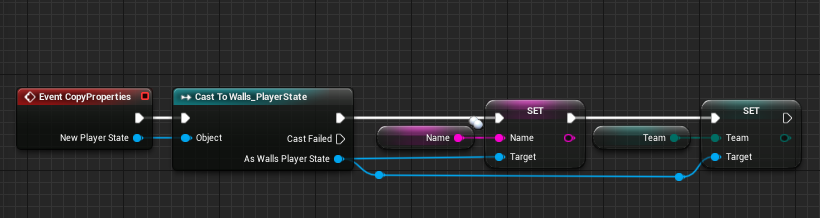
 surreal peak
That only works with SeamlessTravel when a Server ServerTravels to a new map and SeamlessTravel is enabled on the GM.
surreal peak
Don't think so
But makes less sense to not have it enabled
All multiplayer GameModes should have it at that point
Why do you think it's not working?
trim matrix
it got turned off sec
trim matrix
ok I think it worked lol 🙂
surreal peak
Cheers
trim matrix
forgot about that
although do you know why it load load new level in editor?
also do I need this in the other player state
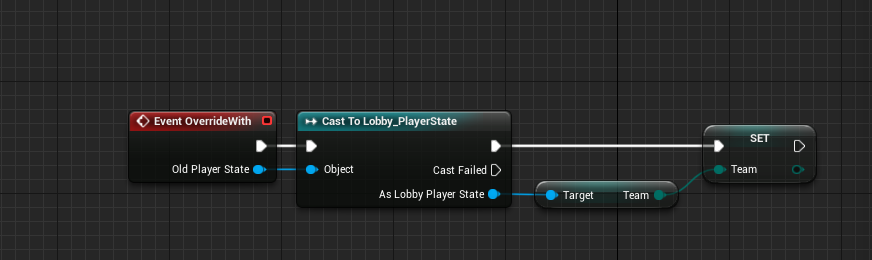 trim matrix
"Failed import for enum property" on startup, that's a new one
zealous moth
@trim matrix restart it, could be a one of a kind thing
trim matrix
nope it's there
zealous moth
but is it cached properly? 😉
zealous moth
i would build another and delete the previous and replace it with the new
trim matrix
I could try that
 amber marsh
Is it possible to get the name of each column from a data table? When I try to use the node that does this it does not seem to work.
zealous moth
yeah break it
amber marsh
That just gives me the value for each row
trim matrix
@zealous moth not sure what it was, i removed the input variable of a bp function and replaced it and now it's gone
trim matrix
i tried deleting binaries, intermediate and saved but it didnt help
 rancid oasis
anyone good at behavior trees and tasks?
 carmine prawn
rancid oasis
carmine prawn
rancid oasis
ah, sorry about that
charred flint
I am trying to open this map via a specific button but receiving the following error in logs
 fathom portal
It means "Demonstration" isn't a valid level name
Make sure you spelled it right
Had this same problem yesterday
charred flint
oddly I only see that if I place the voxel level in right top if I change it back to the old map name which was 3Dsetup it works fine
fathom portal
Go to where your level is in your content browser
and screenshot the demonstration level
If it's accurate, select your content folder (or all folders) and fix up redirectors
charred flint
hmm so if I want to open a map who's not in that same folder it wouldnt work that would make sence if that happens because its in different folders
fathom portal
Should work just fine, as far as I know, as long as your redirectors are fixed
charred flint
As im using this map but thee map I wanna open on click is back in content>differentmap
I did the fix up redirection in folder but the issue remains
figured it
thanks man ^^
 spiral surge
hey could you please help me with a simple problem, i just dont know how to think about it. but i know its just a branch, i just cant figure out where to put it
or how to get the condition.
charred flint
well stupidly enough the map name was wrong but before that I had tried the correct one aswell before fixing the map redirection
 river isle
hey guy s need help plz join voice chat
fathom portal
@river isle might get more people if you explain what it is before people commit
Hey friends, if I'm making an AI master class and subclass, I get the AI child should be parented under the AI master class, but what should the parent class be of the master class?
Character/actor?
charred flint
im quite happy about this, right now I am able to move forward again ^^
spiral surge
Heres the problem:
I have a inventory slot that has a default image of an empty slot background, and we need to set it as hidded when the item structure is added to the inventory and the thumbnail is updated, but i am not sure how to get that action as a condition.
DOSE NOT WORK
this is the inventory when the empty slot background is not visible.
This the inventory with the empty slot background
This is the problem, when i pick up an item... the background covers the item thumbnail, so we need to hide it.
 keen goblet
Freaky issue with a BP:
Have a BP that uses line traces to project objects against walls. Open the project up to my default map and it works fine. Then I open another map with this BP and none of its traces hit anything they're clearly intersecting. Then if I go back into the first map, that same actor that worked before, in the exact same spot, doesn't get hits from its traces.
Why does changing between maps cause a line trace to always fail? Wtf, ue4. This is killing me.. any help will be met with ❤️
 astral zenith
Hey @fathom portal and everyone else... remember when I was having a problem with UI elements that track actors disappearing in builds?
No?
That's ok. I solved it. It was a race condition in setting up the FOV and subscribing to scripted changes in FOV. The camera was being set to FOV=0, and then failing to find the actor it was meant to subscribe to.
fathom portal
Hey man, glad you figured it out
I'm also glad I was special enough to get my own tag
Gives me a warm fuzzy
❤️
fathom portal
Woo brand recognition
astral zenith
I came up with this schema for engineering our game... an everybody-mind-their-own-business approach that heavily leverages subscriptions to dispatchers. It works really well, except that Unreal instantiates things around Game Mode and player controllers and stuff in a different order in builds.
I've only recently begun implementing a more robust insurance against race conditions.
fathom portal
I'm still not solid on dispatchers vs interfaces vs etc
Did you fix up redirectors?
Like all redirectors? Or just a couple folders?
astral zenith
@unique flicker it is a pain... we do this with connection to P4V running, so even changing a file name is a barrage of loading bars... do things deliberately, wait for Unreal to settle, and fix up redirectors.
if Unreal panics on a massive file reorginzation, references will definitely break
keen goblet
Made a dummy actor to test projections, and the traces don't hit anything even though I'm using like all collision channels! Won't even hit engine content actors, like a Cube.
I'm incredulous...
Did I break the engine somehow? Using 4.24.1.
charred flint
been there tidi
been there to xD
still am there
did u try to fixup the maps?
I had that with a main menu tutorial earlier today so I know what you mean, unfortunately im still a huge noob and dont expect I know something you need a this point
zealous moth
@unique flicker the engine works with unique id references. This includes a path to each object. If you want to re organize it, do it in the engine.
I am 90% sure we are not talking about the same thing
astral zenith
@unique flicker Some of the reference breaks occur in things like event node pins... If you attempt a cook, you'll see a lot of yellow warnings. They will reference specific actors and mention bad references. Open these actors and find the option in File->Refresh All Nodes. This will help update broken references due to file misplacement.
charred flint
Anyone here has experience with the premium voxel generator from the marketplace
I am refering to this one: /marketplace/en-US/product/voxel-plugin
fathom portal
@charred flint I have the premium, and I 100% vouch for it with all of my being
It's one of my favorite things in the world, not even exhaggerating
charred flint
I love it to but seems getting the foliage generator to work is not how it is in the official documentation
any experience with that?
fathom portal
Last time I used the plugin was like over a year ago, I want to go back to it but trying to stick through this project
charred flint
It's one of my favorite things in the world, not even exhaggerating
@fathom portal Ive googled often for a voxel engine that could be hosted on a own server but unreal engine really makes that experience more amazing
fathom portal
Their voxel plugin discord (I see you're on it) is great when asking for help, have you tried it?
Especially the pro channel
charred flint
Well I figured there are 2 types there is also voxelplugin dot com but the premium one there is $400 and the one I refer to is in marketplace and cost 90$ (now 45 temporarily)
So im a bit confused whether or not im in the right discord
fathom portal
This one we're in is unreal slackers
charred flint
no I mean the voxel plugin 😛
astral zenith
@unique flicker does the mapcheck.log give you any more details?
fathom portal
Yup, that's the crap one
Is the amazing one, and it's the one you are in the discord of:
charred flint
u mean voxelplugin.com is the better one?
fathom portal
fathom portal
Yup, it's definitely a big investment, but it's a great plugin and has next-level support from both their community and the dev themselves
charred flint
hmmm and I bougth the one u called crappy 15 min ago -.-
I must say the editor of the one on the marketplace is a much better experience here so fa
just generating meshes as foliage is failing
charred flint
like is it really crappy or just less amazing?
fathom portal
Your linked one is a tricycle
the real one is a Ferrari that comes with multiple mechanics if you can't get something working quite right
charred flint
So I might learn to drive safe on the tricycle before risking the ferarri .. 😛
I do agree voxelplugin and foxelfarm are crazy sick
maybe voxelfarm is even better I dont know
fathom portal
Lmao entirely fair, but keep in mind, the longer you wait to refund the less likely they're going to be to refund it. And it looks like after 14 days it's basically a refusal
charred flint
I guess the question is if this one could realise my idea fairly easy or not
odd ember
@charred flint is a guy with a couple of months of blueprint experience really crappy or just less amazing than a programmer with industry experience?
charred flint
couple of days ^^
fathom portal
lmao at least you're honest
charred flint
basically you recommend to do everything from scratch right?
yah I had that one working quite well but found it buggy and slow ^^
odd ember
me?
fathom portal
^ I never tried the free version, though, I've no idea how good the free version is
charred flint
But thats me off course
^ I never tried the free version, though, I've no idea how good the free version is
@fathom portal It is fun to play around with but it looked more like it was made for dev exploring rather then for a end user plugin
I think they saved that for the premium
fathom portal
Of course, as far as I know it's designed to get you to try out the basics of the plugin
charred flint
I must say im pretty stoked about the 50% discount on the 90$ version for now to this week has been a dive in the bank account already 😛
happy I didnt buy it likee 2 days back when I was looking at it as it wasnt discounted at that moment I think
fathom portal
Not to burst your bubble, but every time I've loaded the page it's been on sale lol
charred flint
oh lol
fathom portal
Is there a way to see discount history on unreal?
odd ember
don't think so
would go counter to the idea of discounts
it'd be likes shooting your sales manager
charred flint
I like your way of thinking Cranz I can tell your good at what you do with unreal
your way of learning on the long run is for sure way more efficient
odd ember
I appreciate that
fathom portal
That reminds me, don't forget to grab this month's free content from the unreal marketplace, friends
charred flint
I must say the tool is pretty cool and complete just maybe outdated hence why it dont import the folios I dont know, I tried different Z levels to
ah yes its march
charred flint
looks like feb content to me
odd ember
yeah they're usually a week or two into the new month before updating
charred flint
well lucky me
I didnt take the feb content yet
yeah they're usually a week or two into the new month before updating
@odd ember UnrealPedia is a good username for you 😛
odd ember
I just pick up on trends my guy
and have my own obscure conspiracy theories about what's going on
like the marketplace free assets are definitely not tightly bound by time whereas the epic store free games are on the dot
and I'm trying to figure out why
charred flint
The epic store free content is really good if u ask me
unreal engine has such a motivating start now product due to their free possibilities 👍
spiral surge
How could i make the inventory reconstruct itself, one time, after the item thumbnail is updated?
fathom portal
After spending from time to time, and collecting the free content whenever possible, I've got a ton of stuff:
That's a small scroll bar
 odd ember
I bought a rock pack like 4 years ago
charred flint
nice list mfg
fathom portal
tyty
charred flint
Cranz I think you make a lot or know great places for free resources if im anticipating correctly
4 years to dang
odd ember
nah I don't really use free resources all that much
charred flint
quixels looked cool but I dont wanna look into all that yet
odd ember
I get the free assets when applicable, but honestly in most cases it's not worth the extra time or disk space for me to download them
charred flint
mixamo seemed usefull to 😛
odd ember
I enjoy being barebones
charred flint
I bougth a 6 tb external sdd
odd ember
although I wouldn't mind epic putting the femmequin on the marketplace
charred flint
femmequin?
odd ember
the female version of the mannequin that comes standard with ue4
 swift sphinx
why doesn't this work (the rotation part) :S it is still pointing up not forward
charred flint
aah oke
odd ember
@swift sphinx where 's the arrow pointing?
fathom portal
@old vault get the forward vector straight from the arrow
swift sphinx
@odd ember it is point in the X direction
fathom portal
@spiral surge the "Event Construct" already only runs once
At least, I know of no instance where it won't just run once
 rare gale
@spiral surge not sure what you want. Do you want to do what EventConstruct does again? Make that set of nodes a custom event, call that custom event on EventConstruct and then whenever you want to re-construct
odd ember
once per instance @fathom portal
fathom portal
Right, of course
odd ember
if you keep respawning the UI it might be valid
but idk
I don't want to throw myself into another big problem to solve today
zealous moth
@swift sphinx is your emitter pointing up only?
spiral surge
im so confused.
swift sphinx
@zealous moth YES!
spiral surge
@rare gale i just want the item thumbnail to update, without having to close and reopen the inventory
charred flint
I don't want to throw myself into another big problem to solve today
@odd ember
Must be related to my UI Issue 😛
odd ember
yours and a few others
zealous moth
I mean, you can make emitters always point a certain direction.
odd ember
like I'm doing my own stuff while on here too
trying to figure out how to kill this behavior tree before it kills me
fathom portal
Hey friends, if I'm making an AI master class and subclass, I get the AI child should be parented under the AI master class, but what should the parent class be of the master class?
Character/actor?
charred flint
Perfectly understandable
rare gale
@spiral surge I think what I said should work for that. If the nodes that set the item thumbnails are a custom event, you can do that once when it's created with EventConstruct and whenever you are changing the icons you can call that custom event again to update the icons
charred flint
Figured my issue with foliages
swift sphinx
@zealous moth so i can't make it follow my cannon? :S
spiral surge
@rare gale not sure how to call the construct slot event again ? 😦
also, would that lead to multiple inventory being built over eachother?
would i need a deconstruct slot event as well?
 round dock
is there an easy way to save all the information about an actor so I can load/unload it as it comes into distance with a player?
as in save it, delete it, and recreate it later
rare gale
@spiral surge it looks like all you're doing is setting the icons, not any other information or creating/destroying widgets so you shouldn't have any issues re-running that code. Do you understand what I mean by Custom Event?
swift sphinx
i still can't rotate the emitter the right way :S
 late shuttle
Need a "boss fight" camera. Keeps only the boss and player onscreen and dynamically zooms the closer/farther you get from the boss. Anyone have tutorials they could point me to or a general idea of how I would get started?
odd ember
find look at rotation and scale the fov by distance to boss
late shuttle
Hmm... just found a "shared camera tutorial" - thanks @odd ember
odd ember
I mean sure look at tuts, those are the basic variables you need to work with though
round dock
so im trying to make something to delete actors as they leave view
and to find and delete the actors im moving a box collider around and using GetOverlappingActors
but for some reason it's not picking up every actor
the bushes inside that thicc box are supposed to be deleted, but aren't caught by OverlappingActors
what do
odd ember
why don't you use something like WasRecentlyRendered
round dock
could you extrapolate a bit on how I'd use this?
I've got the doc open im just not seeing the connection
odd ember
you're trying to delete actors as they leave view
round dock
ah im dumb I should explain more
fathom portal
Would delete the actor when they stop being rendered
round dock
think minecraft render distance, so things gotta be deleted and then reloaded based on distance to the character, not necessarily whether they can be seen or not
and i think that lends itself to a chunk system
fathom portal
Ah, you want culling
odd ember
visibility occlusion is built in
fathom portal
Yes, a chunk system would be good, or use unreal's built in culling ^
odd ember
so you don't need to do it
round dock
does the built in culling work well enough that I could have an entire map, on the scale of minecraft, without any additional culling?
that was my big concern
odd ember
I don't really know the scale of minecraft
round dock
having two players like miles apart from each other, and everything is just loaded between them
round dock
i guess that's true
odd ember
tbh sounds like you're reinventing the wheel here
round dock
im preemptively optimizing and I know it
odd ember
that's not how optimizing works
and also you're not going to be doing a better job in blueprint than the engine is at core level
round dock
i dont doubt that, but it feels like im using the engine in a way it wasn't intending to work
like, if the player travels a mile in one direction, generating thousands of actors
odd ember
well yes if you're trying to do visibility culling blueprint, that was never intended no
round dock
it seems like the engine would eventually be overwhelmed if nothing was deleting them behind you
round dock
shit, that's fucking impressive
charred flint
Intense conversation ::P
odd ember
I mean it's not a big a deal as you think
the engine was built for this purpose
look at fortnite
none of that is rendered entirely at once
that'd be madness
charred flint
Yeah I was impressed knowing that Fortnite was made with unreal
round dock
I know it's not being rendered
odd ember
also I want to caution you against trying to optimize using blueprints
it'll most likely backfire
round dock
it just seems like a ton of actors, regardless of whether it's being rendered
odd ember
since blueprints on their own are slower than the optimizations that are already in place by the engine
round dock
they're being rendered*
oh this is all gonna have to be cpp at some point im fine with that
odd ember
yeah so forget optimizations until you start doing cpp
or even until the game slows down for you
round dock
the only optimization i wanted down in bp was the fundamentals of the chunk loading/unloading system
but it sounds like i don't need one
soooo
round dock
i've seen level streaming mentioned im gonna look into it
i wouldn't need a chunk loader if i could break up the world into different levels huh
odd ember
but again I wouldn't bother with it until you actually hit performance problems
round dock
that's really great advice, im just gonna run with it for now
 boreal jackal
I just took am i an idiot quiz because i dont understand bp
 wide nimbus
Figured I'd ask here in case it's a super simple fix. Pawns that aren't my player character are not updating their rotation often enough. I checked their tick rate and they are all normal. I also tried spawning a spectator pawn and possessing it with my PlayerController, and it's updating at that same rate. Any suggestions for where to look?
zealous moth
@boreal jackal BPs are literally methods with parameters and outputs. It's literally coding but visual...
@wide nimbus are your animations rooted?
wide nimbus
they're using the same animations that my player pawn is using
and it's happening on the pawn level, not the mesh
wide nimbus
Yes, it happens with my AI, but as I said it also happens if I spawn in a spectator pawn and possess it.
and it's only rotation, movement works pretty much as normal
zealous moth
is strafing enabled?
zealous moth
yup
i mean worst to worst, you can just plug in an "has target?" function and force rotation to that target
 static charm
Unreal Engine Forums
Hello so im real bad at AI and its taking me forever to get them right but so far its going somewhat alright.
The one thing i cant figure out is why the AI
wide nimbus
Yeah like, if I set their rotation on tick or something, I could probably avoid that, since they do something similar when they aim, but that won't help the issue I'm having with my spectator pawns
@static charm thanks, I am using controller's yaw rotation
 full fjord
any idea why the character the stops? I haven't set up a proper blueprint for this but I'd like to make the character slide (preferably with some control) as soon as the character hits a slope
Character only goes down when jumping
wide nimbus
@full fjord are you talking about why the character doesn't continue to slide when he hits the yellow bit?
full fjord
No, sorry, my question is why does the character stop when going from yellow block to red block? @wide nimbus
I didn't stop the character, it just stopped by itself and there was no forward movement until I hit "Space" to jump
wide nimbus
ah, gotcha, gimme a sec
try adjusting the walkable floor angle on your character movement component
full fjord
this is what I have:
wide nimbus
Yeah, I was originally thinking it was something you'd want to change about the physical material to make it slipperier. You can try messing with ground friction and character mass as well... but I don't know for sure
best of luck!
full fjord
Yeah if I put Walkable Floor Angle at 30, my character can walk with no problem but it won't slide. I wonder if Unreal just prohibits walking entirely after a given angle
Might look into real blueprints work though
wide nimbus
walkable floor angle may be the answer for what's the highest possible angle the player pawn can walk up, and idk how it interacts with walking down. what happens if you set it to 0? do you still slide after jumping?
full fjord
hmm that's an interesting point
hang on let me find out real quick
nope, that doesn't affect anything. Same result as prior
zealous moth
i have an actor with 2 collision components, a box and a capsule. When I fire a projectile at it, I want it to interact with the capsule collider but not the box collider, any way to do this?
 short pawn
Make the projectile a class that the capsule collider overlaps but not the box collider
zealous moth
@short pawn trying, i made a collision channel and I am playing with it to see how to get it to work. Now, it reacts properly but my interface message won't get registered
short pawn
Sorry I'm not at the computer right now not sure what the next steps would be
round dock
so i have this build menu that's an actual actor in game. it's not replicated, because only the client needs to see it. when the menu actor spawns another actor (through a server event), even if that actor is replicated, it doesn't show up on other clients
but if i spawn that actor directly from the player, then it gets replicated
is there like a problem with using a non-replicated actor to spawn replicated actors?
zealous moth
i figured it out
it wasn't the channels
I accidentally moved the health component owner from the actor to something else
so it was shooting the interface message elsewhere
 undone timber
so i am trying to make a weapon system so far i got my weapon firing and everything, but the hits dont seem to do damage on the target, i use this blueprint on the projectile
Do Damage is the interface
and this is Do Damage in the Actors being hit
what exactly am i doing wrong?
projectile has by default 10 as a float for damage in its variable, and targets by default have 100hp on their health variable
 slender idol
Cvollisions on the projectile and actor? Are they in order?
undone timber
in order?
well the objects do collide, and the actor is getting destroyed (the projectile) is just the target that is not receiving damage
 rough wing
What was the name of that function where it gives you a value between -1 and 1 according to how direct you are looking at an actor
1 meaning you are directly looking at it and -1 is looking at the opposite way
 fair frigate
The camera controls in the third-person starter kit are inverted, and the gun controls in the first person starter kit are also inverted. I can't find any inversion settings anywhere. It's driving me crazy trying to test my scene, any advice?
undone timber
so anyone got any idea of what is the issue on mine?
ah i know what is wrong now..
 dapper kiln
So for some reason my movement speed is slower than my diagonal speeds. For example "W, A, S, D" moves slower than holding down "W + A"
https://i.gyazo.com/2e69ff5a44aeff1f21755d853fd7152b.gif
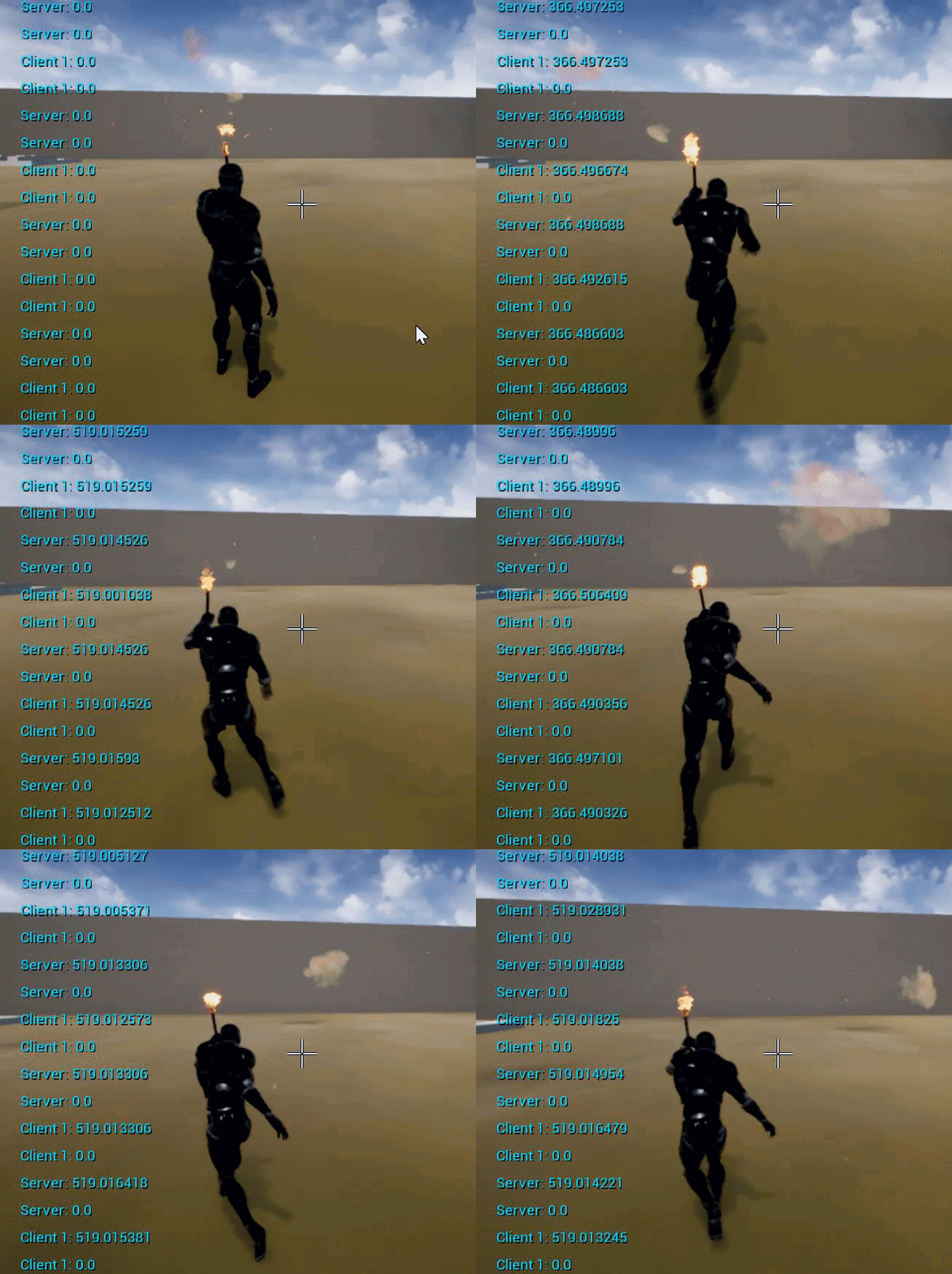
What causes this?
trim matrix
@undone timber did you add the interface to the Actor that shall have the Do Damage event?
 supple steeple
Im guessing thats because movement to the right is 1 and movement to the front is 1, so if you press bith you combine, you have to make sure that it knows not to combine both speeds @dapper kiln
undone timber
yes i did, my issue was that i was hitting components, i had to get the parent actor
but this also interestingly means i can easily scale it to a system that allows modular destruction....
dapper kiln
@supple steeple But the wierd thing is that the diagonal speed is the correct speed that I set in the movement component. For example I set my crouch walk speed to 250 but as you can see in the picture below it only gets close to that number when walking diagonal lol
https://i.gyazo.com/62520f4c2ebc60b1d8ea9f0d015686c1.gif
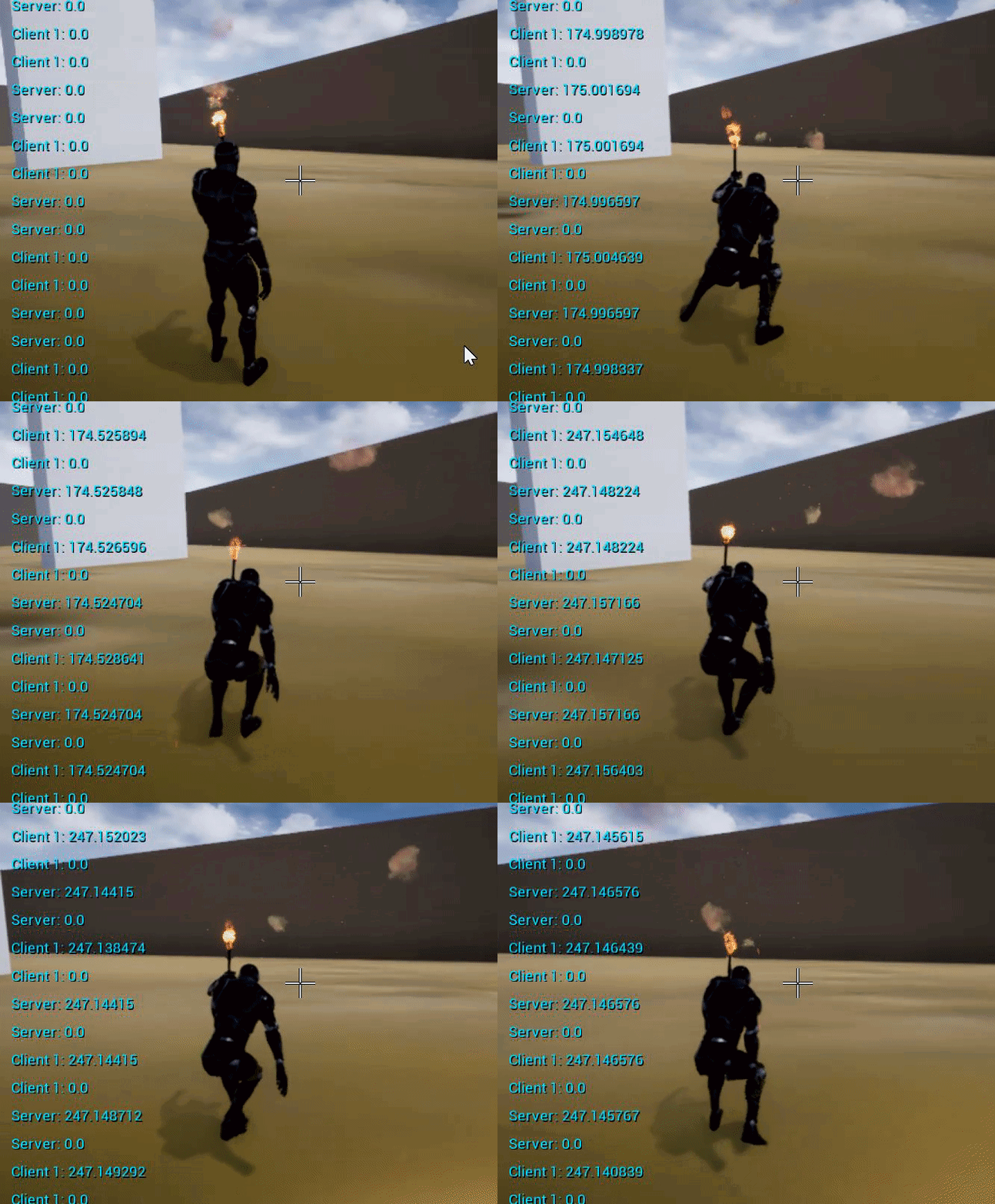 supple steeple
Oh wtf 😂
No clue then sorry, im a big noob myself, but that was something i encountered sot hought it was that
(not saying you are one)
dapper kiln
Oh I'm a blueprint guy so this animation stuff is a bit "eh" lol Maybe it's my blendspace. I might pop over to the animation channel and ask lol thanks for the help 🙂 I was just hoping it was something silly I missed
supple steeple
Well im a graphics guy trying to learn some blueprinting 😅😂 so i dont know that much
trim matrix
@dapper kiln not sure what you're doing there can you screenshot the cmc settings and the walking function?
dapper kiln
@trim matrix Oh I did do some wierd stuff to my movement logic a few months back. Let me check that and see.
You are a genius lol. For some reason I had messed up the movement events so it was calculating things totally wrong. Now I'm moving the correct speeds. Thanks for pointing me in the right direction to my own stupid error. hahaha 🙂
 atomic salmon
@rough wing dot product between vectors
If two forward vectors are aligned but opposite (two actors facing each other) the result is -1. If they look in the exact same direction the result is 1
fair frigate
Why does linetrace not trigger OnComponentHit event?
just using 1st person template, i can detect that i'm hitting the static mesh in the firstpersoncharacter blueprint, but the onhitcomponenet doesnt trigger unless i walk into the mesh with my character capsule
 split wasp
component hit is physics event
fair frigate
ah ok, that should steer me in the right direction thanks
hmm, theres no other hit events though other than input?
I have to have physics enabled on everything I want to be able to shoot?
I'm coming at this all wrong it feels like, ima just start over
split wasp
linetrace does report the component it did hit
if you're looking for that information
 trail lion
Hello, I have a problem. I have a fbx file from blender( a Room) imported to ue. I use complex collision on the room. My player move, how he should but if I add light to the Room my Player doesnt move anymore. There is nothing that collide with the playstart box. any ideas pls. very important. thx
trim matrix
@fair frigate you could trigger a function or event on the hit actor here
first check if the return value is true though
and cast that actor to the class that can be shot
fair frigate
@trim matrix yeah, i'm trying to make the asset run independently though, so it will work with most weapon systems in UE4, feels like running a check in the main first person blueprint for every unique object/function would get messy quickly, or is that just how it's done?
i have just stumbled upon the AnyDamage event though, so I think that might solve my problem for now anyway. thanks for the help
 gritty plover
Alright, guys. I'm drawing a blank here.
What do I plug into the object pin for when casting to an animation bp?
trim matrix
@gritty plover the anim instance of whatever skeletal mesh component has that animbp
gritty plover
Oh cool. Thanks.
 gaunt monolith
try get pawn owner... thats a node
gritty plover
Yeah Try to get pawn owner didn't work. The anim instance thing worked perfectly though. Good looking out!
round dock
if you want something to spawn in your level dynamically
you're supposed to fire off an event that replicates serverside
spawn the actor in there
and have the actor set to replicate
right?
it only works when i do it that way in my player character class. if i trigger an event that's in a previously spawned actor's blueprint, it just doesn't fire
 glacial eagle
The client has to own the actor that has the Server Event.
You can't call Server RPC's on objects you don't own.
round dock
just for clarification, the player spawns the flagpole from his blueprint - then the rest of the spawning is supposed to be handled by the flagpole
where would i be getting the ownership fucked up?
flagpole event graph has this, which when set to replicate on server, doesn't run
glacial eagle
The player doesn't own the flagpole actor, so they can't call server RPC's on it the same way they can't call server RPC's on anything other than their pawn, controller or player state.
If you want them to be able to do that, then the flagpole needs to be spawned using that clients controller/pawn as the owner.
But obviously, other players won't be able to call RPC's on it then either.
round dock
jesus that's the ONE argument hidden by the expansion button on spawn actor from class lmao
thank you so fucking much dude
glacial eagle
ownership is very important in MP
round dock
if the character owns the flagpole and the pole owns the house, can the character make RPCs all the way down the House?
or do they both gotta be owned by the character
glacial eagle
yeah ownership will pass through
E.g. you can be the owner of a weapon, and that weapon can be the owner of projectiles. So long as the client is the owner of the weapon they can call RPC's on the projectiles too.
round dock
anyone know why this timer triggers twice every second instead of just once
 fallen glade
How do you get an ENUM name at index ? is it even possible ?
this did it .... weird
glacial eagle
@round dock Server and client are both setting their own timers. BeginPlay() runs on every instance.
zealous moth
@undone timber in your first screenshot you destroy the actor before it fires off the message. Fire the message first and then destroy the actor.
trail lion
how can i start playing a song ingame when i have e key for interactions. Is this easy as it sounds ?
charred flint
Good day everyone
 maiden wadi
@trail lion I could be mistaken, but you should just be able to add the E input to the controller or pawn, and off of it, use the PlaySound2d node.
trail lion
I tried this and put Startermusic from the startercontent in the playsound node, add a triggerbox where the Input interact is connect with but it dsnt worked
I used a Gate to connect both
maiden wadi
So you're trying to play a sound when your character is inside of a triggerbox, once the E button is pressed?
trail lion
yes
exactly
so that the music does not directly start only when the e key pressed when you in the triggerbox
maiden wadi
You'll probably want the sound part in the triggerbox actor then. Set up an onoverlap to enable input from the player's controller into the actor with the triggerbox, and use the E functionality there.
charred flint
I am following blueprint tutorials and in the official tutorial from UE they talk about adding blueprint effect explosion but its not in my engine
Anyone know were to find them?
they have no reference about it in the videoe
maiden wadi
Not sure about a Blueprint, but there's an explosion particle in the startercontent pack.
charred flint
hmmm can we still get the startercontent pack if we already made a game and wanna add it in later?
maiden wadi
Yeah, in your content browser, click on the top left, the green ADD NEW button. At the top, there's a "Add Feature or Content Pack". Go to the Content Pack tab at the top of that window.
charred flint
ah
ur the best thanks mate
Managed it thanks!
as you mentioned, now they exist there
maiden wadi
Oh, guess they were blueprints. Might remember that next time, I wasted time making my own from the particle last time, haha.
charred flint
Anyone know what is wrong here and why it doesnt explode on hit? This is 100% exactly followed from the official tutorial on youtube but seems I can shoot the mesh/pig 100 times it dont explode
Oh, guess they were blueprints. Might remember that next time, I wasted time making my own from the particle last time, haha.
@maiden wadi Sounds pretty cool, hope to learn that to at a later point ^^
Official video has it like this
In my opinion it should work
maiden wadi
I would put prints before and after the spawn actor and make sure both print out.
charred flint
oke do you mean Print String?
maiden wadi
Yep
charred flint
Oke, so basically at this point not only does the explosion not work but also deleting the entire actor doesnt happen. (And were do I have to put those print strings exactly?
maiden wadi
I'd start with one at the beginning of your events to make sure they're firing.
charred flint
Not sure what the spawn actor is exactly
maiden wadi
It spawns the blueprint that contains the particle effect.
charred flint
So like this?
maiden wadi
Yeah, but with the "Then 0" on the sequence plugged into the print node instead of the spawn actor.
charred flint
ah and the other at 1?
maiden wadi
You should only need the one print for now, just make sure that component hit is working.
maiden wadi
You replace the white line going from the Then 0, to the Spawn aftor.
charred flint
means we have this
maiden wadi
Yep, now it should print Hello on the top left of the screen when that explosion is supposed to happen.
maiden wadi
The Hit Event isn't working then. First stop would probably be collisions. Check your collision channels on the pig.
charred flint
the pig does move (oddly) but shooting doesnt
hmmm my collission is referring to the static mesh
maybe thats the mistake?
I think it has to be like this based on following the tut
maybe I got it
maybe not
back to basic
I know the sk_pig shouldnt be as a sub
so im fixing that first
works like a charm now
maiden wadi
In that last screen you just posted, click on SK_Pig, then go to the right side of the editor to the Details panel. In there is a drop down called Collision, inside of it has a dropdown called Collision Presets. What is that set to?
Oh, nice.
charred flint
the issue was I added the pig mesh as a sub
maiden wadi
Your projectile might have been colliding with something else before it could hit the pig then.
charred flint
just got to figure how to make that mesh a pig as it doesnt allow me to change the mesh to that particular one but one step closer
like with these shapes it works
maiden wadi
Your pig is a Skeletal Mesh, right?
charred flint
but the meshes I got in my content folder that I need arent there so I dragged 1 in and it made a sub mesh instead of the main 1
well it has but I only dragged in the static 1
really still a noob so experimenting
I dragged in the first one
is that wrong perhaps and reason why it only sidewalks with it but towards player
maiden wadi
Wait, the tube mesh you have there, you applied that to SK_Pig, right?
charred flint
yeah before the tube I used the sk_pig
but it adds it under the static mesh as a sub file
should I try it with skeleton instead?
I can even get it to work with huge meshes just not the animals
maiden wadi
What if you take out the other static mesh in that actor, and make the pig directly under the Scene Root?
Right now you have Scene Root>StaticMesh>SK_Pig, instead change that to Scene Root>SK_Pig
charred flint
can try but right now the thing seems to be stuck the engine works just the mesh became untouchable... xD
lemme figure that first sec
it became undeleteable
nope its like the compile button is turned off and cant touch this blueprint anymore
... nvm
sometimes the simplest things makes us look most stupid... 😛
maiden wadi
Haha, what was it?
charred flint
well
I was still in play mode...
anyway I changed it all to the pig, refreshed the nodes and recompiled but pig doesnt wanna explode
flying pig and unshootable so sad xD
maiden wadi
Is the ball bouncing off of the pig?
charred flint
no its going through it
but the icon for the pig is like a user icon and the cube was a house icon
maybe the object type or mesh type or what it is called is uncompatible?
maiden wadi
They work, there's just some finicky stuff with it sometimes, but check the collision channels on the SK_Pig
charred flint
oke how does that work though...?
I hope I am within the lines of being respectfull because I know I overask
apologies for that I am just very eager to master this engine one day in the future
maiden wadi
Overask away.
Go into the pig actor and in the top left, Components Tab, click on your SK_Pig. Then go to the right side to the Details Panel, and scroll down til you find Collision.
charred flint
but is this right now wrong
maiden wadi
Does the projectile hit the pig after changing that?
charred flint
now they stoppeed moving when I put it on pawn preset
no and movement stopped working to but atleast they with their feet on the ground now
maiden wadi
Try Block All instead of Pawn, if that doesn't work, we have to check the actual collision of the mesh.
maiden wadi
Change the collision Preset dropdown to Block All. It'll set the checkboxes for you.
charred flint
but then I cant put it to pawn anymoree right?
ohhh
lol lol english sorry
actually this is quite cool to 😛
it lost its stickyness now but its movement to and no explosion
but no it I think ur right on collission issues
ball bouncing back now as u said
maiden wadi
Still no print or explosion though?
charred flint
No not with pigs
I tried turning physics on but thn they are just death or sleeping
maiden wadi
Physics won't help that, Physics just makes an object have gravity and ragdoll mostly.
 devout condor
:/ sorry I kinda just walked in how come the res is so low?
maiden wadi
Just curious, what happens if we change the hit event? Instead of hitting the SK_Pig, hit the actor.
 still nexus
skoz me
charred flint
which one is the actor
maiden wadi
charred flint
maybe I found something
yep
I was still referring to static mesh
not sk pig
works now
maiden wadi
Was going to ask about that, from your last screenshot, haha.
charred flint
yeah sometimes when ur trying to solve things u miss out the simplest things but that comes with practice
maiden wadi
Explosions and all working?
charred flint
just if I may ask on I have a few more things that im trying to crack here which is proper physics, gravity and movement via the skelleton
yeah the explosion worked like charm
just to small but it worked
maiden wadi
You could change the size from the transform. Drag off of where you're getting it, break transform, multiply the scale, and make a new transform.
charred flint
hmmm im not seeing that yet
maiden wadi
devout condor
dose anyone know exactly what this node dose, its not realy clear....
https://docs.unrealengine.com/en-US/BlueprintAPI/Math/Rotator/Delta_Rotator/index.html
Delta (Rotator)
maiden wadi
@charred flint Drag off of the scale part and put a *, it'll come up with the things you can multiply a vector from, that exact node is a Vector * Float.
maiden wadi
@devout condor You use that node to find the delta between those two rotators. Usually used on tick or with a timer to smoothly rotate something between it's current rotator and a target rotator.
devout condor
@maiden wadi is one of the pins used as a base, or dose it just add\subtrack both of them?
charred flint
@devout condor got it on med res now
maiden wadi
Bewm.
devout condor
@charred flint lol, I was just cerious, I thought it was a style thing
charred flint
Oh no I prefer hd settings but during other tasks besides map designing I figure might as well enjoy the extra capacity
devout condor
ah, ok
charred flint
@maiden wadi awesome help on this, now I got to figure how to add the movements like physics and skelleton to the pigs and im hopefully one step closer ^^
@charred flint lol, I was just cerious, I thought it was a style thing
@devout condor Im using a Notebook
maiden wadi
Well, a great example might be to rotate an AI. On one project I use that to rotate the character's Z rotation until it's facing it's intended target. Plug Current world rotation into A, and the find look at rotation into B, and then the output into, set world rotation.
It's just to help keep things from "Snapping" towards something, to smooth out the effect.
atomic salmon
@maiden wadi that would be RInterp To
charred flint
Anyone knows what im doing wrong here with the physics?
I want it to walk like the pig should and not lay down or being death upon spawn
devout condor
@maiden wadi so I'm trying to use this to get a vehicle mounted turret, to aim where the camera is looking, and it kinda breaks when the vehicle is on a incline
atomic salmon
@charred flint if you simulate physics on a skeletal mesh you are ragdolling it, so physics takes over and animations are disabled, unless you blend them
atomic salmon
You want to spawn the pig with physics off and ragdoll it, if needed, when it is hit
 royal rain
Hello @ocean radish sorry its been a while but I am wanting to continue where we left off. i am pretty lost still and would like to hear back when you are available
charred flint
Oke that makes sence, so I just need to figure out how to blend them and then it should be good to go?
right now the pig is a static mesh
atomic salmon
@maiden wadi no worries. It calculates indeed the shortest rotation from A to B (slerp).
@charred flint static meshes do not animate. For that you need a skeletal mesh with an animation BP.
charred flint
hmm but that didnt allow me to import it in my blueprint viewport so I wonder how I would get it there
maiden wadi
@devout condor Are the Turret and the Camera a part of the same actor?
devout condor
@maiden wadi the turret is a seprate actor that gets attached to the vehicle, the camera is in the vehicle
maiden wadi
Depending on how accurate you want the turret for the player based on ranges, the easiest way is probably a line trace from the camera. Straight out til it hits something, get the hit location, and point the turret there.
atomic salmon
@charred flint probably that was I while ago so I didn't see it. Did you get an error or what?
charred flint
No it just dont respond when I drop it in in anyway
only works with static meshes at this side somehow
atomic salmon
@charred flint you won't drop a skeletal mesh in the level directly if you need it to react to something, you need to place it in a blueprint
atomic salmon
I see. First you need a root capsule or another collision volume.
devout condor
@maiden wadi I kinda have a system like that currently
charred flint
I see. First you need a root capsule or collision volume.
@atomic salmon 0.o
I havent come accros that yet
atomic salmon
@charred flint Just look at how the Third Person Character BP is structured.
maiden wadi
I'd probably make your pig from a Character base. It'll speed up a lot of that instead of having to reconstruct it.
atomic salmon
It has a capsule as root component and the skeletal mesh is parented to it.
maiden wadi
Wait, Character was for bipeds. Scratch that.
atomic salmon
Yeah. The Character Movement Component is not particular suited for quadrupeds but it should work.
charred flint
this one?
atomic salmon
Look at the Viewport tab
atomic salmon
BTW, this is the First Person Character, not the Third Person one, but ok, similar thing
charred flint
so basically if I implement these in the pig then we could get it to work better?
atomic salmon
Your pig should have a capsule as root component (or a box if you prefer), then a skeletal mesh parented to it and then a FlyingPawnMovementComponent because it needs to fly
I love this thing of the flying pigs! 😉
charred flint
well it doesnt need to fly but in mine it flies so far xD
charred flint
u think I should make them fly by default xD?
atomic salmon
I don't know. I thought you wanted to shoot at flying pigs...
charred flint
goal was to make them walk indeed but somehow they either were death with physics or alive in the air
atomic salmon
@charred flint to have them walk you need a movement component, like the Character Movement Component
Now the CMC has been designed for bipeds (like humans) but it can be adapted to quadrupeds as well
charred flint
is there some kind of complete thing we could import and edit or do I need to build it up from the grounds to interact with the AI controller?
atomic salmon
There is stuff in the marketplace you could look at
Otherwise you can always build it from scratch following one of the many tutorials in YouTube
charred flint
not really the prefered approach at this point as I wanna learn it
ok ill try that
atomic salmon
Any tutorial dealing with roaming AI should help

In this video I will show a very easy way to give your level life! This is geared towards wandering AI NOT chasing player. This set up will also work with animals! You will need the animations for the animals to complete the AI Roaming! If you have any questions comment below ...
charred flint
oke thanks alot man
atomic salmon
*** Not for vegans!
charred flint
Ill try to achieve this
atomic salmon
In his videos you can see how animals were setup using the CMC and a capsule + extra collision volume (box). Look at the cow.
zealous moth
@charred flint I highly recommend you use the print string node to debug rather than ask people first. This way you can get a better feel for what is going on. If you always ask you will not develop the intuition for debugging.
trim matrix
@charred flint very useful function is "GetRandomPointInReachableRadius"
charred flint
thanks for the advise Zanet I agree some more exploring is important and im tring to follow as much tutorials as possible but sometimes when im really stuck I have no idea were to search.
 prime berry
man that tutorial is fucked up on so many level 🤔
charred flint
which one
charred flint
Is there a good way to spawn an actor randomly instead of always on the same place as were the triggerbox is?
Its kind of creating a pile of pigs now
atomic salmon
Instead of using GetActorLocation from the TriggerBox, you can create a random location vector and spawn there.
charred flint
sounds logical!Thanks Marco
atomic salmon
You want your Z to always be above the terrain level
X and Y should be within the boundaries of your terrain
 terse oar
Your execution pins aren't hooked up. You need to chain them together with the white line.
charred flint
Like this..?
terse oar
Correct! That node still won't be right for what you want though.
Going to go look at what's available real quick
charred flint
I figured by testing but I have no idea what other random node would do it
That would be awesome thanks a lot Bluxgore
terse oar
There should be a call for something like 'get random ground location in volume'
 distant sedge
@charred flint You can get a random point on the nav mesh
Alternatively use EQS if you want to get a point on the nav mesh with some rules, like player can't see the spawn point
charred flint
I tried that one but thougt it wasnt the right one let me try
terse oar
Something like this. You want to get a location around your trigger box.
This won't work unless you've updated nav-mesh, though
atomic salmon
You need to have a nav mesh for that one to work properly
terse oar
You need to get the location from your trigger box like in my example
atomic salmon
The right way to do it without navmesh would be to generate a random point above the ground, then line trace down from there until you find the ground. That would be the point to spawn to.
charred flint
via getactor
The right way to do it without navmesh would be to generate a random point above the ground, then line trace down from there until you find the ground. That would be the point to spawn to.
@atomic salmon sounds good just not sure which blueprint tool we would use for tha
atomic salmon
Is a bit of an advanced technique but let's say your terrain is 1000 x 1000 and its maximum height is 300. You generate a random point with X = random float in range (-500, 500) and Y = random float in range (-500 , 500)
Z = 350 so we are a bit above the maximum height
Now you have your starting location vector[ X, Y, Z]
 left pendant
Would it be possible to call out a ragdoll blueprint (Active Ragdoll in this case) as an on hit event? i has able to find out what event starts the simulation but can't seem to discover what node do i use to actually call it
charred flint
well now they spawn out of the ground instead of the air but still same spot
atomic salmon
From there, you need to do a LineTraceByChannel in the negative Z direction for at least 350 units.
Eventually the Line Trace intersects a point on the terrain, that will be your spawn point.
terse oar
@charred flint Make your Radius parameter more than zero
charred flint
your option sounds good Marco just not sure what tools u would use to amake that
atomic salmon
I am describing it to you
First generate a random vector, use Make Vector for that
Feed the X with Random Float in Range (-500, 500)
Feed the Y with Random Float in Range (-500, 500)
Feed the Z with, say, 350 (I don't know the max height of your terrain, adjust as needed)
charred flint
Oke I will experiment that option now,
@terse oar your option worked indeed!
terse oar
Nice. Have fun, dude.
atomic salmon
@charred flint if this works and you are happy with it you don't need mine
charred flint
I would wanna try and learn yours as it seems the way to do it on a larger scale, this spawns them all pretty close to each other
with radius on 1000 still 😛
terse oar
Those numbers are in centimeters, for reference.
charred flint
ah ok
is there a advantage to the way you described it Marco?
I can imagine its more scaleable
or to limit amount of spawns
atomic salmon
it's the same, just more didactic
charred flint
oke I write it down to remember^^
atomic salmon
you learn to generate random floats and to do line traces
teaching you to fish instead of giving you a fish 😉
charred flint
Thats really appreciated
so I put them at a million and then at hundred thousand but thats apparantly not the way to do it either I see
distant sedge
If you go the trace route then you'll also need to manually account for choosing a spot that is reachable for your AI / won't spawn your AI clipping inside a geo model or another AI / more edge cases.
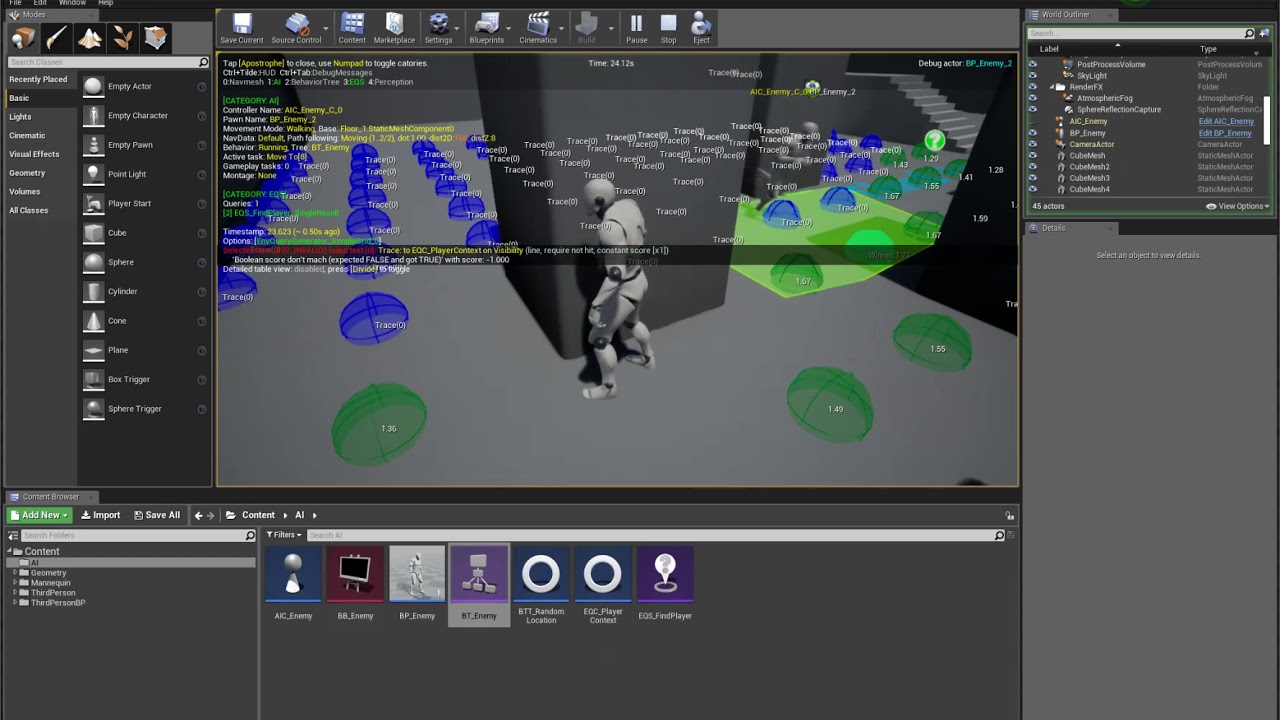
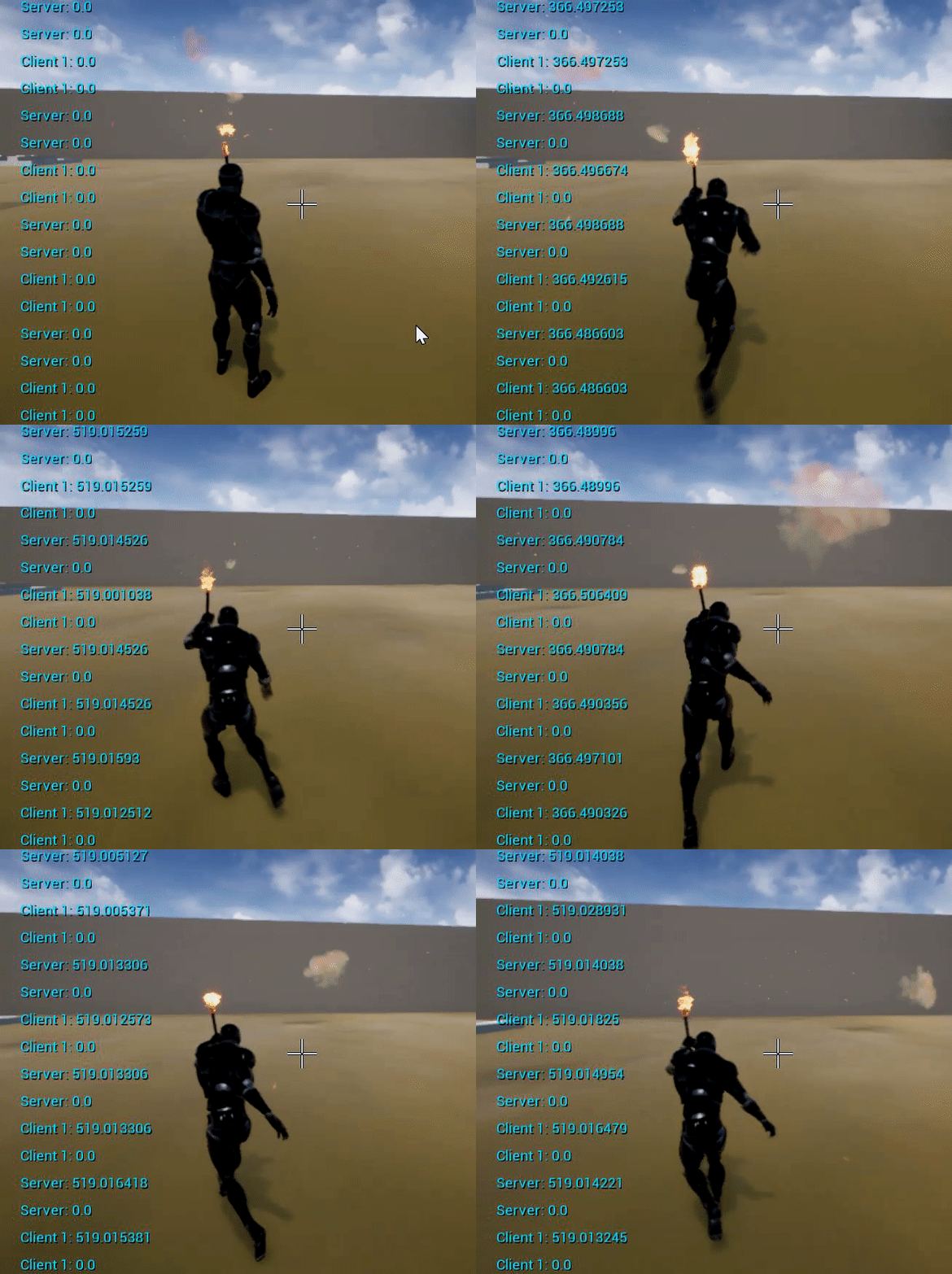
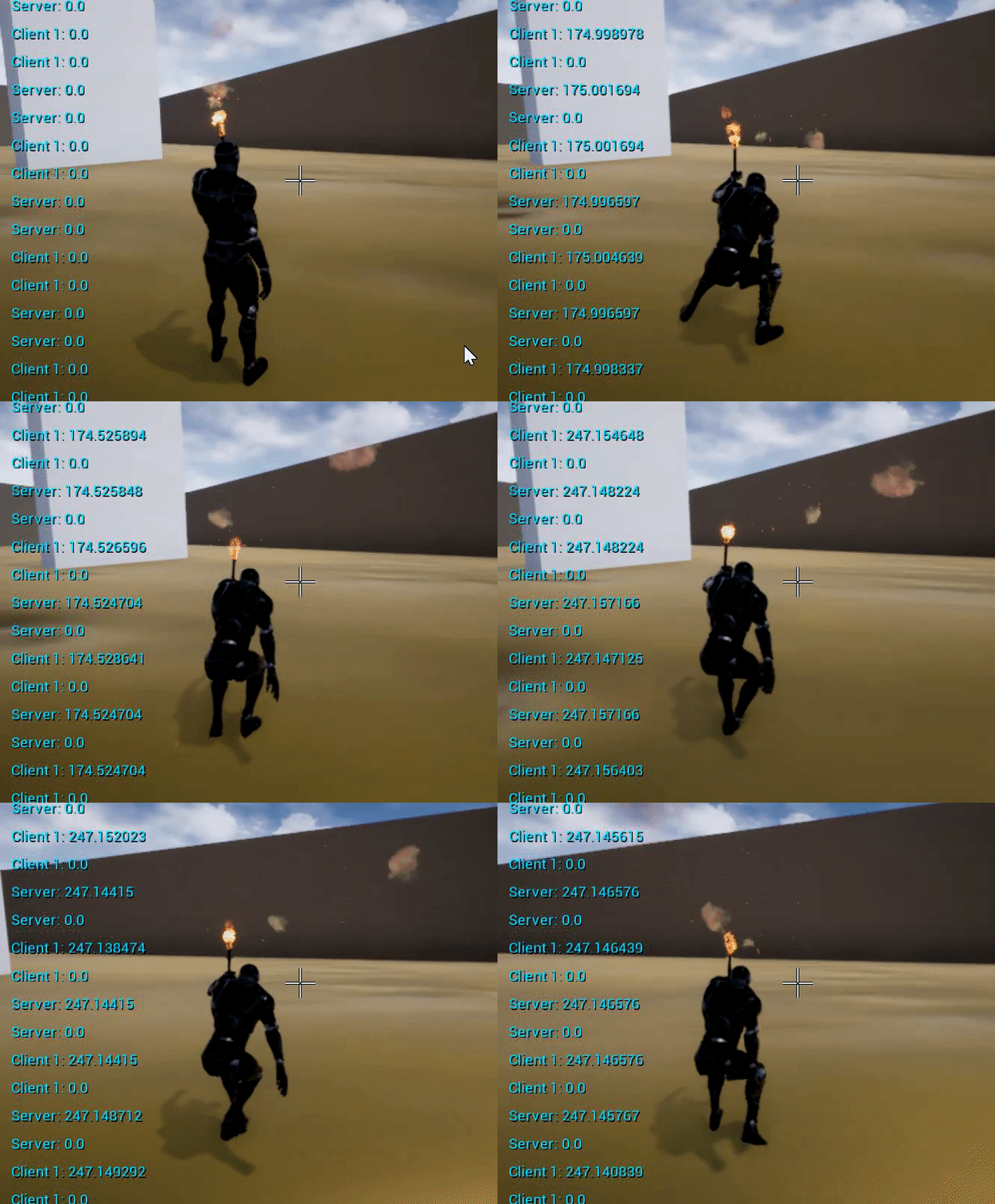
Using Nav Mesh takes care of that since you're using areas where AI can reach and along with EQS makes it scale well. Example of points generated https://www.youtube.com/watch?v=bFZ6X9w5eo4


 charred flint
ahh oke I will look into that, right now with 1000 I have a ton at the same place but with 100000 I have none at all
atomic salmon
@distant sedge I agree that eventually this is the way to go, but it is way too complicated for someone learning the basics
left pendant
What node should i use to trigger a Ragdoll on hit? i've got the collision primitive but can't seem to be able to find on to connect it to the mesh as an on hit event
prime berry
lol is that some kind of creepy stalker AI? seems perfect for a horror game
atomic salmon
@left pendant to ragdoll a Skeletal Mesh you simply use Set Simulate Physics to true and switch the Collision profile to Ragdoll
Not sure I understand where you are at though
left pendant
Simply putting it, i've been using the "Active Ragdoll" asset from the store, the test map itself brings a couple spheres with the effect I'm looking for, but i can't for the life of me find the nodes that actually toggle the ragdoll on the character on it
i was trying to just replicate the effect for the floor, as he would use the Ragdoll blueprint the character already has but i cannot add it to the floor for some reason
atomic salmon
Ragdolling the floor?
atomic salmon
ah ok, that makes sense
left pendant
This is the node part i know triggers the ragdoll but adding it to the floor mesh it's another story
atomic salmon
I understand the sphere triggers the ragdoll when it hits the character
The collision primitive is needed to generate the hit event
So inside the sphere BP try to find the Event Hit handler
Red node
That's where the ragdolling is activated
left pendant
Oh, the Event Tick at the start?
atomic salmon
I don't know this asset and I see it has no documentation online, so mine is just a hunch
There should be a Event Hit which triggers the ragdoll
So the sphere hits the character and that triggers a Hit event in the sphere. The sphere checks what it has hit and, if it is the character, tells it to ragdoll
This is how I would implement it
Unless it is done with overlaps, but I doubt that
 main plinth
So i've got this issue on this prototype I'm working on.
I'm teleporting the player around to make it seem like the player is always walking in the same direction, but whenever he goes through a room, most of the time he'll be going in a different axis. I do so with teleporting and setting the character controller's rotation to a rotation that is set on the "teleport target", however I'm getting an issue where the camera will stay aligned to the previous axis it was on, instead of being rotated with the player
I'd like to rotate it with the player like this instead
this is what I have so far. I tried to mess with the Add Controller Yaw Input node, but it wasn't working quite right
odd ember
set view target with blend?
main plinth
I'm quite new with unreal, would that be on the camera? or the cameraboon?
odd ember
on the controller
main plinth
I don't think that's it, I want to rotate the camera around the player, not set it to look at a new target
odd ember
then rinterp to per frame on a timer perhaps
 true yew
IMO need some way to get the rotation difference from one room to the next, then add that to your character actor rotation, and to his controller's control rotation.
odd ember
well yeah I guess you could pick the door's rotation and take it from there
or even its forward vector
left pendant
Hello, is there a node i can use to call a function to another blueprint? i have a ragdoll blueprint and i would like to use it instead of Simulate Ragdoll on hit, can i call it's toggle via a node?
fathom portal
@left pendant you either need a specific reference to that object
Or you can use a generic reference and use "set timer by function name"
Obviously if it has inputs/outputs you need, you should get a real reference to it
fathom portal
Sure thing
New pic, with name filled in:
Forgot to do that
Obviously not super recommended, but it will work
main plinth
IMO need some way to get the rotation difference from one room to the next, then add that to your character actor rotation, and to his controller's control rotation.
@true yew
I'm currently rotating the character correctly, but I think this might be it, if I compare the current character rotation to the character rotation I'm setting it to, I can add the difference to the controller control rotation?
Is there a node for adding and comparing rotations?
doesn't seem to be this
I feel like I'm missing something obvious, but I'm really new with unreal 😅
actually, I feel like if I can just match the axis of the "rotation", I think that could work, but I'm not sure how rotation axis work