#blueprint
402296 messages · Page 406 of 403
 hollow cape
sending a screenshot of the simple collision view of the "platform" mesh would help us see whats up
 violet wolf
the command in game doesn't work, anyway here's the collision for it
i can pass through it fine if i just put the mesh in the level, but if its in a blueprint then the collision doesnt function
 rose spire
Hey! I'm working on game loading states. So saving and loading my game. This is the blueprint I have for checkpoints and they are working. I'm trying to think of the easiest way to implement saving and loading the entire game with this with a button for save game then a button for load game. I looked a lot online and nothing has really worked for me.
 frank anvil
Hey all. Newbie here. I feel like I have an easy problem here but feel like I have everything setup correctly. None of my objects in my prototype seem to be reacting to collisions correctly. I have a player with BlockAll collision and a wall with BlockAll collision and the player flies right through it. Is this setup correct? Is there a global enable/disable collision?
hollow cape
if they are custom meshes make sure they actually have collision geometry
frank anvil
The static mesh is just a standard quad triangle
But even so, shouldn't the parent box collider be blocking?
The collision box even generates events when I set it to overlap
 thorny cedar
@lean inlet i want to find the rotation between my player camera(right eye/left eye) and a point in the distance.
Im using the nDisplay Plugin. Nearly every setup is done in a config file. in short i have windows, viewports, cameras and screens. I need to find the rotation between both eyes and my focus point. When i initialize my camera rotation at event begin play it works, but since my focus point isnt attached properly the non getable rotation does some random magiv
 tight schooner
@rose spire It's hard to read the blueprint in your screenshot; it's too zoomed out. Also it's not clear which part of saving and loading games you're having trouble with. Saving and recalling a handful of variables to/from a file is easy, but saving the near-totality of the dynamic game state can be a very complex thing. The Internet says one should use a Marketplace tool for the latter.
frank anvil
OK determined that the blocks weren't working because I didn't have Sweep checked when I set actor location and rotation
 molten gate
Is it possible to make blueprints automatically create getter and setter methods on creation of a new variable?
Similar to how functions are created when a variable is set to rep notify
violet wolf
https://thumbs.gfycat.com/SourSpanishAmazontreeboa-mobile.mp4 @hollow cape on the right is the blueprint with just that static mesh in it, and on the left is the static mesh itself
 hollow cape
if you move the plane up, or remove it in the BP, does it "fix" it?
bp shouldn't have any affect on that
violet wolf
the plane i had inside it i moved away for now
unless you mean the floor inside the bp?
hollow cape
hmm...I'm assuming the movement is being done via a navmesh bounds?
violet wolf
just the default topdown template
 carmine prawn
I'm guessing the BP has overridden the SM default collision.
violet wolf
how would I configure new ones from within the BP then?
 ionic brook
i hate to ask this but i can't seem to figure it out myself but does anyone know how to make a character stat system
hollow cape
@violet wolf in editor, press "p", Im pretty sure that template uses a navmesh bounds volume for movement. See if there is green overlaying through the BP
violet wolf
yup that was it, adjusted navmesh and its fine now, thanks a lot
hollow cape
yep
 strange matrix
hey, so I'm pretty new to UE4 and I'm having issues with setting my player's Physics Linear Velocity. I am using root motion for all of my movement, but when jumping I wanted to maintain my momentum and so what I am doing is getting the player velocity as I jump, and setting it when in mid-air. What i'm finding is that when I try to set physics linear velocity of the player's capsule component nothing happens. If I enable simulating physics I can now set the velocity of the player but nothing else works. If i try enabling and disabling simulating physics based on if i am in the air or not, I can not set velocity. Any ideas what could cause that?
hollow cape
movement isn't physics based by default, so you can't really set physics on it
movement is essentially moving the capsule and playing an animation
strange matrix
I want to move the capsule at a given speed, I don't think i want it to be physics based
hollow cape
then you can't set physics linear/angular velocity on a non-physics based body
strange matrix
so if I can't do that, how should I be moving my capsule?
hollow cape
maybe something in the charactermovement component under jumping/falling?
to my recollection the base character class does keeps it's momentum when jumping
strange matrix
yeah it does, but I think because I'm using root motion, the player doesn't think it has momentum
I found it though
thanks for the help
:)
hollow cape
yep
 trim matrix
Is there a way in my scatterBullet actor blueprint to get two bullets inside the blueprint to move in different directions?
I been trying to figure this out for a little while but can't seem to understand how to get it to work without having to go to the place and putting spawn areas in
 spark delta
can you post screenshots or just generally give more information about how your scatterBullet actor blueprint is set up?
 spark timber
Does anybody have any clue as to why line traces don't hit a spline mesh?
tight schooner
Spline mesh collision volumes can be weird. I'm not actually sure how it works for non-complex collision.
(I've only been using complex cuz I'm making spline mesh roads in my current project.)
Lets say your "simple" collision for the spline mesh is a box... it can't bend along the spline. I know that if you place a whole lot of collision boxes along the length of the mesh, each box will track with the spline e.g.
I remember experimenting with that anyway.
But you can't, like, bend the boxes with a spline.
IDK if that's the issue you're having cuz collisions are complicated things
spark timber
That was an initial issue exactly, so i created a box (hollow like a vent) with much more sections so it bends nicely. So up until there it works perfectly and bends along with the spline real nice. But i need a way to detect if the player is inside the vent so i can adjust certain variables (like speed and max yaw/pitch etc).
tight schooner
IIRC there's a collision-view viewport mode... that might help reveal what's going on
spark timber
Cool didn't know that! thanks
It does reveal a problem, no collisions to be found on the spline mesh (although player can walk on it). Will investigate deeper, thanks for the help!
trim matrix
When I pause the game, then unpause, the player is frozen and I dont know why, I have used this method numeruous times and never encounter this error before. and help will be greatly appreciated.
all the umg does is show pause text and does a animation of text scaling.
btw using UE 4.22
 twilit heath
whatever is handling that needs to be able to process input while paused @trim matrix
there are some checkboxes for that, either in details panel when you select the input event node, or on the class defaults of your PC, don't remember exactly
trim matrix
I set the input to execute while pause, it unpaused the game but the player is frozen as if the animation is pause and all movement is in not working
 crystal mural
It doesn't look like you're unpausing.
Your /B flip isn't setting paused to untrue.
crystal mural
I could be wrong. I'm fairly new to all this...
twilit heath
you're not, i jumped to what is the unpause issue 90% of the time without zooming in the screenshot 😦
crystal mural
By the way, where would I put a character rigging question? I'm using Maya and ART.
crystal mural
Oh THERE'S #animation HAHA! Thanks.
trim matrix
Ok, I fixed it with this solution.
It's working now...
 latent junco
Hey, I have an ActorBP with a Widget Component. That Widget Component should display the value of a variable called Time on ActorBP, but I can't seem to find the correct node to access the ActorBP from within the widget? I tried a 'Get Owner' and 'Get Parent' to cast to ActorBP to be able to access the variable, but no luck. What's the correct approach here?
 surreal peak
Do it the other way round
Get the widget object from the component in the actor and set a reference to self.
@latent junco
latent junco
Ah, of course! Thanks, that got me unstuck 🙂
Yep, got it working, thanks @surreal peak
trim matrix
Can you guys tell me why this isn't working please https://gyazo.com/1885d76afd50bdbfbb21933a7b2cdc8e

I hide in my closet and my enemy is supposed to switch composites but it doesn't
 fair estuary
What is your get all actors of class doing there? If I had to guess the actor that's being returned is using it's default state and hasn't been updated @trim matrix
Also what's the cast doing there if you're not using it?
fair estuary
What actors are you returning from get all actors of class?
I can't zoom in on the photo to clearly see it. Can you return a specific reference to the actor that you are trying to check the value of? @trim matrix
 valid lotus
Anyone else had trouble with Create Render Target 2D node not seeming to work?
The above doesn't return a texture target that I can tell
 tranquil harness
is it possible to change blueprint read only variables thru python script inside a blueprint graph ?
trim matrix
@fair estuary sorry was eating. I have a box collision in my wardrobe BP and what i want is whenever i hide in the closet, a bool goes off, and i am getting that bool from the actor in the ai controller, and if true, setting a blackboard entry
if false, i am setting the entry that the enemy uses to see me
but it doesn't work
fair estuary
Is the bool changed in a level BP and passed to the AI controller?
 fair estuary
One thing that you can do, and this is probably not the best way but will get you going is to:
Create a reference to your wardrobe in your player character and set the that reference to the wardrobe on overlap. You can then access that specific bool for that specific wardrobe that you're hiding in instead of looking at all of them
trim matrix
?
fair estuary
Sorry @trim matrix I edited my comment
fair estuary
create a variable on your FirstPersonCharacter called like "activeWardrobe" or something like that. Then, on overlap, off of the cast in the wardrobe, get activeWardrobe and set it to self. On end overlap, set it to nothing.
From there, instead of get all actors on the AI controller, just pull the activeWardrobe variable from FirstPersonCharacter cast, do an is valid check, if it is then check is hidden from that one. If it isn't then do the default behavior
trim matrix
it wont let me do isvalid in ai controller @fair estuary

Ok I noticed that whenever i hide in my wardrobe, the ai controller stops in a corner, when i uncheck the bool value, it acts like it always sees me
fair estuary
 trim matrix
ah
fair estuary
 fair estuary
You still use it but now you are looking at the specific wardobe that you are in at the time.
So remove the get all actors of class and the for each loop, drag off of your character cast and get the active wardrobe, then, do an is valid, if it is check the is hidden bool, if not valid do the false branch of what you have there.
Like I said, that's kind of a quick dirty way to do it but it will get you going until a more effecient way presents itself
trim matrix
how do you get a target there when you set it?
I don't get a target
where is this at? Wardrobe BP?
fair estuary
Your target for where this is bing set shouldnt change. It's being set on the blackboard.
trim matrix
i dont get this
can you show a whole screenshot?
I have a learning disability so im sorry
@fair estuary
fair estuary
no no you're fine @trim matrix It's hard to completely replicate it in detail because I don't have it all setup the same as you
trim matrix
wait like this
fair estuary
Yes exactly
 twilit lily
#gameplay-ai If anyone can lend me a hand, just posted my q in the #gameplay-ai channel.
trim matrix
How do you get the active wardrobe to connect to the bool though @fair estuary I can't
?
fair estuary
You need to get your active bool and connect it to a branch
fair estuary
Yes that is correct
twilit lily
@fair estuary Do you think you have to lend me a hand with my ai?
trim matrix
it wont let me connect Active Wardrobe to the Active?
twilit lily
if not its okay
fair estuary
lol I'll take a look @twilit lily
 plush ridge
Any way to set a particle system's warm-up time at runtime via BP? Example: I want to randomly set the warm-up time between 1-3s so that each instance of a flame is different.
fair estuary
In your other BP, the AI one, pull off of the cast to FirstPersonCharacter and get activeWardrobe.
fair estuary
From activeWardrobe, get Active?
fair estuary
Has it been compiled for?
trim matrix
yes
im just gonna get it straight from my first person character
screw it
is the bool supposed to be in my first person?
fair estuary
Oh wait, is the active wardrobe of type Wardrobe or of type Actor?
trim matrix
its of type object
fair estuary
Change it type Wardrobe, that will allow access to the active bool variable that you made
fair estuary
Has the chase behavior worked before?
trim matrix
yes
 north oriole
Does anyone know a simple way to disable user movement input temporarily that isn't Disable Movement?
fair estuary
Check to make sure that the active bool is being set. Add a break point on each of your cast and is valid nodes and make sure that it's passing all of those check points.
Don't give up though.
It's not easy and AI even less so, game dev is a marathon, not a sprint
You've got it
trim matrix
Ok
so
My can see player bool isn't firing
when im out of the wardrobe
wait
yeah it is
ok so my decorator isn't firing for some reason @fair estuary
I have it set to the is hidden bool and the set value broke at the point so idk what is going on
fair estuary
Make sure to have a default behavior coming off the is valid false state so your game knows what to do at that point. It's possible that it's returning not valid
Can you send a screen of your behavior tree?
fair estuary
Plug the false branch into the is not valid Set value as bool as well. This way it always has a way out
trim matrix
still doesnt work
he just sits at the wardrobe waiting for me
its not my BT task because it worked before
fair estuary
So he moves to the destination and then stops short?
So CanSeePlayer = False, IsPlayerHidden = true, and a destination is set
?
twilit lily
@trim matrix Just be grateful he helped you as much as he did
You sound like a whiny kid, so chill bro.
 flint sedge
Anyone know a good method of switching between mouse/keyboard and gamepad input in a game?
I've read a good place for it might be the PlayerController
trim matrix
@flint sedge I was under the impression it's unrelated, they can work overlapped, meaning you can press a key for forward and a gamepad input for backwards in the same time?
flint sedge
the group I'm working with wants it like Ghost Recon, where if you move the mouse or hit keyboard key you switch to keyboard/mouse, and if you move the thumbstick or hit a gamepad button you switch to showing gamepad buttons for input prompts
trim matrix
oh, You mean the visuals? if you press a key show wsad if you press a button show abxy? the key word here being show?
flint sedge
yes
trim matrix
Well because it's visual, that's a widget, I think
internally it's all treated as input, regardless if we as human think pressing a keyboard key is different than pressing a button on the game that
flint sedge
whats a good way to determine the last input used? Tick on the Playercontroller polling for keyboard/mouse if you are in gamepad mode and vice versa?
trim matrix
It's all configured in input
flint sedge
right, I got that
trim matrix
You have a method to set up input somewhere, at least I do in C++, I don't know blueprints
I understand what you're looking for, I still hope there is a simple answer, definitely it shouldn't be overly complicated, but I can't think of anything right now.
Although, I'm pretty sure there is a a method to at least get the platform, such as mobile versus PC
there may be a simple similar method that finds the input for you, we just need to find it 🙂
flint sedge
so on the event handlers for say "Move left" then? that could come from keyboard or gamepad though
trim matrix
it has to be a simple solution, I'm just drawing a blank at the moment...
flint sedge
i see. well thanks anyway
trim matrix
Something should be able to check if the key input belongs to the keyboard or the gamepad. Let me check something
@flint sedge I found it in C++ if(Key.IsGamepadKey()) !
It should have a blueprint equivalent, I just don't know blueprints, only C++
flint sedge
got it. I"ll see if I can find that in blue print
so a little googling found: https://forums.unrealengine.com/development-discussion/blueprint-visual-scripting/96407-detect-if-any-key-on-gamepad-or-keyboard-is-pressed-switching-widget
Unreal Engine Forums
Build powerful visual scripts without code.
which basically shows an Any Key event then a function showing Is Key gamepad
thank you 🙂
trim matrix
np 🙂
 ripe yacht
In sequenc, if I animate 2 enemies which had animated position that make them walking in a loop but has a different loop time. How do I make a loop for each enemy?
trim matrix
Hey guys im using pawn sensing (ik it's being deprecated) but i have a retriggerable delay of 2 seconds and if my AI doesnt see me for those two seconds, it spawns a new one and destroys the old one. This doesn't work with sequence node, however, so how can i make it work across all of the nodes?
 rapid robin
@trim matrix I don't think the Sequence node reliably fires in sequence, especially if there are delays involved. Try wiring it up in sequence, but without the Sequence node (so plug the execute output from SpawnAIFromClass into SimpleMovetoActor)
 stark garnet
so does anyone know how to fix an issue where cast to pointofinterest does not exist?
 haughty ember
@rapid robin I'm pretty sure it does, regardless of delay. It's just a different way to arrange nodes
@stark garnet you'll need to provide more information
stark garnet
well uhm. Im trying to use pointofinterests to do stuff. and im trying to use linetracebychannel for its action. And one of the things i need is the command cast to pointofinterest
but it doesnt seem to exist
haughty ember
what's pointofinterests?
 long smelt
Hey there - Can anyone tell me what spline input keys are?
rapid robin
@haughty ember You'd think so, as it seems intuitive but sequence nodes doesn't seem to function that way. I just did a little setup to demonstrate. The setup: http://prntscr.com/qyd7oc, the logs: http://prntscr.com/qyd82s
Note that the Firepin#s all fire instantly, then the "NowFirepin # should fire" prints follow later in order of their respective delays.

 haughty ember
.. yeah, that make sense. It fires in sequence, just not like you think it would.
Then 1 execute after Then 0 is complete.
Then 0 is complete once the delay is called (not the Completed exec of the node)
imagine instead of delay you would create a timer and gave it a callback. You wouldn't expect Then 1 to execute after the callback of the timer, right? ..
long smelt
Delays are co-routines
It would not make sense to halt the entire system for 5 seconds
so they start a separate thread
~ish
surreal peak
Yop, you cant put delays in there. Only the stuff after the delay output are delayed. Same with for loops for example.
tight schooner
Or: you can't trick non-latent nodes into becoming latent. The sequence node will execute every node it can in one instant and then complete. Doing weird things with delay nodes is a sign you need to look into "Set Timer By" nodes.
 fallen glade
Does anyone know why my HUD would stop ticking after possessing a different camera ? ... The hud class keeps being correct .... it just stops ticking :/
 stark trout
How do i attach and detach a body part of a skeletal mesh? For example i want to take off the arm and leave it in that location and than pick it back up
trim matrix
@stark trout https://docs.unrealengine.com/en-US/Engine/Animation/WorkingwithModularCharacters/index.html
Describes the different methods you can use to create modular characters comprised of multiple Skeletal Meshes.
stark trout
thank you. i will look into it now
 idle vale
So I have a very weird issue, I have two separate blueprints that have a custom HealthComponent component
The component specifies two variables as follows:
UPROPERTY(EditAnywhere)
float MaxHealth;
UPROPERTY(EditAnywhere)
bool bCheckUniqueId = true;
For some reason, whenever I change the values (e.g. the bCheckUniqueId checkbox) it changes on the other blueprint, those two blueprints are in no way derivative of each other
And that does carry across in play, if I change the player max health for example, the enemy max health is set to the same value
Just tried deleting the intermediaries and rebuilding but still same problem
A new actor blueprint does not do this, very strange, is there some way I can fix a broken blueprint without straight up recreating it?
Okay, deleting both of the health components, compiling the blueprints and then recreating them seems to have worked, when I deleted the one on the enemy, the icon for the one on the player became purple for some reason
idle vale
It happens on the blueprint
 odd ember
generally all cpp related issues, even when talking about BP nodes
are for #cpp since people here usually don't know the backend well enough to give advice
idle vale
Ah, that makes sense, sorry, although in the end the blueprint itself was the culprit, I'm guessing blueprint has some ways to sync those things that got activated somehow
 warm cipher
Has anyone encountered an issue with a foreachloop node not executing even though the array has a length of 2
Okay. Twilight zone over here. Apparently somehow the entire ForEachLoop macro got deleted.
 icy pelican
hey guys, is it possible to make a child blueprint not inherit his parent class scene components?
 gusty shuttle
@icy pelican Yes, if you go into your child and in the construction tab, destroy the link
Im trying to set up a few cameras inside my character that I want to switch to smoothly with a blend. Catch is, is that the target needs to be a actor, and child actors with the camera inside it does not match. Any tips?
icy pelican
wait, i still want the same parent class, just dont want to inherit it's DefaultRootComponent
gusty shuttle
You can't. Default scene root I think is stuck there
You always need something there...I think
icy pelican
yeah thats what i figured
 thorn crane
I am trying to figure out a best practice to accomplish this. We have a game where the player checks inventory (serial numbers, location of item etc) There is a worksheet the player brings up on a widget that will display the item serial numbers and information. Since I want the game to be replayable i want the worksheet to be differnt everytime a player starts the game. im currently using a random item spawner that has an array of all possible items. It will pick one of those items. How can i associated a serial number and information to that specific random item that is selected and have it show that specific item information in the worksheet as well. cliff notes the worksheet will be differnt everygame (also the item(s) that spawn) how can i tie the two together
trim matrix
Hello, anyone knows how to set selected character on level load without using gamemode bp?
Must be a way because i had no gamemode selected and it loaded one character that was inside level
 tribal wave
Hi can anyone tell me how to cast to an item_Base blueprint? Is it not possible, just can't figure it out :S
 arctic rune
Hey guys, any chance I can get some help with this? I cant get it to open the menu more than once after closing it 🙂
twilit lily
@odd ember I know this is written sort of poorly, its an AI bp. Could you assist with me improving it?
 gloomy linden
@twilit lily that casting on event tick: no no
gloomy linden
Why arent you using the blackboard?
twilit lily
I tried using a blackboard but the move to for some reason did not work with my simulate physics
gloomy linden
Did you add the AI controller?
gloomy linden
Was something like "GetAIController" and then "MoveTo" iirc
(I do my AI logic in BP as well, BT/BB can be confusing sometomes >.>)
odd ember
jesus why am I always getting roped into this
twilit lily
Yeah it can be a bit tricky
Oh no, I'm sorry..
You don't have to help, I'm sure I can find another way.
gloomy linden
Lol
odd ember
highly recommend doing AI in behavior trees
selectors are basically if statements
sequences are sequences
everything else is super simple
go
twilit lily
I can try it again
trim matrix
How can i line trace directly in front of my enemy?
twilit lily
@trim matrix More context please
Like at a certain moment or all the time?

In this video we look at using line traces and talk about what useful purposes they can serve.
If you have any questions or comments please let us know. If you like the video and want to see more, go ahead and subscribe. Or consider supporting us on patreon https://www.patreo...
trim matrix
yes @twilit lily my pawn sensing walks into walls when it roams
so i was gonna have it trace to a wall and when it hits, turn around
twilit lily
That video should explain it all then. It's pretty simple once you understand the basics of it
Here's one my examples for checking if the player is on the ground.
 burnt obsidian
Hi I have an animation of an enemy hitting me but cause the animation is too quick it doesnt register as a hit.
I'm using the hit collision detection
if I walk against the enemy it does register as a hit
any idea how I could fix this
trim matrix
This is what happens @twilit lily
trim matrix
twilit lily
Doesn't look like its casting in the right spot but its still hitting
Whatever your code to turn him around isn't working
AI can be tricky sometimes
 twilit lily
Speaking of AI, @odd ember so created an AI controller, AI Behavior Tree, and Blackboard. This code is on my controller. I have an object variable called playerobj, also using the moveto in the behavior tree. Sadly it does not work.
trim matrix
This is the roaming code above @twilit lily
twilit lily
@trim matrix Have you tried using the AI thats built into the engine?
It might be more suitable
gusty shuttle
Quick one, if I add 4 cameras to my player character, is the cameras that arn't being used taking up hardcore resources? They are all auto-activate by default.
trim matrix
Ok so i have this wardrobe
I want to be able to hide from the enemy but when i tried behavior trees, the enemy wouldnt roam again when i hid
twilit lily
You could use a decorator and a bool. You have your movement in the Behavior tree, use a bool a too. Then when you hide set that to true or false thus disallowing movement. Once your back out then set it true or false and he would roam again.
trim matrix
no you dont get it
I WANT the AI to move when im in the closet
it doesnt
i tried the bool and decorator
twilit lily
Well I mean either way its just setting the bool at the right time
as long as you aren't like me and simulating physics a MoveTo in the behavior tree should work

In this Unreal Engine Tutorial I show how to add an enemy with an AI Controller that follows the player.
It is a very simple AI but I introduce some basic AI components: The Blackboard, a Behavior Tree and the AI Controller blueprint.
See my social profiles here
G+: https:/...
Here's a video that covers basic AI
It's also a lot easier to do random movement in the Behavior tree
trim matrix
@twilit lily the MoveTo is working
and the bools are working, it just doesnt want to roam when i enter the closet
twilit lily
Can you post your behavior tree
trim matrix
i dont have it
gusty shuttle
Quick one, if I add 4 cameras to my player character, is the cameras that arn't being used taking up hardcore resources? They are all auto-activate by default.
trim matrix
i went back to pawn sensing
spark delta
Are there any tools out there that can diff uasset files to tell what has changed between a couple different versions of them? Working on a 100% blueprint team is dreadful right now, since every change that needs to be merged requires manually reentering all of the changes made 😩
twilit lily
@trim matrix Sadly this might be out of my expertise, I'm still pretty new to all this. Maybe someone else can help.
trim matrix
Sigh
 distant sedge
@spark delta UE4 has a built in diff once you connect to your source control, just right click the asset and it'll be under Source Control. Also recommend working in components, keeps your BP tidy and scalable when working with other people touching BPs
spark delta
Hm, I didn't know about the diff against depot thing in that submenu, that's pretty nice
But I totally agree about components... And subclassing, which apparently the rest of my team doesn't believe in lol
Is there anything that will help me merge between diffs? Even if I know what the differences are, if the depot was changed and I need to push what I have, I've got to copy my class, pull from the depot, then manually copy my changes back in.
burnt obsidian
does someone know what these colors mean with the collisions ?
like the weapon of the skeleton is red
while he had some green parts aswell
twilit lily
@spark delta Got a sec?
spark delta
Sure what's up Crypto?
twilit lily
So I'm trying to use a behavior tree, blackboard, and ai controller. Do you have much experience with those?
spark delta
none at all 😃
spark delta
I haven't touched AI code at all yet. I'm actually still fairly new to ue4, but I've been diving deep into just a few topics
twilit lily
I see, in that case no worries.
arctic rune
Anyone get experience with widgets? Progress bars in particular? It dosnt seem to update the value until the value reaches 0 and the bar instantly empties?
spark delta
I have done a little with widgets, but I haven't seen that issue before. Can you screenshot where you think the problem might be?
Just so I have some context on your issue
arctic rune
I would think its because of a loop, but it wouldnt make sense just to instantly empty
spark delta
a loo?
arctic rune
spark delta
is hunger an int or float? It could be a conversion error
arctic rune
Int
twilit heath
that can never work
progress bar takes numbers between 0 and 1
and your int can only be a whole number
spark delta
Yep, you'll need to take hunger and divide by some maxHunger variable
take that float, and return it instead
spark delta
lol true, or else you'll get 0 every time
arctic rune
Uhmm okay, I think Ive got the idea
So Hunger was originally 100, Ive changed it to a float and to a base value of, now it takes a small section for the first tick then and then sticks like that?
spark delta
So just to make sure I understand- Hunger is now a float between 0 and 1, and you just return it directly in that function
And when you modify hunger, you add and subtract something like 0.05 or something, right?
arctic rune
Yeah, this may not be the best way to write this out. But this is how hunger is done, its set to 1, and every second removes 0.1 until it reaches 0 or less than. That hunger value is pumped straight to the progress bar
spark delta
whew that's a weird timer lol
arctic rune
Oof, lets just say im not great with blueprints 😄
haughty ember
I'm seeing this behavior that OnEndOverlap event is being called when I'm exiting my game in the editor (and causing a warning because I'm calling a function on an object that is pending kill). Anyone else had this issue?
spark delta
There's a SetTimerByEvent or SetTimerByFunctionName that you could look into. You could also use a delay and a for loop since you will know how many loops to execute anyway. ANYWAY that's not the question you're asking lol
Does that print ever get executed?
spark delta
should take 10 seconds, hm
if I had this code and this issue, I would debug it by throwing a print inside the "timer" that prints the value of hunger every time through the loop. Then you know exactly how hunger is being modified and how it should be represented in the progress bar
arctic rune
Okay, doing that, it dosnt seem to run at all? I added a print after the branch where it links back to the start of the loop. It never displays a number, just displays the last print after taking it away once?
spark delta
np man, sometimes its hard to see the little mistakes lol
odd ember
@twilit lily you might want to try asking in #gameplay-ai or at least show your behavior tree
arctic rune
Rudimentary you could just add a delay for the length of the animation, stopping the player from attacking again?
twilit lily
@odd ember Hmm, its firing off with both
@odd ember Do you think because this is a pawn and not a character it wont work?
My player is also a pawn
Hence why I use get player pawn in my ai controller:
 desert pendant
okay, I've been banging my head on this for a while and can't figure it out. I have a material that has a texture parameter "MovieTexture" with the intention of giving it a media texture. If I create a material instance at design-time and set the parameter to a certain media texture asset, it works fine. But if I try to create the media texture, create and assign a media player to it, open source on that media player and assign the material, I just wind up with a blank texture. Can't figure out what's going wrong. Traced through it and it gets all the way through the blueprint, seemingly progressing normally. Open Source Latent returns true.
Here's a link to it: https://blueprintue.com/blueprint/dr2_8-z5/
BlueprintUE
arctic rune
@unique flicker Im not super sure then sorry, im really new to Blueprints as it is xD
desert pendant
This is new ground for me so I'm hoping I must be doing something stupid.
spark delta
@unique flicker I've seen this done with an input buffer and anim notifies before. Basically, once you start the animation, any new inputs are stored to the buffer (and not reflected in the game), and then once the anim notifies back that its over, the input buffer applies the last input that was given to it. That doesn't directly stop two animations from interrupting each other, but it will stop the player from being able to input an attack command while another attack animation is playing
arctic rune
@spark delta Hey man, just wondering if you could give me a hand with what kind of loop to use here so it would constantly check if the players health has dropped below 0. I tried a while loop but couldnt get it to work
No, thats the player. Surely it would be easier to have one piece of code continuesly checking for when the players health has dropped below zero, than placing it on everything that can deduct health?
Couldnt I just place it on an event tick?
Fair good point, thanks
Couldnt I put the whole hp deduction with the death check into a function and just connect a node to a function?
odd ember
@twilit lily hard to say really, you'll have to debug it
spark delta
@unique flicker Its too complicated to go through in a single message, but essentially you would create an input buffer component on your character. Whenever you receive an input (lets say actions for now like attack, dodge, etc and not movement wasd), you store that on your input buffer with some UpdateState function or something. Then, when you start an animation, you call a function you make called Open on your input buffer that changes how UpdateState functions. You will also need a Close function that also changes how UpdateState functions.
If InputBuffer is Open, UpdateState just updates which key it is storing.
If InputBuffer is Closed, UpdateState passes the key along to fire an event or do whatever you need it to do.
Also, when you close your input buffer, take the stored key and apply it the same way you would if UpdateState was called while the InputBuffer was closed
That's a lot, but I think that covers basically what an input buffer does. That is only a single input buffer, but you could imagine storing 2-3 or more inputs as well
and @arctic rune I would agree with tidii that you should just check if a player's health is less than 0 on a DamageEvent or something. You don't necessarily need it to be on tick. You'll want to make sure that if there's any way for him to die without taking damage (like a kill function or something), that you handle that edge case too
odd ember
I generally wouldn't have an input buffer be conditional on something like an attack animation
you can collect inputs on AnyKey and then every frame do a check if those inputs have relevance
I recommend discarding inputs beyond frame 30 after the fact
can do sooner too, for better performance
input buffering is a tough sell in BP though
haughty ember
I'm seeing this behavior that OnEndOverlap event is being called when I'm exiting my game in the editor (and causing a warning because I'm calling a function on an object that is pending kill). Anyone else had this issue?
spark delta
What about BP makes input buffering less viable? The ways I've seen it before are actually very intuitive and easy to understand @odd ember
odd ember
mostly performance hits, since it's one of those things that can very easily spiral out of control both in terms of memory and speed
spark delta
With just a single input buffer I don't think that memory is a concern. I could see speed become a problem, but it would depend on how you implement firing events when the input buffer determines that the input should be executed... I don't think its inherent to the input buffer idea itself though
odd ember
depends entirely how long you store inputs for
hence why I said discard beyond frame 30 after the fact
but yes in terms of just storing and not acting on it, it is relatively free
however in most cases people implement an input buffer for the reason that they want to use buffered inputs 😉
spark delta
Just to stop the player from being able to input an action to start another animation while one was already playing only a single-input buffer is needed, that's what I was suggesting :)
odd ember
not sure what you mean, that you just need to check for a single button?
spark delta
of course, you could just disable all inputs during the animation, but I think in most cases input buffers feel way better since you don't have to time it perfectly
odd ember
or do you mean that it is a single action that can be taken
spark delta
Yeah, just store one button press. Overwrite it whenever another button is pressed, and execute that one button when the buffer is closed
well, yeah single action
which could be a shift+key press, or some other combo
odd ember
ok but on which frame do you store the button? what if you accidentally input the wrong button? etc.
my point is that having it be conditional usually ends up feeling very wrong because the input buffer isn't constantly buffering
(as it should be)
plus, in terms of future proofing, having a one size fits all input buffer for an entire project is much more reasonable than having a few different "single input" input buffers
anyway I did write an input buffer in blueprint
 vapid locust
Friendly reminder:
 cinder citrus
Is there a way of using async nodes while game paused?
I know i can workaround using tick when paused and counting the time my self, but god dammit why is that so hard
spark delta
I guess I'm not explaining my suggestion properly. Its a single input buffer on the character that just takes the most recent action that the player wanted to perform and executes it when the buffer is closed. You don't need one buffer per action, just a single buffer that says "when I'm closed, execute this action"
cinder citrus
there should be an UNPAUSABLE delay
odd ember
@spark delta I get what you're saying, I did also explain why generally taking the most recent input in alone is not a great idea
you want the player's intent, not their exact button press
haughty ember
@cinder citrus yeah it's really annoying. It also apply to some tasks using timers btw, so here and there I created wrappers. But generally speaking it sucks.
trim matrix
How can i make my blueprint actor slide forward until it hits something?
I need that to do for my game
trim matrix
wouldn't set actor location just snap it?
 static charm
with sweep on
trim matrix
oh
trim matrix
well that didnt work
wait
how can i make it move down the Z axis until it hits an actor?
odd ember
line trace
static charm
Add Offset -Z
trim matrix
how do i do it though in terms of math @odd ember
odd ember
the trace hits something and spits out a bunch of information about the hit
you get distance for free
""""""""free"""""""""
trim matrix
oh right hold on
static charm
AddActorLocalOffset
"
Sweep
Boolean
Whether we sweep to the destination location, triggering overlaps along the way and stopping short of the target if blocked by something. Only the root component is swept and checked for blocking collision, child components move without sweeping. If collision is off, this has no effect."
well world offset but same thing
static charm
some negative number
for downwards
it will add this every execution of the node
so -5 will be 5 units downwards
every update
also meant to say use add world offset
but same difference for the most part when using the actor
trim matrix
ok but it only moves it once
static charm
yes it only adds once, for every time the node is called
if you call the node once
it only adds one time
trim matrix
so how can i make this go like 5 times?
static charm
make a new variable
integer
and then ++ node that variable in the same update path
then use a branch to check when it's greater than 5
 slow hill
Or use a DoN node
static charm
good call
odd ember
who is Don Node? is he mafia?!
 trim matrix
that didnt work all
any other ideas?
I want it to move smoothly until it hits my object
static charm
then you need to move it by -2 on tick
until it hits
put it in loop with 0 delay (or plug in game delta seconds) and then when sweep result gives a hit
then you can stop the branch
odd ember
if nothing else works you can also try a timer running per delta seconds
static charm
well this works i just was only giving the basic idea, i thought he would see how/what it does and adjust accordingly
trim matrix
so i should use a for loop?
static charm
no
trim matrix
what loop?
trim matrix
wtf is a self loop
trim matrix
oh
static charm
(and a branch connected to the sweep hit result)
trim matrix
i see
desert pendant
okay, I think I just finally figured out my other problem. You can't Create Object From Class on Media Texture because it doesn't descend from BlueprintType. Does that sound right?
trim matrix
Thank you @static charm
 wraith thorn
Hola, I have a classs called pickup_obj, I want to make it disappear when I overlap the collision box, get whatever bonus it gives me and then make it reappear after some time. I have problems on making it reappear, any tips?
 livid blaze
if i have a cube and i line trace down from the bottom-most four corners to the ground, how can i then position each of those corners so that each corner is the same relative height above whatever objects are below
so basically if the cube was sat on a slope, the cube itself would tilt to be parallel with that plane below
its basically like this
Unreal Engine Forums
Build powerful visual scripts without code.
but, im tracing from all four corners where it seems that solution just traces once from the centre of the mesh down
i dont know if i actually do need to do that though
odd ember
pick lowest/closest trace, use that as "ground level" that you offset the other trace distances from
livid blaze
what if one corner of the object went over a higher bit of terrain
my mesh is actually skimming close enough to the ground that it might clip through it then
which is why i wanted to trace all four corners
so that affected corner would then be placed higher, if you understand what i mean
odd ember
isn't there already an align to surface function for terrain?
livid blaze
basically the corners will have wheels on, im re-implementing a non-physics based car movement
perhaps, but i cant guarantee it will always be on terrain, it may be on a mesh, or driving over the wreck of some other vehicle
odd ember
you need wheel IK
odd ember
it's hard as hell to get to work
livid blaze
and doesnt the wheel stuff depend on the vehicle physics?
livid blaze
i dont want to use anything that relies on physics
ah ok
hmm, i dont have a skeletal mesh though
doesnt ik rely on skeletal mesh?
e.g. kinematics applied to bone rotations
odd ember
in technical terms yeah it does
but the concept of it can be applied all the same
but I suppose if you don't have a skeletal mesh then you don't have an axle to offset your wheels from
for instance
odd ember
so in that case a line trace to ground level should be fine
livid blaze
the wheels arent strictly attached, its all an illusion of vehicle
odd ember
then for each trace move wheel that much down
livid blaze
yeah... but what about the 'bed' the wheels sit on, i was wanting to position that so it tilts as it moves over terrain
so i can then know the tilt of the entire vehicle, i need that for a game mechanic
odd ember
that's when you start needing IK
that's your axle essentially
you will want to offset based on where the wheels hit
livid blaze
i was using vehicle physics for this, but it turns out nobody thought about how that would work for multiplayer when they made it 😦
i guess it leads me back to my main question
cant i just reposition a cube based on four known 3D coordinates in space?
each being a known bottom position for that corner?
it would basically be rotation in 3 axes i guess, based on a plane built from those four coordinates
odd ember
it's probably possible, but I have no idea of its implementation
again you'd be better off trying to make it work with IK
you're essentially trying to mimic that right now but without a skeletal mesh
trim matrix
I need help, my character wont move after switching to another GameState
 steady wharf
how do you detect when a line cast hits you
(@ me if you know thank you in advance)
 keen goblet
@steady wharf I'm not sure if it's possible for an actor to know (without being told) that a line trace has hit it. I think you'll need to go into your BP doing the line trace and send a "you just got hit by this trace" message to whatever gets hit.
static charm
correct
steady wharf
@keen goblet ok
steady wharf
@keen goblet Does it atleast detect if youve been touched by the player when you line trace? (just wondering cause i wont know when to search if been hit by the line trace)
static charm
with the returned infomation, you can then send from that
if you need assistance with sending, give example of what you want to happen or your setup, etc
steady wharf
i have the send part setup and it works(im using it to grab and hold objects atm)
static charm
oh okay
yeah thats the only direction the information can flow when using line trace
steady wharf
well thank you for your help 😄
steady wharf
@static charm do you by chance know of a cheap way of constantly checking a players value(possibly from like 200+ different actors)
haughty ember
int random() { return 4; } (someone had to say it)
static charm
so to get your question right, you want 200 actors to be aware of one players variable?
steady wharf
ye
haughty ember
@steady wharf I was just j/k (sort 0f), perhaps Gallonmate was leading to something. imo you need to explain a bit better what you want so people can suggest a better way
steady wharf
ok so i want all my npc's to know what object i last ray casted to(line traced) and if its == self then i want to do something
haughty ember
why not notify the npc that you raycasted to when you did it?
steady wharf
cause you cant i guess
 crimson flicker
when u line trace, save the object you hit in a variable in for example the player state, with a event dispatcher that NPCs can bind to and execute some logic after
haughty ember
Line trace => if hit => Cast HitActor to Npc => Call Npc.PlayerHitYou();
steady wharf
oh its for more then just my npcs forgot to add that sry oof
npcs and level blueprint
crimson flicker
u can bind to whatever u want
haughty ember
if you can make it a common class or interface use it, if not do 2 checks.
steady wharf
i was gonna set a value in the hit actor if i hit them but i never really got around to doing it oof
i have no idea how i would in the level bp anyway
static charm
if you line trace something, the line trace gives reference to what it hit, and from that reference you can then talk to that actor/npc
haughty ember
I lost you there, but the solution to your question is quite simple: do it the other way around. Instead of 200 actors checking for something that's done by a single actor, only for a specific one, make the single actor notify the relevant actors (either manually, using an event, or w/e)
steady wharf
@static charm i have the actor pin being saved
steady wharf
the only issue is i cant only do it fo rmy npc like if i have a button i cant do that u_u
only my npc
i have a button i need to detect when pushed
so i figured id run if the hitactor was == self every 0.2 seconds
static charm
is the button involved/related with the line trace?
steady wharf
wdym?
static charm
nevermind
i re-read your comment earlier
you want all npc to know what object you line traced last
sorry
then yes do as the other guy said
save it to some place
and/or event dispatch the info to them
steady wharf
ok so i think im just gonna go with the loop idea
just cause it will workout better in the end
wait why 👎 is it bad?
haughty ember
bad is always relevant. But looping over 200 actors vs notifying only the relevant 1 or 2 actors? definitely a thumbs down imo.
steady wharf
i dunno if its gonna be 200 actors i was maybe over thinking it
lets see the maps randomly generated and each part will have like 1 npc
haughty ember
Personally I wouldn't use loops if it was an array vs notifying, even if the array was just 10
steady wharf
how would i notify the level bp?
haughty ember
when u line trace, save the object you hit in a variable in for example the player state, with a event dispatcher that NPCs can bind to and execute some logic after
👆
tight schooner
someone needs to watch Blueprint Communication: The Motion Picture
steady wharf
i do save it and ngl i wanted to use a loop cause ive never worked with event dispatchers
haughty ember
I might be missing some details, but I'm not sure you should notify the level bp at all.
@steady wharf And here's your chance to start 🙂
@tight schooner ah, they're never as good as the book
steady wharf
ok so im making an elevator that can only be used at this part of the level its worked into a building ive made and a blueprint would really not be useful here
tight schooner

How do I use Event Dispatchers in Unreal Engine 4?
Source Files: https://github.com/MWadstein/wtf-hdi-files
 grand zealot
so ive got this double sliding door BP that I cant seem to get the starting "A" location of each door to stay at the 0,0,0 coord when I enter the volume instead it snaps to a different location before it will start the timeline to open each side, ive checked the coords in the viewport and the values all match but I cant figure out why its snapping to a different location...
the transform points on the door meshes are on the inner edges at 0,0,0
static charm
click each door in the blueprint
does it actually say 0 0 0 for the transform location?
grand zealot
yep
static charm
double check your timeline float track
i assume the float value is messed up somehow
grand zealot
anything jump out to you?
grand zealot
oh shit! 
 grand zealot
lets try it out lol sorry im a total noob to graphing just trying to learn so I dont have to rely so much on cinematics lol
brilliant that did the trick thank you
now I just gotta figure out why my B locations arent matching what it says in the viewport for where I want the doors to open to
static charm
make sure the timeline second float key is set to 1
grand zealot
you are a madman that did it
thanks a bunch dude
alright... one more for you... I seem to have to enter it once, then exit, then enter again for it to actually open the door
grand zealot
nope
static charm
hmm
you can try connecting the On Begin Overlap to the timeline's Play from Start pin, instead of just the Play
otherwise not sure why it's not working right away for you
grand zealot
yea still does it super weird
ill ask in the games discord to see if im missing anything specific to this development kit for any reason
thanks a bunch tho you helped more than anyone else lol
 orchid zinc
Is there a way to fire multiple instances of an event at the same time on an object, so as to have multiple delays going from it?
static charm
Not in that way. Perhaps explain the end goal
orchid zinc
Just a quick way to remove a class from a set after a specified time
rather than making an array and loop thru constantly
 stuck hedge
@static charm Was it you I was talking to about how selects seem to run all code attached to them regardless of whether or not that choice will be picked?
static charm
i remember the topic
stuck hedge
I just ran into another issue where blueprint is running code that it shouldn't be running and giving me a "none".
static charm
is a select involved with the reference none?
stuck hedge
Have a look at this. That branch on the left only returns true if the array has an actor of that type in it. When I start the game, I'm getting an error that the "visual" pulled from the cast is returning none, but.. I'm never hitting the break point.
Not a select but a branch and a cast.
So even though I'm not going down that branch, it's somehow still trying to make that cast and check that reference.
static charm
no idea, but as a cheap fix you can do a is valid node to check the visual before do the set relative 3d
this "should" get rid of the error
stuck hedge
Sure, but I thought I should mention it to you since it seems to be a similar issue of Blueprint trying to check something that it doesn't really need to
What's odd is that it only throws the error once, but I have multiple copies of the actor in the scene
none of them are going down that branch.
haughty ember
@stuck hedge I'd add a print string node to make sure it doesn't reach that point
(and if still doesn't, the issue isn't the cast)
static charm
yeah the whole select node topic was news to me, that i had to confirm was true and read up on
i dont chase bugs, i just find a work around for them
stuck hedge
okay this is bizarre
I put an is valid and a print..
the print didn't print, and it still generated an error on those nodes
static charm
have you saved and restarted editor?
static charm
good point
static charm
maybe put a print string in line to see if that branch is firing
not just at the isnt valid
stuck hedge
Pure cast fixed it..
It doesn't seem to like an impure there, but I couldn't see why..
static charm
just to be clear, the one in the picture is a pure cast already
stuck hedge
Extremely odd.
I've used pure casts before and never seen that.
again its' trying to execute the set nodes..
without going down the branch.
stuck hedge
It might be special to the set nodes or something.
I know I've got pure casts all over my project
 nocturne flax
Hey everyone, does anyone know what might be causing a "Invalid URL" on Open Level BP Node error?
I quadruple-checked level names, they are correct, it works in viewport but not at launch.
My set up, using a data table to get the next level
steady wharf
ok so i have a level sequence that plays and when its over it snaps back to the original start position how would i keep it at its finished frame?
steady wharf
nevermind i figured it out
 grave nebula
How do i make my character ignore landscape conture? i have a character with launch behaviour (Launch Character node). But when it hit a conture (it's not too slope) it stop the launch velocity. How do i prevent that?
 stiff tendon
Hello. Let’s say I'm trying to create 'pickable' actors (powerups, coins) that would be VISIBLE and interactive per-player only in local split-screen multiplayer game: meaning each player would only be able to see and interact with their own coins. What would be the best way to do that?
Should each ‘pickable’ actor spawned once for EACH player and visibility and interactivity processed via ‘ownership’ (like with ‘Owner see-only’)?
I have the following in place: each pickable in world is first a 'dummy' actor which speaks to the GameMode on BeginPlay and checks if pickable was already picked up or not in a save game for each player. If not, the GameMode spawns the real ‘pickable’ actor once for each player and set it as its ‘owner’. Visibility is sorted with ‘Owner see-only’ and then for interaction: upon ‘pickable’ radius trigger, it checks if overlapped pawn’s controller is the owner and process with pickup. Isn’t that heavy to duplicate every actor for every player? Is there a better way? Thanks
 signal cosmos
Hi here, Distance culling don't work on ISM?
 broken coral
I am doing line trace from player to blueprint actor placed in the level but it doesn't detect hit no matter how I'll set coliision
and when I place static mesh used in this BP without blueprint in level it detects it
 dense cipher
Hi, i'm currently working on project and i wonder if my way of using blueprint is efficient. I wonder if there is a moment were using events is too much and if i risk performance issues. For example, actually I have an event binded to a "DoThisWrapper", which call event "DoThisLaunch" which himself calls event "DoThisBody"
I use DoThisBody to have a clear view and to easily add some new nodes and why i don"t call directly DoThisBody with DoThisWrapper is because DoThisLaunch interact with other events . For exemple "DoThisLaunc" execute the reset part of a do once node in "DoThatLaunch"
Every event has it use (mostly clearer code and easier to maintain) but i worry for the performances. I work with artists who tends to use heavy models and performance so i try to win some framerate whereever i can :/
 coarse obsidian
Hi there, I have a very weird behavior on one of my blueprint. It contains a "make array" with gameplayTags and a bit further there is 2 "==" comparison with gameplay tags. Very often those value will be "cleared" automatically, I mean the value I set in the make array and == comparator just become "None". I have to set those back and everythings works until they go "None" again ... Anyone got an idea why ?
 dapper kiln
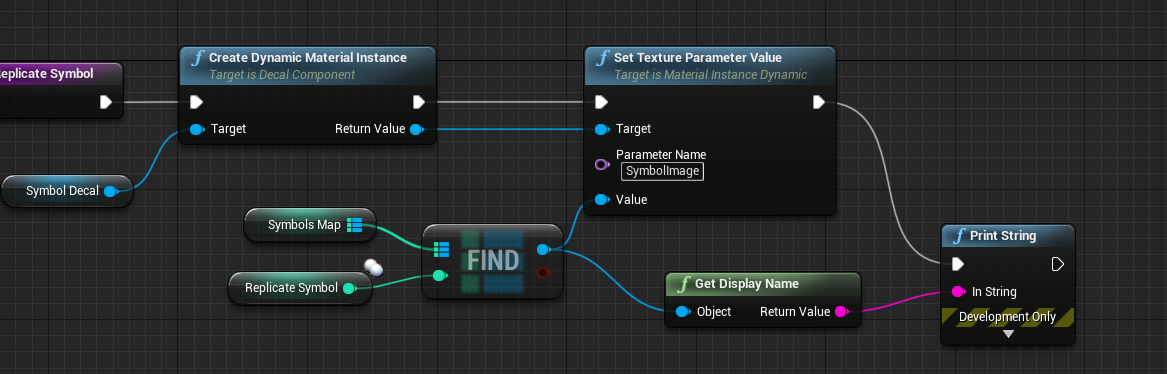
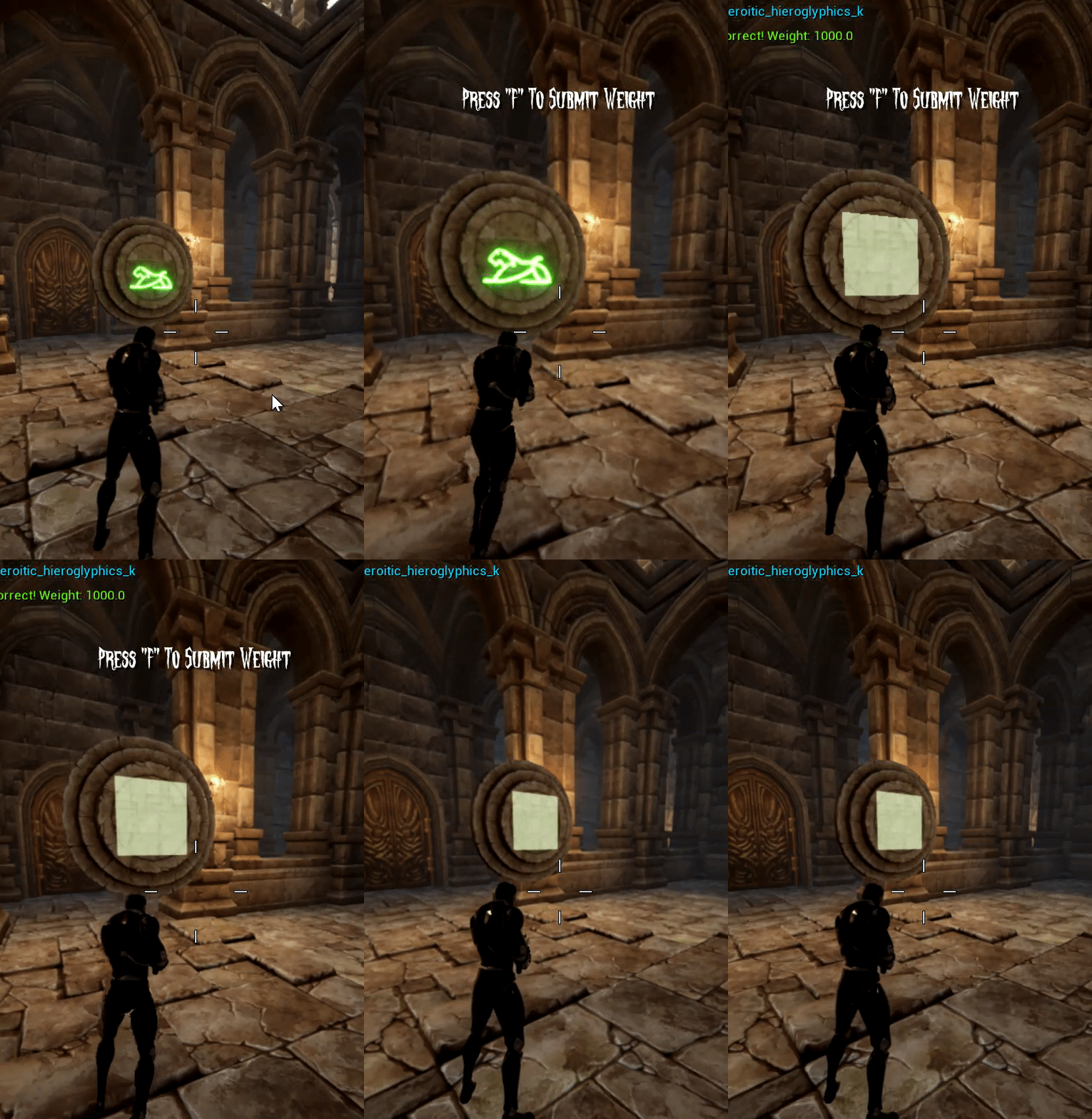
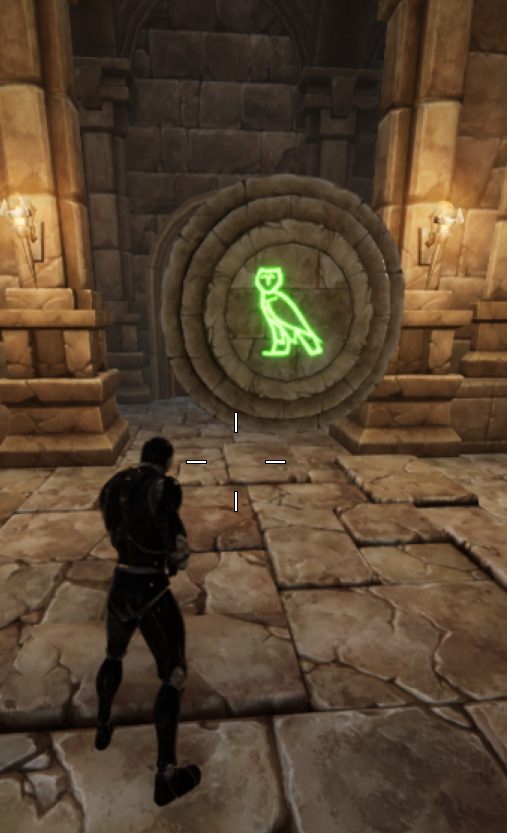
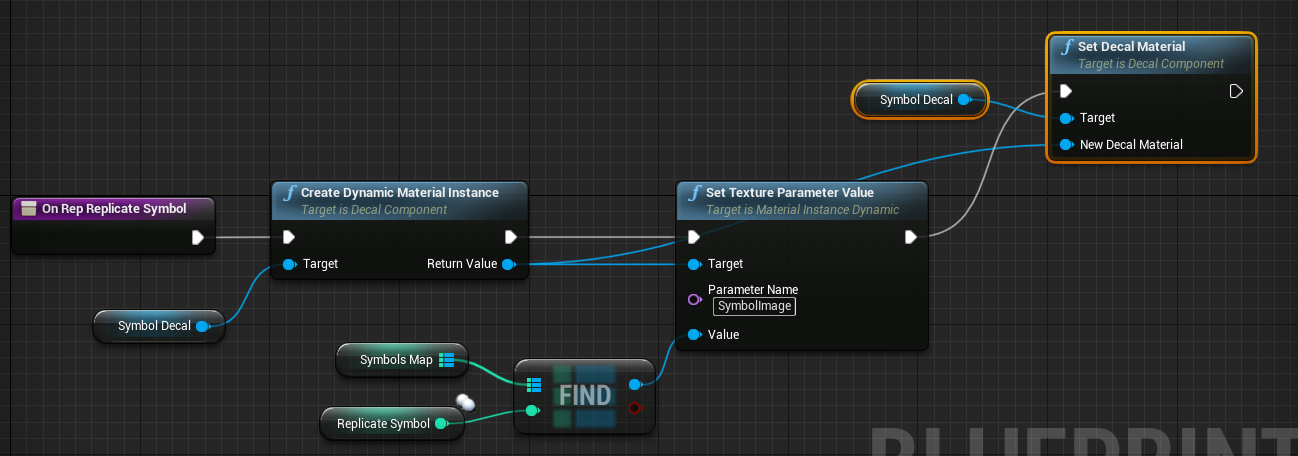
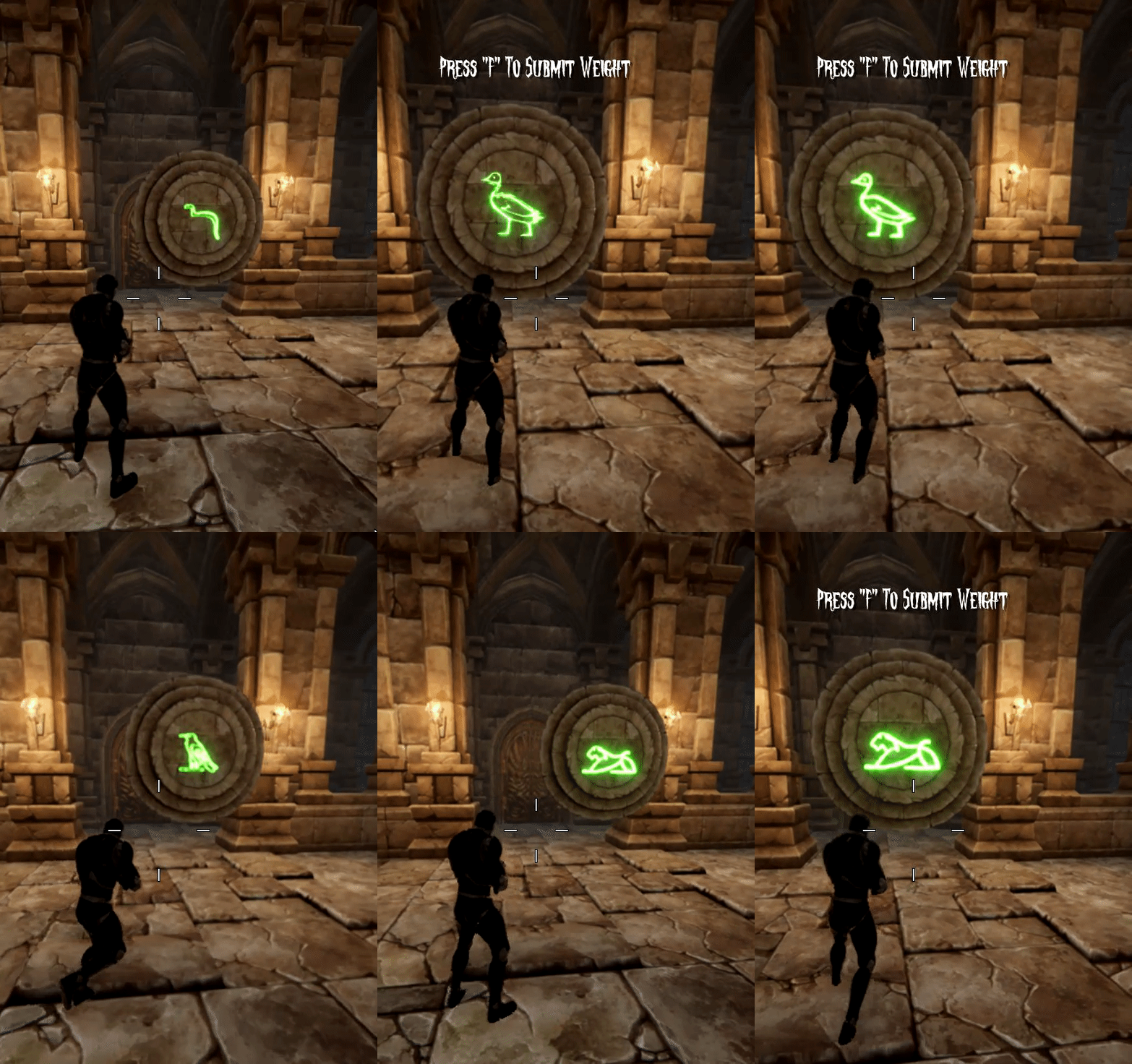
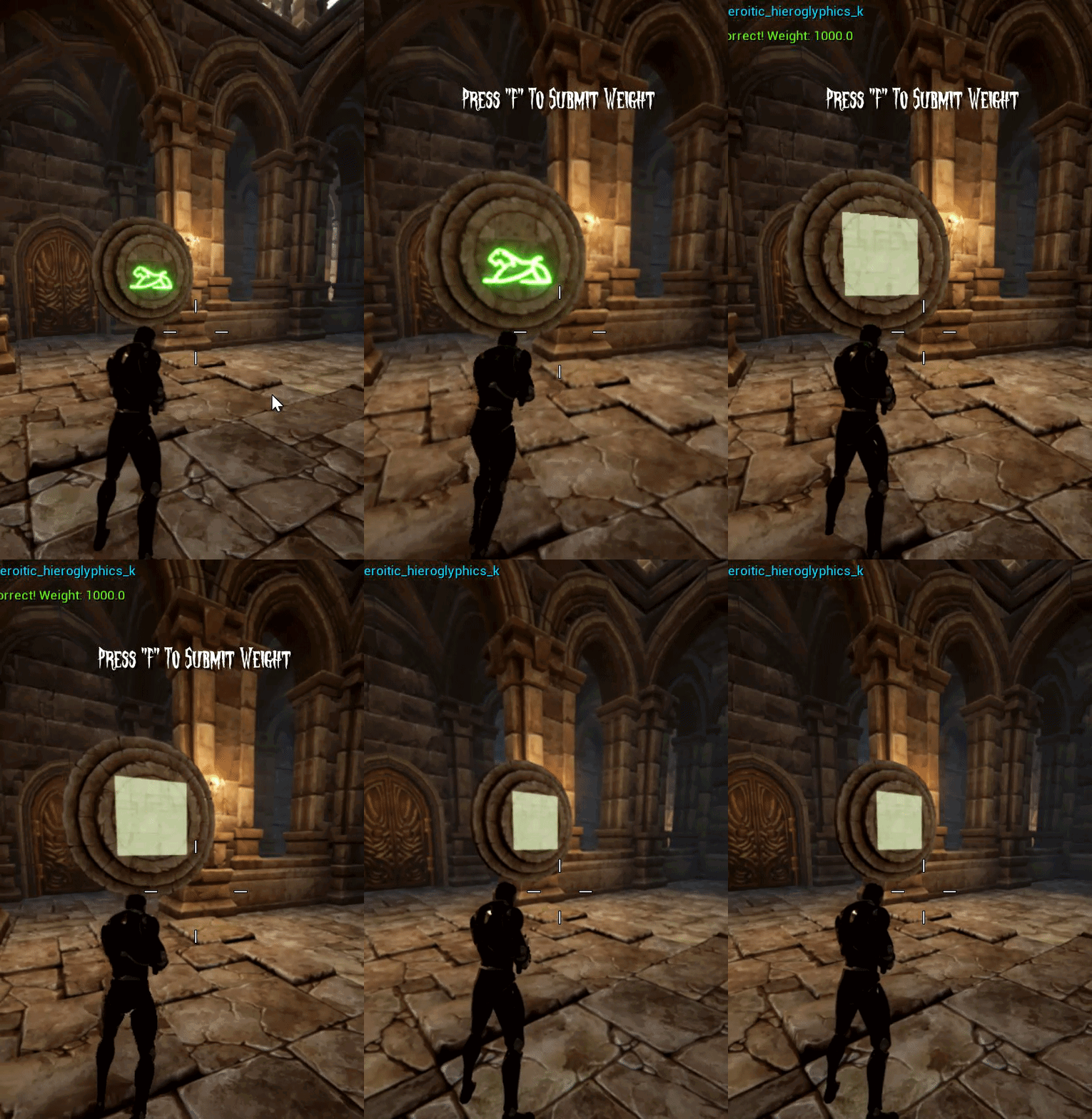
So I'm struggling to switch out a decal component's texture while in game. It executes the first time and sets the symbol decal. But when I execute it again in-game the decal just sets to the default decal. 😦 I put a print string and it's printing the correct new texture name. What am i missing? https://i.gyazo.com/f6102eba0e0987e0e7149d1279e3361f.png

 stiff tendon
@dapper kiln assuming the 'ParameterName' is correct, it seems you're create a dynamic material instance and correctly setting its texture but never actually using that dynamic material instance on any mesh? You'd have to get your mesh or decal or what ever and probably use 'SetMaterial'
 cyan lion
@dapper kiln first of all is this Dynamic Material instance set on mesh/decal
also you can do it without doing it on dynamic materials, you can just prepere two material instances and just switch it with SetMaterial
stiff tendon
@dense cipher I wouldn't worry about performance for just having many events. I'd worry about what each event do but you're probably fine.
dapper kiln
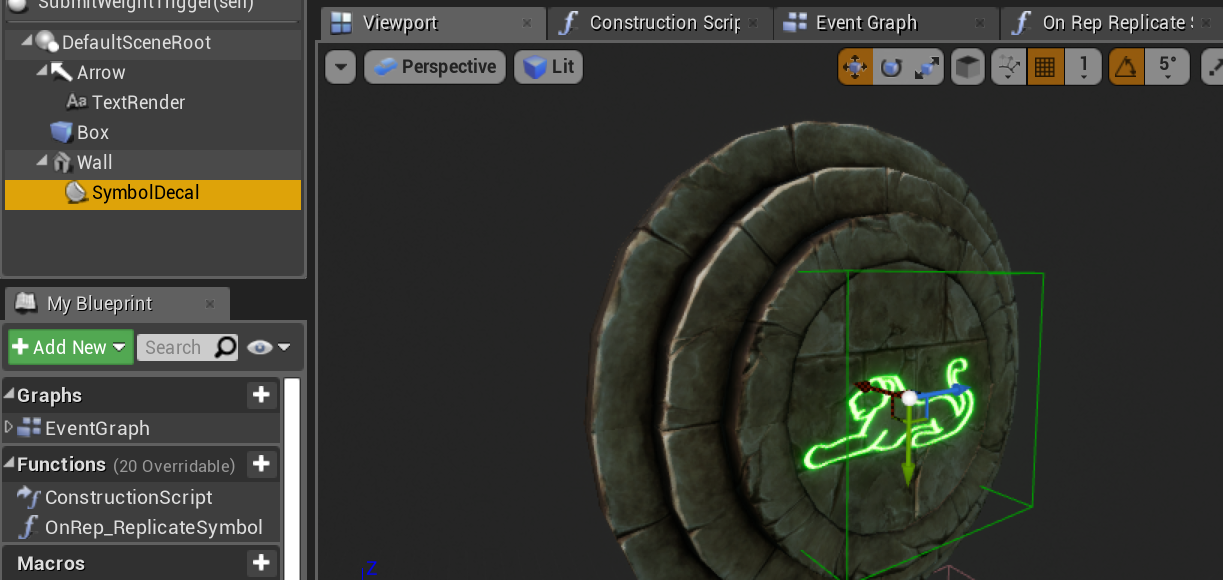
It is a decal component inside of an actor. The material is a single material and I set the texture randomly in blueprint. It picks from a lot of textures. The parameter name is correct because as you see in the gif its showing up in the game the first time I execute the code. But the second time I execute it, the decal doesnt change. So your saying I dont have to change it with the dynamic instance?
stiff tendon
@dapper kiln in any case you need to APPLY your material to your decal. Get your decal in your blueprint and drag a pin from it and search for 'SetMaterial'
because right now you're creating a 'DynamicMaterialInstance' that is just somewhere in memory.. and not being applied to any mesh or decal
cyan lion
yeah, exactly, all you need is to prepare Material Instances for each texture you have and then all you need is to random 1 from and set it as new material with SetMaterial node
stuck hedge
any way to disable the "double click on a node opens up visual studio" stuff?
 solemn igloo
Guys does anyone know why multiplying my number with a delta time doesnt give me same number in different frame rates?
this code is running in AnimNotifyState tick
its adding to evade acceleration everyframe
but in different fps i get maximum different results
 vague fox
Use GetRealTime or setup a timer for consistency
Could you help me in return?
Is anyone here available to help with an infinite loop?
vague fox
I'm still fairly new to using blueprints instead of programming ^^
But it turned out it didn't find any elements in the array to begin with (don't see how that raises an infinite loop exception)
I have a tile in my game which contains static meshes which I want to tile infinitely
So I'm trying to get the bounds of my static meshes but I'm having a hard time doing that
Basically I want one tile blueprint class which can in turn tile all individual (same-typed) meshes accordingly
Some help with that would be appreciated
 oblique gyro
how can i stop my enemy from doing this when its hit?
vague fox
Where is the infinite loop?
 elfin hazel
Is that logic inside a Master Tile class?
elfin hazel
that should be fine, what does the call stack say?
vague fox
It's working fine suddenly
It was saying nothing at all in the output or call stack
What would the proper way be to determine the outer X vertex on my static mesh?
Either ends
As you can see I have a static predetermined spawn point which I want to get rid of by calculating the positive end of my x vertex on my mesh
cyan lion
@oblique gyro just do Branch between IsValid and SetActorRotation, create Bool variable "ShouldRotate" and change it to true when it should rotate and false when it shouldn't ;-p
vague fox
How would I navigate to either one of the objects in a blue print from a master tile instance
 noble cape
hey
if i spawn a point light using blueprint, i can't seem to find the node to set 'Use Temperature'
there is a node for get Use Temperature but nothing for set Use Temperature
cyan lion
@vague fox im not sure if you can get end vertex of static mesh, but you can grab box extent from Box Component, so if you set box component overlaping your mesh you are mor or less set ;p
vague fox
I meant the bounding box's edges on the X-axis
Could you help me out really quick? That's all I need help with
Just a few questions and I'm set, that's all.
Why can I set a static mesh but not get it?
 hallow night
Is this not how it should work?
 jade widget
I have an issue with my interact door, I got it to open both ways but when I first open the game I have to click the interact key twice before it actually starts working. Any help would be awesome!
I'll be posting 2 screen shots
 slow linden
Hi guys, quick question
can I know which VR am I using via BP? I'm using VRExpansion plugin but it just gives me the overall type (oculus, vive etc). What I need is the exact device after that, like Oculus Rift, or Oculus Quest etc
 obtuse depot
Does anyone know if the collision settings of a static mesh are overwritten by a Blueprint Class when the same static mesh is used in in said class?
I assume the collision settings in a static mesh are just the "defaults"?
And then any changes made to the static mesh's collision in a class are overriding
 slate wasp
can I copy a macro from one blueprint to another without having to manually type in all its input and output parameters? like copy-paste
 tame pecan
My widgets don't get focused in a packaged build
Anyone that has had the same problem?
fair estuary
@slate wasp you might consider looking into macro libraries. https://www.youtube.com/watch?v=pj5buBQ0lHU

What are Blueprint Macro Libraries in Unreal Engine 4?
Source Files: https://github.com/MWadstein/wtf-hdi-files
trim matrix
hello can anyone help me with my 2 questions? 1 problem and 1 question?
they are written in #ue4-general
slate wasp
@fair estuary yeah it's all going into a library I just want to copy paste them
 snow geyser
Hey all I have been following a tutorial and it got to a point that I seem to be running into some engine version differences with.

In this episode we create our left-click building placement so that we can spawn our actual building from the ghost building. We learn how to create and implement a Data Structure as well as we touch on the Event Dispatcher. This also sets up the primary chain we will need ...
I am not given the option to "Bind event to" as shown at the linked time. Is there any clarification on changes someone can offer?
snow geyser
nm got it
 mossy marten
Hey all. Trying to create a widget that you can select (scaled to screen size) and store it's location in the world. I can get it set up with tracing, but I wanted to know if there was an easier way to do it by using widget interaction. Mind you it is scaled to world space so it's changing a lot of stuff that I don't want it to change, hence the backfire.
It's a Warp Gate system. Target a location by a planet, set the world location (or almost the world location as I'm using World Compositor) and press E to timeline over to it.
Issue, being selecting the damn thing in the first place. Any ideas? Cheers.
Mitch
 remote reef
Hi. Quick question. Can a pawn have enable input? I'm getting a error and stuck a little.
I have a child pawn with a parent. The parent has a skeletal mesh and with it's controller in a capsule and a proximity sphere. I'm doing on sphere overlap enable input but I am getting this error.
LogPawn: Error: EnableInput can only be specified on a Pawn for its Controlle
I resolved part of it by pointing the controller as the target but I have to call the input or create a event that can be called from the controller. The controller I made in c++?
mossy marten
You actually have to possess it
Unless its working in tandem with your controlled pawn anyway
 delicate jackal
Hi guys, I am following a game course, and came across this Blueprint math to make material always facing the camera. Would somebody be kind enough to explain the math behind this? I understand up to when they use the custom node to output the angle in radian (using atan2 function), but I always thought to convert it to degrees, you need to: AngleinRadian*(180/pi). Why do they divide by 3.142 AND then divide by 2 AND plus 0.25 (like the screenshot). It seems so random to me...
livid blaze
I have a pawn that uses floating pawn movement. The collision for the pawn isn't working. The root component of the pawn is just a generic root component, the one with a sphere sprite. Is this why collision doesn't work, does collision take it's bounds and definitions from whatever static or skeletal mesh is the root component?
And that being the case should I make some generic static mesh my root component? And set a collision on it?
steady wharf
ok so im trying to move a group of objects in the level blueprint they are all set to movable ive so far tried add world offset and add relative location ive attached all objects to 1 static mesh and ive been trying to move it ive double checked they are all movable if anybody can help that would be great (ive figured this out now so nvm)
trim matrix
Hey guys am new here
i just wanna ask is it good to keep using defult moving system?
that start with third person character
steady wharf
@trim matrix i still use it id say its fine but its up to you tbh
slow hill
@trim matrix it depends on your needs. The default Character Movement Component is good enough for most simple 3rdp/1stp games. For more advanced stuff or non-standard movement systems you will start to run into limitations with it; but in general, for a beginner you are probably best of working with it rather than try to reinvent the wheel
trim matrix
@slow hill yup mate you are right tha nks for explaining
dapper kiln
@stiff tendon @cyan lion So why is it possible to change the texture in the decal material the first time but not a second? So it's not possible to just simply change the texture inside one material using that texture parameter value? If not that's going to suck because I have entire alphabets of symbols so I'd have to make 100's of materials that are basically all the same.
https://i.gyazo.com/286f85b48cba7c792a1582f658ea82c0.png
https://i.gyazo.com/c368a62acfb2931a86db2d1da54d6e46.png
https://i.gyazo.com/aa8f96bac47792231785ef296b7ec0c4.png
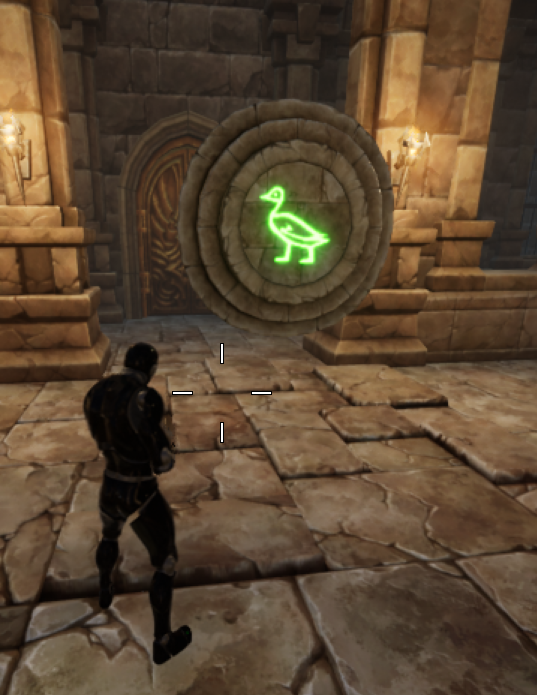
You can see it's set to a lion by default in the blueprint component. Then when I start the game it changes to a random texture.


 stiff tendon
@dapper kiln do you still have the same issue as before? I'm not sure you understood the answer we gave you
There's no reason to not be able to change the texture multiple times
dapper kiln
Sorry for getting back to you so late. It was like 5am when you guys answered me and I fell asleep lol. So you said I had to set the material. I'm guessing this isn't what you meant? https://i.gyazo.com/4ecd1cac720009f17af565431746cdc4.png
 stiff tendon
yeah but you would only need to create the dynamic material instance one
also always make sure things you're using are valid. Always introduce safety fallbacks in case something you're attempting to access in an array or a map isn't found. Use the red pin from the 'Find' node with a branch to set your texture paramater as a default one if map item isn't valid. It'll give you a debug feature as an added bonus on top of avoiding a game crash if you nativize the blueprint (and errors if not)
dapper kiln
Ok I kinda have it working now. Now I just have to get it working in multiplayer lol. I set the DMI as a variable like you said in the begin play event then run the randomize logic after to set the decal texture. I normally do add safety checks on the find nodes but in this case I'm never editing that Map. It's just a map with pre set ints and corresponding textures. I know what you mean though about checking for valid. I did that inside my random selection logic.
Thank you both for your help. I really do appreciate it. 🙂
@stiff tendon @cyan lion You guys are the BEST! Thank you again. I got it working in multiplayer. All is good now. 🙂 https://i.gyazo.com/17356c119c8b98b2e78ec78d41db012e.gif
 stiff tendon
congratz, looks good! 🙂 building multiplayer is tough as f***
dapper kiln
Yea It requires a lot more thought and planning into how things should execute and who needs to execute lol
stiff tendon
@trim matrix how big are we talking? probably. Need to be careful about what you do and how you do things though. It can get quickly expensive if you don't know what you're doing
trim matrix
@stiff tendon Like in blueprints you can do almost anything?
stiff tendon
you can do an insane amount of things in blueprints nowadays, yes. But you might run into something very specific not yet exposed to blueprint sooner or later, like Steam integration or advanced network stuff or something like that
static charm
even then there's free plugins for that and some/most things
stiff tendon
indeed
trim matrix


I need help with this thing if any1 know whats the problem
in the main player Unreal one he have a jump power thing etc..
in the one i made
it dosent have it
Did i miss something?
stiff tendon
Seems like your 'Player' is just a 'SkeletalMesh'. Not an actual blueprint of type 'ThirdPersonCharacter'
trim matrix
Oh
How i can fix that?
hummm
@stiff tendon i think i will just replace the third person character with mine
stiff tendon
not sure about what you're trying to do. I'd use the ThirdPersonCharacter blueprint itself as a starting point and go from there. Possibly change the skeletal mesh it is using if you want, things like that...
Looks like you're trying to build a player character from scratch without the knowledge to do so yet
 cerulean bluff
Hi guys. I want to use a Static Mesh in an Blueprint and the Variable for this mesh should be public (and be used as spline mesh component). But I can't seem to get it done. I've created a "Static Mesh" variable and I can assign a default type but when i drag out a pin, i can't do anything. I can not get the compent, cast to a spline component...i can't do anything with the static mesh 😄
stiff tendon
@cerulean bluff you should make a spline mesh component variable instead
from that you'll be able to set its mesh
because a StaticMesh variable is just... a reference to a static mesh. You can't expect it to have the functionality of a spline mesh component. The spline mesh component however does use a StaticMesh
trim matrix
@stiff tendon this is killing me mate the character controller setting shown in normal mode but not shown inside the graph so i can fix it
cerulean bluff
my current setup looks like this @stiff tendon
and i would like to have (2) as public input of my blueprint so that a 2nd blueprint can use a different static mesh
but i'm not sure how the setup must be done o.O
stiff tendon
drag a pin from that SplineMeshComp and search for a 'SetStaticMesh' node
in that you'll be able to plug a public 'StaticMesh' variable (like your NewVar0 above)
cerulean bluff
@stiff tendon i tried but ...
stiff tendon
from the ReturnValue (or from your SplineMeshComp variable)
Target 'self' is the actor you're adding the spline mesh component to (yourself in that case)
gtg guys sry, gn!
cerulean bluff
thanks @stiff tendon . it works. but i don't know why 😄 because I set the mesh AFTER the spline mesh and after this i store it into another variable. so i would assume that my "spline mesh comp"-variable does not contain my newly set mesh BUT it does... O.O
 lavish glade
BlueprintUE
Ok so when I walk to my M4 Pickup and I press "1" it works and shows it in my player hand and everything perfect. But my "AS Val" is not working properly, why is that??
I press "2" and it does not show up no matter what
Oh I got it! 🙂
 edgy creek
Hey guys, I'm currently following this total but with a skeletalmesh with animations instead of a static object, currently this is my blueprint and the skeletal mesh isn't following along the spline path at all
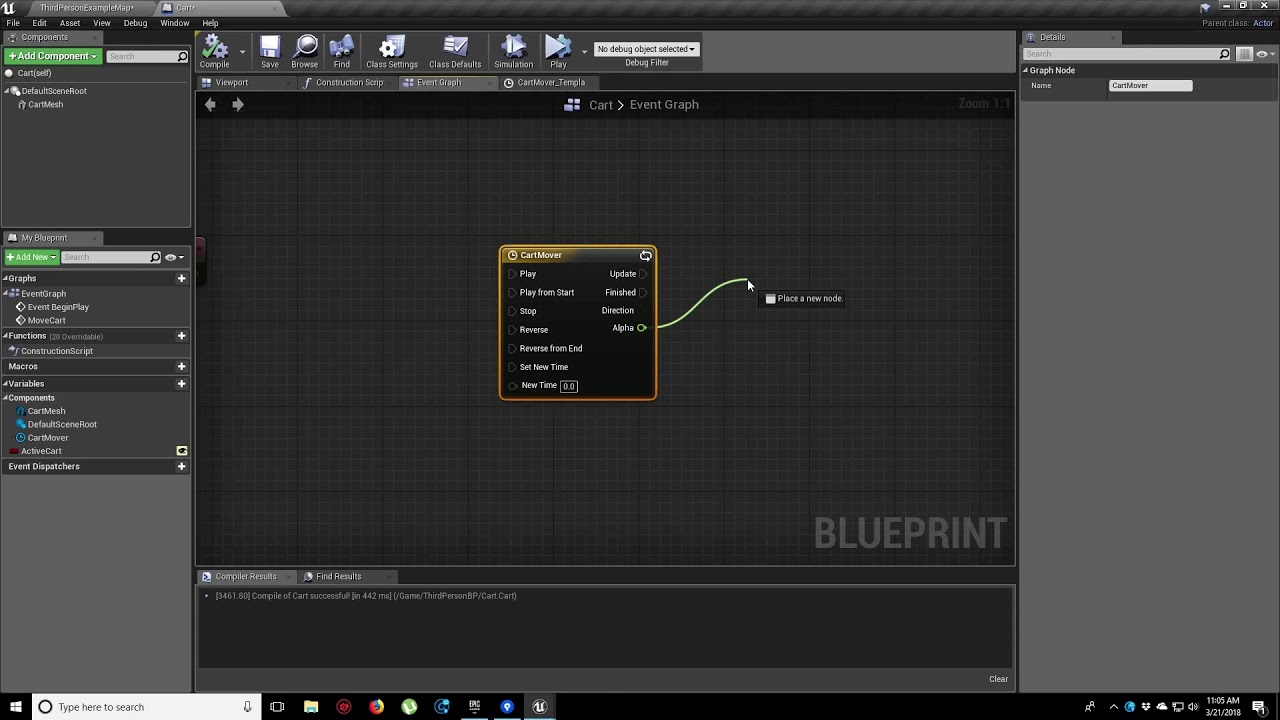
In this video, we show you how to make an object move along a set path using Splines. We also show you how to control the speed of the object, it’s starting position and looping options.
did I mess something up that I don't understand or?
twilit heath
you do realize the Update pin on the Timeline is not connected?
to the SetAlpha node
twilit heath
using spline keys is more elegant then what you're doing
twilit heath
i am unfamiliar with what restrictions splines have in blueprints, if any
but spline input keys can be used as time, or alpha, depending how you use them
and you can get distance/rotation/tangent... at spline key as well
trim matrix
I just got unreal engine what’s the blue print for if a key is pressed
?
Am trying to make a jump
How i can do it in bps saying that i left the ground?
This is very confusing
keen goblet
@trim matrix Are you trying to figure out how to implement a jump, or how to keep track of if your actor is in the middle of jumping?
trim matrix
@keen goblet as i a jump
i want to do the animation
@static charm what if i am falling from a high place?
Any thoughts guys?
keen goblet
@trim matrix I don't know how to trigger an animation, but I imagine it's not very hard. I guess I can point you to the docs, at least: https://docs.unrealengine.com/en-US/Engine/Animation/Overview/index.html
Overview of the system for deforming Skeletal Meshes based on animation data using Animation Blueprints, Blendspaces, and Animation Sequences.
 celest oar
i posted this in cpp but i might as well post here too, when i attach my camera to a head socket it doesnt move, it moves fine on the simulation but not in the game itself
 trim matrix
@celest oar
yea i know
but i want it that when i press space and is falling to do the animation jump
am thinking how i can do that
For some reason Space wont go in [AND]
celest oar
thats completly diferent, you gotta learn how animation blueprints work
celest oar
google it lol
youtube it
search the forums
then come back with specific questions
trim matrix
already did
static charm
just use the third person template
it has the jump setup
you can examine it to learn it
 spark delta
The bottom half of that logic is unreachable. Anything coming from False out of that branch can just be deleted... Also, you're probably going to want to check the player state to see if they can jump first, then apply the jump, then set CanJump to false
If you only call this EventOnJumped when your character actually jumps (and not just when space is pressed), then right now you're just setting CanJump to true on your animation instance whenever the character jumps. Not sure if that's what you want, but that's what its doing
 tribal kraken