
#blueprint
1 messages · Page 328 of 1
 dreamy kindle
 surreal peak
The Weapon Mesh itself is using GREEN (Y) as forward. That's something that UE started ages ago (all their default SkelMeshes are rotated to Y instead of X, because they f*cked this up from the start and sticked to it).
The 3D software they use and used basically handles forward as Y+, and they imported stuff like that and never fixed it. So most other developers and artists just followed that.

It does mean that if you simply add a MeshComponent and assign this mesh, it usually points "right", instead of "forward".
That's also why the Character's MeshComponent usually has a -90° rotation applied
surreal peak
dreamy kindle
I need the Viewport of that, with the mesh component selected.

I want to see where the weapon is facing.
Need a picture of the Weapon, preferably with the little coordinate system in the bottom left visible.
And also with the rotation numbers visible.
dreamy kindle
surreal peak
I need the Viewport of that, with the mesh component selected.
local or worldspace?

both seem same result nvm
earlier it kept changing
here is the thing for me.. I tried to rotate this in the actor here and it did not resolev the issue.
but im new to coding so idk
brb
surreal peak
Sorry, had to answer an email. Lemme check.
@dreamy kindle
Right, so the Weapon is also facing Y+, which means that the Y+ of the Actor and the Y+ of the Socket would align.
And that would exactly result in your Mesh facing backwards. For a clean solution I would suggest the following:
- Rotate the Weapon SkeletalMeshComponent in your BP_Weapon_Base Blueprint by -90°, so that the barrel points to X+ (red arrow) of the viewport (coordinate axis of the bottom left corner).
- Rotate the Mount_R Socket on your Kevin_RigV2_4 Skeleton by -90°, so that its X+ (red arrow) faces into the direction the gun should point.
- In your code that handles attachment:
- Only call AttachXYZToComponent once (choose either ComponentToComponent or ActorToComponent).
- Remove the SetRelativeRotation function call.
- Ensure you using "SnapToTarget" for the Rotation Rule.
(Could be that it's a +90° rotation, but I think both should be -90°)
dreamy kindle
Nice idea let me get with animator who helped make also
surreal peak
It doesn't necessarily require any work from the animator outside of UE. So both things can be done in UE.
You should generally handle X+ as forward in UE, even if the imported meshes come in facing Y+.
You usually just rotate them in the Editor, in your Blueprint then.
 sharp ferry
i cant really re make my character stands with E key. also i dont understand why my character can pass inside the chair
making my character stands and coming back to Idle seems harder than making it sit
chagpt can't really guide me well
 frosty heron
Don't use chat gpt and other LLM to compile a game mechanic for you.
 tardy pond
can I run the "AI Move To" node every frame or will that make it too laggy?
 visual ember
tardy pond
can I run the "AI Move To" node every frame or will that make it too laggy?
visual ember
tardy pond
can I run the "AI Move To" node every frame or will that make it too laggy?
I'd say use the node as intended. so fire it and act upon success/fail execution flows
tardy pond
visual ember
I'd say use the node as intended. so fire it and act upon success/fail execution...
I am trying to combine learning agents with the "ai move to" node thats why I want to run it every frame
sharp ferry
frosty heron
Don't use chat gpt and other LLM to compile a game mechanic for you.
i managed to make her sit but needed some help here too, chat gpt mostly guided me add it and explain me the nodes and the connections
i've tried to follow a beginner tutorial, to be honest I learned NOTHING. the dude started adding and adding like if i'm already able to program and video says in starts its also for people who never approached it
 ivory vapor
Sorry to mention you again, but I can't find those 3, would you have their names by any chance?
sharp ferry
maybe i should make something even more simple. i wanted to try to add a simple box collision BP and trigger an animation when i get close with E
someone is free to guide me and give me some support
?
frosty heron
@sharp ferry breakdown your problem and tackle them step by step.
You can start by just showing UI when you are within the interaction distance.
Don't worry about implementing the animation part yet.
dont use chat gpt to learn is my 2 cent
sharp ferry
frosty heron
Don't worry about implementing the animation part yet.
if i dont have a support like Chat gpt, im TOTALLY blocked, like probably i start with node Input E and then i dont know what to do
frosty heron
You are missing the basic then and chat gpt is not a good way to learn.
Start from the basic framework
Such as understanding input
Use enhanced input
Then blueprint communication next.
There is official video tutorial by epic for these
And documentation too for enhanced input.
sharp ferry
frosty heron
Start from the basic framework
enhanced input stands for? the nodes?
all of these nodes?
frosty heron
Its epic implementation for user input
If you are not using it then you are using legacy input
Which should be avoided like a plague outside debugging
sharp ferry
to be totally honest not want to waste ur time im understanding nothing of what you saying
frosty heron
Google enhanced input, read documentation
 lofty rapids
watch some tutorials
frosty heron
Then print something when you press the input
Once you done that then tackle your next problem which is to show the U.I
sharp ferry
lofty rapids
watch some tutorials
i've tried they run like speedy gonzales and not explain the nodes, still after 3 days i dont know what a brach
frosty heron
Look up materials for collisions and overlap
lofty rapids
sharp ferry
i've tried they run like speedy gonzales and not explain the nodes, still after ...

What is the Branch Node in Unreal Engine 4 Blueprints?
Source Files: https://github.com/MWadstein/wtf-hdi-files
lofty rapids
sharp ferry
i've tried they run like speedy gonzales and not explain the nodes, still after ...
yes its best to pause it and do stuff, then move around in the video if you have too
frosty heron
For total beginner
- Watch blueprint communication video
- Watch matthew wadstein for most common nodes and example of usages.
sharp ferry
lofty rapids
yes its best to pause it and do stuff, then move around in the video if you have...
the fact is, all of these tutorials they are thinking as programmers, i do not, whats true?? whats false in what logic? what is he trying to do???
its impossible to understand like this
why theres abranch node there and whats all of that nodes after it? is a total zero understanding to me
frosty heron
frosty heron
For total beginner
1. Watch blueprint communication video
2. Watch matthew wads...
@sharp ferry
lofty rapids
sharp ferry
its impossible to understand like this
i see so you never programmed so you don't know what a condition is ?
sharp ferry
lofty rapids
i see so you never programmed so you don't know what a condition is ?
i dont know
frosty heron
Well the video explain what branch does
sharp ferry
frosty heron
<@1252047825227743282>
i think i ried with matthew
frosty heron
Rather than resist you better off watching a dozen times till you understand.
sharp ferry
was a 30 mins video and at min 15 i closed beucase i realized once again i was understanding nothing. i was like 1. what are we even doing here? whats the goal of all these nodes?
frosty heron
Look at video, try to understand then try to implement something simple your self
sharp ferry
the problem is many tutorials are not for beginners that starts from zero like me 😐
 dark drum
sharp ferry
i cant really re make my character stands with E key. also i dont understand why...
dark drum
sharp ferry
i cant really re make my character stands with E key. also i dont understand why...
To be honest, a sit mechanic isn't that simple. There's a lot of moving parts. If you're fairly new to UE, it'll probably be worth following epics starter stuff first. Also reading up on C++ fundamentals can help. (Class hierarchy, composition and project structure)
lofty rapids
sharp ferry
i dont know

Watch the entire ‘Miniclips: Algo's Coding Adventures Series' on ClickView FREE: 👀 https://clickv.ie/w/gxdx
📽 Discover more videos on ClickView: https://clickv.ie/w/6Dfx
😎 Sign up for free access: https://clickv.ie/w/EDfx
👋 Get in touch: https://clickv.ie/w/a0nx
Algo is having trouble decid...
simplest way i found to break it down
lofty rapids
sharp ferry
i dont know
do you know what the white lines do ?
unofortunately when getting help it requires you to understand what the helper is trying to explain
and fundamentals are necessary to get anything done imo
 frosty heron
 arctic viper
guys i get build error
arctic viper
guys i get build error
Read the msvc version you need.
Its written in the log.
Also remove the one you are not using.
arctic viper
i cant see it
frosty heron
Its written in the text you provide.
arctic viper
ok
i will try
thank you!
- C:\Program Files (x86)\Microsoft Visual Studio\2022\BuildTools\VC\Tools\MSVC\14.44.35207
UATHelper: Packaging (Windows): * C:\Program Files\Microsoft Visual Studio\2022\Community\VC\Tools\MSVC\14.44.35207
UATHelper: Packaging (Windows): * C:\Program Files\Microsoft Visual Studio\2022\Community\VC\Tools\MSVC\14.43.34808
UATHelper: Packaging (Windows): * C:\Program Files (x86)\Microsoft Visual Studio\2022\BuildTools\VC\Tools\MSVC\14.29.30133
UATHelper: Packaging (Windows): (Family=14.29.30133, FamilyRank=5, Version=14.29.30159, Is64Bit=True, ReleaseChannel=Latest, Architecture=x64, Error="UnrealBuildTool requires at minimum the MSVC 14.34.31933 toolchain. Please install a later toolchain such as 14.38.33130 from the Visual Studio installer.")
UATHelper: Packaging (Windows): * C:\Program Files (x86)\Microsoft Visual Studio\2022\BuildTools\VC\Tools\MSVC\14.44.35207
UATHelper: Packaging (Windows): * C:\Program Files\Microsoft Visual Studio\2022\Community\VC\Tools\MSVC\14.44.35207
UATHelper: Packaging (Windows): * C:\Program Files\Microsoft Visual Studio\2022\Community\VC\Tools\MSVC\14.43.34808
UATHelper: Packaging (Windows): * C:\Program Files (x86)\Microsoft Visual Studio\2022\BuildTools\VC\Tools\MSVC\14.29.30133
UATHelper: Packaging (Windows): (Family=14.29.30133, FamilyRank=5, Version=14.29.30159, Is64Bit=True, ReleaseChannel=Latest, Architecture=x64, Error="UnrealBuildTool requires at minimum the
there is not
14.44
at my vs studio installer
frosty heron
Read from the top
Don't be impatient
It literary says the msvc version you need to install
frosty heron
You might have to remove the older one, im not sure
arctic viper
failed
frosty heron
Post log again then post screen shoot of the msvc you installed
arctic viper
OH bro
i have the old one too
i installed 3
so i forgot
i will try again
the first

one is
the ue when i try to remove it
it says it has urneal engine
frosty heron
Just remove unused 14.
Ignore the rest
I dont want to download file again, can you paste the text
arctic viper
ok
UATHelper: Packaging (Windows): Using Parallel executor to run 4 action(s)
UATHelper: Packaging (Windows): ------ Building 4 action(s) started ------
PackagingResults: Warning: Visual Studio 2022 compiler is not a preferred version
UATHelper: Packaging (Windows): [1/4] Compile [x64] SharedPCH.Core.Project.ValApi.Cpp20.cpp
UATHelper: Packaging (Windows): C:\Program Files\Epic Games\UE_5.4\Engine\Source\Runtime\Core\Public\Experimental\ConcurrentLinearAllocator.h(31): error C4668: '__has_feature' �ni�lemci makrosu olarak tan�mlanmam��, '#if/#elif' i�in '0' ile de�i�tiriliyor
UATHelper: Packaging (Windows): C:\Program Files\Epic Games\UE_5.4\Engine\Source\Runtime\Core\Public\Experimental\ConcurrentLinearAllocator.h(31): error C4067: �n i�lemci y�nergesinden sonra beklenmeyen belirte�ler var - sat�r sonu bekleniyordu
UATHelper: Packaging (Windows): Total time in Parallel executor: 8.34 seconds
UATHelper: Packaging (Windows): Total execution time: 11.61 seconds
UATHelper: Packaging (Windows): Took 11,86s to run dotnet.exe, ExitCode=6
UATHelper: Packaging (Windows): UnrealBuildTool failed. See log for more details. (C:\Users\CTTeddy\AppData\Roaming\Unreal Engine\AutomationTool\Logs\C+Program+Files+Epic+Games+UE_5.4\UBA-Course1-Win64-Development.txt)
UATHelper: Packaging (Windows): AutomationTool executed for 0h 0m 16s
UATHelper: Packaging (Windows): AutomationTool exiting with ExitCode=6 (6)
UATHelper: Packaging (Windows): BUILD FAILED
there is
limitg
UATHelper: Packaging (Windows): Unavailable x64 toolchains (1):
UATHelper: Packaging (Windows): * C:\Program Files (x86)\Microsoft Visual Studio\2022\BuildTools\VC\Tools\MSVC\14.29.30133
UATHelper: Packaging (Windows): (Family=14.29.30133, FamilyRank=5, Version=14.29.30159, Is64Bit=True, ReleaseChannel=Latest, Architecture=x64, Error="UnrealBuildTool requires at minimum the MSVC 14.34.31933 toolchain. Please install a later toolchain such as 14.38.33130 from the Visual Studio installer.")
UATHelper: Packaging (Windows): Visual Studio 2022 compiler version 14.44.35211 is not a preferred version. Please use the latest preferred version 14.38.33130
UATHelper: Packaging (Windows): Writing manifest to C:\Users\CTTeddy\Documents\Unreal Projects\Course1 5.4\Intermediate\Build\Manifest.xml
UATHelper: Packaging (Windows): Building Course1...
UATHelper: Packaging (Windows): Using Visual Studio 2022 14.44.35211 toolchain (C:\Program Files (x86)\Microsoft Visual Studio\2022\BuildTools\VC\Tools\MSVC\14.44.35207) and Windows 10.0.26100.0 SDK (C:\Program Files (x86)\Windows Kits\10).
UATHelper: Packaging (Windows): Warning: Visual Studio 2022 compiler is not a preferred version
UATHelper: Packaging (Windows): [Adaptive Build] Excluded f
frosty heron
You might still have 14.29 installed
arctic viper
i removed the unused 14
frosty heron
Can you go to component and make sure its removed
Then install 14.38 instead of 14.44
Use recommended version imo.
arctic viper
 sharp ferry
lofty rapids
do you know what the white lines do ?
sharp ferry
lofty rapids
do you know what the white lines do ?
white lines are executions beetwen nodes
frosty heron
sharp ferry
white lines are executions beetwen nodes
If you dont want to watch suggested videos my last suggestion is to just learn basic programming langauge
Any Object oriented programming language
sharp ferry
the only nodes i use is in blender PBR materials and some post process stuff
frosty heron
That's what blueprint is based on
lofty rapids
sharp ferry
white lines are executions beetwen nodes
yes, so it flows out in a direction, and a branch changes the flow based on condition
sharp ferry
i've learned to import textures connect properly to UE, add assets, add collisions, i understood more the Layout of UE to make a mesh a BP actors some stuff id say from yesterday but about codinng nothing
lofty rapids
frosty heron
That's what blueprint is based on
as an example what you could do is put a branch with nothing plugged into the condition, just leave it checked or unchecked, run executions out of true and false with print strings and you will see it switch when you make it true/false
sharp ferry
lofty rapids
yes, so it flows out in a direction, and a branch changes the flow based on cond...
so branch is needed to add the Boolean to my input key?
because there would be no way to add it then?
frosty heron
You are not gonna get far coding without knowing selection, functions/events, objects, polymorphism, and primitive data types.
If i can rewinding back time i will just learn programming language, way easier than looking for basic comperhensive blueprint tutorials
lofty rapids
sharp ferry
so branch is needed to add the Boolean to my input key?

in this video I will cover Variables in unreal engine 5 and give you a quick guide.
Hello everyone and welcome to my channel . My name is Alireza and I`m a cg artist and a Virtual Reality developer .
🟥🟥🟥🟥
If you're passionate about creating stunning environments, be sure to check out my Udemy course on Unreal Engine 5 + Blender En...
sharp ferry
frosty heron
If i can rewinding back time i will just learn programming language, way easier ...
tahts like starting to study surgery from zero
frosty heron
It takes just 3 to 4 days to understand then
frosty heron
sharp ferry
tahts like starting to study surgery from zero
No you are just learning the neccesities which is what you gonna 100% use in blueprint
So no, you are wrong
sharp ferry
frosty heron
No you are just learning the neccesities which is what you gonna 100% use in blu...
its like learning anatomy of the body
lofty rapids
sharp ferry
tahts like starting to study surgery from zero
fortunately you can use any language and these things like conditions, logic, functions, variables this all is common in programming
frosty heron
Just pick up python course you can do that in 3 to 4 days then comeback to unreal engine.
Or keep fighting suggestion when you are stuck
You gotta do what you have to do man
Learning is part of the journey, dont leap frog
sharp ferry
yes i will check out
frosty heron
arctic viper
Check if you have 14.29 installed, then install 14.38. Uninstall any other version including 14.44
 gloomy hawk
Hey guys, im looking into some ways of automating asset settings. from what I could find not everything you can change on static meshes is exposed in interchange when importing an asset. so im wondering if there is some way to automate settings within unreal some other way.
looking to change things like nanite fallback target, fallback relative error, Lightmap UV coordinate Index , Lightmap resolution to name a few.
 sick sky
You may like to read this as i use "simple terms" for beginners https://notes.hzfishy.fr/Unreal-Engine/Extra/Unreal-Engine-learning-speedrun
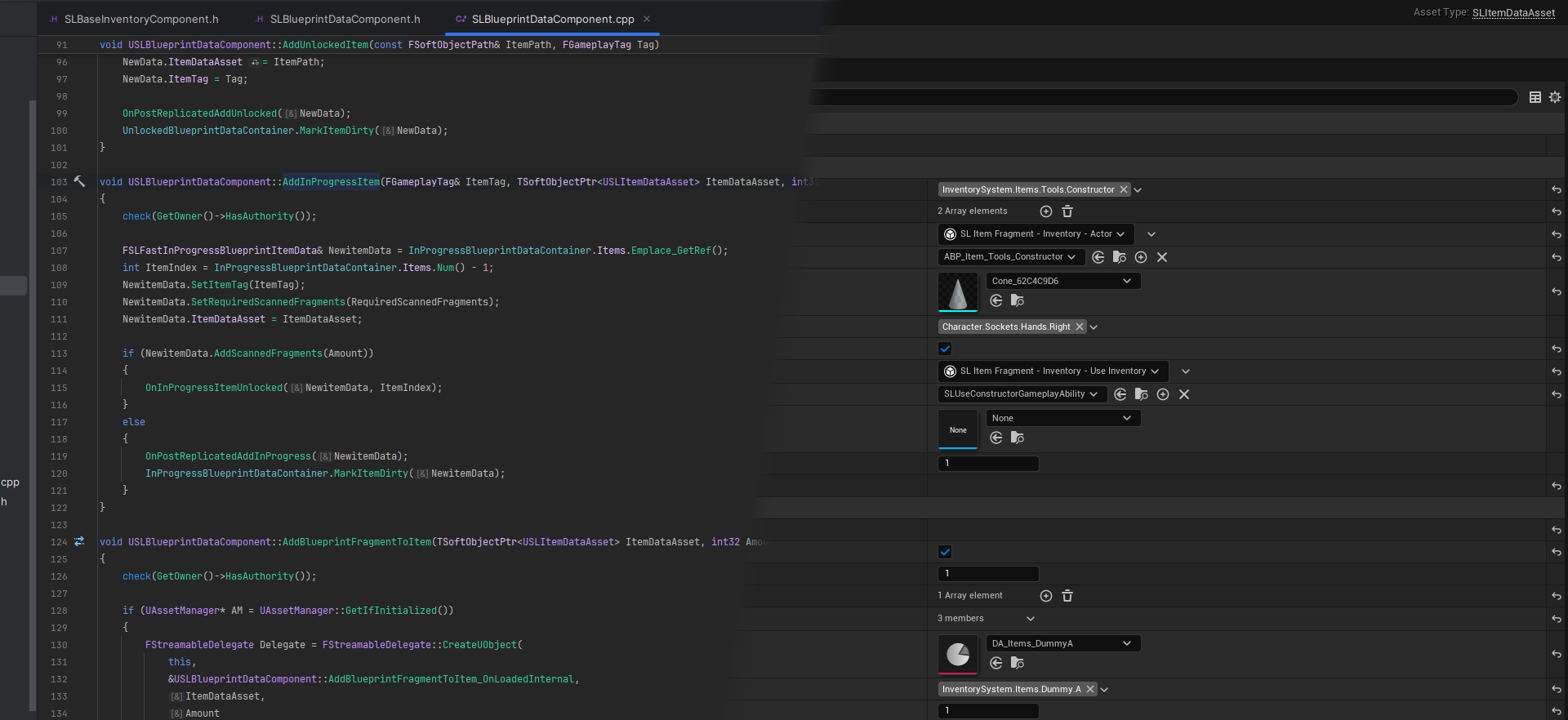
The goal of this page is to teach you how Unreal Engine, Blueprints and visual scripting works. Everything here should be understandable by someone who has never programmed or used Unreal Engine.
@sharp ferry
frosty heron
gloomy hawk
Hey guys, im looking into some ways of automating asset settings. from what I co...
it's 100% doable just pretty sure you can't do it in blueprint.
I'm using a plugin where it has it implement it's own importer
so it's deffinitly doable
frosty heron
gloomy hawk
which Plugin are you using <@1050954229902213150> ?
vrm4u
gloomy hawk
I should not have asked XD
 spark steppe
if the variable is exposed to BP you can change it in a editor utiity blueprint
but given that the nanite stuff is likely editor only, i doubt that most of it is exposed
 past jungle
In case anyone has this problem in the future where they need to save / load a Render Target at runtime in Blueprint here's how I managed it:
-
Make sure your Render Target's format is compatible with the file type you're saving to. I originally tried to save a RTF RGBAf16 Render Target to .png, but this led to data loss, which would compound every time I saved and reloaded. I had to use a RTF RGBA SRGB format instead in my render target.
-
To save the Render Target, simply use the "Export Render Target" node. I stored the file path and file name in my SaveGame object so I can load it from a SaveGame slot. Note that the File Path input should not end in "/" and the File Name input must have the file extension.
-
Setup a simple material to use as a brush to draw to your Render Target. My material is just a Texture Sample Node plugged into the output, with the domain set to UI and blend mode Opaque. Make the texture sample a parameter so you can set it at runtime.
-
To load the render target, use the "Import File as Texture 2D" node. Create a Dynamic Material Instance of your brush material and set the Texture Sample parameter with the Texture2D output of the imported file. Now that your brush material is using the imported image file, use the "Draw Material to Render Target" node to copy the texture back into your Render Target.


 graceful sage
can anyone tell me why I can't see w_BuildIcon in grid panel?


nvm. im dumb i added the c++ class
gloomy hawk
spark steppe
if the variable is exposed to BP you can change it in a editor utiity blueprint
yeah ive been looking into it ,but no luck so far ;/
dark drum
Does anyone know what would happen if I attempt to use this in a build? Would it crash, not build or just return as zeros? (its marked as editor only)

 full badge
gloomy hawk
Hey guys, im looking into some ways of automating asset settings. from what I co...
full badge
gloomy hawk
Hey guys, im looking into some ways of automating asset settings. from what I co...
which variable do you want to set
lightmap resolution and coordinate index seems to be possible to set
gloomy hawk
if its possible id love to know how
gloomy hawk
ahh interesting
full badge
as both of those are int
you can create a new function library
create a new function and name it setintpropertybyname
call that function somewhere
and delete the function library
and refresh that node
and you should be able to get it
full badge
basically abusing a bug
gloomy hawk
ill look into it 😄
we might have found a way to do it with python. so no blueprinting
full badge
ok
gloomy hawk
but this def helps
full badge
i have made a function library of it if you need
the float one might break since they changed float
gloomy hawk
perfect
 lunar sleet
dark drum
Does anyone know what would happen if I attempt to use this in a build? Would it...
lunar sleet
dark drum
Does anyone know what would happen if I attempt to use this in a build? Would it...
Afaik it just won’t run that node
But it might throw an error at you, find out 😀
dark drum
lunar sleet
But it might throw an error at you, find out 😀
I was thinking this, to have a GUID for pre placed items that doesn't result in duplicate GUIDs when you duplicate the actor. I might have to setup a smaller project to test.

I'm hoping 'IsValid' just returns false lol.
lunar sleet
dark drum
I'm hoping 'IsValid' just returns false lol.
That’s usually what it’s there for, to give you a soft landing, but 🤷♂️
dark drum
lunar sleet
That’s usually what it’s there for, to give you a soft landing, but 🤷♂️
Yea it just seems odd to have editor only nodes when you can't actually make editor only BP's (Not unless its a child of an editor only C++ class) (as far as I know that is) I'll report back after I've done a build and tested lol.
sharp ferry
i'm trying to make something extremely simple: when my BP character get close to the BP mesh with collision box, Pressing E it should pops the Hello message. but its not working. what am i doing wrong?
 dark drum
Wait, when did the construction script not run for pre-placed actors when the level starts? 👀
lofty rapids
sharp ferry
i'm trying to make something extremely simple: when my BP character get close to...
checked means true, unchecked means false
lofty rapids
sharp ferry
i'm trying to make something extremely simple: when my BP character get close to...
does it work when you not overlapped and press f, show the print string ?
sharp ferry
lofty rapids
does it work when you not overlapped and press f, show the print string ?
not work at all, the only way i managed to make it work is with not the E key input
but i want to print string only when i press E and interact
lofty rapids
sharp ferry
but i want to print string only when i press E and interact
get rid of the branch check if e works by itself
dark drum
sharp ferry
i'm trying to make something extremely simple: when my BP character get close to...
Thats because actors don't automatically receive inputs. You need to enable input for the player controller of the player that overlaps and disable input when the leave.
sharp ferry
i removed variable and branch is not printing anywa
with onkly Key input node and string
lofty rapids
sharp ferry
i'm trying to make something extremely simple: when my BP character get close to...
you would probably be better of casting to the item in the player bp, where if you possess the character, the input will work
sharp ferry
lofty rapids
you would probably be better of casting to the item in the player bp, where if y...
i tried there i can add the variable
cant*
oh
i copied the two nodes in BP_mycharacter
its printing here
hello
but here i cant add the bol variable in my Bp character
why would i do the key input E inside my character BP? its not connecting the BP mesh with my character like this?
lofty rapids
sharp ferry
why would i do the key input E inside my character BP? its not connecting the BP...
well you usually use inputs in the character bp or controller
preferable controller if you have multiple characters
sharp ferry
lofty rapids
well you usually use inputs in the character bp or controller
i did that but idk how to connect that to my mesh Bp
when i press E close to the collision mesh is not working
lofty rapids
so open you player bp, and add a collision box in front of your character
sharp ferry
lofty rapids
so open you player bp, and add a collision box in front of your character
can't i use the capsule?
if i dont want to add a box collision
lofty rapids
you can use capsule component
sharp ferry
ok
lofty rapids
click on the component in the top l eft
then go bottom right of details at the bottom
there is overlap component begin, and end
sharp ferry
i did this on capsule
now have the two node
doing this i dont see a connection with the BP_Mesh
i had to do this laready on my BP_Mesh
lofty rapids
show what your doing now
with your capsuule
but put a key f event in your character
with a print string
sharp ferry
you want me to cast the capsule overlapbegin and end to the casto to BPmesh?
lofty rapids
and it should fire off when you press f
lofty rapids
sharp ferry
you want me to cast the capsule overlapbegin and end to the casto to BPmesh?
no don't cast to the capsule
sharp ferry
i already have the two overlapB and end to the BP_mesh
lofty rapids
lofty rapids
show what your doing now
^
sharp ferry
ok its not F is E
dark drum
lunar sleet
That’s usually what it’s there for, to give you a soft landing, but 🤷♂️
The verdict is that it builds without errors. (I did a shipping build) Using the 'is valid GUID' just returns false. This is amazing. 😄 (for my use case anyways)
sharp ferry
this is what i have now on my BP_Mesh

i deleted the E key input
and the print
because i want on E key not auomaticallly
then u told me to add the two Overlap node on the CAPSULE BP of my character

im very confused now
lofty rapids
sharp ferry
then u told me to add the two Overlap node on the CAPSULE BP of my character
here, now instead of doing the cast to player, cast to the thing you want to overlap
usually in a case where you would be doing this, there would be a parent class for things like items
so you could cast to the parent, and geet the items stats or functions
sharp ferry
i casted to the BP_mesh but what about my E input?
i just want that when i press E near to the box collision it triggers Hello
lofty rapids
sharp ferry
i casted to the BP_mesh but what about my E input?
ok so add the e key event and print string hello
test this out make sure when you hit e it prints
sharp ferry
i cant add E key in there
with the two overlapB /E
is there where i have to do it?
sharp ferry
i understood their function
lofty rapids
you want to add the e key event to the graph
sharp ferry
gonna try
sharp ferry
lofty rapids
you want to add the e key event to the graph
i want to add the message when i press E only when im overlapping with the box collision of my item
lofty rapids
take it one step at a time, get the e key actually working first
sharp ferry
like this, like i did now, adding the Input KEY E is just spamming always when i press e
but i did that
lofty rapids
yes, is it showing the print string
sharp ferry
i want it to do with the box collision
lofty rapids
show what you have now with the 3 events ?
sharp ferry
 lofty rapids
sharp ferry
lofty rapids
sharp ferry
ok so now create a boolean on your character like you did with the other thing
and set it to true/false after begin/end events, comming out of the cast top execution
thats the success path
sharp ferry
lofty rapids
and set it to true/false after begin/end events, comming out of the cast top ex...
 lofty rapids
sharp ferry
lofty rapids
sharp ferry
true on begin, false on end
you want true to be able to interact
which doesnt matter but is just better imo
sharp ferry
ok what now
lofty rapids
plug the variable, by draggin it of and doing get, into the condition of the branch
so your saying, when i press e, if this is true
and you have set it to true on overlap
sharp ferry
nice is working
but why i had to craete a variable on the mesh Bp then?
thats confusing me
i deleted the variables on the Bp_MESH is working anyway, so i dont know why i had to create a variable also in my mesh Bp
LIKE This what we did is just making my capsule interacting with any collision box i guess
is this what we did?
or is gonna interact onlyt with that one because is casted to BP_my character?
so my Bp character is casting to the mesh and the mesh is casting to the character
lofty rapids
sharp ferry
is this what we did?
you made it so if your overlapping that kind of bp, then print hello
sharp ferry
got it
lofty rapids
sharp ferry
so my Bp character is casting to the mesh and the mesh is casting to the charact...
yes but you dont need the stuff on the mesh
because you used the chartacter
sharp ferry
in what case i would need stuff on the mesh BP?
so basically if i want to make interact my character to any object around i just need to make the collisions boxes to overlap with my capsule overlaps
lofty rapids
sharp ferry
so basically if i want to make interact my character to any object around i just...
i would as i mentioned, make a parent class of items, and create all the children and all the children will be interactable
and you just cast to the parent, it will catch whatever child your interacting with
sharp ferry
i dont know how to do
lofty rapids
inheritence can be a bit much
sharp ferry
u mean is harder?
lofty rapids
it's just parent/child inheritance is a whole topic
sharp ferry
i would like next thing to trigger animation when E on specifics box collisions
but already tried with the sit one before and was hard and failing
also getting out of the animation was even harder.
sharp ferry
yeay ea
lofty rapids
then just play montage
lofty rapids
lofty rapids
ya you want a slot in your anim bp
the easiest way is to put this node in, and then play montage
sharp ferry
lofty rapids
then just play montage
i did that before but encountered so many errors and bugs in positioning and exit the anim
lofty rapids
you can use an anim state
like a boolean that triggers the sit state in your anim bp
thats more #animation territory
sharp ferry
i did some stuf on state before
i mean trying to make the sitting anim
wasnt working
 hasty merlin
can someone help me with setting up a bubble sort? chatgpt is failing me. im trying to sort inventory by rarity (ive given values to each rarity in getrarityvalue function) but this seems very confusing to me


 maiden girder
Why is it when I select a function node in bp's the details appear to be empty and there is no way to change the function to be pure?
 hasty merlin
maiden girder
hasty merlin
maiden girder
try compiling really fast and that might allow you to
maiden girder
yeah Its compiled
its strange. Ive alway been able to change the nodes settings when selecting the node..
its in the event graph
 hasty merlin
i could not tell ya. usually when i am unable to edit something i just compile and then i can
could be cause its not connected in the exec line?
maiden girder
maybe io need to set my ui back to default. This project had the tabs moved around
 stone nymph
moved here: #enhanced-input-system message
hasty merlin
stone nymph
moved here: https://discord.com/channels/187217643009212416/1004083824344436767/...
put this into #enhanced-input-system youll get more luck i think
lofty rapids
hasty merlin
can someone help me with setting up a bubble sort? chatgpt is failing me. im try...
https://blueprintue.com/blueprint/wfztumsw/
here is a basic bubble sort, but the idea is instead just comparing the floats in the array, you would get the data from the structures and compare that instead

No description provided
this is a translation from js to blueprint on a bubble sort algorithm
hasty merlin
i think my issue is actually where i refresh the inventory as im clearing the variable i set before i see it lol
 lofty rapids
that might be an issue ig
hasty merlin
now i need to figure out how to get aroudn taht
maiden girder
Im kind of new to bp but why is it sometimes functions are in the Functions tab on the left but some are not?

I guess the user made functions go into the left and the details can be set but unreal functions details cannot be edited?
lofty rapids
i think that is pretty much accurate
those on the left are usually custom functions on the bp itself
while the other ue builtins could be anywhere ig
but bp specific stuff is in the left
maiden girder
the reason why this is an issue for me is because the pure function GtRandomPointNavigableRadius is depreciated and unreal asks me to use the GetRandomLocationinNavigableRadius but its not a pure function
and im not sure how to make it a pure function
lofty rapids
maiden girder
the reason why this is an issue for me is because the pure function GtRandomPoin...
then put it on the execution path
lofty rapids
maiden girder
and im not sure how to make it a pure function
idk if you can actually transform a regular function to pure or not

 lofty rapids
maiden girder
I dont think it was originally made to be on the execution path?
lofty rapids
maiden girder
I dont think it was originally made to be on the execution path?
what version of unreal are you using that it's deprecated ?
maiden girder
5.6

 short ivy
I am calling this camera location clamping function in my event tick inside the character bp.
I am also calling this "RotateActorToTarget" event from the weapon actor component attached to the character bp whenever there is an enemy to rotate the character to.
Each of these two on their own do work fine, together however they make the camera glitch. Does anyone have an idea whats the reason or how to fix it?


These are my springarm settings and I have orient rotation to movement checked.

 faint pasture
hasty merlin
can someone help me with setting up a bubble sort? chatgpt is failing me. im try...
faint pasture
hasty merlin
can someone help me with setting up a bubble sort? chatgpt is failing me. im try...
Your optimization doesn't work
The inner loop can't get smaller like that, it has to be full range
You have to iterate over all elements, swapping neighbors, either N times or until no swap happens
hasty merlin
im not following. tbf im using chatgpt to make this and i wont be touching chatgpt again once this inventory UI is completed
dark drum
hasty merlin
im not following. tbf im using chatgpt to make this and i wont be touching chatg...
You check the element 0 with element 1, if 0 is bigger than 1 then swap. Then you check 1 with 2 and so on. If you had to swap at any point, you have to repeat the loop again. You stop repeating the loop when no swaps happen.
hasty merlin
dark drum
You check the element 0 with element 1, if 0 is bigger than 1 then swap. Then yo...
thats what is supposed to happen right?
tardy pond
do you know what I can do if "ai move to", "move to location or actor" and "simple move to location" all dont work? I have a nav mesh bounds volume and it is scaled correctly
lunar sleet
tardy pond
do you know what I can do if "ai move to", "move to location or actor" and "simp...
Use the gameplay debugger to see what’s failing.
But also make sure your code even reaches that point in the execution path using a breakpoint maybe
tardy pond
lunar sleet
Use the gameplay debugger to see what’s failing.
what is the gameplay debugger?
lunar sleet
A UE tool that helps you debug AI issues
Google it to learn how to use it
Also visual logger is actually going to be more useful
Same as above
tardy pond
lunar sleet
Also visual logger is actually going to be more useful
I tried that and it didnt help me
tardy pond
lunar sleet
Google it to learn how to use it
c thanks
lunar sleet
tardy pond
I tried that and it didnt help me
Visual logger
It’ll actually give you a relatively verbose answer to the problem, but again start with basics like breakpoints
Cause if your code never executes, nothing will log
tardy pond
it 100% executes
and visual logger didnt help
and gameplay logger doesnt start
I guess I just create a new project and copypaste verything
 steady night
@tardy pond are the Npcs pre placed?
 last peak
tardy pond
do you know what I can do if "ai move to", "move to location or actor" and "simp...
last peak
tardy pond
do you know what I can do if "ai move to", "move to location or actor" and "simp...
print out target location
tardy pond
steady night
<@641676541499146240> are the Npcs pre placed?
yes
 tardy pond
yes I did
tardy pond
last peak
print out target location
the target location is always 700 700 0
tardy pond
bru I am so stupid today
I put in 700 700 700 not 700 700 0
thats why it did not work
thanks for helping
steady night
its usually something stupid like that
steady night
im expert at those
im i wonder if u enable "fly" on the npc cmc would they then go to the location ?hmm
can fly*
tardy pond
steady night
im i wonder if u enable "fly" on the npc cmc would they then go to the location ...
no it doesnt
even if I set the default movement mode to flying
steady night
hmm never messed with flying npc´s so i wonder how you would make that work, but thats for another time
lunar sleet
steady night
im i wonder if u enable "fly" on the npc cmc would they then go to the location ...
I think that setting just changes the way the char moves. There’s no out of the box solution for flying navigation, you either have to fake it, buy some plugin or make your own
steady night
ah okey,
and by changing hte way the char moves is that its ignoring some pathing i assume or something
lunar sleet
No, just stuff like how it’s affected by gravity and such, superficial details for the most part
 dense schooner
steady night
and by changing hte way the char moves is that its ignoring some pathing i assum...
dense schooner
steady night
and by changing hte way the char moves is that its ignoring some pathing i assum...
I did this to make characters fly toward a location (no obstacle avoidance)
Using a MoveDirectlyToward task with these ⬇️ settings and changing the character movement mode to Flying
 steady night
dense schooner
I did this to make characters fly toward a location (no obstacle avoidance)
Usin...
steady night
dense schooner
I did this to make characters fly toward a location (no obstacle avoidance)
Usin...
nice thanks good to know, ill save that for the future
 rapid smelt
What's the name of the material node/s I would use when let's say Im making a material where it can detect the top of the object for some kind of vertical fade effect
lunar sleet
rapid smelt
What's the name of the material node/s I would use when let's say Im making a ma...
Try #materials
steady night
hmm im trying to instantly stop montage when npc dies, but somethings wrong ?=
 lunar sleet
That branch is connected to what exactly?
tardy pond
what is the difference between "move to location or actor" and "simple move to location"/"simple move to actor" ?
after testing I didnt see any difference
except that "move to location or actor" has more options
sharp ferry
can someone help me to understand in #animation how Can I repeat the same input animation with E on a differnt box collision with a different animation? for some reason i can't use other OverlapBegin/end event on my BP character
faint pasture
tardy pond
what is the difference between "move to location or actor" and "simple move to l...
One uses navigation and the other doesnt I think
 maiden wadi
I can't show anything under development at the moment. But you're free to look at the official stuff posted on Steam under "Atre: Dominance Wars". We also did an Inside Unreal stream a while ago, but the graphics have been iterated on and changed quite a lot since then. The stuff on Steam is about the same I think. https://www.youtube.com/watch?v=MSEc-Ur1Ek4&t=4354s

This week we'll be sitting down with some of the talented team Ironward, the minds behind the stunning Atre: Dominance Wars. We'll discuss some of their unique uses of the recent PCG tools, how they approached their tech art, and more - all as an indie studio. As always, don't forget to participate in our live Q&A!
Steam Game Page: https://stor...
 zealous moth
@tardy pond one is meant to be used in a bt (former) while the latter is meant to do a fire and forget event. Both use nav data.
frosty heron
steady night
hmm im trying to instantly stop montage when npc dies, but somethings wrong ?=
You don't need to pass anything for the montage, (You can but redundant imo)
checking if any montage playing is most likely redundant too.
it will just stop playing montage if there's one playing.
 fleet fable
Does anyone know how to reposition the pivot point for a collision box in the blueprint viewport?

 celest bluff
This is just a general question for Audio. When you have a plethora of multiple voice lines, do you still just use an array or is my approach flawed? I have many characters with many individual lines of their own.
 tiny tundra
Trying to do Set Owner on some grouped meshes - the goal is to do Set Owner No See. I can see that the grouped static meshes are being correctly selected, and I assign "Set Owner" and it doesn't give me any problems, but when I go to check who the owner is, it still says it is whatever the "Root Component" was (therefore, not letting me do Set Owner No See correctly). Any ideas what I could be missing?
tiny tundra
^^Ok figured out my issue. Wasn't working because of Nanite
 unique bronze
are many custom primitive data manipulations at the same time cheap?
lets say a horde of zombies getting AOE'd, all in the circle need to flash when taking the damage, any way to have the flash performant?
Dyn Mat Instance is likely not performant on large horde
chatGPT suggests vertex color, but this still requires CPD to be altered runtime 🤔
frosty heron
primitive data is the least you have to worry about when doing massive hordes.
your skeletal mesh, animation or character movement component will likely butcher your fps.
unique bronze
dang, I guess Ill look into niagara or something then.. thanks
tardy pond
zealous moth
<@641676541499146240> one is meant to be used in a bt (former) while the latter ...
what is a bt?
frosty heron
behavior tree. State machines for A.I
tardy pond
frosty heron
behavior tree. State machines for A.I
a thanks
 final berry
Hello! I'm trying to send an array of structs via event dispatcher. Is that even possible? Because I keep getting this note, when I send a single one it works fine though
 dark drum
final berry
Hello! I'm trying to send an array of structs via event dispatcher. Is that even...
dark drum
final berry
Hello! I'm trying to send an array of structs via event dispatcher. Is that even...
Yea its fine, however, the array will be a copy on the other end. Its what it means when it says 'No value will be returned by reference', aka it won't be 'Pass By Ref'.
sharp ferry
i wsih i could understand how to use the same logic to start an animation with my character on the mesh BP but on a different mesh and animation
this is what i've done until now, character re pressing E stops and go back to walk again. but as i said i need to play a different animation on Object B

what's that emoji means
dark drum
sharp ferry
this is what i've done until now, character re pressing E stops and go back to w...
You should research interaction systems. The moment you need to interact with more than one type of item you need one. There's lot of different types.
sharp ferry
im understnading what im doing in this
first time
im interacting witth both item with the same anims for now
i need a second anim on the second mesh bp
frosty heron
Don't use legacy key, nested cast is bad structure.
And the most alarming of all is the use of flip flop node there, sure fire way to get bugs.
dark drum
sharp ferry
interaction system is so generic to research?
Its a system that allows the player character to interact with objects/items in the world. You need to put the effort it to learn what they are, the different types and figure out which one is best for your particular project.
Building one could take an hour or several weeks but unless you know what they are, their purpose and how to build a basic one, you'll be banging your head on a wall every step of the way.
sharp ferry
frosty heron
Don't use legacy key, nested cast is bad structure.
And the most alarming of al...
i used the flip flop to end my animation with E repressed
frosty heron
Assuming sitting down or any animation to be played required some time to be played.
The fact you can toggle witbout accounting that is a bug in plain sight.
Flip flop dont really have a place outside simple prototype because you cannot change the internal state.
If you dont know its limitation, dont use it.
sharp ferry
dark drum
Its a system that allows the player character to interact with objects/items in ...
https://www.youtube.com/watch?v=u-JxS8yy6ao like this?

Support Me & Get These Files Here: https://www.patreon.com/codethings
CodeThings Community Discord: https://discord.gg/ngVv7JQJMT
Ready to make your first-person character even more robust? In this tutorial, we'll be building upon our existing true first-person setup and adding an interactive system for our item blueprint. If you missed the pre...
dark drum
sharp ferry
interaction system is so generic to research?
For context, I've been working on a hyper modular interaction system for a few months now. (keep adding and tweaking to it) When i worked on a 'sit anywhere' sort of mechanic, that took a few weeks. There are often a lot of moving parts and you'll need to understand a good portion of whats happening. Researching different approaches and potential setups is vital.
sharp ferry
frosty heron
Assuming sitting down or any animation to be played required some time to be pla...
i dont want the animation with its time
well i guess this is more complex than it seams
seems*

dark drum
sharp ferry
https://www.youtube.com/watch?v=u-JxS8yy6ao like this?
That would be one way to do it. With you being new to UE, I would suggest you watch a few different videos from different people. (not actually creating anything at this stage)
frosty heron
sharp ferry
well i guess this is more complex than it seams
not really, I am dumb as hell but manage to pick up blueprints in general after a LOT of failures.
just get used to disappointment and most importantly just try to learn.
dark drum
sharp ferry
well i guess this is more complex than it seams
I would say time consuming. Once you know what needs to happen its just going through the motions.
frosty heron
my 2 cent still the same, if I can tell my old self, I will just pick up object oriented programming course, which takes like 3 - 4 days to learn.
dark drum
sharp ferry
what 2 cent u mena
It's a phrase the means their opinion.
sharp ferry
most of the time i watch them i understand nothing, just copy and paste what they do. but like this atleast i was sperimenting and step by step understanding what happening
even if its not working and full of mistakes
frosty heron
Learn programming language, it's as bare as it can be.
instead watching another how to make a full system tutorial.
you will just end up copy paste and still clueless.
sharp ferry
indeed i dont want to waste time copy and paste watching videos that i won't understnad
i do want to understand what im connecting and what im doing and adding...
dark drum
sharp ferry
most of the time i watch them i understand nothing, just copy and paste what the...
The issue is you were following, not watching. There is a difference. Following comes later. Just watch a few to start with. Absorb what they say and why they're doing something. (assume they discuss it)
sharp ferry
as i said, several tutorials are like ''add this,, connect. done''. ok but hwy
frosty heron
so pick up programming tutorial which explain the concept that you need from absolute zero.
then you don't have to learn blueprint.
sharp ferry
frosty heron
so pick up programming tutorial which explain the concept that you need from abs...
do you suggest any that is not 6 hours long?
frosty heron
After that Matthew wadstein videos are good at showing examples of most common used nodes.
frosty heron
sharp ferry
do you suggest any that is not 6 hours long?
I will say take 3 - 4 days to learn it. Though the basic can be learn in a day, it might take more time to consume.
you can't expect to know a lot of codings in just a day time.
it takes us months and a life time.
sharp ferry
frosty heron
it takes us months and a life time.
yes i can imagine
im checking his channel again but i can't find a playlist about programming for begginers or stuff
frosty heron

Codecademy
Develop your Python 3 skills in our comprehensive course. Start coding and build versatile applications.
dark drum
sharp ferry
im checking his channel again but i can't find a playlist about programming for ...
Conciser looking at different channels as well. People often explain things differently. Finding someone that explains things in a way you understand can help.
sharp ferry
frosty heron
https://www.codecademy.com/learn/learn-python-3
it's all blocked here
don't think its free
and there are no videos
shouldn't i start with C#?
that is closer to BP
frosty heron
Any object oriented programming will do
dark drum
sharp ferry
that is closer to BP
BP is based on C++.
frosty heron
It covers functions, objects, polymorphism, switches, control flow
Pretty sure its free, did you try?
sharp ferry
frosty heron
Pretty sure its free, did you try?
it's all locked
frosty heron
Only further lesson is paid gated
sharp ferry
and i logged in with google
like 2 things on 6 are unlocked
what if i watch it in my motherlang
lofty rapids
sharp ferry
do you suggest any that is not 6 hours long?
This video covers basic programming and coding concepts—such as variables, loops, functions, inputs and outputs, and object oriented programming—and how to think like a programmer.
Audio and video by Zachary Fruhling for Share Professional Learning.
unfortunately this stuff is not like quick way to learn, it can be complex
sharp ferry
im following in my own language much more simple D
lofty rapids
makes sense
sharp ferry
i have python web open but
i cant press past anymore
is that thing open that now allow me?
ctrl+D
lofty rapids
wdym "press past" ? and wdym "python web" ?
sharp ferry
not working
im on Main.py web

replit
Build and deploy software collaboratively with the power of AI without spending a second on setup.
to not isntall all
i can test here
ah now is working the paste
following this tutorial https://www.youtube.com/watch?v=XHzDHJ-BgvU

Imparare da zero tutto Python in 60 minuti è una bella sfida. In questo corso completo vi spiegherò tutto quello che c’è da sapere per programmare in Python in modo facile e comprensibile. Partiremo dal classico “Hello World!” ed arriveremo alla programmazione ad oggetti. Questo mega tutorial è diviso in capitoli e potete spostarvi al ...
lofty rapids
maybe join a python discord
some people in here might know about python because ue uses it
sharp ferry
but there u can test the codes
for a beginner i guess is ok
i made my first variable var_num = 20
var_num = var_num + var_num +2
print(var_num) getting 42
lofty rapids
makes sense
sharp ferry
he explains all the basic concepts, types of variable in 60 mins
i found a 6 hours tutorial before but was too complex
lofty rapids
ya about an hour should get you a bunch of the basics
sharp ferry
yes but i need to make my own tests i dont go on until im sure i understood
lofty rapids
sharp ferry
yes but i need to make my own tests i dont go on until im sure i understood
yes take your time, learn and practice the concepts
sharp ferry
For now minutes at minus 23 all clear i did my own experiments
But not started yet to use bool variable, i think in BP are mostly bool
All the tutorials i was doing smth was bolean variable
lofty rapids
i think the most common is bool,integer,float,string,array
sharp ferry
So the bolean is mostly for a on/off
 static coral
Hi, I have an issue with Blueprint Classes inheriting from C++ classes. I have a C++ class that derives from GameModeBase and I created a Blueprint class from that to set it as the default GameMode under Project Settings / Maps & Modes / Default GameMode. However, the Blueprint class does not show up in the selection box. Whenever I close the editor and open it back up, the Blueprint class does not have a parent class any more. This probably explains my first issue, but why does the Blueprint class forget its Parent class?
frosty heron
@static coral screen shoot your blueprint UNCROPPED
frosty heron
sharp ferry
So the bolean is mostly for a on/off
You will learn all the primitive data type, follow along.
static coral
frosty heron
<@722468500957954180> screen shoot your blueprint UNCROPPED
is this what you mean? After reload, Parent Class and Native Parent class are None after I try to open the blueprint at which point I get the following error:

the error:
 frosty heron
Hard to tell but I will just recreate the blueprint.
Delete the current one,
Close editor,
Open your IDE, build and run from there.
Don't have the project open when building.
@static coral Im gonna assumed "after reload" mean you open the uproject.
You may be running outdated build. There's little to no reason to run the game from .uproject if you are doing C++ project.
Always run from your IDE.
static coral
I am very new to Unreal Engine and so far I have always started the editor from Epic Games and inside the editor I started Visual Studio. Is that not what you are supposed to do when using C++?
frosty heron
Yeah because you will need to build with Development config to update the development binaries (running from .uproject)
static coral
"After Reload" meant I close and open the UE Editor
frosty heron
static coral
"After Reload" meant I close and open the UE Editor
yeah you maybe running outdated build
- Close editor now if it's open.
- Open your IDE.
- Build for Development / Debug.
- Run the project from your IDE by clicking the play button.
after that, read this, quite important. You may potentially break your project if you fall into some caveat that comes in unreal.
Laura's (Mostly) Unreal Blog
Gain months’ worth of Unreal C++ experience in a single article.
 molten aspen
So many problems that I had to solve, but they're resolved now. Once I got the duplicate bp references cleaned up I ran into some order of operations bugs where my player pawn Begin Play was firing before the character actor was spawned but only in the packaged game. I was able to successfully push a packaged build out last night.
Thanks again for all your help!
Alpha release is done. Now to get started on converting everything over to C++.
And I'm a week ahead of schedule!

 kind estuary
why cant we destroy components from another actor?
kind estuary
maiden wadi
You just call DestroyComponent with the correct component reference.

this doesnt work
im trying to destroy a static mesh component from another actor
this actor is PlayerController, and the target is BP_Campaign Manager (Actor=
The only way to do it is to make a function inside the actual target actor
maiden wadi
That should work if that is a valid component reference. Have you tried to reverse loop over the array to destroy them? Because if you destroy it and don't realize it and you leave index 0 null, it won't do anything on a second press for instance.
Also double check this input is being ran as well.
spark steppe
afaik you can't
you need to make a function on the owner if you want to destroy it from outside
 snow halo
Hi I have a question... I have made a loop-based system that creates slots automatically based on the size of the array... My goal is to put a branch somewhere & deal with the kind of logic that say "don't pick up chest" if it's too heavy, or it has more than one valid items inside of this array.
The complexity of it is that both of these loops have lots of items. So they always have 30 & 30. Both chest & character slots. But I need a way to distinguish them between valid and non-valid slots, slots that carry an item and slots that don't.

This is the set up in a nutsell

what I need to measure is the Chest Slot valid items amount
I tried to put a counter on the Loop Body execution of the for each loop, but that always counted the size & space of the inventory
it didn't count the number of valid only items existing in one of these slots
And this is an example of what it looks like inside of these slots
 sharp ferry
I understood the logic of how phyton works but has nothing to do with BP
I need to jump on learning BP
 trim matrix
hi hopefully this makes sense, im trying to recreate how the camera in this first clip works when moving the player left or right. i am just using the third person template but i wasnt sure how i could try to get the same camera effect in my player bp


 tiny tundra
Trying to find a solution for this - I can set an Owner for Landscape, but I cannot set Owner Only See or Owner No See for it -
maiden wadi
tiny tundra
Trying to find a solution for this - I can set an Owner for Landscape, but I can...
This is because OwnerNoSee and OwnerOnlySee are badly named. They have actually nothing to do with the owner and are about whether that actor is the ViewTarget or not.
An example of t his is that if you're spectating someone, you do not own their character, but their character will be your view target, and you still need to see the same things they see.
faint pasture
trim matrix
hi hopefully this makes sense, im trying to recreate how the camera in this firs...
You can get close to that with tuning the lag settings on the spring arm component
trim matrix
faint pasture
You can get close to that with tuning the lag settings on the spring arm compone...
how?
faint pasture
trim matrix
how?
Mess with the lag and rotation lag settings
trim matrix
i have, that only does w the right stick or mouse camera input, i dont think thats what my issue is, the reference clip im only moving the left stick for both but in the game im referencing the camera rotates and the player moves along with it
faint pasture
You'll want to bring orient rotation to movement into the picture
Capsule should orient to movement always, spring arm and camera chase it with lag
trim matrix
 hasty merlin
is anyone able to help me with sorting a structure by a string?
im trying to sort alphabetically by pulling a text and converting to string (from a structure) and then compare them


 tranquil river
hasty merlin
im trying to sort alphabetically by pulling a text and converting to string (fro...
tranquil river
hasty merlin
im trying to sort alphabetically by pulling a text and converting to string (fro...
if you are in a code-project, I have an small plugin here: https://github.com/gradientspace/GSBlueprintUtilities that adds sort functions that also return the sorted index, which you can use to iterate through the original list in sorted order
hasty merlin
tranquil river
if you are in a code-project, I have an small plugin here: https://github.com/gr...
im only using blueprints for this but ty
last peak
hasty merlin
Bubble sort is probably the easiest one
hasty merlin
last peak
Bubble sort is probably the easiest one
funny you should mention that, i have this set up as i did a working bubble sort by rarity and tried to convert it to a nameing one but AI is failing me pretty spectacularly


its trying to tell me to use a compare string node that doesnt exist
last peak
hasty merlin
its trying to tell me to use a compare string node that doesnt exist
you pull of a string and then you type ==
Then you can choose compare exactly string or compare case insensitive string
hasty merlin
last peak
Then you can choose compare exactly string or compare case insensitive string
i assume this is the one you mean but then if its false i swap?
 last peak
Yep
hasty merlin
the issue with doing that is that its not actually organized correctly, its close but not quite
last peak
Ah well i dont know if you can use a equal exactly string for the bubble sort but thats the node to compare strings
hasty merlin
its giving me the order of "EarthDust, Decapitate, Fireball, Earth Crystal, Potion of Healing, Sword of Awesomeness"
earth crystal should be before earthdust and both after decapitate but before fireball
last peak
hmm isnt there a sort array node since 5.4?
hasty merlin
theres a sort string array but since im using a structure to save values like that, i cant sort by string
or can i?
last peak
Wait, what exactly are you trying to do ? sort the structure depending on this string value?
hasty merlin
last peak
Wait, what exactly are you trying to do ? sort the structure depending on this s...
im trying to add a sort into the UI element of my inventory system. by rarity works but trying to get alphabetical is not going smoothly. I just need these boxes to appear left to right both A-Z and Z-A

but right now it not quite doing it correctly in order
last peak
But i have no idea how your inventory is set up
hasty merlin
atm its just a manual input of these "items". the structure looks like this
 last peak
what you can do is loop trough the struct save every single string in an array, sort it and then populate the inventory on that order
hasty merlin
hasty merlin
i tihnk thats what i tried doing with this
faint pasture
hasty merlin
why are you only to lowering one side of the comparison?
lofty rapids
hasty merlin
but right now it not quite doing it correctly in order
sorting in c++ is much easier imo
last peak
hasty merlin
i tihnk thats what i tried doing with this
Ok so all you need now is the is equal string node right?
dark drum
hasty merlin
im trying to add a sort into the UI element of my inventory system. by rarity wo...
I would start by sorting by the first letter until there's no more swaps, then do smaller sorts for the second character and so on.
last peak
dark drum
I would start by sorting by the first letter until there's no more swaps, then d...
Hes using the sort array node so no need to manually sort it
faint pasture
Just make a single SortInventory function and make the comparison polymorphic, instead of implementing 5 different sorts
that way if it works on one property it should work on the others, if it doesn't, then the problem is in your comparison, not the rest of the sort
bool IsAGreaterThanB(yourstruct A, yourstructB, SomeEnumRepresentingWhichPropertyToCompare)
hasty merlin
faint pasture
Just make a single SortInventory function and make the comparison polymorphic, i...
i wanted to originally do it that way but im not certain how to do that at all
faint pasture
Start by making a function that takes the 2 structs and the enum representing which property to check, and returns a bool
dark drum
last peak
Hes using the sort array node so no need to manually sort it
Where?
last peak
dark drum
Where?
 faint pasture
hasty merlin
funny you should mention that, i have this set up as i did a working bubble sort...
faint pasture
hasty merlin
funny you should mention that, i have this set up as i did a working bubble sort...
Disregard AI, just use I
hasty merlin
faint pasture
Disregard AI, just use I
once i get these working im not touching chatgpt with a 10foot pole for UE
faint pasture
It's fine but you need to at least know what it's talking about, you can't just cargo cult it
last peak
hasty merlin
once i get these working im not touching chatgpt with a 10foot pole for UE
It isnt great, 4o mini / high is ok
faint pasture
ChatGPT is great at explaining how a bubble or quick sort works, it's not great if you don't know what the actual mechanics used to implement the sort are.
hasty merlin
last peak
It isnt great, 4o mini / high is ok
im using 4o mini high and its helped with other coding things like my website but blueprints is just an impossilbity
hasty merlin
faint pasture
ChatGPT is great at explaining how a bubble or quick sort works, it's not great ...
im elarning sorts as i go XD
lofty rapids
hasty merlin
im elarning sorts as i go XD
are you straight blueprints ?
last peak
hasty merlin
im using 4o mini high and its helped with other coding things like my website bu...
I cant count how many times it hallucinated some nodes together
"To change the landscape on runtime all you have to do is add a set landscape node"
lofty rapids
i really recommend you sort in c++
last peak
lofty rapids
i really recommend you sort in c++
Its way easier
hasty merlin
i set my project up using blueprints, is it possible to use C++?
last peak
hasty merlin
i set my project up using blueprints, is it possible to use C++?
Sure just add a c++ class
hasty merlin
and if so how? i need it
faint pasture
hasty merlin
i set my project up using blueprints, is it possible to use C++?
Yes but get to know what you're doing first
lofty rapids
hasty merlin
and if so how? i need it
save a backup of your project first
last peak
However if you never used it in unreal it might be overwhelming, you need a ide like rider or visual basic
faint pasture
Working just in BP is fine if you're a beginner. You can do a lot with it.
Right now, could you implement a sort without any documentation at all?
hasty merlin
faint pasture
Right now, could you implement a sort without any documentation at all?
maybe a bubble sort but idk how other sorts work yet
i tihnk my biggest confusion at the moment is swapping the indexes in the one i was setting up with AlphabeticalArray
faint pasture
bubble sort is fine for how small your arrays are, I'd recomment just making a bubble sort that uses the struct comparison function I mentioned earlier. Then it's super easy to change which property you're sorting on
And yes having the C++ implemented String array sort do the work for you will technically be a bit faster but it's not worth the trouble to make sorting on name be done completely differently than sorting on the other properties. Just set it up like this:
SortInventory(EPropertyToSortOn, bool bDescending)
???
???
???
foreach
???
ShouldSwap(YourStruct A, YourStructB, EPropertyToSortOn)
???
???
Inventory is sorted
ShouldSwap(YourStruct A, YourStructB, EPropertyToSortOn)
switch on EPropertyToSortOn
????
return bool
????
return bool
????
return bool
????
return bool
hasty merlin
faint pasture
And yes having the C++ implemented String array sort do the work for you will te...
i ahve this at the beginning which i didnt show before hand
 faint pasture
hasty merlin
i ahve this at the beginning which i didnt show before hand
faint pasture
hasty merlin
i ahve this at the beginning which i didnt show before hand
put that inside the ShouldSwapElements bit inside the loop
then you can make sure the structure of your bubble sort is correct, and then just implement the ShouldSwap for the different properties
and ascending and descending should be outside of it
you just invert the result of ShouldSwap based on ascending or descending
trim matrix
trim matrix
hi hopefully this makes sense, im trying to recreate how the camera in this firs...
any more ideas for this?
faint pasture
trim matrix
any more ideas for this?
have you got the lag to work yet?
it'll do it
faint pasture
and what were the results?
trim matrix
again. didnt do what i sent in the reference clip. it just added lag when moving the mouse camera control, which isnt what im trying to do
faint pasture
have you switched to using orient rotation to movement?
trim matrix
yes... sent the screenshot of it already
last peak
trim matrix
yes... sent the screenshot of it already
Orient rotation to movement should to the trick tho ...
trim matrix
well.. it didnt
faint pasture
Show what it did do
trim matrix
ive sent a clip
again adding lag. only changed anything when moving the mouse input for camera which isnt what im trying to do
faint pasture
faint pasture
All I did was turn off use control rotation on the spring arm and tune the lag speeds

Those are the only changes from default 3rd person template
trim matrix
that fixed the issue of the camera not rotating but now the controls are rotating, w is no longer forward etc
lofty rapids
hasty merlin
i ahve this at the beginning which i didnt show before hand

Here are two methods I have found to sort an inventory. One being for Unreal Engine 5.4 and above, and the other for the previous versions. The newer one of course is more powerful but the older one sitll has some usecases.
Patreon: https://www....
i tried this method and it worked
 olive yarrow
peoples, my navmesh now requires me to use get actor navmesh location instead of get actor location - how can i get a detected actors navmesh location
hasty merlin
lofty rapids
https://www.youtube.com/watch?v=ElCUiScHb9c
ill take a look here
olive yarrow
cast to pawn nvm. I just hate that updating from 5.5 to 5.6 (potentially) caused this issue
hasty merlin
lofty rapids
https://www.youtube.com/watch?v=ElCUiScHb9c
that is so much smaller and simpler and thats what i was trying to do (i failed miserably) but that is what i am oging to use! Thank you for finding that!
sharp ferry
im trying to follow tutorial where im making a mesh fly up and stop with a vertical speed/limit both used and a branch on false, i dont understand how the vertical speed and limit can be > of eachothers...

my brain is not understanding why False in this case and how the two variables can be one > the the other.
so basically im saying: if the vertical z limit is > then (the measure i gave) it should stops?
ah i forgot the ''destroy'' actor'' node on true branch
i think i may be understand, i inverted adding a < and inverting the true and false. so when my vertical limit is going upper then my 1000 Meters value it destroys
so basically i think the logic is: when is above my variable value limit on Z the (so its getting false) it destroys
snow halo
Hi I made a loading & saving system. It mostly works except with when it comes to my stats component ( progress bars like health, energy, thirst, food, etc. )

So when I save the values I can see them being stored here, but somehow they dont come the other side properly

when I press Continue game, all my stats get set back to 100,100,100,100
This is how im doing the load function, when you click load game

& here I've added FGet_Dame_Data, which gives you all the data.
Notice how all the data here are looking correct (They're not all 100,100,100,100) They're less than 100


Data passes through here as well without any problem. (This seems to be the last data dealing function)

but now if I press Play ▶️ everything will break 💥 and it will default, back to the defaults 💀 ❌
perhaps @dark drum might know something about it because this was based on his youtube oxygen stat system tutorial
lofty rapids
sharp ferry
so basically im saying: if the vertical z limit is > then (the measure i gave) ...
your saying if the relative z plus the speed is greater then the vertical limit then don't do anything, else it will set the new relative rotation
sharp ferry
lofty rapids
your saying if the relative z plus the speed is greater then the vertical limit ...
But how cant the relative speed Z be not greater than vertical limit?
Isnt the relative speed the whoe infinite Z space?
anyway i did the reverse
lofty rapids
relative z is your relative z location on the z axis, you current movement it up at a rate of a variable
and stopping when you reach the vertical limit, which is in a variable
and this would be better if you interp i think
and use delta
lofty rapids
if it works thats great
sharp ferry
Because i guess it goes 1100.1
Yea but tomorrow need to clear more in my head the logic
Of the z relative with my variable
I tried also to se my limit variable on 300 and wasnt even appearing the mesh
I move the mesh and i wonder how my relative could not be less than 300
Should ve worked
I followed a beginner tutorial btw not did my own
 ancient dagger
Anyone know how to make cloth physics simulations work with the Set Leader Pose? basically, my character is modular, and all the body parts are connected with the "Set Leader Pose" node, including the hair mesh, however, i can't seem to make it work with physics, it doesn't seem to work. and yes, the hair does have a physics asset.

 cobalt gulch
The code for my grenade system doesn't work as I get these errors after trying to throw the grenade

 cobalt gulch
cobalt gulch
cobalt gulch
This is the code for the first error (in BP_PlayerCharacter)
Any help would be lovely 😄
trim matrix
trim matrix
that fixed the issue of the camera not rotating but now the controls are rotatin...
how could i make sure the controls rotate along w the camera? rn its messy
frosty heron
cobalt gulch
means you are calling a function on a null object.
say you want to make the Player -> Eat
in this instead, the player points at nothing in the world hence accesses none.
it's your job to set the point the reference to an instance that exist in the world.
if the game is multiplayer then well that's not gonna get easier to grasp since every clients have their own instance of the world.
cobalt gulch
frosty heron
means you are calling a function on a null object.
How can I fix this?
My game is a multiplayer fps
frosty heron
cobalt gulch
How can I fix this?
by understanding how pointer works, you need to set the reference.
You are calling set visibility but on NOTHING.
You need to actually make sure that you are pointing an existing instance (for example, if pointer is a pointer to a player character, then you need to point at some player in the world).
if you are still in the process of understanding object reference, doing it in multiplayer makes it a lot harder.
as the error could be thrown by any player.
cobalt gulch
frosty heron
by understanding how pointer works, you need to set the reference.
You are call...
So try get pawn owner for example? I'm figuring this out from copying a lethal gadget and making it into a tactical gadget
I've copied all the functions, variables etc and renamed them to Tactical instead of Lethal
incase there was a confusion
 idle crescent
Is there a way to get the variable for the current downwards acceleration/drop of the projectile movement component?
maiden wadi
idle crescent
Is there a way to get the variable for the current downwards acceleration/drop o...
It's velocity's Z, unless I'm misunderstanding the question?
idle crescent
Is that in blueprint?
maiden wadi
It is. You should be able to get Velocity either from the movement component or the actor, I don't recall off hand. Then break that and pull the Z value.
idle crescent
I'll check that, thanks!
 paper stone
Question, there doesn't seem to be a simple ternary assignment in blueprint, e.g. to do something like:
r = IsValid(object1) ? object1 : object2
There seem to be 2 general approaches to organizing this in blueprint. Which of the following 2 options in the screenshot do you prefer?
 spark steppe
2 is a trap
in your case i would use 2 tho
just beware that if you plug any pure node into it, it will evaluate it, regardless of which case it selects
paper stone
ok in this case these are simple vars so i don't think i run a risk of using a pure node. i do prefer 2 because of the simpler execution line honestly
frosty heron
@trail horizon Don't advertise in unrelated channel.
Head to #instructions
#salary-jobs #freelance-jobs #volunteer-projects
sharp ferry
@lofty rapids how can we read this now

i reversed it
basically i said, when my vertical speed + my vertical limit are < relative location Z --> True--> keep going until 1100 (the value of my vertical limit) False---> Destroy the object (because we going above my value that is 1100 Mt) is right?
in this case im using Float variables that are to assign decimal numbers
as value, to custom a parameter, in this case the speed of the object and the vertical limit i want to get to
dark drum
snow halo
perhaps <@430016173694779402> might know something about it because this was bas...
The first thing that jumps out is that you have 2 versions of your stats. There's no need to have them in the character BP as they're in the stat component.
dark drum
paper stone
ok in this case these are simple vars so i don't think i run a risk of using a p...
You could create a function to handle the top one. 'A else B' when you pass in two objects and it'll just return A if it's valid or else it'll return B.
It could be a good way to simplify it.
dark drum
paper stone
Question, there doesn't seem to be a simple ternary assignment in blueprint, e.g...
So like this:
Note A and B are pass by ref and const.

 full badge
paper stone
Question, there doesn't seem to be a simple ternary assignment in blueprint, e.g...
full badge
paper stone
Question, there doesn't seem to be a simple ternary assignment in blueprint, e.g...
personally i just do this

 lofty rapids
sharp ferry
<@910231430074859570> how can we read this now
lofty rapids
sharp ferry
<@910231430074859570> how can we read this now
is basically the reverse of what you had before, before you had if (z + speed) > limit, now you have if (z + speed) < limit, same thing just reversed
zealous moth
Anyone has any documentation on how to implement http data sync? Not websocket, simple read/write with a website or server.
Is this multiplayer or online service related??
unique bronze
hello, my Hold and Release Trigger on Enhanced Input Action, triggers "Ongoing" immediately for some reason despite having 10 seconds hold threshold, I cant figure out why 😓


 maiden wadi
unique bronze
hello, my Hold and Release Trigger on Enhanced Input Action, triggers "Ongoing" ...
maiden wadi
unique bronze
hello, my Hold and Release Trigger on Enhanced Input Action, triggers "Ongoing" ...
Of course it does. It should be triggered that will run at the end of the timer that is current "ongoing".
unique bronze
Im not sure I understand, does it mean that Ongoing isnt activating 10 seconds later? I want to press, hold for 10 seconds and then trigger while still holding, regardless of released or not. Do I have to build an external timer for this case?
maiden wadi
unique bronze
Im not sure I understand, does it mean that Ongoing isnt activating 10 seconds l...
This doesn't sound like a Hold And Release. Check the dropdown, there should also be a normal Hold that will trigger regardless of the released state.
unique bronze
Ahh I see, I think I misunderstood it totally! It triggers because the "Release Threshold" was met after release, now your sentence makes sense to me, would have been great to have the extra exec for "Ongoing But Not Released" too. Thanks a lot!
Hmm so when I want a Fireball to shoot with LMB, and also charge by holding LMB, I cant do it in one Action, it has to be done in separate Actions called LMB_Charge and LMB_Shoot? Both using the same LeftMouseButton but different triggers?
maiden wadi
unique bronze
Hmm so when I want a Fireball to shoot with LMB, and also charge by holding LMB,...
This is a more complicated question than you may realize. The short answer is that you can do it in one action. You simply do the norm one on Cancelled and do the charged on Triggered.
Realistically though this isn't really input territory as much as Ability System. But that is a much longer conversation and assumes you're using something like GAS or similar.
 tawny hedge
any ideas how to get access to actor variables in spawn actor by class when using a select node for the class itself? like in the screenshot above. Not needed on the spawn node itself but even if I drag off the return value node, it works when selecting the class directly in spawn but cannot get access to the variables when using the select node for the class


 maiden wadi
tawny hedge
any ideas how to get access to actor variables in spawn actor by class when usin...
maiden wadi
tawny hedge
any ideas how to get access to actor variables in spawn actor by class when usin...
Do these actors in the select node all share a base class with the variables?
unique bronze
Ah .. didnt think of using Cancelled, Charge is what will be first and if it didnt happen, then its shoot, thanks for this!
So better way you'd say is to do it like this? The doc says that each Action is like Crouch or Jump, so I assume Shooting and Charging both are different actions too 🤔 No Ability system, not yet, but need input for some stuff Im trying out.
 tawny hedge
ohhh so they need the be childs of the same main class
unique bronze
 maiden wadi
tawny hedge
ohhh so they need the be childs of the same main class
maiden wadi
tawny hedge
ohhh so they need the be childs of the same main class
And that main class needs the variables, so that you'd pass those classes as that type so that the node knows what properties to show.
Otherwise you have to use multiple nodes and just have large switch cases.
tawny hedge
So in case of having let's say a projectile with it's own variables like speed, time, if I also have another class with width, height they all need to include it regardless if using them or not
maiden wadi
unique bronze
Ah .. didnt think of using Cancelled, Charge is what will be first and if it did...
This is the reason I brought up the ability system thing. Generally it's not a good idea to put all of this on your input system because your abilites can have largely varying factors here.
Even in the simplest case, lets say you have a Firebolt and a Frostbolt and Firebolt has a charge time of 2s. But Frostbolt has a charge time of 2 and 5 seconds for multiple finished states depending on when you release it. You can't do this cleanly with the input system without hard coding it as well so things like implementing charge reductions and such become very hard unless you handle this in an ability by ability case where you can just simply use one input of "UseSpell" to tell the ability in question when it was started and released.
unique bronze
I thought the Input System was supposed to replace the old Mapping system, and such a trivial thing is not easy to do with it surprises me 😅
What would you recommend for me to do if I dont want to dip into GAS yet but need to make right and leftlick holdable, which depending on time will increase a niagara user parameter float and then release the spell?
Is this the situation were you'd say absolutely getting into GAS then?
maiden wadi
unique bronze
I thought the Input System was supposed to replace the old Mapping system, and s...
It's about scalability and cleanliness mostly. With the example above you have two different cases. Lets assume you have this input where you trigger the selected spell and like Hotkeys 1 and 2 pick them.
Now, you can handle these both off of the same input easily because they're extremely similar. Lets take for example you want a basic version to fire if not held for 2s. You want a bigger version to fire if held for 2s. And on the Frostbolt you want an even bigger version on 5s.
First of all we're already doing switch cases here to determine which spell we're deciding this for. And this switch is for anything from the released time check to the particle parameters/systems. And we also have to handle complex issues like what happens if we decide to press 2 while charging 1?
Moving into GAS this becomes as simple as simply deciding which ability is active at the time. You grant Firebolt and Frostbolt to the character, and on 1 you deactivate Frostbolt and activate Firebolt. Vice versa for 2 press.
When the ability activates it starts listening for input press and release in itself, this is entirely outside of the character now. When the ability deactivates it cleans itself up and stops listening for input.
Now you can do anything you like on pressed and release by tracking the pressed time and released times and what you want to do all within this one blueprint, including effects and whatnot and it can be as complex as you like without ever affecting a single other ability because it's self contained.
Meanwhile if you handle all of this off of a single input in the character, you're going to be debugging every single spell every time you add anything or make a change because anything touching this system affects them all, which isn't a good thing.
And of course this is before we get into anything like more varying abilities. Like maybe some neat spell where you create a ball of fire by holding, but have to release and press it quickly again to boost it forward instead of just releasing, maybe losing the charge or not pressing the button damages the caster. We're in way different territory now than the simple press and releases.
Realistically. If you're on a deadline, I'd say just go with the inputs and be done with it if everything is going to be press and release at the same time. Maybe just do it even if you're not on a deadline. But I would strongly recommend checking out an ability system like GAS just for the ability to fragment out stuff like this into manageable chunks. It'll make planning and execution of stuff like this in the future a lot easier.
unique bronze
if you handle all of this off of a single input in the character, you're going to be debugging every single spell every time you add anything or make a change because anything touching this system affects them all
sounds like a complete nightmare
yeah for now I just press and release, and need to distinguish between Fireball Shot Charged and Fireball Shot uncharged, I think I could ask how many second it was since Ongoing, then if its longer than 0 + HoldThreshold then its a Charged Shot even if it didnt increase in size.
This is currently all I need, for both MouseButtons. I understand correctly that getting if it Charged Fully (aka Hold Threshold reached but not released), is not possible like this and needs to be hardcoded?

No deadlines, just learning and applying, Ill think about looking at GAS, gamedev apparently is learning, while learning other two things while learning something else inbetween 😅
maiden wadi
Yeah, that about tracks. 😄
unique bronze
Thanks!
yeah that solves it, thanks a lot again, I can work with this for now, just have to be sure to switch to GAS once I realize its getting all too complex
 maiden wadi
It shouldn't be too painful. Mostly just enable it. Add an AbilitySystemComponent to the character. Make a Fireball ability. Grant it to the character's ABS in the character's Beginplay and then play around with the ability's activation and input stuff to learn it.
unique bronze
Okay, sounds like a good start, appreciate it!
 odd hornet
Hello. I'm working on a spline based train simulation. I have problems with the impulse simulation when two cars collide. It sometimes works right, sometimes not. It even happens at higher fps. Here are 2 videos where the problems can be seen. The function is connected to event tick.
 kind estuary

what are the Options for
i need the level im loading to have something like an argument when it loads
 thin panther
It's a string that you can parse in the game mode. Not sure if accessing it is C++ only
kind estuary
thin panther
It's a string that you can parse in the game mode. Not sure if accessing it is C...
yeah im testing and its not working in BP
 astral summit
Is there a new system to write nodes in a more organized and easier way instead of the default Blueprint?
 keen ore
Can't replicate my left hand IK


 kind estuary
thin panther
It's a string that you can parse in the game mode. Not sure if accessing it is C...
kind estuary
thin panther
It's a string that you can parse in the game mode. Not sure if accessing it is C...
i used game instance for this

lunar sleet
astral summit
Is there a new system to write nodes in a more organized and easier way instead ...
Depends what you mean by more organized. There’s electric nodes plugin and the like, if you want fancier noodles. Otherwise organizing your code properly is your job. Use comments, collapse things to functions, use modular coding etc
maiden wadi
thin panther
It's a string that you can parse in the game mode. Not sure if accessing it is C...
It's not. It's BP exposed. There are helpers in.. I think KismetSystemLibrary? Or maybe GameplayStatics to ParseOption and GetIntOption and such. And you can access the string from GetGameMode->OptionsString
 ionic junco
Hello, I'm working on extending a UChaosVehicleWheel class to allow designers to tweak certain values in Blueprint. I'm confident my C++ is okay, but less confident about UPROPERTY specifics.
My question is, is there a way to use something like EditCondition to hide and show these UPROPERTY values in the editor based on the truth of an enum?
Sorry if I've asked in the wrong area, it's kind of both C++ and Blueprint related.
I've provided the arguments I want to use as the Edit Condition, but of course this does not work correctly in editor.
    UPROPERTY(EditDefaultsOnly, BlueprintReadWrite, Category = "GAS|Wheel")
    EAxleType AxleType = EAxleType::Front;

    // Front
    UPROPERTY(EditDefaultsOnly, BlueprintReadWrite, Category = "GAS|Wheel", meta=(EditCondition="AxleType==EAxleType::Front"))
    bool bAffectedBySteering = true;
    UPROPERTY(EditDefaultsOnly, BlueprintReadWrite, Category = "GAS|Wheel", meta=(EditCondition="AxleType==EAxleType::Front"))
    float MaxSteerAngle = 40.f;

    //Rear
    UPROPERTY(EditDefaultsOnly, BlueprintReadWrite, Category = "GAS|Wheel", meta=(EditCondition="AxleType==EAxleType::Rear"))
    bool bAffectedByHandbrake = true;
    UPROPERTY(EditDefaultsOnly, BlueprintReadWrite, Category = "GAS|Wheel", meta=(EditCondition="AxleType==EAxleType::Rear"))
    bool bAffectedByEngine = true;
Hey, sorry to bother, but I understood that I wont come around C++ when I use GAS?
In a nutshell, what do I miss out on if I try to use it BP only?
maiden wadi
unique bronze
Hey, sorry to bother, but I understood that I wont come around C++ when I use GA...
TLDR is Attributes.
I tend to explain GAS as... Abilities, Attributes, Cues, and Effects.
Abilities do things, they're the actions spawn a grenade or fireball projectile, handle inputs, play montages.
Attributes are stats. Health, Cooldown Reduction. Mana, MovementSpeed, etc.
Cues are visual things, such as a grenade or fireball explosion particle, a sparkly green regen affect around the character, etc. They spawn emitters and affect material parameter settings and such.
Effects are definitions and state of how attributes or cues should be applied to things. EG something like a GE_RenewSpell might have a period of 0.5 and grant 1 health for 2 health per second and have a cue specified that puts the green particle on the character. So when this affect is applied that health regen and particle are automatically done and when removed both stop.
Attributes are the only thing that are C++ required. But I've heard there are plugins that allow them in BP, but i've never personally checked them out.
maiden wadi
ionic junco
Hello, I'm working on extending a UChaosVehicleWheel class to allow designers to...
Your C++ looks fine. But if you want them to hide you also need to add EditConditionHides. With your current code theyh should only disable and enable.
So for example, instead of..
UPROPERTY(EditDefaultsOnly, BlueprintReadWrite, Category = "GAS|Wheel", meta=(EditCondition="AxleType==EAxleType::Front"))
Do
UPROPERTY(EditDefaultsOnly, BlueprintReadWrite, Category = "GAS|Wheel", meta=(EditCondition="AxleType==EAxleType::Front", EditConditionHides))
ionic junco
Ohhh nice, thanks dude!
That works!
sharp ferry
I've followed a tutorial about pick up and drop a box on YT, i was wondering if someone can help me to undersatnd why the box keep dropping not on the ground and why after dropping it my ''Holding'' animation keep going on. it should stops

ABP

the box should atleast realease on the ground
lofty rapids
sharp ferry
ABP
try the stop montage node
lofty rapids
sharp ferry
are you trying to play animation none and that is supposed to reset it ?
sharp ferry
lofty rapids
are you trying to play animation none and that is supposed to reset it ?
yea is on none as he suggested
lofty rapids
sharp ferry
i can't read your code, the picture is too zoomed out
sharp ferry
1 sec
i know this is still way too hard but i wanted to add a pick up drop system ot it
lofty rapids
usually the slot is in front of that blend also
atleast i think so, you might want to ask in #animation
idle crescent
Does anyone know why my inputs may have stopped working? They were before and I didn't change anything to them.

 sharp ferry
lofty rapids
atleast i think so, you might want to ask in <#221798806713401345>
sharp ferry
lofty rapids
atleast i think so, you might want to ask in <#221798806713401345>
i moved there
idle crescent
 lofty rapids
idle crescent
lofty rapids
idle crescent
dthe key w isn't working ? it's not printing hello ?
snow halo
dark drum
The first thing that jumps out is that you have 2 versions of your stats. There'...
where?
snow halo
dark drum
The first thing that jumps out is that you have 2 versions of your stats. There'...
I mean, character is just an intermediary
I dont have this data actually inside of the character, I only temporarily store them there so that the function can kinda be less spaggheti, thats why I made variables and then I connect these variables and pass them to the other side
 flat jetty
Hey guys, I'm creating a moba style character movement, where our camera is free, and we can click to move our character.
As you might guess, my character is the default pawn. But i dont make this BP_Camera as a posses pawn etc. It wont get the inputs like Mouse X etc, preventing to move my camera.
What kind of workflow I should follow situation like that?
 maiden wadi
The Camera pawn should be your default pawn. You should spawn and set ownership of a second pawn for the character and enable input for it if needed, usually.
sharp ferry
@lofty rapids i applied the scale to the trasform of the childs other BP boxes
because werent in right position on the hand
so i just copied and pasted the 3 parameters to the other boxes
but when i pick up the second and drop it, it drops smaller than how i pick up
looks like World of warcraft when u take the sword behind ur shoulders and its smaller lol
unique bronze
maiden wadi
TLDR is Attributes.
I tend to explain GAS as... Abilities, Attributes, Cues, an...
so I just need C++ to create the Attributes, or can they be changed via BPs once created? I know basic syntax (of Java) and some basics of OOP, Syntax of C++ wont be hard if its not full blown logic
sharp ferry
the first box i applied the scale with my BP system and its ok the second is giving me problems with the drops scale
yea it rescale 1 but i dont get why so small
lofty rapids
probably get the scale of the held item before you destroy it
sharp ferry
its not that small
lofty rapids
use the scale thats on the held item
sharp ferry
it picks up with the poper size
i ddi that
i copied all of them 3 parameters
i sho wu
lofty rapids
your spawn node
it sets it to 1.0
instead of setting it to 1.0,1.0,1.0
get the scale from the thing syour holding
and spawn with that scale
might fix the problem
sharp ferry
lofty rapids
might fix the problem
its exactly what i did

i got this scale of it u see where i have my curson
cursor
lofty rapids
sharp ferry
its exactly what i did
your not understanding what i'm saying
sharp ferry
and copied pasted on the BP second box
he did this method with all of them 3 boxes of him, to me is not working
if i swap the scale there its messing with also my first box i guess
 sharp ferry
isnt that the global scale of all of them 2?
if i change that one my first box mess up too
it gets bigger
idneed
i tried
- 2 2
drops big as hell the first too now
maiden wadi
unique bronze
so I just need C++ to create the Attributes, or can they be changed via BPs once...
Mostly to define. There are some overrides and such. You essentially create an AttributeSet object that your AbilitySystemComponent will maintain.
Once you define the AttributeSet class, you populate it with attributes, you can have a lot of attribute sets or only one, however you prefer to define it.
After that it can all be altered in BP via the Effects. But you can also define strict limits inside of the attribute sets too. For example if you had an attribute set for Health. You'd have like... Health, MaxHealth, and maybe HealthCap.
Then you can override the Pre and Post AttributeChange functions and make sure that Health will never exceed MaxHealth, and MaxHealth will never exceed HealthCap.
C++ is fairly easy if you have any sort of coding background. The only annoying thing is setting it up to work with Unreal. Bit of a startup.
sharp ferry
lofty rapids
^
i changed that scale, it drops bigger is not anymore equal on the first one too, the second box pick up ok but drops small
sharp ferry
lofty rapids
^
i setted general scale as im seeing on my BP preview of the box
lofty rapids
sharp ferry
pick up like this but drops small
i circled the reason i believe
set that scale to the item you picked ups scale so it matches
should fix the problem
unique bronze
maiden wadi
Mostly to define. There are some overrides and such. You essentially create an A...
Okay, great, thanks for the info! 🙂
sharp ferry
lofty rapids
set that scale to the item you picked ups scale so it matches
like that it gets bigger on the ground, pick up resize, and drops still small
yea its dropping like is 1.1.1
but not have to be 1 1 1 on first place
sharp ferry
lofty rapids
set that scale to the item you picked ups scale so it matches
how do i resize it bigger and then set scale 1 1 1
like apply it
lofty rapids
lofty rapids
set that scale to the item you picked ups scale so it matches
^ scroll up i can't repeat it a bunch of times in text it's just odd
sharp ferry
i did rescale but always drop as 1 1 1
lofty rapids
you see where you spawn the thing that drops ?
sharp ferry
i have multiple items to pick up and drops, if i set the sclae there to 2 2 2 or bigger my first box mess up
sharp ferry
lofty rapids
you see where you spawn the thing that drops ?
yes
lofty rapids
sharp ferry
i have multiple items to pick up and drops, if i set the sclae there to 2 2 2 or...
are you even reading my messages ?
sharp ferry
i do and i think i undersatnd what u want me to do
lofty rapids
sharp ferry
yes
do you see in the bp where your grabbing the thing and you change the transform ?
sharp ferry
lofty rapids
do you see in the bp where your grabbing the thing and you change the transform ...
where?
yes
lofty rapids
save the scale somewhere before you set the transform
i would do it when you pick it up
get the scale of the item, and store it in a variable
then when you spawn, plug the scale in
sharp ferry
i dont undertstand that
sharp ferry
lofty rapids
do you know what a variable is ?
yes
but my variable
is global for all the 3 boxes
the other boxes are just childs BP
the trasform is global on 1 1 1
my first box is properly on 1 1 1 scale in start, thats why is proper, the second is not, it starts with 3 3 3
lofty rapids
i wish i could help better ig, but i said what would probably solve it
lofty rapids
sharp ferry
it should be proper size on 1 1 1
"When you spawn an actor with scale 1.0, it will reset to absolute scale 1.0, ignoring the child actor's default scale settings."
sharp ferry
yea but my second is smaller on 1 1 1 by default
idk why
indeed my nodes will always re drop it as a 1 1 1
lofty rapids
a good tutorial on blueprints still is important
because your not understanding so its hard to help
i also sometimes have a hard time explaining
sharp ferry
lofty rapids
i also sometimes have a hard time explaining
to atleast understand how to re apply a scale propelry would be great
in blender you just need to make the mesh bigger then ''apply all scales''
and it gets back to 1 1 1
here idk how.
lofty rapids
well in any case i circled your issue, and you could do what i said
maybe a few tuts on storing variables
might helps
as far as i understand atleast, that is the solution
 crude hearth
does anyone know a good tutorial on how to implement a good stealth mechanics?
sharp ferry
lofty rapids
as far as i understand atleast, that is the solution
i fixed goin into Modelling mode and resizing the box and it automatically reset the scale to 1 1 1 with my new size
is like if i applied a new scale
lofty rapids
i see so instead of hardcoding the scale in the items
you just scaled the mesh
so 1.0 is normal size
sharp ferry
yes
lofty rapids
not a bad solution but you can't adjust scale of an item
sharp ferry
lofty rapids
not a bad solution but you can't adjust scale of an item
how not i just did it
i modelled it small in blender
in UE i just made it bigger and applied the scale to 1 1 1
is fine
just to adapt it to the other assets dimension
i guess everything should be 1 1 1
also my character
thanks for you help though
i would like now to swap my pick up anim and pick up a bottle for instance
always using the system created
maybe i should just copy and paste that one and change the Box variables made
lofty rapids
flat jetty
Hey guys, I'm creating a moba style character movement, where our camera is free...
put it in the player controller
sharp ferry
maybe making similar variables like this

but on the bottle
sorry ''components
i think is the purple variable to just need to change
make a new one
with the bottle
lofty rapids
i would use the parent class
and just create children
and all the children will be interactable if you set it up right
lofty rapids
so objects have a hiearchy
sharp ferry
i thought was under BP menu options
lofty rapids
and it's usally a parent->child relationship
lofty rapids
yes
sharp ferry
thats it but i cant
beucase i have a purple variable that is referring to the box only with its own montage
lofty rapids
i see
sharp ferry
so i thought maybe if i do that new variable on the bottle and make the montage with holding bottle anim it works
i would need to add that on the same nodes and a double play montage but idk how to, thast hard
lofty rapids
normally you would probably use an interface for this, or some sort of function you call on the child, but is defined in the parent
ideally all your interactables should have a common parent, if not then you can use interface ig
sharp ferry
the guy made me do that purple node idk what is that
the only varaible is making me connect to my BP Box is a trasform
why?
oh i get why becuase he made me do that purple class node that refeer to the box
its a reference class variable, no idea what is that
lofty rapids
it's basically the name of a class
sharp ferry
that one i guess is connecting my BP character to the box
but idk whats a class variable
and why purple