#blueprint
1 messages · Page 312 of 1
 inland walrus
I had a thought, would it be easier to make a box collision, always in front of the player, when the player looks towards something, that box collision would overlap the interactable actor, would this be better?
That way, lets say I want a interactable villager for the player to talk to, when they are in this collision, they are highlighted, this way it's not going to spam a highlight event and run the same event every .2 seconds
 dark drum
inland walrus
I had a thought, would it be easier to make a box collision, always in front of ...
dark drum
inland walrus
I had a thought, would it be easier to make a box collision, always in front of ...
Technically no.
inland walrus
but if I did it on a timer or on tick, it'd run the same event every .2 seconds no? where as if it was on overlap, it'd only trigger once on begin overlap and once on end overlap
 dusky meadow
Anyone ?
dark drum
inland walrus
but if I did it on a timer or on tick, it'd run the same event every .2 seconds ...
If its for an interaction system type of thing, it'll be negligible. This is from mine that performs two sphere traces and performs some calculations for where the start and end locations should be.
34.1 micro seconds is pretty small in the grand scheme of things. It's really not anything to be worrying about. It goes upto about 70 micro seconds if I actually hit something to enable an outline. This even checks distances if multiple actors are hit to find the closest one.
For context, just having the movement component on the character averages at around 170-190 micro seconds.
 inland walrus
dark drum
If its for an interaction system type of thing, it'll be negligible. This is fro...
inland walrus
dark drum
If its for an interaction system type of thing, it'll be negligible. This is fro...
Alright got you, thanks I'll stick with the line trace
dark drum
dusky meadow
Anyone ?
In terms of time, just save the current world time (however it is you're keep track of it) and then when you load a new level, just load and apply the saved time.
dusky meadow
okay
dark drum
inland walrus
Alright got you, thanks I'll stick with the line trace
Yea, traces are pretty lightweight to be fair, you can have alot without too much trouble. Great for getting data to perform checks before you do more heavy stuff.
 gentle parcel
Hello Sourcers! I need a little help with Input events. I've got two events which should disable and re-enable each other to prevent interferences between them two. I've googled for it but all I got was temporary disable/enable by an event timer but ain't what I need. Any suggestion? I've tried a few different approaches and was only messing things up. Thanks in advance.
To be more specific... when one key is pressed the other is disabled untill that key is released.
 maiden wadi
dark drum
Yea, traces are pretty lightweight to be fair, you can have alot without too muc...
maiden wadi
dark drum
Yea, traces are pretty lightweight to be fair, you can have alot without too muc...
Just always be aware of your hardware in this. PCs even lower end are usually fine with line traces. But some hardware like Switch, XB1 and PS4 can shit themselves pretty quick with physics queries.
 marsh sonnet
Hello! I'm getting a persistent crash, and a friend of mine said it may have something to do with setting colliders in many different actors on and off via animations. I'm new to Unreal and was wondering, where do I need to be adding isvalid checks? Has anyone else had crashes related to colliders, is there a best practice for those, too?
 faint pasture
gentle parcel
Hello Sourcers! I need a little help with Input events. I've got two events whic...
faint pasture
gentle parcel
Hello Sourcers! I need a little help with Input events. I've got two events whic...
What's the actual thing you're doing here?
What are these events and what do they do and what calls them?
Should be as simple as a single bool somewhere and each event gates by the bool or !bool
dark drum
marsh sonnet
Hello! I'm getting a persistent crash, and a friend of mine said it may have som...
Not much anyone can do without knowing what the crash message is and possibly the crash logs.
gentle parcel
One event is about aiming, the other is a focus event, the first used in combat and the other in interactions with the environment and the object in it.
gentle parcel
faint pasture
What's the actual thing you're doing here?

The one down below is the way I originally made it. The one above is the kinda implementation I'm doing... because I realized there was a conflict I didn't like.
While these are the experiments I'm doing about it.


Still dunno where that's going... I'm not sure it's gonna work but I had to try at least
 ruby cobalt
Hi. I have a sensor detection running at event tick. I know the approximate range of the data, between 85 and 180. I could store those values and rerange from 0. to 1.
but i'm thinking: maybe I can record the range over time and store the min and max values detected? is there a good/simple way of doing this?
i have 10 sensors like this so it's worth automating the process i guess
faint pasture
ruby cobalt
Hi. I have a sensor detection running at event tick. I know the approximate rang...
how many ticks do you gotta keep?
or do you just care about the min and max
ruby cobalt
faint pasture
how many ticks do you gotta keep?
this is for mocap "fixing" on 10 figners.. i only apply the fix when the finger bends so I track distance between finger tip and hand bone
atm I manually printed the range and set the values. it works.

since it's mocap it's likely to change at every frame
min and max shouldn't be updated at every frame tho
ruby cobalt
hmm actually i should program a button that I press with my hand wide open to store max values.. and hand closed to store min values
 spark steppe
didn't UE have stuff for gestures?
 wheat citrus
Im trying to perform a linetrace by channel as an object when a function is called on it. But I cant find the linetrace function. Is it not available to uObjects? If so does anyone know why and how to get around it?
dark drum
wheat citrus
Im trying to perform a linetrace by channel as an object when a function is call...
uObjects don't have world context meaning they can't call anything that requires it (such as linetraces). To add world context, it requires C++.
wheat citrus
alright, thanks. Still confused though cause the linetrace takes in position arguments so I dont get why it'd need any context from the object given that you could just give those arguments to it.
marsh sonnet
dark drum
Not much anyone can do without knowing what the crash message is and possibly th...
Maybe I should rephrase, I’m troubleshooting this issue myself but wanted to learn what best practices are for isvalid checks—when should one use them? Ty!
dark drum
wheat citrus
alright, thanks. Still confused though cause the linetrace takes in position arg...
A trace requires knowledge of the world in which the trace is being performed in. (Where all the meshes are, collisions etc...) Also there's some timer related stuff connected to the world.
wheat citrus
The application is that I have multiple uObjects which represent weapons. So each weapon when told to fire should do a line trace and report if it hit anything. Is there a way you'd suggest to do it or some other kind of class to use to represent weapons?
I also have arrow components on the actor representing the weaponns which have the spatial context, but the execution of code (cooldown, firing etc.) is currently set up on the respective uObject
dark drum
wheat citrus
The application is that I have multiple uObjects which represent weapons. So eac...
I'll assume you want to keep it BP only. Firstly, is there a reason you aren't performing the trace from either the component or actor that you most likely have for the weapon to be visible in the world?
dark drum
marsh sonnet
Maybe I should rephrase, I’m troubleshooting this issue myself but wanted to lea...
Anywhere you're not 100% sure an object would would be valid.
wheat citrus
basically to run the cooldowns for multiple weapon types simultaneously I had to make each represented as a uObject as we discussed here. Now I thought I could also run the rest of each weapons code on the respective objects but ran into the issue of the line traces
dark drum
wheat citrus
basically to run the cooldowns for multiple weapon types simultaneously I had to...
Where do you create the uobjects from? Some sort of manager class?
wheat citrus
dark drum
Where do you create the uobjects from? Some sort of manager class?
just made a class called "Weapon" that holds my struct for weapon information and construct it
 dark drum
wheat citrus
just made a class called "Weapon" that holds my struct for weapon information an...
dark drum
wheat citrus
just made a class called "Weapon" that holds my struct for weapon information an...
So all the objects are made from the weapon class?
wheat citrus
yea
but the class doesnt have access to linetraces
I guess maybe I could cast to outer each time I want to make a linetrace?
dark drum
wheat citrus
yea
Whats the weapon class? Another uobject?
dark drum
wheat citrus
yes
So there's 3 classes? Actor Comp -> uobject -> uobject?
wheat citrus
no just 2
Actor Comp -> uobject
So Actor(Vehicle) -has-> Actor Comp(WeaponSystem) -constructs-> uObject(Weapon)
dark drum
wheat citrus
Actor Comp -> uobject
Ah ok, so in the actor comp, create a function that mimic the linetrace function and then in the uobject, get outer, cast to actor comp and call function.
Of course the best method would be to create the base class in C++ and just give it world context. 🙂
wheat citrus
ok yea makes sense. Maybe its time to start looking into C++ soon, have been planning to do that anyways. But for today the cast to outer will suffice to get it working. Thanks for the help.
dark drum
wheat citrus
ok yea makes sense. Maybe its time to start looking into C++ soon, have been pla...
No worries, as an FYI, this is all you need to give a uobject world context.
The getWorld is overridden.
 wheat citrus
dark drum
No worries, as an FYI, this is all you need to give a uobject world context.
Th...
wheat citrus
dark drum
No worries, as an FYI, this is all you need to give a uobject world context.
Th...
thanks
 snow halo

.

Hi I have a problem 🪲 🔧 ⚙️
I have a widget component that exists in my bp
and it absolutely has to exist there because of the way it gets displayed
It gets displayed on my screen and always floats on top of a world object static mesh & actor 🪑
...
the problem is that Im trying to use those events inside of that widget, like update the loading progress via a function, change the text, and generally edit stuff inside of it overall 📩
 lunar sleet
snow halo
Hi I have a problem 🪲 🔧 ⚙️
I have a widget component that exists in my bp
and...
lunar sleet
snow halo
Hi I have a problem 🪲 🔧 ⚙️
I have a widget component that exists in my bp
and...
Are you asking why the target is incompatible?
snow halo
lunar sleet
Are you asking why the target is incompatible?
im asking how I can get a reference
or how this is usually done
lunar sleet
snow halo
im asking how I can get a reference
When you CreateWidget you can save that ref
But idk why the “YourText” function thing is looking for
snow halo
lunar sleet
When you CreateWidget you can save that ref
I am not creating widget
I already have it as a component
inside of specific blueprint
snow halo
because I want that widget to show up on top of specific item
snow halo
lunar sleet
Sorry, I haven’t messed around with that much. You can try <#221799467689574410...

Hey guys, in today's video I'm going to be showing you how to create a 3D in-world interaction prompt for your games. This isn't limited to just prompts however, you can use this for whatever you like!
Get access to the project files and more on my Patreon: https://www.patreon.com/MattAspland
Check Out My Game Studio: https://www.copagaming.co...
it's kinda similar to this
but i fixed it, I'll just cast from begin play ☑️
dark drum
snow halo
Hi I have a problem 🪲 🔧 ⚙️
I have a widget component that exists in my bp
and...
You need to get the widget from the widget component to call functions on it. You will most like need to cast to the specific type of widget as well.
 little agate
wheat citrus
ok yea makes sense. Maybe its time to start looking into C++ soon, have been pla...
little agate
wheat citrus
ok yea makes sense. Maybe its time to start looking into C++ soon, have been pla...
use rider for C++, I have really bad first experience with visual studio, lol
 queen vault
Hey does anyone know how to port to Linux? I downloaded the necessary files to port to Linux using Windows but I get this error. It works when I port to Windows but not Linux.

 kind estuary

my actor doesnt hit collision with another actor of the same type
no matter what i do

i tried also including a box collision to see if they collide
though it collides well with a character it doesnt collide with anything else
 dawn gazelle
queen vault
Hey does anyone know how to port to Linux? I downloaded the necessary files to p...
dawn gazelle
queen vault
Hey does anyone know how to port to Linux? I downloaded the necessary files to p...
You might have better luck asking in #packaging
kind estuary
so it seems the mesh that has the collision must be the root of the actor, is this correct?
thats so weird
why it doesnt work for the other meshes? only the root mesh?
oh though overlap works regardless....
make it make sense
 worldly sparrow
am wondering if anyone might be able to help a noob blueprinter here. i have made simple teleport. it works. but the exit of the teleport needs to be handplaced. the project requires the exit to be placed via pcg. is that easily achievable?
 dawn gazelle
worldly sparrow
am wondering if anyone might be able to help a noob blueprinter here. i have mad...
dawn gazelle
worldly sparrow
am wondering if anyone might be able to help a noob blueprinter here. i have mad...
PCG just means you're setting values when the object is generated. You can set the teleport actor location as you need, and you can also set the location of overlap box as you need.
So when the teleporter actor is spawned, you're giving it a location (it's exit point), and then you'd probably have something that has a reference as to where you want the entrance to be (the box) and set it when you spawn it.
You'd need to ensure the actor itself is moved first as the location of the box is always relative to the actor's location.
worldly sparrow
ok, think i follow. so yes the entry point will happen near a doorway static mesh etc. spawned by the pcg. the exit location though will not necessarily be a certain distance/direction from that entrance point. it moves independently. so how do i pass the transform info to where the exit point needs to be?
 topaz condor
im trying to figure this out if someone can help me, pretty much its suppose to be a magnet system. the character can pull other characters and attach them to player. problem is i can pull character to me and it passes through me and to the other side because too much velocity. i can change collision response but he runs into other objects and looks buggy. any ideas? excuse the mess ive been at it for hours
 dawn gazelle
worldly sparrow
ok, think i follow. so yes the entry point will happen near a doorway static mes...
dawn gazelle
worldly sparrow
ok, think i follow. so yes the entry point will happen near a doorway static mes...
You'd have to decide the exit point first and then pass it to the teleport actor so it can set the location of the box.
worldly sparrow
is ther no way to get the teleport exit location from another blueprint?
dawn gazelle
worldly sparrow
is ther no way to get the teleport exit location from another blueprint?
Sure, there's many ways to get reference to different things. There's a pin in this channel for blueprint communications.
That said, In terms of procedural generation, you probably wouldn't want your teleporter actor reaching out to get the data from somewhere else as every instance of the teleporter actor when spawned would end up doing the exact same thing unless you have additional logic for different copies of the teleporter which means you'd have to feed it some kind of data so it acts differently. This means if you had multiple teleporters in a level, they'd all be trying to retrieve the same data unless you feed it something so it acts differently, and that something may as well be the end point if you can manage it.
worldly sparrow
hmmm ok. so the teleporters would need to be different. the idea being you go down from the above ground world. into a basement. then get teleported into a dungeon that is spawned using massive dungeon asset from fab.
as massive dungeon is using seed and pcg it means the shape of the dungeon is not always the same, and also the location of the start is not always the same.
worldly sparrow
so what if instance i use open level? and jsut place the dungeon in its own level. that way it will go to player start in the new level no matter where it is?
dawn gazelle
worldly sparrow
as massive dungeon is using seed and pcg it means the shape of the dungeon is no...
It really depends on how the flow of your PCG is going to work how you want to approach it.
Like, if you're just going to generate all the floors all at once and they're going to be connected VIA teleporters, then when you spawn a teleporter at the end of a floor, you keep reference to it, then spawn the next floor and feed the previous teleporter the location it needs to go to on the next floor.
dawn gazelle
worldly sparrow
so what if instance i use open level? and jsut place the dungeon in its own leve...
Well you'd have to control where your player starts if they're moving between floors by using tags or something.
worldly sparrow
yeah the location of spawn is now the problem to solve. thanks for your help. am heading offline
wheat citrus
worldly sparrow
yeah the location of spawn is now the problem to solve. thanks for your help. am...
Is the PCG asset itself a blueprint or class? If so it might have a function or variable to determine its spawn location.
Another somewhat crude method that should work: If you’re able to ensure you can wait until the dungeon has generated you can use get actors by name or get actors by class node. If the spawn is represented by an actor in the world you can find it like that and reference its location
And one final approach, if you are able to edit the pcg spawning code you can have it call an event called say "SpawnPlaced" whenever it does, that takes in the location and then when it is called it references the already existing portal and sets its exit location
kind estuary
this is my mesh collision options why is it telling me in game that it is WorldStatic instead of WorldDynamic?


🤨
 pallid ice
kind estuary
this is my mesh collision options why is it telling me in game that it is WorldS...
pallid ice
kind estuary
this is my mesh collision options why is it telling me in game that it is WorldS...
I remember a guy found an unreal bug where the changes you did to collision channel did not go through, try reloading the asset or restarting unreal to check if it switches back to world static on its own. if it does its the bug doing this.
i think it got fixed in the lastest unreal 5 version
kind estuary
pallid ice
I remember a guy found an unreal bug where the changes you did to collision chan...
that fixed it
thanks @pallid ice
 unreal flint
Hello im New... i do a youtube tutorial but one Thing is other like in the video can anyone help me 2 minits ? i think its not a big thing
 celest crown
unreal flint
Hello im New... i do a youtube tutorial but one Thing is other like in the video...
celest crown
unreal flint
Hello im New... i do a youtube tutorial but one Thing is other like in the video...
did you find a solution?
 lime crow
When a player dies (single player game) is it not more performant just to use teleport instead of destroying the actor and hud and then loading it again? If using checkpoints?
 dusky cobalt
lime crow
When a player dies (single player game) is it not more performant just to use te...
dusky cobalt
lime crow
When a player dies (single player game) is it not more performant just to use te...
It would matter if it happened 10 times per second at least. Spawning one actor isn't gonna affect performance unless it's very heavy logic you do after the spawn (which also can be broken into steps with a delays or timers so it's not all trying to happen at one frame).
dark drum
lime crow
When a player dies (single player game) is it not more performant just to use te...
It can be but if you need to recreate the world as well, sometimes it can be easier to reload the level. 😅
If the state of the world remains the same its definitely the easier option.
lime crow
dark drum
It can be but if you need to recreate the world as well, sometimes it can be eas...
Ahh. That might explain why my overlaps are going a bit funny. Basically if the player overlaps a cube he ragdolls and niagra plays. If I teleport and run over that cube again the niagra never plays. But if i reload the world it works
 silver dove
So have this enemy and it has these components. If I want to toss it up into the air when it is killed (so that it will fall back down and land on the ground), which of these components am I suppose to "AddForce" to?
 dark drum
silver dove
So have this enemy and it has these components. If I want to toss it up into th...
dark drum
silver dove
So have this enemy and it has these components. If I want to toss it up into th...
The root which in this case is the capsule component. Unless you're ragdolling then possibly the Mesh.
silver dove
dark drum
The root which in this case is the capsule component. Unless you're ragdolling t...
cool, thnx
dark drum
silver dove
cool, thnx
Having said that, you might have to use 'launch character' if not ragdolling due to the character movement component.
silver dove
dark drum
Having said that, you might have to use 'launch character' if not ragdolling due...
How are they different?
Should I have simulate physics set on the capsule or the mesh? Or both?
dark drum
silver dove
How are they different?
If you enable physics on the skeletal mesh ('Mesh') that will allow it to ragdoll (assuming it as a physics asset). During this however, the mesh will move around inside the characters local space.
As a quick overview for ragdoll, set the movement mode on the character component to none, disable collision on the capsule component, then enable physics on the skeletal mesh. (not the skeletal mesh needs to have a physics asset)
silver dove
dark drum
If you enable physics on the skeletal mesh ('Mesh') that will allow it to ragdol...
Yeah, I discovered that local space movement - I wanted to recycle an enemy obj and noticed I had to note it's original transforms and restore them in order to do so
unreal flint
celest crown
did you find a solution?
i write PN
 flat jetty
Hey guys! I import LYRA animation to my project and select SK_Mannequin as skeleton. But in videos, its in place. But in my preview, its not in place, walking back like its not an in place anim.. What might be doing wrong?

Also already have this settings

 lunar musk
Anyone knows a simple left hand ik?
 flat coral
I can only seem to find old answers online... what's the best way to print string to a text file via BP?
dawn gazelle
flat coral
I can only seem to find old answers online... what's the best way to print strin...
There is an engine plugin "Blueprint File Utilities" that I think will give you some nodes to perform reads and writes.
flat coral
I have it, it looks like it gives me everything EXCEPT read and write
 dawn gazelle
then I think you'd need to either make your own C++ functions and expose them to blueprint or use a third party plugin. One that I've apparently tinkered with before is Blueprint FileSDK which definitely has nodes for reading and writing files.
snow halo
Hi i have a question, Im placing a pancake on a pan.... My question is, why are these colors changed in this way? For example look at the syrup


 sick sky
snow halo
sick sky
snow halo
you dont, you only set the SM here
use the set material node after it if you want to edit those
but maybe the light is doing this
snow halo
sick sky
use the set material node after it if you want to edit those
Set it up via a bool?
 sick sky
no, just call "set material" on the same target
snow halo
sick sky
no, just call "set material" on the same target
But I dont just have 1 material
sick sky
set materials
snow halo
sick sky
set material**s**
there is no set materials, and these don't have Names, or do they? I need a material placeholder's name, not material name(?) All I can get here is Element 0, Element 1, Element 2, etc.


Also there's this Slot thing

oh, wait, perhaps thats the Slot Name, i think
 sick sky
there should be a set material by index
faint pasture
snow halo
Hi i have a question, Im placing a pancake on a pan.... My question is, why are ...
Why does your pancake stack have that many material slots?
snow halo
faint pasture
Why does your pancake stack have that many material slots?
no idea
I just imported it from someone else, I didnt make it
faint pasture
Whoever it was doesn't know what they were doing. Anyway, you either need to set material on every individual slot or just fix the thing so it uses one material like a sane setup would
dark drum
Yea, I can't see why it would need more than 3 but it could be done with a single material. Very odd setup.
You have to remember that each material slot is an extra draw call.
snow halo
dark drum
Yea, I can't see why it would need more than 3 but it could be done with a singl...
sketchfab tends to do that, I just import all things as gltf and then it seperates everything into pieces
snow halo
dark drum
You have to remember that each material slot is an extra draw call.
is this ram, cpu, or gpu intensive?
dark drum
snow halo
is this ram, cpu, or gpu intensive?
Gpu I think.
lunar musk
Easy way to make left hand ik gun?
dark drum
lunar musk
Easy way to make left hand ik gun?
#animation the anim folk would probably be able to better answer that. Hand IK can be tricky.
 willow gate
Hey all. I was watching a general game design vlog the other day and they talked about platforming games using "jump queuing" which from my understanding, is when the player pressed the jump button fractionally sooner than the player character has touched the ground, it still allows a jump upon landing. I have a few ideas for implementation in Unreal utilizing a bool called bJumpRecorded and a countdown that measures when a jump is recorded (pressing jump while in the air and not double-jumping) and when the player is grounded. Am I overthinking it?
 atomic hollow
willow gate
Hey all. I was watching a general game design vlog the other day and they talked...
atomic hollow
willow gate
Hey all. I was watching a general game design vlog the other day and they talked...
Just check the distance from the line trace channel if that distance is nearly equal to some value then make it jump
 wide imp
this correctly displays the UI on the player that dies screen, how come when they press the button it doesn't remove the widget from their screen? i tried set visibility on click and it still doesn't work. only works if the server/client player clicks the button


 olive yarrow
my geometry collexction seems to insist on returning to it's original location if touched after having movement added to it. Any help, please?
wide imp
wide imp
this correctly displays the UI on the player that dies screen, how come when the...
also posted in #multiplayer , any help appreciated. ive been stuck on this for 2 days
maiden wadi
willow gate
Hey all. I was watching a general game design vlog the other day and they talked...
@atomic hollowWhy do you need a trace?
@willow gate Don't do this. Just set a float to game time when you press the jump key. And on landed check current game time vs the saved time. If CurrentGameTime-SavedTime < 0.2 or something, trigger jump again. There's no need for traces or anything complex with this.
olive yarrow
i tried making it an actor but yeaaah that ain't done no help
faint pasture
olive yarrow
my geometry collexction seems to insist on returning to it's original location i...
show component layout and code
willow gate
maiden wadi
<@1131752557077872670>Why do you need a trace?
<@741305523311345805> Don't do t...
This is asking the lines I was thinking. Thanks
 still gust
Anyone present?
I got a blueprint question to help iron out a kink
The good thing is its just to iron out a pretty isolated function
 smoky basalt
whats the issue? (not sure if i can help, but ill try)
still gust
smoky basalt
whats the issue? (not sure if i can help, but ill try)
okay, I have a climbableledge BP that is an actor, for specific waist-high ledges, that is invisible in gameplay unless in debug
when the hitbox of the ledge is overlapped with BP_PlayerCharacter, it casts to BP_PlayerCharacter, sets two varibles, and prints a string showing it's overlapped

the problem is when I switch to BP_playercharacter


What executes in this function is the issue - the animation plays, but the playercharacter doesnt transition to the correct positions, and does not properly 'snap' to the ledge
it also doesnt land the player character in the correct beginning and final positions
i tried to account for that with the 'add vector' nodes, but no real fixes
that's everything
smoky basalt
are you rotating the character towards the thing youre trying to climb onto?
sounds like you have it where you overlap with the ledge, but you arent turning yourself towards it as well.
maybe you need to replace a getActorLocation with GetActorTransform somehow?
still gust
smoky basalt
are you rotating the character towards the thing youre trying to climb onto?
I didnt set any actor rotations
still gust
smoky basalt
sounds like you have it where you overlap with the ledge, but you arent turning ...
I'll try setting the actor rotation towards the CurrentLedge
Im gonna make a variable rotation for it too
smoky basalt
really sorry if im not much help lmao im more of a art guy than a code guy
i can manage when it comes to code, but i aint the best.
could try digging into the code used by the Advanced Locomotion System. that handles things like climbing ledges and shit. its... pretty cool actually.
still gust
sure
smoky basalt
i think Unreal has a "lookAt" node or something that lets you get the location of an object and turn another object towards it.
worldly sparrow
how can i get a transform from a point spawned by a pcg in one BP as an input into another bp?
lime crow
Just a query about ui please? When i make ui is is ok to put the logic to spawn the ui in the hud class, then the rest in the Player controller? Thanks
 elder wharf
lime crow
Just a query about ui please? When i make ui is is ok to put the logic to spawn ...
elder wharf
lime crow
Just a query about ui please? When i make ui is is ok to put the logic to spawn ...
Yeah, your hud class acts like a UI container/manager, use it to spawn UI and bind to delegates (event dispatchers) that live somewhere. For example, the widget that holds the stamina bar, will have a function UpdateStaminaBar that takes in a Stamina float, the player will have a delegate that is fired every time the stamina changes after being set, here the hud class comes in and binds that delegate to the stamina bar ui function. This way your widgets are self-contained, and the player doesn't interact with the widget specifically, it simply executes a delegate saying that stamina has changed.
lime crow
elder wharf
Yeah, your hud class acts like a UI container/manager, use it to spawn UI and bi...
Thank you. I'm seeing alot of conflicting information about using the hud. On reddit and YouTube videos I asked gpt and it says: Correct — don’t spawn the widget from the HUD class (AHUD) in Unreal Engine 5.5.
Why?
The HUD class (AHUD) is part of the older Canvas-based system (used before UMG was introduced).
It doesn’t integrate cleanly with UMG widgets or modern UI architecture.
It's often not replicated and isn’t ideal for multiplayer setups.
Epic Games themselves favor using Player Controller + UMG or CommonUI plugin for current best practices.
Instead, do this:
In your custom PlayerController → BeginPlay:
Create Widget (e.g. WBP_HUD)
→ Add to Viewport
→ Save as variable
→ Update it using exposed widget functions or bindings
That’s the most future-proof and multiplayer-friendly setup.
Want me to write out the Blueprint steps for this logic with clear variable names and nodes?
elder wharf
"It's often not replicated and isn’t ideal for multiplayer setups." UI in unreal engine is completely local, it's only visual.
Having your player controller create your widgets is totally fine, but in my opinion it's not scalable, and now your player controller has one more responsibility, which is managing the game UI.
You will always have the hud class, every player gets one, idk why someone won't use it, it's working perfectly fine for me, and I'm working on a large scale multiplayer project.
lime crow
elder wharf
You will always have the hud class, every player gets one, idk why someone won't...
That's super useful information and I appreciate that. So use the hud class to display the widgets and use the player controller to update lives and stuff?
elder wharf
lime crow
That's super useful information and I appreciate that. So use the hud class to d...
the HUD creates the widgets, and updates them through binding to delegates like I explained previously in the stamina bar example
the player controller binds to input like opening the inventory, menu, etc, and tells the HUD class to do something about it
it's mostly an architecture thing, I prefer having modular logic so it's clean and easy to add new widgets and debug them
lime crow
elder wharf
the player controller binds to input like opening the inventory, menu, etc, and ...
Yeah i gotcha. It does get quite confusing um not gonna lie. Because I have components that go onto the player (a stamina system) which has widgets and some logic is tied into the third person Blueprint. So basically its spreading across three Blueprints and it really pickles my brain how it all works together.
elder wharf
yeah that's a problem, your components should only handle logic, they shouldn't hold anything UI related
lime crow
elder wharf
yeah that's a problem, your components should only handle logic, they shouldn't ...
Navs inventory course is Component based though?
elder wharf
when your stamina changes in the component, you fire a delegate. The hud class in begin play accesses the component's delegate, and binds it to the stamina bar widget's function that updates it.
elder wharf
lime crow
Navs inventory course is Component based though?
navs inventory course?
lime crow
elder wharf
navs inventory course?
Ahh sorry my bad. It was a udemy course. Ahh i see, so basically i need to not use that stamina Component
elder wharf
Noo you're not getting what I mean.
lime crow
And use the hud and and pc
elder wharf
You should use components
One for inventory, one for your stats and whatnot... What you shouldn't do is have those very components handle UI logic
I suggest you look more into the concept of delegates (or event dispatchers I think they're called in blueprints)
lime crow
elder wharf
I suggest you look more into the concept of delegates (or event dispatchers I th...
Yeah to be fair I've kinda avoided using dispatchers because I tend to use interfaces for everything
elder wharf
if you don't use dispatchers your code will be very messy, they're super useful
I believe this video would be good for you https://www.youtube.com/watch?v=GBpw8ouoda0
Sample project
https://drive.google.com/file/d/1qbNeMvSCgMz7UzInHWv3VdPhmJs60EtE/view
In case You want to support my stuff, please visit my Patreon page:
https://www.patreon.com/YourSandbox
------------------------------------------------...
lime crow
elder wharf
if you don't use dispatchers your code will be very messy, they're super useful
I was reading that having alot of dispatchers with ui can get messy so kinda avoided it
elder wharf
Event dispatchers are the blueprint version of delegates (c++), I'm not sure how they can get messy at all
The entire engine is built on delegates, without it everything will collapse
elder wharf
elder wharf
I believe this video would be good for you https://www.youtube.com/watch?v=GBpw8...
One thing you'll notice about the video is that he'll bind to events inside the widgets, the way I personally do it is bind to them inside the hud class in beginplay, right after creating the widget
but first you need to understand the event dispatchers concept, then you can go back to the example I wrote at the beginning
lime crow
Yeah i think I'm gonna spend a few days watching videos on dispatchers and just practicing so I can see what's what
I kinnd get what they do, there like a message for other blueprints that can listen out for them. I just haven't used them alot which I think the issue is.
elder wharf
Yeah it's like that. It's a way to tell other parts of the game that something happened, without knowing exactly who's listening. They are used a lot, not only with widgets
Good luck
lime crow
Thanks very much man. Appreciated
dark drum
Event dispatchers/delegates are amazing. From a BP perspective, I'm sad you can't store them in an array.
kind estuary
This is making me go bonkers
Something is wrong with the buttons
when i press them they give this weird recoil that i never set up anywhere
and it doesnt seem to be the bullet itself, because then i test it firing repeatedly
it seems whenever i click mouse button it does the recoil
Does anyone have a clue what could be causing this?
seems to be the collision of the bullet, but then why would it not shake on repeat
dark drum
kind estuary
Does anyone have a clue what could be causing this?
Something else is using the left mouse key? You could swap the keys around to see if it still happens with the different keys.
dark drum
kind estuary
seems to be the collision of the bullet, but then why would it not shake on repe...
If it is the collision, set it to overlap the pawn instead of block.
kind estuary
dark drum
If it is the collision, set it to overlap the pawn instead of block.
💯 🫡 that was the problem
so block is not good for projectiles?
i set it to overlap and its working so well now
the tuts i watch was with block
dark drum
kind estuary
so block is not good for projectiles?
You can but you'd have to make sure it doesn't spawn inside the characters/pawns capsule. Sometimes this might result it in spawning too far from the weapon though.
kind estuary
dark drum
You can but you'd have to make sure it doesn't spawn inside the characters/pawns...
i see. thanks 🫡
 latent flame
Hello, I’m working on a small car-building game prototype.
Right now, I’m having a problem with detaching my parts. When I try to pick them up (using Physics Handle), the chassis mesh also gets grabbed, even though the Line Trace is definitely hitting the part’s blueprint.
I’m using AttachActorToActor and DetachFromActor. I read that this might be related to Weld Simulated Bodies, but if I uncheck that, the attachment no longer works.
If I disable physics on the chassis and re-enable physics on the parts when detaching, it more or less works, but it seems to create a lot of other physics bugs.
Does anyone have any advice? 🙂
(I’m a beginner in Blueprint, learning with this project)
celest crown
latent flame
Hello, I’m working on a small car-building game prototype.
Right now, I’m having...
It was some time ago i used attachtoactor and linetraces, so i am not 100% sure about what im saying.
But when you use the AttachToActor, you are setting the actor (in this case the seat) as a child actor to the chassie. This means that it is "a part of" the chassie. So when you do the line trace, you actually hit the chassie too.
latent flame
celest crown
It was some time ago i used attachtoactor and linetraces, so i am not 100% sure ...
Yeah, that’s it — the part becomes a child of the chassis. That’s why I use DetachFromActor when I want to grab a part. Since the car’s gonna be driven later, it works well for me to have the parts attached through parenting. Is there any way to grab just the part without also grabbing the chassis, but still keep the parenting setup?
celest crown
latent flame
Yeah, that’s it — the part becomes a child of the chassis. That’s why I use Deta...
so you Detach before grabbing? Want to show me the setup?
latent flame
Right now, I grab first and then detach.
In my setup, as soon as I grab a part, if the right part overlaps the right zone, I create a preview and a possible attachment when I release the part (based on certain conditions, like if the zone is free, etc.).
Same idea for detaching — as soon as the part is grabbed by the Physics Handle, if the conditions are met, the part gets detached.
Here are the screenshots for my attach and detach functions. I’ve tried to keep things clean, but I’m learning so I hope it’s understandable.
I can also send the ones for the attach and detach condition checks if needed.


 celest crown
latent flame
Right now, I grab first and then detach.
In my setup, as soon as I grab a part, ...
celest crown
latent flame
Right now, I grab first and then detach.
In my setup, as soon as I grab a part, ...
Try to do it the other way then. After the linetrace has been hit, detach it and then grab. Or is it something that goes wrong when you do that?
latent flame
celest crown
Try to do it the other way then. After the linetrace has been hit, detach it and...
It seems to be working, thanks! It’s actually very logical.
I still need to adjust my whole system to make sure it works smoothly with the rest, but for now, it has solved my problem 👍
celest crown
latent flame
It seems to be working, thanks! It’s actually very logical.
I still need to adju...
im glad to hear that 🙂
 graceful holly
hello hello!
I need help finding the position of clicks trought a render target
I have a render target minimap set up and i want to click on it and spawn staaf at the postion that i click
How do i do about that?

i need to click at the postion of the big cone and spawn something there
 stone field
graceful holly
i need to click at the postion of the big cone and spawn something there
stone field
graceful holly
i need to click at the postion of the big cone and spawn something there
I think you will need to do some math to figure out the coordinates, since it's a render target I don't think there's any easy way to do it
Optimally if you know map space 0,0 is at the center of the render target for example, and if you know the bounds, you can do the math
graceful holly
I'm fine with the math, just wanted to know if this was a known ,already solved, problem
lunar musk
I'm using copy bone from virtual bone to ik_hand_l and a two bone ik to make a left hand ik, the hands follow gun but idk why i have this gap on my gun


 lament spear
Hello everyone. I have a huge warehouse where I have attached CCTV cameras and the footage from those goes into the control room where the live footage can be seen on the TV screen.
I am using render target and scene capture 2d for the cameras right now but the problem is that they have a huge impact on the performance (I have around 12-15 CCTV cameras).
Is there a way to use the cine camera or the camera actor to work like this so that there is little affect on the performance of the game? Or any other way to optimise the scene so that it runs smoothly?
 astral flame
Can someone please explain to me why my regen isnt working?


 lyric rapids
im using this to make my ai randomly wander in a radius based off where the player is however the ai always seems to take similar paths and never goes upstairs in the building unless when chasing the player would anyone know why this is

 golden frigate
im trying to make a blueprint which can have children which you can add mesh components to (and move them around). The problem is i would also like to link a value for health to each of these arbitrary meshes. I tried using a map which is populated in the on construct but it constantly clears and resets things as it moves around. any ideas?
think like a blueprint that i make a child of, place a couple meshes and assign a value of "health" to each mesh within the editor (not runtime)
astral flame
Is a event tick okay to use for a sprinting mechanic for a multiplayer game, the game just checks to see if the player is moving or no.
maiden wadi
astral flame
Is a event tick okay to use for a sprinting mechanic for a multiplayer game, the...
🤷♂️ Depends. Are you going to have 6 characters or 60?
astral flame
16 max
I changed it to a custom event so it wont be called unless the player is using stamina.
just for that small performance improvement XD
Is a stamina system better to use, a timeline for the stamina or actual decresing it with functions?
 placid mountain
Hello! I have one question.
I have a shared SpawnAndAttach routine in my BP_FirstPersonCharacter that dynamically adds item components (all subclasses of BP_ItemComponentMaster) to the player. One of those is BP_FlashlightItem.
The actual world pickup is a BP_FlashLight actor, which has a SpotLightComponent called FlashLightLuz. I want to toggle that spotlight on/off from inside my BP_FlashlightItem component—without touching the universal SpawnAndAttach graph or duplicating any pickup code.
What I’ve tried (in BP_FlashlightItem::BeginPlay):
GetOwner → Cast To BP_FlashLight
GetOwner → GetComponentsByClass(SpotLightComponent)
Both return None, because the component isn’t attached until after BeginPlay.
So:
Is there a reliable way to defer initialization or hook into a later event so that BP_FlashlightItem can cache a reference to FlashLightLuz, without modifying the shared SpawnAndAttach logic?
Thanks in advance!
 steady night
dumb question but this show rorate the "spawn actor" toward the target of find lookat rotation

Right
?
 lofty rapids
steady night
dumb question but this show rorate the "spawn actor" toward the target of find l...
lofty rapids
steady night
dumb question but this show rorate the "spawn actor" toward the target of find l...
i would assume it rotates the target actor too be looking at the target of the look at rotation is it not doing that ?
steady night
no... its a projectile movment component
im trying to change its rotation towards the loction
got it working
 grand surge
Got A Little Prob,
Can AnyOne Tell Me?
I Mean When I play this animation i mean from anim bp
it doesnt play
i am on gasp als
Unreal GASP ALS Tutorial showing how to Add new Overlay States.
Unreal GASP ALS Project : https://github.com/PolygonHive/GASP-ALS
Wishlist my Game on Steam 🙏 https://bit.ly/wardens-will-steam
Social Media:
Twitter: https://twitter.com/anas_tronaut
LinkedIn: https://linkedin.com/in/anas-el-ferachi
Support my work:
https://buymeacoffee.com...
using this
when i play m4 reload anim it does,nt play for me
why
lofty rapids
grand surge
when i play m4 reload anim it does,nt play for me
so as far as you are trying to play an animation but it's not working ? what does that look like where your playing the animation ?
 hexed igloo
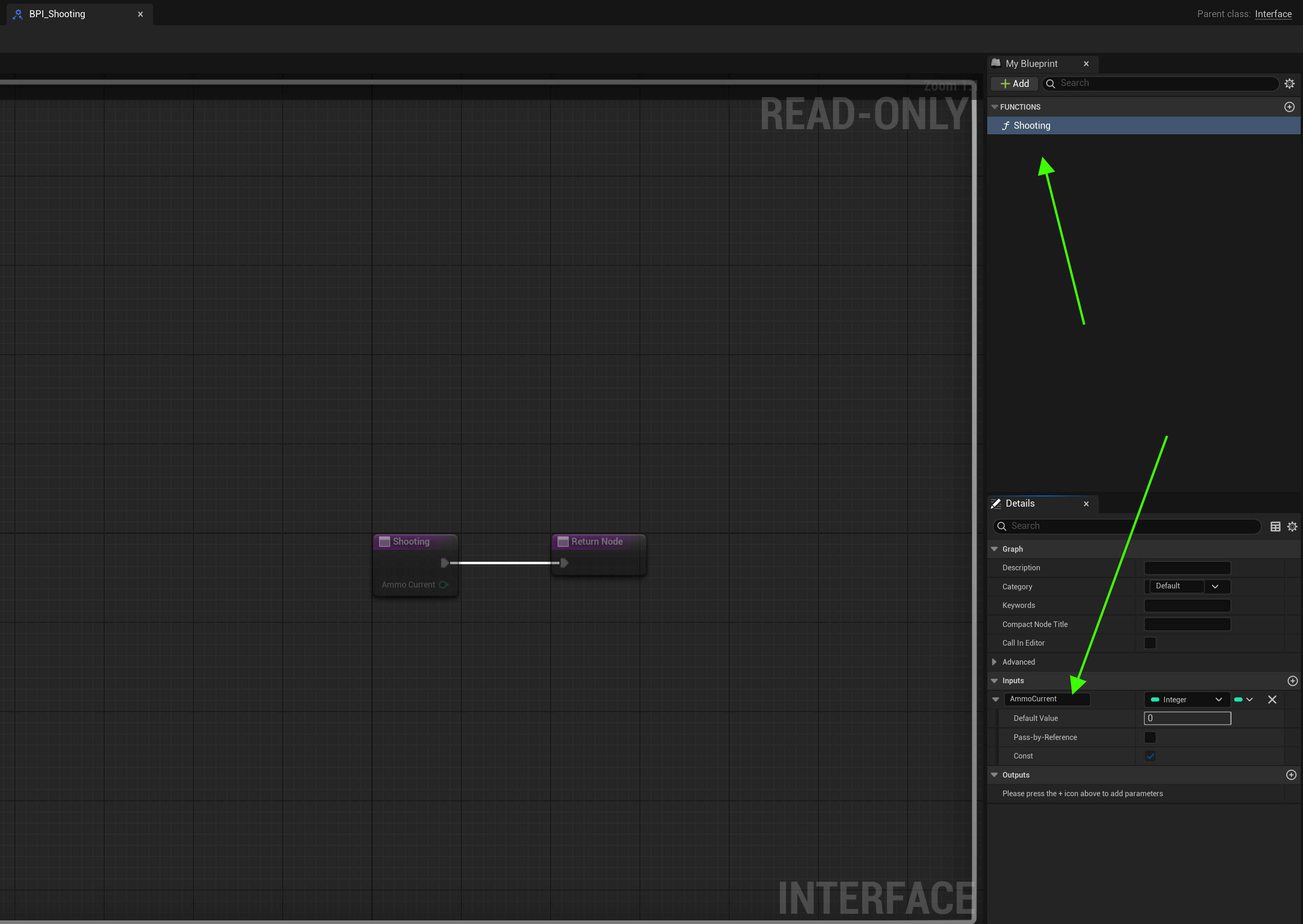
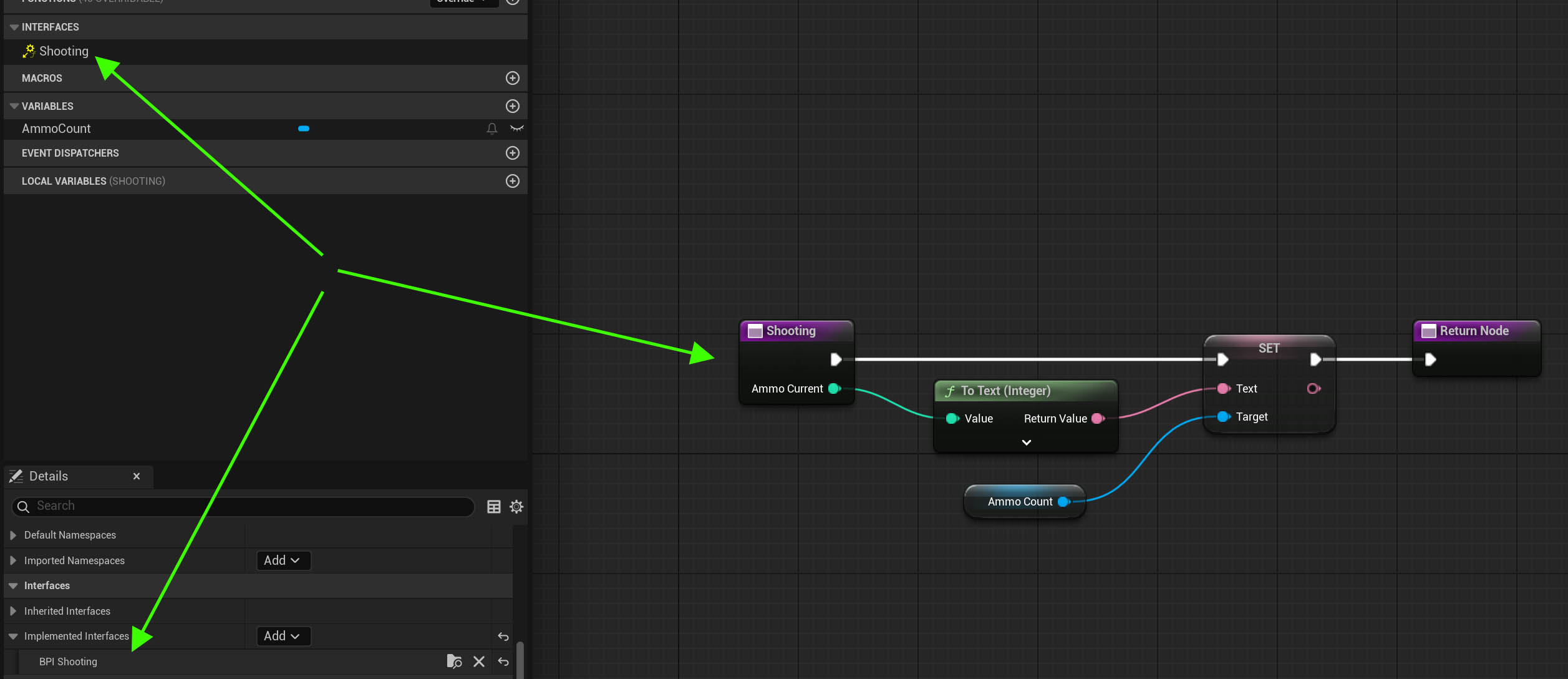
Hi, why is this blueprint interface not working between character and widget?
I am trying to send ammo value to the widget without casting character in the widget.
Character: https://i.ibb.co/kzLFwrw/character.jpg
Interface: https://i.ibb.co/N6bXyCzJ/interface.jpg
Widget: https://i.ibb.co/Q7xv3NmJ/widget.jpg

 maiden wadi
hexed igloo
Hi, why is this blueprint interface not working between character and widget?
I ...
maiden wadi
hexed igloo
Hi, why is this blueprint interface not working between character and widget?
I ...
You're going about this entirely wrong. Starting with using interfaces to avoid casting.
Self is not your Widget. So Self cannot run the function and set text on a textblock.
Your widget should just get the character passed to it, bind a delegate from the character. You should make a setter on the character for when ammo changes and set the new value and then call that delegate that the widget is listening to which the widget will have bound to update it's own textblock.
 verbal kayak
Timeline "tick" is tied to fps right?
maiden wadi
Correct. A Timeline is nothing but a component that starts and stops and broadcasts a tick function from the component.
verbal kayak
just horrible to find about 3 community posts that it is not.
and that you can test it really easily
maiden wadi
Lol?
verbal kayak
yes indeed Lol
maiden wadi
The joys of people parroting random things they think they've heard instead of simply looking at the source code and understanding it. :/
flat coral
Before I reinvent this wheel, is there a function to escape a string for CSV?
hexed igloo
maiden wadi
You're going about this entirely wrong. Starting with using interfaces to avoid ...
Thanks for reply, I tried adding an event dispatcher but couldn't make it work. Almost all tutorials use casting to player character which makes the widget blueprint size in memory same as character.
maiden wadi
hexed igloo
Thanks for reply, I tried adding an event dispatcher but couldn't make it work. ...
Which is fine. Because your widget is going to exist along side that character anyhow. There's no extra cost there. And if the sizemap is an issue, you could subclass your character, and move all assets to a child class and cast only to the parent which would then be fairly small.
Usually this is managed by widgets taking in basic contexts. An actor pointer it can pull specific components off of that house ammo counts for example. Your only linker there is mostly the component which should be next to nothing.
dawn gazelle
lament spear
Hello everyone. I have a huge warehouse where I have attached CCTV cameras and t...
You're probably leaving them all active and at full resolution. Some optimizations would involve disabling them if no one is looking at the TV screens, reducing their resolution, scaling the resolution with player distance to the TV screens, manually having them capturing at a lower framerate and spreading out their capture over different frames so each one captures at a different time rather than them all trying to capture all at once.
 narrow sentinel
anyone know best way of doing this ? I'm bassically trying to have it where the NPC plays an anim montage and whilst they do this the BT would be on a task
and then after Anim Montage is done the BT task will finish execute to allow things to move on
at the moment it seems thats not happening due to the BT task not allow me to say do a timer or bind a delegate etc
flat coral
How do you insert JUST a line-feed (LF) character in a blueprint text box? I know about Shift+Enter but that inputs both CR/LF
maiden wadi
narrow sentinel
anyone know best way of doing this ? I'm bassically trying to have it where the ...
You do exactly this with a PlayMontage in a BTTask. Just don't finish execute until after the montage is finished playing.
narrow sentinel
so i tried that but don't seem to work
I've made my own task just cause I'm doing stuff with the montage on the NPC side
but I would have though the delegate which then fires the Finish Execute would work
obvs npc calls the delegate when it's done it's montage
maiden wadi
flat coral
How do you insert JUST a line-feed (LF) character in a blueprint text box? I kno...
Unsure what you mean here? I'm not sure this is possible if I understand correctly. You would have to somehow insert whitespace. I'd love to be wrong though, if you find anything else about this I'd love to know.
narrow sentinel
or whenever it calls it
maiden wadi
narrow sentinel
so i tried that but don't seem to work
Can you show the task?
narrow sentinel
so fixed it, I didn't relise but I was using the unbind event not the bind event 
my player character oddly seems to fall through world though after their killed which is an odd issue
flat coral
maiden wadi
Unsure what you mean here? I'm not sure this is possible if I understand correct...
Comparison in notepad++. What I'm currently exporting on the left, what I need to export on the right

 maiden wadi
flat coral
Comparison in notepad++. What I'm currently exporting on the left, what I need t...
maiden wadi
flat coral
Comparison in notepad++. What I'm currently exporting on the left, what I need t...
What is the main difference here? It should end up looking the same when displayed, shouldn't it?
flat coral
The same when it's displayed in Notepad, yes. However, I've found out that Excel uses just LF as an internal newline, while it uses CR/LF as a new row.
 signal bane
Are there any good Unreal tutorials related to UX state machines?
Of 'present this, then present this out ux, then close it and open back up the previous one'
I've tinkered together basic stuff but I feel there's gotta be a better way than how I'm doing parts of it
 exotic gazelle
dumb question

what is that "get Hud Ref" node cause i cant find it anywhere
this is the entire screenshot that i have just in case someone asks
 snow halo
Hi has anyone here worked with GUIDs?

The reason why im asking is because I have an interface in my actor component
This interface says "Im ready" to an item, but Im only working with one item at a time, this interface will turn ALL my items ready
One car unlocks → Every car in the parking lot flashes their lights
faint pasture
exotic gazelle
what is that "get Hud Ref" node cause i cant find it anywhere
That's a custom node that somebody made so you would have made it if it's in your code. Probably just a pure function
exotic gazelle
hmm i will try to find the funtion in the documentation tysm!
 vapid sedge
hey there!
so i converted an static mesh to a skeleton mesh, and all the lods are correct. but the auto lod is not working properly, as it selects the second LOD (which is for a further distance) even if i am really close to the mesh?
snow halo
This is my interface in my furnace. But this furnace exists many times, like say I have 10 furnaces, but not all of them must be ready
Dog hears "Walk?" → Every dog on the block grabs a leash

Should I use "gameplay tags"?
how do you make sure to only talk to one interface receiver?
dawn gazelle
snow halo
This is my interface in my furnace. But this furnace exists many times, like say...
You always feed in a target to the interface call and that target attempts to execute the interface if it implements it.
faint pasture
snow halo
This is my interface in my furnace. But this furnace exists many times, like say...
show how you choose WHICH FURNACES to make this call on
snow halo
dawn gazelle
You always feed in a target to the interface call and that target attempts to ex...
But... I thing I realized how to fix it. ☑️
I am probably need to connect a line-trace hit actor to the interface, that somewhere along the interface-to-interface-to-interface-to-interface, it's getting lost, so I need to connect that cable all the way till the end
But I need to pass Hit Actor all the way down, i wasn't passing it properly, i'll try that to fix it
Now that I fixed that though, it still doesn't work.
snow halo
faint pasture
show how you choose WHICH FURNACES to make this call on
So this is how im doing it right now

so im actually passing the line trace down to the last node, after all this blueprint to blueprint to blueprint chaos, so the last one is finally getting the actor reference
and because my interface was failing to work
I added this on top of it

But now this still gives me an incomprehensible error
 faint pasture
snow halo
faint pasture
snow halo
that's not incomprehensible
it was declared in parent class with a different signature
just recreate it here
since you changed the interface to pass 2 parameters instead of the original 1
snow halo
faint pasture
just recreate it here
delete this interface & recreate it?
faint pasture
snow halo
delete this interface & recreate it?
delete the event with the error
since that event is from the old version of the interface
snow halo
faint pasture
since that event is from the old version of the interface
I refreshed it though
faint pasture
just do it, it'll take 2 seconds
narrow sentinel
Anyone know the best way after player dies where they ragdoll how to revert them to none ragdoll ?
snow halo
faint pasture
just do it, it'll take 2 seconds
I had this problem before and I had to rework my entire blueprint setup because I didn't know what it was
narrow sentinel
to keep my game simple I'm move the player to a specific location after death so need the physics I enable on the player mesh to reset so they conform back to the anim BP and don't do physics anymore
vapid sedge
Hello, when I convert my static mesh to skeletal mesh, its facing in the wrong direction, is there any way to change it?
 warped juniper
Just need some quick math help...
With an actor's location and the control rotation, how do you make a line trace that aims towards the player's control rotation?
maiden wadi
Turn control rotation into a vector. Multiply it by how far you want the trace to be and add it to their location.
warped juniper
@maiden wadiHow do you turn rotation to vector?
maiden wadi
There's a.. RotationXVector or something similar function.
warped juniper
Alright got it, thank you!
 hidden fossil
So a quick question. I have the following portion of a blueprint that's configured with an XYZ of 29400.0, -1.0 and 0.0, which is supposed to move a boss enemy to a specific side of the battle zone relative to a specific attack and the battlefield radius (which I calculated based on the blocking actors which are intended to keep both you and the boss within the designated area) is about 1850.0. Unfortunately, the boss is moving way further than she is supposed to - and also way too fast - both of which combine to effectively "soft lock" the game. (Also, it's in the context of a side-scroller, so I only need to worry about the X axis which is why it's the biggest number out of all three of 'em.) Would anyone be able to advise on what I should do with either the blocking actors or the calculations so that the boss will slow the f--- down, and also stop going out of bounds? (The former objects are both set to "block all dynamic," in case it helps.)
 dawn gazelle
hidden fossil
So a quick question. I have the following portion of a blueprint that's configur...
dawn gazelle
hidden fossil
So a quick question. I have the following portion of a blueprint that's configur...
The target location is a Target Relative Location which would be relative to the location of the actor itself.
The speed in this particular instance would be handled by the "over time" value which you have set to 1, and the movement would be a fairly large value to move to when set to 29400 so it would be moving pretty quick to go that distance in 1 second.
Are you sure you're not able to use something like "Move to Location or Actor" instead?
hidden fossil
dawn gazelle
The target location is a **Target Relative Location** which would be relative to...
Not 100% sure, this is an example that was set by the starter kit's developer (and second off is that the blueprint is connected to a behavior tree). However, I did find it off your suggestion so now I just need to rewrite the logic.
 nova grotto
hey guys less of a bp problem and more of a math problem i guess how do i get the location of between 2 actors then 90 degrees from that so essentially a triangle
faint pasture
nova grotto
hey guys less of a bp problem and more of a math problem i guess how do i get th...
in what plane? There is a ring of these locations.
 nova grotto
faint pasture
in what plane? There is a ring of these locations.
nova grotto
faint pasture
in what plane? There is a ring of these locations.
for what i need to do i need for it to be from any of the x and y position that my actor could be in with the other actor
faint pasture
nova grotto
for what i need to do i need for it to be from any of the x and y position that ...
wat
are you saying you need it to be at a constant Z height?
nova grotto
faint pasture
are you saying you need it to be at a constant Z height?
i dont think it has to be now that im thinking about it
nova grotto
faint pasture
wat
its a camera that sits between the 2 actors but is a certain distance to the side of them think tekken camera
faint pasture
oh ok that's easy
Midpoint = (LocationA + LocationB) / 2
CameraLocation = Midpoint + Offset
Offset will be in x or y depending on how you're doing it
nova grotto
faint pasture
oh ok that's easy
this is what i have sso far but the cameras dead in the middle of them
 faint pasture
nova grotto
this is what i have sso far but the cameras dead in the middle of them
faint pasture
nova grotto
this is what i have sso far but the cameras dead in the middle of them
add an offset like 0,500,0 or whatever
btw you can do math on vectors, no need to break it up
nova grotto
faint pasture
add an offset like 0,500,0 or whatever
local offset?
 nova grotto
faint pasture
btw you can do math on vectors, no need to break it up
nova grotto
faint pasture
btw you can do math on vectors, no need to break it up
im awful at vectors lmao
faint pasture
nova grotto
local offset?

type in whatever offset you want for the camera to have
the set camera location = the result of that final add

literally that easy
do that on tick and you're done
Now there's more to a fighter camera then that as you'd want to pull in and out as the distance between the fighters changes but get this working first
nova grotto
faint pasture
Now there's more to a fighter camera then that as you'd want to pull in and out ...
i think i messed something up in my math
wait i got it add local offset was perfect thnank you
 rigid bay
Hi, I need some help. I'm trying to make an rng dungeon system, and I have an idea of how I want it to work (see attached image), but I can't seem to figure out how to begin implementing it/setting it up. I was thinking about having each room be it's own actor, then having the room that acts as the initial room spawn the additional rooms, with a set limit based on which floor you're on. I was thinking about using a struct or enum to hold the rooms, then letting the "master" room choose from the struct/enum, but I can't seem to figure out how to do it. I don't have much experience with structs/enums, and that's probably what's holding me back. If you know how to help, or if you have a better method, please let me know.
 faint pasture
rigid bay
Hi, I need some help. I'm trying to make an rng dungeon system, and I have an id...
faint pasture
rigid bay
Hi, I need some help. I'm trying to make an rng dungeon system, and I have an id...
have a RoomSpawner somewhere
Have it do the logic
For the first draft, have a max room count, and then iteratively place a random room that can fit at each unoccupied exit until you have maxrooms
you might paint yourself into a corner, then you can just restart or whatever.
All you'll need is a function to cook up where a room would be to match up exits and also a function to check that it fits (isn't intersecting previous rooms)
rigid bay
I was thinking about having the initial spawn room the player spawns in be that RoomSpawner, that way all I need to do is place it in the level, then set the variables on a per level basis. I just need to figure out how to make a list/table/array/something that holds the rooms, then let that RoomSpawner choose from that something. I just don't know how to make that something. Once I figure that out, I should be able to make a system to handle where the rooms are placed.
faint pasture
rigid bay
I was thinking about having the initial spawn room the player spawns in be that ...
If the initial room is special and not just a random room then sure.
snow halo

so based on this, why does my first branch of my behavior tree go back and forth between flee-patrol really really fast & my chicken never make any moves?

 teal nexus
might be a silly question, but...
I have a plugin that keeps getting updated and I added some functionality there for mobile optimizations
I call a function on timer:

and the function was in the same BP, which is part of the plugin
I split off that function and put it into my BP Function Library, so that when I update plugin next time, I don't have to copy/paste function from previous project to the current one.
I am not sure how a function is called from the function library, for this specific case
I guess what I need is to feed some variables from plugin's BP into my function that is in the library and that is being called on timer
snow halo
faint pasture
Are you sure t he AI MoveTo isn't failing instantly?
Im not sure which one but I think either the patrol or flee task fails
fails instantly
faint pasture
snow halo
Im not sure which one but I think either the patrol or flee task fails
Check that your AIMoveTo is not failing instantly
put a breakpoint on OnFailed and see if it fires
oh wait
your acceptance radius is 500
you succeed instantly
snow halo
isn';t that big enough?>
faint pasture
"Run to a random spot within 500 units, succeed if you're within 500 units"
It's too big, they are within the acceptance radius as soon as it fires as their target pos is less than 500 units away
set it to like 100 or 50
snow halo
faint pasture
set it to like 100 or 50
let me get this straight so if they're both the same, they will not work properly?

I still don't understand why or how
 river hill
Hey guys, im working on making my first rts just having fun. I'm currently trying to make my unit selector, and im having trouble getting the rectangle to show up after i use the subtract nodes. i was watching a video, and i know there is an error, but i can't seem to figure this one out.
 dawn gazelle
snow halo
let me get this straight so if they're both the same, they will not work properl...
dawn gazelle
snow halo
let me get this straight so if they're both the same, they will not work properl...
You're selecting a random navigable location within 500 units of the actor. If you're setting the acceptance radius to 500 on your AIMoveTo node, that means that so long as it is within 500 units of that location, you've basically reached the destination. So if you're moving within 500 units but you're accepting that its finished within 500 units, no movement is required.
faint pasture
snow halo
let me get this straight so if they're both the same, they will not work properl...
If I tell you to move a mile away, and that being a mile from your target position is close enough to consider yourself finished, you obviously would be finished instantly.
You're saying "move 500 away, also 500 distance is close enough to be done"
snow halo
faint pasture
You're saying "move 500 away, also 500 distance is close enough to be done"
Now im doing this, so the chicken moves, stops, looks around, looks around, looks around, if it sees me, it starts to move again, then stops, looks around, looks around nervously and so on and so on..

but it rotates around itself really awkwardly
river hill
river hill
Hey guys, im working on making my first rts just having fun. I'm currently tryin...
if anyone has an answer to this, that would be amazing lol. I'm making so much progress, but this simple rectangle is setting me back lol.
smoky basalt
for some reason, if i spawn in my ship pawn when the game starts, i start off in control of it instead of my character, even though i have my character set as the default.
also have my character's UI onscreen when i start the game, too.
it is kinda funny getting absolutely blasted by the main drive's exhaust though lol

hey, at least the controls for the ship still work.
dawn gazelle
smoky basalt
for some reason, if i spawn in my ship pawn when the game starts, i start off in...
If you have your ship placed in the level, select it and look for the auto possess option in the details and make sure it's disabled.
smoky basalt
im not placing it, im spawning it via the level blueprint
i did check that though, and its set to not auto-posess
the pawn blueprint class is i mean
wait never mind. figured out a way to do it.
after spawning the ship i got the player controller, and added a possess node, with a ref to my character, and that did it.
hidden fossil
Welp. Got another problem.
The move to location is working properly, but the lunge is supposed to be quick.
And it doesn't appear to be affected by walk speed.
Would there be any way to make her move faster during the thrust rush?
 terse spruce
Hello, is there a simple way to find out how far along a spline something is?
terse spruce
terse spruce
Hello, is there a simple way to find out how far along a spline something is?
simply compare distance along spline with spline length, somehow didnt see these node pop out when i was looking

quick follow up question, how expensive are spline to use and update at run time (on tick).
Would maintaining my own array of transforms and using that be significantly cheaper?
spark steppe
i doubt that there's a difference, but i don't have numbers
after all, i guess that the spline curve is only interpreted when you query points on it, adding new ones (or moving existing spline points) most likely costs nothing
i'm going to check the source now, because you made me curious...
lyric rapids
how would i make a progress bar in ui change colour as the percent gets higher
spark steppe
lyric rapids
how would i make a progress bar in ui change colour as the percent gets higher
lerp two colors based on the value?!
@terse spruce ok it's a bit more involved especially if you choose to update the spline when adding the point
but after all, i think it's still nothing too intense
not going through everything now, it mostly does some sanity checks and recalculates the length
terse spruce
spark steppe
<@221382076518236162> ok it's a bit more involved especially if you choose to up...
what does updating the spline do? i checked it just in case, but if it just retroactively change tangents of previous segments i dont need it
spark steppe
changing tangents can change the length tho
lyric rapids
spark steppe
lerp two colors based on the value?!
ive got this sorta thing setup so the fuller my progress bar is the more red it is but how would i get it to fade between blue and red with the lerp
 spark steppe
lyric rapids
ive got this sorta thing setup so the fuller my progress bar is the more red it ...
spark steppe
lyric rapids
ive got this sorta thing setup so the fuller my progress bar is the more red it ...
you can lerp Linear Colors, with another node
terse spruce
yes but since i check every tick, so i think it's ok. i dont think i need to smoothing
lyric rapids
spark steppe
you can lerp Linear Colors, with another node
wdym sorry
spark steppe
just search "lerp color" in the contexmenu
 sand bloom
Yeah based on the alpha you can go from one color to another
lyric rapids
ah thank you didnt know that was a node
sand bloom
yeah otherwise you'd need to it yourself and lerp each rgb value independently
terse spruce
need UE ai copilot for BP nodes, would be so useful
spark steppe
i would bet that chatgpt would have known that
it's a moron, but for stuff like that it's fine
sand bloom
yeah chatgpt is iffy but it did know this lol
For more in depth stuff i'm hoping for mathew wadstein to save my brain rn before i create some very possibly wrong systems lol
terse spruce
i did try to ask some stuff with VS copilote and it has been mostly useful, i think a proper integration by epic into UE would be really solid. Ai is good at this stuff, answers to stuff that could be googlable and documented but not always easy to find
sand bloom
okay I can't find anything about how multiple savegame objects at once interact so maybe I really am on the wrong path lol
sand bloom
spark steppe
they should focus on proper documentation
so what color do you want your dragon to be.jpg
spark steppe
chatgpt just told me 2 hours ago about nodes and things which just don't exist...
which is frustrating sometimes
sand bloom
yeah chatgpt is way too iffy
spark steppe
sand bloom
so what color do you want your dragon to be.jpg
a black voidwyrm with vibrant colored wings please
 cunning vapor
I have 3 "Keys" but my for each loop is only being run once - am i doing something wrong ? bit confused ! thanks in advance
 spark steppe
does your print string only print once?
cunning vapor
spark steppe
does your print string only print once?
yes
cunning vapor
It's in a function if that helps; just the return node - thought they could work in a function; maybe best to make custom events ?
 cunning vapor
spark steppe
ofc it stops
cunning vapor
spark steppe
ofc it stops
Omg it was suuposed to break there! thanks for pointing that out; would of spent hours looking for that
 sudden swan
Hiya, does the actual sequencing of the execution pin matter

trying to set the media player for a media texture with a blueprint
but for the media texture to set the media player it has to get the media player first
making some UMG import tools

full part of this graph
its not setting the correct media player
 sand shore
sudden swan
Hiya, does the actual sequencing of the execution pin matter
sand shore
sudden swan
Hiya, does the actual sequencing of the execution pin matter
Yes the actual sequencing of the execution pin always matters.
I don’t think anything is getting skipped here. Lemme describe what you’re doing here, and see if it still makes sense to you.
You’re getting all of your mediatexture assets, and then for each individual mediatexture, you’re loading all mediaplayer assets, and then you’re setting the mediatexture to use every single mediaplayer.
Eventually, all your mediatextures will be using whichever mediaplayer happened to be the last in the list.
 sand shore
What about media players?
sudden swan
it duplicates a directory
also one item in the directory
If i prin the output of the asset request it reports te right one also

 sand shore
Well, in that case then, the blueprint logic isnt the issue right now, but it definitely seems sketchy if you’re building a tool
sudden swan
haha well the wierd thing is this logic works for setting the sequence path of a IMG media source asset

this sets the img sequence path in an IMG media source uasset
and the replace node makes sure if someone uses copy as path function in windows
sand shore
Aight, I don’t usually work with mediaplayer so I can’t really help troubleshoot here
sudden swan
"Y:\WVO_XXXXX\05 References\Inside.png"
yeah its wierd that this logic works for some assets in the asset browser haha
and some dont
sudden swan
sand shore
Aight, I don’t usually work with mediaplayer so I can’t really help troubleshoot...
thanks anyways!
I guess in the one where i set the path to the img sequence, i reference one object to set something for itsself.
but the mediaplayer/mediatexture i reference 2 objects
sand shore
Yeah, but I do expect that it works when there are two assets total
What behavior suggests otherwise? It may not be the asset fetching that is the issue
sudden swan
hm im guessing the order of operations
which one to fetch first
but they need to be fetched at the same time for the last node
the Set Media Player node needs both in puts, and im fetching one after another, so i guess it forgets one somewhere? xD
sand shore
Get in there with the debugger or add more print statements, but it doesn’t forget one
sudden swan
well printed everthing notihing has a wrong name or anything.
I guess it just doesnt work
or the node is broken
I now see i dont actually need the media player i think
Cant find any info on this node xd

NOTHING online lol
lyric rapids
im using pawn sensing on my enemy ai to see the player but how do i check if the player leaves sight
wide imp
so for an inventory system, is it better to store all the classes in an array, or spawn the objects in and store all the actors?
 dire hazel
hey guys, this is how I decide if a point is reachable by my ai

I want to get farthest point that ai can reach
actually, I can do it with this function by trying different radiuses
dire hazel
dire hazel
actually, I can do it with this function by trying different radiuses
.

But if there is another "light way", I would want to know
 jovial steeple
wide imp
so for an inventory system, is it better to store all the classes in an array, o...
jovial steeple
wide imp
so for an inventory system, is it better to store all the classes in an array, o...
Actors are visual representations of something that you want to show existing in the game world. Therefore, in most cases, there is not a reason to spawn an actor in unless you need something to be visually represented in the game world. In many games, equipped items have visual representations spawned in. Items in your inventory do not.
 remote meteor
dire hazel
.
remote meteor
dire hazel
.
use random reachable point instead
wide imp
jovial steeple
Actors are visual representations of something that you want to show existing in...
so have an array of classes, and when equipping an item, spawn it in?
jovial steeple
wide imp
so have an array of classes, and when equipping an item, spawn it in?
This would work yes.
It could also be an array if item IDs, that correspond to a data table.
wide imp
jovial steeple
This would work yes.
well for now, i have an array of "bp weapon comp master class" could this work for spawning in the weapon?


if the array is empty, set it to the equipped weapon.
else, just add the class
jovial steeple
Yes, but an array of weapon comps would limit your items to only being different weapons. A inventory system may need more then just weapon comps
wide imp
jovial steeple
Yes, but an array of weapon comps would limit your items to only being different...
understand, just doing this for as of now
jovial steeple
Then it works
dire hazel
remote meteor
use random reachable point instead
yeah you are right, thats my bad, thx
wide imp
jovial steeple
Then it works
okay
if i wanted any item can i make it an array of classes
(for now) later will convert to structs
or item ids
jovial steeple
Though in your code, you are trying your best to add an item to your item array, on the remote client instead of on the server. Make sure you use a run on server function to edit the inventory to.
 jovial steeple
wide imp
or item ids
jovial steeple
wide imp
or item ids
Yea, you also have the option of using data objects to. Which are like structs but just an entire object class.
jovial steeple
wide imp
does this run on server?
This function gets called locally on whatever computers keyboard pressed the interact key
So if a remote client presses interact, it gets called on only his computer
If you went to the server client, pressed interact, it would get called only on the server computer
wide imp
ah, so i should make a function, that runs on server, and adds the item to the inventory array
jovial steeple
Yea
wide imp
does that mean i have to make the array of items, replicated?
jovial steeple
Yes
wide imp
doesnt need rep notify though right?
jovial steeple
No not unless you decide you need it
wide imp
okay let me try this out
wide imp
jovial steeple
No not unless you decide you need it
so the server spawns in the weapon, does it also set the equipped weapon?
jovial steeple
In the end, when you press the pickup item key on a remote client your goals are to.
- Add the items to the remote clients inventory.
- Spawn the weapon in on the remote client if needed.
- Add the item to the inventory on the server, so that it can be validated. There server is the game master who needs to know and check everything.
- Update the equipped item on the server, so that all other clients can know the new equipped item and update the equipped item visuals.
Whatever methods you use to accomplish these goals are up to you.
wide imp
this is my current logic


aside from setting the equipped weapon, does this add the item to that players inventory on the server?
jovial steeple
Yes it’s doing exactly that
wide imp
okay and if i wanted to set the equipped weapon, (id have to spawn it in) this also has to be done on the server right? attaching logic can be dealt with later, but spawning the actor in has to be done on the server.
jovial steeple
The ItemVisusalActor either needs to be spawned on the sever, or spawned individually by each client using some sort of multicast/replicating variable.
Spawning it on the server is simplest
jovial steeple
You shouldn’t need to multicast to attach
I believe you can just do that in the server
And it will replicate down to clients
wide imp
i was told that things like attaching and visual things should be done locally
and things like spawning it in etc is the server
jovial steeple
At that point, with that advice, you would just spawn the visual actors locally anyways. Do not worry about that.
wide imp
if i attach it on the server, i wouldnt be able to check if i need to attach to first person mesh (first person) or third person mesh (other client)
because this is a FPS
jovial steeple
Do you mean you have two meshes in your character class?
One for first person, one for third person?
wide imp
correct
jovial steeple
I wound strongly recommended against doing that, that is another problem to begin with.
wide imp
how come?
jovial steeple
Would be bad practice.
wide imp
well im very new to all of this and the only available tutorial i can find did it like that, and im already pretty deep into the project to worry about changing that rn
maybe later ill change it
but ive come to notice a lot of things he does is "bad practice"
jovial steeple
Unreals character class has a built in mesh component that uses meant to represent that character mesh.
wide imp
ive noticed that yeah
jovial steeple
This is so that you can take any character class, and gets it’s mesh
If you have two meshes, this doesn’t work.
 jovial steeple
Anyways, multicast doesn’t work anyways for this.
 drowsy gorge
Hi
I have custom pathfinding set up, so I can't use AIMoveTo for my AI, as the location I want them to move to, isn't always valid or reachable on the NavMesh.
So instead, I calculate the direction they need to move in, and use "AddInputVector" on CharacterMovement component.
I do this on tick. It works perfectly.
The problem is, for optimization, I sometimes set the Actor Tick Interval to high values, and when I do this, the AI basically doesn't move, because the AddInputVector happens not often. What can I do?
wide imp
jovial steeple
Anyways, multicast doesn’t work anyways for this.
why not?
after spawning the weapon, itll run this function on every client
if locally controlled -> attach to arms
else -> attach to mesh
jovial steeple
Multicast is a fire and forget function that will only run once on clients who are in range and considered relevant.
wide imp
so what would you suggest i do then?
jovial steeple
You are attempting to use multicast to communicate an objects state. Something that needs to be known by all clients, and immediately known once a new remote client joins the game, or gets in range of the other client so that they can see eachother and start replicating.
Multicast are exactly not that, they are simple fire and forget to all things in range.
wide imp
okay, so how can i deal with the attach logic?
jovial steeple
A replicated variable on the other hand will update to all clients in range, as soon as it is set, and update to all clients who become relevant later on.
You need to use some sort of replicated variable to handle this. Attaching the item on the server causes backend replicated variables to be changed.
So I’d recommend you fix your characters to use a single mesh component, then attach the item to that.
wide imp
and i can rep notify this since it runs on all clients and server?
jovial steeple
On the server
dusky meadow
Hi how would i do probability eg run something that takes a 1 in 5 chance and returns if its true ?
jovial steeple
Whenever a replicated variable changes on a remote client, the rep notify is called.
wide imp
if i wanted to keep my mesh system, how would i attach it to the arms on the local client, and the mesh if not local client?
jovial steeple
You’d probably need some sort of “equipped item” variable, with a locally running rep notify function handling the attachment.
dusky meadow
dusky meadow
Hi how would i do probability eg run something that takes a 1 in 5 chance and re...
Anyone ?
 onyx ledge
isn't there a random integer node or something
wide imp
jovial steeple
You’d probably need some sort of “equipped item” variable, with a locally runnin...
can i just make equipped weapon rep notify and when it changes i do an is locally controlled check?
wide imp
onyx ledge
isn't there a random integer node or something
prob, a simple google search would show
jovial steeple
wide imp
can i just make equipped weapon rep notify and when it changes i do an is locall...
Yes
wide imp
last question (hopefully)
is this how you properl;y spawn in an object from a class in this?

because when i pick it up equipped weapon is still NULL
dusky meadow
wide imp
prob, a simple google search would show
Yes but that doesnt fufill my purpose i want to do a calculation which gives a percentage chance and then run that
wide imp
dusky meadow
Yes but that doesnt fufill my purpose i want to do a calculation which gives a p...
random integer in range
min = 1, max = 5
then switch on the result
wide imp
jovial steeple
Yes
this is my goal but i cant drag the class onto class, or the return value onto the equipped wepaon variable
 jovial steeple
wide imp
is this how you properl;y spawn in an object from a class in this?
jovial steeple
wide imp
is this how you properl;y spawn in an object from a class in this?
I’m sorry, I don’t think that you can dynamically spawn a component in blueprints and have it auto replicate to clients now that I think about it.
wide imp
jovial steeple
I’m sorry, I don’t think that you can dynamically spawn a component in blueprint...
why not?
jovial steeple
wide imp
this is my goal but i cant drag the class onto class, or the return value onto t...
Your class variable on the SpawnWeapon function is of the WeaponComponetClass type. The SpawnActor function is of the ActorClass type.
wide imp
so would i have to cast it to an actor class?
jovial steeple
wide imp
why not?
You can try setting to be replicated.
wide imp
i think having equipped weapon rep notify should work. but first i need to actually spawn it in lol
jovial steeple
wide imp
so would i have to cast it to an actor class?
You cannot cast a component to an actor class. They are two separate things. You would need to redesign your system if you wanted to spawn in Actors instead of components
dusky meadow
wide imp
random integer in range
Okay i have attempted that and i have my chance was a int however what do i put in the min and max ?
alsa i am using a more complex equation Unlock Chance = (lock level / lockpick skill + lockpick bonus ) / 2
jovial steeple
Anyways I gtg. Good luck.
wide imp
min is the min number, max is the max number
jovial steeple
Work
wide imp
jovial steeple
Anyways I gtg. Good luck.
alright thanks for everything!
you want a random number from (min,max)
e.g. (1,5)
1 2 3 4 or 5
dusky meadow
I want it so if the lock level is 10 the lockpick skill is 10 then the chance of success is 0.5
or if the level is 100 and the skill is 10 the chance is 20 percent
wide imp
i dont know ur full game, so this doesnt really help
i explained how the rand int node works
dusky meadow
i have the calculation set up i am saying if i put 0.5 into the node i want a 50 percent chance of it returning true
wide imp
so if var == 0.5 -> rand int(0,1) if result == 0, false, if result == 1 true
spark steppe
dusky meadow
i have the calculation set up i am saying if i put 0.5 into the node i want a 50...
random bool with weight
dusky meadow
spark steppe
`random bool with weight`
thank you it worked
wide imp
question, if i am working on an inventory system and i have an array of classes, when attempting to add another item to the inventory, do i have to loop through my whole inventory to see if the item already exists? doesn't this seem slow?
faint pasture
wide imp
question, if i am working on an inventory system and i have an array of classes,...
There's Contains() and AddUnique()
wide imp
hey adriel ive made a lot of progress since u helped me yesterday
i had to redo my whole weapon system since the tutorial i followed using components not actors
 storm solar
im using common activatable widgets (CAW).
When i push widget X to the stack it is displayed.
i press a button on it that X it pushes another widget to the stack (widget Y)
When I am done with widget Y I want to deactivate Y and X instead of standard input of X appearing when Y is deactivated.
How do i do that?
wide imp
can someone explain to me why when i add the first item to the inventory it doesn't add the image to the hotbar or the hotbar array? i have a button that tells me whats in the hotbar array, after adding the first item its empty....
 faint pasture
wide imp
can someone explain to me why when i add the first item to the inventory it does...
faint pasture
wide imp
can someone explain to me why when i add the first item to the inventory it does...
you have a lot of redundant information here
wide imp
faint pasture
you have a lot of redundant information here
i fixed it
with a rep notify on wepaon added
faint pasture
hotbar items counter can go away, you don't need it
the size of Hotbar array IS your counter
wide imp
 faint pasture
also why do you have an object array and a class array? What's meant to be the difference
wide imp
hotbar items are spawned in
inventory items are stored as classes
(for now)
will change to item IDS

updated logic
is this good?
'

i have the variable to cap the hotbar size at 5
the hotbar items
faint pasture
wide imp
'
git rid of the hotbar items counter variable completely
you don't need it
you have it as the size of Hotbar array
 wide imp

so this sorta works....
my hotbar system has a bunch of spawned in weapons that are hidden
the problem is when switching, itll switch to the right animation or whatever but the gun will be invisible the first time... the second time i switch to that index it works. is there a delay issue here>

note: it changes on the third person mesh perfectly fine , just the first person mesh
 golden plinth
hi, sorry to bother, but i am trying to recreate the Mad Ballerina boss fight from the bridge curse 2 and am working on the dance animation. I downloaded an animation pack with pre made movement and would like to use the upper part of an animation from a starting time A and the lower part of the same animation from a starting time B but can't figure out how to do it. If anyone knows, i'd be thankful for your help.
(also sorry if my explanation is unclear)
 fringe junco
golden plinth
hi, sorry to bother, but i am trying to recreate the Mad Ballerina boss fight fr...
fringe junco
golden plinth
hi, sorry to bother, but i am trying to recreate the Mad Ballerina boss fight fr...
Usually people use overlay states to accomplish something similar where you have a base animation, and you use the upper part to animate a weapon or whatever. The layered blend per bone node in the animation BP is your friend lol.
golden plinth
i did use a layered blend per bone but do not find how to make it start at the desired time, i tried to use anim montage to cut the parts i wanted but can not add them to the ABP and the start position in the details panel doesn't seem to work
fringe junco
you should be able to handle this in a couple ways. the start time thing should work, depending upon how you set it up.
you could also trim frames from the animation in the editor
by duplicating the base animation file, moving the slider on the timeline to the desired start time, right clicking and clicking trim frames 0 to X (your desired start time).
it has to be on the base animation file though, not the montage. The montage should let you play it from a specified time but Im not as certain on the workflow
steady night
hi im trying to get a camera image render on UI anyy good tutorial
or whats it called Ä ?
fringe junco
you probably need a render target to render camera to UI
golden plinth
fringe junco
by duplicating the base animation file, moving the slider on the timeline to the...
i'll go with that option, thank you for your help !
faint pasture
Any thoughts on how to accomplish a grid-based building system with pieces that can be multiple "blocks" in size?
 shell dock
steady night
hi im trying to get a camera image render on UI anyy good tutorial
shell dock
steady night
hi im trying to get a camera image render on UI anyy good tutorial
this series covers that. cant remember which part it is but hopefully this helps you out - Edit - its this part https://www.youtube.com/watch?v=wAGFzYNXjCc&list=PLxjXJ0AymVT-huSPgUfeCsyXDQm92bXYX&index=10

Note: This is a continuation on another series we're somewhat done with about creating an Inventory System. Maybe go watch that first if you're fairly new to BP's :)
Welcome to the new series: Building an Equipment System ! Hopefully i'll git gud on explaining a little bit better in this one ! Bear with me, buddies!
Remember to like the video ...

 faint pasture
steady night
why are they displayed like this in Widget :/ ?
faint pasture
steady night
why are they displayed like this in Widget :/ ?
Test your widget with a static texture first to make sure it works

 robust lance
how can i interpolate between 2 poses? all i can seem to find is a blend by int and bool
 faint pasture
robust lance
how can i interpolate between 2 poses? all i can seem to find is a blend by int ...
faint pasture
robust lance
how can i interpolate between 2 poses? all i can seem to find is a blend by int ...
 faint pasture
robust lance
how can i interpolate between 2 poses? all i can seem to find is a blend by int ...
faint pasture
robust lance
how can i interpolate between 2 poses? all i can seem to find is a blend by int ...
you really want a blendspace though
instead of reinventing blend spaces

Epic Games Developer
Blend Spaces are graphs where you can plot any number of animations to be blended between based on the values of multiple inputs.
robust lance
i dont see that node
i dunno if blend spaces will work for what im doing. im making my animations perfectly synced across clients based on current state and world position
2 way blend?
that looks like the thing i need, but engine just crashed so need a min
keep getting a crash and d3d device lost when running 2 players
 hardy merlin
Repeating this every time I encounter the bug: It's possible for a montage to not call OnInterrupted or OnCompleted if it's interrupted between the blendout and completion frames.
wide imp
does anyone know why this doesn't show the gun when switching on the first person mesh? just the third person mesh.. unless i switch guns twice then it shows

 hidden fossil
I almost have the boss set up like I want her to be as I described earlier, but I have two remaining issues. With the change to a move to location, she's susceptible to knockback from damage, and that has a nasty habit of f---ing things up at the other side of the battlefield such that she doesn't throw her orbs or pull her lunge attack until she takes additional damage. (She also too slow for my liking with both the lunge and moving to the sides.) On those two notes, I have a few last questions about her battle design:
- Does anyone have practical advice for programming an invulnerability state for the boss when she's doing certain things?
- Is there a way to make her move faster when she's moving along the ground?
- What would you advise her to be surrounded by while she's invulnerable for the purpose of indicating her state to to the player? (Note that it don't necessarily need to be no "over 9000" Dragonball Super Saiyan effect.)
faint pasture
hidden fossil
3. What would you advise her to be surrounded by while she's invulnerable for th...
What's this bosses vibe?
hidden fossil
faint pasture
What's this bosses vibe?
easiest thing to say is that she's part of an alien species that gets isekai'd to New York City (as are some of the good guys) and that they have mana manipulation abilities that we obviously don't (although they are able to craft mechanisms with the properties of their essence for other sentient species to use for that purpose if the need arises). In the case of the boss, her orbs are made of telekinetic energy and she's also a swordfighter, so when she's not trying to lunge or fire at you, she's trying to downthrust into your head (which you have to think fast to dodge).
And being a member of the same species, the kitty knight that you can play as also has this telekinetic ability (although in her case she can focus energy into it so that it fires off bigger and stronger)
 faint pasture
hidden fossil
easiest thing to say is that she's part of an alien species that gets isekai'd t...
faint pasture
hidden fossil
easiest thing to say is that she's part of an alien species that gets isekai'd t...
I'd do some sort of a mana shield
 wicked sedge
 faint pasture
wicked sedge
faint pasture
wicked sedge
what in the everloving fuck
 thin panther
holy mother of repetition
 idle crescent
Does UE5 have a way to check the color value of a image's pixel given the pixel's coordinate?
Even in C++ is fine.
thin panther
That's going to be a rather expensive operation.
idle crescent
For me? Or the above with the torrent of nodes?
hidden fossil
if not both
idle crescent
To who?
thin panther
idle crescent
For me? Or the above with the torrent of nodes?
You
thin panther
Yes
idle crescent
:/
hidden fossil
also, and as an aside, there's a separate chat for the #cpp side of things if you need it
faint pasture
idle crescent
Does UE5 have a way to check the color value of a image's pixel given the pixel'...
What are you trying to do?
idle crescent
Yep. I know. I'm just not sure if BP has something.
thin panther
The only way off the top of my head that you can do it is by rendering to a render target, converting that to a texture2D, and then sampling the pixels.
I still highly advise such against it though if at all possible
idle crescent
Get the color of a pixel from an image, using the pixel's coordinate.
I'm trying to read a heightmap value to see if it slopes in directions, that could block things among others.
faint pasture
idle crescent
Get the color of a pixel from an image, using the pixel's coordinate.
a million times per frame, once, once a second? WHere is this image from.
thin panther
You can use internal libraries to do it.
idle crescent
True, but if external is more performant I'd do it.
thin panther
The issue here isn't an Unreal one. It's a Graphics one
faint pasture
You can do C++ code on arbitrary textures, it'll be pretty easy to do if it's a texture on the CPU side. If it's coming from the GPU that's a whole other matter.
idle crescent
I'm just thinking about ways to do things.
Trying to optimize, like if I do a line of sight check, if there is a hill between two points and I can tell so with the image data I don't need to do a raycast, and that sort of thing.
thin panther
A raycast is infinitely faster than texture sampling
idle crescent
Ok. It's not a texture so much as it is just a greyscale PNG.
thin panther
Don't optimise until you've identified an actual issue here
idle crescent
It's not applied to any materials or anything. Just an image.
Ok.
Good point. I'm just trying to plan ahead if it proves an issue.
And I like to optimize up front to keep things as smooth as possible.
thin panther
If it's just an actual already existing texture, it's a hell of a lot simpler than analysing a rendered scene.
Cheaper too
I'd still just advise raycasting though
faint pasture
@idle crescentHere's a function from my tilemap plugin, you can probably go in the reverse no problem.
https://github.com/AdrielKinnunen/SpectrelightPlugins/blob/main/Plugins/SLTilemap/Source/SLTilemap/Public/SLTilemapLib.h#L460
as long as the texture is on the CPU already it's not much of a problem
if it's being created by a shader it's a whole other can of worms.
idle crescent
Nope. No shader.
thin panther
idle crescent
And I like to optimize up front to keep things as smooth as possible.
Optimising up front is a bit of an oxymoron at times, as you have no idea of the actual real world cost of things.
Keep things simple, go complex when simple doesn't work imo
idle crescent
It's not used for a material either, just a png file.
thin panther
That's doable then
faint pasture
In this case going from a raw PNG to a vision field is much simpler than turning it into a mesh or terrain and raycasting
thin panther
The way I'm seeing this is that the terrain and mesh already exist, and the image sample is to prevent just raycasting in the world
I could be misinterpreting
idle crescent
Right. A way of optimizing.
faint pasture
you don't know that they already exist
if they exist then sure raycast
if they don't then doing the operation on the texture is easy
thin panther
In any case, you can just sample the texture. Texture2D has functions for getting it's pixels iirc, whether they're blueprint exposed, I'm not so sure 🤣
idle crescent
The world is so big, I can load only part of it at a time for collision.
And it's just a color image, no normal or anything than diffuse.
faint pasture
So do you have 1 PNG file that is used for the heightmap for your terrain AND you wanna do analysis on it?
thin panther
I'll have a check on those functions when Rider decides to actually load lol
idle crescent
Alright, cool. What's Rider?
faint pasture
idle crescent
Well. 2. But they're both greyscale.
BP Function Library would be the easiest path
Best IDE for unreal
idle crescent
Alright. Still just wondering what performance hit'll be
faint pasture
Probably not even noticable
idle crescent
With raycast or pixel check like I said?
faint pasture
IDK about reading but I write a full 128 x 128 texture every frame and you can't even see it on the profiler
idle crescent
NICE
thin panther
checking pixels and raycasts are both probably negligable costs.
faint pasture
assuming the texture is on the cpu and you can do whatever you want with it without any thread locking shenanigans you can do whatever you want there
Look at how fast Paint can do a flood fill
idle crescent
True. It is also a big image, but then, knowing the pixel I think that brings it back down to o(1) doesn't it?
thin panther
https://forums.unrealengine.com/t/accessing-pixel-values-of-texture2d/279798/9
That looks like a promising lead
And yeah, as Adriel said, I'd make a Function Library to be able to make a node that takes said texture, said co-ordinates and outputs the pixel color, that you can use anywhere
faint pasture
Yup then later once you got that working you can make another node that takes 2 coords and a frequency and can output if the height crosses the line between start and end
idle crescent
Yeah. Make a function for what I do a ton is a good idea.
Wasn't there a function in UE5 for Angle of reach for projectiles, or something similar?
faint pasture
idle crescent
Wasn't there a function in UE5 for Angle of reach for projectiles, or something ...
predict projectile path or suggest path or something like that
suggest velocity maybe
idle crescent
Close. I think there was something that let you pick a high angle or not.
faint pasture
idle crescent
Close. I think there was something that let you pick a high angle or not.

Epic Games Developer
Suggest Projectile Velocity
 rain peak
sorry if this is a super stupid question, but - what might be causing this? I've got a struct with a float value (Magnitude). As you can see in the watch, it's 0.93.
At the next node with the breakpoint, it's 0.000.


garbage collected in the meantime somehow?
what am I missing
am I going insane
 crimson talon
Been having an issue with how my target lock on is working. The idea behind this is to focus the camera on a middle point between the player and their target, but as you can see in the video it keeps going behind my character. I have the code I used for this attached also, if anyone can help out identifying the problem or even to how I could implement this better I'd love to hear
 lunar sleet
rain peak
am I going insane
lunar sleet
rain peak
am I going insane
Put a breakpoint on the next node then hover over the same pin and see if the value is now updated. Either that or print string
river hill
Man, i am having this craziest issue with just getting a simple triangle to select units rts stye to work. i got the rectangle working, but it doesn't select any units. i can select, and deselect my units if i left click on them, but the rectangle just isn't selecting them. there must be something simple i am missing.

 spice vapor
Hello, how could I optimize that, my project will need more than 2 result. I try the Identical node, but it only work if the correct order has been made. Thanks in advance!

 surreal peak
spice vapor
Hello, how could I optimize that, my project will need more than 2 result. I try...
surreal peak
spice vapor
Hello, how could I optimize that, my project will need more than 2 result. I try...
Best would be to not hard code this stuff
wicked sedge
This is exactly the feeling I want to inspire thank you all @faint pasture @thin panther @hidden fossil
 white oxide
How come I cannot have the BP_ThirdPerson pawn both ovelap events to print hello and have it so the NPC blocks the BP_ThirdPerson?

I can either have the Third Person character be blocked or generate an Overlap event, but not both
Oh I see... I cannot have it both ways because the capsule itself is either a blocking or generate overlap... does that mean I should create another capsule collider?
Yup creating two colliders does the trick
My second question is how come pressing the E key doesn't activate Print String as desired?

I enabled Auto Receive Input but no dice
D'oh! I set the class defaults on the wrong Blueprint, silly me haha
spark steppe
white oxide
I can either have the Third Person character be blocked or generate an Overlap e...
because blocking elements can't overlap, that's law of physics...
you may want to use OnComponentHit if they both are blocking
stone field
spice vapor
Hello, how could I optimize that, my project will need more than 2 result. I try...
you need to think in a more flexible way, making a system that will be able to process 100 different orders without you hardcoding everything. Perhaps make the order also be an array of ingredients.
Then
- check if the ingredients list length == order length - if not, immediate fail
- loop throught the ingredients and compare to order items, if there is something not in the order, fail
 young meteor
This might be a stupid question, but I was wondering if anyone have a good set of rules on how/when to comment on their BP code.
There might be some obvious industry standards or something that I'm missing by just having learned this stuff on my own (probably like many of you).
The project is getting to a size where it takes a lot of brain power when I need to change something.
Could be just a variable in simple cases, or functions in more complex cases.
It is great that I can right click and search for references, even in other blueprints with binoculars, but still.
It often ends up being thoughts of:
Am I still using this variable anywhere else?
Can I modify this function to also do this, or is something else depending on it?
Where is this naming needed for DT's?
Which other Blueprints must I also keep in mind when modifying this function?
That kind of stuff. Hope it makes sense.
dark drum
young meteor
This might be a stupid question, but I was wondering if anyone have a good set o...
I tend to comment when I feel what I'm doing isn't obvious. (granted this is very subjective)
If you stop using a variable, mark it as depreciated. The same with functions. Also include in the description what someone should use instead if applicable.
Using getter/setter functions and marking vars as private works wonders, there's nothing worse than having to go through 20+ bp to update something when if you had a getter function you could have just done it in this.
Avoid having another BP directly set a var of another BP, use a setter function.
Setter functions are great places for event dispatchers if you need to broadcast a var has updated it's value. This can give you more flexibility with making changes.
Splitting you're logic up into steps can help especially when assessing the feasibility of inserting something new. Take an interaction for example:
trace -> check -> focus/unfocus
Input -> check -> start interact -> move character -> play montage -> perform interact -> end interact
Of course there's more you can put in but having these as self contained steps can help modify or add new behavior. If you want to change how the character moves, you know you need to modify the move character function. Not happy with how the interaction is ended, modify the end interact.
Also make sure you keep things to doing only what they should be responsible for. Having the player character control the light colour of a button panel on the other side of a map is most likely going to get missed. Should the enemy really be giving rewards itself? Should that plant pot really be responsible for controlling if that door is usable?
white oxide
How do I get this set node? The menu when I type in set is endless
 dark drum
white oxide
How do I get this set node? The menu when I type in `set` is endless
dark drum
white oxide
How do I get this set node? The menu when I type in `set` is endless
Type 'Set Player in Box'? or drag it from the vars tab.
white oxide
dark drum
Type 'Set Player in Box'? or drag it from the vars tab.
Hmm the set still doesn't seem to appear for me.

I'm just trying to set a simple Boolean when the player presses enter AND overlaps the collider
white oxide
Oh I see, the issue is I didn't create a variable
 timid crag
Hello! Can anyone tell me what is wrong with my blueprint? My items teleport to 0,0,0 when they and picked up or dropped
 young meteor
dark drum
I tend to comment when I feel what I'm doing isn't obvious. (granted this is ver...
young meteor
dark drum
I tend to comment when I feel what I'm doing isn't obvious. (granted this is ver...
Thank you. Guess I can try even harder to split functions into blocks.
Not sure what the getter/setter functions are.
Guess there is no easy way to manage stuff. Probably comes with experience too.
dusky cobalt
young meteor
Thank you. Guess I can try even harder to split functions into blocks.
Not sure...
Comment as much as you want. I don't think there is any strict rules. As you said you can make comments as ''blocks'' to separate blocks of code that are doing something specific. Like you can comment 4 nodes that all take care for Create X Widget. Finally you will find a pattern that fits you. Remember comments are mostly for you or for your team. You would probably adapt it differently when you are working solo vs when you work in team. If youa re solo, you have more freedom how you want it.
The setter and getter functions are basically functions that ''set'' the variable (and that's mostly it, literally). Instead of directly getting and setting the variable (like get ref, get variable on it or set), you make the variable private and create Function Set Health, now instead of getting component and the variable on it dirrectly, you call that function (still on the component ofc). It might seem redundant and useless, you don't have to always apply it tbh. Its something mostly used in C++ as good practice to hide variables and expose functions (so you can only ''access' the variables that actually can be set/get instead of making everything visible by default.
So it comes from making everything private, and WHEN you need it, you create function for it to expose it. By default everything is private/protected (cannot be accessed/changed from outside).
These things come mostly with iteration and finding your way that works for you. There is no correct way I believe. There are some good patterns/practices to make example of, but it's mostly comes to iterating on what you like, what works for you.
Generally, the simplier the code the better, it takes 10% of time to write code and 90% is maintaining it. You also must accept there are some functions/bp that you will create that are complicated, and it's ok, some things must be, comment there and describe so it's easy to come back, even though it's complicated. Usually the code is self-explanatory.
dark drum
young meteor
Thank you. Guess I can try even harder to split functions into blocks.
Not sure...
This is an example of getter/setter functions. The 'SomeVar' is private so if anything external to the BP wants to change it, they have to use the setter function. This gives the owning BP more control of the value and makes it easier to track down issues.


 dusky cobalt
Also one tip that might help you. After I finish some ''version'' of my blueprint or code. I tend to stop and just describe in block of words what this blueprint is supposed to do, what functions it has, what variables. It helps me to understand it more, summarize what it does and what it should do, and what it might do in the future. Thanks to that it's just getting organized better in my brain and then in worst case If I forget something I have one page of description for each blueprint.
young meteor
I guess there is no super easy way around it.
It is specifically 2 scenarios I feel like:
Dispatchers - mostly when I have multiple Bp's listening to it - Then I have to think when I see it: Who is listening to this, why are the variables passed in it as they are, can I change it, Is it being called multiple times, etc.
- Guess for that one I will simply start commenting what BP's are listening to it and why. Then edit the comment when I make more BP's listen for it.
When I call functions in other BP's by cast or similar. It is fine with one, but when it starts to be a web/chain of things happening, it is very hard later when I come back. Then I feel like I have to try and "load in" all the BP's that might be related in my head. And by the same token, keep all those in mind when I edit something.
Actually just explaining the problem is making it more clear to me.
Divide functions into clear blocks, and comment relations/dependency as I add them to called functions/dispatchers.
Thank you 😄
dusky cobalt
young meteor
I guess there is no super easy way around it.
It is specifically 2 scenarios I ...
Feedback to the dispatchers: The one that is broadcasting shouldnt worry at all what is gonna listen to it. It happens naturally. It just broadcasts and that's it. It's also cheap because it's just telling, hey this happened. Other things bind to it as needed, and often these things are very related. Event Dispatchers are just better because instead of having event for ''4 things'' that should react and then calling Do X, Do Z, Do C, you call dispatcher and don't care. Things will bind to it and react on their own. So I wouldn't try to comment a list of things that listen to it.
In example, OnDayStarted, the time manager should just broadcast so Call OnDayStarted, it and it doesn't care about flowers that start growing, or a sun that should start sunning (lol). These things jsut bind to it as needed. Broadcaster doesn't care about them.
narrow sentinel
Anyone know if theres any good guides out there to implement setting scalability settings for game/runtime side ?? Basically need to handle for the system can't do Hardware ray tracing and when it can.
young meteor
dusky cobalt
Feedback to the dispatchers: The one that is broadcasting shouldnt worry at all...
Yeah, they are great in that sense. Still feel I need to comment in some cases, cause otherwise when I come back and want to edit the function that calls the dispatcher I run into problems like: Are the other BP's ready if I call it earlier instead, If I change this passed variable, will it work in the listening BP's etc.
Might just be a "me" thing.
spark steppe
do the bindings not show up in reference search?!
dusky cobalt
young meteor
Yeah, they are great in that sense. Still feel I need to comment in some cases, ...
Valid concern. If you call at the same time when things are binding, it might be too late. Mostly in case of something beeing initialized or on start, because then when game is already running and something happens alater, it should be binded already so no need to worry. In case of initialization usually delay before that ''virgin'' call should be fine. No need to over complicate things if there isn't better way. Only fix things that don't work 😄
spark steppe
 young meteor
spark steppe
do the bindings not show up in reference search?!
young meteor
spark steppe
do the bindings not show up in reference search?!
It does.
It is because I started a conversation about tips on how to comment etc. to have a better overview of my own code.
spark steppe
you can just do reference search on them
young meteor
Like I may have 5 BP's listening, but then I have to open them up and understand complex functions in all of those before I can start to do any edits with confidence.
rain peak
lunar sleet
Put a breakpoint on the next node then hover over the same pin and see if the va...
it's updated to 0.000, but 0.93 on all previous nodes
spark steppe
that's a you issue then 😄
if you have the fear that your events screw up others, you will have to take care of it
young meteor
spark steppe
that's a you issue then 😄
yeah. Figured others might have standard approaches on how they set up their code and comments for easier workflow/overview.
Think I got my answer with breaking down complex functions into blocks of easily understandable blocks as well as commenting (in my case) on my dispatchers.
Guessing it is lack of experience. Because I keep learning more and doing things differently, so there is no "standard" or "obvious" approach to things for me yet.
 granite nacelle
Having some trouble making the enemy go through doors or go up stairs
silver dove
Is there an easier way to do this than digging it out of this submenu? I do this a lot and it's frustratingly slow - like a keyboard shortcut or something?

 spice viper
granite nacelle
Having some trouble making the enemy go through doors or go up stairs
spice viper
granite nacelle
Having some trouble making the enemy go through doors or go up stairs
Check the actor's Movement Component -> Walkable Floor Angle, I'd also look at your Navmesh's Agent Max Step Height so you don't need to have NavMesh Links.
spice viper
I'd recommend #animation
golden plinth
thank you i'll post it there then
hexed igloo
Hello, why is this BP_Zombie has dependency of the player character which is about 300mb shown in size map?
Size map: https://iili.io/3ek7hR1.jpg
Event graph: https://iili.io/3ek7jOF.jpg

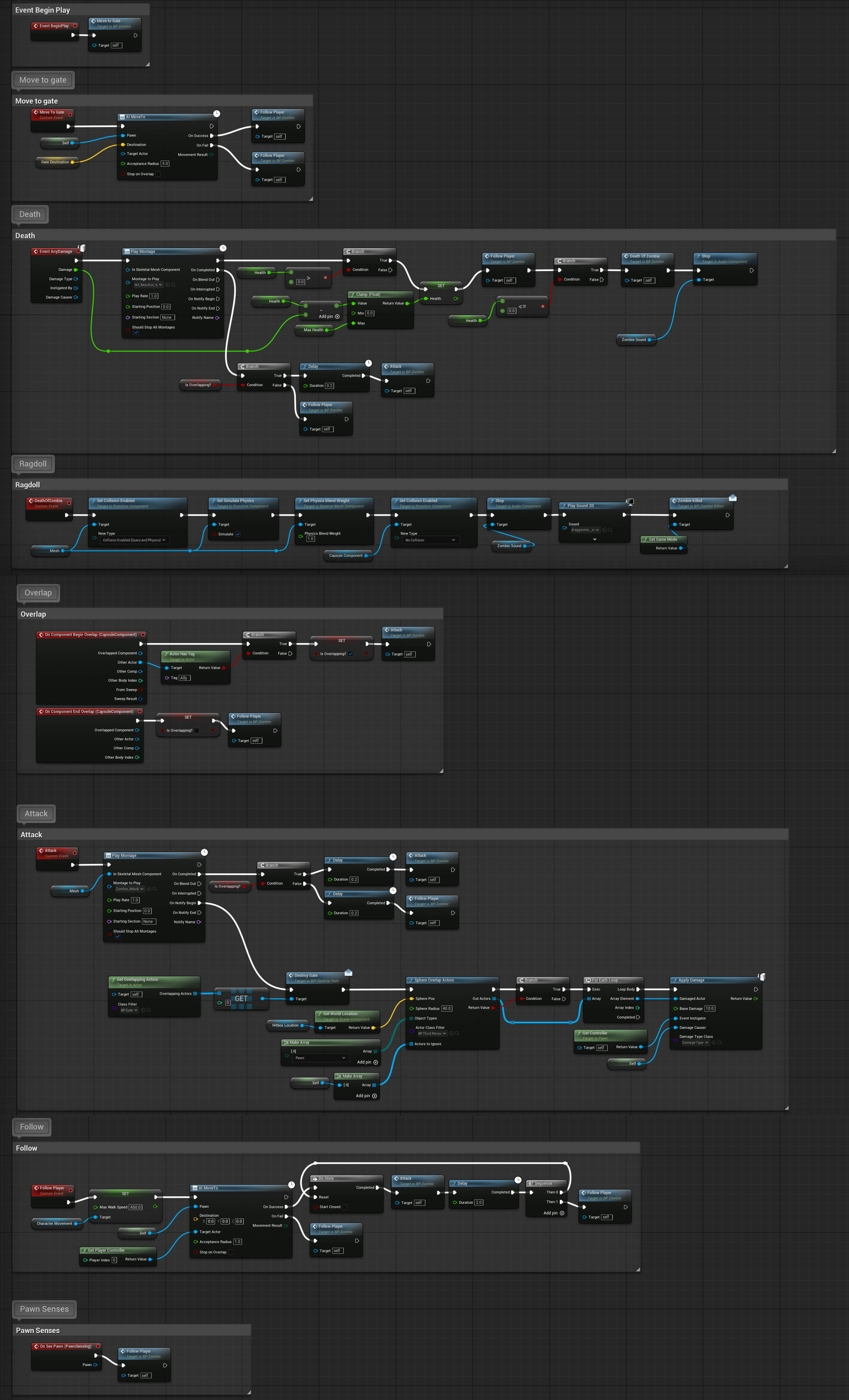 spark steppe
look at what FollowPlayer does
also, it's pretty irrelevant
your player will be loaded anyways
hexed igloo
spark steppe
look at what FollowPlayer does
There is "Get Player Controller" there in the FollowPlayer event, but size does not change even if it is removed.
This is tutorial project, size is not important here surely but I want to know why for the learning purposes.
rain peak
hexed igloo
Hello, why is this BP_Zombie has dependency of the player character which is abo...
show variables
this looks like a potential hard ref to BP_Gate
 hexed igloo
rain peak
show variables
hexed igloo
rain peak
show variables
variables: https://iili.io/3evLcdu.jpg
 hexed igloo
rain peak
try removing this
hexed igloo
rain peak
try removing this
Thank you, I missed this.
rain peak
hard refs from class filters is such bullshit, i know
celest crown
Is there any way I can get the Edit layer name of the landscape with blueprints?
I need it for the Editor Layer Name node.

 faint creek
Hi guys, I noticed these two warnings, but the game runs well without any bugs or stutters
Are these warnings dangerous?


 cerulean mountain
Got a question for anyone who's able to answer.
For context, It's an all blueprint project
I'm using DataTables to store info about my enemies — things like ABP, mesh, weapon data, health, damage, etc. I'm fine with editing them manually and seeing the changes in the level editor. But I want to make an Editor Utility Widget (EUW) to speed things up. Ideally, the tool would let me tweak DataTable values (like switching out a mesh or weapon) in a designer-friendly way and preview those changes on an actor in-editor, then save those changes to the DataTable.
The potential issue is that I’ve heard DataTables are read-only and can’t be written to at runtime. I’m not trying to change them during runtime though — only through a custom editor tool like a EUW.
So my question is:
Can I write to a DataTable from an Editor Utility Widget, or do I need a workaround like editing the struct, exporting it as CSV/JSON, then reimporting it? I dont want to build it then run into this issue later the line.
 slate minnow
GetGamestate returns nothing when function is called using Web Remote Control API
I'm using my website using websocket to call a function in Unreal through Web Remote Conteol API. Everything works fine if the remote control preset window is on. but if this window is closed, the function does get called but it cannot find the game state (The function calls another function from the game state). What could be the reason and how can i solve it? Thanks!
spark steppe
cerulean mountain
Got a question for anyone who's able to answer.
For context, It's an all bluepr...
afaik you can write them in editor utilities
just wrap up a simple test, that would confirm this!?
cerulean mountain
Good to know. Will prototype and get back to you. Thanks a bunch
I'm still new to ue5, so a simple test would take me a bit longer so I want to confirm real quick before I start prototyping a specific implementation.
dusky cobalt
slate minnow
GetGamestate returns nothing when function is called using Web Remote Control AP...
Maybe you call it too fast and it's not initialized yet? Do you call it on begin play of some other class?
slate minnow
dusky cobalt
Maybe you call it too fast and it's not initialized yet? Do you call it on begin...
no i dont call it on begin play. i can call the function whenever i want so i can give it all the time to initialize. but how can it work with the rcp window open though? like how is that any different right?
dusky cobalt
slate minnow
no i dont call it on begin play. i can call the function whenever i want so i ca...
i didn't ever test it so I cannot help, sorry, maybe someone else know why it doesn't detect gamestate when you close window
slate minnow
thank you anyways man. appreciate it
 final berry
So I was wondering, I have a datatable with all information about my talent/tech tree, but to track the level of each node I have this ID -> Level Map which is accessible everywhere (very light actor that contains only other variables like it) (screenshot 1)
My question is if that is a solid way to track it as well as access the levels where I need (for each tech) or should I have an array of structs (the structs used for the datatable) within that same actor to keep track of everything (screenshot 2). The main advantage here is that I can just search on Enum so I 'll never make a spelling mistake, but it seems a bit convoluted to basically do the same thing 🤔 What do you think?

 dusky cobalt
final berry
So I was wondering, I have a datatable with all information about my talent/tech...
dusky cobalt
final berry
So I was wondering, I have a datatable with all information about my talent/tech...
Where is your DataTable and how it looks like? Do you set the array of structs with data from DataTable at the begin play and then access that actor when you need some data?
final berry
I use the datatable to fill my tech tree UI with nodes procedurally (snippet of part of the table)
 dusky cobalt
Okay, so what is this actor for with the struct then? If you have data table you can read rows already?
final berry
Well.. I guess im running into the how do I change the curlevel of this datatable without messing with everything else 🤔 It has a curlevel variable but not using it atm
The ID -> Level map seemed like a lightway approach to it
dusky cobalt
Oh, so you kind of wish to edit the variables in the data table as the game is running? So you only need datable to ''initialize'' starting requirements etc. but then you want to write on that?
final berry
Well I dont want to per se 😛 I dont know what is the right wow. So basically:
A. Write into the datatable
B. Id -> level map
C. Struct array (so I can keep the datatable intact)
Or even D. that I dont know of
dusky cobalt
CurrentLevel is what for? it's like each node of the tree has level? or the current level is almost like ID ?
final berry
Its what the tier of the tech is at. So in this case the 0 of 0/5 and 3 of 3/5
 dusky cobalt
Oh, I see okay.
final berry
So I was trying to avoid writing into the datatable (also because I dont know how) , but also beacuse it seems very convoluted for just tracking of the curlevel
dusky cobalt
Maybe someone w ill come up with something better, but I would just have something like SkillTree actor, on begin play read whole datatable and initialize it into TMap (ID, Struct(with data) and work on it.
it's like your manager for the tree that tracks current level, current upgrades etc. in the game.
and then you can access it easily with GetActorOfClass (SkillTree) because it's basically just one in the game.
final berry
I thought I couldnt make a Id -> struct map 🤔
dusky cobalt
In the best case you could also do it as UObject or ActorComponent but it's a minor upgrade really and I wouldn't worry about it right now.
final berry
 dusky cobalt
Use first int and then add struct as value.
you can also use Enum or FName or anyhing really you want for the ''ID''.
final berry
Oh im a moron lol
dusky cobalt
Probably you heard that but wont hurt repeating, make your structs in C++ to not destroy your project 😄

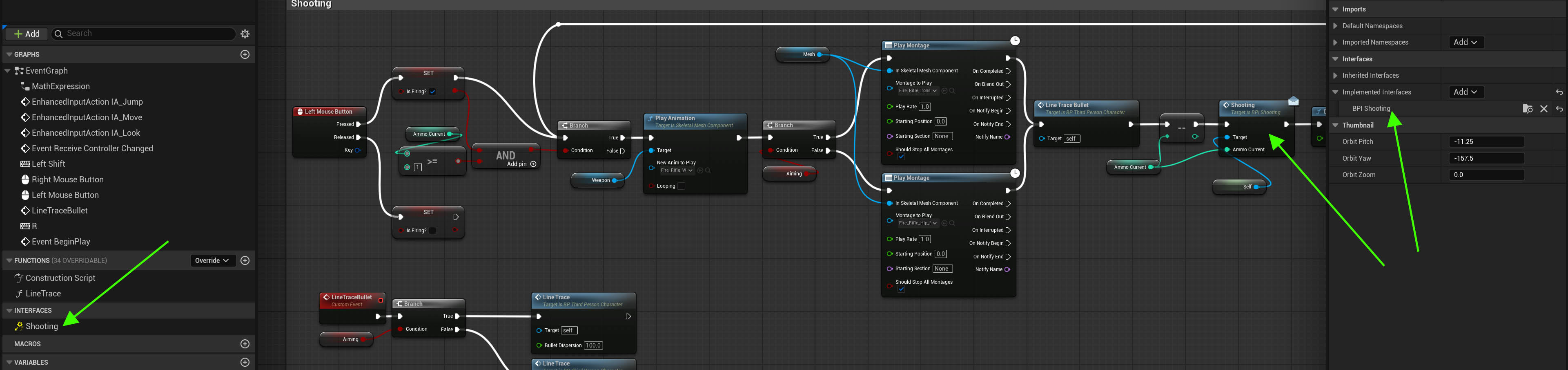
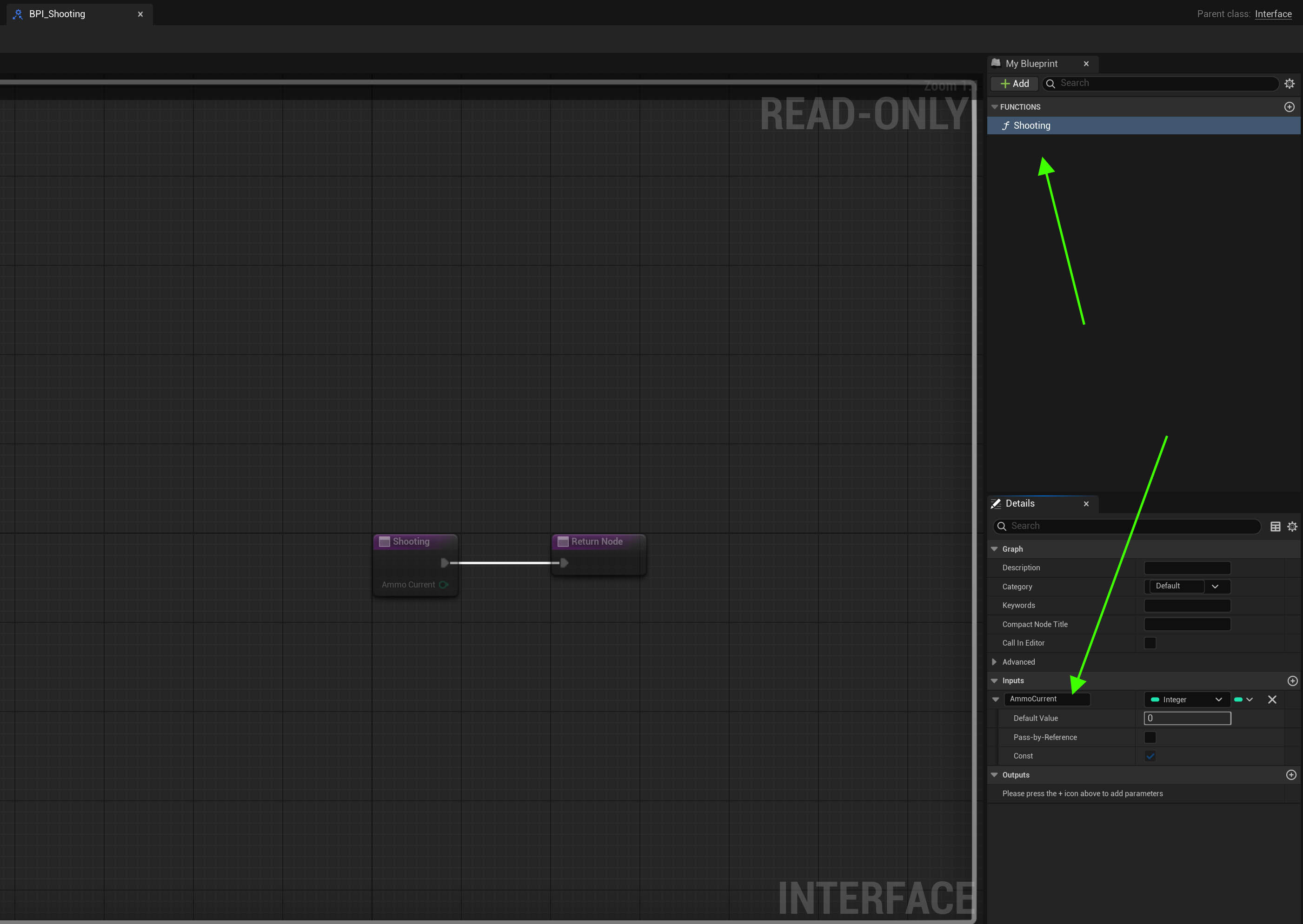
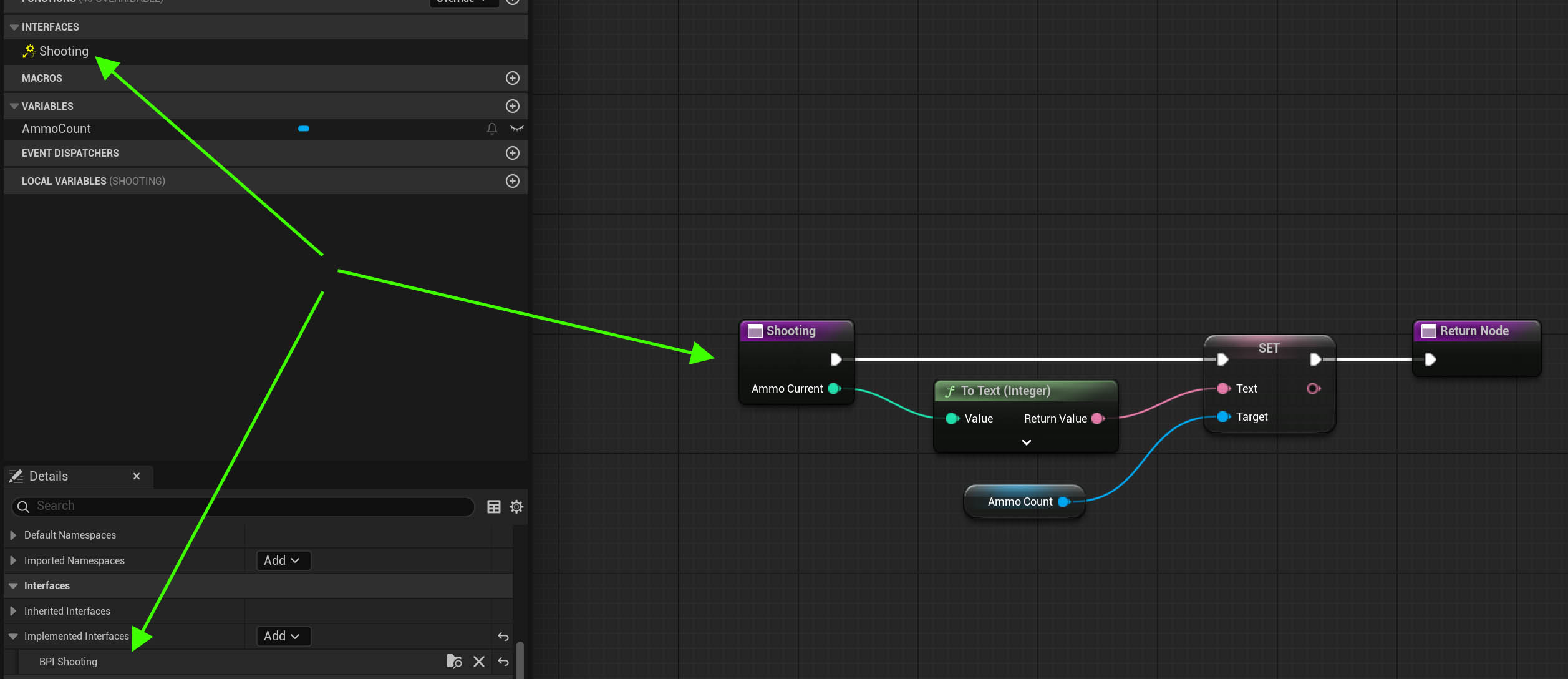
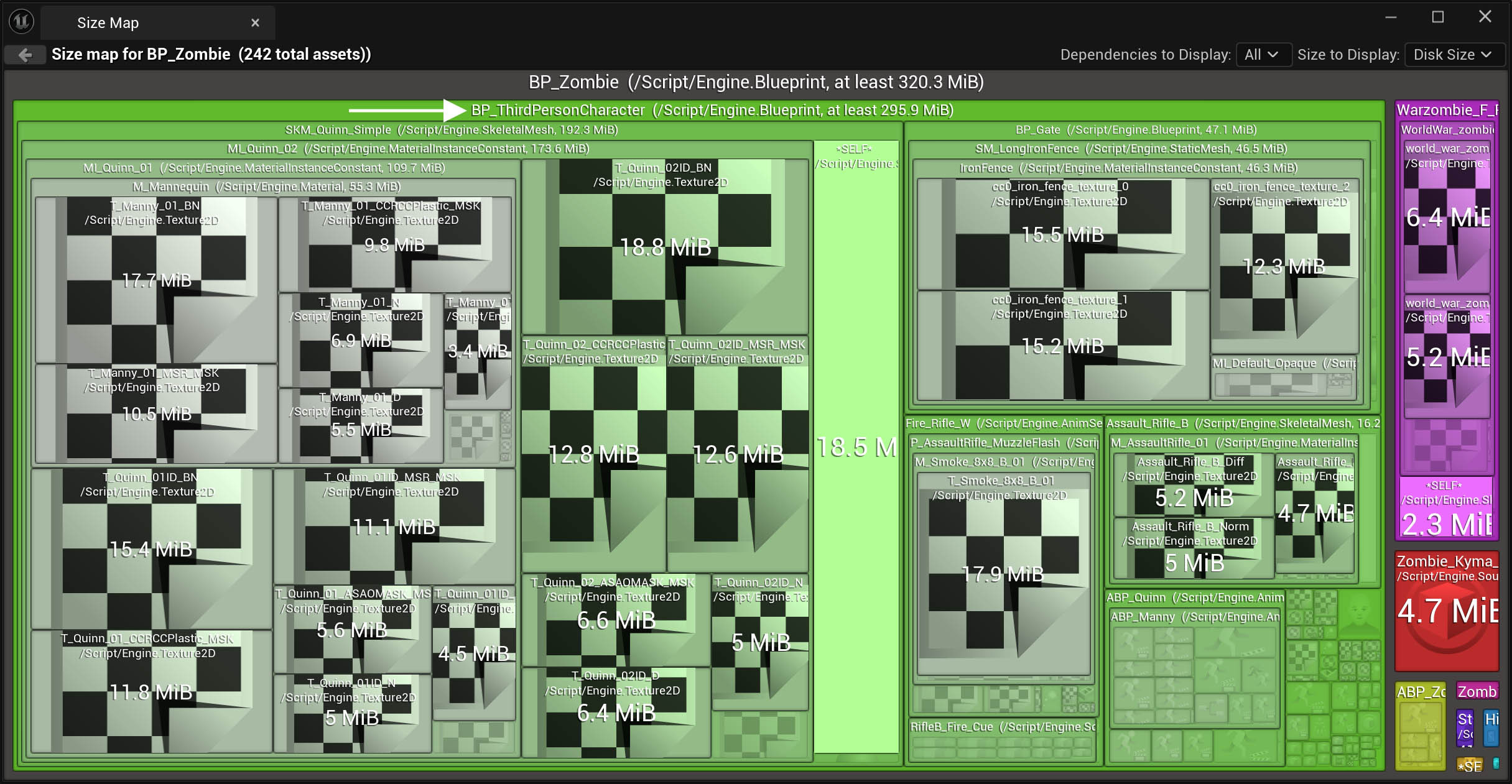
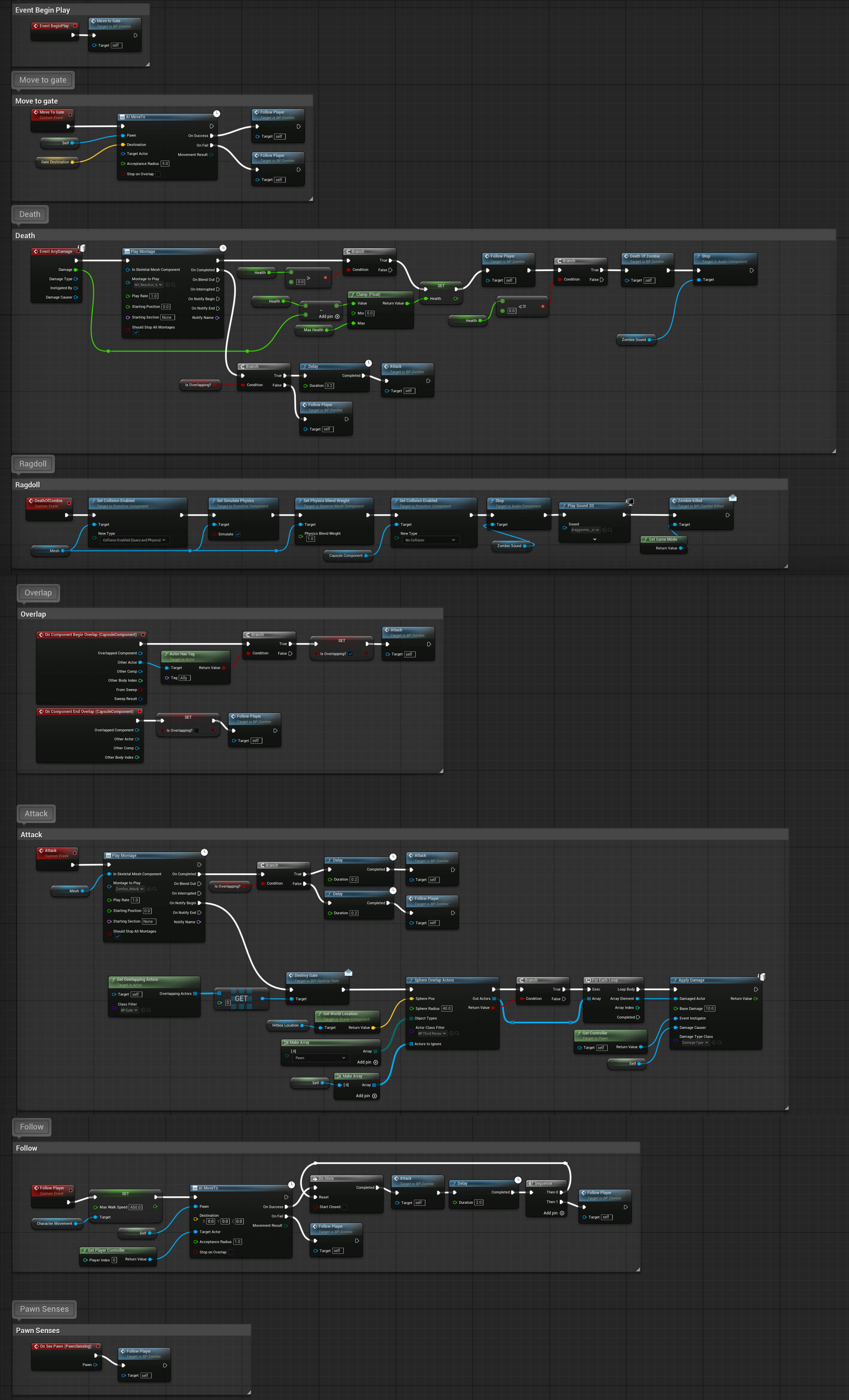
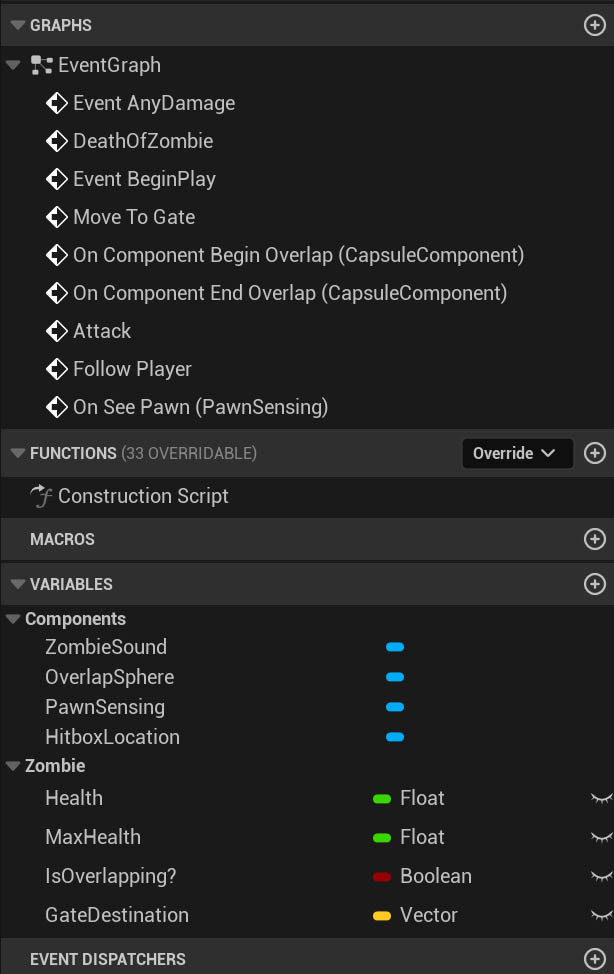 dusky cobalt
making structs in blueprint can fuck up your project in a short words
dusky cobalt
they are bugged, can corrupt the blueprints
if you add/remove variables they don't get cleaned up nicely etc.
final berry
That's terrifying, I have like 20 structs in blueprints
dusky cobalt
oh damn, yeah I would definitely put them in C+=, it's nothing hard
dusky cobalt
if you type struct in search in discord you probably will read a bit more advice like that and why
nah, only structs
andenums but i think enums are not problematic
both very easy to do, nothing crazy
you can ask chatgpt to create them for you at first so you dont have to worry about syntax etc.
final berry
Aight yea. But what I mean is that if I remove the current structs I have to replace them with the new C++ structs then I need to repopulate my data tables because the struct changes, no?\
Anyway cheers, sounds like an issue for tomorrow-me, though 😛
dusky cobalt
btw if u have data you can click ctrl+shift and mouse button to copy all values of struct
so before u delete old one, create new, copy paste, save and delete old
hardy merlin
cerulean mountain
Got a question for anyone who's able to answer.
For context, It's an all bluepr...
I strongly recommend not using data tables for what you are describing. Use class inheritance instead. It will make your life significantly easier in the future.
cerulean mountain
What advantage does that provide?
I mean I understand inheritance and polymorphism and overriding behaviors, but tons of blueprints give me the ick
I have inheritance on combat behaviors. Enemies and weaposn are data driven so I just plug in the behavior onto the enemy and it separates concerns. Easy to be modular and swappable
hardy merlin
Things like AnimBP and mesh are already handled by class inheritance and regular blueprints. It lets you make characters hierarchical. It also means you can do function overrides, add new variables and components without affecting other characters, and so on. It's much easier to make sense of your project if an individual enemy is an individual asset instead of merging them into one giant asset. Meanwhile, a data table will grow, and grow, and grow forever. If you want to be able to do mass editing and comparison you can use the Property Matrix.
Blueprints are designed for being able to subclass the parent class and just change some variables. They're small.
I've seen enough data table misuse that I warn against it whenever possible.
cerulean mountain
What are the future problems you're referring to?
hardy merlin
If you want to add new functionality to a particular creature you can't just override a function, you have to add flags or new columns to the data table and now every enemy in the game needs to track those values too.
Also, you have to manage asset loading more carefully because assets are no longer managed by individual creature.
spark steppe
final berry
That's terrifying, I have like 20 structs in blueprints
they aren't bugged, their reference fixup is bugged
when you change them you should first save everything else, then modify the struct and save only the struct, then restart the editor (without saving anything else)
final berry
spark steppe
when you change them you should first save everything else, then modify the stru...
I have changed them, not sure if Ive done that entire process but havent run into an issue yet 🤔
final berry
Alright, Ill change them asap
spark steppe
or epic fixed it... didn't hear for a while of corrupted blueprints
sand shore
final berry
Aight yea. But what I mean is that if I remove the current structs I have to rep...
If you define them with the same layout, you might be able to use core redirects to migrate the data. Basically you have both versions of the struct, you set up the redirects, and then you resave all the affected assets.
Caveat: I haven’t personally done this, and BP structs are usually unstable. So, either make a hard backup or look into #source-control, make sure you test packaging before moving on.

Epic Games Developer
In Unreal Engine, core Redirects enable remapping classes, enums, functions, packages, properties, and structs at load time.
But honestly, having the same member name for enums and even regular struct members is going to be a pain.
I would really consider making a custom editor utility to migrate the data
stone field
young meteor
This might be a stupid question, but I was wondering if anyone have a good set o...
I'll be honest : I hate having to actually read blueprint nodes to figure out what is going on unless they are very brief indeed. If they are sprawling behemoth spaghetti, it is very daunting. IMO optimally bps should be commented into clear blocks of "this bit does x", "this bit does y", so when I need to look for something, I should be able to find the area I need just by reading the comments - then drilling down into the actual nodes of the area as needed.
Blueprint Assist and AutosizeComments plugins for the win.
sand shore
I like having roadmap / signpost comments for things like @stone field suggests, and you can take that a step further by using dedicated event graphs for different things too.
The other thing you should do is make “why” / explanation comments. “Store this handle so we can cancel later or check the status, in XYZ” or something like “this is impractical but we need to do this so that ABC”
If I am writing a complex loop (for instance, manually recycling widgets in a list view) then each phase of the logic gets a comment.

GitHub
An attempt to make Unreal Engine 4 projects more consistent - Allar/ue5-style-guide
stone field
A simple example of relevant blocks being commented

 short hinge
Hello everyone! Does anybody have suggestions on good learning materials when it comes to Animation Blueprints? Most of the youtube videos are basic stuff, and using sample projects like Lyra are a starting point, but I don't understand half of what is going on there and I'd like to learn why things were built like that, not just copy and paste. I already learned the basics of slots, and the basic locomotion stuff , etc, but when it gets to more complex things (e.g.: playing a fire montage on top of my aim offset position), I simply can't get it right.
 crude tartan
Hey All - Is it possible to set the bone transformations of a skeletal mesh in an editor utility (so it happens in the editor world)? I've tried using poseable mesh with the Set Bone Transform by Name node but it doesn't work.
 gleaming relic
idrk what category this would go under but
Is it possible to procedurally sculpt into landscape at runtime using splines? I'm trying to make a procedural cave system and can't rlly find an easy solution to it. I know u can do it with voxel plugin pro but i aint paying $350 for that 😭 , if not any other suggestions to make procedurally generated caves with splines?
faint pasture
gleaming relic
idrk what category this would go under but
Is it possible to procedurally sculp...
Not without some fancy c++
maiden wadi
gleaming relic
idrk what category this would go under but
Is it possible to procedurally sculp...
The short answer is no. Not with the landscape Unreal has built in. It's an "okay" system, but it's extremely static and meant only for a pretty static landscape. The best you can do are place circular "Patches" that deform the terrain, but they're not really that workable. You also cannot have caves with the default landscape either, it's nothing more than a deformed flat plane.
If you do not want to pay for something like voxels, your only real choice is learning to use the dynamic mesh stuff unless you want to dive into C++ and make your own similar system.
snow halo
Hi, so I've done this before I just dont really remember how I made this work exactly...
So on my Animation Update BP im having this branch execution...
IIrc this works on tick too right? Probably not a big problem though

My question is where is this animation being played?
This is what my anim BP graph looks like

also my states here have nothing to do with this...
 still gust
anyone round?
I got a weird problem that's prolly very easy and quick to solve
but ive got no idea whats going on
snow halo
oh wait I got it, so I just need to plug another sequence in here ☑️
 jovial steeple
still gust
but ive got no idea whats going on
jovial steeple
still gust
but ive got no idea whats going on
Just ask the question, nobody whos around even knows if they can help you.
 wispy canyon
is there any good way to reparent a component in an actor BP?
i.e I have an actor with an inventoryComponent of type UMyInventoryComponent, I want to change the type of that component to UMyNewInventoryComponent which inherits from UMyInventoryComponent. basically analagous to "reparent blueprint" but for a component?
still gust
jovial steeple
Just ask the question, nobody whos around even knows if they can help you.
i got a weird issue where my remove from parent node is accessing none, i think cause a hitbox overlap cast is creating more than 1 addition to the viewport, and the it loses the reference trying to delete it when i move out of the hitbox
thats what I THINK is happening
im trying do once nodes to try to stop it from making more than one UI element
 jovial steeple
wispy canyon
is there any good way to reparent a component in an actor BP?
i.e I have an act...
jovial steeple
wispy canyon
is there any good way to reparent a component in an actor BP?
i.e I have an act...
Are you talking about reparent a blueprint, as in changing the parent of of a given class to another class?
UMyBlueprintClass
  Parent = UMyInventoryComponent
To ->
UMyBlueprintClass
  Parent = UMyNewInventoryComponent
If so, you can reparent a component class i the same way you reparent any actor class.

From what your example describes however, it seems you may be talking about replacing a component on an actor?
still gust
thoughts on this solution? it seemed to have fixed it
 jovial steeple
Are you attempting to swap a componet assigned to an actor out for another component?
 wispy canyon
yeah, sorry, I could've worded that better. I've got a BP subclass of a c++ actor class. I then there's a component that's been added to that BP actor class, let's called it UMyInventoryComponent. This component is a straight C++ one, not a BP component class. I want to change the type of that component to a new component type that inherits from UMyInventoryComponent
it's an old project and the variable associated with this component is referenced in tons of places, and I don't want to break all those old references
jovial steeple
still gust
thoughts on this solution? it seemed to have fixed it
Instead of this cursed DoOnce, you can instead see if the reference is already valid, before trying to create a new widget.
still gust
check isvalid? what's the node called
snow halo

Hi, question, I still haven't figured this one out

how do I set up another layer blend per bone here?
Can I set this up via ENUM?
jovial steeple
wispy canyon
it's an old project and the variable associated with this component is reference...
You cannot "change the type" of a component added to an actor class. You simply need to create a new component, and replace the references. There is a replace references tool that you can use to automaticly find and replace blueprint references to things though.