#blueprint
1 messages · Page 301 of 1
 thin panther
 maiden wadi
For a vast majority of Unreal games, you can just have a switch actor, and actors that can be affected by a switch. And to go even deeper into this, it's most likely going to be affected by components, so that you avoid needing to affect this logic much on the actors themselves. You may have 4 different switch types and 137 actor types affected by any of the switches. And no one wants to make a base class for that and be locked into an inheritance tree just for something that can be compositional.
How you make a switch trigger a specific actor is entirely up to you and your needs and how you plan on designing your level or spawning stuff in. Attachment, some variables in the component, some subsystem that registers based on a key. All valid ways to manage it that also allow you to have multiple switches per toggled thing, and maybe specify things like whether all switches are required or if each switch is just a toggle and any switch can toggle, etc.
This is why you won't see suggestions much for things like this. And even if you do, as Immutable said, It is just situational. You can make good generic systems that work for your game styles. But different designers have different preferences, different games have different requirements. There isn't a one size fits all solution for a vast majority of things in game design and this specific tiny detail is no different.
 hybrid lily
maiden wadi
For a vast majority of Unreal games, you can just have a switch actor, and actor...
hybrid lily
maiden wadi
For a vast majority of Unreal games, you can just have a switch actor, and actor...
Thank you so much for your feedback and all these details, it helps me a lot 🙏 🤠
Indeed, I always have this expectation of seeing fairly "universal" information because it seems so logical to me to see this kind of element everywhere. Most games use an interaction system, so I say to myself, "Why make several different On/Off buttons, when we can attach it to 100 different devices that require On/Off the device? Then all we have to do is correctly position the mesh and define the Scale. But it's been scaring me since this "Avoid Child Actor Components" thing... 😬 😄
maiden wadi
Child Actor Components can be utilized in a very single specific way, and that is setting their actor at runtime. Anything that involves saving the CAC with it's parent actor, can cause issues occasionally. Usually happens when saving a map with an actor that has a CAC. Just not worth the headache.
hybrid lily
maiden wadi
Child Actor Components can be utilized in a very single specific way, and that i...
I see 🙂
I want to use these interesting elements in a very simple way:
- An "On/Off" button is a simple circle-shaped Mesh that only turns the machine on/off
- A "Cancel" button is the same button shape that only cancels an action in progress
- A door handle only opens or closes the door
- A drawer always opens and closes the same way
- Etc...
So these elements will probably be used for 25 different types of doors, 50 different machines, 20 different pieces of furniture, etc...
So making Actors and using them as Child Actor Components is the best solution for this kind of case, right?
(Sorry if I prefer to ask again, I'm new to Unreal and English isn't my primary language) 😬
This is because in my project (unlike most video games), rather than looking at the entire door to interact and open it, I want to look only at the "Handle" element to be able to perform the action, the same for turning on/off a machine, etc.
maiden wadi
Not likely. To utilize CACs for this means you'd be saving them into the map. Or saving them into their parent class. Both of which are known to break.
 plush sail
Hi, does anyone know if its possible to attach a sphere component to a static mesh socket?
 frosty heron
plush sail
Hi, does anyone know if its possible to attach a sphere component to a static me...
frosty heron
plush sail
Hi, does anyone know if its possible to attach a sphere component to a static me...
yeah possible

 plush sail
thanks, I found the way, I didn't realize component to component had a socket name parameter
 tawny hedge
Can UE handle an itemization system like Path of Exile if done in blueprints? Performance wise
 silk nacelle
I am using unreal engine 5.4 to make an entity that acts like a weeping angel,
I am using the was actor recently rendered with a tolerance of 0.1 but sometimes it keeps moving for a second or two after being on screen, can someone help me?

 solar bone
I have actor for enemy spawner, then I want to make spawing system like dark soul where the game save each enemy you've defeated and reset it when you only rest at bonfire
how to do that? because if I just reset every actor spawner, it will be very expensive process I think
 dark drum
You comment regarding sounds would change when you learn about sound classes. Just an FYI. You can affect entire groups of sounds very easily. No need to loop.
dark drum
silk nacelle
I am using unreal engine 5.4 to make an entity that acts like a weeping angel,
...
The was recently rendered doesn't do what you think it does. Think of it more as 'Was it recently sent to the GPU to be processed'. If you have a wall with said object behind it, it would still show as being recently rendered as both the wall and the object behind it would both be sent to the GPU when being looked at.
UE does culling for actors outside the camera frustum of which don't get sent to the GPU to be processes and help improve performance.
silk nacelle
How would you recommend doing this then?
dark drum
silk nacelle
How would you recommend doing this then?
I would use sphere collision to see if anything is close to the NPC. If there is, then do a trace for the NPC to the actor to see if there's anything in the way. If not, then check if the characters rotation is roughly the look at rotation (when looking from the character to the NPC).
You could still use the 'Was Recently Rendered' to trigger the check. If it's false you can assume it's outside the players camera frustum so no need to check at all as there's no chance it could be looked at. If true, do the above checks.
silk nacelle
dark drum
I would use sphere collision to see if anything is close to the NPC. If there is...
Whats the point of the sphere?
silk nacelle
dark drum
I would use sphere collision to see if anything is close to the NPC. If there is...
Also may I DM
dark drum
silk nacelle
Whats the point of the sphere?
To control distance the check will be performed. You'd only check actors within range.
silk nacelle
dark drum
To control distance the check will be performed. You'd only check actors within ...
Ty! could I DM?
dark drum
silk nacelle
Ty! could I DM?
Not accepting DM's at the moment.
 rain egret
Okay I pretty much finished my A* navigation algo, just gonna adjust some values... it returns me a array of vectors.
How can I have a pawn move along those vectors, I don't wanna use set actor location or something like that, best case would be to use the add input node.

 heady crystal
Why not use input interactions 
dark drum
rain egret
Okay I pretty much finished my A* navigation algo, just gonna adjust some values...
You can add input direction. Get the closest point and add an input direction that points towards the point, when close enough, move the point from the list and repeat until there's no points left in the path.
 naive herald
I made a wideget blueprint. I want to control the camera with wideget in viewport 1, and only output in viewport2. Can I manage it with player controller?
 narrow pendant
silk nacelle
How would you recommend doing this then?
narrow pendant
silk nacelle
How would you recommend doing this then?
you could also check if the actor is on screen or not by projecting its world position to screen position, then checking if it is within some tolerance / threshold
I did something similar once, I remember the values being slightly weird / unexpected but got things working eventually. don't have access to the project at the moment unfortunately so can't provide a screenshot of the exact setup but you'll figure it out 🙂

keep in mind this only cares about the pivot location of the actor so you'll need to add a bit of padding that match the bounds of the character or it will keep moving onto the screen slightly
dark drum
narrow pendant
you could also check if the actor is on screen or not by projecting its world po...
This would yield the same result as 'Was Recently Rendered'. This wouldn't account for if the thing being looked at is actually behind a wall.
dark drum
silk nacelle
How would you recommend doing this then?
This is what I described would look like.
narrow pendant
just realized this would only work for first person anyway (if it worked like I thought)
 steep sonnet
does anybody know why my character doesn't do the full rotation when the AOYaw exceeds 70°? If i use mousewheel then it rotates somewhat smoothly but also only during the input, i'd want the Set Actor Rotation to happen fully when the 70° or -70° get exceeded, not just a tiny rotation like it is now
 rain egret
dark drum
You can add input direction. Get the closest point and add an input direction th...
rain egret
dark drum
You can add input direction. Get the closest point and add an input direction th...
that did it, good idea
dark drum
steep sonnet
does anybody know why my character doesn't do the full rotation when the AOYaw e...
It's because when it rotates, it's AOYaw becomes in range so it stops the rotation.
silk nacelle
dark drum
This is what I described would look like.
May I get a blueprint UE?
steep sonnet
dark drum
It's because when it rotates, it's AOYaw becomes in range so it stops the rotati...
i found a post suggesting that rinterp should be done during tick and i thought to completelly bypass the 70° branch and now it rotates smoothly but obviously it doesn't work how it should now because it rotates all the time and i dont know how to fix that
 dark drum
silk nacelle
May I get a blueprint UE?
dark drum
silk nacelle
May I get a blueprint UE?
This was just setup inside the character/pawn. I'd probably redo it to be a component though.

 silk nacelle
ty :D
 mild jacinth
might be worth asking here, I tried to build HLOD for a large map and it failed at around 70% with "paging file is too small for this operation to complete" which was fatal error. however I am using 2TB SSD with 57GB allocated for page file and I am using 32GB RAM... is there any way to fix this
silk nacelle
dark drum
This was just setup inside the character/pawn. I'd probably redo it to be a comp...
Is this done inside the AI bp or the Player BP
 idle crescent
Is there a way to I can use a multi-selection of meshes in content browser to add them as a specific type of component? It's static meshes but my own custom component
rain egret
You can make a child of a static mesh component if that's what you mean
 rigid fulcrum
Random Textures for my NPCs.... I know the issue is somewhere with not being able to use intergers and Items from the Random node but, for the life of me I can't figure this out
 maiden wadi
rigid fulcrum
Random Textures for my NPCs.... I know the issue is somewhere with not being abl...
maiden wadi
rigid fulcrum
Random Textures for my NPCs.... I know the issue is somewhere with not being abl...
Right click your Random node and Show Exec pins. Hook that up before you read either of the pins.
Your issue is that the random node is a Pure node. Meaning each executed node that pulls from it will run it again. So you'll get one thing for the first node, and a second completely randomized again integer for the second node. If you show exec pins and hook it up, it is no longer pure and will maintain it's state after it's executed for anything to read it past that.
rigid fulcrum
maiden wadi
Right click your Random node and Show Exec pins. Hook that up before you read ei...
Worked, Thank you!!!!
 crystal ridge
How do I determine the direction of the player's input based on the direction of the camera's forward vector?
I need to calculate the direct the user's input would be on the x,y axis relative to the camera's forward vector. Am I making sense?

 odd veldt
Is the % node in 5.5 bugged, or why do I get the wrong result?

 dark drum
silk nacelle
Is this done inside the AI bp or the Player BP
dark drum
silk nacelle
Is this done inside the AI bp or the Player BP
Just the NPC BP. I didn't do anything in the AI BP for this quick setup.
dark drum
odd veldt
Is the % node in 5.5 bugged, or why do I get the wrong result?
What makes you think it's wrong? They are both giving correct answers. One is the remainder of a division.
 small shale
I swear to god this shit only happens in blueprints 😭

 surreal peak
small shale
I swear to god this shit only happens in blueprints 😭
surreal peak
small shale
I swear to god this shit only happens in blueprints 😭
What shit?
surreal peak
LocalAmount is 1?
surreal peak
Where did you breakpoint ?
surreal peak
Did you flip the condition or so? :D
small shale
I had it like this 😭
 surreal peak
StackSize <= LocalAmount + Amount sounds wrong.
But maybe it's not, just sounds like you want to test if the item can fit into the max stack size.
small shale
yeah thats what I am doing
surreal peak
Wouldn't it need to be LocalAmount + Amount <= StackSize then?
Given you return Success = false when that condition is false?
small shale
I just changed it to >=
small shale
😭
surreal peak
10 >= 4 + 4 => 10 >= 8 ✅
10 >= 4 + 6 => 10 >= 10 ✅
10 >= 4 + 8 => 10 >= 12 ❌
Yeah, all good. But it doesn't necessarily explain why your debug shows 0 for the current value.
But that might just be debugging being slightly broken on those longer connections.
odd veldt
dark drum
What makes you think it's wrong? They are both giving correct answers. One is th...
shouldn't be both give out "200"?
small shale
surreal peak
Yeah, all good. But it doesn't necessarily explain why your debug shows 0 for th...
yeah it never had the chance to actually run
since I am checking if the input item has the same Item data asset as the one that got found from the inventory array
but it works now
surreal peak
odd veldt
shouldn't be both give out "200"?
Modulo returns the remainder of a division. Basically the part that causes the division to result in a decimal instead of an integer.
E.g.

4 % 2 = 0 -> 4 / 2 = 1   -> Integer Result
5 % 2 = 1 -> 5 / 2 = 2.5 -> Decimal Result
If you multiply the value behind the decimal point with the original divisor, you get the Modulo value (iirc).
4 % 2 = 0 -> 4 / 2 = 1   -> 0   * 2 = 0
5 % 2 = 1 -> 5 / 2 = 2.5 -> 0.5 * 2 = 1
So in your case you have:
0.0002 / 100 * 100,000,000 = 200 (No Modulo here anyway)

0.0002 / 100,000,000 = 0.000000000002
0.0002 % 100,000,000 = 0.0002

0.0002 / 100,000,000 = 0.000000000002 -> 0.000000000002 * 100,000,000 = 0.0002
but its called "%" not "mod" like in the materials
surreal peak
Fwiw, the math example for your number sucks, cause 0.0002 will never fit when divided by an integer.
surreal peak
odd veldt
but its called "%" not "mod" like in the materials
% is the sign used for modulo (mod).
Same as / is division, * is multiplication etc.
dark drum
odd veldt
but its called "%" not "mod" like in the materials
As an FYI, multiplying by 100 million doesn't result in a percentage either.
odd veldt
dark drum
As an FYI, multiplying by 100 million doesn't result in a percentage either.
I thought input A = % of input B
dark drum
odd veldt
I thought input A = % of input B
A/B would result in the percentage, (0 - 1) you can multiply by 100 if you want it in 0 - 100 format.
 livid flare
Hello any advice in using BP spline instead of the Landscape one?
The landscape spline looks like they have some limitations, it is a good idea to use BP splines?
 faint yew
HOw do you deactivate a node once it's been activated? E.g. tick.
livid flare
faint yew
HOw do you deactivate a node once it's been activated? E.g. tick.
Set Active?
 surreal peak
faint yew
HOw do you deactivate a node once it's been activated? E.g. tick.
surreal peak
faint yew
HOw do you deactivate a node once it's been activated? E.g. tick.
A node?
What node?
faint yew
How do I make the tick "grey" again?
 mild jacinth
Is it possible to add Level streaming support for a level and then also convert the existing landscape to a Landscape Instance Proxy to divide the landscape into smaller pieces, aka grid cells?
surreal peak
Oh, no clue actually, but you can just delete the nodes tbh.
faint yew
Yeah, alright, thanks.
mild jacinth
mild jacinth
Is it possible to add Level streaming support for a level and then also convert ...
ive seen Landscape Proxy instance happen when creating a new landscape but I was wondering if its possible to create it from an existing landscape(extra info)
 pine bridge
Hi, What's the best approach or technique to make the animation snap to the interacted object?
naive herald
Hi all I want to run the sequence and look at the screen and put the event in with the widget when I need it. But I hope the transmitting screen doesn't show the widget. Is there a way?

 daring pewter
How would one go about keeping actor A in position while actor B is moving, considering actor A is a child inside B's blueprint?
Tried attaching them, snapping, etc. but when B rotates, A is going through walls and going off it's position.
plush sail
set its transform to absolute world
plush sail
daring pewter
How would one go about keeping actor A in position while actor B is moving, cons...
 daring pewter
It's an child actor
In a movable actor
So I don't have any option. I'm just going to spawn them on beginplay and attach them
idle crescent
Can I create new classes in Blueprints using the asset actions ?

Epic Games Developer
Create Blueprints that you can invoke by right-clicking an Asset in the Content Browser or an Actor in the Level.
 spark steppe
you'll probably have more success in #editor-scripting
idle crescent
That is also a great lead, thank you!
plush sail
daring pewter
It's an child actor
set the child actor component transform to world
daring pewter
plush sail
set the child actor component transform to world
I see my message wasn't really clear, my bad. I don't want it to stay at its spawn position, I want it to stay at its position, within the actor. Currently it oscillates left and right while it's moving
daring pewter
plush sail
set the child actor component transform to world
Here is the video
Spawning and Attaching them also doesn't work
Constraints don't work
Weird thing is that the relative transform does in fact never change, it's just floating for some reason ?
plush sail
daring pewter
Don't exactly know about that one, but it looks like to me you don't want the things to move/rotate separately, but instead the transforms are not moving together in the correct way
daring pewter
plush sail
Don't exactly know about that one, but it looks like to me you don't want the th...
Yeah. Never had that before, I literally just drag one into the other, or try attaching them, but the rotation has some offset that's being applied...somewhere ?
plush sail
Haven't encountered that yet, but I would be suspicious of what those actors are attached to
Ideally they should be attached to the root component I'd think
Or perhaps it's better to put sockets on your train car mesh and attach the child actor components to those
Because it looks like they're moving separately from your mesh which is the issue
plush sail
plush sail
Ideally they should be attached to the root component I'd think
In this case you'd want them attached to the mesh, not the root component. Unless the mesh is the root
daring pewter
plush sail
In this case you'd want them attached to the mesh, not the root component. Unles...
Yeah that's what I tried, no luck

(It was on root first, moved them there, no changes)
plush sail
Then sockets might be your answer
daring pewter
plush sail
Then sockets might be your answer
Was a good idea, but same results ^^
plush sail
daring pewter
Was a good idea, but same results ^^
Is it possible that it's collision causing this?
What if you turn off all collision and set everything to ignore on the child actor's mesh? Does it still move differently?
 velvet pagoda
hi I have a bug on a decorator, and I'm trying to check some values, but the Print String node doesn't work, and breakpoints don't either. How can I verify these values?
maiden wadi
velvet pagoda
hi I have a bug on a decorator, and I'm trying to check some values, but the Pri...
Which event is the print/break on?
velvet pagoda
@maiden wadi
 maiden wadi
I would also test the non AI version of this to be sure it's not taking that path.
velvet pagoda
can i have information of the value of float distance to and ideal range ?
 signal perch
Can someone help? The Target collision stops working when using Leader Pose. How can I fix this?
frosty heron
As long the decorator is evaluated it should print. Make sure that screen msg is enabled. When you hit a certain key to debug a.i they get disabled.
velvet pagoda
Thx my problem is due to moving my BP from folder to another
frosty heron
Not sure if you already resolved it but you can work your way up.
By checking the a.i use the BT that has the decorator
hybrid lily
Perhaps I could directly create a Blueprint of type "StaticMeshComponent", then I can write the logic in the blueprint and add a "GameplayTags" Interface or Variable for the interaction action names. Then I add it to the actor. Because if I do "Add" staticMeshComponent" directly from the actor, I can't edit the StaticMeshComponent because it's C++ only 😢
This solution seems to work, the problem is that I can't see the visual of my StaticMeshComponent from its blueprint; I have to attach it directly to the actor to see the changes
What do you think? 🤠
Let me remind you of the context:
- Multiplayer game with 500 players on an island
- Numerous interactive objects in the game, such as machines, doors, etc. And therefore, a handle and a lock that can be attached to the doors (maybe 1,000 on the map), a single On/Off button that can be attached to thousands of objects such as "machines," etc
 thin panther
I can't edit the StaticMeshComponent because it's C++ only
I've noticed you've mentioned this, and for the scale you're going for (500 players per server), I'd get comfortable with C++ quickly :P
Not that I advise editing UStaticMeshComponent for these purposes anyway, just that you're very much in "non-optional" territory, and I'd build around expecting it sooner rather than later
A subclass of a component doesn't sound like an awful way to do it per se, much like how Epic subclass the skeletal mesh for their weapons, but I can't help but think you're over-complicating things slightly
hybrid lily
thin panther
> I can't edit the StaticMeshComponent because it's C++ only
I've noticed you've...
I'm always told this 😊 and I understand why it might be surprising. To add more detail:
This is a game planned for 10-15 years (so I think there will have been a lot of technological progress by then).
It's a very low-poly graphics game (I think this has a big impact on performance)
And the 500 players won't be grouped in the same place; there are already techniques for properly distributing resources
And finally, I can always consider converting the project to C++ at the end of development. 500 players is a final goal, which will be achieved gradually. Currently, it's more like 10 players
But this doesn't change the interaction system; it's more to make it clear that this is for a multiplayer project with a large number of players 👍 🤠
hybrid lily
thin panther
A subclass of a component doesn't sound like an *awful* way to do it per se, muc...
So what do you think is the right solution? I'm looking everywhere for help on how to do it when you want to make interactive objects with interactive elements on the actor 😄 🙏
thin panther
It's a very low-poly graphics game (I think this has a big impact on performance)
Low poly graphics affect your rendering performance only. What we're talking about is CPU overhead.
This is a game planned for 10-15 years (so I think there will have been a lot of technological progress by then).
Not in blueprints really, the most progress you'd have is rewriting in Verse completely come UE6. That's meant to be the metaverse saviour and has some pretty neat language features. UE6 promises some pretty neat large scale experience stuff :P
And finally, I can always consider converting the project to C++ at the end of development. 500 players is a final goal, which will be achieved gradually. Currently, it's more like 10 players
Doing something like this is not advisable, unless you want to add another 5 years on. Absolutely leverage that BP for your rapid prototyping, but once you hit anything near a functional prototype, it's time to start. Get comfortable with all the tools at your disposal before the tech debt has mounted to the point of burnout (been there, done that :P)
500 players is a final goal, which will be achieved gradually.
Again, not really. To even support such things with unreal's networking you're going to have to have very custom things in place. You're in MMO territory there, which Unreal's networking is not really designed to handle afaik. I'm no networking expert, but I've heard many many times of people struggling with those sorts of numbers.
So what do you think is the right solution?
I'm still not 100% sure, with the level of scalability you want. It does seem like you want some base BP, with perhaps some code to spawn and attach interactive elements to it, possibly using placeholder mesh components that get swapped out at runtime. Or perhaps assembling these actors as Prefabricator Prefabs. The actual interaction is as simple as calling[interface]on[object reference], it's mostly assembling these to not be too encumbering
frosty heron
hybrid lily
I'm always told this 😊 and I understand why it might be surprising. To add mor...
By 10 years blueprint maybe a thing of the past and unreal might use verse.
You seems to be reaching too far with wishful thoughts. As in this sounds like "A.I can do it for me in the future" level.
500 players with bp, pretty sure you won't ever see it
 lunar sleet
Bp-only MMO is not realistic
frosty heron
Even fortnite can't exceed that number.
frosty heron
lunar sleet
Bp-only MMO is not realistic
Don't want to be mean but this is delusional
None of the MMO i know with unreal use unreal networking system.
It is not suited for large scale
They all roll their own backend
thin panther
frosty heron
By 10 years blueprint maybe a thing of the past and unreal might use verse.
Yo...
I believe Tim has expressed interest in moving everything over to VerseVM... which is terrifying
please don't stick me with that as my only choice 😭
frosty heron
My experience with verse and modding fornite.. I prefer cpp...
hybrid lily
thin panther
> It's a very low-poly graphics game (I think this has a big impact on performan...
Thank you for your feedback; it's very interesting, and I appreciate constructive criticism. I'm always here to understand and learn 😃
-
I understand about the CPU, but we also have to consider that all of this will improve. Cloud gaming will be very important, and UE6 will be focused on multiplayer, according to Tim. I think there will naturally be more projects that will allow for an increase in the number of players (even if it's not up to 500), but 200 will already be very cool 🙂
-
As for the conversion to C++, I think there will be more advanced converter-type tools than today, as well as AI-type tools that will allow this. As for the rest, five years to write a project from Blueprint to C++ seems like a very long time, lol, knowing that what takes years is the modeling, level design, audio, animations, etc. (I may be wrong) 😟
-Sorry, I didn't understand about Prefabricator Prefabs and others 😢
My goal is very simple on paper. Most video games with interactions use only one actor, like a door: the player looks at the door and presses a button, and it opens. To turn on a television, the player looks at the television, presses a button, and it turns on.
For my project, I'd like the player to look at the door handle to open/close it, look at the door lock to lock/unlock it, look at the button on the television to turn it on or off, to be able to open the desired drawers on furniture, etc. So, I imagine I need to create these components once and attach them to different actors that use the same component. An on/off button on a television will work the same way on a washing machine, radio, etc.
So, my real question is: How do I do this, please? 😊 🙏
thin panther
-Sorry, I didn't understand about Prefabricator Prefabs and others 😢
Prefabricator is a plugin for Unreal that sort of brings Unity style prefabs (being able to save nested hierarchies of actors). Might be worth giving it a shot.
Other than this, I'd just have an interact interface that communicates some information such as the hit component and have each object respond to that differently
hybrid lily
frosty heron
500 players with bp, pretty sure you won't ever see it
Yes, maybe, but it's a goal, so what if it ends up being 100 players?
But I still think that all hardware evolves, technologies evolve, etc. It can't stay stuck at 100 players forever
Perhaps new code will arrive, a new tool that replaces the blueprint, or what seems most likely to me: a conversion from Blueprint to very powerful C++
Nothing prevents me from creating the game with tests up to 8 players and in 15 years converting it to C++ and advanced technologies
 jovial dirge
Anyone able to help me with an inventory camera that is shown for the local player on a server?
frosty heron
Respectfully, you are praying. If you want to reach your goal of 100 players. Realistically, you need to learn cpp.
For 500 players. You probably need team of engineers and a lot of money
hybrid lily
thin panther
Other than this, I'd just have an interact interface that communicates some info...
Interesting, thanks, I'll take a look 🙂
So, regarding what I suggested earlier, creating a StaticMeshComponent Blueprint and attaching it to the actors isn't interesting?
hybrid lily
frosty heron
For 500 players. You probably need team of engineers and a lot of money
And I'm aware of it, I think you have to know how to take risks in life, it's just a matter of logic in relation to the history of technological evolution. Languages evolve, whether it's the new "Verse" that improves multiplayer, or what's planned for the future, etc 😊
Once again, this is a goal, regardless of whether it arrives in 5, 15, or 50 years, lol 😄
 wispy kayak
Hi, why is the sorting not working?
 lunar sleet
hybrid lily
And I'm aware of it, I think you have to know how to take risks in life, it's ju...
lunar sleet
hybrid lily
And I'm aware of it, I think you have to know how to take risks in life, it's ju...
I mean bp2cpp is already a thing but from what I’ve seen here, people that dream big but refuse to put in the work and rely on the future to save them come here, say the things you say, and then turn into may flies, forgotten in name, if not in outlook. And they all think they’re different than their predecessors that we tried to help by providing guidance. But ultimately you do you, boo
jovial dirge
 thin panther
the main problem you'd run into is things like outgrowing unreal's networking model, or not having access to certain things in BP. Those aren't things any converter would save you from
thin panther
hybrid lily
Interesting, thanks, I'll take a look 🙂
So, regarding what I suggested earlier...
It's certainly one potential way of handling it, and not an awful one by any means. It's not how I'd handle it personally though. If, down the line, you need vfx to be interactible, skeletal meshes, sprites, etc etc to be interactive, your method breaks and leads to duplication.
I'd let the components be components, and handle this on a per actor bases, after all, once you remove the similarity of "on button turns thing on", these things aren't so simple. Instead, think, interacting with a radio's on button is going to look different, sound different and be animated different. IT might turn the radio on, cause the frequency needle to flutter, start playing sound. A washing machine might cause some lights to blink, the door to lock and the drum to spin. A piece of industrial machinery might blink an array of lights, sound a warning alarm and move a crane.
The only similarity there is an interaction to activate something, which could be your interface. An interface which says "Hey, we pressed {radio on button component}", and the radio would kick into gear whatever it needs to. You could then re-use the same system to say "Hey, we pressed {radio frequency tune knob}", and it would rotate and switch the radio channel
thin panther
wispy kayak
Hi, why is the sorting not working?
define "not working".
We have no context there, we don't know what's your input or output :P
hybrid lily
lunar sleet
I mean bp2cpp is already a thing but from what I’ve seen here, people that dream...
Okay, but it's a very new tool. It seems logical to me that all this will improve, that's what I'm saying. And I'll convert manually if necessary; it's not a problem
But for the moment, I don't have the desire to learn C++. Blueprint is ideal for young developers like me 😊
And then the documentation, the tutorials, everything related to C++ will also improve over time 👍
jovial dirge
Does anyone know why this wouldnt work for multiplayer? https://www.youtube.com/watch?v=XWXXoAgugD8&t=297s&pp=ygUocGxheWVyIGNhbWVyYSBpbiBpbnZlbnRvcnkgdW5yZWFsIGVuZ2luZQ%3D%3D

👉Get The RPG Inventory Course : https://bit.ly/4cSYsBh
👉Get My Free Unreal Engine Beginner Course : https://bit.ly/46mUWMr
Timestamps
0:37 - Introduction to creating user interface
2:00 - Adding and displaying a 3D overlay widget
3:23 - Implementing functionality to show/hide the 3D overlay
5:08 - Creating material for render Target mannequin
6...
hybrid lily
thin panther
the main problem you'd run into is things like outgrowing unreal's networking mo...
Whatever happens, whether it's "Verse" or something else, there will always be improvements to all these problems, it's always a matter of time 🙂
I imagine there was this same kind of conversation a few years ago about lighting, ray tracing, etc., which are technologies we never thought would be so easily available today. Or when Epic Games officially writes: The blueprint cannot accept more than 50 players, regardless of the context of its project 😊
hybrid lily
thin panther
It's certainly one potential way of handling it, and not an awful one by any mea...
Thank you very much, that helps me understand better 🙂
I'm actually using a Line Trace by Chanel with a Blueprint Interface that retrieves the Hit Component
 marsh sonnet
Hello! I followed a Cobra Code tutorial to make my sprite flash on/off when doing their special attack. I followed the tutorial to a T, except that I gave the timeline five keys instead of just the two - my Unreal keeps crashing, and I'd like to also make another effect that's on the sprite flash at the same time, but the timeline makes it where I can only run one flash at a time--is there a way I can replicate this timeline logic without using a timeline?


 stuck sparrow
Hey there. Does anybody know if its possible to get the time at which an event would fire from within the sequence director?

Need to know it before hand
frosty heron
If you right click or left click, shouldn't it give you more info, including the time.
 abstract obsidian
Hi guys i hope this is the correct section : I'm doing a control to see if my movement is working correclty, so i want to see if the moving forward Input Axis is giving me 1 or -1 , but when i print string i see it just give me 0
I dont know why, this is my blueprint:
Immagine
Inside the GetControlledPawnRotation event
Immagine
frosty heron
Show code

 frosty heron
Are you doing multiplayer?
abstract obsidian
I'm trying to make a movement like sjuper mario 64, when you start the movement slow, then accelerate till max speed, here how i figured out how to do it(probably i'm missing something)
 frosty heron
Hmm if I were in your shoes, I won't reinvent the wheel and use what cmc already provide instead.
abstract obsidian
But the problem is that GetMoveForward/Bckw never be more than 0
frosty heron
Max walk speed is the top speed
Simply change the acceleration to accelerate
And tick some boxes to apply braking
abstract obsidian
I see..
But still its not normal that GetMoveForward/Bckw never be more than 0
frosty heron
The values should be taken straight from the input event
As I understand it anyway.
I would suggest just unpinned what you have for the walk speed modification and try to get acceleration working.
That maybe what you after
 vale pine
So I've got a blueprint native event (OnInteract and StopInteract) declared in a C++ component class for interaction. I've added that class to a blueprint and would like to override the OnInteract and OffInteract functions, but it seems I cant directly override component in blueprint. How do I solve this issue? Some solutions I've thought of but not sure about are
- Create a delegate in the component and bind to it in blueprint
- Create a custom component in the engine, override the function, and implement the new component
- Make the component an interface (would rather not do this cause there is some default behavior I would like to add for an interactive object)
 zealous moth
is there a way to dynamically block nav meshes at runtime? Like spawn an obstacle?
What would the requirements be?
 willow moth

I'm hoping this is most of a camera movement class for an rts 😄
just need to change the axis input to a fraction of the screen margin rather than absolute full all the the time
if that's in a playercontroller, do I need to pass the pawn to it to get the movement subsystem?
or will it automatically inherit a reference to the parents?
willow moth
I guess I just put that logic in the pawn itself
I don't see the difference between putting it in the controller and the pawn tbh
maiden wadi
zealous moth
is there a way to dynamically block nav meshes at runtime? Like spawn an obstacl...
Make your navmesh dynamic in project settings, and then just spawn an actor with a mesh or primitive that affects navigation and has an obstacle or null NavModifier.
 potent orbit
I'm doing the motion matching tutorial and for some reason when I actually implement the ClampInputScale function in the input in the Event Graph, it just breaks all movement and I have no idea why. I triple checked the nodes and the values but it only lets me move if I disconnect this function. Anyone else done this one or have any ideas as to what could be going wrong?
I'm hoping that it's not required for the matching to work, because as far as I can tell this code is just there to smooth out controller input speed settings and I can just do that a different way if needed for testing purposes
 young meteor
Hey folks
If I want to create a Widget "in the world", is there a specific node that can do that? (Instead of Create Widget node)
We are talking a tutorial tooltip that should hover above an actor. I could add it to the parent class of the actor kind of like I would with its health bar and set it to collapsed until needed.
Seems like a wrong approach for something like a tutorial tip that is only meant to be shown once. (and not be loaded in every game in the future. Though now that I think about it, coding a BP node like "Create Widget" or similar would also mean it has to be loaded).
dark drum
young meteor
Hey folks
If I want to create a Widget "in the world", is there a specific node...
'Add Component' and selecting widget component. When created, you can then set it's details such as the widget it should use. As for the widget itself, this can be a soft ref (of type widget) that you can load when needed.
 vital cargo
Hey all,
I have a question, not sure if this is the right spot bit I assume it would be BP related.
I have a BP for an Actor, Blinds. The player can move them up/down to different levels and stop wherever. How would I do make a sound that can be played? Would I make a long Audio Clip and just have Pause/Play when the player Stops moving it and Starts moving it?
young meteor
dark drum
'Add Component' and selecting widget component. When created, you can then set i...
If I add it as a component, but set it to collapsed, is it then eating resources anyway?
 dusky cobalt
young meteor
If I add it as a component, but set it to collapsed, is it then eating resources...
dusky cobalt
young meteor
If I add it as a component, but set it to collapsed, is it then eating resources...
So, not sure if it's perfect practice, but if it's literally just for tutorial (this widget). Maybe create something like TutorialManager actor and in there make logic -> GetMainActor (any method you really want), and Add Component Of Class (Widget Component), also Create Widget and Set Widget (on Widget Component) with the Created Widget.
Place TutorialManager into the level and it will only add that widget when you are in the level with the tutorial manager.
dark drum
young meteor
If I add it as a component, but set it to collapsed, is it then eating resources...
You only add the component when it needs to be displayed and destroy it when it's not needed.
frosty heron
I need some widget that pushes children horizontally.
Horizontal box doesn't seems to do what I desired.
dark drum
frosty heron
I need some widget that pushes children horizontally.
Horizontal box doesn't see...
I'm not sure what you mean.
frosty heron
gonna run the engine.
frosty heron
vital cargo
Hey all,
I have a question, not sure if this is the right spot bit I assume it w...
it's up to you. You can just play a looping sound on start and stop the audio when you stop the movement.
@dark drum nvm, I think I got what I want changing the auto / fill.
vital cargo
frosty heron
it's up to you. You can just play a looping sound on start and stop the audio wh...
I'll give that a test, I was initially doing as "Create 2D sound" and it did nothing but destroy my ears while moving the blinds.
frosty heron
vital cargo
I'll give that a test, I was initially doing as "Create 2D sound" and it did not...
you probably play it over and over, like every frame.
Use audio component so you can get a reference to the audio and stop it at will.
On Start Move -> Audio Component -> Play Looping Sound
On End Move -> Audio Component -> Stop sound
I don't know about Create 2D sound, but if you are refering to Play Sound 2D, that's more like a Fire and Forget function. deffinitly not what you want if you need to stop the sound at some point.
 civic tiger
hello once again! Ive got this code for interacting with my door and I wanted to make it so when it is opening or closing I cant interact with it again till it finishes the animation. I suppose it wants one more bool (IsOpening) but I cant figure how to make the code for it. can anyone help?

 pallid ice
You either make a new bool 'isanimating' you set true both on 'OpenDoor' and 'CloseDoor' and set it false on the 'Finished' pin of your timeline node. and on your event interact you check if 'IsAnimating' is false.
OR you check your OpenDoorTimeLine reference variable and check if it 'isplaying' is false
pallid ice
civic tiger
hello once again! Ive got this code for interacting with my door and I wanted to...
(edit) reply ping
civic tiger
pallid ice
You either make a new bool 'isanimating' you set true both on 'OpenDoor' and 'Cl...
oh shi- Never even thought about my timelines reference, thank you so much!!
 storm solar
Having an issue trying to make a widget with common ui.
This is for key binding when trying to use a keyboard for widget navigation.
The first 4 pictures show the expect outcome of events.
Pressing the spacebar on a widget, only button in the widget being highlighted, and then rebinding the action.
What ends up happening for everything above the last rebindable action (shoot) is unable to be selected properly for a widget. Shown in the last 2 pictures, even though the same area is select as the shoot button, pressing space will select the background an not select the proper widget action.
I tested by removing's one instance of the shoot key, and still ran into the same issue. Following this tutorial. I dont know if he ever uses keyboard for widget navigation. Keybinding widget is stored in a scoll box for what it's worth. (broken down in last 2 pics.
https://youtu.be/I72qX6fgDxo?t=1276


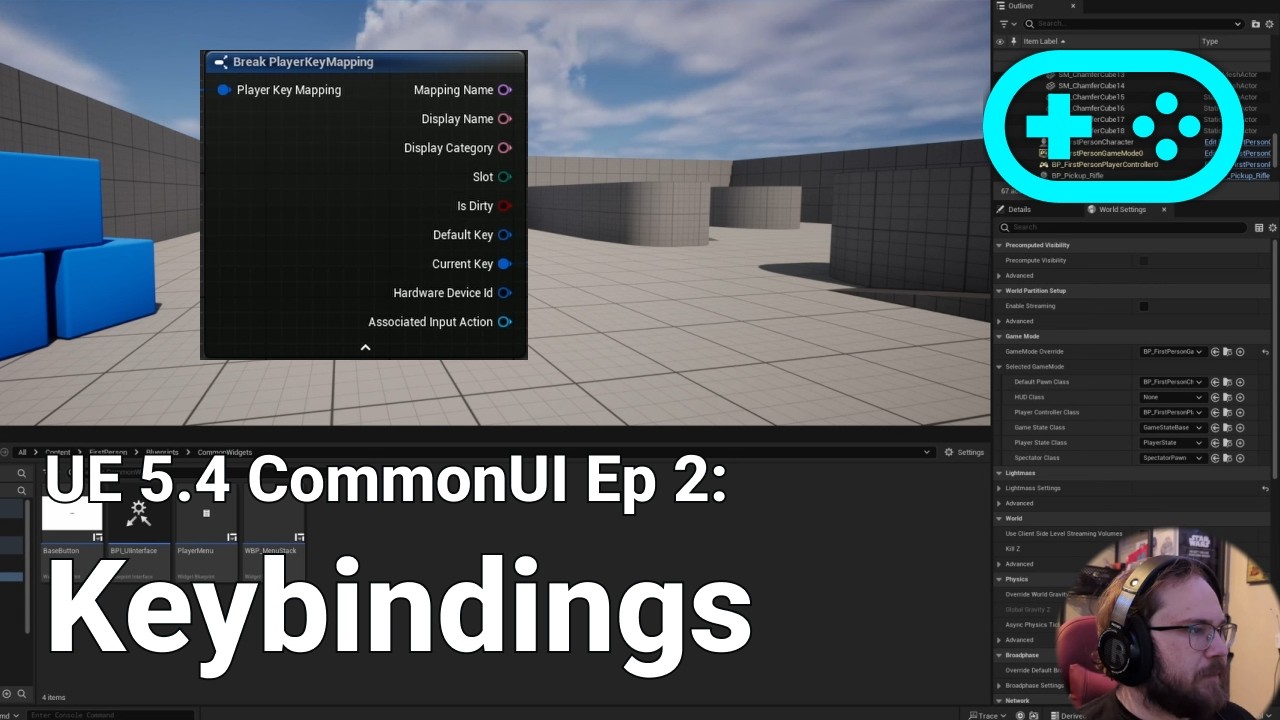
Have you ever wanted to learn how to add a key rebinding system to your game? Keybindings are an important part of players experience let me show you how to rebind keys in unreal engine 5.4 using both the CommonUI and the enhanced input system.
------------------------------------------------------------------------------------------------------...
 brave jackal
Hello, can anyone give me best outline material?
Because in youtube i find only looks like this.

But i need looks like this

 glossy cloak
brave jackal
Hello, can anyone give me best outline material?
Because in youtube i find only ...
glossy cloak
brave jackal
Hello, can anyone give me best outline material?
Because in youtube i find only ...
You're looking for edge detection shader/material. Not an outline.
brave jackal
glossy cloak
You're looking for edge detection shader/material. Not an outline.
Oh okay thanks
Oh no. Its problem in materials from this videos
(I'm from Russian) and i understand this video. And only its video working good for me.
https://youtu.be/43mnqAULLcA
Я не претендую на правильность, но всё что я видел по этой теме длилось по пол часа. Надеюсь моё видео будет для вас полезно.
I don't understand why. But other outline materials looks like vibrating and like when you watch on sun without black glasses
Maybe its my post processing settings
Or rtx settings (From guide for glass)
But this shader working good
Or its because i'm bad understand english and bad setup materials. (There you need just watch and copy. Don't make in real time with youtuber)
 full flax
Hey all! I'm trying to create a data table of resources that will spawn in my level procedurally. The data table contains all of the possible resources and each one has a difficulty value in the data. Is there a way to select only rows that have a value within a set range of one column? Like if I want to pull all of the difficulty 3 resources into an array for example.
The only way I can see how to do this natively is to loop through the whole table. Is that correct?
It's not like an SQL table where I can query it and return only matching rows?
thin panther
No
A data table is a map
Of row name to struct
Sql is a database
There's a huge difference, especially in how lookup is handled
full flax
Yeah I'm seeing that. I was just thinking I'd be able to use it to store all of my resources and pull only the ones I need...should I use something else or keep going with this method?
thin panther
I mean a data table for all resources isn't the worst idea. Give it a shot and see if it works for you. Just make sure to use soft references in said data table
 sand shore
I guess what you might do is define all your resources in a data table, and then have a utility object or actor that can cache search results?
So you have to iteratively search, but only once. Then anytime you need difficulty 3 resources, you have a smaller array of just those names/data
I would really only do this if the profiler tells you that searching the data table is slow
full flax
well...the good news is, this will only take place during the setup of each level, so it'll be part of the "loading screen" so to speak. I think just looping through and breaking the struct and if the difficulty is in range, add it to the array for that level should be fine right?
glossy cloak
full flax
Yeah I'm seeing that. I was just thinking I'd be able to use it to store all of ...
You'll get all rows, loop through them and compare data. I'd suggest promoting the rows as a local variable inside a function, then as you loop through, remove the ones that don't meet your criteria. Then you're left with the resources you want at the end and you can ouput that.
Then you can either loop through that new data to find a more concise list, or get random items from it, etc.
EDIT: If you're going to remove rows from an array when they don't work, be sure you're doing a reverse for each loop. Otherwise your array will skip rows since the index will change.
full flax
wouldn't it be easier to just add the entries that match rather than removing the ones that don't?
glossy cloak
(If you remove index 5, for example, then when it checks for 6 in your for each loop, it'll actually be checking what was originally row 7, since 5 was removed and 6 became the new 5 it gets skipped.)
glossy cloak
full flax
wouldn't it be easier to just add the entries that match rather than removing th...
Sure. Either way works.
sand shore
full flax
wouldn't it be easier to just add the entries that match rather than removing th...
Removing only costs 1 allocation, a big one, adding may cost multiple smaller allocations
Likely to not matter for your case
 flat jetty
Do you guys create variables in blueprint with spaces like Is Crouching?
Or simply go like isCrouching, what are the naming conventions in blueprint actuall?! I have seen a lot of args and examples on that. So i am totally confused what to follow. Sometimes i name isCroucing, but name method like Spawn Equippable Item directly. 😄

 devout oak
is there a way that I can have my Meteor Ability break on collision with the landscape?
 silent plaza
Hey! I’m struggling with a camera collision issue in UE5. The camera shakes or jitters only when “Camera Lag” is enabled on the Spring Arm — but it only happens when colliding with Landscape. It works fine on flat meshes or simple floors. I’ve tried tweaking Lag Speed, Probe Size, Collision settings, but the problem remains. Any idea how to fix or smooth this when dealing with Landscapes?
dusky cobalt
flat jetty
Do you guys create variables in blueprint with spaces like Is Crouching?
Or sim...
Follow what you like, just be consistent and not too much out of standard so if anyone sees it is able to follow easily. In teams you usually have some sort of standard that should not be broken, but on personal projects it's up to you whatever works.
dusky cobalt
silent plaza
Hey! I’m struggling with a camera collision issue in UE5. The camera shakes or j...
Do you have video and any code setup that you have rn?
 copper mica
brave jackal
Hello, can anyone give me best outline material?
Because in youtube i find only ...
copper mica
brave jackal
Hello, can anyone give me best outline material?
Because in youtube i find only ...
Like this?
https://www.youtube.com/watch?v=HcUPaNlDJ7E

In this tutorial, we are going to make Tron Material.
- We support English and Korean subtitles.
MARKETPLACE:
Other Projects: https://www.unrealengine.com/marketplace/en-US/profile/Coreb+Games?count=20&sortBy=effectiveDate&sortDir=DESC&start=0
FOLLOW US EVERYWHERE:
Facebook: https://www.facebook.com/Coreb-Games-104135205047796
Twitter: https:...
brave jackal
Oh thanks
 noble nymph
brave jackal
Hello, can anyone give me best outline material?
Because in youtube i find only ...
noble nymph
brave jackal
Hello, can anyone give me best outline material?
Because in youtube i find only ...
DM me
brave jackal
noble nymph
DM me
Don't need. I find help in
brave jackal
brave jackal
(I'm from Russian) and i understand this video. And only its video working good ...
This for weapons
brave jackal
copper mica
Like this?
https://www.youtube.com/watch?v=HcUPaNlDJ7E
This for other
noble nymph
brave jackal
Don't need. I find help in
 copper mica
noble nymph
copper mica
noble nymph
Did you use this video?
https://www.youtube.com/watch?v=rGqlReFObYQ

Hey guys, in today's video I'm going to be showing you how to highlight and object and give it an outline in Unreal Engine 5. This works great for X-Rays too!
NOTE: I forgot to mention this in the video, but I didn't come up with this originally. It has been within the community for years and no one really knows the true origin. However, I have...
brave jackal


 noble nymph
copper mica
Did you use this video?
https://www.youtube.com/watch?v=rGqlReFObYQ
noble nymph
copper mica
Did you use this video?
https://www.youtube.com/watch?v=rGqlReFObYQ
No but.. it is very similar
storm solar
storm solar
Having an issue trying to make a widget with common ui.
This is for key binding ...
any idea to this issue?
brave jackal
I have some problem. I'm do glass material by video from youtube. He use rtx. working good from him. But without him i don't have shadows.

 noble nymph
This can be done without using post-processing with only four nodes.
 noble nymph
brave jackal
I have some problem. I'm do glass material by video from youtube. He use rtx. wo...
noble nymph
brave jackal
I have some problem. I'm do glass material by video from youtube. He use rtx. wo...
Make sure you enable "Cast Raytraced Shadows"
brave jackal
In material? Or in project settings?
noble nymph
brave jackal
In material? Or in project settings?
Project settings, navigate to "Engine > Rendering > Hardware Ray Tracing," and enable "Ray Traced Shadows"
brave jackal
Yes i don't enable this. Thanks
 fervent jolt
Good morning, Is there a way to use a static mesh as a volumetric collider like the box component?
I want to seperate my level into rooms using collision so my AI can get the room they are in, and its adjacent rooms. However when I add a static mesh comp to my actor and set it to overlap, the player can tell it is in the room when colliding with the edge of the mesh (the black one), but not while inside it. (implying only the triangles overlap, not the volume of the static mesh?)
this behavior does not occur with the box component which overlaps no matter where the player is within it. Any idea what I am doing wrong?
 maiden wadi
noble nymph
Project settings, navigate to "Engine > Rendering > Hardware Ray Tracing," and e...
maiden wadi
noble nymph
Project settings, navigate to "Engine > Rendering > Hardware Ray Tracing," and e...
You really shouldn't rely on hardware RT for anything. It shouldn't be anything more than a small boost to precisions. Anyone not on an RTX 2xxx or higher will have molten GPUs running your game if you force this.
noble nymph
maiden wadi
You really shouldn't rely on hardware RT for anything. It shouldn't be anything ...
I was just providing him with an answer for his problem I personally would not use RT in my project as i have a RTX 3050 and it makes my FPS dip.
 languid hemlock
Let's say you're developing a dialogue system using a DataTable, and you want a selected dialogue option to have an impact on the game. For example, a relationship value with a character might change, your money could decrease, an item could be removed, or a level sequence could play etc. How can I define what happens when a dialogue option is selected in a modular way within the DataTable?
I don't want to create an enum for every kind of effect and then fill the datatable with their structure information
I thought about constructing an UObject for each event type, but I don't know if this is the best way
 toxic sundial
languid hemlock
I thought about constructing an UObject for each event type, but I don't know if...
toxic sundial
languid hemlock
I thought about constructing an UObject for each event type, but I don't know if...
you can't store UObject in DataTable
fervent jolt
fervent jolt
Good morning, Is there a way to use a static mesh as a volumetric collider like ...
For some reason, by setting the mesh to use simple collision as complex, and generating convex collision, the volumetric overlap starts to work with the static mesh component. so problem solved
maiden wadi
Personally, I would recommend FlowGraph. Good for dialog that needs stuff to happen along with it.
languid hemlock
toxic sundial
you can't store `UObject` in `DataTable`
I mean i'll select an UObject class and construct in runtime. So functions in Objects will run when i construct it
 slow badge
hi guys, can someone point me in the right direction? im trying to set my flipbook to the right one based on enemy direction (last direction enum). I just cant get the logic right. Im assuming that the branch after my sequence is the issue. what can i use instead of a branch?
 languid hemlock
maiden wadi
Personally, I would recommend FlowGraph. Good for dialog that needs stuff to hap...
languid hemlock
maiden wadi
Personally, I would recommend FlowGraph. Good for dialog that needs stuff to hap...
Thank you very much for your advice. But I am looking for a way to do this without any plugin
maiden wadi
languid hemlock
Thank you very much for your advice. But I am looking for a way to do this witho...
Then likely yes, you'd just create a throw away object, create it, init it, let it do what you need and don't save it anywherre so GC can eat it. If you can use C++ and want to define the object base class there you can even override GetWorld for more nodes that require world, and also run the logic on the CDO so that you don't need to instantiate an object for each use.
maiden wadi
slow badge
hi guys, can someone point me in the right direction? im trying to set my flipbo...
Your logic seems fine at a glance. What is it doing wrong?
potent orbit
potent orbit
I'm hoping that it's not required for the matching to work, because as far as I ...
https://www.youtube.com/watch?v=1GmndUAKqGQ
I got most of it working but IK broke

I got the poses working in motion match but somehow broke the IK that was working before???
 cobalt bramble
im following along a tutorial for PCG, and i cant seem to find this node (im in 5.5) has its naming changed?
 fervent jolt
try dragging off from your static mesh component reference
sometimes you have to start from an object if you want to access its functions
cobalt bramble
fervent jolt
try dragging off from your static mesh component reference
thats the thing, i cant get that node. ive tried dragging rom the execute and not. and typing in the words dont get me the same node
fervent jolt
odd, is this in blueprint graph or pcg graph?
cobalt bramble
bp graph
maiden wadi
You're not dragging off of a StaticMeshComponent then.
 cobalt bramble
OH I SEEE, drag off the statick mesh ok hes not doing a full tutorial so i dont see him build it but
i got it, thanks 🙏
 blissful grail
maiden wadi
Personally, I would recommend FlowGraph. Good for dialog that needs stuff to hap...
blissful grail
maiden wadi
Personally, I would recommend FlowGraph. Good for dialog that needs stuff to hap...
I 2nd this. And use Hojo's Yap plugin.
It's really neat.
 foggy crescent
hi! maybe someone can tell me what's wrong? i want the camera to point to my rotation and the longitude that I specify for the entrance. i think I did everything, but nothing works 😦 i work with Cesium


 full flax
So I got my data table selection by difficulty thing worked out. Thanks for the help and advice... Now I'm placing my resources in the level (they're asteroids and space debris)... I'm kinda randomly scattering them now. What's the best way to do this while also making them not overlap. Is there a way to make the collision mesh snap them off of each other after placement? Or should I just evaluate collision as part of my loop?
dusky cobalt
full flax
So I got my data table selection by difficulty thing worked out. Thanks for the ...
Probably need a bit more description about the end system. Is it like procedural generated map for every level? How are you scattering them right now? Random location in for loop?
You could maybe first create grid, then make each debris fill only 1 cell and mark is as taken.
You could maybe before spawning one draw some traces around and check if they overlap - if it's clear - spawn.
You could also probably use some of PGR tools in UE (but here I don't have experience, you would have to research if it event fits your needs).
 hidden compass
dose anyone know if it is possible to create a Dynamic Texture in blueprints with the size of 48x48.
full flax
dusky cobalt
Probably need a bit more description about the end system. Is it like procedural...
Yeah it's pretty hard to explain maybe I'll post a screenshot after dinner... It's currently just random placement within a x and y pi within limit in a for loop. I'm still kinda building the logic as I go and experimenting.
dusky cobalt
full flax
Yeah it's pretty hard to explain maybe I'll post a screenshot after dinner... It...
Did you ask yourself already that you need these to be randomly placed in every level? Like is this the essence that you enter level and they will be randomly placed ?
maiden wadi
full flax
So I got my data table selection by difficulty thing worked out. Thanks for the ...
Sounds like a poisson disc sample.
full flax
It's mostly just a very small asteroid field.. So yes. Randomly placed.
dusky cobalt
You could also just make some post spawn check to check if they overlap and if yes find another location. Really depends what it exactly needs to be.
Yeah check poisson disc sample. That looks amazing
maiden wadi
I use them for our current game. 😄 I generate a disc sample in a square through a voronoi cell and then just remove the instances outside of the cell area. Works amazing for random distribution in an area that can be defined by a radius.
 hexed wasp
hello, I'm using a ps4 gamepad via rawInput with unreal 5.5 . can anyone tell me if gamepad connect / disconnect should work if following the method in this video? https://www.youtube.com/watch?v=JIFIK4D8OFc The gamepad is working in my project, but the connection change event never fires
#UE5 #gamedev #tutorial #indiedev
Hey ! I am a solo developer making my debut game "Salvation Hours".
Wishlist now on Steam - https://store.steampowered.com/app/2797820
This tutorial will teach you how know when a gamepad is connected/disconnected. Can be useful to to pause the game when gamepad disconnects, as suggested by Valve while upload...
 faint pasture
slow badge
hi guys, can someone point me in the right direction? im trying to set my flipbo...
faint pasture
slow badge
hi guys, can someone point me in the right direction? im trying to set my flipbo...
Velocity -> rotationfromxvector -> break out yaw -> divide -> round -> select
and only update when velocity is large enough
Tick -> if velocity > small -> do that math to cook up a single integer -> select based on that
no branches after velocity size check
slow badge
maiden wadi
Your logic seems fine at a glance. What is it doing wrong?
Only the left/right flipbooks are being set when moving, not the up/down. i need both. This is setting my walk animation flipbooks for my enemies (2D topdown x/y game)
slow badge
faint pasture
no branches after velocity size check
Thanks ill give this a try
cobalt bramble
does anyone know any tutorials online that can help me get a simple spline tool with start and end meshes like this tutorial shows? (i have tried it a coupld times and i cant get it to work idk if its because im in 5.5 and hes 5.3 but im not finding a lot of spline tutorials online that build what i need https://www.youtube.com/watch?v=fKje8cFgRcU

New in Unreal Engine 5.3, we can now access the $Index property to easily get the first and last points of a spline. Here's how.
slow badge
fixed it thanks guys

 kind estuary
Unreal loses collision detection for Get Hit Result Under Cursor if too far away?
I need to set up a Perspective camera from very far away, but noticed my character stopped moving, and instead just bugs and moves into the same place everytime.
Does anyone know what is happening here?
kind estuary
ah i found the issue, but there is no solution for this
Basically the Controller has a limit of 100.000 trace distance
And im above that in camera distance
i noticed that at very large distances the trace will start becoming innacurate
 odd kiln
Anyone maybe knows if it is possible to have "persistent/permanent" render target ?
By that I mean I made a grass interaction with my player with a Render Target to make it "flat" when I overlap it, but when I go too far the grass grow up again
Any tips ?
tawny hedge
any beginners / intermediates here so we can exchange some experience?
dark drum
tawny hedge
any beginners / intermediates here so we can exchange some experience?
If you have a question just ask. If anyone knows (and have time) they'll answer.
tawny hedge
I know that, I was thinking about a more personal approach to build nurturing relationships
as disucssing with similar knowledged peers can be very productive
dark drum
tawny hedge
as disucssing with similar knowledged peers can be very productive
It can, some people only dev for a few weeks though and then give up. I see a lot of people come and go. There's probably only about 20 people who frequent this chat more than a few weeks.
tawny hedge
I get that, I'm the same, but I learn apart of this server as well, I did have some "breaks" during my few years on learning the engine. But even so I'm quite steady over the years. The channel is still my to-go place when I encounter issues or I get stuck due to lack of knowledge, besides youtube, udemy etc. I will also be active around here as well.
you got a great youtube channel btw. Props
 drowsy anvil
Hello, how would I make a projectile movement component to accelerate from 0 to 100 in 1 second span of time?
tawny hedge
Personally I'm accustomed with timelines, 1 second with 0 value 0 second to 1 value 1 second, and set the movement component on the update output. Not sure if it's the best way to do it
drowsy anvil
tawny hedge
Personally I'm accustomed with timelines, 1 second with 0 value 0 second to 1 va...
I tried to accelerate the bullet this way, but it just wildly spins out of control and slowly moves upwards eventho its set to move to the side
 tawny hedge
i think it's the acceleration and the speed part that needs to be set
local space will multiply ( the acceleration value 0 to 1 ) with the vector of local space
drowsy anvil
tawny hedge
i think it's the acceleration and the speed part that needs to be set
like this? this doesnt seem to do anything for some reason
 tawny hedge
ok then set the acceleration values in the timeline from your desired initial speed ( e.g. 0 ) to 100
or you can also multiply thge acceleration float with 100 and then link it to set inial speed, should have the same effect
tawny hedge
drowsy anvil
like this? this doesnt seem to do anything for some reason
that should work
also that's the inital speed, the max speed i think it's what you want to set, not exactly sure how projectile movement works as I blueprint my own projectiles without using the UE component
but overall that's how it should be done
drowsy anvil
tawny hedge
ok then set the acceleration values in the timeline from your desired initial sp...
I did this, it goes to 100 in 1 second, but the speed is still the same
how do you blueprint the movement? I think that would be easier for me as I want to make complex bullet hell patterns
tawny hedge
lemme launch ue quickly and check in your case
drowsy anvil
get relative location and add values to set relative or world location?
ok thank you, that is much appreciated
tawny hedge
ok, I would set the max speed to 100 not the initial speed
and you can set the inital speed into your blueprint projectile movement instead to be steady, like 50 for example
so timeline > set max speed > 100
but that way will go from 50 to 100 instead
if you want pure 0 to 100. set intiial speed to 0, the use the timeline of 100 to set max speed
drowsy anvil
none of this is working for some reason, idk what is up, it seems to have 0 effect on the speed no matter what I do
dark drum
drowsy anvil
Hello, how would I make a projectile movement component to accelerate from 0 to ...
As far as I'm aware, you would just set it's velocity.
 wide light
hi guys, i'am trying to change the resolution of the game through a menu but for some reason it doesn't work, could someone help me?, it always sets the highest avaible resolution for some reason


 waxen ice
wide light
hi guys, i'am trying to change the resolution of the game through a menu but for...
waxen ice
wide light
hi guys, i'am trying to change the resolution of the game through a menu but for...
Did you check it on standalone?
wide light
waxen ice
Did you check it on standalone?
wdym? sorry i'am still kinda new to this stuff
waxen ice
wide light
wdym? sorry i'am still kinda new to this stuff
Sure, np 🙂
Check if it's working in Standalone Game
 wide light
waxen ice
Sure, np 🙂
Check if it's working in Standalone Game
wide light
waxen ice
Sure, np 🙂
Check if it's working in Standalone Game
in the standalone the resolution for some reason will always set to 720p
 lyric rapids
Im using a for each loop with a break and if it does break i want to follow a different execution path how would i do that
dark drum
lyric rapids
Im using a for each loop with a break and if it does break i want to follow a di...
Set a bool if you break which is used to control a branch.
lyric rapids
That makes sense
 normal raft
jeeus i hate the headbob of this engine so much 😦
any one know how i can just manually switch it off even temporarily.. i cant debug a underlying issue (camera gittering) with it constantly moving.. which inturn is moving a point a reference i need to rely on to align my character to the planets surface + I cant lock the head ik because i want the head to move the camera also
dark drum
normal raft
jeeus i hate the headbob of this engine so much 😦
UE doesn't have a head bob by default, you have to implement it yourself. Can you show what your issue is?
normal raft
unless it this that got broken... but i had it working flawlessly last night when i was using scene+cube.. offset at 3000 in perpendicular plane of character.. that was attached under the camera .. the camera was then attached to the spring arm end and the spring arm was attached to the head... so as soon as it was working... i was like great let me just tidy some things up .. of course epic just punish you for that kind of thinking 😂 like literally 20 second later it starts this up... so having tryed a bunch of things to make it work or even figure out why it stopped working... i just decided to ditch the whole fing FWpoint thing attached to the camera... and i went for arrow that is not attached to the camera... but its still get this inexpclable gittering..
 dark drum
normal raft
unless it this that got broken... but i had it working flawlessly last night whe...
dark drum
normal raft
unless it this that got broken... but i had it working flawlessly last night whe...
It looks like frame stutter to me. Show the FPS (Probably worth doing stat unit as well) and see if that's the case.
normal raft
ah yeah you mean that the frames are going up to like 30+ then drop down in the 20s like flickering between red and green?
thats exactly what its doing
maiden wadi
It looks like it's doing it before you even start playing. The water material is doing it as well.
normal raft
and stutter is when the number is red
ah ok let me reboot my poor pute 😢
yeah let me do that for the sake of brevety ... but i also starting suspect its the fact that after i got it working i ulocked a few more area of animation BP that is missing references and the log spam from that is crippling the FPS
dark drum
normal raft
yeah let me do that for the sake of brevety ... but i also starting suspect its ...
Yea logs/print strings spam can kill you're frames. 😅 Once you've fixed them, if it's still happening, you might need to profile to locate the cause.
storm solar
storm solar
Having an issue trying to make a widget with common ui.
This is for key binding ...
Any idea on how to troubleshoot this issue?
maiden wadi
storm solar
Any idea on how to troubleshoot this issue?
How come you're not using the key selector widget?
This is usually easiest if your button just pops a notification widget up with a key selector focused. Some "Press a button to rebind {Action}, current button is {ButtonName}" sort of widget.
storm solar
maiden wadi
How come you're not using the key selector widget?
I was just following the tutorial video. And the guy doing this video said there were issues with selector widget.
normal raft
back booting into unreal going to switch off every thing in ABP except the head ik rotation stuff
silk nacelle
dark drum
Just the NPC BP. I didn't do anything in the AI BP for this quick setup.
Hey, I uh, haven't been able to intergrate this with a blackboard, specifically since I am trying to also check a variable in the player's blueprint which is "IsBlinking" and run it through a branch where if its on screen and player is blinking then blah blah blah, but for some reason it doesn't work no matter how I try it. How would you do this?
normal raft
oh my... but for what ever reason my card is strugling to maintain a decent FPS with event tick completely switched off / animation bp completely bypassed ... so all thats running is the bit that puts the player on the planet which is simply the overlap event of the gravityfield
think it might just want rebuilding
?
maiden wadi
storm solar
I was just following the tutorial video. And the guy doing this video said there...
Only if you want multiple modifier keys, or need to use the mouse wheel, or need modifier keys with mouse events.
https://github.com/EpicGames/UnrealEngine/pull/12657
normal raft
ah i think i see whats causing it... its the spring arm moving back and forth
ahh there sun of aa gun!
dsfjksdkjg
stupid there was print string in GetGravityDirection i must of been debuging at put one in there that brough the whole pack of cards down
removed it and its back to 50+ fps
and that probably wouldnt of been so bad if had of just tick do not log to file!
reason it got away from me its in a child class in a overriden function
truthly i need to find a way so i can update gravity direction only when the player wants to change direction or isMoving
thanks for the guidence though guys reall apreciate it ... took me a ages to get it all working right and like 30 seconds to break it 🕹️
 sonic garnet
anybody have this issue in 5.5?

i am not able to create function
after creating it automatically becomes empty
full flax
I created this concept a while back and I've kinda forgotten why I did things the way I did...but in my blueprint, I have a static mesh component that get's spawned in to the level. In my setup I pass it a Static Mesh and a Material (I'm using a Material Interface in my data table)...From there in my object setup I create a dynamic material instance, which receives the Material Interface (by object reference from the data table)...I'm then able to set material parameters...but something has gone wrong and now some of my spawned objects are not being matched with their correct materials...should my data table with the Material Interfaces have object references to the material, or the material instance? I'm all confused...I can post screenshots if you need to see.
normal raft
i tend to think of the mat instance like child of the parent material
just saves you having to smash the parent up
but at run time i would think you want a instance
if you want to modify it for sure
full flax
Here you can see in the variables section I have source material and source material instance. In my data table I am currently passing the Material Instance to the Source Material slot by object reference...source material slot is Material Interface....is that right or did I screw something up here?


because it seems to partially work either way if I pass in material instance or material from the data table...both are applying textures to meshes with their MI parameters getting set....but both end up with meshes having the wrong texture applied in some cases.
normal raft
the metahumans do some stuff with material instances i think for there faces
but yeah mutables should have a ton of stuff to look at in that respect
 snow halo
I have a plant, by it's nature it should be grown, ready just sitting there for you to pick up, so that it blocks interactive, blocking interactive is good ✅ (at least thats how it's supposed to work in theory) it means you can destroy it and add it to your inventory, but if it's too small to be harvested then I wanna do the opposite 🚧 ⛔ and prevent the player from taking it if it's too early to be harvested 🌽 🍉 ⏳
So I've added print strings and break points to know that everything goes where it should be but the collision nodes have no effect on my plant. I know that timeline and everything after timeline works properly and my stuff are being reached. Why the heck is it not working? lol
 normal raft
dark drum
Yea logs/print strings spam can kill you're frames. 😅 Once you've fixed them, i...
normal raft
dark drum
Yea logs/print strings spam can kill you're frames. 😅 Once you've fixed them, i...
@maiden wadi
thanks again .. much better still a bit gittery but at least we know exactly where its comming from now
snow halo
snow halo
I have a plant, by it's nature it should be grown, ready just sitting there for ...
and this is how my interaction works
 normal raft
snow halo
I have a plant, by it's nature it should be grown, ready just sitting there for ...
normal raft
snow halo
I have a plant, by it's nature it should be grown, ready just sitting there for ...
so the bp interact system i use .. uses overlaping sphere/box collision
rather then a linetrace it works kind of well
this is for weapons not plants
but yeah the idea should be the same
but with the overlap/collision stuff you need to setup the collisions if you want them on your static meshs
and make sure that the things that want to over lap share the overlap channel required
and that generate overlap events are enabled this gives you a great interaction system
*Notice Description Contains Affiliate Link
Blueprint Interfaces are an incredibly useful tool in Unreal Engine. They allow for extremely modular systems, and scalable code. If you know anything about casting, you know that when dealing with a variety of distinct objects, it starts to break down. Blueprint interfaces are essential for things s...
he does use a line trace there but yeah it doesnt have to be that way
dark drum
snow halo
I have a plant, by it's nature it should be grown, ready just sitting there for ...
I would try just setting the response by channel instead of using a profile.
 magic mauve
Hi all! Bit of an Unreal newb here.
Looking to set up some graphic for an event. In an ideal scenario, the guests would scan a QR code, type a response to an open ended question (this part is already taken care of) and their response (after moderation) would be sent over to Unreal to be automatically included in the real time graphics I’m creating.
The answers will come over into Google Sheets (which I’d love to interface directly), which can be downloaded to .csv.
I’d like the 3D text I create to then cycle through these answers, (preferably using whatever transition / animation I cook up).
I’ve gotten it to read from the CSV (see screenshot) Now working on trying to get it to loop through the answers at a steady (controllable) pace. Would also love to set up parameters for longer text strings (constrain the length / height of the displayed text paragraph.)
Any help or direction would be greatly appreciated!

Chatgpt keeps feeding me false info, so no love there.
normal raft
well this sounds like a hell of a lot of varest or C++ api
pallid ice
magic mauve
Hi all! Bit of an Unreal newb here.
Looking to set up some graphic for an event....
Maybe have an integer that keeps incrementing every couple seconds or so and use that integer as index to access one of the row names of the table.
you could do that with a 'set timer by event' and set it on loop, you can change the interval yourself.
don't forget to use the modulo operator with the array length so you loop back around to index 0 once you reached the end.
to fill a data table from a csv i am not sure if i use a plugin for that but i think you can call 'fill data table from CSV file' from a data table reference, but not sure if that works outside the editor cause i use that function as a tool within the editor
 normal raft
with varest not sure if i was doing something wrong but that shit is mad slow ... and yeah unless you can code in C++ that is the only other way your going to get API access done nicely from the game from what i can tell ... my metahuman has a module that can basically talk to llama-server
but varest/whatever http client back end is resposible isnt that fast
magic mauve
pallid ice
Maybe have an integer that keeps incrementing every couple seconds or so and use...
Appreciate this response. Can you elaborate on the modulo operator to get it to loop back?
magic mauve
normal raft
with varest not sure if i was doing something wrong but that shit is mad slow .....
Ah, bit disapointing, as varest was one of the routes I was thinking of going. Currently, if all else fails, the programs we'd use for the acutal polling can output to Google Sheets, which I could pull down .csv's from manually (or with a cron job, etc) and then update in unreal.
normal raft
yeah dont get me wrong it works just fine
i just thought it was a bit slow for some reason which makes no sense as its localhost
magic mauve
How much delay were you seeing? a few seconds or even a minute wouldn't be the end of the world for my use case.
normal raft
well llama-server isnt exactly the most perfect environment to test varest if you only want simple requests
magic mauve
true that
normal raft
if its dead simple stuff
it should be a like a rocket in theorey 😄
but llama-server will take its time and does chunk the response
so yeah.. but i know for a fact braves localhost interface was responding faster then unreal could
pallid ice
magic mauve
Appreciate this response. Can you elaborate on the modulo operator to get it to...
modulo is the % operator X % 10 will always go from 0 to 9
so if you do
Index = (Index + 1) % array.length
you will never go over the length
i find it cleaner than to check if Index is => array.length and then set index to 0
magic mauve
pallid ice
i find it cleaner than to check if Index is => array.length and then set index t...
Ah, ok. Appologies for my newbness here. Can you tell me if I'm on the right track?
 pallid ice
magic mauve
Ah, ok. Appologies for my newbness here. Can you tell me if I'm on the right t...
pallid ice
magic mauve
Ah, ok. Appologies for my newbness here. Can you tell me if I'm on the right t...
 pallid ice
magic mauve
Ah, ok. Appologies for my newbness here. Can you tell me if I'm on the right t...
pallid ice
magic mauve
Ah, ok. Appologies for my newbness here. Can you tell me if I'm on the right t...
Also the timer by event you want to start in a different function cause now i think you are going to recursivelly make infinite versions
 alpine hinge
Hi um, got some quiet problems with the death logic and remove or make smaller the collsion
im trying like to do like, when player dies, his collision will be dissapeaered, or his capsule will be deactivated or something
 viral fable
Helloo, I am a novice and I'm having trouble with a teleporter wall. I'm following a YT video guide for making a doodle jump game, and the part where I make the character teleport from one side to the other is not working. Could I get some help please?
 pallid ice
viral fable
Helloo, I am a novice and I'm having trouble with a teleporter wall. I'm followi...
pallid ice
viral fable
Helloo, I am a novice and I'm having trouble with a teleporter wall. I'm followi...
right click on the cast node and click 'add breakpoint', play the game and check if the breakpoint triggers
if you don't know what breakpoints are, you can look it up. its often the first step in debugging what is going wrong.
viral fable
ooh neat, it stopped and pointed to the cast node
pallid ice
viral fable
ooh neat, it stopped and pointed to the cast node
You can hover over the variables to see what it is
normal raft
yeah if there in scope or watched
pallid ice
or use print strings
 lucid stone
Hello 👋
I'm working on an AutoCAD-like architecture software, so I need to implement a wall drawing system. ( something like this but at runtime to explain it simply and briefly ).
I have followed this video , and that allow me to trace 2 points splines with a mesh attached to it.
Now I have multiple question :
- Is using a 2 points spline for this purpose a good idea and stay performant when the number of walls/splines grow ?
- Is simply attaching a mesh a good idea ? And suitable for the future when I'd like to be able to “dig” into the walls to add windows, doors, etc.? I briefly have heard of Procedural Mesh and Geometry Script.
- How to make the walls "connectable" each others ? I have seen this idea of attaching "magnets" at each extremities... Also, is this stay performant ? Is there others more efficient/easy/suitable solutions ? And is this applicable when connecting a new wall on another point than the extremities of another wall (in the center for example).
I apologize for my spelling, which may not be easy to understand, as I am not a native English speaker. 🙏
Thanks in advance for any help 🙏
normal raft
yeah the little arrows on the side drope it down to the spawned version in the editor
problem with that is that unreal is basically already the autocad on drugs
maybe a editor plugin is where you want to be as a unreal asset
viral fable
pallid ice
You can hover over the variables to see what it is
I don't undestand why it breaks tho.
lucid stone
normal raft
maybe a editor plugin is where you want to be as a unreal asset
Nop, I want something shippable and ready/simple to use
pallid ice
viral fable
I don't undestand why it breaks tho.
It breaking means it triggers which is a good thing
dark drum
lucid stone
Hello 👋
I'm working on an AutoCAD-like architecture software, so I need to im...
There's nothing simple about procedural anything I'm afraid. As for splines this probably wouldn't scale very well. I would take a look at the lyra project. Not for the project itself but they have some BP's for creating walls with cutouts and what not in BP. It might give you a starting point.
 trim matrix
hi, i have made this cannon bp, or tried to, to launch the player along a spline path, it does it sorta, but after playing in editor i get errors, and im not rly sure what to do with them. ik its prolly something simple, but the things i tried to fix itlike instead of using the variable i set using it directly from the cast node, didnt work


 solemn depot
hi, i want to make some target practice things, ive set it up so they have different hitboxes depending on what part of the target you hit. i also want it to play an animation of the target going down after you hit. however, right now because my gun uses hitscan, i dont know how to get the data of being hit into the target's blueprint. in my thirdpersoncharicter blueprint i can figure out what hitbox im hitting, but idk how to transfer that to the target to let it know that its been hit and to play the animation
this is in the thirdperson charicter bp for after i shoot a line trace

 alpine hinge
Hi um, got some quiet problems with the death logic and remove or make smaller the collsion
im trying like to do like, when player dies, his collision will be dissapeaered, or his capsule will be deactivated or something
 full fjord
Does anyone know why my linetracing is only firing once? I have the NPC character move along a spline but the line tracing fires from the NPC only once and then never again
 maiden wadi
full fjord
Does anyone know why my linetracing is only firing once? I have the NPC characte...
maiden wadi
full fjord
Does anyone know why my linetracing is only firing once? I have the NPC characte...
What calls this?
full fjord
Oh sorry yeah the event is called in an Event Tick
I have the spline code tied to original Event Tick so I just wrote it a separate custom event for the line tracing for organization purposes
This is the heirarchy of the guard - i duplicated the TPS blueprint
 maiden wadi
I can generally say that the above code has no gates. So it depends on the place calling it as for why it's only running once.
full fjord
so it's an issue for after the line trace by channel right? Like the second half of the code. Currently, I have the line trace being called from the CapsuleComponent which should move with the mesh along the spline
oh wait no I was supposed to tie it to the Mesh
maiden wadi
I don't think your issue is in the code above.
full fjord
Okay yeah you were right I was calling it from the wrong place. It should have been called from the CharacterMesh and not the CapsuleComponent
Although now it's calling it sideways but I think I can rotate that
magic mauve
pallid ice
Also the timer by event you want to start in a different function cause now i th...
Ah, gotcha. So more like this?

 winged totem
Hello, do you know if is possible to instance levels each time in different locations in order to generate random Islands with World partition system o this system only lets builds static worlds?
normal raft
lucid stone
Hello 👋
I'm working on an AutoCAD-like architecture software, so I need to im...
spawn a bp child world in a level is what i thought was the road to take
pallid ice
magic mauve
Ah, gotcha. So more like this?
the node you have is the divide node, look up the modulo node
its % sign
 thorn moth
Someone knows how to transform string to a seed and back? My game has a random generated seed create by UE but I need other information like the map selected, So my actual seed is [B]23.818(3) [PFLR] -> [Map Code]Seed(number of puzzles) [Game options]. How can I transform [B]23.818(3) [PFLR] into a number that can be decoded back?
magic mauve
pallid ice
the node you have is the divide node, look up the modulo node
Fixed it. Should I be able to see this cycle through the answers if I play the level?

Currently I'm not, sorry if I'm missing something obvious. Also have a weird extra reversed "text" in my viewport...
 pallid ice
magic mauve
Fixed it. Should I be able to see this cycle through the answers if I play the ...
pallid ice
magic mauve
Fixed it. Should I be able to see this cycle through the answers if I play the ...
no no, you have to replace the divide node with the modulo, not the add node.
i will provide you the image again of what i mean
 magic mauve
 pallid ice
its okay, you then want to ofcourse use the index. pull from the array you get from the data table row names and use the get to only get one entry out of. you want to use the current index for that. Remove the for each loop and connect from the get to the 'get data table row'
pallid ice
magic mauve
Currently I'm not, sorry if I'm missing something obvious. Also have a weird ex...
are you calling your 'start cycle' in begin play?
the reversed text i don't know where it is comming from. i would need to see the viewport of your blueprint
magic mauve
Really appreciate your patience and help here. Ok, this might just be starting to make sense. I found the extra text (was a random text render actor in the components of the BP), so that's solved.
Still not seeing it cycle. Do I do I have the right "current index" node hooked up, or do I need a seperate one?

 magic mauve
pallid ice
are you calling your 'start cycle' in begin play?
the reversed text i don't know...
magic mauve
pallid ice
are you calling your 'start cycle' in begin play?
the reversed text i don't know...
I think so? Maybe not? I have it set for "Call in Editor"....
 normal raft
but yeah i think i know where some of my issues are comming from theres either this IK methuman idle/breathing pose or the spring arm is moving backward and forward
but if the metahuman has a idle breath pose where is it?
he cant be permenently breathing
that movement must be comming from somewhere
lunar sleet
#metahumans or #animation would be better options
 final berry
Can anyone explain to me why the map seems empty on runtime, but has default values when selecting the variable regardless of whether or not the game is running?
 magic mauve
pallid ice
are you calling your 'start cycle' in begin play?
the reversed text i don't know...
magic mauve
pallid ice
are you calling your 'start cycle' in begin play?
the reversed text i don't know...
Ok, think I got the the call set up, really appreciate that direction. Still not seeing it cycle though.

 cosmic breach
Running into an issue where my save game objects aren't creating / loading in the built version of the game the same way they are when playing in editor // how they have been traditionally. Anyone have experience with debugging that could take a look at this? Willing to pay if someone can figure it out.
dusky cobalt
cosmic breach
Running into an issue where my save game objects aren't creating / loading in th...
Just post code and try to describe what you have right now, very often as you will be describing step by step you will find where is error 🙂
cosmic breach
Will do. Problem is it's working as intended within editor but I'll post here
dusky cobalt
It's probably some sequence problem where something is not ready yet, but it's trying to save. In editor it works because it's loading in different order while packaged might be loading one thing faster than the other and then it f up whole logic.
cosmic breach
dusky cobalt
It's probably some sequence problem where something is not ready yet, but it's t...
I found a typo while doing this ("Next Opponent" vs "NextOpponent") , so you may be right. Repackaging to try it now, but here are some code screens. Basically, the "Hub Level" has NPC actors that trigger and open a new level on overlap, and the save games should talk to each other to create a bool re: weather or not this has already been triggered. It's currently in a loop in the built project but loading normally in editor


Nah that's not it. It's definitely a loading order issue
pallid ice
magic mauve
Ok, think I got the the call set up, really appreciate that direction. Still no...
connect your white execution pins
 olive crown
Hey folks, I seem to be really struggling to get gravity to work on a cylinder. When I enter a cylinder actors collision box, I'd like to shift the gravity direction down the axis of a cylinder.
I have used two empty components within the blueprint to define the top and bottom of the central axis.
but I can't seem to figure out how to get this to work. Does anyone have any ideas?

 pallid ice
olive crown
Hey folks, I seem to be really struggling to get gravity to work on a cylinder. ...
pallid ice
olive crown
Hey folks, I seem to be really struggling to get gravity to work on a cylinder. ...
Ehm you might need to give me a sketch in paint to show me what you want cause this math is trippy
olive crown
pallid ice
Ehm you might need to give me a sketch in paint to show me what you want cause t...
Haha I can do you one better, I have photoshop
pallid ice
olive crown
Hey folks, I seem to be really struggling to get gravity to work on a cylinder. ...
Some tip i would give is instead of using two empty (i assume scene components) I would use an arrow component. That is going to be much more visible. The arrow component won't be visible in game. The arrow's direction is the forward vector.

 pallid ice
ow so the player should gravitate towards the center axis of the cylinder?
olive crown
yeah exactly!
pallid ice
yeah forget the arrow

Line doesn't have a start or finish, segment does
the diference would be that if the player is further then the line segment is long, it would go towards either teh start or end, whatever is closest.
do you kinda understand it?
full flax
in the "spawn actor by class" node...under collision handling...one of the options is "try to adjust collision, don't spawn if still colliding"....likewise there's "don't spawn" if colliding...in either of those cases, is there a way to evaluate whether a spawn occured in order to correct for it? Like maybe evaluating the return value?
 simple bone
Hey guys, don't know if someone can give me some help with a question (It can be blueprint or C++ code)
I've made a hover motorcycle vehicle(inherited from Pawn), this vehicle use some traces and "Add Force" to stay "floating"... the problem that I'm facing is:
This vehicle can reach some high speeds, and when it pass on any type of "ramp", like uneven terrain... the motorcycle goes insanely high...
I tried to check on tick the altitude and if it reaches a value, it just stop the Z value, but this lead me to a very ugly result (It appears that the vehicle hitted something in the air)... Maybe something like increase the gravity value considering the distance between the vehicle and the floor (But I did not found a custom gravity config for the Pawn Actor only)
Do you guys have any ideia on how can I solve this?
 olive crown
pallid ice
Line doesn't have a start or finish, segment does
the diference would be that if...
olive crown
pallid ice
Line doesn't have a start or finish, segment does
the diference would be that if...
I think so, so if I went past the cylinder, but was still in the collision zone it would divert towards the nearest end point
Ok I'll give it a go 😄
IT WORKS
OH my god I've been banging my head on this for... so long
Thank you ❤️ so much
dusky cobalt
full flax
in the "spawn actor by class" node...under collision handling...one of the optio...
you have return value of spawned actor so if it's null it means it didn't spawn
magic mauve
pallid ice
connect your white execution pins
Ah, that might help. Stupid question, does it get connected here?
 pallid ice
magic mauve
Ah, that might help. Stupid question, does it get connected here?
pallid ice
magic mauve
Ah, that might help. Stupid question, does it get connected here?
'get data table row names' -> 'set current index' -> 'get data table row'
The rest is good
actually don't connect start loop to your timer
cosmic breach
cosmic breach
I found a typo while doing this *("Next Opponent" vs "NextOpponent")* , so you m...
Still banging my head against the wall here 😢 would definitely love a second pair of eyes on this. Now, the built version still doesn't work. In editor NPC 1 functions as intended and NPC 2 does not (Same logic). Definitely an order of operations clusterfuck
odd kiln
Anyone maybe knows if it is possible to have "persistent/permanent" render target ?
By that I mean I made a grass interaction with my player with a Render Target to make it "flat" when I overlap it, but when I go too far the grass grow up again. Any tips ?
Or maybe I should just use collision for my grass and when I overlap do some things ? But I read that enable collisions for grass is a bad idea. (I just use collision traces, not blocking anything)
magic mauve
pallid ice
actually don't connect start loop to your timer
Sorry, I feel like i'm being a bit dense. Do I disconnect the red "StartLoop" event, or the teal "Start Loop" target is BP CSV Test?
pallid ice
teal
magic mauve
@pallid ice so this? or do I get rid of the GET ?

Really appreciate you patience, I know this must feel like some serious hand holding.
WAIT
Success!!!!

Thank you so much @pallid ice.
Now I just need to figure out how to get it to do some sort of cool transition each time it switches, but that will be a question for another day. (also have to cook up the transition first)
You're help and patience are god level, and so very much appreciated.
pallid ice
magic mauve
<@160714907992588288> so this? or do I get rid of the GET ?
Question do you want the 3d text to get the answer or the the answer to be in the 3d text
magic mauve
As it is now, with each answer being presented in 3D, then cycling to the next
pallid ice
ok, your last node is wrong if you want the 3d text to render the answers
I quickly opened up a project and this could help you for any future problems
I also added a stop function in case you want to stop the loop.

I would highly recommend looking at the code and think logically what each node does instead of blindly following a tutorial.
Use comments and such if that helps you learn.
magic mauve
Thats really great advice, and I will absolutly put that into practice! How do I create those snazzy label boxes?
pallid ice
Select the nodes you want the box be around and press 'C' on your keyboard
for the little ones, you can hover over the node and a little text balloon will appear, you can click it to start typing in it.
magic mauve
So I should be using a TextRender instead of a Text3D node?
pallid ice
magic mauve
So I should be using a TextRender instead of a Text3D node?
Try your node, I don't have text 3d plugin enabled, kinda a new feature i didn't know about.
 flat coral
I'm having a really weird issue where GetOverlappingActors is failing to detect an actor it should, UNLESS I put the entire function behind a 1-tick delay, then it works fine?
This is all in support of a map system. Rooms are blue, exit is teal. The small green and blue colliders are the two sides of the exit, it uses them to auto-detect the right rooms to assign itself to. That pair of rooms ends up looking like the second image in the map screen


It's all obviously a little complicated, but the heart of it is super simple. It just takes that green collider (for example) and does this

What I don't understand is why that comes up with zero overlapping actors if I run it on BeginPlay, but works correctly if I delay a tick
Especially because the rooms themselves have no BeginPlay logic themselves
 low depot
Hi all, I was wondering if anyone would be able to help point me to documentation or a tutorial video:
I have a landscape with grass material. I want it to switch to a snow material when I press a keybind at runtime. I don't know how to change the material on the landscape via blueprints. Has anyone done this or can point me in the right direction?
 worldly sparrow
should this work in a parent BP so that different effects are played based on percentage of child health?

 marble sky
Looking for some brainstorming. Working on a mechanic in VR where the player needs to "sweep" a dirt pile by sliding a broom they are holding over the dirt pile. I'm trying to think of the best way to make sure the player actually swipes through the pile as opposed to just making a trigger box and detecting overlap/end overlap (so the player can't just stick it in the trigger zone and take it back out to get credit). Any ideas how to achieve this ?
faint pasture
marble sky
Looking for some brainstorming. Working on a mechanic in VR where the player nee...
should a dirt pile be a thing that moves or is there a sort of 2d dirt field where any bit of the floor can have some amount of dirt?
marble sky
It spawns in in a random location but once it's spawned it stays where it spawns. It does get smaller for each 'sweep' you do over it until it's gone.
But it's rendered as a sphere with a material on it with 0.1 z scale and a random x and y scale
Basically a decal
faint pasture
I'd either have it be physics, basically a short cylinder, or do some stuff with overlaps
the overlap version of the dirt might look like:
Tick -> detect if a broom is overlapping -> cook up the broom head's velocity, if it's towards the pile, move and shrink
marble sky
Would that prevent players from just swiping back and forth quickly or throwing the broom in and out of the dirt pile to "exploit" it ?
faint pasture
What do you intend to represent the "amount" of sweeping done?
faint pasture
marble sky
Would that prevent players from just swiping back and forth quickly or throwing ...
they will quickly move beyond the pile and not be moving towards the pile any more
the fastest way to sweep would be to match the pile's velocity but not go past it
but it's all up to you, this is your mechanic lol
marble sky
I want them to sweep across the pile a set number of times. The pile sits stationary and doesn't move, so when the player sweeps the "pile" they are essentially just swiping the broom across its surface. Once it's crossed it's surface it counts as "one" sweep and the pile gets smaller.
faint pasture
oh that's easy
marble sky
But I don't want them to just stick the broom into some trigger zone and back out in half a second and it count as a sweep
faint pasture
just check that it began overlap on one side and ended on the other, maybe within some time span
marble sky
Oh you can see what side it began and ended overlap with ?
faint pasture
you can do math
maiden wadi
No i can't.
marble sky
Well yeah I know that, but didn't know the overlap event gave a point where it started and ended, only that it began and ended.
faint pasture
Event Begin Overlap -> is it a broom head? -> yes -> store it as CurrentBroom, and save its start pos and start time
Event End Overlap -> is it the CurrentBroom? -> yes -> save stop pos and stop time -> math -> ???? -> profit
marble sky
I could probably do a difference between start and end and if it's greater than some value, consider it a full sweep.
faint pasture
you can do whatever you can imagine
marble sky
Yeah that gives me some ideas. I didn't know that overlaps returned the vector of start and end.
faint pasture
it doesn't
but you can get the broom head pos
just ask it
you could also do this with blocking hits depending on how the broom is being moved around and if hits stop it or not
that'd give the hit position but it's all the same really
maiden wadi
faint pasture
it doesn't
Overlaps should give you a hit result I thought?
dusky cobalt
Any idea how can I achieve that: Draw a spline or line and then divide it by a set number (X) to get evenly spaced locations along the spline based on the number of actors? I have two ideas:
-
Perform a line trace on tick, add the resulting vectors to an array, then divide the array by the number of actors to get the locations at those vector distances.
-
Draw a spline, then divide the total spline distance by X and get the locations at equal distances along the spline.
I'm not sure if the spline one will be accurate because adding so many points probably will f up the tangets really fast, any other ideas what to look into?
 marble sky
Oh I see yeah. I guess its the same as the overlap reporting a start/stop, you're just getting it from the broom head. That makes sense. I have a good place to start now. I'm sure I'll get stuck somewhere I suck at math.
Thanks!
faint pasture
dusky cobalt
Any idea how can I achieve that: Draw a spline or line and then divide it by a s...
how perfectly evenly spaced are you talking?
dusky cobalt
faint pasture
how perfectly evenly spaced are you talking?
doesn't have to be floating number I guess but as evenly as possible
maiden wadi
dusky cobalt
Any idea how can I achieve that: Draw a spline or line and then divide it by a s...
I do 2. If a tangent affects your spline's length then distance along spline should account for this.
faint pasture
yeah I'd start with 2 but i haven't messed with splines much, dunno if time along spline is linear all the time or not
dusky cobalt
maiden wadi
I do 2. If a tangent affects your spline's length then distance along spline sho...
can you draw any shape of spline you want that follows your mouse?
like runtime
faint pasture
if it's meant to be mouse driven I'd probably just drop a point per tick then post-process it into a smooth curve and consider every segment linear or splinify it
full fjord
any way to get line traces to fire from all across the body at once and not just from like a point? (i.e. the entire front of a body)
faint pasture
full fjord
any way to get line traces to fire from all across the body at once and not just...
fire a bunch of line traces.
What are you trying to actually do?
dusky cobalt
i need to be able to draw any shape and then / by X and get evenly locations and just thinking which way to try first
 faint pasture
dusky cobalt
i need to be able to draw any shape and then / by X and get evenly locations an...
faint pasture
dusky cobalt
i need to be able to draw any shape and then / by X and get evenly locations an...
at runtime or design time?
do you want to just wiggle your mouse or place spline points manually?
 glass blade
Is there a way to show currently overridden functions?
 faint pasture
glass blade
Is there a way to show currently overridden functions?
faint pasture
glass blade
Is there a way to show currently overridden functions?
I think that's the default view?
dusky cobalt
faint pasture
at runtime or design time?
as I'm dragging mouse it should be dropping points on tick, that is why i'm not sure if the spline can be draw that nicely and if dropping
glass blade
faint pasture
I think that's the default view?
well i have a bunch of them overidden and they dont show up
faint pasture
dusky cobalt
as I'm dragging mouse it should be dropping points on tick, that is why i'm not ...
I'd start by considering them linear, then proceed to splinify them later if wanted
linear is super easy to handle
full fjord
faint pasture
fire a bunch of line traces.
What are you trying to actually do?
Trying to replicate this, but in linetrace form. Basically I want it so that when my player crosses in front of the vision of the NPC, the player dies. Problem is, my player is much smaller than the NPC so the vision cone doesn't work, the line traces only work from one spot in the body, and the collision box goes through walls
 faint pasture
full fjord
Trying to replicate this, but in linetrace form. Basically I want it so that whe...
faint pasture
full fjord
Trying to replicate this, but in linetrace form. Basically I want it so that whe...
just trace to a few bones
head hands feet pelvis
that should cover it
dusky cobalt
faint pasture
linear is super easy to handle
any keywords for it to research? like do you store locations in array and then generate something linear and then you can work on it to get location ?
faint pasture
dusky cobalt
any keywords for it to research? like do you store locations in array and then g...
you start with array of points, then can sum up their distances from previous to get total length, then divide total length, then just iterate through summing them. But maybe check if the built in spline stuff can handle a billion points, it might handle it just fine
if it does then it's just:
PointArray -> foreach, add to some spline thing -> now sample that spline
dusky cobalt
i will try, thanks for brainstorming with me
full fjord
faint pasture
just trace to a few bones
can you help me get started? This is the OG code, how would I go about casting to a "bone"

btw the weird values being added is cuz the line traces keep firing sideways for some reason lol
faint pasture
full fjord
can you help me get started? This is the OG code, how would I go about casting t...
you can get bone positions from a mesh by name
it's not for some reason, the code does exactly what you tell it to do
faint pasture
full fjord
can you help me get started? This is the OG code, how would I go about casting t...
you're not even shooting at the player's pawn, you're shooting at some constant direction
you want to shoot from viewer's head to target, and see if anything is in the way
you have a tripwire, not a vision system
full fjord
Yeah that's kinda what I wanted. That's why I went with a box collision initially but it kept detecting it whenever the box went through walls
I don't want a proper vision system, just a range in which the player can get caught
full fjord
Yes
faint pasture
what is the "rule" for getting caught? It's typically something like within range, within some angle of the viewers vision, and within line of sight
Tick -> is target in range? (distance check) -> is target within vision cone? (dot product) -> is target visible (line trace) -> gotcha bitch
full fjord
full fjord
Trying to replicate this, but in linetrace form. Basically I want it so that whe...
The rule is "get within like 500cm directly in front of the NPC and as long as the NPC can see you clearly without any wall in the way, you die"
faint pasture
exactly what I said
although you don't want 100% directly in front, they'll never be 100% directly in front as that's an infinitely thin line
it's a vision cone, you can choose how big of an angle
full fjord
Problem with vision cone is that my character can get under it
 faint pasture
is that necessarily a problem or no?
have homie look around (rotating the cone since it's tied to the head bone)
you can use that cone mesh as the distance AND angle test btw
if you're overlapping the cone AND a line trace hits you without hitting anything else, you're got
full fjord
Yeah I could throw in line traces from the feet?
faint pasture
yes but that'd be dumb IMO
nobody wants to get spotted by some giants feet
what part does the looking? I'd say the head does but idk
full fjord
Interesting insight hmmm
Well the guards are supposed to be pretty stupid
so they kinda just look forward and if you get caught in a "flashlight" you die
faint pasture
flashlights are cone shaped, just keep that energy
full fjord
I have a decal on the ground that shows the flashlight area
faint pasture
it can come from the light on the hand or wherever it is
why isn't it just an actual spot light?
full fjord
Felt like it would be too much from a performance perspective cuz there could be like 20+ guards per level
so 20+ moving spotlights
faint pasture
maybe, maybe not
full fjord
obviously not all loaded at the same time
full fjord
Yeah I'm more worried about guard seeing my character and not seeing them under their feet
faint pasture
have them look around
full fjord
which I guess makes sense too cuz like a small animal can EASILY trip you
but it's awkward when I was playing it and the guard just didn't detect me while it was walking in the path
faint pasture
you can also have a proximity check (overlap capsule) where you get caught no matter what if super close
It's all up to whatever vibe you want your game to have
but I'd at least keep things consistent, it should be impossible to get visually spotted if not in the flashlight area
full fjord
Yeah that is valuable feedback
full fjord
faint pasture
but I'd at least keep things consistent, it should be impossible to get visually...
only issue is during daytime levels
But maybe make it a visual limitation in-lore
"Guards can only look 30 feet in front of them because of their helmets" idk
full fjord
faint pasture
you can also have a proximity check (overlap capsule) where you get caught no ma...
I thought about using the "hearing" component from the PawnSensing but I can't move it up or down with the arrows, same with the cone
kinda have the guards "hear" with their feet lmao
 modern cove
I have 2 actors: a player character, and a long diagonal platform. How do I get the distance on the Z axis from the player char to the platform? My understanding is that the platform's Z-axis location is a single float, but being diagonal and all, the platform occupies a range of values on the Z axis. I'm looking for the point on the plaform straight above or straight below the character.
faint pasture
modern cove
I have 2 actors: a player character, and a long diagonal platform. How do I get...
line trace
modern cove
faint pasture
line trace
Looking into Line Traces now. Trying to piece together how to use it right.
full fjord
full fjord
I thought about using the "hearing" component from the PawnSensing but I can't m...
okay nvm the pawnsensing component doesn't move with the mesh so it doesn't matter anyway 
frosty heron
full fjord
Problem with vision cone is that my character can get under it
Use A.I perception then?
Everything you asked for already inbuilt with A.I perception.
You just need to set the angle.
It won't detect characters that are not in vision.
full fjord
I tried it initially but it would fire off in a circle around the head and didn’t move with the mesh
frosty heron
It did for me
Are you talking about a.i perception or pawn sensing? The two isn't the same.
I never use the deprecated one.
full fjord
My current patchwork is that I’m using AI MoveTo as opposed to a Spline and I have two PawnSensing components (one long and one short) that overlap each other and fire off every 0.1 seconds and not 0.5 seconds which seems to do the trick-ish
full fjord
frosty heron
Are you talking about a.i perception or pawn sensing? The two isn't the same.
I meant that I tried AI perception initially and it didn’t work for me
But I don’t fully understand it because I can’t see it
frosty heron
You can see it with debugging tool
It's the key beside enter
I don't know what it is on my mobile but you can google it.
full fjord
Yeah the apostrophe key on US keyboards
I think I need to understand it more and how I can get it to be set within a certain range
And also cover head to toe vision literally
 simple stone
Hello. I have several questions:
-
We have several meshes. For example, a can of food, a layer with displayed food and a lid of a can. How can I, so that the actor is unified and all meshes as one participate in physics? Now each mesh is like a separate object, the can falls apart into different parts.
-
When the can rolls and collides with the player, it affect the character. For example, you can push the can. If your body ends up on the lid of this can, you can be sent flying on this lid. Since, for the game, the lid of the can is like a very small platform, the game can turn you around, push you, considering that you are standing as if in an elevator. I would like the physics of some objects to not affect the character. But we could influence this can.
-
Meshes falling through the terrain. I have small parts of objects, for example, a lid from the same canned food, when you step on it, it can fly under the ground.
 dusk forge
does this make sens to you guys?

lets say i have several actors in range and i hit next, i want to switch to next actor in actor-array and if i reach end of array go back to first one
it looks like it works
if someone takes it from me...your welcome
frosty heron
Well the way I see it, you are just iterating randomly.
Normally for a lock on, you want to go to the next best target not just random one.
Whats best is for you to decide. E.g distance, dot product value, etc.
dusk forge
thnx for the feedback. will check how this goes. im not expecting too many targets bundled together so for now it might be fine 😄
dusk forge
frosty heron
Normally for a lock on, you want to go to the next best target not just random o...
if you do have a screenshot example id appeciate it though
frosty heron
@dusk forge not on my computer but I pretty much copy and paste the code from dynamic combat system in market place / fab.
With tiny modification
After certain distance, I check the target with the lowest dot product from the middle of my screen
You want to check if there's nothing block the lock on too
That way you don't lock on targets behind a wall. For my case I just do a simple like trace.
dusk forge
i want a knockback effect so distance checking will be good and yeah i want trees too so LoS checking will be good too thanks
faint pasture
simple stone
Hello. I have several questions:
1) We have several meshes. For example, a can ...
attachment with auto weld turned on (default) and the child components NOT simulating physics will make the root behave as 1 particle with multiple colliders
but for a can just have the other bits not have collision at all IMO, why is a can of food 3 meshes?
CanBody (simulating physics)
CanLid (not simulating physics)
Label (not simulating physics)
That'll work
rain egret
What's the pros of picking a behaviour tree over just doing all the AI logic in a blueprint
tawny hedge
you spend less time redoing the stuff that's already done and ready in behaviour tree, performance
rain egret
Thank you, I made my own pathing system that's on a actor component. Will I have to take the code and put it on another object for the behaviour tree to access it?
It relies on a delay loop
So turning it into a function won't be possible
tawny hedge
can you turn it into a component?
that way you can just add as component without copying the entire code. but if you cannot for any reason, I generally copy the code or simply make a base object blueprint and set it's components from the child or from a datatable
dark drum
tawny hedge
you spend less time redoing the stuff that's already done and ready in behaviour...
I'm pretty sure it's only 5 BT tasks and a few decorators. 😅
tawny hedge
yes, but add that up for an action rpg for example with 2000 npcs/mobs and around 100 possible actions on each, ue will rip.
dark drum
rain egret
What's the pros of picking a behaviour tree over just doing all the AI logic in ...
Think of it more as, does it allow you to do what you want is a way you want it.
BT's is just one AI solution epic provides. I'm always mixed on them as they can be a little tricky at times. They do allow you to dynamically select sub BT's to run that can be useful.
There is also state trees which can be nice. For more stately behaviour I prefer these over BT's.
Adding to that, using stand BP is perfectly acceptable. Sometimes BT and ST can be overkill.
dark drum
tawny hedge
yes, but add that up for an action rpg for example with 2000 npcs/mobs and aroun...
UE would rip just by spawning 100 NPC's 🤷
rain egret
tawny hedge
can you turn it into a component?
I should be able to yea. Hmm it works by checking for a path using a A* algorithm, the path is then stored inside a vector array. So I will need to find a way to communicate between this function and the behaviour tree. Cause there's the case for: path finished, path failed, trying again,
dark drum
rain egret
I should be able to yea. Hmm it works by checking for a path using a A* algorit...
Just make a move to function. It's how the standard move stuff works. The AI move to stuff in BP just has a task object wrapper that calls that function. Nothing special.
rain egret
Hm yea that'd be smart.
Where would I best put the custom move to code? Right now my thinking is I put it on a actor component so any actor could simply access it.
dark drum
rain egret
Hm yea that'd be smart.
Where would I best put the custom move to code? Right ...
Now I've not worked with custom pathing components so its hard to say. I would have a poke around with how the standard AI move to nodes work and go for a similar approach. I'm pretty sure they're static so can be called anywhere.
rain egret
Interesting.
simple stone
faint pasture
attachment with auto weld turned on (default) and the child components NOT simul...
I am just learning the logic with physical behaviors and want to understand. Please help me.
I have a box and a box lid. Both objects are separate entities that should fly apart, fall, etc. Each of these objects has its own components, such as strength, etc. But, at the same time, they can be together and be one conditional object, fastened. For example, when we bring the lid too close to the box, the lid automatically positions itself over the box. We get a closed box, as if one object composed of two actors.
I don't quite understand, should I turn off physics for the lid? And how then should physics take into account two objects? I don't quite understand.
faint pasture
simple stone
I am just learning the logic with physical behaviors and want to understand. Ple...
If you want them to be 2 physical objects but tied together you want a constraint
 distant elk
Hi. How do I get a landscape with a specific tag and cast it to a "landscape object" so that I can pipe it in to a LandscapeTexturePatch? The setup in the image fails to cast the landscape to a landscape object and I can't figure out why
 simple stone
Am I right in thinking I have a bug? How can I fix it?

 wet coyote
Hey guys! I want to learn how to do something like this:
https://youtu.be/3VHZm3wDJbQ
(having a model and an UI that interacts with it by the "player" actions)
To be used on websites or to be an application in a large touchscreen...Maybe changing colors of the model, changing camera angles, changing environments, etc.
Do you guys know any courses or Youtube series for that? Or any other source of info?
And I think that would be made with UE blueprints right?
Interactive 3D presentation made for engineering and industrial companies to communicate their products in an engaging way to their customers. Ideally for use on a large touchscreen at an exhibition.
#unrealengine #3dvisualization #3danimation #explained #marketing #graphics #design #digitalmarketing
frosty heron
simple stone
Am I right in thinking I have a bug? How can I fix it?
Right click the folder and fix directory
frosty heron
wet coyote
Hey guys! I want to learn how to do something like this:
https://youtu.be/3VHZm3...
Web is no longer supported since UE5
simple stone
frosty heron
Right click the folder and fix directory
Thaks!
simple stone
frosty heron
Right click the folder and fix directory
Dont see
 frosty heron
Dis you right click the folder where you have the issues?
simple stone
frosty heron
Dis you right click the folder where you have the issues?
Yeah, I don't see that option. It won't let me name the component with a name that isn't used in the project.

I think I see the problem
Just delete?
 fallen glade
How do you reach these options under LOD materials in an editor blueprint?
 frosty heron
No one would know what CMP_Select is except the one that creates it.
If something depend on it then that something will break.
simple stone
frosty heron
No one would know what CMP_Select is except the one that creates it.

There are objects that are not visible inside the editor, but they are in the files, and are essentially empty. Why does this happen...
frosty heron
🤷♂️ but if you delete them and still get the same error, you will need to right click the folder and select fix up redirector.
Then you should be able to create a new asset with the conflicting name.
wet coyote
frosty heron
Web is no longer supported since UE5
really?? hmmm
dark drum
wet coyote
really?? hmmm
Yea, the last version to support HTML5 was 4.23 i believe.
wet coyote
simple stone
There are objects that are not visible inside the editor, but they are in the fi...
I'm having this same issue, but with a LevelSequence (with a lot of camera and object animations). People here told me that basically there's nothing that we can do to restore it. So if you dont have RevisionControl on your project, that file basically is gone
wet coyote
frosty heron
🤷♂️ but if you delete them and still get the same error, you will need to rig...
fix up redirector doesnt show up here too. Its true that if we delete the file on windows browser we can create a new one with the same name. In my situation, the problem is that I couldn't delete the level sequence as I needed all theanimations stored inside it lol
wet coyote
dark drum
Yea, the last version to support HTML5 was 4.23 i believe.
hmmmm sure sure... I've found another example here on the web that looks like a bunch of pngs, but has the interactive buttons
you can see that it is loading the pngs for the 360, right. But this type of interaction (clicking on buttons and changing the "scene" (?) or changing the model) is what I primarily wanted to achieve
dark drum
wet coyote
hmmmm sure sure... I've found another example here on the web that looks like a ...
If it needs to be for the web you won't be able to use UE5. I'm not aware of any work arounds. A large portion of UE's systems can't function in the browser.
wet coyote
dark drum
If it needs to be for the web you won't be able to use UE5. I'm not aware of any...
Thankyou!
what application/software would you suggest?
dark drum
wet coyote
Thankyou!
what application/software would you suggest?
The only game engine I know that can still export to HTML is Unity. Beyond that you'll probably need to use JS. A google search might yield better options or libraries to might help. Not something I'm overly familiar with though.
wet coyote
dark drum
The only game engine I know that can still export to HTML is Unity. Beyond that ...
Sure... thank you @dark drum !
storm solar
im using common ui and enhanced input. I am having an issue where, when a certain widget is opened the confirm gamepad action (bottom gamepad button) is not registered at first unless you press the button multiple time or hold the button. Then after that, it works fine. The keyboard equivalent for confirm does not have the same issue. Both types of confirms run from the same execution node.
maiden wadi
storm solar
im using common ui and enhanced input. I am having an issue where, when a certai...
CommonUI's accept button should be the same as clicking a mouse. There isn't much similar with a keyboard there because the accept button literally simulates a cursor click at the center of the focused widget.
storm solar
maiden wadi
CommonUI's accept button should be the same as clicking a mouse. There isn't muc...
when i have the debug console up for input, the confirm button for gamepad does not show anything registered when the widget is up, unless your press the confirm button multiple times or hold the input. After that it works fine. Other gamepad inputs (like cancel) work fine.
IDK if it could be something with the widget not being in focus or needing to change the input mode for the widget.
maiden wadi
Debug console as in the tilde console?
storm solar
yeah
maiden wadi
storm solar
yeah
That will be your issue then. A lot of stuff is carefully avoided when console is open, it's kind of a special case that ruins a lot of input testing. So you have to find way to do console commands when it's not open if you need to do console commands with specific input.
storm solar
i'll check again w/ debugging via bp when i get a chance.
civic tiger
Hey guys! So I have a problem, I have an interact interface and I have set all the code needed (I think) and call the interact on my character and now I want an object when interacted to come closer to my players camera and be able to rotate it, but idk how to do it.. Only thing I thought is to cast to my character into the item to take it's camera, location etc and I havent tried it yet cuz idk if it's the right way or is there any better way (cuz I know that casting isnt always the best way to do things). So if anyone has any idea I would appreciate som help!
 chilly nacelle
why does moving c++ parent classes to individual modules break every single blueprint to the point that you can't even reparent them to fix it

I thought the engine was supposed to be able to find them
 lean elbow
I've been trying to figure out how to parse and use JSON in UE but I cant for the life of me understand how.
The string is very simple
{
  "status": "success",
  "data": {
    "speed_mph": 75.5,
    "spin_rpm": 1346,
    "wobble_deg": 2.9,
    "hyzer_deg": 2.7,
    "nose_deg": -2.6,
    "launch_deg": 15.8,
    "right_handed": true,
    "throw_type": "Backhand"
  }
}
I've managed to get 'success' out of it, but I cannot understand how to get the individual values from the data.
lunar sleet
chilly nacelle
why does moving c++ parent classes to individual modules break every single blue...
chilly nacelle
I assume it's bp related because I'm going to have to hex edit the pos to fix it not the CPP but sure
 bleak mica
lean elbow
I've been trying to figure out how to parse and use JSON in UE but I cant for th...
bleak mica
lean elbow
I've been trying to figure out how to parse and use JSON in UE but I cant for th...
whats your bp setup to get your values
maiden wadi
chilly nacelle
why does moving c++ parent classes to individual modules break every single blue...
Because everything is done through path names. That's how classes serialize references to each other. You can move a class around in a module all you like, but if you move a class from one module to another, you need to set up a core redirector so that stuff that hasn't been saved with it's new pathname will be redirected to the new place.
lean elbow
bleak mica
whats your bp setup to get your values
Im very basic,
I just want to understand how to use it.
This gives me a print of:
status
data
 thin panther
chilly nacelle
I assume it's bp related because I'm going to have to hex edit the pos to fix it...
thin panther
chilly nacelle
I assume it's bp related because I'm going to have to hex edit the pos to fix it...
But it's caused by something c++ related which users here won't know about necessarily :P
bleak mica
lean elbow
Im very basic,
I just want to understand how to use it.
This gives me a print ...
do you use the JSON Blueprint Support Plugin
 summer linden
Hey, everybody! I don't understand what's wrong, after importing an animation from blender this happens: https://gyazo.com/3617f283081af1f50f60cadda6954785
lean elbow
bleak mica
do you use the JSON Blueprint Support Plugin
Im using thisone:
I also tried something called VaRestX from the store.

I dont understand to go 'into' data for example.
bleak mica
lean elbow
Im using thisone:
I also tried something called VaRestX from the store.
i use this json plugin, so my setup is kinda different from yours. but you have to use json lingo "S, SS, N, NS, M" coupled with ue's arrays and map nodes to get the data

trying to find the video tutorials i used to do it will post when i find them
steep sonnet
i am kind of lost why my weapon refuses to shoot, in the long screenshot is my character BP and the "shot" print string does it's thing, in the 2nd screenshot (the gun blueprint) however nothing seems to be triggering

 lean elbow
bleak mica
trying to find the video tutorials i used to do it will post when i find them
lean elbow
bleak mica
trying to find the video tutorials i used to do it will post when i find them
Ill try that one instead. I am by no means a good programmer, but I do think i understand parsing, and I understand I could i theory parse it step by step, but that feels very wrong.
 velvet pendant
I anyone able to help me with my problem?
bleak mica
lean elbow
Ill try that one instead. I am by no means a good programmer, but I do think i u...
all good, you dont have to use that one but here is a video i found that shows how to work with json in ue
https://youtu.be/l0gokKjzH6s?si=IKl37rkDvumfs688https://youtu.be/l0gokKjzH6s?si=IKl37rkDvumfs688

NOTE: Some of the blueprint nodes in this video have been re-worked in the latest update of the plugin some of the stuff I showcase will not work anymore, Please watch the more up to date videos if you find something is not working.
Second episode in a tutorial series about the HTTP & JSON Utility plugin, what can be found on the Unreal Marketp...
if the one you were using has similar nodes then you should be fine
edit: this also is not one that i am using but is still similar flow for what must be done to get information
steep sonnet
steep sonnet
i am kind of lost why my weapon refuses to shoot, in the long screenshot is my c...
i figured out why the bullet wasn't spawning, the target needed to be a child actor
 lunar sleet
Pawn sensing was replaced by AI perception and iirc to use gameplay tags with AI you need to expose an interface using cpp. But maybe the latter is just for use in behaviour trees
velvet pendant
lunar sleet
Pawn sensing was replaced by AI perception and iirc to use gameplay tags with AI...
Thank you
 clever helm
hey guys i am making an attachment system. I have made a parts structure with these inside of em
now my question is, since i am trying to make an indepth attachment system, should i make a data table for each attachment type, like recievers, handgrips etc, or should i make one big main data table for all of them?

this is my setup atm


any help or insight is greatly appreciated
faint pasture
clever helm
hey guys i am making an attachment system. I have made a parts structure with th...
I'd probably do one big data table
civic tiger
Anyone knows anything about this warning? :Invalid Simulate Options: Body (BP_Letter.StaticMesh Sphere) is set to simulate physics but Collision Enabled is incompatible
I heard from one more man that he has it too and we both cant find a solution
glossy cloak
Weird issue: If I set my RotationSpeed to anything less than .081, my windmill blades seem to rotate to about 90', and then stop. Any number OVER .081 works just fine and the rotation keeps looping over and over.
Easy fix, but I'd love to know why this is happening if anybody has any ideas.
 bleak mica
on the topic of data tables or rather data storage in general. my game will have thousands, if not hundreds of thousands of unique parts (eventually). as of right now i have this info in a database(part id, mesh file path, stats, etc.) that gets accessed once, converted and then stored in array. that just gets used whenever. is this a good way of doing this, or should i create data assets for each part and then data table for them, or create a giant excel sheet to house all my info, store that on the database, then access it once, convert it to a data table that gets called and used when ever? what would you all recommend as being the correct way to go with this. also having it mainly online for ease of adding parts and changing stats.
spark steppe
data registry
afaik they can auto gather your scattered DTs and combine them into one big
faint pasture
Is there any quick and easy way to markup mesh components with arbitrary data?
glossy cloak
bleak mica
on the topic of data tables or rather data storage in general. my game will have...
If everything in the row is a soft reference, sure. But if you have hard references in there you're gonna have a really bad time with that data table.
spark steppe
faint pasture
Is there any quick and easy way to markup mesh components with arbitrary data?
you got a DM
bleak mica
glossy cloak
If everything in the row is a soft reference, sure. But if you have hard referen...
so its ok to have hundreds of thousands of unique items in an array as long as it doesnt contain hard references.
 errant raft
weird I don't see Async Load Asset node in widget class blueprint
bleak mica
lets try this again... -_- not liking this new discord update.
anyhow... the info from my database is converted into a structure containing the info pictured. so the array would be thousands (currently is only 600-700, next version is going to be a little over 1000) of parts of this type structure. so trying to figure out what is the best method for storing items with this kind of info attached to them to be accessed on the fly. like a store or if the parts are all in the scene and you hover over one i would like to access this information of the item
 spark steppe
errant raft
weird I don't see Async Load Asset node in widget class blueprint
spark steppe
errant raft
weird I don't see Async Load Asset node in widget class blueprint
you can only use it in event graphs (because it's async...)
 ornate scarab
Random question. When a UI button has focus and I press A on the gamepad (bottom button) it consumes the event. X B Y.... it does not. wtf?
has been driving me mad for about an hour
 tepid cipher
ornate scarab
Random question. When a UI button has focus and I press A on the gamepad (botto...
tepid cipher
ornate scarab
Random question. When a UI button has focus and I press A on the gamepad (botto...
Can you show your code?
ornate scarab
tepid cipher
Can you show your code?
It's pathetically simple but on another PC, one second
tepid cipher
bleak mica
lets try this again... -_- not liking this new discord update.
anyhow... the in...
I don't see TMaps in that list, have you tried them?
ornate scarab


all the gamepad events work but "gamepad down"
when the button (either one) has focus
tepid cipher
Sorry im on the train, ill check it when it loads
tepid cipher
ornate scarab
when the button (either one) has focus
Ah its ue4, from memory theres a consume input flag on the event
ornate scarab
tepid cipher
Ah its ue4, from memory theres a consume input flag on the event
I checked for that, let me check again
bleak mica
tepid cipher
I don't see TMaps in that list, have you tried them?
not yet, there are still a couple of other things i have to add as well but that is on the list. currently only using like 4-5 on that list, just getting the foundation set before i fill everything in
ornate scarab
it appears all the events have a consume input checkbox, but I turned them all off... just the A button consumes, the rest are fine
tepid cipher
bleak mica
not yet, there are still a couple of other things i have to add as well but that...
For thousands of items you're looking to extend past the normal ue loading i would think, and more into the realm of c++, but its a save so performance doesn't matter really
 outer torrent
Guys, this is my first time trying to add a character (enemy) to the game that isn't a humanoid, so I'm having trouble with the collision setup. Is it the best approach to do it the way I did? Keeping the capsule component for character movement navigation, but changing its collision to query only and enabling collision on the mesh?

 bleak mica
tepid cipher
For thousands of items you're looking to extend past the normal ue loading i wou...
bleak mica
tepid cipher
For thousands of items you're looking to extend past the normal ue loading i wou...
gotcha, anything to save performance ill try. ill look into seeing if that is something i can switch to. better to search for a key id out of thousands than to go through a bunch of structures looking for that id. thanks for that tip
copper mica
outer torrent
Guys, this is my first time trying to add a character (enemy) to the game that *...
Best approach is going to be using IK to find walls and have it compensate. Download the Content Examples project from Epic, they have a whole showcase to get you started.
outer torrent
copper mica
Best approach is going to be using IK to find walls and have it compensate. Down...
ok, thanks for the answer!🤘
glossy cloak
bleak mica
so its ok to have hundreds of thousands of unique items in an array as long as i...
I mean sure. But why put them in an array when you've already got access to them in your data table?
pine bridge
Hi all, need some help. I called switching imc before rendering the widget. all buttons worked perfectly, but the widget is reading None. Hope these images can give you understanding my problem. thanks in advance!


 bleak mica
glossy cloak
I mean sure. But why put them in an array when you've already got access to them...
bleak mica
glossy cloak
I mean sure. But why put them in an array when you've already got access to them...
i currently dont have a data table, just from database(dynamoDB) to structure to array.
was asking if this was a good idea or should i make a data table instead
tepid cipher
bleak mica
i currently dont have a data table, just from database(dynamoDB) to structure to...
Data tables are for large amounts of data
glossy cloak
bleak mica
i currently dont have a data table, just from database(dynamoDB) to structure to...
I misunderstood.. Never heard of that. Assuming it's a plug-in?
Personally if you're going to have a lot of data, I prefer data assets.
bleak mica
tepid cipher
Data tables are for large amounts of data
your good. its an online database think of like mySQL. its just a different type.
but i have all my parts info on it that i pull into the game and convert to a structure for each item. i then store those structures in an array. and just loop through the array whenever i need info for a part
this is just so that i can easily change any info for an part at any given time and it updates real time
i just dont know if this is proper way of doing this
dusky cobalt
Just randomly stumbled upon this video. And it's fresh! Worth watching.
https://www.youtube.com/watch?v=IIr4-cpbKog

While so much is possible with Blueprints in Unreal Engine, you can quickly reach a point where you seemingly can't take it any further. Join Senior Technical Artist Matt Oztalay as he covers the frameworks, systems, and design paradigms to get the most out of the Blueprint visual scripting system.
tepid cipher
bleak mica
this is just so that i can easily change any info for an part at any given time ...
If its manageable and works and has good fps then that's probably not too bad.
 grave hill
Did you figure out?
tepid cipher
What are you trying to do?
glass blade
if i have a cast in a component of my charachter, and i run it on a certain event. Is the cast always loading in the casted reference or only when that particular event runs
dusky cobalt
glass blade
if i have a cast in a component of my charachter, and i run it on a certain even...
from the start the character with the component is loaded, the component will also load the blueprint you casted to, not only when it runs event
dusky cobalt
no, it doesn't matter how many times you cast
also you might just use interface instead of cast so you don't couple the component to be only used by character class
glass blade
i initially tried using an interface to trigger a certain event in the component but it wouldnt trigger
it triggered when i had the same interface in the charachter itself though
dusky cobalt
if event is on component, dont use interface because you can just fetch component by class or with interface
glass blade
the event was from the interface
dusky cobalt
interface is needed if the component needs to know something and it casts to character to Get Data
then you want interface so not only Character can provide Data but any object
dusky cobalt
glass blade
i initially tried using an interface to trigger a certain event in the component...
you should not need interface for the component to call event on that
you might need interface to Get The Component from Actor
then you can call The Event on The Component
you can have then dispatcher inside component, and your actor may bind OnTheEvent
glass blade
wait what can you explain that
glass blade
dusky cobalt
you might need interface to `Get The Component` from Actor
what actor?
dusky cobalt
any Actor with Component.
You can use Get Component by Class, right? but it's iterrating trough all components everytime, so instead you make interface event Get The Component and you just get the right one always without need for iteration.
then when you have component you can call anything on it
and if something has that component might bind to OnTheEvent which is event dispatcher called/broadcasted when you run TheEvent
So it's:
GetActor -> GetTheComponent -> TheEvent -> OnTheEvent
Any Actor that has this component -> binded on BeginPlay to OnTheEvent from component and has custom things that will happen to it (so each class can implement something different, and universal logic can happen inside component before OnTheEvent
glass blade
dusky cobalt
any Actor with Component.
You can use Get Component by Class, right? but it's it...
Wait. I want the charachter reference in my component, not the other way around
how can i do that without a cast?
glass blade
to call a certain event from it
dusky cobalt
ok, so use interface and you dont care if it's character, pawn, actor or whatever or bind to event from component in character
glass blade
wait man i can just override the component functions in my charachter
if i drag it in no?
dusky cobalt
don't override but use event dispatcher..
glass blade
How do i do that
dusky cobalt
do what? did you read what I wrote above xd
glass blade
xD Sorry iam a bit tired..can you reply to it i get confused as soon as i start reading it
dusky cobalt
i wrote it 2 times at least, create event dispatcher in the component and bind to in in actor
pro tip, if you create event dispatcher it shows here in details panel

you can use it the same as binding but without the usuall binding part
 glass blade
dusky cobalt
i wrote it 2 times at least, create event dispatcher in the component and bind t...
glass blade
dusky cobalt
i wrote it 2 times at least, create event dispatcher in the component and bind t...
wait, i made the dispatcher. What actor do i bind it in?
dusky cobalt
character
glass blade
i dont see the dispatcher listed here
dusky cobalt
you have component on the character or on whatever you have
glass blade
that i just created
dusky cobalt
did you add the component? show screenshots
glass blade
Oh i had to drag in the component ok
Ok im lost again
dmd u dont wanna clog up this channel if you dont mind
dusky cobalt
show screenshots where you are lost
glass blade
dusky cobalt
show screenshots where you are lost
sent private msg
young meteor
Hey folks
I get an errors with malformed tag when trying to package my build.
The level and meshes listed also does not show up within my Unreal Engine content browser.
I remember this happening and I simply made a new map at the time. Did not think ahead and foresee I would get this issue.
I can find the files in windows explorer. Should I simply just delete them, or how do I fix the issue?
 dark drum
dusky cobalt
any Actor with Component.
You can use Get Component by Class, right? but it's it...
dark drum
dusky cobalt
any Actor with Component.
You can use Get Component by Class, right? but it's it...
As an FYI, Interfaces are similar to components in that when calling an interface function it would still check all interfaces on a class to see if it has the desired interface before actually calling the function.
Replacing the get component by class for an interface is pretty pointless. As you would still need to get the right component. It's just adding extra steps to something that is already pretty simple.
Over using interfaces can make a project unmanageable at scale. BP interfaces can be worse as you have to manually setup each use case which can result in fuzzy logic or bugs.
dark drum
young meteor
Hey folks
I get an errors with malformed tag when trying to package my build.
...
If you're not actually using those assets, you should be fine to delete them. Might be worth doing a backup just in case.
young meteor
dark drum
If you're not actually using those assets, you should be fine to delete them. Mi...
Maybe just cut the files out to a location outside the project.
dark drum
young meteor
Maybe just cut the files out to a location outside the project.
Yea you could just move them out of the project directory.
simple stone
I have different objects on top of each other with physics enabled.
Are there any built-in ways to determine who is sitting on a box?
I am trying to implement a way to make it difficult to carry boxes and other things if they are lying on top of each other. This is a simulation, all I need to know is how to quickly determine who is holding whom. In this implementation, I can take a sheet of paper that is easy to carry, and I can put a bunch of heavy boxes on it, and then easily lift the sheet with all the boxes. And I would like to take into account the weight of the boxes, and for this I need to know who is sitting above us
The boxes are not held together by anything, it's a simple simulation, the player can put them on top of each other
 trim matrix
Hello guys, Problem is I want to clamp the camera in certain angles.
I want camera to be clamped in yaw (Min -135; Max 135)
and for Pitch (Min -90; Max 90)

What I did is making IA_Look clamp angle
but It didn't worked, I tested it with the print string and printing the values of the look. What I understand is IA_Look 2Dvector values is giving us the values between 0 1? or in-1 1. What is the method for solving this in your opinion?
 mild herald
simple stone
I have different objects on top of each other with physics enabled.
Are there a...
mild herald
simple stone
I have different objects on top of each other with physics enabled.
Are there a...
What is the maximum number of objects that can be stacked on top of each other while remaining movable?
mild herald
trim matrix
You can clamp it using Get Player Camera Manager for yaw and pitch.
dark drum
simple stone
I have different objects on top of each other with physics enabled.
Are there a...
I'm not aware of any built in ways. You'd have to make you're own system for it.
trim matrix
looking for a node which gives me only positive or only negative values despite of it's positive or negativeness. |-5| = 5 for example. or is this exist in blueprints?. In math this is widely used so I thought maybe there is a chance that devs put it in
maiden wadi
trim matrix
looking for a node which gives me only positive or only negative values despite ...
There's an Abs node that I think is half of what you're looking for. You can always multiply that by -1 to get your always negative.
trim matrix
maiden wadi
There's an Abs node that I think is half of what you're looking for. You can alw...
ohhhhh
common sense
my bad
Thanks for giving me a life check :DDDDDDDDDDD
spark steppe
trim matrix
you are ADDING to the rotation
 faint creek
Hi guys, I'm trying to make an elevator, detecting the relative location of the stati mesh: however, even if the loccation in game is correct, in blueprint seems to not be detect it. Somebody knows how to fix this?
 dark drum
faint creek
Hi guys, I'm trying to make an elevator, detecting the relative location of the ...
dark drum
faint creek
Hi guys, I'm trying to make an elevator, detecting the relative location of the ...
Use nearly equal. You're probablly running into floating point issues.
faint creek
dark drum
Use nearly equal. You're probablly running into floating point issues.
Like this?
 dark drum
faint creek
Like this?
dark drum
faint creek
Like this?
Yea but I'd probably low the tolerance to something like 0.01 which would be 1 millimeter (in context)
maiden wadi
Elevators are fun. 😄 Specially when you get into multiplayer. So many tiny issues.
faint creek
dark drum
Yea but I'd probably low the tolerance to something like 0.01 which would be 1 m...
Hey man, it works but for some reason at first time it teleport instanly to the new position
Also I add a button linked to the BP elevator, and I don't know why sometimes it start from the opposite location even if the elevator is almost in that location

 pine carbon
This is maybe the weirdest bug I've encountered in any language, but does anyone know why setting Gravity Enabled from a Blueprint would cause the Destroy node to not work?
Every single test I have done suggests it should be working but it just isn't and the only difference between when it works and when it doesn't is the setting of enable gravity.
 lethal pollen
Hi!
pine carbon
There are no errors or warnings, the selfcalling Destroy is valid at call time, print nodes placed after the Destroy call execute so it's definitely getting past it, but it just does not have any effect. Objects remain visible, with their normal properties, and in the scene tree, and print logs to their internal name keep adding higher numbers without ever removing the lower ones.
lethal pollen
How can I change the screen resolution at runtime? I have a Widget Blueprint with screen resolutions, and when the player select one, there is a button to test it?
How can I do it?
Thank you.
I've found this:

But I don't think this the usual way to do it.
Or maybe, it is.
Or using this:
 faint pasture
faint creek
Hey man, it works but for some reason at first time it teleport instanly to the ...
faint pasture
faint creek
Hey man, it works but for some reason at first time it teleport instanly to the ...
The code is doing exactly what you tell it to do. The "for some reason" is that the elevator does't start out in the same position as the timeline says.
faint creek
faint pasture
The code is doing exactly what you tell it to do. The "for some reason" is that ...
Yes but I don't understand why it teleport instantly instead of making it smoothly in 10 seconds


 queen valley
faint creek
Yes but I don't understand why it teleport instantly instead of making it smooth...
queen valley
faint creek
Yes but I don't understand why it teleport instantly instead of making it smooth...
Why not use a float track from 1 to 0 and then lerp the starting vector and the end vector? Less confusing and may just work
lethal pollen
It must be very difficult if no one knows how to do it.
queen valley
lethal pollen
I've found this:
if you want to change it while in fullscreen you have to do r.SetRes 600x400f
and for windowed you have to do r.SetRes 600x400w
faint creek
queen valley
Why not use a float track from 1 to 0 and then lerp the starting vector and the ...
But it doesn't work ahah


The mesh doesn't move
queen valley
faint creek
The mesh doesn't move
is your A vector the correct starting position
and is your B vector the corrent end position
 graceful holly
hello there, for some reasons it seems like unreal is eating my first mouse input. I have to clik 4 times instead of 3 to exit the screen i created. I double checked my logic but i don't see any problems.
What i am doing is openening a widget and closing it after i detect 3 clicks, but breakpoints show me that the first click doesn't trigger anything
 queen valley
faint creek
But it doesn't work ahah
queen valley
faint creek
But it doesn't work ahah
also check if the branches are going through, add a print string right before the timeline
 tropic token
guys, is it possible to do nodes like this in blueprints?
I would like to make a function or custom event that will only go to the next node when timeline is finished. is there any way to do it? basically I want to incapsulate timeline somewhere to then reuse it
 queen valley
graceful holly
hello there, for some reasons it seems like unreal is eating my first mouse inpu...
queen valley
graceful holly
hello there, for some reasons it seems like unreal is eating my first mouse inpu...
not too sure, but maybe the widget has to be focused
graceful holly
but it is!
queen valley
tropic token
guys, is it possible to do nodes like this in blueprints?
I would like to make...
macros
queen valley
graceful holly
hello there, for some reasons it seems like unreal is eating my first mouse inpu...
Also you do not have to set the "number of bombs" after you use decrement, decrement automatically sets the new value to value-1. Did you add a print string right after the OnMouseButtonDown or somewhere later when you were debugging?
tropic token
queen valley
macros
I can't create timeline inside of macro :/
queen valley
tropic token
I can't create timeline inside of macro :/
the best you can do is make a macro that takes the Update and Finished exec pins and wait for it to execute the finished pin and then go to the next node
so timeline and then input that into a macro
tropic token
I'm not sure I understand it. I can get reference of timeline inside macro, but there's no execution pins on it
And I can't put timeline inside macro
queen valley
tropic token
I'm not sure I understand it. I can get reference of timeline inside macro, but ...
no I meant create a macro that has two exec pins as input, then plug in the Update and Finished, timeline is outside of the macro, but timeline logic will be inside the macro
graceful holly
queen valley
Also you do not have to set the "number of bombs" after you use decrement, decre...
i know but i was desperate and was trying to see if there was a different problem
I did, it takes 4 clicks to fire the event 3 times, after that it closes
 tropic token
queen valley
no I meant create a macro that has two exec pins as input, then plug in the Upda...
tropic token
queen valley
no I meant create a macro that has two exec pins as input, then plug in the Upda...
oh..
queen valley
tropic token
And I can't put timeline inside macro
yes, as I said the best you can do is put the timeline logic inside a macro and call the macro after the timeline
tropic token
okay..
queen valley
tropic token
oh..
still better than nothing lol
you could maybe make a custom c++ function if you really need that
tropic token
is there anything similar to timeline but more flexible? not working as component maybe?
queen valley
graceful holly
i know but i was desperate and was trying to see if there was a different proble...
so it does not print the first time?
tropic token
like gameplaytask maybe
graceful holly
queen valley
so it does not print the first time?
nope
queen valley
tropic token
is there anything similar to timeline but more flexible? not working as componen...
In blueprints I doubt it, you could use event tick and delta time to calculate time and then have your logic there
graceful holly
and my mouse isn't faulty, i also tested with another one and i get the same result
queen valley
queen valley
In blueprints I doubt it, you could use event tick and delta time to calculate t...
but you would have to make smoothing yourself
queen valley
graceful holly
and my mouse isn't faulty, i also tested with another one and i get the same res...
hmmm, try using UI only input mode
tropic token
queen valley
still better than nothing lol
damn, I don't understand how to add input execution pin to macro xD
graceful holly
queen valley
hmmm, try using UI only input mode
but i was doing it already...
queen valley
tropic token
damn, I don't understand how to add input execution pin to macro xD
I cannot exactly show you as I do not have a compiled version of unreal right now, but when you make the macro, go inside it, select the input nodes and add inputs just like you would with a function. When choosing variables there is an "Exec" option