#blueprint
1 messages · Page 232 of 1
 glossy cloak

 gaunt monolith
ah oke, thanks anyways
 narrow sentinel
Anyone know whats happening there ?

even though I've set max to 2000 mb it seems it's not using it or something
 thin panther
Change that v3 to V4, and it should work
 balmy jackal
thin panther
Change that v3 to `V4`, and it should work
balmy jackal
thin panther
Change that v3 to `V4`, and it should work
Thanks again, found that solution in reference to that message, it gets rid of the related text in the log but doesn't solve the issue. Currently digging through anything related on forums
 dark drum
Add event dispatcher to widget called 'OnWidgetRemoved'.
On the widget override the onKey down event and check if the down key is the key you want. If it is, call the event dispatcher and remove from parent.
When you create the widget (Before you att to viewport) bind to the event dispatcher and when it's triggered have it call a function or event.
 maiden wadi
dark drum
Add event dispatcher to widget called 'OnWidgetRemoved'.
On the widget override ...
maiden wadi
dark drum
Add event dispatcher to widget called 'OnWidgetRemoved'.
On the widget override ...
I'm not saying you NEEEEED CommonUI. But...
dark drum
maiden wadi
I'm not saying you NEEEEED CommonUI. But...
*OnDeactivated...
maiden wadi
Honestly don't know if I could maintain my sanity making a game without CommonUI at this point.
 blissful grail
I do all the time 👌
dark drum
maiden wadi
Honestly don't know if I could maintain my sanity making a game without CommonUI...
CommonUI does offer a lot of useful features. I can't wait for more of it to be documented to be honest. Not checked in a while though so I'm probally getting ready for another rundown lol.
maiden wadi
It hasn't really changed much It's all basically the same. They're trying to add some data driven stuff, but I recommend avoiding it for now. The enhanced input support and especially the action domains are a bit buggy still. They did expose some necessary BP stuff though like being able to make activatable widgets non Menu types.
I think the button class got a couple of extra features, like the locked mode and such.
narrow sentinel
narrow sentinel
Anyone know whats happening there ?
anyone got any ideas at all on this one ?
(Look at the replied message for the image)
even though I've set max to 2000 mb it seems it's not using it or something
 past hull
hello,
Why cant I promote to a variable the new anim to play here ?

 sharp tartan
Is there any fault in this logic?

 sharp python
past hull
hello,
Why cant I promote to a variable the new anim to play here ?
sharp python
past hull
hello,
Why cant I promote to a variable the new anim to play here ?
No reason, restart 😛
 desert juniper
sharp tartan
Is there any fault in this logic?
desert juniper
sharp tartan
Is there any fault in this logic?
due to floating point errors, checking if a float is equal to a value is not recommended
sharp tartan
I want to turn my character right just after yaw value is +90 & left while -90 with enabled user controller desired rotation but as my yaw value reach to 0 this should use orient rotation that will continue turn right & left animation after each 90 degree but in my case this is sliding while rotating
desert juniper
you probably want to also do >= and <= not just >90, <-90
desert juniper
And lastly, you're creating extremely error prone code by having variables for the direction your facing
sharp tartan
can you guide me for this logic as i am new in unreal blueprint (learning it from recorded course)
desert juniper
no sorry. i don't have time. however whatever source your learning from looks terrible if that's what you learned to do.
past hull
sharp python
No reason, restart 😛
still not possible 😭
 sharp tartan
desert juniper
no sorry. i don't have time. however whatever source your learning from looks te...
sharp tartan
desert juniper
no sorry. i don't have time. however whatever source your learning from looks te...
okay, thanks!
desert juniper
apologies i don't know of any good blueprint learning sources.
The ones I've seen tend to be taught by people who are also beginners and don't know best programming practices.
past hull
sharp python
No reason, restart 😛
seems like animation asset is not a valid type
 sharp tartan
desert juniper
apologies i don't know of any good blueprint learning sources.
The ones I've see...
sharp tartan
desert juniper
apologies i don't know of any good blueprint learning sources.
The ones I've see...
okay
sharp python
past hull
seems like animation asset is not a valid type
It's not a thing
It's a sum of things

You can put a lot of different data types in there
Pick one 😛
past hull
sharp python
It's not a thing
So I changed to Play Animation Montage but it seems that I cant play 2 animation montage like this. Only my first one is playing. Is there a way to do that ?

 gusty shuttle
Quick question: How does one possess a character from an actor class? Context, I'm inside the player controller, ensuring my controller possesses the right character

 frosty heron
gusty shuttle
Quick question: How does one possess a character from an actor class? Context, I...
frosty heron
gusty shuttle
Quick question: How does one possess a character from an actor class? Context, I...
It's asking for a pawn but you are passing actor.
You can cast if the actor spawned you spawned is a pawn
gusty shuttle
@frosty heron I'll look into it! It will be a Character class that I'll be possessing (pawn), so it should work. I have two different characters, I'm trying to make sure the right controller has the right character
sharp python
past hull
So I changed to Play Animation Montage but it seems that I cant play 2 animation...
Hmm

?
past hull
sharp python
i dont understand
dark drum
past hull
So I changed to Play Animation Montage but it seems that I cant play 2 animation...
You can only play one montage on an anim slot group at once. To be able to play multiple montages at once, you would need to make multiple slot groups and the montages must be using a slot from different groups.
What are you trying to do? Just a weapon fire animation?
sharp python
past hull
i dont understand
Both of them will play at the same time and the second one will try to play twice
I assume the goal is to play them in order?
 tight pollen
Hi, How would you create a group? in PlayerState?
create an Array variable that stores the Player State of other players?
or GameState
 shrewd tiger
Hi guys
any reason this doesnt work?

 shrewd tiger
thx
past hull
dark drum
You can only play one montage on an anim slot group at once. To be able to play ...
oh ok I didnt know that ,thank you
past hull
sharp python
I assume the goal is to play them in order?
not really, at the same time
tight pollen
tight pollen
Hi, How would you create a group? in PlayerState?
create an Array variable that ...
someone?
past hull
dark drum
You can only play one montage on an anim slot group at once. To be able to play ...
and yes, I have an animation for my FPS arms skeletal mesh, and another one for my Weapon mesh
shrewd tiger
tight pollen
still no
 tight pollen
player A invites player B to the group, and I don't know what to do next 😄 how to store this variable and where, on each player Array with group data, or some manager, or Game State?
tight pollen
shrewd tiger
still no
where you creating this widget?
PlayerController, HUD?
add breakpoint to Add to Viewport and check if called
sharp python
past hull
not really, at the same time
You need different groups (and an ABP that supports them)

 primal crown
a stupid thing anyone know why player? would be ticking upwards all iv i need to do is enableing Multicast and this happens doesnt matter where and like this is all i really do


the first line of code is just in event begin
shrewd tiger
tight pollen
PlayerController, HUD?
HUD
shrewd tiger
tight pollen
add breakpoint to Add to Viewport and check if called
it's called
 faint pasture
sharp tartan
I want to turn my character right just after yaw value is +90 & left while -90 w...
faint pasture
sharp tartan
I want to turn my character right just after yaw value is +90 & left while -90 w...
Start with the data. Do you currently have 2 yaw values somewhere? (Upper body and lower body)
faint pasture
primal crown
a stupid thing anyone know why player? would be ticking upwards all iv i need to...
Your problem lies in the assumption that PlayerController 0 is what you want
Gate that by LocallyControlled
and also get self's controller, not PlayerController 0
Also for clients, the serverside version won't have the mouse location, and the clientside version won't be able to call a multicast
Keeping multicast (which is probably not what you want), you'd set it up like this:
Tick -> locally controlled? -> yes -> send data to server (run on server event)
Run on server event -> multicast
Multicast -> ??? -> profit
but that's gross, what exactly are you trying to do here?
 vivid quarry
Is there any way to output a variable's value FROM a control rig node for use in another BP?
The output pins, when checked, just seem to act as inputs...?
 jaunty solstice
Any experts on Animation Blueprints and modifying the City Sample Crowds ?
I'm trying to get the City Sample crowds to animate by default in the editor, without entering PIE.
Does this invlove modification of the ABP_Crowd Animation Blueprint or?
Can anyone point me to good resource(s) for mastering Animation Blueprints?
Thanks!
primal crown
faint pasture
but that's gross, what exactly are you trying to do here?
but originaly what it only thing that i wanted to be sent both ways was debuging purpuses so was just so confused why it would "++" the second Or well in case of more than just one person on a server
 mellow pike
yeah im setting up a a equipment system with color changing options as of now I have for skeletal meshes to act as each slot (head, arm etc)
when changing equipment I set the mesh and create a dynamic material instance and store it into an array of for elements (to line up with the slots)
then when changing color I use the array elements to change settings.
when changing gear I overwrite the old array element with a dynamic material instance of the new item.
in this context I assume garbage collector will deal with the old elements?
 empty marten
Hey peeps,
Question time, is there any easier way to change the style of a button than doing it like this? I'm just changing the image but this seems a bit extreme.
 faint pasture
empty marten
Hey peeps,
Question time, is there any easier way to change the style of a butto...
faint pasture
empty marten
Hey peeps,
Question time, is there any easier way to change the style of a butto...
set elements in struct
empty marten
faint pasture
set elements in struct
Thank you 🙂
 night dust
I am working on a chess-like game and I want to have some board squares change colors each turn in a sequence. I have a movecounter int in GameMode which is incrementing fine, and SquareColor variable in the SquareBP which points to an enum of colors. That's instance editable and exposed so I can change each one manually now via the dropdown. I can also use the select node to expose them before the set SquareColor node. There are about seven colors to scroll thru in sequence. I can't seem to find a way to use the move counter to change the enum index and set the SquareBP variable. Of course the move counter will have more than 7 in it so I also need to loop thru the enum, which I understand is a modulo function? The board squares are already defined and draw by a grid of X,Y numbers and I also have an array of those number coords of the square I want to change. I'm thinking I have all the pieces? I'd post up some BPs but they are speghetti mess of failed approaches. Can anyone help me outline the steps/nodes I should use to achieve this result? Pretty Please 🙂
frosty heron
mellow pike
yeah im setting up a a equipment system with color changing options as of now I ...
When nothing else referencing the variable, it will be garbage collected.
If you point your pointer to other object or null ptr and there is nothing else referencing that object.
They will be garbage collected.
 crystal wharf
Could someone help me with a dead space like health bar? I've got a rough on put on my player but can't figure out how the material can read from a blueprint i created
This being my bp for the function

This being my material

 silent parrot
Hey all, for some reason after modifying a good chunk of my blueprints, whenever I play my game to test it, it doesn't crash unreal but everything freezes up and I can't get out or stop the game. It almost seems like an infinite loop that doesn't get detected to exit. Has this happened to anyone? Maybe Event dispatchers that have failed silently causing the game to lokc up? Any insight would be helpful.
 amber fiber
Hello! I have a simple problem. I want my character to change rotation to 'camera view forward' when aiming, and go back to being able to run around afterwards. I will show my current set up, but I cant figure it out, it seems so simple though

I can get the character to look in the camera forward direction, but the character loses their world rotation by overwriting it to change the direction. I am trying to stash the original rotation before the change, and then add it back after, but it still causes issues. is there a better way to do this?
I tried looking in the lyra project because they do the exact same thing in there, but I couldnt find where it was being handled
 dawn gazelle
crystal wharf
Could someone help me with a dead space like health bar? I've got a rough on put...
dawn gazelle
crystal wharf
Could someone help me with a dead space like health bar? I've got a rough on put...
You can add a vector parameter (hold V and click on your material blueprint) to your material which will act as the color parameter and you'd multiply it with your base and emissive channels. Give it a name like "Color". You can keep everything else in your material the same.
On Begin Play of your character, get a reference to your mesh that has the material you want to manipulate, and from it call a "Create Dynamic Material Instance" node, setting the index value to the index of the material on the character that has the parts you want colored - you do not need to set a source material, it'll grab the one already set if it is left blank. Promote the Return Value from this node to something like "HealthBarDMI" - this will now be your reference to your manipulatable material in your character's blueprint.
Within your game logic, you'd then get the "HealthBarDMI" and call a "Set Vector Paramter Value", feeding in the desired color and making sure you set the name on the node to what you've named it in your Material. You can call this whenever the health value changes.

 silent parrot
I keep getting these errors about an infinite loop and I don't really know how to make sense of where the loop is coming from exactly.
 amber fiber
silent parrot
I keep getting these errors about an infinite loop and I don't really know how t...
amber fiber
silent parrot
I keep getting these errors about an infinite loop and I don't really know how t...
UMG_InventoryGrid, and UMG_Item
clear the one out of UMG_InventoryGrid and itll probably fix it
silent parrot
Always seem to find it as soon as someone replies haha. Thank you for the help. I'm still not sure how this is an infinite loop however.
amber fiber
somehow your item is referencing the inv grid, and the inv grid is sending that reference back to the item
hence the +1000000 hits
 amber fiber
it might be something like a variable is being set by both parties
check your set variables
silent parrot
Is there a way to identify at least the variable name or type?
Still learning, I'm sorry. But thank you for your help!
amber fiber
well, youre running a loop, which will run multiple times, setting those variables each time. so id probably try just removing each set variable at a time, and see what gets the project working again
silent parrot
I'll try that now and see whats up
silent parrot
AH
amber fiber
did that work?
silent parrot
Youre a life savor omg
amber fiber
lmao congratz
silent parrot
I needed to add a for loop with break!
 amber fiber
ahh the loop was looping too hard
silent parrot
Dude I'm always so skeptical about requesting help from here but you gave me all the reason to be invested. Thanks bro you helped a ton!
amber fiber
yeah its usually hit or miss
silent parrot
I'll need to look a bit deeper into the code. It seems a handful of things aren't working as expected so I guess it's just debugging time.
amber fiber
your project or someone elses?
silent parrot
Mine. Making a game and working on the inventory system at the moment.
silent parrot
Oh thats pretty dope. That sounds like it could be a bit complicated to me. Does it work well?
amber fiber
yeah it works, pretty simple though. was kinda difficult to set up but eventually figured it out
silent parrot
What kind of resources do you use as your are working? I'm an animator/ mocap guy learning how to program. Does anything help as far as resources or learning material beyond youtube?
amber fiber
Im a vfx guy, with a little experience in everything. took coding in college and bombed it, relearning it now lol
silent parrot
Oh very nice. Sounds like my story haha.
Gotta head to bed now. Thanks for the help again but I sent you a friend request!
 gentle urchin
 woeful pike
Even though I have my map setting to map one. Upon initial loading the file it always loads the default untitled map (Which contains all of Map 1 content) even though my map project settings are all set to map 1. Any way to fix this so that when I load up it just auto loads map 1?


 cerulean cape
Hi, I have a spline static mesh road that has some degree of roll per point, was wondering how do I take into account of guard rail roll with respect to the static mesh road? Both guard rail and road have their own meshes
 fiery moon
I'm not sure how you implemented it but PCG is basically perfect for these types of scenarios.
 uneven girder
Hello ladys and gents, i posted a question regarding blueprints and VFX in #visual-fx
I would apprechiate some of your insight for those blueprints
 lunar sleet
uneven girder
Hello ladys and gents, i posted a question regarding blueprints and VFX in <#375...
lunar sleet
uneven girder
Hello ladys and gents, i posted a question regarding blueprints and VFX in <#375...
Is it particles or is it projectiles?
Those are different things in this engine
Also, realistically Niagara > Cascade
uneven girder
Niagara particles in the form of mesh renderes
lunar sleet
Ok then #niagara is a better spot to ask for particles instead of vfx
It’s a good question tho, something I’ve been wondering about as well. My guess is there’s a way but I haven’t found it yet
uneven girder
There defenetly is a way
I am at a point where i can apparently read out collision states from my particles, but i need to set objects ingame to be able to collide with them, since it is pretty much every object, i am kind of lost at the moment in how to do that
 tight moon
Still unsure atm how to trigger an input only when grabbing an object. Namely, I suppose the bp should be separated between the object and the player bp, but I don't know how to connect the 2...
dark drum
tight moon
Still unsure atm how to trigger an input only when grabbing an object. Namely, I...
What do you mean by trigger an input when grabbing an object?
tight moon
So
I need to trigger an audio file while grabbing an object. So, while grabbing said object when I press a specified input the audio plays, however if I press this input while I'm not grabbing anything nothing must happens.
dark drum
tight moon
So
I need to trigger an audio file while grabbing an object. So, while grabbing ...
So it sounds like you want to 'Use' the item you're holding?
tight moon
You can say it like this.
dark drum
tight moon
You can say it like this.
Make a 'Usable' base class for you're grabbables. Add a function called 'Use'. When you grab them, store a ref to them. (as the usuable base class type) In youre child grabbable, override the 'Use' function and play the sound you want.
In terms of you're input, when it's pressed, check if the grabbable ref is valid, if it is, call the 'use' function.
fiery moon
Rather then a base class, make it an interface
tight moon
Sadly, I have no idea how to make any of them :/
dark drum
fiery moon
Rather then a base class, make it an interface
The best option would actually to use an actor component. Explaining how to setup and use actor components to someone new can be a fairly lengthy process though. As for BP interfaces, these can result in a lot of repetitive work and become a nightmare to manage when you scale up a project.
fiery moon
Hmm, yea I suppose actor components are quite good too, and possibly more obvious to setup. My mind just jumped to interfaces after your baseclass idea :P
Whether its ActorComponents\Base Class\Interfaces they all sorta work the same, you see if the held object is of that type \contains that type, and call a use function. (ActorComponents may be able to implement more logic but I dont think that's that great an idea)
 devout tide
Actor components seem like the go to solution here. You can include specific logic for the system within it and reuse it across different blueprint actors without having to inherit a specific base class. The downside of using an interface is also how much you can extend it, since an interface only provides functions while a component can include a bunch of logic with it as well, if required. This seems like a simple use function, but in case you would need more logic later on, a component would be better.
For example, maybe this Use function later on extends to other usable actors with different functionalities than playing a sound, and maybe with specific filtering for when it can be used, if it's a trigger or hold interaction and so on.. In such cases, a component is good. If this is a sound only thing, then maybe it's not worth the effort
tight moon
Sound only thing. Tho it all got more confused to me with my barebone knowledge for Unreal coding... I have this atm, I tried to see hwo it'd work with the overal and I presume it's not properly placed. After that, that's the moment I get stuck on.
 dark drum
tight moon
Sound only thing. Tho it all got more confused to me with my barebone knowledge ...
dark drum
tight moon
Sound only thing. Tho it all got more confused to me with my barebone knowledge ...
So in this example, you set the bool before you go to the branch meaning it'll always be the option that's set. The overlap will always trigger the sound while the input action won't ever trigger it.
tight moon
So, now it triggers, but it only happens once. And in the end, it'll have to be on grabbed, not on overlap 🤔
devout tide
Does having input like this in the actor even work? I suppose a more proper holding/releasing system is needed. But in the case above the bottom input should just directly connect to the second branch
Yeah it triggers once cause you set it to false after the input, don’t do that
dark drum
tight moon
So, now it triggers, but it only happens once. And in the end, it'll have to be ...
How do handle grabbing an item?
 steady night
hey is there a way to use a button reff to call "on clicked event " ?
 devout tide
steady night
hey is there a way to use a button reff to call "on clicked event " ?
devout tide
steady night
hey is there a way to use a button reff to call "on clicked event " ?
Not from blueprints at least, but you can make a button widget of your own and have a dispatcher there be called from its button click and then also being able to call it externally
tight moon
dark drum
How do handle grabbing an item?
VR basic stuff, this bp is currently in the VRpawn and the object is a BP with a grab component.
dark drum
tight moon
VR basic stuff, this bp is currently in the VRpawn and the object is a BP with a...
I would just go for the hierarchy root for now.


If you want to store the held item as an actor you can just cast to the useable class. This just means if the item isn't usable, the cast will fail and won't do anything.

 tiny wing
Hi! I'm having issues with saving a soft ref to a level as variable in game instance. Somehow, as soon as I load (async) new level, that variable is set to None.
I've double checked, it's saved into game instance correctly, it's a new variable, with no other SETs.
All other variables stays at the correct value, which means that game instance is not reloaded/reseted.
Type of variables is World Soft Object Reference -> I've checked other vars like this, and they are all none..
And ideas? I tried to check the variable as transient, but that's not solving the issue.
 tiny wing
I'm just setting it, here you can see 2 variables, soft reference is cleared out, data layer stays saved.
 dark drum
tiny wing
I'm just setting it, here you can see 2 variables, soft reference is cleared out...
dark drum
tiny wing
I'm just setting it, here you can see 2 variables, soft reference is cleared out...
How is 'CurrentLevel' set?
tight moon
Really sorry, but rn it sounds even more convoluted for me. What are these BPs, usable and soundbox ? Where is this inputaction located ? Where is that Parent-use function from, can't replicate that..?
It's really not fun to drag this porblem for this long, but I just don't understand how this all works.
tiny wing
In level01 -> there's a BP_Gate, with CurrentLevel hardcoded right now.
Then this saves those 2 values in Game Instance, and load a minigame.
As soon as I'm in minigame level - I did a breakpoint on gameinstance, and all variables are set correctly, just WORLD SOFT OBJECT REFERENES are set to None.

 dark drum
tight moon
Really sorry, but rn it sounds even more convoluted for me. What are these BPs, ...
dark drum
tight moon
Really sorry, but rn it sounds even more convoluted for me. What are these BPs, ...
Hierarchy is the backbone of object orientated programming. It might be worth you reading up on it.
BP_Item_Base is a child of Actor.
BP_Item_Usable is a child of BP_Item_Base.
BP_Item_SoundBox is a child of BP_Item_Usable.
The use function is in the BP_Item_Usable class.
tiny wing
and LoadLevel from GameInstance is simply:
 dark drum
tiny wing
In level01 -> there's a BP_Gate, with CurrentLevel hardcoded right now.
Then th...
dark drum
tiny wing
In level01 -> there's a BP_Gate, with CurrentLevel hardcoded right now.
Then th...
It doesn't seem like you're actually saving/loading anything. Once something is unloaded, all it's data is gone. You have to save it to disc if you want to keep it. With the data saved to disc, you can then load it from disc and reapply it where needed.
tiny wing
so why all other variables are ok?
I think GC is clearing that type? on a given example you see 2 variables -> data layer, and level soft ref. Data layer is set properly.
But object soft ref is not, GameInstance should be alive the whole time that the game is running, and it seems to be, as other variables stays in the memory, even if load different levels.
dark drum
tiny wing
But object soft ref is not, GameInstance should be alive the whole time that the...
Try using the 'Soft World Reference' for the var type. You can't normally just get a 'World' ref type without prompting to a variable. (doesn't show up in the list by itself)
tight moon
dark drum
Hierarchy is the backbone of object orientated programming. It might be worth yo...
I don't know how to get Use function in the Soundbox bp...
maiden wadi
steady night
hey is there a way to use a button reff to call "on clicked event " ?
Gamepad input still? 😄
dark drum
tight moon
I don't know how to get Use function in the Soundbox bp...
If you've added it to the parent class (the usable one), override the function.
steady night
yepp 😛
maiden wadi
What do you need to call it directly for?
steady night
well i have already alot settup and would take days to remake it for that reason just use the click function would help allooot
maiden wadi
But I mean like usecase wise. What do you need to call the button's clicked for?
tight moon
dark drum
If you've added it to the parent class (the usable one), override the function.
After that, where do I put the input code ?
Also the grabbable objects are already in the scene, and they need to have the audio available as an array in their detail, so idk if this will still allow them to work properly regarding this.
tiny wing
dark drum
Try using the 'Soft World Reference' for the var type. You can't normally just g...
Well, that's strange - as soon as I set the blue one, the light blue is also set. But when I do not set the blue one, its not working.
 devout tide
steady night
well i have already alot settup and would take days to remake it for that reaso...
devout tide
steady night
well i have already alot settup and would take days to remake it for that reaso...
You can’t
dark drum
tight moon
After that, where do I put the input code ?
Also the grabbable objects are alrea...
I put the IA_Shoot (replace with whatever IA you want to trigger it) in the player character (I assume you grab logic is in here). I would imagine you have a variable in here that is used to store what is currently being grabbed.
dark drum
tiny wing
Well, that's strange - as soon as I set the blue one, the light blue is also set...
UE is very specific about world references lol.
tiny wing
anywya, thanks. finger crossed it will work also after building ;d
tight moon
dark drum
I put the IA_Shoot (replace with whatever IA you want to trigger it) in the play...
What's that Get node btw ?
dark drum
tight moon
What's that Get node btw ?
That just a normal get node but converted to a validated get. (Right click on it to get the option)
tight moon
I don't know how to have that get node to begin with...
dark drum
tight moon
I don't know how to have that get node to begin with...
Just drag the ref into the event graph.
tight moon
... what ref..?
dark drum
tight moon
... what ref..?
To the thing you've grabbed.
tight moon
That doesn't exist in the VRPawn. It's in another BP.
dark drum
tight moon
That doesn't exist in the VRPawn. It's in another BP.
So the logic for grabbing an object isn't in you're pawn?
tight moon
Wait I may have found smth.
 tulip totem
I want to make a click to move control scheme where if you click you move to location, if you click and drag you rotate the camera.
I have the click to move working with a double click
click and drag for camera movement
problem occurs if i only use a single click to move, sometimes you might start moving when really you were wanting to drag the camera.
i'm also thinking this might happen when you click on a UI button, it may move somewhere at the same time.
How do you check your clicks for 1 - making sure it is a click and not turning into a click n drag. and its a click not UI related?
tight moon
@dark drum got this now
 dark drum
tight moon
<@430016173694779402> got this now
dark drum
tight moon
<@430016173694779402> got this now
Show how you handle the grab logic.
tight moon
The basic UE5 bp.

 calm cargo
Anything I can do to auto organize this kind of mess without wasting 2 minutes of development time that doesn't actually add to the project?
 dark drum
calm cargo
Anything I can do to auto organize this kind of mess without wasting 2 minutes o...
dark drum
calm cargo
Anything I can do to auto organize this kind of mess without wasting 2 minutes o...
Organized code does add to the project. It improves long term efficiency. 😉 As for auto methods, no, you have to organize it yourself by using reroute node, functions or collapsing nodes.
calm cargo
Aight, shame there's no automatic script or something
since whenever I organize stuff I feel like I'm on auto pilot anyways
dark drum
calm cargo
Aight, shame there's no automatic script or something
You can select nodes and press 'Q' to align the exec pins. That can help speed things up.
tight moon
tight moon
The basic UE5 bp.
@dark drum there you have it.
tulip totem
tulip totem
I want to make a click to move control scheme where if you click you move to loc...
think i solved this with enhanced input action and "tap" trigger, seems to work fine.
dark drum
tight moon
<@430016173694779402> there you have it.
I just created a VRTemplate project so I can see it lol.
Ok, so it looks like it finds grabables by using a 'GrabComponent' so you can get the owner which will return the BP the component is on. You can then cast the owner to the usable BP and call the function.
 tight moon
So, the input works, but it doesn't seem to play anything.
I'll just add that I skipped one of the child bp, I just have the grabbable object one and the sound one atm.
dark drum
tight moon
I'll just add that I skipped one of the child bp, I just have the grabbable obje...
Did you override the 'Use' function in the sound one?
tight moon
Here's everything.
 dark drum
tight moon
Here's everything.
dark drum
tight moon
Here's everything.
Have you set the sounds in the Notes Audio array?
tight moon
On my actual pc I can't hear anything, but at the very least, the final string doesn't get printed.
dark drum
tight moon
On my actual pc I can't hear anything, but at the very least, the final string d...
Are the objects you're grabbing this type of actor?
tight moon
Well... nope. Would it still work if I put this all in the Objet instead ?
dark drum
tight moon
Well... nope. Would it still work if I put this all in the Objet instead ?
You could reparent them if they are just a child of actor.
tight moon
Seems like it's finally working just in the BP_Objet !
That was tough but I think it's over.
And normally it should play specific audio for different objects.
Thanks a lot for the help and sorry for making it longer than it should have 😅
 copper chasm
"don't put it down, put it away" is my number 2 rule in blueprints i swear to my coffee
tiny wing
tiny wing
In level01 -> there's a BP_Gate, with CurrentLevel hardcoded right now.
Then th...
Bumping up, turns out that's still not working
dark drum
tiny wing
Bumping up, turns out that's still not working
Try creating a setter function in the game instance to update the variable instead. See if that makes a difference.
tiny wing
tried already, no difference
devout tide
did you check if the level is packaged or not?
 young meteor
Is it not possible to "make class" like I would be able to with "make literal text" etc. ?
I basically want to spawn a random actor from a list of 5 I define myself.
 devout tide
You cant make a class like that, no
if you need a random actor, you can make an array of actor classes and get a random from it
young meteor
Thank you
devout tide
 young meteor
Thank you.
I did it like this because I need to know which one was chosen for further calculation.
Guess your "Random" node has an index output though.
devout tide
yes that int would work but theres something to be careful about, a pure function is called every time you are using it, so if you are getting the class and integer, it would most likely be different random values
so you need to promote just the int to a variable, then use that and for the class get it with a get usnig that saved integer
young meteor
I see. Thanks for the heads up. 🙏
devout tide
like this
 young meteor
Got it.
devout tide
while this could be different values between class and int
 young meteor
🙏
copper chasm
I’m creating widgets from an array of names, and I want to fill a uniform grid with them as they’re made - I already have the uniform grid sitting waiting to be filled, I’m just not sure how to fill the slots from the indexes so it is the structure I want (4 columns per row)
 timber knoll
copper chasm
I’m creating widgets from an array of names, and I want to fill a uniform grid w...
timber knoll
copper chasm
I’m creating widgets from an array of names, and I want to fill a uniform grid w...
Your not sure how to generate the indices?
Or how to use the indices to get column/row?
devout tide

like this
but with your widget
so divide and mod the index with the amount of widgets per row, then add to grid to its row/column slots
ignore the data table stuff
 iron idol
clicking text in button is preventing the actual button from being clicked. Anyone know whats causing this?
timber knoll
devout tide
That's somewhat weird tho
devout tide
try setting it to this
 timber knoll
Typically you would fill columns left to right first
devout tide
no its not, this is left to right
timber knoll
Oooh lol yeah I can't read
iron idol
nevermind I apparently somehow dragged the text out of the button
devout tide
right, makes sense since normally even if its visible, if its under a button it wouldnt block it like this
maiden wadi
copper chasm
I’m creating widgets from an array of names, and I want to fill a uniform grid w...
Do you need the grid, or just to make it look like one? Cause a WrapBox or TileView inside of a Sizebox in a will make life easier.
jaunty solstice
Any C++ Blueprint wizards able to tell me if there is any performance difference between implementing editor tick via Blueprints or via a custom C++ class?
devout tide
C++ tick disabling will completely remove it from the ticking list compared to blueprints, which will check it but simply skip if not tickable
Thats why cpp says "will ever tick" compared to the enable/disable blueprint gives you
so disabling from C++ is better
timber knoll
jaunty solstice
Any C++ Blueprint wizards able to tell me if there is any performance difference...
C++ is always faster
But it's a question of do you need it to be faster?
iron idol
If I wanted to give a random unit a random array item, is this how I would go about it?
 devout tide
For an exposed variable it actually doesnt matter, if ever tick was exposed to blueprints and you would disable it there, there would be zero difference
cpp code is faster, setting default variable values is actually the same
so right now you are having him a random weapon of his weapons?
iron idol
I'm trying to give him a random weapon
devout tide
but the random is taking from his owned weapons
devout tide
make a different array or whatever makes sense in your case
iron idol
so the items are not of an array class. do I have to make another one of them
another array that is
or can I just get all actors of class

like would this be fine
devout tide
that gets all actors in the world, which is probably not what you want
copper chasm
maiden wadi
Do you need the grid, or just to make it look like one? Cause a WrapBox or TileV...
I reckon I might could try those, I figured grid would be easier as the number of widgets I’m making to fill it will grow
iron idol
yea i also just realized that as i sent it
devout tide
instead, make an array of classes somewhere and do it from there
maiden wadi
copper chasm
I reckon I might could try those, I figured grid would be easier as the number o...
Wrap box is literally designed to simply show widgets in a straight line left to right, but wrap to the next line when it hits it's allowed bounds. Basically like a textblock with text wrapping. Tileview does the same, just with virtualized widgets.
The only reason you'd need a grid for this is if you need the widgets to show on specific grid points. Like 1, 2, and 4, but not three. Like older inventories.
tight moon
Big problem now : this entire code doesn't work. It used to, just this morning, but now it doesn't.

The trigger does nothing to begin with, no idea why.
steady night
hey im sing "on hovered(button) " from a parent owning widget but it dosent detect it on the child "onhovered" ideas ?
copper chasm
maiden wadi
Wrap box is literally designed to simply show widgets in a straight line left to...
My only query with the wrapbox is spacing, I’m not super familiar with padding and whatnot when generating content this way (as opposed to manually putting it in) - I can probably figure it out though
timber knoll
steady night
hey im sing "on hovered(button) " from a parent owning widget but it dosent dete...
Make sure you have parent node too, if not: rightclick on the node and add parent version
 maiden wadi
copper chasm
My only query with the wrapbox is spacing, I’m not super familiar with padding a...
maiden wadi
copper chasm
My only query with the wrapbox is spacing, I’m not super familiar with padding a...
 steady night
steady night
steady night
(as u can se the "add call to parent function is grayed out)
steady night
well i ive set another parent for the widget and im tring to use the "on hovered/de hovered" on all children with the same event
instead on putting it on each wdget (i have about 50)
devout tide
but parent widgets dont share buttons
just custom events, functions and varaibles
so you need a custom event and then call it on hover
steady night
yeah but when i hover the parent wb it dosent detect the hover on the child on
e'
 devout tide
thats because as said, the buttons are difference so their hover events are also different
devout tide
make a function on the parent and call it for all the hovers you need, manually
steady night
ah yeah so on each widget i can to use the honver / unhover event right ?
and use same parent event
thats what i was planning but would save time if it could be combined somehow
devout tide
cant be but you can make a generic button widget you reuse across your widgets, like a library of them
steady night
aye
 frozen wren
for people that understand how array work i have array items = 4, i want the max number to be = 3, if i add new array item ,i want to remove the first added items
 proud bridge
hey why is this not working? the emitter is not getting destroyed
 glossy cloak
frozen wren
for people that understand how array work i have array items = 4, i want the max...
glossy cloak
frozen wren
for people that understand how array work i have array items = 4, i want the max...
Whenever you add something to your array, first check if the length is < 3. If it is, add to it. If it isn't, remove index 0 and add to the array like normal.
(Edited because I just woke up when I answered the first time and I gave a confusing solution. Lol)
jaunty solstice
My goal is to enable the City Sample Crowds with animation in Editor.
So as a first step I need the spawning functionality to work in Editor.
This translates to adding Editor Tick functionality to the crowd spawning blueprint.
But when I open BP_MassCrowdSpawner there is no functionality in either the Construction Script or Event Graph.
The parent class is "Mass Spawner"
But where is this Mass Spawner class located? I can't find it anywhere in my project!
 glossy cloak
frozen wren
for people that understand how array work i have array items = 4, i want the max...
glossy cloak
frozen wren
for people that understand how array work i have array items = 4, i want the max...
In which case you'd probably rather remove index 0, then add the new item.
glossy cloak
proud bridge
hey why is this not working? the emitter is not getting destroyed
Are you destroying the actor that code runs from on that first sequence branch before it has a chance to?
glossy cloak
jaunty solstice
My goal is to enable the City Sample Crowds with animation in Editor.
So as a fi...
It's probably a C++ class.
proud bridge
glossy cloak
Are you destroying the actor that code runs from on that first sequence branch b...
hmm let me check, thnx
proud bridge
glossy cloak
Are you destroying the actor that code runs from on that first sequence branch b...
u were righttt omg, jst decreased the delay value, the whole actor was getting destroyed after 3s, so the logic wasnt getting executed
glossy cloak
Ha ha we've all been there.
You could also promote that emitter* to a variable, then override your "onDestroyed" event and destroy the emitter there. That would ensure that it was destroyed when the actor was destroyed without needing any delay timing.
 spark steppe
jaunty solstice
My goal is to enable the City Sample Crowds with animation in Editor.
So as a fi...
spark steppe
jaunty solstice
My goal is to enable the City Sample Crowds with animation in Editor.
So as a fi...
most likely in the Unreal Mass Plugin. i can't tell for sure, but maybe the spawn asset just defines the spawn rules and the mass spawner runs regardless
proud bridge
glossy cloak
You could also promote that emitter* to a variable, then override your "onDestro...
hmm, for MP this is absolutely necessary. am I right?
glossy cloak
jaunty solstice
My goal is to enable the City Sample Crowds with animation in Editor.
So as a fi...
If you click on your actor details in the top right it will say the parent class with a wrench icon next to it. Clicking that will open the blueprint or C++ class associated. You'll very likely need to change the functionality in C++ in this case though. Good luck!
glossy cloak
proud bridge
hmm, for MP this is absolutely necessary. am I right?
Not "necessary", but it kind of depends on how you're removing the actor.
proud bridge
glossy cloak
Not "necessary", but it kind of depends on how you're removing the actor.
totally destroying then respawning
frozen wren
glossy cloak
In which case you'd probably rather remove index 0, then add the new item.
is there a way to get earlier added array items
lets say i have 10 already, i want to remove the first 7 items and remain with 8, 9, 10
tight moon
Posting it here because I really need some help : a trigger node that worked fine this morning justd ecided to not work at all now. The hand is animated, but anything that must happens from it just doesn't. I really need help to know what messed it up, there's no reason for it to be broken at first sight.
frozen wren
frozen wren
lets say i have 10 already, i want to remove the first 7 items and remain with 8...
and when i add 11, i remove 8
 torn relic
frozen wren
for people that understand how array work i have array items = 4, i want the max...
torn relic
frozen wren
for people that understand how array work i have array items = 4, i want the max...
The Boys is the best series, I just finished watching it today 😉
glossy cloak
I meant more it depends on if the server is destroying it or if clients are waiting for the server to destroy the actor or something. If it's all handled on the server and it's a replicated actor then it won't really matter when the server destroys the actor or the particles. The clients will also eventually destroy it.
glossy cloak
frozen wren
lets say i have 10 already, i want to remove the first 7 items and remain with 8...
Oh. So a reverse for each loop and remove each one until the index in the loop is < 3. Then break the loop and add the new item like normal.
Oh wait.
glossy cloak
frozen wren
and when i add 11, i remove 8
So.... You just want to add the first 3 of the 11? Is that what you're trying to do?
I don't see why you'd add 11 if you're just going to remove 8 of them afterward.
Instead, just trim the new array of 11 down to 3 then set the old array to that new array of 3.
glossy cloak
tight moon
Posting it here because I really need some help : a trigger node that worked fin...
Share the code so we can see what might be wrong. Or throw a breakpoint on your overlap and see where it's failing.
tight moon

That's the code
But there's nothing wrong.
It worked this morning and nothing has been changed to it.
glossy cloak
Ohh.. that kind of trigger. Lol
Right click and put a breakpoint on the first node. Test the game and step through the code. Step into each function to see where it's going wrong.
glossy cloak
tight moon
But there's nothing wrong.
For starters, you're setting your right arm to itself for no reason.
You can simply remove that entirely.
jaunty solstice
glossy cloak
If you click on your actor details in the top right it will say the parent class...
Thanks!
tight moon
The issue literally happens right after the enhanced input. Nothing comes from it.
glossy cloak
tight moon
The issue literally happens right after the enhanced input. Nothing comes from i...
It doesn't trigger?
tight moon
It doesn't do anything !
And yet ingame when I press the trigger the hand still moves when pressing it.
glossy cloak
So.... It is working?
I guess we need more information then. Did your breakpoint not trigger?
tight moon
No idea what happened. Now I have 0 idea what the breakpoint does, but how it goes now is that if I press the trigger, the finger of the hand mesh moves AND it SHOULD create a laser, but there's simply no laser, only the animation. Putting a print right after the input just shows that the print doesn't even appear.
 sinful pawn
Hi, does anyone have a good tutorial on how to implement voice proximity chat with reverb wall oclusion etc... using the steam subsystem ?
Or does the subsystem doesn't matter ?
glossy cloak
tight moon
No idea what happened. Now I have 0 idea what the breakpoint does, but how it go...
So you didn't try the breakpoint?
A breakpoint pauses your game when the node it's on is triggered. You can then use the controls on the top center of the screen to step through the code one node at a time to see where it does something unexpected. If it just unexpectedly ends and goes back to the game then it likely failed a branch.
tight moon
Breakpoint doesn't work on the node.
I tried it on another one and yeah, it paused. But not with the trigger.
glossy cloak
Do you have another input somewhere triggering this maybe?
tight moon
Nope.
glossy cloak
Did you add this input to your character's input mapping?
Maybe you did that last night but didn't save it?
tight moon
No, it was just working this very morning !
I haven't touched the input until after I saw it not working.
Could it be related to the MetaXR plugin ?
glossy cloak
I have no idea. Did you just add that?
tight moon
I used the most recent version, and after that it broke.
Reverted it, still doesn't work. I'm out of options now.
glossy cloak
Did you double check your input mapping?
tight moon
Yep.
glossy cloak
Your hand moving is controlled from a different input action right?
tight moon
 tight moon
There's no error message.
I tried using another input action using that same input, it did nothing.
Gtg now, so I'll check it more tomorrow ig...
tulip totem
I have a simple trigger box that plays a sequence and then teleports you to the end of the sequence to continue.
it was working fine.
I added nav mesh to change how things are controlled and now the first time you run it, the trigger works. hit escape. run again, the trigger is broken.
edit anything on character and run again, itll trigger first time and then break again. any ideas?? 
glossy cloak
tulip totem
I have a simple trigger box that plays a sequence and then teleports you to the ...
Are you changing any variables the first time around that need to be reset?
 silk hinge
hey, i'm still stuck with this issue
basically, I control a chaos wheeled vehicle movement component from my player Pawn.
I got a feedback from my player saying the input works, and my cast into the player pawn wont fail at all.
Then my vehicle Actor is also having a feedback and shows that the throttle or the streering is changing values , but nothing happens, why is that ? ( the component is activated and there is an option "bypass contoler need for input" that I also tryed disabling, but nothing works...)

 tulip totem
glossy cloak
Are you changing any variables the first time around that need to be reset?
tulip totem
glossy cloak
Are you changing any variables the first time around that need to be reset?
turns out my new click to move was spawning a little marker that randomly would trigger the overlap and then it would just fail 😄 i forgot to make the thing only look for the player overlap, or i thought i had done that but apparently not
glossy cloak
tulip totem
turns out my new click to move was spawning a little marker that randomly would ...
Nice job diagnosing the issue!
maiden wadi
silk hinge
hey, i'm still stuck with this issue
basically, I control a chaos wheeled vehi...
Does input work if you possess the vehicle directly? Cause passing inputs like this is not wise in most cases. The usual is to simply attach your player character to the vehicle and possess the vehicle until you leave it.
lunar sleet
any idea what could cause this to fail?

it stays perpetually false, which according to the tooltips means it was unable to determine the value
the node is in the PlayerCon btw
iron idol
how would i get a reference to the unit chosen here. I'm trying to get the name, but i think its just spitting out a random name AND the function is running on a different random unit. I tried Promoting to variable but that seemed to just break it.
 iron idol
yea
copper chasm
I know I've asked a very similar question before, but that was last week and trauma happened so I don't remember where I was at and started over - I have this code that creates the widgets I want (A visible button with a non-hit test image on it and text underneath) - the buttons generate wonderfully. I am trying to set up the event construct so that clicking an individual button will grab its flavor text so I can update the text on screen. I am fairly sure I need a ForLoop, but do I need to get all children of the wrap box and then cast to the specific widget type? I'm lost
 iron idol
spark steppe
promoting it to a variable fixes that
iron idol
spark steppe
promoting it to a variable fixes that
should that work?

 fierce birch
I have an issue that Im encountering, I create and set a dynamic material instance of some volumetric clouds, when it comes time to set some scalar parameter values, it sets them just fine but the values are not being reflected properly for the clouds, if i go into the material instance and change the values manually then the set parameter nodes kind of behave like an offset, i thought its supposed to overrive the value? if anyone can help that would be appreciated thanks
spark steppe
no
promote the object to a variable first and then use that stored object reference to get your class
iron idol
so before add
something else might be going on then, because I think thats what i had done. I'll try again
proud bridge
Hi, can anyone tell me if I can use an animated .gif as an image for buttons in UMG? Will use the gif importer plugin.
glossy cloak
copper chasm
I know I've asked a very similar question before, but that was last week and tra...
Create an event dispatcher called "PressedButton" on your widget. Add an input to it of type "text". When the button is pressed on the widget, under your "onClicked" event, "call" that dispatcher. Plug the description text you want in there.
Then back on the blueprint that spawns the widget, drag off of the widget's reference output pin (or use the widget's promoted variable) and "bind event to PressedButton" That will give you a node with a little red box. Drag off that box and create a new custom event. It'll have the output of the description text and you can now update anything you need with it.
Let me know if you need clarifications on anything.
 iron idol
so this is still not working. I'm given a random name and the item is given to a seperate random unit.
 glossy cloak
iron idol
so this is still not working. I'm given a random name and the item is given to a...
glossy cloak
iron idol
so this is still not working. I'm given a random name and the item is given to a...
Each time "random" anything is called it generates a new random.
iron idol
is there a way to get the same result for both
glossy cloak
So if you want to generate a random anything, one time that you can use in multiple places, you'll need to promote it to a variable once, then use that variable everywhere you need that randomly generated output.
iron idol
do i put it directly after random?
oooh
i think i understand
so get a random unit, set it, then choose a random item for that unit
glossy cloak
iron idol
do i put it directly after random?
Just make sure you're not triggering the random generation and storing it multiple times, cuz then you're going to get the same result.
glossy cloak
iron idol
so get a random unit, set it, then choose a random item for that unit
There ya go.
iron idol
thanks, man
copper chasm
glossy cloak
Create an event dispatcher called "PressedButton" on your widget. Add an input t...
That worked, I think I'm doing something stupid with my foreach loop, because it only works on the last button, but that's a whole other pile of worms
I didn't even consider storing the flavor text in the widgets themselves, I was trying to do it in the "outer" widget that housed them
glossy cloak
copper chasm
That worked, I think I'm doing something stupid with my foreach loop, because it...
Not sure what you're doing a for each loop for or if it's unrelated. The dispatcher should allow you to get direct information without having to loop through your buttons or anything.
 worldly dew
Hello, i have encountered a very weird issue: in UE5.3 I basically have a blueprint that rotates the player character using a timeline, everything works perfectly, but if I call the event using an AnimNotify, the characters rotation is instantaneous and the screen jitters for a split second, while if I call the same event in any other way (for example, by setting a timer and then calling it after playing the animation), this behaviour doesn't appear. I have even replicated the same error in UE 5.4, on fresh project, and it behaves the same way. I already tried a lot of different ways to implement the smooth rotation I want, and every single time calling the event from the AnimNotify causes the same problem
copper chasm
glossy cloak
Not sure what you're doing a for each loop for or if it's unrelated. The dispatc...
I'm looping through an array of gameplay tags to make the buttons in the first place
glossy cloak
copper chasm
I didn't even consider storing the flavor text in the widgets themselves, I was ...
Yeah! Try to put relevant information where it makes the most sense. If each widget/button has different detail information, then they should each have those stored. Or you can use a data table for it all, then use an ID or something on each widget to grab that information. Then you'd just input/output the ID instead of the description/flavor text itself.
copper chasm
For each tag, I convert it to an FName and use that to pull all the info off a datatable, which I use to make the widgets - that works, but I'm assuming I need to populate another array with the created buttons or something
glossy cloak
worldly dew
Hello, i have encountered a very weird issue: in UE5.3 I basically have a bluepr...
Are you using a notify state?
worldly dew
glossy cloak
Are you using a notify state?
Just a basic AnimNotify, it calls the event on the player character blueprints and then returns
 glossy cloak
worldly dew
Just a basic AnimNotify, it calls the event on the player character blueprints a...
glossy cloak
worldly dew
Just a basic AnimNotify, it calls the event on the player character blueprints a...
Well that's odd. Toss a print on the Attack Rotation function start and see if it's being called multiple times maybe?
worldly dew
glossy cloak
Well that's odd. Toss a print on the Attack Rotation function start and see if i...
Already tried, it's only getting called once
glossy cloak
Well that's a mystery then...
Is your animation root motion?
Maybe it's conflicting with your manual rotation?
worldly dew
glossy cloak
Well that's a mystery then...
I wish it was, but there's nothing wrong with the rotation if I don't use an AnimNotify
glossy cloak
Right, but are you playing the rotation during the animation in other instances?
I assume the notify is triggering in the middle of an animation.
worldly dew
glossy cloak
Right, but are you playing the rotation during the animation in other instances?
I replaced the notify with this after playing the animation, I have lined up the delay with the moment when the notify was getting called
 glossy cloak
And that works just fine, huh?
worldly dew
Perfectly fine this way :/
glossy cloak
Looks like you could ditch the player character cast and just use that message node instead. Though I don't think that's going to change anything.
worldly dew
Yeah, originally it was that way, i'm still debating wether to keep the interface or not
but as you said, it doesn't really change the output, i tried that already
glossy cloak
It's just the only thing I saw that was even slightly different between the logic, but logically, it shouldn't change anything.
worldly dew
It is kinda hard to see in the recording, but this is what happens while using the AnimNotify
Also as you can see from the print string, the rotation gets called once per attack
copper chasm
glossy cloak
Not sure what you're doing a for each loop for or if it's unrelated. The dispatc...
I misunderstood what you had originally said, I was trying to do a for each on the buttons a second time in the onclicked for some reason and I was getting each individual button's flavor text instead of passing it in with the dispatcher - there's an hour of my life I'll never get back sad trombone noises
glossy cloak
copper chasm
I misunderstood what you had originally said, I was trying to do a for each on t...
Lol if it only costs you an hour to learn a solid lesson about a better way to do something then you're well on your way.
silk hinge
maiden wadi
Does input work if you possess the vehicle directly? Cause passing inputs like t...
yeah the pawn class vehicle works super well
But my project is making players able to control a vehicle, while controlling there main character into a full FPS, so it's not really an option, I got too many systems with aim offset and separated upper / lower body
 flat pike
Hello everyone, I'm new to Unreal Engine, and I was wondering if anyone knows of any tutorials for creating a grappling hook mechanic in a 2D side-scrolling game. Unfortunately, all the tutorials I’ve found online are for 3D. Any help would be greatly appreciated
 storm solar
I'm trying to make a 2.5d action game like in the video below. I have a good amount of setup so far and am now working on a dynamic camera.
I have the camera zoom in the closer the player is to the target, but that is all I have so far.
How do i set it up so that the camera will move and rotate to the same axis like in the video below?
https://youtu.be/W9-TZCN1bpU?t=218

Broadcasted live on Twitch -- Watch live at https://www.twitch.tv/singeferno
dark drum
worldly dew
What does 'Attack Rotation' do? Hows it implemented on the character?
worldly dew
dark drum
What does 'Attack Rotation' do? Hows it implemented on the character?
This is the blueprint

However it works perfectly when i'm not using the AnimNotify
maiden wadi
silk hinge
yeah the pawn class vehicle works super well
But my project is making players ...
I don't know what that means. I assume this is something like Farcry's vehicles where you can look around in FPS mode and shoot?
dark drum
worldly dew
However it works perfectly when i'm not using the AnimNotify
I like to make sure I can see the whole picture. 🙂 You'd be surprised how often bugs can arise from things you don't think are related. lol.
But yea, I can't see any issues with that. You might want to account for the camera rotation at some point though for the target yaw. 🙂
dark drum
worldly dew
This is the blueprint
Does the BPI event get called anywhere else?
worldly dew
I checked with a print string, it only gets called once when it needs to
the code is supposed to do some simple rotation during an attack animation, like in souls like games, the camera doesn't need to move. In fact, it doesn't when i'm not calling the event with the AnimNotify
If I call it from the gameplay ability that is playing the animation it works perfectly
dark drum
worldly dew
If I call it from the gameplay ability that is playing the animation it works pe...
Odd, hows the notify in the montage? Is it overlapping with any other notify events?
worldly dew
dark drum
Odd, hows the notify in the montage? Is it overlapping with any other notify eve...
There is another one two frame later, but I already tried moving them around, and when i reproduced the issue on a clean project I only set up one notify in the animation
Also tried using a notifyState instead of an AnimNotify, just in case
dark drum
worldly dew
There is another one two frame later, but I already tried moving them around, an...
You could try changing the notify tick type to 'Branching Point' to see if it helps. Probally not the cause but worth a try.
You might as well check the Trigger Weight Threshold as well in case it's a blending issue. It should default to 0.00001 .
copper chasm
I think I screwed something up again - I made a "master button" widget, and I've added that into second widget. The master button has an On Clicked event that calls an event dispatcher for "OnClicked", and I'm trying to bind to that in the second widget. Should the second widget just be a child of the master button, instead of adding it into a new widget?
worldly dew
dark drum
You could try changing the notify tick type to 'Branching Point' to see if it he...
No luck on either of those 😦
dark drum
copper chasm
I think I screwed something up again - I made a "master button" widget, and I've...
It sounds like it should probally be a child.
copper chasm
Word, I'm spaghetti-ing the heck out of myself, and only while typing that up did I think (hrm, maybe I started incorrectly)
dark drum
worldly dew
No luck on either of those 😦
I'm out of ideas. It's an odd one.
worldly dew
dark drum
I'm out of ideas. It's an odd one.
Same, to me it looks like a bug
copper chasm
good news is I'm almost done re-re-re-recreating the base basic character creator, then i get to go into modular mesh building or whatever
worldly dew
dark drum
I'm out of ideas. It's an odd one.
This is what is happening, it's kinda difficult to see post compression but i think the jittering is visible
As if the camera shifts to something else for 1 frame
And the rotation becomes instant
dark drum
worldly dew
And the rotation becomes instant
Looking at the video frame by frame the rotation looks fine. It's the camera that moves.
worldly dew
Maybe it's not evident in the video, but I assure you the rotation is also messed up when the camera jitters
It just doesn't happen consistently
dark drum
worldly dew
Maybe it's not evident in the video, but I assure you the rotation is also messe...
It definitely just looks like the camera to me.
dark drum
copper chasm
good news is I'm almost done re-re-re-recreating the base basic character creato...
Good luck with the modular mesh building. You might want to get a spare keyboard. 😛
copper chasm
dark drum
Good luck with the modular mesh building. You might want to get a spare keyboard...
FOR NOW, I'm using a synty pack thing I got from the humble bundle and it appears to have some code built in for cycling through the assets, I'm hoping that's reverse engineerable with minimal effort
nobody wants to play my RPG where everybody is a cube 😦
 vapid plank
has anyone had issues with blueprints giving different behavior in different editor sessions? My code was producing result A and now it is producing result B. I am on the same source control commit where it produced A. Very frustrating and puzzling
dark drum
vapid plank
has anyone had issues with blueprints giving different behavior in different edi...
What's producing result A/B? As a guess it could just be a change in the load order, hard to say without knowing more about the code/logic.
dark drum
copper chasm
nobody wants to play my RPG where everybody is a cube 😦
That depends. Minecraft is a very blocky game. 😉
copper chasm
minecraft is an rpg like uno is a casino card game 😛
vapid plank
dark drum
What's producing result A/B? As a guess it could just be a change in the load or...
In blueprints my player character inherited from Character. The character was not rotating with the camera. Now the character is rotating with the camera. I am using source control so I am struggling to see how this can happen. I did not forget to commit anything. Just deleted all the temp unreal files and am trying again
dark drum
vapid plank
In blueprints my player character inherited from Character. The character was no...
You've probably ticked, 'Use Control Rotation' in the movement component.
vapid plank
dark drum
You've probably ticked, 'Use Control Rotation' in the movement component.
that has always been ticked for this particulalr class. What do you mean by change in load order?
dark drum
vapid plank
that has always been ticked for this particulalr class. What do you mean by chan...
The order actors are loaded in the level but with what you're issue is, it shouldn't be affected by it.
vapid plank
thinking now that use control rotation is ticked, makes it even weirder that the character was not rotating with the camera before
copper chasm
The print string fires, I cannot for the life of me figure out why the event dispatcher isn't firing

 vapid plank
i dont think bind the event calls it
i see event construct which looks like UI
is this a UI widget?
copper chasm
It is a UI widget
I have the exact same setup in the widget right next to this one
and it works
vapid plank
i haven't done this in a while so I don't remember the exact details, but in the widget details you have to specify which function to call for on selected
copper chasm
this is some (i'm not sure if I can swear here but it rhymes with wool spit) in regards to me trying to use my "Master Button" widget and not just putting buttons in as I need to use them
I thought I was clever, I am in fact a douchecanoe
dark drum
copper chasm
The print string fires, I cannot for the life of me figure out why the event dis...
As a guess, you've not populated the heriatage buttons array.
copper chasm
on the contrary my friend, WAIT
well, no, hang on
I populate the array on notification for clicking the widget switcher, but the for each is firing on event construct
so yeah, I HAVE populated it, just in the wrong part of the timeline
I'll just pop a sequence on and do it after I fill out the box
effin' A
copper chasm
vapid plank
i haven't done this in a while so I don't remember the exact details, but in the...
I know what you're talking about, but the dropdown scares me so I always just make custom events off it
copper chasm
dark drum
As a guess, you've not populated the heriatage buttons array.
The funny thing is, I checked it, because I thought it was weird the buttons were getting text from the array but not letting me click them, and it DID show the array was filling, but that didn't matter because it was empty on construct and just moved on with its life
dark drum
copper chasm
The funny thing is, I checked it, because I thought it was weird the buttons wer...
Easily done.
vapid plank
so you're all set now?
copper chasm
yeah, I'm pretty sure the sequence solution isn't the most elegant, but it's the most "working right now", so we forge on
 dark drum
copper chasm
yeah, I'm pretty sure the sequence solution isn't the most elegant, but it's the...
dark drum
copper chasm
yeah, I'm pretty sure the sequence solution isn't the most elegant, but it's the...
Create a function called 'GetButtons' and add an output that is of the type of you're buttons. Then use a make array node and connect the button refs to the array and connect to the output.
Make it a pure node and boom, you have a getter function to get all you're buttons. 🙂 It should then work on construct.
copper chasm
I don't think you liked this when I mentioned it last time, but I have no button refs for my character creator, they're generated and then they go into the array
so as I add stuff to the data tables, the buttons will just make themselves and I don't have to go back into the code in 2 weeks all confused
dark drum
copper chasm
I don't think you liked this when I mentioned it last time, but I have no button...
Can you not create the binding when the buttons are created?
copper chasm
Technically it's shortly after, I make the buttons, add them to their array, put them in their container, and then the sequence runs and takes the array and creates the bindings
If I'm understanding you
dark drum
copper chasm
Technically it's shortly after, I make the buttons, add them to their array, put...
The issue you have with what you showed above is that ever type you click the heritage button, it'll attempt to bind to all the buttons again. It should only need to do it when its first created straight after the create widget node. You can even do it before you add it to a container for it to be visible.
copper chasm
I see what you mean - I updated it, although I'm essentially clearing and creating buttons for the container every time I click back and forth from ancestry to heritage so ultimately it's gonna bind every time
womp womp
dark drum
copper chasm
I see what you mean - I updated it, although I'm essentially clearing and creati...
You could look at reusing the buttons so instead of just clearing them, you set then to collapsed and then update the text to what it should be and set to visible. (just a suggestion lol)
copper chasm
Yeah, we were talking about this before I had to leave town last week - it might be worth looking into down the road, but for the character creator that runs ahead of anything else I don't think the performance is a concern
silk hinge
maiden wadi
I don't know what that means. I assume this is something like Farcry's vehicles ...
well yeah I guess, you can play normally while controlling a vehicle
storm solar
storm solar
I'm trying to make a 2.5d action game like in the video below. I have a good amo...
Here is my camera script

 inland walrus
Anyone know why this is being teleported?
 broken wadi
inland walrus
Anyone know why this is being teleported?
broken wadi
inland walrus
Anyone know why this is being teleported?
Because you aren't lerping anything
Here's how I slide my door down along the Z axis for reference.

the curve on the timeline is nothing special either

 hybrid ether
Hello! When my player character dies I use remove from parent of my "Main" widget. Main widget have timers and even after it is removed from parent it ticks. Why is that and how I can fully destroy widget?
 faint pasture
inland walrus
Anyone know why this is being teleported?
faint pasture
inland walrus
Anyone know why this is being teleported?
you're setting the relative location of the root component
root is relative to the world
either move the cube and leave the root where it is, or do something else
if you instead move the cube it'll go up and down relative to root which is what you want probably
btw you can make a timeline loop, no need to feed back in like that
inland walrus
thanks dude
Any idea how i'd do this?

I need to find somewhere to put the play sound as the sound is playing with the tick, infinite amounts
faint pasture
inland walrus
I need to find somewhere to put the play sound as the sound is playing with the ...
Begin play and make it looping?
when should the sound play
 faint pasture
inland walrus
The sound should only play when the player is out of breath
faint pasture
inland walrus
The sound should only play when the player is out of breath
and should it loop when out or just play once?
inland walrus
I need it so that it plays once and stops if the player is over 90
faint pasture
what if it's done and they aren't over 90, keep playing?
inland walrus
yeah
faint pasture
Just add an audio component and set its volume based on breath
inland walrus
so loop until over 90
faint pasture
Tick -> Volume = MapRange(breath)
maiden wadi
I love GAS so much. Out of breath? Need camera work and sounds, etc etc? Apply a GE that has a tag. Tag is associated with a Cue. Cue does everything you need. Gameplay code simply applies and removes the GE.
inland walrus
faint pasture
Tick -> Volume = MapRange(breath)
If its on tick it will play sound multiple times and overlap
faint pasture
maiden wadi
I love GAS so much. Out of breath? Need camera work and sounds, etc etc? Apply a...
So basically the GE would be a buff representing the fact that you're out of breath right?
What does the application of the GE, is there a rule-based way to do that or are you just checking on tick
maiden wadi
Yep. I assume there would be other reprecussions for that too. Maybe it's a 2s GE that also keeps you from regenning stamina. 🤷♂️
faint pasture
inland walrus
If its on tick it will play sound multiple times and overlap
don't play on tick, change volume
inland walrus
so play on begin play?
faint pasture
it plays all the time (actually stops when volume is 0 but either way)
inland walrus
start on volume 0
maiden wadi
Out of breath probably triggers at stamina hitting 0
faint pasture
inland walrus
so play on begin play?
There's probably settings to not have to do anything but set volume on tick
add an audio component to your actor and play around with it
faint pasture
maiden wadi
Out of breath probably triggers at stamina hitting 0
So a GE that monitors stamina or would that be an auto-casting ability?
GE_StaminaMonitor
GE_OutOfStamina
maiden wadi
Hmm. Depends. I mean you could easily do it with an ability applied and activated. Activation binds attribute changes and listens for stamina to hid nearly zero.
You could also put a delegate in your attribute set and run it when stamina hits nearly zero and bind that somewhere to do it.
inland walrus
faint pasture
There's probably settings to not have to do anything but set volume on tick
maiden wadi
First one is more modular. Can toss the ability in some game modes maybe.
faint pasture
inland walrus
Where's the audio component
 faint pasture
maiden wadi
First one is more modular. Can toss the ability in some game modes maybe.
faint pasture
maiden wadi
First one is more modular. Can toss the ability in some game modes maybe.
Can an effect conditionally apply an effect or is the application of effects only done by abilities?
inland walrus

 faint pasture
inland walrus
faint pasture
inland walrus
Don't set it to 0 ever right now and confirm you can hear it
you should be able to not have to touch it on begin play tho
faint pasture
inland walrus
btw your bool sets are backwards
inland walrus
Thanks man all working
 thin raptor
Can anyone help me with a runtime error I'm getting?
lunar sleet
thin raptor
Can anyone help me with a runtime error I'm getting?
Post a screenshot
lunar sleet
What was it
thin raptor
some boolean nonsense
Whats the physics handle variable to adjust if I want to make the box "heavy" so you can't toss it into the stratosphere by flicking your mouse?
 dim halo
Hey guys does anyone know why a blackboard based condition checking whether a bool is set is failing despite the boolean being true
 woeful pike
Even though I have my map setting to map one. Upon initial loading the file it always loads the default untitled map (Which contains all of Map 1 content) even though my map project settings are all set to map 1. Any way to fix this so that when I load up it just auto loads map 1?


 queen heron
how would I be able to make a jump height prediction depending on the Jump Z Velocity and Gravity?
ah pfff, nvm, there's a Get Max Jump Height that calculates the jump Z and gravity
handy stuff 😄 👍
 kindred galleon
Need help with Metahuman, when moving hair detaches and comes back...
https://i.gyazo.com/dc59d0e5ce0d16819be92dbecf053f20.gif
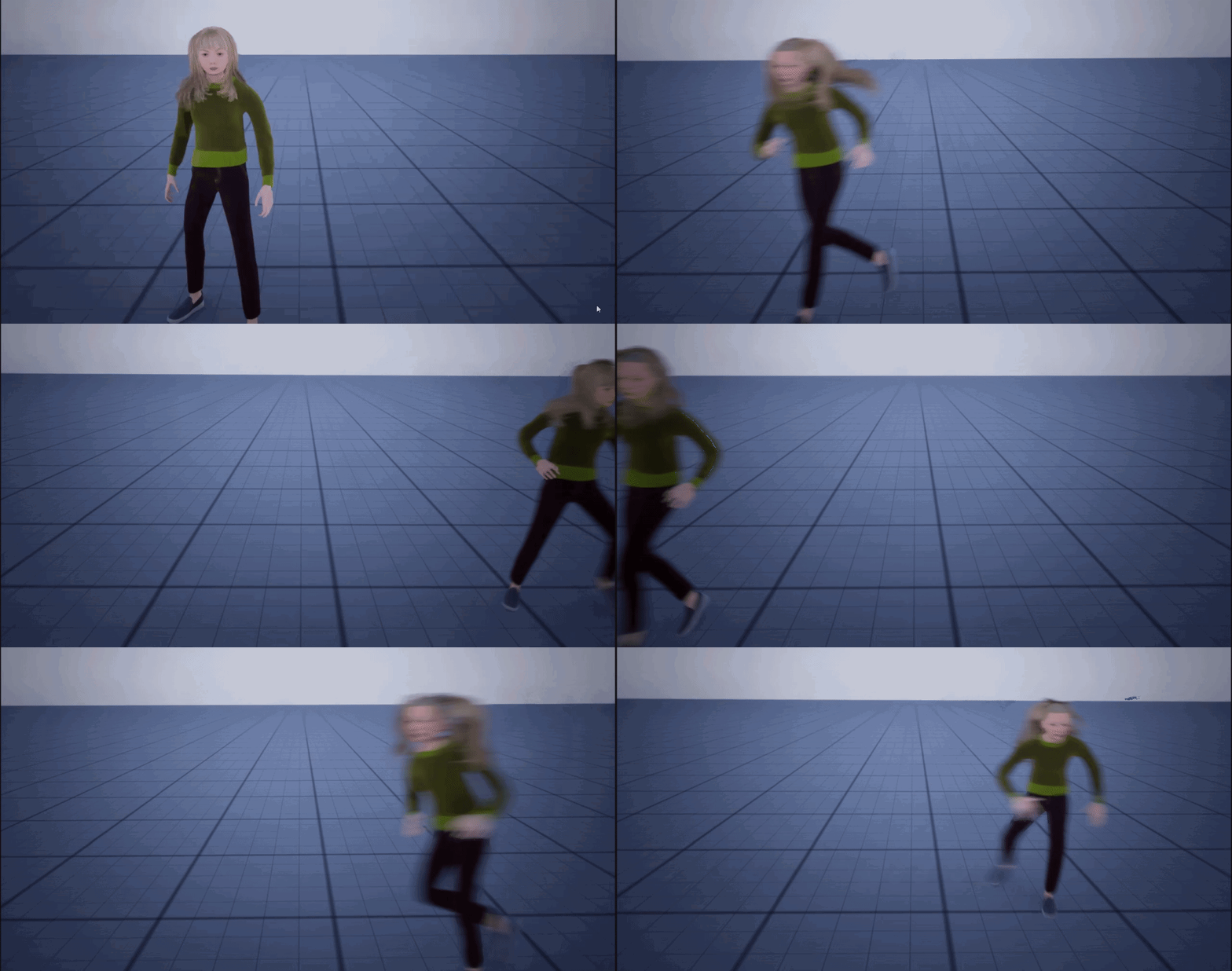 kindred galleon

 maiden heath
Hi Guys I have a problem with Unreal both in Editor and Build I put some Grooms on my avatar but when I start in Editor and Build the hair Flickers every now and then how can I remove this problem? Thank you very much
 oak fable
maiden heath
Hi Guys I have a problem with Unreal both in Editor and Build I put some Grooms ...
oak fable
maiden heath
Hi Guys I have a problem with Unreal both in Editor and Build I put some Grooms ...
adjust the LOD on the LODSync component
for me i set the forced LOD to 2 instead of -1
maiden wadi
faint pasture
Can an effect conditionally apply an effect or is the application of effects onl...
You can apply an effect from anywhere as long as you can reference the actor and get it's ability system component.
tight moon
So, I'm back to my last issue : currently on my vr scene, an input simply refuses to work : I can press it while ingame, the hand will move accordingly but what's linked to it simply doesn't happen, it doesn't even start in the blueprint.
steady night
in a ui image im using the auto behavior tic on visiblity is there a way to turn of the tick at a certain stage or something ?
i mean since when its true its collapsed but it will never go back is there a way to turn of the tic also ? i mena it will stay idle always checking (for preformance)
 dark drum
steady night
in a ui image im using the auto behavior tic on visiblity is there a way to tur...
dark drum
steady night
in a ui image im using the auto behavior tic on visiblity is there a way to tur...
No, its one of the reasons why some companies ban using those sorts of bindings in widget. (You can even disable them in the project settings)
Instead you would have some sort of event dispatcher that the widget would bind to that when triggered, tells the widget it needs to do something. In you're example, you would have an event dispatcher in the player character that is called when the variable is updated. (You'll probably want to make getter and setter functions so you can set the var to private) The widget would then bind to the event dispatcher and when the variable (in you're case array) is updated, it tells the widget to check if it should be visible or not based on the new data.
dark drum
tight moon
So, I'm back to my last issue : currently on my vr scene, an input simply refuse...
When you say what's linked, are you referring to what's been grabbed?
tight moon
dark drum
When you say what's linked, are you referring to what's been grabbed?
Oh hello again 👋
This ain't a grab thing this time. It's the trigger input on the oculus controller. I even tried yesterday to check it with breakpoint, but it doesn't even stop, the input is supposed to work normally but it just doesn't do anything.
It's either weirder since the animation for the trigger works as usual, but it's meant to cast a laser and there's just nothing.
dark drum
tight moon
Oh hello again 👋
This ain't a grab thing this time. It's the trigger input on ...
Have you added the input action event to an input context mapping that gets added to the player?
tight moon
Yes. It worked yesterday morning and hasn't been changed since.
dark drum
tight moon
Yes. It worked yesterday morning and hasn't been changed since.
Does it work in another project?
tight moon
Doesn't seem so.
Well, I tried it on an old version of the project, tho same Ue version, but no it wasn't working.
dark drum
tight moon
Doesn't seem so.
If it worked previously but no longer is, it could be a driver issue. It might need updating (or rolling, you never know these days lol).
dark drum
kindred galleon
https://i.gyazo.com/b3aa3aa9851aea77753a05e5c7ffad0b.gif
Looks like a feature to me. 😛 Anyways, it might be best to ask in #metahumans I've not used meta humans myself but issues with hair is a common thing I see with meta humans so it wouldn't surprise me if there's regular discussions there on how to resolve it.
tight moon
I'm wondering if it could be something with MetaXR, I used the latest version and since then it broke.
steady night
dark drum
No, its one of the reasons why some companies ban using those sorts of bindings ...
ah aye figured, but someone told me these function cost almost nothing tho
dark drum
dim halo
Hey guys does anyone know why a blackboard based condition checking whether a bo...
It's been a while since I've used BT's but I don't believe the 'Is Set' means is true. It just means that a value has been set on the variable. This value can still be false, as in it was set to false but the value was set so the check returns true.
dark drum
steady night
ah aye figured, but someone told me these function cost almost nothing tho
What they cost depends on the logic that's setup and how many widgets you have with the same binding. It can be very easy to setup logic in the widget variable binding that have a big impact as they run on tick. If it's just checking a variable you'll probably be find but the moment you start doing more complicated checks it can balloon quickly.
steady night
yeah i get that mostly these are just checking conditions then someone said it cost next to nothing
dark drum
steady night
yeah i get that mostly these are just checking conditions then someone said it c...
If you're just collapsing the widgets and they never need to be shown again, you could just destroy them instead.
steady night
@dark drumyeah thats what i did i was just checking if there was a way to turn the tic of
ff
maiden heath
Hi guys, now I have another problem that in the construction of the avatar's eyelashes I see them gray instead of with their material
tight moon
dark drum
Does it work in another project?
So, I tried with another project... and this time it works... I have no idea why...
steady night
can i set scrollbox value via BP + / - ??
 wintry imp
What's everyone's advice on going from world space locations to screen space positions using something other than a player camera?
All the projection nodes take a Player Controller as an input, and I want to identify the 2D position of an object on another camera's clipping plane.
I spent ages trying to do this through trigonometry (calculating the world-space positions of the edges of the camera view, etc) but couldn't get there.
I feel like feeding the object's position into the camera view projection matrix should work and it does give me a location that's somehow relative to the middle of the viewport, but the X coordinate of that position scales with distance from camera to object so it isn't what I'm after.
Should I be pursuing the trig solution, in which case any advice on what I'm doing wrong? Or is there something I need to do with the output of the View Projection that would give me the 2D position I need?
This is me testing out the projection matrix, you can see the X coordinate is relative to the screen space somehow so it kinda feels like I just need to know what that output actually IS and then I can figure out how to scale it to be the 2D value I need.
tight moon
WELL PROBLEM SOLVED, IT WAS META XR.
maiden wadi
steady night
yeah i get that mostly these are just checking conditions then someone said it c...
It does cost next to nothing for a mid to high range PC. Low end PCs or older gen consoles it can cripple if you put a couple dozen of those somewhere.
But performance in UI is something that isn't just about making it tick faster. Invalidation and caching is the best way to manage performance in UI. Second best is using less text, and less widgets in general. A Widget's tick and bindings will not run if it is cached, meaning they don't run until the widget is invalidated. So something from outside the widget or an event like a dispatcher the widget binds to, needs to run and set new state to invalidate it so it'll visually update.
And on the bindings themselves, there were some bugs in 4.27 at least where they don't work correctly on some configurations. I had some buttons in the main menu that were supposed to disable. They were not visually disabled, but they were programmatically disabled. The same thing on the widget's Tick worked just fine, calling it's SetEnabled function.
And honestly as a person who works in UI consistently, I personally hate tracking down where logic is running in bindings. I'd rather see a simply tick function than have to dig through multiple bindings and the entire widget hierarchy to see which subwidget the binding is applied to, etc.
steady night
maiden wadi
It does cost next to nothing for a mid to high range PC. Low end PCs or older ge...
thanks for the info i get what your saying
tight pollen
Can someone explain to me why this works? Player State is not directly owned by the Client, the Server spawns a copy of PlayerState for clients, but clients do not directly own Player State, so why is RunOnServer called from the client recognized?


(it's in the component attached to Player State)
maiden wadi
tight pollen
Can someone explain to me why this works? Player State is not directly owned by ...
??? Clients do own their playerstates though.
 maiden wadi
Of course. Clients always get the authority to RPC through their Controller, PlayerState, and any currently possessed Pawn.
maiden wadi
Yeah. The ServerRPC would be dropped if client1 tried to ServerRPC through Client2's PlayerState. But Client2 can send all of the ServerRPCs they want through their own playerstate.
tight pollen
ok, thanks 🙂
maiden wadi
tight pollen
ChatGPT says it's not possible 😄
Generally speaking, I would avoid using GPT to understand concepts. Asking it for C++ code snippets is one thing, and you'll still be correcting it. But it cannot understand concepts. It simply repeats what it interprets people have said online. And people say stupid shit online. Unfortunately there's no easy way around simply testing and understanding it for yourself.
Generally speaking, you have two choices.
- The child has to pass back this info in a delegate that it's parent can bind to. So the child affects it's struct, calls the delegate and passes that struct back to the parent which overwrites it's own copy of the struct, etc etc.
- You wrap all of your data in arrays of objects instead. The parent iterates an array of objects and passes those to children. Those children get their internal array of objects and pass then to their children. The objects aren't copied, these are all pointers. So when a child affects it's object's data, it's affected on that object and everything has it updated.
Delegates are added on the child. Event Dispatcher in BP.
Parent binds an event to it's children's dispatcher right after adding it.
tight pollen
@maiden wadi what do you think about putting a delegate in Player State that will be called on Begin Play in PlayerState and in OnPostLogin in GameMode it will listen for PlayerState is ready
This seems like a good solution to me, but I'm not sure
maybe I missed something, but then it doesn't need any Delay either
e.g. I keep a register of players logging into the game, but from GameInstance I get the player's name and put it in PlayerState, and in GameMode I have a variable storing all registered players, and these names are obtained from PlayerState
no, it works, Bind On is created separately for each player
unless I didn't understand
dark drum
As Scer said, the actor would be bound to the event dispatcher on each of the actors.
maiden wadi
The child has an event dispatcher. This is a list of subscribers. The parent asks each of it's children to add it as a subscriber when they bind an event. When child 78 broadcasts, it only runs the event in the parent once, but every other child can still call the event as well.
 pseudo valley
heyy, i have BP actor for pooling actors with a collider, and i have a BP_Projectile that inherits from that one (Collision is inherited). I take this approach because else the collider wouldnt be the root component and not work. however, for whatever reason, this ALSO doesnt work. anybody know why on component hit for the collision component doesnt fire? Simulation generates hit events is on.
 tight pollen
<@143471961723371520> what do you think about putting a delegate in Player State...
tight pollen
tight pollen
<@143471961723371520> what do you think about putting a delegate in Player State...
so it is good?
😅
Is there anything I should pay attention to?
dark drum
tight pollen
Is there anything I should pay attention to?
The issue you might encounter is being able to bind to the event dispatcher before it's actually called with it being on begin play.
dark drum
pseudo valley
heyy, i have BP actor for pooling actors with a collider, and i have a BP_Projec...
Make sure hit events are enabled on the collision component.
tight pollen
well, the Player Controller comes first, then the Player State, and the Begin Play Event is called when everything is ready
maiden wadi
tight pollen
<@143471961723371520> what do you think about putting a delegate in Player State...
Is this just for the naming thing, or?
tight pollen
yes
pseudo valley
dark drum
Make sure hit events are enabled on the collision component.
it's this one right? it neither works if enabled on the parent class, child class nor both For some reason the settings reset the collision settings, i just had to fix those again
 tight pollen
maiden wadi
Is this just for the naming thing, or?
tight pollen
maiden wadi
Is this just for the naming thing, or?
but it must be 100% correct, because PlayerName is the player's unique ID
maiden wadi
Why though?
Why aren't you just using their platform unique ID from the OSS systems?
Relying on names is gonna break. Players rename themselves mid way and 💣
Unique ID's from the OSS they're connected through never change. It's account based.
tight pollen
what does this node look like?
maiden wadi
Not sure if you can get the unique ID easily in BP. Maybe in 5.
tight pollen
 maiden wadi
Top I think.
Yeah, the top one. It's a unique identifier for each player's account. Like when you're using Steam as an example, that ID can be resolved to a string that is the same as your Steam ID, the numbered one, not the name.
tight pollen
I have never used Unique Net ID. Can I also save these IDs? I mean, will these IDs always be the same for a specific player?
e.g. players play with each other on the local network and the hosting player saves the game, then they want to continue the game the next day

of course, this variable is only for the duration of the game
but in another one I would store only IDs
it seems to me that in this case I should use PlayerName or New Guid
 maiden wadi
What are you using the ID for? I assumed this was for like property? Assigning things to players?
tight pollen
Assigning things, offline/online player registration etc
maiden wadi
Right. So I'm playing your game through Steam. My Steam name is Authaer when I Start playing. I play for three days. I change my Steam name to Tarrion. I log in to your game and have to restart.
tight pollen
ok, but assuming the game works without any platforms like steam, epic
how does Unique Net ID work then?
just a local game
in 1 house
maiden wadi
Every game has an OSS if it's online. Even Null is an OSS, which I'm not 100% on but I think it uses decide IDs for. But in the event that you will 100% never release on a non null OSS, names might be okay. 🤷♂️
tight pollen
thanks, I'm glad I found you in Unreal Source 😄
in this case I have to modify the system
😬
steady night
hmm my inputs dont work in my main menu level (different controller,gamemode,level) do i need to enable enchaned inputs on the other controllers or sometihng ?=
frosty heron
steady night
hmm my inputs dont work in my main menu level (different controller,gamemode,lev...
well did you bind the inputs?
steady night
yeah it works in my player controller but not in my mainmenu controller
frosty heron
did you bind the inputs in your main menu controller?
 frosty heron
Check your player controller begin play
steady night
yeah i dont ahve anything there

did howeveer find that i can ovveride the player input in the controller
but still dont work
frosty heron
don't you have this
 steady night
yeah still dont work
frosty heron
show the binding in your main menu controller
and make sure your main menu level actually spawn your main menu controller
steady night

it dose
it dose detect OnkeyDown on widgets in main menu level/menu controller
but no input form the inputssystems at all :/
frosty heron
#blueprint message
Like here? and where exactly is this?
frosty heron
what's the input mode?
steady night
same as where im adding mapping context
frosty heron
 steady night
ah yeah
frosty heron
make sure that's the setting
frosty heron
that's why 🙂
frosty heron
👊
 pale obsidian
kindred galleon
Need help with Metahuman, when moving hair detaches and comes back...
https://i....
pale obsidian
kindred galleon
Need help with Metahuman, when moving hair detaches and comes back...
https://i....
saw someone else with this same exact issue. not sure - havent experienced this myself. is this a default MH?
tight pollen
is there any way I can convert Get Unique Net ID to string?
 devout badge
I'm trying to make a timer of sorts, just to test it out
this one only throws a zero and nothing else. Is there something missing??
 thin raptor
use the built in timer
devout badge
built in timer?
thin raptor
yes there are built in timer nodes
Also
"get time" only triggers once which is why you are getting a zero
you want get time delta iirc
frosty heron
@devout badge Begin play runs when an actor is "alive"
so it run once, most likely at the start of the game if it's a pre-placed actor
If you want to call something every frame, use event tick
Wouldn't make sense to call it start time tho 🤷♂️
You can set the start time at begin play
And to see the get time in seconds , print that in event tick
frosty heron
depend on the context
delta seconds in tick is the time it takes from previous frame to current frame
devout badge
here's what I was trying to do
 frosty heron
delta just mean the difference
thin raptor
use the timer function
timer by function name
then clear the timer when you press whateve
get absolute value of the difference between when you stopped and 5 seconds
or dont actually you want to preserve the sign , nevermind
just check the value of the subtrated result and then use a branch with string append
frosty heron
@devout badge you should breakdown your problem, starting from basic functionality.
why don't you try to make a timer for now and just print the result to the screen
You can do this in two ways. One way as mentioned by illuminati is by using the Timer Node.
The other way is adding the delta time where time = time + delta time.
devout badge
okay, printing the event function name only prints it once
frosty heron
devout badge
okay, printing the event function name only prints it once
I've stated why, did you read above?
devout badge
yeah I saw
frosty heron
ok what did I say about begin play?
devout badge
its where I set the float
frosty heron
read again what I said about when begin play is called
I'm trying to help you but I would just be re-iterating again
thin raptor
bro no. You dont set the float in begin play
frosty heron
You can set that as the starting time, it make sense
thin raptor
yeah set the start time and have another variable in timer that prints the elapsed time
you really want to be using a timer and a function. The timer will loop the function when called until it is cleared
frosty heron
https://www.youtube.com/watch?v=qc5WpNq7RFg&t=4s&ab_channel=MathewWadsteinTutorials
here, some material

What are the Set Timer by Function and Event Name Nodes in Unreal Engine 4
Source Files: https://github.com/MWadstein/wtf-hdi-files

 short hinge
Hello everyone! I'm trying to do some refactor/cleanup in my AnimBPs and found out about Anim Layers Interface. One of the functions in my interface needs some inputs, which I bound to parameters in my main Anim BP (as seen in the screenshot). I confirmed those values are correct in the main anim bp, and I also confirmed the layer is linked correctly (as other animations are working). But for some reason those values from the inputs are not working correctly in the linked layer. Does anyone know what can cause that?
 devout badge
I got the timer working, now to make it so it actually reads what I'm inputting (like I pressed X on my keyboard for example)
how does one do that?
 tight moon
Tough question this time : I have a furniture blueprint, with inside more blueprints for the movable parts. I aim to make a furniture blueprint where you can add as many drawers as you can, but all furnitures themselves are independant from on another. My issue atm is that I can only change the drawrs while in the blueprint, and not in the detail panel. Adding more drawers through the BP is fine, but now I need to modify them while outside of the BP. Is that possible, and if yes how do I do that ?
tight pollen
@maiden wadi sorry for the ping, but can Unique Net Id be replicated?
or is it better to just leave it on the server side?
in string variable
 reef totem
Does anyone know if it is expensive to attempt and fail a bunch of casts? But rarely succeed the cast?
frosty heron
@reef totem https://intaxwashere.github.io/blueprint-performance/
Go to Myth 3
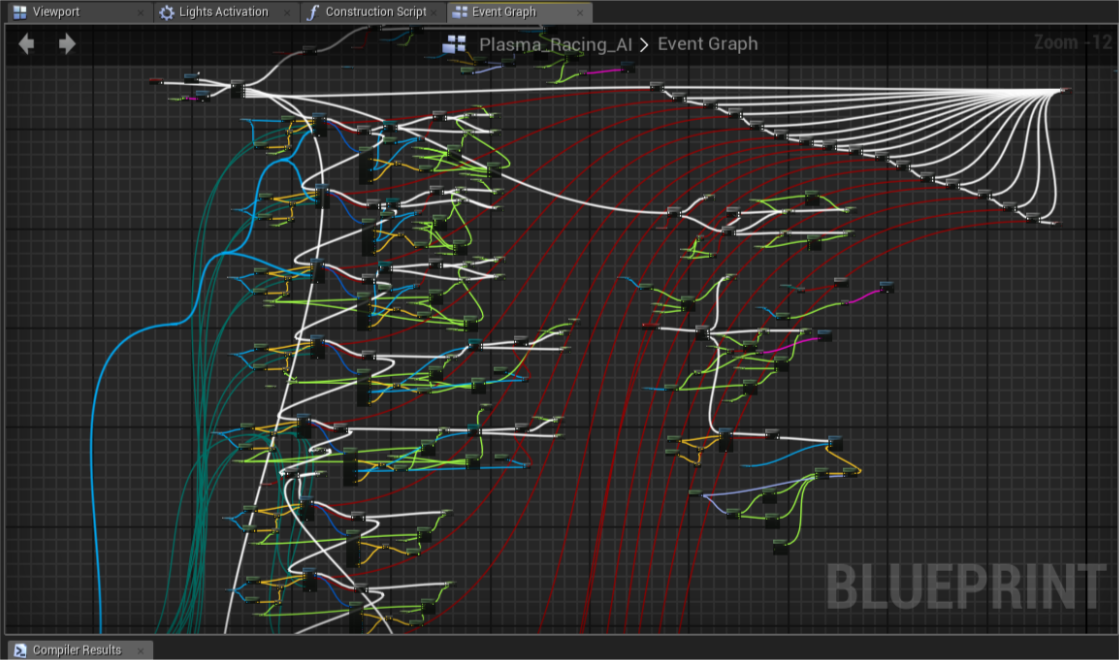
Intax's Blog
In this post I’ll go through common myths about Blueprint performance bottlenecks and explain real logic behind it’s virtual machine.
reef totem
thin raptor
is it a loop running a hundred times or
It's on overlap. On all of my loot currently. It attempts and fails most of the time, but when a player touches them it succeeds
thin raptor
why is it attempting to cast to something other than the player?
reef totem
thin raptor
why is it attempting to cast to something other than the player?
Because replicating with physics is hard
frosty heron
that has nothing to do with casting tho
replicating physics is a difficult task even for veterans
not something I would attempt anytime soon
reef totem
Basically if the loot touches a wagon that a player Is moving my current system is to set the owner of that loot to the owner of that wagon
So it has different hard references depending on what it is overlapping
Just didn't know if a failed cast is just as expensive as a successful cast
frosty heron
casting is almost free
it's the hard ref you need to watch out for
but youtubers likes to make guesses
linked you the article from someone that knows what he is talking about
reef totem
Yeah I heard interfaces are technically slower than casts
frosty heron
reef totem
Yeah I heard interfaces are technically slower than casts
MYTH 4, interface is not a replacement for casting
another youtube bullshit
when you see someone says, use interface, don't cast. Just ignore it
reef totem
frosty heron
linked you the article from someone that knows what he is talking about
Appreciate that, just was wondering about failed casts tho. But maybe he doesn't mention them because they don't cost anything?
reef totem
frosty heron
when you see someone says, use interface, don't cast. Just ignore it
Yeah lol
thin panther
reef totem
Just didn't know if a failed cast is just as expensive as a successful cast
You still have the hard reference there of that type. Which is the real cost. So yes, that dependency is still made and still just as costly if used improperly.
thin raptor
How can I get a bool AND from an Arbitrary number of inputs?
Do I just loop and check if everything is true and set an "all true" variable to true
is there a better way to do that
thin panther
Pretty much what you do, and pretty much how those work code side too
The other option would be to loop through, and the first two, then for every other one, and the output with the next one and return early if one is false
Returning early if one is false should be done in any circumstance tho
thin raptor
For Each with break then?
thin panther
Yup
thin raptor
smth like this?

that way I can attach any number of lamps to the door hopefully
Oops I called the wrong open door function dummy
 silent stag
hey, sphere trace by channel function only collide with first capsule collison i can't hit second one do you know the reason?
 thin raptor
It works!
dark drum
silent stag
hey, sphere trace by channel function only collide with first capsule collison i...
Because the first one most likely blocks the trace.
dark drum
thin raptor
smth like this?
This will always call the open lamp door regardless of what happens in the loop body.
silent stag
dark drum
Because the first one most likely blocks the trace.
when the character is in ragdoll mode, it sometimes gets thrown around, but the capsule stays in place. As a solution, I added a trace box to the skeletal mesh to access the character lying on the ground, but it doesn't work as expected. Do you have any other suggestions?
dark drum
silent stag
when the character is in ragdoll mode, it sometimes gets thrown around, but the ...
I would disable gravity/physics on the character and disable collision on the capsule. When you enable ragdoll you might as well forget about the root capsule lol.
thin raptor
Excelent. I can add any number of lamps and the door only opens when all of them are on
is there a keyboard shorcut for parenting an object to another object
tight moon
tight moon
Tough question this time : I have a furniture blueprint, with inside more bluepr...
Jumping back to this, does anyone have an idea about this situation ?
dark drum
tight moon
Tough question this time : I have a furniture blueprint, with inside more bluepr...
You can mark variables as instance editable which allows you to change the vars when placed in the level.
Alternatively, if you make the individual elements as components you could just add the components to an actor already placed in the level.
tight moon
dark drum
You can mark variables as instance editable which allows you to change the vars ...
Technically, I already have something along the lines of your first line, I can currently change the furniture as I want. The issue I have is that I can't do the same with the drawers themselves. I can click on them, but not change their variables.

Since the drawers are themselves BPs.
dark drum
tight moon
Technically, I already have something along the lines of your first line, I can ...
Ahh, you're using child actor components. 🥲
tight moon
I had a version that didn't have child components, but then I'd have 4 different components to duplicate at once if I want more drawers. The first solution I came up with was grouping the 4 together... resulting in this.
The drawers are composed of the main mesh, the collision capsule, a grab component and the sphere indicating where the grab component is.
tight moon
dark drum
Ahh, you're using child actor components. 🥲
I think I sense why, but I'm not completely sure why it's so desperate 😅
dark drum
tight moon
The drawers are composed of the main mesh, the collision capsule, a grab compone...
The grab component is used in the VR template right?
maiden wadi
tight pollen
<@143471961723371520> sorry for the ping, but can Unique Net Id be replicated?
o...
It should be set on the playerstate of every player, for every player. I think?
 sand bloom
What do you use to get a mouse click but with a gamepad button? Because for some reason this isn't working

I can't find a good solution online
it's like when you click on ui but with a gamepad vs mouse lol
kindred galleon
pale obsidian
saw someone else with this same exact issue. not sure - havent experienced this ...
the binding was the problem, UE binding is bugged. so it was better to just attach to a socket BUT another issue arises where the color is all messed up
sand bloom
maybe widgetinteraction isn't the way to go tbf, but this didn't work either lol

I feel like there should be a way to do this and yet
maiden wadi
sand bloom
it's like when you click on ui but with a gamepad vs mouse lol
Is this for a 3D Widget Component?
sand bloom
maiden wadi
Is this for a 3D Widget Component?
oh yeah it is, do you think the issue lies there? It is screen space
maiden wadi
That will be why then. The Interaction component only works on the 3D version.
sand bloom
ahh interesting. How would I emulate a left mouse click with a controller for anything then 🤔
because click event keys don't seem to work either
maiden wadi
Usual case is that you need to focus it. How are you determining what should be clicked in this case?
sand bloom
ah I see, so right now I am literally just using it like a mouse
hover over button
click button
Like I literally just wanted to emulate a mouse lol
maiden wadi
But hovering what? Like are you moving a widget via the analog stick to simulate a mouse cursor, or center of screen, or using the focus system, or?
sand bloom
I am literally moving my mouse with my gamepad thumb stick

which works fine it's just i can't click lol
maiden wadi
Ah. Just a sec. I know CommonUI does this but I don't know if their mouse clicking code is BPexposable.
sand bloom
👀 oh alright thanks
glossy cloak
sand bloom
ahh interesting. How would I emulate a left mouse click with a controller for an...
There's a plug-in for this. Look up virtual cursor I think. It handles everything you're trying to do with a couple nodes to turn it on and off.
sand bloom
😭
I was really hoping I wouldn't need a outside solution for something this simple
but i'll keep that in mind thank you if all else fails
maiden wadi
The issue is that it isn't so simple. Input is a winding path of madness sometimes.
glossy cloak
Np. I try to avoid plugins when I can as well, but this is one of those situations where I don't think you can simulate a mouse click. And if you can't... That's a lot of work manually coding this for every possible menu and button.
sand bloom
even in unreal there seems to be implications that they wanted to do this but yeah rip who knows how it works internally
Yeah that's true i appreciate the knowledge there is a backup if i really need it
maiden wadi
Yeah, you could probably do this with a C++ function library, or a function on the controller maybe. But you might want to go with the plugin he mentioned if you can't do C++.
sand bloom
I'll probably do something with the d pad instead if mouse clicks are just impossible
yeahhhh
glossy cloak
https://forums.unrealengine.com/t/how-to-inject-simulate-mouse-clicks/25602
Here's what I found after a quick Google search. Looking like you're going to be using C++ at the very least doing this yourself.

Epic Developer Community Forums
Hi guys, I sucessfully managed to control the mouse cursor in a UMG menu using the analog stick on my PS4 gamepad. However, what I didn’t think about before setting it all up: How can I inject mouse clicks by pushing buttons on my gamepad? Does anybody have some pointers for me? Any help appreciated! Thanks.
maiden wadi
Yeah. Requires access to the FSlateApplication. Which is pretty much no BP exposure.
glossy cloak
This is why plugins exist
sand bloom
ah thank you yeah I guess there's just no way to do it, weird. You'd think click event keys would count(like i have no clue what they would count for lol). Maybe just anything but 3d widgets. I'm probably just going to try a dpad solution instead
I don't mind plugins for certain things but idk
glossy cloak
I can vouch for the virtual cursor plugin though. I use it in my commercial project.
sand bloom
I'll definitely keep it in mind 🙏
maiden wadi
I extended CommonUI's CommonAnalogCursor for Red Solstice 2. 😄 I was surprised how easy that was to make a gamepad analog cursor out of it.
We also do hovers for like scrolling areas. If you hover a Common Scrollbox with the analog cursor, the cursor shows arrows so that you know the right stick can scroll the boxes. It worked out pretty good I think. We also still allow DPad to snap to buttons like normal cardinal nav, so that users aren't forced to use the analog cursor if they hate it.
sand bloom
ohh that's cool stuff
that sounds nice yeah, i've heard a lot of good things about commonui i think
Giving the players the choice is a nice detail
maiden wadi
This was custom stuff we wrote in, but their CommonAnalogCursor made it really easy to put in with some C++. And I strongly recommend CommonUI for any project, but even more for anything using gamepads.
sand bloom
ahh I see
tight moon
dark drum
The grab component is used in the VR template right?
Just back home so I don't have it all in front of me. The grab component is in the drawer blueprint, it's the component that allows the grab action to actually grab anything. It's not used in the furniture blueprint directly.
silent stag
Can i ragdoll in place? i tweak some mesh physics settings but it does not work
copper chasm
I was so excited I found a plugin on github to search data table row by gameplay tag, but alas, it is slightly out of date and rider throws about 500 errors
wait hang on it was literally missing one include
tight pollen
how can I load all saves from Saved folder
I have Save slot1, save slot 2, save slot 3 ..... and I want get all saves and load all
do I need to create another save that stores all these saves?
is there a better way from blueprints
maiden wadi
copper chasm
I was so excited I found a plugin on github to search data table row by gameplay...
Usually people just make the RowName of the Datatable the GameplayTag. There's a ToName function for Tags so easy to look up.
iron idol
what is this trying to tell me? Its from my saved system. I have it set up exactly like my weapon save which works fine
 maiden wadi
tight pollen
how can I load all saves from Saved folder
maiden wadi
tight pollen
how can I load all saves from Saved folder
Try this.

 true valve
How can I convert player location and use arrow texture on a 1080x1080 map texture? Trying to create a world map system
 maiden wadi
Oh, need to enable it. I don't remember the plugin name. It's from the engine though. Blueprint... File.. Utilities or something?
iron idol
i can try but refreshing does nothing
deleting and redoing does nothing
is this a bug? I'm so confuesed
its saying something about an array but its not an array...
lol it randomly just stopped
i did absolutely nothing. i just hit compile like 6 times
dim halo
dark drum
It's been a while since I've used BT's but I don't believe the 'Is Set' means i...
Thank you. For some reason I thought for bools “is set” correlated to true
copper chasm
maiden wadi
Usually people just make the RowName of the Datatable the GameplayTag. There's a...
Sure, I’ve set up a number of ways to get the name myself, but I’ll be darned if just using the tag straight to look things up won’t be handy
maiden wadi
copper chasm
Sure, I’ve set up a number of ways to get the name myself, but I’ll be darned if...
But it's just literally this at that point.
 copper chasm
maiden wadi
But it's just literally this at that point.
copper chasm
maiden wadi
But it's just literally this at that point.
Then you’re naming rows blah.blah.blah and if you typo something you’re borked - you can convert the tag down to a chunk, but then you’re running extra code
If the tag is already in the data table, you don’t have to worry about the name of the row (you still should, but)
maiden wadi
You also have to iterate every row to tag compare.
copper chasm
I mean, it’s doing that with the FNames
maiden wadi
It's not. It's a map.
A Datatable is just a fancy wrapper for a TMap<FName, FSomeDataStruct>. Maps don't iterate rows when finding the correct entry.
copper chasm
I can’t imagine it’s THAT bad on performance though?
 remote meteor
lookups on map and set are literally o(1) tho
 cyan scroll
how do i make projectiles spawn in random range? like random recoil
 thin raptor
multiply by a random value
cyan scroll
thx
thin raptor
probably want to split that struct pin
depending on what you want to do, but I suspect you only want randomness on 2 axis not all 3
cyan scroll
yes, i already done it
thin raptor
k
cyan scroll
thank you for the idea
 narrow pendant
does anyone have some good talks / blogs on planning out project architecture, big picture best practices etc?
 nova scarab
Is there any way to show 0 graphics like in a dedicated server?
steady night
when i play in PIE everything works with my Gamepad but when i build the game gamepad dosent work at all
narrow pendant
steady night
when i play in PIE everything works with my Gamepad but when i build the game ga...
are you using enhanced input or the debug inputs?
steady night
enhanced
dosent work in standalone game at all either
im using the same inputs for keyboard those works
just nothing related to gamepad inputs
past hull
hello,
I am trying to refactor my fire weapon logic. Before I was using an interface CanFire and now I juste want to call a function "Fire" on my weapon wich is inherited by my SMG, Pistol etc...
But I cant turn my existing code into a function because of the timeline and the play montage. How can I tackle this issue ?

the timeline is for the recoil pattern
so I used a custom event instead of a function but i am not sure if its good coding practice
 trim matrix
as long as its tidy i dont see any problem
you could also split the code into smaller chunks of functions and events too
cyan scroll
so if im doing a game where player shoots projectiles all the time, should i use object pool for projectiles?
maiden wadi
copper chasm
I can’t imagine it’s THAT bad on performance though?
🤷♂️ Maybe not. Could work just fine in most games. But it feels like an odd thing to do to avoid typos. I'm not personally a fan of datatables much anymore. I use data assets for most things.
broken wadi
cyan scroll
so if im doing a game where player shoots projectiles all the time, should i use...
I wouldn't bother unless you notice it impacting performance. It kinda depends on the complexity of the projectile actor and the frequency they are being spawned and how long they stay alive for. You could easily stress test this by setting up a few spawners and crank up the firing rates to see how well it performs.
 pallid oxide
Trying to create a weapon from a database that has an ID but this isn't working probably because I'm new to UE, Is there a better way to do this?


The idea is to place an empty actor with a static mesh, type in the exposed ID variable to get the correct ID
 dapper forge
ello. why this always return 0?

context: trying to make something generate based on "random" seed. and seed being jsut host machine name(string)
answer : ue is poo. do this manually instead

(apparently)
iron idol
guys, just how many functions in a bp is too many functions
maiden wadi
pallid oxide
Trying to create a weapon from a database that has an ID but this isn't working ...
Need more context. Are you not seeing the print? If no, then if you put another print after the Datatable row getter, do you see that one? Is this blueprint's beginplay running at all?
maiden wadi
iron idol
guys, just how many functions in a bp is too many functions
There's no real definitive answer to that question. What is your context of "Too much"? Like performance? Organization?
pallid oxide
maiden wadi
There's no real definitive answer to that question. What is your context of "Too...
Thanks for responding, The print doesn't return after datatable row getter either so I assume it's not even running
 maiden wadi
iron idol
is having like 50 functions in a BP very heavy?
maiden wadi
iron idol
is having like 50 functions in a BP very heavy?
Non answerable question then. You could have five million and not have it cost much. The functions in question, how they're called, how often they're ran, what they're used for. Too much context.
maiden wadi
pallid oxide
Thanks for responding, The print doesn't return after datatable row getter eithe...
Is the Beginplay running? I'd assume so if it's just in the level. Your name is valid. Is the Datatable set?
iron idol
they are only ever called one at a time. The code within them is short
pallid oxide
maiden wadi
Is the Beginplay running? I'd assume so if it's just in the level. Your name is ...
A print after beginplay works
I'm not quite sure whats wrong, the datatable is set because a randomized version of this script works
Except it iterates through an array and selects between the other 5 from the data table
This is the only part that's different in the Random one
 maiden wadi
iron idol
they are only ever called one at a time. The code within them is short
maiden wadi
iron idol
they are only ever called one at a time. The code within them is short
There's also target platforms, what class the code is in( there are usually more pawns than controllers for example). Many things running simple code can cost more than one thing running complex code.
Older gen consoles really die on collision queries and overlap code, and movement code calls. A mid level PC won't notice these things.
So in general the only correct answer is "It depends™️". You can't really do much more than profile it with Insights.
maiden wadi
pallid oxide
A print after beginplay works
Is the datatable pointer set? Cause I can't see any other reason your Row would fail to find.
pallid oxide
maiden wadi
Is the datatable pointer set? Cause I can't see any other reason your Row would ...
Still new to blueprints, do you mean the difference between the options under variable?
edit : nvm the Set is clearly different because of the size

Mine is a Get
frosty heron
In UE4 at least if you bloated your blueprint too much, I get all sorts of nasty artefact.
At the moment I can only work for 15 mins before I have to restart UE
My blueprint stops displaying anything when I right click
maiden wadi
pallid oxide
Still new to blueprints, do you mean the difference between the options under va...
This
 pallid oxide
maiden wadi
This
pallid oxide
maiden wadi
This
Both are the exact same and point to the same table

Random script works flawlessly still
 pallid oxide
maiden wadi
Change this to 1
pallid oxide
maiden wadi
Change this to 1
works perfectly fine now, is this because it's getting the internal integer ID from the .cvs?
maiden wadi
The Ro here is your RowID column that the GetDatatableRow is asking for.
 pallid oxide
I thought I'd need to make my own ID of itm_001
If that's the case then I'll have to remove the id tab lol, thanks I have been pulling my hair out over this
maiden wadi
If you want to keep the itm_001 stuff, just change the RowName to that.
pallid oxide
maiden wadi
If you want to keep the itm_001 stuff, just change the RowName to that.
I can't change the rowname at all can I? I read it was a bug with UE 5.0+
maiden wadi
O.o
pallid oxide
It automatically adds itself even if my spreadsheet doesn't have it

If I rename the first row, the spreadsheet breaks (Becomes unreadable)
maiden wadi
Cause the first row on the spreadsheet is the row name.
devout tide
You can always write a custom export function but that would require CPP or python
maiden wadi
pallid oxide
It automatically adds itself even if my spreadsheet doesn't have it
You can change the rowname by clicking on it here if you want to change it in editor.

If you export it as is. You'll get a normal CSV.
 pallid oxide
maiden wadi
If you export it as is. You'll get a normal CSV.
pallid oxide
maiden wadi
If you export it as is. You'll get a normal CSV.
now this is extremely helpful thank you
gonna export and work on it like that instead
👍


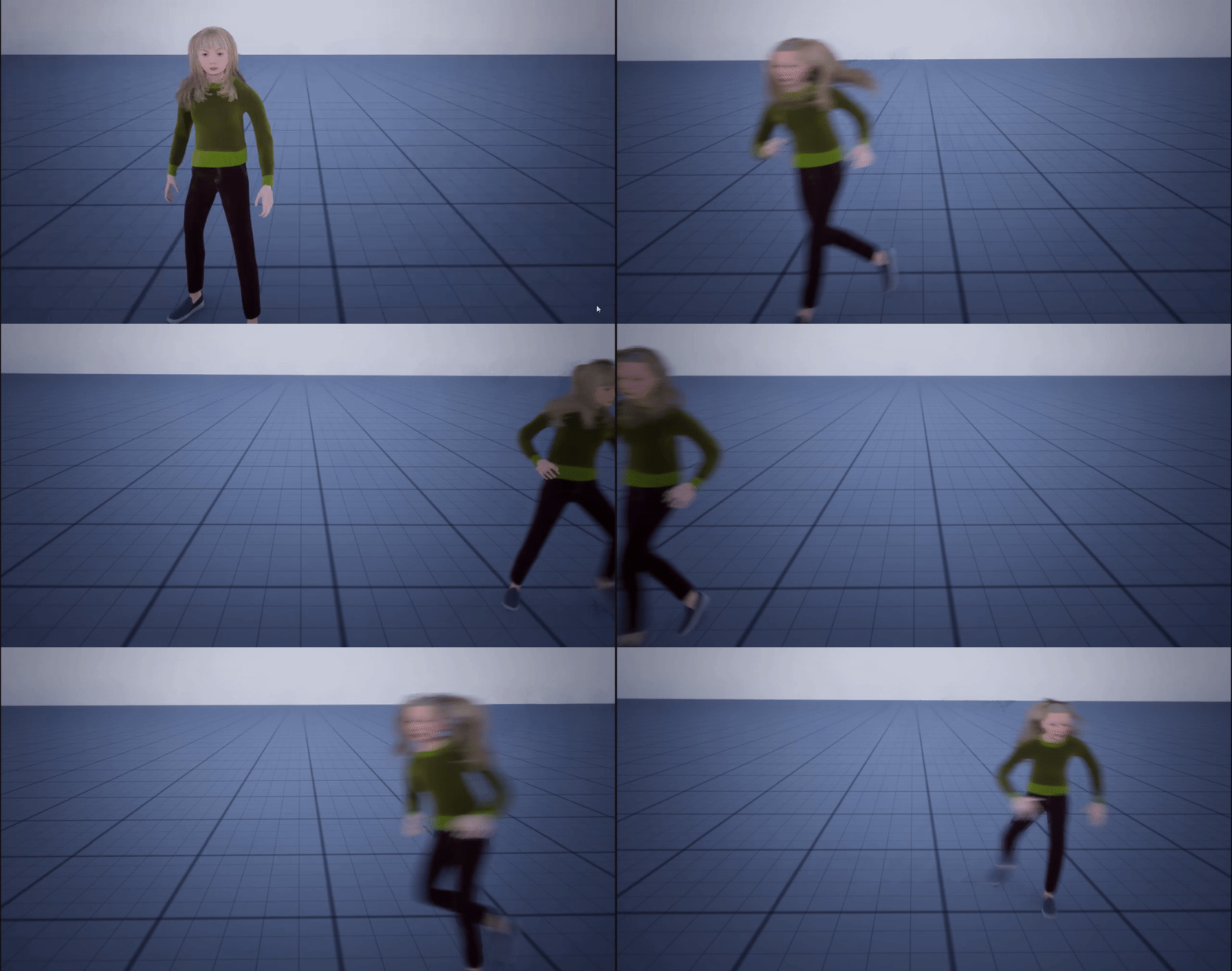
 warped juniper
Just got a weird but where the player heals back all damage dealt to them
I changed nothing of health recently
maiden wadi
Hackers 🤷♂️
faint pasture
warped juniper
Just got a weird but where the player heals back all damage dealt to them
gotta see that code
warped juniper

No description provided
pallid oxide
maiden wadi
Removing the row with the exported CSV keeps the old row before "Row Name" when re-imported, so I'm guessing I'll be forced to just delete the beginning row in unreal editor every time?
