
#blueprint
1 messages · Page 160 of 1
 fiery swallow
Youre not using character movement component to move? Even if you're not using it I'd recommend clicking on the details of the component and making sure all the settings are default
And then I'd check that it's not being tampered with anywhere in code. Perhaps you used it in the past and forgot about it?
 earnest oriole
No, i move with the code in the pickture, and use my own ia stuff. Nothing from the cmc or defualt template
fiery swallow
Is there any other character in your game that uses CMC?
Also maybe the crash logs can help here
earnest oriole
No. but it crashes with just the player and a blank map
fiery swallow
So we can see what happened just before the crash
Hmm, I bet if you made a new character, and transferred the code over the issue would resolve itself
earnest oriole
been through the logs as well. Deleted every little bit of code that could possibly be related, but it will crash with just the basic character on a blank map
Might just try to remake it in a new project as you suggest. Its not a lot of code, so should be fairly easy
fiery swallow
Making a new character from scratch and dropping it into a blank world also crashes the editor?
earnest oriole
Ive gotten quite good at simplifying bps due to this, so not all bad
fiery swallow
If that's the case then sounds like corruption
Unless you went and modified the CMC c++ code in some way
earnest oriole
Havent tried remaking it yet, but migrating just the character to a blank project didnt help. Was from 5.3 to 5.4, tho dont really think that matters
Hehe, havent been in the c++ code yet
Appriciate the time. Ill just try from a new blank project
 sour lodge
I was in need of a help, i made that my enemy bp takes damage and dies and after that i used an spawn actor to spawn more enemies, but i'm having problem making the enemies that spawn move
 toxic copper
im pretty new to UE so i might be misunderstanding, but if i had left target blank, it would have affected whatever blueprint these nodes were on. and if I had attached the player controller to target, it would have modified the player controller blueprint.. since the logic tied to inputs that i wanted to disable were on my character blueprint, i cast to my character and made that the target
 ashen flame
Anyone know how to fix capsule half height that sticks under the floor? My third person animation is always stuck half way on the floor
 spring osprey
any help on why this doesn't work?
 fiery swallow
spring osprey
any help on why this doesn't work?
fiery swallow
spring osprey
any help on why this doesn't work?
Why what doesn't work
 hoary junco
so I just got blueprint assist and eletronic nodes and I'm like a kid in a candy store doing around and making all my blueprints actually look neat....
fiery swallow
ashen flame
Anyone know how to fix capsule half height that sticks under the floor? My third...
It's most likely you're skeletal mesh that's in the floor and not the capsule?
For characters the local height of the skeletal mesh should be -90
Anything lower and it's gonna clip through the floor
spring osprey
fiery swallow
Why what doesn't work
the spotlight(flashlight) just doesn't work, its like stuck in the power off mode
fiery swallow
spring osprey
the spotlight(flashlight) just doesn't work, its like stuck in the power off mod...
The quality of that image is too low to see on phone. Rip
spring osprey
its 2145x 867 💀
 heavy hemlock
hoary junco
so I just got blueprint assist and eletronic nodes and I'm like a kid in a candy...
heavy hemlock
hoary junco
so I just got blueprint assist and eletronic nodes and I'm like a kid in a candy...
Generally speaking - you don't want to use delays like this.
Do you know of the secrets of DeltaTime?
But for your specific problem, you can only enter the 'true' branch of the first test if the flash light is always on.
hoary junco
heavy hemlock
Generally speaking - you don't want to use delays like this.
I think you replied to the wrong person 😛
heavy hemlock
Ah, my bad!
But I am glad you're enjoying the electronic nodes. Great plugin that.
hoary junco
yeah, the autoformat of blueprint assist is great too.. I can actually read my own code now 😛
heavy hemlock
spring osprey
any help on why this doesn't work?
What I incorrectly said to Mike.
Generally speaking - using delays like this is not the best idea.
heavy hemlock
hoary junco
yeah, the autoformat of blueprint assist is great too.. I can actually read my o...
Ah! I haven't tried that one. I'll have to look it up.
heavy hemlock
spring osprey
any help on why this doesn't work?
That said, you can only enter the true branch after the IA_Flashlight event if the flashlight is already on.
And that's the only place that 'Flash Light Active' is set to true.
So it will always be false.
hoary junco
heavy hemlock
Ah! I haven't tried that one. I'll have to look it up.
it's a tad pricy (for me at least.. £20 for a plugin isn't the kind of money I have around on a regular basis) but I can see why people love it so much
heavy hemlock
hoary junco
it's a tad pricy (for me at least.. £20 for a plugin isn't the kind of money I h...
Ah, I've looked it up, and I can see why.
I spend quite some time tidying my nodes.
hoary junco
I just usually said fuck it because I could never find a way to make the nodes look neat because of how curved the lines where, so a combo of these plugins has been a godsend
heavy hemlock
I agree. Definitely a game changer.
spring osprey
heavy hemlock
That said, you can only enter the true branch after the IA_Flashlight event if t...
and what should I do to fix It? I figured out to make the on/off work using the not boolean in the flashlight active but the battery drain event just doesn't work if I do that
heavy hemlock
spring osprey
and what should I do to fix It? I figured out to make the on/off work using the ...
Do you know Tick and Delta Time?
spring osprey
nope
heavy hemlock
Hey! Nice! You get to be one of the ten thousand today then.
All right. So! In a computer game, you have a bunch of objects that need to be updated. Enemies need to shoot, batteries drain, bullets fly, animations play. Every frame, all those objects in the game have to do something. That thing is called the 'Tick' - because, in a way, video games are just big expensive watches with pretentions of grandure.
If something happens over time in a video game, it happens because little bits of it happened every Tick.
Your character doesn't walk across a room, his position moves a little bit every tick to make it appear like that is happening.
ashen flame
fiery swallow
For characters the local height of the skeletal mesh should be -90
I believe the height is at that exactly, bring it up a little higher?
heavy hemlock
In blueprints and components, you have access to the Tick function. If you right click, and type in 'Tick' it should show you an Event.
That Event will get called every frame, and you'll notice, when you put it in your graph, that it has an input called 'Delta Time'.
Delta Time is what makes Tick work, it's the time, in seconds, from the last tick.
It varies, based on the speed of your computer, and how many other objects are ticking in the scene (ticking isn't free), and a thousand other reasons. But, because every Tick function also has DeltaTime, processes that need to appear to proceed at a consistent rate (like a character walking across a room, or a battery draining) can simulate the appearance of progressing in a consistent manner.
How?
By multiplying by delta time.
If you want a character to move at 10 units per second, you multiply delta-time by 10, and add that to their position!
So, in your case, to drain a battery, you need a float value representing how much battery you have, and a float value representing the speed the battery drains per second, and then you can subtract the speed multiplied by Delta Time from the battery value per Tick, and that will make your battery drain consistently over time.
Makes sense?
spring osprey
heavy hemlock
Makes sense?
yes I kinda understand something but is the problem really something about delta time? I mean, I was following a tutorial and the dude literally only did this and nothing about delta time or ticks
heavy hemlock
OK, sure - but the tutorial is not teaching you a good way of doing a thing.
Like... you can follow it if you want, but you would never want to create something in a game that worked like this.
spring osprey
I see
heavy hemlock
But, if you want to use that code - put the drain battery event on the branch where you turn the light on.
 tidal tendon
toxic copper
im pretty new to UE so i might be misunderstanding, but if i had left target bla...
tidal tendon
toxic copper
im pretty new to UE so i might be misunderstanding, but if i had left target bla...
Oh my bad I thought its already your character bp. The problem is your blueprint isn't disabling input as it should right?
Did you try using "get actor of class" node, and connect its output directly to disable input like this? Or you can do second one to preserve the cast to. Im sure you shouldnt connect get player controller into object of "cast to".

 heavy hemlock
Right now, you have it on the branch where you turn the light off.
spring osprey
oh okay thanks
heavy hemlock
But I'm not kidding about the design here - this is not the way to do this at all.
Actually, looking at this a second time, I think if you switch the branch logic on the first branch back, and just set the flashlight on instead of off, it should maybe work?
But yeah, very odd design.
I wonder why the instructor chose to do it this way.
spring osprey
heavy hemlock
Actually, looking at this a second time, I _think_ if you switch the branch logi...
okay it works now ill take a look at those delta time things and ticks and try to add it
 dry pecan
say, is there any way in widgets for text boxes for when I type it in I can go down a line like in a google doc?
spring osprey
heavy hemlock
I wonder why the instructor chose to do it this way.
i mean the channel is not really that big so maybe he just didn't want to make something that complicated.
heavy hemlock
I ended up over thinking this.
But this is roughly how I'd do it.

Using a pure function does help:
 dry pecan
so question, in my main menu level, the moment I click on a button from my main menu widget, the custom cursor I set disappears, any ideas?
spring osprey
heavy hemlock
I okay thank you so much for taking the time to help me
heavy hemlock
👍
 stoic ledge
dry pecan
so question, in my main menu level, the moment I click on a button from my main ...
stoic ledge
dry pecan
so question, in my main menu level, the moment I click on a button from my main ...
your custom cursor reference is being destroyed somewhere
toxic copper
tidal tendon
Oh my bad I thought its already your character bp. The problem is your blueprint...
managed to get this, ty! It was something obvious in the end, i was just having a derp moment. Certain inputs that I thought were on my character blueprint werent being disabled, and so I thought it wasn't working.
Appreciate you taking the time to provide those screenshot examples
dry pecan
stoic ledge
your custom cursor reference is being destroyed somewhere
ok now a real question , how can I remove a specific widget and not every widget?
 dawn gazelle
dry pecan
ok now a real question , how can I remove a specific widget and not every widget...
dawn gazelle
dry pecan
ok now a real question , how can I remove a specific widget and not every widget...
Keep reference to that widget somewhere, remove it where you want using that reference, or if the logic is contained within that widget, you can have it remove itself.
stoic ledge
Off of the create widget functions return node, promote to variable. then if that reference != 'none', destroy.
same as Datura said
dry pecan
dawn gazelle
Keep reference to that widget somewhere, remove it where you want using that ref...
is there any way to set different game modes to different levels? I have a win level and a lose level and I need to set game modes for each
dawn gazelle
dry pecan
is there any way to set different game modes to different levels? I have a win l...
Each level can have its own game mode defined in its world settings.
stoic ledge
if i had multiple game modes, could i communicate across each of them? i guess theres only one at a time.
dawn gazelle
stoic ledge
if i had multiple game modes, could i communicate across each of them? i guess t...
Yea, only one at a time normally exists.
If you wanted similar functionality in game modes, then you can create a base game mode and have child game modes based off of it with their own settings and custom behaviors while still retaining the functionality and properties of the base class.
 zealous moth
can the CMC detect collisions based on several colliders?
 cosmic hill
hello guys!
as far as im testing, these two returns the velocity of the actor in the world space
is there a way to return the local velocity of the actor?

 frosty heron
I heard it's only to be used with the capsule comp
dawn gazelle
zealous moth
can the CMC detect collisions based on several colliders?
As far as I understood, it only knows about the capsule component on the character. You could extend the CMC and make it handle more colliders.
stoic ledge
ive been reading a bit about game modes and states, tell me if this makes sense please. A player sends a message in a game, the game mode then can either do nothing, or update the gamestate or a set of playerstates with the message the player sent?
frosty heron
Ppl use GMC when they need diff collision shape
frosty heron
Wat about movet 2.0. I haven't touch it tho
dry pecan
So now that my game is finished, how do I export it out as a playable game?
frosty heron
But I heard it support custom collider
frosty heron
dry pecan
So now that my game is finished, how do I export it out as a playable game?
Package
 frosty heron
cosmic hill
frosty heron
cosmic hill
it might be somewhat different in ue5? but the option is there, packaging
dry pecan
yeah I'm searching for the package option
dawn gazelle
cosmic hill
hello guys!
as far as im testing, these two returns the velocity of the actor i...
I'm not sure exactly what you may be asking for, but this to be seems like asking how fast something is moving in relation to itself, which would always be 0.
dry pecan
is it pack level actors?
 stoic ledge
dawn gazelle
I'm not sure exactly what you may be asking for, but this to be seems like askin...
stoic ledge
dawn gazelle
I'm not sure exactly what you may be asking for, but this to be seems like askin...
i just thought of the platitude "dont get ahead of yourself"
zealous moth
@stoic ledge because there is no such thing as local velocity
there is velocity in relation to world space
cosmic hill
dawn gazelle
I'm not sure exactly what you may be asking for, but this to be seems like askin...
so... to try and be more clear, the velocity that that thing returns changes depending on how my character is facing the world, which means it gives a different velocity if its facing the x axis or the y axis
zealous moth
or sum of vectors
cosmic hill
hmmm
cosmic hill
zealous moth
<@975482789392695307> because there is no such thing as local velocity
i thought i encountered few results on this on google
that might be the reason
stoic ledge
how do you get relative velocity?
zealous moth
what are you trying to do (so I can write it down and make the game faster than you)
frosty heron
Don't make much sense to me
cosmic hill
ill reformulate then, gimme a minute
because you guys have showned me that not even i know what i want now
frosty heron
Velocity is just how fast (unit) an object moves
cosmic hill
🫠
stoic ledge
you mean if ur facing backwards its negative?
dawn gazelle
hey, it's good to know what you don't know. It's the first step to knowing about something 😄
dry pecan
huh, guess it takes a little while for the game to package
frosty heron
Depend on how big the game is
cosmic hill
stoic ledge
you mean if ur facing backwards its negative?
ok so, this is the velocity if i face forwards from where i spawn in the world
 zealous moth
dry pecan
huh, guess it takes a little while for the game to package
zealous moth
dry pecan
huh, guess it takes a little while for the game to package
look into how to package efficiently on YT. You need a bit of setup to avoid packaging nonsense
cosmic hill
if i face to the left... you get the idea
 zealous moth
for instance, in your settings, set the maps, the assets, etc
stoic ledge
its individualy placing all those little packinging foamies into the box.
cosmic hill
but i dont want this, i want to give me the same velocity if i go forward no matter which way im facing
frosty heron
It's just saying the object is moving 70 cm on the world x direction and -291 on the world y direction
dry pecan
maybe it was also sincve I changed the packaging location? probs not
zealous moth
nah
it takes about 2 mins for an 800 mb project to package
the first time it took 15 mins
subsequently it took 1-2
cosmic hill
frosty heron
It's just saying the object is moving 70 cm on the world x direction and -291 on...
thats the thing, what i need is something that i will return to me for example, 300cm if i move forward no matter which direction in the world im facing
honestly at this point i dont know if im making sense
frosty heron
I seen ppl grabbing the length/magnitude. Check what that gives you
cosmic hill
ill try it
zealous moth
the first gives a length of 299, the second of 302
Free vector magnitude calculator - find the vector magnitude (length) step-by-step
dawn gazelle
I think what you may be wanting is the "vector length"
zealous moth
but you are moving diagonally it seems
a unit or 2 will not be worth working on imo
expecially on a value like 300
we're talking about 0.3% difference
cosmic hill
dawn gazelle
I think what you may be wanting is the "vector length"
the lenght of the velocity?
zealous moth
the length of the vector
dawn gazelle
stoic ledge
ive been reading a bit about game modes and states, tell me if this makes sense ...
It's not necessary to communicate everything through the game mode, but you could potentially use the game mode to alter what would happen with the message if you plan on having different game modes.
zealous moth
there are 2 types of vectors: locations which are static points and directions which is what velocity is. It has a start and end and a length which is the magnitude.
 trim matrix
math is fun 🥳
trim matrix
pretty close in my opinion
without math, you wouldn't know how to do physics at first
stoic ledge
dawn gazelle
It's not necessary to communicate everything through the game mode, but you coul...
i mean that in a multiplayer sense, and not across game modes, just generally.
cosmic hill
(wait! it was all math?!)🌍🧑🚀 🔫🧑🚀(always has been)
stoic ledge
trim matrix
without math, you wouldn't know how to do physics at first
physics doesnt need math.
zealous moth
stoic ledge
i mean that in a multiplayer sense, and not across game modes, just generally.
look up the multiplayer compendium to know what is communicative between client and server
dawn gazelle
stoic ledge
i mean that in a multiplayer sense, and not across game modes, just generally.
Still holds true, but your clients also wouldn't be able to communicate directly to the game mode as it only exists on the server.
zealous moth
game state would
trim matrix
stoic ledge
physics doesnt need math.
what did you learn first then?
stoic ledge
you touched the mirror
dawn gazelle
stoic ledge
i mean that in a multiplayer sense, and not across game modes, just generally.
If the intention is to say, send a chat message to everyone in the game, regardless of where they are in relation to your player, then you would probably want to use either the gamestate or playerstate to relay that message as these are objects that are always relevant and exist on every client.
If you wanted it only for nearby players, then it may be better to use their controlled Pawn as these usually aren't always relevant.
GameMode doesn't have to be involved here, it can be, but again not necessary.
frosty heron
Wut
trim matrix
the actor is the player
dawn gazelle
if you're communicating over the network to others there shouldnt be a need to get multiple actors
only 1 has to do the communication
stoic ledge
dawn gazelle
If the intention is to say, send a chat message to everyone in the game, regardl...
in the case of 1 message to everyone?
dawn gazelle
stoic ledge
in the case of 1 message to everyone?
Send through gamestate or playerstate. Everyone can receive the message on them
Example:
Player Inputs Message > Sends RPC to server on their PlayerState > server multicasts the message on that playerstate > all clients will receive that multicast
Usually easier to handle through gamestate only because you can get a single gamestate easier in UI and the like which makes it easy for the UI to bind to event dispatcher that exists on the gamestate.
stoic ledge
dawn gazelle
if you're communicating over the network to others there shouldnt be a need to g...
understandable.
dawn gazelle
Thinking on it, it's probably best to still multicast on the playerstate, then have the playerstate call to the gamestate to broadcast the message and then have the gamestate refer to the playerstate sending the message as the sender.
stoic ledge
if there where any conditions the game might impose on the message the player sent, that would be done in the gamestate?
dawn gazelle
You would probably do it on the server but it doesn't specifically matter what class you do it in. The trouble is if you have conditions like you only want certain players to hear the message, then it gets a bit more complicated as you can't just multicast that if you care about whether or not someone still receives the message even though it wouldn't necessarily be displayed by your own coding.
 obtuse kraken
last bump for my problem then im gonna start crying
stoic ledge
dawn gazelle
You would probably do it on the server but it doesn't specifically matter what c...
yea, im getting tripped up on delegates now.
stoic ledge
obtuse kraken
last bump for my problem then im gonna start crying
just watching it looks as if when u push / pull, the physics applied on the object affects the grip, ive never done anything like that though, looks cool ;p
 faint violet
How do I make it clamp in a circle? I want 400 max for both combined, not separate.

 maiden wadi
obtuse kraken
last bump for my problem then im gonna start crying
maiden wadi
obtuse kraken
last bump for my problem then im gonna start crying
IMO I'd be inclined to say don't use a physics sim object for the held one. Stuff attached to it could still simulate, but the held object should probably be kinematic.
maiden wadi
faint violet
How do I make it clamp in a circle? I want 400 max for both combined, not separa...
You project a direction by 400.
faint violet
maiden wadi
You project a direction by 400.
this one? or wait, I could add distance to a rotation maybe

 ripe smelt
Hey, I'm pretty new to blueprints so I was wondering if someone point me in the right direction here? I need to move a mesh (snake) through a spline (ie: Blender's curve modifier) but I'm not entirely sure where to start? This doesnt need to be runtime but rendered at sequencer. Many thanks for any help!
obtuse kraken
maiden wadi
IMO I'd be inclined to say don't use a physics sim object for the held one. Stuf...
Ok I'll try that thanks
maiden wadi
faint violet
this one? or wait, I could add distance to a rotation maybe
Stepped away for a sec. But basically you have a point, a direction, and a distance you want the thing to be. You get the distance from the thing's intended location to 0,0,0. So you just need to clamp that distance at 400. Then multiply that distance with the direction from 0,0,0 you want it placed at.
What you end up with is either the original location you wanted, or a location clamped at 400.0 distance from 0,0,0
faint violet
maiden wadi
Stepped away for a sec. But basically you have a point, a direction, and a dista...
ok thanks, my character look at direction setup already has a bunch of that, but I thought I didn't need rotation for this. trying to make a cursor location based look ahead
maiden wadi
faint violet
ok thanks, my character look at direction setup already has a bunch of that, but...
You shouldn't need rotation so much.
@faint violet Something like this if I'm not mistaken?
 maiden wadi
ripe smelt
Hey, I'm pretty new to blueprints so I was wondering if someone point me in the...
maiden wadi
ripe smelt
Hey, I'm pretty new to blueprints so I was wondering if someone point me in the...
The snake body needs to match the spline, or the snake needs to move along the spline?
obtuse kraken
maiden wadi
IMO I'd be inclined to say don't use a physics sim object for the held one. Stuf...
Do you think it would be a good idea to turn off the physics simulation when mouse axis event is fired, then after all the logic happens re-enable it? I want the object to have weight and some drag when moving and looking around with it.
Because turning it off completely wouldn't work for me
faint violet
maiden wadi
<@530656332999688192> Something like this if I'm not mistaken?
oh thanks, I didn't know distance (Vector) existed
maiden wadi
What does weight and drag mean in this case? Not move with the camera perfectly, or slow down the camera?
obtuse kraken
Well slow down I guess, I haven't started implementing logic for that though
I assume thats how the illusion of weight is given in games like Amnesia
maiden wadi
Both can be done with kinematic movements fairly easily.
For heavy feeling on camera, your inputs just get multiplied by a value related to the held object's weight. EG no object is a multiplier of 1.0. Object with light weight is like 0.95 ot 0.9. Medium would be like 0.7. Heavy would be 0.5 or 0.3. Up to you to define the weights and the weight projected to 0.3-1 or so. I'd recommend a lower clamp to avoid cases where something is too heavy to turn the camera ever, unless that's intended.
The other thing is just using an interpolation on the object's movement, so that it's not always perfectly matched with the player movement but has a little bit of lag. Some time and sine effects here can give slight sway like breathing effects, etc. Just depends on the effects you're after.
obtuse kraken
maiden wadi
Both can be done with kinematic movements fairly easily.
For heavy feeling on c...
Ok thanks for the reply, I'll try what you suggested

 long breach
add a particle effect and it looks perfect for some type of avodiance
 manic vessel
I have a scene component for each hand that the animation hand follows. and Im trying to align them with a spline component that runs the length of the bar, when grabbed. currently I have them doing this in the first picture, I have added debug arrows for each scene component to help visualize the issue, But Im trying to make them go like the second picture and finding it tricky to do so. any advice would be apreciated thanks


also this

 grim sand
No not in your current setup. You can only do this by making one data table for helmets, one for chest armour, one for melee weapons, etc. As far as I know this is also how most games do this.
Well actually, maybe you can achieve this using Bluetility, but I doubt it would be a straightforward solution that is worth the time spent trying to achieve this
Yea, but I suppose you could make an entry into the struct called "Type" or something like that. Then on construct you can retrieve all rows, and save them into separate arrays so that in the editor you have an easier time.
Then again though, if you are working on this project solo, I am not sure what the added benefit is besides some cleanliness
Yea. I mean it sounds to me like the easiest thing to do in your specific scenario would be to just keep it as it is for in the editor. Ultimately players aren't going to see any of it
I am guessing you are overcomplicating this. LIke I said, if you are doing this project solo, you will always know where stuff is stored anyway.
The best way to do it is to have a specific data table for each equipment type. Ultimately we want data tables to be specific and to only contain data that is as closely relevant to each other as possible. We don't want a data table with helmets, chest armours, and weapons all together. Especially not if we intend to use this data separately in different places.
This would in my eyes be best practice for maintaining different data sets of items in your game, without overcomplicating the entire setup 🙂
Well, I mean the only hierarchical thing in your setup, as far as I know based on the provided info, is that all data is based on your Item Data struct. Beyond that there is no hierarchy between these different item types
You could try this. It is entirely up to you. I don't think this would be super neat when trying to retrieve the data at runtime, or at least not as neat as just having a few different data tables.
 main flume
Hey. I have a value between 0 and 1, to lerp between my drift forces.
I want it to not go back to 0 instantly when the slip angle is lower than 20, because of drift transitions. I would prefer it to go down more slowly but it should still go up normally. I cant get it to work, any ideas?

 graceful sage
main flume
Hey. I have a value between 0 and 1, to lerp between my drift forces.
I want it...
graceful sage
main flume
Hey. I have a value between 0 and 1, to lerp between my drift forces.
I want it...
use a timeline for the alpha i believe
main flume
graceful sage
use a timeline for the alpha i believe
timeline?
frosty heron
main flume
Hey. I have a value between 0 and 1, to lerp between my drift forces.
I want it...
If you want to do something overtime you have to do something over time (eg. Tick) . Event completed run once
 small gyro
I need some fresh brains/eyes on something
I've been reworking my inventory system and when I try to save certain arrays just refuse to update no matter what I try.
I've tried rebuilding the array and just adding the struct in at the right index, i've tried setarrayelem as seen here and I've tried insert but no matter what I try the data doesn't update
 frosty heron
small gyro
I need some fresh brains/eyes on something
I've been reworking my inventory sys...
frosty heron
small gyro
I need some fresh brains/eyes on something
I've been reworking my inventory sys...
Break probably gives you a copy, not a ref. Just my hunch
main flume
frosty heron
If you want to do something overtime you have to do something over time (eg. Tic...
thanks
small gyro
I've never actually thought about how the break struct works
maybe a split would be the better option
or not, same issue
 lunar sleet
What are those pure functions plugged into?
lunar sleet
small gyro
I've never actually thought about how the break struct works
maybe a split would...
Are you updating a bp struct at runtime?
small gyro
yeah
it's part of a save function, taking a data struct with some basic values (2 ints, a name and a bool) and updating their place in the array and updating the array inside my main save data struct
all the relevant variables are set to editable
 sand bloom
main flume
timeline?
sand bloom
main flume
timeline?
Btw if you ever run into with timelines being annoying and a bit limiting to use, there is an alternative that's nice. I no longer use timelines but use this
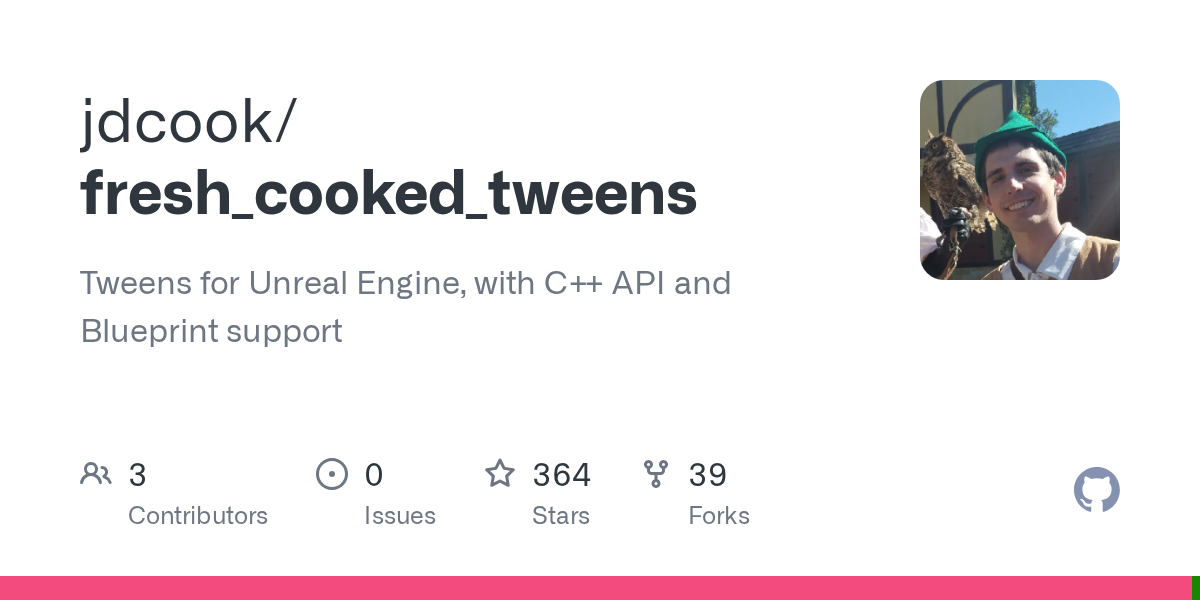
GitHub
Tweens for Unreal Engine, with C++ API and Blueprint support - jdcook/fresh_cooked_tweens
small gyro
from what I can see with testing the issue seems to be the setarrayelem because changing the name entries works (I'm printing the output to a json file)
 scarlet urchin
Everytime i start up my project i have to refresh these nodes that are used for adding the current players to the lobby list. Does anyone know if there is a way to fix this??
 small gyro
weird I guess I fixed it....for now
knowing my luck I'll break it next week somehow
lunar sleet
small gyro
yeah
it's part of a save function, taking a data struct with some basic values (...
Bp structs are extremely broken when you start doing runtime edits
You can lose all the data
small gyro
tell me about it....
I'm transitioning my project away from relying on blueprints and more into c++ and json
lunar sleet
Not sure if you can. If the widgets sit on top of the viewport, then it prly can’t get a world pos
lunar sleet
small gyro
tell me about it....
I'm transitioning my project away from relying on blueprint...
Yeah I’d recommend switching to a cpp struct. Fairly easy to setup
main flume
sand bloom
Btw if you ever run into with timelines being annoying and a bit limiting to use...
thanks!
sand bloom
Np
Using some must have plugins made my life so much better
Tweens is one of them
But also electric nodes/darker nodes for nicer ui or that one auto organizing plugin for blueprints
 dreamy yacht
Hi. Got some problem with widget animation. I've bought a "Huge Main Menu" from marketplace and everything is right except - the widgets in main menu which fly in from the bottom and stay there correctly, but only for the fist time. If I switch to another widget or start another level and then go back ( open main menu level ) then the wigdets won't fly in again and the screen is blank with only background visible. It looks like that widgets restore to their unloaded state once they are loaded for the first time.... I've found out, that widget animation is stored as "Show Base Buttons" inside W_Menu_Main ( the main menu widget ), but I cannot cast to it ( cast from another widget ) if I want to make editor load the animation again...
😦


 obtuse kraken
omg i fixed my issue and it was stupidly simple
lunar sleet
Before you buy stuff on marketplace you should prly try to understand basics like bp communication
obtuse kraken
just had move the constraint instead of the object being held, it was lowering because the spring distance between the held object and constraint was widening causing it to behave weird
lunar sleet
Where is Main Menu widget being created
dreamy yacht
On it's own level, named LVL_MainMenu

I've found the logic now

I guess I should create "the valid check logic" in every other widget, that makes the main menu buttons to reload ?
dreamy yacht
I don't know if it's a correct approach, but I've removed "is valid" check and it works fine now

 dark drum
dreamy yacht
I don't know if it's a correct approach, but I've removed "is valid" check and i...
dark drum
dreamy yacht
I don't know if it's a correct approach, but I've removed "is valid" check and i...
I would leave the is valid check in. If the widget has already been created and still exists, it makes sense to reuse it instead of creating a new one.
maiden wadi
dark drum
I would leave the is valid check in. If the widget has already been created and ...
It's not really worth it. It's the main menu level's widget. You spend a minute on the main menu for every thirty to sixty you'll spend playing the game. Keeping it around is pointless after the user leaves the level.
But then handling widget in the game instance sucks too.
dark drum
maiden wadi
It's not really worth it. It's the main menu level's widget. You spend a minute ...
True, I didn't actually pay any attention to what the actually widget was lol.
maiden wadi
IMO these are things you shouldn't really have to consider. I don't anymore. I just request widgets to display in their respective slots via push content to layer for player. Everything is removed at level transitions, even the slots. The slot widgets from CommonUI will cache a widget for a while and reuse it if possible but it's all refreshed at level loads.
CommonUI/CommonGame plugins really are amazing for widget handling.
dark drum
maiden wadi
IMO these are things you shouldn't really have to consider. I don't anymore. I j...
Yea same, common UI is nice for this type of stuff.
I made a child of the Activatable Widget that allows me to specify the input mode and if the cursor should be visible when the widget is activated lol.
dreamy yacht
maiden wadi
CommonUI/CommonGame plugins really are amazing for widget handling.
Thanks, I'll check
maiden wadi
CommonUI is in the engine by default. CommonGame requires pulling it from the Lyra project.
 young meteor
Hey
Can I increment/decrement something inside a Map like this?
Or do I need to find value, add 1 to it, and then set it/override it for the Key in the Map?

(I would input the Key ofcourse)
maiden wadi
I don't think map has a find by ref in BP.
young meteor
maiden wadi
I don't think map has a find by ref in BP.
So I have to set it up like this then right?
 maiden wadi
Looks about righjt.
young meteor
Okay. Thank you.
 dusky cobalt
Maybe someone could help because I tried every posibility and I'm lost what I'm doing wrong.
- I have Main UI Widget that I create in Player State.
- In Player State i put info about resources of player
- In Player State I have event that increases number of resources.
- Worker is calling to Increment Resource Amount event in Player State when doing task.
- The event is called, I can see that Added 1 resource is printed, but it doesn't get added.
I tried to GetTeam of Worker, plug it into PlayerState etc, but it doesn't work.
The last one is MainUI bind, it shows ''starting'' amount on the screen, but then doesn't get updated.
I tried with every possibility and I guess in the most robust way if I set everyhere index to 0 it should at least work for the first player? Anyone sees something?


The funny thing is, I have the same setup in different project but everything is in the PlayerController and it was working.
maiden wadi
GetPlayerState index should be 0 for starts.
That call is the same as doing GetPlayerController->PlayerState. It's just a helper that makes it one node.
What about your increment interface thing?
dusky cobalt


Worker is calling interface event of PlayerState
and then it adds resource based on type
the event is ''firing'' but it doesn't update properly amount?

like I can see Produced 1 Food, but if I print food amount it's still 0
maiden wadi
Why are you telling the client to set this replicated property?
dusky cobalt
Oh I was just trying things, it was Server before
doesn't change anything though ;/
 maiden wadi
This implies that your cotton stack is zero?
If you added to 10 and it's still 10 I mean.
Not sure where that first 10 is from.
 dusky cobalt
oh, yeah the stack is 1
I thought about this too...
it seems like I'm not ''aiming'' properly with Where exactly it is incremented?
like it hits Player State, but is this the Player State of the client that is currently seeing the widget?
maiden wadi
In this image. According to your prints, you incremented it and it was set to 10.

Which if the CottonStack was 1, would imply the value before was 9?


 maiden wadi
Add a few more prints maybe. Print value before. Print the stack size and leave the other two prints.

 maiden wadi
Lol Fair enough. I missed that.
 plucky ice
Hi all, I apologize if this question isn’t allowed so just delete it if it isn’t or let me know and I will. Would anyone be willing to get on a 15-20 minute discord call (or is there a resource in this server) for me to ask some questions about the best way to lay things out?
dusky cobalt
maiden wadi
Lol Fair enough. I missed that.
thank you for help, sometimes talking to someone helps to get better view of things 😄 and i was modifying code so hard to make it work, while everything was good just this one thing ugh xd
dusky cobalt
plucky ice
Hi all, I apologize if this question isn’t allowed so just delete it if it isn’t...
You can just ask here, lots of helpfull people here
 untold ivy
Probably a stupid question, how do I get the location of the player's head? I managed to get the NPC's head since I'm currently in the NPC's event graph, but I don't know how to access the player's head.

 tiny sigil
plucky ice
dusky cobalt
You can just ask here, lots of helpfull people here
tiny sigil
plucky ice
dusky cobalt
You can just ask here, lots of helpfull people here
I've asked a couple of times and people have been extremely helpful so far, absolutely. This has been an excellent resource and I'm extremely appreciative. This more so goes beyond a specific question about a particular blueprint schematic and is more related to the overall structure of how the "game" overall should work which sometimes is easier to say than type but I'll give it a shot; it will be long.
I'm using Unreal to make a neuroscience / psychology study for people to participate in, and I'm super new to the system hence all the questions. Main questions for now will be in bold. The "game" basically works like this:
A participant will spawn in VR with a laser pointer in their hand.
-
They will need to fixate (look straight ahead at) a point in the sky for 500ms, which I was planning on implementing using the eye tracker in the Vive Pro.
a. I don't know how to use the eye tracker or "head movement" of the VR headset as a movement input yet and I am building the functionality of the game itself not in the VR template at first because the VR template input structure confuses me. -
Once they have done this, that point will disappear and a set of stars will randomly spawn in the sky around that point.
a. I've already gotten the stars to randomly spawn using the Gamemode blueprint that populates a number of Star_Object blueprints on begin play. -
One of the stars in the sky will do one of 3 things:
a. Change brightness
b. Play a sound
c. Both play a sound and change brightness
I have gotten one of the stars randomly to do each of those things using the Star_Controller blueprint by doing get all actors of class and a random array selector on event begin play. This is not how I will want to do things for two reasons - one, I need to know which star object was selected and what its location in the world was (which I guess I can do by somehow referencing the array index and world position of the random star that was selected; and two - how can I create this random selection without replacement logic from a pool of available trial types that depletes as each trial type occurs?
I need to be able to know which of these stars was randomly selected, because we are asking the participant to select a star using the laser pointer. I have already set it up so that the laser pointer spawns a beam that will interact with the Star Object and destroy it if the beam interacts with it for more than 1 second, but this functionality is implemented at the level of each StarObject. Is this the best way to do it? How can I best cross-reference which star "changed" with which star is selected by the participant to keep track of whether their selection is correct or not? Should I do it by "levels" so each time the participant makes a selection it loads a new level and populates new stars and does it all over again, or si there an easier way?
Finally and more generally, what is the best way to "keep score" for each of the types of trial (brightness, sound, or both) in terms of correctness? If you would be so kind as to help me figure out kind of how to structure things into "trials" now that I more or less have all of the basic components I need to start creating the overall structure of the experiment itself, I would be immensely grateful. Sorry if any questions seem stupid or obvious but as I said, total newb.
tiny sigil
tiny sigil
here in editor there were not any type of error msg and now i don't know what to do
maiden wadi
dusky cobalt
thank you for help, sometimes talking to someone helps to get better view of thi...
All good. 😄 Working through systems can be frustrating at times.
maiden wadi
untold ivy
Probably a stupid question, how do I get the location of the player's head? I ma...
The root component of a character is it's Capsule. You need to call GetMesh and try to get the bone location on that.
untold ivy
maiden wadi
The root component of a character is it's Capsule. You need to call GetMesh and ...
I know, but I have a funny feeling that because it's an older project that got updated, the actual mesh isn't actually set to be the mesh, but rather the SK_Mannequin. And while I can access the mesh, I can't access the SK_Mannequin


 maiden wadi
You should be able to access that component off of that cast?
plucky ice
plucky ice
I've asked a couple of times and people have been extremely helpful so far, abso...
Here is the StarController Blueprint

 maiden wadi
untold ivy
maiden wadi
untold ivy
No, from the Cast node. Drag off of it and type Get SK_M
maiden wadi
plucky ice
Here is the StarController Blueprint
Careful with your random. You're getting two different things there.
A pure node is ran once for each connected executed node. So you're pulling one random thing for the pointer, and a second random thing for the index.
untold ivy
maiden wadi
No, from the Cast node. Drag off of it and type Get SK_M
Doesn't show up by default like the normal mesh does.
 plucky ice
maiden wadi
A pure node is ran once for each connected executed node. So you're pulling one ...
plucky ice
maiden wadi
A pure node is ran once for each connected executed node. So you're pulling one ...
Ah man okay thank you. Is there a better node to use for what I'm trying to do?
fiery swallow
tiny sigil
here in editor there were not any type of error msg and now i don't know what to...
Usually people start with a question that directly involves the problem, followed with clues and details to help the community help you
 spice thunder
hey when I play a level it works perfectly but when player dies and a widget pops up there's a retry button which opens level again but when it load again the retry button doesn't work
could anyone help me about that?
maiden wadi
untold ivy
Doesn't show up by default like the normal mesh does.
It does. Scroll waaaaaay down.
spice thunder
spice thunder
hey when I play a level it works perfectly but when player dies and a widget pop...
and yeah even the mouse cursor doesn't hide it is still on level even when I look
untold ivy
maiden wadi
It does. Scroll waaaaaay down.
Downest I can go :p

 dim loom
dusky cobalt
dim loom
dusky cobalt
why dont you use a struct its mutch better at stuff like this instead int
maiden wadi
plucky ice
Ah man okay thank you. Is there a better node to use for what I'm trying to do?
Not specifically. What you have is mostly fine. It just requires knowing how pure nodes work. You should only random the index first. Then pull that instance from the array from a Get node using that index. That way the index and instance will match up.
The same with the random int after that. You'll want to plug the TrialType into the switch. Becaue right now Trial Type could be 0, and the switch could pull 2
fiery swallow
spice thunder
hey when I play a level it works perfectly but when player dies and a widget pop...
The simplest way if you're planning to reload the map is to just use "restart game" node in the gamemode, that'll reset everything in the level. (It does not restart the game in the eay youre thinking) Sounds like you're doing something else. Could you show your restart code
maiden wadi
untold ivy
Downest I can go :p
That's really odd. :/ You don't happen to have two same named classes in the project do you? Cause you 100% should be able to pull that.
@plucky iceThe general rule with pure nodes(those without a white wire connection) is that they have to be evaluated once per execution node they're used on. If you use the same pure node four times on the same execution node, it will run once and give the same value four times. But if you run the same pure node on four different executed functions, you'll get up to four different value outputs.
untold ivy
maiden wadi
That's really odd. :/ You don't happen to have two same named classes in the pro...
Alright. This worked, but it isn't the workaround I wanted. Counterpoint, maybe it's the workaround I needed. Functions to get values seems clean. And arguably I could maybe call it for player by exposing it completely.
Sure, what is restart code? I'm relatively new to UE5


 plucky ice
maiden wadi
<@282009676978061313>The general rule with pure nodes(those without a white wire...
plucky ice
maiden wadi
<@282009676978061313>The general rule with pure nodes(those without a white wire...
Weird, thank you!!! Would this resolve this issue?
 maiden wadi
untold ivy
Alright. This worked, but it isn't the workaround I wanted. Counterpoint, maybe ...
maiden wadi
untold ivy
Alright. This worked, but it isn't the workaround I wanted. Counterpoint, maybe ...
Maybe. 😄 Generally you can make some library functions out of it if you have a sane project structure. EG a function that takes in a character, iterates over it's skeletal and static meshes and finds the first one with a visible mesh that has the head socket. Then you don't have to care about really anything but passing the actor(doesn't even need to be character, can literally be Actor class), and the bone you're after.
untold ivy
baby steps :p
maiden wadi
plucky ice
Weird, thank you!!! Would this resolve this issue?
I'm unsure. But also change the Trial Type part. 😄 Until you're comfortable with it. Always prefer to have a single connection to any randomization node.
plucky ice
maiden wadi
I'm unsure. But also change the Trial Type part. 😄 Until you're comfortable wit...
Yes I just changed the trial type after I sent that as I noticed it. Thank you, that's extremely helpful! That explains some weird stuff I noticed.
spice thunder
fiery swallow
The simplest way if you're planning to reload the map is to just use "restart ga...
yeah alr I was trying to fix but it seems it didn't work also in main menu when I open level by name the IA_look doesn't work so I have to use scope to look around but it works fine when I play in level I dropped screenshot below
 fiery swallow
spice thunder
yeah alr I was trying to fix but it seems it didn't work also in main menu when ...
fiery swallow
spice thunder
yeah alr I was trying to fix but it seems it didn't work also in main menu when ...
Yeah change your retry code to get game mode-> restart game.
That'll give you the same result you would've otherwise gotten with what you currently attempted
plucky ice
Final question for the moment; how can I pass variables around between different blueprints? Like how could I let my star_controller blueprint know which of the star_objects has been chosen?
maiden wadi
plucky ice
Final question for the moment; how can I pass variables around between different...
Isn't the star controller already doing the picking?
spice thunder
fiery swallow
Yeah change your retry code to get game mode-> restart game.
That'll give you t...
get game mode then where to connect return value ?
fiery swallow
spice thunder
get game mode then where to connect return value ?
Drag off the return value and type in restart game
 snow crag
Hey guys. Im generating meshes along a spline. I was wondering if its possible to modify the vertex color of each spawned mesh through the blueprint?
spice thunder
fiery swallow
Drag off the return value and type in restart game
nothing appears in that
restart player
fiery swallow
Type in restart, should be something like that
 fiery swallow
There's definitely a restart game in the gamemode, unless you're using GameModeBase instead of gamemode
Try dragging off get gamemode and cast to gamemode, and then do restart game
plucky ice
maiden wadi
Isn't the star controller already doing the picking?
Yes, but the star_object BP on a per-instance is what causes the star to interact with a participant’s laser pointer to “explode.” So we’re basically looking for a match or mismatch between the star the star_controller picked and the one the participant selected with the laser pointer, if that makes sense. Should I move that star - laser pointer interaction somewhere other than at the individual star level to make it easier?
fiery swallow
spice thunder
Cast to your gamemode and then do restart game
fiery swallow
Get gamemode pure function is probably getting GameModeBaae
spice thunder
yes that's why it wasn't calling restart game
spice thunder
fiery swallow
Get gamemode pure function is probably getting GameModeBaae
What should be restart game target?
fiery swallow
The gamemode you casted to
maiden wadi
plucky ice
Yes, but the star_object BP on a per-instance is what causes the star to intera...
No. What you have is fine. What you need is an event dispatcher in your star. When interaction finishes or whatever you call that. and when you pick the stars on beginplay you bind all of their dispatchers to an event in the star controller.
fiery swallow
That will restart the level
plucky ice
maiden wadi
No. What you have is fine. What you need is an event dispatcher in your star. Wh...
Hmmm okay. I need to read more about event dispatchers, I have come across them but am still not too familiar with them yet. Thank you very much for all the insights!
maiden wadi
plucky ice
Hmmm okay. I need to read more about event dispatchers, I have come across them ...
To give you a small boost there. You'd do something like this in the Star. Then call that node in the middle when you're ready, like whenever the laser pointer thing finishes.

Once you've added this. You can go to the controller and add these selected nodes. When you call the thing in the first BP, the custom event at the top will run.
 spice thunder
fiery swallow
That will restart the level
spice thunder
fiery swallow
That will restart the level
retry button isnt working
 dusky cobalt
dim loom
why dont you use a struct its mutch better at stuff like this instead int
dusky cobalt
dim loom
why dont you use a struct its mutch better at stuff like this instead int
Not sure why, just did it like this, any tip do you have why this would help?
fiery swallow
spice thunder
retry button isnt working
Remove the open level node, and check to make sure the cast node isn't failing
spice thunder
fiery swallow
That will restart the level
thanks for the help but I fixed that issue problem was my game was still at ui only I guess
 plucky ice
maiden wadi
Once you've added this. You can go to the controller and add these selected node...
plucky ice
maiden wadi
Once you've added this. You can go to the controller and add these selected node...
Is it sort of like this? Or am I thinking about it wrong? I'd want a boolean to take a value of true if the two match and false if they don't, then collect some information accordingly. This is the star_controller.
 plucky ice
Is it sort of like this? Or am I thinking about it wrong? I'd want a boolean to ...
plucky ice
plucky ice
Is it sort of like this? Or am I thinking about it wrong? I'd want a boolean to ...
This is within the individual star itself.

 wicked cairn
Anyone know how to make a randomly generated spline loop shape in the construction script, for example for an island?
maiden wadi
plucky ice
This is within the individual star itself.
This is correct
maiden wadi
plucky ice
Is it sort of like this? Or am I thinking about it wrong? I'd want a boolean to ...
You don't want to bind the stars again though. You only bind them once on beginplay when you select a star. So the upper function is correct if you remove the bind part of it and put the bind part on beginplay by looping over the found stars.
tiny sigil
tiny sigil
can anyone help me with this problem
plucky ice
maiden wadi
You don't want to bind the stars again though. You only bind them once on beginp...
Can you clarify what you mean by "You don't want to bind the stars again" ? I'm trying to understand how that Bind Event node works or what it's doing. Like this? Holy **** that worked. It will identify if the correct star is destroyed, but not an incorrect star.
 maiden wadi
tiny sigil
can anyone help me with this problem
maiden wadi
tiny sigil
can anyone help me with this problem
As Moxie stated, you really need to frame your issue. Like. Your camera probe is messing up, your collisions are wrong, you seem to be trying to interact with the wall and get jumpy anim stuff. It is not clear what your own perceived problem is though. What are you trying to accomplish? What is going wrong?
maiden wadi
plucky ice
Can you clarify what you mean by "You don't want to bind the stars again" ? I'm ...
Go back to what I posted previously. You should have a sequence after the get all actors. You loop over them all, bind the event to all of them. Then on the second part of the sequence you do your picking stuff.
plucky ice
maiden wadi
Go back to what I posted previously. You should have a sequence after the get al...
Thank you so much, truly. You are a paragon of virtue and Unreal knowledge. To further my understanding, what is that sequence doing exactly with regard to the binding? Like what is the difference between doing it the way you suggested and the way I had it that causes your way to work?
tiny sigil
maiden wadi
As Moxie stated, you really need to frame your issue. Like. Your camera probe is...
i'm traying to vaulting and i done line trace as you can see in video and when i reach the vaulting obj like small wall then my character was not enable to play montage
 maiden wadi
plucky ice
Thank you **so** much, truly. You are a paragon of virtue and Unreal knowledge. ...
maiden wadi
plucky ice
Thank you **so** much, truly. You are a paragon of virtue and Unreal knowledge. ...
Sequence is just a Run this line, then this line, then this line. Just a way to organize the logic flow.
Since this is a loop. You want to run it without causing the other stuff to run too. You could have done the same by deleting the sequence and plugging in the rest of the stuff to the Completed pin of the loop.
plucky ice
Makes sense, thank you so much again. Final question for today if that's okay. I have it reloading the level every time a "trial" is completed (just by opening current level at the end of branches). Is there some place I could store a variable that doesn't get deleted by doing that, like for instance, to export trial performance to R or another statistical software program after the fact? How should I handle keeping track of the score; within the game mode? Like at the end of both branch I can increment "total trial count" and increment conditionally based on which trial type it was, and then increment a correct or incorrect responses variable. But where should all of those variables go / at what level should I do that?
 dusky cobalt
plucky ice
Makes sense, thank you so much again. Final question for today if that's okay. I...
dusky cobalt
plucky ice
Makes sense, thank you so much again. Final question for today if that's okay. I...
I think that should be stored in PlayerInstance, read a little about Game Framework Unreal
 primal peak
Hey y’all I have a question so I’m making a game kinda like a obby sort of but I don’t know how to make the z cord kill the player instead of destroying them I already have a check point system I just don’t know how to make them die and respawn at said checkpoint
 thin cradle
anyone knows if it's possible to set the min and max render distance of a scenecapture2D set to device depth? trying to bake a heightmap with a downward pointing scenecapture2D, using the min/max as bottom/top heights
maiden wadi
plucky ice
Makes sense, thank you so much again. Final question for today if that's okay. I...
Realistically this is a two part issue. You should make your stuff work via SaveGames for the internal game stuff. When you finish a level it should write to a savegame that this trial got whatever rating and save locally.
For exporting it to some other software, this highly depends. It can be as simple as a string export via converting your data sets to JSon strings. It just depends on the software and requirements.
 oak fable
hey there does anyone know how save and load the Nvidia Dlss settings
i got the plugin and installed it and also edit and moved the UI stuff to my graphic settings UI but i can't figure out how to save load that settings as they are not available in the game user settings
any idea how can i do that ?
maiden wadi
oak fable
hey there does anyone know how save and load the Nvidia Dlss settings
i got the...
Normally you'd just add them to the GUS yourself. Without C++ though in BP, you have to rely on SaveGame files to save user's preferences. Save when applying in the options. Load when loading the main menu. 🤷♂️
oak fable
Seems like it
 calm flint
Hello everyone!
I'm having an issue and have been trying to troubleshoot it all day, but to no avail.
I've made my project using c++. I've been trying to integrate common UI with my project.
Now when I try to create a widget from the controller class I get an error because apparently the player controller initialises before commonUI does, so it breaks.
Have been looking at the Cropout Sample project and they've put their menu/game widget creating inside the Game Mode class.
I've tried doing that too, but it seems like BeginPlay doesn't even fire after I press play.
I've tried most common solutions for this:
- created a GameMode class inside .cpp
- created GameMode BP based on the .cpp class
- set the GameMode BP as my overriden GameMode
weirdly enough when I put printing of a random string inside my construction string, it does print it out, but when I do the same in the BeginPlay it doesn't do anything.
Keep in mind, I'm somewhat new to this haha
dark drum
calm flint
Hello everyone!
I'm having an issue and have been trying to troubleshoot it all...
Instead of using the player controller, try using the HUD class instead if you're having a load order issue.
calm flint
I've tried moving it to the game mode, but it seems to hate me today lmao.
I'm not sure what you mean by "just use the HUD class"?
dark drum
calm flint
I've tried moving it to the game mode, but it seems to hate me today lmao.
I'm n...
In the game mode you can specify a HUD class that will be used. I would imagine this would get initialized after the common UI stuff.
calm flint
dark drum
In the game mode you can specify a HUD class that will be used. I would imagine ...
ahh that, yes, my brain went somewhere else.
Thank you, I'll try that.
I was mostly confused why BeginPlay won't properly override either. So weird
maiden wadi
calm flint
Hello everyone!
I'm having an issue and have been trying to troubleshoot it all...
What part of CommonUI? What are you getting errors for exactly?
calm flint
maiden wadi
What part of CommonUI? What are you getting errors for exactly?
when I tried using it inside the playercontroller, it said something like "failed to load asset ../commonUI"
maiden wadi
Tried using what though?
calm flint
I just tried using create widget node.
It would work if I let the plugin to load fully, but if I initially connected to the player controller and restarted it, it'd break the player controller bp
maiden wadi
Oh, that issue.
I thought you were having a runtime error. 😄 Yeah some people have to change their CommonUI loading order.
calm flint
yeeeah.... I've opted to game mode, but for some reason my beginplay just doesn't do anything
maiden wadi
It's not a beginplay issue.
It's not even a code call issue. Your plugins are loading out of order.
calm flint
I don't know if I'm stupid or no, but even when I unload everything and just put that it displays a string, it doesn't do that.
Now, I might be missing something
maiden wadi
This happens when opening the editor or starting the game for the first time. All modules are loaded. CommonUI is just loaded late. So when the controlelr BP loads, it has no access to the CommonUI plugin.
calm flint
^ figured that one out, thats why I completely moved the logic somewhere else. I've seen the GameMode being utilised for the spawning of the widgets inside the cropout sample, but whatever I try to do with BeginPlay, it doesn't do anything.
 thin panther
If this is multiplayer, it's because Game Mode is server only, and widgets are client only
maiden wadi
It isn't about the code call though. It doesn't matter where you move it. You could put the CreateWidget in every blueprint in the project and it won't matter. You have to fix the plugin loading order or make your core module require CommonUI.
calm flint
thin panther
If this is multiplayer, it's because Game Mode is server only, and widgets are c...
no, its single player
maiden wadi
The fact you sometimes have it and sometimes don't is a luck factor.
You should edit your UPROJECT and set CommonUI as a dependency on the primary module. Doesn't hurt to include it in the module's build.cs either.
 calm flint
maiden wadi
You should edit your UPROJECT and set CommonUI as a dependency on the primary mo...
calm flint
maiden wadi
You should edit your UPROJECT and set CommonUI as a dependency on the primary mo...
thank you for your help, I understand that, I've tried moving the plugin order yesterday, no matter what I did it still produced the same error.
Tested all the LoadingPhases too.
the only thing is that I'm using UE 5.1, I'm not sure if thats also an issue.
maiden wadi
What did you set the loading phase on?
maiden wadi
On the CommonUI plugin?
calm flint
yes, in both build.cs and uproject settings
 pulsar hazel
Is there a way to use a scene capture 2d and save the result in a texture2d?
I am tring to convert the reder target in runtime
but it just doesnt work
even in cpp I couldn't find a solution
and in bpp there is only editor restrictewd nodes
maiden wadi
Are you trying to write it to a rendertarget or texture2D?
pulsar hazel
to a texture2d
calm flint
thank you for your help, I'll reiterate over different solutions and come back to you if I run into any more issues.
maiden wadi
pulsar hazel
to a texture2d
You have to create one yourself. There's a UTexture2D::CreateTransient call you can use.
maiden wadi
calm flint
thank you for your help, I'll reiterate over different solutions and come back t...
It should mostly just be enough to add it to the uproject as a required plugin both on the plugins area set to enabled, and in the primary module. The primary module cannot load without it's dependencies loaded. So you force it to load before the primary module does.
pulsar hazel
maiden wadi
You have to create one yourself. There's a UTexture2D::CreateTransient call you ...
but how can i copy the data from the rendertarget to it?
maiden wadi
You access the mip0 pixel data and copy it. The last parameter on that function takes a uin8 array.
calm flint
maiden wadi
It should mostly just be enough to add it to the uproject as a required plugin b...
I'll try again! thank you.
So to reiterate I need to:
- change the LoadingPhase inside the Uproject
- change the public dependencies required inside the MyProject.build.cs? right?
pulsar hazel
maiden wadi
You access the mip0 pixel data and copy it. The last parameter on that function ...
but I could'nt find a way to acces the mip[0] data from a texture render target
maiden wadi
calm flint
I'll try again! thank you.
So to reiterate I need to:
- change the LoadingPhase...
You shouldn't need to mess with loading phases. Just in the primary module's "AdditionalDependencies" add it to that list.
And then inside of that module's build.cs inside of the PublicDependencyModuleNames.AddRange(new string[] area, you add it here as well.
calm flint
I'll try that, thank you.
maiden wadi
@pulsar hazelI would be curious to know if this works? Where RT is your UTextureRenderTarget2D*
UTexture2D* MyNewTexture = UTexture2D::CreateTransient(RT->SizeX, RT->SizeY, RT->GetFormat());
RT->UpdateTexture(MyNewTexture);``` steady night
https://gyazo.com/9134b20bb5a026ce8de0224da12d28ef
anyone please.. i dont get it why is the animtion freezing when im adding a static mesh to the Character O.o! ?!??!?
 trim matrix
Anyone have any idea on this ?

I have my widget with a list item thing

I have this widget as my defualt entry thing and on construct I set the text

However it doesn't seem to be working

 lusty sphinx
I've been experiencing this bug where some of my component's detail pane disappears, especially every time a generate my project files and build. I saw that most people suggested to reparent the class and reparent it back, but this could lead to some data loss. This issue seems to have been going on for a few years, so I'm wondering if there was another workaround that isn't too destructive?
lunar sleet
lusty sphinx
I've been experiencing this bug where some of my component's detail pane disappe...
It generally doesn’t lead to data loss, that’s just a warning
Is it a character class? When you say disappears, does that mean it’s blank inside it ?
lusty sphinx
I see. Specifically, I noticed this with my Ability System Component. It still shows up in the list of components on the left, but the details panel on the right is completely empty when selecting it.
trim matrix
Anyone able to advise whats happening here or point me to the correct channel if this is the wrong one please
 lunar sleet
lusty sphinx
I see. Specifically, I noticed this with my Ability System Component. It still s...
lunar sleet
lusty sphinx
I see. Specifically, I noticed this with my Ability System Component. It still s...
That tends to happen with char’s CMC as part of a bug that corrupts it. Remaking the class is usually the safest way
 remote rapids
can i get help why i got those error and how to solve them
 lunar sleet
remote rapids
can i get help why i got those error and how to solve them
lunar sleet
remote rapids
can i get help why i got those error and how to solve them
Start by reading the error and doing what it tells you to do
lunar sleet
trim matrix
Anyone able to advise whats happening here or point me to the correct channel if...
Gonna have to clarify, what is the issue?
remote rapids
i am new in all of that can you help me?
lunar sleet
New in what? It’s saying to go to that node and either refresh it or remove it
trim matrix
lunar sleet
Gonna have to clarify, what is the issue?
when I add the Answer Text widget to the list it appears but the text seems to be blank
I've checked as well and I'm setting it to something valid but don't seem to be appearing
lunar sleet
trim matrix
I've checked as well and I'm setting it to something valid but don't seem to be ...
Ask in #umg but show them the actual code that you have behind AnswerText
trim matrix
lunar sleet
Ask in <#221799467689574410> but show them the actual code that you have behind ...
will do and I did futher up
remote rapids
lunar sleet
New in what? It’s saying to go to that node and either refresh it or remove it
i go there and i dont have notes
 lunar sleet
remote rapids
i go there and i dont have notes
lunar sleet
remote rapids
i go there and i dont have notes
Wrong blueprint
It’s ThirdPersonCharacter
Not GameMode


 modern hound
Hello, I added a custom Interface to my player. But its not showing up on the left.

 trim matrix
doesn't seem very active that UI UMG channel
anyone in here have any idea ?
it's setting the text but seems it ends up being blank
maiden wadi
If you set text and it's blank, then you either are using global invalidation or an invalidation box and it failed to invalidate. Or you set the wrong textblock, or something set it back to blank after you set it.
trim matrix
I've even tried to simply bind the Text to the variable being set when the widget is created and adding
 young cedar
Hi everyone!
I want to leave you with my to quicksave and please, feel free to criticise and give me some advice.
When the game starts I create the save game object in the game instance. I populate it with the values from the load game just after loading. If this is a new game then it is populated with safe defaults.
When any variable is modified and event is triggered that saves it into the game instance. Those variables in the game instance have RepNotify and this makes to write them to the save object in memory. If the player chooses to quicksave this memory object is saved into disk.
The process runs very smoothly, you barely notice any frame skip when saving into disk.
Now I leave you a question:
The game quicksaves with the F5 key. What should be the procedure to avoid having it trigger the shader complexity while in PIE?
trim matrix
maiden wadi
If you set text and it's blank, then you either are using global invalidation or...
Not sure what you fully mean there sorry but let me get you a screenshot
modern hound
modern hound
Hello, I added a custom Interface to my player. But its not showing up on the le...
anyone?
trim matrix
Thats what I was origanlly trying to do
 maiden wadi
How do you create the widget?
trim matrix
 young cedar
modern hound
Hello, I added a custom Interface to my player. But its not showing up on the le...
young cedar
modern hound
Hello, I added a custom Interface to my player. But its not showing up on the le...
is it not the damagable?
modern hound
young cedar
is it not the damagable?
it is. But the interface is not showing up.
I need to get something like this
 maiden wadi
trim matrix
maiden wadi
trim matrix
This will be your issue. You don't pass widgets to a Listview. You create data Objects, and pass those to the listview. The listview manages it's children itself, and you have to use the interface to update the child widgets from the data object.
young cedar
modern hound
it is. But the interface is not showing up.
you can find the interface methods on the left side,
is not there? what about those interface methods?
modern hound
yeah, ik. But the methods are not showing up.
 maiden wadi
Is this in a child class?
young cedar
modern hound
yeah, ik. But the methods are not showing up.
that happened to me once, they were in the parent
maiden wadi
Try enabling this.
 modern hound
maiden wadi
Try enabling this.
modern hound
maiden wadi
Try enabling this.
ah. now it works. Thanks alot mate!
modern hound
young cedar
that happened to me once, they were in the parent
U too!
trim matrix
maiden wadi
This will be your issue. You don't pass widgets to a Listview. You create data O...
Ohh ? I set a default entry class widget, the answer item one and it seems happy with it and adding it
Might have to look up list see what bit I'm missing
maiden wadi
trim matrix
Ohh ? I set a default entry class widget, the answer item one and it seems happy...
No, you're misunderstanding me. You don't send a newly created widget to a listview. You yourself do zero CreateWidget calls. You ConstructObject a new data object out of a class that is parented to Object that has your string on it. You then add that to the listview.
 haughty snow
I'm looking for a better way to set up the same event graph across multiple BPs - is there something I can look into that explains this / ways to do this? I'm trying to think of what to google but I can't articulate it correctly
 supple dome
haughty snow
I'm looking for a better way to set up the same event graph across multiple BPs ...
supple dome
haughty snow
I'm looking for a better way to set up the same event graph across multiple BPs ...
composition
maiden wadi
@trim matrix Listviews are designed to virtualize data. And meant to work from any UObject type. So like a list of actors, or a list of data assets, or a list of textures, or a list of basic objects with data on them. In your case you need the last one with a custom class inheriting from Object.
trim matrix
maiden wadi
<@456226577798135808> Listviews are designed to virtualize data. And meant to wo...
Ohhh awsome thank you
haughty snow
supple dome
composition
ty! looks like what i need
dusky cobalt
- I have BP_Unit with a DamageComponent where I store all stats (Health etc)
- I have Interface with GetHealth, GetCurrentHealth etc.
- I have Health Bar widget over unit health.
What would be the best way to get info from DamageComponent to the widget?
Currently, I have UnitReference inside Widget so I can GetAllStats by interface, but this is directed to the Actor and not the DamageComponent of the actor.
So, my only way to make it work, is to inside Actor, in interface functions just link these stats by taking reference from damage component? (picture).
Or anyone sees better idea?

and this is my widget currently
 maiden wadi
IMO the interface is pointless given you're already using a component.
dusky cobalt
Hmm, do I just reference the whole component then?
maiden wadi
You have a reference to the actor within the widget. GetComponentByClass on it, and call functions on the component directly.
maiden wadi
dusky cobalt
Hmm, do I just reference the whole component then?
Not sure what you mean by whole component in this case?
 dry sleet
friendship ended with Interface, now Component is my best friend
dusky cobalt
instead of DamagableActor, I could link the whole Component?
maiden wadi
There is no whole component. There is a pointer to the component.

 maiden wadi
Not really, you're still using the interface.
dusky cobalt
 maiden wadi
You have the component of a type, with the functions on it. The interface is pointless here. It actually is slower to get those floats from the interface than to just call the function on the component.
dusky cobalt
ohh you mean like this?
maiden wadi
You can do this way too, but you already passed the component pointer.
Either way works. Either this on the actor pointer, or the same function call on the component pointer.
dusky cobalt
This is magic 😄 Thank you a lot for help !
lusty sphinx
maiden wadi
You have the component of a type, with the functions on it. The interface is poi...
wouldn't you want the interface for passing damage on collision hit? hit actor -> damageable -> takedamage?
dusky cobalt
can you guys confirm if I did it properly now or there is other way?
 lusty sphinx
or is it better to do hit actor -> get component -> isvalid -> takedamage
maiden wadi
lusty sphinx
wouldn't you want the interface for passing damage on collision hit? hit actor -...
Depends on what you need. For the actual application of damage it still has to go to the component. The component can do everything an actor can. Put a delegate on it, find the component on the hit actor and damage it. And it'll tell it's owner it's been damaged through the delegate.
This is also a really rudimentary system. More complex stuff like GAS doesn't really need to do this because you apply damage through simply applying a GE straight to the component. The GE application does both the applying of health changes, and spawning of visual cues which should be set up to be actor independent.
stoic ledge
good day. could anyone explain to me instance mode and state relationships. Im trying to design a chatmanager, where a player can send a message and the server sends the message to relevant players. but im not sure where i could implement the manager
lusty sphinx
dusky cobalt
can you guys confirm if I did it properly now or there is other way?
Not sure if this is best practice, but I think you can also add an event dispatcher for whenever health on the character is changed, and add a listener inside your widget which will call that "Get Health Bar PB"
maiden wadi
stoic ledge
good day. could anyone explain to me instance mode and state relationships. Im t...
IMO I do this with two components. One on GameState, one on PlayerState. The UI uses the one in the PlayerState to broadcast messages through a ServerRPC which gets the gamestate component to pass that intention along. The one on GameState grabs all players and routes the available chat participents of that channel through a client RPC.
The one on GameState also serves as a buffer to save a duration of messages for new joiners to channels and whatnot.
lusty sphinx
maiden wadi
Depends on what you need. For the actual application of damage it still has to g...
so to be clear, you are recommending to instead use hit actor -> get component -> isvalid -> takedamage?
maiden wadi
lusty sphinx
so to be clear, you are recommending to instead use hit actor -> get component -...
Sure. Should be good for most cases.
stoic ledge
maiden wadi
IMO I do this with two components. One on GameState, one on PlayerState. The UI ...
can you tell me what a case would be for the gamemode to be a part of i suppose any rpc event between players and gamestate.
 faint pasture
stoic ledge
can you tell me what a case would be for the gamemode to be a part of i suppose ...
faint pasture
stoic ledge
can you tell me what a case would be for the gamemode to be a part of i suppose ...
Gamemode only exists on the server so probably no case really
maiden wadi
For player chat? None really. Unless you want to broadcast gameplay messages to all players.
stoic ledge
maiden wadi
For player chat? None really. Unless you want to broadcast gameplay messages to ...
i dont understand, can a multicast be used in the gamestate?
maiden wadi
Yes, but you don't really use multicasts for this.
stoic ledge
oh, i see, i read that wrong
maiden wadi
I mean you could for a general chat, but it's just another channel so should maintain the same system as the rest. But in general everything should be Server/Client RPCs
faint pasture
stoic ledge
i dont understand, can a multicast be used in the gamestate?
Multicast for chat would presume all chat is visible to all players. If you use client RPCs you can still get the /all mechanic but also have group and private and other chats
stoic ledge
like if player a opens his inventory how do u pass the player or his inventory into the widget?
i think if i understand the idea. i would make a reference variable and expose on spawn.


 hallow pasture
Hey,
I have a Pawn with a Sphere component (to detect enemies and create the range of the Unit)
I have an issue for Navigation, MoveTo etc.
This issue here is that the Sphere Size is added to the radius of the Actor/Pawn so when I do a move to there is a lot of issues. (Overlap is not well calculated because the sphere is already overlapping)
My sphere is having a custom channel for Collision
Will repost in AI its probably better in the #gameplay-ai channel
 stoic ledge
It makes sense to use gamestates and playerstates to communicate, im a bit confused on an appropriate method to pass the message into the gamestate from the player.
dawn gazelle
You don't. You have to feed the reference of the actor into the widget. So like on begin play, get the widget component > get user widget > interface/cast that passes in actor reference > widget does its thing with the reference.
dawn gazelle
stoic ledge
It makes sense to use gamestates and playerstates to communicate, im a bit confu...
If you're currently running ont he playerstate, then all you have to do is GetGameState, use a cast or interface and then call the function you want on your custom gamestate, or use a component on the gamestate, and use GetComponentByClass and call its functions.
stoic ledge
@dawn gazelle i had to go to sleep yesterday. trying to get a good grasp of this concept. seems useful ;p
stoic ledge
dawn gazelle
If you're currently running ont he playerstate, then all you have to do is GetGa...
i did make an interface already so thats ok then
lets see if i can get it to work ;p
spring osprey
you guys know a way to make this cronometre look like 02:08 instead of 2 :8?

 lofty rapids
spring osprey
you guys know a way to make this cronometre look like 02:08 instead of 2 :8?
lofty rapids
spring osprey
you guys know a way to make this cronometre look like 02:08 instead of 2 :8?
those are integers ?
and also is your output strings or text ?
 light garnet
Does anyone know how to fix this
I am using Boolean for fire
When i fire blend space change
 maiden wadi
Also only need one textrender instead of three.
spring osprey
lofty rapids
in the to text nodes
could you explain it like if I was a child? (im new with UE5) 💀
dawn gazelle
spring osprey
could you explain it like if I was a child? (im new with UE5) 💀
Click the down triangle on the ToText nodes. It reveals some settings on them.

 spring osprey
aaa okay thanks
maiden wadi
Can also just timespan it.
 lofty rapids
you can also use decrement the -- node
instead of subtracting and setting since your using 1
lunar sleet
That may be too advanced here
spring osprey
maiden wadi
Can also just timespan it.
tried this one but it just doesn't start and looks like 3:9
haughty snow
If i create a 'child blueprint' then edit the event graph of the parent, that changes it for every child?
lofty rapids
i believe you have to make the call to the parent
but variables n stuff should be all set
for instance in your child you might see begin play, then call parent begin play
lofty rapids
if thats not there, it won't call it
lusty sphinx
Not sure if this is the right place to ask this, but I was asking about getting an empty details pane for some of my components. It was suggested to just reparent the class, but it doesn't seem to work for me. I reparented this class to Actor and back to GDPlayer_State, but no matter how many times I tried, I always get this empty details pane for my Ability System Component.
 maiden wadi
Is that a C++ added component?
lusty sphinx
I believe so, I'm trying to follow along the GASDocumentation from tranek.
maiden wadi
Haven't done that. But did you add the component in a C++ .h file?
Cause either you forgot visibility specifiers or you have a corrupted BP with a bad pointer.
lusty sphinx
I'm still rather new to C++ with Unreal. Is this where it is added to the class?
 maiden wadi
UPROPERTY(BlueprintReadOnly, VisibleAnywhere)
lusty sphinx
Would the reason why it wasn't set that way to start with be because the class is setting all the values for the component inside the .cpp and the author wanted to avoid the user accidentally messing up the initial settings?
maiden wadi
Unsure. My personal rule is that component pointers are always marked like above. There are better ways to force defaults than making your blueprint look corrupted.
lusty sphinx
marked with "UPROPERTY(BlueprintReadOnly, VisibleAnywhere)"?
maiden wadi
Yeah.
The missing details panel is also a sign that your BP got corrupted. Basically it loads fine, the component actually exists and is there. But the pointer fails to load for whatever reason. Usual cause is moving the C++ files to another module or plugin and not using a redirector. So not marking them visible looks bad.
lusty sphinx
I see, thanks for the clarification
maiden wadi
Did that fix it though?
 wise ravine
I am officially switching back to timelines. This interp stuff has caused my too many problems for my brain to handle 😂
lusty sphinx
maiden wadi
Did that fix it though?
Yeah, it shows up now after adding those UPROPERTY parameters
faint pasture
wise ravine
I am officially switching back to timelines. This interp stuff has caused my too...
What's the core problem you're trying to solve?
You want a train to do................. what?
wise ravine
yes 😂
wise ravine
faint pasture
You want a train to do................. what?
basically move a set distance, but I will spawn that train in different locations in the map
lunar sleet
 wise ravine
at different times.. Idk if I'm explaining this well....
faint pasture
wise ravine
basically move a set distance, but I will spawn that train in different location...
is the distance always the same?
wise ravine
faint pasture
is the distance always the same?
yes
Game Starts > Train Move to Station > Player gets off > Train leaves (After player gets off).
Player Can call train back > Train Moves to Station > Player Gets On > Train leaves to Next Station (Repeat)
It think thats the jist of it
 spark steppe
is it travelling in a straight line?
faint pasture
wise ravine
Game Starts > Train Move to Station > Player gets off > Train leaves (After play...
Timeline is fine
the problem with timeline would be if you wanted it to have varying durations
wise ravine
spark steppe
is it travelling in a straight line?
yes
spark steppe
there's also a component for that
https://www.youtube.com/live/3iIAcOtPJZg?si=WIAJAA1V5wyV_And&t=2206 had the wrong timestamp...
wise ravine
faint pasture
the problem with timeline would be if you wanted it to have varying durations
The original issue I was having with timelines is that when my game lagged, the timer on the timeline would continue during the lag, but the animation would stop.
So the animation would stop at different distances
I think the issue may have been part because of the actual node I was using to Set the Offset or Location
 faint pasture
wise ravine
I think the issue may have been part because of the actual node I was using to S...
faint pasture
wise ravine
I think the issue may have been part because of the actual node I was using to S...
ew no don't add
no no no
set
adding on tick is 100% a recipe for disaster, you'll never get the same result twice
just timeline -> float -> interpolate something between A and B
that something can be a location vector, a float distance along spline (now your train can curve), anything
 vital shard
Add? More like "Bad" amirite 👉 👉
wise ravine
Yes I tried Set, but that node would just teleport the train to the endpoint without showing the animation

but I can* try that again
spark steppe
you need to save the start and end location before you run the timeline
if you use SetLocation, they are fixed values which you interpolate/lerp on
 steel star
what am i doing wrong here .. i need "Input Mode" to appear as a variable and it is not

 vital shard
Yeah you'd lerp from StartLocation to EndLocation and feed that into the SetActorLocation.
 merry stump
oh hey i need some help
i'm trying to make a 3d button on vr that when its triggered, it will change the texture of the text (it's a quiz/trivia but in 3d)
how can i make this work?
spark steppe
the text is what? a mesh? a widget? a 3D Text Renderer?
merry stump
a mesh
spark steppe
easiest way would be to just change the material to another
steel star
so setup a material, make a few material instances with different textures
assign the appropriate material instance to the static mesh comp
vital shard
steel star
what am i doing wrong here .. i need "Input Mode" to appear as a variable and it...
Try showing inherited variables?
 merry stump
i'll screenshot to visualize 1 sec
steel star
vital shard
Try showing inherited variables?
LOVE YOU THANKS
if blueprint read/write like didnt work for some reason it be heartbroken
vital shard
You're welcome. Please like and subscribe ;D
steel star
holy CRAP player controller has 23 inherited variables i never knew existed
wise ravine
vital shard
Yeah you'd lerp from StartLocation to EndLocation and feed that into the SetActo...
isn't exactly working :/
vital shard
Most things have a lot of variables. Probably why the default for Show Inherited Variables is off. To not overwhelm people.
vital shard
wise ravine
isn't exactly working :/
What are you seeing?
wise ravine
Train just teleports to the world origin


 vital shard
Makes sense. You're setting the location to 0,0,0
What you're doing when setting actor location is setting its actual world space location. So 'Train Speed' is not the thing you should be lerping to. You should lerp from 'TrainStartLocation' to 'TrainEndLocation'
 robust mural
Hey guys, I have 2 widgets, and I try to get the canvas size using the node get size, from one widget its working fine, and returns the size correctly, but the other widget, its not returning any value
 wise ravine
vital shard
Makes sense. You're setting the location to 0,0,0
What you're doing when setting...
wise ravine
vital shard
Makes sense. You're setting the location to 0,0,0
What you're doing when setting...
So how would I do that?
vital shard
wise ravine
Train just teleports to the world origin
One sec, I'll mock up an example in Unreal
merry stump
the blueprint for the button
 wise ravine
i think I got it working
robust mural
robust mural
Hey guys, I have 2 widgets, and I try to get the canvas size using the node get ...
the only difference is that this widget has been setted up as variable, and the other widget I passed the get size value directly from the create widget node
 kindred galleon
What is the alternative to branch spamming? Is there a switch for boolean or do I have to go extra steps on making an enum?
maiden wadi
kindred galleon
What is the alternative to branch spamming? Is there a switch for boolean or do ...
Branch is a switch for bool. It only has two states.
robust mural
kindred galleon
What is the alternative to branch spamming? Is there a switch for boolean or do ...


 steel star
theres switch too
also you can make multiple branches a single library function call
and just write it out, in a 100% more readable way
i mean, in C++
kindred galleon
💀
maiden wadi
There isn't really a fix for that though. They're booleans. Switches are for data types with more than two states.
kindred galleon
I see
maiden wadi
You're changing logic at that point.
kindred galleon
yeah exactly lol
maiden wadi
The point is to check one, if false, check another. If you convert the value at the start, you get a different result.
kindred galleon
Just wanted to figure out if there was something like a switch for bool
How many branches are too many
steel star
i mean it only executes 1 of 3 paths
you can switch an int, which you make imediately prior
its two nodes total still
kindred galleon
yes
steel star
just offering an alternative it doesnt have to change the logic
robust mural
guys Im trying to get the size of a widget but it returns no value
maiden wadi
Where are you calling it and what function?

 steel star
what are those small blue nodes? is that cosmetic?
is that what redirect nodes are for?
maiden wadi
The reroutes you mean?
vital shard
wise ravine
So how would I do that?
In case you are still having issues, here's an example. I am Lerping one vector to another. The StartLocation to EndLocation.
Since you seem not super familiar with blueprint yet it may be easier for you to use a LevelSequence to set up the movement of your train and then just play a level sequence from blueprint. As an alternative (more visual workflow) option.


 steel star
ok yea those, didnt know the purpose thanks
vital shard
Woops typo in my comment box. 500 units further in X rather than 100.
lusty sphinx
kindred galleon
Not too sure what you are trying to do with that event, but you can also use enums or gameplay tags, and use a switch on enums/gameplay tags.
kindred galleon
lusty sphinx
Not too sure what you are trying to do with that event, but you can also use enu...
yeh didnt want to do that, but i guess thats the only way 😮
steel star
Ok so i think i still am missing one fundamental part of UE here. I have a C++ UObject derived type that i intend to use like a material/materialinstance: it defines the properties that exist, next i define blueprint classes that derive from it, setting specific (and permanent) values for those properties.
But first, is instance the right terminology here as it seems to be used in some cases but not others. Like there doesnt appear to BE blueprint class instances.
Then, I have some type that has a property i want to assign live (well, via blueprints) to one of those specific blueprint instances but here is the conundrum: if i make the property a TSoftClassPtr it lets me assign its value to any of the defined sub/inst types, great .. but what am i suppose to then DO with it when i want the actual values from that inst with none of them really -allocated-?
I THINK this is were i use classptr.Get()-ClassDefaultObj?
vital shard
wise ravine
So how would I do that?
If you were wanting to use LevelSequences instead for your trains have a look at the offical docs: https://dev.epicgames.com/documentation/en-us/unreal-engine/play-cinematics-from-blueprints-in-unreal-engine?application_version=5.3

Epic Developer Community
Illustrates how to trigger a Sequence from an in-game event.
wise ravine
vital shard
In case you are still having issues, here's an example. I am Lerping one vector ...
ahh I see, I guess I've* seen youtubers use Timelines multiple times and I guess I never properly learnt how to use them
This should help, thank you
vital shard
You're welcome, good luck :D
lusty sphinx
kindred galleon
yeh didnt want to do that, but i guess thats the only way 😮
Looking at how you are branching those bools, it will completely ignore the second and third bool true branches if the first one is true. Not sure if this is the intended effect you were going for, or if you know that only one of those bools will be true.
steel star
it was, its a classic if/elseif/elseif
kindred galleon
lusty sphinx
Looking at how you are branching those bools, it will completely ignore the seco...
intended 👍
steel star
steel star
Ok so i think i still am missing one fundamental part of UE here. I have a C++ U...
Edit: TSubclassOf actually
I wish there was a way of toggling 'disabled' on a selection of assets, to dereference them everywhere and hide them from the ui (other than the content browser) without me having to literally delete files then not lose them if later wanted.
wise ravine
vital shard
You're welcome, good luck :D
How do I change the speed of the animation?
vital shard
@kindred galleon Probably not too applicable to what you're doing but might be useful to do something like this sometimes. Though normally I always go for enums.

Don't check booleans, just plug into different execution flows? ¯_(ツ)_/¯ Idk, I don't care too much about how many branches I have.
trim matrix
wise ravine
How do I change the speed of the animation?
by doing simple maths
vital shard
steel star
Ok so i think i still am missing one fundamental part of UE here. I have a C++ U...
Are you... asking how to load the soft class pointer? I'm sorry, your question confused me a bit.
 trim matrix
steel star
Ok so i think i still am missing one fundamental part of UE here. I have a C++ U...
trim matrix
steel star
Ok so i think i still am missing one fundamental part of UE here. I have a C++ U...
ask in C++
and you could use TSubclassOf<>
vital shard
wise ravine
How do I change the speed of the animation?
You can change the duration of your Timeline
steel star
yea i found that tsubclassof is what i actually wanted, as far as allowing me to assign known asset types to it within the editor
and how to then actually make use of it .. ie load it, access default object, or somesuch -- indeed i suppose a C++ channel q.
spark steppe
you should be able to get the CDO from the class
the reason it "didn't" work with the softclassptr is because you have to load the class first
so smth like SoftClassPtr.LoadSynchronous()->GetCDO() not sure about the last method name tho, barely using the cdo at all :>
may be GetDefault<SoftClassPtr.LoadSynchronous()>() 🤷
maiden wadi
steel star
yea i found that tsubclassof is what i actually wanted, as far as allowing me to...
On the other hand. I'm curious why you need a class like MaterialInstance?
wise ravine
vital shard
You can change the duration of your Timeline
actually changing the value worked 🤷♂️
steel star
maiden wadi
On the other hand. I'm curious why you need a class like MaterialInstance?
Because i want to make use of the editor to specify different named versions of the type with different property values?
Its unclear to me if material and materialinstance have a different relationship than blueprint class and .. child blueprint class though.
and why the term instance is used in some of the descriptions of UObject/UProperty/UClass flags
wise ravine
vital shard
You can change the duration of your Timeline
Reverse doesn't work for some reason
 spark steppe
because you never started it
you most likely want reverse from end
reverse reverses it from the current position, which by default is 0
unless you played the timeline forward before
 drowsy kestrel
Hi im trying to make a fps game and for some reason when i walk the gun isnt straight how do i fix this it makes shooting look werid.
wise ravine
why can't I modify any data?
 spark steppe
because it's good practice and modifying data in there can lead to undesired results
wise ravine
Would this be the correct way?
 wise ravine
spark steppe
because it's good practice and modifying data in there can lead to undesired res...
wise ravine
spark steppe
because it's good practice and modifying data in there can lead to undesired res...
How do you mean 'undesired results'? I've never worked with pure functions before so I'm curious
spark steppe
because when you plug the result from it into two nodes it's executed twice and may lead to different results depending on the math, etc.
wise ravine
Oh I think I get it
spark steppe
just don't do it, no one with a sane mind does it 😄
it also gives away that the node doesn't modify any variables if you follow that rule, which helps reading your own "code"/spaghetti
wise ravine
spark steppe
just don't do it, no one with a sane mind does it 😄
I don't think I've ever met a sane programmer 😂
obtuse kraken
drowsy kestrel
Hi im trying to make a fps game and for some reason when i walk the gun isnt str...
Send code as-well, will help people help you.
 quasi dagger
Yo, I'm working on setting up a Multiplayer game rn and I currently have it so that each player chooses a character, their choice being saved within their game instance, and then they choose to either create or join a session (dont quite have dedicated servers working just yet) As apart of this character selection it chooses their character model and what not. It works perfectly fine solo and sets everything accordingly, issue is that when another player tries to join their session, the second player is forced into being the same character as the local player and also has absolutely no control of their character. The output log says its a replication issue but tbh I have no idea how replication really works to understand where its going wrong, help?
faint pasture
drowsy kestrel
Hi im trying to make a fps game and for some reason when i walk the gun isnt str...
Why would it be straight?
You are presumably blending into a walk animation where the gun is not held straight
faint pasture
quasi dagger
Yo, I'm working on setting up a Multiplayer game rn and I currently have it so t...
How is the character choice stuff getting sent to the server?
it's probably not
quasi dagger
Only through the game instance, It's not necessarily being manually sent
faint pasture
It's not getting sent at all then
the server has no clue about the clients choices
You need to send it to the server at some point through a Run on Server Event
And on the server, there won't be just one character setup in GameInstance
there'll be one per player
quasi dagger
So am I wrong in thinking that everyone has their own instance? or is it just a problem of the instance not sending its information to the server?
faint pasture
GameInstance can work but presumably you'll eventually want to be able to save this right?
just use PlayerState and SaveGames
or PlayerController
Everyone has their own instance
But if the rule is "OK now load the character setup from GameInstance"
you only have the one character setup serverside
the server goes "sure thing" and gives you the character setup (which is the hosts)
how can the server store 2 character specs (one per player) when you only have 1 place to store it?
quasi dagger
Just for reference, this is the error I get when the client joins the server: "[2024.05.08-06.34.29:518][187]LogNet: Actor channel failed: [UActorChannel] Actor: BP_ThirdPersonCharacterDefault_C /Game/Maps/ThirdPersonMap.ThirdPersonMap:PersistentLevel.ChildActor_GEN_VARIABLE_BP_ThirdPersonCharacterDefault_C_CAT_0, Role: 3, RemoteRole: 1 [UChannel] ChIndex: 12, Closing: 0 [UNetConnection] RemoteAddr: EOS:000232bc0f7b4988890f565620be3e4d:GameNetDriver:26, Name: IpConnection_0, Driver: GameNetDriver NetDriverEIK_0, IsServer: YES, PC: PlayerController_1, Owner: PlayerController_1, UniqueId: EIK:e38dc7f315264da2bf0f71ebba00557d|000232bc0f7b4988890f565620be3e4d"
faint pasture
that doesn't matter right now, your design is fundamentally not set up for multiplayer
Start with what you for sure need, which is a way to pass the character info to the server
You can still use gameinstance, it'd just be that the playercontroller or playerstate will shuttle the data to the serverside version of itself
quasi dagger
Alright, so after a player chooses their character, it should do a "Run on server" function and send the player's choice to their player state?
faint pasture
do they choose character before or after joining?
quasi dagger
before
faint pasture
Then doing it when you choose isn't correct, there's no server when you're doing the choosing
it'd be more like this:
PlayerController.BeginPlay -> is local playercontroller? -> yes -> get GameInstance -> cast to YourGameInstance -> send info in RunOnServerEvent
Recieve Info -> spawn character -> possess
assuming beginplay of the playercontroller isn't too early, that'll work for both server and client
quasi dagger
how do I check if its local?
faint pasture
right click and type local, you'll find it
quasi dagger
is locally controlled?
faint pasture
you in the pawn or playercontroller?
quasi dagger
ah right whoops
faint pasture
The pawn doesn't exist yet, or at least shouldn't
quasi dagger
got it
faint pasture
There's other ways to do this of course, especially if you're wanting to play nice with the typical GameMode flow where it chooses your pawn and spawns it for you
but the general form is the same, you need to tell the server about any data you want it to know, and the only way to do that is through run on server events
Multiplayer is really complex, you need to constantly think about which version of the pawn, playercontroller, playerstate, actor, etc your code is running in
the main gates are HasAuthority and IsLocal or IsLocallyControlled etc
quasi dagger
How do I make/find a runonserver event?
faint pasture
for a listen server / host, it both has authority AND is local or is locally controlled
a connecting client is local but does not have authority
another clients pawn or playerstate on your machine (as a client) is neither.
make an event, mark it as run on server
quasi dagger
Where?
 faint pasture
@quasi daggerhttps://cedric-neukirchen.net/docs/category/multiplayer-network-compendium/
Required reading
This compendium is meant to give you a good start into multiplayer programming for Unreal Engine.
Replicates
You'd want this to be Run On Server and Reliable
spamming your aim direction or throttle value at the server would be Run On Server and Unreliable
The only reason anything at all is happening on the server when you do it on the client in your character is because Character and CMC already has bits of this covered in C++
quasi dagger
Because effectively the difference between a reliable and unreliable event is just whether or not it decides to not run it to save bandwith right? and if you want it to run it no matter what is has to be reliable, right?
faint pasture
quasi dagger
Because effectively the difference between a reliable and unreliable event is ju...
or waiting for acknowledgement
TCP vs UDP
steel star
is there a way to include arguments to the 'triggered' event on an input action type object
faint pasture
not really but that's the idea
steel star
ideally a UObject*
faint pasture
steel star
is there a way to include arguments to the 'triggered' event on an input action ...
might have better luck in #enhanced-input-system
wise ravine
spark steppe
because when you plug the result from it into two nodes it's executed twice and ...
The train flings off into the distance very quickly (bottom arrow) when using the pure function


And this is after setting the value to .1 (the train used to be a lot faster)
 lunar sleet
Still having problems with your trains, Choo-Choo?
wise ravine
lunar sleet
Still having problems with your trains, Choo-Choo?
Yes 😔
faint pasture
wise ravine
The train flings off into the distance very quickly (bottom arrow) when using th...
Why aren't you just lerping from WhereTrainWasAtTheBeginning to WhereTrainIsGoingAtTheEnd?
lunar sleet
wise ravine
And this is after setting the value to .1 (the train used to be a lot faster)
Looks like a normal subway train departure to me
faint pasture
Where is train shouldn't come into it
Where did train start
Where should it end up
End of story
lunar sleet
Don’t you mean end of the line? 🙃
wise ravine
faint pasture
Why aren't you just lerping from WhereTrainWasAtTheBeginning to WhereTrainIsGoin...
Because I'm stopping the train in the middle of the station so the player can get off. So train will arrive > Stop > Wait > Depart again
thin panther
bear in mind a pure node gets called whenever it's referenced, so your start and end location is always changing
faint pasture
wise ravine
Because I'm stopping the train in the middle of the station so the player can ge...
Just have a 2nd timeline
wise ravine
thin panther
bear in mind a pure node gets called whenever it's referenced, so your start and...
that is what I intended yes
faint pasture
or swap the 2 end points and then run the timeline again
it's still WhereItStarted to WhereIt'sGoing
wise ravine
faint pasture
Just have a 2nd timeline
yes, but the start and end values need to change, hence the function
lunar sleet
Yeah, changing the start and end locations during a timeline is a bad idea, speaking from xp
faint pasture
wise ravine
yes, but the start and end values need to change, hence the function
Show the guts of that function
quasi dagger
I'm still having the same issue, Just did another test and got the same result
wise ravine
faint pasture
Show the guts of that function
 faint pasture
wise ravine
faint pasture
wise ravine
no
thin panther
wise ravine
that is what I intended yes
You shouldn't be changing the points during the lerp though?
It should be "I need to move now, calculate the points and move to them." Then recalculate on the next move
Not every, time I take a step, move further away
quasi dagger
I implemented the code like you said
faint pasture
store the location at the start
lunar sleet
quasi dagger
I implemented the code like you said
You should read the compendium and use #multiplayer
wise ravine
I'm using 2 diff timelines, executed by different events

 thin panther
Otherwise your train will never stop.
You're each frame moving between current location + value.
Rather than start and end
You can't reach the end if each frame it's where it currently is, plus some amount

^ essentially the train
quasi dagger
Is this not what you said to do?
 faint pasture
wise ravine
faint pasture
wise ravine
Here's what your code is literally doing.
go 0% between where you are and 500 units in front of you
go 1% between where you are and 500 units in front of you
go 2% between where you are and 500 units in front of you
go 3% between where you are and 500 units in front of you
go 4% between where you are and 500 units in front of you
go 5% between where you are and 500 units in front of you
60+ times per seconds
you're literally just zooming it off into the void
wise ravine
the train does stop...
faint pasture
Instead, it should be like this:
go 0% between where you started and where you're going
go 1% between where you started and where you're going
go 2% between where you started and where you're going
go 3% between where you started and where you're going
go 4% between where you started and where you're going
go 5% between where you started and where you're going
go 6% between where you started and where you're going
wise ravine
sorry I'm not understanding why this is happening with the pure functoin
thin panther
wise ravine
the train does stop...
You've just shown it specifically not doing that
faint pasture
wise ravine
sorry I'm not understanding why this is happening with the pure functoin
just read it out literally
faint pasture
wise ravine
sorry I'm not understanding why this is happening with the pure functoin
At the end of your timeline, you're telling it to move 500 units PER FRAME
wise ravine
thin panther
You've just shown it specifically not doing that
in the video the train stops once the timeline has reached its duration
faint pasture
yes because you finally quit making it zoom
lunar sleet
faint pasture
At the end of your timeline, you're telling it to move 500 units PER FRAME
 faint pasture
but your setup is completely wrong. Just change the 2 points you're interpolating between from
Where you are to 500 units in front
to
Where you STARTED to WHERE YOU WANT TO END UP
Once you're moving, you aren't where you started
wise ravine
Okay I'm starting to see your point, my question Is how can I set a new value for the start and end position when I'm executing the 2nd departure
faint pasture
Enter -> save current position -> calculate ending position -> enter timeline
thin panther
wise ravine
sorry I'm not understanding why this is happening with the pure functoin
because every time that yellow pin is referenced the pure function is called again.
so one frame you're saying. Move me between my current location, and some amount in front.
and then next frame, you're saying Move me between my current location and some amount in front.
it's never got an end to reach, because while the timeline is running, the end moves further away. Hence the carrot and the stick
 thin panther
 trim matrix
thin panther
https://tryitands.ee
trim matrix
thin panther
https://tryitands.ee
bro can't lol
thin panther
it's my new favourite link tbh
shamelessly stolen from someone else here, no idea who though
wise ravine
thin panther
shamelessly stolen from someone else here, no idea who though
probably @lofty rapids
they've posted it 4 times
trim matrix
#ue5-general help
spark steppe
is there a node like the gate, but which requires 2 exec inputs to fire before the exit node activates?
thin panther
trim matrix
<#846520322642411570> help
come on, you've been here long enough to know not to do stuff like this
spark steppe
as i have some action which relies on two events to be completed, then it should do smth, but the order in which the events fire isn't predetermined
trim matrix
thin panther
come on, you've been here long enough to know not to do stuff like this
this is a big problem tho
thin panther
Not big enough to break the rules, or try and summon multiple helpers at your beck and call
wise ravine
spark steppe
is there a node like the gate, but which requires 2 exec inputs to fire before t...
?
 spark steppe
nah
wise ravine
why not?
thin panther
https://landelare.github.io/2022/04/29/reverse-flip-flop.html
Do you mean like this?
Or something that's kinda asynchronous, that waits for both to complete
 spark steppe
well now it's too late anyways 😄
 sinful hinge
Hey everyone! Any ideas why my reference is considered invalid? I don't have any error on compilation, the door blueprint is good, and when I check through the Is Visible node, it's valid, but when it's the reference, it doesn't work... Am I missing something here?

 runic coyote
Is there a recommended section to ask a control rig related question? I'm struggling to get two separate characters (which are children from the same c++ class) with two different skeletal meshes to have the same behavior.
Long story short one of my rigs and meshes is able to follow a point in space with their hand, but the other simply... Doesn't point the right direction.. Despite virtually all elements being the same besides the specific mesh and skeleton used
Dragging my control point around in the control rig editor works just fine but in game it's toast
Sorry for the long comment
dawn gazelle
sinful hinge
Hey everyone! Any ideas why my reference is considered invalid? I don't have any...
Because your "Door Reference" doesn't contain a reference to an actual spawned door. You probably just created a variable, set the type as "BP Door" hoping that it'll communicate with your Door blueprint, but that's not how it works.
The blue references like this can be thought of as a container. You can set the type of thing that can go in them, but they'll be empty until you set their value.
sinful hinge
dawn gazelle
Because your "Door Reference" doesn't contain a reference to an actual spawned d...
That's exactly what I did ^^' So, I need to find a way to get the spawned door, and set it as a value for my reference ? And only then, I plug that to my Is Valid and the Control Door at the end?
I see, haven't dealt with spawned objects yet, so it should be fun to figure it out haha Thank you !
lunar sleet
runic coyote
Is there a recommended section to ask a control rig related question? I'm strugg...
#animation but control rig is tricky, you might not get a lot of responses
runic coyote
Thanks!
 indigo dome
/Sttream
trim matrix
indigo dome
/Sttream
wut
indigo dome
i miss clicked lol my bad
faint violet
maiden wadi
<@530656332999688192> Something like this if I'm not mistaken?
thanks for the help, got it working

 valid solstice
quick question what node is this?

 junior quest
could someone point me to why the arrows arent showing up ? Im not really sure what to check

 cursive vessel
I'm trying to connect to a MySQL server using this plugin. https://github.com/darkgoogle/MysqlDBUnrealengine4.26
Is something wrong with my blueprint? It keeps ssaying connection is invalid


GitHub
Contribute to darkgoogle/MysqlDBUnrealengine4.26 development by creating an account on GitHub.
I'm able to connect normally to my MySQL database from other avenues but unable to do it from UE5
 marble tusk
valid solstice
quick question what node is this?
marble tusk
valid solstice
quick question what node is this?
Just a Vector variable getter. They right click -> split the pin
 deep lagoon
Need some help with AI Pawn/ AI controller movement
How can i hard stop a pawns movement to play an animation
I have a character going from a dead sprint to an animation of hitting a wall
i have the detection and triggering all set
but the character stopping is too inconsistent
lunar sleet
deep lagoon
Need some help with AI Pawn/ AI controller movement
How can i hard stop a pawns...
StopMovement and if you want smooth stop, enable acceleration and deceleration for paths in the CMC . Also we have #gameplay-ai
dawn gazelle
cursive vessel
I'm trying to connect to a MySQL server using this plugin. https://github.com/da...
There is technically nothing wrong with your blueprint, but this blueprint is calling a Macro that isn't something included with Unreal. This makes it unlikley you'll find anyone here that could help you with this. If you created this Macro, then you should include the innards of it for others to dissect.
 dim halo
If I split getforwardvector and then multiple the individual float values by a certain number, will the length differ depending on where the actor is looking:

 surreal peak
dim halo
If I split getforwardvector and then multiple the individual float values by a c...
surreal peak
dim halo
If I split getforwardvector and then multiple the individual float values by a c...
If the individual numbers are different, yes
dim halo
the individual numbers would be the same
surreal peak
Why even multiplying them one by one then
dim halo
surreal peak
Why even multiplying them one by one then
i was doing this bc i specifically want the x and the y but not the z
dim halo
i see
is there a specific reason that this would be preferable or is it just simply that its less work and less complex
surreal peak
If your forward vector is 100% in the X Y plane, then you can also just ignore Z and multiply the whole Vector. But if it can point up or down, even slightly, then multiplying only X and Y is incorrect cause those aren't normalized to length 1
surreal peak
It's probably good to imagine the Vector like a 1 meter long stick on the floor. If it's flat on the floor and you multiply it by 2 it will be 2 meter long.
If you however lift the stick on one end and only multiply the part that makes up the floor plane, so x and y, the result will be less than 2 meters.
dim halo
so in my example would, if iget the actor location and then i would have to break it and ignore the z when adding to vector that is normalized 2d, so that the z is always 0
surreal peak
If you normalize the vector to 2d you can just multiply it
Don't need to break it
Cause z will be 0
dim halo
sorry, bc im also getting the actor location i think it would have to add the actor location to the normalized forward vector
I could be wrong and confused but wouldnt it have to look something like this
 surreal peak
You can change the multiply node to just be a vector x float
Right click menu on the second pin lets you select that
dim halo
thank you
surreal peak
Rest seems fine if your intention is to spawn the actor at Z = 0
dim halo
i wasnt familiar with the normalize 2d node, so i think thats where the confusion came in
dim halo
surreal peak
Rest seems fine if your intention is to spawn the actor at Z = 0
yeah
the normalize to 2d vector is a great help
thank you very much for all the help
 graceful rampart
I am applying PointDamage to my actor using ApplyPointDamage node but its returning 0 (Zero) damage does anyone has idea why it is happening like this?
Please ping me when reply.
lunar sleet
graceful rampart
I am applying PointDamage to my actor using ApplyPointDamage node but its return...
Show code
 somber dust
A relatively large BP is referencing Utils Library BP_HelperFunctions. Is there any trick to find where it's referencing the helper functions? Like the node themselves?
maiden wadi
steel star
Because i want to make use of the editor to specify different named versions of ...
Kinda sounds like you're recreating DataAssets. Unsure though.
maiden wadi
somber dust
A relatively large BP is referencing Utils Library `BP_HelperFunctions`. Is ther...
Not sure if there's anything new recently. I always just did this by hand by searching the Library's function names inside of the BP. Super annoying, but eh.
somber dust
maiden wadi
Not sure if there's anything new recently. I always just did this by hand by sea...
Thanks, ended up duplicating the project, nuking the whole BP_HelperFunc and looking at the error list. Quick but insanly dirty solution
graceful rampart
lunar sleet
Show code
I am using this node and the value that I get is always zero
 maiden wadi
somber dust
Thanks, ended up duplicating the project, nuking the whole `BP_HelperFunc` and l...
maiden wadi
somber dust
Thanks, ended up duplicating the project, nuking the whole `BP_HelperFunc` and l...
Lol. 😂 That's one way. I'll have to remember that. Source control makes that an easy check.
somber dust
maiden wadi
Lol. 😂 That's one way. I'll have to remember that. Source control makes that an...
Yeah, I am just trying to fix some asset pack from marketplace that is a spaghetti monster, so I didn't even bother with sc.
 lament nacelle
Hi, has anyone encounter issues in Packed Level Actor BP in ue5.4 which worked fine in ue5.2?
somber dust
lament nacelle
Hi, has anyone encounter issues in Packed Level Actor BP in ue5.4 which worked ...
What issues?
lament nacelle
i have set up some remove ISM instance in the PLA BP construction script, now in a particular PLA BP, it does not work
but in some other PLA BP, it works
while the return bool value of the Remove Instance shows success, the instance is actually not removed
lunar sleet
graceful rampart
I am using this node and the value that I get is always zero
You see where it says base damage?
graceful rampart
lunar sleet
You see where it says base damage?
I have appiled 50 value after that the return value is zero
lunar sleet
graceful rampart
I have appiled 50 value after that the return value is zero
Show actually connected nodes
Also have you tried ApplyDamage or do you strictly need this point one
steady night

hey im trying to change the parent socket location
this thing is the attach actor to component wont work since the target & paren are already together... so it wont fire
ideas?
 bitter otter
Hello, i am trying to add multiplayer to my game, however the client player seems to be stuffing up when compared to the server player, for example. Instead of scaling to be 10 times bigger, its much more. Another being, when i press the sprint input, it doesn't sprint.
Any help? 👍
graceful rampart
Hello, Does anyone know how to stop third person character pushing the choas vehicle? I want that character should not able to push the car.
graceful rampart
graceful rampart
Hello, Does anyone know how to stop third person character pushing the choas veh...
Here is the video of the scenario I am talking about
 dusty monolith
how would i make a UI that you can switch through like that with arrow keys?
maiden wadi
dusty monolith
how would i make a UI that you can switch through like that with arrow keys?
In BP only you would need to handle the button classes to override OnFocusReceived/Lost, and do the same Hover/Unhover stuff.
dusty monolith
maiden wadi
In BP only you would need to handle the button classes to override OnFocusReceiv...
that would make it so i can navigate through it with the arrow keys?
maiden wadi
You can already navigate with arrow keys. Turn on...
Uh. I think In project settings it's called Render Focus Rule? Set that to Always.
You can see what is currently focused. If you open a menu and a button is focused, your arrow keys should already shift focus to other elements.
young meteor
Just spent a bunch of time finding out why my "Target" variable is not valid when I need it, because it is valid just a moment before.
Turns out I have a duplicate somehow. No wonder things are weird.
Any specific way I would have done this so I can avoid it in the future?
 plucky ice
Quick question this morning; I am trying to use the GameInstance to store my variables persistently between level reloads and have some logic implemented to update these gameinstance variables at the end of certain events within my blueprints. I don't think I'm using this correctly though, since when I try to print the gameinstance variable "total trial count" at the start of each level it reads as zero no matter how many levels have been played. I think this has to do with the timing of how the gameinstance gets updated (once per "clicking play button") but I am not sure.
Image 1: logic within starcontroller blueprint that checks whether a star is destroyed and if it is, determines if it was the correct star or not then reloads the level. identically updates gameinstance variable at the end of each branch with trial count.
Image 2: Beginning of level logic where the GI variable should be printed and level specific variables should be updated using the values from the game instance
Image 3: Logic incrementing the game instance variables based on which trial type has been selected.
The goal is to be able to make sure I get 3 (or whatever number) of each trial type I specify by checking these level-specific variables which should update from the gameinstance and that I can stop the progression of new levels if the totaltrialcount equals some target number of trials - I'd put this logic in the spot where it opens a new level.
Thank you!


 lofty rapids
plucky ice
Quick question this morning; I am trying to use the GameInstance to store my var...
lofty rapids
plucky ice
Quick question this morning; I am trying to use the GameInstance to store my var...
well you update after you open level ? you may want to open level last
plucky ice
lofty rapids
well you update after you open level ? you may want to open level last
The way I have it laid out here I was thinking it would update as the last thing that it does before it opens a new level, does that not make sense?
lofty rapids
plucky ice
The way I have it laid out here I was thinking it would update as the last thing...
it doesn't because you load the level before you update the values
i would think it doesn't even get to the set if you load a new level
dark drum
dusty monolith
how would i make a UI that you can switch through like that with arrow keys?
You would need to learn about widget focus. Whilst Authaer mentioned OnFocusRecieced/Lost, I personally get better results with 'On Added to Focus Path' and 'On Removed from Focus Path' but it can be a bit confusing if you don't understand how the widget focus system works.
Either way should work though. This is an example of a button widget. Also, if you want to navigation to wrap so if you're on the bottom button and press down and want it to go back to the top, you'll need to setup the 'Navigation' rules on the thing that contains the buttons widgets (such as a vertical box).
There's is a #umg section if you need specifics.
