#blueprint
1 messages · Page 78 of 1
 unkempt warren
 native canopy
unkempt warren
It gets set to Falling because you're not flying and animationBP by default chec...
native canopy
unkempt warren
It gets set to Falling because you're not flying and animationBP by default chec...
i remove the control ik but same the actor falling after a few second
https://youtu.be/yXvk64AriIs?si=islQ6aFShI0H1HwJ&t=330 this is tutorial i follow
i want like this, in the vide that show after actor trnaslate the actor is falling
 lilac storm
Hey devs , how to run this notifys ? i Anim montage got notifys but they only got called on anim bp , how to call notifys here ?

 dark drum
Because the timeline stops which is updating its location. When this happens gravity that has been trying to act on it can do its thing. Change the movement mode of the character to flying or set the gravity scale to 0.
dark drum
lilac storm
Hey devs , how to run this notifys ? i Anim montage got notifys but they only go...
If the montage being played using that node has a notify event in it, it'll trigger when it gets to that point. Additionally, you can specify the notify name in notify within the montage.
native canopy
dark drum
Because the timeline stops which is updating its location. When this happens gra...
I try flying mode but same results
dark drum
native canopy
I try flying mode but same results
How do you enable flying?
dark drum
native canopy
In character movement
A picture says a thousand words. 😉
native canopy
dark drum
A picture says a thousand words. 😉
I'll continue this tomorrow
 main lake
I created a Bootscreen Level (which is empty) and there only with 1 animation of my "logo" before having it switching to the main menu. The issue I have is somehow there's the unreal character showing and falling when I launch the game and the Bootscreen starts even if in my gamemode for that level everything is set to None. Does anyone know why it's the case please ? https://gyazo.com/5f93eeee07bf84810f4b0d24d4a9e9ab.mp4
 proven garnet
Oh wow what a stupid mistake I've made. I removed the arms from the first person character I'm using in the game and now I can't package the game as the BP_Weapon_Component can't compile.
I tried just adding the arms in the first person character BP again but it didn't fix it. Anyone know what I can do?


 shy pecan
make sure the name is exactly the same and refresh the nodes
shy pecan
lilac storm
Hey devs , how to run this notifys ? i Anim montage got notifys but they only go...
the notify inside the animation has to be a montage notify, not a notify you've made yourself

Send and receive events synchronized to Animation Sequences using Animation Notifies.
proven garnet
shy pecan
make sure the name is exactly the same and refresh the nodes
Ah of course! That worked, thanks! 🙂
 noble bobcat
Vehicle going through plane, collisions not working
i have tried everything but where do the real issue are?

using chaos vehicle
other vehicle is working but when i tried to use these vehicle, it stucks to the ground
 somber gate
hi all, is the Self input in this context meaning the 'target'?
 noble bobcat
any solution to these problem?

 edgy field
^
 thin panther
or don't move a fully simulated skeletal mesh
 atomic salmon
noble bobcat
Vehicle going through plane, collisions not working
i have tried everything but ...
atomic salmon
noble bobcat
Vehicle going through plane, collisions not working
i have tried everything but ...
There is a full troubleshooting guide for chaos vehicles pinned to the #chaos-physics channel
 dawn gazelle
somber gate
hi all, is the **Self** input in this context meaning the 'target'?
dawn gazelle
somber gate
hi all, is the **Self** input in this context meaning the 'target'?
No. "Self" is a reference to the object that contains this code.
somber gate
dawn gazelle
No. "Self" is a reference to the object that contains this code.
so it's the blueprint actor?
dawn gazelle
If you're doing this in an actor blueprint, then yes, it would be a reference to that specific blueprint actor.
somber gate
I'm a bit confused because i'm trying to extract particle data from niagara system, if it's referencing the blueprint actor/pawn, it doesnt make sense to me. Or I'm unsure why it has to reference the blueprint actor.
 dawn gazelle
This would be feeding in an object reference to an object parameter within the nigara system called "BPCollision". It can take any object reference, but you happen to be feeding in a reference to the actor.
Not sure how you might be using an actor reference within Niagara.
somber gate
@dawn gazelle okay. I'm trying to extract collision data here to spawn impact system. For now, it works as expected, but I just followed a tutorial about how to extract particle data, I still don't understand the part of why it needs to reference the pawn character.

 tiny wing
I want to use "show mouse cursor" in ui, but don't want to unlock mouse when pressing LMB or RMB. how to block LMB and RMB from ui. (or how to block mouse cursor unlocking from viewport)??? [i want to show mouse curser, but no inputs from mouse buttons on ui]
 timber crystal
Can someone explain to me why my life counter always starts at 0?

 kind estuary
I have an idea to make an app to practice Blueprints.
Like Codeacademy has those little mini games to make you better at coding.
So, it would have small exercises and explanations with blueprints.
And then a multiplayer exercises, where players will compete to see who finishes a challenge faster.
How do i make this happen
Should i recreate the blueprints? Or i can use the editor?
Can i connect players using the editor only?
 robust mural
hey guys I am using this node to stop my character moving while attacking, it works good when I am using the editor, but when I play in the packaged game or standalone either, and after connecting to the server, the character still moves and his movement still enabled

I've tried with different nodes but none worked, maybe I have to replicate the character movement component ?
 versed sun
robust mural
hey guys I am using this node to stop my character moving while attacking, it wo...
versed sun
robust mural
hey guys I am using this node to stop my character moving while attacking, it wo...
Stop All Movement Immediately
 lyric basin
timber crystal
Can someone explain to me why my life counter always starts at 0?
lyric basin
timber crystal
Can someone explain to me why my life counter always starts at 0?
Not enough info.
 lunar sleet
timber crystal
Can someone explain to me why my life counter always starts at 0?
lunar sleet
timber crystal
Can someone explain to me why my life counter always starts at 0?
Can’t tell from that screenshot.
lyric basin
timber crystal
Can someone explain to me why my life counter always starts at 0?
What's in the widget?
 timber crystal
lunar sleet
Can’t tell from that screenshot.
timber crystal
lunar sleet
Can’t tell from that screenshot.
and all i done is waht u can see in the BP of the third person char
 lunar sleet
Debug. Use breakpoints or print string to see what the variables contain before the widget shows them
timber crystal
hmm ok i mean it shows me the widget but the count starts at 0
lives is set to 3
*Max lives
 dim agate
Been trying for a while now to find a way to stop input spam from triggering the invalidate timer node (top branch after input, with the comment above it) every press because this basically halts stamina regen even when the player is stationary or just walking. Anyone have any ideas before I scrap this BP and try again?

No description provided
lyric basin
timber crystal
hmm ok i mean it shows me the widget but the count starts at 0
You're calling the widget and then setting the lives to 3, but when the widget is called, the lives are at 0
Plus, it looks like you're dealing with two different variables
The lives in the widget doesn't look like it's piping over to the lives variable in your player
lyric basin
dim agate
Been trying for a while now to find a way to stop input spam from triggering the...
What are you trying to do? Only have it engage when they're moving?
If so, you need a check to see if the players velocity or movement is greater than 0
Otherwise, you can be standing still and press shift and it'll drain
timber crystal
lyric basin
You're calling the widget and then setting the lives to 3, but when the widget i...
It's 100% the same variable I just copied and added from the widget
What shall I do now?
set the variable to 3 lives?
lunar sleet
Set default value of Lives to 3 for starters
timber crystal
lunar sleet
Set default value of Lives to 3 for starters
lol thanks my bad it works now god bless u guys thanks for helping
robust mural
versed sun
Stop All Movement Immediately
thank you it didnt work but I found another way
setting a variable in the player controller
dim agate
lyric basin
Otherwise, you can be standing still and press shift and it'll drain
I have done, it doesn't drain when stationary.
I can check for whether the player is stationary as soon as the input is made but this causes issues because I have other inputs that stop player motion. Also checking velocity doesn't stop the spam interrupting regen when just walking.
lyric basin
dim agate
I can check for whether the player is stationary as soon as the input is made bu...
Okay, but again, what are you trying to accomplish? What is the end goal?
thin panther
kind estuary
How do i make this happen
With lots of funding and Epic's permission
You wouldn't be able to use the editor
You'd have to remake blueprints but not exactly
Also with Epic's permission and a lawyer on payroll
dim agate
lyric basin
Okay, but again, what are you trying to accomplish? What is the end goal?
The BP starts sprinting when I hold down L-shift and drains stamina over time. When I let go or run out of stamina, I stop running and stamina regens back to the max I set. Everything functions as intended except I have a bug wherein if I spam the input for sprint, stamina stops regenerating, even when stationary or walking.
It's caused by the input invalidating the timer with the stamina regen handle. I'm looking for a way to circumvent this problem without rethinking most of the blueprint but I'm at the point where I am just going to delete it and start from scratch, try and achieve sprint/stam another way.
kind estuary
thin panther
You'd have to remake blueprints but not exactly
oh thats a ton of work
thin panther
indeed
kind estuary
so like something like blueprintue.com
thin panther
i'd argue even more work than that tbh. blueprintue isnt a full editor, it just parses the blueprint copy paste text
it's easily a ton more work there
they just generate "nodes" that connect up and have the names based on the copy paste data
it's not even blueprints
kind estuary
so its 100% fake
yeah
but would be really nice to have a little app that makes this
keybr.com - Typing lessons
Teaching the world to type at the speed of thought! Typing lessons that work.
for example in this site
you can practice your speed at typing
and it moves the little car
quite fun
could do something similar to that for blueprints
like 4 users competing to finish an exercise or something
and then you can see how others have accomplished the same result
thin panther
your main problem is you need to basically 1:1 recreate the system, which is proprietary, and not allowed to be shared
kind estuary
so learning+
kind estuary
thin panther
your main problem is you need to basically 1:1 recreate the system, which is pro...
no thats too hard
thin panther
even if epic allowed it, which they wouldn't, it would be a momentus task
kind estuary
i mean something inside the unreal editor maybe? and then connect the users
thin panther
still not really possible
versed sun
You should make it in Unity...
thin panther
kind estuary
its in the memory
good luck parsing all that memory yourself, you probably wouldn't even be allowed to access it.
You'd have to do the monumental task of replicating the blueprint graph, integrating multi user editing, and somehow hooking this into your minigame/challenge system, all in unreal engine, all without modifying the source code.
which is basically impossible
kind estuary
something feels like this could be done as a plugin
ahh
well so let me see if i can put it in a more simpler way, shall i
lets say i have the unreal editor, and then when i place a node, i store that data, and send it to the server
then all clients know the node i placed
though thats not even necessary
because we dont need to see what the other users do,
thin panther
yes that's the "monumentous task of replicating the bp graph without modifying the source code" that i was on about
kind estuary
ahh
ok
but no need to replicate it? we only need the results to be shared in the end
could even be a screenshot
thin panther
which is replicating it
and no, a screenshot would not work
how are you going to parse this screenshot to see if it's the right answer.
what are you going to do on the server to run these blueprints to verify a correct answer
because you won't be able to lift kismetcompiler. nor the bpvm
kind estuary
so each client checks if its working, and then if the result is correct it shares each ones solution via screenshot
the client checks if its correct
thin panther
how does your system verify the client has it done correctly
what does this accomplish outside of people just doing things in a vc
how would you generate your start and end point, and verify the solution fits the bill?
kind estuary
yeah this definitely too crazy
thin panther
having a sort of leetcode for blueprints would be great, but it's unfeasible to do in editor, and you'd be hard pressed to get the funding and permission to do it outside of the editor
kind estuary
thin panther
how would you generate your start and end point, and verify the solution fits th...
was thinking to just check if the result output.
So lets say exercise 1: Make a sphere size of 300, and scale it to 100.
There we just check if there is a sphere size of 100.
nah this is a mess
sorry to bother you with this
kind estuary
thin panther
having a sort of leetcode for blueprints would be great, but it's unfeasible to ...
thats right
thin panther
You run into the problem then of exceedingly simple problems :P
I see where you're coming from, and it's certainly possible, because anything is. It's just not viable or feasible, not in engine or outside of currently.
(It would be a lot more possible for verse when that launches, as it will be launching as a standalone language)
Making it very leetcode-able
kind estuary
thin panther
You run into the problem then of exceedingly simple problems :P
I see where you'...
its just too much work
it seems the best solution afterall would be to recreate everything like blueprintue.
and that would be outdated, or need constant updates
thin panther
It's a hell of a lot of work, and I'm still not entirely sure it's able to be pulled off in a plugin.
Even blueprintue doesn't recreate everything
it's just a formatter for bp copy paste data
when you copy a bp node it copies text info on the node name and it's pins into clipboard
so it just reads that and generates the node visuals
thin panther
kind estuary
it seems the best solution afterall would be to recreate everything like bluepri...
absolutely
kind estuary
thin panther
when you copy a bp node it copies text info on the node name and it's pins into ...
yeah
exactly
yeah it doesnt check the values or test anything
it seems its 100% graphical
i just wanted to do something that does exercises, and blueprint competitions
but maybe thats better done just by sharing screen and seeing who finishes lol
thats it
thin panther
You could always host a competition gamejam style.
You give out a template project, which someone has to make work and resubmit 🤷
EULA permitting of course
kind estuary
thin panther
You could always host a competition gamejam style.
You give out a template proj...
yeah thats the best
 digital tiger
Hello! I'm trying to create a grapple hook and swing system for my 2.5D platformer game. I'm trying to use this code as a starting point.
https://blueprintue.com/blueprint/qv9j9ko5/
What i'm looking for is the player jumps as they're being pulled towards the impact point then they can move left or right as they swing
No description provided
 pallid swallow
Hello all ! I would like to dynamically change color of rich text box like this any clues of how I should do that ?
 digital tiger
pallid swallow
Hello all ! I would like to dynamically change color of rich text box like this ...
digital tiger
pallid swallow
Hello all ! I would like to dynamically change color of rich text box like this ...
https://www.youtube.com/watch?v=1UvQHj7ffKk this might help if you haven't seen this already

How to change the color of part of a text? How to customise text? How to highlight names?
Welcome to How to... a snack-size video for a snack-size question in Unreal Engine 4.
SUPPORT ME
Patreon I https://www.patreon.com/ryanlaley
Buy Me a Coffee I buymeacoffee.com/RyanLaley
Donations I paypal.me/ryanlaley
PRIVATE 1-2-1 SESSIONS
Email me at s...
pallid swallow
digital tiger
https://www.youtube.com/watch?v=1UvQHj7ffKk this might help if you haven't seen ...
I did all the step the thing is I want to dynamically change it so something like this and I dont know how to get this result except by doing a style for each color which is a bit too much
 digital tiger
From what I'm seeing, you can't change the color like that, you'd have to have a seperate entry in your font table that has the color you want.
 proud sentinel
what is the player state component? do I need to add that to the character if im using PlayerState?
 proud sentinel
thanks, this is a bit silly, but how do people usually name player states?
 trim matrix
This node keep sending the error
In use pin Offset Top Left to Mouse no longer exists on node Create Drag & Drop Operation . Please refresh node or break links to remove pin.
every single time i rebuild the project. If i refresh it, then compile (compile required), the error would be gone and i can run the game. However next time i rebuild, the error is back. Also, it stopped me from packaging my project?
Is this a bug?

 brazen merlin
trim matrix
This node keep sending the error
`In use pin Offset Top Left to Mouse no long...
brazen merlin
trim matrix
This node keep sending the error
`In use pin Offset Top Left to Mouse no long...
Could be a logic issue within that node...
trim matrix
I saved too, Ctrl + Shift + S if that's what you mean
trim matrix
brazen merlin
Could be a logic issue within that node...
The logic is ok, i used it in the gameplay. The only problem is it failed to compile automatically
No, didn't work either
Should i go delete my binaries or something?
brazen merlin
trim matrix
The logic is ok, i used it in the gameplay. The only problem is it failed to com...
Yeah... so maybe there is something wrong with the execution of logic within this.. macro? Working in-game doesnt mean its without issues.
trim matrix
brazen merlin
Yeah... so maybe there is something wrong with the execution of logic within thi...
It's just an empty Drag Drop Operation node with one exposed variable

Hold on, let me delete the blueprint and recreate it
trim matrix
Yeah that didn't fix it either, but then i just throw the variable into my Payload and use defaul DragDropOperation, that'll do it.
 iron bobcat
Hello. I have a wonderful question for BP in a third character project UE 5.3
I am working on a cover shooter and thus am toggling a plane constraint relative to the normal of a line trace hit actor. When I disable the plane constraint, it breaks the locomotion and I can't quite tell why.
Toggle Cover checks a whole bunch of things and then enables/disables the plane constraint.
Let me know, if you need any additional info 😉
EDIT: Fixed my own issue. For anyone looking for a similar solution: Using the legacy method of enable/disable controller yaw for plane constraints breaks the new system in UE5


 naive storm
Hey, in a pawn BP, I'm trying to get the world transform of a component that is a child of the collision capsule, however it always seems return the parent (collision capsule)'s world transform. Should I just get the relative transform instead?
iron bobcat
naive storm
Hey, in a pawn BP, I'm trying to get the world transform of a component that is ...
Children usually rotate with their parents in BPs. Could you give a few more details on your use case?
naive storm
iron bobcat
Children usually rotate with their parents in BPs. Could you give a few more det...
it's basically a cube component, parented to the collision capsule that I am hoping to then drive an external camera to be at the cube's location
but I can only seem to get a transform/location that is the capsule's transform

 naive storm
iron bobcat
<@495040798463623211> SO something like this?
naive storm
iron bobcat
<@495040798463623211> SO something like this?
yep basically
the external cam loc is being done in the controller
not sure if that changes anything
iron bobcat
naive storm
yep basically
Hmmm. For me that actually returns what I am looking for. Maybe your obnject origin is identical with your capsule?
naive storm
iron bobcat
Hmmm. For me that actually returns what I am looking for. Maybe your obnject ori...
just to illustrate
 iron bobcat
naive storm
just to illustrate
iron bobcat
naive storm
just to illustrate
You can get an actor and then get component if you are accessing it from outside the class. Not sure, what you are trying to say rn. Sry
naive storm
yeah I tried an interface and kept getting the collision location, I tried casting from a get controlled pawn
anyway thanks for trying
iron bobcat
naive storm
yeah I tried an interface and kept getting the collision location, I tried casti...
Do you implement the interface in a component or in the base class?
 iron bobcat
naive storm
iron bobcat
naive storm
Do you need the transform or the location?
iron bobcat
Because if the cube doesn't move independently of the capsule, the transform will always be zero or identical to the capsule parent
Yes.
naive storm
ohhhhh
iron bobcat
Try using the node I use in my example
naive storm
even if the mobility is set to movable?
iron bobcat
yes
naive storm
ha, ok I will try it rn, thank you
is this similar to the collisoin behavior that requires the object to micromove in order to push things properly?
iron bobcat
naive storm
is this similar to the collisoin behavior that requires the object to micromove ...
Not familiar with that one
naive storm
ah for example if you have a block obstacle that pushes the pawn, you need to make it move like 0.001 back and forth on an axis for the push to work properly as it's transformed in the level
iron bobcat
Did it work?
iron bobcat
naive storm
ah for example if you have a block obstacle that pushes the pawn, you need to ma...
Ah. Never worked on a puzzle game or similar. That's probably why I haven't heard of it
naive storm
iron bobcat
Did it work?
yes, now I'm just untangling camera view stuff, thanks again!
iron bobcat
naive storm
yes, now I'm just untangling camera view stuff, thanks again!
Nw. Now I am just hoping, I get lucky with my problem too xD
 iron bobcat
 lusty hedge
driving me nuts
lusty hedge
driving me nuts
Do you want to get a specific entry?
Can't think of another reason, because @surreal peak is right
lusty hedge
iron bobcat
Do you want to get a specific entry?
wdym
im trying to reference a specfic WBP instance
struggling to change one little variable
okay i figured it out BUT can someone please explain because i feel like this is SO stupid.

i said screw it and tried to edit the copy anyways and somehow it works
but its a copy????? not a reference to what i want to edit. yet it works anyways. I dont understand
 marble tusk
It's getting a copy of the variable, and the variable is just a pointer to the object
A reference isn't the object itself but rather a pointer to it
 surreal peak
lusty hedge
but its a copy????? not a reference to what i want to edit. yet it works anyways...
surreal peak
lusty hedge
but its a copy????? not a reference to what i want to edit. yet it works anyways...
You should Google what pointers and references are
What BP calls references (when selecting a type, not the Array getter) is actually a Pointer.
lusty hedge
marble tusk
A reference isn't the object itself but rather a pointer to it
but a "pointer" just sounds exactly like a reference
and sometimes copies arent pointers???
lusty hedge
surreal peak
You should Google what pointers and references are
okay
surreal peak
Pointers point to an address in your memory
The variable is copied
But it's still pointing to the same address
Changing something on the pointer changes the memory it points to
And you can change the pointer variable itself too but that would be making it point to something else
You can imagine it like having a piece of paper with a house address on it.
Duplicating the paper doesn't change the address of the house. Modifying the duplicated paper by changing the address to something else won't change the original paper
But going to the address and bashing the door in will work no matter which of the two papers you use
Idk if that helps haha
And in terms of CPP, pointers aren't the same as references cause they follow different rules
Pointers can be reassigned (changing the address it's pointing to) and even point to nothing (nullptr -> IsValid), while references have to be assigned when created and can't be changed. They can both be used to change the thing that is assigned to them though
Blueprints barely have access to actual references. You will see them only when dealing with Get nodes and with SetMemberInStruct
 white oxide


 verbal kayak
how can I add velocity to location?
lusty hedge
surreal peak
Blueprints barely have access to actual references. You will see them only when ...
thanks very much for this.
 woven pond
Does any one have any input on blueprint synced network time? I found this post online https://medium.com/@invicticide/accurately-syncing-unreals-network-clock-87a3f9262594 but I dont know C++/Unreal C++ he says its possible to implement in blueprints so hoping for some help!?
Medium
When implementing real-time network multiplayer in a game, one very important tool is a reliable network clock.
or a link/example for replicating a timer? repeatable from server to clients for a timer on making decisions multiple times a match
verbal kayak
How to add Velocity to location? ?!
 eternal kraken
More design related but, I want to make an interaction system where each interactable actor can have several interactable objects within.
I could do this by splitting each interactable object into a separate blueprint, but this would be VERY messy, especially for keypads and the like (I could make one 'button' object and use the constructor but thats not what im getting at)
I've thought about using components for this only to immediately get disappointed by how lackluster Unreal's ECS is; I can't really have a component with bounds I can visually set, and in some cases I'd like to use actual 3D models for the bounds of the interactable object.
someone please give me an idea on how I should do this I am going insane
 gritty palm
Thanks
iron bobcat
Anyone have any better documentation or knowledge than the lackluster official Unreal page on plane constraint axis settings?
https://docs.unrealengine.com/5.2/en-US/BlueprintAPI/Components/Movement/Planar/SetPlaneConstraintAxisSetting/

Set Plane Constraint Axis Setting
 pale imp
Hey what's the best way to slowly dim a spotlight with blueprints ?
thin panther
it depends.
If you want a curve to your dimming you could drave the alpha of a lerp between intensities with a timeline.
If it's just a simple eased curve, or a y=x decline, you could do it straight on tick
If you wanted not smooth steps, you could use a timer
lusty hedge
whats a good way to rotate an object when you hold a key
 frosty heron
lusty hedge
whats a good way to rotate an object when you hold a key
frosty heron
lusty hedge
whats a good way to rotate an object when you hold a key
Put account delta time when doing the rotation, that's all there's to it
 outer pine
So i have this issue. My Character Blueprint code is meant to activate an event when i collide with my master weapon class i made. (Yes i have sphere collisions and everything im meant to have set up im pretty sure) and yet ive tested it and it seems that the code in my character blueprint isnt activating the event i have in my normal weapon class.

 trim matrix
https://docs.unrealengine.com/4.27/en-US/InteractiveExperiences/UMG/UserGuide/PropertyBinding/
Years ago someone told me that if I bound a function to a widget it would check for that value "on tick"
Based on this article that doesn't seem to be the case. However, my progress bar's update function triggers even when it hasn't explicitly been called

A guide to binding properties inside UMG.

I'm sorry I just reread the article and it answers that question
 autumn torrent
Hey yall back at it again
Is there a way to make it so, an NPC, thats going to a chair, can detect if that chair is already ocupied, and if so, it goes to another chair?
lunar sleet
autumn torrent
Hey yall back at it again
Is there a way to make it so, an NPC, thats going to ...
Smart objects
autumn torrent
found out why it might not be working
for some reason when I add 1 to my Occupied variable, Unreal is spewing out 0, then 0, then 1, back to 0
I have nothing else to tell it to go back to 0, only to add 1 to its value, weird
is that a thing on me or Unreal? I cant tell
lunar sleet
What not might be working? Did you use smart objects ?
autumn torrent
its not smart objects, im using a variable system that checks for occupied seats on the chair array
What's happening is that when an NPC is on a chair, it should add 1 to Occupied, from 0 to 1 basically, but what its doing is, it does add 1, but then goes to 0, then 1, then 0, in a loop
theres no loops, nothing else using the variable, only what I did
lunar sleet
So you’re using integers instead of booleans?
Why are you handicapping yourself with addition when you can just set an Occupied bool to True or False
autumn torrent
would that still work?
lunar sleet
It’s primitive but it should work better than what you’re doing
 edgy ginkgo
I am encountering an issue where when I spawn an enemy via the viewport they have their controller and it workds properly but when I spawn them in game they do not have their controller and refuse to move. I tried to spawn in the controller and manually possess them but this did not work either. Does anyone have any ideas?

 edgy ingot
edgy ginkgo
I am encountering an issue where when I spawn an enemy via the viewport they hav...
edgy ingot
edgy ginkgo
I am encountering an issue where when I spawn an enemy via the viewport they hav...
Use spawn a.i from class not spawn actor
Rest is making sure the right bt and controller is assigned
edgy ginkgo
that helps a bunch thank you
okay so spawning the AI from class does sort of work the AI locks onto a player and follows them however it does not execute any action from the controller when I possess the controller to the Spawned AI it stops working

nvm I figured it out
 ashen narwhal
Hi there 👋🏻
I'm getting a infinate loop error but I don't see how. Its just a simple door BP and I've been using it for a while without issue. Any ideas would be great.
 lunar sleet
ashen narwhal
Hi there 👋🏻
I'm getting a infinate loop error but I don't see how. Its just ...
lunar sleet
ashen narwhal
Hi there 👋🏻
I'm getting a infinate loop error but I don't see how. Its just ...
That’s prly not where the problem is, unless maybe your timeline track has significant flaws
ashen narwhal
lunar sleet
That’s prly not where the problem is, unless maybe your timeline track has signi...
Yeah you were right. I found the issue that the room manger was spawning infinate doors by mistake.
ashen narwhal
lunar sleet
That’s prly not where the problem is, unless maybe your timeline track has signi...
many thanks btw, I would not have thought about that for a while.
lunar sleet
Np
 calm bloom
Hey guys, im wondering if any know able to help me figure this out. I have a BP_Room actor that spawn hierarchy instances static mesh of walls. Im doing a line trace by channel and i want it to return the wall that it hit. However it returning the BP_Room actor instead of the specific wall.
 tender jay
On the break hit results, are you checking the Hit Component or Hit Actor? Hit Actor I would expect to be your BP_Room, the Hit Component should be the component the ray actually hit
 undone sequoia
guys do you have idea how I can fix my widget ? I have pink indicator which is showing me where should I shoot to hit enemy but its not alligned properly with plane its little bit lower, when I am from up or down side its little bit more in the right as it should be 😄 this is how my widget looks like

 dark drum
undone sequoia
guys do you have idea how I can fix my widget ? I have pink indicator which is s...
dark drum
undone sequoia
guys do you have idea how I can fix my widget ? I have pink indicator which is s...
How do you set its position on the screen?
undone sequoia
when I am on the bottom i see it like this
 undone sequoia
dark drum
How do you set its position on the screen?
undone sequoia
dark drum
How do you set its position on the screen?
its here

 wispy kayak
Hello, I have a question about triggering back my submenu widget, im using switcher.
I want 1 button that be able to back to previous each sub menu and hide the widget when in the first menu.
What is the keyword for this? Thanks
dark drum
undone sequoia
its here
You might want to show all the logic you use to get the world position you project to the screen. Half of it is cut off.
iron bobcat
Posting again because all I found was a reddit post that didn't have an explanation but an impressive example. Anyone have any better documentation or knowledge than the lackluster official Unreal page on plane constraint axis settings?
https://docs.unrealengine.com/5.2/en-US/BlueprintAPI/Components/Movement/Planar/SetPlaneConstraintAxisSetting/
Set Plane Constraint Axis Setting
undone sequoia
dark drum
You might want to show all the logic you use to get the world position you proje...
first half I am taking all enemy planes and my distance from them , it should be more than 15 000 and less than 60 000, if its true I get location of enemy and mine, then I take my speed (vector) add to it speed of bullet and I substract my location from enemy location take vector lenght from it and then I divide it by that total bullet speed. then I take enemy plane velocity and multiply it by result of previous and add it to enemy actor location then I set it to project world screen.

 dark drum
undone sequoia
first half I am taking all enemy planes and my distance from them , it should be...
dark drum
undone sequoia
first half I am taking all enemy planes and my distance from them , it should be...
If you just pass the location of the enemy, does it line up perfectly over them? If it does we know it's an issue with the offset you apply for the velocity.
 honest wraith
Am I missing something with the game mode, I cannot seem to add Tags to my game mode
 old frigate
Hi, guys, my goal is to realize the mechanism of picking up and attaching objects in Dishonored 2. After searching for information, I realized picking up objects. The objects will follow the movement of the player. As shown in the video, I mainly used Attach Actor To For the Component blueprint node, I also want to implement a mechanism where the object will be thrown by the player when the left mouse button is clicked. My idea is to use the Detach From Actor node to unlink it from the player, so that the object will not follow, and then give He used impact force, and I used the Add Impulse node, but the result was not as I expected, and this happened to him
No description provided
No description provided
The above URL is my PickUp and ThrowObject blueprint
atomic salmon
@old frigateit could be collisions or more likely you are not giving it enough velocity
I would try to increase the value of your Speed variable and see if it flies off better, otherwise very likely it is being stopped by collisions
old frigate
In fact, I know exactly how the blueprint works at this time. In ThrowObject, I used Detach From Actor and I turned on the physical simulation switch and turned on collision. At this time, the object will fall naturally, even if I give it an impact. , but the impact force must be before the Detach From Actor node, otherwise the object will not be controlled, but I still don’t know how to do it
 floral stump
does it really change anything if i don't use the local variables for weaponID and sightID ?

 random pulsar
guys,i want to set up the gravity change on input how can i do this?
i inagine i need a key input that will toggle the gravity for ex f key
i change the gravity in my character something like this

but he is still floating in air
at the top
 untold fossil
Hello. I'm experiencing a strange issue with teleporting and characters. Sometimes when I teleport a player (happens on the server) the character is teleported to the new location on the server but not on the client. Now the teleport location is very far away (20k units far or so) but the characters are set to always relevant. Weird thing is that sometimes it works and sometimes it doesn't. What could be causing this?
What seems to be clear as well with this issue is that when the server version of the character is far away, the client just stays and does not update, however, when the server character comes close to where the client still is it suddenly updates again and works fine.
So it does seem to be some kind of range / distance related network updating problem. Yet the character is set to always relevant so I'm not sure what more I can do. 🤔
Hmmm Ok I tried performing the teleport as a multicast and that seems to have fixed it. But I wonder why. Isn't a teleport supposed to be performed by the server always? Why does it work when a client also performs the same teleport at the same time? This seems to be going in against how teleport works or at least how I think it works and how it sounds from the documentation I could find.
undone sequoia
dark drum
If you just pass the location of the enemy, does it line up perfectly over them?...
I fixed it now thx
 brazen pike
undone sequoia
I fixed it now thx
brazen pike
undone sequoia
I fixed it now thx
How did you fix it? I've been doing some math for like 10 minutes working out an efficient way to do it purely out of curiousity
What do you mean? Do you mean bound to the event dispatcher?
undone sequoia
brazen pike
How did you fix it? I've been doing some math for like 10 minutes working out an...
I had to add prediction point right on actor in the middle then I just set its position via set world location.
Math is basically enemy plane location - your location = result location ---> vector length of locations
Your plane velocity -->vector length + speed of bullet = result bullet velocity
((vector length of locations / result bullet velocity) * (enemy plane velocity )) + enemy actor location = target point where to shoot to hit enemy

 brazen pike
Oh I'm not sure you can do that honestly. You could always make a new widget class which is just a button, and when the button is pressed it calls an event dispatcher which passes through itself
brazen pike
undone sequoia
I had to add prediction point right on actor in the middle then I just set its p...
Are you sure that works? it feels like it adjusts once but doesn't account for the change in bullet travel time to get to the prediction. What if the prediction is further out, which means the bullets will take longer to get there? Then the prediction is probably going to miss
To double check, I'd run some more code which estimates the bullet travel time to the prediction, and see if the enemy plane travel time to the prediction matches it exactly. If it doesn't then it'll miss
If it looks like it'll miss, print screen I suppose
undone sequoia
brazen pike
Are you sure that works? it feels like it adjusts once but doesn't account for t...
idk it works with mine setup maybe your will be different
😄
brazen pike
Yes, so the widget class can make a second event dispatcher which is bound to the button's "OnClicked" which passes through the reference you want
undone sequoia
but u have idea how propably to make it
ofc I am recalculating it every tick
based on my speed etc
my bullet speed is constant
i think
brazen pike
Yeah btw you should absolutely optimise that. "Vector Length" and "Distance To" nodes are probably going to be expensive due to the square root calculations they do
undone sequoia
brazen pike
Yeah btw you should absolutely optimise that. "Vector Length" and "Distance To" ...
we are not playing on old pcs from 2004 tho
😄
it should run some code
brazen pike
undone sequoia
we are not playing on old pcs from 2004 tho
Fair enough, but to run at 60fps you only have 16ms budget every frame. If your code is taking 1ms to run, then thats a problem. It's worth checking at the very least
 hollow cove
how would you go about evenly distributing random stuff, for example if i want 10 bools and half of them to be true? is the best way to just make an array and shuffle it
hollow cove


 wraith loom
That probably works, though I don't know why you wouldn't just generate random bools.
random pulsar
i created a switch on enum add forces to up and down ,and apply the force on tick ,what is the next step how do i change it on input?This is my character and i want him by input to change gravity

 thin panther
Present, but mostly negligable unless using large amounts of actors
kind estuary
i have actors with empty tick event, or just a branch going false mostly, and its all good
thin panther
even though it's negligable, there is no reason to keep it on. It's a tickbox in the actor to disable tick if you aren't using it
 echo storm
How do I save a scene capture render target as png? This doesn't seem to work as in, it exports it as a png that can't be opened

 steel shadow
Hello is there a specific reason why when I put delay on a respawning event that is called on actor destroyed it doesnt work anymore ?
thin panther
echo storm
How do I save a scene capture render target as png? This doesn't seem to work as...
thin panther
steel shadow
Hello is there a specific reason why when I put delay on a respawning event that...
Because the actor is destroyed
You can't tell something to do something a certain amount of time after it's dead
because it's dead :P
steel shadow
What are the options
kind estuary
thin panther
even though it's negligable, there is no reason to keep it on. It's a tickbox in...
yeah, im using it to move units.
So each unit has its event tick on, to move. Though if they have no destination variable, it goes false on the first branch.
Now imagine i want to disable the tick event when not moving,
Then i have to put a Set Tick Enable Actor everywhere i move the actor, And a Set Tick Enable Actor ❌ when i stop
Though maybe its worth it
But i will do it in the end. because "early performance is the root of evils" say the unreal pros
brazen pike
steel shadow
What are the options
Do the delay before it's destroyed? And the moment you would destroy it, make it hidden and no collision? (to pretend it's destroyed)
kind estuary
yeah and i never know if i will need the tick to check other stuff, like check if my unit was recently rendered, thats a thing that the tick commonly uses, and cant disable it then
steel shadow
brazen pike
Do the delay before it's destroyed? And the moment you would destroy it, make it...
I see
I'll try that out thx
 eternal depot
Does anyone have any advice on how to achieve a projectile on the red path? I'm just starting out and vector math is hard. I tried lerping to the initial trace target from the current projectile velocity, but the results were unpredictable
 brazen pike
Well accelerate in that direction
eternal depot
I was doing an impulse on a timeline
By accelerate, do you mean impulse or some other function?
surreal peak
You would want force and not impulse
Accelerate is just the general term for changing velocity over time
Also we have #game-math , might be better for that
eternal depot
Cool, thank you. Didn't know about that node. I'll message over there if I get stuck on the vector math (I will)
With add force would I not need to lerp? Just plug in the vector I want to force to?
 sonic pier
Hi all i am trying to make a jumpscare for my game using the below custom event and executing it in the level blueprint after collision with a trigger volume but for some reason the camera is acting as if rotation rule is set on keep world

the level bleprint

 spark steppe
there's 0 reason to do this in the level blueprint to begin with
make an actor with the volume, and set the logic up in the actor and place it in the level
 empty marten
Question which might be an obvious answer.
If I wanted to create security cameras that could be controlled as in turned left / right and look up / down, would it be better to create them as pawn blueprints so inputs can be done through project settings rather than having to create a new input map in a blueprint actor?
brazen pike
empty marten
Question which might be an obvious answer.
If I wanted to create security camera...
We introduced cameras early on in our project, and the way we did it was actors with camera components that the player looks through, but they don't possess. After lots of replication issues and problems with inputs, I wish we made them pawns and I probably will switch them to pawns. I'd recommend making them pawns. There are some complications that come with unpossessing your character (especially if you don't destroy your character), but there aren't as many complications as when you make them actors
hollow cove
guys wtf is this... i set the value and use it later and it reads as zero... then i try printing each part of it to see whats going on and it starts working... then i remove the print, it stops working... then i add the print, starts working

what type of quantum bullshit is this
yeah its 100% repeatable. adding a print somehow fixes my code??
fixed it by making it two multiplications rather than one. still have no idea how what happened is possible
 cedar sky
Even after a whole year working with Interfaces i keep getting stuck at the same problem of not knowing what Reference to use when triggering an event in a different blueprint
What reference i must use to trigger an interface event in a Widget?


 empty marten
brazen pike
We introduced cameras early on in our project, and the way we did it was actors ...
empty marten
brazen pike
We introduced cameras early on in our project, and the way we did it was actors ...
I will create them as pawns then. Thank you for responding. I appreciate it 🙂
brazen pike
cedar sky
Even after a whole year working with Interfaces i keep getting stuck at the same...
You'll need to find a reference to the widget. The "create widget" node will output a reference, so you can save that somewhere, then access that somewhere to get the reference
sonic pier
spark steppe
there's 0 reason to do this in the level blueprint to begin with
I did that but the problem has not been fixed
 neon gull
im using line trace by channel and casting the hit actor to my custom actor class. in editor this works without any issues, but in a packaged build i do not get anything from this fucntino

any idea why that is happening and what can i do to fix it?
 opaque mauve
i would like some opinion, is it okay if make my movement system very complex?
like, i can change from walking to running using Tab Key, whenever i press crouch, i would also be able to modify my walk/run after i stand using tab key without affecting my movement speed during crouch, and from crouch i would be able to go to sprint, and if im crouching and i press jump, i would go to stand instead of jumping


is this kind of complex system will be okay for future?
is it recommended if i use a much more simpler system?
how much will this effect the performance?
brazen pike
Honestly you might want to use a state system if you are only ever going to be doing one type of movement at a time (for example, it's impossible to sprint AND crouch at the same time)
In that situation you'd set up an Enum (Walking, Sprinting, Crouching, Etc) then call a function which cancels the other movements and begins the new one
opaque mauve
haha i did tried enum


thats just my legacy system
but lets just say it has some limitation
sometimes i would be stuck for days trying to solve something so simple
with boolean im in much more control of the entire thing
but thats the thing, im quite worry about the performances or any possible issue in the future with it
like for example, i remember with enum, i cant set up my walk/run from crouching
brazen pike
With bools there will likely be more issues. I'm not sure what the big issues with enums are, but with bools you'll probably accidentally enable two at once and potentially begin executing two sets of code that are opposing
opaque mauve
with boolean, i can easily set it up, from crouching, i can press TAB, so the next time i stand up, i will go from run to walk
so does boolean have any performances downside from enum?
i mean other than our own mistakes
brazen pike
No performance will be negligible
opaque mauve
i mean i did tried enum LOL
i got stuck for hours trying to implement what i said before
xD
brazen pike
I mean, yeah if this is easier definitely go for it
opaque mauve
i ended up scrapping everything a few hours back, and i get to the same point i did with boolean, comparing with enum, which is about 6 days
and i get to the same point i did with boolean in a few hours*
 gritty wraith
hello quick question how do i get the size of a widget? (first is the widget class, second is the widget inside another widget)

 brazen pike
gritty wraith
hello quick question how do i get the size of a widget? (first is the widget cla...
brazen pike
gritty wraith
hello quick question how do i get the size of a widget? (first is the widget cla...
get desired size?
opaque mauve
brazen pike
I mean, yeah if this is easier definitely go for it
but anyway, thanks for the tips, appreciate it man
😄
gritty wraith
is it that?
i mean, it sounds like "get what you wanted" but not what is actually displayed
cuz that happens in programming aweful lot
brazen pike
Honestly I've never used it, try it out and if it doesnt work I'm sure the folks in #umg can help
gritty wraith
just as i thought - Desired size is [0, 0] :/
brazen pike
Right ah
opaque mauve
brazen pike
Right ah
Ohh, and another thing
do you happen to know how to properly disable leg IK?

i have a turn in place animation, and ive already put the disable leg IK
but it doesnt seems to work
im using the standard manny IK
brazen pike
I've not really touched animation. try asking in #animation
opaque mauve
alright
neon gull
neon gull
im using line trace by channel and casting the hit actor to my custom actor clas...
?
brazen pike
neon gull
im using line trace by channel and casting the hit actor to my custom actor clas...
The function is actually being called? It's not just the linetrace that isn't working?
cedar sky
brazen pike
You'll need to find a reference to the widget. The "create widget" node will out...
Thank you that fixed it
neon gull
brazen pike
The function is actually being called? It's not just the linetrace that isn't wo...
how can i test that? also considering it works in editor the function should definetely be getting called
random pulsar
is it ok to make day night cycle in level blueprint if there is only one level in the game?
brazen pike
random pulsar
is it ok to make day night cycle in level blueprint if there is only one level i...
Just know that you won't be able to easily access the level blueprint. So if you need to know the current time it'll be difficult
Always better to just make an actor for it
random pulsar
it will be just a visual part
brazen pike
neon gull
how can i test that? also considering it works in editor the function should def...
Can you show the rest of the BP?
 coarse grove
Hello, I was wondering if its possible to use a spline with sprites? Because as default I only found static meshes. I wanted to get a tiled texture and expand it to make the map with a spline (similar to how they did on Rayman Legends), is it possible? Any tips on how could I achieve this would be nice
brazen pike
random pulsar
it will be just a visual part
It shouldn't be much harder. Rather than a direct reference from the level (which is, I'm assuming, why you want to use the level BP) you just use "get actor of class" for your skylight and such. I know you said you won't have any other levels, but if you change your mind it will be 100x easier to just drag drop the actor into the level
brazen pike
random pulsar
it will be just a visual part
But ultimately, do what you feel comfortable doing. We definitely use the level blueprint for certain things in our project. If you really want to use it, then use it, but make sure you know the limitations
 formal dome
opaque mauve
with boolean, i can easily set it up, from crouching, i can press TAB, so the ne...
formal dome
opaque mauve
with boolean, i can easily set it up, from crouching, i can press TAB, so the ne...
If you are using unreal character movement component then you can check from there if the player is crouching or walking
and for the sprint you can set a boolean isRunning, if it is true then movement speed will be higher
and use gameplay ability system (crouch ability, run ability) etc ..
 drowsy anvil
Hello, I want to make a ship, that has 2 pods next to it that lag behind player's movement:

 zealous moth
why are you like this?
 drowsy anvil
I want to make something like this, just shoots to the opposite direction the player moves
 trim matrix
Hi guys please, do you know how to show that bone (it's hidden in my mesh so i can't see it in game this drives me maaaaaaaaaaaaaaad)
 spark steppe
trim matrix
Hi guys please, do you know how to show that bone (it's hidden in my mesh so i c...
spark steppe
trim matrix
Hi guys please, do you know how to show that bone (it's hidden in my mesh so i c...
some other skeletal mesh added that bone to the rig
if i had to take a guess something involving a katana
spark steppe
i guess the katana has a skeletal mesh, too. the bone should show on that one tho
random pulsar
Guys i want to change player gravity and someone told me this is possible only in c++ is it inpossible in blueprint?
I want by input to change player rotation and apply gravity to a certain direction for example up down or
left right ,up and down
 old hull
Hi, I need your help.
I'm building a parent BP class (a light switch) that fires an interface. Now, I want various switches. So the geometry should be inside of the child BP.
How can get an OnClicked event inside the partent class from geometry that has been added to the children only?
 gloomy pike
Guys, why input game mode on the other level still active after i switch levels ?

For example i put it UI only on a level
after i switch to different level its still on UI only
isnt it supposed to reset to default ?
lunar sleet
gloomy pike
isnt it supposed to reset to default ?
Where’d you get that from?
gloomy pike
Nvm fixed
i put input mode to the player controller
So when player spawns it fires the required input mode
no matter what
lunar sleet
old hull
Hi, I need your help.
I'm building a parent BP class (a light switch) that fires...
The parent doesn’t know what’s happening in the children
old hull
I can access the child geometries and print their names form the parent (Event BeginPlay). But I couldn't figure out how to bind an event to those geometries.
 lunar sleet
You could always add an empty static mesh to the parent and run the code off that (with an isValid check) and change the asset on the children
 lunar sleet
This is the base bp.
 lunar sleet
Ok I said add an empty static mesh and change the asset not add more components
old hull
I added those components in the child.
Sorry, I'm not following
 frank nest
I am having some odd issues with this blueprint logic. I have my camera being set relative to the vehicle it's attached to. The Pitch when I drive forward it works perfectly as expected but turning left or right 90 degrees turns it into roll. turning 180 degrees inverts the pitch controls
 dawn gazelle
You're given a reference to the object when you create it and you can use that to bind to any dispatchers you want. If it's within a function your delegate would have to be a "Create Event" rather than a bind to an actual event node.
Have the buttons defined with an identifier of some kind and use an event dispatcher that passes along that ID.


something along these lines
That's an event dispatcher
It does, and you can bind directly to the click of the button, but then you have no way of identifying the button clicked in the funciton you're binding it to.


Yep
coarse grove
Hello, I was wondering if its possible to use a spline with sprites? Because as default I only found static meshes. I wanted to get a tiled texture and expand it to make the map with a spline (similar to how they did on Rayman Legends), is it possible? Any tips on how could I achieve this would be nice
hollow cove
i got a little plugin to save me a second making a system for accurate network time but am getting this warning
LogNetworkClock: Warning: No NetworkClockPlayerController found in GameInstance while getting Network World Time. Returning World->GetTimeSeconds()
what do you think it wants
i switched my player controllers parent to networkclockplayercontroller and hasn't helped 
 celest trench
Why can't I find collisions with the sweep hit result in a set relative transform node? It is always false no matter what is in the way

 fickle quartz
Hey there! I'm making a game where you play as a mosquito, and when you bite into someone I want a small rhythm minigame to trigger (see mockup image) in order to get more blood. Since this is a 2D overlay on top of 3D game with some game logic built into it, how should I approach building it? Should I do it all inside of a Widget Blueprint, build using Paper 2D, or use another approach entirely?

 lofty rapids
use get actors of class, and loop through the array
 broken wadi
fickle quartz
Hey there! I'm making a game where you play as a mosquito, and when you bite int...
broken wadi
fickle quartz
Hey there! I'm making a game where you play as a mosquito, and when you bite int...
Use a widget blueprint for the UI and then you can dispatch events to other blueprints which reference it when something happens.
hollow cove
hollow cove
i got a little plugin to save me a second making a system for accurate network t...
.
empty marten
Probably something obvious / stupid that I've missed. It is 1am afterall XD Why is it when I change the rotation value of the Up Down mesh (temp name before you start lol), it completely ignore the values branch check if the values go above -20 and below -80? I'm just trying to setup a simple security camera that rotates up and down between x and y value and rotates left and right between x and y. This is inside a pawn actor class hence the input axis. It's gonna be something obvious isn't it? lol
 hollow cove
you're adding rotation?
if it starts at zero rotation itll just keep increasing it wont loop around
 willow cedar
Is there a more Efficient way to create Modular Equipment Using Blueprint Actor Components? I'm having issues trying to change the Component Values from other Actors.
empty marten
hollow cove
if it starts at zero rotation itll just keep increasing it wont loop around
It's starting at -30
hollow cove
uhh, less than -20 and greater than -80
that covers every number doesnt it
got your signs backwards
lofty rapids
empty marten
Probably something obvious / stupid that I've missed. It is 1am afterall XD Why ...
that or is pretty much any number, less than -20 or greater than -80
it will most likely always be true
hollow cove
those 1am mistakes
lofty rapids
empty marten
I need it to stay between values of -20 and -80.

plug the number into value
and the return value should be true/false
empty marten
so how do I fix the problem of when it hits -19 / -81 that it just gets stuck and won't allow me to return the value back to -20 / -80? also thanks for the doc link. I need to learn more of the maths functions built into the engine.
lofty rapids
empty marten
so how do I fix the problem of when it hits -19 / -81 that it just gets stuck an...
you could get the rotation, then check if the added rotation gets out of range
or you could probably get rotation, add rotation, set rotation, where you can clamp it
empty marten
I will impliment that and hope for the best lol. Thank you for the help by the way.
empty marten
hollow cove
those 1am mistakes
They're always something so stupid aren't they? lol
 unborn maple
how do i get the velocity and keep it when a ball use reflection vector off a wall im new to blueprint

 lime zephyr
hey guys,Does the SkeletalMesh have a similar setup


My project needs to set gravity to a very high value, but I don't want SkeletalMesh to be affected
 vital hare
hey all, I have what I hope is a basic question. I seem to be really struggling with input on my oculus controllers for whatever reason.
I have added logs to my input but none of them seem to trigger
however the input one the prior does work and I have them setup the same way(I believe). Does anyone have any ideas or want me to share more pictures if that helps?


 quartz kayak
vital hare
hey all, I have what I hope is a basic question. I seem to be really struggling ...
quartz kayak
vital hare
hey all, I have what I hope is a basic question. I seem to be really struggling ...
what on earth... I have the exact same problem and I can't figure it out

vital hare
quartz kayak
what on earth... I have the exact same problem and I can't figure it out
lol I wish I could help but i've spent like half a workday on this silly problem
vital hare
quartz kayak
what on earth... I have the exact same problem and I can't figure it out
please let me be first to know if you fix it hahaha
quartz kayak
I'm so confused, I had this working in a diff project and I was starting from scratch again to test something out
and I can't even get the string to print out when the button is pressed
like wtf
vital hare
so you are using a empty project atm not a template?
quartz kayak
yes, empty project
vital hare
one of my hunches is the vr template I started from has some bool checked somewhere
an empty project was gonna be my next debugging step lol
after that I was going to move to CPP and see if its some stupid blueprint thing. however that was a long shot lol
quartz kayak
@vital hare I looked at the project that was working and I realised that I hadn't actually define in the Pawn what was controlling it
quartz kayak
vital hare
please let me be first to know if you fix it hahaha
Add this to your Pawn blueprint bestie
 vital hare
I have that 😦

Unless there is a setting on my character I should be using outside of this blueprint?
or unless this is messed up
quartz kayak
I have no idea sorry 
quartz kayak
What is the difference between the two input mapping contexts that you have?
vital hare
The first one if or button presses the 2nd is for my thumbsticks
quartz kayak
I wonder if you could try merging them into one IMC and see if that helps?
vital hare
Just tried that still no bueno 😦
quartz kayak
vital hare
ikik truly at a loss lol
quartz kayak
Since the channel isn't very active atm, I would ask ChatGPT and see if it can give you an answer
vital hare
it did not lol
but I have a meeting scheduled with a guy from reddit tomorrow lol
see if he can help lol
quartz kayak
gl...
vital hare
tyty
 remote meteor
show your second IMC maybe?
autumn torrent
HI yall this is probably super simple to do but
how does one make a global variable?
remote meteor
there isnt really a "global variable" available, but when placed in certain objects, they can act global based on the lifetime required
depending on your use case, the answer is different
hollow cove
autumn torrent
HI yall this is probably super simple to do but
how does one make a global vari...
The answer to this is basically you shouldn't.
You can use various blueprints for different things, like the game instance blueprint is used for variables that stay around when you change maps
hollow cove
autumn torrent
HI yall this is probably super simple to do but
how does one make a global vari...
https://docs.unrealengine.com/4.26/en-US/InteractiveExperiences/Framework/QuickReference/ should be a good place to start
Short overview of classes for game rules, characters, controllers, user interfaces, etc., that make up the framework for the game.
autumn torrent
I see I see
Was asking to see if I could do a global variable for something that various instances of a character needs but I'll look into that
hollow cove
autumn torrent
I see I see
Was asking to see if I could do a global variable for something tha...
You have different character blueprints that need shared variables?
Sounds like you need to make a character blueprint with that variable and then go into all the characters that need the variable and set their parent to be that blueprint
autumn torrent
Basically, I need to make a system of "occupied chairs"
where, if lets say:
4 NPCs,
4 Chairs
first NPC goes to first chair, 2nd to 2nd, and so on
when an NPC leaves the chair, another NPC will be able to occupy their seat afterwards
hollow cove
There's a lot of ways to do that without global variables
Trying to think of the best way. First thing that comes to mind is having an array of the chairs and a Boolean in the chair blueprint that says whether it's occupied, then you can have a character loops through the array or whatever until they find an unoccupied one. You'd use a parent in that case if the NPC's are different character blueprints.
Probably a better way
 topaz gazelle
When I add a Box collision to my asset, it's not inheriting the collision's settings when I add it to a static mesh component.

 outer quail
I tried copying VRPawn files and their Input etc into another project but the EnhancedInputAction become none. How do I make it so the in the EventGraph shows all the correct EnhancedInput

 topaz gazelle
I only see the IA copied in your content browser. Did you copy the IMC as well?
topaz gazelle
Input mapping context. What does the error say

 topaz gazelle
Search for IMC in your content browser. Make sure it has mappings assigned.

 pine zenith
I followed this tutorial on how to make an inventory system, but want to modify it to show a number next to the items with how many of each the player has to avoid clutter. for example, if I have 2 stone, 1 wood, and 0 food, I would do either "Stone: 2 Wood: 1 Food: 0" or just "Stone: 2 Wood: 1"
how could I modify this system from this tutorial to do that? I would then be able to use those numbers to make other systems easier to grab stuff from the inventory, Id imagine
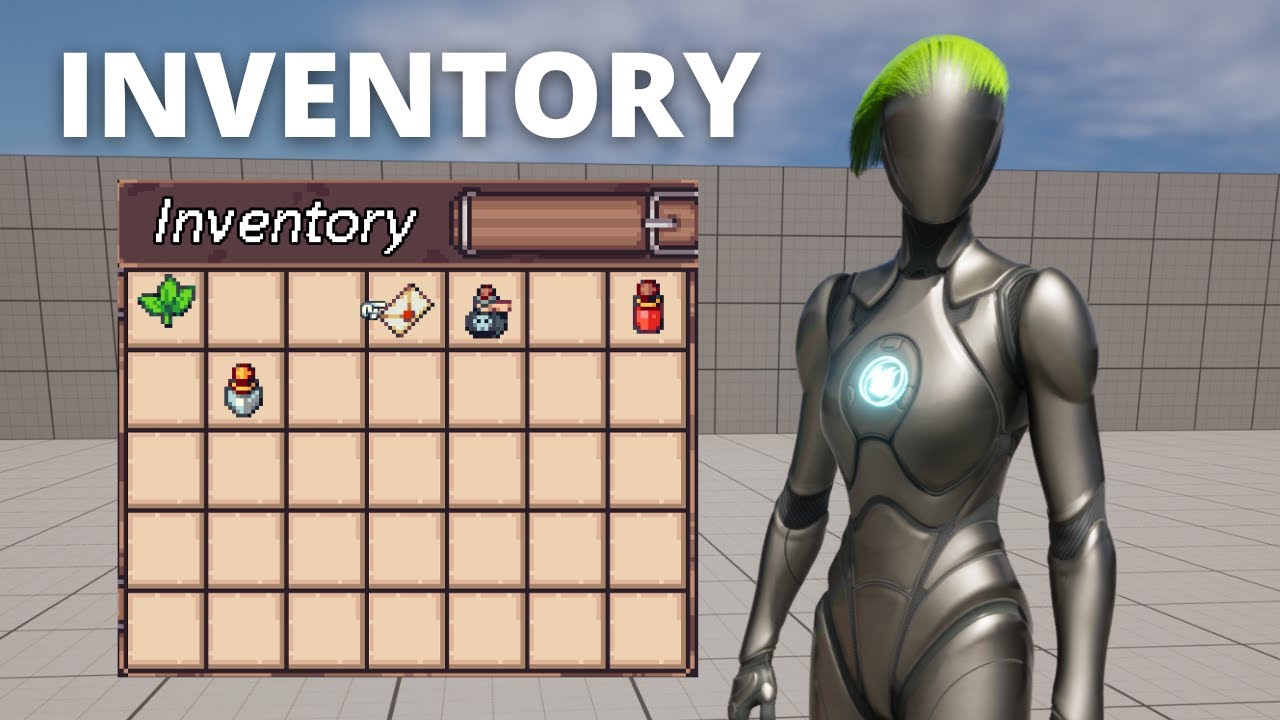
Hello guys, in this quick and simple tutorial we are going to learn how to make a simple inventory system in Unreal Engine 5
Check out my Steam Game! https://bit.ly/3rVlXU1
Follow me on Twitter: https://twitter.com/GorkaGames
Subscribe to the channel: https://www.youtube.com/channel/UCv_n9oioNF6OpzR2dt6E4xg?sub_confirmation=1
unreal engine 5,u...
outer quail
topaz gazelle
Search for IMC in your content browser. Make sure it has mappings assigned.
ahh found it, it has not been assigned yet, thanks
outer quail
topaz gazelle
Search for IMC in your content browser. Make sure it has mappings assigned.
I have updated everything, but it still haven't update the eventgraph


 frigid jetty
So I'm trying to setup this loop. Still pretty new. I have it set to add the amount I want but I want to increment it and add +1 each time the loop runs until it reaches the original amount +100 and then sets that as the amount. Should I maybe be using two separate variables somehow? I have this setup to update a variable on the UI which is "Number of Coins"

I had it working with a branch and a condition where I could get it to count up to 100 and set it to 100 but the condition I was using I think was wrong and would not add 100 upon picking up another coin because Number of Coins == Number of Coins +100 that was set in the condition
There was also a delay to give it the appearance of counting up. It was a mess and felt wrong. lol
topaz gazelle
outer quail
I have updated everything, but it still haven't update the eventgraph
Did you replace the variables being referenced by the original blueprint?
topaz gazelle
frigid jetty
So I'm trying to setup this loop. Still pretty new. I have it set to add the a...
I'm not sure what you're trying to do, can you show more of the blueprint
frigid jetty
topaz gazelle
I'm not sure what you're trying to do, can you show more of the blueprint
It's a coin pickup that adds +100 to a variable set that's in the UI
But I want it to increment it +1 quickly so it looks like it counts up to the Number of Coins + amount gained from pickup
This is full event for overlap with sphere.

Will need to change where sound is but that's pretty much the whole thing
topaz gazelle
I would think you'd need two variables, one for the current coin count and another for the goal amount.
 quartz kayak
Let's say that I use the Get Player Pawn node with its output is connected to 3 other nodes. Are there any performance costs to using 3 separate Get Player Pawn nodes (to improve Blueprint readability) vs using the 1 node?
topaz gazelle
don't worry about it
be concerned with a very intensive function being called multiple times instead of storing its output in a variable. Imagine a function with a for-loop x10000. If you route that function's output pin to multiple nodes it will call that function each time. At least that's my understanding, "getting" isn't a big deal.
pine zenith
pine zenith
I followed this tutorial on how to make an inventory system, but want to modify ...
Can someone help me figure out how to track the quantity of each string frequency? Or recommend a better/easier inventory system to implement? I want the player to be able to pick up items, open their inventory, and see how much of each item they have. OR keep that info on the screen tracking how much of these resources the player has. Which should I do and how should I do it? I’ve finished this tutorial btw, so that’s where I’m at blueprints wise
outer quail
topaz gazelle
Did you replace the variables being referenced by the original blueprint?
how do I do that?
topaz gazelle
pine zenith
Can someone help me figure out how to track the quantity of each string frequenc...
Can you use a map data type
pine zenith
topaz gazelle
Can you use a map data type
whats that?

 runic parrot
Does anyone know if there's a way to make a child of a DataAsset?
Not a child of the class, but rather of the DataAsset itself.
I want a new child DataAsset to have the same info of the mother DA + some other modifications
topaz gazelle
pine zenith
whats that?
It's like a 2d array. So you can have an integer or float be associated with a string.
quartz kayak
Y'all... I feel like I'm missing something obvious. Why doesn't this work? The button press is registered but the camera will not rotate
 pine zenith
topaz gazelle
It's like a 2d array. So you can have an integer or float be associated with a s...
pine zenith
topaz gazelle
It's like a 2d array. So you can have an integer or float be associated with a s...
how would I use it?
topaz gazelle
It's very comparable to an array if you've used one before.
Depends on how your setting your inventory variable, but when you collect an item or drop an item you would set the integer portion of the array to +1 or -1, then remove the item accordingly.
frigid jetty
Well counting from one isn't fast enough so I think I will have to set it to increment of like 25.
Actually looks better I think
 proven thicket
Sorry the last image is a bit of the mess, but looking for any input on solving a slight issue I've come across. Wanting to add onto my current grabbing system by making an object that's held through the physical handle rotatable, through the a mouse wheel up and down when an object is held.
Everything works fine, up until the end where it decides it wants to just revert to its original rotation - It keeps its position which I move it, but not the rotation. I assume it's due to an issue in my original pickup loop, but I'm quite lost myself. Spent the last hour or so trying to come up with a solution myself, so thought I'd ask. Quite new to Unreal so any help is appreciated.


 pine zenith
if I were to scrap my inventory idea, go with an item counter, and add/subtract from that number, could I then later turn that into an inventory system later once I feel comfortable enough to do that? i could make my mining wood, stone, getting fish, etc simple item counters, and ways to expend those resources from that number, and then later just display it in the inventory and let players interact with it in the inventory later (if i ever wanna do that)
 faint pasture
proven thicket
Sorry the last image is a bit of the mess, but looking for any input on solving ...
faint pasture
proven thicket
Sorry the last image is a bit of the mess, but looking for any input on solving ...
you don't want to roll the object, you want to rotate around the current camera Right vector
if you always want it to be rotating into / away from the camera that is
If you're using a physics handle then just use it for everything, grab it with rotation and adjust the rotation target too
outer quail
why does it show public? I tried copying this vrpawn into other project but it doesn't show public

 pine zenith
I wish I understood arrays and how to use them better. my idea would literally benefit from being in an array, but with all of programming in every platform, arrays have ALWAYS tripped me up and its annoying lol
lunar sleet
pine zenith
I wish I understood arrays and how to use them better. my idea would literally b...
If you don’t understand them what makes you think your idea would benefit from “being in an array”
And what part of arrays are you unclear on?
pine zenith
lunar sleet
If you don’t understand them what makes you think your idea would benefit from “...
because instead of repeating the same commands for each item, itd be 1 system
im not really sure. the idea of a container of different functions achieving similar goals n stuff theoretically makes sense to me, but the application, programming, and actually getting the results I want are all confusing to me
quartz kayak
quartz kayak
Y'all... I feel like I'm missing something obvious. Why doesn't this work? The b...
bump!
 pseudo sparrow
Hey I had a quick question, I have these 2 triangles, how do I get the triangle on the left to rotate around the middle triangle, and then switch the middle triangle to rotate around the left triangle on a button click? (Like how the planets rotate in A Dance Of Fire And Ice)
Or is this even possible haha, thanks in advance

 high path
quartz kayak
bump!
high path
quartz kayak
bump!
I am not sure but you can try setting the rotation not on the controller but on the actor itself(sorry for the bad english)
quartz kayak
high path
I am not sure but you can try setting the rotation not on the controller but on ...
Thanks mate, this worked although I don't quite understand why...
 obtuse mulch
pseudo sparrow
Hey I had a quick question, I have these 2 triangles, how do I get the triangle ...
obtuse mulch
pseudo sparrow
Hey I had a quick question, I have these 2 triangles, how do I get the triangle ...
easy way would be to put them on a stick and rotate the stick
like spring arm 🙂
high path
quartz kayak
Thanks mate, this worked although I don't quite understand why...
Well you are tring to set rotation to something that physicly exist in the world like the mesh and not the controller.
This is how I understand it
pseudo sparrow
obtuse mulch
like spring arm 🙂
I'm not too sure on how to do that in blueprints lol
And would they both be on the same spring arm? Or would they both have their own spring arm?
obtuse mulch
beginning of spring arm attached to one triangle
holding another
then rotate the spring arm with timeline or on tick
idk if it will work if the other spring arm is connected but i think it should
thats just an easy way to do it without math
proven thicket
faint pasture
you don't want to roll the object, you want to rotate around the current camera ...
Wasn't exactly what I needed with the right vector, but after a bit of trial and error I got everything working. Thank you regardless, set me on the right path! Went with the physical handle as you said.
obtuse mulch
pseudo sparrow
And would they both be on the same spring arm? Or would they both have their own...
2 spring arms
pseudo sparrow
Gotcha, it rotates but wayyy off center lmao, not in a perfect circle around the other triangle
pseudo sparrow
They are turned off (for both triangles) -- and correction, it does go in a perfect circle, just not to where the 2nd triangle is always the center (let me know if you want me to send a video for explanation)
obtuse mulch
no collision checks for spring arm
and check if spring arm is attached correctly
its location must be 0 0 0
you can send vid
 warped juniper
Hey, I have a more odd question. When do you consider it's better to use Arrays in code?
And I don't mean arrays of actors or components, but more like arrays of booleans, floats, etc
lunar sleet
quartz kayak
Thanks mate, this worked although I don't quite understand why...
Next time also check if someone answered you already, because you received an answer right under your initial question
warped juniper
Currently I made a system for attacks that stores all data of a box collision in 5 floats
Simple math and stuff, but I'm wondering if there's a better way to do it in your opinion
pseudo sparrow
obtuse mulch
its location must be 0 0 0
Kk so I roughly got it working. It switches rotating the two on a key click, but when I go to rotate the center planet, it spins in place instead of going around. If I swap the places of both triangles in the viewport then it will move just fine but apply the same effect to the triangle thats in the center (if that makes sense lol)
obtuse mulch
i didnt get it
obtuse mulch
the other spring arm scould be connected to triangle2
or 1
which one is not in center
pseudo sparrow
Triangle 2
obtuse mulch
but if that rotates both of them
then make it back as it was

and
when you press the key set location of other spring arm where the orbiting tringale stopped before rotating it
and that should work
and btw you shouldnt move the triangles
just attach them and only work with spring arms
changing only the spring arm length and position
pseudo sparrow
Yeah, I just moved them to see what it did lol. But with the stuff you just said to do-I'm confused lol
obtuse mulch
like your springarm1 rotates around actor origin
0 0 0 xyz
and if you want other spring arm to rotate around other triangle you have to set its origin at that triangle position
make sence?
ah and lengh
obtuse mulch
pseudo sparrow
Yeah, I just moved them to see what it did lol. But with the stuff you just said...
like that?
pseudo sparrow
Yeah somewhat, the center planet/triangle needs to start rotating from its last exact position tho (not saying that it wasn't in the vid, just hard to tell so I want to clarify haha)
obtuse mulch
ah so thats harder to do 😄
pseudo sparrow
Yeahhh
outer quail
Hi, so I'm following a tutorial here (https://www.youtube.com/watch?v=fiQ2OgEBbkc), but in this tutorial the crank spins all the way, while I want to set max rotation. I'm making a ship throttle. I'm stuck here, where should I put clamp?


#UnrealEngine #VR #VirtualReality
► Join the Discord: https://discord.gg/xw65fg7
► Description
Using blueprints and vr to create a rotational Crank wheel which you can grab and rotate.
► Patreon: https://www.patreon.com/GameDevXR
► Twi...
 simple bronze
The keyboard shortcuts for copy and paste in blueprint have stopped working for me in 5.3
I can still copy paste in other parts of the editor, other applications, with shortcut keys, and I can still copy and paste using the context menus in BP.
Any ideas?
pseudo sparrow
obtuse mulch
and do some math
Do you know what math id need to do?
obtuse mulch
nah
pseudo sparrow
Dang kk lol, well thank you for the help thus far anyways, I do super appreciate it. If anyone else knows what kind of math I may need to do id love some help with it
In the meantime Imma see if I can get this spring arm way to work
obtuse mulch
pseudo sparrow
Dang kk lol, well thank you for the help thus far anyways, I do super appreciate...

Epic Developer Community Forums
i want the parent to just rotate around the child object when player holds down Q, when they let go of Q the rotation stops.
 boreal crypt
I have a flying enemy drone that I've been working on, it uses the floatingpawnmovement with the flying capability.
When I enable UseControlRotation*, it...freaks out and is super jerky while it rotates to face the target.
https://gyazo.com/6c7b22e6b03cc926e7210a85c1ac3881
Here is a video that kind of shows what it is doing.
I have a ground based actor as well that uses floatingpawnmovement, and it rotates properly with no jerkyness, so I'm a bit confused what is happening here. Has anyone seen this?
 dark drum
pseudo sparrow
In the meantime Imma see if I can get this spring arm way to work
dark drum
pseudo sparrow
In the meantime Imma see if I can get this spring arm way to work
This is the equation for getting the X and Y for a point on the edge of a circle.
x = cx + r * cos(a)
y = cy + r * sin(a)
cx and cy is the origin of the circle which would be the X and Y of your triangle. R is the radius of the circle and a is the angle.
With this, you would just lerp the angle from 0 to 360 over time using the 2d position to update the location.
 empty badger
if i have a different types of bullets and a target which responds differently to the type of bullet that hit it
would i just cast to to every type of bullet that can interact with it or is there a more compact way to do it
dark drum
empty badger
if i have a different types of bullets and a target which responds differently t...
Respond differently in what way?
empty badger
for example if the target has hp vlaue
it loses different amounts based on the bullet that hit it
dark drum
empty badger
for example if the target has hp vlaue
it loses different amounts based on the ...
You would have the bullet define the amount of damage it would inflict. It can use the hit data to do some checks on the target if it needs to modify the amount.
dark drum
empty badger
hmm i think i can work with that
If you think you might need to do more than 2 or 3 casts in a chain, there's probably a better way. 🙂
But yea, you want to try to keep as much of the logic about the bullet/projectile in the projectile itself. All the player would do is handle applying the damage.
empty badger
dark drum
If you think you might need to do more than 2 or 3 casts in a chain, there's pro...
yeah thats what i was worried about
it felt wrong having like 4 casts in a row
on another topic am i using the tag correctly here
the if statement wont execute
if i replace matches tag with a cast to the blueprint it works just fine
 faint pasture
outer quail
Hi, so I'm following a tutorial here (https://www.youtube.com/watch?v=fiQ2OgEBbk...
faint pasture
outer quail
Hi, so I'm following a tutorial here (https://www.youtube.com/watch?v=fiQ2OgEBbk...
Stop adding rotation, it's a lot easier if you set it
Find look at, clamp, set
outer quail
faint pasture
Stop adding rotation, it's a lot easier if you set it
the throttle should be able to be moved from a range of angle for example (-45 deg to 45) and be placed anywhere between the angle. I want to set max value where if you pull or push the throttle to the max angle the throttle will stop and not go beyond that.
dark drum
empty badger
on another topic am i using the tag correctly here
the if statement wont execute...
Have you added the tag to the actor?
faint pasture
outer quail
the throttle should be able to be moved from a range of angle for example (-45 d...
Exactly.
Find look at rotation
Clamp it (The hard part, you'll want to take a delta vs your neutral rotation, clamp that, then combine rotations to get back to a world rotation)
Set it
There might be some other ways to clamp but that's how I'd do it
outer quail
faint pasture
Exactly.
Find look at rotation
Clamp it (The hard part, you'll want to take a de...
use this?

I'm really new to this T_T sorry
this my idea am I getting close to your idea?
 faint pasture
outer quail
this my idea am I getting close to your idea?
faint pasture
outer quail
this my idea am I getting close to your idea?
not really
outer quail
xD
faint pasture
why are you getting the x vector
outer quail
faint pasture
why are you getting the x vector
I'm not sure I just follow the tutorial
faint pasture
Delta will calculate the rotation delta between 2 rotations. How to get there from here (parent rotation). It'll output a RELATIVE rotation
that'll be the thing you want to clamp the pitch roll and yaw of, probably clamp yaw and roll to 0 and pitch to -45,45
then you can just set relative rotation of the handle or combine with rotation of parent to get the world rotation of hte handle and set it
You really need to wrap your head around rotations or you'll just be stumbling around
 civic quartz
If using a Format Text Node with String Table, changes in the String Table to {variables} are not reflected on the Blueprint Node. For example adding a variable does not add the pin. The only way to update is to change the key in the Node to another one and change back. And this means, that I have to reconnect all input pins on each change, as these connections are dropped. Is this really by design? I would have expected, that at least a RMB > Refresh Node should handle this. When not using StringTable content, the Node behaves as expected, keeping connections and only dropping, if changes really matter.
pine zenith
I am using On Component Begin Overlap, but also want to use the E Pressed node and have the events happen only if both are true. what node would let me do that?
 thin panther
 calm comet
It's a flag you can check for in C++
You use it because it makes save systems nice and easy over there
calm comet
thin panther
It's a flag you can check for in C++
thank you
pine zenith
pine zenith
I am using On Component Begin Overlap, but also want to use the E Pressed node a...
wowww thats cool, thats either the first time Ive figured out my own blueprint problem and why things were bugging out, or the first time in a veryyyy long time. lets goooo 😄
I set up a branch with a boolean checking if the player and item are overlapping, and if E is pressed, then the counter for that item increases, any cool sound or particle effect happens when I add those later, and the item is destroyed. I think this is one of the first times Ive felt like I had a grasp on blueprints and felt myself thinking like a programmer after taking a long break from it
 indigo zephyr
im trying to scale a sphere to be kinda squished, like a blob, but the player collision isn't "squishing" with it? 🤔 at a bit of a loss, its supposed to expand at runtime, but even in editor it looks like the player collision isn't trying to scale at all.


blob vs actual player collision view
pine zenith
and now that I have my system set up, I can copy and paste it for other items essentially as I find a need for them. in the mean time, time to figure out what to do now that I have this system down. still gotta figure out the game loop
pine zenith
for some reason, my widget isnt showing up on screen. I want the text "Press E to Pick Up" to show up when the player is overlapping with the item, but gone when they arent or if the item has been destroyed, and not matter if E is pressed or not

 vocal mango
Does anyone know if creating a police lightbar pattern using blueprint would be more ideal rather than using animations?
I want it to be as lightweight as possible and not drain much resources, but still make it look good and complex, and by complex I mean I have to create similar patterns to IRL lightbars
thin panther
Ideally you'd probably want that to be material based
vocal mango
It'll have to be material based, since it'll be emissive, but as far as strobe light patterns, I need it to be very specific @thin panther
Like it can't just flash "randomly"
 quiet furnace
Editor Scripting - How do I populate a variable, for example a map, enum or array?
I'm parsing through a data table and would like to extract data into for example an array. This is done in editor script and not in run-time. Parsing through the data table is working, but I can't figure out how to store the data in the editor. Is this possible to do in such a way that I can easily populate my array through an editor script?
I've tried a few approaches; reading into a local variable in the editor script, trying to populate a variable in a separate blueprint, using a data asset to store the info. The expected result would be that the default values in the array (or any variable really) is populated with the data I've picked from my data table.
Any pointer would be greatly appreciated 🙂
thin panther
vocal mango
Like it can't just flash "randomly"
And it doesn't have to in materials
vocal mango
@thin panther wait so you mean I can actually make it follow a specific pattern directly from a material with no blueprint or anim?
thin panther
Yes, materials are extremely powerful. You have all sorts of things available to you. You might want to end up driving some of the parameters by bp in the end, but I don't see any reason why you couldn't do what you want
vocal mango
thin panther
Yes, materials are extremely powerful. You have all sorts of things available to...
That's interesting, I had not thought of that. Would I be able to let's say have a lightbar of 4 strobes for instance, and make all 4 follow a different pattern?
 spice viper
quiet furnace
Editor Scripting - How do I populate a variable, for example a map, enum or arra...
spice viper
quiet furnace
Editor Scripting - How do I populate a variable, for example a map, enum or arra...
If it's an actor, maybe try the "Construct" blueprint? This runs in editor I believe before BeginPlay as well as any change where you save/compile. I'm assuming you're looping over your rows and adding them to the array?
spice viper
vocal mango
Does anyone know if creating a police lightbar pattern using blueprint would be ...
Sure, could go as simple as adding some point lights to a mesh and using BPs to toggle their colors. Could also do it with materials on the light bar itself, setup the material so the color is a parameter and have the BP pass the color to the material.
Could have a timed event to swap every 0.1s or so, could use timeline, or if you're crazy, Event Tick.
quiet furnace
spice viper
If it's an actor, maybe try the "Construct" blueprint? This runs in editor I bel...
Interesting, I'll explore that solution. Thanks for the idea!
spice viper
pine zenith
for some reason, my widget isnt showing up on screen. I want the text "Press E t...
You likely will need to run a line trace every tick on the actor for this. It's how I achieved similar in my project. Each trace will tell you what you're looking at then you can show/hide widgets as needed.
Also, you're just changing visibility in your BP here. I'm assuming you've already created the widget and added to view port?
 steel geyser
guys help me i want to move testsubject if i press X but its not working
see...

help pls...
pine zenith
spice viper
You likely will need to run a line trace every tick on the actor for this. It's ...
Yea. Previously it was permanently on my screen. And idk what a line trace is or how to do what you suggested
thin panther
vocal mango
That's interesting, I had not thought of that. Would I be able to let's say have...
It's very possible, yes. I've seen crazier come out of materials
quiet furnace
steel geyser
What's your expected behavior on this? From looking at the script - this looks like it should move your testsubject every time you push the x button. But you'd need to spam it to have a continuous movement.
Might be worth looking at any of the Movement Components which you add to your actor. This would give you a much simpler way of controlling movement. Should be a plethora of tutorials on how to use it that you can find by googling UE5 Movement Component or such.
thin panther
You'd also need to be in a possessed pawn for that input to trigger
 true wadi
Hi, I've been writing a RPG game with my own game save subsystem all in C++ ready.
The SaveGame class is defined as:
UCLASS() class UESSaveGame : public USaveGame { GENERATED_BODY() public: UPROPERTY() FString LastMapName; UPROPERTY() TArray<FPlayerSaveData> SavedPlayers; UPROPERTY() TArray<FActorSaveData> SavedActors; }
But now I want to add a Blueprint quest system(UltimateQuestManager), which comes with its own SaveGame format.
I found that it also call "SaveGameToSlot" function as I did in my Game Save Subsystem(UGameplaySTatics::SaveGameToSlot() )
I wonder if I make the BP game save format inherits my game save class in C++, how can I do save together to preserve both variable from C++ & BP? Does anyone have experience like this?
 obtuse oriole
How do I set character actor world transform? I have set my movement mode to custom and I want to lerp my character transform between 2 predefined transforms
remote meteor
true wadi
Hi, I've been writing a RPG game with my own game save subsystem all in C++ read...
if you mean a bp save game class inheriting the cpp ones, both variables from both sides would be saved.
As long the Save Game Object reference is correct, it should save correctly, even if called from c++
remote meteor
obtuse oriole
How do I set character actor world transform? I have set my movement mode to cus...
Would SetActorTransform() be enough? You can use a timeline if you need the lerp to happen over a fixed duration.
true wadi
remote meteor
if you mean a bp save game class inheriting the cpp ones, both variables from bo...
Thank you, I will try to verify it.
steel geyser
quiet furnace
What's your expected behavior on this? From looking at the script - this looks l...
Ok , but can't I add some blueprints to achieve what I want(Player movement)?
hollow cove
hey i got a network clock plugin and keep getting this warning LogNetworkClock: Warning: No NetworkClockPlayerController found in GameInstance while getting Network World Time. Returning World->GetTimeSeconds()
what does it need me to do
does my player controller have to be a networkclockplayercontroller blueprint
ah seems to have gone if i cast to my player controller before i get the node
quiet furnace
steel geyser
Ok , but can't I add some blueprints to achieve what I want(Player movement)?
If you want simple character movement, the 3rd Person project template would have all that setup for you out of the box.
If you want to understand the work-flow of the editor better and set it up your self - follow this tutorial and build this setup step by step. https://docs.unrealengine.com/5.0/en-US/setting-up-character-movement/

In this Tutorial, you will create a playable character that exhibits different forms of Character Movement.
 swift pewter
I'm trying to implement an item pickup effect where the actor floats towards a widget in the HUD after which it gets destroyed and increments the widget counter. My current approach is to deproject the widget's screen location to world location and setting the actor's location to it. This doesn't have the desired visual effect though as seen in the video. Any tips on how I can achieve this?

 rancid moat
Question, anyone would know what replaced the Add Key bp function from 4.26 in 5?
https://docs.unrealengine.com/4.26/en-US/BlueprintAPI/EditorScripting/SequencerTools/Keys/AddKey_Event/
Same with the Create Quick Binding bp function
Add Key (Event)
neon gull
im using line trace by channel and casting the hit actor to my custom actor class. in editor this works without any issues, but in a packaged build i do not get anything from this function. it's a vr project btw
 steel geyser
quiet furnace
If you want simple character movement, the 3rd Person project template would hav...
steel geyser
quiet furnace
If you want simple character movement, the 3rd Person project template would hav...
Ok
 floral sphinx
Is blueprint the same in UE4 and UE5?
lofty rapids
are you saying IsBlueTeam is switching back and forth ?
floral sphinx
I see, ty
lofty rapids
what is IA ? and i'm guessing each one is self ?
whats not working about this ? the trigger box is incorrect ?
i don't understand what you mean by true/false, true/false
 torpid sparrow
Hello all. Making a blueprint macro library. The macro works great, which is the good news. But why aren't the pins showing their name labels when I use it?

(It's a User Widget macro)
pseudo sparrow
dark drum
This is the equation for getting the X and Y for a point on the edge of a circle...
How would I do this in my blueprint?
Also apologies for the late reply, was asleep lol
dawn gazelle
torpid sparrow
Hello all. Making a blueprint macro library. The macro works great, which is t...
That's what happens when you use the "Compact Node Title" format.
Just remove the NoTickTimer from the Compact Node Title field and it'll return to being a regular looking macro.
torpid sparrow
@dawn gazelle Thanks so much!
trim matrix
hi guys, i am making a crafting system with physical items and i have a table with a collision box on top. but how can i make them craft?

the item is a blueprint (static mesh variable is instance editable)
 lofty rapids
trim matrix
hi guys, i am making a crafting system with physical items and i have a table wi...
lofty rapids
trim matrix
hi guys, i am making a crafting system with physical items and i have a table wi...
are you getting the display name properly ?
wdym "make them craft"
trim matrix
lofty rapids
are you getting the display name properly ?
this is what the display name says
 trim matrix
lofty rapids
wdym "make them craft"
trim matrix
lofty rapids
wdym "make them craft"
a simple craft mechanic that checks if there are two or more specific items
and creates a third item
lofty rapids
trim matrix
this is what the display name says
so you want when the player is inside collision box and UseCraftingTable then it works
but if not in the box then not work
what is "box collision" ?
dark drum
pseudo sparrow
How would I do this in my blueprint?
This should get you started. Specify the radius and lerp the angle. Switch the origin and oribiting component when you need to.
 trim matrix
lofty rapids
so you want when the player is inside collision box and UseCraftingTable then it...
trim matrix
lofty rapids
so you want when the player is inside collision box and UseCraftingTable then it...
i have a trigger that fires off the craft event when i click E on the crafting table, the collision box is for the items on top of the crafting
idk if you ever saw the crafting mechanic from "my little blacksmith shop" but it's something like that
trim matrix
trim matrix
idk if you ever saw the crafting mechanic from "my little blacksmith shop" but i...
lofty rapids
trim matrix
hi guys, i am making a crafting system with physical items and i have a table wi...
so then these overlapping components, they are the things you want to craft ?
if i'm understanding correctly, you got some items in a collision box that you want to craft into something ?
trim matrix
lofty rapids
if i'm understanding correctly, you got some items in a collision box that you w...
yeah, when i click E on the crafting table if there are two specific items they disappear and another item spawns on top of the table
lofty rapids
so you need a way to know what they are
probably the name might not be enough
maybe some sort of variable that tells what it is, so when you loop through you can make the match
check the length first so you know if you have 2 items in the box right off the bat
lofty rapids
trim matrix
yeah, when i click E on the crafting table if there are two specific items they ...
are you only wanting to have this one craft mechanic ?
trim matrix
lofty rapids
are you only wanting to have this one craft mechanic ?
for now i need that
lofty rapids
specifically these two items, or can you have other combos ?
lofty rapids
lofty rapids
maybe some sort of variable that tells what it is, so when you loop through you ...
^
considering you don't know the order of which was placed
i would just go with a loop that checks for those things, something like an integer that on completed if it equals 2 then you got both, good for this single purpose
pseudo sparrow
dark drum
This should get you started. Specify the radius and lerp the angle. Switch the o...
What variable type is the origin/orbiting component?
lofty rapids
trim matrix
with 3 or 4 ingredients maybe
so you'll need some way of knowing what to look for, storing the combinations somehow
 brisk rain
Hey! There seems to be a problem here. When I try to run it and click somewhere it outputs "infinite loop detected" even tho it's supposed to stop after I release my finger. Can anyone help?
 trim matrix
lofty rapids
maybe some sort of variable that tells what it is, so when you loop through you ...
trim matrix
lofty rapids
maybe some sort of variable that tells what it is, so when you loop through you ...
i tried adding a variable in the Item Blueprint but i don't know how to access it
dawn gazelle
brisk rain
Hey! There seems to be a problem here. When I try to run it and click somewhere ...
You can't have a while loop run indefinitely. You need the boolean set false somewhere within the loop body.
 bronze python
Hey, so I've been having an issue where my sword detaches from it's parent when it's spawned. I've tried using the Set Simulated Physics node to turn them off before it gets attached to the socket I created on the player's skeleton but the sword keeps detaching anyways like the node is doing nothing at all.
Everything was working perfectly until I turned on simulated physics so I'm 99.9% sure that's why it's still detaching, I'm just not sure why the node isn't working.
I've also tried it with an Component to Component node and it was no different unfortunately. The weapon is a static mesh if that has any relevance.
Thanks in advance for any help you can give!
 brisk rain
dawn gazelle
You can't have a while loop run indefinitely. You need the boolean set false so...
brisk rain
dawn gazelle
You can't have a while loop run indefinitely. You need the boolean set false so...
i do, its wired up to input touch release
dawn gazelle
brisk rain
i do, its wired up to input touch release
Which runs indefinitely.
brisk rain
dawn gazelle
Which runs indefinitely.
im confused...
dawn gazelle
I press a button, you have no idea when I will release it.
brisk rain
when i lift my finger it should stop the loop
so how do i make a loop start on a node and end on a node
trim matrix
lofty rapids
so you'll need some way of knowing what to look for, storing the combinations so...
for the combination i would use a line of branch that checks if the array of all the items in the crafting contains specific items
lofty rapids
trim matrix
i tried adding a variable in the Item Blueprint but i don't know how to access i...
so i'm not sure because your doing overlapping component, but you normally cast and get the variable
brisk rain
brisk rain
so how do i make a loop start on a node and end on a node
anyone?
trim matrix
trim matrix
for the combination i would use a line of branch that checks if the array of all...
something like this, i just need the names

it would be good to add an array connected to the collision box
another problem i have is that if i try to delete components they don't get deleted
dawn gazelle
brisk rain
so how do i make a loop start on a node and end on a node
In this case what you likely want to do is use tick.
On your tick logic use a branch. If your "Activate" is true, then do your movement code. Your input then just controls wither its on or off. An alternate way around this would be to use Enhanced Input and then you can just use the "Triggered" output which acts like its running on tick.
brisk rain
dawn gazelle
In this case what you likely want to do is use tick.
On your tick logic use a br...
i totally forgot tick existed
thx
lofty rapids
trim matrix
another problem i have is that if i try to delete components they don't get dele...
when you say components, your putting "components" inside a box collision ?
trim matrix
lofty rapids
when you say components, your putting "components" inside a box collision ?
blueprints
lofty rapids
ok what is the parent class ?
trim matrix
actor
lofty rapids
ok
so i believe you can get overlapping actors instead of component
if you can make the variable instance editable
then in the loop you can cast, and get variable
trim matrix
isn't looping a cast a bad thing?
lofty rapids
you can build an array of the variable values
lofty rapids
trim matrix
isn't looping a cast a bad thing?
i mean your casting in a loop, idk about performance but if your doing this not on tick i wouldn't worry about it
trim matrix
 trim matrix
this?
 pseudo sparrow
What variable type is the origin/orbiting component?
pseudo sparrow
pseudo sparrow
What variable type is the origin/orbiting component?
I can't get this to work lol
lofty rapids
trim matrix
this?
no get rid of the get, and the get overlapping components, instead "get overlapping actors" and loop through that
lofty rapids
trim matrix
this?
 dark drum
pseudo sparrow
What variable type is the origin/orbiting component?
dark drum
pseudo sparrow
What variable type is the origin/orbiting component?
Static mesh component but you could use scene component to allow it to be used with other stuff.
pseudo sparrow
I can't drag my triangle static mesh into it
trim matrix
lofty rapids
it's mostly working until i try to get variables from the item bp
 lofty rapids
trim matrix
it's mostly working until i try to get variables from the item bp
lofty rapids
trim matrix
it's mostly working until i try to get variables from the item bp
did you make the variable instance editable ?
lofty rapids
trim matrix
it's mostly working until i try to get variables from the item bp
i would get rid of the second loop until you can get that variable
trim matrix
lofty rapids
did you make the variable instance editable ?
okay yeah that was the problem
AND NOW I GET THE NAMES OF THE ITEMS RIGHT IN A STRING ARRAY
thanks man
bronze python
bronze python
Hey, so I've been having an issue where my sword detaches from it's parent when ...
Would anyone have a chance to take a look that this for me?
 stray cobalt
Hey. I have just started out using blueprints, I have made this displacer blueprint using geometry scripting, and I have got it working fine, also got it to work with the variables in the sequnecer so I can animate the offset. The problem is when I render it out, it just stop on that first frame and renders out 97 frames of the same image. It looks like it doesn't update on every frame, what do I do and how?

 thin raft
Hi, I have a question. How would I tie the 'set relative location and rotation node' in with the nodes above it so that it triggers when crouched and then reverses once the player stands up? (I'm very new to unreal)
Any help would be appreciated
 lofty rapids
thin raft
Hi, I have a question. How would I tie the 'set relative location and rotation n...
lofty rapids
thin raft
Hi, I have a question. How would I tie the 'set relative location and rotation n...
so you just want to set that if crouched ? hard to go back to where you with just add, or you could try reversing it
thin raft
yes, the camera should get lower when crouched and then return when standing up
Right now if I just connect it at the end it goes down when crouched, but how do I make it so it comes back up when the character stands?
lofty rapids
thin raft
Right now if I just connect it at the end it goes down when crouched, but how do...
you can get those values before you change them, and then plug in the saved values to go back to where you were
lofty rapids
thin raft
Right now if I just connect it at the end it goes down when crouched, but how do...
or you can just hard code another one to go back to zeros
lofty rapids
thin raft
Hi, I have a question. How would I tie the 'set relative location and rotation n...
show where your plugging it into, and you can just make another one on the crouched false path
plug that one into the top red circle, and on the second set i back to zeros

 fleet ice
Looking for some help with interfaces. I have an interface called BPI_ProgressBar with a graph node called Progress Bar Updated. It has an input of Percentage
I added BPI_ProgressBar to the class settings Implemented Interfaces.
I have a actor called BP_ProgressCalculator in the scene that has a box collision, and ever tick (set to 5 seconds each) it checks the actors in it, and determines the percentage of total actors needed. At the end of that execution path, i call ProgressBarUpdated with the percentage as an input, and target set to self (BP_ProgressCalculator)
In another BP called BP_Dock I have similarly implemented the interface
I added Event Progress Bar Updated interface event, printing a string of the percentage.
For some reason the event is sent, but it's never received by BP_dock What am I doing wrong?

 lunar sleet
fleet ice
Looking for some help with interfaces. I have an interface called `BPI_ProgressB...
lunar sleet
fleet ice
Looking for some help with interfaces. I have an interface called `BPI_ProgressB...
Try watching the 2nd to last pin video in this channel, interfaces can be tricky.
thin raft
lofty rapids
show where your plugging it into, and you can just make another one on the crouc...
Thanks, I'll try
fleet ice
lunar sleet
Try watching the 2nd to last pin video in this channel, interfaces can be tricky...

Announce Post: https://forums.unrealengine.com/showthread.php?101051
This Training Stream takes a look at Blueprint Communication. We find that Unreal Developers of all levels can sometimes struggle through the concepts behind moving data between objects. So in this video we'll take a look at the different ways to make Blueprints talk to one an...
lunar sleet
Aye
dawn gazelle
fleet ice
Looking for some help with interfaces. I have an interface called `BPI_ProgressB...
To use an interface, you need a reference to the thing that is implementing that interface and you use that references as the target. So if you wanted your BP_Dock to respond to the message, you'd need a reference to the BP_Dock in your BP_ProgressCalculator so that it can call to it.
lunar sleet
Yeah, sadly you can’t just send a message out into the void using self as target
fleet ice
Is there something else in unreal that allows me to just shoot off a message and consume it elsewhere?
fleet ice
dawn gazelle
To use an interface, you need a reference to the thing that is implementing that...
It's confusing that if you implemented an interface on 20 objects you'd have to reference all 20 of those objects to send a message to them 🤔
lunar sleet
You should be using inheritance at that point and just message the parent… uh maybe… I haven’t played with interfaces in a bit
dawn gazelle
That's how interfaces work. Each of those objects can respond differently to that interface, but you still need a reference to that object in order to communicate to it.
The only one-to-many communication method is an event dispatcher in which many objects can bind to the dispatcher, and when that dispatcher is called, they can all respond to that call.
It still requires a 1 to 1 link however, as the thing binding to the dispatcher needs a reference to the object that contains it.
 timber orbit
Hello everyone! I would like to know if anyone could help me.
I'm creating a tool where I iterate with the subsequence tracks in a Level Sequence.
Imagine I have a few Subsequence and in my editor utility widget I need to select specific one, let's say "AAAA"
I'm trying to use Python command to select and couldn't find how can I provide the display name, because the output that I get is MovieSceneSubTrack_0, MovieSceneSubTrack_1, and so on.
This is the python command to get the subsequence, but I couldn't find how to get the display name or either provide the name to turn that subsequence focused.
def get_all_subsequences(sequence):
"""Shortcut to get all subsequences from a sequence."""
subsequences = sequence.find_tracks_by_exact_type(ue.MovieSceneSubTrack.static_class())  # type: list[ue.MovieSceneSubTrack]
return list(subsequences)
print (get_all_subsequences(sequence))
Tried everything with the blueprint nodes but couldn't find the solution.
Thank you for your time
fleet ice
dawn gazelle
The only one-to-many communication method is an event dispatcher in which many o...
I will look into this. I'm trying to mostly figure out how to communicate data from one BP to my UI.
lunar sleet
fleet ice
I will look into this. I'm trying to mostly figure out how to communicate data f...
If you use a HUD bp class, you can getHUD when getting the player controller and ref things that way
outer pine
No matter what i do i cant attach anything, using an actor to component node, To my metahuman. Help me please
 marble sky
I am having a weird issue, and am wondering if somebody could help me as I can't seem to figure it out. I have the Paragon: Revenant character I am using in a third person template. He's left handed, and holds the gun to his left side and straight out (and aim offset is in place). I am trying to make it so that when the user clicks the left mouse button, a line trace goes from the barrel of the gun to the center of the screen (where the crosshair retical is at), but no matter how I set it up, the line trace doesn't hit the center of the screen.
I am using a 'scene' component attached to a socket on the barrel of the gun as the 'start location', and trying to use the cameras forward vector * range (float) and adding it to the 'start location' for the end location. (This is probably what's wrong, but I don't know how else to do it. If I use camera for both location (start) and end, the line trace hits center like it should but the gun isn't pointing towards center (its aiming off to the left) of the screen so visually it looks off)
It seems like only this model is an issue, I think because of where the gun is in relation to the rest of the body and the camera.
Trying to get a screen recording/screenshot right now but having some mouse issues so it'll be a minute.
 calm gull
Hi!
I am working on a gameplay system in ue5. I have an abstract class, which inherits an interface. For some reason it seems like the interface is automatically "implemented" in the class, so that I cannot pass on the responsibility of implementing it to the child classes.
I believe it was possible in ue4, and perhaps there is something I am missing. Any way to achieve what I want in ue5?
dawn gazelle
calm gull
Hi!
I am working on a gameplay system in ue5. I have an abstract class, which i...
You can override the implementation in child classes.
hollow cove
is there a way to quickly format date time objects or do i have to get each component and do it myself
calm gull
dawn gazelle
You can override the implementation in child classes.
This is not what I want. I want the child class to be forced to implement the method
dawn gazelle
calm gull
This is not what I want. I want the child class to be forced to implement the me...
And they would - if you do not override it, then the parent method would be used.
hollow cove
nevermind found the node
calm gull
@dawn gazelle I am trying to make a system where, if you decide to inherit from a particular class, you are then forced to implement a method which returns some data which will be class dependent. In my case some references to static meshes on you class which will be modified.
I can of course have a default implementation which screams/crashes by default, which is probably what I will fallback to doing, but I am fairly certain that this was easy to implement in ue4, since it did not implement any of the methods automatically
dawn gazelle
calm gull
<@218956378654507008> I am trying to make a system where, if you decide to inher...
Ok I understand now. I don't recall seeing anything about making an implementation of a method of an interface mandatory. Someone more experienced may have an idea.
calm gull
dawn gazelle
Ok I understand now. I don't recall seeing anything about making an implementat...
I have a functioning workaround, but perhaps someone knows about a way to achieve this. Anyway, thanks for the feedback
bronze python
bronze python
Hey, so I've been having an issue where my sword detaches from it's parent when ...
Hey, I was wondering if anyone had a sec to take a look at this?
 empty mural
If I want to make a data table of armors, but I have other armors that I want to reference something like a base model, is there a way to create children within data tables? Do I just set up children within the structs? Would I just have a variable to place a name as a base reference and look it up again in the data table to compare?
thin panther
You might want to consider data assets instead of data tables
empty mural
thin panther
You might want to consider data assets instead of data tables
Thank you. I know OF them, but I haven't had a reason to figure out their use yet. I'll take a look.
spice viper
In a shipping build, I will change the screen resolution from 2k to 1080p & windowed mode from fullscreen to windowed. This action calls Apply Settings on Game User Settings which says it's supposed to save to storage? But if I restart my build, these settings are reverted to 2k full screen?

 remote wasp
Hi
How can I make my character "float" above gaps? I still want it to move as if it were on the ground, but also be able to cross gaps without falling
I tried removing gravity, setting the movement mode to flying, restricting the Z axis, but all of those solutions changed the way my character moved
I still want it to have the exact same movement that it has when gravity is enabled
faint pasture
remote wasp
I tried removing gravity, setting the movement mode to flying, restricting the Z...
Just make the gap visible only
remote wasp
well i still want other characters to fall down when they cross the gaps
faint pasture
Explain more, what sort of mechanics do you want?
You can give your characer a special collision setup that blocks the thing bridging the gap
GapBridge blocks PlayerPawn but not AIPawn
Otherwise, the collision is identical
remote wasp
That was going to be my last resort, since it would mean placing collisions over every gap in my level
 proud salmon
Anyone happen to know why UTCNow returns 0001.01.01-00.00.00 when called from within a widget?
I'm trying to pass a date time variable from the server --> client --> widget that contains UTCNow + X Time. Then using that as a way to determine time remianing.
But UTCNow always returns 0001.01.01-00.00.00 when called in the widget 🤷♂️
faint pasture
Does the Z height differ?
remote wasp
I wanted to try and playing with the character movement first, to see if there was a way to do what I wanted
faint pasture
What do you actually want, is a gap any different from just a height difference?
Like can you walk horizontal off of any surface or just the special gap ones
remote wasp
I want my character to have an ability that allows it to walk across gaps in the floor
but enemies still can fall
faint pasture
Show your map
remote wasp
 faint pasture
I'd maybe make a custom collision channel if you don't have a free one and make a collision preset for the player pawn that blocks vs it. Then that way you don't have to change anything, it'll be opt-in only
remote wasp
it's still a bit weird that the "Plane constraint" thing doesn't keep the force of gravity when you constrain the Z axis
faint pasture
what do you mean by keeping the force of gravity?
the constraint means you can't move in Z. Falling is moving in Z.
It's not a box constraint, it's a plane
remote wasp
the reason the base Unreal character walks the way it does is because of gravity applying a constant force on the Z axis
When you use the Plane Constraint settings on the character movement component it changes how the character walks, because it also locks the effect of gravity on it
and by that I mean not just when falling, but when walking normally too
faint pasture
yeah it can't detect falling/landed-ness if you can't fall to begin with
the plane will do the trick
it's basically a global gap bridge
remote wasp
it will work on this level, but if I want to do one with different heights it will be a different story
kind estuary
How do i prevent overlap always?
Im using Begin Overlap, and my collision is set to Overlap on the other class.
So when it touches the other , i stop its movement.
All good.
But then if i send it forward again it keeps moving, and it doesnt fire the overlap again, because it didnt end overlap, so it doesnt detect that its still overlapping
kind of confusing to explain
how do i make it so that it never overlaps, but also detects overlap event
remote wasp
In general, it's better to query overlaps than to use OnOverlap events
That way you have control over when the checks happen instead of relying on the event firing
Just use the "Get Overlapping Actors" node in the Tick event and look for the actors you want
kind estuary
remote wasp
In general, it's better to query overlaps than to use OnOverlap events
That way ...
isnt that more expensive? i never saw this in the tuts, they always use overlap event
remote wasp
It is, but unless you're doing hundreds or thousands of checks every tick it's perfectly fine
kind estuary
remote wasp
It is, but unless you're doing hundreds or thousands of checks every tick it's p...
well i will need hundreds because i have hundreds of things moving around
its just feels weird to check this on tick
instead of just using the Begin Overlap
but idk
i have to try it
remote wasp
Yeah if you have hundreds of actors doing the check every tick that's gonna be expensive
I was assuming you only had one or two actors
kind estuary
and also not using events how do i check when i End Overlap
brazen merlin
kind estuary
and also not using events how do i check when i End Overlap
maybe an array could hold all of the overlapping actors. The tick could validate the array with what you need to do from there
remote wasp
You can use the EndOverlap event with this method, since your issue is only with the StartOverlap
kind estuary
remote wasp
You can use the EndOverlap event with this method, since your issue is only with...
ahh
remote wasp
kind estuary
its just feels weird to check this on tick
Also the GetOverlappingActors has a built-in filter for a specific class, so that limits the quantity of stuff to check every tick
kind estuary
remote wasp
Also the GetOverlappingActors has a built-in filter for a specific class, so tha...
yes thats great
thanks
remote wasp
Another solution that's maybe better actually : use both methods
When your actors trigger the OnStartOverlap event, start checking the overlaps every tick, and stop checking when OnEndOverlap is called
spice viper
spice viper
In a shipping build, I will change the screen resolution from 2k to 1080p & wind...
So has anyone setting GameUserSettings.ini not actually write anything out on shipping builds? Why would it be blank after clicking "Apply Settings" in our menu that calls the "Apply Settings" node for GameUserSettings then closing the game? Shouldn't it write out to that .ini?
 lunar sleet
I don’t think it writes to disk, only applies current settings
 keen widget
how to get ref to my player controller? and event inside
 spice viper
lunar sleet
I don’t think it writes to disk, only applies current settings
spice viper
lunar sleet
I don’t think it writes to disk, only applies current settings
So then how do other games save & load on game startup custom resolutions / AA / texture quality etc. settings?
In the editor itself if I do the same actions, a GameUserSettings.ini gets generated... just not in shipping builds?
 spice viper
keen widget
how to get ref to my player controller? and event inside
spice viper
keen widget
how to get ref to my player controller? and event inside
"Cast To AssistantPlayerController"?
keen widget
spice viper
"Cast To AssistantPlayerController"?
nothing.. 😟
 faint pasture
keen widget
nothing.. 😟
faint pasture
keen widget
nothing.. 😟
Then Player 0s PlayerController is not an AssistantPlayerController
That's literally what you're asking
Tick -> Is Player 0s Playercontroller an AssistantPlayerController? -> Print its display name if it is
keen widget
faint pasture
Then Player 0s PlayerController is not an AssistantPlayerController
oh.. so what would be the correct way?
kind estuary
remote wasp
Another solution that's maybe better actually : use both methods
When your actor...
thats a great solution too
 untold rain
why is it empty?

 marsh sonnet
Hiiiii! I am SO new to Unreal, is it okay to ask for help here?
I'm making a game that transitions between visual novel and 3d levels (I know Unreal is OP for 2d, but I need it for the 3d stuff!) - I'm trying to set up a "choose your character" menu. I'm using regular images for the other characters, BUT because I want players to choose their character, I need those two options to be paper sprites.
SO I'm trying to change the logic to if character=player, then we take the sprite and put the sprite into the image on the vn HUD. I'm having issues with getting the sprite to show up as a brush. It's showing up as a blank spot, so I feel like I'm on the right path, but I feel like there must be something obvious to people more experienced that I'm missing. Anyone?


 marsh sonnet
Hiiiii! I am SO new to Unreal, is it okay to ask for help here?
I'm making a gam...
marsh sonnet
marsh sonnet
Hiiiii! I am SO new to Unreal, is it okay to ask for help here?
I'm making a gam...
My variable is def storing, as seen in screenshot
untold rain
untold rain
why is it empty?
does someone know why
 pallid canyon
I am trying to make a laser and im having trouble. I used a line trace by channel. then called a niagra system i made to start at my FPcamera and end at the hit location. the problem im having is idk how to reset the event. the niagra system is stuck to the line trace location and to the camera like a string of yarn. how do i get the niagra system to end once i release the trigger?
 blissful summit
had my first blueprint corruption today... thank god for version control and rollback (and me pushing every small change)
lunar sleet
spice viper
So then how do other games save & load on game startup custom resolutions / AA /...
Not sure, maybe #packaging would know
remote meteor
in shipping mode, they are at LocalAppData/<ProjectName>/Saved/Config
 keen ore
How do i get so it can inherit whatever name is stored in the child of weapon pick Up


 true valve
I want to send time to all of my AI NPC. What's the efficient way to do that? Assuming I have a time of day system.
blissful summit
AI NPC call gamemode, get the time
true valve
Not system time, but I have a sky system with in-game time of day.
blissful summit
yes, store the sky system time in the gamemode
or worldsettings
somewhere convenient
true valve
Let's say I store the time in gamemode or in worldsettings, every minutes.
blissful summit
probably more efficient for the gamemode to track all npcs and just give them the time in an array
true valve
How would AI NPC access it
true valve
Ok thanks
brazen merlin
keen ore
How do i get so it can inherit whatever name is stored in the child of weapon pi...
after the cast, you need to find the child actor, either by function or making it a variable to be referenced....
true valve
blissful summit
like getgamemode->call function, that returns the time
So would you get game mode in sky BP and set the time to game mode. Or from gamemode get sky BP and set time in gamemode>
blissful summit
for simplicities sake id just get the gamemode to get the time from sky bp and store it in its own variable
true valve
So get Sky BP from gamemode and save
blissful summit
yea
true valve
ok thanks
true valve
blissful summit
yea
Should I use setTimer every minute in my base AI BP to get time of day from gamemode?
blissful summit
you can
true valve
blissful summit
you can
The issue is there are delay in avabilities. My AI task executes right away before the time of day is recieved and set.
blissful summit
that is not a problem related to how to get time of day though
thats a different issue, im not going to be familiar with
 quick imp
Has anyone tried to set an animation blueprint in a datatable and then pull it and set it to a skeletal mesh inside a character blueprint?
 finite hearth
Why is my "set actor location" briefly teleporting to the intended destination, but immediately returning back to its origin? The coords are being passed as expected, but the location only sticks for one or two frames.
lunar sleet
finite hearth
Why is my "set actor location" briefly teleporting to the intended destination, ...
You’re prly changing it again somewhere else
finite hearth
ChatGPT gave me some troubleshooting steps and #2 was the answer:
"Replication Issues:
If you are working in a networked environment, ensure that the actor location is correctly replicated. If not, the server's authoritative position might override the client's attempted movement."
The fix was to set "only relevant to owner" on my camera cube.
 foggy tiger
So is there any hint on how to change the Ai perception behaviour, my use case is I want the Sight to only detect certain Pawns in the world