
#blueprint
1 messages · Page 71 of 1
 versed sun
Get Player Controller gives you the base class, but if you made a Widget and saved a Ref in BP_FirstPerstonPlayerController you need to cast to it
versed sun
did you save and compile
 umbral maple
@rugged wigeon I cant get it to work, it only somewhat works when I use the get actor of class
versed sun
 lusty hedge
but still doesnt work
lusty hedge
but still doesnt work
Show where you add the widget
lusty hedge
okay so unchecking context sensative is taking me somewhere
which doesnt make sense because it is relevant to this context

sooo maybe that was it. ill report back in a sec
lusty hedge
versed sun
Show where you add the widget

 lofty rapids
it looks like you actually put the variable in bp first person character
lusty hedge
the variable is made storing Main_WBP
versed sun
thats character
lusty hedge
lofty rapids
it looks like you actually put the variable in bp first person character
yes
so if i reference the player i thought i could access its variables
versed sun
nope
 faint pasture
What are you actually trying to do?
lusty hedge
Wait...
faint pasture
Where does that widget live and what's it's main point of contact? Is it in the UI or floating in 3d like a health bar?
versed sun
lusty hedge
so if i reference the player i thought i could access its variables
just get the Character
 lusty hedge
ahhhhhh
faint pasture
That's gross tho
lusty hedge
using the wrong one
lusty hedge
faint pasture
What are you actually trying to do?
I am trying to edit a variable inside of the Main_WBP from another blueprint
faint pasture
No i mean more generally
umbral maple
How do I change this general reference to a specific one? It that even the right question?
 faint pasture
you want a widget that shows X when Y happens?
lusty hedge
i want to set a variable from another script.
faint pasture
"I want to change the health of the player's pawn when a widget is clicked" something like that. What are you trying to do?
versed sun
umbral maple
How do I change this general reference to a specific one? It that even the right...
 faint pasture
umbral maple
How do I change this general reference to a specific one? It that even the right...
faint pasture
umbral maple
How do I change this general reference to a specific one? It that even the right...
I'm guessing this is to show the time remaining on a build RTS style?
versed sun
Will give you a list of them
For Each Loop thru them to look for the ones you want and do whatever
lusty hedge
Thanks guys. it was simply a difference of changing Get Player Controller, to Get Player Character

works now
umbral maple
@faint pasture Yes, each building once built should show a timer count down to spawn a unit. The code itself works, but the progress bar shows the same on all buildings
faint pasture
umbral maple
<@127902729677963264> Yes, each building once built should show a timer count do...
Is the widget inside a widget component on the building actor?
umbral maple
Yes?
 faint pasture
umbral maple
Yes?
faint pasture
umbral maple
Yes?
Yup so I'm not sure if it's possible to get from the widget to its owning component and then to the actor, but you can pass the widget a reference to the actor (self) from the actor
just make a variable on the widget MyBuilding of whatever your base type is for buildings, and set that from the actor on begin play or construction script
then the widget always knows what building it cares about

like that
now the widget knows what building to care about and can just get whatever it wants from it
umbral maple
The ref says none

 faint pasture
umbral maple
faint pasture
umbral maple
Try begin play, construction script might be too early, dunno
umbral maple
I think that did it, got to eat dinner real quick before diving in, but it looks good so far. Thank you, thank you, I cant thank you enough

 ocean pier
anyone know of a node to disable a actor? or to turn off a collision?
versed sun


 spice viper
ocean pier
do you know why it won't let me conect the pins?
spice viper
ocean pier
do you know why it won't let me conect the pins?
"Checkpoint Trigger" is a Static Mesh Component. likely BP Checkpoints is the actor you want to pass in
ocean pier
oh ok thanks
 zealous moth
what are good ways to make blood splatters that stay somewhere permanently?
- decals
- meshes
- niagara
what else?
 spark steppe
runtime vertexpainting
 spice viper
Easiest way is to add a cast node with the type of the class that has that variable, drag off the output to set swordref, then delete your cast if you don't need it
 mossy vessel
Thank you sir
 copper tree
Is there a better way to get the children of a Vertical Scrollbox widget? Trying to use an int as the index to select which List Item should be highlighted:

This setup is giving me an issue where I can't highlight past the second List Item. But I've confirmed that the index I'm passing in is greater than that
versed sun
is there a Get Children for the Scroll box?
copper tree
That's what the Get Child At node is doing. The Inventory var is a reference to my Scroll Box widget
copper tree
Nevermind, the int I was passing wasn't what I thought. This is why you never drink and code
 fringe junco
hmm so if you set the Mouse Input show cursor to true, it wont allow you to use the Mouse XY 2d value without clicking a mouse button. has anyone found a work around to this?
ah so you have to set input mode to game only (atleast in my case)
ocean pier
Anyone know why I would be getting this error with my code? Blueprint Runtime Error: "Accessed None trying to read property BP_Checkpoints". Node: Set Actor Enable Collision Graph: EventGraph Function: Execute Ubergraph BP Lap Counter Blueprint: BP_LapCounter

 floral egret
Hello friends, i'm trying to limit in a radius how far my camera springarm can go from the yaw of my tank turret and the pitch of my tank barrel, i've tried many solutions but none work i would REALLY like some help thankyou

 wintry meteor
hallo, may i ask how do i access image so i can change it globally? i got widget for image and variable for it. for textrender seems works well but for image idk how to make it work

it should look like this that actor same but different variable

i just cant make it for image only
 harsh wasp
wintry meteor
hallo, may i ask how do i access image so i can change it globally? i got widget...
harsh wasp
wintry meteor
hallo, may i ask how do i access image so i can change it globally? i got widget...
drag off the image ref and SetBrushFromTexture and put in the image you want to change
harsh wasp
ocean pier
Anyone know why I would be getting this error with my code? Blueprint Runtime Er...
arm length doesn't work for you ?
wintry meteor
harsh wasp
drag off the image ref and SetBrushFromTexture and put in the image you want to ...
like this?

but still same no changeable in level
harsh wasp
wintry meteor
like this?
 zealous moth
How would you pick a random texture out of 40 different choices using soft references?
 mental trellis
Array + random?
wintry meteor
harsh wasp
from here how do i change brush from that widget?

sorry if i ask to much
zealous moth
mental trellis
Array + random?
I was thinking that too
harsh wasp
wintry meteor
from here how do i change brush from that widget?
you have this on constructionScript, so it will change immediately to that texture you applied, if you want to change it after some time / interaction with something, put it into a function and call that function when you need it
wintry meteor
my plan was able to change image in level editor on same actor. not in game
 frigid jetty
Is there a better way to do jumping where it will stop jumping when the player comes in contact with the ground or something? It's setup to run a jump animation with PaperZD right now. This is working but jumping up onto a ledge doesn't look right because the animation continues after landing for a moment and I haven't tested it but I know if there is a long fall for the character it will continue mid fall.

I'm pretty new and still learning how blueprints and UE5 sort of work.
Or maybe I should find a way to merge this into my movement input
 finite hearth
Does "Stop Movement" end the "Move to Location or Actor" async task, or do I need to specifically close that?
frigid jetty
Oh I need to use state machine
 kind estuary
This TMap stores my units (Allies) and their corresponding enemies they are fighting.
So when allies start dying, the TMap becomes full of "Nones".
So i created this function to clean it from "Nones"

Is this okay?
this is happening in more places. the arrays just get filled with "Nones" when the units die
 high path
What happends with the enemy when an ally dies?
 lunar sleet
kind estuary
This TMap stores my units (Allies) and their corresponding enemies they are figh...
lunar sleet
kind estuary
This TMap stores my units (Allies) and their corresponding enemies they are figh...
Why not just remove them from the Tmap on death?
kind estuary
high path
What happends with the enemy when an ally dies?
He lives
kind estuary
lunar sleet
Why not just remove them from the Tmap on death?
thats what i thought i was doing
but somewhere in the spaghetti they are not being removed
so maybe this could be a good work around
frigid jetty
Nice I have jump working correctly with movement 
kind estuary
instead of trying to find the needle in the haystack
 wanton prism
How would i make a blueprint to check for if the player is under anything to see if they can uncrouch?
 dire frost
wanton prism
How would i make a blueprint to check for if the player is under anything to see...
dire frost
wanton prism
How would i make a blueprint to check for if the player is under anything to see...
Do a line/capsule trace above the player?
wanton prism
dire frost
Do a line/capsule trace above the player?
ok
wanton prism
dire frost
Do a line/capsule trace above the player?
how would i do that?
ive been trying ethier i am too tired or dumb
kind estuary
lunar sleet
Why not just remove them from the Tmap on death?
there are just too many places where the unit is being destroyed
im going to clean the array every like 60s
seems better
 distant hollow
If I have a widget component attached to an Actor, is it possible to drag the widget around?
 thick wraith
Quick question guys.
I am shifting to UE from Unity. I am trying to make as many projects as possible.
I am somewhat good with C++ and was wondering to make things run in UE do i need to make sure every class (except for those that can be marked as my personal classes that don't use UE code but randome utils i create) Do they need to be made into a BP_Class to make sure they run with unreal ?
also, what is the difference between the Public and private folder of UE?
doe the public imply that it can be used cross project ? like static libs that can work with every project and private means it can only be used within the scope of this project (like this project file)
 thin panther
Generally you want to subclass everything that requires an asset. Things like components can be c++ only if they don't require assets.
Never reference an asset directly with c++
The public and private idiom is just defining your API.
Public is the stuff you want to export, and make public to other modules.
Private is your internals and implementation
thick wraith
thin panther
The public and private idiom is just defining your API.
Public is the stuff you...
so, exactly as i thought here thanks a bunch, But still not clear on my first question.
so, say i created a BP_PlayerProvider
it is not a good idea to basically go
BP_PlayerProvider()
{
   _charectorMesh = new APlayerChirector();
}
that is a bad idea you're saying ?
thin panther
That code, even as pseudocode doesn't make sense.
You wouldn't define a BP_ in cpp. You would not be able to set a mesh to an actor, and you cannot new actors like that, the engine will shout at you
thick wraith
like, you never construct a monobehivior in Unity you never construct anything that basically inherits from
UObject?
thin panther
What in saying is, always store an asset in a variable you set in editor. No constructor helpers or manually writing an asset path
thin panther
thick wraith
like, you never construct a monobehivior in Unity you never construct anything t...
You do construct uobjects, but you need to use the unreal specific stuff.
It's always done through pointers, and using unreals functions, not the default c++ allocator
No malloc/new for reflected stuff, or reflected objects on the stack
 sonic pier
I am trying to make a blueprint in my first person chararater that will set the visibility of the sprint bar depenending if the player is walking or sprinting but the script has generated an error
 thin panther
sonic pier
I am trying to make a blueprint in my first person chararater that will set the ...
thin panther
sonic pier
I am trying to make a blueprint in my first person chararater that will set the ...
NewVar is null. You need to set it to something
sonic pier
thin panther
NewVar is null. You need to set it to something
it's not
 thin panther
You need to store an actual reference to that stamina bar in it.
Where you do that depends on the code, for instance, you could do it when you create the widget
thick wraith
thin panther
No malloc/new for reflected stuff, or reflected objects on the stack
Got it... dont use wierd initialization for stuff.
okay i am sorry i am going to be a bit more irksome.
so usually we save components and the tutorails i am using usually do
class A : AActor
{
  //Macro
  UPROPERTY(BlueprintEditable, Catagory="something")
  Component* comp;
}

A()
{
   comp = Cast<Compoent>(); // get componenet from the attaced or the world does not matter just assume that this can be begin play
}
now for safty in Cpp purposes i usually use uniquePtrs;
so I might be more used to
class A :AActor
{
   std::unique<Component*> comp;
}
to cashe say compoenets or stuff does unrial also do something similar ? what is the Best case practice ?
 empty marten
Hey peeps,
I've got a data table question here, hoping someone can help. I imported a data table into UE5 with a structure setup and I wanted to add Image Object References to it so they can also be referenced. Whenever I add this variable type, they don't appear in the data table but variables like booleans and strings do. Is there something I am missing in regards to data table capabilities or am I doing something wrong? (black rectangle imported data, blue and red line I'm attempting to add manually).
 versed sun
empty marten
Hey peeps,
I've got a data table question here, hoping someone can help. I impor...
versed sun
empty marten
Hey peeps,
I've got a data table question here, hoping someone can help. I impor...
Try Texture 2D
Instead of Image
empty marten
Dafuq? Why does that work but not the image object reference?
thin panther
thick wraith
Got it... dont use wierd initialization for stuff.
okay i am sorry i am going ...
You would not use a stl pointer for a reflected type. Always the unreal one for storing those.
For that you would use a UPROPERTY on a raw pointers or a UPROPERTY on a TObjectPtr<>
There are other types, like StrongObjectPtr, WeakObjectPtr, SoftObjectPtr and that.
We should also move to #cpp
versed sun
empty marten
Dafuq? Why does that work but not the image object reference?
An Image is a Ref to a Widget Item (that dosn't exist)
Texture 2D is a file on your computer
thick wraith
thin panther
There are other types, like StrongObjectPtr, WeakObjectPtr, SoftObjectPtr and th...
sorry yes
empty marten
versed sun
An Image is a Ref to a Widget Item (that dosn't exist)
Texture 2D is a file on y...
Ah ok. Well thank you for helping. Much appreciated 🙂
 proven trench
Hello, I need some help with file loading, using FinishRecordingOutput I save recording as Wav File, but can't figure out, how do I load it after it? The reason is I want to save it as files that can be loaded when game is launched again
versed sun
I never messed with saving sound waves, but can you make some empty Sound Waves and Overwrite them ?
 proven trench
versed sun
I never messed with saving sound waves, but can you make some empty Sound Waves ...
proven trench
versed sun
I never messed with saving sound waves, but can you make some empty Sound Waves ...
the thing is, I don't know how many recordings there would be, there can be 1, there can be 100
 dim agate
Which version of UE are you using? I use the Enhanced Input system with the newest version of the engine.
 tight matrix
 pallid nest
hi, any ideas on this please? Can't figure it out why my disable input is not working :/
 forest seal
Hi guys, My screen is flickering because this node returns false after server travel. Could travel be changing the local role?

 high ocean
Any hakz/recommendations on accessing a blueprint function library from object types? I can see the cpp function libs, but the blueprint ones are packed with useful functions written throughout the project & now I need some of them in an object.
mossy vessel
does the p key work on navmesh debug cause I dont see the green debug colors?
unreal 5.3
high ocean
mossy vessel
does the p key work on navmesh debug cause I dont see the green debug colors?
u...
it should if you have a navmesh volume
& the focus is on the viewport ofc
 young meteor
Hey folks.
I'm on UE 5.0 and nanite does not work with vertex painting. Is is possible in 5.3+?
high ocean
@mossy vessel

It should. Clicking on the viewport to make sure you have focus on the viewport then "P" should toggle the navmesh if you have one. If it still doesn't work, check your editor preferences, maybe you changed/deleted your hotkeys @mossy vessel
mossy vessel
all it does

 topaz gazelle
Do I need to put a return node for the FALSE case? Or will the function return false by default if the upper right return node isn't executed? This function directly precedes another function that takes the boolean as input.

 leaden pier
Does anyone have any ideas why the enemy isn't chasing me as they should?
Did exactly what this video says: https://www.youtube.com/watch?v=QJuaB2V79mU&list=PLdFrqn4LoWReFRWbY06Gc4u4G1PQLYG_T&index=4&ab_channel=GorkaGames

Hello guys, in this quick and simple tutorial we are going to learn how to make a simple AI using Behaviour Trees in Unreal Engine 5
↪️Check out awesome Unreal Engine courses: https://bit.ly/GorkaGamesWingfoxCombat
Simple Enemy AI Tutorial: https://www.youtube.com/watch?v=xm-7m5Fw1HU&t=586s
Simple Blendspace Tutorial: https://www.youtube.com/wa...
 crystal crown
Can i somehow equalize these numbers? The position min & max are relative to bone rotation of the mesh. The numbers are not same for the widget. This would make it more modular. I wouldn't have to customize the angle for every vehicle.
 faint pasture
crystal crown
Can i somehow equalize these numbers? The position min & max are relative to bon...
faint pasture
crystal crown
Can i somehow equalize these numbers? The position min & max are relative to bon...
map range ?
 heady burrow
is there a way to not need to cast my game instance to access it
like, telling my project to use my custom game instance so it doesnt bother me anymore 🙂
faint pasture
No matter what, Get Game Instance will return it as the base type
you can make a function that does the casting for you but there's no getting around casting.
of course you can save a ref as your specific type but that'll depend on how often you're doing it really
crystal crown
faint pasture
map range ?
I don't quite understand. Even if this would work it's the same thing. Still have to put the numbers in
 faint pasture
crystal crown
I don't quite understand. Even if this would work it's the same thing. Still hav...
faint pasture
crystal crown
I don't quite understand. Even if this would work it's the same thing. Still hav...
What do you have, and what do you want?
You have engine min and max and current rpm, and what else?
 random pulsar
Has anyone of you made an android build setup for 4.27 i watched a lot of videos read the documentation and i couldnt set it up .I know this is not related to bp ,i wrote in mobile channel ,nobody answered.Maybe here are persons who know
faint pasture
Map Range:
CurrentRPM
MinRPM
MaxRPM
MinAngle
MaxAngle
 dark drum
Not that I'm aware of. What are you're collectibles specifically? Do they do anything? Have physics etc...
crystal crown
faint pasture
Map Range:
CurrentRPM
MinRPM
MaxRPM
MinAngle
MaxAngle
no this doesn't work because widget space angles are different to bone rotation. I want to convert the bone space rotation to this widget angle. The position min & max is 25 & 207 but in widget angles it's -112 & 105 approximately
faint pasture
crystal crown
no this doesn't work because widget space angles are different to bone rotation....
Then explain what you have, and what you want?
Why are bones involved here
dark drum
Are they the same static mesh? Or a small number of different mesh types?
faint pasture
instanced static mesh probably
dark drum
As Adriel mentioned, you would want to use an instance static mesh for all the collectables. When you hoover over one, you remove it from the instance component and spawn an actor in that handles the animation and logic.
 zenith pond
Dunno if this is a silly way of doing this, but is there a way to setup a rolling array of stored float values let's just say from the last 5 seconds and then get the highest value wherever you need to reference it? Or is there a better approach
dark drum
To be fair though, you can normally get away with a 10's of thousands of actors before it starts to hit performance so you might not need to with a few hundred.
crystal crown
faint pasture
Then explain what you have, and what you want?
i'm not sure how to better explain this. The incoming floats do not equal the widget transform angle
dark drum
crystal crown
i'm not sure how to better explain this. The incoming floats do not equal the wi...
How do the values relate to the bone rotation?
 verbal wren
I am having some trouble understanding how casting works for specific objects I think, I have a combination lock box mechanic I am trying to destroy the actor in the scene when it is unlocked. I am having trouble though, because when I am trying to cast to the WBP I don't have an object it would actually be linked to inside of the scene. it pretty much feels like I am setting this up in a very wrong way


 crystal crown
dark drum
How do the values relate to the bone rotation?
crystal crown
dark drum
How do the values relate to the bone rotation?
i'm doing basically the same thing in the vehiclebp making a rotator for the rpm dial bone. The 0 rotation angle is different in the widget. that's probably why they are different


I think i need to import the widget needle image at the same angle to begin with
not sure how to reset the 0 in the widget
dark drum
crystal crown
i'm doing basically the same thing in the vehiclebp making a rotator for the rpm...
So the min/max angle in the widget would be the same regardless of the vehicle but the min/max rotation on the bone could be different depending on the vehicle?
crystal crown
dark drum
So the min/max angle in the widget would be the same regardless of the vehicle b...
yea. I'm not gonna make a new widget for every vehicle
 rugged sonnet
Why can't I find this node? "Get Actors from Layer"
 thin panther
are you dragging off a reference to a Layers Subsystem
if not, it won't appear with context sensitive being checked
dark drum
verbal wren
I am having some trouble understanding how casting works for specific objects I ...
Casting just converts a ref type from one to another.
For example if you have a ref of type actor and you want to convert it to a specific type such as combo lock.
You need to understand how class hierachy works to fully understand what casting does.
thin panther
One thing someone pointed out to me, that I agree with, last time I called it a conversion, is that a "check" is more suitable
A conversion implies that any old reference could be converted into another, rather than what it actually does which is "check" if a ref is of a more specific type 🙂
 compact vapor
Infinite loop for some reason.
anyone able to get any valuble info from this?
how in the world can an AI MoveTo be an infinite loop?

 dark drum
thin panther
One thing someone pointed out to me, that I agree with, last time I called it a ...
dark drum
thin panther
One thing someone pointed out to me, that I agree with, last time I called it a ...
Referring to casting as a check would probally make more sense.
thin panther
I'd never even thought of the implications of a conversion before it was pointed out :P
dark drum
compact vapor
Infinite loop for some reason.
anyone able to get any valuble info from this?
...
How is Go to Destination called?
rugged sonnet
thin panther
are you dragging off a reference to a Layers Subsystem
What do you mean? There should be a node called "Layer subsystem" right?
compact vapor
dark drum
How is Go to Destination called?

i dont get where this apparent loop is occuring
thin panther
rugged sonnet
What do you mean? There should be a node called "Layer subsystem" right?
Yeah, that is something you call on a reference to the layers subsystem. By default it won't appear unless you are dragging off the reference to a layers subsystem
 finite briar
First picture is the level bp while the second is the timer widget. I want to stop adding delta seconds with the collision in the level bp happens. How do I achieve that?

 rugged sonnet
thin panther
Yeah, that is something you call on a reference to the layers subsystem. By defa...
rugged sonnet
thin panther
Yeah, that is something you call on a reference to the layers subsystem. By defa...
And how do I drag a reference to the layers subsystem please?
dark drum
compact vapor
i dont get where this apparent loop is occuring
Well it's not always easy for a computer to know if calling a function will result in a infinite loop so it actually uses a counter that increases everytime something is looped in a given tick. When it reaches the limit it throws an error based on the last thing it tried to call. (something along those lines anyway)
It might just be that you have used over a million loops in a given tick which is why it's thrown the error. How many units are you trying to move at once? Also what is the loop doing after the AI has finished moving?
thin panther
rugged sonnet
And how do I drag a reference to the layers subsystem please?
you first get it's reference. If it isn't available via "Get Layers Subsystem" or something similar, then I don't know.
Though if you're using layers like that, I'd imagine you're using it's subsystem rather extensively too.
But what I do know, is you can't use that without the Layers Subsystem
That's what that Target is ... means
compact vapor
dark drum
Well it's not always easy for a computer to know if calling a function will resu...
I have tested it with 9 units and over 20+
both throw the error
all units have a collision shpere.
When a unit reaches their desitination, get all units in the sphere who are in the same squad and have eacj of them them stop moving
(first squad member to reach destination tells squad to stop) is essentially what it does.
compact vapor
dark drum
Well it's not always easy for a computer to know if calling a function will resu...
its any number of units it seems, let me try withj 1
dark drum
compact vapor
I have tested it with 9 units and over 20+
both throw the error
all units have ...
Ahh ok, in which case it then causes all the other squad members to finish their move to which then triggers the same logic getting them to then have all the members in the squad also stop (even though they already have). You'll need a check to stop the others members from triggering the same logic if they've been told to stop.
crystal crown
dark drum
So the min/max angle in the widget would be the same regardless of the vehicle b...
Do you know how to do this?
dark drum
crystal crown
Do you know how to do this?
I might if you answer the question. 😛
compact vapor
dark drum
Ahh ok, in which case it then causes all the other squad members to finish their...
all units will technically stop their squad when they reach the destination, but since the first unit that reaches the destination stops the squad, the other members never run the code because they dont reach the end.
crystal crown
dark drum
I might if you answer the question. 😛
I said yes that's what i meant
dark drum
crystal crown
I said yes that's what i meant
Ahh sorry, i missed your reply.
How do you define the min/max for the bone rotation?
crystal crown
dark drum
Ahh sorry, i missed your reply.
How do you define the min/max for the bone rota...
Same way

I think it's different because if you look at my pictures the needles start of at different positions
can i set a new 0 angle for the needle in the widget?
i guess i would be doing the same thing as before then
faint pasture
crystal crown
i'm doing basically the same thing in the vehiclebp making a rotator for the rpm...
Just do 2 map ranges
BoneAngle = MapRange(RPM, RPMMin, RPMMax, BoneMin, BoneMax)
WidgetAngle = MapRange(RPM, RPMMin, RPMMax, WidgetMin, WidgetMax)
dark drum
crystal crown
Same way
What Adriel said. Their both based of the RPM of which you normalize (i assume 0-1) so you can just use this value to termine the rotation and the angle using two map ranges.
crystal crown
lol guys just forget it. The result will be the same as i started of with. Setting my own min & max for the widget. the only way to make them the same is if the widget needle 0 was the same to begin with
distant hollow
It probably would, since destroyed actors would be pending kill for a short while?
Wait
Are you Binding a On Destroy, or perform a bind only when On Destroy?
topaz gazelle
I have no idea what's going on. The Is Valid? node is executing even though the IF statement beforehand is always firing TRUE. This function is only being called once, and it's being called by the Event On UnPossess node.
 distant hollow
Then it shouldn’t be an issue, since the Bind happens before Destroy happens
compact vapor
dark drum
Ahh ok, in which case it then causes all the other squad members to finish their...
I just tested it. it will not fail with one unit
If an AI reaches a destination, It will be fnie,
but if they are traveling to a destination and you set a new destination, it will fail once a unit reaches the new destination.
compact vapor
dark drum
Ahh ok, in which case it then causes all the other squad members to finish their...
It seems like a aquad of units need to reach their destination before you set a new destination because if you interupt ehri current move, with a new destination, it will fail once they reach it.
distant hollow
topaz gazelle
I have no idea what's going on. The Is Valid? node is executing even though the ...
Put another Print after the False in the first branch and see if you get both True and False printed
rugged sonnet
thin panther
you first get it's reference. If it isn't available via "Get Layers Subsystem" o...
Just in case you want to know, I foud it, the Layer Subsystem is only in Editor Utility Blueprints - Actor Action Utility
distant hollow
distant hollow
Put another Print after the False in the first branch and see if you get both Tr...
If they are both triggered then means you are triggering this function twice somehow
topaz gazelle
distant hollow
Put another Print after the False in the first branch and see if you get both Tr...
Nothing prints when I run print string on the false case.
I put a print string before the function is called, and it's only printing once.
distant hollow
topaz gazelle
Nothing prints when I run print string on the false case.
Then your IsValid is not being triggering since it comes after the False print and the False print did not print.
topaz gazelle
but it do though
distant hollow
topaz gazelle
but it do though
Show your code with the False print
topaz gazelle
Let me rephrase. It's not printing when it's executing the False case, but it gives me this error instead.
 distant hollow
topaz gazelle
Let me rephrase. It's not printing when it's executing the False case, but it gi...
distant hollow
topaz gazelle
Let me rephrase. It's not printing when it's executing the False case, but it gi...
Ah that’s different
Probably due to this:

I suggest you do a validation before running the first branch (edit: my mistake, I overlooked the message in full)
 shadow holly
Hey not really sure if this is the right place to ask, but does anyone know how I can widescreen displays to work properly in my game? They always cut off the parts of the screen and have really bad fov. I'm assuming I need to adjust something on my camera BP but I'm not sure what. Thanks
topaz gazelle
Both references are valid and what they're supposed to be, verified.
distant hollow
Oh hmm
topaz gazelle
Changing these pins didn't fix it.
 distant hollow
Can you add a Print False behind the branch, before the IsValid?
topaz gazelle
Executing a print string on the False case does not return anything.
The error goes away when I disconnect the False pin though.
distant hollow
Pls show your code with the False print
topaz gazelle
 distant hollow
So which print shows up? (the “server: true” is from somewhere else I presume, so let’s ignore that)
topaz gazelle
The server:true is relevant.
That's the print string from this function during PIE
topaz gazelle
 distant hollow
Disregard that first
On the points. can you extend them to print “True Route” and “False route” instead? Then see which one gets printed out
topaz gazelle
change the string from "true" to "true route"?
distant hollow
Yes and False to “False Route”
So that the message is clear
on which path it flowed through
topaz gazelle
 distant hollow
Hmm ok
But false is not triggered hmmmm
And the error persist
This is indeed weird
topaz gazelle
Gonna try it on my laptop's engine.
distant hollow
I presume you are pretty positive that it is not a case where both prints are triggered? Try searching for “false route” in the output log?
topaz gazelle
wow
It's printing False route only when I close the editor
in the output log.
So the pawn is being UnPossessed when the PIE closes?
distant hollow
Ah
Seems like it
So it is not likely to occur in a completed build
This is why I said to use False Route instead of just False, so it’s easier for you to search in the output log
In any case to safeguard against the error you can always do another IsValid check on the OwningAIController before passing through
distant hollow
Maybe put two Booleans on the validity together and use a AND boolean to pass them
distant hollow
topaz gazelle
Thanks for the help.
You’re welcome.
distant hollow
topaz gazelle
Output log is clutch I didn't think to look there.
Yeah it’s pretty much overlooked
distant hollow
distant hollow
Maybe put two Booleans on the validity together and use a AND boolean to pass th...
IsValid (boolean) on GetComponent>ReturnValue and OwningAI
Then connect both to AND boolean
So if either is invalid it will not pass the AND boolean check
topaz gazelle
I see what you mean.
I'm just trying to figure out why it's invalid in the first place.
distant hollow
Cleaner than running two IsValid branches
distant hollow
topaz gazelle
I'm just trying to figure out why it's invalid in the first place.
Probably due to kill on closing
It happens
 vast merlin
can i so something about this?
 lunar sleet
Restore the parent blueprint if you deleted it
distant hollow
Parent class blueprint missing
If you don’t need the parent class you can try reparenting it
lunar sleet
After you restored it
vast merlin
lunar sleet
Restore the parent blueprint if you deleted it
how DO i restore it
lunar sleet
Source control
If you don’t have it setup you’re pretty much f-ed and should do so before this happens again
Unless it’s sitting in your recycle bin which is unlikely, you’ll prly need to remake that whole bp from scratch now
vast merlin
💀
lunar sleet
Follow the pinned guide in #ue5-general on source/version control
It’ll prevent future disasters

 manic haven
Potentially dumb BP question;
I'm trying to add a "water" layer to a landscape all in one material.
I've created the water material separately, but after some research, I have found I likely need it to be in a material function.
I've created the function, but I don't know how to get the "Single Layer Water Material, and the associated config settings on the base material node into the Landscape Material Blend.
The Material in the function isn't showing the color or the transparency because the "Set Material Attributes" node doesn't allow me to change any of the parameters, like making it "single layer water"
First pic is the Water material:
Second is the Function
Third is the Landscape Blend if it's helpful


If I'm going about this all wrong, that's fine too. I can work on another solution
 mild ibex
What I'm trying to do here is find out when the bSelect variable is pressed by a user but I cant figure out how to properly get it without having to loop through everything. I was using a map variable beforehand but I need 3 different variables, one to present to the user, one for later use in the code that doesnt really need to be shown but needs to be attached to the variable shown to the user and then of course the bool for a user to select an option. I thought a struct with a string | string map would be better but again run into the same problem of not being able to simply check if this bool is toggled. And this is running on an event timer that checks every half second then invalidates itself once toggled on.

contain doesnt work since the string address isnt empty and is dynamic, on the struct at least
dark drum
mild ibex
What I'm trying to do here is find out when the bSelect variable is pressed by a...
When you say a user can I assume this is in multiplayer? Secondly are you wanting to know if any user has it pressed?
mild ibex
For now its still in testing, its a tool. So Whether it ends up in a widget or somewhere else it'll be user interactable. But I figured it out using a struct | bool map
oh mb, forgot to mention I figured it out
dark drum
mild ibex
oh mb, forgot to mention I figured it out
Do you mind sharing your solution? Just curious what you ended up doing.
mild ibex
yea one sec
I create a timer with a handle initially at the start of the code and pause it since I know I need an Event timer down the line. Once I have built the struct with the information I need, I add it to a map with a bool value of false for each index of the map and then start the timer which then waits for a user input. Then the event is triggered every half second checking the map to see if the bool has been enabled, meaning a user wants to select that data, which then exits the loop invalidates the timer and stores the data that I need for me to do things with down the road.
And the variable that I need for use down the road doesnt need to be shown to the user, but needs to be attached to the variable that is shown, like a key value pair, and then of course be selected. There might be a better way to do this but from what I could do anything else results in an infinite loop because the code doesnt realize that I'm waiting on user input for X amount of time
 dark drum
Can you give more context?
 remote meteor
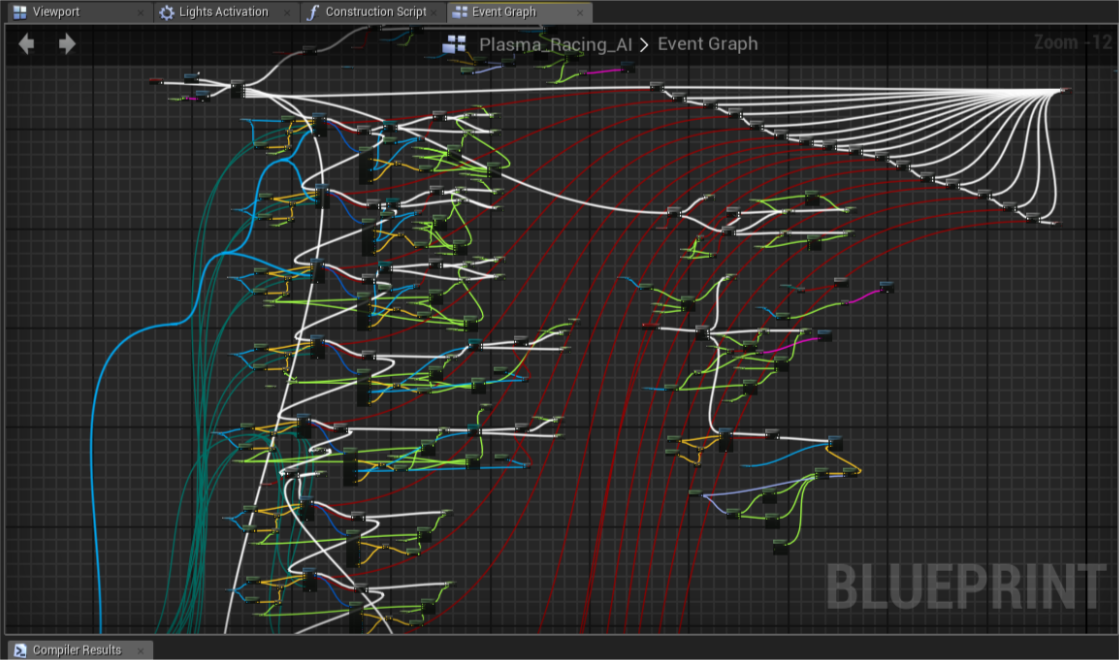
Intax's Blog
In this post I’ll go through common myths about Blueprint performance bottlenecks and explain real logic behind it’s virtual machine.
 earnest swan
Hey Y'all, so I'm trying to setup a widget component that will get attached to my character upon getting hit, play a tiny animation and destroy itself. It works fine if one component triggers at a time, but if you take damage quickly it loses the ability to reference the component. I've tried to setup the animation and destruction within the widget itself, but the widget doesn't have authority to destroy the component. Only the owning actor can do so. Any advice?
 dark drum
Does this actually work?
earnest swan
are you looking for a number?
remote meteor
actor reference and interface reference are still reference, all reference takes the same memory, which is 64byte in a 64-bit cpu
the only difference here is thie BP will not have a hard reference to the spawn points(but the spawn point already exists somewhere)
yes
so usually you reference the base class, that doesnt have these mesh set
dark drum
Cool, never new you could actually do this. The only difference I can see this making is regarding to memory and help prevent having a single actor load your entire project. If you're using proper hierachy it propally wouldn't make that much difference though.
remote meteor
technically its more memory? since you would need to have the interface class header exists in the memory
dark drum
Though, if all your spawn points are the same class, using a BPI to get it's transform would probally be worse.
remote meteor
but same applies with child class of a base class with the mesh set
so i think they are the same
dark drum
You could just store them in an actor ref and just get it's actor transform. Actor is always loaded anyway. Save the slight overhead of having a BPI.
Well a BPI is when you need the same function on multiple BP's that are unrelated. Something like interact for example. You might need it on NPC's, Items and other interactables so there's no single point you could add that function. A BPI allows them all to have the same function.
If all you need is the transform, even if they are all different, if they get spawned in the level, they can be stored in an Actor var as it's the only data you care about.
A lot of references I make tend to be Actor these days or a base class (with core functions/vars) that usually extend from actor or uobject.
Ooops lol
Yea it would lol
remote meteor
introducing async load
dark drum
remote meteor
`introducing async load`
At 10gb I would imagine async would just result in a half empty level for a little while lol. Atleast until it pops in.
remote meteor
atleast you wont have a choppy loading screen 😆
the sad part about "unreal tutorials" is
most of them doesnt really know what they should be talking
and just take points from other to make videos of their own
dark drum
My tutorials are pretty good. 😛 (not biased at all)
 hollow cove
hey guys, i have a master projectile blueprint that handles all types of projectiles spawned. is it a bad idea to have it reference the main character blueprint? 
earnest swan
hollow cove
hey guys, i have a master projectile blueprint that handles all types of project...
it might be a good idea if you need to know who fired it
dark drum
hollow cove
hey guys, i have a master projectile blueprint that handles all types of project...
That depends, why does it need to know about the main character?
earnest swan
that as well
hollow cove
i dont know much about memory usage but was thinking in terms of that, would that be bad if there are like 100s of projectiles flying around all referencing the character
earnest swan
you could pass a player ID if you just need to check who fired what, and if the rocket is the same as the person being hit
dark drum
hollow cove
i dont know much about memory usage but was thinking in terms of that, would tha...
If the main character is already loaded, it wouldn't make much of a difference if there's only one main character. (as in the player can't play as different characters). Why does it need to know about the main character?
hollow cove
ahh of course, that makes sense
earnest swan
I don't think you need to worry about it Olie, unless it becomes an issue
hollow cove
it may not need to reference the character but ill worry about that if it does become an issue
earnest swan
even the official GAS framework has abilities and effects where everything references each other, and you can trace back to who fired what event
wanton prism
dim agate
Which version of UE are you using? I use the Enhanced Input system with the newe...
ye
5.2
 wise widget
hello, I wonder, is it possible to get an event when a user has changed usersettings (like visual effeects quality, or anything like that). I'd like to do some custom changes to the scene when the user switches between low, medium high and so on. I wonder if something exists in a blueprint.
I know I can get Game User settings, and get values in there, but it would be nice if I can subscribe to an event that runs whenefver something changes.
remote meteor
wise widget
hello, I wonder, is it possible to get an event when a user has changed usersett...
from the UGameUserSettings there is a event dispatcher you can bind, something along the lines of UINeedsUpdate, i dont remember exactly

 earnest vigil
any idea why I cant get this custom time dilation node? It was in a video where they were using UE4 and I am on UE5 but it seems odd that they would remove the actor reference

 rugged wigeon
thats a variable
earnest vigil
this is what mine looks like btw
 rugged wigeon
thats setting the bp's own "Custom Time Dilation"
earnest vigil
I know but I need the node that sets any actors custim time dilation
rugged wigeon
you need to get a reference to an object of that actor class and try to set that object's variable then
you get different nodes depending on what youre dragging out from. so if you have a refernce to a actor of whatever class this bp is from, it'll be able to set custom time dilation on an actor of that class
earnest vigil
rugged wigeon
you get different nodes depending on what youre dragging out from. so if you hav...
This worked thank you so much!
Now I know how that works for the future as well🙂
 celest tangle
Is there a way to override the default lack of Generate Overlap Events for LandscapeStreamingProxy so i can have objects overlap my floor and not have to manually select each floor chunk & enable this option?
Also is this option too expensive to have enabled in general for the whole world's floors?
 calm cargo
any way I can figure out if two primitive components are overlapping, inside my actor's construction script?
 steady night
Hey advice: im rotating a "tire" with this , but it always starts from "A=0.0" how would i get the current roration

 jolly dirge
so sorry if this isnt a help section, but im very new to coding and blueprint, can someone confirm to me wether i did the top part right? also id love to understand the benefits of doing it this way versus the bottom way, which is what a tutorial i followed showed.

 sand yacht
jolly dirge
so sorry if this isnt a help section, but im very new to coding and blueprint, c...
sand yacht
jolly dirge
so sorry if this isnt a help section, but im very new to coding and blueprint, c...
the top part is better in my opinion
Unless you'd want something specific to happen if the player overheals for example, like a sound effect or add shield instead
But if you just want the health to cap at a certain value then using a clamp is perfectly fine
jolly dirge
ok perfect! do you know of any resources available that explain many of the nodes like this that a beginner might not think to use? im glad i did it right but if i really want to learn im going to have to start learning more of these nodes
really appreciate you bro, thank you
sand yacht
yeah I actually found a channel for this recently which I would have loved to have when I just started out, let me try to find it real quick
jolly dirge
awesome, if you cant post it here, my dms are open
sand yacht
https://www.youtube.com/playlist?list=PLTGUjlN8unkK7mRHl9ij9FJ3OnbQ9bXuV
https://www.youtube.com/playlist?list=PLTGUjlN8unkJrKgVE6wvAvDLMRypY-ue9
both of these playlists are from the same guy and are very, very valuable.

YouTube
Course list covering everything you need to know to efficiently use Blueprints in Unreal Engine 5.

YouTube
jolly dirge
sick! ill go through and start watching these before work, every bit of help is appreciated
sand yacht
Good luck!
earnest vigil
Hey, Ive got a macro that will pause and start some actors with a specific tag that works perfectly for all the actors. I added a roundabout way to "Step Forward" in time but it seems to only be working on one of the 2 different types of actors. One is a ball on a spline and the other is a little drone on a spline (The spline for this one is in the actor blueprint itself not a separate one)

The actor it is working on is the ball by the way
Nevermind it seems to be only pausing the last obj in the array
 tight pollen
someone can help?


I want my circle to rotate, I don't know how to do it with the necessary x and y values
both variables change simultaneously
 keen ice
I have this blueprint logic, It playes an animation if you press left MB and a differnet one if you press right MB, i wanted it to be so you cant attack a different direaction until the first one is done but what happens is, if you press left mouse button, you cant press right after that, and vise versa, you can only attack with whatever one you do first

 quartz kayak
I don't understand why something this simple doesn't work :(

I want it so that when A is pressed (MoveLeft), the player camera is rotated -90 so that it faces left
Nothing happens at the moment when A is pressed
finite hearth
serious question: how much of your time is spent just aligning nodes?
I'd say 20%, easy.
 broken wadi
finite hearth
serious question: how much of your time is spent just aligning nodes?
broken wadi
finite hearth
serious question: how much of your time is spent just aligning nodes?
I use the shortcuts to auto align as I make them
finite hearth
like "Q"? Or is there somebody better that I've been missing out of?
broken wadi
 finite hearth
Weird feeling. I am both incredibly angry and also overjoyed to see this.
quartz kayak
quartz kayak
I don't understand why something this simple doesn't work :(
It turns out that I needed to use Set Control Rotation not Set Actor Rotation
 proper crater
Can anyone tell me why this emitter isn't working?

 runic terrace
is the event firing correctly?
is the cast successful?
is the collision box far away from the actor's root component? That will cause it to play but somewhere else in the map
proper crater
runic terrace
is the collision box far away from the actor's root component? That will cause i...
im not sure if the event is firing correctly or if the cast is successful. Idk how to check that. But the collision box and the actor literally touch each other.
runic terrace
You can use print screen nodes
Connect one before the cast and one after, then try it out. If both of them show up in the screen it's either the position of the emitter or the VFX asset
lunar sleet
proper crater
im not sure if the event is firing correctly or if the cast is successful. Idk h...
Or by using breakpoints. Debugging is 50% of game dev so you should try to learn these tools
runic terrace
^ That's another way, way cleaner actually
proper crater
runic terrace
Connect one before the cast and one after, then try it out. If both of them show...
did a very basic print string. I don't believe that the cast is working now.
 lunar sleet
Put it on cast failed to know for sure
If it prints, the code fires but your cast is failing (wrong object)
 lusty elm
i have this blueprint to move the character on click, but i'm trying to modify it to check if whatever i'm clicking on is part of the landscape, an enemy, npc, etc... What's the 'right' way to do it? rn i was playing with trying to cast to landscape and if it's successful i'd do the landscape behaviour, but i don't know if "waterfalling" casts is the best idea:

I saw that the hit actor output there can tell me what actor i'm hitting, but from there i couldn't see other way but to try to cast it to each of the different types of actors the player could click on
runic terrace
You can create a new trace collision type named ground and cast to that instead of visibility. Set it to blocked only on landscape.
lusty elm
My desired end result is for the player to be able to click on the landscape to move, but if it's an interactable object, it would only move if it's outside it's range. If that info helps
runic terrace
Project Settings -> Engine -> Collision
lusty elm
Ok, i'll give it a try, thanks 🙂
runic terrace
lusty elm
I saw that the hit actor output there can tell me what actor i'm hitting, but fr...
You can use interfaces to avoid "waterfalling" casts when checking for npc/interactable objects etc.
proper crater
runic terrace
^ That's another way, way cleaner actually
I'm not triggering the print screen or the break points. I think that neither collision boxes of either objects are detecting each other.
 lusty elm
runic terrace
You can use interfaces to avoid "waterfalling" casts when checking for npc/inter...
lusty elm
runic terrace
You can use interfaces to avoid "waterfalling" casts when checking for npc/inter...
I see, yeah i have an Inteface called interactable that i'm planning to use for chests and other stuff, wasn't sure if i should also implement it for enemy characters and NPCs? Though npcs would be static so it probably could be functionally the same as any other interactable object
I just started learning by following tutorials here and there so I have huge gaps on what certain things are used for
runic terrace
You could return the type of the actor you clicked on from the interface and go from there, there is no single "correct" way to do these type of systems really. Every project's needs are different and what works best for one might not work as well on other.
Experiment with interfaces, interactions systems and eventually you'll get a good idea on how to approach making them for the specific project you're working on.
lusty elm
Alright, thanks a lot!
mild ibex
This question seems to have been asked before but is there a way to get a component by name or string?
I have a system that currently works by getting a string from a large dataset that could 1 of at least 3k items. In either the same or different blueprint I have a list of a few of these items for simple testing right now. The components are most likely static mesh components with a scene as the parent.
Right now I have this BP assign tags to each item on spawn based on its name but that doesn't seem like the best method?
runic terrace
Why do you need it for? A building system of some sorts?
mild ibex
Just to convert a string term to an object reference efficiently
quartz kayak
Omg I'm so frustrated! I have this which is intended to smoothly turn the player's camera to the right when D is pressed. Everything works as intended except the Set Control Rotation node. The Set Control Rotation node seems to be tied to the framerate and sets the rotation x times where x is the current FPS. For example, if my FPS is 30 it will adjust the rotation 30 times?? How do I make it just update once as per the button press
 runic terrace
quartz kayak
Omg I'm so frustrated! I have this which is intended to smoothly turn the player...
runic terrace
quartz kayak
Omg I'm so frustrated! I have this which is intended to smoothly turn the player...
Save the starting rotation beforehand and add the 90 degrees to it afterwards, don't add directly to get control rotation.
Currently each frame it rotates it updates the lerp end position
runic terrace
proper crater
I'm not triggering the print screen or the break points. I think that neither co...
Make sure detect overlaps are turned on for both objects
and their types are also not set to ignore each other
runic terrace
mild ibex
Just to convert a string term to an object reference efficiently
Why not use datatables?
mild ibex
runic terrace
Why not use datatables?
Because those can't be changed at Runtime
runic terrace
Then perhaps you can use a map variable
 stiff swift
You can get actor of class and then it's component from it right?
mild ibex
I'm not quite following, at the end of my current code I'm left with a string term that will match the name of a static mesh component either on itself or another actor.
I dont want to have to loop through every single component that exists because that would be a lot.
I'm just trying to get a specific component on an actor to do stuff to Is the issue
stiff swift
It's been a day don't judge if you can't lol
mild ibex
runic terrace
Then perhaps you can use a map variable
Just not sure I understand how the map helps if I can't get a reference to the component to begin with?
runic terrace
You can set the component reference as the value and the string as the key.
But for your use case tags might really be the best option, not knowing what's the context
mild ibex
Well yes, I'd do that for a list of like 10 items but this really will end up being 3k+ so manually entering the key value pair is uh, no LOL
mild ibex
Well sorry, that's the dataset, I'm filtering it to get one item. Apologies, realistically the largest number of items I could run into is 254
Tags appear to work for the most part. I just wasn't sure if there was a better method.
runic terrace
What's this system for? Can't really come up with an idea without knowing the context
quartz kayak
runic terrace
Save the starting rotation beforehand and add the 90 degrees to it afterwards, d...
Thanks for responding! But... I don't really understand what you mean. Do you mean that I should save the starting rotation to a variable?
mild ibex
runic terrace
What's this system for? Can't really come up with an idea without knowing the co...
For now it's just an http request to an api, filtering that json down to the string I need.
Then the intention is to find the mesh component and do stuff.
runic terrace
quartz kayak
Thanks for responding! But... I don't really understand what you mean. Do you me...
Before the timeline, yes.
Currently at the start your rotation is X and you're lerping it between X and X+90.
This inflates the X the more frames the timeline takes. Instead you should save the original rotation let's say X = 0, then lerp between 0 and 0+90. instead of X, X+90.
Values you provide to Lerp as A and B should not change.
quartz kayak
runic terrace
Before the timeline, yes.
Currently at the start your rotation is X and you're l...
OMG it works!! Thank you so much
mild ibex
Maybe I can use get components by class and do a loop with break on the name?
Tho that still results in me doing a loop on the data LOL
runic terrace
You're doing a loop regardless, searching for tags also does a loop.
 gusty crater
Just trying to get my inputs started. I made an "Input Mapping Context" and an action and selected the action in the mapping. then i played this on my actor for my camera and i cant seem to get any print on the string, is there somewhere else i need to do this?
 runic terrace
gusty crater
Just trying to get my inputs started. I made an "Input Mapping Context" and an a...
runic terrace
gusty crater
Just trying to get my inputs started. I made an "Input Mapping Context" and an a...
Just to be clear, this is in a non-pawn Actor?
gusty crater
Correct, attempting an RTS game so its an actor with my camera on it
faint pasture
gusty crater
Correct, attempting an RTS game so its an actor with my camera on it
Just make the players pawn the camera thing
gusty crater
rogey, was following a tutorial but they use on tick to check for mouse position so just trying to convert it to the new input way xD ill move everything to the pawn, cheers
faint pasture
gusty crater
Just trying to get my inputs started. I made an "Input Mapping Context" and an a...
You would have to enable input on that actor, possessing a pawn does that automagically
there's really no reason to not make the player's pawn in an RTS the camera
runic terrace
You don't necesserily need to convert it to a pawn, calling Enable Input node will do the trick as well.
faint pasture
Yeah but might as well make it the pawn so it'll be auto spawned per player etc, there's really no downside
gusty crater
Yeah eventually id like to try make it multiplayer so ill try stick with pawn
runic terrace
gusty crater
Yeah eventually id like to try make it multiplayer so ill try stick with pawn
You might want to make some singleplayer games beforehand, to make a multiplayer game the code must be structured for multiplayer from the start.
Converting it later will be a headache.
 edgy ingot
Its almost like rewriting the whole game again
gusty crater
runic terrace
You might want to make some singleplayer games beforehand, to make a multiplayer...
I did have a fairly far along rpg i made years ago, so have a rough idea and know what im going to be in for haha
gusty crater
with RTS it wont be as bad, i had an rpg with crafting, abilities, spells, attributes, armour with enhancements etc
edgy ingot
As a whole
runic terrace
Then make sure to make the game multiplayer from the start, it will save so much hustle.
gusty crater
rts a lot will be on local client, making it for fun nothing publishable. ill do all spawning server side etc
i just never had to deal with enhanced input system... and ive forgotten most of what i knew xD
faint pasture
gusty crater
rts a lot will be on local client, making it for fun nothing publishable. ill do...
On a small scale, an RTS is one of the easier multiplayer things to do
at least you don't need prediction or lag compensation
gusty crater
yeah rpg was way too big of a project especially as my first game. Was a good experience though, even have it on steam and had 10 mates have a nice pvp sesh with it xD but RTS seems much more managable for a solo new person
faint pasture
as long as the scale is small more like company of heroes and less like Age of Empires or Total Annihilation
gusty crater
not even sure where im going with it yet, sort of a city builder with slight combat and just keep chipping away once the foundation is done
just keeping the mind busy
wanton prism
EveryTime i run this this BP it gets even more cursed orgininaly with my horribly written code if the player hit both
sprint and croup and unpressed at same time they would just enter sprint now it is the same but there is no crouch sprint.
all of the events and fuction are shown with this if it would be very apricated if someone helped me.


 runic terrace
Put the speed corrector on tick to see if it solves the problem, this isn't ideal but will at least pinpoint the issue
gusty crater
Can i add the mapping context on the pawn? or does it need to be a character? cant seem to get it to register still
wanton prism
runic terrace
Put the speed corrector on tick to see if it solves the problem, this isn't idea...
found out code work fine but its was a problem with can stand I didnt have any thing in it as i haven't been able to find code or tutorial to tell me how to use Capsual height and line traceing so its broken here is the code for that onn.
 runic terrace
gusty crater
Can i add the mapping context on the pawn? or does it need to be a character? ca...
runic terrace
gusty crater
Can i add the mapping context on the pawn? or does it need to be a character? ca...
You can add it
gusty crater
Am i doing something wrong here?


i have added the input, and trying to use W just to print a string, no feedback
runic terrace
The pawn needs to be possessed.
runic terrace
wanton prism
found out code work fine but its was a problem with can stand I didnt have any t...
So, does it work now?
wanton prism
runic terrace
So, does it work now?
that one doesnt but the other code does that was the problem i dont know how to use traceing if you know a tutorial i would be so thankful if you sent me one.
gusty crater
if i use event possessed to print string, it shows its possessed
runic terrace
wanton prism
that one doesnt but the other code does that was the problem i dont know how to ...
If it started working when you put it on tick try to make your functions unpure, then remove it from tick so it only gets called when needed.
runic terrace
gusty crater
if i use event possessed to print string, it shows its possessed
then it seems like it should work, does the validity check return valid?
gusty crater
yeah because i run something after to move my camera, so its valid
wanton prism
runic terrace
If it started working when you put it on tick try to make your functions unpure,...
For the capsule traceing? cause that one doesnt work
runic terrace
I meant the crouch sprint state etc those functions.
I'll take a look at the trace now
runic terrace
wanton prism
found out code work fine but its was a problem with can stand I didnt have any t...
What does this return incorrectly
wanton prism
runic terrace
What does this return incorrectly
il print it and see
runic terrace
It may be that you can't uncrouch I think
Where is this can stand function called?
wanton prism
runic terrace
It may be that you can't uncrouch I think
it works but then why didnt it work in my code
gusty crater
Is valid prints, Possessed prints, Hello wont print. This is on my player pawn. I have added IA_Test to the IMC_Default map

i have set my BP_Player pawn as the spawn in game mode
runic terrace
gusty crater
Is valid prints, Possessed prints, Hello wont print. This is on my player pawn. ...
It looks like it should work, not sure why it doesn't. Try to call enable input for the actor and see if it changes anything
gusty crater
i think i just fixed it, had the wrong map selected xD
wanton prism
runic terrace
It may be that you can't uncrouch I think
Ok it works but asoon as it returns false it stops allowing me to uncrouch?
runic terrace
Ah
gusty crater
both are bare blank maps so didnt realise lol
wanton prism
like even if i dont
runic terrace
runic terrace
It may be that you can't uncrouch I think
bingo
wanton prism
runic terrace
bingo
 wanton prism
runic terrace
It may be that you can't uncrouch I think
wanton prism
runic terrace
It may be that you can't uncrouch I think
How do i fix that?
runic terrace
wanton prism
found out code work fine but its was a problem with can stand I didnt have any t...
You got the true and false mixed up
switch them around and check
wanton prism
runic terrace
You got the true and false mixed up
Like this?
 runic terrace

These
Currently it's if crouching, return false
and you can never uncrouch
You got the trace set up correctly though, it should work
wanton prism
runic terrace
You got the trace set up correctly though, it should work
ok only problem is when i get it back to true it still keeps me crouched to so you need to retap the crouch key
That i think is where it is going wrong
 runic terrace
Because it only updates when you tap the crouch button
wanton prism
runic terrace
Because it only updates when you tap the crouch button
how do i fix that?
runic terrace
You can start a timer when crouch is released, continuously checking if you can stand or not. Once it's true it stands you up and stops the timer.
And pressing crouch again while the timer is running should also stop the timer.
gusty crater
okay next question xD Its working now, although i have to have my mouse button clicked to get any value for x and y on mouse movement
runic terrace
Player Controller -> Set Input Mode Game Only
wanton prism
runic terrace
You can start a timer when crouch is released, continuously checking if you can ...
with the timeline thing and mape it loop?
wanton prism
runic terrace
Player Controller -> Set Input Mode Game Only
Like this?
 gusty crater
or should i just use on tick to check mouse position and be done with it xD that was working fine before i tried to change to enhanced input
 wanton prism
runic terrace
wanton prism
runic terrace
thank you
edgy ingot
wanton prism
Why dont you just use the inbuilt crouch uncrouch function from the character movement component?
wanton prism
edgy ingot
Why dont you just use the inbuilt crouch uncrouch function from the character mo...
doesnt work
wanton prism
also not modifible
edgy ingot
And u r not using it from where i see
runic terrace
Built in crouch function just snaps the collision scale, doesn't allow for a smoother transition
I don't like it either
edgy ingot
Ohh so thats the goal
Well you can interp the scale but offsetting capsule component is not an easy feat
wanton prism
edgy ingot
Ohh so thats the goal
i making horror game so i need people to be terrified when trying toescape
edgy ingot
If blueprint is your only tool and you cant read the crouch source code. Look into chat history
Pattym did a smooth crouch
wanton prism
edgy ingot
If blueprint is your only tool and you cant read the crouch source code. Look in...
i tried for liek 2 weeks to learn how to use c++ in unreal idk how to do it i can code in c++
edgy ingot
Personally i am fine with snapping, since my crouch anim interp anyway
runic terrace
I think @wanton prism 's smooth crouch works already, only had problems with states
edgy ingot
Its just the invisible capsule comp thst snap so who cares
wanton prism
runic terrace
I think <@942658943518392361> 's smooth crouch works already, only had problems ...
yeah
runic terrace
Technically you can just slap a spring arm with 0 length and activate linear interpolation to get a smooth feeling crouch with built-in function too, but it's not fun that way lol
wanton prism
runic terrace
Technically you can just slap a spring arm with 0 length and activate linear int...
yes
it isnt
wanton prism
runic terrace
I think <@942658943518392361> 's smooth crouch works already, only had problems ...
It now only stays in crouching
 runic terrace
oh, the trace might be hitting the floor, try to offset trace origin 1 cm above the feets
time should be something like 0.016 (60 times/second)
wanton prism
runic terrace
oh, the trace might be hitting the floor, try to offset trace origin 1 cm above...
it worked before but i will try that
 wanton prism
runic terrace
wanton prism
runic terrace
Thank you
wanton prism
runic terrace
Technically you can just slap a spring arm with 0 length and activate linear int...
But it means the player will be able to enter the area way easier instead of making them be terrified
wanton prism
runic terrace
timer with 0 time will not run
THANK YOU it works i spent like 2 days on that
 waxen fog
Hey is there a way to stop player start from spawning a camera?
quartz kayak
@runic terrace Could I please enlist your help again... I'm now trying to set up the logic to actually move the character forward in the direction its facing when W is pressed. The issue is that once again it's updating the character's location based on the framerate.

I tried doing the variable thing but it's not really doing much
runic terrace
waxen fog
Hey is there a way to stop player start from spawning a camera?
No, most you can do is to assign your own
runic terrace
quartz kayak
<@364453629177888769> Could I please enlist your help again... I'm now trying to...
Are you trying to implement basic walking/looking around?
quartz kayak
Yes 
runic terrace
Use add movement input nodes for location
And add pitch input, add yaw input nodes for looking around
make sure to add a camera to your character and check use controller rotation on it
quartz kayak
I should specify that I'm doing it this way because I'm trying to implement a dungeon crawler esque camera and movement system!
quartz kayak
Yes! I want the character to move a fixed distance and be unable to control the camera with the mouse (for now)
A and D currently move the camera 90 degrees to the left or right
so I'm just trying to actually get the character to go forward
runic terrace
Makes a lot more sense with context lol
quartz kayak
The blueprint above works but the distance the character moves is dependent on the framerate
which ofc isn't what I want
runic terrace
Instead of pushing the player forwards, calculate the end position and lerp to it
quartz kayak
Isn't that what my blueprint already does?
I'm a complete beginner so I'm probably misunderstanding

runic terrace
It's the same problem you had with the rotation
You're not using the variable lol
dont add anything just connect the variable to lerp B
Lerp A* sorry
wait i got confused on mobile I'll rewrite it
The variable you save should be your current location. X = Loc
Lerp A -> X
Lerp B -> X + forwardDir * distance
dont pull directly from actor location to lerp
quartz kayak
I feel like we're so close though!!
runic terrace
runic terrace
The variable you save should be your current location. X = Loc
Lerp A -> X
Lerp ...
try this
waxen fog
runic terrace
No, most you can do is to assign your own
is there a way to set a camera without a player controller? or stop the player controller from moving the camera?
runic terrace
also put a gate or something so you cant spam thhe button
runic terrace
waxen fog
is there a way to set a camera without a player controller? or stop the player c...
I'm guessing you haven't set up a gamemode
runic terrace
Do you have your own player controller & pawn set in the gamemode?
waxen fog
yes
runic terrace
And you can move the camera without implementing it?
waxen fog
i just want to place a camera actor in the level and use that, put when i spawn in the player it keeps creating a new camera and using that one
quartz kayak
runic terrace
try this
i'll have a bite and then try this. thank you!
runic terrace
waxen fog
i just want to place a camera actor in the level and use that, put when i spawn ...
use the blend view node, it should be under either in player controller or the camera manager i dont remember exactly
set view target?
i think thats the name
waxen fog
i tried this, but it needs a player controller
waxen fog
yes but when the player spawns it snaps to the controller
the location of the controller
it stops using the camera actor in the scene
runic terrace
waxen fog
it stops using the camera actor in the scene
unless you set the view target as that camera actor it will never use it
it will use the one in the pawn instead
if there isnt one it will spawn one in the pawn
waxen fog
i ended up just setting it on tick i guess when the player spawned it overrided it
 runic terrace
Not ideal but will work. Instead on Begin Play, you can also Get player pawn and check it's validity, if not valid delay until next tick and connect into itself. If valid set the view target.
Also not ideal but at least it wont be running on tick all the time
waxen fog
for some reason my players rotation axis is off now. I suspect the camera has somehting to do with it. super annoying
agree on not ideal
i just want to create a test level to work on a specific mechanic
 manic mauve
Hi all. My project is totally corrupted and the errors start with a plugin (GMC). All the BP links fail, parenting fails. I deleted the Binary, Intermediary and Saved directories, rebuilt from scratch, rolled by source code, deleted the last files in the log before it crashed. Using UE 5.3.2, Rider, Windows 10.
Anyone seen this failure before? If I go back into my source control, I can get the editor to load, and sometimes can open this class, but I cant set the Parent. It wont see GMC Pawn (part of GMC plugin), though I can make a new Actor BP with GMC Pawn as parent, but my original one will not show it in the list of possible parents.
[2024.01.10-05.26.52:119][ 0]LogLinker: Warning: [AssetLog] D:_\DE00\Content__Gem\Logic\Character\Movement\BP_GemBipedMovement.uasset: VerifyImport: Failed to find script package for import object 'Package /Script/GMCCore'
[2024.01.10-05.26.52:119][ 0]LogLinker: Warning: [AssetLog] D:_\DE00\Content__Gem\Logic\Character\Movement\BP_GemBipedMovement.uasset: CreateExport: Failed to load Parent for BlueprintGeneratedClass /Game/_/_Gem/Logic/Character/Movement/BP_GemBipedMovement.BP_GemBipedMovement_C.
quartz kayak
@runic terrace It works 
 sour moat
✋ There is only 1 actor but it prints 2 times, did I do it wrong?
 runic terrace
sour moat
✋ There is only 1 actor but it prints 2 times, did I do it wrong?
runic terrace
sour moat
✋ There is only 1 actor but it prints 2 times, did I do it wrong?
No, means the function is being called twice for some reason.
sour moat
runic terrace
No, means the function is being called twice for some reason.
I used T button to trigger this function directly, still don't know why...
runic terrace
Try checking the length of the returned array
It still shouldn't matter though it returns right away
sour moat
runic terrace
Try checking the length of the returned array
length:1 but print 2 times
runic terrace
Before calling the function, try putting a do once node and see if it runs once that time
It must be the input firing twice
sour moat
runic terrace
Before calling the function, try putting a do once node and see if it runs once ...
still, length:1 but print 2 times
runic terrace
didnt put the do once inside the function, right?
do once will not work inside the function
 sour moat
😂
runic terrace
are you sure it's the same print screen node that's firing twice?
change the text and run again
 runic terrace
Have you tried turning off and on the engine
sour moat
Yes I tired
manic mauve
runic terrace
*Have you tried turning off and on the engine*
Do you mean restart UE editor?
runic terrace
Oh
Make sure there aren't more than one actor in the scene
Both must be receiving input
so firing twice
not the same graph so do once has no effect
sour moat
Yes, I'm sure there is only one actor, and I used class filter(NPC), and I tried ignore myself, but still didn't work
runic terrace
no I mean, an extra player character
in the scene, receiving input
somehow
I cant think of another reason this may happen
in the function, print self
to see if it's the same actor that's firing twice
sour moat
Like this?
 runic terrace
no, self
you can get a self reference
it points to the actor executing the code
there has to be a second player character somewhere in your scene
sour moat
runic terrace
assuming this is inside a player character
Yes the two elements printed are different. I'm checking where I called the wrong one.
runic terrace
bingo
delete the extra character and its fixed
unless its being spawned at runtime
sour moat
Thanks man, I added 2 same component(with different name) to my character, and I deleted one and it works!@runic terrace
runic terrace
I was only half wrong then yay
Of course, two components in the same actor is way more likely than an extra character accepting input without possession. Should've thought of it sooner
sour moat
runic terrace
Of course, two components in the same actor is way more likely than an extra cha...
Next time when I meet the same issue I will check it first😂
Still learned a lot, I'm a beginner.
distant hollow
 surreal peak
Please use the <#821821368017485885> channel for this
surreal peak
Please use the <#821821368017485885> channel for this
Sorry about it
proven trench
Hello, I need some help with file loading, using FinishRecordingOutput I save recording as Wav File, but can't figure out, how do I load it after it? The reason is I want to save it as files that can be loaded when game is launched again
spark steppe
proven trench
Hello, I need some help with file loading, using FinishRecordingOutput I save re...
you could try something like https://github.com/gtreshchev/RuntimeAudioImporter
 dapper galleon
Hello! I need help with my enemy BP. I've got the satyr enemy type, and the zombie enemy type -- they both got completely the same setup, with "Can Deal Damage?" bool on a branch in the Overlap Box event. The code of the overlap event was literally copypasted from zombie to the satyr, but despite that, the Satyr's attack doesn't deal any damage. The boolean doesn't get changed in the main BP for some reason. The necessary events in the Anim BP activate, everything is fine on that front. Zombie's setup works perfectly and deals damage. What's going on?

 gusty crater
I have a widget that when i hover the mouse over, i want it to spawn another widget just next to it. How can i get the location of the widget im hovering over?
I want to get the position of that little widget circled in red so that i can adjust the location of another widget i spawn in, to be next to that

 distant hollow
gusty crater
I want to get the position of that little widget circled in red so that i can ad...
distant hollow
gusty crater
I want to get the position of that little widget circled in red so that i can ad...

Epic Developer Community Forums
Hey T - If your Border is a direct child of a Canvas Panel, then you can get positional data on it by the following steps: Set the Border’s “IsVariable” checkbox to true so you can place it on a graph Use the “Slot as Canvas Slot” to find this border as a specific child of the canvas panel (where the position comes from) Then call “GetPositio...
gusty crater
distant hollow
Try this
https://forums.unrealengine.com/t/get-position-in-widget/478549/2
Yeah i gave that a go with no luck
distant hollow
gusty crater
Yeah i gave that a go with no luck
What about converting mouse position?
gusty crater
I had that originally but it just looked a little messy as you can hover over lots in a row pretty quick, so if they were always a uniform height it would look much nicer
distant hollow
dapper galleon
Hello! I need help with my enemy BP. I've got the satyr enemy type, and the zomb...
ReftoSelf is player?
gusty crater
theres like a row of "cards" near the bottom of the screen, and as you hover over it shows details about it that pops up, so if you move across them and i use mouse position, its unsightly
distant hollow
gusty crater
theres like a row of "cards" near the bottom of the screen, and as you hover ove...
Are the widgets movable?
distant hollow
I mean as in can you drag them around in runtime
gusty crater
negative
distant hollow
Or do they move around during runtime
If they don’t then you can consider specifying the location of the widgets during creation then save that value into an array
gusty crater
mmm sort of, not yet though haha
during gameplay you will unlock more then they will move
distant hollow
After that when hovering over the widget you can identify which one it is and retrieve the value from the array
Or if you are using a grid system then snap them to the grids
young meteor
Any way to control settings for Nanite meshes? Meaning the resolution seems way higher than I need. I would like it to group polygons/triangles much more aggresively.
I'm saying this because my FPS seems to have tanked after I inserted a bunch of Nanite meshes from Megascans (just over 2000 meshes in total)

Or maybe a way to confirm/debunk if this is actually what is killing the performance? (checked texture sizes/memory load. Does not seem to be bad).
 silent drift
I made a flying sphere that is supposed to act as an enemy but for some reason though, it only sends "hit" events once I jump into it and not if it flies into me when standing on the ground. Does anyone happen to have an idea why this is happening?
It has collision and all, but for some reason it just refuses to send hit events properly.

 pulsar vigil
@dark drum Hello i m a fan of ur tutorial and i use the interact system for my game and i know u are in the discord i hope its not bad behavior but i have one question :
The interact text u get with the bind and the bpinterface don't actualise if the object u interact with overlap with the previous one, i say that cause my interaction work fine but the text doesn't change.
is this cause i messed up somewhere ? or is it a normal thing and i need to change something from the tutorial ?
(cause i like how it work but my brain doesn't compute entirely how the bind and the bpi work and i dont realy know how to change it correctly)
dark drum
pulsar vigil
<@430016173694779402> Hello i m a fan of ur tutorial and i use the interact syst...
I'm not sure what you mean.
pulsar vigil
dark drum
I'm not sure what you mean.
im using ur interact system and i set boolean in the event set outline state of bp actor that i interact with and it work fine but if i hit with the trace an actor interactable and i hit a second one without not hiting something interactable it take the first actor interact text, it doesn't actualise, sry i dont know how to explain it correctly
crystal crown
i have a Widget inside a Widget Component that is grabbing references from a ParentBP of the ChildBP where the widget lives.
How do i set that reference? I hope it makes sense. My head is about to explode.
 fossil seal
crystal crown
i have a Widget inside a Widget Component that is grabbing references from a Par...
fossil seal
crystal crown
i have a Widget inside a Widget Component that is grabbing references from a Par...
Not sure I got you, but maybe you need "get user widget" node, for your widget component. And then cast to your widget class.
fossil seal
crystal crown
i have a Widget inside a Widget Component that is grabbing references from a Par...
Like that.

 pastel skiff
hey so i got a problem with me code, its very simple enemy chases you, if he comes colse to you it shuld play the anim montage, it cheses you fine and after cathing up to you waits 2 s thats good, but for some reason it wont play the montage and i dont know why, any help?

the anim montge might be the problem but i dont think so
 pastel skiff
hey so i got a problem with me code, its very simple enemy chases you, if he com...
pastel skiff
pastel skiff
hey so i got a problem with me code, its very simple enemy chases you, if he com...
oh god i jsut saw its the wrong code
wait
crystal crown
fossil seal
Like that.
umm setting references is so confusing to me. i think i need to validate the widget but also i need to set the parentbp reference for the widget
the widget component is on the childbp
pastel skiff
pastel skiff
hey so i got a problem with me code, its very simple enemy chases you, if he com...
thas the right one
 dark drum
pulsar vigil
im using ur interact system and i set boolean in the event set outline state of ...
dark drum
pulsar vigil
im using ur interact system and i set boolean in the event set outline state of ...
Oh I get what you mean. I can remember it being an issue but I can't remember if it was fixed in the initial tutorial.
I did do a few tweaks in the double door tutorial I made that also allows it to handle hitting different components in the same actor.
It might be worth giving it a watch.
fossil seal
crystal crown
umm setting references is so confusing to me. i think i need to validate the wid...
Well, that's not too hard, you can make a function in your widget, and by method I showed you above, you can access that function from your childBP, to set a reference to parentBP(Of course if ChildBP has it)!
It's hard at first, you'll get hang of it 😉 But handling references and widgets is always pain in the back 😄
crystal crown
fossil seal
Well, that's not too hard, you can make a function in your widget, and by method...
what function i make in the widget?
dark drum
crystal crown
i have a Widget inside a Widget Component that is grabbing references from a Par...
Why does the widget need the reference? What is it for?
fossil seal
crystal crown
what function i make in the widget?
I mean... whichever you want? Just any custom function, to pass the ParentBP reference?.. If I understood you correctly. I usually call them "Setup", and pass all kind of references, and parameters through it.
mental trellis
Init also a popular name.
The first parameter must be called 'bruv' (random british joke)
fossil seal
crystal crown
what function i make in the widget?
Like this for example, I pass a staticMesh reference here, and set it to variable in my widget, in your case that would be a ChildBP(or whatever you want). And you can cast to it freely in your ChildBP since your WIdgetComponent already have a reference to it, so casting here is fine...
 pulsar vigil
dark drum
Oh I get what you mean. I can remember it being an issue but I can't remember if...
pulsar vigil
dark drum
Oh I get what you mean. I can remember it being an issue but I can't remember if...
Actualy i find a way with an event tick should not be to problematic thx for the answer if u find a solution i will took it (rn im just checking a boolean if i hit something and then change text in event tick) it might be me that fucked the tutorial too tho would not be a surprise lmao
dark drum
pulsar vigil
Actualy i find a way with an event tick should not be to problematic thx for the...
You just need to check if the new hit is the same actor or not, if not, update the interact text.
pulsar vigil
dark drum
You just need to check if the new hit is the same actor or not, if not, update t...
ah yeah that seem easy especialy since i know there is function to recheck and check current and previous hit actor but i dont realy know how to make it cause the way the bind and bpi work im absolutely lost about it lol
crystal crown
fossil seal
Like this for example, I pass a staticMesh reference here, and set it to variabl...
Like this? What do i plug in vehicle reference? I set it to the parent

 fossil seal
crystal crown
Like this? What do i plug in vehicle reference? I set it to the parent
fossil seal
crystal crown
Like this? What do i plug in vehicle reference? I set it to the parent
You transfer a reference to a parent into "vehicleReference", now HOW you get reference to parentBP is completely different thing entirely, since I don't know what you mean by "ParentBP", I can only guess that it is the "owner" of ChildBP, so you can get easy access to parentBP by using "GetOwner" function in ChildBP, but to be 100% safe, just pass parentBP reference into ChildBP, just like you already almost did with widget, by creating a function in ChildBP called let's say "Setup" or as someone above suggest "Init", and call it in your ParentBP, and transfer "self" reference(parentBP) there into your ChildBP. 🙂
And no offense! But it seems you have problems with basic understanding on how functions, and inheritance work in unreal, try watch some youtube videos on the subject, it's relatively basic stuff, really )
dapper galleon
distant hollow
ReftoSelf is player?
No, it is Reference to the Monster AI blueprint which is the monster's parent class
distant hollow
dapper galleon
Hello! I need help with my enemy BP. I've got the satyr enemy type, and the zomb...
Which Boolean in your MainBP that you are trying to change? I don't see any here
dapper galleon
distant hollow
Which Boolean in your MainBP that you are trying to change? I don't see any here
It's the "Can Deal Damage?"
 dapper galleon
distant hollow
This?
dapper galleon
distant hollow
This?
I don't have a Main BP???
I dont know what Main BP you're talking about
Here, this screenshot should be better visible
ReftoSelf is MonsterAI

To clarify -- BP_Zver is a child of the class Monster_AI
distant hollow
So when you said "The boolean doesn't get changed in the [[[main BP]]] for some reason" what is this "main BP" you are referring to?
dapper galleon
Ah
Right
I dont know why I wrote "main BP" there, I think I meant to write "Monster_AI" or "enemy BP"
Yes
distant hollow
Ok
So the "Can Deal Damage?" boolean in Satyr doesn't change - is that what you are saying?
dapper galleon
distant hollow
So the "Can Deal Damage?" boolean in Satyr doesn't change - is that what you are...
yes
Even though the events in the Anim_BP fire off when needed
topaz gazelle
Does anyone have a better understanding of how "Get Actors in Selection Rectangle" works? I'm trying to click-drag select actors but I'm not even sure what's triggering it to be inside the rectangle.
 distant hollow
dapper galleon
yes
distant hollow
dapper galleon
yes
Put a Print "CanDeal Called" and a Print "STOP Deal Called" behind these two respectively, check if they fire in the first place
 dapper galleon
distant hollow
Put a Print "CanDeal Called" and a Print "STOP Deal Called" behind these two res...
dapper galleon
distant hollow
Put a Print "CanDeal Called" and a Print "STOP Deal Called" behind these two res...
Yes, they do
distant hollow
Both do?
dapper galleon
Both do
distant hollow
In that case, after the two nodes, Get Display Name from the ReftoSelf, print it out, and see what you have
crystal crown
fossil seal
You transfer a reference to a parent into "vehicleReference", now HOW you get re...
I got it working. Yes i might not know everything i'm doing but by just winging it so far everything has worked out. Thanks for the help
 wild pebble
I can't manage to get the Cursor to show, while also receiving input for the mouse movement axis values.
I know this was possible in ue4, I feel like i tried everything in UE5 to make it work, but the values for the axis just remain 0.
The only way around I found is to permanently set Input mode to Game, but then I can't interact with the UI anymore, I want to be able todo both...
dapper galleon
distant hollow
In that case, after the two nodes, Get Display Name from the ReftoSelf, print it...
I get "BP_Zver", so, what I need
distant hollow
Wait, which is the one having trouble? Zver or Satyr?
dapper galleon
distant hollow
Wait, which is the one having trouble? Zver or Satyr?
Zver is Satyr
I called him satyr because that's something more recognizable for people
distant hollow
Oh ok
distant hollow
wild pebble
I can't manage to get the Cursor to show, while also receiving input for the mou...
Set Input to Both UI and Game?
distant hollow
dapper galleon
Zver is Satyr
I called him satyr because that's something more recognizable for ...
So both events fire
But boolean does not change
dapper galleon
Yeah
distant hollow
Connect the Print nodes earlier on behind the Set Booleans and try again
wild pebble
distant hollow
Set Input to Both UI and Game?
That's not working unfortunately, the Axis values will only be received while I hold the LMB, it should work without holding the LMB
dapper galleon
distant hollow
Connect the Print nodes earlier on behind the Set Booleans and try again
I... did?
This is how it looks rn

 verbal girder
Hmmm, for functions with local variables, the same blueprint cannot have two functions with the same named local variable?
distant hollow
dapper galleon
I... did?
Sorry I mean, take out the Get Display Name, replace the first string with "CanDeal called" and second string with "CannotDeal called"
Then from ReftoSelf, Get "CanDealDamage?", append string "The Boolean is now : " and connect the Boolean result, and print this as well at the end of both paths
crystal crown
fossil seal
You transfer a reference to a parent into "vehicleReference", now HOW you get re...
Now i have both physical and ui widgets 😁 woop
 dapper galleon
distant hollow
Sorry I mean, take out the Get Display Name, replace the first string with "CanD...
dapper galleon
distant hollow
Sorry I mean, take out the Get Display Name, replace the first string with "CanD...
Okay, so I went ham and just connected the print the boolean in the event tick of Zver's BP. And it does change. 🤔 But still, the hits don't register
Okay so the problem is definitely somewhere else
distant hollow
Don't use the Tick firts
Now you are supposed to be controlling the boolean by the AnimNotify so let's check things there first
dapper galleon
It does change
distant hollow
You were saying the boolean doesn't change earlier on?
dapper galleon
That's what I assumed?
because the hits don't register, the player isn't damaged
And the perfectly working code was copypasted
So I assumed something was wrong with the boolean
distant hollow
Ok so the Boolean did actually change, just that it is not dealing damage?
dapper galleon
I set it up like this:
 distant hollow
Next time best to check the value before assuming
dapper galleon
And "Can't deal dmg" is still being printed always, even right now
The branch is always false
That's why I assumed that the boolean doesn't change
But now I set up "print" in the event tick, and it does change
I don't understand what's going on anymore
distant hollow
Hmm
distant hollow
dapper galleon
I set it up like this:
This is on Zver?
 distant hollow
So something is always setting it to False right before your Overlap happens
Could be your AnimNotify
Or maybe search where else you are changing this boolean
dapper galleon
distant hollow
Could be your AnimNotify
Okay, so I think the perpetrator actually was the Notifies
they weren't placed in good positions
distant hollow
dapper galleon
Okay, so I think the perpetrator actually was the Notifies
Yep that's what I thought
dapper galleon
I moved them to opposite ends of the montage and the hits register, even twice
steady night
how can i change a "characters" root collision component to a box instead of a cylinder ?

 thin roost
ik my cast system is stupit but i am new in the unreal , Second part of code not working pls help how can i cast to "Class"


i want to make this
(2D game)
wintry meteor
guys can i know is it possible if i want change image through default panel in level? like textrender we will use this.. but how bout image? is there any bp or fx to change it through level and not through runtime?

like that default panel... object name and text panel seems fine but for some reason image 2d not working... it wouldnt update any image

 echo dirge
Ok So I finally figured it out. For anyone interested in WASD key movement, Its not the most beautiful solution but it works to change focus. As I was unable to find a way to make movement happen.
In the example I use, I have a horizontal box host all the main menu buttons on it.
You can however put all the buttons into an Array and do that instead.
I Hover over functions and create an override for OnKeyDown
I create a check for the D and A Keys for left and right and if true it goes to the MainButtonsLeft or MainButtonsRight Functions I created.
I have it do a check through the MainMenuBox (which is just a horizontal box that I turned into a variable on the Designer page)
Gets all children, adds 1 to the Active index integer I made and set focus to the next button.
On the MainButtonsLeft I just subtract 1 from the Active index and do a check for the last index.
Now when you press the A and D keys they move left and right.
To go up and down with W and S you would need to be explicit in which button to go to next or make a button array.
Hopefully this helps someone else too.


 wintry meteor
like that default panel... object name and text panel seems fine but for some re...
wintry meteor
wintry meteor
like that default panel... object name and text panel seems fine but for some re...
nvm, instead of i use widget. i change it to sprite to make it changeable in level detail
 charred cobalt
hey can pawn sensing be used to detect the player controller (its an actor)
also if someone could explain the difference between actor character and pawn it would be mega helpful
 winter tiger
I'm having some trouble with scene components, actors and spawning a sound attached.
What I want to do is, have my actor, attach my scene component and then during runtime spawn a sound attached (then do operations on that at that time within the scene graph).
But currently, if I just spawnsound attached and cache that reference, it loses the class type. I also tried searching for the component by class after spawning it, but that also seems to lose the class even though my MS graph data is showing up in the info when I hover over it during PIE.
Am I aproaching this idea from the wrong angle? Any help is appreciated cheers!

This is the variable after caching it
 faint pasture
thin roost
ik my cast system is stupit but i am new in the unreal , Second part of code not...
faint pasture
thin roost
ik my cast system is stupit but i am new in the unreal , Second part of code not...
Why are you trying to spawn an actor on tick?
That code is all sorts of effed up, you want the aiming reticle thing to move around based on where your mouse cursor is right?
dark drum
winter tiger
I'm having some trouble with scene components, actors and spawning a sound attac...
how are you spawning/creating the sound?
winter tiger
dark drum
how are you spawning/creating the sound?
I was using Spawn Sound Attached
dark drum
winter tiger
I was using Spawn Sound Attached
Is auto destroy ticked? If it is, it'll destroy it when the sound has finished playing.
winter tiger
dark drum
Is auto destroy ticked? If it is, it'll destroy it when the sound has finished p...
I believe it is, thing is, it's a MS graph and won't get through to my OnFinished Node until a specific Execute Trigger Parameter node in BP is executed.
So when I spawn it in, I should be able to see the AC on the actor using the Visualize3D debug, even if the voice is virtualized
dark drum
winter tiger
I believe it is, thing is, it's a MS graph and won't get through to my OnFinishe...
I'm not sure what you mean by MS Graph.
winter tiger
dark drum
I'm not sure what you mean by MS Graph.
Oops sorry, MetasSound Graph
dark drum
winter tiger
Oops sorry, MetasSound Graph
Ahh ok. I've not really played with MetaSounds so I don't know for sure but try unticking auto destroy and see if they show up.
winter tiger
Ok thank you. I'll keep digging
crystal crown
How expensive are widget components? Can i have multiple with the same widget in a BP? I need to have multiple cuz i have some weird angles where i need to place it
crystal crown
Would having a widget render target to a texture be the same as using a widget component
 eager thicket
I'm trying to attach a gun blueprint to the camera so it follows the movements of the camera. Unfortunately it doesn't. The gun won't follow the camera rotation moving up or down. Am I going about this all wrong?

I wonder if there's a much better solution than this
faint pasture
eager thicket
I'm trying to attach a gun blueprint to the camera so it follows the movements o...
Why not attach actor to component? Is this inside the pawn/character?
What is GunAttachPoint?
eager thicket
So I have the first person controller. That controller has a "gun attach point" (scene transform) attached to the camera.
The gun is a seperate blueprint actor
eager thicket
faint pasture
Why not attach actor to component? Is this inside the pawn/character?
I guess attach actor to component will work for a scene transform?
Strange, just tried it. the Scene Component won't connect to the parent pin of "Attach Actor to Component"
faint pasture
eager thicket
So I have the first person controller. That controller has a "gun attach point" ...
What do you mean by first person controller? What actually is the actor class?
Controller means something specific in Unreal
eager thicket
My bad. It's the default BP_FirstPersonCharacter blueprint
 empty needle
Hi, is it possible to create an Event Dispatcher in a normal Actor Blueprint. And then have a UMG Bind to that Event Dispatcher?
eager thicket
Shouldn't have said controller.
faint pasture
eager thicket
My bad. It's the default BP_FirstPersonCharacter blueprint
And I'm guessing GunAttachPoint is a scene component within BP_FirstPersonCharacter?
faint pasture
empty needle
Hi, is it possible to create an Event Dispatcher in a normal Actor Blueprint. An...
yes
eager thicket
Yes. It's the "scene" here
 empty needle
faint pasture
yes
empty needle
faint pasture
yes
When I try to Bind it in UMG, I don't get the option to Bind it to a Event Dispatcher. It's not showing up the Event Dispatcher.


 shy matrix
eager thicket
Yes. It's the "scene" here
shy matrix
eager thicket
Yes. It's the "scene" here
@Ben#6650 then you want to attach an actor (the gun) to a component (the scene component in your character). Use that node and snap to target. Be careful that the collision profiles of the gun should not be set to hit either the capsulecomponent and the mesh
eager thicket
shy matrix
@Ben#6650 then you want to attach an actor (the gun) to a component (the scene c...
I used snap to target, however for some reason, the gun won't match the up down rotation of the camera/gun attach point.
shy matrix
eager thicket
I used snap to target, however for some reason, the gun won't match the up down ...
I struggle to understand what you mean by "doesn't match the rotation of the camera". Does it not rotate at all? Or it rotates but the mesh is oriented in a direction you don't expect?
 ancient heath
Hello, If I have an inventory array that stores the reference of the item that is picked from the ground.
I would like to be able to cast the specific item and obtain all the properties of the item being picked, but the method I proposed in my blueprint does not work/is not correct
Within the Inventory map, the item is stored when it is picked, and the slot where it is equipped is stored in the key.
So, when you touch input 1, for example, you enter that function where you get the reference of the actor, but I don't know how to make a cast to get all the variables.
Thanks in advance


 distant canyon
Why not just store item references in your inventory rather than object references?
ancient heath
I don't know why I didn't think that, thanks.
empty needle
faint pasture
yes
When I try to bind to the EventDispatcher, it doesn't show it in the UMG when I try and bind to it.
faint pasture
empty needle
When I try to bind to the EventDispatcher, it doesn't show it in the UMG when I ...
show code
empty needle
faint pasture
show code
I replied with the screenshots a bit earlier.
faint pasture
empty needle
Try just type Left Mouse and see if it pops up
 unique silo
Any ideas how i could use foliage tool on ground assets that are blueprints?
empty needle
faint pasture
Try just type Left Mouse and see if it pops up

I'm not sure if it's possible to bind to events through a Widget?
dire frost
empty needle
Type bind instead of left btw
Adriel just made a small error in his sentence
empty needle
dire frost
Type bind instead of left btw
 dire frost
empty needle
dire frost
empty needle
no just bind without the word "left" lol
 vernal willow
I think my brain is at a daily limit. How does saving data that I want to be in a struct format work?
empty needle
dire frost
no just bind without the word "left" lol
 dire frost
empty needle
dire frost
empty needle
Here ya go. Just find the delegate you made and bind to it
empty needle
dire frost
Here ya go. Just find the delegate you made and bind to it
That's the thing, I'm not seeing it in that list.
dire frost
vernal willow
I think my brain is at a daily limit. How does saving data that I want to be in...
Are you sure you have the right reference type?
Also did you make sure to compile when you created the delegate
vernal willow
All I have at the moment is a variable that is set to be an object type of "MyStruct"
dire frost
vernal willow
All I have at the moment is a variable that is set to be an object type of "MySt...
Why not just making a struct?
 vast lion
Are text to speech subsystem nodes broken in 5.3? Every time I restart the editor they all throw errors
vernal willow
I have several fail attempts at blueprinting to get it to work but I don't know what nodes to use.
vast lion
 empty needle
dire frost
Are you sure you have the right reference type?
empty needle
dire frost
Are you sure you have the right reference type?
Thank you, it was not the correct reference.
vernal willow
dire frost
Why not just making a struct?
I have data generated at run time that I want to populate the struct
vast lion
Well it works when I delete those nodes and re-add them
But then restarting the editor they get borked again
dire frost
vernal willow
I have data generated at run time that I want to populate the struct
Then make a struct variable and save your data in it?
vernal willow
That's what Im not sure how to do node wise
dire frost
vast lion
But then restarting the editor they get borked again
Oof. Are you sure you're saving properly? If you for example make a new event, save then reload engine. Does the event stay?
vernal willow
I know it sounds stupid but most everything else has made sense to me, I just am at a limit today I think
vast lion
dire frost
Oof. Are you sure you're saving properly? If you for example make a new event, s...
Yes, the event stays. My BP changes stay. Just these nodes that break every time the engine launches
dire frost
vernal willow
That's what Im not sure how to do node wise
You'll have a "make '*your struct here'". If you have an array then use that node. If you have just one instance of that struct then simply make a variables. Reference the structure, break it, fill individual data entries, save the game
dire frost
vast lion
Yes, the event stays. My BP changes stay. Just these nodes that break every time...
Yeah that is weird. Probably the BP got corrupted in a weird way. To confirm that issue doesn't happen in a new BP?
dire frost
vernal willow
Seriously
Your welcome! And uhhh maybe take a nap 😅
faint pasture
empty needle
Thank you, it was not the correct reference.
classic
vast lion
dire frost
Yeah that is weird. Probably the BP got corrupted in a weird way. To confirm tha...
Hmm. Good question. Let me try that
 wooden arch
Why the ragdoll does not activates? The Actor just stand still, however, toggeling something in realtime related to physics in the editor makes it trigger.
 versed sun
Try Begin Play>Delay Until Next Tick>Rest of code
never mind
you have a a big ol 1 sec delay
wooden arch
versed sun
Try Begin Play>Delay Until Next Tick>Rest of code
Nothing happens 😦
And yes I have a PhysicsAsset
dire frost
wooden arch
Why the ragdoll does not activates? The Actor just stand still, however, toggeli...
Doesn't throw an error/warning? Cause you should set the collision enabled for the mesh to query and physics or physics only
Otherwise simulate physics won't do anything
wooden arch
dire frost
Doesn't throw an error/warning? Cause you should set the collision enabled for t...
Thats whats ragdoll profile does
am... this should be simple, I dont get why doesnt do anything

However, toggling something in the editor while playing it makes it react
:/
No error, here a video.
Only when I edit in runtime I got the simulation.
Only changing the collision preset in the default blueprint to Ragdoll or Pawn makes it activate, however chaging tha value in blueprint code has no effect...
Indeed physics are disabled in the capsule and in the skeletal mesh and its doing ragdoll... Am I missing something?
Any idea?
 covert bough
Is there any way to make a macro that has 2 wildcard of different types?
thin panther
The point of a wildcard is that it is any type
covert bough
yeah, but if i have 2 input wildcards then they always turned into the same type as soon as a fill either pin
but i need them to be different types
thin panther
Now that seems like a bit of an oversight. Show the macro?
covert bough


As soon as any pin is connected, all wildcard pins are cooreced into that connected pins type
thin panther
Ouch yeah, seems like a big oversight, or it's not possible.
Either way, I don't know a way around that issue
wooden arch
Alright, I found the solution:
Thanks


Epic Developer Community Forums
try this fix I’ve posted here, maybe it will work also you may need to add more bodies for each arm and the like to have a nicer simulation
covert bough
even if one of the pins is an array of wildcards, it gets coerced into an array of that type
all i want is a simple array map macro, but apparently i cant have nice things 🙂


 remote wasp
Hi
I'm trying to create a projectile for which I know the starting point and the landing point, but I want the projectile to travel in a parabola.
How would I be able to do that? I was looking at Predict Projectile Path, but that requires a Starting Point and a velocity, not an End Point.
lunar sleet
I think homing settings kind of let you do that
eager thicket
shy matrix
I struggle to understand what you mean by "doesn't match the rotation of the cam...
It seems to rotate around the mesh, but looking up and down doesn't have any effect
If I manually place the gun in the heiarchy so it's actually attached to the scene component, it will move with the camera in all directions. This is the effect I want.
lunar sleet
Doesn’t the template already do that for you?
 balmy kraken
Looking for a way to guarantee a RandomReachablePoint at a radius, but not in an inner radius. Here is a hacky example I'm trying to make better:

 proper crater
For making a reticle that fades in and out when looking at objects, is there anything wrong with this character blueprint? I can't get this to work.

Also, is it possible for an interface component to be given to a static mech like you can with an actor blueprint?
edgy ingot
proper crater
Also, is it possible for an interface component to be given to a static mech lik...
You can pass anything as parametre in the interface if thats what you are wondering
 devout latch
remote wasp
Hi
I'm trying to create a projectile for which I know the starting point and the...
devout latch
remote wasp
Hi
I'm trying to create a projectile for which I know the starting point and the...
There are several ways to do that. I once did a way where I created an invisible spline and set a few points - a starting point, a point at the top of the parabola (vertex...I sound like I'm in school again) and the end point. I then created a timeline to move an actor (an arrow) along the spline.
 clever rose
I don't know if this belongs in #animation or #blueprint so I'm posting it in both. Can somebody help me with this? I'm trying to add this aim offset to my character and it just does this. I thought it was resizing it to be absolutely massive but if that's the case I have no idea how to change it
finite hearth
I have a widget (CombatTextVerticalBox) that widget has a function (DisplayCombatText).
CombatTextVerticalBox is a widget component on Unit1.
I've dragged CombatTextVerticalBox into Unit1's graph, but why can't I use the CombatTextVerticalBox pin to fire off DisplayCombatText. How can I trigger DisplayCombatText?
 quaint ravine
Hello, I have a problem that literally took me an entire afternoon. I want to make the character's view rotate following the mouse. I've tried everything, search for tutorials on YouTube, search in forums, search in official information and nothing. I'm doing the game from a top-down view and I don't know if you could help me. I'm new (I started 1 week ago).
finite hearth
quaint ravine
Hello, I have a problem that literally took me an entire afternoon. I want to ma...
There might be a better way, but I would do a get hit result under cursor, then set your characters rotation to that location.
quaint ravine
finite hearth
There might be a better way, but I would do a get hit result under cursor, then ...
I tried to do this but since I don't know anything about blueprints I couldn't do it, apart from the fact that the main idea is for the character to go to where the mouse is.
finite hearth
You can break it up into smaller bits.
1: Figure our your input, maybe it's LMB
2: When LMB is pressed you want it to do something; drag off the LMB pin and plug it into one called print. Now you should get a message whenever you press LMB.
3. You probably want it to do more than say "hello", so you can right-click on the graph and find a node called "Get Hit Result Under Cursor by Channel". You can right-click on Hit Result and select "Split Struct Pin" -- this is all of the data that is collected when that function fires. Start by pulling the yellow pin from "hit result location" and putting it in your print string
Let me know when you get that far, you should see coordinates whenever you press LMB.
quaint ravine
okay
finite hearth
It woudl also be nice to understand in which class you are building this logic. I think you'll probably want PlayerController.
quaint ravine
finite hearth
It woudl also be nice to understand in which class you are building this logic. ...
I am using the input seen in project settings. I find it somewhat confusing to use the PlayerController

something like that?
finite hearth
Looks right at a glance, what happens when you play it?
quaint ravine
The coordinates of where the mouse is in X and Y appear
finite hearth
Radical! So now you've got some data to work with.
If you want to make your life easier, you can right click on the "hit result location" and promote to variable - give it a clear name so you know what it is; maybe "ClickedLocation"
And then connect that set pin after the left mouse but before print string.
This takes a snapshot of the data at that point in time and stores it to a variable ClickedLocation. So each time you need those coordinates, you can use the variable instead of that big chunky green node.
Once you've created it, you will see a ClickedLocation in your variables section. You can drag it into your graph.
So remind me again, did you want your actor to look at the clicked location, or move to it?
quaint ravine
i want the actor look at the clicked location
finite hearth
Okay, I use similar logic for my game. The node you are looking for is "Set Actor Rotation"
The target will be a reference to the actor you are wanting to manipulate, and the New Rotation will be the direction you want him looking. You will need some other green nodes to help calculate this - a very useful one is "Find look at Rotation".
For the Find Look at Rotation, you already know the "Target" -- that's the location that you clicked, you saved this as a variable called ClickedLocation
The "start" will be Location of the actor that you want to manipulate. Now the tricky part will be getting a reference to that actor.
How will you (the controller logic) know which actor the player wants to manipulate? There's so many on the screen, you need to tell that controller specifically which actor the player wants to rotate.
If you are building the movement logic in the actor that you want to rotate, you might be able to use the "Reference to self" node.
quaint ravine
something like this?
 finite hearth
Well, you need to plug some of those nodes into the white line
If the node has a [ > then it's asking for a white pin. It's important that you plug them in the correct order, so your logic fires off at the right time. Otherwise you might try to save ClickedLocation too late in the flow, and then your code will have no idea wtf ClickedLocation is
The pins process logic left-to-right
I think the start pin on your find look at rotation might be opposite. You want the Actor to look at ClickedLocation from the actor's perspective, so the actor's location would be the start. Your clicked location would be the Target.
(note, I bolded location - that's a hint for one thing that you're missing)
 finite hearth
Good job on the set, that's exactly where you want it. But now figure out where set actor rotation should go. You probably don't need that print anymore, unless you want to keep it.

 finite hearth
White pin looks good
finite hearth
finite hearth
I think the start pin on your find look at rotation might be opposite. You want...
Here's what I wrote earlier.
quaint ravine
