#animation
1 messages · Page 182 of 1
 ashen junco
 craggy knoll
You should ask Blender question in a Blender Community Server / Forum. Someone might be here that can answer your question, but here, you mainly find Unreal developers.
 coral panther
So you're not suggesting I use animated sequences in sequencer then? Sequencer puts them in parallel not in a stack -- can you be a bit more specific or maybe point me to something that explains the process you're using? I'm obviously coming from a completely different direction. Thank you for taking the time!
ashen junco
craggy knoll
You should ask Blender question in a Blender Community Server / Forum. Someone m...
Even then answered Blender questions in here mainly about the workflow from Blender to UE
ashen junco
coral panther
So you're not suggesting I use animated sequences in sequencer then? Sequencer p...
You can assign slots to them, and have your character's anim BP make use of those slots in layered blends or additive blends.
https://docs.unrealengine.com/4.27/en-US/AnimatingObjects/Sequencer/HowTo/GameplayAnimBlending/

Illustrates how you can blend animation smoothly from gameplay into a Level Sequence based animation.
coral panther
ashen junco
You can assign slots to them, and have your character's anim BP make use of thos...
thanks! I'll check this out. Have a great day.
 rustic sandal
craggy knoll
You should ask Blender question in a Blender Community Server / Forum. Someone m...
rustic sandal
craggy knoll
You should ask Blender question in a Blender Community Server / Forum. Someone m...
no its not a blender question i am givin example as a blender and sayin i wanna do thing like this in unreal pls
also not a blender problem
just a way to show what i am tryna get in unreal
 hazy magnet
Hello, I am trying to animate a drop attack. I am currently using the EventOnLanded as trigger for the hit, while looping an idle for the falling time. However the EventOnLanded would only trigger the animation when the character already landed, making it virtually impossible to trigger the attack the moment the character would be close enough to the ground to reach it. Is there any way I can quit the loop and enter the attack animation before I hit the ground? Like a distance tracker? I would appreciate any help.
ashen junco
hazy magnet
Hello, I am trying to animate a drop attack. I am currently using the EventOnLan...
You don't use Event On Landed, just trigger it when the attacker is close enough to the target from above.
hazy magnet
ashen junco
You don't use Event On Landed, just trigger it when the attacker is close enough...
Whats the best way to measure distance between ground and actor?
ashen junco
hazy magnet
Whats the best way to measure distance between ground and actor?
Why not measure distance from attacker to the target first? At least assuming the target is grounded
 wicked forge
Quick question, are there any examples of a gaze/look at system with the default UE4 mannequin?
ashen junco
wicked forge
Quick question, are there any examples of a gaze/look at system with the default...
Not an official example, but it's rather easy to implement.
wicked forge
Any pointers where to look for a tutorial or terms to google? My google-fu is failing me this time around
ashen junco
wicked forge
Any pointers where to look for a tutorial or terms to google? My google-fu is fa...

Also in Control Rig, you have Aim node.
wicked forge
ashen junco
Thank you so much!
 hidden pivot
How do I get the Initial or Offset position of a Control Rig control from inside my pawn?
 median ledge
Does anyone know of some in-depth resource about state machines in ue4?
hidden pivot
@ashen junco How do I get the Initial or Offset position of a Control Rig control from inside my pawn?
ashen junco
hidden pivot
<@325627930484932608> How do I get the Initial or Offset position of a Control R...
You can't access it directly in actor BP.
 warm garnet
I'm having an issue where an animation that is dependent on movement by a child of constraint is not exporting enough keyframes to always keep it tracked. The animation looks fine in blender, but after exporting to unreal there are parts where the hands is not perfectly following the gun. I have turned off simplification and lowered the sampling rate to 0.1 (the lowest). The only solution I can think of is to key every frame in the arms animation, but then it will make it basically impossible to modify the animation in the future, and I would have to do this every time I make a change to the gun part of the animation.
I just realised this channel is meant for animation within unreal, but hopefully someone can help anyway 😄
 spiral sequoia
i was given anims to work with that look like root motion, but the root bone doesnt actually move. if i keyframe the root bone and move it, then obviously the character is now twice as far forward as they should be, because it is relative to the root bone. if i try to keyframe the pelvis and keep it lined up, it starts going wonky in all directions. up, down, left, right. is there just a way to scale the location of a bone so i can undo the root motion, then add it back in just by moving the root bone? its a run cycle, but ill have to do this for many anims
 slow goblet
Anyone know a tutorial where I can setup turning animations? Not turn in place, just setting up animations for turning while walking and running
ashen junco
spiral sequoia
i was given anims to work with that look like root motion, but the root bone doe...
Is it a custom anim someone made for you?
spiral sequoia
its just a run animation, but theres a lot that are like this that i need to fix
ashen junco
slow goblet
Anyone know a tutorial where I can setup turning animations? Not turn in place, ...
Was it necessary when you're already moving?
slow goblet
ashen junco
Was it necessary when you're already moving?
Wdym
spiral sequoia
is there a way to scale a bones location on an axis? like to make it not move in 1 axis but keep the rest the same
 heavy hedge
Not sure if the right channel, I'm adding shapes to the skeletal mesh physics assets. What's the best way to change the pose and have it stick while doing this?

I can change Preview Controller to use an animation asset I made, but the moment I modify any of the physics shapes, it resets back to Default

Makes adding/modifying shapes incredibly tedius. Any ideas?
 novel plover
Just following up on this. I'm finding that the Mixamo animations work fine in UE once retargeted. The steps in this video seem to work fine for me: https://www.youtube.com/watch?v=92rag3qStI4&t=1064s
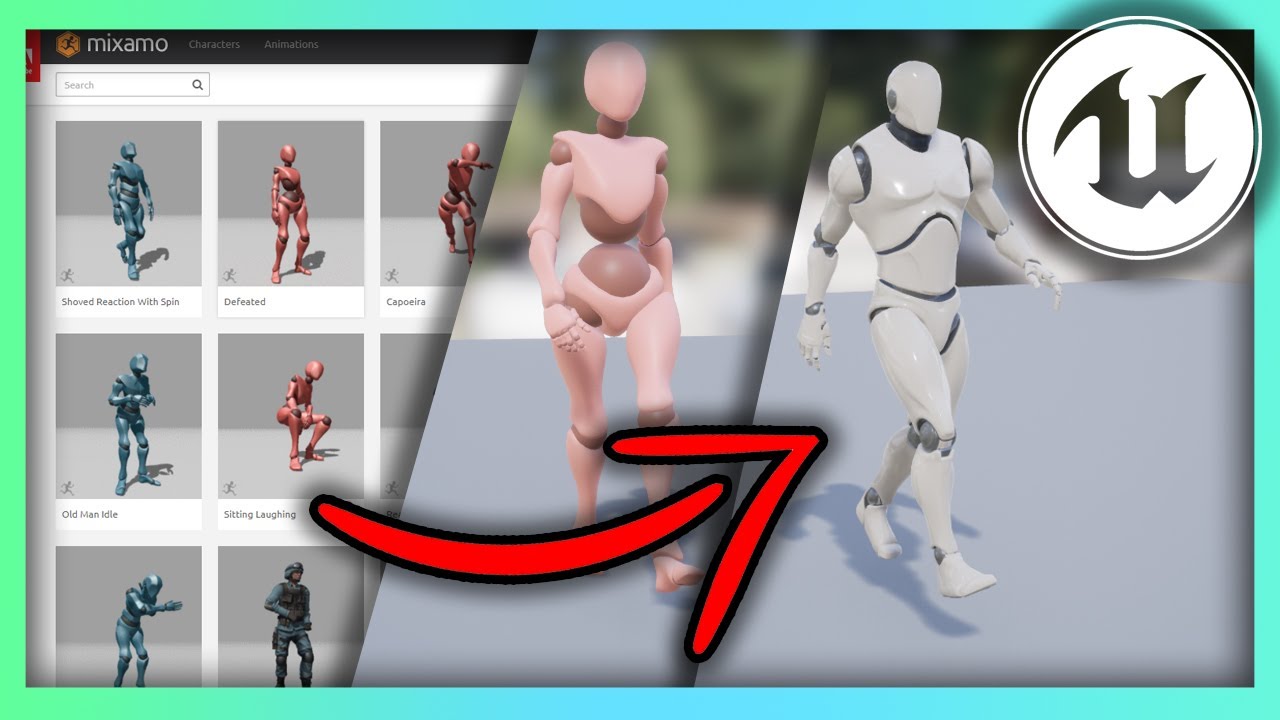
Hello guys welcome back to another video in the Unreal Engine 4 Complete Beginners guide. In this tutorial we will go over what Mixamo is, how to download animations, and re-target them for any character you have.
Mixamo Retargeting Cheat Sheet:
https://imgur.com/a/5A554mc
 fleet willow
Is it somehow possible inside of a state machine to "split" the output pose so that you can use the same output in 2 input pins ?
I know the option of caching, but you can only make cache poses outside of a state machine
 floral temple
Hello,
I am looking for a solution that with following requirements:
- Fully physics simulating SKM (imagine a car driving, aircraft flying or mannequin falling [no capsule/movement component])
- Specific bones are playing animation (car's door opening closing, mannequin flailing hands or aircraft opening the landing gear)
- The collision of the skm/physics asset should properly follow the bone (currently, with physics blending set to 0 the animation plays on the bone but the Phat primitives dont get moved, with blending at 1 the animation doesnt play and if the bone is Kinematic it gets the physics simulating SKM stuck/spazzing out [but both animation and collision are correctly updated])
An ideal testcases would be
- A physically simulated aircraft Skm that can deploy the landing gear with animation while performing physics based flight, and also properly updating the physics asset for the landing gear
- A physics simulating vehicle driving and playing trunk/door opening closing animation while properly updating the related physics asset collision location/rotation
Thanks in advance for any suggestions
 strange nebula
floral temple
Hello,
I am looking for a solution that with following requirements:
* Fully p...
strange nebula
floral temple
Hello,
I am looking for a solution that with following requirements:
* Fully p...
what exactly is your question ...
floral temple
@strange nebula How do I make physics simulated SKM (such as an aircraft body) play an animation (open landing gear)? I need physics asset (collision primitives of landing gear) to follow the animation and SKM to keep simulating physics (fly, fall, etc)
@strange nebula I posted a job in regards to this in #freelance-jobs. if you have the expertise I am willing to compensate you for your time
 hidden vector
Would anyone be willing to help me out with something to find?
I would like to learn how to do a ragdoll which isn't too difficult but here's the key part then go back from said ragdoll to a normal animation

example
I'm wondering if there's a nice way to do this in unreal
if anyone knows of a key sentence to google or a resource/youtube video to learn a bit more about this i'd appreciate it
haven't really found anything online yet relating to unreal
 waxen elbow
my animation blueprint is only doing the idle animation for some reaosn
It's not switching even if I jump or move around
 uneven herald
hidden vector
Would anyone be willing to help me out with something to find?
I would like to...
uneven herald
hidden vector
Would anyone be willing to help me out with something to find?
I would like to...
you need to fix the physics linear limitations on the physics asset for your character
https://www.youtube.com/watch?v=x7hV6gTBYew
that video should help you

Part #22: this is the Part 4, in this tutorial, we are fixing the ragdoll physics for advanced locomotion system v4 ALSV4 in the Unreal Engine (UE). for more details, check out below. Metahuman ALSV4 Advanced Locomotion ALS | Part 4 | UE4
Ragdoll Link: https://mega.nz/file/7roC2K4I#CxK2f5GK2W_jXouzyheC_EZs2Bg5BAy206iWAhRMOsM
Metahuman Playlist...
I am trying to get my character (a metahuman) to move its head according to the camera location, I have done this successfully with the arms, they follow my controllers perfectly, I used a Fabrik on the hand and upperarm, for some reason this same process does not work with the head
The first image works, second one doesnt

 hidden vector
hmm thank you ill check that out
 rancid sparrow
Hi! Rendering out my level sequence to an image sequence, but my animated character is stuck in his A-pose. Anybody know what could be causing this?
 toxic badge
I'm trying to render a animation and when it's done rendering all I get is an image sequence do I need to put the image sequence into another program to render out or what?
 misty dagger
wtf is this node?

 regal pivot
why If My Skeletal has a bunch Blends Profile, but When I try use Blend poses all blends profile are not shown and only appear 3 blends profile :/ I don't understand why that happens

 hidden pivot
Is there any reasonable way to scale a mesh / actor that has a control rig? Without everything breaking?
 mystic cave
Hey guys so I am trying to use motion warping plugin to make my character vault. the issue is am facing is that my character doesn't go up on the z axis even tho my Ignore ZAxis is false and collision is disabled. If i use flying movement mode then my character just goes up in the air.
ashen junco
hidden pivot
Is there any reasonable way to scale a mesh / actor that has a control rig? With...
Just scale down the skelmesh as usual.
 honest geyser
I am having an issue with retargeting, the source mesh/skeleton has a Virtual Bone and is visible in the IK Rig for the source skel, so I put this on my target Skeleton, however when I go to set up the IK Rig for it, the virtual bone does not show up in the Skeleton Hierarchy, does anyone know a solution for this?
ashen junco
waxen elbow
my animation blueprint is only doing the idle animation for some reaosn
Context needed, show the anim graph
 faint oracle
Is there any way to disable stretching on simple control rig controls? Arms and Legs have IK with it disabled from the Ik node, but I don't have that for the controls that don't have IK, such as head, shoulders etc.
 valid kiln
Hey all! Anyone had issues importing animation FBXs (specifically from Xsens MVN) into UE5? The data imports, but refuses to play - it's frozen on the first frame of animation. Cheers!
 outer maple
How can I fix rotation problems when doing ik retargeting?
for the root pose
My UE4 skeleton is pointed towards the camera, but my character is facing right for instance

 sand vine
Trying to figure out why a transform bone works when i use it with the same logic but without for each. As soon as i add the for each though, its not doing anything anymore Oo

ok figured it out - the issue was that i did use an item CHAIN instead of simply item search xD
ashen junco
Up to you.
Though in UE you need to set up Control Rig beforehand.
waxen elbow
ashen junco
Context needed, show the anim graph
I fixed dw
fleet willow
Is there some way to get 2 output pins here ?
Can't use Save Cache here, sadly (state machine doesn't allow it)

Or making this single pin able to connect to more than only 1 input pin ?
Like i really don't wanna duplicate the whole logic in order to get a second pin, but this seems to be the only option so far
ashen junco
fleet willow
Like i really don't wanna duplicate the whole logic in order to get a second pin...
What's the context?
hidden pivot
I'm moving the foot controls and the hip control of my actor across the map, but the Actor position itself remains at the world origin, so the moment I move my camera to no longer see the world origin my mesh becomes invisible. How can I fix that?
 woven heart
Question, how do I add a bone to the "Attributes" section of a Animation Sequence file? Like in this Third Person Template file...
 fleet willow
ashen junco
What's the context?
fleet willow
ashen junco
What's the context?
Doesn't matter anymore as i've had a logic brain lag xD
 ornate marsh
Is it difficult to learn how to animate ?
 empty wagon
Yes
 velvet lion
honest geyser
I am having an issue with retargeting, the source mesh/skeleton has a Virtual Bo...
velvet lion
honest geyser
I am having an issue with retargeting, the source mesh/skeleton has a Virtual Bo...
I recommend this Youtube channel. He's developed some of his own tools for retargeting, and one of the topics included are on virtual bones. His tutorials are geared towards ALS (advanced locomotion system) but it might still be applicable to whatever you're working on https://www.youtube.com/channel/UCY1L3_haDK-O8WQ5ckzy9vw/playlists

YouTube
This channel will share the progress about my gamedev projects and I hope you will be with me on my journey.
 austere needle
but when i export it to unreal i get stuttering and some weird deformations in the feet
are there any resources for exporting animations from Blender to unreal, I have an animation that is supposed to look like this.
 covert onyx
anyone knows why this happens?


ik bones doesnt get animated. i used ik retarget ue4 to ue5 manny
 quartz laurel
Is there a way to get a reference to the Niagara system spawned with Anim notify?
 fast gorge
guys which is best arquitecture of animation , any tutorial?
ashen junco
ornate marsh
Is it difficult to learn how to animate ?
Depending on your patience and dedication.
hidden pivot
Whenever I try to enable Simulate on some bones on my Physics Asset they simply vanish in the game. Why?
I wonder if it's even possible to get the physics to work...
quartz laurel
quartz laurel
Is there a way to get a reference to the Niagara system spawned with Anim notify...
Override it is
empty wagon
Hey does anyone have any idea how to make it so that an ani montage stops if the player is moving/ doing something else? Similar to how fortnites emotes work as in when ur emoting then u walk the emote stops???
 turbid plover
https://forums.unrealengine.com/t/what-is-the-rotation-order-for-components-or-bones/286910/6 I’m having trouble grasping the answer here conceptually. I don’t understand why changing roll affects pitch and yaw. If the object rotates in world space and roll is done first then I don’t see how it could affect them.

Unreal Engine Forums
The short answer: World Space rotation order: XYZ Local Space rotation order: ZYX ===== The rotation order in terms of World Space is XYZ. A simple test: Select an actor in your scene. Make sure you’re in Rotation Mode (or press E). Rotate around the X axis an arbitrary amount, like 50 degrees. You’ll notice that as soon as you finish...
 finite sinew
Been running into an issue with FootIK, https://youtu.be/GZ44nKPKubk?t=28

Any help?
 vast trellis
I tried making an empty mesh out of the ue4 mannequin in blender (similar to the ue5 mannequin empty meshes used in Lyra and I think meta humans stuff), with copy pose on the actual cosmetic mesh. During play I'm getting though:
LogSkeletalMesh: Warning: Skeletal mesh SK_Invis has no valid LODs for rendering.
How do I avoid that? (everything works and animates fine, I jsut get that logspam)
 proper jacinth
Oh man we did the funniest experiment today. We have this model of an ostrich we grabbed from the store, and where figuring out how best to animate it, and it was like "Lets mocap it. Ostriches have two legs, two "arms" (wings!) and body and a head, its a human!". So we tried remapping from the SK skeleton we usually mocap to to the ostrich and it works ....... brilliant. Cue up people jumping about trying to "ostrich dance" and yeah. Very silly.
And now we can drop a f__ing ostrich into all our cut scenes to ruin them, or rather make them better
 fresh sandal
I'm getting "Imported bone transform is different from original." exporting from blender. Simple single bone armature with transforms applied. What gives?
 celest pumice
i am trying to rotate the RightHand to go face a specific target location, but when i attempt rotation, it uses the wrong axis. i have learned that rotating a bone like this will use the forward (X) axis, but I am not sure how I can modify this to work as I want, and face forward instead of side-to-side. any ideas? (i tried multiplayer the start vector by some numbers to try to get it to face the right way, but it didnt work. still open to trying, if someone has ideas on numbers that would work)


 verbal parrot
is there nothing called third person animation BP in UE5???? Following a guide where they use it in UE4, but I cant find it in UE5
fleet willow
verbal parrot
is there nothing called third person animation BP in UE5???? Following a guide w...
Those are the ones in UE5 third person template
 verbal parrot
I see, but I cant seem to find the animation graph in here? @fleet willow
verbal parrot
Im following a guide, but I cant find this

 ashen junco
fleet willow
Quinn just extends from Manny and does nothing
ashen junco
fleet willow
Quinn just extends from Manny and does nothing
Wait, templating anim graph is possible in UE5?
fleet willow
Wasn't that possible in UE4 ?
(I don't know that as i never had the need for it)
ashen junco
No, it isn't. AnimBPs are tied per skeleton and inheriting anim BP doesn't carry over the anim graph
fleet willow
Well then, it works in UE5 ™️
fleet willow
Makes you miss a lot of cool new features when it comes to animation blueprints.
The state alias alone is just.. hot
verbal parrot
fleet willow
Quinn just extends from Manny and does nothing
what does that mean? If I do changes in Manny, it changes for Quinn aswell?
fleet willow
verbal parrot
what does that mean? If I do changes in Manny, it changes for Quinn aswell?
Pretty much (at least if we are still talking about those anim blueprints)
ashen junco
TBH some new UE5 features can be recreated with 4.27's Control Rig, but still
If only 5.0 isn't too rough around the edges
Templating anim graph would've been convenient, instead of repeating copy pose every time
 next mountain
Is it possible to have child animation blueprints show up as a data-only view in the editor?
A breakdown of the UI elements of the Blueprint Editor when working on Blueprint Classes where only the class defaults have changed from the parent.
 dense gyro
someone can help me when i simulate physics of bone it shrink inside ground

 pastel onyx
why are some meshes distorted by apply mesh space additive?
 wet moth
I'm relatively new to all this, but...does anyone know how to set up a blendspace animation for movement of a character that floats in space? The variables for my blend are the X and Y, but I can't seem to make that work in the animation blueprint. Calculate direction is giving me some weird results with a character that can move up, down, right, and left.
ashen junco
wet moth
I'm relatively new to all this, but...does anyone know how to set up a blendspac...
If you use any kind of Movement Component, Get Velocity
 neat spoke
Hi, anyone here have experience with HumanIK control rigs? I have a character made with animation, exported to UE5, with an up and down animation, but it just moves my leg up and down making hip joint the center root.
wet moth
I've been using Get Velocity. Obviously haven't been using it the correct way. What is the right way to use it in this situation?
dense gyro
how can i fix this?

while walking the bone not follow physics rather running far from its bone place
 iron thicket
Guys, how i can import skeleton of character template in blender?
When I import a skeleton all its bones become crooked
 winged spade
That's it. Vertex Animation of 1000 units. Each with animated legs, attached static shoulder and cockpit and with two animated weapons ready to shoot. Textures are bit heavy but look the frame and game thread. Each part can be individually controlled with nearly no extra costs, at least nothing which cost for the animations.

Screenshot tanked a bit the FPS but yeah who cares
ashen junco
iron thicket
Guys, how i can import skeleton of character template in blender?
When I import...
As in facing sideways?
 hallow elm
Hey I have a problem
Although I set Mannequin A pose as a reference pose for retarget, it won't show in Retarget Manager
How can I fix it?

 fleet willow
@hallow elm Since UE5 it's not working anymore like this
hallow elm
fleet willow
<@298714232571166722> Since UE5 it's not working anymore like this
hmm?
so what do you mean?
fleet willow
You now need to modify the pose here
 hallow elm
fleet willow
You now need to modify the pose here
hallow elm
fleet willow
You now need to modify the pose here
Oh, so I can't edit original reference pose anymore??
fleet willow
This is also not an option anymore. The old system got completely replaced with the new one.
So if you really wanna use the UE4 style you'd need to use UE4 to make it just in order to migrate the final result back to UE5
So better get used to the UE5 system 😅
hallow elm
okay Thank you!
I dont like Epic....
ashen junco
How's the neighbour smellin'?
fleet willow
Don't get me wrong tho.
UE5's system is really really powerful. Just some decisions were really bad like e.g. the way how you can edit the pose
hallow elm
👍
dense gyro
dense gyro
someone can help me when i simulate physics of bone it shrink inside ground
any help?
 odd mantle
I'm planning to import 26 models with 43 animations. Each model will range from 1 animation going up to 7 per model. Which is every single enemy AI and other kinds of AI in the entire game I'm working on.
But all animation has a t pose from the start. Should I remove them in blender or can it be sorted in unreal engine ?
 crimson sparrow
Im working in the UE5 Mannequin Control Rig at the moment. Often i see the ProjectToNewParent node. What is the difference to the regular getter of a Control? They seem to do the same, but im sure they are not.

 valid bay
hi guy's and girl's, i have a little question.

i would like to modulate cloud opacity et star brigtness
in sequencer
but i don't find how i can do that
 mortal scarab
guys i tried to retarget an animation from mixamo tho the ue 5 mannequinn and something is wrong with the root bones. Can anyone tell me whats going wrong here? I want to enable root motion but thats glitching out completely
 wet moth
I'm relatively new to all this, but...does anyone know how to set up a blendspac...
wet moth
wet moth
I'm relatively new to all this, but...does anyone know how to set up a blendspac...
So I managed to get Calculate Direction to work by only feeding in the value of Z from the character rotation, and not X or Y. The problem is that I still cannot get the Y variable to work, as Calculate Direction does not appear to function with the character's Y rotation. Does anyone know how to set up a blendspace animation which is triggered by the character rotating up and down?
 solar anchor
mortal scarab
guys i tried to retarget an animation from mixamo tho the ue 5 mannequinn and so...
solar anchor
mortal scarab
guys i tried to retarget an animation from mixamo tho the ue 5 mannequinn and so...
Just an idea but it looks like the root or bone is out of place
mortal scarab
solar anchor
Just an idea but it looks like the root or bone is out of place
Ah OK thank you. Do you also know how to fix it?
solar anchor
mortal scarab
Ah OK thank you. Do you also know how to fix it?
try if u can move* it
 mortal scarab
Ok
solar anchor
when i do that kick animation, my character grows bigger, no idea why, in the animtion preview everything looks normal, but when i play in viewport, it acts up, any help would be appreciated
ashen junco
solar anchor
when i do that kick animation, my character grows bigger, no idea why, in the an...
Perhaps the uniform scale is wrong
solar anchor
ashen junco
Perhaps the uniform scale is wrong
is that something i fix in ue5 or like blender
solar anchor
ashen junco
Perhaps the uniform scale is wrong
okay i fixed it
i should make a video about it incase someone have issue
 graceful tundra
Hey there, just wanted to check quick to see if anyone has a workaround or fix for the blendspace leg crossing in Kubold's Movement animset Pro. Just in the strafe movement. There are only 2 areas in which it is an issue, and it would only really be a problem on controller, since the 45s are covered.
solar anchor
graceful tundra
Hey there, just wanted to check quick to see if anyone has a workaround or fix f...
maybe adding a short clip might help people get a better idea
graceful tundra
Yeah I should have done that lol. here is a short clip showing the issue.
solar anchor
sadly cant help but hopefully someone else will
next mountain
graceful tundra
Yeah I should have done that lol. here is a short clip showing the issue.
Have you ask the dev (Kubold) about it?
Best bet I can think of is probably editing the anims related to the crossing blend manually on a 3D editor (or maybe use control rig).
graceful tundra
next mountain
Have you ask the dev (Kubold) about it?
Best bet I can think of is probably edit...
I might try to get in touch, but according to a post I saw from Kubold,, it's sort of an inevitable problem, and that it could be corrected using IK. I was just sort of hoping for a quick example, but I already have a control rig setup, and I'm sure with some coffee I can figure something out
solar anchor
anyone know how i can fix that problem?
so that the camera follows my player (only happens when its attack that covers distance)
next mountain
solar anchor
so that the camera follows my player (only happens when its attack that covers d...
You're using root motion anim?
Make sure to setup some of the settings in the anim editor.
solar anchor
next mountain
You're using root motion anim?
Make sure to setup some of the settings in the an...
yea it has root motion
am not too sure the settings to set
next mountain
solar anchor
am not too sure the settings to set
Try EnableRootMotion to true, or ForceRootLock true and EnableRootMotion false
solar anchor
next mountain
Try EnableRootMotion to true, or ForceRootLock true and EnableRootMotion false
kay trying right now
solar anchor
next mountain
Try EnableRootMotion to true, or ForceRootLock true and EnableRootMotion false
kay, it just stopped the animation from making distance
so it animates in place
next mountain
Animate in place on the stage or in the editor?
next mountain
Try checking on the stage
solar anchor
k
next mountain
Also, did you use montage or anim sequence for that attack?
solar anchor
next mountain
Also, did you use montage or anim sequence for that attack?
montage
solar anchor
next mountain
Try checking on the stage
it animates in place but i can move my character
next mountain
next mountain
Try EnableRootMotion to true, or ForceRootLock true and EnableRootMotion false
Try the second option
solar anchor
solar anchor
next mountain
Try the second option
kay
next mountain
solar anchor
Wait, that already works just fine right?
solar anchor
next mountain
Wait, that already works just fine right?
sorta, in the normal animation, the character moves tho
i show u
next mountain
Oh, right, that one stays in place.
How bout the second option?
solar anchor
next mountain
Oh, right, that one stays in place.
How bout the second option?
trying rn
@next mountain haha oh my goodness it worked
thank you
i tried that before idk why it didnt work
maybe because i deleted the montage everytime i made change to sequencer
next mountain
solar anchor
<@845076805572100158> haha oh my goodness it worked
👍
 silent jetty
hey everyone! this is a silly question, but is it possible to only animate using control rig in ue5? like, is it practical or would something like maya still be necessary?
ashen junco
silent jetty
hey everyone! this is a silly question, but is it possible to only animate using...
Yes, it's possible, albeit somewhat limited
celest pumice
my weapon/right hand rotation isnt working the way it should be. ive tried a lot of things, but im not sure how to go about fixing this.


 thick nimbus
Been working on a cyberpunk style Cinematic. Just finished lighting tonight I think lol now to set up the traffic ai and the pedestrian ais then shoot my cinematic


 misty dagger
can u make the camera linked to the animation of a model?
ashen junco
thick nimbus
Been working on a cyberpunk style Cinematic. Just finished lighting tonight I th...
Post it in #work-in-progress instead
 strong forum
Anyone have any good references for creating 3D fighting game character animations with flashy punches and kicks (like Dead or Alive)?
 left grail
https://www.youtube.com/watch?v=RUOkAFs7oeI
Can i animate an impostor by just creating an impostor for each frame and then "flipbooking" through them?

Quick video on how to create an imposter in order to optimise your Unreal engine scene.
ashen junco
strong forum
Anyone have any good references for creating 3D fighting game character animatio...
That'd be something you act by yourself for reference (or sketch the poses), then extrapolate in animation
 finite palm
hey guys, anyone know how reload animations are typically made ? like I need to have an animation with only the mag moving but I don't know how to only have that one bone moving in my fbx from blender
otherwise arms and rifle both have the same movement so they add up in the game and it becomes messy
strong forum
ashen junco
That'd be something you act by yourself for reference (or sketch the poses), the...
Yeah, I was just hoping if there were some good YouTube videos or tutorials or something that specifically gave advice for 3D fighting game character animations
Otherwise, I'd try using the references
 red spoke
I have a skeleton whose hierarchy is like this, with 'Group' and 'DeformationSystem' originally just being organizational nodes from Advanced Skeleton in Maya. When I try to apply root motion in Unreal, nothing happens, so I'm assuming it's looking at the bottom-most 'bone' in the hierarchy. Is there any way to tell it to look instead at 'root' in this case? For instance, in Unity you can define any bone in a hierarchy as the one from which to derive root motion, but I haven't been able to find an analogous function in Unreal.

 steel grove
Hi Hive mind! Im trying to find a way to animated a 2D cartoon face shapes (think southpark face style) with the Apple kit (Iphone live link) and not Oculus lip sync. Im having a hard time finding relevant information and tutorials. does anyone here know of anything that could get me started?
 lethal edge
Hey! Can one of you kind people help me figure out why my root motion animations are snapping? Here is what is going on: https://vimeo.com/724632658 . I've been following this tutorial for a root motion locomotion system: https://www.youtube.com/watch?v=YtWbl50Jwwc&list=RDCMUClb6Jh9EBV7a_Nm52Ipll_Q&index=3&ab_channel=CodeLikeMe . I tried another tutorial as well, using different methods, with the same snapping result. The animations are retargeted from mixamo using the retargeter 2 plugin which use both the normal animation and in-place animation. I've also tried using the blender root baker plugin which also doesn't help. Any ideas?

This is "Unreal Engine 5 Root Motion" by meh no on Vimeo, the home for high quality videos and the people who love them.

project files : https://www.patreon.com/posts/38932489
Usually, the character movement in unreal is handled by adding movement inputs. The problem in this approach is, we have to match the animation speeds manually to actual movement speed of the character. Today, I am going to show you a way to completely drive the character locomotion with a 2...
silent jetty
ashen junco
Yes, it's possible, albeit somewhat limited
ty, appreciate it
honest geyser
Does anyone know why, when I add a Virtual Bone to the head, targeting the Right Hand, that its not actually going to the correct location?

 coral jasper
trying to import some animations from mixamo but cant because this error comes up. any1 know what might be causing this and the usual fixes to thsi ?
 next mountain
coral jasper
trying to import some animations from mixamo but cant because this error comes u...
next mountain
coral jasper
trying to import some animations from mixamo but cant because this error comes u...
Have you checked whether the exported mixamo model includes the mesh and not just animation only?
Try opening it in blender or your 3d editor.
coral jasper
next mountain
Have you checked whether the exported mixamo model includes the mesh and not jus...
i first downlaod the mesh into unreal and then donwload animations and import them for the mesh
next mountain
Can also try importing the model first in unreal editor, then import the animation afterwards with the anim skeleton set to the previously imported mesh skeleton.
coral jasper
next mountain
Can also try importing the model first in unreal editor, then import the animati...
that is what i usually do
but thats not working
i tried importing animation with skin and it worked
next mountain
Ue4? Ue5?
next mountain
coral jasper
that is what i usually do
Did you usually do it in ue5 as well?
coral jasper
ive always done this because if i import with skin it imports skeletons and other assets everytime
and only in ue5
and ive done this for like 5-6 characters
next mountain
It shouldn't import the skeleton again if you already set the skeleton in the import menu.
Any screenshot of your import setting in unreal?
 next mountain
Uncheck import mesh if you're only importing the animation.
Uncheck skeletal mesh as well
next mountain
As long as the skeleton value is not empty, it should work.
next mountain
coral jasper
now i just need to rename
Rename?
coral jasper
cuz the mesh is not the name of the animation
now*

and its upside down
something up with this mesh ig
next mountain
I really recommend you check this in blender first.
coral jasper
what do i check
i checked exporting in 3ds max
but it doesnt upload to mixamo then
it only uploads if i upload the original file
next mountain
Check the skeleton hierarchy structure, bone orientation, see whether it's upside down or not in the editor.
Fbx? Obj?
next mountain
Hmm, you sure no issue on the bone export orientation?
Unreal uses X+ forward Y+ right, check the root bone on your mesh, see if it's oriented accordingly.
coral jasper
i think its not big deal i just set rotation to +90 in blueprint
ezpz
unless thats bad xD idk
next mountain
The mesh you're using, it uses mixamo default bone structure?
coral jasper
no it didnt let me rig it manually using the mixamo rigger so i had to upload it with the existing skeleton but i checked the bones in ue5 and they look like the mixamo skeleton

do u want the link to the 3d model? its free mabey u could find wats wrong. that is if u want xD
next mountain
Should try exporting one of mixamo's model to unreal and test it with your animation, see if that works.
next mountain
coral jasper
do u want the link to the 3d model? its free mabey u could find wats wrong. that...
No harm trying.
coral jasper
i DM'd u the mesh
mabey its something completely obvious that im missing cuz im relatively new to this :p
next mountain
Wait, 1.6M triangles?
This a sculpt file or something?
coral jasper
no idea its been crashing since morning cuz its so big
ashen junco
1.6M tris is excessive for characters
coral jasper
i think most of it is in the breasts
next mountain
🤨
ashen junco
coral jasper
whats UE5 tri cap ?
No real cap, but just remember that skelmeshes can't be made Nanite for now, and optimise it.
Normally characters are around 100K tris
next mountain
Manny was around 50k
coral jasper
i try to keep them under 64k
ill see if it tanks fps if it does ill just look for another one. wanted a mad max looking character and saw this free one
ashen junco
cough MetaHuman
coral jasper
i dont know how to use meta humans either cuz they all broken down in different parts xD
next mountain
coral jasper
i dont know how to use meta humans either cuz they all broken down in different ...
There's a lot of tutorial on modular mesh usage in unreal, check youtube on this one.
coral jasper
yea i saw a utube tutorial and managed to get metahuman as my mesh in main char but its always bald
next mountain
Is there any way to get the length of a blendspace using blueprint?
There's a play length and sequence length for anim sequence, but there doesn't seem to be one for blendspace.
 grim tulip
Anyone know any sites with animations other then mixamo? And the UE Market?
 worthy surge
How are additional objects usually animated? For example a backpack, or clothes, stuff that follows the movements of the body
are they attached to the skeleton same as the body?
so is it several objects animated by one skeleton, or are they attached to the main mesh somehow?
 gilded rock
I'm constantly getting this ctrl rig crash on some animations I have, did anyone experience it before?
 silent bay
So I know UE has double jump by default but how would I add my second animation? I have the animation for my first jump hooked up but not quite sure how to do the second
 spiral cloak
Can I use post process anim blueprints on skeletal meshes that treat another skeletal mesh as their master pose?
ashen junco
spiral cloak
Can I use post process anim blueprints on skeletal meshes that treat another ske...
Not with Set Master Pose Components, as it overrides any anim instances
spiral cloak
ashen junco
Not with Set Master Pose Components, as it overrides any anim instances
Okay, so if I wanted to treat another skeletal mesh as the the master pose, AND have some bespoke PP_AnimBP stuff running on the "Child" mesh, what's the recommended approach?
Would it be something like, instead of using set master pose, copying pose instead?
It feels like I should be able to set master pose, and then as a PP override some bones/curves as it's at the end of the chain, but alas
 glacial dagger
I was wondering if there was a way to use a modular character with something like the pose master component for xsens. Currently the way I was told to do xsens is using the xsens remap then a ikrig asset for both the character and mvn puppet and then an animation blueprint as such (pic1). The only issue i'm having issues understanding is how I could do this same setup with a actor blueprint for my master pose component. None of the remaps, ik rig assets or the animation blueprint will take the blueprint actor.
 ashen junco
spiral cloak
Okay, so if I wanted to treat another skeletal mesh as the the master pose, AND ...
ashen junco
spiral cloak
Okay, so if I wanted to treat another skeletal mesh as the the master pose, AND ...
Yep, copy pose from mesh is what I used, and it doesn't override the anim instance
spiral cloak
Awesome - gotta do a little overhaul to our pipeline but just about to try prototyping that now!
 green musk
Hello, I'm having a terrible time trying to get a valid anim instance from a skeletal mesh component. It is never valid despite having a skeletal mesh set, and an anim blueprint set. If I run SetAnimInstanceClass at runtime it still says there is no valid anim instance in the tick. Are there any commonly known pitfalls for this issue?
 bleak sky
Hello Im new to UE5 and have an issue, I was animating a methuman but now I am missing the transform gizmos, any idea how to fix that please?
 spring whale
what is the best way to position the character hand on the gun?

would i have to change something in the animation or just the mesh?
 slender hill
Hi, I wanted to update my character's pose and save it, though when I do, it doesn't change on the other files, how come is that?

 cunning mesa
I have an fps animation, already animated in 3dsmax, I exported it in FBX, but it's missing the gun and camera upon import
solar anchor
thanks for this 🙏
outer maple
Curious if anybody has some advice, I'm working with Character Creator 4, it's got a nice workflow but unfortunately it's not possible to export morphs from it. I've seperated my character's clothing to separate meshes on the same skeleton as my character, and essentially I'm looking for a way to get morphs onto both the character and the clothing. The only way I know to do this at the moment is to create an unmorphed version of each thing (the character, each piece of clothing, etc) and then create a morphed version. This quickly creates an explosion of dev time.
tldr; Do I have any way of efficiently getting geometry on the same skeleton to share morphs, or maybe leverage some software to speed up this process?
 buoyant warren
Is there a way to add static meshes into the preview when creating animations in UE5? For example I'm trying to create an animation of a guy sitting down in a chair....is it possible to show the chair in the animation preview, as it will be much easier to get the animation correct.
So basically make the animation within the level scene, as opposed to just floating in the preview window
ashen junco
buoyant warren
Is there a way to add static meshes into the preview when creating animations in...

Until recently, creating character motion was the domain of expensive third party DCC apps. With the release of 4.26, Unreal Engine introduces further refinements to Control Rig: our suite of in editor rigging and animation tools. Whether you are authoring traditional style animation assets via keyframes or driving characters procedurally at run...
 undone nova
Yo dudes, I'm busy with a star wars anim with a MH, my plan is have the char walking out of the dark and unclipping his lightsaber from his belt and turning in on (maybe some smaller things, but I can figure that out I'm sure) - is this something I should/can do in sequencer, and also should the saber hilt be a static mesh or skeletal?
thanx in advance 🙂
 strange yarrow
Hi there, do you know if its possible to fix this? The main control of my skeletal mesh in Maya is resized 10x, so when I export it to Unreal it goes back to 1x, changing everything I made. Is there any solution to it without having to redo all the rig again?

 tough smelt
Hey everyone, I Currently work in an Animation Studio, on an animated TV-Series and My day job involves a heavy amount of receiving Maya Project files containing characters and their animations, which we Bake the animations and using game exporter, we export and import them in Unreal (we import skeletal animation sequences on our skeletal meshes)
However, the process of constantly baking the animations from Maya to Unreal, is exteremely time consuming and resource heavy, and It's basically wasting %70 of my time, spent creatively otherwise.
Is Live Link something we should aim for? I Imagine Live Link is only real-time for previewing the animations, and in the end you have to bake and export the animations from Maya, Am I Right?
Alembic and Geometry cache method is also out of the equation because of the tremendous file sizes.
Is there a better workflow than this for animation where we don't have to spend so much time on baking animations?
ashen junco
tough smelt
Hey everyone, I Currently work in an Animation Studio, on an animated TV-Series ...
Control Rig + Sequencer, animate skelmeshes right inside the engine.
tough smelt
ashen junco
Control Rig + Sequencer, animate skelmeshes right inside the engine.
obviously, but most professional animators in our studio are using Maya, so this is not an option (This is the case, everywhere in the world though)
ashen junco
tough smelt
obviously, but most professional animators in our studio are using Maya, so this...
I'm a Blender user, so yeah, no idea about specifics to Maya.
buoyant warren
I'm creating a control rig for my skeletal mesh; I want to have a control for facial expressions....An "Expression" will consist of moving some bones and also changing some morph targets....If i have 10 expressions what is the best control type to use for switching between them? (I want to be able to transaction between any of the 10 expressions; ie go from "3" to "7" smoothly (without going from 4, 5, 6 on the way and with a curve...not just jumping straight to the expression)?
tough smelt
ashen junco
I'm a Blender user, so yeah, no idea about specifics to Maya.
Bringing character animations into unreal and baking animations isn't Maya specific!
ashen junco
tough smelt
Bringing character animations into unreal and baking animations isn't Maya speci...
Except in your initial question, you specify Maya, so I, as a Blender user who never got deep into Maya, won't know any time saving tricks in that regard, that present in Maya.
I could've tell my Blender to Unreal workflow, but it'd be useless in your context.
Also "Live Link" in Blender to Unreal is more of a somewhat janky bridge, which could be not the case with Live Link from Maya to Unreal
 onyx delta
so ive created a simple landscape witch no material, thinking i could easily just drag the material i want it to have on to it, but thats not working. does anyone know of any other way?
undone nova
onyx delta
so ive created a simple landscape witch no material, thinking i could easily jus...
Try this mate, its suuuuper long but skip to about 2 hour 20 in and see if that helps?
Unreal Engine 5 tutorial for beginners! In this free tutorial we will go over everything you need to know to get started in Unreal Engine 5. Specifically we will focus on Unreal's new features: nanite and lumen. You will learn how to install Unreal Engine, navigate the 3D viewport, create materials and worlds, sculpt landscapes, paint foliage, p...
undone nova
onyx delta
thanks
no worries
 fast creek
How do I pause a walking animation? I would like to pause it (at it's current pose/position) when the player opens the in-game menu.
I am using v4.25.4
ashen junco
fast creek
How do I pause a walking animation? I would like to pause it (at it's current po...
Why not pause the entire game? UI and non-latent functions will still work.
fast creek
nvm. I figured it out.
fast creek
ashen junco
Why not pause the entire game? UI and non-latent functions will still work.
Ive not used/tested that feature yet. There are some elements I want paused and some I don't. I will probably need to look at it soon, but for now I am just using a stop gap while I develop other things.
 craggy wadi
Welcome back to Instagram. Sign in to check out what your friends, family & interests have been capturing & sharing around the world.
Little preview of our second game 😁
ashen junco
fast creek
Ive not used/tested that feature yet. There are some elements I want paused and ...
You can also specifically mark certain classes (if not component) to tick even when paused
ashen junco
craggy wadi
https://www.instagram.com/reel/Cck74RJjAMa/?igshid=YmMyMTA2M2Y=
- I think Instagram is somewhat worst way of showcasing projects
- #work-in-progress
ashen junco
craggy wadi
Huh, do you mind if I ask why?
Mandatory login to view things in Instagram, and I already cut ties with it long ago
 novel blaze
Hey guys. I have a control rig where I have a set transform node for a bone and for some reason the bones location gets set when I move the control but the rotation does not. Any Idea why that is?
craggy wadi
ashen junco
Mandatory login to view things in Instagram, and I already cut ties with it long...
Gotcha
ashen junco
novel blaze
Hey guys. I have a control rig where I have a set transform node for a bone and ...
Probably something else resetting the rotation?
novel blaze
ashen junco
Probably something else resetting the rotation?
Just checked my graph the bone is only set in 1 place in the forwards solve
 vale magnet
Does anybody know any sites that would offer free animations, other than mixamo?
 south sinew
in a first person shooter game where you can only see the players hands, would I animate the hands and guns together or separately?
ashen junco
south sinew
in a first person shooter game where you can only see the players hands, would I...
Animate it together, but you can have the gun as a separate skelmesh
south sinew
alright, thank you
 junior eagle
Is it preferred to animate in blender or in unreal? I recently began using unreal and i wanted to know what was better for animating. I also wanted to know if there was a way to create bones like you do on blender
 steady orchid
junior eagle
Is it preferred to animate in blender or in unreal? I recently began using unrea...
steady orchid
junior eagle
Is it preferred to animate in blender or in unreal? I recently began using unrea...
blender, if you have to do small fixes to the animation you did in blender, you can do it in unreal but i wont
junior eagle
steady orchid
blender, if you have to do small fixes to the animation you did in blender, you ...
Is there a guide that explains to me how i can make standard animations (walking, idle, running) and save it to that project?
because i see people have multiple animations in their collection and i wanted to know how to do that
junior eagle
blender
steady orchid
you can store different animations in actions but you are better off looking up tutorials related to blender, not much to do with unreal
once you have that you can focus on how to export to unreal
you can try mr mannequin rig plugin for blender if you are just starting and it will handle everything for you
 indigo minnow
how did you do that?
nvm figured it out
untick this then the hierarchy can be different
 buoyant warren
Is it possible to group float rig controls so that the total value can have a max? For example you have a 3 float controls, each with a range of 0 to 1. But you want there to be a total max of 1. So if i slide a control up to 1 it will slide the other controls down to 0.
 outer tangle
Just tried to export my first Blender animation into unreal and I'm having this problem where all the IK affected bones arent working as they should.
My creature is hovering in the air instead of having its feet planted in the ground and affected by the Blender IK. How could I fix this? I am wondering if it might have to do with the fact that I created the IK bones by clicking on the feet bones in pose mode and pressed Shift+I.
I tried to parent the IKs to the legs armature but that doesnt seem to fix things, any help would be much appreciated!
 clever acorn
Is there a way to somehow "bake" absolute + additive into a single thing? additives are quite buggy (using unreal 4 for now, if its doable in 5 let me know anyways)
 high flicker
Hi, anyone familiar with importing IK rigged assets from blender? I have this bow and it doesn't bend the way I want it to when I import a fbx from blender:


I do get this IMPORT TRANSFORM ERROR, not sure if it's relevant

 viscid crater
Where is the ART for Maya? I can't find the setup file in the engine install for 4.27
the marketplace one seems to only be up to engine version 4.21
Overview of the Maya Animation Rigging Toolset.
this is what i'm trying to get
Do I really need to install Unreal 4.21 to be able to get this?
 native crescent
Hello, is it possible to have sculpting landscape in Sequencer? I want to modify the terrain during my animation.
 wide idol
Not sure if this is the correct place to ask, but I would like to know if there's a way to make a Socket inside of another Socket in a skeleton.
 merry loom
high flicker
Hi, anyone familiar with importing IK rigged assets from blender? I have this bo...
merry loom
high flicker
Hi, anyone familiar with importing IK rigged assets from blender? I have this bo...
Blender ik works in blender only. U need to recreate the rig in unreal using control rig
high flicker
Alright, good to know. Thanks!
merry loom
outer tangle
Just tried to export my first Blender animation into unreal and I'm having this ...
Not entirely sure but similar to my response above blender ik only work in blender. The bones you imported into the engine should only be the bones that the mesh is skinned to (deform bones)
merry loom
wide idol
Not sure if this is the correct place to ask, but I would like to know if there'...
What is your use case?
wide idol
I'm trying to create clean sword trails like in Genshin Impact. Most of the tutorials use the tip of the swords as a point to follow, but following the sword will make the sword trail looks very rough.
merry loom
buoyant warren
Is it possible to group float rig controls so that the total value can have a ma...
Probably a dumb idea but you could save control values in a variable and in the next tick compare them to the current control values to determined which control is getting moved, from there calculate the value for other controls.
merry loom
wide idol
I'm trying to create clean sword trails like in Genshin Impact. Most of the tuto...
cool stuff. But i suppose you just need a socket to be the child of your weapon bone? Though i am not familiar with that so hopefully someone else can help
 vague lava
What are some good methods for animating a car's wheels? I need to spin them with speed and rotate them according to turning input. I know how to get the speed / turning input data to an anim blueprint, but not sure what to do inside the anim blueprint.
merry loom
vague lava
What are some good methods for animating a car's wheels? I need to spin them wit...
https://youtu.be/Wc6lUXOhRO0 idk if this helps

Watch our evangelism talk ‘Driving Around: Exploring Chaos Vehicles’ from the State of Unreal 2022 livestream.
Chaos Vehicles is Unreal Engine's lightweight system for performing vehicle physics simulations. In this video, we go over the system’s features, the basics on how to set up your own wheeled vehicle from scratch, and tips and tricks to...
vague lava
im not using physics or any special vehicle classes, its just a plain character class with a skeletal mesh
ashen junco
wide idol
I'm trying to create clean sword trails like in Genshin Impact. Most of the tuto...
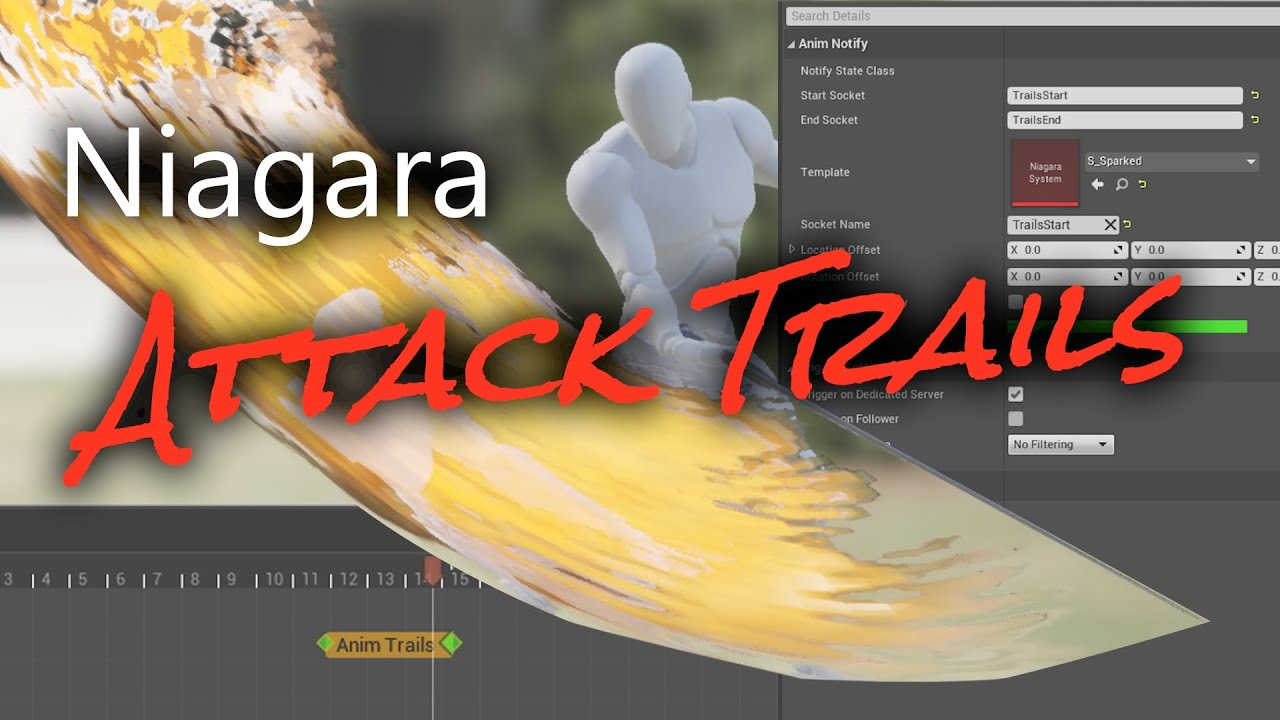
Project Files: https://app.gumroad.com/ryanscottdev
Discord Server: https://discord.gg/zcJTTC9uEB
Twitter: https://twitter.com/ryanscottdev
Marketplace: https://www.unrealengine.com/marketplace/en-US/profile/RSBMedia
0:00 - Start
0:44 - Tutorial Begins
1:02 - Material
1:24 - Module Script
2:34 - More System Setup
3:21 - AnimN...
 sharp linden
Is there a way to setup an interaction between two skeletons? E.g. I want first skeleton to pick up a helmet from another
wide idol
ashen junco
https://youtu.be/YAyaRf54BjI
Thanks for the link, but it suffers the same problem. Screenshot is from the video. It doesn't look uniform. I shared picture of Genshin Impact about what I mean when talking about clean sword trail.


What I want is having a socket inside a socket, so the parent socket can control the translation (rotation) of the child socket.
next mountain
wide idol
Thanks for the link, but it suffers the same problem. Screenshot is from the vid...
To be honest, since I made that 2nd effect before, that 2nd picture isn't really a "real" sword trail.
That's why it's smooth.
That's the same approach used for ff7r and that new mana series if I'm not mistaken.
wide idol
Yup, it's not a sword trail because it doesn't follow the sword. Right now I asked to the 3D modeler parnter if he could make empty bones that I could use to store sockets, but I was wondering if I could achieve the same thing within the engine.
next mountain
Why would you need a socket inside a socket to do that?
next mountain
wide idol
What I want is having a socket inside a socket, so the parent socket can control...
If this is the reason, which kinda sounds like you want to have a child transform inside another child transform, there's several ways to implement this.
The easiest probably is attaching a primitive component, empty mesh or actor into the socket, and attach your object as a child to it.
A more math based solution would be to calculate your transform manually before setting it to the designated object to emulate the socket in socket approach that you mention.
That is assuming you are indeed asking about that.
Still not sure why you need a socket-ception to implement the slash effect.
ashen junco
wide idol
Yup, it's not a sword trail because it doesn't follow the sword. Right now I ask...
Those don't use sockets, at all.
Okay, it is for the trail emitter placement, but not start-end position
The width and path is going to be predetermined and not driven by the animation
wide idol
gif failed to upload, lol. Discord is not working well these days.
It might upload the gif anyways, though.
I made a blueprint simulating what I want. The sphere in the middle is the "parent socket", and other sphere is the "child socket" where the Niagara is stored. By rotating the parent, the child moves smoothly.
If the gif isn't appearing, try opening it on the browser (don't recommend to do that on the phone if you're not connected to wifi, lol).
next mountain
No idea why, but your gif not showing up.
Might have better luck uploading to youtube or something if its a big one.
ashen junco
wide idol
I made a blueprint simulating what I want. The sphere in the middle is the "pare...
Basically orbiting technique?
Spring Arm exists, I guess
wide idol
Thing is, I want to "draw" the trail inside the animations.
next mountain
ashen junco
Spring Arm exists, I guess
Good idea, didn't thought of that.
Might break/bend if there's collision though.
wide idol
If this is not possible, It's okay, I'll try to find another way.
ashen junco
wide idol
Thing is, I want to "draw" the trail inside the animations.
I feel like you're having too rigid of an approach on this
next mountain
wide idol
Thing is, I want to "draw" the trail inside the animations.
You're trying to draw some kanji attack or something with this approach?
Cloud cross slash style?
wide idol
Nah, I just want to make a good workflow for the future.
ashen junco
For one, you could use a mesh making up the trail - the shape is going to be fixed, but it's going to be smooth. You can control the textures in material and drive the parameters with Niagara emitter
wide idol
Thank you for the help, guys. I'll see what I can do!
median ledge
high flicker
Hi, anyone familiar with importing IK rigged assets from blender? I have this bo...
I don't think you can import ik from blender at all
you would have to set the ik up in unreal using the control rig
ashen junco
high flicker
Hi, anyone familiar with importing IK rigged assets from blender? I have this bo...
You can't import IK rig or any constraints.
high flicker
dang, thanks guys
 devout spade
wide idol
Thank you for the help, guys. I'll see what I can do!
devout spade
wide idol
Thank you for the help, guys. I'll see what I can do!
off the top of my head you have two approaches,
- you can create a spline angle in runtime based on 5 points and have the particle effects follow that
- I'm sure in genshin they are baked in the animation... in level sequencer you can add particle effect to your baked animation sequence i'm pretty sure
they have settings for baked particle effects
ashen junco
devout spade
off the top of my head you have two approaches,
1. you can create a spline ang...
Niagara GPU emitter with baked mesh would be far cheaper on performance than relying on spline component
devout spade
ashen junco
Niagara GPU emitter with baked mesh would be far cheaper on performance than rel...
for sure , but if you have lets say 300 animations you can automate it
I feel bad but making games for potato phones rip
vague lava
How can I get wheels to spin according to a speed value and simultaneously rotate according to turning input? Can it be done in an anim blueprint?
ashen junco
vague lava
How can I get wheels to spin according to a speed value and simultaneously rotat...
Yes, however you have to be careful in your anim BP setup, else you have issues of either rotation idiosyncracy, floating point errors, undesired interpolation, or terrible performance from lack of fast path
undone nova
a really dumb question dudes, I'm pretty sure I'm about to answer myself XD, but as part of my animation I have a droid coming in to scene, I want the wheels to turn - I obviously just make the wheel turn anim in something like blender then bake it and import right?
I 3D model more and don't animate much, so I'm sorry for being a noob XD
ashen junco
undone nova
a really dumb question dudes, I'm pretty sure I'm about to answer myself XD, but...
You can rotate the bones in code, either with anim BP directly or in Control Rig with value fed from anim BP variable
undone nova
ashen junco
You can rotate the bones in code, either with anim BP directly or in Control Rig...
in the case of bones for wheels (car style) just 5 bones should do if im correct? 1 in the middle as "spine" connecting to 2 on front wheels and 2 on back wheels (left and right?
or even maybe 2? 1 per wheel axle?
ashen junco
undone nova
or even maybe 2? 1 per wheel axle?
You could use 2 bones for the wheel if you can't figure out the math
buoyant warren
When baking a sequencer take to an animation is it possible to only bake relevant morph targets? It seems that if you choose to export morph target it makes a curve for every single target (even if it has no keyframes) and makes a keyframe on every frame.
viscid crater
viscid crater
Where is the ART for Maya? I can't find the setup file in the engine install for...
I downloaded UE 4.21 so I could grab ARTv1 from the Marketplace. I uploaded a zip in case anyone else wants it without needing to go through the same process.
Animation Rigging Tools for Maya (ARTv1) from Marketplace, UE 4.21 version (Python 2) : https://skylerclark.com/ue/ARTv1.zip
If there is an updated way to get this toolkit for engine versions after 4.21 please let me know. I expect it should work fine since it's not really tied to the engine version other than on the marketplace download.
 rose prawn
If I have 0 idea what I'm doing, how hard will creating an IK Rig be for a UE4 mannequin (with additions) character? Trying to set up a UE5 runtime retargeting thing
Also, I'm assuming this is the minimum retargeting setup that's 'viable', so to speak? My character's spine ends at 3 for... some reason
 rose prawn
Update: yeah I did that, followed the settings as well carefully (looking at IK_UE4Mannequin instead), and it turned out pretty good! Slightly adjusted the arms to un-clip the walk animation lol, but all is good
wide idol
devout spade
off the top of my head you have two approaches,
1. you can create a spline ang...
Thank you. Although what I had in mind before worked without problem, I found out there are actually VFX that look like sword trail and that aren't baked to the animation. This solves everything.
strange yarrow
Hi there, this has to be something easy to solve but I cant figure out. I export my model from Maya. It has a separate hair mesh with its own skeleton. In the character blueprint I attach I want it to be attached to the HeadJoint socket, but this happens. The pivot is in the wrong position. What should I do?

It only works correctly when I use the socket in the 0,0,0
 latent condor
I'm trying to wrap my head around all the different anim tools in unreal right now. Can anybody clarify for me, are control rigs, IK rigs, and individual IK nodes inside the anim BP all supposed to be used in conjunction with each other, or are they designed to be used independently?
latent condor
strange yarrow
Hi there, this has to be something easy to solve but I cant figure out. I export...
When you attach the hair mesh to the head socket, it's going to move the hair mesh origin to that socket's location. I'm not sure how you would accomplish it in maya, but I assume there's a similar setup to how you'd fix it in blender by changing the hair object's origin to the location of whatever joint it's parented to
strange yarrow
latent condor
When you attach the hair mesh to the head socket, it's going to move the hair me...
I tried changing in Maya the pivot to the same point the joint is located (the head), but it always goes back to 0,0,0 .
I also can move the hair manually, but thats not really a solution
latent condor
strange yarrow
I tried changing in Maya the pivot to the same point the joint is located (the h...
Could a keyframe be overriding it?
strange yarrow
Somehow Unreal always puts the pivot at 0,0,0
strange yarrow
latent condor
Could a keyframe be overriding it?
No, I deleted everything
latent condor
can you screenshot the setup in maya?
strange yarrow
Give me a sec
This is the root joint of the hair, same position as the head joint. Both have the same pivot

And the distance from 0,0,0
 latent condor
it looks like you have the rig selected? can you select the hair mesh and show the channels
 latent condor
strange yarrow
latent condor
strange yarrow
Yeah that looks like your origin point is at the world origin
I'm sorry it's been a really long time since I've used maya. I think the greyed axes means the object transform is locked?
strange yarrow
Yes, its already skinned to the whole model
Thats why I cant move it, maybe I should separate it and export it by its own
And move the pivot to that same head joint
latent condor
strange yarrow
And move the pivot to that same head joint
Yeah this will fix that issue. you should parent the hair mesh to the same bone in maya that it will be attached to in unreal
latent condor
np
strange yarrow
latent condor
np
Sorry, but sadly its the same, I changed the pivot to that same joint and somehow in unreal it goes back to that position, do you have any other idea of what could be causing this?
 latent condor
strange yarrow
Sorry, but sadly its the same, I changed the pivot to that same joint and someho...
latent condor
strange yarrow
Sorry, but sadly its the same, I changed the pivot to that same joint and someho...
can you select the hair and show the transforms channel from maya
strange yarrow
All freeze at 0
 latent condor
the origin translation is probably moved on the hair when exporting. You'll want the origin of the hair to actually be at 0,0,0 but still maintain the same offset that it has now. So your hair object is actually going to move to world space 0,0,0
are you able to see the origin translation values anywhere
strange yarrow
No idea, I think Im going to try that in max instead, Im not that comfortable with Maya 😅
latent condor
strange yarrow
No idea, I think Im going to try that in max instead, Im not that comfortable wi...
sorry 🙄 could help if it were blender
strange yarrow
No worry, and yes, imported the fbx inside max and I dont know why but it went back to 0,0,0

So it has to be that
 winged rover
Hey, I have a know back animation for my character. I use a anim montage to play it but when the animation has finished, the character come back where the anim montage start, any idea?
 vocal mango
Anybody knows if there are ways to
download animations for metahuman?
The retargeting stuff got me shaking past
days There's always something going wrong
with retargeting.…. or mby someone can
recommend me some good video about it
spring whale
i have an animation that i downloaded from a location, the position of its bones is different from the default animations of the unreal project, i basically wanted to replace the bones of an animation of unreal with the bones of this animation that i downloaded, but keeping all the movements of the animation
is there any way to do this without manually messing with the bones?
latent condor
Can anybody help me understand this? I'm trying to use the IK Rig system but the goals are confusing. I want to orient the goal to world space so that it's easier to manipulate in code, but I can't seem to find a way to do it. and I have no idea what "Reference Transform" is supposed to do
 ashen junco
Add it yourself in external DCC tool
devout spade
strange yarrow
No worry, and yes, imported the fbx inside max and I dont know why but it went b...
You are attaching it to a socket right? you see on your modeling program the rbg arrows , that is where it will be attached, and the space between the mesh and those arrows will also be added.
so you need to set it to 0,0,0 and then apply
Pretty sure Maya applies the transform on export so don't move it back leave it in 0,0,0
strange yarrow
devout spade
Pretty sure Maya applies the transform on export so don't move it back leave it ...
Thanks, so where should I put the hair's pivot? Putting it in 0,0,0 leaves that space between meshes
I managed to move it to the exact point inside the blueprint though, but Im still not really sure about the result
devout spade
strange yarrow
Thanks, so where should I put the hair's pivot? Putting it in 0,0,0 leaves that ...
Apply the transform and it should move the hairs pivot to 0,0,0
If it doesn't then make sure the pivot in edit mode is not somewhere else
strange yarrow
Is there any additional option I need to press after moving the pivot? Like baking it or applying? Sometimes it seem to reset itself
devout spade
In component mode when you move any object applying all transforms always sets the pivot point to 0,0,0
Yes it's a button to apply
You should have a hot key
devout spade
strange yarrow
Is there any additional option I need to press after moving the pivot? Like baki...
Looks like In maya it's called freeze
Modify > freeze > translation or all
strange yarrow
Thanks, I found out that
devout spade
Did it work?
strange yarrow
Im not currently at the computer, I'll test it in a few hours when coming back
I hope its just that
next mountain
Took me a search to figure that out, first time hearing the abbreviation.
I think he means your 3d editor, image editor, and the rest of your related tools.
https://www.reddit.com/r/blenderhelp/comments/u3y600/what_is_dcc_means_in_the_world_of_3d_modeling/
reddit
0 votes and 2 comments so far on Reddit
You can always add an additional knee bone in your 3d editor or try adjusting the weight painting around the knee area, though depending on how you shape your mesh, this can either be a breeze in the park or an impossible task.
Probably just stick to shape key if you want a simpler workflow.
 solar torrent
I can't seem to select a new skeleton on the left menu. Anyone know why that may be?

 finite yew
hey , is anybody know how to make blendspace not to loop ?
i got here a weapons which must lean to the direction of the target i got animations but they are looping in the blendspace ,i want it tolean into direction of target and stop animation in that position until shoot animation comes any solutions how to fix it ? or maybe any other approach ? (i got 4 animations of lean : forward , backward , left , right )
https://streamable.com/g4u70h
 ashen junco
finite yew
hey , is anybody know how to make blendspace not to loop ?
i got here a weapons...
ashen junco
finite yew
hey , is anybody know how to make blendspace not to loop ?
i got here a weapons...
Looks like something that can be done procedurally with Control Rig
 iron merlin
How do I animate a sword if I connect it to a socket on the hand? (The skeletal mesh does not include the sword)
ashen junco
iron merlin
How do I animate a sword if I connect it to a socket on the hand? (The skeletal ...
Attach it to the hand/weapon bone
iron merlin
How do I add animation to the weapon
Do I make another rig but with the weapon and then animate it or do I rotate it in blueprints?
ashen junco
Just attach the sword to the hand/weapon slot bone. It'll follow the parent bone.
iron merlin
But what if I want it to move at a different speed or rotate when it moves
ashen junco
What do you mean?
It'll follow whatever the parent bone it's attaching on is doing
iron merlin
So the only way I can animate it is through the parent bone?
novel blaze
Anyone using control rig space switching? Are your baked animations completely different from the level sequence version? I have an animation and the hand is out of place in the baked animation but looks perfect in the level sequencer
The left hand in the baked animation is higher than what I have it in the level sequence


 scenic plume
is there way to know once transition has been entered?
 ashen junco
scenic plume
is there way to know once transition has been entered?
ashen junco
scenic plume
is there way to know once transition has been entered?
Set the debug object and watch your anim graph activity
 cinder linden
Hey guys I'm trying to annimate some intestines unfolding, right now I have over 200 bones which is crazy and not at all a good looking results what alternatives do you recommend ?

 elfin solstice
Hi, does anyone know how I can blend rotation of the bones in two poses only on specific axis? (blend bone by channel only works on x,y,z)
 rancid sparrow
Hey folks! How would I go about "taking control" of a 3rd person character briefly for use in sequencer (disabling input, but leaving the gameplay camera) for a short time during gameplay, then giving back control...? Any thoughts?
 bronze osprey
@cinder linden cloth sim?
 golden umbra
I seen this from Silent Hill 2 behind the scenes. Why is their characters looking like that? Is this a technique?
 ashen junco
golden umbra
I seen this from Silent Hill 2 behind the scenes. Why is their characters lookin...
ashen junco
golden umbra
I seen this from Silent Hill 2 behind the scenes. Why is their characters lookin...
I assume those are mainly just for blocking. Consider that huge chunk of cutscenes of SH2 are pre-rendered FMV
golden umbra
ashen junco
I assume those are mainly just for blocking. Consider that huge chunk of cutscen...
What do you mean just for blocking?
spring whale
is it possible to copy the movements of one animation and paste into another? keeping the animation skeleton as is
iron merlin
What's a virtual bone and what is it used for? I read the documentation but I don't understand its uses
 lunar valve
I have seen this issue for a while
seems like UE5 can't export animations properly?
I often see rotation errors in any 3d software out there
 slender yacht
valid kiln
Hey all! Anyone had issues importing animation FBXs (specifically from Xsens MVN...
slender yacht
valid kiln
Hey all! Anyone had issues importing animation FBXs (specifically from Xsens MVN...
A bit late to the party, but yes, I had that problem. All you need to do is change "Time increment mode" from "dynamic" to "fixed". That solved this problem for me.
 tardy flicker
Hello 🙂
Atm Manny doesn't play it's running animation in the editor although the right ABP is selected. I guess it's a rather simple problem but I don't know my way around in ABP's yet. Maybe someone can help? 🙂 🙏
tardy flicker
okay wow.
So I don't know why but this bool has to be set to true in order for the AI to use walk/run animations.
This wasn't the case in ue4 but in ue5 this has to be checked apparently^^

 tardy fiber
is it possible to change skeleton of animation blueprint or use existed one for different skeleton that is rig retargeted?
 loud nimbus
How do I animate my character once they pick up a weapon. Should I use anim montages or how would I go about it ?
buoyant warren
I've been playing around with the Audio Synesthesia plugin, and can drive a characters mouth from the audio loudness; it looks ok, but i wonder is there a better to analyze the sound (instead of just how loud) so that you could play different mouth shapes based on different sound frequencies or something like that.
I guess I could just kind of randomize the mouth shapes, to make it look more than just open and close, but it would be even better if i could have the mouth shape specific to the type of sound
rose prawn
buoyant warren
I guess I could just kind of randomize the mouth shapes, to make it look more th...
Sounds like this - https://www.youtube.com/watch?v=uFIxiz0jwRE&t=128s

Cyberpunk 2077 Speech Animation Workflow: An audio performance and tagged animation transcript from Canada's JALI Inc. is used to generate expressive high fidelity multi-lingual speech at unprecedented scale in a highly anticipated massive open world video game from CD PROJEKT RED with complex branching narrative.
Presented by developers from ...
iron merlin
How do I animate an attack animation with a sword that isn't part of the skeletal mesh of the character? Do I animate a bone and then attach the sword to a socket on that bone? Does that also mean that I can't see the weapon when I'm creating the animation?
undone nova
Hey dudes, I'm having issues on blending a walk animation with walk stop animation in sequencer, the stop animation seems to spring forwards and up off the ground a little compared to where the walk cycle is- i tried adjusting the animation itself but it has a root bone that controls it. any advice? (animation retargeted from mixamo)
undone nova
reading up, it seems to be root motion on my stop walk animation and I dont have root on my actual walk animation
buoyant warren
I'm trying to set a control rig combined with an animation graph, but having some trouble...the control rig seems to just override the source pose? So i have a control rig with some basic IK controls, then I have a baked animation. I set the animation to the default state, then feed it through the control rig node...what am i doing wrong?


 undone nova
reading up, it seems to be root motion on my stop walk animation and I dont have...
undone nova
undone nova
reading up, it seems to be root motion on my stop walk animation and I dont have...
Force root lock on animation 🙂
and sorted
buoyant warren
buoyant warren
I'm trying to set a control rig combined with an animation graph, but having som...
I found that was problem was I need to initial set the control transform to the bone transforms, so that the initial pose was set inside the control rig
latent condor
buoyant warren
I'm trying to set a control rig combined with an animation graph, but having som...
Try reducing Alpha on the control rig node. It should blend between your input pose and the control rig pose
latent condor
 tawny beacon
If you're trying to move the preview cursor, they changed it from click + drag to ctrl + drag
latent condor
Is there a way to share a set of curves over several animation sequences?
 covert plinth
Hi guys, is there any complete tutorial to design 3D animated characters using Maya? Or something like take a picture from online and can customize the character on my own, is there anything anyone would like to share or suggest so I can design my own character 🙂
ashen junco
loud nimbus
How do I animate my character once they pick up a weapon. Should I use anim mont...
Montages.
ashen junco
iron merlin
How do I animate an attack animation with a sword that isn't part of the skeleta...
Yes, attach a sword to that bone, can't get any easier than that
ashen junco
buoyant warren
I'm trying to set a control rig combined with an animation graph, but having som...
Try setting up Backwards Solve to move the controls first.
ashen junco
covert plinth
Hi guys, is there any complete tutorial to design 3D animated characters using ...
That's more of modelling and rigging question.
undone nova
Hey guys. If possible, may I please get some feedback and input on an animation? I'd like some second looks on what could be improved and refined please :)
ashen junco
undone nova
Hey guys. If possible, may I please get some feedback and input on an animation?...
Sure, post it on #work-in-progress
lunar valve
I want to copy specific frame to the end
to do that, what should I do in Unreal Engine?
Don't wanna redo the process in blender or other 3d software
buoyant warren
ashen junco
Try setting up Backwards Solve to move the controls first.
Yeah i tried to do that with backwards solve, but didn't seem to do anything....in the end i just set the transform of the control equal to the bones as the first sequence on the forward solve using the "Initial" checkbox and that seemed to work:
 undone nova
ashen junco
Sure, post it on <#225448516376461313>
undone nova
ashen junco
Sure, post it on <#225448516376461313>
Awesome thank you as always :)
 spare veldt
Hi guys i'm trying to export an animation on a metahuman character. The problem i'm facing is that when trying to export linked anim sequence, i can only export the animation with preview mesh of body and head separately. Is there a way to export animation on all blueprint? I don't want face and body to be detached, cause that means i have to export 2 different fbx...
animated face and body using control rig, is there a way to merge face and body in one single skeletal?
 alpine kraken
Hey all, UE4 question here, currently hitting an issue where one of my skeletons has been exported with the root animated, but when it comes in, playing the animation out has the root pinned to the origin when the animation plays. I am looking purely to bring in the animation data to move the root bone around.
I'm not trying to use root motion to move the character or anything, both root motion and root lock are off. these are meant for level sequences.
Does anybody know what could be causing that?

 raw mist
hi. i have a [neokinect] avateering hierarchy (sensor/sensorroot/mesh) and i look to implement it into a basic character movement hierarchy, such as capsule/mesh. problem is that sensor is inherited and can't be assigned under the capsule
buoyant warren
From the sequencer I'm trying to call events on the actor....the event then changes some variables on the actors animation instance...but when I call the event from the sequencer the actor has no animation instance? But if i call the event from directly in the scene (for example on a timer) the actor does have an animation instance...how can i solve this?
 cosmic notch
Any yall know how to mirror keyframes in Sequencer? I looked everywhere 😭
 night cedar
so my aimoffset is just straight up not working
tried multiple different iterations
but something is broken every single time
atm character does not rotate at all, and when I print the pitch and yaw it just prints 0 for each, so something is likely wrong with the part of the anim blueprint that gets that
here is the part of the anim graph related to the pitch and yaw

here is the anim graph

 viscid tulip
Does anyone know if its possible to blend between sections in an Anim montage?
misty dagger
Is it possible to select all animations and assign the same skeleton all at once? I have more than a thousand animations and it would take a lot of time to assign it clicking on every single one of them
 novel blaze
Anyone have any idea why virtual bones in control rig are not transforming with their parents but they rotate with them? Im using a virtual bone as a attachment transform thats animated for what ever is attached to it. For example a weapon gets attached directly to this bone and is perfectly aligned in the hands. The issue is somehow my bone translates independently but doesnt rotate independently which is my expected result.
night cedar
so did some testing and everything works fine if I do this
novel blaze
are you responding to my comment or did you forget to upload a ss ?
night cedar
novel blaze
are you responding to my comment or did you forget to upload a ss ?
oh sorry was a me following up on
night cedar
night cedar
here is the anim graph
this
doing this works but now I can't blend the poses the poses for the upper body and lower body

which makes me think it is an issues with the animation slots
 eager quartz
If I wanted to have a group of static meshes do a small animation sequence when I interact with them, e.g. I walk up to a guitar and it flies into the air a little and does a animation as if it was being player (with particles coming out of it), what would be the best way of achieving this
 balmy ember
https://i.imgur.com/dT0YBPc.jpeg
https://i.imgur.com/SJ52bzS.jpeg
Anyone knows why this bone is lined like this?
It looks odd.
There is no docs, still using old vehicles, but as far as I see things dont match. 😭
Anyone had any experience with UE5 vehicles?
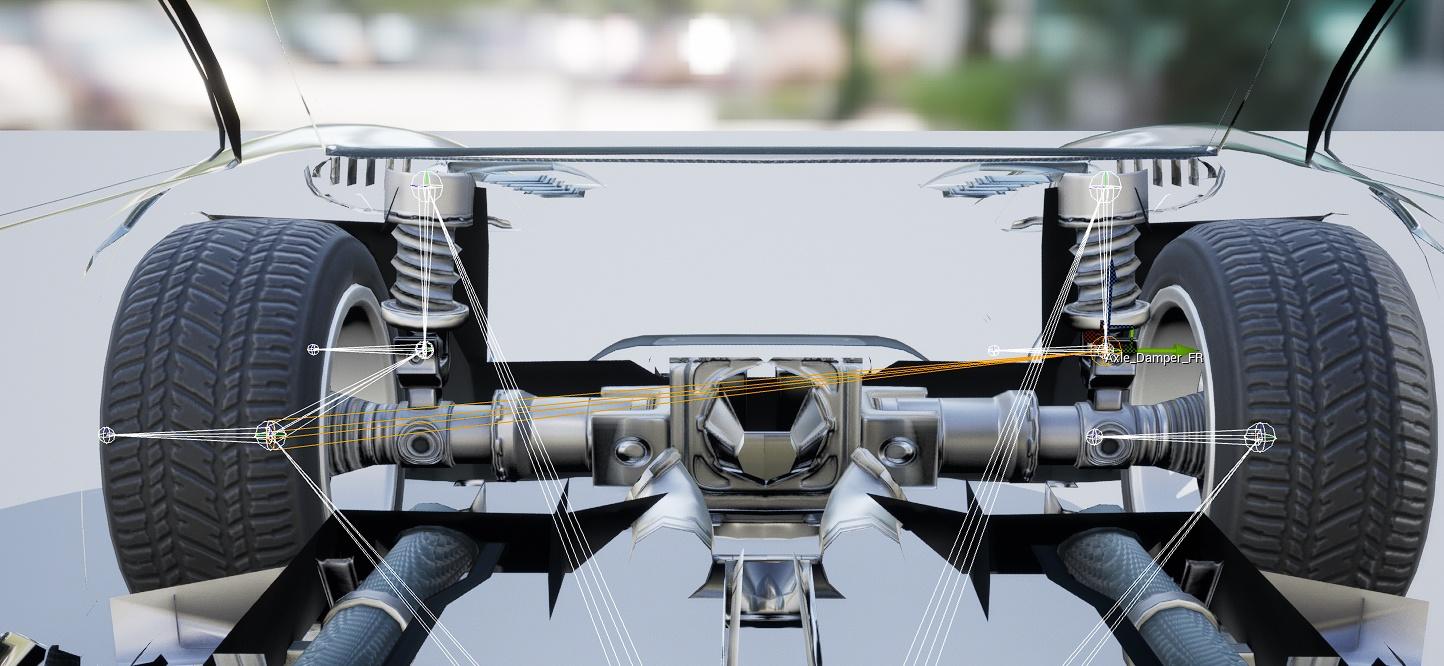
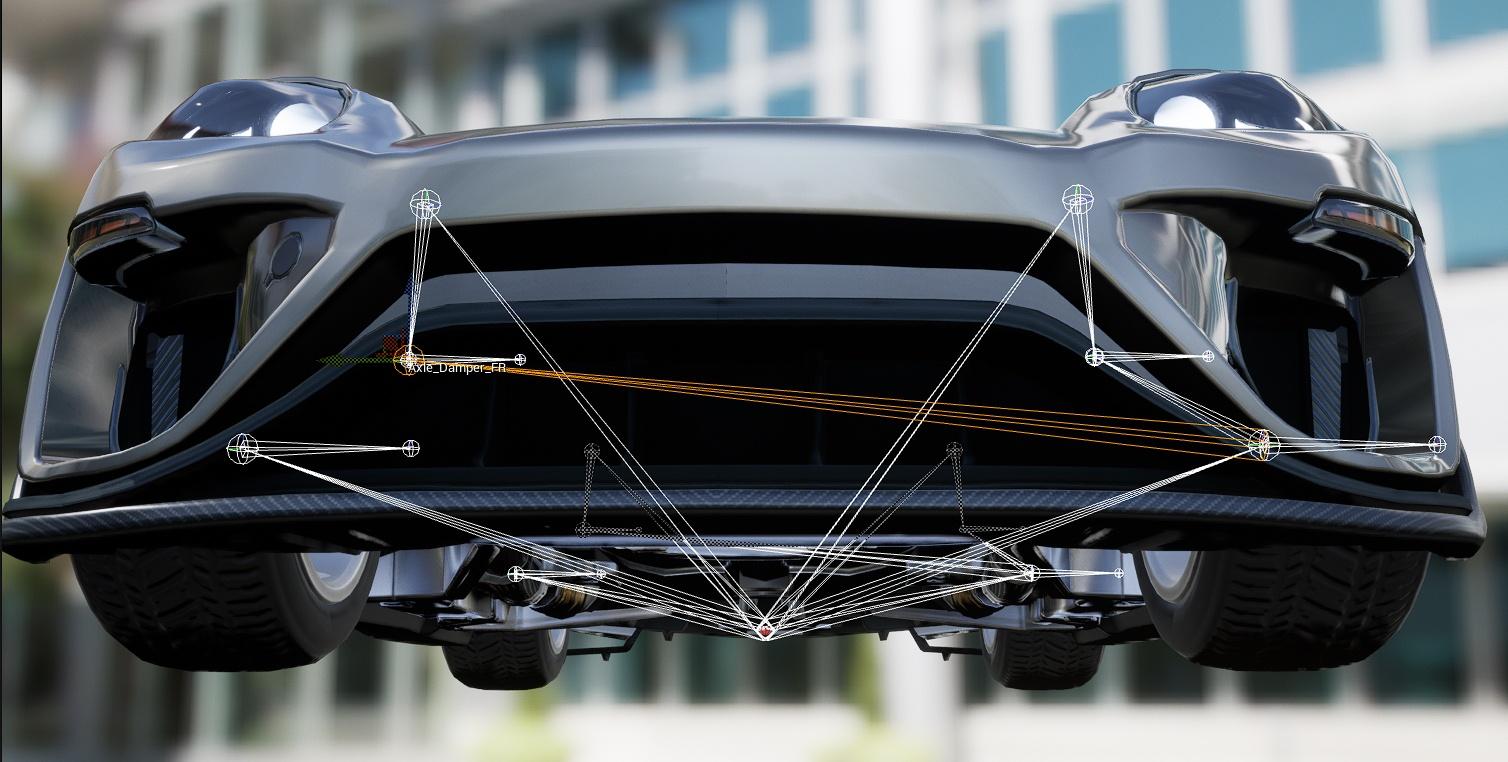 eager quartz
I think I worked it out. You can just use sequencer for it. It seemed like you should have been able to, but surprisingly no one answered any similar questions other people asked with it.
If there is a problem with using sequencer, please tell me
 smoky shell
Does control rig really have no way to debug traces?
Trying to fix something and have no idea how to find what the trace is hitting because it doesn't seem to have any debugging tools
The documentation says you can add break points but they don't do anything, you can watch values but they don't show anything "no watch found"
The only information I can get is the stuff that is not needed
But basically, how do I see the control rig sphere trace in the PIE world?
Otherwise how do I know why my trace isn't giving the expected result
Huh I can get information in release mode but not debug mode? Or is this somehow the representation of debug mode? Because this is not visually clear at all
 ashen junco
smoky shell
But basically, how do I see the control rig sphere trace in the PIE world?
ashen junco
smoky shell
But basically, how do I see the control rig sphere trace in the PIE world?
Personally I just use the Control Rig preview viewport and set the debug object, though worth mentioning that I'm in 4.27, no UE5 exclusive features.
Not exactly elegant, but eh, at least it clears my issue with my foot IK trace offset.
smoky shell
I don't understand how that solves anything?
ashen junco
Me neither.
I'm a hacky guy, just rolling with hacky solution that at least tell something about how it works.
smoky shell
No I'm saying I have no idea how using the viewport solves anything with seeing what the trace is doing in the PIE world
How does it let you see what your trace is doing
ashen junco
smoky shell
No I'm saying I have no idea how using the viewport solves anything with seeing ...
Well, in that case I just go with estimated comparison on the hit location, because its debug point is visible in the CR preview viewport and preview skelmesh is following anything the world instance is doing.
Though, again, I'm sticking with 4.27, so I have no idea if there's something new in UE5 in that regard
buoyant warren
Can you make the control rig controls visible in game? (For debugging?)
ashen junco
buoyant warren
Can you make the control rig controls visible in game? (For debugging?)
AFAIK no, controls only visible when animating in sequencer, in editor
buoyant warren
makes it quite hard to debug if you move a control via blueprint programatically and it's not doing that you think it should
ashen junco
buoyant warren
makes it quite hard to debug if you move a control via blueprint programatically...
Repeating myself, personally I have CR editor open and set the debug object to the world instance
viscid tulip
I have an montage with multiple sections. and i play each section after another. Is it possible to make the new character postition (due to root motion) "stick" so that the next section starts from that location. (i know how to enable root motion in the anim bp) but i want to enable this in the montage editor
 pastel bone
Probably a stupid question but how do people normally handle attack combos , animation wise? Everything in a single montage, or swap between a bunch of montages? Jump sections felt ok for it but not sure if there's any obstacles coming my way with that method .. Seem a bit odd to stack 20+ combos inside a single montage..
ashen junco
pastel bone
Probably a stupid question but how do people normally handle attack combos , ani...
Personally I have array of montages switched according to the modulo of the combo count.
pastel bone
ashen junco
Personally I have array of montages switched according to the modulo of the comb...
Do you allow for custom combos or are they all predefined?
ashen junco
pastel bone
Do you allow for custom combos or are they all predefined?
I have it defined per weapon component.
pastel bone
Alright, thanks
 woven rose
Hello, I have an animation I want to make into a montage. The animation plays fine as anim sequence but when I make it into a montage, the character stays in a-pose occasionally twitching. Any ideas what's wrong?
 sterile warren
Has anyone created a tutorial on Lyra's animation workflow, but for a simple forward-facing character where the tutorial explains how to create it from scratch with your own custom animation sequences?
 turbid viper
Does anyone know why when I play this widget animation in reverse there is no sound?

 crisp bluff
is it safe to have bone naming conventions like : Vehicle-skeletal
hyphen is included in naming convention
is it safe?
ashen junco
crisp bluff
is it safe to have bone naming conventions like : Vehicle-skeletal
If you're able to be consistent with it throughout the project, sure.
The keyword is consistent
Also the name has to be within capabilities of FName
crisp bluff
unreal is not detecting wheels on my skeletal and throttle input is not working

everything is correct setup in using bone names of wheel
ashen junco
I don't recall FName supports hyphen or not 
crisp bluff
for testing purpose i exported unreal vehicle fbx into blender and renamed from "Vehicle" to "Vehicles"
so root bone renamed to Vehicles
then it didn't working with wheeled vehicles
what issue might be?
ashen junco
Though it should be within range of FName, hyphens are not that special of a character
ashen junco
crisp bluff
what issue might be?
Frankly I have no idea, I'm making my own vehicle movement system from scratch, as I found the built in one rather limiting handling wise
I guess the component expects specific bone names? 
crisp bluff
may be. that's strange.
ashen junco
Perhaps you could look into the source code, I'm too tired to look it up myself lol 
crisp bluff
ok. fixed it now. physics asset needs to be replaced with new one
but that fixed only epic vehicle mesh
i have my own bike mesh, unreal not detecting it's wheels for input throttle
ashen junco
Well, good luck doing bikes with stock vehicle move comp
ashen junco
 lean saffron
Looking for any help on how to rig this character for UE5. I am new to Blender so not quite sure about the skeleton and adding bones for the UE5 mannequin. Any help would be greatly appreciated with a possibility of compensation!

 lament wyvern
Hey, I have a fall to roll animation, it moves when played so I enabled root motion, but that made it look all weird. And when it plays in game, after it's played, the character looks weird obviously, is there a way to keep it in place?
Thanks
steady orchid
so i love the new template anim instance
does anybody know if i can rename nodes tho? it become a huge mess when i go to override the sequences
 blazing wave
I made these anim notifies almost a year ago now and I cant remember where they are being called from. Does anyone know how I can find the location of their events? (the ones in pink)

Is there any way to track that down?
They arent in my main character's Anim BP or the Weapon's Anim BP
 willow orbit
Quick question, I'm trying to make solid Physics Asset, basically character will just be completely frozen. I have ThirdPersonCharacter template where I'm trying to make PA_Mannequin physics asset do the exact thing. I thought that just changing each constrait between bones to "LOCKED" in angular limits but it didn't change anything.
So how can I make character appear completely frozen? Should I even use Physics Asset for that?
lament wyvern
lament wyvern
Hey, I have a fall to roll animation, it moves when played so I enabled root mot...
This is what I mean
Any ideas?
steady orchid
blazing wave
I made these anim notifies almost a year ago now and I cant remember where they ...
maybe they are actual assets
blazing wave
steady orchid
maybe they are actual assets
What do you mean?
ahhh youre right! thank you!
 silver sonnet
Hi guys. ! I’m trying to attach a head to a body , (reusing the same body with multiple heads.) . They both have the same animation loop, but the animation seems to be out of sync. What’s the best way to combine them ? Any help is greatly appreciated.
 rapid prairie
silver sonnet
Hi guys. ! I’m trying to attach a head to a body , (reusing the same body with m...
rapid prairie
silver sonnet
Hi guys. ! I’m trying to attach a head to a body , (reusing the same body with m...
Under the "Construction Script" portion of your BP, you can use the "Set Master Pose Component" node with the attached Head as the target and the base mesh as the "New Master Bone Component."
silver sonnet
rapid prairie
Under the "Construction Script" portion of your BP, you can use the "Set Master ...
Thanks dude , I’ll try that out. That’s exactly what I’ve been looking for, it’s hard to google stuff like that.
 wind juniper
I know you can capture animation stream in Unreal, but is there an equivalent to that in Maya? 
left grail
I need to use the same skeleton for all my characters in my game to save in performance. Im using blender and mixamo. And my first attempt failed because the 2nd character is completely off in the animation.
This is what ive done:
1- I made character A. Imported it to mixamo to rig, and get him 1 animation. Import A to unreal, and its working perfectly.
2- Made character B. Imported to mixamo and rigged it too, because mixamo forces you to set up the skeleton always (wrists, chin, legs, arm areas).
3- Import Character B to Unreal. And tell it to use the skeleton of character A. And now character B is playing the animation with the head messed up.
So im trying to prevent this from happening in the future. It seems this one is failed. So what is the best practice so that they both work with the same animation and skeleton?
Should i make them differently, and then transfer weights manually in blender? (a lot of work).
Or should i make the body as similar as possible coming from the same shape and then mixamo should rig it?
Im so confused.
ashen junco
silver sonnet
Hi guys. ! I’m trying to attach a head to a body , (reusing the same body with m...
Have you tried usinf Copy Pose From Mesh?
left grail
left grail
I need to use the same skeleton for all my characters in my game to save in perf...
Here they are. They are basically the same character. The same body shape made in Blender, and then both rigged in Mixamo, and imported to unreal, with the blue one set up to use the skeleton of red one. Wasn't this supposed to work?

 jaunty wagon
left grail
I need to use the same skeleton for all my characters in my game to save in perf...
jaunty wagon
left grail
I need to use the same skeleton for all my characters in my game to save in perf...
https://www.youtube.com/watch?v=eYal6taYUfE&t=615s
may you have to Retarget. Watch this Video and take his "Special Blender with Mixamo Plugin"

Learn how to make perfect animation retargeting with IK Rigs and IK Retargeter of Unreal Engine 5 (UE5). This tutorial will show you everything there is to know about these new Unreal Engine 5 (UE5) tools.
🎁 Download my custom version of Blender : https://evansbohl.gumroad.com/l/mixamotoue5
💙 If you like what I do, please consider supporting m...
left grail
jaunty wagon
https://www.youtube.com/watch?v=eYal6taYUfE&t=615s
may you have to Retarget. Wat...
So i have to retarget all characters? I mean sorry for asking this. But isnt there another way?
I imported 2 very similar characters in the past and they played just fine using the same skeleton.
I dont think thats the issue
because they were rigged both in mixamo, using the same settings
so there are no missing bones, like it would happen if you try to use the mannequin skeleton with a new character.
I retarget in the past, because i imported a metahuman. And it was quite messy to do.
It wouldn't work at all without it. But as you can see in my image above only the head and the shoulders are off.
ashen junco
left grail
I need to use the same skeleton for all my characters in my game to save in perf...
Are you using UE5?
left grail
ashen junco
Are you using UE5?
No. Unreal 4.26 and 4.27
ashen junco
Okay, then no Mass, means rolling out ECS is on your own
left grail
ashen junco
Okay, then no Mass, means rolling out ECS is on your own
Wdym? ECS?
ashen junco
left grail
Wdym? ECS?
Entity Component System
It's fairly common to be used on huge crowd of things with excellent performance
left grail
ashen junco
Entity Component System
Well, thats another issue, but its pretty much set up. My challenge now is making the characters. And i thought it would be easy.
jaunty wagon
i cant answer your questions properly because im more newbie then you 🙂
i just tought, oh, this could be help with your problem.
he talked about something like "in the skeleton tree, the highest Bone in the tree and locks it in place"
maybe this "wrong major bone" is your problem.
ashen junco
left grail
Well, thats another issue, but its pretty much set up. My challenge now is makin...
I'm sure GlassBeaver would thought the same 
I mean, Anim Instance is easy to setup but can be taxing in massive amount
Pretty much the reason why I kept bringing up his skelmesh instancing system
 sick swallow
I'm having a strange issue here, I imported a mesh and animation and everything was working fine, then I made a 2nd animation and suddenly my dude is squished. I've narrowed down and ruled out the animation itself (re-exporting the original animation yields the same squished result) and I've ruled out the import settings in UE4 (copying and re-importing the original exported animation file does not squish). It's gonna be something with my export settings, I'm using Blender with Auto Rig Pro and I can't quite figure it out. Let me know if there's any additional context I can add!


 zinc jewel
Hello can someone help me? I am using the animstarterpack , I retargeted some animations and something happen. The originals work fine, but once they are retargeted, They don't work as they're supposed to. The animation is stand to crouch, The retargeted one is lifted in the air.(not problem) instead of crouching the retargeted one lifts its legs off the ground.

 buoyant warren
Does anyone know if it's possible to use the Anim Graph, Control Rig and Sequencer together at the same time. Currently I have an actor with an anim graph. On the anim graph it uses the control rig node before the final output pose. I then add the actor to tracked in the level sequencer. If i track the control rig in the sequencer I can move the rig around; however I cannot trigger events on the anim instance. If i remove the control rig from the sequencer, i can then trigger events on the anim instance from the sequencer....
So i'd like to be able to do both. Trigger events on the anim graph instance, and also manually sequence the control rig movements
ashen junco
buoyant warren
Does anyone know if it's possible to use the Anim Graph, Control Rig and Sequenc...
No, it's not possible. The moment you key Control Rig in sequencer, the main anim instance will get overriden
buoyant warren
Ok thanks
As least once i know it's not possible i can get on with figuring out a way to work with what's there 😄
ashen junco
Anim BP post process will still work tho
buoyant warren
Do you know what's the equivalent of accumulated lerp outside of the control rig? For example I'm using accumulated lerp inside the control rig to make the characters mouth move up and down (so it kind of smooths out the movement). I'm trying to do the same thing from within the actors blueprint using regular Lerp with say a 0.5 blend...but it doesn't look at smooth....any ideas?
ashen junco
buoyant warren
Do you know what's the equivalent of accumulated lerp outside of the control rig...
UE4.27?
buoyant warren
UE5
ashen junco
Maybe UE5 has an interp to node?
silver sonnet
rapid prairie
Under the "Construction Script" portion of your BP, you can use the "Set Master ...
Thanks dude , that was exactly it. I’ve been trying to solve this for months so much appreciated 😃.
 obsidian current
Hey guys. Can I ask control rig related stuff here?
 noble swan
It's been a while since the last video hasn't it? I've made quite a bit of progress since the last update, and since one of the things I worked on was some procedurally animated characters, I decided to make a video about the subject. In particular, this video highlights the entire process from initial motivation, to the technical design, techni...
v cool video if anyone is into procedural animation
ashen junco
obsidian current
Hey guys. Can I ask control rig related stuff here?
Yes.
 obsidian current
Ok so, I'm having a problem trying to setup the basic IK on the control rig.
For some reason once I connect it in the arms it just twist in it's own axis. Or the upperarm gets twisted or the lowerarm, I can't manage to get it right.
I'm able to set the polevector and the IK just fine with the legs, but no matter what I do I can't get rid of this issue with the arms. You can see the lowerarm directions at the print in the viewport window. The Primary should be -1 Y and secondary +1X right? Why is this happening?
No matter what I put on those Axis the upperarm gets twisted and broken. I'm following the same rig as the Quinn rig. Please help 😦
 outer maple
Any idea how I can fix these fingers? Run cycle works fine but when a morph that changes height is applied the fingers break for unknown reasons. The animation is just UE5 3P mannequin retargeted using IK retargeter, post processing blueprint has been disabled and anim BP has IK off.
ashen junco
obsidian current
Ok so, I'm having a problem trying to setup the basic IK on the control rig.
Fo...
Well, UE5 question is, unfortunately, where I have to hands off 
obsidian current
ashen junco
Well, UE5 question is, unfortunately, where I have to hands off <:AnnaCry:959618...
What you would do if it's on ue4? I'm really lost trying to figure this out. Tried everything I can think of already
ashen junco
obsidian current
What you would do if it's on ue4? I'm really lost trying to figure this out. Tri...
Okay, so do you make the skelmesh in Blender?
I thought it was IK Retarget
obsidian current
ashen junco
Okay, so do you make the skelmesh in Blender?
Yeah. I didn't retargeted anything yet, this happens as soon as I connect the basic IK node
ashen junco
Coolio, I forgot the axis values, but try putting 0s and 1s and -1s on those until the bones line up
obsidian current
Ok just a sec, let me try something
obsidian current

Oh okay, for some reason apparently the axis on blender was inverted and this was causing the malfunction
Thanks for being able to enlighten me @ashen junco , I've been over 2 days trying to know what was wrong here
ashen junco
obsidian current
Thanks for being able to enlighten me <@325627930484932608> , I've been over 2 d...
Glad it helped

 loud hill
Can someone recommend an efficient workflow for using marketplace animations with a custom mesh? Ideally I'd like to be able to export the skeleton to blender, and bind my custom mesh to it. I don't want to create a custom skeleton and retarget it in engine because it sounds really tedious, but if that's the only option I guess I will.
ashen junco
loud hill
Can someone recommend an efficient workflow for using marketplace animations wit...
Either it's your skelmesh rigged to UE4 mannequin skeleton or the other way around of retargetting
loud hill
ashen junco
Either it's your skelmesh rigged to UE4 mannequin skeleton or the other way arou...
I should mention it's not for the UE4 mannequin. My situation is for multiple characters all with different skeletons. In this example, my Trex is in a different default pose (at the time I thought I was going to try to animate the characters on my own, and didn't try to match the default pose of the character from the marketplace). I'm hoping to avoid having to setup a rig for my custom mesh that matches the marketplace asset. The reason being, is that it seems like it will be tedious trying to match the all 70 or so bones. I know with retargeting, the bones don't need to match exactly, but I'm worried that things like the position of the heel bone in the foot won't match up correctly, or that the relative length difference between a adjacent bones could cause the end result to be warped.
When you say skeletal mesh rigged to UE4 skeleton, do you mean it's possible to import the UE4 skeleton into blender, and bind an existing mesh to it? If so that's exactly what I'm looking to do. If I could pull in the skeleton, orient and scale some bones to make it fit inside my existing model, and bind my model to it, that would be amazing.
I know I can import the rigged marketplace model into blender, I'm just a little fuzzy on whether this is a good path to go down, or if it even is feasible. It seems like a pretty common problem for anyone using marketplace animations on a non mannequin skeleton, so I'm sure there's a tutorial somewhere, I just haven't found it.
ashen junco
loud hill
I should mention it's not for the UE4 mannequin. My situation is for multiple ch...
Yeah, just have to have the hierarchy matching, though you're going to need retargetting in engine anyway because a T-rex is biped but not proportional to humanoid.
left grail
I'm doing Vertex Animation of multiple actions, running, walking, attacking. Is there a way to make these animation blend like in Blend Spaces ?
How should i proceed?
 ruby swallow
anyone had issues previewing the animgraph states while playing in editor? i'm trying to debug some transitions
loud hill
ashen junco
Yeah, just have to have the hierarchy matching, though you're going to need reta...
How close does the hierarchy need to match? Do naming schemes matter?
ashen junco
loud hill
How close does the hierarchy need to match? Do naming schemes matter?
Matching in the sense of it not subtractive. You can't have bones with the same name on different level
buoyant warren
In the control rig node on the anim graph it has "Inputs" and "Outputs"...checking inputs adds a pin, but the outputs seems to do nothing (There is no output pins added?)
merry loom
buoyant warren
Can you make the control rig controls visible in game? (For debugging?)
I believe there is something like a control display actor BP class you can use to display controls in PIE. Metahuman uses it.
merry loom
sterile warren
Has anyone created a tutorial on Lyra's animation workflow, but for a simple for...

Unreal Engine
Learn how to adapt the animations in the UE5 Lyra sample project into your game.
merry loom
buoyant warren
In the control rig node on the anim graph it has "Inputs" and "Outputs"...checki...
I think no anim nodes have output pins? Animnodes only output poses
 quick horizon
Has anyone else bumped into an error that says "Blendspace X has sample Y that is invalid due to being out of bounds. Recommend adjusting it" ?
buoyant warren
merry loom
I think no anim nodes have output pins? Animnodes only output poses
But why are the labeled as "Outputs" in the node details?
merry loom
buoyant warren
But why are the labeled as "Outputs" in the node details?
No idea. Probably a bug?
hallow elm
Hey I have a question
I made a variable of animation montage, but it always be invalid even though it is substituted by a montage
How to solve it??
Of course animation is not invalid, it's a completely good animation


 frail cipher
hello guys, I got a problem.
I followed this tutorial (https://www.youtube.com/watch?v=v3W2ostR820) yesterday to make my characters head turn to follow the camera, but this breaks down when rotating the character near 180°; basically the camera twists around the character instead of being bound to the "head" bone and then snaps over to the -180° side (if that makes sense?). Is there a guide/tutorial that does this, maybe even with similar methods, that doesn't have this problem?

Hey. In this quick tutorial, I am going to teach you how to create a True First Person Character using Unreal Engine 4. The character will lean properly to follow the players' camera movements, as well as playing proper turn animations.
This works well for First-Person and Third-Person games
Project File: https://drive.google.com/open?id=1GDjhx...
(honestly couldn't say how to fix that problem, but in the video it doesn't have that for some reason. I do have a way for my character to turn in place, It just doesn't seem to actually run those AddActorLocalRotation calls it wants to when hitting 90° turn angle and so I'm basically turning the camera into myself.)
ashen junco
hallow elm
Hey I have a question
I made a variable of animation montage, but it always be i...
Maybe the variable isn't replicated?
 glass otter
Someone knows if we can get the timestamps of animation montage notifications from the blueprint or C++
sterile warren
merry loom
https://www.unrealengine.com/en-US/tech-blog/adapting-lyra-animation-to-your-ue5...
Thank you! I am going to refer to this in the end for sure, but I've read through it. At the moment I'm finding the series that @bright cliff is doing the most helpful. I am basically trying to create a stripped version of the Lyra Blueprint without all the stuff I won't need. Then from that, I can use the tut you posted to make it forward-facing. @bright cliff are you working on a series building a new AnimBP from scratch based on Lyra's system? I'm on video 6 but I can recall that you said that at the end of one of your recent vids. Cheers guys 😀
The depth of Lyra's animation system is actually insane, but so good
 bright cliff
sterile warren
Thank you! I am going to refer to this in the end for sure, but I've read throug...
bright cliff
sterile warren
Thank you! I am going to refer to this in the end for sure, but I've read throug...
Thanks! Yep, I am currently working on a new Lyra based system that will include strafing and standard forward facing locomotion. It will be some time until I make the first video though, I want to complete the system before I start the series.
sterile warren
bright cliff
Thanks! Yep, I am currently working on a new Lyra based system that will include...
Awesome!
 upper fjord
So i am very very very new to unreal and animations in general. I am taking a class in college for game design and have found myself as a sort of tech artist even though I have very little experience as one. I have created a character for our game and our teacher suggested using mixamo to create animations seeing as no one on our team has any prior experience with 3D animation.
When I imported the character into Mixamo i noticed the clothing was getting distorted with the animations so i chose to import a new version of the character WITHOUT clothing to avoid the auto rigger thinking the clothing was a part of the character. I have made an animation blueprint in unreal that seems to be working well enough but now I have a major hurdle I cant seem to figure out where to begin accomplishing.
I want to add a baggy robe over this character and use the cloth physics in unreal but I am not sure how or where to add this asset in unreal to drape over the top of this character. If any of you are kind enough to try and embark on this quest with me feel free to DM me lol. I can provide you tons of screenshots or even jump on a call to show you whats up lol
sterile warren
upper fjord
So i am very very very new to unreal and animations in general. I am taking a cl...
Check out Cinematography Database on YouTube for some really recent clothing work with Unreal
sterile warren
upper fjord
So i am very very very new to unreal and animations in general. I am taking a cl...
I believe that you'd add this asset to your character's Blueprint as a component or multiple components that are parented to the main skeletal mesh (body). You'd then refer to the "Clothing Section" of each skeletal mesh component(s) for cloth simulation settings. I haven't really experimented with this, but I know that Cinematography Database has quite a lot so I'd check out his tutorials and live streams.
upper fjord
sterile warren
I believe that you'd add this asset to your character's Blueprint as a component...
I appreciate the input, thanks!
 marsh ether
Are there any animators who could help with creating FPS animations? I say this because all of the animations i've found sway the characters arms and mess up the viewport or have some other issues such as weird looking foot placements. I'll be able to pay you if needed
buoyant warren
Does anyone know how to debounce a control rig? I have Basic IK on the hand; but have it setup so that if you pull the hand control down so far that the control comes away from the hand (ie the arm can't move down any further) then it moves the hips down, so the character automatically bends down if you pull the hands down too far. This works ok, but the problem is that moving the body down changes the IK on the hand, so that bone is not so far from the control any more. This creates some bouncing loop.
 elder tinsel
I will pay someone 10$ to help debug why my first person ads keeps glitching out when i aim down
the hand would go behind the character or deform
i feel like someone who's done this before would be able to single out what part I'm getting wront
wrong, wether its the animations or the placement of the camera
hallow elm
ashen junco
Maybe the variable isn't replicated? <:SayoThink:959572917518237756>
No matter whether it is replicated or not, it will happen even though offline mode
 last tapir
I need some help with Animation Sequences here, im trying to make a new First Person Idle Animation from one of the sequences but for some reason

whatever changes I make, it carries over to the other sequences

I tried looking at the blueprint for it and I tried to pinpoint what the problem might be and how I can fix it
but I keep back tracking between them because they dont make sense once I actually think about it
 flint canopy
Has anyone else been having issues with mr mannequin tools on newer versions of blender?
hallow elm
Hey I have a question
I made a variable of animation montage, but it always be invalid even though it is substituted by a montage
How to solve it??
Of course animation is not invalid, it's a completely good animation
it is not replication issue because it will happen even though in standalone mode

 lunar valve
hallow elm
Hey I have a question
I made a variable of animation montage, but it always be i...
lunar valve
hallow elm
Hey I have a question
I made a variable of animation montage, but it always be i...
does the value show up properly on offline?
hallow elm
lunar valve
does the value show up properly on offline?
No
it will happen even though in standalone mode
misty dagger
Does anyone know how can I make separated animation graphs?


Or separated state machines
ashen junco
misty dagger
Or separated state machines
Just make another state machine
misty dagger
ashen junco
Just make another state machine
Shouldn't I connect it to the output pose? I don't know how to do that
 ashen junco
misty dagger
Shouldn't I connect it to the output pose? I don't know how to do that
ashen junco
misty dagger
Shouldn't I connect it to the output pose? I don't know how to do that
Depends on how you want to blend them
 modest cargo
Is there a way to set delays for when the animation starts in an anim BP?
Better yet. Can I bake an animation blueprint that blends 2 animations together? Into an animation asset??
Trying to get an animation blueprint to sync with cloth simulation cache in sequencer.
The base animation asset is flawlessly synced.
Then I blended the base anim asset (dancing)
With another animation asset (facial morphs).
The animation itself is flawless. But because the animation blueprint on the character is triggered by the level, not sequencer, there is an out of sync issue from the body animation to the cache
I either need to delay the base animation before blending,
Delay the entire animation in the blueprint itself.
Or find a way to get the animation blueprint triggered by sequencer.
Would love some assistance please
Or bake the animation blueprint into an animation asset
OH ok I accidentally figured out how to bake it!
 covert jay
Isn't there a way to have an AnimNotify pass along a variable?
 sullen aurora
covert jay
Isn't there a way to have an AnimNotify pass along a variable?
sullen aurora
covert jay
Isn't there a way to have an AnimNotify pass along a variable?
Maybe this helps?
https://forums.unrealengine.com/t/animnotify-parameters/359338/3
covert jay
lol that's the one I saw that lead me to believe you could do it
sullen aurora
covert jay
lol that's the one I saw that lead me to believe you could do it
So yeah, custom animnotify class is the way to go then. 🙂
covert jay
I think I'm a bit confused on the terminology. I'm able to use variables with anim states in a montage, but as far as I can tell the type of anim notify you use in a regular animation is unable to pass along any parameters.
sullen aurora
covert jay
I think I'm a bit confused on the terminology. I'm able to use variables with an...
Ok, so maybe see if you can figure out how to create a custom animnotify class?
covert jay
I already have those. I was just trying to figure out if there was a way to pass variables in an anim notify that's not a montage.
steady orchid
covert jay
I already have those. I was just trying to figure out if there was a way to pass...
wdym exactly? you can create anim notifies through code and pass stuff into it but i dont see the benefit
i have a bit of an awkward skeleton and i cannot use physical animations for hit reactions, anyone know how can i achieve something similar using additive animations?
buoyant warren
Can you help me understand the Accumulated Lerp on the control rig? I want to move a control to a certain world vector point. This works but snaps the control to the point. I want it to move smoothly to that point over time....So i put Accumulated Lerp with Initial Value as the control starting translation (in global space), then Target Value as the world point (in global space), then set a blend of 1 (lower numbers seem to be faster, 1 seems to take about 0.5 seconds). But then it moves the control to a really weird location (neither the Initial or Target point)? Note that I have integrated delta time turned on (doesn't seem to do anything without that)
 autumn moth
Hi, im not sure if i dont understand anim notify states or there is issue with them. I have montage with few attack animation that have anim notifi states in them. When i interupt state next notify will be called twice. If i set blending to 0 the issue disappears. Im working with UE5.0.2
 weary frost
How do I blend 2 state machines by bool and their animations by bone please?
I have 1 state machine which handles gun aiming and another which manages walking/running etc
Layered Blend By Bone doesnt allow by Bool (not sure if i asked this in the right way lol)
steady orchid
autumn moth
Hi, im not sure if i dont understand anim notify states or there is issue with t...
are you sure that is actually executing two times the next notify? when the animation end, the notify state will call notifyend
 dense cipher
what is the best way to play animation montages one after the other, with Notifies to handle when a montage should stop and play the next one? (In a Persona Preview Scene window, in-editor).
What I'm doing right now is: there is an animation manager that plays the first montage on the chain, and listen to the relevant Notify end event. When the event triggers, the manager immediately calls SetPreviewAnimationAsset() , and keep track of the ID. If it's the last one, it resets to a pre-assigned Idle animation.
If the anim notify that I use is a AnimNotify_PlayMontageNotifyWindow (so I can use it with the PlayMontage node), this code always stops in a check under FAnimPreviewInstanceProxy::RefreshCurveBoneControllers() (because CurrentAsset and AssetToRefreshFrom are apparently different). However, if I use a notify that doesn't have native branching payload (and I use custom delegates for Notify end), then it works.
 modest cargo
Hey!!
so In the sequence Curve Editor, i know how to adjust the end frame of the animation
however I cannot for the life of my figure out how to change the end frame of an animation in the animation curve editor
pleassse say someone knows. I cannot find anything about it in documentation

 rustic notch
dense cipher
what is the best way to play animation montages one after the other, with Notifi...
rustic notch
dense cipher
what is the best way to play animation montages one after the other, with Notifi...
Blendspaces
dense cipher
can I create a blendspace dynamically? As in, a designer chooses X anim montages on the fly, and then a blend space that plays one after the other starts to play?
modest cargo
Is there a way to bake curve cycles into keyframes?????
my eye blinks will only play on the keyframes and not on the repeating cycle function

copying and pasting keyframes is a nightmare in unreal. So I am hoping to find a way to bake the keyframes out of the repeating cycle
the bake filter itself is only baking the itnerpolation between the keys, not the actual cycle itself
 shrewd heron
Hey all, I am having trouble with adding my First person character skeleton to a modified Paragon asset. I have removed all the unnecessary parts and made sure that both the new mesh and skeleton and the old one have the same bones in physical asset but when I try to add the first person skeleton to it i cant.

 opal jay
is it possible to use layered blend per bone in one animation?
im working on a equip/unequip and i want to blend just when the character is equipping the sword
 marble lagoon
Hello. I have an issue with my UE4 skeleton where his index fingers are, a little wonky. I have spent a while researching and trying to fix it but nothing works, can anyone help?
modest cargo
opal jay
is it possible to use layered blend per bone in one animation?
im working on a e...
it is yes
it is fairly flexible if you play
i just merged a jaw animation with facial blending because the import would NOT bring in the jaw data desite it being in the rig
**try dragging the animation out twice, and using the layered bone blend to cut it at the desired bone name in the detail panel when the node is selected
modest cargo
modest cargo
my eye blinks will only play on the keyframes and not on the repeating cycle fun...
still trying to figure this out
modest cargo
seems there are unanswered questions on epic forums about pre/post-infinity
ashen junco
opal jay
is it possible to use layered blend per bone in one animation?
im working on a e...
Yes, but it's best to also set up the slot for the draw/sheathe animation
 tiny heron
Given multiple characters and multiple weapons, what is the best way apply the animations. Thus far I have a variable for each animation (aim in, fire, ect.) in the weapon. However as I make multiple characters I will have to add one for each character. The only alternate I know of is a convoluted animation blueprint. Is one the better way, or another way altogether?
ashen junco
tiny heron
Given multiple characters and multiple weapons, what is the best way apply the a...
Not if you have a way to share the skeleton or having copy pose.
Especially with third person, it's more forgiving when it comes to the stances
tiny heron
I am using the same skeleton for the characters so far. But I was just wondering in case I add non humanoids.
Or just other skeletons
ashen junco
tiny heron
I am using the same skeleton for the characters so far. But I was just wondering...
You can leverage copy poses and additional IK if you want to.
https://youtu.be/Oe7fYS9qxmk

This talk by Epic Games' Senior Technical Animator Jeremiah Grant covers Fortnite’s use of animation Blueprints including the use of Blueprints for gluing together character parts after retargeting, dynamic solutions for low LODs, and faking dynamics in higher LODs with procedural animation techniques.
Learn more about Unreal Engine at http://w...
 radiant matrix
Hey guys
is it possible to somehow, slave a character with a different skeleton to the basic human skeleton from epic?
imagine a race with less fingers
or with different legs
what options do i get here?
ashen junco
radiant matrix
what options do i get here?
Copy Pose From Mesh, and IK adjustments if necessary
ashen junco
radiant matrix
i fear that the legs will spasm
Hence bespoke IK adjustments
Fortnite used similar approach even on werewolf characters
radiant matrix
oh really?
wow i will look at that
ok the werewolf does not actually have extra bones
just longer limbs
ashen junco
radiant matrix
wow i will look at that
Around 17:37 mark
https://youtu.be/TYSdxW2WHcI
Control Rig is a highly flexible tool based on Blueprint that can be used to drive animation inside UE4. In this Unreal Engine Learning Theater session by Epic’s Wes Bunn during GDC 2019, you will get a look at the Control Rig system and learn how to set up a Control Rig Blueprint to drive and animate a Skeletal Mesh, illustrate how Control Rigs...
marble lagoon
does anyone know how to change animations based on what player is holding ue4
steady orchid
marble lagoon
does anyone know how to change animations based on what player is holding ue4
like the animations inside the anim bp?
marble lagoon
yes
so if i pick up an object it changes the animations to match with that so i looks like its holding it or something
steady orchid
there are a couple of ways to do it, you could have a state machine for each weapon and use 'blend pose by enum' providing the weapon type using the enum
or you can bind the blendspace/sequence to a function and select the correct one based on your weapon reference
actually i hate the first way of doing it, i use the second one
 mystic wyvern
hey, does anybody know if it's possible to respond to animgraph state machine changes in c++? in bp you can write an event to respond and i'm wondering if that can be done natively
steady orchid
this is not an anser, but are you sure you need those? you usually fire transitions from code, so in theory somewhere you already know when a state is entered or exited
mystic wyvern
i want to sync something up with an automatic transition (specifically a run start into my run loop if context helps)
the other ones are handled by using the same conditions but this one isn’t being influenced by variables like the others
steady orchid
i remember wanting to look into this but in the end i didnt because its probably a pain to do and i dont really need it
i think you would have to iterate through the graph if you didnt find any useful method in animinstance
mystic wyvern
my hacky solution was to just use the bp event to call a native function but that felt icky
i'll browse uaniminstance one more time
thanks for the insight!
oh how did i miss this

this is exactly what i've been looking for
steady orchid
oh very nice, ill screenshot that if you dont mind 😆
mystic wyvern
go for it
 brave moat
how would you go about setting up a bow draw animation to sync up with character animations? I'm working on an asset pack includes a bow and have come up with a solution that should work for any character animations, but I'm curious at how others go about doing it
I ended up using blendspaces with the min and max values set to the distance from where the bow is held to the string at the nearest and furthest points (in cm) then just got the distance between the characters hands to drive it.
left grail
Anyone here working with Mixamo Add-on in Blender to Unreal? Is this broken? Its been hours and i cant export it to Unreal. Should i go for rigify instead?
tiny heron
ashen junco
You can leverage copy poses and additional IK if you want to.
https://youtu.be/O...
I will look into this. Thanks!
upper fjord
Any tips on how to take a naked character that has been animated and be able to add different clothes to it?
So if I have a blank character that has been animated for a walk cycle, jump, falling animation, etc. How can I have different models/meshes of clothing follow these animations?
I am using mixamo, so extremely baggy clothing or robes do not work well with the auto rigger, so this is why i chose to animate the naked character and try to add the clothing afterwards
ashen junco
upper fjord
Any tips on how to take a naked character that has been animated and be able to ...
Describes the different methods you can use to create modular characters comprised of multiple Skeletal Meshes.
upper fjord
This seems to be the most promising lead I’ve found. I’ve been searching and searching for hours all over for different techniques

 dull dock
Hey guys!
I'm having a bones stretch problem when the mesh is walking.
It happens after the mesh start walking -> enters idle again -> start walking.
I can't figure out why this props on the mesh are stretching.
It's set as a skeleton mesh component attached to the mesh, and on construction script is set master pose component to the mesh.
 rose prawn
marble lagoon
rose prawn
marble lagoon
layered blend per bone?
rose prawn
With IK Retargeting, how do you deal with sockets? I've got identically named sockets on both anim mesh as well as the rendered mesh, but the socket attachment seems to be to the rendered mesh, so the attached actor just floats around in the air.
ashen junco
marble lagoon
Please do not crosspost
ashen junco
marble lagoon
I'm going to answer it here.
ashen junco
marble lagoon
In the anim graph, you can spawn a Play animation node. Pick any animation, and in the details panel for the node, you can expose the sequence for the pin.
 dry totem
Any idea why when I animate a simple rotation, the pivot point automatically jumps around before moving to the same location?
 vocal ocean
is there any way to let "begin tornado" transit to "loop tornado" by events?

I'm tweaking these settings but doesnt seem to do anything at all
 rose prawn
vocal ocean
is there any way to let "begin tornado" transit to "loop tornado" by events?
rose prawn
vocal ocean
is there any way to let "begin tornado" transit to "loop tornado" by events?
Create and bind to event, set a flag in the event?
If it's just after an animation finishes, it could be an automatic transition too
vocal ocean
rose prawn
Create and bind to event, set a flag in the event?
If it's just after an animat...
Create and bind to event
Where do we do that?
rose prawn
vocal ocean
> Create and bind to event
Where do we do that?
AnimBP's Event Graph, in the init event
vocal ocean
Hmm, I don't see any relevant bindings that matches with a specific animation state

there are bindings here in animation state but there are no "animation end" or "blend out"

 vocal ocean
ah, so if first boolean is true, it'll transit to next one automatically
I thought it was transitioning instantly if transition condition set to true
yeah it worked, thanks @rose prawn
rose prawn
Yeah, first boolean is used in EG jump sequences, where the landing animation blends out and then you transition to the locomotion state machine
rose prawn
Not sure if bumping is allowed, but I still can not figure my issue out, related to IK Retargeting.
Spawning and attaching actors to the 'animation mesh' results in the items being offset in relation to the 'rendered mesh', which looks a bit wacky.
ashen junco
rose prawn
Not sure if bumping is allowed, but I still can not figure my issue out, related...
Wish I could help, but I'm not using UE5, so no idea 
vocal ocean
Why it's stucking on begin state?
Hmm.. I did not like this, we literally control the flow with blend settings 
Setting Hermite Cubic to Cubic in Out breaks the state
wtf 
rose prawn
Update: resolved it. You can attach to the rendered mesh, however I had added the socket to the asset's skeleton, not my project's copy of the skeleton.

 umbral radish
That was a bit more challenging than I thought but I made a tutorial how to recover from ragdoll including a lot small hidden gotchas in case it might help you as well: https://twitter.com/AndiDev_/status/1546123693402857472


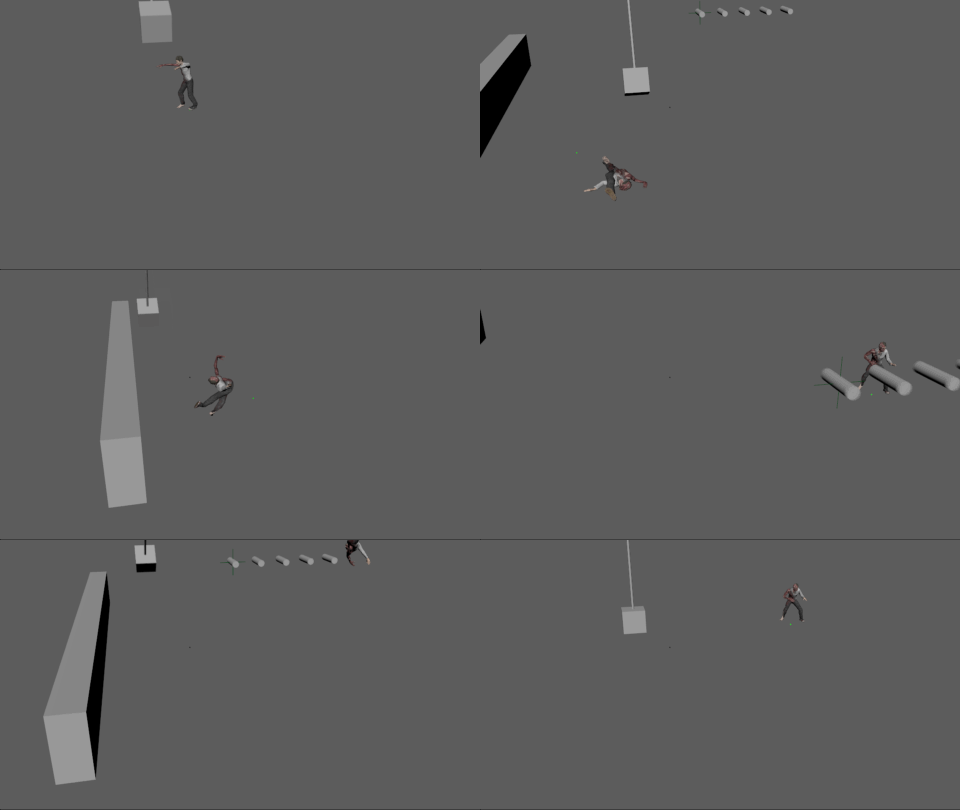


That was a fun rabbit hole:
"Ragdolling and how to recover from it"
I distilled all my finding into a video. You can get fast to a state that "it works" but there are a lot little and sometimes a bit hidden things that can improve it.
#UE5 #animation
 Twitter
·
Twitter
·
 winged socket
When i attack using animmontage every time attack angle change how to solve this?
 scenic marsh
been at this for hours. would there be an obvious reason why, after setting up a backwards and forwards solve in control rig, the preview in "backwards and forwards solve" mode looks perfect with a preview animation, but when i use it in an animation blueprint with the input pin, it's behaving as if it's in "forward solve" mode only? hoping i'm just missing a dropdown somewhere
 deep shard
does anyone know why my animation wont import into ue5?
it imports the rig, but not the animation for some reasom
i'm really new so i don't get it
 grand needle
idk if blend space 2d stuff should be here but i dont really know what maximum axis value and minimum does
misty dagger
how can i fix candy wrapper
like get better arm twisting basically, i know you can add joints and ive added 3, i still get candy wrapper pretty bad
was going to build the unreal git with dual quatrenion skinning but its a no go in my workflow because its limited to unreal engine 4
if there is a third party option to skeletal mesh skinning in ue5 please let me know, idc how much it costs i need it
 swift edge
Is the easiest way to fix this going to be editing the animation seq in ctrlrig? Seems like the animations root location is just higher for some reason.
 smoky shell
Does anyone know if 5.1 will fix the IK Retargeter so "Edit Pose" will take a pose asset instead? Doing it by hand isn't acceptable for us
 ivory storm
how to give character default mannequin skeleton in case to get access to anim bp?
ashen junco
misty dagger
was going to build the unreal git with dual quatrenion skinning but its a no go ...
Add twist bones.
ashen junco
grand needle
idk if blend space 2d stuff should be here but i dont really know what maximum a...
Basically the value range for your blend space.
grand needle
ashen junco
Basically the value range for your blend space.
ok thx
 teal bough
hey guys I need help with something, I wanted to animate a spaceship's hatch opening and closing for me to use in my flight simulator
would I have to rig the spaceship?
if so, how do I rig it? It's not a character so I'm not sure how I am supposed to rig it like one
modest cargo
teal bough
if so, how do I rig it? It's not a character so I'm not sure how I am supposed t...

In this video we will go through the process of rigging a scifi landing gear, along with piston moves all within Blender. We will cover weight painting and assigning mesh to an armature
In this short course, we will go through the process of blocking the landing gear, then modeling, texturing and rigging. This course is very face pasted and som...
modest cargo
teal bough
if so, how do I rig it? It's not a character so I'm not sure how I am supposed t...

So we will be using a animated model and exporting it to unreal engine 4 also multiple root bone fix you have in unreal.
ANY TEXTURES OR MODELS USED IN THE CREATION OF THIS TUTORIAL WILL BE LISTED BELOW. YOU WILL REQUIRE RELEVANT ACCOUNTS FOR THESE OTHER SITES.
ANIMATED MODEL:
https://blendswap.com/blend/16197
Follow me on Facebook:
https://w...
teal bough
though I was more talking about an opening and closing hatch that you can walk on
oh
thanks
too
would it work the same?
modest cargo
teal bough
though I was more talking about an opening and closing hatch that you can walk o...
Just adapt the concept of rigging the landing gear to your application.
It is called hard surface rigging
modest cargo
modest cargo
https://youtu.be/z58QHe1yUzA
This tutorial is for exporting from blender and importing to unreal
modest cargo
teal bough
thank you I appreciate the help
You're welcome. Hard surface rigging is by far the easiest in my opinion. Far easier than character rigging.
There are many tuts to help you with that
teal bough
modest cargo
This tutorial is for exporting from blender and importing to unreal
OH YES THANK YOU I just remembered I would need that too
teal bough
modest cargo
You're welcome. Hard surface rigging is by far the easiest in my opinion. Far ea...
okay thanks!
teal bough
I never really understood how to rig but I'm watching the landing gear one and it looks really good so far
modest cargo
I purchased this when it was released, while blender has been updated, the techniques are timeless.
If you can afford. You will rapidly gain skills and workflows. Well worth the funds
This is the teaser of the Hard Surface Rigging in Blender, the Beginner's Guide
Blender market - https://blendermarket.com/products/hard-surface-rigging-in-blender
Teachable (+online streaming) - https://courses.creativeshrimp.com/p/hard-surface-rigging-in-blender/
This is the beginner's guide to mechanical rigging in Blender, presented by rigg...
modest cargo
teal bough
I never really understood how to rig but I'm watching the landing gear one and i...
Rigging can be scary at first
You may also find this helpful for export import
https://youtu.be/qZf74m2YFpw

Subscribe: https://www.youtube.com/channel/UCQaeCs2hL2I7EK88fOZhWBw?sub_confirmation=1
Create This Blender Character: https://youtu.be/ROhDOrnAAzY
Rig and Animate this Blender Character: https://youtu.be/r4W36An8rCw
In this video I will show you how to export a character from blender to unreal engine. In previous episodes we made a minecraft zo...
misty dagger
First time testing Livelink, pretty good out of the box to be honest. A bit of lag sometimes here and there but that is because I shot the footage in low light. This thing is AWESOME!
misty dagger
This is my second test with Unreal's Livelink using my iPhone 13 Mini. AMAZING RESULTS lol!
ashen junco
misty dagger
This is my second test with Unreal's Livelink using my iPhone 13 Mini. **AMAZING...
Please post it on #work-in-progress instead
Please don't crosspost, settle for one you post in #metahumans
vocal ocean
Is animation systems in UE5 broken? I'm right now beyond the point where I'm thinking I'm being dumb 😄 There are definitely some issues all over the place
vocal ocean
What should I get suspicious of if my root motion montages do not play animation but update player's location?

 sage girder
guys so i put the belica package in my game (https://unrealengine.com/marketplace/en-US/product/paragon-lt-belica)
but why does the aimoffset not work? (when i look down/up it doesn't move the gun or the hands)

Unreal Engine
Licensed for use only with UE based products. Includes the character model, animations and skins for the Paragon Hero, Lt. Belica.
vocal mango
Hi can anyone experienced tell me what's the best method to do animation without MoCap.
Is there any easier/faster way instead of single bone keyframing and all those stuff?
brave moat
vocal mango
Hi can anyone experienced tell me what's the best method to do animation without...
Set up an IK rig
vocal mango
I mean... metahuman has IK rig set up but goddamn it's clunky to work with
ashen junco
vocal mango
I mean... metahuman has IK rig set up but goddamn it's clunky to work with
You know how to toogle the IK/FK right?
vocal mango
... not rly 😄 Iknow only what IK means i dont even know what FK is
 dusky void
So I have this issue where unreal just doesn't want to play my animation right and I'm kind of stumped on what can be causing the issue. The blender video is what it should look like vs the unreal clip where it shows what I get.
 sharp river
dusky void
So I have this issue where unreal just doesn't want to play my animation right a...
sharp river
dusky void
So I have this issue where unreal just doesn't want to play my animation right a...
try to increase frame count
sharp river
but it looks like your unreal animation is shorter than animation in blender
at the end animation backs to the first frame
ok they are same.
dusky void
Unreals taking a bit to load, but im about to try importing it at 60fps instead of 30
dusky void
@sharp river boosting the frame rate does nothing, just makes it faster
ashen junco
dusky void
So I have this issue where unreal just doesn't want to play my animation right a...
Smells like wrong unit scaling
brave moat
for blender, scale the skeleton and the mesh up by 100, apply scale to both, then scale by .01 and apply scale to only the mesh
dusky void
My scale is already set for unreal by default. When i do character animations everything works fine, its just this one gun thats been causing me issues
I looked over the scale of the gun and all seems to be fine, even the export settings


I did a test animation and that one works fine
I did a test with another animation and that one worked fine. why does this one break...
I managed to fix the weird stretching but the barrel still wont move
 median spire
hey, has anyone messed around with the Character Movement Trajectory component? it's part of the "Motion Trajectory" plugin. I have "Debug Draw Trajectory" ticked in the Details panel, but it's not drawing. It's supposed to look something like this

 vivid roost
Good afternoon slackers. Is there a function that runs on a data asset the first time it is loaded into memory at runtime?
I need to have a particular class of asset register a console command automatically.
I already have a different subsystem loading all members of the parent class, but I need to add subclass-specific functionality.
Hmm, maybe I can make a base function that is called by the subsystem and the child class overrides
Whoops, wrong channel
 dusty oak
Guys, I try render animation from png image in Blender, but on render I don't see it, what should I do?


 old wolf
anyone know what the purple line between the nodes means? found this in a demo project and trying to get mine to work the way it does
 strange nebula
the purple line represent anim curves flowing alongside the pose (white line)
if you highlight the pose icon with your mouse cursor on any anim graph node you can see what is flowing
ashen junco
dusty oak
Guys, I try render animation from png image in Blender, but on render I don't se...
Wrong server.
 fast tiger
I have a question, I have a character moving but once I crouch it plays the animation but the character can no longer move, this is in a 2-D side platformer
misty dagger
ashen junco
Please post it on <#225448516376461313> instead
My apologies
misty dagger
hello
 cosmic minnow
Hey I have a question: I have several asset packs that have a lot of characters and animations and each of the characters hast its own skeleton. Is there a way to take the anim BP of one Skeleton and Copy it to another skeleton, replacing animations etc?
 median copper
Trying to convert some animations to the ue5 skeleton, but all of them get offsets to arm and knee joints.. Anyone know what I'm doing wrong?
this is from a clean ue5 3rd person template when I imported the anims and replaced the imported skeleton with the default ue4 skeleton.. that works just fine.. but when I use the ue5 retargeter it gets funky.
It seems simple enough when I look at 'how-to resources' online.. 😦

 tulip remnant
hi guys, anyone experienced alembic animations getting super-pixelated when imported in UE as geometry cache?
lunar valve
possible to copy and paste a frame to last?
lunar valve
also if possible any way to slow down animations as well?
 summer marsh
Hello everyone I have a question about importing alembics from Houdini into UE. If this is the wrong thread/chat please let me know but I will outline my issue below -
- When importing my .abc file into the content drawer i get the pop up 'çache import options'. Here I change nothing expect import type to geometry cache. I then get the following pop up Failed to import Failed to create asset '/Game/Alembics/Test_Export'.
Please see Output Log for details.
I cannot see any further info in the output log however. Perhaps someone could even check importing my file into a scene on their machine. Cheers guys!
 lucid slate
Hi guys. I wanna use 120fps for gameplay anims but anim montage support max 30 fps what should i do?
ashen junco
lucid slate
Hi guys. I wanna use 120fps for gameplay anims but anim montage support max 30 f...
Make it in 30 FPS. The engine will interpolate between frames by default
lucid slate
Why I can't use 120 fps
rate scale
if i make 0.25 could be lookslike 120 fps maybe
ashen junco
lucid slate
Why I can't use 120 fps
I highly doubt you'll need details in that high framerate anyway
lucid slate
120 fps can show the details
just 4 parts using anim montage
0.4 rate scale could lookslike 120 fps maybe
It's a FPS project i can't use 30 fps mate.
ashen junco
lucid slate
It's a FPS project i can't use 30 fps mate.
You can. Just have to be clever with the keyframing.
lucid slate
I will do that mate thanks.
If i set the rate scale 0.25 for a 30 fps anim
Will be like 120 fps?
whatever i solved
thanks @ashen junco
honest geyser
Hey all, using UE5 and IK Retargeter, any ideas why I am getting this strange deformation in the chest? I have my IK Rig for the retargeter matching the UE Manny IK Rig.

It doesnt happen on all animations either.
For instance this one is fine.

 bold mauve
Hi Guys, Does anyone know how to animate skeletal mesh position on x and y using CSV data? so i can make sequences
 sullen flame
Does anybody have a good tutorial video on how to animate fluent body movements in UE 5? I don't really want to buy packs but dont know how to make them myself... any help is much appreciated!