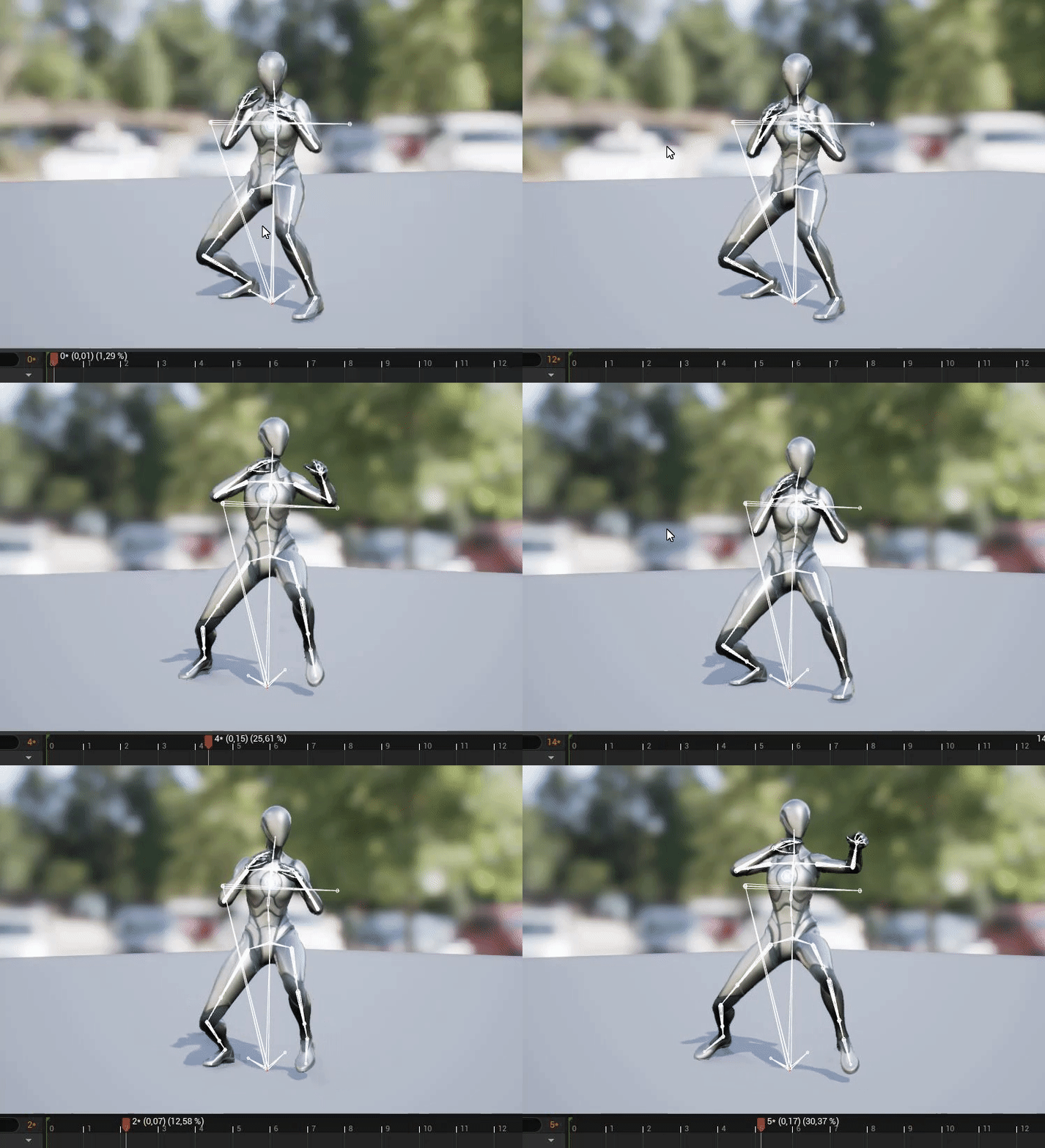
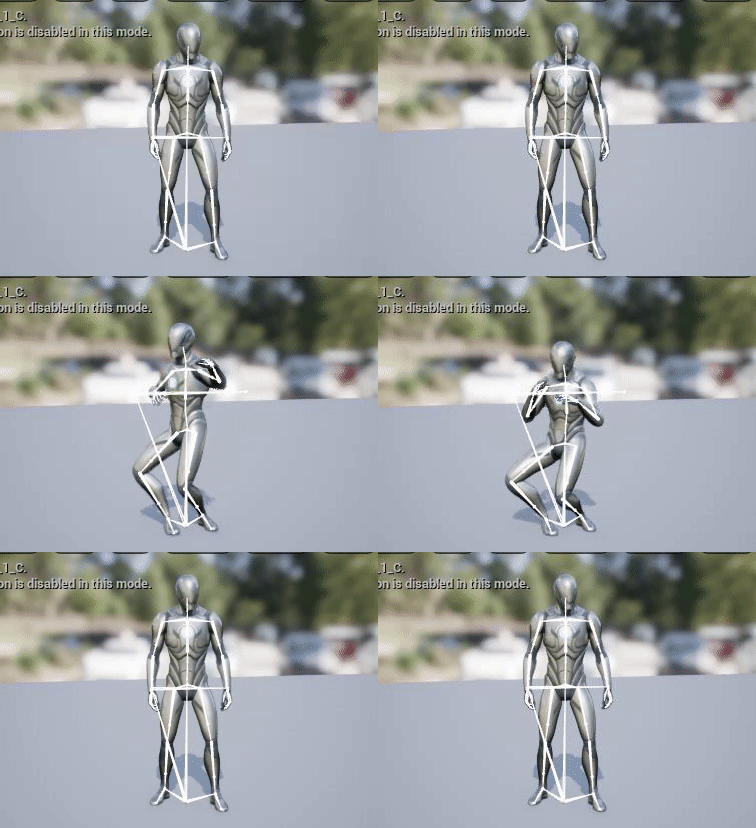
#animation
1 messages · Page 180 of 1
 potent thunder
-Or use an animation montage with different sections
-Also If you are more specific about what you want to do I may be more of help xD
-Also if you just want a dancing loop set those animations in a random sequence player, you can set the transition time and the frecuency of triggering each of the dances
 warm island
I give... what the heck happened?


I retargeted it with similar bone structure
AH
it wasn't in A pose

A pose fixed it
 vast hare
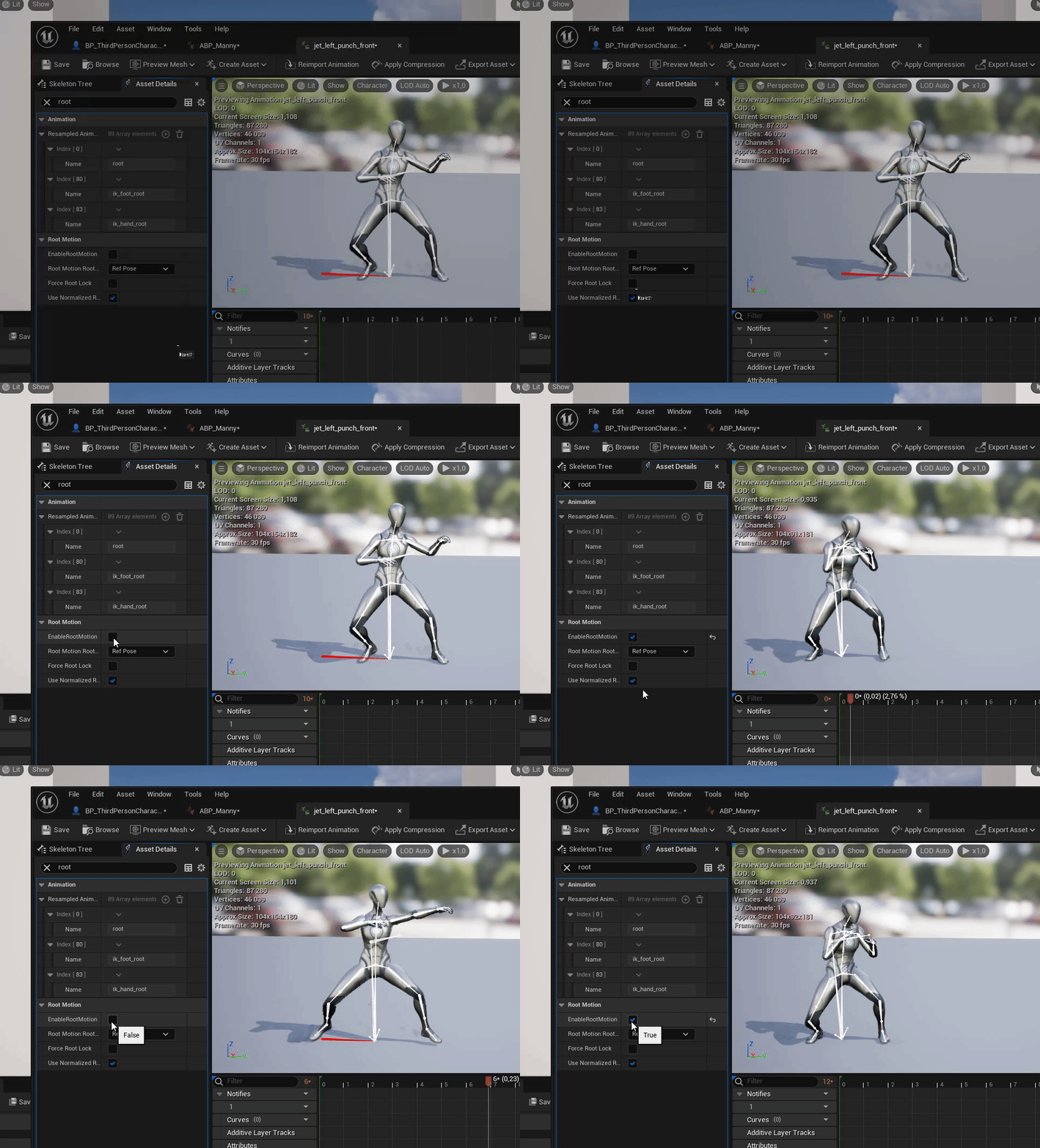
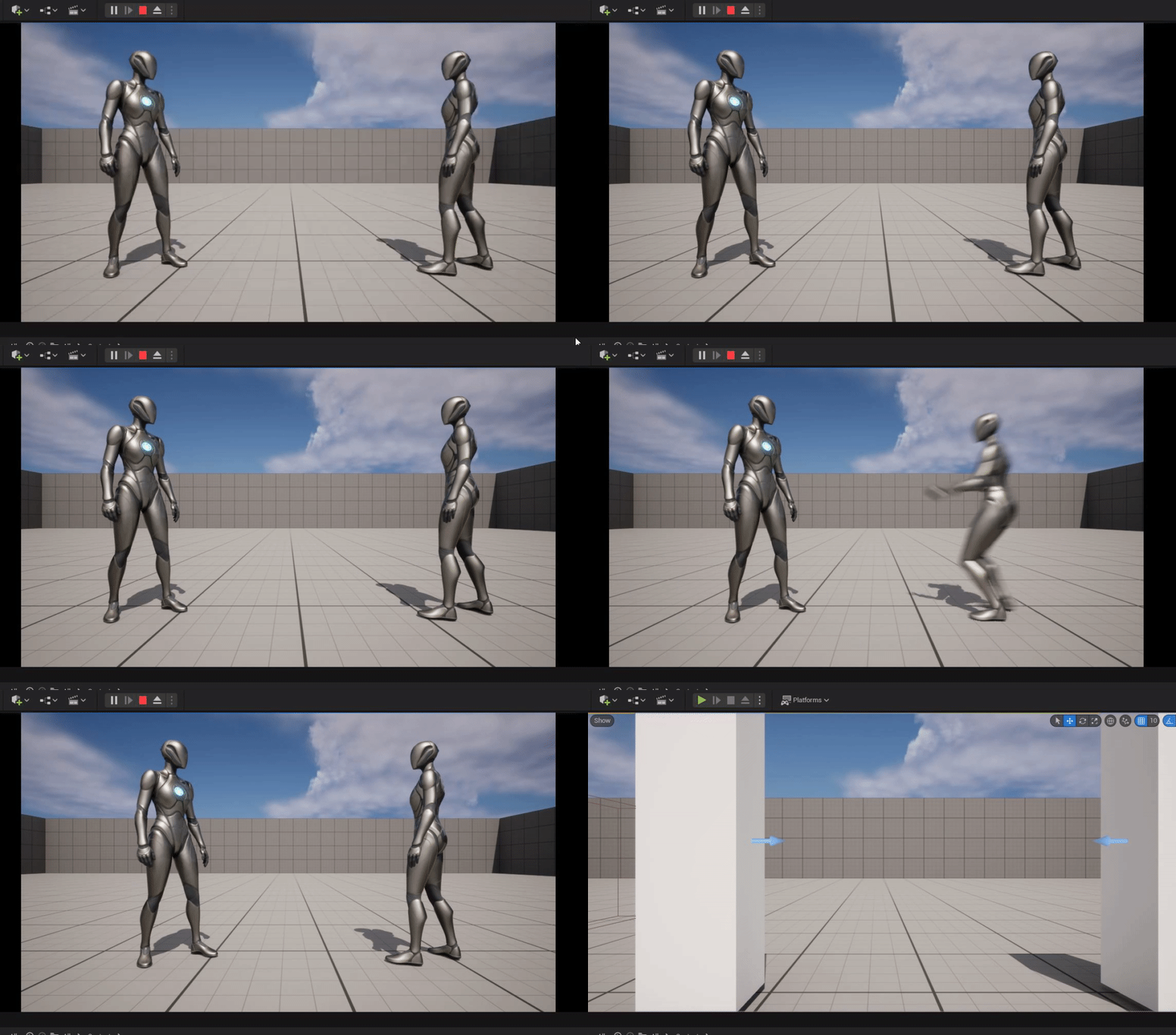
any idea why an mesh snaps back to initial start after playing an animation with root motion activated?
https://i.gyazo.com/7b43c5dd0c706e3fe829dec0b1ead24b.gif
i enabled it in my animation
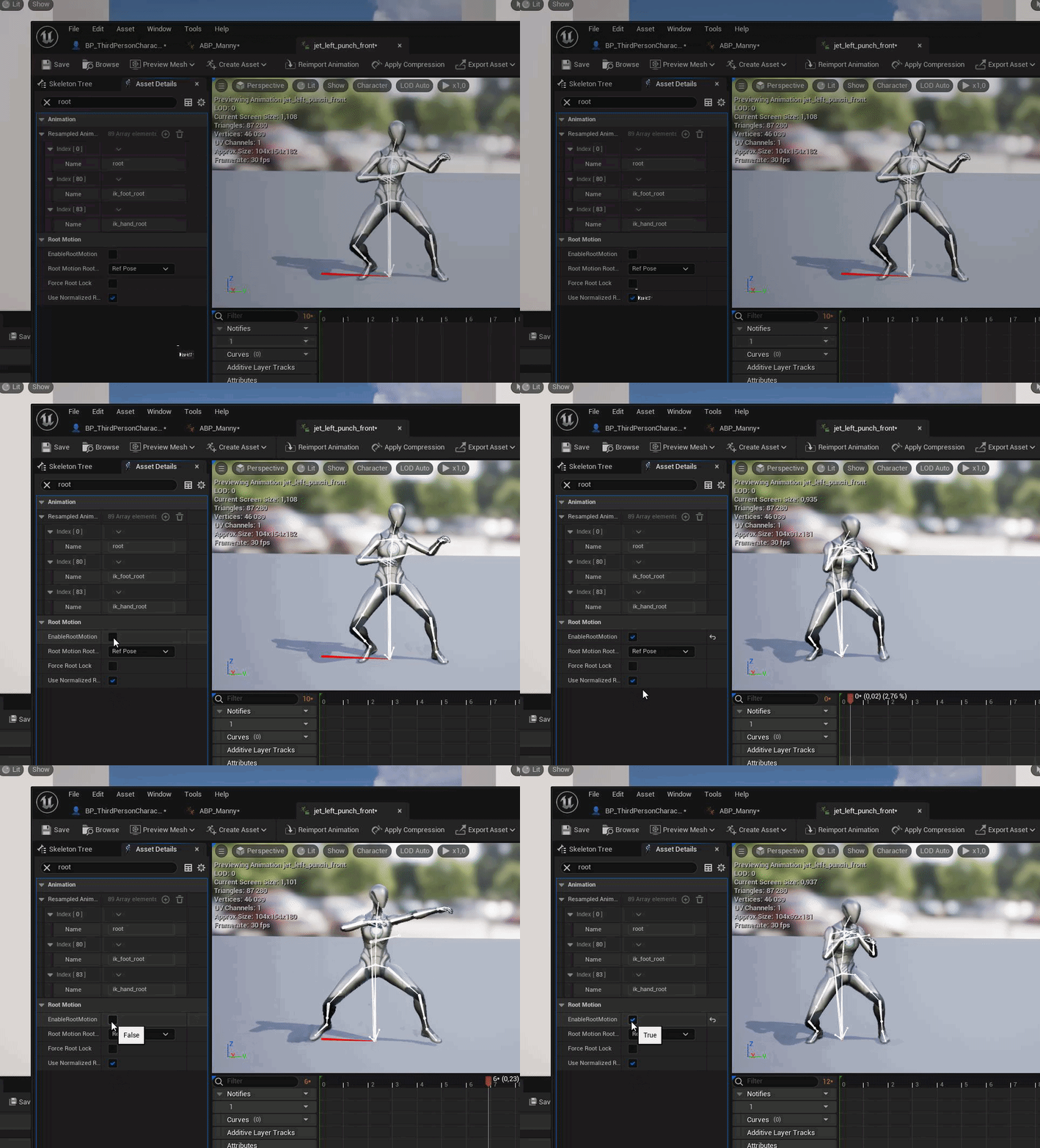
and this is the result:
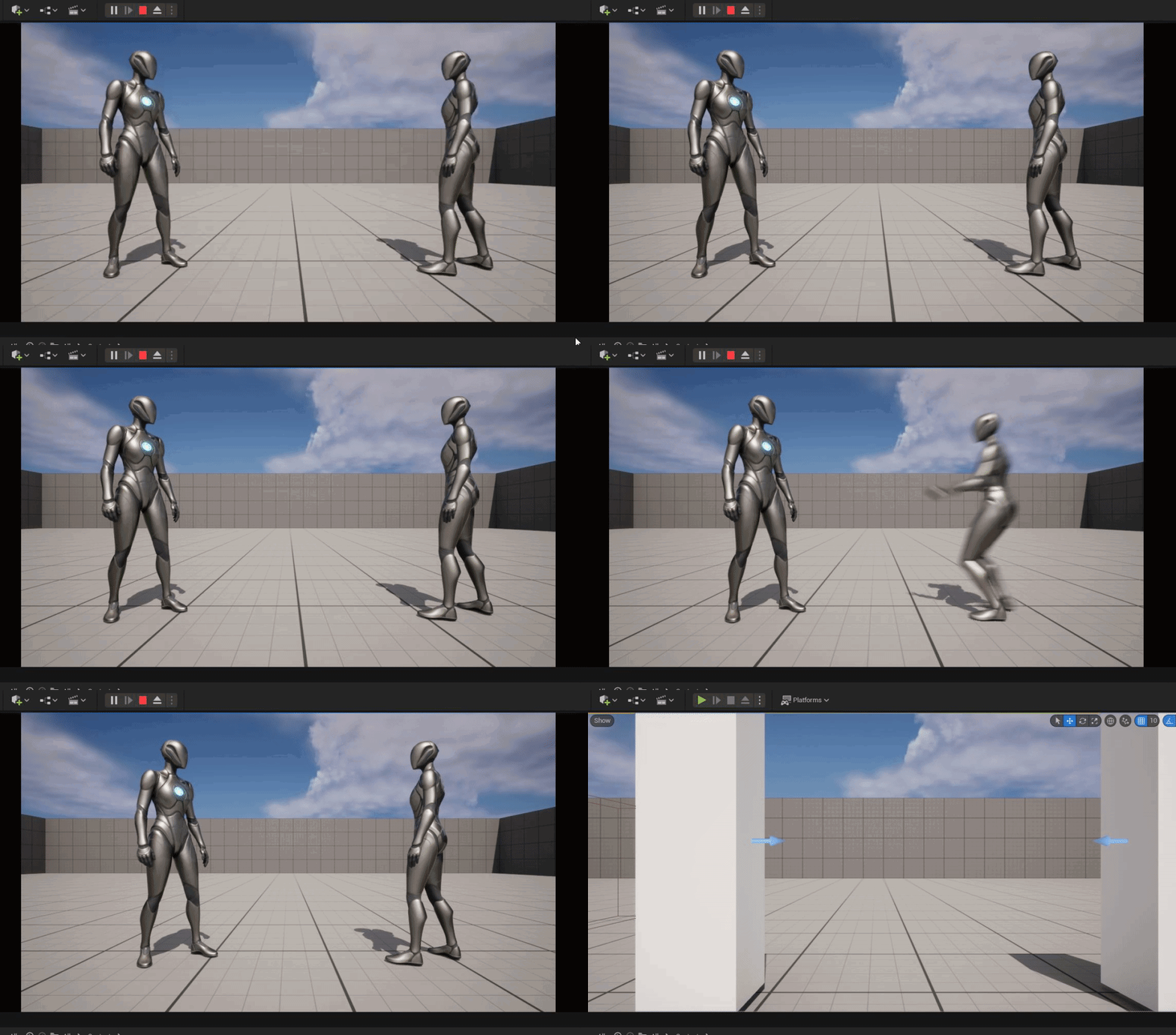
 tiny granite
vast hare
https://i.gyazo.com/3695a3d467a431eeeabd1a816e1c9f9e.gif
tiny granite
vast hare
https://i.gyazo.com/3695a3d467a431eeeabd1a816e1c9f9e.gif
Yup! You need to tell the next animation to use previous root motion

If you have any confusion or questions please let me know in a comment, or if there are other small tutorials you want made.
Music in the video is composed by me.
Explained here. :)
 ashen junco
This is not Blender server, sir.
 vagrant halo
sorry.
 elfin field
Hi guys, I am with a custom character and it have multiple meshes. All of them are sharing the same skeletal but not using the same bones. So I have no body part that can be the Master Component if I try it, other parts of body dont animate. Anyone have a solution for this?
ashen junco
elfin field
Hi guys, I am with a custom character and it have multiple meshes. All of them a...
Do you have some kind of "proxy" skelmesh that have the barebone bones in the skeleton, for the visual skelmeshes to follow?
||pun is not covered by insurance||
elfin field
ashen junco
Do you have some kind of "proxy" skelmesh that have the barebone bones in the sk...
Sadly not. I've tried to get the full mesh version I have and hide it in game but, when I hide it in game it broke.
tiny granite
elfin field
Hi guys, I am with a custom character and it have multiple meshes. All of them a...
How can u have the same skeleton and not the same bones? 
I mean we have a shared skeleton as well for like 50 different meshes for characters and some of them use additional bones, but they are all the same base.
elfin field
tiny granite
How can u have the same skeleton and not the same bones? <:dragonthink:711748115...
like this.

In this example pic, I can animate the hand_r but not the index to children
tiny granite
Gotcha. So the bones are there on the skel, your mesh just isn't using them.
Idk if you can, but you MIGHT be able to use control rig
I think it can bind directly to the mesh.
I haven't tried it yet, just normal CR setup.
elfin field
I will give it a shot
Copy animation on anim bp also didnt worked
and I dont want to merge meshes, because I use morph
ashen junco
elfin field
Sadly not. I've tried to get the full mesh version I have and hide it in game bu...
Define "broke"
elfin field
ashen junco
Define "broke"
stop working/not work anymore/work on blueprint but not while play the game
ashen junco
elfin field
stop working/not work anymore/work on blueprint but not while play the game
There is an option to have the animation tick even if the skelmesh component is not visible
elfin field
ashen junco
There is an option to have the animation tick even if the skelmesh component is ...
in anim bp or character bp?
ashen junco
elfin field
in anim bp or character bp?
Character BP
elfin field
ashen junco
Character BP
its set for always tick already
 strong forum
Hm, I see.
So Mr Mannequins has the default UE4 Mannequin already rigged (rigged means it can be posed/animated)
Rigify allows you to create your rig on humanoids, but you have to set it up
That means if you're going to animate on the UE4 Mannequin then you use Mr Mannequins
But if you have a custom character (for example, short height or long arms or something), then you have to use Rigify
Alternatively you can create the animations on the UE4 Mannequin and then retarget them (I never used retargeting but I heard it's inaccurate)
Does this sound right?
ashen junco
strong forum
Hm, I see.
So Mr Mannequins has the default UE4 Mannequin already rigged (rigged...
Yes, but I don't recommend Rigify that much due to its finicky setup
strong forum
ashen junco
Yes, but I don't recommend Rigify that much due to its finicky setup
What would you recommend instead of Rigify?
vast hare
tiny granite
Yup! You need to tell the next animation to use previous root motion
but i am using states, is that then still valid?
cant do it that way like in that video explained sadly
ashen junco
strong forum
What would you recommend instead of Rigify?
I recommend Auto Rig Pro, paid but worth the time saved in rigging work.
I'm sure someone's going to scold me hard for not recommending Rigify + Uefy again lmfao
strong forum
ashen junco
I'm sure someone's going to scold me hard for not recommending Rigify + Uefy aga...
Uefy is a python script made for Blender 2.8x that enables rigify addon to export an Epic Skeleton compatible bone hierarchy. You can quickly rig and export any character and create new animations for Unreal Engine from Blender.
What is "Epic Skeleton compatible bone hierarchy"?
You can't export directly from Blender/Rigify into UE?
ashen junco
strong forum
```
Uefy is a python script made for Blender 2.8x that enables rigify addon to e...
You can, but you will have way harder time using it with UE's anim workflows.
strong forum
ashen junco
You can, but you will have way harder time using it with UE's anim workflows.
What kind of issues?
Like for Mr Mannequin, I can export from Blender and import to UE and then it works fine
What kind of issues would there be if I used just Rigify then import it to UE?
 zenith sapphire
how can I tell this to always play the locomotion state machine unless you are shooting (a boolean)
edit: and if you are shooting then play both of them combined like I have it now
 zenith sapphire
lookey there, I'm new when messing with animations, but I just decided to throw my own thought at it, because I have been struggling for a couple of hours, and I got something that works.
edit: I know its probably not optimal
 ashen junco
strong forum
What kind of issues?
Like for Mr Mannequin, I can export from Blender and import...
ashen junco
strong forum
What kind of issues?
Like for Mr Mannequin, I can export from Blender and import...
If it's not "Epic skeleton"/UE4 Mannequin compatible, you'll have hard time retargeting animations, using it with IK nodes/control rigs, etc.
 fleet willow
zenith sapphire
lookey there, I'm new when messing with animations, but I just decided to throw ...
fleet willow
zenith sapphire
lookey there, I'm new when messing with animations, but I just decided to throw ...
Blend Poses by bool is pretty fine here.
Yet you should properly name your cached animations xD
 whole blaze
A question about Blend by Bool , the blending time doesnt work for me if i set it like 1 or 2
 worldly swan
Hello everyone, I would like to ask what can be the different ways to handle a blocked melee attack animation (a sword blocked by a shield or a wall for example). I have no idea on how to handle all possible scenarios. Should this be a dedicated animation made for each attack animations?
ashen junco
worldly swan
Hello everyone, I would like to ask what can be the different ways to handle a b...
Just make a sword blocked animation and call it a day?
I'm sure it doesn't have to be super accurate, right?
worldly swan
Yes of course, so I should play it as a montage?
ashen junco
worldly swan
Yes of course, so I should play it as a montage?
Yes, the same as attack anim montage you have
worldly swan
Ok thank you
fleet willow
whole blaze
A question about Blend by Bool , the blending time doesnt work for me if i set i...
I think the scale is rather from 0 to 1, so everything above 1 would be treated as 1 i guess
zenith sapphire
fleet willow
Blend Poses by bool is pretty fine here.
Yet you should properly name your cache...
Oh yea I did, I just was excited I finally got that working
edit: and took the pic
 deft prairie
I am looking for Female Locomotion Animations for walking idle and running.
Can anyone recommend me a Pack from the marketplace and had good experience with it?
https://www.unrealengine.com/marketplace/en-US/product/female-locomotion-animation-pack
https://www.unrealengine.com/marketplace/en-US/product/female-movement-animset-pro
I found this 2 and the both work in UE5 but the 2nd has like a lot of bad reviews lately so i am not so sure how well they work.
If you know any other animation packs that work in UE5 with the Female Manny Queen please link them here.
.

Unreal Engine
Animation pack of different female locomotion, like walk fast, stealth, crouched, jog, jump in place, obstacle and wall.

Unreal Engine
A set of 180 mocap animations for female general locomotion and a game character model.
ashen junco
deft prairie
I am looking for Female Locomotion Animations for walking idle and running.
Can...
Considering you posted this twice, I can't recommend anim packs to buy - I make anims from scratch.
tiny granite
deft prairie
I am looking for Female Locomotion Animations for walking idle and running.
Can...
Either of them work. I am not quite sure what the question is.
It's about the way the look, does it match what your going for. Both have in depth videos.
deft prairie
ashen junco
Considering you posted this twice, I can't recommend anim packs to buy - I make ...
Yeah i wasn't sure, since i was asking first in marketplace but i realised they talk more about "how to setup the marketplace products" so i was thinking maybe i should ask in animation.
deft prairie
tiny granite
Either of them work. I am not quite sure what the question is.
Its mostly about animation packs are usually more MANLY so they walk rather strong, but i was looking for feminine walking animations, but i found only this 2 and was usurious if there are more then that.
ashen junco
deft prairie
Its mostly about animation packs are usually more MANLY so they walk rather stro...
I think there's not much when it comes to reference for feminine locomotion anims, also considering most of animators selling those in MP are likely male, and can't have female friends and relatives record video references or even setting up mocaps.

 bleak ruin
in the default ue5 control rig example, when moving the right hand all the finger controls move with it but when moving the left hand they all stay in place

i cant for the life of me figure out why
fleet willow
 runic sundial
In UE5 you can*
There's a thing called "State Alias". It has pretty much the ability to remove the old UE4 spider webs in the animation blueprint
Must say there is really not much information about it, but i somewhat understand it with that dangling amount of information by playing with that
 vapid glade
How do i get that blend space blue thingy on UE5?
 fleet willow
vapid glade
How do i get that blend space blue thingy on UE5?
fleet willow
vapid glade
How do i get that blend space blue thingy on UE5?
Right click on such a node, then you can select - under the property window (i think?) - whenever you want to expose the animation as pin
vapid glade
fleet willow
Right click on such a node, then you can select - under the property window (i t...
Sorry what shall i do here?
 fleet willow
Sorry, right clicking it was probably the wrong move here.
Just selecting the node should be enough to get the property window or however it was called to show up somewhere at the right side
vapid glade
yeah the details panel
fleet willow
Ye
vapid glade

But its nothing here, The video im watching he has something just called "blend space" and he checks it and it will pop up
fleet willow
Let me quickly start the engine
vapid glade
alr 😄
 vapid glade
wait how did you find settings?
fleet willow
Not sure what you mean
vapid glade
I do not have something called Settings
fleet willow
It's under the Details panel at the bottom when you select that node
 fleet willow
You've probably created the AnimOffset node and not the AnimOffset Player node
 outer trellis
How can I fix the rotation of the mesh? it doesn't rotate according to the editor live preview. It only moves around X|Y|Z and scales by X|Y|Z but isn't rotating along the axis, any advice? ( didn't find fix online )
 fleet willow
outer trellis
How can I fix the rotation of the mesh? it doesn't rotate according to the edito...
fleet willow
outer trellis
How can I fix the rotation of the mesh? it doesn't rotate according to the edito...
Sounds to me like you either have set the input code wrongly or you are not using the right setting which was something like "Use controller yaw" or something like that in your BP when selecting the capsule component (i think?)
Could be also just an attachment issue
outer trellis
after playing with this a bit, all i needed to do is add another skeletal mesh and put the skeletal mesh there
i feel like a fool damn it...
fleet willow
Well yeah, attachment issue xD
outer trellis
So if the mesh \ skeletal mesh is attached to the mesh that is inherited it doesn't feel like being in a fixed axis
wth mate
fleet willow
This has actually nothing to do with animations, might be better to ask continues question about it in #ue4-general or #ue5-general
outer trellis
i mean i use the mesh for animation ^_^
fleet willow
And once you actually add animations this would be the right channel :P
outer trellis
but ye, i tried and the channels seems dead so i tried into a different # that's somehow related
but ye alright sry ^_^
fleet willow
Dw, just letting you know xD
 lone wharf
Anyone know of a method to handle joint orientations / axis conversion in blueprints? One skeleton is y-forward vs z-forward
 bleak ruin
can you add a preview asset to a bone while in the sequencer like you could while viewing an animation?

 round grotto
Quick question, I'm not an animator and I'm just trying to put something together, can i use control rig instead of making animations in blender?
bleak ruin
round grotto
Quick question, I'm not an animator and I'm just trying to put something togethe...
yeah im doing it right now
it will be easier in blender though
round grotto
bleak ruin
it will be easier in blender though
How do you save the animation assets? the tutorial on the unreal channel used a level sequencer to animate
to be honest first time seeing the level sequencer, my head is spinning
bleak ruin
round grotto
How do you save the animation assets? the tutorial on the unreal channel used a ...
what i do is duplicate an old animation, usually idle because its a good base, click on it and up top go to bake to control rig

 midnight thorn
Does anyone have an opinon on which montage node to use? MontagePlay vs PlayMontage?
bleak ruin
this button actually saves the animation
 round grotto
bleak ruin
what i do is duplicate an old animation, usually idle because its a good base, c...
round grotto
bleak ruin
what i do is duplicate an old animation, usually idle because its a good base, c...
ahh so you bake to control rig , animate, then bake back into the asset.
 gleaming vale
Hey dudes. So I set up a rig and a retargeter in UE5 to import Mixamo animations. In both the rig and the retargeter when I preview animations, it looks great. As soon as I try to use them inside of my anim blueprint though, the legs tuck up inside of the model. Any idea what might be going on?
 rose prawn
gleaming vale
Hey dudes. So I set up a rig and a retargeter in UE5 to import Mixamo animation...
rose prawn
gleaming vale
Hey dudes. So I set up a rig and a retargeter in UE5 to import Mixamo animation...
What does it look like when you drop the retargeted animation into the world?
Anyone compared the Lyra animation to something like MoveIt or even ALS?
ashen junco
bleak ruin
can you add a preview asset to a bone while in the sequencer like you could whil...
Just attach any actor to the bone
gleaming vale
rose prawn
What does it look like when you drop the retargeted animation into the world?
Hmmmm. I haven't done that. I'll try it when I get home later. In case you're not on when I get back, what do you think it indicates either way? If it looks fine when I drop it in vs if it looks wonky.
rose prawn
gleaming vale
Hmmmm. I haven't done that. I'll try it when I get home later. In case you're n...
If it's fine in-world but not in the anim BP, the difference would be in the anim BP. It's not an additive animation, right?
 rancid horizon
Does anyone know how to make a C++ function accesible in the Anim Graph too? I've got "UFUNCTION(BlueprintCallable)" on it and it works in the Anim BP in the Event Graph but is there a way to make it visible to call in the Anim Graph too?
ashen junco
rancid horizon
Does anyone know how to make a C++ function accesible in the Anim Graph too? I'v...

Unreal Engine Forums
Greetings, I’ve made two templates (UE 4.15) that should serve as an example for Creating Custom AnimGraph Nodes, both inside a regular c++ project and inside a Plugin. Project Template: https://github.com/Hethger/UE4_AnimGraphNode_Project_Template Plugin Template: https://github.com/Hethger/UE4_CustomAnimGraphNode_Plugin_Template The AnimGra...
rancid horizon
ashen junco
https://forums.unrealengine.com/t/custom-animgraph-node-c-templates/90698
thank you!
 snow orchid
ashen junco
I'm sure someone's going to scold me hard for not recommending Rigify + Uefy aga...
snow orchid
ashen junco
I'm sure someone's going to scold me hard for not recommending Rigify + Uefy aga...
If you don't want to use Rigify + Uefy that is your preference. However it has worked perfectly fine for me and many other people for many years. It gives me access to Rigify and I don't want to use a different rig in blender.
 crystal imp
Say, I have this root motion animation I made and I was trying to 'Force Root Lock' but it isn't working...any idea what I did wrong with the animation?
gleaming vale
rose prawn
If it's fine in-world but not in the anim BP, the difference would be in the ani...
No. They are just standalone animations from Mixamo.
tiny granite
Do the back legs need 2 different IKs and somehow link them together?
This is the best I was able to get them. But it's not right. The front legs are working well, just not the back legs.
 glacial pelican
I exported my mesh to unreal, but not all the animations are coming with it. Im using Send to Unreal. Anybody know why this is happening?
glacial pelican
fixed by adding animations to the stack
 stark gate
Anyone had issues getting the control rig in ue5 to work in build? Seems to be an issue with the forward solver in animation blueprints. Works in editor, not in package
stark gate
Good morning, does anyone know? Please
ashen junco
tiny granite
Do the back legs need 2 different IKs and somehow link them together?
Personally I see it as upper fold part as the knee, and the lower fold part as the ankle. Treating a quadruped as if it's a biped
strong forum
ashen junco
If it's not "Epic skeleton"/UE4 Mannequin compatible, you'll have hard time reta...
Dang. $40 for Auto-Rig Pro
It's tempting and I understand it'll save a lot of effort and time
I think Uefy 2 also costs money (but Rigify is free)
I'm currently just using animations for mannequins... so I guess I'll stick with Mr Mannequins for now
ashen junco
stark gate
Good morning, does anyone know? Please
Unfortunately I don't use UE5, so yeah.
gleaming vale
rose prawn
If it's fine in-world but not in the anim BP, the difference would be in the ani...
Awesome. Animation isn't my main thing so thanks for showing me this debug method. It looks fine when I drop the animation right into the scene so I guess I need to look at the AnimBP.
gleaming vale
ok so it's something to do with the Control Rig node
It seems in step 5, something isn't behaving correctly with the IK
tiny granite
gleaming vale
It seems in step 5, something isn't behaving correctly with the IK
What's going on?
IKs can be.... Finicky. Lol
gleaming vale
The legs are tucking up inside of the character
tiny granite
How is your IK Setup?
 fleet willow
Anyone ? 😅
bleak ruin
fleet willow
Anyone ? 😅
this doesnt work for you?
 fleet willow
bleak ruin
this doesnt work for you?
fleet willow
bleak ruin
this doesnt work for you?
I was using that, but none of the pre-existing poses you can select match the hand/finger positions which ends up with the results i've posted
And well, the pose editor in there is really.. bad compared to the old UE4 ways where we had more options than just rotating the bones
 misty dagger
hi, im sorry if this is the wrong channel but is there a video on how to add a wind to trees in ue5? ive got a low poly tree and i want to add wind physics to it
fleet willow
ashen junco
misty dagger
hi, im sorry if this is the wrong channel but is there a video on how to add a w...
By materials, which is #graphics domain
misty dagger
ashen junco
By materials, which is <#221799195806400512> domain
👍
 short wasp
Hi! Quick question, I've made a model in Blender with some animations, imported them into UE5 and it was fine, but after making more animations and attempting to reimport the asset, the new ones don't show up. I've tried a few things, but nothing works.
 autumn venture
Hi all. Can anyone point me in the direction on how to set up marketplace characters with the UE4 skeleton? Or do I always have to use Retarget Manager to create new animation files if that character is not based on the UE4 mannequin skeleton?
I'm watching https://www.youtube.com/watch?v=Io76DagpS-8 which says to do that, but it would result in a lot of duplicate animation files.

This video was voted for Patrons and YouTube Members. For those who voted, thank you!
Learn how to use the retargeting manager to copy the animations of one skeleton to another one. A common use for this is in conjunction with Mixamo assets. Learn how to retarget a Mixamo asset to the UE4 skeleton.
Support me on Patreon and get access to video...
It would be a lot less work if I could just convert humanoid character models to use the UE4 mannequin, I think.
Some packages make that work out of the box but things like Mixamo don't match.
 arctic fern
Yikes, the new UE5 retargeting system is way more work
Like, why did they not ship with an auto-retarget tool to sort out all the chains automatically is beyond me
gleaming vale
The retargeter has a button you can press that attempts to sort the selecte chain
arctic fern
If there is I can't find it
The only way to set up an ik rig from what I can tell is purely manually
gleaming vale
In your retargeter, look in the Chain Mapping tab. Above your chains is a button with a green circle that says "Auto-Map Chains"
Yeah you have to manually add them still you're correct
arctic fern
There is no such tab
gleaming vale
there is... I'm looking at it. Maybe you need to look in window to make sure it's checked
arctic fern
Oh nevermind you mean the retargeter
gleaming vale
Yes. I said retargeter
 swift edge
Yeah I think they mean the automation of setting up the IK Rig.
gleaming vale
Right. Yeah that's still manual unfortunately.
swift edge
And even the auto chain mapping feature only works half the time for me
 ionic merlin
Is there a IK that could be an equivalent to the one in blender or is there some tutorial on how to achieve something to a simple IK chain? Man, IK in ue5 is hard. xD
ashen junco
autumn venture
It would be a lot less work if I could just convert humanoid character models to...
You could just change the skeleton of the animation, but expect mixed result.
UE4 Manny has slightly weird proportions compared to more anatomically accurate or slimmer humanoid models
 frail nymph
Uhm, for some reason whenever i switch the default manny skeletal mesh with a new one that is fully compatable, he just ends up t-posing..?
i tried it with a female version, and that worked fine too
Anyone know of a noob solution for this?
i just switched off 2D development in UE4/5 so would very much like some help
 sand cliff
Anyone know how I can stop my root motion animation from rotating the player controller but still move it? I want only the mesh to rotate that's the problem...

 digital aurora
Retargeted Paragon Terra animations to Gideon. Why it's hand is deformed?

 muted kite
can u change the mesh of a character and keep its skeleton/animations etc ?
and get the mesh from another characteR ?
i think i got it by exporting the asset and then import it as basemesh from it
 slender sierra
Just wondering if I'm doing something wrong with the setup of this montage. Whenever I trigger the play anim montage from the event, the montage starts from the beginning instead of the Blocking section. Are there any settings I might be missing?

 warm island
@slender sierra there are 2 play montages, try the other?
slender sierra
warm island
<@247797203211386890> there are 2 play montages, try the other?
Seems to have the same result. The montage still starts from Default instead of Blocking.
warm island
Mind showing other node? AFAIK there are other parameters to play with
slender sierra
warm island
Mind showing other node? AFAIK there are other parameters to play with
Just thought of something. The animation sequence goes from a stagger animation to the blocking montage. Could it be that the animation blueprint goes to the idle animation before starting the montage? Included the AnimGraph if that helps.
 arctic fern
ashen junco
You could just change the skeleton of the animation, but **expect mixed result**...
arctic fern
ashen junco
You could just change the skeleton of the animation, but **expect mixed result**...
For some stupid reason UE5 literally won't let you do that unless you delete the animation's original skeleton, and even then you gotta do it individually
And considering all the animations and meshes I'm currently working with are based on the UE4 Manny, just changing the skeleton would hardly be a problem, but nooooo
You can't even use the bulk property matrix to do it en-masse anymore
It's really stupid, Epic feels like you gotta do things in a very specific way for some reason
 opal sentinel
nobody ever recorded an edit? to use as gameplay animation?
 white galleon
Running into a weird bug after upgrading from UE4 to UE5 with my anims, my legs are suddenly running away on their own
 halcyon sail
Is there a way to change the skeletal mesh of a control rig? I have multiple characters (but same skeleton) and dont want to have to copy the control rig over and over. Can I just use the same control rig somehow?
halcyon sail
nevermind, found the import option
 vapid glade
Why does this work

But not this?

This si what CurrentAimoffset is set too

No need to respond, I forgot too set some values 😄
vast hare
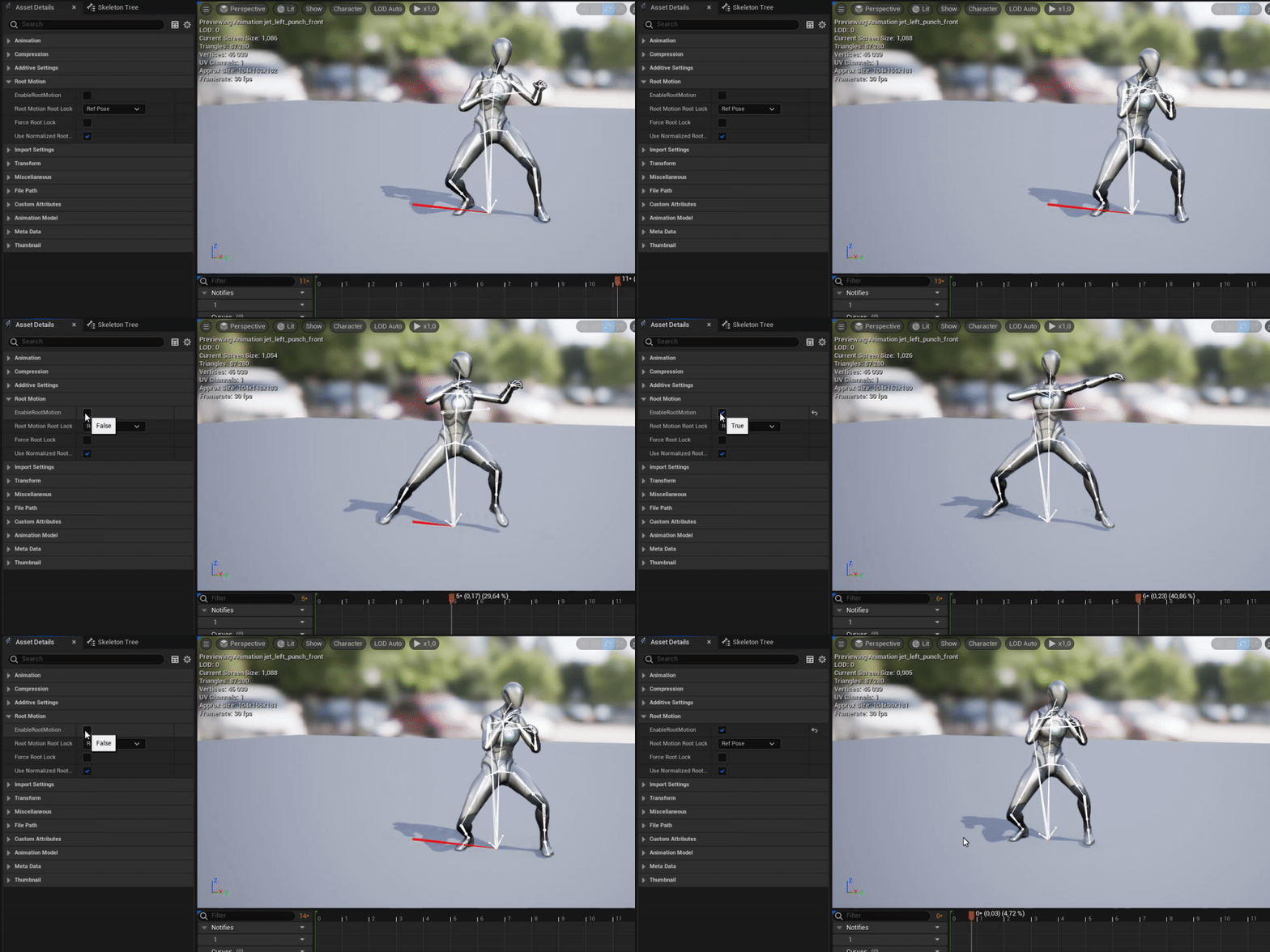
any reason why when my anim (with root motion) is playing
it snaps back after done?
using animation blueprint by the way
this is my anim, to ensure that my root motion is enabled:
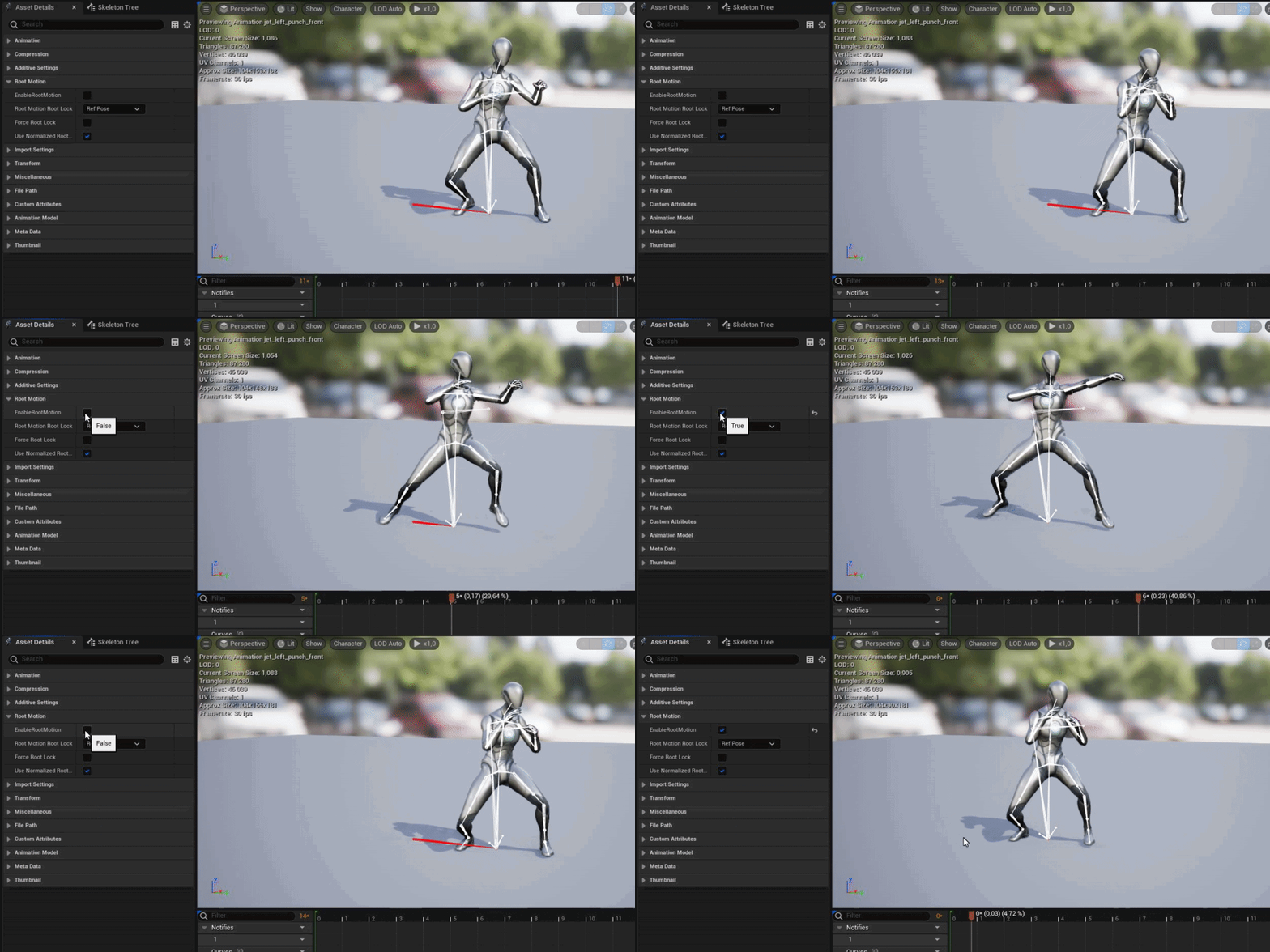
there you can see that the caracter is snapping back when done:

my base is UE5- ThirdPerson Example if that helps
 covert gate
In the documentation for UE5 it says: "Using Control Rig, you can bypass the need to rig and animate in external tools"
So i exported a static mesh in unreal.
Reimported it with the skeletal mesh tickbox ticked.
Then created a control rig from the skeletal mesh.
Started adding bones in it. (as the skeletal mesh does not have bones)
Added control point in control rig and set it up like in this video. https://www.youtube.com/watch?v=y2WzNvJZk0E&ab_channel=UnrealEngine
When i move the control, nothing happens.
So im thinking that because there is no original bones in the skeletal mesh, also no weight painting.
That it cant move the bones and the mesh. Making this statement untrue ( "Using Control Rig, you can bypass the need to rig and animate in external tools")
Am i missing something here guys?
Im not a fan of blender, so being able to rig a character fully in unreal is what im looking for.


Until recently, creating character motion was the domain of expensive third party DCC apps. With the release of 4.26, Unreal Engine introduces further refinements to Control Rig: our suite of in editor rigging and animation tools. Whether you are authoring traditional style animation assets via keyframes or driving characters procedurally at run...
covert gate
Ok so the bones are actually moving, its just the mesh that does not follow the bones.
Any suggestions?
ashen junco
<@&213101288538374145> crosspost
 jade hound
 crystal mist
So I'm making a first person game and until my animator and modeler give me the final assets I need to dev using just a scaled floating cylinder as a stand in for a sword, what's the best way to animate that? I could use a timeline but as far as I can tell I can't use a preview and viewport editor to edit on the item itself, is there a way animate a floating object like this?
ashen junco
crystal mist
So I'm making a first person game and until my animator and modeler give me the ...
Personally I used skeletal meshes and rough blockout animation
crystal mist
ashen junco
Personally I used skeletal meshes and rough blockout animation
is there a way to make a skeletal mesh right in unreal? I dont need anything fancy just a long cylinder with a single bone
ashen junco
crystal mist
is there a way to make a skeletal mesh right in unreal? I dont need anything fan...
No
But then again, you can do that quickly in Blender as well
Well, at least after setting Unit Scale to 0.01
crystal mist
ight tyty
ashen junco
Consider deleting the post here, so it's not mistaken as crosspost.
crystal mist
ight maybe I'm just stupid but I cannot for the life of me figure out how to create a new animation in unreal, Like how to create the animation sequence asset itself, I can muddle my way through the sequence editor, but I cannot figure out how to get into the editor itself
ashen junco
crystal mist
ight maybe I'm just stupid but I cannot for the life of me figure out how to cre...
You could either make the anims in DCC tool or use Control Rig + Sequencer
crystal mist
well yeah I know how to do the animations
I just couldn't figure out how to get the asset to edit
I figured it out though
gleaming vale
Hey dudes. So I have some turn left/right animations for turning in place but I only want it to play from the waist down. I'm doing a layered blend per bone using both thighs and this seems to be working for keeping the rest of the body from using the turn animation but the rest of the body still gets in the pose of the turn animation when I want it to stay in idle
ashen junco
gleaming vale
Hey dudes. So I have some turn left/right animations for turning in place but I...
Typically lower body serves as the base, due to Epic standard skeleton have pelvis before spine_01
Layered blend per bone worked its way down to the hierarchy
gleaming vale
ok. So is there any way to get the upper body to stay in the idle animation/pose while playing the turn-in-place animations? Maybe I just have a weird setup for this.
ashen junco
gleaming vale
ok. So is there any way to get the upper body to stay in the idle animation/pos...
Do the layered blend per bone but the other way around
gleaming vale
hmmm. So like, swap which animation goes into Base Pose and Blend Pose?
I'm trying that but it doesn't seem to work. I'm probably not understanding what you're saying exactly. Sorry
I think I figured it out. Thanks. I think it's actually a problem in the animation itself.
gleaming vale
nope. Hmmm.. So @ashen junco ... if I just want something to play on the legs down using Layered Blend Per Bone, I should put the idle pose in base pose and the other animation in blend pose and in the layered blend per bone node, use spine_01?
ashen junco
gleaming vale
nope. Hmmm.. So <@325627930484932608> ... if I just want something to play on t...
Well, I mean the base pose being the lower body part, and upper body being the blend pose
gleaming vale
ashen junco
Well, I mean the base pose being the lower body part, and upper body being the b...
ok. I think I have it now. Sorry that took me so long to figure out. Appreciate your patience.
gleaming vale
Question for anyone using UE5 now: Anyone get a crash when you're retargeting and you uncheck the "Retarget IK" box?
vapid glade
Cant open my project, It crashes instantly for some animation blueprint cast, Im just wondering how i can fix this error if i cant open the project
 vapid glade
Is there anyway i can fix this dumb error or should i just throw this project to the side
Omg this is so annoying, An issue on bp side and i cant even open the project to fix it, Best engine 👍
 rocky remnant
autumn venture
I'm watching https://www.youtube.com/watch?v=Io76DagpS-8 which says to do that, ...
rocky remnant
autumn venture
I'm watching https://www.youtube.com/watch?v=Io76DagpS-8 which says to do that, ...
You are Right. retargetting is DIY thing.
If want to rigg character to UE 4 Skeleton i can do that. Also i can provide mixamo animations with UE 4 Skeleton...
vapid glade
Just have a question, When doing weapon animations. Is it smart to do like everything inside the Locomotion and just use alot of blendspaces? And like for pistol animations how would you do there, Would you just make for every gun?
Why is idle/run still playing?

 cyan furnace
How could i make birds flying in the distance for a short animation?
vapid glade
Why does my offset look like this? Even tho i only have 1 animation inside of it that looks straight?
 vapid glade
i got it np
 dark light
Howdy, the epic learning portals' added alot of videos lately, what's the recommend one to start with to figure out Control Rig?
there used to only be a few, and while more examples are great, i kinda don't know what to look at now.
 umbral radish
What do you want to use it for? Real-time or for animating in engine?
This is a bit older but shows different usages. https://dev.epicgames.com/community/learning/talks-and-demos/7Pd/using-control-rig-in-unreal-engine

Epic Developer Community
In this video, Unreal Engine Evangelist Andreas Suika, himself a newcomer to the world of rigging and animation, brings to life several characters of dr...
I tested some retargeting stuff tonight: https://twitter.com/andidev_/status/1528816191308976128?s=21&t=rCcg4EGHJsHoVlW0twgitg


More quick retargeting fun in #UE5:
I downloaded the Paragon character "Iggy&Scorch" from the marketplace (free!)
Added an IK Rig and made a Retarget Asset.
Created an AnimBP to blend idle animation and real time retrageting together.
It's based on this:
https://t.co/9GTDIATz8h
 Twitter
·
swift edge
Twitter
·
swift edge
If I have something like forward walking animations where the left and right steps are separated into different sequences. I want to alternate between them. I'm not sure if there are any resources that could help or if anyone has done anything like this? I'm not sure if I should try montages, blend space, composite, etc. Or I suppose just merging them. Any help is appreciated.
 fathom lark
Hey there! I'm having a problem with Blender -> Unreal, and I'm wondering if someone could point me in the right direction. When I make a new animation and export to FBX, and then reimport into Unreal, it's not getting the new animation.
I've done the Google, and so far the handfull or so of results I've tried don't really give me any working solutions
 vale storm
I completed the gamedev.tv unreal C++ course on udemy, in the process of adding an options widget for performance. Including Frame Rate Limit for example. When i set the frame rate limit to 30 FPS, and then jump, the falling anim loops and doesn't stop. Doesn't occur on 120 FPS for example.
dark light
@umbral radish Animating in engine, and i'll def take a look at those. I saw them before, but in a sea of options i wasn't sure which to go with. Much appreciated.
strong forum
fathom lark
Hey there! I'm having a problem with Blender -> Unreal, and I'm wondering if som...
I'm still a newbie about this myself but from what I gather, the two ways to export an animation from Blender to Unreal:
- Auto Rig Pro addon ($40), creates a rig and then you can animate and then export from Blender and import to UE
- Rigify (free from Blender) to create a rig, and then Uefy 2 (cost money) to export it into UE-compatible something
Alternatively if you just want UE4 Mannequin animations:
3. You can use Mr Mannequins plugin (free). UE4 mannequin is already rigged and easy to export and import animations into UE
I don't know the details about #1 or #2 and why you have to export it specially or something, but I have used #3 before and I can confirm #3 works easily enough
strong forum
ashen junco
If it's not "Epic skeleton"/UE4 Mannequin compatible, you'll have hard time reta...
Here are the details for #1 and #2, apparently you can't really directly export animations from Blender and import it to UE, or else it'll cause some issues
I'm not sure
 modern gorge
Have a Treb that have been working on in MODO. is there a good way to convert the effects to import into UE5. Thinking may have to just redo again with bones. CHeers. Freezing don't seem to do anything. 🙂

 nimble sonnet
 jagged quest
its so easy to use
jagged quest
its so easy to use
ikr?! i was so pleasantly surprised, after curmudgeoning on having to learn it
on the other hand, last week i saw someone saying that "IK Rigs was the biggest mistake unreal has ever made" and my eyebrows went to 11
having not dived into IK rigs themselves only so far having been exposed to them via the new retargeting, im not sure the complaint
jagged quest
i literally sat here and just messed around for like 10 mins and figured it out... i never did figure out UE4's retargeter, who ever said that must have really not understood how simple this is
 loud nimbus
Can anyone help me with my blueprint, i want my character to play an animation when interacting, should i do that in the state machine or somewhere else?
ashen junco
loud nimbus
Can anyone help me with my blueprint, i want my character to play an animation w...
Montages and slots
 fringe flare
covert gate
Ok so the bones are actually moving, its just the mesh that does not follow the ...
fringe flare
covert gate
Ok so the bones are actually moving, its just the mesh that does not follow the ...
Did you figure it out?
ashen junco
covert gate
In the documentation for UE5 it says: "Using Control Rig, you can bypass the nee...
You cannot rig character from scratch in Unreal.
I repeat, everyone, you cannot rig and weight character or any skeletal meshes from scratch in Unreal.
fringe flare
What's a good place for an easy rig and weight?
ashen junco
fringe flare
What's a good place for an easy rig and weight?
Blender
Maya
Mixamo (if you're masochistic)
crystal mist
Is there a way to change a variable during a state change in an animation graph?
Or would I just setup an animation notify at the end of the animation?
ashen junco
Okay, I gotta rewrite my post, so that it won't look off if it's pinned.
Clearing up misconception about Control Rig
What Control Rig does:
☑️ Make controls for existing skeletons to drive procedural poses, anim curves, and IKs
☑️ Making animations of existing skeletons with the help of Sequencer
☑️ Compliment anim BP to make procedural poses (can be used to replace aim offsets)
What Control Rig doesn't:
❎ Making skinned/skeletal mesh from scratch, including:
❎ Weighting mesh to bones
❎ Making skeletons from scratch
arctic fern
vapid glade
Why does my offset look like this? Even tho i only have 1 animation inside of it...
I'm actually having this problem as well and I'm not sure how to fix it
vapid glade
I fixed it, I just added a base pose or something like that
 keen minnow
hi guys, i have been stuck on this mixamo problem all day, literally 7 hours of research and idk how to fix this.
anytime i import an animation onto this character only, it looks so jiggly and weird. not sure how to fix it. does anyone have any possible solutions?? No matter how i retarget, if its from the IKretargetter or just the default retargeting method, it always looks so weird. https://gyazo.com/e6465fd98ac7d17d658e76ddb83e8106

i thought it was the root motion but root motion is working just fine
i just don't even know how to word the problem tbh LOL
besides that when importing the animation it looks off, root jiggles all weird compared to how the mixamo xbot looks
arctic fern
vapid glade
I fixed it, I just added a base pose or something like that
I tried something like that and this happened:

Additive in general seems to completely screw up the skeletal mesh for some reason
vapid glade
Does it look like that ingame?
arctic fern
Yep
vapid glade
Ah idk, I used something with animation frame on additive settings
I need better animations tho, One for fps and one for tps, Does any1 know some nice free fps anims
snow orchid
fathom lark
Hey there! I'm having a problem with Blender -> Unreal, and I'm wondering if som...
When you import the FBX make sure you enable "Import Animations" checkbox. It is off by default.
ashen junco
keen minnow
hi guys, i have been stuck on this mixamo problem all day, literally 7 hours of ...
Personally I'd avoid mixamo altogether
ashen junco
vapid glade
I need better animations tho, One for fps and one for tps, Does any1 know some n...
This free sample only have two
https://www.unrealengine.com/marketplace/en-US/product/low-poly-shooter-pack-free-sample
Considering how FPS animations can define the entire game and how each FPS games can have wildly different requirements, it's very understandable that not many FPS animations are free

Unreal Engine
A free sample of the Low Poly Shooter Pack. This is a simplistic yet polished FPS template, perfect as a learning tool or prototype project!
 real birch
Hi all - Anyone know of a UE Auto Rigger tool/plugin for rigging skeletal meshes to the ue control rig?
 lone wadi
how to correctly calculate the Locomotion Angle so that the animation of the character's legs is correct in all directions?
 vast hare
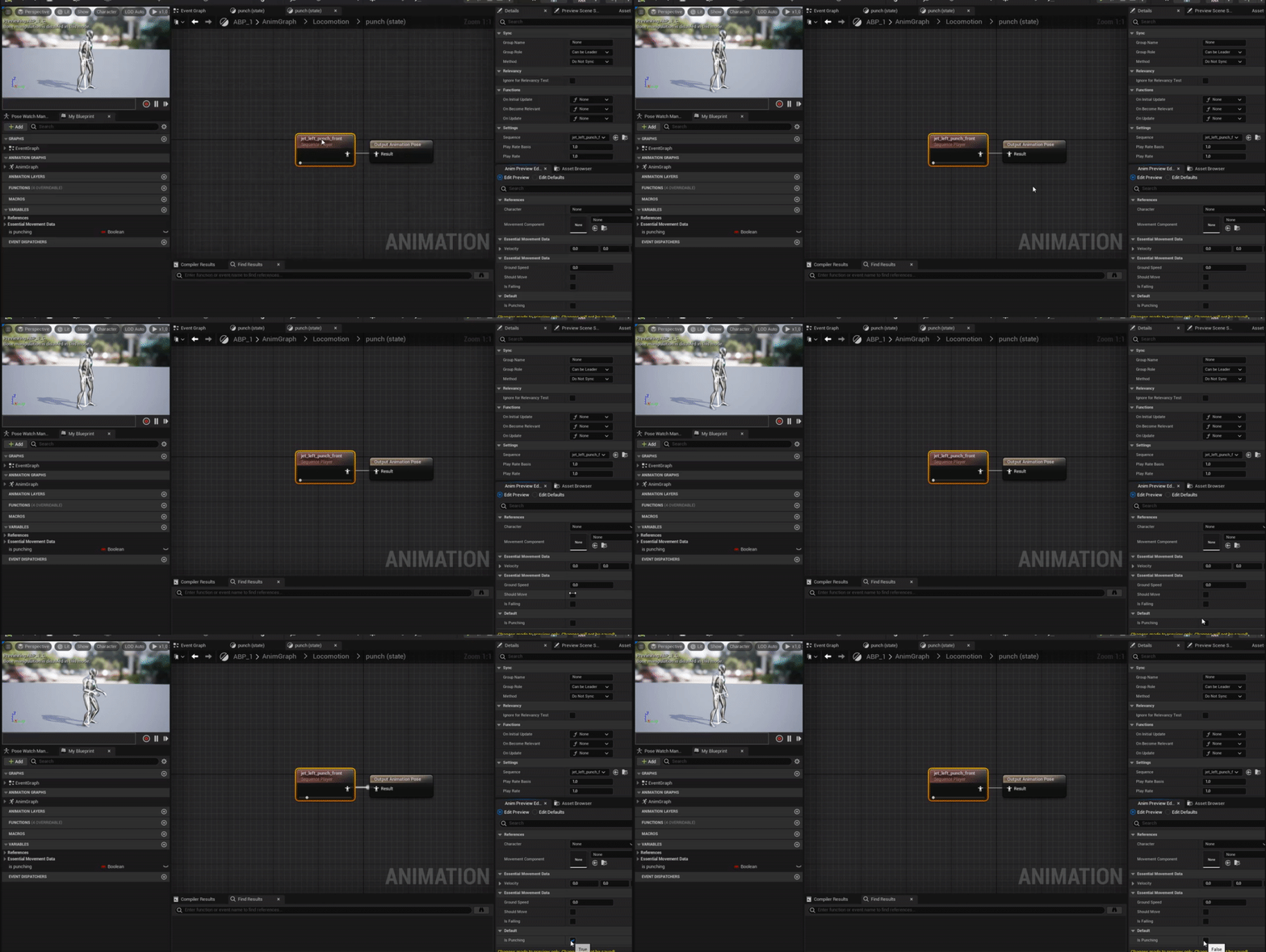
so i have this anim bp:
i use the punch animation:
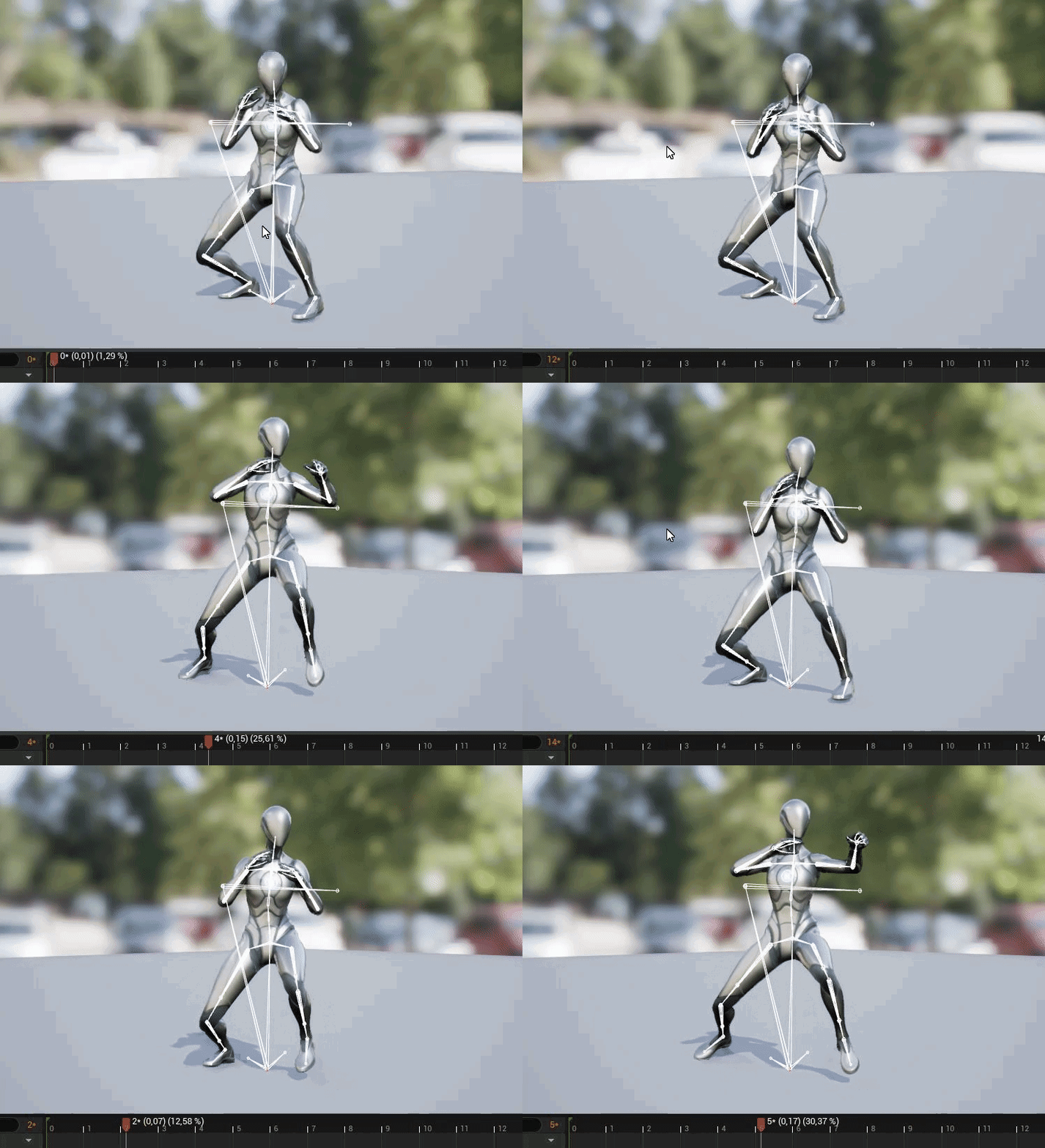
but when i use it inside the animbp it looks weird like that:
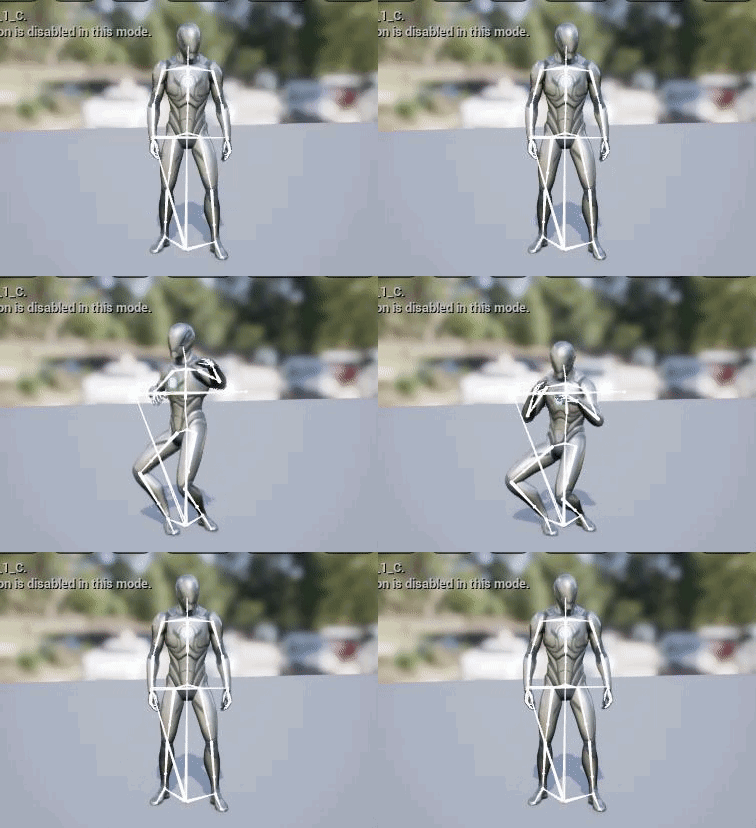
does this behaviour has something to do with blendspace?
 hollow wagon
do you need bones to create a control rig? (i'm basically have a robot)
vast hare
i know i had seen this issue sometimes, but cant remember if i ever solved that issue
 stone harbor
Hi everyone. I'm trying to simulate a collision between a truck and the standard mannequin. The mannequin is walking and at the end of the path i'm enabling the ragdoll mode. But i got this strange result. Does anyone know what could be the problem of the ragdoll? why it keeps moving and bouncing around. (I'm on UE5 ). Thanks
 red sage
HI guys, i need a little help here? please some one
How i can make this trails in animation, in siquencer?

Car drives through mud, and leaves this trails. But its not car simulation, simple static mesh in sequencer
 rare venture
Yo so like in a gamedev workflow, is it okay to have models that consist of multiple meshes?
Like for example, a gun. Is it okay to have a asset that consists of like 3 separate meshes, the stock, body, and barrel?
 strange nebula
lone wadi
how to correctly calculate the Locomotion Angle so that the animation of the cha...
strange nebula
lone wadi
how to correctly calculate the Locomotion Angle so that the animation of the cha...
Literally couldn't have set this up any worse. Why are you using a blend space with orientation warping?
 elfin axle
so guys
i want to make the character stay at the end pose of an animation when its done, how can i achieve that?
arctic fern
I'm trying to add an additive animation to my animations but for some reason when the animation activates the whole character (or just the upper body) shrinks until you can't see it anymore
 mortal scarab
jo guys i just tried to add the metahuman control rig to my character but somehow only the head is working properly the other contols are stuck at the feet of the charakter and arent appying to any bones. Does anyone know how to fix that?
 dark light
rare venture
Like for example, a gun. Is it okay to have a asset that consists of like 3 sepa...
dark light
rare venture
Like for example, a gun. Is it okay to have a asset that consists of like 3 sepa...
That's extremely common fwiw, i mean, that's what games with modular weapons or that let you take bits on/off often do. Gmaes with character creators are often 5-10 different meshes held togehter via a parent object telling it where the head/arms/body should be each frame to look like one part.
There's def ways to do it wrong or do it right, and the details of implimentation vary (and i'm not super up to speed on them atm), but that's usually fine.
rare venture
Okay good I was just making cuz I used to merge all my things into one asset but was then confused how to animate and stuff
so yeah thanks for the response!
dark light
yeah, i'd presume you'd stick all the parts to a root and move the root around as needed, with the children objects just inheriting it's location or moving in local space if needed.
Howdy, just wanted to quickly confirm something before i chase an issue down. In ue4, this chunk of code woudl cause an ai to move around and also animate. However in ue5, the model just slides. I'm presuming that something changed about animation input, and i need to edit the velocity or somesuch?

 regal orchid
Anyone ever experience a root motion animation not being centered when you enable root motion? Where the gizmo is the actual origin. If I disable root motion in the asset the character does start from the local origin. But not when enabled.

Hm seems like it isn't the animation but the asset itself that I screwed up.
Oops!
rocky remnant
regal orchid
Hm seems like it isn't the animation but the asset itself that I screwed up.
I think you used blender... It's the rigging issue...
regal orchid
rocky remnant
I think you used blender... It's the rigging issue...
I used maya but it was just a minor issue. I just assumed it was the animation that was broken and not the skeleton itself.
rocky remnant
@regal orchid i can rigg character to ue4 and 5 if needed.
The issue is with your rigg.
mortal scarab
Hi I just got a character from mixamo inported and I like to animate it with a control Rig. Can Anyone tell me what the fastest way to do that is?
keen minnow
Hi can anyone help? I am trying to bring a character animation from cinema4D (mixamo skeleton) to UE5 but the hands keep having weird flipping. Does anyone have any suggestions?
 grand whale
Hey everyone! im trying to use the new IK retargeter, but no mater what I try I cant seem to get the ik goals to transfer rotation from the source goals to the target, is this intentional or am i missing something?
crystal imp
Could somebody please, for the love of god explain to me what is going on here with my Root motion Animation? I've tried everything to fix this and looked everywhere for answer's but I'm at a complete loss...I've spent the past week trying to figure out a solution to this issue
The problem is that when I force root lock on the 90 degree turn animation it begins turning 180 degrees
I retargeted it in iClone 8 and it looked fine in Blender after exporting it from Unreal Engine, it's an ALS animation
I was trying to fix them all in iClone 8 so that I could import them back with my character and replace the ALS animations with the fixed versions I made.
elfin axle
elfin axle
i want to make the character stay at the end pose of an animation when its done,...
anyone?
crystal imp
elfin axle
anyone?
Drag the Animation out, right click and 'Convert to Single-Frame Animation then put the number in parentheses that shows up on that animations timeline into the field labeled 'Explicit Time'
You'll have to decide how you handle when and how it play's that, more then likely you'll want a state machine and you'll have that play after that if the State Weight == 1
There's probably a better way to handle this put since no one here is answering you I figured I would offer something at least
The State Weight will == 1 when it's fully blended into that state
 soft crown
Is there a way inside animation blueprint to tell it to reset all non looping animations so they can play again? or even just one at time is fine.
elfin axle
crystal imp
There's probably a better way to handle this put since no one here is answering ...
thx man!
 vivid roost
Is it possible to make an empty animation of a particular length? I need something I can use for anim notifies
ashen junco
vivid roost
Is it possible to make an empty animation of a particular length? I need someth...
You could have some control rig, sequencer and just keyframe same pose from one frame to another
vivid roost
I need a proper animation montage, not faking it with sequencer.
I need to use the timing for anim notifies, adding the actual bone movement later.
ashen junco
vivid roost
I need a proper animation montage, not faking it with sequencer.
Control Rig is the key to baking it to anim sequence asset
vivid roost
Control rig?
 ripe oak
Hi folks, I've tried finding this on YouTube, Docs, the FAQ here, but I'm stumped getting my actor to keep running (looped run animation in sequencer) in the one direction instead of returning to his original position and running again. I know this is going to be something basic but I can't for the life of me find it.
ripe oak
Just changed it to an in-place animation and eyeballed the movement in
 small leaf
Hi there! Stumbled upon a particular issue in which SkeletalMesh's animation ends between the frames when put in LevelSequence Editor. Has anybody experienced this before and if so, is there some kind of documentation I can look up anywhere? Since I really can't find an answer as to why it happens.
Edit: Yes, the start of the animation track is not misaligned, it starts at the 0 frame.
 crystal imp
elfin axle
thx man!
crystal imp
elfin axle
thx man!
For sure
 carmine berry
Can I get a IK rig solver into a control rig? I can't get an IK limb solver in control rig and moving stuff around in the control rig seems to work so much differently than in the IK rig
 frigid hamlet
Anyone with experience with RIG for FootIK to step on slopes let me know. I have essentially followed a tutorial and everything looks perfect.. However, even though my Character mesh matches the Control Rig I cant verify its affecting the spawned character through that mesh. It also shows in the animation blueprint also using that same character mesh/skeleton that the default rig is bypassed and mine is selected... However if I try to trace my Rig live in debug nothing shows and it also does not seem to be working or effecting my character once I hit spawn and my pawn/character walks around the world..... Please PM if you have 5 minutes to help me its been a long night and I am sure its something simple. No one really covers how to apply a rig to different characters with the same skeleton or its my lack of understanding of how to control what exact character instance is spawning in outside the project settings and pawn/gamemode controls which sometimes show all available meshes and sometimes does not. Happy to share screen in lobby too.


Ty in advance.
 rocky barn
Ok can someone really quick help me with a learning path? I just came out of first hour in animation and wish to work my way up to working with control rig and IK, what courses would help me best make this transition?
Where should I look into next?
frigid hamlet
rocky barn
Where should I look into next?
Youtube of course is chalk full. Even in UE5.
But you may get stuck as I am without someone to actually ask it's a stop and go process as you work out your own bugs.
https://www.youtube.com/watch?v=x6eehFvJGBs I have found this newb friendly =]

https://www.patreon.com/UE4tuts
Control Rig allows you to create custom controls on your imported skeletal mesh in which you can generate new, or modify existing animations within the Unreal Editor.
In this video i'm using Control Rig Full body Ik for Character Locomotion.
00:00 Intro / End Result.
00:45 Creating Control Rig Asset.
02:40 Creatin...
rocky barn
thank you for the link, I'll check it out
 unkempt echo
Guys i have a problem with camera shake. When i stop moving, the camera shake starts blending out. So when i start moving again while the camera shake is in the process of blending out, it snaps right back into the start of shake. How do i make the transition smooth?
misty dagger
Hello wonderful people,
I want to play level sequence on keyboard action. The problem is that I only can play a sequence that is open in editor. I'm using this method to do that https://docs.unrealengine.com/5.0/en-US/play-cinematics-from-blueprints-in-unreal-engine/
How do I set up a sequence before playing it that it would not need to be open in editor (I want to play multiple sequences on different clicks)?

Illustrates how to trigger a Sequence from an in-game event.
keen minnow
oh my god
is this a common glitch to have UE just CRASH when you create a new animation sequence
bc it keeps happening and is in fact WORSE after this update
i hope its not just me bc then its my drive malfunctioning or something
vapid glade
Hey i need some help with my IK, as you can see the rotation is right but the location is not near right. Does anyone know why? Im very new to ik so yeah


 vapid glade
hm okay weird, Now the location works but not the rotation
 modest cargo
i have 2 identical face skeletons.
one has morph targets, the other does not
can i retarget facial morph targets between them?
 waxen jungle
Sorry, in a rush.
I am trying to animate a character using the sequencer for the first time. I've added the animation track and selected the animation but the character hasn't left his default pose and he isn't moving when I play
 ashen junco
modest cargo
i have 2 identical face skeletons.
one has morph targets, the other does not
c...
ashen junco
modest cargo
i have 2 identical face skeletons.
one has morph targets, the other does not
c...
No, even the name has to be matching (I think)
ashen junco
carmine berry
Can I get a IK rig solver into a control rig? I can't get an IK limb solver in c...
If said solver doesn't have Control Rig node, then no.
modest cargo
ashen junco
No, even the name has to be matching (I think)
thanks
thankfully my project doesnt require it
vivid roost
I have an animation that is 3.5 seconds long. How can I edit a montage that contains it to last only 1.5 seconds? I'm okay with cropping it.
vivid roost
Found it. I can open the Details panel to set the end time.
 tranquil lark
I have a weird issue. I just replaced the model for my main character. Uses the same skeleton. Now, when the model has the spear weapon, it slowly drifts away from the model. No code has changed. It's like it's just leaving the socket. Any ideas on what could be causing this?
ashen junco
tranquil lark
I have a weird issue. I just replaced the model for my main character. Uses the ...
How does the spear being attached?
tranquil lark
ashen junco
How does the spear being attached?
Attach to socket
Sword doesn't do this.
ashen junco
And by drifting away, you mean it shifts over time even if the anim is looping?
 frigid hamlet
Anyone with experience with RIG for FootIK to step on slopes let me know. I have essentially followed a tutorial and everything looks perfect.. However, even though my Character mesh matches the Control Rig I cant verify its affecting the spawned character through that mesh. It also shows in the animation blueprint also using that same character mesh/skeleton that the default rig is bypassed and mine is selected... However if I try to trace my Rig live in debug nothing shows and it also does not seem to be working or effecting my character once I hit spawn and my pawn/character walks around the world..... Please PM if you have 5 minutes to help me its been a long night and I am sure its something simple. No one really covers how to apply a rig to different characters with the same skeleton or its my lack of understanding of how to control what exact character instance is spawning in outside the project settings and pawn/gamemode controls which sometimes show all available meshes and sometimes does not. Happy to share screen in lobby too.
Ty in advance.
tranquil lark
So - I just reverted back to the old mesh and the issue persists. No idea how it wasn't showing before.
@ashen junco Found the issue. The Spear has a projectile component. When simulation is enabled, it'll do this drift.
ashen junco
tranquil lark
<@325627930484932608> Found the issue. The Spear has a projectile component. Whe...
Ah, figured.
Yeah, you could have just the static mesh, and then swap it with projectile when the character throws it
hollow wagon
creating a control rig, my model is jumping in position when i hook up the ControlTransform to the BoneTransform...any suggestions?
hollow wagon
okay i see whats going on now, how can i change the default root bones position?
tranquil lark
ashen junco
Ah, figured.
Yeah, you could have just the static mesh, and then swap it with pr...
I just turn on/off the simulation as needed.
misty dagger
How can I switch between BS_IdleWalkRunSide and Sprint based on IsSprinting? Is there a node for this like Branch?:

Solved it by creating another StateMachine within
arctic fern
Okay, I've realized I can save a ton of time that would otherwise be used setting up IK Rigs by just using the included IK Rig for the UE4 skeleton for the IK Retargeter when retargeting animations from what is basically an identical skeleton, the results from what I can tell are pretty much perfect
 mighty otter
Yo, i've setup a punch animation montage. Retargeted a mixamo anim. Everything works as intended except that the feet jumps up from the ground during animation 😅
Anyone have any thoughts on this issue ? 🙂

 hollow wagon
Can you drive a morph target through a Control?
 remote spire
I'm trying to import anims from blender to ue4 but keep getting a 'can't find bind pose' error.'
frigid hamlet
How do you add in the rotation variable to get character lean to activate, I already have the blendspace but lack the code or how to hook it up in UE5

Tried to plug it in the old wayish but unsure how to do this in the new default Manny mannequin. Then plug in the rotation to the overall blendspace.
 modest cargo
hollow wagon
Can you drive a morph target through a Control?
modest cargo
hollow wagon
Can you drive a morph target through a Control?
a control...what?
like control rig? or sequencer control? or anim BP?
rocky remnant
mighty otter
Yo, i've setup a punch animation montage. Retargeted a mixamo anim. Everything w...
Instead of retargetting rigg character to UE4 or UE5 Skeleton. because retargetting have so many issues...
 jolly hatch
Help! I have been trying to solve this frustrating issue for weeks ,. I got my metahuman to track this box . by setting the crtl_C_EyesAim TO ITS LOCATION. works great Until I move the MH from the world origin. then it breaks . Strange thing is up down works fine still . just left right seems to be based on world origin ( video of issue: https://youtu.be/C6czUmgPsRQ Really need to solve this or I will have to scrap this idea 😦

 split parcel
hi i am trying to make an animation for my level sequence yet i have this error sog does exist and is currently the white cube for now. So i do not understand this bound missing issue
 ashen junco
hollow wagon
Can you drive a morph target through a Control?
ashen junco
hollow wagon
Can you drive a morph target through a Control?
Assuming it's control rig, yes.
misty dagger
Hi everyone. How are yall?
Anyone sufficient with root motion issues??
Made a ticket but no replies
crystal imp
 misty dagger
crystal imp
https://youtu.be/DnhRTDzQQYg
misty dagger
crystal imp
https://youtu.be/DnhRTDzQQYg
Hi there depredor. You have any ideas about root motion??
Simply: after animation finishes, character goes back to starting position. So i activate root motion on the animation, but nothing works
So stuck for more than a week. Dozens of tutorials and unanswered tickets
I was asking on discord a few times, nobody seems to wanna touch the subject
ashen junco
misty dagger
Hi there depredor. You have any ideas about root motion??
Simply: after animatio...
Does the root motion works at all?
ashen junco
misty dagger
I was asking on discord a few times, nobody seems to wanna touch the subject
Well, you started with "anyone sufficient with root motion issues" instead of asking the issue directly
misty dagger
ashen junco
Does the root motion works at all?
Thanka for reply! Yes, it actually does. In the animation i see the root bone following the character.
But when i play it in the sequencer, my character walks around (its a walk around thinking animation from actorcore). So he walks, when animation finishes, he flies back to original position.
ashen junco
misty dagger
Thanka for reply! Yes, it actually does. In the animation i see the root bone fo...
Okay, I mean, is the root motion really moving root bone and extracting root motion actually moved the actor?
crystal imp
misty dagger
Hi there depredor. You have any ideas about root motion??
Simply: after animatio...
Yeah So I don't know much about root motion animations but I know that so far iClone 8 / CC4 and the Lyra Control Rig are all screwing them up....that's about all I know
The only method I have found that doesn't break them is the FK Control Rig built into sequencer
misty dagger
ashen junco
Okay, I mean, is the root motion really moving root bone and extracting root mot...
Yes
crystal imp
The Only problem with the FK Control Rig is that it's extremely painful too work with.
Also I can tell you that if your retargeting them in UE5 the Root has to be set as the Root on both IK Rigs
misty dagger
crystal imp
The only method I have found that doesn't break them is the FK Control Rig built...
Mmmm interresting. I was also reading ue5 has a bug with it. One solution was to activate root motion in the animation, then export the animation as a new one and retarget it. That did not solve my problem. Instead the character does the animation while staying in place. So it might work for you. Because it does make a difference...
misty dagger
crystal imp
Also I can tell you that if your retargeting them in UE5 the Root has to be set ...
I see...its annoying as all hell for sure. Been stuck for a week. Watched 50 tutorials...nothing
crystal imp
misty dagger
Mmmm interresting. I was also reading ue5 has a bug with it. One solution was to...
I'm not sure that's UE5 though, I tried exporting them from UE4.27 to Retarget in iClone 8 and I still had the same issue...at least in their case it's a software bug
crystal imp
misty dagger
I see...its annoying as all hell for sure. Been stuck for a week. Watched 50 tut...
Yeah these Root Motion issues have driven me to the edge of Insanity
misty dagger
crystal imp
I'm not sure that's UE5 though, I tried exporting them from UE4.27 to Retarget i...
Damn. Terrible 🤣
crystal imp
I'm in the same boat as you
I've retargeted, setup, and replaced every ALS animation with retargeted and fixed animations....but the Root Motion animations have not been working
It was only about 2 hours ago I realized that the Lyra Control Rig was also screwing them up
misty dagger
Right, im about to turn my laptop into cereal with a blender and eat it while listening to my little pony songs. Its a spirit killer 🤣
crystal imp
For sure, finding anyone that knows jack about Root Motion animations and resolving issue's with them is practically impossible
misty dagger
crystal imp
I've retargeted, setup, and replaced every ALS animation with retargeted and fix...
Man, im just gonna play around more with it myself. If i find out anything, i will update you
crystal imp
it's almost like Root Motion animations are some kind of Insider Secret
crystal imp
misty dagger
Man, im just gonna play around more with it myself. If i find out anything, i wi...
That would be great
misty dagger
crystal imp
it's almost like Root Motion animations are some kind of Insider Secret
Noooobody wants to touch it. I saw you had issues in the convo history so i reached out. Thanks for replying bro
crystal imp
misty dagger
Noooobody wants to touch it. I saw you had issues in the convo history so i reac...
For sure, I've been asking around on forums and all over the place and I have yet to find one Root Motion Animation question ever answered....and I've found some that are around 7 years old
ashen junco
misty dagger
But when i play it in the sequencer, my character walks around (its a walk aroun...
So it's for cinematics?
misty dagger
Well, at least with these types of issues, in the end when you DO find the solution, youll be the expert on the subject.
crystal imp
misty dagger
Well, at least with these types of issues, in the end when you DO find the solut...
Yeah, I can only assume no body knows much about them and that's why you can't find help on them.
misty dagger
ashen junco
So it's for cinematics?
Actually yes! Not for character controlling. Im just making an in game cutscene
ashen junco
misty dagger
Actually yes! Not for character controlling. Im just making an in game cutscene
I guess one way to do it is to relocate the player to where it's supposed to end up.
misty dagger
ashen junco
I guess one way to do it is to relocate the player to where it's supposed to end...
That would work, if not i need few animations after each other
misty dagger
crystal imp
In that case have you tried Recording in World Space?
Mm...im going to screw around for sure
crystal imp
misty dagger
Mm...im going to screw around for sure
Yeah when I get to this point I just start punching buttons randomly to see what happens.
misty dagger
crystal imp
In that case have you tried Recording in World Space?
One question to debug a little here.... You also use metahuman??? Or you have the issues with anything?
crystal imp
misty dagger
One question to debug a little here.... You also use metahuman??? Or you have th...
Nah, I'm using Character Creator 4 Chars, and I'm trying to retarget and fix IK bone placement
I wouldn't have to if CC4/iClone8 weren't screwing up the animations...they look fine but a 90 degree left turn will turn 180 degrees when I lock my root
it's supposed to not turn at all when I 'Force Lock Root'
misty dagger
crystal imp
Nah, I'm using Character Creator 4 Chars, and I'm trying to retarget and fix IK ...
You probably know its better to first retarget them to the default unreal character right (third person blueprint)
crystal imp
I tried that
Didn't help....Even tried retargeting them to my CC4 Chars and then Exporting them
They seem to leave Unreal Engine just fine....I checked in Blender and they worked as expected
misty dagger
crystal imp
Didn't help....Even tried retargeting them to my CC4 Chars and then Exporting th...
So could you try a 45 degree turn instead?
(just thinking out loud)
crystal imp
it's when iClone 8 Retargets them that the pelvis starts rotating twice as much and the root rotates in the opposite direction to fix it
crystal imp
misty dagger
So could you try a 45 degree turn instead?
a 45 degree turn would become a 90 degree turn
180 a 360
90 a 180
I've tested it
misty dagger
Right
crystal imp
100% predictable
I can only assume that my software is messing it up
It automatically retargets animations to my characters....so it uses a setup similiar to what Maya uses to define skeletons
misty dagger
Thats the thing, if someone could point out a bug, that would at least make sense. But now we dont know
crystal imp
misty dagger
Thats the thing, if someone could point out a bug, that would at least make sens...
Yeah
misty dagger
Oh well...im going to just screw around. I will let you know. Ill keep the turning also in mind if i stumble upon it
Cheers guys!
crystal imp
misty dagger
Oh well...im going to just screw around. I will let you know. Ill keep the turni...
For sure, good luck
misty dagger
Hey, if it was too easy, we have too many devs making shitty games lol
Good luck as well man
crystal imp
misty dagger
Hey, if it was too easy, we have too many devs making shitty games lol
Lol, yeah
 dull sun
Without retargeting, is there a way to replace the skeleton for an Animation Sequence with a duplicate of the same exact skeleton?
I imported the Animation Starter Pack, but I already have a Mannequin rig in my project, and I'd like not to have to go and retarget everything for the exact same skeleton.
dull sun
Ah, I guess I can delete the "bad" skeleton and replace references with the "good" one.
Oh wow, the upperarm_l flips 180 degrees on Death_1 and Death_3. That's... not great for official content.
nimble sonnet
dull sun
Ah, I guess I can delete the "bad" skeleton and replace references with the "goo...
yeah if they're identical should be fine. it's annoying how many Manny skeletons you end up with on the marketplace
should be a rule that animations targeted to UE skelly just reference engine content
also when will we get proper animation blueprint inheritance
it gets so incredibly old rebuilding them
ionic merlin
Does the chaos vehicle absolutely need a skeleton? Or a good way to handle 1 skeleton for cars with different wheel base etc?
misty dagger
Hi folks, anyone experiencing problems with boolean operators not working in ue5 animBP? I've had == returning false when 2==2 or a couple of true in AND returning false. Same strange behaviour with OR. And I could not find a way around it.
 misty dagger
Guys im having some problems with animating a cat. I have bought a pack with amazing cats, but I cant seem to change their animation

it just stays idle

And I have this animation
ashen junco
So you want to make cinematics with it?
misty dagger
yes
I use blender for all my work, but i started using unreal and the workflow with characters is soooo different
hollow wagon
ashen junco
Assuming it's control rig, yes.
Yes trying to activate a morph through a control rig. do you have a link or pic of an example?
ashen junco
hollow wagon
Yes trying to activate a morph through a control rig. do you have a link or pic ...
hollow wagon
thank you kindly!
misty dagger
FIGURED IT OUT! 😄 I had to use the cat control rig, not the character
hollow wagon
also for a control rig or bone manipulation...is there no other way to restrict a rotational axis (between 0-30 degrees) than with physics?
misty dagger
Is there a way to make the transition between two animations smooth (in the sequencer)?
so like, I have a cat that is idle lying down, and I want him to get up without the animation jumping from one stance to the other
ashen junco
misty dagger
Is there a way to make the transition between two animations smooth (in the sequ...
Just have them overlap for few frames on each end
misty dagger
ashen junco
Just have them overlap for few frames on each end
I have tried that, but it still has some weird jumps
Am i doing something wrong?

 rough wasp
When we play animation of stealth kill camera doesn't follow the character or uh can say it doesn't stick wid the character model....ANY FIX??
Your help would be appreciated
lone wadi
how to make control rig work with root motion animations?
dull sun
nimble sonnet
also when will we get proper animation blueprint inheritance
Yeah I got a taste of that trying to get several guns to follow the same set of anim rules.
Problem is, they have different skeletons, so I have to do some very cheaty things with the base ABP in order for the children to work right.
 trim verge
Guys how do you retarget in UE5. I tried creating chains but fingers dont follow
 warped sapphire
For some reason when i try to play a montage, it plays but just barely. my character is supposed to fully swing their arm but for some reason they just twitch their hand a little and then the montage ends. what am i doing wrong?
ashen junco
warped sapphire
For some reason when i try to play a montage, it plays but just barely. my chara...
Either montage used wrong slot, or the slot applied to incorrect layered blend per bone
warped sapphire
ashen junco
Either montage used wrong slot, or the slot applied to incorrect layered blend p...
blend pose 0 is set to spine_01 (default mannequin). i dont see what's wrong here


 lean tiger
Hey all,
Do you know if there is a way to either scale the controllers of a rig or force them to be in front of the mesh ?
I'm using the mannequin rig for all our ennemies but when they get too big, the controls are hidden and it becomes a pain to animate


 opaque nest
Where do I find Unreals standard skeletal rig?
(I would like to be able to retarget the rig manually for my character in Blender)
warped sapphire
ashen junco
Either montage used wrong slot, or the slot applied to incorrect layered blend p...
okay it might have to do with the fact my mesh is clipping trough the ground in the montage
 dull sun
opaque nest
Where do I find Unreals standard skeletal rig?
dull sun
opaque nest
Where do I find Unreals standard skeletal rig?
It's called "UE4_Mannequin_Skeleton"
If you created the project empty and it's not there, you can add this starter pack, which includes the mannequin skeleton:
https://www.unrealengine.com/marketplace/en-US/product/animation-starter-pack?sessionInvalidated=true

Unreal Engine
a Fantastic resource for prototyping your next project or getting your next mod up and running.
Oh and I guess UE5 probably has a new mannequin skeleton, now that I think about it
opaque nest
dull sun
Oh and I guess UE5 probably has a new mannequin skeleton, now that I think about...
I wonder if that will end up supporting more animations on the market place anytime soon though
I mostly just wanna use the Unreal rig to be able to use premade animations
I cant quite seem t ofind the export button in UE5 🤣
Does anyone know where it is?
 tall inlet
Its the animation, or the arms of new mannequin are different? Elbows are weird
 warped sapphire
for some reason my montage fully plays when i reduce the playrate to 1/10th, but it doesnt work at normal playrate
what could i be doing wrong? this is driving me insane
oh, it was blend time -_-
set it to 0 and now it works
which brings me to my next question: how can i set up an animation so it blends with another animation based on variables?
for example, i have an attack animation that either blends into a miss or a hit animation based on if the attack actually connected during the swing
misty dagger
There's something wrong, I'm trying to retarget animations from UE4 skeleton
dull sun
misty dagger
There's something wrong, I'm trying to retarget animations from UE4 skeleton
does it have anything to do with this thing?
 tall inlet
The IK and retargeting are a pain in the ass
almost disabling the IK
Why in the AnimBP the legs are bending?

Only unreal animation works, all animations I have for like 10 packs
none of them work and bend the legs using IK
animation sequence file
 misty dagger
dull sun
does it have anything to do with this thing?
misty dagger
dull sun
does it have anything to do with this thing?
I may have fixed it by using this option on the source and target bones

 dapper pelican
Trying to retarget my animations in unreal 5 using packs I have paid for and they're not working anybody have a clue?
My character's body is turned inside out and I can't figure out what's wrong
 woven rose
Hello, I have a problem with a sword attack montage. When my character attacks the montage doesn't play all the way through but instead goes from the beginning to about mid swing an starts looping. Anyone have a clue what's wrong?
 merry loom
lean tiger
Hey all,
Do you know if there is a way to either scale the controllers of a rig...
merry loom
lean tiger
Hey all,
Do you know if there is a way to either scale the controllers of a rig...
try shift + “=” ?
 flint thorn
Hey guys. UE5.0.2. I cannot drag just one of the animation poses

I've tried to re-create it but not working
 scenic plume
how can i make different skeletons use same animation bp?
i have 2 difrent skeletons i retargeted and duplicated the bp it works wonderfully
other than the animation bp being a difrent file
could i make the original anim bp work with the new retargeted skeleton?
can i retarget anim bp without duplicating?
ashen junco
scenic plume
how can i make different skeletons use same animation bp?
i have 2 difrent skele...
Unfortunately no, at least not withot making anim instance subclass in C++ (which I have no idea about yet)
AnimBPs are bound to one skeleton
scenic plume
ah thats such a shame cause the only issue is the spine bone
flint thorn
Do you know why I cannot see Base Pose input?
 tall inlet
output pose
misty dagger
I'm using autorig pro to place the skeleton but when exported to UE5 the model gets a little messed up in some parts, is separating the materials while ringing the bones should solve this?


 flint thorn
tall inlet
output pose
flint thorn
tall inlet
output pose
But I need input pose
 daring reef
Am I able to animate the player's followcamera to move from place to another?
Like in Subway Surfers when you start the run in the mainmenu
hollow wagon
I have two controls, red = GetTransformControl and SetTransformBone these are adjusting the Red wheel assembly, yellow = GetControlVector2D, this is adjusting the yellow Treads. Is there a way to tie these two together so when I move one the other moves with it? Hopefully you understand what I'm trying to say and can help.


 formal chasm
Currently brainstorming some things. Im interested in creating a mecha type rig that is based on modular skeletal components. The catch is, I dont think I will be able to map a singular skeleton to it, due to the fact that different components will have different physical sizes that would impact the skeleton. The meshes will, however, be able to have the same number/named bones. How should I lay this out logically? Should I actually, in this case, have multiple skeletons relating to each individual part/component?
warped sapphire
excuse the awful recording, but could anyone please point out why my animation glitches out towards the end?
ashen junco
Okay, not scaling, that's a bad idea
ashen junco
formal chasm
Currently brainstorming some things. Im interested in creating a mecha type rig ...
If you build said mecha by attaching static meshes, you could move the bones to fit into the proportions and call it a day.
formal chasm
ashen junco
If you build said mecha by attaching static meshes, you could move the bones to ...
that sounds like it would work fine for a static pre-determined setup, however the idea here would be that it would be that the engine would have to be able to compose them somewhat programmatically. player picks up new legs, going from say a long and slender to short and stubby, the final skelly would be need to be recomputed.
hollow wagon
I got mine to work with a Set Relative Transform!
halcyon sail
trying to use the control rig by following epic tutorials but I keep getting some really weird stretching happening. Anyone else have this issue?
 halcyon sail
trying to use the control rig by following epic tutorials but I keep getting som...
halcyon sail
halcyon sail
trying to use the control rig by following epic tutorials but I keep getting som...
if anyone else runs into this issue, this was fixed by setting my primary axis' x to -1 instead of 1
 radiant gorge
just a quick question if i may, since updating the engine source to 5.0.2 no control rig i have will stay compiled. even if i make a new simple one, compile -> save -> close, after i reopen it then it needs to be compiled again... is anyone else having this issue?
 blazing wave
I'm sure im the millionth person asking this but has anyone found a solution to get root motion on retargeted animations to work the same as it did in UE4? Everything I retarget never get root motion applied correctly now. I did realize checking it on and off in the animation doesn't do anything in the viewport but in game it works. But even still it doesnt seem to be working correctly.
blazing wave
Honestly the best thing Ive found is just to retarget in UE4 then just copy the files over to the UE5 directory I want.
radiant gorge
radiant gorge
just a quick question if i may, since updating the engine source to 5.0.2 no con...
in reply to my own issue: looks like it appears to be an issue even in a new ThirdPerson project out of the box too.
ashen junco
formal chasm
that sounds like it would work fine for a static pre-determined setup, however t...
Yes, I mean you offset the transforn in animBP after the pose.
 heavy hedge
How do I detect if an animation is interrupted without using "Play Montage" node? It seems "Play Montage" stops all montage with no boolean to disable that behavior. I'd like to play a montage without stopping all existing montage, and to detect if it's interrupted.
 heavy hedge
Figured it out, used the "On Montage Blending Out" dispatcher event in the anim bp

 devout spade
is it just me or adding an additive frame to a sequence breaks the montage .... ?
 plucky osprey
Hey everybody. Has anyone had an issue with aim offsets in UE5 jumping all over the place as if the offset is being reset and reapplied every tick?
 ionic swallow
I'm trying to add a notify at the end of the last frame of a segment in a montage but it gets linked to the next segment in the montage (unless it's the last segment, of course). Is there any way to fix this? Specify the segment explicitly?
 weak acorn
I've downloaded animations for a parkour tutorial I'm following but they don't actually work like they do in the video, they're all frozen like this, the video was meant for unreal engine 4 and I'm using unreal engine 5, is this the problem?
 ionic swallow
I'm trying to add a notify at the end of the last frame of a segment in a montag...
ionic swallow
ionic swallow
I'm trying to add a notify at the end of the last frame of a segment in a montag...
Worked around it by adding an extra frame at the end of the animation.
 sharp trench
Howdy fam - I'm trying to create a control rig setup with logic that does both forward and rig inversion at the same time, is this possible? [4.27]
- Currently, I'm using the Forward Solve method > Get Joint Transforms > Set Control Transforms (such that the controls follow the animation clip in sequencer)
- Then trying to pipe that through a traditional Forward Solver with the IK logic - so I can animate additively
My goal here is to avoid baking the animation clips to the control rig track before working additively, and backwards solving only works when baking. And by stitching getters and setters in the same solver the circular references make the character implode on itself
I've tried messing around with Interaction Rigs and Basic FK Control Rig and I've even seen references to an additive control rig that looks to be deprecated which sounds interesting
Curious if anyone has created a similar kind of setup, or has any suggestions for rabbit holes to go down
TIA ❤️
 leaden pecan
Hi guys, an animation newbie here, I have a system where I have a combat mode and an exploration mode. In combat mode I have the character strafing Always rotated towards the enemy, in non combat I have the character that explores only with the forward locomotion anim, orientating its rotation to movement.
Yesterday a friend of mine gave me some new animations with root motion but I can't manage to Build the Anim Bp. I havent find any good docs or tutorials that can help me, can someone point me to one of those or point me towards the good direction?
I kind of know how to do the combat mode with the input values in a blendspace but i wonder if that's the good way, no clue for the exploration part though.
Sorry for the Wall text :) and thanks in advance
 vale magnet
Does anyone know how hard would it be to retarget animations from the old UE4 Mannequinn to the new Manny/Quinn in UE5?
warped sapphire
is there a way to smoothly blend animations in a montage so they dont snap? or between multiple montage nodes?
autumn venture
Hi all, quick question. Can the Blendspace Player node be used with a variable for the blendspace? When I am in my AnimBP it only wants to let me place "pre-typed" player nodes. But I did find this blog which seems to show what I'm looking for: https://arrowinmyknee.com/2020/04/13/cache-blend-node-in-ue4/
Noah Zuo's Blog
This article is about the cache blend node that I created in UE4.
Maybe his Blendspace Player node is a custom one?
I have a very simple anim blueprint with a single locomotion blendspace and trying to reuse it with multiple skeletons using child BPs with just variable changes. So I wanted to make the blendspace a variable and feed it into the anim bp that way.
The Blendspace Player is the only node in my whole anim BP which is specific to a skeleton and blocking me from doing this.
lean tiger
merry loom
try shift + “=” ?
This only works inside the Ctrl rig window unfortunately not inside the sequencer, so if I scale the gizmos to the big mesh then they become too big for the normal mannequin
 mighty roost
does anyone knows how to fix this kind of issues when retargeting in Ue5?
The root is not moving at all in this root motion animation.
 devout spade
mighty roost
does anyone knows how to fix this kind of issues when retargeting in Ue5?
The ...
devout spade
mighty roost
does anyone knows how to fix this kind of issues when retargeting in Ue5?
The ...
when using ik retargeter on the root chain make sure translation mode is set to globaly scaled
mighty roost
devout spade
when using ik retargeter on the root chain make sure translation mode is set to ...
okay, thanks!
devout spade
mighty roost
okay, thanks!
np
autumn venture
Yeah makes sense. So that is a custom node? I'm not just missing something built-in to the engine like a noob?
devout spade
warped sapphire
is there a way to smoothly blend animations in a montage so they dont snap? or b...
I don't think I have seen It in the default blueprint but i know in sequencer you can blend montages in a custom manner and export them as sequences
devout spade
autumn venture
Yeah makes sense. So that is a custom node? I'm not just missing something built...
scratch that It does let you promote to variable and change binding
autumn venture
the normal Blendspace Player node does?

this is what I'm seeing. It's a weird node because it doesn't have an input pin for the blendspace itself
devout spade
autumn venture
I thought you meant this one
 autumn venture
yeah.. how do i get that one 😄
autumn venture
when i search Blendspace Player it doesnt show anything except these ones that are tied to an existing Blendspace file
 autumn venture
i mean... looks like what i want but i can't see xD i knew it was something stupid
devout spade
the way he has it set up in that link is the slot is a custom function he made
instead of x and y he has y not exposed
and the x is a get refrence to I think a function he made
 devout spade
you might be too deep into the anim graph
sometmes when you get too deep into a system things don't appear
search for it in the root area
devout spade
latest version 5.02
devout spade
ooof
devout spade
sharp trench
Howdy fam - I'm trying to create a control rig setup with logic that does both f...
I don't get it why not just do a forward and backward solve to edit the animation if you did it right it shouldn't explode
you need to bake the rig with the animation to modify the animation using the rig
warped sapphire
devout spade
I don't think I have seen It in the default blueprint but i know in sequencer yo...
sequencer? could you elaborate on this?
 timber star
Hello,
I'm trying to understand and work with additive animations but don't really understand the difference between
local and mesh space additive.
I understand that local additive animation are calculate between a reference pose and a target pose which give us a delta to go from a base to a target pose.
So, if you have a base pose with a bone rotation of 10 and a target with a rotation of 30 the delta is 20 so if you apply this delta to an animation the bone will rotate by 20 is it true?
But what is the difference with mesh space additive?
devout spade
warped sapphire
sequencer? could you elaborate on this?
you can open up a level sequence drag your character into the level sequence and then add animations from there you can blend them and edit the blenduing and stuff after that just export/ bake into animation sequence
you can also do this inside an animation bluprint using nodes
warped sapphire
i need to be able to play a montage for my GAS attack ability, so i cant use an ABP. ill check out the level sequence, thanks!
devout spade
timber star
Hello,
I'm trying to understand and work with additive animations but don't rea...
from what i've read from longmire locomotion they just pivotpoints for the blending algorithms, some body part blending works best with mesh space and others with local it's a matter of just testing both see what looks better
devout spade
warped sapphire
i need to be able to play a montage for my GAS attack ability, so i cant use an ...
yea baking it should be enough, but if you need a proceedural pipeline then some play montage nodes do have a "on blending out" pin to add logic to
warped sapphire
yeah and when they blend out they reset to the idle pose for a split second
so its not working great
timber star
@devout spade so what is the pivot point in mesh space the root?
devout spade
warped sapphire
yeah and when they blend out they reset to the idle pose for a split second
hmm sounds like a bug , did you uncheck the stop other montages checkbox?
warped sapphire
stop other montages? where do i find that?
for context, im using a series of play montage nodes to play them
 devout spade
timber star
<@481051831083073536> so what is the pivot point in mesh space the root?
devout spade
timber star
<@481051831083073536> so what is the pivot point in mesh space the root?
Not too familiar with their algorithms but I'm sure if you open the engine folders you'll see what variables each property changes
devout spade
warped sapphire
for context, im using a series of play montage nodes to play them
are those custom c++ nodes? should look something like this

oh wait
since you using play montage and wait maybe that node doesn't react well when blending out?
warped sapphire
i think it tries to blend out to the idle pose and not the next montage
is there a way to make a montage hold its pose on the last frame?
devout spade
warped sapphire
is there a way to make a montage hold its pose on the last frame?
you can change that with a variable depending on your circumstance I suppose
or just have different ones
warped sapphire
err, im not sure what that has to do with holding my montage's pose
devout spade
warped sapphire
err, im not sure what that has to do with holding my montage's pose
your issue is that on blending out it blends to the idle pose right? you can change what happens there
devout spade
warped sapphire
is there a way to make a montage hold its pose on the last frame?
if you want to do that you can set a pose as a state in the animbp
warped sapphire
i dont think i can use a state machine for this since its all done inside an ability
i might be wrong though
devout spade
warped sapphire
i dont think i can use a state machine for this since its all done inside an abi...
you would just change the enum within the ability to get to that state,
another way is to loop a montage/sequence frame
devout spade

 keen inlet
~~Hello, is there anyone here that made a control rig with blender exports?
I feel like I have some settings wrong...
My imported skeletal mesh is at correct scale when it is imported with the default scaling settings.
Bur when I make a control rig and make a new control, the control is 10x bigger by default then what it is in tutorial that I follow.
I can still make a functional rig, but it is annoying to scale down every single control to 0.1 or less just so it is close to dimensions of the character and makes sense proportionally.
Did anyone else encounter similar issues?
What would be ideal export settings from blender specifically for control rig in UE5?~~
NWM seems like the unit scale was wrong, i believed that the issue with that was fixed.
vale magnet
Any ideas what might be the cause of this?

The only IKBone that is moving, is this one... and that is built in UE5 animation

and in like the opposite direction
crystal imp
vale magnet
In Unreal those bones are only constrained too the root so if your retargeting them you'll have to Modify the animation too fix their orientation and location in the animation.
I'm proud to say that I'm the first one that has done this successfully using Control Rig and I will be releasing an ALS Project where every single animation was fixed using my Control Rig for Character Creator Chars
https://youtu.be/XStCFRnnxK8

I fixed not just the hand ik bones but the ones for the feet as well
vale magnet
Ehm... it's kinda happening in every animation I try to put on that skeleton
Changing it in every animation would be kinda ehhh
Or does simply replicating your blueprint solution put the IK bones in their place?
 zenith adder
broken knee- when I bake (untouched) anim from sequencer - any ideas

 crystal imp
vale magnet
Or does simply replicating your blueprint solution put the IK bones in their pla...
crystal imp
vale magnet
Or does simply replicating your blueprint solution put the IK bones in their pla...
I tried using a procedural method and it works but will screw up any two handed hand placement that uses virtual bones such as they use in ALS.
The IK Bones have Virtual Bones attached too them so that any additive animation overlay's won't displace the hand since they aren't effected by additive animations like regular bones are
I have my Control Rig constraining all the IK bones to the hands and feet accordingly...so all you need to do is bake the animation to the control rig and save it as a new animation...that's all you have too do
for anything requiring hand placement though...it will require you to disable the auto-constrain for the IK_HandGun bone so that you can properly place it using an Additive Animation Layer on the Control Rig.
I couldn't make handgun placement procedural since it's placement will vary with the scale of the player and their hands...I may attempt an approach like that sometime but I'm not sure it will be possible since it also depends on the fingers and how they would grip the object...considering both will vary infinitely I don't see how I would be able to pull off a procedural system for that.
crystal imp
zenith adder
broken knee- when I bake (untouched) anim from sequencer - any ideas
Looks like your Leg Twist bone, probably the calf_twist_l_01 or it's equivalent is incorrectly rotated.
Considering the new rig has about as many bones as an actual human if not more....I can't be sure
zenith adder
the bone is forsure out of place its just I did not touch it
crystal imp
zenith adder
the bone is forsure out of place its just I did not touch it
May want to check your Control Rig and make sure you didn't accidentally overlook something...I just spent 2 weeks looking for my issue everywhere but in the Control Rig and the entire time my problem was with one where I set the Translation not the Transform...so my bones weren't being aligned properly...It's possible too that when you set your Controls you didn't set one of them properly
Controls are pretty sensitive so if you don't get them just right or forget to set their initial values you'll get stuff like that.
zenith adder
@crystal imp aw will do
plucky osprey
Is there anyone around that has gotten a 1D Aim Offset to work in UE5?
It keeps jittering every frame as if it's going back to 0 and resetting the pitch to match the input and I can't figure out why as I never ran into this issue in UE4.
tall inlet
after retarget, animation looks nice, but inside AnimBP the IK bend the legs, anyone know why this?
vale magnet
Check how did the IK bones come out after the retarget
tall inlet
well, how I check this?
Its happening to all my animation packs
15+ packs I have
I know is something about Ik when active
misty dagger
Hello. I'm currently working on an animation, and I need a model of a hazmat suit. i tried this one:https://sketchfab.com/3d-models/backrooms-hasmat-guy-textured-and-rigged-02a2b988c4d84074957f315a49d67d2d but for some reason the model gets cut up (for lack of better words) in mixamo. Is there any free hazmat suit models that are well detailed? thanks.

CREDIT godzillagodzillafan
BACKROOMS MAN BACKROOMS MAN BACKROOMS MAN BACKROOMS MAN BACKROOMS MAN
CREDIT godzillagodzillafan
CREDIT godzillagodzillafan
CREDIT godzillagodzillafan
CREDIT godzillagodzillafan
ALSO KANE PIXELS - Backrooms Hasmat Guy Textured and Rigged - Download Free 3D model by konstantin 0W0 (@konstantin.djorovic)
 stark wind
Hey all, I’ve been messing with the new IK Rig and retarget systems.
I’m finding the retarget pose option to be frustrating. Is there a way currently to manually input rotation values when editing the retarget pose? Or is it eyeballing it only right now? Really trying to get the retarget pose 1to1 for finger animations to retarget properly
Or loading a pose?
 pale vine
I need my rabbit to dance up and down. So just using a simple lerp of the Z.
But im doing something so complicated.
Basically, im checking with an array of bools, every time i move my rabbits up if my rabbits are above the Z limit I then send them down.
Is there a more simplistic way to do this? I feel like im reinventing the wheel.
tall inlet
You cant creat just one rabbit and make childs?
So you probably dont need array for each one
tall inlet
pale vine
I need my rabbit to dance up and down. So just using a simple lerp of the Z.
But...
If I understand correclty what you said
pale vine
tall inlet
So you probably dont need array for each one
I have an array of bools just to check when they are up, then when they are up i send them down.
just for that
leaden pecan
Hey guys, silly question, how can I tell to the state machine to wait to transition between cycle and stop only when the current loop of the cycle animation is finished? For non loop I use the get time remaining node, but it seems to not work in loop animations
 tall inlet
pale vine
I have an array of bools just to check when they are up, then when they are up i...
tall inlet
pale vine
I have an array of bools just to check when they are up, then when they are up i...
Yes, this is just code right? So better move your question to #ue5-general. Send a SS its more easy
you can use flipflop I think
pale vine
tall inlet
Yes, this is just code right? So better move your question to <#8465203226424115...
Okay. I did it. Here it is:
https://blueprintue.com/blueprint/4afwrlxk/
You see how overcomplicated it is and spaghetitious?
Im just dancing my rabbits up and down on the Z. I kind of wanted to avoid using the boolean array and all the silly stuff 😵💫

No description provided
 slate tartan
So, anyone have suggestions to smooth the transition in a 2D blend space?
 regal lynx
Can someone help me create a sprinting and sword slash animation?
 broken oracle
Hi, can someone help me understanding what "Update Idle State" does on update? It's Lyra's Project Base AnimBP

This is inside the function

I tried reading the documentation, but couldn't figure it out
This is the docs related to the function, can someone explain me that values and inputs?
 sharp trench
devout spade
I don't get it why not just do a forward and backward solve to edit the animatio...
sharp trench
devout spade
I don't get it why not just do a forward and backward solve to edit the animatio...
Apologies for the delayed response - the usecase for my desired setup is that for Cinematics\Sequencer we may be hot-swapping the source animation clip a lot.
For my workflow, It's annoying to have to: bake the animation clip down to the control rig > add the additive layer > when happy process the tracks into an new animation clip - then repeat for each animation clip that I'm "auditioning"
When for example, maybe I just want to fix the height of a foot clipping the floor across all animations that persists as we swap source clips
So in essence I want to see the control rig follow the animation during playback (backwards solve), but also have the ability to manipulate controls without baking (forward solve) - without all those extra steps when I need to be quick
Hope that helps explain things a little better
autumn venture
Hi all. I'm not an animator but trying to work with one. How do I explain to them what the UE mannequin skeleton is and how they should set up Maya to target it? Are there any Maya files provided by Epic to get started? Can't seem to find anything on Google. But I'm probably not typing the right keywords.
ashen junco
pale vine
Okay. I did it. Here it is:
https://blueprintue.com/blueprint/4afwrlxk/
You see ...
Timelines, instance transform...
How many rabbits do you have on screen?
 candid veldt
With control rig, sequencer and all other animation tools inside unreal, can you basically create animations from scratch? Meaning you don't need to import animation from an external program like maya unless you need more advanced features?
ashen junco
candid veldt
With control rig, sequencer and all other animation tools inside unreal, can you...
Yes.
candid veldt
ashen junco
Yes.
Very cool, thanks
devout spade
Unreal Engine Forums
yo I am encountering this issue as well the spine transformation movement does not bake into the animation but I can see the control transform it… trying to make a recoil animation here… smh plz fix bug soon epic… or are we missing something
anyone have a fix for this kinda thing?>
 faint veldt
Sup yall, never did animation before apart playing around and Ive got a question, can I just make quick very rough low poly arms now animate them with weapons in hands running etc etc. then down the road swap them into realistic looking high poly ones? Can I use same animations or it will break?
devout spade
faint veldt
Sup yall, never did animation before apart playing around and Ive got a question...
yes you can do that as long as the underlying skeleton is the same
otherwise you would have to retarget
 sacred cloak
So i was wondering, i have an animation but only want it to start at a certain point where i have it at, but once i render it, the animation is always playing constantly. Is there a way to fix it?
 devout spade
sacred cloak
So i was wondering, i have an animation but only want it to start at a certain p...
devout spade
sacred cloak
So i was wondering, i have an animation but only want it to start at a certain p...
move the starting and ending markers then bake it
sacred cloak
devout spade
move the starting and ending markers then bake it
thank you
devout spade
np
pale vine
ashen junco
Timelines, instance transform...
How many rabbits do you have on screen?
I have 30 rabbits. Yup thats what im doing, timeline with instance transform. But something tells me its not the best way, using the array of bools + checking every iteration for the z location.
ashen junco
faint veldt
Sup yall, never did animation before apart playing around and Ive got a question...
You could use the same animations if the skeleton is the same (if not, you can retarget it), but I won't recommend to retain the blockout animations that you make using the blockout skelmeshes.
The point of making blockout anims is to have something to use as reference for programming the logic or getting the timing in place in-context.
ashen junco
pale vine
I have 30 rabbits. Yup thats what im doing, timeline with instance transform. Bu...
I'd say that's the most janky way of doing it
It depends on whether it's important to drive gameplay or not. If you have the rabbits just as visual representation and not driving the gameplay, you could have them as Niagara crowd. Otherwise, if they drive the gameplay, best thing you can do is to use animations. And if you're in doubt with the performance, always profile.
sacred cloak
devout spade
np
sorry to ask again, by chacne is there a tutorial that you know of for doing this? Im new with these as i usually work with blender keyframes
devout spade
sacred cloak
sorry to ask again, by chacne is there a tutorial that you know of for doing thi...
Hard to find tutorials on sequencer but essenitally just set that into place

then
devout spade
sacred cloak
thank you again
rightclick that and bake to animation sequence or create linked animation sequence

and that's it
two steps
dont forget to save
sacred cloak
trust me, i wont forget
devout spade
lol
sacred cloak
crashing is a curse for me on this
devout spade
yea before baking I forget and then have to rebake
linked animation sequences help but I noticed when making a montage of a linked animation sequence
one has to delete and re-add the sequence from the montage
arctic fern
Okay, so for some reason root motion has just completely stopped working
Oh goddamn it now I know why - it's a UE5 IK Retargeter thing. The IK Rig for the UE4 Mannequin by default uses the pelvis as the retarget root, and you need to assign the target IK to the pelvis as well if you want the animations to be retargeted properly, but this also prevents the retargeter from copying over the root bone motion.
arctic fern
Okay, I figured out how to fix it. You need to set the translation mode of the root target chain to "Globally Scaled" or "Absolute" in order for the root motion to properly be retargeted.
 gilded rock
UnrealEditor_Engine!UAnimSequence::GetBonePose() [D:\build\++UE5\Sync\Engine\Source\Runtime\Engine\Private\Animation\AnimSequence.cpp:1559]
UnrealEditor_Engine!UAnimSequence::GetAnimationPose() [D:\build\++UE5\Sync\Engine\Source\Runtime\Engine\Private\Animation\AnimSequence.cpp:1457]
UnrealEditor_AnimationBlueprintLibrary!UAnimPoseExtensions::GetAnimPoseAtTime() [D:\build\++UE5\Sync\Engine\Source\Editor\AnimationBlueprintLibrary\Private\AnimPose.cpp:525]
UnrealEditor_ControlRig!UMovieSceneControlRigParameterSection::LoadAnimSequenceIntoThisSection() [D:\build\++UE5\Sync\Engine\Plugins\Animation\ControlRig\Source\ControlRig\Private\Sequencer\MovieSceneControlRigParameterSection.cpp:2621]
UnrealEditor_ControlRigEditor!FControlRigParameterTrackEditor::BakeToControlRig() [D:\build\++UE5\Sync\Engine\Plugins\Animation\ControlRig\Source\ControlRigEditor\Private\Sequencer\ControlRigParameterTrackEditor.cpp:1033]
UnrealEditor_ControlRigEditor!TBaseRawMethodDelegateInstance<0,FControlRigParameterTrackEditor,void __cdecl(UClass *),FDefaultDelegateUserPolicy,FGuid,UObject *,USkeletalMeshComponent *,USkeleton *>::ExecuteIfSafe() [D:\build\++UE5\Sync\Engine\Source\Runtime\Core\Public\Delegates\DelegateInstancesImpl.h:470]
UnrealEditor_ClassViewer!SClassViewer::OnClassViewerSelectionChanged() [D:\build\++UE5\Sync\Engine\Source\Editor\ClassViewer\Private\SClassViewer.cpp:1825]
UnrealEditor_ClassViewer!TBaseSPMethodDelegateInstance<0,SClassViewer,1,void __cdecl(TSharedPtr<FClassViewerNode,1>,enum ESelectInfo::Type),FDefaultDelegateUserPolicy>::ExecuteIfSafe() [D:\build\++UE5\Sync\Engine\Source\Runtime\Core\Public\Delegates\DelegateInstancesImpl.h:307]```
Heya, I've used a couple days ago this ue5 functionality to edit an animation
I deleted the sequencer files afterwards because I found them redundant, now I always get this crash when attempting to bake to control rig, any way to fix this?
 severe escarp
guys help pls.. im not able to play anim montages in ue5.. what is wrong in this?

 faint oar
Hey! I'm implementing some Thread Safe functions in C++ by adding the meta tag to the Function tag. However I don't understand them very well, does anyone know what can and cannot be done inside those functions in C++?
ashen junco
faint oar
Hey! I'm implementing some Thread Safe functions in C++ by adding the meta tag t...
faint oar
ashen junco
<#221799439008923648>
My bad, thanks
 worn crater
Just trying to figure this all out correct me if im wrong please
I make a model of a character in Blender, add the skeleton and bones, then make the animations for it in Blender as well, then import all of it to Unreal, and then make the animation blueprint from there?
candid veldt
I know with control rig you can create your own custom rig in ue5 to manipulate your skeleton. Does this mean you couldn't actually import any control rig data from an external program like maya? Wouldn't it be easier to import control rig data from the external program and use that instead of creating essentially two separate control rigs? One in maya and one in ue5
leaden pecan
Hey guys, I've seen that you can take an animation, then add to the sequencer an FK Rig, set it to additive and refine the animation directly in engine. Any way this could be possible with an IK rig? if I set an IK Rig in the sequencer the actor goes immediatly in t pose and if I add an animation it doesn't play
mighty roost
devout spade
when using ik retargeter on the root chain make sure translation mode is set to ...
it solved the main issue, thanks!
I just saw that the IK bones chain need to have their translation mode in ABSOLUTE
merry loom
candid veldt
I know with control rig you can create your own custom rig in ue5 to manipulate ...
By default there is no way to do maya to ctrl rig import. However there are some maya rigging system that offers both maya rig and ctrl rig. I think one of them is called advanced skeleton. Though in general you have to know that there are things you can do in maya but not in CR and vice versa
candid veldt
merry loom
By default there is no way to do maya to ctrl rig import. However there are some...
Ah, gotcha. Thanks for the info!
 old aurora
anyone able to help me, when i crouch the animation doesn't play. This is my first time using unreal engine https://gyazo.com/8a6ddef22cdf4f4c30afd689b8d8fcfa
BlendSpace 1D_IdleCrouch has sample Crouch_Walk_Fwd_Rifle_Ironsights that is invalid due to being out of bounds. Recommend adjusting it. this error comes up
not sure how to fix
severe escarp
hey guys.. tranek has this montage where thers this "anim notify generic event by tag" im not able to get this class anim notify.. is it there in engine or is it a custom made anim notify?? if any1 is aware pls help..
 severe escarp
old aurora
BlendSpace 1D_IdleCrouch has sample Crouch_Walk_Fwd_Rifle_Ironsights that is inv...
severe escarp
old aurora
BlendSpace 1D_IdleCrouch has sample Crouch_Walk_Fwd_Rifle_Ironsights that is inv...
try checking that blendspace.. it looks like the character is colliding with the floor n not crouching
 mental bone
Does somebody know if the order of execution matters on the backward solve inside the control rig?
 exotic briar
I have an issue with the shared animation plugin. If I have a character with animation dynamics and register him with the shared animation plugin and then unregister him at a later point, the animation dynamics nodes on the character all break. does anyone know how to resolve this? I can solve it by destroying and creating the character however I'd rather it just work.
mental bone
In fact, I have a more specific problem: When I preview backwards solve on my control rig via an animation, it works perfectly fine, but as soon as I put that animation in a level sequence and bake it to that control rig, it's all messed up. Any leads what that could be?
crystal imp
 old aurora
severe escarp
try checking that blendspace.. it looks like the character is colliding with the...
old aurora
severe escarp
try checking that blendspace.. it looks like the character is colliding with the...
seems okay to me but then again i have little knowledge, can't seem to solve it
ashen junco
candid veldt
I know with control rig you can create your own custom rig in ue5 to manipulate ...
No.
formal chasm
Does anyone use blender to unreal workflow? I am having an issue where the bone length for a bone with _end (no child) is not at the right location, this is causing problems because I intend to attach a slot to it. See "Body Slot" in the following screen shot. Any idea how to fix this?
 leaden pecan
What am I doing wrong 😭 Someone has a good resource on how to do a backward solve?

 brazen wharf
so i have some animation for UE4 Mannequin, they work "somehow" but don't show up in the anim sequence choice for character for example
and opening them in sequencer, is also kind of buggy and they don't start until i change the animation controller forth and back to default
any idea how to fix that?
i've deleted the SKM Mannequin which came with the asset and replaced it by the one i'm using for all assets, and fixed all redirectors (not sure if that could contribute to the problem)
 vernal lion
How would I pose a skeletal mesh directly in the world
I don't need it to be interactive or do anything.. just put in a certain pose. I have lots of these things
ashen junco
vernal lion
How would I pose a skeletal mesh directly in the world
Control Rig
brazen wharf
formal chasm
Does anyone use blender to unreal workflow? I am having an issue where the bone ...
did you apply scale to both the mesh and skeleton in blender before export?
and are the other bone locations correct or also stretched?
formal chasm
brazen wharf
and are the other bone locations correct or also stretched?
No, its just the auto-generated "leaf" bones that are longer then they should be, the rest of the mesh is just fine. I ended up getting the effect I wanted by creating a completely extra deformation bone.
brazen wharf
ok... but you could have also just used a offset on the socket?!
formal chasm
brazen wharf
ok... but you could have also just used a offset on the socket?!
yes! however, the source of truth being in blender is rather important to me, particularly since fbx importation of an armature requires deleting the skeleton in its entirety, so any reupload and I would have to recreate those each time.
rocky barn
Does anyone have any particularly good resources on how to begin working with procedural animation? I looked at the video by Andreas Suika and I'm lacking understanding of how he is accomplishing the leg placement in blueprint. Is there a video that goes over this from a more beginner perspective?

Unreal Engine
The Full Body Inverse Kinematic (FBIK) feature in Unreal Engine 5 allows you to construct IK in Control Rig with a high degree of control and flexibility. In this feature video, we show you how to create a 100% procedural animated character with a highly modular setup.
Video I'm referring to
I guess I'm looking for a breakdown of how I would accomplish a similar leg positioning bp
 elfin pond
Howdy, I have created a custom anim node, and I am trying to rotate a bone. But adding a rotation to a transform which is then added to the bone seems to not rotate anything. I can see that it does rotate the bone as the bone's orientation changes, but none of the children bone's update:

this is inside EvaluateSkeletalControl AnyThread
as you can see here I thinnnnnkk this is infact rotating the joint because of the orient mismatch, but its not rotation the actual joint. But I could be wrong.
 elfin pond
rocky barn
I guess I'm looking for a breakdown of how I would accomplish a similar leg posi...
elfin pond
rocky barn
I guess I'm looking for a breakdown of how I would accomplish a similar leg posi...
There are two way to work on procedural animation in unreal I think: one is to use Unreal's control rig, and another is to use ik nodes inside the animation bp. I like to think of procedural animation as one of two objectives: either a) applying additive animations on top of your animation system, or b) completely authoring the animation within the engine.
His video it more the later where a control rig added the leg & Spine animation (this is then a node in the animation bp). My best advice is to focused on one body part at a time I think from a generic standpoint.
Try this video https://www.youtube.com/watch?v=y2WzNvJZk0E
Until recently, creating character motion was the domain of expensive third party DCC apps. With the release of 4.26, Unreal Engine introduces further refinements to Control Rig: our suite of in editor rigging and animation tools. Whether you are authoring traditional style animation assets via keyframes or driving characters procedurally at run...
severe escarp
old aurora
seems okay to me but then again i have little knowledge, can't seem to solve it
is ur problem solved?? or it still exists??
sand cliff
Is skeletal mesh slicing possible? If so what method would you guys recommend?
Dunno if this is the correct channel sorry
mental bone
Does anyone have an idea why "bake to control rig" behaves differently than the backwards solve preview inside the control rig?
 flat cedar
Hello everyone! Can you advice me some Maya tutorial for creating animation for ue4 skeleton?
ashen junco
sand cliff
Is skeletal mesh slicing possible? If so what method would you guys recommend?
I think there is a plugin for that in the marketplace
 willow orbit
What you guys use for random idle animations except Random Sequence Player because it's sadly not being exposed when inheriting from parent ABP..
sand cliff
ashen junco
I think there is a plugin for that in the marketplace
Yeah I saw that, I was just kinda hoping I could whip my own up is all
 coral jasper
is there a way to reverse an anim or anim montage inside ue5 ?
wat link is this
it just took me back here
omg im so stupid
thnx
warped sapphire
what's the best way to get a pawn's variable for my animation blueprint? casting or interfaces?
ashen junco
warped sapphire
what's the best way to get a pawn's variable for my animation blueprint? casting...
Personally I use casting, done on anim BP init phase
warped sapphire
ashen junco
Personally I use casting, done on anim BP init phase
i need to do it on blueprint update, since its to check if the pawn is injured and change animations accordingly
so i was wondering what the least expensive method was
ashen junco
warped sapphire
i need to do it on blueprint update, since its to check if the pawn is injured a...
No, you don't.
Cache the casted reference once, use it everywhere else in the graph.
warped sapphire
ashen junco
Cache the casted reference once, use it everywhere else in the graph.
for some reason the reference doesnt stick and returns invalid, am i doing something wrong here?
 ashen junco
warped sapphire
for some reason the reference doesnt stick and returns invalid, am i doing somet...
ashen junco
warped sapphire
for some reason the reference doesnt stick and returns invalid, am i doing somet...
Even when actually playing the game?
warped sapphire
yeah, i get a whole log of accessed none errors
brazen wharf
will the reference ever be set? like... are you sure that you picked the right cast?
ashen junco
warped sapphire
for some reason the reference doesnt stick and returns invalid, am i doing somet...
Might be the class casted as is too narrow
warped sapphire
it's the parent class that all my characters are based off, what should i be casting to instead?
brazen wharf
that should work, as long as your character inherits that class
warped sapphire
and it works if i have the cast executing from the blueprint update animation event
 quasi atlas
hi all - i'm an animation noob - i have some 60fps animations i want to look at the animation blueprint i've created wotn let me change the target frame rate away from 30fps - how do i sort that?

I wasnt able to find anything on google to my surprise
 unkempt cosmos
How could i make a wake up animation? Like the player starts the level opening the eyes and standing up
 radiant matrix
hello
i think i did somethin wröng

if i do this apply additive thing my animation entirely freaks the fuck out
it scales 10 up
 placid inlet
how can i add like a crough to stand and a stand to crouch animation?
and how does jumping animations work
formal chasm
Working with a blender to unreal workflow. Two questions.
Question 1. when importing an fbx with animations (named actions) from blender, occasionally the animation shows up as "model_Anim" and occasionally as "model_<ActionName>". I want/expect it to be <ActionName> variant but cannot figure out why it often simply loads as Anim. In blender these are saved with the shield, and named properly in the dopesheet/action section.
Question 2. when I first import an FBX, all is fine, it loads the skeleton, actions, mesh, and materials. When I re-export it, unreal loads the changes to the MESH ONLY. It does not re-import the skeleton, or load any new actions. If I want to get those to load up, I have been forced to delete everything from content (detaching everything), delete the fbx, restart unreal, re-import everything, then re-attach everything. This is a painful process, but I cannot find a means of re-importing this adjacent data. Is there something I am missing?
woven rose
Hello, is it possible to use the metahuman retarget pose asset in the new ik retargeter? I'm having problems retargeting from the mannequin.
ionic swallow
Is there a way to blend between two adjacent animation sequences inside an animation montage? Or do animations have to be created in sets that work together?
My issue is that I have two attack animations that sort of work together in a montage but there's some minute snapping that I'd like to blend over.
 bitter shard
Has anyone managed to get data from Control Rig into Blueprint? The component has some functions for this (like "Get Control X") but they don't seem to work, it's as if they only give the default control transforms.
devout spade
ashen junco
Cache the casted reference once, use it everywhere else in the graph.
You don't have to cast again even if the variable updates?
 narrow grotto
How do I rotate the top half of a skeletal mesh?
I'm having trouble getting only the top of a turret to move
ashen junco
devout spade
You don't have to cast again even if the variable updates?
How do you even supposed to update the pawn owner reference?
I mean, it's not like the same instance of anim instance can persist in changing the entire pawn class.
vale magnet
Hi, I was just wandering if any of you happen to know what the f*ck is goin on... whenever the player character has to play the Manny_Land animation, it instead totally shrinks and then returns to normal.... It works totally fine in the Original anim blueprint... seems to be totally off whenever I put it anywhere else

A - Standalone animation
P- Player
Nevermind, found a solution in the logs of this channel
merry loom
bitter shard
Has anyone managed to get data from Control Rig into Blueprint? The component ha...
What is your use case?
merry loom
elfin pond
Howdy, I have created a custom anim node, and I am trying to rotate a bone. But ...
I have no idea but have you looked at the modifybone anim node? Maybe there is something there
 wispy granite
hey
i have a weird question
im not sure how to ask it though, give me a second
17 seconds in

the player accesses a booth that disables player control
and plays a mini scene
where the player can no longer control the character until said animation is over
i have no idea how i would begin to try creating this
not sure if this is the right place to ask
 novel blaze
Sorry in advance for the pics, internet is out and can only use my phone.
I’m animating in control rig and while animating my pose looks great but baked it’s completely different. As if not all of the bone transforms were recorded Here’s the pose I’m looking at in sequencer

And here is what it looks like when I bake it down.. WAAAY off
 bitter shard
merry loom
What is your use case?
bitter shard
merry loom
What is your use case?
Well, I have a skeletal mesh with physical animation and a control rig, and I need the original bone location (so before the simulation takes over, aka the target transform for physical animation) for some computations. This should in principle be easy but I've run into roadblocks in UE5.
First I tried "Get Body Target Transform" for the physical animation component, which should return what I need. It's bugged in UE5 and causes an immediate crash.
Then I thought I could use the control rig to send the bone data. The control rig component is also bugged and doesn't work with physics, so I'm using the animation node version. I tried to get the anim instance -> find control rigs -> ... until I found some node which returned a struct with control transforms, but it seemingly didn't work either
misty dagger
Hej Guys! I am trying to animate a camera around an object, and I have everything set up right (I have an actor on the object that is parented to the camera, which orbits around it.) My problem is that everytime I adjust the rotation keyframe, it gets converted to another number. So if I put 500 on the rotation, it converts it to -160. I come from blender where this doesnt happen at all. How do I fix it?
ashen junco
misty dagger
Hej Guys! I am trying to animate a camera around an object, and I have everythin...
You have to enable quaternion interpolation in the track to mitigate the gimbal locking
misty dagger
thank you 😄
 wanton surge
hey I am trying to add some animal models and animations to my project but the animations when imported are empty, I get these errors

different assets from the same creator works fine, is there anything I'm supposed to check to fix this?
 proper grotto
Are UE4 marketplace assets completely unusable on the new UE5 skeleton setup?
 hard geyser
Hello, do you know why there are a lot of little green grains when I render my animation on unreal engine 5?

 warm island
how do most people animate FPS arm animations?
like, I dunno, press a button and such
seems overly specific
like would you use an ik rig for this, an existing animation and tweak?
ashen junco
warm island
how do most people animate FPS arm animations?
Okay, there's actually more than just "fake it" but the gist of it is to play two animations together
warm island
ashen junco
Okay, there's actually more than just "fake it" but the gist of it is to play tw...
grats on the 6 years, getting close to that number myself 😄
Unity was worse than horse dung
warped sapphire
in my animBP, can i plug my blendspaces into multiple inputs or do i really have to duplicate it every time?
formal chasm
I understand enter and exit, but what is a "fully blended state event" in the animation state machine state?
deft prairie
Is it possible to mirror animations with a Control Rig, lets say the left and right arm are moving together so you can mirror the arm movement to the other arm?
coral jasper
what is the best way to get multiple different animation sets for 1 character and assign a different set to a character randomly on spawn? do i create multiple anim BPs is there a different way inside a single anim bp to play a random set of anims?
novel blaze
Was able to get my animations to bake properly. Been working on making first person animations again in control rig. Still missing some for the crouch state as well as other actions like fire and reload but wanted to make sure everything was looking decent before deep diving into animations. Excuse the visual bugs too I haven't converted everything over to first person quite yet! 😅
 marsh ether
How can I make a shield blueprint allow players to vault over the shield to the other side
novel blaze
coral jasper
what is the best way to get multiple different animation sets for 1 character an...
Anim layer linking.
 plucky ginkgo
Does someone know how can i make Montage Play last infinitely? In other words, how do i loop AnimMontage?
 next berry
novel blaze
Was able to get my animations to bake properly. Been working on making first per...
next berry
novel blaze
Was able to get my animations to bake properly. Been working on making first per...
u are really good. 🙂
novel blaze
plucky ginkgo
Does someone know how can i make Montage Play last infinitely? In other words, h...
You can choose which section of the montage to play if you choose the section that is already playing it will loop.
novel blaze
next berry
u are really good. 🙂
Thanks.
ashen junco
next berry
is it hard
Easy and hard at the same time
next berry
weird
i like that
to think i do this coding club at school
i learn nothing
but when i get home
i learn everything
ashen junco
next berry
to think i do this coding club at school
Join the chess club instead, and you'll make The Elder Scrolls
next berry
EXACTLY
i like chess
they use this weird software called mu, like at least use visual studio or smt
novel blaze
Animating is not hard just tedious and requires a lot of attention to detail. Even for rough animations. I usually just do block outs. Polishing an animation could take hours 😫
misty dagger
Hi guys is it possible to export collusion for skeletal mesh from UE4?
or from FBX to UE4
ashen junco
misty dagger
Hi guys is it possible to export collusion for skeletal mesh from UE4?
No.
You have to make the physics asset in Unreal.
coral jasper
i have multiple zombie models which i want to animate using mixamo. is there a way i can rig them using mixamo all at the same time instead of having a different skeleton for each? even if the bone hierchy is the same sometimes the animations mess us the mesh and contort it.
merry loom
bitter shard
Well, I have a skeletal mesh with physical animation and a control rig, and I ne...
Seems complicated. Sry cant help😵💫
faint oar
Hey! I'm having a couple of issues with the Retargeting of the IK Bones from UE4 to UE5. I been following and trying many combinations but they don't seem to work. Here are some pictures, does anyone has success in retargeting these bones? All other bones work fine.


 hoary egret
hey guys if UE has Z-up and Maya has Y-Up should I set it like this?

 vestal fiber
i imported my model as .obj and animations as .fbx because fbx model was fucked up.. but now i cant find those animations anywhere even i put em in same folder. and trying to drag and drop em to state machine, but no.
asset browser cant find em, even they are in same folder.. what to do? maybe it was about that baking fbx in first place, but .obj model seem to work nice, but .obj wont export animations, fbx imports animations and xxxcked up model
how you guys handle this learning stress? i hope i dont have lung cancer before i learn this
 limpid robin
I'm trying to get my character to point their arm in a variable direction. Any suggestions on how to do this in a somewhat simple way?
 modern compass
do I have to make an IK Rig and type in the chains for every individual SK_mannequin that gets imported from marketplace asset packs if I want to use their animations
they all share the same skeleton and same bone names and hierarchy but the animations can't be just used as is
coral jasper
are there free alternative for mixamo to get character animations ?
vestal fiber
Yeah should use same bone names as basic char?
modern compass
woot it works
 keen lintel
animations from this pack I got off the marketplace are deforming my mesh (specifically the hands and neck) in weird ways, despite me using the skeleton that came with the mesh. anyone know a fix?

 scenic canyon
Anyone happen to know how to get Sevarog's shoulders to appear properly in his animations? (Paragon assets).
 lime yew
Hello can I get some assistance as to how I can solve an issue im facing. I have an alembic cache from Maya and I am trying to import it into UE5. However I was told to check off "Flatten Tracks" to get more material tracks, however when I check it off I lose my animation. When I have "Flatten Tracks" on, I have animation but only 4 material tracks. Is there a way I can get the best of both worlds?
 somber rover
Hello, I'm trying to mirror an animation on the X Axis. I know there is a Mirror Data Table. But I would like to bake the animation for use in a blend space. Is there a way to do this?
 rough shale
Hi, I'm currently rigging and animating a pistol in blender, to be used in ue5. This will be for VR, and so I want to have a more complex weapon interaction where e.g. pressing the trigger axis will only animate the trigger, and then at maybe 0.5 distance fire off an event which will in turn (and depending on states, like ammo etc.) activate more animations.
Now my question is, is it possible to only animate the single bones in blender, and then depending on state play different animations simultaneously in ue?
 onyx pine
What is the best way to rig and export a character model from blender to unreal these days? Need good results, don’t mind paying for something
ashen junco
onyx pine
What is the best way to rig and export a character model from blender to unreal ...
Unit scale set to 0.01, compensate everything for the scale, export as FBX, import to Unreal.
Works everytime in my case, for years.
 fossil crane
Don't forget z-axis
ashen junco
Never had to modify Z-axis, though granted I make animations from scratch in Blender
 obtuse adder
Hi all, im making my character go ragdoll but i only want the top half to go ragdoll, how do i make the bottom half rigid
 ashen junco
obtuse adder
Hi all, im making my character go ragdoll but i only want the top half to go rag...
ashen junco
obtuse adder
Hi all, im making my character go ragdoll but i only want the top half to go rag...
Look into physical animations - you can blend ragdolly physics with the animations. Useful for stuff like physical hit reactions and whatnot
obtuse adder
ive done it before without animations. i just need the top half to be ragdoll and the bottom half to be rigid so u can still walk around
ashen junco
obtuse adder
ive done it before without animations. i just need the top half to be ragdoll an...
Physical animations can do that.
Lower body can do its walking animation while upper body go ragdolly
obtuse adder
hm ok ill look into it
 ivory blaze
Hello guys,
I removed all the bones from a full character model to extract its hand mesh for my VR hand...but the problem is when I import the new mesh into UE4, the first bone is root not the hand_r any idea how to fix this?

 coral ruin
Has anybody ever encountered this sort of low poly puppet on an animation asset sent from Maya?
Our animator is exporting the animation FBX but the animation inside is animating but a couple of bones of the facial rig (original should animate everything in the rig) and has this strange mesh applyied on top of it
 ashen junco
ivory blaze
Hello guys,
I removed all the bones from a full character model to extract its h...
ashen junco
ivory blaze
Hello guys,
I removed all the bones from a full character model to extract its h...
Change the armature object name to Armature before exporting.
Anything but that will use the object name as the root bone
 north heron
This might sound like a dumb question, but I want to know if UE5 supports shapekey animations as is or do I need to use bone transform drivers to make those shapekeys to trigger and if UE5 can read them properly 🤔
ashen junco
north heron
This might sound like a dumb question, but I want to know if UE5 supports shapek...
You can animate shape keys, or as Unreal calls it morph targets, using the anim curves
keen lintel
so I'm retargeting an unsheath anim, the weapon in my retarget source is parented to the root bone of the skeleton, but the weapon in my target skeleton is parented to the pelvis
I'm guessing this is the reason why the animation isn't playing on the target weapon
how would I parent the weapon to the root in editor?
ivory blaze
ashen junco
Change the armature object name to **Armature** before exporting.
Anything but t...
Thanks, Fixed.
 static falcon
Does anybody know of a guide for an up to date method of Slope Warping in UE5
radiant matrix
@ashen junco 2 quick questions as a maya artist
is that armature important, can i rename it anyhow i want?
onyx pine
ashen junco
Unit scale set to 0.01, compensate everything for the scale, export as FBX, impo...
Thanks. I should re-phrase though. Is there a good workflow to get decent accurate automatic weight painting and auto-rig.
Currently im using auto-rig pro which works well but I need to spend a lot of time messing with weight painting to get everything working nice. All of my models are based very closely on the ue4 mannequin in stance and shape etc.
ashen junco
radiant matrix
is that armature important, can i rename it anyhow i want?
You can rename it anything, but before exporting, if you want to preserve the hierarchy without adding another root bone, the name has to be Armature.
Personally I make a custom Python script to handle the automatic renaming before exporting, so it renames back once it's done exporting
radiant matrix
i see
so armature is the name of the root bone
that is something i have to keep in mind
thx
ashen junco
onyx pine
Thanks. I should re-phrase though. Is there a good workflow to get decent accura...
Ah, Auto Rig user too. Well, I do some manual fixing on the weights even after using the auto rigger
 hollow saddle
Is it possible to enable animation blending between different anim montage pieces? I know how to set blending per anim montage in general but here I have a few animation that have different starting and ending poses and I'm wondering maybe there's a way to make a smooth transition i.e. blend

 worthy surge
fellas please explain to me how NPCs manage to combine different forms of animation together, like aiming at a certain point around them and walking in some direction, I'm a total beginner and would like to know how it's usually done
since it's used in almost every game it shouldn't be too complex, right?
I want to make NPC enemies but don't even know where to start
 warm kayak
I'm getting crazy.... I have some 3D asset I imported to blender with standard options...everythings seems fine ... but when I import an animation that is supposed to work with this rig it just fucks up... any ideas? 🙂
 nimble sonnet
id say just roll with it
warm kayak
new experience it seems that every bone has a 90° roll
ashen junco
warm kayak
I'm getting crazy.... I have some 3D asset I imported to blender with standard o...
good old Blender.
warm kayak
ashen junco
good old Blender.
😭
 nimble sonnet
you knew what you signed up for
 little wyvern
Hi hi, got an interesting issue - my mesh interpolates to match the required rotation every tick independently of the actor. Unfortunately, the physics simulated parts of the mesh really don't like that, and explode
However, if I set the node to teleport, instead, it actually freezes the physics simulated components entirely. Any idea how I can deal with this? I really want to simulate these in world space, it adds a lot of dynamic feel since its a movement heavy game
 nimble sonnet
better to work with the physics than against it: you could apply a correctional angular force instead of just setting the rotation
little wyvern
angular force? The mesh is kinematic though. Maybe I don't understand exactly what you mean
the bits that are physics simulated are set in the animation blueprint
 small dirge
Hello guys !
I have a montage "Punch"
and a montage "Take Damage"
I want take damage to be additive. I tried a lot of things but my "Punch" animation keep getting canceled by the animation montage "Take damage"
The raw montage is set to additive from selected frame 0 in animation "idle"
The anim montage Punch is set to default slot " FullBody"
The additive animation montage TakeDamage is set to default slot "AdditiveDamage"
What do I miss ?
little wyvern
nimble sonnet
better to work with the physics than against it: you could apply a correctional ...
Maybe... I remember there was a way to make physics simulate AFTER gameplay logic, could you remind me where that setting was?
nimble sonnet
actually i believe it is default to run your blueprint ticks in PrePhysics
little wyvern
Hm, maybe then if I run it after physics it'll be under the radar. I'll try playing with it - any clue where you set the order of the updates?
found it!
radiant matrix
Quick Question: Can i use control rig to control the rotation of a head for instance INSIDE a animation blueprint
nimble sonnet
 radiant matrix
and if yes, links or how please*
nimble sonnet
radiant matrix
Quick Question: Can i use control rig to control the rotation of a head for inst...
@ashen junco is the control rig expert
little wyvern
no change 😭
ashen junco
radiant matrix
Quick Question: Can i use control rig to control the rotation of a head for inst...
Yes!
little wyvern
Yeah it was a shot in the dark
ashen junco
radiant matrix
and if yes, links or how please*
At least in 4.27 it's the matter of putting a Control Rig node in the anim graph and pass variables around.
radiant matrix
in ue5
ashen junco
I don't think it changed in UE5, but I don't use UE5.
nimble sonnet
shouldnt be different i think