
#animation
1 messages · Page 174 of 1

 potent current
hi

can someone help me. My KHandle points down instead of to the right and idk why
connecting it from shoulder to wrist
 verbal bone
potent current
verbal bone
potent current
making an anim for unreal
 acoustic wyvern
Thanks it was help
 full sequoia
So I’m trying to create animations for different characters that have the same UE mannequin rig, (running, attacking etc) is it possible for them to have separate animations even if they have the same rig. I’ve tried changing the Animations for one character but then they just apply to the other characters as well…How do I separate the animations?
 late sun
How can I override my animation walking with IK (Two Bone IK) please ?
Is there a thing to check ?
Because when I walk with my character, my IK configuration seems to be ignored
late sun
My feet go through floor (slope) when I walk
 vast creek
@late sun I am super new to animation so I could be wrong, but I think you maybe need to convert the animation to Control Rig so that you can blend
late sun
vast creek
<@!637453107424395265> I am super new to animation so I could be wrong, but I th...
How can I do that?
So I can't use Two Bone IK node?
 merry summit
does anyone know if its possible to have debug drawings from control rig shown in the actual viewport or in-game?
 young garnet
@dreamy root
 dreamy root
 swift blaze
is it possible to export metahuman with animation?
 glacial ridge
Has anyone seen a decent example of stringing together many vertex texture animations to make a much longer animation, that appears seamless?
 placid timber
How can I achieve an actor not to clip in walls while animation is playing ?
 mental bone
Could someone enlighten me what are the bare minimums for setting up a control rig for a humanoid character in unreal engine?
I suspect at the very least I need to bring in a skinned skeletal mesh with weight painting applied, right?
Or can I even do that in unreal?
 ashen junco
mental bone
Could someone enlighten me what are the bare minimums for setting up a control r...
ashen junco
mental bone
Could someone enlighten me what are the bare minimums for setting up a control r...
The former.
You can't make skeletal meshes in Unreal from scratch.
mental bone
Expected as much. Thanks @ashen junco
mental bone
I might be interested in having a closer look at procedural animation. Is it fair to assume one should know the key basics of animation in order to make relevant progress on that?
I've always seen myself a bit more on the technical side (in contrary to artistic) and animations fall more into the artistic category I feel.
What's your take on that?
 quartz nebula
Good day everyone. I have an enemy who has 2 idle animations, one for a spawn sequence and another one for locomotion. The problem is that if I spawn an enemy in runtime, it plays a locomotion idle for 1-2 frames. How can I fix this issue?

 storm cipher
Hey peeps, I’m looking for Animators for a top secret project,
Must have years of experience,
Please DM me with links of your work so I can see what your capable of,
Looking for people who can create animations from the ground up, fully original,
This is a payed job.
must be able to work with all formats of code, used with unreal,
If this is something, your interested in please DM me 💯💪
ashen junco
storm cipher
Hey peeps, I’m looking for Animators for a top secret project,
Must have years ...
Please see #instructions for posting on the job boards channels, or post on job vacancy sites since you're looking for one with years of experiience.
 midnight cradle
how can i attach odm gear from attack on titan to move with a character and be attached to it
ashen junco
<@&213101288538374145> crosspost across channels without redirected
 serene egret
joe biden
ashen junco
midnight cradle
how can i attach odm gear from attack on titan to move with a character and be a...
As in those grapling hook pulling characters to target?
midnight cradle
ashen junco
As in those grapling hook pulling characters to target?
not quite yet, i meant just attaching the gear itself to the characters but there's videos on that
sorry
 silver bridgeBOT
:triangular_flag_on_post: Banni#5953 received strike 1. As a result, they were muted for 10 minutes.
late sun
How can I override my animation walking with IK (Two Bone IK) please ?
My feet go through floor when I walk on slope (down or up)
someone told me that maybe I have to convert the animation to Control Rig so that I can blend, but I don't understand how to convert it to Control Rig. Is it a plugin ?
I can't blend animation and IK with the "Two Bone IK" node ?
midnight cradle
ashen junco
As in those grapling hook pulling characters to target?
this is what i was trying to do
 dull sun
Can FBX support bones that do not inherit parent scale?
I haven't been able to get it from exporting Blender, but that just might be Blender.
Basically toony stretch animations look nice if you export at 60fps and the game is 60fps, but if you time dilate slower, you can see the child bones are just compensating scale for their parents between subframes.
 upbeat stump
What animation software is normally used/suggested for UE4 characters?
dull sun
upbeat stump
What animation software is normally used/suggested for UE4 characters?
Maya, Max and Blender are all viable. There are plenty more, but those three I can say for certain.
upbeat stump
Thanks, is there something more friendly?
I'm used to deal with complicated stuff but that kind of software makes me wanna quit.
The modelling part at least.
late sun
upbeat stump
Thanks, is there something more friendly?
I'm used to deal with complicated stuf...
You can modelling in Zbrush I guess (for sculpting)
It's better than Blender sculpting imo
upbeat stump
I'm interested in animations only.
What I meant is, if they are as complicated as they are for modelling, it wouldn't work for me.
dull sun
upbeat stump
Thanks, is there something more friendly?
I'm used to deal with complicated stuf...
I'm very unfamiliar with Daz, but it appears to be a simpler way to make human characters without getting too deep into rigging and modelling. Also you could try Metahuman.
dull sun
upbeat stump
I'm just trying to animate an existing skeletal mesh
What file format is the skeletal mesh?
You likely will need to rig it on some level in a program of choice, at least for basic stuff like IK.
upbeat stump
It's an UE4 rigged character, I don't have the source at the moment but I think I would be able to obtain it, if that makes a difference.
I guess to export it as FBX is not enough.
dull sun
upbeat stump
It's an UE4 rigged character, I don't have the source at the moment but I think ...
Ah I see. Well supposedly you can rig and animate characters within unreal, but that is FAR beyond my purview.
If you have a rig in unreal, I assume they expect you to animate it in unreal.
late sun
How can I Use Two Bone IK with an Animation (additive) ? I didn't find it :/
 covert onyx

anyways
I have a problem with my aimoffset
its aproblem in my end to be honest
its that when ever i blend between 2 aimoffset animations the hand moves to the right a little bit

The issue is in the left hand leaving the gun halfway through the two poses. The only solution that I have found online is using IK to glue the left hand to the gun. I don't want to do this. I would prefer to have full control of my character through animations. Any ideas on how to fix this strange issue?
this man has the same issue as me
i fixed the left hand problem with IK but i am yet to think of a solution for the right hand
 wary valve
how can i blend 2 montages based on their bone
because i have a jumping montage which just rotates the root bone of the entire mesh (for my arms)
and i have a shooting animation which moves the root bone backwards
any way to blend the 2 so it can take mesh can take both the rotation and the location of both anims?
 tepid flicker
Hi, I'm animating using a character blueprint with modular assets. Is it possible to Control the Blueprint via Control Rig?
all of the animations thus far are with basic blending in sqequncer
I'd like to have more control
 slim yacht
Is there a way to show bone names in UE4 while running in PIE?
 elder tinsel

anyone know why the lowerarm twist bone always does this
no matter what rig I use
it always deforms the wrists

 undone fable
is it possible to create an animation without skeleton?
such as the opening and closing of a chest
covert onyx
undone fable
is it possible to create an animation without skeleton?
such as the opening and ...
no
you can try to make 2 object
one the box itself and one the lid
and just make a new rotation value for the lid and lerp between old to > new for opening and lerp from new > old for closing
Anyways how do i use vector curve for procedural animation
i already made procedural recoil here https://www.youtube.com/watch?v=WJ9ZeTQMyOk but i want to use vector curves and its not working as intended any help pls

Logic is all the same but this time its done in cpp + new True Fps animations :)
plus a pretty cool scope with lens distortion
made the procedural moving sway because the ads just snaps the scope in place and i couldn't add animations with it.
 remote spire
if I wanted to like have lamps hanging down, gently swaying, what would be the best way to complish this?
do it as a skeletal mesh and import animations?
covert onyx
yes
ashen junco
remote spire
do it as a skeletal mesh and import animations?
Either premade animations or a procedural sinusodal sway in animBP
remote spire
Ah thank you! :)
remote spire
ashen junco
Either premade animations or a procedural sinusodal sway in animBP
So, basically, moving decorations, etc, are just done the same way as character animations?
And this is normal? Idk why I thought there'd be a different way of doing it. xD
 misty dagger
Idk if anyone ever answered you but there is a plugin called inplacer for blender that does just that
 regal sedge
Hey everyone, does anyone tried to bake an animation retargeted to control rig in UE Preview by chance?
I think I found a bug, I have the same scene, setup etc between EA & Preview, in EA it's working fine but for some reason in Preview my character is stretch.
Seems like when you do "bake to control rig" on an animation that was retargeted, UE take in account the original animation instead of the retargeted one for the size.
Did some tests on diverse characters sizes, and different control rig setup, and I got similar result.
Maybe something is still wrong with the new retarget workflow & control rig baking for now, but if someone has an idea to test for fix, I'd love to hear it.
Left: Animation retargeted: fine.
Middle: Animation retargeted bake to control rig in sequencer: broken.
Right: Original mocap animation/character.

 signal raven
 waxen wind
Ok i got my sliding doors working perfectly. Now I want to tackle the push doors. I want to add as much realism to them, so that the door seems, like it has weight, and have the characters (both NPC and PC) shoulder the door open or push with hand. and this video seems to present and animation, when encountering a door. (I think if you can kick oepn a door, you can push with with the hand or shoulder???) https://www.youtube.com/watch?v=LeqolMWP-wk
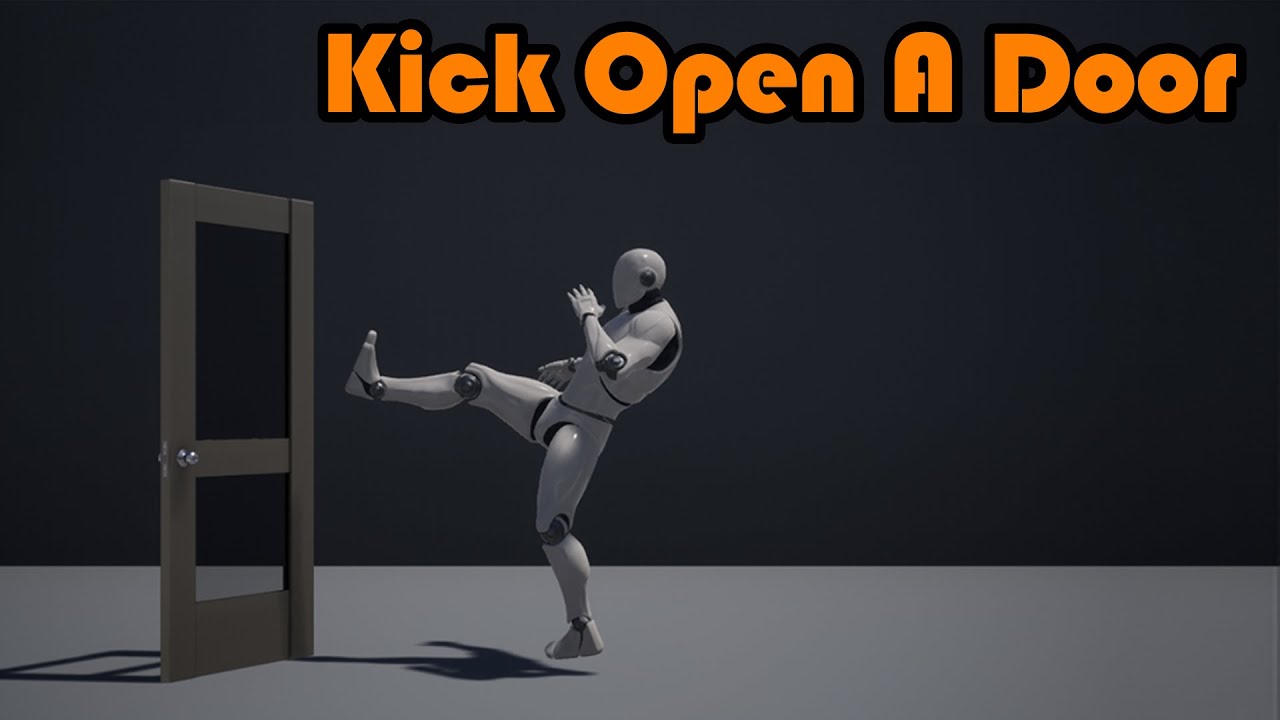
Hey guys, in today's video, I'm going to be showing you how to kick open a door with animations. After opening, we can then open and close it again like normal, or keep it so it stays open.
#Ue4 #UnrealEngine4 #Ue4Tutorial
00:00 - Intro
00:20 - Overview
00:54 - Tutorial...
ashen junco
I think it's only possible in CCDIK
 naive zodiac
Is there some way to get the current time in an animation, in an animationblueprint?
I want to do some calculation based on the current time of the animation, to calculate playrate. I'm in a state in a statemachine
 ashen junco
naive zodiac
Is there some way to get the current time in an animation, in an animationbluepr...
ashen junco
naive zodiac
Is there some way to get the current time in an animation, in an animationbluepr...
You can get the time remaining of an animation playback and use it to determine the transition state
naive zodiac
ashen junco
You can get the time remaining of an animation playback and use it to determine ...
Where can I call that? If I right click in the state, I don't see a get time remaining node that I can create?
In a transition rule I can call GetRelevantAnimTimeRemaining, but I don't see that function when in a state.
Oh lol, turns out that if I create a GetRelevantAnimTimeFraction node in a transition rule, then I can copy it to a state and that works. Feels like I'm hacking though, what's the 'regular' way of doing this?
misty dagger
Question
If I wanted to make some animations in Blender for Mr. Manny (the ue mannequin) - in particular the first person model (arms only)
how would I go about setting up the camera in blender? The skeletal asset of the first person mannequin doesn't have a socket for the camera
(the third person skeleton doesn't have one either) - so how would I go about "syncing" the two of them?
 reef agate
elder tinsel
reef agate
elder tinsel
dont retarget the twists
 zinc olive
Hi all! I have an animation of dodge where capsule isn't moving, but mesh is moving (regardless enabling/disabling root motion or other parameters from screenshot) and, accordingly, returns to its original position after ending of animation. How can I fix it and enable true root motion, when capsule and mesh are moving together?

And I'm going to use this animation in gameplay task with using root motion force, maybe there is a way around the problem in this case? ApplyRootMotionConstantForce works fine with character
 cyan vector
Hey fam having an urgent issue and totally stuck!! When I render a prores sequence in render queue, all fx, procedural texure anims, and particles GO FAST like playing in FASTFORWARD MOTION in the final video. Fps is an regular sequencer animations are right just fx and procedurals. Any help is highly appreciated 🙏🙏🙏
waxen wind
anyone got a super easy tutorial for a physics, swinging door, but is only goes one way?
misty dagger
Is there any way to align the xyz of blender with the xyz of unreal?
Without doing some weird rotations in one of the other, have them synced in both workflows
ashen junco
misty dagger
Without doing some weird rotations in one of the other, have them synced in both...
No.
Blender had the option for this, so Blender has to bend to UE4's coordinate rules.
misty dagger
had? So you can't change it in Blender?
ashen junco
misty dagger
had? So you can't change it in Blender?
You can, with the axis settings, but it's confusing to get right, to put it bluntly.
misty dagger
also how do I export sockets that are in my unreal skeletal mesh to blender?
I exported the mannequin that has a default socket "grippoint" but it's not there in Blender
there's no clear guide on this anywhere, how to do a proper animation workflow from blender to unreal
ashen junco
misty dagger
also how do I export sockets that are in my unreal skeletal mesh to blender?
Sockets made in Unreal Editor are not exported to FBX, so your better option would be to make empty bones in Blender to place held objects
misty dagger
Actually that begs the question.. what's the difference between a socket and a bone?
upbeat stump
So when using root motion animations, are you supposed to manually update the character location at the end?
 smoky shell
upbeat stump
So when using root motion animations, are you supposed to manually update the ch...
smoky shell
upbeat stump
So when using root motion animations, are you supposed to manually update the ch...
No, it will move the capsule for you
upbeat stump
smoky shell
No, it will move the capsule for you
The animation? When I finish playing a root motion one the character teleports back to its original location.
upbeat stump
smoky shell
https://docs.unrealengine.com/4.27/en-US/AnimatingObjects/SkeletalMeshAnimation/...
No, the capsule is not moving
It does when I play the same animation in an Ai character, but it doesn't when playing it in the player one
smoky shell
What are you calling to play the animation
upbeat stump
It's played through a state machine
smoky shell
Root motion animation must be played through the provided 'Play Montage' nodes, as a call
Depending on whether you use GAS or not this can change which node is used but doesn't change that fact
If you play it through a state machine you'll at least need to extract it to curves and apply the translation in the curve to the character manually and it wont work in multiplayer without significant work
upbeat stump
Thanks, I'll dig into that
 novel blaze
Did the rotations change for control rig? I have some controls that are using world spaces transforms to make my curve editing a bit easier but for some reason when I move on the Y in the graph editor it moves on the local Y and not the global. Had this same set up in EA but in preview 1 it’s acting up. Any ideas?
ashen junco
novel blaze
Did the rotations change for control rig? I have some controls that are using wo...
novel blaze
I mean animation seems to be the exact category I need. Control rig is legit all about animation
 rigid glade
novel blaze
Did the rotations change for control rig? I have some controls that are using wo...
rigid glade
novel blaze
Did the rotations change for control rig? I have some controls that are using wo...
There is a little icon to change in local or world on the top right of the viewport, maybe toggle that
novel blaze
rigid glade
There is a little icon to change in local or world on the top right of the viewp...
Thanks. Yea I've been only moving my controls in world space. I guess in the curve graph it alters in local space. I'll try local space but I'm pretty sure I would animate the world space controls in world space and the local ones in local in EA
rigid glade
novel blaze
Thanks. Yea I've been only moving my controls in world space. I guess in the cur...
I always have problems with cinematics and rotation. Sometimes you have to do math to get the equivalent angles because it turns a 90deg turn into a - something turn somtimes
novel blaze
Yea thats the exact reason I got away from blender and its quat rotations. It all looks good when you are moving the controls in the viewport but when you go in to tweak the graph you can ruin the animation. Hopefully I can find a solution for preview 1. I got it working perfectly in EA but something has changed in preview 1
 round shale
Got an animation montage that's causing my character's velocity to explode.
Anyone come across something like that before?
It's a jump animation with root motion..
 pearl smelt
Now i want to play death animation can i tell like move to this state form any state Or should i needed to draw transition form all other state to death animation state, some one help i dont want to play death anim as montage

Is that a Right way to play Death Animation

 wooden pawn
Does anyone have a Control Rig IK foot setup they can share?
I've found a few videos but the approaches seem a bit hacky
ashen junco
pearl smelt
Now i want to play death animation can i tell like move to this state form any s...
Please do not crosspost without prior redirect
pearl smelt
ashen junco
Please do not crosspost without prior redirect
what do u mean
ashen junco
pearl smelt
what do u mean
You're crossposting from/to #ue4-general
Crossposting is against #rules no. 7
pearl smelt
ok now i understand sry @ashen junco
 earnest vale
Any of you fellas play around with physical animations?
I'm trying to blend ragdoll physics with a death animation and my character is falling through the landscape and clipping through walls
Not sure why I would be getting this issue as the steps I followed shouldn't reproduce this behavior
ashen junco
earnest vale
Not sure why I would be getting this issue as the steps I followed shouldn't rep...
What's your framerate? Do you have physics asset properly set up and assigned?
earnest vale
@ashen junco around 30 fps on epic settings. Physics asset has a profile with all bones assigned and given the physics values of 3000, 1000 (also tried 1000, 100). Mesh has collision enabled and ragdoll preset. Capsule is disabled.
ashen junco
earnest vale
<@!325627930484932608> around 30 fps on epic settings. Physics asset has a profi...
Have you tried enabling physics substepping?
 frank citrus
Does anyone else had problem/bug with animation not working unless moving the mouse a little bit? It seems to be connected to the directional light somehow, building the lightning seems to fix it most of the time but now it doesn't. So annoying!!

 strong python
Does anyone know how to solve this issue where my character scales for no reason (when I press the "isCrouching" boolean) ? https://gyazo.com/09c64f12d4e734e4f5a85ea806bee30d

 knotty pike
Does anyone know how I can import a mixamo animation of the ue4 mannequin into my project? I can't restart with a set skeleton since i downloaded the asset animations. ( the animations are using the ue4 mannequin too)
 sullen aurora
knotty pike
Does anyone know how I can import a mixamo animation of the ue4 mannequin into m...
sullen aurora
knotty pike
Does anyone know how I can import a mixamo animation of the ue4 mannequin into m...
Couple things you can try
- Use the marketplace mixamo plugin ( havent used it but might be worth a try)
- retarget from mixamo to the ue4 manakin ( unreal engine also has a demo on this on their channel )
- watch this to retarget with rig, looks like it can work
https://www.youtube.com/watch?v=92rag3qStI4&ab_channel=SmartPoly
knotty pike
@sullen aurora ty i found the fix
earnest vale
ashen junco
Have you tried enabling physics substepping?
I don't think it's a framerate problem, on lowest settings I get 60+ fps and the issue is the exact same
I also enbled substepping and no difference either
wooden pawn
strong python
Does anyone know how to solve this issue where my character scales for no reason...
You are probably playing an additive animation on top of a wrong base keyframe, or converting from world space to localspace. What you provided is not enough info to debug this.
 fleet willow
When it comes to the AnimNotify workflow on Animation Montages, where should i really place those notifies ?
Like in the actual animation (The sequence) or in the Montage ?
earnest vale
earnest vale
I don't think it's a framerate problem, on lowest settings I get 60+ fps and the...
Here is a vid of the issue. Animation montage blended with physics/physical animation results in weird clipping through objects. FPS is uncapped and quality as low as possible with substepping to show that it's not a framerate issue.


 tired lagoon
anybody know why the animation gets bigger in the first frame?
The montage comes from this, no additives
 earnest vale
tired lagoon
anybody know why the animation gets bigger in the first frame?
earnest vale
tired lagoon
anybody know why the animation gets bigger in the first frame?
It's not getting bigger it's being pulled out of your head, check the third person view
 ivory sky
Hi guys.
Is there any way to apply animation modifier update to animation sequences for once and all?
 iron merlin
If I want to make an animation that connects two objects like a guy pulling a lever do I just make two sperate animations and time them really well or is there some way other way to animate two objects together? Also what are auxiliary bones?
or like a guy reloading a gun
ashen junco
You can animate root with Control Rig, however the bounds will not follow.
Bounds as in the skeletal mesh.
As it can be culled out in certain camera angles because view frustum culling uses the mesh bounds, which doesn't follow along.
But it doesn't hurt to whip out a quick root motion anim just to see if the culling actually take place.
 merry lynx
I have different characters that shares the same skeleton
The problem is i have a giant character and a midget one
When i use the midget it gets high above the ground on that skeleton but with the giant no problem
Should i have separate skeletons because of size difference
Nvm solved with this tutorial

Here we go through the import process for several different Skeletal Meshes and show when we can and cannot share Skeleton assets. We also show how we can share animations between two Skeletal Meshes that are sharing the same Skeleton asset. We also take a quick look at setting up Skeleton Retargeting for various sizes of Skeletal Meshes.
(00:05...
merry lynx
I think it has to be 4.25 if u can
 dull anvil
merry lynx
I think it has to be 4.25 if u can
dull anvil
merry lynx
I think it has to be 4.25 if u can
can i downgrade then?
merry lynx
dull anvil
can i downgrade then?
No you can’t downgrade as far as i know
ashen junco
Please do not crosspost across channels without redirect.
silver bridgeBOT
:triangular_flag_on_post: Svenni#9589 received strike 1. As a result, they were muted for 10 minutes.
fleet willow
I've asked this already yesterday so i gonna give it a new try.
What kind of AnimNotifies should someone place on the actual animation (Animation Sequence) and what should land on Animation Montages ?
ashen junco
fleet willow
I've asked this already yesterday so i gonna give it a new try.
What kind of Ani...
Any kind of Anim Notifies goes (not that Anim Notifies have discernible kinds to begin with), and I don't think it's hugely consequential to put them on either Anim Sequence or Anim Montages.
Though Anim Montages are used more for one shot animations, while Anim Sequence can be used directly in anim state graph.
earnest vale
earnest vale
Here is a vid of the issue. Animation montage blended with physics/physical anim...
bumping my question for visibility:
Why are my characters clipping through the ground and other objects when I blend physics/physical animations?
fleet willow
ashen junco
Though Anim Montages are used more for one shot animations, while Anim Sequence ...
Ngl, it's not quite the answer i've hopped for 😅
I kinda expected an answer like "Foot step sounds land in the sequence and ... lands in the montage" or similar ^^"
 ripe yew
When you play Anim Montage, how can you prevent the player from snapping back to center?
earnest vale
probably root motion settings
ripe yew
earnest vale
probably root motion settings
I am using root motion for montages only
earnest vale
idk maybe try to mess with the blend out time
Also check if the root bone is actually moving with the anim
fleet willow
ripe yew
I am using root motion for montages only
You need to turn root motion on in the sequence. Then it will play it as root motion.
ripe yew
fleet willow
You need to turn root motion on in the sequence. Then it will play it as root mo...
If I enable root motion, it plays in the same position
earnest vale
Because your animation has no root keyframing
 void turret
Hi,
I am having trouble trying to get accessories on a cloth material to stay rigid but still flow with the cloth

^ this is a cape the person has on
which has blades attached to the bottom
ive weight painted them like the rest of the cape
but when i enable physics, they become droopy (which makes sense cause im telling UE4 that it is a cloth)
but i want them to rigidly follow the cape
remote spire
i have two animations for an object, how do i combine them to play simultaneously?
ashen junco
remote spire
i have two animations for an object, how do i combine them to play simultaneousl...
Slots.
remote spire
ashen junco
Slots.
ty :)
 glass bay

Thanks for watching. I made the scene in Blender. Here is my current portfolio: https://www.instagram.com/heyya3d/
I modeled many models in this scene but not all of it. Thank you to creative people for some models and referance scene.
https://www.artstation.com/artwork/4vzG4
https://tr.pinterest.com/pin/145030050475050834/
http://www.danthepi...
iron merlin
can control rig do root motion?
 scarlet saffron
I have two blendspaces (moving with shield up and moving). Is it possible to fix this glitch of legs while blocking?
when i turn shield on and off the legs does not match

this is how i'm doing it now. Maybe this is not the right way?
 strange nebula
have you thought about layering the block to be just the upper body?
using layered blend per bone with a blend mask
scarlet saffron
Is it possible to layer the blendspace 'blocking'?


it changes based on the direction
i was thinking about using layering but idk how to use it with two blendspaces
Is using layered blend per bone the right way?
ashen junco
scarlet saffron
Is it possible to layer the blendspace 'blocking'?
Wouldn't it be easier with layered blend per bone / slots?
round shale
Anyone familiar with using the CMC to override velocity changes to a montage?
Maybe invoking ConstrainAnimRootMotionVelocity (somehow).
Nevermind. Was related to root motion and my anim.
Fixed it by disabling root motion on my anim (!)
 random sparrow
Anybody familiar with QTM / Qualisys? trying to figure out what to do with a QTM file with mocap data that I need to do somehow convert to FBX. Seems I need the QTM software but can't even figure out how to get a license for it, nor price or anything.
 strong barn
Hello everyone,
Is there a solution for blender to use vertex animation ?
https://docs.unrealengine.com/4.26/en-US/AnimatingObjects/SkeletalMeshAnimation/Tools/VertexAnimationTool/
I did some research on google, but everything related to 3D is really bad for me. I just need to make some stresstest with this algo

User guide for the 3D Max Vertex Animation tool set.
scarlet saffron
ashen junco
Wouldn't it be easier with layered blend per bone / slots?
is it possible with blendspace on top layer?
scarlet saffron
ashen junco
Wouldn't it be easier with layered blend per bone / slots?
https://youtu.be/yDSjW_2Jd3I?t=105 i'm using this animations, is it the right way?

This package includes essential animations for a character with sword & shield combat style, with a playable character blueprint. Recommended for an action RPG game.
available now on Unreal Marketplace
Link : https://www.unrealengine.com/marketplace/en-US/product/4e42f74484fe457d9288b2076061669c
Please visit our discord for more updates.
Disco...
i'm stucked on this block mechanic =/
Maybe this block animator is not the right way to block while moving
 gilded kayak
Hi, little question about animation montage. We uses montages mostly to be able to play an animation reacting to an event so it plays and overwrite whatever is playing in that slot in our animation blueprint. So our montages are pretty much only a single animation, created using "right click -> create animation montage" on an animation and doing taht makes the montage the length of the animation.
The thing is, we are working on the game, animation length changes and it's somewhat a pain to update those montages to fit the new animations length. Creating them was easy, but now that they are referenced a bit everywhere, it would be a pain to recreate them every time.
TLDR: is there a way to update animation montage to fit the length of the animation that is used in it ? or even force it to be always the same length of the animation ?
iron merlin
Can I use control rig to do root motion?
Like use control rig in sequencer for root motion
 severe kiln
Hi guys would any of u guys know how to do live link of a prerecorded video from iphone
severe kiln
Anyone plz help 😕
 small leaf
Hello there!
Could anyone give me a bit of insight of how Unreal interpolates joint animation? I have a character with a few animations and everything works fine if animations are set to Linear Interpolation. However if I set them to Step, they start wobbling and move with some weird offset that wasn't even there to start with.
I'm just not sure how exactly Unreal does it's interpolation, but Step option seems to add some non-existent offset. If anyone has a clue as to why it happens, please ping me.
 lofty marlin
I assume the PhysicsAsset of Characters counts as #animation ? (says the mod...)
Is it normal, that PreviewMeshes, like a big 2H hammer, attached to a Socket, like HandR, cause simulating in the PhysicsAsset to freak out?
Seems like the Hammer has Collision enabled in the PhysicsAsset Viewport, which is a bit annoying. :D Arm freaks out cause the HandCollision and the HammerCollision try to get away from each other I guess.
We can remove the preview mesh, but just wondering if there was an easy way to resolve this while keeping the preview attached.
The default collision of the Hammer mesh is set to NoCollision.
 graceful gyro
is there a reason I can't change the skeleton?

 solid quartz
Greetings - I am wondering if someone could point me in the right direction. Apologies in advance if what I am asking seems dumb to those of you that actually know what they're doing - would it be feasible to basically "graft" an Animation BP from one marketplace asset to another? If so, what "game breaking" things do I need to make sure I look for? I know I need to (as far as I know) manually recreate any anim notifies in my "new" duplicate BP, but other than that, as long as I make sure any functions and variables are called, should it work? Am I going about this wrong? What happened to my life? 🥲
 shy sandal
gilded kayak
Hi, little question about animation montage. We uses montages mostly to be able ...
shy sandal
gilded kayak
Hi, little question about animation montage. We uses montages mostly to be able ...
I believe you need to use Anim Notifies to control when you can enter and exit your Montage.
 solid delta
Im having a problem with aim offsets and anim montages, for some reason its really altering the desired position of the anim montage and essentially making the hands go straight up in the air when the montage is activated... Ive attached a screenshot of my anim graph and viewport for ref. Any advice?


 tender elk
i am trying to understand why i can't select an animation what can use the anim to play to be grayed out?

 runic rampart
anyone know why in unreal engine 5 blendspaces ignore additive layer tracks on animations? Yes, I applied the keyframes.
Nvm, it still doesnt work, but I found a work around by using the create asset button to make a new animation with the layers auto built into it
iron merlin
How do i make an animation where two things can interact, like two separate blueprint classes like a guy and a lever. How can I have an animation where the guy pulls the lever? Would I use an animation montage that somehow can connect two blueprint classes together? Help.
misty dagger
Fundamentally, how it looks and how it works are distinct. The way you make it look and the way they actually work is really up to you. If you can understand this fundamental distinction, you will see that technically it's an eye trick. Meaning during the animation, it looks like something is happening between your guy and the lever. But in reality you signal the actual work happening usually via an animation notify at some arbitrary frame in your animation. It's arbitrary, in the sense that it's up to you if it feels right to you at frame 12 or at frame 21 to trigger it. they can even be 2 distinct independent animations that look like they are connected but work by themselves independently: one for the guys arm and one for the lever. Anyways, enough philosophy, if you understand this fundamental distinction you will have an easier time in game development.
iron merlin
misty dagger
Fundamentally, `how it looks` and `how it works` are distinct. The way you make ...
But I feel that two separate animations would be hard to work with so how do I make a montage that has both skeletal meshes inside of it, and then connect them between the classes? Or do I have to make two separate ones? (The lever is a skeletal mesh too)
iron merlin
so uh, anyone know how to do that?
 austere light
Hi everyone, I'm having an issue with importing animation that I've not had in the past. My skeleton has the hips as the root bone, and UE4 refuses to animate it even though in the imported animation I have keyframes for the hips. My character walks like an action figure because his hips are locked in place, but in Blender the hips are animating correctly. How do I fix this? I've done this before and not had any issues but I can't remember what I've changed. I'm working in 4.27.2
Wait, I just realised what the issue is. I'm using Mixamo for an animation, and the downloaded animation is rotating the whole armature instead of the hips... wtf? The hips are actually locked in place in the animation keyframes (I didn't notice that they don't change), and it's just keyframed the rotation of the entire armature. Anyone know why it's done this?
I tried adding a root bone and it's just done the exact same thing, the root bone and hips are locked and the whole armature is just performing the job the hips should be
ashen junco
austere light
Wait, I just realised what the issue is. I'm using Mixamo for an animation, and ...
Yeah, I don't recommend counting on Mixamo. Its rig considers the hips/pelvis bone to be the root bone.
austere light
Ugh
Thanks Makoto, I'll have to figure something out as I can't animate to save my life xD
 peak locust
hi, I'm trying to figure out the new Anim Blueprint Templates to consolidate common logic across multiple graphs, but I can't seem to figure out how it's used, been on it for a few hours now but theres zero documentation yet for it, has anyone had any luck and can point me in the right direction ?
austere light
I fixed my Mixamo issue. In case anyone else comes across this problem, it looks like Mixamo didn't like me renaming the bones (I had renamed all the bones from mixamorig:Hips to just Hips for example). Leaving them with the original name Mixamo assigned to them got rid of the problem
 smoky smelt
Is there a way to import and bake an animation straight onto a control rig without having to import the controls through sequencer?
peak locust
peak locust
hi, I'm trying to figure out the new Anim Blueprint Templates to consolidate com...
I figured it out, it's just a holder for logic that then can be replaced using the AssetOverrideEditor in child BPs... Many of the relevant nodes are 'Player' suffixed that need to be used that are blank but overridable in children. It works the same as previous asset overriding but now it doesn't require a skeleton on the parent animbp..... I think
Replying to myself in case anyone else comes searching, so they can find it
iron merlin
If I wanted to make an animation like a guy pulling a lever, do I have to make two seperate animations for the lever and the guy's hand and make them play at the same time or could I make an anim momtage that included both the lever's and the man's skeletal mesh instead
 bitter shard
In UE5 control rig, I've been able to execute the console command "a.AnimNode.ControlRig.Debug 1" to show control rig debug at runtime. I'm trying to do the same thing in UE4 and it's not working, can anyone confirm?
solid delta
Hey everybody, does anyone have any suggestions on how to get an aim offset working with montage anims?
dull sun
Noob question: I have this single fbx that contains multiple anims in a row (let's pretend it's a punch, punch, kick combo).
I've been cutting up the anims in unreal by duplicating the Animation Sequence asset and setting start and end frames in each duplicate.
Is that the typical way it's done?
 nimble arrow
Hello, I have a basketball dribble animation without the basketball. Whats the quickest way to add the ball to the animation so that its bouncing on the floor? Is there a way to get the playback position of an animation (not a montage) outside of the anim blueprint?
solid delta
Wow this channel is pretty dead when it comes to getting answers but after 2 days of research I found a solution to my prob, if anybody runs into a similar issue I will be happy to share what I got!
misty dagger
what is the best way to animate these days?
do people still do hand animations or is most everything mocap?
have never animated anything in my entire life
 mortal granite
anyone using ALS know how to check if the character has landed?
EventOnLanded does not seem to trigger
ashen junco
misty dagger
what is the best way to animate these days?
Depends on the style, but I personally animate by hand.
scarlet saffron
Is it bad practise tô use a single blendspace with negative Speed for move backward?
Or are 2 blendspaces better?
 hearty flame
Will automatic transition rules still work if you use the Evaluate anim node where you feed it an Explicit Time?
 minor minnow
Hello, It seams like I can't post on #hire-a-freelancer for animation. Does anyone know an animation dedicated discord server? Thank you!
scarlet saffron
0 on speed?
dull sun
misty dagger
what is the best way to animate these days?
Mocap and retargeting skeletons can save a LOT of time and you'll have natually realistic animations. For humanoids at least.
Sometimes you'll want something stylized or cartooney. Maybe the character needs to do something impossible IRL like fly, or do a double backflip. You can embellish mocap or just make the animation from scratch. A character may have 3 arms. You could probably use mocap on most of them, and hand-animate the extra arm.
Raw Mocap doesn't usually come with finger anims.
Quadruped mocap is ultra rare. Usually, you'd be animating those on your own.
Insects, snakes, octopods, all safe from mocap automation... for now.
 steel oar
Anybody encountered cloth simulation resetting after every camera cut in sequencer? I'm battling this issue right now in a project. We have some characters with cloth-simmed hair, and everytime the camera cuts, it's like their hair resets.
I think it's actually happening between subscenes.
 cyan solstice
when I export this mesh blender into unreal engine the right hand bone goes backward

 uncut relic
is there a straightforward way to make use of FPS/arm-only animations in a project with a full-body mesh?
ashen junco
uncut relic
is there a straightforward way to make use of FPS/arm-only animations in a proje...
If the FPS arm's skeleton doesn't have full body bones, you can hard retarget them to the full body skelmesh.
 mossy ivy
Hello everyone, I have a quick question here :
I have a simple animation in maya made with the curve warp ( I just scale a mesh along a spline) and I would like to import it in UE4. Is that possible ? If yes what would be the best way to do it ? sorry I'm a total newb at animating stuff (in maya or UE4)

 pastel onyx
how do I get the animation graph to wait for the current anim to finish?
ashen junco
pastel onyx
how do I get the animation graph to wait for the current anim to finish?
In the transition rule, use Time Remaining node.
pastel onyx
thanks
 crimson vortex
retargeting from CC3 skeleton to any other causes crash "Array out of bounds"
how could I fix it?
dull sun
mossy ivy
Hello everyone, I have a quick question here :
I have a simple animation in may...
I believe unreal supports Alembic (.abc), which is a format that can to per-vertex animation (it says it's experimental). Definitely not the most performant method, but it works in a pinch.
 fickle hemlock
Anyone have experience importing mixamo.com animation packs into unreal? Seems they cant be imported using the default skeleton due to Mesh contains root bone as root but animation doesn't contain the root track. Import failed.
do I need to import some kind of mixamo compatible skeleton first?
nevermind! looks like one item in the pack included a skeleton. the "xbot"
uncut relic
ashen junco
If the FPS arm's skeleton doesn't have full body bones, you can hard retarget th...
this worked perfectly, thank you
 sour chasm
how to create animation depends on the object position like pickup weapon animation?
ashen junco
sour chasm
how to create animation depends on the object position like pickup weapon animat...
Make a pick up animation for one position. That's it, as far as making one in DCC tool.
 civic flame
this may be a really stupid question, but when looking at the 4.27 third person template, do the male and female mannequins not have the same skeleton? I only see one skeleton asset
 woven hemlock
Is there a way to reset cloth animation to restart at default? I used cloth simulation for a character's hair and when I simulate the animation, the hair goes all over the place due to the force of it moving rapidly to the animation location. T^T
civic flame
Okay, so my skeleton based issue is more or less resolved. I'm not corrupting my skeletons when I reimport stuff anymore.
Now my question is one of Blender: I have 2 meshes that are parented to the same armature, I have weights painted to the vertexes on both. Only one mesh moves when I start posing the armature
 primal schooner
Hey fellas! Modelling and animating not my kind of expertise, so im just trying to understand scope of problem. Models have this armpit stretching when hands is high and im not sure why. Is this animation or skinning weights problem?
 ashen junco
primal schooner
Hey fellas! Modelling and animating not my kind of expertise, so im just trying ...
ashen junco
primal schooner
Hey fellas! Modelling and animating not my kind of expertise, so im just trying ...
Can't tell if the arm still has the same length or not
primal schooner
ashen junco
Can't tell if the arm still has the same length or not
It is. Its same as default UE4 mannequin.
primal schooner
ashen junco
Can't tell if the arm still has the same length or not
Im using CC3 to Unreal for character creation and i need to apply weights to my old armour. With arms high - armpits getting stretched.

Im just not sure about correct behaviour. Is this how it should be? Like they should stretch probably, but not that much?
pastel onyx
how can I assign skeleton without changing the original one with the missing bones?
 tired kindle
Does anyone have any idea why my cpu usage spikes up to 100% when I go to mixamo.com using chrome and browse animations? Not to mention that the animations play in 2fps. I tried to browse the site using edge and it works perfectly fine.
 silver flare
i suck with blender, but i'm trying to use the mixamo control rig plugin to adjust a pose animation from mixamo, which i changed the first keyframe and copy pasted it to the next second in the timeline, but even when i did that it reverts back to the original pose on the next frame even with the same keyframe as the first being there, any idea on how to make the adjusted pose be the whole animation?
silver flare
tired kindle
Does anyone have any idea why my cpu usage spikes up to 100% when I go to mixamo...
the same thing happens to me, except edge is the one having trouble, chrome works fine
ashen junco
tired kindle
Does anyone have any idea why my cpu usage spikes up to 100% when I go to mixamo...
I stopped using Mixamo altogether.
tired kindle
ashen junco
I stopped using Mixamo altogether.
What do you use?
ashen junco
The site has been "crapshoot" for too long by now.
Not to mention unorthodox rig.
ashen junco
tired kindle
What do you use?
Blender + Auto Rig Pro
silver flare
ashen junco
Blender + Auto Rig Pro
i have ARP, i just like having a lot of the animations mixamo gives
i suppose i could just retarget them, but that's just more effort for something i can do already
plus mixamo is free
ashen junco
Eh, I personally make animations...
FROM SCRATCH
silver flare
ashen junco
Eh, I personally make animations...
**FROM SCRATCH**
true, but for prototyping, or for beginners, mixamo is perfectly acceptable
ashen junco
silver flare
true, but for prototyping, or for beginners, mixamo is perfectly acceptable
*is somewhat acceptable
I was a Mixamo user since back when Mixamo used to support UE4 rig.
And that's like way, waaaay back when
silver flare
i miss that, shame that they stopped it
we have the root bone adder, but it's just not the same
silver flare
silver flare
i suck with blender, but i'm trying to use the mixamo control rig plugin to adju...
anyways, any idea how to fix this?
tired kindle
ashen junco
Blender + Auto Rig Pro
Yeah but that requires me to learn animation which is a whole beast on it's own I assume?
silver flare
tired kindle
Yeah but that requires me to learn animation which is a whole beast on it's own ...
you have no idea, animation is wildly hard
tired kindle
Man, then I guess I'm better off just buying assets.
I don't have that kinda money though. I'll attempt to learn.
 keen minnow
How do I control a material parameter in the sequencer? I have an emissive material on a lightbulb and I want to animate the emissive power, is this possible via sequencer?
earnest vale

Use a Parameter Collection Track in Unreal to Animate Material in Sequencer
Quick Material Animation Tutorial: https://youtu.be/KhtTM2scA3k
Advanced Mask/Layered Material Tutorial: https://youtu.be/avjAmzoLIOk
Does anyone know if it is possible to layer IK with physical animations? For example, if the left hand is IK'd to a socket on an item, and the right hand is bumped (thus moving the item) how could the left hand get IKd to the new position? My current IK system doesn't seem to want to cooperate with the physical animations even when the left hand is not even being simulated.
uncut relic
i have a weapon skeletal mesh being held by a player skeletal mesh, two separate actors, with the weapon spawned at runtime. the weapon has a magazine on it's skeleton, and i want the magazine bone of the weapon sk mesh to follow the transform of the hand_l bone during my reload sequence. is there an effective way of telling a skeletal bone to mimic the transform of the bone from another skeleton in this manner, or am i better off keyframing an animation based on the transform of the player's hand_l bone?
 still geode
uncut relic
i have a weapon skeletal mesh being held by a player skeletal mesh, two separate...
still geode
uncut relic
i have a weapon skeletal mesh being held by a player skeletal mesh, two separate...
Ideally for such animations like reload, both the character and gun are animated together, exported separately and then played together. Although you can attach the magazine bone to the hand bone via Transform(modify) bone node in the gun's animBP but it would be like magazine teleporting to hand when attaching/detaching. If that's fine for you then you can do it otherwise animating it is the ideal choice.
 upbeat flame
Hi. I have 2 animation sequences, I want to combine them in one animation sequence (or animation montage). If I try to make it in Anim Montage, I cant find an option to blend 2 animations inside one Anim Montage. In Anim Composite I have the same problem.
How can I combine 2 fbx animations with blending between this animations and put this all in Anim Montage?
ashen junco
upbeat flame
Hi. I have 2 animation sequences, I want to combine them in one animation sequen...
Slots.
 nova heath
Can anyone help my brain logic my way through thought process on how to "scale up" or exaggerate an existing animation fbx tied to a particular skeleton. Similar to the "overdrive" on mixamo.
Am I right that this would basically be scaling up the individual translation keyframes in their respective directions in a tool like Blender ?
Was trying to think of a method that could be automated
 toxic thorn
hi, im trying to integrate 2 large anim bps together by using a linked anim graph but it's not showing up in the dropdown

i've ensured that the linked anim bp's skeleton is retargeted to the main anim bp's skeleton
and that they use the same rig
and same pose
could the problem be that the 2 anim bps use a different anim instance parent? (im not exactly well versed in anim bps so sorry if this question is really stupid :p)
misty dagger
Any tutorial about how to make a simple animation for the mannequin arms?
Blender is garbage
ashen junco
misty dagger
Blender is garbage
No.
misty dagger
Yes.
ashen junco
misty dagger
Yes.
Don't blame me if you can't afford Maya.
misty dagger
who the fuck spoke about maya you weeb retard
Obviously I'm using blender, get blocked
misty dagger
Hey Everybody, I have a question which at the moment represents a major probleam in our animation pipeline: we have 150+ animations on a pawn character. Every now and then this character's rig in maya gets mesh or rig updates, and hence we have to re-export a new skeletal mesh with every new update. Unfortunately though, old animations authored with the previous version of the rig won't work anymore, and we find ourselves with the need to re-export everytime a huge amount of animations from maya, using the latest rig.
We have tried unreal's retargeting but it ended up breaking the anim blueprint because all the fine tuning work with anim curves to filter body parts out doesn't get retargeted really well, if not at all.
I know that editing the rig afterwards is not the best of the habits, but nonetheless it happens.
Has anyone of you faced this situation? How did you manage to work around this? Thanks
ashen junco
misty dagger
Hey Everybody, I have a question which at the moment represents a major probleam...
Personally I never faced this situation. My stuff are made with modular rig in mind, based on the UE mannequin rig.
misty dagger
i see, ok thanks
ashen junco
Having the rig modular from the start and test rigs very early on really helps.
 short mulch
hii does anyone know how to export a blobmesh particle system from 3ds max? my problem is that it doesn't move at all
dull sun
short mulch
hii does anyone know how to export a blobmesh particle system from 3ds max? my p...
I think alembic (.abc) is your only chance.
Not sure if unreal supports alembic with changing topology, though.
dull sun
misty dagger
Hey Everybody, I have a question which at the moment represents a major probleam...
Oooh, I'd like to know this as well. I've only been able to mitigate headaches, but not fix it:
I wrote a little FBX export button for blender so it's only a single click in each anim file, exported to the correct relative path (but with 150+ anims, that's still gonna be massive pain)
I also try to change only the control objects and constraints when changing the rig. If the bones stay the same name and the same hierarchy, it doesn't care if the constraints or control objects changed.
IMO, the only thing that seems feasible is to have a tool that just runs through every maya scene and export an FBX to some relative path.
dull sun
Can you seriously not use an event to directly trigger a transition in Anim BP?
 cold stirrup
Hello guys, happy wednesday! Absolute noob in the 3d animation world here and hoping to learn a lot from you as well as share my journey. Any tips , please share. it's a bit overwhelming here in the wild west of the internet trying to find courses on making 3d animated films using UE5
 midnight perch

TikTok
only at planet fitness do you find these ...smashing characters😅#planetfitness #zumba #smashbros #spiderman #3danimation #unrealengine
If captain falcon was an instructor at planet fitness 😂😂
Made on unreal
misty dagger
dull sun
Oooh, I'd like to know this as well. I've only been able to mitigate headaches, ...
Hey, thanks for your suggestion. We do have a 1-click automated pipeline to export anims. The problem stays pretty much on the techanim side, where techAnim had to rebuild the whole anim blueprint, because of the changes in the hierarchy of the rig. It's unbelivable that unreal doesn't manage all this in a better way. Thanks for the feedback mate.
 dull isle
Is there a way to deal with self body penetrations? Let's say there's an animation that is applied for characters of different body shapes, so how do I avoid the body penetrations without having to change my animation data?
ashen junco
dull isle
Is there a way to deal with self body penetrations? Let's say there's an animati...
on the fly adjustments with IK and whatnot.
dull isle
can you suggest a tutorial video? That'd be really helpful. Thanks!
dull isle
dull isle
Is there a way to deal with self body penetrations? Let's say there's an animati...
@pallid egret Please assist me. Thanks 🙂
 rocky wave

this is blender related but whatever...
how do i recenter the little orange dot?
i want to make a rotation animation, but it rotates in this large area, not in one place
ashen junco
rocky wave
how do i recenter the little orange dot?
Alt + G
ashen junco
rocky wave
it just selects the whole object
Alt + G to reset the translation/position. Not A
rocky wave
yeah i misspelled
 glossy vapor
Hi all.. I have question I have this BP_character but inside the BP there are several mesh parts that make up the character (legs,arms_head) If I wanted to replace the UE_mannequin how do you do this? Because If you have a SkeletonMesh you can't assign BP
ashen junco
glossy vapor
Hi all.. I have question I have this BP_character but inside the BP there are s...
You absolutely can. Look up on how to do modular characters.
glossy vapor
Thanks so much. So If I goto the BP_Of the character which has several mesh parts. Do you need to assign a skeleton inside the BP

 drowsy hull
is there a way to active variant states in a sequence ?
so that different sequences can have altered lighting setups
glossy vapor
ashen junco
You absolutely can. Look up on how to do modular characters.
Thank you. So its possible and I could replace the UE_Mannequin for the BP. I just want have UE_mannequin replaced for my own character so I run around in my level.
glossy vapor
drowsy hull
is there a way to active variant states in a sequence ?
so that different sequen...
Hi, I'm not sure. But last week I was watching some things about the variant manger. Its a plugin you need to install it first. Perhaps it might help you.
drowsy hull
I have it installed, and it works well, but I need to be able to set up different sequences and have a variant attached to it
glossy vapor
Have you put the variant BP in you sequencer too? I'm not sure if I'm correct I have hardly any experience but as I said I was watching the videolast week.
glossy vapor
drowsy hull
ooow that sounds like it could work
I can remember you need to create level_variant rightclick I think it was Miselanious and that you drag into the sequnecer. Can I add you I might need to go back to this stuff to soon?
drowsy hull
yeah sure, appreciate your help
glossy vapor
cool.
 cold bobcat
Importing a model via FBX with some animations why is my model so small in the previewed and why is my model floating in the air?
 glossy vapor
Thanks so much. When I added the skeletalmesh do you add the SK_Mannequin? As I want to use ThirdPerson to run around. is that correct?
correct
So for each mesh I need to set that skeletalmesh
I meant like this then. Thanks for your kind help btw.

yes... So If I have all the mesh parts like a head,leg,etc inside BP_ I just have assign a skeletan mesh for each mesh part
 young scroll
Hi - I got an animation that I am trying to import from blender.
Here is how it looks in blender:

When I import it in UE the face area gets all distorted/shifted

what is causing this and how can I fix it?
ashen junco
young scroll
Here is how it looks in blender:
How is the unit scale?
 ashen junco
young scroll
ashen junco
young scroll
That's the wrong unit scale.
ashen junco
young scroll
For Blender to Unreal, the unit scale has to be 0.01 (1 unreal unit is 1 cm). Of course you have to scale everything up 100x and apply it.
young scroll
hm but in the viewport it seems to be the right scale?
 ashen junco
young scroll
hm but in the viewport it seems to be the right scale?
ashen junco
young scroll
hm but in the viewport it seems to be the right scale?
The vertex data won't.
Weighting and bone transforms will get screwed up
dull sun
young scroll
oooh man i’m having flashbacks to when my dog rig did this…. but i can’t remember what was causing it exactly. i feel like it was how i set up the face controls (which were all bones, dotted around the face)

awesome looking model and grooms, btw
young scroll
yeah seems to be the same issue as yours
 lost spear
One message removed from a suspended account.
young scroll
@ashen junco this correct?

yeah the scaling didn't help
same issue
@dull sun were you able to fix your model completely somehow?
dull sun
Yes, but I'm so sorry, it was a while ago and I can't recall what I changed.
young scroll
so weird


 ashen junco
young scroll
<@!325627930484932608> this correct?
ashen junco
young scroll
<@!325627930484932608> this correct?
Try exporting again, and delete the doggo before importing.
Though the animations also have to be adjusted or remade with the new unit scaling in mind.
dull sun
young scroll
so weird
Have you tried importing the FBX back into blender itself, to see if you can get any hints from bone locations?
dull sun
Oh and this is probably unrelated but name your armature something besides default “Armature.”
Unreal treats default named armatures different and applies scale in different ways.
It’s trying to be helpful but it ain’t.
young scroll
Yeah it has custom names
young scroll
@dull sun yes you were right - when I import the FBX back to blender it comes out weird

maybe it has something to do with shapekeys? or some other cause?
dull sun
maybe it’s the bone scale inheritance.
 dull sun
that’s pretty much what i do, except i have “add leaf bones” checked and “only deform bones” unchecked. but idk if it would affect this instance
young scroll
leaf bones same problem

maybe one more thing

up to here it looks fine
when the second action triggers it gets all weird and stays weird
dull sun
hmm i haven’t done much in actions
young scroll


 dull sun
well here’s another shot in the dark:
judging by the bone skew, there may be some bones that have inherit scale set to “None.”
FBX can get weird about that.
If you are able to make sure the bones are all on “Full” inherit scale without breaking the rig, it might possibly help.
dull sun

This could probably break the whole face rig though. Someone isn't going to disable scale inheritance without a good reason
young scroll
hm went through the face bones - all seem to be set to full
cold bobcat
Hello all, I have quick question, when I import my FBX model with the animations and my model inside of the previewer is really, really small and I have a hard time finding it lol! Has anyone else ran into this issue before? I know that my model is about 3x bigger then an average person when I generate it in game
 dull sun
cold bobcat
Hello all, I have quick question, when I import my FBX model with the animations...
dull sun
cold bobcat
Hello all, I have quick question, when I import my FBX model with the animations...
Is the "still" model normal sized and the animation model really small?
cold bobcat
Yes, the still model is normal but the animation model here is really small
dull sun
cold bobcat
Yes, the still model is normal but the animation model here is really small
And it's from blender?
cold bobcat
No, I wrote a custom script to convert an old model format file into fbx. I am trying to track down if this issue is related to my script or if it is my settings in unreal.
dull sun
My only experience with a normal sized model and a tiny animation is from when blender's armature is the default "Armature" name. If it's renamed to "Skeleton" or anything, it fixes the issue.
cold bobcat
Hm interesting, ok, I will look into it and give it a shot! Thanks for the lead
dull sun
young scroll
hm went through the face bones - all seem to be set to full
Yeah I'm running out of ideas there. I've never (successfully) used actions. Obviously it's suspicious that the weirdness happens right as the action happens.

 warped verge
You can use both script and root motion on one blueprint, right?
dull sun
young scroll
Are you allowed to share the rig as a .blend file? Even if you deleted the mesh and had only Armature/Controls, I might be able to figure something out.
Although if the issue is about Actions, I may not.
Another thought: My broken rig may have had face bones that were NOT parented to the Head bone. Later, they WERE children of the head bone.
 runic peak
If you guys were to make a plane in-game with moving parts, would you use it as a static, or skeletal mesh?
Like the rudder, prop, aileron, elevator, etc.
keen minnow
Can anyone help with saving a reference pose inside of UE?
I am using the retargeting manager and I tried using Modify Pose but when I save it and try using the skeletal mesh with mocap data in a live link blueprint, it uses the original pose that was imported. I am trying to change the reference pose inside of UE.
The reason is because when I try importing an updated pose of the skeletal mesh the blueprint stops working
 median compass
trying to do a multi directional walking blend space but character doesn't respond correctly


character walks backward when going forwards left and right, left when going backwards
 umbral radish
You mean by Player input? Your skeletonmesh is properly rotated in the character Bp?
 prime willow
can someone suggest a good place to learn advanced FPS animations? I want to be able to create a polished procedural animation system like in mw2019 where its possible to aim and reload at the same time but all the tutorials/books seem to be too simplistic
ashen junco
prime willow
can someone suggest a good place to learn advanced FPS animations? I want to be ...
Well, it really boils down to the basic tutorials/books.
I'm sure MW2019 use differently animated (but with same timing) reloads for ADS.
prime willow
ashen junco
Well, it really boils down to the basic tutorials/books.
https://www.youtube.com/watch?v=K25VaiEUMY4 0:38
Can you suggest how would this be possible to do? 🙏 I understand how to play reloading animation and zoom, but I dont quite get how its possible to do at the same time

A quick tutorial on how to do & time a Zoom Load in your trickshots.
Music: 4-ever - Sorry
https://soundcloud.com/f0rever
https://soundcloud.com/f0rever/sorry
Thanks for watching!
 high dust
Does anyone know of any free solutions to use a Kinect V2 for mocap?? I'd prefer not to buy any software right now because I'm saving up to get the iclone bundles on top of a potential actual mocap suit. Just would love to use this kinect in the meantime
 quartz latch
Anyone have a suggestion for my animation issue?
I have an FBX of a dino. I want it to idle, or bob back and forth a bit. SUPER SIMPLE. I do not have any animations or rigs or anything with it. Do I use level sequencer? Blueprint? I'm at a point of going through animation blueprints but there is SO MUCH TO DO AND LEARN for a simple animation.
So far I've made it follow a camera rig rail, which is not working great. Is there something I can do in blueprint to just make it rock back and forth a bit?
ashen junco
quartz latch
Anyone have a suggestion for my animation issue?
I have an FBX of a dino. I wa...
If you want it to be procedural, you can take advantage of Control Rig.
I don't even know how camera rig rail make sense on this situation lol
 full merlin
how to make the camera stick to the head during some animation (for example) of a rollover? I have been looking for it on the internet for weeks and there is no guide about it anywhere
 pseudo idol
I'm importing a simple character I modeled and rigged, then retargeting animations to it, but I see stray vertices deformed way into the ground. It looks normal in Blender when I do any type of deformation to the bones. Does anyone know what I'm missing?
I rigged it with the same armature that the UE4_Mannequin uses, which I'm retargeting from, using the same names and everything. The IK bones aren't weight-painted to anything but the normal ones all are. My bone mapping finds everything correctly except root, which I manually set
actually it kind of looks like one of the arm bones, probably upperarm_twist_01_{l,r} is in the ground for some reason
ashen junco
full merlin
how to make the camera stick to the head during some animation (for example) of ...
Are you rotating just the camera?
 burnt viper
FPS games like Insurgency Sandstorm have the root bone at the location of the camera. Effectively, the camera is at 0,0,0 which makes it a bit easier to work with for first person animations.
Do any FPS animators here do it the same way? If yes, how does the 3P skeleton look like? Is it difficult to transfer an animation from 1P to 3P if the root bone is at a different location?
ashen junco
burnt viper
FPS games like Insurgency Sandstorm have the root bone at the location of the ca...
Personally I have different anim set for either FP and TP view. It doesn't have to be extremely precise, but for net consistency, the durations have to be the same.
burnt viper
Understood. I think most games have a slightly different TP pose / animation. Weapon tends to be lower in TP in my experience.
Do you use the same rig / skeleton for both?
ashen junco
I use the same rig, as my game's an action RPG (as opposed to true FPS game)
burnt viper
Ah got it. I'm not using a true first person system either, so I should have a similar set up as you.
Thanks for the insight, appreciate it!
full merlin
ashen junco
Are you rotating just the camera?
I made a third person game and attach a camera to my head
when invoking an overturn animation using state machine or Play anim montage
no way works, does anyone know what needs to be done? Literally nowhere on the internet do they talk about first person animations like roll
 woeful aspen
So this doesnt work?

None of the changes done with this node affects the control rig at all
 warm kayak
I'm playing with FSkeletalMeshMege found a free snippet on github:https://github.com/Luis24989/SkeletalMeshMerger ... It's all working at runtime but ... what I don't know if it can work with attached to Socket SK mesh... My hair don't share the same skeleton but are attached to a socket before merge... after merge my hair and accessories are on the ground : /

GitHub
Plugin tha merges skeletal meshes at runtime, good for procedural skeletal meshes - GitHub - Luis24989/SkeletalMeshMerger: Plugin tha merges skeletal meshes at runtime, good for procedural skeletal...
woeful aspen
Since reimport removes all keys from sequencer, we want control rig to look at a specsific component, but we cant manage to change any variables within the control rig no matter what we do.
Shouldnt control rig node in animation bp be able to edit variables in preview / live?
quartz latch
ashen junco
I don't even know how camera rig rail make sense on this situation lol
I was using it to have the mesh follow the rail, and then in level sequencer, key the "position on rail," haha.
I will look into Control Rig, thank you!
knotty pike
Hey does anyone know how I can retarget my 3rd person character to replace my 1st person skeleton arms? I've been trying to figure it out but can't find the solution.
 clear dune
I haven't done that before. But it seems to me like, if it is possible, it will probably involve creating a slot just for arms, and then these animations would only exist in that slot (because, first person animations won't have data like foot movement).
knotty pike
@clear dune I already have that but with the default ue4 skeleton arms. i'm making a game similar to overwatchs style of character selection so I am trying to figure out the easiest way to replace the 1st person arms of each character on selection.
clear dune
I haven't played, but if you only want this for a character select screen, I see no reason why those character select screen models need to have anything to do with the gameplay animations. You could use a totally different skeleton, animations, etc.
knotty pike
clear dune
I haven't played, but if you only want this for a character select screen, I see...
nah it isn't for a character select screen. When you pick your character and you go into the game, the 1st person view will show the characters arms, im trying to figure out how I can get the characters arms to replace the animation of the default arms in view
which is very simple to code, i just dont know how I can get the model of the arm and get it to sync up with the default ue4s animations for only the arms
clear dune
yeah I wish I knew. What I said before is the only thing I can think of. If you're trying to match animations, it's definitely a retargeting issue. However, if you retarget only arm and hand movements to a whole skeleton, there will be parts of that animation which aren't present (because they never were) so you'll probably want to constrain it to a certain animation slot.
full merlin
woeful aspen
So this doesnt work?
where can it be used and what do i need?
 odd mantle
Many people are saying you need a t pose at keyframe 1 or 0 for the animation to work properly but that isn't true
frank citrus
Do someone know how to tackle the problem when playing anim montages and the aim offset doesn't work?
frank citrus
Fixed it by setting the animation to additive mesh space and then selected animation frame which is the same animation
frank citrus
Thou the hands get a weird rotation :S
 iron mauve
Hi, I was wondering if someone here could kindly help. When I press PLAY to launch my sequence my system almost explodes and appears to be unlit?? FPS drop to almost nothing... problem is when I'm out of the sequence everything looks and runs great. Nice FPS, and the lighting is back to normal... I have a 3090 and i9-12900k system... It is a BIG project... but I don't understand why my scene looks unlit.. any ideas? thanks..

This is what it should look like...


 ashen junco
iron mauve
Hi, I was wondering if someone here could kindly help. When I press PLAY to laun...
ashen junco
iron mauve
Hi, I was wondering if someone here could kindly help. When I press PLAY to laun...
More of a #graphics question
ashen junco
odd mantle
Many people are saying you need a t pose at keyframe 1 or 0 for the animation to...
Who said that ever?
 prisma quiver
would anyone be able to help with a control rig question? I have a character that has a leg like a wolf/Animal and I am just trying to make a basic ik system for keyframe animation in the sequencer would any be able to show or link to a vid on how to setup a basic ik for this kind of leg. most of the tutorials are for humans or a really complex blueprint for a playable wolf character
 odd mantle
ashen junco
Who said that ever?
odd mantle
ashen junco
Who said that ever?
Some apparent expert
prisma quiver
I found a unreal engine project with a Meerkat but holy shit that rig was never designed for a normal person to try and figure out, I'm so lost spent 2 hours no luck
ashen junco
prisma quiver
would anyone be able to help with a control rig question? I have a character tha...
Consider that wolfs or quadruped animals have really long ankle.
prisma quiver
It's a close enough structure that if someone had an example or video on how to do a simple control rig it would be close enough
primal schooner
Hey fellas! How can i find look at rotation from other character forward direction? Look at rotation node gives me actor to actor direction, but i need calculate it from other character forward vector.
iron mauve
ashen junco
More of a <#221799195806400512> question
Thanks, I've asked the same question there now, too.
 ancient isle
hey guys im going to cross post this problem here from the cinematics channel as well
because i am in need of desperate help
ashen junco
ancient isle
hey guys im going to cross post this problem here from the cinematics channel as...
Don't. Crossposting is against the #rules and can confuse people.
ancient isle
Ok sorry about that
maybe someone who knows cameras then can help me with a different question

does anyone know why my camera seems to keep snapping its scale back?
it seems to be offset and i was wondering if anyone knew how to remove the offset
its screwing up a lot of footage and i cant for the love of me figure it out
ashen junco
Scale is irrelevant with cameras.
ancient isle
yeah i thought so too!
its just strange that all of a sudden this offset has occured
and scaling the camera removes it
I figured it out
that was terrifying
This is what I get for doing filming the night before
Ok so if anyone in this discord ever experiences this when working with Sequencer and camera animation...

when youre keying and animating your scene you usually select the root of the cineCameraActor

which looks like this
However, the CineCameraActor has a 2 child component under it

They look like this
if you select the bottom one (cam component) and MOVE IT, it will create a permanent offset in all of your footage because the camera component is NOT being keyed when you key the parent
which is the problem i was having
turns out the scale has nothing to do with it, when I scaled, i guess it was just snapping back to 0 0 0 for a moment
Make sure these values are zero unless you are specifically keying the child object
prisma quiver
prisma quiver
would anyone be able to help with a control rig question? I have a character tha...
Anyone know how to set this up...?
 molten veldt


For some reason the mouth bones deform during an animation when Imported into UE4.
I've tried rotating the bone rotations in Blender but it ends up just deforming it more
This is for all animations, not just this one by the way
ashen junco
molten veldt
For some reason the mouth bones deform during an animation when Imported into UE...
Is the mesh originated from Blender? Or do you export the mesh from UE4?
molten veldt
ashen junco
Is the mesh originated from Blender? Or do you export the mesh from UE4?
Yes, modelled and rigged all on Blender. Used rigify
 tiny matrix
hello, im new to animation in general, and im having an issue
the animation looks totally different in blender and in unreal
in blender ive got a sword with a couple of Actions determining different slashes
but in unreal, they look totally messed up and dont even make sense :c
any help is appreciated
https://i.gyazo.com/367539455cc1f32e2623cf3bb7926255.mp4
https://i.gyazo.com/29e24a3d792ef60627ab19ff33e4523a.mp4
 high musk
I created a single bone armature in Blender for a static mesh, imported into unreal, and am previewing the placement on a character. Even though the root bone appears further up on the handle of the sledgehammer, its getting connected to the character socket at the very end. This is the same way it acted as a static mesh, without any skeleton. Any ideas what might be wrong?


 outer maple
With the new UE5 IK anim retargeter, what's the right way to target fingers?
do you just chain starting from the hand?
outer maple
Set it up with fingers chained to hand, seems to work great
 muted geode
Anyone well versed in walk cycles? I'm currently making some animations for a character in my UE4 project, and I already have a pretty solid idle animation. For the walk cycle, should frame one be keyed from the idle pose or from the first contact pose in the walk cycle?
ashen junco
muted geode
Anyone well versed in walk cycles? I'm currently making some animations for a ch...
It should be the latter. You want it to be looping seamlessly.
muted geode
Sweet ty
 ashen junco
 full fulcrum
What does it mean, when Animation Bluprint pin connection do not glow
full fulcrum
What does it mean, when Animation Bluprint pin connection do not glow
Either it's not debugged or doesn't get executed.
 wraith quiver
Hi! I need some help with animation blending. I'm trying to implement a shoot animation. The animation plays when intended, but the blending does not work. It a-poses his entire body instead of blending only the hand which I've specified in the animation graph. I've watched like 5 tutorials on this and done exactly as they do and it won't work. 😦

and here is the character bp that triggers the shooting, which works

here's what it looks like. I want it to be only the gun moving
just some more info: The character has a Rigify rig from Blender, not sure if that changes anything. But it doesn't do the blend properly no matter which bone I choose
EDIT tried the blend in another way and it worked, however the actual left click trigger in the character BP is not using the blend.
 shadow tendon
Hi, is it currently possible to get Curve values through Proprety access in Anim BPs? Anyone figured out? Thank you
 wheat egret
How Should I Teach Myself Fundementals Of Unreal Animations?
 regal orchid
wraith quiver
Hi! I need some help with animation blending. I'm trying to implement a shoot an...
regal orchid
wraith quiver
Hi! I need some help with animation blending. I'm trying to implement a shoot an...
You should use a layered blend per bone on the gun as well.
wraith quiver
Oh? Would you mind elaborating please 🙂
The gun is part of the character. It's weighted to his hand, so it's essentially a limb.
I FIXED IT!!!
I just copied the documentation from Unreal and it works... I feel so dumb 
 regal orchid
wraith quiver
I just copied the documentation from Unreal and it works... I feel so dumb <a:Ex...
regal orchid
wraith quiver
I just copied the documentation from Unreal and it works... I feel so dumb <a:Ex...
Good to hear. Documentation is usually a good place to start.
wraith quiver
Yea 🙂 I was following a tutorial, and for some reason some of the nodes they told me to add is the reason it wasn't working
 tawdry pebble
Any ideas what could be the fix for this? They both have the same rig, but the animation only works with the original :(
 misty dagger
tawdry pebble
Any ideas what could be the fix for this? They both have the same rig, but the a...
misty dagger
tawdry pebble
Any ideas what could be the fix for this? They both have the same rig, but the a...
I've seen a video that explains it, hold on
https://youtu.be/JkcJ5bjGPsg somewhere in this video
Here we go through the import process for several different Skeletal Meshes and show when we can and cannot share Skeleton assets. We also show how we can share animations between two Skeletal Meshes that are sharing the same Skeleton asset. We also take a quick look at setting up Skeleton Retargeting for various sizes of Skeletal Meshes.
(00:05...
I have a question - any reason why in the first person template (mannequin) they used an anim montage for the fire animation, instead of just using the animation sequence?
tawdry pebble
misty dagger
https://youtu.be/JkcJ5bjGPsg somewhere in this video
Thanks dude, you're a life saver!
 spice spade
does anyone know the proper way to retarget fingers via the new method in UE5 Preview?
 orchid sparrow
Is there any tutorial for the new 'Animation Blueprint Template'? Trying to share logic between 2 different skeletons and can't figure it out
ashen junco
wheat egret
How Should I Teach Myself Fundementals Of Unreal Animations?
So you want to be a technical animator?
keen minnow
Has anyone here ever used Perception Neuron before?
I am using the PN Studio suit, and keep having problems retargeting my characters to their character. I am trying to use their Live Link plugin and when I do my characters have this weird issue with the shoulders not moving correctly. Anyone know how I can fix this?
outer maple
I have a pesky frame in my animation that I can't seem to remove
I'd like to end the animation lying down, but I seem to be stuck with this random frame for some reason
any time I cut frames it just creates this ending frame, how can I avoid this?
median compass
umbral radish
You mean by Player input? Your skeletonmesh is properly rotated in the character...
"Your skeletonmesh is properly rotated in the character Bp?"
I used the ART ue4 rig tool for maya and it spat this out, it had to be rotated 270 degrees in the z axis to point forward but when I reset it the animation still doesn't match up

 ocean wharf
IK setups: Can I somehow import the IK-setup into UE or do I need to hook up some IK nodes/goals/targets in the graph to get the IK-functionality?
misty dagger
Hi guys, I am animating a simple monitor open/close animation. UE4 demand 1 single root bone only, but if I link my bones the animation become messed up (offsetted). How can I tackle this problem?
 merry lynx
When retargeting , why a character can look way bigger than the other character while they are the same scale in the scene
And how to fix that
 ashen junco
merry lynx
ashen junco
merry lynx
If the resulting animations doesn't exhibit undesired stretching, it can be ignored.
merry lynx
Yeah i usually ignore it as the animations are good enough, but as this will be in the market place epic team showed me this screenshot i think they want it same size
ashen junco
I thought animation packs were animated with Manny 🤔
wheat egret
ashen junco
So you want to be a technical animator?
Na Just Want To Understand Animation So I Can Make Character Highly Interactive I want To Be Gameplay Developer
merry lynx
ashen junco
I thought animation packs were animated with Manny 🤔
Its a non animated character, and the rule is to have third person animations as demo in the file
 deep token
why is the hand jumping like this?
its a FABRIK for the left hand
seems like dicord cant preview mkv
 obtuse idol
hows this look
wheat egret
deep token
seems like dicord cant preview mkv
I Gusse Expanding The Time Between Animation Will Solve The Problem.
deep token
wheat egret
I Gusse Expanding The Time Between Animation Will Solve The Problem.
there are no animations playing except for the base pose. everything is IK and procedural
 clever acorn
How the f- do i avoid selecting both the main animation and the additive track when clicking on a bone of the rig they both share? also why is autokey broken when you have additive (even if not active on the current frame)?? i try to slightly tweak the rotation of say the head, and when i look at the animation it turns 970 degrees. Sure i can fix that later on curves but WHY i don't have additive on being applied anymore
 lime bronze
Hi guys hopefully someone can help me on my problem, been thinkering about for more than 5 hours already and I'm loosing my mind here.
I added bones in my character using maya and skin painted it, its working great it maya and unity using mixamo animation (I use the bone structure from mixamo) but when I uploaded it in unreal, the bones are exploding. I am retargeting the animation with default animation in unreal engine.
I also tried using the humanoid unreal engine character so I grab his bone and skin weighted my character to it but once I imported it to unreal, the problem persist. Is there any way I should take in mind while editing the bone from unreal engine default humanoid character? maybe like dont resize them just move and rotate?
Thank you
ashen junco
lime bronze
Hi guys hopefully someone can help me on my problem, been thinkering about for m...
Please don't crosspost unless otherwise redirected.
lime bronze
sorry
ashen junco
I frequent on both here and #ue4-general so it can get confusing.
 sly tide
Hello, so I imported a skeletal mesh from blender to unreal and the proportions are very weird
It consists of a pair of hands and a knife attached to them
But the knife is huge compared to the hands
In blender the sizes are fine
I have even applied the transforms and same issue
 bitter ginkgo
Hi guys! I'm trying to figure out how to do root motion and I'm stuck. I got a left and right run anim with root motion, but it always runs to the right

here is the blend space (with root motion off for visual feedback)

 jolly viper
Someone used Infinity Blade packs before ? Some animations seem incomplete ... Am i missing something ? Here's an example with the spider (in the "Adversaries" pack)
 clear forge
Hey guys, what’s the best way to make a model like this one playable in third person with Advanced Locomotion System? I’ve tried all day but I can’t crack it.
https://sketchfab.com/3d-models/mandalorian-armored-fortnite-6dabccb1ba044d85ad6b05a94544973c

Enjoy the Mandalorian skin from Fortnite Chapter 2 Season 5!
It would be very appreticated if you could check out my YT - https://www.youtube.com/channel/UChZT3QOZi0s1m01HE7imHNw?view_as=subscriber - Mandalorian Armored - Fortnite - Download Free 3D model by Yxboireal (@Yeboireal) [6dabccb]
 whole blaze
clear forge
Hey guys, what’s the best way to make a model like this one playable in third pe...
whole blaze
clear forge
Hey guys, what’s the best way to make a model like this one playable in third pe...
you have to adjust it to unreal skeleton
umbral radish
median compass
"Your skeletonmesh is properly rotated in the character Bp?"
I used the ART ue4 ...
Sounds like the animations are done in another z rotation on the root or pelvis.
clear forge
whole blaze
you have to adjust it to unreal skeleton
What do you mean?
I’m not sure how to adjust it, I’m not good at blender or anything
whole blaze
clear forge
What do you mean?
well you'll have to get good at it if you want to make it work 😄
you need to weight paint mandalorian figure identically as ue4 base character
its alot of work
or you can try weight transfer
but it not always work
primal schooner
Hey fellas! Im using simple inplace anim montage. Rotation goes great, but when character starts to move it turns a little at the beginning of the movement. Why is this happening? This only happens if im using set actor rotation.
I have a feeling its somehow related to actual character movement direction starting points which is not updated or something.
Basically its just:
- Set Actor Rotation
- PlayAnimMontage (without rootmotion in place)
- AI move To
Its same without point 2, so its just set actor rotation and ai move to.
ashen junco
clear forge
What do you mean?
Basically have the model rigged to UE skeleton.
iron mauve
Hi guys, any idea what setting is causing this blur streak behind my moving animations? I've turned off blur in the project settings..
 ashen junco
iron mauve
Hi guys, any idea what setting is causing this blur streak behind my moving anim...
ashen junco
ashen junco
iron mauve
Hi guys, any idea what setting is causing this blur streak behind my moving anim...
ashen junco
Because your particular question governs with #graphics.
That is NOT animation specific.
iron mauve
I'm posting here because I'm wondering if anyone here who has animated people walking, has seen this issue before and resolved it?
ashen junco
Fine.
I'm going to suspect that is TAA artifact, not an animation issue.
There goes my reasoning for #graphics
iron mauve
thanks, much appreciated. @ashen junco
sly tide
Hey, so I'm having a hard time working with animations. I created a simple bat model and attached a bone to it in blender. Then I exported it to unreal and the animation plays but the model itself doesnt move. Is is supposed to be an idle movement but the mesh just stays still
I searched the internet and found nothing useful
 inner zephyr
how can i stop ALL other animations besides idle with the bool "isLocked?" ? :S
 ashen junco
inner zephyr
how can i stop ALL other animations besides idle with the bool "isLocked?" ? :S
ashen junco
inner zephyr
how can i stop ALL other animations besides idle with the bool "isLocked?" ? :S
Not sure what's stopping you from adding another input for the OR gate
inner zephyr
ashen junco
Not sure what's stopping you from adding another input for the OR gate
i tried that but it did nothing :S
sly tide
sly tide
Hey, so I'm having a hard time working with animations. I created a simple bat m...
Can anyone help please?...
ashen junco
sly tide
Can anyone help please?...
[more context needed]
sly tide
I exported an animation from blender with the right settings
I imported the skeletal mesh in unreal
The animations dont play
But the timeline moves
Or better said, the animation plays but the bone itself doesnt
ashen junco
Would be nice to have some visual clues, but it's fine if you hesitant to post it.
ashen junco
sly tide
The animations dont play
Have you tried reimporting the FBX back to Blender, for sanity check?
sly tide

 sly tide
ashen junco
Have you tried reimporting the FBX back to Blender, for sanity check?
sly tide
ashen junco
Have you tried reimporting the FBX back to Blender, for sanity check?
from unreal to blender?
ashen junco
sly tide
from unreal to blender?
From Blender to Blender
sly tide
no
Ok so I imported it into blender
And the animation doesnt work
The imported fbx has the bone smaller
Wait
I found the issue
The bone itself is moving
But the mesh doesnt follow it
Ok so now it works
I had to attache the mesh to the armature properly
 nova mantle
hey guys, i have a blender animation that is facing up when imported
i have tried adding an import rotation and while it works for the 3rd person mesh, the arms go all crazy in the first person
did any one face this before?
 static falcon
Anyone ever done something like metaballs with characters in unreal? Wondering if I could blob a skeleton together from multiple meshes
ashen junco
static falcon
Anyone ever done something like metaballs with characters in unreal? Wondering i...
metaballs
Yeah, good luck if you actually want it to be dynamic
static falcon
Is that because it's too slow?
ashen junco
static falcon
Is that because it's too slow?
It's not even viable with just skelmeshes.
Definitely has to go raymarching route, and that's a completely different domain.
 marble pine
In ue5 I added a control rig to my right hand. One it won't show up and 2 as its started parented to the right hand it should start with that as its transform but its not. I did this about 10 minutes ago and it was working

the gizmo is set and everything
ok I just closed and reopened ue5 and its working now nvm
hopefully it stays working
 lethal comet
what's the most forward way of fixing this issue? animation retarget making the character be above the ground
 clever acorn
sequencer curves are in world space?? how do i use local space? it's dumb AF to have to go thru loops and such to just make my character's head look up! absolutely ridiculous
ashen junco
clever acorn
sequencer curves are in world space?? how do i use local space? it's dumb AF to ...
How do you even involve Sequencer just to look up in gameplay? Absolutely ridiculous!
Instead of doing it in anim BP (rotate bone or move IK control), you decided to do it all in Sequencer, for gameplay.
 vivid verge
Is there a solid tutorial on making a shareable control rig? I built one control rig that works fairly well with one character, but would like to have a start up event that would snap it to a different character with the same skeletal structure even if the proportions are different. Right now, I either get squashed or stretched characters. Please don't make me build another control rig from scratch :)
ashen junco
vivid verge
Is there a solid tutorial on making a shareable control rig? I built one control...
In the Control Rig graph, you can have a Setup Event and snap all the controls to bone transforms in world space.
One of those things I learn from dissecting MetaHuman, if it weren't for that I would've not known Setup Event existed lol
Also for safety you could do the same in Backwards Solve for Controls that snaps directly on bones (e.g. IK controls, FK controls)
vivid verge
ashen junco
One of those things I learn from dissecting MetaHuman, if it weren't for that I ...
I did kind of the same thing, cannibalized the MetaHuman rig and have a working forward and backwards solve working, but when I change characters, same rig from Blender, the control rig squashes the new skeletal mesh instead of expanding to fit. I could probably go through and reposition the controls, but that isn't how it's supposed to work.
clever acorn
ashen junco
How do you even involve Sequencer just to look up in gameplay? Absolutely ridicu...
who said anything about gameplay? i'm working on an animated series. 100% sequencer, 0% gameplay
the issue was probably a bad rig btw. But still, Unreal apparently has no way to fix gimbal lock-ish related issues, does it? i haven't found the "use quaternion" checkbox that people mention online, perhaps it was deprecated...
 blissful cape
is there a way to retrieve the location of a socket
i have a mesh that doesn't have a socket (because the socket was created by importing a different mesh)
but the other mesh was based off the first
ashen junco
clever acorn
the issue was probably a bad rig btw. But still, Unreal apparently has no way to...
Are you using Control Rig?
iron merlin
Is it okay to use root motion in blendspces?
 nocturne vapor
is it me who doesn't understand how knees should bend or is the UE4 mannequin just not good for IK?
 ashen junco
nocturne vapor
is it me who doesn't understand how knees should bend or is the UE4 mannequin ju...
ashen junco
nocturne vapor
is it me who doesn't understand how knees should bend or is the UE4 mannequin ju...
That's not the judge factor for UE4 mannequin at all.
I could use Auto Rig Pro on the exact same skelmesh and could have different result than either rig.
nocturne vapor
the mannequin skeleton does have a thigh bone that's not aligned with the rest of the leg
I'm guessing that's what's causing those rigs to be weird
 iron merlin
should i use root motion for walk cycles?
ashen junco
iron merlin
should i use root motion for walk cycles?
Depends on the animation style.
iron merlin
ashen junco
Depends on the animation style.
If I had a root motion walk cycle for walking infront doesn't that mean I can't walk up a ramp and I'll have to make a new one for walking up?
ashen junco
iron merlin
If I had a root motion walk cycle for walking infront doesn't that mean I can't ...
You can make the adjustment with IKs.
iron merlin
ashen junco
You can make the adjustment with IKs.
horizon zero dawn's walk animation looks nice and the feet looks like it doesn't slide, do you know whether it uses root motion or inplace?
ashen junco
iron merlin
horizon zero dawn's walk animation looks nice and the feet looks like it doesn't...
I'm sure it's in place, with runtime adjustments like foot locking and IKs.
iron merlin
ashen junco
I'm sure it's in place, with runtime adjustments like foot locking and IKs.
thanks, now I know.
clever acorn
ashen junco
Are you using Control Rig?
yes
ashen junco
clever acorn
yes
Use Euler Transform.
https://forums.unrealengine.com/t/protip-use-euler-transform-in-your-control-rigs-ik-controls/225173
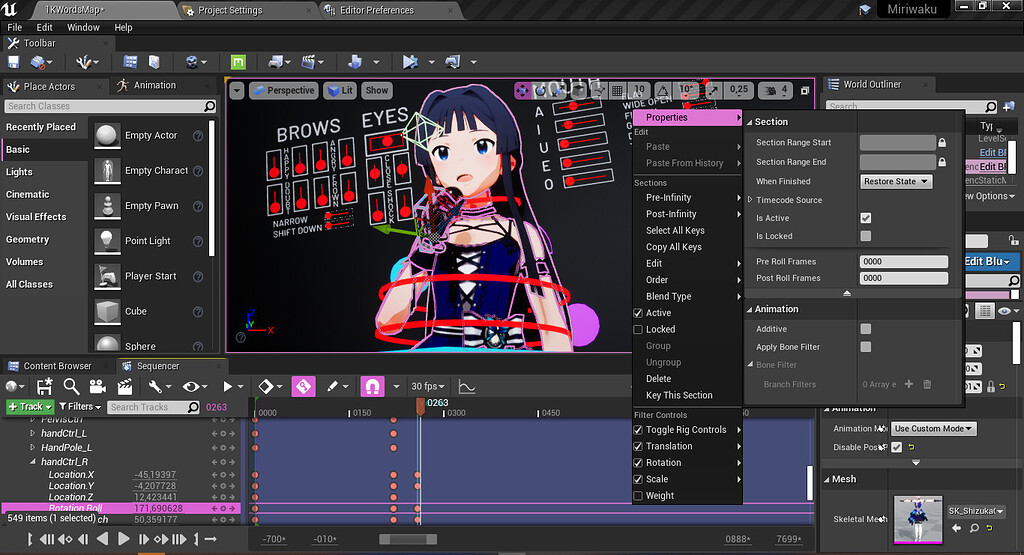
Unreal Engine Forums
When you create animations in-engine using Control Rig (which is awesome and a bit overpowered IMO), you may, sooner or later, encounter the recurring problem of gimbal locking. This is a side effect of the Rotator struct where value of an axis that reached beyond 180° will snap to -180°. It’s apparent when you’re trying to animate IK controls i...
clever acorn
ashen junco
Use Euler Transform.
https://forums.unrealengine.com/t/protip-use-euler-transfor...
I'll try it asap, seems exactly like what i was needing. Thanks man.. or girl
 narrow elbow
Hi does anyone here have some experience with physical animations, my character uses a physical animation but when I scale the character mesh ingame it gets all distorted, Im trying to create a growth system anybody got any solutions?
When I shrink it it gets all stretched and when I increase scale it gets very fat and squished
Scaling works perfectly with the physical animation disabled but I need to have it to create smooth movements for my shark
 keen yacht
hi! anyone knows why my weapon animation is not playing?, event is firering and the correct anim is set. First screen is the code in the player bp and the second one is in the weapon bp


its about the anim that is played in the weapon bp
the other one is working
ashen junco
keen yacht
hi! anyone knows why my weapon animation is not playing?, event is firering and ...
Do the montages have the right slots assigned? Your anim BP also has to accomodate for the slots.
keen yacht
ashen junco
Do the montages have the right slots assigned? Your anim BP also has to accomoda...
i only have 1 slot, its assigned to the default slot
ashen junco
keen yacht
i only have 1 slot, its assigned to the default slot
What about the anim graph?
keen yacht
ashen junco
What about the anim graph?
this anim has nothing to do with the anim graph, i play it from the player bp
ashen junco
keen yacht
this anim has nothing to do with the anim graph, i play it from the player bp
But the slots require the anim graph to actually use it.
keen yacht
oh i see
i play the reload anims the same way and they just work
they are setup the same
high musk
Hey all, I'm using KawaiiPhysics - anyone know if the collision limits can be adjusted at runtime? I basically want to toggle a static capsule on and off.
ashen junco
high musk
Hey all, I'm using KawaiiPhysics - anyone know if the collision limits can be ad...
No, the array is not exposable to anim graph.
high musk
ok, so I guess I'd need to swap anim instances?
i'm doing some other logic switching for physics settings in the animbp so that wouldn't be that big of deal
ashen junco
high musk
i'm doing some other logic switching for physics settings in the animbp so that ...
I suppose you can do a blend pose by bool, and switch the Kawaii Physics nodes that way.
You should also make Data Asset for Kawaii Physics limits so that it's more manageable.
high musk
Thanks, I will play around with that!
keen yacht
@ashen juncodo you have any idea for a fix?
ashen junco
keen yacht
<@!325627930484932608>do you have any idea for a fix?
Not without looking at your anim graph, that is. Just to make sure it uses the slot.
keen yacht
ashen junco
Not without looking at your anim graph, that is. Just to make sure it uses the s...
this is my anim graph

 zinc niche
why do fbx files from blender get rotated when importing them as a animation?

it's also flipped
ashen junco
zinc niche
why do fbx files from blender get rotated when importing them as a animation?
Blender...
Most likely axis issue or transforms not applied.
zinc niche
yeah, it's an axis issue
 sterile warren
Hello, I'm looking for some recommendations? What are the best videos/documentation to learn UE5's new animation tools? I've found an Inside Unreal but I'm looking for something a little more beginner-friendly. I have UE experience just not so much in animation. I want to create my own AI characters for my project that are as realistic as possible. Thank you 😀
ashen junco
sterile warren
Hello, I'm looking for some recommendations? What are the best videos/documentat...
Unreal Engine's channel has more edited presentation video on Control Rig and Full Body IK.
For the rest of the new stuff, well, you have to wait until proper 5.0 release (though it's not going to be day 1 for sure).
sterile warren
Thank you brother. I’ll check some more out!
static falcon
Is there a preference between bones vs blendshapes for face animations? Metahuman has hundreds of bones, wondering which is preferable
ashen junco
static falcon
Is there a preference between bones vs blendshapes for face animations? Metahuma...
If you're developing for PC/Console, you can get away with more bones, up to 256 (IIRC; Unreal has option to use 16-bit bone index that cranks it up to 65536)
Mobile is more limited with the bone count, about 75 (not sure about morph target count)
 thin edge
Something wrong is happening
Whenever I try to capture and render a sequence at 1920×1080 res., my gpu crashes and an amd message pops up
iron merlin
what's foot locking?
sterile warren
What's the best way to get a Character's movement speed in BP?
Get Last Update Velocity > Vector Length > Set Float?
Like directly from the Character Movement component or is there a better way?
sterile warren
Hello, I'm wondering why I see some people use 1D Blend Spaces while others use the 2D ones? How do you decide?
 obtuse parrot
Hello, I have built some lipsync animations in Maya for a metahuman and I'm able to bring them in with audio and sequence them using the level sequencer with no problems. I'm wondering if there is a way to just import the curve information and use that directly on the blendshapes in an animBP for the common MH face rig.
Does anyone know if you can import just the curve information to unreal?
 light palm
guys, im trying to smoothen out the transition between the animations in the anim blueprint, any leads to termenology that i can start with?
light palm
sterile warren
Hello, I'm wondering why I see some people use 1D Blend Spaces while others use ...
From what I have seen and understood, I apologize if I'm wrong because I'm learning this too, but basically if you use 1D blend spaces you can only do so much with it, and there is one variable that they use which is speed.
2D on the other hand uses both speed and direction which gives a more realistic feel.
So, better movement and feel and realism go for 2D.
Not sure why would anyone choose 1D
That's why locomotion is set with 2D BS
 young escarp
Hello guys, I want to use ikRig and ikRetargeter to retarget animation. However, after I installed ikRig Plugin in UE5.0EA, there is no ikRetargeter option when I try to create new asset, and content of ikRig looks different from some tutorial videos. Can someone teach me how to correctly enable these functions in UE5.0EA? Thanks for the help.
 digital gorge
Hi i need some help. when i play a animation my character do it and after that it goes back to the point where he was. I have enabled root motion but isnt working can someone tell me how root motion work and tips to do it correctly
 tepid token
I have 2 questions: Are the animations only usable by 1 mesh (got a character and mesh from mixamo but i want to change it but the anim bp and bs dont work) and also where can i get animations for free
ashen junco
digital gorge
Hi i need some help. when i play a animation my character do it and after that i...
Have you enabled extract root motion in the animation sequence?
ashen junco
tepid token
I have 2 questions: Are the animations only usable by 1 mesh (got a character an...
-
No. There are many ways you can propagate animations across modular character meshes.
-
Apart from Mixamo, none. And I can't even recommend it due to how unorthodox the rig is (lack of proper root bone and twist bones). Best thing you can do is either learn how to make animations (by hand or mocap) or buy good ones from marketplaces like the Unreal Marketplace, Gumroad, ArtStation, etc.
umbral radish
sterile warren
Hello, I'm looking for some recommendations? What are the best videos/documentat...
This goes a bit into a simple setup in a sample you can also download. Tho it’s EA but with some fixes it works on 5.0 release too

There is a brand new Unreal Engine 5 project that you can download for free! Available now on the Unreal Marketplace, Stack-O-Bot is a great project for those picking up Unreal Engine for the first time or for indie developers looking to try out all the new features in Unreal Engine 5. It uses Lumen, Nanite, World Partition, Control Rig, Metasou...
There was also a live stream that went through the animation setup a bit.
umbral radish
tepid token
I have 2 questions: Are the animations only usable by 1 mesh (got a character an...
You can also check out the retargeting stuff in UE5. I havn’t tested yet with mixamo but I think this will introduce a very simple way to get animations from mixamo over to any other skeleton.
 sharp river
Hello! Why mr mannequin (blender) disables ik controllers after animation import? IK works with default pose but don't work for edit imported animations. I use last version
 sterile warren
umbral radish
You can also check out the retargeting stuff in UE5. I havn’t tested yet with mi...
sterile warren
umbral radish
You can also check out the retargeting stuff in UE5. I havn’t tested yet with mi...
Thank you so much Andi! I'll check it out. I know they did a more in-depth on Inside Unreal as well...
ashen junco
sterile warren
Thank you so much Andi! I'll check it out. I know they did a more in-depth on In...
Well, if you can bear the pacing from the streams, go ahead.
I just can't take the pacing and prefer the more edited presentation / tips & tricks videos.
 hazy yoke
hey i am using random sequence player can anybody tell me how to stop my animation looping i also used do once where i set the command to play anim
 iron knoll
Hello 👋
When using AnimLayerInterface with Anim Blueprints. How can i save/cache the inputted variables so i can use them within a State Machine? Here i want to make use of the Direction and Velocity Parameters i'm passing into the layer from the Locomotion StateMachine. Is this possible?

I can promote the Input to a variable, but cannot actually store it because there is no Exec pins in the AnimationLayer, only a pose pin.
 hazy yoke
hey i am using random sequence player can anybody tell me how to stop my animati...
hazy yoke
hazy yoke
hey i am using random sequence player can anybody tell me how to stop my animati...
Plzz Tell this
iron knoll
Okay this might be a nice find for anybody else interesting in using Animation Layers. It seems that some Magic happens here and if you create a Variable with the same name and type as the Input Pose variables, they automatically get set. See picturses. I've created variables with same name and then i'm able to feed them into my anim nodes like Blendspaces. Very powerful and handy

 misty dagger
Is it possible to change the skeletal mesh of an animbp after creating it?
misty dagger
or, bonus question - can I make an "animbp_base" animbp and have childs of this animbp for different skeletal meshes?
with possibly the same functions as the parent animbp
 vagrant anvil
I have this socket called "Socket_weapon" and whenever I socket something to it's out of place. However, when I start playing an animation on it, it does not follow the socket location. This is both in the anim BP and with AttachComponentToComponent in the blueprint in the live game.


Has anyone seen this issue before?
misty dagger
the socket is not animated most likely
 vagrant anvil
which animation?
misty dagger
the one that has the socket not moving
vagrant anvil
it's all in an animation blueprint, and then i have another actor which i spawn that calls AttachComponentToComponent and i pass it the socket name and component of its parent
does that make sense?
The one that does not have a moving socket is the third person character. I also have a first person character which is just floating hands
They both use the same skeleton
ashen junco
vagrant anvil
ik_hand_gun bone is not parented to the hand bone.

Unreal Engine Forums
Well being an animator I knew what the IK handles were when I saw them and is an addition to the hierarchy that is not really need directly in Unreal 4 but was added by Epic to help make authoring of animations for their game like Fortnite and Pargagon easier and more efficient. What might be confusing is the naming convention being used by cal...
vagrant anvil
Is there a way to have a downward travel of animations then in this case?
For example, I have two skeletal mesh comps, and two anim BPs but they both share the same skeleton
I don't have to have to implement the IKs twice
ashen junco
vagrant anvil
Is there a way to have a downward travel of animations then in this case?
Not sure what you mean by "downward travel"
But the example sounds possible, if you mean each skelmesh comps have their own animBP, but both skelmeshes assigned to the same skeletons
vagrant anvil
ashen junco
Not sure what you mean by "downward travel"
But the example sounds possible, if...
So my setup is essentially this:
2 meshes - 1 is floaty arms (for first person) and third person mesh (for other players to see)
2 anim bps, one for fp and other for third person
Both first person mesh and third person mesh have the same skeleton, but different anim bp's
So yes
vagrant anvil
ashen junco
https://forums.unrealengine.com/t/mannequin-hand-ik-confusion/56882/4
The IK's that you mentioned for that bone here, are not implemented in the third person anim bp, and i would prefer to not have to reimplement them by hand
 ripe dawn
I'm trying to understand the workflow for animations. Do you generally have a separate blend file for each animation? Do you have the rig separate and Link it in each new file or how does that work?
I'm using Blender, specifically
dull sun
ripe dawn
I'm trying to understand the workflow for animations. Do you generally have a se...
I have a master Rig .blend file. All anim files use "Link" to stay referenced to the rig even if it changes.
Here's my process:
-Put the whole rig under a collection like AlienRig or whatever
-Save Rig somewhere (make sure it's in a path you want, cuz I've had things break when trying to relocate)
-Make new empty .blend file
-File -> Link...
-Find your Rig file
-Select the "Collection" folder
-Choose the collection that encompasses your whole rig (AlienRig or whatever)
Now you'll see it in your scene, but you can't select or manipulate anything
-So now, Expand your collection in the outliner till you find something with the collection name, but a link icon (see image below)
-Right click -> ID Data -> Make Library Override Hierarchy
Now you should be able to manipulate and keyframe the rig controls.

You can even change constraints, which is ultra useful
hazy yoke
hey i want to play diffrent death animation when die i diffrent situation like if i die while running i want to play diffrent running death anim or when i die while jumping i want to play diffrent jump die anim how can i do that
also i want that there should be multiple running or jumping death anim so each time player die with diffrent anim is that possible
 weary ibex
Hey! I have a classic first person "two arms" type setup and want to do some animation 😀 I guess that I need to author unique animations for all actions (drinking out of a bottle, using a hammer etc) but what is a common solution for walking around? Do I need a custom idle animation per item or is there another technique I should investigate for automating different grips?
hazy yoke
Hey can anybody tell me how to fix this my player stand up after death I don't want that
 short sinew
Does anyone know how to fix the error connected with FP and TP animations for character? (For example. TP animations work, but FP don't)
 celest hawk
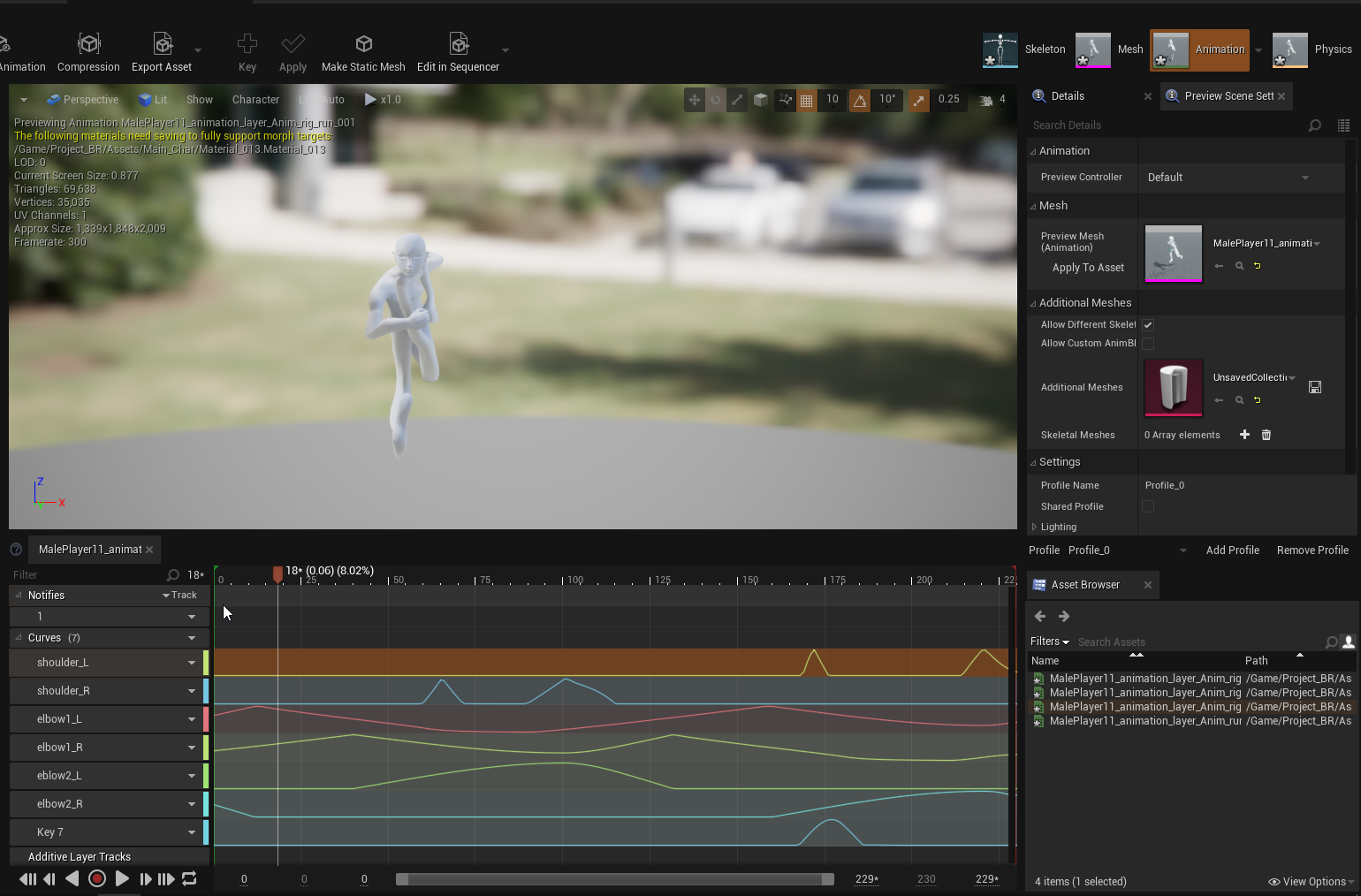


anyone know why my rig is all messed up in the animation ?
i imported this from blender
 vocal flicker
Is there any "Trigger" option for anim blueprint in transition rules, just like unity ? If not then what is the possible workaround for this? [create a bool and set it to false on the next frame ?]
ashen junco
vocal flicker
Is there any "Trigger" option for anim blueprint in transition rules, just like ...
Anim Notify
vocal flicker
No i meant to transition from one state to other state
sullen aurora
vocal flicker
No i meant to transition from one state to other state
you could always try an animation montage, and play that from any state, thereby staying in the current state, but it will play another animation no top of your state.
i mean does it have to be state to state, to implement that would be tricky, anim notify is actually not a bad idea, then set the bool to false on the notify
but if you are looking for a one shot animation, maybe look at playing a montage, also, a montage could be comprised of multiple animations, and even contain logic to diverge etc. as simple, or complex as you need
silver flare
So i have an roll animation that uses root motion, but i was wondering how i could make it so it rolls further, be it through animation tricks or through some extra blueprint magic
vocal flicker
sullen aurora
you could always try an animation montage, and play that from any state, thereby...
Hey thanks for the detailed answer. I was trying to avoid montage. But seems like it is the only solution
ashen junco
silver flare
So i have an roll animation that uses root motion, but i was wondering how i cou...
If you're in UE5, I heard Motion Warping can do that.
silver flare
ashen junco
If you're in UE5, I heard Motion Warping can do that.
im afraid im in UE4 at the moment, might look into that though
 digital vigil
Is there an easy way to stop a bit of a animation moving?
Im using that blue soldier that is free but the animations are so jittery it makes the camera shake so badly
its not a very smooth experience
so im wondering can i select the head and remove its movements from the animation?
ashen junco
digital vigil
so im wondering can i select the head and remove its movements from the animatio...
Yes.
Slots
digital vigil
thanks ill have a looki
digital vigil
ashen junco
Yes.
Slots
am i going to have to rebuild every animation using this?
sterile warren
Can I use the same Animation Blueprint for my Player as my AI? Is this good or bad practice?
misty dagger
Hello, I have a skeletal mesh of a AirPlane with all the bones, but I want to animate it inside sequencer, how can I get the bones to appear inside sequencer so i can keyframe it? what should I look for in the documentation?
ashen junco
digital vigil
am i going to have to rebuild every animation using this?
No, just a runtime animBP technique.
ashen junco
sterile warren
Can I use the same Animation Blueprint for my Player as my AI? Is this good or b...
Yes, you can. You just have to make sure the transition logic works even if AI controls the NPC.
ashen junco
misty dagger
Hello, I have a skeletal mesh of a AirPlane with all the bones, but I want to an...
You have to setup Control Rig for transforming bones in Sequencer (or animating in editor)
There's also Poseable Mesh Component, but it only works in runtime and not in editor, so it's difficult to animate in Sequencer.
digital vigil
im using an older build of ue4 (i believe 4.26) were slots not a thing until recently because i cant find the blocks?
ashen junco
digital vigil
im using an older build of ue4 (i believe 4.26) were slots not a thing until rec...
Slots have been existed for so long, I know it existed in 4.12.
digital vigil
ok thanks ill keep looking
misty dagger
ashen junco
You have to setup Control Rig for transforming bones in Sequencer (or animating ...
Nice, thanks. I enabled Control Rig in the Project > Plugins, now i can use the FK control rig inside sequencer 🤘🏾
dull sun
I've got a "LeanLeft" animation on only the spine.
I'd like to combine it additively with a Run anim to make a "RunLeanLeft" asset.
I don't wish to dynamically blend 2 poses in an AnimBP, just kind of "bake" it into a new anim sequence. Is that possible wthin unreal?
I'm RTFM-ing right now but there's SO many anim tools.
misty dagger
Should I have an animbp for every weapon my character uses?
I was thinking of having an animbp+blendspace for every weapon (using the same skeletal mesh) and then have the code switch animbps on occasion
dull sun
misty dagger
I was thinking of having an animbp+blendspace for every weapon (using the same s...
I'm just diving into this, so take it with a grain of salt, but you may be looking for Anim Blueprint Overrides, if it's just a matter of swapping out blendspaces:
https://docs.unrealengine.com/4.27/en-US/AnimatingObjects/SkeletalMeshAnimation/AnimHowTo/AnimBPOverride/

Illustrates how you can override animations in a child Animation Blueprint.
digital vigil
is it possible to remove a portion of a skeletal model with-in ue4?
misty dagger
dull sun
I'm just diving into this, so take it with a grain of salt, but you may be looki...
thanks, but it's not what I'm looking for - I was asking if it's the proper practice to switch animbps when switching different weapons
or have them as an additive
sullen aurora
digital vigil
Im using that blue soldier that is free but the animations are so jittery it mak...
You could always try and in stead of attaching your camera directly to a bone/socket, attach the camera to a spring arm ( or the root component of the actor with an offset ), that will dampen/absorb all the jittery movement and smooth out the motion over time or even completely, this way you can detach your camera from the skeleton
 short cape
Anyone know if it's possible to turn a dynamic montage into a 'regular' montage?
sullen aurora
short cape
Anyone know if it's possible to turn a dynamic montage into a 'regular' montage?
You mean like saving the result of the Play as Dynamic Montage as an Asset to the content browser?
Might be easier to just use the content browser, right click Animation -> Create Animation Montage, and simply set the animation..
short cape
That's for cases where I'm blending to an animation. Like I don't have the Stand to Stand Aim animation so that I can turn it into a montage. I know I can just record and blah blah. I was just wondering if there was a way to just do a dynamic montage and then save that. It's all good. I should look into sequencer. I think I can use that to help make new anims.
sullen aurora
Cool. Yeah I dont know if you can serialize that output to a montage easily in UE. Sounds like something that should be done from the art pipeline to be honest. 🙂
short cape
;p
sterile warren
Is there any way to hide an entire skeletal mesh? I've got a camera attached to its head socket for realistic movements and animations, but I don't want the skeletal mesh to be visible. Any help is greatly appreciated, and different approaches that achieve a similar result are welcomed.
short cape
Set visibility and don't let it propagate to its children?
Set visibility off I mean obv ;p
 boreal bloom
Hello everyone, I use a montage with section for my mob, It's there a way to know in blueprint the duration of a section ? not the entire montage. ?
 eternal cypress
Can someone point me in the right direction regarding Cast To. I'm trying to do a double jump animation and a punch animation...not at the same time. and all the tutorials say to run them off of a Cast To (character_bp)... but I can only select one or the other animation and not have them both linked up to the same Cast To node. Is there a solution to this. Sorry if this is super basic. this is my second day of using Unreal.
sly tide
@eternal cypress use a custom event and play it at the start of the Cast To
Or like, could you send a screenshot?
eternal cypress
sly tide
<@477178124715425802> use a custom event and play it at the start of the Cast To
I figured it out. I didn't realize you could line up the "Set Variables" node one after the other instead of branching them. that way the "Cast To" node only goes to one variable after another.
 sweet lantern
Could someone please help with the aim offsets? How do I make it point the gun precisely on a target? Or at least what is the "pivot" for the aimspace angles in animstarterpack? Currently got this:


I'm calculating the aim angle from the character's pivot, yet it seems to be wrong
 urban yoke
Can i add walk animation to my empty character?

 fickle citrus
Hi everyone! I'm currently working on a project that is having a big amount of animations. We have some animation blueprints that have a big amount of transitions between them and its getting really bad. Any tips to order/structure this? I've also posted on the forum, but I haven't got an answer yet 😦 https://forums.unrealengine.com/t/animation-blueprint-good-practices/508397
Unreal Engine Forums
Hi everyone! I’m currently working on a project that is getting really big with animations. For every animation, we have to add a lot of transitions and it’s getting hard to read. We have a big amount of transition states and we are trying to get a better way to order/handle this. We currently have it all on a single animation state, and we kno...
fickle citrus
urban yoke
Can i add walk animation to my empty character?
You need a mesh to play an animation. Does not make a sense at all to play an animation with no render object (SkeletalMesh).
urban yoke
fickle citrus
You need a mesh to play an animation. Does not make a sense at all to play an an...
animate a cube and add it to the character, right?
and invisible cube in game!
umbral radish
fickle citrus
Hi everyone! I'm currently working on a project that is having a big amount of a...
I did answer now.
 barren sand
Hey guys, anyone having issues with animations not being the same on different machines?
Both PCs take from the same Github repository.
Both are at frame 146.
PC1:

PC2

I've also tried re-importing the same FBX on both machines. Same thing is happening
sweet lantern
urban yoke
and invisible cube in game!
What's your use case? A first-person camera?
fickle citrus
umbral radish
I did answer now.
Hi Andi! Thanks for this explanation! It's going to help a lot to be able to order all of the states! 😄 Just for interest, is there a way to make this work around in Unreal Engine 4 (or something similar)? I have other projects that I would like to implement this but they are still in UE4. Thanks!
umbral radish
the alias is new in 5.0
but the rest you should be able to do in 4 as well.
 mystic pine
Hey guys,
I have a char rigged to the epic mannequin (using the same bone structure and rotations). They both share the same skeleton asset. Thing is, in some animations (not all) the translations seems to be over the place (.ie. centroid at the origin) and other odd issues.
I have set the translation retargeting of the bones in the retargeting options at skeleton except root which is animation and pelvis which is animation scaled. Any idea?
 young urchin
Greetings. Have anyone ever used PoseBlender?
Describes how to play back a Pose Asset with the Pose Blender node.
 hearty kiln
Hi! Anyone knows if it's possible to remove somehow the interpolation for the anims in the blendspace? I was thinking of making a 8 directional character that snaps between poses, think of it like sprites from 2D.
mystic pine
hearty kiln
Hi! Anyone knows if it's possible to remove somehow the interpolation for the an...
AFAIK no but you could do a custom anim node that does it for you or reproduce the behavior using montages (since you dont need to blend)
young urchin
@hearty kiln just make the control value snapped, use round, ceil or any other math function
mystic pine
young urchin
<@!333195588369776641> just make the control value snapped, use round, ceil or a...
that's a better solution actually
hearty kiln
thanks guys will look into it 🙏
young urchin
@hearty kiln remember - there is also temporal (time) blending, set the transition time to 0 if you want it to be instant
hearty kiln
looking into it, appreciate the help 💖
 potent fern
young urchin
<@!333195588369776641> just make the control value snapped, use round, ceil or a...
potent fern
young urchin
<@!333195588369776641> just make the control value snapped, use round, ceil or a...
Or this. 🙂
 misty dagger
Question I have a car that came with bones, i followed a tutorial on how to assign the wheels and steering, but now when i try to play it seems something is stuck under my car and it flips when i try to drive. Any ideas? I was thinking maybe about collision or something but i dont know.
I can accelerate and steer, but somehow the car is not touching the ground.
mystic pine
mystic pine
Hey guys,
I have a char rigged to the epic mannequin (using the same bone struc...
turns out the problem was on the weighting not the skeleton itself. Im transferring it from another char, just tested to create it from scratch and it does work with the exact same bones
 hard fog
Hello, how would I make my character's animations fit the direction that the character is facing?

nvm I put in the meshes rotation rather than the actor rotation into the calculation of the direction
 merry lynx
I want my character to do squat animation , where do i add the socket for the weight/bar? If i add it to a hand , it would rotate the bar and the weight as he lifts it
merry lynx
Instead of sockets , can i manually record certain positions of an object to match the grabbing animation then save that as an animation
 candid fulcrum
How do I get the length of an animation in animation blueprint? I can see that the default jumping has that. But that's only for the transitions.
I've tried googling for this, but was unsuccessful.
sweet lantern
sweet lantern
Could someone please help with the aim offsets? How do I make it point the gun p...
Could someone tell at least where should I be looking for fixing that issue?
full sequoia
Does anyone know why this deformation is occurring whenever I turn my character?
 muted geode
Any blender > ue4 experts? I've read a lot of conflicting info about importing animation especially with root motion in mind. My root motion is not working for a custom skeleton rig.

I believe it's because of my hierarchy and or scale. So question 1, do I need to name the rig "Armature" for the real "RootBone" to be the real root?

And 2, do I need to do the Metric unit scale 0.01 thing still for the skeleton to be correct?
sly tide
Yeah I'm having the same problem
ashen junco
muted geode
I believe it's because of my hierarchy and or scale. So question 1, do I need to...
You HAVE to rename it to Armature. Otherwise it will add another bone with the name of the armature object.
ashen junco
muted geode
And 2, do I need to do the Metric unit scale 0.01 thing still for the skeleton t...
Yes, the requirement never changed.
 paper canyon
Having some issues with retargeted animations and the IK hand/feet bones in Unreal.
I exported a working unreal rig into blender, added IK bones and pole targets and exported back into unreal.
I set IK as animation while all other bones (except for root and pelvis) to skeleton.
Any ideas of why it's breaking like this?


also did not set IK retargeting in retargeting manager, tried doing that but didn't seem to help

 craggy knoll
Ancient Valley has a solution where Echo gets rotated inside the Animation Blueprint with help of the animation Curve MoveData_JogRotationDelta, instead of using the Rotation Rate of the Character Movement Component, so turning the character animates better.
This seems pretty cumbersome to setup and it seems that using the Root Motion Rotation of the Animation Sequence as the Actor Rotation, would result in a similar output.
How do I get the Root Motion rotation of an animation, even though Force Root Lock is enabled for the animation sequences?
 tough elm
craggy knoll
Ancient Valley has a solution where Echo gets rotated inside the Animation Bluep...
tough elm
craggy knoll
Ancient Valley has a solution where Echo gets rotated inside the Animation Bluep...
Maybe you can use somehow the RootMotionParams property to get the transform in the CharacterMovementComponent in C++
Quick question, I have characters that have the ability to be left or right handed, I have the animations mirrored (with some tweaks) and imported in Unreal using a naming convention like shoot_anim_L shoot_anim_R.
Currently, in my AnimBP I have duplicated all my State machines (one for left handed and another one for right handed) and then I do a blend poses by bool (something like the photo).
Alternatively, I could do just one copy of my State machines and in each leaf where I have a SequencePlayer use a blend poses by bool.
Do you know if there is a better approach to this? or should I have to create a custom SequencePlayer node?
 craggy knoll
tough elm
Maybe you can use somehow the RootMotionParams property to get the transform in ...
craggy knoll
tough elm
Maybe you can use somehow the RootMotionParams property to get the transform in ...
I'll have a look. Thanks!
craggy knoll
tough elm
Quick question, I have characters that have the ability to be left or right hand...
Expose the Animation asset pin of your Play Animation Sequence node and save it as a variable. Inside your Event Graph set the variables depending on your IsRightHanded boolean.
tough elm
craggy knoll
Expose the Animation asset pin of your **Play Animation Sequence node** and save...
I'll give it a thought, thanks!
keen minnow
Hey does anyone here use perception neuron mocap? I am new to UE and I am trying to figure out how to add a prop to my hand, is this possible?
sweet lantern
keen minnow
Hey does anyone here use perception neuron mocap? I am new to UE and I am trying...
An AR prop? Probably you should ask that in vr-ar channel
keen minnow
TBH not sure where to begin, thought of just attaching the prop via bone socket but doubt that will do that I want. I am looking to have a mocap character hold a sword and slice the air, should I use an AR prop?
iron knoll
Hello 👋
I'm new to using Control Rig and trying to setup a simple IK using the Unreal Video on Youtube. I've figured out my Primary Axis should be Y = -1 otherwise the entire leg is messed up. However, after connecting the Control and Pole Vector, my shin/knee is pointing inwards (towards the other leg) instead of forward, while the Foot Bone (Attached to the Control) is pointing forwards. Any ideas why this might be happening?

 midnight tiger
So I've decided to dip my toes into character animation and i have a few question. Does the axis of the bones matter? I've been exporting from blender to get different results.


I didn't make the model. I had it made and my modeler doesnt know much about UE
 twin raptor
For the new peeps getting into unreal 5 preview 2 heres a quick way to retarget https://www.youtube.com/watch?v=mRYPeiV2ZvU

How to retarget animation in unreal engine 5 preview 2
First 100 people gets discount on my UE5 Course
https://www.udemy.com/course/how-to-create-a-movie-in-unreal-engine-5-beginners-edition/?couponCode=15E90C71F87BAF32E4C8
Buy my courses to support the Channel!
How to make a movie in Unreal Engine 5 Beginners Edition Artstation Link:
https://...
sweet lantern
keen minnow
TBH not sure where to begin, thought of just attaching the prop via bone socket ...
Is it a skeletal mesh character with recorded animations, or is there something like ar or realtime mocap?
keen minnow
Realtime mocap
I can use it with recorded but prefer realtime so the actor can see how it will look
keen minnow
twin raptor
For the new peeps getting into unreal 5 preview 2 heres a quick way to retarget ...
Hey, I hate to bother you, but you seem to know UE pretty well.
Is it possible to make a MH put his hand on a desk without it going through via realtime mocap? I am trying to use a PN Studio suit to animate a metahuman typing on a keyboard but his hand always goes through the mesh, can I use the collide system to have this work? Thank you so much.
 azure cave
ashen junco
You HAVE to rename it to Armature. Otherwise it will add another bone with the n...
azure cave
ashen junco
You HAVE to rename it to Armature. Otherwise it will add another bone with the n...
Oh my god thank you so much lmao
twin raptor
keen minnow
Hey, I hate to bother you, but you seem to know UE pretty well.
Is it possible ...
man realtime i have no idea i dont do realtime tbh im an offline kinda guy lol sorry mate
keen minnow
No problem just thought I'd ask! Thank you for your tutorials they're super super helpful
keen minnow
twin raptor
man realtime i have no idea i dont do realtime tbh im an offline kinda guy lol s...
I am going to take the codemiko approach and turn my mocap character into a game character, feel like that should produce the results I'm looking for. I will post it here when I've figured it out, thanks again!
twin raptor
goodluck man especially with rokoko
muted geode
ashen junco
You HAVE to rename it to Armature. Otherwise it will add another bone with the n...
awesome ty!
 rocky delta
How can I control animations from cpp?
I created an animbp with variables and transitions but I have no idea how to set its variables from cpp
 tranquil lark
A few ways

Part 2: https://youtu.be/ySeBG_X8Wwg
In this tutorial, I try to recreate the event graph in the animation blueprint that comes along with the third person template in Unreal Engine. Except instead of blueprints, I use C++ for the updating of the speed variable in the IdleRun blend sequence.
Introduction to Replication: https://youtu.be/Z0Ltr1...
Should help
misty dagger
Hi! Question about animations - what was the node that allowed you to blend two animations based on socket?
So from the pelvis down -> use one, from the pelvis up -> use another?
rocky delta
Thanks 
craggy knoll
twin raptor
For the new peeps getting into unreal 5 preview 2 heres a quick way to retarget ...
Isn't this misleading? Your not retargeting Animations, you're assigning a Skeletal mesh to a different Skeleton and use the animations of that Skeleton. I don't want to be rude or something, but people might think that's how retargeting animations works.
https://youtu.be/HmOVHZ4MUtg this is the new way of retargeting Animations in UE5 preview 2
UE5 TUTORIAL - QUICK Retargeting - FULL BODY IK
A BRAND NEW way to retarget your animations.
A quicker way to retarget animations, included a basic
implementation of the brand new FULL Body IK solver.
I am a novice with IK Solvers, so smarter people will follow
to give you a better understanding of the powerful tools that
are available to you...
ashen junco
craggy knoll
Isn't this misleading? Your not retargeting Animations, you're assigning a Skele...
That's one way to do "soft retargeting".
Hard retargeting is the ye olde way of duplicating anim assets and retarget it to another skeleton.
craggy knoll
You are right. Sry JSFILMZ for my comment 🙏
toxic thorn
if i'm using a paragon character with a metahuman head, how do i minimize the performance impact of the paragon character's head? i can assign transparent material to the paragon head but is there anything else that can be done to boost performance?
ashen junco
toxic thorn
if i'm using a paragon character with a metahuman head, how do i minimize the pe...
Remove it outright in your DCC tool.
toxic thorn
dcc?
also that's probably not an option, the head is there for cinematics, the helmet stays on for gameplay (third person shooter)
ashen junco
Your Blenders, Mayas, Zbrushes, and whatnot
toxic thorn
so remove the actual bones?
ashen junco
toxic thorn
so remove the actual bones?
Remove the actual faces of the face
toxic thorn
wont that break the anim bps completely? or is assigning None for a bone in a rig not a critical error?
ashen junco
And by face, I mean the polys
toxic thorn
aaah right the geometry
aight so i'd need to make 2 meshes, 1 with and 1 without, ok, not ideal but should be doable
ashen junco
The bones can be left as is, even if it's not having any weight to the geo
ashen junco
toxic thorn
aight so i'd need to make 2 meshes, 1 with and 1 without, ok, not ideal but shou...
Or just separate them, so you can toggle the visibility for the head in BP.
toxic thorn
so toggling visibility (the Hidden in game bool?) has an impact on performance that's worth a damn?
i always kinda assumed those are those more for visuals, but very little in terms of memory usage and at best some gpu usage
ashen junco
Hiding meshes in game would actually mean not putting the polys into the scene, so definitely worth the micro optimisation.
Compare that to just setting opacity mask to 0.
toxic thorn
ah ic, yeah ok that clears it up, i've worked with visibility based optimization before
just never thought it has much of an effect (i assumed you have to do lower level data asset/chunk loading and such for that to kick in)
 bronze girder
Hey, i have a problem with Auto rig pro. I can't add the forth spine, cause as soon as I change it from 3 to 4 it gives me this.

Anyone knows what could be the problem? There are no issues when exporting this with 3 spines, but for ALS I need 4.
That's how my rig looks like after setting it up and i dont see anything wrong here.
 ashen junco
bronze girder
Hey, i have a problem with Auto rig pro. I can't add the forth spine, cause as s...
ashen junco
bronze girder
Hey, i have a problem with Auto rig pro. I can't add the forth spine, cause as s...
Try redoing again from ground zero.
I have no problem making 4 spine bones with ARP, except it's set to 4 before finalise rig.
bronze girder
ashen junco
Try redoing again from ground zero.
I have no problem making 4 spine bones with ...
Same result...
Care to try for yourself in case that there is something wrong with the fbx?
 crimson adder
Is it possible to use a physics asset in a niagara system? I have created a leaf-like asset using chaos cloth, now I want to spawn several of these around a location events generated on a torus from an emitter.
ashen junco
crimson adder
Is it possible to use a physics asset in a niagara system? I have created a leaf...
Might best asked on #niagara
crimson adder
I thought it would be as simple as using the mesh renderer, but discovered I can only use a static mesh.
Cheers, @ashen junco
 junior berry
Hello Guys, I'm looking for some feedback, please take a look - https://syncsketch.com/sketch/692d5b57af76/
Thanks
M.
merry lynx
Can i animate the socket ? Like adding a key and apply it to the animation
Or only bones
How do i have my socket to be animated
While its connected bone isnt
 bright quartz
Is there a good way to copy a keyframe of one animation to another in UE4 (I don't have the source files and I just want to do a minor correction to an animations start frame)
 grand swift
how can I animate a walk cycle that has a start, loop and a stop animation?
like the ones from kubold, where you have walk start, walk loop, walk stop (with either of the feet). I can't figure how to make them
ashen junco
grand swift
how can I animate a walk cycle that has a start, loop and a stop animation?
Start from the point where the feet lands on the ground in one side and work your way from there.
You can save some work by flipping the animation once you're done with one side.