#animation
1 messages · Page 60 of 1
 toxic thorn

but when i use a larger size mesh (assigned to the attached mesh), it is all messed up
is there a setting somewhere in this ABP i can apply to make it aware the mesh is larger?
mesh = all animations are targeted to this skeleton, but it's hidden
CC4 mesh = uses retargeter ABP to be driven by mesh's ABP

 shadow mauve
Hi, did anyone had this issue when using pose in anim blueprint? mine gives me this error:

its just a pose with 1 bone up
it doesnt do anything
 small bluff
I was wondering how folks built combo systems with charge attacks in a networked game. Largely focused on how people solved communicating a playing animation and listening for notifies and end of animations (anim montage do this!) but also the flexibility to decide how a charge loop might blend to an attack (montages don't do this well). Seems like a fairly typical situation and I feel like I never come up with a fully satisfying solution
 silent ruin
small bluff
I was wondering how folks built combo systems with charge attacks in a networked...
silent ruin
small bluff
I was wondering how folks built combo systems with charge attacks in a networked...

Epic Games Developer
High-level view of the Gameplay Ability System
You eventually end up building some version of GAS when developing a game.
Meanwhile, GAS has a lot more guardrails and features already built in.
small bluff
Yeah, and GAS seems to lean on Anim Montages pretty heavily, with lots of support for things like replication already built in
It's just that blending from one montage to another is very awkward, but I'll see how they do it (if applicable) in Valley of the ancients
 wintry scaffold
Hello, I am a beginner in unreal engine and I was wondering how I would go about doing this idea involving 2d animation and customizable 2d characters. I was wondering how I would implement animations for a character who will have their body parts changed around constantly throughout the game. The player will choose how the character will look, but if I were to make animations for each possible combination of body parts, it would take too long and be way too much effort. What is a solution to this? I've heard of bone animation, but im not sure if there is such a feature for 2d sprites in unreal?
 deft furnace
Hey guys, how do I keep my characters aerial attacks from falling until after the animation. I assigned it to isFalling, is there a way I can still make it work
 sick lance
anyone have any recommendations for solo dev workflow for low poly stuff with fairly simplistic animation? where should I be moderling and animation, what should I be using or avoiding using in terms of features, etc? I know enough to be able to cobble something together, but I'd hate to be taking 5-10x as long as I need to because I didn't know the right ways to go about things.
 hardy tartan
Anyone knows why my idle animations wont even play and just looping wierdly like this ?
 primal fiber
Is it possible to maintain the folder structure during retargetting?
 zealous viper
anyone know how to make animation transition in aim blueprint occur instantly?
it seems it's delayed
 dull sun
I don't suppose there is a way to change the Post Process Anim Blueprint of a skeletal mesh at runtime?
silent ruin
zealous viper
anyone know how to make animation transition in aim blueprint occur instantly?
i...
your AO's Smoothing time need to be 0. Even then there will likely be a lag of 1 frame from how variables update in the ABP.
silent ruin
sick lance
anyone have any recommendations for solo dev workflow for low poly stuff with fa...
take advantage of retargeting.
silent ruin
deft furnace
Hey guys, how do I keep my characters aerial attacks from falling until after th...
Use Flying
silent ruin
small bluff
Yeah, and GAS seems to lean on Anim Montages pretty heavily, with lots of suppor...
Its verymuch about how you design your animations to blend into eachother 🙂
silent ruin
dull sun
I don't suppose there is a way to change the Post Process Anim Blueprint of a sk...
nope, but you can try linked anim layers
 stoic kiln
Is there any way to make ABP tick and run while the mesh is not visible?
SetVisibility(false, false);
VisibilityBasedAnimTickOption = EVisibilityBasedAnimTickOption::AlwaysTickPoseAndRefreshBones;
I had this and it worked in GASP project but when ported to main project it stopped working and it NEEDS the parent/master to be visible so child can copy the pose.
In Lyra there is "invisible" Manny with a single polygon. That would work, but feels super hacky
silent ruin
stoic kiln
Is there any way to make ABP tick and run while the mesh is not visible?
```cpp
...
I mean yeah, you need a skeletal mesh that contains the valid bones to run your animation on.
Skeleton just keeps all valid skeletal meshes grouped up for animation playback validation purpose.
stoic kiln
silent ruin
Skeleton just keeps all valid skeletal meshes grouped up for animation playback ...
The code snippet was from a subclass of USkeletalMeshComponent . It has valid ABP and skeletal mesh, it has just visibility turned off.
the "child" skeletal mesh that is copying the pose is T-Posing until the "master" visibility is turned on
silent ruin
That can't be right..... I have invisible meshes that are set to be used by copy pose in my project, and it was able to run right..... sec let me review my visibility setup
stoic kiln
silent ruin
That can't be right..... I have invisible meshes that are set to be used by copy...
This setup worked on GASP project, but as soon as I ported it to my main project it requires visibility. Dunno what could be causing this, maybe some weird engine setting?
But clearly Lyra had issues with it as well since their solution was making an visible "manny" with a single polygon
silent ruin
does the master have any skeletal mesh assigned? or are you leaving taht empty
stoic kiln
It has the UEFN character. Mid video I just turn the visibility of the master component on.
By the color you can see there are 2 meshes when I turn it on
stoic kiln
It's more visible here
silent ruin
could you maybe try running it with hidden in game, that might fix it
stoic kiln
silent ruin
could you maybe try running it with hidden in game, that might fix it
Nope, that didn't work
 magic belfry
some "rigged to epic skeleton" promised chacterer models comes with missing some bones, like spine4,5
should I avoid these and look for %100 compatible ones
or is there an easy fix to retarget mesh to ue5 SK_Mannequin

 silent ruin
magic belfry
some "rigged to epic skeleton" promised chacterer models comes with missing some...
silent ruin
magic belfry
some "rigged to epic skeleton" promised chacterer models comes with missing some...
IK Retargeter
best 30min of learning in your Unreal Game Dev Career
silent ruin
stoic kiln
It's more visible here
is your setup 1 to 1 as CBP_SandboxCharacter as seen in epic's examples
or did you modify anything else
magic belfry
silent ruin
IK Retargeter
is this what iam looking for
silent ruin
stoic kiln
Nope, that didn't work
Another idea is to sneak in a set visible true -> delay til next tick-> set visible false
stoic kiln
silent ruin
is your setup 1 to 1 as CBP_SandboxCharacter as seen in epic's examples
I moved the functionality to a plugin with a demo. If I run the demo in GASP, it works, if I move the plugin with demo to my main project, it doesn't
silent ruin
like it does work, it just doesn't wanna start ticking
silent ruin
silent ruin
Another idea is to sneak in a set visible true -> delay til next tick-> set visi...
can you try this
stoic kiln
silent ruin
like it does work, it just doesn't wanna start ticking
In GASP the child ABP copying the pose is moving as expected even with master's visibility set to false
silent ruin
so when you re-hide it, it breaks again
magic belfry
@silent ruin will the meshes be using the same skeleton by IK retargeting?
stoic kiln
silent ruin
like it does work, it just doesn't wanna start ticking
Found the issue, not sure how that happen but VisibilityBasedAnimTickOption was set to Always Tick rather than Always Tick and Refresh Bones in BP. It is one of those weird variables that doesn't have "default" value so it doesn't even have the "reset to default" when you change it in BP.
silent ruin
magic belfry
<@117771585028358148> will the meshes be using the same skeleton by IK retargeti...
IK retargeting doesn't care, you can retarget your arm onto the legs if you really wanted to.
silent ruin
stoic kiln
Found the issue, not sure how that happen but `VisibilityBasedAnimTickOption` wa...
yep, need to be Always Tick and Refresh Bones.
magic belfry
im accualty trying to achive making the character iget from fab use the unreal's skeleton. if all my meshes use same skeleton it makes the animation handling so easy
stoic kiln
silent ruin
yep, need to be Always Tick and Refresh Bones.
Ah, I found it!
So what happened was, MySkeletalMeshComponent has
VisibilityBasedAnimTickOption = EVisibilityBasedAnimTickOption::AlwaysTickPoseAndRefreshBones;
But it goes INSTEAD of the typical SkeletalMeshComponent in ACharacter and the constructior of ACharacter explicitly sets
Mesh->VisibilityBasedAnimTickOption = EVisibilityBasedAnimTickOption::AlwaysTickPose;
Sounds like you tracked it down, yeah refresh bones was the important second half.
Nice find
stoic kiln
silent ruin
Sounds like you tracked it down, yeah refresh bones was the important second hal...
Yeah, I just didn't expect the characters constructor to change the default behaviour that I set in the component.
silent ruin
stoic kiln
Yeah, I just didn't expect the characters constructor to change the default beha...
That is strange, b/c if you setup that drop down, in a child BP, it should remember
stoic kiln
silent ruin
That is strange, b/c if you setup that drop down, in a child BP, it should remem...
Child BP remembers it, but the constructor of ACharacter runs after the constructor of MySkeletalMeshComponent and overrides it. Regardless of it being BP or CPP. I should just set it in MyCharacter constructor.
 formal whale
Anyone, please.
silent ruin
formal whale
Anyone, please.
The off 45 angle often will have the weirdest blend. (Such as Manny's front left, back right walk cycles, if used in a blend space. They work around this using sequence selection + orientation warping. Orientation warping does not apply to your use case b/c actor's rotation and velocity are not changing)
What you could do, is setup logic that returns a Enum, that dictates what specific sequence you want to use. Be sure to setup state transition that will trigger the sequence player's on become relevant function.

 serene eagle
Hey Everyone. having a very stupid problem!
I have rotation keyframes of a door opening and closing.
It shows up and works in the sequencer but having a lot of problems with the movie render. It either opens at the wrong time, or doesn't open at all, or is just constantly open.
I've tried a lot of things. Deleting actor and keyframes, deleting blueprint, trying 100 warm up frames, making possessable and spawnable, selecting movie pipeline on the game mode override. Been stuck for about 2 days on this. Any ideas would be much appreciated!
 versed flare
Ok so i have an animation but i want to change the model in the animation to use another model. How would i do that?
silent ruin
serene eagle
Hey Everyone. having a very stupid problem!
I have rotation keyframes of a doo...
you are rotating a whole BP to animate this, maybe having the keys on the scene root or static mesh actor can help.
formal whale
silent ruin
The off 45 angle often will have the weirdest blend. (Such as Manny's front left...
Thank you for your response, and helpfulness. I will try to implement the suggested logic.
Many many thanks again.
 mental haven
How do I fix this issue? I have baked animation for the spear, but when it's supposed to be thrown it actually keeps being affected by the character movement after being thrown. It actually works correctly if it's an actor without a capsule being a parent of the skeletal mesh, I dont know why
silent ruin
mental haven
How do I fix this issue? I have baked animation for the spear, but when it's sup...
Have you heard of our lord and saviors, weapon IK, and virtual Bone IK? https://dev.epicgames.com/documentation/en-us/unreal-engine/virtual-bones-in-unreal-engine

Epic Games Developer
Resolve layered animation problems by using Virtual Bones with IK.
 sleek elbow
Anyone ever experience when you have a weapon socket in a BP and using a split body animation so you can still move but the weapon in the socket moves position when changing direction of locomotion. example: moving forward with a block animation the sword stays in same position but when side stepping or stepping backwards the sword shifts positions out of the hands even though the animation on the top half of the body remains the same.. only the sword that is in a socket moves position?
silent ruin
sleek elbow
Anyone ever experience when you have a weapon socket in a BP and using a split b...
use your layered blend with a -1 on your weapon_r or weapon_l bone.
 devout jewel
Someone used mocap suit for Project Titan to make idle animation.
Things are good for now. Not a problem to make idle animation.
Problem is it's size is 1.2 GB
😅
hardy tartan
Hey guys, I need help, Im using random sequence player and when it plays all animations my character just freeze..
silent ruin
hardy tartan
Hey guys, I need help, Im using random sequence player and when it plays all ani...
need some screen shots, did you configure the animation entries?
hardy tartan
fixed it buddy
mental haven
silent ruin
Have you heard of our lord and saviors, weapon IK, and virtual Bone IK? https://...
Ill check it out thank you
 earnest light
Anyone know how to hide these weird connecting lines?

 hollow mesa
Hey folks. I'm getting to grips with MM and I was wondering if there's a way to adjust the amount of procedural lean being added as part of the trajectory component and where that is handled. Ideally on a PSD basis as I have a character with quite a slow default wall speed and they're a bit silly looking making tight turns.
silent ruin
hollow mesa
Hey folks. I'm getting to grips with MM and I was wondering if there's a way to ...
If you are talking about teh turn lean from lyra, you can just adjust the float fed into the additive blend space.
versed flare
am i able to switch the skeleton used in an animation? Im trying to set up a main menu with an idle animation. I can change the mesh on the character but the socket weapon wont apply
silent ruin
your socket is might be on a specific mesh, you'll also need to re-attach weapon mesh after swapping the main mesh out
 naive mountain
My anim curves arent working in packaged project 🫠 time to double check lyra
 slim topaz
devout jewel
Someone used mocap suit for Project Titan to make idle animation.
Things are goo...
slim topaz
devout jewel
Someone used mocap suit for Project Titan to make idle animation.
Things are goo...
probably because it keyframed every frame and every bone 😅
versed flare
silent ruin
your socket is might be on a specific mesh, you'll also need to re-attach weapon...
So I need to make the mesh that it’s currently using have the same socket got it.
 alpine geyser
I have created an asset with an animation that has been broken up into segments.
I want to trigger the animations with a box collision that enables a keyboard input.
Each sub-sequent animation will play upon each key press of which is only valid until the end of the animation segment, and box overlap.
I need someone to help me set up the animation blueprint, because the tutorials i see speak about actual characters that move around. This is not such case, and I don't know how to bridge the gap.
I am not well versed in blueprint although i am familiar, and im not sure how to find the information i need.
Anyone down to help me cross the finish line with this exact task will be given the asset out right as a thank you, please DM if you're willing to help 🙏 🥺

I figured out how to set it up this far.... :/
but i dont know how to connect the other animations to it. Someone suggested that i use a state machine but i dont know how
This is the blueprint i have abp hooked to

 night depot
Anyone figured out if theres a way to copy/bind a skeleton to a skeletal mesh and redo all binding and weightpainting inside the unreal skeletal mesh editor?
I know you can create new bones and such, but is there a way to slap a full skeleton copied from another skeletal mesh on a fresh converted static mesh and bind/weightpaint it?
hollow mesa
silent ruin
If you are talking about teh turn lean from lyra, you can just adjust the float ...
No I'm just using the anims from the motion matching sample project and a completely from scratch player character.
primal fiber
hollow mesa
No I'm just using the anims from the motion matching sample project and a comple...
There's a blendspace for lean in that which maybe controlling this, you could adjust the min / max parameters on that or move the animations in this to adjust it. It's in the Run folder.
 old plinth
Hi people, In Unreal 5, in Animation Blueprint is it possible to pass deformations (vertexes) from one skeletal mesh on the other one? First mesh is main or character mesh, with regular bones hierarchy with foots, legs, arms...Second mesh is one with vertex deformations (stretching) and with no character bones, it just have deformation bones (example: from root to deformation point, many of them on same way). So same rig two different skeletal. There is NO corresponding bones. Each mesh have a completely different bone setup and vertexes has different weight with bones, in both cases (meshes). This character is one of the most often used in game (many of them on scene) so solution should be efficient. Does anybody had similar problem ?
silent ruin
hollow mesa
No I'm just using the anims from the motion matching sample project and a comple...
Best thing I can think of is adjusting the velocity behavior of the move comp, since you are using motion matching. Like if you are turning at a wider arc, it’ll be less lean.
silent ruin
old plinth
Hi people, In Unreal 5, in Animation Blueprint is it possible to pass deformatio...
Run your second mesh thru a IK retargeter.
But if you are telling me you are trying to retarget mesh1’s arm onto mesh2’s arm with no chain of bones defining mesh2’s arm, I don’t think it’ll work…
Can you show a portion of the rig as example? It’s hard to visualize your situation
old plinth
silent ruin
Run your second mesh thru a IK retargeter.
But if you are telling me you are try...

 old plinth
silent ruin
Run your second mesh thru a IK retargeter.
But if you are telling me you are try...
old plinth
silent ruin
Run your second mesh thru a IK retargeter.
But if you are telling me you are try...
We want to avoid too much blendshapes in Maya, and also want to avoid to animators animates directly in unreal engine. We need some kind simulation lattice deformer from Maya. Deformations would be like this inflating head, stretching arms, something characteristic for toon characters...
silent ruin
old plinth
We want to avoid too much blendshapes in Maya, and also want to avoid to animato...
Interesting setup! Let's call your rigs "main rig" and "contorl joint rig".
So this first route probably won't solve your problem, but I'll list it here as a means to start a separate train of thoughts:
Make a ctrl_joint_root that is under Root, and include all your ctrl_joint s under it.
Add the new root and bones to the main character rig.
This will enable you to keep track of the deformation lattice under the same skeleton.
Now onto the better solution, it's kind of going to be closer to what I suspect Overwatch is doing with their rig's deformation.
You can use pose assets in unreal to save bone driven deformation on your main rig, by manipulating the "Part1, Part2 bones", then saving them. I do recommend adjusting their hierachy, think how twist bones are setup on Manny.
This would require your animator to think in "What would be the target pose the character gets to during this smear frame", but the result would be much lighter and probably more consistent than full on key framing every bone.
Think like using pose assets to save predetermined deformations, using it kind of like a blendshape, but much much lighter.
You can even add deformation dedicated bones onto your current skeleton, on a per limb basis, and achieve what you showed in the video.
silent ruin
silent ruin
You can even add deformation dedicated bones onto your current skeleton, on a pe...
For animation export purposes, you can simply left out these additional bones for general animations. It'll keep the files light.
And include desired deformations thru pose assets.
old plinth
tnx, give me time to compile this with my animator 🙂
 dreamy hedge
I'm having a problem in the attack animations lower body don't follow this or any animation Im trying to fix the problem for days now can anyone help me
silent ruin
dreamy hedge
I'm having a problem in the attack animations lower body don't follow this or ...
your montage slot is probably default. check your abp, montage slot. If you some how are using states machine, check how they are blended.
 smoky rampart
Hi, I have kind of a beginner animation question: Is there a hotkey to reopen the animation sequencer? The docs have info on importing animations, dragging a control rig into the level, etc., but I can't find a basic "Select x from the y menu to open the animation sequencer".
 brittle pier
Hey so I have setup this line trace that's supposed to start at my bears leg and end directly below in order to adjust it's leg position. Although I checked multiple times the socket name I'm using is the correct one, why does the raycast fire off from the root of the actor ?
?


 sharp gyro
I need a little help please. I imported the TurboSequence plugin to my project and now all animations in the editor preview seem to run at half speed. But the playrate in editor is set to 1.0. Is there a console command or something that could cause the animation to run slowly?
silent ruin
smoky rampart
Hi, I have kind of a beginner animation question: Is there a hotkey to reopen th...
A tricky question. If you baked to a rig, the level sequence will be 1 folder deeper than your anim sequence, under the same folder.
 coarse thunder
Anyone knows why my animations are always completely offset and broken and rotated wrongly on a single element basis (like head and sword as in the image) and also very small but the model export/import with the same settings work perfectly fine?
 silent ruin
Start with IK Retargeter.
Fine animation alignment between different skeletons and body proportion will need more in-depth handling of animation data.
silent ruin
you can always output the retargeted results in batch, so you are using a single skeleton at the end.
silent ruin
yeah it's a problem you'll need to deal with with retargeting, no clean way around it.
It's extra more difficult if you got no rigging experience. B/C that'd help you narrow down some transforms and help with matching certan pose alignments between the skeletons.
 meager bear
Is it possible to make an animation via the Level Sequence? But I dont wanna use the Level Sequence. I made an animation on my Manny.
I just wanna keep the animation made on my SK_Manny, I haven't affected anything on this level, I only added this SK_Manny on my animation.
Then I tried to export this file to the desktop, and then re-import it back in (without skeleton), but when I imported it it didn't work
versed flare
Im using sequencer to get a static mesh added to a skeletal mesh to then animate it. However when i click the plus on the actor then hover over animation none of my animations show up. Does anyone know any reason as to why?
versed flare
i dont have any control rigs and the skeletal mesh is already referenced
brittle pier
Hey so I have setup this line trace that's supposed to start at my bears leg and end directly below in order to adjust it's leg position. Although I checked multiple times the socket name I'm using is the correct one, why does the raycast fire off from the root of the actor ?


 naive mountain
brittle pier
Hey so I have setup this line trace that's supposed to start at my bears leg and...
naive mountain
brittle pier
Hey so I have setup this line trace that's supposed to start at my bears leg and...
Socket is different than a bone.
brittle pier
naive mountain
Socket is different than a bone.
Then what should I change ?
naive mountain
Add a socket to the bone and name it
brittle pier
naive mountain
Add a socket to the bone and name it
Would just getting the bone location as is work?
 rigid geyser
im having problem with motion matching in ABP. My animation speed up for no reason... I can't figure out why. Anyone knows something about this?
wintry scaffold
Hello, I am a beginner in unreal engine and I was wondering how I would go about doing this idea involving 2d animation and customizable 2d characters. I was wondering how I would implement animations for a character who will have their body parts changed around constantly throughout the game. The player will choose how the character will look, but if I were to make animations for each possible combination of body parts, it would take too long and be way too much effort. What is a solution to this? I've heard of bone animation, but im not sure if there is such a feature for 2d sprites in unreal?
silent ruin
wintry scaffold
Hello, I am a beginner in unreal engine and I was wondering how I would go about...
In a pure 2D sprite driven workflow, you'll need to author every sprite you plan to use.
You may find success in pre rendered sprites from thsi guy's video. https://www.youtube.com/watch?v=rkrWOa84_fk
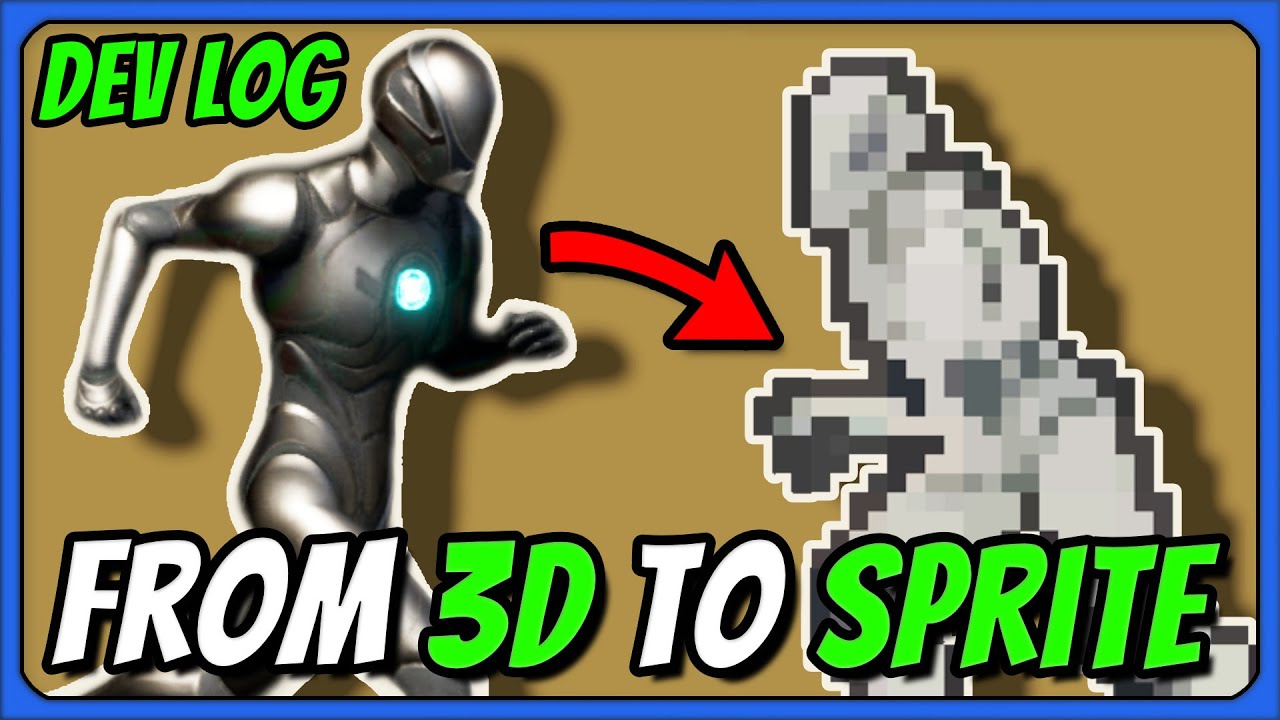
In this video I continue working on my 2.5D Binding of Isaac, Dead Cells, and Octopath Traveler inspired game. The plan is to have fully procedural dungeons with random power ups similar to Binding of Isaac with quick combat akin to Dead Cells in a 3D environment with 2D characters and full 8 directional movement.
------------------------------...
 heady summit
Hey everyone! I'm in the midst of a pretty big project, and I've been trying to avoid it but now I can't anymore, so I have to look at setting up my animations (I hate it and I'm rly bad at it).
I've got a question about going about it with different animations, and seeing as I'm rly bad at anims, what I'm after might not even be possible the way I thought of it.
What I'm looking to do, basically, is trying to set up a system where my Weapon Data Assets contains all animations made specifically for the weapon they belong to, that somehow gets loaded into the animBP whenever a weapon is equipped/switched on the player character. I have a basic system for blending between different anims, and have a Blend Poses (E_xxxxx) node with the pins:
Unarmed
Pistol
Rifle
And so on. But I would like to dynamically switch the "Rifle", or "Pistol" anims based on what weapon the player is currently equipped with.
So if I have two different rifles, for example, and they have different animations, I can just put in all anims for Rifle X in the Data Asset used to create Rifle X, and all anims for Rifle Y in the Data Asset used to create Rifle Y. And then when the player equips Rifle X, those animations get loaded and passed into the "Rifle" pin on the blend poses node, and the same for Rifle Y once that is equipped. I know I could probably do this by just having more blend nodes and placing all possible anims in the animBP and caching everything or w/e, but it would be nice not having to do that
Sorry if it's a stupid or badly worded question, I've been up for about 28 hrs banging my head with this so I can barely type at this point
silent ruin
heady summit
Hey everyone! I'm in the midst of a pretty big project, and I've been trying to ...
you are describing the lyra project. Grab it from Fab, Epic made it as an example.

Fab.com
Lyra Starter Game is a new sample gameplay project released with UE5. While the feature set being released is just a core base, this game is still intended to be an excellent starting point for game developers to create new projects, as well as a hands-on learning resource. Lyra Starter Game will take over the role that ShooterGame served in UE4...
 fast dew
hey, GASP question for ya'll- clearly replacing 800 animations ain't happening for most projects. If one wanted to start with GASP but have something that wasn't 100% obvious that it started there, what would be the minimum number of anims that would need to be replaced? all of the main locomotion, vaults, and some of the more distinct looking pivots come to mind, but i'm curious if anyone else has already researched this task and had some insights
silent ruin
You can always use retargeter to take advantage of the core locomotion, then apply your own animation after.
Vaults are montage driven so they may not work (I have not looked into montage play in retarget sceanrios).
fast dew
yeah the retargeting is easy- what I'm hoping to achieve is leveraging the majority of GASP's anims but replacing just enough so it doesn't look like it's using GASP (except to those who look very closely obviously)
we're about two years out from publishing something in the AA space, and my thinking is that by the time we're on the market there will already be a ton of low effort asset flips using GASP. with our budget we can't afford to shoot mocap for the entire motion matching database, but we can shoot enough to help make it a bit more unique
 odd token
Might be worth making a tool to count how many times animations are triggered and playing through a level?
 distant oriole
how to play animation by name? to make itnsonyou can change weapon models and play animation by the same name
 median hound
Hello there fellow artists and programmers
i havnt really touched animation in UE5 so here i am trying
what can i do when i get this message?
The skeleton for Anim Protector Attack 02 could not be found. Do you want to choose another one?
i tried some tutorials regarding retargeting, but i cant seem to understand it fully or at least i fail in using the animations i have in unreal for my characters
help would be much appreciated
 vernal rain
Is there some method for moving a UE4 manny skeletal mesh to the UE5 manny skeleton? Just wanted to use an older free asset as it fit the general aesthetic of a prototype I'm working on, but it's incompatible with the new manny and being annoying
Just assigning the new UE5 skeleton to it doesn't work since the bone structure differs
silent ruin
vernal rain
Is there some method for moving a UE4 manny skeletal mesh to the UE5 manny skele...
Try IK Retargeters, Epic have multiple copies in different example project dedicated to UE4 Manny -> UE5 Manny.
vernal rain
Yeah I guess I could use that to retarget animations to it 🤔
silent ruin
old plinth
We want to avoid too much blendshapes in Maya, and also want to avoid to animato...
https://www.youtube.com/watch?v=Mq_0JotOrl8
They added deformers to UE, not sure how it can tie into the maya based workflow you have, but it's something you might want to look into.

Watch this recorded session from Unreal Fest Seattle 2024 that explores the creation of Modular Character rigs using the brand new Modular Control Rig Editor and encourage you to think differently about character creation for a real-time environment.
Check out this video to learn what it takes to create Modules and Libraries effectively and st...
 rain solstice
Is it possible to deform the shape of one object based on a different object?
Like lets say I have a character who is eating a piece of food but I want the food to deform their mouth or throat. Is this possible and suggestions for going about this?
I am looking to do this in-engine rather then a baked animation.
rain solstice
https://dev.epicgames.com/documentation/en-us/unreal-engine/how-to-create-a-custom-deformer-graph-in-unreal-engine
Did Epic remove the "Execute Skinned Mesh" node from the Deformation Graph? It's not an option for me.

Epic Games Developer
How to create and edit a custom Deformer Graph asset using blueprint logic and HLSL programming to twist deform a mesh a skeletal mesh character at runt...
brittle pier
Hey can someone help me? As far as I understand in order to use the leg IK node i need a normal version of the bone and an IK version but when checking the bone list i only see the normal bones. How do I create an IK bone?
silent ruin
brittle pier
Hey can someone help me? As far as I understand in order to use the leg IK node ...
you using manny or your own skeletal mesh?
If you are using your own, make dup of your foot/hand bone, and set them up in the bone hierachy like manny's
brittle pier
silent ruin
you using manny or your own skeletal mesh?
If you are using your own, make dup o...
I'm using my own mesh
And wait should I just create a duplicate and put it in the ik slot?
 thin dove
Any tips for Chaining two (mixamo) animations together? The first animation doesnt end where the first begins and its in a different body position. Any tutorials for this would be helpful or even what to search for.
silent ruin
brittle pier
And wait should I just create a duplicate and put it in the ik slot?
these. studying examples provided by epic is the best way to learn.
 brittle pier
silent ruin
these. studying examples provided by epic is the best way to learn.
brittle pier
silent ruin
these. studying examples provided by epic is the best way to learn.
aight thx will check it out
 merry loom
rain solstice
https://dev.epicgames.com/documentation/en-us/unreal-engine/how-to-create-a-cust...
merry loom
rain solstice
https://dev.epicgames.com/documentation/en-us/unreal-engine/how-to-create-a-cust...
yeah you now set the execution domain on the kernel directly
merry loom
rain solstice
Is it possible to deform the shape of one object based on a different object?
L...
this may help?
https://youtu.be/6HAiRfRc5bQ?si=YoLkF6uJ2teZLMVH
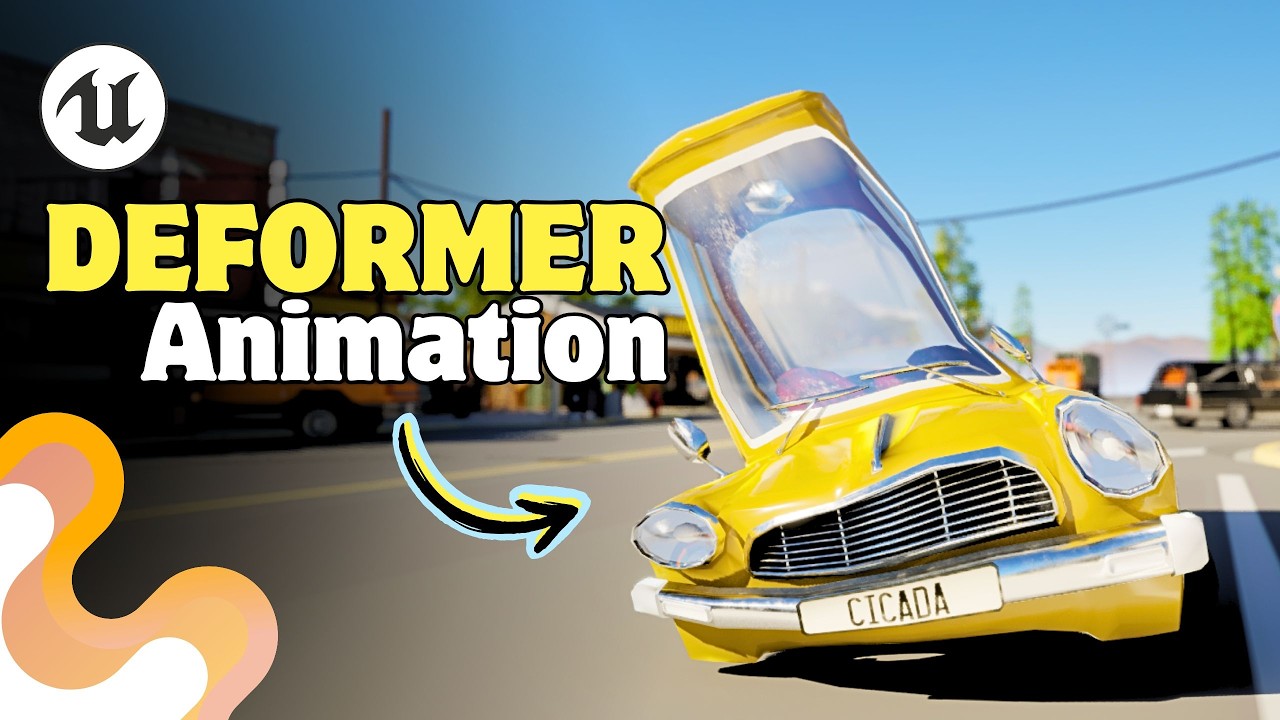
Guess what’s finally here? Animation Deformers in Unreal are ready to shine in Sequencer! From setup to creating your very own custom Deformer, this video has it all. By the end, you’ll know ALL the secrets (and maybe even a few pro tricks 😏). Ready to level up your animations? Let’s gooooo! 🚀🔥
🧤Our courses :
https://www.projprod.com/courses-1...
rain solstice
merry loom
this may help?
https://youtu.be/6HAiRfRc5bQ?si=YoLkF6uJ2teZLMVH
Deformers will likely be how I'd do that yeah, but I am not sure how to then get other objects to cause the deformation to happen.
Any idea how I'd do that?
merry loom
rain solstice
Deformers will likely be how I'd do that yeah, but I am not sure how to then get...
i mean with a lattice deformer you can shape it however you like i suppose? But yeah if you have a lot of objects or need higher quality deformation then you would need a way to automate and that might require you building a custom deformer
rain solstice
merry loom
i mean with a lattice deformer you can shape it however you like i suppose? But ...
Gotcha. Is there a way that you know of to trigger a deformer? Like having one actor overlap another?
merry loom
rain solstice
Gotcha. Is there a way that you know of to trigger a deformer? Like having one a...
Deformers are embedded in control rig so you can potentially pass data in via the animation system somehow. Similar to a system that adjusts character pose based on another object in the environment
rain solstice
merry loom
Deformers are embedded in control rig so you can potentially pass data in via th...
Hmm okay. I appreciate your help!
 ornate sky
Hi all, new here. I came seeking a possible solution to my current predicament. This may be a misunderstanding on my part, but are enums not supported as variables in Control Rig? First off, that the editor would crash entirely any time I plug in an enum == for logic. I worked around this by converting the enum to an int and just comparing that as needed, but the enum itself never updates off of its default value, despite absolutely changing in the animation blueprint utilizing the control rig class. I've searched quite a bit online and cannot find any report about this, could just be an Unreal bug.
Also worth noting, this is the error on crash:
Assertion failed: PropertyA->SameType(PropertyB) [File:D:\build++UE5\Sync\Engine\Plugins\Runtime\RigVM\Source\RigVM\Private\RigVMFunctions\RigVMDispatch_Core.cpp] [Line: 115]
Effectively, I'm trying to replace the currently plugged in condition bool with my new one utilizing enums. The instant I do that, the editor crashes.
 silent ruin
ornate sky
Hi all, new here. I came seeking a possible solution to my current predicament. ...
silent ruin
ornate sky
Hi all, new here. I came seeking a possible solution to my current predicament. ...
If you added the enum in C++, I'd delete intermediate, saved, and binaries then rebuild. That might fix this.
Changing the enum input for the control rig to a non-default name might help.
Try and make a new enum type and see if that also crashes might help.
 tender swift
I am building a locomotion system based on rootMotion and I want to control the turns with the animation. The problem is that when I am in the walk-jog-run loop, the character gets stuck and I cannot change the turn to the direction that the character currently has. Why is this due? Should the blendspaces of the walk loop be without rootMotion activated?
ornate sky
silent ruin
If you added the enum in C++, I'd delete intermediate, saved, and binaries then ...
I made the enums with blueprints, and they aren’t using the default names, I’m honestly not sure at all why it still calls each enum “NewEnumeratorX”, that’s only in the control rig. I’ll try deleting/regenerating those files and attempting it with new enums to see if it works.
Thanks for the suggestions!
ornate sky
Unfortunately, neither thing worked 😦
Deleting/rebuilding files had no effect.
A brand new enum also crashed immediately upon being used for logic
silent ruin
how are you setting the enum?
ornate sky
On animation tick in the animation blueprint, gets the current state from the player blueprint and sets it accordingly, then plugs it into the control rig
I’m away rn, but can send screenshots in a bit
ornate sky
So the first screenshot if from a function within the player plueprint. It triggers basically whenever changing movement states. I track mobility state (walking/crouching/sprinting/jumping/etc) and weapon stance (base/aiming down sight/weapon braced/weapon stowed/etc) separately so they can stack, when needed and trigger stuff separately. I've confirmed through logging that this changes correctly as needed with my setup.
The second screenshot is the animation BP event graph, which runs off of Event BlueprintUpdateAnimation. I've confirmed through logging that this correctly changes in gameplay.
The third screenshot is the anim BP state variables being plugged into the exposed value of the control rig.
The fourth screenshot is the control rig logic I'm trying to plug in, replacing some previous logic that used booleans, but as soon as the "And" node is connect to the "Branch" node, it crashes.
Last screenshot is the details setup of one of the enum variables, both are setup the same.
Couple things worth noting:
-The "Print" node doesn't cause a crash, but in gameplay, the printed value is always "NewEnumeratorX" with X being a number dependent on which state I set to Default, not sure hwy it doesn't use the enum names. It also DOES NOT change at all throughout gameplay, staying on its default value, despite verifying that the other variables leading to this DO change as they should.
-I have tried instead using "To Int" to just use integers with the logic, which does stop the crashing, but as above, those NEVER change in gameplay despite the leading variables demonstrably are.
I have tried
-Setting up a new enumerator located in a different folder to use that. Same thing happens, crashes when involved in boolean logic.
-Deleting Intermediate and Saved folders and rebuilding


Thanks a bunch for taking a look at this. Worst case scenario is I'll have to stick with too many booleans controlling the control rig logic and maybe make a function for controlling all booleans from within the animation BP based on the enum coming from the play BP, but that would be a pain to scale, and I'd much rather a solution to this or at least a decent alternative.
 obtuse socket
Alright I hope joining here can finally solve my issue, I'm trying to create a control rig for a character with digitigrade legs, but I can't figure out how to properly set it up. I've tried all of the IK nodes and searched for like an hour but can't find anything except for people who have the same problem with no answers or solutions.

 lethal blaze
hi all - in my animation blueprint i'm trying to adjust my shoulder positions in my animbp with the Transform (Modify) Bone node but putting any number into the translation parts doesn't seem to change anything, only rotation. is there a way to fix this?
 spare kiln
I'm currently using Offset Root Bone to get some in place turn animations working.
But I need to "deactivate" this while the character is moving, otherwise it won't be rotated in the right direction.
I was thinking of setting Reset Every Frame to true if the character is moving, but this results in a "jittery" animation.
What could I do to avoid/fix that?

but maybe it's just me and something different
 smoky shell
spare kiln
I'm currently using `Offset Root Bone` to get some in place turn animations work...
smoky shell
spare kiln
I'm currently using `Offset Root Bone` to get some in place turn animations work...
Use the enabled bool with interpolation in/out
 trim path
Hi there. I have somewhat of an issue blending montages for upper body with layered blend per bone that i can't figure out how to solve.
The pelvis of my character rotates during the animations i want to blend, so using the next bone up the spine chain isn't enough, and using the pelvis feels excessive in most cases, as the legs seem completely detached from the rest of the body with a -1 depth in the branch filter.
I've tried adding blend mask in the skeleton instead of using branch filter, but doesn't work as expected. I set the pelvis to 0.5 and everything up the spine to 1, that looks better, but now the legs rotate with the pelvis even tho their weights are set to 0 (similar to using branch filter with local space rotation).
Am i doing it wrong or missing something? Is there any way to prevent the legs from rotating? Or is there another way to lower the effect of the montage on the pelvis and then increasing it along the chain using branch filter?
 oblique vortex
in 5.5 does anyone know how you can sample a skeletal mesh from pie and have it sampled in the skeletal mesh editor so i can change the skin weights of it at runtime
there was a talk about it at unreal fest i believe but i can't find it
 blazing saffron
anyone familiar with the skeleton editor tool? I had to move the bolt to the side on the static mesh so I could use the flood vertex option and add a bone so I can animate the bolt after converting to skeletal mesh - but now I cant move the bolt back over, when I do it in the setting you see in the picture it moves in the SKM window, but then in game it doesnt move, and if i close it then re-open it the bolt moves back to the side. any help appreciated! do i need to make a new base pose or something?
 ornate sky
So the first screenshot if from a function within the player plueprint. It trigg...
ornate sky
ornate sky
So the first screenshot if from a function within the player plueprint. It trigg...
got mine working, I bundled the enum variables into a struct at the animation blueprint level, and then used those in the control rig, which worked fine. No clue why honestly, but I'm happy its working lol
silent ruin
ornate sky
So the first screenshot if from a function within the player plueprint. It trigg...
When you print it the Enum it really should return result as you labeled them. I suspect this is the core of the problem. Like i t should not return "NewEnumeratorX". I would expect to see "Walking/Crouching/Sprinting/Jumping"
silent ruin
obtuse socket
Alright I hope joining here can finally solve my issue, I'm trying to create a c...
I believe Epic released some new modular rigs to handle these in 5.5
obtuse socket
silent ruin
I believe Epic released some new modular rigs to handle these in 5.5
Thank you, I’ll check it out
silent ruin
oblique vortex
in 5.5 does anyone know how you can sample a skeletal mesh from pie and have it ...
as long as you are editing the SKM in use, it should just update at runtime.
silent ruin
trim path
Hi there. I have somewhat of an issue blending montages for upper body with laye...
You'll want to store these torso twists from Spine_01 and up.
oblique vortex
@silent ruin didn't seem to work :(

when i change the skinning,it only works after i click accept,unlike the video i saw
where it updated at real time
another question,i'm making a custom rig and i have 2 sets of proxies for moving a main control
not sure how can i make it auto keyframe when i move the proxy to the main control
ornate sky
silent ruin
When you print it the Enum it really should return result as you labeled them. I...
Yeah I agree, I do feel like it’s just some unreal issue, especially considering that just bundling the data in a struct fixed it
Thanks a bunch for the help!
silent ruin
oblique vortex
when i change the skinning,it only works after i click accept,unlike the video i...
In the video, they click accept.
oblique vortex
in the 5.5 one
silent ruin
We added the ability to paint weights directly in #UnrealEngine5 during PIE. Real time weight painting is a beast of a feature thanks in part to @kiaran_ritchie.
#skeletalEditor #Controlrig
#ue5 #uefn #animation #rigging #maya

 Twitter
·
Twitter
·
Yes
oblique vortex
oh
my mistake then
thanks for the link :)
oh preview controller
need to see that
aaaah
that link really helped
thanks a lot
:)
 karmic tulip
Hey, guys.
I am using Animation Template, as I have different character have different skeletons and animations but have the same transition logic.
I need to add an IK for the arm.
I always use FABRIK, and I faced that in Animation Template you can't specify "Effector Target" and you can't overwrite it in Anim Blueprint.
How can I add FABRIK to the template by specifying the bones in the inheritor class?

 fathom bluff
Was motion matching updated in 5.4 as well as 5.5? Or just .5?
 midnight umbra
Hey all, anyone come acrossed this fun one?
Assertion failed: (Index >= 0) & (Index < ArrayNum) [File:D:\build++UE5\Sync\Engine\Source\Runtime\Core\Public\Containers\Array.h] [Line: 758] Array index out of bounds: 590142698 into an array of size 25231360
Seems to be anim track related but squashing it has been a bit of a tough one
small bluff
I'm having a hard time understanding how to work with animation instance especially when trying to work with game thread vs render thread. I've got a data table on my Character that I want to use to fill in some variables in my Anim Instance. But if I attach my Anim Instance to a delegate that's broadcast it throws an error complaining about write access.
I could write directly to my Anim Instance by fetching it from my character. But that feels like I'm just forcing myself around the problem. Is there a more standard way of handling this kind of interaction?
 opaque fern
Is there a way to create an equivalent to power IK walk node by hand for UE5?
silent ruin
opaque fern
Is there a way to create an equivalent to power IK walk node by hand for UE5?
yeah, you can build out a component that does traces for steps and feed the trace targets to the ABP, then interp between each steps.
Wouldn't recommend it.
silent ruin
karmic tulip
Hey, guys.
I am using Animation Template, as I have different character have dif...
not 100% sure if its possible. You could try take advantage of the On Initial Update function, and make it assign the right Effector Target.
silent ruin
midnight umbra
Hey all, anyone come acrossed this fun one?
Assertion failed: (Index >= 0) & (I...
your array might be empty.
silent ruin
small bluff
I'm having a hard time understanding how to work with animation instance especia...
You can make it so the character can tell the ABP "something" was recently changed, and ask it to run a function to refresh Anim Sequence variables from the Data Asset.
Also take a look at linked anim graph.
Good luck!
trim path
silent ruin
You'll want to store these torso twists from Spine_01 and up.
Store how?
 brisk token
The Legs of the animation don't work in game, but they work in the editor
any ideas???
brisk token
I fixed it
 south badge
is there a way to import shapekey + bone animation in one animation??????? my ue5 is importing them seperately and its really ruining my process rn
cuz it aalways imports the shape key one all glitched
 near moth
Is it wise to access animation curves (from AnimInstance) in movement-component?
silent ruin
trim path
Store how?
For the authored animations, you’ll need to animate with an emphasis of any rotational changes are mainly on the spine bones, and keep pelvis relatively still.
You could also attempt to blend the legs back in mesh space rotation, but that makes its own assumptions about your character’s poses.
You may find success by mixing methods mentioned above and use a 1-3 setting on the pelvis bone and let the gradual blend soften the current extreme pelvis to skip the re-authoring of animation. Result may vary.
 remote summit
did the import animation process change in 5.5? I have been importing animations since 4.x.x and never had a problem. Now, when I try to import the menu setup has changed and whatever I thought was the options to click, doesnt seem to work. I double checked the animations and they are working in Maya, created a new file and imported, I see the baked animations. However, for Unreal, nothing...
spare kiln
smoky shell
Use the enabled bool with interpolation in/out
Thanks ill try that! 🙂
blazing saffron
anyone familiar with the skeleton editor tool? I had to move the bolt to the side on the static mesh so I could use the flood vertex option and add a bone so I can animate the bolt after converting to skeletal mesh - but now I cant move the bolt back over, when I do it in the setting you see in the picture it moves in the SKM window, but then in game it doesnt move, and if i close it then re-open it the bolt moves back to the side. any help appreciated! do i need to make a new base pose or something?
 spare kiln
smoky shell
Use the enabled bool with interpolation in/out
spare kiln
smoky shell
Use the enabled bool with interpolation in/out
Could you maybe elaborate further, there is no enabled bool and no interpolation in out.

 weary copper
If I want to retarget 2 skeletons but they're different sizes, is there a way to scale up the smaller mesh to the same size as the target?
silent ruin
weary copper
If I want to retarget 2 skeletons but they're different sizes, is there a way to...
It’s mainly done for IK alignments, you can scale up the preview mesh, usually near where your details tabs are
 mellow urchin
i havent used control rig in a while.
used it back in ue4. i am confused about the new full body ik. it seems EXTREMLY inconsistent
remote summit
Does anybody have a good tutorial or guide on how to import animations for 5.5? For whatever reason, my method that has worked since 4.x.x is no longer working. I have tried everything and I am wracking my head on a wall at this point
Is not working

 smoky shell
spare kiln
Could you maybe elaborate further, there is no enabled bool and no interpolation...
smoky shell
spare kiln
Could you maybe elaborate further, there is no enabled bool and no interpolation...
Oh, this node doesn't have the typical alpha states that others have. Nevermind that.
It looks like an attempt to reproduce a lot of Epic's turn in place solution/logic in a single contained node.
In which case, the correct thing to do would be to expose RotationMode and set it to Release when you're moving. Or maybe Interpolate? Its not too clear
 silent ruin
Look up Gameplay Ability System, Epic made a whole setup to manage stuff like tehse.
Try StopMontagewithBlendSettings, override it to 0
https://dev.epicgames.com/documentation/en-us/unreal-engine/BlueprintAPI/Animation/Montage/MontageStopwithBlendSettings

Epic Games Developer
Montage Stop with Blend Settings
Better do it this way, the ones on the montage are meant to be the default.
 gentle kestrel
south badge
is there a way to import shapekey + bone animation in one animation??????? my ue...
gentle kestrel
south badge
is there a way to import shapekey + bone animation in one animation??????? my ue...
This is a bug with 5.5. it's been reported and is scheduled to be fixed in 5.5.2.
spare kiln
smoky shell
Oh, this node doesn't have the typical alpha states that others have. Nevermind ...
in 5.5 there even is a lock offset and ignore animation for it, it appears to work.
Thank you so far 🙂
 smoky shell
I really hate their mesh based TIP 
Causes all sorts of issues
Hasn't even occurred to them that you can make an actor rotation based TIP I guess, its what I did, which has none of those issues and none of it's own
lethal blaze
probs a dumb question but how do i make a keyframe animation for a skeletal mesh in unreal? all i see is level sequencer stuff, which is great, but i'd like to just make an animation and run it out of an anim bp
 opaque comet
Are there any functional differences between placing blueprint code in the character vs animbp event graph? I have a few IK / movement related calcs I'm doing inside the character and just curious if there are side effects to this versus doing it in the animbp
silent ruin
opaque comet
Are there any functional differences between placing blueprint code in the chara...
Depends, there are threadsafe updates available directly in the ABP that you could use, enabling multi-threaded updates in the ABP.
IK calcs are best done in the control rig these days.
opaque comet
silent ruin
Depends, there are threadsafe updates available directly in the ABP that you cou...
Are the control rig calcs a similar overhead to if they were in the animbp? This is for a quest mobile project, so I'm trying to cut away as much performance waste as possible.
silent ruin
opaque comet
Are the control rig calcs a similar overhead to if they were in the animbp? This...
You are not copying trace results from the character BP, so that's already 1-2 instructions faster.
But if you need those results elsewhere, then it'll become trickier to decide. It'll be case by case.
For leg IK, I don't see why not using control rig.
mellow urchin
anyone here has some info on how to do the arm twist preservation in deofrmer graph? i got a basic understanding of how things work
 raven forge
i have a "random sequence player", for death animations with 5 entries, and it playing another random animation from this node, after the first one ends, untill actor is destroyed
how to prevent another random animation here from playing, when the first ends?
i need mesh to stay in a last frame of a first payed animation, until destroyed, not to start another one


 limpid oak
I have an animation from an FBX file that has the character moving forward, but the root bone is static at the origin. What I'd like to do is extract and extract that XY movement from the Pelvis and then apply it to the rootbone to get Root motion. Is this possible? Any recommended workflows?
silent ruin
recommend you do it in blender, setting up an empty and bake pelvis movement onto it.
Then have the pelvis copy the transform in world space of that empty.
Have root copy XY movement of the empty, bake, then cleanup as needed.
silent ruin
limpid oak
I have an animation from an FBX file that has the character moving forward, but ...
^ hope this helps.
limpid oak
Awesome. I’m not an animator but will look up those steps.
Do you know if there is a video that covers that ?
silent ruin
raven forge
i have a "random sequence player", for death animations with 5 entries, and it p...
Make a new sequence play,er configure random animation with Using OnBecomeRelevant, and set the sequence in the newly created function.
Tell the sequence player to not loop.
limpid oak
silent ruin
recommend you do it in blender, setting up an empty and bake pelvis movement ont...
Do you know what to search for in YouTube? “Copying bone movement from one to another”, or?
silent ruin
limpid oak
Do you know if there is a video that covers that ?
nope, root motion is not a very well discussed topic on YouTube.
This step 3 here might be ok.
https://www.youtube.com/watch?v=sJzMurUbQp0

❖Get all CGDive courses for just $5.99 per month!❖
https://academy.cgdive.com/courses
Note: This is like Patreon but much better :)
In this video, we'll bake the animations (...
we are applying the animation baking concept to store a set of animation we desire, then re-applying them back to the specific bones IN ORDER:
Setting up an empty and bake pelvis movement onto it.
Then have the pelvis copy the transform in world space of that empty. (No need to bake this)
Have root copy XY movement of the empty, bake, then cleanup as needed. (Bake then clean up)
limpid oak
silent ruin
nope, root motion is not a very well discussed topic on YouTube.
This step 3 her...
Haha I have discovered that as well. Too true
limpid oak
silent ruin
nope, root motion is not a very well discussed topic on YouTube.
This step 3 her...
Awesome - I’ll try this out
I wonder if this can be automated as I’ll need to do it a lot 🥹
silent ruin
I can't tell b/c I don't know what your animation look like 😦
Like consdierations I have with the step 3 XY root cleanup, is the consistent rate of movement.
Like 400cm/s linearlly, for example.
to match the character's desired dispalcement rate.
limpid oak
silent ruin
I can't tell b/c I don't know what your animation look like 😦
Ahh, gotcha. So there are start animations there it is not a linerear accelleration. Then there are loops that very close to linear
silent ruin
loops are linear
your pelvis may go back and forth over the root,
but that'd be about it
limpid oak
Got it working. Thx!
 patent vigil
does anyone know how to do that thing where your character readjusts their stance when you look arround instead of just rotating with the camera?
brisk token
put simply, i want the actual character pawn to move with the animation
and i have no idea how to do that
patent vigil
brisk token
and i have no idea how to do that
i can help you with that
brisk token
yippe
 buoyant thorn
gentle kestrel
limpid oak
I wonder if this can be automated as I’ll need to do it a lot 🥹
buoyant thorn
gentle kestrel
limpid oak
I wonder if this can be automated as I’ll need to do it a lot 🥹
Check out Animation Data Modifiers. I think it should be possible to automate what you're wanting to do with them. https://dev.epicgames.com/documentation/en-us/unreal-engine/animation-modifiers-in-unreal-engine

Epic Games Developer
Animation Modifiers enable users to define a sequence of actions for a given animation sequence or skeleton.
raven forge
silent ruin
Make a new sequence play,er configure random animation with Using OnBecomeReleva...
entries in the random sequence player is configured to not loop, and they are not loop
i bind a newly created function to "OnBecameRelevant"
but i dont see, what i can place inside this function, to make it work this way


 raven forge
so, i find a way to use Pose Snapshot, but in dont work anyway
i got a T-pose instead of snaphot


 ember wraith
Hey there ! I think I've identified an engine bug, or at least a caveat creating issues, from researching about it I can tell it's been some people's issue (or I suspect)
In sequencer when you drag to extend a looping animation, if this animation is holding anim notifies, every time the looping bar frame is hit, it will fire all the contained anim notifies at once. I suspect the sequencer rewinds over the course of one frame the animation to re-use it again seamlessly, but I don't see any form of option to work around it.
Anybody know about a trick to avoid that other than putting looping animations back to back ?


sorry about the zoomed in screenshots as the nature of the project is not for innocent eyes to see
Would this be worth making a ticket over ? I doubt this is intended behaviour
 runic turret
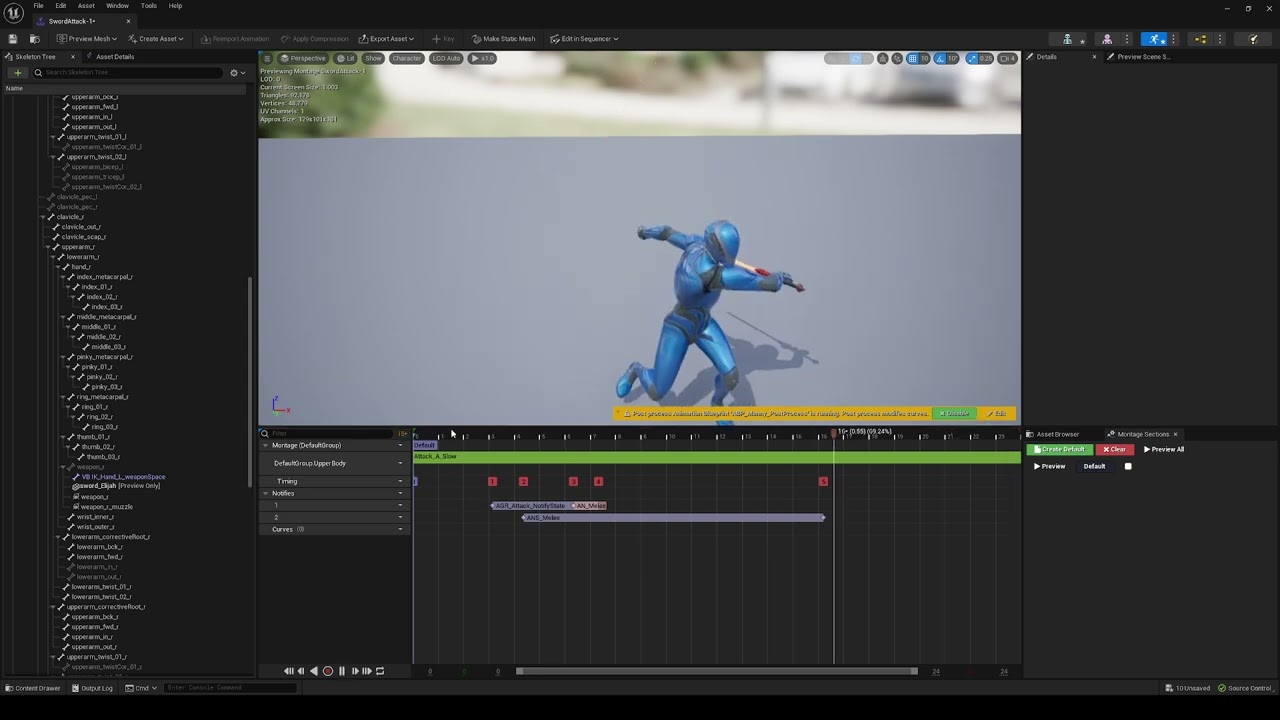
https://youtu.be/5Mf6arIXhQE
I have an issue where the sword is moving forward in game but in montage it is working fine? I have doubts with IK_retargeter but Idk.
 gusty quest
hey folks is there any way, say I have a quite big set of animations and they all have an ugly hand position, somehow bulk modify the hands so they remain for example straighter on all the animations at once ?
 stuck pike
hey all, does anyone know a fix to the issue i am encoutnering ? #ue5-general message
 brazen wharf
does someone know which UPROPERTY flag a FGameplayTag needs so that i can bind to it in a chooser table?
actually i can't even bind to tags in the BP anim instance either
nvm, needs a gameplay tag container
brazen wharf
did anyone use the Chooser Player with success? For me it always falls into the first animation, ignoring all checks (I'm only checking against one Gameplay Tag, which seems to show fine in the Debug Mode, but the chooser Player seems to not evaluate correct?!)
nvm seems like my issue is my tag container getter -_-
brazen wharf
seems like it really doesn't like function bindings somehow
(state of 5.5.1, if anyone stumbles on this later while using the search)
 lavish marsh
hey is anyone able to help me? in blender i cant figure out what roll im supposed to be using to import into ue5 because my bones keep getting orientated wrong, why doesn't it just lock the rotation with the world rotation for the bones?


instead all the bones are rotated along different axis
and some of them aren't even aligned
like the knee isn't aligned with y so its messing up my inverse kinematics

 sharp karma
Anyone tried to completely replace the Game Animation Sample UEFN skeleton with the metahuman one? I did that, with all the animations retargeted to MH, replaced absolutely all references, including all PSDs, PSNs, CHTs and of course everything in the AnimBP... but the motion matching movement completely broke, it keeps "jumping back in time" as if the root motion is reverting back to a previous location and most of the time the chosen animation does not result in the correct movement based on the input. What am I missing?
 cloud lodge
anyone see this where 2 bones just remain stuck in the world ?
 cloud lodge
sharp karma
Anyone tried to completely replace the Game Animation Sample UEFN skeleton with ...
cloud lodge
sharp karma
Anyone tried to completely replace the Game Animation Sample UEFN skeleton with ...
the animation sample comes with a meta human
via retargeting
whats the issue?
 deft kayak
Hey guys! I just got Unreal Engine 5.5 and trying to import some animations for a character I made. However I noticed the original FBX Import Dialog is gone and in placement for this? Any reason for this?
 sharp karma
cloud lodge
the animation sample comes with a meta human
sharp karma
cloud lodge
the animation sample comes with a meta human
aside from the fact the real time retarget must come with a performance impact, the main reason is that creating custom animations (e.g. weapon reloading etc) like this is a pain, the live retargeting is not perfect for hands and fingers and you have to create the animation based on the UEFN skeleton while hoping it fits the MH well enough, it's just not a proper flow IMO
gusty quest
Please I'll ask again, is there any control rig or retargeter trick I can use to for example I have 50 animations with completely flat hands, and I want to relax the hand a little, so apply the same rotation modifications on the 50 animations and bake it in ?
there ought to be something I can do other than modifying them one by one, is there ?
ember wraith
yes you can still recreate a manual retargetter, and then for the retargetting poses you make sure the hands are flattened
the more tedious old way but youll get your result
ember wraith
gusty quest
Please I'll ask again, is there any control rig or retargeter trick I can use to...
!
gusty quest
ember wraith
!
Thanks, I see... but the retargeter, it only allows me to change the actual A pose ? if I want the hands to curve in and relax from a flat state, how do I know which way to modify the retargetting pose to do that ?
I guess I can have the retargeter and the animations side by side and look at the result ?
ember wraith
exactly
gusty quest
that still works on 5.4 right ? manual IK retargeter like the older versions
I will try it ! hopefully I can get a good result, would save me hundreds of hours
the UE animation editor does need some love... I tried to replace a bunch of anim notifies in bulk, but it wouldn't let me, lots of bugs in that thing its actually lagging behind the rest of the engine imo
just selecting a notify... sometimes I have to click once, sometimes twice and sometimes 3 times before it actually selects it 😅
hey sorry I don't understand how to do it :/ maybe I'm too rusty lol but where can I change the actual rotation of bones ?

only those with IK goals seem to allow me to change it
I have to change the rig ? this changed a bit I might just be confused
 fringe shell
Hey . This is my first time making a first person shooter game . When character is idle , gun holding animation is playable . But when it's running the left hand doesn't hold weapon correctly . I attached the weapon to my hand . How can I solve this problem . Thanks
gusty quest
nope can't change the rig :/
swear there was a button on there to actually change the pose prior to retargeting
found it ! they hid it sneaky epic devs 😛
lethal blaze
if i wanted a goomba to switch between idle and walk for example, are state machines the right method or is there a simpler way?
gusty quest
its the simple way yeah, a bool condition check then switch to blendspace
lethal blaze
figured it out! thank you!
gusty quest
grr this retargeter adjusting is an absolute nightmare :/ how am I supposed to modify the end result without distorting the animations 😦
tried bone rotations, IK goal moving, all cause horrible distortion of the original :/
gentle kestrel
gusty quest
grr this retargeter adjusting is an absolute nightmare :/ how am I supposed to m...
Have you tried using a layered control rig in a level sequencer?
You should be able to add your animation to the base layer and a control rig on top of that to adjust the hands/fingers and then bake that down.
Not entirely automated but you should be able to use the control rig track over and over again for each of your animations.
https://www.youtube.com/watch?v=iGNCDWU7YCo

 abstract pike
Hi Guys. I have a problem with shoes (in general all the shoes that I give to my metahuman) that when it starts in animation as if the movement is multiplied or maybe it is the scale of the animation. How can I solve it?

This is video test
 zenith knot
deft kayak
Hey guys! I just got Unreal Engine 5.5 and trying to import some animations for ...
zenith knot
deft kayak
Hey guys! I just got Unreal Engine 5.5 and trying to import some animations for ...
FBX import just migrated onto the newish interchange framework. Goal is to have a consolidated way to handle imports in UE.
Option UI changed but most option should still be there. If you are an advance user you should probably untick the "essentials" check box.
I would recommend getting use to the new framework because that is the way forward. If it is too disruptive at the moment you can deactivate the Interchange support for FBX through a CVar "Interchange.FeatureFlags.Import.FBX False"
fringe shell
gusty quest
swear there was a button on there to actually change the pose prior to retargeti...
I think there should be upper body and lower body montage , other that I can't find such easier things to do
 stone kernel
zenith knot
FBX import just migrated onto the newish interchange framework. Goal is to have ...
stone kernel
zenith knot
FBX import just migrated onto the newish interchange framework. Goal is to have ...
FBX can work on it
 supple oyster
Hi guys, this small message to ask, if some of you can help me to properly handle animation and the new rig tool inside ue5. I have my own Mocap suit (FULL body + gloves + face) and would be happy to produce for free you own custom animations according to your needs in exchange for this help.
For info, I'm not a beginner, I'm used to work on ue (4.27) but not much in animation. I'm already capable to record my motion, import and clean it inside Blender (rigify, animation layer...) and then import inside ue (5.5) and make it work with my skeleton model there. So, I'm not asking for the stater-pack here but more for a real tour on the new features and how to play properly with to save time and maybe participate to a project at the same time.
Feel free to message me and/or @ me to be sure to read your message !
stone kernel
zenith knot
FBX import just migrated onto the newish interchange framework. Goal is to have ...
I’ll explore the new framework and deactivate the interchange support if I encounter issues. Appreciate it!
stone kernel
fringe shell
I think there should be upper body and lower body montage , other that I can't f...
A body montage sounds great! Would you like help with ideas for the upper and lower body?
stone kernel
supple oyster
Hi guys, this small message to ask, **if some of you can help me to properly han...
I suggest we organize a small group session where we can share tips and explore the new rig tools together. I'm excited to collaborate!
@supple oyster are you there
fringe shell
stone kernel
A body montage sounds great! Would you like help with ideas for the upper and lo...
That true . But when playing full body montage I'm facing this issue with weapon
fringe shell
fringe shell
Hey . This is my first time making a first person shooter game . When character ...
I don't know how to solve this
stone kernel
fringe shell
That true . But when playing full body montage I'm facing this issue with weapon
PM me
deft kayak
zenith knot
FBX import just migrated onto the newish interchange framework. Goal is to have ...
Oh okay! Thank you
 old wolf
I wanted to delete some bone movement in an existing animation. Is it possible to see how much the bones are moving in the animation viewer? Not adding keys but seeing what's already there.
old wolf
I guess all this info is already baked :/
 upper cypress
Hey everyone? Do you know a good tutorial or asset that lets me smoothly transition between character animation and ragdoll state?
 full lichen
@stone wren it won't let me connect the node

apparently it's not compatible?
nvm
i added a find node
 cedar meadow
Anybody know how to make the lantern stay pointing down even if the player crouches? It's using a physics constraint and is attached to the left thigh, i have tried setting each of the constraint's limits to very high values and the lantern still doesn't point down
gusty quest
maybe a notify ? would tell you about frame perfect
You can also drag total time in a BP , and then get elapsed time, but I think its less precise.
silent ruin
cedar meadow
Anybody know how to make the lantern stay pointing down even if the player crouc...
if its mounted on a bone, you could use the modify bone node to make it forced pointing down. With some animation logic, you can bend it back in with the rest of the crouch animations nicely. (Layered Blend Per Bone to merge it back in local space during crouch)
Or you can make use of rigid body to make it want to dangle downward.
 drowsy umbra
Hello everyone, tell me. Will the animation bp be loaded if there are many conditions when choosing animation depending on the selected weapon?

 fringe hamlet
Hi all, I know this is a Blender question, but my animations will eventually come to Unreal. I am at the phase where I have to start prototyping and learning attack animations for my game. I'm surprised that I'm finding it hard to find tutorials on how to do game animations in Blender. I am familiar with the animation principles, read The Animator's Survival Kit and have done some 2d animating. Does anyone have resources that teach how to do game animations in Blender?
tender swift
Guys can someone help me. I'm setting up a 180 degree idle rotation from the spot with root motion but when the animation ends it always returns to the same rotation spot how do I fix that?
 merry bone
Can I use more than one Animation Blueprint for a character? I want to use a different one for each weapon type.
 proud palm
Is it possible split rotations in unreal from controls to bones?
So that you can add / whatever , not just direct pin to pin (otherwise I'd use parent constraint)
 elder vortex
how can I disable leg IK during an anim montage in game animation sample 5.5? tried adding this curve but it doesnt seem to work

 stark crater
what's more popular/better, use 1 animgraph per character but have multiple combat styles defined in it, or have 1 animgraph per combat style (so one for say sword, and one for bow & arrow)?
naive mountain
old wolf
I wanted to delete some bone movement in an existing animation. Is it possible t...
Best you can do inside unreal is add on top of it or remove the bone (and all its children) from animation calculation.
naive mountain
stark crater
what's more popular/better, use 1 animgraph per character but have multiple comb...
Peep lyra
naive mountain
elder vortex
how can I disable leg IK during an anim montage in game animation sample 5.5? tr...
Show us how youre plugging the curve data into the anim graph node
 serene steppe
Is there a way to make Control Rig sample a pose you feed in? Sort of like how you can combine two poses with a Layered Blend or Blend Poses node.
I'd feed in the base animation, then feed in a static animation in some way -- either through an animation pose pin, or a variable linked to the pose / animation sequence. Then use that static animation to modify the base animation.
The closest thing to this seems to be a Pose Cache, but I think that's only for use within a Control Rig, there's no way to pass in a cache from outside.
 heavy oasis
for a animation that has a similar approach that a dynamic "pick up", what the best way to play a base animation, and have a "target location" for a specific bone/socket ?
 mellow rivet
Can someone please help?
I have my character, rig, constraints, and animation
I am trying to import them into Unreal, but only the static mesh imports, not the animation and I get the following error:
"mesh contains root bone as root but animation doesn't contain the root track"
I would really appreciate the help 🌼

 knotty gazelle
Guys, I’m having issues importing a character FBX file, it has several animations and Unreal import then with generic names instead of the ones set in Blender. Any idea?
 umbral wave
Hello, would someone know how to remove a certain animation out of the game animation sample project without having everything break? There is a particular hurdle animation that makes the character roll over the hurdle and I would like to remove it. From what I can see there are three different animations that cause this rolling hurdle one left and one right and a slow moving one. there are other hurdle animations that could replace it just fine I just don't know how to adjust it so that when I delete those two it still functions. I attached a screenshot of the ones I would like to remove.
 knotty gazelle
Guys, I’m having issues importing a character FBX file, it has several animation...
knotty gazelle
knotty gazelle
Guys, I’m having issues importing a character FBX file, it has several animation...
Answering myself.

Epic Developer Community Forums
The team is migrating the FBX import onto a new framework called Interchange. That new framework will offer more customization option while standardizing import process of the different formats. The team was aiming at making the change the least disruptive, apart from the UI rework, but some issues still slipped through. This should be fixed by...
 woven heart
Why can't I see or edit keyframes from this animation? The list at the bottom has zero keyframes? Also, the "Additive Layer Tracks" doesn't allow me to add keyframes. Why?

 languid geode
i do not understand 1st person animations
i cant get them to work
and some of the stuff in my script has been there long enough i dont know what does what
languid geode
why isnt this playing the montage for my camera

the box trace works fine
but it just never plays the anim
 broken wharf

 wraith goblet
Did you ever figure this out?
 mortal cipher
Here’s an improved version of your text:
"Hello everyone, I'm looking for help with extracting the 'World Location' of a bone (as it's shown in the animation's Details panel, or more precisely, its position relative to the root) and converting it into a curve within the animation itself.
After some research, I created the following AnimModifier, but the values I get don't match the ones displayed in the Details panel.
The project is in Unreal Engine 4.26, and as a humble designer!

 rose mural
anyone got any resources on retarget assets in 5.4? I have some similar skeletons which are very not humanoid and the auto-retargeting is failing miserably to do any of the things its supposed to do magically for humanoids.
trying to make a custom retarget asset but it seems totaly un-editable and all the online stuff is for humanoids where the retargeting is automatic
silent ruin
rose mural
anyone got any resources on retarget assets in 5.4? I have some similar skeleton...
Not if your bone names are a mess, try this guide.
https://www.youtube.com/watch?v=YNZzIEbVMSE
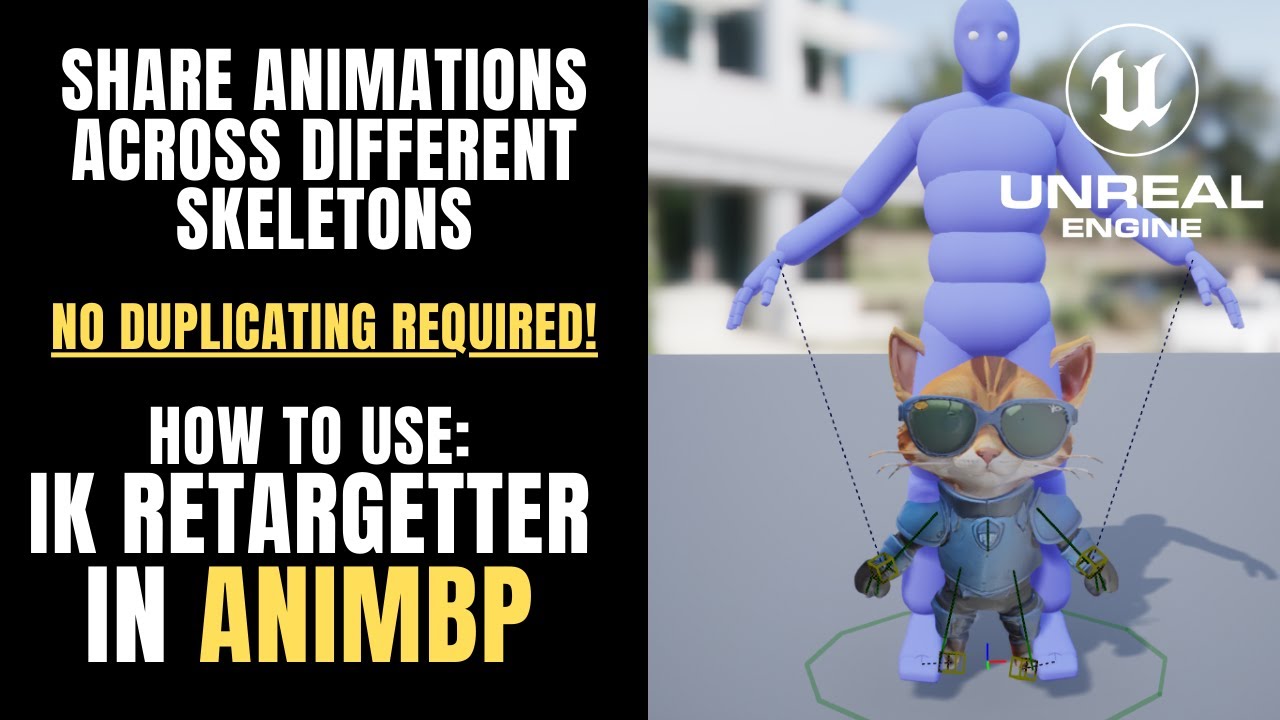
🐺 Patreon https://www.patreon.com/werewolven
🐺 Discord https://discord.gg/K28cmFAM5F for devs to lounge & make friends.
🐺 Unreal Engine Worldbuilders Course https://gamemaker.myclickfunnels.com/unreal-engine-world-builders-course
silent ruin
woven heart
Why can't I see or edit keyframes from this animation? The list at the bottom h...
the anim sequence you are looking at is more of a configuration and preview tool. To edit keys, you need to use the top option to bake them to Control Rig, which is a whole other rabbit hole to go down. 🙂
 vestal aspen
Hello where can I start learning how to add more animations like sword fighting, axe throwing, and sliding to the GASP project? I'm looking to learn how to use blueprints (Not C++) to add new animations to GASP.
Any YouTube channels showing how to use Blueprints to add more animations like sword fighting, axe throwing, and sliding to the GASP project?
 proven depot
if someone knows this I will actually be forever in your debt
 sage bramble
i put this in general UE4 chat
there we go
This is going to be a character
and the object I copied over to the right is a 6 degrees of freedom chassey
it will be a child component of the character. the player can upgrade the 6dof chassey (and other components)
but where can I find how to get the animations to work in unreal?
 fleet crow
how do i export animation with rate scale applied to it?
I exported animation data from unreal engine that had rate scale speed set to 0.2 but, the animation played as fast as the default speed of 1


 slim hatch
How do I stop this from happening?
 steady viper
have anyone used the blender plugin send2unreal with unreal 5.5 ? After migrating my project from 5.4 to 5.5, when I re-export the player's rig and its animations, they all become completely broken...
 rigid gate
Hİ guys anybody here ? do u know about shape key/blendshape/morph target transfer to another mesh ?
 weary crane
If it is a skeletal animation, it can be transferred through skeletal redirection.
 honest bobcat
How can I make an anim montage smoothly interpolate to the next state over time, but as an extra time?
That is, the "Blend Out" option is taking the frames/time from the montage, I want to add after.
e.g. if montage is 10 frames, I want it to play those 10 frames fully, and THEN blend out over time
rigid gate
weary crane
If it is a skeletal animation, it can be transferred through skeletal redirectio...
not its blendshape
 ashen junco
rigid gate
not its blendshape
ashen junco
rigid gate
not its blendshape
Are you talking about applying animations with anim curve/blendshapes to other mesh? If yes, then as long as the names match, it should just works
rigid gate
i talk about this
 rigid gate
ashen junco
Are you talking about applying animations with anim curve/blendshapes to other m...
rigid gate
ashen junco
Are you talking about applying animations with anim curve/blendshapes to other m...
face blendshapes
ashen junco
rigid gate
face blendshapes
So you're talking about transferring them to other skeletal meshes? That'd be up to you to figure out how to do it in Blender.
There is an option to import morph target in 5.5, but I don't know how that works. Someone else could enlighten about it
 weary frost
Hi, Can someone answer tthis please? If i have a Anim Montage which has 2 attacks in the same montage is there a way to add a system or something which kind of like the 1st attack goes off and then if the player pressed the button again within a window it,ll play the second part of the attack combo ? or so i need to have 2 different animations and chain them based on an input please ? 🙂
rigid gate
ashen junco
So you're talking about transferring them to other skeletal meshes? That'd be up...
thanks for the answer
weary crane
This code from UE is great ```
FMatrix FFbxDataConverter::ConvertMatrix(const FbxAMatrix& Matrix)
{
FMatrix UEMatrix;
for(int i=0; i<4; ++i)
{
    const FbxVector4 Row = Matrix.GetRow(i);
    if(i==1)
    {
        UEMatrix.M[i][0] = -Row[0];
        UEMatrix.M[i][1] = Row[1];
        UEMatrix.M[i][2] = -Row[2];
        UEMatrix.M[i][3] = -Row[3];
    }
    else
    {
        UEMatrix.M[i][0] = Row[0];
        UEMatrix.M[i][1] = -Row[1];
        UEMatrix.M[i][2] = Row[2];
        UEMatrix.M[i][3] = Row[3];
    }
}
UE::Fbx::Private::VerifyFiniteValue(UEMatrix);
return UEMatrix;
}
Hey. Can you explain me something more that I can help you
slim hatch
fringe shell
Hey. Can you explain me something more that I can help you
I got help with that one, thank you so much.
 misty dagger
have you guys seen Cyanpuppets? they just made it free

Cyanpuppets free version is officially released, you can use a single camera to capture, upload video to generate FBX function for free, and provide UE5.0-5.5, Unity2021.3-2023.3 engine plug-ins, the program is based on the computer's local graphics card to run, without the need to upload the cloud, so there will be no additional costs, and ther...
i been toying around with it and it seems good for being free, most other tools i compare it too work in the cloud like move.ai and QuickMagic
and you have to pay monthly
i just found radicalmotion it seems good and cheap still sorta limited, they dont have video to ai mocap aswell :((
wonderdynamics seems good but also in the cloud and pricey

Real-time high-quality facial expression capture functionality, powered by a large model with 900 million parameters, runs on NVIDIA CUDA, and the free version also offers powerful facial expression capture capabilities.
 sand oar
So I have all my animations currently set up through state machines but I am thinking about switching to the game animaion sample for my default movment... The question is, is it worth my time to learn and switch over and if so how bad a FPS hit will using motion matching be?
ashen junco
sand oar
So I have all my animations currently set up through state machines but I am thi...
If you already have state machine setup going on, it's not worth it. Motion matching can take up a lot of memory and could scale poorly with other kinds of characters.
Not to mention motion matching is hard to bend until you know well the ins and outs of it.
sand oar
ashen junco
If you already have state machine setup going on, it's not worth it. Motion matc...
ok I currently have vaulting and parkour similar to whats in the gas but it is not any where as smooth.. What do you suggest if I want to get mine as smooth?
 dull goblet
Anyway to fix strafe walk on blendspace?
sand oar
dull goblet
Anyway to fix strafe walk on blendspace?
lol i have the same problem I could not fix so I just made it so my char don't strafe ...
dull goblet
If i have a 45 degree animation it fixed but i'm using lyra animations
fringe shell
slim hatch
I got help with that one, thank you so much.
Great to hear
old wolf
whats the fastest / easiest way to get the assigned skeleton in an animBP for the purpose of gettting a bone or socket location? I would image since it is assigned on creation there would be a getter but I don't see this 🤔
 kindred stratus
anyone have any idea why this is happening? I'm trying to use a distribute rotation node to make controlling this guy's tendrils easier after it's refused to work with any form of IK, I've gotten that on it's own to work but I also want to be able to control specific points for more precise movements, I'm following a tutorial however said tutorial does not encounter this glitch when trying to add the extra controls on top of the distribute rotation node
silent ruin
dull goblet
Anyway to fix strafe walk on blendspace?
Orientation warping.
dull goblet
silent ruin
Orientation warping.
How it works? i'm trying with that but i can't do it
silent ruin
You need to configure it properly, with animations that has ik to follow
 elfin axle
Anyone know why importing animations with root motion from mixamo work in ue5.4 but not when I transfer it to ue5.3?
elfin axle
elfin axle
Anyone know why importing animations with root motion from mixamo work in ue5.4...
So to elaborate
dull goblet
silent ruin
You need to configure it properly, with animations that has ik to follow
my problem is that i'm using metahuman, not ik bone
elfin axle
When I press enable root motion it works in ue5.4 but enabling it in ue5.3 makes the root motion wierd
silent ruin
dull goblet
my problem is that i'm using metahuman, not ik bone
can you verify? that doesn't sound right.
Your skeletons should alreayd contain IK bones.
dull goblet
silent ruin
can you verify? that doesn't sound right.
Your skeletons should alreayd contain ...
it hasn't, i have to create vb
silent ruin
Look for ik_foot_root
And take a look at how Manny is using orientation and stride warping in Lyra
dull goblet
silent ruin
Look for ik_foot_root
yep, it's not there
elfin axle
silent ruin
can you verify? that doesn't sound right.
Your skeletons should alreayd contain ...
If anyone can help that would be awesome
silent ruin
dull goblet
yep, it's not there
You'll need to manually add them, using UE5 Manny as reference.
Then use copy bone transform modifier to bake on the leg animation data onto the IK in the anim sequence.
Lastly follow Lyra's configuration to setup orientation and stride warping.
 weary mulch
how can i migrate just the new state machine they created from the game animation sample "GASP"
 frozen relic
what is currently the best way to do character animation for unreal? i've been using mrmannequin tools in blender but its kinda janky and outdated by now, so im looking to move to something else. what would be your guys recommendations? TATools? 1 click rig? straight up just using controlrig? or some other software or plugin?
 elfin axle
frozen relic
what is currently the best way to do character animation for unreal? i've been u...
elfin axle
frozen relic
what is currently the best way to do character animation for unreal? i've been u...
I would use a combination of stuff
cascaduer is the one I like the most though
it has live link as well
elfin axle
frozen relic
what is currently the best way to do character animation for unreal? i've been u...
Oh for rigging just use the grt
Game rig tools
frozen relic
elfin axle
Oh for rigging just use the grt
thank you for the suggestion! what do you think makes it better than other options?
elfin axle
easier to rig with , and its free from what I understand, however its best used for rigging and animating is meh
I personally like manniquin tools for animating
but as you said its kinda old
hence I just rig my character usign this , import to cascauder and animate away
frozen relic
i see, so its not really an animation solution, you use cascadeur for that. i've been eyeing cascadeur for a while but its kinda pricy for a hobbyist so im looking through alternatives
silent ruin
frozen relic
i see, so its not really an animation solution, you use cascadeur for that. i've...
https://www.youtube.com/watch?v=DcTN3iybqcQ
You can give this a try if you like blender's rigify.
 tribal creek
My animation is only playing if i set montage to 0. #num (but in slow mo)
Any higher and it just stops midway or flickers?
The animation i have created, is just the right arm moving.


 tribal creek
My animation is only playing if i set montage to 0. #num (but in slow mo)
Any h...
tribal creek
tribal creek
My animation is only playing if i set montage to 0. #num (but in slow mo)
Any h...
Figured it out, just extend "end time" in your anim montage.

 untold roost
Anyone who had been imported the MMD model to the Unreal Engine? I tried to retargeting the model as humanoid model in the engine but I found Hundred of the bones dictates the movement, it makes me bit overwhelming 😵
seems like DEF works the rotation of the character, but it is only takes a spot of the parts not the bone. I tried before to allocate the ORG bones each chains but still doesn't work properly... is anyone give me bit of help it would be great thanks!


 ashen junco
untold roost
Anyone who had been imported the MMD model to the Unreal Engine? I tried to reta...
ashen junco
untold roost
Anyone who had been imported the MMD model to the Unreal Engine? I tried to reta...
Those prefixes are Rigify, not MMD. You might have better luck looking for Rigify to UE resources.
untold roost
Oh it means I was looking the wrong approach to import UE and find how to import rigify to the UE not MMD ...😮
 vestal walrus
Hello, everyone! 👋 I offer professional low-poly 3D character creation services to suit any project—whether it’s for a game, animation, book cover, or album design.
Every character is crafted with precision and care, tailored to meet your specific needs. From modeling to rigging and animation, I’ll ensure your project stands out with polished, game-ready results.
Add-ons include rigging and animation for complete flexibility.
Let’s collaborate to make something extraordinary! Feel free to message me or place an order now
 plain bane
My character disappears when applying animation Jump's Land animation, even if I replaced it with idle/jog sequence.
all other animations is working fine, i tried to debug it, but nothing wrong!
it move from jump start to jump land(character is hidden) to ground states!!

 untold roost
Alright, after little bit of research found this plug in to import rigify to unreal..
Uefy 2.0 is a Blender addon for rigging characters for Unreal Engine. Optimizes Rigify rigs for use in Game engines.
wraith goblet
Where can I press 'Show Simple Blueprint'? When I open an inherited BP, it usually prompts me in the top of the window to press if I want to see the full BP, but what if I want to go back to the simple layout?
 glossy grail
Am I headed down the wrong path? I have an anim blueprint that is using regular skeletal animations, but now realize that I would prefer montages so I can key off of events (like reload) and cancel as needed. Is it unusual to use montages in anim blueprints? My limited research seem to imply it is not standard. FWIW, I am working on fairly simple mechanical animaitons, think sentry guns.
mellow urchin
can someone confirm that the baisc ik node in 5.5, the pole vector, the direction/location option does not work as expected
mellow urchin
im convinced direction and location are switched
 thorn tendon
Hey folks,
I'm matching my metahuman skel meshes to the mesh of a character. It's working well enough however the right arm is deciding not to match the pose. Any tips?


Also another thing to note, it I set the Look at Alpha from 0 to 1, it matches as it should. Is the Local To Component, Component to Local getting in the way? If so, how do I adjust?

 unkempt kettle
Hi, what shall I do to make smooth transition between 2 anim-montages - have enemy take damage and still attack with a right hand? I tried to use animmontage blend but to no avail
 elfin axle
frozen relic
i see, so its not really an animation solution, you use cascadeur for that. i've...
elfin axle
frozen relic
i see, so its not really an animation solution, you use cascadeur for that. i've...
yeah its pricey , I might stick to it but I also might not
old wolf
unkempt kettle
Hi, what shall I do to make smooth transition between 2 anim-montages - have ene...
you need to blend the bones individually with either a blend pose by bool, enum, or you could use curves in the certain animations to drive certain behaviors
 remote elm
question. is the only way to blend between anim layers to unlink and then link? for example i have a firearm anim layer, say i have firearmA which has its idle animation, then i swap the anim layer out for firearmB's. when i do this it snaps, no blending. if i unlink the layer and then link the new one, it blends. is there a way to avoid having to unlink the layer before linking to a new one
old wolf
Snaps or restarts? I imagine there's a way to handle that, might want to look at lyra
honest bobcat
Is there a way using the sequencer (as animation editor) to flip the Y value (multiply by -1) across all keyframes?
Big picture question: I have this knockback animation, but the character is being thrown forward rather than backward. It has 945 frames, so I'm not going to do it 1-by-1 😅
 pale basin
Hellooo! Environment artist here so it's my first time working with importing rigs, does anyone have any leads on why all my bone pivots are at my character's origin rather than the actual bone origin? both my rig and mesh have their scale normalized so I have no clue what this could mean 

every bone's location is 0,0
pale basin
nevermind, I managed to fix it :) even though the scale was 1 everywhere and displayed fine in Blender, it exported tiny compared to the mesh. I just scaled it up by 100, applied scale and shrunk it back by 10.
weary crane
pale basin
Hellooo! Environment artist here so it's my first time working with importing ri...
that means import rigs using the world coordinate (bind space,original (0,0,0)),rather than the local coordinate(bone space)
 silent jetty
hey all, anyone have any idea why my character would not be moving on the Z axis even if root motion is enabled on the animation? edit: it's because i have to be flying, cheers
 weary crane
silent jetty
hey all, anyone have any idea why my character would not be moving on the Z axis...
weary crane
silent jetty
hey all, anyone have any idea why my character would not be moving on the Z axis...
Root motion is the process of extracting the motion of the root skeleton and applying it to the capsule component (before 5.4), rather than altering the transform of the root skeleton
 weary crane
Did the root skeleton of this animation originally have motion on the z-axis?
 gusty sand
I have a curious animation issue when testing in editor with listen server and 1 client and I wondered if it is an editor quirk or my own issue. During certain activities the client appears to animate slower from the server window. This is not jerkiness or anything, just slow animation. If I preview the ABP and set to debug the server spawned character as the debug target it speeds up and looks normal. Without abp debug or with another world/character as target of the debug it runs slow. Do I assume this is an editor bug and that selecting the server spawned characters will show me what the host will see? I can probably provide a video if needed. This is a basic world with no code controlling animation speed.
 vapid estuary
Is current iteration of MM/trajectory generation dependant of Unreal CMC?
 cunning locust
can someone tell me, why this makes my character stop moving, but the second image not?


WTF i shot my textboxspawner accidently, and it stopped my movement, but i only checked on overlap by my character, and not the fireball? lol
 elfin vine
Hi All, I setup my 2D blendspace for turning and walking straight. but when i hop into the game the only animations that play are turning ones? and the animation keeps resetting(skipping) in front of the camera. i dont know where im going wrong. Please see short video attached for example. https://youtu.be/k08u-hvqaEQ


 wooden siren
elfin vine
Hi All, I setup my 2D blendspace for turning and walking straight. but when i ho...
wooden siren
elfin vine
Hi All, I setup my 2D blendspace for turning and walking straight. but when i ho...
looks like you need rootmotion enable, cause those animations are made with the root bone animated
can anyone tell me if it is okay to add different chains of bones of ik fk rig?
wraith goblet
Is there a better place to execute an Idle 'start camera shake' than on the Event Tick?
elfin vine
wooden siren
looks like you need rootmotion enable, cause those animations are made with the ...
So i looked and the root motion is enabled. I have tried enabling and disabling and neither works 😦
wooden siren
animation blueprint, settings -> Rootmotion from everything
elfin vine
wooden siren
animation blueprint, settings -> Rootmotion from everything
Yep did that too
wooden siren
alright
 light crag
is there a way to edit skeleton I'm not talking about skeletal mesh editor it only edits the mesh I want to edit the skeleton
wraith goblet
How do I get a constantly changing Float to change smoothly?
gusty sand
wraith goblet
How do I get a constantly changing Float to change smoothly?
"Finterp To" ?
 vital void
Hey, does anyone have any idea how marvel rivals animates long hair? I say animate since I've done some digging on the character model and the hair is rigged with ~20 bones. I don't think it's just bone simulation since when standing still the hair still has some movement. For further info, hair is made with hair cards.
Here's a video for reference: https://www.youtube.com/watch?v=MD3p5J2TSec
You can see the hair movement for Dagger (the girl) differs a lot when she's attacking on ground vs on air (0:35 and 0:55 timestamps)
Any insight would be greatly appreciated.

Catch me live on Twitch every day! https://twitch.tv/HoshizoraOW
Socials:
🐦 Twitter: https://www.twitter.com/HoshizoraOW
🔴 Twitch: https://twitch.tv/HoshizoraOW
📽️ TikTok: https://tiktok.com/@HoshizoraOW
📷 Instagram: https://www.instagram.com/HoshizoraOW
💬 Discord: https://discord.gg/HoshizoraOW
#marvelrivals #marvel
upper cypress
Hey guys! Has anyone started using the new Physics Control component? How is it performance-wise? I am thinking about using it for regular enemies but I am afraid it will be a performance-killing practice
 desert zenith
noob question. I want the kick loop section to loop one additional time before going to kick loop end, how can I do that?
 weary crane
Hey folks.I have a question about the source code of the EvaluateAnimation method.Why does the pose has actual data when only objects are created here.

 true token
vital void
Hey, does anyone have any idea how marvel rivals animates long hair? I say anima...
true token
vital void
Hey, does anyone have any idea how marvel rivals animates long hair? I say anima...
maybe they add some phys impulse to hair bones during attack animation to make it more live
 vague zenith
Hi.. When i try character rig+animation export to ue5 from blender. Character's arms looks like this.. anyone can help please?
 smoky shell
vital void
Hey, does anyone have any idea how marvel rivals animates long hair? I say anima...
smoky shell
vital void
Hey, does anyone have any idea how marvel rivals animates long hair? I say anima...
With that kind of hair I would want to be animating it along with the character's animations, which means including each hairstyle in those animations, for the best result
But the results don't suggest they did that, i.e. its not very good
Its probably basic anim dynamics (not the anim dynamics node itself, some variation, e.g. kawaii physics, rigid body node)
And I wouldn't be surprised if they implemented a custom solution for it, to get it to behave correctly, its one of the biggest limitations of any of those nodes, when it doesn't work well for your use-case you can't proceed with it
With the 'sudden' pose changes they may even have an overall head motion baked in that they can query and adjust the hair in anticipation
 white rivet
Hey all, I'm trying to export an asset as .fbx to edit in Blender or Mixamo, but when imported it shows an empty space, like nothing is there, anyone know what's the issue? There are no errors
vital void
smoky shell
With that kind of hair I would want to be animating it along with the character'...
I was leaning towards rigid body, although I'm not entirely sure how expensive that would be for a 12 character game with loads of capes around (they are rigged as well).
When it comes to your last point on the head motion, is there any tutorial out there on the topic? That sounds interesting
smoky shell
vital void
I was leaning towards rigid body, although I'm not entirely sure how expensive t...
It wouldn't be expensive at all
We use rigid bodies and kawaii physics and more in Legacy: Steel & Sorcery
And we have more than 12 player characters + NPCs all running them
I started developing a custom modular physics engine where you can swap out every single solver during runtime, so if one part of the system doesn't get the results you want, you can just rewrite that part
And of course, wrapping it in an animation node that is designed for general anim dynamics
The physics engine side is almost there, but just haven't had time in months now 😦
vital void
smoky shell
It wouldn't be expensive at all
We use rigid bodies and kawaii physics and more ...
Ah, I figured all the interactions between N amount of collisions boxes would be taxing. I'll be off to an hour long tutorial that may or may not teach me how to use rigid body while still being able to animate those bones. I think this way I'll be able to achieve those looks from Marvel Rivals.
smoky shell
vital void
Ah, I figured all the interactions between N amount of collisions boxes would be...
We typically prefer kawaii over rigid body and anim dynamics
But different nodes work better for different things
 spiral sequoia
messing around with the motion matching example project. i noticed if i change the run/sprint speed values it just keeps looping the Start anims and does not go/stay in the Loop. is it just finding the start because the curve matches the slower speed better?
vital void
smoky shell
We typically prefer kawaii over rigid body and anim dynamics
But different nodes...
Why do you prefer Kawaii over Rigid body? Just for the extra options or some performance?
But I'll try to apply the tutorial to both, to see how they both handle a bit of previous animation on the bones.
 eager quartz
Hey, I'm working with the contextual animation system, and I'm running into a problem where if there is a wall blocking the player, then the animations will line up poorly. There are hacky solutions to this, but I was wondering if anyone had an idea of a good built in solution.
 night rover
How can I disable motion warping? I don't always want to apply the modifier when some condition isn't met.
 sweet oak
So, if I edit an animation in level sequencer using the ue5 control rig, then insert a second animation and move animation 2 along the timeline a few frames the fingers start flying around like crazy in the un-keyed section between animations 👀
I'm using a custom skeleton without metacarpal bones (which is what I assume is causing the issue)
Any ideas of how to fix it? And/or remove the metacarpal bones from the control rig?
(Control rig noob here)
unkempt kettle
unkempt kettle
Hi, what shall I do to make smooth transition between 2 anim-montages - have ene...
if someone encounter same issues - I had different skeletons on 2 animations (one retargeted to manny and one not), so I had to fix it and then they startet blend together
honest bobcat
How can I set & get animation keys for a UAnimSequence, using c++ or blueprints ?
 wheat badge
Has anyone figured out AnimNext plugin yet? 😄
fringe shell
I need help with these animation
When the character is in idle , it's animation is different from running , is that good for fps game
Or I should use the same animation for running and idle ?
 carmine dagger
Just a question i have a rig etc,Is there a way to make a walk backwards animation for the rig instead of redoing a whole walk backwards animation?
Made that sound confusing lol,basically i made a walking animation already,but is there a efficient way of doing so for similar animations like walking? Like backwards
Walking backwards left etc etc
raven forge
how to get a random animation sequence from the array into a sequence player here?
 raven forge
ok, i find it, but it got all animations from the array at once, and mesh is random twitching, playing them all at the same time
how to play only one random animation from the array here?

 frigid girder
Hi, I need directional combo animations using montages, the idea is that the animation handles the forward location, and the logic handles the direction, the translation works fine, but the rotation doesn't. I am trying to warp CapsuleC Forward Vector as it updates when the rotation type changes (UseControllerDesiredRotation and other), I am using motion warping, Warp translation is disabled, Warp rotation is enabled and I have tried to enable and disable Allow Physics Rotation During Root Motion. When disabling, the translation is in the forward direction of the mesh, when enabling the translation is in the input or motion direction, but the mesh never rotates towards the input direction, it always goes forward (the direction when the montage was started), Disabling warp rotation and enabling APRDRM doesn't work either, and rotating the mesh behaves strange.
honest bobcat
I'm trying to use UE5 sequencer/control rig from an existing animation and skeleton (default UE5 skeleton), but looks like it's missing a control for a bone.
Specifically, it's for a bone without vertices - the center_of_mass. But it's still important.
Why is it missing? how do I add it anyway?
 reef hare
I'm using Fabric IK to make my character's hands attach to the steering wheel. And I have a male skeletal mesh, and a female skeletal mesh, using the same base skeleton and animation bp.
It lines up perfectly with the male skeletal mesh, but the female one is way off, I can't figure out why, when I debug the IK targets in the anim bp it all looks good, and stretching is on, but in-play it just doesn't line up.
woven heart
I can't find any documentation on what these options do in Sequencer's Animations on a skeleton mesh. Anyone knows?

The Curve Channels options.
Change them doesn't seem to change anything.
 outer phoenix
does anyone have experience with Cascadeur? I'm trying to make a simple root motion animation but this is what happens when I move the constraint rigidbody (pelvis) 😅
 frosty sonnet
outer phoenix
does anyone have experience with Cascadeur? I'm trying to make a simple root mot...
frosty sonnet
outer phoenix
does anyone have experience with Cascadeur? I'm trying to make a simple root mot...
are you using an imported mesh?
outer phoenix
frosty sonnet
are you using an imported mesh?
yea I've exported Quinn from my ue project
frosty sonnet
outer phoenix
yea I've exported Quinn from my ue project
its 99.99% probably something with exporting and importing. let me see if it stll has my settings up
are you importing root motion?
 outer phoenix
frosty sonnet
its 99.99% probably something with exporting and importing. let me see if it stl...
outer phoenix
frosty sonnet
its 99.99% probably something with exporting and importing. let me see if it stl...
let me try in a new project, thanks for pointing it out
hmm. same issue. i might be doing the constraint wrong I think? this is what I followed
https://www.youtube.com/watch?v=NpIYUIqdsOo
Short video showing how to set up your rig in Cascadeur with Root Motion constraints, and how to use your animations with Root Motion inside of Unreal Engine 5.
I typically stream gamedev on Twitch, Monday through Friday, come hang out and ask questions!
https://www.twitch.tv/m_slothboss
Twitter: https://twitter.com/SlothyLabs
itc...
outer phoenix
frosty sonnet
its 99.99% probably something with exporting and importing. let me see if it stl...
I think I fixed it by unparenting the mesh object inside Cascadeur
 outer phoenix
frosty sonnet
OK cool I was gonna mention trying this option
outer phoenix
frosty sonnet
OK cool I was gonna mention trying this option
got it, will try that if I have further issues, thanks mate
honest bobcat
When baking animation sequence to control rig, I get global_ctrl, root_ctrl, and body_offset_ctrl .
I can use all 3 to translate/rotate the entire body - what's the difference between those 3?
 cursive hollow
Hi I was wondering if I am trying to setup the animations for a 4 legged animal the tutorial I am following is using a Blend Space and in it he has added Idle_Breath, Walk, Run .....which is weird because there is like a total of 26 animations this character comes with like jump_Bite, and run_bite and more but I dont know where I should these at ? I am new at this so sorry if it is not clear
 slow zephyr
I am trying to change the Quinn Idle animation to my own sequence, however, I can only see Quinn's animations as options but not mine. What am I missing?

 rough wasp
Hello,
We are seeking a skilled Blender animator and renderer to create high-quality animation videos showcasing product renders. The project involves working with multiple CAD files and creating animations for various product categories, such as rings and earrings.
Key Details:
Workload: Bulk project with multiple videos required. PAID WORK.
Timeline: Urgent, with quick turnaround needed.
If you're interested, please share examples of your work, specifically 3D motion animations of any product or object, at ishanraut@bigmiles.in.
Looking forward to collaborating with talented professionals!
Best regards,
Ishan Raut
 plucky ginkgo
Does anyone know why "Set Anim Instance Class" does nothing on one specific skeletal mesh I recently imported? It is basically a copy of the original(which works fine), but this one just keeps on being invalid when i set its anim instance for some reason
 nimble fern
plucky ginkgo
Does anyone know why "Set Anim Instance Class" does nothing on one specific skel...
nimble fern
plucky ginkgo
Does anyone know why "Set Anim Instance Class" does nothing on one specific skel...
does it have the same skeleton? or is it a new one?
Hello All,
I have a Map variable which consist of "Name and Rotator".
How can I modify a skeletal mesh bone rotation using the name and rotator value?
I can't use Transform (Modify) Bone Node in the animation blueprint because I can't give it the bone name dynamically.

 drifting karma
Hallo every one! I'm working on a project in Unreal Engine where I've set up lights to respond to MetaSounds using Blueprints in the Level Blueprint. It works fine in simulation, but now I want to bring everything into Sequencer for rendering. How do I convert my Blueprint events into Event Tracks in Sequencer so that they trigger during playback and render correctly?
 heavy kayak
hello

im trying to when "Isblocking" true, then only animate top body
above spine_01 since i want to be able to walk at the same time
anyone pls help :/
 soft cedar
heavy kayak
anyone pls help :/
soft cedar
heavy kayak
anyone pls help :/
blend by bool
heavy kayak
Solved it👍
soft cedar
I've noticed that if using physical animation and the physics blend weight isn't set to 1 then the physics asset only matches the fully simulated position, not matching the visuals. Is there a workaround for this? It's causing issues with my hit detection. I found this forum post with the same issue but no solution: https://forums.unrealengine.com/t/set-all-bodies-below-physics-blend-weight-causes-others-not-to-collide/1896059

Epic Developer Community Forums
The issue I’m having right now is with the “Set all bodies below physics Blend Weight” node. What is happening is I have a “Set All bodies below simulate physics” node right at start play. I have both connected to the Lower Torso and correctly simulates the entire upper body, and if I have just the simulate physics node it works perfectly and al...
 last plume
Using BlendSpace !D... Is there an easy way to slow the blend between walking and idle?
UE5.4
 sinful salmon
what would be the correct way to use multithreaded animbp with root motion? do i have to swap anim instance class before running RM anim, or i can just set the mode at the runtime of the same animbp?
 timber quest
any chance you figured this out? on 5.5 still not functional
gentle kestrel
timber quest
any chance you figured this out? on 5.5 still not functional
DG_LinearBlendSkin_Morph_Cloth doesn't do what you think it does and what it's name implies.
However, this clever person has manged to get cloth + morphs working but it's not a straightforward process.
https://forums.unrealengine.com/t/using-deformer-graphs-to-achieve-cloth-simulation-on-meshes-with-morph-targets/1773590/10

Epic Developer Community Forums
I was finally able to resolve this problem, though the solution wasn’t as straightforward as I’d hoped it’d be. My idea was to copy skinned mesh vertex data from a non-simulating skeletal mesh with morphs to a simulating cloth asset: Using a deformer graph I was able to read the verts and morph offset data from the (hidden) skinned mesh, ...
timber quest
gentle kestrel
**DG_LinearBlendSkin_Morph_Cloth** doesn't do what you think it does and what i...
ya thanks i did see this but wasnt able to fully follow, not sure he posted the full end to end solution... with his deformer graph
 cerulean sparrow
I doubt anyone would answer but i made a character and rigged it using auto-rig pro to ue4 skeleton and it looks fine until i apply ue4 default animations with deformed the skeleton (image on the right) mostly the neck and forearm is twisted. I already tried changed the retargeting in the skeleton to all 5 possible (skeleton, animation scaled ...) no change. Anyone can help would be great

 zinc bridge
Guys which is the best way to do a circle shrink transition (for example, between two levels) ?
Like old cartoons
gentle kestrel
zinc bridge
Guys which is the best way to do a circle shrink transition (for example, betwe...
I'd probably use a post processing material for something like that.
 valid wing
Hello, I have animations that use root motion and whenever I use force root lock, they stay in place like they should, however whenever I retarget these animations for Quinn or Manny, they do not care for root motion and they continue to move in place wich in return makes the entity thats using the animation to teleport to their original position once their animation finishes, how can I fix this? I believe the problem is due to Y_Bot not having a root bone but it has it on the skeletal mesh yet not on the IK, pls help


 zealous viper
I'm running into some import issues
my blender setup is like this, armature with multiple objects parented to it
but when I import the fbx, they are seperated or only 1 object get imported

it works with glb, but I worry that there may be hidden disadvantage not using fbx because it seems most yt vids are using fbx
 heady ruin
I have a rig that animate sail up and down in blender when I click G(a driver that switch between them based on control value), how can I create a control rig to switch between the sails? If there’s any tutorial about that I’d appreciate it. The one I found were very basic rotation!
heady ruin
zealous viper
I'm running into some import issues
my blender setup is like this, armature with...
FBX is broken with me too, I saw ppl recommending using glb over fbx!
 rigid geode
hey, so idk if this is the right channel BUT
would anyone know why the physics control asset won't cooperate here? the bone names match, why is it spitting out this error...
it's only for the UEFN mannequin for some reason, for others it works fine
 eager quartz
What's standard practice for making a snake like pawn, that has the spline like movement properties? I've found a few tutorials that look like they'll work, but I'm checking to see if there are standard ways of doing it that are better
shadow mauve
hi guys, do you know any way that i could get information out of control rig about when the step is made? i need this so i can play step sound. Or maybe there is another way?
i have procedural spider walking
 reef shard
Hi there, im trying to get a skinned model ive made in 3dsmax into unreal, but Ive hit a problem. The skinning seems to be different somehow after import, maybe theres some sort of import setting thats wrong?

Any ideas what that could be? Note that alot of the bones are not weighted to anything since its mechanical and i dont need too much detailed articulation etc. Not sure if this is an issue somehow.
its doing this for some reason:

 celest raptor
I was getting some errors because my skeletal mesh had a different "Post Process Blueprint" than the "Anim Class" that the actual skeletal mesh component.
What is the idea behind a post process blueprint?
 quiet hull
Facing an odd issue. When exporting the same rig that is used as the skeleton source from blender to unreal, the animation scales the parts up in the anim sequences and seemingly breaks the animation. Would anyone know how to resolve this?
 short kettle
Would anyone know how I could add a scientist coat to a character from mixamo?
Would it be simple? Would it work with animations I have currently?
 river lily
short kettle
Would anyone know how I could add a scientist coat to a character from mixamo?
...
river lily
short kettle
Would anyone know how I could add a scientist coat to a character from mixamo?
...
Basically you add the coat as a skeletal mesh and have it use the same animation controller
short kettle
river lily
Basically you add the coat as a skeletal mesh and have it use the same animation...
Oh sick! That sounds pretty easy! Thank you!
short kettle
river lily
Basically you add the coat as a skeletal mesh and have it use the same animation...
Hi! Did you mean animation blueprint? Or something else?
The skeleton is completely different for the coat, compared to the scientist.
Would I need to try and retarget or something?
The coat has 1 bone LOL
 snow shell
Are sync groups on Blendspaces bugged on 5.3? Cuz if i use blendspaces the animation doesnt sync properly, but using a sequence instead syncs properly. Anyone else having issues with blendspaces and syncing?
Maybe blendspaces need additional setup for syncing? Cuz i sync them the same way i did with the anim sequences, but it's not working this time somehow.
 hoary rivet
Hi
river lily
short kettle
Hi! Did you mean animation blueprint? Or something else?
The skeleton is compl...
Yes, the coat needs to have the same skeleton as the person. Because you want it to be doing the same motions proportionately.
hoary rivet
Would anyone here be interested in participating in a Brazilian open world project?
short kettle
river lily
Yes, the coat needs to have the same skeleton as the person. Because you want it...
I see what you mean!
So I would need to retarget the skeleton to match somehow?
In unreal or another software?
river lily
short kettle
I see what you mean!
So I would need to retarget the skeleton to match somehow...
Probably something like blender. You need a real skeleton for it. Ideally the same one as the character.
Retargeting is for identifying the mapping between a skeleton and another, similar skeleton.
reef shard
For anyone who is interested i solved my issue with a simple reset Xform and then redid the skinning. seems to have done the trick 👌
 brisk ridge
Hello all. Does anybody know where am I likely to find up to date documentation, tutorial or help with getting an AI controlled character to use root motion 8 way locomotion with the behavior tree?
 golden cloud
Hi everyone, I am currently trying to import the animations by RamsterZ into UE5.5 but I got the following error:
"[C:/Users/Crest Lac/OneDrive/Documents/Unreal Projects/Assets/Animations/Assassinations/Paired_Knife_Stealth_KidneyAndNeck_Att.fbx : '', Unknown] There was no data to import in the provided source data."
If there is anyone know the solution for this, I would love to have your help. Thank you.
Edit: After some digging on the internet, I have found the solution for it.
short kettle
I’ll try blender. Thank you!
Just getting into the character animation, so all of this is very new.
So I should go into blender and try to duplicate the skeleton from the scientist to the scientist coat?
Or should I add the coat to the scientist inside of blender?
Would the second option affect my current animations much?
 hard lotus
hi. i'm using blackboard1 with behaviortree1, which references a behaviortree2 (subtree) which uses blackboard2. And in the main tree the subtree reference says 'blackboard not compatible'. why is this so? i mean i was hoping to keep both trees and their data completely separate.
one of the posts talk about inheritance. if that's the case do i make bb2 a child of bb1?
fast dew
hrm... am I blind or is there no way to disable the IK chain overlays in a retargeting asset's viewport? makes it really hard to adjust stuff like fingers...
spare kiln
Is it advisable, if I got an animation pack, to retarget it to my skeleton?
I had a package, that hat added some sockets, to the skeleton, and to make it work with my skeleton, i needed to add the sockets to my skeleton and then retarget all the animations.
Now I wonder, is it good practice, to maybe retarget all animations to my skeleton?
hard lotus
if the skele and anims aren't from the same source, usually it's advisable to retarget.
 primal oar
Hello I am trying to make so that when I switch weapons the animation will only affect the upper body so I can walk freely. I tried to use layered blend per bone but it seems like it changed for my whole animation blueprint and not only the switching guns animation. How would I go about to fix this issue?


 next grove
Hello all. I have a problem with Velocity Z on my custom model (skeletal mesh with anim blueprint).
When the character jumps (or gets some Velocity Z), the mesh will distort like if the legs are splitting and spreading. Let me see how to add a picture 😀.
 next grove
it has to do with animation blueprint because when i disable the Anim BP and i play animations with jump, there is no problem...
EDIT: Its fixed, i dont know precisely how. I started by fixing the bones on Blender (i removed 2 bones that were useless), exported in FBX with limbal node, and set the pivot in the center.
And in UE 5, i fixed the attribute "no additive" for the animation
brisk ridge
brisk ridge
Hello all. Does anybody know where am I likely to find up to date documentation,...
I'm still looking for help with this. Does anybody have any thoughts?
 stray cove
Hi, does anyone know why these sword attack animations are wiggling theyre heads when the animations are imported in ue 5.5? Thanks.
 marsh schooner
Afaik you can't change an animation graph at runtime. The way you do this is by making your max speed 1.0 instead of setting it to whatever the character's speed is. Then, when you get the character's speed, normalize it with whatever their current max speed is. In BP, it would look like this:

(If you have a backwards walking animation, you'd want to make the minimum -1.0, and plug in GetMaxSpeed * -1.0 instead of making it 0)
 reef agate
Hey all, state machine anim graph question. I want to transition from a looped walking state to a non looping stopping state. I got this transitioning fine, but the problem is: I want the looping walk state to get to the end of its animation before entering the transition. Is this possible?
in the looped walking state, I have a blend space, in case that's relevant
I think because the looped walking state is set to loop, none of the nodes like get current relevant time etc are returning what i need
not sure tho
 sudden sedge
When using anim notify states, if an animation ends prematurely or gets interrupted, does the end state of the anim notify fire?
primal oar
how would i be able to replicate my aim animation? right now im using a bool and i got 2 custom events for replication one for the client(multicast) and one for the server(server). so ive replicated and the bool is true when i aim and false when im not aiming. though im not sure if i gotta do something in the animation blueprint or if i did something incorrectly
 warm wind
anyone know how in contorl rig i can designate a point/transform in 'real world' that doesn't move with the control rig?
Ie; im doing procedural animation foot cycle and i want to draw a box wher to place my foot in the future.. but the box itself 'slides forward' along with the models velocity.
is there an easy way to 'lock' the box down in real world space, so as the model moves the box remains constant position? without having to subtract the velocity vector from the transform every frame?
spare kiln
hard lotus
if the skele and anims aren't from the same source, usually it's advisable to re...
thanks!
cedar meadow
anybody have a clue why ue5 imports only one bone even though i have multiple in blender? It also looks to be the very last bone created that UE5 imports


also the window_front_2 bone should be on the edge of the cube, in ue5 for some reason it's in place of the root bone i have in blender
 keen cipher
Not sure if I am encountering a bug in Unreal here, but skinning of USD skelmeshes isnt working.
I load a usd stage which has a simple arm skeleton and geo, which is also animated. I can validate its all working correctly in usdview (see clip) but although the arm, and the animation is loaded into Unreal, the skinning isnt, so my geo doesnt move. looking in the editor I can see only the root joint seems to have any skin weights, none of the other joints in the hierarchy do. I also get the following errors suggesting unreal is not reading in the usd skinning properly.
Just to add: this animated usd file works fine in Maya, houdini and usdview - its only unreal where it doesnt work.


 safe coral
Where did that extra bone come from, it wasnt there when I imported it

 misty dagger
its his penis
coarse thunder
Anyone knows why the cached Statemashines not playing anymore after I play a Montage?
 safe coral
Why does this happen!?

 restive basalt
Does anyone have any experience in creating a floating/zero gravity animation? Like animation for an astronaut pushed around by their jetpack in space?
safe coral
How do fix my animations because the transforms are way off eventhought the values are correct
lethal blaze
hi there - i'm trying to reduce the jitter of my live link face input on a character. i've attempted using a weighted moving average but the jitter remains the same. would anyone know how to adjust this to reduce the jitter im experiencing?
 raven forge
currently working with Paragon Wukong character, and his attack animation montages dont working
if i create new montage from the same sequence - it works fine, but i dont want to recreate every notify and other settings
(slot is working fine too)
how to fix old montages?
fast dew
is it just me or does the retarget anim option to "overwrite existing" assets not actually overwrite anything? I always get a duplicate set of sequences ending in 1 no matter what the checkbox is set to...
 sacred mural
hi there can someone please help
does anyone know why the animations will work on the metahuman on the left and not the right

 misty dagger
i have a UE5.3 project that does live microphone capture with ovrlipsync plugin compiled by someone else...using fractured fantasy video tutorials over many weeks...but i still have to figure out how to get the metahuman to look alive, only the mouth moves. Thinking of using a gamepad in engine to move arms wink tilt head while streaming the performance in real time through NDI broadcaster to my win 7 box that records it all And with NDI tools i have a third machine that sends screen captures , videos etc to the unreal engine tv monitors on stage during thhios live performance. so i heard 5.4 allows livelinkinput plugin, that i could learn hoe to map to the metahuman control rig in a blueprint, allowing me to move various parts of my metahuman while streaming to win 7. the sound file playback was working as well...so i have mp3 file to visemes and microphone live to visemes.
 latent echo

My Anim Montage function won't play on death event. But when i put the same play anim montage function on "begin play" it plays just fine. But as soon as i put it on this death event function the anim montage won't play. Its so strange.
-The death event is firing as the print string is showing and the "disable movement" executes properly on the AI.
 distant cave
brisk ridge
Hello all. Does anybody know where am I likely to find up to date documentation,...
distant cave
brisk ridge
Hello all. Does anybody know where am I likely to find up to date documentation,...
Have you found a resolution? I am looking for that as well, I can't understand how I can add animations that are non-combat related. All I can find is tracking user and attack tutorials which would not apply to anything else
 quaint robin
Hi! How can I position the animation to the center?

 novel viper
Hello. Does anyone know why this isn't working? No matter what value I set for the per bone array entries, the defined bones always still interpolate to the above target weight interpolation speed value. Is this bugged or something?

I want the entire body to smoothly (slowly) interpolate, hence a value of 1 while the legs interpolate fast to keep up with the change in movement from input.

this tooltip seems to be untrue, as that is absolutely NOT what's happening at all.
 stone palm
I have a interesting use case that I'm unsure how to approach. I animate all my animations in another program and want to use control rig to just add some variation. However in certain instances when say hands are interacting with other animated objects using my animations, I want certain parts of the body to be able to move but others to be locked in on an IK.
I've attempted to transfer location data from get socket location but it's not really working. It sends the IK control in the control rig to a completely different spot.
For any confusion, as an example let's say I have an animation of someone playing a piano, I want to add a aim function that lets the character look at the camera, meaning moving their head, neck, chest etc, but right now that also moves to the arms which means no longer playing the piano. I want somewhere I can lock those hands into playing the piano and only move the body to look at the camera. Hope that helps put it in better perspective. Does anyone have any advice?
 safe flare
Just a simple quick question: I have an fbx with about 200 animations in it and I want to import it into unreal, is there any guide or something on how I should successfully import it or is the default settings okay?
sacred mural
hi there can someone please help
does anyone know why the animations will work on the metahuman on the left and not the right


 bleak tree
Ok I'm not sure where to post this but when I remove all the weights from an area, if I accept and save and go back into it, it still has some sort of weighting there.
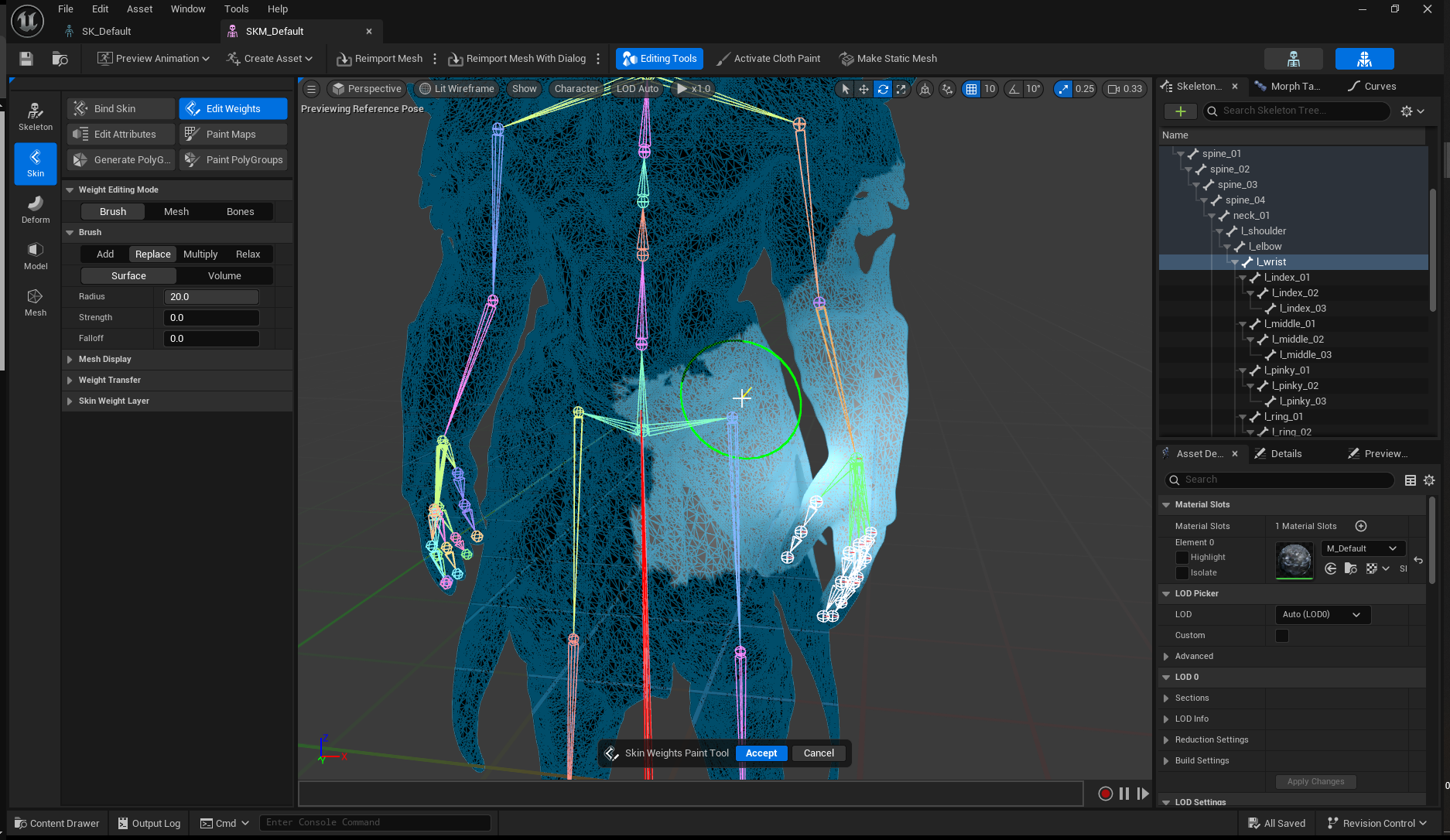 sacred mural
anyone know why one metahuman will change pose but the other wont?
 whole dew
I'm working on a tool to help generate some random poses to export to Marvelous Designer to aid in the ML cloth deformer. Ideally, I would like to create some tooling that operates on a control rig to set random transforms on the rig itself so that the underlying skeleton is posed randomly, but also within the rig constraints to not create garbage input for the ML model, but I haven't really worked with control rig much at all and wanted to reach out here to see if folks had anything worth sharing.
I'm really early on into the process, so am not really locked into any one approach or another. I could have a c++ class that makes a blueprint node, I could perhaps manage this in Python for Unreal, as I see control rig supports and leverages that.
stone palm
Okay another question since my other one didn't really get any answer. Is there a way to maybe make a control rig where the arms and legs continue to be driven by the animation but the areas between it can instead be adjusted? Like say I have a animation of a guy shooting a gun and I want it so I can make him duck but he'll still keep the gun up in the air where the original animation put them. Could that be possible at least?
reef agate
Has anyone experienced the anim asset right click retargeter not showing animation blueprints? (weirdly, it shows some for the wrong skeleton. It just doesn't show the ones i actually want to use to retarget : /
I'm DEFINETELY selecting the correct source w the correct skeleton that corresponds to the ABP
UE 5.5
reef agate
i narrowed the issue further: ABP shows up in UE 5.4, but not 5.5 : /
 kind cobalt
I`m wondering if motion matching system support morph targets, does anyone have any ideas?
bleak tree
Why can't I see the other sockets e.g. shoulder, elbow, wrist when trying to rig?


 pseudo pawn
My custom tool for easy Metahuman animation is live on FAB, if anyone would like to install and try it out!
Full walkthrough video (with FAB listing link in YT video description):
https://www.youtube.com/watch?v=U2rXGb_0Ir4
If you haven't seen my earlier teaser posts about MAT (Metahuman Animation Tool), it builds on my previously released Face Picker, doing both Face and Body in one widget, and adapts depending on what Control Rig is currently selected. It also has a bunch of features that have been on my UE community friends' wish lists, including:
- Marquee select, Multiselect, Deselect by control
- User defined custom selection sets (persistent after restart)
- Automatic FKIK switch-snapping
- Finger auto-interpolate and Hand keep-aligned booleans exposed
- Copy / paste poses, Mirror poses, Mirror match, Key selected / all
- WASDQE keyboard controls for rotation and translation of controls
- World transform copy and paste for prop snapping
- Tweening and Overshoot controls for in-betweens
MAT works with Metahuman and UE5 skeletons, and has been tested in 5.4 and 5.5. And yes, it is still FREE 🙂
Go get MAT now, and happy animating!

If you've used my Face Picker, or the old version of my Body Picker, Locodrome MAT (Metahuman Animation Tool) is the new new. All the functionality in those pickers, rebuilt leaner and meaner, with lots of new fun toys to play with.
FAB listing page to download for free: https://www.fab.com/listings/843baea2-8298-4b07-8db2-7ca18b026b7c
Why am...
 chrome quiver
Any reason why the modular cntrl rig pelvis circle is not in the middle of the pelvis. its off to the side. thanks
brisk ridge
distant cave
Have you found a resolution? I am looking for that as well, I can't understand h...
Actually yes. I kind of have. Still working on it but I have managed to achieve a level of what I was trying to do. Characters are moving around using root motion using behaviour trees.
whole dew
pseudo pawn
My custom tool for easy Metahuman animation is live on FAB, if anyone would like...
I'm not even close to an animator, but just general feedback as a software engineer in general. Fantastic work, you have included a ton of functionality and kept things as simple as possible. Really. nice work dude.
sacred mural
any way to get this smoking animation from fab on my metahuman? its facing down as well
 pseudo pawn
whole dew
I'm not even close to an animator, but just general feedback as a software engin...
pseudo pawn
whole dew
I'm not even close to an animator, but just general feedback as a software engin...
Hey thanks @whole dew - that is SO nice of you to say - I really appreciate that!
sacred mural
is there any way i can get that red bar to rotatee at all?
 heavy oasis
so in blender i merged the eyes and teeths with my rat model
i then painted weights with a rig, and exported it to UE
i was making a modular rig when i realized my teeth arent moved with my head
any ideas what could be the issue ? i am new to blender so i could of do something bad when painting
in red the teeth's

 pure spire
i dont think my root motion wokrs even when its enabled
 runic lion
Hi having an issue with the retargeter
 zenith ferry
Does anybody have any example of use or documentation about FAnimInstanceProxy?
I'm trying to move to c++ the logic i have in BlueprintThreadSafeUpdateAnimation, but i cannot figure out how to replace the property access node
 sharp gazelle
anyone know what might be causing the sword to be shifting through the hand?
 umbral aspen
Does anyone know how to get the meshes to show up when I open the map? They keep disappearing every time I open the project.
 desert zenith
question is there a way to access the event graph in a child animation blueprint or do i have to create a brand new blueprint class to access it?
 eternal spoke
Hello sourcers... I need to remember how to fix a deformed AnimBP when applied on the CharacterBP. I already faced the same situation in the past after converting animations from a UE4 AnimPB to UE5. I completely forgot how to fix it, all I remember is it was a silly easy setup and nonetheless I completely forgot it. Any hint? Thanks in advance
It was a something about the Offset animations...

 stiff wigeon
I need some help! I'm trying to create a base animation that runs in a loop, like a breathing idle animation. On top of that, I want to add additive animations triggered by key inputs.
For example:
Pressing the 1 key triggers a "happy" animation.
Pressing the 2 key triggers a "sad" animation.
Pressing the 3 key triggers a "crying" animation.
When I press a key (e.g., 1 for "happy"), the animation should seamlessly blend with the base idle breathing animation. Similarly, if I press another key (e.g., 2 for "sad") while the first animation is still playing, it should transition smoothly to the next animation.
I want all animations to blend seamlessly between each other, no matter when the key input is triggered.
How can I achieve this? Any help would be greatly appreciated!
example link:-
https://www.youtube.com/shorts/4Rwqkvw5YJM
(goofy ahh example😭 , but thats the best i got)

 eternal spoke
Nevermind, found it on my own just experimenting a bit after the initial panic 😅

 sweet wadi
So for some infuriating reason the animation on my blend space preview and the actual animations show when I run the game, I have no clue what to do about it at this point
As you can see here when the X is 1 and Y is 0 ingame it displays no animation, it's just sliding forward and yet when I check the blendspace and preview it with the exact same values there's an animation there
bleak tree
bleak tree
Why can't I see the other sockets e.g. shoulder, elbow, wrist when trying to rig...
Anyone got any idea?
 solar gyro
What would cause an animation notification to not fire off?
 wind moss
I was wondering if anyone here happened to have an idea why my aim offset is doing this with its yaw? Originally my pitch kind of did this jitter and would only look up, but after replication his head movement up and down was fixed, I thought this might also be the case with the yaw, so I replicated it, but it gives me the same result, which makes me think it may be something else happening.
You can see his head moves up and down fine on the simulated proxy, but his side the side movement is really jittery, like I said, I thought it might have been a replication issue, but it wasnt.


 wintry niche
what should i do for this? its new animations for the same character but the new animations are just a newer made version of the same skeleton/mesh
 solar gyro
Would there be a reason why animations played through C++ to not trigger a notification?
solar gyro
For playing an animation montage from C++ and having a Notificatin on the montage, the tutorial I was watching said to do CharacterRef->GetMesh->PlayAnimation(TheMontage) but the Notification wouldn't trigger, doing CharacterRef->PlayAnimMontage(TheMontage) would trigger the notification. Is there a way to get the Notification to trigger using the first method, or is it manditory to PlayAnimMontage in c++ to get them to trigger.
solar gyro
solar gyro
For playing an animation montage from C++ and having a Notificatin on the montag...
I just rewatched the video and it specifically says to use the method I used, CharRef->PlayAnimMontage(TheMontage) is the correct method.
misty dagger
i downloaded a black cat, put it into my 5.4UE project, when trying to create a modular control rig, the mesh gets screwed up...weird shapes appear once i try to move a leg...?
is there a way to gamepad input a characters arm movements in engine during simulation, puppeteering?
misty dagger
safe coral
Where did that extra bone come from, it wasnt there when I imported it
i think unreal adds a root as a parent for control rigging, not a bone
 covert orchid
heyyy, I have the player that can pick different items, and this items need the hand to be on different positions to fit. so I thought about making a personalized animation for each item and then make the blend by int on the animation blueprint and change the animation number in the character by code. is there a better way to do this? an easier one?
upper cypress
Hey guys! I have two different AnimInstance blueprints that have a lot of similar functionality but completely different skeletons and animation graphs.
I my only option to use a C++ class derived from UAnimInstance and implement all the reusable logic there?
I can't have a common parent blueprint since I won't be able to change the AnimGraph in the children (only override animations)
And using a blueprint library is very clumsy since its' functions can's have instance variable (only locals)
Also MacroLibrary does not allow you to implement AnimInstance derived classes
upper cypress
covert orchid
heyyy, I have the player that can pick different items, and this items need the ...
Have you tried Blend Poses by Enumeration (Enum)?
 covert orchid
that’s a better way, i will still have to do all the anims and everything but it’s more organized. thanks :)
 tribal spindle
Hi new problem in the EndlessErrors project, so basicly im using a weird skeleton as base and everytime im retargeting animations a small problem always occurs, this time when you right click to aim it aims to the left of the screen as you can see in screenshot and ive tried rotating the root of the aiming animation but it stays the same, any suggestions how to fix are golden, i wish i could send a little money if anyone solved it but ul get my endless gratitude instead


 tribal spindle
Solved i changed some settings in the layered bone per blend
covert orchid
hi! I have seen this tutorial to make hand animations on ue directly: https://www.youtube.com/watch?v=d6MEHGJWbKk
but I wanted to ask if there's the possibility to make the hand animations using an animation. so, instead of having to start with a T pose (that modifies my camera to another position), start with the idle pose. I manage to use the animation but for that I have to mute the metahuman control rig and I can not make the animation. is it possible?


My Courses: https://smartpoly.teachable.com
In this video we will go over how to create First Person Animations in Unreal Engine 5, using Control Rig. Control Rig is a powerful tool that allows you to create animations for your character. I will show you in this video, how you can setup control rig, for first person animating.
If you enjoy t...
eternal spoke
Hello again Sourcers. I have a problem with this AnimBP... the character is supposed to start and keep aiming on pressing the Right Mouse but he actually does aim only when shooting with the Left Mouse as short as the duration of the shot is. What am I doing wrong? Thanks in advance.
 sweet wadi
For some reason my aiming animations are scuffed, and it walking sideways doesn't work properly, My character only looks right when walking in the direction it's facing, and I am clueless at this point how I could fix it. In the clip you can see what it looks like, and what it should look like if the animation was playing correctly


 empty wagon
anyone know the name or solution to this problem? ive seen it happen before but i totally forgot everything about it. anyone know anything?
 lofty gale
I got a quick question, of which I'm sure the answer is simple to but I can't find anything by googling it. I got an Animation blueprint, how can I bake it into a single Animation Sequence?
For context: I imported an animation into UE5.5 but unfortunatly the FBX file (somehow) contains 24 Animation sequences that all animate only 1 bone. So in the blueprint I used 'Layered blend per bone' to combine all these indivvidual animations to get the full animation sorted. The only step I now need is to bake them into a single Animation Sequence so I can use it properly.
Edit: I'm not sure if I need to place this here or in #blueprint. If this is the wrong channel. please let me know!
brazen wharf
Does someone know if it's possible to disable specific AnimNotifies below a certain LOD?
or would i have to filter in the logic of the AnimNotify?
rigid gate
guys i have want to ask something i have character whic has face animations on sequencer i animated face animations this character has unreeal sk_ mannquen skeleton also but i just reopen project and what i see my character's face animation is gone i was baked animation from sequencer as animation sequencve and now how can i get my face animations back?
on animatyion sequence its looks like that

but morph target anims not work now
anybody have an idea why is that happening
oblique vortex
i'm trying out to get the lyra stuff from 5.3 to 5.5 in a diffrent project.... for some reason it's not adding layers
what would be the best way to debug it
 prime vale
Hi !
I hope you're doing well !
I'm working on an Animation Blueprint (ABP) in Unreal Engine, using blend spaces and a Finite State Machine (FSM) to manage my character's states and transitions. While transitions between states within my ABP are smooth, I'm facing an issue when trying to implement a combo system or interactions. Animations that come from outside my ABP (e.g., combo attacks or interaction animations) result in instant transitions, making the animation flow look unnatural.
Could someone provide me guidance on how to resolve this issue? Are there specific techniques, settings, or considerations I might be missing to ensure smooth transitions between animations from different sources? Any tips or best practices would be greatly appreciated!
 lilac crest
Mesh
-> Spring Arm
-> Camera
"Look At" Node using a target location set by tick in Character BP.
Any reason why it stutter when following the target? 

 winged vessel
I want a callback to fire in my animation blueprint when the animation state machine hits a certain state
broadcasting on a delegate isn't thread safe, but I'm fine adding to a thread safe queue or something and firing everything on the game thread later. is that possible or would I have to build it?
 rose moth
I have a car model with wheels separated from the body in FBX. How can I rig it for animation in UE5 without using plugins,or if anyone here knows a good tutorial on how to accomplish this please share the link
 dreamy jackal
prime vale
Hi !
I hope you're doing well !
I'm working on an Animation Blueprint (ABP) in U...
dreamy jackal
prime vale
Hi !
I hope you're doing well !
I'm working on an Animation Blueprint (ABP) in U...
I am not sure, still trying to figure out best practices for this myself, but I was wondering if you could just have all animations in one or more state machines and have blend nodes in between the transitions. For example your combat system, maybe it's a component, could set variables for when you attack (windup, active and recovery) and which combo count you are in and then the state machine could figure out which animation to play.
If the character has a dozen combos for example, or different characters have different attack animations then maybe the combat component could let you configure an array of attack animations and then the animation blueprint state machine looks up the animation from there instead of hardcoding it (haven't tested that part yet, just assuming).
But certainly also interested to hear more opinions on how to implement a high quality combat animation system.
 tiny heron
Hey! For many weapons my current setup is to have a cached pose for each weapon and switch on an enum to apply on of those. Is this the recommended way to handle this?
fast dew
depends on how many weapons you have. if it's a manageable amount and you don't mind them all being referenced go for it. If you're making something like diablo with hundreds of weapons you probably want to use data assets and a blueprint interface
 bitter jasper
Anyone run into issues with animations cutting off short when added to a Pose Search Database??
 sage crystal
Hey all
How can I edit an animation that has its keys grouped as layers without loosing those layers?
If i do the level sequence route then my exported animation ends up with a curve per bone instead of these abstract higher level layers
I'm also curious how such layers are created in the first place, googling has not helped

 fathom flax
Would anyone know how to increase the resolution/sample rate of a motion trajectory?
tiny heron
fast dew
depends on how many weapons you have. if it's a manageable amount and you don't ...
I see, thanks!
 vocal kayak
Can't find the new Control Rig Deformers after adding animator kit, tired multiple characters including Mannequin, looking in the section where you add a control rig within sequencer. Found them under engine plugins however.
So they exist but are no accesible, anyone able to help?
rose moth
Newbie Question is it possible to rig an FBX mesh car that doesnt have a skeleton(bones) in UE5.4??
dreamy jackal
What does the MM_ prefix stand for that I see in a lot of animations?
merry loom
vocal kayak
Can't find the new Control Rig Deformers after adding animator kit, tired multip...
This person was able to use the deformer rigs, maybe take a look at his steps? https://youtu.be/6HAiRfRc5bQ?si=OS_G6UP2nVY2oWBR
Guess what’s finally here? Animation Deformers in Unreal are ready to shine in Sequencer! From setup to creating your very own custom Deformer, this video has it all. By the end, you’ll know ALL the secrets (and maybe even a few pro tricks 😏). Ready to level up your animations? Let’s gooooo! 🚀🔥
🧤Our courses :
https://www.projprod.com/courses-1...
 fleet sable
Hi. I ran into a problem. I use Conrol Rig in Runtime and ran into the problem that, for some reason, trace occasionally slightly changes its results. Which makes the legs a little tremble. Could you tell me the reason and how it can be fixed?

 bitter jasper
Anyone run into issues with animations cutting off short when added to a Pose Se...
bitter jasper
bitter jasper
Anyone run into issues with animations cutting off short when added to a Pose Se...
Figured it out. I had to toggle looping on the animation for it to fix the issue...wild shit
Me again; is there a way to enable continuous playback on motion matching? Currently the individual animations are playing at different times so when the MM system switches between each animation they "reset" the animation which looks really jank for locomotion
rigid gate
hi guys i have keep to get this problem on my animation retargetting on knees and also arm knees how can i fix this problem how can i stop live this problem anymore do i do something wrong with retarget or what cause to this problem any advice would help lot thanks guys

 cunning turret
hi everyone. ive noticed the root control in the modular control rig points on the Y axis. why is this? isnt the forward vector of unreal X? Why would unreal expect characters to face on Y ?

 quasi dragon
Because Unreal really does it in a completely unconventional way when it comes to axis.
https://dev.epicgames.com/documentation/en-us/unreal-engine/coordinate-system-and-spaces-in-unreal-engine
cunning turret
quasi dragon
Because Unreal really does it in a completely unconventional way when it comes t...
that link says that x is the forward vector of unreal? unless i am misunderstanding something
sweet wadi
How can I edit animations properly? Whenever I do it it via the skeleton it changes all animations, not just the one.
 fiery umbra
INSTEAD of this , do we have something which run animation by simply providing , without following someone
 fast dew
fiery umbra
INSTEAD of this , do we have something which run animation by simply providing ,...
fast dew
fiery umbra
INSTEAD of this , do we have something which run animation by simply providing ,...
wat
hoary rivet
Does anyone here want to participate in a Brazilian project?
hoary rivet
hoary rivet
Does anyone here want to participate in a Brazilian project?
voluntarily
vestal aspen
GASP animations looks wrong when I overwrite the animations with iterations
- The feet do not have the correct pose when I use my left mouse attack in GASP. See how the entire body pose looks wrong when I press the attack?

- The pelvis and feet pose are supposed to look like this. The entire body pose is supposed to look like this.

- I have made new animaitons and the ik_foot_l and the ik_foot_r match the placent of the "foot_l" and "foot_r." But the blending does not work.

- May I ask, how can I get the feet blending to work when I use my left mouse button attack?
vestal aspen
- If I try an overwrite a previous animation with Montage the animation still looks wrong when I attack.
- But if I implement the same animation and a new asset and make clean new montages, the animation looks fine when I attack
- I'm thinking I am doing something wrong. I'm thinking there should be an easy was to implement/test the animation as an iterative process, than creating the new animations as new assets and making new montages every time.
These are the animations for the UEFN skeleton
 olive sorrel
Hello! I was wondering if anyone could tell me how to make an animation fully block in the GASP motion matching setup, I have a slide that generally triggers fine based on a chooser setup of 'last frame stance == standing, stance == crouching, gait == sprint', but about 1/4 of the time it will be overridden 3-4 frames in by the general crouching walk state as the last frame stance condition is no longer valid (I don't understand why it wouldn't do that every time if it was going to happen).
I've tried the various notify states but nothing seems to have the effect of saying "do not interrupt this anim at all" and I was wondering if anyone has done anything similar, I can't work out how the traversal states do it as they have so much additional logic in both the BP and ABP that it's hard to work out.
If anyone knows of any tutorials around adding these sort of blocking states (e.g. slides/rolls/dodges etc) that would also be fantastic! Any help would be heavily appreciated!
 charred wind
empty wagon
anyone know the name or solution to this problem? ive seen it happen before but ...
charred wind
empty wagon
anyone know the name or solution to this problem? ive seen it happen before but ...
Do the anim work with that skeletal mesh? If you open them?
empty wagon
Oh, sorry, I fixed the problem, turns out I just had to download the animation from mixamo using the same mesh I was using ingame
 lofty marlin
What exactly is that node replaced by in 5.4? Inside an AnimGraph State.

I found float GetInstanceCurrentStateElapsedTime(int32 MachineIndex);, but that doesn't seem to show up in the context menu.
 novel dune
Hello everyone, how do I do this in Unreal 5.5? I tried to replicate the video, but this video is in an older version and it no longer works. I want to be able to use First Person in the New Motion Matching Sample: https://www.youtube.com/watch?v=3G-LOQCcgiM
Hello guys, in this quick and simple tutorial we are going to see how to be in first person in the new Motion Matching Sample in Unreal Engine 5.4.
↪️Project Files: https://bit.ly/GorkaGames_Patreon
📖Download Free Unreal E-Book: https://bit.ly/Free_Ebook_MasterUnreal_GorkaGames
🔥Discord: https://bit.ly/GorkaGamesYouTubeDiscordServer
Check it ou...
stone palm
Is there any way to disable notifies for a specific sequence player?
I have a looping animation that varies in speed which works pretty good, but I decided I wanted the face animation to not speed up or slow down with the loop, so I setup a layered blend to bone with a mask that masks out the face. Works wonderfully, except that the animation also has notifies, and the notifies are playing on both animations, thus I am getting extra incorrect actions. I don't want to have to make a duplicate of the animation sequence without the notifies if possible, so figured I ask here.
 north plaza
Hey, why is it when I do layered blend per bone to split my animation in half (so my attack animation only triggers the top body) the animation goes weird and swings out more (IN GASP)
 novel dune
north plaza
Hey, why is it when I do layered blend per bone to split my animation in half (s...
novel dune
north plaza
Hey, why is it when I do layered blend per bone to split my animation in half (s...
I believe the rotation to "move the arm forward" comes from bones further down
vestal aspen
north plaza
nvm fixed it lol
Hello @north plaza may I ask how you figured out your "mesh space rotation?". I think I have the same issue you where having. When I press my attack button, my attack animation does not blend correctly.
👆 I posted a quick link to my post
Was there a YouTube tutorial you learned from? I'm trying to get my attack arm swing to work when I run.
 late sun
Hi all
I'm trying to preview my animation montage slot but it plays the animation like it's still in Default slot
Any ideas ?
The "slot" modification is working well in-game but I'm trying to preview it in my viewport
vestal aspen
- The pelvis and feet do not have the correct pose when I use my left mouse attack in GASP. When I do the first two attacks, the pelvis and legs looks broken.
- May I ask, how can I get the pelvis and feet blending to work when I use my left mouse button attack?
Enable root motion is turned on. And I have made new animations and the ik_foot_l and the ik_foot_r match the placement of the "foot_l" and "foot_r." But the blending does not work.


Anyone know why the pelvis and feet of the first 2 attacks look broken?
 median steppe
Can i switch from animating everything in blender, to animating everything in UE5?
 naive rock
Hello! I am new to UE5 and I was wondering if there is a way to fix my animations being different when imported from blender to UE5.
safe flare
I believe you might be exporting with incorrect settings, but I’m not sure which ones are the correct ones myself
winged vessel
I'm trying to use Lyra's animations in my project but they're animating the root bone even though I have root motion unchecked
the root motion issue doesn't seem to happen in Lyra but I can't tell if they did something that I'm not seeing
anyone know what the problem might be?
naive rock
safe flare
I believe you might be exporting with incorrect settings, but I’m not sure which...
yeah im struggling to find which setting it could be. I hope someone has an idea of what it could be
 indigo rose
I'm also interested ;]
lethal blaze
indigo rose
I'm also interested ;]
if you find something lmk!
gentle kestrel
median steppe
Can i switch from animating everything in blender, to animating everything in UE...
Yes, you have my permission 😄
north plaza
vestal aspen
Hello <@1049550260046934076> may I ask how you figured out your "mesh space rota...
on the right side the properties there’s a space you can check
 fresh girder
Hey! I'm looking for some help getting root motion to work if anyone can hop in a VC for a minute, getting locomotion to work has been a little bit of a nightmare.
spare kiln
Hi guys, I'm facing a issue, where I have melee attack animations, that have some movement in them, but when I get to close to the enemy, it starts sliding past the enemy.
(More or less the same thing, this guy is asking https://forums.unrealengine.com/t/how-do-i-stop-root-motion-attack-movement-when-close-to-enemy/1596384)
So I'm asking for some guidance, should I look into motion warping for that? Maybe you guys have some ideas or knowledge, on how to handle something like that?
spare kiln
I mean with motion warping, it would be more like target locking i guess right? Maybe there is a way to do it in a subtile manner?
ashen junco
spare kiln
I mean with motion warping, it would be more like target locking i guess right? ...
It really depends on your code, because motion warping is just moving to a target along a state.
spare kiln
ashen junco
It really depends on your code, because motion warping is just moving to a targe...
Yea but what I really want to do is, to prevent that the character moves past the enemy, like if you watch the video in this post https://forums.unrealengine.com/t/how-do-i-stop-root-motion-attack-movement-when-close-to-enemy/1596384
I wonder if motion warping is the way to go in that case
Epic Developer Community Forums
Hello all, I am currently working on a third person RPG and my combat system is feeling great so far. The combat system uses root motion attacks and auto targets the nearest enemy. However, when the player is in attack range, the root motion will continue to play and eventually slide past the enemy until the animation has ended. How can I imp...
 sand vine
Heyhey! Currently at work and one of my juniors has issues with Linked Anim Sequences. For some reason his arent updating after the initial saving no matter how hard we try. Already did all idiot checks I think I can do and was hoping that someone may have run into a similar issue in the past and has a solution ready?
**Update for this in case anyone else is searching: **Solved by using ... the right save button in UE5. Seems like if you use SAVE ALL at the bottom right versus the SAVE button on the level sequence editor, you end up not actually updating the animation.
 royal sorrel
spare kiln
Yea but what I really want to do is, to prevent that the character moves past th...
royal sorrel
spare kiln
Yea but what I really want to do is, to prevent that the character moves past th...
use motion warping
 tiny flicker
Hello! I'm trying to retarget animations to a different character with different skeletons. I've created IK Rig and IK retargeter, selected root bones e.t.c, however my character still in a wrong pose. I'm not really sure what may be the issue here.
When I enable "Edit retarget pose" I noticed that my target character is slightly rotated (screen 2). But if I rotate it in edit mode, the animations breaks completely.
What may be the issue here and how to fix it?

 royal sorrel
Hey guys, when I use auto retargeter to retarget from UE4 to UEFN, everything works fine
But when I create a custom IK retargeter and retarget it, the root motion is lost. Why?????
tiny flicker
Okay, I've solved this issue. Had to rotate the source, not the target. But now I'm facing another issue. When I try to retarget an animation, it simply breaks, eventhough it looks okay in retargeting preview.
Does anybody know what may be the issue to that?

 spare kiln
royal sorrel
use motion warping
spare kiln
royal sorrel
use motion warping
Can you elaborate? Because thinking about it, if I'm in front of a enemy, I don't want the character to move further forward, but with motion wrapping, I have to have a target location, I mean for targeting and target locking this might be awesome but yea. Do you know what I mean?
royal sorrel
spare kiln
Can you elaborate? Because thinking about it, if I'm in front of a enemy, I don'...
yes. just use motion warping. you can use an offset to make sure that the player doesn't clip into the enemy
spare kiln
royal sorrel
yes. just use motion warping. you can use an offset to make sure that the player...
But, motion warping will lock the character to the enemy, instead of just disabling the forward motion or do you think, that this is a better feeling from a gameplay perspektive? I mean i get it that on console this might be a better approach, but on pc, I'm not sure how good the locking to a enemy will feel?
And if i do it with motion warping, you would just get a character in range and then set the position to be close to it?
royal sorrel
spare kiln
But, motion warping will lock the character to the enemy, instead of just disabl...
locking to enemy will be fine, just do what every other combat game is doing, they use a variant of motion warping + target lock
spare kiln
so basically just if in range motion wrap the player to the enemy ?
I'm just not sure if I really want a souls like combat
 true basalt
hi, is there a way to import a basic tpose needed for motion capture in the blue print part of a meta human ?
royal sorrel
spare kiln
so basically just if in range motion wrap the player to the enemy ?
yse
thats not souls like at all. souls like generally disables translation in motion warping. any has only rotation
royal sorrel
royal sorrel
Hey guys, when I use auto retargeter to retarget from UE4 to UEFN, everything wo...
?????
spare kiln
royal sorrel
thats not souls like at all. souls like generally disables translation in motion...
but I was thinking, of disabling root motion dynamically, because motion warping, i would assume feels weird maybe, if you are close to a character? o
naive rock
naive rock
Hello! I am new to UE5 and I was wondering if there is a way to fix my animation...
Actually found a fix: renaming Armature to root in blender somehow fixed it...
Does anyone know why? I am trying to understand how it works so I don't repeat a similar mistake
 young lance
Hey does someone migrated the Meta Human character from the new Animation Sample project in Unreal 5.5.1 ? There is always an error only on Meta Human character or custom:
Fatal error: [File:D:\build++UE5\Sync\Engine\Source\Runtime\CoreUObject\Private\UObject\Obj.cpp] [Line: 300]
Renaming an object (Package /Game/MetaHumans/Common/Common/Rigs/IK_Metahuman_Retarget_MOVEDFORMIGRATION_1550) on top of an existing object (Package /Game/MetaHumans/Common/Common/Rigs/IK_Metahuman_Retarget) is not allowed
young lance
young lance
Hey does someone migrated the Meta Human character from the new Animation Sample...
but anyway it's migrated that Meta Human character and it's works 🙂
 terse grove
Looking for some education on this.
Got a sword anim pack to work with.
3 targets relating to sword:
Scabbard, sword_ref, sword_r
(Ref is sheathed sword, sword_r is right hand placement)
Initial parenting to "sword_r" poorly places the sword in the sheath. Playing a sword draw animation places it correctly in the hand, and vice versa after being drawn.
Does anyone have any idea how this was created? It's somehow tied to the animation itself but idk how.
 sterile terrace
Why does my character move between the last 2 markers even tho i do not have any keys there?
I do not have layers or anything
 left pulsar
Hi everyone,
I'm working on a project where I want to create gameplay animations that mimic the style of classic cartoon animations, similar to The Simpsons or Looney Tunes. My goal is to make the animations smooth, exaggerated, and stylized, with cel-shaded visuals.
I'm looking for resources, tutorials, or advice.

 solar vessel
Anyone here know how to backwards solve for the fabric ik?
sage crystal
Yes, you can have a curve on the animation sequence that determines whether the hand should move follow animation or follow IK target. You can then read that curve in control rig/abp
Here's how ALS refactored does it:
 lethal blaze
sage crystal
Yes, you can have a curve on the animation sequence that determines whether the ...
lethal blaze
sage crystal
Yes, you can have a curve on the animation sequence that determines whether the ...
thank you i’ll try this!
 digital burrow
Hi, I am animating using the sequencer and trying to get this axe to rotate in the right plane as it is thrown - however if I set a 360 rotation it interpolates weirdly to get there, I guess taking the shortest route in every axis - how would I get it to rotate in the right plane?
 molten siren
Anyone willing to jump into a voice chat with me and help me figure out why my physical animation profile isnt showing up in my BP_character?

 small bear
Anyone know of some good tutroials involving motion matching from scratch? Every time I've looked up UE5 tutorials they don't seem to go very in depth with anything and I scratch the surface without really getting to learn or understand the systems properly
 heavy trout
heyy guys, why imported from ue 5.3 animations to 5.5.1 have horrible stutters? exist a way to fix this?
 queen matrix
Hi! Anyone here that could give me an advice on Foot IK? Have a foot IK system that's running well but sometimes in specific areas it jsut goes crazy

seems to happen in most indoor areas in like a wierd specific on specific way
this is using Mannequin_BasicFootIk
 spark turtle
For some reason the bones are disconnecting when using the basic IK
 sharp sail
Hi! Would like to get some suggestions given the following setup (third-person strafing character):
- bUseControllerRotationYaw = true;
- bOrientRotationToMovement = false;
Whenever the montage is played using the "FullBody" slot and the mouse is rotated during the montage, even if the animation in the montage uses root motion (Root Motion is Enabled), the montage seems to follow and rotate to the camera. However, when the bUseControllerRotationYaw = false && bOrientRotationToMovement = true, the montage follows the root motion of the montage, which is the desired result.
What is the best way in handling the issue, such that, even if the given setup is followed, the root motion of the montage that uses FullBody is followed when the montage is running; only following the camera's rotation after the montage is finished? i.e. temporarily "locking" the root when full body is moving via montage.
I am able to achieve the desired result with the attached picture. However, is this the "correct" way of doing it? Perhaps there is a way to do it via ABP?
Thanks!
 naive rock
hello, anyone knows why my char just teleports when trying to use root motion for dodge roll?
 royal cargo
Hello does someone know what might be areason that one bone i rotated ? I have tried all of the setup during export from blender, i even created skeleton in unreal but with no luck, also tried all configuration priamry / secondary axis in two bone ik, but it always rotated, one bone or the other. Anyone ?
My only workaround is rotating it after ik.
 brisk reef
I'm looking at the mannequin skeleton and the joint orientations are flipped on the right half of the skeleton... I was under the impression that convention is to point a joint's x axis 'along' the bone. Should I do the same flipping in my own skeletons if I want to make the most use of existing resources targeting the mannequin, or does it not matter?
 rose moth
I have downloaded some animations from Mixamo and managed to retarget them to my character in UE5.4,but after retargeting I have noticed that one of the hands of the character is penetrating through his leg at the start of the animation.How can I move the hand above the leg at the start of the animation only so that its not going into the leg. I have attached a screen capture image to this post to help ask my question better

 rare wren
Guys, hi, has anyone encountered wild lags when trying to add a second animation to the montage?
I use a regular purchased pack with animations, so far I have found out that this only works with root motion animations.
also the values go crazy (probably because of this I have the lags)
however, they are displayed normally in the game, it’s just impossible to configure them.

 lone ridge
Hi all. Does there happen to be a core locomotion animation set on fab that stands above the rest? E.g. I've been comparing Male Locomotion Set to Survival Locomotion Pack. I think I'm leaning towards MLS because of the sheer completeness of basic core locomotion, even though SLP has some vault + mantle parkour. Thanks!
lone ridge
lone ridge
Hi all. Does there happen to be a core locomotion animation set on fab that sta...
Fwiw, I went with MLS. If I want parkour, I can probably grab a parkour pack.
 full crag
Following a recently posted workshop on Advanced Animation techniques.
https://youtu.be/z1OmjnFZUgc
At one point the author suggests making a backup of the following .ini files
EditorKeyBindings.ini
EditorLayout.ini
EditorSettings.ini
Manifest.ini
in Engine>Saved>Config>WindowsEditor
But these files don't even exist for me!
Does anyone else have these created ?

Watch this recorded session from Unreal Fest Seattle 2024 for advanced and professional animators looking to make the transition from Maya or another DCC to animating in Unreal Engine.
The session begins with the similarities and how to get your bearings, then dives into the weeds of how things work differently in Unreal Engine.
There are a ...
 grave drift
Hey guys. How can I play a dodge animation montage, while playing a looping spell channel montage at the same time? If I dodge now, the spell montage is cancelled. I was thinking it could be something like with an Upper Body slot, I'd have a Lower Body slot, but that didn't seem to work - unless I'm doing it completely wrong. Is that an implementation that works? Another option would be to implement it into the state machine, but I have no experience replicating that, unlike the montages which is rather simple. Any tips are most appreciated!
merry loom
full crag
Following a recently posted workshop on Advanced Animation techniques.
https://...
Maybe they only get created after the default settings are changed?
glossy grail
I have an animation blueprint that has transitions between 2 nodes in a graph. The animations are just hold steady animations between 2 different states that should both be represented by something held in place. Otherwise, it should be in a lowered state. Everything transitions fine between all of the states, but between the two that should be held in place (and would not appear to move at all), there is a lowering back to the entry state, before returning to raise. But debugging the abp, I don't see that on the graph, just transitions between the sates. Any ideas on how to start debugging this? All of my values look good on the back end and I appear to always be in a known state in the graph.

 heady zephyr
Hey, having a weird sync issue with my 1st person anims. The hands seems to be very slightly offset, causing the bullet + fingers not to entirely match up. I played around a bit with delays in the blueprint and was unable to fix this, but it might be a timing issue also. Both the hand and the gun anims were exported from blender with simplify set to 0.0 so I don't think that's the culprit. Any idea what might be causing this and what to do to fix?
edit: I think it might be just the mismatch between the hand mesh I've setup for animating vs the one I've got ingame. Open to other suggestions however!

 novel dune
Hi everyone! I would like to know how to do this in Unreal 5.5. I tried to replicate it exactly as in the video, but some things have changed in the animation motion sample project of version 5.5:
Hello guys, in this quick and simple tutorial we are going to see how to be in first person in the new Motion Matching Sample in Unreal Engine 5.4.
↪️Project Files: https://bit.ly/GorkaGames_Patreon
📖Download Free Unreal E-Book: https://bit.ly/Free_Ebook_MasterUnreal_GorkaGames
🔥Discord: https://bit.ly/GorkaGamesYouTubeDiscordServer
Check it ou...
 fleet willow
Is there any good fix to make the UE5 mannequin match the UE4 mannequin?
As in making the fingers actually match and stuff like that.
Using the new one will sadly make it harder to use animations which were made for the UE4 one.
I know you can do this with lots of micro work with the retargeting, but i was hoping that there's some quick fix nowadays 😅
 balmy oriole
any idea why i cant select my skeletalmesh/control rig in editor after an engine restart? if i drop the rig into the level and adjust some of its controls, the rig is not clickable but still in posistion after a restart. controls are missing as well if i select it via world outliner
 mental moss
Hi all! have any of y'all created a slime monster or playable character?? Does it require a skeleton to animate?? Im new to UE in general and have not been able to find any tutorials on how to animate a slime
 vivid pollen
Not sure if this goes here but I need help with this modular armor set up. The camera moves the modular pieces when I rotate the camera but in the preview window it looks perfectly fine. So I'm thinking it has something to do with the camera set up.
bleh. game dev hard.
rose moth
Can somebody please share a link to a good tutorial on how to animate a character walking along a cave
 broken echo
Hi there! I am following Animation tutorial about Trimming and Swapping Animations. I reproduce each step from the video, but my result awkwardly differs from one in the video. Can anyone help, please?
 surreal yarrow
Suggest me a video or reference to
super realistic earth environment conditions
Like
➡️24/7 sun,moon climate
➡️Seasons windy,snow,summer,autumn etc
➡️Leafs change color and shred their color according to climate even dry the branch
➡️grass move in direction of the wind … etc
 graceful void
Currently have an issue where UnlinkAnimClassLayers seems to not remove my anim instances? Perf traces are showing my base ABP lingering and being ticked throughout a session.
In fact, UnlinkAnimClassLayers seems to be creating more instances than it should be removing. And they're all of the base ABP type regardless of the anim instance I'm trying to unlink.
 lavish inlet
can blend spaces change animations themselves to prevent them from functioning properly in other nodes?
I had some animations previous setup in a BS and then went back to calling them with playanimation > now only those specific animations wont play. Others play fine
lavish inlet
small bluff
Has anyone tried to synchronize animations between multiple characters in a multiplayer setting? Ex: doing a finisher on an AI?
I'm trying to do it with Anim montages in gameplay abilities but the clients are seeing the ai animate first because their Anim is replicated directly, whereas the player client has to play it locally
balmy oriole
is it possible to show and manipulate control rig handles in blueprints?
 nova umbra
so in my blend space im putting 500 and its changin to 541 by itself. When i put 800 it defaults to 841. Why?
it wont let me just put the number i want
into my horizontal axis speed
nova umbra
rose moth
Can somebody please share a link to a good tutorial on how to animate a characte...
give me one sec. do you know how to make anims or do you specifically want a video for your exact animation?
you can create a control rig in ue5 to make anims in engine, just look up how to make your own anims in ue and how to make a control rig in ue5, do a little hunting youll find what you need. if you need links i have two vids i use
 lilac depot
is it possible to change the trajectory calculation to work for climbing? i created a climbing system and trying to use motion matching for it, but regular tracjectory channel doesn't seem to care when I am moving up, it only responds when I climb left or right. Should I be using a diffent channel or is there a way to make it work using trajectory?
nova umbra
so i made a building in blender and put it in ue5 but i fall through the floor. now sure the quikest way to get collision
 rustic pond
hey guys. this is gonna be a stretch but i migrated the lyra animation thing over to my project and from the hosts POV everything is working fine, but from client's POV the animations are working yes, but the mannequins are really stiff. anyone else run into this problem before and can provide insight? 🙂
basically what is happening is in lyra when you strafe left and right the character's upper body is ducking and moving fluidly. while this does happen in my project from the host's POV, the clients dont see this and instead they see the upper body remain stiff
 astral path
Hi everyone! https://youtu.be/hiHtINuPb4o?si=sD7Fb00UkgP9LOqh, So I watched his video and make the character controls, but the animation that I have imported is not playing sequently, it just plays and stops without continuation. How to solve it? Like how to make the animation to replay itself
Download Project : https://www.patreon.com/posts/31567533
. In this episode, I am going to add a camera to my third person character in unreal engine 4. I'll explain how to add the camera and how to setup inputs for the camera to look around.
Support my work : https://www.patreon.com/CodeLikeMe
#CodeLikeMe #unrealengine #ue4 #TPS
mellow urchin
okey, im slowly getting into ue animations but there are a few things that drive me crazy
can i somewhere disable that the curser jumps when selecting a key
safe flare
nova umbra
so i made a building in blender and put it in ue5 but i fall through the floor. ...
I also had this issue and did a workaround
probably a better way idk
Reddit
Explore this post and more from the unrealengine community
My character can walk on the mesh and doesn’t fall inside
 bold fulcrum
I recently made a push to UE5.5 from 5.3, and these arrows show up now, does anyone know how to turn off these debug arrows? or what their for? i thought maybe it was a distance matching or motion matching debug but i cant seem to find out how to turn it off!
 barren fiber
bold fulcrum
I recently made a push to UE5.5 from 5.3, and these arrows show up now, does any...
barren fiber
bold fulcrum
I recently made a push to UE5.5 from 5.3, and these arrows show up now, does any...
orientation warping ???
bold fulcrum
barren fiber
orientation warping ???
Ahh yes that's exactly what it was, guess the debug bool is set to true by default when we pushed the project forwards. Thank you!
 pearl iron
Anyone here good with control rig’s?
 stone kindle
pearl iron
Anyone here good with control rig’s?
stone kindle
pearl iron
Anyone here good with control rig’s?
I have done some work in it. What is your question?
hi I have a skeleton and skeletal mesh I have made and several of my bones have a connection to 0,0,0 and I am not sure why. I'm not even sure what I am looking at

does anyone know what this problem is / what I could start googling? I don't understand why so many bones have a connection to 0,0,0
 austere sapphire
Hi, everyone! I’m Magic studios, and I specialize in creating cinematic 3D movie trailers and cutscene animations that bring stories to life. I’m really passionate about combining dynamic visuals with storytelling to make projects unforgettable.
I wanted to ask:
Are any of you currently working on projects that could use 3D trailers or cutscenes?
What’s your favorite element in a trailer—epic transitions, atmospheric lighting, or something else?
If you could design the perfect trailer for your project, what would it look like?
I’d love to hear your thoughts and discuss ideas! If you’re exploring 3D animation for your films, games, or even promotional material, feel free to share your vision—
Looking forward to connecting with all the amazing talent here! 😊
nova umbra
safe flare
I also had this issue and did a workaround
https://www.reddit.com/r/unrealengin...
Thanks
so im making a space game, the space scenes are rather large with earth for example being 1 millions in scale. from orbit you can go to earth which loads another level. its basically a giant space port, but i got a ue crash because of my video card. any way to make massive terrains with lots of objects and not have issues? im pretty new to terrain stuff
i was adding terrain and i got the crash, it is very large
i have an expensive rig, so i know i just need to find ways to make it worlk
this is the scale
wrong channel? lol
gentle kestrel
stone kindle
hi I have a skeleton and skeletal mesh I have made and several of my bones have ...
My guess would be that they are all parented to the root bone.
 trim blaze
book page twisting weirdly in unreal but not in blender

 rose moth
nova umbra
give me one sec. do you know how to make anims or do you specifically want a vid...
rose moth
nova umbra
give me one sec. do you know how to make anims or do you specifically want a vid...
can you please share the links to the tutorials
 timber summit
Does anyone have an suggestions on how best to rig this? I'm going to be having different wing shapes that would most likely animate a little differently but the body would be the same.
 barren fiber
stone kindle
hi I have a skeleton and skeletal mesh I have made and several of my bones have ...
barren fiber
stone kindle
hi I have a skeleton and skeletal mesh I have made and several of my bones have ...
these are attached to the root, i dont get why someone would rig it that way since they dont seem to have a purpose for ik, this rig is not game ready and even for cinematic production does look off
 rich shell
Yo computer lords and ladies. N00b prince needs help. I've lipsynched a pawn to some audio and have the animation. Now... what's a simple way to have this play when the player character interacts with the pawn? I know, I know. I told you I was a n00b.
lone ridge
grrr... i corrupted my animation blueprint. i think it was a result of editor crash. it will take me a few hours to rebuild it. i don't have any versioning control or backups, but... does anyone happen to know if there's methods to salvage a corrupted animation bp? it's not recognized by the editor.
stone kindle
Hey did you ever get a working modular control rig quadruped setup? I am trying to get a fully working example. I have not been able to the example dragon setup
dreamy jackal
❓ Anyone know any free good hand melee attack animations apart from Mixamo?
nova umbra
im lost. im watching tutorials and theyre adding a spine and then they get other points off the spine, i add my spine and this is what i get, just a circlew with a black ring around it

very difficult to undersstans. why is miine so vastly different than someone that poseted a tutorial 2 months ago
im not seeing locations to add the rest of the rig points
nova umbra
dreamy jackal
❓ Anyone know any free good hand melee attack animations apart from Mixamo?
Try making them yourself, just takes a little dedication
but i dont think youll find much i never found anything really
you can animate in ue... just need a control rig, thats what im suffering through trying to make rn
nova umbra
rose moth
can you please share the links to the tutorials
ill try and find some while i take a break from suffering
nova umbra
rose moth
can you please share the links to the tutorials

👉Get Access To All My Unreal Engine Courses At : https://www.unreal-university.com/pages/masterbundle
👉Get My Free Unreal Engine Beginner Course : https://bit.ly/46mUWMr
In this video I go over how to Make Animations For The Unreal Engine 5 Mannequin
#Animations #UnrealEngine5 #Uisco
this ones tricky, you just have to delete the current control rig and readd your own to a animation thats chillin in the level
at least with this you can animate the ue5 mannequin and get a feel for how it worksd, i would suggest images of animation timelines, example for walking you can see where the points are from a profile view, you can even add the image in the world and animate over it
or use blender ( i hate animating in blender) i like to do it in ue
and also ill share another handy link for ik

In this video, I am going to show you how to fix the feet not moving issue that you commonly encounter when you try to use custom animations with the default Animation blueprint that comes with default mannequin third person character in unreal engine 5. Most of the time, the reason is, the ik_foot bones not having movement in animations. We ba...
simpole fix to scooting after completing your anim. just follow these tutorials youll get a good feel
rose moth
I have an FBX model which came with several materials and are showing as elements in the materials panel.My question is how can I select one of the elements and adjust its parameters such as 'Roughness"??.Check out the screen capture attached
 nova umbra
i mean cant you just edit materials by opening them or
am i missing something extravagant
so if someone could maybe help me set up my control rig, i figured out how to add bones , now i need to get the modules set up but im struggling a bit
 blazing wraith
hey guys, can someone help me with some animation in unreal 5 pls?
im so confused which all of this
nova umbra
I may be able to help what’s your issue
blazing wraith
nova umbra
I may be able to help what’s your issue
my anim uasset file lost it skelecton but i was assign new skelecton but the anim not run , the preview mesh just stay at basic pose, i was do the same in ue4 with the auto map rig in selection rig but in ue5 , they not show that option anymore
solar gyro
How do you handle sockets on a re-targeted mesh that are missing from the target skeletal mesh? Do I have to access the specifice skeletal mesh on the character blueprint (since the origian skel mesh and retarget skell mesh on on the same bp)?
solar gyro
I just added a tag and did FindComponentByTag
blazing wraith
i'll try that
rich shell
rich shell
Yo computer lords and ladies. N00b prince needs help. I've lipsynched a pawn to ...
All you had to tell me was play the sequence from a trigger box in the level blueprint. You elitist scoundrels!
 lusty ore
When I import skeletal mesh Unreal separates it into separate meshes, bones, etc.

Everything seems to be parented to Armature
stone palm
I know this is a huge longshot but is there any way I can load another skeleton and animation into the animation sequence editor? Like say I have a animation of two people dancing and I want to add notifies during certain spots, like when hands touch, but it's hard to eye the right spot when I can't see when they grab hands. I know about mesh preview collections, which I use to add clothing into the editor, and also see it lets you load other skeletons and even animation blueprints, which I used to make the other animation visible, but there does not seem to be a way to "sync" them. Kind of a bummer as it make life a little easier.
sick lance
for retargetting purposes, what's the criteria for a skeleton being similar enough to work? any of the 'usual' skeletons out there (mixamo stuff, blender rigify humanoids, etc) that are/aren't compatible with one another or with the unreal manikin skeletons, for example?
lilac depot
sick lance
for retargetting purposes, what's the criteria for a skeleton being similar enou...
i know that any mixamo skeleton will work if you use a converted made by terribilis and then use unreal retargeter. idk if that helps)
lilac depot
I want to connect motion matching to my climbing system(like in zelda botw), but I don't understand how to make trajectory channel work for vertical traversal.
nova umbra
can anyone point me to a tutorial of control rig making in ue5 for 2025... im not really understandin it too much
or if anyone generous maybe throw in a voice all to just give me a quick run down
nova umbra
why is my camera flying out to the middle of nowhere on player start. i have play locayion to player start.... i shoot out to the middle of nowhere not even 000 tranform
just out into the abyss
 blazing oriole
I don't understand why this isn't working. My animation moves the weapon_r bone to the left hand (seen as the offset little green dot by the left hand in the image), but even though I called AttachComponentToComponent sword -> weapon_r, it's staying in the right hand? It's obviously updating with the animation since it's following the right hand, but I don't know why it's following where weapon_r used to be at time of attachment rather than where the bone is in the current animation
 blazing oriole
It looks like it was a retargeting issue (weapon_l/r are sockets on UE4 Manny but bones on UE5 Manny). The bones in the debug view were just hard to read & when I opened up the animation in the animation asset view and selected the weapon bone, it wasn't getting animated
stone kindle
nova umbra
im lost. im watching tutorials and theyre adding a spine and then they get other...
I think modular control rig is busted as hell. I'm trying to follow examples of people building modular control rigs and I have the same skeletal meshes that they have yet I run into all sorts of problems!
 austere adder
How can I stop this from happening?
Is there a way (other than ticking the rotation) i can move the socket to the proper location? Is this an issue with my model? Do i need to make different bones for actually holding the weapon?
 rotund sparrow
Hey guys, not sure if this is best channel for it but lets give it a try.
Creating Control Rig in Unreal. When I apply ctrl to my joint, change Shape and tranform for the shape as I need and then go to Min and Max inside Transform settings, it "mirror" each other. So if I do for example 25min on rotation Y axis, the same get applied to Max Y rotation axis. No idea why. Anyone had same issue before ?
Using UE 5.5
 harsh dome
nova umbra
can anyone point me to a tutorial of control rig making in ue5 for 2025... im no...
harsh dome
nova umbra
can anyone point me to a tutorial of control rig making in ue5 for 2025... im no...
the tutorial for rigging on UE5 website and YT Ask a Dev were good starting points for me https://dev.epicgames.com/community/learning/courses/5vL/unreal-engine-creating-and-modifying-control-rig/xdz1/unreal-engine-setup-control-rig-functionality-using-rig-nodes

Epic Games Developer
Animate inside Unreal Engine with the Control Rig Plugin! This course covers the entire pipeline, including importing or creating rigs, animating charac...
rotund sparrow
rotund sparrow
Hey guys, not sure if this is best channel for it but lets give it a try.
Creat...
Here video of the issue. As far I know ( Just coming back to Control rigging and never really learned it fully ) the Min and Max are two separated values, so why filling one fill the other one too ? is that UE 5.5 bug or.. ?
nova umbra
stone kindle
I think modular control rig is busted as hell. I'm trying to follow examples of ...
im hiring someone to do mine, its wonky al
so what is the best method for having differnet gravity in indivisual levels? say im on one level that is earth, gravity is at 1... i open another level by menu and the gravity changes to .2.. can that be done in graph of the level blueprint?
because i dont want the gravity the same on every level
just by adjusting the gravity in the third person blueprint
global gravity z in world settings?
nope i just fly off into the void
blazing oriole
Yep World Settings is the way to go. Override World Gravity = true and Global Gravity Z to whatever you want the gravity to be. You're probably setting the value wrong. -981 is the default value(ish). If you want Gravity to only be 3.8 m/s^2 then change it to -380. I assume you were using positive values which made you fly up into the void. If you need a custom gravity direction that is not aligned to the Z axis, see https://dev.epicgames.com/community/learning/tutorials/w6l7/unreal-engine-custom-gravity-in-ue-5-4
blazing oriole
What's a good way to handle one-off played blendspaces? I have directional stagger/flinch animations that I put together in a blendspace & want to play one-off when the character gets hit. PlayMontage won't let me use the blendspace, but the anim BP doesn't really deal with impulse animations played on demand since it's state based. I thought it might at least retrigger the animation if the input variable changed, but it doesn't look like that's the case
nova umbra
blazing oriole
Yep World Settings is the way to go. Override World Gravity = true and Global Gr...
Thank you
raven forge
if i need to keep a pose, when Anim Montage is ended, at last frame of this montage, which is the best way to do it?
 ionic quest
You could add a section to the montage and make it not be looped or add a notify to switch to a pose overlay
 halcyon lodge
Some settings in the footplacement node doesn't work, my character's feet penetrate the ground too much


Anyone use this node?
 gaunt tartan
nova umbra
this ones tricky, you just have to delete the current control rig and readd your...
gaunt tartan
nova umbra
this ones tricky, you just have to delete the current control rig and readd your...
not to shill but we can help:
https://heat.tech/
record animations with your phone --> upload to HEAT, use in our UE plug-in within minutes
anything you run thru HEAT will be root-motion and can be blended in sequencer
i'd actually really love feedback from this group if possible!! Here is the official Fab listing:
https://www.fab.com/listings/fc33e19e-9d7c-49eb-8d84-2e859f0bb41c
also last thing, will give free subscriptions to anyone that's willing to publicly provide (honest) feedback, whether good or bad
wraith goblet
Anybody know if it's possible to attach a BP to another BP and have them successfully follow an animation the parent does? I tried using the 'attach to' to glue this note to a fridge door, but when I set the world rotation of the door, the note doesn't follow
 spark turtle
For some reason when using basic IK the rotation and position of the bone is calculated correctly but my mesh is rotated by 90° of the bone. The rig looks fine without the IK and also deforms correctly when using FK


 lament berry
i made some animations for this Herobrine 3D model in blockbench, how i can use them in UE?
 austere adder
Why does unreal cause all of my animations to look like this when using send to unreal?
 mellow urchin
is it possible, when animating in the sequenzer and making a linked anim sequence, to creat the curves FOR THE ANIMATION ASSET in the secquencer
bcs when creating a linked anim sequenz it bakes things down... since u are able to literally export curves from other softwares that should be possible too

 sour stag
hello all, I'm super new, but could someone please tell me the difference between these 2 keyframes?

it seems like the bottom one is locked for some reason
Oh it seems that I had 2 stacked! Hope this helps if anyone ever searches for this!
blazing oriole
I set my state leave transition to be Automatic Rule Based on Sequence Player in State, but I never leave the state when the animation finishes (it has looping disabled on both the Blendspace Player and BS asset). Did I do something wrong?
blazing oriole
The issue was I was using a cached pose rather than the blendspace directly
nova umbra
gaunt tartan
not to shill but we can help:
https://heat.tech/
your good that looks cool..