#animation
1 messages · Page 20 of 1

 latent prawn
Hi, i am trying to use the engine anim modifier "SyncMarkerAnimModifier" in 5.2, but it doesn't seem to work.
After digging through the code if found that a method is deprecated in 5.2
    UE_DEPRECATED(5.2, "GetBonePosesForTime is deprecated, use AnimPose or AnimationDataModel interface directly")
    UFUNCTION(BlueprintPure, Category = "AnimationBlueprintLibrary|Pose")
    static void GetBonePosesForTime(const UAnimSequenceBase* AnimationSequenceBase, TArray<FName> BoneNames, float Time, bool bExtractRootMotion, TArray<FTransform>& Poses, const USkeletalMesh* PreviewMesh = nullptr) {}```

Does anyone know how i can rewrite this code? I am not that deep into animations
 stone moat
When creating anim modifiers, is there a way (whether in C++ or BP) to modify the float curve key interpolation to be something other than the default? The default is currently linear, but I want my generated curves to have constant interpolation between keys. I've gotten all the keys to fall in the correct spot, but I can't figure out how to change the interpolation (without going into each curve and manually changing it).
 strong forum
I am going to drop $40 for Auto-Rig Pro.
I've tried Rigify and send2ue which works, but the skeleton hierarchy is all messed up when I import it into UE. I want the skeleton that is exported to be compatible with UE mannequin.
I'm looking at possible solutions, Game Rig Tools plugin might work, but Auto-Rig Pro seems to be the easiest and quickest.
I've looked at YouTube videos for comparisons between ARP and Rigify. They seem similar but the most major advantage ARP has is its game engine export features.
Is there anything I should know about before dropping a massive amount of money on Auto-Rig Pro?
stone moat
strong forum
I am going to drop $40 for Auto-Rig Pro.
I've tried Rigify and send2ue which wor...
Have you tried using Cascadeur?
I realize I'm not answering your question, but I've found the rig in the sample scene in Cascadeur to work quite well for the UE5 Manny. Also, importing and exporting between Cascadeur and UE5 is straightforward.
Making custom rigs also isn't super difficult. I'm not a professional animator, and I was able to make a decent (though simple) UE5 Manny rig before the Cascadeur team created their own for their sample scene.
 young olive
SHoulder deformation is the most annoying thing to try to perfect!
strong forum
stone moat
Have you tried using Cascadeur?
I realize I'm not answering your question, but ...
I've heard of Cascadeur a few times here and there
But if it can easily export compatible UE mannequin skeleton animations then I'd say it's worth looking into
Ultimately really, I just want to make animations out of characters, and have it imported to UE that's clean and compatible
Thanks for mentioning that, I'll look into Cascadeur and see how it compares to ARP
stone moat
strong forum
I've heard of Cascadeur a few times here and there
But if it can easily export c...
I think you'll like it. I've made an entire set of animations completely in Cascadeur, and I use them all in UE5. Good luck!
 violet spoke
Hi, does the Fully Blended State Event really work at 100% or does it instantly trigger? I am asking since it instantly triggers for me 😅

 hoary tusk
Hey so I cant access the curve editor for the legs of my ALS character. What do I need to do to be able to edit it?
 stone moat
hoary tusk
Hey so I cant access the curve editor for the legs of my ALS character. What do ...
stone moat
hoary tusk
Hey so I cant access the curve editor for the legs of my ALS character. What do ...
That looks like metadata. Click the dropdown by the name and select Convert To Curve.
hoary tusk
Ahhh. Thank you! Another question though, the disable IK doesnt seem to do anything, and I need it too so my characters legs dont get stretchy when he vaults (his feet stay on the ground)
stone moat
I haven't used ALSv4 in a long time, so I'm not able to help you there.
hoary tusk
fair enough, thank you
hoary tusk
Okay instead of doing it this way, is there a way that I can overide the whole animation rather than doing each bone? Hope this makes sense
 stoic moth
Hey all. I've been avoiding animation on my project but I can't avoid it much longer. Where is the best current info on capturing myself (or anyone) on camera to generate animation for use with Metahumans? Preferably a YouTube channel where I can see what's actually being done. Thanks.
 tropic root
So i have this in a blend file, the wings and ball are separate at the moment, but how can I export this to UE to where they stay together while in motion but are still 2 seperate meshes? So when the ball is rolling the wings dont roll, and I can make them appear and disappear depending on what is happening?

 stark thunder
tropic root
So i have this in a blend file, the wings and ball are separate at the moment, b...
stark thunder
tropic root
So i have this in a blend file, the wings and ball are separate at the moment, b...
Well keep them seperate and in a blueprint attach the wings mesh to the ball mesh
 foggy nexus
No but you can open the sequence, lock the root, save then retarget.
foggy nexus
tropic root
So i have this in a blend file, the wings and ball are separate at the moment, b...
My first thought would be to create two scene components, move them to the right positions, and attach each wing to them. Make sure they're not patented to the ball. As long as you don't have any root motion animations, this should work fine.
 toxic thorn
foggy nexus
No but you can open the sequence, lock the root, save then retarget.
toxic thorn
foggy nexus
No but you can open the sequence, lock the root, save then retarget.
omg lol ty that worked
ty so much
 dreamy dagger
Understod Thank you!
 red topaz
can anyone help me with this ? I need to make this happen as soon as play in editor
 hollow saddle
Is it possible to remove parts of skeletal mesh in UE5.2 skeletal mesh editor? I've downloaded some paragon character but alas they have weapons built-in in characters meshes and i'd like to be able to replace weapons

 peak vector
red topaz
can anyone help me with this ? I need to make this happen as soon as play in edi...
peak vector
red topaz
can anyone help me with this ? I need to make this happen as soon as play in edi...
You still need help with this?
 severe burrow
Hi, is it possible that Spaces been removed from ue5.1 control rig?

i cant find it
 fierce citrus
Is there an option to have something that is like a branch so I can check depending on the weapon which blend space to use?

It would be much easier than adding a bunch more states
red topaz
peak vector
You still need help with this?
yes
peak vector
hollow saddle
Is it possible to remove parts of skeletal mesh in UE5.2 skeletal mesh editor? I...
Can I help with this?
 wide hearth
fierce citrus
Is there an option to have something that is like a branch so I can check depend...
wide hearth
fierce citrus
Is there an option to have something that is like a branch so I can check depend...
you can have the blendspace asset as input pin
fierce citrus
wide hearth
you can have the blendspace asset as input pin
Sorry I am not sure what you exactly mean?
 fierce citrus
Aha, I'll have to try this when I get back to it, thanks!
foggy nexus
You can also use the blend poses by bool node and plug in the bool that would have made your branch
 nova mantle
hey guys, i have a bit of an odd issue, my animations in FPS are not as "strong" as they should be
for example the movement is suposed to be very defined and wide and the animation is actualy being soft and moving less than it's suposed to...
 bronze dome
Im having some trouble playing a montage for firing a weapon, It straight up doesnt play an animation but when I use the Play animation node it works fine, I wanna use montages though cause they work better with animbps

 strong forum
I'm trying to understand how to share animations between two different skeletons. For example:
- Default UE4 mannequin skeleton
- Custom character skeleton that has the UE4 mannequin skeleton hierarchy, but much taller and with a few extra bones (like for weapons and held items)
Scenario 1:
Let's say the animation is for skeleton #1. If I want to use it for #2, then I would just retarget it.
Scenario 2:
Let's say the animation is for skeleton #2 and it involves the extra bones. Can I still retarget it to use it for skeleton #1? What will happen to the animation data for the extra bones?
 tawdry hemlock
Hello i make a animation using rigify on blender i tryied exporting that with the standard way but on unreal when i import it there isnt any animation,so how i export rigify animation to unreal? I need to export the mesh and animation? Because on unreal i already have that mesh
 shadow mauve
Hello guys. So i had this idea of having two idle animations that you can switch between by pressing one button which is toggle and so you can use some other animations while only being in one of the two idle animations and so i tried some yt tutorials but didnt have much luck, can someone help me with that?
 shadow musk
Is anybody aware of any way to mirror an animation sequence asset? Not mirroring at runtime.
 compact kernel
So like for animations does my character need to be centered on the 3D Cursor in blender for him to be grounded in Unreal??
Cause I have this issue where my character goes from standing to crouching and like.. it doesn't do exactly as I excepted haha.
wide hearth
shadow musk
Is anybody aware of any way to mirror an animation sequence asset? Not mirroring...
you can apply a mirror in sequencer and save
 latent edge
hey guys, do you know if we play a shorter montage on top of another montage, is there a way to continue playing the first montage when the shorter one is finished ? or will it completely override it? (can slots change this behavior ?)
 wheat charm
It really depends on what kinda montages you wanna mixing. Like two full body montages sound very weird to mixed together.
wheat charm
latent edge
hey guys, do you know if we play a shorter montage on top of another montage, is...
You can use different slots to blend layer for montages from a specific bone. But yeah, it's up to your design.
latent edge
wheat charm
You can use different slots to blend layer for montages from a specific bone. Bu...
okay, I see thanks
 wraith verge
Hi. Am trying to setup a control rig. So i should just manually add controls for all bones ? (all fingers etc?)
 errant steeple
Hello
I'm pretty new in animations, sorry for stupid question
I have a skeletal mesh which is my naked character and animations for it
And I have clothes for the character as separate alembic(Geometric cache) animation
I want to connect all this in sequencer
Question: Is it posible to blend between alembic files?
 frozen condor
Anyone know why my cloth character collision isn't working?
https://medal.tv/games/unreal-engine/clips/1dxPzFvsF-jL2z/d1337J007QIX?invite=cr-MSxGc0ssMTgxODA0NTcyLA

Watch Untitled and millions of other Unreal Engine videos on Medal, the largest Game Clip Platform.
the cloth pieces are separate skeletal meshes, which have clothing that uses the main body's physics asset
 simple star
Does anyone know what this is? Foot placement?
 wide hearth
simple star
Does anyone know what this is? Foot placement?
wide hearth
simple star
Does anyone know what this is? Foot placement?
it's foot ik plus some other related stuff. lyra uses that instead of control rig ik
simple star
I'm digging into it to see how they've done it and Ik still relies on this Leg IK node

well on both
Is there any training material on this? I can't find anything on google
wide hearth
i don't know. the foot placement node doing all the traces then moves the ik_foot bones, leg ik is moving the legs
 round briar
I heard that Dual Quaternion/Blender Armature preserve volume does not work in Unreal4/5? Is that true?
wide hearth
round briar
I heard that Dual Quaternion/Blender Armature preserve volume does not work in U...
yes, only linear skinning works in unreal, no dual quaternion skinning
wide hearth
no idea. there's some experimental stuff in latest version, in deformer graph, but it doesn't work 100% correctly
 misty dagger
Hello everybody, do you ever get weird sharp blend-outs (1 or 2 frames blend out) when using inertialization?
This is what happens to me: I have an anim montage with a blend out time set to 0.25, and blend-out type set to inertialization (it's a jump action). Now every time i land passing from jumping to idle (idle is in a state machine), when inertialization is used, it's like the montage ignores the blend-out time and snaps to the idle in 1 or 2 frames. This is a behaviour I cannot get rid of at the moment.
I have investigated this with the rewind debugger and noted that the transition from jump to idle effectively takes 2 frames.
Any Idea? Suggestions are more than welcome.
wide hearth
misty dagger
Hello everybody, do you ever get weird sharp blend-outs (1 or 2 frames blend out...
stupid question, but do you have "inertialization" node in your graph?
misty dagger
wide hearth
stupid question, but do you have "inertialization" node in your graph?
yes i do
wide hearth
then i don't know, sorry
misty dagger
wide hearth
then i don't know, sorry
no probs, thanks for replying 🙂
dreamy dagger
What is an Asset Mapping Table?
simple star
wide hearth
yes, only linear skinning works in unreal, no dual quaternion skinning
there is an example of one in the animation map starter content
wide hearth
simple star
there is an example of one in the animation map starter content
yes, it works with their example where they twisting the cyllinder. but if you try to bend it instead of twisting you will see the problem. past certain angle it breaks
 oblique rampart
After porting project to UE5.2, this random joint started going nuts, did not have this problem in 5.0 This is affecting all my characters using this rig, help?
oblique rampart
I think it has something to do with the retargeter, but I'm not sure. If I redo the retargeted anims, they don't have the issue, but this would involve remaking hundreds of anims
 umbral rune
i am making a golf game and have a animation of swinging the club how would i go about making the height of the swing work with a float value so a less powerfull shot would not be full swing?
strong forum
stone moat
I think you'll like it. I've made an entire set of animations completely in Casc...
I tried out Cascadeur. It is quite excellent for creating animations for newbies (such as me) since it helps you out with its physics-based thing.
A few things I note though:
- Cascadeur can export to UE cleanly. It worked so that's good.
2. Cascadeur requires a rigged character.
This means you have to use Rigify, Auto-Rig Pro, or AccuRIG before you use Cascadeur.
Rigify is kind of a pain to rig a character.
AccuRIG makes rigging a character easy but it doesn't support facial rigging and I'm not sure about adding custom bones. Also the workflow would be Blender > AccuRIG > Cascadeur which seems like extra work.
ARP I haven't tried but I'm sure it's easy to rig.
2. Cascadeur requires a character with skeleton.
-
I'm not quite sure how easy it is to make custom character with extra bones in Cascadeur.
You can add in custom characters in Cascadeur, but it only has the basic skeleton. Like if I had a character with accessories and weapons then there doesn't seem to have a simple way to add extra bones in the skeleton.
So I'd say Cascadeur is really, really good if you're just using it for the default UE mannequins. It's like Mr. Mannequins except 100x better. -
I'm currently leaning towards just spending $40 for ARP. It's a lot of money but I'm sure it's worth it.
I'll use ARP for characters that need weapons and accessory bones. But I'll use Cascadeur for any UE mannequin animations that do not require any extra bones.
stone moat
strong forum
I tried out Cascadeur. It is quite excellent for creating animations for newbies...
Thanks for the breakdown. I agree Cascadeur lacks a lot of useful tools that other programs have. If I needed to do custom stuff, such as adding extra bones and things like that, Cascadeur isn't yet capable of that. However, if all the bones are added to character in another software, a rig can be created in Cascadeur.
But, to put a disclaimer, maybe I'm understanding a "rig" to be something different than it is. Correct me if I'm wrong, but isn't a rig the creation of controllers for bones? If my definition is correct, Cascadeur has a special tool for autorigging humanoids; plus, you can easily create custom rigs. The issue is that all bones must created in another software.
 tranquil lark
strong forum
I tried out Cascadeur. It is quite excellent for creating animations for newbies...
tranquil lark
strong forum
I tried out Cascadeur. It is quite excellent for creating animations for newbies...
Right now, we use ARP and Cascadeur. Seems fine so far.
strong forum
stone moat
Thanks for the breakdown. I agree Cascadeur lacks a lot of useful tools that oth...
I'm just a newbie so I'm not sure but I think a skeleton is bunch of bones like a real skeleton
I think a rig uses that skeleton and creates controls to move that skeleton. The rig is binded to the skeleton and controls it
So actually, I think it is my mistake for #2, Cascadeur doesn't require a rig, it requires a skeleton
My mistake, you're right
Although I think the process of creating a rig is similar to creating the skeleton though, like you still need Rigify, ARP, or AccuRig
strong forum
tranquil lark
Right now, we use ARP and Cascadeur. Seems fine so far.
Have you run into this problem?
This is what I meant for my #3 point
Left is Blender, you can see there is a weapon armature
Right is Cascadeur, there are no options for the weapon armature (or any extra like belt, potion, hair, etc) to move it
 tranquil lark
strong forum
Have you run into this problem?
This is what I meant for my `#3` point
Left is B...
tranquil lark
strong forum
Have you run into this problem?
This is what I meant for my `#3` point
Left is B...
Couldn't say. I'm not the one who uses it. And the person on the team that does, isn't in this server.
stone moat
strong forum
Have you run into this problem?
This is what I meant for my `#3` point
Left is B...
Have you tried following this documentation? https://cascadeur.com/help/rig/advanced_rigging/adding_objects/adding_props
On this page
Importing Props


	Joints


Attaching Props

	Rig Info


Rigging & Final Touches
Sometimes you might need to supply a pre-existing character rig with additional parts: tools, weapons or other objects. These objects are often referred
I think it might address your issue. I can't speak from experience though, unfortunately. I haven't used props in Cascadeur yet.
 real atlas
what the hell is going on https://gyazo.com/a6e2dd239e8025d98996afe55624f13c

hard to show in the 7 seconds gyazo allows, but as you can see the animation is set up correctly, works fine on one direction, but the other way just completely messes up the animation blend
never had this problem with blendspaces
wide hearth
real atlas
never had this problem with blendspaces
looks like tey are not syncing correctly on the left. are you using sync markers?
real atlas
no, havent heard of those
misty dagger
Looking for advice on reloading animations, everything is great except for new magazine rotation on the attached socket. I've got it close but still it looks bad. Sockets follow Parent bone transforms.
So what is the typical way it is done in the industry to spawn a new magazine and have it get close enough to be acceptable to line up with the magwell of the weapon?
misty dagger
Hi I am doing some VFX with a premade animation and running into some issues and just would like to double check here if this could be the issue.
I decided to try and alter a animation inside unreal because I didnt want to go back to maya and tweak it ther. I wanted to hold the start, anticipation and end posse’s for a bit longer by making a curve and then inserting it in the playrate in the animation blueprint.

I am using niagara system for vfx, timing them with a delay in the system however the results dont seem to be the same everytime


Could this be because reading from the curve doesn't produce a deterministic result or am I overlooking something else?
 latent condor
misty dagger
Could this be because reading from the curve doesn't produce a deterministic res...
latent condor
misty dagger
Could this be because reading from the curve doesn't produce a deterministic res...
I think Niagara updates using the game thread. If that's the case then try moving your call to get curve value into the event graph on update anim, save it and use that in anim graph
misty dagger
latent condor
I think Niagara updates using the game thread. If that's the case then try movin...
seems to be more consistent on first glance, sometimes slight deviation but not as much as before, thank you!
latent condor
Wrong emoji lol, glad it worked
 young bridge
Hey! So I'm having some trouble with making a control rig. I basically want the Y axis of my controller to control the Y axis of a bone but I'm not sure how to do so. I try to separate the rotation values and then merge back together with the other axis set to 0.
I'm pretty sure I'm just separating the values wrong but I don't know which node to use lol

 subtle thicket
so I was hoping someone versed in Blender and Unreal could help me with.... a frankly weird issue
so the foot bones on my skeleton have rolls of 85 and -85 respestively. Problem with that is when I turn the IK bone on the Z axis, the foot tilts. so I tried fixing it by putting the bones at 90 & -90 degrees. works perfectly fine in Blender, but when I import it into Ue5 with those slight changes the feet just spin randomly in the middle. Here's the best part: if I put the roll back to 85 the problem goes away.
I've no idea why this happens and was hoping someone could chime in.


 median yarrow
i have been working on this project...made the t using marvelous designer and used geometric chahe for walk animation and imported it in UE5....Now i also want to add a rotation on axis...how can i do that,,,can anyone help???

 viral viper
median yarrow
i have been working on this project...made the t using marvelous designer and us...
viral viper
median yarrow
i have been working on this project...made the t using marvelous designer and us...
There are a few ways you can do this inside unreal
viral viper
median yarrow
i have been working on this project...made the t using marvelous designer and us...
Using Blueprints:
Create a Blueprint actor or use an existing one that represents your object.
Open the Blueprint in the Blueprint Editor.
Add a "Rotate" or "Add Actor Local Rotation" node to the Blueprint graph.
Connect the output execution pin of the event node (e.g., Begin Play) to the input execution pin of the rotation node.
Specify the rotation value (in degrees) you want to apply to the object. You can use a constant value or a variable to control the rotation dynamically.
Compile and save the Blueprint.
Place the Blueprint actor in your level, and the object should rotate according to the specified rotation value.
Using Level Editor:
Select the object you want to rotate in the Level Editor viewport.
In the Details panel on the right-hand side, locate the "Rotation" property under the "Transform" section.
Adjust the values for the pitch, yaw, and roll axes to rotate the object. You can enter the values manually or use the gizmo handles to interactively rotate the object.
Press Enter or click outside the value fields to apply the rotation.
By animating the rotation:
Create an Animation Blueprint for your object if you haven't already.
Inside the Animation Blueprint, create an Animation Sequence or use an existing one.
Add a new animation track for the rotation.
Set keyframes at different times to define the desired rotation changes.
Save and apply the Animation Blueprint to your object.
Play the animation, and your object will rotate according to the keyframes you defined.
These methods should help you achieve the desired rotation on the specified axis for your object in Unreal Engine 5. Choose the approach that best suits your project's requirements and your familiarity with Blueprint scripting or animation creation.
 shell ravine
anyone free for an ik aim down sights question? I'm stuck
 tacit pendant
Hey folks, I'm working on adding a turn in place animation to my character using Mixamo anims, and have discovered that it works with an animation labeled 'game blend' where the character seems to turn but faces a consistent forward direction, but doesn't work with animations (most!) where the character does actually turn and face a different direction. E.g. In the working one, the character stays facing 0 degrees, in the non-working, the 90 degree turn does actually turn them to face +90.
Can anyone explain what this is for me please?
and, ideally, how I can convert an animaion to be like the 'game blend' and do the turning anim while keeping the character facing the same direction.
 coarse crater
how can i use Animation and control rig in sequence?
 pure hearth
Hi guys. I'm doing a character interaction with a chair in which he has to sit on it. I've managed to make the character move to the chair, but there's something weird going on with the animation - it won't play. Can anyone tell me what's going on?
latent edge
pure hearth
Hi guys. I'm doing a character interaction with a chair in which he has to sit o...
if you are using montage dont forget about slots
latent edge
coarse crater
how can i use Animation and control rig in sequence?
I think it's just placing Control Rig node in you AnimGraph and in this node's details select you Control rig asset?
hey, does someone understand how Conduit works inside State machine? does it just pick the first State it encounters that satisfies given conditions (Can Enter Transition) and then just stops on this state? And these checks perform every tick?
coarse crater
latent edge
I think it's just placing Control Rig node in you AnimGraph and in this node's d...
but I mean how to use already ready character animations in animation sequence together with control rig
pure hearth
latent edge
if you are using montage dont forget about slots
What slots?
latent edge
coarse crater
but I mean how to use already ready character animations in animation sequence t...
Not quite sure what do you mean, if you're asking about level sequencer or smth, i don't know, but if you need control rig to modify existing animation i think the only way is to use anim graph, it depends on whats the purpose of you control rig
latent edge
pure hearth
What slots?
if you are using montages then in your anim graph you can add a node called slot or DefaultSlot, it basically overrides animation before that with the montage you are playing
pure hearth
latent edge
if you are using montages then in your anim graph you can add a node called slot...
I have a default slot, but I cant open it
 small shale
can you do blending with animation montage?
latent edge
pure hearth
I have a default slot, but I cant open it
no you just put it on your anim graph and connect to other graphs
pure hearth
latent edge
no you just put it on your anim graph and connect to other graphs
and how doesit know what anim montage to play?
latent edge
pure hearth
and how doesit know what anim montage to play?
whenever you play montage, if it's has default slot in settings it will be the output of DefaultSlot and override previos nodes, but you can assign it to another / create another slot in this montage's settings
latent edge
pure hearth
I have 3 montages and they are all in default slot
I think if you have one montage playing already and if you start another it will override the previous one and start doing what it's doing. I'm not sure if this is the case if they are in different slots, but I know you can blend them via Layered Blend per pose and they should be in different groups for that, anyway I'm not an expert, it's better if you do simple experiments with different settings to understand how it works)
oblique rampart
oblique rampart
After porting project to UE5.2, this random joint started going nuts, did not ha...
I still need help with this if anyone can spare some time, please!
fierce citrus
Does anyone else have this issue where a state using a blend space results in a snap back rather than a blend over time when it goes to another state?
Is there a way to solve this or do I need to add an extra state in between that uses an animation that corrects this?
 scenic marsh
probably something simple I'm missing, but is distribute rotation supposed to keep adding the rotation every frame? the items just keep spinning
first thought was it's spinning itself too but it's a separate control just for this node and i've unparented it
 neat horizon
i used rootmotion for my roll animations in the arpg game im making. but after the roll is finished there is a 0.5 second wait before i can walk (because of the rootmotion in the roll animations). is there a way i can fix this?
 kind sable
Hey everyone Im doing a Project with Metahumans, I want to change teh face emotion based on user input. How would I apply a Pose to the control Rig? This is my setup "Set Control Vector 2D" works like a charm but well thats for one setting and not for a whole pose.
Im pretty sure its a very easy thing I am not seeing as a newbie
also pretty sure I use the "Get Control Rig" function incorrectly but no clue why I think that
Relevant Blueprint stuff

I could I think do a "for each Control in the Pose apply" but I feel like theres a better way
 flat sluice
I'm trying to get a nice looking shake of an object (think the cabin of a car shaking while going over dirt) in control rig. My results have been SO bad. I've tried perlin noise, sin waves, scaling amplitude over time, and all of it looks horrible. Does anyone have ideas?
 desert crown
The lyra sample project has a pistol hipfire and pistol ads. Should the ads, when used, actually be looking down the barrel sights? If so, my camera is off when attempting a first person perspective.
 charred parrot
I could really use some help (hate saying this but I'm still pretty new to Unreal). I've been having some issues trying to figure out why my blendspace isn't transitioning from the default that comes with ABP_Manny to two that I created. When I remove a blend poses by bool the blendspaces that I created work but the player character no longer can transition back to the standard blendspace that comes with ABP_Manny. I know it's played out but I was following an series on Udemy but the instructor no longer responds to the course and to make things worse the instructor did a lot of work off camera so it's been very hard trying to figure out what was changed. I gathered all of the screenshots I thought I need to get help but if you need more please let me know and I'll get them.

 topaz vessel
Thank you so much for this valuable information!
How did you even find the Mirror button hidden beneath the viewport character tab? XD
This saves a ton of time, thank you again! ❤️
 waxen turtle
Is it just me or the built in re targeting from ue4 mannequin to ue5 manny just sucks
Because the hands are never like they should
Is there a way to fix it
 normal rapids
topaz vessel
Thank you so much for this valuable information!
How did you even find the Mirro...
normal rapids
topaz vessel
Thank you so much for this valuable information!
How did you even find the Mirro...
I refused to believe the engine didn't have the ability to mirror an animation.
I went poking around until I found how to make and apply mirror in editor.
I thought if the mirror is applied, I should be able to save the mirror state. So I did. That baked the anim to asset. I refused to do runtime mirroring for pistol animations.
round briar
Is there a way to make the Spline IK node controlpoints follow Virtual bones?
 mystic meadow
Hello can anyone help me with my aim offset pls
 flint hazel
hello friends. Has this ever happened to you? I have created a master sequence (5.0.2) with 3 subsequences.... they are all rewound. When I play or simulate, much of the animation is not rewound... and assets are on the screen that shouldnt be displayed. How can i add something to level blueprint to force rewind all subsequences?... i have set almost everything to 'keep state' in hopes that would solve, but its not working..... thank you in advance gang!
topaz vessel
normal rapids
I refused to believe the engine didn't have the ability to mirror an animation. ...
Yeah, I also prefer native mirrored animation over run-time mirroring.
Surprisingly, mirroring animation in UE5 is a lot easier than mirroring in third-party software. 🙂
 smoky crest
Having issues with character animations entering a car. Animation jumps to positions outside the vehicle and affects vehicle mass. Unsure if it is a problem with my BP, the root motion of the animation, the collisions or the physics. Any help or directions would be greatly appreciated ❤️
latent edge
hi, is there a way to display a weapon attached to a socket inside a control rig, just like inside skeletal mesh asset ?
neat horizon
hello, i used rootmotion for my roll animations in the arpg game im making. but after the roll is finished there is a 0.5 second wait before i can walk (because of the rootmotion in the roll animations). is there a way i can fix this?
 dusky void
neat horizon
hello, i used rootmotion for my roll animations in the arpg game im making. but ...
dusky void
neat horizon
hello, i used rootmotion for my roll animations in the arpg game im making. but ...
cut out the wait time out of your animation timeline
Also, Hello! I am looking for advice on how to approach weapon sway on a true first person character. A lot of the videos and documentation online is just for floating arm fps, so I'm looking for a way to make it work with the arms attached to a full body character. Any ideas?
Ontop of that the unreal engine reddit is privated now cause of the protest, so I cant look up stuff there either
smoky crest
dusky void
Also, Hello! I am looking for advice on how to approach ***weapon sway*** on a *...
Anim montage?
dusky void
for walking sway?
smoky crest
Ya
dusky void
Im not sure if thats the best way to go about this
smoky crest
Fair 😅
dusky void
smoky crest
Fair 😅
but thanks for the suggestion anyways 🙂
normal rapids
topaz vessel
Yeah, I also prefer native mirrored animation over run-time mirroring.
Surprisin...
Yeah, that was a big part of the motivation.
I was using a library for animations.
External programs were difficult to mirror with, or didn't mirror right. Importing back usually broke something or required a retargeting.
Just so much overhead with asset creation.
I knew UE had mirror tables and you could show a model with the table applied. Realized, yes you can just save this state.
Went from that to what's basically a 10 second procedure.
neat horizon
dusky void
cut out the wait time out of your animation timeline
There is no wait time..
 wild thunder
Hey guys is there something like a component constraint in UE5 where say, you can animate the weight of a Bow string joint to connect to weapon_r of SK_Manny for example?
I need to do this inside the BowBP based on Notifies from a Arrow Fire Montage.
 vivid roost
Hello. I have an anim montage that consists of a looping sequence that lasts .6 seconds. How can I make it loop for 2.0 seconds and then end the montage?
 steep sleet
wild thunder
Hey guys is there something like a component constraint in UE5 where say, you ca...
steep sleet
wild thunder
Hey guys is there something like a component constraint in UE5 where say, you ca...
You can use a Physics Constraint Component
wild thunder
Amazing, I'll look into it thank you
Does it allow constraint from one bone of a skeletal mesh to another bone of another skeletal mesh?
and animating the on/off?
 fervent jungle
Do additive Leaning animations when walking need to be a full animation or could i just use one frame cause when i do it with my one it looks like this

 bronze fable
Hey. We exported a test skeleton from Blender using AutoRig pro to UE5. We brought it into the engine and made it a compatible skeleton with SK_Manny. We set the new skeleton retarget options to Skeleton. 90% of animations play fine, but in a number of animations the elbow somehow reverses only on our skeleton. The animation and SK_Manny are unaffected.
What are our options if things like this do not occur in every animation? I'd much prefer shared skeletons but I don't have a lot of options here if things go sideways.

 steep sleet
bronze fable
Hey. We exported a test skeleton from Blender using AutoRig pro to UE5. We broug...
steep sleet
bronze fable
Hey. We exported a test skeleton from Blender using AutoRig pro to UE5. We broug...
You can try to use the Remap feature of Auto-Rig Pro to retarget the animations to your skeleton with different bone names and orientations
bronze fable
steep sleet
You can try to use the Remap feature of Auto-Rig Pro to retarget the animations ...
Okay I will look into this. I'm not sure how this got rotated but I assumed somewhere in the plugin it would correct these
neat horizon
hello, i used rootmotion for my roll animations in the arpg game im making. but after the roll is finished there is a 0.5 second wait before i can walk (because of the rootmotion in the roll animations). is there a way i can fix this?
neat horizon
can someone help me fix this, aimoffset makes my character shake really bad
 primal perch
How do I animate a bow for an rpg game? the game should have multiple weapons. DO I animate the Bow together with the character animation or as a seperate animation for bows?
wheat charm
neat horizon
can someone help me fix this, aimoffset makes my character shake really bad
What did you do? I mean how is your animation blueprint anim graph
simple star
Is the animation graph like a material one where if you lerp 2 nodes using an alpha you always pay the rendering cost ? or do the animation nodes account to nothing if alpha = 0 ?
 primal perch
My animation is facing the wrong way. Does anyone know why?
 neat horizon
wheat charm
What did you do? I mean how is your animation blueprint anim graph
neat horizon
wheat charm
What did you do? I mean how is your animation blueprint anim graph
like this
 simple star
Does anyone know how to create (2) from (1) ?

 buoyant gyro
Is it possible to have animation blueprints in a datable and set the anim class in BP?
simple star
I think so
buoyant gyro
couldn't find a way to do it, Anim Blueprint data type isn't the same as Animation Blueprint (the options wont come up) and if you reference it as a object it doesn't work when trying to get class and set it 😦
simple star
you can cast to your anim bp and set the values there right?
buoyant gyro
I can't cast as it's in a parent BP so the anim BP could be anything for multiple skeletons.
I'll just try do things a different way 😄
primal perch
Does anyone know why my imported animation fbx is facing the wrong direction?
flat sluice
Is it possible to have a physics bone only react to relative motion instead of absolute motion through world space? For context, this is for dangling wires in a cockpit. From my experiments, the wires glitch out as the cockpit is moving very quickly through worldspace. I'd just like the wires to jiggle when the cabin shakes
flat sluice
Does anyone know how to make a collapsing piston with 3 bones in control rig?

doing IK results in this:
 shadow musk
In Unreal Engine 5.2, it seems like animation-montage float curve weights are not being applied outside of Editor builds? Is anybody aware of this issue / how to fix it? Currently trying to debug the issue.
primal perch
Can anyone tell me if I got that right? A blendspace is used to put all the animations seamless together, (or lerp them) while, an Anim BP is used to determine the logic needed for the char to decide which anim to play when?
flat sluice
How do I add 90 degrees yaw to a rotation in control rig?
shadow musk
flat sluice
How do I add 90 degrees yaw to a rotation in control rig?
You can add an angle along an axis with a quaternion in a way (rotators support doesn't seem to be very good). You can create a quaternion from an axis and an angle, so in this case it would be the up vector, since you want to twist around that to create yaw. There's a node called "From Axis and Angle" that does that. For the angle you want to convert 90 degrees into radians. Then you can use the "Offset Rotation" node to rotate a bone or whatever else you want by that rotation.
toxic thorn
anyone have any idea how i can make root motion lose all its Z portion

without affected the animation?
i tried this, it just did a really good impersonation of a squatting dude sliding along the floor
 tawdry hemlock
Hello I have 1 question i a flashlight animation so i can blend default walk run and idle with my flashlight animation if I only have arms and not all body? Thanks
 rare blaze
tawdry hemlock
Hello I have 1 question i a flashlight animation so i can blend default walk run...
rare blaze
tawdry hemlock
Hello I have 1 question i a flashlight animation so i can blend default walk run...
You'd usually use an additive animation for that - it lets you blend one animation over another and lets you chose which bones to effect
rare blaze
toxic thorn
i tried this, it just did a really good impersonation of a squatting dude slidin...
Does it work if you select the root chain and change the settings to this?
 tawdry hemlock
rare blaze
You'd usually use an additive animation for that - it lets you blend one animati...
tawdry hemlock
rare blaze
You'd usually use an additive animation for that - it lets you blend one animati...
Ok thanks im gonna try
tawdry hemlock
rare blaze
You'd usually use an additive animation for that - it lets you blend one animati...
But it works with only arms because i dont have 3d person character i only have arms
rare blaze
tawdry hemlock
But it works with only arms because i dont have 3d person character i only have ...
additive animations will work on any skeleton
rare blaze
tawdry hemlock
But it works with only arms because i dont have 3d person character i only have ...
Hello guys, in this quick and simple tutorial we are going to learn how to make additive animations to blend your locomotion in Unreal Engine 5!
↪️Join my Discord Server, NOW: https://bit.ly/GorkaGamesYouTubeDiscordServer
🔥Layer Blend Per Bone Tutorial: https://youtu.be/wOIlkertaLA
Check out my Steam Game! https://bit.ly/3rVlXU1
Follow me on T...
flat sluice
shadow musk
You can add an angle along an axis with a quaternion in a way (rotators support ...
OMG Thank you SO MUCH
how do I go about creating my own control rig node in C++?
 dusty kindle
how could I make like a fight scene cinematic? I can't find a good tutorial for it. Do you just have to create a bunch of small animations?
shadow musk
flat sluice
how do I go about creating my own control rig node in C++?
It's sort of complicated. You can create your own AnimNode for the AnimGraph by subclassing FAnimNode_Base in your runtime module. Just note that you'll need to also create a UAnimGraphNode_Base subclass in an UncookedOnly module to define how your BP should look and only need to implement a few functions there
You can use FAnimGraphNode_SkeletalControlBase instead and UAnimGraphNode_SkeletalControlBase to do animation stuff in component-space (like how most of the IK nodes are).
shadow musk
flat sluice
how do I go about creating my own control rig node in C++?
Are you saying you want to create an animation node or a function within control rig?
Sorry, may have misinterpreted
toxic thorn
rare blaze
Does it work if you select the root chain and change the settings to this?
yeah this is already set
rare blaze
toxic thorn
yeah this is already set
and is the root bone on the source skeleton on the ground?
toxic thorn
rare blaze
and is the root bone on the source skeleton on the ground?
it's pelvis, so no... you're saying to set the retarget root to root for just this retarget?
iirc if we set the retarget root to root bone the retargets were... very funny to say the least
rare blaze
toxic thorn
it's pelvis, so no... you're saying to set the retarget root to root for just th...
I mean that if your source skeleton does not have a root bone that's on the ground then you can't ground your root in your new animations
rare blaze
toxic thorn
iirc if we set the retarget root to root bone the retargets were... very funny t...
Best to leave the retarget as the pelvis
toxic thorn
the root bones are both at 0,0,0
 rare blaze
toxic thorn
the root bones are both at 0,0,0
rare blaze
toxic thorn
the root bones are both at 0,0,0
ok, so it does have a root bone on the ground
toxic thorn
so just change the source one to root and try that?

 rare blaze
toxic thorn
so just change the source one to root and try that?
rare blaze
toxic thorn
so just change the source one to root and try that?
no, this looks normal as well
do the source animations have root motion data?
toxic thorn
yes
example with it on the ground (this animation does not peel off the ground)

we don't usually have an issue with airborne RM, but the specific execution animations make the camera go brrrr so... :\
rare blaze
toxic thorn
example with it on the ground (this animation does not peel off the ground)
have you got a chain set up for your pelvis?
toxic thorn
this happens instead

hmm, no


i guess it should be noted we're using a single IK rig for all ue4 manny animations
not specific ones for each pack
but that has no given us any issues so far
(all bone strctures etc. are the same for all packs)
rare blaze
toxic thorn
not specific ones for each pack
Yeah, that shouldn't be a problem
toxic thorn
since we're still on 5.1
rare blaze
are the rigs your using supplied by epic? Or have you made them?
toxic thorn
the retarget ones? they're cc4
if we can't get this to retarget properly, i can fix it by fixing the camera but that's a more lengthy and bug-prone process
rare blaze
Ah, in 5.2 they've added some more updates to the whole retargetting system. I was having major troubles with root bone conversion in 5.1 - I had to manually set the scale myself. In 5.2 the globally scaled option works properly now. Could be something to do with it
toxic thorn
by fixing the Z in place for the duration of the execution animation
yeah the whole retargeting system is a giant clusterfuck
rare blaze
Maybe you wanna test a demo 5.2 project just for your anim retargets
rare blaze
toxic thorn
yeah the whole retargeting system is a giant clusterfuck
It's like any complex system on launch, takes time to work out the bugs
toxic thorn
lol we're finishing last 6 small features in 5.1 then we are redoing the whole codebase in 5.2 with an entirely new loco system so................
by that i mean really small lol, just 2 actual custom features and 4 small packs
rare blaze
toxic thorn
lol we're finishing last 6 small features in 5.1 then we are redoing the whole c...
Yeah, I think a lot of this is going to get scrapped when motion matching and AI driven movement gets implemented in the near future
toxic thorn
so testing on 5.2 is really out of the question (we started this project way back on 4.27 so it's starting to break apart
rare blaze
toxic thorn
so testing on 5.2 is really out of the question (we started this project way bac...
You don't need to take your whole project into 5.2, you can just do animation retargets there and then bring them back into your 5.1 project
rare blaze
toxic thorn
i guess... hmm how much more time u got?
I'm going to bed in a bit, but I'm here most days
toxic thorn
aight, can you just point out where i can set per-axis scaling?
coz i still need x and y
 odd summit
Animation in blender , frame range is 1 - 60 , when imported into unreal it turns out to 1920 fps ? Uhh , anyone got any clue what is happening?

 rare blaze
of bones?
toxic thorn
yeah i need the actual animation to be the same
but root motion to be only x and y
im not even entirely sure that's possible the way the animation is done
rare blaze
odd summit
Animation in blender , frame range is 1 - 60 , when imported into unreal it turn...
Might be down to the default FBX exporter, you might want to look into some of the custom exporters out there - there's some free ones built for exporting to UE, just a guess
toxic thorn
so this animation is entirely not airborne, but i'd need that red line to be stuck to the ground
 rare blaze
toxic thorn
yeah i need the actual animation to be the same
rare blaze
toxic thorn
yeah i need the actual animation to be the same
Don't think you can do that in the retargeter, but you can in control rig later
toxic thorn
while say this one is airborne but i'd need the red line to be stuck to the ground regardless (our camera setup follows the red line)

while that's fine for attacks, for executions it goes wonky
rare blaze
toxic thorn
while say this one is airborne but i'd need the red line to be stuck to the grou...
Yes, I think you're just explaining your original problem again now, try 5.2
toxic thorn
aight, i'll ping you again if i can't figure it out myself :) probably just end up fixing the camera instead, it's not like it's that much work anyway
ty
wheat charm
neat horizon
like this
I think you need to do some blend layer for your nodes. If you do like this means always using aimoffset controlling the fullbody from my point of view.
neat horizon
wheat charm
I think you need to do some blend layer for your nodes. If you do like this mean...
it still happends if i do only head aimoffset
wheat charm
neat horizon
it still happends if i do only head aimoffset
Well, you still need to blend your head AimOffset with your body animation using layered blend. Or the skeleton thinks you are using the animation offset pose for your full body as an output.
neat horizon
wheat charm
Well, you still need to blend your head AimOffset with your body animation using...
how do i do that?
wheat charm
neat horizon
how do i do that?
https://docs.unrealengine.com/5.2/en-US/creating-an-aim-offset-in-unreal-engine/
Maybe try to follow this?
neat horizon
wheat charm
https://docs.unrealengine.com/5.2/en-US/creating-an-aim-offset-in-unreal-engine/...
yeah i did it just like that
also place it at the same spot
also additive settings are the same
wheat charm
Did you forget to add the additive pose?
rare blaze
Has anyone experienced the 'get bone pose' nodes always returning 0 in anim modifiers in 5.2? Can anyone check this for me?
neat horizon
wheat charm
Did you forget to add the additive pose?
no i also chose the animation in the preview base pose.
wheat charm
neat horizon
no i also chose the animation in the preview base pose.
https://www.youtube.com/watch?v=jHM7JzsNyvQ
This is for UE5, I guess Epic's document is a bit old, well, they are pretty bad at documentation though😛

Hello guys, in this quick and simple tutorial we are going to learn how to make a simple aim offset in Unreal Engine 5
↪️Check out awesome Unreal Engine courses: https://bit.ly/GorkaGamesWingfoxCombat
Check out my Steam Game! https://bit.ly/3rVlXU1
Follow me on Twitter: https://twitter.com/GorkaGames
Subscribe to the channel: https://www.youtub...
neat horizon
wheat charm
https://www.youtube.com/watch?v=jHM7JzsNyvQ
This is for UE5, I guess Epic's docu...
i used exactly that video bro ahahahah
wheat charm
neat horizon
i used exactly that video bro ahahahah
Boooo. How it is not working, lol
Which skeleton you are using?
neat horizon
idk brooo, its like how more fps how more its shaking
in unreal editor its barely noticible but if i run standalone it shakes like crazy
neat horizon
wheat charm
Which skeleton you are using?
standard ue4 mannequin skeleton
wheat charm
I checked your video, it looks very bad. Any reason not using the one like in the video? It is UE5 standard mannequin.
neat horizon
 neat horizon
wheat charm
I checked your video, it looks very bad. Any reason not using the one like in th...
neat horizon
wheat charm
I checked your video, it looks very bad. Any reason not using the one like in th...
im using a animation pack and the character it came with is also ue4 mannequin, with manny the body looks weird
wheat charm
neat horizon
This looks alright.
neat horizon
it happends with every skeletal mesh i use
wheat charm
neat horizon
im using a animation pack and the character it came with is also ue4 mannequin, ...
Ok, one idea that would you like to try to make an aimoffset for the default character to see it works or not?
neat horizon
wheat charm
Ok, one idea that would you like to try to make an aimoffset for the default cha...
maybe i can try an additive blendspace instead of a aimoffset file
really weird
without the aimoffset character looks really static
wheat charm
I've done this a lot of times and never had that. Looks weird.
neat horizon
im trying it now for days to fix it i cant find why its happening
am at the point hire someone from fiverr to take a look
xd
wheat charm
neat horizon
im trying it now for days to fix it i cant find why its happening
Wait, it might be the reason coming up to me. How did you set the yaw input for the aim offset
neat horizon
wheat charm
Wait, it might be the reason coming up to me. How did you set the yaw input for ...

is this the problem?
i think it works fine, if i look left it stays at -90 if i look right i stays 90
i used it also for my turn in place animations
think someting else is causing it
i tried with the standard manny and standard manny abp still happening
wheat charm
From the video, it looks like the ratation is fighting
neat horizon
weird thing is if i play in viewport i cant see the shake
only with standalone game
wheat charm
Is it play as client?
neat horizon
yeah
wheat charm
Ah, that's the reason probably.
neat horizon
so i think how more fps how more it shakes since standalone game u get more fps
nah sorry
it says play as standalone
i reallt think its the aimoffset file
smthing went wrong or smthin
wheat charm
Would you like to do a simple test that remove this rotation set but instead, do a fixed target there to see?
neat horizon
euhm lemme try
neat horizon
wheat charm
Would you like to do a simple test that remove this rotation set but instead, do...
i put it on 90 to try and it still shaking like crazy but looking to the right the whole time ahah
wheat charm
neat horizon
i put it on 90 to try and it still shaking like crazy but looking to the right t...
How it could shake even with a fixed number😅
neat horizon
wheat charm
How it could shake even with a fixed number😅
yeah idk bro..... ahhaha pff
i made a float variable and set it to 90 and put that in the aimoffset
it kept looking to his right while shaking
😄
 wheat charm
Well, maybe you can try ik though😅
neat horizon
idk how that works bro ahah , im using the standard leg ik it comes with and if i remove that it still shakes
wheat charm
No, i mean instead of aimoffset, you can try eye ik for focusing the target you want
neat horizon
oh i get it but what do i need to it was a target
line trace and then impact point or smthin
neat horizon
i just want if i look right character also looks right etc
ansd that the body rotates 50% of what the head rotates
to make it look more natural
neat horizon
pie is barely noticible u need to put your eye on the monitor to see the shakyness
with standalone u can see it shaking from the other room
my theory is higher fps makes it worse
 modest solar
Hello, anyone know why a notify state might not fire its Receive Notify End if frames are dropped? like in the case of an asset synchronously loading
wheat charm
neat horizon
pie is barely noticible u need to put your eye on the monitor to see the shakyne...
What is your base pose for the aimoffset?
neat horizon
wheat charm
What is your base pose for the aimoffset?
the idle
wheat charm
neat horizon
the idle
Is it a full animation or just 1 frame pose?
neat horizon
the preview base pose i chose in additive settings is a full length animation
but the aimoffset animations i look left and right are frame
1 frame*
wheat charm
neat horizon
the preview base pose i chose in additive settings is a full length animation
You may try to cut a 1 frame center pose for this.
neat horizon
okay lemme duplicate and make 1 frame
neat horizon
wheat charm
You may try to cut a 1 frame center pose for this.
still shakes
modest solar
Hasim, what does the aim offset asset look like while you're playing the game? like start the game then alt tab and set the preview actor at the top of the asset window to be your possessed character and tell me if the X is steady in the aim offset grid
neat horizon
it even shakes if i apply a additive blendspace instead of a aimoffset
modest solar
(and is at the accurate position of your input camera angle)
neat horizon
lemme try
modest solar
preview actor setting should appear there i think, once you alt tab
 neat horizon
modest solar
preview actor setting should appear there i think, once you alt tab
neat horizon
modest solar
preview actor setting should appear there i think, once you alt tab
it looks normal
if i look left green cross goes left if i look right it goes right
forward its in middle
like its suppose to
modest solar
its shaking in the preview box in your animbp?
neat horizon
no its smooth
my character just dissapeared lol

is it a bug or smthin

😆
the head
modest solar
neat horizon
like this
it even shakes if the only thing you have is an idle base pose going into AO_Head going to your Output?
neat horizon
lemme try
modest solar
AO Body going into AO Head looks weird to me personally.
I don't know why you wouldn't layered blend per bone the AO head to only the neck bone, and the same for the body (hips/spine only)
you're telling AO Head to make additive movements to the AO Body pose, which is constantly changing along with AO Head
neat horizon
yes still shakes
modest solar
like additive inception lol
neat horizon
modest solar
AO Body going into AO Head looks weird to me personally.
I don't know why you wo...
if i use only head ao or body ao still shakes
if i use on manny with standard settings and stuff still shakes
im gnna go crazy
modest solar
the anim going into the AO is just a 1 frame pose (or you right click and click "Conver to Single Frame Animation"?)
neat horizon
modest solar
you're telling AO Head to make additive movements to the AO Body pose, which is ...
bro the head ao only moves the head
i didnt touch the body
neat horizon
modest solar
the anim going into the AO is just a 1 frame pose (or you right click and click ...
i put the timeline first frame right click and removed all other frames so only 1 frame left
i always did my ao like this always worked
pff
modest solar
hows ur ao anim seqs additive set up? mesh space, first frame of the "looking forward" pose?
 modest solar
neat horizon
i always did my ao like this always worked
modest solar
neat horizon
i always did my ao like this always worked
yes very puzzling. hard to troubleshoot lol
neat horizon
im about to switch to unity i swear xd
modest solar
neat horizon
i put the timeline first frame right click and removed all other frames so only ...
i noticed in UE5 there's a bug (i think) where even doing that, the last frame returns to some other pose 😂 it's really annoying. not saying this is the case for you but it happened to me.
cut down to 1 frame, but the end of that frame it suddenly snapped back
neat horizon
modest solar
hows ur ao anim seqs additive set up? mesh space, first frame of the "looking fo...
 modest solar
switching to selected animation frame doesn't help does it?
neat horizon
nope still shakes
modest solar
just out of curiosity, what happens if you do that? the highlighted Bone Name should be your neck joint.

i'm going to assume only the head shakes.
neat horizon
look i used this for my lean so if i run left it leans left

and this works fine
but this was only for the run animation
no shaking
wich bone do i need to set
lemme try head
neat horizon
okay lemme try
modest solar
for me my AO moves my neck though.
if EVERYTHING still shakes after you do that, it's whatever is plugged into the first pin or something else entirely that's causing the problem.
if it's just the head that shakes after that, then it's definitely the AO causing it.
if nothign shakes after that, count your blessings and move on 😛
neat horizon
modest solar
for me my AO moves my neck though.
only the head shakes like crazy now
wheat charm
Hmmm, AO has the problem but how?
modest solar
for me, my suspicion is the base pose anim that the head poses are additive of, OR, the head poses themselves, are an issue. perhaps they have an extra frame in them like i mentioned earlier with UE5 appending some "root" pose to the end of a clipped animation
what happens if you plug ONLY those animations into the output pose, one by one?
not AO just the animseq straight up into the output pose.
none of them should shake if you're convinced the AO is the problem, not the anim seqs themselves.
neat horizon
with the ao?
modest solar
nope.
neat horizon
only the anim oke w8
modest solar

do that for every animseq you use in the AO, and then for the base pose they're additive of.
because now im suspicious the animseq is broken or something lol.
neat horizon
my character is invisible ahah
modest solar
maybe we found a problem lol

 wheat charm
Is it because of root animation?
modest solar
still invis if you disable the additive setting in the anim sequence??
why would his AO poses have root animation??? lol
neat horizon
rootmotion is off
wheat charm
No idea, but how it disappeared like the character's being moved to very far away?
modest solar
the mesh, more likely.
im wondering if AO_LookRight causes his character to disappear even if he turns off Additive
neat horizon
if i turn of additive settings in the 1 frame pose i plugged in
it isnt invisibkle anymore
additive off makes it visible
modest solar
how about Idle_Seq?
when it's plugged into the output directly
does it work fine?
neat horizon
1 frame one or the full length one
modest solar
neat horizon
whatever you linked here
it just says Idle_Seq in that picture
and you're referencing the whole animation, not a single frame
neat horizon
normale one but i made 1 frame one to try
modest solar
sooo
modest solar
ok so, what i believe is happening, is Look_ is not playing well with Idle_Seq in terms of additiveness. one frame one or normal one, either of those.
it's hard to tell exactly the problem from here, remotely, though =/
neat horizon
but i used the idle anim to make the look left and right
modest solar
but i still have a hunch when you deleted all frames except 1, UE left some "ghost" frame at the end which returns it to the root pose of the animation
sort of a bug
and that's causes the 1-2 frame "shaking"
i bet this would not be an issue if you could obtain an animation that was exported from a 3d software with really truly only one frame.
neat horizon
i removed all the frames again except first frame to be sure still shakes
wheat charm
neat horizon
i removed all the frames again except first frame to be sure still shakes
Another way you can do maybe try control rig it to the pose and record it?
It should be a just 1 frame from recording though.
neat horizon
i even tried only applyin to idle instead on top of all states didnt work
i really dont know anything about control rig
i started using ue month ago
modest solar
neat horizon
i removed all the frames again except first frame to be sure still shakes
in my experience, no matter how many times i did it, the last frame was always wrong 😦
let me see if i can replicate that bug...1 sec
neat horizon
modest solar
in my experience, no matter how many times i did it, the last frame was always w...
yeah that would be the most logical answer
i also tried update yaw axis only when mouse moves instead of tick
that also didnt solve it
i found out something
if my character looks all the way too the left it shakes more
i mean
all the way left it stops shaking
all the way right it shakes more
wheat charm
Means the lookright pose has issues?
wheat charm
How did you make those poses?
neat horizon
i duplicated the idle
i removed all frames made it 1 frame
i turned the head left and put in a key in the frame so it saved the pose
did that 2 times
wheat charm
Ok, just like the video says
wheat charm
Maybe try to duplicate left one and save the pose like turning right?
modest solar
wheat charm
T pose instantly?
 neat horizon
modest solar
neat horizon
modest solar
yeah i did it like that
modest solar
that makes it one frame but there's still interpolation from from 0 to frame 1
it doesn't remove the keyframe at the end of the frame
neat horizon
maybe it because of smoothing time
modest solar
so your head turn would be an additive of a 0-1 frame shaking animation would it not?
 modest solar
what if you reimport the Idle_Base 1 frame animation after setting this to "Set Time" and min max are set to 0,0? idk if that could help

instead of trying to clip it with the "Remove from..." setting
neat horizon
in wich animation
modest solar
you duplicated Idle anim and used "Remove from..." right?
neat horizon
yeah for the look left and right
modest solar
how about instead of that, you duplicate it and set Animation Length to "Set Range" and Frame Import Range to 0,0 then re-import it.
 modest solar
 neat horizon
yeah but in wich animation
neat horizon
i didnt duplicate idle base
i just did to test made 1 frame but didnt work so i deleted again
the base pose is the full anim
the idle_seq
lemme try single frame base bose again
 neat horizon
i think i found something
i duplicated the idle
made it 1 frame
but when i run the 1 frame slowly
i see the character shaking like 20 times
in 1 frame
w8 lemme try smthin
GUYSSS
i fixxed it
thankyoug uys so much
♥️
neat horizon
modest solar
so what are you using here???
the base pose was suppose to be 1 frame right i checked and it was 2 frames i did right click delete everything except first frame and now it stopped shaking
@modest solar @wheat charm its smooth af now. thanks guys i fround the problem because of u guys ❤️
misty dagger
Is there any tutorial on the internet that shows how to fix and rig character models from sketchfab inside blender to Unreal Engine?
 modest solar
neat horizon
the base pose was suppose to be 1 frame right i checked and it was 2 frames i di...
modest solar
neat horizon
the base pose was suppose to be 1 frame right i checked and it was 2 frames i di...
ahah! my hunch was right lol
looks good now dude 🙂
neat horizon
modest solar
ahah! my hunch was right lol
yeah u said it, even when u trim it to 1 frame ue5 sometimes makes it 2 frames, because the base pose was not static and it was moving my character was shaking
thanks bro, apreciate it, also apreciate your help
thankyou
wheat charm
Good to hear that!
desert crown
I goofed something in my anim bp. The other players see this when I equip a weapon.
 misty dagger
❓ o/ is there a way to rename skeletal mesh bones in UE ? (in editor, withour reimporting skeleton)
frozen condor
misty dagger
Is there any tutorial on the internet that shows how to fix and rig character mo...
i don't know anything about rigging, but i've used mixamo auto-rigger when porting rigs
 blazing wave
I made a control rig for my character that works great, been animating with it and everything.
But now I wanted to hook it up to the animation blueprint and for some reason the
character just gets stuck in t-pose with it hooked up? I have made sure the correct control rig is selected and it still isnt animating. Even when I force an animation bool in the anim blueprint.
 azure roost
Is there a way to export a posed metahuman as a mesh snapshot?
I need a reference pose from Unreal in 3ds max and can´t import it with the skinned deformations as FBX.
I added the BP in a sequence and posed the control rig.
azure roost
Nevermind, found it. Didn´t see the option to "Make static mesh" because I had my window scaled down, lol.
 eager rivet
Hi.
I'm trying to make the crouch anims work but getting error here. is there anything i'm missing?
sorry i'm a noob
 blazing wave
eager rivet
blazing wave
eager rivet
you should be doing this after you cast
fervent jungle
fervent jungle
Do additive Leaning animations when walking need to be a full animation or could...
any ideas for this problem?
eager rivet
blazing wave
you should be doing this after you cast
can you explain it a bit more? I'm completely new to this 😦
what is CAST?
 flat pelican
Hi, in the AnimGraph, I can set a parameter of a node to pin and/or dynamic. What does dynamic do exactly, can I call a function on it? If so, how ? thanks
 elder forge
can someone help the end of the axe is stuck

 solid delta
Can someone tell me if unreal engine has something similar to this?

In MODO you have the option to draw a box over a bunch of keyframes and then scale them all at once, was wondering if UE had something similar?
waxen turtle
So I was trying to implement a rolling animation
But I don’t much about animBPs
If I want to play an animation at a rate dependant on speed how can I do it?
Because I need to play the rolling animation faster the faster I go
basically like Mario odyssey
That’s how you should do it… right?
I want to avoid body sliding too
 sweet lantern
is there a specific reason why there aren't many examples of AnimBP variables being set from character rather than pulled from character on tick in AnimBP event graph?
Is it somehow a bad practice?
 trail elk
How do I remove these lock symbols to edit the constraints?
 neat horizon
waxen turtle
But I don’t much about animBPs
neat horizon
waxen turtle
But I don’t much about animBPs
Make different rolls with branches, and if your ground speed is higher than a certain speed play the animation that fits your speed. U need multiple roll animations tho. Slow one and fast one
👀I have a question guys, what is the best way to equip a sword while walking? If i do animontage and upperbody slot the character moves weird. If i put it a state machine after every attack it draws the weapons again. Because when it goes to combat state it goes thru the equip state first. What is the best way?
sweet lantern
neat horizon
👀I have a question guys, what is the best way to equip a sword while walking? I...
imo a montage would be simpler
though to be clear I'm not that good in animations
neat horizon
sweet lantern
imo a montage would be simpler
yeah i tried but it plays anim in the whole body and when i do layer per bone character walks weird
 raw glacier
Someone please help me… I got no idea how to animate space ships (skeletal mesh) with physics/gravity on….
So it don’t look like this

And more like this
 sweet lantern
neat horizon
yeah i tried but it plays anim in the whole body and when i do layer per bone ch...
sweet lantern
neat horizon
yeah i tried but it plays anim in the whole body and when i do layer per bone ch...
Did you do a blend per bone after the montage slot?
neat horizon
sweet lantern
Did you do a blend per bone after the montage slot?
i did blend per bone and added the maain state int he base and montage slot in the upperbody with the mainstates going in the montage slot
sweet lantern
neat horizon
i did blend per bone and added the maain state int he base and montage slot in t...
And what does the weird walking look like?
neat horizon
sweet lantern
And what does the weird walking look like?
i did remove it again but ti was like bottom part was normale and top part of character wiggles to mucht left and right while walking
sweet lantern
I suppose it's a blending issue, not a montage issue per se
Look into the blend node settings first
 sweet lantern
do you have 2 of main state?
neat horizon
sweet lantern
do you have 2 of main state?
its the same main state
one is just cached
sweet lantern
where does the caching happen exactly?
neat horizon
 sweet lantern
why are you using another state machine instead of the cache content?
neat horizon
to try
i used the cached
was still the same
if i do this its the same

also the states doent switch correctly when i do this
there must be another way
when i did this it working fine, but after every attack it leaved the combat state and when stopped it goes back to combat thru equip so everytime i stop attack it re equips the weapon everytime
 sweet lantern
can you walk while in combat?
 rotund girder
does anyone know whats causing this spinning to happen and how i can fix it? I think its related to the blending out of the montage
neat horizon
sweet lantern
can you walk while in combat?
yes
its a walking blendspace with sword in hand
 pseudo pewter
Hey there.
What should I do if I want to rig a character in Maya, and have it be compatible with the UE4 mannequin?
violet spoke
desert crown
I goofed something in my anim bp. The other players see this when I equip a wea...
I think I encountered something similar when puttin an object onto a socket, then the object's scale was through the roof, try checking the scale of the socket you put the item in and the item when you equip it, dunno if that helps
I wanted to know if there is a way to only pass to the next state when the first is finished (f.e. Idle -> Attack1), when the condition of bCanAttack? is true, then it instantly goes through to attack, is there a bool i am missing? I also tried using AnimNotify on full blended to set another bool to true, but that didn't work at all
 desert crown
violet spoke
I think I encountered something similar when puttin an object onto a socket, the...
desert crown
violet spoke
I think I encountered something similar when puttin an object onto a socket, the...
Thanks, will take a look at that
Ok , so I set up a few quick blend spaces with idle animations the check the z rotation (set to -90 like nearly every tut out there) and this is what I see for them. Trying to get the armed weapon to aim to eye center crosshair. Note neither points forward, but they dont match themselves either. Thus setting to -100 for the hip idle cause the ADS idle to aim about 7 degrees too far left.
The anims are right out of the Lyra Starter Kit so was hoping Epic had them lined up right.
Anyone have thoughts on what I may have missed?


 jagged swan
Why does the Reimport button on Mirror Data Tables do absolutely nothing whatsoever. Why does it seem like the only way to actually automatically generate entries is to up and create a new Mirror Data Table asset from scratch.

Why the hell can you even edit the find/replace expressions on an individual mirror table if there is no way to actually use those expressions to populate the table after the fact.
I don't get why this engine feature just straight-up doesn't work and nobody is mentioning anything about it.
desert crown
So I open the AO_MM_Pistol_Idle_ADS and added a green line perindicualr to the Y axxis and you can see that it is out of alignment. Is this for the visual angle in the over shoulder 3rd person view or just a "miss"?
How would one go about correcting the angle in the AO?

 coarse willow
Getting into some animation, so replicated the mannequin riding a pig from the unreal youtube video. Everything is working fine, expect the mesh keeps dissapearing at times. The rig follows the pig still, so there's something going on with the mesh, and if I move the camera to the left while on this frame, it pops back in. What's causing this?

 formal grove
Hi there, I see a lot of videos on real time retargets, I was wondering if those were overly costly compared to just recreating the various assets to make your characters work.
 sullen aurora
formal grove
Hi there, I see a lot of videos on real time retargets, I was wondering if those...
sullen aurora
formal grove
Hi there, I see a lot of videos on real time retargets, I was wondering if those...
Retargeting does not inherently carry a cost really, not that we have noticed.
but "recreating the various assets to make your characters work" will cost you time ( ...and money if you are doing it for a job )
formal grove
sullen aurora
Retargeting does not inherently carry a cost really, not that we have noticed.
...
Thanks, sometimes the engine is really unbelievable, when something may seem complex or expensive it can be made so simple and efficient.
I find myself asking a lot of 'is this real?'
 weak delta
How the hell do I export control rig from manny so I can easily animate it in blender
UE5 animation sequencer is really bad
Or rather, how can I automatically record like in blender so I don't have to manually always press the key button for which I don't even know where it is
It really makes me mad that whenever I accidentally press ctrl+z because THAT IS HOW YOU GO BACK TO PREVIOUS THING, character goes back to default pose
 narrow plume
How to use animnotifies if I'm using compatible skeletons to use the animations in different skeletons.
 crude cosmos
Hey All, my imported mesh + skeletal mesh isn't animating in real-time. Any suggestions?

 hybrid dawn
when im playing rootmotion again and again displacement keeps on getting increased
 rugged prairie
if i have an animation that i exported from blender and it exported as an fbx, how do i put it into the game? i tried doing it normally and it added every individual frame as its own meshes- by the way i need this to be a pawn so i can call it and place it whenever (i'm replacing it with my bullethole decal)- can anyone help?
 crimson turtle
Hey, i need some help.
I create an animation inside a widget.
A simple boder with an Material with a Texture Flipbook
When i display the widget, i have the animation on the screen. but when i start loading the level (stream) everything lag.
Is there a way that my animation is not affecte by the loading level?
On vidéo game when you see the loading screen it doesnt freeze 😦
 keen lynx
is it possible to use control rig or any other tool in the engine to get the transforms of ik bones from an animation sequence and use those transforms as IK targets of some bones to modify another animation sequence and then bake the result to a new animation sequence?
frozen condor
Anyone know why my cloth character collision isn't working?
https://medal.tv/games/unreal-engine/clips/1dxPzFvsF-jL2z/d1337J007QIX?invite=cr-MSxGc0ssMTgxODA0NTcyLA

Watch Untitled and millions of other Unreal Engine videos on Medal, the largest Game Clip Platform.
The cape and his leg cloth are separate pieces, and the cloth for both is using his main body's physics asset.
 copper sigil
Hey folks, what is the significance/meaning behind the circle icon in the Skeleton Tree? I notice the original MH head shows as a circle for some bones, while my reimported one has a bone icon. Both are still greyed out.
I'm asking about the MH issues in #metahumans, but figured someone here might more readily know the answer to the icon question. Thanks 🙂

 copper sigil
Also, separate question, but is there any sort of in-built keyframe smoothing feature in Unreal? I'd love to reduce some of the noise captured from MH Animator within Unreal itself.
Found it
 waxen turtle
neat horizon
Make different rolls with branches, and if your ground speed is higher than a ce...
waxen turtle
neat horizon
Make different rolls with branches, and if your ground speed is higher than a ce...
I just played a roll animation based on the ground velocity
Isn’t this much simpler?
dreamy dagger
Difference between standard and intertilization blending?
waxen turtle
neat horizon
No
why not?
neat horizon
waxen turtle
why not?
Because can look unnatural
waxen turtle
neat horizon
Because can look unnatural
it's just a cylinder rolling
but it's a character
mario odyssey does this too?
given that mario is literally in a pose with no movement
so there's no problem about an idle playing too fast
for that i might use an additive animation
so he idles the same way even at faster speeds
 fierce frigate
I was wanting to create an aimoffset, but I wasn't sure how to animate the manny skeleton for it, I was thinking of using blender maybe. What's the best software or best way to animate in general for the UE5 default character? I've tried doing the editor inside of UE5 but maybe I just don't understand it enough but I feel like it's a bit tough
anyone have any ideas?
 balmy ember
https://www.unrealengine.com/marketplace/en-US/product/animation-starter-pack?sessionInvalidated=true
Anyone knows some weapons compatible with those animations?

Unreal Engine
a Fantastic resource for prototyping your next project or getting your next mod up and running.
neat horizon
waxen turtle
it's just a cylinder rolling
No u can roll while standing still, that looks unnatural
waxen turtle
neat horizon
No u can roll while standing still, that looks unnatural
what?
no you can't
when the speed is nearly zero i go into crouching
 spiral moss
Hey, if I have a blendspace that contain walk jog and run, and I want to make a stop and start animation for each animation, like for walk a different stop/start, for the jog different stop/start and for the run different stop/start, how can I do that?
neat horizon
waxen turtle
what?
If u srop moving while rolling
waxen turtle
neat horizon
If u srop moving while rolling
Like I said
It doesn’t happen
Because if the velocity is under a threshold
The movement component just exits roll
And back to crouching
neat horizon
waxen turtle
Because if the velocity is under a threshold
Nice, can u show how u did
waxen turtle
neat horizon
Nice, can u show how u did
It’s in the character movement component not in the ABP
If I’m in the custom movement mode called “CMOVE_Roll”
The Boolean in my ABP is set to true
And it plays the rolling animation
As soon as I exit from CMOVE_Roll
The boolean in my ABP is set to false
And the animation goes back to crouching
neat horizon
I have rootmotion roll. Everytime after roll there is a half second i cant move, so annoying
 tacit apex
hello guys
i need help
i am using unreal 5 and i have a blueprint of an animal, but i need it to animate in the viewport through the timeline along with the other things, how do i convert that? it only works when i play in game mode and not in the viewport
waxen turtle
neat horizon
I have rootmotion roll. Everytime after roll there is a half second i cant move,...
here's how my roll works
it's a mario odyssey cartoony roll
neat horizon
waxen turtle
here's how my roll works
lmfao i espected a dark souls roll but its a sonic hedgehog like roll ahah i like it bro, would this work like a dodging roll like dark souls
simple star
Is having multiple control rigs bad?
 fierce bobcat
Hey! Has anyone have experience with Animation Retargeting at runtime for skeletons with blendshapes? I reached out to chatGPT on what limitations Animation Retargeting has and it mentioned it can't retarget blendshapes, there's no information on this in the official docs or youtube channel. Can anyone confirm or deny wether this is possible?
 muted stump
Hello! So I am trying to animate a metahuman swinging on a swing. Does anyone know how to keep the metahuman’s butt attached tothe swing seat?
muted stump
I figured it out! Thanks 🙏🏻 you just use the attach tool in the sequencer !
 quick spire
Hello , I put my mixamo rig to unreal engine and trying to add cloth simulation. Even to i added %100 the cloth follows the rig , how can I fix that?
 sour flicker
ok can anyone who's familiar with Maya tell me wth is up with this? After retargeting some mocap my right arm seems to be constantly going off sync and only the right arm. I can reload the referenced rig and it fixes it initially but then goes back off. I'm using HIK to retarget .

 wet sage
hey what are the requirements of the transform bone node to work? i am using it to move my player's arm with the camera and it used to work but after adding some stuff it stopped working if i turn additive off, does anyone know why that is ?
nvm order was wrong
neat horizon
the light attack combo doesnt reset but heavy does reset. i dont get it i treated them both the same. it works with heavy animation and not with light. im going crazy

 ancient heath
i have a question. if i have first person animations already working with current weapons but would like to have a fully body that others can see using the same animations but for third person what would be the best way of doing that? because i could just simply retarget the first person animations to the third person skeleton but then i have the problem of the legs not moving? is there a tutorial someone knows about that would be valid for such thing?
 wintry hornet
Why does renaming an animation curve result in "name is already used" error even if the curve with the same name is on another file? Creating a new one and picking the name from the name list doesnt seem to have any problem.
 raven pulsar
Hi, got an issue with my montage: they don't work anymore with Slot UpperBody while they worked minutes ago
they work using the fullbody slot though
(with obvious issues)
wintry hornet
wintry hornet
Why does renaming an animation curve result in "name is already used" error even...
🤔 Sounds like an old bug
https://forums.unrealengine.com/t/animation-cannot-rename-curve/328024/6
raven pulsar
what I don't understand is my ability seems to be playing correctly up to the end

but for some reason the animation itself is cut

god the uppoer body slot blended ...
spiral moss
Hey,
I have done a stop animation for my locomotions in the state machine but the thing is that I have an attacks animations too that I have done with montages in the BP, and when I playing the attacks animation its playing the stop animation for my locomotion when going back to idle.
How can I fix that?
 uncut notch
Hello so i got a problem with animation retargeting and using it in blendspace, so i got few ue4 animations for flying and i retargeted them using the ue4toue5 retargeter that comes default in ue but once i retarget it and use it using Manny the lower half of the body doesnt animate but it shows up perfectly fine in the animation editor can i get help


 pliant cairn
If I wanted to create an AIM in a 2d side scroller is that a offset 1D or a blendspace?

 regal thunder

hey guys im on optimizing animation. but dont know how to replace time remaining ratio function for better performance
any suggestion?
 marsh ether
Why is the upperbody animation not playing when aiming down sights?


The aim offset appears to have nothing in the viewport
crude cosmos
Hey all! My mesh is not playing in the the real time viewport but it is in the asset viewport. Can anyone point me in a direction on how to fix this?
ancient heath
noboy asnwered my question last night so im re posting it. if i have first person animations already working with current weapons but would like to have a fully body that others can see using the same animations but for third person what would be the best way of doing that? because i could just simply retarget the first person animations to the third person skeleton but then i have the problem of the legs not moving? is there a tutorial someone knows about that would be valid for such thing?
neat horizon
regal thunder
https://cdn.discordapp.com/attachments/433016962617180167/1120719721638150295/im...
Wym better performance. Its already good
misty dagger
How do i disable animation interpolation in ue?
need lower anim frame rate for optimization
primal perch
Hey there, yesterday I made my first animations ever and integrated them into my prototype combat system. I just wanted to ask how you guys find them and maybe feedback about what could be better. 🙂
 compact aurora
primal perch
Hey there, yesterday I made my first animations ever and integrated them into my...
compact aurora
primal perch
Hey there, yesterday I made my first animations ever and integrated them into my...
In my opinion the last shooting animation doesn't make any sense and shouldn't be there
I know it's a combo but making a 360 turn doesn't have its place here
Maybe try a different one
You can watch reference videos on bows to get some ideas
primal perch
compact aurora
I know it's a combo but making a 360 turn doesn't have its place here
Its not supposed to be realistic style, if thats the issue. I referenced from genshin impact. Still have to practice that snappy, cartoony animation style tho.
compact aurora
Oh okay
Yeah you're right it looks a bit weird
Probably because the environment doesn't match with the animation
primal perch
Its all still pretty stiff. think of LoL or genshin impact animations. The main goal was to build a solid AutoAttack System that can be enhanced with different skills later on. But because I have to make animations myself at one point anyway, i figured I might try it out rn to get my feet wet with animating, and getting the glimpse of a pipeline for future Battlesystems.
primal perch
compact aurora
Probably because the environment doesn't match with the animation
hmm. yeah, it was planned to make a basic small testing environment later on.
primal perch
compact aurora
Good luck 👍
thanks, I think I just found the issue with the 3rd animation. It shouldve made the shot actually at the beginning to then move into a 360. Thats probably why it looks so "useless"
spiral moss
Why is my anim montage playing a transition animation from the state machine?
I have an attack animation in an anim montage and its an attack and finish in the idle pose, in the montage, but sometimes idk why, its playing a stop animation that I did for my locomotion's.
the thing is that its sometimes, its not all time playing the stop animation.
I tried playing with the bledning options and it did work, but again, its sometimes playing the stop animation from the state machine
 austere adder
So I'm trying to replicate my reloading animation, but it wont replicate? For the client itself it works great. But looking at other players , you can't see the player reload. Relevent code: ```
void AWeapon::ServerResetReload_Implementation()
{
ResetReload();
}
bool AWeapon::ServerResetReload_Validate()
{
return true;
}
void AWeapon::OnRep_Reloading()
{
}
void AWeapon::ServerStartReload_Implementation()
{
UE_LOG(LogTemp, Warning, TEXT("ServerStartReload called"));
MulticastStartReload();
}
bool AWeapon::ServerStartReload_Validate()
{
return true;
}
void AWeapon::MulticastStartReload_Implementation()
{
UE_LOG(LogTemp, Warning, TEXT("MulticastStartReload called"));
StartReload();
}
bool AWeapon::MulticastStartReload_Validate()
{
return true;
}
void AWeapon::StartReload()
{
UE_LOG(LogTemp, Warning, TEXT("StartReload called"));
if (!HasAuthority())
    return;

if (bIsReloading || AmmoInClip == MaxAmmoInClip)
{
    // Already reloading or clip is full
    return;
}

bIsReloading = true;
// Calculate how much ammo we need to fill the clip
int AmmoNeeded = MaxAmmoInClip - AmmoInClip;

// Calculate how much ammo to actually move from reserves to the clip
int AmmoToMove = FMath::Min(AmmoNeeded, MaxAmmo);

// Adjust ammo counts
AmmoInClip += AmmoToMove;
MaxAmmo -= AmmoToMove;

// Clear the existing timer if it is already running
if (GetWorld()->GetTimerManager().IsTimerActive(ReloadTimer))
{
    GetWorld()->GetTimerManager().ClearTimer(ReloadTimer);
}

GetWorld()->GetTimerManager().SetTimer(ReloadTimer, this, &AWeapon::ServerResetReload, ReloadSpeed, false);
}
//AFPSCharacter.cpp
void AFPSCharacter::StartReload(const FInputActionValue& InputActionValue)
{
if(CurrentWeapon)
{
CurrentWeapon->ServerStartReload();
}
}
 tranquil lark
primal perch
Hey there, yesterday I made my first animations ever and integrated them into my...
tranquil lark
primal perch
Hey there, yesterday I made my first animations ever and integrated them into my...
Pretty neat for first time. Using Blender? Control Rig? Something else?
primal perch
tranquil lark
Pretty neat for first time. Using Blender? Control Rig? Something else?
for the anims I only used Cascadeur and the inbuild UE5 Dummy, And a reference Bow I made in Blender to get the handplacement and all right
pliant cairn
I have an animation sequence play when I press right click to aim. While holding it down though, my character will no longer run, and freezes. I can move left and right, but his pose doesn't run while aiming. Just aims and then he's like floating around. Any ideas what's going on?
 torpid pond
Any idea how to get anim montage sections that loop onto themselves do so smoothly (when their start/end frames differ quite a bit)? Perhaps there is a better way to achieve what I aim for and I'm just stuck on a wrong path. I'm trying to split my spell casting animation into start / loop / finish section such as the total cast duration can be determined by value on the skill and tweaked easily for balancing, with the animation "adapting" to it rather than changing it's speed. A smooth blend would then be needed to switch onto the finish section when the remaining cast time reaches value of that section's length. But perhaps there's a much better approach I could take? (The animations are spell-specific). The best I can currently think of is having two slots for it and alternatingly play montages inside those two manually from code with some overlap so "they'd blend", but that seems a bit disgusting 😅
pliant cairn
Any ideas how to get my character to run while I'm aiming? Instead of him just floating there like that?
marsh ether
Why does my animation not show up in game or in the editor?

This is within a montage
The rig is SK_Manequin


 velvet knoll
I need halp
help
Basically ue5 is making the belly area of my dinosaur get pushed down more than it should when I import it


how do I fix
 thorny shale
Hey, guys. I have a little problem with my Character's backpack.
I'd used 2 Skeletal Meshes (1 for Character, 1 for backpack) and the animations aren't synced. I've tried to use notifies and some stuff like Set Master Pose, but isn't work.
Someone can help me?
velvet knoll
nvm i fixed it
 acoustic violet
is it possible to get world transform of controls while animating
 grave kernel
anyone could help me make an animation play at 12fps while the camera plays at 24fps?
I want the animation to remail choppy while the camera is smooth
 gentle kestrel
Hi, I've been trying to get the CR_Mannequin_Body working with a custom character/skeleton. Everything works well except for one thing. Each time I switch between FK/IK on the legs, IK pole vector shifts slightly in one direction as in the video. I've spent the last 2 days trying to work out why this is happening. Does anyone have any thoughts on why this might be happening and how to prevent it? Thanks!
 lament anchor
Hey, someone can help me understand why it didnt work? I want to add curve with X Axis movement on animation, so i create Animtion Modifier blueprint and adding frame per frame value from pelvis bone.

Result :

but on animation its everything fine

 runic sundial
Hey guys, can you blend between specific animations inside a montage? If yes anywhere I could go read about it / any details :)
 tidal bobcat
anyone got the good tutorial to merge animations? I want my lower body to have a walking anim and upper body an attack anim
runic sundial
That's normally done with a montage

Outlines how you can edit and use Animation Montage assets.
tidal bobcat
runic sundial
https://docs.unrealengine.com/5.0/en-US/animation-montage-editor-in-unreal-engin...
hmmm, thanks
Where do I get a Locomotion cached pose?
 tidal bobcat
It ain't a default cached pose? Every tutorial I get seems to alread have it
lament anchor
default? are u sure its cached pose not anim montage slot?

Cached pose its for saving actual pose for blending etc, Anim montage slot its for anim montages
tidal bobcat
I mean I see a tutorial a guy opens up his anim BP and it already has the Locomotion in there
And my doesn't have it
lament anchor
 tidal bobcat
yeah this
lament anchor
Its normal state machine
tidal bobcat
how to get it?
 lament anchor
u working on lyra pack :D?
tidal bobcat
what's that?
lament anchor

Explore how to develop projects in UE5 using techniques from the Lyra Sample Game.
tidal bobcat
Mmm looks interesting but no, I started with 3rd person default starter pack
Want to make kinda Slasher game and anims are very important there
pliant cairn
Does anyone know why my character is floating instead of running when I hold down right click to aim? He plays the animation but instead of aiming and running, and just floats around while aiming
opps
supposed to be the video link
 mild blaze
what do I do to get animation that is being playing on the other mesh?

 outer tangle
I saw there was an update for 5.20 to 5.2.1 and I thought that might just fix little bugs in 5.2, so I went ahead and updated without a second thought. Now all the blueprints of my project wont open and give the following control rig related error, has anyone had this? I am at my wits end with 5.2, I already spent weeks fixing other problems and now that everything started working I get this new bug, really frustrating
Unhandled Exception: EXCEPTION_ACCESS_VIOLATION reading address 0xffffffffffffffff
UnrealEditor_RigVM!FRigVMTemplate::UsesDispatch() [D:\build++UE5\Sync\Engine\Source\Runtime\RigVM\Public\RigVMCore\RigVMTemplate.h:431]
UnrealEditor_ControlRigEditor
UnrealEditor_ControlRigDeveloper
UnrealEditor_BlueprintGraph
UnrealEditor_BlueprintGraph
UnrealEditor_BlueprintGraph
UnrealEditor_BlueprintGraph
UnrealEditor_Kismet!FBlueprintEditor::CommonInitialization() [D:\build++UE5\Sync\Engine\Source\Editor\Kismet\Private\BlueprintEditor.cpp:1997]
UnrealEditor_AnimationBlueprintEditor!FAnimationBlueprintEditor::InitAnimationBlueprintEditor() [D:\build++UE5\Sync\Engine\Source\Editor\AnimationBlueprintEditor\Private\AnimationBlueprintEditor.cpp:462]
UnrealEditor_AnimationBlueprintEditor!
pliant cairn
you can use a flip flop or a branch
I mean sequence
idk however you want to group them together
tidal bobcat
Now my falling animation isn't working
 severe ravine
I am using a character pack that has modular parts, So there is skeleton meshes with just feet and skeletons with just hands etc... and I currently have like 5 skeleton meshes on my char running the same animaton bps but it seems to be 5 separate animation instances, to make the char attack on all skeletons I have to cast to all skeletons and set the value in all 5 anim BPS, is there a better way to set this up so its just 1 skeleton or how would I make them all use the same anim instance and not have 5 anim BPS running ?
 spiral vault
I exported an animation from blender as an GlTF file and the bottom part of the model seems to be broken (the legs arent moving, but the upper body is) I have no idea what the issue is
Anyone know what i can try?
severe ravine
did you try exporting in fbx
spiral vault
in fbx the materials dont export with the model
severe ravine
they should, I export in fbx with materials
Also, try renaming your skeleton from armature to something else, anything else, if you haven't already. If you export a skeleton called armature UE freaks out for some reason
spiral vault
severe ravine
Also, try renaming your skeleton from armature to something else, anything else,...
Ok i managed to export the animation and model, but i exported the materials seperately and applied them but they are all blurry. Is there anything I can do to fix that?
severe ravine
No idea about that
spiral vault
Its ok thanks for the help with importing the fbx
severe ravine
check your export/import settings, you should be able to export the materials with fbx, I dont know why you cant
sour flicker
https://www.twitch.tv/mamoruk Character rigging stream, working on weight painting.

 topaz crest
Hi;
anyone has an idea why animations play faster when in Multiplayer then in Singleplayer? I have a Blend space for waking which is tied to the character speed.
The character Speed is in Multiplayer and Singleplayer identical (double checked it) but all animations play double the speed in Multiplayer
 wooden pawn
Has anyone submitted a bug report for "Engine crashes when copying multiple anim tracks from one montage to another?".
I saw it mentioned on the 5.2 thread in the forums and I've been experiencing it as well.
 warped silo
Good day slackers, i have come to you with a problem.
I have to set up an ability that involves multiple characters and a camera sequence. The animations are all 204 frames at 60 fps, the sequencer is set up in the same way. When i play the montages and the sequencer at the same time though, the montages seem to be playing slower than the sequencer. They start off at the same time (a print of now() at frame 0 of the montage and the "play" of the sequencer revelas an offset of ~2ms), however they seem to be playing at different rates, causing the sequencer to finish playing around 0.3 seconds before the montages. This of course messes up the alignment of the camera with the montages. does anyone know why this happens and/or how to synchronize the montages with the sequence?
 fleet kettle
Hello I'm trying to do this but I don't know if I can modify the animation because the IK is grayed out
Somebody told me that I need to edit the mesh in blender, if so how do I export and edit that?


 golden pulsar
I have never seen this before when making other controls for a control rig, but now anything that is not parented under root slowly drifts off. Does anyone know why this could happen?
 pliant cairn
Let me run this by everyone. I've beeen trying to get my Paragon Drongo character to aim while running. It just occured to me that I don't think this is going to work because I don't have a baked animation that has him running while aiming. It's only idle stances while aiming. Is there a way to combine jogging/running and a sequence ? Or do I need an animation that has both the aiming animation and him running ?
pliant cairn
Here's what puzzling me. I have an animation montage to shoot part of the Drongo character. When I fire, he can shoot while running. This is using an upper body default slot. Shouldn't I in theory be able to conbine his running or jogging animations with the aiming or another montage animation using lower body? Intent being able to play a "aiming" animation (a montage) while he runs?
pliant cairn
Can you manipulate a montage to work as an aiming mechanic? Such as hold right click, plays montage if you hold down right click, then move mouse to move montage around in game to work as aim?
 signal edge
How can I merge multiple skeletal meshes together? UE documentation shows how to do it but its with C++ and I have no experience with that so im just using blueprints
severe ravine
signal edge
How can I merge multiple skeletal meshes together? UE documentation shows how to...
I don't know how to merge skeletons, but if you by any chance are running multiple skeletons for a modular character you can target all the skeletons to one animation blueprint like this
 wet sage
hey how do i blend two poses at once without losing intensity? i am trying to make it so my player's arms can be raised seperately, one for the quest book and one for active items, and when i try to make it so both hands are raised and following the camera, because of the ,5 blend intensity they are not actually following the camera too well at all, so any ideas?
 karmic bobcat
so IK retargetter. if i choose root on both source and targe to be on root bones it complains about being "too close to the ground". if i put both to be the pelvis, when it retargets it doesnt retarget the root motion. what am i missing here?
thorny shale
severe ravine
I don't know how to merge skeletons, but if you by any chance are running multip...
I've tried use it, buf the child skeleton just stop the animations. 😦
 earnest storm
How do you flick between enable and disable layered blend per bone? (some animations i dont want to blend)
 severe ravine
earnest storm
**How do you flick between enable and disable layered blend per bone?** (some an...
severe ravine
earnest storm
**How do you flick between enable and disable layered blend per bone?** (some an...
what happens when you set blend weights to 0
earnest storm
severe ravine
what happens when you set blend weights to 0
If i set blend weights to 0 it disables it. However how would i set it so for example: If the character is grappling (disable blend) and if he isnt grappling (enable blend)?
 rose siren
Is there a way to select all the keys for the arm_l_fk_ik_switch in the entire animation track and set them all to switched on? It is not setting them all ON even when I select a bunch and tick the box. I want to enable the global hand IK control for every frame.
severe ravine
earnest storm
If i set blend weights to 0 it disables it. However how would i set it so for ex...
make a variable for blend weight and plug it into the pin, then change the variable as needed
 merry kayak
hello
can someone join VC and help me with an animation that's using rootmotion
i have a bug i did not find on google either
i d be greatfull
merry kayak
i want to make it move with the character
bu instead it jitters in place
i don't know why is it doing that
 brazen wharf
earnest storm
If i set blend weights to 0 it disables it. However how would i set it so for ex...
brazen wharf
earnest storm
If i set blend weights to 0 it disables it. However how would i set it so for ex...
you can probably also set the alpha type to bool in the details of the node
desert crown
I am trying to import an animation that was based on the default rifle (SK_FPGun). The custom gun skeleton I am trying to use does not have it root called Root_Bone. Can't seem to find a way to rename it so I added a VirtualBone called Root_Bone, but that did not fix it. What options do I have besides loading the custom gun into Blender and monkeying with bone names and hope it re-imports right?
 stiff ocean
Hey all, complete noob here - was wondering if you could recommend tutorials on how to create an animation from scratch. Sorry if this is not the place to ask - I've just joined.
earnest storm
stiff ocean
Hey all, complete noob here - was wondering if you could recommend tutorials on ...
I use blender for my 3d model animations but there are plenty ways to make animations this video helped me when i was starting out: https://www.youtube.com/watch?v=4z7G4TyKE9g&t=575s (this is the one i followed)

Learn how to Rig and Animate a Low Poly Character in Blender 3.1.2. This is a beginner friendly tutorial on rigging and using armature bones to pose and move the character around. If you want to see more complex rigging tutorials, be sure to subscribe and comment below!
Blender is a free and open-source 3D computer graphics software toolset use...
 solid island
Is there any tutorial on making animations on/for unreal?
 dense saffron
I'm running into an issue with unreal not importing part of my animation, I have my eye set to look off to the side during part of the animation in max
when imported into unreal everything animated except for the eye
so to work around it I added some movement curves to the animation in the animation editor
but in the actual editor viewport the eye still doesnt animate at all


 livid edge
Can anyone help me?
neither my animation nor montage play. It is a Fire animation with multiple frames.

 waxen turtle
livid edge
Can anyone help me?
neither my animation nor montage play. It is a Fire animatio...
waxen turtle
livid edge
Can anyone help me?
neither my animation nor montage play. It is a Fire animatio...
Don’t you need a slot in the anim Bp?
livid edge
waxen turtle
Don’t you need a slot in the anim Bp?
idk how to create it
waxen turtle
livid edge
idk how to create it

Just put a slot before the final pin goes into the output in the anim BP
Also guys how does fortnite do reactions of hit like physical animation only when you get shot?
They take a Param to change a blend node?
livid edge
waxen turtle
https://youtu.be/9a1xpCA6maI
how do i start my montage now?
 waxen turtle
livid edge
how do i start my montage now?
waxen turtle
livid edge
how do i start my montage now?
No.
You play the montage from another blueprint
You just set the slot between the output and the normal locomotion stuff
Just check any tutorial on YouTube
 craggy frost
so im using send2ue in tandem with auto-rig pro and it seems that it does not parent bones properly, since that is the part of auto-rig internal export
did anyone encounter this issue?

 bitter shard
When using an Aim Offset, it seems like the "refresh rate" of the animation is higher when I plug the Control Rotation into the yaw and pitch, compared to pretty much everything else. Even using the Base Aim Rotation is more "choppy", does anyone know why?
 analog fossil
Hello, would anyone know a possible reason that could cause the animation on a bone(s) to just not import at all? The animation on the fingers here just isn't there at all and I have no clue why. The finger bone names are identical between the character in my 3DS scene and the Unreal mesh, so I can't imagine it'd be that... https://streamable.com/egx5xq

 limpid folio
When I do animation blueprint (Root motion Mode = Root Motion From Everything ), the other player cannot see my character moving, how can I replicate it?
 silver jasper
Anyone know how to remove multiple anim data modifiers from multiple animations at once?
I can't seem to do it without having to open every single animation
karmic bobcat
using enhanced input is there a way to make sure the player cant press his button more than a time in 1 second? (so player cant spam the attack)
desert crown
My update looks like this, but the begin play is a solid white line and does not set the value for PlayerREF. What does the orange pulse mean?
 karmic bobcat
desert crown
My update looks like this, but the begin play is a solid white line and does not...
karmic bobcat
desert crown
My update looks like this, but the begin play is a solid white line and does not...
means its being triggered
or "fired"
bronze fable
General question: How does everyone deal with animations and animation blueprints on different skeletons? UE5 has skeleton sharing, but it appears that this only works if the skeletons are nearly identical (if not 100% identical). Animation Blueprints can have children, but again only of the same skeleton type. I need a mojority of our humanoids to have the exact same logic, but I need their animations to be completely different. I can retarget an Animation Blueprint, but making any change to one is not inherited by all. I'd have to retarget each and every enemy type for every change, and the reference system in Unreal makes that a very unpleasant experience. There are certain logics that can even be shared between biped and quadruped, but I don't see any tools for dealing with this.
Am I missing something some kind of obvious tooling, or is managing multiple enemy types a colossally painful endeavor?
 primal sandal
How do you learn what all the differnet nodes in control rig do? I need a MatthewW type of video series for all these nodes.
 clear dune
Do the kubold animations ever go on sale anymore?
 copper gulch
bronze fable
General question: How does everyone deal with animations and animation blueprint...
copper gulch
bronze fable
General question: How does everyone deal with animations and animation blueprint...
From what I've seen in assets, its a mix of using DataTables. Instead of setting the animations indiviudally in the AnimBP, you use Variables. For example, most will have common behaviors such as Idle, WalkForward, RunForward. You create a data-table for that instead, assign the animations in the Character BP, then expose the animation variables so you can handle it in the AnimBP, along transition.
https://forums.unrealengine.com/t/animation-blueprint-code-with-different-skeletons/74031/44

Epic Developer Community Forums
Just entered 2021, and this is the most efficient workaround to this issue. I don’t think I would have found it if it wasn’t for this thread! So my approach was changing skelmesh at class settings, then exposing the sequence pin, and reading anims from a data table. ](filedata/fetch?id=1850010&d=1609999799) ](filedata/fetch?id=1850011&d=1609...
 trim verge
any1 knows how to fix this foot problem while retargetting ?
 untold pike
does anyone know if it's possible or if there is a tool to retarget a bunch of animations and set the output to keep the same folder structure than the source?
tidal bobcat
Му jumping and falling animations stopped working, anyone knows how to fix?
 stiff ocean
earnest storm
I use blender for my 3d model animations but there are plenty ways to make anima...
stiff ocean
earnest storm
I use blender for my 3d model animations but there are plenty ways to make anima...
Thanks dude!
bronze fable
copper gulch
From what I've seen in assets, its a mix of using DataTables. Instead of setting...
I think I'm going to try a blend between this and seeing if I can break ABPs into templates with Links... It's kinda crazy to me that something so universally common to all projects has the worst options for streamlining workflow
tranquil lark
bronze fable
General question: How does everyone deal with animations and animation blueprint...
In UE5, there is also AnimTemplates. Where you can reuse logic across multiple skeleton types.
bronze fable
tranquil lark
In UE5, there is also AnimTemplates. Where you can reuse logic across multiple s...
Yeah, that's what I'm currently exploring right now. There's very little documentation on it and I've already hit some limits but I think this is a better option than the alternative
pliant cairn
Any idea why a blenspace , once right click (used for aiming) is used it's shrinking my character into nothing?
bronze fable
pliant cairn
Any idea why a blenspace , once right click (used for aiming) is used it's shrin...
Blendspace is being blended as an additive, and the bone rotation data was not correctly retargeted is my guess
 fierce dock
I'm a bit new but what's usually the optimal approach when you want to make animations? Blender or UE5 Control Rig animation sequences?
 vernal garnet
Hi guys! Does anyone export animations from blender to UE5 using Uefy 2.5? I have some problem with that.
bronze fable
Anyone using Animation Blueprint Layers? If so, any idea how to reference variables from a link interface in a state machine?

I do not want to calculate these variables dozens of times per skeleton
 heavy kayak
hey guys
 sturdy heart
Guys help, when i try to train ML deformer, it doesnt load the trained network

 formal rapids
Does anyone have an alternative for caching a pose when using anim layers? Or at least a way to "sync" a pose between them.
 faint birch
Hey all. When retargeting an animation blueprint with a lot of animations, I crash and get this error message Assertion failed: Atom1.IsRotationNormalized() [File:D:\build\++UE5\Sync\Engine\Source\Runtime\Core\Public\Math\TransformVectorized.h] [Line: 436]. Does anyone know the cause and/or fix for this?
 scarlet void
Hi all, how can I parent my metahuman character to my car?
 bronze fable
I've got the UE5 manny working perfectly with additive animations for looking around. When I retarget the look animations they all play perfectly in the engine viewer, but when I play the animation blendspace in game the character starts having all sorts of scaling issues. I checked the reference pose, and it is set. The reference is also not set to additive...but somehow it's scaling the bones down. Anyone have any idea what settings I can check? Manny works 100% without issues, it's only the retargeted animations that are doing this


 deft solstice
https://gyazo.com/50f608a256cdb9b1b57baa8700edb942
The animation seems to clip my object when too close

 worldly pewter
any idea why my animation is glitching like this? Just made a sequence with it and worked fine for a bit but is now stretching like hell in weird places

 misty dagger
Hello guys, i have a question about animation. I want to have a system that have true first person but the hand also adjust its position to player camera (behave exactly like in this video).
How would i archive this? He said in the video that he used proc-gen anims but give no more detail.
Here is the youtube link to the cut because i have no discord nitro.
https://youtu.be/7AkUw2Oy1X4
 bitter shard
misty dagger
Hello guys, i have a question about animation. I want to have a system that have...
bitter shard
misty dagger
Hello guys, i have a question about animation. I want to have a system that have...
Easiest would be to use regular aim offset, but you can also use control rig and rotate the spine in the direction the player is looking
balmy ember
Can we add attachment when retargeting with IK retargeter?
https://i.imgur.com/0I3r9s0.png
I want UE5 manq to hold a rifle so I can tweak stuff with that in reference.
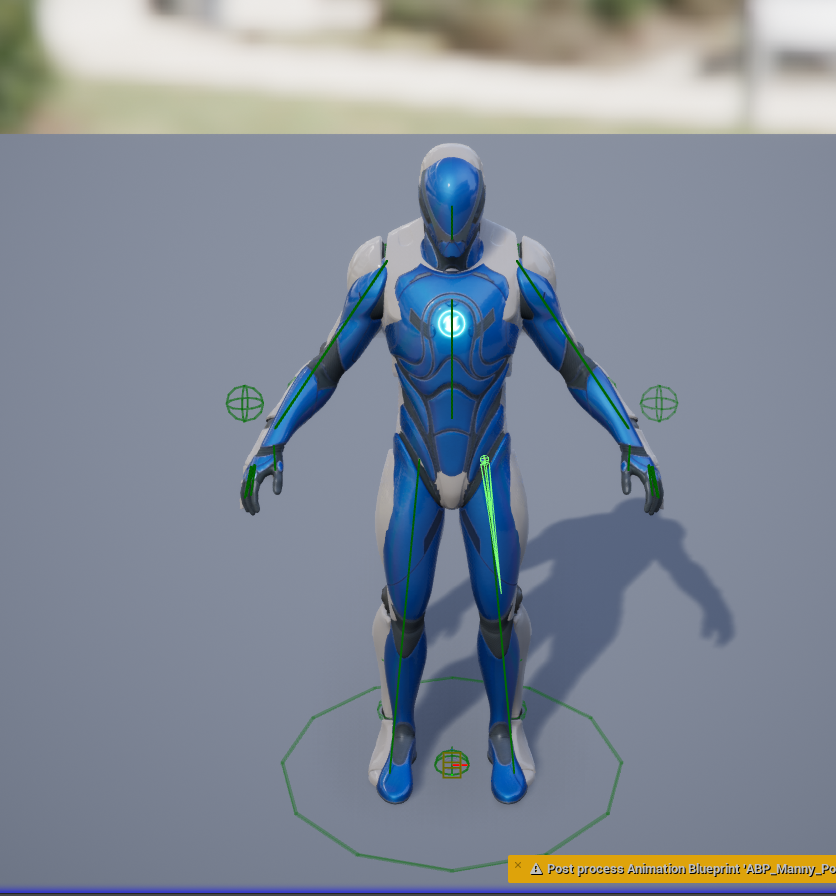
 vague surge
deft solstice
https://gyazo.com/50f608a256cdb9b1b57baa8700edb942
The animation seems to clip m...
vague surge
deft solstice
https://gyazo.com/50f608a256cdb9b1b57baa8700edb942
The animation seems to clip m...
Try typing r.SetNearClipPlane 0.5 in the console command
vague surge
worldly pewter
any idea why my animation is glitching like this? Just made a sequence with it a...
Could you elaborate on what you did beforehand? Just to see if I could help figure out what's happening
 radiant willow
Hi ! I have a question. I'm making animations for Unreal Engine and I wondered what is the best rendering for animation. Is it better at 30 FPS or 60 FPS?
pliant cairn
If my out of the box Drongo character only has an idle animation for "aiming"... how does one go about adding in ground motion while aiming? Is that done in the animation itself or is that done via bone or blend space or some other means?
 eternal spoke
I guess this has been addressed many times but I've been struggling with this for months now and a lot of my old animations packages and even those I bought as .fbx directly from the creator's website {Ramsterz} have the same exact problem with the hands/fingers and couldn't find an effective solution yet. Which clear and helpful guide would you suggest!? I wish to to find a permanent solution as long as possible. Thanks!
A little update:
Nevermind! Got it fixed... and it was so damn simple... I had just to set to "None" each chain mapped on "Metacarpal", in the retargeter. Thanks anyway.

 faint juniper
Not sure if this is the correct place to post this but here goes.
I have a (placeholder) character class that has a simple static mesh. When I possess that character and use the Enhanced Input Actions to control it, when moving the mouse to look around the whole static mesh rotates instead of the camera.
Any clue as to why this might be happening?
pliant cairn
Are you casting to the camera or the mesh?
faint juniper
when you say casting do you mean the target for the yaw input?
sorry I'm a bit of a noob to all of this
ah, found the issue. This page helped https://forums.unrealengine.com/t/how-to-prevent-player-from-rotating-while-rotating-camera/451173/4
Thanks anyway @pliant cairn
 frosty grove
Does anyone have experience importing cloth sims from Blender into Unreal Engine? My scene has a combination of static objects and an animated (baked) cloth. When I import, all the static objects are properly scaled, but my curtain (the simulation) is scaled down 100x and off to the side. In the unreal screenshot, the curtain is where the gumball is. I was able to get it to work once (where the curtain is aligned properly to the curtain rod), but for some reason never again after. Any ideas?

 vernal garnet
Hi guys! Does anyone export animations from blender to UE5 using Uefy 2.5? I have some problem with that. After export animation and retargeting something is wrong. I recorded it. Manny is exported animation and Queen is retargeting animation. Any idea why Queen worked wrong?
 pliant cairn
Can you modify an animation montage to be used for aiming in a pitch up and down?
 nova veldt
Hello, I’m an unreal noob here. I am trying to do animations on my metahuman in sequencer but it’s not working and I’ve hit a wall. I’ve purchased the ‘mixamo animations to metuhuman retargeting’ plug-in from the UE marketplace and followed the tutorial in this video: https://youtu.be/q1gPaPXYVn8

MARKETPLACE: https://www.unrealengine.com/marketplace/mixamo-animation-retargeting-2
Unreal Engine 5 plugin for precise and automated retargeting of Mixamo animations to MetaHuman characters.
Documentation: https://www.unamedia.com/ue5-mixamo/docs/tutorial/
00:00 Introduction - Mixamo to MetaHuman in a few clicks.
00:12 Enabling the plugin
0...
When I right click or try to +Track to my metahuman blueprint, there is no option for animation. When I do +Track for body, I can add Animation and place the “animation_Retarget”, I can lay it on the track but when I press Play, nothing happens. If anyone has any advice, I’d be most appreciative!

 tribal robin
Hi all, do you guys know if there's a way to select multiple controls on the metahuman character picker?
misty dagger
Does root motion make the character capsule component rotate with the animation?
I have a sitting anim that turns around 180 and then sits, my question is does the capsule freeze its transform when the animation is playing, meaning the animated mesh turns 180 but the capsule does not?
(...and if yes, then would root motion make the capsule follow the transform of the animated mesh?)
acoustic violet
how do i play 2 two bone IKs at the same time
real atlas
this just- doesnt happen
https://docs.unrealengine.com/4.27/en-US/AnimatingObjects/SkeletalMeshAnimation/PoseSnapshot/

not sure if this is incorrect or what but that genuinely just does not happen
 last jolt
Hey i had a question, i'm having trouble exporting my animation from unreal to blender back into unreal. Any tips on how i can achieve this? i'm using ue5 mannequin for testing purpose currently.
deft solstice
vague surge
Try typing r.SetNearClipPlane 0.5 in the console command
This did not work.
The skeletel mesh is fine when i close in but the animation does this.
 minor wraith
im surprised i cant find any topics talking about this, but im having any issue where im trying to animate a character rolling, and the interp frames keep assuming that rather than my character moving counter clockwise 10 degrees, my characters entire torso is spinning 350 degrees
same with feet moving angle a bit, interp keeps taking the long way around and having them spin around in ways that look unspeakably painful for reasons i cannot ascertain
ive tried to insert more key frames between to make it more clear the direction the feet move in but it doesnt seem to do much
let me try to take a video
acoustic violet
ive had the same issue but i cant remember exactly why
@minor wraith if you rotate it all the way around back and forth does it add up to hundreds or thousands of degrees?
minor wraith
you can see here the key frames vs the interped version
idk how youd check the degrees
but tbh at this point i think i gotta just bite the bullet and learn how to use blender lol
acoustic violet
minor wraith
idk how youd check the degrees
click the control and open anim details
how are you getting less FPS on fortnite vs cod
thats the real question
worldly pewter
vague surge
Could you elaborate on what you did beforehand? Just to see if I could help figu...
It was data being livestreamed from rokoko studio
my latest working theory is that its a connection issue, like this happens when connection isn't strong
minor wraith
acoustic violet
how are you getting less FPS on fortnite vs cod
idk bruh 😭 how can epic games literally develop unreal engine and not have fortnite well optimized
also its not an animation yet, still a sequence, idk where anim details is if its tehre
acoustic violet
minor wraith
also its not an animation yet, still a sequence, idk where anim details is if it...
click the drop-down for "CR_Mannequin_Body" it'll bring up all the controls
then click 1 and you should get the anim details tab. if not go to window on the topbar and enable it
you actually already have it open on the right

 small karma
Hey, got a question for anyone who uses cascadeur, is there anyway to like copy the general rotation of selected bones without having to do it manually per frame, I want to make diagonal walking animations by using my forward and backward animations as a baseline but don't want to do it per frame since cascadeur doesn't tell me by how much have I rotated something
small karma
small karma
Hey, got a question for anyone who uses cascadeur, is there anyway to like copy ...
I found a solution, turns out it was in the documentation, https://cascadeur.com/help/animation_pipeline/tips_and_how_tos/changing_animations_direction
To alter the direction of an animation:
1. Select every controller in your character.
-
On the Timeline, select every frame you need to rotate:
-
Enable Interval edit mode:
-
Make sure that the Curve (Settings panel, Interval Edit Mode tab) is set to Step:
-
Select the
 thorny badge
Does anyone know a program that I could use to view layered sprites in 3D space?
So while I can run Unreal and Aseprite at the same time and just test things in-engine, some of my sprite artists' systems can't or they can but they need to close everything else first which makes the whole process a lot tougher.
 final night
Has anyone had animation issues since upgrading to 5.21? A couple of our replicated animations have stopped working from 5.1 to 5.21
pliant cairn
Does anyone know how to get a montage to move like for aiming?
pliant cairn
When I use character rotation for pitch, it's moving my entire character vs. me wanting to move just the arm for example. Anyway to do that?
pliant cairn
Holy Crap I figured it out. Multiple videos and guides later.
For anyone trying to get aiming to work with a montage.
You don't need to alter any loco motion
I used a montage animation for aiming by holding down right click
I added yaw and pitch to the animation blueprint
Added bone manipulation to the animation graph


I've been working on this for forever. Months even. It took me watching a FPS tutorial video to figure it out
 sweet cobalt
Hey all, fairly new to learning unreal, and i've been having a lot of trouble trying to make a relatively simple overhead swing animation within the engine- doing it from the first person template so its just using the arms, but every time I try to achieve this using keyframing in an animation sequence, I find they end up bending and contorting in completely different ways than intended. There is a very real chance I am going about this completely wrong, but most tutorials i've been finding about animations just import them, or aren't applicable to this specific situation. I would really appreciate any help or guidance!
 exotic current
What is the best way to edit existing animations? If its for a video, should I change the pose of the action itself, or pose it on the video sequencer, or some other method idk about.
 flat geyser
Does anyone know if there is a file size limit to abc imports?
flat geyser
sweet cobalt
Hey all, fairly new to learning unreal, and i've been having a lot of trouble tr...
Make sure you're using the FK rig and that your manipulators are showing local transforms, not global.
sweet cobalt
flat geyser
Make sure you're using the FK rig and that your manipulators are showing local t...
Thank you, I’ll try that out!
flat geyser
exotic current
What is the best way to edit existing animations? If its for a video, should I c...
If you're using metahuman or the unreal mannequin you can bake the animation to control rig. Then in the control rig track in sequencer, add a section set to Additive. Now you can tweak the animation with new keys non-destructively.
karmic bobcat
im trying to pause the game world when there's ui active. im doing this nasty business here, but removing the widgets doesnt seem to update the number of uis active which means the game never unpauses(i did a print screen and it still says 1 even after closing the ui). what can i do here?

 tender lily
hey did you ever find out what MM_ meant?
 somber briar
Is there a way to blend two animation sequences within a montage like I've circled here

This would let me make combos easier while keeping customization (blending otherwise incompatible animations together)
exotic current
flat geyser
If you're using metahuman or the unreal mannequin you can bake the animation to ...
If im using a custom rig from blender can I still bake animation to it then control it the same way in unreal?
flat geyser
exotic current
If im using a custom rig from blender can I still bake animation to it then cont...
Only if you create an unreal control rig for it inside of unreal. The blender armature won't come across.
flat geyser
exotic current
If im using a custom rig from blender can I still bake animation to it then cont...
But if you have the control rig in blender, you can edit the animation there instead of in unreal
 exotic sandal
Hi all!
I'm an Unreal noob, coming from a motion graphics background (After Effects) with just enough 3D exp to get myself in trouble. This is my first unreal project, and I'm struggled with and finally managed to get my 3D Text to curve (https://imgur.com/B2SMbon)
I've been able to achieve this by moving the individual characters via their static mesh components (https://imgur.com/mwG6Vc3), but every time I go to build or export the scene, the letters jump back (https://imgur.com/7qmxCeN) and all my position transforms are lost.
This is incredibly frustrating, and I know it's probably something simple, or maybe intrinsic in the way Unreal works?
I appreciate any and all insight this great community can provide.
For reference, I'm on Mac OS 12.6.3, Unreal 5.2.0
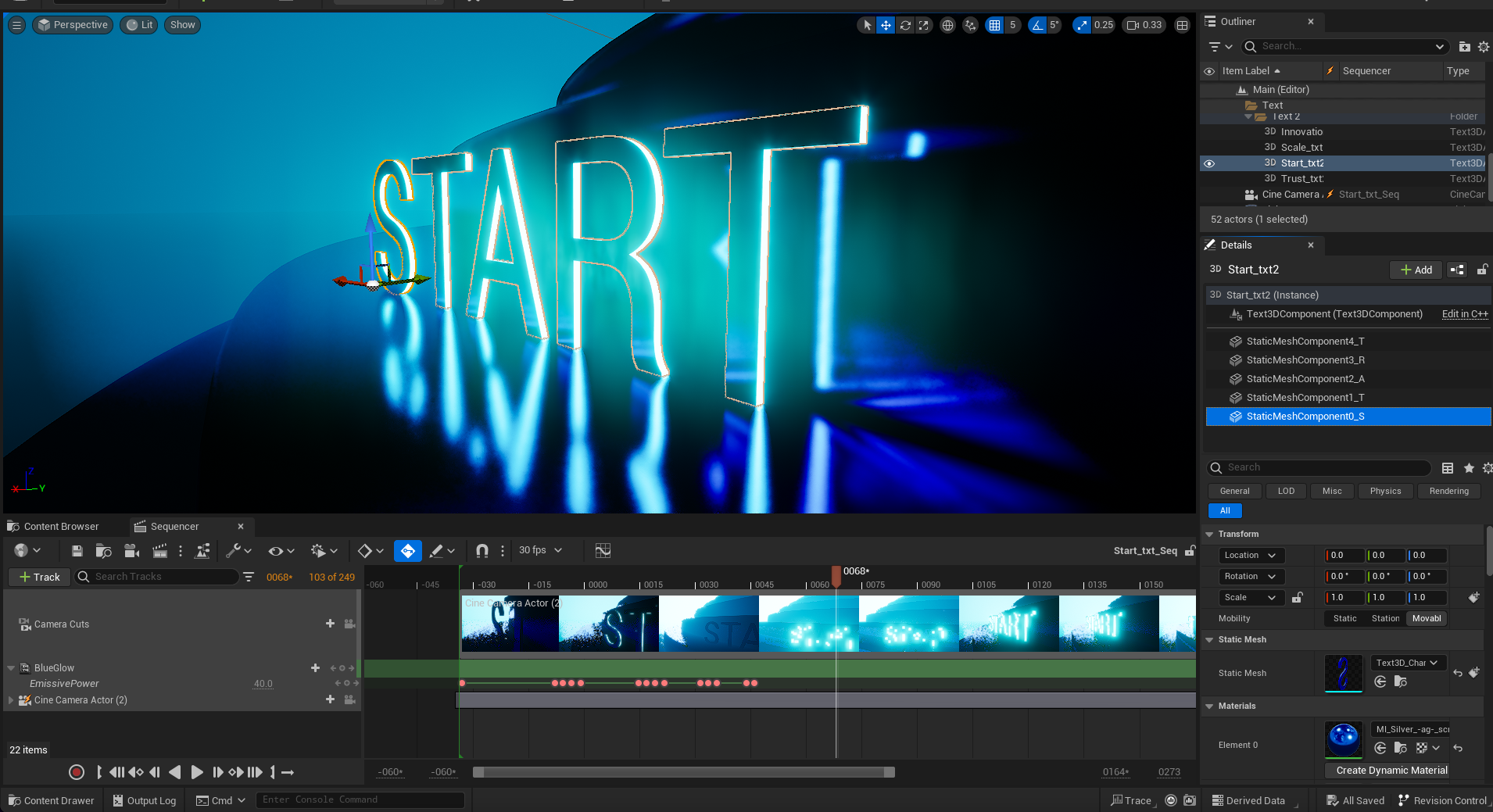 exotic current
flat geyser
But if you have the control rig in blender, you can edit the animation there ins...
exotic current
flat geyser
But if you have the control rig in blender, you can edit the animation there ins...
Alright, thanks
 inland yew
When I apply an animation this get all distorted. Does anyone know why
 misty dagger
minor wraith
but tbh at this point i think i gotta just bite the bullet and learn how to use ...
misty dagger
minor wraith
but tbh at this point i think i gotta just bite the bullet and learn how to use ...
have fun figuring out that nonsense people made addons just to make the transfer easier
 slate jay
inland yew
When I apply an animation this get all distorted. Does anyone know why
slate jay
inland yew
When I apply an animation this get all distorted. Does anyone know why
Most likely wrong settings when importing. Did you select “Skeletal Mesh” and “Import Mesh” in the import settings. Also im assuming you re targeted your bones?
 grizzled topaz
Anyone got experience with Re-targeting UE5 Mannequin Animations to a different skeletal mesh?
slate jay
@inland yew Did you find a solution to your problem?
 subtle citrus
Hello my friends. When I use a controlRig for my character in UE5 with FootIK the FullBodyIK solver ends in strange movement of the pelvis? FootIK works, but the character, though in idle mode without the need of footIK, has this position:

Checking the CR_FootIK it seems to be correct:

The error must be in this part of the BP:

When I disable the FullBodyIK, the position of the pelvis is correct, but the footIK is not working...
 subtle citrus
On the other hand it works with the Manny or Quinn Skeleton.... the one I use is imported from CC4. But structure is nearly similar.
 reef agate
Hey all, i'm in a gig timeline crunch and super stuck trying to figure out how to get a reference to a post process anim bp so I can modify some variables in it at runtime
I can't get actor of class because their will be a lot of these post process anim bps instanced in the level
gah. I was working in the construction script which duh

i suppose this should work
 haughty juniper
In an animbp function being called on an animation onInitial function I am trying to access a reference to an object, a skeletal mesh. But, I cannot because it's not thread safe in ue5. How do I secure data in an animbp?
acoustic violet
minor wraith
this what ur talking about?
yea
vivid roost
Hello. I need to detect when one of several possible animations end. My initial plan is to create something like a Sub Graph on the animBP, so that if the sub-graph is exited for any reason (finished or interrupted) I get my event. Meanwhile multiple animations can play from within the subgraph based on context. Is there a better way to do this?
acoustic violet
is it possible while animating to get a control transform in like "world space" so to speak?
something where the origins of all bones are the same so i can copy paste the transform of 1 control to another
vivid roost
not sure exactly what you're trying to accomplish, but you should be able to use some math to convert positions to world space and back
 grizzled crown
any particular reason I can't find a skeletal mesh in the dropdown search for an animBP? it just refuses to show up
bronze fable
Hey, quick question. I have a blender object (belt) that I need to attach another object (pouch) to. I've attached the pouch to the belt via vertex parent. The belt is attached to an armature. Everything works just fine in blender. When I select all the objects and export out into Unreal, the pouch does not move with the belt. Any ideas on what I need to check?
 polar grotto
how can i change the base character with a mixamo one ? thanks
Is it hard to do?
latent edge
bronze fable
Hey, quick question. I have a blender object (belt) that I need to attach anothe...
Did you check the weights for the pouch's verticies - I mean bone weights for the armature?
radiant willow
Hey ! I would like to know how to export ALS Animation to Mixamo skeleton without IK Rig ? I actually have ALS Animation but idk how to make it for mixamo skeleton
tidal bobcat
Му jumping and falling animations stopped working, anyone knows how to fix?
 subtle citrus
Easy question for you folks: Is it (easily) possible to convert any animation to a root motion animation?
 short wasp
subtle citrus
Easy question for you folks: Is it (easily) possible to convert any animation to...
short wasp
subtle citrus
Easy question for you folks: Is it (easily) possible to convert any animation to...
There is a checkbox for it in the animation sequence

 vale iris
Not sure if I can post it here (if not, then please point me to the right channel) but I have a problem with the Animation Budget Allocator plugin. I did everything the documentation asked for and yet all the characters are processed at high detail for some reason
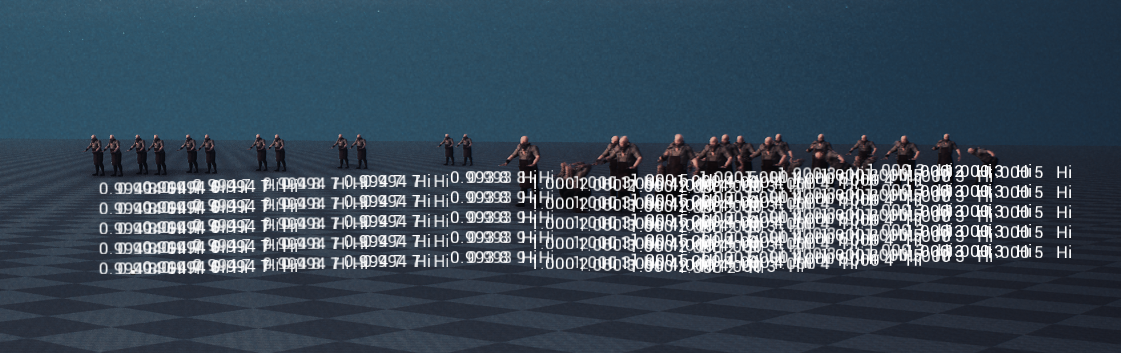


No matter how far they are