#animation
1 messages · Page 9 of 1
 ashen junco
 narrow burrow
mm okay ill look into it, im just not sure about constraints
ashen junco
You can do all the constraints that you want, provided that the stack is also a skeletal mesh, and if baked when exporting, it should brought in fine in UE
Though make sure unit scaling is set to 0.01 and everything is compensated to scale.
 short wasp
Hi, got a question about my Anim Graph. Is this kinda how they usually can look, or is this growing to be an unholy abomination? Can explain why it's like that if need be.
Also how do Anim Graphs consume resources? I have this 'tree' structure up until now, does a bigger one like that consume more resources at all times, or does the graph use only what it needs, so the rest of the tree is ignored?
 ashen junco
short wasp
Hi, got a question about my Anim Graph. Is this kinda how they usually can look,...
ashen junco
short wasp
Hi, got a question about my Anim Graph. Is this kinda how they usually can look,...
That's par for the course, but you can split it with cached pose and make it more manageable.
You should see the bolt icons on the nodes, that's Fast Path. If you can keep it all the way up to final output node (by avoiding doing direct BP logic there), your anim graph is multi-threaded. As for memory, I think all of them are loaded, but typically persistent gameplay animations are short and not concerning enough memory wise, and you can use montages for more one-off animations.
I might be wrong on the memory side of things (Vaei pls fill me in on this one)
short wasp
It only looks big because I need different slots which also overlap partly, like animation involving whole hand, or just the fingers, and it's a bit tricky. I recon it's not gonna get much bigger than that anyway, so if you think that's alright, then cool, thanks!
If someone does have some info on the memory, that would also be appreciated!
These two are the same, not sure if that changes anything in term of memory.

eh I cached it so it doesn't now lol
ashen junco
short wasp
It only looks big because I need different slots which also overlap partly, like...
On the note of memory, I found this plugin that can help cut down size of the animation with little loss of information
https://github.com/nfrechette/acl-ue4-plugin
ashen junco
short wasp
It only looks big because I need different slots which also overlap partly, like...
Also seems like something else is breaking your Fast Path chain
short wasp
ashen junco
Also seems like something else is breaking your Fast Path chain
You mentioned direct BP logic, so calling my anim BP in my character BP and then setting a bool for it counts as that?
Ahh just found 'Warn about Blueprint Usage'. Yep.
I don't see a way to do it differently though, I need to switch certain values dynamically during gameplay, and unless there is something else I'm not aware of, it seems like that only way.
 ashen junco
short wasp
You mentioned direct BP logic, so calling my anim BP in my character BP and then...
ashen junco
short wasp
You mentioned direct BP logic, so calling my anim BP in my character BP and then...
Nope.
This page has info on what break and not break Fast Path
https://docs.unrealengine.com/4.26/en-US/AnimatingObjects/SkeletalMeshAnimation/Optimization/

Describes methods to achieve more performant Animation Blueprints through optimization techniques.
ashen junco
short wasp
Ahh just found 'Warn about Blueprint Usage'. Yep.
I don't see a way to do it dif...
You can sort of move the goal post by setting local variables in animBP event graph and just have the anim graph read those.
short wasp
That's what I'm doing for each one, it's still spitting out warnings
ashen junco
Note that animBP's event graph (UAnimInstance) is not the same as anim graph (FAnimInstanceProxy)
At least thread wise
ALS isn't necessarily the best use case, but it does all the hard work calculating the locomotion in the character BP, and all the anim graph did is reading the value as is, keeping Fast Path chain intact.
There's also Control Rig that also allows for some operations without breaking Fast Path (as it runs on its own VM)
short wasp
Well at least the speed value I set in the event graph, but it gives warnings anyway. Gotta say the rest are being set directly from BP.
But on the other hand those are simple one-time Set, so not like it constantly updates the values straight from BP, so maybe it's not too bad?
Anyhow if I can get rid of those, I'll try

Just not sure it's worth the time for potentially very small return in performance
(just realized I don't even use direction lol)
 dawn kite
now that AimAt is deprecated, can the Aim Constraint do the same function alone or i need more something if i want to drop the AimAt node?

i cannot figure where to tell it which control is my up vector
oh, need change Target to Location, and set it in Target Space

 spring karma
Can you have an animation blueprint child that just override animations from the parent? For example I have this animation blueprint that has transitions, states, comments, everything the way I like, but I don't want to have to re-create that for every anim blueprint I make for each character :(
 rustic swallow
hi, I have a skeletal mesh with a custom(non manny) skeleton
is there some way I can assign/skin the manny skeleton in UE? it looks like I can use the IK Rig/Retargeter to convert animations to the custom skeleton, but I want to replace it
we have an animbp which is working with the UE skeleton, so need to have the model rigged to that
ashen junco
spring karma
Can you have an animation blueprint child that just override animations from the...
No.
spring karma
ashen junco
No.
So... You have to re-create every single one of them for all characters?
And then I change one thing in the system I have to change every anim blueprint?
ashen junco
spring karma
So... You have to re-create every single one of them for all characters?
Yes, if you don't have some kind of proxy mesh to serve as the source.
spring karma
Whats a proxy mesh?
 swift edge
spring karma
Whats a proxy mesh?
swift edge
spring karma
Whats a proxy mesh?
There is an example of this in the Lyra starter game project.
The related tutorials and documentation should describe it, linked anim layers and Animation Layer Interface are also related terms.
In the example they have an animbp for each weapon for example. And the specific weapon ABPs don't have animation logic, just references to animations.
rustic swallow
managed to convert the animbp to the custom skeleton, but there is no way to reskin the skeletalmesh to the manny skeleton in ue?
 dim jolt
Is anyone else crashing when they try to scale controls using the spawn control node in the control rig editor?
 unkempt comet
Anyone else ever use the standard UE4/5 Mannequin Skeleton for a different mesh? Downsides/Upsides to using that versus a custom skeleton you make yourself?
 lethal blaze
Hi all - I'm rendering a 3:12 long animation at 1080p with 16x Anti Aliasing and Path Tracing at 60FPS - it's taken about 25hrs to render 25% - is this to be expected?
swift edge
lethal blaze
Hi all - I'm rendering a 3:12 long animation at 1080p with 16x Anti Aliasing and...
could be based on pc specs
ashen junco
lethal blaze
Hi all - I'm rendering a 3:12 long animation at 1080p with 16x Anti Aliasing and...
lethal blaze
swift edge
could be based on pc specs
im on a 3080ti with 32gb ram
lethal blaze
ashen junco
<#375020247335567360>
posted there to no avail :/
ashen junco
lethal blaze
posted there to no avail :/
Yeah, this channel is mainly for animation tools, not rendering one.
 fierce crystal
Does anyone know when importing textures why the import settings menu isn't coming up? I am trying to import some vertex animations but I need to change some import settings. Any ideas would be appreciated 👍🏻
 cerulean dew
Same issue found when migrate my old project from 5.0 using the UE5 Manny skeleton asset from template to 5.1, the FastFeet blend profile seems like containing extra data of ik_foot_ball bone(which dose not exist) with index -1.
Recreating the blend profile solved my problem 😋
 ashen ivy
so I have a sit animation
how can I leave my character in sit pose (last frame of animation)?
 misty dagger
Oh, I see. Well, at least I could keep the weights.
Oh yeah, that reminds me of something important? If I'm preparing a rig/character for the UE skeleton do I have to match the exact same A-pose angle?
 reef agate
Anyone questioned why the IKRig mannequin assets use the toes as the end of chain instead of the foot?
ashen junco
misty dagger
Oh yeah, that reminds me of something important? If I'm preparing a rig/characte...
No, unless you want to avoid doing retargetting (and straight T-pose could confuse curve IK like finger IKs)
misty dagger
ashen junco
No, unless you want to avoid doing retargetting (and straight T-pose could confu...
I would probably like to avoid that, yeah. Guess I'll do my best to match the arm/wrist angles when I convert the models back to an A pose, even if the size is obviously different.
ashen ivy
so I have a sit animation
how can I leave my character in sit pose (last frame of animation)?
 hardy reef
Hello, when I put my own created aimoffset, the scale of the mesh is distorted. But when I put the aimoffset I made from starterpack, there is no problem in the mesh scale.


This is the aimoffset I created.

 ripe yew
Hi - Any idea why my target acharacter's middle and ring fingers appear together but source is fine. https://gyazo.com/2c736a41a05ab50e2b93114ba1374948

 steep tapir
hey all, does someone have a few useful number for the number of skinned vertices in stat gpuskincache?
hardy reef
Hi, I want my character to walk on the spline path when he presses W/S keys. I can do this by making my character's location equal to the spline location, but calling it every second breaks the optimization. How would you do it?
 scarlet saffron

 strange inlet
Hey guys, I'm having a problem when trying to bake an animation onto a metahuman
My control rig is missing

Anyone know how to fix this?
I found this in a forum "Control rig needs to be set to Show Control Rig. Twirl down among the bones or check upper left control settings" but don't know where to set it
 lofty vortex
why is my run animation in slow motion in the blendspace?
the other animations are normal
 winged portal
Hi! is there any way to cut a few frames from an animation inside unreal engine?
Videos on youtube recommend Sequencer, but i can't do it with it
 rare slate
hardy reef
Hi, I want my character to walk on the spline path when he presses W/S keys. I c...
rare slate
hardy reef
Hi, I want my character to walk on the spline path when he presses W/S keys. I c...
Hey
You could try this out
And you can make some changes to the movement graph so that it moves according to your input
Hope this helps😊
https://dev.epicgames.com/community/learning/tutorials/ryL5/unreal-engine-follow-a-spline-and-report-distance-along-it-using-an-actor-component

Epic Developer Community
Tell any actor to animate along a spline using its default locomotion with this Actor Component.
winged portal
Hi! does anyone know why I can't delete this keyframes?

 signal tiger
Hiya!
I'm trying to animate an actor which has no skeletal mesh- just a few static meshes.
What's the best way to handle this?
Here's what my character looks like!

 stone moat
I've been having some animation "pops" during distance matching in a Lyra-like project using Lyra animations, and I can't figure out the reason. The playrate is clamped in the AdvanceTimeByDistanceMatching node, as verified when I print values to the screen, but the Rewind Debugger (and my eyeballs) are telling me the playrate is not clamped. Here is a video describing my problem: https://youtu.be/KV90He2jBwI. This video is of the forward-to-backward unarmed pivot animation from Lyra.
Does anyone have any idea where I should begin looking to find the root issue? I've been searching through code and my own project for over a day now.

 magic hull
Anyone have some pointers/tutorials for creating damage to meshes ? Lets say I have a tank getting hit by a projectile and I want it to deform/fall apart/explode. How should I go about doing this ? I understand that it will most likely be done in a different program.
 merry loom
magic hull
Anyone have some pointers/tutorials for creating damage to meshes ? Lets say I h...
merry loom
magic hull
Anyone have some pointers/tutorials for creating damage to meshes ? Lets say I h...
cars in the matrix demo has something like that maybe take a look at that
merry loom
signal tiger
Hiya!
I'm trying to animate an actor which has no skeletal mesh- just a few sta...
Take a look at the valley of ancients demo. The ancient robot is all static mesh attaching to the bones of a skeletal mesh
merry loom
strange inlet
Hey guys, I'm having a problem when trying to bake an animation onto a metahuman
Is you skeleton compatible with the metahuman control rig?
ashen junco
signal tiger
Hiya!
I'm trying to animate an actor which has no skeletal mesh- just a few sta...
Timeline nodes, but IMO you better off having it as skeletal mesh
 wet umbra
Hi all... Got a retargeting issue... I downloaded the UE4 animation pack into a UE 5.1 project.
I created a new IK Rig for the UE 4 Manny.
I downloaded a character from Mixamo. (Abe)
I created a new IK Rig for Abe, there is no root bone on Abe, so I used the hips as the retargeted root (per instructions)
Created a new Retargeter using Manny Rig as source, Abe Rig as destination.
For some reason my Abe hips are locked in place, they won't move during any Epic Animation Pack animation I try to use in the Retargeter window. HOWEVER, If I open up the skeleton and play a Mixamo animation, those animations are fine.
I've seen someone else use Mixamo characters with the Epic Animation Pack animations and they worked fine.
Is there a possible step I missed somewhere?
I would LOVE some help been battling this since last night.
Thanks everyone!
 swift edge
Tuatec on youtube has a tool that he uses to add a root bone to the mixamo skeleton
you can find it on his github
wet umbra
Yeah??? Interesting... Do you think that is the reason? I mean, Stephen shows how to do this on a mixamo character that does not have a root bone. Followed his example But, as I mentioned, I didn't use the elf guy from the epic starter kit. I used ue4 manny as my source
misty dagger
Is it just not possible to swap out the skeletal meshes on the third person template mannequin file anymore and have the animations work out of the box or what? Or am I just forgetting a step?
ashen junco
misty dagger
Is it just not possible to swap out the skeletal meshes on the third person temp...
No retargerting step?
misty dagger
ashen junco
No retargerting step?
Not that I know of with this method at least.
Haven't really delved into retargeting at all since I remembered (in UE4 at least) you could go into the character blueprint, select the mesh, and just swap out the SKM asset for another and it would just work with the same anim classes and everything.
Oh, I see. It might have to do with some meshes using the simple skeleton and some using the newer skeleton. The character I imported works fine with the only animation asset I can select (the forward jog) and I used sk_mannequin_Skeleton for that.
I couldn't import the skeletal mesh with the bigger sk_mannequin skeleton though, that would just throw me an error saying it couldn't merge the bones. So it seems to work with the UE4 skeleton just fine, but not the UE5 skeleton.
If I say yes to rebuild, it just ends up crashing the editor.
 ivory bear

anyone know how to fix imported animations from having broken scale?
when exporting fbx animation from blender, the root bone is always scaled down 100x too small
i can change it here
 misty dagger
ivory bear
when exporting fbx animation from blender, the root bone is always scaled down 1...
misty dagger
ivory bear
when exporting fbx animation from blender, the root bone is always scaled down 1...
I think you have to scale up the skeleton 100x when exporting or something like that
ivory bear
i try that
misty dagger
ARP does this in its export options
 ivory bear
however
it doesnt have an effect
also it happens when I dont use ARP

like i set it here in the fbx export settings
but it has no effect on the imported anim
it always gives me this error

I even tried upping it to 1000, and it still reverts to a scale of 1
wet umbra
swift edge
Tuatec on youtube has a tool that he uses to add a root bone to the mixamo skele...

YOU ARE MY HERO.... I watch part of his video, downloaded his plugin and POOF! It worked...
Been struggling with this ALL DAY and part of last night.
ivory bear
I even tried upping the scene units to 100 and it still imports as a scale of 1
 swift edge
wet umbra
YOU ARE MY HERO.... I watch part of his video, downloaded his plugin and POOF! ...
swift edge
wet umbra
YOU ARE MY HERO.... I watch part of his video, downloaded his plugin and POOF! ...
Nice! props to @drifting pendant
btw, who is Stephan?
wet umbra
Ha... I accidently posted that in the wrong discord channel. 😉
misty dagger
ashen junco
No retargerting step?
I've isolated the problem, the UE4 SKM has totally different naming conventions than the UE5 skeleton as expected.
wet umbra
I got his plugin working in 5.0. Didn't seem to want to work in 5.1... So, now I just need to export this out and over to my 5.1 project
misty dagger
The bone tree is completely different between the two, which I should have expected I suppose. So no wonder it doesn't work with ARP out of the box.
Can I still download the uproject for the UE4 third person template anywhere or at least the animation blueprints?
 drifting pendant
wet umbra
I got his plugin working in 5.0. Didn't seem to want to work in 5.1... So, now ...
drifting pendant
wet umbra
I got his plugin working in 5.0. Didn't seem to want to work in 5.1... So, now ...
I am working on 5.1 here. https://github.com/tuatec/TTToolbox/pull/28
GitHub
This pull request introduces a version switch for UE5.0.0 and UE5.1.0.
As I don't know yet if all features work as expected I will have to do extensive testing.
So it might take some time until...
drifting pendant
swift edge
Tuatec on youtube has a tool that he uses to add a root bone to the mixamo skele...
thx for the advertisement 😉
wet umbra
drifting pendant
thx for the advertisement 😉
Awesome... This plugin saved my butt... I have NO idea what was going on but, your plugin seemed to make everything work! THANK YOU SO MUCH!
drifting pendant
I am also currently trying to fix this issue...

sadly IK retargeting does mess up the curve names, this bug is present since UE4 🙈
drifting pendant
wet umbra
Awesome... This plugin saved my butt... I have NO idea what was going on but, yo...
you are welcome!
well ... I stepped exactly into the same issue you had, but I can code in C++ and worked on a solution that really works! 🙂
sadly in the retargeting chain we have a lot of gaps and TTToolbox closes them, so far everything can work in ALSv4
 night vortex
stupid noob question here, how do I setup a single 'root bone' (in 3dsmax) for my skeletal mesh so UE will be happy?


 random arch
Hey slackers, anyone know the function signature / UFUNCTION specifiers required to expose a C++ function to the OnUpdate binds for an Output Animation Pose node? Added the meta specifiers 'AnimBlueprintFunction' and 'BlueprintThreadSafe', but no luck...
 stone moat
random arch
Hey slackers, anyone know the function signature / UFUNCTION specifiers required...
stone moat
random arch
Hey slackers, anyone know the function signature / UFUNCTION specifiers required...
When I wrote my own functions, I simply did the below, for example.
UFUNCTION(BlueprintCallable, Category = "Anim Node Functions", meta = (BlueprintThreadSafe))
void SetUpPivotAnim(const FAnimUpdateContext& Context, const FAnimNodeReference& Node);
And it showed up as an appropriate function to bind to nodes. I didn't do anything special.
random arch
stone moat
When I wrote my own functions, I simply did the below, for example.
```
UFUNCTI...
Oh - it's the const parameters that I haven't added, Unreal seems to be very picky about its function signatures for bindings, adding those has it working now, thanks!
stone moat
random arch
Oh - it's the const parameters that I haven't added, Unreal seems to be very pic...
I didn't even know why it worked. I guess I got lucky on my first try. 😅 But I'm glad I could help!
night vortex
night vortex
stupid noob question here, how do I setup a single 'root bone' (in 3dsmax) for m...
scratch this question, had to just rebuild the structure with a root node (used 3dsmax's "Create bone, then "Connect Bone" of each in this list, and "remove bone" until eventually I had the following. NOTE the root bone is actually somewhat hidden/intersecting all the other bones in the middle. But it is there):

 sand cliff
Anyone got any experience setting up nice locomotion with the paragon characters from the store? I have Wraith in a project, but I'm a little unsure on the right way to set it up with things like standard locomotion, directional movement, turn in place, and aiming. I'm a bit of a noob when it comes to animation, but it looks like a lot of it is setup. Just can't find anything on setting up Wraith online.
stone moat
sand cliff
Anyone got any experience setting up nice locomotion with the paragon characters...
If you're looking for a good but non-noob-friendly setup, check out the Lyra starter game on the Marketplace. It has a locomotion system that would work perfectly with Wraith's animations. However, as I mentioned, it's not the most beginner friendly. (And it only has a strafing locomotion system.)
sand cliff
stone moat
If you're looking for a good but non-noob-friendly setup, check out the Lyra sta...
Oof, I just checked it out, haven't got a clue how that works to be honest, that's super confusing
Do you know of any good beginner friendly options?
 brittle cove
I'm slightly confused about getting curve values, I'm having a cover turn system, and the animation sequences have a curve called RootCoverRotationZ, when they play, shouldn't the curve value be anything other than zero? Or am I misunderstanding how Get Curve Value works? The enum switching clearly works because the sequences play properly, does it have to do with the anim instance itself not recognising these sequences? I'm not sure what could possibly be going on. Or maybe it's due to not being thread safe?


 drifting pendant
random arch
Oh - it's the const parameters that I haven't added, Unreal seems to be very pic...
drifting pendant
random arch
Oh - it's the const parameters that I haven't added, Unreal seems to be very pic...
Oh no, it's C++ that is very picky. Signatures need to match 100% otherwise you will step into issues. C++ is highly type and type qualifier driven. If you once say const, everything afterwards need to stay const. Except you cast the qualifier away (onöy donthisnif you really know what you are doing, I already searched for this issue an entire day, it was a huge bug in a big code base).
https://en.cppreference.com/w/cpp/language/cv
drifting pendant
brittle cove
I'm slightly confused about getting curve values, I'm having a cover turn system...
Hmmm... honestly that is exactly how I understood them as well. ALS BP is using the curves exactly in the way you are using them as well. What I would do to debug this is issue is to create a anim instance and only play back ONE animation and try to get the curve value as well. Maybe there is a other animation sequence playing in your example that also had a curve value != 0. So far I know all the values are getting added together at the end when all animations are blended together.
ashen junco
sand cliff
Do you know of any good beginner friendly options?
You can try assemble one from scratch. UE5 has new features that makes it significantly easier.
sand cliff
ashen junco
You can try assemble one from scratch. UE5 has new features that makes it signif...
Hmm, what kind of features?
ashen junco
sand cliff
Hmm, what kind of features?
Control Rig, new anim graph nodes, etc.
sand cliff
ashen junco
Control Rig, new anim graph nodes, etc.
Hmm, I guess in my case the issue is that I already have the animations, but I lack the knowledge of assembling them in an animation blueprint
 tired garnet
Why am I getting spammed with this warning from the control rig component?


 safe ermine
Hey when I import an animation from Mixamo, an error stating this. What do I need to do to be able to import an animation?
 ashen junco
safe ermine
Hey when I import an animation from Mixamo, an error stating this. What do I ne...
ashen junco
safe ermine
Hey when I import an animation from Mixamo, an error stating this. What do I ne...
If you put anything that has more bones than Mixamo's rig in Mixamo, those bones aren't keyed, while UE requires all bones to be keyed.
safe ermine
Damn, if you wanted to get animations for UE5 where would you look then?
ashen junco
safe ermine
Damn, if you wanted to get animations for UE5 where would you look then?
I make the animations myself 
safe ermine

 vestal viper
Hi, retargeted the walking animation from manequien to metahuman, there is walking in place, but when retarget it start go forward, how to fix?
drifting pendant
I fixed many issues in the IK Retargeting toolchain for UE5.1. Now it is way more smooth for complex systems like ALS
https://youtu.be/uDtcb484DDI

I am currently moving slowly to UE5.1 and thought to give retargeting a try there as well. But I am still stepping into the same issues like in UE5.0. Within this video I will talk a little bit about those issues and show you a first preview of the fixes.
Stay tuned for the next videos, I will show you as well how you can get IK Retargeting wor...
merry loom
tired garnet
Why am I getting spammed with this warning from the control rig component?
I think when you put cr component as a child of skeletal mesh component. It forces skm to tick before cr as parent always tick before child But in reality cr wants to tick before skm since cr is driving the skm.
 summer whale
i need someone help that can help me. im trying to bleend a montage to be use on the upper body while still walking around. it doesn't seem to work and cancel the walking animation when playing the montage.


i been stuck on this for like a week. any help would be appreciated
tired garnet
merry loom
I think when you put cr component as a child of skeletal mesh component. It forc...
Where should I put it then? My root component is mesh component
merry loom
tired garnet
Where should I put it then? My root component is mesh component
Try set cr as root?
tired garnet
merry loom
Try set cr as root?
But why? Every tutorial I saw sets control rig component as a child of mesh component
merry loom
tired garnet
But why? Every tutorial I saw sets control rig component as a child of mesh comp...
Idk, i am just drawing the conclusion based on the comments in the control rig component code and the log from console command tick.logtick 1
 ashen beacon
Has anyone ever encountered this issue as well? it looks to happen because of the difference in positive/negative degrees, would love to hear if anyone knows how to deal with such a problem :>
https://gfycat.com/ashamedantiquedrafthorse

 pale mica
In UE5 how are you guys doing a sunset keyframing? I can't figure it out
ashen junco
pale mica
In UE5 how are you guys doing a sunset keyframing? I can't figure it out
wdym by sunset keyframing?
pale mica
ashen junco
wdym by sunset keyframing?
I'm trying to do a sunset over a period of time
 primal fiber
What is Animation Sharing vs Retargetting? If I add UE4 as a compatible skeleton to the UE5 character does it mean I do not have to retarget individual animations to UE5?
ashen junco
primal fiber
What is Animation Sharing vs Retargetting? If I add UE4 as a compatible skeleton...
UE5 skeleton is different from UE4 skeleton, so I doubt you'll get far from there.
I think it's more for same bone structure but having different hierarchy of additional bones, something that's common with modular characters.
Ugh, is this crossposting?
Please don't crosspost next time, @primal fiber , it's confusing af
primal fiber
@ashen junco Yeah i saw Matthew W on the other forum so I had to ask him this. #crossposted
@pale mica Just make an actor bp which moves the directional light rotation every tick.
ashen junco
Unless someone redirects you to more appropriate channels, it's confusing to have post crossposted around. Be patient.
This is a legitimate complaint.
primal fiber
@ashen junco Okay thank you.
 smoky shell
ashen beacon
Has anyone ever encountered this issue as well? it looks to happen because of th...
smoky shell
ashen beacon
Has anyone ever encountered this issue as well? it looks to happen because of th...
You're dealing with rotators, so when it exceeds 180 it goes to a negative causing a flip. Gotta use quats
@ashen beacon
Easy way to visualize this is like so (pseudo-code):
// When CharacterRotation.Yaw exceeds 180, for example, from 179.92 + DeltaTime 0.09 it would be 180.01 which normalizes to -179.99, and causes a flip
FRotator CharacterRotation = Character->GetActorRotation();
CharacterRotation.Yaw += RotationRate.Yaw * DeltaTime;
CharacterRotation.Normalize();
Character->SetActorRotation(CharacterRotation);

// This is the same math using a quaternion, there is no flipping, it simply continues around the "circle" the quat represents
FQuat CharacterQuat = Character->GetActorQuat();
CharacterQuat *= FQuat(RotationRate * DeltaTime);  // asterisk operator concats quats, so its basically adding, to subtract do CharacterQuat *= FQuat(RotationRate * DeltaTime).GetInverse()
Character->SetActorRotation(CharacterQuat.Rotation());  // This function actually takes an FQuat, but I want to point out that doing this conversion at this point, will not result in a flip
This isn't just for animation, any time a rotator exceeds 180 it will flip no matter what it is, my compass needs quats instead of rotators for same reason (as an example)

 south breach
hi, does anyone know if there is a way to apply / bake all these additive layer tracks to an animation?
 ashen beacon
smoky shell
<@207023663164162048>
Easy way to visualize this is like so (pseudo-code):
```cp...
ashen beacon
smoky shell
<@207023663164162048>
Easy way to visualize this is like so (pseudo-code):
```cp...
Wow thanks so much for the thorough response, I'll do more research to what you described, makes sense too why the flip happens now
smoky shell
ashen beacon
Wow thanks so much for the thorough response, I'll do more research to what you ...
No worries! Quaternions are fantastic once you understand them. UE5 has some nice Quaternion Spring Interp nodes you can use too for other purposes (I get the bounce effect using this on the compass)
But say, for example, you make your character aim a weapon while looking around - adding a spring interp gives it a nice effect
Everyone starts with rotators because they're easy, but they're not the way forward once you get a bit of experience behind you (well, I still use them plenty, where appropriate)
ashen beacon
smoky shell
No worries! Quaternions are fantastic once you understand them. UE5 has some nic...
wow those quat interp nodes sound perfect, I believe the wrong rotation gets applied because of my float interp 🤪
are those nodes only in UE5 or also 4?
smoky shell
ashen beacon
wow those quat interp nodes sound perfect, I believe the wrong rotation gets app...
I think its UE5, but haven't checked. The spring interp nodes are just nice for adding a bounce/overlap effect
Figured they're worth mentioning in this context
ashen beacon
ooo
 jovial kindle
but for a cinematic
jovial kindle
jovial kindle
but for a cinematic
having a hard time finding anything but animations that play for a character when they are moving in game
i just want to animate, pose, and render characters
random arch
Hey all, anyone know how to get an anim node reference by tag in C++? E.g. from the blueprint side:

Maybe GetLinkedAnimGraphInstanceByTag("StartLayerTag") since the goal is to get the linked instance anyway
 gilded parcel
when I stopped, the character animations doesnt fade, it comes to idle so fast. How can i smooth the transition from run to stop
 ancient wasp
Character rig and animation looks fine in Blender but look like this in Ue... How can i fix this?

 brittle cove
drifting pendant
Hmmm... honestly that is exactly how I understood them as well. ALS BP is using ...
brittle cove
drifting pendant
Hmmm... honestly that is exactly how I understood them as well. ALS BP is using ...
Thanks for replying, with anim instances, I'm unfamiliar with animation and I've looked this up, to create an anim instance that would require c++ right? Or is it just creating another animation blueprint then using that as the instance? Theoretically with how I've set it up, I'm not on my computer right now so I can't show what I'm talking about, these animations will only ever play when you're taking cover and I've made transitions to this particular state, with the check being whether you're in cover or not, so it shouldn't be possible for other animation sequences to be playing too because they'd only play if you aren't in cover.
ashen junco
ancient wasp
Character rig and animation looks fine in Blender but look like this in Ue... Ho...
Likely mismatch unit scale
drifting pendant
brittle cove
Thanks for replying, with anim instances, I'm unfamiliar with animation and I've...
You can just create one AnimInstance with BP and test if the curve value is currently returned. Basically building a small isolated test environment. No need to use C++
brittle cove
drifting pendant
You can just create one AnimInstance with BP and test if the curve value is curr...
Alright, thanks Achim, I'll get back to you once I have the chance.
 vocal cairn
hey there, does anyone know how to extend the distance travelled by root motion ? i.e. if the root motion travels from point A to B, but i want to take it to point C, how can i do it?
ashen junco
vocal cairn
hey there, does anyone know how to extend the distance travelled by root motion ...
if you're in UE5, Motion Warping
vocal cairn
ashen junco
if you're in UE5, Motion Warping
anything for UE4?
ashen junco
vocal cairn
anything for UE4?
Probably no.
misty dagger
Is it fine to use the third person template's mannequin as a placeholder player model with animations if you don't have a properly rigged model of your own to swap it out with?
I'm still having issues with rigging my own models for the UE skeleton, even after going back to 4.27 and trying to put in my FBX and dropping in the FBX for that skeleton (and getting the same 'failed to merge' bones error) which convinces me it might just have something to do with my model not being re-rigged properly, so I'll have to go back and do some tweaks.
So I'm just wondering if the regular mannequin (be it the more complex UE5 one or the UE4 one) coupled with some stock/marketplace animation blueprints/animation assets will do for the time being, so I can just go back to worrying about the coding instead.
 signal nimbus
For those who use control rig: isn't the Spring IK supposed to have an effector input like all the other IK nodes?

 calm belfry
Anyone know how to change which bone is seen as the root bone in unreal 5.0? I can't remove the duds in maya since they are needed. IDK why, I didn't make the rig

I have root motion on Root but it's looking at Ghoul_Autorig
 ripe mortar
not sure im in the right section but i am having trouble getting my Top Down Character to face the way i have set in the Player Start, im sure its something simple i have missed
 wintry hornet
How can I reuse animation blueprint?
Like, something I can use to override the animations used in anim blueprints with other animation.
Example, I have an anim blueprint for human male character, how can I override the animation clips used in it with female animations set, without having to duplicate the male anim blueprint?
brittle cove
drifting pendant
You can just create one AnimInstance with BP and test if the curve value is curr...
So I made an isolated animation blueprint (which inherits from the anim instance so I think that works, and it's still giving me a curve value of zero (no other animations present), so I don't think it has to do with other animations possibly blending together?


 scenic sigil
!stream
 quasi vale
hi yall
so
im trying to learn about
i dont know the name of it
but when animations can be blended so you can be aiming towards your mouse while your legs are turned because youre strafing to the right
but then you can blend strafing right and running forward while your upper body stays aiming towards your mouse?

ashen junco
wintry hornet
How can I reuse animation blueprint?
Like, something I can use to override the a...
Im UE5 there is Linked Anim Graph, theoretically allows you to append a "template" animBP to other animBP
ashen junco
quasi vale
but when animations can be blended so you can be aiming towards your mouse while...
Orientation Warping?
UE5 has that built in, but if you're on 4.27 you can recreate it with Control Rig
quasi vale
ashen junco
Orientation Warping?
Let me see
 pure cosmos
Hi, my ragdoll curls up into a ball when I use SetSimulatePhysics. It happens about 70% of the time and seems to be related to other skeletalmeshes being around when entering ragdoll. Has anyone dealt with this issue before? Ignoring pawns and other physics actors doesn't seem to help.
 ashen junco
pure cosmos
Hi, my ragdoll curls up into a ball when I use SetSimulatePhysics. It happens ab...
ashen junco
pure cosmos
Hi, my ragdoll curls up into a ball when I use SetSimulatePhysics. It happens ab...
What 3D software you used to make the skelmesh? Blender?
pure cosmos
Unfortunately this asset comes from an asset pack, so I don't know for sure, but I assume it is blender.
pure cosmos
ashen junco
What 3D software you used to make the skelmesh? Blender?
If this is something that could be caused by a wrong configuration in Blender, could you elaborate on what you think can cause this. It may be worth for me getting in contact with the creator, or opening the asset in blender to confirm/fix it.
ashen junco
pure cosmos
If this is something that could be caused by a wrong configuration in Blender, c...
Usual suspect would be the unit scaling, the issue would often go unnoticed until you put in UE animation codes
pure cosmos
ashen junco
Usual suspect would be the unit scaling, the issue would often go unnoticed unti...
Thank you. The upper most bone in the skeletal hierarchy is also scale 100, causing the rest of the bones to be huge, so it sounds like those two issues are related then.
wintry hornet
ashen junco
Im UE5 there is Linked Anim Graph, theoretically allows you to append a "templat...
🤔 not sure if it's what I'm looking for, seems like I still have to tinker around with the animgraph(and states?) if I use linked anim graph, but thanks.
drifting pendant
Hmmm... can you check that curve name is also added to the skeleton? It's an issue I always have with ALS. Curve names are not present in the skeleton I am using in the AnimBP. The thing is the strings have to exactly match in the AnimBP and skeleton. Otherwise a zero is always returned.
If I remember correctly here I am talking about it.
With helper scripts (a very short explanation how skeleton curves are setup correctly for ALS)
https://youtu.be/ON9gzv5WgNQ
More developer focused on how to develop the scripts.
https://youtu.be/yxjjbZDewo8

Always check if all skeleton curves exist in the target skeleton. Otherwise you will see a lot of issues later down the road...
Full Mixamo Retargeting Experiment - UE5 - Playlist
https://youtube.com/playlist?list=PLslFX7TZAr8_rp0_Oj5v6-8HlEvKU_JKw
For the entire series https://github.com/tuatec/TTToolbox/releases/tag/v0.4 was used.
If you wo...

Sometimes it can happen that not all curves are present in the target skeleton. Within this session we will cover how to work around this issue and implement a custom editor script that notifies us if something is missing.
ALS Secrets - UE5 Manny Integration + Git Workflow
https://youtube.com/playlist?list=PLslFX7TZAr8_kS1zdzEvrjBXI1gMRckZE
AL...
drifting pendant
quasi vale
but when animations can be blended so you can be aiming towards your mouse while...
Isn't it the blending node you are looking for? ALS is using these nodes heavily and also a additive animation.
Additive animations,
https://youtu.be/flHL3qJB3_I
Layered animations, https://docs.unrealengine.com/4.27/en-US/AnimatingObjects/SkeletalMeshAnimation/AnimHowTo/AdditiveAnimations/
Or you might also want to dive into blend masks and blend profiles, https://docs.unrealengine.com/5.0/en-US/blend-masks-and-blend-profiles-in-unreal-engine/
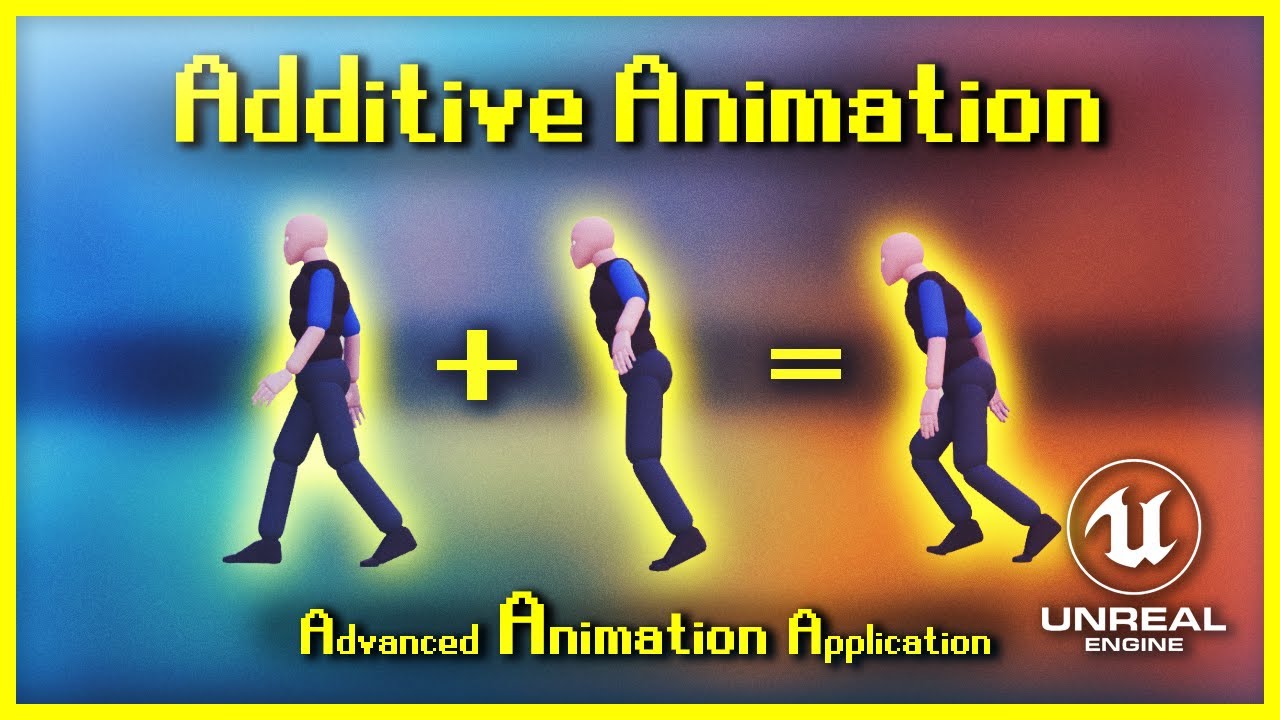
Welcome to my new series, Advanced Animation Application [for UE4]. This fine evening we're exploring the use of Additive Animations - whether it is for purely aesthetic reasons or even for gameplay. The 3 examples I cover today are acceleration leaning, landing compression and breathing animations. Additive animations can be used for absolutely...

Demonstrates how to blend animations together, in this case, a character that can move and fire a weapon at the same time.

Exclude Bones or change their individual blend speed by using Blend Masks and Blend Profiles.
quasi vale
oh layered animations i think was the word i was looking for
thank you so much though
<3
drifting pendant
quasi vale
thank you so much though
You're welcome! Check out blend profiles documentation, there is an animated gif. 😉
ancient wasp
ashen junco
Likely mismatch unit scale
i set unit scale to 1.00, that works
thank you @ashen junco
 crude bloom
Hey, i'm trying to wrap my head around animation sharing and I've reached a problem where, because it doesn't use anim blueprints and I can't blend animations dynamically. I need to bake out an animation that has the lower body using one anim and the upper body using another. Is there a way to do this in unreal? or an easy solution outside of unreal?
 craggy knoll
crude bloom
Hey, i'm trying to wrap my head around animation sharing and I've reached a prob...
craggy knoll
crude bloom
Hey, i'm trying to wrap my head around animation sharing and I've reached a prob...
#animation message answered a similar question before. Not sure if it works though, but it probably goes in the right direction.
 flint portal
Hi all!
I'm playing around with Animation Blueprints and am wondering how to make unique anim transitions, depending on how fast the control stick moves.
Unsure how to go about the logic of querying that.
e.g.
Gradually nudging the stick results in an idle -> idle-to-walk -> walk
But going zero to maximum range gives an idle -> idle-to-run -> run
Experimenting with using separate states without blendspaces.
craggy knoll
flint portal
Hi all!
I'm playing around with Animation Blueprints and am wondering how to mak...
Transition depending on the InputVectorLength of your move inputs then.
flint portal
Ah, that's the first I've heard of that. Still pretty new, will look into it. Thanks!
 ancient scroll
anyone ran into floating weapon on Lyra, with a different sized char?

 patent knoll
Hey hey, I've a question regarding root motion animations and characters scale.
I have a character that have been scaled in its BP at 1.8. The resulting issue in-game is that all the animations are sliding on ground, from both montages and stride warping locomotion anims. Is there any solution to BP scaled characters to fix the root motion without duplicating the whole set of anims to the right scale?
I really feel like I'm missing something tremendously elementary here, I need help ç__ç
brittle cove
drifting pendant
Hmmm... can you check that curve name is also added to the skeleton? It's an iss...
If you're talking to me, I see, that's probbaly the reason why, I thought it just had to match the curve name inside of the animation sequence, let me get back to you on that. Thank you for the videos.
drifting pendant
ancient scroll
anyone ran into floating weapon on Lyra, with a different sized char?
Looks like you're stepping into ik bone (or unweighted bones) issues. Sadly they are not correctly retargeted with IK retargeting. I am working on this issue since quite some time now as this also breaks ALS. I came up with costum editor scripts and tooling.
https://github.com/tuatec/TTToolbox
I did not yet cover Lyra, but some of the users of my plugin reported that they have the same issue. Maybe you can reuse the work I did to get your characters working. 😉

GitHub
TTToolbox provides useful helper scripts to automate your character integration workflows in Unreal Engine - GitHub - tuatec/TTToolbox: TTToolbox provides useful helper scripts to automate your cha...
dim jolt
.
 dusk tendon
dim jolt
.
dusk tendon
dim jolt
.
looks like ue5, so not sure, but did you enable the plugin?
dim jolt
dusk tendon
looks like ue5, so not sure, but did you enable the plugin?
yeah everything is enabled. Just seems like it's not connecting for some reason
ashen junco
dim jolt
.
You have to get the skeletal mesh track first.
dim jolt
ashen junco
You have to get the skeletal mesh track first.
You always know the answers to my problems🥲
 sterile warren
Hi! I've been learning some of the ins and outs of animation for the past 6-9 months while working on a small project. I'm a generalist but I'm trying to truly get a better understanding of it how to be better at it. Anyways, I would really find it helpful to talk to someone who has actual experience for 15-30 minutes about my animations and some of the problems I'm having and just get some direction on how they'd approach these problems. Is anyone willing to do that on here or may know of someone or a service I could use?
sterile warren
sterile warren
Hi! I've been learning some of the ins and outs of animation for the past 6-9 mo...
I have no friends that are animators. I come from an architecture background...
ashen junco
sterile warren
Hi! I've been learning some of the ins and outs of animation for the past 6-9 mo...
I'm doing animations myself, though I'm far from expert. Still up for some anim talk though
sterile warren
ashen junco
I'm doing animations myself, though I'm far from expert. Still up for some anim ...
Amazing! Do you have experience animating realistic humans, specifically "MetaHumans." And also any chance you may use iClone? I have been using iClone for this project and using Mocap as well. I will likely transition to Maya once its over. I think my questions are agnostic either way though. A lot have to do with the workflow for taking in Mocap and making it look good and doing interactions with objects like cups and stuff like that. What do you think?!
ashen junco
sterile warren
Amazing! Do you have experience animating realistic humans, specifically "MetaHu...
Heh, now I'm backing by saying that I'm almost exclusively Blender user, and I still animate by hand lol
I don't have any kind of mocap setup due to budget (and space) limitation, so I'm still going with the manual way
Though as far as object interaction goes, typically that's solved by constraints. Basically the idea is to have an object do something based on other object.
sterile warren
ashen junco
Though as far as object interaction goes, typically that's solved by **constrain...
No worries! It might still be good to talk. I have been using constraints but one of the annoying things I'm wondering about is that the mocap data has keys on the hand's fingers and so if I constraint those hands to objects, like a cup for instance, the fingers and move while the hand is constrained to that cup, and it's super annoying. Any idea how people solve this? Do they hard delete the keys on the fingers from the original mocap data? I thought the idea was to be non-destructive...
ashen junco
sterile warren
No worries! It might still be good to talk. I have been using constraints but on...
Well, you could do the non destructive way with tricks like finger IK snapping to the cup surface.
Though finger IK often fails with straight T-pose (or A-pose if the fingers are straight in rest pose) as it guesses which curve direction is dominant.
sterile warren
ashen junco
Well, you could do the non destructive way with tricks like finger IK snapping t...
Hmm I've never heard of finger IK snapping
sterile warren
sterile warren
Hmm I've never heard of finger IK snapping
That sounds amazing
ashen junco
Some games already implement it, especially for characters squeezing through narrow openings.
sterile warren
It's something you enable?
ashen junco
Well, not in one flick of a switch, but something you need to setup. Depends on the 3D software you use, but in UE's Control Rig there are few multi-bone IK nodes that's good for fingers.
I haven't tested it myself as I'm currently prioritizing on other procedural animation techniques I'm applying to my project
 warm garnet
What's the best way to handle things teleporting in animations? The linear interpolation unreal has on by default messes with that effect, but putting step on makes it look worse. I can increase the sample rate of the animation and disable interpolation to fix it but ideally I'd like interpolation for everything except the time where the thing teleports
ashen junco
warm garnet
What's the best way to handle things teleporting in animations? The linear inter...
Usually that gets hidden off screen, but you can use materials to toggle the masked opacity.
And yes, anim curves can control material parameters of the same name.
warm garnet
Sounds like a lot of work
ashen junco
Barely.
warm garnet
I just want to hide my weapon mag 😭
Is there any way to scale thing to be invisible? I tried importing an animation with zero scaled bones and it errored
Just hoping there's a smarter solution
ashen junco
warm garnet
I just want to hide my weapon mag 😭
Can't speak with other games's workflow, but personally I have the mags as static meshes or separate skelmesh attached to the weapon bones.
At least with the magazines as static meshes or its own skeletal mesh, I can have the mags do their own thing for extra details
warm garnet
ashen junco
At least with the magazines as static meshes or its own skeletal mesh, I can hav...
yeah that's not how I do things
So your suggestion is anim notifies and a material parameter to toggle masked opacity?
ashen junco
warm garnet
So your suggestion is anim notifies and a material parameter to toggle masked op...
Just animation curve controlling material parameter with the same name. Masked opacity is binary, either visible or not.
 past frost
I used a retargeter to make my ue4 animations work on my ue5 skeleton, and the animation look correct inside the animation preview/retargeting preview. But ingame the legs dont make footsteps. Anyone got a clue why it looks fine inside the animation preview but ingame it's off? https://streamable.com/8bw9t5
 ashen junco
warm garnet
since it's all one material
ashen junco
warm garnet
since it's all one material
I don't think it's how it setup in AAA shooters
warm garnet
ashen junco
I don't think it's how it setup in AAA shooters
I've never worked on a AAA shooter so I wouldn't know 😅
For first person animations it does seem to be quite common to have the mag be part of the gun rig
I'm having issues because i'm making 3rd person animations now
ashen junco
warm garnet
I've never worked on a AAA shooter so I wouldn't know 😅
Well, neither do I, but I dismantled few to learn how it was made 😛
warm garnet
Do know anything about the scale thing though?
Not being able to import animations with bones scaled down to 0
ashen junco
warm garnet
Not being able to import animations with bones scaled down to 0
Why not near zero?
warm garnet
ashen junco
Why not *near* zero?
I mean I could but then there's a tiny little thing there technically
just weird how it can't be 0
ashen junco
If you hide it off camera, players won't notice it, unless they play at 170° FOV or something
warm garnet
ashen junco
If you hide it off camera, players won't notice it, unless they play at 170° FOV...
I'm doing 3rd person animations for other players right now
It's multiplayer
So I can't hide it off screen
ashen junco
Oh right, in that case the magazine should be separate skelmesh/static mesh
I'm working on JRPG with TPS mechanics and I go with that method.
warm garnet
ashen junco
Oh right, in that case the magazine should be separate skelmesh/static mesh
I'm...
Yeah I think i'll just have a static mesh mag for 3rd person only
past frost
Posted something earlier, re-recorded the problem so hopefully my issue is more clear now. I re targeted an UE4 animation to work on my UE5 Skeleton. As seen in this clip: The animation looks & behaves normally inside the animation preview, but doesn't look like itwhen i walk around in game. Upper body moves as it should, but the legs don't move the way the should. https://streamable.com/qlwkif told to look at my animBP. I did, and honoustly have no idea where to look. Im not expecting an anwer on how to fix the issue, but maybe some insight from somebody more xperienced with animations on what could be causing the legs to behave this way could help me on my way.

 raven sinew
Do you make the animations in blender then put them in unreal engine or do you make the model only in blender and make the animation in unreal engine?
past frost
It's an animation i got from an asset pack meant for a UE4 skeleton. However im using a UE5 skeleton for my main character, so i had to retarget the animations.
Its my lack of knowledge on animations etc that's probably causing this, but it bugs me because the animation looks great from the waist up, so im so close to achieving what i want, its just that the legs dont move with the footsteps :/ and i have no clue why. If the retargeting didn't go sucesfully, why would the animation look fine inside the animation preview
sterile warren
@ashen junco do you know if it's a common workflow to bake your animation with constraints after you've done some work on it so that all the keyframes are baked in, and then work on it some more but as a fresh sequence? I don't want to get in a bad habit, but it makes sense to me.
ashen junco
sterile warren
<@325627930484932608> do you know if it's a common workflow to bake your animati...
Yes, it's very common, though usually once baked you have no concern on editing the resulting animation itself
sterile warren
ashen junco
Yes, it's very common, though usually once baked you have no concern on editing ...
That's what I mean, but I just get overwhelmed by the keyframes sometimes. Like I feel I do an animation and it's almost perfect but I'd like to bake it and work on it some more but without the old keyframes. Does this make sense? Was just wondering if it's normal. Thanks 😀
 full pumice
blendspace 1d is legacy now? In 5.1?
ashen junco
full pumice
blendspace 1d is legacy now? In 5.1?
Yes, it's just regular Blend Space but one axis is ignored
quasi vale
hi gamers so im trying to figure out how exactly god of war 2018 does their movement it looks like some sort of animation blending but im not quite sure, also heres a reference video
 vague mural
Hello devs! Need your help with an animation bp. I am new to animation and I am stuck. This should be very easy for someone that has experience. I have a blueprint that has a skeletal mesh as a component which uses an animation blueprint. In that animation blueprint I have an anim notify. I am trying to execute something in the original blueprint when the notify triggers. The way I found that works is to get all actors of class...however this doesn't suits my needs since there will be multiple actors in the level and I want them to play separately. The question is : How can I have that notify trigger the custom event without getting all actors of class?
smoky shell
Is there a console command to force animation updates in game thread only for debugging
brittle cove
drifting pendant
Hmmm... can you check that curve name is also added to the skeleton? It's an iss...
Yup, that was indeed the issue, I just decided to rename my previous curve to Rot(yaw) which is a curve in the SK mannequin, so it actually does grab the rotation now (I don't see why I'd need to make another curve). Also added the missing curves to the SK Mannequin skeleton to match Mixamo. There's just one problem, the character's not properly turning. I originally retargetted from Mixamo to UE4, not UE5 and in the Top Down Template project UE4's mannequin is retargetted to UE5, the last time I tried retargetting to UE5's mannequin directly, this abomination happened. Wait just realised I didn't actually add the utility in the blueprint and c++ yet, that should fix the issue I think. 🤦
I decided to just retarget again using Mixamo and UE5's mannequin, it actually fully rotates this time. I think you might have solved an issue I had for months, so thank you.

 brittle cove
@drifting pendant Ok, nope, still broken on one part. I tried integrating the animations back into the original animation blueprint, and yea it doesn't look right. If it's just the sequence being played by itself and passed as the base pose for the Rotate Root Bone node it's fine but when it passes through the blend pose it becomes wonky. I tried setting the blend time to 0 thinking it might be due to the animations blending causing this issue. I'll show you what it's supposed to look like vs what it is when passed through the blend poses node.

@drifting pendant The feet aren't wide apart for some weird reason.

 drifting pendant
brittle cove
Yup, that was indeed the issue, I just decided to rename my previous curve to Ro...
drifting pendant
brittle cove
Yup, that was indeed the issue, I just decided to rename my previous curve to Ro...
You are welcome!
drifting pendant
brittle cove
<@772585563609759784> Ok, nope, still broken on one part. I tried integrating th...
Sorry I don't know what is going wrong here. Maybe your retargeting settings don't fit your use case. Honestly it will take you some time until you can really retarget properly. It is quite a complex topic.
I did this yesterday.
I combined Female Animset Pro with ALSv4 | UE5
https://youtu.be/jNUIoUtTUSY
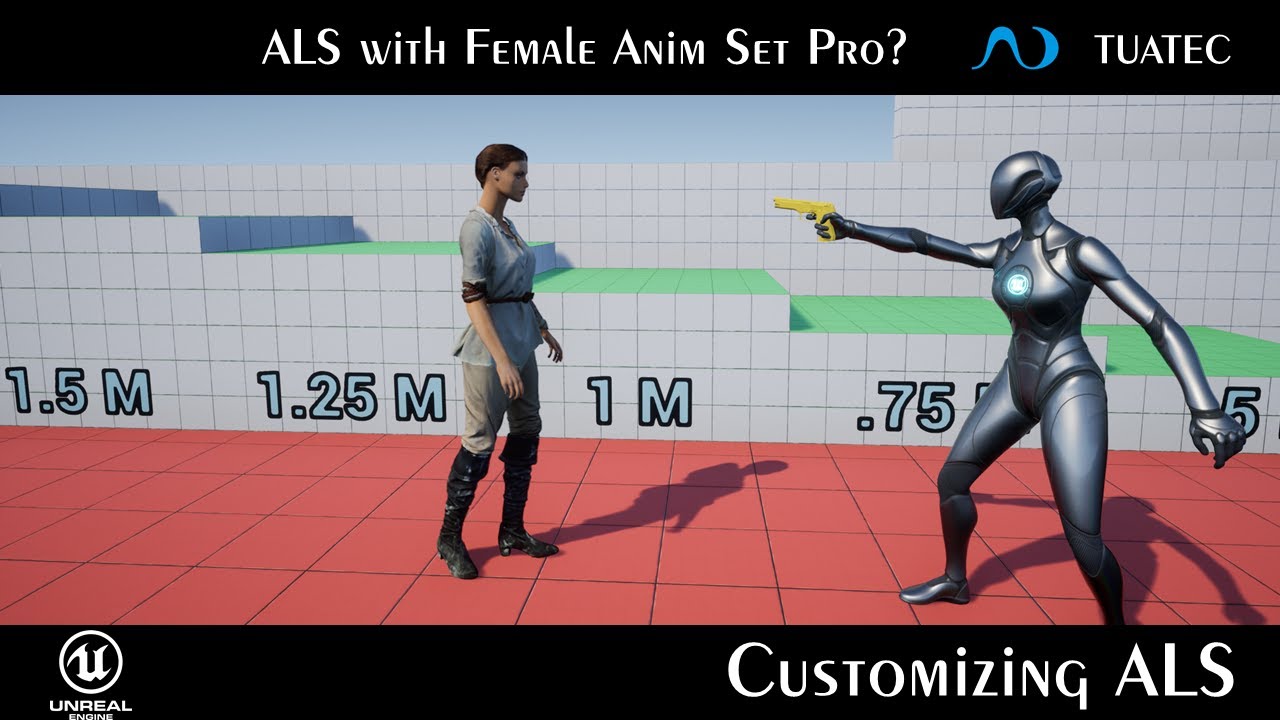
I am currently moving slowly to UE5.1. So I am heavily testing if it is worth to move to this version. Today I thought I try to replace ALS animations with a kit from the marketplace, Female Animset Pro.
To get everything working I was using TTToolbox.
If you would like to join my journey do not hesitate to subscribe to this channel or follow ...
It took me some months to learn it properly. Keep moving you will figure it out. 😉
patent knoll
Morning! Reposting for visibility 🥴 I've a question regarding root motion animations and characters scale.
I have a character that have been scaled in its BP at 1.8. The resulting issue in-game is that all the animations are sliding on ground, from both montages and stride warping locomotion anims. Is there any solution to BP scaled characters to fix the root motion without duplicating the whole set of anims to the right scale?
I really feel like I'm missing something tremendously elementary here, I need help ç__ç
tired garnet
Why after I set bone transform trough my control rig component, it remains unchanged in game?
FTransform TempTransform;
    TempTransform.SetRotation(HeadRotation.Quaternion());

    UKismetSystemLibrary::PrintString(GetWorld(), HeadRotation.ToString());

    GetControlRigComponent()->SetBoneTransform("Head", TempTransform, EControlRigComponentSpace::WorldSpace    );
 ashen junco
vague mural
Hello devs! Need your help with an animation bp. I am new to animation and I am ...
ashen junco
vague mural
Hello devs! Need your help with an animation bp. I am new to animation and I am ...
Surely interfaces works on anim notify BP
craggy knoll
I have a Projectile Throw animation and while holding I want to project a path beam effect to the predicted end location.
My problem is that the Start Point of the Path is the Projectile itself but while throwing the Start position is not the same as the Player aimed with, because the Character is leaning back before he throws and turns forward when throwing.
How do I predict Skeletal Mesh Socket transform?
I want to be able to pick a time within a Montage and read the Bone transform. With everything that has been modified inside my ABP like additive animations (leaning etc.).
ashen junco
As in calculating trajectory? You could have another weightless bone just to serve as reference for the start throwing point.
Or you can just fake the throw like majority of games do
craggy knoll
craggy knoll
I have a Projectile Throw animation and while holding I want to project a path b...
While I wrote this I thought about snapping the pose to my desired pose, read the value and go back to the previous pose in a single instruction so it won't be visible in a frame 🤔
Going to try it, but if somebody has an idea on how to do it, help me pls 🙏
craggy knoll
craggy knoll
While I wrote this I thought about snapping the pose to my desired pose, read th...
I'm just worrying about the AnimGraph not updating the pose between two frames. I maybe have to update it myself.
hardy reef
Animation Assembly Can be mirrored with Mirror Data table?
steep tapir
Hey all, according to this page it is very much advised to prevent any blueprint logic in an animation script. Is it really that much, performance-wise? https://docs.unrealengine.com/4.26/en-US/AnimatingObjects/SkeletalMeshAnimation/Optimization/
Describes methods to achieve more performant Animation Blueprints through optimization techniques.
I mean, if it's really like that it would mean that our animation programmer should learn a little C++ so we don't have BP logic anymore
ashen junco
steep tapir
Hey all, according to this page it is very much advised to prevent any blueprint...
If by animation script, you mean, anim graph, then yes. One BP logic in anim graph and the Fast Path/multithreading is void.
ALS get away with it by using interfaces and in the event graph copying the values every tick, so that the anim graph can simply read the value and not breaking Fast Path.
But you can optimize it further by using C++ interface that the character BP also implement, and copy the values in the FAnimInstanceProxy
steep tapir
Is it really that much, performance-wise? Obviously I don't mean fast path, that for sure gives much performance, but I mean nativizing the code
I mean, I guess the blueprint extra cost in the event graph is the same as with blueprint cost anywhere, it's just that the event graph in the blueprint is executed every frame, usually
flint portal
Hi all.
You know how with most Blueprint nodes, you can hold CTRL + drag on a wire to reroute it to other nodes?
Can a similar thing be done with Transitions inside State Machines? And if not, if anyone has any tips for faster copy/pasting Transition logic, would love to know.
 frigid mesa
anyone know what's changed in 5.1 with motion matching? I see the two Pose Search data assets under Animation/Motion Matching in 5.1 but settings in PoseSearchSchema are very different. I'm not seeing other pose search related items in 5.1

 glacial monolith
how do I make it so my fingers dont change location after retargeting?

 tired garnet
How can I set bone transform via control rig component?
SetBoneTransform doesn't work
 raw bay
Afternoon gang, was wondering if anyone had leads on making children characters, as far as getting the mannequins set up and all that. I found a 'mannequin family pack' that has a child but wanted to see if anyone had some more resources. When I try to google search it comes up with the child actor class lol.
 crystal imp
Anyone know why these bones are getting messed up when I export the skeletal mesh from Blender? It seems to look fine in blender but when I export it and re-import it back into blender it looks off


 quasi vale
Raton
crystal imp
scratch that question ^ I didn't realize the guy sent me an old one
I'm still curious though as to what causes this if anyone knows
tired garnet
Why can't I break rotation in control rig?
 dim jolt
tired garnet
Why can't I break rotation in control rig?
dim jolt
tired garnet
Why can't I break rotation in control rig?
I was just about to ask that. I'm trying to use an inverse and multiply node to get an opposite effect in CR, I would like to go into the specific coordinate. Unfortunatley I keep crashing with the inverse and multiply
@tired garnet See if you can get this to work without crashing. That's the only way I can think of adjusting a singular rotation is through a multiply
 tired garnet
dim jolt
I was just about to ask that. I'm trying to use an inverse and multiply node to ...
tired garnet
dim jolt
I was just about to ask that. I'm trying to use an inverse and multiply node to ...
I think I found it
"From axis and angle", "From euler" etc. In the math section of the rotation
dim jolt
tired garnet
I think I found it
"From axis and angle", "From euler" etc. In the math section...
How are you piping that in tho?

 pure pebble
Asked in #ue5-general but nobody saw it:
Is it common, when starting Unreal Editor, to see 100s of messages like:
LogAnimationCompression: Building Anim DDC data for AnimSequence /path/to/animation
It seems like this data is never actually cached...
It computes every single time I open the editor for the same animations.
Did I misconfigure something perhaps?
 tepid vessel
slackers how do i move the cursor closer to object or right on top of object? the little move/rotate/resize cursor
also is it okay to have 2 things using the same socket, like hair and hat? both on head socket
 brazen wharf
tepid vessel
also is it okay to have 2 things using the same socket, like hair and hat? both ...
brazen wharf
tepid vessel
also is it okay to have 2 things using the same socket, like hair and hat? both ...
yes
brazen wharf
tepid vessel
slackers how do i move the cursor closer to object or right on top of object? th...
look for tutorials on how to change the pivot point, there are different solutions to the problem...
 brisk pewter
What's the easiest way to use the new UE5 mannequins on my existing skeleton setup
I have a fairly complex AnimBP and a bunch of animations
I don't care too much about all the fancy new IK features, I just need to migrate to the new stuff
quasi vale
hi again devs, im trying to figure out how exactly god of war 2018 does their movement it looks like some sort of animation blending but im not quite sure, also heres a reference video, yes this is a copy paste of my last question
quasi vale
Is it some sort of animation layering or blend space
 honest phoenix
quasi vale
Is it some sort of animation layering or blend space
honest phoenix
quasi vale
Is it some sort of animation layering or blend space
I think you could have the animation blueprint reference the "last movement vector" and dot product it with the "last input direction vector" (or something to that effect), to switch between two different blendspaces.
honest phoenix
You're trying to get the sideways backpedaling if you immediately go the opposite sideways direction, right?
quasi vale
no
sorry bad clip for what i was looking for
it was just like how looking around and sidestepping works
like you can look forward but side step but your character still looks forward
and vice versa
I actually think im overcomplicating how it is and i think its just a blend space 
ivory bear
anyone know how to fix blender/unreal making imported animations for a skeleton 100x smaller than theyre supposed to be?

I keep getting this message even when I package the animation with the original skeletal mesh fbx file
 quasi vale
maybe try applying transformations in blender?
ivory bear
I have
even before exporting the original skeleton
I dont get why it does it only most of the time, sometimes it works for one skeleton
 charred charm
Did the control rig Setup Event get replaced by Construction Event ?
ashen junco
ivory bear
anyone know how to fix blender/unreal making imported animations for a skeleton ...
Make sure the unit scale is 0.01 and compensate it by scaling everything x100
misty dagger
I have a jog start animation with a few frames of build-up as the character leans forward. I want to only move the player's capsule after these few frames have ended (i.e., they press W for 0.2 seconds with no effect until the animation begins the actual run). Is there a way to do this without root motion, or am I thinking about it the wrong way?
tired garnet
dim jolt
How are you piping that in tho?
 ashen junco
misty dagger
I have a jog start animation with a few frames of build-up as the character lean...
ashen junco
misty dagger
I have a jog start animation with a few frames of build-up as the character lean...
You could put a delay node before moving, though be wary in the case of player quickly pressing/flicking the movement button in short succession
misty dagger
ashen junco
You could put a delay node before moving, though be wary in the case of player q...
Thanks! That makes me a little wary, but I will give it a try. I guess I'm sort of looking for the opposite of distance matching, if that's a thing...
 tropic dust
I can't apply an animation to the characters and if I succeed it doesn't apply it during the video, does anyone know why??
 main ferry
I'm having trouble getting a variable to a linked anim graph.

In the anim graph Bp there is a property called Main Anim Instance. From within the Main Anim Instance - Anim graph, I have this anim graph linked as shown above, now I should be able to provide a 'Self' node into this slot and have this anim graph within this Bp populate? Right?
main ferry
Am I supposed to be able to see action animations between these nodes when the game is running. Right now they just sit there even though I'm certain the animation is rolling through this section
 ashen junco
main ferry
Am I supposed to be able to see action animations between these nodes when the g...
ashen junco
main ferry
Am I supposed to be able to see action animations between these nodes when the g...
What are those states supposed to do.
 vast canyon
This happens when I have show all bone heirachy, or just any selected bone. Appears after upgrading to 5.1. Any idea how to stop it making these huge circles and just show the interior bone sections?

Just that interior bone part so I can see what is happening instead of dealing with raptos, master of orbs.

 azure elm
so im having trouble with my jump animation, cus the char jumps and while its in the air the anim plays and im not sure how to fix it, any tips?
ok fixed xD
 jovial hill
Hi day 2 of trying UE. Looking for a really basic library of poses/anims (walking, running, sitting).
Does UE5.1 have this somewhere or do I need to put my char through Mixamo...?
 ionic sequoia
anyone can recommend tutorial for fundemental of animation blueprint
it's too complicated I can't learn by myself
any link or keywords ? thank you
ashen junco
jovial hill
Hi day 2 of trying UE. Looking for a really basic library of poses/anims (walkin...
ActorCore have animations for those.
jovial hill
ashen junco
ActorCore have animations for those.
Great, looks good!
ashen junco
ionic sequoia
anyone can recommend tutorial for fundemental of animation blueprint
Epic Dev Community recently have tutorial/course on getting into animation stuff in Unreal Engine 5:
https://dev.epicgames.com/community/learning/courses/2Lz/unreal-engine-animation-ecosystem-for-game-development/yp13/unreal-engine-animation-ecosystem-for-game-development-overview

Epic Developer Community
In this course from the Epic Online Learning team, we explore the animation systems in Unreal Engine. You’ll learn how to import, retarget, and trim ani...
ashen junco
ashen junco
Epic Dev Community recently have tutorial/course on getting into animation stuff...
<@&213101288538374145> permission to pin
 clever shard
ashen junco
Epic Dev Community recently have tutorial/course on getting into animation stuff...
clever shard
ashen junco
Epic Dev Community recently have tutorial/course on getting into animation stuff...
 red eagle
Hellow people!
I am looking for appearently something incredibly special...
I have imported a rigged mesh (it does have the skeleton asset!) into a scene that I want to use for a purple cinematic shot.
But how do I animate that non-humanoid avatar within that scene?

I learned that it is not as straight forward as it is in Unity. Soooo~ what am i missing? D:
ashen junco
red eagle
Hellow people!
I am looking for appearently something incredibly special...
I ha...
Just animate it as usual? Not sure what issue are you having here.
The process is indifferent, especially if you're not concerned with dynamic IKs and gameplay stuff
Also how does Unity even compare?
red eagle
ashen junco
Just animate it as usual? Not sure what issue are you having here.
I'd do that in Blender. But that way I can't nudge the pose to better fit the terrain (which might change, not sure yet)
ashen junco
red eagle
I'd do that in Blender. But that way I can't nudge the pose to better fit the te...
In that case, you could use some Control Rig stuff to control the IK and adjust the weight whenever it takes a step.
Though you'll going to need an animation blueprint, and alternatively the whole IK setup can be done in anim graph directly (albeit a little clunky IMO)
red eagle
In Unity you'd create an animation, similar to the Sequencer, and then you simply keyframe your moved bones (Super annoying FK animations for non-humans but for this purpose it would do!).
But in here I can't even select the bones I want to animate in the first place XD
ashen junco
red eagle
In Unity you'd create an animation, similar to the Sequencer, and then you simpl...
Then check the pinned message, there are links on making animations inside the editor with Control Rig linked by yours truly.
red eagle
ashen junco
Then check the pinned message, there are links on making animations inside the e...
That'll do... hopefuly @.@
Thank you!
ashen junco
red eagle
That'll do... hopefuly @.@
Thank you!
No problem!
If you have questions on Control Rig + Sequencer, feel free to ask. I'm also using it myself to make cinematics and machinimas
red eagle
Sounds good! Thank you for the offer!
And yeah. I think I'll keep it super simple. He's supposed to hunker down over the body of water (not yet there) and take a sip. Either a short little clip or just a single frame render.
I've done one in Blender some month ago but I'd like to recreate the shot in much better quality using Unreal x3
 molten sapphire
ashen junco
Then check the pinned message, there are links on making animations inside the e...
molten sapphire
ashen junco
Then check the pinned message, there are links on making animations inside the e...
Casual 🥔 W
jovial hill
When crossfading animations I'm getting frame rate drops at the very start and end of the crossfade (to 10fps or something like just for a moment).
Is this normal?
Anims are from ActorCore
 ashen junco
jovial hill
When crossfading animations I'm getting frame rate drops at the very start and e...
ashen junco
jovial hill
When crossfading animations I'm getting frame rate drops at the very start and e...
If it's not in runtime, you shouldn't worry too much about it. I assume the animation gets loaded when needed.
ashen junco
 coral sequoia
guys how to animate band deform?
coral sequoia
guys how to animate band deform?
Depends, because it'll be a thing that is fake it until you make it
coral sequoia
yeah thats what i see
@ashen junco i have page inside hands of character and i want to make it more behave like a page
or is there way to add like simulation on this page
red eagle
I guess.. that goes here too...
https://cdn.discordapp.com/attachments/1045709284715012096/1052665331707039815/image.png
I just wanted to build a Controll rig and noticed that all bones are.. like... offset?
The Original mesh has Bone offsets which are ignored on Import. So I placed a real bone into that offset-gap and reparented those bones. Works great in Blender.
Imported that into UE and... now it's just.. overlapping the Structural Bones with the existing ones while still offseting the hiercharchy.
Been also playing with Export settings but that didn't solve any problems either @.@

 junior drift
dunno if this question even goes here
but what if instead of animation, I wanted to constantly alternate between static meshes
kind of like a flipbook made of meshes
so for walking I'd have 2 or 3 "poses" and i switch between them quick
how could I do that?
red eagle
That's it for today...
If I wasn't so focused on knowing why that c** f** up every time I try to do something with it I'd pre-pose my model and build the environment around it.
But that doesn't solve the fundamental issue I have with this &%§$&&"&$
By the way: it moves perfectly in the Skeletal Mesh asset window. As soon as I pop that IK onto it, it mangles itsself, not even trying to point towards the IK target

 tawny oxide
hey does anyone here have experience with combining IK and Control rig? I'm trying to find the bone delta transform from the control rig animation data and applying that transform vector to the IK but no matter what RTS Space I use it always gives me a value that's equal to the current bone transform + the delta
basically
- how could I subtract the original bone location from the transform
or - how could I only grab the delta from the second object?
any help is much appreciated! :)
hold on I may have found the node I was looking for 😅

:/ hmmm not quite
 quick oar
Heyo, i was wondering if i could get some help, im new to unreal animations and im sure im missing something obvious.
I have a robot arm i want to pose to gold up 0-5 fingers based on the player selecting a corresponding button on a keypad. Where can I tell this Active Pose Index to update?

I thought i could do it via an interaction in the character bp for a quick test to go between poses 0 and 5

but i dont know how to get valid access to this value in the anim graph that the skeleton is using, any help would be much appreciated 🙂
tawny oxide
quick oar
I thought i could do it via an interaction in the character bp for a quick test ...
not sure if you're doing this in the character blueprint or the anim blueprint but you might want to try this

get your component > then get the anim instance > then cast to your anim BP through that
(for reference I did that in the character blueprint at begin play)
quick oar
Yeah, my second screenshot is from within the fp character bp
tawny oxide
which you usually want to set as reference at begin play to save on casting costs
ah, then yeah, you'll need to get the anim instance in order to cast to it
give that a go
tawny oxide
😄 👍
quick oar
from within anim bp linking or execution content?

 quick oar
ooh, we have a safe compile
 tawny oxide
😎
quick oar
It all works great, got it linked up to some interfaces with buttons, thanks a bunch i knew i was just missin the one important node that id never find alone haha
ashen junco
red eagle
That's it for today...
If I wasn't so focused on _knowing_ why that c** f** up e...
Try tweaking the Primary and Secondary Axis values. The value can be -1.0, 0.0, or 1.0
Blender is screwing up the bone orientation and not what UE expects by default. Changing the IK axis can remedy that
brittle cove
Does anyone know why passing to the output pose directly actually gives the correct pose while passing to the output node for the locomotion state machine gives me wonky legs and arms rotating (I'm using the default top down anim blueprint template)? Also is it possible for an animation passed into a blend pose by enum to be played backwards while another be played forwards? I attempted to look at the documentation but didn't see anything about that unless I missed something. I'm not sure if it has to do with retargeting but rather how state machines work and me not understanding that.


 coral sequoia
guys sorry to writing again. is anyone can help me to find a way to animate plane deformation .. Physics or Rig the object or any other method? thank you a lot
 bronze fable
Hey, does anyone know why my IK Solver says it's "Missing Root Bone"? I'm using the default UE5 skeleton that has root and pelvis.
 frigid mesa
bronze fable
Hey, does anyone know why my IK Solver says it's "Missing Root Bone"? I'm using ...
frigid mesa
bronze fable
Hey, does anyone know why my IK Solver says it's "Missing Root Bone"? I'm using ...
right click on pelvis and set as root bone for solver
bronze fable
frigid mesa
right click on pelvis and set as root bone for solver
Ughhhh. I am an idiot. Thank you.
misty dagger
What would be the most efficient way to set up a character/rig for use with multiple outfits? Are there any good resources that I can read or watch on the matter?
I'm mainly wondering if it's possible to use a primary rig for a characters basemesh, and then use separately rigged objects for stuff like wigs/clothes/items/etc instead.
Otherwise, if I do everything within the meta rig and then generate a control rig, I'll have re-do a lot of the weights every time I need to change the rig or something, or get rid of unneeded vertex groups.
my morph targets are flickering like crazy
and only on specific instances of my npc its wierd
I just set a certain morph to 1 and it starts flickering super fast
tawny oxide
in the control rig, does anyone know how to use pre-set curves for animation? Whenever i try and use a curve based function with a variable curve it says that you "cannot use non constants"

I'm aware that you can set the curve you wish to use inside the node itself
but ideally I'd like to set variables that can be properly adjusted
ashen junco
tawny oxide
in the control rig, does anyone know how to use pre-set curves for animation? Wh...
I'm not entirely sure backend wise, but maybe getting the variable makes a non-const copy?
Maybe try promoting it to variable if possible
tawny oxide
ashen junco
Maybe try promoting it to variable if possible
tried that, gives the same error
also while we're on the topic of control rigs, do you think you might be able to help out with an earlier question I had? I'll link to it real quick. it has to do with getting the delta transform
 raw dew
So, I'm a programmer, not really an animator, but there's something here I'd like to tackle using the animation tools.
I have a base pose (idle character) and an attack montage playing on top of it. I'm using a layered blend per bone, on the root, as it's a full body attack. However, the feet position is not really aligned between both of them, and blending by any other bone other than the root makes the blend look pretty odd.
So I'd like to lock the feet after the blend, using the original feet position from the idle pose. I believe the Modify Bone node could work or an IK rig setup, maybe? But how would I go about retrieving the original feet position, from the idle sequence so I can feed into those nodes?
tawny oxide
raw dew
So, I'm a programmer, not really an animator, but there's something here I'd lik...
well in my experience working with bones you might want to be careful about dealing with root bones. If everything is attached to the hips, if you adjust the hips then you might inadvertently mess with the legs despite not intending to adjust them. I'd say that if you can adjust the spine bone rather than the hips/pelivs it might help your foot problem to begin with
raw dew
tawny oxide
well in my experience working with bones you might want to be careful about deal...
I see... again, I'm not really an animator, so I'm sorry if this is a naive question, but what kind of adjustment in the spine would fix something like the foot position?
tawny oxide
well its less to do with how the spine affects the foot and moreso how the spine doesn't affect the foot. If you modify the root bone then you're going to bring the foot along with it. This way if you just blend from the spine up ^ you can do your own seperate animation blending on the feet/legs
so in theory you could blend your attack from the spine up and then have whatever locomotion pose you want for the legs
again I'm not really able to touch on specifics so I apologize about that
but hopefully I can spin you in the right direction?
raw dew
tawny oxide
well its less to do with how the spine affects the foot and moreso how the spine...
Ah I understand your point, right. However, I was more thinking about modifying the foot bones to place them where the original ones are. I wasn't really planning on modifying the root bone
tawny oxide
ahhhh gotcha. I wonder if you might be able to grab their bone location from a cached pose?
raw dew
as for blending from the spine, that's what I'm doing right now, but the legs being static makes the attack miss the "oompfh" you know?
So yeah, I was wondering if I could somehow grab the original foot position from the idle pose, before the blend, and add that info to the merged bones, after the attack is layered
as a programmer, my first idea was to create a notify on the idle pose that keeps capturing the positions so I can use them later on. But that seems very "programmer-y" haha
tawny oxide
order of operations 
wait
there is something that could help

you can snapshot a pose and then save that to an animation thingy and then use that for blending
raw dew
o.O ooh yeah that seems very promising!
tawny oxide
its how you might have a character go from a ragdoll to a getup pose
say
friendo
think you might be able to lend a hand for my IK problem?
long story short I'm trying to get the delta transform of a gun bone and apply it to an IK arms rig. I'll show you the result I got when applying the transform to a 0,0,0 space. The problem is that I can't use that zero space for rotation and I'm being forced into using actor space and it janks everything up
raw dew
As a programmer (haha that disclaimer is very important), my first plan would be to render an invisible actor where you want the character to aim, and use that world location as an IK goal
tawny oxide
hmmm
^ thats the original message
I see where you're coming from. However right now I'm using the gun itself as an ik goal
the gun animates in its own anim bp that pulls from a pose then into the control rig
from there the hands have a matching pose and all they need to do is use the delta transform from the gun and apply it to the hand goal
I was wondering if it might be an issue of using the wrong RTS space transform
raw dew
Ah right. Welp, I'm afraid this is above my skills with the animation tools, unfortunately 😦
sorry!
tawny oxide
raw dew
sorry!
all good! hope I could at least lend a hand myself :)
misty dagger
misty dagger
my morph targets are flickering like crazy
please help
has anyone had this problem
raw dew
tawny oxide
all good! hope I could at least lend a hand myself :)
For sure! I'll take a look at the node tomorrow! Thank you!
tawny oxide
raw dew
For sure! I'll take a look at the node tomorrow! Thank you!
no worries! and have a good night :D
raw dew
tawny oxide
no worries! and have a good night :D
you too!
tawny oxide
misty dagger
has anyone had this problem
I don't know much but I can try my best. Two questions for you first though
- are you using them additively?
- is this for facial or full body animation?
tropic dust
to start the animation, what should I put in the event graft?
tawny oxide
tropic dust
to start the animation, what should I put in the event graft?
event graph? you want to initialize your animation
so grab a reference to your character and then set any variables in the "Event Blueprint Update Animation"
the event BP update animation acts as event tick. So every frame it will gather those variables. Really good for floats, vectors or boolean states etc.
otherwise though you probably want to start with a state machine and then plug that into the out in the AnimGraph
drifting pendant
I am currently trying to improve the ik_hand_gun bone location estimation.
This is my first prototype. 🤩
https://youtu.be/3zqhOiHc69Y
https://youtu.be/wYRcURZ0Zzc

 tawny oxide
drifting pendant
I am currently trying to improve the ik_hand_gun bone location estimation.
This ...
tawny oxide
drifting pendant
I am currently trying to improve the ik_hand_gun bone location estimation.
This ...
looking nice brother

keep up the solid work
tawny oxide
drifting pendant
I am currently trying to improve the ik_hand_gun bone location estimation.
This ...
mind if I ask you a question about IK?
tropic dust
tawny oxide
otherwise though you probably want to start with a state machine and then plug t...
yes, I set the animation to the mannequin but when it starts with play it doesn't do the animation
tawny oxide
tropic dust
yes, I set the animation to the mannequin but when it starts with play it doesn'...
https://www.youtube.com/watch?v=1K-Hyu4Xn3g this ten minute video might be able to help you get a good foundational start

Hey guys, in today's video I'm going to be showing you how to create an animation blueprint and blendspace to smoothly transition between your animations in your game, such as idle, walk, run and jump.
Previous Video - Creating The Character And Animations: https://youtu.be/Ht0ekszftsA
More In-Depth Explanation: https://youtu.be/A6L_8vAx-M0
Un...
misty dagger
tawny oxide
I don't know much but I can try my best. Two questions for you first though
1) a...
facial anim and wdym additivley?
I do have other morph targets on the guy
tawny oxide
well so additive means that you take the base animatoin and then you add on top of it. Sounds like you're trying to run the entire animation through morph targets and that right there could be causing your issues
tropic dust
tawny oxide
https://www.youtube.com/watch?v=1K-Hyu4Xn3g this ten minute video might be able ...
Also for video production?
tawny oxide
tropic dust
Also for video production?
can't help you there
tropic dust
Ok thank
misty dagger
tawny oxide
well so additive means that you take the base animatoin and then you add on top ...
its not really an anim though? i just call an event to set it to 1

Epic Developer Community Forums
What solved the problem for me was disabling Moting Blur and enabling Support Compute Skin Cache
maybe some solutions here
tawny oxide
honestly could be. I don't know enough on the subject matter to be of major assitance, but from what I do know, anything UE5+ is unstable as hell
 proper token
I’m trying to export game animations from Maya to UE, and I’ve tried to see a lot of videos explaining of the export the model and rig and import it in Unreal. Nothing is working until now (I usually have issues with the rigs I download, the hierarchy seems to not be ideally made for UE, but I haven’t found either a good tutorial about this). Anyone has any good workflow/video to share? I want to find the most efficient way to create a set of animations for a character (gaming) in Maya and move it to UE to create the BP and Blendspace after. 😰
 wild roost
After I run a montage, Source on DefaultSlot is no longer pulling from previous logic. It just won't grab that animation anymore once I run a montage. And idea what the problem could be?

 pseudo oriole
retargetting and this is what I'm getting
 ashen junco
proper token
I’m trying to export game animations from Maya to UE, and I’ve tried to see a lo...
ashen junco
proper token
I’m trying to export game animations from Maya to UE, and I’ve tried to see a lo...
I don't use Maya, but you're not necessarily forced to adhere to UE skeleton.
(I exclusively use Blender btw)
proper token
ashen junco
(I exclusively use Blender btw)
And what’s your workflow like? Do you create your own rigs? How do you export them to UE (I’ve seen USD, FBX, Live Link…) ?
ashen junco
proper token
And what’s your workflow like? Do you create your own rigs? How do you export th...
Kind of, I'm deriving from UE skeleton for humanoid characters but it won't always be the case with other fantasy creatures.
I just use the tried and true FBX. Blender has no LiveLink to UE and USD in UE is still janky
proper token
ashen junco
Kind of, I'm deriving from UE skeleton for humanoid characters but it won't alwa...
🤔 Are you exporting the metahuman skeleton to Blender in order to adapt it to the character first? I’m not sure how to handle it, other apart than doing the rig from the scratch ofc
wild roost
wild roost
After I run a montage, Source on DefaultSlot is no longer pulling from previous ...
Figured this out. The montage wasn't set to auto blend out
 haughty sage
probably something simple but if someone could help me out, I would appreciate it. I create a rig in Blender (with root) export to UE, UE says there are 2 roots and it renames it, then I get this:

when I leave out the root from the rig, UE thinks it has one anyway and I get this

the issue is during retargeting, these wont work, any idea how to solve this?
this the blender export
 tired garnet
Why can't I set up this? I would want to get output from the control rig

 real thorn
Hey guys!! Can someone help me out with this please... Thanks🙂
 latent condor
Anybody know why all of the bodies won't display inside of the physics asset editor? I have no idea what I did but none of them are drawing any more. If I turn on show collision I can see their primitives, but I can't see the bodies the way they normally display
dim jolt
Does anyone know a good comprehensive alembic pipeline to ue?
Or using ue animation information in a dcc back to unreal. Say for simulation?
red eagle
ashen junco
Try tweaking the Primary and Secondary Axis values. The value can be -1.0, 0.0, ...
Gave that a shot after making the scene pretty. Then though "Wait... if I can make a IK controll rig... Can I make a FK one?" And... it turns out that yes.. it's just three clicks in the sequencer >.>
So I've been doing things the tedious, but working way XD
 dim jolt
Is this weird or is it just me? Trying to make a tank tread in ctrl rig. Won't let me edit the min and max, was going to use math to set it up so each time one minimum increased the maximum would as well so it'd be like a chain
 ashen junco
proper token
🤔 Are you exporting the metahuman skeleton to Blender in order to adapt it to t...
ashen junco
proper token
🤔 Are you exporting the metahuman skeleton to Blender in order to adapt it to t...
No, I don't use MetaHumans, but UE4 skeleton and work from there
coral sequoia
Guys can you help me to figure out how to animate deformation like extrude or band or lattice
 covert onyx

somebody please help
Foot ik works only at like the head of the last bone
not the tail
i dont know how to explain but u can look at the pictures
 ashen junco
covert onyx
Foot ik works only at like the head of the last bone
ashen junco
covert onyx
Foot ik works only at like the head of the last bone
Show the anim graph (or Control Rig if you used it)
covert onyx
its kinda a mess let me clean it up a bit
dim jolt
coral sequoia
Guys can you help me to figure out how to animate deformation like extrude or ba...
in engine or seperate?

 ashen junco
covert onyx
ashen junco
covert onyx
Wrong IK node. Basic IK only use 2 bone chain.
covert onyx
aha
thank you very very much
can you tell me any alternatives
i am still experimenting with control rig
ashen junco
CCDIK or FABRIK

 ashen junco

 brazen wharf
bad weight painting?

 brazen wharf
are those "bumps" at the bone joints?
sterile warren
Yeah they are
 brazen wharf
and you are sure it's not a weight painting issue?
sterile warren
sterile warren
This is the Maya wireframe for example


I'm such a noob at all this. I'm trying to make this form act like a snake. Does it appear I've done the skinning wrong?
sterile warren
sterile warren
See the bumps at the deformed parts
tired garnet
Why does it always return constant values even when I move and space is set to be global?

 coral sequoia
dim jolt
in engine or seperate?
coral sequoia
dim jolt
in engine or seperate?
In UE5
brazen wharf
tired garnet
Why does it always return constant values even when I move and space is set to b...
global space is still component space...
there's a node to convert a transform to world space (if that's what you want...)
quasi vale
hi animators
 mortal granite
hey everyone, im trying to retarget some animations to a new skeletal mesh which ive added face bones to, the prior mesh only had a head bone and no part of the body skeleton has changed in any way. but when I retarget the arms are all messed up, the initial poses are the EXACT same. im really confused on why this is happening. every other part of the body retargets fine but the arms in particular are broken lol

 quasi vale
hi animators
quasi vale
quasi vale
hi animators
is there a way for me to rotate an animation?
 sturdy dust
I am trying to make the hands stay cantered when looking up and down, but 1. the starting hand value is down/0 so you first have to go on 0 to make them move with you 2. I can over look which makes it go over the limit
Anyway to Fix it / make it better
 sturdy dust
Something like this [RE7 for ref], also i did see some stuff about AIM OFFSET but it seems i would have to make multiple AimOFFsets for different Item's / animations.
 sterile warren
I'm such a noob at all this. I'm trying to make this form act like a snake. Does...
sterile warren
sterile warren
I'm such a noob at all this. I'm trying to make this form act like a snake. Does...
Okay it has to do with pruning small weights. How do I create a smooth snake-like form without small weights like this?
 copper vine
Hey guys i know this question gets asked a lot but animations are extrememly important on my project. What is the best way to learn everything I can about the animtion blueprints and how they work? Looking for tutorials online it's ahrd to find cohesive stuff taht starts from the ground up
latent condor
Anyone experiencing anim curve issues in 5.1? I'm getting the correct values the first time the montage plays, but subsequent plays of the same montage don't show that the curve is active
 gaunt mauve
Hey everyone! I am following a guide on making a game and I am running into an issue with the animation. My animation is not continuing with the animation after it plays though it. I guess it's not looping. Maybe there is something I need to set in 5.1 that wasn't required in previous version?
crude bloom
can you use an animation blueprint in sequencer? i want to blend 2 animations and then export it as a seperate new animation
crude bloom
okay managed to bake it, but i cant seem to control how many frames it bakes
allg got it sorted i think
ashen junco
sterile warren
Okay it has to do with pruning small weights. How do I create a smooth snake-lik...
Depends on the context but for tentacle ike stuff, I'd go for Niagara
 worn osprey
say i have to have multiple copies of the same skeletal mesh to get around various rendering restrictions - is there a performant way i can have one mesh drive the animation of all the others?
sterile warren
ashen junco
Depends on the context but for tentacle ike stuff, I'd go for Niagara
I can't because I need a specific form
Well maybe. I really need the heads to have this specific shape.
 dim jolt
coral sequoia
In UE5
dim jolt
coral sequoia
In UE5
I don't think you're able too. Looks like deformations get baked down
coral sequoia
@dim jolt what is the solution?
How to animate props? Like i have newspaper in hands of character and i want to bend it and move it more naturally
dim jolt
coral sequoia
How to animate props? Like i have newspaper in hands of character and i want to ...
Depending on what you want you might be able to get away with a chaos cloth if you try that out
sturdy dust
What's the best way to make a TRUE FIRST PERSON AIM OFFSET ? For seeing your arms/hands and for them to stay in view while looking down and up
sturdy dust
sturdy dust
What's the best way to make a TRUE FIRST PERSON AIM OFFSET ? For seeing your ar...
Something like this [ RE7 ]
 ashen junco
sturdy dust
What's the best way to make a TRUE FIRST PERSON AIM OFFSET ? For seeing your ar...
ashen junco
sturdy dust
What's the best way to make a TRUE FIRST PERSON AIM OFFSET ? For seeing your ar...
Well, you said it yourself, the Aim Offset.
sturdy dust
ashen junco
Well, you said it yourself, the Aim Offset.
Yes but how would i make it work with different item's + Idle ( hands down )
there is no tutorial for First person Offset so i am not sure how to do it
ashen junco
sturdy dust
Yes but how would i make it work with different item's + Idle ( hands down )
the...
Mainly boils down to additive animation and per bone blending
sturdy dust
ashen junco
Mainly boils down to additive animation and per bone blending
Do you know of any Document / forum or something where it talks about this more?
ashen junco
I'm sure resources on true first person out there tackles that
summer whale
any one good with animation? i blended a idle firing animation with a blendspace so it can be use when walking but the firing animation cancel it self even tho it using layer blend pose from the spine up? any idea what causes animation to cancel? i followed everything on blending in unreal documentation
i cant seem to fix this at all unless i just make a whole new animation of it running and shooting
which is probably what i'm going to end up doing since i cant seem to find answers to this
sturdy dust
ashen junco
I'm sure resources on true first person out there tackles that
hmm the problem is any and every video only that talks about this, its usually holding a weapon and that's all, nothing about what if he is having his fist's out or holding something else... how do you switch the aim offsets or blend space or animations.
i understand how to make animations and how to apply them but i don't know how to change them when holding different items or is in idle .. and HOW would i put that item into their hands while that animation isn't playing and so forth
sturdy dust
sturdy dust
hmm the problem is any and every video only that talks about this, its usually h...
This is something every Tripple AAA or a Good indie game has but there is like 0 Tutorials about this
ashen junco
sturdy dust
hmm the problem is any and every video only that talks about this, its usually h...
It's pretty much the same, just some modification in the anim graph in regards to the blending.
sturdy dust
ashen junco
It's pretty much the same, just some modification in the anim graph in regards t...
So would Aim Offset be Applied to every Animation Under it ?
If so What exactly do i have to do to switch the animation for the item i am holding ? [ lets say a stick ] how would i make it so it uses the holding animation for that object?
or rather aim offset would be top priority and everything under it just applies to AimOffset
 random sundial
Any advice on why an animation would be frozen and not animating when in the previewer?
random sundial
random sundial
Any advice on why an animation would be frozen and not animating when in the pre...
nevermind.. I started over from scratch i am not sure what went wrong but it just wasnt cycling its 17 frames and couldnt figure it out for the life of me
 floral sky
Can you set rates within control rig?
 warped bramble
Hi I was wondering if anyone knew about resources where u can see in game character animations for different games? sort of how interfaceingame shows UI in games
sterile warren
Can you combine Spline IK with something else in Control Rig. For example, I want to do some sort of "look at" constraint in addition to Spline IK.
sterile warren
dim jolt
Is this weird or is it just me? Trying to make a tank tread in ctrl rig. Won't l...
Yeah I think this is a 5.1 bug. It's happened to me as well...
sturdy dust
My engine crashes when i try to save a retargeted animation
 civic vector
Hi guys. How am I supposed to create multiple animations in Autodesk Maya? I've been using blender with the nla tracks, and with multiple tracks, I was able to create multiple different animations. Is this possible in Maya?
craggy knoll
civic vector
Hi guys. How am I supposed to create multiple animations in Autodesk Maya? I've ...
Better to ask in a Maya Forum / Server then here. This server is about Unreal Engine.
civic vector
Oki, thanks
misty dagger
sturdy dust
My engine crashes when i try to save a retargeted animation
Specs?
sturdy dust
misty dagger
Specs?
RX 6750XT / R7 5800x / 32 GB ram / UE 5.1 / Dx12 /
misty dagger
sturdy dust
RX 6750XT / R7 5800x / 32 GB ram / UE 5.1 / Dx12 /
then idk the solution
sturdy dust
I get no error it just crashes
spring karma
When making anim montages while creating notifies for niagara particles, can you preview them there?
 nova owl
Getting this weird jitter when I change morph target at runtime.. any clues? 🙄 UE5.1
To elaborate slightly, there are different body blendshapes. Setting any initial values are fine, but changing any of those values at runtime results in this weird jitter.
Tried setting morph target both via character, anim bp and a runtime control rig, all give me the jitters 😬

 wet umbra
UE 5.1
Hi all, would really appreciate some help on this, I'm pretty stuck.
have an issue with UActorComponent not ticking. This is a C++ issue, where I've inherited from UActorComponent creating another class. But for some reason I just can't figure out why my inherited class will not tick. I've gone as far as to delete all generated files, re-generated Visual Studio project re-built. Re-ran the game in UE.
In my inherited C++ class, in the constructor, I've set :
- PrimaryComponentTick.bCanEverTick = true;
- Made sure that BeginPlay IS calling Super::BeginPlay()
My Header file override looks like this.
virtual void TickComponent(float DeltaTime, ELevelTick TickType, FActorComponentTickFunction* ThisTickFunction) override;
The overriden function in the CPP looks like this.
void UCombatComponent::TickComponent(float DeltaTime, ELevelTick TickType, FActorComponentTickFunction* ThisTickFunction)
{
Super::TickComponent(DeltaTime, TickType, ThisTickFunction);
GEngine->AddOnScreenDebugMessage(-1, 15.f, FColor::Red, FString(TEXT("UCombatComponent::TickComponent")));
}
I know the constructor IS getting called because I put a debug print statement and it's getting printed to the screen... As you can see, in the overriden version, I've put in a debug message there as well, but it's not printing which tells me it's not working.
misty dagger
If you're prototyping a third person character that isn't based off the UE mannequin, is it sufficient for most purposes to just use a simple cube or plane as a character mesh rigged to a single bone, and exporting all the animations based off that?
Or would uploading your character to Mixamo and then porting it over to Unreal be a better choice?
coral sequoia
dim jolt
Depending on what you want you might be able to get away with a chaos cloth if y...
hm good idea. but in future.. is there a way to do deformation or extrusion or i font know anything what i do in modeling, but make it animateble
spring karma
Hey, isn't there BeginPlay to anim blueprints? I see there is an event that is called when the owner calls begin play, but it is not working for me
Begin Play currently does nothing (owner does call begin play on itself) so I'll be using initialize animation for now
 dim jolt
coral sequoia
hm good idea. but in future.. is there a way to do deformation or extrusion or i...
dim jolt
coral sequoia
hm good idea. but in future.. is there a way to do deformation or extrusion or i...
You could probably make an FBX animation and use an Animation Blueprint. Like I said I'm pretty new to this and am still learning. Haven't done an animation blueprint, but trying to figure out how atm
coral sequoia
ah i see. @dim jolt interesting.. do you have any tutorial to see how to do that?
dim jolt
coral sequoia
ah i see. <@292485425547837441> interesting.. do you have any tutorial to see ho...
I don't atm! Like I said I'm still trying to figure out how to do it myself. If anyone else has any useful info on the basics of animation blueprints I'd love to know what it is!
I'm curently looking at this new https://www.unrealdirective.com/ they have some great information, but atm it's about the basics of blueprints

Dedicated to providing Unreal Engine resources that are well researched, easy to understand, and adhere to best development practices.
coral sequoia
thank you great!
ashen junco
Better not crosspost
 crude path
started to ask in UE5 general, but decided this was more appropriate.
ashen junco
Best to get rid of the one in #ue5-general first
crude path
its gone, Im having a huge issue with just setting my root control, unless the set transform bone node has propagate to children unchecked, or the space is set to local the entire skeletal mesh shrinks to 1/1000th of the size, both of which breaks the ability to use the newly created control point and leaves it unable to relate any transforms

 ashen junco
crude path
its gone, Im having a huge issue with just setting my root control, unless the ...
ashen junco
crude path
its gone, Im having a huge issue with just setting my root control, unless the ...
Did you make the skelmesh in Blender?
How about unit scale?
I'm asking about the unit scale.
Not the object transform.
crude path
two seperate objects the one selected in unreal is the one I used to reference the size of the character
ashen junco
Set to 0.01
Set the unit scale to 0.01, then scale everything up x100 to compensate for it.
crude path
wouldnt that make the entire mesh a 100x bigger in editor when not using the control rig?
that doesnt seem like an appropriate "fix" :/
ashen junco
crude path
wouldnt that make the entire mesh a 100x bigger in editor when not using the con...
Nope.
It's been my "new normal" for Blender to UE workflow for years
Reason being Blender unit scale at 1.0 is in meters, while Unreal unit is in centimeters
crude path
So I dont have to reimport every single of my other meshes to make it look normal in relation?
ashen junco
crude path
So I dont have to reimport every single of my other meshes to make it look norma...
If they're skeletal meshes, you have to do the same process to them
crude path
luckily most arent
ah
I went the wrong direction with the math
that fixed it
but now its too tiny when not using the control rig :<
crude path
I really dont, know Tried a different skeleton from a different project and its scale isnt messed up in UE with the same steps so something about my skeleton must be off or my export settings. IDK

OKAY so I figured it out
Steps to fix this from blender to unreal without changing any wierd settings in either. Apply Transforms to the mesh. Scale your skeleton in blender until its the desired size. Apply transforms to the skeleton, then-> scale up by 100x then apply transforms to it. Scale the skeletal mesh back down to .01 then export.edited for fixing steps to reproduce correct Blender to UE5 control rigs
 gaunt lintel
Hello I'm trying to retarget roll animation from maximo, but my animation is not working in game properly. Can somebody help with this problem?
 knotty current
how to get direction when player stop to play different stop animation base on stop direction
i copy lyra but it always return forward,
 ember tundra
I would like to transfer a trench coat from a detective character to another character (just the coat). So that it animates with the arms etc. of the new character. What is the simplest way to do this or are there any tutorials on how to get it done? Thanks in advance!
crude path
How do I fix this? My Y and Z are swapped for my spine controls in my control rig, I tried changing the axis of the skeleton in blender prior to export but to no avail.


Everything else runs fine. why?
The box shaped control rotates the skeleton as expected so i dont know why the spine control is giving me issue
Any nodes i can use to break the rotation to feed the y into the z instead like you can in blueprint?
That would fix it but the nodes for control rigs are different for obvious reasons
wet umbra
gaunt lintel
Hello I'm trying to retarget roll animation from maximo, but my animation is not...
Did you create an IK Rig for your Mixamo character? You have to create an IK_Rig for your mixamo, they don't have the same skeletons.
gaunt lintel
wet umbra
Did you create an IK Rig for your Mixamo character? You have to create an IK_Rig...
Yes animation playing normally in preview mode. The problem of reset position is because maximo animation don’t effort on root bone. But problems with legs I still don’t understand
 plain wyvern
hi, how to import alembic to ue5 with vertex color, or how to definition vertex color in alembic
 glad adder
plain wyvern
hi, how to import alembic to ue5 with vertex color, or how to definition vertex ...
glad adder
plain wyvern
hi, how to import alembic to ue5 with vertex color, or how to definition vertex ...
Would love to know that as well... Everytime I try to import Alembic with animated vertex color from C4D I get an error which crashes UE5 😦
 placid thunder
What is the usual workflow for animated game characters? Creating the animations in Blender and importing the animated character, or animating the character inside UE5?
crystal imp
Anyone know how to get Unreal exported Animations to load up in Blender?
nm
I assumed I would have that issue importing them but I didn't
placid thunder
Thank you. I was hoping I could skip the animation import step. At least in Unity it was quite troublesome, but maybe it's easier with Unreal.
bronze fable
Quick question: I have sync markers for left and right foot placement. I want to play a different animation based on left or right foot marker...is there an existing node in the anim graph for this?
honest phoenix
[ISSUE] I've searched high and low, and can't seem to figure out why GetCurveValue() (both blueprint and c++) returns 0.0
ashen junco
placid thunder
What is the usual workflow for animated game characters? Creating the animations...
Personally I went with Blender for gameplay animations, though I'm currently experimenting with in editor's animating tools for cinematics
 white plaza
Is there any way to loop an animation and blend the end to the beginning, in order to make it look more natural and smooth?
ashen junco
By duplicating the first keyframe to the last frame.
white plaza
it snaps it to the first frame
gotta make a try cause I was doing it on blender
the result may be different using UE
white plaza
ashen junco
By duplicating the first keyframe to the last frame.
dumb question, how do I actually duplicate keyframes on UE?
ashen junco
white plaza
dumb question, how do I actually duplicate keyframes on UE?
Ctrl Rig + Sequencer?
ashen junco
white plaza
Never done it before 🤷♂️
Then do it in Blender.
ashen junco
I've done the same in Blender for years, goes to first frame with looping animations
Though maybe I should mention to keyframe ALL animating bones on the first frame
ashen junco
I would be surprised if Maya somehow doesn't need to duplicate first keyframe to last frame
ashen junco
white plaza
I'll have to manually blend them somehow
Can you show your Blender timeline/dope sheet?
I'm having trust issues in this case.
white plaza
I'm doing some testing
pretty sure there's a way
"solution" was fairly easy, I just need to make some changes to make it more smooth
 ashen junco
white plaza
"solution" was fairly easy, I just need to make some changes to make it more smo...
ashen junco
white plaza
"solution" was fairly easy, I just need to make some changes to make it more smo...
Are you sure those keyframes that stars and ends in the middle are going back and forth?
white plaza
Nope, that would cause a reverse-loop
I just gotta blend it to the first frame everytime
Kinda annoying
ashen junco
I would've keyframe all bones and duplicate it to the last for peace of mind, works every time (and costs nothing since all bones will be keyframed every frame on export anyway)
But eh, you do you.
white plaza
That's what I actually did, I've just added a few more frames as blend time
I mean, that's what I usually do, but in this case I've to give it more blend time for some weird reason
 stray holly
how I can I use UAnimSequence* variables directly in my Anim BP?
I dont want to drag the animation directly to my Animgraph
I mean I have a UAnimSequence* variable in c++ that I exposed to the animgraph but I cant plug it in to any node poses

"Driving Animation" is a UAnimSequence* variable that comes from C++
stray holly
misty dagger
hello, i can't decide whether to go root motion or non root motion based animations for locomotion system.
just wondering which one you normally use?
ashen junco
misty dagger
hello, i can't decide whether to go root motion or non root motion based animati...
Depends on your art direction, for basic loco, non-RM allows for more responsive control
misty dagger
by art direction what do you mean by it?
 raw cypress
A bit of a noob when it comes to animation and rigging. For something like Mirror's Edge, would I need to have three meshes on my character blueprint? Arms, legs, and a full third person mesh for shadows? I saw a tutorial that was doing that, seems like that would cost a lot on performance.
 winter surge
Hey,
I have assigned an animation blueprint to the "Face" Skeletal mesh and am trying to access the method of the AnimBP, But the cast is failing to reference it.
Any suggestions or Solutions?
 ashen junco
raw cypress
A bit of a noob when it comes to animation and rigging. For something like Mirro...
ashen junco
raw cypress
A bit of a noob when it comes to animation and rigging. For something like Mirro...
No, you can use one full body mesh with the head invisible but casting shadows.
craggy knoll
ashen junco
No, you can use one full body mesh with the head invisible but casting shadows.
Is there a way to show invisible meshes in reflections? 🤔
ashen junco
craggy knoll
Is there a way to show invisible meshes in reflections? 🤔
You could fake it with oldskool trick of duplicate geometry (and that's what most linear FPS games did)
Or if it's planar reflection, you could push the camera a little further in front of the visible face geometry (which is the case in GTA 5)
craggy knoll
Interesting, thanks Makoto 🙏
 sour raven
Hi y'all!
I was wondering how I could go about animating the facecap for MetaHumans. While I do not have an iPhone, I do have a HD webcam-- so I was wondering if I could use some form of marker based tracking in-engine, or if there are other alternatives? Thanks!
 modest solar
Hello. When my game is alt-tabbed, or in other words when played at very low framerates (5fps for example), it takes forever, sometimes never, for a state machine's state to begin transitioning to another state after the conditions are met.
This results in transition events etc never getting called, and other nutty behavior.
Any remedy I can look into?
sour raven
modest solar
Hello. When my game is alt-tabbed, or in other words when played at very low fra...
I've seen a lot of games just pause when focus is lost. Maybe that can work, unless there's a very specific requirement not to?
modest solar
Not exactly any specific requirement not to, no!
Is there some dispatched event somewhere when focus is lost which I can pause the game from?
But also it's quite a bandaid fix.
I'd also like to know why state machines don't transition at low framerates 😛
 faint oracle
Is there a way to import animations made with stretching from blender to unreal and not have it explode? I have a rope that gets pulled and stretched by an object in an animation, it works correclty in blender because I've set the bones to not inherit scale and rotation but importing that into unreal makes it explode...
faint oracle
The parts of the animation where it's just scaling the bones works fine, but when it has to both scale and rotate that's where it breaks 
raw cypress
ashen junco
No, you can use one full body mesh with the head invisible but casting shadows.
Thanks Makoto!
 little pecan
is there a way to rig a model in unreal, or do i have to do it in blender?
 jolly folio
is there any way i can export an mixamo animation without a character or export an animation pack with in place animations?
ashen junco
little pecan
is there a way to rig a model in unreal, or do i have to do it in blender?
The latter. Rigging a mesh from scratch in UE is still impossible.
 static holly
is it possible to create skeletal animations from scratch in UE5? I've only found tutorials about editing them
ashen junco
static holly
is it possible to create skeletal animations from scratch in UE5? I've only foun...
Yes, with Control Rig and Sequencer
static holly
ashen junco
Yes, with Control Rig and Sequencer
I see. Thanks
 cunning locust
does anyone know, how to access a Notify window in anim blueprint? or somewhere at all?
 wide idol
Is it possible to modify the length of a AnimNotifyState by blueprint?
placid thunder
ashen junco
Personally I went with Blender for gameplay animations, though I'm currently exp...
It'd be nice to be able to add animations directly in UE5, but I'll also stick with Blender for main gameplay animations. Maybe some simple movements UE5 will be good enough.
 unborn depot
on the retargeting source this man can view individual bones but I don't have this. Does anyone know how to bring it up?
 unborn depot
mine kinda looking like this
 crystal imp
Anyone know what I'm doing wrong here? I resized it in blender and re-imported it in Unreal and now the bones are really big

This is after setting the Bone Size in the Viewport to 0.01
 crystal imp
unborn depot
mine kinda looking like this
crystal imp
unborn depot
mine kinda looking like this
You have to go under the Skeleton
Not the skeletal mesh
 dire lagoon
hey everyone, have this problem where any animation my ai character goes in it scales up massively
it happened after adding a bunch of meshes to the character blueprint it was working fine earlier
actually it was working fine with everything i think something went wrong reimporting a file or something
drifting pendant
crystal imp
Anyone know what I'm doing wrong here? I resized it in blender and re-imported i...
check out the root bone, there might be a scale different then 1.0, I had this issues also with a character already
crystal imp
drifting pendant
check out the root bone, there might be a scale different then 1.0, I had this i...
Ah, thanks. I did figure out what was causing it sorta though
Seems that simply Applying the Transforms causes it

If I export it without applying them then I don't seem to have that problem
 grave drift
Hey guys!
Been scouring the interwebs for tips on how to make a first person system where the arms of the player will follow the mouse cursor's position on the screen. I.e if I press LMB, the attacking arm will begin animating towards the mouse cursor, and with a sword in hand that could make for some really cool procedural attack animations.
Does anyone have any suggestions on achieving this? I've been trying to use TwoBone IK, Transform IK (had no constraint so it wasn't viable), and Fabrik, but I don't think I used it correctly 😅
I'm getting the mouse location on screen with this code here, but alas, no dice yet - does anyone have any tips to give?
Cheers!

 boreal lintel
Hey all.
I started working on an animation blueprint (I'm a coder and all this animation stuff is mind blowing) using the normal Manny Skeleton.
I've just imported some animations from the store, and although they too use the UE skeleton, I can't seem to use those animations on the skeleton from the starter assets pack. Is there a way to easily make them both compatible? (they appear to have the same bone structure).
 compact escarp
boreal lintel
Hey all.
I started working on an animation blueprint (I'm a coder and all this ...
compact escarp
boreal lintel
Hey all.
I started working on an animation blueprint (I'm a coder and all this ...
look into skeleton retargetting
boreal lintel
tyvm
crystal imp
Has anyone figured out what Animation Channels are for in UE 5.1 Control Rig?
boreal lintel

Any ideas why my aim offset looks like this?
😄
More specifically, as soon as I add the aim-offset to the output pose from my blend space, it looks like this...
 vestal gulch
hello i have an issue where i manipulated my character's original walking animation but after i tested it it kept reverting to the original animation. I saved the animation after I repositioned the bones would anyone happen to know why this would be? Would be much appreciated help.
compact escarp
vestal gulch
hello i have an issue where i manipulated my character's original walking animat...
in the Content Browser, go back one directory, right click on the one where the animation asset is and choose Fix Up Redirectors
sometimes files that get saved over or renamed can cause issues
and, of course, restart the entire Editor if you haven't already
vestal gulch
compact escarp
sometimes files that get saved over or renamed can cause issues
Ty will do unfortunately I'm not in the office atm but will get back to you if this works.
😊💗
 kind comet
doe's anyone have any idea how something like this full-body physics human would be set up, or know of any good resources that could help achieve something similar or point in the right direction?
https://www.reddit.com/r/unrealengine/comments/y91uuw/full_body_physics_simulation_but_its_goofy/
i believe they're using something like physics control, and setting different parameters for each bone, but when i set the pelvis to simulate, my character begins to float
reddit
21 votes and 1 comment so far on Reddit
coral sequoia
Guys! hi! doing animation of props for my character animation.. is there anyone who can help me to understand how to do that throw blueprint?
 pale coral
Okay I'm not a modeler or an animator and I'm not sure if this counts as animation, modeling, physics, or a combination of all of them, but, is there any simple way to make one limb on a character model flop around with ragdoll physics while remaining attached?
 fathom atlas
I have a question to all of you animators:
If you had an Animation object and it had a Play Forward function would you like the default behavior of the function to be:
A. When Play Forward is called it will first jump to the beginning of the Animation and then play it.
B. When Play Forward is called it will play from its current position.
 dense marsh
Is there anyway to add the root motion of an animation to an animgraph? I mean extract the location of the rootmotion and add it via Transform Modify Bone or something.
dense marsh
dense marsh
Is there anyway to add the root motion of an animation to an animgraph? I mean e...
for anyone with a similar question, I think I found a work around with this. I send the rootmotion to the pelvis with the Copy Bone Delta and after I'm free to offset my Root with Transform (Modify) Bone without losing the root motion data.
 ashen junco
pale coral
Okay I'm not a modeler or an animator and I'm not sure if this counts as animati...
ashen junco
pale coral
Okay I'm not a modeler or an animator and I'm not sure if this counts as animati...
Yes, look up Physical Animations
pale coral
I will, thank you
 robust dawn
Hey! Does anyone know of a good course or tutorial video series for advanced animation blueprint learning? 😅 I've found one more basic course on Udemy and a long vod stream series from Epic that I haven't dived into yet, but I'm looking for something advanced that deep dives into animBP functions and such.
ashen junco
robust dawn
Hey! Does anyone know of a good course or tutorial video series for advanced ani...
It's right there on the pinned message
 vivid steppe
Hello hello everyone, so if I have a blendspace for Idle/Walk/Run and a stationary animation of pointing with a finger forward, is it possible for me to blend both in an anim BP state?
so that I can have pointing while running/walking?
robust dawn
ashen junco
It's right there on the pinned message
Ah neat! Thanks, I'll check it out. 🙂
ashen junco
vivid steppe
Hello hello everyone, so if I have a blendspace for Idle/Walk/Run and a stationa...
Yes. Look into Layered blend per bone and its workflow
vivid steppe
Alrighty, thank you 🙂
 blazing wave
hello! I just upgraded to ue5.1 and noticed my characters physics weren't working now. I had some parts of my character simulating physics on some bones using this logic in the Animation Blueprint. It even works in the viewport still. But just not in game now.

 modest timber
Hi guys! Quick question - If I handle my player movement in C++, can I also handle skeletal animations there or I have to use Blueprints?
The way I see blueprints now is: quick in making, slow in real-time performance so I would like to make all logic in C++ and use bp only for creating assets with models materials etc.
 crude moat
modest timber
Hi guys! Quick question - If I handle my player movement in C++, can I also hand...
crude moat
modest timber
Hi guys! Quick question - If I handle my player movement in C++, can I also hand...
You can take a look at this forum post; however, it makes sense to have your animations implemented in an AnimBP since animations are an art asset. It would be a pain to have your designer bug your programmer every time the designer wanted to change an animation. So an example of a good balance would be to have your logic in your C++ AnimInstance class and have your designer implement the logic and animations in the AnimBP. Up to you though.
https://forums.unrealengine.com/t/how-can-i-play-animations-strictly-from-c/330140/22

Epic Developer Community Forums
I find that this way montage and blend space are exclusive. You won’t be able to play montage in c++ after you play blend space in c++. I tried to call SetAnimationMode, it works. but you lose the blending (transition between the two). Any ideas?
 past lake
Hey kind people, I have a turn-in-place animation while crouching from mixamo, and the animation itself doesn't move. But as you can see in this video my character tilts while playing it. I am new to animations, do you have any idea how can I fix this?

 brisk wing
Hi I have a question, where can I put my idle animation ? Like I don’t know how to input the animation and use it 😔 I saw we should use Blueprints but can we use C++ instead?
crude moat
past lake
Hey kind people, I have a turn-in-place animation while crouching from mixamo, a...
Are they root motion animations?
 ashen junco
dire lagoon
ashen junco
dire lagoon
Why not use Play Montage? I think those have On Finished events
dire lagoon
ah and then i can smooth in this montage
?
is there no node that can interpolate between rig positions
ashen junco
brisk wing
Hi I have a question, where can I put my idle animation ? Like I don’t know how ...
-
Usually in the anim BP
-
If you want to satisfy your hackerman ego, yes, but you're about to shoot yourself in the foot as hard coding asset path in C++ WILL cause lots of problems
brisk wing
😂
brisk wing
ashen junco
1. Usually in the anim BP
2. If you want to satisfy your hackerman ego, yes, bu...
Ok ok thanks you
dim jolt
coral sequoia
ah i see. <@292485425547837441> interesting.. do you have any tutorial to see ho...
https://forums.unrealengine.com/t/how-do-i-bend-a-cube/476403
Here's something that might help
Epic Developer Community Forums
Hello everyone, do you know how i can bend a cube in UE? Is there any modifier or something?
dim jolt
crude path
Everything else runs fine. why?
I had this happen a few times while trying to get my sekeletons to work. Instead of adding different nodes in your graph, personally I found it easier just to orient the bones correctly the dcc
dim jolt
glad adder
Would love to know that as well... Everytime I try to import Alembic with animat...
in c4d bake to PLA should work. It might be heavy
dim jolt
little pecan
is there a way to rig a model in unreal, or do i have to do it in blender?
If your object is mechanical, yes. You can use a blueprint and a skeletal mesh then build a control rig. If you need to bind any weights than no
dim jolt
crystal imp
Has anyone figured out what Animation Channels are for in UE 5.1 Control Rig?
nope, if you find out anything pls lmk!
ashen junco
dim jolt
If your object is mechanical, yes. You can use a blueprint and a skeletal mesh t...
I would not consider Control Rig as rigging from scratch. Also it doesn't even have to be mechanical
You can apply control rig to any existing skelmeshes.
crystal imp
dim jolt
nope, if you find out anything pls lmk!
Alright thanks, I'll try to figure it out. There is barely any mention of Animation Channels in the Documentation
ashen junco
If you're referring to the likes of VotA's Nanite golem, then that's just attaching static meshes to bones
dim jolt
ashen junco
I would not consider Control Rig as rigging from scratch. Also it doesn't even h...
lmao yep I was just abt to say that
dim jolt
ashen junco
If you're referring to the likes of VotA's Nanite golem, then that's just attach...
ig you're right that's not technically "rigging"
coral sequoia
@dim jolt cool but any of that require Maya. is there way to use Geometry Scripting?
ashen junco
coral sequoia
<@292485425547837441> cool but any of that require Maya. is there way to use Geo...
Still talking about the band deformation?
coral sequoia
@ashen junco yeah sorry about that.. just cant find any tutorial
ashen junco
coral sequoia
<@325627930484932608> yeah sorry about that.. just cant find any tutorial
Does it really need to deform by gameplay?
If it's predetermimed cutscene you can just use alembic data
coral sequoia
so i have animation of the hands of character of metahuman.. i animated hands.. and person holding letter.. and i want to make a little deformation to make it more natural. during keyanimation.. and then i will render it in sequence.. it is not for game
but i do not want to move it to another application and deform it there because main animation in UE
ashen junco
And you animated it entirely in editor?
coral sequoia
yes entirly
entire cartoon animation i did in UE5 and it is looks great i just need to solve the props problem.. i cant make it deform
ashen junco
5.1 roadmap mentions about those kind of deformation. Not sure if it really works
coral sequoia
oh really? i working in 5.1
is there a way over blueprint or geometry script? .. or just attach somehow chaos physics?
@ashen junco is that you talking about?
ashen junco
coral sequoia
<@325627930484932608> is that you talking about?
Yes.
coral sequoia
@ashen junco and it is not working yet right?
ashen junco
Again, I'm not sure.
coral sequoia
@ashen junco ok thank you) i will try it out..
i mean trying something.. wors case just animate in houdini and back with abc
but yes i think for animators it is like deal breaking.
@ashen junco also simple question.. is there a way when i copy something with Alt. to keep multiply it like array or pattern?
ashen junco
coral sequoia
<@325627930484932608> also simple question.. is there a way when i copy somethin...
And what is that something?
coral sequoia
@ashen junco lets say i have building.. and i copy it with Alt.. and it is copy as 1 object.. then how to keep it copy with same distance i did it first object
like standard Array on DCC tool
ashen junco
That's out of the scope of this channel, I'm afraid
coral sequoia
@ashen junco oh man) where should i ask it)
ashen junco
coral sequoia
i already asked like few time.. let me do it again
 raw grotto
Has anyone else experienced an issue with AnimBPs not being able to see GameplayTags until the BP is manually recompiled every time the engine restarts?
https://cdn.discordapp.com/attachments/497578558735122433/1054874728722083870/image.png
https://media.discordapp.net/attachments/497578558735122433/1054875336267014227/image.png


That’s how I’m handling the check. Every time the engine restarts, IsDodging always returns false until I recompile the AnimBP.
tired garnet
Hi, how can I make so when my spider character rises its legs, it will rise body as well? I want to make is purely from the animation side
ashen junco
tired garnet
Hi, how can I make so when my spider character rises its legs, it will rise body...
You would need to have the body bones adjust to the legs. Full Body IK can do just that
ashen junco
raw grotto
https://cdn.discordapp.com/attachments/497578558735122433/1054874728722083870/im...
Why not handle the check in your actor BP?
tired garnet
Will it also allow me to make so when my spider push its back legs, it will push body as well?
ashen junco
tired garnet
Will it also allow me to make so when my spider push its back legs, it will push...
Yes, I've seen FB IK handle arachnids that way
ashen junco
raw grotto
https://cdn.discordapp.com/attachments/497578558735122433/1054874728722083870/im...
Get the Gameplay Tag in your actor BP, use that to set a bool variable. AnimBP will simply copy the value from the owner actor BP.
raw grotto
ashen junco
Get the Gameplay Tag in your actor BP, use that to set a bool variable. AnimBP w...
I’ll try that
raw grotto
ashen junco
Get the Gameplay Tag in your actor BP, use that to set a bool variable. AnimBP w...
Moving it over, now I have to recompile the character blueprint and not the animation blueprint. I think the engine does not like how I’m defining my gameplay tags in C++.
 static falcon
I'm trying a little blueprint posing experiment, using control rig to set the pose, however, when I stop setting the pose it resets, is there a way to hold the pose?
blazing wave
Anyone know why my physics aren’t working in 5.1 now?
 static falcon
Okay I made this cursed thing
 finite girder
Anyone know how to automatically transition an animation to another? E,g transition landing to walking again?
ashen junco
finite girder
Anyone know how to automatically transition an animation to another? E,g transit...
Depends on what you use for the landing anim (montage, or state?) and complexity of the transition
finite girder
ashen junco
Depends on what you use for the landing anim (montage, or state?) and complexit...
In a state machine. when I use this to transition back to walking, if I spam jump, sometimes it gets stuck in the landing animation.

 floral sky
Ok so for character movement is it better to use root motion or not?
blazing wave
floral sky
Ok so for character movement is it better to use root motion or not?
Depends on what you need. Like for combat you don’t usually want the character to be able to move while throwing a punch if the animation doesn’t have any leg movement. So there you’d go with root motion. But for a running kick or something you might want them to still be able to move forward while doing that so I’d turn off root motion.
floral sky
So for locomotion (or at least lower body) root motion is good?
Does the CharacterMovementComponent respect the distances in the animations?
static falcon
Yes
The root motion moves the capsule so it's 1 for 1
But you have to set it up right
Anyone want some animation help? I'm feeling frivolous.
 limpid robin
Hi, so I have a ton of animblueprints that do not have anything connected to the entry node. Is there any way to fix all these without opening them all and manually doing it?
static falcon
Not sure about that one I'm afraid
limpid robin
Or is a state even required in an animblueprint?
Could I just delete that. It compiles happily if I do. I just don’t know about the ramifications.
static falcon
Well it all depends on what you've got set up and what's relying on what, but generally speaking, you don't need anything in an anim BP
You can just have the empty output pose
static holly
Anyone knows what's up with this error when I try to import fbx armature from blender for animation?

The model is the exact same, it's that I'm trying to import more animations to it and can't bake them into the model itself
Here are my export settings

 river osprey
So, all I want to do, is put the Paragon Riktor asset in Unreal Engine. And do his ult in a green screen room. But the effects of the stuff coming out of his chest isn't showing, and I also haven't been able to change the world texture to green, if anyone is willing to help, please send me a DM. thanks.
 jade vale
Hi!
I have used take recorder to record a camera animation, with the "Record Parent Hierarchy" checkbox checked. So when I want to export the camera as a fbx, the camera transform is from his parent. Is there a way to get the camera animation from the world (same result as if the box was unchecked).
Thank you for your help!
 novel viper
What would be the best way to blend between two meshes? Like have two different meshes and a 0 to 1 value to lerp between the two? How can one achieve this in the easiest / cheapest way?
drifting pendant
In case you are having issues with IK Retargeting, you might like my new series on how we can migrate Animations from UE4 Manny to UE5Manny almost without any headaches. 😉
https://youtube.com/playlist?list=PLslFX7TZAr8-HWlL2bmaZQ5888WS4VMeK

YouTube
This is a tutorial series that helps you getting started with IK Retargeting from start to finish shown in Unreal Engine 5 with the Advanced Locomotion Syste...
static falcon
Particles maybe
Halp
I am trying to get this bone to match the rotation of the cube but it's not working X_X
I am putting the cube's world rotation into Control Rig but it jumps sideways somehow

Does anyone on here actually use CR?
past lake
crude moat
Are they root motion animations?
I tried both "use normalized root motion" checked and unchecked. I'm not sure if you asked this.
crude moat
past lake
I tried both "use normalized root motion" checked and unchecked. I'm not sure if...
Maybe something to do with how the mixamo animations are retargeted to Bellica's skeleton then if you're still having the issue with in-place animations. Have you tried going through Stephan's turn in place lecture again?
past lake
crude moat
Maybe something to do with how the mixamo animations are retargeted to Bellica's...
I am not using the same animation with him because I thought it would look better with this one. but I am pretty sure I followed him correctly :/
crystal imp
In Cascadeur anyone know why I get this when I try to go into Autopose mode even on their own demo models?
You probably have more than one characters and didn’t select whole set of character’s points```It does it with their own characters as well as mine
 crude moat
past lake
I am not using the same animation with him because I thought it would look bette...
crude moat
past lake
I am not using the same animation with him because I thought it would look bette...
Hmmm...if the issue doesn't happen while standing up, then I would wager it's the crouch anim you're using. Have you tried using other anims?
past lake
crude moat
Hmmm...if the issue doesn't happen while standing up, then I would wager it's th...
it doesn't happen while standing. it has to be about the anim but i didn't try with another anim
crude moat
past lake
it doesn't happen while standing. it has to be about the anim but i didn't try w...
I would try that then
 broken adder
hey folks... is anyone here familiar with AnimBP post process
i've set my Skel Mesh to use AnimBP post process
i've plugged input post direclty into the Output to test things out. my character is now suddenly doing T-pose only
ashen junco
Show the anim graph
 broken adder
ashen junco
Show the anim graph
broken adder
ashen junco
Show the anim graph
am I missing anything here?
I merely created a new animbp. do that.
goto the skelmesh and add Post-process Anim Blueprint
Do i have to involve the new fancy anim linking( animlayers?) thing?
i've use PostProcess BP before in UE4. it was a really long time ago. i recall it was as easy as this
broken adder
@ashen junco are you able to assess? any idea?
dim jolt
crystal imp
Alright thanks, I'll try to figure it out. There is barely any mention of Animat...
Ahh, so I think animation channels have something to do with calling variables inside the rig? Made a bool and wanted to call it from the details panel. I recall something like this in prev versions, but I don't know what it was called.

 crystal imp
dim jolt
Ahh, so I think animation channels have something to do with calling variables i...
crystal imp
dim jolt
Ahh, so I think animation channels have something to do with calling variables i...
Interesting could you elaborate a bit more on the process? I see that it's a kind of way to control things from the rig but how did you set that up?
I mean I was doing that without those so I'm not sure what the difference is between that and a Control bool
dim jolt
crystal imp
Interesting could you elaborate a bit more on the process? I see that it's a kin...
It looks like the only difference is that it's not a visual 3D control shape object in your rig.
Maybe it's to not make the rig so congested visually
 crystal imp
dim jolt
Maybe it's to not make the rig so congested visually
crystal imp
dim jolt
Maybe it's to not make the rig so congested visually
Yeah, I guess that would make since in certain circumstances. Thanks for the update on that, I hadn't quite made time to look into it.
crystal imp
got to love the new Retargeter

I modified the pose to try and match them and now every time I try to play an animation it crashes lol
This is the error I get on the retargeter...not sure what it means by this....isn't the root bone Supposed to be at ground level? The source retarget root bone is very near the ground plane. This will cause the target to be moved very far. To resolve this, please create a retarget pose with the retarget root at the correct height off the ground.
It could be because the feet are slightly lower...but in my defense I really can't do nothing about that since I'm trying to match the poses and I can only move the root not the pelvis
I'm not sure what's going on now this must be a bug...

It's working now but I still get that message....when I switch to the other pose and then play an animation it crashes
well apparently even if I switch it with an animation running it crashes


It's hard to tell what's going on here, but I'm pretty sure it's some kind of bug
static falcon
Anyone know why I can't seem to get this control rig to rotate my bone properly in worldspace? It keeps going sideways when I feed the rotation value into its rotation
the same rotation value seems to work on "Transform (Modify) bone"
static falcon
eh found a workaround
static falcon
What do you think? Making my own posing system
crystal imp
static falcon
What do you think? Making my own posing system
Ah yeah that's pretty cool
Say does anyone know why someone would create a rig...with a bone seperating the Root from the Pelvis? or why it seems like the rig basically has 3 pelvis bones (CG/Pelvis/Spine)?

Doing a rig like that basically makes ZERO since to me at all
Just wondering because I can rotate all 3 of those bones and they all basically rotate the entire character
LOL


I'll be honest...I've never seen a rig done so bad in my life...and this came from the Unreal Marketplace
static falcon
It's pretty common for rigs to have a CG/cog/ (center of gravity) and a Pelvis that are stacked on top of one another, I believe it's so you can move the hips without moving the upper body with one of them
But it would rely on having your IK system setup for it to function correctly
sand cliff
Really stumped as to why everything in my animBP works perfect while previewing in editor, but in standalone I have the issues below.
Issue #1 is when aiming down, the player upperbody jolts around non-stop for no clear reason. I'm using an aim offset and it is only triggered on the aim_down animation, but I can't see anything out of the ordinary between the up and down and down aim animations. Removing the aim up and down aim offset (name AO_up) stops the stutter.


Issue #2 is that my root motion animation montage does not move the player in standalone, but it does in editor, really stumped by this one too.
 short wasp
sand cliff
Really stumped as to why everything in my animBP works perfect while previewing ...
short wasp
sand cliff
Really stumped as to why everything in my animBP works perfect while previewing ...
Not sure if there is a workaround, but editing curves on animations only applies it to viewport, and doesn't work in standalone. Didn't bother to look for a solution, but that's probably the issue
sand cliff
short wasp
Not sure if there is a workaround, but editing curves on animations only applies...
Hmm, weird, because my aim_up animation uses the same layout and works fine...
Thanks for pointing that out though, hopefully I can find some answers
blazing wave
I did some constraint animation on my character with a prop using the new 5.1 feature. Is there a way to bake this down to an animation? I tried to bake it and export it every way I can’t think of but the baked animation isn’t moving the prop.
 sharp gyro
What would ya'll recommend for cinematic animations, an AMD or Intel CPU (assume its linked with a good graphics card)?
ashen junco
sharp gyro
What would ya'll recommend for cinematic animations, an AMD or Intel CPU (assume...
sharp gyro
ashen junco
<#821821368017485885>
thxs
blazing wave
Is it possible to use live link face to control facial bones? Like are blend shapes required or can I just use the bones I have?
 near yacht


