#animation
1 messages · Page 5 of 1
 warm kayak
 zinc drift
anyone know why is it the root bone doesn't move with the rest of the player in this animation? I thought i had every set up right


 vapid glade
How do i make animations look better i guess? Like the animation itself is fine but it looks so weird while walking around in the level
Its more of like he iksnt walking it looks more like he is sliding around
 ashen junco
vapid glade
Its more of like he iksnt walking it looks more like he is sliding around
ashen junco
vapid glade
Its more of like he iksnt walking it looks more like he is sliding around
Foot sliding?
 ashen junco
vapid glade
https://streamable.com/jqaeln
ashen junco
vapid glade
https://streamable.com/jqaeln
That's foot sliding. You can either foot lock it with IK, or stride warping the walk animation to scale with the velocity.
I believe UE5 has built-in stride warping node in anim graph
 queen matrix
wouldn't say it's an engine issue, the animation play rate just doesn't match the players speed
Hey, anyone knows how I could mitigate this child bone behaviour?
My weapon bone is attached to hand R with the weapon being attached to a socket on the weapon bone.
In certain animations you can see the odd movement and jitter of the weapon bone like here
https://i.gyazo.com/a6d7a6bda6fd57c54dbc34a8ae42aa72.mp4
is this an unreal issue? on animators side in Blender you can't observe the same behaviour. Any way to mitigate this?
if it is an interpolation issue is there anything I can do?
queen matrix
I found easier selecting bones in the skeleton hierarchy on the left and right click > create new chain
rather than what I've seen some people do - create new chain > select first > select last
 last gust
Is there any way to delete all but a single frame of an animation?
(specifically the first frame)
or just to isolate a pose from an animation as a frame
 jolly hatch
Hi I'm dynamically controlling where my metahuman looks with a control rig from an input But the head snaps to hard I'm having an issue trying to get it to interp from its current pose to the control rig pose , this didnt work

 rocky hound
Is there something I can do to prevent that sliding while touching the ground?
 spring karma
I would suggest root motion, or simply notify when the character can move on your animation
Notify when the character is touching the ground to set a variable false, and then another when it leaves the ground
rocky hound
do you have a video to recommend? so i learn how to do it
spring karma
I'm not home at the moment, I'm sorry :(
ashen junco
rocky hound
Is there something I can do to prevent that sliding while touching the ground?
Cut down the part where the primate stays still in the run cycle. it's more of the animation problem itself
 sick maple
Hello,
I see tutorials using Event tick for really simple animations (like rotation on self)
Is it okay in terms of optimization and cpu ressources cost ?
or should I use a lerp ?
ashen junco
sick maple
Hello,
I see tutorials using Event tick for really simple animations (like rotat...
Depends on context, and your benchmark/stat results.
sick maple
for context it's an item idle animation, there will be like 10 on the map and I intend to stop animation when player is not looking
as for benchmark my PC should do fine but I'd like it to be good on any platforms
I guess it's not that costful anyways but still asking for knowledge 👀
ashen junco
sick maple
for context it's an item idle animation, there will be like 10 on the map and I ...
I'm picturing floating pickup, typically collision is handled by simple primitive collision. So if per poly collision doesn't matter, you could speen it with material instead.
sick maple
yep that's floating pickable items !
But they're voxel static meshes
ashen junco
sick maple
yep that's floating pickable items !
But they're voxel static meshes
Now it depends on how you build the voxel object. Bunch of static mesh components, or fake voxel mesh...
sick maple
voxel mesh component,
I tried my best to reduce polycount 
what is fake voxel mesh :o ?
like with shaders ?
ashen junco
sick maple
voxel mesh component,
I tried my best to reduce polycount <:ocha_approves:832905...
I guess depending on the implementation, like the one in GZDOOM had worse performance than regular meshes
But anyway, since it might be custom component, I think you have no option but to rotate it with looping Timeline node.

 lucid meadow
Hey, Anyone know how to enable 'Force Foot lock' in the animation blend space on UE5 ? I can't find it
 fervent osprey
hey all. anyone know of other servers/places dedicated to animating within UE? im trying to do something that seems like it should be possible but i cant understand how to...put the two tutorials together? https://www.youtube.com/watch?v=xsvvA042l98&ab_channel=RyanLaley so with this i can make the player characters hands automatically move up to the wall when within range. https://www.youtube.com/watch?v=mVvyHKGPSaY&ab_channel=ReidsChannel and with this i can make a handheld flashlight follow the camera. so what i want to do is have a handheld flashlight that automatically follows the cameras centre point, and because the flashlight is socketed to the characters hand, the hand and arm would be moved/dragged by the handheld flashlight (i guess like how the bone chains work with IKretargeting, eg you move the hand and forearm, elbow, upper arm, clavicle would be moved along with the hand your dragging). is something like this possible? sorry to keep asking but this feels like it SHOULD be possible and if not feels like a pretty big feature to missing out on.
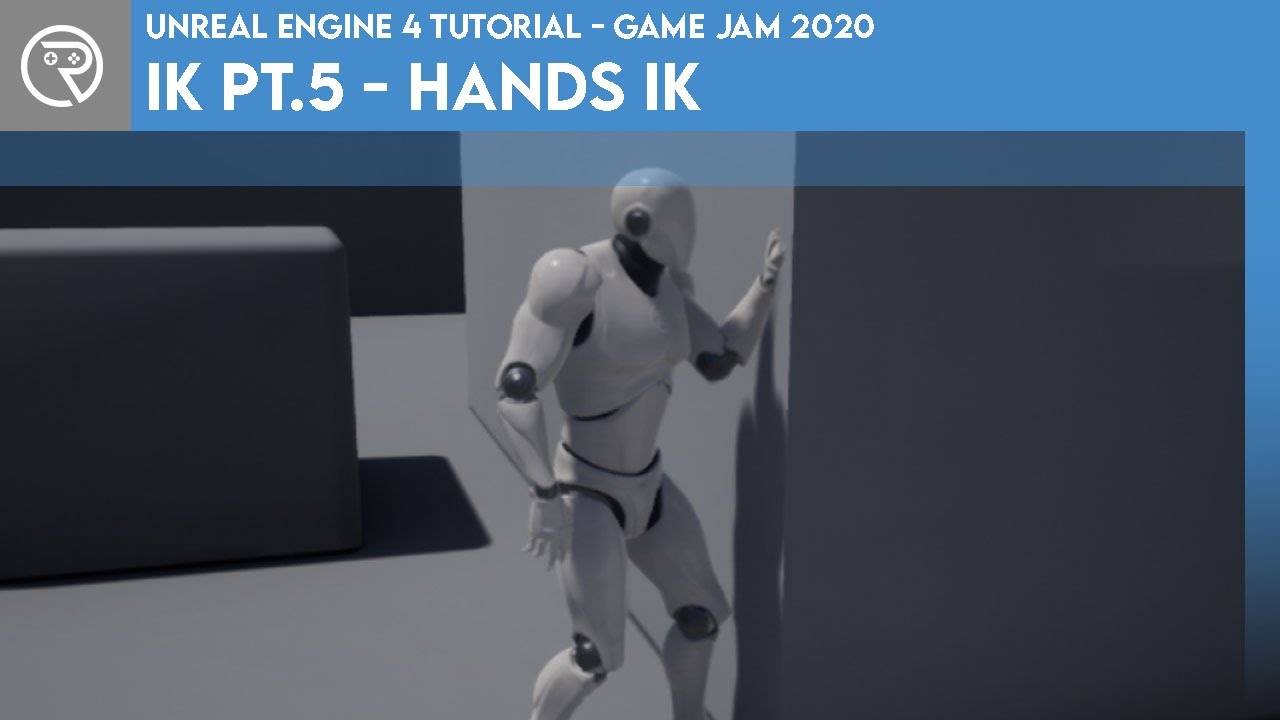
In this mini-series we go through what IK is and how it can be used to complete something like foot placement. In Part 5 we go through how to use the IK system to make the character automatically place their hands out in front to brace the wall in front.
Project files for this project are available on Patreon for Gold Patrons: https://www.patre...

Support the channel through donations. Crypto accepted!
PayPal: https://paypal.me/reidschannel?locale.x=en_US
Patreon: https://www.patreon.com/reidschannel
Bitcoin: 1JFwWHr4X6uAeoZadukzqKjzFBj3Qjy7Sk
Ethereum: 0x2B2Bc108F1Cc0fF899959dEF3226637787d8C3dE
Dogecoin: DNQ33YnhpWoTBokBNVkZP5ub8KTLkpyjpv
Join our community discord!
Discord: https://dis...
last gust
I've been working on creating an Aim Offset, but for some reason whenever I attempt to aim in game now the animations absolutely spazz out like this. Does anyone know what could be causing this?
 compact pebble
Question: how can i attach preview mesh to control rig, i want to animate gun on hands but idk how to attach preview mesh to socket so i can animate properly
ashen junco
compact pebble
Question: how can i attach preview mesh to control rig, i want to animate gun on...
Assuming you're animating in the map, it's the same as attaching an actor to another.
 blazing wave
Anyone know of a good tutorial for rigging a dynamic whip weapon that is not part of the charaacters skeleton?
ashen junco
blazing wave
Anyone know of a good tutorial for rigging a dynamic whip weapon that is not par...
The same way you would rig separate weapon skelmesh of other kind?
blazing wave
Ok cool so is there any good whip tutorials?
ashen junco
blazing wave
Ok cool so is there any good whip tutorials?
You could look for them yourself, but I'm assuming the basic is just close range forward hitscan/linetrace
 steep iris
Hey Guys! Anyone knows how to make ik spline rig works in backwards solve, so that I could bake animation sequence previously created, into my control rig in sequencer? I couldn't find any setup guide by reading official documentation. Thank you!
 tranquil pollen
better for animation TV show : USD and Datasmith Scene Exporter workflow ( Blender and Maya or Both)
 misty dagger
Hi everyone!
I made a kind space vehicle for a cinematic video for work. Currently i have my ship in seperate objects and im animating them for each (grouped) part of the ship. Which is ofcourse tedious.
Is it common to use an armature (bones) for vehicles? Or is there an easier way? Im lacking "terminology" to find what im looking for.
So if someone could just shove me in the right direction or documentation, would be massively appreciated 🙂
 foggy heart
Hello i want to start animating with blender for unreal engine 4 i want to make first person shooter animations so just maybe two arms holding a gun and then just simple walking animations at first would be glad if someone knows any tutorials or if someone did something similar and could now help me with that
and maybe something that i can combine with weapon sway
ashen junco
tranquil pollen
better for animation TV show : USD and Datasmith Scene Exporter workflow ( Blen...
USD might be a better option
I think Datasmith is more for static scenes
ashen junco
foggy heart
Hello i want to start animating with blender for unreal engine 4 i want to make ...
Look up general animating concepts and tutorials. FP animation is just the same, except you're not too concerning about full body motion.
Also weapon sway/saccade can be done procedurally with anim BP
Also practice, practice, and practice. First time round is going to shit, but appreciate and learn from every progress you made.
foggy heart
ashen junco
Look up **general** animating concepts and tutorials. FP animation is just the s...
i willl thanks!! i know it wont look like AAA animations but i really wanna start getting in to it i mean if you never start you wont make progress.
 jade bloom
how do you retarget animations where some bones are disregarding bone lenths?
i made an animation for first person hands, where I moved the clavicle bone reaaally far from its origin point. now I'm trying to retarget this animation to another skeleton, and I've set clavicle bones to AnimationScaled in both skeletons, but the new system based on retarget chains ignores it.
jade bloom
another question: why do fingers look okay in retargeting, but look horrible when using "compatible skeletons"?
i'm not using a custom pose for retargeting, i'm using the reference pose as is. skeleton options are all set correctly, etc.
it looks as if it's reliant on a bad reference pose, but it's not the case.


 dark vortex
I'm trying to animate an actor, then ragdoll him, then resume an animation - but I don't know how to reset the transform on the mesh - you can see here, i've frozen the pose after simulating physics - (the cube is to show the rotation of the mesh, it's a no-collide that's a child of the mesh, so we see the rotation is off) - when I turn off simulate physics and resume animating you can see the rotation has come along and messed things up


 brazen wharf
for modular characters, do i need a combined one to preview full body animations, or is there some other way to "assemble" them for preview from separate SKMs?
misty dagger
misty dagger
Hi everyone!
I made a kind space vehicle for a cinematic video for work. Current...
Anyone?
 dawn mountain
Hi all, does anyone have any experience with daz? I just transferred from daz to ue5 and there skeleton does not match ue5, maybe there is a magic checkbox I missed?
brazen wharf
no there isn't. DAZ skeleton will never match UE skeleton
 weary frost
Hi all, Could someone please recommend a guide or something on how to setup a locomotion for a character I understand the basics of how to configure it for backwards/forwards but its things like how to know if the character is backpeddling or if the character is strafing that a lot of them do not cover, I was hoping to get something which operated similar to Freedom Fighters so a character can run and lean whilst aiming etc in a TPS environment.
tranquil pollen
ashen junco
USD might be a better option
I think Datasmith is more for static scenes
I tried USD but it still fail to import character animation with scene. its importing only scene
 winged violet
If your game has a lot of character enemies, has using the animation sharing plugin noticeably reduced the performance cost?
Also if using it, would all of those enemies be playing animations completely in sync? (may look strange)
 woven peak
anyone know if it's possible to swap in realtime the Anim Class on a character? (in C++ if possible)
This thing, that link the Animation Blueprint to a character
 ashen junco
dawn mountain
Hi all, does anyone have any experience with daz? I just transferred from daz to...
ashen junco
dawn mountain
Hi all, does anyone have any experience with daz? I just transferred from daz to...
No magic checkbox. Ideally you want to re-rig it to match UE skeleton.
ashen junco
brazen wharf
for modular characters, do i need a combined one to preview full body animations...
For me, yeah, I use a proxy skelmesh to preview full body animation, and for UE4, I used it to sync modular skelmesh animation.
brazen wharf
the rig is full body. so i guess i have to export everything merge it, and reimport it for previews ;/
 static falcon

Have I done something wrong here
Actually setting the depth to 0 worked. What is the depth? Not sure I understand it.
static falcon
That's what I imagined, but it didn't seem to work
That bone has 10 children so I thought that'd work, but 0 works
ashen junco
static falcon
I forgot what it does, but IIRC it distributes the blend weight with that depth
static falcon
interesting... so if you wanna mask a bone chain except a couple you just gotta type em all in?
winged violet
Anyone know why the "Bake To Control Rig" option doesn't show my control rig even if it's set as the default animating rig in the skeletal mesh?
static falcon
Do you have the 'backward' solve node in your control rig graph?
 outer siren
Anyone know what this node does?
 ashen junco
outer siren
Anyone know what this node does?
outer siren
ashen junco
outer siren
Anyone know what this node does?
outer siren
Thanks!
winged violet
static falcon
Do you have the 'backward' solve node in your control rig graph?
not at the PC anymore but if I did, could that cause it to not show up?
Just wanted to edit an animation that was created with my control rig but I didn't save the original level sequence that it was animated with so need to tweak the anim itself
I got by with the auto FK posing in this case but I'd like to be able to use my rig in the future to edit anims
 white galleon
Hi everyone im extremely confused. So my anim BP shows up inside of my blueprint working just fine, but whenever in actually playing and not previewing its TPosing. I cannot figure out why.


on the first few frames it starts off in the pose then its gone

 slow timber
white galleon
Hi everyone im extremely confused. So my anim BP shows up inside of my blueprint...
slow timber
white galleon
Hi everyone im extremely confused. So my anim BP shows up inside of my blueprint...
Hi, Salzar, there's a lot of information missing. Can you post a gif or video of the issue?
QUESTION:
Greetings! And help:
What I would like to do is use my reference animations inside of the CHARACTER COMPONENT of their BLUEPRINT to be the transformation of the actor inside the game world once it’s spawned. I’m learning to orchestrate/coordinate multiple animations.
The issue is when I call for the relative transform from the parent, it never spawns in the right place; the place I’m attempting to reference.


 white galleon
slow timber
Hi, Salzar, there's a lot of information missing. Can you post a gif or video of...
white galleon
slow timber
Hi, Salzar, there's a lot of information missing. Can you post a gif or video of...
I’ll send a gif when I’m back at my pc, but essentially I’m using a linked anim graph on construction script. In blueprint editor, the animation actually starts to play fine. But in game, every character is tposing. I tried to move Link Anim Graph from construction script to begin play and neither that as well
slow timber
white galleon
on the first few frames it starts off in the pose then its gone
"on the first few frames it starts off in the pose then its gone" This is what confused me, that's why I asked for a gif/video.
white galleon
slow timber
"on the first few frames it starts off in the pose then its gone" This is what c...
slow timber
white galleon
Ah, in your character movement component, have you ticked "Use Acceleration for Paths "?
white galleon
slow timber
Ah, in your character movement component, have you ticked "Use Acceleration for ...
Yes
i notice when i disbale it, the ai doesnt move but the idle animation plays right
slow timber
I need to actually see what your project is doing. Are all of the characters related (as in, is the player character and AI children of the same parent?)
white galleon
slow timber
I need to actually see what your project is doing. Are all of the characters rel...
yes they are childs of the base character i made
slow timber
white galleon
yes they are childs of the base character i made
When you made the base character, it moves without a problem, yes?
white galleon
Yes
slow timber
white galleon
Yes
VERY strange. There's probably a box that needs to be ticked or unticked.
slow timber
white galleon
Yes
Do this, can you turn off simulation in the PLAY BUTTON.
slow timber
white galleon
still same thing
Unless someone has experienced this before, there's a whole checklist of possibilities. Give me 3 minutes to think, please.
white galleon
no worries, i keep looking thru all my anim bps and stuff as well, everything is firing off correctly
slow timber
white galleon
no worries, i keep looking thru all my anim bps and stuff as well, everything is...
Just to be clear, when you look at your character or the enemy AI in the viewport of their Blueprint, they are moving? They are not static.
?
white galleon
slow timber
Just to be clear, when you look at your character or the enemy AI in the viewpor...
yes

which is even weired
slow timber
white galleon
yes
I agree. I absolutely agree. Can I see your Event Graph?
white galleon
thats my begin play. The link anim class layers node is whats controlling my anims

but this is how i originally had it. and it worked before

now neither of the methods work lol
interestingly enough, it does seem like its only when walking, and since the AI is almost always walking thats probably the cause
hmmmmmm
slow timber
white galleon
hmmmmmm
INTERESTING. I've never used the "Link Anim", so I'm not sure how it works. However, your character is not updating their velocity to the movement blendspace.
slow timber
white galleon
hmmmmmm
When the character moves, its velocity is no longer "0", so Unreal has to pull the instructions from the ABP. But the instructions aren't being communicated. Can you check your movement blendspace?
white galleon
slow timber
When the character moves, its velocity is no longer "0", so Unreal has to pull t...
im gonna have to find it, its imported from lyra lol
slow timber
white galleon
im gonna have to find it, its imported from lyra lol
AH! You didn't tell me that!!! Oh, then there's a conflict. The issue could be a hidden function that is conflicting with your code. I always code from scratch, because when I imported code, it ALWAYS caused issues.
slow timber
white galleon
im gonna have to find it, its imported from lyra lol
And by "hidden" I do mean "hidden". As in "private".
white galleon
slow timber
And by "hidden" I do mean "hidden". As in "private".
i think theres some nodes that were broken lmfao, im fixing them rn
Only reason why im so confused is because it worked no issue before
slow timber
white galleon
Only reason why im so confused is because it worked no issue before
Absolutely. Just be verrrryyy careful importing code. I know you know this.
white galleon
yes ik its very very odd
i might just switch to another thing or make my own locomoation i was just lazy
plus lyras look rly good
fixed it for the most part some broken nodes, no i get an occassional A pose but i have to keep digging. Thank you very much!
 stoic kiln
Hope this is the right channel to ask about skeleton. I have bought a pack that has virtual bone attached to another virtual bone (pic1)
When I try to do that, I can't find the parent virtual bone in the list to attach it. Any idea what I am doing wrong?


 rustic hearth
Hi, how do I stop the animation from pivoting around the waist?
I imported this animation from mixamo
its trying to keep the pelvis bone stationairy

 rustic crane
im also interested in this fix
ashen junco
rustic hearth
I imported this animation from mixamo
from mixamo
That could be the problem in and of itself
 dry grail
When people say "the Epic skeleton", do they mean the skeleton used by the default player character in the 3rd person template project?
If so, how can I download it/import it to blender? Should I even be going out of my way to use it if I already rigged my model?
white galleon
can using root motion causing changing Max Walking Speed not to work?
 violet valley
anyone know the difference between using this with just the source ik rig, compared too the second picture where i make a target and source, then ik retargeter ? first way is alot easier then setting up one for each skeleton i have to retarget.. but i dont want to lower the quality they seem to come out fine.. but just wanna make sure im not missing somthing by skipping the second pictures process

 ashen junco
dry grail
When people say "the Epic skeleton", do they mean the skeleton used by the defau...
ashen junco
dry grail
When people say "the Epic skeleton", do they mean the skeleton used by the defau...
"Epic Skeleton" means UE4's Mannequin skeleton
Not sure if this shifted to UE5's couple mannequin
dry grail
From what I (think I) understand, as long as the bone names/hierarchy is more or less the same, any rig can be an "epic skeleton"
as far as animation retargeting is concerned
 clear dune
What I've done is create an animation montage, in which I split up the animation into smaller segments, giving different speeds for each. It's important to know the framerate of the source animation, because generally you're going to want to split it up when one frame ends and the next begins. In my experience, the animations I use are 30 FPS, so I end up putting an end time for one segment at something like "4/30"

Here's an example of how I changed the ramp-up on one of Feng Mao's attacks in order to create a greater sense of the use of a heavy weapon. Don't even get me started on how much of a pain it was to retarget Feng Mao animations
Unfortunately I don't know of a way to split an animation segment, so you'll have to re-drag it in from the content browser and manually adjust the start and end times. Also something to keep in mind, you can provide a negative play rate, which you to play the animation in reverse. This could be really useful if you're trying to make particularly creative use of a limited pool of animations. A hook punch can be reversed and its speeds changed to imitate a knife slash, if the knife is held in a blade-down grip.
slow timber
white galleon
fixed it for the most part some broken nodes, no i get an occassional A pose but...
Good to hear!
slow timber
white galleon
can using root motion causing changing Max Walking Speed not to work?
I just saw your second message. No, it doesn't. NOT having root motion possibly (because the actor is leaving its capsule). Root motion, on the other hand will not affect walking speed or walking speed animations. I'd have to go through your entire code to see what's going on. (And I may never find it because certain functions could be hidden) Importing Lyra is good for learning how Unreal Works, but not for creating your own programming.
 dusky jacinth
Why can I not get output pins to appear on my control rig node in an AnimBP?
 ashen junco
dusky jacinth
Why can I not get output pins to appear on my control rig node in an AnimBP?
ashen junco
dusky jacinth
Why can I not get output pins to appear on my control rig node in an AnimBP?
I think the variable can't be fetched in CR, it must be set by CR
dusky jacinth
I'm not understanding what you mean. I am inputting these variables fine into CR from AnimBP - I just can't get the CR-set values back out
misty dagger
I just created an vehicle in blender and parented parts to each other. How can i do that in Unreal?? Cant seem to easily parent objects....
static falcon
Make a blueprint and put the parts into it
misty dagger
I made control rig
but now how to animate it with morph target and I made a sequencer and added a camera but with control rig it is developing it's own sequencer
 vast canyon
Is it possible to put a socket on a bone, move the socket around, and have the bones attach to and follow that socket?
ashen junco
misty dagger
I made control rig
but now how to animate it with morph target and I made a sequ...
- In CR you can control skeleton curves, which typically is auto generated from morph targets.
- You can add CR track on existing sequencer. If you assign animating rig in the skeleton asset (if not the skelmesh asset), adding the actor in the sequencer track will automatically add the track for CR.
ashen junco
vast canyon
Is it possible to put a socket on a bone, move the socket around, and have the b...
Yes, but your proposed method will cause feedback loop, drifting the bone away as it follows the target socket attached to the bone.
misty dagger
ashen junco
1. In CR you can control skeleton curves, which typically is auto generated from...
did not get it
you wanna say I should add CR to the level sequence
ashen junco
Yes, it's that straightforward.
Although I'd recommend putting in the skelmesh in the map first, then make the control rig track for it
misty dagger
ashen junco
Although I'd recommend putting in the skelmesh in the map first, then make the c...
actually I made control rig but did not put any meshes in map
misty dagger
ashen junco
Yes, it's that straightforward.
what about morph target
I am really confused what to do
ashen junco
misty dagger
what about morph target
Control it with skeleton curves, you can control the latter in CR
misty dagger
ashen junco
Control it with skeleton curves, you can control the latter in CR
I have made CR
but have not added morph
I don't know how to add them
ashen junco
Again, control the skeleton curves. If the name matches with one of the morph target, you can control it in CR.
If that needs rephrasing, do let me know.
misty dagger
ashen junco
If that needs rephrasing, do let me know.
can I dm
vast canyon
ashen junco
Yes, but your proposed method will cause feedback loop, drifting the bone away a...
Any chance you have any tutorial on setting up so I can fiddle around please?
white galleon
slow timber
I just saw your second message. No, it doesn't. NOT having root motion possibly ...
Thank you, ya I was kinda using it as a place holder until I could create my own stuff
ashen junco
vast canyon
Any chance you have any tutorial on setting up so I can fiddle around please?
What system are you trying to make?
vast canyon
Agnostic skeleton ik where I can just put a socket on a bone and it'll have its lower bones follow but I'm starting to think it might not be possible without extension c++
ashen junco
vast canyon
Agnostic skeleton ik where I can just put a socket on a bone and it'll have its ...
What about world space target location? As in not dependant on where the bone is located like your proposed method
vast canyon
Can you go into more detail please? It's mainly, how can I identify which bones to start moving in children of the animation blueprint and when it's not got a starting skeleton at all, but the children will have a skeleton
 ashen onyx
Hello, I hope everyone is doing well 🙂
I'm trying to import an alembic file with multiple meshes, but I get an error message saying that the import fails. Does anyone know how to import multiple meshes as an alembic in Unreal? (I tested with a single mesh and it worked perfectly)
Thanks!
 spiral cloak
Hi all,
Is there a way to get skeletal meshes with cloth sim to work with morph targets?
For example, a non-cloth part that wants to utilise a morph target, but let the rest of the mesh with cloth sim just sim as usual?
rustic hearth
rustic crane
im also interested in this fix
Hope you enjoyed the new method and it made sense. Any issues pop a message here and il get back to you. If you want to see any other tutorials with UE4/5 leave a comment and sub.
found the fix
jolly hatch
Hey guys . Im having an issue here! I have a metahuman that I have a bool to switch the head bone control to a Control rig while active. But it was snapping the head and not smootlhy blending between. SO i ADDED THIS BLEND BY BOOL and it works When i activate it but snaps back when I deactivate it. even though I set it up to blend both ways on the same time.
 misty dagger
ashen junco
Again, control the skeleton curves. If the name matches with one of the morph ta...
misty dagger
ashen junco
Again, control the skeleton curves. If the name matches with one of the morph ta...
hey can you tell me why values are not changing in sequencer for morph targets

 keen harness
is there no backwards walking animation for the standart mannequin?
 frail snow
I have an .fbx of a gun with multiple pieces. When I import it, it gives me a bunch of static meshes. How do I create a single skeletal mesh out of them? I want to animate it with control rig
ashen junco
frail snow
I have an .fbx of a gun with multiple pieces. When I import it, it gives me a bu...
Do you have it rigged in your DCC tool?
frail snow
ashen junco
Do you have it rigged in your DCC tool?
No it's unrigged, I want to rig and animate with control rig
 ashen junco
Somewhat common misconception about Control Rig is that it can make a skeletal mesh from the ground up.
It's not.
What Control Rig can create is, well, control rig, rig of controls on top of existing skeleton.
frail snow
Oh, wow thanks! So I actually have to rig it in Maya/Blender, then import as a skeletal mesh, and create a control rig that hooks up to that rigged skeletal mesh?
I guess control rig is only for creating anims in game, has nothing to do with rigging
ashen junco
frail snow
I guess control rig is only for creating anims in game, has nothing to do with r...
Not for making skeletal mesh from scratch, no.
 bronze osprey
@frail snow https://youtu.be/EBu0ktvYxmo?t=1961

There's been a robot uprising and it's your job to stop it! What weapon will you choose? Why not make your own?
In this demo, given by Zak Parrish, Sr. DevRel Technical Artist, Epic Games, walk through the process of creating your own custom weapon mods for Epic's latest VR game, Robo Recall. Viewers will see how to easily create custom mods fo...
here he sets up anim of movin parts for a robo recall gun
also some other stuff, but the anim part is most def worth a watch if u gunna set up ur gun
the gun he uses is from twinbast paragon char. he also shows how to grab it from the twinblast skel
it has some neat tricks , doesnt keyframe the anims but uses timelines
also links stuff like the finger and the trigger get moved by the same timeline
frail snow
Very cool thank you!
bronze osprey
yea, ur gun seems to have a ton of parts... i would recommend grabbing the twinblast gun and just follow along
to get an idea how its weighted and how you might move the parts and how many parts you really need
even tho its made for roborecall , the gun BP and anim BP are fairly modular so if you make those u could use em for any kind of character
frail snow
Yeah this is perfect, looks like I just need to learn how to rig a gun, then I can hook it up to control rig along with the FPS arms to animate the gross motor control movement of the gun/arm manipulation. Then this vid will take me the rest of the way for animating smaller details that might be tied to programmatic variables, like maybe randomizing shell ejection direction/velocity
bronze osprey
shells should prolly be particle with physics
frail snow
Damn that's a good idea!
misty dagger
ashen junco
Somewhat common misconception about Control Rig is that it can make a skeletal m...
don't know what u saying
 vale widget
Hey!
How in the world can we animate a skateboard simulating physics?
I tried physical animations but the results are super unstable. Don't know what else to try.
Help!
dusky jacinth
How is it possible to get any value information out of Control Rig, aside from the final pose, in an animBP graph? Been slamming my head against this for days and I can't get anything out of it
ashen onyx
hey, i hope everyone is doing well 🙂
Im trying to export an alembic animations with multiple particles but when I import it inside Unreal, I get this error message: Failed to create asset... (see in the video)
(I also tried to merge all the particles into one object, when i do that the import works in unreal but its not usable anymore because i merged all the particle into one objects)
Am I missing something? Thanks!
 magic hull
I have a character that has a bunch of Mocap animation with a Center Root bone, I need this character to move with an object and then get off that object.
I set up constraints, I keyframe the constraints. Anytime the constraint is off the character jumps back to the start point of the constraint.
What am I doing wrong ? How should I think about this better?
 manic juniper
simple question that's probably been asked a thousand times, so forgive me for asking again, and thank you for simply typing 'yes' or 'no'
Can I use animations from the old UE4 mannequin for UE5's manny and quinn models?
frail snow
manic juniper
simple question that's probably been asked a thousand times, so forgive me for a...
I believe so, using retargeting
It can be a pain in the butt, but there are a lot of youtube tutorials for it
manic juniper
mmkay, thanks! yeah retargetting is something i haven't delved into yet
to youtube! 🤣
clear dune
I just discovered that you can customize an animation inside Unreal by keyframing bones within an animation sequence. This would’ve been a game-changer for me, until I realized it’s not available in animation montages, which I use extensively. I’d like to convert my montages into animation sequences, but the only way I know to do that is through recording, which relies on pressing the record and end button right at the start and stop, perfectly. Surely there is a better way. Any ideas?
PS: I am aware that I could keyframe the source animations that are used by the montages, but that isn’t feasible in a lot of cases, especially when sequence speeds have been dramatically changed, or the animation plays backwards at some point in the montage. Also, I believe it’s possible to trim a sequence, so maybe I could give a loose start and stop time and trim it after, but I believe the trimming is constrained to discrete frame numbers, and won’t work since the start time won’t be at an exact multiple of frame duration.
 drowsy inlet
anyone available as a tutor for UE? paid
 alpine pelican
just starting with animation in UE5
I tried changing the standard idle animation to this:

this is in the animation window
but in the animation BP window it looks like this:

i dont really understand why it does this
 long olive
which rig would be best suitable for models that include a RIG elbow bone from Blender?
ashen junco
alpine pelican
I tried changing the standard idle animation to this:
Have you tried Control Rig to make the animation from scratch?
alpine pelican
ashen junco
Have you tried Control Rig to make the animation from scratch?
what is control rig?
frail snow
alpine pelican
what is control rig?

Rig and Animate characters in real-time using Control Rig.
ashen junco
alpine pelican
what is control rig?
Also see pinned message
alpine pelican
thank you guys so much. I didn't even know this was an option
 sharp apex
ashen onyx
hey, i hope everyone is doing well 🙂
Im trying to export an alembic animations...
sharp apex
ashen onyx
hey, i hope everyone is doing well 🙂
Im trying to export an alembic animations...

 wheat badge
Hi, does anyone know how to do rewind of gameplay/animation like the how Rewind Debugger works but ingame at runtime? I.e to do time rewinding effect.
ashen junco
wheat badge
Hi, does anyone know how to do rewind of gameplay/animation like the how Rewind ...
Is it a linear game?
Theoretically you could make use of replay system, but I don't know much about the details, and it requires replication to work
frail snow
Does IK Rig Retargeting obsolete Animation Retargeting?
ashen junco
frail snow
Does IK Rig Retargeting obsolete Animation Retargeting?
IK Retargetting does substitute the old hard retargetting system (the latter of which cause heartburn to many)
jolly hatch
Anyone know whats causing my metahumans hair to flip out when they see me, all im doing is making them look at me which works fine but the hair 😠
 gloomy hatch
I duplicated an existing animation trying to edit it and the animation somehow plays, but there are no keyframes anywhere
i have no idea what's happening-
I tried even making an entirely new animation on it's own, but i couldn't even figure out how to change the length of the animation-
it seems to me like they completely messed up the entire animation system in UE5 lmao
"you can make additive edits and adjustments"
"tweak animations with additive layers"
.. so you can only add things to animations, and can't modify them..?
 heavy pewter
I've re positioned my skeletel mesh to be ready for retargetting and have saved, but when I make an IK rig out of it, it uses the original T-Pose?
ashen junco
gloomy hatch
I duplicated an existing animation trying to edit it and the animation somehow p...
Using Control Rig?
Usually that's up to the character class itself, but you can load the montages in advance.
 tepid vessel
wassup blender fam! how do i add old weights already inplace to a new bone?
ashen junco
tepid vessel
wassup blender fam! how do i add old weights already inplace to a new bone?
Wrong server.
tepid vessel
woops lol
ashen junco
What do you mean alternating?
 wispy seal
I have an animation that doesn't want to render from sequencer, it plays fine in my workspace but the export results in the blueprint model frozen in place. This is what my sequence looks like, I've been looking on forums for the past week and a half but haven't found anything that solves my issue. Any suggestions?
 ashen junco
wispy seal
I have an animation that doesn't want to render from sequencer, it plays fine in...
ashen junco
wispy seal
I have an animation that doesn't want to render from sequencer, it plays fine in...
Does it have any animBP overriding?
wispy seal
ashen junco
Does it have any animBP overriding?
No, the blueprint is just of the metahuman, it was untouched from after importing from bridge aside from removing hair LODs 2-8
clear dune
Is there any way to keyframe bones in an animation montage? Or convert a montage into an animation sequence, without using the Record functionality? The reason I want to avoid Record is because I lose the last frame of the montage due to it blending with whatever comes after (either montage start again, or default skeleton pose (T-Pose or A-Pose)). If anyone knows a way to record without this issue, that would also work. Any help would be greatly appreciated!
wheat badge
ashen junco
Is it a linear game?
Not a game really I just need the rewind capability like Rewind Debugger or Take Recorder for runtime
I just read somewhere Take Recorder can run ingame so gonna test and see if it works in package
ashen junco
wheat badge
I just read somewhere Take Recorder can run ingame so gonna test and see if it w...
Spoiler alert
||it won't||
ashen onyx
hey! did you manage to integrate cell fracture animation into unreal? I can't figure out how to make it work.
(Or if anyone find a workaround, a bit of help would be really appreciated 🙏 )
gloomy hatch
ashen junco
Using Control Rig?
Nope
wheat badge
ashen junco
||it won't||
I will make it run ingame 🙂
ashen junco
wheat badge
I will make it run ingame 🙂
Good fricking luck getting it work in packaging, as it's an editor plugin.

It'll work in PIE but doesn't necessarily mean it'll also work in standalone (cooked/packaged) build.
In case you think I'm bluffing, it's from the Takes.uplugin file, located in Engine/Plugins/VirtualProduction/Takes
wheat badge
ashen junco
Good fricking luck getting it work in packaging, as it's an editor plugin.
Ive managed to turn many editor-only features to work in package, the C++ can often just be converted unless it depends on platform specific libraries
It is actually not that hard, was just wondering if anyone had done it
 mild blaze
Is it possible to create an animation sequence in run time using blueprints?
frail snow
Trying to wrap my head around the Control Rig workflow. Do you just set up the skeleton and do skinning in Maya/Blender, then all the controls for animation in Unreal? I'm worried I'll mess up the skeleton or skinning and only realize it after I've set up the control rig in Unreal and started messing with the animations, then have to redo it all
 whole sphinx
For a quick complexe setup, with Idle, Walk, Jog with transition animations between them, is it better to groupe them in one blendspace 2D, or switch betweeen multiple blendspace 1D with animstate ?
Is there some exemple somewhere ?
 hazy gorge
Totally stuck on animation blueprint , I have a animation that flips direction intentionally in next state but when I play it it tries to flip it back to mesh in prior state , kind of like a walk cycle I want to ignore prior is that possible
 winged portal
Hi! one question about sockets
I have my skeletal mesh sword (I added 2 sockets for the trails)
On the character animation, i'm previewing the sword and trying to use those 2 sword sockets.
The trail works okey if i change the 2 sockets name to one in the character

 frail snow
hazy gorge
Totally stuck on animation blueprint , I have a animation that flips direction ...
frail snow
hazy gorge
Totally stuck on animation blueprint , I have a animation that flips direction ...
Don't loop?
hazy gorge

This is with montage
But in animation states animation blueprint it tries to flip the mosh I think to orient to first animation
slow timber
winged portal
Hi! one question about sockets
I have my skeletal mesh sword (I added 2 sockets ...
Sorry, what is your question?
Good Lord. I would edit bones in Blender NOT Unreal.
slow timber
whole sphinx
For a quick complexe setup, with Idle, Walk, Jog with transition animations betw...
"Quick, Complex" <-- That's not a thing, my friend. That said, a single 2d Blendspace should totally work, assuming the animations are fluid. All you'd need to differentiate between walk/run is a toggle key that you can set up in a Blueprint.
slow timber
mild blaze
Is it possible to create an animation sequence in run time using blueprints?
...yes... but it depends. What are you trying to have PROCEDUALLY GENERATED?
whole sphinx
slow timber
"Quick, Complex" <-- That's not a thing, my friend. That said, a single 2d Blend...
It's multiplayer, so the toggle key is not really a possibility but the setup is not the issue itself.
The question is more about transition between Idle -> Start walking -> Walking
and Idle -> Start Sprinting -> Sprinting
etc etc.
as the 2D blendspace, if i'm not wrong, doesn't allow this.
but triggering the animation is not really the question.
the question is more the setup of the state machine / blendpsace.
winged portal
slow timber
Sorry, what is your question?
My character has bones
My Sword (Skeletal mesh) has bones for the start and end of trail.
I want to use a Montage on my character that triggers a Trail and access the sockets on the sword, so i can use different weapons and they all use the same trail reference
is it possible?
slow timber
whole sphinx
It's multiplayer, so the toggle key is not really a possibility but the setup is...
The 2D Blendspace does allow for this. This is the case with the default 3rd Person Character's blendspace, which you can use as a parent for whatever characters you are using.
whole sphinx
slow timber
The 2D Blendspace does allow for this. This is the case with the default 3rd Per...
?
slow timber
whole sphinx
?
Ha. Okay. What version of Unreal are you using?
whole sphinx
5.0.3
To be more precise, i'm not unexperienced with unreal at all, got 6 years behind, i'm not sure i explain the issue properly cause... it's not exactly what i'm excepting as answer.
I'm not looking for blending between two animations, right ?
So, just let me try to explain more clearly, sorry if it wasn't the case :
slow timber
whole sphinx
5.0.3
Okay, so if you were to take one of the default Third Person Characters, you can use inheritance to create a child that will have all of the aspects of that parent, including its movement Blueprint. This Blueprint includes a 2D Blendspace with Idle --> Walk/Sprint transisitions. Take a look at the Animation Blueprint.
whole sphinx
slow timber
Okay, so if you were to take one of the default Third Person Characters, you can...
Yeah i think i explain it badly.
😄
slow timber
winged portal
My character has bones
OH! I think I understand what you are saying. Yeah, you should be able to, because sockets are just variables.
frail snow
whole sphinx
For a quick complexe setup, with Idle, Walk, Jog with transition animations betw...
Like this? https://youtu.be/q-nxHRPyee0?t=1000
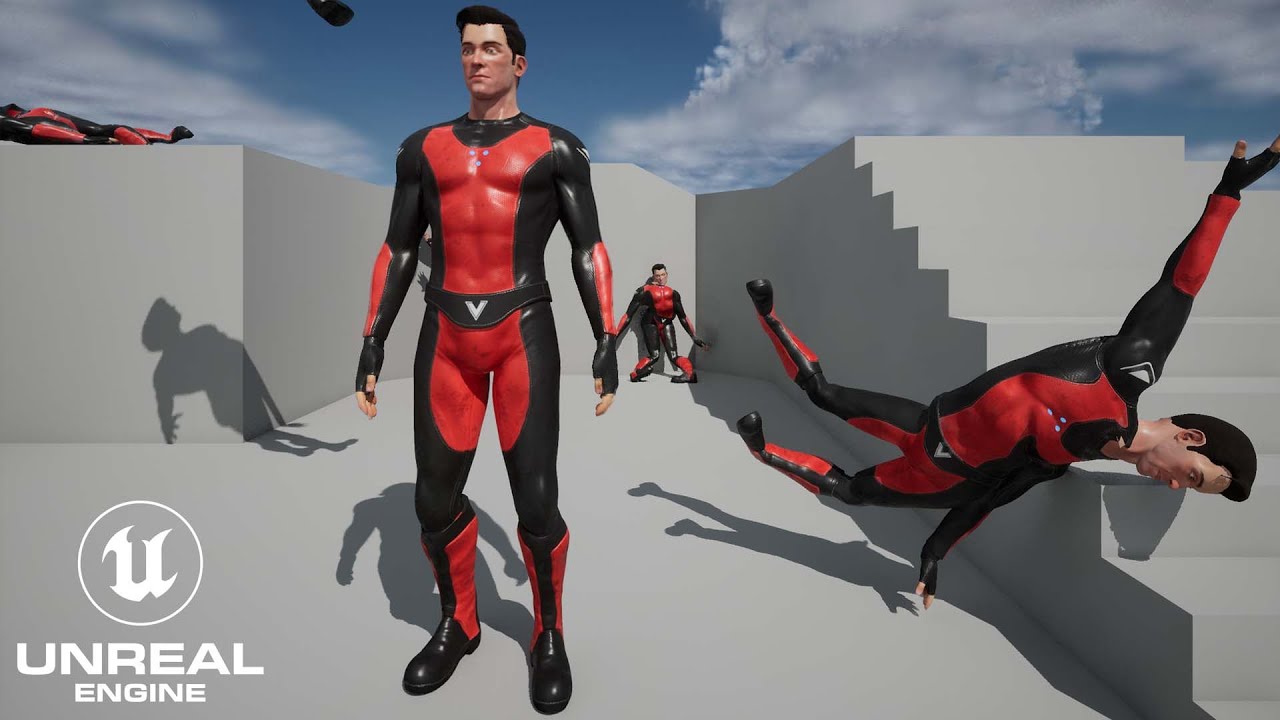
Mike shows you how to import Mixamo animations and rigs into unreal engine (UE5) to create games, cinematics and animations!
Superhero UE5 rig: https://rendercrate.com/objects/RenderCrate-Male_Superhero
Download 3D Models for Games Here: https://www.unrealengine.com/marketplace/en-US/profile/ProductionCrate
How to use PRE-MADE RIG! https://www....
slow timber
whole sphinx
😄
Am I understanding you?
whole sphinx
frail snow
Like this? https://youtu.be/q-nxHRPyee0?t=1000
Nope.
@slow timber i think it's more me who struggle to explain properly.
 leaden helm
Hey all, I'm looking for some guidance concerning blending animations. I've got some animation montages that are assigned to an UpperBody slot, and I've got that slot plugged into a Layered Blend by Bone node in the animation blueprint. However, the secondary animation never plays, the base locomotion animation is the only thing playing. I'm not sure if I'm missing something obvious, I can't say I'm super experienced with the animation side of things.
 whole sphinx
So, to be more explicite : We have an Idle animation.
On the end a Blendspace with all direction animation (right, left, sprint strafe, etc etc...)
But we have also an additional animation, "start sprinting", who give this nice and clean impulse of momentum. This is the setup for this one i'm looking for.
Hope this is more clear explain in this way.
slow timber
leaden helm
Hey all, I'm looking for some guidance concerning blending animations. I've got ...
Read the compiler notes!
leaden helm
Sorry, should have included that. I've got a "Source was visible but ignored" message, however I haven't had much luck finding a fix for that.
slow timber
whole sphinx
So, to be more explicite : We have an Idle animation.
On the end a Blendspace wi...
Oh, okay, so you do not want the character to go from "0" to "max speed" right away?
whole sphinx
slow timber
Oh, okay, so you do not want the character to go from "0" to "max speed" right a...
Exactly.
slow timber
whole sphinx
Exactly.
GOT IT!
whole sphinx
HAHAHA
😄
I think i should look on additive animation, but was not sure, it's why it was my ask.
slow timber
whole sphinx
HAHAHA
I'll do some research, because it's something I'll be interested in in the future.
slow timber
whole sphinx
HAHAHA
If you find out before me, can you tag me, please?
whole sphinx
Thanks, let me know.
Also if someone know a technical animator/animation programmer, we are looking for one (see #freelance-jobs).
Just in case, as it will avoid my dirty ass to do this stuff i'm not made for.
(and thank you very much for at least trying to help me @slow timber !)
slow timber
leaden helm
Sorry, should have included that. I've got a "Source was visible but ignored" me...
Ah, ugh. That's really annoying. Could be a PLETHORA of things. Have you gone through all of the states of animations?
winged portal
slow timber
OH! I think I understand what you are saying. Yeah, you should be able to, becau...
Do you know why it may not be working on this case?
The Sword has 2 sockets with the names on the picture, The montage is for the character.

(The sword is a preview)
Maybe i need to clarify that the weapons can change
slow timber
winged portal
Do you know why it may not be working on this case?
The Sword has 2 sockets with...
I need to see your blueprint of whatever is using these sockets.
winged portal
that's why i'm trying to grab the sockets of the weapon dinamically

that's the skeletal mesh of the sword
there's not much outside of those 2, just the montage playing and the trail not working
leaden helm
slow timber
Ah, ugh. That's really annoying. Could be a PLETHORA of things. Have you gone th...
These are all of the state machines I've got right now, if that's what you're asking.


And I've been pretty much just following epic's guide on setting up slots for animation montages, so I'm honestly not sure where I'm going wrong
slow timber
winged portal
What I mean is that you are assigning weapons to the sockets of a character, no? But to do that, it needs to be called in a Blueprint, unless, I'm not following you.
slow timber
leaden helm
These are all of the state machines I've got right now, if that's what you're as...
Did you make the character's animation Blueprint from scratch or did you add code to the premade one by Epic?
slow timber
winged portal
Even a montage needs to be encoded into a blueprint so it can be called.
leaden helm
slow timber
Did you make the character's animation Blueprint from scratch or did you add cod...
I duplicated the default animation blueprint used for the ue5 mannequin, and have been working from that
slow timber
leaden helm
I duplicated the default animation blueprint used for the ue5 mannequin, and hav...
That's your problem. They have some pretty complex coding that you're likely breaking, and/or there are functions that they have kept PRIVATE that you cannot edit.
leaden helm
Ah well that would do it. So creating a new animation blueprint should likely fix things?
slow timber
leaden helm
Ah well that would do it. So creating a new animation blueprint should likely fi...
Hell yes. I never import code that I plan to edit.
That's why working on a team that codes is soooo difficult; because many aspects are intentionally hidden.
leaden helm
Alright, that definitely makes sense. Thanks for the help!
winged portal
slow timber
What I mean is that you are assigning weapons to the sockets of a character, no?...
Oh yeah, they are being assigned to the SM of the character, let me show you.
I just wanted to clarify that the sockets are on the weapons and not on the character.
Here is where the meshes are equipped
 slow timber
winged portal
Oh yeah, they are being assigned to the SM of the character, let me show you.
I...
slow timber
winged portal
Oh yeah, they are being assigned to the SM of the character, let me show you.
I...
Ah, they are on the weapon, not that character! That is interesting!
slow timber
winged portal
Oh yeah, they are being assigned to the SM of the character, let me show you.
I...
I'm using the bathroom, brb.
And making tea.
winged portal
yeah, I'm trying to find a way to do it like that, so i can equip different weapons and they all have their different "Trail_Start" "Trail_End"
np, thanks!
slow timber
Not at the same time.
winged portal
I'm no one to judge, I regularly eat while using the bathroom.
slow timber
winged portal
I'm no one to judge, I regularly eat while using the bathroom.
Good Lord. I just saw your response. (Okay, examining your code).
Omg, your lines are hard to follow. A few questions: The spawned actor is the weapon? (With the sockets)? The target is the weapon, and the parent is the character? It looks like you're attaching the weapon to its own socket, which doesn't make sense. You have to attach the character to the socket(s) of the weapon, if anything. Not sure if the results would look good, though.
slow timber
winged portal
I'm no one to judge, I regularly eat while using the bathroom.
It might be better to put the sockets on the active actor (the player character) instead.
 grim acorn
I have a root motion animation in sequencer that resets back to it's starting point. How do I have the static mesh move with the animation? Here is shot of the last frame of the animation and then the next frame as I try and extend the animation:

 slow timber
grim acorn
I have a root motion animation in sequencer that resets back to it's starting po...
slow timber
grim acorn
I have a root motion animation in sequencer that resets back to it's starting po...
Can you post a video, please?
leaden helm
Alright, I'm all sorts of confused. I've created a fresh animation blueprint, and I've still got the exact same issue. I based the state machines and logic on the existing default animation blueprint, but it should be completely fresh, so I'm not sure what the problem is.
winged portal
slow timber
Omg, your lines are hard to follow. A few questions: The spawned actor is the we...
it's that way because it also works for Armor, boots, pants, etc. They are all skeletal meshes.
winged portal
slow timber
It might be better to put the sockets on the active actor (the player character)...
That's what i'm trying to avoid, if i do that, i have to setup one pair of socket for every type of weapon (dagger, mace, sword, wand, etc) because they all have different length.
And also i'm required to make all Weapons type the same "Length" so they fit the premade sockets.
If it's possible to do it dynamically, it would be great. even if it takes time to setp
grim acorn
slow timber
Can you post a video, please?
Thanks for taking a look!
mild blaze
slow timber
...yes... but it depends. What are you trying to have PROCEDUALLY GENERATED?
no a normal one
mild blaze
slow timber
...yes... but it depends. What are you trying to have PROCEDUALLY GENERATED?
I just want a button which could be pressed bu user and there will be a 5 sec video (avi) i ndirectory
mild blaze
mild blaze
I just want a button which could be pressed bu user and there will be a 5 sec vi...
no camera movements
brazen wharf
i doubt that there is an easy solution to this which doesn't involve a 3rd party addon
slow timber
leaden helm
Alright, I'm all sorts of confused. I've created a fresh animation blueprint, an...
Ay-yay-yay. The best course of action would be to post on the Official Unreal Engine Forums. There are a lot of devs there and you may get lucky. This is an issue beyond my scope. Probably a really simple fix, just that I'm missing the logic to point to it. This is an issue that's been persistent for a while: https://forums.unrealengine.com/t/source-pose-was-visible-but-ignored/78222/3

Unreal Engine Forums
Where do I find the reference pose? When I drag in the Pose Asset in from the Asset Browser, the node I had before appears.
slow timber
winged portal
That's what i'm trying to avoid, if i do that, i have to setup one pair of socke...
Got it. You want to have your cake and eat it too! There may be an elegant shortcut, but this is typically the reason why smaller studios usually limit the amount of weapons made available to the player.
brazen wharf
you can put sockets on the weapon meshs and use them to line up
slow timber
winged portal
That's what i'm trying to avoid, if i do that, i have to setup one pair of socke...
What tutorial did you use for this methodology?
slow timber
brazen wharf
you can put sockets on the weapon meshs and use them to line up
Is his coding correct? I haven't tried it myself.
brazen wharf
haven't looked at any code
slow timber
brazen wharf
haven't looked at any code
Look up earlier in the convo. It's not far.
slow timber
mild blaze
I just want a button which could be pressed bu user and there will be a 5 sec vi...
Okay, you can create an ANIMATION MONTAGE that will loop and cause the animation to continue forward.
slow timber
brazen wharf
haven't looked at any code
winged portal
brazen wharf
you can put sockets on the weapon meshs and use them to line up
Can you explain in more detail? I already have 2 sockets on the weapon mesh, but I don't know how i can use them on the montage for the trail
brazen wharf
i don't have time rn to get into it, sorry
slow timber
winged portal
Can you explain in more detail? I already have 2 sockets on the weapon mesh, but...
Post onto the Unreal Forums. A floating dev should come by and help you. If you're really lucky, you'll get "LFA".
mild blaze
slow timber
Okay, you can create an ANIMATION MONTAGE that will loop and cause the animation...
Can it be rendered and exported?
slow timber
mild blaze
Can it be rendered and exported?
It should. As long as you set the first frame of the animation as the current location.
slow timber
mild blaze
Can it be rendered and exported?
If you don't then the montage will reset.
brazen wharf
from what i understood he wants to do some kind of screen capture and export it as encoded avi file...
winged portal
slow timber
Post onto the Unreal Forums. A floating dev should come by and help you. If you'...
Just posted one, any help is really appreciated ♥
some pointer only would be ideal
slow timber
winged portal
Just posted one, any help is really appreciated ♥
Keep in mind, there are so many ways to do things, and the way you attacked this issue is unfamiliar to me (I haven't used those functions yet). Hopefully someone catches on soon.
slow timber
winged portal
Just posted one, any help is really appreciated ♥
Also, what's the link to your question? I want to follow.
winged portal

Unreal Engine Forums
Hi everybody! I’m trying to add a trail on my animation montage. My setup is the following: One Skeletal Mesh for the character One Skeletal Mesh for each Type of weapon (Dagger, Sword, Wand, Axe, etc). On the animation Montage that runs on the character skeletal mesh, I want to reference the 2 Sockets that are on the Weapon (Trail_Base / T...
winged portal
slow timber
Keep in mind, there are so many ways to do things, and the way you attacked this...
it's really practical to add skeletal meshes to the character for armors and etc, I think i copied it from the MultiplayerARPG template
ashen junco
whole sphinx
For a quick complexe setup, with Idle, Walk, Jog with transition animations betw...
In my case, it's close to the latter.
I never used BS2D that much, but I'm making (currently) experimental, more procedural way to do the transition between loco states
ashen junco
leaden helm
Sorry, should have included that. I've got a "Source was visible but ignored" me...
You plugged nothing in the UpperBody slot node.
ashen junco
mild blaze
Can it be rendered and exported?
You can't export video files in runtime.
...at least not without saving every single rendered frame into picture file, and sideload encoder to stitch the image sequence into a video file, which is not something built into Unreal without using any editor code.
However, there is a catch: if the framerate is not constant throughout, you may have frame pacing issues in your resulting video. Games like GTA V rectified this by using fixed framerate when exporting from Rockstar Editor, but no interactive gameplay can be done while rendering (which is fine since gameplay actions are recorded beforehand).
winged portal
slow timber
Also, what's the link to your question? I want to follow.
I may have found a way.
I'm gonna try to create a Anim Blueprint Notif.
From there Grab the owner of the mesh (the character) and ask them for the sockets of the sword and try to run a Trail inside that blueprint for that state
slow timber
winged portal
I may have found a way.
I'm gonna try to create a Anim Blueprint Notif.
From t...
Let me know how it goes!
 strong finch
im trying to play a level sequence i made every 10 minutes (some birds flying in the background) but im not quite sure how to dit. Any help woudl be appreciated!
ashen junco
strong finch
im trying to play a level sequence i made every 10 minutes (some birds flying in...
Why not using particle system for that?
Particle systems have less things to worry about compared to level sequence, not to mention you can do cool tricks like dynamic amount, boids, etc.
Especially in the context of background avians flying around
 winged portal
slow timber
Let me know how it goes!
winged portal
slow timber
Let me know how it goes!
I think i found a way, but not sure i'm using "Begin Trails" Correctly.
Do you know what may be wrong here?

And this are the sockets on the Weapon skeletal mesh

it's going all the way up into "Begin Trails" (All is valid) but the trail does not starts
strong finch
ashen junco
Particle systems have less things to worry about compared to level sequence, not...
I’m sure but I don’t know how to use particle systems and I already built the level sequence 😅
ashen junco
strong finch
I’m sure but I don’t know how to use particle systems and I already built the le...
Well, you can look up for Niagara basics tutorial, change the sprite particle to mesh renderer using bird mesh, limit the spawn rate to be instantaneous, and you could call it a day from there.
frail snow
strong finch
I’m sure but I don’t know how to use particle systems and I already built the le...
https://youtu.be/IDNi0plxIXE?t=3120 Here's a flocking birds with Niagara tutorial
In this inspirational video, Matthew Doyle demonstrates how to use animation tools in Unreal Engine to tell a story and add life to your projects. Learn how to use the Atoms Crowd framework to populate city streets with animated crowds and use the engine’s core tools to add effects to people, birds, vehicles, and environmental objects.
Time cod...
slow timber
winged portal
Hmm... have you simulated/run this code to follow the orange highlighted execution bars that travel through your blueprint nodes? As a debug, I mean. It does look good! But you'll only know if you don't see those orange bars making it all the way to the end.
winged portal
slow timber
Hmm... have you simulated/run this code to follow the orange highlighted executi...
Yeah, it does reach the end.
I ended up finding that problem (the particle system needed to be under the mesh for the "Begin Trails" to work.
so i can make it work on the character mesh alone using it's sockets.
But can't make it work on the Sword Mesh alone yet, most likely a problem with the sockets
slow timber
winged portal
Yeah, it does reach the end.
I ended up finding that problem (the particle sys...
HA! Ugh. Always the little things.
winged portal
i'm going to fix that tomorrow and the system will be done I guess and it can put custom trails on any weapon dynamically.
slow timber
winged portal
i'm going to fix that tomorrow and the system will be done I guess and it can pu...
You can't get it to work on the sword mesh alone... is that because the sockets are parented to the Player? I need to look at the original BP.
slow timber
winged portal
i'm going to fix that tomorrow and the system will be done I guess and it can pu...
I just looked; yeah, it's parented to the Character Mesh.
winged portal
slow timber
You can't get it to work on the sword mesh alone... is that because the sockets ...
Haven't tried with the Sword skeletan mesh alone, I did tried with the Sword mesh added to the character mesh
I also tried with adding some random cubes to the 2 sockets of the sword (while attached to the character)
and they either stay on the same exact position the two or they are all over the place in the map
slow timber
winged portal
and they either stay on the same exact position the two or they are all over the...
That's something I totally would have done myself.
winged portal
so probably the sockets on the weapon are wrong, don't know why.
slow timber
winged portal
so probably the sockets on the weapon are wrong, don't know why.
I think you need to take some time away from this. Come back to it tomorrow. Something may click. If I think of something, I'll pass it to you. But, I believe, you're having issues with the separation of the trail because they're all parented to your player character, and not the weapons, themselves.
winged portal
slow timber
I think you need to take some time away from this. Come back to it tomorrow. Som...
Yeah, i can check this tomorrow with the weapon alone separated from the character.
I'm going to sleep a little bit, I have been sick af the last days and i'm not used to being sick, i can barely think
slow timber
winged portal
Yeah, i can check this tomorrow with the weapon alone separated from the charact...
Well, that's not helpful at all. Get some rest. Maybe a "birdy" is going to visit your UE Forum post in the interim.
slow timber
 brazen sluice
This seems to be a common issue: https://discordapp.com/channels/187217643009212416/221798806713401345/1028425080855859250
ashen junco
<@&213101288538374145> phishing link
 south gazelle
i got a problem,
my bones became cluttered when I imported the fbx file into unreal

Is it because of the group or the constrain?
misty dagger
Hi everyone, what's the recommended practice on
Playing AnimMontages through pre-defined animation slots
Versus
Using Animation Layer Interfaces and linking AnimBPs to play animations
?
Any advantages to using one over the other? I reckon Anim Layer Interfaces give you another layer of abstraction from the actual animation being played and allows for more control in the linked AnimBP? Any caveats to exclusively using Anim Layer Interfaces?
queen matrix
Hey, a friend of mine is having an issue with a his skeletal mesh he's made, even though it's made 1 to 1 for UE4 skeleton the final result is slightly offset in from the original mannequin. Any idea on what could be causing that?

they should overlap each other

same issue with another character here
 ashen junco
misty dagger
Hi everyone, what's the recommended practice on
> Playing AnimMontages through p...
ashen junco
misty dagger
Hi everyone, what's the recommended practice on
> Playing AnimMontages through p...
The former would be easier to manage for one shot animations.
I never used the latter that much, but I think animBPs can be a bit costly.
If in doubt, always profile.
ashen junco
south gazelle
Is it because of the group or the constrain?
Are you using Blender?
ashen junco
south gazelle
Is it because of the group or the constrain?
Looks like the control bones got carried over in the FBX
south gazelle
ashen junco
Looks like the control bones got carried over in the FBX
i use maya,you mean root bone?
ashen junco
south gazelle
i use maya,you mean root bone?
I don't use Maya, so I don't know what's the parallel. But I mean the bones to control other bones
At least in Blender you can unmark those bones as Deform, and in turn isolate only ones marked as Deform to be exported
south gazelle
you mean parent bone? i will try to delete some bone,thanks a lot
winged portal
slow timber
Well, that's not helpful at all. Get some rest. Maybe a "birdy" is going to visi...
In case you are interested, i solved it.
The problem was the following:
When you set master pose component, you loose all the skeletal mesh and the ability to do physics.

The solution was: Not set master pose component for the weapons (Only for the body parts) and to trigger the trail, use a Animation Notify State that will tell the owner of the mesh to start a trail on the weapon.
That way, the trail will use the sockets of the weapon as reference and not the ones on the character
stoic kiln
Q: I have a "gun fire" animation which pushes the character's arms and shoulder back a bit. Worked great, but when I implemented the ability to look down and up, it still pushes the character shoulder "back" regardless of the gun angle.
Is there any way to make the fire anim montage rotate with the gun bone? Or should I make Fire_UP and Fire_Down and lerp between them?
mild blaze
ashen junco
You can't export video files in runtime.
...at least not without saving every s...
any way we could record the screen via press of the button?
 formal sonnet
rigidbody dynamics or cloth sim which one is cheaper performance wise?
slow timber
winged portal
The solution was: Not set master pose component for the weapons (Only for the bo...
I archived the solution in my Unreal Account because I'm likely going to encounter a situation like this in the future. Thank you, and WELL DONE.
winged portal
mild blaze
any way we could record the screen via press of the button?
Gyazo / Obs
 strange island
i am working on an anim graph, idle/run state... how can the "greater than zero" give false when the input is way above that value?

 severe pelican
Heya everyone. I'm transmitting some global transform variables from my player BP to my animBP, which then send those variables directly to a control rig for IK. At runtime, however, the control rig is flung a mile away from the playerBP. It works fine when simply using a control rig component, but when an AnimBP is involved it gets confused.
It's all global variables, this is really confusing
frail snow
Put breakpoints in the anim BP to make sure the values are what you expected
 sharp coyote
So I bought a pack that contains a character with wings and it also contains the wings mesh separately to use as well. I'd like to attach the wings to my own characters and attaching them and making them play the appropriate animation is the easy part for me
'problem' is though the wings sort of float because of the way the animations were designed. Do I need to do some blender magic to make them not float up and down or can it be done in unreal 4?
like can i lock the spine or root bone from moving inside unreal 4 im guessing thats what id need to do but im not sure
 visual igloo
what does epic use now that artv1 is retired?
 strange nebula
it stops working in what way? those nodes have very specific rig layout requirements
it already does that ... did you even look at the node? you think you're smart except for the fact that you missed that this is exactly what stride warping does
 inner oyster
not really sure where to ask this but I'll just ask this here

what's the difference between these two?
there're options to see the skeletal mesh and move it around to fit with my animation
ashen junco
inner oyster
Left: spooky Skeleton
Right: Skeletal Mesh
The skeleton is the hierarchy of the bones, while the skeletal mesh is the skinned mesh weighted to some or all of the bones in the skeleton.
inner oyster
umm so basically skeleton is just more detailed?
sry I'm really new to this
but regardless of which one I use to change the skeletal mesh rotation by a bit, it'll result in the same effect right?
 vague brook
After animation retargeting, Do I just need to create an animation blueprint for my new character skeleton in order to use them as my player character?
severe pelican
Hey guys, how do you use the FABRIK node? it seems to be different in control rigs vs animbp

what are the items?
 random hatch
HI Guys, anyone know where to get ANimations of a player taking a npc fromthe floor , shoulder it ,walk with it and drop it?
vague brook
Any idea why this happens when switching my character mesh? (I have a camera mounted to the head)
 random hatch
missing camera socket/Bone on the mesh?
south gazelle
i dont understand delta(rotator) node.mean actor rotation minus smoothed aiming rotation?

 weary lily
I'm trying to import an animation with blendshapes but no luck. The skeletal mesh has the correct attributes because I can see them in the editor. I'm using Maya btw
mild blaze
Player side
ashen junco
mild blaze
Player side
Tell them to use screen recorders when they ask, if you don't want to go GTA5's Rockstar Editor route (which is basically replay system, and not immediate)
static falcon
south gazelle
i dont understand delta(rotator) node.mean actor rotation minus smoothed aiming ...
Yes. It might always be positive though, not sure
ashen junco
ashen junco
Tell them to use screen recorders when they ask, if you don't want to go GTA5's ...
Now that I think about it....
I guess I should prototype together the replay rendering system
frail snow
inner oyster
umm so basically skeleton is just more detailed?
Skeletal mesh includes "skinning" which is vertex painting that weights how much each part of the mesh (the triangles) is affected by skeletal movement of each bone. Skinning is typically done in programs like Blender or Maya, after the skeleton is set up
winged portal
Hi!
Does anyone know if there's a way to shorten the montage blend time based on the play rate?
Higher play rate = Less montage duration = less blend time
misty dagger
hey I am using morph to animate facial expression and wish to animate it with audio any tips on it because it isn't looking much cool
need help with lip sync
ashen junco
misty dagger
hey I am using morph to animate facial expression and wish to animate it with au...
Pretty much the same with animating with audio cue in other animating tools.
Though for lipsyncing, you could use some procedural solutions, but I won't get into the details on it, as there are many ways to do so.
misty dagger
ashen junco
Pretty much the same with animating with audio cue in other animating tools.
Th...
need help with anything do I need to it manually for each wave
it is really confusing
can you tell me some ways I will try
ashen junco
misty dagger
need help with anything do I need to it manually for each wave
You can manually lipsync if you want to go that route, that's what I did for my non-game projects.
misty dagger
it is so tiring it isn' fitting well
the problem is that
and it isn't looking convincing
ashen junco
Same goes with the whole process of animating, really. It can be tedious, but you gotta keep working on it and iterate upon.
misty dagger
ashen junco
Same goes with the whole process of animating, really. It can be tedious, but yo...
okay
misty dagger
ashen junco
Same goes with the whole process of animating, really. It can be tedious, but yo...
can we make more morph target in unreal?
ashen junco
misty dagger
can we make more morph target in unreal?
No, that'd be something made beforehand in DCC tool of choice
misty dagger
ashen junco
No, that'd be something made beforehand in DCC tool of choice
oh cool
stoic kiln
Any tips on fixing the reload animation when the gun is pointing up or down? https://www.youtube.com/watch?v=DoYwa0pZBB8
 lucid meadow
Hey everyone I have a technical animation question. I setup an animation system and did a climbing logic where it checks the height of the wall and plays 2 different animation montages. At first when the animation was playing at the end of the climb the character would fall down under the ground and teleport back, so i lowered the Blend out in the montage to 0.1 for each. That solved the issue of falling down but now I have this weird looking animation at the end. The character kind of freezes and teleports back in position. Do anyone have any idea what could be causing this and any solution ?
https://i.gyazo.com/1c104a56f40cd6e01deba8b5ca9b570b.mp4
 storm veldt
Has anyone here had in industry experience making diorama animation for crowd simulation games?
Looking for some guidance
 past sphinx
Hi everyone, I would like to create a bicycle chain rig in unreal engine to use in the sequencer. The way I do this in blender or Houdini is with a geometry chain curve deformed along a path. I then animate the offset in relation to the crank turning around and it looks like the chain is moving with the crank. How would I do this in unreal ? I need it to be high quality to an animated texture isn't going to do it. Any suggestions greatly appreciated.
 feral trellis
does anyone know is kubold animset pro works with ue5 metahumans?
mild blaze
ashen junco
Tell them to use screen recorders when they ask, if you don't want to go GTA5's ...
Okay
 rancid iron
Is there any reason as to why Blend pose 0 is not working? Checked joint names, checked input values, even set them manually and for some reason blend pose 0 NEVER engages. Even re did the animations. rebuilt the layered blend... The only thing was I deleted the old skeletal mesh and replaced it. Could this be the issue? Do I need to try making a whole new animation BP?

 lethal blaze
Has anyone here gotten a crash from exporting retargeted animations? it seems to be a recent issue with few solutions (UE5)
 fiery snow
Is something like this possible in ue5 or is there a plugin like this? https://www.youtube.com/watch?v=HvEI9yD0q-I

Simplicage is a Blender addon to quickly generate physics-ready (through Blender cloth physics) cages for your models.
Available on Gumroad and blendermarket:
ashen junco
fiery snow
Is something like this possible in ue5 or is there a plugin like this? https://w...
5.1 supposedly going to have that feature.
https://portal.productboard.com/epicgames/1-unreal-engine-public-roadmap/c/818-character-deformation-improvements
fiery snow
ashen junco
5.1 supposedly going to have that feature.
https://portal.productboard.com/epicg...
Good to know thanks. Is it in the 5.1 preview build?
ashen junco
fiery snow
Good to know thanks. Is it in the 5.1 preview build?
Don't know yet, I'm still trying to get my custom plugins to compile in my custom 5.1 lol
fiery snow
ashen junco
Don't know yet, I'm still trying to get my custom plugins to compile in my custo...
Ok. Thanks.
misty dagger
Hi everyone, what's the best practice for dealing with IK bones when using "layered blend per bone" (LBPB)?
I've got IK bones on my Skeleton's legs, hands and pelvis. I have a punching and running animation imported from blender. I want to punch while running, so I used LBPB between upper/lower body animation slots. I had to add the spine bone, as well as all IK bones (since they're parented to the root bone) to LBPB to make it work, so that the punching animation can take control of the upper body and hands.
However, I also have a small "bounce up and down" in my running animation (by animating the pelvis IK bone). Since the upper body is controlled by the punching animation, the hand IKs do not receive this "bounce", which breaks the hands apart while running.
Is LBPB the wrong tool for this? Should I work with blend masks and additive blending instead? Appreciate any hints
Another idea I had is not to animate the "bounce" with the pelvis bone but the root bone, is that the correct approach maybe?
storm veldt
Has anyone here had in industry experience making diorama animation for crowd simulation games?
Looking for some guidance
 proper token
is it possible to create from the scratch inside UE5 Animation Sequences? I know I have the key-frame animation option (this is how I'm doing a project right now), but I'd love to know if I can create the sequences inside UE5, without going out to do it
ashen junco
proper token
is it possible to create from the scratch inside UE5 Animation Sequences? I know...
Have you tried control rig and sequencer? That'll allow you to make animations in editor.
proper token
ashen junco
Have you tried control rig and sequencer? That'll allow you to make animations i...
yep (this is the key framed feature in the sequencer, right?), what I want is to create with the rig my own pack of animations specifically for a character (walk, sit down, etc) to create a whole animation but without leaving UE5
https://docs.unrealengine.com/5.0/en-US/animation-sequences-in-unreal-engine/ - my intention is to create each of them, like this, inside UE5 (if is possible)
ashen junco
proper token
yep (this is the key framed feature in the sequencer, right?), what I want is to...
See very top pinned message for info on CR and in-editor anim making.
proper token
ashen junco
See very top pinned message for info on CR and in-editor anim making.
yay! the answer was there! thank you very much! I'm new to UE, but I've completely fallen in love with everything; special mention to the community and documentation ❤️
 brazen seal
Hi everyone,
I am learning to work with UE5 and working on the third person FPS tutorial.
I am running into an issue where my character would shrink to zero and then back to one at the end of the jump animation and I can't seem to figure out why. The animations seem to play fine when I test them out of play mode.
 misty dagger
hey I wish to animate my character writing on a paper can anyone help me out
ashen junco
misty dagger
hey I wish to animate my character writing on a paper can anyone help me out
Either fake the motion, or have a gradient map to resemble handwriting gradually drawn
But tbf not many animations (especially game animations) actually show handwriting in full anyway, even the likes of Red Dead Redemption 2
misty dagger
ashen junco
Either fake the motion, or have a gradient map to resemble handwriting gradually...
I wish to fake the motion
so it's easy for me
misty dagger
ashen junco
Either fake the motion, or have a gradient map to resemble handwriting gradually...
have a gradient map to resemble handwriting gradually drawn???? what's this never heard
ashen junco
misty dagger
have a gradient map to resemble handwriting gradually drawn???? what's this neve...
Well, the gradient map technique isn't a new technique per se, but applying it for handwriting (and matching it with the hand motion) is much more difficult to produce.
misty dagger
ashen junco
Well, the gradient map technique isn't a new technique per se, but applying it f...
okay I just want to create an effect like it seems the character is just writing and is just going on and on...
ashen junco
You can get away with the character hand scribbling from left side of the page to the right side, then wrap down, while hiding what the character's writing away from camera until it's finished.
Though some games/animation will show the handwriting in process for few split seconds to convince the audience even more, but not the entirety of what's written
misty dagger
ashen junco
You can get away with the character hand scribbling from left side of the page t...
yupp
I want only basic one
south gazelle
hi guys ,im learning AdvancedLocomotionV4 systerm,
i feel confused about some question,why use three layer blending animaiton? People tell me that doing this animated blending effect is more flexible,Why?
Thanks for any answers


 broken fjord
Hey, everyone. Just wanted to ask this. If I am creating a shortfilm on UE5, what is the process for creating the animation for characters, vehicles, etc. Do I create all the animations on the 3D software and then export it to the game engine? Thanks.
ashen junco
south gazelle
hi guys ,im learning AdvancedLocomotionV4 systerm,
i feel confused about some qu...
With layering anims, you can have part of the body doing something while the other body doing something else. Done right, it could save some work of creating animation to cover up possible actions.
ashen junco
broken fjord
Hey, everyone. Just wanted to ask this. If I am creating a shortfilm on UE5, wh...
You have two option, either:
- Make the animations in DCC tool, then bring them all into UE
- Make the animations right inside the editor with Control Rig and Sequencer
brazen seal
south gazelle
hi guys ,im learning AdvancedLocomotionV4 systerm,
i feel confused about some qu...
Where are you learning this from? Can you share the resources?
ashen junco
brazen seal
Where are you learning this from? Can you share the resources?
It's from ALSV4.
brazen seal
ashen junco
It's from ALSV4.
I meant if there are some lecture/ tutorials or if he's learning from the docs only
south gazelle
ashen junco
With layering anims, you can have part of the body doing something while the oth...
thanks bro,I know the effect of layering anims, and I'm asking why you should use three layers instead of base layer and over layer, which usually only need two layers
ashen junco
brazen seal
I meant if there are some lecture/ tutorials or if he's learning from the docs o...
Sadly there's not many docs about the animating tools
Even I learned it the hard way of reverse engineering, self experimenting, trials and errors
ashen junco
brazen seal
I meant if there are some lecture/ tutorials or if he's learning from the docs o...
Though pinned message of this channel had some useful links and notes
south gazelle
brazen seal
I meant if there are some lecture/ tutorials or if he's learning from the docs o...
You can find the project in the marketplace,I taught myself by looking at the blueprint

It's hard to find tutorials about animations, which is frustrating
ashen junco
I know that feel
south gazelle
ashen junco
I know that feel
I'm just like you, but I'm a junior technical artist😆
ashen junco
south gazelle
I'm just like you, but I'm a junior technical artist😆
Well, I'm a technical artist, said no one but myself.
 median ledge
I'm animating a cable component by attaching its end to a component and then setting the world location of that component every frame inside a blueprint
now
should I have this code run in the animation blueprint?

I can't belive how optimized the cable component in UE4 is
this is what it looks like
broken fjord
ashen junco
You have two option, either:
- Make the animations in DCC tool, then bring them ...
I see. I guess, it would be more faster and easier for me, doing the animations on a familiar DCC tool and then bring them all to UE afterwards. Thanks for answering!
frail snow
storm veldt
Has anyone here had in industry experience making diorama animation for crowd si...
Hey not sure if this can help, a video on animating crowds https://youtu.be/IDNi0plxIXE?t=1501
In this inspirational video, Matthew Doyle demonstrates how to use animation tools in Unreal Engine to tell a story and add life to your projects. Learn how to use the Atoms Crowd framework to populate city streets with animated crowds and use the engine’s core tools to add effects to people, birds, vehicles, and environmental objects.
Time cod...
 timber pine
hi guys, i tried making an enemy with a different model use the same animations as the regular manny manequin by retargetting the animation blueprint, yet it doesnt work. anyonw know why?


 golden geyser
I'm trying to make my character fly in the air when get Hit by this machine , but nothing happened it's just push it a bit backward nothing more, any idea? I would appreciate any help


 vague brook
If I have a bunch of animations set up for a character model, then I go and edit that model in blender (keeping same skeleton):
Can I just use the same animBP for the new exported model? Or do I need to redo the animBP and all of the animations for the new model
frail snow
golden geyser
I'm trying to make my character fly in the air when get Hit by this machine , bu...
Your last picture seems to have the answer
Click on the mesh, then check simulate physics and see if it works?
frail snow
vague brook
If I have a bunch of animations set up for a character model, then I go and edit...
I think you should be able to re-use the anim BP. Just right click the skeletal mesh and reimport
golden geyser
frail snow
Your last picture seems to have the answer
it was simulated, my mistake was that i added hat-mesh instead of mesh, now it works just fine but my character respawn above the surface and cant move , i will try to solve it at another time 😤 thank you!
lethal blaze
does anyone know how to turn off automatic animation compression when exporting retargeted animations
exporting is causing crashes in the compression stage (UE5)
misty dagger
I am using blender with the "send to unreal" plugin. My custom rig that I have set up with IK in blender looks wrong compared to the "Manny" Skeletal Mesh in Lyra.
How do you avoid parenting deform bones to the IK targets? The top Skeletal Mesh (Manny) has a nice continuous hierarchy of deform bones and none below the IK targets. Meanwhile, my rig (below) has deform bones as children to the IK targets, which causes all kinds of problems right now.
If anyone could give me a pointer how to achieve that in blender I'd greatly appreciate it
 weary frost
Hi, Anyone can explain why the animation retargeting looks so bad on this model please? I have only made chains for the hands and head/neck at the moment but as you can see they look different ??
 weary frost
I worked it out, It was because I didnt create chains for the upper and lower twists on the arms.
 marsh ether
Hi
I'm trying to use the blend per pose to make the upper part of the body move when a a montage is played but keep the lower half using the movements states
It works it's just the upper body is only using the single spine bone that i had chosen and not everything above that spine bone, so the torso moves and everything above it doesn't
How can i fix this?
 stoic thorn
Hi, i'm making a montage but the transitions between sections are not smooth, i saw there is a blend out option but it extends the section duration, how can i smooth those transitions ?
 uncut pawn
does anyone know how how to snap to keyframes in the animation editor?
lethal blaze
is the level sequencer the best way to clean / edit animations?
misty dagger
marsh ether
Hi
I'm trying to use the blend per pose to make the upper part of the body move ...
Do you possibly have IK bones on your hands that are parented to the root? If your hand bones are children of the IK bone then they won't be affected by the spine.
You can add your IK bone names as branches in the "layered blend per bone" node and it would work, but this will cause a few other issues that I am also currently hitting my head against
vague brook
any way to lower the scale of the preview asset? I am trying to get the orientation of the hand socket correct but its uhhh a lil impossible with this big ass axe
 ashen junco
vague brook
any way to lower the scale of the preview asset? I am trying to get the orientat...
ashen junco
vague brook
any way to lower the scale of the preview asset? I am trying to get the orientat...
Are you using Blender?
vague brook
ashen junco
Are you using Blender?
Yes, but this happens for any asset Ive tried so far
even ones not made by me
I literally made that axe quick asf to see if it was an issue with the test assets I was using
ashen junco
Most likely your skelmesh having wrong unit scaling
vague brook
how would I fix that
it works fine if I attach an actor to a socket in a blueprint but not for previews
ashen junco
vague brook
how would I fix that
misty dagger
misty dagger
I am using blender with the "send to unreal" plugin. My custom rig that I have s...
Answering my own question here with a solution I found, this might be relevant for you too @marsh ether:
I exported my rig from blender to unreal as-is, without baking any animations. What I didn't know is that the IK bones I use in blender don't necessarily need to be exported to unreal as well, because they serve no purpose in the engine anymore.
The approach is this: You have your regular IK rig in blender, you create your animations. Then you duplicate your rig and delete all IK bones. Now you bake your animations on this duplicated rig with the "Clear constraints" option active. This effectively makes your rig into a plain and simple FK rig, and this is the one you export to unreal.
I still have some parenting issues after deleting the IK bones, but I'll find a solution for that..
This article helped: https://techhenzy.com/the-great-big-guide-to-everything-paradox-graphics/
Paradox Graphics A Comprehensive Guide Introduction: Part 1: Modeling Highpoly / Detailed Mesh Lowpoly / Game Ready UV Unwrap: The first step to textures Normal Mapping: Making Low Like High Texturing A guide to a Clausewitz texture set: Part 2: Rigging FK / Deform Rig: IK: Inverse Kinematics Part 3: Animation Preparing to Export Animations … Th...
 rich quail
Hey guys!
I have a root motion animation with character moving forward. How can I rotate the animation itself, so character can move in different directions without turning the mesh outside of anim bp? Rotate Root bone just rotates the mesh itself, however movement keeps straight.
misty dagger
You can use "layered blend per bone" and specify just the thigh bone of the leg you want to isolate. Then anything that outputs a pose can take control of that when the blend value is at 1.
AnimMontages are just one type of asset that will output a pose, you can connect state machines, raw animation assets, linked animation layers etc.
winged portal
Hi everybody! i'm trying to randomly mirror my animations, i created a AnimNotifyState that gives a random bool, i also have a blueprint interface to change that on the animationBluePrint.
How can i access the animationBlueprint from the animation notify?
frail snow
winged portal
Hi everybody! i'm trying to randomly mirror my animations, i created a AnimNotif...
I ran into this too, could not find a way. Ended up setting state on the character from within the anim notify state, then mirroring that state in the anim blueprint on its update event


Animation budget? https://docs.unrealengine.com/5.0/en-US/animation-budget-allocator-in-unreal-engine/

System for constraining the time taken for animation data by dynamically throttling Skeletal Mesh Component ticking.
winged portal
oh i like that solution, thanks!
also, you can implement an interface to make that call generic
frail snow
winged portal
also, you can implement an interface to make that call generic
How do you mean? I haven't used interfaces in BP yet
winged portal
Interfaces are like a "generic call" you can premade, if the actor that receives the call knows how to work out that "generic call" it does it.
you create an interface, you implement it on the actor you want and you set how it handles those "generic calls"
it's like "Bark!".
Both cat and dog know how to bark, but they do it differently
Actually, you can get the AnimBlueprint with "Get anim instance" on the skeletal mesh
frail snow
So in this example are you suggesting I make an interface like CanSetAttackInterruptableFrame?
winged portal
whatever action you want to do, implement it as a BluePrintInterface method
and within the AnimBlueprint you do the implementation afetr adding the interface


 frail snow
winged portal
Actually, you can get the AnimBlueprint with "Get anim instance" on the skeletal...
frail snow
winged portal
Actually, you can get the AnimBlueprint with "Get anim instance" on the skeletal...
This is not an animblueprint though is it? It's a UAnimInstance in C++. I can't call my anim blueprint's public methods off of it

Ohhhh duh you cast it to the anim blueprint. Anim blueprints ARE a subclass of AnimInstance! Thanks man!!!
winged portal
if you use an interface, you can skip the cast and use it for any AnimationBlueprint
frail snow
Ah so you replace the cast with a Does Implement Interface node (and a branch)
winged portal
you can just do the call to the method and it will call it only if it implements the interface
frail snow
Slick
 wicked crag
How come Unreal Engine tells me that an animation file is 31 frames long?
I cut this animation in sequencer with exact 30frames time region.
And in the asset tab the timeline shows 30 frames.
Which info I can trust?

 frail snow
Maybe the original anim file has 31 frames but you trimmed it to 30? So you could expand the limit back out to 31 just by changing the slider still? If you bake the anim out to a new anim file maybe that one will only have 30?
Just speculating, sorry if not helpful
wicked crag
The original was 60 frames.
And I baked the animation out to this new file that should be 30 as in the timeline. 😄
wicked crag
frail snow
Just speculating, sorry if not helpful
np ✌️
marsh ether
misty dagger
Answering my own question here with a solution I found, this might be relevant f...
Ah man that sucks... i literally just redid all my animations with the ik rig from the fk one
 civic ginkgo
Hello, I'm a noob in unreal. I wanted to ask. I'm trying to implement hand animations to a VR project in EU5. When I watch tutorials on how to switch between different poses, most of them that I watched do something like in this blueprint. Is this right thing to do? I can imagine, that when I for example have 20 hand poses, eg, thumb up, middle finger, point finger etc.. etc.. the connection between the nodes will raise exponentially so when I add say the 20th pose, I will have to add a connection to all the existing poses + back? As you can see in the blueprint, there's 5 different poses, but 14 connections between them.
 winged portal
Hi! does anyone have a reference or pointer on how to do channeling skills with animation montage?
i'm trying to get a loop with montage section, but it's a mess
winged portal
Okey, found it but it's still quite a mess
frail snow
civic ginkgo
Hello, I'm a noob in unreal. I wanted to ask. I'm trying to implement hand anima...
Maybe programmatically position the hand bones using Control Rig + Blueprint code instead?
civic ginkgo
@frail snow I think I still want to use the state machine I just found it odd, on how many connections I would need to create if I followed this tutorial. I've found another one, that uses a Conduit Node, that basically every animation connects to and back only. Which seems to be what I want exactly atm
misty dagger
marsh ether
Ah man that sucks... i literally just redid all my animations with the ik rig fr...
This video goes into more detail https://www.youtube.com/watch?v=1Xm1h700uhk and shows a pretty good solution for the parenting problem I mentioned before too
⚠️This video was the first one in what became a series about Blender & Game Engines. Some recommendations I made in this video have changed and they may keep changing. Check out the full playlist to stay up to date!
https://www.youtube.com/playlist?list=PLdcL5aF8ZcJvCyqWeCBYVGKbQgrQngen3
LINKS
● Free scene files
⇒ https://gum.co/cgdive_free
● ...
Tbh it should probably be pinned here for all blender users lol
misty dagger
How do i play an anim montage that's set in default slot? it doesnt play at all only the custom upper body slot montages play
Here's my anim BP

 copper vine
hey guys i wondering if i could get some insight from someone on the state of animation in ue5 today
i don’t have any experience as an animator and i’m wondering how viable some kind of motion matching is in UE5, and how that would translate to not only locomotion but also fighting
 hollow wagon
is there a proper way to save a control rig so I can use it in other .uproject's?? like a certain folder structure or "other" files that should be save at the same time as the control rig
ashen onyx
hey! hope everyone is ok!
I recorded an animation using livelink in a subsequence and I put in my main sequence. When I play it in the editor everything goes fine, but then I try to render it and something weird happens: my animation made with livelink is strangely lagging in the export video. Has this ever happened to anyone? I'd love to have some help with this! Thanks 🙂
 magic yoke
any tutorial to make physical animation like that?
 past fulcrum
hi, has anyone had issues with unreal engine 5 rotating root motion 90 degrees in the x axis? in unreal 4.27 or earlier this wasn't an issue because I could set the root motion lock to the animation first frame, but in unreal engine 5 this doesn't seem to fix the root motion, only the start rotation of the animation.
uncut pawn
does anyone know how how to snap to keyframes in the animation editor?
misty dagger
I am beginner in this animations and it seems UE5 models and UE4 models are not same and I don't know if character bone positions need to be set during retargeting. If I purchase some model that is based on UE4 will it work with UE5 mannequin. I wish to skip retargeting to UE4 mannequin for animation to work if possible.
ashen junco
misty dagger
I am beginner in this animations and it seems UE5 models and UE4 models are not ...
UE4 manny stuff can be retargetted to UE5 manny/quinn.
The retargetting system has been reworked, though I have yet to give it a shot myself
misty dagger
ashen junco
UE4 manny stuff can be retargetted to UE5 manny/quinn.
The retargetting system ...
thanks, I need to check it. There are some video tutorials where they use UE5 to UE4 skeleton, however even animations for run are different for some models, so I have to find a way to do it.
 finite sinew
misty dagger
thanks, I need to check it. There are some video tutorials where they use UE5 to...
finite sinew
misty dagger
thanks, I need to check it. There are some video tutorials where they use UE5 to...
You'd need to make a IK control rig ( don't get it confused with an animation control rig). You make 1 for both, basically you plot down points that say these are the arms, this is the spine, this is the head/neck, legs feet. If you want IK on arms you add it on the IKRig, if you want it on the feet you add it to the feet. Then you can either use the IK retargeter to swap animations themselves or to retarget an entire AnimBp to the desired skeleton.
If you're looking to make an animation control rig for your skeleton there is a cheat method. If your mesh was built off the UE4 skeleton, all you have to do is go to Unreal Marketplace, grab the free UE4 control rig and throw it into your UE5 project. Make a duplicate of the control rig that there, swap out the mesh to your mesh and boom you have a control rig that is compatible with your mesh. You may now animate with it, make cinematics or edit your animations.
If you're interested, I could show you a few things with retargeting on 5.
 gleaming sun
magic yoke
any tutorial to make physical animation like that?
gleaming sun
magic yoke
any tutorial to make physical animation like that?
I am also interested in how to do that. My best guess is that the dev simulates physic to specific part of the body when hit. Like the body is reacting the same way it would react when physic is enabled. However, they're also doing something with their hands, almost trying to protect themselves somehow. I am assuming that during the window where physics are simulated, they probably move the two hand socket close to the hit zone (while the rest of the body, except the legs is in simulate mode?). TBH I have no clue, just throwing hypothesis so someone smart actually come and tell us how it's done lol
misty dagger
finite sinew
You'd need to make a IK control rig ( don't get it confused with an animation co...
ok, thanks, I will check some videos for it. I was able to retarget some mannequin to my model, however when I have added new animation which was not in standard ones, it did not show. I need to learn basics of it
misty dagger
gleaming sun
I am also interested in how to do that. My best guess is that the dev simulates ...
physical animation are interesting, however when would you use it? If your character and game type is not like "hit me in stomache or similar", when you have standard moves (like 10 animations), is it than needed ?
gleaming sun
misty dagger
ok, thanks, I will check some videos for it. I was able to retarget some mannequ...
With a retargeter, you can export the animations to your other mesh FYI. As he explained, you should be able to easily find videos on that but ping me if you don't. I may have a few I've watched before that were helpful
gleaming sun
misty dagger
physical animation are interesting, however when would you use it? If your chara...
Yeah fair point. I am curious about it but don't think I'll use it outside of prototypes. However I still think it's worth learning because it opens up the door to more physic based reactions. This could be super hepful for hit reaction for example or when a character is falling and trying to grab a lifeline or something. Like the exact example is less important than the methodology that could be used for other stuff.
 solar torrent
Hi, is it possible to move face expeession during runtime with keyboard input?
frail snow
solar torrent
Hi, is it possible to move face expeession during runtime with keyboard input?
Maybe with morph targets?
misty dagger
magic yoke
any tutorial to make physical animation like that?
Is this unity? And there's no tutorials for this in UE that i've found and ive been looking
solar torrent
frail snow
Maybe with morph targets?
Thanks @frail snow !!
misty dagger
@magic yoke PM'd you
 proper sundial
how do you guys fix this problem
subdivision surface only helped a little

Also do you need physics assets for ik rig?
 weary yoke
Hi All!
I have downloaded UE5 ValleyoftheAncient, but I dont see a movie sequence there(in content files) like it is at UE5 documentation page for that project, does anyone know whats going on?

Take a guided tour of Valley of the Ancient, the UE5 Early Access showcase project.

 inner ibex
Hi, trying to get a general idea of aniimation of objects within Unreal. I understand that I can animate with blueprint nodes, but what if I wanted to create more complex animations. Like an object being picked up by player hands. I'd need to keyframe this properly. Do I do this with level sequences inside of UE5? Or do I bring in baked FBX from Max?
ashen junco
inner ibex
Hi, trying to get a general idea of aniimation of objects within Unreal. I under...
Depends on which one you're the most comfortable with, and the type of the animation. Animating Control Rig in editor is possible, and you could snap/lerp to attach to the held object socket.
But proper DCC tools are much easier when it comes to constraints, which makes holding object animation possible, and better for cinematics.
inner ibex
ashen junco
Depends on which one you're the most comfortable with, and the type of the anima...
Mhm. Thank you. I think I gave a wrong example for my own, perhaps something like this ; A ceiling tile falls from the ceiling.
I'd think it would be easier to use level sequencer for that, correct? I'd want it to be a little bit dynamic looking, and to create that in BP, would be more of a hassle.
So no control rigs or characters involved.
ashen junco
inner ibex
Mhm. Thank you. I think I gave a wrong example for my own, perhaps something lik...
You could do that if you want the outcome to be the same. Else you can let realtime physics kick in
inner ibex
ashen junco
You could do that if you want the outcome to be the same. Else you can let realt...
Right, cool. What I wanted to make sure is that using level sequencer is the right tool for animating ''objects'' in your world, and that it's not just used for cinematics or camera shots in general. I'm using BP animations for simple rotation and moving objects, but for more detailed animations, it would be much easier to keyframe it. Thank you.
ashen junco
inner ibex
Right, cool. What I wanted to make sure is that using level sequencer is the rig...
Also in Unreal "objects" placeable in the map is called Actor
Nitpicky, but could help clearing some confusion
inner ibex
ashen junco
Also in Unreal "objects" placeable in the map is called Actor
Nitpicky, but cou...
Yes yes, you are correct.
Thanks. I think I'm correct thinking you can probably call the sequences in BP to trigger?
Thinking about this, you can easily edit alot of parameters with sequencer instead of BP. Hmmm.
ashen junco
inner ibex
Thinking about this, you can easily edit alot of parameters with sequencer inste...
Eh, not necessarily.
inner ibex
ashen junco
Eh, not necessarily.
A simple example would be instead of animating a light's intensity in BP, you could do this with sequencer more easily, those kind of things.
 wild dragon
Hi guys. Might be a noob question, but I've got a problem on my hands that need solving.
I'm using FABRIK IK to attach my characters left hand to the weapon. It works well if the character is firing or aiming the weapon, but I can't figure out how to rotate the hand when the character is in an idling position.
I have attached screenshots of the issue, the blueprint where I am getting and setting the socket transforms, and the anim bp where I am applying FABRIK.
- I copied this from #blueprint


 misty dagger
hey I wish to create a writing illusion of a character any tips and help to do it
ashen onyx
ashen onyx
hey! hope everyone is ok!
I recorded an animation using livelink in a subsequenc...
no one has an answer to this question?
jolly hatch
Imported custom mesh to use the same manny skeleton . as It had same bones. But Im having these kind of issues. I tried resetting transform's before Exporting mesh still like this .Anyone remember why this happens

 vapid ibex
Any way to make it so a single frame animation with an explicit time value will be normalized, so I can pass it a value between 0 and 1 and expect 0 to be mapped to the start of the animation, and 1 to its end?
finite sinew
vapid ibex
Any way to make it so a single frame animation with an explicit time value will ...
the red lines to lengthen or shorten your animation. edit: green is start, red is end.
solar torrent
Hi, for ThirdPersonCharacter, does anyone have an example of blending animations for body + face?
 noble pelican
I'm trying to enter a different state in an animation layer and it just doesn't work? Even if I check Can Enter Transition outright it remains in the original pose. Do state machines not work in animation layers in 4.27?
noble pelican
Nevermind I think it just bugged out on me
whole sphinx
Is there a way to synchronise multiple animation blueprint instance of the same animation blueprint ?
Having multiple mesh, with different instance of the same animation blueprint (not speaking about master pose)
finite sinew
whole sphinx
Is there a way to synchronise multiple animation blueprint instance of the same ...
Are you asking if you can have a Blueprint read multiple AnimBP's? ie 1 AnimBP for driving, 1 for running, 1 for swimming? If that's what you're asking then no. Also if it were possible maybe through changing the way the engine works, it'll cost you loads of performance. Better to have a master AnimBP with a properly made locomotion system.
whole sphinx
finite sinew
Are you asking if you can have a Blueprint read multiple AnimBP's? ie 1 AnimBP f...
Nope.
If you run two time, to SKM, with the same animblueprint, they are unsynchronized and running at different time.
The question is how to sync them perfectly.
finite sinew
Two Blueprints, so lets say Character 1 & Character 2 that both have the same Skeletal Mesh & The same anim blueprint? Are you trying to make something like a shadow that mimics the players actions?
whole sphinx
not necessarly two different blueprint, just two SKM component. The anim blueprint is the same (not the same instance obviously).
finite sinew
I think it has to do with blueprint side vs animation, because you're saying that they are running at different times. It seems more of a BP delay.
whole sphinx
?
finite sinew
It sounds like the character BP interactions are off, not the animation bp interaction.
The mimic portion.
finite sinew
Can you make a video of what is wrong.
I don't seem to understand what you're asking otherwise.
whole sphinx
it's... simple.
Create a blueprint, set two skm, assign the same bp, play in slow motion, you will see they are not sync.
imagine if you do anything like rotating the bone at a constant rate, one of the two skm will be in advance (slighty) above the other one.
they are not sync.
i'm pretty sure it's cause animblueprint run on their own thread.
i want to know if there is a way to sync them.
finite sinew
You can try and make a child of the animbp. Inside the child you would use Copy Pose From Mesh. Your call would be the original SKM.
whole sphinx
No, that the trick.
No master pose, no copy, no mesh merging.
if there is no possibility, no worried, just want to know if that was possible.
finite sinew
If you're trying to do some sort of combat skill, I suppose you could just have your "shadow" (i'll call it that), as a niagara vfx that uses a weapon mesh within it. Then revolve your combat system as a trace hit. Sword hits target deals dmg.
Sorry if I was unable to help.
¯_(ツ)_/¯
 smoky shell
FYI in 5.1 Epic has broken inertialization for anim montages using blend profiles
Just saying because I don't know how to report it to anyone since they changed the bug report system and the people who respond to emails don't know how to use the engine and I don't have UDN access
Hopefully they will realize and fix it before release, but there's a good chance they wont encounter this specific use case
ashen junco
whole sphinx
No, that the trick.
No master pose, no copy, no mesh merging.
Impossible.
dry grail
Is there a way to alter the transform for an entire animation asset? I have some animations where model is facing the wrong way and I was hoping I wouldn't have to re-export/import them with the correct direction.
I was hoping this option would do it but it seems it only affects the animation in the asset view, not the actual asset

whoops, screenshot the wrong thing
"import rotation" option is right below it
brazen sluice
So, anyone know why Anim Montages will not play in Lyra ue5 after RTG, it's in our ABP asset list, default slot group, and default slot added after the control rig node.
I press the key to run the anim, nothing. No error, no nothing.
 static shoal
I grabbed all the unarmed animations to create a strafing based movement

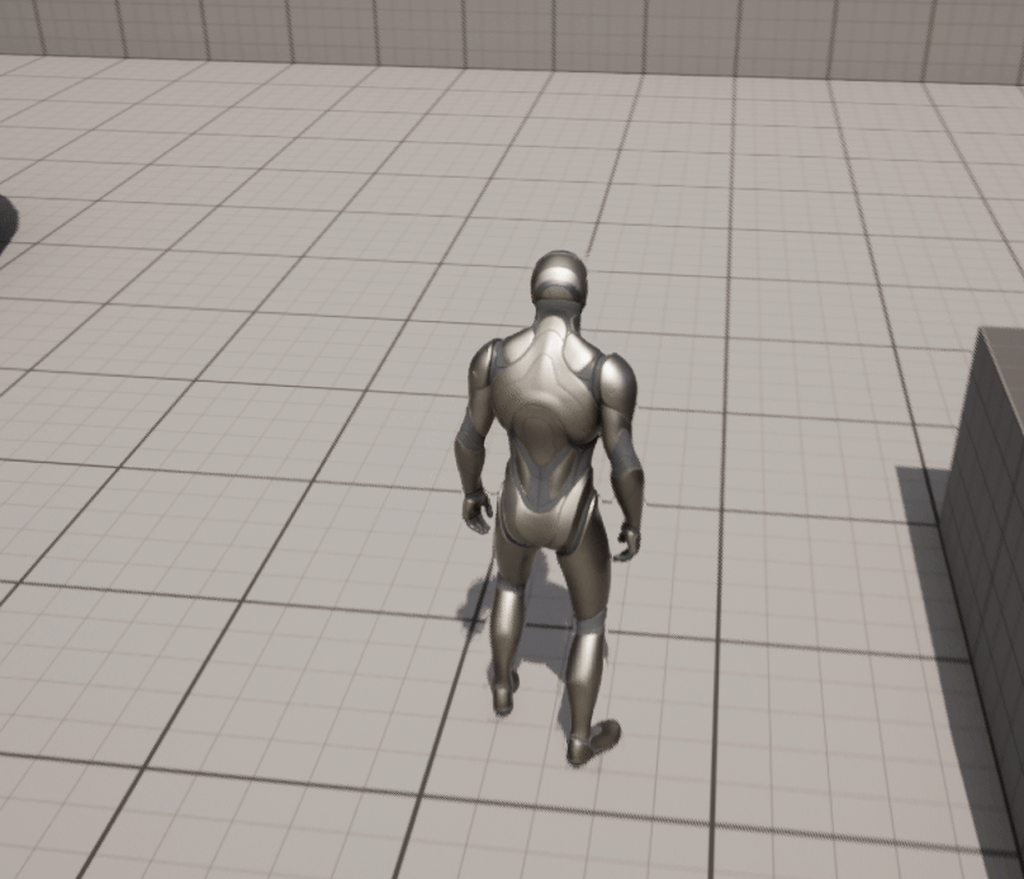
but this happens, what am I doing wrong?
it's forward left and backward right which just gets my character running in the opposite direction
static shoal
I tried with different grid sizes for the horizontal axis also
and other different animations from mixamo
although mixamo had my feet stuck to the ground
wheat badge
Hi, anyone know of a way to modify bone transformations of an existing animation sequence, or to bake the additive layer tracks? I have created an animation modifier to copy transformations from hip bone to root bone, but because my animation is very long, the result is that it lags alot. I would like to either bake the additional transformation curves into the original animation using blueprint or if there's another way It would be cool.
frail snow
wheat badge
Hi, anyone know of a way to modify bone transformations of an existing animation...
Can't you just right click and bake out the anim to a new file after making changes in Sequencer? Sounds like you are already aware of additive FK rig layers? There's also Control Rig which gives you FK/IK
wheat badge
frail snow
Can't you just right click and bake out the anim to a new file after making chan...
I did this but i need to batch it thats why i need to do it with BP or C++
frail snow
wheat badge
I did this but i need to batch it thats why i need to do it with BP or C++
Hrmm what about with Python? #editor-scripting
wheat badge
So i can use to fix other animations automatically
wheat badge
frail snow
Hrmm what about with Python? <#479798946793783307>
I tried but i cant seem to find the right methods for modifying anim sequence bone tracks
But let me try ask in editor scripting 😄
frail snow
Oh dang sorry I'm out of ideas then with my limited knowledge. Good luck! 🙂
 raw bay
Hey gang, so trying to figure out the best way to achieve an interactive element to my game. I want an animation to play where the player opens a skylight window and jumps down to another platform below. I assume the 'jump down' animation is one large one? Is root motion what would tell it to move from one platform to another?
Any tutorials toward this would be appreciated, as I'm not sure where to focus my search. I have the basics of setting up an interactable animation (like the player character bending down to look at an object on the floor) but I feel this instance is a bit more complicated.
 red topaz
Hey Y'all when to knew if using the physics Asset Editor of the animation editor is right why of doing a Hit rection in a game of this any there way around doing this and also any overhead do I need to keep mind like performance and fps down using Physics Asset Editor ?
whole sphinx
finite sinew
If you're trying to do some sort of combat skill, I suppose you could just have ...
Thanks for trying !
 quasi mulch
Hey All, is it possible to set up templates for chaos cloth sims? For different materials?
There is a chaosClothConfig path in the clothing properties, but you can't seem to change it?

 hardy reef
(Sorry for my bad English)
Hello everyone. I have a problem with my forward jumping animation. It is a not in place animation and everytime it plays it just flips back my character and starts looping. I guess it’s because my capsule component does’nt move with my character. Please help me. By the way, even though I activated Root motion, it didn't work, I set Root Motion Mode from AnimBP, it still didn't work.
 trail elk
I have modular characters using Master Pose Component. I am building a control rig, however, all the tutorials show creating the rig from the skeletal mesh of a character. My character is made of several meshes. How does one go about creating a control rig for a master pose component character?
 fresh shard
Hey folks, I'm stuck with an odd animation bug that I'm not sure how I got this bug to happen.
If I run the animation itself, it runs fine, but playing it in an anim BP/in-game looks completely off.
Also certain other animations stopped playing what so ever whenever it hits the "Play Animation Montage" node for the character's BP...
I've tried restoring the character BP/animBP and animations from a backup but even that still shows this odd bug, so not sure where I should start looking at for troubleshooting.
 knotty totem
Can someone help me out? Why is this not detecting my AI?

The moment i post this i figure it out... Sorry, i had the character in-game with a pre-selected animation instead of the blueprint
 supple rune
Can't seem to play the animation montage, can someone help?
 stoic kiln
Is it possible to use Blendspace1D as variable? Same way as I am using sequence here

Basically that variable should be a blendspace rather than sequence
ashen junco
supple rune
Can't seem to play the animation montage, can someone help?
Make sure your montage uses the correct slot, and your skelmesh's animBP using that slot.
supple rune
ashen junco
Make sure your montage uses the correct slot, and your skelmesh's animBP using t...
Yeah it is, I made sure of it
severe pelican
Hey y'all, could I get some pointers on how to use blend spaces?
My goal is a hand in which each finger closes on an alpha, is blend space the best way to do that?
ashen junco
severe pelican
My goal is a hand in which each finger closes on an alpha, is blend space the be...
Individual fingers? Not all of them at the same time?
severe pelican
No, it's for VR
Index uses individual finger tracking, so it's gotta be each finger
ashen junco
severe pelican
I'm thinking individual blend spaces for each finger might be better?
I'd say a Control Rig would be better for that one.
severe pelican
Alright, I'll give that a shot. Thanks!
Hey sorry another question, does anyone have a tutorial going over using IK retargeting in realtime?
For instance if I want the player to be a paragon character, but keep my animbp
I've got IK rigs and retargeting set up and working between the two characters, I'm unsure how to implement it though
 vague ingot
hey, does anyone know where the interpolation time option went in ue5 blendspace?
 devout umbra
have someone already used vertex animation textures in their project?
static shoal
static shoal
I grabbed all the unarmed animations to create a strafing based movement
Any help?
 lucid slate
 silver bridgeBOT
:question: Can I ask a question?
Don't ask to ask. Just ask!
ashen junco
silver bridge
:question: **Can I ask a question?**
[Don't ask to ask. Just ask!](<https://dont...
@lucid slate
 tribal creek
How do i set up a "rotation" animation for a character?
Made an AI, my own model and its very choppy when rotating, I also did the [OrientRotationToMovement and enable UseControllerDesiredRotation]
I'd like to make a custom animation for rotating left & right, just don't know how to "use" them lol
(Also it's not a human model/bones)
 waxen turtle
i was trying to rotate a running animation to make a running/leaning one i rotated the root and added a key, but even if my animation appears rotated in the content browser and when i open the animation in a new window, when i put it in the level or use it in a blendspace it doesn't appear rotated

does anyone know why?
or where/how i am supposed to rotate animations?
waxen turtle
Wait, I figured it out don’t worry
 craggy wing
anyone know why this is happening?
 waxen turtle
now i need some other help to understand
why this additive animation i made (I've selected the A pose as base animation), works but when walking or running my characters have the foot on the back 10 centimeters over the ground, even if the additive and base poses both have their feet on the ground


 vocal mango
Hey doest anyone here use Iclone live link plugin for animating in Unreal engine 5?
waxen turtle
vocal mango
Hey doest anyone here use Iclone live link plugin for animating in Unreal engine...
i've just discovered it thanks to you, lol
 bitter shard
In the UE5.1 roadmap it says they have an experimental motion matching plugin, has anyone tried using it? Kinda annoying how there's literally zero documentation
 pure pebble
I've imported an animation set from Mixamo for having a 1h weapon equipped.
Trying to create an Animation Set that uses these animations.
I duplicated Lyra's ABP_PistolAnimSet just to have a functional starting point, and I replaced the walking animations it had with the ones I imported from Mixamo.
Now when my character walks I get tons of warnings like this:
LogAnimDistanceMatchingLibrary: Warning: Unable to adjust playrate for animation with no root motion delta (MM_XAI_standing_walk_forward).
(MM_XAI_standing_walk_forward is the animation I imported + retargeted for UE5 Manny, which works fine, Manny plays the animation no problem outside of the Animation Set that isn't working).
Any ideas what I need to do to the animation or to the animation set to get this walk animation to work with the anim set?
Please & thanks. 🙏
 split rose
Hello, I'm trying to get the Full Body IK solver to work, but it's being weird. Here, I would like to have the head_ctrl split the rotation along the whole chest, however all it does is set the head bone rotation to the control rotation and nothing changes up the chain, despite limits on the head/neck bones being set. Am I doing something wrong here? Is it more of a positional and not rotational solver?
 lethal blaze
does anyone know how to save live link face recordings?
 spice nova
What is a good tutorial for blending animations?
severe pelican
Hey guys, how do I combine multiple blend spaces?
 grand needle
How do I change an animation without changing the entire skeleton? Because when I modify an animation from a skeleton it changes the skeleton with it.
ashen junco
grand needle
How do I change an animation without changing the entire skeleton? Because when ...
What are you using?
grand needle
ashen junco
What are you using?
I've figured it out I wasn't recording it to a new animation
But there is another thing that I wanted to ask about
I can't drag in my animations to an aim offset. If I set it to a Additive type then the character goes invisible
 covert stratus
goddamn, even with all the awesome addons, blender + UE4 + mannequin skeleton + its shoulders + animations are an extremely cooked area
please tell me Epic learned from its mistakes and the default mannequin/skeleton in UE5 is sane
ashen junco
covert stratus
please tell me Epic learned from its mistakes and the default mannequin/skeleton...
UE5 manny/quinn is much more proportional and not rigid robotic
covert stratus
awesome
waxen turtle
How do I make sure that in an additive animation in unreal my feet stay on the floor?
ashen junco
waxen turtle
How do I make sure that in an additive animation in unreal my feet stay on the f...
Either layered blend per bone and/or foot locking with IKs
 mortal cape
I'm trying to conditionally continue a montage depending on an ability, I think I can use a Notify with "Montage Tick Type" "Branching Point", am I on the right track?
I have added it to a notify track in my montage, and set the tick type but I'm unsure were to continue
Maybe I'm looking for sections
ashen junco
mortal cape
I'm trying to conditionally continue a montage depending on an ability, I think ...
So stopping montage mid way when the ability is locked?
mortal cape
I'm essentially doing a combo for an enemy, but currently it plays the entire combo (montage) when the player is near and I want to stop it if the player is further away. Instead of stopping it though, I was thinking I could make it a proper combo, so that it doesn't continue unless the AI triggers the ability a second and possibly third time.
ashen junco
mortal cape
I'm essentially doing a combo for an enemy, but currently it plays the entire co...
Personally I split the combo chain into bunch of montages with section where the combo can proceed
ashen junco
Well, I might using the wrong term, but inside the montage for one combo attack, there will be an area for allowing next combo montage to play if player hit the right time or AI hits it in randomized offset
mortal cape
Okay I understand, sounds reasonable
 brave token
Pipeline using mixamo.com animations.
- Create character model and rig in Blender
- Upload .fbx on mixamo, rig in mixamo, download idle animation for instance
- Add model from step 1 to Unreal
- Add animation from step 2 to Unreal
- What next? Do I need to retarget skeleton or just retarget animation? I don't want to use mixamo model rig because it's not always correct
ashen junco
brave token
Pipeline using mixamo.com animations.
1. Create character model and rig in Blen...
If I were the one to do it:
- Don't use Mixamo.
But you can gamble on retargetting the animations to unreal skeleton.
brave token
ashen junco
If I were the one to do it:
1. Don't use Mixamo.
But you can gamble on retarget...
why not? what are the cons? I see pros to use mixamo because of tonns of good and ready animations
and mixamo animations are free - it's a big pro
ashen junco
brave token
why not? what are the cons? I see pros to use mixamo because of tonns of good a...
For me, the cons are:
- The default rig isn't good. You can rectify with custom rig, but it often get misinterpreted by Mixamo.
- Because of the rig isn't good, particularly pelvis bone treated as root bone, root motion can look bad
I had more complaints about it, but they could be more subjective. And honestly I'd rather make the animations from scratch.
For prototyping it's not that bad
brave token
ashen junco
For me, the cons are:
1. The default rig isn't good. You can rectify with custom...
- agree, that's why i wrote in step 5 that i don't want to use mixamo rig.
i'm not animator ) it's hard for me to create animations
misty dagger
Does anyone know how to fix twisted lower arm on certain animations ?
 final radish
brave token
Pipeline using mixamo.com animations.
1. Create character model and rig in Blen...
final radish
brave token
Pipeline using mixamo.com animations.
1. Create character model and rig in Blen...
Follow these instructions: https://youtu.be/5O-nTNMB19Y?t=1605
I also recommend the "Create an IKRetargeter" section of the following video to get rid of the finger warping: https://youtu.be/JXBGw-6PpCE?t=1452
By the way, has anyone had any success with getting curve values from Anim Sequences that target not one's own skeleton but one compatible with it? The Sequences play but GetCurveValue() always returns 0. The ABP and Sequences are straight-up imported from City Sample and I've applied all the same values for the Mesh and the CMC.
 stone kite
Odd question, any idea why when I walk on my skeletal mesh (Using Character Movement Comp) with an ABP applied, my characters movement speed doubles?
jolly hatch
If I had an animation for a character to close the visor of a helmet. Im playing the animation in The animbp WITH A BLEND node but its looping. I would like to play it one and be able to play it backwards once too. What is best approach for this?
 fiery ice
I have a running animation that moves the model forward when running. so whenever i run the model runs forward then gets teleported back because the animation ends and loops. is there anyway i can make the mesh stationary when the animation plays.
final radish
fiery ice
I have a running animation that moves the model forward when running. so wheneve...
Sounds like a root motion issue.
Look into your animation's root motion settings.
 valid shard
can someone help me out, for some reason the montage plays on one skeleton but refuses to play on the other even though the skeletons are compatible
 tribal creek
any non humanoid tutorials?
ashen junco
tribal creek
any non humanoid tutorials?
on what
tribal creek
animation
ashen junco
tribal creek
animation
The animating process in general? Getting it to work in UE? Anim BP setup?
tribal creek
ashen junco
The animating process in general? Getting it to work in UE? Anim BP setup?
so basically i want to set up an animal, with rotation animations.
But everything i look at. uses manny
and the pre-set animations*
ashen junco
tribal creek
so basically i want to set up an animal, with rotation animations.
But everythin...
The same stuff applies to non-bipeds, really.
Well, except snakes and other slither ground animals.
The only real difference would be the animation sequences you're using.
Whether it's dragons, chocobos, catoblepas, felines, dogs/wolves... The basics from biped anim BP stays the same to those creatures.
tribal creek
oh sweet! thank you
Is there any tuts for a full set up? im a bit of a noob and use to unity
ashen junco
tribal creek
oh sweet! thank you
Is there any tuts for a full set up? im a bit of a noob and...
Not that I know of, but you can improvise from existing biped anim BP setup, I don't think it's that hard to do.
tribal creek
Scale problem in physics tab? moment i scale the piece, it goes huge and won't let me go any smaller

 ashen junco
tribal creek
Scale problem in physics tab? moment i scale the piece, it goes huge and won't l...
ashen junco
tribal creek
Scale problem in physics tab? moment i scale the piece, it goes huge and won't l...
What's your DCC tool? Blender?
tribal creek
ashen junco
What's your DCC tool? Blender?
Thats the one, do i need to set the armature size in blender manually?
ashen junco
tribal creek
Thats the one, do i need to set the armature size in blender manually?
Unit scaling must be set to 0.01 and scale everything up 100x
 vast hare
is it advisable to make a run-animation WITH root-motion?
ashen junco
vast hare
is it advisable to make a run-animation WITH root-motion?
Usually non-RM is more preferrable for precise control on player side.
RM loco anims are more used for exaggerated cartoony walk/run cycles at the expense of player precision.
It depends more on your game design, if less precise movement is a challenge (e.g. puzzle games)
rich quail
Hey guys!
Is it possible to sync animations when you change layer? And how should you do it?
 smoky bronze
Hello all! i'm trying to set up a control rig for a deer mesh. I set up an ik rig for the back legs but when i apply it to the front legs a twist comes up in the legs. I tried changing the primary and secondary axis but i cant find a solution there. All i know is that there is a difference in the feets default angle. Can i change this in the engine? I hope so! I can always export it to Blender to change the bones there but then i have to skin it again before importing it back so im hoping i can avoid that step. If anyone knows any solutions or has any tips please let me know!


 zinc niche
how should i transform a bone without effecting children?
dry grail
I rigged a model to the epic skeleton (exported a default skeletal mesh from UE5 and imported the FBX to Blender) but I can't seem to import it properly so it can use the existing SK_Mannequin skeleton. I was hoping to just swap out the skeletal mesh in the default third person character BP and have it work with the existing anim BP, but the mesh is either severely deformed or not animated.
Is there a sort of "checklist" I can follow to make sure I import/export it properly? I thought as long as the bone hierarchy/names are unchanged it should work fine
dry grail
^ Figured it out, didn't have my bone axes set properly
spring karma
What causes the Play Montage node to follow the On Interrupted node? Another animation being played?
 main lagoon
Why does my Animation that i imported from blender, slightly drift sometimes, like my hand has slightly more movement in it, for no reason at all
ashen junco
zinc niche
how should i transform a bone without effecting children?
That's impossible without caching world space locations
zinc niche
ashen junco
That's impossible without caching world space locations
I meant offsetting them, like having one bone a bigger size such as the stomach and keeping the torso the same
misty dagger
Does anyone know how to bake animations into textures (in Blender) for vertex animation?
 opaque kite
Hello there ! I'm trying to import a rigged character from blender and animate it with control rig.
I struggled a lot with fbx export settings because my bones rotations keeps acting wrong in unreal (like rotating 90).
I tried a lot off things with armature axis export settings etc..
I finally managed to make my control rig work in its viewport.
however when i try to use it in animation sequencer, when adding a new key, the character part i try to animate rotate in a wrong way.
Can someone help me pls ?


 ashen junco
opaque kite
Hello there ! I'm trying to import a rigged character from blender and animate i...
ashen junco
opaque kite
Hello there ! I'm trying to import a rigged character from blender and animate i...
You could try messing with the axis values in the CR nodes if any.
 warm garnet
I'm getting this issue with an AutoRigPro rig, the animations deform very weirdly sometimes in animations. This is not how it looks in blender. I believe it's something to do with the twist bones but I'm unsure how to fix it. Anyone else have experience with ARP?

My export settings are like so
 ashen junco
warm garnet
I'm getting this issue with an AutoRigPro rig, the animations deform very weirdl...
ashen junco
warm garnet
I'm getting this issue with an AutoRigPro rig, the animations deform very weirdl...
I used ARP, but I'm afraid I never had that issue
warm garnet
ashen junco
I used ARP, but I'm afraid I never had that issue
Ah I see, that's a shame 😦
ashen junco
Do you use the auto rigger? Or piggybacking existing rig?
warm garnet
I used the auto rigger
Ah okay just noticed something weird. I clicked "fix rig" and now the issues are present in blender as well
ashen junco
Ah, good to know.
 warm garnet
ashen junco
Ah, good to know.
warm garnet
ashen junco
Ah, good to know.
Seems like I have been animating with preserve volume on, but it should be off when exporting to game engines supposedly. Clicking the "fix rig" option is disabling this automatically among other things. This appears to change the behaviour so the arms twist control group's position is taken into account for the arm twist instead of only its rotation relative to the elbow joint. Does this make sense? xD
I'm not sure if this is intended behaviour, seems like I would have to perfectly animate that twist bone with the movement of the arm to preserve the volume

 stone patio
I wan't to rotate the twist bone to point in the direction of a toe control in control rig. What would be the easyest way to do it (4.27)
nwm, figured it out. I used the aim node and toe target as secondary target
 winter lake
Hi, i would really need some help to solve my issue on importing FBX animation into unreal.
I have a animated and rigged asset from Maya that I want to import in Unreal, but i can't manage to have it in 1 single assets. Every time i try to import it as FBX animation, it divides into multiple part, and any of this parts seems to have animation. I'm stuck on this since some days and i can't build my scene for rendering. Could you guys help me ? Thanks !
😌
🙏
 winter lake
what my rig look likes in Maya

 round briar
Is there a way to make the Layered Blend Per Bone node only affect say, the spine, but then exclude the bones from say, the arms, so it will only blend the spine and not the arms or legs
ashen junco
round briar
Is there a way to make the Layered Blend Per Bone node only affect say, the spin...
One way is to have another layer covering up the arms, but using same cached pose as anything before the spines.
round briar
ashen junco
One way is to have another layer covering up the arms, but using same cached pos...
You mean kind of like this? (First Layer is the start of the spine and the latter layer is when the spine ends?)

 valid kindle
Hey, i've been working with Vroid to make models. There's a nice plug-in VRM4U for UE5 to import VRM models. I've been trying things with one model first, and I was able to retarget the Mannequins animations.
But now I want to make a whole lot of parts, eyes, hair, clothes etc.
(Their original skeleton is all the same)
Better asked; Is there a good workflow for importing lots of character parts, having them retargeted, and having the animation all work 'combined' on one skeleton? Because I feel like i'm missing something in my process and i've not been able to figure out what.
I can't imagine people doing all animations over for each file seperately every time they add something new, should just be able to link everything to the first skeleton or something, right?
 oak bramble
Hello, dont know is that right place or have "newly starting" sections also but.. how I make my character model doing animations as i move? I tried ReTargetingi but bone names are diffrent and so thats dont work out..


 valid kindle
oak bramble
Hello, dont know is that right place or have "newly starting" sections also but....
valid kindle
oak bramble
Hello, dont know is that right place or have "newly starting" sections also but....
Different bone names should not matter, what helped for me is selecting them manually in the re-targetter and not via the list. (So in the mesh itself.) When you set up the retargeting scheme.

Then add a new chain, and name them logically I guess
That's done in the IK rig
Then you can just set which chain corresponds to which chain when you're in the IK retargeter, both are found under right click > Animation > IK Retargeter/ IK Rig

Hope that helps you, and that's the point where i'm stuck myself. Because I now have to do that for hundreds of clothes/ hair/ etc
lmao
oak bramble
Okey, I try again.. looked some videos and there said definitely should bone names be same becaus thats where new model takes animations..
valid kindle
The bone-chain names should be the same for them to be copied over properly
oak bramble
@valid kindle you are further than I am 😄
 ripe gazelle
I have been searching for first person melee animations high and low and there are not many game ready (or otherwise) assets available and Kubolds pack at marketplace seems to be the best and most versatile for the price.
My question is before i buy it, could someone share some insight into how i would make custom animations for first person melee? I have limited knowledge of animation and 3D in general but if the pipeline isnt too far fetched i could perhaps try myself. mocap out of the question 🙂
oak bramble
How i copy if one have neck_01..03 (EU4 manniquin) but my model have abdomen, torse, chest, neck named as bones.. thought maybe changing bone names but idk thats right..
valid kindle
oak bramble
How i copy if one have neck_01..03 (EU4 manniquin) but my model have abdomen, to...
Are the bones (even though different names) on the same place as the UE skeleton?
oak bramble
I think so... I have to look them up one-by-one then?
valid kindle
ripe gazelle
I have been searching for first person melee animations high and low and there a...
No clue I did find Mixamo or something it had a heap of free animations but not for 1st person perse
oak bramble
 valid kindle
oak bramble
I think so... I have to look them up one-by-one then?
valid kindle
oak bramble
I think so... I have to look them up one-by-one then?
I mean it's probably the same for every humanoid character
oak bramble
valid kindle
No clue I did find Mixamo or something it had a heap of free animations but not ...
for 1st person I simply can change angel of camera
ashen junco
valid kindle
Hey, i've been working with Vroid to make models. There's a nice plug-in VRM4U f...
Personally I rerigged VRoid models to adhere UE4 skeleton standards
As for animations, I create them from scratch, but I only need the base skelmesh, and other skelmeshes can copy the pose in modular fashion
ripe gazelle
oak bramble
for 1st person I simply can change angel of camera
i kind of want to make the case for quality
valid kindle
ashen junco
Personally I rerigged VRoid models to adhere UE4 skeleton standards
As for anim...
Mind I add you and I re-rig them and then get back to you about that?
May be a life saver
ripe gazelle
third person animations tend to have many more moving parts including the head and it would be bothersome to have the camera constantly out of control
among other things
oak bramble
ripe gazelle
third person animations tend to have many more moving parts including the head a...
have point
ripe gazelle
the shoulders need to be anchored properly
valid kindle
ripe gazelle
the shoulders need to be anchored properly
pretty sure you can divide that
so that not the entire animation is used
but that would bring more things with it than you're asking for maybe 🤣
ashen junco
ripe gazelle
third person animations tend to have many more moving parts including the head a...
Unfortunately FP animations is much more defining than TP animations, even if you try to lock the head, it can still look janky
ashen junco
valid kindle
Mind I add you and I re-rig them and then get back to you about that?
wdym?
ripe gazelle
sure but let me point out another thing and its that the free third person animations arent even close to Kubolds quality and diversity
ashen junco
ripe gazelle
sure but let me point out another thing and its that the free third person anima...
Well, you get what you pay for.
ripe gazelle
and my question was more how to create animations on my own, what the process is like
i need to speak to an animator 😄
valid kindle
ashen junco
wdym?
Well i'm a bit lost on these, so I would take my time to re-rig them and then after that's done i'd poke you about the process of linking a following item to the first. 🙄
ashen junco
ripe gazelle
and my question was more how to create animations on my own, what the process is...
You can use DCC tools like Blender, or in engine's Control Rig and sequencer
ripe gazelle
ashen junco
You can use DCC tools like Blender, or in engine's Control Rig and sequencer
can the sequencer be used for keyframe animations?
ashen junco
valid kindle
Well i'm a bit lost on these, so I would take my time to re-rig them and then af...
Sure, though I'm kinda cheating as I used auto rigger for the base proxy model
ashen junco
ripe gazelle
can the sequencer be used for keyframe animations?
Yes.
Pinned message has video of Control Rig and using it for animating in engine, linked by yours truly
ripe gazelle
ashen junco
Yes.
Pinned message has video of Control Rig and using it for animating in engin...
oh ok thanks
i will look at it and see if i can imagine results
another question
im curious if its possible to someone make good (or functioning) first person melee animations that are physics driven
ashen junco
ripe gazelle
im curious if its possible to someone make good (or functioning) first person me...
Possible, but high chance it'll come out janky
ripe gazelle
yeah
ashen junco
Games cheated by cutting off the attack animation and change it with a rebound animation
ripe gazelle
the prototype im making is first person dungeon crawler with focus on details of interactions. aiming right etc.
so i always wondered if doing it like Exanima would be fun at all

i guess there is much more to it than i think
 ripe gazelle
ashen junco
Yes.
Pinned message has video of Control Rig and using it for animating in engin...
ripe gazelle
ashen junco
Yes.
Pinned message has video of Control Rig and using it for animating in engin...
are the resulting animations just the same as any other? Like can i split a full body into lower and upper and play indipentently? i dont recall what its called.
ashen junco
ripe gazelle
are the resulting animations just the same as any other? Like can i split a full...
Yes, but splitting into body parts is more of Layered Blend per Bone's job
round briar
Is there a way to get Root motion for actors not inheriting Character?
 summer whale
i still havent figured it out when i move forward my character instantly goes 600 and begin running i followed unreal documentation on setting up idle walk and run but for some reason it just runs the vector length squared is getting 3200 and then when i just do vector length it get 600 should i be setting the default walk speed somewhere else?
idle work fine as well


 frozen quartz
Can blendspaces be used in Cinematic Sequences?
I have some Mixamo animations and I would love to blend them in a Cinematic Sequence.
 karmic rapids
 tardy seal
how can i add more frames to an animation?
tardy seal
how can i add more frames to an animation?
You open the source animation file in Maya/Blender etc and edit it there. Then re-export to UE5 again.
tardy seal
karmic rapids
You open the source animation file in Maya/Blender etc and edit it there. Then r...
I use the in engine animation tool
 broken bramble
is there a way to remove any blending from montages?
jolly hatch
I MADE A SIMPLE animation for a face guard for a helmet on my character to lift up and playing it in reverse for dropping it back down. But I cant seem To implement it. I tried in a state machine but it would only work from what ever state it was in . and I have tried to use a additive blend in my anim graph But every time I do My mesh explodes , What gives.. I know how to use layered blend per bone and it works But this is an animation not a pose and I need it to play
 random hatch
Hi Guys, somehow i don’t get montages to work on my Player… it has a fps and normal mesh… ma that the thing. I do this instead right now. What’s the proper way to run a animation on a character?
 jolly hatch
Is it Possible to play a montage to the end of the anim and pause on the end frame. Until a event makes it rewinds back to the first frame
 left grail
Hi everyone. I hope you are doing well.
I have a very specific and hard to answer question.
Im working with animated armatures in blender that are converted to Vertex Animated Textures in Unreal.
Its all working well. But the moment my animation includes scaling of the bone. Then thats when things go weird in the Vertex Animated Texture (only after the conversion).
To be more detailed im doing an archer shooting arrow animation.
Since its on a loop, shooting arrows constantly, I make the arrow disappear after the shot, by scaling it down so it becomes very small, and put it back in the arrow bucket, to be shot again.
Importing the animation to unreal, all works well, it shoots and all. But when i convert it to a Vertex Animated Texture it fails. And i tested and found the issue to be everytime i scale a bone.
Anyone knows how to solve this?
https://imgur.com/a/7rvQDBo
Image for reference ^
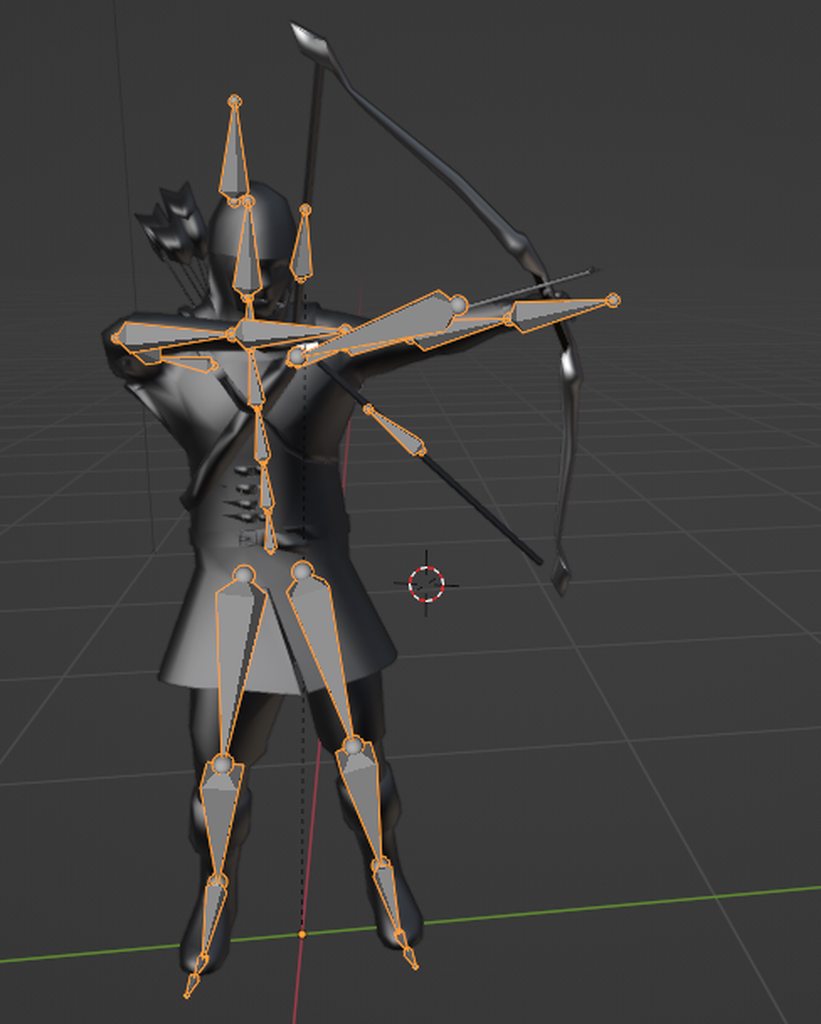 karmic rapids
left grail
Hi everyone. I hope you are doing well.
I have a very specific and hard to answe...
karmic rapids
left grail
Hi everyone. I hope you are doing well.
I have a very specific and hard to answe...
"it fails" is not descriptive enough for diagnosis
Upload a youtube video of the entire issue
Then people might be able to help
bronze osprey
instantly set the arrow in the bucket and not scale it?
left grail
karmic rapids
"it fails" is not descriptive enough for diagnosis
sorry. it fails means the arrow doesnt scale to disappear and instead just goes to weird places. okay i will update a video after.
bronze osprey
i think my solution works.. i never converted skel animations to vertex animation textures tho
but if you instantly scale it too 0 might as wel just teleport it back too the bucket
left grail
bronze osprey
but if you instantly scale it too 0 might as wel just teleport it back too the b...
teleporting it you mean moving it on the next frame?
that still moves it slowly
i dont know why
i think its an issue of the Vertex Animated Textures
bronze osprey
use not linear interp but the other
left grail
bronze osprey
but if you instantly scale it too 0 might as wel just teleport it back too the b...

this is what happens when moving
you can see the arrow moving
its not as bad as when scaling
when scaling it goes very weird
and im doing the frame right after
left grail
bronze osprey
use not linear interp but the other
linear interp?
where is that? in blender?
bronze osprey
u sure the move happens in 1 frame?
left grail
bronze osprey
u sure the move happens in 1 frame?
yes
the thing is, in blender it works well. the arrow goes instantly back to the bucket
left grail
bronze osprey
u sure the move happens in 1 frame?
but when i import it to unreal, it goes slowly and sketchy 😦
bronze osprey

constanty
it will zap in blender.. but if 1 frame it should allready in blender
but unreal does some auto interp
constant frame does store in fbx so should fix it.. could also fix it in engine whatever u prefer
left grail
bronze osprey
constant frame does store in fbx so should fix it.. could also fix it in engine ...
i tried linear as you suggested, didnt work. now i will try constanty as you are suggesting
thank you sir
bronze osprey
i said.. use not linear but the other
wasnt sure what it was til i open blender but its constant
linear is default
left grail
bronze osprey
wasnt sure what it was til i open blender but its constant
doesnt work, just tested it with constant
and its an issue in unreal
because blender looks good
the arrow goes instantly to the bucket
its only in unreal that goes slow
left grail
bronze osprey
just the vertex anim or also the skel anim?
the animation just a little, almost perfect. the vertex anim is the most sketchy
@bronze osprey do you think its too bad if it goes like this into the game? i think it looks a bit sketchy:
The orange is the VAT that i need to use, the white one is the skeletal mesh anim.
https://streamable.com/aktw1e


if only i could make the vat work like the skeletal mesh anim
but it seems something is goes off when making it VAT
bronze osprey
depends on what ur goin for 😛
left grail
a blender server moderator told me this is a natural VAT limitation 😦
so it seems theres not much we can do
there is another idea i just go right now
make the archer without the arrow
then make the arrow in niagara. since i will have to make the arrow go somewhere anyways
bronze osprey
ahh yea thats an option
but im 100% sure u can make the arrow snap in the normal animation. like i said i dunno vertex

if u bake to fk controll rig and edit there should 100% snap, but you should be able to do that in blender also
left grail
yup but your tips solved the lag in the skeletal mesh anim