#animation
1 messages · Page 1 of 1 (latest)
 honest geyser
Can I make corrective tweaks to the skeleton and then use that as the new base? or should I just do it in blender, and then reimport? Does anyone know of a good reference I can use to make sure my a-pose matches the Epic Skeleton?
 wicked crag
Hey, is there any better solutions for UE-Blender scale issue.
#ue4-general message
I have problems when retargeting. As pelvis local location values are so small, that the animation looks off when the pelvis does not move almost at all.
Ok.
Solved that as well. The unit scale in Blender STILL needs to be the frikin 0.01
 sudden chasm
does anyone know how can I make the control rig trace visible like in bp ?
 ashen junco
sudden chasm
does anyone know how can I make the control rig trace visible like in bp ?
ashen junco
sudden chasm
does anyone know how can I make the control rig trace visible like in bp ?
(unfortunately) There's no way to make it visible in the world, but you can use the preview viewport to match the trace location
sudden chasm
i see
thanks a lot Makoto
 hazy magnet
Hello, I have a problem with animation editing. just a simple movement in a direction will completely mess up the animation. Any Idea what's wrong, how I can fix it?
 modern hill
can i rig with control rig with another control rig ?
perhaps a bow, a horse or sword ...
 vagrant kindle
can someone please help me
my animation montages on the left arm dont work
i tried everything
modern hill
found a solution
ashen junco
vagrant kindle
can someone please help me
my animation montages on the left arm dont work
i tri...
Might be the slot is in wrong order in the anim graph
vagrant kindle
ashen junco
Might be the slot is in wrong order in the anim graph
sry i forgot to tell that i fixed it
but your right
 dusky basalt
Basic IK just goes crazy when plugged idk the hell why
 slow goblet
Anyone know how to fix this

Videos too large for discord so I uploaded it
 winged rover
Hey, I've go some trobles transfering ue4 animations to ue5. Here is the error log:
Animation length 0,533 is not compatible with import frame-rate 58 fps (sub frame 0,933), animation has to be frame-border aligned.
I tried to set frame import range min 0 and max 60, but nothing works, any idea?
winged rover
slow goblet
https://www.reddit.com/r/unrealengine/comments/w5k9fh/help_really_appreciated_wh...
you want to register this new pose?
slow goblet
winged rover
you want to register this new pose?
I’m trying to make 2 additive animations because I’m making an aim offset
 slow goblet
Oh ok. Will that stop it from changing the other additive animation to march?
Match
I’ll try that when I get home Ty
winged rover
u did it for only one anim
the error log told u there is somethign wrong on the offset file
slow goblet
oh I fixed it, ty
uh nevermind
it changes the other animation to match it whenever I make an edit
 frosty sonnet
Is there any way to Duplicate an Anim BP and all its animations, blendspaces to another folder??? Like Duplicate and Retarget but without Retargeting?
 sand oar
When I try to retarget a skeleton I get skeleton needs to be saved error. how do I fix this?
frosty sonnet
slow goblet
You just duplicate it
If I copy and paste all the animations are still from the original not the copy. I want the copied AnimBP to reference copied Animations too
sand oar
I still can't figure it out any time I try to assine to manny skeleton it says needs to be saved ?
 frosty sonnet
sand oar
I still can't figure it out any time I try to assine to manny skeleton it says n...
frosty sonnet
sand oar
I still can't figure it out any time I try to assine to manny skeleton it says n...
its not an error. is there a reason you cannot save it?
sand oar
how do I save?
 flat jolt
Does any one know if it is possible to animate a metahuman in UE5 but live linking that to maya where i can control the animation from ?
sand oar
I wish
sand oar
Does any one have a UE4 skeleton retargeted to 5 or know where I can DL one? doing it manually is beyond me atm.
 hybrid lance
hi, i'm exporting an animation out of maya into unreal, and upon import of unreal, the animation becomes very choppy. additionally, it looks like the normals are being displaced. can anyone offer insight?
for reference, this is how the mesh is being distorted
 frosty sonnet
flat jolt
Does any one know if it is possible to animate a metahuman in UE5 but live linki...
frosty sonnet
flat jolt
Does any one know if it is possible to animate a metahuman in UE5 but live linki...
https://github.com/tuatec/TTToolbox this has metahumans retargeting tools

GitHub
TTToolbox provides useful helper scripts to automate your character integration workflows in Unreal Engine - GitHub - tuatec/TTToolbox: TTToolbox provides useful helper scripts to automate your cha...
sand oar
hybrid lance
hi, i'm exporting an animation out of maya into unreal, and upon import of unrea...
Use FBX and make sure in export options to export smooth groups
hybrid lance
will try that out, thank you!
 scenic plover
What are some effective ways to minimize jittering from level sequences in your program? Like, when moving an actor from one space to another?
Whether in UE or in a packaged demo, an object of any kind that moves in a level sequence seems to jitter or hiccup when moving from one point to another. How can I fix this?
 stark thunder
Make sure its additive (The firing animation)
Hi everyone
I have a weird problem:
Setup: I selected a few skeletons and added them to the compatible list, the moving animations don't move in the preview, and on the original skeleton they don't move the mesh as well
but on the skeletons that are not the original ones but are compatible it moves their skeleton as if it was root motion
I also enabled root motion lock to try and workaround this but it doesn't work


 robust saddle
stark thunder
Make sure its additive (The firing animation)
robust saddle
stark thunder
Make sure its additive (The firing animation)
Thanks for the reply. When I make the firing animation additive and fire it shrinks my characters torso into his pelvis before returning to normal...
 sullen aurora
sand oar
into this
sullen aurora
sand oar
into this
The top one is a sequence, the bottom one is a blend space. So learn how to make a blendspace by combining different locomotion animations. Good tutorials on that out there already
 median grove
im using Lyra game animations for my metahuman. everything is ok until i use UnarmedAimOffset. it broke character mesh like this. crooked and big

 steady basalt
i've created a groom in blender, that i imported to unreal but now the groom has all kinds of error once it get close to the mesh and doesn't follow the rig at all when its animated, is there something i am missing?
ashen junco
steady basalt
i've created a groom in blender, that i imported to unreal but now the groom has...
Make sure the binding asset for it is setup
steady basalt
ashen junco
Make sure the binding asset for it is setup
i did that too
steady basalt
ashen junco
Make sure the binding asset for it is setup
 stark thunder
robust saddle
Thanks for the reply. When I make the firing animation additive and fire it shri...
stark thunder
robust saddle
Thanks for the reply. When I make the firing animation additive and fire it shri...
There is an error there
Search for that online
Once you fix that it will work
 woven rose
Hello, I imported a skeletal mesh and it distorts, any ideas as to why?
 robust saddle
stark thunder
Search for that online
robust saddle
stark thunder
Search for that online
I'm not finding an error, but I'll keep looking. Thanks!
 teal bough
hey guys! I have a question. I made a rig in Blender and I'm not sure why but for some reason when I import my rig, only the skeleton of the rig, and the models that were parented to the bones come out. Not the full mesh. Is that normal? I'm trying to rig a ship. Thanks in advance, will send whatever I need.
I'm not sure if I exported the animation correctly, I followed like 2 tutorials on YouTube and I'm like 9/10 sure I did it right
scenic plover
scenic plover
What are some effective ways to minimize jittering from level sequences in your ...
Bump.
ashen junco
teal bough
hey guys! I have a question. I made a rig in Blender and I'm not sure why but fo...
I think you need to weight the rest of unweighted faces for the root bone
 round shale
dumb q - if I can see my root move during an animation, can I safely assume it's enabled for root motion?
as in, if i enabled root motion, my capsule should follow the character's path?
 spring whale
is it possible to reduce the time of an animation without cutting it?
these options cuts the animation, i just wanted to reduce the time
https://cdn.discordapp.com/attachments/221798806713401345/998238398143799346/unknown.png
 round shale
As in make it faster?
 prisma shadow
So is "Bone Draw Size" gone from the retarget manager in 5.1? 5.0 had it in the pose settings. Trying to resize the size of visible bones to edit the default pose 😡

 simple star
Why are the unreal characters rotated 90 degrees? (Not facing X vector?)
 compact pebble
question
is there a way to import animations separately from FBX file? i have bunch of anims in blender, but want to bring extra anims I did
due that i already have some of them in project with re import it doesn't import new ones
prisma shadow
compact pebble
is there a way to import animations separately from FBX file? i have bunch of an...
when importing uncheck mesh
Oh seperate from 1 file. Never mind
compact pebble
yeagh, due I added my model with 3 animations, and now created new ones, it deosn't import them with reimport or reimport with new file
 oblique gale
I don't know if this chat would be the right one but I have a doubt here. I'm using root motion on my character, but when I go towards the wall, he keeps walking. I would like to know a way to solve this
teal bough
ashen junco
I think you need to weight the rest of unweighted faces for the root bone
Wdym
 real orchid
Hey folks! I'm trying to align some colliders to bones for hit detection and I'm running into some issues with joint rotations. When I grab the rotation of a joint responsible for rotating a bone it's axis are not aligned to the expected world up and I'm not entirely sure how to go about correcting this issue. To rotate this Quat to align to expected world axes what would I need to do?

 short wasp
No matter how I approached this, I can't get this to work, so maybe someone here can help me
I have made some arms and a knife in blender as separate models. The knife has been parented to my hand to be held in it, however, there are times in which I want the knife to do some independent animation of its own.
So I animate it in Blender, and it looks fine, but when the knife anim starts in UE5, it translates out of my hands and stays there.
How do I make it so it doesn't do that? Here are pics before and after anim.

 real orchid
Does the knife pop in space without the childing. My initial thought it there's a root offset in the animation itself
ashen junco
short wasp
No matter how I approached this, I can't get this to work, so maybe someone here...
Likely unit scaling issue
short wasp
I think it is a problem with root offset, but I just don't know how to work around it. Is there some sort of workflow in this kind of thing I'm missing...?
Don't see how that's a scaling issue? My blender is set up for Unreal in terms of units if that's what you mean.
ashen junco
short wasp
I think it is a problem with root offset, but I just don't know how to work arou...
Unit scaling set to 0.01?
short wasp
yes
real orchid
If you open the animation in blender are you making sure that the root of the animation is at 0,0,0. If it's not it will pop to the offset when you start playing it
short wasp
I know that if I had separate Blender files for a knife and hands, animated the knife in it's own file from root without any transforms to begin with, and then attached it to my hands in Unreal, it would work. But that begs the question how am I supposed to preview how it looks like in the hands in real time in Blender? It just doesn't seem like it's efficient at all and not the way it's supposed to be.
In my current Blender file where both hands and knife are, the knife has a transform due to being parented to hands, which must mess up the animation in UE, because it think it's supposed to move that much to start the animation (pic rel). But I can't just 0 all of it, because then it's not in hands anymore? And like, whatever I do, I just can't animate in real time AND have it working, I'm missing something and I just don't know what.
 real orchid
What I described appears to be exactly what is happening. You're seeing the knife pop because when you export the anim the knife is offset from the world origin.
I'm not sure how to select just the knife and correctly export that from blender at world origin from that scene. A simple workflow would be to build the animation with the arms, remove them from the scene, and then relocate the knife to 0,0,0 and export it that way
ashen junco
If it's object constraint, it'd be as simple as disabling the influence
short wasp
I don't think I can just disable to influence, because it's part of the animation. It is parented in blender on anim start, then as I let go of it I 0 the influence, and when I catch it back I turn it back on.
0,0,0ing in without messing with influence and importing it just created this abomination

It's either I've set this up in Blender all wrong, or it just isn't something that's intuitive to do.
I've tried googling for it before and never got the help either, might take to Reddit at this rate.
ashen junco
Personally I have the weapon skelmesh with Copy Transform constraint to the character's weapon bone/socket
short wasp
And does you weapon ever leave your character's hands to do some independent animation?
ashen junco
short wasp
And does you weapon ever leave your character's hands to do some independent ani...
Yes, but that's handled by the weapon socket bone on the character's side
short wasp
In my Blender the weapon has a Child Of contraint on, maybe Copy Transform will work differently then
Well, thanks for the help, I'll see what I can do :)
 static falcon
Is it possible to access the old retargeting system in UE5?
 weak jewel
Does anyone know why an animation would look different on different clients?
When i aim my gun, one client it looks like its coming from the left while the other is correct
 severe shore
hey all, i'm trying to learn distance matching for run-stop animations of AI pawns. my naive state machine is based on speed=0 to trigger stopping, but what should i be using here? what's the better value to be checking to decide to start playing the stop animation before the AI pawn has arrived at it's target location?
robust saddle
Can anyone help me with this aim offset/firing animation issue? The offset works as intended, but the firing animation is causing some weird things to happen when aiming up and down. It looks like the animation is trying to move the arms to a set location, but since the character is aiming up/down, it shouldn't be trying to reach those locations. All anims used in the aim offset are set Additive - Mesh space. Video here - https://youtu.be/PeIolMKgqvA

 rocky remnant
oblique gale
I don't know if this chat would be the right one but I have a doubt here. I'm us...
rocky remnant
oblique gale
I don't know if this chat would be the right one but I have a doubt here. I'm us...
Try to set animation on velocity/speed. You can find solution in ALS project...
rocky remnant
woven rose
Hello, I imported a skeletal mesh and it distorts, any ideas as to why?
Reasons can be...
Wrong weigh painting.
Wrong bone axis.
Simply it's not Rigged well...
rocky remnant
hazy magnet
Hello, I have a problem with animation editing. just a simple movement in a dire...
Set root bone on ground. Not at pelvis... And try
round shale
Exporting from blender - I read that I should make the armature scale to 100 - cause it impacts the root bone or something
 sturdy valve
why doesnt it let me rotate the skeletal mesh?
 round shale
Cause it's the root
 sick solar
Hi there i could not find this info online, is there any way to export physical assets from Maya to unreal
I found out that it's possible to export a custom collision for static mesh from 3d software , is it possible incase of skeletal mesh??
 oak stratus
did i understood corretly, that to export Idle, Run, Attack animation, i will have to export 3 different fbx? no way to make it in one fbx ?
 hasty mulch
Hi there! I am experimenting with AnimLayerInterface which is, indeed, an awesome feature. I have two quick questions if someone knows: is it considered a good practice to use it to switch different ABP for different movements (i.e. walk/run) in case of root motion based movement? And is it possible to set an interpolation time when linking/unlinking layers? Now the effect is quite bad when I link a different class since it's instant.
static falcon
Does anyone know how I can use state machine to blend sequencer anims to get a nice fade out?
 regal pivot
I can't get pawn in my animation blueprint
 regal pivot
thanks
regal pivot
I have a problem to understand why if the function "tryGetPawnOwner()" returns an unknown class, and when I validate it gives me false, but why even after that, the animations work, the character can walk jump and play all the animations, without any problem. it is supposed that if TryGetPawnOwner() is invalid, my character should not play any animation, why does it do it? i don't understand


 next mountain
@regal pivot might wanna add a better resolution screenshot, that one is unreadable.
regal pivot
what does the breakpoint right means? The breakpoint with that signal don't work when I tryed debug

 mystic tiger
Hello, I am trying to edit an animation,I am in the lever sequencer but when i try to bake to control rig,so the control rig shows up,I dont have any options,even tho I have a control rig,any ideas?

 young urchin
Greetings.
Blender users. Is anyone aware if the Blender fixed issue with Import-Export of animations made in Maya? (specifically with custom bone orientation ones, like Mannequin)
 brave moat
How would I go about animating a revolver? would I be able to sort of layer the cylinders rotation on top of the fire animation so i don't have to use 6 separate animations for firing/reloading? any pointing me in the right direction for researching this would be appreciated
 misty dagger
How can I make him walk like he has weight? Whenever I bend his knee to stomp, his feet can't reach the green line. Please ping me if you can help

 hardy walrus
is anyone able to help me with my root motion issues? the character gets all messed up when i play the animation in a state where i put the animation "in place"/root lock, and i tried to fix it through the blender mixamo addon, but it doesnt seem to work... any clues on how i can fix this??
young urchin
misty dagger
How can I make him walk like he has weight? Whenever I bend his knee to stomp, h...
That's probably a question for Blender discord.
@hardy walrus example?
hardy walrus
i dont have any screen recording software
but the animation doesnt look right when root lock is enabled
and i really dont know what to do with it
young urchin
hardy walrus
i dont have any screen recording software
get ShareX, its free and probably the best for small captures
young urchin
hardy walrus
and what's the issue?
hardy walrus
the animation isnt right in the first part
when the root lock is on
which i need it to be
young urchin
wdym "isnt right" ?
hardy walrus
like it should play the same animation just still, not moving
but instead it moves off the ground, and everything is just out of place
arms, legs
young urchin
nope, what this checkbox does it ignores any keyframes that were stored on the root bone
real orchid
Hey guys I've seen it a few times where someone has a variable in an anim notify that exposes a skeleton bone picker. How does one go about doing that? I've just been using an FName field and it works but it's in elegant.
young urchin
if you want it to maintain the vertical movement, you need to split the keyframes on the root to pieces that were translating the body laterally, and leave the rotation and vertical movement on the hip
hardy walrus
well you know how i can solve it, i just want to set the root bone right cus now its on the hips, and due to that the animation is wierd looking
i dont want any movement
just the display of a slide
hardy walrus
but i dont think it would solve it, the rest of the stuff is also messed up
young urchin
you need to bake animation for hip vertical movement and rotation
hardy walrus
i watched a few vids telling me to convert the animation in blender in order to fix the root bone problem but im not able to
with a mixamo plugin
do you have a proper rig, and could i send you the animation?
so you could try it?
young urchin
well, this is not the Blender discord, and i'm not a blender expert
young urchin
well, it is, it's just requires work to be done
hardy walrus
could u try to make this still / in place, in a new project?
sturdy valve
 radiant matrix
<@432643241993568257> i really like that smg
radiant matrix
<@432643241993568257> i really like that smg
https://www.cgtrader.com/free-3d-models/military/gun/heckler-and-koch-ump-45 here you go, do you know how I can solve my problem?

CGTrader
Model available for download in Autodesk FBX format. Visit CGTrader and browse more than 1 million 3D models, including 3D print and real-time assets
brave moat
hardy walrus
could u try to make this still / in place, in a new project?
You've been given the solution to this, or at least enough information to google in the right direction, give it a go instead of asking someone to do it for you because you "dont think it would solve it"
hardy walrus
brave moat
You've been given the solution to this, or at least enough information to google...
my guy what you on about, who told you im not trying his solution, matter a fact im stilling working on it. and i found a better video wich im currently following so i dont understanding your way off suddenly jumping into a conversation we had just fine without you.
young urchin
sturdy valve
why doesnt it let me rotate the skeletal mesh?
cause it's set as a root component, you can only have scale on root. if you want to transform the skeletal mesh you need to attach one to a scene component instead
static falcon
Hi guys, is there any kind of waveform animation generator for Unreal?
young urchin
like vfx?
static falcon
For all sorts of things... I wanted to do a simple lipsynch based on waveform, it's a bird's beak so it can be very sock-puppeted
I've just seen something on google called synesthesia
young urchin
synesthesia is a part of ue4 new audio implementation
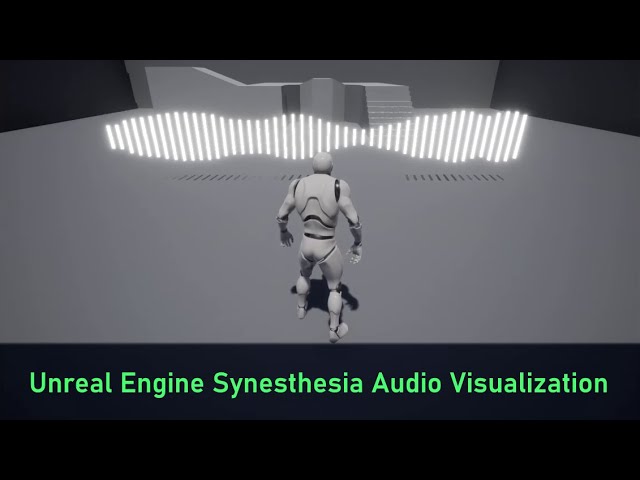
Learn how to make a Blueprint to visualize the frequency spectrum of a sound file in Unreal Engine.
00:00:00 Introduction
00:00:34 Project Overview
00:03:10 Enabling User Input
00:07:36 Setting Audio Source
00:09:33 Spawning Sound Cubes
00:17:47 Visualizing the Audio
00:34:34 Completed Project
Music used in the video is Wanted Alive by Notty P...
but lip sync is another beast, as it detects phonemes
static falcon
Yeah... I am fine with it just being open/close though for this character
Interested to see what I could get away with
 obsidian current
Why my backwards solve is not using the offset rotation of the controls I've set? I can't manage to get them in the right position, despite it is being okay and working properly in the forward solve


I really don't know why is it doing that lol
Can someone help me with that? It's my first time setting backwards solve
 wraith flame
how would I animate a Character from Character Creator in ue5?
I found a way to use live link for the face but the body is still un rigged
 lethal violet
Asked this in general but people are talking about other things so noone can look at it. Full body IK is placing my foot bone in the wrong position. I managed to fix it by setting the transform of the foot bone a second time after the full body IK node but this seems wrong to me.

 wraith flame
Are you making a game or film?
lethal violet
wraith flame
Are you making a game or film?
A game but I'm just trying to learn how to use full body IK now because I was having problems with other IK nodes that I think I can fix with the extra settings full body ik has
wraith flame
I dont know Im new but how long did it take you to learn the basics of ue
lethal violet
wraith flame
I dont know Im new but how long did it take you to learn the basics of ue
I've been learning for about 4 months and I feel pretty confident now with most things
Most basic things at least
wraith flame
Im trying to make an animated short, i am very new but i have a basic blender backround
lethal violet
wraith flame
Im trying to make an animated short, i am very new but i have a basic blender ba...
I personally found it easiest to animate using a control rig. Maybe that helps with your question.
wraith flame
So this is my question, I use a differentc software called CC4, from this I build a character. It comes rigged but when I get it in ue5 it is difficult to animate
wraith flame
lethal violet
A game but I'm just trying to learn how to use full body IK now because I was ha...
what kind of game
sturdy valve
How do I reposition his hands to hold the gun correctly?
 brave moat
sturdy valve
How do I reposition his hands to hold the gun correctly?
brave moat
sturdy valve
How do I reposition his hands to hold the gun correctly?
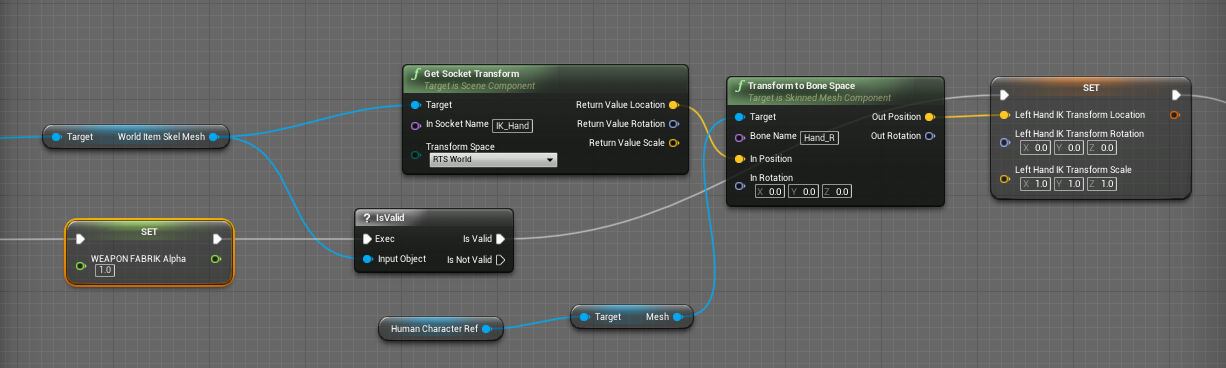
Everyone else on the internet is wrong. (Okay, not quite — though I spent a good many hours going through tutorials and not getting the results I wanted for left-hand IK. There are a LOT of t…
lethal violet
wraith flame
what kind of game
A souls like
lethal violet
wraith flame
So this is my question, I use a differentc software called CC4, from this I buil...
I don't think so if you use a control rig
 sinful wave
What are some solutions for squash and stretch animations in unreal?
obsidian current
sinful wave
What are some solutions for squash and stretch animations in unreal?
morph targets
 bright wasp
I have an animation that I want to play forward when the player is inside a collider, and play backward when the player exits the volume, I'm currently using a "blend poses by bool" node, is there something else I could try?
 frail oak
We require Animators
mystic tiger
Hello, I have a control rig with 2 constraints, one on each hand, two bones ik with the upper arm and lower arm being controlled by hand.
When I hook up the control rig in the animation blueprint my idle/walk state machine is not playing, but my reload animation is, any ideas?
sinful wave
obsidian current
morph targets
I mean a rigged skeleton. Stretching the bones by scaling them causes issues when importing to UE
obsidian current
mystic tiger
Hello, I have a control rig with 2 constraints, one on each hand, two bones ik w...
Would like to know about this too
obsidian current
sinful wave
I mean a rigged skeleton. Stretching the bones by scaling them causes issues whe...
You can stretch a part by a bigger chain on the hierarchy
I think you'll need to make the mesh compressed beforehand and them use the normal positioning as a stretched version. That's what I did when I needed that
mystic tiger
I think to play animations with a control rig, we need to somehow solve in the control rig bp the bones that the animation wants to play, but im not sure how @obsidian current
sinful wave
obsidian current
You can stretch a part by a bigger chain on the hierarchy
why a bigger chain? How does that solve the stretching issues in unreal?
robust saddle
Can anyone help me with this aim offset/firing animation issue? The offset works as intended, but the firing animation is causing some weird things to happen when aiming up and down. It looks like the animation is trying to move the arms to a set location, but since the character is aiming up/down, it shouldn't be trying to reach those locations. All anims used within the aim offset are set to Additive - Mesh Space. Video here - https://youtu.be/PeIolMKgqvA
 timid torrent
Hello, I have a problem with importing animation from Maya to Unreal 5. The highlighted rigs are the parts where the animation doesn't work in Unreal and I have no idea why. If someone could help me with this I'd appreciate it.
 timid torrent
Here's the animation if that helps
brave moat
any resources on animating a revolver? I'm getting caught up on the cylinder because it feels dumb to make 6 animations that are almost the same for firing when the only difference is the rotation of it. Am I right in thinking I could just blend space each position of the cylinder and layer that on top of the fire/reload animations?
 buoyant garden
Im doing an animation montage split into sections, however the blend out is triggering the notifies of the next section, is there a way to avoid this without having to do multiple montages?
 dusky void
Im having an issue where the target character is not rotated the correct way. Ive tried to correct this by changing the characters z value to face the same way as the source character and then reporting it. When trying to retarget it has the same issue

 rigid perch
I just discovered markers in sequencer. Are you able to get the frame number of the marker location as an index in blueprint?
 potent garnet
more of a design question for setting up an eventual animBP
for first person arms

should I make each arm it's own skeletal mesh with its own animBP driving it? given they're going to be potentially doing separate actions on each
or keep them as one rig and do some sort of masking of the L/R
 flat osprey
ehhhh... what is even that behaviour?
a loop that's not a complete loop? what the hell
 foggy wadi
So I've been hopping thru channels trying to figure out how to ask this question correctly lol. Is there a concept of multiple world spaces within Unreal? Im trying to achieve something similar to Tetris effect where they have the game going on in the foreground, but cinematics are happening in the background.
https://youtu.be/gdHQdQY9css @ 9:25

a ps4 game appeared!
this different approach for tetris is a success, sometimes hurts your brain but it's a pleasant experience
figured it would be good to attempt speedrunning journey mode after playing it for the first time and getting SS on all effect modes. that's a good run for a first attempt!
My issue I don't know what I am looking to do is called. And I've learned if you don't know the right question, you will never get the right answer
 rigid thunder
@foggy wadi level streaming?
wicked crag
Has anyone here had issues with animating with MrMannequins tools addon?
I have weird results with a custom character that has been rigged with that specific addon.
This pic explains pretty much it all

 dark pawn
can someone explain to me what causes such behaviour after retargeting so I can try to prepare my model properly?
 flint yew
Hi everyone -- do I always need to have an AnimBP to play a montage on a skeletal mesh? Doing it like in the picture attached does not seem to work.
 wicked crag
dark pawn
can someone explain to me what causes such behaviour after retargeting so I can ...
wicked crag
dark pawn
can someone explain to me what causes such behaviour after retargeting so I can ...
Have you tried different bone translation settings?
Root as Animation, Pelvis in Animation Scaled and the rest just Skeleton
https://docs.unrealengine.com/4.26/en-US/AnimatingObjects/SkeletalMeshAnimation/AnimationRetargeting/

Describes how retargeted animations can be used with multiple Skeletal Meshes, allowing you to share animations.
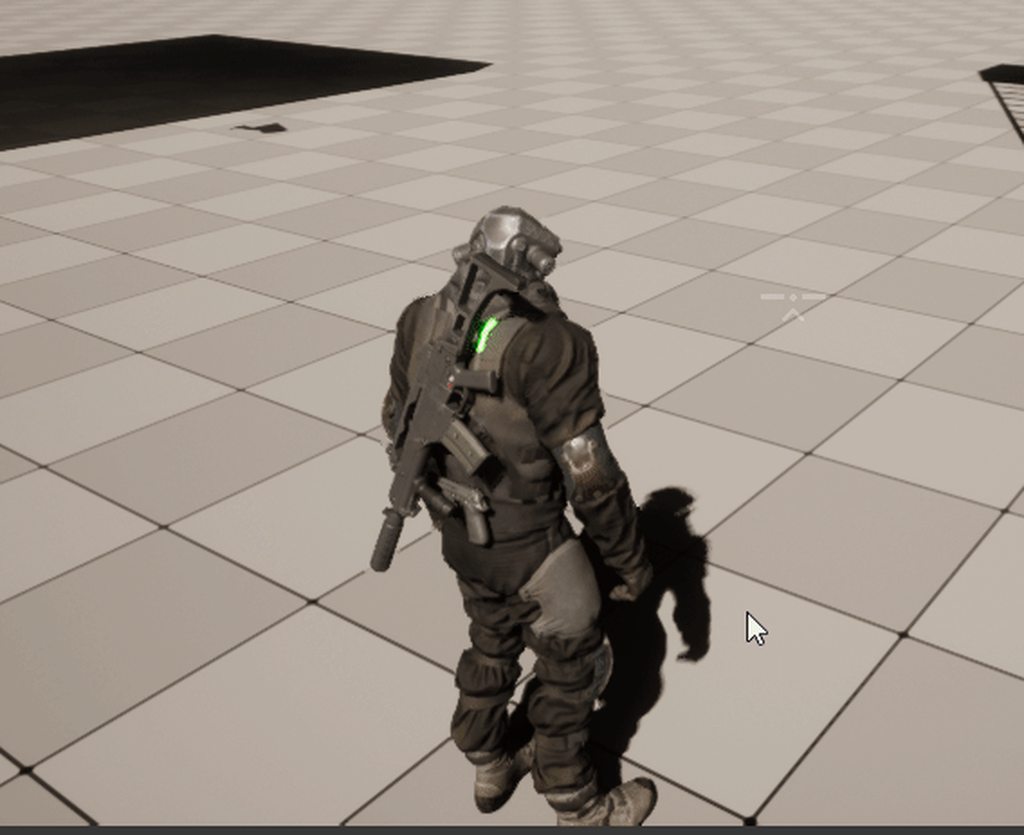
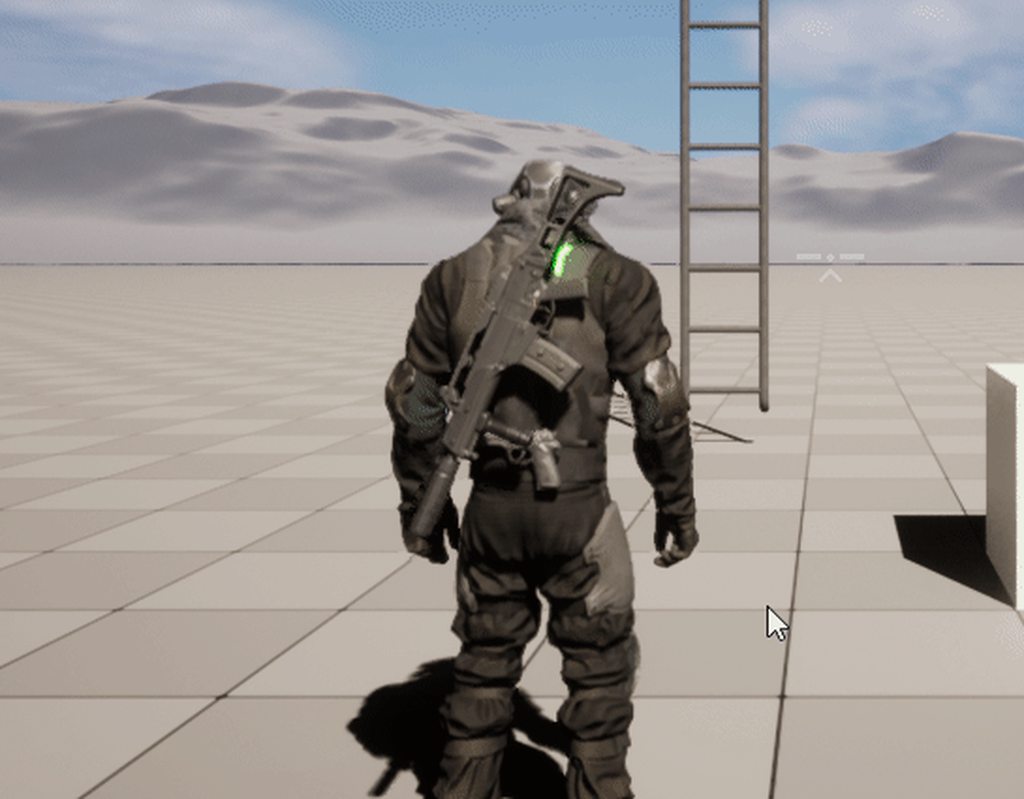
 teal gazelle
Hello. So I created this animation and it looks awful. Is there a way to actually simulate wind in Unreal (like with a force field or something) so it looks realistic rather than adding flickering wind node into the material?
 silent jetty
hi. need some help with animation retargeting. in my source animation, the engine is able to identify the root motion correctly. note the red line in the first screenshot. however, in the retargeted skeleton, the root motion is not retargeted. see second screenshot.
the third screenshot is what my bones map out to. and my root is pelvis. if i choose "root", the animation has a lot of problems. how can i fix this with UE5's new retargeting system?


if i set a chain from root to pelvis and then set the retarget root to be the root, it looks awful. everything completely break sunless i set the pelvis as the root
modern hill
morphtargets and Cloth Simulations cannot work together ?
hasty mulch
Hello all! Has anyone experienced something like this when baking an animation made with control rig (it happens with any project, even brand new ones and with the default rig as well as with a custom one I made)?
I know I am not alone 🙂 another user posted a message on the forums https://forums.unrealengine.com/t/ue5-bake-animation-from-control-rig-not-working/586905/2 but I was wondering if there is some fix.


Unreal Engine Forums
Something is definitely wrong. I am experiencing exactly your same issue. I also tried creating a control rig from scratch: same issue.
 frozen lava
 grand needle
How does this guys cape thingy move around like this? I have a feeling it has to do with animation so thats why i'm here
real orchid
Is the folder filter in the asset browser broken in UE5. I have a folder filter applied to a folder with a ton of anim assets and it's not showing me any of them
It doesn't seem to show me anything even if I give it the top level directory
 brave moat
grand needle
How does this guys cape thingy move around like this? I have a feeling it has to...
brave moat
grand needle
How does this guys cape thingy move around like this? I have a feeling it has to...
looks like it's using chaos cloth simulation
 dire mist
Why would an 'Event blueprint update animation' stop firing when moving at high velocity? Character freezes when moving fast.
Tested multiple different characters in different scenarios. There seems to be a hardcap on animations based on character velocity, replicated or offline. This didn't happen in 4.27.
silent jetty
hi. how do i end a montage early? i want this montage to stop at empty:

eh nevermind, it was REALLY silly. you just need to not link to Empty
 sick swallow
Gimbal lock trouble! I'm rotating my character's hand in the sequencer and it has fallen victim. Anyone know where the button to enable quaternions is in UE5's Sequencer? I found a resource that said it was in this spot back in UE4 but I don't know where it is in 5.
 misty dagger
is there a way to see the bones in ue?
sick swallow
misty dagger
is there a way to see the bones in ue?
When you're in the viewport for the skeleton asset, select the following:

 hybrid smelt
Anyone know how to fix elongated limbs? Animations and everything works perfectly but my character is getting the Mr. Fantastic treatment
 modern hill
i have setup a Morph system where i can change different body aspects of my body via. morph targets

unfortunately the skeleton does not scale with morph targets
so i had the idea of making poses where i scale and reposition every bone till it fits again
the problem with that is that it would scale my character aswell
so i am interested if there is a way to change bone locations etc. without affecting characters vertex groups?
 stark sequoia
hey guys how to add more frames in an animation?
 modern hill
@stark sequoia slide that red line to the right
stark sequoia
I tried, but it doesn't doesnt allow me to move
in sequencer it easily does it but in an exported animation it just won't mvoe
modern hill
probably because animation is related to sequencer
 modern hill
you can set animation length inside of the software you created it
woven rose
rocky remnant
Reasons can be...
Wrong weigh painting.
Wrong bone axis.
Simply it's not Rigged ...
Thanks for the reply, turned out I had to repaint cloth data.
modern hill
@stark sequoia In Animation editor you can cut out the length of your animation i think
but not increase it
 wicked forge
This node gives me a Rotator where the green arrow is the Front Axis, red the Up Axis and blue the Right Axis. How would I go about to change that?

So that it follows the usual axis orientation
Case in point:

In other words, how do I get the true forwards axis of that bone?
(it's the default mannequin)
compact pebble
guys need a little help with control rig
is there anyway to offset spline position then i create on bones
?
modern hill
how can i visualise skeletal mesh collision in viewport ?
 copper sigil
Hey folks, I have a simple skeletal mesh, a tube (or 'rope') with a bone at either end.
In Unreal, I'm setting the two bone locations at runtime, and they're both being told to look at each other. In the end I'm left with a rope that will span any gap quite well.
I have an added problem though - Sometimes these ropes need to bend around other objects in the scene. I don't want them to be physically based, simulated rope (there will be hundreds), so I wondered if anyone had any ideas on how I might achieve this?
My first thought was to add another bone in the middle of the rope, which could slide along it's length to wherever the obstacle is and whenever something crosses the ropes path, that bone gets stuck there. Is there something I could do in ABPs to do this?


Passing thought, but perhaps I could do a line trace between the start/end and check for obstacles, at which point I'd need to fix the 'bend' bones location to this point, but not sure how I'd allow for it to unstick as well 😬
misty dagger
How would I approach animating weapons and interactions as someone with ZERO animation talent? I already have programming and design on my plate so it’s not a simple field to pick up
I saw procedural animations were a thing, too, but it might not suit all interactions
 distant moat
I can't for the life of me figure out the correct method to add recoil to a character with aim offset. Anyone know? I want to use IK to just add motion to whatever animation is playing but I can't find anything on controlling IK goals at runtime
 hallow elm
I have a question
is there any good way to left hand cocking for sniper rifle?
I couldn't find any good tutorial
 weary valley
Does anyone have experience with procedural ADS for firearms? I'm looking to implement it in my game and followed tonnes of tutorials but none of them seem to work no matter what I try
 fresh geyser
I've ran into this issue before, but i've forgotten how to deal with it.
We're making a new character and it need to fit with our existing skeleton/animations. Everything looks fine until we start playing animations, and then the character becomes a barely dimensional stick figure from hell.
 modern hill
does anybody know how i could change the transform of a bone without affecting the mesh ?
modern hill
would be really helpful to correct bone positions to match morph targets:
 ionic fossil
Hey all! I'm having an issue with metahuman retargeting (i think). I'm using a mixamo animation and my metahuman's shoulders seem to be getting distorted a bit. I tried adjusting the position of the shoulder bones of the mixamo animation in blender, and I also tried the "skeleton/animation/animation relative" fix for distorted metahumans on youtube, all to no avail. When I look at the preview mesh in the retargeter settings, the shoulders look okay, so the issue could perhaps be relating to the neck/body attachment. I tried adjusting the Blend to Source IK Adjustments as per a message I found previously on this server, but that also didnt work. Any ideas? thanks :)


 crisp void
Hi anyone how to force player disable movement but allow Root Motion? I tried SetMovementMode to None but Root Motion also stop moving too.
 agile lodge
copper sigil
Hey folks, I have a simple skeletal mesh, a tube (or 'rope') with a bone at eith...
agile lodge
copper sigil
Hey folks, I have a simple skeletal mesh, a tube (or 'rope') with a bone at eith...


Here's the process of our rope mechanic. Hoping it will help some devs out there 🦝
#Delight #indiedev #gamedev #unity3d #gameprogramming #madewithunity #unitytips
Likes
6489
Retweets
982
 Twitter
·
regal pivot
Twitter
·
regal pivot
What is this for? Sorry , I don't understand the concepto of the documentation "This will attempt to set the rule automatically, based on the remaining time of the most relevant player node and the Crossfade duration of the transition , ignoring internal time. " could someone translate this into mortal language please.

 magic hull
Is there an easy way to use the camera rail but have it be level/stick to the landscape ?
real orchid
This is (I hope) a pretty basic question. But when I import assets from the market they generally come with their own mannequin that all their anims are bound to. Is there an easy way to quickly rebind all these to 1 mannequin?
Additionally sometimes these skeletons will contain a few extra bones (holsters, that kinda thing) and I can't seem to play anims that have the same skeletal structure but not the additional bones? In this case it just seems to play nothing?
I'm basically looking for a way to not duplicate retarget and then delete original for everything. But is that generally how people do this? I'm very surprised that unreal won't just try and play any anim on any skeleton.
If I delete the referenced skeleton for these animations I get basically what I want but it seems to require me attempting to open the asset to get this workflow

 gloomy fable
Is there a way to import a skeletal mesh from Unreal into blender without causing all the bones to rotate? Normally Id just use a blender plugin to just start off the bat with the unreal skeleton, but Im planning on using skeletons from paragon assets
 cold bobcat
Hello all, I have a question regarding blending animations. I have here an "add" animation where the character is jumping. Now what's different is that the character is in a T-pose and is moving up (as if jumping). There are also some minor arm movements but that is besides the point.
I thought that I could blend this with a walk animation using 1D blend space but the character would move from walking to literally jumping in a T-pose. LOL.
So is there a way to "add" this T-pose jumping animation to my walking animation so that the character is able to jump while walking?
 upper fossil
assuming it's possible/relatively easy. How can assign a specific chain of bones to follow physics rules/constraints (specifically like a cloak or a ponytail)?
upper fossil
cold bobcat
Hello all, I have a question regarding blending animations. I have here an "add"...
yes, you can use additive animations (option on the animation panel) or layer them in the animbp
cold bobcat
upper fossil
yes, you can use additive animations (option on the animation panel) or layer th...
Great! Is is under the "Additive Settings"? I apologize, I am still getting my bearings straight with the UE 5 editor
upper fossil
yes
cold bobcat
upper fossil
yes
Great, thank you. Also would you be able to recommend any resources that I can use to learn about this feature/subject?
 zinc bridge
Guys in first person mode i made the crouch system but how can i implement an animation to dont be like , super speed?
Like, if i press ctrl the camera go down without any animation , like instantly
How can i make a smooth movement?
 earnest stump
hi, just wondering if anyone here has experience using the AutoRig Pro Blender addon exporting to Unreal?
 sweet pike
zinc bridge
Guys in first person mode i made the crouch system but how can i implement an an...
sweet pike
zinc bridge
Guys in first person mode i made the crouch system but how can i implement an an...
You should smoothly interp the arms to a lower position during crouch & not instantly set the location. The camera will automatically follow it provided you have attached it to the arms mesh.
sweet pike
gloomy fable
Is there a way to import a skeletal mesh from Unreal into blender without causin...
When you import the mesh into blender, you have to change x, y & z direction to something else from the import tab (iirc you need to change two out of them). Unreal & blender have different forward vectors that ends up messing up the mesh.
 misty furnace
Hey guys, I'm currently working on a charging skill like a soldier charge to one place. I was wondering which is the better to way to do it. First way: I add the velocity to the charge direction and then use a running animation. Second one is just use a root motion for charging, so the charge distance is totally depend on the animation. I tried to search online, so for a multiplayer game maybe the first one is better to do?
sweet pike
misty furnace
Hey guys, I'm currently working on a charging skill like a soldier charge to one...
Such attacks are better done with rootmotion. If you do with velocity it will be really hard to have your own movement curve like instant dash and then stopping in like 0.1 s. Doing that with code will be a lot hectic. So go with root motion.
 outer pendant
sweet pike
Such attacks are better done with rootmotion. If you do with velocity it will be...
outer pendant
sweet pike
Such attacks are better done with rootmotion. If you do with velocity it will be...
there's a 'root motion extractor' plugin that lets you get the best of both worlds
 latent abyss
Working in UE5 with Metahumans, does anyone know why attaching objects to bones doesn't work properly? Object disappears/jumps away when bone attach begins, transform keying does nothing
 brave moat
latent abyss
Working in UE5 with Metahumans, does anyone know why attaching objects to bones ...
brave moat
latent abyss
Working in UE5 with Metahumans, does anyone know why attaching objects to bones ...
set the location to 0, 0, 0 when it attaches
next mountain
latent abyss
Working in UE5 with Metahumans, does anyone know why attaching objects to bones ...
Not a definite answer, but probably a transform problem. What did you use to attach the glass?
cold bobcat
Hello all, real quick question, I am looking for good resources on additive animations. Would anyone be able to recommend a few resources for me to look at?
 faint oracle
How would I go about having the physics bodies simulate while playing animation in sequencer in simulate physics mode? I've found a way to add the physics tick box but it ragdolls the entire body, just need parts of it to deform on collision 🤔
 opal sentinel
Hey guys and girls 🙂
I have an issue with an animation i retarget. When selecting the option "skeleton" on the pelvis my Feet are swimming. If i then pick "animation Scaled" as suggested it stops swimming but I'm floating of the ground. The Pelvis actually moves to the position of the other rigs pelvis. Since the other character is bigger my smaller character now starts "floating".
I think the same issue is goes on with the IK Bones. They are not scaled down.
Any ideas how to overcome this issues? In the picture you can see my settings I'm using. Basically the recommended once form Unreal
edit: closer observations showed that my feet are still swimming... if with animation scaled pelvis. I was able to counter the floadting by editing the position of the pelvis via Curve. But this is not rly a solution overall.
hope somebody can give me some advice.

 next mountain
opal sentinel
Hey guys and girls 🙂
I have an issue with an animation i retarget. When select...
next mountain
opal sentinel
Hey guys and girls 🙂
I have an issue with an animation i retarget. When select...
Have you test it on the map?
The foot "swimming" issue.
opal sentinel
next mountain
Have you test it on the map?
The foot "swimming" issue.
yes if i place the Skeleton mesh into the map its behaving exactly as in the preview
next mountain
opal sentinel
yes if i place the Skeleton mesh into the map its behaving exactly as in the pre...
Is the root on the same height with the soles of the foot?
Also, did you use IK for the foot?
opal sentinel
next mountain
Is the root on the same height with the soles of the foot?
Also, did you use IK ...
yes i used IK for the feet in maya. The imported animation is grounded and not skating around. 😭
And yes the soles in the original are on the same level as the root is
next mountain
Ue4 retargeting I assume?
So the anim/pose is wrong after you retarget it from another skeleton?
Might be better if you have a video detailing the steps that you did that end up with the wrong result.
Still not really sure what the problem is in details.
 drowsy arrow
Hi, I made a simple animation in sequencer, preview is good however during render, character location changes on z axis . It goes up and down. Any idea why it's doing that?
 amber mural
Hello, Can anyone tell me what this is exactly and how to go about fixing these animations? What is the FanimCurveBufferAccess? What curve is it trying to access? And compression index on animation?

 uneven herald
Hey Im having a problem with my VR Pawn rotating correctly on Snap Turn, it seems like teleporting makes the actor rotation reset on tick. Im using the snap turn from the VR Template project, I just added an "Add Controller Yaw Input". The teleport is fromt he same template project. Please help!! Im attaching a screenshot of the snapt turn and teleport functions as well as a video showing what is happening, what is being printed on tick is the Get Actor Rotation Yaw of the pawn.

 latent abyss
brave moat
set the location to 0, 0, 0 when it attaches
latent abyss
brave moat
set the location to 0, 0, 0 when it attaches
When it attaches, and I set location to 0 across the board it reverts to its random location in the sky!
latent abyss
next mountain
Not a definite answer, but probably a transform problem. What did you use to att...
Do you mean what bone? It’s attached to the right hand.
 next mountain
latent abyss
Do you mean what bone? It’s attached to the right hand.
next mountain
latent abyss
Do you mean what bone? It’s attached to the right hand.
I'm assuming you're doing this using the sequencer?
If it was done using blueprint, there's usually a snap option, to ensure that the transform is exactly where the bone/socket is.
Not sure if that's available from the sequencer or not though, haven't tried that.
cold bobcat
Does anyone have any good resources on additive animations and implementing them?
 remote palm
SOmeone PLEASE help! Unreal MOntages arent displaying the correct frame count! I cant figure this out! It's been years LOL I cant find anything online about this.
Basically all my game projects animation sequences read properly in the anim asset but when i make a montage is no longer shows the correct frame count. I have frames on half frames instead. this is so aggravating!!
1st is my anim sequence displaying the correct frame count and correct timeline for a 60 fps asset
2nd image is the same anim sequence now in a montage.
It's now displaying "42" frames.... when it's infact not.
It's playing my frames on half frames. This is so frustrating and confusing my animators


 trail maple
this is my first time rigging anything, I’m trying to make a basic IK on this lizard’s legs, but they are turning into noodles


 placid pawn
I changed my pivot point of a wheel mesh. I want to animate it in sequencer using the new pivot, but it still uses the old one. How to do this properly?
 swift edge
is there a way to add curves to multiple sequences in bulk?
hallow elm
Hi, Is there good tutorial for cocking sniper rifle bolt with right hand?
Idk how to handle about cocking bolt
 pseudo furnace
hello , I retargeted an animmontage. so with montage it created an animation too. but when i view the refrence of the new montages, I see this empty reference , and it is the older's montage's animation. so it shouldnt be there . because the retargeted montage is using the new animation. so how can i get rid of this empty reference?
 sand oar
Hey all I am making an effect where my character reverses the gravity for a few seconds so I want him to flip around. I made the animation but when I play montage the blend makes it so my legs don't follow and my body twist like this. how do I make the auto blend let go of my legs as well?

 median ledge
I'm using empty states in the state machine graph to organize it better ( treating it like the dots in blueprints )

is this a bad idea?
like does it just suck away memory/cpu?
or is there some way of organising this graph that I don't know of?
median ledge
wrong channel
 red breach
Hi, I'm probably missing a super obvious button somewhere, but how do I set an animation blueprint to show me the currently used states and transitions of an asset live in-game? At the moment it just shows me the state of the asset in the preview window
Found it immediately after asking lmao. A dropdown beside the play button
 strong python
I have an issue when I try to make the player head rotate towards where the camera is looking at (and need to be synchronous with other players), it kinda works but now my character doesn't rotate anymore to have the body facing the direction of the movement. And also I'm able to look behind my back and I don't want that. How to fix it please ? https://gyazo.com/1075d697ec21dc503a771a6060c3d7c7
Here are some screenshots of my AnimBP, my "Use Controller Rotation Yaw" is disabled.
How to achieve that please ? 🙂
Please ping me if any answer or if you need more informations 🙂


 sand oar
While playing root animations like swinging I can hear my run animation playing in the back ground when I move. How do I set it up so that don't play

 tall mural
is it possible to animate bones in unreal. it seems there are no key frames for each bone?

in unity its easier to do this


 wicked terrace
if i create a model & rig in blender, am I able to animate the rig in Unreal using sequencer?
 worldly charm
I'm in an animation asset I want to trim it. So its a full jump from jump up to land. Every time I right click on the timeline and click remove frames X to X, it always leaves the last frame to match the original pose. Anyone know how to make it work?
tall mural
wicked terrace
if i create a model & rig in blender, am I able to animate the rig in Unreal usi...
yes I just did. its actaully pretty powerful. unfortunately hard to find tutorials but easy once you figure it out
wicked terrace
sweet, thanks :)
 buoyant warren
I'm trying to make a control rig for a ice hockey player, and I have a bone for the stick (bone parented to the hand with the bone the entire size of the stick). But i'm having trouble trying to have a control that positions the end of the stick (so basically i want to move the control to somewhere and the end of the stick moves to that position)....as the control it transforming the top end of the stick
Any ideas on how to control the position of the small end of the bone?
 lofty marlin
I got a strange bug. I have this AnimBP and it works fine, despite the fact that after restarting the Editor, I have to compile the AnimBP, otherwise the UpperBody animations aren't playing while running. And I don't get why.

Run animation plays fine, but the sword attack just doesn't want to "overlay". The AnimNotifier of those Sword Attacks are playing though (Sound, and I can even see the trail playing and the damage is being dealt
Standing still and attacking works
Running works
Running and Attack only plays run animation
Unless I compile the AnimBP once, then it works until next restart.
(lovely bugs..)
Tree itself while debugging looks correct

:/
buoyant warren
Is there a way to add limitations within the control rig IK? For example I want to make it so that the rotation between 2 bones cannot change (so maintain their relative rotation to each other). I'm currently using Basic FABRIK
 remote summit
I am creating my own control rig, and in the process (following a tutorial) it has me setup an IK

the issue I have, is the leg seems twisted....
I create all my assets with Z up (as it should be) and with X forward (as it should be)
I have played with the Primary Axis and Secondary Axis, 1 or -1 values in all the possible combos and I cant seem to get the warping to go away
if I set them all to 0, it doesnt warp

but... then when I move the IK control i get this

bone looks great, but somehow the weights are off... makes no sense....
the IK should not modify the weights of the bones
if I set the primary to Z -1, i get the warping, but the weights are there

In Maya, setting up the IK is a bit different than here... and it makes me wonder if this is the reason the UE skeleton has an IK bone...
Any pointers/suggestions would be a huge help as I want to try and get this stuff to work in UE5 instead of just doing it all in Maya


 warped sapphire
blender to ue question; if i keyframe rotation of an object in blender (so no bones, just the object rotating) can i export that into ue and end up with a montage?
 cerulean light
Hi, I'm new to blender and created 3 animated meshes that I want to export to unreal as one animated mesh. Does anyone know the best way to export this so its one animated mesh in unreal?

 buoyant warren
I think you just want to click "Combine Meshes" in the advanced options on the Import popup in Unreal
 jolly nest
Wondering if someone might have a workaround for an issue I am seeing when exporting a retargeted animation in UE5 using the retargeted rig.
On the skeleton that has the animation I want to retarget and export, root motion exists and visibly moves with the actor but once I retarget the animation to my new rig it seems to have lost the root movement data and no longer moves.
This is probably because I have had to use Pelvis as Root instead of actual Root but if I do use Root as Root bone the animation is messed up. Anyone experienced this or have a workaround? I tried adding the Root bone as a seperate chain but that didn't make a difference.
jolly nest
As seen below, Root bone has no data after retargeting (with Pelvis used as Root) but in original it does have data (orange line seen as root bone moves with animation).
 worldly coyote
i am using a jump mixamo animation but every time i start the game it loops. can someone help a brother out?
cold bobcat
Hello all,
I have been looking into implementing additive animations via animation montage and I have a few questions if anyone is out there that can help?
I have this case where I am implementing a jumping animation on top of say a walking animation or even a shooting animation. Basically, my jumping animation is a jump with the reference pose. For the programmers out there, I am essentially ORing the current animation with the jump animation
-
For doing additive animation such as this, is the animation montage the best way to go about doing this? Or is there a simpler or a better practice method that I should aim for?
-
To confirm, the animation montage would be able to animate only on the bones that are effected?
 muted monolith
jolly nest
As seen below, Root bone has no data after retargeting (with Pelvis used as Root...
muted monolith
jolly nest
As seen below, Root bone has no data after retargeting (with Pelvis used as Root...
after retargeting some bones does not work !
some of them
 muted prairie
Is there a way with a Animation Asset played in a blueprint to know when the animation finished playing? Or do I need to move to animation montages to know that?
static falcon
worldly coyote
i am using a jump mixamo animation but every time i start the game it loops. can...
Are you using state machine or something to manage the jump?
worldly coyote
static falcon
Are you using state machine or something to manage the jump?
i fixed it earlier (i was a boolean issue)
 wild hollow
does anybody know how to fix this?
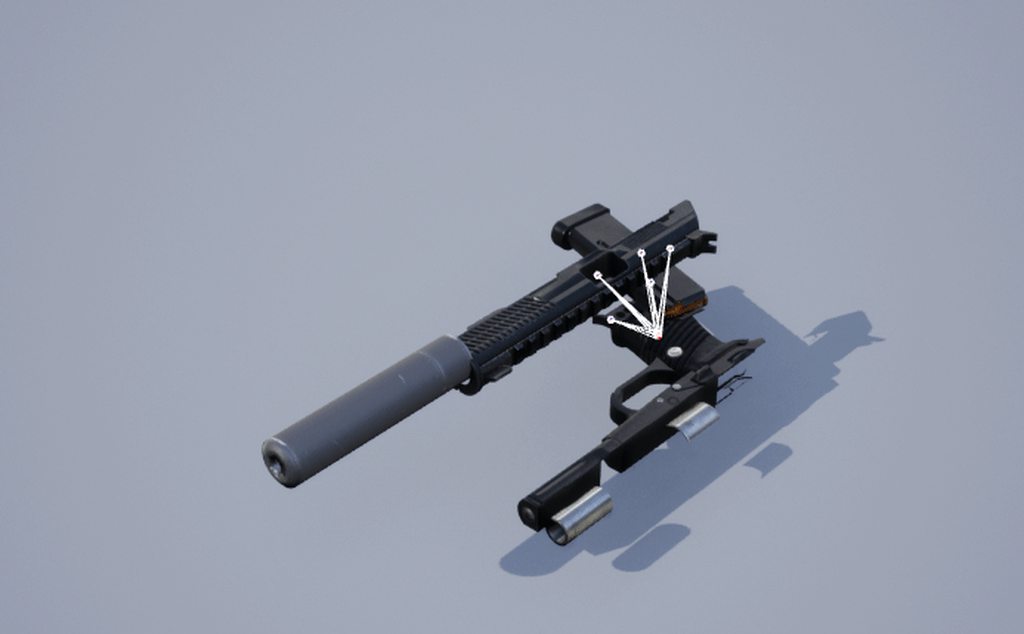
i added the suppressor in Blender
the skeleton is the same as the one without
 quasi atlas

Is there any documentaion for unreal engine 5 on how to retarget animations? I broke my skeleton, and all i want to do is retarget the animations to a working copy of the original skeleton.
All i can find is UE4 stuff
The one i broke:


 tranquil hollow
sovle the animation bone orientation problem https://youtu.be/laJTdtZN_-4

Help to flip the bone axis in edit mode,can convert skeleton to epic skeleton. version 2.0 is not published yet.
red breach
Hi, I'm having an issue with an anim state in my game where at the start of a player attack, a bool is toggled on to prevent repeated attacks until the animation finishes where the bool is then toggled off by a notify in the anim. This works mostly fine, but if the player presses the attack button within ~0.25s of the anim finishing then the bool becomes toggled on but no animation plays. Because the animation doesn't play, the notify never triggers so the attack state cannot be escaped. Does anyone know why this might be happening?
For reference, yeah preventing the player from inputting another attack for 0.25 seconds prevents this issue from happening, but forcing the player to be idle briefly between attacks feels slow and unfun
misty dagger
hiiii
I am trying to execute control rig
so I have a question what about the facial expression and clothes how to merge them with control rig
should clothes be added first or later it can be done????
brave moat
 lucid slate
How can i solve this?
lucid slate
How can i solve this?
Everyone else on the internet is wrong. (Okay, not quite — though I spent a good many hours going through tutorials and not getting the results I wanted for left-hand IK. There are a LOT of t…
red breach
red breach
Hi, I'm having an issue with an anim state in my game where at the start of a pl...
Solved for now: I've found that binding the anim's looping value to the mentioned state solves the issue. Looping was simply turned off before
magic hull

How do you animate any of these parameters ? I can't seem to get them into the sequencer
the BlendIn BlendOut time doesn't seem to be doing anything to soften the transition between shake/no skake
 warm garnet
I'm trying to get 2 animation sequences of the same length to sync up across 2 different animation blueprints. Right now they are out of phase, and I can't figure out how to fix that. I was looking into sync markers but it seems to have no effect on the animations.
lucid slate
Thanks buddy
 naive smelt
im trying to import animations into unreal need some help can somone hop in call i got "mesh contains bone as root but animation doesnt contain root track" error as well
just @ me if u can jump in call sometime
cold bobcat
Has anyone here worked with animation montages?
 devout bluff
Why is blender such a cunt, why is it so hard just to flip an animation on my dope sheet.
2 days stuck on this bullshit and NOTHING works.
 stoic moth
Okay, I've got a character modeled, textured, and rigged in Blender. What is the dead-simple step-by-step process of getting this character out of Blender and into UE5 with all textures and rigging intact and ready for use?
warm garnet
stoic moth
Okay, I've got a character modeled, textured, and rigged in Blender. What is the...
You could use the Send2Unreal addon for blender
stoic moth
Oh? I haven't heard of that yet. I'll look it up! Thanks.
 craggy knoll
Motion Matching matches the Anim play rate to the Characters Speed. Did someone tried doing the other way around? Matching the Character Speed with the Animation root motion speed? Is that a good idea? Yes I can just use Root Motion then, but the problem with that is that some things won't work with Root Motion Anim Montages, like AI Navigation where the Character should be rotated towards the next path point.
quasi atlas
devout bluff
Why is blender such a cunt, why is it so hard just to flip an animation on my do...
Haha i'm just starting to learn blender animation and I don't know what i'm in for just yet. I'm impressed this discord server didnt censor you. Gave me a laugh - Some parts of blender are needlessly.... ambigious and convoluted.
quasi atlas
stoic moth
Okay, I've got a character modeled, textured, and rigged in Blender. What is the...
Yep the send to unreal plugin is definitley where i'd start.
quasi atlas
stoic moth
Okay, I've got a character modeled, textured, and rigged in Blender. What is the...
CGDive on youtube has a few videos in his channel that cover ALOT of the ugly details - including Send2Unreal
quasi atlas
stoic moth
Okay, I've got a character modeled, textured, and rigged in Blender. What is the...

In part 4 of the Blender to UE4 series we'll talk about exporting the character along with its' baked animations to Unreal Engine.
I present two approaches:
- Using the Send to Unreal addon from Epic Games
- Manual FBX export
Get early access to CGDive content:
🔹Patreon
https://www.patreon.com/cgdive
🔸Youtube Memberships
https://www.youtube....
 native crescent
Hi guys, I have a problem with animation in sequencer. I want a simple spin of the two pieces (hub and blade)...
I can turn them normally and create keyframes for the two positions (120 degree spin)
However when I then play the animation it looks like this............ 
thanks in advance
 night mirage

 raw mist
hi. what is the most basic way i can control the playhead of a skeletal animation from bp ?
 placid raptor
why am i being warned that another animbp's post process is running? if i disable it the preview animation stops as well.
i copy pasted the code from a metahuman animbp so i could mess around with it without screwing up the original bp. i didnt make it a parent class though, they should be completely seperate right?...
 modern hill
how can i reset a pose in sequencer on a control rig ?

or do that for specific bones/controls only ?
placid raptor
placid raptor
why am i being warned that another animbp's post process is running? if i disabl...
oh it seems the metahuman skeleton somehow permanently links itself to the provided anim blueprint. thats annoying
disabling post processing works atleast... still feels jank though
 simple coyote
It's my old question and have not answer yet, so sorry for posting in two channels, but.
Has anyone same problem as me: after I package&run my project, Control Rigs seems to be not working at all in UE5. Works perfectly in PIE on standalone mode.
Also, worked good in UE4.
 tranquil pollen
https://youtu.be/h1FU-T2EsVA?t=560 < click this link for jump exact time frame.
I want my character to move smoother similar too , in this game where player holds button to catch some lever and toggle joystick to move left and right to move it
I look for smooth movement of this lever when player come in contact with lever. by scrubing animation asset frame smoothly
With player in control of lever.
i will do hand ik smooth snaping to lever handle later but i looking now to move animation scrubbing smooth beforehand placed on lever handle.
Late me know if you have any better way to solve challenge : )

Inside Walkthrough Part 1 and until the last part will include the full story of Inside on Xbox One. This Inside Gameplay will include my review of the game!
Inside is the second title from PlayDead, creators of the breakthrough game Limbo.
Release Date: June 29, 2016
Genre: Other
Publisher: Playdead
Developer: Playdead
Follow me on Twitter -...
stoic moth
quasi atlas
https://www.youtube.com/watch?v=y51-tXjKEzc&t=847s
Thanks, but that might all be useless because I'm on Blender 3, UE 5 and Send2Unreal 2. But I'll take a look, maybe it will tell me enough to work through any issues.
 dark root
hi i was wondering is there any way i can IKrig hipes to the feet so i can make my char IK bend

ive got legs and foot IKs working
 marsh furnace
is there a way i can run an animation BP while my skeletal mesh is simulating physics?
ive got a door with a little IK thingy up top
and i want that to still run while the door is simulating physics

 trail elk
in my 2d blendspace, walk and jog work, but when playing in editor, walking plays the jog animation
trail elk
Still cant crouch, i can share screen


 sand cliff
Hey all, I really need some help here, I've made a skeletal mesh in blender and some animations for it, I can import the armature into unreal engine 5 just fine, but when I try importing animations for it there is only the first frame of the animation in Unreal.
The amount of frames seems to be correct, but there is no animation, only a single pose.
I can preview the animation in blender and everything animates without an issue, but after importing into unreal I don't get the full animation.
If anyone has any ideas on why this is happening that would be great, the issue has really destroyed my motivation to use Unreal, as it's such a road block.
 calm lodge
Anyone have any idea why putting my character into ragdoll would cause the bodies to drop, but my constraints to seem like they don't exist?
 sick halo
sand cliff
I can preview the animation in blender and everything animates without an issue,...
sick halo
sand cliff
I can preview the animation in blender and everything animates without an issue,...
i would suspect your not importing all the frames from blender.
sand cliff
sick halo
i would suspect your not importing all the frames from blender.
Still learning Unreal, how do I check that I am importing them correctly?
misty dagger
Default idle fps animation looks like this

my own idle animation after rigging the fps arms


in game is rotated to the right, and also shows as rotated in the preview itself. I cannot find a way to rotate my own animation. Even if I try translating the yaw, it still doesn't apply to final result when I put it into the state machine. Does anyone know how to rotate the animation sequence?
sick halo
sand cliff
Still learning Unreal, how do I check that I am importing them correctly?

Learn how to import skeletal meshes.
misty dagger
holy fuck i found my solution. Just added a control to the root bone, rotated it to the same z yaw rotation as the other animations had on their root bone. In case anyones wondering or having same issue one day
 true bloom
Hello here ! i have a question about Rig and animation with a custom metahuman i made. for make it work with livelink i have to bake to control rig the facial animation but since the control rig for metahuman doesnt have neck or head input, i cannot make the head rotate. the body does not control the head ( just an attach in the BP to the neck bone so i have the neck rotation but not the head where the full rotation of my anim is) Is there a way to even had a new controler in the sequencer to redo the animation ? or a way to get the full anim of livelink maintaining the bake to control rig ?
 sand cliff
sick halo
https://docs.unrealengine.com/4.27/en-US/WorkingWithContent/Importing/FBX/HowTo/...
sand cliff
sick halo
https://docs.unrealengine.com/4.27/en-US/WorkingWithContent/Importing/FBX/HowTo/...
Yeah, everything looks the same there unfortunately, dunno what's going on 😦
sick halo
sand cliff
Yeah, everything looks the same there unfortunately, dunno what's going on 😦
Perhaps I can help with testing. Provide a means to download the fbx without geometry.
sand cliff
sick halo
Perhaps I can help with testing. Provide a means to download the fbx without geo...
Hmm, I can send the blender file through if you want? It's only a very simple mannequin made out of primitives so it's a very small file size
I am currently using rigify and an add on that converts the rigify rig to a smaller rig (CGDive's Game Rig Tools is the name)
 umbral valve
Hello, I was trying to retarget the animations from the UE4 manny to the UE5 manny, to be able to use the AnimationsStarterPack to have some base to thinker on.
I'm using the default IK Retarget that I've found in the base files, which retargets UE4Manny > UE5Manny.
The AnimationsStarterPack doesn't use the UE4 Manny, but a copy, meaning that I wont see the AnimationStarterPack animations in my retargeter.
So, what I'm guessing I have to do is to replace the StarterPack manny with my target UE4 manny, but I'm guessing I did something wrong, cause it's not working and the animations are not showing up.
Any ideas? Sorry if it's a basic question, I'm really new to UE, or any engine for what matters.

 burnt adder
Got to love the Blender FBX exporter
 sick halo
sand cliff
Hmm, I can send the blender file through if you want? It's only a very simple ma...
sick halo
sand cliff
Hmm, I can send the blender file through if you want? It's only a very simple ma...
Ill setup google drive folder, to make it easy to share and update if necessary.
 exotic plover
umbral valve
Hello, I was trying to retarget the animations from the UE4 manny to the UE5 man...
exotic plover
umbral valve
Hello, I was trying to retarget the animations from the UE4 manny to the UE5 man...
you can use skeleton compatibility instead 🙂
just go to your UE5 skeleton, open asset details, and add the UE4 skeeleton from the starter pack as compatible skeleton
umbral valve
exotic plover
just go to your UE5 skeleton, open asset details, and add the UE4 skeeleton from...
Thanks, but I can't seem to find the option
I'm very very new to the engine, sorry

 umbral valve
exotic plover
np 🙂
umbral valve
exotic plover
np 🙂
So, what exactly does this do?
exotic plover
umbral valve
So, what exactly does this do?
now you can play all the UE4 animations on the UE5 mannequin
no retargeting needed whatsoever
umbral valve
Oh
Oh nice
How does it know which bone equals to the other though?
Some weird coding magic?
exotic plover
it needs bones names to match
I think the hierarchy doesn't need to be exactly the same, as long as the common bones names match
 umbral valve
Huh, thanks, I haven't really managed to see if it works or not, cause I'm getting lost trying to set the character to play an animation under an input, but I'm guessing it worked
I mean, I'm even using the 2 models from that article
Would be weird if it didn't
exotic plover
just double click on the UE5 mannequin, and go to the animation tab

if all went well, the Ue4 anims should be available on the list of anims to play 🙂
exotic plover
👍
 vagrant owl
Hey crew! Keen to improve my facial animation workflow.
Any resources for using control rig for facial rigging in UE, on a joint based/blend shape rig.
Previously I've only known to rig and animate the head in Maya then import an alembic of the head
Keen to build a control rig for the face for a better realtime workflow
 idle maple
heyo, can I make an anim montage from a UE4 starter pack animation to some custom skeleton mesh?
 fathom harness
Hi all, I am attempting to export animation from iclone to a an iclone/character creator character I have in UE. All of the animaton comes through correctly except for eye and eyebrow information. Does anyone know why this might be?
 full totem
Anyone have any thoughts about making a finger curl/splay system with UE5 control rig setup? similar to Mr. Mannequin tools rigging where you rotate a knuckle and it pulls the fingers in toward each other

 frail dove
Hey guys I'm looking for a tutorial about making skeleton meshes and how to animate them, I'd be thankful if you guys knew some
 merry loom
full totem
Anyone have any thoughts about making a finger curl/splay system with UE5 contro...
merry loom
full totem
Anyone have any thoughts about making a finger curl/splay system with UE5 contro...
there is a node called distribute rotation maybe you can use that
full totem
@merry loom gonna try that now
full totem
merry loom
there is a node called distribute rotation maybe you can use that
I might have the control setup wrong in order for that to work. would you have the controls under a control root outside of the bones, or embedded within the bone structure?
merry loom
depends, i have seen both. Given there are only two alternative, just try both and see which one works for you 
You could probably use a simple hierarchy to test the nodes and understand how it works before applying it to your actual use case
full totem
I had it setup with the "curl" controller as part of the root control and the index "finger parts" controls also under the root but not under the curl controller and tried distribute, and it worked, but messed up the rotation of the finger kind of like how an IK needs a pole vector so it can straighten in the right direction
 dull parrot
any good tutorial on how to animate?
dull parrot
didnt know about that site thank you!
 upper eagle
Was wondering if anyone here is experienced with control rigs in UE to get same effect as blender? Blender works UE does not. Thanks
sand oar
I have two skeletons that are exactly the same but have two different animation sets attached to them is there a way to merge them?
 mystic tiger
any ideas why a virtual bone thats attached to a rigged bone is not moving with the attached bone in specific animations?
 wooden arch
Anyone know any tutorials for attaching the Unreal engine 5 skeleton to a new model?
 novel mauve
Anyone want to find solution to my character anim blendspace ?
 safe token
dose anyone know how lego made the face animations work? while playing the game?
 rain solstice
safe token
dose anyone know how lego made the face animations work? while playing the game?
rain solstice
safe token
dose anyone know how lego made the face animations work? while playing the game?
I could be mistaken but I believe they used texture sets for those.
So depending on the expression needed it changes the face texture in the set.
safe token
rain solstice
I could be mistaken but I believe they used texture sets for those.
Is there a way to make it fluid, like a way to tween it in blueprints?
rain solstice
I don't know. Hopefully there's a more experienced person here who can give you that answer.
 fresh root
anyone here deal with rendering through deadline?
 final jolt
yeah
misty dagger
will actiom amimations appear in ue
fresh root
final jolt
yeah
what command replaces spatial sample count
also is there an override antialiasing command
I am implementing this stuff into a deadline render instead of using the render queue


 small heart
Is it possible to show preview assets in control rig?
I've added a socket to the hand of my Skeletal-Mesh. On the socket i also added his weapon as a preview asset, but it doesn't show up in control rig.
Am i missing out on something?
craggy knoll
Can I retrieve the bone transform from another pose then my final pose within my Animation Graph? I wanna do a shape collision test from a specific pose.
 marsh siren
does anyone know how to fix this error when importing an animation, I have a given animation from mocap data and im trying to rig it onto a rig from an asset and it keeps throwing me this error. Do i need to change the rig in something like blender? if so what do i need to change.

 coral jasper
any1 know a site where u can get free first person hand animations like mixamo ?
 tender flicker
sand oar
I have two skeletons that are exactly the same but have two different animation ...
tender flicker
sand oar
I have two skeletons that are exactly the same but have two different animation ...
In the same project?
first make a backup of everything, then select your skeleton that you don't want to keep, delete it
UE will throw a warning saying something about references, you get an option to replace (I think that is what is says), for the replacement asset, just select your other skeleton
hey, does anyone know how to get the hand_ik bones to follow the hand_l and hand_r when you try to animate with the control rig?
 verbal glade
Hi team, is there an easy way to stop my character from moving with the animation? It's not root motion, I'm using a sword and shield attack from Mixamo
https://www.mixamo.com/#/?page=1&query=sword+and+shield+attack&type=Motion%2CMotionPack
tender flicker
verbal glade
Hi team, is there an easy way to stop my character from moving with the animatio...
is this the issue you're having? https://forums.unrealengine.com/t/how-to-fix-animation-without-root-motion/507379/4

Unreal Engine Forums
It’s most likely because of the skeleton that it’s linked too. So the skeletal mesh is probably wrong? Have you looked at some videos on youtube like these; (UE4/UE5) Adding Root bones to Mixamo characters and adding NEW animations to the UE4 Mannequin! How to add Root bone to Mixamo characters with Blender plugin ...
sand oar
tender flicker
In the same project?
first make a backup of everything, then select your skelet...
wow I went through the process of IK retargeting it and it did not turn out well lol. That is soo much easier!
 robust locust
Is there a Control rig project for mannequin for ue5?
The one on marketplace from epic seem to be limited to 4.27 and assets not readable by ue5
tender flicker
robust locust
Is there a Control rig project for mannequin for ue5?
Import 3rd person starter content
There is a control rig in that
 dark abyss
Anyone knows why my animation doesn't play in sequencer? It works fine in preview mode but in game itself there's just nothing
 tranquil pollen
how to fix shrinking of hand mesh in control rig.
 honest quail
tranquil pollen
how to fix shrinking of hand mesh in control rig.
honest quail
tranquil pollen
how to fix shrinking of hand mesh in control rig.
from where this mesh was imported?
tranquil pollen
from epic demo Project
tranquil pollen
tranquil pollen
how to fix shrinking of hand mesh in control rig.
Found out what causing error its was bcoz i changed scale of controler instead of gizmo 😆 scale
umbral valve
I'm trying to build a state machine for my animation bp.
I need to find the horizontal speed of the animation's owner.
So far I've got this, which works, but gives me those warnings. What am I doing wrong? Are there better ways to reference the animation's owner?

Also - what's the right term for "animation's owner"? Is it pawn? Getting kinda confused with some terms
 ancient wasp
full totem
Anyone have any thoughts about making a finger curl/splay system with UE5 contro...
ancient wasp
full totem
Anyone have any thoughts about making a finger curl/splay system with UE5 contro...
i also need the answer to this question
me too using mr. mannequin tools addon for our game projects

but we are using ue5
for this reason i require be retarget to ue5 skeleton
it would be perfect if there was an ue5 skeleton version of the same addon
 fringe flare
hey all, Im using motion warping to derive some of my animation logic such as vaulting and so on. Whats the best practices to avoid limbs and bones clipping into objects when, say, vaulting around a mesh
 whole sphinx
Hello, very quick ask : when i'm importing my model in the UE5, some number are added at the end of bones (they are not duplicated, and have a unique name).
How to fix that ?
 steady orchid
umbral valve
I'm trying to build a state machine for my animation bp.
I need to find the hori...
steady orchid
umbral valve
I'm trying to build a state machine for my animation bp.
I need to find the hori...
what do the warnings actually says?
steady orchid
whole sphinx
Hello, very quick ask : when i'm importing my model in the UE5, some number are ...
maybe you are also exporting leaf bones?
umbral valve
steady orchid
what do the warnings actually says?
 whole sphinx
steady orchid
what do the warnings actually says?
whole sphinx
steady orchid
what do the warnings actually says?
I fixed it, it was just missing _meshe at the end of the bone name in blender
steady orchid
umbral valve
use the property access node to get the pawn
umbral valve
steady orchid
use the property access node to get the pawn
What do you mean?
I'm very new to everything here, I'm still trying to understand what is what
steady orchid
umbral valve
What do you mean?
just right click into the animation graph and type property access
is just a thread safe way of accessing variables inside the animation blueprint
umbral valve
steady orchid
just right click into the animation graph and type property access
Doesn't like this one either
 lucid slate
Can you help me guys?
lucid slate
I don't wanna play that bone
 frail dove
Does anybody know how to make the head of a rigged model move on the Z axis when the camera turns?
 thorn tendon
Anim question: In blender, in the dope sheet, you can select your keys, and hit S to shrink the frames so you can speed up or slow down your animations. Is it possible to do in level sequencer?
I made an animation, but I want to keep the timing, just make it faster for areas
 shut moat
i am looking to chat with riggers, animators and tech artists working in / with unreal with regard to unreal's animation tools, workflows and best practices. 10+ year game artist and developer so i am looking for production-experienced chat in both directions
shut moat
@thorn tendon i am new to unreal and it's not exactly what you might want, but, if your goal is to keep the overall animation but speed up or slow down parts...
perhaps you could create an animation curve and link that to the animation playback rate
so a flat line of value 1 on the animation curve would play back the animation at normal speed. but if you made a bump in that curve, the bit where the bump in would speed up -- and so on
i have not tried this and have no idea if it is a good practice. one thing that comes to mind is that you're going to want your animation's animation-framerate to be high else if you slow down areas by a lot, you might notice the animation frame interpolation.
if the animation was authored at 30fps it might be quite noticable when slowing it down, at 60 maybe not so much.
thorn tendon
@shut moat Thanks for answering, that seems like a crazy way to go about it haha. Probably doable but I ended up settling for moving every...single...key to get it where I need it haha. If there is a way to duplicate that frame stretch like blenders dope sheet, that would help so much in the future
 velvet lion
ancient wasp
i also need the answer to this question
velvet lion
ancient wasp
i also need the answer to this question
@full totem I haven't used the Mr Mannequin tools but I did just follow this tutorial on Control Rig and it sounds like the way Evans set up the fingers. Take a look and at the least it should probably lead you to a path that gets what you're looking for (I hope) https://youtu.be/w9mijf-gKOg

Learn how to use Control Rig in Unreal Engine 5 (UE5) to rig and animate a character in engine with this tutorial that works as a complete introduction guide to Control Rig in Unreal Engine 5 (UE5). By the end of this Control Rig Tutorial you'll learn how to create animation sequences for any skeletal mesh using Control Rig in Unreal Engine 5 (U...
 daring kernel
Hey guys
I wanna make a hitting animation
only moving upper body right
i wanna make a sword hit animation aswell
so lets assume i already have it
how do i implement thi
I like already made a punching anim
like how do i add multiple montages
like a gn one
gun
a sword one
 wide heath
Hi there, Does anyone how to compile the mocap4face app to work in unreal engine 5.03? I downloaded from github https://github.com/ue4plugins/JSONLiveLink , it´s supposed to be an android version for live link but is not working and I wonder if anyone knows how to make it work, I am not dev so I need some help.. thanks

GitHub
LiveLink Source for receiving JSON over sockets. Contribute to ue4plugins/JSONLiveLink development by creating an account on GitHub.
 lyric pelican
Any idea on how I could make my sockets have physics. So if I attach something to the character using a socket the object will jiggle or react to the character movement? Tried looking into AnimDynamics but haven’t been able to figure it out.
Or would I need to have a dedicated bone set up in the skeleton for physics. Or would virtual bones work? Thanks!
 odd token
thorn tendon
<@203285707916181504> Thanks for answering, that seems like a crazy way to go ab...
odd token
thorn tendon
<@203285707916181504> Thanks for answering, that seems like a crazy way to go ab...
If you use Sequencer's curve editor you should be able to move and scale a bunch of keyframes at once similar to what you're aiming for

It's that button all the way on the right
 thorn tendon
@odd token Thanks, I'll give that a shot next time
 sage crystal
I have a rigged bow with a string bone. How do I attach and detach the string bone to the characters right hand (while maintaining a hold on the handle with the left)? thanks!
 split marlin
Hi, the first roll is when I hold the D key and the second one is when I press it once and my character completely stops and does the animation in place, does anyone know how I can make it so when I press D once my character will move like the first roll and does not do the animation in place?
tender flicker
hey, does anyone know if you are able to set the translation retargetting options per animations?
https://docs.unrealengine.com/4.27/en-US/AnimatingObjects/SkeletalMeshAnimation/AnimationRetargeting/
Describes how retargeted animations can be used with multiple Skeletal Meshes, allowing you to share animations.
I need to have first person and third person mesh, the first person mesh animations move the shoulders into the body, so I need to set the translation retargetting to "animation/animations scaled", but my third person mesh uses the same skeleton
any idea on how to do this without have 2 separate skeletons and also 2 copies of the same mesh?
whole sphinx
Hum, got an issue on an animations.
As you can see on the screen, the IK bone have an offset (and it doesn't have in blender)
 whole sphinx
Hello,
I still got issue with an animations. In UE4, the animations work perfectly.
When imported to UE5, the ik hand gun have an offset. Have you any idea how to fix this ?


 shrewd heron
I dont know if this is the correct place to ask but I am trying to get Serath's wings working and I cant seem to find how to implement that. It doesnt show any wings in animations

 bleak egret
Yo guys, I'm trying to use Lyra's animations and building the ABP from scratch as there are plenty functionality I don't need, but for some reason the animations are like tilted to the right, I'm not sure if there's something in the ABP that should fix that or it just has to do with the camera angle in Lyra.

 wild scroll
Yo what up guys, I’m trying to use Niagara with JSBSim in order to get the aircraft model I’m working on flying in UE5. I’ve been stuck for awhile and would greatly appreciate some help.
misty dagger
Hi while I do my animation for some reason when my character moves it freezes the frame can someone help pls

 subtle lava
Anyone in here used anim dynamics node before? having an issue where its squishing up the bone chain, but I am new to using it
robust locust
what is the use of ik bones like "ik_hand_gun" in the final animation
ok
I see for foot
its used to find the default value of foot to trace IK from compared to IK corrected position of the bone

 wise idol
My skeleton mesh seems to be anchored at the wrong point causing all my animations to be pushed to the side


the position of the mesh doesnt seem to affect the position in game
am i an idiot?
i think i am
cause i figured it out
 dawn kite
which application people tends to prefer for creating motions themselves? i need to get started into creating attacking motions for non-humanoid models
for games^
wise idol
Not an animator but the first thing that always i hear of is blender
dawn kite
i see, have seen some alternatives to it out there but dont even remember their names anymore, but since blender still relevant i guess it will be blender for me, thanks
 silver jasper
Is there a way to parameterize a blendspace?
IE I want to pass in the animation sequences used in a blendspace from the animation blueprint
modern hill
i have a problem with mirroring control rig in sequencer animation editor:
This is how it should be working:
for some controls tough this happenz!
its just not mirroring its position
they mirror same way even if i unplug everything from forward solve

hierarchy
don't know whats wrong
swift edge
dawn kite
i see, have seen some alternatives to it out there but dont even remember their ...
3DS Max and Maya are two big ones that might not be free, you'd need to check. I've recently been looking at cascadeur also
dawn kite
used to have student 3ds max but it probably expired by now, would need to double check, gonna take a look on these later
so basic cascadeu is free it seems, fits my non revenue game as well
gonna take a look later too

 sly parrot
oh no 😆
 brave moat
sly parrot
oh no 😆
brave moat
sly parrot
oh no 😆
things really got tough for good old slenderman after the incident
sage crystal
I am missing something fundemental...
I created a new project in UE5,
imported animation starter pack,
opened the overview level,
added the default blueprint character to the level
Created an anim montage from one of the animations
Added this to the character blueprint

and it doesnt play my animation (just continues idle animation). The hello is printed after 1-2 seconds as "expected"
Anyone can help me out here?
I also tried the other simpler Play Anim montage node to no effect
daring kernel
How do i mirror an animation montage?
swift edge
sage crystal
I also tried the other simpler Play Anim montage node to no effect
You need to check the anim bp and animation to see if there is a 'slot' you need to use.
sage crystal
swift edge
You need to check the anim bp and animation to see if there is a 'slot' you need...
ok thanks. How do I choose the slot to play the animation on? I can't see any option in the anim montage properties or in the function call to play the animation
EDIT: Ah, I see. you can "add" a slot on the timeline graph.
 ashen beacon
is it possible to create a parent/child bone constraint in UE4 using BP?
I made a rig, posed that rig to use a weapon hold animation and I'd now like to be able to rotate/position the hands based on the parent rotation of the head.
A solution I thought of was adding an extra bone that does nothing on the hands as a socket but maybe there's an even simpler method?
 tardy fiber
if my current section in montage is a loop and then i call function "montage jump to section", it seems like total montage timer is not actually in a loop, if i call that function after a while, my animation will be ended already, how can i force it to jump into start of section?
 wooden oriole
Hello all I have a little issue and I am looking for a work around. I am using FABRIK node for attaching the left hand to the correct position of the rifle and it is working well. But I am trying to do a shot gun now and the issue is when the FABRIK node is preventing the "pumping" action of the shotgun fire montage from playing. Any ideas on how to get that part of the montage to play while maintaining the left hand in the correct position?
swift edge
sage crystal
ok thanks. How do I choose the slot to play the animation on? I can't see any op...
The docs are pretty good for this stuff. But yeah you'll want to add the slot to the animation montage and make sure it matches what is playing in the anim bp.
 errant hamlet
anyone know why in my animation blueprint, when trying to add a control rig node, my new control rig is not showing up in the list of available, only default mannequin rigs are showing up
hallow elm
Hi
Is there any good animation tutorial for weapon cocking with right hand?
I can't find any tutorial about cocking bolt action rifle
 mossy swallow
if im using PlayMontageAndWaitForEvent, should the event im waiting for be triggered in the montage? Or somewhere else? I'm trying to make an actor spawn during an ability, and dont understand how the blueprint is supposed to know when it should execute the code to spawn the actor
next mountain
hallow elm
Hi
Is there any good animation tutorial for weapon cocking with right hand?
I ca...
Is your character left-handed that the cocking needs to be done with the right hand?
Can always mirror the animation in a 3d editor, since I'm not sure whether control rig provide the mirror functionality or not.
Or were you asking on how to ensure the cocking hand position is in sync with the rifle?
Try using an IK for that.
hallow elm
next mountain
Is your character left-handed that the cocking needs to be done with the right h...
yes I want to say the latter
I don't want just the knowledge, I want Example or sample
I know I should use IK, but I don't know how to use IK for cocking
next mountain
hallow elm
I know I should use IK, but I don't know how to use IK for cocking
Try searching for a left hand ik tutorial for rifles?
Though in your case, set the target of the left hand to the position of the cocking handle/bolt (not sure of the term) instead of the neck of the rifle.
hallow elm
next mountain
Try searching for a left hand ik tutorial for rifles?
Though in your case, set t...
I SAID "I can't find any tutorials about cocking bolt action rifle"
next mountain
It's the same tutorial as the left hand on a rifle.
hallow elm
next mountain
Try searching for a left hand ik tutorial for rifles?
Though in your case, set t...
but Left hand on a rifle wouldn't move position because it is put only on idle
cocking will move, so I have to calculate positions
next mountain
You move the bolt for the animation, not the hand, the hand follows the location of the bolt.
hallow elm
But I don't know how to make it correctly
next mountain
Either your rifle is made as a skeletal mesh where the bolt is rigged to the bolt bone, or you use 2 static mesh and move the bolt manually using code or timeline.
hallow elm
I attached weapon to right hand, so I have to reattach to left hand, but reattach makes jitter
so I don't like to use reattach, but attaching left hand makes bad other reload animations that only use left hand
next mountain
I don't think you need to reattach to the left hand, it's bolt action right? Pulling the back of the gun?
You don't need to attach the gun/bolt to the left hand.
It's not like a magazine.
You just need the location of where to hold the bolt.
Keep the weapon attached to the right hand, feed the location/transform of the bolt as the target for the left hand ik.
hallow elm
ummm?
I want to cock bolt action rifle with right hand and left hand still put on rifle
You see this is wrong, right?
and this is correct
next mountain
Lemme see if I get this right, right hand release the rifle handle, left hand support rifle at its neck, right hand move and pull the bolt, that right?
hallow elm
maybe right
next mountain
Ok, thank you for the vids, wrong initial visualization in my case.
Let's see, guess you'll indeed need to reattach the weapon to the left, use keep world so it doesn't jitter when changed.
Then use the previous IK steps but on the right hand instead of the left, once done, reattach back to the right hand.
hallow elm
hmm, I'll try, thanks
wooden oriole
Hello all I have a little issue and I am looking for a work around. I am using FABRIK node for attaching the left hand to the correct position of the rifle and it is working well. But I am trying to do a shot gun now and the issue is when the FABRIK node is preventing the "pumping" action of the shotgun fire montage from playing. Any ideas on how to get that part of the montage to play while maintaining the left hand in the correct position?
ashen beacon
Is it possible to set a created socket to a defined world location using blueprint? I can't find a function that lets me edit its transforms..
robust locust
what exactly does that red bar mean in a pose driver?
 ashen beacon
helloo, does anyone know why the hands lag behind the pistol? I'm using modify bone operations to position the hands on sockets defined on the pistol asset
is it lagging so much because of some sort of easing or is the update just not fast enough in this case?
||https://gfycat.com/niceflusteredgerenuk ||
 ashen beacon
I did some research and apparently it might be because I'm using worldlocations/rotations, please let me know if you know this is right/wrong, I'll be doing more testing in the mean time :>
robust locust
man , pose driver looks to be one hell of a over complex subject
 low cedar
hello folks! I'm tipping my toes into animation and I'm trying to import some animations and skeletal meshes into my project.
I found out that unreal doesn't let me import skeletons, but it lets me generate skeletons to existing skeletal meshes. is this normal with unreal?
I'm using a project without any templates for learning so if there's any plugins I need for importing skeletons that I should know about, that'd be helpful. thanks.
robust locust
low cedar
I'm using a project without any templates for learning so if there's any plugins...
the first time you import a skeletal mesh it'll automatically create a sekeleton for you
you should select that skeleton in import box for any animations you import after that
sullen aurora
low cedar
hello folks! I'm tipping my toes into animation and I'm trying to import some an...
You probably should take a look at the skeletal mesh pipeline
You should be able import skeletal meshes without any issues, obviously keeping to the restrictions as set out by the engine
https://docs.unrealengine.com/4.27/en-US/WorkingWithContent/Importing/FBX/SkeletalMeshes/
I know it says skeletal mesh, but you can import a skeleton on it's own as well, without a mesh. 🙂 ( this is quite common for animations )
 stone bolt
im trying to create a mechanic simmilar to one from metal gear rising: revengeance where you can cut through static and skeletal meshes with a character's weapon. is this achievable in ue5/4? are there any tutorials/advice you would recommend?
low cedar
sullen aurora
You probably should take a look at the skeletal mesh pipeline
You should be able...
thank you, it says that 'UE4 FBX import pipeline uses FBX 2018'
what FBX pipeline version does UE5 use? I take it's FBX 2020 but I'd like some confirmation on the matter. couldn't find anything by googling.
sullen aurora
low cedar
what FBX pipeline version does UE5 use? I take it's FBX 2020 but I'd like some c...
Looks like it's 2020.2 ( checking in git )

oh snap, thats UE4.27.. lemme check UE5
ah, its both

And they mention it here too
https://docs.unrealengine.com/5.0/en-US/fbx-content-pipeline/
 low cedar
sullen aurora
Looks like it's 2020.2 ( checking in git )
low cedar
sullen aurora
Looks like it's 2020.2 ( checking in git )
thanks!
okay I found the issue. I'm trying to export skeleton from the asset browser, as documented. but it doesn't let me save it as an fbx. is there some plugin that my computer needs?
can skeletal mesh use itself as skeleton? since it's weird that I can export skeletal meshes as fbx no problem but can only export skeleton as 3D files but can't import them to unreal.
 covert plinth
Hi guys, I have a question. Like on different games like valorant, apex legends, fortnite, cod has unique color when they shoot to attackers and different color of blood. Anyone like to give me some suggestions, how this thing actually work, how can I make such effects or I need to look some website to get those effects to use? Any suggestions please. Thank you.
 hazy saffron
Good day/evening everyone! I'm using UE5's default (from Third-Person template) IK retargeter and I noticed that the arms are a bit of:

Is it intended or did I miss something?
swift edge
I don't think it's intended. You need to adjust some of the settings in the retargeter
'blend to source' and 'static offset'
stone bolt
im trying to create a mechanic simmilar to one from metal gear rising: revengeance where you can cut through static and skeletal meshes with a character's weapon. is this achievable in ue5/4? are there any tutorials/advice you would recommend?
hazy saffron
swift edge
I don't think it's intended. You need to adjust some of the settings in the reta...
Will look into it. Thanks!
 candid lily
Hello,
I'm trying to play an animation montage on a Lyra character but the character rotates with the mouse even during the animation montage
Does anyone know how to stop this?
robust locust
Is there a good tutorial on pose driver?
tender flicker
hey is it better to use the control rig node to do hand/weapon ik or just use the normal FABRIK/two bone IK nodes in anim blueprint?
ashen beacon
ashen beacon
helloo, does anyone know why the hands lag behind the pistol? I'm using modify b...
After lots of search I found this amazing small setup easy to follow tutorial how to do left hand IK and the result is perfect. Just wanted to update my issue is resolved now and maybe this could help others here too! :D
https://zaggoth.wordpress.com/2019/01/26/ue4-tutorial-the-right-way-to-do-left-hand-weapon-ik/
result: https://gfycat.com/indeliblefavoriteasiantrumpetfish
Everyone else on the internet is wrong. (Okay, not quite — though I spent a good many hours going through tutorials and not getting the results I wanted for left-hand IK. There are a LOT of t…
 silver jasper
is it just me or is animation retargeting so much worse in UE5
tender flicker
silver jasper
is it just me or is animation retargeting so much worse in UE5
everything with animations is worse, anim blueprint crashes 1/2 the time when compiling
swift edge
ehhh. aren't a lot of the new animation tools still in development? crashing seems to be anecdotal at best. the only time I consistently get crashes is if the editor is left open for 5+ hours
 rain loom
ashen beacon
After lots of search I found this amazing small setup easy to follow tutorial ho...
rain loom
ashen beacon
After lots of search I found this amazing small setup easy to follow tutorial ho...
bro, that looks so sick dude, great job!
 brave stag
Not sure what's going on but I'm trying to implement a directional dodge and I'm having issues with the animations. I have linked a short clip, and as you can see when my character dash backwards, it plays the anim for the dash backwards but quickly also switches to playing the animation for the forward dash at the very end, causing the character to sort of glitch. Does anyone know how to rectify this? I have also included a photo of the blendspace I'm using for the animations. Can also provide code if needed but i don't think this is a code issue
 swift edge
so if the speed is 0 you dash backwards?
brave stag
swift edge
so if the speed is 0 you dash backwards?
yes
swift edge
can you upload with the tags? or provide them?
brave stag
swift edge
can you upload with the tags? or provide them?
what do u mean tags?
swift edge
selecting that will show the animation names

assuming that the names denote the direction
brave stag
okay give me a second
brave stag
swift edge
assuming that the names denote the direction
they do
 swift edge
it seems like a bit of an odd layout to me, but that shouldn't matter too much. could be that the direction is returning to 0 before the animation is over? I would add a log wherever you're feeding the direction in. Additionally are the animations the same playtime?
brave stag
swift edge
it seems like a bit of an odd layout to me, but that shouldn't matter too much. ...
All the animations are the same playtime. I think that’s what the issue is because I replace the bottom front dash animation for direction 0 speed 0 with a dash back animation, the issue with dashing back is resolved but then whenever I dash forward towards the end it glitches. I realize the Layout is a bit odd but I also made a 1D blend space with just direction for this and it yielded the same results. Assuming the direction returns to 0 before the animation is over do u have any tips regarding that?
swift edge
hmmm, can you share the logic that feeds in the direction?

 swift edge
How about for the blend space?
brave stag
swift edge
How about for the blend space?
there's no code for the blend space
i think?
wait
swift edge
brave stag
there's no code for the blend space
I mean like the anim bp 'code'
brave stag
swift edge
I mean like the anim bp 'code'
yeah let me get that for u

i assume you mean this portion? @swift edge
swift edge
so long as speed/direction are what the blendspace is using
swift edge
so the direction you're calculating in two places is not calculated the same. I would probably use the data from the c++ code
i guess one or the other
brave stag
is that what's happening?
swift edge
I suppose the calculate direction node could be doing the same thing as your c++ logic. But the speed is not being calculated the same way, but that shouldn't matter.
So if velocity is approaching 0 near the end of the animation, how does that impact direction?
I think this goes back to the blend space layout, where in my experience 0 speed is normally an idle animation
brave stag
swift edge
I think this goes back to the blend space layout, where in my experience 0 speed...
switching the anims to idle anim at speed 0 still yields the same result :C
swift edge
Hmm I'm not really sure without looking at it more in depth. But I've got to go for tonight. sorry
brave stag
swift edge
Hmm I'm not really sure without looking at it more in depth. But I've got to go ...
nw thanks for your input have a gn
stone bolt
im trying to create a mechanic simmilar to one from metal gear rising: revengeance where you can cut through static and skeletal meshes with a character's weapon. is this achievable in ue5/4? are there any tutorials/advice you would recommend?
 steep tapir
hey all, is it normal that I get a FActorComponentTickFunction for many USkinnedMeshComponent_TickComponent in a level, each needing 3.5 milliseconds?
it's all skeletal mesh components with an animation blueprint
steep tapir
the animation blueprint is completely empty, btw
we are talking about editor-time btw, so no animation actually runs
 rich quail
Hi everyone!
Is it possible to make a blend when a linked anim layer changed? From previous state to a new one.
steep tapir
so why is skinnedmeshcomponenttick very high (3.5ms per anim bp) in only editor, and in PIE it's very low (below 1ms)?
wild hollow
how do i fix my arm from rotating like this when moving?
Google Docs
if i stand still it works as it should, but when i start to move it gets all weird
 native skiff
Is there a way to only call the top half of an animation, and ignore the bottom half?
I saw something similar in a clip a while back but I can't find it anymore.
Otherwise I guess i'm due for some animation practice lolz
stark thunder
Anyone know how to import mixamo animations as proper root motion
 river lily
native skiff
Is there a way to only call the top half of an animation, and ignore the bottom ...
river lily
native skiff
Is there a way to only call the top half of an animation, and ignore the bottom ...
top half meaning top half of the skeleton? You would create a slot that handles just the top half of the skeleton, then pass them through "Layered Blend per Bone"
 wild hollow
@stark thunder https://terribilisstudio.fr/?section=MC

Terribilis Studio make indie games and assets for developers.
river lily
Anyone here know how to get motion warping working? My Notify doesn't seem to have an attribute for the warp target name
edit: nvm needed to choose skew not scale
 wild hollow
@stark thunder use that
native skiff
river lily
top half meaning top half of the skeleton? You would create a slot that handles ...
Hmm, I will look into that! Still learning so give me a while XD
Thanks for answering so quickly!
stark thunder
wild hollow
<@424326510078459918> use that
Ty
native skiff
I guess it's what they refer to as layered animations online? @river lily 🙂
river lily
yea
Demonstrates how to blend animations together, in this case, a character that can move and fire a weapon at the same time.
 opaque crow
I have a model I'm using from the marketplace as my game's Player1 character.
I exported its mesh as an fbx, then scaled everything down a little and added something simple to the model to test (in blender).
The idea was that Player2 would be able to use this shorter, slightly different-looking character.
When I import the .fbx back into UE5, of course I have trouble as I knew it wouldn't be that easy 🥲
Does anyone know what I should do to move forward?
Any help would be greatly appreciated 🙂
 exotic plover
opaque crow
I have a model I'm using from the marketplace as my game's Player1 character.
I ...
exotic plover
opaque crow
I have a model I'm using from the marketplace as my game's Player1 character.
I ...
My bet is that blender added extra bones to it, like added an Armature "bone" as parent of root 😅
thorn tendon
Question: How do I reset a bone transform via level sequence. For some reason my calf_knee_R changed and I am trying to reset it but it's not working
Is there a shortcut or some way to reset a bone's transform in level sequencer?
rocky remnant
stark thunder
Anyone know how to import mixamo animations as proper root motion
Rigg it to UE Skelton
thorn tendon

 sterile warren
Hello, how would one set the stride distance to be smaller when stepping? I'm using Stride Warping and foot traces with IK for the bones of each foot to do walking up/down stairs in this project. Thank you!
opaque crow
exotic plover
My bet is that blender added extra bones to it, like added an Armature "bone" as...
How can I tell if this is the case?
Just looking at the bone structure they appear to be the same

 exotic plover
opaque crow
How can I tell if this is the case?
Just looking at the bone structure they appe...
exotic plover
opaque crow
How can I tell if this is the case?
Just looking at the bone structure they appe...
if I understand correctly, you are trying to import the changed character and on import assigning the same base skeleton, and that's when the error occurs, right?
opaque crow
exotic plover
if I understand correctly, you are trying to import the changed character and on...
yes
exotic plover
ok, so leave the skeleton field empty, it will create its own skeleton, and then you can compare both skeletons in UE ... you can delete it all later and reimport once you find the problem
thorn tendon
Question: Is it possible to reset a single bone's transform while using level sequencer and control rig? I got this stubborn bone popping out and I don't know how to reset it
Before

It's the Calf_Knee_r

I can't access the specific bone nor do I know how to reset the tranform Blender style on a bone using sequencer
opaque crow
exotic plover
ok, so leave the skeleton field empty, it will create its own skeleton, and then...
Thank you! this has definitely revealed some interesting changes
With the new skeleton:
- all the bones are now under a new parent
- there are new _end bones in some places though I'm not sure why
Clearly I am completely lost as to why 
What do you recommend further?
 exotic plover
opaque crow
Thank you! this has definitely revealed some interesting changes
With the new sk...
exotic plover
opaque crow
Thank you! this has definitely revealed some interesting changes
With the new sk...
as to the end bones, I think there's an option on the fbx export settings, I think it's called leaf bones (sorry, I rarelly use Blender)
as for the added bone before the original root (see? told ya 😅 ) I have no idea how to solve it ... maybe just selecting the mesh and the bones except that one, and choose export only selection on export settings?
anyways extra bones at the end of the chains won't break it ... it's extra bones at the start or middle of the hierarchy that will kill it
thorn tendon
**Does anyone know how to reset a bone transform on a control rig in level sequencer? **
Seems like resetting the transform does nothing in the Anim Details panel.
My stinking anim is done, but this ONE friggin bone in the knee decided to pop up and I have no way to reset it's transform as far as I can tell
In Blender you can Alt+G, R and S to go back to base pose, but not this
exotic plover
thorn tendon
**Does anyone know how to reset a bone transform on a control rig in level seque...
my first thought would be, bake it to an FK rig, add an additive track, and correct it. Then bake down to a new anim if needed
thorn tendon
Aye, it is possible but annoying to do.
exotic plover
have you tried correcting it directly in the animation?
thorn tendon
I was more or less hoping to learn the process or shortcut so I wouldn't have to do that
exotic plover
like, open up the animation persona window, locate the bone, fix its rotation, and add a key?
thorn tendon
exotic plover
have you tried correcting it directly in the animation?
This specific bone, you can't fix with the control rig. That's where I want to solve this problem. I know I can fix it in the animation, but I want to know if I can fix this without having to open up the anim in persona
thorn tendon
As in, how the hell did that one bone misalign it's self. There has to be a way to reset bone transforms in the level sequence
For this, I'm not using an anim bp
This is just a level sequence animation
exotic plover
then I'm all out of ideaas, sorry 😅
thorn tendon
In frame -1 the bone is fine. In frame 0 it moves. I clearly key the bone somehow but
A) I need to find out how that one bone got selected when it's not even searchable in the control rig
B) How to reset bones to their base pose
I know there is a way, but the documentation I search is limited on it or I'm not using the right keywords
If Unreal plan on eventually being an animation program ontop of all this, they have to have a way to reset bone transforms to their base pose
opaque crow
exotic plover
as to the end bones, I think there's an option on the fbx export settings, I thi...
That's correct! there was an export option that removed the _end bones (leaf bones)
opaque crow
exotic plover
as for the added bone before the original root (see? told ya 😅 ) I have no idea...
I have figured out with some googling that renaming the new root to 'armature' causes unreal to ignore it. So that's how I got it removed!
Thank you very much as I've been stuck on this for hours!
I have some further problems relating to the same thing but I will at least try to fix them before asking here : ))
exotic plover
opaque crow
Thank you very much as I've been stuck on this for hours!
I have some further pr...
if you're doing the same skeleton but with different scales, meaning, bones positioned at not exactly the same place, you may want to take a look at the retarget same skeleton options and procedures in Unreal 🙂
 hazy gyro
Hello
I'm trying to learn procedural animation since I can't animate for crap.
But YouTube has been unhelpful atm
Is there a source you recommend?
sterile warren
hazy gyro
Is there a source you recommend?
I would use a combination of UE5 official documentation, a really deep dive into the Lyra project, Outcast DevSchool's videos explaining Lyra's locomotion system, and then any recent UE YouTube video in the last 2 years on animating in Unreal Engine 5 using the new tools such as the Control Rig and Advanced Locomotion Library. You can also search in the new Unreal Engine Learning Community or whatever it's called and there are a few recent tutorials and posts that I found useful. I was in the same boat as you a few months ago. Unfortunately but probably for the better, the way to animate in UE5 I've found is quite different than the way one would animate in UE4 in terms of best practices and therefore there are a lot of outdated tutorials. However, the old way of animating is perfectly fine too and in this case, just follow those older tutorials, or even ones using UE5 that just ignore the new workflow.
exotic plover
hazy gyro
I'm trying to learn procedural animation since I can't animate for crap.
what type of animation do you need to make, for what purpose?
gameplay? cinematics? loops? Interactive?
sage crystal
Basic question: How can I see the preview graph react/change when I'm in play mode? like for normal blueprints where I can select a live actor to preview. google/youtube is not helpful
Is it not possible?
 cedar beacon
Hey everyone. I'm new here, working on two projects atm. My main one, a faux 2d physics shooter/turn based action game inspired by Angry Birds but very different - nit one of those clones at all. And a side project that's going to be a first/third person horror survival game that's pretty story based
I have an animation related question(s) ...so I just created a character blueprint using a metahuman. It uses all the animations from the ue5 third person character. I'm kind of unsure if what direction to go in to add other animations like weapon ones specific to the weapons I have and all the wall animations - with guns, aiming, and all walk directions. Is there a video series that could help me out?
shrewd heron
I am trying to retarget an animation and the legs are going up in head. I made sure that the bones are targeted correctly.

 pine zenith
I am making custome-physics animations with the sequencer, would anyone be able to point me to what exactly happens when I click 'Capture Movie'? I can see that a new viewport pops up but I don't know what exactly is going on in the background. Is it mimicking a PIE viewport?
Basically I have a bunch of things going on in their respective OnBeginPlay() code which appears to sometimes run and sometimes not run when I click 'Captpure Movie'
Or is the correct way to do this just to have a button during gameplay that will start capturing?
shrewd heron
swift edge
IK looks all over the place
I followed a youtube tutorial to the letter and then looked up 3 more and they all do similar stuff in there but the output is different for mee
swift edge
shrewd heron
I followed a youtube tutorial to the letter and then looked up 3 more and they a...
did you try to disable the IK retargeting?
shrewd heron
Yes
cedar beacon
Anyone know?
wooden arch
Can someone tell me very quickly what these are meant to be (the pose folder and all these green/red files)?

Why are they important etc
hazy gyro
exotic plover
gameplay? cinematics? loops? Interactive?
Gameplay mostly
hazy gyro
sterile warren
I would use a combination of UE5 official documentation, a really deep dive into...
Okay thanks mate 👍
 feral trellis
does anyone know why my anims keep doing this wierd type of popping at the end of the loop. Im using my metahuman aswell as kubold mvment animset pro.
 floral coral
feral trellis
floral coral
feral trellis
check on "EnableRootMotion"
feral trellis
floral coral
check on "EnableRootMotion"
i want to use rootmotions anims so i have it turned on (edited)
Message #animation
floral coral
feral trellis
i want to use rootmotions anims so i have it turned on (edited)
Message <#22179...
okay, turn on this option
 feral trellis
i dont see that option in using ue5 tho
floral coral
@feral trellis this?
 feral trellis
ok ill do that @floral coral


 floral sky
Per the documentation: Control Rig is not limited to just Skeletal Meshes. Users can create Control Rig Components in Blueprint Actors to animate other components, such as Static Meshes or Lights, by getting Control values from the Control Rig Component.
So should be possible
floral coral
floral sky
Per the documentation: `Control Rig is not limited to just Skeletal Meshes. User...
It seems that target must be an inherited component.
floral sky
How do you mean?
floral coral
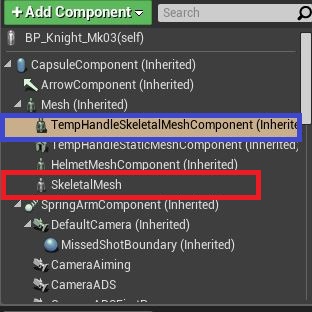
Unreal Engine Forums
When I create a mesh component, I want to create it in an inherited form to the mesh component one level up. When I create a skeletal mesh component in a component, it will be created as shown in the red rectangle below. If anyone knows how to create an inherited shape like the blue rectangle in the figure, I would appreciate any help. Thx, g...
 karmic bobcat
whats a good way to add a backpack with physics to my character? so it bounces a bit with movement etc?
floral coral
floral sky
My mesh is inheriting from control rig
@floral sky I meant like this
 floral coral
karmic bobcat
whats a good way to add a backpack with physics to my character? so it bounces a...
floral coral
karmic bobcat
whats a good way to add a backpack with physics to my character? so it bounces a...

This talk by Epic Games' Senior Technical Animator Jeremiah Grant covers Fortnite’s use of animation Blueprints including the use of Blueprints for gluing together character parts after retargeting, dynamic solutions for low LODs, and faking dynamics in higher LODs with procedural animation techniques.
Learn more about Unreal Engine at http://w...
floral sky
floral coral
<@321850213142626307> I meant like this
Right I see
But I am trying to attach a static mesh to a control rig
Are you able to do that?
 finite bobcat
hey there. not exactly sure if this is where i should be posting this but i was wondering if someone could dm me or assist me here? have a handful of questions and im pretty new to the software.
specifically looking to use an older n64 model as a placeholder model for my character so i can build the world quicker and i was wondering how i could go about prepping an old n64-ripped model for basic animation
floral coral
floral sky
But I am trying to attach a static mesh to a control rig
https://docs.unrealengine.com/4.27/en-US/AnimatingObjects/SkeletalMeshAnimation/ControlRig/ControlRigComponent/ i think what you wanna do is this.

An overview of the Control Rig Component for Blueprints
floral sky
floral coral
https://docs.unrealengine.com/4.27/en-US/AnimatingObjects/SkeletalMeshAnimation/...
I did. You can try it too. AddMapComponents is not allowed in the construction script - so the docs must be wrong. And it does not do anything after BeginPlay
floral coral
sorry i can't speak english well.
floral coral
floral sky
I did. You can try it too. `AddMapComponents` is not allowed in the construction...
doesn't this work too?

 charred fulcrum
Does anyone know if I can import the default face and body animations from the metahuman creator into UE5?
I can only find the still-poses.
I need to have some NPC's standing around with idle animations
floral coral
floral sky
Does it for you?
sorry i can't test now.
steep tapir
I did some more testing yesterday with the USkinnedMeshComponent ComponentTick. It seems that it sometimes is better when I initialize the animation of the actor not from the animation setting (blueprint or sequence) but standard A pose instead, and it seems to be better if I disable the post process animation blueprint. For context, we get 3.5ms per animation blueprint in the level, in the game thread, but only in editor time, so editor performance sucks with just a few characters in place
I guess I'll start a new post in the dev community, it might be a bug
steep tapir
here it is: https://forums.unrealengine.com/t/uskinnedmeshcomponent-bad-editor-tick-performance/624493
Unreal Engine Forums
Good morning, after migrating a level to our development project I noticed very bad editor performance. After optimizing the scene I went into Unreal Insights since we were CPU bound in the game thread. In Insights, I noticed that each existing Animation Blueprint was very expensive, especially for basically a still image in editor. Each USkin...
craggy knoll
Does someone know how to save a Pose Snapshot within the AnimGraph inside a Animation Blueprint?
I thought I could read the pose from a Cached pose from my AnimGraph in my EventGraph, but Cached Pose != Pose Snapshot.
tardy fiber
whats the best way to dynamically control animations "speed", i need to slow down, pause and speed up my animation montages at runtime, and also with some smoothness, not just instant speed change?
craggy knoll
tardy fiber
whats the best way to dynamically control animations "speed", i need to slow dow...
Use a timeline that sets the montage speed. You can tweak the timeline curve for the smoothness
tardy fiber
craggy knoll
Use a timeline that sets the montage speed. You can tweak the timeline curve for...
i see, ty
finite bobcat
finite bobcat
hey there. not exactly sure if this is where i should be posting this but i was ...
any takers? T-T
i get as far as trying to rig my placeholder model, having it look jank/terrible, then running into issues with root stuff when trying to add animations :l

 tender flicker
hey, is there a copy bone node in animBP which let's you pass in a bone index/name?
instead of selecting it from the drop down list, I want to be able to pass a variable to it
 glacial night
So I was trying to start using these linked layers and just have the anim-instance overriden somewhere in code for my different locomotion modes, I currently have like, Pistol Mode, Rifle Mode, Unarmed mode.
Does anyone have any ideas about a good way to override or change this anim-instance before sending it to the final output pose?

 steep kite
Hi guys quick question here, just quickly following a tutorial to learn about root motion. Not sure what I did wrong, can anyone identify what this icon means?


it's the only difference between my project and the tutorials
shut moat
i am really struggling with taking a skeletal mesh from unreal to houdini and back without things changing. would appreciate some help
first problem is that upon reimporting, i find that the fbx i have from houdini (via the fbx character output node) has a different hierarchy.
the 'root' bone and the mesh are no longer at the top, they're children of an object that is the file name
i don't know if this is houdini messing with it (i can't find an option there for it) or whether it's import settings in unreal
karmic bobcat
floral coral
https://youtu.be/Oe7fYS9qxmk?t=916
thank you. i actually saw that video, but i wasnt sure. still not sure how to implement it. would the backpack be a different skeletal mesh using the master pose and then added as a rigid body ? not sure how it wouldnt fall of the characters back and i wasnt able to find any tutorials on how to use these
odd token
Is there a way to query a specific bone position at a specific frame in an animation at runtime?
I thought to do this based on animNotifies at first but it seems I can't query which frame a notify exists on and get a specific bone pose for said frame. Any other viable ways to get this from BP (or animBP)? Can't seem to query a curve at a specific frame either.
 rustic blade
Anyone know if control rig has anything like the select node in blueprint? Basically I want to select either a gizmo transform, or a user fed parameter transform variable, depending on a boolean
 golden iron
Hey everyone! Can anyone suggest the best way to rig mixamo animations to metahumans?
 wide idol
Does anybody know if you can remove frames from an animation? You can remove a frame from 0 to current position or from current position to last frame of the animation but I want to trim just one frame (maybe 2) in the middle of the animation and I can't find how to do that.
For example, let's say I want to remove the frame 6 in an animation of 32 frames.
If I position the mouse on frame 6, the available options are these only.
 agile lodge
floral sky
I did. You can try it too. `AddMapComponents` is not allowed in the construction...
agile lodge
floral sky
I did. You can try it too. `AddMapComponents` is not allowed in the construction...
you have to add it on the Pre-Initialize event (it's mentioned in the docs). It does not work on BeginPlay
 bitter shard
Does anyone know why it says "No Watch found for Result" when I try to watch values in Control Rig?
stone bolt
how do i make characters foot always stay on ground even on bumpy terrain in ue5?
swift edge
stone bolt
how do i make characters foot always stay on ground even on bumpy terrain in ue5...
look up foot ik. the 3rd person example has it implemented as well
dusky void
I'm looking for an effective way to get last rotation of player to save before they stop moving. I'm trying to use it to tell my blend space for my stop animation, the last direction the player was walking before they stop so I can play the correct stop angle.
I've tried setting a branch to get that updates the last angle variable to the current move angle while the player is moving until the player stops moving
 shut moat
so, update: i removed DCC from the equation and am simply exporting the skeletal mesh from ue5, and then immediately importing that same fbx. the mesh normals are wrong. if you want to replicate, bring in a ue5 metahuman from bridge, export to fbx, import that fbx, and assuming your materials are all right etc you should have a visual that... isn't quite right. the mesh normals afaik are getting broken somewhere.
sterile warren
Hello! Has anyone run into this "feet twisting" issue while using Control Rig? I'm doing my best to copy the Lyra "slope warping" setup but I can't figure out where I've gone wrong. The only thing I notice that's different is that two of my controls (the red square and green octagon) don't seem to be level with the floor plane. Any help is appreciated! Thank you.
sterile warren
sterile warren
Hello! Has anyone run into this "feet twisting" issue while using Control Rig? I...
I missed the second part of the recording but here's a picture of the "controls" setup and twisted feet which aren't aligned with the floor
 next mountain
steep kite
Hi guys quick question here, just quickly following a tutorial to learn about ro...
next mountain
steep kite
Hi guys quick question here, just quickly following a tutorial to learn about ro...
You mean the fast path icon?
It's an optimization, usually enabled by default as long as you don't connect any blueprint operation on the anim bp anim graph, see here for details.
https://docs.unrealengine.com/5.0/en-US/animation-optimization-in-unreal-engine/

Describes methods to achieve more performant Animation Blueprints through optimization techniques.
 umbral egret
What's the best animation course anyone here knows about for Unreal?
karmic bobcat
for a backpack, would be better to use anim dynamics or rigid body?
flat jolt
How does one render an animation out in UE5 ? I am using the MetaHumans and the control rig for it. Ive key framed the whole scene. But when i add the track to the take recorder the whole scene does nothing
 outer maple
Heya folks, I'm trying to figure out why my animation blueprint is does not seem to be using my physics asset dragon tail I've set up.
I based the setup on this https://www.youtube.com/watch?v=Z8eqaFG7lZQ But it seems like nothing I do actually adds in the procedural tail. I've exaggerated it a bunch here so the effect is more visible:
But in the anim bp I just can't get this to work =x
 strong helm
Random Q. I am reading up about IK Rig retargeting (UE5) and compatible skeletons.
But it seems like retargetting generates a new set of animations for the retargeted skeleton. but if I have 10 animation I want to use on 3 different skeletons. I don't want to have 30 animations. from retargeting.
Is this just a content pipeline issue in that I should rebase the 3 models on the same skeletons, or they need to be made 'compatible'?
craggy knoll
How do I read a pose from any point of my AnimGraph? I don't want to read the final pose. I have a "WeaponBlocked" check where the Character is pulling the weapon inwards to prevent the weapon from intersecting with walls etc.
I wanna read the pose before the WeaponBlocked animation gets applied, so I can do my WeaponBlocked line trace check from the original position instead of the current final pose.
I thought about using the OnUpdate function within a AnimGraph node, but how do I retrieve the current pose?
 coral jasper
im trying to import this 3d model which has animations but when i import with the skeletal mesh it gets broken down into many pieces in the folder. how do i import it with its animations as a skel mesh while as a whole model ?
ashen beacon
craggy knoll
I thought about using the OnUpdate function within a AnimGraph node, but how do ...
I really wanna know as well.. I'm trying to retrieve a bone location of an animation pose I made and it needs to always be the same location as the initial animation so without any transforms im doing in the anim graph.. Is there a simple way to 'Get animation asset' -> 'Get skeletal mesh' -> 'Get socket transform'
(I now fixed it by creating an extra non transforming target bone in the skeleton 😕 )
flint yew
Hey everyone, I came across a weird problem -- I have a cannon that rotates 30 degrees left and right using a blend space 1d. I have a "MuzzleSocket" at where I want the projectiles to spawn. The first time I rotate and fire, it behaves as expected and projectile fires at the direction of the cannon. But every other shot after that "resets" back to the forward vector as if the bone, and therefore the socket, is not rotated; yet, at least visually, they are. Any idea why this might be the case?
stone bolt
swift edge
look up foot ik. the 3rd person example has it implemented as well
its in the characters blueprint in the default 3rd person project?
 dull crest
Noob question.
I created this shape with the cylinder object. However, I don't seem to be able to edit it in the same way as my imported objects.
For example, I don't seem to be able to find the components area and add things like Rotating Movement.
I'm guessing it's because it's using a built in Unreal object or something?
Is there a way to convert it in to something I can animate?

I get this with my FBX I imported, but not the meshes I create in UE.

I set up a BluePrint for the cylinder object, but I don't seem to be able to use the cylinder object in the BluePrint. But I can use my imported meshes.
I'm currently recreating the object via the BluePrint, which is a work around.
I could not find a way to add the current object to a BluePrint for what ever reason.
 hollow jetty
Hey uhm, I have clothes on my character which are a skeletal mesh attached to the parent mesh. For some reason they don't play any montages that the parent plays. They follow the animation blueprint, but not the montages. Any ideas?
steady orchid
craggy knoll
I thought about using the OnUpdate function within a AnimGraph node, but how do ...
have you tried with the pose snapshot?
steady orchid
hollow jetty
Hey uhm, I have clothes on my character which are a skeletal mesh attached to th...
are you using the master pose component?
craggy knoll
steady orchid
have you tried with the pose snapshot?
There is no "save pose snapshot" node for the animgraph :/ It only works within the EventGraph.
hollow jetty
steady orchid
are you using the master pose component?
meaning?
any pose I have is in my animbp
so the same
steady orchid
craggy knoll
There is no "save pose snapshot" node for the animgraph :/ It only works within ...
you save a pose snapshot from a blueprint and you can read the snapshotted pose in the animation blueprint
Animation Pose Snapshots can capture a runtime Skeletal Mesh Pose inside a Blueprint and can be used for blending in or out of additional poses within an Animation Blueprint.
steady orchid
hollow jetty
so the same
if you just attach a second skeletal mesh to a character it will not automatically play montages, when you play a montage you specify what skeletal mesh need to play the montage on the node
steady orchid
you need to link the two meshes togheter with the master pose component
steady orchid
hollow jetty
shouldn't it follow?
nope
hollow jetty
ahh okay, I'll look into it
craggy knoll
steady orchid
you save a pose snapshot from a blueprint and you can read the snapshotted pose ...
But with that I can only save a snapshot from the Final Pose. I need to save a pose from any point within the AnimGraph.
steady orchid
craggy knoll
But with that I can only save a snapshot from the Final Pose. I need to save a p...
mmm so is not enough to save a cached pose?
craggy knoll
steady orchid
mmm so is not enough to save a cached pose?
Cached pose are unfortunately != pose snapshot. I can't read a Cached pose, like I read a pose snapshot.
steady orchid
whats the difference tho
if you dont have physics involved why are they different, i would assume that boths are just bone transforms
craggy knoll
can't tell. They should contain both pose data, maybe with a different pose struct. I just can't retrieve a pose snapshot by name with a cached pose.
steady orchid
im not sure i understand
sterile warren
sterile warren
Hello! Has anyone run into this "feet twisting" issue while using Control Rig? I...
Just re-posting, as I'm sure someone's had this issue and I'm desperate...
craggy knoll
steady orchid
im not sure i understand
Both Snapshots and Cached Pose can be named. Snapshots can be saved and retrieved by name from outside the AnimGraph. You can only Snapshot the CurrentPose (FinalPose of the AnimGraph) from my understanding.
Cached Pose can be saved within any point of the AnimGraph, but cannot be retrieved by name from outside the AnimGraph. And that's what I wanna do. I want to retrieve the pose from a specific point within the AnimGraph and read the bone transform.
hollow jetty
steady orchid
nope
Ahh I forgot to thank you, got it working now. So thank you for the tip.
steady orchid
craggy knoll
Both Snapshots and Cached Pose can be named. Snapshots can be saved and retrieve...
seems like a weird limitation..ill check it out later today, now im curious
 orchid crow
Hi guys. I have this animation from Face Livelink by Take recorder. In the anim the head rotation is working fine, but when I add it to sequencer, my metahuman wouldn't turn his head.
I tried adding HeadRoll, HeadPitch, HeadYaw in te Face Anim BP, as I noticed those curves were in the recorded animation, but weren't in the Anim BP.
Does anyone know what's going on?