#gameplay-ai
1 messages · Page 145 of 1
 glacial minnow
 timber cargo
@glacial minnow you can directly do that in the character blueprint directly
You can override the function called ON JUMPED in the character blueprint and disable the character movement then ON LANDED you can enable the movement back
@glacial minnow 👆
glacial minnow
can't I do this from the behavior tree?
timber cargo
@glacial minnow or if you feel like using the AI blackboard itself follow these
Create a bb bool value, then before the sequence add a service that checks if the player is in air on to a selector
Then create 2 sequences with each one representing each value of the boolean variable
Then on the one carrying the true you can add a task that disables the movement and on the false one you can just move your character
@glacial minnow hope you understand 👍

 timber cargo
On the selector you'll have to create a service to always check if the player is in air
Then create another sequence on the selector with the same decorator but diffrent values
And the decorator on the selector should not be there but instead on the sequence
glacial minnow
wow
timber cargo
@glacial minnow do u have it working now
glacial minnow
i am new for the behavior tree and my english not good
so i couldn't
my bad sorry
i do that

from character bp
but i cant say if this true stop move to node from behavior tree
timber cargo
@glacial minnow that's another way, it should work now
glacial minnow
this setting is true?
 timber cargo
@glacial minnow yeah it should work
glacial minnow
but it not working
i am make this both

and it work
but i dont understand
what is main is not set if i am set IsInAir boolean true it is not working yes? or i am set IsInAir Boolean False it is not working
 timber cargo
@glacial minnow when the observer abort is set to both it means as soon as the value of the variable such as INAIR changes the execution stops everything and goes up the branch, and basically starts again
glacial minnow
timber cargo
<@421779420307783701> when the observer abort is set to both it means as soon as...
wow
this is really important
timber cargo
glacial minnow
what is main is not set if i am set IsInAir boolean true it is not working yes? ...
Nothing wrong with this settings
glacial minnow
Is Not set = False and Is Set = True ?
timber cargo
@glacial minnow yeah
timber cargo
So basically if the player is in air you want nothing to happen but if it is not you want it to run everything below the decorator
timber cargo
@glacial minnow no problem
 autumn ibex
If I have the following variable as defined..
UBlackboardKeyType_Object waypointRoute;
What is this the correct way to get a reference to the AKOWaypointRoute class?
AKOWaypointRoute waypointRouteClass = Cast<AKOWaypointRoute>(waypointRoute.GetOuter());*
or should I do
AKOWaypointRoute* waypointRouteClass = Cast<AKOWaypointRoute>(waypointRoute.GetValue() );
👍
 cursive igloo
Hey I need help
I want my AI to turn in place, but I don't know how to make it
https://www.youtube.com/watch?v=70HROEPbO-Y&ab_channel=AlainMajdalani
I watched this tutorial, but this tutorial uses "Tick" to make it
I don't like the way which uses "Tick" because of performance hits
Is there other smart way?

How to get the AI to face and turn towards the player with animation.
I had this problem a few days ago, so I'm sharing with you the solution because I found nothing on YouTube solving this. This is for somehow advanced UE4 users. Feel free to comment or ask any question about it.
I'm planning to add more tutorials in the future if I find somet...
 queen escarp
@cursive igloo this isnt really a expensive computation, its fine to use tick here, but u can always do a distance check and trigger the event
 west lark
im making a racing game and i want to have an AI control all the other characters. Is there a good youtube tutorial for this?
 mint terrace
cursive igloo
https://www.youtube.com/watch?v=70HROEPbO-Y&ab_channel=AlainMajdalani
I watched ...
mint terrace
cursive igloo
https://www.youtube.com/watch?v=70HROEPbO-Y&ab_channel=AlainMajdalani
I watched ...
yes Set Focus decorator in behavior tree or Face Towards task I think it's called
can't say it will be a lot more performant if you are doing the tick in c++ but it will be more performant than doing a tick in BP for sure
 buoyant geyser
anyone know how to tell the navmesh to have just a single vertical level?
like a heightmap
no arches
cursive igloo
mint terrace
yes Set Focus decorator in behavior tree or Face Towards task I think it's calle...
I have already been using set focus, but turn in place animation won't be played (even though I set turn inplace animations)
mint terrace
buoyant geyser
anyone know how to tell the navmesh to have just a single vertical level?
just by adjusting nav mesh bounds volume to be thin
¯\_(ツ)_/¯
mint terrace
yep
buoyant geyser
what if you have a ramp
buoyant geyser
could do many things but I want the quick & dirty solution
mint terrace
so the goal is no more than one nav mesh layer for a given X/Y?
buoyant geyser
yes
I saw mention of levels or something in recast code, I think it was a hardcoded static var somewhere
but that won't necessarily be the right approach
it might decide to pick the level that's closest to Z=0
whereas I'd need the one that's closest to Z=+inf, so the one that's highest
mint terrace
hmmmm looking around at recastnavmesh actor's settings
theres a bit related to layer partitioning but im not sure if it would be useful
@buoyant geyser one hacky way is to set the agent height to a high number


wouldnt consider the lower portion to be navigable because it needs to support at least the height of the tallest agent that can navigate it
but this depends on your level design
otoh anything ceiling side in an RTS could be zero collision anyway sooo [if there even is a ceiling]
obviously wouldnt work if the underpass is the only thing navigable
yeah thats all i got, other than just using multiple nav mesh bounds volumes and/or nav modifier volumes with nav area null
buoyant geyser
mint terrace
<@!339011895996579840> one hacky way is to set the agent height to a high number
that's not a terrible idea

 mint terrace
yeah the only downside is if you want an underpass you cant
buoyant geyser
from now on you're the navmesh expert, congratulations
mint terrace
🏆
mint terrace
turn in place animations are a regular frustration here -- i know they are possible but i havent done it. i think this Inside Unreal covers turn in place stuff maybe its helpful https://www.youtube.com/watch?v=i9aNx1X-Wm8
but i dont know if they cover its relation to BT
cursive igloo
hey I have a question
Is there the way to detect "AI Controller rotate"?
As I said, I don't want to use "Tick", so I want to detect "AI Controller did rotate" and connect them to "turn" custom event
mint terrace
cursive igloo
hey I have a question
Is there the way to detect "AI Controller rotate"?
As I sa...
i dont think so, but if you are really concerned about perf, maybe do it in C++

considering AIController is doing it, you arent adding a tremendous amount of cost
i wouldnt preoptimize ticking in C++
but if it is a problem, then there are "ways"
such as tick aggregation like what Sea of Thieves uses (theres a GDC talk on it)
cursive igloo
mint terrace
i dont think so, but if you are really concerned about perf, maybe do it in C++
ok thanks....
I should use Tick obediently...
mint terrace
if you are doing this all in blueprint, then i think its worth the cost for this, just dont go thinking blueprint ticks are free or anything and if it becomes a perf problem in the future it will be less of a problem if you dont use tick for everything like i did once long long (ahem, super long ago)
on a different track though
couldnt you just do this in the anim blueprint anyway?
you already need to check for things like "is the character in air" etc
why not just keep track of what the character's last rotation was, and then select an animation based on how its changing
mint terrace
cursive igloo
ok thanks....
I should use Tick obediently...
i think that would work no?
cursive igloo
mint terrace
i think that would work no?
I don't know C++ at all...
mint terrace
no i mean animation blueprint
the thing that defines the animation played for the AI character
why not just keep track of what the character's last rotation was, and then select an animation based on how its changing
cursive igloo
ah I haven't tried yet so I'm trying now
buoyant geyser
how come recast tiles are off by 15 cm in size from what's set?
I have a tile size UU of 2048 yet my recast tiles are only 2033cm x 2033cm
mint terrace
hmm
@buoyant geyser whats your cell size?
the tile size that actually gets used is driven by fmath::trunctoint(tilesizeuu / cellsize) * cellsize
if you were using the default cell size which i think is 10 then it would be 2040x2040
this is just from a reading of its use
but it would explain it
presumably the goal here is to ensure that tiles are evenly divisible into a discrete set of cells
 opal rain
Hello, I noticed that by placing 20+ actors with AIPerception some of them react really slow, how could I prevent that? Thanks
 misty wharf
They probably do a lot of sight line traces, so you can adjust what they try to see so they do less traces, or you can increase the maximum time for perception checks
the perception check max time is something you can adjust in a config file, but I don't remember the exact thing off the top of my head
buoyant geyser
mint terrace
the tile size that actually gets used is driven by fmath::trunctoint(tilesizeuu ...
good point
wonder if there's a reason behind the default tile size not being divisible by the default cell size
opal rain
@misty wharf I found these values MaxTracesPerTick=600
MaxTimeSlicePerTick=0.5
but doesn't seem to change anything
misty wharf
Increasing max time slice per tick should help
you may have to update the other one too I guess depending on how many traces are being done
opal rain
okay thanks,
[/Script/AIModule.AISense_Sight], and do you know if I also have to add a hearing script on the Game.ini?
misty wharf
I'm not sure if hearing works the same way as sight does
it probably only runs logic when you trigger an event for it
 granite robin
WTF is going on here - for some reason my AI, randomly, are teleporting across the map - You can see it easier if I select them all when I simulate - basically they are navigating to different points (queue actors) in the game when one of them is practically teleported - I had to slow down time to 1/3 just to catch you - you can see it happening here
The BT in question - (the "Queue" state" is causing the problem

I know it's one of these tasks but I'm not sure why it appears to be ticking through this -


BTT AI Queuing Task -

On some of the Queue Actor blueprints, there are these pure functions that are being called but they had this NPC variable hooked up - (but not from the function input NPC variable) I'm switched them . (But i switched them as a means to try to fix this problem, so I'm not sure what to do now
 mint terrace
@granite robin cmon

why
no idea what that connects to
ok i guess its capsule component but 😦
why are you moving the capsule component instead of the actor?
i see
 final trail
my ai keep overlapping with each other even with collision enabled, any help is appreciated : )
granite robin
final trail
my ai keep overlapping with each other even with collision enabled, any help is ...
watch a video on collision channels - collision doesn't mean "stop overlapping"
final trail
granite robin
watch a video on collision channels - collision doesn't mean "stop overlapping"
i see
thanks for the advice
final trail
so i set up a channel and applied it to the ai and it still doesn't work
mint terrace
final trail
my ai keep overlapping with each other even with collision enabled, any help is ...
this original Q is suspect, overlap always happens when collision is enabled so what are you trying to do?
your options are no collision, analytics collision only (overlaps) or analytics + physics (overlap + hit)
final trail
mint terrace
this original Q is suspect, overlap always happens when collision is _enabled_ s...
Im trying to make it so when multiple drones are near each other, they will all find their own space all whilst still aiming at the player
But rn they’re just stacking on top of each other
 floral kettle
Hi, I'm using GetRandomReachablePointInRadius node to teleport an AI unit around, but regardless of how large I make the radius it always seems to teleport somewhere close to the Origin. Any idea what might be causing this?
 granite robin
floral kettle
Hi, I'm using GetRandomReachablePointInRadius node to teleport an AI unit around...
granite robin
floral kettle
Hi, I'm using GetRandomReachablePointInRadius node to teleport an AI unit around...
Try hard coding in the origin to something you know and see what happens
Can someone recommend more information on behavior tree TASKS - there seems to be very little in depth/best practices that I can find

Like for example, how do you use one to update the blackboard key of the task without casting to the behavior tree
misty wharf
give it a blackboard key selector variable
make it instance ediable, and it'll show up in the BT editor and you can set it as one of the BB properties
granite robin
misty wharf
give it a blackboard key selector variable
Thank you!
final trail
is using both blueprints and blend trees to make a ai move a mistake?
misty wharf
If it's an easy way for you to make it work, it seems fine to me
 weary holly
does anybody know a way to check if an blackboard variable has changed?
mint terrace
weary holly
does anybody know a way to check if an blackboard variable has changed?
in what context
getting an event when blackboard changes is called "observing". You can have your blackboard decorators Observe the value so that they re-evaluate when the values change
weary holly
all good
 lyric flint
are EQS too CPU intensive?
misty wharf
It depends on the query and your performance constraints
I use them for a number of things and they work perfectly fine
 shadow python
What would be preferred architecture for bot player controller if player could control multiple pawns at same time like in RTS? I'm currently thinking on
a master AIController which will have player state and will know about owned pawns, will be spawned by GameMode::AddAIPlayer based on session details
a regular AIController for each unit that will be controlled
master controller will issue strategic orders to multiple owned units
does it look legit?
misty wharf
Seems reasonable
 olive crown
Is there an easy way to know the distance an AI must path to get to a point? Im doing some EQS stuff and checking for the closest point, but a point on the other side of the wall is considered closest even if it means having to walk all the way around to get to it. Compared to a point that is in reality much closer in reality.
I found the "get path length" node but it warns you that it is expensive and Im not sure how to use it as is either way.
 pine steeple
when you do a query for path, it always returns the length
olive crown
Ah, must have missed that. Thanks.
 storm zephyr
hello, do nav link require to be on the nav mesh cell that its actor is in? if i move the offset from the nav link component of my actor it gets to a point that it disappears or doesn't go past a certain point in the nav mesh
storm zephyr
i'm having a problem where i have a big house with a nav mesh which has an elevator, but for enemies to get on the elevator and walk inside it i need to set the nav mesh to fully dynamic which kinda kills the cpu performance given the size of the nav mesh. What settings can i set so that each cell update doesn't cost so much, increase/decrease the cell size? the other alternative i was thinking was to use 2 nav meshes, the house one would be static and one for the elevator which would be dynamic. what do you recommend?
 ocean wren
Make it dynamic and use navmesh invokers for the objects you want to path around?
Take a look at the open world terrain demo thingy with the boy and the kite they did.. that uses invokers for the deer
storm zephyr
@ocean wren sorry only saw your reply now, what do you mean path around? my goal is to only have the elevator area be dynamic so it doesn't cost too much to update. i don't know much about navmesh invokers, but how would they help me do that?
from what i read about them, they only create the nav mesh on actors with navmesh invokers, which reduces the size and complexity of the nav mesh, right? but if the enemies walk around the house with patrolling, won't the navmesh be a bit heavy still?
it appears to have a removal radius, so it might be enough to keep it light
i'll try it out, any other approach you would recommend besides that?
 flint trail
is dynamic nav mesh a lot more expensive than static ? (when used on a mobile device)
storm zephyr
i would it will always be
static you don't need to regenerate
dynamic you have to keep checking what has changed
and depending on your geometry
it can get heavy
when you update
that's the problem i'm having
flint trail
I see, thanks
granite robin
Any simple fixes for this? there's plenty of nav mesh but RVO doesn't seem like a good idea - I guess I could make an event on the BT that fires if the capsule is colliding with another mesh with a prolong period and character is trying to move somewhere but I'm not sure
 safe sphinx
So if you have 2 Nav meshes in your game.
Lets say one on the first floor of your apartment building and one on the third floor.
I notice that if you start your player on the first one
then the AI on the 2nd one doesn't see you when you get there
Its because your player character didn't register on the 2nd Nav mesh right?
Not sure but I think that is what the problem is
Is there a why to "register" your character as soon as he touches the 2nd Nav mesh?
It might also be because I duplicate the AI enemy
I should probably use two different models or maybe 2 sets of Behaviour trees and Black boards?
It might be because I destroyed the first enemy AI and both enemies are using the same Behaviour tree and Black board?
safe sphinx
Yeah seems like each AI needs its own player controller and behavior tree.
Now it works.
Can share the same blackboard though.
storm zephyr
@safe sphinx how did you use the 2 nav meshes? the AI uses both?
right now i'm only able to make it use one
opal rain
Hello, some days ago I asked for a possible solution for AI Perception sight with multiple actors. I tried to increase the traces per tick but it doesn't seem to work. Is there any workaround where I could use Sight sense with 30+ actors without some of them not responding?
misty wharf
What do your actors need to see? The player or something else?
misty wharf
Have you set up the teams on the pawns so that the player is in its own team and the enemies are in their own?
opal rain
Not sure what do you mean by this, but the player is set as an StimuliSource
misty wharf
Right, so if you look in the options for the senses, you might notice it has options like "perceive hostiles" and "perceive friends"
 misty wharf
Right, so that makes them attempt to perceive every pawn you have, so for every pawn that's within their sight radius it needs to do a linetrace which is where most of the time goes
If you set up the team affiliations on the pawns so that only the player is counted as hostile and you change them to only perceive hostiles, they will only need to trace the player which should give you a significant performance boost
opal rain
how can I set a team affiliation?
misty wharf
C++, you need to implement IGenericTeamAgentInterface on the pawn classes
opal rain
oh, is that not exposed to bps?
misty wharf
unfortunately no
although what you have looks vaguely like UE5, not sure about that but I'd assume it might not be still
misty wharf
you could try adding the interface from BP's I guess to see if it's available, but not sure if it is
opal rain
I can see the interface but it doesn't let me add it to my Ai controller, so I guess it's not exposed
misty wharf
iirc it needs to be on the pawn, not the controller
storm zephyr
@misty wharf you recommended the navigation invokers, and from my tests only pawns with that component will generate the navmesh. It seems to work fine, the problem with this is that my AI can investigate locations (sounds and sight), so if the navmesh is not generated there, he won't do anything. Is there a way to force him to go there even if there is no valid navmesh, because he will build it once the AI gets there?
misty wharf
That wasn't me :) I have never used them lol
storm zephyr
@misty wharf i meant @ocean wren xD
 marsh aspen
hey guys, i've just encountered a strange problem. So i was playing with some NPC fight against a wolf. And all works pretty good except... when my playable character (who doesn't take part in the fight) is too far away, well everything is broken, it's a mix Behavior Tree and common BP, and i don't know why having my char far away (and not really that far) messes all up.
ocean wren
Bakadev: how about this as a workaround.. spawn an empty actor with a navmesh invoker at your investigation point 🙂
ocean wren
granite robin
Any simple fixes for this? there's plenty of nav mesh but RVO doesn't seem like ...
One simple fix is when they collide, you swap the locations of them. Personally I turned off rigid collisions for them all and did a Team Fortress 2 style force-seperation in the Detour movement component to keep them somewhat apart. (BTW: recommend using the detour movement rather than the RVO)
You can always do the position swap after a certain amount of time too.. I know of a few games that did that 🙂
I just prefer the visual quality of the TF2 style force thing. Leads to a nice squishyness to the personal space that mimics reality better to my eyes
And the force model can be balanced to allow the actors to get to their destination whilst sort of pushing each other in a more natural way. Because the forces in effect are a soft body simulation
 hearty niche
if I know that the player is disconnected, is there any way of swapping the pawn control to a bot and vice versa when the user disconnects?
Kinda like how brawl stars deals with afk players
misty wharf
Sure. Just possess the player's pawn with an AI controller
storm zephyr
@ocean wren i thought about that, it's a bit hacky but i can try it
 magic jasper
Anybody worked with commandable units and behaviour trees before? Looking for some ideas on how to design the interface between a given "command" and the behaviour tree.
Anyone who has looked into RTS' for example.
granite robin
ocean wren
One simple fix is when they collide, you swap the locations of them. Personally ...
Not a bad idea, thank you! For now I spawned a simple collision box right at the corners - the issue was each one of those crosswalk entrances/exit is a collision box - (basically two for each corner of a 4 way intersection) - the problem was the logic they were coming in sharply enough to trigger the OTHER crosswalk direction collision box (which will make them wait before going into the street) - the end result is that they were stopping before they really cleared the intersection - but I might take a look at what you are talking about but I've never used a Detour movement component before (in fact, I didn't even know what was a thing until you mentioned it
magic jasper
Anybody used the engines' HTN Planner plugin at all?
hearty niche
misty wharf
Sure. Just possess the player's pawn with an AI controller
and what about that player controller? I want him to be able to rejoin and start from there. Also, be able to join a game where he can take over the control from thr bot. Kinda what the studio wants.
misty wharf
hearty niche
and what about that player controller? I want him to be able to rejoin and start...
You'd need to have some method of identifying which player it is and which pawn it's associated with, and save this information somewhere when the player leaves
glacial minnow
hello everyone, why this empty?
 storm zephyr
@ocean wren i tried but even with just the player with navigation invokers i still have hitches when generating the dynamic navmesh, what are the settings in the nav mesh that influence more the time it takes to regenerate? i assume that the less cells / titles we have the better, or is it the other way around?
 rotund sluice
Could somebody tell me how to force my ai to move on spawn?
I have enum to set ai behaviour and blackboard on spawn and it does not work
If I would assign AI controller class before I spawn it then no problems.
But I need to assign controllers on spawn.
safe sphinx
storm zephyr
right now i'm only able to make it use one
I simply duplicated the first one and gave it a different name
Then I laced 2 AI characters one on each one
Works fine
For me what works a lot better is if each AI character has its own set of behavior tree, blackboard and player controller
With this config it works flawlessly
storm zephyr
when i use the 2 nav mesh he doesnt go inside the 2nd navmesh
safe sphinx
I dont use one big Nav mesh volume because I have areas on my map I dont want it to "fall"
No your AI ch cant move from the one nav mesh to the other
That is correct
storm zephyr
yeah that's what i wanted
safe sphinx
There is a way to do that I saw a tutorial on YT on how to "jump" over gaps in nav mesh
Google around I am sure there is a way to do that
storm zephyr
that's the navlink
storm zephyr
thanks anyway 🙂
storm zephyr
i've been looking at it and every move request seems to determine the best nav mesh
but it doesn't seem to be able to change mid move
and unless you disable one of the navmesh he will always pick the closest to his configuration (radius, height, etc)
rotund sluice
rotund sluice
But I need to assign controllers on spawn.
For anyone wondering I fixed this by adding delay on begin play, doing switch on enum, based on that I would assign ai controller and then would call "SpawnDefaultControler" (or something like that.
AI controller would set BT and BB
 cold trout
is there any clever ways to breakpoint BehaviorTree tasks for particular instances of an AI?
using the DebugSelectedObject dropdown is great for CharacterBPs and ActorComponents
would love to be able to ensure an Actors AI controller would be the BT DebugSelected AI in the behavior tree editor
on begin
hearty niche
misty wharf
You'd need to have some method of identifying which player it is and which pawn ...
hmmm ok
queen escarp
are there some known games wich have used utility ai ?
ocean wren
Jambax: I've done squad command stuff. I created a squad member component that was on each squadmember. I created a squad actor to control the logic for them and added one per squad. I used the MessageEndpoint classes to communicate between the various squad members and the squad. I'd recommend doing the squad stuff as a message-based system because then you can feed test messages into the command stream and buffer and do other useful stuff.
So the overall commands are just messages sent from the squad actor. Obviously the logic on that actor can be quite varied, things like selecting the nearest squad member for an activity etc. You can always just use squad member ref's in the squad actor, I use that to allow for querying state. But the commands are always messages, with commands and acknowledgements. Allows for things like individual squad members acknowledging commands, or refusing them.
Squad actor has a BT for overall logic of the squad. Each squad member has its own BT, the command messages basically feed data into the squad member BB.
Thats the basic framework I'd suggest. I'd kind of prefer a shared blackboard method, but that's not supported in UE.
mint terrace
you should probably @ them tbh that was awhile ago
also cant you use Instance Synced to share some or all blackboard values of a given blackboard type with all instances that use it?
might not work for your use case, but it is "shared" i guess
ocean wren
its shared globally, not on specific agents.. so not really that useful
and BB's don't support arrays, so you can't easily just hive off values into arrays and leave them global
spinynormal: Have a look for Kevin Dill and other presentations from GDC, they'll talk about specific games that use utility
misty wharf
apparently a fairly typical pattern is to stick a uobject into the BB, and use it as a container for arrays and such
 flat linden
Is it possible to change params in AI sense config in runtime from blueprints?
or from the cpp
misty wharf
Yes, from C++
magic jasper
The approach I'm taking atm is using an HFSM to manage overall state of the AI, then using BT's to do very small tasks. BT's have a lot of design flaws, not really sure why they're so popular.
Just a bit annoying that the engine has such a well-defined state machine toolset already, but only for animation rather than for more general-purpose use, like AI.
And yeah the blackboard sync thing is pretty limited as well. Can't use multiple blackboards per-AI instance either without a lot of custom code, which makes changing between BT's quite frustrating.
 pale bay
how can I make the AI always "see" me
so they are always trying to find and attack me
ok thx
they all just bustle up on this wall even though theyre moving to me
 ocean wren
BT's are more popular than FSM or HFSM because you don't have to explicitly code the transition. The transitions happen when the data changes, which is as it should be. Honestly there's not a huge difference in reality, although I've come across a lot of people treating BT's as though they are FSM anyway which is a bit daft.
BT's are also pretty extensible with stuff like utility approaches, because you can add utility based decisions into the conditions in the tree.
pale bay
why do they keep trying to go through walls? why arent they pathfinding to the doors? (the walls are "block all" collision, and can ever effect navigation is true)
 ocean wren
Your wall isn't cutting the navmesh
you should see a darker green outline outside the wall if the wall was being seen by the navmesh
So they're likely just pathing through the wall
Are the walls set to static?
Have you rebuilt the navmesh?
ocean wren
its in the build menu at the top
pale bay
in this screen there fine
 ocean wren
Yeah, but look at the difference between that image and the previous one
pale bay
ah yh found it 🙂
ocean wren
previous one the navmesh clearly intersects your walls
pale bay
so do i rebuild everytime theres a layout change?
ocean wren
Try switching the navmesh to dynamic and see if that changes things
if you go to the recastnavmesh actor there's a checkbox to make it dynamic
pale bay
thx
ocean wren
Usually I keep it dynamic, because then it'll rebuild as you edit the level
pale bay
oh nice
ocean wren
but if you're doing a mobile game, you'd probably want to make it non-dynamic once you have the level built.
pale bay
this one?
 ocean wren
Yeah, looks right
pale bay
ive rebuilt and they still go to the wall
 ocean wren
ok, so it looks like a setting on the wall meshes
 ocean wren
Are they set as static and not moveable?
pale bay
under collision?
ocean wren
No, on the actor itself
pale bay
theyre the starter content walls
 ocean wren
Yeah, but are they set as static or moveable? I don't know if that's an issue, but its something to check
ocean wren
its in the details panel when you select an object, just near the transform, I don't have the engine open so can't grab an image. its in the UE docs if you need to look it up.
ocean wren
hmm, so its definitely not cutting the navmesh, so there's something on the walls.
ocean wren
Might be useful to download the content examples and look at their setup and see how it differs from yours
pale bay
where can i find this?
ocean wren
its available through the launcher, its not under the marketplace tab weirdly.. but its off the learn part I think?
might be easier to find if you look via google
pale bay
ok thx man
pale bay
thx bro fixed it all just changed runtime generation to dynamic
ocean wren
Oh, so it wasn't rebuilding?
 charred glade
Is there a good way to get an AI to smoothly turn to look at something instead of manually rotating the actor?

 autumn roost
you might be able to just tune the rotation rate in the AI character's movement component, but not 100% sure
charred glade
nvm there's a built in task for rotating to face a bb entry
 hollow stirrup
How do I make my AI character rotate smoothly towards the target in this Task on the behaviour tree? It snaps directly to the target point.
 charred glade
hollow stirrup
How do I make my AI character rotate smoothly towards the target in this Task on...
charred glade
hollow stirrup
How do I make my AI character rotate smoothly towards the target in this Task on...
Try using this in your behaviour tree

Seems to do exactly what you're trying to do in your task
hollow stirrup
charred glade
Try using this in your behaviour tree
does nothing, my npc doesn't move after this
charred glade
hollow stirrup
does nothing, my npc doesn't move after this
What are you plugging into the blackboard key that it uses?
hollow stirrup
charred glade
What are you plugging into the blackboard key that it uses?
Target location, which is the vector of the patrol point. Trying to make my NPC go to patrol point, pause, rotate towards next patrol point, pause, move to next point
It rotates but it just snaps and faces the new point, I want it to slowly rotate towards it
charred glade
hollow stirrup
Target location, which is the vector of the patrol point. Trying to make my NPC ...
If you're just having it move from point A to Point B a simple move to with a wait inbetween would probably work better, since they should automatically rotate when they start moving to the next point, unless you want them to look at the new point before moving to it, otherwise im not sure what else to do to help you, the rotate to face bb entry task should work fine.
hollow stirrup
charred glade
If you're just having it move from point A to Point B a simple move to with a wa...
it just stays on rotate to BB, and doesn't move to the next task
this is what i have atm which works
 charred glade
That's odd, not sure what to do to fix that, it usually finishes when the rotation is done, but im not sure what could cause it to fail to rotate.
hollow stirrup
Maybe it’s just designed to constantly face a target
charred glade
That isn't the case, im using it myself and it finished once it's done rotating
hollow stirrup
Hmmm
 cerulean walrus
So I am placing some AI in my level and I have a two floor building, I placed the nav mesh just fine but when I place another nav mesh on the second floor it makes the first one unusable. Does anyone have any idea why or a way around this at all?
mint terrace
cerulean walrus
So I am placing some AI in my level and I have a two floor building, I placed th...
so technically you don't place the nav mesh. You place one or more nav mesh bounds volumes which tells the nav mesh generator where to generate the nav mesh
you wouldn't happen to be placing nav modifier volumes?
and in case you don't know, hit P in editor to visualize where the nav mesh gets generated
 quaint lintel
why does setControlRotation in an AI controller not work? (or does it?)
mint terrace
quaint lintel
why does setControlRotation in an AI controller not work? (or does it?)
it does
however, if you are setting it on character from within a controller, that's not right
quaint lintel
so I have to call it from the character?
mint terrace
why would you have the controller responsible for telling the character to tell the controller what it's control rotation is
quaint lintel
yeah, we made some wrong design decisions, but we learned from it
it's many systems combined (root motion, AI, ... and a non-engineer as animation programmer)
mint terrace
well if it isn't working then it's probably because the control rotation is being consumed while you change it
ie, you are responding to the control rotation when you are setting it
consider having the ai controller set the control rotation per tick to an expected value
and also consider just not doing this
quaint lintel
that's what I tried
mint terrace
is there someone else calling Set control rotation?
quaint lintel
not that I know
It did it when I set it not on tick, but only for one tick. Like it resets it after the tick function, but in the same tick
except the animation blueprint does it
nope
this is what I do on tick. The AIControlYaw is updated every 0.1 seconds
 mint terrace
It did it when I set it not on tick, but only for one tick. Like it resets it after the tick function, but in the same tick
considering i dont know what "not on tick" means, i can only imagine you mean "when it changes", ie an event. If it resets after the event within the same tick, then yeah something is setting control rotation, and you cant just have two things setting control rotation in the same tick and expect that to work. Typically the PlayerController is set up to do this.
quaint lintel
hm, maybe the player controller internally? or some component of the AI controller?
mint terrace
if its player controller it will be your player controller blueprint unless you have a C++ base class for it, in which case, check there too
quaint lintel
it's an AI controller
mint terrace
if you dont have custom C++ stuff in your project (keep in mind some templates have it already for you) then just search project for SetControlRotation
ctrl+shift+F and dont forget it
quaint lintel
nope, nothing to be found
mint terrace
if you do have some custom C++ stuff, then search in your IDE for SetControlRotation 🙂
if nothing is setting control rotation other than your AI controller, then the value you set is the value you read, period, as long as you are setting it outside of where its consumed----- but honestly for rotation im not sure it even resets like MovementInput does for instance
quaint lintel
it's like the function call in tick is ignored completely
or rather, resets to 0
This one was set to true
 mint terrace
oh. yeah
quaint lintel
well, very much thank you
mint terrace
i thought about these flags but forgot that theres even more of them than you ever expect
seems to always be the problem
hollow stirrup
Can someone help? What am I missing? This is in the state machine I want my NPC to do a 90 degree turn animation in place when speed is 0 and when the rotation is happening, but how do I call the rotation of the npc?

 alpine path
@hollow stirrupAdvanced Locomotion System V4 is a good example how to implement it
 wraith anvil
AI walk path is not working on maps that are loaded with OpenLevel but works fine on maps that are opened directly on the editor. any idea why? the nav mesh is not shown when it's not working
wraith anvil
i managed to fix it on 1 map by deleting the recast but can't repeat the fix on other maps, also only happens on the oldest of our maps
is this a bug?
feels like asset corruption
 desert prism
Hi everyone. I'm working on setting up AI for a game that has 5-8 enemy types (they'll have different preferences of what to focus, and when), as well as 4 different bosses. Behavior trees seem fairly rigid in how they can be segmented/split up/organized, so i've been struggling to identify what aspects of logic need to go where. Does anyone know of any articles/guides/etc that teach these aspects? Everything I seem to find related to behavior trees and AI are all simple examples focusing on a single enemy or simplistic tasks. Thanks
 stiff gale
Why my ai won't shoot the player while I'm up on a hill it will run toward me and then shoot.
hollow stirrup
alpine path
<@!388463601456906241>Advanced Locomotion System V4 is a good example how to imp...
is this some sort of pack i have to buy?
timber cargo
@stiff gale explain better
stiff gale
timber cargo
<@441113547540398091> explain better
If I am standing on a hill within ai radius instead of ai shooting they come to the hill to shoot
If I go down it happens the same. Only if I’m standing on flat ground then the ai shoots from the radius
timber cargo
stiff gale
If I go down it happens the same. Only if I’m standing on flat ground then the a...
So basically the AI doesnt shoot until it gets to you and you want it to shoot even before it gets to you?
hollow stirrup
Why is this so difficult? All i want to do is play a turn in place animation when my npc rotates and theres 0 tutorials about this
stiff gale
timber cargo
So basically the AI doesnt shoot until it gets to you and you want it to shoot e...
If the ai is within 1000 redius it can shoot on flat ground but on hill it comes closer to shoot
misty wharf
hollow stirrup
Why is this so difficult? All i want to do is play a turn in place animation whe...
Have you tried asking on #animation ? This channel is more about BT's and such
At least to me that seems more like an animation question but I could be mistaken
hollow stirrup
ok ill ask there
timber cargo
@stiff gale you compare their Z values to know if the player is on a hill
ocean wren
Korvax: Print out a vector from one to another and make sure your distance is what you think it is
remember, if they're on different Z values, then the length of the vector is longer
timber cargo
stiff gale
If the ai is within 1000 redius it can shoot on flat ground but on hill it come...
Then if its higher than a certain value you can tell your AI to move closer, the higher the value is the closer it move to the player
Or might as well use the vector length too
ocean wren
This is the kind of thing where AI debugging skills come into play. Just print out the values, or watch them in the blackboard
or use the visual logger
stiff gale
Ok thanks. Another question.
My ai won’t roam in 2 clients multiplayer mode or even 1 client . How can I debug in c++? I know how to debug in blueprints
ocean wren
look for "visual logger" in the UE docs, or the streams where they've shown it
or visual debugger.. can't remember which one they called it
stiff gale
I remember on screen UI that shows ai info.
stiff gale
ocean wren
look for "visual logger" in the UE docs, or the streams where they've shown it
So In 1 client, my BT gets stuck here. https://gyazo.com/2766fbc03b6165aaab2b006b55899ebc
 stiff gale
anybody knows why it's getting stuck in oneplace
misty wharf
Are you sure it's just not failing and never advancing to the next one?
stiff gale
misty wharf
Are you sure it's just not failing and never advancing to the next one?
works fine in standalone
misty wharf
if it's MP you probably shouldn't be running BT's on client anyway
stiff gale
what do you mean? I should test it in 2 players dedicated server option
misty wharf
the server is the one that should be running behavior trees, the clients aren't authoritative on them afaik
but I'm not really a #multiplayer expert so not 100% sure
glacial minnow
what is cooldawn?
misty wharf
It's a timeout, waiting a certain period of time before allowing something to activate again
 gusty fog
Is it possible to implement a custom UBTDecorator (not UBTDecorator_BlackboardBase) that is able to abort self? It seems that nodes are self-abortable only if they inherit from UBTDecorator_BlackboardBase (because of UBTDecorator_BlackboardBase::OnBlackboardKeyValueChange).
stiff gale
Anybody knows what's wrong here?
  generator[0]: 0.24 ms (items:516) (EnvQueryGenerator_SimpleGrid_0)
    test[0]: 0.03 ms (items:516) (EnvQueryTest_Distance_0)
    test[1]: 0.04 ms (items:516) (EnvQueryTest_Distance_1)
LogEQS: Warning: Finished query EQS_FindHidingSpot_SingleResult over execution time warning. Total Execution Time: 27.11 ms
  generator[0]: 0.24 ms (items:516) (EnvQueryGenerator_SimpleGrid_0)
    test[0]: 0.03 ms (items:516) (EnvQueryTest_Distance_0)
test[1]: 0.04 ms (items:516) (EnvQueryTest_Distance_1)```Probably nothing
It just took longer than the default execution speed warning is for it, whatever that value is set to by default
So if it taking 27ms is a problem, you may need to find some way of optimizing the query
misty wharf
Well if it always gives that warning when the query runs, then your query most likely does take 27ms and is slow
Without knowing what your query does and its parameters it's pretty hard to say though

 stiff gale
misty wharf
Well if it always gives that warning when the query runs, then your query most l...
stiff gale
misty wharf
Well if it always gives that warning when the query runs, then your query most l...
That everything. So what do you think? https://gyazo.com/57fa2bc3e0e362081ec60d42e909cd1f
 misty wharf
I don't know, it could be that the traces are taking a while. You could try reducing grid size or increase spacing to see if it has any effect
lyric flint
I need to create 2d top down ai, how much different would it be from 3D?
I’m making a pixelated game
misty wharf
Not at all.
The difference would mostly just be in how it moves or perceives things around it
 rigid tulip
Hi, I added multiple agent types in the project types, how do I assign a characterbp to an agent type?
cold trout
Someone correct me if I'm wrong, but think you just set character's nav agent settings to same as you layed out for the agent
mint terrace
seems reasonable, I have t done multiple agent types but I'm sure there's a property for it
 spark verge
[Help] can anyone tell a c++ newbie how to get a hold of the navigation system in version 4.26.. or anywhere around then
is it v1?
is that something taht's deprecated?
do i do GetCurrent(MyWorld)
mint terrace
spark verge
[Help] can anyone tell a c++ newbie how to get a hold of the navigation system i...
GetWorld()->GetNavigationSystem()
V1 is not deprecated
spark verge
awesome thank you
i also found that NavigationSystemV1::GetCurrent(GetWorld()) works
do I need to include AIModule in my public dependencies?
if i wanna do behavior tree stuff in c++
granite robin
Confirming, this is how I would stop an AI from going into certain nav areas right? use nav filter class and exclude the areas - I want them to behave as null essentially (I need the nav meshes for my teleporter to work in VR)

 subtle shoal
Got a quick ?
if I'm using a "RunBehavior" node to have sub trees within a main behavior tree... is there a way to pass in data, much like how tasks can have "instance editable" flags so you can tweak data on used tasks?
misty wharf
@subtle shoal you would need to put that data into the blackboard
opal rain
Hello, I'm trying to make my AI jump forward certain obstacles on the map specified with a tag, I have a sphere trace to detect those. This works fine, however when it comes to the jump feels incosistent and different every time. Is there a better way to do this?

I also tried the "SuggestProjectileVelocity" to make the arc but it's giving me 0 toss velocity
quaint lintel
I have a root motion NPC and want it to walk off a ledge. However, it refuses to walk to the corner and further, it just turns around and walks in a circle. I used a NavLink Proxy so it can at least find a path. Any ideas?
 narrow mason
quaint lintel
I have a root motion NPC and want it to walk off a ledge. However, it refuses to...
narrow mason
quaint lintel
I have a root motion NPC and want it to walk off a ledge. However, it refuses to...
This is a long shot but I think there a setting in the character defaults that allows you to choose if a character can walk off ledges. Try ticking it and see if it works.
quaint lintel
I looked there and tried that. I guess it's the weird locomotion system we have. We don't use the real movement modes but the colleague implemented a custom one which is completely independent
I really wish we had some senior and enough time to actually develop stuff, including quick prototypes
mint terrace
well there's the job boards for that. hard to help if it's all custom
 olive pond
How can I disable apostrophe hotkey toggling the AI debug display in development build?
 rocky perch
Hi guys,
How can we make AI character which guides the main character. For example, in uncharted 4 Nathan follows his brother Sam.
In the game we generally see the side characters goes before main character and they kinda guide the main character. How can we create that in unreal engine?
olive pond
@rocky perch yes. Not necessarily easy but yes.
rocky perch
olive pond
<@546023077830590464> yes. Not necessarily easy but yes.
Could you please share any tutorials if there are please. I have searched all over but there are tutorial about ai following the main character but not AI guiding the Main character. I'm still a starter please help
olive pond
I think you only need it to walk using the navmesh to all the mission objectives in sequence but wait for the player to catch up if he falls behind and wait at each objective until that objective is completed
This can be done by creating am array of locations or actors that are the objectives and have an integer variable that increases when an objective is completed. Then the AI. Behavior tree just chooses from the array at that index whenever it is leading the character to the next objective and movetolocation or move to actor using the array entry at that index
I am making this up as I go because I never did it before but that it my idea of how to do it.
quaint lintel
If you want some specific path and animations and sound you could use a sequence for each section. Otherwise just let him walk to the point, but wait if the distance to the player is too large.
ocean wren
Usually, you'd setup a path for your AI to follow and only make them follow to the next node when the player is within visible sight and a given radius of the AI and actually looking at them (i.e. the angle between the view vector of the player and the AI's position is something small).
 violet sand
Hello, I have a question - I have successfully added sight and hearing senses and detection by affiliation. Now I'd like to add logic so that if AI detects an enemy, it broadcasts the target to its nearby teammates. What is the best way to do it?
I was looking at "team sense config" but the documentation is very scarce on what it does and how to use it
ocean wren
I used a message endpoint and broadcast it via a message to squadmates that way. Would recommend.
Ideally you'd have a shared blackboard, but UE doesn't support that
violet sand
Thanks, I'll try that
But the "team sense" still bothers me, what is the point of it?
In what use-case should it be used
ocean wren
Not sure I remember that. I know there was some aspect of filtering out different senses so that you could for example only sense firing from other teams
The point was that you had to have some value on the sense event to determine if it was appropriate to sense for the given entity
Having said that, it might be some new functionality, although I doubt it 🙂
Oh, no, it looks like they added new event types for this

Unreal Engine Forums
Hi again, I finally found out! 🙂 After setting the TeamId, you must update the listener. So, in BeginPlay() for example: SetGenericTeamId( FGenericTeamId( 1 ) ); UAIPerceptionSystem::GetCurrent( GetWorld() )->UpdateListener( *PerceptionComponent ); The issue was that the perception component of each AI was registered to the global percept...
So its basically like any of the other sense events, but with a different payload
And some hoops to jump through to get working it seems 🙂
Honestly, I prefer my MessageEndpoint 🙂 at least it was a fun system to use and had obvious examples in the codebase to crib off
Basically a pub/sub event system
Honestly, you could reimplement the sense system with MessageEndpoint and save yourself a ton of hassle 🙂
violet sand
Thanks, I'll check out the messages 🙂
narrow mason
you can always implement a custom ai sense. I did that for animal herds in my project
Takes a little bit of work to setup but you have the power to customize all you want
misty wharf
Interesting idea, I might give that a try at some point :) I have an AI sight based system where NPC's perceive a bunch of things in the world, but there can be quite a lot of things for them to see so it could potentially generate a lot of linetraces which is not very great for perf
narrow mason
Exactly. The team sense was a bit unsuitable for my purposes since there is a herd leader and some other features.
olive pond
rocky perch
Could you please share any tutorials if there are please. I have searched all ov...
If the level is not too complex, you can tell if the player is fallimg behind by whether their distance to the objective is much large than the AI pawn's
But this is a straight line measure. If there are lots of turns in the path or adjacent locations along the way with a barrier between them, then you may need to base the distance on the pathfinding distance which I dont know how to do yet.
 neon carbon
I have an actor with a navigational invoker, when i place it in my level landscape with tile generation and removal radius above 5000 or so, i start getting lag spikes when i move around the level, both in creation and PIE mode, why?
 pine hamlet
Heya guys
Im new to unreal and i want to make a duck to follow me around tho the movement doesnt seem to work
Any1 who wants to take a look?
misty wharf
you don't need to ask, just post the relevant info and if anyone has any idea they'll help you out
 glossy spire
Anyone stumble across a method for perfectly serializing AI behavior?
I'm very close to abandoning UEs behavior trees...
 storm sail
pine hamlet
Heya guys
Im new to unreal and i want to make a duck to follow me around tho th...
storm sail
pine hamlet
Heya guys
Im new to unreal and i want to make a duck to follow me around tho th...
Look into pawnsensing if you are starting out new
https://www.youtube.com/watch?v=59INcP9Vsmo

One on One Tutoring: www.Tesla-Dev.com
In this tutorial we take a look at the AI Pawn Sensing component.
storm sail
glossy spire
Anyone stumble across a method for perfectly serializing AI behavior?
You can just not use Behaviortree and do everything inside of blueprints. Which is what I do
Do you have a navmeshbounds set up?
Your dragged it into the map or spawned it?
There are ways to only generate navigable areas when needed, but AI's have to have a nav volume yeah. You should try dragging it into the map and see if it works in that area
if it still doesn't do anything then at least you know it's a problem with your logic
glossy spire
@storm sail How do you handle long sequential abilities?
I'm researching a GOAP style system, but I've been struggling with how to convert some of my more complex ability BTs
storm sail
I use GAS for all my AI abilities so I've never taken a crack at managing multiple custom systems
glossy spire
Lets say I want a behavior where a character walks over to a boulder, looks at their target, then throws it. It involves several waits, some movement, targeting, etc. Would you have all that inside a single gameplay ability?
I'm not really familiar with them
storm sail
No, only the part where he looks at his target and then throws it. However if you can put whatever you want inside of a Gameplay Ability
I usuaully do sort of a rotation system
glossy spire
That makes sense
storm sail
Where everything repeats in it's own loop. For example.
Find player -> Decide Action -> Move -> Is actor in range -> Yes? Use Ability -> No? -> Restart rotation
AImoveto with acceptable radius is very handy
glossy spire
Sorry if I'm being nosy, but how do you go about picking which ability to use?
storm sail
I named them in a map
Poke - 0
Burst - 1
CC - 2
Dash - 3
Ultimate - 4
0 - 4 are how the abilities are activated
So my AI Will decide to use poke ability if it's not on cooldown, and if the target has too much health
Dash abilities are saved for when opponent leaves acceptable radius with low health, or to escape
etc.
storm sail

Quick example

@glossy spire if you have any questions you can let me know
Don't sleep on Movement result, Aimoveto can fail very often in a map that wasn't set up the best
 simple crest
doing an entire AI in blueprint code  (ok ok it could be fine for some simpler AI)
lyric flint
I assume this is asked multiple times a day, but if I've got a very complex AI with a wide range of potential behaviors I should be using multiple trees, right? What are subtrees would those be something I should consider?
I've done simple AI with simple behaviors in the past but now I've got a complex AI that has a very large pool of behaviors
glossy spire
@lyric flint Right now I have a lot of trees. I use a couple of generic ones for top level concepts like Combat or Patrolling, as well as smaller trees for reused behaviors. Then I insert dynamic sub trees for individual's special abilities.
 cinder cedar
Hey guys, I have a **difficult **design question I hope somebody can advice me on.
The flow of my game is controlled by 2 systems - a package spawning system and a package proccessing system(with conditions for valid packages, ex. "Country x is forbidden"). The game progresses in days - depending on the day and the actions of the player, different packages and conditions are picked to be spawned.
I'm planning to create an omnipotent AI Director to control these two systems. Similiar to Alien: Isolation or L4D2. However, I'm conflicted whether it should be a simple class inhereting from UObject and stored in the Game Instance or a full fledged AI using trees and blackboards spawned inside the level. I'm not completely sure what the pros and cons of each method are.
mint terrace
cinder cedar
Hey guys, I have a **difficult **design question I hope somebody can advice me o...
if you go the non-BT route, consider world subsystems instead of a simple UObject
I would probably aim for BT, but it really depends
misty wharf
I think it depends on what kind of logic it would have
BT's are quite good for sequential logic
cinder cedar
mint terrace
if you go the non-BT route, consider world subsystems instead of a simple UObjec...
I didn't know about World Subsystems, I have research that but it sounds pretty nice
mint terrace
yeah its great because they have the same lifecycle as UWorld / GameMode / GameState etc
and they have world reference, so no need to pass in a world reference to access gameplaystatics etc
but if you can express it in behavior tree, its probably better to
cinder cedar
misty wharf
I think it depends on what kind of logic it would have
It should make decisions and "direct" the other systems based on player behaviour and current game progress. It may possibly act as a sender and/or courier between some DataAssets/DataTables and the other systems, meaning it will get data from them and decide(based on past player behaviour and current game progress) what to send to the gameplay systems.
cinder cedar
mint terrace
but if you can express it in behavior tree, its probably better to
I'm leaning towards that as well and I think the blackboard may also be very useful
mint terrace
youll need blackboard if you use behaviortree
well-- ok technically you dont need it but it would be kind of silly not to use it and would basically lock you out of the core task nodes
misty wharf
tbh if you want a BT it's probably easiest to just base it on AIController :)
iirc there's a few random things where it doesn't seem to work so well if it's not an AIC
I think we were discussing using BT's with non-AICs here at one point and there was some weirdness with it, I looked at the code out of curiosity and it has hardcoded casts to aicontroller
mint terrace
yeah
luckily you can spawn AIControllers at will and i believe they work fine when theres no actual pawn possessed by them
misty wharf
Yeah, you can start the bt from the aicontroller from anywhere
cinder cedar
oh, you can? That would be amazing actually, pretty much solves the dilemma I had
mint terrace
yeah it should be fine, you just cant Get Controlled Pawn
and tasks that depend on the controlled pawn wont actually work, like Move To etc
but thats not relevant, here youd want to define your own BT tasks
cinder cedar
Yea, that shouldn't be a problem, it will be a "logic-only" AI with no physical body
I guess I've made the decision then, it's gonna be a BT AI. Thanks for the help guys and thanks for that World Subsystems hint, will definetly research and use them in the future.
 queen fjord
I have set up several nav meshes in my large map and gave the AI characters nav invokes but I noticed that after a certain distance (but still within the nav mesh) the AI will stop following me. Any ideas why? I am using the AI provided in the Dynamic Combat System.
 unborn jungle
When doing EQS tests such as generate items around a context or distance to a context, does it pretty much not matter if you use an actor as a context or a location as a context?
Would providing an actor just get the location of the root comp anyway?
 deep pulsar
Is there any effective way to add multiple sight configs to a single perception component? I added two but only one of them seems to work.
misty wharf
@deep pulsar afaik no. I have two perception components for this purpose, not sure if it's ideal but it does the job at least for time being
simple crest
multiple sight? narrow eyes in both front and back of head?
TIL there are not enough games with two headed dragon enemies
queen fjord
Cool concept but that would require very custom animation.
 celest python
It always skipping the sequence with this log:
> skip: already has request with higher priority
What does that mean?

TargetPlayer is set and valid, yet its looping root node instead of that sequence
 lyric flint
How can I abort task with condition
I have custom move to component and I want to abort this task if ai state changes
buoyant geyser
LogNavigation: Error: Navmesh bounds are too large! Limiting requested tiles count (1627208) to: (1048576) what tiles are not being produced when you get this?...
looking at the tile bounds view at least I can see tiles in all four corners of my navmesh
unborn jungle
What does "Item" mean in respect to EQS?
Querier is the thing that is querying, context is the thing that is generating points around it but what is EnvQueryContext_Item?
The .cpp file for it is blank
misty wharf
afaik items are the possible results for it
eg. if you're generating points, each point is an item
unborn jungle
Ah that makes sense thanks
misty wharf
but I never really understood how the item context would even be used
unborn jungle
So if generating a grid, each circle is an item
misty wharf
Yeah
unborn jungle
It's useful in this case when doing dot tests
As the line is from the item to the context
But it seems the other tests automatically just work from the item...
Like traces etc.
You don't need to specify
misty wharf
Yeah, but if you were to use the item as the context, how does that even work :)
then it would be item to context (item)
unborn jungle
Yeah it's confusing
misty wharf
so it would be to itself? or would it compare to all the other items 🤔
unborn jungle
Also for easy debugging is it common to make a bool in each context that can sample non runtime actors for when you are testing EQS's in the editor?
For example rather than the AI controller getting a valid enemy, just iterating and providing the first character in the world?
Seems to work nicely since the contexts are just uobjects
misty wharf
You could probably just have a context that returns something useful for testing purposes and temporarily use that
unborn jungle
I was doing that but it's really messy
If you have many tests each with lots of contexts
It's easy to miss one
misty wharf
Ah, yeah true
unborn jungle
And accidentally leave a test context
So this way it's either all debug or all not
What would be even cooler is if it did it automatically depending on whether the EQS is called at runtime or in editor
I'm sure there's a condition for this, would make life easy
misty wharf
heh
yeah I think there's a way to tell if it's in play mode or no, but not sure off the top of my head
thankfully it hasn't been a big problem, most of my contexts work pretty well with the EQS testing pawn
unborn jungle
Are you mainly providing non runtime contexts?
Like not a specific enemy or something?
misty wharf
I have some contexts that provide specific things, but it seems to work even in editor as long as I place that thing into the level
unborn jungle
Ah nice
Most of mine are like AIController->GetBestEnemy
But there's no enemy until runtime
misty wharf
You can also do stuff like go into play mode, then detach and mess with the testing pawn and that should work as well
unborn jungle
Yeah just can be trickier to set things up and can take time
Need to improve the speed at which I can get into a test scenario
misty wharf
I have commands in cheat manager to spawn stuff in to help test stuff
unborn jungle
Need to do stuff like that
Good to know you can see the testing pawn at runtime
EQS is so cool!
misty wharf
a testing specific map with areas set up for certain things could also be a good idea
 glacial sapphire
Hey .I'm studying AI recently, but I don't find good examples. Can anyone send me examples of AI you guys did?
I don't know how I do certain things in AI, and even if I have an idea, I don't know if it's right.
lyric flint
I am trying to make an ai car can anyone help how can I do that
like I tried using spline but the speed was not good as I wish
 deft pumice
Hey I am looking for a tutorial on how to make a plane like AI
 torn hemlock
deft pumice
Hey I am looking for a tutorial on how to make a plane like AI
torn hemlock
deft pumice
Hey I am looking for a tutorial on how to make a plane like AI
have you tried searching youtube?
deft pumice
Well yes and I did find some examples of flying AI. But they are all rather floating instead of flying, I was looking for examples that incorporate proper flying
deft pumice
https://youtu.be/-vvnyaIl7Gw like I want something to chase after me while fly around like this, disregard animations, just placeholders for now
 lyric flint
deft pumice
https://youtu.be/-vvnyaIl7Gw like I want something to chase after me while fly a...
lyric flint
deft pumice
https://youtu.be/-vvnyaIl7Gw like I want something to chase after me while fly a...
u can try fly AI
Unreal Engine Forums
http://i60.tinypic.com/25k05dx.png Hey Guys Whats Up, This is Peter L. Newton, and today will be making A.I.! The plan is that I will go through detail about the projects I created. Why I use this, why I do that, and how I structure my information to be straight to the point. At this time I have my projects available for download. Each projec...
lyric flint
lyric flint
https://forums.unrealengine.com/t/updated-5-16-a-i-templates-bot-car-flying-ai/8...
I did not try may be it can help take a look
 split badger
I set a Blackboard value as vector, and the vector printed as string looks fine. But when I print the vector from get blackboard value as vector with the same key afterwards, it is a completly different vector. I am a starter and cant get behind it why this is the case (using UE5 in case thats a bug)
 misty wharf
Are you sure the value you're storing is the value you think you are storing?
It looks like you're doing additon on a variable so the value of new var 0 could differ and thus give you a different result than you expect
split badger
u mean that new var 0 changed between the first "print string" and the sceond one? I checked to make sure, and added a third "print string" which printing he new var 0 bevtor out, and new var 0 looks good.
In this case the wanted vectors looks like "300, 180, 80", but the vector value from the BB_Vector_Key_0 looks like "123123445123423451234123423541234123,12323423451324243512341231234,123412342351352134" something like that XD
misty wharf
That's definitely pretty weird 🤔 Try printing new var 0 and then the BB key value? Just to be sure
Also note that sometimes with floating point numbers (which vectors use), you may get a lot of fractionals so you might get a number like 300.1238712378 which ends up looking weird but isn't

 misty wharf
Woah
lol
Yeah that looks pretty fucky, I've never seen that in UE4
Might be worth asking on #ue5-general just to see if it's some weird thing with that
split badger
XD thx, maybe i will try it in UE4 again and see what it looks like there
misty wharf
Hmm actually the one thing that comes to mind is... have you actually set that BB key variable to a vector BB value?
If you've set it to something that's not a vector... who knows what would happen. I've never tried it but I feel like it could behave very erraticly
split badger
 misty wharf
Yeah but what are the BB values you've assigned into them in the BT?
split badger
mhm ...
this one?

maybe thats the problem then cause i don't know about what you are talking now XD
misty wharf
lol yeah that probably is the problem
That's a screenshot from your behavior tree when you selected this particular node?
split badger
yes
but i can nonly select actor key there :/
i mean i can only select selfactor in that drop down menu
misty wharf
Does your BB actually have vector properties defined in it? And have you selected the correct BB?
split badger
the BB should be selected since i copied how to do it from a tutorial, but on the vector properties, i have no idea
misty wharf
Well you need to open the BB and add some vector properties into it
It sounds like you don't have anything else than SelfActor defined in it
split badger
yes
I added vectors as keys, 2 (i only use 2 blackboard keys to set vectors) with random name and 2 with the exact name as the key names in the task for the BB-keys, doesn't work... I will try to find out how to do this, i am just confused why it worked in the tutorial since he didnt do that stuff in his vid
 misty wharf
It definitely should allow you to select those
 misty wharf
nice :)

 fast dagger
hey guys i wanted to have a bool if my ai should strafe or not but it cancels the entire operation if its not set. How do i make it keep running that same function instead of it aborting everything?

 random jay
I am using the blueprint-base bttask node and I am trying to use the DelayTask.
For some reason "finished" is never executing (this is occuring with other tasks aswell).
Does anyone know what the cause could be?
 queen escarp
to create something like an ai commander someone would use event dispatcher and delagtes to communicate between npcs and the commander right ? or is there a better way to share data between actors ?
lyric flint
random jay
Try add a value to the time
ocean wren
rigid tulip
If I remember rightly, it evaluates left to right and takes the first one. So the right can be considered a fallback if the left one fails to generate anything.
spinynormal: A better way would be to rebuild the blackboard and BT system to support multiple BB's and have one of them shared between agents in a squad etc. Normally blackboards are just dumps of data shared between agents. UE has some very weird "optimization" thinking that I don't really agree with. So that would be my "correct" way of doing it. If I had time to care about that 🙂
BB and BT etc are just components. So I suspect this is relatively do-able as work, but it would never be adopted by Epic so has like Zero chance of ever happening 🙂
rigid tulip
ocean wren
If I remember rightly, it evaluates left to right and takes the first one. So th...
Perfect. Thank you
stiff gale
So I have placed nav mesh and enabled Gen Nav Mes Only Around Invokers.
I added invokers to my AI only.
If I place the AI manually then AI can moves around but if I spawn using a spawner it won't
It works when I enable Runtime Gen to Dynamic.
 frigid glade
Do you guys know of a tutorial to make physic based enemys? I want headcrab like enemies for my VR Game that I can push away with my Sword
 hidden bloom
I want to use MoveTo in a behaviour tree, for enemies in a level that is just empty space with a few spheres. How do I get MoveTo to work?
 misty wharf
@hidden bloom MoveTo uses navigation, it doesn't really look like it would work for what you're trying to do
hidden bloom
Yeah I figured that. Is there a way to force navigation? Not expecting anything to move z-axis wise
misty wharf
You need a navmesh for it to work
If you want to move them using some other method you can just create a custom BT task for moving them
hidden bloom
That's possible, though navmesh would probably be able to handle any objects in the way. Is there not a way I can get a navmesh for what I want?
Do I need to make an invisible floor despite the pawn being floaty?
misty wharf
Yeah, I think an invisible floor would work because it needs something to generate the navmesh on
hidden bloom
Can't get it to work. I'll just do the custom BT task way and hope I can figure out a way for it to avoid obstacles
Thanks for your help anyway @misty wharf
misty wharf
Odd, I think if you have a floating movement component or whatever it's called that should be compatible with it. It could just be a problem with the navmesh not being generated proper or something
hidden bloom
Or whatever I'm doing isn't working at all.
Can't even get floating pawn movement to work
It executes but movement input is doing nothing it seems

And the movement input vector is updating according to the player's position
Here's the custom task. I had string prints at the end before the Finish Execute and it was being successful and giving different vectors depending on where the player was.

Okay it's not even working if I try to do a basic movement input in the tick of the pawn. What is going on..
Okay I got it to work after re-making the floating pawn movement component. Maybe something to do with nav mesh messed it up
hidden bloom
It broke again, but I know why it's broken. It's something to do with how I'm setting or getting the TargetActor key, as it works when the cast above fails
@misty wharfDo you happen to know what I'm doing wrong?
This is what's in the 'get player'

Would it just be easier if I calculated the direction vector in the 'get player' and parse that instead?
misty wharf
Uhm it's a bit hard to say
I would try using draw debug sphere or something to visualize where it's trying to move
and dump some debug strings for the values that you're sending into the movement
I'm not sure if the direction calcs are correct so it might help figure out what's up
hidden bloom
I figured out what was wrong in my blueprint, I somehow had the player and the AI pawn muddled up
The blueprint above should work, I just somehow made alterations since that got the actors confused
¯_(ツ)_/¯
misty wharf
heh
torn hemlock
I'm slamming my head against the desk rn. I have a ai controller that I want to link to a character pawn bp. For some reason, any ai controller I create isn't selectable in the list. It shows up, but when you click it it doesn't do anything. All default controllers work, but none I create do. After testing, i found that no pawn will accpet any ai controller I create in the project. Am i missing something obvious, or is it the engines fault?
misty wharf
In the AI Controller Class dropdown you mean?
If so, do your AI controllers actually inherit from AI Controller or something else?
torn hemlock
it is the dropdown
let me check
it would apear so
the parent class in the top right is AIController
misty wharf
Strange, it should work... this isn't on UE5 is it?
torn hemlock
nope
that why im dying inside
im going to try making a new project and seeing if it works
misty wharf
If you just create a new bp and inherit it from AI controller and change nothing does it show up then?
Or
if you select one of your controllers in the content browser
torn hemlock
it shows up, its just not selectable
misty wharf
Wait so it shows up in the list but if you click it it won't select?
Oh wait that's what you said in your first message
lol
torn hemlock
ye
misty wharf
The only thing I can think of that would override those is a construction script 🤔
torn hemlock
a construction script in the pawn im trying to assign it too?
misty wharf
Yeah
misty wharf
Well if you haven't added a construction script into it then that can't be it
it would be in the blueprint's construction script tab
misty wharf
Weird.. is it behaving like that for all pawns or just one kind?
torn hemlock
all that ive tested
misty wharf
well I'm out of ideas... might be worth checking if the output log is showing any errors or such when loading it I guess but that's all I can think of :D
torn hemlock
sure, thx for helping
im gonna try cloning it, see if that changes anything because its just the one project
duplicating the project didn't work, i'm very sad
misty wharf
the files aren't on write-protected are they?
I mean that's a pretty random thing but...
:D
lyric flint
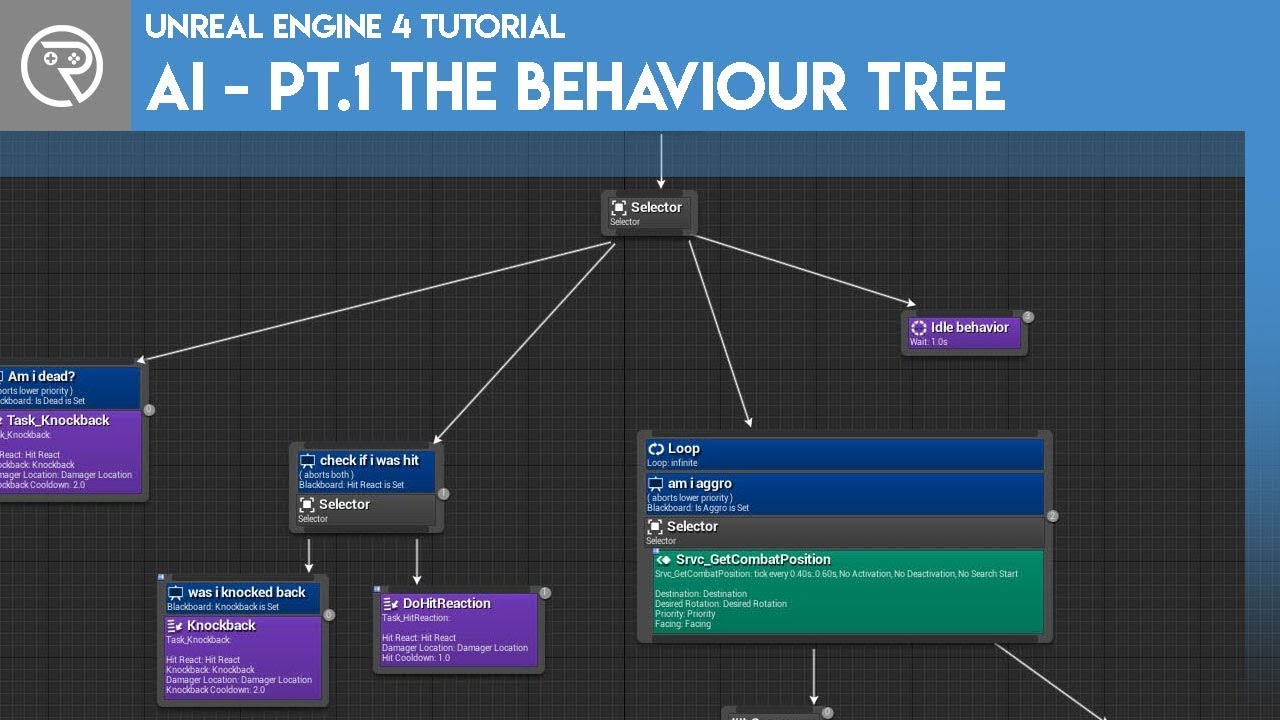
Welcome to the start of a brand new series. This time we are diving into AI for games. This episode introduces the concepts being used in AI design and in particular, the behaviour tree. In this episode we add an NPC that can randomly roam around the level.
Support me on Patreon and get access to videos early, join our developer community on Di...
I followed this video but at the end like in this player moving around in mine nothing changes
what can be the reason
 torn hemlock
misty wharf
the files aren't on write-protected are they?
torn hemlock
misty wharf
the files aren't on write-protected are they?
how would you find that out? just in case
misty wharf
Right click the file in explorer and choose properties
misty wharf
Maybe someone on #ue4-general would have an idea since this is a more general issue at this point than AI and there's more folks reading that channel
 bronze hill
lyric flint
bronze hill
lyric flint
i'm following the exact guy, only i'm on the part 12 or sum
plenty of reasons tbh
have you set up the ai controller?
or tried debugging it?
bronze hill
I'm trying to finish my AI and it was working sort of fine until today something went horribly wrong, i'm trying to set it so that it will chase the player on sight, or go and checkout footsteps sounds when the player isnt in sight, but i'm having some trouble with it, can someone help me out?
 long stratus
Hey so I have a friendly AI that is my companion. Recently I changed the Pawn class that I was using because I decided to change the character. I am using the same AI controller. The AI perception works perfectly fine with the old pawn but not with the new pawn. Does anybody have any ideas why this could be?
autumn ibex
I have a Blueprint Task like so, is it worth converting this to C++ to improve performance? Or should I just stick to C++ for the really complicated tasks.
 hidden bloom
Pawn avoidance with geometry and other pawns. How can I do that?
bronze hill
wym with geometry?
hidden bloom
If a mesh is in the way
bronze hill
eqs?
i think you can set up a pawn to have eqs and stay away from another pawn
but eqs even after years it's still listed as "experimental" so save a lot hahaha
hidden bloom
Oh boy that sounds fun
bronze hill
the tutorial i know tho it's about using eqs to hide behind objects

In the continuation of our AI EQS series we go further into creating a EQS Query that this time will allow our AI to run and hide from the player.
Support me on Patreon and get access to videos early, join our developer community on Discord, get exclusive behind the scenes videos on my projects and much more over at https://www.patreon.com/ryan...
hidden bloom
Yeah, maybe I shouldn't use this 
 bronze hill
it's been there since ages
usually it works, just have to be careful when you do custom stuff with it
then it might give issues
hidden bloom
Alright, I'll take a look. Thanks 👍
bronze hill
np
the same guy has a tutorial with how to set up ai to take cover behind objects away from the player if u need it
 plush meadow
I have a huge problem in my game where the AI keeps shooting at my player even after it dies. How do I stop the AI from seeing me after I die?
im following a lecture and they dont seem to ever fix this problem, and I've been stuck on this for over 8 hours
bronze hill
use a blackboard variable to store the player health and if it's equal or below 0 then have the ai do something else?
plush meadow
how would I check player's health in a blackboard variable? sorry im new to AI and I use c++ so im not really sure how to get those values from different classed and check them
I have an IsDead boolean in my health class
but i cant find a way to access it through BTTask classes
plush meadow
could you maybe explain how thats done through behavior trees/blackboard and I could try to implement that in c++?
or however else its done in the engine
bronze hill
simply you would probably store the health in your player character
plush meadow
yep
bronze hill
from there you can call the blackboard
use the node "set value as (whatever type here)"
in your case either float or int i guess
make name node so that you can name the blackboard variable
and another node with the value, where you would hook up the player health
plush meadow
bronze hill
in your case either float or int i guess
can a boolean be used? since i already have an IsDead boolean to check if the player is dead
bronze hill
yep that too
you can just put the boolean type and set the blackboard boolean to have the same value as your isDead boolean
from there you can use that in the tasks and decorators of the behaviour tree
where you can add a decorator on your sequence node so that a certain sequence or selector is run only until playerIsDead is false, then do something else once it's dead
plush meadow
alright sounds good thank you
now all I need to figure out is how to get my isdead value from player class and pass it onto the blackboard class
hidden bloom
plush meadow
now all I need to figure out is how to get my isdead value from player class and...
Pretty easily. A basic AI tutorial using blackboard will tell you how keys work
In the task blueprint, you make a public variable of type blackboard key selector, and from there you use set blackboard value as boolean on it. I think it's called that anyway
You'll need to make a key on the blackboard too, and then in the task details on the blackboard set the variable to that key
That basically links the key and variable together while the task runs
plush meadow
hidden bloom
In the task blueprint, you make a public variable of type `blackboard key select...
i really appreciate the help, but im a newbie in the engine itself, let alone the ai, and I have only worked with c++ because of a course. However, i have managed to link the isdead boolean to the key i made for blackboard, but now i dont know how to make it so when it's false, it goes into the next task in selector of behavior tree
lyric flint
bronze hill
i'm following the exact guy, only i'm on the part 12 or sum
yes I have set up

 tawdry zephyr
Has anyone built a truly good multi-threaded Utility AI solution thats available or do I need to build it myself?
ocean wren
Abtin: it keeps repeating it because the conditions of the tree to the left in the selector cause it to fail. Remember the selector selects the leftmost non-failing tree to execute. So those CanSeePlayer and IsPlayerAlive things are causing the leftmost tree to not execute, then your second tree the IsPlayerAlive is failing, so its going to the wait node.
Vaei: You don't need multithreading for it. And I believe Tom Looman did a C++ implementation of one
hidden bloom
plush meadow
i really appreciate the help, but im a newbie in the engine itself, let alone th...
Is the isPlayerAlive task returning success:true when it should?
hearty niche
does anyone know how the token system works? I.e crowds of AI attack one player but take turns to give the illusion of fighting off hordes. Something like in Doom and Doom Eternal.
I cannot find any articles on this either
misty wharf
Token system? Is this a name for what you're describing because I've never heard of it :P
hearty niche
misty wharf
Token system? Is this a name for what you're describing because I've never heard...
thats what Hugo called it for Doom Eternal. Basically ai dont attack all at once but a select count do at a time preferable closer to player.
misty wharf
Ah
I mean it sounds like you'd just have to decide what are the rules for when the AI's can attack
Or perhaps you can have some system which has a list of currently engaging AI's, and you can see how many you've got in the list currently, and swap them out etc.
hearty niche
kinda yeah pretty sure melee combat games use this too
but cannot fully understand this
basically makimg the player believe they are taking down a horde
misty wharf
Well if you have a lot of enemies spawned, you can have some kind of queue
Put all of the enemies into a list, then tell the three first ones to attack
Whenever they die, you tell additional enemies from the array to attack
hidden bloom
Hi again zomg. Just wondering, is this going to work as I expect it to? I want to be able to use either a actor or a vector in this task's key.
 misty wharf
Yeah checking the type should be fine
You can also break the blackboard key selector (it's a struct) and compare the type in it
 spring inlet
what's the way to go to let an AI wander around on specific materials, e.g. a street
i can think of line tracing for the material, or volumes in which they are allowed to move, but guess theres a better solution out there
ocean wren
VEGITO: There was a presentation on exactly that by Chris Jurney that he did for one of Relic's RTS games.. might want to check that out. I also remember a similar presentation by someone from Squeenix.. I'll try and remember. It was mostly in Japanese though 🙂
Oh and there's one by one of the AI guys from Sunset Overdrive that might help, pretty sure that's on YouTube too.
Ben: I would use the navmodifier volume system, that's basically its purpose. Pretty sure you can restrict the use of them via flags etc.
spring inlet
watching a tutorial right now, which uses navAreas and navigation query filters, seems good
misty wharf
Yeah nav filters/areas/whatever should work, you can use volumes to define parts of the navmesh to be a certain nav area type, and you can restrict things like querying for a navigable point within radius to use a nav filter which restricts it to a certain nav area type
 foggy sequoia
Quick question : How do I get the nearest eqs point around a ai
misty wharf
do you have a list of points or what exactly are you trying to do?
if you're making an EQS query, you could use a Distance test and use the queries context
then if you get the single best result from it, it should just give you the closest point from that query
foggy sequoia
just from the eQS grid
misty wharf
Right, add a Distance test to it then :)
I think for the settings you need to have it on Score Only, you might need to invert the criteria because it might give furthest first by default, but not sure about that one
foggy sequoia
Yes the AI system im trying to mimic is also using a scoring system, and getting the nearest point is the first test. from the documents Im reading
from me I can see the score expanding outwards going up. But I would like it to be higher, if its closer.
misty wharf
Right so if you look at the distance test it has a curve on it for scoring it
I think there's a dropdown on it too, which defaults to Linear or something like that
foggy sequoia
ok It was inverse linear
misty wharf
ah, yeah so putting it on plain linear should then reverse the scoring :)
bronze hill
Hi, I am facing some problems with my Ai controller. basically i am looping through all actors sensed, and then again through all the last stimuli sensed checkhing with a branch that they were successfully sensed. if they were, with another branch i check whether the tag of the stimuli is the player footstep sound, if not it's the sight (i'm not making other sounds for now), if it's the steps i set to true the blackboard bool "HearPlayer", if it's the sight i set to true "SeePlayer". then if it was the hearing, i set the stimuli origin as the blackboard vector TargetLocation the AI will go to. instead if the "successfully sensed" check is false, i turn both hearing and sight to false.
The problem is that they never actually turn off. or depending on the situation they will turn on but the AI will act as if they weren't for some reason. what am i doing wrong?


 foggy sequoia
OK more difficult eqs SCORE. I want to know how to run an eqs score test to score POSITIONS where an AI would have line of sight to the player.
misty wharf
Use a trace test with a custom context that returns the player pawn
You can set it to filter only, and it can filter out all items that don't have LOS
@bronze hill So it just gets stuck in the BT into the first branch where it checks for SeePlayer?
Or?
bronze hill
with the current settings, it senses the player when it's seen, but it never turns "SeePlayer" on
at the same time it hears the player and turns "HearPlayer" to true, but never turns it off even when the player is outside the hearing radius
i'm going crazy, a whole day trying to debug it with no success
hearty niche
ocean wren
VEGITO: There was a presentation on exactly that by Chris Jurney that he did for...
You have links?
misty wharf
You probably will never actually get a successfully sensed = false stimulus with it. AISense_Hearing only reacts to the hearing events
It doesn't have any way of tracking when you are outside of the hearing range
afaik
misty wharf
hearing doesn't work the same way sight works
plush meadow
hidden bloom
Is the isPlayerAlive task returning `success:true` when it should?
thats exactly what wasnt returning true. after 18 hours of sitting behind my desk and trying to figure it out, I realized that since the player dies, there was an if statement that returned nullptr which is why it wasnt executing the line that determined player had died
 bronze hill
misty wharf
hearing doesn't work the same way sight works
bronze hill
misty wharf
hearing doesn't work the same way sight works
i know that, but they both have a radius
misty wharf
sight uses a line trace to test when something is visible or hidden, and uses that to determine when something is seen... hearing only reacts to events that you manually send
bronze hill
yes i know
misty wharf
the hearing radius is just how far it can hear them to begin with
misty wharf
so as far as I know if you submit a hearing event that's out side of the radius, it won't generate a stimulus update with successfully sensed = false
bronze hill
when i get out of the radius, every sound i send shouldn't be registered
misty wharf
exactly
they aren't
but it also doesn't trigger a stimulus update that sets successfully sensed to false
so the logic of checking for it doesn't work
foggy sequoia
HAS the thing your trying to detect got a stimuli?
misty wharf
If you're constantly sending sound stimulus events you could probably have a timer or something
foggy sequoia
its set to report noise events?
misty wharf
if the AI doesn't receive any sounds within the time limit, it considers it to not hear the player anymore
bronze hill
i set the footsteps to have a notify, and i report the noise event with it
bronze hill
misty wharf
if the AI doesn't receive any sounds within the time limit, it considers it to n...
makes sense
misty wharf
I think there might be a builtin option for it too, there's some kind of forget time in there but I never really looked at that much
bronze hill
now the question is
why even tho i;m standing in front of it
and i see in the ai debugger that it is sensing me with sight
it still wont change "SeePlayer" to true?
misty wharf
Have you checked that it's actually processing the sight stimulus correctly in your logic that should turn it on?
foggy sequoia
try to simplify it to just that objective when trouble shooting , something eles might be interfering
bronze hill
the behaviour tree and the AI controller where i'm setting the values
misty wharf
The only thing I can think of is the async delay but tbh I'm not sure. Try adding a Print node before the set value as bool and have it print out the bool to see what it's setting
foggy sequoia
when you report the noise event your also sending the actor location to the ai?
misty wharf
Really?
bronze hill
foggy sequoia
when you report the noise event your also sending the actor location to the ai?
no that's done in the pic
when the hearing stimuli is sensed the stimuli origin is set as TargetLocation
misty wharf
The sight/hearing system in my shooter project is definitely pretty similar to this and I never really ran into any kind of peculiarities with it
bronze hill
computers love what u want me to say😂
misty wharf
Although I'm not using the stimulus event with the array parameter, instead I'm just using the one that gives the stimulus event
bronze hill
i followed a tutorial step by step
and here i am
ok now it sets hearing back to false successfully
although also when there is a new noise it will still check out the current one first, how can i change that so it will abort and restart when there is a new input?
misty wharf
You would probably have to toggle it on/off to get it to abort, or have it update the movement target
bronze hill
misty wharf
You would probably have to toggle it on/off to get it to abort, or have it updat...
wym? how do i do that?
misty wharf
which part
bronze hill
either lol
misty wharf
lol
bronze hill
wym by toggle on and off
misty wharf
well toggle would be set the boolean to false, so it aborts because it's now false
and then set it back to true
the update movement target you might need to repeatedly run the move to logic so that it would get the latest value from the blackboard for it
bronze hill
so i would have to set 2 variables, one for "investigating sound" where it keeps checking out sounds, even after they are heard, and the other to signal when one has been heard
so every time one is heard, i abort the tree and restart, but will keep going into the same branch as long as the other one is true
so like it will investigate the new sound location, but will keep investigating until the investigate is turned off
makes sense
could you have a look at the seePlayer thing?
and why it wont turn on?
misty wharf
well if it's still set up the way it is in the screenshots I have no idea lol
it looks like it should work, so the only thing is that some of the values probably just aren't what you'd expect them to be
so I would suggest adding some print nodes in there to make sure the values are correct before the set bool value node runs
and also to make sure that the code is actually running that part to begin with
bronze hill
All right will try

