#motion-design
1 messages · Page 1 of 1 (latest)
 fervent cairn
fervent cairn
## Resources for Getting Started
### Text
[Your First Graphic with Motion Design...
fervent cairn
fervent cairn
fervent cairn
## Resources for Getting Started
### Text
[Your First Graphic with Motion Design...
 quick light
 bright seal
Let's go
 trail stag
 autumn flax
Hi hi
 swift oxide
Cool
 winged shard
lets go
 hybrid fern
Hii guys 👋
 steep schooner

 lavish chasm
any idea when they are going to release that sample pack with it
 wooden fog
lavish chasm
any idea when they are going to release that sample pack with it
wooden fog
lavish chasm
any idea when they are going to release that sample pack with it
Which sample pack?
lavish chasm
wooden fog
Which sample pack?
they said they were releasing one about motion design and would have 500 free animations
 kindred olive
lavish chasm
they said they were releasing one about motion design and would have 500 free an...
kindred olive
lavish chasm
they said they were releasing one about motion design and would have 500 free an...
But I remember they said june
lavish chasm
oh lol
 long light
Nice appreciate this being made a channel! 🤙🏿
 sweet grail
Is there any way to have a blueprint with an SVG component?
autumn flax
Seems not
 pulsar pumice
Unreal's support for SVGs is currently "none"
Which is a crying shame, and a surprising fault
autumn flax
That's not true. It's just not available to BPs.
 agile nest
Oh hej! Having fun playing around and learning. My goal is to make a simple animation and hook it up to a MetaSound
Couple of simple things I can't find off the bat:
- How do I loop the "built in" sequencer?
- How do I autoplay the "built in" sequencer when PIE?
agile nest
ok, I found the loop arrow 😂 Still not sure about how to autoplay tho
sweet grail
Im mostly interested in using the motion design modifiers and animators for non-video use and more for gameplay
Is there a way to optimize the cloner? Once i go past 300x300x1 meshes it starts to chug. I even activated nanite on the mesh
Do i need to activate nanite in project settings too?
agile nest
sweet grail
Im mostly interested in using the motion design modifiers and animators for non-...
Similar usage for me. Have you started using Blueprints yet? I need to get under the hood..
sweet grail
Im am going to take a look today
I have started using them such as cloners in a game im working on and so far it is really nice
Foguring out some use cases for some of the animators as well
agile nest
Ok, lmk! I'm playing around too. Will likely need to go that route to hook up a MetaSound the way I'd like. Although I might be able to do it all in sequencer.
I've not tried yet but assume you can just apply operator stack modifiers and animators to actor once in BP land?
agile nest
agile nest
Couple of simple things I can't find off the bat:
1) How do I loop the "built ...
Seems that the seq will run on PIE so long as it's playing/looping in the editor when you hit run. There doesn't seem a need to "autoplay" like regular level sequences
agile nest
sweet grail
I have started using them such as cloners in a game im working on and so far it ...
Did you figure out how to interact with Operator Modifiers or Animators in a BP once you have a handle to a AvaShapeActor ?
agile nest
I'm out of time but it looks something like this:
- Get your
AvaShapeActor - Get
ProperyAnimatorCorecomponents from that actor - Get the set of
Animatorsvia it's accessor - Each set item is a
PropertyAnimatorCoreBase
Hopefully I can the interact with the last object to manipulate animators I defined in the editor
autumn flax

Project file = https://www.patreon.com/posts/project-files-5-102626409
0:00 Introduction
0:41 Light Function
2:18 Setup Cloner
8:08 Setup Effector
10:40 Mesh Boolean
13:24 Second Effector
18:14 Decals
wooden fog

Epic Developer Community
How to create graphics and animations for broadcast using Motion Design.
 signal crow
I’m having some issues rendering out motion graphics with movie render queue and I’m not having much luck with finding solutions on Google/reddit.
The main issue seems to be that my Cloner is not being rendered into the scene. I’ll post screenshots as soon as I sit back down at the computer. I’m decent with sequencer in general but I don’t know the new movie render queue all that well, so idk if I’m having a motion design issue or a sequencer issue.
Also running into an issue where I try to pilot a cinecamera (or an ava cinecamera) and it does not properly show me the lens/focus/camera perspective. I have yet to open up a separate project to see if that is only an issue with my motion design project or if it’s more serious 🤷♂️
signal crow
signal crow
I’m having some issues rendering out motion graphics with movie render queue and...
here are side by side pics of what i see in the edtior vs. the exr that rendered. I'm noticing now that it is also not rendering my niagara particle system so that seems like a decent place to start troubleshooting, at least.

 signal crow
The issue with the cloner was solved by ensuring that the StaticMesh components parented to the cloner (in this case the cheese lol) do NOT have 'simulate physics' enabled. Once "Simulate Physics" was unchecked the cloner started rendering through MRQ.
Issue with avacamera not showing through the lens settings while being piloted appears to have fixed itself(?) also had luck by disabling and then re-enabling motion design mode
Issue with niagara needed a system life cycle track in sequencer and was unrelated
 final lintel
Any project I enable the motion design plugin in, even a blank project, the editor freezes for about 15 seconds whenever I open the project. Totally fine without the plugin.
Anyone else have this issue?
autumn flax
It's fixed in 5.4.2.
final lintel
Nice, is there an ETA for 5.4.2 already?
Also, if this thread is for developer feedback, have you considered splitting up the plugin into multiple plugins like some of the other engine plugins?
Without having it used too much, I dont think the Geometry side of things, and the Rundown/Liveproduction side rely on each other to work? I would like to just use the cloner/shapes/Text/etc in my projects, without adding all those complex systems and a whole new editor mode.
autumn flax
This is for users and there's nobody officially helping here 😛
The new editor mode has a switch to turn off the auto-activation... at some point.
autumn flax
final lintel
Nice, is there an ETA for 5.4.2 already?
If there were, nobody could offically tell you if it hasn't been announced!
final lintel
alright thanks 😅
autumn flax
autumn flax
The new editor mode has a switch to turn off the auto-activation... at some poin...
This should be on git by now if you're using a source build.
 celest karma
Hi all. Can the motion design stuff we create be used as UMG for a game ? Haven't tried it yet.
autumn flax
You can use it for whatever you like, yes.
But it's in-world, so you can't really use cloners on the UI or anything.
Unless there was some sort of compositing going on.
 sinful python
Hi! Apologize in advanced if this has been asked alreadyI. I see cloner objects have a gravity parameter but I can’t get collisions to work. Maybe I’m missing a step or perhaps not implemented yet?
wooden fog
sinful python
Hi! Apologize in advanced if this has been asked alreadyI. I see cloner objects ...
5.4 doesn't seem to have this option.
Though in the github main branch (latest changes but unstable) seems to have collisions now.
 sinful python
wooden fog
5.4 doesn't seem to have this option.
Though in the github main branch (latest c...
sinful python
wooden fog
5.4 doesn't seem to have this option.
Though in the github main branch (latest c...
Thank you!
 glossy kiln
https://forums.unrealengine.com/t/motion-design-text-extrusion-broken/1829764
Has anyone been able to get this working?

Epic Developer Community Forums
I’ve been tinkering with Motion Design in 5.4 and have been really wanting to replicate this example straight from Epic themselves. (https://youtu.be/nF4Xf7t0Hgg?feature=shared&t=687) Unfortunately, it seems the Boolean modifier paired with the Text Actor does not work properly (see image below). Am I missing something or is it actually brok...
wooden fog
glossy kiln
https://forums.unrealengine.com/t/motion-design-text-extrusion-broken/1829764
H...
I couldn't get the workaround I was thinking for to work either 😓
The workaround I was thinking was to convert the Text to Static Mesh (via the same Dynamic Mesh Converter modifier), then using the Modeling Tools plugin to perform the Boolean operation (as both Modifiers and Modeling Tools end up using the underlying Dynamic Mesh system and geometry operations).
But when I click on "Boolean" in Modeling Tools the engine crashes...

 severe notch
I have a problem in 5.4.2 - when i try to use cloner, mesh I m cloning loses its UV, materials are all over the place. Did anyone experiences something like this?
 brittle flame
Is there a way of driving Remote Control Parameters from Sequencer? This is for rendering out linear media. This would be very useful for setting up more complex animated elements using the MG tools and rules systems with fewer higher level control knobs and setting those in Sequencer instead of driving a lot of animators/manual per element param changes in Sequencer.
wooden fog
brittle flame
Is there a way of driving Remote Control Parameters from Sequencer? This is for ...
Yeah I was also curious and looked into it as well and found it's not currently possible to do.
You could make say an Actor Blueprint that controls all these elements you want to control via a set of variables that are exposable to cinematics (i.e. keyable in sequencer) and drive it like that. But a direct integration between RC/Sequencer is not there yet.
 crystal arch
Last week I was wondering why there wasn't a Mograph channel.
Nice surprise today
autumn flax
Welcome!
crystal arch
Can't find the setting to make this random (at least not as uniform).
Any ideas? I'm using a cloner with an effector for rotation and another effector for the animation
 terse furnace
crystal arch
Can't find the setting to make this random (at least not as uniform).
Any ideas...
terse furnace
crystal arch
Can't find the setting to make this random (at least not as uniform).
Any ideas...
Can you make the shape random? Haven't tested anything like this yet. But I'd assume making the shape random and maybe having it rotate while moving would make an interesting effect?
 little harbor
Anyone experiencing issues with the animator effectors? It seems that they randomly stop working even they are attached to the cloner
little harbor
Is it possible to generate collision on the elements from Motion Designer tool?
autumn flax
I don't believe the cloner has collision in yet, but I may be mistaken.
Everything else should work just like regular meshes do?
 cyan ginkgo
Guys, on Sample Data, of Cloner tool for Skeletal Mesh, there's an option called: Sections. Where and how can I chose the Section? I've not found anything about online

 silver oracle
Not sure what channel to ask in 😐
Has anyone used pro rig tools or whatever for blender?
Doing a game jam and our artists arent answering so I have to figure out rigging our MC. (small little raccoon that walks like humanoid
autumn flax
If you're creating a skeleton and doing blend weights and stuff (rather than importing an existing model to UE and converting the skeleton) then you're probably better off on a blender server.
silver oracle
It needs skeleton is what I mean
Its just mesh in blender (FBX) currently.
She didn't do anything with it other than that
Need skt to be able to use basic UE5 manny animations (run/walk)
autumn flax
Yeah, that's blender territory. 😦
autumn flax
Try #ue5-general ?
 late holly
autumn flax
Try <#846520322642411570> ?
late holly
autumn flax
Try <#846520322642411570> ?
ty
 frail onyx
does navigation invoker exist in UR5 with world partition ? or did it get phased out with world outliner?
 eternal drum
Hello
What would be the best thing to use to have this same effect? (using the motion design tool) https://www.youtube.com/watch?v=HIblsDVSq_k

House of the Dragon is streaming Sundays on Max.
autumn flax
There's a knitting video and a howto or so I think?
A shit ton of effectors I imagine.
eternal drum
yeah but it do not look the same
On this intro, the knitting effect is done on an already "done" tapestry
But its the closest thiing we can get on the unreal engine motion design tool i Guess
autumn flax
You could try splines and getting stuff to follow them.
eternal drum
Yeah, I'll try that, thx
 burnt crescent
Hi .. i have a question about motion designer cloner.. can it clone lights at all? i am trying to clone a cristhmass light using a cloner .. with an ortographic camera .. so the emissive material glow the wall behind the light.. my problem is that in ortographic mode emissive materials doesnt light up the sorroundings.. so i try to do some sort of workaround.. like attaching a point light to the cloned mesh.. but it doesnt seems to work unfotunately..
autumn flax
A crappy alternative to orthographic camera is putting it really far away with a very small fov.
 sinful dock
is this the right channel to talk about motion of a spaceship?
autumn flax
I'd say more #game-math or #ue5-general ?
burnt crescent
Page turn / pepper peel effect
Hi i wonder is it possible to do such effect in Ue possibly in the motion design editor.. does anybody have an idea how could i achieve such thing.

How to Create Page Turn Effect in After Effect | Page Flip Animation @ezeditofficials
➡️ Join YouTube Membership: https://rzp.io/i/gffu77jTp
➡️ Envato Elements: https://ezedit.in/envatoelements
➡️ Aejuice: https://ezedit.in/AEJuice
➡️ Join My Video Editing Masterclass: https://ezedit.in/...
glossy kiln
burnt crescent
Page turn / pepper peel effect
Hi i wonder is it possible to do such effect in U...
I've only dipped my toes in motion design in UE but this seems like it wouldn't be possible out of the box. Maybe with some extensive custom tools or something?
autumn flax
That's what the motion design tools are for. 🙂
Custom tooling!
You could maybe do it with a custom material?
Very easy to animate.
 wraith sparrow
anyone know how to increase the bounds of a cloner - they are niagara like right ? i'm using a 360 camera and when niagara particles dont have a big enuff bounds they get cut off in the 360 camera - same thing is happening with a cloner doing a circular clone - from bottom up the black gets cut off at the pink - those columns of repeating rings get cutoff as well as other stuff

 autumn flax
They are actually niagara particles
wraith sparrow
ya but i cannot find the bounds settings
i need to increase them so they dont get cut off by camera
it looks like it is code not a blueprint
autumn flax
Yeah like nothing with motion design is a blueprint. It might be bp accessible. Not sure, though.
autumn flax
Put the svg actor under a null actor and move the null actor to the centre of your tree.
Then rotate the null actor instead of the tree.
Ctrl+G is the shortcut for to add nulls, I think.
 mystic spruce
Does anyone know how to avoid having objects collide with one another when using the cloner and effector together? I'm trying to create scenes where these spheres don't crash through each other.
autumn flax
mystic spruce
Does anyone know how to avoid having objects collide with one another when using...
I don't think particle collision is working yet :/
It's supported by niagara, so it should be in eventually.
Yeah, that's a null. Nulls are just to group actors together and provide a common pivot.
They're handy if you need that... if you don't, you don't have to use them. 🙂
mystic spruce
autumn flax
I don't think particle collision is working yet :/
Hmmm I see. I'll have to look into that then 🙂 Thanks!
 cloud depot
Anyone tried to rotate using animator?
It seems a bit buggy if u animate the speed
I tried to use the Time animator for the effect
autumn flax
Buggy?
cloud depot
Well i cant seem to make it rotate from fast to slow or vice versa, it will pop...
autumn flax
Ah. I imagine it's not using delta time, but total time, to work out the rotation? Idk.
cloud depot
autumn flax
Ah. I imagine it's not using delta time, but total time, to work out the rotatio...
Ye i imagine it uses total time via sin/cos
I had built my own animator using delta time now
autumn flax
Nice!
cloud depot
I love how unreal exposes not just stuff to build games but it also let u customize the editor quite nicely
 slender cedar
when using the cloner to spawn cubes on a mesh, is it possible for these cloned instances to inherit the vertex color of the surface they're being spawned on? for example, if i'm using the Motion Design cloner on a textured character to clone cubes on him, i would want these cubes to use the vertex color of the character.
autumn flax
Not easily, I don't think?
 sacred matrix
I'm trying to render the shot name... but its comes out with no shot.000 exr......
 autumn flax
Instead of .exr?
sacred matrix
autumn flax
Instead of .exr?
Nope... also tried PNG. i'm on 5.4.3. Do you perhaps no if there is any difference between the new sequencer it creates when in Motion design.... or the old way like going to Cinematics create level sequence. I'm having a lot of issues in sequencer.I have a Master and some shots.
autumn flax
It's all the same sequencer.
Well, the same system.
Level sequence is just one "instance" of a sequence. The Motion Design ones are just other "instances".
sacred matrix
pitty I can't get the shot name in the render output 😦 to work
autumn flax
😦
sacred matrix
 autumn flax
That's with MRQ, right?
sacred matrix
what do you mean MRQ?
autumn flax
Movie render queue. It's how you render sequences.
sacred matrix
Sorry Yes MRQ.
autumn flax
I take it there is a camera cut track with a shot?
sacred matrix
Correct. I have used it before in older versions UE... I been playing arround in sequencer for two days.. I can't get simple things to work in 5.4.3. maybe its me 😉
autumn flax
Nah.
sacred matrix
autumn flax
Nah.
If you can get it working on 5.4.3 would be nice.. shot name output.. I also can't get the NEW Rigrail to work properly with drive mode set to speed at 5% should go slowly.. these are things I encounterd last 2 day 😉 pfff
autumn flax
I don't really do anything with sequencer. I wouldn't even know where to start!
sacred matrix
autumn flax
I don't really do anything with sequencer. I wouldn't even know where to start!
haha that's the best thing!! 🙂
 gloomy viper
hi there i'm a begginer unreal engine student, i was making dmx live show in unreal and i was wondering if i can use multply sequence so i can use in one sequence 1 setup light and ecc with other sequencer, but when i press play when i'm working on one sequence the other sequencer they not playing, i saperate difference set up on difference sequencer can i play all of them at the same time when gonna render ?
autumn flax
You could add adding multiple subsequences?
 upbeat sparrow
Hello everyone 🙂 Is it possible to create blueprints with cloners and effectors inside them ? It would be better than referencing them in another blueprint to drive them
upbeat sparrow
autumn flax
Not yet I think.
Thank you ! Too bad, I hope someone proves you wrong haha
 willow perch
Anyone know why Getting Velocity from Actor stops outputting anything once I ragdoll my Skeletal Mesh? I'd like to be able to monitor the velocity of my character, no matter which physics state it is in. Any tip is much appreciated ✌️
autumn flax
Try asking in #ue5-general !
 spiral meteor
Hello guys! I made a scene with a cloner/effector animation where the junk is moving. Is there a way to bake out objects and transforms? I am trying to transform flying objects into birds after the guy falls from his jump
 knotty rivet
why is my rigging colorful circly tools not showign up?

 autumn flax
 spring oriole
Hey guys , trying to render a simple foliage growth effect i made using cloner and effector but it doesnt render in MRQ.
Can even see when i play
any idea why ?
autumn flax
Do you have a camera track?
spiral meteor
spring oriole
any idea why ?
can u send me screenshot of ur sequencer?
 frank jay
Hey there, not sure if this is the right space to ask. I have a widget animation which is being put on the player screen when the game begins. The game then wait for an input from the player to start the animation of this widget. simply just to images sliding to left and right. in the widget the animation looks fine. everything slides as it is supposed to. ingame the images are not visible just the text in the center of the widget, however once the user gives input to play the animation the images appear again as they should have been always and slides apart. any idea? 😄
 random ravine
is there a way to enable nanite displacement for motion design cloners? Materials with displacement do not displace when I use them in the cloner
upbeat sparrow
Hello everyone 🙂 We have trouble packaging a project with a cloner inside our level. Is it possible at all at the moment with the motion design plug-in ?
autumn flax
Should be. What's the issue?
upbeat sparrow
autumn flax
Should be. What's the issue?
We have a critical error when we open the level containing a cloner. Here is the bottom of the log
 autumn flax
Hmm!
upbeat sparrow
For more details : we have 2 cloners, with two effectors each. They are being moved by a BP referencing them as actors
Right before the crash, we can see the rest of the level loaded, but not the cloner
The cloners have been added from the "get content" and not by entering the motion design mode. But I doubt this would change anything
 autumn flax
Apparently it's an engine bug. 😦
upbeat sparrow
Do you mean from UE in general or on our side ?
autumn flax
UE.
It'll be fixed if you grab latest from git, but you'd need to build from source at this point. And there are other runtime issues right now apparently.
It's still experimental right now. 😦
upbeat sparrow
Is it hard to build from source ? What are the other issues ?
autumn flax
I'm not fully versed on the exact issues unfortunately.
upbeat sparrow
Ok, thank you for your help 🙂
autumn flax
Np. Sorry I couldn't be more help!
upbeat sparrow
It's ok, the plug-in is in experimental after all. Our project is due to mid-October, do you think a newer version of Unreal could come out until then ?
autumn flax
I wouldn't bet on it. And it still may not be fixed by then.
upbeat sparrow
Ok, we will look at the git then, and stick to "launch game", or build it myself haha
autumn flax
It'll work great in the editor or if you run an editor build with -game
If you don't have to submit a cooked project, you're fine.
Will still require the source build to fix the bug you have right now, though. I think. Maybe? If it works in the editor, you're good.
upbeat sparrow
Thank you for your answers 🙂
 sharp palm
Hey guys made a tutorial on how to create animations for Metahumans https://youtu.be/XvgN_c10b-s

This tutorial shows how to record face and body animations with the MOVE ONE and Live Link Face Capture apps on iOS,
processing them in Unreal Engine 5,
retargeting the MOVE ONE skeleton to Metahuman skeleton and combining head and body animations into a single animation while retaining head and neck rotation.
Link to download MOVE One assets ...
autumn flax
Nice!
 winged dagger
hi! is there a simple way to animate arrows along the path which can be point the direction.. ? thanks
autumn flax
Using a spline?
 fickle geyser
@autumn flax apologies for the mention but if there's a slim chance I think it'll only come from you, do you perhaps know if there's any way to modify/override the actual timeline display in the sequencer? or the avalanche sequencer? I looked and I think that the answer is no but i got so far adding midi and midi clock related functionality to the sequencer with some custom sections it'd be amazing if I could actually get the timeline to display custom values -
fickle geyser
Basically, In music editing software you can get the time marker to display musical time divisions (bars, beats, subdivisions, etc), as I show in the video my custom section can create marked frames on the sequencer at the appropriate musical times (using the clock information from the new harmonix midi file), I would like to be able to display 'bars' instead of 'seconds' or 'frames'.
the marked frames are cool and you can snap to them but it's a bit hacky
autumn flax
I don't think that's possible without editing the engine.
fickle geyser
bummer :\
Creating my own sequencer implementation feels like a step too far, I took a few looks at the avalance sequencer and it looked like a lot of work, the 'vanilla sequencer' being in a private header and all that. I guess I reached a dead end.
autumn flax
Yeah, we basically do a similar thing to you with adding marks, but we don't actually change the time stamps.
fickle geyser
It's possible to get the 'TopTimelineSlider' with the ISequencer interface but I couldn't do anything with it
autumn flax
is it a widget?
You can always explore the widget tree manually and replace it. Not advised, though!
 humble lava
Question for transition logic, is there any way to just fire sequences straight to the broadcast output instead of creating transition logic to line up with takeIn/PreviewIn/TakeOut/Preview Out?
Instead of trying to set up logic that catches for every single possibility, I'd rather have manual buttons to take a graphic in/out/change/next etc
humble lava
Can I also ask how layering works? I want to put 2 different levels down the same channel but when i take the next graphic it overwrites the current one
autumn flax
Layers are like slots... if you play something to a layer that's already gto something playing, it will replace it.
If you want multiple things, use multiple layers.
humble lava
Copy! would there be any way to choose what is rendering on top of what in between layers at the rundown stage?
I tried grouping all assets in my 2 levels under single nulls
added the translucent priority modifier, set to manual
exposed to remote controller
Setting one layer Sort Priority to 1 and another layer to 2
but on playing out they did not render in the correct order, and instead sorted based on their relative positon in 3d space, would there be a way to define render order between templates on the fly?
(i tried setting both to 1/2 5/10 different numbers with different orders but it didn't seem to care)
humble lava
I thought about trying to make an integer that changes the scale and Z value inversely, for the top level group actor, but it can mess with modifiers
humble lava
(Also, small semantics note, if “layers” has no way to order themselves visually in terms of what gets rendered on what, they should be called containers instead to avoid confusion)
autumn flax
I think it's a history term from the industry.
The layers are (I think) streamed into the one rendering world, so the translucent sort priority should work :/
Does it work if you add both of the levels into another one as streamed levels outside of rundown?
 errant nimbus
Hi there how can i make an offset bounce effect att al containers to make them stop at this level? do i have to do it manually or can you create one animation effect and offset if for the others ?#motion-design
 errant nimbus
Anyone ?
humble lava
autumn flax
Does it work if you add both of the levels into another one as streamed levels o...
Thank you for your help! I don’t know what level streaming is (new to unreal) but I will figure it out and let you know !!
autumn flax
Just dragging a level asset into the current map will add it as a streaming level.
fickle geyser
Is there perhaps a way to get the nice selection panel in the sequencer without the Motion Design's plugin and its sequencer implementation? I adore that thing -
 autumn flax
5.5 🙂
errant nimbus
@autumn flax do you have some knowledge about animating in motiond esign with animators ?
autumn flax
I do not, sorry.
humble lava
autumn flax
Just dragging a level asset into the current map will add it as a streaming leve...
I was trying to troubleshoot this, when I stream a level into another level, I don't have access (or don't know where) to that other level's animation controls are, and the "streamed" level seems to be in the viewport at all times
when I was trying to test this I started to have problems with my text being visible, so I tried removing all transparent priority modifiers from all the elements in the motion design outliner, and experienced this behavior:
The text timer is clearly in front of the other two objects, but is being rendered underneath them. this becomes an issue when I animate up and down, as the camera perspective "moves" the text outside of the Lower 3rd bounds
This is a better visual
autumn flax
Does it work if you set the translucent sort priority manually?
WIthout using a modifier?
All the modifier does it set the component property for you.
It's based on the order of things in the outliner, so because they're different levels, it may be getting very confused.
humble lava
autumn flax
Does it work if you set the translucent sort priority manually?
how do you set it manually without a modifier?
in the example above nothing has the translucent sort modifier
autumn flax
It's called translucent sort priority.
I think?
It's a property on actors or components, I can't remember which.
@humble lava
All the modifier does is set that automatically for you.
humble lava
It seems that it does work when in preview (haven't tested on channel)
however seems like the text actor is out of bounds - still can't find the property in details
autumn flax
Then it will be the sort priority modifier not working across levels.
Just set the value manually.
humble lava
'sort' doesn't return any options @autumn flax
 autumn flax
The actor?
It's a property of primitive components.
The text 3d component is a bit special...
Yeah. The text 3d component is just a scene component, not a primitive component, so it doesn't have the property.
It manages its own static meshes which are rendered separately I believe.
You can try clicking the actor in the tree (the one above the component) and seeing if it pops up somewhere.
humble lava
trying now ty!
autumn flax
I'm not sure if the motion design text 3d component is the same or different... or even there is one. I forget.
I'm trying to look it up, but I'm compiling atm. VS is having a heart attack. 😛
(and using 74gb of memory)
humble lava
yea it seems like everything is behaving correctly except for the text actor
these are the only options I have in the rendering section
 autumn flax
:/
humble lava
Just tried to place an object over the text actor to see if it would 'put it in place" but it still renders over everything else

I can see that it takes the text's meshes into account (top layer before text it sort priority 5, where as the bottom is 0)
humble lava
i tried it with this in mind, and it seems that anything placed in front of the text in outliner order is also binded with it in front of everything else

 floral ibex
Been having real issues with material designer in the new motion design toolset. Opacity doesn't seem to work properly, neither does color / textures etc, always ending up with the default grey checkerboard. Impossible to follow along with tutorials.
Anyone else getting this issue? Am I doing something wrong? Thanks!
 autumn flax
Check your output log. It looks like the materials are failing to compile.
autumn flax
You can go to the menu at the top-right and open the material in the actual material editor and see why it's failing too.
floral ibex
autumn flax
Check your output log. It looks like the materials are failing to compile.
Thanks Daekesh! So here's the output log, I can't really pinpoint the error though it seems something to do with the texture used, weirdly when I loaded in I was able to change textures and the material worked for about 30 seconds, and then it failed to compile once more.
In the material editor I get a similar error.
Very confusing!

 autumn flax
You're missing the world grid material... which is odd.
You may want to verify your engine.
errant nimbus
Hi anyone knows why my autofollow is not working when rendering, when playing in viewport everythings seems good | Auto-follow - motion design |
errant nimbus
Modifiers are just not rendering>
floral ibex
autumn flax
You may want to verify your engine.
Looks like it was something with my engine, grabbed a new project and it seems to be working as intended now. Many thanks!
autumn flax
floral ibex
Looks like it was something with my engine, grabbed a new project and it seems t...
No problem. 🙂
Hope you enjoy the material designer!
winged dagger
hi! is there a way i can do this line animation effect? thanks.

Create and animate arrows quickly in Adobe After Effects with the GEOlayers 3 Arrow tool.
GEOlayers 3 MasterClass - https://bit.ly/3NK6WyY
Project File over on Patreon! - https://www.patreon.com/boonelovesvideo
Monday Maps - https://bit.ly/3rwh55S
Tuesday Tools - https://bit.ly/305DkUy
0:00 Intro
0:07 Draw Arrow Tool
1:01 Retiming
1:32 Reposit...
autumn flax
Something spliny?
winged dagger
@autumn flax yes like and arrow or line
autumn flax
There's something to do it. I'm not sure what, though. 😦
 green linden
So I'm making Lower Thirds and I've got text dynamically updating based on Row IDs in a Data Table. How would I go about achieving a similar result with updating the texture on a 2D asset (simple rectangle) through Motion Design?
The default method of applying a texture is to just assign one through Material Designer and expose it to Remote Control to be updated manually, but I want to automate the process
The system I have in place for updating text looks like so; Triggered by a sequence trigger on the "In" sequence so this check runs and updates before the Lower Third is brought in. I am very inexperienced here and I do not know how I would achieve a similar result for a texture as oppose to text.


I figure since the textures I would be looking up update don't exist in a Data Table, this blueprint design isn't something I can directly translate over but at the very least I should be able to update the texture based on the results of this?
autumn flax
Where do they exist?
green linden
Well the textures are just in the content folder
I figured that based on whatever row ID is picked (regardless whether there is any image/texture in the Data Table itself, because AFAIK that's impossible) I can still select an actor and update the texture right?
autumn flax
You can't add hard referenced textures to a data table, but you can add soft object pointers.
Not sure if that will play happily with remote control.
green linden
Well can't I just use a string that the data table provides?
autumn flax
Sure?
green linden
My issue is less about how to trigger it I think, more about that I don't know how to actually perform the texture update. The Actor is a simple 2D rectangle from Motion Design, so its treated as a ShapeMeshComponent
But all the results I'm finding online reference StaticMeshActors
autumn flax
That's pretty irrelevant here. They're both primitive components so they'll share a lot of things in common.
Also that's a UDynamicMeshComponent if you want to look that up.
(the shape mesh component)
green linden
So if I try and set a reference to it using that, I end up confused because I'm supposed to cast to it yes?

But its telling me I don't need to
autumn flax
No, you don't have to.
autumn flax
Probalby the same reason you don't drive an f1 car to the local shops.
green linden
I haven't had any success with this still. I am trying to create a Dynamic Material Instance since that seems to be the most common way for texture updates but I am not understanding how to connect that to the motion design rectangle since it doesn't count as a "primitive component", if I define the Rectangle as a Static Mesh Component I can set up a basic blueprint, but that seems incorrect because its not actually the rectangle I want just something else I made up that has the same name


I'm trying to export the rectangle as a static mesh and reimport using that, and it now seems to have an internal Dynamic Material Instance which is fascinating
autumn flax
A DMI is a "non-asset". It lives in memory, basically.
And it'll get saved with your actor I suppose, too.
 sudden ridge
Hi, I’m trying to render a Motion design scene, The materials which I made in the new material designer look great in viewport, but when rendering with the movie render queue all materials are missing and render black with the following error message:
“Detected 2 read-only materials with missing niagra usage flag required to work properly with cloner”
In other posts I’ve read to open the materials in the main UE mat editor and make sure that in the materials niagra usage settings that “use with Niagra mesh particles” is checked… But mine are already checked!?
The strange thing is I unchecked and rechecked it and resaved one and it rendered one single time correctly… but out of the approx 20 times I’ve tried that was the only time
Any advice appreciated ! 🙏
Many thanks
 autumn flax
Are there any errors in the output log?
 tough oxide
I am not a newbie with UE but a newbie with the Motion Design tools. I have a pretty basic question. Can I use a "normal" sequence that I have already setup with cameras and assets with the new MD animatio tools. For example the Bounce, Oscillate, Pulse etc. Lets say I have a sequence setup already with a ship in a ocean. I want to add Oscillate to ship so it moves slightly in the ocean. Can I do that with in my existing sequence?
fickle geyser
Pretty sure you can add subsequences to the motion designer level sequence, I think (Daekesh will know better) that the motion design level sequence is a bit special as it's not an asset but is rather attached to the level, but I think it can do everything a regular level sequence can
autumn flax
I think that's right.
tough oxide
fickle geyser
Pretty sure you can add subsequences to the motion designer level sequence, I *t...
So create a MD sequence then add my orginal in as a sub seq. I can try that and see how it goes. Thanks!
humble lava
Would ya'll know how to add a live input from a decklink or NDI into a motion design level?
autumn flax
Probably something like the media plate actor.
 muted nimbus
Can you use the motion design plugin to create content for packaged buidls as well?
Or is it solemnly meant to be used for livestreaming/broadcasting purposes?
Say if I want to create some cool animated UI, or maybe do some semi-procedural stuff for a in-game cutscene, or maybe just animate some meshes in a level - could I consider the motion design tools an option?

(I dont want to end up in a scenario where Ive made a bunch of animations and all out of a sudden game wont package bacause I used this plugin 😛 )
Please ping on reply ❤️
autumn flax
muted nimbus
Can you use the motion design plugin to create content for packaged buidls as we...
You can, but it's a bit of a WIP.
muted nimbus
autumn flax
You can, but it's a bit of a WIP.
Heyya, thanks! Soo, does that mean unprovoked compile errors is a high likelyhood or?
Or what does "wip" mean for its current usability?
autumn flax
It'll probably compile, but may not work.
tough oxide
fickle geyser
Pretty sure you can add subsequences to the motion designer level sequence, I *t...
So I started to play around with this. But im still not seeing how to do this. I have my subseq setup. It has the envr, camera and ship in the water. I created a new MD seq. I added the subseq inside of it. The issue is I still cant access the ship assest inside of the MD seq to add the animations to it. Am I missing something?
autumn flax

This talk will introduce Unreal Engine's latest motion design tools, now available in 5.4.
Join this session and learn how you can experience unparalleled creative freedom and unprecedented speed in design. Discover the capabilities of the new cloners, effectors, modifiers, and animators.
Come explore how these cutting-edge tools can revolut...
 raven meadow
Quick question, I have a blueprint that's designed to detect if the player is in a state from which a jump can be performed. It works properly when moving east but west is not functioning. (For technical reference, east is 0 on the Z axis, while west is 180.) Only exception to this is if the wall jump or wall slide is being detected; otherwise the jump is not applied, although the bool for the jump state indicates an active jump. As you can guess, since the jump state is not being applied when facing west the jump state remains active until she faces east again, at which point everything resets.
I'm not 100% sure of this, but the one thing that I know is that I'm using flipbooks and switch between two for each direction (except up, which is only used for climbing ladders) and the sprites for the west-facing flipbook were added to a starter kit that assumed a single flipbook per state (which I changed for design reasons because the character in question bolts the sheath for her sword at the left hip instead of her back, so I wanted this to be anatomically correct with the direction that she's facing).
as a side note, this also affects other actions (such as her telekinetic dash).
With that in mind, is there anything I should look for so that the states are applied on either of the flipbooks for her travel direction?
autumn flax
This is more of a #ue5-general question.
 muted jackal
Does anyone know the proper syntax to play a motion designer labeled sequence or scheduled sequence from blueprint?
 muted jackal
I figured it out:
You have to add an AvaSequencePlaybackActor to your level. Its unusual as it will automatically place itself at the top level, greyed out, unselectable with no parameters. But given the way Motion Design is design works it makes sense.
Then I can get actors of class an call the play scheduled sequences function and it works like a charm 👍

 autumn flax
Nice!
green linden
Still without success myself, has anybody tried to use a widget with Motion Design/Rundown Control? No matter what I try, even if I can get functional widgets to appear in editor without simulating, I cannot get them to display through Rundown.
 warm sand
Hello!
I did a small environment test using Motion Design tools, and I'm encountering a flickering issue on the edges of my polygons. It's terrible when I move the camera.
I tried increasing the anti-aliasing settings to get the best possible rendering, and I'm currently using TSR.
I can't push the settings in the Movie Render because I'd like to stay in the viewport in game mode. Is there a solution to avoid the flickering?
Could it be due to the emissive? Or maybe the thickness of the edges?
 autumn flax
There shouldn't be anything specific to MD mode that causes it.
Have you tested it with MD disabled?
warm sand
Indeed I think it's more a question of rendering parameters.
What do you mean by disabling MD ?
If it's disabling Motion Design mode in View port, yes I tested it and it was the same result.
If it's disabling MD plugins, I guess none of the environment will work, because it's all cloners and effectors.
autumn flax
Ah. Yeah. I just meant hitting the MD button again to disable it in the level!.
What sort of flickering do you get?
warm sand
It's aliasing, especially when I move the camera in third person.
I guess it's because I have too tiny edges with emission. I have less of these flickering when I enlarge the edges.
So yeah, I guess my problem is : can I have more anti-aliasing than the TSR mode ?
(and yes, I always have it when I disabling MD mode)
warm sand
Yes I will, thanks for the answer 🙂
autumn flax

Presentation Schedule: Day 1, Tuesday Oct. 1st, 2024Livestream 3: (You are here!)11:00 AM - 12:00 PM | Unreal Engine Motion Design: Cutting-Edge Tools and Te...
Motion Design stream!
 spice garden
Winbush on the case with some of the 5.5 features: https://www.youtube.com/watch?v=72g_3shfPVo

With the release of Unreal Engine 5.5 we'll take a quick preview of what's been updated with the Motion Design Tools.
🔗 Free Unreal Your First Hour In Motion Design https://dev.epicgames.com/community/learning/courses/oyL/unreal-engine-your-first-hour-with-motion-designer/m30k/unreal-engine-getting-started-with-motion-design
🔗Tech Channel http...
autumn flax
Nice!
spice garden
I love what he does, very helpful and Im so glad he was on the scene when the Motion Design feature launched. I hope he doesnt mind that I finally got round to sharing the only tip that I am currently qualified to share, because I notice he always does one unnecessary step: "you dont have to first select Motion Design mode from the dropdown on the left, because when you press the Motion Design button on the right it will automatically also put the user interface into Motion Design mode"
 final sonnet
I would love to be able to build to HTML5 / Webasm using Motion design, I believe there are promising web experiences to be made here.
autumn flax
That was discontinued in 4.26? 7?
Though you can use pixel streaming to stream to a website.
final sonnet
Yes pixel streaming is an option if you have limited users, because it is sever side compute. However if you have many users you really want to leverage client side compute 🙂
 hollow flax
Hi, after moving my camera, I can't drag 2D shapes directly on top of the motion design viewport, even though the red grid shows. Is there a way to fix that, or at least reset the camera's origin so it thinks it's at 0,0,0?
autumn flax
What happens when you try?
hollow flax
autumn flax
What happens when you try?
I can drag it in, but it doesn't lay flat on the screen. It goes into the level, usually behind other actors in the level, rotated a bit.
autumn flax
Yeah, it always points at -x or something like.
autumn flax
You can use the align tools to align it to the camera, though.
 plush cape
does anyone know if theres a way to affect material parameter values with effectors?
 pure wind
Is there any documentation on the “spline actor” under motion design, I can’t find any info
 drowsy cape
Not sure if this in the place to ask but I'm trying to create a typewriter effect using Text3D but, so far, there isn't a way to hide/show individual texts.
I've tried to change the location to be really far away and adjust the progress bar but that created some smearing in the final movie render queue output. Is there a way for me to create this effect?
autumn flax
You could try disabling TSR?
hollow flax
We really need some kind of overlay for 2D shapes! Having to key a lower third banner to move in sync with a camera is frustrating. I wouldn't be surpised if there's a way to do it, but am yet to figure it out.
hollow flax
Ok, I did make some progress. One thing that can be done, as long as you change no camera settings, is you can attach your shapes to a camera in the outliner, and switch their attachment to each camera cut in the sequencer. The problem with this method is the shapes are affected by camera settings, so they will look different with any camera settings changes.
autumn flax
Yeah. If you don't want shapes actually in 3d space, it may still be better to just use UMG.
As much of a pain as that is. 😛
Don't get all the fancy TL then, though.
If you don't care about lighting, you could set up a scene capture and add them in on the camera with a post process material.
All of these are terrible ideas, but yeah.
hollow flax
autumn flax
All of these are terrible ideas, but yeah.
Do you know much about the remote control? Could it have a way of doing it?
Also, did some digging and found the Composure plugin which looks like it could possibly work.
 astral obsidian
have been playing with the new 5.5 stuff and have questions about a couple quirks, in case anyone else has encountered!
first one is that in motion design mode, when moving the camera, scroll wheel no longer changes camera speed, and instead zooms into/out of the viewport. any way to change back to camera speed while using the motion design editor?
second question is that i'm getting pretty long delays before my cloners are visible when playing in editor. checking the output log i suspect it's time compiling the underlying niagara systems:
LogNiagara: Compiling System NiagaraSystem /Game/Temp/Circle_4843E1A845B5765BB3540D8BC187FD7E.NS_ClonerCircle took 11.763959 sec (time since issued), 11.116554 sec (combined shader worker time).
is there a way to do this compilation just once? it seems to happen every time i play in editor, even if i'm not making changes.
has been incredibly fun exploring these tools! was pumped to play with them after unreal fest. shared this today: https://www.instagram.com/tapesclub/reel/DBJ6k57y1Mt/
pure wind
I am getting an issue in my movie RQ renders, with dlss all motion elements render as expected, but with normal aa used, all motion graphics are not rendered like cloners …any idea what’s going on??? Seems super odd mograph elements would disappear because of aa type.
 sick latch
can anyone recommend an extensive UE motion masterclass paid or free? (basic to intermediate UE5 user here) thanks
pure wind
Has anyone ran into an issue where the audio wave operators dont work? I followed this and have everhting linked on a cloner, but the audio still wont make the properties change. Is there an additional step to get it to work not shown here?? https://www.youtube.com/watch?v=yXbxq5hJkWk

In this comprehensive tutorial, we dive deep into the world of audio-driven motion design. Whether you’re a seasoned Unreal Engine pro or a curious beginner, this guide will empower you to create mesmerizing visual effects that pulse, twist, and morph in sync with sound waves.
🔊 What You’ll Learn:
Set up audio input and analyze sound data in U...
 shy zodiac
Anyone know how I can random UV map texture to cloner spawned actors that are moving? Basically need actor/instance position based UV offset or per instance random. Couldn't get it to work with local position nor PerInstanceRandom nodes and since motion isn't Niagara I don't think I can pass external values from cloner to the instances
autumn flax
Cloners user Niagara systems. Have you tried the particle functions?
shy zodiac
There's no Niagara interface to send data to cloners.. and like I said above PerInstanceRandom doesn't work, nor does the local position node that would work with Niagara system spawned meshes
shy zodiac
Actually I seem to get something from ParticleRandomValue (Which I before mistaken for the PerInstanceRandom)... so seems like this could be used to randomize things. Thanks
autumn flax
Np
shy zodiac
Stupid question, after using Motion Design mode on my level, the level keeps always opening itself in motion design mode. I've deleted any motion design related actors from the level and it still keeps opening itself to that mode. How do I get it to open to default selection mode? I have other levels on the same project and they don't open to Motion Design mode, even when the motion design actors are active so it probably ain't some project wide setting
muted jackal
I came here to ask the same thing ☝️
astral obsidian
There’s like a “pause” button that switches you out of md mode, which I think is a sticky setting
 shy zodiac
The button to switch out of MD mode is right there on top, question is how to avoid needing to press it every damn time I open this map because it has no MD stuff even left there but it still opens to MD mode every time automatically
shy zodiac
Seems like on 5.5 preview the motion design keyframe parameter references have been changed. Just opened my 5.4 project on 5.5 and nothing works because the sequencer parameters no longer affect the parameters of same name in Motion Design forces but one has to create new parameters of same name from the actor, basically redo everything
autumn flax
That's not really motion design related.
 young vale
autumn flax
That's not really motion design related.
young vale
autumn flax
That's not really motion design related.
Hi there, Daekesh I love ur profile pic it brings back the good old times rpg psp game 🙂 -btw I'm happy to be here and learn & grow from the pro like you & others ✌️
autumn flax
Thank you!
 rocky dune
Hello everyone when I import into the cloner items from Fab I get this message -anyone any idea???
 rocky dune
autumn flax
You need to edit the material to add the flag.
rocky dune
autumn flax
You need to edit the material to add the flag.
How to add the flag?
rocky dune
autumn flax
You need to edit the material to add the flag.
Thank you for your answer
autumn flax
rocky dune
How to add the flag?
Open the material and tick the box. Then hit save. You may need to mark is as not read only?
Or copy the material into your project first. Then edit it.
 rocky dune
autumn flax
Open the material and tick the box. Then hit save. You may need to mark is as no...
rocky dune
autumn flax
Open the material and tick the box. Then hit save. You may need to mark is as no...
Hey i am trying to find the box you are reffering but I cant find it
copy pasted and it does not work
rocky dune
Yes I have done that and then ? I am now seeing them :/
autumn flax
🙂
Those engine materials are "read only" to cloners, so they can't be fixed automatically.
And it's questionable whether they should be editing engine content even if they could.
 worthy turtle
Is there any channel dedicated to GASP ?
 sterile sandal
Hey guys! is there any way to export a motion design cache out of unreal like fbx or usd?
autumn flax

Watch this recorded session from Unreal Fest Seattle 2024 that explores real-time motion graphics with Unreal Engine’s dedicated toolset for motion design and broadcast graphics.
This session examines the toolset's cutting-edge features, including Cloners, Effectors, Animators, Material Designer, and Transition Logic. Watch to witness how thes...
drowsy cape
Hey, is there a way for me to make a cloner for an Icosphere? I want to be able to use the triangles in an icosphere to move up and down.
 young vale
I just wonder if we have sample project or learning course available under UE resources? 🥹 to study new features such as Motion Design UE5
young vale
Help: Why my "Editor -> Motion design" disappear or went missing under Window? -TIA 😅
 young vale
Help: Why my "Editor -> Motion design" disappear or went missing under Window? -...
young vale
young vale
Help: Why my "Editor -> Motion design" disappear or went missing under Window? -...
LOL, I just need to reClick this "Motion Design" button to reActivate to more you know.. haha silly mistake 😂
 autumn flax
Yeah. You can disable it per scene. 🙂
sterile sandal
No way to bake the animation and export other out to another software?
 chilly cove
hey, I looking for channel to discuss motion matching stuff, is it right place?
autumn flax
It is not! 😦
 quaint stirrup
🌟 I’m thrilled to announce my participation in the KitBash3D Luminara challenge! 🌟
📽️ I’ll be competing in the Motion category, where I’ve chosen to tell a unique and immersive story. My character, Enara, is a fearless explorer who, after a crash with her rover, ventures into an unknown jungle. Following a stream that leads her to a mystical cave, she discovers ancient ruins filled with mystery in her quest for a precious treasure.
💡 This project is an incredible opportunity to explore visual storytelling, unleash creativity, and refine my skills in scene design and cinematic animation. I’m working hard to create something special that combines storytelling, art, and technique.
🎮 As an indie developer, these challenges not only help me grow but also connect me with a passionate community of artists and creators from around the world.
#KitBash3D #LuminaraChallenge #MotionCategory

I’m thrilled to announce my participation in the KitBash3D Luminara challenge! 🌟
📽️ I’ll be competing in the Motion category, where I’ve chosen to tell a unique and immersive story. My character, Enara, is a fearless explorer who, after a crash with her rover, ventures into an unknown jungle. Following a stream that leads her to a mystical cave...
young vale
If someone encountered this problem: "Cant attach static mobility to actor movable" Error at Cloner in Motion Design -> Outliner
 young vale
If someone encountered this problem: "Cant attach static mobility to actor movab...
young vale
young vale
If someone encountered this problem: "Cant attach static mobility to actor movab...
DO this In case if someone still have the same issue…
You need to switch Mobility property to Movable in tranform category. (the line in the photo) ✌️
 neon socket
oh wow those new effects seem amazing.. do they work at runtime with blueprints as well or just in the motion design mode?
i've been doing similar stuff with WPO and distance fields and stuff.. it's messy
neon socket
having modifiers in UE is pretty sweet
autumn flax
They'll work at runtime... eventually. 😛
young vale
Anyone encounter problem when adding Effector into Sequencer for animation (motion design) the FX does not work?
like it used to be when doing manually through mouse.. 
young vale
autumn flax
They'll work at runtime... eventually. 😛
Question: In Unreal, If i want to duplicate the project file and share it to others I can by simply copying the root project folder right? 🤔
autumn flax
You can. But don't copy binaries or intermediate. Or ddc.
They can regenerate and compile that stuff on their end.
Or saved
young vale
autumn flax
Or saved
Noted and thank you Daekesh ❤️ 👊
 autumn flax
Yeah. You only need uproject and config and content there.
 limpid schooner
hi there, got a question, why object from the scene ofset during rendering in viewer everything's ok, but when i just press render seq its ofseted and some parts are totally disapearing, i was trying deffered renderer and also pathtracer and they have same issue, was disabling all the console commands, problem persist, basically i dont know how to fix this.. ;/

 remote sage
With the 5.5 cloner collisions, is there any way to fine tune the particle collision (bouncier, more rotation) or is this control about all we have for now?
 strange elm
halloo, quick question for anybody who might know. Is there a way to animate light intencity with sound ??
I want to animate a bunch of stuff based on some sounds I have, what I find online is only with the use of effector and cloner. What about the material itself, how can I search about it in order to find this kind of information ?
young vale
For me i seperate SFX like doing it inside Davinci Resolve after my final render in UE5.. 🤔
strange elm
That a valid option and what people are using the most, but I would like the light to affect my environment and going in a post meathod doest give of the same fealing
 cinder ledge
Hey all! Anyone ever run into an issue with SVGs where one character is filled and the other is not? The character on the left should not be filled in and should be an "o" character. It appears correctly in File Explorer, Gimp, InDesign, web viewers, etc. But in Unreal it breaks and the "o" gets filled in, where the "g" does not?...
 cinder ledge
Update: when I perform a split on the "o" character, it appears like this:
 autumn flax
Do you have the source svg?
cinder ledge
autumn flax
Do you have the source svg?
Yes, I reached out to the gentleman who created it for me through a contract. Hope to hear back from him soon.
autumn flax
How do you know it appears correctly in file explorer and gimp if you don't have the svg file?
cinder ledge
autumn flax
How do you know it appears correctly in file explorer and gimp if you don't have...
Apologies if that wasn't clear on my end. I do have the original, but I also reached out to them for them to fix it
 warm lake
Hi, all! I'm new to the motion design toolset in Unreal and I have two quick questions:
-
Has anyone found a way to cache or bake cloner animations so you can scrub playback in Sequencer? When I search for it, it seems to take me to C4D caching tutorials. Haha! I tried adding the cloner and system to a track, but I don't see any cache property or baking options like I would see in Control Rig.
-
The middle mouse behavior drags the canvas around instead of the expected camera panning. Is there a simple setting to change/toggle this behaviour? Thanks!
autumn flax
You can move the camera by right clicking and using wasd, I believe.
Or just holding rigth click and moving the mouse? I'm sure there's something with right click.
warm lake
@autumn flax Thanks! Middle mouse usually does a camera pan to position around the environment. In the Motion Design mode, it just moves around the canvas (like you would in Photoshop), probably to more accurately position 2D artwork elements.
autumn flax
You can zoom in and out as well with the mousewheel like photoshop.
(press home to reset the view)
Btw, the middle mouse pan doesn't actually move the camera, it just shifts the view.
warm lake
autumn flax
Btw, the middle mouse pan doesn't actually move the camera, it just shifts the v...
Yep! But it can move the camera if you are piloting it. I'm sure there has to be a toggle somewhere. It's pretty standard navigation. 😛
 smoky fable
Hey guys, I'm trying to convert my AvaText into a StaticMesh, using the DynamicMeshConverter Modifier, but I don't see the two buttons options as in my sceenshot, the buttons to convert are missing on my end. I'm on 5.5.1

 native mural
Any reason why the modular cntrl rig pelvis circle is not in the middle of the pelvis. its off to the side. thanks
autumn flax
Try #animation
 hoary rapids
cinder ledge
Hey all! Anyone ever run into an issue with SVGs where one character is filled a...
hoary rapids
cinder ledge
Hey all! Anyone ever run into an issue with SVGs where one character is filled a...
I have had this happen... It's not always something obvious why it happens though to me. I have had it happen when there were accidently double sets of "points" for the cutout that are stacked. There are lots of possible problems here unfortunately so I'd look at the SVG very carefully in Illustrator or something first to see if it's 100% legit. Then if that seems like it's fine, Once I think I re-arranged the "point order" or used a different export version of the file to like 2009 or something like that and it fixed it but I haven't had that in a whiel.
limpid schooner
Hi there, i would like to ask why this mesh is not visible in rendering, here's quick video showing the issue, i would appreciate the fix for this since i cannot render this since like 2 weeks and i am actually running out of ideas 😦
 scenic escarp
Is there a way to fully turn off motion design in a level, once activated? I accidentally clicked the button to enable it then saved, and it messed up my character's camera so I disabled the entire plugin. Now I'm getting a bunch of warnings at startup.
 autumn flax
Click teh button again.
scenic escarp
I did, but it wasn't turning off
autumn flax
:/
scenic escarp
Reactivating the plugin and toggling it off worked! It actually prompted me to ask if I wanted to deactivate it this time.
autumn flax
Good!
scenic escarp
Huh, now the interface auto-activates at launch, despite auto-activate being turned off in editor preferences
 autumn flax
That might be the camera setting, rather than "motion design" as a whole.
scenic escarp
Well, this is what I'm getting at launch. And clicking the "Motion Design" button on the right asks if I want to disable motion design -- despite already disabling it before I closed the editor.
 autumn flax
Did you say the level after disabling md mode?
(with the button at teh top-middle)
Erm. Save, not say.
scenic escarp
Yep, I saved. Just tried again to doublecheck, no luck.
autumn flax
😦
scenic escarp
autumn flax
Erm. Save, not say.
Lol, I read that as "Save", didn't even notice til your correction
Eh, experimental plugins, what can you do? 🙂
autumn flax
What you can do is somehow delete the AAvaScene actor from the level... that'd "un-motion-design" it, I think.
It's not a BP type, though, so you'd have to do it via c++.
scenic escarp
Yeah... I'm not exactly sure how to do that. Levels aren't stored in plaintext
autumn flax
If you did "get all actors of class" in BP in the level, checked to see if the class of the actor is "AvaScene" and then delete that actor it may work.
scenic escarp
Oh interesting. Thanks for the idea!
autumn flax
Get Class -> Get Name -> Is AvaScene? -> Destroy
Save before you do it.
And you may need to use a blutility widget?
Idk
scenic escarp
A bp scriptable tool isn't finding any actors of the various motion design classes, so it might be embedded more deeply than that
scenic escarp
Oh well indeed. Thanks for your help all the same!
autumn flax
Np!
limpid schooner
limpid schooner
Hi there, i would like to ask why this mesh is not visible in rendering, here's ...
BUMP
remote sage
Are there specific settings I need to check to render Motion Design from Sequencer? I've dragged my cloners and effectors to the Sequencer but they are not shown in the output image
upbeat sparrow
Hello everyone, I was wondering if it's possible to stack different modes inside a single effector (for example a push + a scale down + a slight noise translation). My need is to drive it with only one magnitude 🙂
And also another question : is it possible to identify one effector from another inside the shader editor ? (with identifier for example, but the cloner effector parameters node doesn't have something like that)
upbeat sparrow
Another question, is it possible to drive a cloner progress using blueprints ? I didn't find any node for that
The fact that you can animate it only in sequence (as far as I know) is so weird
autumn flax
I'm not sure, but I think blueprint integration will come if it doesn't work already.
upbeat sparrow
autumn flax
I'm not sure, but I think blueprint integration will come if it doesn't work alr...
Thanks, would you also know about my first questions ?
autumn flax
I... don't know much about them tbh. 😦
remote sage
I'm using the Motion Design Animators but can't seem to figure out something simple. Say I have a null actor and I want to rotate it continually, with some ease. All the animator modes (curve, bounce, oscillate) seem to only do "back and forth", but I want there to be continual, additive rotation like I'm using the Time animator. Is this possible with some easing?
autumn flax
remote sage
I'm using the Motion Design Animators but can't seem to figure out something sim...
I believe it is possible, I'm not sure how, though. 😦
That'd be more for the animation channel!
 lusty fossil
autumn flax
That'd be more for the animation channel!
lusty fossil
autumn flax
That'd be more for the animation channel!
Alright, thank you, I will delete it and move it there ^^
upbeat sparrow
Hey, I tried to package a little project with the motion design plug-in enabled, I got a fatal error whenever I want to open the map. Is the plug-in impossible to shop atm ? Thank you 🙂
remote sage
I'm having trouble caching cloner simulations in Sequencer, anyone with some experience here? Thinking it's similar to Niagara caching with some differences
remote sage
Another question -- how do I turn off the Effector's Color only? I still want the other effector's effects but it's taking away control from my materials when there's more than one effector
 timid fox
Is it correct that cloners are not visible in a packaged build? Using 5.5.1
Or, is there a way to make it visible?
 fierce skiff
upbeat sparrow
Hey, I tried to package a little project with the motion design plug-in enabled,...
fierce skiff
upbeat sparrow
Hey, I tried to package a little project with the motion design plug-in enabled,...
I am having the same issue I think. I would really like to package a project with some cloner animations, but am also getting the fatal error.
upbeat sparrow
timid fox
Is it correct that cloners are not visible in a packaged build? Using 5.5.1
When I tried to build wiht them, yes they were not visible
upbeat sparrow
fierce skiff
I am having the same issue I think. I would really like to package a project wit...
Yeah I wish devs were more responsive in this channel ... It would be nice to warn people that for this plug-in, experimental means that you can't build with it out of the box
fierce skiff
When I try to package to project with cloners I get a fatal error on opening. IF I go back into my project and disable the plugin called "Actor Modifier Core" it will package but the cloners disappear.
What version are you using? I am trying with 5.4.4
upbeat sparrow
fierce skiff
When I try to package to project with cloners I get a fatal error on opening. IF...
I tried with 5.4 and 5.5
fierce skiff
ah okay. Bummer
I knew it was exprimental, but I wish I had known it is basically unusable.
I get these errors from my crash log. I did a search but couldn't find anything helpful.
Log file open, 01/31/25 09:21:47
LogWindows: Failed to load 'aqProf.dll' (GetLastError=126)
LogWindows: File 'aqProf.dll' does not exist
LogProfilingDebugging: Loading WinPixEventRuntime.dll for PIX profiling (from ../../../Engine/Binaries/ThirdParty/Windows/WinPixEventRuntime/x64).
LogWindows: Failed to load 'VtuneApi.dll' (GetLastError=126)
LogWindows: File 'VtuneApi.dll' does not exist
LogWindows: Failed to load 'VtuneApi32e.dll' (GetLastError=126)
LogWindows: File 'VtuneApi32e.dll' does not exist
LogWindows: Custom abort handler registered for crash reporting.
In my project, if I delete my cloners from the scene it then compiles and runs sucessfully.
autumn flax
Those are basic errors that all projects get. They aren't related to Motion Design.
@fierce skiff
 hazy citrus
Is this a bug with the text scaler? When I set text to wrap+scale the allowed width is cut by about 5/6ths or something crazy like that for no apparent reason?
it even happens when I manually add linebreaks and scale the text object based on width and height. Only if I disable height scaling entirely does it seem to work like expected :/
hazy citrus
Because the default text object is misbehaving I'd like to write my own. But when I try to include AvaTextActor.h MSVC can't find it. Avalanche is added as a Plugin in the uproject, and the build.cs has "Avalanche" as an entry in the PublicDependencyModuleNames. Where else do I need to add references to it?
autumn flax
It's not in the Avalanche module, it's in the AvalancheText module.
hazy citrus
You are correct. I'm still learning how to work with modules. I included the AvalancheText module but the linker can't find it, do I need to add it to more places?
autumn flax
No. What is it complaining about?
Bear in mind that (I think) the class is exported with MinimalAPI, so you can only use methods in that class which are also exported.
E.g. you can't extend the class if the constructor isn't exported.
hazy citrus
I got help from another person who told me the class wasn't exported by the module. I.e. __declspec(dllexport). However I didn't expect to check if the source exports as a DLL since the entire source is on disk
I was assuming that it was compiled as a lib file for me to include since I'm including the .h file directly. But as motion design/avalanche is experimental I guess it's either not supported as an extendable library yet or not supposed to be at all
I will have to think about what I should do about it though. I'm guessing the Avalanche text class is just a modified regular text class? I wanted to extend the functionality of the Ava text class since it's broken, but maybe I should aim straight for the regular/vanilla unreal text object. I should mention I don't have much/any experience with Unreal in general, so I might miss something obvious.
The only reason I wanted to extend the ava text class aside from being broken is that it seemed like the simplest solution for fixing the problem rather than either
- modifying the source and having to maintain it
- making some kind of script object that has to be attached to every text object
- making a blueprint that also has to be attached to every text object or at the very least iterate through every tagged text object
If I'm wrong about that, please inform me before I do something stupid
autumn flax
The dll export is a c++ thing. If classes are private in the module, they aren't exported and you can't use them.
HOWEVER
You can add the actual source path to your build.cs and include the files directly.
I can't remember how to do it and I don't recommend it.
Are you on the latest launcher build?
The issue may have been fixed.
autumn flax
Not really. 😦
 gaunt plank
solved it myself anyways.
autumn flax
Cool cool¬!
 visual locust
Hi everyone,
I’m experiencing a frustrating issue with rendering sequences that contain Cloner Actors in Unreal Engine 5.5.1.
The Problem
• In one of my sequences, I have multiple Cloner Actors, but at every render, some of them randomly fail to appear in the final output.
• In another sequence, I only have one Cloner Actor, and it never appears in the rendered frames.
• However, when playing the sequence in the Sequencer preview window, everything works fine—every Cloner Actor is properly activated and visible.
What I’ve Tried So Far
1. Extended the sequence duration to allow more time for Cloners to “load” (not sure if this helps, seemed to work at first but not consistently).
2. Changed render resolution from 4K to Full HD, but the issue persists.
System Specs
• MacBook M4 Max
• 16-core CPU
• 40-core GPU
• 16-core Neural Engine
• 128 GB Unified Memory
• Unreal Engine Version: 5.5.1
Has anyone encountered this issue before? Are there any known fixes or settings that could affect Cloner Actors in Sequencer?
I’ll attach some screenshots of the scene if that helps.
Thanks in advance!


 tender raptor
Hello, just wanted to ask , has anyone figured out how to get cloners to work with the packaged build yet?
tender raptor
okay i found a solution, since my project is just a kiosk app, im going to use a bash file with the following command: UnrealEditor.exe "C:/Path/To/YourProject.uproject" -game
this just runs the project in game mode, so its like an app, and the cloner effect works.
if anyone has find a better solution where you can actually package the project, please do update me on it.
autumn flax
I think cloners work in packaged on the latest source builds.
autumn flax
tender raptor
okay i found a solution, since my project is just a kiosk app, im going to use a...
This will work, but negatively affect performance.
hazy citrus
autumn flax
Are you on the latest launcher build?
I was, but I updated it since and now it's working. I guess it was just a temporary issue then.
 eager cove
Anyone know how can i see MassAi (crowd or vehicles ) in my sequence?
worthy turtle
how to make the anim choosers select a random sequence from the PSD data? it always uses the same everytime on begin play
 autumn flax
worthy turtle
autumn flax
<#221798806713401345> ?
autumn flax
worthy turtle
autumn flax
<#221798806713401345> ?
Just did, thanks
 limpid canyon
Has anybody managed to use motion graphics in a packaged build yet? I've used some of the tools such as Cloners to create some interactive aspects for a main menu. But there just not appearing in a build.
 trim idol
use:UE 5.5.4
Is it a bug that the Mark Font as favorite in the AvaTextActor is reset after restarting the editor?
 autumn flax
I would say so.
cinder ledge
Hello all, side project I am working on, I am not sure what is causing this exactly but I have a feeling it has to do with the spacing, as the rotating of the tiles started as soon as I added keyframes for the cloner spacing. Now it no longer flips over smoothly over the course of the effector. Anyone run into this issue?
cinder ledge
Unreal Engine 5.5.2 is what I am using
young vale
Good day bro ✨ @autumn flax , Q: How to optimize nanite when rendering (movie render)? bcoz i've experiecing different POV between my viewport to render 😩


-TIA 🙂
Happy Weekend y'all ✌️ 💖
autumn flax
Not a clue, sorry!
young vale
autumn flax
Not a clue, sorry!
I think it's about LOD in nanite but idk which setting to tweak in movie render something like that.. 🤔
cinder ledge
Any reason motion designer won't work correctly when I have keyframes for rotating via an effector and changing the spacing distance in the cloner at the same time?
 lyric wing
Hello i want to package my project but i get this warning (its just a part of the whole log): UATHelper: Packaging (Windows): LogGameplayTags: Warning: [AssetLog] C:\Users\manue\Desktop\Game\Content\Characters\UEFN_Mannequin\Animations\Traversal\Hurdle\M_Neutral_Traversal_Hurdle_1_0_stand_F_V2_Rfoot.uasset: Invalid GameplayTag Foley.Event.RunBackwds found in property /Engine/Transient.REINST_BP_AnimNotify_FoleyEvent_C_215:Event.
UATHelper: Packaging (Windows): LogGameplayTags: Warning: [AssetLog] C:\Users\manue\Desktop\Game\Content\Characters\UEFN_Mannequin\Animations\Traversal\Mantle\M_Neutral_Traversal_Mantle_1_0_stand_F_Lfoot.uasset: Invalid GameplayTag Foley.Event.RunBackwds found in property /Engine/Transient.REINST_BP_AnimNotify_FoleyEvent_C_215:Event.
UATHelper: Packaging (Windows): LogGameplayTags: Warning: [AssetLog] C:\Users\manue\Desktop\Game\Content\Characters\UEFN_Mannequin\Animations\Traversal\Mantle\M_Neutral_Traversal_Mantle_1_0_stand_F_Lfoot.uasset: Invalid GameplayTag Foley.Event.ScuffWall found in property /Engine/Transient.REINST_BP_AnimNotify_FoleyEvent_C_215:Event.
UATHelper: Packaging (Windows): LogGameplayTags: Warning: [AssetLog] C:\Users\manue\Desktop\Game\Content\Characters\UEFN_Mannequin\Animations\Traversal\Mantle\M_Neutral_Traversal_Mantle_1_0_stand_F_Rfoot.uasset: Invalid GameplayTag Foley.Event.RunBackwds found in property /Engine/Transient.REINST_BP_AnimNotify_FoleyEvent_C_215:Event.
UATHelper: Packaging (Windows): LogGameplayTags: Warning: [AssetLog] C:\Users\manue\Desktop\Game\Content\Characters\UEFN_Mannequin\Animations\Traversal\Mantle\M_Neutral_Traversal_Mantle_1_0_stand_F_Rfoot.uasset: Invalid GameplayTag Foley.Event.ScuffWall found in property /Engine/Transient.REINST_BP_AnimNotify_FoleyEvent_C_215:Event. i can build the project but i want to get to know why this is and what its doing and maybe how to get rid of this warning?
autumn flax
Try #packaging
cinder ledge
I see in this channel a lot of folks having an issue that I am having as well with no fix stated...
When I use Movie Render Queue, the cloners do not render anything.
 pseudo sequoia
One aspect of Motion Design that trips me up is the Motion Design Viewport! I find navigating impossible.
For instance, in the default or Cinematic viewports I rely on F key, followed by Option + Left mouse drag to tumble the viewport on any selected object. Why doesn't this work in the Motion Design Viewport? Is there some preference I am missing?
sacred matrix
[Question] UE 5.5 I'm doing some more research with the new motion design tools. What would you need to have some balls (sphere) like firing to a target (mesh) and bouncing reflecting bouncing from the target mesh? what are the ingredients?
is that all done in the Effector?.. i mean the firing of the balls?
rocky dune
Hello everyone we are at 5.4 version and we are trying to make with motion tool desgin the knitting effect and when i do it by hand in sequence it appears all right but when i render or go to play mode the effect does not play anoyone help please? 😄
rocky dune
cinder ledge
I see in this channel a lot of folks having an issue that I am having as well wi...
same here...
rocky dune
really??
cinder ledge
in your movie render queue
rocky dune
 cinder ledge
blah I have to restart unreal, I think it is hiding the setting on me, and I went to test render local and it crashed haha
that isn't related to the issue fix, it's just movie render queue and motion design seem to both have weird bugs
AH
okay
so in movie render queue, @rocky dune do you know how to access the settings for our render?
here I made this for you really quick
 rocky dune
ahhh okay okay
thank you so much i Am going to try it out now
and tell you thank you
cinder ledge
Under Anti-aliasing, you want to crank the Render warm up count and engine warmup count.
Oh and check Render Warm Up Frames
because the cloner system is built off of Niagara I believe
I set Render Warm Up Count to 64 and Engine Warm Up Count to 32
cinder ledge
Same result with black screen?
cinder ledge
I wish I could export my config and give it to you to see if it would work...
that would be a quick test
pure wind
I am seeing an issue where my motion design cloners spawn slightly differently every time I render a sequence, is there a solution for this? Its subtle, say I have 10 cubes with random rotation, if I overlay render A over B of the same clip in comp they are slightly different.
 candid siren
hi all!
im currently creating a reveal-animation on a tank using a box with boolean subtracting the tank, then moving the box which is a parent of an effector just to create a nice little transition-effect.
It looks fine in the editor viewport, the camera, when scrubbing the playerhead in the sequence...the problem arises when i try to render. The effector-effect works fine, but the reveal doesn't animate, it's just stuck. So if i render when the playerhead is in the middle of the animation, for example, the render shows the tank in the state it is (half the tank) at that point in the sequence, while the effector moves as it should. Images show setup. Any tips?


here's an image from a test-render while i had the playerhead at frame 180:

if i have the sequence at fram 0 while rendering, the tank is not visible (as it should be) but only the effector-effect shows / animates.
pseudo sequoia
You can control effectors by animating either the shape or position.
Is there any way to drive an effector via an animated texture? This would be incredibly powerful.
pure wind
Has anyone ran into an issue of not being able to update the mateirials on a cloner object, no matter what I do I cant edit the material on it the object its cloning. It has two materials, and even if I change the mat, nothing happens, its like its baked in.
pure wind
I opened a 5.4 mograph scene to 5.5, and now there are these big red/purple ghosted visualizers where my cloners are, is this expected, how can I turn the strange purple ghosted visualizer off? Thanks for any info.
sacred matrix
[MOTION DESIGN] Does anyone have any experience with spawnable meshes and nulls. I have mesh jeans... with Null for the 360 rotation!. there both set to spawanle in my sequencer shot. As I only want them to live in that shot only. But when I save.... it not parrented any more. Do you have solution to this? thanks so much.
 winter nymph
Hello everyone !
Someone already think about use MotionDesign tool for video game purpose ? There tool are optimized to be use in video game or it's a very wrong idea ?
I'm very curious if that can be use in a video game project and what can we do with it 🤔
autumn flax
It should work fine, but hasn't been fixed for packaging until 5.6 is released.
winter nymph
autumn flax
It should work fine, but hasn't been fixed for packaging until 5.6 is released.
Thanks for your response !
sacred matrix
autumn flax
It should work fine, but hasn't been fixed for packaging until 5.6 is released.
Hello, do you perhaps how it works with spawnables in your sequencer shots?
autumn flax
In general or with the motion design toolkit?
sacred matrix
With the motion design toolkit, I don't understand why you are using spawnables in sequencer_shot. For example NullActor and CinemaCamera... to have better controle for the position and SAVE.. its no longer parrented 😭 in the outliner.
autumn flax
Can't speak to that myself. 😦
sacred matrix
autumn flax
Can't speak to that myself. 😦
No worries! thanks
autumn flax
That's not specific to #motion-design. Try #animation ?
worthy turtle
If anyone can help me with this id really appreciate, i retargetted the GASP rootmotion anims to a base metahuman mesh, now i noticed the rootmotion trajectory is gone, which results in my character moving and snapping back i game. any fix for this?

 autumn flax
Try #animation
 rugged cosmos
https://youtu.be/DtrwyZpsj88?si=nCa127vCtnBcWWZx
Anybody got an idea how to do this? I am really confused on how to get started with it.

The new Motion tools in Unreal Engine 5.5 now let you color particles by speed, age, position, and other parameters. This was previously only possible with standard Niagara. Learn how to set this up inside Unreal Motion: https://redefinefx.com/unrealmotion/
 high shale
dont know if this is the right channel for this but i am having some issues with motion matching animations i made. some animations dont play all the way and the character will T pose when i stop. also some stuttering occurs here and there
autumn flax
I'd try #animation
high shale
ok thanks
 half coyote
Can Motion Design be used with gameplay?
autumn flax
Yes
 tribal glade
Not sure if this is the right channel, but is there a way to make a cloth asset collide with physics assets other than the one assigned to it in the cloth config window?
autumn flax
it's not. 😦
 hallow ravine
Has anyone tried the new motion design tool with the scene state? Would love any information on how to get it going. I managed to get it to play a couple of sequences but I can’t control it. Meaning it just activates immediately I click play.
wooden fog
hallow ravine
Has anyone tried the new motion design tool with the scene state? Would love any...
Could you send how you have it set up?
hallow ravine
wooden fog
Could you send how you have it set up?
Will do, I’m not home right now but I’ll send an image.
hallow ravine
hallow ravine
Will do, I’m not home right now but I’ll send an image.
This is a video of what I have, I wanted to be able to control when the sequence plays, but it just plays as soon as I press play
wooden fog
So it looks like you have one state that is automatically selected (as it's conneted to 'entry').
And the rest you have are Task nodes chained together in that state.
What would end up happen is:
Begin Play immediately selects 'Play' state which runs the Play Sequence task... then once that task finishes it will run the other task in the chain and so on.
You could try creating a second state and have those tasks there and add a condition similar to Anim BP for that first state to transition to the second state.
Also if you select the debugged object you'll see what is happening in the State Machine
(the debug object can be selected in the top menu bar. In your example, it'll be hidden under the >> arrows)
hallow ravine
wooden fog
(the debug object can be selected in the top menu bar. In your example, it'll be...
Thank you
hallow ravine
Does anyone know if it’s possible to drive the sound wave animator using our microphone. Just like the way we can in Niagara?
 lapis bridge
i have a problem with the water plugin of UE5 and the sequencer, i want buoancy in the animation im makeing, for more information, dm me
upbeat sparrow
Hello everyone, I have this weird problem with a collision box set on my cloner that is faaar bigger than its visible bounds. I found no options to disable it or manipulate it in any way. Even without any component to clone inside it, the box remains the same. As I am spinning this cloner around its the scene for all my physics assets.
I did not have this is issue on 5.5, it appeared with the conversion to 5.6 yesterday

 upbeat sparrow
So I found the issue : even when particle collision is disabled, the collision box stays (I guess it's a bug). So you can enable particles collision and set the grid size to 0 I guess
sacred matrix
Does anyone know why the Null is to large. I'm trying to parent everything to a null, but the bounding box is to large.
 autumn flax
The yellow bounding box is the bounds of the actor and all its children.
A red one is just the actor itself iirc.
sacred matrix
autumn flax
The yellow bounding box is the bounds of the actor and all its children.
Thank you... but I want the pivot to be in the center of my pac-man... why is the bounding box so large in length?
 autumn flax
Because the null is where the gizmo is and the pacmac is over on the left.
I think?
If you want the pacmac to be in the middle of the null, reset the pacmac's transform to 0,0,0?
sacred matrix
autumn flax
Because the null is where the gizmo is and the pacmac is over on the left.
Thanks.. yes I moved the null pivot on top of the pacman and re-parent everything again to the null. Now when I move the null everyting works. Just testing and playing around.
Any ideas how to do facial expresion stuff perhaps? can you do this with web camera?
 autumn flax
I have no idea, sorry!
sacred matrix
No problem!! but thanks alot.
autumn flax
Np!
 marsh thorn
Hi! Anyone got a clue or experience with Motion-design`s fonts that are using custom fonts, and that they change back to default when rendering and restarting the level? I get that i can make static mesh out of the text as a solution, but when it is animated its a bit tricky.. (SOLVED ✅ )
 autumn flax
Is it importing the font and then not saving it?
marsh thorn
autumn flax
Is it importing the font and then not saving it?
Yes, but it was not that obvious, but i figured it out earlier today. It is two choices when selecting fonts in "Mograph mode". Project fonts and system fonts. I figured i had to import the font into the project an selecting it as a project font for it to work.
autumn flax
Ah ha.
sacred matrix
[QUESTION] what are the option for animating more 2D shapes... Let's say I wanted to move the mouth or roll the eyes? or would it better use Cartoon Animator 5?
I would like to test some 2D animation in combination with MotionDesign tools. The pacman is PSD... with seperate layers (body,eyes,mouth)
 autumn flax
Have you tried enabling the psd importer plugin? It's experimental, but imports each bit of the psd separately and you can then animate the layers.
The default psd importer just imports the entire flattened image.
sacred matrix
autumn flax
The default psd importer just imports the entire flattened image.
Yes...using the new psd importer,,, just playing around. But How would make the mouth smile for example? a transform isn't enough. Or would you need to do the animation in the material? I wonder.
 autumn flax
I don't think you can do that with a psd tbh.
You'd need actual animation software to do that.
Or use the dynamic mesh stuff in the engine, something like a spline?
worthy turtle
I cant seem to figure out, how to make the pose search randomly select an anim as an idle, because it keeps looping the same one again and again, no matter how many sequences i add
 autumn flax
Try #animation !
 ivory magnet
Hello! Im having some issues transferring my Unreal camera into After effects. I have it into C4D Lite (can see the camra move all right) but when I put it into AE, the camera isn't moving or its not "extracting" the other files (null, text etc). Extract only pulls my camera (Omega) but also an extra one (C4d project only has 1 camera)
Thanks for any help. ❤️
 hallow ravine
sacred matrix
Yes...using the new psd importer,,, just playing around. But How would make the ...
hallow ravine
sacred matrix
Yes...using the new psd importer,,, just playing around. But How would make the ...
You should check out Cory Williams free give away I. The silly crocodile he animates the material to make it appear as if the character is speaking. This should work for you, you can even drive it through live link
hallow ravine
hallow ravine
You should check out Cory Williams free give away I. The silly crocodile he anim...
This Unreal Engine project allows users to animate in real-time.
drowsy cape
Hello, is there a way for me to carry the vertex color/material of the mesh onto the mesh sampling cloner?
 gilded swift
X https://share.google/ymmvQJNg5JLrD8P0y
I am wanting to recreate something like this i have never used motion design in unreal and have no idea where to even start any good tutorials yall can suggest?
autumn flax
gilded swift
X https://share.google/ymmvQJNg5JLrD8P0y
I am wanting to recreate something lik...
Link is 404.
gilded swift
autumn flax
Link is 404.
Oh weird haha one second
Unreal 5.6 Motion tools let you send shockwaves through the environment in the style of Quantum Break, all procedural & no sim. In real-time and now officially supported for packaged game projects.
We set this up inside Unreal Motion 5.6, link is below.

 X
·
X
·
That should do it
autumn flax
What link do tehy talk about?
Don't they have a tutorial for it?
But it looks like it's done with an effector.
gilded swift
Yea ive been trying to find it as well haha idk what link is below
I dont use Twitter ngl ive been trying to make an account and just look at this post for like 20 minutes but the site and app are so slow and buggy idk how anyone uses this.
gilded swift
autumn flax
What link do tehy talk about?
The link is a link to their course to enroll and pay to learn how motion design works so time to go study it on my own and learn about effectors
autumn flax
gilded swift
I dont use Twitter ngl ive been trying to make an account and just look at this ...
Me either. 🙂
gilded swift
autumn flax
Me either. 🙂
Mastodon all the way for me haha
autumn flax
I just avoid twitter-like social media altogether.
gilded swift
But yea gotta figure out how they did it the items dont appear to be physically simulating physics when moving i literally know nothing about effectors or motion design so gonna ne a fun new learning experience but ive been at it a long time so it should click pretty quick hopefully
 sonic rose
gilded swift
https://x.com/redefinefx/status/1939313139180281865?s=46
sonic rose
gilded swift
https://x.com/redefinefx/status/1939313139180281865?s=46
hello, does anyone has figured out how to interact with the motion design with a blueprint like this?
hallow ravine
You guys should take Jesse’s class it’s really informative but basically all that is happening is the effector is attached to to the player and you can adjust the effectors size by using an input key to set it’s scale. The type of cloner used is a free placement cloner.
hallow ravine
Hey guys, I have a scene in which I have a cloner that I’m using in game mode works fine, but the issue is I need to use a cinecam to output NDI to be picked up else where. The issue I have when I do it this way as soon as I click capture in the media capture the cloner disappears from the view of the camera. Not sure what’s causing it
hallow ravine
hallow ravine
Hey guys, I have a scene in which I have a cloner that I’m using in game mode wo...
Just incase anyone else is wondering you need to create a blueprint that initializes the media capture.
 late lagoon
Anyone know how to draw 2d shapes like circle,line, rectangles in 3d space of unreal? Like we have primitive in directX. does unreal have anything like that?
autumn flax
The motion design toolkit can do it!
It has a shape drawing tookit.
They can be 2d or extruded to be 3d.
 grand tulip
Can anyone chime in on the correct way of accessing variables in a streaming level asset? i.e. accessing and changing text values in a MD level asset?
lapis bridge
i can anyone help me with the sequencer and the movie render queue, i have a sequence, and when i export it to a video mp4, for the first 10 sec, all object are not working as programed, but the cine camera actor is working>
note that everything the the viewport is correct but not in the export,
can anyone help me?
hallow ravine
lapis bridge
i can anyone help me with the sequencer and the movie render queue, i have a seq...
If it’s items from the motion design tools it sounds like you may need to add warming frames in your render settings
hallow ravine
hallow ravine
If it’s items from the motion design tools it sounds like you may need to add wa...
Its under anti aliasing
 tranquil sinew
Hey people, I've set myself a crazy (maybe stupid) goal to try and create my own customized Streaming interface with some cool personalized widgets and stuff inside Unreal, with almost 0 knowledge of motion design (I'm a 3D Artist and illustrator).
I'm running into an annoying issue when trying out some stuff in the UE5 motion design interface: when working in the material designer, each damn thing I click on makes me wait a couple seconds because it feels like it needs to compile shaders. I've looked up some things but can't seem to find how to fix that specific issue
autumn flax
if you go to the top-right of the window, you can turn off automatic shader compilation.
It's the circle with a tick in it icon, I think?
tranquil sinew
In which window is that ? I can't seem to find it
autumn flax

 autumn flax
tranquil sinew
autumn flax
tranquil sinew
You on 5.6?
tranquil sinew
No I think I'm on 5.54
autumn flax
Yeah. You need to be on latest to get the latest updates 😛
tranquil sinew
autumn flax
Yeah. You need to be on latest to get the latest updates 😛
ok, thanks 🙂
 brave zodiac
Hey guys!
For some reason, when I instantiate my objects in Cloner (on the right), they are getting like this (simplified). How do I fix this?
 brave zodiac
Hey guys!
For some reason, when I instantiate my objects in Cloner (on the righ...
brave zodiac
brave zodiac
Hey guys!
For some reason, when I instantiate my objects in Cloner (on the righ...
UPDATE
I needed to check the "Export Subdivision Surface" when exporting from Blender and it worked

 limber flint
Hi, I'm creating a first person game with the GASP template, and I have been following this tutorial for around 4:30
https://www.youtube.com/watch?v=n_Y0dyTaYjE
and theres a problem where everytime i right click i go into 3rd person, how can this be fixed?

In this tutorial I will show you how to set up true first person character using Game Animation Sample in Unreal Engine 5.5
I will cover issues that nobody is talking about how to fix. I will also show you how to set up a custom character including Metahuman.
Timestamps:
Intro: 00:00
Migrate GASP Files: 00:54
Enable missing plugins: 01:10
Creat...
 sacred crater
Hey guys, I have a problem in GASP. When I climb a wall between 1.5-2.5m high, I will intermittently encounter the problem of hanging in the air (see video). I have tried for a long time but cannot solve it.
sacred crater
this one
autumn flax
See the post directly above yours.
sacred crater
what? that fp camera ?
sacred crater
autumn flax
The one directly above yours...
sacred crater
Sorry I can’t see the link anywhere, could you resend it?
 sacred crater
oh,thx
 elfin marsh
rocky dune
elfin marsh
rocky dune
😂
long light
sonic rose
hello, does anyone has figured out how to interact with the motion design with a...
it's just the freeplacement effect in the cloner https://youtu.be/4JQ47hc5SCQ?si=pshrSUiNzFvzxL3h
 delicate mulch
Hey all, is using motion design to make things like an intro screen, company logo reveal, main menu background graphics, etc, within a game project a proper use case?
Meaning I'd load the MD level as an intro, then the actual game level, maybe the main menu background would be another MD, etc.
Or is it specifically made for motion graphics only projects?
autumn flax
Yes. You can do that.
delicate mulch
autumn flax
Yes. You can do that.
Thanks!
Is it good practice though?
autumn flax
It's designed with broadcast graphics in mind (think sports overlays), but there's no reason it can't be used for anything else. It's just a suite of tools.
delicate mulch
autumn flax
It's designed with broadcast graphics in mind (think sports overlays), but there...
To make the graphics yeah, I understand.
My concern is that it won't play well with being loaded as part of the game flow.
autumn flax
Try it and find out!
autumn flax

This week we'll be discussing the Unreal Motion Design toolset with this feature-packed sample project created in collaboration with Capacity Studios. This soccer-themed package includes over 40 polished examples including logos, player cutouts, and broadcast graphics, all designed to showcase Unreal Engine’s most powerful Motion Design featur...
sacred matrix
[QUESTION} PSD import UE5.6.1 When I update the PSD in PS.... and reload the PSD in unreal.. the comp doesn't show the new layers? in viewport. I did a re-imort psd. There are visible in the folder:-( Do you perhaps have a fix solution?
So basicly you add new layers in PS.. but the comp in UE editor they aren't visible. They do show up in the folder next to the PSD. anyone? or is this a bug?
autumn flax
It's not a bug, it's just unfinished. 🙁
You'll need to re-add them to the viewport to create the new layers, I believe.
sacred matrix
autumn flax
It's not a bug, it's just unfinished. 🙁
Aha okay thanks so much for the feedback. But what if you have setup animation in sequencer? so basicly....you can't update the PSD once it dragged into the viewport. Is a PS layer in the comp.. different then a BG_plane? can you assign a materialdesigner material to both the layer in PS comp and also a 3D plane? I was having difficulties... is there like difference you think?
autumn flax
There's a root actor and each layer has its own "mesh actor" which has a regular static mesh.
You can jsut change the SM or the material on it if you wish.
sacred matrix
autumn flax
You can jsut change the SM or the material on it if you wish.
Aha okay thank you. Just experimenting with MD tools. Do you think buliding PSD comp is the way to go? Can't you keyframe effects in sequencer like the Ripple i want to desolve the character from 0-100 and 100 being fully visible? any thoughts on how to accomplish this?
 autumn flax
If the keyframe buttons appear in the details panel bit at the bottom, sure.
If not, that's probably a bug.
Each of those properties of the ripple should be material parameters, I think, so you might be able to animate them another way with a material parameter modifier.
(in the operator stack)
You can find the parameter names by right clicking on the property names.
But if you change the structure of the material, the parameter name may change - they're based on the path to the object/property in the material designer model. But if you can set it to a specific name on the right click menu and that should stay the same.
sacred matrix
autumn flax
Each of those properties of the ripple should be material parameters, I think, s...
Thanks again. ... I will take fresh look tomorrow 😉 I will have alook if I can find some tut....
 fierce lake
sacred matrix
Aha okay thank you. Just experimenting with MD tools. Do you think buliding PSD ...
fierce lake
sacred matrix
Aha okay thank you. Just experimenting with MD tools. Do you think buliding PSD ...
There's a little bit about that kind of stuff in this talk here, but yeah there's a few things that need to be set up through motion design material designer instances: https://www.youtube.com/watch?v=Z7Nm-Hja_mA

The new motion design tools in Unreal Engine have brought amazing prototyping powers for designers, but the majority of studios still create assets and animation outside UE and then import them to render the final frames. The point of commonality between these approaches is the material workflow.
This session recorded at Unreal Fest Bali shows...
sacred matrix
fierce lake
There's a little bit about that kind of stuff in this talk here, but yeah there'...
Thanks so much Luke for the link. I will look into it shortly. cheers mate.
autumn flax
fierce lake
There's a little bit about that kind of stuff in this talk here, but yeah there'...
We loved your Avalanche video btw!
fierce lake
Haha thank you, that’s a while ago now 😄
autumn flax
Yeah. Had no idea you were on this discord, though 😛
fierce lake
Just lurking 😄
sacred matrix
Hi all, I'm been jumping back into MD again which is great 🙂 but its been awhile 😉 I have the player guy with planer cut modifier which is working correctlly a left to right sweep. But at the same time I want to have rectangle_mask_shapes cutting thru the player guy too.
So I have assigned a MaskLayer (Input) to my Mask null so it affects all the other mask if I'm right 😉 . The question is does the Player Guy also need a modifier like the MaskLayer (output)??? Or can I leave as it is? Or does the PlayerGuy need to sit in the same container as the Null_Mask? Hope the image makes sense. Anyone ?
 autumn flax
Masks work on channels and have inputs and outputs. To have something masked, you need a input and an output. And the output needs to have a compatible material (you add a material function to the opacity pin) or use one of the systems that comes with MD (simple / mat designer), which have those already built in.
sacred matrix
I can't use materials I think... as I want to stop the affect at frame 60. You can't keyframe that. I did test and I think I'm close.... but you can animate mask (transform) moving left to right... & right to left. But the mask shapes need to shoot thru the player guy... like a bullit
I mean something like this 🙂

the planer cut works great... but I need to have the other mask also going thru the Player guy. I'm not sure if I setup my stack correctly. Its a bit confusing mask layer... I know you have source that would be the ... MaskShapes... then the TargetMask would be the PlayerGuy...
perhaps ? 🙂
autumn flax
Honestly not too sure on the specifics about masking tbh!
But it can definitely be done.
sacred matrix
autumn flax
Honestly not too sure on the specifics about masking tbh!
NO problem... I'm just playing & testing. I'm not even working working in the creative industry ;-), but I think I'm on the right track. Let you know if I make any progress. Thanks for helping out.
autumn flax
Good luck!
sacred matrix
Looked at it again with fresh eyes 🙂 ..... not sure if its technical possible 😉 perhaps my approach is incorrectly 🙁
I want to animate the mask my self, just some rectangles shapes moving left to right.... shooting thru the player while the PlannerCut is doing his stuff too.
 sacred matrix
I did another test with the new 5.7 release. I made the scene a bit easier to understand it better. Why isn't the mask not cutting the player?
The player is PNG setup in the MD_MaterialEditor. Does anyone know this problem. Or isn't for 2D shapes perhaps?
 autumn flax
@iron rock this is a channel for the motion design plugin, not motion matching or character animation in general or anything.
 iron rock
oh ok, where should I post it?
i thought "animation" but that didn't seem the right one
control rig is fairly close..
autumn flax
Animation is probably the right channel!
wooden fog
For those curious to know more about the Scene State plugin for Motion Design, documentation for it just dropped!
https://dev.epicgames.com/documentation/en-us/unreal-engine/scene-state-for-unreal-engine

Epic Games Developer
An overview of Motion Design Scene State for Unreal Engine.
sacred matrix
[QUESTION] I made some progress. And I'm wondering is there a way to have the buildings like pop in.. in height using precedural animator? The buildings are constructed using rectangle with extrude for height. Of course I could animate the extrude.
But is there a way to do this with animator ? I just want the building to extrude in height one by one. Thanks
 hallow ravine
If you’re asking about doing this in motion design your put them into a cloner and add an effector and make it unbound and effect the size of the clones. You’d need to use possible the freeplacement cloner but this is one way to do it in motion design.
sacred matrix
hallow ravine
If you’re asking about doing this in motion design your put them into a cloner a...
Hi and thanks so much for the info. You're right... I was to busy with the 2D shapes and extrudes (rabit hole) but you gave me new some fresh ideas.
 weak grove
I'm trying to get Remote Control set up for Material Instance parameters, but i cant figure out how to expose them - i can expose the Material Instance variable itself, but not its parameters. Using 5.7
autumn flax
Have you tried using the material parameter modifier and exposing the value there to RC?
weak grove
I did but couldnt figure out how to associate the Modifier with my component's material - i have a SMcomponent on an actor with a Dynamic Material that looks like this

in the Modifier, do i just use the name and it recursively finds any param on a component's material?
 autumn flax
weak grove
in the Modifier, do i just use the name and it recursively finds any param on a ...
autumn flax
weak grove
in the Modifier, do i just use the name and it recursively finds any param on a ...
Parameters are unique per material. If you have one with the same type and name, regardless of where it is, it will be the same parameter.
So just adding the modifier to target that name will change it everywhere it's used in your material.
But, yes, just copy the name from the material to the modifier and it will change it.
Expose the value to RC.
 random hawk
Yo! I'm an FUI designer coming from After Effects, and I'm trying to figure out how to do my bread-and-butter gak elements. Think dB Meter-style bars that randomly move X amount within Y seconds/frames. I know I can animate it by hand, but that would be a huge time waste. In After Effects, I simply use looping wiggle expression on the bar-element copy count. I have absolutely no clue how to do this in UE though
Here's an example. I use a looping wiggle expression here to increase/decrease the green bar count, with a null object that I attach the sliders to so they automatically move with the count, and another looping wiggle with a posturize expression to randomly increase/decrease the top number on the right in chunks.
weak grove
thanks @autumn flax you got me goin - i got to my goal of being able to control the Material Instance params via the remote control WebApp....thought I was home free except the final step didnt work; packaging it and controlling it from a web app. I realized that actually it doesnt work (it being changin values in the web app and seeing a change in the rendered outpuit) in Standalone PIE either, just in the editor viewport and in PIE in viewport.
I've added -RCWebControlEnable -RCWebInterfaceEnable to my packaged exe and also ive coped the WebApp folder from the Engine over into my packaged folder, and when i go to localhost:30000 it loads up just fine, but nothing changes when i adjust sliders.
any advice? i think it might be due to the binding being /Game/TextureDemo.TextureDemo:PersistentLevel.AParachute_C_1.ModifierStackComponent_0.ModifierStack.AvaMaterialParameterModifier_0 but thats just a guess...
weak grove
The plot thickens - i tried Exposing some other properties - the location of the actor itself and also the Relative location of the SM component on the actor, and all of these work fine in a packaged build. so its something to do with what ive exposed from the material parameter modifier not binding correctly?
autumn flax
weak grove
thanks <@163374417634656257> you got me goin - i got to my goal of being able to...
Sadly I'm not sure!
hallow ravine
random hawk
Here's an example. I use a looping wiggle expression here to increase/decrease t...
I would resolve this using cloners effectors and a masking element or just cloners and effectors. For the top where you have dots you could have a cloner for the dots and maybe a sphere effector with some effects and have the effector moving around within the cloner and then for the bars I would have another cloner possibly a line cloner and then either have an effector using the animators to auto increase the numbers between your min and max or using a masking element that moves up and down exposing the cloners
random hawk
hallow ravine
I would resolve this using cloners effectors and a masking element or just clone...
Thanks, I'll give that a try!
sacred matrix
[QUESTION] When you duplicate a Text_Actor.... How is it possible that the previous Text_Actor is still visible? I have no overlap in sequencer, but the text_actor is still showing? I'm coming from AE... So basicly even when the track,, goes from one track to another... its still visible? Does it mean you need to add visibilty track? to turn the text on and off? that seems to work. Is that correct. I thought you could just short the track and then start with next track.. but then the previous text is still visible 🙁
sacred matrix
 wooden fog
sacred matrix
[QUESTION] When you duplicate a Text_Actor.... How is it possible that the prev...
wooden fog
sacred matrix
[QUESTION] When you duplicate a Text_Actor.... How is it possible that the prev...
The sequence section lengths you show there only represent the range that you animated properties of the text actor. For this type of binding (called 'possessable') it does not mean the lifetime of the actor.
Now there's something called a spawnable binding which allows sequencer to spawn the actor for you, animate the properties, and then destroy it all within sequencer. Though you still need to tell sequencer when you want this actor to show up.
You should also consider whether it's better for you to keep the actors around and just turn their visibility on and off via sequencer instead of having to always spawn them back and forth.
remote sage
Anyone have luck using 3D Text in Blueprints? I want a customizable text static mesh per BP. It's very glitchy for me, loses its axis center when any transformation or text setting is changed
 desert lintel
remote sage
Anyone have luck using 3D Text in Blueprints? I want a customizable text static ...
desert lintel
remote sage
Anyone have luck using 3D Text in Blueprints? I want a customizable text static ...
Oh no, it's a broken mess in 5.7.1 (and 5.7). It also doesn't always move when a BP's transform in the world is changed during the game. Here's the error you're getting in video form for the others. https://imgur.com/gallery/epic-quality-control-SKs3HC5 Works great in 5.6.1 though, waiting on 5.7.2 for a hopeful fix. 😅
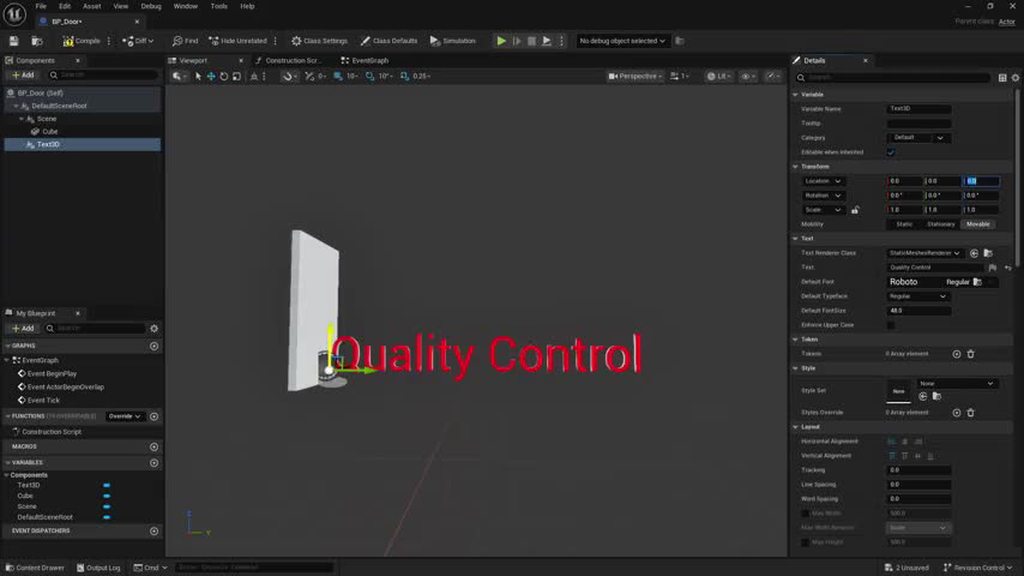 remote sage
Nuts! Thanks for confirming.
wooden fog
desert lintel
Oh no, it's a broken mess in 5.7.1 (and 5.7). It also doesn't always move when a...
From github commits in dev-5.7 branch seems like this is fixed, so we might see this in 5.7.2 after all 🙂
desert lintel
wooden fog
From github commits in dev-5.7 branch seems like this is fixed, so we might see ...
Sweet music to my ears, thanks for letting me know! 🤓
 minor scaffold
Hello! Is it possible to get a collision event to fire from within a blueprint that is being scattered by the cloner?
i wish to trigger metasound when those bubbles collide
 opal salmon
Hi everyone, I am having issues with my cloner not rendering in MRQ. Have not found a solution through my google browsing. Has anyone had this issue, and if so, what can I do to fix it? Thanks
 unreal gust
not sure where to ask so i am trying at different channels but does anyone know how could i make something like these screens (anamorphic screens) in unreal i am not talking about anamorphic lenses but rather a screen in unreal
 autumn flax
Use nDisplay?
 muted steppe
hi, are there any mocap mavens inna house who can recommend what to use to create a Kinect kinda training game demanding sensitive mocap for both game creation and player tracking? can't afford that really huge expensive one, watching this now -https://youtu.be/M799eoMK4tw - wanted to get your opinions

I push single-camera performance capture to its limit in Unreal Engine 5.6, using just a phone to drive AAA MetaHuman performances. Then I combine that same footage with MetaHuman Animator for full face-and-body capture with minimal cleanup. We test a pirate-themed short film end-to-end, compare four single-camera mocap tools for real production...
 chrome idol
Hello,I have a question for motion design, when I rendering will out this issues how can fix it?
 remote sage
Hi, I'm following a tutorial on Cloner Materials in Unreal https://www.youtube.com/watch?v=0D-vmZs_MHw. How can I randomize a roughness/metallic texture so it's not repeating per clone, or instead project it across all the clones (while having it stick to moving clones)? I see a workaround is creating material instances with different rotations/offsets to create variants of the same texture, then duplicating the clone and giving each clone a separate material instance. Is there a better way to do this?

more info! ⬇
https://www.instagram.com/_ali.3d/
https://linktr.ee/ali.3d
Grey HDRI Download: https://ali3d.gumroad.com/l/lankj
Helloooooooo friends! One big thing that I'm trying to get better at is being able to control the materials of cloner geometry to create more detailed mograph animations/setups. In today's video I'll go through a few...
Also, has anyone had weird issues with 5.7 Cloner with things not updating in the regular Editor interface? For example, even spawning a default cloner does not give me a grid. I have to go into Motion Design Editor Interface to get the grid.
 olive cypress
I used MD to make some simple screens for my streaming.
I had a nicer time making stuff in Unreal than I had with other software.
I hope to learn more and make some transitions and better screens. Preferably with my own model instead of a FAB model.
 rocky egret
Hey all quick question, can we not nest cloners inside of other cloners? I'm trying to duplicate a single stack of boards vertically then duplidate that stack down a line cloner. But when I nest it in the line cloner it doesn't work. :/
sacred matrix
rocky egret
Hey all quick question, can we not nest cloners inside of other cloners? I'm try...
Not usre if this might help. I've been using alot of Null's .. so all the cloners are targeted to the Null. Basicly the Null controles all the stuff.
sacred matrix
[question} when rendering to exr with motion design. I'm getting transparancy.. its not my material. I also the antialias temporial .. but nothing. I have some jumping stuff happening and the transparancy is showing thry there. I also disables motionblur in PP? anyone?
 hallow ravine
remote sage
Hi, I'm following a tutorial on Cloner Materials in Unreal https://www.youtube.c...
hallow ravine
remote sage
Hi, I'm following a tutorial on Cloner Materials in Unreal https://www.youtube.c...
Check this video, you need to do it in the material editor:
https://www.youtube.com/watch?v=J7vn41L0l-w&list=PLzc6z1SDPrwYxqc5yRpDJpbc8Sw6szMUR

This video shows how to randomly distribute a collection of images onto a clones with Unreal Engine 's Motion Design tools to create a dramatic full screen motion graphic for sports streaming or broadcasts.
Link to the XnView Freeware tool used to create the sprite sheet/contact sheet for this demo:
https://www.xnview.com/en/xnview-mp/
drowsy cape
hi all, is there any way for me to sample a mesh and also sample that UV for the materials?
sacred matrix
Hi all... I'm using Unreal motion design 5.7.4 and when i render MQ its giving me this?
 hallow ravine
sacred matrix
Hi all... I'm using Unreal motion design 5.7.4 and when i render MQ its giving m...
hallow ravine
sacred matrix
Hi all... I'm using Unreal motion design 5.7.4 and when i render MQ its giving m...
Have you checked your outliner to see if anything is there?
sacred matrix
hallow ravine
Have you checked your outliner to see if anything is there?
Thanks solved abit.. some post process stuff was causing it.... 1% issue still .
hallow ravine
sacred matrix
Thanks solved abit.. some post process stuff was causing it.... 1% issue still ...
I can’t think of what else will be causing it I haven’t experienced this other than there being a few things in my outliner that I had hidden in editor. Hopefully someone else knows the solution
sacred matrix
hallow ravine
I can’t think of what else will be causing it I haven’t experienced this other t...
Most things were due to rendersettings in MQ...some shots require different settings. Every time I load up the saved preset and for some shots that works and perhaps other MD shots need other settings.
 abstract pine
Hey hey, in regards to motion design in Unreal 5.6 Has anyone seen anything strange with the text becoming black in some cases?
 abstract pine
... re-applying the material seems to fix it
Or setting it to emissive at least mitigates the problem.
Oh well, Unreal babeh
 old delta
Hello, everyone!
I'm Gus and I'm a Motion Designer + 3d Artist
Just posted a breakdown on the refresh I did on my personal branding/visual identity while I was working on my new reel.
I'll invite everyone to take a peak and I'm more than happy to discuss any details:
https://www.behance.net/gallery/247651075/GUS-Motion-Design-Branding-Breakdown
I'll try to add some more behind-the-scenes stuff asap
Thank you! 😄

GUS - Motion Design & Branding Breakdown
 oblique vortex
is this section ok for motion matching or no?
old delta
oblique vortex
is this section ok for motion matching or no?
motion design bro, not motion matching
 fickle kettle
Hi, I'm having trouble finding any tutorials on how does the Ticker Actor work in UE5.7 Motion designer. I want to create a tv news text ticker, someone help 😁

 wooden fog
fickle kettle
Hi, I'm having trouble finding any tutorials on how does the Ticker Actor work i...
wooden fog
fickle kettle
Hi, I'm having trouble finding any tutorials on how does the Ticker Actor work i...
It's a simple implementation where you can queue any actor in the ticker via BP and it appears at the starting location and move at the specified velocity.
Once the actor bounds is past the destroy distance, it gets destroyed.
There is also a task that does that for you in Scene State if you want to go 'blueprintless', but requires knowledge of how that scene state system works.
hallow ravine
Wondering if there will be further updates to motion design going forward with David no longer at epic. Looking at unreal fest agenda I also didn’t see any sessions about it. Would be a shame if they stop improving the tool.
autumn flax
Nobody is working on it any more.
hallow ravine
autumn flax
Nobody is working on it any more.
😭😭😭
elfin marsh
hallow ravine
Wondering if there will be further updates to motion design going forward with D...
Saddly no
 ember spindle
From boosting your productivity to having a bit of fun, here are 26 plugins, extensions and scripts that will supercharge your Adobe After Effects experience in 2026.
Get the plugins HERE -
*affiliate links used. Thanks for the support!
0:00 — Intro
00:13 — AE Pathfinder
https://aescripts.com/aepathfinder/?aff=47
00:50 — Ballpoint
htt...
cinder ledge
autumn flax
Nobody is working on it any more.
wait motion design is kill?
autumn flax
It's not dead. It's just not being actively developed right now.
 dry trench
ok I could use some help on motion / grass :O