#Wootility v5.2.1 Stable Feedback
1 messages · Page 1 of 1 (latest)

 half storm

 wild forge
 marble hare

 whole sandal
 tame badge

 muted crater

 cloud plaza
trying the new discord mute integration, but when i add it, it said my keyboard is disconnected.. even tho i'm currently typing it here...
here's the pic

 royal oriole
cloud plaza
trying the new discord mute integration, but when i add it, it said my keyboard ...
royal oriole
cloud plaza
trying the new discord mute integration, but when i add it, it said my keyboard ...
Did you click save to keyboard or did it disconnect before you got that far?
whole sandal
record it yeah. Once that's done, see if unplugging the usb and plugging it back in hekps
whole sandal
we've noticed this in some circumstances internally and it seems to be general usb communications issues :/
I can't get it to happen on any of my 3 80HEs
cloud plaza
whole sandal
we've noticed this in some circumstances internally and it seems to be general u...
it didn't happen anymore after i replug it...
i guess for what i did (maybe to help you replicate it), stay on the wootility page with the previous firmware version and do the normal excited person do (like me) to do everything in one go without stopping.. it might happen again.. 
 little ivy
Um... No Background Service tab in Settings on Linux 
whole sandal
little ivy
Um... No Background Service tab in Settings on Linux <:sadcat:813916867504766996...
it should work on linux, the tab only appears if you have an 80he selected




 jade echo
do we get 3.5mm travel switches in?
 tawny summit
would it be possible to have a discord deafen integration maybe please here? would be cool
 whole sandal
tawny summit
would it be possible to have a discord deafen integration maybe please here? wou...
whole sandal
tawny summit
would it be possible to have a discord deafen integration maybe please here? wou...
deafen exists and you can add it right now if you edit the profile manually
we can add a preset for it too
tawny summit
whole sandal
deafen exists and you can add it right now if you edit the profile manually
ah cool, how would i do it please? i'm not sure where i'd go to edit it sorry
ah got it :)
 strange plank
My actuation point got reset to 0 mm after updating and caused some minor annoyance while gaming
marble hare
strange plank
My actuation point got reset to 0 mm after updating and caused some minor annoya...
0mm? less than 0.1mm? how
strange plank
no idea but it was displayed as such
marble hare
strange plank
no idea but it was displayed as such
I use 0.1 mm and I was interested in trying it out
strange plank
I can't go lower than 0.3
 gentle remnant
hey guys after the last update my wootings 60HE+ have issues with typing when i pick the standard typing profile when i switch to rapidprofile the issue is gone
i dont know but when i switch back to the standard typing profile the keyboard typing by itself even though im not pressing any keys lol
 soft hazel
Cant make any changes to my 80HE without being disconnected and connected again

 hybrid ravine
gentle remnant
i dont know but when i switch back to the standard typing profile the keyboard t...
hybrid ravine
gentle remnant
i dont know but when i switch back to the standard typing profile the keyboard t...
currently having this issue too kinda? my 80HE is spazzing out all of a sudden when i try to use a different profile i made even though it was just fine about an hour ago...
 stray dock
Need some help fast , after the latest firmeware update for my 60HE+ , it randomly starts typing constantly
i think i found the problem , if the acctuation point of all keys is set to 0.1 the whole keyboard just starts typing randomly
 runic tree
Would it be possible to make the Discord mute integration work while Tachyon mode is enabled? The Caps Lock indicator still works in Tachyon mode and it seems like a similar type of feature, so it would be amazing if the Discord mute status could also be supported there.
 blazing girder
soft hazel
Cant make any changes to my 80HE without being disconnected and connected again
blazing girder
soft hazel
Cant make any changes to my 80HE without being disconnected and connected again
Yep, same happens to me when trying to add any of the new presets. It disconnects and reconnects the keyboard.
 blazing girder
Yep, same happens to me when trying to add any of the new presets. It disconnect...
blazing girder
blazing girder
Yep, same happens to me when trying to add any of the new presets. It disconnect...
Actually, it's not only the light indicator. Can't change anything with the new update. Not even the actuation point.

 edgy hill
After updating my Wooting Two HE firmware alongside v5.2.1, all the extended characters when on the rapid profile were removed and had to be remapped.
 real orchid
Hello I wanted to report a lighting bug on my Wooting 80HE that's been around for a while now.
Basically, if I set a Static background color and then add a Trail effect layer with Random Colours, the background light turns off completely. The background light works fine if I use "Single Colour" or "Base Layer" colors for the trail, but "Random Colours" breaks it.The Trail effect itself works fine (the random colors show up when I type), but it causes the static background light to completely turn off.
I've noticed this issue in previous versions too, and unfortunately, it still hasn't been fixed in the latest updates. Has anyone else experienced this?
 dense siren
Need some help fast , after the latest firmeware update for my 60HE+ , it randomly starts typing constantly caant ddo aanything either the second i plug it in , its bricked
is theere anyway to rollbaack these drivers?
 candid quartz
dense siren
Need some help fast , after the latest firmeware update for my 60HE+ , it random...
candid quartz
dense siren
Need some help fast , after the latest firmeware update for my 60HE+ , it random...
Restore the keyboard:
Unplug your keyboard, then hold the top-right and the bottom-right keys. While holding them, plug the keyboard back in. After that, press 'Reset Device' in Wootility > Help > Troubleshoot.
dense siren
@candid quartz ty sir
 old oasis
Anyones wooting randomly turn itself off while plugged in? i flashed the latest firmware and it glitched out(it basically render one of my profile useless and keep typing nonsense) so i rolled back but it started turning itself off(led off, completely unresponsive until replug)randomly, even after i rolled back. The speed of switching profile seems a little delayed too. I tried flashing again but the problem persists.
candid quartz
old oasis
Anyones wooting randomly turn itself off while plugged in? i flashed the latest ...
Which keyboard?
old oasis
candid quartz
Which keyboard?
i have the 60HE+. Tried reset and restore yesterday but hadnt had the time to play for a longer session yet. The lagging between switching profile is gone for now but prob have to reconfirm later if it will turn itself off again.
candid quartz
If the issue persists, try updating to the latest v2.13.0-beta.2 firmware https://beta.wootility.io
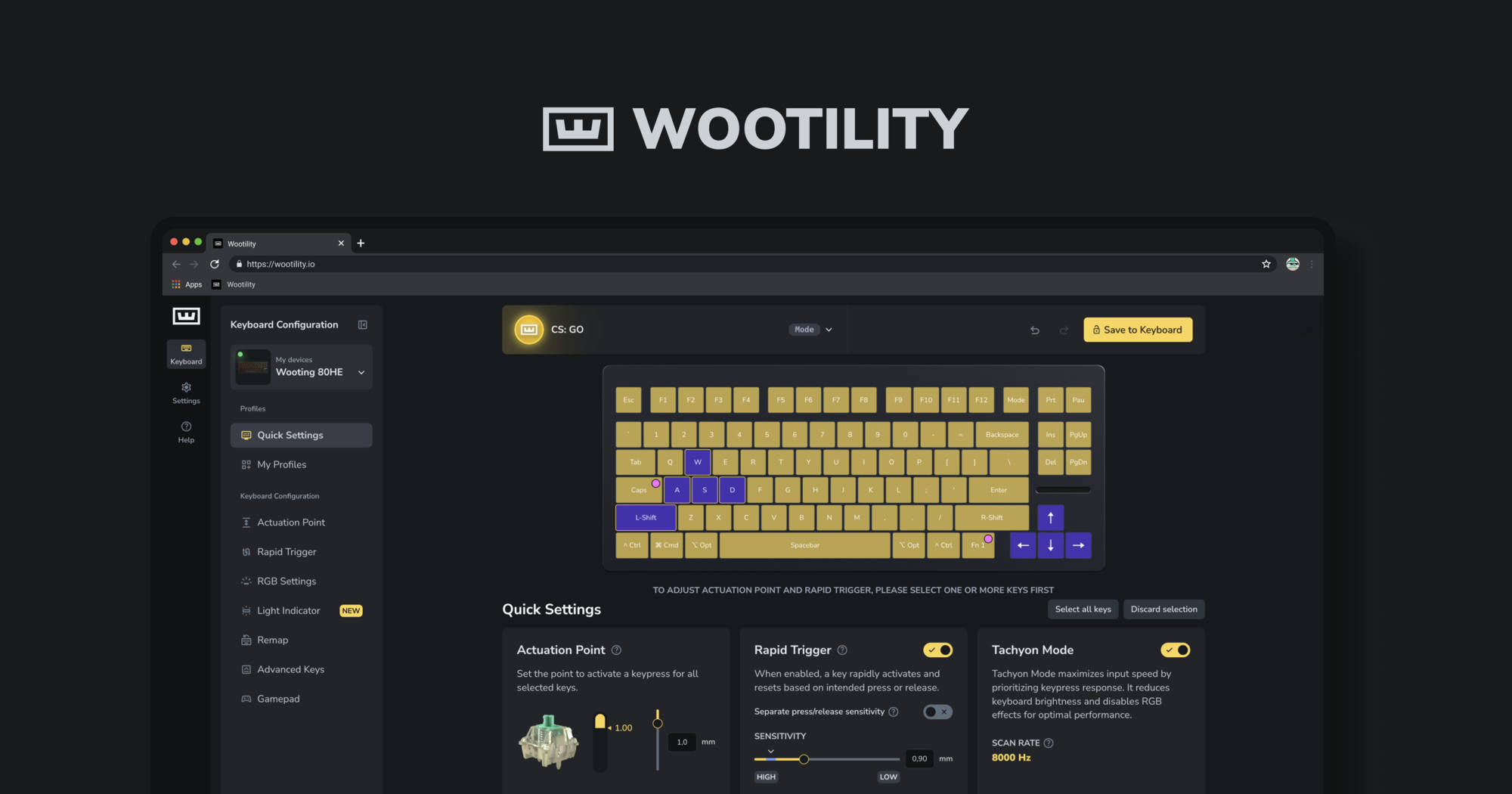
Instantly edit your Wooting keyboard profiles and colors from the browser.
royal oriole
royal oriole
real orchid
Hello I wanted to report a lighting bug on my Wooting 80HE that's been around fo...
This isn't a bug rather preserving old behaviour as "Random Colours" behaved like that a long time ago before we added the other modes. We've got an issue open internally for adding an additional mode to have the base static colours showing 🙏
real orchid
royal oriole
This isn't a bug rather preserving old behaviour as "Random Colours" behaved lik...
Ah, got it! Thanks for the explanation. I’m really glad to hear there’s already an internal issue open for that.
Fingers crossed it gets implemented soon! In a dark room, having that static colour is crucial for me to actually see the keys, but I still love the effect of the random colors on keypress. That combination would be the perfect solution. 🤞🏻
 neat quiver
Hey i just received my wooting v2 but i cant update the firmware so wootility dont allow me use it
 fierce quest
Hi, I'm in version 5.2.2. From what I understand, if you want to remap a key that has a mod tap on it, you must first remove the mod tap; otherwise, the remap won't work. Perhaps it was intentional, but I struggled because I had to figure it out on my own and there were no warnings.
 tepid lance
First up: Thanks so much for adding just in time advanced keyhandling for mod tap, its so nice to finally have it! Context: 60 v2, Ver 5.2.2 I use JIT mod tab on my ` key with Fn2 to so i can switch quickly between the profiles that i have in Fn2 layer on the number keys. I set it to: 60tick, 1000ms (to use just in time to full extend) and JIT to always. Issue: I can switch swiftly between different Profiles with this, but after using profile two for some time, it looses the JIT behavior and i always need to wait for 1000ms to pass. In default profile i dont see the issue even after prolonged time.
Addition: On the number keys of Profile i have also mod tabs on the number key not in JIT mode, so i can alter between eg. 1 and 6 by holding 200 ms
Wo maybe the Switch in combination with the mod taps in first layer (switching happens then with fn2 mod tap in secondlayer A0 - A3)
old oasis
candid quartz
If the issue persists, try updating to the latest v2.13.0-beta.2 firmware https:...
Unfortunately the problem persists and i am already on v2.13.0-beta.2 firmware after reset and restore. It also seems that it only turn itself off when i was loading in game/intermission between rounds and etc. I dont really know where to start but the self turn off thing seems to be spontaneous.
Also tried unchecking the "allow computer to turn off this device to save power" option in the device manager but also dont seem to work.
candid quartz
old oasis
Unfortunately the problem persists and i am already on v2.13.0-beta.2 firmware a...
Sounds like a power delivery issue. Plug the keyboard directly into the motherboard, if it already is, switch to a different USB port, preferably farther from the current one. Also, use the included USB cable, if you're already using it, try a different cable if you have one available. You can also try updating to the latest v2.12.3 stable firmware and see if that helps.
old oasis
i have a third party cable and will try that for a few days. tyvm for the suggestions! 
 drifting dock
Thank you for all the new stuff coming with each update of the software. Enjoying my 80HE evrytime Im using it. ❤️
royal oriole
tepid lance
First up: Thanks so much for adding just in time advanced keyhandling for mod ta...
Could you share your profile codes and the sequence of key presses you do that can trigger the issues you're experiencing?
tepid lance
Default Typing Profile:
db7f78e9358de0bc0e7a4649f92bf3317e58
Gaming Profile im Switching to and from:
17144be6101c17958bf08a3ed593e3515f3a
I switch between the profiles with Esc key held (JIT Fn2) and using the 1 and 2 keys. From default to gaming JIT works as intended with the ESC key becoming a Fn modifier. But going back from gaming to default it only works a few seconds (sometimes not), and after using the profile for some time, JIT does not work anymore, and it waits the set delay time for activating mod behavior.
 balmy musk
Hello, i am on version 5.2.2.
I have a Wooting 80HE and I was checking out the new background service update, but I’m running into a few issues. When you try to use the volume feature, it picks the wrong audio output on my PC. It selects my monitor audio, but my monitor doesn’t even have speakers. XD
I have an Arctis Nova Pro Wireless, and even if I disable all audio outputs manually, it still doesn’t pick the right one. idk what to do.
Second issue is and i read about it but still didnt got fixed for me. my wooting 80HE still ranomly clicks on its own. For me what i found is its the F, F12, B and M buttons the most. maybe more but didnt noticed. i am on the latest filmware and i use ubs c to usb c and yes i tried different ports.
 boreal vigil
Just wondering if you plan to implement per game profiles using the background service: Will we with some future update also gain the ability to use different games and read statistics from them? Like for example health or kills in a round or ammo in a mag? Obviously could be done for different games like it is possible with the Steelseries software.
boreal vigil
Kind of like this?

 placid bluff
Hello u guys are wondering to add macro configurator in the utility? For example pressing letter G it will spam CTRL for example. I think it will be nice
 quartz venture
Hurry up with the switch selector, lol, thanks
 hard heron
I have fought what i think to be a bug?
So basically i have CapsLock set to ModTap with Fn1
and WASD as arrowkeys with FN1 modifier
also A and D are binded in RappySnappy
if i hold CAPS and give it time to go above the 200ms and activate the FN1 the A and D are registered as arrows normally
but if i hit CAPS and then under 200ms hit A or D for the arrows it send both arrow and the letter to the output, this does not happen with W and S and normally it should not happen sicne i have activated JIT, i belive it to be a conflict with RappySnappy
tried to capture this on video

 hard heron
tested now with latest beta and it is a bit better it only outputs the letter once
 forest cave
Is it possible that you guys can finally add scroll wheel inputs to wootility?
 pulsar raft
Hi, am currently using the wooting two he on the latest update. the keyboard led and input would freak out and flicker specifically when holding the alt key while streaming via a web browser. no issues when streaming from outside a web browser. this did not occur before update, tested with stock cable and high power port.
 final terrace
me love wooting.
 delicate pier
Everytime I have tried to swap a profile since updating it deletes the profile and causes a duplicate of the profile that I swapped out
 raven salmon
I would like to report that latest firmware updates on 80HE make the keyboard lose inputs with lekker switches randomly with 0.1mm actuation. this version should have never reached stable
raven salmon
do we have an ETA for when will a firmware stable update is released to fix the keyboards? could you not at least rollback the code to the stable firmware? (and pinky swear to never again throw beta/alpha) builds in stable release?
currently all my wootings need to be on a rollback version to be usable. this should be embarrassing for you guys. your products are currently inferior to Venom (heck, even Keychron/Lemokey) . what are your devs smoking?
raven salmon
How can we see raw input?
royal oriole
@raven salmon What firmware version are you running exactly? I'm assuming v2.12.x?
I can understand your frustration if you're encountering issues, but if this was a widespread issue with the stable firmware, then we'd be dealing with many fires, which we aren't. So maybe you're encountering a more unique issue?
Could you share more information on the nature of the issue you're experiencing? Videos with AoE effect and the https://analog-monitor.wootility.io/ would be very helpful
raven salmon
royal oriole
<@780041565706911784> What firmware version are you running exactly? I'm assumin...
I'll try to record gameplay with analog monitor. Simply put, wasd when set to 0.1mm actuation will sporadically stop registering
 analog carbon
raven salmon
I'll try to record gameplay with analog monitor. Simply put, wasd when set to ...
analog carbon
raven salmon
I'll try to record gameplay with analog monitor. Simply put, wasd when set to ...
Are you using rapid trigger at a low sensitivity as well?
raven salmon
Yes, in OW
analog carbon
0.1mm RT?
raven salmon
analog carbon
0.1mm RT?
Yes
analog carbon
Thanks will look into it. See if you can get some videos to help us understand the problem
royal oriole
Profile code would be helpful as well 
raven salmon
Circling back to this (and do apologize the delay) but time is our most precious commodity.
I have since wiped all boards and deleted all profiles and started over from clean slate on stable. I have not been encountering issues on 0.1mm act and 0.15mm rt. I honestly don't know if going back and forth with test builds may have somehow affected the profiles that were being shared across..
But I will update one keyboard of each model to the latest beta (2.13.0-beta.9) and provide feedback on 0.1mm rt. Will be keeping the remaining keybs on stable for the time being
raven salmon
I have provided feedback of this issue on the beta feedback thread, as I was able to reproduce: #1479491011993669743 message
raven salmon
do you guys happen to have any news on this ?
raven salmon
I'm not 100% sure, but it appears the issue stems from how the software handles modifier keys...
 plush harbor
Hello, reporting an issue that I encountered today. I hadn't updated my 80he's firmware in a while and I decided to do so today. However when I did, it seems like it was hogging more usb controller resources than it did on the previous version I was on (I am unsure what version I was on before I updated).
My headphones werent working after the update, and it would only work after I disconnected my keyboard. I asked for help regarding this issue, and Shafie helped me out thankfully. #🌟│wooting80he message
Trying the beta did not fix it, it was only after downgrading to 2.11's version is when the issue fixed itself and i'm able to use my keyboard and headphones working together without any issues.
analog carbon
plush harbor
Hello, reporting an issue that I encountered today. I hadn't updated my 80he's f...
Can you try 2.12.5 firmware with 1000Hz USB polling rate set in Keyboard Settings and report back if that works or not?
plush harbor
analog carbon
Can you try 2.12.5 firmware with 1000Hz USB polling rate set in Keyboard Setting...
yeah that was what i updated to today, which caused the issues. It was set at 1000hz polling rate too
tried the beta firmware as well
analog carbon
plush harbor
yeah that was what i updated to today, which caused the issues. It was set at 10...
so i take it both 2.12 and 2.13 with either 1k or 8k have the problem, 2.11 does not have problem?
plush harbor
analog carbon
so i take it both 2.12 and 2.13 with either 1k or 8k have the problem, 2.11 does...
yep, I always use 1k, dont use 8k polling.
I did try 2.11 with 8k just now to test and still working fine for me
analog carbon
Thanks for the info, will look into it...
 light crown
@plush harbor
- Is the Wooting working as a keyboard normally on v2.12?
- Is on that version any issue with the Wootility, like RGB preview for an effect, when changes are saved and so on?
- What happens when the headphones are plugged in after the Wooting?
- How excatly is the Wooting connected to the system, like via a hub, monitor hub, KVM, front or back IO?
- What about firmware versions in-between like v2.12.3? Like the the test build
v2.12.3+reduced-coil-whine.1is used?
plush harbor
light crown
<@341027357920067584>
1. Is the Wooting working as a keyboard normally on v2.12?...
- Yes, it works normally but my headphones which is usb based, doesnt receive power/connection and it doesnt work. Downgrading to 2.11 lets me use both my headphones and keyboard together without issues
2 and 3. No, everything works fine when its powered on. Lets say if I discconect my keyboard on that version, it lets me use my headphones. But, when I connect my keyboard, my headphones doesnt work. - Connected through mobo back. Not using any hub, monitor hub, kvm, etc.
- Ye, I tested everything above 2.11.0+anti-led-ghosting (this is the one im using and it doesnt cause any issues for me), and it causes the same issues with my headphones not being usable while the keeb is connected and powered.
light crown
plush harbor
1. Yes, it works normally but my headphones which is usb based, doesnt receive p...
Thx for the info. After Eastern I will create a few test builds for the minor versions of v2.12. It would be nice to know when it breaks. The issue seems weird and normally a USB device should not influence another.
In the meantime it would be great if you can perform a test. To disconnect the headphone and connect a storage device instead. Then to use a tool to check the disk speed (like CrystalDiskMark). Test the speed when the Wooting is on v2.11.0 and on v2.12.3. I wonder if the bandwith changes somehow between the versions.
Input devices reserve a small amount of the USB bandwith. Streaming devices like speaker / headphones, cameras and microphones only reserve bandwith when active. Mass storage devices use the left over available bandwith and only when needed.
When the polling rate of the W80HE is set to 1 kHz it operates at USB Full-Speed, when set to 8 kHz it operates at High-Speed. The transfer of Full-Speed is buffered and send over High-Speed by the USB hub the device is connected to so that the slower devices don't slow down the faster bus speed. There is alway a root hub within a USB controller which takes of that. The headphone should work on High-Speed only. Even is there is an issue on the Full-Speed bus side it should not influence or reduce the bandwith of the High-Speed bus in any significant way.