#〉bugs-reports
2 messages · Page 122 of 1
 dusky dew
 stray sluice
Can you ask them to make sure that both of these intents are enabled @dusky dew 

 eager token
My music is cutting out with MEE6
 buoyant moon
I was having the same/similar issues with music a few minutes ago ^^. (switched to youtube because I wasn't sure if just something was bugging again)
buoyant moon
I have a buf report
Bug
Your moderators are terrible
@bitter owl
Hii
Im ur biggest fan
 bitter owl
buoyant moon
<@158951303697924096>
bitter owl
buoyant moon
<@158951303697924096>
Hi there,
I feel sorry if you have had any bad experience with one of our moderators. Do you mind describing what happened to you in my DM so we can find a solution?
And we can't be happier in reading you're a fan. We love you back! 
buoyant moon
I got muted in chat.
buoyant moon
I waould like yo be unmuted from the general chat
No i didnt mean to
Im special man
I dont wanna say the other word
Because it violates the rules
bitter owl
But how can you be muted there but still talk here?
buoyant moon
I have stage 7 autism
bitter owl
Can you show me a screenshot of your chat channel please?
buoyant moon
I cant even talk in general its muted
 lethal spoke
 normal jasper
I want to report something
When i play the music the sound is high and low what should i do?
 dire yarrowBOT
 fort 100511#3957 has been warned
Reason: Bad word usage
 fossil pollen
normal jasper
I want to report something
When i play the music the sound is high and low what...
fossil pollen
normal jasper
I want to report something
When i play the music the sound is high and low what...
Enjoy the music
dire yarrowBOT
 fort 100511, that command is disabled in this channel.
dire yarrowBOT
 Cobynj#4202 has been warned
Reason: Bad word usage
 Mark_Dat#0646 has been warned
Reason: Bad word usage
dire yarrowBOT
 this dingus#9949 has been warned
Reason: Bad word usage
buoyant moon
Heres a report I wanted to make because I owb a discrod sever and I cannot add in the bot can anyone help me with this?

 tired meteor
looks like you logged in on the wrong account, just follow the steps below
dire yarrowBOT
MEE6 says I have no servers, but that's not true...
Well, that can be caused by:
‣ You don't own any servers
‣ You don't have Administrator permissions or a bot master role on any server you're on
‣ You're logged on with a wrong account (the most common problem)
Third one can be fixed by following these steps:
1. Logout from Discord in your browser (not installed client or mobile app)
1.1 Open https://discordapp.com/app in your browser
1.2 Click on \⚙ icon (User Settings)
1.3 Scroll down, click Log Out and confirm action
2. Logout from MEE6 website
2.1 Open https://mee6.xyz in the same browser
2.2 Click on avatar icon in upper right corner
2.3 Click Logout
3. Login using correct account
3.1 Open https://mee6.xyz and click Login button in upper right corner
3.2 In new window login to Discord. After that you will be redirected back to MEE6 website
3.3 That's all! Now you're using correct account and MEE6 website lists servers where you can modify his settings
P.S. If you're on mobile and some elements are not visible, enable Desktop site mode or switch screen to Landscape (vertical) mode.

 quaint agate
buoyant moon
I think bots are not triggered by bots
quaint agate
buoyant moon
I think bots are not triggered by bots
Correct
buoyant moon
But how does this work?
quaint agate
Bot sure, but you can add bots role as a ignored role in automod
 round mirage
Ww
 orchid torrent
random message custom command is spitting more than one message.
 alpine totem


 hearty igloo
@quaint agate!!
 acoustic verge

 ebon river
hi why music bot said queue is full but it actually dont have any song in queue
 long dawn
Hi there Doro! Try the !leave and “l!join command again.
ebon river
 ebon river
long dawn
Hi there Doro! Try the !leave and “l!join command again.
ebon river
long dawn
Hi there Doro! Try the !leave and “l!join command again.
tried, it work fine for a while, then it happen again
long dawn
Hmm did you try clearing the queue?
ebon river
long dawn
Hmm did you try clearing the queue?
yes
long dawn
Hmm
ebon river
i clear again
long dawn
I’m getting staff to check for you
ebon river
okay it work now
long dawn
Oh ok great!
ebon river
thx
dire yarrowBOT
 HyperStar#4308 has been warned
Reason: Bad word usage
dire yarrowBOT
 Noto Denfort#4189 has been warned
Reason: Bad word usage
 oak pollen
buoyant moon
I got muted in chat.
oak pollen
buoyant moon
I got muted in chat.
u spammed multiple times, pinged mods, and got plenty of warnings.
dire yarrowBOT
 Vash Estampida#4482 has been warned
Reason: Bad word usage
dire yarrowBOT
 Silveirok#0242 has been warned
Reason: Bad word usage
dire yarrowBOT
 Nukpanax#9220 has been warned
Reason: Bad word usage
buoyant moon
tired meteor
looks like you logged in on the wrong account, just follow the steps below
Like how I am in the right account
That makes zero sensse
tired meteor
your name isn't blueflex right? thats the account that you are logged in as right now on the dashboard

 gilded lagoon
Work it ?
buoyant moon
tired meteor
your name isn't blueflex right? thats the account that you are logged in as righ...
Oh
Werid
Did not see that.
 heavy mirage
Paano b mag setup para maging active ang scolar
 radiant carbon
heavy mirage
Paano b mag setup para maging active ang scolar
radiant carbon
heavy mirage
Paano b mag setup para maging active ang scolar
?
heavy mirage
Bago lng pcensya n
radiant carbon
Don’t know what your saying
 pale frost
I keep getting the bot saying the queue is full.
I’m trying to host a radio show in this group I co own.

 red pulsar
radiant carbon
red pulsar
radiant carbon
@red pulsar do you have a bug
long dawn
pale frost
I’m trying to host a radio show in this group I co own.
Hello Myles! Try using !clear-queue and !leave and !join again and see if that works.
dire yarrowBOT
 mrfabzkie#9413 has been warned
Reason: Bad word usage
 tiny glacier
 radiant carbon
tiny glacier
radiant carbon
tiny glacier
Missing perms
tiny glacier
OKe Thx
dire yarrowBOT
 A2ndrei13#3262 has been warned
Reason: Bad word usage
dire yarrowBOT
 🅱RUH#2799 has been warned
Reason: Bad word usage
 vagrant basin
i cant sanctions remove HELP ME
dire yarrowBOT
 𝕂𝕠𝕧𝕒𝕔#6851 has been warned
Reason: Bad word usage
 dusk cradle
Instagram feed posts use direct image links for the image embeds which expire after about a week thus leaving a broken image in the feed channels. Would be great if mee6 could send image buffers instead of hotlinking to instagram.
 rough bloom
!join
dire yarrowBOT
jintiankankan.eth, that command is disabled in this channel.
buoyant moon
rough bloom
!join
buoyant moon
rough bloom
How to get the role
Which role?
dire yarrowBOT
Acquirable Roles
<@&494618336638795777>
→ become a premium subscriber to automatically receive this role
<@&751042568757837895>
→ automatically given when you start streaming, requires <@&494618336638795777> role
<@&545318227312640002>
→ become a partner
<@&585536144641622028>
→ there are no notable perks for boosting this server... and no, you do not get free premium for doing so
Role Rewards
are automatically given as you progress in my leveling
Level 10: <@&186443728737533952>
→ grants permission to add emoji reactions and embed links
Level 20: <@&186443843372187648>
→ grants permissions to change nickname and use stickers
Level 30: <@&437064889639370752>
→ does not offer any additional permissions. just a different color
You can use the !rank command on #〉commands to check your current progress.
Premium role grants permissions of all role rewards combined!
buoyant moon
@rough bloom 
buoyant moon
 white warren
I want help
white warren
I want help
State your issue
buoyant moon
 hexed hound
*help
hexed hound
*help
State your issue
hexed hound
buoyant moon
State your issue
So,on my alt account,i tried to test the reaction roles,but mee6 cant give the roles
dire yarrowBOT
Role hierarchy and Manage Roles permissions are important for me to give out roles.
https://cdn-longterm.mee6.xyz/s/fix_hierarchy.gif
 buoyant moon
@hexed hound
hexed hound
Thanks
buoyant moon
Sure!
dire yarrowBOT
 Экстра Сукк#8736 has been warned
Reason: Bad word usage
dire yarrowBOT
 Rockmiha21#4134 has been warned
Reason: Bad word usage
dire yarrowBOT
 sharkman#9239 has been warned
Reason: Bad word usage
hearty igloo
<@&892137271430627330>
 last crag
dire yarrowBOT
last crag
dire yarrowBOT
 Webb#9669 has been warned
Reason: Bad word usage
 mystic hollow
how do i add a command
quaint agate
CHannel hop
 white yacht
ส
 viscid basalt
I can't buy MEE6 premium, even if I want to. All it says when I press proceed to checkout is 'error'.
ebon river
why my songs stop after i set music to loop
hexed hound
Hi
I want hel0
*help
So,I want hear music but it played wrong music.
How to fix it?
 shrewd scaffold
hexed hound
How to fix it?
shrewd scaffold
hexed hound
How to fix it?
hi you can chose any one of the following solutions:
- wait for the music to end
- use the skip command
- manually remove the song from the dashboard
- you can also try using the command
!vote-skipif that was the case for this server (or if the!skipcommand is disabled on your server)
 magic ravine
images just disapeared both insta. (not newly uploaded) and a few embled/costum'
quaint agate
magic ravine
images just disapeared both insta. (not newly uploaded) and a few embled/costum...
Hello AlexDinGrabb, earlier today it was brought to my attention that the Instagram post images time out after 1 week and will no longer show.
magic ravine
quaint agate
Hello AlexDinGrabb, earlier today it was brought to my attention that the Instag...
okey could increase 3 weeks at least right ? and embled untill removed. costum 1 week. would be a nice optimesation
quaint agate
magic ravine
okey could increase 3 weeks at least right ? and embled untill removed. costum ...
I reported the issue and I am awaiting a response from staff on Monday, if I get any more info I will be sure to let you know.
magic ravine
quaint agate
I reported the issue and I am awaiting a response from staff on Monday, if I get...
thanks bro.
dire yarrowBOT
 Qobra17#3287 has been warned
Reason: Bad word usage
buoyant moon

Banned jgujfiori#0101!
User 744958579181748244 has been banned.
Reason: None
buoyant moon
hello i dont know why but my mee6 is offline on my server and on my other server he's online
and on the website page it's loads infinity
quaint agate
Hello Snowreps, we currently have 2 shards offline, which means the bots that run on those 2 shards will be offline, the staff member i talked with said they will look more into it tomorrow.
buoyant moon
so is it normal?
quaint agate
No, this is not normal, ideally all shards would be online.

 brittle whale
My bot been acting up and is turned off and site page is loading
buoyant moon
you too?
brittle whale
Yes
buoyant moon
damn
 runic falcon
Mee6 is offline in a server i’m in
brittle whale
buoyant moon
damn
I tried uninstalling and reinstalling it but still didn't work?
brittle whale
runic falcon
Mee6 is offline in a server i’m in
Oh
brittle whale
In other severs I am in it seems fine but one I made seemly affected only
runic falcon
Yeah idk of it’s cuz of it but the only server i’m in where mee6 is offline is one with Mee6 premium
quaint agate
Yes, the last update i got was that 2 shards are down, which means those 2 shards will be offline, I apologize for the downtime, we are working to get it back up and running.
brittle whale
I don't have premium
 rocky plover
Mee6 is down in my server
runic falcon
Will XP count if the bot is offline?
quaint agate
runic falcon
Will XP count if the bot is offline?
No.
 stuck gust
I entered my birthday for 2007-11-08 (today) and it should react 10 minutes ago (0 o'clock) and it doesn't do anything .... can you change the time (European time?)
*can i
 low mango
?
buoyant moon
mee6 custom bot doesnt work
quaint agate
buoyant moon
mee6 custom bot doesnt work
Hello Archangel, is the bot appearing as offline in your server? Or are you unable to invite it?
buoyant moon
the bot is online
but i cant create embeds via mee6s website or now all my reaction roles doesnt works...
is it normal if someone buy premium for many hours?
quaint agate
buoyant moon
is it normal if someone buy premium for many hours?
Alright, can you please make sure that all the intents are set correctly (enabled) on the discord developer portal.
buoyant moon
ye i check it and all is right
quaint agate
DjGoogle will continue helping you in #〉volunteer-support.
 hearty path
cant transfer bot, doesnt show old server.
buoyant moon
hearty path
cant transfer bot, doesnt show old server.
Can I have old server and new server ID to transfer?
hearty path
Already solved it was transferred by another staff @buoyant moon
Still thank you tho!

 spare relic
 warm shadow
Ummm
warm shadow
Ummm
maybe don't use safari
 sand fractal
Raided by @dire yarrow dev ?
spare relic
sand fractal
Raided by <@159985870458322944> dev ?
scam
sand fractal
Yeah he setup a whole scamming construction , we were a bit flabbergasted ?
dire yarrowBOT
 Trande#8010 has been warned
Reason: sus link
dire yarrowBOT
 Igrlox13#7644 has been warned
Reason: Bad word usage
Igrlox13#7644 has been warned
Reason: Bad word usage
Igrlox13#7644 has been warned
Reason: Bad word usage
Igrlox13#7644 has been banned
Reason: Too many infractions
dire yarrowBOT
 Aw1n#5593 has been warned
Reason: Bad word usage
buoyant moon
i gave the bot administrator but it still isnt working
 dire yarrowBOT
Role hierarchy and Manage Roles permissions are important for me to give out roles.
https://cdn-longterm.mee6.xyz/s/fix_hierarchy.gif
warm shadow
spare relic
maybe don't use safari
This is on safari
 sharp holly
Bane
 frank dragon
This was starting to happen on my rank card once today
 radiant carbon
Try again
quaint agate
frank dragon
This was starting to happen on my rank card once today
Hello CodeDaBlade, please use the command again, sometimes MEE6 has issues loading in the text on the rank card.
frank dragon
quaint agate
Hello CodeDaBlade, please use the command again, sometimes MEE6 has issues loadi...
I already did it but is it really nomal to face the issue?
quaint agate
frank dragon
I already did it but is it really nomal to face the issue?
Yes, occasionally this issue does happen, however it is not that frequent.
frank dragon
Thank you very much, guess ill smell you later!
quaint agate
frank dragon
Thank you very much, guess ill smell you later!
You are welcome, if you have any more questions be sure to reach out. Thank you for choosing MEE6.
 lilac coral
dm me if u wanna join mah server
radiant carbon
lilac coral
dm me if u wanna join mah server
Not a bug
 chilly tulip
hi i need help i'm brazilian
spare relic
Channel hop
radiant carbon
spare relic
Channel hop
Yep
 north grotto
why my records can not hear anything when I downloaded it
spare relic
channel hop
dire yarrowBOT
 stilyangaming#4690 has been warned
Reason: Bad word usage
 Jett&Yoda#9291 has been warned
Reason: Bad word usage
 forest totem
Hello
 woven pilot
Help I cant add MEE6 to my server.
It just says "Oops, looks like you don't have any servers. :(".
dire yarrowBOT
MEE6 says I have no servers, but that's not true...
Well, that can be caused by:
‣ You don't own any servers
‣ You don't have Administrator permissions or a bot master role on any server you're on
‣ You're logged on with a wrong account (the most common problem)
Third one can be fixed by following these steps:
1. Logout from Discord in your browser (not installed client or mobile app)
1.1 Open https://discordapp.com/app in your browser
1.2 Click on \⚙ icon (User Settings)
1.3 Scroll down, click Log Out and confirm action
2. Logout from MEE6 website
2.1 Open https://mee6.xyz in the same browser
2.2 Click on avatar icon in upper right corner
2.3 Click Logout
3. Login using correct account
3.1 Open https://mee6.xyz and click Login button in upper right corner
3.2 In new window login to Discord. After that you will be redirected back to MEE6 website
3.3 That's all! Now you're using correct account and MEE6 website lists servers where you can modify his settings
P.S. If you're on mobile and some elements are not visible, enable Desktop site mode or switch screen to Landscape (vertical) mode.
buoyant moon
your bot has withdrawn money from me 2 times in 10 minutes. Give me back what he took off
quaint agate
Hello Алхимик, can I please have the server id attached with one of those subscriptions?
buoyant moon
quaint agate
Hello Алхимик, can I please have the server id attached with one of those subscr...
I only have one server.
quaint agate
Yes, can I please have the server id, I will get someone to process a refund on the second charge.
buoyant moon
@quaint agate @quaint agate
 quaint agate
buoyant moon
<@308272531570425856> <@308272531570425856>
quaint agate
buoyant moon
<@308272531570425856> <@308272531570425856>
Can I please get the server id as text.
buoyant moon
What it is ? and where to find it?
quaint agate
It is the same as the “guild I’d” field listed there.
Thank you, i have let staff know and it should process within 2 business days.
buoyant moon
Thank's
dire yarrowBOT
 puffersan#0139 has been warned
Reason: posted an invite
dire yarrowBOT
 ᄃЯΣΛƬΣVI#9334 has been warned
Reason: Posted an invite
ᄃЯΣΛƬΣVI#9334 has been warned
Reason: Posted an invite
ᄃЯΣΛƬΣVI#9334 has been warned
Reason: Posted an invite
ᄃЯΣΛƬΣVI#9334 has been banned
Reason: Too many infractions
 I_ƁɅƁɅ_I#0395 has been warned
Reason: Bad word usage
 MrGarvi#0580 has been warned
Reason: Bad word usage
rough bloom
ens
 plain bronze
!rank
dire yarrowBOT
Maicudue, that command is disabled in this channel.
buoyant moon
plain bronze
!rank
Use #〉commands
dire yarrowBOT
 UR | UMUT ABİNİN HAWLİ ÇORABI#6266 has been warned
Reason: Bad word usage
dire yarrowBOT
 ! NEZZ 乂 𝐖𝐈𝐁𝐔𝐒𝐎𝐅𝐓#7707 has been warned
Reason: Bad word usage
 subtle oar
i didnt see your message till now, i already deleted all the post and reposted them
shrewd scaffold
Oh
Well you could you have just followed what was told in the link (bcz it was pretty less time cosuming lol)
 sterile bobcat
W@dire yarrow what happen to my account? It's Lost 😔
 wide rapids
Not a MEE6 thing
sterile bobcat
Dracoo master, spend many time s to work but my coins was Lost 😔
buoyant moon
<@&892137271430627330>
spare relic
sigh
dire yarrowBOT
 frenzcel20111316#7324 has been warned
Reason: Spamming commands (and on the wrong channel)
 Krazykleb999#7830 has been warned
Reason: spamming commands in wrong channel
buoyant moon
#〉commands message
Nice bug
spare relic
buoyant moon
https://discord.com/channels/159962941502783488/280870279746420736/9078953097603...
it happens from time to time, nothing new
 round ridge
Mee6 Birthday Module does not work. It is not assigning the role, nor is it sending out an announcement message in the designated channel.
I have set it up on a fresh test server, and it does not work. It was supposed to do it 30 minutes ago, but it hasn't.
(sorry this is a repost from #〉volunteer-support but I realize I was in the wrong channel)
Edit: I'm sorry. I didn't know this was an ongoing/known issue as stated in announcements
buoyant moon
spare relic
it happens from time to time, nothing new
Yep it happens I know but why
 kindred linden
I found this duplicate bug
 quaint agate
kindred linden
I found this duplicate bug
quaint agate
kindred linden
I found this duplicate bug
Hello amongus, this is probably just a minor bug related to instability in the bot from the maintenance, nothing to big to worry about.
 molten heath
bot is slow its responding to cmds slower
 north marsh
Logs are down. Not posted in over an hour.
100's of actions are not being posted by the bot.
ive reset the logs channel in attempt to get it running again.
last log over an hour ago.
server id 851241789650239510
 shrewd scaffold
c hop ^

 quaint agate
Hello @rough surge, a administrator in your server has rest your levels, that is the ONLY way to reset levels.
 rough surge
quaint agate
Hello <@577970719586254851>, a administrator in your server has rest your levels...
rough surge
quaint agate
Hello <@577970719586254851>, a administrator in your server has rest your levels...
yeah but others users kept their levels (the same server)
quaint agate
So the admin most likely cleared just your levels.
Are you a administrator in the server?
Also, please remove better discord (or your client mod) right now, it is against discord ToS and extension our server rules.
@rough surge please see above.
rough surge
quaint agate
Are you a administrator in the server?
no
quaint agate
rough surge
no
Alright then sadly we can’t do anything for you, also pease see my other message.
dire yarrowBOT
 Sonic The Gamer 601#9356 has been warned
Reason: Bad word usage
dire yarrowBOT
 igorradovanovic04#4422 has been warned
Reason: Posted an invite
igorradovanovic04#4422 has been banned
Reason: Too many infractions
 viral tangle
lol
radiant carbon
viral tangle
lol
What’s funny
viral tangle
first warning and then ban
 icy fossil
Channel Plugin
The 'everyone' visible permission of voice channel doesn't follow the category's
 vernal bough
xin chào địt mẹ mày
 slim sable
So for the temporary voice chats that create a text channel, I have it so only people who have joined can see the text channel, but people in my server have noticed that they can still see it.
Is this a bug or a role setting issue?
 paper turtle
!add
spare relic
ah yes another one day old account
 shell totem
!rank
dire yarrowBOT
Fredrick Muenster, that command is disabled in this channel.
shell totem
oops wrong channel sory 
buoyant moon
Statistics channels are no longer being updated every 15 min
 austere geyser
In the temporary voice channels, the text channel is not setting to private if the voice channel's permissions are synced with the category or the hub.
austere geyser
slim sable
So for the temporary voice chats that create a text channel, I have it so only p...
Same bug
spare relic
<@&892137271430627330>
dire yarrowBOT
 seeutebatervaisficarneutro#0393 has been warned
Reason: Bad word usage
buoyant moon
My coins are losing, mee6 is showing an error message. What do i do
dire yarrowBOT
 Watch yo jet bro#3965 has been warned
Reason: Bad word usage
 Фумико Сан>#1327 has been warned
Reason: Bad word usage
spare relic
buoyant moon
My coins are losing, mee6 is showing an error message. What do i do
there's no rules that you can't ask for support here but I recommend going to #〉volunteer-support, since most support requests usually just gets buried and ignored here
quaint agate
Already responded to him.
dire yarrowBOT
 1tsWeeb#0988 has been warned
Reason: Bad word usage
 Deleted User 8383B63#0822 has been warned
Reason: swearing bypass
buoyant moon
Hi
radiant carbon
buoyant moon
Hi
Do you have a bug
dire yarrowBOT
 D3ad.fl0wers#3319 has been warned
Reason: Bad word usage
dire yarrowBOT
 Volzyyy 父#1015 has been warned
Reason: Bad word usage
 umbral rivet
AIDS
 austere crane
Hello I have a problem with mee6 on my server which is really weird


Yet there is only one mee6
buoyant moon
that is a webhook. Probably a timer or audit logs.
austere crane
Okay thank you very much because I was told it was a fake mee6 I was scared but yes it's a timer
 rocky grove
MEE6#4876 is muted
buoyant moon
austere crane
Okay thank you very much because I was told it was a fake mee6 I was scared but ...
No Problem. Thanks for using MEE6. 
rocky grove
No matter what I do, it doesnt play youtube music.
It kinda does play it, I can see the green outline around the avatar, indicating that it is producing sound. But no sound at all in reality
My friends can not hear anything as well.
 rotund gale
Hi recently I am having a problem with the MEE6 bot
No matter how much I text it doesn't increase my levels
I observed it by testing in several servers
But MEE6 doesn't gives me any XP for any of my chat
spare relic
<@&892137271430627330>
dire yarrowBOT
 Fasole#8377 has been warned
Reason: Bad word usage
 valid pawn
-play cưới đi
 steel bluff
valid pawn
-play cưới đi
steel bluff
valid pawn
-play cưới đi
do !play in #╭💭・voice-chat or #〉commands
valid pawn
!play cưới đi
dire yarrowBOT
vĩ, that command is disabled in this channel.
steel bluff
not here
valid pawn
!chơi cưới đi
steel bluff
in #〉commands
valid pawn
!play in cưới đi
dire yarrowBOT
vĩ, that command is disabled in this channel.
valid pawn
!play - cưới đi
dire yarrowBOT
vĩ, that command is disabled in this channel.
steel bluff
valid pawn
!play - cưới đi
in #〉commands pls it wont work here
dire yarrowBOT
 uchiha lamonie oficial#7611 has been warned
Reason: Bad word usage
 heavy crown
Je ne suis plus Premium !
 chrome blaze
في عرب هنا؟
 nova coyote
chrome blaze
في عرب هنا؟
nova coyote
chrome blaze
في عرب هنا؟
اي
buoyant moon
!report
radiant carbon
buoyant moon
!report
Do you need something @buoyant moon
radiant carbon
What?
buoyant moon
radiant carbon
What?
If I need help, it's because I don't speak English and I don't know how to report che
dire yarrowBOT
 👑żąĹìɱ৻#3972 has been warned
Reason: Bad word usage
 чел#5547 has been warned
Reason: Bad word usage
чел#5547 has been banned
Reason: Too many infractions
radiant carbon
<@&892137271430627330> ad
 rigid hatch
The profile picture for Mee6 has layering issues when on the dashboard on mobile
wide rapids
yeah try a diff browser
dire yarrowBOT
 Kitchen_gun146#8232 has been warned
Reason: Bad word usage
 vague ore
when i kick a member, the Human count does not go down automatically.
spare relic
vague ore
when i kick a member, the Human count does not go down automatically.
not a bug
it doesn't refresh every second
vague ore
how often does it refresh?
vague ore
spare relic
it doesn't refresh every second
its been like this for like a week
spare relic
vague ore
how often does it refresh?
something like every 30 minutes if I remember correctly
vague ore
spare relic
something like every 30 minutes if I remember correctly
im not sure whats going on... but its been a very long time
spare relic
kick it and reinvite
vague ore
you mean kick and reinvite the bot?
vague ore
spare relic
kick it and reinvite
wouldnt i have to adjust all the settings all over agian if i kick and reinvite the custom bot?
should i be kicking and re-inviting every time someone leaves the server or is kicked? ..
<@&892137524783349781> can someone please look into this? ..
this is definitely a bug. when i type !server-info it also shows the incorrect information
and its been a little over a week since this has been like this
spare relic
vague ore
wouldnt i have to adjust all the settings all over agian if i kick and reinvite ...
no
vague ore
just so im understanding correctly, i have to kick the bot, set up the custom bot again, re-add the bot
every single time someone leaves/is kicked from the server/
so i just disabled the custom bot. and it seems that the premium has been disabled from my server. doesnt this mean i cant transfer the premium status anymore?
vague ore
spare relic
kick it and reinvite
***for those of you who have the same issue: this does not work
spare relic
actually it does work at a previous case, that's why I told you to lol
anyway this might need to be looked deeper into
dire yarrowBOT
Getting your server ID
Go to your server and use !dashboard then copy this link and give to staff.
Or if that didn't work: open Server Settings in your Discord Server. Select Widget and press Copy ID next to Server ID.
You can also use Developer Mode as an alternative method.
spare relic
your server id please
vague ore
spare relic
your server id please
903905234034761728
i've just sent an email to the support regarding the issue as well
spare relic
queued
 plucky sparrow
hello did anyone knows why I set the Boosts but it didn't work in my server?
spare relic
channel hop
dire yarrowBOT
romesh, that command is disabled in this channel.
 steep frigate
**Here is my Problem: **
I have a role counter turned on. It's important that it is precise.
There are xx amount of people with that role. For example 24
There are also xx amount of people with another role that is counted, too. For example 51
The Mee6 Counter counts too many people in that role, more than actually have it. But it's the same amount for all roles.
In my example Mee6 would count 24(+10) and 51(+10) so 34 and 61.
It's a big bother since I am using it for my business and I need precise numbers. Its supposed to save me from having to look up the amount of members in a role manually.
Thank you for your help.
dire yarrowBOT
 TULIPAN#9927 has been warned
Reason: Bad word usage
buoyant moon
Bug pls To repair it

 fading sail
!rank
dire yarrowBOT
ulul ako, that command is disabled in this channel.
fading sail
What channel is it used
 eager elk
for all commands at #〉commands
dire yarrowBOT
 Key#8252 has been warned
Reason: Bad word usage
 snow solar
hola
dire yarrowBOT
 Tin?#7851 has been warned
Reason: Bad word usage
radiant carbon
buoyant moon
Bug pls To repair it
@dire yarrow does not have a API
 summer creek
The Moderator plugin incorrectly deletes custom commands (built via the MEE6 custom commands plugin) from a channel restricted to commands only.
Ideally, the moderator plugin should be aware of any custom commands built with MEE6. We should also be able to whitelist commands to ignore manually.
dire yarrowBOT
 Gad#3056 has been warned
Reason: Bad word usage
buoyant moon
@dire yarrow
radiant carbon
buoyant moon
<@!159985870458322944>
So you have a bug report
brittle whale
When I try to add custom bot it doesnt register and turns off again
stray sluice
Hey, give the following a look 
dire yarrowBOT
Custom Bot — Troubleshooting
Experiencing issues setting up the Custom Bot addon? Worry not, here is a list of common problems and their solutions that might help you out.
• Privileged Gateway Intents must be enabled:
If you have not enabled the Privileged Intents yet, MEE6 will not accept the bot token. Please enable them and attempt again, here is an article on how to do so:
https://mee6.xyz/tutorials/how-to-enable-intents-on-your-custom-bot
• Custom Bot and Two-Factor-Authentication:
If the Premium Custom Bot isn't moderating a server properly, it may have the Highest security setting. This means that the owner of the bot will need to have 2FA (Two-Factor-Authentication) enabled for their Discord account:
https://mee6.xyz/tutorials/custom-bot-and-2-factor-authentication
• OAuth2 Code Grant should be disabled:
Some users may enable the "Requires OAuth2 Code Grant" option in Discord's Developer Portal accidentally. This is unnecessary and might cause problems inviting your bot, disable it under the "Authorization Flow" section in the "Bot" tab here:
https://discord.com/developers/applications
brittle whale
Tried them still not working
stray sluice
What browser and device are you using?
brittle whale
I fixed it now
dire yarrowBOT
CARLOS 34, that command is disabled in this channel.
 alpine dock
@stray sluice how do I make a pfp like yours
 distant blaze
!rank
dire yarrowBOT
Bababoi, that command is disabled in this channel.
 dry mirage
Twitter Counter Does not Update
dire yarrowBOT
 dioinpanato#6747 has been warned
Reason: Bad word usage
 rich ice
<@&892137271430627330> Ban evation user mention: @dry mirage
Evidence: #〉chat message
long dawn

 solid kindle
!rank
dire yarrowBOT
aliyah, that command is disabled in this channel.
radiant carbon
solid kindle
!rank
Try #〉commands
solid kindle
Oh
dire yarrowBOT
 Lumanarea#4381 has been warned
Reason: Bad word usage
dire yarrowBOT
 Killua Zoldyck#4203 has been warned
Reason: Bad word usage
 "YaWn"#0432 has been warned
Reason: Bad word usage
dire yarrowBOT
 Nguyễn Tấn Thành#4475 has been warned
Reason: Bad word usage
 torn basin
There is a bug with the currency daily when you do it at 0:00 people can get multiple daily claims at once
spare relic
torn basin
There is a bug with the currency daily when you do it at 0:00 people can get mul...
the bot doesn't wait for 24hrs, you can always claim at the start of the day
that's how it is
just like dank memer
 gray helm
I feel like this is more a bug than something not included, and I don't know if anyone else has mentioned it before, but I decided to join this server to mention it --
For the premium bot, the !volume command does not save through the bot leaving and then rejoining a channel, and the volume resets to ear-exploding. 😐
torn basin
spare relic
the bot doesn't wait for 24hrs, you can always claim at the start of the day
The !daily always resets at 0:00 when claimed you have to wait till the next day however if you try to claim it multiple times at 0:00 the bot does not respond for a while and you are getting it multiple times. This is an issue.


Proof of the issue
long dawn
I see…
sand fractal
Capatcha fails to load on opera to install @dire yarrow
spare relic
sand fractal
Capatcha fails to load on opera to install <@159985870458322944>
discord's hCaptcha?
sand fractal
spare relic
discord's hCaptcha?
Not the discord one but the one on your dashboard. Had quick chat with @ebon vale . After browser switch it worked. He was doing quick bug fix.
sand fractal
There is a gluten bug in @dire yarrow
dry mirage
rich ice
<@&892137271430627330> Ban evation user mention: <@736934976875921469>
Evidence...
 i dont think cause my name is the same means he or she is me
Again, My twitter Counter Does not update
quaint agate
dry mirage
<:bruh:892807019571081216> i dont think cause my name is the same means he or sh...
Yea, it was a false report, nothing to worry about
dry mirage
Thanks
 desert mountain
I'm to Russia
dire yarrowBOT
 S♧vageQueen♤♡#7289 has been warned
Reason: Bad word usage
dire yarrowBOT
 Walker#0006 has been warned
Reason: Bad word usage
 heady ice
The bot has not been announcing the last 3-4 birthdays
heady ice
buoyant moon
Known issue<@731931222657335348> <@456226577798135808>
Ahh is there an approx time scale for the fix?
dire yarrowBOT
 Sohan#6019 has been warned
Reason: Bad word usage
quaint agate
Hello, please see below.
dire yarrowBOT

Ban Help
Command Usage
!tempban @CoolGuysNameHere 1d You have been too cool.
!ban @SecondLameGuyHere Too Lame.
!unban (userid)
Requirements
- I must have "Ban Members" Permission.
- "
 Moderator Plugin" must be enabled.
Durations
50m50 minutes.50h50 hours.50d50 days.
• You cannot ban for less then a minute.
• For Ban/Unban Only: Replace the @user with the users ID and it will work as usual. You have use just the numbers of ID. Discrim is NOT ID ( #0001 ≠ ID ).
dire yarrowBOT
 oko.#4301 has been warned
Reason: Bad word usage
 remy#4457 has been warned
Reason: Bad word usage
dire yarrowBOT
 charan_19#8500 has been warned
Reason: Bad word usage
dry mirage
If i reset the leaderboard, leveled roles does not get removed
dire yarrowBOT
 Alpha_net#7571 has been warned
Reason: Bad word usage
 cosmic helm
dry mirage
If i reset the leaderboard, leveled roles does not get removed
cosmic helm
dry mirage
If i reset the leaderboard, leveled roles does not get removed
Hello I don't think so
cosmic helm
Great if I could help you, have a nice evening!
dry mirage

cosmic helm
dry mirage
<:HuhChamp:828697625883574282>
I got the message wrong XD
dire yarrowBOT
remy#4457 has been warned
Reason: Bad word usage

 buoyant moon
 radiant carbon
buoyant moon
radiant carbon
buoyant moon
Owner or administrator
buoyant moon
Admin
radiant carbon
Try this
dire yarrowBOT
MEE6 says I have no servers, but that's not true...
Well, that can be caused by:
‣ You don't own any servers
‣ You don't have Administrator permissions or a bot master role on any server you're on
‣ You're logged on with a wrong account (the most common problem)
Third one can be fixed by following these steps:
1. Logout from Discord in your browser (not installed client or mobile app)
1.1 Open https://discordapp.com/app in your browser
1.2 Click on \⚙ icon (User Settings)
1.3 Scroll down, click Log Out and confirm action
2. Logout from MEE6 website
2.1 Open https://mee6.xyz in the same browser
2.2 Click on avatar icon in upper right corner
2.3 Click Logout
3. Login using correct account
3.1 Open https://mee6.xyz and click Login button in upper right corner
3.2 In new window login to Discord. After that you will be redirected back to MEE6 website
3.3 That's all! Now you're using correct account and MEE6 website lists servers where you can modify his settings
P.S. If you're on mobile and some elements are not visible, enable Desktop site mode or switch screen to Landscape (vertical) mode.
 marble quest
 candid oak
try user settings -> text and images -> show reactions on messages
in discord
buoyant moon
@radiant carbon still Dosent work

 cursive sluice
I just want to report that the bot skips songs mid playing. Not that it jumps to a different song but rather that the music skips. It doesn't do it always, but enough that it become a little trying to listen to music with it. Other than that, it works ok.
 limber knoll
@cursive sluiceas per the music part in #〉announcements
dire yarrowBOT
 Kai#0717 has been warned
Reason: Bad word usage
Kai#0717 has been banned
Reason: Too many infractions
dire yarrowBOT
 Le Clems#3153 has been warned
Reason: Bad word usage
 dire yarrowBOT
Danny The Doggo, that command is disabled in this channel.
stray sluice
Oh oops, I though this was #〉commands
radiant carbon
Lol
shrewd scaffold
lol
spare relic
chain break
shrewd scaffold
no u
quaint agate
Guys stop this is bug channel for bugs
shrewd scaffold
well we shouldnt be chatting here anyways
buoyant moon
I can’t mute or ban someone
 dire yarrowBOT
 Ewnoh シ#7503 has been warned
Reason: Bad word usage
dire yarrowBOT
 iGereksiz#7196 has been warned
Reason: Bad word usage
dire yarrowBOT
 Vader#8666 has been warned
Reason: Bad word usage
 Gen Lee#0341 has been warned
Reason: Bad word usage
 shy musk
hi
dire yarrowBOT
salah YT, that command is disabled in this channel.
radiant carbon
#〉commands @shy musk
dire yarrowBOT
Gen Lee#0341 has been warned
Reason: Bad word usage
dire yarrowBOT
 tyb#8657 has been warned
Reason: Bad word usage
solid kindle
DH HS
dire yarrowBOT
 nft_cryptogroup#2940 has been warned
Reason: Bad word usage
 junior flare
The website is not working
 rocky blaze
Music quiz not working.
Bot connects, but no music
 robust niche
rocky blaze
Music quiz not working.
Bot connects, but no music
robust niche
rocky blaze
Music quiz not working.
Bot connects, but no music
x2
dire yarrowBOT
 jaundrevdm69#9008 has been warned
Reason: Bad word usage
 pale zodiac
Warn doesn't work for me in my server. I mean it says the person has been warned but no warning appears to be sent to them.
tired meteor
mee6 don't dm them for manual warnings
if you want them to see the warning then use it in a public channel
pale zodiac
tired meteor
if you want them to see the warning then use it in a public channel
Ahh I see. TYSM :)
 gloomy sapphire
In the notifications module of social networks you can mention custom roles (which are neither @ here nor @ everyone) but in instagram notifications if you try to put a role that is not @ everyone or @ here you will not get the dropdown so that it is autocomplete but if you write it in full, it does not mention the role.
 dire yarrowBOT
SLIMREAPER#1807 has been warned
dire yarrowBOT
SLIMREAPER#1807 has been warned
Reason: Bad word usage
 plain tusk
My bot did not message me at all
slim sable
austere geyser
Same bug
Has the bug been resolved yet for the temporary text channels that the temporary voice calls creates with the people who joined can only see the text chat or is it still not being looked into?
 marble relic
Hello
 sleek ivy
dire yarrowBOT
sleek ivy
dire yarrowBOT
 airez#9164 has been warned
Reason: Bad word usage
 real pebble
Hi, I've just noticed a potential issue; I've been trying to update the embed message in my reaction roles plugin and remove old reactions that are no longer in use. After pressing save, going back to the dashboard, then clicking on reaction roles again, it reverts back to the previous state.
I could in theory make a new embed message but that is a little tedious.
quaint agate
real pebble
Hi, I've just noticed a potential issue; I've been trying to update the embed me...
Hello, do you currently have the custom bot enabled?
real pebble
quaint agate
Hello, do you currently have the custom bot enabled?
yes I do
quaint agate
real pebble
yes I do
Did @dire yarrow send the original message you are trying to edit?
real pebble
quaint agate
Did <@159985870458322944> send the original message you are trying to edit?
yes it's a year old lol and has been edited before
quaint agate
That is the reason
real pebble
oh really?
I never would have thought that was an issue. Guess I'll make a new embed. Thanks for your help
quaint agate
The custom bot is not able to edit a message from MEE6.
real pebble
ah I see, makes sense now
quaint agate
Hello 0mena, you can search google for the dank memer invite link
Your are welcome.
 polar willow
I know the birthday command is having issues with announcements, but what about user displays? For some users, the @ is showing "invalid-user" for random people even though all members are in the server and the tags work for other people. And in my case, on mobile, all the tags are showing up as the user ID (!@stringofnumbers)
This is for the /next-birthdays command
polar willow
(Sorry if this belongs in #〉volunteer-support, but it definitely feels like a bug)
dire yarrowBOT
 Шкипер#1806 has been warned
Reason: Bad word usage
dire yarrowBOT
 Siempre_C44#1313 has been warned
Reason: Bad word usage
 rapid basin
uhm the bot started being crazy and just pinging me every 0.1 of a second

how the hell did this happen????
it spams like crazy
quaint agate
rapid basin
it spams like crazy
Hello, has it happens just this one time or multiple times?
quaint agate
It is most likely just a minor dysnc issue.
rapid basin
I don't think it would spam like crazy the same thing
it doesn't work when I spam and then wait
quaint agate
If it happens again report back.
rapid basin
okay I leave this server
dire yarrowBOT
 dark closed#3176 has been warned
Reason: Bad word usage
dire yarrowBOT
 𝑇𝑖𝑛𝑜#7557 has been warned
Reason: Bad word usage
dire yarrowBOT
 Laytes#9840 has been warned
Reason: Bad word usage
slim sable
Has this been looked into yet?

 buoyant moon
Hello ! All embed picture are delete in my server, it's normal ?
radiant carbon
What’s the bug
hearty igloo
radiant carbon
What’s the bug
Scam links 👀
 compact spoke
😦
dire yarrowBOT
 Xsmileymoonlight#8241 has been warned
Reason: Posted an invite
 dapper tiger
I cant buy premium, is that a bug?
 ionic burrow
Cant customize my meebot to be the bot i created, every time it says paste the token ID, it just refreshes the page and nothing changes. no pop up. I have adblocker off and i have pop ups enabled
 nimble agate
Hey mee6 it says I have no servers when I have three
dire yarrowBOT
MEE6 says I have no servers, but that's not true...
Well, that can be caused by:
‣ You don't own any servers
‣ You don't have Administrator permissions or a bot master role on any server you're on
‣ You're logged on with a wrong account (the most common problem)
Third one can be fixed by following these steps:
1. Logout from Discord in your browser (not installed client or mobile app)
1.1 Open https://discordapp.com/app in your browser
1.2 Click on \⚙ icon (User Settings)
1.3 Scroll down, click Log Out and confirm action
2. Logout from MEE6 website
2.1 Open https://mee6.xyz in the same browser
2.2 Click on avatar icon in upper right corner
2.3 Click Logout
3. Login using correct account
3.1 Open https://mee6.xyz and click Login button in upper right corner
3.2 In new window login to Discord. After that you will be redirected back to MEE6 website
3.3 That's all! Now you're using correct account and MEE6 website lists servers where you can modify his settings
P.S. If you're on mobile and some elements are not visible, enable Desktop site mode or switch screen to Landscape (vertical) mode.
radiant carbon
^
nimble agate
That didn’t work
radiant carbon
Owner or administrator of a server
nimble agate
Ok
radiant carbon
It was a question
quaint agate
 foggy copper
and when i can i can only access 3 servers
foggy copper
and when i can i can only access 3 servers
Hello hibbo, in the server that is missing, do you have administrator permissions? Left the server.
dire yarrowBOT
 Paquito#4330 has been warned
Reason: Bad word usage
 earnest owl
xd
dire yarrowBOT
 riolu#7968 has been warned
Reason: Bad word usage
 stone delta
Pls be my friend
dire yarrowBOT
riolu#7968 has been warned
Reason: Bad word usage
radiant carbon
stone delta
Pls be my friend
Not a bug report
stone delta
Hi
spare relic
stone delta
Hi
wrong channel
 white forge
All of my timers (timed posts) got wiped away out of nowhere some time in the past few days. Any reason why?
dire yarrowBOT

Getting your Server ID
Go to your server and use /dashboard then copy this link and give to staff.
Or if that didn't work: open Server Settings in your Discord Server. Select Widget and press Copy ID next to Server ID.
You can also use Developer Mode as an alternative method.
spare relic
white forge
All of my timers (timed posts) got wiped away out of nowhere some time in the pa...
any other admin on your server?
do you want the dashboard log
dire yarrowBOT
 ©ᵉᵗ ˢʰⁱᵗ ᵒⁿ ᵏⁱᵈ©#7002 has been warned
Reason: Bad word usage
 boreal compass
cannot hear from the bot. is this just me?
white forge
spare relic
any other admin on your server?
Only me. Yes that would be nice. Let me get it
dire yarrowBOT
 AlejandroMesa22#5966 has been warned
Reason: Bad word usage
 midnight ridge
um i dont think the music is working
its only playing songs that i dont want to play
and everytime i try to skip
it just plays a russian song
i dont know whats happening

 dire yarrowBOT
kupkalol1#3737 has been warned
dire yarrowBOT
kupkalol1#3737 has been warned
Reason: bypass
radiant carbon
buoyant moon
You changed the name of the emoji so it happened
I know why
Everyone role is missing perms
 dire yarrowBOT
 chrishoranq#9165 has been warned
Reason: Bad word usage
dire yarrowBOT
 Insouciant#8667 has been warned
Reason: Bad word usage
dire yarrowBOT
 BenjamonSRL#6153 has been warned
Reason: Bad word usage
white forge
I have a bug to report. I have the "delete links" moderation turned on, but i wish to whitelist certain sites such as youtube, reddit etc, but every time i add these, they are gone if I refresh the dashboard. They are not getting implemented. I have also tested this and even though i have whitelisted youtube, the links get deleted
dire yarrowBOT
 Mr.MorningStar#3474 has been warned
Reason: Bad word usage
 craggy schooner
I checked the log that the administrator authority was included in a new user from my server, and it was confirmed that the MEE6 bot paid the role. So I access the mee6 site, turn off the Give a role to new users right away, and take the role of the new user. Is there a way to check who put it in the server management team?
spare relic
craggy schooner
I checked the log that the administrator authority was included in a new user fr...
yes, can you give us your server id
spare relic
I have queued your request
spare relic
usually around 2 workdays
 kindred copper
Hi !
I have a problem with my MEE6 Premium Bots ► I can't have an acces on all Dashboards
I don't undersand why
It's automatic ? I don't have this role 😅
 buoyant moon
@kindred copper manages a premium guild. Here is your role 
quaint agate
kindred copper
It's automatic ? I don't have this role 😅
Your role has been granted, sorry. 
kindred copper
Thanks ^^
buoyant moon
Music is glitchy again
 soft bobcat
Mee6 external link deletion auto-moderator feature delets all links that should be allowed/whitelisted.
 timber vessel
mee6 says it has a queue and it doesnt'
quaint agate
timber vessel
mee6 says it has a queue and it doesnt'
Hello, please see this message: <#〉volunteer-support message>.
timber vessel
yea my bad
 rancid temple
Wrong prefix in german translation. Has to be /pass instead of !pass. And space before "10 sekunden".

 topaz ruin
Statistic channels are not working. Posted 4 different times on support but have not had a response so I'm assuming it's broken
 craggy schooner
I checked the log that the administrator authority was included in a new user fr...
craggy schooner
craggy schooner
I checked the log that the administrator authority was included in a new user fr...
When can you tell me?
buoyant moon
craggy schooner
When can you tell me?
He said that he passed that request so wait...
craggy schooner
okay..
 sacred heart
Dear <@&892137524783349781>
I'm having some trouble with the Statistics Channel that do not update on their own, I have to manually edit and save the option on the Dashboard for new values to show. Does someone else have the same issue ?
 modern ridge
bug report , somehow some infected users send malicious links ( i will not send here the exact link)
i have the premium feature with auto moderation to delete links from channels but some spammers are ignored
the links like youtube are deleted , but fake free discord nitros links aren't deleted
 wooden mountain
known issue, anything with "discord" in the name is somehow not considered external link
wooden mountain
wow, that filter is terrible
modern ridge
Also at auto moderation - external links , the "Allow Discord links " is unchecked
Edit : i hope a dev will see this also , the premium mee6 is nice after all , thx for helping the community guys
white forge
modern ridge
bug report , somehow some infected users send malicious links ( i will not send ...
I have the exact same problem. Some phishing links are not deleted by the bot, however the bot loves deleting all youtube links that I have already whitelisted
 raven oar
Bot down ?
 mint harbor
is mee6 down or something
 lyric hazel
Hambunger
radiant carbon
lyric hazel
Hambunger
Do you got a bug report
 vital patrol
Rip
stray sluice
Try #〉commands
buoyant moon
The reaction role on my account isn't working properly
stray sluice
Channel hop
 fair merlin
Since I invited MEE6 to my server, I am unable to update my server avatar or the server name and I am not running a template..is this something I am missing with MEE6 in the settings? as I am a new user?
spare relic
fair merlin
Since I invited MEE6 to my server, I am unable to update my server avatar or the...
unrelated to mee6
there are rarely any real bug reports here
something like 5% of the messages here
 safe gyro
hello
 fallen forge
a
radiant carbon
Do you have a bug report
buoyant moon
Yeah
 dry cape
Is the reaction role down?
 faint hull
👍
topaz ruin
topaz ruin
Statistic channels are not working. Posted 4 different times on support but have...
Any update on this?
dire yarrowBOT
 99 Problems#7059 has been warned
Reason: Bad word usage
dry cape
stray sluice
Is there an issue with yours?
Yes
New user cant add role after reacting
The bot wont let it
dire yarrowBOT
 hatdog#0631 has been warned
Reason: Bad word usage
 sterile hamlet
?
sterile hamlet
Oh, Ok! thanks!
dire yarrowBOT
 L4ZY91#7815 has been warned
Reason: Bad word usage
dire yarrowBOT
 Dojo0422#6995 has been warned
Reason: Bad word usage
 verbal trench
Info bot GK bisa login lagi
spare relic
verbal trench
Info bot GK bisa login lagi
gak semua org bisa bahasa indonesia
 young sage
man you like really good
verbal trench
Tolong terjemah kn soal nya kalau dri teraslet kadang ngewur
spare relic
verbal trench
Tolong terjemah kn soal nya kalau dri teraslet kadang ngewur
lebih baik pake translate
verbal trench
Kk
spare relic
use google translate or something lol
spare relic
I'm just speaking through a translator to the guy I also don't understand whatever crap that actually means but it seems like it translated well
young sage
yea
verbal trench
information that bots can't login
stray sluice
dry cape
New user cant add role after reacting
Can you send me an invite to that server so I can test it out my self
As it might be a discord issue going around that I am investigating
 rancid stream
 jade linden
Hey! Looks like the reactions are missing for some people from the reaction role posts?

 rancid turtle
The Recording download website is down <@&892137271430627330>
rancid turtle
k, sry
dire yarrowBOT
 BonBom#1462 has been warned
Reason: Bad word usage
dire yarrowBOT
 PFSVirus#9888 has been warned
Reason: Bad word usage
 severe jetty
hi
my mee6 was having some problem
I bought a second mee6 lifetime membership a few days ago, on another server, but I can’t load it when I want to open the mee6 robot settings
Ah, it seems to be unnecessary, because mee6 has returned to normal
 obsidian pivot
Hi! Temporary Channels > Keep Alive function is not working properly. If i set 1 minute, the Temporary Channel will never disappear, can You help me please?
dire yarrowBOT
 Ktribb#4604 has been warned
Reason: Bad word usage
 tranquil estuary
The timer plugin is not working 🙂
dire yarrowBOT

Timer Information
:timer: Timers :timer:
• You can currently only add 10 timers per channel.
• MEE6 has an anti-flood system. So messages need to be sent between a timer and another in order to keep timers being sent.
Note: In case you can't see any text channels when selecting the place to announce, it probably means you're logged in the wrong account.
tranquil estuary
its not even sending the first message i am not talking about sending it again
 spare relic
buoyant moon
spare relic
buoyant moon
welcome message
i can also make one that gives link to a virus, I just don't
spare relic
spare relic
something like 5% of the messages here
much closer to 1% if you think of it
dire yarrowBOT
 harksy#3822 has been warned
Reason: Bad word usage
 waxen dew
Music won't loop. The online player says the music is still going but it's silent. Getting no help in the support channel
dire yarrowBOT
 Kerem Öztürk 𐰚#3997 has been warned
Reason: Bad word usage
sand fractal
@dire yarrow
dire yarrowBOT
Use the Slash Commands prefix / or the legacy prefix ! to trigger my commands
sand fractal
@buoyant moon give me a new custom premium role
 nova kelp
👍
 restive mortar
Twitter notification is not work!
 visual temple
restive mortar
Twitter notification is not work!
visual temple
restive mortar
Twitter notification is not work!
Hi, we are aware and working on a fix
We will post an announcement within a few minutes about this issue.
restive mortar
visual temple
Hi, we are aware and working on a fix <:MEESMILE6:404380251502936075>
We will p...

 cunning rain
dire yarrow
Use the Slash Commands prefix `/` or the legacy prefix `!` to trigger my command...
cunning rain
dire yarrow
Use the Slash Commands prefix `/` or the legacy prefix `!` to trigger my command...
This is not working on my server 😦 please help
limber knoll
you need to disable the command then enable the command
wont work for custom commands currently
cunning rain
limber knoll
you need to disable the command then enable the command
I did just try this, and still not working
buoyant moon
Is the mee6 bot not working like are you guys trying to fix it? Because I recently added all the commands I wanted with mee6 added it to my server now it doesn’t show any command like example /play but it’s on and working on the website it says
So any suggestions?
Unless you guys are fixing it
cunning rain
buoyant moon
Is the mee6 bot not working like are you guys trying to fix it? Because I recent...
I'm currently having this issue too! Someone is in my server trying to fix now. I'll let you know of outcome
limber knoll
@buoyant moonhi there in the plug-in if you disable the command then enable it does it show?
 near bough
buoyant moon
Is the mee6 bot not working like are you guys trying to fix it? Because I recent...
near bough
buoyant moon
Is the mee6 bot not working like are you guys trying to fix it? Because I recent...
Hi, i have the same problems for days already!
 dire yarrowBOT
 Shulan#7091 has been warned
Reason: Bad word usage
buoyant moon
limber knoll
<@456226577798135808>hi there in the plug-in if you disable the command then ena...
No
acoustic verge
We are Currently in Lockdown
Reason: We are undergoing a maintenance.
Impact: Bot may be unresponsive to some or all commands.
Status: #〉status-updates
 foggy roost
economy is not working
 empty idol
but its !rank?
empty idol
foggy roost
economy is not working
ok
stray sluice
Try running !rank again
 sick lotus
!rank is back
stray sluice
foggy roost
economy is not working
How exactly?
 frosty cliff
Hello, a mee6 bot just kicked me out of my own server and now I dont have any permissions (I was the server owner)
empty idol
frosty cliff
Hello, a mee6 bot just kicked me out of my own server and now I dont have any pe...
wow the machines are being revealed. terminator will come soon
 dim epoch
Hablas español?
frosty cliff
empty idol
wow the machines are being revealed. terminator will come soon
yeah im actually worried about the server ownership
foggy roost
stray sluice
How exactly?
there is a white blank page only
i tried with opera and chrome, tried with different accounts, tried to reset modem, tried to logout login
stray sluice
Your on a computer correct?
foggy roost
stray sluice
Your on a computer correct?
yes
dire yarrowBOT
Nightster#5505 has been warned
Reason: Bad word usage
stray sluice
foggy roost
yes
Can you reset your computer and try again
dire yarrowBOT
 tiscool123#8618 has been warned
Reason: Bad word usage
foggy roost
stray sluice
Can you reset your computer and try again
are you sure, i reset cash, reset modem, tried with 3 different browsers with 2 different accounts i will close all my programs
stray sluice
Yes, this issue happened to me a while back and restarting my pc fixed it
foggy roost
stray sluice
Yes, this issue happened to me a while back and restarting my pc fixed it
okey i will try
foggy roost
stray sluice
Yes, this issue happened to me a while back and restarting my pc fixed it
nothing changed
stray sluice
Can you try going in incognito mode with Google chrome?
foggy roost
stray sluice
Can you try going in incognito mode with Google chrome?
of course i tried
stray sluice
After restarting your pc?
foggy roost
i reset my ip too
foggy roost
stray sluice
After restarting your pc?
yes same
stray sluice
Is it just for the economy plugin?
foggy roost
stray sluice
Is it just for the economy plugin?
i think yes i didn't check all plugins
stray sluice
Can you check another one and only one for now
foggy roost
stray sluice
Can you check another one and only one for now
i think just economy
stray sluice
Can you show me what the console says on that page via screenshot
foggy roost
just white blank page
stray sluice
ctrl + shift + i > click console
foggy roost
f12?
stray sluice
stray sluice
ctrl + shift + i > click console
No just do this and show me what is shows you via screenshot
Then may you clear cache and cookies

If you are experiencing rendering issues with specific websites, it’s not feasible to clear all browsing data. This will demonstrate how to remove site-specific data.

foggy roost
incognito already working without cache?
stray sluice
So then the screen isn’t white anymore?
stray sluice
And cookies and tell me if that works
stray sluice
Blocked by client, do you have any ad blockers?
foggy roost
yes
stray sluice
Can you disable them
foggy roost
yes same
DevTools failed to load source map: Could not parse content for https://mee6.xyz/assets/355c1d893be0a95241da.css.map: Unexpected token < in JSON at position 0
foggy roost
stray sluice
Ok now can you try restarting your pc again
are you sure?
stray sluice
Yes I am
foggy roost
can you tell me why i am resetting?
stray sluice
Usually gives everything a little refresh clearing some issues
foggy roost
okey
dire yarrowBOT
 Hypnotic#9987 has been warned
Reason: Capital letters
stray sluice
Does that plugin work on other servers dashboards
foggy roost
i tried with different accounts and serversers
with premium mee6 and free mee6
results same
foggy roost
stray sluice
I’m sorry I wasn’t able to help
who can help me about that?
 dusk tulip
Mostly a lurker here but I had this happen myself when I signed into mee6 just now, so I read through the last few minutes of chat here and this caught my attention
DevTools failed to load source map: Could not parse content for https://mee6.xyz/assets/355c1d893be0a95241da.css.map: Unexpected token < in JSON at position 0
Makes me believe this is a server side thing, and there's nothing any of us (minus the admins) can do.
 torn panther
Hey, I have a question because my dashboard for Econemy does not work, only a white screen appears that does not go away.
foggy roost
of course it's a server side thing the helper friend forcing me to restart everything for an hour
 ashen terrace
torn panther
Hey, I have a question because my dashboard for Econemy does not work, only a wh...
ashen terrace
torn panther
Hey, I have a question because my dashboard for Econemy does not work, only a wh...
I have the same problem
stray sluice
Hm
foggy roost
i cleaned all cache closed all programs 2 times
stray sluice
Let me go see if the same thing happens to me then
ashen terrace
but it's doesn't work with timers too
stray sluice
Ok I get it as well for the economy plugin
ashen terrace
and timer ?
stray sluice
Timer no
foggy roost
stray sluice
Ok I get it as well for the economy plugin
wait what!?!?!?!? didn't you try when i asked you????????? then why are you forcing me about restarting everything again again?
stray sluice
I though it was just a one user issue
But now more users are saying they are having the same issue
So now I am testing it for my self
dusk tulip
foggy roost
wait what!?!?!?!? didn't you try when i asked you????????? then why are you forc...
typically, there's nothing wrong with turning something off and then turning it back on. This fixes a majority of problems, most of the time. It was worth a shot.
dusk tulip
I'm sticking with my theory this is a server-side problem. Some of the buttons had mismatched styling for me earlier.
foggy roost
dusk tulip
typically, there's nothing wrong with turning something off and then turning it ...
But if you saw my messages i wrote that i tried with different browsers, different devices, different ips, different accounts, differents servers, tried to reset modem, reset cache but still force me reset again, it's little hard when you opened 20 softwares and 100 tabs.
anyway now we have a problem that's verified
foggy roost
stray sluice
<:Up6:897106119493820426>
anyway thank you at least you tried.
stray sluice
Yea seems like there is definitely something wrong with the economy plugin
@acoustic verge
Whenever you go to that plugin it just stays on a white screen
And multiple users are receiving this issue (Read up in the messages)
acoustic verge

acoustic verge
is it specifically economy?
 glacial dome
economy screen is white
stray sluice
Yes we are aware
ashen terrace
for me it's economy and timers
glacial dome
hm maybe it's related to the white screen bug
stray sluice
Possibly
 hard lark
Economy page on Discord doesn't load for some reason. All other pages do load. Any help?
empty idol
o crap
stray sluice
hard lark
Economy page on Discord doesn't load for some reason. All other pages do load. A...
Yea it is an issue going around but devs are aware!
radiant carbon
@signal hazel can you not
buoyant moon
!rank
dire yarrowBOT
Pari, that command is disabled in this channel.
radiant carbon
buoyant moon
!rank
sacred heart
Dear <@&892137524783349781>
I'm having some trouble with the Statistics Channel that do not update on their own, I have to manually edit and save the option on the Dashboard for new values to show. Does someone else have the same issue ?
dire yarrowBOT
 yuncs2011#6856 has been warned
Reason: Bad word usage
buoyant moon
My reaction roles don’t work
 river bobcat
Same here my reaction roles don’t work either
 muted gale
Bonsoir j'ai un soucis avec MEE6 pour le Prime sur mes serveur discord qui pourrait m'aide
 brave radish
river bobcat
Same here my reaction roles don’t work either
brave radish
river bobcat
Same here my reaction roles don’t work either
same <@&892137524783349781> we need this fixed. i have a verification role setup and people cant verify themselves
 stark vapor
Hello. How to fix this?
 restive mortar
I don’t know but Twitter notification bug didn’t fix yet?
I still can’t reserve Twitter’s notifications…
dire yarrowBOT
 youraveragedude#1018 has been warned
Reason: Bad word usage
 steady sun
Why rank don't work?
 lone inlet
Nothing works like it seems for two days already. Is any dev here? Beside that mee6 seems like it stopped working, I have also a question regarding the confings not even my admin can answer or want to touch. I'd appreciate your help.
restive mortar
I can't edit embed mesasge
quaint agate
restive mortar
I can't edit embed mesasge
Hello, can you expend on that statement?
radiant carbon
steady sun
Why rank don't work?
What’s not working about it
 limber fjord
twitch alert comming 1h30 after stream started
 olive schooner
!rank
dire yarrowBOT
Aromal, that command is disabled in this channel.
steel bluff
#〉commands pls
foggy roost
Hello, how can i add autocomplete option to my mee6?
 buoyant moon
foggy roost
Hello, how can i add autocomplete option to my mee6?
buoyant moon
foggy roost
Hello, how can i add autocomplete option to my mee6?
I tried to answer but I think you didn't see it so okay
Can you try re-inviting the bot, it might fix the issue
foggy roost
buoyant moon
I tried to answer but I think you didn't see it so okay
Can you try re-inviting ...
i can't. is there any other method?
buoyant moon
foggy roost
i can't. is there any other method?
What do you mean by "I can't"?
foggy roost
buoyant moon
What do you mean by "I can't"?
bot is on so active server
buoyant moon
I been pressing the to the website and it is not working
foggy roost
Will this definitely fix the problem?
buoyant moon
What
buoyant moon
foggy roost
Will this definitely fix the problem?
Not 100% sure but most likely
foggy roost
buoyant moon
Not 100% sure but most likely
i checked slash commands disabled. now i enabled but it's not working again should i wait or i have to invite again?
radiant carbon
 echo bluff
h
echo bluff
h
Tf
echo bluff
what
rocky blaze
Quiz bot will not play music
dire yarrowBOT
 Powder#9543 has been warned
Reason: Bad word usage
dire yarrowBOT
TolgaGazi35#9232 has been warned
Reason: Bad word usage
 buoyant moon
 wild cairn
There 4000+
wild cairn
There 4000+
I already responded to you
and you can't automatically remove that
wild cairn
Soo what is the best way?
buoyant moon
there is none and that's offtopic for this server
 buoyant moon
wild cairn
buoyant moon
wild cairn
offtopic for this server
radiant carbon
@wild cairn this is @dire yarrow support we can’t help
wild cairn
Ok😭

 violet sierra
I just tested another warn
I could see the emb for a split second before it just disappeared for no reason
wasnt cleared by any other bots or anything
And now it's working
Haven't had to issue a warning in awhile myself
So wonder if it had to cache for the first time or something
 abstract current
embed @s dont work becauss ts meant to be "<@!userid>" but the embed says "<@userid>"
 quaint agate
abstract current
embed @s dont work becauss ts meant to be "<@!userid>" but the embed says "<@use...
quaint agate
abstract current
embed @s dont work becauss ts meant to be "<@!userid>" but the embed says "<@use...
Hello, the embed is working fine, <@!userid> is the same thing as <@userid>, you can see pinned here for why that is happening.
abstract current
will the embed thing ever fix
quaint agate
That's a discord cache thing, i highly doubt it,
buoyant moon
That's an intentional design decision by discord
quaint agate
Since your client has no way to cache the user it will just show you their ID instead.
buoyant moon
Embeds were originally intended for website previews which have no use for user mentions
dire yarrowBOT
 arysto#0631 has been warned
Reason: Bad word usage
radiant carbon
Not a bug
restive mortar
So,I was trying to edit some mended message and saved but when I look the message, it wasn’t fixed…
quaint agate
restive mortar
So,I was trying to edit some mended message and saved but when I look the messag...
Hello, did MEE6 (not the custom bot) send the embed?
 rotund flint
Are timers broken? They randomly stop posting to channels and are really inconsistent .
dire yarrowBOT
 ArmyBoy0731#2634 has been warned
Reason: Bad word usage
 charcharlie09#9064 has been warned
Reason: Bad word usage
dire yarrowBOT
 nubigye#3338 has been warned
Reason: Bad word usage
dire yarrowBOT
 Xsifor_sheeeesh#9786 has been warned
Reason: Bad word usage
 graceful nimbus
!stop
dire yarrowBOT
Wadu16, that command is disabled in this channel.
spare relic
rotund flint
Are timers broken? They randomly stop posting to channels and are really inconsi...
you need human messages between each timer message (yes, !d bump timers does not and will never work)
 slender dagger
Just want to add that I'm also having issues with Timers on my server. Timer plugin on Dashboard is a blank white page when trying to access it.
dire yarrowBOT
 Volcoz1#3289 has been warned
Reason: Bad word usage
limber knoll
slender dagger
Just want to add that I'm also having issues with Timers on my server. Timer plu...
replied to
restive mortar
quaint agate
Hello, did MEE6 (not the custom bot) send the embed?
Custom bot send message. Powered by @dire yarrow
dire yarrowBOT
 NuB#1839 has been warned
Reason: Bad word usage
buoyant moon
Server stats are not working properly.
spare relic
Known issue
quaint agate
restive mortar
Custom bot send message. Powered by <@159985870458322944>
Alright, how long is the message?
buoyant moon
quaint agate
Alright, how long is the message?
I asked for support in support - basically my server stats are not updating
quaint agate
buoyant moon
I asked for support in support - basically my server stats are not updating
Hello, you can get a update on status counters not working in #〉status-updates.
buoyant moon
Okay thanks.
restive mortar
quaint agate
Alright, how long is the message?
I don’t know. About paragraph I guess
quaint agate
restive mortar
I don’t know. About paragraph I guess
How many characters?
quaint agate
restive mortar
?
When you are exiting the message, you should be able to see the character count.
restive mortar
quaint agate
When you are exiting the message, you should be able to see the character count.
You mean word count?
quaint agate
restive mortar
You mean word count?
Yes, should be in the bottom right of the message (x/2000)
restive mortar
quaint agate
Yes, should be in the bottom right of the message (x/2000)
About 500-1000 texts.
 buoyant cargo
helo from vietnam
 fervent scarab
hálo
 desert eagle
👀
 stone tapir
Hello
 pale axle

buoyant moon
Temporary channels that are set to restrict text channel are not giving those who join the voice chat permission to see the associated text channel.
sand fractal
Hey
 odd egret
LOL
 barren elm
how do i clear a queue if it is full? i tried !clear but the bot says that i cannot use that
foggy roost
Hello when i try to add new reaction role the whole reaction role system is broken. What must i do?
dire yarrowBOT
 Foxy#9586 has been warned
Reason: Bad word usage
buoyant moon
foggy roost
Hello when i try to add new reaction role the whole reaction role system is brok...
Same here
dire yarrowBOT
 #6833 has been warned
Reason: Bad word usage
 unique mirage
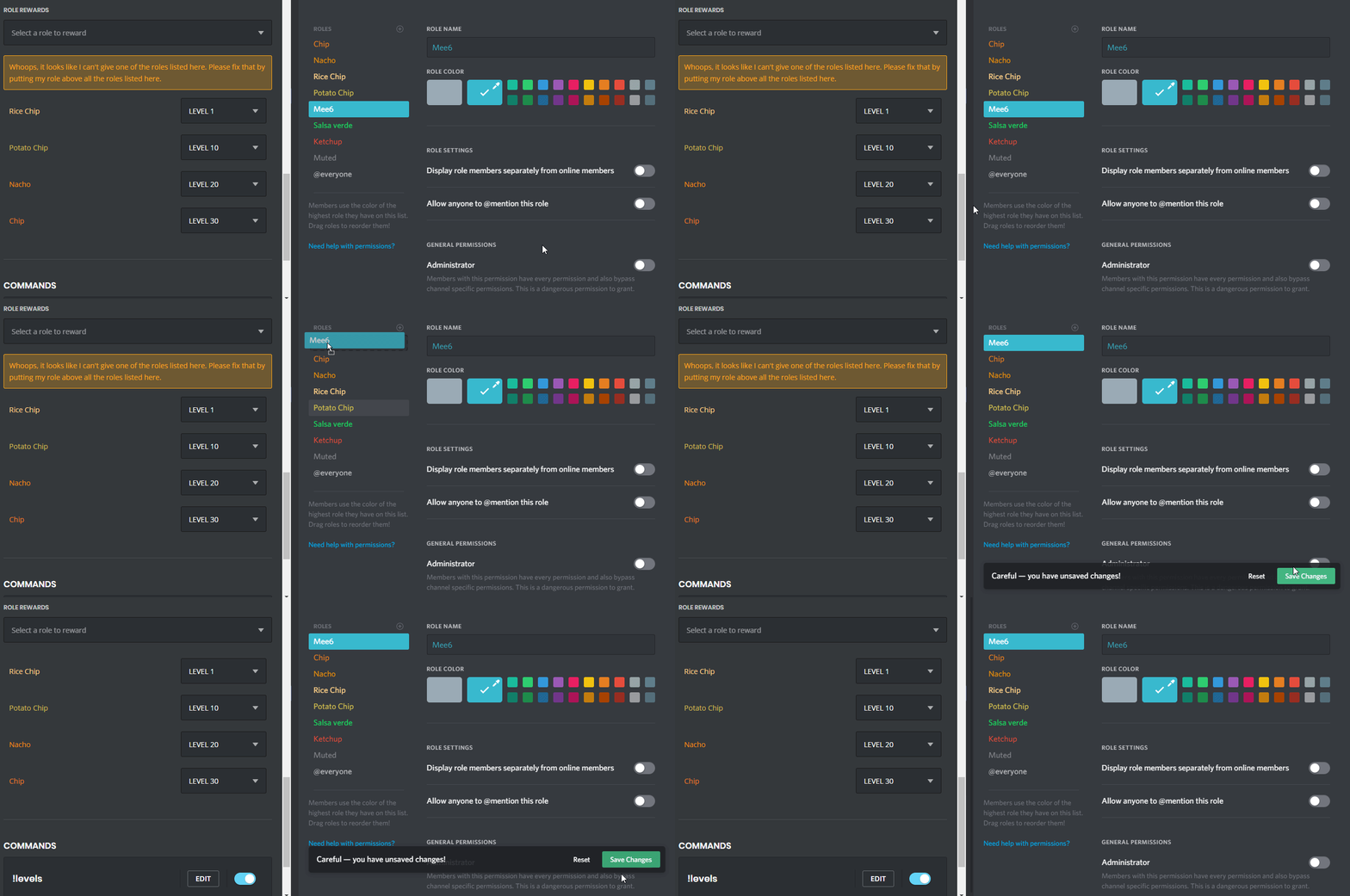 dire yarrowBOT
 vanievane_#6833 has been warned
Reason: Bad word usage
dire yarrowBOT
𝙼𝚊𝚍𝚊𝚛𝚊, that command is disabled in this channel.
 opaque nebula
hello
buoyant moon
So my mute won't work, when i do the mute command it says it did it but the person is still able to talk, if he is muted the bot wont stop thinking
spare relic
buoyant moon
So my mute won't work, when i do the mute command it says it did it but the pers...
it's a problem on your side but we can help you fix it, do you have any generic role where almost everyone have it?
go to role settings, go to that role and tick send messages
buoyant moon
in the website?
spare relic
then go to the channel settings and put that role's send messages to /
buoyant moon
OH WAIT
 crude frost
hi
 radiant carbon
opaque nebula
https://img.youtube.com/vi/peHcKCVqTYg/0.jpg
radiant carbon
opaque nebula
https://img.youtube.com/vi/peHcKCVqTYg/0.jpg
Not a bug