
#nms-modding
1 messages · Page 51 of 1
 green ingot
Oh I'll try that tomorrow
green ingot
 fresh arch
https://www.nexusmods.com/nomanssky/mods/2262?tab=description
fresh arch
https://www.nexusmods.com/nomanssky/mods/2262?tab=description
Dose it work for all ships?
 ripe crown
just get all the figures and trails from the QS dealer on the anomaly..... my ship currently does 600+ u instead of 400 on planet
green ingot
ripe crown
just get all the figures and trails from the QS dealer on the anomaly..... my sh...
How do I get those
 ripe crown
green ingot
How do I get those
ripe crown
green ingot
How do I get those
do nexus missions on the anomaly to earn quicksilver
fresh arch
When my car goes brrrrr it's not because it's going faster, it's because it's falling apart
So maybe the description could be tweaked a bit 😜
green ingot
 hearty wasp
Dose ship go fast though?
green ingot
Ah fair
hearty wasp
The description saying it does what it does should create the expectation that it does do what it does
green ingot
hearty wasp
The description saying it does what it does should create the expectation that i...
It was more of a lol response
But I guess I just feel the current speeds are just too slow in game lol
 final hazel
Sentinel ships and the starborn runner have kinda solved that for me, my starborn runner goes almost 1,000u/s in-atmo
And my sentinel ship easily breaks 1,100u/s
green ingot
final hazel
Sentinel ships and the starborn runner have kinda solved that for me, my starbor...
I'm just assuming most ships are very limited on speed?
final hazel
Mostly, other ships have more space speed, but sentinels + starborn runner get tons of acceleration and just more responsive feel speed-wise
A 4-square sentinel ship with a photonix core goes wacky silly
green ingot
final hazel
Mostly, other ships have more space speed, but sentinels + starborn runner get t...
How do I find the sentinel one you mentioned
 steel crypt
All mods updated for NMS v5.11
https://www.nexusmods.com/nomanssky/mods/507
https://www.nexusmods.com/nomanssky/mods/968
https://www.nexusmods.com/nomanssky/mods/2022

Nexus Mods :: No Man's Sky
Modular collection of gameplay enhancing-quality of life mods that can be used together. Compatible with NMS v5.11

Nexus Mods :: No Man's Sky
Extensive modular collection of color and visual effects mods that can be used together. Compatible with NMS v5.11

Nexus Mods :: No Man's Sky
Terrain overhaul mod. Compatible with NMS v5.11 Now with NaturalSpawn!
final hazel
green ingot
How do I find the sentinel one you mentioned
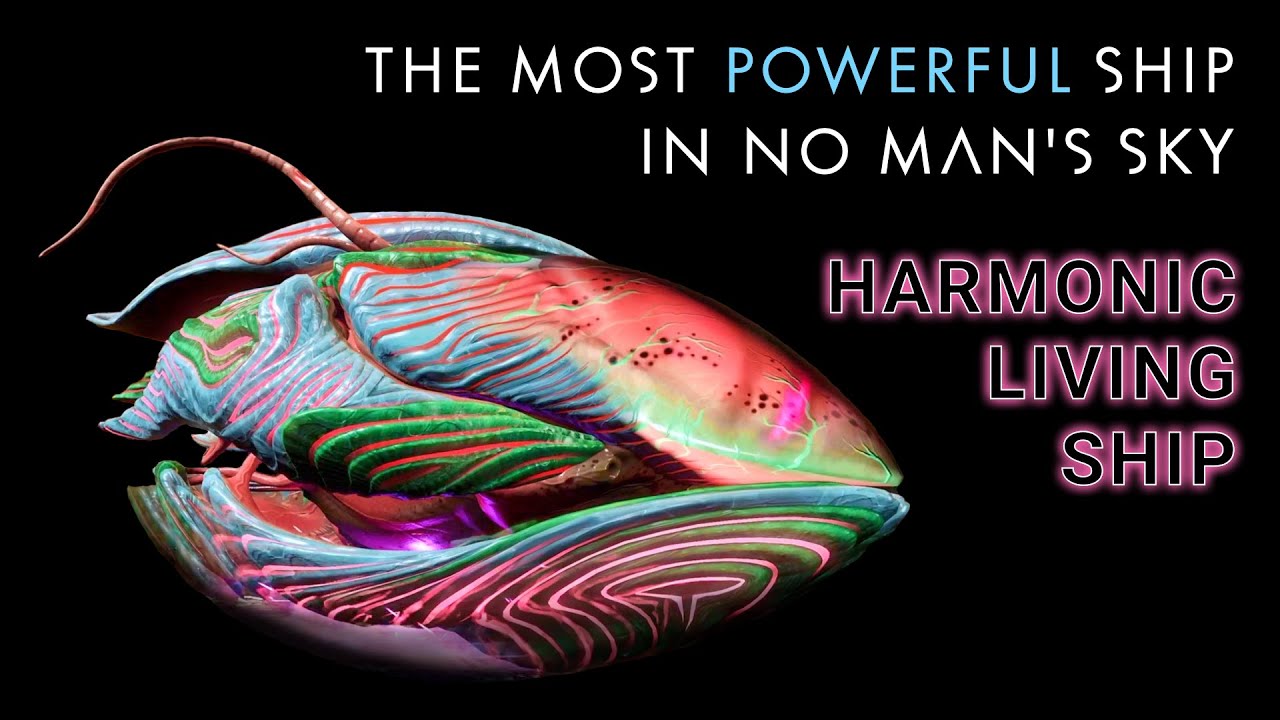
How to make the best ship in NMS with the highest DPS. Build this powerful ship from an optimized Sentinel and beautiful Living Ship. Do it with a friend or do it fast on your own with a free delivery from the NMS Service Bot. This is my favorite ship and I hope you enjoy it too. Works in Worlds 5.05
05:15 METHOD ONE: THE FRIEND - Requires a fr...
I just took the sentinel ship part of it
green ingot
final hazel
https://youtu.be/FTCLJDHhkvs?si=FhLx9le9qhm4TjE7
Whwee I do put the sentinel part?
final hazel
The sentinel ship this video uses is nearly the best possible
I believe it costs lots of nanites to upgrade
green ingot
I see
 vale iron
Part of the reason for that is planetary objects won't spawn in time if you are moving too fast in atmo. Hell, if you are going over like 130u, the scanner won't pick up any nearby buildings.
final hazel
Exactly why I don't use the sentinel ship over my starborn runner, going faster than 1,000u/s isn't any more useful when things don't load in faster. Still fun though and terrain still generally loads fast enough to dodge
hearty wasp
There is a point where you will just see the floor
And GSFU can achieve that if your specs are low
green ingot
final hazel
Exactly why I don't use the sentinel ship over my starborn runner, going faster ...
So ships are slow for a reason?
I might have to get used it maybe
It could just be a thing of I'm not used to how the ships feel or think they feel slow
vale iron
Yeah, you can mod around it, just know it comes with consequences
 coral gale
is there a mod that can customize the VR hud?
coral gale
I been playing with the UI behind me, so I can still see the Resource Deposits n stuff but not have the hud in my view (that hint box is annoying)
 drowsy sorrel
Does Dud's sky make player freighter turrets and squadron members deal damage?
 rotund cosmos
asked in #nms-questions but maybe it's a better fit for this channel;
how can i add cjk (asian) fonts to the game? it's weird going to the anomaly and seeing a bunch of squares for names and chat messages.
vale iron
rotund cosmos
asked in <#471868642204712971> but maybe it's a better fit for this channel;
ho...
Pretty sure it's Unicode based and already in the game, just it's based on what language you have selected. I'm not 100% on that though
vale iron
drowsy sorrel
Does Dud's sky make player freighter turrets and squadron members deal damage?
Does the description say it does?
drowsy sorrel
"Weapon strength increased for AI ships and freighters."
"Improved freighter pulse gun turret and laser gun turret accuracy."
"Freighter pulse gun modified to shoot in 20 round bursts and have cooldown before firing another burst."
"DUD’S SKY has a AI ship mod that includes that..." #nms-modding message
vale iron
So yeah, improves damage and accuracy of freighter weapons
They have a pretty short range though, not sure if he increases that
vale iron
drowsy sorrel
"Weapon strength increased for AI ships and freighters."
"Improved freighter pul...
Ahh, I can't tell if he gets both npc and player freighters from that phrasing. @steel crypt
He probably gets both, but I can't say 100%
steel crypt
drowsy sorrel
Does Dud's sky make player freighter turrets and squadron members deal damage?
Yes.
Understand there are some loading bugs with freighters and turrets. And some other turret bugs. So occasionally you will see a freighter not fire or a turret firing at where a ship was 5 mins ago.
Other than that they do what you’re looking for.
Problem with increasing range very much is that you also increase the likelihood of some of those vanilla bugs happening.
They are adjusted for the best performance I could achieve.
vale iron
Thanks for the clarification
steel crypt
Oh and sorry haha. Yes it affects all freighters. Minus that pirate one if it’s NPC.
 prisma ocean
FYI NMSSE GF has been updated.
Should work with GP/XBOX saves files now.
 drowsy sorrel
steel crypt
Yes.
Understand there are some loading bugs with freighters and turrets. And so...
drowsy sorrel
steel crypt
Yes.
Understand there are some loading bugs with freighters and turrets. And so...
Thanks! def gonna download it
 cold rover
Is there a way for someone to give me something to inlrove my ships speed majorly?
fresh arch
cold rover
fresh arch
https://discord.com/channels/146101654981312513/377229206351773696/1284554109772...
I play on ps4 so need to be given something
fresh arch
There is nothing that would work like that
Ship flight model parameters are saved in game files
Can't be affected by trading some items
cold rover
I can't even get altered upgrades?
fresh arch
No you can't
- because we can't trade packed tech even in vanilla
- because the ranges on stats are again declared in game files
cold rover
Well Damn
fresh arch
A preview of something I've been working on recently


A mod that lets people get treasure maps from fishing and use them to find treasure items on land
Basically a small fetch quest involving looking around for Buried Caches
drowsy sorrel
Are there any mods that prevent items from being lost from freighter refineries?
 marsh eagle
drowsy sorrel
Are there any mods that prevent items from being lost from freighter refineries?
marsh eagle
drowsy sorrel
Are there any mods that prevent items from being lost from freighter refineries?
That has literally been patched in the upcoming patch
 onyx tundra
steel crypt
All mods updated for NMS v5.11
https://www.nexusmods.com/nomanssky/mods/507
http...
onyx tundra
steel crypt
All mods updated for NMS v5.11
https://www.nexusmods.com/nomanssky/mods/507
http...
Hello, sorry to bother but I wanted to ask about compat with Terra Firma and other mods (I use several ones packed trough AMUSS, but anything that alters terrains outside Exo better dead planets) since I would like to include it on my next run . Does it make any change to the "globals" or anything else I would need to worry about? Sorry for the @ and thanks in advance
 odd sundial
so testing two mods i merged, faster exocraft and drive on water, problem is they drive the same speed as if they were underwater
 vale iron
There's a specific setting for water speed, so you'd need to change that as well
odd sundial
ah ok, i'll look in the lua's i used, anyone know what the syntax is like?
vale iron
It's pretty straightforward. Just make sure you end lines with commas. They don't all need them, but extra don't hurt
odd sundial
is it something like this"UnderwaterEngineMaxSpeed"
vale iron
And missing ones will kill the script
Yeah it's really obvious property value
I'll look later if you can't find it, still waking up
odd sundial
familiar with programing just not this one, time to do some copy paste lol
grabbed the part of the code i wanted, deleted the one i didnt , testing now. we'll see if i forgot any {} lol
i thought fishing from the collosus would be cool but the whole roof isnt solit, the other exocrafts work fine tho
vale iron
Really? Might have some collision issues
I'm working on some exo skiff improvements, but having trouble with a couple of things
odd sundial
so just tested my code merged mod, the wheeled exocrafts drive like they are stuck in mud, might try messing with their gravity?
wait, going to try adding top speed forward to see if it helps
hm still drives like its stuck in mud
steel crypt
onyx tundra
Hello, sorry to bother but I wanted to ask about compat with Terra Firma and oth...
There is a list of files used in the readme file in the download zip and on the DOCS tab on Nexus. If a mod you use messes with any of those files, you would need to combine it with TERRA FIRMA 2.
odd sundial
any way to look up the "gravity" for the hovercraft?
steel crypt
Vehicle global
odd sundial
new to modding, do i do that with amumss?
vale iron
You would need to unpack the files. AMUMSS PC Banks Explorer will do that for you
In the AMUMSS root
odd sundial
ok thank you
vale iron
That will unpack to MBIN files. Double click to decompile to readable exml
odd sundial
uh oh, i think i just unpacked everything lol
vale iron
You can just delete what you don't want. The main things for beginning level are the root and metadata
 crimson plume
is there a mod that can silence butterflies? their audio is broken for me
vale iron
None that I know of
final hazel
crimson plume
is there a mod that can silence butterflies? their audio is broken for me
 crimson plume
final hazel
https://www.nexusmods.com/nomanssky/mods/3131
crimson plume
final hazel
https://www.nexusmods.com/nomanssky/mods/3131
thanks
odd sundial
ok opened the file, grabbed some code that might help last try before i just go fishing lol
lmao why are they sinking into the ground
vale iron
Hmm, the nomad might yield some ideas, as it is specifically designed to float. Probably similar to the nautilon properties that tell it to force away from water line
odd sundial
yeah im taking some settings from the nomad and some from the nautilon, just trying to see if i can get it to not act like its underwater
ok it looks like the setting im missing is like a suspension setting, out of water the vehicles are normal but once i go on water, they bottom out and drive slow hmm
oh vehiclegravitywater.... hm
oh god that is so much worse hm
vale iron
Try flipping it then?
odd sundial
it did a barrel roll underwater lol, set two values to 0 that i assume is the angle for driving under water
hm its weird, they just drive slow like they are on the bottom of the lake
odd sundial
lmao if you use the thrust it just dives underwater, ima give up lol
vale iron
I might take a look later
 lament pollen

lament pollen
No, GamePass
vale iron
Ok, should still work fine, it's updated for that
lament pollen
I currently have NMSSE 1.17.5
vale iron
From here, right?
https://github.com/goatfungus/NMSSaveEditor

GitHub
No Man's Sky - Save Editor. Contribute to goatfungus/NMSSaveEditor development by creating an account on GitHub.
lament pollen
Correct
vale iron
Hmm, try changing unit value by 1 and saving it and see if it still does it. When you say it acts like you restart, you mean it puts you right at the beginning with activating tech and stuff right?
lament pollen
No, as in it brings me to the "Begin Initialization" screen
vale iron
right, that's what I meant
That means it can't read the save properly.
Expedition or normal save?
vale iron
That shouldn't matter, but can't be sure 100%. If you feel like messing with it, what I would do is go back into the save in game, go to a different system on the station, save the game, exit. Open in NMSSE, change unit value by 1, save, open game and see what it does
But might not be worth your time to troubleshoot
lament pollen
Well, can't anyway, cause now the PC Xbox App is being dumb.
 tiny silo
is there a mod that makes the slotsize of the output max is only 2500 ?

 viral oak
that 'max' is dependent on a variety of factors but I can tell you that 2500 should not be it, it usually caps at around 4095...if it's lower, you dont have the materials for more
vale iron
All my mods are updated except custom models and texture mods. Also uploaded 5 or 6 old mods I had lying around but never published.
Custom models and textures I'll be working on the rest of the week
viral oak
ever get a chance to look at that gproc stuff? 🐱
 weak star
Anyone know if there is a mod or save editor trick that would allow me to have more “personal wonders”? Even if it requires swapping out with an editor while not in game … I’m finding the wonder projectors really useful in base building but it’s frustrating to have just 12 slots … I’m keeping records of where I find wonders so I can go get them again if needed but that’s very time consuming vs just having an archive
vale iron
viral oak
ever get a chance to look at that gproc stuff? 🐱
I did fix the water one, but didn't look at other stuff. Will add it to my gMods status list. What were the two things? One was an x-class that was worse than S and one was adding mining bonus to something?
vale iron
weak star
Anyone know if there is a mod or save editor trick that would allow me to have m...
Don't know of anything that does this, or if it's even possible. I would need to look into stuff more, and I'm about to go to bed. Is it a limit on number of items you can place, or wonders stored in your catalogue?
viral oak
neutron cannon is worse on X than S even at highest, and X class mining modules dont get mining bonus
weak star
vale iron
Don't know of anything that does this, or if it's even possible. I would need to...
The game has a limit of 12 Personal Wonders that you can add yourself to your Discoveries Catalog.
The Wonder Projector can only select from these 'personal wonders'.
A helpful feature of the projector is that once you project something (a planet, fauna, flora, etc) with it, that projected thing will remain projected -- even if you remove that wonder from your Wonders list in the catalog. You just can't move or reset the projector or you'll lose access to that wonder if it's not listed in your 12 wonders anymore.
So ideally we'd have a lot more slots for personal wonders in-game -- but at minimum it would be great to be able to save them external to the game and get easy access to adding them back to my in-game wonders, via some save-edit archive or the like.
Anyway, if you or anyone has ideas, I'm happy to hear them!
 humble haven
whats up with living ship seeds atm
i change mine in the editor and the ship stays the same
 fallow meadow
weak star
The game has a limit of 12 Personal Wonders that you can add yourself to your Di...
fallow meadow
weak star
The game has a limit of 12 Personal Wonders that you can add yourself to your Di...
Anyway, if you or anyone has ideas, I'm happy to hear them!
I'd suggest to keep backups of your saves, as the Wonders are all stored in there (see image). I bet you can edit/exchange with custom or lost ones as you please, assuming you are providing the correct data. No doubt someone will be able to create a handy tool for this or add this data to their existing tool, like the NMSCompanion tool.
Oops, image was not included, so here you go

To add: When a record is used in the Wonder Projector, it is using the 'Message' field with a Base64 string to determine what is shown. You'd likely have to convert it to hex/dec or binary format to make any sense of it. I have not yet looked into it much.
 weak star
fallow meadow
To add: When a record is used in the Wonder Projector, it is using the 'Message'...
weak star
fallow meadow
To add: When a record is used in the Wonder Projector, it is using the 'Message'...
This is a great starting point to look into thank you!
weak star
fallow meadow
> Anyway, if you or anyone has ideas, I'm happy to hear them!
I'd suggest to kee...
@fallow meadow may I ask, what are you using to view that directory tree? I'm new to actually looking at source files for this game -- and I don't see a view like that in the save editor I'm using
viral oak
formatting looks like json. probably a save editor
fallow meadow
weak star
<@212373250334785538> may I ask, what are you using to view that directory tree?...
Both NomNom and NMSSE have a JSON Editor. For NomNom you need to enable 'advanced mode'
viral oak
goatfungus is the latter
fallow meadow
weak star
Ah ok I'm using GoatFungus' editor -- I'll look into getting NomNom
Check the 'Edit' tab
fallow meadow
Regular save and account both have an option there
weak star
Yeah I just see like a code editor view, but not those nested folders
fallow meadow
Click on the left tree to expand sections
weak star
ok I somehow missed that! thanks
fallow meadow
What I was showing is most likely in the BaseContext, then PlayerStateData, towards the bottom
Be careful in that editor, as it is easy to make a mistake. It is JSON which follows specific formatting. It usually warns when making mistakes before being applied though, but this section is most powerful. You will need to understand what you're doing in there
weak star
Yes I made a copy of the save to another slot to play with it
thanks for the reminder!
Oh btw where does the game keep records of all my discoveries? All the things I've scanned, planets I've visited, etc?
viral oak
character level save, easily found by searching for Discovery
weak star
And it looks like the Personal (or "Custom") Wonders are tracked in 2 files in parallel -- WonderCustomRecords and WonderCustomRecordsExtraData -- the Extra Data has the nicknames I gave the wonders, and I guess it's a fair assumption the game pairs them in the same order between these files... so I'm going to try editing some and see what happens... if it works the way I suspect, I could just keep a record in OneNote of a screenshot of the wonder item + the Generation ID from the main file, and the nickname info from the Extra Data file, and ideally just plug that in when I want to swap things around. (Clearly not as easy as a GUI approach but not as hard as I suspected it might be... )
weak star
viral oak
character level save, easily found by searching for Discovery
Ah thanks, I tried the search but must've done something wrong ... I see those folders now at the bottom of the left column (I think)
viral oak
it defaults to case sensitive
fallow meadow
weak star
Oh btw where does the game keep records of all my discoveries? All the things I'...
There are limits to what is stored locally. Also keep in mind you can upload discoveries to the server. How exactly all that data is handled with the server is hard to fully understand.
viral oak
mostly just sync'd on entry as you go, when possible
fallow meadow
weak star
And it looks like the Personal (or "Custom") Wonders are tracked in 2 files in p...
I guess it's a fair assumption the game pairs them in the same order between these files...
Very well possible the lists are linked (indexed), a lot of data works that way. Requires some trial end error to figure out, which should not be too hard, unless there is more involved in this
viral oak
the storage of discoveries, locally, is actually preeeeeeetty massive, too
fallow meadow
viral oak
the storage of discoveries, locally, is actually preeeeeeetty massive, too
true, and not usually something you'd often mess around with.
viral oak
I have a tendency to poke my nose into things when I get bored. when I was trying to dig up the skiff's data I noticed just how damn massive my main save's discovery data was...
fallow meadow
viral oak
I have a tendency to poke my nose into things when I get bored. when I was tryin...
Well, with the game having been around this long, I can certainly relate to at least 'some' boredom. 🤪
weak star
weak star
And it looks like the Personal (or "Custom") Wonders are tracked in 2 files in p...
welp that theory didn't quite play out ... and maybe I did manage to screw up my save file, who knows! I was using 'save as...' in the save editor as a way to create a clone of my main save ... but somehow made like three of them? anyways...
fallow meadow
Not sure what you mean by "three of them"? Each slot does come with 2 save files (auto/manual) and at least on Steam with mf_ counterparts too. Could it be you just generated a duplicate in a new slot?
Basically the new save not (yet) having either the manual or auto?
weak star
fallow meadow
Basically the new save not (yet) having either the manual or auto?
My save dir now looks like this... my actual main save I play on is save4 ... it's untouched from what I just did, thankfully, but now there's save7 as well as this "save29" file that I'm not sure about ... (I see what you mean though that there are the save files and then the "mf_save" files ... so I get that

I did try an edit of that save7 to see if an edit to the personal wonders would show up in game -- it didn't show up like I thought it would, everything still looked as before, but then when I quit back to the game start screen, the game sort of hung up on trying to connect ... so I force-quit the application to get out of it. Now I'm wondering if I've corrupted that save7 file and need to just delete it... but I don't know if that would cause more issues -- like does the game keep track of metadata about those save files in another file someplace, or does it just get it by reading what's in the directory?
(the other saves are from an expedition and the first save I tried on the game that I just never got around to deleting)
fallow meadow
Each save slot has 2 save files, together with 2 mf_ counterparts, making it 4 files total for each slot. You can have a maximum of 15 slots.
(mf_)save.hg is slot 1 auto
(mf_)save2.hg is slot 1 manual
(mf_)save3.hg is slot 2 auto
(mf_)save4.hg is slot 2 manual
(mf_)save5.hg is slot 3 auto
(mf_)save6.hg is slot 3 manual
etc.
It is weird to see the save29.hg there, as it is missing the mf_ (metadata file) counterpart as well.
Normally when a new slot is used, it will take the first free available location. Not jump towards the 15th slot (auto save). Not sure what happened there to be honest. Date and time may be an indication?
weak star
Ohhh I did that -- for some reason my brain thought "let's choose the slot at the bottom of the empty slot list" to separate the thing I'm testing on from the rest so I wouldn't get them mixed up, but clearly it doesn't actually help other than in that one view I was looking at
So is 'manual' the restore point you set when you get out of ship or use the save beacon?
(and apologies for spamming y'all with this noob stuff, I didn't mean to get into troubleshooting...)
fallow meadow
Ah, that explains the save number at least. The order in the game's selection menu is on last date/time saved though
fallow meadow
weak star
So is 'manual' the restore point you set when you get out of ship or use the sav...
Correct
fallow meadow
weak star
(and apologies for spamming y'all with this noob stuff, I didn't mean to get int...
You're all good. Might be noob to you, but this is the right place to ask about all this. Although #964865106334875698 can at times be a good place for issues that have mods or save editing involved
weak star
yeah it's like it made that slot 15 save / save29 / but the one I think I was actually editing was save7? anyway now I'm thinking I need to kill all of them off except save4 which is the one I really use to play/build ... just to keep things clean ... I wonder if the game was getting confused trying to finalize the save after quitting back to the startup screen, because of any of this
weak star
fallow meadow
You're all good. Might be noob to you, but this is the right place to ask about ...
(and thank you for your patience! -- I haven't done things like this in a game since I was making Quake mods 28 years ago!)
fallow meadow
weak star
(and thank you for your patience! -- I haven't done things like this in a game ...
Ah, I remmy those days, although I don't think I ever got to make mods for it. I did make custom maps for Doom though. Anyways, getting off topic
weak star
ah I did just realize the editor console was giving me error messages...
Mind if I paste here? It's not super long...
fallow meadow
Most common error when editing JSON is the use of , at the end of list items (arrays) using either [] or {}
fallow meadow
weak star
Mind if I paste here? It's not super long...
Sure go ahead, or screenshot or upload as a text file.
weak star
ok
fallow meadow
detecting an issue in formatting is not too hard, pinpointing where exactly can be difficult though. It likely provided a line number?
 warm folio
hey everyone, can someone point me in the direction of how to save edit so I can get expedition rewards ?
weak star
@fallow meadow there's the log
fallow meadow
warm folio
hey everyone, can someone point me in the direction of how to save edit so I can...
From the pins: #nms-modding message
Choose either NomNom or NMSSE, making sure you also meet the requirements for either tool. Then load up the saves in whichever tool you chose and check the Account tab to add checkmarks to those items you wish to add. Then visit the Anomaly and go shopping at the QS bot
Save file deleted from storage: save29.hg
You removed it?
Save file deleted from storage: save7.hg
Then this one was deleted too? After which it has been unable to write to it
Then a bit later it loaded the save7 again, then followed later with being unable to load the related backups?
Perhaps close the editor, then let it load all saves again and see what it then says?
Backups are stored in a folder within the tool's location. Might have to check there as well. They are stored as .zip archives. Maybe it lost the relation after deleting save7?
weak star
fallow meadow
> Save file deleted from storage: save29.hg
You removed it?
> Save file deleted ...
So looking at the UI again, I may have tried that slot 15 and then decided not to? I can't remember tbh
yeah that could be
(losing the relation I mean)
fallow meadow
I'd close the editor, and restart it to see what is up. Have the game closed to at least the main menu, so it does not interfere either
weak star
fallow meadow
I'd close the editor, and restart it to see what is up. Have the game closed to ...
just restarted the editor (and yes, NMS is totally off)
I haven't selected a save in the UI yet ... and this is what the editor's console says so far

and then when I try selecting slot 4 (which is 'save7') in the editor GUI, the console says this:
Loading saves for Slot 4...
WARNING: Cannot load backup7.1726510323615.zip
WARNING: Cannot load backup7.1726510331569.zip
Reading save file...
Slot: Slot 4 - NORMAL - Main1
Filename: save7.hg
Finished.
but when I select my actual main save (slot 2 ... save4) it's fine...
Loading saves for Slot 2...
Reading save file...
Slot: Slot 2 - NORMAL - Main1
Filename: save4.hg
Finished.
Ok so just for grins (after making a zip of the whole save folder as a backup) I moved the save7 files and the save29 file out of that folder onto my desktop, just to see if it would clear anything up, but when I open the game I see this ... which I saw earlier too, which prompted me to think I'd made like 3 new saves...

so I'm just gonna delete all the saves I don't want and start from my main ... see if that clears things up some
Ok that cleared up the weirdness... Now I'll do a better job of making a clone of my main save :-)
fallow meadow
Well, do keep in mind that Steam Cloud may have been interfering here as well.
If you delete from within the game, the Cloud will reflect that. Doing so manually from the save file location, likely will not persist
weak star
Ok that's why they were still showing up then I suppose... when I deleted from within game, it stuck
But ... success in terms of figuring out how the wonders work ... turns out the Generation ID is what is needed, so if I just save that in a text file archive (with a pic of whatever it is and a description so I can find it later) I can bring that 'wonder' right back into my game just by swapping out the Generation ID ...
And evidently it does index in list order between the 2 files that keep up with customer/personal wonders... meaning, the nickname given in the "WondersCustomRecordsExtraData" file corresponds to same position item in the GenerationID listed in the "WondersCustomerRecords" file.
I'll play around with a good workflow for this later, but this has been super helpful, thank you all
(it would be awesome to have a tool that does this via a GUI but that is way beyond my skills)
 vague cypress
Is there a mod that shows all the features in your Settlement?
Maybe a UI mod? I searched NMS Nexus and could only find timers
vale iron
No, and UI is very hard to mod
 heavy merlin
weak star
I'll play around with a good workflow for this later, but this has been super he...
heavy merlin
weak star
I'll play around with a good workflow for this later, but this has been super he...
That sounds like the kind of thing https://www.nexusmods.com/nomanssky/mods/1879 does for ships, pets etc, you could maybe suggest that for a new feature, if it isn't already available
weak star
heavy merlin
That sounds like the kind of thing <https://www.nexusmods.com/nomanssky/mods/187...
that mod looks very useful!
final hazel
oh my gosh that shouldn't be nexus's fault, I've downloaded bigger from there in like 5 mins
 cold saddle
can i use vr with my mods
vale iron
51 mb? I'll see if I can do it a different way that is smaller
vale iron
cold saddle
can i use vr with my mods
Some, it just depends. UI mods are less likely to work. Just try
cold saddle
thx
vale iron
Nexus has had intermittent infrastructure issues for a couple of months
They are supposedly working on improving it
And I have premium and it still hangs for me
 slender sundial
hay im new here do u guys have any good base files that can be loaded?
last one i used was .bse file for freighter base
vale iron
Not much base sharing goes on, except a little with freighter bases, but not planetary much
!creativehublink
 hardy auroraBOT
vale iron
hardy auroraBOT
vale iron
I think they have a channel for sharing
slender sundial
I'm in their server
vale iron
That's the best source I can think of
slender sundial
Ik u can copy bases but that's paid so I was searching for base files
vale iron
Hmm? The service bot is paid for some things, but sharing base files isn't paid
 silent idol
@vale iron What will other players see if Im using gFreighter ? Are they going to see a dreadnought, or a custom one ? Thank you
vale iron
It still needs to be updated for Worlds (sometime this week), but other players will see a normal capital freighter
There could be issues with the hangar entrance and base placement in multiplayer, though
silent idol
Yes, I read that, not a problem to wait for the update when you feel you have the time needed 🙂
vale iron
coolio. I'm hoping to work on it tomorrow
silent idol
vale iron
coolio. I'm hoping to work on it tomorrow
Take your time, I'd like to thank you for your work, it's more than what people like me were hoping to see 🙂
warm folio
there was a 2.5 gb update for nms this morning for me but i don't see patch notes, anyone know what it was for?
oops wrong channel
final hazel
warm folio
there was a 2.5 gb update for nms this morning for me but i don't see patch note...
All patch notes are posted to the NMS website and linked in #nms-announcements and #nms-news-ticker usually the same time that the game updates
 left pier
I want to be taught! Someone take me to the dark side
hardy auroraBOT
@left pier
No stickers in this channel please
final hazel
left pier
I want to be taught! Someone take me to the dark side
Expedition ships can only be gifted because their exterior models aren't random, so when the entire ship re-randomizes, the model is intact
The model also governs the base functionality of the ship, so for the Starborn Runner it still retains it's Sentinel ship properties
Everything else is rerolled, so no tech or anything can be preserved through the transfer
left pier
So theres no benefit for modding > gifting towards console, only local for the modder on PC
So, no more orbs 😭
left pier
Would have to download savewizard and modify the values myself, or have the actual file type which - way too much effort
left pier
final hazel
No more orbs that I've been able to transfer, yeah
So there aren’t any mods that affect quality of life for console? Just pets at this point ?
final hazel
left pier
So there aren’t any mods that affect quality of life for console? Just pets at t...
Mods are not possible on console
left pier
Right, the distinction between mods and save editing
final hazel
You can recieve save edited pets and items that shouldn't exist n stuff, but that's the extent
Modding =/= save editing
final hazel
Like items from past expeditions that have no use or weird uses, and other items that might just be hard to obtain
final hazel
left pier
Literal inventory drops I’d imagine
Indeed, actual items that exist in the game already
There's no way to give packaged tech, or have any tech that goes beyond the vanilla maximums like a +200% boost pulse module when the max is +30%
left pier
final hazel
There's no way to give packaged tech, or have any tech that goes beyond the vani...
And the only way to take advantage of tech from console is the exocraft dupe from what I’ve learned this week
final hazel
Huh, well I've never heard of that and know nothing about it
 severe flame
hey, ive just changed from playing NMS on xbox/xbox gamepass to playing it on steam, how can i move my saved data over?
left pier
Hm.
final hazel
severe flame
hey, ive just changed from playing NMS on xbox/xbox gamepass to playing it on st...
By installing the xbox for PC version at the same time, then using the NomNom save editor's save transfer feature to replace a Steam save with your Xbox save
severe flame
is there a tutorial anywhere for that? i also no longer have access to the xbox gamepass version of NMS
final hazel
Not sure if there are any up to date guides, it's gotten way easier over the last year or two
Many guides still show how to do it manually, via text editing
severe flame
ah okay, will i have to have an active gamepass subscription to do that method then?
final hazel
Probably! Unless the game stores your save data even when it's uninstalled which I don't believe it would do
You can just buy one month of just PC game pass for cheap I think, still not the ideal way
severe flame
yeah was trying to not spend too much money 😂 shouldve just bought NMS on xbox instead lol
left pier
I would actually love to take you up on that griffin @final hazel
Would it be the egg itself 👀 I’m gonna see if I can dupe it for my buddy when you and I do line up, I’m in 0000000 hurry. Can take you up on it next month even at this rate
My honey-do list is long enough to where I can certainly keep busy 😂😂😂
final hazel
left pier
Would it be the egg itself 👀 I’m gonna see if I can dupe it for my buddy when y...
Duping eggs as items will most likely not work, the egg data is stored seperately and the items are just references to that data
I could just give you two eggs!
left pier
final hazel
I could just give you two eggs!
Would 5 be no more consequence? I’ve been converting my clan into no man sky hard lately 😂
@twin quartz and @ivory forum are my victims lately lmao
final hazel
left pier
Would 5 be no more consequence? I’ve been converting my clan into no man sky har...
5 it is!
left pier
final hazel
5 it is!
You’re out here supporting entire villages lmao thank you
 ivory forum
left pier
Would 5 be no more consequence? I’ve been converting my clan into no man sky har...
ivory forum
left pier
Would 5 be no more consequence? I’ve been converting my clan into no man sky har...
No defeat, Zenkai Fleet
left pier
ivory forum
No defeat, Zenkai Fleet
@final hazel is single handedly the reason why my file is catching up so fast this week! Seriously 😭
final hazel
left pier
<@313144324676255744> is single handedly the reason why my file is catching up s...
I got the eggs ready for whenever you wanna join to claim them!
left pier
@ivory forum tried getting me back into NMS for months @final hazel but this expedition and you are what broke the camel’s back haha
left pier
final hazel
I got the eggs ready for whenever you wanna join to claim them!
On my way!
left pier
left pier
On my way!
Version incompatible… just got the update file lmao gimme a sec here
final hazel
left pier
Version incompatible… just got the update file lmao gimme a sec here
You will have to update your game possibly
The new patch is out now on all platforms
left pier
It slowed me down by about ten mins, ill ding or dm you when im actually there
Thanks again @final hazel
final hazel
That's fine!
ivory forum
final hazel
Duping eggs as items will most likely not work, the egg data is stored seperatel...
2 years ago I would've scratched my head, now that I've been learning Unity, this makes perfect sense
final hazel
My inventory is like maxed out on eggs for the first time lol
 left pier
ivory forum
2 years ago I would've scratched my head, now that I've been learning Unity, thi...
left pier
ivory forum
2 years ago I would've scratched my head, now that I've been learning Unity, thi...
@final hazel and I were talking about the parameters of modding and how it can / can’t affect PlayStation files
final hazel
I believe save editing is nearly impossible on PS5, there are details why in the pinned stuff here I believe
ivory forum
PC shall always be the ultimate console
left pier
left pier
<@313144324676255744> and I were talking about the parameters of modding and how...
To simplify what I think I learned, it’s mostly localized quality of life things you can change on the actual PC file but not much if any converts over unless you actually utilize save wizard itself and sign the data over to your own “admin”
Which would be the PlayStation username
final hazel
I have no idea what that means!
left pier
But even then, its local only
left pier
final hazel
I have no idea what that means!
I can simplify it better!
ivory forum
left pier
To simplify what I think I learned, it’s mostly localized quality of life things...
hardly simplified sir
left pier
PlayStation modding = no
left pier
“ = no , unless act of congress here “
ivory forum
left pier
“ = no , unless *act of congress here* “
deletes
final hazel
hello mr president can you sign my no mans sky save file
ivory forum
fr tho
left pier
All I know is I’d rather my console played Light No Fire rather than Lights On Fire
left pier
left pier
All I know is I’d rather my console played Light No Fire rather than Lights On F...
I’m too proud of this joke not to ding you both @final hazel @ivory forum
 delicate wolf
hey there people, new player here - I was having a look at this amumss how to pdf and was wondering: is it possible to use with vortex, the nexus' mod manager?
ivory forum
left pier
I’m too proud of this joke not to ding you both <@313144324676255744> <@11704908...


delicate wolf
I was thinking, mostly for tracking purposes, like...once I merged a bunch of mods I'd need something external (like the list of disabled mods in vortex) to remind me of what I installed
plus I can disable the merged mod and enable/disable each individually to test compatibility in case of an update
am I looking at this wrong?
ivory forum
delicate wolf
hey there people, new player here - I was having a look at this amumss how to pd...
Welcome to No Man's Sky! I figured I would at least welcome you as a new player before letting you know that I have no experience with mods, however, I'm sure someone else can help in that department!
delicate wolf
well, thank you
ivory forum
delicate wolf
well, thank you
Anytime!
left pier
ivory forum
Welcome to No Man's Sky! I figured I would at least welcome you as a new player ...
😂😂 “welcome, I’m useless here but hey!” Love you @ivory forum
ivory forum
left pier
😂😂 “welcome, I’m useless here but hey!” Love you <@1170490841169674343>
No regerts XD
delicate wolf
beats being useless and proud of it, I'd say... 🙂
ivory forum
delicate wolf
beats being useless and proud of it, I'd say... 🙂
Yep yep, if all usefulness fails, I always lean back on my great cough personality 🙂
left pier
@final hazel I’m on my way to you rn
final hazel
Kk! I'm making lunch rn so ill give em to you when I get back to my puter
left pier
final hazel
Kk! I'm making lunch rn so ill give em to you when I get back to my puter
Take your time, I’m gonna be running around
It’s giving me incompatible warnings again…
“Must be in single player for this file to be compatible”
final hazel
Just load into singleplayer first, then save
 last haven
may be best to take this to DM's or the like, if grouping up/giving items
hearty wasp
delicate wolf
hey there people, new player here - I was having a look at this amumss how to pd...
If it is you'll be figuring it out on your own on how
You're encouraged to use Vortex only for tracking downloaded mods
And install manually
That includes any pak mods that you download
Lua mods need updating way less often and you'll usually see when it needs them because AMUMSS will spit out an error whenever it cannot process a script
You can also just use the track feature on Nexus Mods
delicate wolf
hearty wasp
If it is you'll be figuring it out on your own on how
ok...
now, is it fine if I merge a gazillion and 2 lua scripts or should I limit myself to idk 3-5-10?
 solid hawk
Best practice, only combine mods that conflict with each other
Yoi can make one giant .pak, but if anything goes wrong, good luck getting anyone to look at it for you
delicate wolf
and I see which mod conflicts and how by running buildmod.bat
which means that I first need to install the mods the classic way, pak in the...whatever's name of the dir
solid hawk
Yes, or there's a separate .bat, just for checking conflicts in MODS folder, without othet stiff. Can find it same place as buildmod.bat
I'm not at pc, or would give you exact name
Fairly intuitive though, like check conflicts in mods.bat
delicate wolf
must be that check conflict thing

but it changes little, I still need to install a gazillion and 2 mods and then basically uninstall them all by groups, all the while building the merges
did I get this right?
by groups I mean in cases like I have mod1 changing fileA, mod2 changing fileA and fileB and mod3 changing fileB and fileC, stuff like that...
solid hawk
Yep, that's the gist
On the bright sidr, there aren't a gazillion mod for nms that are useable
delicate wolf
ok it's throwing an error for a script that has chinese characters in the name
vale iron
I'll be working on Better NMS probably tomorrow or Friday, if that helps. Going back to sleep now though poof
delicate wolf
uhhh...thank you and good night
solid hawk
delicate wolf
ok it's throwing an error for a script that has chinese characters in the name
Look in report.lia
delicate wolf
what's better nms anyway?
solid hawk
Will give more detail than "an error"
delicate wolf
yeah both report and log.lua point to this script ??????10?? but I got this 作物收获10倍.lua
hearty wasp
that's prolly the one
delicate wolf
@@@ ********** Analysing script... **********
@@@ Checking script using LUAC...
- : cannot open LUAC_????10?.lua: Invalid argument
@@@ line number above ^ refers to TOOLS\ModScriptCheck????10?.LUAC_Script.lua
@@@ Done but found problem(s)
@@@ Scanning script for container...
CONTAINER starts at line 0
CONTAINER not found!
@@@ Done
@@@ Basic Syntax Analysis...
@@@ No other syntax problem detected
@@@ Done
@@@ ********** All done in 10.262 sec **********
[NOTICE] Some problem/warning found by analyzing the script (see above)...
You could need to correct it and retry!
^^^^^^^^ Done running script internal code in 0.000 sec

 XXXXX Error loading USER script! XXXXX
[ERROR] NMS_MOD_DEFINITION_CONTAINER is not a valid table or is empty, this script has a problem!
              Scripts processed: 2
       Total scripts to process: 51
says the script has a problem but idk if it really does or just because of the name can't read it or something...
hearty wasp
I wouldn't use anything that isn't in English because no one here will be able to support you but you do you
vale iron
delicate wolf
what's better nms anyway?
Collection of popular mods all combined into one. Where are you getting Chinese Luas? No one publishes in chinese that I know of
delicate wolf
well the actual script looks fine, it's just the file name
solid hawk
delicate wolf
what's better nms anyway?
Qp will take from here, hard to do this sort of troubleshooting on phone
solid hawk
vale iron
Collection of popular mods all combined into one. Where are you getting Chinese ...
That kuropeach person does
vale iron
Ah, ok
hearty wasp
delicate wolf
how do I add a spoiler to avoid flooding the chat?
you don't
we don't care anyway
delicate wolf
oh ok then
ModName = "Multiplies Plant Harvest"
Author = "Jackty89 & KuroPeach"
HarvestMultiple = 10;
PlantRewardIds =
{
"PLANT_BARREN",
"PLANT_LUSH",
"PLANT_CREATURE",
"PLANT_POOP",
"PLANT_RADIO",
"PLANT_SCORCHED",
"PLANT_SNOW",
"PLANT_TOXIC",
}
NMS_MOD_DEFINITION_CONTAINER =
{
["MOD_FILENAME"] = ModName.."-"..HarvestMultiple.."X.pak",
["MOD_DESCRIPTION"] = ModName.."-"..HarvestMultiple.."X.pak",
["MOD_AUTHOR"] = Author,
["MODIFICATIONS"] =
{
{
["MBIN_CHANGE_TABLE"] =
{
{
["MBIN_FILE_SOURCE"] = "METADATA/REALITY/TABLES/REWARDTABLE.MBIN",
["EXML_CHANGE_TABLE"] = {}
},
}
}
}
}
local ChangesToRewardTable = NMS_MOD_DEFINITION_CONTAINER["MODIFICATIONS"][1]["MBIN_CHANGE_TABLE"][1]["EXML_CHANGE_TABLE"]
for k = 1, #PlantRewardIds do
local rewardId = PlantRewardIds[k]
ChangesToRewardTable[#ChangesToRewardTable +1] =
{
["SPECIAL_KEY_WORDS"] = {"Id", rewardId, "List", "GcRewardTableItemList.xml"},
["MATH_OPERATION"] = "*",
["VALUE_CHANGE_TABLE"] =
{
{"AmountMin", HarvestMultiple},
{"AmountMax", HarvestMultiple}
}
}
end
this is the actual content of that lua thing
btw during the process some options went by too fast, I didn't even have time to read what I had to choose and the script chose for me -_-
solid hawk
You know that you can just drag/drop files here
Like lua scripts or reports. 🙂
Takes up less space, more useable, and provides more info to troubleshoot.
Just saying
delicate wolf
yeah, I just had it open already in notepad++, and it was just for showing
anyway I renamed the script and I'm trying to recompile...see what happens..
is there a way to disable that auto-choosing of the options?
to force wait?
it's doing some things and I don't know what...
ok now says 0 errors detected!
vale iron
Are you using buildmod or buildmodauto?
delicate wolf
buildmod
solid hawk
Can edit buildmod_auto to pre-select
But then must use buildmod_auto
Details are in a doc in the README folder
Option Definitions or something like that
delicate wolf
I thought the auto-choose was part of the specific mod lua
vale iron
It can be, there are GUIF in some mods
delicate wolf
anyway, it created a pak named starting with ~, should I rename to start it with ZZZ or something, if it needs to be loaded last?
vale iron
or just plain old variables you can edit
delicate wolf
or perhaps ~ is already late in the order? I remember seeing something about the naming but can't remember where
wiki perhaps?
severe flame
hey can someone help me transfer my save using NomNom please? dont know how or where to select my save, trying to move my xbox save to my steam save?

whoops

might need some help here dont know what ive done 💀 literally didnt do anything nms just wont start now
delicate wolf
well they updated today and I had one mod that prevented it from starting, idk if that's your case too...
severe flame
i havent got any mods tho, these are fresh installs
delicate wolf
then idk...
severe flame
severe flame
whoops
tried verifying NMS files, now steam has decided to reinstall the whole game for some reason
fallow meadow
@severe flame On the left side is the source, which will be transferred to the right side destination. In the images above, I see Microsoft on both sides.
severe flame
fallow meadow
<@713057945851527238> On the left side is the source, which will be transferred ...
i couldnt figure out how to change the directory though? i touched a few things and then it started saying that the save i wanted was on the other one so i tried starting NMS and got that error message and now its reinstalling it self
fallow meadow
severe flame
i couldnt figure out how to change the directory though? i touched a few things ...
Let me know when you are ready to try again.
severe flame
fallow meadow
Let me know when you are ready to try again.
no worries, will do :)
fallow meadow
The one option to browse, works for both sides. After browsing, just make sure to select the source on the left side, then the destination on the right side.
I am just not sure if anything has changed, as I am no longer seeing the fields to put USN/UID/LID. You can also ask for assistance in the NomNom Discord if you prefer
!nomnomlink
hardy auroraBOT
severe flame
ah okay i see, ill try it and double check with you before i do it, mind if i ping you before i do it?
severe flame
fallow meadow
!nomnomlink
thanks
fallow meadow
severe flame
ah okay i see, ill try it and double check with you before i do it, mind if i pi...
Sure, no problem.
Ah ok, USN/UID/LID only shows once you select the actual save to transfer.
 soft zephyr
Anyone use rehade with MXAO preset ? I use the Rebirth preset on Nexus but it create some flickering noise
hearty wasp
soft zephyr
Anyone use rehade with MXAO preset ? I use the Rebirth preset on Nexus but it cr...
best comment on the mod page instead
no one really does reshade or its support on discord
or try the reshade forum
soft zephyr
Thanks i'll try, btw I found a really good mod that Fix the ships locations on landing pad that are sometimes offset and sometimes even sinking in ground,
https://www.nexusmods.com/nomanssky/mods/1560
Now my Iron vulture is perfectly landed in the middle of the pad
severe flame
@fallow meadow do you mind helping me now? not sure whats going on here
 fallow meadow
Ah yes, sure
severe flame
they say both the source and destination is the same, but the destination has all of my saves whereas the source has only one of them, dont know how to change the directory either
fallow meadow
You see the Browse at the left side?
severe flame
yeah
fallow meadow
That is where you can go search for additional sources.
It looks like you just need to add the Steam location
severe flame
right, so i find the directory for where i want the saves moved?
yeah when i press browse i select the steam games root folder but it doesnt do anything, or am i meant to choose something else?
fallow meadow
Yes, browse for the Steam location to see it added. Then after that, the left side should have the Microsoft selected, showing the saves and the other USN/UID/LID fields. Then the right side is where you select that Steam location, also with those fields
fallow meadow
severe flame
yeah when i press browse i select the steam games root folder but it doesnt do a...
!faq-savefiles
hardy auroraBOT
-#  to view info below, enable embeds
<:atlasnmscord:1269532093076078658> **Save File Locations**
Steam 
%appdata%\HelloGames\NMS\st_<Steam64ID>\...
Game Pass 
%LocalAppData%\Packages\HelloGames.NoMansSky_bs190hzg1sesy\SystemAppData\wgs\...
GoG 
%appdata%\HelloGames\NMS\DefaultUser\...
Linux & Steam Deck
$HOME/.local/share/Steam/steamapps/compatdata/275850/pfx/drive_c/users/steamuser/Application Data/HelloGames/NMS/st_<Steam64ID>/...
Mac 
/Users/<yourname>/Library/Application Support/HelloGames/NMS/st_<your steam ID>/
 When sharing saves in a report to Hello Games, it is best to create a package/archive of the full folder shown for your platform above (.zip/.rar).
Contributors: Devilin Pixy#9298, bkay201#1943
fallow meadow
Browse to the Steam location shown above
severe flame
ahh okay, then copy that directory into the destination?
fallow meadow
%appdata% = C:\Users\yourusername\AppData\Roaming\
fallow meadow
No, you just browse there from NomNom, and select once in the correct folder
fallow meadow
severe flame
C:\Users\<myuser>\AppData\Roaming\HelloGames\NMS\DefaultUser
No, Steam uses ...HelloGames\NMS\Steam64ID\...
severe flame
ah wait is that my id
fallow meadow
That Steam64ID is just st_xxxxxx ,,, yes, there
severe flame
probably shouldnt share that huh
fallow meadow
It can be found when they know your username
severe flame
ah right
fallow meadow
Doesnt really hurt to show it, but not for me to decide. Some like to keep it private if possible
severe flame
could i share my screen with you? dont need to talk just maybe direct me because im a bit lost
fallow meadow
No, we'll manage in here. If you wish we can move to #964865106334875698
severe flame
no worries, whatever youd prefer, what do i do once ive got that folder? not sure how to assign it to source or destination in the save transfer
fallow meadow
hang on, let me open up nomnom
severe flame
alright no worries, thank you
fallow meadow
I am not able to fully repro, as I do not have Game Pass
severe flame
haha no worries, i bought it just to do the file transfer 😂
fallow meadow
Most important is to use the browse from NomNom itself
severe flame
right, thats what ive done but when i select it, nothing happens
fallow meadow
Then you go to the location, which is inside that steam id number folder. It will not show saves. Then just click 'Select' at the bottom of that browse window
severe flame
so select the actual steam id folder? or whats inside of it
fallow meadow
For me it then adds that location to each side in the list
severe flame
nvm thats what you mean yeah, it doesnt do anything for me
fallow meadow
It has to select that st_xxxxxx folder you showed briefly
severe flame
yeah, ive done that but literally nothing happens, if i press browse again it will still be selected on that folder
fallow meadow
Hmmm, odd. Do you already have any saves there?
severe flame
dont think so
havent played the steam version at all lol
video sending now of what i see when i select the folder <video deleted>
fallow meadow
Ah, it is indeed not doing anything for some reason.
severe flame
yeah 😅
fallow meadow
Let me check if I can add just any folder or if a save needs to exst as well
severe flame
thank you
fallow meadow
It looks like it only adds the folder if a save exists.
Could you just start NMS and create a quick Creative save?
severe flame
ah okay yeah, ill do that now
fallow meadow
On Steam of course
And from that video, I think I now also understand why it only shows one save for transfer source. The others are older and will likely not work. If you wish to get all those saves, you may wish to run them on Xbox/Game Pass real quick to create a new and updated save for them first.
severe flame
ah right okay, just loaded into a creative save now, ill do that on the gamepass version in a sec
is there a way i can force it to save?
fallow meadow
On Steam? Just jump in and out of your ship
severe flame
ah yeah cool alright, thanks
sorry havent played NMS in ages, basically forgot everything lol
fallow meadow
All good
severe flame
loading up the gamepass version now
should i only load into the one i want to transfer? or all of the saves i have
fallow meadow
I'd prolly do all. That way you can always decide to remove again from in-game after if you wish
It's not like you have all that many, and you can have 15
severe flame
alright thank you, its on my HDD so might take a minute to load lol
severe flame
fallow meadow
It's not like you have all that many, and you can have 15
yeah 😅
fallow meadow
I mean ... I only saw 3 slots, so unless you got a backup stashed away somewhere
severe flame
yeah its only the 3 lol, never got really hooked into the game but now ive just decided i need something to do in my spare time when im not busy 😅
right ive done it all now
lets see if it does something now lol
nom nom is going crazy and freezing rn.. didnt even touch anything
ahh its worked
steam has now popped up on both sides
is this all right?
 fallow meadow
I guess that looks alright. At least the left side does. Not sure if you need to select anything on the right side?
severe flame
dont know, ive highlighted steam on the right, im guessing thats all it right?
incase something goes wrong ill try it on a different save first and not the one i want 😂
fallow meadow
I expected it to also show USN/UID/LID
fallow meadow
Both platforms will use it in the save data.
severe flame
selected a save slot and now the USN/UID/LID is there, theyre empty though
fallow meadow
And those fields will not be the same. Part of it should be able to detect though.
severe flame
severe flame
selected a save slot and now the USN/UID/LID is there, theyre empty though
probably because the save slot is empty duh
start transfer isnt grayed out now, should i just press it on a different save and see if it works?
 fallow meadow
Exactly what I thought, I guess you go one save at a time
So on the left you select the Normal, then slot 2 on the right. Then transfer
severe flame
alright awesome, yeah lets see if it works lol
fallow meadow
Then you can do the other saves too
severe flame
itll duplicate the save right? not just transfer it, incase something does somehow go wrong ahah
fallow meadow
All the info is detected, so that's all good
I did not even think of that, but I assume it just creates a copy but Steam specific
severe flame
yeah i guess, well ill just hope for the best
fallow meadow
Never hurts to have backups though
severe flame
everything seems to have worked.. final thing to do is launch NMS
fallow meadow
Yeah, sounds good so far
severe flame
the saves are all there :D
loading into it now just to double check
everything appears to be good :) thank you so much for your help, really appreciate it
is there a way i can commend you or something for your dedication?
fallow meadow
severe flame
is there a way i can commend you or something for your dedication?
Nah, I am just part of a wonderful team of helpers on this Discord. It's what we do and try to do as well as we can.
severe flame
wow i really havent played in ages, i can see hundreds of other peoples bases near mine now 😂
severe flame
fallow meadow
Nah, I am just part of a wonderful team of helpers on this Discord. It's what we...
well thank you so much, i really appreciate it
wouldnt have been able to do it on my own lol
fallow meadow
If I can make someone smile, it makes my day. So we're good. Good to know this all worked out well. Go enjoy the game Traveller 🥳
severe flame
thank you, take care 😁
 inland shuttle
hey guys i have the mod consumerism installed and its not working, I have other mods such fast actions, better planet generations, better rewards that do work and im super new to this stuff so explain it to me what i could be doing wrong if ur faimiliar with this mod
solid hawk
What do you expect to happen with the mod?
It "activates" the expedition rewards at the quicksilver shop in the Nexus. You have to go there to purchase.
inland shuttle
they are all unavailable
solid hawk
hhhmmm, can't be many that conflict with Consumerism, but could happen. Any other mods you're using make changes to the same game file(s)?
inland shuttle
I doubt it
Fast actions, remove_teach_overload, better_rewards, dud color, better planet generations are the only mods I have
Besides consumerism
Does consumerism require AMUMSS?
solid hawk
nope
.pak should work just fine
May just have to wait for Quintessential Professional to get back on. He's the author
inland shuttle
@hearty wasp ? Yeah I must be doing something wrong
hearty wasp
quicksilver shop not redeem rewards
inland shuttle
hearty wasp
quicksilver shop not redeem rewards
The guy you go up to next tot he nexus?
hearty wasp
the shop and the redeem are 2 different dialog options
stop redeeming
do not redeem
inland shuttle
 hearty wasp
You need quicksilver
That's not locked
You just don't have enough money
Come back when you're little richer
 bronze drum
guys is there a mod that allowed you to build inf freighter storage room or smth
final hazel
bronze drum
guys is there a mod that allowed you to build inf freighter storage room or smth
Can you elaborate on what you mean?
This mod may be what you're looking for, it allows you to build nearly anything inside freighter bases, and includes options for Exocraft Geobays and stuff
https://www.nexusmods.com/nomanssky/mods/1096

Nexus Mods :: No Man's Sky
★ FULLY MP compatible, this mod adds an extreme degree of freedom to the vanilla base-building options
bronze drum
final hazel
Can you elaborate on what you mean?
u can build only 10 storage rooms rn
i want more
final hazel
bronze drum
u can build only 10 storage rooms rn
That is not possible
final hazel
Within the save there are only 10 storage container entries, we can't mod in more
bronze drum
bruh
final hazel
Storage containers work like minecraft enderchests, you can access the same items from any that have the same number
Placing more would just add more access points to the same resources
bronze drum
final hazel
Placing more would just add more access points to the same resources
is there like minecraft chest or smth?
u can build inf but can only access them at a placec
not anywhere like enderchest
final hazel
If you're looking for more storage space, you're free to save-edit in as many Exosuit Expansion Slots or Starship Augmentations to increase their storages to the max
final hazel
bronze drum
u can build inf but can only access them at a placec
There is not, that would cause immense save file bloat
final hazel
Kind of, you can use save editors to increase your exosuit or starship storage beyond the regular maximums but I'm not sure how the ingame GUI reacts
bronze drum
bruhhh
final hazel
We get a generous amount of storage, even in survival you can store 2x the resources in your freighter cargo hold so maxing that out is made useful
You're free to max out all 12 of your ship's cargo using storage augmentations and get the equivalent of 24 extra storage containers worth of room
Or like I said, increase them beyond their maximums with a save editor and see what happens with that
bronze drum
alr bruh ty
solid hawk
"bruh". The modern education system, at its' best.
vale iron
I thought it was more 1990s California, ala Point Break
 calm dock
anyone have a suggestion what to do with helios tried every guide waiting 24hrs+ going online turning off online installed the mod with every step tried going to different galaxy nothing works...
 forest dagger
Did all the mods die because of the update againn
steel crypt
5.11 to 5.12 destroyed very few.
final hazel
forest dagger
Did all the mods die because of the update againn
If you're talking about the raw paks, then probably yes
You can recompile your mods with their lua script using AMUMSS and they should work fine
Or wait until the mod authors do exactly that
steel crypt
There is only 2 or 3 files that people mod that changed. Only a few mods will need an update.
I author 50 mods. 2 need an update.
solid hawk
I pushed updates for 7 mods, 10 .paks, which were necessary
 remote thorn
Does goatfungus' save editor work with saves made after the fih update? I'm asking 'cause it only mentions Worlds as a requirement.
It's a brand new save so there isn't much data.
Also I'm on GOG so it's still 5.111, thank you Sean.
solid hawk
yes, if updated to 1.17.5
vale iron
I'm uploading all my common mods again, but just to avoid people asking "Does this work with 5.12?"
solid hawk
remote thorn
Also I'm on GOG so it's still 5.111, thank you Sean.
He says you're welcome
vale iron
calm dock
anyone have a suggestion what to do with helios tried every guide waiting 24hrs+...
You have to buy one first before he gives you a free beacon I think. If that's what you mean
final hazel
vale iron
You have to buy one first before he gives you a free beacon I think. If that's w...
This is related to the helios bug that can occur when talking to helios before your first interaction with Nada
Where the space anomaly quest gets softlocked until you can trigger helios' correct dialogue again
This mod was made to correct it but they're having trouble using it/making it work https://www.nexusmods.com/nomanssky/mods/2998

Nexus Mods :: No Man's Sky
Fixes the mission blocker that occurs when you talk to Helios before talking to Nada in the storyline.
steel crypt
remote thorn
Also I'm on GOG so it's still 5.111, thank you Sean.
Very much due to GOG. I have been dealing with their tech support for years. My experience has sucked.
I'm on GOG and 5.12
remote thorn
steel crypt
Very much due to GOG. I have been dealing with their tech support for years. My ...
Just checked for update, there is none... wtf.
I'll restart BRB.
Actually, should I even update to 5.12 if I want to use the save editor?
steel crypt
If you are using Galaxy, trust me, open it...close it....open it....then it refreshes available downloads.
solid hawk
remote thorn
Actually, should I even update to 5.12 if I want to use the save editor?
No changes in 5.12 that would effect a save editor
solid hawk
vale iron
I'm uploading all my common mods again, but just to avoid people asking "Does th...
gWeather Fewer Storms last?
vale iron
Nah, still going, just got distracted
Plus a few I need to make changes to. Then I'll update common mods zip on gmods
solid hawk
Squirrel!!! 🐿️
vale iron
Ok, most common mods updated. Have about 4 I need to tweak and update
solid hawk
glonely
 quasi dust
whats the best up to date difficulty mods?
want sth lightweight but adding difficulty
solid hawk
ptsd
vale iron
solid hawk
glonely
Working on a new version of this with a function I'll include in most of my mods in the future
A scaling function for all changes, so you can say "I want a 37% version of this mod"
solid hawk
Great, I want 37% of True!!!!
solid hawk
My though too
quasi dust
solid hawk
ptsd
safe to think it will stay updated(future proof) was only hoping to mod when dev stops but HG dont stop
solid hawk
quasi dust
safe to think it will stay updated(future proof) was only hoping to mod when de...
You'd have to take that up with the author, Make a POST on the mod page.
I can't say what somebody elses future plans are
steel crypt
DUD'S SKY updated v512-A
https://www.nexusmods.com/nomanssky/mods/507
Nexus Mods :: No Man's Sky
Modular collection of gameplay enhancing-quality of life mods that can be used together. Compatible with NMS v5.12
 molten heath
Is there any mod that makes creatures more hostile?
vale iron
molten heath
Is there any mod that makes creatures more hostile?

Nexus Mods :: No Man's Sky
Increases the frequency of predators.

Nexus Mods :: No Man's Sky
Makes all aggressive creatures more dangerous.
quasi dust
vale iron
I'm uploading all my common mods again, but just to avoid people asking "Does th...
your the Gmod guy?
im looking at your damage mods and very happy to have seen them
when you say "to avoid ppl asking does this work with etc etc.." does that mean your mods values generally dont get overwritten with updates?
refering to this beauty here: https://www.nexusmods.com/nomanssky/mods/1777?tab=posts&BH=1
im gona use this and predator frequency mod. My companion dino is called chris hansen 😉
however one comment in the posts section mentions ship to ship collision is instant death. is that always the case? playing PD
hearty wasp
quasi dust
refering to this beauty here: https://www.nexusmods.com/nomanssky/mods/1777?tab=...
he has his status page linked

go and read that
vale iron
quasi dust
when you say "to avoid ppl asking does this work with etc etc.." does that mean ...
I mean for this update, very little changed from the last update, but I usually update my popular mods with all game updates just so people won't ask if it's still working
Most mods don't need to be updated from 5.11 to 5.12
quasi dust
vale iron
I mean for this update, very little changed from the last update, but I usually ...
i think i understand
did you have to update it for it to work after worlds 1.0?
cuz that didnt touch values of damage right?
but,added new creatures. just tryna understand modding in this game
vale iron
Yeah, file formats changed a lot in 4.75 and 5.0
quasi dust
vale iron
Yeah, file formats changed a lot in 4.75 and 5.0
oh really? that would be uncommon right?
i imagine things like that only happen when changing from DX to vulkan etc,something significant
vale iron
The level of changes that happened in 4.75 and 5.0 were uncommon
quasi dust
viral oak
HG changes things when they feel like it
was afraid of that
vale iron
But most mods need to be updated with most game version updates of X or Y in an X.YZ format
So 4.5 to 4.6, probably needs an updated mod. 4.6 to 4.61, maybe not
Texture and model mods rarely need to be updated
quasi dust
understood. Thanks for the explination,and again big thanks for the mods. i wanted PTSd but i am new and wana experience vanilla but your damage tweaks and predators should keep things challenging
vale iron
Yeah, I'd go for Dangerous and Medium Increase. Don't want to flood yourself with predators 🙂
quasi dust
vale iron
Yeah, I'd go for Dangerous and Medium Increase. Don't want to flood yourself wit...
too late
lol
wish me luck
vale iron
heh
molten heath
vale iron
https://www.nexusmods.com/nomanssky/mods/1839
Thank you
I have a question tho @vale iron , the .pak and .lua file all in the same MODS folder right?
vale iron
Just the .PAK
the .LUA is used by a program (AMUMSS) to make the .PAK. NMS only recognizes .PAK
molten heath
So... do I need to care about the .lua? Or only the .pak is sufficient
vale iron
The Lua is included so you can customize or merge it with other mods
quasi dust
vale iron
Yeah, I'd go for Dangerous and Medium Increase. Don't want to flood yourself wit...
i stand corrected.
reducing to medium after trying 😄
i felt like a dodo in Ark
does it overide previosly explored planets? or just ignores them?
what i mean is,i assume the predators are part of the count on the dossier
vale iron
It overrides the procedural generation on all planets, visited or not
quasi dust
vale iron
It overrides the procedural generation on all planets, visited or not
thank you. would "no danger marks" work alongside this
?
im actually noticing last update was 2023
but ppl seem to suggest it
steel crypt
Very...very few people understand what proc gen is and how NMS generally works.
"It's called RNG bruh"
solid hawk
quasi dust
but ppl seem to suggest it
Yes, it is .DDS TEXTURE only
quasi dust
solid hawk
Yes, it is .DDS TEXTURE only
makes sense thanks
quasi dust
steel crypt
Very...very few people understand what proc gen is and how NMS generally works.
...
yeah my point was...i scanned all fauna 8/8 for example
so with the mod added,just means no more animals will be there now? as in the predators?
or could they replace existing ones
or,do these preds added by the mod not get factored into the encyclopedia thingy?
steel crypt
My comment wasn't referencing anything you said. It was a general comment spurred by several comments I have seen lately.
I'm not sure exactly how the mod works. Never used it or looked at it. Both could be true.
Any creatures on a planet will be used for encyclopedia. Modded or not. How that affects the encyclopedia depends on how the mod was made and the limitations of the encyclopedia system.
quasi dust
steel crypt
My comment wasn't referencing anything you said. It was a general comment spurre...
👍
steel crypt
DUD'S SKY - COLORS updated v512-A
- Completely reworked water colors mod.
- More variety.
- Common and rare color variations.
- Balanced with current NMS visuals.
https://www.nexusmods.com/nomanssky/mods/968
Nexus Mods :: No Man's Sky
Extensive modular collection of color and visual effects mods that can be used together. Compatible with NMS v5.11-5.12
@round sinew
 round sinew
steel crypt
<@421420826873561088>
round sinew
steel crypt
<@421420826873561088>
yessss :))) 
haha 😄 great timing
just need to check if that crescent mod works along side yours, would like to give it a go
haven't even been playing with mods, just having fun with worlds part 1
quasi dust
vale iron
It overrides the procedural generation on all planets, visited or not
may i ask,because im a little lost. I just died on a 26 hr Permadeath run after installing your damage mod. I highly doubt it was a bug but wanted to ask,as im clueless as to what happened and new to the game.....i shot a rocket at a moon will im near the ground and it knocked my shields out... i then stopped firing and got a little more airborne...8 seconds later i just died.
i have no idea how. trying to narrow it down and rule out some mod values. asked the guys on main page and nobody understands how i could have died
vale iron
I don't think I understand the situation. You fired a rocket at a moon from the ground? Were you in a ship? I'm not sure what you mean by getting a little higher either
Are you using gDamage? That increases collision damage quite a bit, so if you ran into something, it could kill you
quasi dust
vale iron
I don't think I understand the situation. You fired a rocket at a moon from the ...
sorry, i was flying low, shooting for resources,i accidently was too low when firing a rocket,it cause my ship damage(loss of shields), i then stopped firing,pulled up and flew away. i suddenly died for what appears to be no reason(a full 8 seconds after loosing shields)
gdamage yes
but i hit nothing
was totally airborne
no hostiles around either
is there a game mechanic that can cause a death like this?
sorry edited above
vale iron
Not that I can think of. I have had weird things where I am taking damage on foot, get into ship, and keep taking damage
quasi dust
vale iron
Not that I can think of. I have had weird things where I am taking damage on foo...
im assuming it was the first game bug iv run into then. potentially a cliff not rendering. il go back to survival mode for now,your mod makes that mode worth it
vale iron
Mayyyybe if there is some critical tech damaged from the damage you received you could take more damage from that?
quasi dust
vale iron
Mayyyybe if there is some critical tech damaged from the damage you received you...
ohhhhh
vale iron
Some of the gDamage values are a little high honestly. Let me know if you think some should be turned down
quasi dust
no way for me to analyse it now but good food for thought
quasi dust
vale iron
Some of the gDamage values are a little high honestly. Let me know if you think ...
seem fair so far, sentinels feel just about right,as do flora and fauna. extreme cold planet seemed reasonable compared to vanilla yesterday. I was quickly dispatched in space on a test save by a single pirate but i was in starter ship and this was on a spare test save
vale iron
Different types of deaths can unlock titles
quasi dust
vale iron
Did you get a title unlocked when you died?
not sure what u mean. it was Permadeath so i cant check anything right?
26 hrs into first ever playthrough
so im still learning
vale iron
Some titles carry over to all saves, so if you go to the character customizer in the Nexus or station, try to change your title and see if there's something unlocked that could be tied to how you die
quasi dust
vale iron
Some titles carry over to all saves, so if you go to the character customizer in...
that is awesome to know. id like to find out what happened thank u
vale iron
No problem, sorry it happened but glad you seem to be the type that takes it in stride as a fun challenge
quasi dust
vale iron
No problem, sorry it happened but glad you seem to be the type that takes it in ...
absolutely, im gona try another PD, just not shoot so close to a surface again😆
i take it as i made a mistake regardless even if it was a bug
vale iron
Yeah and watch out for pulse grenades and geology cannons 🙂
quasi dust
vale iron
Yeah and watch out for pulse grenades and geology cannons 🙂
iv read about it lol
i use pulse grenades for firing into caves while im outside
lol
and G cannon,prolly never gona mess with on PD
steel crypt
round sinew
just need to check if that crescent mod works along side yours, would like to gi...
I think that’s a Lawnreality mod?
If so, all of my mods will be compatible. It should be compatible with almost any mod. Maybe one or 2 exceptions. It mods shader files not usually modded. I think 5.12 killed it so check if updated.
solid hawk
Yes, LR came back to rebuild the mod.
steel crypt
Okay cool. I know people like some crescents. So light and buttery.
solid hawk
I prefer flakey layers
odd sundial
Is there any way to add the fishing depth view to the hud? Like if you're swimming it would tell you how deep the water is. It would be handy for finding deep fishing spots. Or if the visor showed you the height coordinates of what your looking at
viral oak
nearly all UI stuff is pretty much off limits, other than texture replacing and rearranging what's there already
odd sundial
Ah ok
It's it possible to make a mod that would let you put the mechs terrain manipulator on the nautilus?
viral oak
technically? no telling if it'd actually work
bronze drum
guys where can i get access to the freighters model (i wanna change the physical size)
guys is there a way to change ships/ freighter's physical size?
vale iron
odd sundial
It's it possible to make a mod that would let you put the mechs terrain manipula...
Check gTech installs version. Not sure if I included the terrain manipulator. Technically, any projectile weapon can be modified to terrain manipulate, but nautilon has no projectiles 😦
vale iron
bronze drum
guys is there a way to change ships/ freighter's physical size?
Editing the scene file scale. You might be able to do it in save editor without using a mod, but not sure how that would impact interaction points
weak star
fallow meadow
Hey following up on this (I'm trying to document where everything is to figure out a better workflow)... where did you find that specific record for your wonder projector using the message field in the JSON? (And yeah it looks like the game is doing something funky to generate that message using a format that is not the same as what they're using in the actual Wonders record, which is just a pair of "Generator ID" strings...)
fallow meadow
weak star
Hey following up on this (I'm trying to document where everything is to figure o...
It is from the PersistentPlayerBases, where your bases will always be, together with other player bases for the system you are in. It's the placed base part that gets the 'Message' data added. Very similar to the Bytebeat when it comes to the use of base64. I have not really looked into it, but I bet it can be translated to the discovery ID and possibly some other data. I know how it works with Bytebeat, which gets rather complicated, but basically a binary conversion for the full settings of the Bytebeat device.
solid hawk
bronze drum
guys where can i get access to the freighters model (i wanna change the physical...
Extract the game files from .pak. Will be in MODELS\COMMON\SPACECRAFT\INDUSTRIAL
Will need Blender with NMSDK plugin to import\view
weak star
fallow meadow
It is from the PersistentPlayerBases, where your bases will always be, together ...
great thanks!
 last saffron
odd sundial
Is there any way to add the fishing depth view to the hud? Like if you're swimmi...
last saffron
odd sundial
Is there any way to add the fishing depth view to the hud? Like if you're swimmi...
The UI already shows the water depth while fishing, it replaces the temperature display in the lower left of the UI HUD while fishing. This is the same spot the UI displays your depth while swimming underwater.
fallow meadow
@odd sundial To add, it may disappear, but a tiny jump will show it again
quasi dust
is there any up to date mod that makes making money harder that isnt PTSd? just sth light?
or removes money making exploits
steel crypt
Removes exploits?
Yes, it’s called an ounce of self control. Jesus
 compact harbor
Ello, having a prob with my save. I was trying to get Nom to work (from researching a bit, i guess xbox saves are kinda fucky) and kinda bricked my save. Everytime i load in it's a "fresh save" e to intilize. Tried fucking around but no luck. i have multiple auto backups from nom and even nmsaveeditor from before as i was tryna fix it. how do i manually do this or fix it?
I was also having seed change problems for an upgrade. was fucking around trying to change a seed and this happend (prog kept crashing and erroring). Maybe a way to rebuild the save, anything
fallow meadow
compact harbor
Ello, having a prob with my save. I was trying to get Nom to work (from research...
Have you made any backups prior to using a save editor?
compact harbor
I have multiple backups and as i remember, the first time i tried using it, i'm gonna use the time when i started was around 10:03. that was the earliest working one. then around 10:24 is when the game started fucking up
fallow meadow
If you do not have any manual backups made, you can check the backups made by either save editor. There should be a backup made that has your save data as it was before making the changes that messed things up.
See if you can restore to before the first changes made. Then we can look into things some more
compact harbor
It does and that's what i'm trying to rollback to, but from BOTH save editors i crash.
fallow meadow
And it worked before using the save editor?
Or were the crashes reason for you to try a save editor?
compact harbor
That's what i was trying the earliest ever from yestrday, which, when i tried to save the first time (didn't work what i editted so went back, until something went fucky mode and it made few auto backups during that time cuz i kept trying to fix it)
fallow meadow
Ok, so the save worked fine before you made your first changes?
compact harbor
tried using nom first to change a seed for a augment, kept giving me errors, switched to nom tried it again and something went fucky inbetween that whenever i loaded in the game, it just put me at the start
Didn't, kept trying to change seed and it was outputting errors, until i tried as i remember, making a "new item" by "add item" and sence then it was fucky
tried removing that item aswell
fallow meadow
Ok, so revert to the backup that was made when you made the first change, as it creates a backup without the change and only when you actually save when changes are made
compact harbor
and rolling back to 30mins before because just got a new ship, switched mods, and the backup from earlier was before i switched the mods, until it stopped
sec
this is what i get
when i try the earliest one
even with nmsse
fallow meadow
But that is not the game crashing
compact harbor
The game isn't crashing, just my save when i load in is "brand new" even though in editor i have my old items/etc sorry
fallow meadow
Ah ok, so the game is fine at least, which means the saves are good, right?
compact harbor
telling me press E to initilize, just new save but the text is normal and tells me i played for how much i played and last saved
The saves are basically "in save editor it looks fine but i can't load it and if i load ingame, the game says i played for many hours but loads me in from the start"
fallow meadow
Is your save actually brand new?
compact harbor
Nope
fallow meadow
Ah, so it is not loading the actual save, it fails to load and instead starts new
compact harbor
about a week/2 worth of playthrough, built a base etc, normal shit then suddenly, using the editor wiped it all
basically!
but in the editor it shows my old stuff
and
if i try to rollback and save, it just gives me that error
similar to nmsse
fallow meadow
Let us move to #964865106334875698
Maybe I can help get this sorted. We'll have to look at what you still have for saves and see if we can somehow recover
Mistakes were likely made, which made things worse. Save Editors are really powerful, in both good and bad ways if you are making mistakes
Let us move to #964865106334875698 and I'll see what we can do
 acoustic snow
Hey im re-running the decompressinator thing and its been several hours lol. Is this normal for steam deck or should i restart it

i dont remember it taking this long last time i tried this
vale iron
Never tried it, but doesn't look like anything is happening in your task manager
 sterile pivot
Anyone know any good mods for round walls/floors?
solid hawk
Only one that has rounded floors, Kibbles. Eucli has some curved objects.
Be aware, only those with the same mod installed will be able to see the parts.
 vale ginkgo
Hi and hello,
Friends, I have a question. Is here any chance to add new language/localization to game? I mean, I am member of translation team and we have localization mod, but is there way, how to distribute it officialy, with development support?
fresh arch
HG doesn't support any kind of modding in any capacity
If you have a working mod, you can release it on Nexus Mods
Biggest mod platform provider and all active NMS modders are using it
vale ginkgo
Thank you for answer.
I know about Nexus Mods.
I meaned, if there is a chance to add a new language to game, where player will install a game and then, in Settings will choose other language, then native English. So it will be a part of official installation, not external mod. 🙂
fresh arch
I understand what you mean but I don't think it's possible
HG does not work with modders to incorporate their ideas / work into the official game
!hg
hardy auroraBOT
You can submit bug reports, suggestions or feedback to Hello Games here: https://hellogames.zendesk.com/hc/en-us/requests/new
fresh arch
You can try contacting them with this form, but there's a high chance nothing will come out of it
fresh arch
We already have mods that are bug fixes that should be included in game for a long time
But they aren't and certain modders keep those mods updated for like 4th year in a row
If a pure bug fix can't get included, I doubt a whole new localization can
vale iron
Woo, custom ships is back!


Nexus Mods :: No Man's Sky
Adds over 70 new ships. Does not replace any ships and won't crash multiplayer. Added two color variations of Firefly's Serenity and a resize of X70B Phantom. More ships coming soon.
 lime mesa
Are there any mods that fix the draw distance / model pop-in problem? I seen there's some from like 7 years ago but Id doubt those would still work now?
fallow meadow
Some examples after save editing in various locations for a different freighter crew


 weak star
fallow meadow
Some examples after save editing in various locations for a different freighter ...
weak star
fallow meadow
Some examples after save editing in various locations for a different freighter ...
wow those are really cool! is that just done by editing JSON or are there external files/assets used?
fallow meadow
weak star
wow those are really cool! is that just done by editing JSON or are there extern...
Just a few save edits, editing model references to other existing ones
acoustic snow
vale iron
Never tried it, but doesn't look like anything is happening in your task manager
yeaaaaaah, i left it like that for another hour or so last night, gonna retry again today after work
weak star
fallow meadow
Just a few save edits, editing model references to other existing ones
ah cool, thanks!
 vale plover
Guys, is the season reward unlocker still a thing? i will not be able to finish the current expedition (i'm like at milestone 2 already) and i wanted to not miss out on the rewards, but i found that the mod was not updated anymore, redirecting me to the service bot instead, who doesn't seems able to even give expdition 5 rewards
fresh arch
Use Consumerism mod , save editors or service bot instead
Author / maintainer of SRU deprecated the mod some time ago
vale plover
oh, it's that mode that let you buy anything even if you don't have the money/expeditions for the quicksilver shop?
welps, i found peoples explaining how to unlock everything, but that's not fair imo XD, i'm just here because I will not be able to play until the end of the expedition XD
fresh arch

And the service bot has all the rewards, including past expedition because it pulls data from game files, all the stuff is still in there
vale plover
i looked for the the season 15 but nothing :/
fresh arch
Looks like Mjstral hasn't updated the bot / webpage to have these rewards available yet
Prolly cause they are still working on increasing the capacity for influx of new users
Then use Consumerism or save editors
vale plover
can i do this with GoatGungus?
vale iron
Eggs are a bit difficult to do with save editors, but possible
You have to do both the egg and the associated hatched pet. Or just add the pet directly without the egg
vale plover
heu? i'm talking about getting the expedition rewards, not pets ^^
final hazel
vale plover
heu? i'm talking about getting the expedition rewards, not pets ^^
You should just have to click all the checkboxes on the left that you care about which then lets you claim that reward on all of your saves
 final hazel
vale plover
there is the expedition reward here?
final hazel
vale plover
there is the expedition reward here?
 vale plover
are they mixed up with the twitch reward?
final hazel
In the Account tab
final hazel
vale plover
are they mixed up with the twitch reward?
No they are not
vale plover
oh i'm so stupid XXD
vale plover
i'm so dumb 🤦
Thx for helping me
final hazel
I think you may also have to click file > save when you're done but idk
vale plover
yea i have
i used it like, for 2 techs and move 1 SC slots
oh also getting the Vultur parts
but that's all XD
final hazel
Completely justified lol, never feel bad for it
I still feel a little bad for imposing the stats of a legit but perfect staff onto my atlas scepter but I'm the kind of person who struggles to balance form and function
vale plover
i made a 4k maneuv interceptor by moving 1 SC slots to make a perfect layout for me
vale iron
Sorry, the screenshot above was an egg, so I thought you were asking about that
vale plover
and i gave myself the best NC X class modules for my Atlas staff, it's even higher that some people where thinking possible, is those damage where to be true, i would be able to shoot down a Dreadnought from the planet
vale plover
vale iron
Sorry, the screenshot above was an egg, so I thought you were asking about that
np ^^
final hazel
vale plover
and i gave myself the best NC X class modules for my Atlas staff, it's even high...
X class Neutron Cannon modules are significantly worse than S-Class ones just FYI
vale plover
if you have perfects one, no
vale plover
you sure? because the DP the game is calculating (i kn,ow it's not true) is so high that some peoples didn't even knew it was possible to best their score
final hazel
Damage potential for NC is bugged and doesn't properly reflect what it actually does
vale plover
welp, it was just the dumb : how far can i push that before i cannot XD
final hazel
I mean I got mine to 4 shot walkers like idk how far it goes past that
I'm still not truly maxed out on these
 vale plover
ima launch the game and send you pics in #nms-media
vale iron
Neutron cannon x-class are bugged/mis-programmed
They only go 5% to 30%, instead of 5% to about 60%, as they should
same for the other stats on NC
s class go 30% to 50%, I believe
viral oak
correct
stat range on X class is just bad. kinda like how HG messed up shield modules a long while back
sometimes they just screw up the stat ranges between mod tiers -.-
 junior hatch
my game is crashing on save load, if i remember correctly, thats outdated mods
was there a game update in the last 16 hours or so? i just got the game modded and working again last night
 zinc mason
is it possible to find a planet where rainbows are trans pride flag colored?
was poking around the files and found this.

 junior hatch
so no updates, did i remember crash on save load crash correctly?
fallow meadow
@junior hatch I suggest you do a quick test without mods and see if the crash persists
fresh arch
zinc mason
is it possible to find a planet where rainbows are trans pride flag colored?
was...
Just because a texture exists in game files does not mean it's actually displayed in game
You have the file name, see whether it's referenced somewhere in other files
Specifically material files, those point to textures
junior hatch
after recompiling again, it seems every mod is conflicting with each other now (last night i got the game modded and working with all the then conflicting mods in one pak and about 30 individual mods [my conlficting luas are grouped by colour mods with the other conflicting mods copied into each coloured modscript folder] )
not sure what happened over night though to cause the full scale conflict
oh, and including the individual mod paks and the combined pak (even theyre conflicting atm)
junior hatch
the all in combined pak also crashes the game - and the game runs fine without mods
what the hell could have changed in the last day or so to cause this i wonder?
next i will separate my main and coloured combined paks again and launch each list separately to see if one list works or not
 rapid sandal
zinc mason
is it possible to find a planet where rainbows are trans pride flag colored?
was...
rapid sandal
zinc mason
is it possible to find a planet where rainbows are trans pride flag colored?
was...
... also, you don't have the correct libmbin.dll in the nmsmb for the game you selected, which is why you aren't seeing the rest of the tabs. in future version you won't be able to browse the items unless you have the correct libmbin.dll in the nmsmb folder.
junior hatch
i separated my 2 lists and installed just the main mods folder with amumss mod manager
then checked for conflicts and 18 conflicts showed up - each conflict had almost all mods listed
this folder exists as of last night due to not needing to be merged as they had no conflicts
junior hatch
just found a missed textures thing where the mod using said textures was in the colour swap combines pak and the texture folder was in the separate main mods folder - am fixing and running again, may make a difference, but this again hasnt changed since last night when it was working
junior hatch
yeah the textures for ff more ship options was the "cause" of the conflicts in the previously unconflicted main modlist folder
not sure what happened overnight - will see if the game save launches now
crash
junior hatch
seems main mods modlist folder had the conlfict from ff mroe ship options and the crash was being caused by beyond base building
these again were working last night, but now main mods modlist folder is working, onto the coloured conflict merged folder
yay working again with no crashes or conflicts after colour modlist folder
bronze drum
guys is there a way to make my freighter to S class just by changing the game files?
bronze drum
wdym?
bronze drum
is it a hack or mods
viral oak
freighter class does impact a lot
hearty wasp
it does?
bronze drum
bruh
viral oak
yeah
hearty wasp
cool to know ig
bronze drum
u only can change the letter but not the actual class?
hearty wasp
I know it doesn't affect ships
viral oak
your freighter's tech and storage slots are limited by class, and it also affects the freighter's base hyperdrive range
viral oak
and I had the funny of my freighter magically downgrading to C class, causing the freighter's upgrade UI to break. was wondering wtf happened, then scanned the freighter and...yeah. had to fix that back up
 shell lynx
someone using mods ? for jetpack haul boost ? game is closing, or i fly arround map
 ancient bobcat
his game crashes when he’s using the mod i think
viral oak
translation attempt:
is anyone using a mod for jetpack boost?
game is crashing or I fly too fast.
assumption: they are using outdated stuff
hearty wasp
that read like someone else was using it and then they were flung around
ancient bobcat
i love english
hearty wasp
anyway can you post MODS folder like this @shell lynx

can they even post pics
cos they don't have a role
viral oak
in media only
hearty wasp
don't think that'd help
ancient bobcat
u can post pics here


 viral oak
vortex and subfolders...ew
hearty wasp
neither are the MODS folder
install your mods manually #nms-modding message
and then post MODS folder again
solid hawk
and get AMUMSS out of there. Install to root of a drive, like C:\AMUMSS oe D:\AMUMSS
fresh arch
New mod released: https://www.nexusmods.com/nomanssky/mods/3208/

Nexus Mods :: No Man's Sky
Imagine going fishing and not pulling a treasure map smh
rotund cosmos
so can anyone eli5 what the main differences are between "better planet generation," "better terrain," and "alien terrain"? the mod page includes downloads for all three but doesn't explain what each of them does, just gives a very broad overview
hearty wasp
rotund cosmos
so can anyone eli5 what the main differences are between "better planet generati...
Read the top user comment in the comments section
 rigid gate
A quick question... I'm checking seeds for perfect modules on some techs.
Found a repository on github, but some of the information is outdated...
Is there a list somewhere? Do you even need a list if you are using a save editor like NomNom? Can the editor point you to the seeds for perfect modules?
How would you approach this?
viral oak
list: idk. save editor: yes you still need list. no, it cant point you at them.
the randomization is handled by the game engine, and editors dont have access to that process or a simulation of it
rigid gate
I see, makes sense.
viral oak
but once you find a perfect seed you can just copy it over with a save editor to other modules of that type
just bear in mind, different types get different results from the same seed (naturally)
so if the seed of 100 is perfect on a rad haz module...it can still be dogshit on a shield module
rigid gate
That's an option, but... not sure if this will sound weird: I was interested in knowing the top 10 or something lol. 😆
If I ever get to that level of editing, I wouldn't want 3 of the same modules
viral oak
not possible.
I believe the seeds are stored as 4 byte integers....0:65535. could be off a bit.
rigid gate
Seems that way, the lists I found are huge
viral oak
but consider the amount of effort to make a list of every module's values across those ranges
anywho, naptime. toodles
rigid gate
See ya, thanks for the help!
rigid gate
So, I found this. https://github.com/zencq/Pi
Pretty amazing stuff. Unfortunately current neutron cannon module stats aren't there...
vale iron
FYI, the zencq list is valid as for perfection percentages. The individual stat values have changed since that was made, but the perfection percentages are still good.
rigid gate
vale iron
FYI, the zencq list is valid as for perfection percentages. The individual stat ...
That helps immensely. Thanks, Gumsk!