#helpdesk-facebook
1 messages · Page 26 of 1
 mellow berry
 rancid surge
My Streamelements source is running very sluggish like 10FPS. All my other sources are running normal and I am streaming just fine. On a M1 Mac Mini.
 timid valve
Hello my name is Texas T and I am in need of assistance. I was told by my viewers that my stream is laggy and choppy. And a couple times my OBS crashed. So I noticed one day there was a message at the bottom that said encoder overload. I then checked my task manager and it said OBS was using over %50 of my GPU. Can anyone help me with this. Thanks in advance
 steady blade
Not login with streamelemnts why
steady blade
Hello
 ionic pier
can someone help me i am trying to go live with facebook dashboard annd my obs keeps crashing
 knotty nest
Not sure if this is the right channel but I’m a fb user and I got an email saying I have a partnership campaign available but when I click the email it just get a black screen on the SE website. Tried both safari and chrome
 stone gyro
ionic pier
can someone help me i am trying to go live with facebook dashboard annd my obs k...
stone gyro
ionic pier
can someone help me i am trying to go live with facebook dashboard annd my obs k...
i had a simillar issue when tagging hanging out for my game choice try doing no game
 sacred nymph
knotty nest
Not sure if this is the right channel but I’m a fb user and I got an email sayin...
sacred nymph
knotty nest
Not sure if this is the right channel but I’m a fb user and I got an email sayin...
Do you have other SE accounts, like one for Twitch?
knotty nest
I do but I’ve only ever used it once
sacred nymph
ionic pier
can someone help me i am trying to go live with facebook dashboard annd my obs k...
Please check the pinned messages for a workaround to that
sacred nymph
knotty nest
I do but I’ve only ever used it once
I would check that account and see if that's where the sponsorship went
ionic pier
sacred nymph
Please check the pinned messages for a workaround to that
Which pinned message
sacred nymph
 paper patrol
Can someone tell me the steps how I can cancel my streamelements subscription please
 rocky mango
paper patrol
Can someone tell me the steps how I can cancel my streamelements subscription pl...
rocky mango
paper patrol
Can someone tell me the steps how I can cancel my streamelements subscription pl...
you can go here : https://streamelements.com/dashboard/account/security

StreamElements
The Ultimate All in One Platform for Streamers
 quiet lagoon
@paper patrol subscription?
ionic pier
sacred nymph
https://discord.com/channels/141203863863558144/593481048130584582/9075331182426...
i dont see them options when i click live video settings
ionic pier
sacred nymph
https://discord.com/channels/141203863863558144/593481048130584582/9075331182426...
i have followed that and still crashes when i select go live with facebook streamer dashboard settings

 languid nexus
umm, hello and good day
i can't login to streamelements with facebook account, keep saying error retry page selector
https://streamelements.com/?error=ERR_RETRY_WITH_PAGESELECTOR#_=_
always like that, any solutions ?
 gilded mesa
languid nexus
https://streamelements.com/?error=ERR_RETRY_WITH_PAGESELECTOR#_=_
always like t...
gilded mesa
languid nexus
https://streamelements.com/?error=ERR_RETRY_WITH_PAGESELECTOR#_=_
always like t...
Encountering issues logging into FB from SE? Try this: when you login, click on "Edit Settings" instead of "Continue as...".
Then, choose only one page from your list.
https://imgur.com/a/AkHFM1A
 languid nexus
gilded mesa
Encountering issues logging into FB from SE? Try this: when you login, click on ...
languid nexus
gilded mesa
Encountering issues logging into FB from SE? Try this: when you login, click on ...
ah its workkkk
thanks man 😊
 oblique dust
Anybody?
 fading prairie
good morning, can someone tell me why OBS constantly crashes when i choose the first option?

 stuck matrix
fading prairie
good morning, can someone tell me why OBS constantly crashes when i choose the f...
stuck matrix
fading prairie
good morning, can someone tell me why OBS constantly crashes when i choose the f...
Currently there is a known issue with going Live with SE.Live. Devs are aware of the issue.
The workaround for this is, to click on the "Live Video Settings" button in the chat dock and use the 2nd option from the pop up "Use these settings" to go live.
fading prairie
Alright, thanks man 👌
 turbid idol
hey just wondering if anyone can help me with the login fb for stream element in obs studio. after i login into the fb and continue but then the it turn blank white and stuck at the white screen
 split silo
hello,anyone i need help in obs stream elements,when logging in facebook its blank only LIKE THIS
 sacred nymph
split silo
hello,anyone i need help in obs stream elements,when logging in facebook its bla...
sacred nymph
split silo
hello,anyone i need help in obs stream elements,when logging in facebook its bla...
I would try using the workout in the pinned messages of this channel
turbid idol
split silo
hello,anyone i need help in obs stream elements,when logging in facebook its bla...
yeah im having this trouble too
 wintry wolf
crash after clcik start and i am using streamfx for the FFmpeg Encoder on amd rx580
 lean lantern
omg thanks
oblique dust
I'm trying to run a test stream. Normally I would go live from the Facebook dashboard after connecting my obs. But now with the new workaround for going live, I can't select the go live through Facebook option. How can I run a test stream now?
 swift dragon
Theres no Viewer Count Widget available.....
 shy night
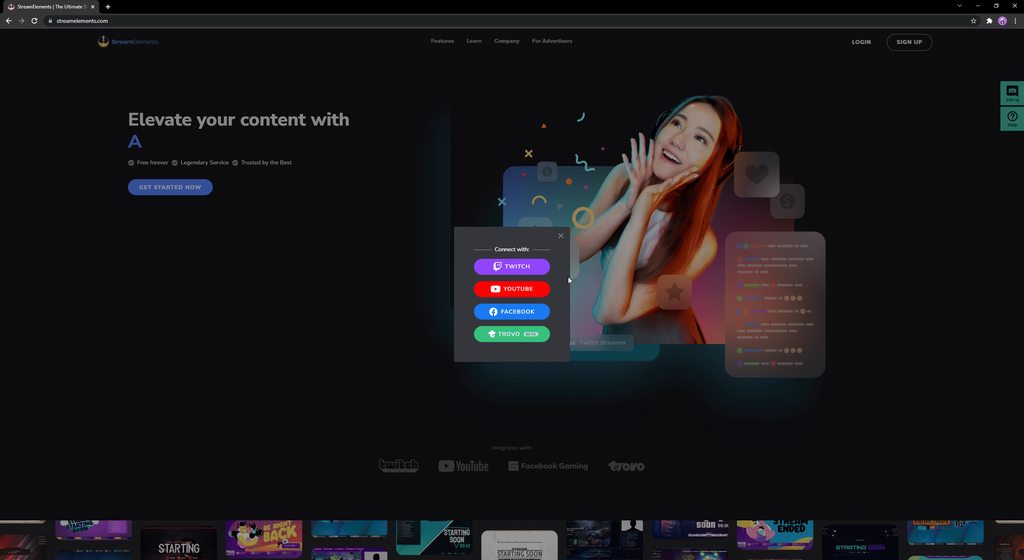
I am setting up my live stream for facebook. When I click connect with Facebook to link it prompts me to log in through facebook. Once I enter the correct log in info and it pulls my account, I continue as me. The screen then goes back to the connect with (twithc, facebook, youtube, and Trovo screen). Please help!!!
 umbral bridge
hello there
for some reason my live docs like chat and activity feeds and not connected with my facebook page chat and activities
it shows me a blank chat box and a twitch avtivities instead of my face book ones !!
and help or tips pls !!?
 wispy jackalBOT
@umbral bridge ⤵️
StreamElements menu, on top of OBS > Logout > Login
umbral bridge
it work now , Thx much ❤️
 silver relic
Streamelements wont login to obs or on site, ive done every trouble shoot. help
 void yoke
sup guys
my question is about livestreaming sport, and getting internet into the middle of a park.
I cant run cabline all the way out
 sacred furnace
void yoke
my question is about livestreaming sport, and getting internet into the middle...
sacred furnace
void yoke
my question is about livestreaming sport, and getting internet into the middle...
You can try using the StreamElements App for Android or use Prism for iPhone. You can use that to livestream to platforms
 sinful robin
How do I resize my overlay to fit to 720p
sacred furnace
sinful robin
How do I resize my overlay to fit to 720p
My Overlays > Three Dots > Choose your size
sacred furnace
void yoke
I use OBS for software
Unfortunately, there isn't much we can to help there. Apologies for the inconvenience this may cause.
sinful robin
Is there a setting to make it fit without resizing everything
I do that but it starts out in 1080p
Any other places to get 720p overlays for free
quiet lagoon
@sinful robin unfortunately by defacto our overlays are designed with 1080p in mind.
turbid idol
split silo
hello,anyone i need help in obs stream elements,when logging in facebook its bla...
i still get this problem when i tried the workout
rocky mango
turbid idol
i still get this problem when i tried the workout
you've tried this: #helpdesk-facebook message ?
 elfin crypt
turbid idol
elfin crypt
turbid idol
i tried but still the same
wispy jackalBOT
@turbid idol ⤵️
StreamElements menu, on top of OBS > Logout > Login
 north axle
hi, can someone help me with my account please? need to delete some old/duplicate accounts so that I can have a clear url again, not followed by numbers. I no longer have acces to login.
 prisma nest
north axle
hi, can someone help me with my account please? need to delete some old/duplicat...
prisma nest
north axle
hi, can someone help me with my account please? need to delete some old/duplicat...
please send us an email with this request at support@streamelements.com
 sly quarry
Hi, one quick question, my streamelemennts update a couple of days ago and i begin my stream, but it didn ask me about the title description etc that it use to, I jave to go to facebook to imput that infomration manually??? did i missed something or that option is not available anymore!?
sly quarry
sly quarry
Hi, one quick question, my streamelemennts update a couple of days ago and i beg...
ahhhh forget it, i search in this chat for a problem like this and as someone said , log out , log in solved the problem, thanks!!
 cedar ingot
does this only update when i am live??

 light void
hi i would like to ask for help, streamelements for me doesn't seem to work even tho I logged my fb account.
sacred furnace
light void
hi i would like to ask for help, streamelements for me doesn't seem to work even...
Encountering issues logging into FB from SE? Try this: when you login, click on "Edit Settings" instead of "Continue as...".
Then, choose only one page from your list.
https://imgur.com/a/AkHFM1A
 vernal sequoia
 thin ether
ERR_NO_GAMING_PAGE
thin ether
thin ether
ERR_NO_GAMING_PAGE
thin ether
Thx
north axle
prisma nest
please send us an email with this request at support@streamelements.com
Cool, thanks. Sent.
 empty heron
hi guys ive been having a hard time to stream on facebook. i just downloaded streamelements today i cant start streaming because everytime i click start streaming on obs it would go like this and not respond
 gilded mesa
empty heron
hi guys ive been having a hard time to stream on facebook. i just downloaded str...
gilded mesa
empty heron
hi guys ive been having a hard time to stream on facebook. i just downloaded str...
Currently there is a known issue with going Live with SE.Live. Devs are aware of the issue.
The workaround for this is, to click on the "Live Video Settings" button in the chat dock and use the 2nd option from the pop up "Use these settings" to go live.
 slate plume
Hello 
i am missing the Gifted Sub Alert with SE. Is there any idea if it's in development? Would be very nice. I dont want to use Streamlabs only for this alerts.
 silver zinc
Oops! Something went wrong...
We could not create a Live Video on the page.
not play strem
how to fix
wispy jackalBOT
@plush pike ⤵️
Welcome to the helpdesk! Please let us know how we can assist you today and a support volunteer or staff member will assist you as soon as they are available. Thank you for your patience.
 dim mango
Hi. Hope you can help me. I already set up everything for my facebook live. It's just that I noticed some names who follow, like, and share my live stream is not appearing on alerts. Like it's not popping out (NAME liked the page) etc. I only see them in FB alerts but not on streamelements alerts. Also, is there any way that streamelements can also see the 'reacts' on facebook not just 'like'? How can I fix this? Please help. Thanks!
 snow arrow
Hi, I am trying to log into Streamelements with my facebook account. I log into my main page but when I got to select a page for elements to interact with, it's not seeing my gaming page. Please help. trying to ditch SLOBS tonight, but can't until I get this set up.
sacred furnace
snow arrow
Hi, I am trying to log into Streamelements with my facebook account. I log into...
Encountering issues logging into FB from SE? Try this: when you login, click on "Edit Settings" instead of "Continue as...".
Then, choose only one page from your list.
https://imgur.com/a/AkHFM1A
 buoyant pike
My custom alerts are not been heard by my viewers is there an easy fix to this??
wispy jackalBOT
@buoyant pike ⤵️
If you are not hearing your alerts and/or Media Request, you are most likely using the Control Audio via OBS option in your browser source properties.
To make sure you hear the alerts and the stream also hears them, follow along the screenshot bellow.
https://cdn.discordapp.com/attachments/199460642975907840/685371800456134686/unknown.png
buoyant pike
wispy jackal
<@812597688910217216> ⤵️
Thank you
 last rampart
Once again having a issue where OBS freezes when trying to go live with FB dash. It was working after the latest update but it is now back to freezing . I know I can go live the other way but I would really like to do it from the fb dash as it has more options.
quiet lagoon
Unfortunately that is the only method atm.
 plain swift
I just added Fackbook to my OBS . I made a separate profile for, but every time I try to go live it wants to stream on YouTube. What am I doing wrong ?
wispy jackalBOT
StreamElements menu, on top of OBS > Logout > Login
void yoke
I have had audio and video from my gaming pc to my streaming pc yesterday before I cut my pc's off. Cut on today and I have video to my streaming PC but no audio. Can anyone help me with this
plain swift
wispy jackal
Thank you Bot 🙂
 cyan osprey
Anyone know where to acquire Facebook Chat Box themes?
 hallow cedar
Can I please get assistance on my streamelements account with obs studio. I stream to Facebook and I linked everything correctly but my gaming isn’t recognized. I have a blank activity feed…
 keen axle
Hey guys thanks in avance for your help. im sure it's an easy fix. when I want to go live on facebook the start streaming it used to ask me for the stem key so that i could past it. it no longer does that and states that it starts streaming but i dont know where.
 buoyant crag
Hi I Can't login to my Facebook account
sorry i can't access to my page
any one here?
sacred furnace
buoyant crag
Hi I Can't login to my Facebook account
Encountering issues logging into FB from SE? Try this: when you login, click on "Edit Settings" instead of "Continue as...".
Then, choose only one page from your list.
https://imgur.com/a/AkHFM1A
buoyant crag
i choose the page but it's not coming
I link tow different account


where is my page?
sacred furnace
Did you recently change the name on the account?
sacred furnace
What do you mean you can't find the account? It looks like you're able to log into D7mdx. is that not the account you're trying to access?
buoyant crag
i can't found my page not account
buoyant crag
buoyant crag
this my account
sacred furnace
buoyant crag
when i stream on my page the alert not coming
Currently there is a known issue with going Live with SE.Live. Devs are aware of the issue.
The workaround for this is, to click on the "Live Video Settings" button in the chat dock and use the 2nd option from the pop up "Use these settings" to go live
buoyant crag
the chat is come no problem but my issue in alert
sacred furnace
Alerts like when someone follows or donates stars?
buoyant crag
yes


i do it to my friend and he don't have any problem
but i don't know what's wrong with me!
are you here?
!!!
helloooo any one here?
there's no one to help?
sacred furnace
buoyant crag
Are you not seeing any events in your activity feed? I see that it has reset your session data and that it is only showing events that has happened since the last session which was created 30 minutes ago.
When you test events do the alerts go off?
buoyant crag
buoyant crag
here i make it all time
can you come any where i will share my screen
now i can't login to my account!!
please i want to start stream can you help me or not?
sacred furnace
buoyant crag
here i make it all time
I need a video of what you're seeing. everything looks fine on our end
buoyant crag
ok can you come for any room i will share my screen
sacred furnace
Just post a video in this channel
sacred furnace
- Click accept on Cookies
- It looks like you're logging into the account with your FB page, i'm not seeing an issue there.
- These are the english support channels, and we're more than happy to help, but if it would be easier to respond in your native language, we do have other options
wispy jackalBOT
Welcome to the helpdesk! The regular helpdesk channels are in English but we do provide multi-language support in the following channels: #🇩🇪︱deutsch | #🇫🇷︱français | #🇪🇸︱español | #🇵🇹︱português | #🇳🇱︱nederlands | #🇮🇹︱italiano | #🇵🇱︱polski | #🇨🇳︱中文語言服務區-chinese | #🇯🇵︱日本語-japanese | #🇭🇺︱magyar | #🇰🇷︱한국어-korean | #🇹🇭︱ไทย-thai | #🇷🇺︱русский | #🇺🇦︱українська | #🇨🇿︱czech
buoyant crag
look
i will send to you image
i don't understand what's wrong
my setting like my friend setting
why i can't receive my alert
i will cry
sacred furnace
buoyant crag
i will cry
Do you have the browser source alert at the top of your sources? If anything is listed above it, they will not show
oblique dust
oblique dust
I'm trying to run a test stream. Normally I would go live from the Facebook dash...
Still don't know the solution for this
sacred furnace
oblique dust
Still don't know the solution for this
We don't have an solution for it at this time... Our devs are still working on this issue.
oblique dust
sacred furnace
We don't have an solution for it at this time... Our devs are still working on t...
Thank you for the response
hallow cedar
Help me please
wispy jackalBOT
@hallow cedar ⤵️
Welcome to the helpdesk! Please let us know how we can assist you today and a support volunteer or staff member will assist you as soon as they are available. Thank you for your patience.
hallow cedar
I stream through obs studio. I can’t link my gaming page to my streamelements. I can’t add streamelements to my obs studio either. I don’t know if there’s an extension I need but at first it was showing my chat box linked to my Facebook gaming page. Now it doesn’t show it on the dock or anything.
 rare ether
Hi, I cant log in, everytime i try, it just go back to the home page on website
ERR_RETRY_WITH_PAGESELECTOR
 indigo galleon
anyone know why when i login to streamelements on obs using my facebook i accept it and it takes me to a white screen? been 2 days of it
rare ether
gilded mesa
https://canary.discord.com/channels/141203863863558144/593481048130584582/907533...
what
gilded mesa
rare ether
what
Click the link and follow the message
 jovial pelican
 teal ferry
I have a problem in my stream elements
teal ferry
I have a problem in my stream elements
Whats the problem?
New update and I've got this 😦

 sterile beacon
yes
@jovial pelican
Me too
I got this problem to login facebook
update latest version and can't login to facebook at SE.live at obs
 jovial pelican
Hopefully sorted soon 🤞
jovial pelican
Still go the problem, any help or!?
wispy jackalBOT
Download the OBS installer from their website: https://obsproject.com
Download the SE.Live installer: https://streamelements.com/selive
Install OBS without letting it run after completion.
Install SE.Live and run after finishing (No need to check the OBS option).
Disconnect and reconnect your account in OBS Settings > Stream.
 violet anvil
my dashboard does not log in with facebook
sacred furnace
violet anvil
my dashboard does not log in with facebook
Encountering issues logging into FB from SE? Try this: when you login, click on "Edit Settings" instead of "Continue as...".
Then, choose only one page from your list.
https://imgur.com/a/AkHFM1A
violet anvil
sacred furnace
Encountering issues logging into FB from SE? Try this: when you login, click on ...
ok, thx.
 hallow cedar
will my activity feed updated when I start streaming through my facebook gaming page? I know the chat will, I just don't ever see my recent likes, shares, etc.. please help if you can..
please @ me when responding.
 prime patio
hiyaaa just wanna report something that happened this morning after the recent update. I somehow dont have the option to log in to facebook from SE OBS. Docks that I used to have saved are no longer there. I'm live now so I wont be able to respond right away but I'll try to give screenshots later. Thank you!
Also all my browser source for SE arent working.
 hazy drum
How do I get my alerts to show on OBS. I’ve done the copy overly link and pasted it into my browser source and nothing. Help!
buoyant pike
Is there a fault with the share alert??cause I'm not getting any alerts when a viewer shares my stream
sacred furnace
hallow cedar
will my activity feed updated when I start streaming through my facebook gaming ...
Your Activity Feed should automatically show this if you have the proper filters enabled.
wispy jackalBOT
@hallow cedar ⤵️
Please provide your account ID found at the top of this page: https://streamelements.com/dashboard/account/channels This ID is public info and safe to share here.
sacred furnace
hazy drum
How do I get my alerts to show on OBS. I’ve done the copy overly link and pasted...
Do you have the browser source at the top of the source list? If anything is above it, it will be blocked and won't show on screen
 slim elbow
I am having an issue where my follows and shares are not showing up in my feed.
anyone know how to fix this?
wispy jackalBOT
@slim elbow ⤵️
If you are not seeing likes/shares on your current stream or page, that might be due to how the privacy settings of the person liking/sharing your stream are set.
If they are set to private we won't be able to see the events.
Specifically for shares, if they share in private groups, we won't be able to see the event.
 wide beacon
I have not been able to log into Stream Elements on SE Live for OBS for months. I have patiently been waiting for your to correct this (along with 2 years on my kappgen emojis but I have given up on those) Today I can finally get to your "Stream Elements" page from the log in through SE Live but it just keeps looping me back and making me log into FB then makes me log into SE then back into FB 😦
sacred nymph
wide beacon
I have not been able to log into Stream Elements on SE Live for OBS for months. ...
Please try logging in via the method in the pinned messages
wide beacon
sacred nymph
Please try logging in via the method in the pinned messages
Choosing the primary page as suggested in the pinned comments worked, thanks!
hallow cedar
@wispy jackal my account id is 622ae8c6e1795618d1c46969
@sacred furnace I have everything enabled for my gaming page for Facebook through all the settings. I didn’t get no real time updates as in likes, shares, etc. it’s been a on going thing.

 plucky axle
prime patio
hiyaaa just wanna report something that happened this morning after the recent u...
plucky axle
prime patio
hiyaaa just wanna report something that happened this morning after the recent u...
I am on the same boat!
prime patio
plucky axle
I am on the same boat!
bummer, did you find a fix?
it seems that every time I update SE.Live, upon completion, it makes me update again. Not sure what's going on.
plucky axle
prime patio
it seems that every time I update SE.Live, upon completion, it makes me update a...
negative. Still working on it. And yes, everytime there is an update it happens. I updated by mistake smh
plucky axle
 plucky epoch
Someone can help me?
plucky epoch
Someone can help me?
there are a lot of answers on the same issue you are having here on this thread
 pine forge
Hey there, I'm facing an issue with my stars alerts, it runs for a second or 2 then it stops. I've created a new overlay but I still face the same issue, anyone here has an idea how to solve this issue?
would be much appreciated!
 lucid granite
Hi there,
I have same troubleshooting as a lot of people. I've set link on OBS, Live preview is working fine but in real stream alerts don't appear. Anyone know how to fix it??
sacred furnace
lucid granite
Hi there,
I have same troubleshooting as a lot of people. I've set link on OBS,...
Do they show up in your activity feed? Do you have your browser source for your alerts on the top for the list of sources?
sacred furnace
prime patio
it seems that every time I update SE.Live, upon completion, it makes me update a...
If you're stuck in an infinite loop of updating, uninstall SE.Live then uninstall OBS (You don't need to delete your personal files) then reinstall obs and se.live from the updater tools
wispy jackalBOT
@prime patio ⤵️
Download the OBS installer from their website: https://obsproject.com
Download the SE.Live installer: https://streamelements.com/selive
Install OBS without letting it run after completion.
Install SE.Live and run after finishing (No need to check the OBS option).
Disconnect and reconnect your account in OBS Settings > Stream.
lucid granite
sacred furnace
Do they show up in your activity feed? Do you have your browser source for your ...
Hi there,
Yes, alerts are in browser source. When I emulate alerts trough streamelements dashboard, they work fine but in stream, if someone likes or follow, alerts are not showing. The activity feed is working fine.
plucky axle
wispy jackal
<@98203471328587776> ⤵️
Thank you!!!!
 mystic hatch
salut
 limber sleet
Hi guys wanted to bring up an issue I’ve been having for months now.
I can go live via my Facebook dashboard settings with just OBS. If I have stream elements add on, it will freeze my whole OBS, everytime. I’ve re set my PC since then, deleted and reinstalled both OBS and stream elements.
As it stands I’ve been having to go live directly to Facebook, but I need to be able to use dashboard settings so I can go live just for my supporters.
 woven sundial
hello
i play pubg fps good
but when i stream with obs elements low fps in game any help ?
 dusk pasture
hi
 sleek crest
Hello I really need help with this
I'am trying to login to streamelements using my fb
but for some reason is only keeps getting me back to the login/sign up home page
I really need help
I have been using streamelements for a long time and this has only happen just now
 sweet fable
I had this issue before. Sign out of facebook (in facebook itself) and re-sign in. then Stream Elements should ask for authorisation again and it should be fixed.
sweet fable
Another thing which could help is clearing facebook and Stream Elements website cache through your browser.
sacred furnace
Encountering issues logging into FB from SE? Try this: when you login, click on "Edit Settings" instead of "Continue as...".
Then, choose only one page from your list.
https://imgur.com/a/AkHFM1A
 viral aurora
chatbot is not showing
rocky mango
viral aurora
chatbot is not showing
Facebook does not allow or support chat bots. In turn we have not developed a bot for Facebook.
 spark egret
Ola, meu chat do facebook não esta funcionando
wispy jackalBOT
@spark egret ⤵️
Welcome to the helpdesk! The regular helpdesk channels are in English but we do provide multi-language support in the following channels: #🇩🇪︱deutsch | #🇫🇷︱français | #🇪🇸︱español | #🇵🇹︱português | #🇳🇱︱nederlands | #🇮🇹︱italiano | #🇵🇱︱polski | #🇨🇳︱中文語言服務區-chinese | #🇯🇵︱日本語-japanese | #🇭🇺︱magyar | #🇰🇷︱한국어-korean | #🇹🇭︱ไทย-thai | #🇷🇺︱русский | #🇺🇦︱українська | #🇨🇿︱czech
 atomic oar
So I know that I’m gonna feel dumb for asking but can someone explain what exactly the fan alert is?
 rugged current
 pseudo mango
Hello,
I am having some problems with my chat not coming over to OBS anymore
I have logged out, refreshed, and tried all i know how to do, however, my chat window just stays blank even when i see chat on my phone
pseudo mango
Just tried an uninstall and reinstall, and now none of my docks are available

The chat window on the right is all i get, all stream.
 vital crypt
@pseudo mango man my chat box isnt even working
i go live on fb and nothing comes up there
 strong pilot
how do i change the stream key for facebookj
pseudo mango
vital crypt
<@!737667465961668659> man my chat box isnt even working
It was working perfectly fine on Saturday, but then I log on last night, and it won’t work. I have to read chat from my phone rather than my stream PC. Is what it is I guess!
pseudo mango
strong pilot
how do i change the stream key for facebookj
Go to creator studio, go live, you will then have a page where you can copy a stream key, switch this to persistent stream key in the advanced drop down settings in that page. Copy, then paste it in your stream settings in OBS.
strong pilot
i did this and now i cant stream to Twitch... i may be wrong but doesnt it allow me to stream to both twitch and FB simultaneously
 short geyser
I have logged in with Facebook and nothing showing in dashboard
 keen crag
It’s only showing the regular home feed, rather than chat, in the chat box
Does anyone else have this issue in chat box?

Any quick fixes?
She’s live rn, I need help
 frosty prairie
pseudo mango
It was working perfectly fine on Saturday, but then I log on last night, and it ...
frosty prairie
pseudo mango
It was working perfectly fine on Saturday, but then I log on last night, and it ...
I'm running into the same issue at the moment did anyone answer you yet on a fix?
My chat dock is just blank its not showing any chat in OBS. I have to read chat off my phone at the moment any fix for this I don't seem to be the only one
pseudo mango
frosty prairie
I'm running into the same issue at the moment did anyone answer you yet on a fix...
Not yet
frosty prairie
pseudo mango
Not yet
ok yeah my activity feed is working fine its just my chat in obs wont load comments ..I tried to uninstall and reinstall everything and that didnt work either so I'm thinking its something on their end
 upper kelp
So i logged in last night to stream. And now facebook chat box is just white..No chat at all in the dock..Ive tried un-installing. re-installing.logging in..out..reset my whole p.c just about lol any help please ?
upper kelp
frosty prairie
ok yeah my activity feed is working fine its just my chat in obs wont load comme...
literally the same thing im dealing with right now..was perfectly fine until last night
upper kelp
frosty prairie
ok yeah my activity feed is working fine its just my chat in obs wont load comme...
im going threw the same exact thing man..chat wont load in obs . just a white box now lol but my activity feed is fine
pseudo mango
upper kelp
im going threw the same exact thing man..chat wont load in obs . just a white bo...
Your in the same boat as many of us. Still haven’t gotten a response from anyone.
 severe shell
Same issue here. Glad to know i'm not the only one. I thought it was something I had done. Just a grey box for me. Does not seem to be loading the chat.
Issue started yesterday
upper kelp
ive went back to streamlabs in the meantime..which i dont like using. chat works in streamlabs..doesnt work in obs/streamelements.live
 blissful badge
Any Idea on why the chat box for the SE live plugin stays white and wont load comments?
One last question also , why does it seem so hard to get tech help? You have a software program that thousands of people depend on, but yet still get no help at all. its like heres the program now fend for yourself when it comes to issues.
 pearl meteor
I'm setting up stream labs in the meantime as well seems to be we will be waiting awhile unfortunately for an answer.. Streamelements is so much better than stream labs but I refuse to have to read chat off my phone
prisma nest
hi guys! we will investigate the reported issues with chat in OBS - apologies for the inconvenience!
 thorny rain
so i added a website to my merch and it doesn't pop up
upper kelp
prisma nest
hi guys! we will investigate the reported issues with chat in OBS - apologies fo...
it is now happening with all software 😦 streamlabs started doing it this morning now..obs was first..I use streamelements with both as well ..now there is no facebook chat with any software obs/streamlabs.
 lost depot
hello
lost depot
upper kelp
it is now happening with all software 😦 streamlabs started doing it this mornin...
also to you
 worldly dragon
has anyone figured out the issue with Facebook alerts and Chat not showing in StreamElements?
 delicate lark
any update on the fix for FB chat not working OBS.Live
 late scaffold
worldly dragon
has anyone figured out the issue with Facebook alerts and Chat not showing in St...
late scaffold
worldly dragon
has anyone figured out the issue with Facebook alerts and Chat not showing in St...
Hey man it seems to be on facebooks end I imagine because even slobs is having the same issue
<@&364840891023622144>s am I correct on that assumption?
Or @staff
prisma nest
our team is currently investigating these issues, please bare with us 
late scaffold
prisma nest
our team is currently investigating these issues, please bare with us <:Prayge:8...
Any update on the process just curious
prisma nest
late scaffold
Any update on the process just curious
no updates yet
late scaffold
Okay seems to be an issue with the latest updates compatibility of the program to facebook
dusk pasture
why wheen streaming chat dont work
hallo i need help
why wheen streaming in obs se live chat dont work and it is active
i dont see comments just facebooke
 subtle quartz
Chat doesnt work when streaming, i need that back....badly
void yoke
i cant log in my FB
severe shell
Hopefully this gets fixed soon. I really don't want to have to resort to going back to streamlabs but using my phone for chat is kinda rough.
stuck matrix
@dusk pasture @subtle quartz @severe shell Our developers are currently investigating the chat issue and we hope to have a resolution as soon as possible. We appreciate your patience as we investigate!
 trail oak
Waiting chat fix
upper kelp
well guess the devs dont want you guys to have a working chat lol because they deleted my comment trying to help you guys out. or the moderators i guess lol Well guess im done with streamelemnts because thats pretty rude...good job mods.
 south elk
Hey guys. So recently after a long time of using obs se live with 0 issues out of nowhere the other day my chat screen when i go live is just showing a blank white screen. Nornally it would have fb chat here, and it is not working. Ive updated, logged out logged in. Re installed. Nothing is working. Its always white but it will normally havw fb chat and a place to comment. None of my chat shows up on this blank white screen. Im pretty tech savvy normally so its a little confusing. Anyone having this issue out of nowhere? And know how to fix??

I dont want to go back to streampabs but its feeling like i might have to and thats frusterating 😭
Nvm, i read above and see im not the only one. Streamlabs it is
severe shell
stuck matrix
<@!675806992907894803> <@!708190548145733692> <@!853665147314372638> Our develop...
Thanks for the Response
 wet marsh
well its not only me having a hard time for the chat box.
void yoke
that chat box is quite the issue right now i guess, happy to know that i am not the only one suffering from this new chat feature.
 junior furnace
Hello Everyone
silver relic
Please fix the FB Chat box ASAP! I hate Facebooks actually dashboard interface and love yours, and will never go back to SLOBS but hurry.
 velvet fractal
Hola alguien me podría ayudar en obs no muestra los verlay es decir los navegadores no lo muetra se queda sin nada por que es ? todo lo que tenia de stream elements no se ve

 zenith glade
@south elk I'm having the same issue as u I have to pop out my live chat on creator studio to see it
south elk
Yeah they working on it, its all facebook issue pretty sure an update on there end. I hate using creator studio cuz i dont see my alertts as easily way over on my 3rd monitor
@zenith glade
zenith glade
@south elk I just pop the live chat out and still get my alerts on obs just not the chat lol and I don't use creator studio as my pc not fast enough to run both at the same time
south elk
Ahh i have two pcs but dude, what do you mean pop the chat out. It can be its own seperate floating thing away from the creator studio page??
wispy jackalBOT
@velvet fractal ⤵️
Welcome to the helpdesk! The regular helpdesk channels are in English but we do provide multi-language support in the following channels: #🇩🇪︱deutsch | #🇫🇷︱français | #🇪🇸︱español | #🇵🇹︱português | #🇳🇱︱nederlands | #🇮🇹︱italiano | #🇵🇱︱polski | #🇨🇳︱中文語言服務區-chinese | #🇯🇵︱日本語-japanese | #🇭🇺︱magyar | #🇰🇷︱한국어-korean | #🇹🇭︱ไทย-thai | #🇷🇺︱русский | #🇺🇦︱українська | #🇨🇿︱czech
@junior furnace ⤵️
Welcome to the helpdesk! Please let us know how we can assist you today and a support volunteer or staff member will assist you as soon as they are available. Thank you for your patience.
sacred furnace
silver relic
Please fix the FB Chat box ASAP! I hate Facebooks actually dashboard interface a...
Our devs are aware of the issue and we're working on it. No ETA ATM
sacred furnace
south elk
Ahh i have two pcs but dude, what do you mean pop the chat out. It can be its ow...
You can add a custom dock with a URL so you can pop it out that way
 sick wren
i need help i am trying to stream to facebook and my stream freezes a lot does anyone have any fixes for this?
keen crag
sacred furnace
You can add a custom dock with a URL so you can pop it out that way
This is the god comment!!
 graceful dome
is there any problems to go live as it keeps saying failied to connect
 native knot
hello, i can't seem to see the chat in obs when i'm streaming in facebook
quiet lagoon
It's a known issue being worked on.
 thin acorn
native knot
hello, i can't seem to see the chat in obs when i'm streaming in facebook
thin acorn
native knot
hello, i can't seem to see the chat in obs when i'm streaming in facebook
same with this issue. is there already a fix for this?
native knot
thin acorn
same with this issue. is there already a fix for this?
i guess not, i had to make a workaround to remedy the issue
 viscid sentinel
Idk if I'm the only one but the chat widget doesn't apper, I tried to refresh but still not working
 quiet lagoon
Known issue being worked on.
sacred furnace
graceful dome
is there any problems to go live as it keeps saying failied to connect
Currently there is a known issue with going Live with SE.Live. Devs are aware of the issue.
The workaround for this is, to click on the "Live Video Settings" button in the chat dock and use the 2nd option from the pop up "Use these settings" to go live.
 toxic canopy
Hi, my activity feed doesnt appear to be working on facebook. Ive connected accounts but nothing. Chat feed is brokem too
 inland brook
We are aware of the chat dock not working. Reported above as well.
About the activity feed, can you elaborate? Is the dock not loading same as the chat dock or events are just not showing up?
 spark ruin
I can't seem to connect to FB?
inland brook
Are you getting an error or?
spark ruin
Doesn't even show any error.. after I pressed continue where it says "Save browser", it's just blank white screen.
But doesn't seems to be SE problem when I tried to get into my streamer dashboard in FB..
So I take it FB is having problem again..
inland brook
"Save browser"? Im a bit confused where you've clicked :D
Can you show a screenshot just in case?
spark ruin
Hold up
It's here, but nevermind, it's through already, so it must be FB fault as everything else runs smooth.
 inland brook
Ah, this is after the 2FA. Do you by chance click on "Continue as" as well? If yes and you are still having issues, click on "Edit Settings" instead and try that way.
spark ruin
No, I did the edit, but it was trying to load exactly that, and it was blank white screen. Been waiting for more than 10 minutes. But I checked, and it's FB fault.
Thank you @inland brook for spending your precious time on me.
inland brook
I'm more thinking it might be a local issue with your network, as our QA team just confirmed a different issue( the blank chat docks) and I'm able to use Facebook normally 
spark ruin
I see.. it might be on my end too as we have some storms happening tonight
void yoke
Good morning friends, how are you?
I was reading some information in the chat about the error that is being presented about loading facebook chat in OBS after the last update of OBS. Do you have any predictions to normalize this problem?
Thank you very much in advance
Image provided by borolasgame same error I'm currently experiencing

 brazen turtle
void yoke
Image provided by borolasgame same error I'm currently experiencing
brazen turtle
void yoke
Image provided by borolasgame same error I'm currently experiencing
This is a confirmed bug, our developers are working on it - but no ETA on the fix for now.
void yoke
Thank you very much for the information, we will wait in that case
 waxen jungle
void yoke
Image provided by borolasgame same error I'm currently experiencing
waxen jungle
void yoke
Image provided by borolasgame same error I'm currently experiencing
any solution about this?
 analog palm
waxen jungle
any solution about this?
analog palm
waxen jungle
any solution about this?
Know issue, devs are working on it, no timeframe for a fix right now
 brazen talon
Hi there, I'm streaming on Facebook using slobs and streamelements for my alerts. I noticed that only few alerts are working, others don't show up while some are super delayed. In my last stream, streamelements already captured 4 (1 like, 3 shared) engagements while my Facebook live dashboard has a lot.
 hoary sable
hi
wispy jackalBOT
@hoary sable ⤵️
Welcome to the helpdesk! Please let us know how we can assist you today and a support volunteer or staff member will assist you as soon as they are available. Thank you for your patience.
sacred furnace
brazen talon
Hi there, I'm streaming on Facebook using slobs and streamelements for my alerts...
SLOBS has been known to block our links. You should try using SE.Live and see if you notice this same issue.
void yoke
Hi! my chat dock in obs isn't showing my Facebook chat anymore?
quiet lagoon
Known issue being worked on.
void yoke
quiet lagoon
Known issue being worked on.
Ok and in the meantime?
quiet lagoon
Unfortunately as I don't use Facebook I can't give an answer for that.
 errant adder
hi everybody, as a temporarily solution to the SE chat dock not working I've created a custom web browser dock and user the URL from the detached chat in the FB dashboard, you have to update the URL manually but it does the trick, looking forward to getting a fix though.
brazen talon
Hi everyone, I noticed that the activity feed of my SE dashboard didn't capture all the activities of my stream.
Case in point, in my last stream last night, my Facebook live dashboard has several "shared stream" activity while in my SE dashboard has only 1 which resulted to only 1 triggered alert.
hoary sable
the chat box is broken again
sacred furnace
void yoke
Ok and in the meantime?
Custom Dock
wispy jackalBOT
@hoary sable ⤵️
Please provide your account ID found at the top of this page: https://streamelements.com/dashboard/account/channels This ID is public info and safe to share here.
sacred furnace
hoary sable
the chat box is broken again
Also is the stream public and listed? if not it won't show up or work
 sacred furnace
hoary sable
sacred furnace
hoary sable
Known issue, our devs are working on it. A work around is to add a custom dock
hoary sable
oh ok thank u
native knot
sacred furnace
Known issue, our devs are working on it. A work around is to add a custom dock
how do you add a custom dock??
 light gorge
Hi. how can i activate my chat bot?
 gilded mesa
There is no chatbot for Facebook
native knot
gilded mesa
There is no chatbot for Facebook
ohhh, soo, just add the live link as custom dock??
gilded mesa
native knot
ohhh, soo, just add the live link as custom dock??
Docks > custom browser docks. No, you can add the facebook chat link as custom dock
light gorge
gilded mesa
There is no chatbot for Facebook
oh okay. thank you so much!
 storm goblet
gilded mesa
Docks > custom browser docks. No, you can add the facebook chat link as custom d...
storm goblet
gilded mesa
Docks > custom browser docks. No, you can add the facebook chat link as custom d...
For those of us in the back, how do we do this? Hard using my phone to read chat
light gorge
gilded mesa
Docks > custom browser docks. No, you can add the facebook chat link as custom d...
where can i find this? im using OBS and SE plugin
 rigid mauve
how can I link my facebook account to my existing twitch streamelements account
toxic canopy
Hi, im using facebook and activity stream shows no activity ever. Im logged in but still nothing
 restive tendon
rigid mauve
how can I link my facebook account to my existing twitch streamelements account
restive tendon
rigid mauve
how can I link my facebook account to my existing twitch streamelements account
Please locate your JWT tokens for both accounts and DM them to me. Feel free to ask me if you require help locating them.
restive tendon
toxic canopy
Hi, im using facebook and activity stream shows no activity ever. Im logged in b...
Could you offer me more details?
 mortal crow
hello, i need help, the chat page blank

hello

need help, my chat facebook page is blank now,
i tried re-login streamelement acount and obs acount with my facebook, still not working , the chat blank
quiet lagoon
Known issue.
 pale jungle
is there any fix yet for this ? happen to me after an update recently
if using the custom dock do you need to update and change this url every time ??
 torpid bluff
.
toxic canopy
restive tendon
Could you offer me more details?
Basically. My activity feed stays empty. Since ive set it up its given me no feedback on Facebook
 open pawn
New update today I see, still no fix to chat box?
prisma nest
open pawn
New update today I see, still no fix to chat box?
this was an update from OBS, we still have no news regarding the chat box issue
 vagrant echo
Chat box issue still not fixed.. i cant see the comments of my viewers whenever i stream on facebook live
 gleaming gull
@mortal crow if you click on the down arrow at the top of your chat box, does it give you an option to switch profiles?
brazen talon
toxic canopy
Basically. My activity feed stays empty. Since ive set it up its given me no fee...
mine just only few, not able to capture all compared to my Facebook stream dashboard which resulted to non-triggered alerts.
 onyx marten
came here looking for a chatbox fix seems its still broken
 mystic umbra
any issue with facebook alerts
My alerts are not working
created streamelement alerts
 tall flame
still no chat fix...
brazen turtle
tall flame
still no chat fix...
We are working on it. No ETA for the fix right now.
 fickle dove
hi
 abstract spear
wispy jackalBOT
abstract spear
wispy jackalBOT
@fickle dove ⤵️
Welcome to the helpdesk! Please let us know how we can assist you today and a support volunteer or staff member will assist you as soon as they are available. Thank you for your patience.
dim mango
How to fix when your alerts are delayed.
This starts when i updated my obs last night (and it is not responding for some reason)
timid valve
prisma nest
this was an update from OBS, we still have no news regarding the chat box issue
My chat dock in OBS doesn’t show my chat but it does show my Facebook page. Weird
prisma nest
timid valve
My chat dock in OBS doesn’t show my chat but it does show my Facebook page. Weir...
yeah, the chat dock is not working at the moment, it looks like something changed with the generated url for the chat dock, our devs are on it but we don't have an ETA
 outer snow
So are the docks for activity feed and chat not available at the moment?
 mystic badger
Does anyone else have issues with their frames dropping?
sacred nymph
mystic badger
Does anyone else have issues with their frames dropping?
I would advise taking a look at your logs from the last stream that was dropping frames with the OBS analyzer: https://obsproject.com/tools/analyzer
Of course we can always look at them too and see if we spot anything
 toxic latch
Hoping someone can help me, been having some trouble the past couple days, ive tried logging out and logging back in but none of that seems to work. My chat and activity feed in obs.live isnt working
pine forge
toxic latch
Hoping someone can help me, been having some trouble the past couple days, ive t...
If you read more above, you’ll find out, many have the same issue and SE devs apparently working on it.
 merry light
I need help on my facebook chat dock on obs.. i recently installed obs with streamelements plugins.. my issue was everytime i go live.. when someone or even me interact with my live chat, my obs chat dock goes black. I can't see comments on my live stream.. Hope someone can help me. Tried reinstalling everything.. hardware acc on and off both obs and chrome. still no luck. Anyone have the same issue as mine???
sacred furnace
merry light
I need help on my facebook chat dock on obs.. i recently installed obs with stre...
Known issue and our devs are working on it. 🙂
merry light
sacred furnace
Known issue and our devs are working on it. 🙂
cool mate! It's good to know that it's not something to do with my current pc setup.. I can now relax and wait for the fix. Thank you!! 🙂
 tribal nacelle
Hello everyone, I came here in search of answers and was afraid to post because I wanted to search for it but there are way to many comments to look over. I am wondering why the alert box for sharing my video on Facebook is not working. When I mean that the alert box is not working, it only works if people share to their profile and does not work when they share to other Facebook pages. Am I understanding the alert box wrong or how can I change it so it shows up when other people are share it to groups? Thank you in advance.
 smoky rapids
Good Morning, Anyone know how to fix the connection to server issue? Started a few days ago and I'm not sure how to fix it and can't find the answer on Reddit
tribal nacelle
@smoky rapids what connection problem are you having? could you be more specific?
hoary sable
how long till the caht gets fixed
stuck matrix
hoary sable
how long till the caht gets fixed
We don't currently have any ETA for this, but our developers are aware and investigating, thank you for your patience!
 stoic sonnet
I need help linking my facebook to stream elements, it only took my twich account. thank you
sacred nymph
stoic sonnet
I need help linking my facebook to stream elements, it only took my twich accoun...
You can add another account to SE by going here: https://streamelements.com/dashboard/account/channels
 wispy jackalBOT
@stoic sonnet ⤵️
Did you get a "Channel already claimed" message?
More than likely your accounts need to be merged! - Please note:
- Merging accounts only allow faster ways to switch between accounts
- Merging accounts does not allow data sharing between accounts - different streaming platforms, different type of events
- Merging accounts allows duplicating/sharing overlays between the accounts
If you understand the limitations of merging and want to proceed, please find the JWT tokens (!jwt) from both accounts you want to merge and fill out the form here: https://streamelements.com/contact with each token correctly labelled
You can find your JWT token on your account channels page (Show Secrets to reveal the token): https://streamelements.com/dashboard/account/channels
READ ME: This is a private security token. Do NOT share this token here or other public places, only with a StreamElements staff member in private.
stoic sonnet
@sacred nymph already sent the token, thank you
 worldly solar
I'm unable to see my facebook chat in obs using the stream elements plugin.....it just show blank chat
any ideas on a fix?
quiet lagoon
Wait. It's being worked on.
worldly solar
quiet lagoon
Wait. It's being worked on.
none more needs to be said....that's great news! Thanks!
 muted lynx
not sure if this is a Facebook or stream elements issue. For the last couple of days my chat feed has not been working through stream elements when I go live on Facebook. My notifications go through but the chat feed does not so I'm having to pull up a separate browser to read my chat since it is not loading in through he chat feed bar.
 mossy robin
does anyone know if MrBoost's minimal chat widget works with facebook gaming?
tribal nacelle
I am wondering why the alert box for sharing my video on Facebook is not working. When I mean that the alert box is not working, it only works if people share to their profile and does not work when they share to other Facebook pages. Am I understanding the alert box wrong or how can I change it so it shows up when other people share it to other groups? Thank you in advance.
 timber glacier
Minha live não esta recebendo Alertas de like, compartilhamento, seguidores. E também não esta deixando colocar navegador as minhas metas, estrelas, etc.
wispy jackalBOT
@timber glacier ⤵️
Welcome to the helpdesk! The regular helpdesk channels are in English but we do provide multi-language support in the following channels: #🇩🇪︱deutsch | #🇫🇷︱français | #🇪🇸︱español | #🇵🇹︱português | #🇳🇱︱nederlands | #🇮🇹︱italiano | #🇵🇱︱polski | #🇨🇳︱中文語言服務區-chinese | #🇯🇵︱日本語-japanese | #🇭🇺︱magyar | #🇰🇷︱한국어-korean | #🇹🇭︱ไทย-thai | #🇷🇺︱русский | #🇺🇦︱українська | #🇨🇿︱czech
 gloomy arch
Anyone have an ETA on the chat fix?
stuck matrix
gloomy arch
Anyone have an ETA on the chat fix?
At this time our devs are still investigating the issue. thank you for your continued patience!
gloomy arch
stuck matrix
At this time our devs are still investigating the issue. thank you for your cont...
Okay. Thanks im sure there will be a message when it is.
 pale merlin
i tried updating my obs with stream elements but now all the layout i used cannot be retrieved.
pale merlin
muted lynx
not sure if this is a Facebook or stream elements issue. For the last couple of ...
same problem with me too.

 grave sonnet
My chat is not loading too. Hopefully this will be fixed soon
quiet lagoon
No as there is no bot for facebook.
mossy robin
does anyone know if MrBoost's minimal chat widget works with facebook gaming?
quiet lagoon
You might be able to get it work manually adding the code to a custom widget option but as I believe it's only designed for twitch it won't work otherwise unless he's made changes for it to work on other platforms.
mossy robin
yeah i know it worked on mixer also was hoping it would work there also haha
quiet lagoon
At minimum you can try clicking the link to import it. If it gives the mismatched platform then it would need to be redone or manually imported.
mossy robin
ok, thank you for the help
 worthy parrot
no way just read about chat docks then. ive literally spent 2 hours messing about, watching youtube vids and re installing to get it to work
this is what my chat is showing
 tribal nacelle
Third time is a charm Hello I am wondering why the alert box for sharing my video on Facebook is not working. When I mean that the alert box is not working, it only works if people share to their profile and does not work when they share to other Facebook pages. Am I understanding the alert box wrong or how can I change it so it shows up when other people share it to other groups? Thank you in advance.
tribal nacelle
worthy parrot
no way just read about chat docks then. ive literally spent 2 hours messing abou...
it is a known issue
 sly bolt
So now I cant upload an image on OBS.. it freezes and crashes when I go into finding an image window.
 short jacinth
Can anyone help me with Audio fix when I have OBS open on my streaming pc? It sounds real static
 remote ridge
hi im having issues not getting the chat window to show the chat from my stream any suggestions its just showing a white page
quiet lagoon
It's a known issue being worked on.
 chrome merlin
Any updates on the facebook chat bug?
stuck matrix
chrome merlin
Any updates on the facebook chat bug?
Our devs are still looking into this issue. No updates at this time.
 split pike
Hey guys, I accidentally connected my facebook account to a personal account and I can't unlink the channel to connect to the correct account.
Can you help me?
wispy jackalBOT
@split pike ⤵️
There is no easy way to unlink 2 owner-type accounts from each other. The only way is to make a closure request from here: https://streamelements.com/dashboard/account/security
WARNING: In submitting a closure request, all linked channels within the account will be deleted and you will lose all associated data. This includes overlays, custom commands, timers and past data (tips, subs, etc). You can still reconnect with the deleted account, but you are essentially starting fresh.
split pike
wispy jackal
<@268841018961559553> ⤵️
Developers need to add an option to unlink channels urgently, this makes life easier for users. 😢
wispy jackalBOT
@split pike ⤵️
Check out the StreamElements ideas board: https://strms.net/ideas. You'll be able to add ideas, upvote ideas you agree with and track their progress with email notifications. Adding and upvoting ideas also helps the staff know which ideas should be prioritized so please take some time to upvote.
 lethal heart
worthy parrot
this is what my chat is showing
lethal heart
worthy parrot
this is what my chat is showing
i have the same problem as this. it shows the big facebook logo and not the chat feed from live stream.
 stiff cipher
why I can't connect my FB in streamelements.com? after I log in nothing happen
 barren marlin
stiff cipher
why I can't connect my FB in streamelements.com? after I log in nothing happen
barren marlin
stiff cipher
why I can't connect my FB in streamelements.com? after I log in nothing happen
When logging in, do you have 2 pages selected in the settings?
 crisp hearth
Does anyone chat actually work or is just not working for everyone?
lethal heart
crisp hearth
Does anyone chat actually work or is just not working for everyone?
Based on the text channel of different platforms, I think this is for everyone.
thorny rain
 thorny rain
I don't understand why this won't load
wispy jackalBOT
@thorny rain ⤵️
Please provide your account ID found at the top of this page: https://streamelements.com/dashboard/account/channels This ID is public info and safe to share here.
lethal heart
stuck matrix
Our devs are still looking into this issue. No updates at this time.
Any updates on this? Thank you so much.
 urban flame
I was streaming right now, then my OBS closed, I restarted my stream and the chat feed suddenly started working again, I can see comments again, anyone else?
 daring sluice
yo why can't i sign in on my streamelelements
lethal heart
can or can't?
 cobalt pivot
Good day
i have questions with regards logging elements through facebook.. i couldnt login it would just get back to the homepage.. however if i login my twitch account it could login why is that ?
cobalt pivot
does it really matter if i login my streamelements on facebook or twitch..
i will be using it in facebook however i did my overlay on twitch does it really matteR?
void yoke
hi any updates on the facebook chat bug?
brazen turtle
void yoke
hi any updates on the facebook chat bug?
Not yet, we are still working on it.
 frosty garden
Glad I'm not the only one giving this issue I've been trying to get it to work for 3 weeks now
 stone sonnet
I need your help in speak Spanish
gilded mesa
stone sonnet
I need your help in speak Spanish
#🇪🇸︱español
 chilly mural
hi guys! just want to ask can i co stream my fellow stream? if yes, can you show me how? tnx!
 quick sorrel
hi guys sorry go a problem, practically for a couple of days when I go live I have the activity feed which is not in real time and I can not see who likes or shares you know why?
I apologize if there are writing errors but I am translating
 cyan field
Who do I contact to get my SE Pay enabled? I have well over 100 followers.
wispy jackalBOT
@cyan field ⤵️
Please contact us via email for support with SE.Pay. You can use our contact form here: https://streamelements.com/contact Thank you.
sly quarry
streamelements webpage is down..... 404 not found.... when you try to log in..... .....
 hidden rock
That is the same error I am getting tonight. I came to ask about it
timid valve
I literally cannot login in to Stream Elements. I get a 404 Error. PLEASE HELP!!!
sacred furnace
We are aware of the current Outage and we're working with our devs to get things back and running. Thank you for your patience 
hidden rock
The login box opens like normal, but it just shows a 404 error
gotcha. Thank you greyson
sly quarry
they got hacked by the competition!!! 😱
 terse drift
Anyone with this problem? 404 Not Found
sacred furnace
We are aware of the current Outage and we're working with our devs to get things back and running. Thank you for your patience
 lucid epoch
quick sorrel
hi guys sorry go a problem, practically for a couple of days when I go live I ha...
lucid epoch
quick sorrel
hi guys sorry go a problem, practically for a couple of days when I go live I ha...
I had this happen. I had to go into OBS, choose the StreamElements header at the top, Stream Setup, then Edit Widgets Data. I was then able to log back into my Facebook profile and the OBS activity feed worked again.
sacred furnace
We are aware of the current Outage and we're working with our devs to get things back and running. Please check the #270206314561404928 channel for when things will be back online. Thank you for your patience
 upbeat sage
anyone here can help me out? everytime i tried to log in on fb it keeps bringing me back on the homepage
sacred furnace
upbeat sage
anyone here can help me out? everytime i tried to log in on fb it keeps bringing...
There was an error but it should be fixed by now.
Try again
sacred furnace
upbeat sage
it's been on going issue for me for the past couple weeks
Encountering issues logging into FB from SE? Try this: when you login, click on "Edit Settings" instead of "Continue as...".
Then, choose only one page from your list.
https://imgur.com/a/AkHFM1A
upbeat sage
copy thanks alot
tribal nacelle
sacred furnace
Encountering issues logging into FB from SE? Try this: when you login, click on ...
Seems like its fixed. I couldn't even log into streamelements homepage.
 flint knoll
hello,
I have an issue with the activity feed, 'cause is not working, is not updating the activity, any solution?
Thank you.
 safe badger
flint knoll
hello,
I have an issue with the activity feed, 'cause is not working, is not upd...
safe badger
flint knoll
hello,
I have an issue with the activity feed, 'cause is not working, is not upd...
same problem
lethal heart
Chat dock still displays facebook logo on the upper left while live streaming
 rigid bolt
good afternoon... when i hit go live, the chatbox is just clear when everything loads up and i start streaming etc ... (obs) thanks paul..
tall flame
Chat box hasn't worked now for 2 weeks almost. I think the devs are working on it guys..we are all having the same issues. May have to find new software to use soon 😦 sucks because i love s.e live .
 quiet wharf
hi there my activity feed has stopped working and my chat isnt working
quiet wharf
flint knoll
hello,
I have an issue with the activity feed, 'cause is not working, is not upd...
im having the same and also my chat for facebook
 winter kraken
hi guys. i'm from Malaysia. joined here for quite a while but i never chat anything before. apologize if i'm in the wrong section.
but i'm here to find custom codes for facebook livestream custom 'event list' widget.(i'm trying to create my own simple event list design through HTML/CSS/JS/FIELD/DATA)
please note:
i've only started learning these coding few days ago 😂 so, i only know how to do basic containers and texts inside them.
what i'm after:
- JS section codes
- FIELD section codes
- DATA section codes
but, if you guys can provide all sections also would be great! thank you so much
sacred furnace
lethal heart
Chat dock still displays facebook logo on the upper left while live streaming
Known issue, our devs are working on it
sacred furnace
winter kraken
hi guys. i'm from Malaysia. joined here for quite a while but i never chat anyth...
#dev-chat or #widget-share may have what you're looking for
winter kraken
sacred furnace
<#259680142459142144> or <#457957557470887947> may have what you're looking for
oh okay.. thank you so much
 edgy iris
i dont know if i ask this here but, is there a marathon counter anywhere I can get for Facebook
 chilly knoll
Has anyone else ever had trouble with the CHAT Dock not showing live chat?
stuck matrix
chilly knoll
Has anyone else ever had trouble with the CHAT Dock not showing live chat?
Hey this is a known issue and our devs are investigating.
hidden rock
Thanks Dayc
 drowsy harbor
Encountering issues logging into FB from SE? Try this: when you login, click on "Edit Settings" instead of "Continue as...".
Then, choose only one page from your list.
 vernal cargo
flint knoll
hello,
I have an issue with the activity feed, 'cause is not working, is not upd...
vernal cargo
flint knoll
hello,
I have an issue with the activity feed, 'cause is not working, is not upd...
did you solve it?
 dark thunder
Does anyone know why Facebook wouldn't be counting my streaming hours?
quiet lagoon
You'd have to ask them. Not something we can answer here.
 steel aurora
anyone got any news about this obs chat widget
severe shell
still no solution eh? Well if this isn't fixed by the weekend I've got no choice but to try something else. Any suggestions? Figured Stream Labs was the only other real option.
grave sonnet
severe shell
still no solution eh? Well if this isn't fixed by the weekend I've got no choice...
There is a solution if you want to try this........
go to the dashboard and click the chat on the gaming tab before you start a stream, on the three dots you will see a pop out in a new window option. Click it and on the new browser window you can copy the link, on OBS go to the view option then custom docks option on top and click add new. You then set a name for it, FB Chat as an example, and then next to it paste the URL for your chat.
You will see the new dock, put it where you had the streamelements dock(after you hide the stream elements dock), resize it so you can read better. It will be sorta like the streamelements one, but much simpler or more dull, the streamelements one looked better but it’s better than nothing.
And voila, you’ll have your chat back!
Next stream you make, you just have to repeat the process of copying the chat url, but on the custom dock settings you just have to delete the old URL and replace it with the new stream chat URL instead of adding a new dock, so it’s kinda like a manual thing, I know it sucks, but at least you can have it back while streamelements fixes their chat issue. If you don’t replace the url before each stream, or if you forget to do it, you’ll end up just seeing your previous stream’s FB chat.
lucid epoch
So, Facebook chat is working correctly on StreamLabs but not StreamElements? Hoping this is fixed soon. Loved having my Facebook activity feed on the left, my gameplay with webcam in the middle, and the Facebook chat on the right. Having to pop out chat from Facebook's Live Producer and trying to "dock" it on the right of the screen is no bueno.
void yoke
Hi when I change scene on stream elements all my alerts replay on the new scene one after another. This only started happening recently and I use different overlays and slight different alert layouts how can I fix this please?
void yoke
hello I have a problem and it is that in the live obs. the facebook chat stays blank and I can't see the comments, I already clicked on reload but it's still the same, can someone help me please?
sacred nymph
void yoke
hello I have a problem and it is that in the live obs. the facebook chat stays b...
This is a known issue and our devs are investigating!
 neon sail
void yoke
Hi when I change scene on stream elements all my alerts replay on the new scene ...
neon sail
void yoke
Hi when I change scene on stream elements all my alerts replay on the new scene ...
Same issue for me
sacred furnace
void yoke
Hi when I change scene on stream elements all my alerts replay on the new scene ...
Try these settings
 light gorge
Hello, i'm a facebook gaming streamer, and im new to StraemElements. So there's an option to count total followers, whenever i clicked that option, im not getting the correct follower count. Can someone help me with this small issue? Thank you in advance
quiet lagoon
@light gorge it only counts from join onwards. We're unable to retrieve prior to join unfortunately.
light gorge
quiet lagoon
<@396952505000525826> it only counts from join onwards. We're unable to retrieve...
Thank you so much for your fast response.
timid valve
Hello, Im a Facebook streamer and Ive been having the same problem for about 3 weeks. My S.E. Live docks Chat doesn't show my live chat when streaming. it shows my actual Facebook page. Can someone help me with how I can get it to show my actual chat when im live?
 heavy umbra
hello i have problem Emulation sent, but alerts are paused in the activity feed
 tall gale
Hi, I'm trying to play around with widgets for a channel I'm preparing for, and I only seem to have access to 3 widgets, when all of the material about SE says that there's a whole bunch of them in the gallery. I only see 3
I don't particularly care about facebook, but there's no 'helpdesk-general'
and I've hooked up only a dummy FB page so that I could start messing around with SE
light gorge
timid valve
Hello, Im a Facebook streamer and Ive been having the same problem for about 3 w...
have you tried re-log in your account? this is what i did when i accidentally click something that go to my facebook page
timid valve
light gorge
have you tried re-log in your account? this is what i did when i accidentally c...
yes i have and it continues to show the actual facebook page. I even logged out and logged back in and it still does it
tall gale
Any idea why I can't see more than 3 widgets in the overlays gallery?
void yoke
sacred furnace
Try these settings
will do
sly bolt
Still no word on the chat issue ? Anyone recommend switching softwares? Having to do the dock thing really sucks for me just adds more to do before/during stream to get it started. 😩
sacred nymph
Unfortunately, we are still looking through this issue and don't have an ETA on the fix.
 marsh hare
heavy umbra
hello i have problem Emulation sent, but alerts are paused in the activity feed
marsh hare
heavy umbra
hello i have problem Emulation sent, but alerts are paused in the activity feed
Likely you have it paused in activity feed.
 gloomy arch
timid valve
Hello, Im a Facebook streamer and Ive been having the same problem for about 3 w...
gloomy arch
timid valve
Hello, Im a Facebook streamer and Ive been having the same problem for about 3 w...
This is an ongoing issue for all they are working to resolve.
heavy umbra
marsh hare
Likely you have it paused in activity feed.
Really TY
pearl meteor
sly bolt
Still no word on the chat issue ? Anyone recommend switching softwares? Having t...
I switched to streamlabs for the time being it definitely uses up a little more cpu power which costs a few frames then obs studio but atleast chat works there until streamelements gets it together!
 bitter cape
Does the loyalty system work on FB?
quiet lagoon
No.
 vapid dagger
Any staff I can talk to? @white flax
 sharp dragon
vapid dagger
Any staff I can talk to? <@155149108183695360>
sharp dragon
vapid dagger
Any staff I can talk to? <@155149108183695360>
@white flax is a bot and will probably never reply.
 warped swan
I have a Mac and would like to connect a game controller to Twitch for my grandchildren...what kind of controller is best?
sacred furnace
vapid dagger
Any staff I can talk to? <@155149108183695360>
How can I help?
 untold granite
Hello, I've been having problems logging in with my facebook account on SE. When I log in using my facebook, it just directs me to the home page where I need to log in again.
sharp dragon
untold granite
Hello, I've been having problems logging in with my facebook account on SE. When...
untold granite
sharp dragon
https://discord.com/channels/141203863863558144/593481048130584582/9075331182426...
same thing happens, I only have 1 page that I manage in the account.
 wispy jackalBOT
@void yoke ⤵️
Welcome to the helpdesk! Please let us know how we can assist you today and a support volunteer or staff member will assist you as soon as they are available. Thank you for your patience.
 spark spire
hello im an admin of a page on fb and it doesn't sync on my activity feed and dashboard and chat when i stream on that specific page. I have a page of my own so SE live syncs to that, i wanna know if theres any way i can change the page it links to @white flax
 quasi meadow
i have problm my activity feed and chat box not working already a week....someone help me
trail oak
still waiting for the chat to be fixed
quasi meadow
ok tq for info
torpid bluff
void yoke
Hi
Welcome!
void yoke
Thanks
light gorge
Hi, is there a way that emotesplosion can also be use in typing in chat commands/keyword? i just want a custom emote to have explosion effect using a keyword (not by gaining followers or something)
 shell copper
Hi, My Facebook chat isn't load. How can i fix this?
sacred furnace
shell copper
Hi, My Facebook chat isn't load. How can i fix this?
Known issue, our devs are working on it
torpid bluff
shell copper
Hi, My Facebook chat isn't load. How can i fix this?
Devs working on it, known issue like Greyson said 👍🏻
 solar flower
hey, no idea if anyone has noticed but first link in this channel's topic is outdated and not inline with links in topics of #helpdesk-twitch or #helpdesk-youtube 
not a big deal but could be confusing to some
south elk
sacred furnace
Known issue, our devs are working on it
Understand the devs are working on it but is there literally 0 update you guys can tell anyone after multiple weeks? Not your fault obviously but would be nice to have a update!
chilly knoll
Yeah, I think im going to just switch to Streamlabs. 2+ weeks with not even an update or a rollback on the last update.
 atomic heron
anyone having issues with stream elements and facebook not showing chat in the chat box? I'll go live and the chat box will be normal and then just stop working. Chat doesn't show up and it takes away my ability to message or see anything.
atomic heron
 gilded mesa
atomic heron
anyone having issues with stream elements and facebook not showing chat in the c...
gilded mesa
atomic heron
anyone having issues with stream elements and facebook not showing chat in the c...
Known issue, devs are working on it
atomic heron
gilded mesa
Known issue, devs are working on it
thank you!!!! Been driving me crazy looking for issues or a setting problem.
quasi meadow
me chat box and activities feed same.. not working
 spare rivet
quasi meadow
me chat box and activities feed same.. not working
spare rivet
quasi meadow
me chat box and activities feed same.. not working
My activity feed is working. Just not my chat. Although at about an hour and a half in to stream, my likes will come back through.
quasi meadow
my last activity feed work last 2april until now

 final gulch
hola necesito ayuda
me obs no se como trasmitir en multistream

ahi se queda
pero nada mas
gilded mesa
@final gulch #🇪🇸︱español
 urban granite
Boa tarde
 plush stream
atomic heron
plush stream
atomic heron
Hi there do we have a fix date for this issue? -- same goes for the notification, notifications are not updated - last update is 2nd of April. Thank you.
 last yew
Hi, im experiencing a problem at activity feed it doensn't show everything at what's happening at my page it only receive all of the likes of my live and of course the alert box also only show that
sacred furnace
south elk
Understand the devs are working on it but is there literally 0 update you guys c...
Our devs are working on alot of different things at this time. The solution to this issue is not as easy as flicking a switch. We appreciate your patience while we continue to fix this issue.
wispy jackalBOT
@urban granite ⤵️
Welcome to the helpdesk! The regular helpdesk channels are in English but we do provide multi-language support in the following channels: #🇩🇪︱deutsch | #🇫🇷︱français | #🇪🇸︱español | #🇵🇹︱português | #🇳🇱︱nederlands | #🇮🇹︱italiano | #🇵🇱︱polski | #🇨🇳︱中文語言服務區-chinese | #🇯🇵︱日本語-japanese | #🇭🇺︱magyar | #🇰🇷︱한국어-korean | #🇹🇭︱ไทย-thai | #🇷🇺︱русский | #🇺🇦︱українська | #🇨🇿︱czech
sacred furnace
urban granite
I can't log into my account on the site, is it linked to a momentary failure?
Encountering issues logging into FB from SE? Try this: when you login, click on "Edit Settings" instead of "Continue as...".
Then, choose only one page from your list.
https://imgur.com/a/AkHFM1A
 void yoke
is the chat box bug fixed already?
lethal heart
void yoke
is the chat box bug fixed already?

 wispy zenith
Hey trying to set a star goal on my overlay but the start ammount wont reset, it stays my total stars earned , any ideas ?
wispy jackalBOT
@wispy zenith ⤵️
To reset goals:
- from the Overlay Editor > Session data on top right (monitor symbol) > Goals tab > reset progress of desired goal
- from the Dashboard > Activity feed on the left > Widget data on the right > Goals tab -> reset progress of desired goal
Note: Goal widgets (progress) only counts up and doesn't go down automatically, if you lose followers/subs.
wispy zenith
Thank you! is there a way to use a LABER for the top 3 star givers in a current session ? there doesnt seem to be that option on my overlay editor
urban granite
urban granite
???
mortal crow
quasi meadow
i have problm my activity feed and chat box not working already a week....someon...
same with me
last yew
Hi, im experiencing a problem at activity feed it doensn't show everything at what's happening at my page it only receive all of the likes of my live and of course the alert box also only show that
urban granite
our we have no return and now?
 urban granite
????
 teal wind
How can I enable SE Pay for my Facebook? I meet all requirements but it’s telling me to contact support
wispy jackalBOT
SE.PAY is available for streamers who are at least 18 years old, with bank account under their name in one of the following countries, and have at least 101 followers (Twitch/Trovo/Facebook) / 101 subscribers (YouTube):
Austria, Belgium, Czech Republic, Denmark, Finland, France, Germany, Ireland, Italy, Netherlands, Poland, Portugal, Slovakia, Spain, Sweden, Switzerland, United Kingdom, United States.
If you meet these criteria and don’t see SE.Pay, let us know.
For information on SE.Pay payment methods, their fees, and settlement times see https://streamelements.com/dashboard/tipping/fees
@teal wind ⤵️
Please provide your account ID found at the top of this page: https://streamelements.com/dashboard/account/channels This ID is public info and safe to share here.
@urban granite ⤵️
Please provide your account ID found at the top of this page: https://streamelements.com/dashboard/account/channels This ID is public info and safe to share here.
teal wind
wispy jackal
<@697116211426754660> ⤵️
Hi, here’s my account ID: 60753c1e15164068889bf73a
sacred furnace
teal wind
Hi, here’s my account ID: 60753c1e15164068889bf73a
Should be activated now
teal wind
sacred furnace
Should be activated now
Thanks Greyson!
sacred furnace
urban granite
https://streamelements.com/?error=Something%20went%20wrong..%20please%20try%20ag...
Don't post your email, is this the link you get when you try to access https://streamelements.com/dashboard/account/channels
StreamElements
The Ultimate All in One Platform for Streamers
 sacred furnace
urban granite
sacred furnace
urban granite
Do you notice this issue on Desktop and not mobile?
urban granite
for that reason i don't see my id
the problem is in both
and apparently the problem is linked to my page
????
this problem eata linked only to my main oagina
sacred furnace
I'm able to log into "BUG" with no issue.
What you'll need to do is log out of facebook and StreamElements on a desktop device then log in again
urban granite
This procedure has already been done and it is not correcting
sacred furnace
urban granite
This procedure has already been done and it is not correcting
Are you using a computer or a phone using "desktop" mode?
lucid epoch
I realize the Facebook Chat integration still isn't working and developers are working on it. But is there at least some type of ETA on a patch so I don't have to use other services?
urban granite
I already did the process on both devices
sacred furnace
lucid epoch
I realize the Facebook Chat integration still isn't working and developers are w...
No ETA at this time. You can create a custom dock in OBS or SE.Live to have your chat
sacred furnace
urban granite
I already did the process on both devices
Please try doing this in a private/incognito tab on a desktop/laptop device
urban granite


I realize that if I create another page, the login happens normally, only on this page it doesn't enter
sacred furnace
urban granite
I realize that if I create another page, the login happens normally, only on thi...
Reached out to further investigate, i'll let you know when we have an update
urban granite
I'm waiting

on this second page the login happens normally
when I leave this page marked as in the photo, it does not log in
subtle quartz
Have they fixed the issue with chat being blank on Facebook?
sacred furnace
subtle quartz
Have they fixed the issue with chat being blank on Facebook?
not at this time
subtle quartz
Dang it. It's getting hard looking down to read my comments, any suggestions?
untold granite
Hello, Do I need to be the admin page in order to log in or being page editor will do?
 atomic aspen
Morning just looking for some help please - I have logged out, logged in and it has still not updated. Yesterday I had no alerts come through chat and the activity feed has not updated (I usually have about 150 likes per stream 30-40 shares so bit awks when I can not thank anyone)
 thin acorn
hello guys is there a fix already for the chat/comment section? mine is still not appearing 😦
urban granite
the problem with my account not being logged in when trying to link with my page @aragamer, could it be happening due to some account configuration???
gloomy arch
thin acorn
hello guys is there a fix already for the chat/comment section? mine is still no...
I'm wondering the same about the chat fix.
quasi meadow
my activities feed now ok.... just waiting chat box problm only....
timid valve
thin acorn
hello guys is there a fix already for the chat/comment section? mine is still no...
It’s been down on my Pc for about 3 weeks. This is ridiculous
thin acorn
hope they could do a fix for this soon
urban granite
?????????
atomic aspen
atomic aspen
Morning just looking for some help please - I have logged out, logged in and it...
Still not heard anything please send HELP
 bright ravine
I'm literally here for the same reason - facebook chat not appearing and I also cant see how many viewers I have in the UI. Have to navigate to my fb live producer to do so.
sacred furnace
urban granite
?????????
Could you send us a video of you logging in using the instructions i sent before (You can find them again in the pinned comments)
sacred furnace
timid valve
It’s been down on my Pc for about 3 weeks. This is ridiculous
No fix yet. Sorry for the delay
timid valve
sacred furnace
No fix yet. Sorry for the delay
Thanks for the update
urban granite
urban granite
????
wispy jackalBOT
@urban granite ⤵️
Please logout of StreamElements at https://streamelements.com/logout and then login again to your account (Twitch/YouTube/Facebook).
urban granite
I have already done logof as instructed but it does not accept my page, if I create another page it connects normally
but I can't change pages
the problem is only on facebook
sacred furnace
urban granite
I have already done logof as instructed but it does not accept my page, if I cre...
Is this a gaming page?
urban granite
yes
urban granite
???
sacred furnace
urban granite
yes
Please try reconnecting the connection for StreamElements under the business intergrations

 serene yarrow
anyone know how to fix the chat box in streamelaments all i see is facebook not my stream chat ?
sacred furnace
serene yarrow
anyone know how to fix the chat box in streamelaments all i see is facebook not ...
Known issue, our devs are working on it
serene yarrow
uhh ok i know these happened like last year to me and i did something and it came back but i could not remmeber what i did
so this times its not me its stream elaments then?
any eta on the fix you know of?
untold granite
sacred furnace
Please try reconnecting the connection for StreamElements under the business int...
Hello, Do I just remove it and log in again?
sacred furnace
untold granite
Hello, Do I just remove it and log in again?
Correct
untold granite
sacred furnace
Correct
btw, can I still log in even though im just an editor in the page?
sacred furnace
untold granite
btw, can I still log in even though im just an editor in the page?
No this must be done the page owner
 gleaming patio
i cant get alerts to work its there just wont refresh
gleaming patio
serene yarrow
anyone know how to fix the chat box in streamelaments all i see is facebook not ...
mine messes up all the time i jus refresh till it starts working
serene yarrow
mine never crashes mine just shows my facebook not the chat from the stream
 glad roost
I'm having trouble streaming. Chat not showing on obs elementlive
I also ask for a solution to this problem.
 last yew
Anyone know how to fix the Activity Feed?
 fervent mesa
How to log out FB in obs ?
fervent mesa
Not very supportive
serene yarrow
@glad roost i’m having the same problem and can’t find an answer any where’s
 runic spruce
serene yarrow
<@!827881187216588851> i’m having the same problem and can’t find an answer any ...
runic spruce
serene yarrow
<@!827881187216588851> i’m having the same problem and can’t find an answer any ...
try the top pinned message?
serene yarrow
I’ll try it when I get home thanks
urban granite
sacred furnace
Please try reconnecting the connection for StreamElements under the business int...
yes in the panel it is active but does not enter the dashboard to see my overlay
id 4414433968636034

I already removed this integration to start over, and it still doesn't work
even when not linked, it is able to open the panel
 urban granite
?????
 oak cliff
can somebody please help me with an OBS issue?
pale jungle
I take it no chat fix as of currently
oak cliff
glad roost
im having the same issue
sacred furnace
oak cliff
im having the same issue
Known issue, devs are working on it
 slender mango
serene yarrow
mine never crashes mine just shows my facebook not the chat from the stream
slender mango
serene yarrow
mine never crashes mine just shows my facebook not the chat from the stream
this is what I keep getting, no chat text at all, just homepage and I'm also getting no stream logs in activity feed & can't connect my FB to dashboard
sacred furnace
slender mango
this is what I keep getting, no chat text at all, just homepage and I'm also get...
Known issue. Chat and Activity feed isn't working as intended and our devs are working on it
 sacred furnace
serene yarrow
yes i get the same thing
sacred furnace
serene yarrow
yes i get the same thing
This is a known issue. Devs are working on it
serene yarrow
they asked me to try this #helpdesk-facebook message so i did and im just saying its not working still
slender mango
I cant even connect my Dashboard to my FB
bright ravine
I tried to stream to FB tonight and now i only have an option to log into twitch. I have no option to set up my fb login?
wispy jackalBOT
@bright ravine ⤵️
StreamElements menu, on top of OBS > Logout > Login
sacred furnace
also try Settings > Stream > Disconnect > Connect
bright ravine
cant seem to find it
 urban granite
???
urban granite
urban granite
yes in the panel it is active but does not enter the dashboard to see my overlay
???
???
wispy jackalBOT
@bright ravine ⤵️
StreamElements menu, on top of OBS > Logout > Login
sacred furnace
click the streamelements in the top right
urban granite
check if my id has a problem

4414433968636034
the integration happens but it doesn't login to my overlay

always returns to this home screen
?????
bright ravine
got it, i had to use a custom link dock for my live stream to get fb chat to work. But now my issue is that my voice is delayed and my cam is out of sync with it. Didn't have the issue 2 days ago. I ended the stream for now.
wispy jackalBOT
@bright ravine ⤵️
OBS > Settings > Advanced > Scroll down > Enable or disable Browser Source Hardware Acceleration, depending on its current state > Restart OBS
https://i.imgur.com/ggMe9ZE.png
tall flame
Please there is thousands of streamers out here, that depend on stream-elements for facebook live. Including me ,s.e has always been amazing and Props to you guys for making it awesome! I know its hard work and very time consuming to keep it running, updating, supplying thousands of streamers with great software that we all love! Thank you guys so much! are we close to having the f.b live chat working again? I was just wandering..Are we close to a fix for Facebook chat issues ? Just wandering if you guys could give all of us awesome gamers, a little update about this? Again thank you guys and galls for such hard work on stream elements! We use discords, stream-loots , chat-bots , commands ,bans, time-outs emojis lol all is connected to our chat. AND its definitely not easy atm lol
mortal crow
i know chat function is error for long now, but how i can fix my activity feed,it is not functioning
recently
mortal crow
sacred furnace
Known issue. Chat and Activity feed isn't working as intended and our devs are w...
okay just read this
slender mango
sacred furnace
Known issue. Chat and Activity feed isn't working as intended and our devs are w...
Is this why my Dashboard isn't connecting to my FB as well? memberof support team said I
may have 2 accounts that need merging but I've only used one email address etc?
 viscid fern
hey guys, is it only me or you guys also having trouble with fb chats ? and activity feed
 exotic fractal
hello everyone! i need help. i am trying to log in with facebook for the first time and it just simply won't log in. it sends me to facebook, i verify the correct page, sends me back to streamelements and it doesn't take me to the dashboard. Just keeps giving me the same results.
also, another question. is there a way to import alerts from my twitch dashboard to facebook or do i need to do it all over again?
lucid epoch
last yew
Anyone know how to fix the Activity Feed?
Press the "StreamElements" header at the top of OBS - then Stream Setup - then Edit Widgets Date - Log in with Facebook.
 opal hare
Hello is anyone available to help me out plz
sacred furnace
exotic fractal
hello everyone! i need help. i am trying to log in with facebook for the first t...
Check the pinned comment for your Login issues.
For the import question, try using this https://streamelements.com/dashboard/account/import
wispy jackalBOT
@opal hare ⤵️
Welcome to the helpdesk! Please let us know how we can assist you today and a support volunteer or staff member will assist you as soon as they are available. Thank you for your patience.
exotic fractal
sacred furnace
Check the pinned comment for your Login issues.
For the import question, try us...
i'm in! thank you.
opal hare
Ok im trying to log in to my dashboard and it was letting me access it but now that i have tried to get the bot active im getting a blank white screen after logging in i cant even see my analytics
sacred furnace
opal hare
Ok im trying to log in to my dashboard and it was letting me access it but now t...
Do you notice this issue in a private/incognito window?
opal hare
im working it thru google chrome and i tried the microsoft browser
sacred furnace
opal hare
im working it thru google chrome and i tried the microsoft browser
Try loading the page in a private/incognito tab (CTRL+SHIFT+N)
opal hare
Still blank
wispy jackalBOT
@opal hare ⤵️
Please provide your account ID found at the top of this page: https://streamelements.com/dashboard/account/channels This ID is public info and safe to share here.
opal hare
blank wen i load it
sacred furnace
opal hare
blank wen i load it
Please try the steps in the pinned comment
opal hare
kk trying
 quaint cargo
Hey I'm having an issue where my FB stream chat isn't showing in OBS (dock), the stream activity is working fine
rocky mango
quaint cargo
Hey I'm having an issue where my FB stream chat isn't showing in OBS (dock), the...
The stream must be live for the chat to work 🙂
remote ridge
I just noticed in my obs the stream platform was set to custom not facebook I will let yall know if this fixes issues with chat screen
last yew
lucid epoch
Press the "StreamElements" header at the top of OBS - then Stream Setup - then E...
i mean my activity feed doesn't show heart reacts and some share but some of the share show and that's a problem because if it doesn't detect those the alerts doesn't activate either
 molten ember
Hello, my activity feed and chat are not working in OBS. I have uninstalled and re-installed. I have logged out many times, and logged back in. It has been like this for a while now. I thought it was a glitch, but it isn't fixing. Before, it was just my chat not working, now it is both... What do I do?
 scarlet turtle
molten ember
Hello, my activity feed and chat are not working in OBS. I have uninstalled and ...
scarlet turtle
molten ember
Hello, my activity feed and chat are not working in OBS. I have uninstalled and ...
same issue here.
void yoke
Hello, FB Chat is still having a problem in OBS?
severe shell
Hi everyone. I was wondering if anyone could explain to me how to loop a Gif alert to play for the duration of the alert. As its setup now the gif only plays once then stops for the duration of the Alert.
Basically I want the gif to keep repeating until the Alert duration is done.
severe shell
molten ember
Hello, my activity feed and chat are not working in OBS. I have uninstalled and ...
I've been using Live producer the last 3 weeks since chat busted. I know its not great but hoping for a fix soon.
 amber elk
I'm having the same issue where the notifications and chat isn't coming through on obs studio via facebook. I've just been opening streamlabels separately to see the notifications come through in real time but it doesn't show chat feed so I just have to see the chat on my phone as I'm streaming
sacred furnace
The issue we're experiencing with Facebook Activity and Chat are deeper than we anticipated. There are deep connection issue with Facebook and we're doing all we can to fix this. We appreciate your patience while we continue to investigate and resolve this issue
 lime yacht
sacred furnace
The issue we're experiencing with Facebook Activity and Chat are deeper than we ...
lime yacht
sacred furnace
The issue we're experiencing with Facebook Activity and Chat are deeper than we ...
I was just experiencing that tonight after doing a stream over there 🤣 I use youtube more then anything and have used twitch
chilly knoll
sacred furnace
The issue we're experiencing with Facebook Activity and Chat are deeper than we ...
any idea on when a fix might be estimated
sacred furnace
chilly knoll
any idea on when a fix might be estimated
Soon ™️
Jokes aside, we don't have an ETA atm
 sage lark
hello , is anyone having trouble logging into se from their website ? i keep getting redirected to login page after logging in . No problem with twitch or yt login , only facebook.
sacred furnace
sage lark
hello , is anyone having trouble logging into se from their website ? i keep get...
Try the steps in the pinned comment
sage lark
sacred furnace
Try the steps in the pinned comment
that didnt fix it , i keep getting redirected to the login page.
both in obs plugin and website .
streamelements.com/?error=Something went wrong.. please try again later#= this is how the url looks like just in case
its been like this for the past 24 hours
i created a test page and tried switching to that page and it worked , looks like its an issue with one page , any other fixes ? i can provide the page link that has the issue if needed
wispy jackalBOT
@sage lark ⤵️
Please logout of StreamElements at https://streamelements.com/logout and then login again to your account (Twitch/YouTube/Facebook).
sage lark
i cant even login , not sure how im suppose to logout , the link brings me straight to the login page . 😦
tried removing the intergration in my facebook for streamelements and relogging again also didnt fix the issue .
my browser url link that i use inside obs for overlay is all working , i just cant login to see the events or chat atm.
sacred furnace
sage lark
tried removing the intergration in my facebook for streamelements and relogging ...
Please try going to your business intergrations section on Facebook and Remove the StreamElements connection.
 sage lark
sacred furnace
Please try going to your business intergrations section on Facebook and Remove t...
sage lark
sacred furnace
Please try going to your business intergrations section on Facebook and Remove t...
yes i tried this and relogging again , still cant login .
sacred furnace
sage lark
yes i tried this and relogging again , still cant login .
I've reached out to our devs to look further into this
sacred furnace
sage lark
yes i tried this and relogging again , still cant login .
What is the name of your Facebook page?
sage lark
am i allowed to link it here ?
sacred furnace
sage lark
am i allowed to link it here ?
No, but just the name will do
sage lark
its Niccck
 vocal horizon
Hello! Why can I only see a few people who liked and shared my stream while it shows more?
vocal horizon
remote ridge
I just noticed in my obs the stream platform was set to custom not facebook I wi...
Hi! Does this also fix the activity feed? I can only see some who shared my stream
 unborn elm
Hello I cannot login to my facebook page I already tried the method you mentioned above but it still doesn't work please can you help
scarlet turtle
Hoping that the issue will be fixed soon. Its hard to stream on facebook without chat on obs.
 torn aspen
Hellop, I need help with facebook chat dock. So i changed my PC to another and when i log in to my account everything is fine it lets me stream do the job, but somehow the chat just go black and i cant see anything or even type anything only button i can see is log out on top and thats it tried to log out and log back in but same thing happens from now only, before i didnt needed to use browser souse for my chat so i could see but somehow now it just goes black and even when the resset button on top too doesnt even do anything any solutions what could it be?
sacred nymph
We are currently working on issues with the Facebook integration.
 wise tree
I am not being able to log in with facebook
https://streamelements.com/?error=Something went wrong.. please try again later#_=_
I am getting redirected to this url
sage lark
wise tree
https://streamelements.com/?error=Something%20went%20wrong..%20please%20try%20ag...
same since the past 2 days this is happening to me
sharp dragon
@wise tree @sage lark If you log out of stream elements, log in again, then click your profile picture in the upper right and click "settings" instead of "dashboard" does it work?
wispy jackalBOT
Please logout of StreamElements at https://streamelements.com/logout and then login again to your account (Twitch/YouTube/Facebook).
 bitter cedar
I am unable to see chatbot in my Stream Elements dashboard. I looked through the guide and I didn't see a fix for it. Anyone know why this would be happening?
quiet lagoon
Because it doesn't exist for FB.
bitter cedar
bitter cedar
I am unable to see chatbot in my Stream Elements dashboard. I looked through the...
Looks like i was supposed to active the bot on the dashboard set-up wizard. I am not seeing an option to active it so the bot will show on the dashboard.
wise tree
sharp dragon
<@489776212219002880> <@177038049786462208> If you log out of stream elements, l...
nope it did not work caz im not being able to login in the first place
oblique dust
Have there been any recent fixes for the ongoing known issues? I.e going live, chat/activity feed, etc. I checked pinned msgs and nothing new as of Nov '21
brazen turtle
oblique dust
Have there been any recent fixes for the ongoing known issues? I.e going live, c...
Hi,
The chat dock in OBS is still problematic.
Can you test the going live function? With both options, preset and create new stream?
oblique dust
brazen turtle
Hi,
The chat dock in OBS is still problematic.
Can you test the going live fu...
Thanks for the response. I'll follow up after attempting a test stream. That was my main issue with the workaround. Couldn't do a test broadcast with that method
brazen turtle
oblique dust
Thanks for the response. I'll follow up after attempting a test stream. That was...
Please let us know if the issue persists, we are collecting data now about that specific issue
spark spire
spark spire
hello im an admin of a page on fb and it doesn't sync on my activity feed and da...
Hello went offline for a while but up this
 soft oasis
Hi first time poster. Any ideas why the activity feed/chat has stopped updating on version 22.3.5.805?
sacred furnace
soft oasis
Hi first time poster. Any ideas why the activity feed/chat has stopped updating ...
Known issue and our devs are still looking into it
 sinful bronze
When trying to log in on both obs and a web browser with Facebook it just goes back to the login screen and doesn't connect how do I fix this
sacred furnace
unborn elm
Hello I cannot login to my facebook page I already tried the method you mentione...
What is the name of your facebook page? Is it a gaming page? is it set to public?
sacred furnace
wise tree
I am not being able to log in with facebook
What is the name of your facebook page? Is it a gaming page? is it set to public?
wispy jackalBOT
@sinful bronze ⤵️
If you are not seeing the OBS Twitch integrations and have SE.Live installed, please follow these steps:
- Make sure you are on the latest and greatest version of SE.Live
- Exit OBS (make sure OBS is not running)
- Delete
%appdata%\obs-studio\plugin_config\obs-browser\obs_profile_cookies - Start SE.Live
- Settings > Stream > Disconnect > Connect
sacred furnace
sinful bronze
When trying to log in on both obs and a web browser with Facebook it just goes b...
What is the name of your facebook page? Is it a gaming page? is it set to public?
sinful bronze
i log in with my personal page that has my gaming page linked to it
sacred furnace
sinful bronze
i log in with my personal page that has my gaming page linked to it
Try the method in the pinned comment
sinful bronze
ok will do thanks
its still refusing to log on it started happening after i had miss typed my password a few days ago and gave me an invalid token error
sacred furnace
sinful bronze
its still refusing to log on it started happening after i had miss typed my pass...
What is the name of your gaming page? Is it set to public?
sinful bronze
the page name is ItsBrando and yes its public
soft oasis
sacred furnace
Known issue and our devs are still looking into it
Appreciate the reply
sacred furnace
sinful bronze
the page name is ItsBrando and yes its public
I'm not finding a Facebook account under that information. I found a Youtube page
sinful bronze
for some reason my facebook gaming page is linked under my youtube page and i can access that on a web browser
sacred furnace
sinful bronze
for some reason my facebook gaming page is linked under my youtube page and i ca...
Can you try creating an account using your Facebook Login info?
You can merge the two accounts once they are created
sinful bronze
im trying to create an account with facebook but it just redirects me back to the main screen where the login and sign up buttons are
sacred furnace
And you're using the method of clicking on "Edit Settings"Then, choosing only one page from your list?
https://imgur.com/a/AkHFM1A
sinful bronze
yes correct
sacred furnace
Can you head into your business integration settings for your Facebook page and check to see if StreamElements is linked? If so, then remove it and try again
sinful bronze
removed it and started over and still getting the same thing
i can log in just fine with my twitch and youtube just having this issue with facebook
sacred furnace
sinful bronze
removed it and started over and still getting the same thing
Have you ever renamed this page? was it ever under a different?
sinful bronze
no not since i've used SE
sacred furnace
what is your twitch name?
sinful bronze
Itsbrando0
sacred furnace
Could you please log in via twitch or Youtube and try to add your page via this link? https://streamelements.com/dashboard/account/channels
sinful bronze
gives me the somethings wrong try again later banner at the top of the screen


 sacred furnace
 crimson haven
Can I have some help with this?
crimson haven
Can I have some help with this?
When does this occur?
crimson haven
when I open it
wispy jackalBOT
@crimson haven ⤵️
If you are not seeing the OBS Twitch integrations and have SE.Live installed, please follow these steps:
- Make sure you are on the latest and greatest version of SE.Live
- Exit OBS (make sure OBS is not running)
- Delete
%appdata%\obs-studio\plugin_config\obs-browser\obs_profile_cookies - Start SE.Live
- Settings > Stream > Disconnect > Connect
remote ridge
vocal horizon
Hi! Does this also fix the activity feed? I can only see some who shared my stre...
no it didnt fix my issues either sorry hopefully the helpers on this page can help one if not both of us
crimson haven
wispy jackal
<@476551705346048002> ⤵️
this did not work
wispy jackalBOT
@crimson haven ⤵️
StreamElements menu, on top of OBS > Logout > Login
 sharp vigil
Hello I'm a mod and I'm having a issue with the activity feed its only showing connect to twitch but he uses Facebook
sacred furnace
sharp vigil
Hello I'm a mod and I'm having a issue with the activity feed its only showing c...
Known issue, devs looking into it
sharp vigil
sacred furnace
Known issue, devs looking into it
Thank you for the quick response so I'll just wait for a update or something?
 devout oyster
@sharp vigil I’ve gotten this problem before I just had to clock steam elements, log out, and then log back in with my Facebook info.
sharp vigil
devout oyster
<@951109867068874792> I’ve gotten this problem before I just had to clock steam ...
Thank you I'll try that out
devout oyster
@sharp vigil you’re welcome I hope it helps! I was so confused when it was saying twitch too. Lol
sharp vigil
Right just trying to get thus stream right you know
devout oyster
I do have a question for anyone on here. On stream elements my activity feed has not updated since April 1st and my Facebook live stream chat box never shows any comments, it just stays blank. I have to use Facebook dashboard to see everything and I’d rather use obs.
@sharp vigil oh yea I know!
sacred furnace
devout oyster
I do have a question for anyone on here. On stream elements my activity feed has...
Known issue, devs are looking into it
 thorn moon
Is there any fix about facebook chat?
quiet lagoon
Still being worked on unfortunately.
thorn moon
Thank you I think I need to use my facebook dashboard for a while.
 cobalt coyote
Hi anyone else unable to login into Stream Elements with Facebook Page? Since Facebook changed its page recently I can Stream but cant actually login to Stream Elements to manage my layout etc Any Help?
 muted zodiac
hi! i am having problem with my live stream, i cant seem to load the chat box at all
same problem as @devout oyster actually 😂
urban granite
I'm also having the same problems, I can't login to stream elements with my page
It's been 15 days with this problem
I already realized that the problem exists with the page already created, and if a new page is created, the login happens normally, so the problem is clear that they are with pages already created before some kind of update
 abstract atlas
Hello any help appreciated so when I go live via fb my se chat box dosnt load my fb chat anymore is there a fix for this?
 marble sail
devout oyster
I do have a question for anyone on here. On stream elements my activity feed has...
marble sail
devout oyster
I do have a question for anyone on here. On stream elements my activity feed has...
I'm also having the same issue on Facebook Activity Feed. It's stuck on March 31st
devout oyster
@marble sail I switched over to twitch last night and everything worked fine on obs. So must be a Facebook issue.
marble sail
Also, for Facebook Chat, it is not showing my page's stream chat, it only shows my main profile's news feed.
Same with others?
blissful badge
Can someone answer this for me.. If i create 2 profiles and 2 different scene profiles, 1 for facebook 1 for twitch, do i still have to log out and log in under the platform i want to stream on? i notice when i switch profiles it already shows each platform logged in?
 toxic tapir
Is there a way to remove my facebook page from the channel management page?
urban granite
my case goes further, I can't even log into the stream elements with my page, so the problem seems to be on the page connected, and whoever has logged in and logs off will have the same problem
the chat error is general, but it gets worse for those who can't even log in, so the alerts don't happen or anything
sacred furnace
blissful badge
Can someone answer this for me.. If i create 2 profiles and 2 different scene pr...
You will need to log out and login with each platform in order to go live. You can do this by going StreamElements menu, on top of OBS > Logout > Login.
wispy jackalBOT
@toxic tapir ⤵️
There is no easy way to unlink 2 owner-type accounts from each other. The only way is to make a closure request from here: https://streamelements.com/dashboard/account/security
WARNING: In submitting a closure request, all linked channels within the account will be deleted and you will lose all associated data. This includes overlays, custom commands, timers and past data (tips, subs, etc). You can still reconnect with the deleted account, but you are essentially starting fresh.
sacred furnace
IN REGARDS TO CHAT AND ACTIVITY FEED IN SE.LIVE:
There is a known issue with the Chat Box and Activity Feed for SE.Live. Our devs are looking into this and we don't have an update at this time.
dark thunder
Hey, so when i try and use stream elements it just keeps putting me back to log in, like why?
prisma nest
dark thunder
Hey, so when i try and use stream elements it just keeps putting me back to log ...
you mean on the website?
dusk pasture
CHAT DONT WORK
sacred furnace
dusk pasture
CHAT DONT WORK
Known issues, devs are working on it
urban granite
how will I unlink my account from all possible locations even if I lose everything if I can't enter this mode
sacred furnace
urban granite
how will I unlink my account from all possible locations even if I lose everythi...
We are looking into some connection issues. I will update you once I have a word from our devs
urban granite
Is there an email where I can send this type of request?
this is mine that the problem is related to pagination specifically, so you need to reset it of course, it's okay if it's reset in my case I just need to log back in with the page, even if I have to rebuild the overlay
How do I request to close my account when I can't log in?
 compact copper
I am having issues with my Chat not showing up in my OBS docks. I go to live dashboard and it's working but just not on my chat docks. Alerts are working fine.
dark thunder
So i did everything i need to do, for alerts, but when i go live, none of the alerts are still showing up and when i test them they work fine.. I dont know what to do and yes my alerts are turned on on facebook..
sacred furnace
compact copper
I am having issues with my Chat not showing up in my OBS docks. I go to live das...
Known issue, devs are working on it
compact copper
sacred furnace
Known issue, devs are working on it
Awesome thank you.
dark thunder
i have no idea why my alerts arent shwoing up pn facebook
*on
*showing
So i did everything i need to do, for alerts, but when i go live, none of the alerts are still showing up and when i test them they work fine.. I dont know what to do and yes my alerts are turned on, on facebook..
sacred furnace
dark thunder
So i did everything i need to do, for alerts, but when i go live, none of the al...
Do you have the alerts browser source at the top of your list? Do you have the resolution for the browser source at 1920x1080? Are you able to test your alerts and have them show up on your OBS?
sacred furnace
So you're able to emulate the alert and it shows in your OBS?
dark thunder
yes
but when i get like/follow/share/stars/ alerts do not show on my facebook live
Any ideas?
I'm stumped on what could be wrong
I also refreshed the catch in properties multiple times
So that ain't it
🤷🏻♀️🤦🏻♀️
void yoke
Hi previously had my fb page linked and now I can't login, every time I try it just returns me to the beginning and I can't log in , any help?
dark thunder
void yoke
Hi previously had my fb page linked and now I can't login, every time I try it j...
I had the exact same issue when I tried logging in through OBS Studio
Couldn't fix it
void yoke
deng , Is there any solution?
dark thunder
void yoke
deng , Is there any solution?
I had to go to the dashboard online, I set up my alerts and everything through there and than just did a browser sources box for my alerts, that is the fix, BUT
For some reason they aren't showing up when people, like/follow/give stars/ or share my stream..
void yoke
dark thunder
I had to go to the dashboard online, I set up my alerts and everything through t...
The problem is that I can't even log in lol
dark thunder
Like on Facebook
void yoke
dark thunder
For some reason they aren't showing up when people, like/follow/give stars/ or s...
try add the source again maybe
dark thunder
Ik, ya gotta do it tomorrow like google, not your streaming software
*through Google
Not tomorrow.. 🙄
Yeah, I've tired everything, nothing is working
Like if I tests the alerts, they work fine, but than I go live and nothing
*test
 dark flicker
Hi, im having a problem with the OBS+Streamelements the comments aren't showing on the OBS please help
 cold yarrow
Hello guys! Are video likes and shares don't work in Hype Cup?
storm goblet
dark flicker
Hi, im having a problem with the OBS+Streamelements the comments aren't showing ...
Same with mine!
sharp dragon
@dark flicker @storm goblet Comments? Do you mean the stream chat? The devs are working on it and it should be done soon ™️ .
urban granite
guys, support doesn't seem to solve anything about us, let's go to another platform to look for options, because it's been 10 days and my problem is not solved
 visual patrol
@urban granite you know there other ways to figure it out on your own they have lives and family to take care of also so give them a break
toxic canopy
Is facebook chat working now?
quiet lagoon
Not yet.
toxic canopy
Any news on when it will?
quiet lagoon
Unfortunately no.
quiet lagoon
There's even more worsely repeated ones 
void yoke
@quiet lagoon Hi i previously had my fb page linked and now I can't login, every time I try it just returns me to the beginning and I can't log in , any help?
 grim wren
Hi guys the deck chat on obs studio still always blank 😦 any idea how I can fix it? Thank you so much ❤️
 oblique narwhal
Hi, how can i unlink an account? I dont have access to my old gaming account as i was hacked but i cant link my new one
wispy jackalBOT
@oblique narwhal ⤵️
There is no easy way to unlink 2 owner-type accounts from each other. The only way is to make a closure request from here: https://streamelements.com/dashboard/account/security
WARNING: In submitting a closure request, all linked channels within the account will be deleted and you will lose all associated data. This includes overlays, custom commands, timers and past data (tips, subs, etc). You can still reconnect with the deleted account, but you are essentially starting fresh.
chilly knoll
I guess we still have no answers on FB Chat dock?
sharp dragon
Nothing yet that I have heard.
chilly knoll
Copy that
sacred furnace
IF YOU ARE NOTICING ISSUES WITH FACEBOOK LOGIN PLEASE ATTEMPT THESE STEPS:
- Go to https://www.facebook.com/settings?tab=business_tools&ref=settings
- Remove StreamElements connection
- Head back to https://streamelements.com/
- Attempt to Log back in
- Choose page that you want to login with
- The website will redirect you to the frontpage (It will say "Something Went Wrong, Try Again LATER in the URL), Wait 2+ hours. Our system needs to reconnect with the account and it takes time for the system to process this.
DO NOT ATTEMPT THE LAST STEP UNTIL THE FULL 2 HOURS HAVE PASSED
7) After waiting 2+ hours, simply login to StreamElemenents using the following method:
https://imgur.com/a/AkHFM1A
sacred furnace
sacred furnace
IF YOU ARE NOTICING ISSUES WITH FACEBOOK LOGIN PLEASE ATTEMPT THESE STEPS:
1) G...
sharp vigil
Hello I wanna set up a alert for when someone donates a certain amount of stars a specific alert pops up I'm sure I'm missing something please help
sacred furnace
sharp vigil
Hello I wanna set up a alert for when someone donates a certain amount of stars ...
Overlay > Alertbox > Stars > Variant
void yoke
sacred furnace
IF YOU ARE NOTICING ISSUES WITH FACEBOOK LOGIN PLEASE ATTEMPT THESE STEPS:
1) G...
It's just what I've been doing for 2 days and it just returns me to the page without logging in...
sacred furnace
Please retry this process now following these steps
void yoke
sacred furnace
Please retry this process now following these steps
I already did everything you mentioned bro, delete the connection with streamelements, delete cookies, everything
:/
In the browser link say "?error=Something%20went%20wrong..%20please%20try%20again%20later#="
sacred furnace
The key part is waiting once you have removed and logged back in. You must wait up to an hour before logging back in. your first login after the deletion will not restore the page right away, but after you are redirected and you wait an hour to log back, you should regain access following the steps here: https://imgur.com/a/AkHFM1A
void yoke
@sacred furnace I followed all the steps waited even 1 hour and it didn't work 😦
sacred furnace
void yoke
<@628750862759493682> I followed all the steps waited even 1 hour and it didn't ...
What is the name of your Facebook page?
void yoke
sacred furnace
What is the name of your Facebook page?
ItsRiottz
void yoke
@sacred furnace I tried to log in with streamlabs and I was able to do it without any problem, you still don't have any other solution in mind? 😦
sacred furnace
void yoke
<@628750862759493682> I tried to log in with streamlabs and I was able to do it ...
We're still investigating this issue
void yoke
Okey thanks
 wintry stratus
Im having issues signing into streamelements website with facebook
 sudden osprey
Hi , For some reason streamelements is not capturing the follow and share detail, Please help to reslove
i was following you up on twitter too, but suddenly the reply stopped
sudden osprey
sudden osprey
Hi , For some reason streamelements is not capturing the follow and share detail...
Should i delete my account and recreate it??? Will it help
void yoke
@sacred furnace No news so far? I need to stream again and I can not because of that problem: /
void yoke
I created another page and I was able to log in normally, so the problem seems to be with my page, something must be blocking my access..
 grave wolf
i need se pay on my facebook account but it wont give me optin
its there on my twitch
it says ask for help from supoport to get it activated
i cant find a support link anywhere
wintry stratus
I still cant sign in using facebook account smh
it was just working yesterday morning
void yoke
wintry stratus
it was just working yesterday morning
same man
wispy jackalBOT
@grave wolf ⤵️
Please contact us via email for support with SE.Pay. You can use our contact form here: https://streamelements.com/contact Thank you.
chrome merlin
Is chat fixed?
void yoke
not yet...
stuck matrix
@wintry stratus @void yoke If you have already tried the login option pinned in this channel, we have reported this to our developers who are currently investigating as @sacred furnace noted. We apologize for the inconvenience!
void yoke
stuck matrix
<@763290175857623061> <@456226577798135808> If you have already tried the login ...
Isn't there an ETA on this problem? :/
stuck matrix
void yoke
Isn't there an ETA on this problem? :/
We don't currently have an ETA.
 tough lotus
Facebook chat not working
 quiet lagoon
It is a known issue being worked on.
 earnest yoke
so live feed and chat not working at the moment ?
 modest tapir
sacred furnace
The key part is waiting once you have removed and logged back in. You must wait ...
modest tapir
sacred furnace
The key part is waiting once you have removed and logged back in. You must wait ...
I did this method but I lost my overlays that were on login
 green minnow
stuck matrix
<@763290175857623061> <@456226577798135808> If you have already tried the login ...
green minnow
stuck matrix
<@763290175857623061> <@456226577798135808> If you have already tried the login ...
I know this is a repeat of before, having more than one FB page linked to the streamelemnts account.
Is this going to be a permanent issue?
i have a FB.GG gaming page. however just acquired a business page that ill be streaming from also and would like to be able to use both. will this work in the future?
or will i have to login and select which page i will be connecting with in future?
 karmic parrot
Hello, I recently switched to SE.Live from (SLOBS). when i click connect with facebook.. i login and do what is needed, but it just takes me back to the same login screen.. i keep connecting my facebook but it doesnt ever say welcome BobehZ... just "sign up or join"
sacred furnace
karmic parrot
Hello, I recently switched to SE.Live from (SLOBS). when i click connect with fa...
Please try the steps in the pinned comment
sacred furnace
modest tapir
I did this method but I lost my overlays that were on login
Do you have accounts on multiple platforms (twitch, trovo, youtube)?
karmic parrot
sacred furnace
Do you have accounts on multiple platforms (twitch, trovo, youtube)?
Nope, just facebook
sacred furnace
karmic parrot
Nope, just facebook
That comment wasn't for you. For your issue, please try the pinned post in this channel
karmic parrot
sacred furnace
That comment wasn't for you. For your issue, please try the pinned post in this ...
trying to find the pinned, do i jsut scroll up?
sacred furnace
@karmic parrot #helpdesk-facebook message
karmic parrot
sacred furnace
<@804999168229638144> https://discord.com/channels/141203863863558144/5934810481...
I've done this many times, even on my first attempt.. i have never been able to get to the dashboard. i literally just got SE like 2 days ago. im streaming with it but pressing continue as a guest...
no dashboard whatsoever
karmic parrot
Just tried after 2hrs.... nothing
i repeat.. i cannot get to dashboard at all, and i just downloaded and setup everything 2 days ago... some kind of programming is missing in your code.
sacred nymph
karmic parrot
Just tried after 2hrs.... nothing
Out of curiosity, did you wipe your cookies and cache at any point during those steps?
 warm pelican
Im also having difficulty right now with connecting my facebook to streamelements. I was going through the steps and I deleted the streamelements connection off of facebook and now i cant even log into streamelements. Everytime i log in it kicks me out to sign up or login page.
karmic parrot
sacred nymph
Out of curiosity, did you wipe your cookies and cache at any point during those ...
Removed all active apps from Facebook. Cleared my cache not cookies.